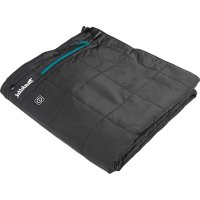
DCB200 - Heated blanket/cushion MAKITA - Free user manual and instructions
Find the device manual for free DCB200 MAKITA in PDF.
 FR
FR
 BG
BG
 CS
CS
 DA
DA
 DE
DE
 EL
EL
 EN
EN
 ES
ES
 ET
ET
 FI
FI
 HU
HU
 IT
IT
 KK
KK
 LT
LT
 LV
LV
 MK
MK
 NL
NL
 NO
NO
 PL
PL
 PT
PT
 RO
RO
 RU
RU
 SK
SK
 SL
SL
 SQ
SQ
 SR
SR
 SV
SV
 TR
TR
 UK
UK
 ZH
ZH
| Product Type | Heating blanket/pad |
| Brand | Makita |
| Model | DCB200 |
| Dimensions (L x W) | 700 mm x 1400 mm (27.6 in x 55.1 in) |
| Net weight | 0.58 kg (without battery or accessories) |
| Outer material | 100 % polyester |
| Padding | 100 % polyester |
| Lining | 100 % polyester |
| Power supply | Makita battery 10.8-12 V max, 14.4 V or 18 V (depending on battery holder) |
| USB port | 5 V DC, 2.4 A, type A (device charging) |
| Temperature settings | 3 levels: high (red), medium (white), low (blue) |
| Control | Power button on the blanket and on the battery holder |
| Operating time (typical) | Up to 33 h on low with BL1860 battery |
| Compatible batteries | CXT series (10.8-12 V max) and LXT (14.4 V/18 V): BL1016, BL1021B, BL1041B, BL1415N, BL1430B, BL1440B, BL1460B, BL1815N, BL1820B, BL1830B, BL1840B, BL1850B, BL1860B |
| Battery holder | Ref. TD00000111 (for DCB200) |
| Extension cable | Included (allows separating the battery holder) |
| Belt hook | Yes, on the battery holder |
| Usage | Body warming in cold environments (shoulders, waist) |
| Washing | Machine wash at 30 °C delicate cycle, remove battery, place cable in pocket, close zipper |
| Drying | Tumble dry low or line dry |
| Care | Do not use bleach, fabric softener, dry clean, iron |
| Safety instructions | Do not use by children under 3 years, persons insensitive to heat, do not use while sleeping, do not insert pins, do not fold during operation |
| Warranty | Makita manufacturer warranty (see manual) |
| Included accessories | Battery holder, adapter cable, extension cable, storage bag |
Frequently Asked Questions - DCB200 MAKITA
User questions about DCB200 MAKITA
0 question about this device. Answer the ones you know or ask your own.
Ask a new question about this device
Download the instructions for your Heated blanket/cushion in PDF format for free! Find your manual DCB200 - MAKITA and take your electronic device back in hand. On this page are published all the documents necessary for the use of your device. DCB200 by MAKITA.
USER MANUAL DCB200 MAKITA
Important instructions. Retain for future use.
-
When not in use, store as follows:
-
Allow it to cool down before folding.
-
Do not crease the appliance by placing items on top of it during storage.
-
Examine the appliance frequently for signs of wear or damage. If there are such signs or if the appliance has been misused, return it to the supplier to any further use.
- This appliance is not intended for medical use in hospitals.
- This appliance must not be used by persons insensitive to heat and other very vulnerable persons who are unable to react to overheating.
Children under the age of three are not allowed to use this appliance due to their inability to react to overheating. - The appliance is not to be used by young children over the age of three unless the controls have been pre-set by a parent or guardian, or unless the child has been adequately instructed on how to operate the controls safely.
- The switch or control unit must not be allowed to get wet during washing and that during drying the cord must be positioned to ensure that water does not flow into the switch or control.
- For users in Europe: This appliance can be used by children aged from 8 years and above and persons with reduced physical, sensory or mental capabilities or lack of experience and knowledge if they have been given supervision or instruction concerning use of the appliance in a safe way and understand the hazards involved. Children shall not play with the appliance. Cleaning and user maintenance shall not be made by children without supervision.
- For users in areas other than Europe: This appliance is not intended for use by persons (including children) with reduced physical, sensory or mental capabilities, or lack of experience and knowledge, unless they have been given supervision or instruction concerning use of the appliance by a person responsible for their safety. Children should be supervised to ensure that they do not play with the appliance.
If you suffer the symptoms listed below while you are using this appliance, take it off immediately and consult a doctor. Otherwise, there is a risk of heat exhaustion or heat stroke.
- First signs:
Any discomfort; excessive sweating; neck pain; nausea; dizziness or drowsiness.
- Symptoms of heat exhaustion/heat stroke:
Nausea and vomiting; throbbing headache; dizziness and drowsiness; absence of perspiration; red, hot and dry skin; muscle weakness or seizures; rapid heartbeat; quick, shallow breathing; behavior changes such as confusion, disorientation or staggering; unconsciousness.
SPECIFICATIONS
| Model: CB100D DCB200 | ||
| Material Outer: 100% Polyester | Batting: 100% Polyester Liner: 100% Polyester | |
| Temperature adjustment steps 3 | ||
| Size (L x W) 700 mm x 1,400 mm | ||
| Net weight * 0.58 kg | ||
- Approximate weight without battery holder, battery cartridge, extension cord, and storage bag.
Specifications for battery holder and battery cartridge
| USB power supply port D.C. 5 V, 2.4 A, Type A | ||
| Rated voltage D.C. 10.8 V - 12 V max | D.C. 14.4 V D.C. 18 V | |
| Battery cartridge 10.8 V - 12V max | x BL1016 / BL1021B / BL1041B | |
| 14.4 V BL1415N / BL1430B / BL1460B | 440 / BL1460B | |
| 18 V | BL1815N / BL1820B / BL1830B / BL1840B / BL1850B / BL1860B | |
Due to our continuing program of research and development, the specifications herein are subject to change without notice.
- Specifications and battery cartridge may differ from country to country.

WARNING: Only use the battery cartridges listed above. Use of any other battery cartridges may cause injury and/or fire.
Combination of battery holder and blanket
For the combination of battery holder and blanket, refer to the table below.
| Model | Battery | Part number of battery holder |
| CB100D | 10.8 V - 12 V max | TD00000110 |
| DCB200 | 14.4 V or 18V | TD00000111 |
NOTE: The available battery holder varies depending on the country.
Operating time
CB100D
DCB200
| Temperature setting Battery cartridge | |
| BL1041B | |
| HIGH 3.5 hours | |
| MEDIUM 7.0 hours | |
| LOW 10.5 hours |
| Temperature setting Battery cartridge | ||
| BL1460B BL1860B | ||
| HIGH 5.5 hours 7.5 hours | ||
| MEDIUM 10.5 hours 16.0 hours | ||
| LOW 23.0 hours 33.0 hours | ||
The operating times in the above table are a rough guideline. They may differ from actual operating times.
- Operating times may differ depending on battery type, charging status, and usage condition.
- Battery cartridge may differ from country to country.
Symbols
Some of the following symbols are used for the product. Be sure to understand their meaning before use.
| Read the instruction manual. |
| Machine wash at below 30°C on the gentle cycle. |
| Do not bleach. |
| Do not wring. |
| Do not iron. |
| Do not dry clean. |
| Not to be used by very young children (0-3 years). |
| Do not insert pins. |
| Tumble dry with low heat. |
| Line drying. |
| Class III appliance. |

Only for EU countries
Correct Disposal of this product
This marking indicates that this product should not be disposed with other household wastes throughout the EU. To prevent possible harm to the environment or human health from uncontrolled waste disposal, recycle it responsibly to promote the sustainable reuse of material resources.
To return your used device, please use the return and collection systems or contact the retailer where the product was purchased. They can take this product for environmental safe recycling.
Due to the presence of hazardous components in the equipment, used electrical and electronic equipment may have a negative impact on the environment and human health.
Intended use
This appliance is intended for warming up the body in cold environments.
SAFETYWARNINGS
WARNING: Read all safety warnings and all instructions. Failure to follow the warnings and instructions may result in electric shock, fire and/or serious injury.
Save all warnings and instructions for future reference.
The term "appliance" in the warnings and precautions refers to the blanket and battery holder with battery cartridge.
General safety warnings
Children, handicapped persons, or anyone who are insensitive to heat, for example a person with poor blood circulation, shall refrain from using this appliance.
- Do not use the appliance other than its intended use.
- Never use the appliance when it is wet.
- Do not wear the appliance with bare skin.
- If you sense anything unusual, switch off the appliance and remove the battery holder immediately.
- Do not let the power cable and extension cord be pinched. Damaged cable may cause electric shock or a fire.
- If any abnormality is found, contact your local service center for repair.
- Do not use pins or like. The electric wiring inside may be damaged.
- Keep maintenance labels and nameplate. If they become unreadable or missing, contact our authorized service center for repair.
- Choose appropriate temperature settings in accordance with the usage environment for continuous use.
- The battery cartridge, battery holder and connectors must not be allowed to get wet during washing and drying.
- The appliance can be used by children older than 3 years and younger than 8 years under supervision and with the control always set to minimum temperature value.
- Be careful not to touch the same part of the skin with the heating section for a long time. If the heating section touches the same part of the skin for a long time, there is a possibility of low temperature burns even at a relatively low temperature (40 to 60°C ).
- Stop using the appliance when you feel it is hot.
- Never use the appliance while you are sleeping.
- In order to avoid the possibility of heatstroke, disconnect the clothing when moving to an environment having significantly higher temperature.
- Do not insert pins onto the blanket.
- Remove the batteries from the appliance before charging.
- Remove exhausted batteries from the appliance and dispose of them safely.
- When not in use, detach battery holder from the blanket.
- Before storing the appliance, remove the batteries from battery holder.
- Do not short-circuit the supply terminals.
- Do not use the appliance near a fire or in an explosive atmospheres, such as in the presence of flammable liquids, gases or dust.
- Do not use this appliance for a pet. Keep this appliance away from pet.
- Do not throw or twirl this appliance.
- Do not put a heavy object onto this appliance.
- Do not use this appliance with the blanket folded.
- Be careful not to allow the cord and blanket caught by a movable appliances such as a reclining chair or bed.
- Do not use this appliance with other heating appliances at the same time.
Washing
- When washing the blanket, follow the instructions in the caution tag on the blanket.
- Before cleaning the blanket, remove the battery holder, extension cord, and the battery cartridge. Put the power cable in the battery pocket and close the zip fastener.
Work area safety
- Keep work area clean and well lit. Cluttered or dark areas increase accident risk.
Electrical safety
- Do not expose the appliance to rain or wet conditions. Water entering the appliance may increase the risk of electric shock.
- Do not abuse the cord. Never use the cord for carrying, pulling or unplugging the blanket. Keep cord away from heat, oil, sharp edges.
- Do not connect power source to USB port. Otherwise there is risk of fire. The USB port is only intended for charging lower voltage device.
Always place the cover onto the USB port when not charging the lower voltage device. - Do not insert a nail, wire, etc. into USB power supply port. Otherwise a circuit short may cause smoke and fire.
- Do not handle the cord and battery with wet or greasy hand.
- Never use the appliance when the cord or plug is damaged.
Always use the battery cartridge and the battery holder specified by Makita. - Do not leave any cord disconnected while the battery power is supplied. Young children may put the live plug in their mouth and cause injury.
- Do not connect the plug of the battery holder to appliances other than the products specified by Makita.
Personal safety
- Stay alert, watch what you are doing and use common sense when using the appliance. Do not use the appliance while you are tired or under the influence of drugs, alcohol or medication. A moment of inattention while using the appliance may result in serious personal injury.
Appliance use and care
- Do not use the appliance if the switch does not turn it on and off. Any appliance that cannot be controlled with the switch is dangerous and must be repaired.
- Maintain the appliance. Check for breakage of parts and any other condition that may affect the appliance's operation. If damaged, have the appliance repaired before use.
- Use the appliance in accordance with these instructions, taking into account the working conditions and the work to be performed. Use of the appliance for operations different from those intended could result in a hazardous situation.
If the fuse link has ruptured, return the appliance to our authorized service center for repair.
Battery tool use and care
-
Recharge only with the charger specified by the manufacturer. A charger that is suitable for one type of battery pack may create a risk of fire when used with another battery pack.
-
Use power tools only with specifically designated battery packs. Use of any other battery packs may create a risk of injury and fire.
- When battery pack is not in use, keep it away from other metal objects, like paper clips, coins, keys, nails, screws or other small metal objects, that can make a connection from one terminal to another. Shorting the battery terminals together may cause burns or a fire.
- Under abusive conditions, liquid may be ejected from the battery; avoid contact. If contact accidentally occurs, flush with water. If liquid contacts eyes, additionally seek medical help. Liquid ejected from the battery may cause irritation or burns.
- Do not use a battery pack or tool that is damaged or modified. Damaged or modified batteries may exhibit unpredictable behaviour resulting in fire, explosion or risk of injury.
- Do not expose a battery pack or tool to fire or excessive temperature. Exposure to fire or temperature above 130°C may cause explosion.
- Follow all charging instructions and do not charge the battery pack or tool outside the temperature range specified in the instructions. Charging improperly or at temperatures outside the specified range may damage the battery and increase the risk of fire.
Important safety instructions for battery cartridge
- Before using battery cartridge, read all instructions and cautionary markings on (1) battery charger, (2) battery, and (3) product using battery.
- Do not disassemble or tamper with the battery cartridge. It may result in a fire, excessive heat, or explosion.
- If operating time has become excessively shorter, stop operating immediately. It may result in a risk of overheating, possible burns and even an explosion.
-
If electrolyte gets into your eyes, rinse them out with clear water and seek medical attention right away. It may result in loss of your eyesight.
-
Do not short the battery cartridge:
(1) Do not touch the terminals with any conductive material.
(2) Avoid storing battery cartridge in a container with other metal objects such as nails, coins, etc.
(3) Do not expose battery cartridge to water or rain.
A battery short can cause a large current flow, overheating, possible burns and even a breakdown.
- Do not store and use the tool and battery cartridge in locations where the temperature may reach or exceed 50°C (122°F) .
- Do not incinerate the battery cartridge even if it is severely damaged or is completely worn out. The battery cartridge can explode in a fire.
- Do not nail, cut, crush, throw, drop the battery cartridge, or hit against a hard object to the battery cartridge. Such conduct may result in a fire, excessive heat, or explosion.
-
Do not use a damaged battery.
-
The contained lithium-ion batteries are subject to the Dangerous Goods Legislation requirements.
For commercial transports e.g. by third parties, forwarding agents, special requirement on packaging and labeling must be observed.
For preparation of the item being shipped, consulting an expert for hazardous material is required. Please also observe possibly more detailed national regulations.
Tape or mask off open contacts and pack up the battery in such a manner that it cannot move around in the packaging. - When disposing the battery cartridge, remove it from the tool and dispose of it in a safe place. Follow your local regulations relating to disposal of battery.
- Use the batteries only with the products specified by Makita. Installing the batteries to non-compliant products may result in a fire, excessive heat, explosion, or leak of electrolyte.
- If the tool is not used for a long period of time, the battery must be removed from the tool.
- During and after use, the battery cartridge may take on heat which can cause burns or low temperature burns. Pay attention to the handling of hot battery cartridges.
- Do not touch the terminal of the tool immediately after use as it may get hot enough to cause burns.
- Do not allow chips, dust, or soil stuck into the terminals, holes, and grooves of the battery cartridge. It may result in poor performance or breakdown of the tool or battery cartridge.
- Unless the tool supports the use near high-voltage electrical power lines, do not use the battery cartridge near high-voltage electrical power lines. It may result in a malfunction or breakdown of the tool or battery cartridge.
- Keep the battery away from children.
SAVE THESE INSTRUCTIONS.
CAUTION: Only use genuine Makita batteries.
Use of non-genuine Makita batteries, or batteries that have been altered, may result in the battery bursting causing fires, personal injury and damage. It will also void the Makita warranty for the Makita tool and charger.
Tips for maintaining maximum battery life
- Charge the battery cartridge before completely discharged. Always stop tool operation and charge the battery cartridge when you notice less tool power.
- Never recharge a fully charged battery cartridge. Overcharging shortens the battery service life.
- Charge the battery cartridge with room temperature at 10°C - 40°C (50°F - 104°F). Let a hot battery cartridge cool down before charging it.
- When not using the battery cartridge, remove it from the tool or the charger.
- Charge the battery cartridge if you do not use it for a long period (more than six months).
PARTS DESCRIPTION
Battery holder (optional accessory)
Fig.1
| 1 Battery holder for CXT battery cartridge | 2 Battery holder for LXT battery cartridge | 3 CXT battery cartridge (10.8 V - 12 V max) | 4 LXT battery cartridge (14.4 V / 18 V max) |
| 5 Adapter cable ---- |
Fig.2
| 1 | Power cable | 2 | Battery pocket | 3 | Power button | 4 | Heating element (inside) |
| 5 Extension cord - - - - - |
INSTALLATION
Installing or removing the battery cartridge
CAUTION: Always switch off the device before installing or removing the battery cartridge.
CAUTION: Hold the battery holder and the battery cartridge firmly when installing or removing the battery cartridge. Failure to hold the battery holder and the battery cartridge firmly may cause them to slip out of your hands and result in damage to the battery holder and battery cartridge and/or a personal injury.
Fig.3: 1. Red indicator 2. Button 3. Battery cartridge 4. Battery holder (optional accessory)
To install the battery cartridge, align the tongue on the battery cartridge with the groove in the housing and slip it into place. Insert the battery cartridge all the way until it locks in place with a small click. If you can see the red indicator on the upper side of the button, it is not locked completely.
To remove the battery cartridge, slide it from the battery holder while pressing the button on the front of the cartridge.
CAUTION: Always install the battery cartridge fully until the red indicator cannot be seen. Otherwise the battery cartridge may accidentally fall out of the battery holder, causing injury to you or someone around you.
CAUTION: Do not forcibly install the battery cartridge. If the battery cartridge does not slide in easily, it is not being inserted correctly.
Attaching the battery holder
Take the power cable out of the battery pocket and connect the jack to the plug of the adapter cable.
Fig.4: 1. Power cable 2. Jack 3. Adapter cable
Using the battery pocket
The battery holder (with battery cartridge) can be stored in the battery pocket. Take the power cable out of the battery pocket and connect the jack to the plug of the adapter cable. After that, put the battery holder (with battery cartridge) into the battery pocket and fasten the zip fastener.
Fig.5
CAUTION: After storing the battery holder (with battery cartridge) into the pocket, be sure to fasten the fastener.
The belt hook on the battery holder can be detached by removing the screws.
Fig.6: 1. Screw 2. Belt hook
Using the extension cord
If you put the battery holder out of the battery pocket, connect the extension cord between the jack of the power cord and the plug of the adapter cable.
Fig.7: 1. Extension cord 2. Power cable 3. Adapter cable
NOTICE: When using the extension cord, be careful in handling the battery holder because the battery holder may be dropped by accident.
Using the belt hook on the battery holder
If you hang the battery holder on your waist belt, attach the belt hook of the battery holder to your waist belt. And then connect the jack of the adapter cable to the battery holder and connect the plug of the adapter cable to the jack of the power cable.
▶ Fig.8: 1. Belt hook 2. Battery holder 3. Waist belt 4. Adapter cable 5. Power cable
The battery holder has an anti-drop function. When removing the battery holder from the belt, pull up the battery holder while pressing the unlock button.
Fig.9: 1. Unlock button
FUNCTIONAL DESCRIPTION
Power button
To turn on the blanket, connect all the cables, press the power button on the battery holder, and then press and hold the power button on the blanket for a few seconds. To turn off, press and hold the power button on the blanket.
NOTE: The power button and power level indicator on the battery holder are not used with the blanket. Only the power level indicator 4 will light up when using the blanket.
Fig.10: 1. Power level indicator
NOTE: The battery holder automatically turns off approximately 1 hour after the blanket is turned off.
Temperature adjustment
CAUTION: For continuous operation, set the temperature setting to "low" (blue). If the heating section touches the same part of the skin for a long time, there is a possibility of low temperature burns.
There are three temperature settings (high, medium, low). When you switch on the blanket, the temperature is set to "high". Each time you press the power button, the temperature setting changes as shown in the figure. The color of the power button shows the current setting.
Fig.11: 1. Red: "high" 2. White: "medium" 3. Blue: "low"
Indicating the remaining battery capacity
Only for battery cartridges with the indicator
Fig.12: 1. Indicator lamps 2. Check button
Press the check button on the battery cartridge to indicate the remaining battery capacity. The indicator lamps light up for a few seconds.
| Indicator lamps Remaining | capacity | ||
| Lighted Off | Blinking | ||
| 75% to 100% | |||
| 50% to 75% | |||
| 25% to 50% | |||
| 0% to 25% | |||
| (For 14.4 V and 18 V batteries only) | Charge the battery. | ||
| (For 14.4 V and 18 V batteries only) | The battery may have malfunctioned. | ||
NOTE: Depending on the conditions of use and the ambient temperature, the indication may differ slightly from the actual capacity.
Battery protection system
The device is equipped with a battery protection system. This system automatically cuts off power to the heating parts to extend battery life. If the remaining battery capacity is too low, the device will not operate. When you turn the device on, the power is supplied to the heating parts again, but stops soon. In this situation, remove and recharge the battery cartridge.
Connecting USB devices
CAUTION: Connect only devices that are compatible with the USB power supply port. Not doing so may cause a malfunction of the battery holder.
NOTICE: Before connecting a USB device, always back up the data on the USB device. Not doing so may cause a loss of your data.
NOTICE: The battery holder may not supply power to some USB devices.
NOTICE: When not using or after charging, remove the USB cable and close the cover.
NOTE: The actual output current varies depending on the USB device to be connected.
NOTE: Battery power is consumed while the power button is turned on. Always turn off the switch when not in use.
NOTE: When charging multiple USB devices in succession, wait about 10 seconds after charging of the previous device has completed before beginning to charge the next device.
The battery holder (with the battery cartridge) can work as an external power supply for USB devices.
- Open the cover and connect a USB cable (not included) to the USB port. Then connect the other end of the cable to the device.
- Start charging:
When using battery holder (with the battery), press and hold the power button until the power level indicator lights up. The battery supplies DC 5 V, 2.4 A.
Battery holder (with battery)
Fig.13: 1. Cover 2. USB port
Usage examples
By fastening the snap buttons and strap on the blanket, you can use the blanket for warming up your shoulders and waist.
Fig.14
Fig.15: 1. Snap button 2. Strap
Fig.16: 1. Snap button 2. Strap
NOTICE: To prevent the damage to the heating element inside the blanket, do not use the blanket as a cushion or a rug.
NOTICE: When you wear the blanket on your shoulders or waist, be sure to fasten the snap button or tighten the strap.
MAINTENANCE
CAUTION: Always be sure that the blanket is switched off and the battery cartridge is removed before attempting to perform inspections or maintenance.
CAUTION: If the blanket does not switch on or any fault is found with a fully charged battery cartridge, clean the terminals of the battery holder and the battery cartridge. If the blanket still does not work properly, stop using the blanket and contact our authorized service center.
NOTICE: Never use gasoline, benzine, thinner, alcohol or the like. Discoloration, deformation or cracks may result.
To maintain product SAFETY and RELIABILITY, repairs, any other maintenance or adjustment should be performed by Makita Authorized or Factory Service Centers, always using Makita replacement parts.
Cleaning the blanket
- Detach the battery holder (or extension cord) from the blanket before washing.
- Be sure to store the power cable inside the battery pocket and close the zip fastener before washing.
- Follow the instructions on the tag.
- Do not wash the blanket with other clothes. Doing so may cause color fading or color transfer.
- Do not use the fabric softener.
- Use only neutral detergent.
After washing, take out the blanket from washing machine at once.
Storage
When not in use, detach the battery holder from the blanket. Store the blanket into the storage bag.
▶ Fig.17: 1. Storage bag
NOTICE: Do not store the blanket with an object with sharp edges. Doing so may damage the blanket.
NOTICE: Do not store the battery holder and blanket with a repellent which contains naphthalene or camphor. Doing so may corrode the plastic part and cable insulation.
OPTIONAL ACCESSORIES
CAUTION: These accessories or attachments are recommended for use with your Makita tool specified in this manual. The use of any other accessories or attachments might present a risk of injury to persons. Only use accessory or attachment for its stated purpose.
If you need any assistance for more details regarding these accessories, ask your local Makita Service Center.
- Battery holder
- Adapter cable
- Makita genuine battery and charger
NOTE: Some items in the list may be included in the tool package as standard accessories. They may differ from country to country.
AVENTISSEMENT
Fig.13: 1. Couverage 2. Port USB
ACCESSIONS EN OPTION
VEILIGHEIDSWAAR-SCHUWINGEN
▶ Fig.6: 1. Schroef 2. Riemhaak
OPTIONELE ACCESSOIRES
Evikcs npoeioToiOnoeic opaaleia
Δ ν PPETIva xpnoiopoIOIoUV Tn OoKEUn autn Tnaiia, atoua e EIOkec avaykec kai atoanaivai avoaogntoi otn thepOHTa, yia npadeymu, eva atooue PPOBAnata otnv Kukloopopia tou aiatoC.
Myn xpoiooioeite n ouokeun yia otoiaon TOTE xpnoe EKTOC aTNO TNV EvdeEiyuEvn.
Mn xpnoiotioie Tne tnooukeun otav eivai Bpeyevn.
Mn φopáte t n σοκευπ πανω από γμνό δερμα.
Avwote OTiHnTote aouvnto, ohtote aoeoc n ouokeun kai apapeote tov undox xea mntatapiw.
Mny taakiETo nAekptko Kaawio kai To kaawio TpoektaoNc.To kateotpaumevo kaawio mTopei va Tpokaloei nAektpotnnaia n Tupkayia.
Av β ρ θ oioobntnoe TPOBAnua ETKoivwVnOte ME TO TOTIKo OaC KevTpo EgUTnpETnOncYia ETIOKEUn.
Mny xnpoiopoioite Kapipote n Tapoia avtikeva. Mtopei va Tpokaolete Zmu aTnv eoTepikn aeKtpikn kaawsiwn.
- Diatnpite TIC ETIKETEC OUVTNPONC KAI TIVaKIDA ovopaotIKWv TIPWv. Av kataoTOUv DuaavayVwOTcN XaBOuV, ETIKOIVWvNATE ME ESOUIOOToNTnevo Kevtpo ESUTnPpTnONS YIA ETIOKEun.
- Eπiεξτe TIGKαταλnλες ρuθμioεις θερμokpασiας, σύμφωνα με το περιβαλλον xρησης γιασυνεχόμενη xρήση.
H kaoteta μntatapiwv, o unofoxeac μntatapiwv kai ouvdeoeic dev npentie va bpaxouv kata to n oteyvwua.
H ouokeun mtoepie va xpnoiomointhei ano Tnaiia avw twv 3 etuw kai katw twv 8 etuw uto EtniBaeyn kai me tn movadba eAevxou puOmuEvn Tavta otny Eaixiot n tiun ePpokpaiaac.
IpooeXeTe va mny ayyicTe to idio onmuio tou δe p u a t o c 1E TO TUNa θp a v o n c YIA EYALO XPOVIKO DIAOTnua.AV TO TUNa θp a v o n c AYYICI TO IDIO ONGIO TO DEPUATOC YA EYALO XPOVIKO DIAOTnua, UTIAPXEITHOAVOTNTA EYKAUMATWVAITO XaunnNtEOPOKpOia, AKoN KAI OE OXETIKAXaunnNtEOPOKpOia (40 EwC 60°C).
- AiaKopty Te xponon TnC OuaKeunc otav viowtheta oTI Eivai Zeotn.
Mx npoiopoite Tne oukeun evw koiapote.
Tia va aTnOpyeTe Tnv mavotnta 0epmoTnIgias, anoouvOeOTe TO pouxioo otav metapepeote e eva TepiBaAov Me onmaVTikuynAoTEpn 0epoKpaoia.
Mny eioayayet EeOveoTnv Koubeta. - Apaipéote TIC μπatapieç απo Tn σuokεun πiv απo Tn φόption.
Apaipote Tc EavTnueves mtatapies aTo n OoKEun kai diaTheote Tc ie aaoaia. - Otav δ ν xpnoiopoioieitai, anouovoeote tov uTdooxea mataipiW aTn Tnv Koubeta.
Piiv aTn o Tnv aTOnkEuaon Tns ouKeuins, ByaTe TIG mTatapieC aTOn tov uTROdoxa mTatapiw.
Mn β pauxukkawveTOUsaKpO6EkeTc Tpo0o0oiaC.
Mx npoiopoieite tn ouokeun kovta oe wtiadne EKpnktke atuOoopaies,OTTwTAPouciaEukkTswUpyw,aepiwn oKovns.
Mny xpnoiopoioite autn tn ouokeuyn ia katoikidio. DiatnpnoTe autn tn ouokeu n paKpia aTTo ta katoikidia.
MnV TETATE KAI mN V OTPIPOYUPIZETE autn Tn OuaKEun.
Mny toTotheite β apu avikeiEvO eTavw oe autn tn oukeun.
Mynxpoiootoeite autn tn ouokueun me tnv Koubeta dllwmuevn.
IpoaexeTo aynv afoeTo nAektpiko Kaawdo kai Tny Koubetava Tiaotouv ato Kivoupeves oukeues otwG ia avaklivoevn ToluopovkepaT.
Mynxnpoioite tauroxpova autn tn ouakeun kai aaaaes thepavtic esoukeu
πλuσμo
Otav TlEVE TNY KOUBepa, aKoAouOHTe TIC OynieC OTNV ETIKETA ETIOImaVoeWv TPOOxNc Tnou Bpioketai OTNV KOUBepa.
Piv kaapie Tnv Kouepra, yalte tov Utofoxa mtaapiw, to kawio ppoektaang kai nV kaetra mtaatapiw. Tooetntote to nAeKPTko kawio otnv toeTn mtaatapiaac kai kaeiote to eepouap.
Aoalεia σto χwpo εpyaia
Na diatnpieTe To xwpo epyaiaac Kaapoc Ka kaAa wtiouevo. zE aKataotatec n oKOTEVEc Tepioxc, auavetai o kivuovc atuxnmuwv.
Hεκτρικη ασφαλεια
MnV EKETET TNOUKEUn OTN BPOxN NO UYPcS OUVtkeC. H iaoooc vepou OTN AuaKEUn MTopei va auGnoei Tov KivDuvO TPokAnng nAektpoTAnxiac.
MnV KAOKUETAXEIPZOTTo nAeKTPIO Kaawio MnXPNOIOTOIE TOTeTO nAeKTPIO Kaawio yia va uetaepete,va TpaBnEte n va aTTOuUV- oTe TNY KOUBepTa. Na biATnpEITE TO nAe- KTPIO KAALWIO pAKpia aTTO ePmuotnta,laai KAI aIXmnpaakpa.
Mn ouvdeTe Tnv nAektpiKn Tnyn me Tn Upu USB. iapopetiká, utapxki kivduvo tsupkayiac. H upa USB npoopiZei tpoV yia tn opTIOIoukeunc xauanlc taonC
Na to ntoeTe i Te kaiumu oTn 0upa USB otav dev qoptiZeTe Tn ouokueun xaunlnc raonc.
Mny Eioayayete KApFi, Oupa, Ktλ. 0e Θupa nAekpiKn Tnpoxns USB. AiaopoptiKa, eva Bpauxukkawma μTpoei va Tpokaléσi KaTvo KaI TUPKAYIA.
Mny xepieote To nAektpko kaawio kai Tny matarapiae β pveva nawmu xepia.
Mx npoiotoeite TOTn oukeun otav to nEeKTIKO KAWDIO h TO qIC TAPouoiacei Znua.
- Na xροιμοτοίει τάντα κασέτα μπατapiών και utθόδαε αμπατapiών του καθορίζονται ατό την Makita.
Mny aqnvete kaveva kaawdo io oouvdeltae
muvo evw napexetai 1oxuc otnu ptapia. Ta miopa naidia mtopei va balouv to nektpo
popo qic oto otoua touc kai va npoknthei
tpaupatiooc.
Mny ouvdeoe To qic Tou uTOdoxea mntata- piwv e aaee coukeuec, kToC aTIO pOioVTA Tou kaOopiOvTa aTTOy Makita.
PpOwTmikn aσφαλει
- Otav xpoioiOIOIE Tn OoKEun, va Eioaote 0E ETOIOTNa, va TPOOExe Tk KAVETe KAI VA xpnoioTIOIE Koivn loyik. Mn xpoioIOIE Tn OoKEUn OTav EIOTE KoupaoEvoi n Bpiokote Katw anTo Tnv Etnpeia VapkWTIKW ouoiw, aAkoAo npakwv. Mia otiyu anPo- oEiaac Evw xpnoioTOIE Tn OoKEUn mTIOpei va Tpokaoei oobapo TPOoWNIKO tpaumato.
Xpnoi kai povtida tsoukeun
Mx npoiotoeite tn oukeun av o biakottnc dev tnv evpyoioei kai dev tnv atevepyo- toie. Katoe oukeun Tou dev mtopeite va eEy- ete me to biakottn aeitoupyiac ivai etikivuvn kai pTei VA ETIOKEUAOTEI.
- SuvtnpnoTe Tn OoKEun. EleyeT av exouv
Oraoei Katoia Eaaptmuata, aAa kaik aThe
aAan KaataoTaon Tou MTopei va eTnpaeoi
tn Aetoupyia Tns OoKEunc. Av n OoKEun
Utootei BAlaBn, va apovtiZeTv eTIOKEuaOtei
TpiV tn XpnoiuotoineTe.
Na xpooiotooie Te OoKEun oUpwva e autec tic obnyies, aubavovtac utoyn Tc ouhke c epyaiaac kai tnv epyaia nou pTei va ekteae. Av xpooiotoeite tn oukeun yia aeoupyies diapopetikec ato autec yi tioe Tpoopicieta, mtopei va tpokanthei etikivduvn kataoaon.
Av to oumuatidio tngns exei otnoae, eTIOTpeyTE tn ouokean oE egouioobotnevo Kevtpo Eutnpetnong yia eTIOKEun.
Xpnoi kai povtida mntatapiwv
- Na επαναφοριζετης μπαταρίες μόνο με το φορτισή που καθορίζεται από τον κατασκευαστή. Evac φορτισής που εἰναι καταλληλος γιμι συγκεριμένη μπαταρία μπορείν αδημιούργησι Kīνδυνο πιρκayiac ὄταν χρησιμοτοίειαι με μια αλλη μπαταρία.
-
Na xpnoiouoieite nektpika epyaia mvo u E ioka kathetaipoeves mntapiec.H xpon kaoe aaancs mntatapiac mtopei va oniuopynoi kivuvo Tpaumaiou n Tupkayiac.
-
OtaV 6ev XpnoiopoIOeIa n Kaotsa mTataipwv, biatnpnoTe Tn maKpiA aTo aaaa MaetalkkiaavTKeivva,OTWc ouvBETnpes,Kepuata,Ke1ia, KApia, Bicns n aaaa MkpaMetalkkiaavTKeivva,Me ta oTOia MTopevi aa NmIoupynthei ouvdeon aToTov evav akpoBektn OTov allov. To bpaxukkawmaTwv akpoBektwv Tnc mTataipac MTopevi TpokaeeEykaumata n TUPKayia.
- YTO OUVnKc KATaXpOnc, MTOpEi va EaxTheta Uypo aTNO TNV MTAATApia. Na aTPOeUYET NVEAqN. EAV OUmuE IaON KATA Aoo, EKTLuVETe ME VEPo. EAV TO UyPO ePte OE ETTaHne Ta MaTIA, AVZNTNOTE KAI IATPIKn BOnTeia. To UyPO TOU EAYETAI aTNO TNV MTATAPia MTOpEi va TpokaLaeI epeio n ykaumata.
- Mn xpooiotoiite mia kaoetataatapiw n epyaieio Tou exi kataoTPaepi n tpoTTOinthei. OI kateotpaumevc n tpOTIOINVEC mTTATAPIECS MTOPEVA TAPOUIAOUV aTPOBAAETTN OUMTEPIOPA TOU exe w cTATEEAOSA TUPKAYIA, EKPEN N KIVDUVO TPAUATIOU.
- Mny EKETETN VKaTea mTataWv nTo Epyaλeio e TUPkayia n UTEpBoIAka uynn θepoKpaia. H EkEon oTnv TUPkayia n Otn θepuokpaia avwTwv 130°C mTopeni va Tpokaeei ekpnξn.
- AkoounoTE oAE TIG onyieC FOPTIOG KAI mV FOPTIOE TNV KAeTAa MATAIwv n TO Epyaaleio EKTOS Tou 0epuokpaoiaKou EUPOUc Tous KAOpipETAI OTIC ONyIEC. HAAveoauv n FOPTION OE 0epuokpaoiec EKTOS Tou KAOTOpiauEvou EUPOUs MTopei va TTPOKAeOEI Znua OTNV MTAtpia KAI VA auHneTov KIVDUVO TIPKAYIac.
NEPIΓPAΦH EAPTHMATΩN
YnofoxεaC μTataipv (pOpaTeIKo εApntμa)
Eik.1
| 1 Y | roðoxéáç μπatapiów vía kασétá μπatapiów CXT | 2 Y | roðoxéáç μπatapiów vía kασétá μπatapiów LXT | 3 Kaσétá μπatapiów CXT (10,8 V - 12 V μέγ) | 4 Kaσétá μπatapiów LXT (14,4 V / 18 V μέγ) |
| 5 Kaλδio προσαρουέα - - - - - - - - - - - - - - - - - - - - - - - - - - - - - - - - - - - - - - - - - - - - - - - - - - - - - - - - - - - - - - - - - - - - - - - - - - - - - - - - - - - - - - - - - - - - - - - - - - - - |
Eik.2
TEXHIUHIXAPAKTEPNUCTNKN
BnKOpNCTaHH Ta o6cnyroByBaHHaKymyIaTOpHnx iHCTpymEnTiB
- Ipee3apjdxkaTe akymyIaTOp nHwe 3a Donomoro 3apJdHorO npucTPO, Bkaz Horo Bnpo6NkoM. 3apJdHn npucTpi, kIn niXoHTb dJa OdHorO Tnny akymyIaTOpB, MoKe npu3BeCTn Do noKexi npn BnKOpncTaHHi 3 akymyIaTOpOM iHwOrO Tnny.
-
BnKOpNCToByTe eNeKTpoiHCTpyMeHTN NHe 3 aKymyIaTOpAMn TOro TnNy, AKN pN3Ha-ueHn camE dNra Ux eNeKTpoiHCTpyMeHtIB. BnKOpNCtaHHa akymyIaTOpB iHux TnINb MOKe npN3BeCTn DO OTPMaHHa TpaBM i BUNHKHeHHa NoKexi.
-
Konn akymyIaTOP He BnKOpncTOBycTbcra, TpmaTe NOro NoaJI BiD TaNX MetaNeBnx npedMeTIB, k CKpinK, MoHETN, KNoUci, ZbAxu, Wypyn ToIO, kki MoKyTB 3akopOTTu KJemn akymyIaTopa. 3aMnKaHH KEM akymyIaTopa Moke npn3BeCTn Do OTrpMaHH OnikB a6o Do noXekxi.
4.3a HehaJeXHx yMOB 36epirAHn3 akymyIa-Topa MoKe BnteKtn pINHa, KOHTaKTy 3 kOo cnid yHnKaTn. Y pa3i BnnaAdKOboR noTpapnnHnpaipHHnHa TINO BiIDNoBHy qactHy tina cpi npomTu BOIO. Kaio pInHa notpanHa B ooi, ix cni npomTu BOIO, nicra yoro Heo6xIdHO 3BepHyTncr do nikapra. PInHa, zo BntiKae 3 akymyIaTopa, M0ke cnpiuHNtnoPa3HeHHa a6o onIKn.
5.He KopnctyTecb akymnyTopom a6o iHctpyMeHToM, k6 byo 3miHeO nn NowkoDxKeHO. EKnpyataia akymyTopiB, 0o ix 6byno nowkoDxKeHO a6o do KOHCTpykii jKnx 6byo BheceHO 3mHN, MoXe 6ytN He63neuHO u MoXe cnpuHHTN NOKExy, BN6yx a6o TpaBMy. - He nidaabaTe akymyIaTOp a6o iHcTpymeHT BnInBy BOrHIO uHaMipHOiT TempePaTyPi. BnInB BorHIO a6o TempePaTyPi Bnue 130° C MoKe cnpuHHTn BN6yx.
7.ДOTpIMyIeTcBycixBka3iBoki33apJxHaHHNe 3apJxKaIteakymyIaTOp a6o iHCTpyMeHT 3a Tempeatypn 3a Mexamn 3a3HaueHOrO B iHCTpyKuDiana3OHy.HenpaBnIbHe 3apJxHaHHa6 3apJxKaHHa 3a Mexamn Bka3aHOrTeMmepaTyPhoro diana3OHy M0ke npN3BecTu Do NOwKOdXeHHaKymyIaToPA NIDBnIHTn He6e3- neKy 3aMaHH.
BaxnBi iHcTpkyi3 6e3neKn dny kacetn 3 akymyITopom
- Ipeed THM KOpNCTyBaTnCkaceToO 3akymyIaTOpOM, cIiD npoHTaTn Bci IHcTpkyuII Ta 3acTepeXHi 3nKn 0do (1) 3apAnHoro npn-ctpoAkyMnyaTopa, (2) akymyIaTopa Ta (3) BInpo6iB, 0npauIOb BiD akymyIaTopa.
- He po3bupaTe kaceTy 3 akymyIaTOpom i He 3minHouTe II KOHcTpkyciIO. Ie moKe npn3BecTu Do noxeki, neperpiBy a6o Bv6yxy.
- RaKuo nepioo po60Tu dyKe noKOpotwaB, cnId HeraHNO npnnnHTu KOpncTyBaHHa. Ce moKe npn3BeCTn DO BnHnKHeHHa Pn3NkY neperpiBy, oniKy Ta HabItb Bn6yxy.
- y pa3i notpanJHnEneKtpOnity B oOi cnI npOMTN iX YNCTOIO BOHO Ta HeaHNO 3BepHyTNCaDo Nikapra. Lc MoKe npn3BeCTn Do BTPaTH 3OpY.
5. He 3akopotitb kaceTy 3 akymyIaTOpom.
(1) He cniTopkataNcKJem 6yDb JKM CtpymonpoBIDHM MaTepiAion.
(2) He cπiδ 36epiratn kaceTy 3 akymyIaTOpom y cMHOCTi 3 iHUNM MeTaJIeBUMn IpeDMeTam, TaKIMN JK ZBAXN, MOHeTTOso.
(3) He 3aHnwaIte KaceTy 3 akymyIaTOpom nIDdoUe, 3anobiraTe KOHTaKTy 3 BOIOU. KopOTke 3aMnKaHHa MoKe npu3BecTu Do nOBn 3HaCHoro ctpMy, neperpiBy, MOxJIbNx onikib Ta HABiTb BHXOdy 3 naDy.
- He cnid 36epiratn BnKOpncTOByBaTu iHCTpyMeHT i KaceTy 3 akymyIaTOpom y Micux, de TempepaTypa MoKe CgHyTu Nn NepeBnUuNTN 50°C (122°F).
- He cnid cnaIOBAtn KaceTy 3 akymyIaTOpOM, HABITb kIoo BOHa 6yJa HeoDHopa3OBO NOwKOdKeHa a6o NobHcTIO cnpaUOBaHa. Kaceta 3 akymyIaTOpOM MOKe Bn6yXHyTu BOrHi.
- 3a6opoHeHO 3a6nBaTu CBxu B KaceTy 3 akymyIaTOpOM, pIaTu, NaMaTu, KnDaTu, BnyCKaTu KaceTy 3 akymyIaTOpOM a6o BdApTn ii TBepdIm npEMeToM. Lc MoKe Ipn3BecTu do noKexi, neperpiBy a6o Bu6yxy.
- He cnid BnKOpncToBvBaTn noxkoJKeHn akymyIaTOp.
- Iinit-ioHHI akymyJIaTOPn, 0o MICTaB C B IHCTpymeHTi, MaOTb BiIDNOBIdaTH BUMORAM 3aKOHIB npo He6e3neuHi TObApn. Pid Yac TpaHCnOpTyBaHnHa 3a DOONOMOIOKOmeP uHnX nepeBe3eHb, HapNKnaI d3 3anyuaHHaM TpeBoI cSTOPHO Ta EKCNEIITOpB, Heo6xIHo DOTpIMyBaTncb OcO6lnBnx BmOr, Bka3aHnx Ha naKyBaHni y MapkyBaHhi. Pid Yac NiIroTuBaHnNo3uQII Do BiINPaBJeHHa Heo6xIHO npOKOHcyJbTyBaTnc 3i CneUianICTom 3 He6e3neuHnx MaTepiAnIB. Kpim TORo, cnD BIKOHyBaTI 6InbIdoKNaDiHa zuHOHaHCTaHOBn, AkuTo aKi. 3akNeIte BiKpnTi KOHTAKTN CTPIKOIO a6o 3axoBaTe i 3anaKnyTe akymyJIaTOP TaKIM YHOM, 0o6 Bin He Mir pyxAaTncB NaKyBaHhi.
11.Дяуtni3auiKacetn3akymyIaTOpomBNTarHitbii3IncTpymeHTa ytni3yIte63neuHm cnocobom.DotpmyTeCraHOPMmicueBOrO 3akoHOaBCTaUoDo ytni3auiakymyIaTOpib. - BnKOpncToByTe akyMnyTOpn NmWe 3 Bnpo6amu, yka3aHmM KomnaHicMo Makita. YcTaHOBNeHHa kMyJrTOpiB y HeBiIOBIdHi Bnpo6n MoKe np3BeCTn Do NoXeKi, HApMipHoro HarpiBaHHa, Bn6yxy Ch BVtOKy eNekTpOniTy.
-
RaKuo IHcTpymENTOM He KopnCTyBaTmUMyTbCn npotraom TpNbAioro nepiody yacy, BmMitb akymyIaTOP 3 IHcTpymEnta.
14.ПдчacicnBnKOpncTahHnKacete3akymyIЯrTopomMOxeHarpiBaTnC,IOMOxeCTaTN npuHHOOnikIBa6oHn3bkoteMnepaTyphnx onikIB.BybTeObepeXHiNdvacnoBdoKeHHa 3 rapaTOKaceto3akymyIraTopom. -
He TopkaTecKoHTaKtIb IHcTpMeHa BIdpa3y nICnBAuKOpNCTaHH, OckIbKn BIn MoKe 6yTu Docntb rapYm, 0oB BuKJlnKaTH OnIKn.
- He donyckaite, 06 ynaKn, nIa 6o 3emn npnnnann do kontakTib, oTbopib i na3iB Ha kaceti 3 akymyJrTOpOM. Lc moKe npnbecTu do 3HxkeHHe EKnnyatauHnNx napameTpib, NOLOMKn IHCTpyMeHTa a6o KacETn 3 akymyJrTOpOM.
- RaKIO IHCTpymeHT He po3paXOBAHO Ha BnKOpnCTAHH NO6JN3y BnCOKOBOJbTHnx NiHj eJeKTponepa, He BnKOpNCTOByte Kacety 3 akyMylrTopOM No6JN3y BnCOKOBOJbTHnx NiHj eJeKTponepa. Ye MoKe Ipn3BecTn Do HeCnpaBHOcti, NOLOMKn IHCTpymeHa a6o KacTe 3 akyMylrTopOM.
- TpmaTe akymyTOp y HeoCTyHOMy dna Diteu Micui.
3БЕРIGАITE LИ BKA3IBKN.
OBEPEXHO:BnKOpncToByte TINbKn aKyMy- JIaTOpN Makita. BnKOpncTaHnAkyMnyTOpiB, IHxN HIX opirihaihhi akymyJrTopu Makita, abo akymyJrTopiB, KOcCTpyKzIO knx 6yNo 3mHeNO, MoKe np3BeCt N do Bv6yXy akymyJrTopa i cnpuHHNT noKExy, TpaBMy a6o nowkoDkeHHy. Y 38'3kY 3 uM Takox 6yde anyIbObaHo rapaHTIO Makita Ha IHCTpymeHT Makita i Ha 3apdHn npctpii.
Iopadn 3 3a6e3neueHnMaKcnnMaJIbHOro cTPOky ekCnJyaTauii akymyIaTopa
- Kacety 3 akymyntopom cniid 3apjdxkataoTO rO, k BIn po3pndtbcn NobHCTIO. 3abxdi cniid 3ynnHTn po60ty IHcTpymeHTa Ta 3apjdtN akymyntop, kUO BN NOMITINN 3MeHweHHNnotyxhOCTi IHcTpymeHTa.
- Hikon He cnid 3apnKaTH NOBTOHO NOBHCIO 3apnKacety 3akymyTOpOM. Pepe3apxKeHHckopooyc TpOK eknnnyataaikymyTota.
- 3apraJkaTe kaceTy 3akymyIaTOpom npn KIMHaTHi TeMnepaTypi 10°C - 40°C (50°F - 104°F) Ipeed TmJk 3apraJkaTu KaceTy 3 akymyIaTOpom, cIi3aueKaTu, dOKu BOHa OxOJHOe.
- Koni kaceta 3 akymyIaTOpOM He BnKOpNCToBycTbC, BnMaTe ii 3 iHcTpMeHTa a6o 3apAHorO npncTpoU.
- RaKuo KaceTa 3 akymyIaTOpom He BnKOpncToBByBaIacr TpBbIuN Yac (noHaJ WicThb MicraIIB), II cIi 3apAun.
ONIC DETAJEIN
TpmaayakymyIaTopa(doataKOBepnua
Pnc.1
| 1 Tpimau akymy列入Topa Для касени 3 akymули- Topom CXT | 2 Tpimau akymy列入Topa Для касени 3 akymули- Topom LXT | 3 Ka ceteа 3 akymулиTopOM CXT (10,8 B - 12 B maks.) | 4 Ka ceteа 3 akymулиTopOM LXT (14,4 B / 18 B maks.) |
| 5 Передим кабел----- |
Pnc.2
| 1 | Кабеловский | 2 | Кишени—forbarapei | 3 | Коньская поLEMпя | 4 | Награвалыний с篇文章(Tseperдиhi) |
| 5乃至双击双击的单hup -- -- -- -- -- -- -- -- -- -- -- -- -- -- -- -- -- -- -- -- -- -- -- -- -- -- -- -- -- -- -- -- -- -- -- -- -- -- -- -- -- -- -- -- -- -- -- -- -- -- -- -- -- -- -- -- -- -- -- -- -- -- -- -- -- -- -- -- -- -- -- -- -- -- -- -- -- -- -- -- -- -- -- -- -- -- -- -- -- -- -- -- -- -- -- -- -- -- -- -- - - - - - - - - - - - - - - - - - - - - - - - - - - - - - - - - - - - - - - - - - - - - - - - - - - - - - - - - - - - - - - - - - - - - - - - - - - - - - - - - - - - - - - - - - - - - - - - - - - - - - -- -- -- -- -- -- -- -- -- -- -- -- -- -- -- -- -- -- -- -- -- -- -- -- -- -- -- -- -- -- -- -- -- -- -- -- -- -- -- -- -- -- -- -- -- -- -- -- -- -- -- -- -- -- -- -- -- -- -- -- -- -- -- -- -- -- -- -- -- -- -- -- -- -- -- -- -- -- -- -- -- -- -- -- -- -- -- -- -- -- -- -- -- -- -- -- -- -- -- -- � � � � � � � � � � � � � � � � � � � � � � � � � � � � � � � � � � � � � � � � � � � � � � � � � � � � � � � � � � � � � � � � � � � � � � � � � � � � � � � � � � � � � � � � � � � � � � � � � � � � -- -- -- -- -- -- -- -- -- -- -- -- -- -- -- -- -- -- -- -- -- -- -- -- -- -- -- -- -- -- -- -- -- -- -- -- -- -- -- -- -- -- -- -- -- -- -- -- -- -- -- -- -- -- -- -- -- -- -- -- -- -- -- -- -- -- -- -- -- -- -- -- -- -- -- -- -- -- -- -- -- -- -- -- -- -- -- -- -- -- -- -- -- -- -- -- -- - - - 5 --- 5 --- 5 --- 5 --- 5 --- 5 --- 5 --- 5 --- 5 --- 5 --- 5 --- 5 --- 5 --- 5 --- 5 --- 5 --- 5 --- 5 --- 5 --- 5 --- 5 --- 5 --- 5 --- 5 --- 5 --- 5 --- 5 --- 5 --- 5 --- 5 --- 5 --- 5 --- 5 --- 5 --- |
BCTAHOBJIeHHJ
YcTaHOBJIeHHa6o 3HimaHHa KacETn 3 aKymyJTopOM
OBEPEKHO: 3aBXn BmkaTe npucpti nepey yctahOBHeHMa a6o 3HimaHHaMKacetu 3 akymyITopom.
A OSEPEXHO:Пд ус yctaHOBJIeHHa 60 3HIMAHня KaceTu 3 akymJrTOpOM cId MiHcTO TpImaTHTpMaTu aKymJrTOpOM. RaKIO Bu YtpMByTaUMTe TpImaTu aKymJrTOpOM Ta KaceTu 3 akymJrTOpOM.BoH NMOxTyB BNCIN3HyTu 3pyk, IO npu3BeDe Do NOUKOJKeHHa TpImaTu aKymJrTOpOM Ta KaceTu 3 akymJrTOpOM Ta/a6o CnpuHHnTb TpaBMn.
Pnc.3: 1. YepBOHn iHNkAToP 2. KhoNka 3. KaceTa 3 aKymyIaTOpom 4. TpMaay 6aTapei (doatKOBe npnaad)
Uo6 yctahOBHTN KaceTy 3 akymyIaTOPOM, cnid cymiCTHTN BnCTyn Ha KaceTI 3 akymyIaTOPOM i3 na30m y Kopnyci Ta BCTABNTN KaceTy Ha Micse. BCTabJIaIe KaceTy 3 akymyIaTOPOM DO KlaCaHHa. RaIO ha BepxHi qactHNI KHONIK NOMITHN UepBOHn IHdNKaTOP, ue O3Haac, zo KacTa 3 akymyIaTOPOM 3aΦiKcObHa He do KInca.
Ioo3HrTn KAcETy 3 akymylrTopOM, CiiD BntrHyTN II 3 TpImaHa akymylrTopa, HATNCHyBwn HA KHONky B nepeHi NactHI KAcETN.
OSEPEXHO: 3aBxDn BCTaBnIe KaceTy 3 akymyIaTOPOM NOBHCtIO, NOK He 3HnKHe YepBOHn IHnkAaTOP. IHaKwe KaceTa MOKe BnPaKOBo BnactN 3 TpMaaya akymyIaTopa Ta TpaBMYaBaTN Bac a60 IIOdei, lo 3haxOJaTBc npuy.
OSEPEXHO: He BCTaHOBIOte Kacety 3 akymyIaTOPOM i3 3ycnIJIaM. RaKIo Kaceta 3 akymyIaTOPOM He BCTabJIeTbCЯ NERko, Ze O3NaUac, Io II BCTaBJIaOTb HEnpaBInbHO.
PpNkpiIJIeHnTpIMaHa akymyIaTopa
BnmitbKa6eJbXnBHeHn3KnWeHiIJaKymyIaTopa n iDknHouitb Horo po3'EM Do BnIKn nepexiDHoro Ka6enIO.
Pnc.4: 1. Ka6eJIb JxuBJeHHa 2. Po3'em
3. PerexiHn Ka6eIb
Kunshena 6aTaapei
TpmaayakymyraTopa(3kaceToo3akymyraTopom)MOxHa 36epiratnB KIwehi dny akymyraTopa.Binmitb Ka6enb XNBHeHH3KIIweHdnyakymyraTopaNidKnHouHtYoro Po03'EMD0BNKNnepexHOrOKa6eHIO.Nomictb TpmaayakymyraTopa(3kaceToo3akymyraTopom)YKIIweHIOdny akymyraTopaN3acte6hHt3actiKy-5nncabky.
Pnc.5
OBEPEXHO: Nicra TORo, RaTpMaayakymy- JIaTopa (3 KaceTo0 3 akymyJrTopom) 6yde nomi- uHOBKHeHNO dnnakymyJrTopa, He 3a6ydbTe 3acti6HyTN 3acti6Ky-6nckabky.
TayokIpyeMeHHa TpImaHiakymyIaTOPa MOXHaBID'EDHaTN, BndaNbUnrBNHTN.
Pnc.6:1.ΓBnHT 2.ΓaOK dIpapeMeH
BnKOpncTaHnI NOOBxByBaIbHOro shhypa
KuO BAM Notpi6HO BuHrTn TpMaay AkymyJrTopa 3 KIweHI dIy akMylrTopa, 3'EdHaIe po3'em Ka6eIIO XINBHeHH 3 BUNKOI nepexiDHoro Ka6eIIO NOOBKyBaIbHM Whypom.
Puc.7: 1.ПОДOBЖУВАЛБИМshHyp 2. Ka6eJIb xINB-JIeHHa 3. IpepeXiIHyn Ka6eJIb
YB4A:ПiДчacВиКориCTaHHЯNoIDOBxByBaJIb-Horo shHypa 6yIbTe o6epeXHi, a6n He dOnycTHTBnnaKoboro naIHn TpImaayakymyIaTopa.
BukopncTaHnraUka dIpa peMeHa TpImaui akymyIaTopa
Ioo6 nobicntn trmaay akymyjtopa Ha noaChn peimh, npuienitb rauok dna pemeHa Ta TPMaCi akymyjtoPa HcBNIoAChn peimh. A notim niknOuityb po3'Em nepexiDHoro Ka6eJIO do TpMaaya akymyjtoPa, a BUNKy nepexiDHoro Ka6eJIO -do po3'Em Ky Ka6eJIO KINBLHHeH.
Pnc.8: 1. TaayokIgpeMeHg 2. Tpmau ayMnyTopa 3. IocnH pemHb 4. IepexiHn Ka6eJb 5. Ka6eJb KInBneHH
TpmaayakymyIaTopaMae cyHKciio 3an06iraHH naHnIO. KOnn 3HimaTe TpmaayakymyIaTopa 3 peMeHa, NotarHITb TpmaayakymyIaTopa, ODHocHO HaTnCKaOuN KHONky PO36IOKvBaHH.
Pnc.9: 1. KhoNka po36nokyBaHHa
ONMC POEOTN
KhONka XnBJIeHHA
Iio6 yBIMKHyTN KOBpy, iNkHouitb yci Ka6eni, HATNC-Ht b KHONKY XNBNEHHa TpMaChi akymyTAtopa, a NOTIM HAChi t b i YTPMMyTe npOTAROM DeKiJIbKOx CEkyHd KNONKY XNBNEHHa KOBDpi.ДЯ BUMKHeHHaHTNCiTb i YTPMMyTe KNONKY XNBNEHHa KOBDpi.
NPMITKA: KhoKKa KInBHeHHa IHNKaTOp pIBH NoTyXHoCTi Ha TpImaHi akMyIaTopa He BnKOpNCToB Myboc3 KObdoIO. NiJ cac BNKOpNCtAHH KOBdPn 3aRopuTbcra TinbKn IHNkAToP pIBH noTyXHoCTi 4.
Pnc.10: 1. Indkatop pibn noTyxhnocti
PIMITKA: TpMaayakmyyTopa BmMkaetbcra ABTomatuHOp np6n3HO uepe3 1 roHy nicra BmKHeHHKOBdpi.
PeryIIOBaHHaTeMnepaTypn
OBEPEXHO:ДЯ 6e3nepepbHoii po6oTn Bn6epitb «Hn3bKn» pexm Tempepatyp (cunii).Y pa3i Tpnbaloro KOHTaKTy HarpibaIbHoi CEkui 3ДлЯнKOU Wkipu MoxHa OTpMaTu Hn3bKO-TEMpepatypnOnik.
E trn HacrpoKn peKIMy TempepaTyPi (BNCOKn, cepeHni i Hn3bKn pBeHb).PiJ yac yBimKHeHHa KOBdpn Bn6upaEcTbcAeBnCokn peKIM TempepaTyPi. 3a KOxHO rHaTnCKaHHi KNOpKn XNBHeHHa peKIM TempepaTyPi 3mIHIOeTbcR, kN oKa3aHo Ha pncyHKy. Konip KONKn XNBHeHHa No3Haaye NotouHy HAcTpoKy peKIMy.
Pnc.11: 1. YepBoHn: BnCokn piBeHb 2. BiJiN: cepeDiHPiBHe 3.CnHi: Hn3bkn pBeHb
BidobpaXeHn3aNtOBOr0 3apAkyakymyITopa
Tilbu dna kacem 3 akymyarnopom, rki momb iDukamopu
Pnc.12: 1. HndnKaTOpHi JAmnn 2. Khonka nepeBipKn
HaTnchItb KhONky nepeBipKn Ha Kaceti 3 aKyMyJrTopOM dIy BIO6paXeHHa 3aJIuWkoBOr o pecypc aKyMjIr-Topa. HndkaToPHi NaMn 3arOpTaBc Ha KInbKa ceKyHd.
TpmaayakymyIaTopa(3akymyIaTopoM)
Pnc.13: 1.Kpnska 2. USB-nopt
PnKpaN BnKOpncTaHHa
BnKOpNCTOByUOu 3aCti6Kn-KHOnKn npMeIeCb Ha KOB-dpi, MoXHa HauNHyTn KOBpy Ha npei a6o oropHytn HABKOJIO TaJIi.
Pnc.14
Puc.15: 1.3acti6ka-KHONka 2. Pemieueb
Pnc.16: 1.3acti6ka-KHONka 2.PemHeu
YB4A:He BnKOpncToBynte KObpy RaN ONDyUkky a6o KNIMOK, a6u yHnKHTn NOWKoJKeHHa HarpiBaIbHorO eIemEtTa BCEpeHi KOBdpN.
YB4A:HaKnHyBwn KOBdpy Ha nIeui a6o 60ropHbWn HABKOJOn TaII, He 3a6yDbTe 3acti6HyTn 3acti6Ky-KhONky a6o 3aTARHyTn peMHeu.
TEXHl4HE
OBCJNYYBOBYAHN
O5EPEXHO: NpeeBnKoHaHHaMOrJy a6o 06cnyroByBaHHa3BxDn BmHKaTe KOBdpy n BnMaTe KaceTy 3akymyIaTOPOM.
O6EPEXHO:KIO KOBpa He BMnKaCTbCn NOBHCIO 3apJKeHa KaceTa 3 AkymyIaTOPO m npauo 3i 360mN, OcnCTbTe KNem TpImaayakymyIaTOPA u KacETn 3 AkymyIaTOPOm. KaIO KOBpa BCE ODHO He npauo HAnexHm YINOM, npinnHtB KopNCtBuATncr Heo N 3BepHiTbCn DO HaWOro ABTopu3OBaHOrO cepBicHOrO ueHTpy.
YBAG: Hikon He BnKOpncToByte ra30iH, 6eH3nH, po3piJxkyBaU, cnpT Ta noDi6Hi peoBHN. Ix BnKOpncTaHHa MoKe npN3BeCTn Do 3mHn KOJIbOpy, deOpmaui a6o nOABn TpiuH.
Дяза6e3neueHЯБE3IENKaTa HADINHOCTI npoDyKuii, ii peMOHT, a TAKOx po6OTn 3 O6cnyroByBaHHa6peYJIbOBAHHNoBHHi BIKOHyBaTncb yNOBHOBaKeHMMa603aOJDcbKIMn cepBICHmUeHTpAmMakita i3 BIKOpNCtAHHm 3aINaCTH BInpo6HnTBA KOMnAHI Makita.
OuHueHHKOBdpn
- Ipeep npaHm BiE'edHaIe TpMaayakymyIaTopa a6o noobkBybHn shyp.
- Ipeep npaHnM o6OB'3KoBO noknaiTb ka6eNb KINBJIeHHB B KInSeHIO dIra aKyMyJITopa N 3acte6-HiTb 3acti6y-6nuckabky.
- DToTpmyntecb ihctpykui Ha npInky.
He nepitb KOBpy pa30m 3 iHUnmpeaAMn. LcMoKe npu3BecTu Do BnCbitaHHra YN 3MiHN KOIbOpy.
He BnKOpNCToBnyTe nom'kUyBaYi TkaHnH.
BukopncToByTe Nnue HeNtpaIbHi MmIoUci 3acO6n. - Picra npaHnOpa3y K BntarHITb KObpy 3 npalhoMaHHN.
36epirahnn
BiδηHynte TprmaayakymyIaTopa BiKDobpi, KOIN BOHa He BnKOpncTOByc.36epiraTe KOBpy B MiKy dna 36epirAHH.
Pnc.17:1.Miokn36epiraHH
YB4A:He 36epiraTe KOBpy pa30m i3 roctpmm npedmetamn. HeodtpmaHHa ciE BIMORMOKe pnp3BcETn DO NOWKoJKeHHa KOBdpn.
YB4A: He 36epiraTe TpMaU aKymyTopa n KOBpy 3 peneJeHToM, 10 MoiCTnTB HaftanIH a6o kAmOpy. Lc moKe npVBecTu Do Kop03i DeTaeJei i3 nnactmacu i30naui Ka6eIIO.
ДОДATKOBE ПИЛАДЯ
OBEPEXHO: Ye doaTKoBe Ta donomixHe 06naHaHHpeKOMeHDoBaHO BnKOpNCTOByBatu 3 iHcTpymEtom Makita, 3a3NaueHm y ciin Hctpyku3 ekCnnyatau. BnKOpNCTAHn 6ybJkoRIO IHoro DoaTKOBOrTo Ta donomixHoro o6naHaHH MoKe CTahOBtN He6e3Neky TpaBMvBaHH. BnKOpNCTOByTe DoaTKoBe Ta donomixHe 06naHaHH JInSe 3a npnsHaueHHM.
Y pa3i Heo6xHocTi OTPnMaTn DonomOry B 6ilbW DeTaIbHOMy O3HaNOMneHHi 3 OchaueHHaM 3BepTaI-TeCb Do MicceBoro cepBichoro ueHTpy Makita.
- TpmaaakymyTopa
- IpepeixdHn ka6eBb
OpriHaBnAkyMnyTop Ta 3apAnHn npucptpiMakita
PIMITKA:Дякі enemeHTN CNCKY MOxTy BXO-DNTN DO KOMnEeKTu iHCTpymeHTa JK CTaHdApTHe npuIadЯ.BoH NMOxTy BiDpi3HrTncs3anexHo BID KpaIHn.
AVERTIZARE
He n3BbpuBaIte XIMnuecko YnCTeTe.

Ja He Ce N3NoJ3Ba OT MHOro MaJIKN DeUa (0-3 roDnHn).

3A6ELEKKA: ByToHbT 3a 3axpaHbaHeTo n HndnKaTOpt 3a HNBOTo HA MOUHOCT Ha CToHKata 3a aKymyIaTOPHN 6aTePmH He ce n3NOJ3BaT c OeJeNtO. Camo HNDNKATOpBT 3a HNBOTo HA MOUHOCT 4 ue CBETBA, KORATO Ce n3NoJ3Ba ODeJIOTO.
Φnr.10: 1.Инданкатор за НвOTO на моцноct
3A6EENKKA: CToKaTa 3a akymyIaTOPn 6aTePn ABTomaTHUHO ce n3KnIOuBa npu6JIn3HTeHNO 1 vac CNeD n3KnIOUBAHe Ha ODeJNOTO.
PerynupaneHaTemnepaTypata
A BHIMAHNE: 3a HenpeKbchata pa6ota 3aJaTe HactpoKa Ha TemnepaTypata ,Hncka" (CnHbO). Ako HarpeBaTeHnHaTa CeKuN DaOKOCBa EunH nCbUyAcTbK OT KOKaTA B npOdbJxKeHne Ha Dblro BpeMe, mMa BePoarTHocT da Ce NOnLyuAT HnCKOTempe- pAtypHn n3rapHn.
Ima TpN HAcTpoKn 3a Tempeatypata (BncoKa, cpeHa HnCKa). Korato BkHOnHTe OdeAnoto, HAcTpoKata 3a TemepaTypata e "BncoKa". Pnp BCaKO HaTnCKaHe Ha 6yToHa Ha 3axpaHbHeTo HAcTpoKaTa 3a Tempeatypata ce npomeH, KaKTo e Noka3aHo Ha fHypata. LBeTbT Ha 6yToHa Ha 3axpaHbHeTo NOKa3Ba TeKyuata HAcTpoKa.
Φn.r.11: 1. YepBHeN, "BnCoka" 2. BЯЛ: ,cpeДHa
3.CNH"HNCKa"
Hdkaun Ha ocTaBaun KaanuTet Ha akymunaTopHaTa 6aTePn
Camo 3a akymyamophu 6amepuu c uhdukamop
Φn.r.12: 1.CBETJINHHN INHДNKaTOPn 2.ByTOH 3a npoBepKa
HaTnchete 6yToHa 3a npoBepka Ha akymylaTopHaTa 6aTePn 3a NOKa3BaHe Ha ocTabaun 3apJd Ha 6aTePnTa. CBeTnnHnTe HnDnKaTopn ige CBeTHat 3a HnKoJIko CekyHn.
| Сbvетлини по calkaTopi Ostabaц | Зард на\ бастята | ||
| Сbvети Исту. Мига | |||
| 75% до 100% | |||
| 50% до 75% | |||
| 25% до 50% | |||
| 0% до 25% | |||
| Зараздахе\ бастята. | |||
| Бастята\ може за\ неботи\ правлино. | |||
| (Camо за велори 14,4 V и 18 V) | |||
3A6EJEXKKA: B 3aBnCIMoCT OYcNObNtHa YyOtpe6a n OKoJIHATA TempePaTa e Bb3MOxHO NOKa-3aHnra Ta JeKO da Ce pa3JIuHaBaT O DeIcTBnteJIHHa KaNaUHTet.
IpeDna3Ha cncTeMa Ha akymyntopa
YcTPOIcTBOTO e cH6dEHO CbC CnCTeMa 3a 3aUHTa Ha 6aTePnra. Ta3n CnCTeMa aBTOMaTHuHO npeKbcBa 3axpaHbaHeTo Ha cactnte 3a OTOnnEHne, 3a da OCNpyrno-DbJbR XNBOT Ha akymyIaTOPHa7a 6aTePN. Ako octaHaJIINrB aKymyIaTOPHa7a 6aTePNrTa 3apJe MaJIbK, yCTPOIcTBOTO HMA Da pa6Otn. Korato BKNHOHTe YcTPOIcTBOTO, OTHOBO Ie Ce NODaBA 3axpaHbaHe KbM cactnte 3a OTOnnEHne, HO To CKopo Ue 6bDe npeKpATEHo. B Ta3n CNTyaUINr N3BaTe N 3apeDeTe akymyIaTOPHa7a 6aTePN.
Cbbp3BaHe Ha USB yctpoiCTBa
BHUMAHNE: Cbbp3BaTe cAmo yctpoNCTBa, KOnto ca cBbMecTmUc USB nopT 3a 3axpanBaHe. Ako He HapabITE TOBa, CTOnKaTa 3a akymyIaTOpHn 6aTePNMOKe Da ce NOBpeN.
BENEXKA: PpeDn da CbbpkeTe USB yctpoNCTBO, BHNa3aNa3BaIte pe3epBHO KOne HaDaHHnte B USB yctpoNCTBOTO. B IpOTINBeH cIyauM oKeTe Da 3ary6nte DaHHnte cn.
BENEKKA: CToiKaTa 3a akymyIaTOPHn 6aTePm MOKe Da He NoDaBA 3axpaHbAHe KbM HrKoN USB yCTpoiCTBa.
BENEKKA: KoraTo He ro n3noJ3BaTe nn cneJ 3apeXdaHe, n3BaXdaIte USB ka6ena n 3aTBopete KaanaeTo.
3A6EENKKA:ДeIcTBuTEHnIaT N3XoJeH TOK ce pa3- nHaBa B 3aBucmocT OT USB yCTpoiCTBOTo, KOeTo ige 6bIe cBbp3aHo.
3A6EJEXKA: 3apd Ha 6aTeepnTa ce KOHCympa,doKaTo e BkIoueH 6yToHbT Ha 3axpaHbaHeTO.BnHaN n3KnUoyBaIte npEBKIIOuYBaTeJIa, KOraTo He ce n3NoJ3Ba.
3A6EENKKA: KoraTo 3apeJdaTe HraKoIko USB yCTpoiCTBa NocJeIOBaTeJIHo, N3uKaaiTe OKO10 0ceHyDn, Cnei KaTo 3apeXdHaTeTo Ha eHOTo yCTpoiCTBO pNkIouN, Ppei Da 3aOnOpHeTe da 3apeJdaTe cJeDbauIoTO.
CtoKaTa 3a akymyNaTopHn 6aTePN (c akymyNaTopHata 6aTePN) MoKe da pa60Tu KaTo BbHsHo 3axpaHBaUO yCTpoiCTBO 3a USB yCTpoiCTBa.
- OTBopTe Kanaayeto n CbBpKte TE USB ka6en (He e BkIIOueH B KOMnKeTa) KbM USB nopTa. CneI TOBa CBbpKte Te pyTna KaJa Ha Ka6eJa KbM yCTpoNCTBOTo.
- 3anoyhe Te 3apekdaheTo:
Korato n3no3BaTe cToKa 3a akymyNaTopHn 6aTePnn (c 6aTepeYra), HATNCHeTe n 3aApbXte 6yToHa Ha 3axpaHbAHeTO, DOKATO INDnKaTOpBt 3a HNBO HaMOUHOCT CBETHe. BaTePnTa NOdaBa TOK C NocToHNO HanpeXeHne 5V,2,4A.
CToIka 3a akymylatopn6aTepeu (c 6aTepey)
Φnur.13: 1.Kanaue 2.USB npot
Ppimepn 3a ynoTpe6a
Ako 3akonhaete KOnyetaTAta "TNK-Ta" n peMbka Ha OdeJnTo, MoKeTe Da n3NoN3BaTe ODeJnTO 3a 3arpBaHe Ha pameHete N KpbCTa.
Φur.14
Φur.15: 1.Konue,TnK-TaK2.Pembk
Φur.16: 1.Konue,TnK-TaK"2.PembK
BENEKKA: 3a da npeDoTbpaTne NOBpeKda-HeTo Ha noDrpBaun eJeMeHT B ODeJNoto, He H3NoI3BaIte OeJNOTO KATO Bb3rnaBHnca NnKnIM.
6ENEXKA: Korato Hocnte OdeJnTo Ha paMeHete nnn Kpbcta, ce yBepraBnTe, ye CTe 3aKoNpaJI NOnyTeO ,TNK-TaK" nIIN CTe 3aTeHaJI npembka.
PONDPbJXKA
BHIMAHHE: Ppei Da npctbnte KbM npOBepKu nn TexHuecko 06cJyXBaHe, BnHaRn npOBepBaTe daHn OdeJeNTo e N3KnUoyeHO n akymylatopHata 6aTeprna eOTcpaHeHa.
A BHIMAHNE: Ako OeJIoTO He ce BKnHouBa nn aKO 6bJe OTKpNTa NOBpeJa npn HAnbJIHO 3apeHeHa AkymyNaTOPHa 6aTePn, NoocTeTe n3BOInTe Ha cToiKaTa 3a AkymyNaTOPn 6aTePn n AkymyNaTOPHa7aTePn. Ako OeJIoTO npo- dIbnKaBa Da He pa6Otn HopMaJHo, Toraba cnpeTe da Ro n3NON3BaTe n Ce CBpbXeTe C hauN yNbJI-HOMOueH cepBN3eh UcHTbp.
BENEKKA: He n3noJ3BaIte 6eH3nH,HaΦTa, pa3peiNTe, cnpT n dp. NoO6Hn. ToBa moKe Da npUHH o6e3cBETaHe, deΦopMaunu nnnykHaTHnH.
3a da ce noDlbpxa 5E3OJACHOCTTA n HADEKdHOCTTA ha npoDykTa, peMOHTnte, noDpBxK kata nn perynipaHTo Tpr6Ba da ce n3BbPWBat OT ynbHOMOseH cepBn3 nn fapnHn cepBn3Hn cHtpoBe Ha Makita, kaTO BnHarn Tpr6Ba da n3noN3BaTe pe3epBHN qactn ot Makita.
NouchteBaHe Ha OdejIOTO
OTdEJaIte cToiKaTa 3a akymyIaTOphn 6aTePnn (uyn ydbJxHtENHna Ka6en) ot OdeJeNoTo npEn npaHe.
-Преши пане се уверete, Ye cte noctabu n3axpaHbaunя ka6eBДжоба 3a 6atepna Ta n cTe 3aTBopnIu nua.
CneBaIte HnCTpyKcunTe Bbpxy etKeTa.
He nepete OeJIoTO 3aEAno C dpyrI dpexn. Toba MoKe Da IOBeTe DO o6e3cBETBaHe nn npomHa Ha cBeta.
He n3PON3BaIte OMEKOTTEJ 3a TBkaHn.
- I3noJI3BaIte caMo HeyTpaneH nepuH npenapaT.
Cne npahe n3BaKdaiTe BeDHa oDeJIoTO OT nepaHaT MaHnHa.
CbXpaHeHne
Korato He n3non3BaTe npOdykTa, oTdeJeTe cToKaTa 3a akymyIaTOPHn 6aTeepnO t OdeJIoTO. CbXpaHraBaTe OdeJIoTO B KaNbΦa 3a CbXpaHeHne.
Φur.17: 1. KaNbΦ3a cbXpaHene
BENKKA: He cIbXpaHbAaTe OeJIoTO 3aeHNo C npEmdet C ocTpnp6OBe. Toba MoKe da NOBpeDi OeJIoTO.
6EENKKA: He cBxpaHbAaTe cToKaTa 3a akyMylaTopHN 6aTePNn N OeJIoTO 3aeNHO C peneJeHT, KOITo CbIbPxa HaTaN HIN KAMΦop. B npotuBeH cnyaM MoKe da ce noJyN Kopo3NHa nnactMacOBaTa YacT n 30NaunrTa Ha Ka6ena.
ДОПьнHTЕЛНИAKCECOAPN
BHIMAHNE: IpenopbUba ce n3noJ3BaHeTo Ha Te3n akcecoapu nn HakpaHnC C Baunn HNCTpymeHT Makita, ONncan B HactoJTO pkoBOcTBo. N3noJ3BaHeto Ha npyrn akcecoapu nn HAKpaHnC MOKe Da doBeDe DO onaCHOCT OT TeJeCHN NOBpeDi. N3noJ3BaIte CbOTBeTHnA kCEcoap nn HAKpaHnK cAmO No npdeHa3NaueHne.
Ako imate Hjka ot nomoa 3a noboe ne npob6noctn OTHOCHO Te3n akcecoapn, ce oBpHete KbM MeCTHna cepBn3eH ueTbp Ha Makita.
- CToiKa 3a akymyNaTOpHn 6aTePmN
AanTepeH ka6eJ
OpunHaJaHa akymyIaTopHa 6aTePnI n 3apAno yctpoJCTBO Ha Makita
3ABENEXKA: HЯkon apTnyuOn OT cnncbKa moKe Da ca BKIOUeHN B KOMNJIeKTA Ha INHCTpyMeHTa, KaTo cTaHApTHN akcecoapn. Te MoKe Da ca pa3nnuH N pa3nnuHnTe DbpKabN.
UPOZORENJE
MaHnHcNo npeHe Ha TempepaTpya noD 30°C Ha 6nlaquKlyc.

HekopncTeTe6enno.

He nceyuBaJte ja TeHuOcTa.

He ce nerna.

He ce yuCTn XeMNCKN.

He cmeat da ro Kopnctat MHory mann deua (0-3 roDHH).

He BmTeHyBaJTe Irgn.

Ce cyuIN BO MaUNHa 3a cyueHe Ha HnCKa TemnepaTypa.
| I | Да ce сучи на чица за сучеbe пошта. |
| III | Урею класа III. |
| Само за земине наЕУ Правлино Фрлайы BO оТпад на Пронзворот Оваа ознaka пokожува.deka оВОь Пронзвор He Треба дa ce Фрла co Дугни оТпадоцип OД ДомakИнсТВОTO BO ЕY.За дa ce ИЗбогнec можната Stтета За okолина УлічовсКОТО 3дравjee OD НЕКНТрOLINAPANOT Фрлайы оТпад, peuzNKПИРAJTe ro OДГОВОРно 3a Дa сe пROMOBИра оДрЖПИВО ПОВТOPHО Корисhevе на МатершилнITE ресурс. За вракайе на КористEHNOT урedi, КористЕ Г сИстEMITe 3a Вракайе и сбИрайе Улін KOТАКТИРAJTe CO Т proBEцOT BO малОпpoДожбаТа кад StTO Бил Кунен пОRIЗВОТ. Тпе може дa Г Зематnom�ВОДТ 3a ekОLOшКи 6e3бEDнO peuzNKПИРаÎte. Поради пIRCSYCTBO на опачни KOMПОHEHTN Во оррмATA, КорисэнТа селКТПЧИ И селКТрОнСКA оррма може дa Вллjae HERATINBHO Врз ЛИВOTНА средиha и ЧОВЕКВОТО 3дравjee. |
HameheTa ynoTpe6a
YpeoTe HameHET 3a 3aToNpyBaHe Ha TeIIOTo BO IaHn CpeuHn.
БЕЗБЕДНОСн ПЕДУПЕДУBAHA
A PEPDUNPENYBAHbE: Ipoounajte rncnte 6e36eHNOCnnpdynpeyBaHa nCtTe ynaTcTaB. Ako He ce neoHTybaat npdeynpeyBaBata u ynatCTBaT, Moke da dojde do cTpyen ynap, noxap nn TeuKN NOBpeN.
UybajTe rncnte npedynpeDyBaHa n ynaTCTBa 3a da MoKe NOBTOpHo Da rN pOuHTaTe.
Nonmot,ypeD BO npEynpeyBaHaTa n MepKnte Ha npEtna3nNBOCT Ce OndecyBa Ha Ke6eto n DpKaUOT 3a 6aTePm co Kaceta 3a 6aTepuja.
Ont6e36eHocn npdeynpeyBaHa
- Deuata, xHnKeHpaHnte Nua nn Cekoj wTo e HeCyBCTBnteJen Ha Temnepatya, Ha npImep, nue co cna6a npKyaunjaHa KpBta, He Tpe6a da ro KopncTaT ypeoT.
He KopncTeTe ro ypeDoT 3a dpyr n cenn ocBeH 3a OHaa 3a Koja e HameHET.
HnkoraHHe KopncTeRo ypeDoT kora e BnaKeH.
He hocete ro ypeoT ha roJa koxa.
-ДOKONky NOUYBCTByBaTe HeuTo Heo6nHNo, NCKnyte Ro ypeDTo n BeDaH oTcTaHeTe rO dpKaOT 3a 6aTePN.
He do3BonybajTe Ka6eJOT 3a HanojyBaHe n npoDOnxHnO T Ka6eJa 6uDaT npTuNCHaTH. OwteteHnO T Ka6e MoKe Ja npEdu3BnKa ctpyen yap nn noXap.
-ДOKONky ce OTKPne KaKBa 6NIO aHOMaNJja, KOHTaKTnpajTe CO NOKaHNoT cepBnceH ueHTap 3a nonpaBka.
He KopncTeTe nIIN nIIN cIINHO. EJIeKtpnHHTe XNcN BO BHaTpeWHOCTa MOKe Da ce OWTeTaT. - YyBaJte rH eTNKeTnTe 3a OndpXyBaHe n NIOUkata CO NMeTo. DOKoJIky Tne CTAHaT HeuHTJIINB INIe Ce 3aRy6aT, KOHTaKTnpajTe Co NOKaJIHNOT cepBuceH ueHTap 3a nonpaBka.
3a KOHTHnHynpaHa ynoTpe6a, n36epeTe COOBeTHn NOCTaByBaHa Ha TeMnepaTypaTa BO COrJaCHOCT Co CpeDInHata KaJe wTO ce KOpNCTn.
Kacetata 3a 6atepuja,dpkaot 3a 6atepnn npnknyoute He Cmeat da ce HABnaXnat 3a BpeMe Ha nepeheTo n cyweheTo. -
YpeDOT MOKe Da ro KopnCTaT NOd Hau3Op Deua WTo ce NoCTapN Oo 3 n NOMlaN Oo 8 roDNH N CeKOraw Co KOHTpOJaTa NoCTaBeHa HA MHNMaJHa TeMnepaTypHa BpeHOcT.
BHHMaBajTe Da He Ro DoOnpaTe NCTNt DeI Od KoxaTa CO DeIOT 3a 3arpeBaBe NOdoIro BpeMe. DOKoKy DeIOT 3a 3arpeBaBe Ro DoInpa ICTNt DeI Od KoxaTa NoDoIro BpeMe, NoCTO MoXHOCT Od N3rOpEHuCi OJ HnCKa TempeAtypa, Dpyn Ha peNaTnBHo HnCKa TempeAtypa (40 do 60°C -
PiectaHeTe da ro KopnCTnte ypeoT Kora Ke noyBCTByBaTe deKa e Bpen.
- HnKoraw He KopncTeTe ro ypeoTdoEka cnneTe.
3a da ce n36erHe moXHOCTa od TOnnToEH yap, NCKnyuTe ro nPaTHOTo KORA ce DBNKHTe KOH CpeINHa KaJe wTO mHa 3HaUHTeJHNOBnCOka TemnepaTypa.
He 6oTe He ngHa ke6eTo. - OtctpaHete r n 6aTepuHte oD ypeDoT nped nonHeBe.
- OToTpaHeTe rN hCTpoWeHnTe 6aTePnO ypeDoT nΦpIeTe rN 6e36eDNo.
Kora He ce Kopncn, n3BaTe ro dpkaoyot 3a 6atepnn od ke6eTo. - PpeI da ro cknaInpaTe ypeIoT, otCTpaHete r6atepnte od dpkaoy 3a 6atepn.
He npedn3BkyBajte kpatok cnoj Ha npnknyoouTe 3a HanojyBaHe.
He KopncTeTe ro ypeoT Bo 6n3Ha Ha oran nn BO CpeuHn Kae To NoCTOn OnaCHOc T od eknNo3nja, KaO Ha npMep BO npCycTO Ba 3anaNBn TeHocTn, racOBn nn npab.
He KopncTeTe ro ypeoT 3a MInJeHnue. DpxKeTe ro ypeoT noJaIeKy oD MnJeHnueTo.
He pnpajTe ro n He BntkajTe ro ypeoT.
He cTabajTe TeXOK npeMet Bp3 ypeDoT.
He KopncTeTe ro ypeoT kora ke6eTo e 3dInIeHo.
He 03BoJyBajTe Ka6eNoT nn Ke6eTo da ce 3aΦaTaT OI NOdBnKn YpeN, Kako Ha npImep, KpeBET nn ΦoTeJna Ha cnyuTaHbe.
He KopncTeTe ro ypeoT co pyrugpejHnypeiN BO nCTO BpeMe.
Ipebe
Kora ro nepete Ke6eTo, cJeTe rN yNaTcTBaTa Ha eTNKeTata 3a BHIMAHHe wTO ce HAOra Ha Hero.
- PpeI da ro qnctnte Ke6eTo,OTcTpaHete rI dpXkaQOT 3a 6aTePN, npOdoJxHnOt Ka6en n KaceTata 3a 6aTePnJa. CTabeTe ro Ka6enot 3a HanojyBaHe Bo ue6oT 3a 6aTePN n 3aTBOpTe ro nateHTOT.
Бe36eHOCT ha pa6oTHata o6NaCT
KopncTeTe uN Do6po OCBeTneH pa60TeH npocToP. Temnnot n HatpynaHnot npocToP ja 3roJemyBaat onachOCTa oN Hepeka.
EneKtpnHa 6e36eHnoCT
He n3noxybajre ro ypeoT Ha doxk nn BnaXn ycNoBn. Ako HabJe3e BOda BO ypeoT, Toa MoKe da ro 3roJemn pN3NKOT oCtpyeH ydap.
He 3noynoTpe6ybajTe ro Ka6eNoT. HnKorau He KopncTeTe ro Ka6eNoT 3a HoceHe, BJeueHe nn 3a NCKJyuBaBe Ha Ke6eTo. Ka6eNoT Tpe6a da 6nde nOdaNeKy od TOnnHa, MacNo n octpn pa6OBn.
He nobp3yBajTe n3BOp Ha HanojyBaHbe co USB-nopTa. NHaKy, NOCTOn ONaCHOCT OJ noXap. USB-nOpTaTa e HameHeTa cAmO 3a nonHeBe ypeD CO NOHN3OK HANOH.
- Cekoraw CTabajte ro kanakot ha USB-noptata Kora He noJHnTe ypeD co Hn3OK HanOH.
- He BmTeHyBajTe wajka, kna uTH. BO USB-NoptTa 3a HanojyBaHe. Bo cnpOTnBHO, KpaTKnOT Cnoj MoKe Da npedn3BnKa qad n noKap.
- He pakybajte co ka6eJot nIu 6aTepuJaTa co BnaXHa nIu MPcHa paka.
- HnkoraH He KopncTeTe ro ypeoT kora Ka6eIOT nnn npnKnyOkOT ce oWTeHn.
CekorawkopucTeTe nKacetata 3a6aTepnja m Dpkaoyo3a6aTePNHa3NaueHn od Makita.
He octaBajTe HnKaOB Ka6e NcKlyueH DoEka ce HanojyBa 6aTepujata. ManTe deca MoKe Da cTaBaT aKTiBHeN pRnKLyuO K Bo yCTaTa n Da npedn3Bnkaat nobpeda.
He noBp3yBaJTe ro npnKnyOokOT od pKkaOt 3a 6aTePm co dpyr anapatn ocBeH npOn3BOJNTe Ha3NaueHn OD Makita.
JnUHa 6e36eHocT
- BnndeBHNMaTeHn, rIeJaTe wTo npaBnte n KOpNCTeTe ro 3dpaBnot pa3ym Kora ro KopnCTnte ypeDoT. He KopnCTeTe ro ypeDot Kora cTe ymOpHn nn noD JeCTBO Ha dpora, ankoXoJ nn Ha neKOBn. EdeH MOMENT Ha HEBHMaHne npy ynoTpe6aTa Ha ypeOT MOKe da DOBeDe Do cepNo3Hn TeJeCHN NOBpeiN.
Ynotpe6a Ha ypeoT n rpnka 3a Hero
He KopncTeTe ro ypeoT aKO npkeHHyBaOT He MoKe Da ce Bknyu N NCKnyu.Cekoj ypei wTo He MOKe Da ce KOHTpOJInpa co npkeHHyBaOT e OnaceH mOpa Da ce nonpaBn.
- OdpkyBaJTe ro ypeIoT. PpOBepe TaHn DeIOBInTe ce cKpWeH n BO Hekoja dpyra cocToj6a wTo MoKe Da BnJae Bp3 pa6oTaTa Ha ypeIoT. Ako ypeIoTe oWTeH, nonpaBeTe ro npE da ro KopNCTnte.
KopncTeTo ypeoT Bo corlaacnoCT co OBne ynaTcTa, 3emajkn rnpedBnD pa60THnTe ycNoBn np6oTaTa wTo Tpe6a Da ce n3BpUn. Ako ypeoT ro KopncTnte 3a nonHaKbN pa60Tu oO hme 3a KOn e HameHET, Toa MoKe Da Be DoBeDe BO onaCha cHTyaunja.
Ako BpckaTa co OcHrypyBaUHTe e BO npekn, BpaTeTe ro ypeoT BO HaUNOT OBnacteh cepBnCeH ueHTap 3a nonpaBka.
KopncTeHe n rpnka 3a aJatot Ha 6atepnn
- NOnHHeTcMoCoNoJHaOtOdpeDeH OCTpaHaHaPOn3BODHTeNTo. NOnHau WTo e CooDbTeH 3a eEHN Tn6BaTePnuja MoKe Da CO3JaDe pN3NK OND NOKap KOrA Ce KOpNCn Co Dpyra 6aTePnuja.
- NcknynBO KOpNCTeTe rNeJekTpnuHnte aNat co KOHKpeTHo HameHETu 6aTePnn. KopNCTeHbeto npyn 6aTePmMoKe da co3daepn3NK oD nOBpeDa nnnoKap.
- Kora 6atepnjata He ce KopncTn,dpKeTe ja HactpaHa OD npyrn MeTaHn npeDMeTN, KaKo 7TO Ce cnojyBaNk, MoHeTn, KnyueBn, WpaOBN Nn Dpyr MaN MeTaHn npeDMeTN 7TO MOxAT Da NoCnyKAT KAKO Bpcka Od eEN Ha Dpyr npNKnyOK. KpaTKnot cnoj Ha 6atepncknte pRKnIyUOuN MoKe da DoBeDe do N3ropeHnCu Nn noXap.
4.Пислuyан ha 3noynotpe6a,OD 6atepnjata MOKe Da nCTeue TeuHocT.N36erHyBaJTe KOHTaKT co Hea.AKO Dojde Do HeHaMepeh KOHTaKT, N3Mnje Co BOda.AKO TeuHocTa Dojde BO Donnp co OOnTe,No6apajTe DOnONHtEnHa MednUHcKa NOMou.TeuHocTa wTO nCTeKna OD 6atepnjata MoKe da npedn3Bnka npntauJa nnN 3ropeHnU.
5.He KopncTeTe 6aTePn nn anat wTo ce OwTeTeHn nn MeHyBaHn. OwTeTeHnTe nn MeHyBaHnTe 6aTePn moKe da npKaKyaBaT HepeBnIINBO oNHeCyBaHe wTo pe3yItnpa co orAh, ekCnNo3nJa nn onaChoc od nobpeDa.
6. He n3noxybajte r6aTeepnnte nn aIaNAT Ha oran nn ppeKymepHa TemnepaTypa. N3noxybaheTo Ha oran nn TemnepaTypa HAd 130°C MoKe da npedn3Bnka ekcnno3na.
7. CneTe rCtye yNaTCTBa 3a noJIHeBe H He noJIHete rN 6aTePnnte nn aIaNTO HaBOp OD TemnepaTyPhNt ONCe HabeDeH BO yNaTCTBOTo.HenpaBnHOTo MeHyBaHc HNI MeHyBaHbEto Ha TemnepaTpyn HaBOp OD HabeDeHNot ONcer MoKe da ja oWTeN 6aTePnJaTa N da ja 3roJEMn onaChOCTa od orAH.
BaxHH 6e36eHocn yNaTCTBa 3a kacetata 3a 6aTepnjata
- Ппд Корисье на касета 3a 6atepnjata, npoHTajTe n CnTe yNaTCTBa n O3HaKn 3a npETna3JINBOcT Ha (1) noJHauOT 3a 6atepnjata, (2) 6atepnjata n (3) npOn3BODOT wTo ja KOpNCTn 6atepnjata.
- He packlonybajte ja, HHTy ekcnepmehtupajte co kacetata 3a 6atepujata.Toa moke da pezyntupa co oran, npekymeHa TOnnHa nnEcknno3ja.
- Ako onepaTHBHO To BpeMeTo cTaHaNo npekymepHo kpaTko, npeCTaHete BeDnau co pa6ota. Toa moKe da pe3yItnipa co pn3NK od nperepeBaHe, MoKHN 3ropeHHu, na dypn Eeknnojia.
- Ako eIeKtpoHnT HABHe3e BO BaUNTe OUn, n3MnJTe rN CO YnCTa BODa N no6apajTe MeDnUHcKa Hera BeDHa. Toa MoKe da pe3yItnpa co rY6eHBe Ha BaUNOT BnD.
- He npedn3BnuBajTe cnoj Ha kaceTaTa 3a 6atepujata.
(1) He donnpajTe rN KOHTaKTnTe co HnKaKOB npoBoDnB MaTepnjaJ.
(2) 36erHyBaJTe da ja CyBaTe Kacetata 3a 6aTePnJa BO caD co DpyrM MeTaNH npEmdTeKAKO WTO ce wajKn, MoHeTn nCn.
(3)Ha n3noxybajte ja kacetata 3a 6aTepujata Ha Boda uNn DoXk. Kpatknot cnoj Ha 6aTepujata MoKe da npedn3Bnka rolem npOTOK Ha eJekTpnuHa eHeprna, nperepeBaHe, MOKHN N3ropeHnCn, na dypn n naD Ha HanojyBaBeTo.
- He cknaIapajTe n He KopncTeTe rHa anatot n Kacetata 3a 6aTepnjata Ha Mecta Kaede wTO TemnepaTypata MoKe Da DoCTNRHe HnHnHaDMnHyBa 50°C (122 F).
-
He naIeTe ja kaceTaTa 3a 6aTepnjaTa dypn n KORA e MHORY OWTeTeHa NIN CEJIOCHO notpoWeHa. KaceTata 3a 6aTepnjaTa MoKe da ekCnIOdnpa aKO ce CTABN BO ORAH.
-
He 3aKOByBajTe ja, ceyeTe ja, pPnajTe ja, nCnyuTajTe ja kAcetata 3a 6aTepnja, HHTy yDnpaJte ja od TBpI npEmet Kacetata 3a 6aTepnjata. TaKBOTO OndecyBaHbe MoKe Ja pezynTnpa co orAh, npekymepHa TOnnHa NnN ekCnNo3Ja.
- He kopncTeTe oWTeTeHa 6aTepnja.
- CodpxkHte 6aTePNn CO JNTNMyMOBn JOHN ce NOJIOxHN Ha ycNOBnTe BO PpaBnJaTa 3a onacn npedmetn.
3a komepujaen TpaHcnpT Ha np. od TpeTnIuca n NocpeHNu, Mopa da ce CneDatNoce6hnte ycnoBHa nakyBaHaTa nn O3HaKeTe.
Pn noTRObKa Ha npEdmToT KoJ Tpe6a Da ce nCnpaTn, KOHCyItnpajTe ce co EKcnept 3a onacn MaTepnjAnu. NcTo TaKa, CNeDeTe rN noteHuaJHNo NDetAHTHe HauOnHaJIHn PpaBnla.
3aeneTe rnc JeIINbA JeHTa NIM MacKnpajTe rN OTBOpEHnTE KOHTaKTn, a 6aTeepNJata CNaKyBaJTe ja, Taka wTO Hema da ce DnKx CNo6oHObBO NaKyBaHeTo.
- Kora ja Фпале BO OTнад kacetata 3a 6aTepejata, n3BaTe ja od anatotи Фпетe ja Ha 6e36eHNo MecTo. NouHTyBajte rN loKaJIHnTE 3akOHcN npONncI wTO ce OndecyBaAT Ha Фрlahe Bo OTnad Ha 6aTepejata.
- KopncTeTe r6BaTePnnte cAmo co npOn3BODnTe Ha3NaYeH oD Makita.
MOnTnpaBeTo 6aTePnHa HeycOrnaceHnte npOn3BOAn MoKe Da pe3yJtnpa Co noXap, npeKymepHa ToPnInHa, EKcNpO3nJa Unn nCTeKyBaHe Ha eNeKtpoJNTOT.
13.ДOKONky aJATOT He ce KOpNCTn noOJr BpeMeHcKn nepNo, 6aTepuJaTa Mopa da ce n3BaAn OJ anaTOT.
14.прази no ynotpe6aTa, kaceTata 3a 6aTepujata MoKe Da npMn TOnJIHa 6TO MoKe Da npEun3BnKa n3ropeHnCn HnN n3ropeHnCn Od HnCKa TeMnpaTypa. BnImabajTe kaKo paKyBaTe co Jxeknte KaceTn 3a 6aTeepu.
15. He donnpajTe ro TepMnHaJOT Ha anaTOn HenocpeDnO no ynoTpE6aTa 6ndejKn MoKe Da ce 3arpee DOBOJHO 3a da npedn3BnKa n3ropeHnCn.
- He do3BOyBajTe DeJaNKn, npab nnn 3emJa da ce 3aINaBaT BO TepMNHaNITe, OTBOpNTe nnKe6oBnTe Ha KaceTaTa 3a 6aTepuja. Toa MoKe Da pe3yntnpa Co cna6a n3Be6a nnn naHa HanojyBaHbeto Ha aAnTot nnn Kacetata 3a 6aTepuja.
- OcBeH aKO aJAtkata He NOdpxkyBa ynotpe6a Ha eNeKtpnHnte DaJIHOBOi Co BnCOK HAnOH BO 6IIN3Ha, He KopNCTeTe ja Kacetata 3a 6aTePnJa BO 6IIN3Ha Ha eNeKtpnHnte DaJIHOBOi CO BnCOK HaON. Toa MoKe da pe3yNTnpa co DeΦeKT nNn naH ha HanojyBaHeTo Ha aIaNtO INN KaceTata 3a 6aTePnJa.
18.Држete ja 6atepujata noaneky od deua.
UYBAJTE FO YNATCTBOTO.
A BHIMAHNE: KopncTeTe cmo opnHaHn 6aTePnn Ha Makita. KopncTeHeTo HeopnHaJIHn 6aTePnn Ha Makita nIb 6aTePnn wTO ce N3MeHt MoKe da pe3yNTnpa co pacnyKyaBaHe ha 6aTePnJaTa, npEIN3BnkyBajKn noXap, TeneCn NobpeDa n OwTeTyBaHe.Toa nCTO taka ke ja NOHHTn rapaunjata Ha Makita 3a anatot n NoNHaOT Ha Makita.
Cobetn 3a odpxyBaHe MaKcImaJIeH pa6OTeH BeK Ha 6aTepnjata
- 3aMeHete ja kacetata 3a 6aTepnjata nped cIeIOcHO da ce nCnpa3HN. Cekoraaw 3aInpajte ja pa6oTata co aIaNtOT n 3aMeHete ja kacetata 3a 6aTepnjata KORA Ke 3a6eIeKInTe Deka aIaNtOT DaBa NOMaJa MOKHOCT.
- HnKoraw HeMoJTe Da nonHIne cIeNoCHO noJIHa KacetTa 3a 6aTepuJa. IpeKymepHTo nONHeBe ro ckpaTyBa pa6oTHnOt BEk Ha 6aTepuJaTa.
- Nonhete ja kacetata 3a 6atepujata ha co6ha Temnepatypa od 10°C - 40°C . Do3BoneTe 3arpeahata kaceta 3a 6atepuja da ce onaAn nped da ja cTabnte Ha noJIHeIbe.
- Kora He ja kopnCTnte kaceTa 3a 6atepuja, n3BaTe ja anaTOT nn nonHaOT.
- NonheTe ja kaceTaTa 3a 6aTepuJaTa DOKOnKy He ja KopnCTnTe nOdoJro BpeMe (noBeKe oD wecT Meceu).
ONIC HA DEJIOBITE
PoiKJIIOUeHHe yCTpoIcTB USB
BHUMAHNE: NodKIOuAte TOnbKO yCTPOI-CTBa, COBMeCTHMble C NOPTom NOaH NHTaHn USB. Pn Heco6JIHOdeHN 3TOrO Tpe6OBaHn MOKeT BO3HKnHyTb HEnCnpaBHOcTb DePkaTeJia AkkyMylTopa
PIMMEAHNE: Nepei noKIOeHnem ycTpoIcTba USB Bcerda co3daBaTe pe3epBHyo KOnHIO daHHbIX ha ycTPOIcTBe USB. Pn HecO6JIIOeHIN 3TOrTO Tpe6OBaHnA daHHbIe MOyT 6bITb NOTepRbI.
PIMMEAHHE:ДержаTeNb aKKyMnyTopa He noaet nHTaHne Ha HeKOTOpBle TnNbI yCTpoiCTB USB. PIMMEAHHE:После 3aBepseHnna 3apRdKn OTcoeDInHte USB-ka6JIb n 3akpoIte KpbIshKy.
PIMMEUHNE:ФakTnuecka BbIXoHaNcNuTa TOKa MOKET OTJINuAteBcR B3aBNCmOCTN OT TIna NODKnHOeHHoro yctpoiCTBa USB.
PIMMEUAHNE: MoHocb akKymyIaTopa pacxOdy-ETcR, KOrda HaxkaT KHOJa NITaHn. DePKeTe BbIKNo-uaTeJIb OTKJIOUeHHbIM, KOrda OH He NCNoB3yeTCR.
PIMMEUHNE:Ipi3apjxHaHnHeckoBkux yctpoiCTB USB noOhepei nOdojknte oKOJIO 10 cekyHnepeHauanom 3apjKn CneDyUoero yctpoiCTBa.
Деркателыakkyмлгета(c6LOKOMakkymлгета)MOKETBbIOnHЯТБФyHKUINBHeUHeroNCTOCHNANTaHnДЯуCTpoiCTUSB.
- OtkpoIte KpbIuKU N NOkJIIOuHTe USB-Ka6eJIb (He BKNIOueH B KOMNJIeKT) K USB-nOpTy. DpyroN KOHeU Ka6eJIra NOkJIIOuHTe K yCTpOHTBy.
- 3anycntte npocecc 3apdkn:
PnncnoB3OBaHnn DepeKataJeAkkymyIaTopa (caKKymyIaTopom) HaxMnte N ydepxkBaNte KHOKNy nITaHn, NOKa He 3acBeNTcra INdkaTOp yPOBHe MOUHOCn. AKKymyIaTOp Bbdaet HanpJxKeHne 5 B NoCT. ToKa n TOK 2,4 A.
PpimepbI nCnoJIb3OBaHnA
NcnoB3yra KHOIOuHbIe 3aCTeKKn I pemeWOK Ha OdeJne,MOxHO HAKINHyTb ODeJNo Ha Ipeu NIn ObepHyTb BOKpyr TaNN.
Pnc.14
Pnc.15: 1.Khonoohna 3actexka 2.Pemeowk
Pnc.16: 1.Khonoohna 3actexka 2.Pemeok
PIMMEAHNE: He nCnoJb3yIte OeJIo B KaueCTBe NOnUkN Nn KOBpa BO N36EkaHne NOBpeXdEHN HaPeBaTeIbHOro 3JIeMeHTa BHyTpN OeJNa.
INPMEYAHNE:HaKnDbIbIaOJeINoHa nIneu nnN o6opauHbI erO BOKpyr TaIIH, He 3a6ydbTe 3aCTeRHyTb KHONOHyBIE 3aCTeXKn IIN 3aTAYHyTb peMeWok.
OBCJNYXINBAHNE
ABHIMAHHE: Npeed npoBeDeHnem ocmotpa nn OcbnyKuBaHn yctpoNCTBa Heo6XODIMO BbIKNoHTb OdeJNO N BbHyTb 6nOKaKKymyIaTopa.
BHIMAHHE: Ecn no OeJeNo He BKnHouaetc Hnn BO3HnKaet HenCnpaBHOCTb npn NoJHOCTbIO 3apXKeHHOM 6noke akKymyIaTopa, ouNCTnte KneMMbI DepkataTe naKKymyIaTopa n 6noka akKymyIaTopa. Ecn nocne 3toro HenCnpaBHOCTb He ycTaPaHeHa, He nCnObl3yIte oDeJeNo. 06paNTecb B aBTOpN3OBaHHbI cepBnCHbI ueHTp.
PIMMEAHHE: 3anpeaetcnaonb3oBaTb 6eH3nH, pactBopnten, cnprt n dpyrne noo6- HbIe XnKocTN. 3To MOKeT npNBecT N oBeCBe- YnBAHIO, deOpMaunn n TpeuHaM.
Дяообсесеня BE3ОПАСHОCTи HADEЖHOCTи obopудовая ремont,любoe Дргоe texo6cnyxHBaHne Ипperулровky Heo6xOДМо npOn3ВODNTь B yNoIHOMOчEHbIX cepBnC-цeHTpax Makita Ипсерви-c-eHTpaxnpEДп顺序TсИСнOB3OBAHemToIbKO cMeHHbIXЧаTeРи npOn3BOdCTBa Makita.
UncTka Odejna
- PpeoCtnpKoOeJNaOTcoEHNHTeepKaTeNb aKKymyIaTopa uNn yDInHNTeNbHbI WHyp.
- Pered CTnnpo 063aTeNbHO yNoXnTe Ka6enb NtAnBa OTDeJeHne DnA AKKymyIpyTopa N 3acteHNTE 3acteKky-MOHNIO.
CneyuTe HNCTpyKUmaH Ha 6npke.
He cTnpaIte OeJeNo BmecTe C npyumn Beuamn. 3TO MOKeT npNBecTn K BblcBeTaHnIO NJIN OKpaunBaHHO.
He nCnoB3yIe CmryHnTeJn TkaHn. - IcnoJb3yIe ToJIbKO HeItpaIbHbIe OUIIaIOUIIe cpeIcTBA.
- Pocne cTnPKI cpa3y n3BNEKNTe OeJIO n3 CTnPaJIbHOJ MaJINHbl.
XpaHeHne
OTcoeINHnIte depKaTeNb akkymyIaTopa ot OeJna, KOrda OHO He nCNoB3yETc. XpaHnTe OeJIO B MeJKe dIg XpaHeHH.
Pnc.17:1.MewoKdIyXpaHeHH
PIMMEAHNE: He xpaHnte OeJno BmecTe c npedMeTAMn C ocTpblMn KpaAMn. HecobJeHne 3ToTO Tpe6oBaHnMoKeT pNBeCTN K NOBpeKdEHNIO OeJna.
PIMMEAHHE: He xpaHnte DepeKaTeJb akkyMyIaTopa n OdeJeO C peneJIeHTOM, CoepKaUImHaΦTaIIIN Hn KaΦopy. 3To MoKeT npBecTn K KoppO3N DeTaneN n3 PnactMaccbl N3OJIaUN Ka6eJIa.
ДОПОЛНТЕЛБHBIE ПИнадлEXЖHOCTN
BHIMAHNE: DaHbIe npHaJNeXHoCTn IIN npucno6JeHnpeKOMeHyOTcIaNcNoB-3ObaHnC nHCTpyMeHTom Makita, yKa3aHHbIM B HAcToaem pyKOBoDcTBe. NcNoJIb3OBAHnE dpyrnx npHaJNeXHOCTe IIN npucno6JeHn MoKeT npuBeCTn K nonyehnIO TpaBMbl. IcNoJIb3yIte npHaJdNeXHOCTb IIN npucno6JeHn e ToJIbKO no yka-3aHHOMy Ha3HaueHInO.
EcnBAM Heo6xOIMO COeICTBNE B NOJyehn DOnONHnteHbHOH HOpMaunno 3TNm pInHaNpExHoCTaM, CBXHTecb C BaUM cepBc-ueHtpom Makita.
-ДерхаTeЛь aKKуMуЯТopa
- IpehexoHn Ka6eJb
OpunhaHbni akKymyIaTOp n 3apJnHOe ycTpoiCTBO Makita
PIMMEUHNE: HeKOTOpbIe 3nEmeHTbI cNnCKa MOryT BXODNTB KOMNKeT INHCTpyMeHTa B KaueCTBe CTaHapThbIX pncnoc6JIeHn. OHN MOrY T OTnuaTbCBy B 3aBNCmOCTn OT cTpaHbl.
WARNING
Viktiga instruktioner. Spara for framtida bruk.
Akumulatoru turetajs (papildiederums)
Att.1
| 1 CXT akumuladora kaset- nes turētãjs | 2 LXT akumuladora kaset- nes turētãjs | 3 CXT akumuladora kasetne (maks. 10,8-12 V) | 4 LXT akumuladora kasetne (maks. 14,4 V/18 V) |
| 5 Adapters vads - - - - - |
Att.2
Att.6: 1. Skruve 2. Siksnas akis
Xymbic aimarbiHdaRbI kayinci3ik
KMybic aHMaftbTa3a epi kapbIK bonyiKepek. Iac Hemece KapaHbI aHMaKaTap Ka3aTaunbIM OKIrFaJapDbIH TybIHdaybIH apTTbipadbl.
3neKtpnik Kayinci3ik
KypblfblHbXaHbipdbHaactbHa Hemece bInFaIbI XepIepre KOnMaHbI3. Kypblfblfca cy kipetih 6oJca, Tok cory Kayni apTaIbI.
Kyat cbIMbIH dypbc NaaDanaHbIHbI3. KAmblfbiHbI Tacy, TapTy Hemece Kyat Ke3iHeh axbipaty wih eWkaWah cbIMdbi NaaDaNaHyra 6oImaDbI. Kyat cbIMbIH kblny oWaFbIHHa, MaJ XaHE eTKip KneKeTpdeH aBic yCTaHbI3.
KyaT Ke3IH USB nopTbHa Kocyfa 6oJMaHdbI. Θntnece ept ubyr Kayni 6ap. USB nopTb TEK TeMeH KepHeyni KypblnfbInapDbI 3apdTayra apHaHanrH.
ToMeH KepeHyI KypblfBbHb3apTaMaHTbHKe3de,USB nopTbH apdaBIM KaKaKneH Xa6bHb13.
USB KypbIrfbcih eHri3eIH nopTKa TbipHaK,cbIM,T.6.3attapdbI camaHbI3. 2ntnece KbickaTynbIKtanydaH TyTH Hemece ept WbIFybl MymkIH.
- CbIMdbjXeHe aKKymJITOpDbI DbIMKbIN HEMeCE JAC KOJMeH yCTaMaHbI3.
KypblfnbHbH cbIMbi Hemece aawacbl 3aKbIMdaJFaH 6oJca, Ohbl naJaIaN6aHbI3.
Tek Makita komnaHnrcbl KepceTKeH aKKymyIaTOP KapTpndxih XeHe aKKymyIaTOp yCTaftbIbIH naDaIaNbIHbI3.
AkkymyIaTOp KyaTbI 6epiIn KaTkaH Ke3e, eW6ip cbIMdbI axbIpaTynbI Kynde KaNdbIpyFa 6oMaIdbI. KiUKeHTaB6aIaanap Kyat 6epiIn KaTkaH aHaahbI aybI3apbHa caNbIn, XapaKaT anBy MymKIn.
- AkkymyraTop yctarfbuibhIn awacbH Makita KOMnHaHrcbI KepeTKeH eHIMdepDeH 6aKa KypblfBilapFa Kocyfa 6oMaHdbI.
KekeKayinci3ik
KypblfnbHb naDaaHaHfah Ke3de, Xacan XaTKaH JxMblcBhl3fa KblpaflbIK TaHbITbIN, MyknrT 60nbHbI3. WapwaRaHa haMece eciptki, ankorObl hemece dapi-dApMeKTIH ocepHne 6oNraH Ke3de KypblfnbHb naDaHaH6aHbI3. KypblfnbHb naDaaNaHy Ke3iHde cAn fAHa aHcbI3DbIK TaHbITy aybIp XapaKaTaKa eKeJyIMykH.
KypbIrfbHb naDanaHy KHe KYTIM Kepcety
AbybcTbipbn-KockbluBIOcBImacaXHe
eWnece, KpyblfBnHb naDanaHa6aHb3.
AybcTbipbn-KockbluBApKbln6ackapblMaHTbH
Ke3 KeIReH KpyblfBkayin TeHdipei XHe OHbl
XeHdey KepeK.
KypbInfbTaTexHnKaIbIK Kbi3MeT KopceTiH.3aKbIMdaIraH 6oIweKeTpdi HxHe KypbInfbIHbIH KyMbICbHa Kei acep etetih 6ackka KaFdaInapdbH 6ap-KorfbIH TeKcepH3.3aKbIMbI 6ap 6oIca, KypbInfbHbI naDalaHydAn 6ypbIH XeHdeyDen Etki3iH3.
KypbInfbHbI Kymblc XaFdaHbIMeH opbHdaNaTbH XyMbICTbE cKepe OtbipBn, OCbHyckaynapra Caikec naDanaHaHbI3. KypbInfbHbI 6acka MaKcaTTa naDanaHaH KaFdaNda,Kayinti XaFdaT TybHdAbyb MyMKIH.
Co3blmAbI caKaTahDbipRbIw y3ince, KypblrBhlXeHdey yuHn EkinetTI Kbl3MeT KepceTy opTaIbIFbHa KaTapbHbI3.
AkkymyIaTOPMeH KymbIc icTeuTIN KypaIbI naIaIaNHy XeHe KyTIm Xacay
-
Tek eHdpuyi KepeTKeH 3apdTay KypblfbcimEn 3apdTaHbI3. Bip aKkymyIaTOp 6nOrbHa caikec KeNetIH 3apdTay KypblfbcIH 6aca aKKymyIaTOp 6nOrbImeH naJaIaIaHy ept KayniH TydbipyMmKiH.
-
3neKtpnik KypaIapDbI TeK KepcetIinreH aKKymyIaTOp 6nOKTapbImeH naJaIaNbIHbI3. Ke3 KeIReH 6acKa aKKymyIaTOp 6nOKTapbIH naJaIaNahy JapaKaT any MeH ept WbIr Ky KayniH TydbIpYbI MymKiH.
- AkkymyIaTOp 6norbIn naJaIaN6aHaN Ke3Je, OHbI KaFa3 KbICTbIPfBiIiTap, TnBtIaP, KITTep, Werenepe, 6ypaHdaIap CnAeKTBi MeTaII 3aTTap MeH 6ip KneMmaHaN ekIHwicHe Kocblnbic Xacay MymKIn 6acaKa WafBIn MeTaII 3aTTapDaH ayNaK YcTaHbI3. AkkymyIaTOp KNeMMaIapbIHbIH KbICKa TyNbIKTaIaNbI KyIK WaIyra HeMece eptKe eKeI cOByI MyMKIn.
- Dypbic naandaanhaar H Ke3e aKKymyIaTOPdH cybIKTBiK arbybl MymKiH; Tnin Ketneyre TBpbcihB13. Erep a6aCbI3da Tnin KetceHi3, cymen HaibHbI3. Erep cybIKTBiK Ke3re Tureh 6oIca, MedunHaJIbIK KEMeKKe kYriniH3. AKKymyIaTOPdH sbIKKaH cybIKTBiK TiTipKeHy Hemece Kyikke ce6en 60Jybl MymKiH.
- 3aKbIMdAnFaH Hemece e3reptinre H aKKymyIaTOp 6IorbIH naDanaHaHbI3. 3aKbIMdaIraH Hemece e3reptinre aKKymyIaTOpnapaH HeTmkeciHe ePt, KaPbIbIC Hemece JapaKaT any Kaynihe eKeJenIH KytnerEH XafDaIaNap TybIHdaYbI MymKiH.
- AkkymyTop 6norbIH HeMece KypanDbI OT Hemece WAmadah TbIC KOFapbI TEMepaTypa WbIFapaTbIH 3aTTbIH XaHbHa KOImaHbI3. OTKa TYcce Hemece TemepaTypa 130 °C-Tah KOFapbI 6oJca, XapblNybl MymkiH.
- 3apraTayra KaTbICTbI HycKaynapdbIH
6apnbifbH opbIHdaHbI3 XeHe aKKyMnyTop
6norbH HeMece KypaIbI HycKaynapda
KepcetinreH Temnepatypa ayKbIMbIHAn TbIC
3apraTamaHbI. Dypbc 3apraTamaImaca
HeMece KepeTinreH ayKbIMHaH TbIC
Temnepatypada 3apraTanca, aKKyMnyTop
3aKbIMdAlyblXeHe ept WbIfy Kayni apTybl MymKiH.
AkkymyITop KapTpndxIHe apHaIraH MaHbI3dbl Kayinci3dk HycKaynapbl
- AkkMyJrTOp KapTpIaXin naIaIaN6ac 6ypbH, (1) akKMyJrTOpDbH 3apdTay KypblfbcIHdaFbl, (2) akKMyJrTOpdaFbl XHe (3) akKMyJrTOpDbI naIaJaHaTbH eHimDi eri 6apIbIK Hcckaynap MeH cKepty 6irinepiH Okbln WbIfbHbI3.
- AkkymyIaTOp KapTpIaXin 6oJIweKTeMeHi3 Hemece 36etiH3we aubin XeHdEmei3. On ept, IamaaHbTbIC Kbl3y Hemece kapblny XaFdaNapbHa anbIn KeNyIMyMKiH.
- ErepakymyITop KaptpnJxin naIaIahy yaKbITb6iptana KbICkapraH 60nca, naIdaIaNHydepey TOKtaHBi3.Byn KbI3bn KeTy, bIKTmamKyIKTep Hemece tinti Xapblbc KayniH Tydbipybl MymkIn.
-
Erep 3neKtpoNt K3iH3re Tureh 60nca, K3iH3di Ta3a cyMeH waiBih3 XHe depey MeduHaBik KEmekke KyriHiz. Bykepy Ka6ineTHeH aibipbIpyra Aken cokTbipybl MymkiH.
-
AkkymnyTop KapTpndxH kAnfacynapbH 6ip 6ipimeH MaTacTbIpMaHbI3:
(1) KneMaIapbI Ke3 KeIreH ToK eTki3riu MaTePnaIapra Tnri36eHi3.
(2) AkkymyTop KaptpnDxin iwiHne Werenepe, TnbIHap, T.6. 6aca MeTann 3aTTapbl 6ap KOHTeHepDe caKTamaHb13.
(3) AkkymyIaTOp 6JorbIH cyFa caImMaHbI3 HEmece XaHbIbIp acTbIHDa KaJIbIPMaHbI3. AkkymyIaTOp TyicnenepiHH tybIKTaNYbI YJKeH TOK aRbIHbIHbIH naJa 6OlybHa, Kbl3bn KeTyre, bIKtman KyiIKtepre XaHe tinti 6y3blNyfa ce6en 6OlybIMyMKIn.
- KypaIbI JxHe aKKyMylrTop 6Jorbln Tempeatypacbl 50 ° C -Den (122F) WAmacbIHah acaTbH JepJIepDe caKTaMaHbI3 XHe naJaIaNbHaBbI3.
- AkkymyIaTOp 6Iorbl KaTbI 3aKbIMdaIraH Hemece TOJIbIbIMeH To3FaH 6oNca Da, OHbI OTKa JAKnAhl3. AkkymyIaTOp 6Iorbl OTTa XapblIn KeTy i MyMkiH.
- AkkymyIaTOp KapTpndxin WeereJeYre, Kecyre, 6acyra, NaKtbypyra, KyNaTyra Hemece OHb KaTb3atneH CORYFa 60nMaIdb. ByJ opeKeTETep eP, WamaHaN TbIC KbI3y Hemece Xapblny KaFdaNapbHa aJIbI KeJyIMMKIH.
- 3aKbIMdaIraH aKKymyIaTOpdbI naJaIaHa6aHbI3.
- KInHaKa Kipetin NHTN-NOHbI
aKKyMaJrTopnap DeHCayMbIKKa XeHe
KOpShaFaH OpTaF3nHDbI 3aTTap 3aHamaCbI
TaNanTapbHa CKeKc KapacTbIPbIJaDbI.
KompeuYbIK TacbImaJdoy ywiH, MbicJIbI,
ywiHti TapanTap, kCneiTopnap ywiH
KanTamada XeHe Ta6bAlayda apHaBbI TanaTAP
caKTaIybI Tnic.
Xi6epiTeH eHIMdi DaBbIHday ywiH Kayinti 3aTTap
BoBHua capanbM MaMaHMeh KeHecy KepeK.
CoHbIMeH KaTAP YNTbIK epExeJepDi De ToJIbIK
kapan ShbIfbIHbI3.
AusbIK TyicneJepDi kaybln, aKKyMyJrTopdbI
KanTamara Ko3raJMaTbIHdae etin
opHaNaCTbIPbIHbI3. - AkkymnyrTop KaptpnDxin KaDere JapaTkah Ke3de OHbl KypanDaH WbIrapBn anbIn, Kayinci3 Kepde KaDere JapaTbIHbI3. AkkymnyrTopbl KaDere JapaTyra KaTbICTbI Jepriniktri epexepeDi opbIHdaHbI3.
- AkkymyTopnapbI Tek Makita KomnaHnrcbl KepcTeKHehImdepmH 6ipre naDanaHbHb3. AkkymyTopnapbI yInecimDi emec eHimdepre opHaTy eptKe, Kb3Bn KeTyrE, KapbIbCKa Hemece 3NeKTpONIT aBybHa aKeN cOKtbpYbMyMKIN.
- Erep Kypan y3ak yaKbIT 60nbI naJaIaNbIMMaTbIH 60nca, KypaIaNarbl aKKymyIaTopdbI anBIn Tactay KepeK.
-
AkkymyIaTOp KapTpIaXIH naIaIaNHy Ke3IHKeJHHe naIaIaNHaHHaN KeIH, ON KbI3bIN, KyIiKke HemeCe TEmeH TemnepaTypaJIbIKyIiKke eKenyi MymKin. bIcTBik AkkymyIaTOp KapTpIaXdepimeH KymbIC icTeReHde caK 6oJIbIHbI3.
-
Kypandbin KneMMacbH naDanaHaHHaH KeiH, OHbl 6ipdeH yctamaHbI3, ON KYore ce6en 6oNaTbIHda bICTbIK 6onybl MymKiH.
- AkkymyIaTOp KapTpNdxKHH KEmMaIapbHa, caHbIaynapbHa XHe OYbIKTapbHa KOHka, WAn HeMece KipDIn TybpIn KaNyBH 6oJbIpMaHbI3. Byn KypanDbH HeMece aKKymyIaTOp KapTpNdxKHH cbHyBaH HeMece eHIMdInirH HawapnaybHa anBn Kenyi MyMKIH.
- Erep Kypan KOrapbB BOnbTTbI 3NeKtpnIK Kyat Xeinepi XaHbIHda naJaIaNHyra JkapamDbI 6oImaca, aKKymyIaTOpNbIK KapTpndJdi KOrapbBI BOnbTTbI 3NeKtpnIK Kyat Xeinepi XaHbIHda naJaIaNbHaBIs. BykypaIbIH Hemece aKKymyIaTOp KapTpndXHHiH icTeH 5bIfyBaH HeMece cbHyBaHa anbIN Kenyi MymKiH.
- AkymyTopb6aJapdaH aynaK yCTaHb3.
OCbl HYCKAYAPDbI
CAKTAHbI3.
CAK BOJIbIbI3: Tek TynHcyKa Makita akymIaTOpnapbIH naJaHaNbIHbI3. TyHcyKa emec Makita akymIaTOpnapbIH hemce e3reptinreh akymIaTOpnapdbI naJaHaHy hTeNKeCiHde ept, XapaKaT any hemce 3akbIMaLyra ce6en 6oNaTbIH akymIaTOp kApblbHa aKeNyI yMmKiH. On coHdai-ak Makita Kypalbi MeH 3aprTay Kypblfbcbl ysiH Makita Keiindirih KyuH JxOybl.
AkkymyIaTOPdbIH MaKcImaIaIbIKbI3MeT eTy MEP3iMH caKtay6oIbIHwa KeHeCTep
- AkkymyIaTOP KapTpIaXIH KyaTbI TOJIbIbIMeH TaycbIImac 6ypbIH 3aprTaHbI3. 3neKtp KypaJIbIHbIH KyaTbI a3 eKeHdirH 6aIIKaFaH Ke3De, KypaJI XMyBcIH TOKTaTbIN, AKKymyIaTOP KapTpIaXIH 3aprTaHbI3.
- TOnbIfbImeH 3aprTaIraH aKKymyIaTOp KapTpndxih eWkaWah KaTa 3aprTaMaHbI3. ApTBk 3aprTaay aKKymyIaTOpDbIH KbI3MeT ety Mep3imH KbICkapTaIbI.
3.AkkymyIaTOp KapTpIxIH 10°C-40°C (50°F-104°F)6eJIme TeMnepaTypaIHda 3apIaTbI3.3apIaTmAc 6ypbIH aKKymyIaTOp KapTpIxIKH cyblIbIbI3. - AkkymnyTop KaptpnDxin naDanaHaFaH yaKbITTa OHbl KypaJdaH HeMece 3aprTay KypbIFbICbIHah aBIn TaCTaHbI3.
- ErepakymyIop KaptpnxdiH y3aKa yaKbIT 6oynbl (aNTbl aHaapTBk) naJaHaHa6aFaH 6oJcaHb13, OHbl 3aprTaHb13.
БэлшКТЕРСИПATTAMACы
AkkymyTop yCTaftbIwbl (KocbIMwa Kepek-xapak) Cypet1
| 1 CXTаKKymларTop Карtrpvджини аKKymларTop устаfluши | 2 LXTаKKymларTop Карtrpvджини аKKymларTop устаfluши | 3 CXTаKKymларTop Карtrpvдж (makc. 10,8 B - 12 B) | 4 LXTаKKymларTop Карtrpvдж (makc. 14,4 B / 18 B) |
| 5 Адамер кабeni --- --- |
Cyper2
| 1 | Злект кабелi | 2 | Аккуmarлар Калтасы | 3 | Куат Тумecи | 4 | Кыздьрfbiiш Белим (iшki) |
| 5 YarapТьш CBIM - - - - - - - - - - - - - - - - - - - - - - - - - - - - - - - - - - - - - - - - - - - - - - - - - - - - - - - - - - - - - - - - - - - - - - - - - - - - - - - - - - - - - - - - - - - - - - - - - - - - |
OPHATY
AkkymyIaTOp KapTpIaXiH opHaTy Hemece any
CAK BOJIbIHbI3: AkkymyIaTOp KapTpIaXiH opHaTnac HeMece aImac 6ypbIH, apdaiBIM KypblfbiHbl oWiiphi3.
CAK BOJIbIHbI3: AkymyJITOP KapTpJxIH OPhaTkaH HeMece anFaH Ke3De, AkymyJITOP yCTaftbIbI MeH akymyJITOP KapTpJxIH MblTcTaftbIbI MeH akymyJITOP KapTpJxIH MblTcTaMaHaH KaTdaJaDa OlanDbH KOLbIbI3dAn CbIPfAan TyciH, HtNkeciHde ekeyiH De 3aKbIMdaNybiHa XHe/HMece XapaKaT aNyra ΘKEN COKTbIPyBI MymKiH.
Cypet3: 1. KbI3bl INHdNkaTOp 2. TyMe 3. AkkyMnyTOp KapTpndKi 4. AKKyMnyTOp YcTaBbIbI (Kocblm KepeK-KapaK)
AkkymyIaTOp KapTpIzxH opHaTy yIiH, AkkymyIaTOp KapTpIzxHderi TinWeHi KopNyctaBb KblpaWbIKneh Typaan, OHb OPbIHc cbIpBtBn CanbHb3. AkkymyIaTOp KapTpIzxH cbipt etKeH dIb6bc ectinin, 03 opHbIHda KynbINTaHa7a Ntepin cNbHb3.Erep TYmHeIH Jxorapfbl KaftbHda Kb3bIN INHdNKaTOP KePiHIn Typca, demek ON ToIbIfMeH KblNTaMaraH.
AkkymyIaTOP KapTpndxIH any yuiH KapTpndxIH aIbIhfbI KaftbIHaIbI TyMeHi 6acbln, OHbl aKKymyIaTOP cTaftbIbHaH cbPfblBn Wlifapbln aIbIH3.
CAK BOJIbIbI3: AkkymyIaTOp KapTpIaXiH
apdaBIM KbI3bl INHdNkaTOp KepiH6eTIHde
etin, TOnbIbIMeOpHaTbIHbI3. Ona Jxacamafah
kaDaIda, ON aKKymyIaTOp YCTaFbIbIHaH
ke3deuCOK Tycin KeTin, ci3di HeMece aiHaJaNbI3daFbl
aAdMaDapbl XapaKaTTaybl MyMKIn.
CAK BOJIbIbI3: AkkymyJrTop KapTpndxin KUwTeOpHaTnAbI3. Erep akKymyJrTop KapTpndxi KeHIN cbIpfbIMaca, demek ON dypbc caJIbIH6aFaH.
AkkymyIaTOP yCTaftbIuBIn 6eKiTy
AkkymyIaTOp KaTacbHaH Kyat Ka6eJIi H bIrapbIn, YawbIKbI aanTeP Ka6eJIiHe KaJFaHbI3.
AkkymyITop KaJIITacbIH naIdaIaHy
AkkymyIaTOp yCTaftbIbHn (akKymyIaTOp kaptpnJxImeH)
aKKymyIaTOp kaTtacbIHda caTayfRa 6oJaDbI.
AkkymyIaTOp kaTtacbIHn Kyat Ka6eniH sbfapbIn,
YaMbIKbI aadantep Ka6eniHe XaJIFaHbI3. Coan H KeiH
aKKymyIaTOp YCTaftbIbHn (akKymyIaTOp kaptpnJxImeH)
aKKymyIaTOp kaTtacbIHn cAnBIn, cbIbIPMa iInReKTI
Xa6bIHbI3.
Cyper5
CAK 50JIbIHbI3: AkkymyJTop yCTaftbIbIH (akkymyJTop KapTpudXimeH) akkymyJTop KaTacbIHda caFaHHan KeiH iReKti 6eKtkeHi3re Ke3 XeTKi3iH3.
AkkymyIaTOp yTaftbIbHdaftb6eNik imerih 6ypaHaanapdbanyapKblb aKbipatyfa6onaDbI.
CypeT6: 1.Буразда 2.Бendik immeri
¥3apTKbIi CbIMDbI naJaJaNHy
AkkymyIaTOp yCTaftbIbH akKymyIaTOp kaNTacbIHah WbIFapcaHb3, KyAT cbIMbIHbIH yRbIfbMeH aanTeP Ka6eJIiH, aWacbI apacbIHdaFbY3apTKblcIMdbI XaRaHb3.
CypeT7: 1. Y3apTKbIc bIM 2. ΘneKtp ka6eJI 3. AanTep ka6eni
HA3AP CAJIbIbI3:YapTKblcblMbI naJaJahy Ke3iHne akKymJrTOp yCTaftbIbI a6aCbI3da Tycin KaNby MymKIn 6oJraHbIKTaH, OHBI MyKnT KOnDaHbIHbI3.
AkkymyIaTOP yCTaftbIuHdaftbI 6eIik imerin naJaAnaHy
AkkymyIaTOp yCTaBbIbH 6eJ 6yaTbH 6eNikKe TaTaBbH 6oNcaHbI3, AKKMyIaTOp yCTaBbIbHbIh 6eNik imerH 6eJ 6yaTbH 6eNikke 6ekITiH. CodaH Kein aanTep kaBenHH yawbIbH aKKmyIaTOp yCTaBbIbHa KaIraF, aanTep kaBenHH awacbH Kyat KaBenHH awacbHa KaIraHbI3.
Cypet8: 1. Béndik immeri 2. AkkymyjTop yctarbblb3. BénbaybH bendik
4.AanTep ka6eni 5.3JeKtp ka6eni
AkkymyIaTOp yCTaftbIbHbI Tycin kanyfakon
6epMeiTHn fYHKunrcbI 6ap.AkkymyIaTOp yCTaftbIbH
6enikTeH any Ke3iHe oHbI 6ocaty Tymecin 6acbin
Typbl, TapTbHb3.
Cyper9: 1. Bocaty Tymecci
ФУнкционалдыКСИПATTAMACbl
KyaT TynMeci
KamblfnbHb icke kocy yuin 6apnbk Ka6ebdepdi Kocbn, aKKymJrTOp YCTaBbHdaFb Kyat TymeciH 6acblh3, cOaN H KeiH XaMbIfBdaFb Kyat TymeciH 6ipHeWe cekHy dacbN TypbHb3. Owipy uH JAMblfBdaFb Kyat TymeciH 6acbln TpybHb3.
ECKEPTNE: aKKMyJNATOP yCTaBbIWBHDAfbl Kyat TYIMeci MeH Kyat DeHreNiHINHINKATOpbl XAMBJIbIMeH 6ipre naDanaHbImaDbI. XAMBJIbIHbI naDanaHaHAn KaFaDaJa, TEK Kyat DeHreINH4-INHINKaTOPbI fHa KaHaDbI.
Cypet10: 1. KyaT deHreinHnHnKkatopbl
ECKEPTNE: aKKMyJNTop YcTaFbIuBxKaMbIINfbl eUkeHHHe KeiH uMaMaMeH 1 caFaTTaH KeiH aBTOMaTbI TypDe eUeDi.
TemnepaTypaHbI peTrey
CAK BOJIbIHbI3:Y3dIKcI3 Kymblc icTey ywiH TemnepaTpapa napametpiH "TemeH" (KeK) KyiHe oHaTbIHbI3. TepinH 6eIri 6ip 6eIri KypblfBhlh Kbl3dbIpflw 6eIIMMeH y3ak yaKbIT XaHacca, TeMeH TemnepaTpapan Kyikke YuBipay Kayni 6ap.
TemnepaType npametpneip yu Kynden Tpyadbl (Xorapbl, opTa7a, TeMeH). XkambinfbHb Kockan Ke3de TemnepaType "Korapbl" KyiHe opHaTbnaDbI. Kyat Tyimecin backan caBn TemnpaType npametpi cypETe kpcetinreHne e3repdi. Kyat tyimecinH TYci aFBIMdaft npametprdi kepcetei.
Cyper11: 1. Kbi3bJn: "Kofapbl" 2. Ak: "opTaW"
- Kek: "Temeh"
AkkymyIaTopDbIH KaJIraH KyaTbIH Kepcety
TeK uHdukamopb6apakkMyJnMOP Kapmpudxine apHaIraH. Cypert12: 1.Hdukatop wamdpab2. TeKcepy TyImeci
AkkymyIaTOpdbIH KaIraH KyaTbIH KepeTy ywiH aKkyMnyIaTOp KapTpndxHderi TeKcepy TyImecIH 6acbH3. HdNkaTOp WAmapbl 6ipHeWe cekyHJ KaHbI TpaDbI.
ECKEPTNE:HaKtbl WbIfbc TOrbl KocblnAaTbH USB KpbIbnfbcBHa 6aJnaHbICTb E3repeDi.
ECKEPTNE: AKKMyJrTop KyaTbI Kyat Tymeci Kocylb Ke3de TyTbHbIaIbI. KypblfBihI naIanaHa6afAH Ke3de aybICTbIPbIN-KOCKbiWtbl Epdaibm eWiipin xypiHi3.
ECKEPTNE:BipHeWe USB Kypblfbcih 3apraTay ke3iHde KeJIeci KypblfHbIbI 3apraTaydbI 6actaydaH 6ypbH aNDbIHbI KypblfHbIH 3apraTaNybl aKaTaJFaHHaH KeIN WAmamEn 10 cekyhd KytiH3.
AkkymyIaTOp yCTaftbIuBb (akkymyIaTOp kapTpndximEn) USB KpybIInfblIaPbI yuiH cbiptKbi Kyat Ke3i peTiHde Kymbic ICTeyi MymKiH.
-
KaKaNaKbI aWbIn, USB Ka6eJIH (XINHAKKa KIPMeiDi) USB nopTbHa KocBHyb3. CoaH KeiH KpybIFbIfa Ka6eJbDIn eKHi WbIH KaJFaHb3.
-
3apaybactanaib:
AkkymyIaTOp yCTaBbIbH (akkymyIaTOpMeH 6ipre) naJdaNaHaRan Ke3De KyaT DeHReinHiH INdKAtOpbl KaHaRaHa DeiH, KyaT TyMecIn 6acbIn TypbHbI3. AkkymyIaTOp 5 B TT, 2,4 A KyaT 6epeJI.
AkkymyIaTOp yCTaFbIuBbI (akkymyIaTOpMeH 6ipre)
Cyper13: 1. KaKaKa 2. USB nopTbI
Paindanahy ylrinepi
KamblfdaftbToTapMaTyMepeMeh6aynapdb6ekitkeHHeKeIH,XaMbIrfHbNbfHb3DbjXaHe6enihi3di XblbtyuHnaidanahyfa 6ona.
Cyper14
Cyper15: 1. TouTapMa TyuMe 2. Bay
Cyper16: 1. TouTapMa TyuMe 2. Bay
HA3AP CAIbIHb13: XaMbINfbi iwiHderi Kbl3dbipfbiw 3nemeHTTih 3aKbIMdaanybHa JxON 6epmey yuiH, XaMbINFBiHbixactbIK Hemece kInemwe peTIHe naJaIaNHyra 6oImaiDbI.
HA3AP CAJIbIHbI3: XaMbINFBHbI NbIFbIHbI3Fa Hemece 6eini3re XaMbINrAe Ke3de, ToITapMa TYImehi Hemece 6aydbI 6ekITKeHHi3re Ke3 KETKI3H3.
TEXHINKAJIbIK Kbl3MET KOPCETY
CAK BOJIbIHbI3: Tekcepy Hemece
TEXHnKaIbIK KbI3MeT KOpCeTy KymBicTapbIH
Kyprizre apekeTTeH6ec 6ypbIH, apdaaibIM
XaMbIrfbIHbIH eWipyNI eKeHdiriHe XaHe
aKKMyJrTop KapTpndxhiH anbIHraHbHa Ke3
XeTKi3iH3.
CAK BOJIbIHbI3:KaMbINfBI Kocblmaca Hemece TOnbIK 3apraTaNFAH aKKymJrTOP KapTpNdxHde KaHdaa Da 6ip akay anbIKtanca, aKKymJrTOP yCTaFbUWBHbIH XHe aKKymJrTOP KapTpNdxHIn KneMManapbIH Ta3anaHbI3.
Kamblfbl anl de dypbic kymbc icTeMece, OHbnnaaahydtbTOkTaTbIn,ekineTTi Kb13Met Kepcety opTalbfHa xa6apnacbiHbI3.
HA3AP CAIbIHb13:KaHapMaIdbI,6eH3nHi, cyIbITkbIUtbl,CnIPTTI Hemece corah yKcac 3aTtApdbI eWkaWah naIdaIaNbHaB13. HAtnxkeciHe Tycci3deHy,6yInHy Hemece JapbIKtap naIda 6onybHa aKeenyi MymkiH.
ΘHIMHI KAYIICl3ДIIM MeH CEHIMJIITIH KaMTaMaCbI3 ety ywiH, KeHDeY KymBICTapbl, Ke3 KeIreH 6aKa texHnKaJIbK KbI3MeT KePcTeH HeMece peTey epaIbIM Makita KocaJIbK bIeJWeKTEpiH naJaIaNHy apKbIbMakita KOMNaHnCRbIHbH eKIJIeTTI HeMece 3aybITbIK KbI3MeT KePcTeY opTaJIbKTabpbl TapaNbIHnOpbIHdaNyblKepeK.
XamblfblHbI Ta3aJay
Kyydah 6ypbih akkymyIaTOp yCTaftbIuBH (Hemece y3apTkblcIMdb) XaMbIFbIaHa aXkbpTaBtHi3.
3neKtp Ka6eJIiH AkkymJIaTOp KaNTacbHa CaJIbIn, KyydAn 6ypbIH cbIdbIpMa iJREKTi XaKaHbIHbI3Fa Ke3 XeTki3iHi3.
-BeJrideri HcyaayapdbI opbHdaHb3.
KamblfblHb6acka KIMdepMeH 6ipre kyyra 60nmaiDb. 2yTncce 6yn TycTH OHybHa Hemece apanacbyHa ekenyi MymkiH.
MaTaHbI KymCapTKblu KypalDbI naJaHaHyra 6oMaJdbI.
- Tek 6eɪTapan Ta3aɪaftbɪt bɪ naɪdaɪaHaHbɪhɪz.
- KyraHHaH KeiH XaMbIINFbIHb Kip KyfblMaunHaDn 6ipDen WbIFapbHb3.
CaKTay
KpybIfbiHb naindaanhaaTbH ke3e aKKMyJrTop YCTaftbiuBH kAmblfbiHa h axbipatbHb1. KaMbIJIfbiHb1 caKTayfa aphanraH kaNTa caKTaHb13.
Cyper17: 1. CaKtayf aPhanrHan Kan
HA3AP CAIbIHbI3:XaMbINfBiHbIXNKeKTepiOTkip 3aTTapMeH caKTamaHbI3.Kepi XaFdaJaXaMbINfBiFa 3aKbIM KeJy I MyMKiH.
HA3AP CAJIbIHbI3: AkKMyJrTop yCTaRbIbI MeH XaMbIrfbcIH KypamblHa HApTaHHemece Kamphi6ap penenHeN6 bipre caTamaHbI. Byn nactIK 6eNeKTiH xeHe Ka6ebOkwaynaftbiBihTOTTAHybHa ce6e 60Nybl MyMKI
KOCbIMWA KEPEK-✘APAKTAP
CAK BOJIbIHbI3: Byn KepeK-JkapakTap MeH KOHdbIpMaJap Ocb HycKaynbIKta KepceTinreH Makita KypaJIbIme 6ipre naJaIaHyra YCbHbIaIbI.Ke3 KeJreH baca KepeK-JkapakTap MeH KOHdbIpMaJapDbI naJaIaHy aadamapdbIH JapaKaTTaHbYbHa eKenyi MymKiH.KepeK-JkapakTbI Hemece KOHdbIpMaHbI TEK e3 MaKCaTbIHda raHa KOJIdaHbIHbI3.
Ocbi Kepek-KapakTap TypaIbI KocbIMwa MAnimet any yuH IN KEMK KAKET 6onca, XeprinikTi Makita KbImet KepcTeY opTaIbIFbHa xa6apJaCbIb3.
- AkkymyTOp yCTaftbIwbl
AanTep ka6eJI - Makita TynHcya aKKymyIaTOpbI XeHe 3apdTay Kypblfblcbl
ECKEPTNE: Tizimderi Kein6ip 3nemeHTep cTahapTTbKepeK-kaPakTap petIHde KypaIdbIH kantamacbHda 6Olyb MyMkiH. Onap enre 6aJIaNaHbCTbApTppl 6Olyb MyMkiH.
警告
重要須知。請妥善保存供日後使用。
·不使用時,請如下存放:
- Combination of battery holder and blanket
- Operating time
- Symbols
- Intended use
- SAFETYWARNINGS
- Save all warnings and instructions for future reference.
- General safety warnings
- Washing
- Work area safety
- Electrical safety
- Personal safety
- Appliance use and care
- Battery tool use and care
- Important safety instructions for battery cartridge
- SAVE THESE INSTRUCTIONS.
- Tips for maintaining maximum battery life
- PARTS DESCRIPTION
- INSTALLATION
- Installing or removing the battery cartridge
- Attaching the battery holder
- Using the battery pocket
- Using the extension cord
- Using the belt hook on the battery holder
- FUNCTIONAL DESCRIPTION
- Power button
- Temperature adjustment
- Indicating the remaining battery capacity
- Only for battery cartridges with the indicator
- Battery protection system
- Connecting USB devices
- Battery holder (with battery)
- Usage examples
- MAINTENANCE
- Cleaning the blanket
- Storage
- OPTIONAL ACCESSORIES
- AVENTISSEMENT
- ACCESSIONS EN OPTION
- VEILIGHEIDSWAAR-SCHUWINGEN
- OPTIONELE ACCESSOIRES
- Evikcs npoeioToiOnoeic opaaleia
- πλuσμo
- Aoalεia σto χwpo εpyaia
- Hεκτρικη ασφαλεια
- PpOwTmikn aσφαλει
- Xpnoi kai povtida tsoukeun
- Xpnoi kai povtida mntatapiwv
- NEPIΓPAΦH EAPTHMATΩN
- BnKOpNCTaHH Ta o6cnyroByBaHHaKymyIaTOpHnx iHCTpymEnTiB
- BaxnBi iHcTpkyi3 6e3neKn dny kacetn 3 akymyITopom
- He 3akopotitb kaceTy 3 akymyIaTOpom.
- 3БЕРIGАITE LИ BKA3IBKN.
- Iopadn 3 3a6e3neueHnMaKcnnMaJIbHOro cTPOky ekCnJyaTauii akymyIaTopa
- ONIC DETAJEIN
- BCTAHOBJIeHHJ
- YcTaHOBJIeHHa6o 3HimaHHa KacETn 3 aKymyJTopOM
- PpNkpiIJIeHnTpIMaHa akymyIaTopa
- Kunshena 6aTaapei
- BnKOpncTaHnI NOOBxByBaIbHOro shhypa
- BukopncTaHnraUka dIpa peMeHa TpImaui akymyIaTopa
- ONMC POEOTN
- KhONka XnBJIeHHA
- PeryIIOBaHHaTeMnepaTypn
- BidobpaXeHn3aNtOBOr0 3apAkyakymyITopa
- PnKpaN BnKOpncTaHHa
- TEXHl4HE
- OBCJNYYBOBYAHN
- OuHueHHKOBdpn
- 36epirahnn
- ДОДATKOBE ПИЛАДЯ
- AVERTIZARE
- PerynupaneHaTemnepaTypata
- Hdkaun Ha ocTaBaun KaanuTet Ha akymunaTopHaTa 6aTePn
- IpeDna3Ha cncTeMa Ha akymyntopa
- Cbbp3BaHe Ha USB yctpoiCTBa
- Ppimepn 3a ynoTpe6a
- PONDPbJXKA
- NouchteBaHe Ha OdejIOTO
- CbXpaHeHne
- ДОПьнHTЕЛНИAKCECOAPN
- UPOZORENJE
- HameheTa ynoTpe6a
- БЕЗБЕДНОСн ПЕДУПЕДУBAHA
- UybajTe rncnte npedynpeDyBaHa n ynaTCTBa 3a da MoKe NOBTOpHo Da rN pOuHTaTe.
- Ont6e36eHocn npdeynpeyBaHa
- Ipebe
- Бe36eHOCT ha pa6oTHata o6NaCT
- EneKtpnHa 6e36eHnoCT
- JnUHa 6e36eHocT
- Ynotpe6a Ha ypeoT n rpnka 3a Hero
- KopncTeHe n rpnka 3a aJatot Ha 6atepnn
- BaxHH 6e36eHocn yNaTCTBa 3a kacetata 3a 6aTepnjata
- UYBAJTE FO YNATCTBOTO.
- Cobetn 3a odpxyBaHe MaKcImaJIeH pa6OTeH BeK Ha 6aTepnjata
- ONIC HA DEJIOBITE
- PoiKJIIOUeHHe yCTpoIcTB USB
- PpimepbI nCnoJIb3OBaHnA
- OBCJNYXINBAHNE
- UncTka Odejna
- XpaHeHne
- ДОПОЛНТЕЛБHBIE ПИнадлEXЖHOCTN
- WARNING
- Xymbic aimarbiHdaRbI kayinci3ik
- 3neKtpnik Kayinci3ik
- KekeKayinci3ik
- KypbIrfbHb naDanaHy KHe KYTIM Kepcety
- AkkymyIaTOPMeH KymbIc icTeuTIN KypaIbI naIaIaNHy XeHe KyTIm Xacay
- AkkymyITop KapTpndxIHe apHaIraH MaHbI3dbl Kayinci3dk HycKaynapbl
- AkkymyIaTOPdbIH MaKcImaIaIbIKbI3MeT eTy MEP3iMH caKtay6oIbIHwa KeHeCTep
- БэлшКТЕРСИПATTAMACы
- OPHATY
- AkkymyIaTOp KapTpIaXiH opHaTy Hemece any
- AkkymyIaTOP yCTaftbIuBIn 6eKiTy
- AkkymyITop KaJIITacbIH naIdaIaHy
- ¥3apTKbIi CbIMDbI naJaJaNHy
- AkkymyIaTOP yCTaftbIuHdaftbI 6eIik imerin naJaAnaHy
- ФУнкционалдыКСИПATTAMACbl
- KyaT TynMeci
- TemnepaTypaHbI peTrey
- AkkymyIaTopDbIH KaJIraH KyaTbIH Kepcety
- Paindanahy ylrinepi
- TEXHINKAJIbIK Kbl3MET KOPCETY
- XamblfblHbI Ta3aJay
- CaKTay
- KOCbIMWA KEPEK-✘APAKTAP
- 警告
Brand : MAKITA
Model : DCB200
Category : Heated blanket/cushion