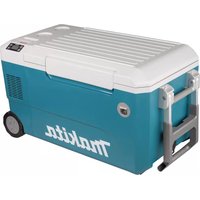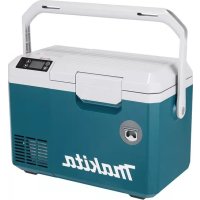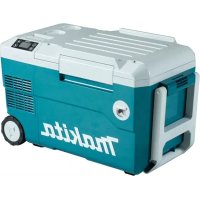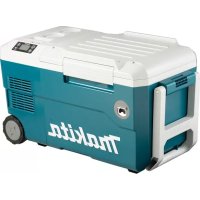
CW001GZ - Refrigerator MAKITA - Free user manual and instructions
Find the device manual for free CW001GZ MAKITA in PDF.
 FR
FR
 BG
BG
 CS
CS
 DA
DA
 DE
DE
 EL
EL
 EN
EN
 ES
ES
 ET
ET
 FI
FI
 HU
HU
 IT
IT
 KK
KK
 LT
LT
 LV
LV
 MK
MK
 NL
NL
 NO
NO
 PL
PL
 PT
PT
 RO
RO
 RU
RU
 SK
SK
 SL
SL
 SQ
SQ
 SR
SR
 SV
SV
 TR
TR
 UK
UK
 ZH
ZH
| Product type | Portable refrigerator/freezer |
| Brand | Makita |
| Model | CW001GZ |
| Capacity | 20 L |
| External dimensions (L × W × H) | 663 mm × 341 mm × 372 mm |
| Internal dimensions (L × W × H) | 323 mm × 240 mm × 261 mm |
| Net weight | 16.1 kg (with BL4050F×2 batteries) / 13.5 kg (without battery) |
| Power supply | Makita 18 V or 36 V battery (up to 2 batteries), AC adapter (optional) or 12/24 V cigarette lighter adapter |
| Refrigerant | R-1234yf (26 g) – flammable |
| Temperature range (cooling) | -18°C, -15°C, -10°C, -5°C, 0°C, 5°C, 10°C |
| Temperature range (heating) | 30°C, 35°C, 40°C, 45°C, 50°C, 55°C, 60°C |
| Shock protection class | III |
| Climate type | SN / N / ST / T |
| Protection degree | IPX4 (battery operation only) |
| USB port | Type A, output 5 V / 2.4 A |
| Memory function | Yes – remembers the last setting after 5 seconds |
| Tilt protection | Yes – automatic shutdown if tilt ≥ 30° |
| Error codes | F1 (tilt), F2 (battery discharged), F3 (low voltage), F4 (high voltage), F5 (sensor) |
| Maintenance | Clean the sponge filter and interior regularly; manual defrosting |
| Spare parts and repairability | Use only genuine Makita accessories and parts; repair by authorized service center |
Frequently Asked Questions - CW001GZ MAKITA
User questions about CW001GZ MAKITA
0 question about this device. Answer the ones you know or ask your own.
Ask a new question about this device
Download the instructions for your Refrigerator in PDF format for free! Find your manual CW001GZ - MAKITA and take your electronic device back in hand. On this page are published all the documents necessary for the use of your device. CW001GZ by MAKITA.
USER MANUAL CW001GZ MAKITA
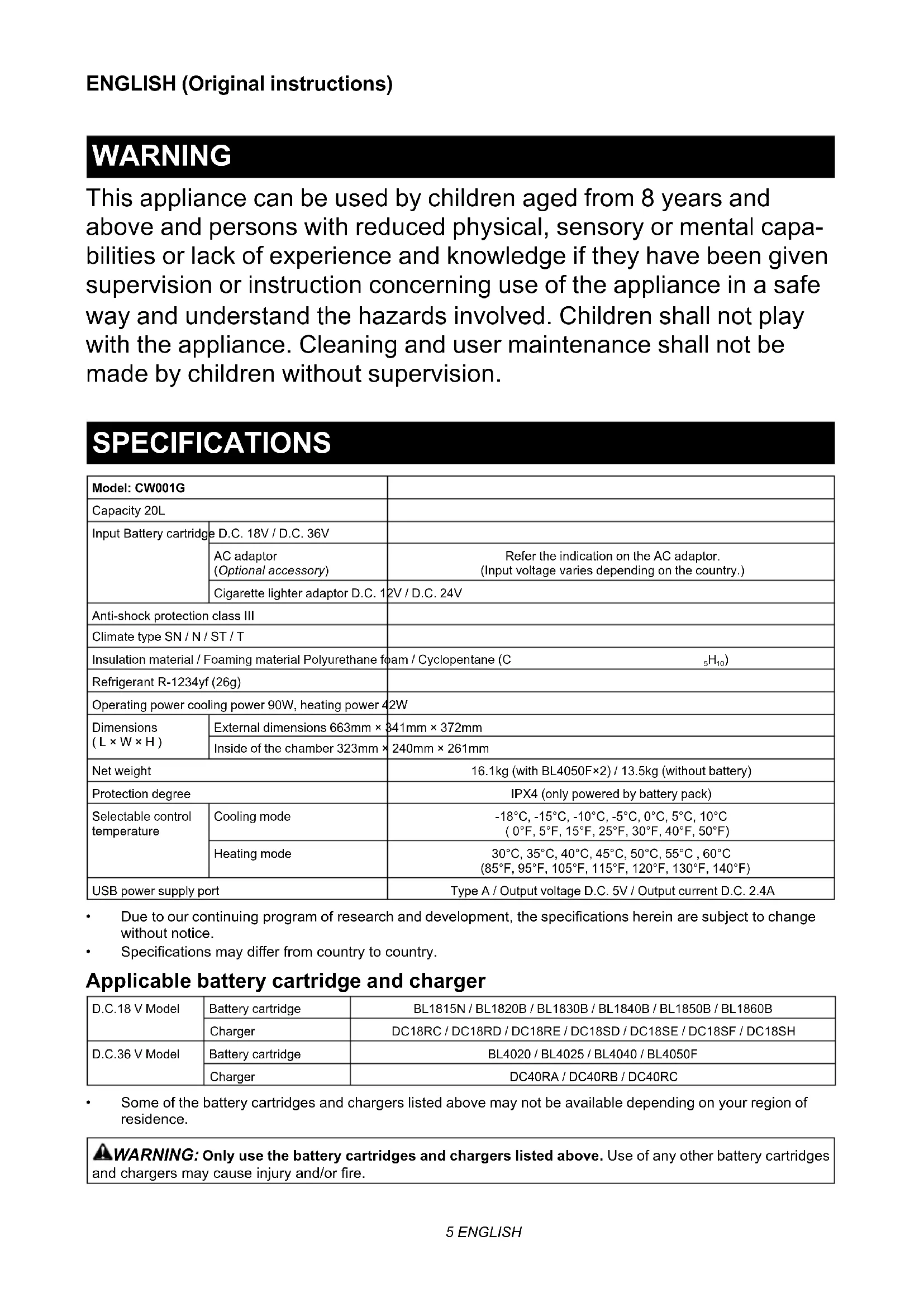
This appliance can be used by children aged from 8 years and above and persons with reduced physical, sensory or mental capabilities or lack of experience and knowledge if they have been given supervision or instruction concerning use of the appliance in a safe way and understand the hazards involved. Children shall not play with the appliance. Cleaning and user maintenance shall not be made by children without supervision.
SPECIFICATIONS
| Model: CW001G | ||
| Capacity 20L | ||
| Input Battery cartridge | D.C. 18V / D.C. 36V | |
| AC adaptor (Optional accessory) | Refer the indication on the AC adaptor. (Input voltage varies depending on the country.) | |
| Cigarette lighter adaptor D.C. 1 | 2V / D.C. 24V | |
| Anti-shock protection class III | ||
| Climate type SN / N / ST / T | ||
| Insulation material / Foaming material Polyurethane foam / Cyclopentane (C5H10) | ||
| Refrigerant R-1234yf (26g) | ||
| Operating power cooling power 90W, heating power 42W | ||
| Dimensions (L × W × H) | External dimensions 663mm × 341mm × 372mm | |
| Inside of the chamber 323mm × 240mm × 261mm | ||
| Net weight | 16.1kg (with BL4050F×2) / 13.5kg (without battery) | |
| Protection degree | IPX4 (only powered by battery pack) | |
| Selectable control temperature | Cooling mode | -18°C, -15°C, -10°C, -5°C, 0°C, 5°C, 10°C (0°F, 5°F, 15°F, 25°F, 30°F, 40°F, 50°F) |
| Heating mode | 30°C, 35°C, 40°C, 45°C, 50°C, 55°C, 60°C (85°F, 95°F, 105°F, 115°F, 120°F, 130°F, 140°F) | |
| USB power supply port | Type A / Output voltage D.C. 5V / Output current D.C. 2.4A | |
Due to our continuing program of research and development, the specifications herein are subject to change without notice.
Specifications may differ from country to country.
Applicable battery cartridge and charger
| D.C.18 V Model | Battery cartridge | BL1815N / BL1820B / BL1830B / BL1840B / BL1850B / BL1860B |
| Charger | DC18RC / DC18RD / DC18RE / DC18SD / DC18SE / DC18SF / DC18SH | |
| D.C.36 V Model | Battery cartridge | BL4020 / BL4025 / BL4040 / BL4050F |
| Charger | DC40RA / DC40RB / DC40RC |
Some of the battery cartridges and chargers listed above may not be available depending on your region of residence.

WARNING: Only use the battery cartridges and chargers listed above. Use of any other battery cartridges or chargers may cause injury and/or fire.
Operating time
NOTE: Operating times are approximate and may differ depending on battery type, charging status, and usage condition.
| Voltage Battery cartridge | Operating time for each control temperature (hours) | |||||||||
| Ambient temperature is 30°C (85°F) Ambient | temperature is 0°C (30°F) | |||||||||
| -18°C(0°F) | -10°C(15°F) | 0°C(30°F) | 5°C(40°F) | 10°C(50°F) | 30°C(85°F) | 40°C(105°F) | 50°C(120°F) | 60°C(140°F) | ||
| 18 V | BL1815N ×2 1.6 2.5 | 3.0 4.0 6.0 | 2.5 1.8 1.5 | 1.4 | ||||||
| BL1820B ×2 2.2 3.0 | 4.5 5.5 8.5 | 3.0 2.4 2.1 | 1.9 | |||||||
| BL1830B ×2 3.0 4.5 | 6.0 8.0 11.5 | 5 4.5 3.3 2 | 9 2.6 | |||||||
| BL1840B ×2 4.0 6.5 | 8.5 11.0 16 | 6.5 6.5 4.5 | 4.0 3.5 | |||||||
| BL1850B ×2 5.5 8.0 | 11.0 14.5 | 21.0 8.0 5.5 | 5.0 4.5 | |||||||
| BL1860B ×2 6.5 10.0 | 13.5 17.5 | 25.5 10.0 | 7.0 6.0 5.5 | |||||||
| 36 V | BL4020 ×2 4.0 6.0 | 8.5 11.0 14 | 0 7.0 5.0 | 4.5 3.5 | ||||||
| BL4025 ×2 5.0 8.0 | 1.0 14.0 1 | 8.0 9.5 6.5 | 6.0 4.5 | |||||||
| BL4040 ×2 8.0 13.0 | 18.0 22.5 | 29.0 15.0 | 10.5 10.0 7 | 0 | ||||||
| BL4050F ×2 10.0 16 | 0 22.0 28.0 | 0 36.0 18.5 | 13.0 12.5 | 8.5 | ||||||
Symbols
The followings show the symbols which may be used for the equipment. Be sure that you understand their meaning before use.

Read instruction manual.

Ni-MH Li-ion
Only for EU countries
Due to the presence of hazardous components in the equipment, waste electrical and electronic equipment, accumulators and batteries may have a negative impact on the environment and human health.
Do not dispose of electrical and electronic appliances or batteries with household waste!
In accordance with the European Directive on waste electrical and electronic equipment and on accumulators and batteries and waste accumulators and batteries, as well as their adaptation to national law, waste electrical equipment, batteries and accumulators should be stored separately and delivered to a separate collection point for municipal waste, operating in accordance with the regulations on environmental protection.
This is indicated by the symbol of the crossed-out wheeled bin placed on the equipment.

Caution: risk of fire.

Do not fill the water directly in the chamber. Do not immerse the appliance in water. Do not pour water on the appliance. Otherwise electric shock or malfunction may occur.
SAFETYWARNINGS
-
The device is suitable for:
-
Operation in vehicles.
-
Cooling and deep-freezing food.
-
Camping use only when the appliance powered by battery pack.
-
This appliance uses FLAMMABLE REFRIGERANTS. Read and follow this instructions for handling. Ask our service center for servicing. When disposing the appliance, follow your local regulations relating to disposal of FLAMMABLE REFRIGERANTS.
- WARNING: Keep ventilation openings in the appliance enclosure clear of obstruction.
- WARNING: Do not use mechanical devices or other means to accelerate the defrosting process, other than those recommended by the manufacturer.
- WARNING: Do not damage the refrigerant circuit.
- WARNING: Do not use electrical appliances inside the food storage compartments of the appliance, unless they are of the type recommended by the manufacturer.
- This appliance contains flammable insulation blowing gases inside. When disposing the appliance, follow your local regulations relating to disposal of flammable insulation blowing gases.
- Do not store explosive substances such as aerosol cans with a flammable propellant in this appliance.
-
This appliance is intended to be used in household and similar applications such as
-
staff kitchen areas in shops, offices and other working environments;
-
farm houses and by clients in hotels, motels and other residential type environments;
- bed and breakfast type environments;
-
catering and similar non-retail applications.
-
If the SUPPLY CORD is damaged, it must be replaced by a special cord or assembly available from the manufacturer or its service agent.
-
WARNING: Risk of child entrapment. Before you throw away your old refrigerator or freezer:
-
Take off the doors.
-
The installation clearance around and above the unit shall be no less than 15mm
- When positioning the appliance, ensure the power cord is not tapped or damaged.
- Do not locate multiple portable socket-outlets or portable power supplies at the rear of the appliance.
- Disposal of the appliance.

This marking indicates that this product should not be disposed with other household wastes throughout the EU. To prevent possible harm to the environment or human health from uncontrolled waste disposal, recycle it responsibly to promote the sustainable reuse of material resource. The insulation blowing gas are flammable. When disposing of the appliance, do so only at an authorized waste disposal centre. Do not expose to flame.
IMPORTANTNOTICES
- Read the instruction manual carefully before use.
- Check if the voltage range used is the same as that marked on the nameplate, whether the power cord plug is match the socket, and ensure that the socket is well grounded.
- Even if the appliance is not in use, do not place the appliance upside down, or tilt it above 15^ . Otherwise malfunction may occur.
- When carrying the appliance, keep the appliance with the upper cover facing up. Do not carry the appliance with upside down. Otherwise malfunction may occur.
- Do not immerse the appliance in water or other liquid to prevent electric shock. Do not expose to rain.
- When cleaning or not in use, remove the battery and unplug the power plug.
- Any accessories not recommended by the manufacturer may not be used.
- Do not place the appliance in hot places such as in a car under the sun or near heating materials. Cooling performance may be reduced, or a gas leak may cause a fire.
- Do not place the appliance near gas appliances. Cooling performance may be reduced, or a gas leak may cause a fire.
- Do not start the power button frequently (at least 5 minutes each time) to avoid damage to the compressor.
- Do not insert metal foil or other conductive materials into the appliance to prevent fire or short circuit.
- Do not use chemical washing liquids and hard
tools to clean the product.
13. Insert the plug completely into the "DC IN" inlet. Failure to do so may deform the plug or cause a fire.
14. Do not operate the appliance while driving. Doing so may cause an accident.
15. When the remaining automobile battery capacity gets small, use the appliance with the engine running. After using the appliance, unplug the cigarette lighter socket to prevent the loading on the automobile battery.
16. Do not abuse the AC adaptor and cigarette lighter adaptor.
17. Clean the plug of the AC adaptor and cigarette lighter adaptor. Dirt such as water or salt adhering to the plug may cause rust and result poor conductivity, deformation or fire.
18. Do not touch the plug of the AC adaptor and cigarette lighter adaptor immediately after operation. They may be extremely hot and could burn your skin.
19. Do not disassemble the appliance.
20. Do not charge the car battery while using the appliance. Unacceptable voltage may be applied to the product, resulting in failure or fire.
21. Do not use flammable sprayer near the appliance. Otherwise it may cause fire.
22. During operation, do not touch the contents, especially those made of metal, inside the appliance with wet hands. Doing so may cause frostbite.
23. Do not handle the plug with wet or greasy hand. Doing so may cause electric shock.
24. Do not put such as medicines or academic materials in the appliance. This appliance cannot storage the materials that require strict temperature control.
25. Do not use this product as a stepstool or chair. It may cause falls and injuries.
26. Do not allow small children and pets to play with this appliance. Keep the appliance out of reach of children when storing.
27. Do not overfill food and drink in the appliance. Cooling performance may be reduced, causing food and drink to rot.
28. Be careful not to run out of battery power while keeping food and drink cool or warm. Do not store opened foods for a long time. Food and drink may rot.
29. Do not use a knife or a screwdriver to remove ice or frost from the appliance. Doing so may damage the inside of the appliance and cause a malfunction, or the enclosed gas or oil may squirt.
30. Do not use the DC output (DC) of the engine generator as the power supply. Doing so may cause a failure.
31. Do not put water etc. directly in the appliance. Water may get inside the appliance and cause a malfunction. If water has accumulated in the chamber, wipe it off with a soft cloth.
32. Be careful not to pinch your finger when closing and opening the upper cover.
33. Do not put things that are easily perishable in the chamber. The food or drink may rot.
- When operating heating mode, do not touch the inside of the appliance with your hand for a long time. Risk of low-temperature burns.
- When putting food or drink in the appliance, keep the inside of the chamber clean. Risk of food poisoning etc.
- Do not use this appliance in the refrigerator vehicle or refrigerator chamber. Dew condensation easily occurs in the refrigerator vehicle and refrigerator chamber, causing water droplets to fall on the appliance and result in malfunctions.
- Do not put creatures such as pets in the appliance. This appliance cannot save creatures.
- Do not put a cold agent in a broken bag. If the cold agent leak in the appliance, the metal part of the appliance may be corroded. If the cold agent leaks, wipe it off with a damp soft cloth and then wipe dry with a soft cloth.
- Attach the shoulder band securely so that it does not drop off due to the weight of the appliance. Otherwise the appliance may fall and cause injury.
- When putting food and drink in the appliance, put a cold or hot thing in advance. This appliance cannot cool or heat in a short time.
- When using the appliance in a car, be sure to install the appliance in a stable place such as the luggage space or the feet of the rear seats, and fix it. Do not place the appliance on the seat in an unstable state. If the car suddenly starts or stops during driving, the appliance may fall over and move, causing injury.
- Hold the appliance firmly when carrying. Otherwise the appliance may fall and cause a malfunction, or falling on your feet may cause injury.
- When using in dusty environment, clean the sponge filter more often. Dusty environment causes sponge filter clogging easily and fire.
Safety warnings for battery-operated appliance
Battery-operated appliance use and care
- Prevent unintentional starting. Ensure the switch is in the off-position before connecting to battery pack, picking up or carrying the appliance. Carrying the appliance with your finger on the switch or energizing appliance that have the switch on invites accidents.
- Disconnect the battery pack from the appliance before making any adjustments, changing accessories, or storing appliance. Such preventive safety measures reduce the risk of starting the appliance accidentally.
- Recharge only with the charger specified by the manufacturer. A charger that is suitable for one type of battery pack may create a risk of fire
when used with another battery pack.
- Use appliances only with specifically designated battery packs. Use of any other battery packs may create a risk of injury and fire.
- When battery pack is not in use, keep it away from other metal objects, like paper clips, coins, keys, nails, screws or other small metal objects, that can make a connection from one terminal to another. Shorting the battery terminals together may cause burns or a fire.
- Under abusive conditions, liquid may be ejected from the battery; avoid contact. If contact accidentally occurs, flush with water. If liquid contacts eyes, additionally seek medical help. Liquid ejected from the battery may cause irritation or burns.
- Do not use a battery pack or appliance that is damaged or modified. Damaged or modified batteries may exhibit unpredictable behaviour resulting in fire, explosion or risk of injury.
- Do not expose a battery pack or appliance to fire or excessive temperature. Exposure to fire or temperature above 130^ may cause explosion.
- Follow all charging instructions and do not charge the battery pack or appliance outside the temperature range specified in the instructions. Charging improperly or at temperatures outside the specified range may damage the battery and increase the risk of fire.
- Have servicing performed by a qualified repair person using only identical replacement parts. This will ensure that the safety of the product is maintained.
- Do not modify or attempt to repair the appliance or the battery pack except as indicated in the instructions for use and care.
Important safety instructions for battery cartridge
- Before using battery cartridge, read all instructions and cautionary markings on (1) battery charger, (2) battery, and (3) product using battery.
- Do not disassemble or tamper with the battery cartridge. It may result in a fire, excessive heat, or explosion.
- If operating time has become excessively shorter, stop operating immediately. It may result in a risk of overheating, possible burns and even an explosion.
- If electrolyte gets into your eyes, rinse them out with clear water and seek medical attention right away. It may result in loss of your eyesight.
- Do not short the battery cartridge:
(1) Do not touch the terminals with any conductive material.
(2) Avoid storing battery cartridge in a container with other metal objects such as nails, coins, etc.
(3) Do not expose battery cartridge to water or rain.
A battery short can cause a large current flow, overheating, possible burns and even a breakdown.
6. Do not store and use the appliance and battery cartridge in locations where the temperature may reach or exceed 50^ (122^) .
7. Do not incinerate the battery cartridge even if it is severely damaged or is completely worn out. The battery cartridge can explode in a fire.
8. Do not nail, cut, crush, throw, drop the battery cartridge, or hit against a hard object to the battery cartridge. Such conduct may result in a fire, excessive heat, or explosion.
9. Do not use a damaged battery.
10. The contained lithium-ion batteries are subject to the Dangerous Goods Legislation requirements.
For commercial transports e.g. by third parties, forwarding agents, special requirement on packaging and labeling must be observed.
For preparation of the item being shipped, consulting an expert for hazardous material is required. Please also observe possibly more detailed national regulations.
Tape or mask off open contacts and pack up the battery in such a manner that it cannot move around in the packaging.
- When disposing the battery cartridge, remove it from the appliance and dispose of it in a safe place. Follow your local regulations relating to disposal of battery.
- Use the batteries only with the products specified by Makita. Installing the batteries to non-compliant products may result in a fire, excessive heat, explosion, or leak of electrolyte.
- If the appliance is not used for a long period of time, the battery must be removed from the appliance.
- During and after use, the battery cartridge may take on heat which can cause burns or low temperature burns. Pay attention to the handling of hot battery cartridges.
- Do not touch the terminal of the appliance immediately after use as it may get hot enough to cause burns.
- Do not allow chips, dust, or soil stuck into the terminals, holes, and grooves of the battery cartridge. It may result in poor performance or breakdown of the appliance or battery cartridge.
- Unless the appliance supports the use near high-voltage electrical power lines, do not use the battery cartridge near high-voltage electrical power lines. It may result in a malfunction or breakdown of the appliance or battery cartridge.
- Keep the battery away from children.
SAVE THESE INSTRUCTIONS.
CAUTION: Only use genuine Makita batteries.
Use of non-genuine Makita batteries, or batteries that have been altered, may result in the battery bursting causing fires, personal injury and damage. It will also void the Makita warranty for the Makita appliance and charger.
Tips for maintaining maximum battery life
- Charge the battery cartridge before completely discharged. Always stop appliance operation and charge the battery cartridge when you notice less appliance power.
- Never recharge a fully charged battery cartridge. Overcharging shortens the battery service life.
- Charge the battery cartridge with room temperature at 10^ - 40^ (50^ - 104^) . Let a hot battery cartridge cool down before charging it.
- When not using the battery cartridge, remove it from the appliance or the charger.
- Charge the battery cartridge if you do not use it for a long period (more than six months).
PARTS DESCRIPTION
Fig.1
| 1 C | control panel 2 Battery cover | ||
| 3 U | pper cover 4 Handle | ||
| 5 C | arrying Handle 6 Opener | ||
| 7 U | pper cover hook 8 Wheel | ||
| 9 | Filter cover | 10 | "DC IN" socket |
| 11 | USB power supply port | 12 | Power button |
| 13 | Cool / heat switch button | 14 | Temperature display |
| 15 | Battery indicator | 16 | Temperature reducti- tion button |
| 17 | Temperature plus button | 18 | Lamp of "DC IN" |
| 19 | Unit of temperature | 20 | Lamp of heating mode |
| 21 | Lamp of cooling mode | - | - |
OPERATION
CAUTION: Do not put things that are easily perishable in the chamber. The food or drink may rot.
NOTE: When operating the appliance in high humid environment, dew condensation may occur on the appliance. This is not malfunction of the appliance. Use a dry cloth to wipe the dew condensation off the appliance.
1. Connecting the power supply
A) Battery
CAUTION: Always switch off the tool before installing or removing of the battery cartridge.
CAUTION: Hold the appliance and the battery cartridge firmly when installing or removing battery cartridge. Failure to hold the appliance and the battery cartridge firmly may cause them to slip off your hands and result in damage to the appliance and battery cartridge and a personal injury.
CAUTION: Be careful not to pinch your finger when opening or closing the battery cover.
CAUTION: Be careful not to pinch your fingers between the battery cartridge and the terminals. It may cause slash injury.
To install the battery cartridge, open the battery cover. Align the tongue on the battery cartridge with the groove in the housing and slip it into place. Insert it all the way until it locks in place with a little click.
Then close the battery cover.
To remove the battery cartridge, slide it from the appliance while sliding the button on the front of the cartridge.
Fig.2 1. Red indicator 2. Button 3. Battery cartridge
CAUTION: Always install the battery cartridge fully until the red indicator cannot be seen. If not, it may accidentally fall out of the appliance, causing injury to you or someone around you.
CAUTION: Do not install the battery cartridge forcibly. If the cartridge does not slide in easily, it is not being inserted correctly.
NOTE: Up to two battery cartridges can be installed, although the appliance uses one battery cartridge for operation.
B) AC adaptor (Only use for recreational vehicle)
Optional accessory
When using the appliance with AC power, use the AC adaptor supplied with the appliance. Insert the plug to "DC IN" inlet of the appliance and then insert the other end to an outlet.
When the appliance is operating with power from AC adaptor, the lamp of "DC IN" lights up.
C) Cigarette lighter adaptor
When using the appliance with the cigarette lighter socket, use the cigarette lighter adaptor supplied with the appliance. Insert the plug to "DC IN" inlet of the appliance and then insert the other end to the cigarette lighter socket.
When the appliance is operating with power from cigarette lighter adaptor, the lamp of "DC IN" lights up.
CAUTION: Insert the plug completely into the "DC IN" inlet. Failure to do so may deform the plug or cause a fire.
CAUTION: Always close the "DC IN" socket cover firmly when the power cord is not plugged. Otherwise foreign matter may enter the appliance and cause a malfunction.
NOTICE: [Only when operating with 18 V (LXT) battery] When the appliance has been operated for about 24 hours with the 18 V(LXT) battery cartridge installed, battery cartridge may shut down its own power to protect the battery cartridge. In this case, the appliance can not operate with the battery power supply and the battery indicator also goes off. To resume the battery power supply, remove and re-install the battery cartridge.
NOTE: When the appliance shifts power supply, the compressor will stop for about 3 minutes to protect the compressor.
NOTE: After turning off the appliance, it takes about 3 minutes to restart the compressor because of the protection of the compressor.
2. Turning on the appliance
Press the power button to turn on the appliance. Press the power button again to turn off the appliance.
3. Switching cooling / heating mode
Press the cool / heat switch button to switch the operating mode.
- When the appliance operates in cooling mode, the lamp of cooling mode lights up.
- When the appliance operates in heating mode, the lamp of heating mode lights up.
The temperature display flashes the control temperature.
4. Selecting the control temperature
Press the temperature plus button or the temperature reduction button to select the control temperature. Refer the chapter "SPECIFICATIONS" for the selectable control temperature.
The appliance starts cooling / heating 5 seconds after without any operation, then the control temperature stop flashing and the temperature display shows the current temperature.
The appliance stops cooling / heating when the current temperature reaches the control temperature.
Tips for efficient cooling
- Opening the upper cover for long periods can cause significant increase of the temperature in the chamber.
- Regularly clean surfaces that can come in contact with food and accessible drainage systems.
- Store raw meat and fish in suitable containers in the chamber, so that it is not in contact with or drip onto other food.
-
If the chamber is left empty for long periods:
-
Switch off the appliance.
- Defrost the chamber.
- Clean and dry the chamber.
- Leave the upper cover open to prevent mould developing within the chamber.
FUNCTION
Indicating the remaining battery capacity
The battery indicator shows the remaining battery capacity. The remaining battery capacity is shown as the following table.
| Battery indicator status Remaining | capacity | |
| Lighted Off | □ | |
| 50% to 100% | ||
| 20% to 50% | ||
| 0% to 20% | ||
| (Blinking) | Charge the battery. | |
(Only for battery cartridges with the indicator)
Press the check button on the battery cartridge to indicate the remaining battery capacity. The indicator lamps light up for a few seconds.
Fig.3 1. Indicator lamps 2. Check button
| Indicator lamps Remaining | capacity | ||
| Lighted Off | Blinking | ||
| 75% to 100% | |||
| 50% to 75% | |||
| 25% to 50% | |||
| 0% to 25% | |||
| Charge the battery. | |||
| The battery may have malfunctioned. | |||
NOTE: Depending on the conditions of use and the ambient temperature, the indication may differ slightly from the actual capacity.
NOTE: The first (far left) indicator lamp will blink when the battery protection system works.
Appliance / battery protection system
The appliance is equipped with the protection system. This system automatically cuts off power to extend appliance and battery life. The appliance will automatically stop during operation if the appliance or battery is placed under one of the following conditions.
Battery overdischarge protection
When the battery capacity becomes low, the appliance stops automatically. The battery indicator prompts that the battery should be charged. Remove the batteries from the appliance and charge the batteries.
Overcurrent protection
When the appliance / battery is operated in a manner that causes it to draw an abnormally high current, the appliance automatically stops. In this situation, stop the application that caused the appliance to become overloaded. Then turn the appliance on to restart.
- Low-voltage protection
When the car input voltage is lower than the rated voltage, this protection system turns off the appliance and the temperature display shows "F3" with beep sound.
Over-voltage protection
When the input voltage is higher than the rated voltage, this protection system turns off the appliance and the temperature display shows "F4" with beep sound.
- Short circuit protection
The circuit has short circuit protection function in case of short circuit. In this situation, take the appliance to Makita Authorized or Factory Service Centers.
Protectons against other causes
Protection system is also designed for other causes that could damage the appliance and allows the appliance to stop automatically. Take all the following steps to clear the causes, when the appliance has been brought to a temporary halt or stop in operation.
- Turn the appliance off, and then turn it on again to restart.
- Charge the battery(ies) or replace it/them with recharged battery(ies).
- Let the appliance and battery(ies) cool down.
If no improvement can be found by restoring protection system, then contact your local Makita Service Center.
Tilt protection function
The appliance is equipped with the tilt protection function. When operating the appliance in cooling mode, the appliance will automatically shuts down if the appliance is placed under one of the following angles.
A) When the appliance get equal to or greater than 30^ from level angle as shown A in the figure, the appliance shuts down and the temperature display shows "F1" for a while. It takes 3 minutes to restart after the appliance back in level position.
Fig.4
B) When the appliance get equal to or greater than 30^ from level angle as shown B in the figure, the appliance shuts down and the temperature display shows "F1" for a while. It takes 3 minutes to restart after the appliance back in level position.
Fig.5
C) When the appliance get equal to or greater than 30^ from level angle as shown C in the figure, the appliance shuts down and the temperature display shows "F1" for a while. It takes 3 minutes to restart after the appliance back in level position.
Fig.6
D) When the appliance get equal to or greater than 30^ from level angle as shown D in the figure, the appliance shuts down and the temperature display shows "F1" for a while. It takes 3 minutes to restart after the appliance back in level position.
Fig.7
USB charging
There is the USB port in the battery compartment. The USB port continuously outputs 5V voltage in operation state.
Memory function
After setting the control temperature, if the user does not operate within 5 seconds, the current setting will be memorized. Next time, the appliance starts in the same setting.
Switching the unit of temperature
You can switch the unit of temperature ^ C (degree Celsius) or ^ F (degree Fahrenheit) by following procedure.
- Turn on the appliance.
- Press the cool / heat switch button until the unit (^ or ^ F) starts flashing.
- Press the temperature plus button or the temperature reduction button to select unit.
- Press the cool / heat switch button, or leave the appliance 5 seconds without any operation. The unit selection is completed.
Shoulder belt
CAUTION: Make sure the shoulder belt securely attached properly. Otherwise falling accident may occur.
- Put the belt through left and right handles.
- Buckle the belt.
Fig.8
Error code
For the specific errors, the temperature display shows following code.
| Error code Matter | |
| F1 Tilt protection is active. Refer the section for the tilt protection function. | |
| F2 Running out of battery. | |
| F3 Input voltage is low. Refer the paragraph for the car input protection. | |
| F4 Input voltage is high. Refer the paragraph for the over-voltage protection. | |
| F5 Something is wrong with the sensor in the appliance. Take the appliance to Makita Authorized or Factory Service Centers. |
MAINTENANCE
CAUTION: Always be sure that the appliance is switched off, unplugged, and the battery cartridge is removed before attempting to perform inspection or maintenance.
NOTICE: Never use gasoline, benzine, thinner, alcohol or the like. Discoloration, deformation or cracks may result.
To maintain product SAFETY and RELIABILITY, repairs, any other maintenance or adjustment should be performed by Makita Authorized or Factory Service Centers, always using Makita replacement parts.
Cleaning
- Clean the oil stain in the chamber regularly.
- Clean around the interior of the chamber to prevent odor.
- Clean the dust on the sponge filter regularly to improve the refrigeration efficiency.
- The sealing strip of the upper cover is easy to get dirty, clean it in time.
Defrosting
To defrost, turn off the power and wait until the frost has melted. Then wipe off the water.
Cleaning the sponge filter
CAUTION: After cleaning the sponge filter, be sure to install it on the appliance. Operating the appliance without the sponge filter may cause malfunction.
- Slide the filter cover in the direction of the arrow shown in the figure, and then take the filter cover off.
- Take off the sponge filter, clean the sponge filter.
Fig.9
- Install the sponge filter and the filter cover back.
Fig.10
OPTIONAL ACCESSORIES
CAUTION: These accessories or attachments are recommended for use with your Makita tool specified in this manual. The use of any other accessories or attachments might present a risk of injury to persons. Only use accessory or attachment for its stated purpose.
If you need any assistance for more details regarding these accessories, ask your local Makita Service Center.
- AC adaptor
- Makita genuine battery and charger
NOTE: Some items in the list may be included in the tool package as standard accessories. They may differ from country to country.
AVENTISSEMENT
ACCESSIONS FACULTATIFS
VEILIGHEIDSWAARSCHUWINGEN
OPTIONELE ACCESSOIRES
'ETeIa, kAeiTe to Kaaumu TaTc MItatapiaC.
Tia va aapaieoete To doxeio mntapiac, tpaBnTe To EeW aIIO TO Ouakeun auovtac Tautoxpova To koupti Tou utapxei otnv mtpootivn Ieupa tou doxeiou.
OPSIYONELAKSESUARLAR
TIETO POKNY USCHOVAJTE.
IPEyIPEXHEHNA B3OANACHOCT
- YcTpoIcTBOTe eoDxOJa3a:
Pa6oTa B npEBo3Hn cpeDCTBa.
-
OxnaKdaHe n Ibl6OKo 3ampa3raBaHe Ha xpaHaTa
-
Camo 3a n3noJ3BaHe Ha KbMnHr KOraTo ypeBt ce 3axpaHbA ot 6atepna.
-
YpeBt n3noJ3Ba 3AIIIMN XIAIINH CPECTBA. IpOyeTe n CNEBaTne HnCtpyKuNTte 3a pa6oTa. IOnNTaIte Haunca cepBn3eH ueHTbp 3a o6cnyXbaHe. KaTo n3XBpIra Te ypeDa, cIeDAIte MeCTHIne pa3nope6n OTHOCHO n3XBpJnHEto Ha 3AIAJIIMN XIAIINH CPECTBA.
-
INPEДУПЕЖДЕНЕ: ПаэTe BeHTиlaционнITE OTBOPN B KytTЯТа Ha ypeDa ДaJIeч OT npenЯTCTBnI.
-
PEPENPENDEHNE: He n3no3BaTe mexa-HnHuYcTPOuCTBa HnDpyrCpeCDtBa 3a YckopBaHe Ha npoecca Ha pa3Mpa3BaHe, pa3-NNuHn OT npenOpbuaHnte OT npOn3BODnteJ
-
INPEДУПЕЖDEHNE: He noBpeKdaIte Bepn-rata Ha xlaIuINHna areHT.
-
INPEДУПЕЖDEHNE: He n3non3BaIte eNeK-tpnueckn ypeuB OTeJeHnTa 3a cbxpaHHe Ha xpaHa Ha ypeDa,OCBeH aKO Te He ca OT Tnna npenOpbUah OT npOn3BODInTeJIa
-
ypeBbT cbBpKa 3aNaHIMn Ra3OBe, KOHTO n3dYxBaT Ra3OBeTe BbTpe. Korato n3XBbPnTe ypeDa, CJIeBaIte MeCTHIne pa3nope6n OTHOCHO n3XBbPnJHeTo Ha 3aNaHIMn Ra3OBe, npoDyXbaun 30naqraTa.
-
He cxbxaHbAaTe BypeaekcnNo3NBHeBeueCTBa KaTo aepo30JHn KyTn Cbc 3anaJIMO rOpBQ
-
YpeBt e npEHa3HaueH 3a n3noJ3BaHe B DOMaKINHCTBOTO IN NOO6Hn npNJIOXeHHa KaTO
KyxHenckn NIOUa 3a nepcoHaJa B Mara3uH, Ofncn npytn pa60TH MeCTa;
-epMepckn KbluN O T KIneHTB XOTeIN, MOTeIN IN DpyrN CpeDN OT KInJNueH TUN;
- cpei n cbc Tn 3aKycKa n 3aKycKa;
KeTbprnH nnoo6H npinoxeHna npoaX6a Ha dpe6Ho.
-
Ako 3axpaHbaua nka6e nOBpeDeH,Toi Tp8Ba Da 6bde 3aMeHeH cbc CneuaJeH ka6eI IIN MOHTaK,DOCTbHN O T npOn3BODntela IIN HerOBn cepBu3eH areHT.
-
PPEyPExEHHe: PnCK OT 3akneuBaHe Ha Deua Ppeyn N3XBbPJIHe Ha CTapn Cn XnaIINIK nI IN φpni3ep:
CbaeneBpaTne.
- MoTakxHaTa Xla6HnA OKoIOn HaD yCTpoiCTBOTO Tp8Ba Da 6bJe He No-MaIka O T 15 mm
- Korato no3nnoHnpaTe ypeDa, yBepTe ce, ye 3axpaHbauNt Ka6e He e noUyKaH nnn noBpeDeH
- He nocTaeBnTe MHoXeCTBO pHeOcHmKoHTaKTn HnnpHeOcHm 3axpaHbHaHnB 3aHaTa Yact Ha ypeDa
- 3xBpbnHe Ha ypeHa.

MapknpoBkata noka3Ba, ye To3n npOdyKT He Tp86Ba da Ce n3xBpbrrc C dpyrN 6bTOBn OTnabu B celeny EC. 3a da npedotbpaTne TB3MOxHa BpeDa KbM OKoJHnTa CpeDa IINYOBeWKOTO 3dpaBe OT HEKOHTPOIpaHO n3XBpbIHe Ha OTnaDbU, pezKnpaTe ro OTROBOpHO, 3a Da HacbpNTe yCTOnuBO-TO NOBtOPHO n3NOJ3BaHe Ha MaTePnAHNHTE pecypcn. N3OJIpaunr Ra3 e 3anaIIM. N3XBpbIHeTo Ha ypeDa e npabeHo camo B OTOpNIpaH CEHTbp 3a n3XBpbJIHe Ha OTnabu. He n3laRaIte Ha nnambk
Baxhns6eJexn
- Ppooyete BHHMaTeJHo HNCTpyKunra Tnpdynynotpe6a
2.Поберетe Дали ИЗпОзBAнгТ 06xBaT Ha HanpexeHneTo e CbUngT KaTO To3N, OTбелязан Ha Ta6eNKaTa, Дали УсencelьТ Ha 3axpaHbaunrKa6eN cBbnaDa c rHe3dOTO n Ce yBepTe, Ye rHe3dOTo e Do6pe 3a3eMeHo. - Dopn ako ypeT He ce n3noJ3Ba, He NOCTaBnTe ypea c rnaBaTa HApOy nIi ro HAKNaHnTe Ha1 15^
B npotnbEn cnuyaN eBb3HnKHe Hn3npaBHOCT.
-
Korato Hocnte ypeda, npbTe ypeda c rophnna Kanak Harope. He hocete ypeda c rnaBaTa haDony.
B npoTnBeH cnyuA ue Bb3HnKHe Heu3npaBHOCT. -
He notanayte ypeda BbB BOa nnn dpyra TeuHocT, 3a Da npdeOTbpaNTe eJeKtpnueckn ydap. He n3JaraTe Ha dJxkD.
-
3BaTe 6aTePnraMu eCenca OT KOHTAKTa KOrato B npOec Ha NouchTbaHe HnHnHn3NoJ3BaHe.
-
Bcunk akcecoapn, konTo He ca npenopbuaHn OT npOn3BOUnteJ, He MoRaT da ce n3NOJ3BaT.
- He noctabraye ypea Ha ropeu Mecta, Hapnpem B koa noc cnbHue uu B 6n3oCT do OTonntenHm MatepnaH. EfeKTHBHOCTTa Ha oxJaHaTe MoKe Da 6bDe HamaHeHa uNn N3TuHaTeO Ha ra3 MoKe da npuHHn NoXap.
9.He noctabnTe ypea 6nn3o do ra3OBn ypeu. EeKTHBHOCTTHa OXnaJdaHTo MOKe Da bDe HaMaJeHa nn N3TuHaHeTo Ha rA3 MoKe da npNHNn NOkap.
10.He cTaptnpaIte YecTo 6yToHa 3a 3axpaHbAhe (noHe 5 MNHyTN BCEKn NbT), 3a da n36erHete NOBpeDa Ha KOMnpecopa. - He noctabryte MeTALHO FOJNO IIN dpyrI npOBDMn MaTePnAIn B ypeDa 3a npedOTbpaTBAHe NOxap INKbCO cBeHNHeHne.
-
He n3noJ3BaIe XmMueckn TeuHocTn 3a n3MBAHe N TBbPdN HnHCTpyMeHTn 3a nouchTaHa npOdyKta.
-
NocTabete ueceJa HanbIHO BvB BXOJa "DC IN". HeycneXbT MoKe Da deOpMnpa ueceJa nn da npuHn noKap.
- He onepnpaTe ypeDa,doKaTo zoΦnpaTe. Toba moKe Da npuHn HnUdENT.
- Korato octaHaJI kanauTeT Ha aBTOMo6HnHaTa 6aTePn rCTaHe MaIbK, n3NoJ3BaIte ypeJa npi pa6Oteu DnIraTeJ. CneJ n3NoJ3BaHeTo Ha ypeDa, n3KnIOUeTe rHe3Do Ha 3aNaIKAta, 3a Da npeDOrBpaTNe HaTOBapBaHeTo Ha aBTOMo6HnHaTa 6aTePn
- He 3JIoynoTpe6BaIte c npomehnBOTOKOBna aanTeP n aanTepa 3a 3anaJIkn.
- Nochte Tene cena Ha npomeHnBOTOKOBn aanTep n aanTepa 3a 3anaJa. Mpbcotna KATO BODa nn COJ, npuienHaJa KbM uencena MoKe Da npuynn pbkda n da DOBeDe Do lowa npoBOUMOCT, Deopmaunn noN noKap.
- He dokocbaite uencena Ha npomeHnBOTOKOBna aanTepr n aanTepa 3a 3anaIka Behdara cnepa6oTa. Te MoKe da ca n3KInouHTeJIHO ropeuN da n3rOpRt KOKata BN.
- He pa3rno6BaIte ypeIa.
- He 3apejdaTe akymyIaTopa Ha aBTOMo6nla, Dokato n3noI3BaTe ypeJa. PpIIOxIMOTO HepnemINBO HanpeXeHne KbM npOdyKta MoKe Da doBede Do nobpeDa nn noXap.
- He n3noJ3BaIte 3anaJInteJIHa nyIbepn3aTOp 6nn3o do ypeDa. B npotuBEN cnyaM moKe da npuHH noXap.
- No Bpeme Ha pa6oTa He DoKocBaHrTe CbIbPkaHneTo, Oco6eHO MeTaNHO To BbTpE Bypea C MOKpn Pbue. Toba MoKe Da npuHHn N3Mp3BaHe
- He 6opabete c uencena c MOKpa nIIM Ma3Ha pka.ToBa MoKe Da npuHHeNEKtpnueckn yap
- He noctabraye B ypea JekapcTb Nn nakaemnH MaTePnAIn. YpeDb T He MoKe Da CbxpaHraBa MaTePnaJIte, KOtTO N3NCKBaT CTpor KOHTpOHa TeMnePaTypaTa.
- He n3non3BaTe npOdykTa KaTo nOdIoxKa HnN CToJ ToBa moKe da npuHnHaDaHn HapaHraBaHn.
- He ce no3BOJRABa MaKn Deca n Domaun HIO6mUda irpaT C To3n ypeD. Na3eTe ypeDa Ha MRCTo,HeoCTbNHO 3a Deqa, Korato ro cbxpaHBAte.
27.He npenbIbaTe xpaHn HAnNTKn Bypeda. EeKTHBHOCTTa Ha OXnaXDaHeTo MoKe Da 6bDe HamaNeHa, npuHnBaBauKn HHeHe Ha XpaHa N HAnNTKn - BhIMaBaiTe Da He CbPunTe 6aTeepnTa, KaTo DbPxKIne XpaHaTaN HAnNTKIne Ha XJaADHO JIN TonNo. He cbXpAHBaIte OTBopeHn XpaHn Dblro BpeMe. XpaHata N HAnNTKIne MORaT Da n3HnA
29.He n3noJ3BaIte HOK nIIN OTBepTKa 3a OTCTpaHBAHe Ha JIeI IIN 3ampb3BaHe OTypeJa.Toba MoKe Da IOBpeDN BbTpEWHOCCTTHa yPeDa I Da npUHN HEn3npaBHOC TII3aTBOpEHnRT Ra3 IIN MACIO MOKe Da I3npbCKBa. - He n3noJ3BaIte DC n3xoJa (DC) Ha reHepaTopa Ha dBnraTeJRA KaTO 3axpaHbAHe. Toba moKe da npuHHn HeycNex.
- He noctabraye BOa n np. dnepeKTHo B ypea. Boata moke da Bn3a B ypea n da npuHn Henn3npaBHOCT. Ako BOata ce e Hatpynana B KaMepata, 36bpweTe a MeKa Kbpna.
- BhimabaTe Da He CTnChTe npbcta cn, KOrato 3aTbapTe N OTbapTe rOpHnKa nak.
-
He noctabraye B kamepaTae Hea, KOtO JecHO ce pa3BaJr. Xpahata nn HAnNTkata MoKe da n3Hnrt
-
Korato pa60nte B pexnHa oToJIenHe, He DOKOCBaIte BbTpewHOCTTa Ha ypeDa C pbKa BN 3a Dblro BpeMe. Pnck OT n3rapHn npn Hncka TemnepaTpa
- Korato noctabare xpaHa uHn HauNTKn B ypeDa, NOdIbpxaKe Te BbTpewHOCTTa Ha KamepaTa YnCTa. Pnck OT xpaHntEno OTPaBHe n Dp
36.He n3no3BaIte ypeDa B aBtOMo6nHa Ha XnaDnHnKa nnB XnaDnHaTa KaMepa. JecHO Ce HacTbNBA KOHeH3aUHa poca B aBTOMo6nHa Ha XnaDnHnKa n KaMepaTa Ha XnaDnHnKa, KoETO BOn Do NaDAhe Ha KaNtu Boa Bbpxy ypeDa n npuHHn He3npabHOCTn
37.He nocTaBnTe CbIeCTBa KaTo DOMaHn IIO6MmU Bypega.YpeBt He MoKe Da cnaCraBa CbIeCTBa
38.He noctabnTe cTydeHo cpeCTBO B cyyneHa TOp6a.AKO cTydeHnT areHT n3teye B ypeDa,MetaJIHata Yact Ha ypeDa MoKe Da 6bJe Kopo3nPaJa.AKO TeuHnT areHT n3TuHa, n36bpweTe ro C BnaXHa MeKa KbpNa n CneIToBaTeJHO n36bpweTe Ha cyxo C MeKa KbpNa - 3akpenete 3dpaBO JeHTaTa 3a pamo, Taka ye da He naDHe nopadn TerlOTo Ha ypeDa.B npOTIBeH cnyauyypeT MoKe Da naHe n da npuHH HapaHbAHe.
- Korato noctabraTe xpaHa n HAnNTKn B ypeDa, noCTaBeTe npdBapnteHcTydeHo nn IropeIo HeIo. YpebT He MoKe Da ce OxJaKda nn HarpBa 3a KpATKO BpeMe.
- Korato n3no3BaTe ypeDa aBtOMo6nJa, He 3a6paBraIte Da ro MoHTnpate Ha cTa6nHIO MxCTO, KATO 6araXHOT npocTpaHCTBO HnKpakata Ha 3aDHnTE ceaJkn, n Ro qHKcnpaTne. He NOCTaBnTe ypeHa cdaJkata B HecTa6nHOb CbCToRnHe. Ako aBTOMo6nJaTa BHe3aHNO Ce 3anaHn nnCnPe no BpeMe Ha WoΦnapHe, ypeBt MoKe da NaDHe n Da ce PpeMeCTn, pNCHnBaKn HapaHBAHe.
42.ДръкTeуpedaЗдраВО,КORAto ro HocHTe.
B npotnbEN cnuyaH ypebT MoKe Da naDHe n da npuHH Hn3npaBHOCT Nn NaDaHETo Ha KpaKaTa Bn MoKe Da npuHH HapaHaBaHe.
43. KoroTo n3noJ3BaTe Ha ypeDa B npaHa cpeDa, NouchTbaIe Tb6eHnA qnITbp NO-YeCTo. IpaHata CpeDa npuHnBa JecHO 3anyuBaHe Ha Tb6eH qnITbp nNoXap.
IpeDynpexdHnna 3a 6e3oNaChocT Ha ypeD, pa6OTeu c 6aTePnN
I3noJ3BaHe n rpuXa 3a ypeJnte Ha pa6oTeu c 6aTepn
- PpeDToBpaTe HeBOJHO CTapTnpaHe. YBepeTe ce, Ye PpeBKnIOuBaTeJIrE B INKNoUeHO NONOxHHe, PpeIN Da CBbPxKeTe KOMnJIeKTA 6aTePnn, Da NOBdIrHeTe UIn Da IpeHeceTe ypeJa. HocHeTo Ha ypeA c npbCT BbpXy PpeBKnIOuBaTeJI r INI eHeprN3npaHeTo Ha ypeC BKnIOueH PpeBKnIOuBaTeJI e PpeINOCTabKa 3a INUnDeHTN.
- N3KIOUeTe KOMIIeKTA 6aTePmN OT ypeDa, npeDn da n3BbPwBaTe KaKBIno N da 6nNo HAcTPOKn, da CMeHnTE akcecoapnte nn Da octaBnTE ypeDa 3a cbXpaHeHne. TaKIBa PpeBAHTuBn MePK 3a 6e3onacHOCT HaMaJIraBt PnCKAOT cIyauHBO BKIOUbaHe Ha ypeDa
- Ппeзаждайе снсгбен cьс 3арноту yctpoiCTBO, nocoyho OT npoH3BOJNTeJI. 3apdHOTO yctpoiCTBO, ndoXoJaIO 3a eINH TIN KOMNKeT 6aTePmN, MoKE DA Cb3daIe pNCK OT NOxap, KOrato CE n3NoJ3Ba CdpyR KOMNKeT 6aTePmN
4.ИЗПОЛЗВаiteуpeисамocbсспцanHOobO3HaueHHTeKOMNJIeKTn6aTePmN.I3IOL3BaHeToHaBCaKBNdpyTN KOMNJIeKTN6aTePmNMOKeДaCb3daPePNCKOTHapaHЯBaHeHNoKap
5. Korato KOMNKeTbT 6aTePNn He ce N3NoJ3Ba, DpBxTe ro daJeu OT dpYr MToAHH NpeDMeTN, KAto KNaMePn, MoHEn, KInOyOBe, NIpOHn, BNHTObE Hn Dpyr MaIKn MetaIHH NpeDMETn, KOnto Morat Da OcbIeCTBt Bp3Ka MeJy eHN Hn I Dpyr TepMHaN. KbCOTcBeINHeHne npn CBbp3BaHe Ha TepMHaJIte Ha 6aTePyrTa eINH KbM Dpyr MOKe Da npuHn H3rapAne nnn noXap
6. Pn HenoXoJyUcNoBnO T 6aTePnTa MoKe Da 6bJe N3XBpNeHa TeuHoc; N36BaTKe KOHTAK. Ako CnyauHo HAcTbNn KOHTAK, Ipomnte MCTOTO C BODa. Ako TeuHOCTTa BNe3e B KOHTAKC OOnTe, NotbpcTe MeDnunHcKa NOMou. N3xBpNeHaTo 6aTePnTa TeuHoc MOKe da npuHH dpa3He He nIu n3rapHe
7.He n3noJ3BaIte NOBpeHnMOnuΦnUpaH ypeHn KOMNKeT 6aTePnn. NOBpeHnTe HnMoNΦnUpaHn 6aTePnn MoT Da npoRbT HepeBnIMO NOBeHne, KOeTo Da DOBeDe Do nOKap, EKcNIO3n Hn pNCK OT HapaHraBe.
8. He n3laraTe KOMnKeT 6aTePm nn ypeHa orbH nn npekomepHa TemnepaTypa. H3laraHeTo Ha orbH nn TemnepaTypa Ha d 130^ MOKe Da npuHH eKcnno3n.
9. CneBaiTe BCnUKN HcTpyKuN 3a 3apeXdaHe n He 3apeXdaIe KOMPJIeKTA 6aTePN uIN ypeDa N3BbH TempePaTyPhN aNAna3OH, NOcoyen B INcTpyKuNte. HenpaBnIHOTo 3apeXdaHe uIN npi TempePaTypN i3BbH NOCOeHn dNAna3OH MOKe da NobpeDi batepNra T Da yBeJIuN pNcKa OT NoXap
10. Heo6xoJnMo e ypeBt da 6bde o6cnyXbaH OT KBaIINpNupan peMOHTeN nepcoHaJI, n3NOJ3BaU cAmO IJeHTuHN pe3epBHu qactN. Toba ue rapah Tnpa 3ana3BaHeTo Ha 6e3onacHocCTTa Ha npodykta
11. He moHnΦnUpaTe n He npaBeTe onNTn da pemOHtnpaTe ypeDa nIu KOMnJIeKTA 6aTeepnn NO Haun, pa3JnueH OT yKa3aHnB INHCTpyKuInTe 3a yNoTpe6a n 6e3onacHOct.
BaxHH NHCtpyKcHn 3a 6e30NaChOCT 3a MoDyHa Ha 6aTepeYra
- Ppei Da n3no3BaTe moyna Ha 6aTeepnTa, npo-yeTe BCuKN HnCTpyKun N npeJNa3HnTe MapKnPOBKn Bbpxy (1) 3apAHOTo yctpoNCTBO, (2) 6aTePnra n (3) npOdykTbT, n3no3BaU 6aTeepnTa
- He pa3rno6raBte nI npomehneT no pyr HauHMoUyHa 6aTepyta.ToBa MoKe Da DoBeDe do noKap, pekomepHa TOnJIHa nIe EKnIIO3N.
- Ako BpeMeTo 3a pa6oTa e cTahano npekomepHo KpaTko, npekpatete pa6otata He3a6abHO. ToBa MOKe Da IOBeDe Do PNCK OT nperpBAHe, BbS MOxHn N3rapHHN I DOpN EKcnNo3nJ.
- BeHara noTbpcTe MeuHcKa nomoi n 3nnaKHe T C B0a, aKO B OHTe Bu nonaHne eIektpoHr. ToBa MoKe da DoBeDe do 3ary6a Ha BaWeTo 3peHne.
- He npeun3BnKBaTe KbCo CbeHHeHne B MoDyna Ha 6aTepeHraTa:
(1) He dokocBaIte TepMNHaJIInTe C npoBOdM MaTePnA.I.
(2) 368BaTe CbXpaHHeHnTo Ha MoUyHa Ha 6aTepeYra B KOHTeHep c Dpyr M TaHn npEpmTu, KaTO NpOHO, MOHeTu n dp.
(3) He n3naraTe moyna Ha 6aTepeHn BODa nn DbXd.
Kbcoto cbeHHeHne B 6aTepeHaTa MoKe da DOBeDe Do rOJIaM TOKOB nOTOK, npeprBaHe, Bb3MOxHN n3rapaHn I DOpN NOBpeJa.
6. He cxbxpaHbBaIte HHe n3non3BaIte ypea mOdyna Ha 6aTeepnraHa MeCTa, KbDeTo TEMnpaTpata MOKe Da DoCTnHRe HIN Da HAdBnH 50°C (122°F)
7.He n3rapnTe MoDyHa Ha 6aTepeHra, DOpn aKO ToI e N3KIOUHTeJIHO NOBpeDeH HnE HanbJHo I3HOceH. NoCTaBeH BOrbH, MoDyNbT Ha 6aTepeHra MoKe da ekCnIoDnpa.
8.He npo6nBaIte C nHPOHN,He pexKeTe,He CMAuKBaIte,He XBpNlTe u He u3nyckaIte MOyJa Ha 6aTePnraTn He ydpnTe MoyJa Ha 6aTePnraT B TBbpDn O6eKn. To3n BVd DeiCTBn MOxKe Da DOBeDat Do noXap, PpeKo-MepHa TOIIINHa NJI EKCIIO3n.
9. He n3noJ3BaIte noBpeDeHa 6aTePnIa.
10. 106aBeHNTe JNTneBO-NOHH 6aTePN ca o6eKT Ha n3NCKBaHNrTa Ha 3aKHOHaTeJICTBOTO 3a ONACHN CTOKN.
3a TbproBCKn IpeBO3N - HAp. OT TpeTn CTpaHn, CneIHTOPn - Tp8Ba Da ce Cna3Bat CneCuaJIHn N3NUCKBAHnra 3a ONAKOBAHe n ETKeTnpaHe. Heo6xOIMO e Da ce KOHCyTTnpate C ekCnept no ONaCHM MaTePnAInNo OTHOWeHne Ha NOIroTOBkATA No N3npaUHaTe Ho apTkyla.MoJr, CbIo TaKa Cna3BaIte HaINuHNTE No-NOpO6Hn HAUNOHANp a3nOpE6n. NocTabete TNKCO INN IN3OInPaIte OTBopeHnte KOHTAKTHN INAACTHHN IN ONAKOBAITE 6ATEpRnTA NO TAkBb NaHn, Ye Ta Da He MoKe Da CE DBNXn B ONAKOBkata
- Korato n3xBbplrte Moyna Ha 6aTepeHra, n3BaTe Ro ot ypeDa n ro n3XBbPnTe Ha 6e3- onacHO macto. CneBaIte MeCTHnte pa3nope6n oTHOCHO n3XBbPnHaTo Ha 6aTepeHra.
- 3nOJ3BaIte 6aTePHTe cAmo C npOdyKTnte, nocOeyHn ot Makita. NocTabraHETo Ha 6aTePHTe B HecbOTBeTCTBaUIN npOdyKT MoKe Da IOBeDe Do NOxKap, pKeKOMepHa TOnIIHa, EKnIO3Nn INN IN3TuHaHe H eNeKTPoNT.
- BaTePnTa Tp6Ba Da 6bDe n3BaDeHa OYpeDa, aKO ToH He Ce H3NoJ3Ba 3a Dblr nepHOD OToBpeMe
- IIO BpeMe Ha ynoTepe6a n cneI ynoTepe6a MoyIbT Ha 6aTepeRnTa MoKe Da ce Harpee, KoETo MoKe Da DOBeDe Do n3rapHn Hn HnCKoTeMnepaTyPhn N3rapHnBnMaBaIe npu 6opabEneto C ropeuMoyn Ha 6aTepn.
- He dokocbaTe TepMNHaHa Ha ypeHa HenocpeiCTBeHo CneI ynoTpe6a, NoHEKe ToI MoKe Da ce HaropeuN Do CTeEN Da npUHHn H3rapHn.
16.He donyckaTe HaTpynBaHeTo Ha CTbproTHN, npax HnnpbCT B TepMNHaHNTe,OTBOPnte nnKne6oBeTe Ha MoyJa Ha 6aTepeyra.Toba MOKe Da IOBeDe Do NIOwO cyHKUHOHpaHe nIN NOBpeDa Ha ypeDa Hn Ha MoyJa Ha 6aTepeyra.
17.He n3noJ3BaIteMoUyHa 6aTePnraTBA 6n- 3OCTdoENEKTPoNPoBOHn JHHN 3a BnCOKO HAppeXeHHe OCBenB ClyuAHTe KOraTO ypeDa N03BOJRABa n3NoJ3BaHe B 6n3OcTdo TaKnBa nnHnn. Toba MoKe Da IOBeDe Do HeN3npABHOCT nnIOBpeDa Ha ypeDa nn Ha MoUyHa 6aTePnraTa - He no3B0nBaIte Ha da nMaT DoctbI do 6aTePnraTa,
3AIIA3ETE TE3N INHCTPYKUN.
ABHIMAHNE: N3noJ3BaIe eDnHCTBeHO opRHaJIH6aTePN Ha Makita. N3noJ3BaHeTo Ha HeOpRHaJIH6bAtePN Makita nN 6aTePN, KOtO ca npOMeHNI, MOKe Da DOBede Do CnyKBaHe Ha 6aTePN rTa, KoETo Da pRUnHIOXapN, TeJeCHN HapaHraHn I NOBpeiN. Toba cbso TaKa aHyInpa rapaHcIyTa Makita 3a ypeDa n 3apAnHoto ycTpoIcTBO Makita
CbBETn 3a nOdIbpxaHe Ha MaKcMaJHObIbIg XNBOT Ha 6aTePnraTa
- 3apeTeMoUyHaHa6aTePnraTa, ppeu Da ce pa3peu HAnbIHo.BHHar cnpaIte pa6oTa n 3apeKdaTe MoUyHa Ha 6aTePnraTa, Korato 3a6eJExNTe No-MaIIKa MOUHocT OT cTpaHa Ha ypeDa.
- HnKora He npe3apeXdaIte HanbJlnHO 3apeDen MoDyI Ha 6aTePnTa.IpeKomepHTo 3apeXDaHe CkbcraBa eKcnNoaTaunOHnJxNBOT Ha 6aTePnTa.
- 3apejdaTe moyla Ha 6aTepeyra T npn cTainHa Te mnpaTypa ot 10^ - 40^ (50^ - 104^) OctabeTe ropeun Ha 6aTepeyra da n3ctnHe, npeDn Da ro 3apeDnTe.
- 3BaxdaIte MoDyHa Ha 6aTepeRnTa OTuypeA HIN OT 3apdHOTO yCTpOcTBO KOraTO He ro H3NoJ3BaIte.
- 3apeTeMoUyHa6aTePnra,ako He n3non3BaTe 3a DbIbI nepNoO OT BpeMe (noBeeOT WecT Meeca).
ОпИСАнеHAЧАCT Norte
Fig.1
| 1 Kɔнтropolен панел 2 Kanak Ha 6baTe | ||
| 3 Горно постпгудьжka | ||
| 5 Д.ръжka 3a Носе He 6 OТварачka | ||
| 7 Кука на ratрни Калak 8 Кал�о | ||
| 9 Kanak Na Фильва对接 | 10 Геоз "DC IN" | |
| 11 USB полт за зхранва对接 | 12 Бутон за вклочва对接 | |
| 13Бутон за превкува对接 На реким охлajданe /Нагява对接 | 14 Монитор за temпература | |
| 15 Иndидахлмоглб对接 | 16Бутон за hama- лява对接 temпература | |
| 17Бутон за temперараза плUC对接 | 18 Ламма на "DC IN" | |
| 19Секця за temперараза对接 | 20 Ламма в реким на OTОПLEнe | |
| 21Ламма в реким на oxлajданe | - - | |
PABOTA
BHUMAHVE: He nocTaBnTe B kamepaTa Heu, KOHTo neCHO ce pa3BaT. XpaHaT uHn HAnNTkata MoKe Da n3HnT.
3A6EJEXKKA: KoraTo pa6OTnte c ypeDa BbB BnCoka BnaXHOCT, Ha ypeDa MOKe Da ce NOnyH KOHN3Ha poca. Toba He e npu3NaK 3a HEn3npaBHOCT Ha ypeDa. N3non3BaIte cyxa KbPna, 3a Da n36bp-WeTe KOHN3a Ha poca OT ypeDa.
1. CBb3BaHe Ha 3axpaHbaHeTo
A)Батугия
ABHUMAHNE: BuHaRu N3KJIuOyBaIte HNCTpyMeHTa npEdu NHCTaIIpaHe IIN OTCTpaHЯBaHe Ha kaceTa Ha 6aTepeRJaT.
ABHIMAHNE:ДрькTe ypea n Modyna Ha 6atePnra 3dpaBO, KORAto NOCTABTe Nn OTcPaHbBaTe Moyna Ha 6atepna. Ako He nbpxKeTe 3dpabo Ypeda mOmya Ha 6atepna, Te MORAT da ce n3nbl3HaT O pBuCeTe Bu, a ToBa Da nObEe Do nobpeDa Ha ypea n Modyna Ha 6atepna, KaKTo n Do Tenecha NobpeDa
BHIMAHHE:BHMaBaiTe Da He CTnCHete npbCTnTa CN, KORAOTBaprTe Nn 3aTbaprTe Kanaka Ha 6aTePnTa.
ABHUMAHNE:BHMaBaTe Da He CTnCHete npb-CTNTe CN Mekdy NaTPOHa Ha 6aTePnraTa NKeMnTe. To ue npuHHn HapaHnBaHe Ha HAKNoHeHa YepTa.
3a da nHCTanipate naTPOHa ha 6aTePnra,OTBopeTe KANaka Ha 6aTePnra. IOpdpAheTe e3nka Ha natPOHa Ha 6aTePnra Tc XJIe6a B Kopnyca n ro nnb3HeTe Ha MRCTo. NocTaBeTe ro DOKpaN, DOkato Ce 3actOnopn Ha MRCTo C JIeKO UpaKbaHe. 3aTBopete KaNaka Ha 6aTePnra.
3a Da OTCTpAHInTE MoyJa Ha 6aTePnra, Nb3- Hete r OTypeJa, DOKaTO Nb3rAte 6yToHa Bbpxu npedHata CTpHa Ha MOyJa.
Fig.2 1. YepBEN INHINKATop 2. ByToH 3. Moyn Ha 6aTepeyraTa
ABHIMAHNE:BunharnoctabraTeMoDyHa Ha 6aTepeRnTa DOKpaI,doKaTo YepBeHNrT HndNKATOp He MoKe Da Ce Bn. Ako He rO HanpaBnte,Toi MoKe cIyuAio Ho da n3naDHe OT ypeDa I da npuHHn HapaHbAbe Ha Bac nIi Ha hKoro OkoJIO Bac.
BHIMAHNE:He noctabRyTe hacnIcTBeHo MOyJa Ha 6aTepeRyTa.AKO MoDyIbT He ce IJIb3He JIeCHO,3NaHr He e NOCTaBEN IpABUNHO.
3A6ELEKKA:MoraT Da ce noCTaBt Do DbMa Moyna Ha 6aTepn, BbPekn Ye ypeBt N3NoJ3Ba eINH Moyn Ha 6aTepn 3a pa6ota.
B)ПоменивOTOКOBаДаNTep (ИЗпОЛЗВайтсамоза пево3нСрЕДСТВa 3a OTДиX)
DonblnHumeNeHaKcecoap
Korato n3non3BaTe ypeDa c npOMEHNIBOTOKOBO 3axpaHbaHe, n3non3BaIte npOMEHNIBOTOKOBa aanTep docTabeH cypeda. IocTabete uenceLa B "DC IN" BXoJa Ha ypeDa n nocne noCTabeTe dpyrnKa paB KOHTaTa.
Korato ypeBbT pa60Tu c 3axpaHbaHe OT npomeHnBOtOKOB aAnTeP, nAmnata Ha "DC IN" cbETBa.
C) Aanrep 3a 3anaIka
Korato n3no13BaTe ypeDa C rHe3dOTo Ha 3anaIaKaTa, n3no13BaIte aadantepa 3a 3anaJa DOCTaBeH CypeHa. NocTaBete uenceJa BbB BXoJa "DC IN" Ha ypeDa Hnocne Noctabete Dpyrna KpaB KOHTaHa 3anaIaKaTata.
Korato ypeBbT pa60Tu c 3axpaHbaHe ot aanTep 3a 3anaJka, lamnata Ha "DC IN" cbETBa.
BHUMAHNE: NocTaBeTe uencela HnblHo BvB BXoDa "DC IN". HeycnexbT MoKe da deOpMima uencela nIa npuHn noKap.
BHUMAHNE: BnHaRn 3aTbApRyTe 3dpaBO KanaKa Ha rHe3doTo "DC IN", Korato 3axpaHbaunr Ka6eH e BKnUoyeH. B npotnbE h CnyaH yXdN TeNa MOraT da nonaHaT B ypeDa n Da npuHrT HeN3npaBHOCT
M3BECTNE: [Camo kozamo pa6omu c 18 V (LXT) 6amepu] Korato ypeBt pa60tn 3a okono 24 yaca c nHctannpaHa 18 V (LXT) 6atepnHa Kaceta, 6atepnHata Kaceta MoKe Da n3KnOuN CO6CTBeHOTc 3axpaHbAHe, 3a Da 3aUnTn KaceTaHa 6atepna. B To3n CnyaH ypeBt He MoKe Da pa60tn C 3axpaHbAHeTo Ha 6atepnaTn INHdkAtOpbT Ha 6atepna TcBso N3rAcBa. 3a Da Bb3o6HOBNTe 3axpaHbAHeTo Ha 6atepnaTn INBaTe INHCTanPaTe OTHOBO KaceTaHa 6atepnaTa
3A6ELEKKA: KoroTo ypeBt npeBkIIOH 3axpaHbHeTO, KOMnPecOpBT ige Cnpe 3a OKOJIO 3 MNHyTN, 3a da npedna3N KOMnPecopa.
3ABENEKKA: Cnei n3KJIIOUBaHe Ha ypea ca Heo6XOIMM OKJIO 3 MNHTI, 3a da pecTapTnPaTe KOMnPecopa nopadn 3auNTaTa Ha KOMPecopa.
2. BkIIOUyBaHe Ha ypeJa
HaTnCHTe 6yToHa 3a 3axpaHbaHe, 3a da BKIOUHTe ypeHa. HaTnCHTe OTHOBO 6yToHa 3a 3axpaHbaHe, 3a da N3KIOUHTe ypeHa.
3. Превклочван ha peхим oxлaxдан / отонленье
HaTnchete 6yToHa 3a oxJaHae / HaRpaBaHe, 3a Da npEKBJIIOHTpe pexIma Ha pa6ota.
Korato ypeBt pa60n B peKm Ha oxnaKaHa, IaMaNaTa B peKm Ha OxJaKaHa CBeTbA.
Korato ypeIbT pa6OTn B pexIM Ha OTONJIeHne, IaMnaTa B peXIM Ha OTONJIeHne CBETBa.
MoHHTOpbT 3a TempepaTypa Mura KOHTpOJIHaTa TempepaTypa
4.ИЗбор на koHTpoJHa TempepaTypa
HaTnCHete 6yToHa 3a TemnepaTypa nHoc uNn 6yToHa 3a HaMaJIbAHe Ha TemnepaTypa, 3a Da n36peTe KOHTpONHaTa TemnepaTypa. BxKTe rnaBata "CNEUINKALUN" 3a N36npaemata KOHTponHa TemnepaTypa
YpeIbT 7e 3anOue He da ce oxJaKaJa / 3arPraBa 5 cekyn aKO He ce OTkpNbHa HnKaKbA Onepaun, CJeD ToBa KOHTponHaTa TemnepaTypa CNIPA da MIRa N MOHITOpbT 3a TemnepaTypa noka3Ba TEkyuata TMnepaTypa
YpeIbT 7e CNIPA OxJaKaDaHeto / HarpBaHeTo, KOrATo TEkyuata TemnepaTypa DoCTnRa KOHTponHaTa TEMnepaTypa
CbBETn 3a epeKTHBHOTo OXJaXDaHe
-
OТварянeto Ha ropnna Kaanak 3a Дьлг Врeme MoKeДа DoBeDe Do 3HaunTeHNO NOBNUBaBaHe Ha TemNepaTypaВ kamepata.
IOnuCTBaItepeIOBHO NOBbpxHOCTn,KoNTO MOraT Da BJIra3AT B KOHTaKT C XpaHa N DoCTbINH IpeHAXHN CNTTEMN.
CbxaHraBaIte cypOBTo Meco n p6a B noDxoJU KOnTeHepn B KaMepata, Taka ye da octaHaT daJeue OT dpyra xpaHa nn Da He kane Bbpxy dpyra txahe B cnuya KaMepata ocTaHe npa3Ha 3a Dbliro Bpeme -
N3KnHouTe ypeJa.
- Pa3mpa3raBaIe kamepata.
- POnuHcTeTe HnoDcyWeTe KaMepaTa.
- Octabete rophnna Kanak OTbopeh, 3a da npedotBpaTne noBaTa Ha MyXbn B kamepaTa.
Функця
Obo3nauBaHe Ha ocTaBaunia KaunaTetHa 6aTepyta
HnKaTOpbT Ha 6aTePnTa noka3Ba octHaJIg KaanuTeT Ha 6aTePnTa. OcTaHAnr T KanaunTe H a 6aTePnTa e noka3AH cJeDHaT Ta6nIca.
3aunTa ot npetOBapBaHe
Korato ypeBbT / 6aTeepnraTa ce kcnnoaTnpa no HaunH, KOITo BOIN Do OTKnHOHa He HHeobuaHBOcOK ToK, ypeBbT ABTomauHo Cnpa. B Ta3n CNTyaCnPeTe PnIOXKeHNeTO, KoETe e npuH HNO nptOBapBaHTo Ha ypeDa. CneObaTeJIHO BKIOUte ypeDa, 3a Da pectapnPate
3aunTaOT HnCKo HanpexKeHne
Korato BXOJHOTO HAnpExeHne Ha aBTOMo6nla e NO-HNCKO OT HOMINHAJIHOTO, CNTemata 3a 3aunTa N3KJIIOyBa ypeDa IMOHHTOpbT 3a TEMNEpaTypaTa NOKa3Ba "F3" cbc 3ByKO cnHaJI.
3aunTa oT npeHnpeXeHne
Korato BXOHNHO HAnpeXeHne e NO-BNCOKO OT HOMHaHHTO HAnpeXeHne, CnCTeMaTa 3a 3aUNTa N3KJIIOUBA ypeDa N MOHITOpBT 3a TEmNepaTypaTa NOKa3Ba ,F4CbC 3ByKOB CnHaN.
3aunTaOTKbCoCbeDnHeHne
Bepurata nma cyHKun 3a 3auNTa OT Kbco cbeDnHeHne B cnyaHa KaBCo CbeDnHeHne. B Ta3nCtyaLna 3aHeceTe ypeDa B OToPn3npaH nnFa6pnueh cepBn3eH ueHTbHa Makita.
3auntn cpeu npnHH
CnCTemata 3a 3aunita e npoeKtnpaHa n 3a dpyr npuHn, KOnTO MORaT Da NOBpeJypeJa n No3BOJRA Ba Ha ypeJa da cnpe abTomatNHy. B3emaIte BCnuKn cneDaBauCi CTbIKn 3a N3cHCTBaHe Ha npuHnTe, Korato ypeBtE 6nn BpemeHHo CnpaH NIN CNpRn B Eeknloaataua
- 3KIOHcTe ypea n Cnei TOBa rO BKIOHcTe OTHOB, 3a da pectapntipate.
- 3apeTe 6aTePnIte nnn rna 3ameHeTe c npesapeHn 6aTePn.
- Octabete ypea n 6aTeepnTe da ce oxJaIaT.
Ako He MoKe Da HamePte NoO6peHne Upe3 Bb3cTaHOBRAHe Ha CnCTeMaTa 3a 3aUHTa, CBpbKTe Ce C MeCTHnCepBn3eH cENTbp Ha Makita.
SACUVAJTE OVE UPUTE.
AOPREZ: Koristite isključivo Makita baterije. Uporaba baterija koje nisu original Makita ili baterija koje su mistranjanje moze dovesti do pucanja baterije, sto moze uzrokovati požar, ozljedu ili štetu. To ce takoder ponistiti Makita jamstvo za uredaj Makita i punjač.
He nonoJHn BOa dIpeKTHO BO KOMopata. He notonyBaJte ro anapaTOT BO BODa. He nctypajTe BOa Ha anapaTOT. Bo cnpotNBHO MOKe da doJe Do eNkTpueH yap nn DekeKT.
БЕЗБЕДHОСН ПРЕДУПЕДУBAнБА
(camok koid 6aTepnjcknx yloXaka ca HndnkaTopom)
PnTNCHTe Tactep 3a npOBepy Ha 6aTepnjckom yNoWky kako 6n ce npKa3ao npeocTaJn KaNaUntet 6aTepeJe. lamnue nHdkatopa 3acBETne y TpaJaHy od HeKoNko cekyn.
Fig.3 1. lamnue nHdkaTopa 2. Tactep 3a npobepy
A NOPEPEDKEHHRA:3aBxDN BCTaHOBNIOTe aKymyIANTOPHNI KAPTpIXK NOBHICTHO, NOKN He ue3He YepBOHNI INDkaTOp.B IHOWMy BUNaIKY BIHN MOKe BUNaIKOBO BINactn 3 npuany,3abDaBUn TpaBMy Bam a60 KOMycb 3 Tnx, XTO OTOuyc.
A NOPEJXEHH: He BCTaHOBNoIte akyMyTOpHn KApTpIX3 3AcTOcyBaHHM CnN. KaKpTpIXK He KO3ae NERKO, TO BIn HE BCTaBnEbCnPapBnBHO.
NPMMITKA: MoXHa BCTaHOBuTn Do DBOX aKymyIaJIaTOPHnx KapTpIaIXiB, XOua IJn po6oTu npUJaD BKNOpNCTOBye OINh akymyIaTOPHni KapTpIaIX.
B) AdaTep 3miHHoro cTpymy (BnKOpncTOByEcTbcra TINbKn IJRA TpaHcNoptHOro 3acO6y dIra BiDnoUHKy )
Dodamkosi npunaed
PnBukopncTahHn npnaNy 3KnBneHHM BiMpeMeKi 3MiHHORO ctpMy BkOpncTae aanTpep 3MiHHORo ctpMy, 10 noCTabIaTe bocpa3om 3 npnaDc. BctabTn Bnky y BxidHn OTbip npnaDy" DC IN", a Notim BCTabTn iHsni KHeuB po3eKy. KOn npnaad npaioe BiD aanTepa 3MiHHORO ctpMy, lamna "DC IN" cnanaxye.
C) AanTep npKypnbateJia
PnBnKOpNCtAHHi npnAhy 3 po3eTkoH npkypnbateIcnid BnKOpNCtAn aanTepe npkypnbateIy, 10 noocTabIeTbcra pa3om 3 npnaDom. BctabTn BuNky y bXiDnO tBip npnaNy "DC IN", a Notim BCTabTn iHni KHeCb B po3eTky npkypnbateIy.
KoI npJaad npaioe Bi d aanTepa npnKypnbateJna mna "DC IN" cnaJaxye.
NONEPEDXEHH: NobHicTIO BCTABnATu Bnky y Bxid "DC IN". HeoTpmaHH zuieB BMOrn MOxe npnbecTu do deopMaui BnKn a6o 3aMHaHn.
A NOPEPJXEHH: 3aBxdn uinbno 3aKpNaTe Kpnkny po3eTkn "DC IN", KOJIu shypr XnBJeHH He Niikluoyen. IHaKUe CTOPOHHi peOBOHN MOxTyb NotpanNTB npnIad i npnbecTn Do HecnpabHOCTi.
INPMITKA: [Tinbku npu pobomi 36amapeceio 18 V (LXT)] RaKuo npnnaD nponpaOAB 6nn3ko 24 rodn 3i BcTaHOBnEHM 6atapeHnM Kaptpixkom 18 V (LXT), 6atapeHnKaptpixk MoKe BiKnIOHTn BlaChe KInBneHHn DnI 3axNCTy 6atapeHnHO Kaptpixka. B cybOMy BnNaKy npnnaD He MoKe npauHOBaTI BID akymyIaTOP, i HnKaTOp 3apA dy akymyIaTOP taKoR rache. IooB BidnoBHTn NdoHHX XNBHeHH BID akymyIaTOP, 3HrTI i nepeyctaHOBHTN akymyIaTOPHNI Kaptpixk.
PIMITKA:KoJn npinad nepeMnKae KINBHeHH, KOMnpecop 3ynHaeTbcra np6bn3Ho Ha 3xbnnnI dna 3axnCTy KOMnpecopa. PIMITKA: IicJI BnKIOChHH npinad y nI nepe3anycky KOMnpecopabmaraetbca 6n3bko 3xbnH i3-3a 3axnCTy KOMnpecopa.
2. BkIIOUeHn npuJaNy
HaTnCHyTN KONky KINBHeHHa,IO6 BKNIOHTN npnna.
HaTnCHyTN KONky KINBHeHHa pa3,IO6 BmKHyTN npnna.
Fig.3 1. IHHkaTopHi naMnn 2. KoHTpObnHa KhoNkA
TEXHINUeCKNEXAPAKTEPNCNUKNI
HaKaTb KhoNkY nHTaHn, yTo6bl BkJIIOuHTb npI6Op. HaKaTb KhoNkY nHTaHn eue pa3, yTo6bl BbIKIIouHTb npI6Op.
3. Перашистения peхима oxлajдени / harpeBa
HaKaTb KhoNky nepeKIOUeyHnOxnaJcEHn /HarpeBa, TTo6blnepeKIOUHTb peKIM pa60TbI.
- Пи пабote пибopa в рекиме harpeBa, 3aropa-etcaлампа рекима harpeBa.
- Пи пабote пибopa в рекиме harpeba, загорaitca пamna рекима harpeba.
TemnepaTpya npabEnHa 3KpaHe TemnepaTypbIMraet.
4. BbI6paTb TemnepaTypy ynpabNeHn
HaxaTb KhoNky "TemnepaTypa pIIoc" uN KhoNky "IOnnKeHne TemnepaTypb", YTO6b Bb6paTb Temnepa-tpy ynpabNeHn. O Bb6ope TemnepaTypb ynpabNeHn CM. pa3JeN "XAPAKTEPNCTIKN".
Nocne 5 cekyHd 6e3 nio60n onepaun np6op hauHaet oxnaKdaTbca /HarpeBaTbca,notOM TemnepaTypa ynpabIeHn Ipekpaaaet MmraTb,Ha Ha 3KpaHe TemnepaTypb oTo6paxKaTb TeKyuIO TemnepaTypy.
Iocne doctxkeHHaTeKyuuei TemnepaTypbI Do TemnepaTpbl ynpabneHn np6op npekpaaaet OxnaJeHne /HarpeB.
CobetbI NO 3ΦΦeKTHBOMy OXJaXdEHHIO
-ДиnteNbHoeOTkpBITneBepxHeN KpbIuKMOXeT npUBeCTN K3HaHTeNbHOMy NOBbIWeHIO TEMpeaTypbIBKaMepe.
Perynnapno ouuatab noBepxHocTn, KOtOpbEMOyT KOHTaKTHPOBaTb C npOdyKTamN PNTAHN, INDOCTYINHbIe DpeHaXhBiE CNCTEmbl.
XpaHntb cbipoe mco npbl6y B NOxOJaunx EMKocTnx B Kamepe, yTo6bi N36eRaTb nx KOHTaKta C npDyIMn npOdyK-TAMN nITAHN INI KAnA Tb Ha DpyrN xnpOdyKTax nITAHN.
- Ecni kamepa donro nycTa:
- BbIKHouHTb npu6op.
- Pa3Mop03bTe kamepy.
OuHCTb N BbCyUHTb KaMepy.
CoXpaHnTb BepxHIO KpbIkwy Ha COCTOHN OTKpbITN, YTO6bl N36eRaTb pa3BnTn PnecEN B Kamepe.
ФУнкл汞
06o3naueHne ocTabweroCyaapda 6aTapen
HnKatop 3apra6 6aTapeo OTo6paXaet octabuOc8 emKoc7b 6aTapeo. Octabuaer cEmKoc7b 6aTapeo nokaHa B cJeDyUoSe Tabnue.
YTo6bI pa3MOpO3NTb, BbIKJIIOHTb IITaHne I NOOJKaTaB OTTaNBaTb 3aTeM ydaNtB BODy.
OuHCTNTb r6aTbI ΦnJIbTp
ABHIMAHNE: Nocne ouncTk r6ycaTOro 0nIbTp a 6a3aTeNbHO yCTaHOBNTb erO Ha np6Op. Be3 ry6yataoro 0nIbTp a 3KcNpyatauia np6op a MoKET npIBeCTN K HeNCnPabHOCTN.
- No HanpaBneHIO CTpeKN Ha pncyHke CdbHyTb KpbIuKy QnIbTpA, NOTOM CHrTb KpbIuKy QnIbTpA.
- Chrtb Iy6aTbI bIbTp, ONUCTITb Iy6aTbI bIbTp.
Fig.9
- YcTaHOBnTb r6yTaBtiΦnIbTp n KpbIuKyΦnIbTp a Ha MeCTO.
Fig.10
ДОПОЛНТЕЛьныIEAKCECCYAPbl
BHIMAHNE:3Tu akceccyapbI nII npnHaJIeKHOCTn peKOMeHdyetcN cNoJb3OBaTb C HnCTpyMeHTom Makita, KOtOpBiyka3aN B daHHOM pykoBOdCTBe. IcnoJIb3OBAHne dpyrIX akceccyapOB nII pInHaJIeXHOCTe MoKET npINBecTI K NOIyehIO TpaBM. IcnoJIb3yIte akceccyapBI nII npHaJIeKHOCTu TOJIbKO IO Ha3HaueHIO.
EcnBam HyxHa NOMOb B NoIyHeHn 6oJee noIpo6-Ho HΦopMaun O6 3Tx akceccyapax, o6paTntecb B Baaw CepBncbI ueTp Makita.
AanTeP AC
OpunHbHa 6aTape n 3apdHoe yctpoCTBO Makita
PIMMEUHNE: HeKOTOpbIe 3nEMeHTbI 13 cNcKa MOrTy 6bITb BKNIOHeB I NaKeT B KaYeCTBe CTAHdApTHbIX akCECCyapOB. KomNNeKT NOCTABKN MOKeT OTNIuHaTbCByBa p3HbIX cTpaHax.
ECKEPTY
БулЖабдыкты 8жасан ackan 6anap, coндай ak.dehe, ce3IM Mшелерbl HeMece pyxahn kaibine TBI KEMwiH Hemece Toxipnbeci KEMwiJ aamdap naДaJIahyfa 6oJaBb. bipak onapfa xaynci3 naДaJIahy Xa6dbfbl XafblHaftbl 6akblay Hemece JeteKwiliK ety, coHdaiak Onapin KaTicTBxaybl KaTepePepDbI TycHyiHe KeiINik ety KepeK. BaIaIap KypblfblMeH O'HaMybI KepeK. Ta3aIbIK peN TytBHyIbIapDbI Kopfaydi 6akblahycbl3 6anaIap Jxprizre 6olmaIdbI
TEXHINKAJIbIK CINATTAMAJAPBI
Fig.2 1. Kb3bI INHdNkaTOp 2.6aTbIpa 3. Batape KaTpndKb
CAKTbIK ECKEPTY: BaTapeKapTpNkBIn
aPkaan Ka3bn INdkaTOp KepiH6eTIN
6oRanHa opHaTbHbI3. Onai 6oMaCa, on
kypbilfaH Ke3deuCOK Tycin Ka1bIn, ci3di Hemece
aHaHaHa3daftb6ipeydi Jkapakattaybl MyMkiH.
CAKTbIK ECKEPTY: BaTapeKapTpNkBIn KUwneH opHaTnaHbI3. KapTpJxK OHaN cbIpfbIn KipMece, ON dVpbIC caJIbHbIN KaTkah JOK.
ECKEPTNE: Kypblfblxymblc ictey ywiH 6ip 6aTapekaptniXbIH naIdaIaNHaRaHbImeH, ekire deinH 6aTapekaptpnIXbIH opHaTyra 6oJaBl.
B) aɪNbɪmaɪbɪ TOK aɪaɪntepi (Tek Demany yɪsɪn NAɪdɑnaHbɪhɒl3)
TaHdayra 6oIambH 6eJweKmep
KypbIbHbI aHbImaTbTOK KyaTbImeH KOJaHaHaHa, KaPbIbMeH 6ipre 6epiReh aHbMaJIbToK 6aJNaHbICTbipyH KOnDaHbHb3. 1TeNceBdi KypaIbIH 区 D C IN kipicHe caIbHb3, codah KeHH eKHHu WbH po3eTKara caIbHb3.
KypbIfbl aHbImaJIbTOK aanTePiH KyaTbIMeH XyMbIC icten typrAh Ke3De DC IN> IaMbI KaHaDbI.
C) Temeki OTbIHbIH aanTepi
KypbIfnbIhBi TemeKi OTbIHbIH YacbImeH 6ipre KOndaHaRan Ke3de, KypblfBImeH 6ipre XeTkiinreH TemeKi OTbIHbIH aadantepiH KOnlaHaHbHb3. TtenceIbnDi KypaIbnIH «DC IN» kipicHe caJIbIHb3, coaH KeiH eKihSi YwbIH TemeKi OTbIHbIH YacbHa CaJIbIHbI3.
KypbInfbl Temeki Tytatkbw aadantepin KyaTbMeH Kymbc icTeN TyphaHa, «DC IN» Wambl KaHaDbI.
CAKTbIK ECKEPTY: Wtencenbdi ToIbIbIMeH
《DC IN》kipicine cyry Tnc. Myhbl Xacamay
Wtencenbdi e3repTybi Hemece optke aKeenyi MymkiH.
CAKTbIK ECKEPTY: KyaT cbIMbi «DC IN» po3eTKaFA KocblMaHaH Ke3De, apKaUaH po3eTKa KaNaftbIH KaTbI Jxa6bIHbI3. ΘιTnece, xa6dbkKa 6eTeH 3aTTap eHIn, kymbc icTeMei KaIybl MyMKiH.
ECKEPTY: [TeK 18 B (LXT) 6amapeMeH
KyMbIC icmezeHeDe] KypbInrbl 18 B (LXT) 6atape
kapTpndxH opHaTkaH Ke3de waMaMeH 24 carat
Kymbc icterehne, 6atapek Kaptpndxi 6atape
kapTpndxH Kopfay ywiH e3 KyaTbH oWipyi MyMkiH.
ByI XaFdaJa KypbInrbl 6atapeR Kyat Ke3imeH
Kymbc icTeen anMaHdbI XeHe 6atapeR INDnKaTopbl Da cHeDi. BaTapeAHH Kyat Ke3IH KannbHa KeTlpy ywiH 6atape R KapTpndxH anbln, KaTaNbHbI3.
ECKEPTNE: Kypblfbl Kyat Ke3IH aybictbipraH Ke3de
KOMnpecccopdbI Kopfay ywiH KOMnpecccop 3 MInyTTa
TOKtaNbI.
ECKEPTNE: KypblfblHbI cHdiPReHHEn KeiH
KOMnpecccopdbI Kopfayra 60NaTbHbIKTaH OHbI KaTa
Kocy waamameH 3 MInyTTb I anaDbI.
2. KypbIINFbIHbIKocy awy
KypblfblHbI Kocy ywiH Kyat kyHonkacbiH 6acblb3.
KypblfblHbI eWipy ywiH Kyat kyHonkacbiH KaTadaH 6acblb3.
3. CanKbHdaTy / XbIbIty pexmih aybIcTbIpy
KymbcpekmiH aybICTbipy ywiH caIKbIHdaTy / Kbi3dbpy KCKbiWBiH 6acbiHbI3.
KypbInfbl caJIbHnDaTy pexMmHde JyMblic XacaaraHa, caJIbHnDaTy pexMmHi HaMbI XaHaAbbl.
KypbIrfblXbIbTIpypeXmIMHeJcYMbICxacaFaHda, Kbi3dbipypeXmIMHiWamblXaHaDbI.
TemnepaTypa dinCnnei 6akblay TemnepaTypacbH XblblkTaIbI.
4.Баckapy TemnepaTypacbIn TaHday
Backapy TemnepatypacbH TaHay ywiH
TemnepaTpaHbI KOCY TYmecin HeMece
TemnpaTpaHbI TEmeHDeTy TYmecin 6acbHbI3.
TaHaanatbH 6akblay TemnepaTypacbI TypaIbI
CNEKTKANAPTapaybH KapaHbI3.
Kypblf5 cekyHdTah KeiH caKbIHdaTKblt /
kbldpydbI 6actaIdbI, codan KeiH backapy
TemnpaTpaCb1 KblnbIKtaDbI XeHe TemnepaTpa
Dncnnei afbIMdaFbI TemnpaTpaHbI KepcTeDi.
Kypblf1 afblMaFbI TemnpaTpa 6akblay TemnepaTypacbHa
KeTkeHde cAnkblDaTydb/ KblNbITyDb TOKaTaDbI.
Tinimdi caIKNbIHdaTyfa apHaIFaH TcCIN
YctiHri KaKnakTbI y3aK yaKbIT awy 6oJmeDi er temnepaTypaHbIH eOyip KorapbInaybHa eKeNyi MymKiH.
Tamak eHimdepeimeh kHe kon keTimdi dpehaekyueepimeh 6aunhaicta 60natbH 6etteriyHem ta3anl OTbipbHbI3.
IiKi et nen 6aNbIKbI 6oJMeDeH 6acka bIbIc-ayKa TnIN KETneTIHdeHemece TaMWBJaMaHbIHa eTIN, OHbI TNICTI bIDICTapda caKaTaHbI3.
ErepcaTay6oJmeci y3aKa yaKbIT 6oNb6ocTypca:
- Kypandbi ewiipin3.
- CaTay KonMacbH XibiTy.
CaTay KOnMaCbIn Ta3aNaHbI3 XHe KpyFaTbIHbI3. - CakTay konmacbH iwiHne kerepydiH naJa 6onybH 6oNdbipMay yuH Jxorapfbl KaKnaKTbI aWbIK KaNDbipHb13.
ФунКТцЯ
KaJfah 6aTapey KyaTbH KOpceTy
BaTapeHnDnKaTOpb6BaTapeHbIH KaNFAH KyaTbH KepceTei. BaTapeHbIH KaNFAH cbIbIMdbIbIfbI KeNeci keCTeKepcetinreH.
MaunHa/6aTePna Kopray JxnecbI.
KpybInfki Kopfay Knyecbi 60naDbI. Byn Kyyne
aBOMaTTbI TEK Ke3bIH y3in, KpybInfbi MeH 6aTePnAHi
naiDanaHy FmblpIH y3apTaDbI. Erep KpybInfbi Hemece
aKKMyJHaTOp MbHaDaJ XafDaJnApDbIH 6ipi 6oNa,
KpybInfki Kymbic Ke3bIHde e3diirHeh TOKTaNbI.
BatapehblwamadaanTbIC3apraTaydaH Kopfay
BaTePna eNeKtbip MenWepi TeMeH 6oNfAHa, KypblIbIe3diirHeH ToK TaIdb. Batape HnDnKaTOpbl 6batapeaHbI 3apraTay Kepek eKeHiE cKepeTedi. BatapeaNapDbI KypblIbIaH aIbIHbI3 XHe 6batapeaNapDbI 3apraTaHbI3.
- Wamadah Tbc Kopray
Kypblfbl / aKKMyJlTOp eDeTTeH TbIC KOFapbl TOK WbIFapaTbHdaeITIN KymBIC XacaraHa, KypaI ABOTOMATTb Type TOKTaHbI. MyHda NkafDaJa KypblfbHbIH WamadaH TbIC KYKTJeYiHe ce6en 6oNFAH KocbIMwahbI TOKtaTbHbI. OdaH coH KypaJIbbl aWbIN KaTadaH icke Kocadbl.
TeMeH BoNbTTi Kopfay
AbTokeJIikTIH KIPIC KepHeyi HOMHaIbI KepeHeyeH TeMeH 6oJFaH Ke3e, 6yN KopfAHyC Kyneci KypblfHiBc cHdpEi XaHe TEMnepaTypa DIncnneHHe F3> dIb6bICTbIK CnHaJ NbIfaBl.
- Wamadah Tbc Kopray
Kipic Kepheyi HOMHaIbI KepeHyeH KOFapbl 6oIraH Ke3e, 6yI KOPraHbIC Kyneci KypblfblHbI ceHipeJxHe TemnepaTypa DcnpneHde «F4» Dbl6bIcTBk CnHAn WbIfaBbl.
Kbicka TynbikTaynDaH Kopfay
TybIKTany Ke3IHc KbICKa TybIKTanydH Kopfay
yHKnncb6ap. Mydai KaDaia KypaIdbi
Makita KomnaHnrcbHbIH yKeJIeTTi Hemece 3aybITbIK
KbIMet KepCteTy opTaNbIKTapbHa anapbIHb3.
Backa ce6enTepeH aIdbH aIy
KopraHbic Knyeci CohIme H kat KpybInfbHbI 3aKbIMdayb MyMKiH XHe KpybInfbHbI aBTOMaTTbI Typde ToKtaybHa MyMKiHik 6epetih 6acka ce6entepre apHanraH. Ce6entepdi kOIO yuH, KpybInfbI yaKbITwa TOkTaHaHa HeMece Kymbc icTeMei TyprH Ke3de KeNeci apekETepi opbHdaHbI.
- KypbfnBihEwipin, KaTia icke Kocy yuH OHb KaTaNkOcbHbI3.
- BaTapeYHbI 3aprTaHbI3 HeMece OJapDbI KaITa 3aprTaJIFaH TOK6eH aybIcTBpHbI3.
- Kypblfbi MeH 6aTapeHbI cyblHbI3.
Erep KopfaHbc Kyyecin KaIbHa KeItipy apKbIbI bKaCapTy 60nMaCa,KeprinikTi Makita KbImet Kepcety optaBfHbHa xa6apnacbHb3.
KoJI6eYdi KOpFay yHKnIaCbI
Kypblfbl eKeIyTre Kapcbl KopraHbIC fyHKnIcBIme
Xa6blkTanrHa. Acnantbl cankbHdaty peKmIMHe xMybIC icTeRe
Ke3Je, Kypblfbl KeNeci 6ypbltapdbH 6ipHe opHaJAcTbipbnFa
6oJCa, Kypal ABOMaTTb Type CEHH KaJaBl.
A) KypbIbIbI cypTe A KepcetinreHne DeHre 6ypbIbIHnH 30^ -Ka TeH HeMece OAn Hxorapbl 6oJIraHda, KypaI cHIn KaIaNbI XHe TemnepaTypa INDkAtOpbl 6ipa3 yakbl «F1» KepcTei. KypblbIHb KaNbHa KeNTipin, KaTaNbHa KeNTipyre 3 MmHyT KeTei.
Fig.4
B) KypbIINHbH KeIeHc 6pybIb B cypeTe KepcetIReHde30-Te Hemece OaH YKKeH 6oIraHa, KypaI cHIn KaIaN bXHe TemnepaTypa dinCnnei yaKbITwa «F1» Kepcetei. KypbIINHbKaNNbHa KeTipin, KaNTa KaNNbHa KeNTipyre 3 MNHT KeTei.
Fig.5
C) KypbIInf bcyPeTte C KepcTeJInReHnei DeHrein 6ypblbHaH 30°-Ka TeH Hemece OaH Xofapbl 6oHaHa, KpaJI cEHn KaJaDbI KHe TEMpePaYp aHHdkaTopbl 6ipazaykIt «F1» KepcTeDi. KypblfBbIbI KaNbHa KeJItipin, KaNTa KaNNbHa KeNTipyre 3 MmHT KeTeDi.
Fig.6
D) KypbIbIcpeTTe D KepcTeJIreHneIeHRei 6ypblbHaH 30°-Ka TeH Hemece OaH Xofapbl 6oIraHa, KypaI cHIn KaIaNbI KeHe TEMpePaTypa HINKATOpbl 6ipa3 yaKbIT «F1» KepcTeDi. KypblbIbI KaNbHa KeNTipin, KaTa KaNNbHa Kentipyre 3 MNHT KeTeDi.
Fig.7
USB 3apЯdTay
BaTape 6eJIMiHne USB nHTeppeci 6ap. USB npT JyMbIC KaFdaBbHda y3dkc3 5B sbfapaIbI.
XaDbIΦyHKUINcB1
Backapy TemnepaTypacbH opHaTkHaHH KeiH,erep naDanaHybI 5ceKyHdi iwiHde JxMbic icTeMece, aBIMdaFbl npametp ecTe KaanDbI.KeJeci KOnbl Kpybnfbl dAnocbl npametpnpedH bactanaDbI.
Aybictbipy TemnepaTypacbl 6ipnir
TemeHderi KaamdapbI opbIHay apkbl C (LcIbcn) Hemece F (AapeHreIT) TEmpepatypa 6ipirir aybICTbpyfa 6oJaBl.
- KypblfbiHbIOKcbHbI3.
- CaKbHdaTy / Kbl3dbpy KockblbH KypbInFbl XblnbkTaNbactaraHwa 6acbHb3 (°C Hemece F).
- KypblfHbTaHday yuHIN TEMnepaTpaHbKeTepeTy TmeciHemece TemnepaTpaHb TemHeDeTy Tmeci6acblHb3.
- CybIK / bICTbIK KCKbIITyMeciH 6acBHB3 Hemece eHIMRE 5 ckyHd iWHe eWTeHe XacaMaHb3. KypblfBbHb TaHday aKtAnDbI.
IbIK 6eJdey
CAKTbIK ECKEPTY: NbIK 6enndikTIN Aypbc XanfahraHbHa XeHe MbIKtan 6ekitireHine Ke3 XeTeK3iHi3. Θηnec Knyay cTcI3 XaFdaNbI opbIH anybl MymkIn.
- BeJIkiTi coJxHe OH KaKaTah EtK3iHi3.
- Béniǎkīrī 6aɪnlaHbɪz.
Fig.8
KaTe KoIbI
Benrini 6ip kateiikTep yuih TemnepaTpya Keleci KoTbI Kepcetei.
| Kate kódlí | Hépse |
| F1 | Киrfаштан корfvжуmbic калпьнда Тур Келбeydi Корfv Фуннцясbl Tуралы Белимд Караны3. |
| F2БataperaCbl | |
| F3 Kipic | Керneyi Temen. Автоkeлik Kipicine apHaJIFaH naparpaФыКараны3. |
| F4 Kipic | Керneyi Хогары! Керneydi KORfv ТарaybIH KapaHbI3. |
| F5 Kúрbl |
TEXHINKAJIbIK Kbl3MET KÖPCETY
CAKTbIK ECKEPTY: Tekcepydi Hemece
TEXHnKaIbIK KbI3MeT KOpCeTydi opbIHdayra
opeKeTTeHy aIbIbIHda oPkawan Kypblfbi Owipyli,
po3eTKaDaH aXbIpaTbINrAn XeHe 6ataper
KapTpNdxbl aIbIHraHbIH TekcepiHi3.
ECKEPTY: Ra3oHnHi, 6eH3nHi, cybIITKbIiTbI, anKorOJIbI Hemece coN cnaKTbHbI eWkaaH naJaIaNbHaI3. OhcI3deHy, NiWiHHH e3repy i Hemece KapbIKTap opbIH anybl MymKiH.
ΘHIMHI KAYIICl3IIH JxHe CEHIMDIIINIH CaKtay yuH, xHdeydi, Ke3 KeJreH 6aKa texHnKaIbIK KbI3MeT KepcTeYdi Hemece peTeydi Makita eKiIeTTi Hemece 3aybITbIK cepBnCTIK optaIbIKTapbi apKawH Makita aybICTbipy 6JIkTepin naDaIaNbIn opbHdaybl KepeK.
Ta3anay
KybictaftbMaJdaKTapbH yHemi Ta3anan OtbpbHbI3.
Iic naJa 6oJMaC yuiH kamepaHbIH iuKi KaFbIH Ta3anaHbI3.
CankbHdAty TImdiinirapTbipy ywiH ry6ka cy3riciHderi wahdby HEMt a3anan OtbpHb3.
YctiHri KaKaNaTbIH TbIbI3dafbI W KOJaBf OHaiaactaDbI, COHbIKTaH OHb YaKbITbIH Da Ta3aJaHbI3.
EpiRy
EpiTy yuH KyaTTbI eWipin, a3dbH epyH KyTHi3. coDaHKeBbH cyDbI Ta3an an cyptHi3.
MaKaTa cy3ricin Ta3aHaHbI3.
CAKTbIK ECKEPTY: MaKTa cy3rici Ta3aJaraHah Kein OHbl MinDeTTI Typde KypblfbiFa opHaTbIHbI KypblfBiHbI MaKaTa cy3rici naJdaNaHy akaynbikapdbI kATE XaFdaN Tydbipybl MymkiH.
- Cy3ri KaKaNaFbIH cypETteri KepcETki 6aFbITbIMeH cbipfblTbIHbI3, cOaN KeIH Cy3ri KaKaNaFbIH anbHbI3.
- MaKaTa cy3riHi anbIn, MaKta cy3riHi Ta3aJaHbI3.
Fig.9
3. MaKaTa cy3rici MeH cy3ri KaKnaRbIH opHbHa caJIbIHbI3.
Fig.10
KOCbIMUJA AKCECCYAPJIAP
CAKTbIK ECKEPTY: Byn akceccyapnapbl HeMece tipkeMeIepi OcbI HycKayIbIka KepcetilreH Makita KypanbIbI36eH 6ipre naDanaHy YcbIHbINaBl.Ke3 KeIren 6aca AkCECCyapnapbl HeMece tipkeMeIepi naDaIaHa aadMaapdbH JapaKaT any KayniH Tydbpybl MymkiH. AkCECCyapbl HeMece tipkeMeHi TK e3iHm MaKCaTbHa caN naJaIaNbHbIb3.
OcbI akceccyapnapfa KaTbICTbl KocbIMwa MJIImeTTep any yuiH Ke3 KeIreH KeMeK Kepek 6oNca, JepriiKiTl Makita cepBnCTIK optaIbIFbIHc HcpaHbI3.
- AинылбтOK Tehectipy anapaTopbi
- Makita TynHyckajbik 6ataperecbj XaHe 3apdTaBblbI
ECKEPTNE: Tizimderi keibip 3nemehTep Kypan XINHaBfHnDa CTaHdapTTbI akceccyapnap petiHne KocblNybl MymkIH. Onap endeh enre epekueneHH OTbIPybl MymkIH.