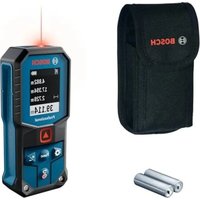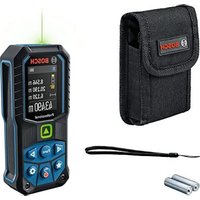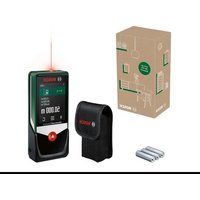
AdvancedDistance 50C - Measuring equipment BOSCH - Free user manual and instructions
Find the device manual for free AdvancedDistance 50C BOSCH in PDF.

 FR
FR
 BG
BG
 CS
CS
 DA
DA
 DE
DE
 EL
EL
 EN
EN
 ES
ES
 ET
ET
 FI
FI
 HR
HR
 HU
HU
 IT
IT
 KK
KK
 LT
LT
 LV
LV
 MK
MK
 NL
NL
 NO
NO
 PL
PL
 PT
PT
 RO
RO
 RU
RU
 SK
SK
 SL
SL
 SV
SV
 TR
TR
 UK
UK
| Product type | Laser rangefinder |
| Brand | Bosch |
| Model | AdvancedDistance 50C |
| Power supply | 3 AAA LR03 batteries (1.5 V) |
| Measuring range | 0.05 – 50 m |
| Measuring accuracy | ±2.0 mm |
| Laser class | 2 (635 nm, < 1 mW) |
| Beam divergence | < 1.5 mrad (full angle) |
| Operating temperature | -10 °C to +50 °C |
| Storage temperature | -20 °C to +70 °C |
| Max. relative humidity | 90% |
| Max. operating altitude | 2000 m |
| Data transmission | Bluetooth® Low Energy (2.4 GHz) |
| Measuring functions | Distance, area, volume, continuous measurement, indirect measurement, electronic level, tilt, addition/subtraction |
| Display | Touchscreen |
| Automatic laser shutdown | After approx. 20 s |
| Automatic device shutdown | After approx. 5 min |
| Cleaning | Soft damp cloth, no solvents. Lens: like a camera lens |
| Maintenance | Store in the provided protective case |
| Repairability | Repair by a qualified technician with original parts. Bosch after-sales service (see manual) |
Frequently Asked Questions - AdvancedDistance 50C BOSCH
User questions about AdvancedDistance 50C BOSCH
0 question about this device. Answer the ones you know or ask your own.
Ask a new question about this device
Download the instructions for your Measuring equipment in PDF format for free! Find your manual AdvancedDistance 50C - BOSCH and take your electronic device back in hand. On this page are published all the documents necessary for the use of your device. AdvancedDistance 50C by BOSCH.
USER MANUAL AdvancedDistance 50C BOSCH
operating instructions
operating instructions
Scan for more information


6
English ...... Page 24
www.bosch-pt.com/serviceaddresses
Entsorgung
All instructions must be read and observed in order for the measuring tool to function safely. The safeguards integrated into the measuring tool may be compromised if the measuring tool is
not used in accordance with these instructions. Never make warning signs on the measuring tool unrecognisable. SAVE THESE INSTRUCTIONS FOR FUTURE REFERENCE
AND INCLUDE THEM WITH THE MEASURING TOOL WHEN TRANSFERRING IT TO A THIRD PARTY.
▶ Warning! If operating or adjustment devices other than those specified here are used or other procedures are carried out, this can lead to dangerous exposure to radiation.
The measuring tool is delivered with a laser warning sign (marked in the illustration of the measuring tool on the graphics page).
If the text of the laser warning label is not in your national language, stick the provided warning label in your national language over it before operating for the first time.

Do not direct the laser beam at persons or animals and do not stare into the direct or reflected laser beam yourself. You could blind somebody, cause accidents or damage your eyes.
▶ If laser radiation hits your eye, you must close your eyes and immediately turn your head away from the beam.
▶ Do not make any modifications to the laser equipment.
▶ Have the measuring tool repaired only by a qualified specialist using only original replacement parts. This will ensure that the safety of the measuring tool is maintained.
▶ Do not let children use the laser measuring tool unsupervised. They could unintentionally blind themselves or other persons.
▶ Do not use the measuring tool in explosive atmospheres which contain flammable liquids, gases or dust. Sparks may be produced inside the measuring tool, which can ignite dust or fumes.
▶ Do not use the measuring tool if the touchscreen is visibly damaged (e.g. cracks in the surface etc.).
26 | English
The measuring tool is equipped with a wireless interface. Local operating restrictions, e.g. in aeroplanes or hospitals, must be observed.
The Bluetooth® word mark and logos are registered trademarks owned by Bluetooth SIG, Inc. and any use of such marks by Robert Bosch Power Tools GmbH is under license.
Caution! When using the measuring tool with Bluetooth®, a fault may occur in other devices and systems, aeroplanes and medical devices (e.g. pacemakers, hearing aids). Also, damage to people and animals in the immediate vicinity cannot be completely excluded. Do not use the measuring tool with Bluetooth® in the vicinity of medical devices, petrol stations, chemical plants, areas with a potentially explosive atmosphere and in blasting areas. Do not use the measuring tool with Bluetooth® on aeroplanes. Avoid using the product near your body for extended periods.
Product Description and Specifications
Intended Use
The measuring tool is intended for measuring distances, lengths, heights, clearances and inclines, and for calculating areas and volumes.
The measuring tool is suitable for indoor use.
This product is a consumer laser product in accordance with EN 50689.
The measuring results can be transferred to other devices via Bluetooth ^® .
Product Features
The numbering of the product features refers to the representation of the measuring tool in the images.
(1) ▲ Measuring button
(2) Touchscreen
(3) Stop plate
(4) Battery compartment cover
(5) Battery compartment cover locking mechanism
(6) Serial number
(7) Laser warning label
(8) Laser beam output
(9) Reception lens
(10) Protective bag
Display elements
(a) Bluetooth ^® status
* Bluetooth® activated, connection not established
* Bluetooth ^ activated, connection established
(b) Temperature warning
(c) Battery indicator
(d) Laser switched on
(e) Reference level of measurement button
(f) Measured value lines
(g) Result line
28 | English
(h) C Delete button
(i) ≡Menu button
(j) * Bluetooth® button
(k) Measuring function button
(I) ? Help function button
(m) ▼▲ Scroll up/down button
(n) Back button
(o) Basic settings button
(p) Measured value list button
(q) Button for activating/deactivating the touchscreen
Technical data
| Digital laser measure Advanced Distance 50C | Advanced Distance 60C | |
| Article number | 3 603 F72 2.. | 3 603 F72 E.. |
| Measuring rangeA) | 0.05–50 m | 0.05–60 m |
| Measuring accuracyB) | ±2.0 mm | ±2.0 mm |
| Operating temperature –10 °C to +50 °C | -10 °C to +50 °C | |
| Storage temperature –20 °C to +70 °C | -20 °C to +70 °C | |
| Relative air humidity max. 90 % 90 % | ||
| Max. altitude 2000 m 2000 m | ||
| Pollution degree according to IEC 61010-1 | 2c) | 2c) |
| Laser class 2 2 | ||
1 609 92A A4E | (23.01.2025) Bosch Power Tools
English | 29
| Digital laser measure Advanced Distance 50C | Advanced Distance 60C | |
| Laser type 635 nm, | < 1 mW | 635 nm,< 1 mW |
| Divergence of the laser beam < | 1.5 mrad(full angle) | < 1.5 mrad(full angle) |
| Automatic switch-off after ap-prox. | ||
| – Laser 20 s 20 s | ||
| – Measuring tool (without measurement) | 5 min 5 min | |
| Batteries 3 × 1.5 V | LR03 (AAA) | 3 × 1.5 VLR03 (AAA) |
| Data Transfer | ||
| Bluetooth® Bluetooth® | Low Energy ^D) | Bluetooth®Low Energy ^D) |
| Operating frequency range 2402–2480 MHz | 2402–2480 MHz | |
30 | English
Digital laser measure Advanced
Advanced
Distance 50C Distance 60C
Max. transmission power 20 dBm 20 dBm
A) When measuring from front edge. In unfavourable conditions such as very strong lighting, a temperature greatly deviating from 20^ C or a poorly reflecting surface, the measuring range can be restricted.
B) This applies for high reflectivity of the target (e.g. wall painted white), weak background lighting and a 20 °C operating temperature. In addition a deviation of ±0.05 mm/m needs to be taken into account. In unfavourable conditions such as strong lighting, high altitudes or a poorly reflecting surface, and at a 20 °C operating temperature, the deviation can be ±4 mm. In addition, a deviation of ±0.15 mm/m must be taken into account.
C) Only non-conductive deposits occur, whereby occasional temporary conductivity caused by condensation is expected.
D) When using Bluetooth® Low Energy devices, it may not be possible to establish a connection depending on the model and operating system. Bluetooth® tools must support the GATT profile.
The serial number (6) on the type plate is used to clearly identify your measuring tool.
Inserting/Changing the Battery
Always replace all the non-rechargeable batteries at the same time. Only use non-rechargeable batteries from the same manufacturer and which have the same capacity.
When inserting the batteries, ensure that the polarity is correct according to the illustration on the inside of the battery compartment.
▶ Take the batteries out of the measuring tool when you are not using it for a prolonged period of time. The batteries can corrode during prolonged storage in the measuring tool.
Operation
Using the touchscreen
▶ Do not use the measuring tool if the touchscreen is visibly damaged (e.g. cracks in the surface etc.).
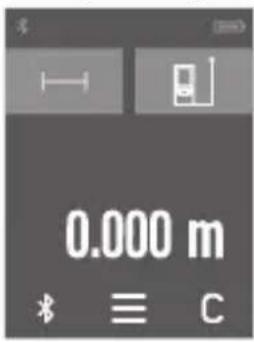
A The display divides into the fields of status bar (A) and touchscreen (B) with menu bar (C). B The status bar (A) shows the Bluetooth® connection status, temperature warning and the state of charge of the non-rechargeable batteries/rechargeable batteries. The measuring tool can be controlled
by touching the buttons using the touchscreen (B).
The menu bar (C) holds additional functions (e.g. Bluetooth® on/off, menu, delete).
- Use only your fingers to operate the touchscreen.
- Lightly tap the relevant button (control). Do not tap the touchscreen with high pressure or sharp objects.
- Do not bring the touchscreen into contact with other electrical devices or water.
- To clean the touchscreen, switch the measuring tool off and wipe off dirt with a microfibre cloth, for instance.
Activating/Deactivating the Touchscreen
» When the ⚙ symbol on the menu is pressed, the touchscreen on the main screen is deactivated. You can continue to carry out measurements with the 🔊 button.
32 | English
» To reactivate the touchscreen, press the symbol on the main screen. Then re-confirm that you would like to activate the touchscreen.
Starting Operation
▶ Never leave the measuring tool unattended when switched on, and ensure the measuring tool is switched off after use. Others may be dazzled by the laser beam.
▶ Protect the measuring tool from moisture and direct sunlight.
Do not expose the measuring tool to any extreme temperatures or variations in temperature. For example, do not leave it in a car for extended periods of time. In case of large variations in temperature, allow the measuring tool to adjust to the ambient temperature before putting it into operation. The precision of the measuring tool may be compromised if exposed to extreme temperatures or variations in temperature.
▶ Avoid substantial knocks to the measuring tool and avoid dropping it. After strong external influences on the measuring tool, you should always carry out an accuracy check (see "Accuracy Check", page 37) before further work.
Switching On and Off
» Press the ▲ button to switch the measuring tool and the laser on.
» Press and hold the ▲ button to switch off the measuring tool.
If no button on the measuring tool is pressed for approx. 5 min, the measuring tool will switch off automatically to preserve the non-rechargeable batteries.
All stored values are retained when the tool is switched off.
Measuring Process
Once switched on, the measuring tool is in the length measurement function.
Once the measuring tool has been switched on, the rear edge of the measuring tool is selected as the reference level for measurement. You can change the reference level. (see "Selecting the Reference Level", page 34)
» Apply the measuring tool to the point at which you want to start the measurement (e.g. wall).
» Press the ▲ button to switch on the laser beam.
» Target the target surface with the laser beam.
» Briefly press the ▲ button again to start the measurement.
In the continuous measurement function, the measurement begins immediately after the first press of the button.
For more information, you can access the online operating instructions at
www.bosch-pt.com/manuals
The measuring tool must not be moved during a measurement (with the exception of the continuous measurement and grade measurement functions). Therefore, place the measuring tool, as far as this is possible, against or on a firm stop or supporting surface.
The reception lens (9) and the laser beam output (8) must not be covered during the measuring process.
34 | English
Selecting the Reference Level
For the measurement, you can select from various reference levels:
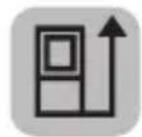
The rear edge of the measuring tool (e.g. when placing against walls)
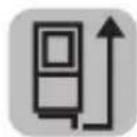
The tip of the stop plate (3) folded by 180^ (e.g. for measurements from corners)

The front edge of the measuring tool (e.g. when measuring from a table edge)
For more information, you can access the online operating instructions at www.bosch-pt.com/manuals
Basic Settings Menu
In the Basic settings menu, you can find the following basic settings:
- Switching audio signals on and off
- Switching on and off Bluetooth®
- Grade measurement calibration (see "Accuracy Check", page 37)
» Press the button to call up the menu and the button to call up the Basic settings menu.
» Press the required button to activate or deactivate the function.
→ If the function is activated, the function is displayed as a white symbol. If the function is deactivated, the function is displayed as a grey symbol.
» To leave the Basic settings menu, press the button.
For more information, you can access the online operating instructions at www.bosch-pt.com/manuals
Measuring functions
Selecting/Changing Measuring Function
You will find the following functions in the Functions menu:
- Length measurement
- Area measurement
- Volume measurement
- Continuous measurement
-
Indirect distance measurement
-
Indirect height measurement
- Double indirect height measurement
-
Indirect length measurement
-
Digital Spirit Level
- Grade measurement
- Addition/subtraction
» Press the (k) button and press the required function.
» Press the ▲ button to switch between pages.
For more information, you can access the online operating instructions at www.bosch-pt.com/manuals
36 | English
Integrated help function ?
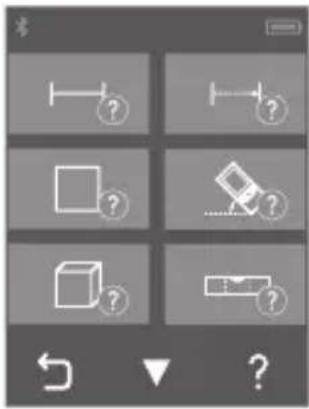
The help function integrated in the measuring tool offers detailed animations for individual measuring functions/measuring processes.
» Open the Functions menu.
» Press the button.
» Press the required function.
→ The animation shows the detailed
procedure for the selected measuring function.
» Press the button to stop the animation and the button to continue the animation. With the and buttons, you can scroll back and forward.
Bluetooth® interface
Activating the Bluetooth® interface for transmitting data to a mobile device
√ Ensure that the Bluetooth® interface is activated on your mobile device.
» Press the Button.
(a)
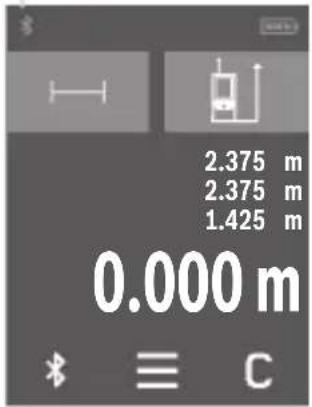
The Bluetooth® symbol is displayed in the (a) status bar (A).
Bosch apps are available to expand the range of functions. These can be downloaded in the respective app stores, depending on the device.
The connection between mobile device and measuring tool is established after the Bosch application has started. If multiple active measuring tools are found, select the appropriate measur-
ing tool using the serial number. You can find the serial number (6) on your measuring tool's type plate.
Deactivating the Bluetooth® interface
» Press the button to deactivate Bluetooth®, or switch the measuring tool off.
Accuracy Check
Regularly check the accuracy of the grade measurement and distance measurement.
For more information, you can access the online operating instructions at www.bosch-pt.com/manuals
Error Message

The measuring tool monitors correct operation in every measurement. If a defect is detected, the display will indicate only the symbol shown opposite and the measuring tool switches itself off. In this
case, have the measuring tool checked by an after-sales service agent for Bosch power tools.
Maintenance and Service
Maintenance and Cleaning
Only store and transport the measuring tool in the protective bag provided.
Keep the measuring tool clean at all times.
Never immerse the measuring tool in water or other liquids.
Wipe off any dirt using a damp, soft cloth. Do not use any detergents or solvents.
Take particular care of the reception lens (9), which must be handled with the same level of care you would give to a pair of glasses or a camera lens.
If the measuring tool needs to be repaired, send it off in the protective bag (10).
After-Sales Service and Application Service
Our after-sales service responds to your questions concerning maintenance and repair of your product as well as spare parts.
You can find explosion drawings and information on spare parts at: www.bosch-pt.com
The Bosch product use advice team will be happy to help you with any questions about our products and their accessories.
In all correspondence and spare parts orders, please always include the 10-digit article number given on the nameplate of the product.
Great Britain
Robert Bosch Ltd. (B.S.C.)
P.O. Box 98
Broadwater Park
North Orbital Road
Denham Uxbridge
UB 9 5HJ
At www.bosch-pt.co.uk you can order spare parts or arrange the collection of a product in need of servicing or repair.
Tel. Service: (0344) 7360109
E-Mail: boschservicecentre@bosch.com
You can find further service addresses at:
www.bosch-pt.com/serviceaddresses
Disposal
Measuring tools, rechargeable/non-rechargeable batteries, accessories and packaging should be sorted for environmental-friendly recycling.
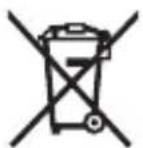
Do not dispose of the measuring tools or battery packs/batteries with household waste.
Only for EU countries:
Measuring tools that are no longer suitable for use and defective or used rechargeable batteries/batteries must be disposed of separately. Use the designated collection systems.
If disposed incorrectly, waste electrical and electronic equipment may have harmful effects on the environment and human health, due to the potential presence of hazardous substances.
Only for United Kingdom:
According to The Waste Electrical and Electronic Equipment Regulations 2013 (SI 2013/3113) (as amended) and the Waste Batteries and Accumulators Regulations 2009 (SI 2009/890) (as amended), products that are no longer usable must be collected separately and disposed of in an environmentally friendly manner.
Further information for South Africa
If the measuring tool is not labelled, you can have the ICASA certification logo shown in the display of the measuring tool.
To do so, press and hold the ✕ button until the logo appears in the display.
Français
Distance 50C Distance 60C
Robert Bosch (France) S.A.S.
www.bosch-pt.com/serviceaddresses
www.bosch-pt.com/serviceaddresses
Eliminación
www.bosch-pt.com/serviceaddresses
Eliminação
www.bosch-pt.com/serviceaddresses
Afvalverwijdering
Bosch Service Center
Telegrafvej 3
2750 Ballerup
På www.bosch-pt.dk kan der online bestilles reservedele eller oprettes en reparations ordre.
Tlf. Service Center: 44898855
Fax: 44898755
E-Mail: vaerktoej@dk.bosch.com
Yderligere serviceadresser findes under:
www.bosch-pt.com/serviceaddresses
Bortskaffelse
Avaktivera/aktivera Touchscreen
Bosch Service Center
Telegrafvej 3
2750 Ballerup
Danmark
Tel.: (08) 7501820 (inom Sverige)
Fax: (011) 187691
Vidare serviceadresser finner du under:
www.bosch-pt.com/serviceaddresses
Avfallshantering
(m) ▼▲ Knapp Bla ned/opp
(n) Knapp Tilbake
www.bosch-pt.com/serviceaddresses
Kassering
Advanced Distance 50C
Advanced Distance 60C
www.bosch-pt.com/serviceaddresses
Hävitys
www.bosch-pt.com/serviceaddresses
Απόσυρση
www.bosch-pt.com/serviceaddresses
Tasfiye
Robert Bosch Sp. z o.o.
www.bosch-pt.com/serviceaddresses
Utylizacja odpadów
Bosch Service Center PT
K Vápence 1621/16
692 01 Mikulov
www.bosch-pt.com/serviceaddresses
Likvidace
www.bosch-pt.com/serviceaddresses
Hulladékkezelés
www.bosch-pt.com/serviceaddresses
Утилизация
www.bosch-pt.com/serviceaddresses
Утилізація
Advanced Distance 60C
www.bosch-pt.com/serviceaddresses
320 | Română
Кәдеге жарату
Service scule electrice
Strada Horia Măcelariu Nr. 30–34, sector 1
013937 Bucureşti
www.bosch-pt.com/serviceaddresses
Eliminarea
Service scule electrice
Strada Horia Măcelariu Nr. 30–34, sector 1
013937 Bucureşti, România
www.bosch-pt.com/bg/bg/
www.bosch-pt.com/serviceaddresses
Бракуване
www.bosch-pt.com/serviceaddresses
Отстранување
Pomoćna funkcija koja je integrisana u merni alat nudi detaljne animacije za pojedinačne merne funkcije/merne postupke.
www.bosch-pt.com/serviceaddresses
Uklanjanje dubreta
Merne alate, akumulatore/baterije, pribor i pakovanja treba predati na reciklažu koja je u skladu sa zaštitom životne sredine.
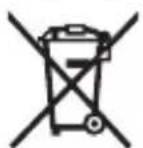
Merne alate i akumulatorske baterije/baterije nemojte bacati u kućni otpad!
Samo za EU-zemlje:
Merni alati koji se više ne mogu koristiti i neispravni ili istrošeni akumulatori/baterije moraju da se odlažu u otpad odvojeno. Koristite predviđene sisteme za sakupljanje.
www.bosch-pt.com/serviceaddresses
Odlaganje
Merilne naprave, akumulatorske/običajne baterije, pribor in embalažo oddajte v okolju prijazno recikliranje.
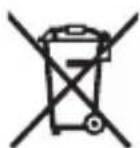
www.bosch-pt.com/serviceaddresses
Zbrinjavanje
Mjerne alate, aku-baterije/baterije, pribor i ambalažu treba dovesti na ekološki prihvatljivo recikliranje.
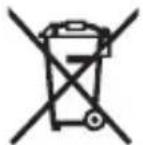
Mjerne alate i aku-baterije/baterije ne bacajte u kućni otpad!
Samo za zemlje EU:
Advanced Distance 50C
Advanced Distance 60C
www.bosch-pt.com/serviceaddresses
Jäätmekäitlus
www.bosch-pt.com/serviceaddresses
www.bosch-pt.com/serviceaddresses
Šalinimas
Robert Bosch Morocco SARL
- شارع الملازم محمد محруд
20300 الدار البيضاء
+212 5 29 31 43 27 :الهانف
www.bosch-pt.com/serviceaddresses
www.bosch-pt.com/serviceaddresses
en Hereby, Robert Bosch Power Tools GmbH declares that the radio equipment type AdvancedDistance 50C / AdvancedDistance 60C is in compliance with Directive 2014/53/EU. The full text of the EU declaration of conformity is available at the following internet address:
Declaration of Conformity
Hereby, Robert Bosch Limited as authorised representative acting on behalf of Robert Bosch Power Tools GmbH declares that the radio equipment type AdvancedDistance 50C /
AdvancedDistance 60C is in compliance with the Radio Equipment Regulations 2017. The full text of the declaration of conformity is available at the following internet address:
-> https://gb-doc.bosch.com