
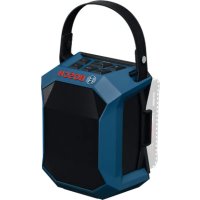
GPB 18V1 C Professional - Radio BOSCH - Free user manual and instructions
Find the device manual for free GPB 18V1 C Professional BOSCH in PDF.
 FR
FR
 BG
BG
 CS
CS
 DA
DA
 DE
DE
 EL
EL
 EN
EN
 ES
ES
 ET
ET
 FI
FI
 HU
HU
 IT
IT
 KK
KK
 KO
KO
 LT
LT
 LV
LV
 MK
MK
 NL
NL
 NO
NO
 PL
PL
 PT
PT
 RO
RO
 RU
RU
 SK
SK
 SL
SL
 SQ
SQ
 SV
SV
 TR
TR
 UK
UK
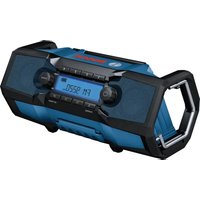
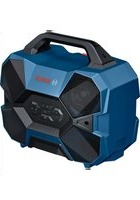
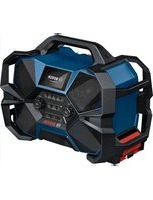
| Brand | Bosch |
| Model | GPB 18V1 C Professional |
| Product type | Wireless Bluetooth speaker |
| Nominal speaker power | 11 W |
| Bluetooth version | 5.4 |
| Bluetooth operating frequency | 2,402 - 2,480 MHz |
| Maximum Bluetooth transmission power | 8 mW |
| Weight (without battery) | 0.7 kg |
| Protection rating | IP54 (with battery and battery cover closed) |
| Power supply | Bosch 18V Lithium-Ion battery (2.0-12.0 Ah) or USB-C® Power Delivery mains charger |
| Recommended mains charger output voltage | 12 V |
| Minimum mains charger output current | 1.55 A |
| Recommended mains charger output power | 20 W |
| Maximum USB charging current (external device charging) | 3 A |
| Charging ambient temperature | 0 °C to +35 °C |
| Operating ambient temperature | -20 °C to +40 °C |
| Storage ambient temperature | -20 °C to +50 °C |
| Main functions | Bluetooth playback, Multi-Speaker Sound, USB-C charging for external devices, playback and volume controls |
| Maintenance and cleaning | Clean with a soft, damp cloth. Do not use detergents or solvents. |
| Safety | Do not open the speaker. Use only recommended batteries and chargers. Protect from water and heat. |
| Spare parts and repairability | Contact Bosch after-sales service at 09 70 82 12 26 (France) or visit www.bosch-professional.com. Use only original spare parts. |
Frequently Asked Questions - GPB 18V1 C Professional BOSCH
User questions about GPB 18V1 C Professional BOSCH
0 question about this device. Answer the ones you know or ask your own.
Ask a new question about this device
Download the instructions for your Radio in PDF format for free! Find your manual GPB 18V1 C Professional - BOSCH and take your electronic device back in hand. On this page are published all the documents necessary for the use of your device. GPB 18V1 C Professional by BOSCH.
USER MANUAL GPB 18V1 C Professional BOSCH
Translation of original instructions sr Original instructions for use sl Navodila za uporabo hr Originalne upute za rad et Algupärased kasutusjuhised lv Instrukcijas oriģinālvalodā lt Original instrukcija

Deutsch. 5
English 15
Français 25
Español. 35
Português. Página 45
Italiano 55
Nederlands.. 65
Dansk Side 74
Svensk Sidan 84
Norsk. 93
Suomi Sivu 102
Ελληνικά Σελίδα 111
Türkçe. Sayfa 121
Polish. Page 133
Czech. Page 143
Slovak. Page 152
Hungarian. Page 162
Russian. Page 171
Ukrainian. Page 183
Kazakh. Page 193
Romanian. Page 205
Read all the safety information and instructions. Failure to observe the safety information and follow instructions may result in electric shock, fire and/or serious injury.
Save all warnings and instructions for future reference.
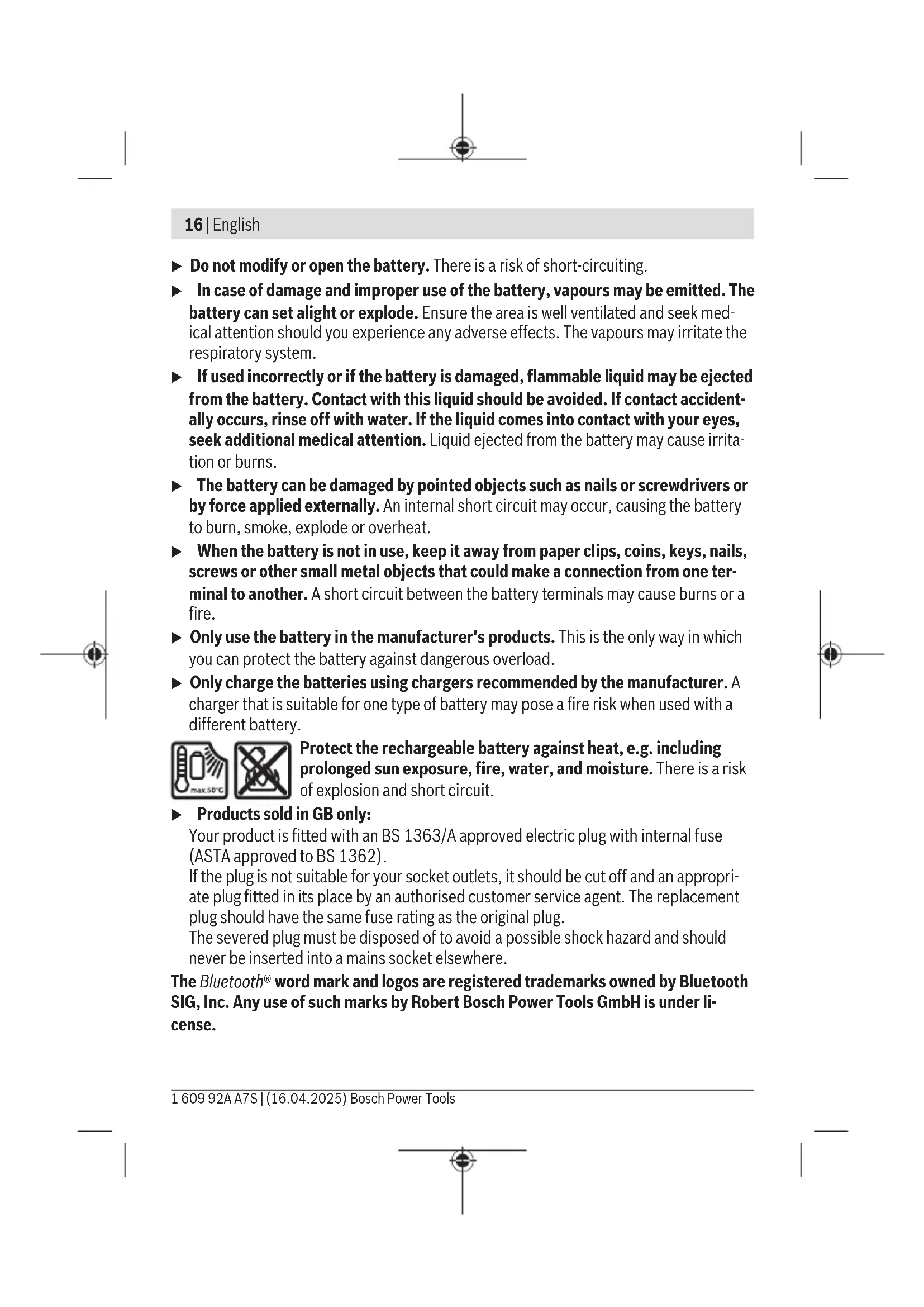
Always check the speaker before using it. Do not use it if you discover any damage. Do not open the speaker yourself. It should be repaired exclusively by a qualified professional using only genuine spare parts. Damaged speakers increase the risk of an electric shock. When using it for an extended period of time, set the speaker to a medium volume. A loud volume can cause hearing damage over an extended period of time.
16 | English
Do not modify or open the battery. There is a risk of short-circuiting. In case of damage and improper use of the battery, vapours may be emitted. The battery can set alight or explode. Ensure the area is well ventilated and seek medical attention should you experience any adverse effects. The vapours may irritate the respiratory system. If used incorrectly or if the battery is damaged, flammable liquid may be ejected from the battery. Contact with this liquid should be avoided. If contact accidentally occurs, rinse off with water. If the liquid comes into contact with your eyes, seek additional medical attention. Liquid ejected from the battery may cause irritation or burns. The battery can be damaged by pointed objects such as nails or screwdrivers or by force applied externally. An internal short circuit may occur, causing the battery to burn, smoke, explode or overheat. - When the battery is not in use, keep it away from paper clips, coins, keys, nails, screws or other small metal objects that could make a connection from one terminal to another. A short circuit between the battery terminals may cause burns or a fire. - Only use the battery in the manufacturer's products. This is the only way in which you can protect the battery against dangerous overload. - Only charge the batteries using chargers recommended by the manufacturer. A charger that is suitable for one type of battery may pose a fire risk when used with a different battery.

Protect the rechargeable battery against heat, e.g. including prolonged sun exposure, fire, water, and moisture. There is a risk of explosion and short circuit.
▶ Products sold in GB only:
Your product is fitted with a BS 1363/A approved electric plug with internal fuse (ASTA approved to BS 1362).
If the plug is not suitable for your socket outlets, it should be cut off and an appropriate plug fitted in its place by an authorized customer service agent. The replacement plug should have the same fuse rating as the original plug.
The severed plug must be disposed of to avoid a possible shock hazard and should never be inserted into a mains socket elsewhere.
The Bluetooth® word mark and logos are registered trademarks owned by Bluetooth SIG, Inc. Any use of such marks by Robert Bosch Power Tools GmbH is under license.
Product Description and Specifications
Please observe the illustrations at the beginning of this operating manual.
Intended Use
The speaker is intended for playing audio signals from sources connected via Bluetooth® or Multi-Speaker Sound.
Product Features
The numbering of the product features refers to the diagram of the speaker on the graphics page.
(1) Bluetooth® button (2) On/off button (3) Status indicator (4) Multi-Speaker Sound button (5) Volume up button (6) Playback/pause button (7) Volume down button (8) Carrying handle (9) Speaker (10) Locking lever for rechargeable battery cover a) (11) Battery cover a) (12) Rechargeable battery holder (13) Battery release button a) (14) Rechargeable battery a) (15) USB Type-C® port b)
a) This accessory is not part of the standard scope of delivery.
b) USB Type-C® and USB-C® are trademarks of USB Implementers Forum.
Technical Data
| Bluetooth® speaker | GPB 18V-1 C |
| Article number | 3601 DA7 0.. |
| Nominal output of speaker W 11 |
18|English
| Bluetooth® speaker | GPB 18V-1 C | ||
| Bluetooth® | |||
| - Compatibility Bluetooth® 5.4 | |||
| - Operating frequency range MHz 2402-2480 | |||
| - Max. transmission power mW 8 | |||
| Max. charging current (powering external devices via USB Type-C®) | A | 3 | |
| WeightA) | kg 0.7 | ||
| Protection ratingB) | IP54 | ||
| Recommended ambient temperature during charging °C 0 to +35 | |||
| Permitted ambient temperature during operation °C -20 to +40 | |||
| Permitted ambient temperature during storage °C -20 to +50 | |||
| Recommended rechargeable batteries (2.0-12.0 Ah) | GBA 18V... ProCORE18V... EXPERT18V... EXBA18V... CORE18V... | ||
| Recommended chargers GAL 18V... | GAL 36V... GAL 12V/18... GAX 18V... EXAL18V... | ||
USB Type-C® power supply with Power Delivery (USB-PD, commercially available)
| Output voltage V 12 | ||
| Minimum output current A | 1.55 | |
| Recommended output power for full functionalityc) | W | |
| 20 | ||
A) Weight without rechargeable battery/rechargeable battery cover B) when in battery operation and the rechargeable battery cover (11) is closed C) If the power supply provides insufficient power, the speaker will switch itself off.
Values can vary depending on the product, scope of application and environmental conditions. To find out more, visit www.bosch-professional.com/wac.
Power Supply
Energy can be supplied to the speaker via a Bosch lithium-ion rechargeable battery (14) or via a commercially available USB Type-C® power supply with Power Delivery (USB-PD).
As soon as the speaker is connected to the mains via the power supply (including if a rechargeable battery is inserted), energy will be supplied via the power supply.
Operating with Li-ion Rechargeable Battery
Bosch sells some cordless speakers without a rechargeable battery. You can tell whether a rechargeable battery is included with the speaker by looking at the packaging.
- Use only the chargers listed in the technical data. Only these chargers are compatible with the lithium-ion batteries that can be used in your speaker.
Note: Lithium-ion rechargeable batteries are supplied partially charged according to international transport regulations. To ensure full rechargeable battery capacity, fully charge the rechargeable battery before using your tool for the first time.
Push the charged battery into the battery holder (12) until it clicks into place.
To remove the rechargeable battery, press the battery release button and pull the battery out. Do not use force to do this.
The rechargeable battery has two locking levels to prevent the battery from falling out if the battery release button is pressed unintentionally. The rechargeable battery is held in place by a spring when fitted in the speaker.
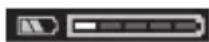
Battery Charge Indicator on the Rechargeable Battery
If the 18V rechargeable battery is removed from the speaker, its state of charge may be indicated by the green LEDs of the battery charge indicator on the battery.
Press the button for the battery charge indicator to show the state of charge.
If no LED lights up after pressing the button for the battery charge indicator, the rechargeable battery is defective and must be replaced.
Note: Not all battery types have a battery charge indicator.
Battery model GBA 18V...

LED Capacity
3 × continuous green light 60 - 100 %
LED Capacity
2 × continuous green light 30 - 60%
1 × continuous green light 5 - 30 %
1 × flashing green light 0 - 5 %
Battery model ProCORE18V...|EXPERT18V...|EXBA18V...| CORE18V...

LED Capacity
5 × continuous green light 80 - 100%
4× continuous green light 60 - 80%
3 × continuous green light 40 - 60%
2× continuous green light 20 - 40%
1 × continuous green light 5 - 20%
1 × flashing green light 0–5 %
Battery defect risk detection
EXPERT18V...|EXBA18V...
In addition to the state of charge of the rechargeable battery, the LEDs on the battery charge indicator can also indicate the risk of a battery defect.
To activate the function, press and hold the button for the battery charge indicator for 3 seconds. The analysis of the battery is signalled by a moving light on the battery charge indicator. The result of is shown on the battery charge indicator.

1 LED: The rechargeable battery has a high defect risk. Performance and runtime may already be reduced. Replacing the rechargeable
battery is recommended.

5 LEDs: The rechargeable battery is in good condition and has a low defect risk.
Please note: The rechargeable battery defect risk assessment works in a binary manner and offers a simplified status assessment, indicating either that the rechargeable battery is in good condition or that the rechargeable battery has an increased defect risk. A percentage of the battery status is not shown.
Covering the Rechargeable Battery
If no cable is connected to the USB Type-C® port (15), you can protect the speaker and rechargeable battery against dust and splashes with the rechargeable battery cover (11).
Put on the rechargeable battery cover (11) and close it with the locking levers (10).
To replace the rechargeable battery or to operate it with a power supply, open the locking levers (10) of the rechargeable battery cover and remove the battery cover (11).
Recommendations for Optimal Handling of the Battery
Protect the battery against moisture and water.
Only store the battery within a temperature range of -20 to 50 °C. Do not leave the battery in your car in the summer, for example.
Occasionally clean the ventilation slots on the battery using a soft brush that is clean and dry.
A significantly reduced operating time after charging indicates that the battery has deteriorated and must be replaced.
Follow the instructions on correct disposal.
Operation with Power Supply
Pay attention to the mains voltage. The voltage of the power source must match the voltage specified on the type plate of the power supply. For mains operations, use only a USB Type-C® power supply with Power Delivery (USB-PD). Its output voltage, minimum output current and output power must comply with the requirements in the "Technical Data" section. Consult the operating instructions for the power supply. Using different power supplies can damage the speaker. If the power supply provides insufficient power, the speaker will switch itself off.
Open the flap for the USB Type-C® port (15). Connect the power supply to the USB
Type-C® port (15) of the speaker via a suitable cable. Connect the power supply to the mains supply.
After removing the cable for the power supply, reattach the flap for the USB Type-C® port (15) to protect against dirt and debris.
Operation
▷ Protect the speaker against direct water contact. Water entering the speaker increases the risk of electric shock.
- Keep the rechargeable battery cover and the flap for the USB Type-C® port closed if possible. The closed covers protect the speaker against water and dust.
Audio Operation
Switching On/Off and Controlling the Volume
To switch on the speaker, press and hold the on/off button (2) until the status indicator (3) briefly lights up green.
To switch off the speaker, press and hold the on/off button (2) until the status indicator (3) goes out.
The speaker will switch off automatically after 20 minutes if no connection can be established via Bluetooth® or Multi-Speaker Sound during this time.
To adjust the volume, press the Volume up (5) or Volume down (7) buttons until the required volume is reached. When the speaker is switched on, the volume is always set to low.
Overview of Audio Features
The speaker has the following audio features:
- Playback of devices connected via Bluetooth® (set by default) - Playback via Multi-Speaker Sound
- Transmission of the current playback via Bluetooth® or Multi-Speaker Sound to other devices with this feature
You can identify the current audio feature by looking at the status indicator (3):
- Blue: Playback of a Bluetooth® signal
- Light blue: Playback of a Multi-Speaker Stream
- Purple: Transmission of the current playback via Multi-Speaker Sound
Playing Back/Controlling External Audio Sources via Bluetooth®
When the speaker is switched on, playback via Bluetooth® is set by default. To switch from another audio feature to Bluetooth®, briefly press the Bluetooth® button (1).
- To establish a new connection: Start a search for a connection if no saved audio source is available or an available connection to an audio source via Bluetooth® needs to be ended and a new connection needs to be searched for. To do so, press and hold the Bluetooth® button (1) for longer than 0.5 s.
During the search, the status indicator (3) will quickly flash blue.
Activate the new connection via the external audio source. For smartphones, that is generally possible via the settings in the Bluetooth® menu. The speaker will appear as an available device under the name GPB 18V-1 C xxxx. Please observe the operating instructions for your audio source/smARThone.
- To reconnect: If the speaker has already been connected to an external audio source (e.g. a smartphone) via Bluetooth® and if this audio source is available, a connection to this audio source will automatically be established. Whilst a connection is being established, the status indicator (3) will slowly flash blue.
If the saved audio source is unavailable, a search for a connection will start automatically after 2 min.
If the connection has been established successfully, a rising audio signal will sound and the status indicator (3) will light up blue continuously.
If the connection is interrupted or ended, a falling audio signal will sound. The speaker switches off automatically after a total of 20 min.
The audio source connected via Bluetooth® can also be controlled via the speaker:
- To change track to the previous or next track, press the Volume down button (7) or the Volume up button (5) for more than 0.5 s.
- To start, interrupt or continue playback, press the relevant playback/pause button (6).
Playing External Audio Sources via Multi-Speaker Sound
To switch from another audio source to playback via Multi-Speaker Sound, briefly press the Multi-Speaker Sound button (4). During the search for a connection, the status indicator (3) will flash light blue. If the connection has been established successfully, a rising audio signal will sound and the status indicator will light up bright blue continuously.
The volume between the audio source and the speaker will be synchronised (the audio source determines the volume) until the volume is changed on the speaker. To restore the volume synchronisation, restart the connection via Multi-Speaker Sound. To do this, briefly press the Multi-Speaker Sound button (4).
If the connection is interrupted or ended, a falling audio signal will sound. The speaker switches off automatically after a total of 20 minutes.
Transmitting the Current Playback via Multi-Speaker Sound
If an audio source is played back via Bluetooth®, this playback can be forwarded to other devices with the Multi-Speaker Sound function (e.g. GPB 18VH-6 SRC). To do this, press and hold the Multi-Speaker Sound button (4) for longer than 0.5 s. As confirmation, the status indicator (3) will light up purple and an audio signal will sound.
To end transmission via Multi-Speaker Sound, press and hold the Multi-Speaker Sound button (4) for longer than 0.5 s. As confirmation, an audio signal will sound.
The transmission via Multi-Speaker Sound is also terminated if the establishment of a new connection via Bluetooth® is started on the speaker.
Power Supply of External Devices
Charging External Devices Via the USB Port
The USB Type-C® connection can be used to charge devices that can be powered via USB (e.g. various mobile phones). The maximum charging current is 3 A.
Open the flap for the USB Type-C® port (15). Connect the external device to the USB Type-C® port (15) on the speaker via a suitable cable.
External devices will only be charged if the speaker is being operated by battery and is switched on.
After removing the charging cable, reattach the flap for the USB Type-C® port (15) to protect against dirt and debris.
Maintenance and Service
Maintenance and Cleaning
Keep the speaker clean to ensure effective, safe operation.
Wipe off any dirt using a damp, soft cloth. Do not use any detergents or solvents.
After-Sales Service and Application Service
Great Britain
Tel. Service: (0344) 7360109
You can find our service addresses and links to the repair service and spare parts ordering at www.bosch-pt.com/serviceaddresses
In all correspondence and spare parts orders, please always include the 10-digit article number given on the nameplate of the product.
Disposal
Electrical and electronic equipment, batteries, accessories and packaging should be sorted for environmentally friendly recycling.
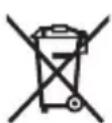
Do not dispose of electrical and electronic equipment and batteries in the household waste!
Only for EU countries and United Kingdom:
Electrical and electronic equipment or used batteries that are no longer suitable for use must be collected separately and disposed of in an environmentally friendly manner. Use
the designated collection systems. Incorrect disposal may cause harmful effects on the environment and human health, due to the potential presence of hazardous substances.
French
Reading/commands of external audio sources via Bluetooth®
www.bosch-pt.com/serviceaddresses
Calle Robert Bosch No. 405
C.P. 50071 Zona Industrial, Toluca - Estado de Mexico
Tel.: 800 6271286
Spain
Tel. Customer service: 902 531 553
www.bosch-pt.com/serviceaddresses
Risk recognition battery defect
EXPERT18V...|EXBA18V...
Battery cover
If no USB Type-C cable (15) is connected, you can protect the device and the battery with the battery cover (11) from dirt and splashing water.
Place the battery cover (11) and close it with the locking lever (10). To change the battery or to operate with a mains adapter, open the locking lever (10) of the battery cover and remove the battery cover (11).
Instructions for the correct handling of the battery
Protect the battery from moisture and water.
Store the device at temperatures between -20 °C and 50 °C. For example, store the device in the summer away from the vehicle.
Changing the current playback via Multi-Speaker Sound
When an audio source is played via Bluetooth®, this playback can be transmitted to additional devices with the Multi-Speaker Sound function (e.g.
GPB 18VH-6 SRC). Press the Multi-Speaker Sound button (4) for approx. 0.5 s. The status indicator (3) flashes and a beep sounds.
To end the transmission via Multi-Speaker Sound, press the Multi-Speaker Sound button (4) for approx. 0.5 s. A beep confirms this.
Shelf life of the product
The shelf life of the product is 7 years. It is not recommended to operate it after 5 years of storage from the date of manufacture without prior inspection (see date of manufacture on the label).
Limits of critical failures and erroneous actions of personnel or users
- Do not use with a damaged handle or damaged protective cover - Do not use if smoke appears directly from the housing of the product - Do not use with a bent or broken electrical cable - Do not use in open spaces during rain (in spray
- Do not switch on if water has entered the housing - Do not use with a damaged plug - Do not use if the housing is damaged
Criteria for limit states
- Overheating of the electrical cable
- Damage to the product housing
At the end of the technical service life
It is recommended to clean the instrument from dust after each use.
Storage
- Store in a dry place - Store away from sources of high temperatures and direct sunlight - Avoid sudden temperature changes - Do not allow storage in packaging - Detailed requirements for storage conditions see GOST 15150-69 (Condition 1)
Transportation
- Categorically do not allow strong mechanical impacts on the packaging during transportation
- When unloading/loading, do not use any type of equipment that operates by clamping the packaging
- Detailed requirements for transportation conditions see GOST 15150-69 (Condition 5)
Safety Instructions

Read all safety instructions. Failure to follow the safety instructions may result in electric shock, fire, and/or serious injury.
Save these instructions for future use.
Save these instructions for future use.
Check the device before each use. Do not use the device if you find damage. Do not open the device yourself; its repair is allowed only to qualified specialists and only with the use of original spare parts. Damaged devices increase the risk of electric shock. For proper use of the device, set a moderate volume. High volume, set for a long period of time, can lead to hearing damage. Do not make structural changes to the battery and do not open it. This creates a risk of short circuit. In case of improper use, the battery may leak. The battery may ignite or explode. Ensure fresh air supply and in case of fire, contact a doctor. Gases can irritate the respiratory tract. With proper use, liquid may leak from the battery. Avoid contact with it. In case of accidental contact, rinse with plenty of water. If this liquid gets into the eyes, immediately seek medical help. Leaking battery fluid can cause skin irritation or burns. With sharp objects, such as nails, screws, or screwdrivers, as well as external force, you can damage the battery. This can lead to internal short circuit, fire with smoke, explosion, or overheating of the battery. Protect the unused battery from paper clips, coins, keys, nails, screws, and other small metal objects that can short-circuit the contacts. Short-circuiting the battery contacts can lead to burns or fire. Use the battery only in devices from the manufacturer. Only then is the battery protected from dangerous overload.
Charge the battery packs only with the chargers recommended by the manufacturer. A charger that is suitable for one type of battery pack may create a risk of fire when used with another battery pack.

Protect the battery pack from high temperatures, e.g., from continuous intense sunlight, fire, dirt, water, and moisture. There is a risk of explosion and short-circuiting.
The Bluetooth® word mark and graphic logo are registered trademarks and property of Bluetooth SIG, Inc. Any use of this word/graphic trademark by Robert Bosch Power Tools GmbH is only under license.
Product description and services
Please follow the illustrations at the beginning of the operating instructions.
Intended use
The speaker is intended for playing audio signals from sources connected via Bluetooth® or Multi-Speaker Sound.
Product features
The numbering of the components refers to the illustration of the speaker on the page with the figures.
(1) Bluetooth® button (2) On/off switch (3) Status indicator (4) Multi-Speaker Sound function button (5) Volume increase button (6) Play/Pause button (7) Volume decrease button (8) Carrying handle (9) Speaker (10) Battery compartment cover latch (11) Battery compartment cover (12) Battery holder
(13) Battery release button (14) Battery (15) USB Type-C® port
a) These accessories are not included in the standard delivery. b) USB Type-C® and USB-C® are trademarks of USB Implementers Forum.
Technical data
Battery charge indicator on the battery
When the battery is removed from the speaker, its charge level can be determined by the green LEDs of the charge level indicator on the battery.
Press the battery charge level indicator button to display the battery charge level.
If after pressing the charge level indicator button the LED does not light up, the battery is defective and must be replaced.
Note: Not all batteries are equipped with a charge level indicator.
Battery type GBA 18V...

Luminous intensity
Continuous light, 3 LEDs, 60-100%
Continuous light, 2 LEDs, 30-60%
Continuous light, 1 LED, 5-30%
Flashing light, 1 LED, 0-5%
Battery type ProCORE18V...|EXPERT18V...|EXBA18V...| CORE18V...

Luminous intensity
Continuous light, 5 LEDs, 80-100%
Continuous light, 4 LEDs, 60-80%
Continuous light, 3 LEDs, 40-60%
Continuous light, 2 LEDs, 20-40%
The green light of the battery charge indicator is 5-20%.
The green light of the battery charge indicator is 0-5%.
178 | Russian
Battery failure risk detection
EXPERT18V...|EXBA18V...
In addition to the battery charge level, the battery charge level indicators can also show the risk of battery failure.
To activate the function, press and hold the charge level indicator button for 3 seconds. During the battery condition analysis, the charge level indicator will show a "running" light. The result is displayed on the battery charge level indicator.

The battery has a high risk of failure. The power and operating time may already be reduced.
It is recommended to replace the battery.

The battery is in good condition with a low risk of failure.
Note: The battery failure risk assessment has only two levels and provides a simplified assessment of the condition. The battery is either in good condition or has an increased risk of failure. The battery condition is not displayed as a percentage.
Closing the battery compartment
If the USB Type-C cable (15) is not connected, you can use the battery compartment cover (11) to protect the battery and the battery from dust and water splashes.
Put the battery compartment cover (11) on and close it with the locking levers (10).
To replace the battery, open the locking levers (10) and remove the battery compartment cover (11).
Follow the optimal handling instructions for the battery.
Protect the battery from moisture and water.
Store the battery only in the temperature range from -20 °C to 50 °C. Do not leave the battery in a car in summer.
From time to time, clean the ventilation slots of the battery with a dry, clean cloth.
A significant reduction in operating time after charging indicates that the battery is old and indicates the need to replace it.
Follow the disposal instructions.
Working with the power supply unit
Observe the mains voltage! The voltage of the power source must match the data on the manufacturer's plate of the power supply unit with a plug. For power supply from the mains, use only a USB Type-C® power supply unit with Power Delivery (USB-PD) technology. It must meet the requirements of the section “Technical data” for output voltage, minimum output current and output power. Follow the instructions in the operating manual for the power supply unit with a built-in plug. When using other power supply units with a built-in plug, damage to the speaker is possible. If the power of the power supply unit with a built-in plug is too low, the speaker turns on.
Open the cover of the USB Type-C socket (15). Connect the plug of the power supply unit to the USB Type-C socket (15) on the speaker using a suitable cable. Connect the power supply unit to the mains.
During charging, the status indicator flashes blue quickly.
Activate a new connection via an external audio source. On smartphones, as a rule, this can be done in the Bluetooth® settings menu. The speaker appears in the list of available devices under the name GPB 18V-1 Cxxxx. Pay attention to the information given in the operating manual of your audio source/smartphone.
- Reconnection: if the speaker has already been paired with a specific external audio source (for example, with a smartphone) via Bluetooth® and the audio source is currently available, the connection will be established automatically (reconnection). During connection establishment, the status indicator (3) flashes blue slowly.
If the saved audio source is unavailable, after 2 minutes the search for a connection starts automatically.
After successful connection establishment, a confirmation sound is emitted and the status indicator (3) starts to glow blue.
In case of interruption or disconnection of the connection, a descending sound signal is emitted. The speaker turns off automatically after 20 minutes.
The device connected via Bluetooth® can also be controlled using the remote control:
- To switch to the previous or next track, press and hold the volume down button (7) or the volume up button (5) for more than 0.5 seconds. - To start, pause, or resume playback, press the "Play/Pause" button (6).
Playback of sound from external audio sources via Multi-Speaker Sound
To play sound from another audio source via Multi-Speaker Sound, briefly press the "Multi-Speaker Sound" function button (4). During the connection process, the status indicator (3) flashes blue. After a successful connection is established, an ascending sound signal is emitted and the status indicator starts to glow blue.
The volume between the audio source and the speaker is synchronized (the volume is determined by the audio source) until the volume is changed on the speaker. To restore volume synchronization, reconnect via Multi-Speaker Sound. To do this, briefly press the "Multi-Speaker Sound" button (4).
In case of interruption or disconnection of the connection, a descending sound signal is emitted. The speaker automatically turns off after 20 minutes.
Power tools, accumulators/batteries, accessories, and packaging must be disposed of at an ecological recycling facility.
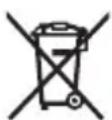
Do not dispose of power tools and rechargeable batteries/batteries in household waste!
Only for EU countries:
Electrical and electronic devices or used accumulators/batteries that are intended for further use must be collected separately and disposed of in an environmentally safe manner. Use the provided waste collection systems. Due to the possible content of hazardous substances, improper disposal may cause harm to the environment and health.
Ukrainian
Safety instructions and warnings

Read all safety warnings and instructions. Failure to follow the safety instructions and instructions may result in electric shock, fire, and/or serious injury.
Keep all safety instructions and warnings for future reference.
Use the battery only as intended. Do not use it if it is damaged. Do not open the battery yourself and have it repaired only by qualified specialists using original spare parts. Damaged batteries pose a risk of electric shock. For long-term use, set the appropriate density of the battery. High density over a long period can lead to damage. Do not make structural changes to the battery and do not open it. There is a risk of short circuit. If the battery is damaged or incorrectly used, gas may escape. The battery may catch fire or explode. Provide fresh air and, in case of complaints, consult a doctor. Gas may irritate the respiratory tract. If the battery is used incorrectly, liquid may leak from it. Avoid contact with it. In case of accidental contact, rinse the affected area with water. If liquid gets into the eyes, additionally consult a doctor. Battery liquid may cause skin irritation or burns. With sharp objects, e.g., nails or screws, or by applying external force, the battery can be damaged. Possible
184|Ukrainian
internal short circuit, fire, formation of toxic fumes, explosion or overheating of the battery.
Do not store the battery that you are not using together with paper clips, coins, nails, screws, or other small metal objects that could cause bridging of contacts. Short circuiting of the battery contacts may cause burns or damage. Use the battery only in products from the manufacturer. Under such conditions, the battery will be protected from dangerous overload. Charge the battery only in chargers recommended by the manufacturer. Using a charger not intended for the battery type may cause damage.

Protect the battery from heat, e.g., from prolonged sunlight, fire, dirt, water, and moisture. There is a risk of explosion and short circuit.
The Bluetooth® word mark and logos are registered trademarks owned by Bluetooth SIG, Inc. Any use of such marks by Robert Bosch Power Tools GmbH is under license.
Battery charge indicator on the battery
When the 18 V battery is removed from the tool, the charge level of the battery can be determined using the green LEDs of the charge indicator on the battery.
Press the button of the battery charge indicator to display the charge level.
If after pressing the button of the charge indicator the LEDs do not light up, the battery is defective and must be replaced. Note: Not all battery types have a charge level indicator.
Battery GBA 18V...

It is recommended to replace the battery.

5 LEDs: battery status is almost full with low risk of discharge.
Battery health check is performed in two stages and provides a preliminary assessment. The battery is classified according to its operational characteristics or may be flagged for signs of damage. The battery charge level is not displayed.
Close the battery compartment
If the USB Type-C port (15) is not connected to a cable, you can use the battery compartment lid (11) to protect the power tool and battery from dust and water splashes.
Install the battery compartment lid (11) and close it using the locking latches (10).
To charge the battery or work with the mains adapter, open the locking latches (10) on the battery compartment lid and remove the battery compartment lid (11).
Instructions for optimal handling of the battery
Protect the battery from moisture and water.
Store the battery only at temperatures between -20°C and 50°C. In particular, do not leave the battery in a car.
Periodically clean the ventilation slots of the battery with a soft, clean, and dry brush.
If the battery is short-circuited, the protection circuit will switch off the battery. The battery must then be replaced.
Follow the instructions for use.
Operation with mains power supply with mains plug
Pay attention to the mains voltage! The voltage of the power source must match the data on the rating plate of the power supply unit with mains plug. For operation with the mains supply, use only the power supply unit with mains plug Type-C® with Power Delivery (USB-PD). The output voltage, minimum input current, and output power must comply with the requirements in the section “Technical Data”. Follow the instructions for use of the power supply unit with mains plug. Using other power supply units may damage the power tool. If the power supply is insufficient, the power tool switches off.
Open the cover of the USB Type-C port (15). Insert the power supply unit into the USB Type-C port on the power tool using the appropriate cable (15). Connect the power supply unit with mains plug to the mains supply.
Charge the device using the USB Type-C® cable (15) and the power adapter.
Operation
Do not allow the speaker to come into direct contact with water. Contact with water increases the risk of electric shock. Close the charging port cover and the USB Type-C port cover whenever possible. The closed covers protect the speaker from water and dust.
190|Ukrainian
Turning on/off
Turning on the speaker
To turn on the speaker, press and hold the Power button (2) until the status indicator (3) lights up green.
To turn off the speaker, press and hold the Power button (2) until the status indicator (3) turns off.
The speaker automatically turns off after 20 minutes if it does not establish a connection via Bluetooth® or Multi-Speaker Sound.
To adjust the volume, briefly press the Volume Up button (5) or the Volume Down button (7) until the desired volume is reached. After turning on, the speaker is set to a low volume.
Audio functions
The speaker has the following audio functions:
- Playback of devices connected via Bluetooth® (set by default)
- Playback via Multi-Speaker Sound - a function for playing audio from Bluetooth® devices using Multi-Speaker Sound on devices that support this function
You can identify the audio function by the status indicator (3):
Connection via Bluetooth® - Black: Multi-Speaker Stream - Violet: before full playback via Multi-Speaker Sound
Program control of external audio sources via Bluetooth®
When the speaker is turned on, playback via Bluetooth® is set by default. To switch from another sound function to Bluetooth®, briefly press the Bluetooth® button (1).
First connection: Playback starts, if there is no saved audio source, or if the last connected audio source via Bluetooth is not playing and you need to find a new audio source. Press and hold the Bluetooth® button (1) for more than 0.5 seconds. During the search, the status indicator (3) flashes blue. Activate the new connection on the external audio source. Usually on smartphones this can be done in the Bluetooth menu. The speaker will appear as a device named GPB 18V-1 Cxxx. Pay attention to the instructions in the manual of your audio source/smartphone.
- Reconnection: If the speaker was already connected to an external audio source (e.g., a smartphone) via Bluetooth and this audio source is available, the connection to it will be established automatically. During the connection establishment, the status indicator (3) lights up blue.
If the saved audio source is not available, after 2 minutes the connection search starts automatically.
If the connection was established successfully, a rising sound signal sounds, and the status indicator (3) lights up continuously blue.
If the connection is interrupted or broken, a falling sound signal sounds. The speaker turns off automatically after 20 minutes.
The audio source connected via Bluetooth can also be controlled via the speaker:
- To skip to the previous or next track, press and hold the volume down button (7) or the volume up button (5) for more than 0.5 seconds. - To pause, resume or stop playback, press the play/pause button (6).
Program control of external audio sources via Multi-Speaker Sound
To switch from another audio source to playback via Multi-Speaker Sound, briefly press the "Multi-Speaker Sound" button (4). During the connection search, the status indicator (3) flashes blue. If the connection establishment was successful, a rising sound signal sounds, and the status indicator (3) lights up continuously blue.
The volume of the audio source and the speaker are synchronized (the audio source volume determines the speaker volume), until the volume is changed on the speaker. To restore the volume synchronization, reconnect via Multi-Speaker Sound. To do this, briefly press the "Multi-Speaker Sound" button (4).
If the connection is interrupted or broken, a falling sound signal sounds. The speaker turns off automatically after 20 minutes.
Playback via Multi-Speaker Sound
The sound is reproduced via Bluetooth, so it can be redirected to another device with the Multi-Speaker Sound function (e.g., GPB 18VH-6 SRC). To do this, press and hold the "Multi-Speaker Sound" button (4) for more than 0.5 seconds. To confirm, the status indicator (3) will light up in yellow and a sound signal will be emitted.
192|Ukrainian
To end the transmission via Multi-Speaker Sound, press and hold the "Multi-Speaker Sound" button (4) for more than 0.5 seconds. After confirmation, a sound signal will be emitted.
Transmission via Multi-Speaker Sound is also interrupted when a new Bluetooth connection is established to the speaker.
Charging external devices
Charging external devices via USB port
The USB Type-C® port can be used to charge devices that can receive power via USB (e.g., mobile phones).
The maximum charging current is 3 A.
Open the cover of the USB Type-C socket (15). Connect the external device to the USB Type-C socket (15) using a suitable cable.
External devices can only be charged when the device is powered by the battery and turned on.
To protect against dirt, close the cover of the USB Type-C socket (15) again after removing the charging cable.
Technical maintenance and service
Technical maintenance and care
Keep the device clean so that it works efficiently and safely.
Wipe off dirt with a soft, dry cloth. Do not use harsh cleaning agents or solvents.
Consultation for use
Ukraine
Tel.: +380 800 503 888
You can find our service centers and information on repair and spare parts ordering at: www.bosch-pt.com/serviceaddresses
For all questions and spare parts orders, please indicate the 10-digit order number found on the product nameplate.
Disposal
Power tools, accumulators/batteries, and accessories must be disposed of in an environmentally friendly manner for recycling.
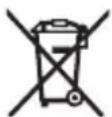
Do not dispose of power tools, accumulators/batteries, or battery packs in household waste!
For EU countries only:
Electric and electronic devices or used accumulators/batteries that are no longer usable must be collected separately and disposed of in an environmentally safe manner. Use the designated collection systems. Improper disposal can harm the environment and human health due to hazardous substances contained in the waste.
Kazakhstan
Eurasian Economic Union (Customs Union) member states
The conformity of this product with the technical regulations of the Customs Union is confirmed by the declaration of conformity, which is available for review together with the product.
The declaration of conformity is available for review.
The product complies with the technical regulations of the Customs Union, as stated in the declaration of conformity attached to the product.
Do not use the device if it is damaged.
Do not use the device if the power cord is damaged.
Product service life
The service life of this product is 7 years. After the start of operation (from the date of commissioning specified in the operating manual), within 5 years after the end of the service life, the product must be handed over for disposal (service disposal).
If the product is damaged, its components and parts are damaged,
- if the housing and body are broken, do not use it
- if liquid leaks from the housing, do not use it
Bosch Power Tools 1609 92AA7S| (16.04.2025)
194 Kazakh
- if the power cord is damaged or without grounding, do not use it - do not use it outdoors (in the rain) - do not immerse the housing in water - if the plug is damaged, do not use it - do not use it with a damaged cord
Safety instructions
- the power cord must not be damaged or kinked - the housing must not be damaged
Service and maintenance
The product must be cleaned regularly.
Storage
When operating at low temperatures, it is necessary to take into account the effect of cold on the operation of the device - it is necessary to protect the device from low temperatures during operation - do not use it without protection - to purchase equipment for operation in accordance with GOST 15150-69 (part 1), read the requirements.
Storage
During storage, it is necessary to ensure protection from mechanical impacts and exposure to climatic factors. - It is not allowed to start machines that are not prepared for storage. - Storage conditions must comply with GOST 15150-69 (part 5), read the requirements.
Safety instructions

Read all safety instructions and warnings.
Technical safety instructions and warnings must be strictly followed to avoid injury or damage.
Possible.
For your own safety, follow all safety instructions and warnings.
Do not operate the dynamometer if it is damaged. If it is damaged, do not use it. Use the dynamometer only for its intended purpose, and do not use it for tasks that require special skills. Damaged dynamometers must be repaired by qualified personnel.
The dynamometer may be used for a short time. High voltage in the device can cause electric shock. Do not open the battery and do not use it. There is a risk of short circuit. If the battery is damaged or not used properly, it may explode. The battery may leak or catch fire. If there are any signs of damage or malfunction, contact the manufacturer. It is possible to replace the batteries. If the battery is not used properly or is damaged, it may leak acid. Do not touch it. If it comes into contact with skin, rinse with plenty of water. If acid gets into the eyes, seek medical help. It is possible to replace or dispose of the battery. The battery may be damaged by external factors or improper use. This can lead to short circuit, fire, explosion, or leakage. Keep the battery away from metal objects, such as coins, keys, nails, screws, and other small metal objects. Short circuit between the battery terminals may cause fire or explosion. Use the battery only for its intended purpose. This will protect the battery from damage and excessive load. Charge the battery only with the specified charger. The charger is designed for a specific battery type, and using it for other batteries may be dangerous.


Protect the battery from heat, such as direct sunlight, open flames, stoves, radiators, and other heat sources. Do not expose it to short circuits.
Bluetooth® word mark and logos are registered trademarks owned by Bluetooth SIG, Inc. and any use of such marks by Robert Bosch Power Tools GmbH is under license.
Safety instructions
Read all safety warnings and all instructions.
Intended use
Dynamic Bluetooth® or Multi-Speaker Sound allows the audio signals to be transmitted to other speakers.
Correct use
The correct use of the speakers is described in the dynamic speakers section.
(1) Bluetooth® button (2) Volume control button (3) Battery indicator (4) Multi-Speaker Sound button (5) Audio input socket (6) On/Off switch (7) Audio output socket (8) Strap holder (9) Dynamic (10) Battery charging socket (11) Battery compartment (12) Battery lock (13) Battery release button (14) Battery (15) USB Type-C® port
a) The speakers are designed for standard wireless connection.
b) USB Type-C® and USB-C® are trademarks of USB Implementers Forum.
Open the battery compartment (11) and insert the battery with the charging socket (10) facing up.
To remove or replace the battery, press the battery release button (10) and pull the battery compartment (11) upwards.
Battery safety instructions
Protect the battery from heat and fire.
Store the battery at temperatures between -20°C and 50°C.
Akkumulyatorny kazaksha zhasalgan.
Akkumulyatorny zhetekshi kumysak, taza zhne kurgak kuyyshaken mukiyat tazalanyz.
Paydalanu merzimіn, ataryktyn kysқaруy akkumulyatordyn, eskirtuіn zhne audyruy kerektіgіn bіlіңіz.
Kokystary katalizdenu turaly yskak suyқtardy oryndamanyz.
Ushkenbіk kүat blokymen paydalanu
Kөңіl kөruge nazar audarynyz! Tok kezіnіn kөruі ushkenbіk kүat blokynyn, ymyralyқ tatalasuyauy mүmіn. Kөңіlіңіz USB Type-C Power Delivery funktsiyasy bar USB Type-C ushkenbіk kүat blokyn (USB-PD) paydalanynyz. On bastapқy kөru, minimaldy byfs kөru men bastapқy kүat boyynsha "Tekhnіkalıq mіnettemeler" tarauynan talaptarga sәykes kеlu kerek. Ushkenbіk kүat blokyn paydalanu boyynsha yskauyңyzga bolady. Basqa ushkenbіk kүat bloktary koldanylsa, dinamik zakymdaluy mүmіn. Ushkenbіk kүat blokynyn kүaty az bolganda, dinamik eңіp qalady.
USB Type-C® uyasyн (15) qaqpaғyn aşyңyz. Ushkenbіk kүat blokynyn qarapayım kabelі arqyly dinamiktің USB Type-C® uyasyна (15) qalayңyz. Ushkenbіk kүat blokyn elektrge qalayңyz.
Pastaңyzға qorғau үshіn ushkenbіk kүat blokynyn kabelіn şyğarғannan keyіn USB
Type-C® uyasyн (15) qaqpağyn qaytadan qolayңyz.
Paydalanu
Dinamiktі suyğa tіkene tіgіnеn qorғaңyz. Dinamiktің ішіне su kіrse, tok soyu qauypі artady. Akkumulyator qaqpağyn zhәne USB Type-C uyasyн qaqpağyn mүmкіndіgіnşe jabyq ustaңyz. Jabyq qaqpaqtar dinamiktі su men şañnan qorғaydy.
Audio rejimі
Qosu/öşіru zhәne bіrіktіrіp retteu
Dinamiktі qosu үshіn Qosu/öşіru tüymesіn (2), kүy іndıkatory (3) qysqa merzіmge basyңyz.
Dinamiktі öşіru үshіn Qosu/öşіru tüymesіn (2), kүy іndıkatory (3) seңіrgenge basyңyz.
After 20 minutes, the Bluetooth® Multi-Speaker Sound will automatically turn off if no audio is played.
To connect or disconnect the speaker (5) and the speaker button (7), press and hold the speaker button. After the audio is played, the speaker will turn off automatically.
Audio functions
The following audio functions are available:
- Play from connected devices via Bluetooth® (if placed in the speaker) Multi-Speaker Sound playback - Switch to another device with the Multi-Speaker Sound function via Bluetooth® playback
The current audio function is indicated by the LED indicator (3):
- Blue: Bluetooth® playback is active; Purple: Multi-Speaker Stream playback
- Red: Multi-Speaker Sound playback is active
Play/control via Bluetooth® from external audio devices
After the audio is played, Bluetooth® playback is placed in the speaker. To use other audio functions, press the Bluetooth® button (1) briefly.
- To connect a new device: if the external audio device is not connected or if the audio device is not connected via Bluetooth®, press the Bluetooth® button (1) for 0.5 seconds to start the connection process. The LED indicator (3) will flash blue.
During the search, the LED indicator (3) will flash blue. The external audio device will be connected automatically. This function is available on smartphones with Bluetooth. The speaker model GPB 18V-1 is compatible with this function. Please note that the audio device/smartphone may be damaged if not used properly.
- Reconnection: if the external audio device (e.g., smartphone) was previously connected via Bluetooth® and is within range, it will be reconnected automatically. During reconnection, the LED indicator (3) will flash blue. If the audio device is not connected within 2 minutes, the connection process will start automatically.
When the connection is established, a beep will sound and the LED indicator (3) will turn blue.
If the connection is lost or interrupted, a beep will sound. After 20 minutes, the speaker will turn off automatically.
The Bluetooth® connection can be controlled using the audio keys.
To adjust the volume, press the volume up (7) or volume down (5) button briefly (0.5 seconds). To turn on, pause, or resume, press the play/pause button (6).
Using the Multi-Speaker Sound function with external devices
To use the Multi-Speaker Sound function with another audio device, press the Multi-Speaker Sound button (4) briefly. The indicator (3) will flash while searching for a device. When a device is found, a beep will sound and the indicator will flash rapidly.
The volume of the audio device and the speaker are synchronized; the speaker's volume is adjusted according to the audio device's volume.
To disable the volume synchronization, press the Multi-Speaker Sound button (4) again. The indicator will turn off.
If the device is turned off or disconnected, a beep will sound. The speaker will automatically turn off after 20 minutes.
Disabling the Multi-Speaker Sound function
When the audio device is connected via Bluetooth®, this function can be used with other devices that support Multi-Speaker Sound (e.g., GPB 18VH-6 SRC). To enable it, press the Multi-Speaker Sound button (4) for 0.5 seconds. The indicator (3) will flash red and a beep will sound.
To disable the Multi-Speaker Sound function, press the Multi-Speaker Sound button (4) for 0.5 seconds. A beep will sound.
The Multi-Speaker Sound function will be disabled when the Bluetooth® connection is established or when the speaker is turned on.
Charging external devices via the USB port
Charging external devices via the USB port
Devices that can be charged via the USB port (e.g., various mobile phones) can be charged with a USB cable. The maximum charging current is 3 A.
Open the USB Type-C® cover (15). Connect the external device to the USB Type-C® port (15) using a USB cable.
The rotary hammer, impact drill, and chisel hammer are intended for hammer drilling and chiseling in concrete, brick, and stone.
Before any work on the machine itself (e.g., maintenance, tool change, etc.) as well as when transporting or storing it, remove the USB flash drive from the power tool.
Press the USB Type-C® cap (15) down and remove it.
Technical data and service
Service and cleaning
For your own safety, always use the correct accessories.
Follow the instructions below. Do not use any other accessories or devices.
Service and cleaning contacts
Kazakhstan
Tel.: +7 (727) 3318600
For service and repair, as well as for spare parts, please refer to www.bosch-pt.com/serviceaddresses.
When ordering spare parts, always quote the 10-digit article number given on the type plate of the machine.
Disposal
Power tools, rechargeable batteries/accessories and packaging should be sorted for environmentally friendly recycling.
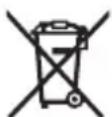
Do not dispose of power tools and rechargeable batteries/batteries in household waste!
Tek KaHa EO endepi yuH:
PnDanaHyf api kapa JapamAaTbH 3neKtpnk XHe 3neKtpOndbk Kypblfbnapdbi Hemece naDanaHbIraH aKKyMylrTopnapdb/6atapeRanpaDb 6eKe KHNay KHe Kop7aHaN opTa yuH kayinc3 Kojlmeh Kdere jXapaty Kepe. BEnrIneHren KOKbc KHNay KJyHeepin NaDanaHbIHbI3. KaTe KcJlmEH Kdere jXapaty Kypblfbl KypambldaFbl Kayinti 6onybl MymKIN 3aTteKtepre 6aJIaNbICTbI KOp7aFaH opTa MeH DeHCaylbk YuH kAYINTI 6onybl MyMKIN.
Româna
Instruţiuni de siguranta

Citi toate indicatiile si instruclunile de siguranta. Nerespectarea instrutiunilor si indicatorirol de siguranta poate provoca electrocutare, incendiu si/sau raniri grave.
3a n3BaKdAnHe Ha akymyNaTopHaTa 6aTepeHnHaTncHe 6byToHa 3a ocBo6xDaBaHe Hn3- DbpNaIte AkymyNaTopHaTa 6aTepeHn. PpTuBa He npUnaraiTe cnna.
Akymylatohpata 6atepna pa3noIara c 2 ctenenHa 3actonopbahe, c KOeTO ce npedotBpaTbHa3nadaHTo I npi HATNcKaHe NO HeBHMaHne Ha De6loKnpaunia BytoH. Korato akymylatohpata 6atepna e NoCTabeHa Bbb BnCOKOROBOpHTeIa, Tc Ce npndbpka B HyxHaT aNo3uIra OT npyknHa.
Hndkatop 3a akymylaTOPhata 6atepy Bbpxy 6atepyra
Ako 18 V akymylaTOPha 6aTePnIe BaIIN OT BnCOKOrOBOpntIe, CbCTOHNHeTO Ha 3apeXdaHe MoKe Da Ce NOKa3Ba Upe3 3eIeHIne CBETOnIOHa HNdkaTOpa 3a CbCToHNHeTo Ha 3apeXdaHe Bbpxy akymylaTOPhTa 6aTePnI.
3aДa BnInTe CtepeHtHa 3apeDeHocT Ha 6aTepeHra, HATNCHeTe 6yToHa 3a INnKaucnA nnn
Ako cnei haTnCKaHe Ha 6yToHa 3a HndnKaun He CBeTu HnTO eHn CBeToNDo, aKymyataTophata batepna e NobpeDeHa n Tpr6Ba da 6bnde 3aMeHeHa.
Yka3aHne: He BceKn TIN akymylatopHa 6atepna pa3noIara c Hndnkatop 3a cbctOHHeTo Ha 3apeXdaHe.
AkymynaTopHa 6aTepeH Maen GBA 18V...


CBeToaNoKaNaunTeT
| HenglpeKBchato CBeTene 3 × 3elenho 60-100% |
| HenglpeKBchato CBeTene 2 × 3elenho 30-60% |
| HenpeKbCHAto CBeTeHe 1 × 3eNeHo 5-30% |
| Miraça cBeTmHa 1 × 3eNeHo 0-5 % |
Tин akумал�огна 6атетия ProCORE18V...| EXPERT18V...| EXBA18V...| CORE18V...


| HelenpeKbchato cBeTeHe 5 × 3eNo 80-100 % |
| HelenpeKbchato cBeTeHe 4 × 3eNo 60-80 % |
Bosch Power Tools 1609 92A A7S | (16.04.2025)
220|Bulgarian
Light indicator
Continuous light 3×green 40-60%
Continuous light 2×green 20-40%
Continuous light 1×green 5-20%
Flashing light 1×green 0-5%
Detection of risk of defect of the battery pack
EXPERT18V...|EXBA18V...
The light indicator of the battery pack can show the current state of charge of the battery pack and the risk of defect of the battery pack.
To activate the function, press the button for the state of charge indicator for approx. 3 seconds. The analysis of the battery pack is performed by the light of the battery pack indicator. The result is shown on the battery pack indicator.

1 LED: The battery pack has a high risk of defect. The power and the service life are already reduced. It is recommended to replace it.
item N.

5 LED: The battery pack is in good condition with a low risk of defect.
The battery status indicator provides a simple assessment of the battery condition. The battery is assessed as either in good condition or showing an increased defect risk. There is a proportional relationship to the battery condition.
Covering the battery compartment
If no cable is connected to the USB Type-C® socket (15), you can protect the high-voltage speaker and the battery compartment from dust and splashing water with the battery compartment cover (11).
Place the battery compartment cover (11) and close it with the locking hooks (10).
To replace the battery or for recharging with an external adapter, open the locking hooks (10) of the battery compartment cover and remove the battery compartment cover (11).
Instructions for optimal operation with the battery
Protect the battery from moisture and water.
Store the battery only within a temperature range of -20 °C to 50 °C. For example, do not leave the battery in a car during summer.
Periodically clean the ventilation openings of the battery with a soft, dry brush.
A significantly reduced operating time after charging indicates that the battery is worn out and must be replaced.
Follow the disposal instructions.
Charging external devices
Charging external devices via USB port
With the USB Type-C® port, devices can be charged, and energy storage is possible via USB (e.g., mobile phones). The maximum charging current is 3 A.
Open the cover of the USB Type-C® socket (15). Connect the external device with a suitable USB Type-C® cable to the USB Type-C® socket (15) on the high-voltage speaker.
The device may only be charged with the high-voltage battery connected.
To protect against dust, close the USB Type-C® port cover (15) when the charging cable is not connected.
Maintenance and service
Maintenance and cleaning
For quality and safe operation, keep the high-voltage device clean. Remove dust with a dry cloth. Do not use cleaning agents or solvents.
Customer service and usage consultation
Bulgaria
Tel.: +359(0)700 13667
You can find the service addresses and contact details for repairs and spare parts at: www.bosch-pt.com/serviceaddresses
When making inquiries or ordering spare parts, please quote the 10-digit catalog number printed on the device nameplate.
Disposal
With the disposal of the device, the batteries, accessories, and packaging must be recycled in an environmentally friendly manner.
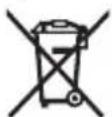
Do not dispose of electrical devices and batteries with household waste!
Only for EU countries:
Electrical and electronic devices or used batteries that can no longer be used must be collected separately and disposed of in an environmentally friendly manner. Observe the collection symbol. Improper disposal can be harmful to the environment and human health due to potentially hazardous substances.
__SUPPIMER__

Read the safety instructions and warnings carefully. Failure to follow the safety instructions and warnings may result in electric shock, fire and/or serious injury.
injury.
Keep the safety instructions and warnings for future use.
Remove the speaker before each use. Do not use it if you notice any damage. Do not open the speaker yourself and leave it for repair to qualified personnel, using only original spare parts. Opening the speaker increases the risk of electric shock. Place the speaker at a moderate volume for prolonged use. High volume over a long period of time can lead to hearing damage. Do not modify or open the battery. There is a risk of short circuit. Leakage and improper use of the battery can cause fire. The battery may ignite or explode. Keep it away from air
and moisture. If the battery is damaged, have it replaced by qualified personnel.
In case of incorrect use or when the battery is damaged, battery fluid may leak. Avoid contact with it. If you accidentally come into contact with the fluid, rinse with water. If the fluid comes into contact with your eyes, seek medical help. Leaked battery fluid can cause skin irritation or burns. The battery can be damaged by sharp objects such as nails or by external impact. This can cause an internal short circuit and the battery may ignite, emit smoke, explode or overheat. An unused battery should be kept away from paper clips, coins, keys, nails, screws or other small metal objects that could bridge the contacts. A short circuit between the battery contacts can cause burns or fire. Use the battery only in the manufacturer's product. Only in this way is the battery protected against dangerous overload. Charge the battery only with the charger recommended by the manufacturer. If the battery is used with a different battery, there is a risk of fire.

Protect the battery from heat, e.g. from prolonged exposure to sunlight, fire, dirt, water and moisture. There is a risk of explosion and short circuit.
The Bluetooth® word mark and logo are registered trademarks owned by Bluetooth SIG, Inc. Any use of these marks by Robert Bosch Power Tools GmbH is under license.
Product description and specifications
Read the illustrations in the front part of the operating instructions.
Intended use
The speaker is intended to play audio from sources connected via Bluetooth® or Multi-Speaker Sound.
Component illustration
The components are described according to the sound output of the graphic page.
(1) Bluetooth® button (2) On/off button (3) Status indicator (4) Multi-Speaker Sound button (5) Volume control button (6) Play/pause button (7) Track navigation button (8) Carrying strap loop (9) Speaker (10) Battery compartment cover (11) Battery compartment (12) Battery indicator (13) Battery release button (14) Battery (a) (15) USB Type-C® connector)
a) The optional equipment shown in the figure is not included in the standard scope of delivery. b) USB Type-C* and USB-C* are trademarks of USB Implementers Forum.
Technical data
| Bluetooth® 3Bvuch | GPB 18V-1 C | |
| Броча на denen | 3 601 DA7 0.. | |
| Номинална мokhoeст на 3Bvuchкот W 11 | ||
| Bluetooth® | ||
| - КомпатибулостBluetooth® 5.4 | ||
| - Опсер на оператиьна Фразковецima MHz 2402-2480 | ||
| - Маск. щашина на пөнoc mW 8 | ||
| Маск. струja за полноBE (hanojubаBE за надворшни уреши пөку USB Type-C®) | A | 3 |
| ТекинаA) | kg 0,7 | |
| Вид на зашптаВ) | IP54 | |
| Преторачана okолна Temпература рри полноBE °C 0 ... +35 | ||
| Дошвole納а okолна Temпература рри павota °C -20 ... +40 | ||
Bosch Power Tools 1609 92A7S| (16.04.2025)
228 Macedonian
| Bluetooth® 3BvuchK | GPB 18V-1 C |
| Добълеса okолна Temпература рри складираве °C -20 ... +50 | |
| Преторачани akumулаторскь батери (2,0-12,0 Ah) | GBA 18V... ProCORE18V... EXPERT 18V... EXBA18V... CORE18V... |
| Преторачани палочи GAL 18V... | GAL 36V... GAL 12V/18... GAX 18V... EXAL18V... |
Mrezhnykhovsky OSB Type-C® with Power Delivery (USB-PD, integrated power supply)
www.bosch-pt.com/serviceaddresses
Bosch Power Tools 1 609 92A A7S | (16.04.2025)

__SUPPIMER__
USB-PD) 1Jg USB Type-C 1JI
20 111 200
Lqolpdsawl
317
I 1
Mountain
1
.1
Mountain
Press the button to select the desired function.
(2) Press the button to select the function. (3) All
(2) Press the button to select the function.
.3) The unit will turn off.
: The following functions are available.
Bluetooth μc connection - (Multi-Speaker)
-Multi-Speaker So
Bluetooth® μc connection - Multi-Speaker So
:3) The unit will turn off automatically.
Bluetooth@ connection
-Multi-Speaker St -Multi-Speaker Sc

Multi-Speaker Sound (4)
Multi-Speaker Sound
Multi-Speaker Sound (4) 15 (GPB 18VH-6 SRC (3) 0.5 0.5 0.5
Multi-Speaker Sound (4) Bluetooth®
For service addresses, visit www.bosch-pt.com/serviceaddresses


(1) The Bluetooth® word mark and logos are registered trademarks owned by Bluetooth SIG, Inc. and any use of such marks by Robert Bosch Power Tools GmbH is under license.
Bluetooth® Multi-Speaker Sound
Bluetooth® 1
Multi-Speaker Sound (4)
(a)jjw uLg sjiu sJlwj dss (13)
(a) 1 L (14)
USB Type-C 5gω (15)
(a.sgωωai dilol
(b.su USBImplement
L
| GPB 18V-1C | Bluetooth® البيحي | |
| 3601 DA7 0.. | شامع | |
| 11 | W | تاني نبُّلْدِه |
| Bluetooth® | ||
| Bluetooth® 5.4 | - | |
| MHz2402-2480 | - | |
| 8 | mW | - |
| 3 | A | انعو بورز (USB Type-C® ملاير جنَزاء) |
| kg0,7 | (^\uŋg | |
| IP54 | (^\bملاطَة | |
| °C0...+35 | الجُلُسَفَسَمَسَمَسَمَسَمَسَمَسَمَسَمَسَمَسَمَسَمَسَمَسَمَسَمَسَمَسَمَسَمَسَمَسَمَسَمَسَمَسَمَسَمَسَمَسَمَسَمَسَmَلُسَمَسَمَسَمَسَمَسَمَسَمَسَمَسَمَسَمَسَمَسَمَسَمَسَمَسَمَسَمَسَمَسَمَسَمَسَمَسَمَسَمَسَمَسَمَسَمَسَم—" | |
| °C-20...+40 | الجُلُسَمَسَمَسَمَسَمَسَمَسَمَسَمَسَمَسَمَسَمَسَمَسَمَسَمَسَمَسَمَسَمَسَمَسَمَسَمَسَمَسَمَسَمَسَمَسَمَس— | |
| °C-20...+50 | الجُلُسَمَسَمَسَمَسَمَسَمَسَمَسَمَسَمَسَمَسَمَسَمَسَمَسَمَسَمَس— | |
| GBA 18V... | الجُلُسَمَسَمَسَمَسَمَسَمَسَمَسَمَسَمَسَمَس— | |
| ProCORE18V... | ||
| EXPERT 18V... | ||
| EXBA18V... | ||
| CORE18V... | ||
| GAL 18V... | الجُلُسَمَسَمَسَمَسَمَسَمَسَمَس— | |
| GAL 36V... | ||
| GAL 12V/18... | ||
| GAX 18V... | ||
| EXAL18V... | ||
| (®, USB-PD) Power Delivery L USB Type-C® Adiabjoung | ||
| 12 | V | الجُلُسَمَسَمَسَمَس— |
Bosch Power Tools 1609 92A A7S| (16.04.2025)
324|wJ
JoljI (2) 10g/10g dS gS J
.8gwugol3) gjluwds
Multi-Speaker Sound 日 Bluetooth® jI Jl Jl Jl
jUyUJaiI gGguau uuuu uuuu uuuu uuuu
.8gW Go EgJw Jksga 2 min
JdUduuJjGgUulIiKw,swuOswjRjBcagogyUuu
Multi-Speaker Sound
Multi-Speaker Sound
Multi-Speaker Sound
USB
| de | Hiermit erklärt Robert Bosch Power Tools GmbH, dass der Funkanlageotyp GPB 18V-1 C der Richtlinie 2014/53/EU entspricht. Der vollständige Text der EU-Konformitätserklärung ist unter der folgenden Internetadresse verfügbar: |
| en | Hereby, Robert Bosch Power Tools GmbH declares that the radio equipment type GPB 18V-1 C is in compliance with Directive 2014/53/EU. The full text of the EU declaration of conformity is available at the following internet address: |
| fr | Le soussigné, Robert Bosch Power Tools GmbH, déclare que l'équipment radioélectrique du type GPB 18V-1 C est conforme à la directive 2014/53/UE. Le texte complet de la déclaration UE de conformité est disponible à l'adresse internet suivante : |
| es | Por la presente, Robert Bosch Power Tools GmbH declares que el tipo de equipo radioélectrique GPB 18V-1 C es conforme con la Diretiva 2014/53/UE. El texto complet de la déclaration UE de conformidade está disponible en la dirección In-ternet seguido : |
| pt | A abaixo assinada Robert Bosch Power Tools GmbH declares que o presente tipo de equipamento de rádio GPB 18V-1 C está em conformidade com a Diretiva 2014/53/UE. O texto integral da declaração de conformidade está disponível no seguito endereço de Internet: |
| it | Il fabbricante, Robert Bosch Power Tools GmbH, dichiara che il tipo di apparettiata radio GPB 18V-1 C é conforme alla direttiva 2014/53/UE. Il testo completo della dichiarazione di conformità UE é disponible al seguente indirizzo In-ternet: |
| nl | Hierbij verkaar ik, Robert Bosch Power Tools GmbH, dat het type radioapparatuur GPB 18V-1 C conform is met Richtlijn 2014/53/EU. De volledige tekst van de EU-conformiteitsverklaring kan worden geraadpleegd op het volgende internetadres: |
| da Hermed erklærer Robert Bosch Power Tools GmbH, at radioudstyrsypoten GPB 18V-1 C er i overensstemmelse med direktiv 2014/53/EU. EU-overens-stemmelseserklæringsens fulde tekst kan findes på følgende internetadresse: | |
| sv | Härmed försakrar Robert Bosch Power Tools GmbH attenna typ av radiou-trustning GPB 18V-1 C overensstämmer med direktiv 2014/53/EU. Den full-ständiga teksten till EU-försakran om overensstammelse finns på føljande webb-adress: |
| no Robert Bosch Power Tools GmbH erklærer herved at radioutstyrsypoten GPB 18V-1 C er i overensstemmelse med direktivet 2014/53/EU. Den fullsten-dige teksten i EU-samsvarserklæringen er tilgiengelig på følgende nettadresse: | |
Bosch Power Tools 1609 92A A7S| (16.04.2025)
| ii | |
| fi | Robert Bosch Power Tools GmbH vakuuttaa, etta radiolaitetyppi GPB 18V-1 C on direktivin 2014/53/EU mukainen. EU-vaatimustenmukaisuusvakuutuksen tãysimittainen teksti on saatavilla seuraavassa internetosoitteessa: |
| el Mê tnv napouca o/η Robert Bosch Power Tools GmbH, δηλωνει ὄτι o ραδioεξοπλομος GPB 18V-1 C πληροι την σθηγία 2014/53/EE. To πλήρες κειμενο της δηλωούς συμμόρφωούς EE διατιθεται Θην ακόλουθη ἀτοσελίδα ΑΤΟ διαδiktuo: | |
| tr | Robert Bosch Power Tools GmbH, GPB 18V-1 C radyo ekipmani tipinin Direktif 2014/53/EU ile uyumlu olduğunu borian eder. AB uygunluk borian in tam metni-ne asagidaki internet adresinden ulasabilirsiniz: |
| pl Robert Bosch Power Tools GmbH niniejszym oswiadcza, ze typ urzadzenia ra-diowego GPB 18V-1 C jest zgodny z dyrektywa 2014/53/UE. Peñny tekst dekla-racji zgodnosci UE jest dostepny pod dostepujacym adresem internetowym: | |
| cs | Tínto Robert Bosch Power Tools GmbH prohlasuje, ze typ rádioveho zařizení GPB 18V-1 C je v souladu se směrnici 2014/53/EU. Üplné zněni EU prohlásení o shodě je k disposici na títo internetové adrese: |
| sk Robert Bosch Power Tools GmbH týmtó vyhlasuje, ze rádiove zariadenie typu GPB 18V-1 C je v sulade so smernicou 2014/53/EU. Üplné EU vyhlasenie o zho-de je k disposicii na títo internetovej adrese: | |
| hu | Robert Bosch Power Tools GmbH igazolja, hogy a GPB 18V-1 C típusú rádióbe-rendezés megfelela a 2014/53/EU irányelvnek. Az EU-megfeleloségi nyilatkozat teljes szövege elérhető a kõvetkežő internetes címen: |
| ru CM Robert Bosch Power Tools GmbH 3aABnIeT, chTo paɪnnoobopudobahne Tɪnpa GPB 18V-1 C COOTBETCTBvETДиpeKTbVe 2014/53/EU. C Πольный TEKCTOM Deklapauuni O COOTBETCTBnE EU moxHNo O3NaKOMtbcrypo cnéduyʊшу MyHTepNet-àpècy: | |
| uk | Lizm Robert Bosch Power Tools GmbH 3aABnIe, chTo paɪnnoobpudanHnA Tɪnpa GPB 18V-1 C BīdnoBidačEДиpeKTbVe 2014/53/EU. 3 noBnIM TEKCTOM Deklapauiki BīdnoBidaHcTcE EU moxHaOzhomItncs 3a taKoIo IHTepNet-àpècoIo: |
| kk OcbIMeR Robert Bosch Power Tools GmbH KOMPANHRCb GPB 18V-1 C TypiHderi pádnó iKabDyikTapdbIy 2014/53/EU DInpeKTbBaCbIha caɪnbɪfblH MaflymdaiNbI. EO cəŋkectɪk MaflymdAmacbIy TemeHederi IHTepNet MekEnkaiBbInda KolljEtɪmDi: | |
| ro | Prin preventa, Robert Bosch Power Tools GmbH declara cătipul de echipamen-te radio GPB 18V-1 C este în conformitate cu Direciva 2014/53/UE. Textul inte- |
| III | |
| gral al declaratiei UE de conformitate este disponibil la următoarea adresă inter-net: | |
| bg C nactoio Robert Bosch Power Tools GmbH Deklapnpa, Que TOni TnIp padiocbopjkeHne GPB 18V-1 C e B cboTBeCTBVe c DInpeKTnBa 2014/53/EC. ZiaIOCTNnT TekCT Ha EC DeklapauNTa 3a CboTBeCTBVe MOnke da ce Hamepi Ha cIeDNHn INTEPNET aDPEC: | |
| mk Co oBa, Robert Bosch Power Tools GmbH NOTBpUvBa DeKa TnIOT Ha paIINO opreMa GPB 18V-1 C e BO coIpaIcHocT co DInpeKTnBaTa 2014/53/EU. ZelOcHnO T TekCT Ha N3jabTa 3a COobpa3HocT Ha EU MoXe da ro IpoUnIaTe Ha cIeDNHbA INTEPNET CTpaHnCa: | |
| sq Ketu deklarohet Robert Bosch Power Tools GmbH, se lIoJI i pajisjes radio GPB 18V-1 C eshtë ne pErputhje me Direktiven 2014/53/EU. Teksti i plotë i de- klaratës SSE konformitetit të EU-së eshtë i disponueshem ne adresën e mëposht- me të internetit: | |
| sr Ovim Robert Bosch Power Tools GmbH izjavljuje da je radio-oprema tipa GPB 18V-1 C u skladu sa direktivom 2014/53/EU. Kompletan tekst EC izjave o usaglašenosti je dostupan na sledećoj veb-adresi: | |
| sl Robert Bosch Power Tools GmbH potrjuje, da je tip radijske opreme GPB 18V-1 C skladen z Direktivo 2014/53/EU. Celotno besedilo izjave EU o skladnosti je na voljo na naslednjem splenetem naslovu: | |
| hr Robert Bosch Power Tools GmbH ovime izjavljuje da je radijska oprema tipa GPB 18V-1 C u skladu s Direktivom 2014/53/EU. Cjeloviti tekst EU izjave o su- kladnosti dostupan je na sljedećoj internetskoj adresi: | |
| et Käesolevaga deklareerib Robert Bosch Power Tools GmbH, et käesolev raadio- seadme tüup GPB 18V-1 C vastab direktivi 2014/53/EL nõuetele. ELi vastavus- deklarasioni tãielik tekst on kättesaadav järgmisel internetaadressil: | |
| lv Ar so Robert Bosch Power Tools GmbH deklare, ka radioiekãrta GPB 18V-1 C atbilst Direktivai 2014/53/ES. Pilns ES atbilstibas deklaracijas teksts ir pieejams sãdã interneta vietne: | |
| lt Aš, Robert Bosch Power Tools GmbH, patvirtinu, kad radijo jrenginiú tipas GPB 18V-1 C atitinka Direktyva 2014/53/ES. Visas ES atitikties deklaracijos tekstas prieinamas šiuo interneto adresu: | |
| -> http://eu-doc.bosch.com/ | |
IV
C

i
Declaration of Conformity
Hereby, Robert Bosch Limited as authorised representative acting on behalf of Robert Bosch Power Tools GmbH declares that the radio equipment type GPB 18V-1 C is in compliance with the Radio Equipment Regulations 2017. The full text of the declaration of conformity is available at the following internet address:


- ENGLISH
- PRODUCTS SOLD IN GB ONLY
- PRODUCT DESCRIPTION AND SPECIFICATIONS
- INTENDED USE
- PRODUCT FEATURES
- TECHNICAL DATA
- POWER SUPPLY
- OPERATING WITH LI-ION RECHARGEABLE BATTERY
- BATTERY CHARGE INDICATOR ON THE RECHARGEABLE BATTERY
- LED CAPACITY
- BATTERY DEFECT RISK DETECTION
- EXPERT18V...|EXBA18V
- COVERING THE RECHARGEABLE BATTERY
- RECOMMENDATIONS FOR OPTIMAL HANDLING OF THE BATTERY
- OPERATION WITH POWER SUPPLY
- OPERATION
- AUDIO OPERATION
- SWITCHING ON/OFF AND CONTROLLING THE VOLUME
- OVERVIEW OF AUDIO FEATURES
- PLAYING BACK/CONTROLLING EXTERNAL AUDIO SOURCES VIA BLUETOOTH®
- PLAYING EXTERNAL AUDIO SOURCES VIA MULTI-SPEAKER SOUND
- TRANSMITTING THE CURRENT PLAYBACK VIA MULTI-SPEAKER SOUND
- POWER SUPPLY OF EXTERNAL DEVICES
- CHARGING EXTERNAL DEVICES VIA THE USB PORT
- MAINTENANCE AND SERVICE
- MAINTENANCE AND CLEANING
- AFTER-SALES SERVICE AND APPLICATION SERVICE
- GREAT BRITAIN
- DISPOSAL
- ONLY FOR EU COUNTRIES AND UNITED KINGDOM
- FRENCH
- READING/COMMANDS OF EXTERNAL AUDIO SOURCES VIA BLUETOOTH®
- SPAIN
- RISK RECOGNITION BATTERY DEFECT
- BATTERY COVER
- INSTRUCTIONS FOR THE CORRECT HANDLING OF THE BATTERY
- CHANGING THE CURRENT PLAYBACK VIA MULTI-SPEAKER SOUND
- SHELF LIFE OF THE PRODUCT
- LIMITS OF CRITICAL FAILURES AND ERRONEOUS ACTIONS OF PERSONNEL OR USERS
- CRITERIA FOR LIMIT STATES
- AT THE END OF THE TECHNICAL SERVICE LIFE
- STORAGE
- TRANSPORTATION
- SAFETY INSTRUCTIONS
- PRODUCT DESCRIPTION AND SERVICES
- BATTERY CHARGE INDICATOR ON THE BATTERY
- LUMINOUS INTENSITY
- RUSSIAN
- BATTERY FAILURE RISK DETECTION
- CLOSING THE BATTERY COMPARTMENT
- FOLLOW THE OPTIMAL HANDLING INSTRUCTIONS FOR THE BATTERY
- WORKING WITH THE POWER SUPPLY UNIT
- PLAYBACK OF SOUND FROM EXTERNAL AUDIO SOURCES VIA MULTI-SPEAKER SOUND
- ONLY FOR EU COUNTRIES
- UKRAINIAN
- SAFETY INSTRUCTIONS AND WARNINGS
- BATTERY GBA 18V
- CLOSE THE BATTERY COMPARTMENT
- INSTRUCTIONS FOR OPTIMAL HANDLING OF THE BATTERY
- OPERATION WITH MAINS POWER SUPPLY WITH MAINS PLUG
- TURNING ON/OFF
- TURNING ON THE SPEAKER
- AUDIO FUNCTIONS
- PROGRAM CONTROL OF EXTERNAL AUDIO SOURCES VIA BLUETOOTH®
- PROGRAM CONTROL OF EXTERNAL AUDIO SOURCES VIA MULTI-SPEAKER SOUND
- PLAYBACK VIA MULTI-SPEAKER SOUND
- CHARGING EXTERNAL DEVICES
- CHARGING EXTERNAL DEVICES VIA USB PORT
- TECHNICAL MAINTENANCE AND SERVICE
- TECHNICAL MAINTENANCE AND CARE
- CONSULTATION FOR USE
- UKRAINE
- FOR EU COUNTRIES ONLY
- KAZAKHSTAN
- EURASIAN ECONOMIC UNION (CUSTOMS UNION) MEMBER STATES
- PRODUCT SERVICE LIFE
- IF THE PRODUCT IS DAMAGED, ITS COMPONENTS AND PARTS ARE DAMAGED
- KAZAKH
- SERVICE AND MAINTENANCE
- READ ALL SAFETY INSTRUCTIONS AND WARNINGS
- FOR YOUR OWN SAFETY, FOLLOW ALL SAFETY INSTRUCTIONS AND WARNINGS
- CORRECT USE
- BATTERY SAFETY INSTRUCTIONS
- USHKENBІK KҮAT BLOKYMEN PAYDALANU
- PAYDALANU
- AUDIO REJIMІ
- QOSU/ÖŞІRU ZHӘNE BІRІKTІRІP RETTEU
- PLAY/CONTROL VIA BLUETOOTH® FROM EXTERNAL AUDIO DEVICES
- USING THE MULTI-SPEAKER SOUND FUNCTION WITH EXTERNAL DEVICES
- DISABLING THE MULTI-SPEAKER SOUND FUNCTION
- TECHNICAL DATA AND SERVICE
- SERVICE AND CLEANING
- SERVICE AND CLEANING CONTACTS
- TEK KAHA EO ENDEPI YUH
- ROMÂNA
- INSTRUŢIUNI DE SIGURANTA
- HNDKATOP 3A AKYMYLATOPHATA 6ATEPY BBPXY 6ATEPYRA
- AKYMYNATOPHA 6ATEPEH MAEN GBA 18V
- BULGARIAN
- LIGHT INDICATOR
- DETECTION OF RISK OF DEFECT OF THE BATTERY PACK
- COVERING THE BATTERY COMPARTMENT
- INSTRUCTIONS FOR OPTIMAL OPERATION WITH THE BATTERY
- CUSTOMER SERVICE AND USAGE CONSULTATION
- BULGARIA
- SUPPIMER
- COMPONENT ILLUSTRATION
- MOUNTAIN
- MULTI-SPEAKER SOUND
- USB
- DECLARATION OF CONFORMITY
Brand : BOSCH
Model : GPB 18V1 C Professional
Category : Radio