
GPB 18VH-6 SRC Professional - Radio BOSCH - Free user manual and instructions
Find the device manual for free GPB 18VH-6 SRC Professional BOSCH in PDF.
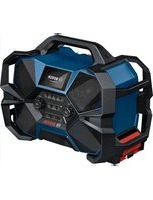


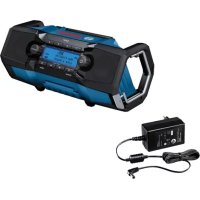
| Product type | Job site radio |
| Brand | Bosch |
| Model | GPB 18VH-6 SRC Professional |
| Weight (without battery or cable) | 8,4 kg |
| Mains power supply | 220-240 V, 50-60 Hz |
| Battery power supply | Bosch Lithium-Ion batteries 18 V or 12 V (AMPShare partners) |
| Audio power | 2 x 24 W (mid-range) + 40 W (bass) |
| Radio reception | DAB+ (174.928-239.200 MHz) and FM (87.5-108 MHz) |
| Bluetooth | Version 5.4 |
| AUX input | 3.5 mm |
| USB port (external charging) | USB Type-C, 1.5 A |
| Integrated battery charger | Charges Bosch 18V/12V batteries (max 2.0 A) |
| Protection rating | IP54 (protected against water splashes and dust) |
| Audio functions | DAB+/FM stations, Bluetooth, AUX, Multi-Speaker Stream, 10 presets, tone settings |
| Display | With multi-function display |
| L-BOXX attachment | Yes (compatible with L-BOXX cases) |
| Included accessory | Mountable bottle opener |
| Backup batteries | 2 x 1.5 V LR03 (AAA) for time memory |
| Operating temperature | -20 to +40 °C |
| After-sales service | France: 09 70 82 12 26, sav.outillage-electroportatif@fr.bosch.com |
Frequently Asked Questions - GPB 18VH-6 SRC Professional BOSCH
User questions about GPB 18VH-6 SRC Professional BOSCH
0 question about this device. Answer the ones you know or ask your own.
Ask a new question about this device
Download the instructions for your Radio in PDF format for free! Find your manual GPB 18VH-6 SRC Professional - BOSCH and take your electronic device back in hand. On this page are published all the documents necessary for the use of your device. GPB 18VH-6 SRC Professional by BOSCH.
USER MANUAL GPB 18VH-6 SRC Professional BOSCH
GPB 18VH-6 SRC Professional
HEAVY DUTY
Robert Bosch Power Tools GmbH
70538 Stuttgart
GERMANY
www.bosch-pt.com
1609 92A 9C2 (2024.04) 1/261

1 609 92A 9C2
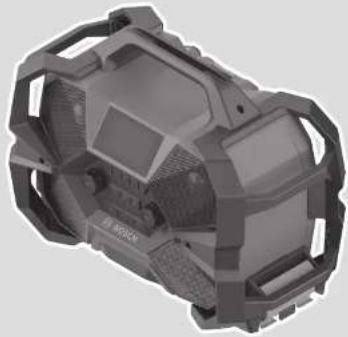
English ...... Page 14
Français......Page 21
Deutsch
Safety instructions

"REPLACE AAA BATTERY WHEN UNIT NO LONGER
www.bosch-pt.com/serviceaddresses
Transport
Read all the safety information and instructions. Failure to observe the safety information and follow instructions may result in electric shock, fire and/or serious injury.
Save all warnings and instructions for future reference.
This radio is not intended for use by children and persons with physical, sensory or mental limitations or a lack of experience or knowledge. This radio can be used by children aged 8 or older and by persons who have physical, sensory or mental limitations or a lack of experience or knowledge if a person responsible for their safety supervises them or has instructed them in the safe operation of the radio and they understand the associated dangers. Otherwise there is a risk of operating errors and injury. ▶ Supervise children during use, cleaning and maintenance. This will ensure that children do not play with the radio. ▶ Only charge Bosch Li-ion batteries or batteries of AMPShare partners with a capacity of 1.5 Ah or more. The battery voltage must match the battery charging voltage of the radio. Do not charge any non-re-chargeable batteries. Otherwise there is a risk of fire and explosion. ▶ Keep the radio clean. Dirt poses a risk of electric shock. ▶ Do not modify or open the battery. There is a risk of short-circuiting.
In case of damage and improper use of the battery, vapours may be emitted. The battery can set alight or explode. Ensure the area is well ventilated and seek medical attention should you experience any adverse effects. The vapours may irritate the respiratory system. If used incorrectly or if the battery is damaged, flammable liquid may be ejected from the battery. Contact with this liquid should be avoided. If contact accidentally occurs, rinse off with water. If the liquid comes into contact with your eyes, seek additional medical attention. Liquid ejected from the battery may cause irritation or burns. The battery can be damaged by pointed objects such as nails or screwdrivers or by force applied externally. An internal short circuit may occur, causing the battery to burn, smoke, explode or overheat. When the battery is not in use, keep it away from paper clips, coins, keys, nails, screws or other small metal objects that could make a connection from one terminal to another. A short circuit between the battery terminals may cause burns or a fire. ▶ Only use the battery in the manufacturer's products or those of the AMPShare partners. This is the only way in which you can protect the battery against dangerous overload. ▶ Only charge the batteries using chargers recommended by the manufacturer. A charger that is suitable for one type of battery may pose a fire risk when used with a different battery.


Protect the battery against heat, e.g. against continuous intense sunlight, fire, dirt, water and moisture. There is a risk of explosion and short-circuiting.
Products sold in GB only:
Your product is fitted with a BS 1363/A approved electric plug with internal fuse (ASTA approved to BS 1362).
If the plug is not suitable for your socket outlets, it should be cut off and an appropriate plug fitted in its place by an authorized customer service agent. The replacement plug should have the same fuse rating as the original plug.
The severed plug must be disposed of to avoid a possible shock hazard and should never be inserted into a mains socket elsewhere.
▶ Always check the radio, cable, and plug before use. Stop using the radio if you discover any damage. Do not open the radio or plug yourself; have them repaired only by a qualified specialist using only original replacement parts. Damaged radios, cables, and plugs increase the risk of electric shock. The mains plug must match the plug socket. Never modify the plug in any way. Do not use any adapter plugs with radios. Unmodified plugs and matching plug sockets will reduce the risk of electric shock. ▶ Do not misuse the cable, for example, by using it to carry, hang up, or unplug the radio. Keep the cable away from heat, oil, sharp edges, and moving parts.
Damaged or entangled cords increase the risk of electric shock.

Do not expose the mains plug to rain or wet conditions when operating with a mains connection. Contact with water or moisture increases the risk of an electric shock or a short circuit.
▶ When using it for an extended period of time, set the radio to a medium volume. A loud volume can cause hearing damage over an extended period of time.
The Bluetooth® word mark and logos are registered trademarks owned by Bluetooth SIG, Inc. Any use of such marks by Robert Bosch Power Tools GmbH is under license.
▶ Protect the radio against direct water contact. Water entering the radio increases the risk of an electric shock. ▶ Keep the battery compartment cover and the protective cap of the connector compartment closed if possible. The closed covers protect the radio against water and dust.
Product Description and Specifications
Please observe the illustrations at the beginning of this operating manual.
Intended Use
The radio is intended for playing radio programmes of different frequency ranges and for playing audio signals from connected sources or sources connected via Bluetooth®.
The radio is intended for charging rechargeable Bosch Li-ion batteries or those of AMPShare partners. External devices can also be charged via the USB Output Type-C connection.
Product Features
The numbering of the product features refers to the illustration of the radio on the graphics page.
(1) Carrying handle (2) Display (3) Speaker (4) L-BOXX locking mechanism (5) Volume button (6) Preset buttons (7) Bluetooth® button (8) OK button (9) Settings button (10) Seek button (scan up) (11) On/off button (12) Seek button (scan down) (13) Audio source button (14) AUX port
(15) USB Output Type-C port for external devices
(16) Rod antenna (17) Battery compartment cover (18) Battery compartment cover locking lever (19) Fastening screws for bottle opener (20) Bottle opener (21) Connector compartment (22) 12 V battery holder (23) Battery compartment cover (24) Battery compartment cover locking mechanism (25) Rechargeable battery a) (26) Battery release button a) (27) Battery unlocking handle (28) 18 V battery holder (29) AUX cable a)
a) This accessory is not part of the standard scope of delivery.
Display Elements
(a) Mute indicator (b) Pause indicator (c) Equalizer (sound pre-set) indicator (d) Shuffle indicator (e) Audio source indicator (f) Multi-Speaker Stream transmission indicator (g) Storage space indicator (h) Mains operation indicator (i) Error indicator for battery charging mode (j) Battery charge indicator (k) Status bar (I) Multi-function indicator
Technical Data
| Construction site radio GPB 18VH-6 SRC | |
| Article number | 3 601 DA6 2.. |
| Nominal output per mid-range speaker | W 24 |
| Nominal output of bass speaker W 40 | |
| DAB+ reception range MHz 174.928- | 239.200 |
| FM reception range MHz 87.5-108 | |
| Bluetooth® | |
| - Compatibility Bluetooth® 5.4 | |
| - Operating frequency range MHz | 2402-2480 |
| - Max. transmission power mW 8 | |
| Energy supply | |
| - Mains operation | |
| • Voltage V 220-240 | |
| • Frequency Hz | 50-60 |
| • Max. intake current A | 2.5 |
16 | English
| Construction site radio GPB 18VH-6 SRC | |
| - GBA 18V.../ProCORE18V... battery | V 18 |
| - GBA 12V... battery V 12 | |
| Back-up batteries V 2 × 1.5 V | LR03 (AAA) |
| Max. charging current of USB Output Type-C connection | A 1,5 |
| Max. charging current of Li-ion batteryA) | A 2.0 |
| Battery charging voltage of Li-ion battery (automatic voltage detection) | V= 10.8-18 |
| WeightB) | kg 8.4 |
| Protection\ ratingC) | IP54 |
| Protection class | ☐ /II |
| Recommended ambient temperature during charging | °C 0 ... +35 |
| Permitted battery temperature during charging | °C 0 ... +45 |
| Permitted ambient temperature during operation | °C -20 ... +40 |
| Permitted ambient temperature during storage | °C -20 ... +50 |
| Recommended 18 V batteries GBA 18V... | ProCORE18V... |
| Recommended chargers for 18 V batteries | GAL 18...GAX 18...GAL 36... |
| Recommended 12 V batteries GBA 12V... | |
| Recommended chargers for 12 V batteries | GAL 12...GAX 18... |
A) Depends on temperature and rechargeable battery type
B) Weight without mains cable, mains plug and battery
C) When in battery operation and when the battery compartment cover (17) and connector compartment (21) are closed
Values can vary depending on the product, scope of application and environmental conditions. To find out more, visit www.bosch-professional.com/wac.
Radio Energy Supply
Power can be supplied to the radio via the following:
- Mains connection,
- 18 V Li-ion battery
(GBA 18V.../ProCORE18V... or 18 V battery of AMPShare partners),
- 12 V Li-ion battery (GBA 12V...).
As soon as the radio is connected to the mains via the mains connection (including if a rechargeable battery is inserted), energy will be supplied via the mains connection. In this case, a battery that is inserted is automatically charged.
Operation via Mains Connection
▶ Check the mains voltage! The voltage of the power source must match the voltage specified on the type plate of the radio.
The mains operation indicator (h) appears in the display during operation with a mains connection.
Operation with a Lithium-Ion Battery (accessory) (see figure A)
Bosch sells radios without rechargeable batteries. You can tell whether a rechargeable battery is included with the radio by looking at the packaging.
▶ Use only the chargers listed in the technical data. Only these chargers are matched to the lithium-ion rechargeable battery of your radio.
Note: Lithium-ion rechargeable batteries are supplied partially charged according to international transport regulations. To ensure full rechargeable battery capacity, fully charge the rechargeable battery before using your tool for the first time.
Disengage the locking lever (18) of the battery compartment cover and open the battery compartment cover (17). If you are using an 18 V rechargeable battery, push the charged battery into the battery holder (28) until it clicks into place. To remove the 18 V rechargeable battery, pull the battery unlocking handle (27) so that the battery is unlocked and pushed out. Do not use force to do this.
If you are using a 12 V rechargeable battery, push the charged battery into the battery holder (22) until it clicks into place. To remove the 12 V rechargeable battery, press the battery release buttons (26) and pull the battery out of the battery holder. Do not use force to do this.
Close the battery compartment cover (17) and lock it.
Battery Charge Indicator
When the rechargeable battery is inserted, you can see the state of charge of the battery (25) on the display (2). If the 18 V rechargeable battery is removed from the radio, you can also have the state of charge indicated on the battery.
Battery Charge Indicator in the Display
The battery charge indicator (j) appears on the display as soon as a rechargeable battery is inserted.
Battery operation:
| Display Capacity | |
| 80-100% | |
| 60-80% | |
| 40-60% | |
| 20-40% | |
| 5-20% | |
| 0-5% | |
Mains operation:
As soon as a rechargeable battery is inserted during mains operation, it is charged. The charging progress can be seen in the battery charge indicator (j) (the last bar in the display flashes).
Battery Charge Indicator on the 18 V Rechargeable Battery
If the 18 V rechargeable battery is removed from the radio, its state of charge may be indicated by the green LEDs of the battery charge indicator on the battery.
Press the button for the battery charge indicator ☐ or ☐ to show the state of charge.
If no LED lights up after pressing the button for the battery charge indicator, the rechargeable battery is defective and must be replaced.
Note: Not all battery types have a battery charge indicator.
Battery model GBA 18V...

LED Capacity
| 3× continuous green light 60–100 % |
| 2× continuous green light 30–60 % |
| 1× continuous green light 5–30 % |
| 1× flashing green light 0–5 % |
Battery model ProCORE18V...

LED Capacity
| 5 × continuous green light 80–100 % |
| 4 × continuous green light 60–80 % |
| 3 × continuous green light 40–60 % |
| 2 × continuous green light 20–40 % |
| 1 × continuous green light 5–20 % |
| 1 × flashing green light 0–5 % |
Recommendations for Optimal Handling of the Battery
Protect the battery against moisture and water.
Only store the battery within a temperature range of -20 to 50°C. Do not leave the battery in your car in the summer, for example.
Occasionally clean the ventilation slots on the battery using a soft brush that is clean and dry.
A significantly reduced operating time after charging indicates that the battery has deteriorated and must be replaced. Follow the instructions on correct disposal.
Inserting/Changing Back-up Batteries
To save the time on the radio, back-up batteries must be inserted. Using alkaline manganese batteries is recommended for this purpose.
Disengage the locking lever (18) of the battery compartment cover and open the battery compartment cover (17). If required, remove the rechargeable battery (25).
To open the battery compartment cover (23), press on the locking mechanism (24) and remove the battery compartment cover. Insert the back-up batteries supplied.
When inserting the batteries, ensure that the polarity is correct according to the illustration on the inside of the battery compartment.
Replace the battery compartment cover (23).
"REPLACE AAA BATTERY WHEN UNIT NO LONGER
KEEPS CORRECT TIME": Change the back-up batteries when the radio no longer saves the time.
Always replace all the batteries at the same time. Only use batteries from the same manufacturer and which have the same capacity.
▶ Take the back-up batteries out of the radio if you are not using it for a prolonged period of time. When stored in the radio for longer periods, the back-up batteries can corrode and discharge themselves.
Assembly
Fitting the Bottle Opener
You can fit the bottle opener (20) to the radio and use it to open bottles with crown caps.
Undo the two housing screws already located at the mounting point. Screw the bottle opener (20) tight with the fastening screws (19) supplied (see illustration on the graphic page).
Attaching the Radio to the L-BOXX
To attach an L-BOXX under the radio, engage the L-BOXX latches (4) on both sides of the radio in the L-BOXX. To release, press the L-BOXX latches on both sides inwards.
Note: If the radio is lifted together with the L-BOXX, the weight of the L-BOXX must not exceed 40 kg.
Audio Operation
Switching On and Off
To switch on the radio, press the on/off button (11). The display (2) is activated and the audio source that was set the last time the radio was switched off is played back.
Important radio settings are shown in the status bar (k) on the display at all times.
If no button is pressed on the radio for 2 minutes, only the current time is shown in the multi-function indicator (I).
After pressing any button, the display returns to the extended display.
To switch off the radio, press and hold the on/off button (11) until the display switches off. The current setting of the audio source will be saved.
The radio switches off automatically after 20 minutes, if during this time:
- No connection can be established via Bluetooth®,
- No stream is found in playback via Multi-Speaker Sound,
- There is no playback via other media (or playback is paused).
Adjusting the Volume
After the radio is switched on, the volume is always set to low.
To increase the volume, turn the volume button (5) clockwise, to decrease the volume, turn it anticlockwise. The volume setting is shown on the display for a few seconds.
To switch off the sound, you can briefly press the volume button (5). The display shows the mute indicator (a).
To switch the sound back on, either briefly press the volume button or turn it.
Changing Settings
Navigate in the various menus of the radio:
- Scroll through a menu or change a value (e.g. display brightness): Turn the OK button (8).
- Confirm the highlighted selection (black on white background): Press the OK button (8).
- Switch to a highlighted submenu: Press the OK button (8).
- Switch back from a submenu to a higher menu: Either select and confirm by pressing the OK button (8) or press the seek button (scan down) (12).
- You can start a process with it or cancel it with it.
You can find further information on settings in the section on the menu (see "Settings Menu", page 20). If no button is pressed within a menu for 10 seconds, the radio returns to audio mode.
Selecting an Audio Source
To set the audio source, press the audio source button (13).
The following audio sources are available:
- Digital radio via DAB+,
- Analogue radio via FM,
- External audio source (e.g. smartphone) via the Bluetooth® connection,
- Playback of a Multi-Speaker Stream via the Bluetooth® connection,
External audio source (e.g. CD player) via the 3.5 mm port AUX (14) in the connector compartment.
The current audio source can be recognised in the audio source indicator (e).
If it fits, you can store the connected device (e.g. a smartphone) in the cavity of the carrying handle (1).
Note: Please note that devices that are too small or too large may fall out of the cavity.
Setting/saving DAB+ Radio Stations
Select as the audio source. If available, the last DAB+ station tuned in is played.
The name of the station appears in the top line of the multifunction indicator (I), while the content transmitted by the radio station is displayed in the bottom line.
- To change the station, turn the OK button (8) and select the required station, or press the seek button (scan down) (12) or the seek button (scan up) (10).
- To save a set station, press the preset button (6) of the required preset space until the number of the preset space appears on the preset indicator (g).
- To start playback of a saved station, briefly press one of the preset buttons (6). The number of the preset space will appear on the preset indicator (g).
If no DAB+ radio station can be found, appears in the multi-function indicator (I).
In this case or in the event of reception problems, start the DAB+ station scan:
- Press the OK button (8). Alternatively, you can also press the Settings button (9) and select (automatic DAB+ search).
- The display shows . Press to start the search or to return without making any changes.
- Note: Stations already stored via the programme memory buttons (6) are deleted during the station search.
Setting/Saving FM Radio Stations
Select as the audio source. The last FM frequency set is played back.
The frequency and the name of the station appear in the top line of the multi-function indicator (I), while the content transmitted by the radio station is displayed in the bottom line.
- To change the frequency, turn the OK button (8) until the required frequency is shown in the display.
- To search for the next station with high signal strength, briefly press the seek button (scan down) (12) or the seek button (scan up) (10). The next station found is shown in the display and played back.
- To save a set station, press the preset button (6) of the required preset space until the number of the preset space appears on the preset indicator (g).
- To start playback of a saved station, briefly press one of the preset buttons (6). The number of the preset space will appear on the preset indicator (g).
Setting the Rod Antenna
The radio is supplied with a fitted rod antenna (16). For FM or DAB+ radio operation, point the rod antenna in the direction that enables the best reception.
If the reception is insufficient, position the radio at a different location that enables better reception.
Note: When operating the radio in the direct vicinity of radio-communication equipment, radio transceivers or other electronic equipment and when in charging mode, the radio reception can be subject to interference.
Playing Back/Controlling External Audio Sources via Bluetooth®
Select as the audio source. You can also briefly press the Bluetooth® (7) button.
- To establish a new connection: Start a search for a connection if no saved audio source is available or an available connection to an audio source via Bluetooth® needs to be ended and a new connection needs to be searched for. To do so, press and hold the Bluetooth® button (7) for longer than 0.5 seconds. During the search, the Bluetooth® symbol in the multifunction indicator (1) will flash quickly. Activate the new connection via the external audio source. For smartphones, that is generally possible via the settings in the Bluetooth® menu. The radio appears as an available source under the name
GPB 18VH-6 SRC xxxx. Please observe the operating instructions for your audio source/smartphone.
- To reconnect: If the radio has already been connected to an external audio source (e.g. a smartphone) via Bluetooth® and if this audio source is available, a connection to this audio source will automatically be established. While the connection is being established, the Bluetooth® symbol in the multi-function indicator (I) will flash slowly. If the saved audio source is unavailable, a search for a connection will start automatically after 2 minutes.
- To re-establish an earlier connection: The radio saves the last 5 devices connected via Bluetooth®. To establish a connection to one of these devices, turn the OK button (8) and select the required audio source.
Note: If a new device is connected, the first device to have been saved is deleted from the selection list.
If the connection has been established successfully, a rising audio signal will sound and the symbol will appear in the audio source indicator (e). If the connection is interrupted or ended, a falling audio signal will sound and the symbol will go out.
The name of the device connected via Bluetooth® is displayed on the top line of the multi-function indicator (I). The text from the connected device appears on the bottom line.
Start playback at the audio source. The audio source can also be controlled via the radio:
- To select a track, briefly press the seek button (scan up) (10) or the seek button (scan down) (12) until the required track has been reached.
- To pause playback, press the volume button (5). The pause indicator (b) will appear in the display.
- To resume playback, press the volume button (5) again or turn it.
- To fast-forward or rewind within a track, press and hold the seek (scan up) button (10) or the seek (scan down) button (12) until the required place in the track has been reached.
If one of the preset buttons (6) is pressed during operation via Bluetooth®, the radio will switch to the station that was saved in the last used radio operating mode.
Playing/Controlling External Audio Sources via Multi-Speaker Sound
Multi-Speaker Sound enables a streaming connection via Bluetooth® to any number of devices that support the same standard (e.g. GPB 18V-6 C).
Select as the audio source.
If a Multi-Speaker Stream is available, a connection to this stream is established automatically. While the connection is being established, the Multi-Speaker Symbol flashes in the multi-function indicator (1). If a connection is established, the symbol appears in the audio source indicator (e).
Start and control playback at the audio source.
If one of the programme memory buttons (6) is pressed during playback of a stream, the radio switches to the station stored in the last radio mode used.
Playing External Audio Sources via AUX (see figure B)
Remove the protective cap of the connector compartment (21) and insert the 3.5-mm connector of the AUX cable (29) into the AUX socket (14). Connect the AUX cable to a suitable audio source.
Select as the audio source. Start and control play-back at the audio source.
After removing the AUX cable connector, reattach the protective cap of the connector compartment (21) to protect against dirt/debris.
If one of the preset buttons (6) is pressed during AUX operation, the radio will switch to the station that was saved in the last used radio operating mode.
Transmitting the Current Playback via Multi-Speaker Sound
If an audio source is played back via Bluetooth® or AUX, this playback can be forwarded to other devices with the Multi-Speaker Sound function (e.g. GPB 18V-6 C).
- To start the transmission via Multi-Speaker Sound, press the settings button (9) and select .
- The display shows . Press to start the stream or to return without making any changes.
When the Multi-Speaker Stream is running, the display shows the Multi-Speaker Sound transmission indicator (f). If the audio source for playback is changed (e.g. from Bluetooth® to AUX), it will still be transmitted via Multi-Speaker Sound.
- To end the transmission via Multi-Speaker Sound, press the settings button (9) and select .
- The display shows . Press to end the stream or to return without making any changes.
Settings Menu
To access the menu, press the settings button (9).
Within the settings menu, the name of the current menu is displayed in the status line (k) and the selectable setting in the multi-function indicator (l).
The menu selection is partially dependent on the audio operating mode of the radio.
Menu options:
- (for audio source and ) You can start a Multi-Speaker Stream in the menu.
- (when transmitting the current playback via Multi-Speaker Sound) You can end the current Multi-Speaker Stream in the menu.
- (for audio source <DAB++)
You can start a DAB+ station search in the menu.
-
Sound settings menu: You can choose between the following sound presets:
• - REQ Indoor>
- EQ Voice> - If you select
- ÷ if you select the option, you can manually set the ( ) and the ( ) in the submenu that opens.
- The selected sound setting appears on the display in the sound preset indicator (c).
-
Time settings menu: You can choose between the <12 Hour Format> and the <24 Hour Format> and set the time manually ( ). If a radio station that transmits the time is selected as the audio source, this time is automatically applied.
-
Display brightness menu: You can set the required brightness of the display.
-
Device info menu: In the submenu, you will find the Bluetooth® name of the radio as well as the soft-
ware and hardware version. Under , you can reset all menu settings if required.
Charging Mode
Charging Li-Ion Batteries
If the radio is connected to the mains via the mains connection (the mains operation indicator (h) lights up in the status bar), it can charge one of the following batteries: Bosch 18 V Li-ion battery, 18 V battery of AMPShare partners or Bosch 12 V Li-ion battery.
Charging starts automatically when a rechargeable battery is inserted in the radio and the radio is switched on. As soon as the battery is charged, the last bar in the battery charge indicator flashes (j).
If the battery charging mode error indicator (i) lights up, there is an internal fault.
- Ensure that the battery is working properly, is fully inserted and is not dirty.
- Remove the radio's mains plug and reinsert it.
- Reset the menu settings by pressing .
- The charging process is interrupted if the battery temperature is outside the charging temperature range of 0 °C to 45 °C.
- If the problem persists, contact an authorised Bosch after-sales service centre.
- Ensure that the battery is working properly, is fully inserted and is not dirty. - Remove the radio's mains plug and reinsert it. - Reset the menu settings by pressing . - The charging process is interrupted if the battery temperature is outside the charging temperature range of 0 °C to 45 °C. - If the problem persists, contact an authorised Bosch after-sales service centre.
Note: Charging of Li-ion batteries may also be interrupted if the radio is operated at high volume and an external device is being charged at the same time via the USB connection. To start charging Li-ion batteries, either reduce the volume or stop charging via the USB connection.
Charging External Devices Via the USB Port (see figure B)
The USB port can be used to charge devices that can be powered via USB (e.g. various mobile phones). The maximum charging current is 1.5 A.
Open the protective cap of the connector compartment (21). Use a suitable cable to connect the external device to the output port for external devices (15) on the radio.
The radio must be switched on in order to charge external devices.
After removing the charging cable, reattach the protective cap of the connector compartment (21) to protect against dirt/debris.
Maintenance and Service
Maintenance and Cleaning
Keep the radio clean to ensure good, safe operation.
In order to avoid safety hazards, if the power supply cord needs to be replaced, this must be done by Bosch or by an after-sales service centre that is authorised to repair Bosch power tools.
Wipe off any dirt using a damp, soft cloth. Do not use any detergents or solvents.
After-Sales Service and Application Service
Our after-sales service responds to your questions concerning maintenance and repair of your product as well as spare parts. You can find explosion drawings and information on spare parts at: www.bosch-pt.com
The Bosch product use advice team will be happy to help you with any questions about our products and their accessories.
In all correspondence and spare parts orders, please always include the 10-digit article number given on the nameplate of the product.
Great Britain
Robert Bosch Ltd. (B.S.C.)
P.O. Box 98
Broadwater Park
North Orbital Road
Denham Uxbridge
UB 9 5HJ
At www.bosch-pt.co.uk you can order spare parts or arrange the collection of a product in need of servicing or repair.
Tel. Service: (0344) 7360109
E-Mail: boschservicecentre@bosch.com
You can find further service addresses at:
www.bosch-pt.com/serviceaddresses
Transport
The recommended lithium-ion batteries are subject to legislation on the transport of dangerous goods. The user can transport the batteries by road without further requirements.
When the batteries are shipped by third parties (e.g. air transport or forwarding agency), special requirements on packaging and labelling (e.g. ADR regulations) must be met. A dangerous goods expert must be consulted when preparing the items for shipping.
Dispatch battery packs only when the housing is undamaged. Tape or mask off open contacts and pack up the battery in such a manner that it cannot move around in the packaging. Please also observe the possibility of more detailed national regulations.
Disposal

Radios, batteries, accessories and packaging should be sorted for environmentally friendly recycling.

Do not dispose of radios and batteries in household waste!
Only for EU countries:
According to the Directive 2012/19/EU on waste electrical and electronic equipment and its transposition into national law, radios that are no longer usable, and, according to the Directive 2006/66/EC, defective or drained batteries must be collected separately and disposed of in an environmentally correct manner.
If disposed incorrectly, waste electrical and electronic equipment may have harmful effects on the environment and human health, due to the potential presence of hazardous substances.
Only for United Kingdom:
According to The Waste Electrical and Electronic Equipment Regulations 2013 (SI 2013/3113) (as amended) and the Waste Batteries and Accumulators Regulations 2009 (SI 2009/890) (as amended), products that are no longer usable must be collected separately and disposed of in an environmentally friendly manner.
Battery packs/batteries:
Li-ion:
Please observe the notes in the section on transport (see "Transport", page 21).
Transport
Robert Bosch Street No. 405
www.bosch-pt.com/serviceaddresses
Transport
Inserting/replacing the backup batteries
REPLACE AAA BATTERY WHEN UNIT NO LONGER
www.bosch-pt.com/serviceaddresses
Transport
REPLACE AAA BATTERY WHEN UNIT NO LONGER
www.bosch-pt.com/serviceaddresses
Transport
REPLACE AAA BATTERY WHEN UNIT NO LONGER
Bosch Service Center
Telegrafvej 3
2750 Ballerup
At www.bosch-pt.dk, spare parts can be ordered online or a repair order can be created.
Tlf. Service Center: 44898855
Fax: 44898755
E-Mail: vaerktoej@dk.bosch.com
www.bosch-pt.com/serviceaddresses
Transport
found – Please start AutoScan> (no DAB+ channel)
Bosch Service Center
Telegrafvej 3
2750 Ballerup
Denmark
Tel.: (08) 7501820 (within Sweden)
Fax: (011) 187691
www.bosch-pt.com/serviceaddresses
Transport
REPLACE AAA BATTERY WHEN UNIT NO LONGER
www.bosch-pt.com/serviceaddresses
Transport
REPLACE AAA BATTERY WHEN UNIT NO LONGER
www.bosch-pt.com/serviceaddresses
Transport
www.bosch-pt.com/serviceaddresses
98 | Turkish
Transport
REPLACE AAA BATTERY WHEN UNIT NO LONGER
www.bosch-pt.com/serviceaddresses
Transport
REPLACE AAA BATTERY WHEN UNIT NO LONGER
Robert Bosch Sp. z o.o.
www.bosch-pt.com/serviceaddresses
Transport
REPLACE AAA BATTERY WHEN UNIT NO LONGER
Bosch Service Center PT
K Vápence 1621/16
692 01 Mikulov
www.bosch-pt.com/serviceaddresses
Transport
REPLACE AAA BATTERY WHEN UNIT NO LONGER
www.bosch-pt.com/serviceaddresses
Transport
REPLACE AAA BATTERY WHEN UNIT NO LONGER
www.bosch-pt.com/serviceaddresses
Transport
REPLACE AAA BATTERY WHEN UNIT NO LONGER
www.bosch-pt.com/serviceaddresses
Transport
REPLACE AAA BATTERY WHEN UNIT NO LONGER
www.bosch-pt.com/serviceaddresses
Transport
www.bosch-pt.com/serviceaddresses
Transport
| Indicator Capacitate | |
| 80-100% | |
| 60-80% | |
| 40-60% | |
| 20-40% | |
| 5-20% | |
| 0-5% | |
REPLACE AAA BATTERY WHEN UNIT NO LONGER
Service scule electrice
Strada Horia Măcelariu Nr. 30-34, sector 1
013937 Bucureşti
www.bosch-pt.com/serviceaddresses
Transport
REPLACE AAA BATTERY WHEN UNIT NO LONGER
Service scule electrice
Strada Horia Măcelariu Nr. 30–34, sector 1
013937 Bucharest, Romania
www.bosch-pt.com/bg/bg/
www.bosch-pt.com/serviceaddresses
Transport
www.bosch-pt.com/serviceaddresses
Transport
"REPLACE AAA BATTERY WHEN UNIT NO LONGER
KEEPS CORRECT TIME": If the time on the radio is no longer memorized, replace the buffer batteries.
Always replace all batteries at the same time. Use only batteries from a manufacturer and with the same capacity.
Remove the buffer batteries from the radio if you do not use it for a longer period. In case of longer storage, the buffer batteries in the radio could corrode and discharge themselves.
Assembly
Mounting the bottle opener
You can mount the bottle opener (20) on the radio and use it to open bottles with crown caps. At the mounting location, unscrew the two screws on the housing. Attach the bottle opener (20) using the supplied mounting screws (19) firmly (see illustration on the graphics page).
Attaching the radio to the L-BOXX
To attach the L-BOXX under the radio, the L-BOXX locks (4) of the radio must engage on both sides into the L-BOXX. To release, press the L-BOXX lock on both sides inward.
Note: If you lift the radio together with the L-BOXX, the weight of the L-BOXX must not exceed 40 kg.
Audio mode
www.bosch-pt.com/serviceaddresses
Transport
Recommended lithium-ion batteries are subject to the requirements of dangerous goods regulations. The user can transport the batteries by road without additional conditions.
When sending via third parties (e.g., air transport or freight forwarding), special requirements regarding packaging and labeling must be observed. In that case, a dangerous goods expert must be consulted when preparing the package for shipment.
Send battery packs only if the housing is not damaged. Tape off open contacts and pack the battery pack so that it cannot move around in the package.
Please observe any further national regulations.
Disposal

Radio devices, accumulators/batteries, accessories, and packaging should be handed in for recycling that is environmentally friendly.

Do not dispose of radio devices and accumulators/batteries in household waste!
Only for EU countries:
According to the European Directive 2012/19/EU on waste electrical and electronic equipment and its implementation in national law, radio devices that can no longer be used, and according to the European Directive 2006/66/EC, accumulators/batteries that are defective or exhausted must be collected separately and included in recycling that meets environmental requirements.
KEEPS CORRECT TIME": Replace the backup batteries when the radio can no longer store the time.
Always replace all batteries at the same time. Use only batteries from one manufacturer and of the same capacity.
- REQ Indoor> (indoor area)
- EQ Voice> (language) - Also select the option
www.bosch-pt.com/serviceaddresses
Transport
"REPLACE AAA BATTERY WHEN UNIT NO LONGER
www.bosch-pt.com/serviceaddresses
Transport
"REPLACE AAA BATTERY WHEN UNIT NO LONGER
www.bosch-pt.com/serviceaddresses
Transport
"REPLACE AAA BATTERY WHEN UNIT NO LONGER
www.bosch-pt.com/serviceaddresses
Transport
"REPLACE AAA BATTERY WHEN UNIT
www.bosch-pt.com/serviceaddresses
Transport
Multi-Speaker Stream (f)
"REPLACE AAA BATTERY WHEN UNIT NO LONGER KEEPS CORRECT TIME":
<No DAB+ Station found -
• (Start Multi-Speaker Stream) • (Multi-Speaker Stream)
Send via function-
Robert Bosch Morocco SARL
- Rue du Lieutenant Mohamed M representatives
20300 Casablanca
www.bosch-pt.com/serviceaddresses
Transport
Multi-Speaker Stream (f)
"REPLACE AAA BATTERY WHEN UNIT NO LONGER KEEPS CORRECT TIME"
Declaration of Conformity
Hereby, Robert Bosch Limited as authorised representative acting on behalf of Robert Bosch Power Tools GmbH declares that the radio equipment type GPB 18VH-6 SRC is in compliance with the Radio Equipment Regulations 2017. The full text of the declaration of conformity is available at the following internet address:
https://gb-doc.bosch.com


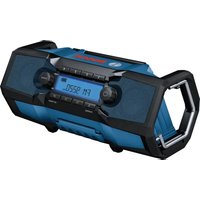
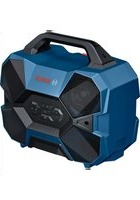
- GPB 18VH-6 SRC PROFESSIONAL
- DEUTSCH
- SAFETY INSTRUCTIONS
- REPLACE AAA BATTERY WHEN UNIT NO LONGER
- TRANSPORT
- PRODUCTS SOLD IN GB ONLY
- PRODUCT DESCRIPTION AND SPECIFICATIONS
- INTENDED USE
- PRODUCT FEATURES
- DISPLAY ELEMENTS
- RADIO ENERGY SUPPLY
- OPERATION VIA MAINS CONNECTION
- OPERATION WITH A LITHIUM-ION BATTERY (ACCESSORY) (SEE FIGURE A)
- BATTERY CHARGE INDICATOR
- BATTERY CHARGE INDICATOR IN THE DISPLAY
- MAINS OPERATION
- BATTERY CHARGE INDICATOR ON THE 18 V RECHARGEABLE BATTERY
- BATTERY MODEL GBA 18V
- BATTERY MODEL PROCORE18V
- RECOMMENDATIONS FOR OPTIMAL HANDLING OF THE BATTERY
- INSERTING/CHANGING BACK-UP BATTERIES
- ASSEMBLY
- FITTING THE BOTTLE OPENER
- ATTACHING THE RADIO TO THE L-BOXX
- AUDIO OPERATION
- SWITCHING ON AND OFF
- ADJUSTING THE VOLUME
- CHANGING SETTINGS
- SELECTING AN AUDIO SOURCE
- SETTING/SAVING DAB+ RADIO STATIONS
- SETTING/SAVING FM RADIO STATIONS
- SETTING THE ROD ANTENNA
- PLAYING BACK/CONTROLLING EXTERNAL AUDIO SOURCES VIA BLUETOOTH®
- PLAYING/CONTROLLING EXTERNAL AUDIO SOURCES VIA MULTI-SPEAKER SOUND
- PLAYING EXTERNAL AUDIO SOURCES VIA AUX (SEE FIGURE B)
- TRANSMITTING THE CURRENT PLAYBACK VIA MULTI-SPEAKER SOUND
- SETTINGS MENU
- CHARGING MODE
- CHARGING LI-ION BATTERIES
- CHARGING EXTERNAL DEVICES VIA THE USB PORT (SEE FIGURE B)
- MAINTENANCE AND SERVICE
- MAINTENANCE AND CLEANING
- AFTER-SALES SERVICE AND APPLICATION SERVICE
- GREAT BRITAIN
- YOU CAN FIND FURTHER SERVICE ADDRESSES AT
- DISPOSAL
- ONLY FOR EU COUNTRIES
- ONLY FOR UNITED KINGDOM
- BATTERY PACKS/BATTERIES
- LI-ION
- INSERTING/REPLACING THE BACKUP BATTERIES
- TURKISH
- MOUNTING THE BOTTLE OPENER
- AUDIO MODE
- REPLACE AAA BATTERY WHEN UNIT
- REPLACE AAA BATTERY WHEN UNIT NO LONGER KEEPS CORRECT TIME
- DECLARATION OF CONFORMITY
Brand : BOSCH
Model : GPB 18VH-6 SRC Professional
Category : Radio