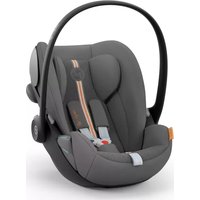
CYBEX Cloud G i-Size - Car seat

Cloud G i-Size - Car seat CYBEX - Free user manual and instructions

Find the device manual for free Cloud G i-Size CYBEX in PDF.

English EN Download 💬 AI Question 10 questions ⚙️ Specs
📄

Document temporarily unavailable

The manual is currently being transferred to our new server. It will be accessible again in a few hours. Thank you for your patience.

Pick your language and provide your email: we'll send you a specifically translated version.
Product type i-Size car seat group 0+/1 (rear-facing)
Brand Cybex
Model Cloud G i-Size
Category Child car seat
Standard UN Regulation No. R129/03 (i-Size)
Size range 40 – 87 cm
Maximum child weight 13 kg
Installation Base G with ISOFIX + load leg, or 3-point automatic seat belt
Main functions Rotation (Base G), sunshade, flat recline positions, adjustable headrest, newborn inlay, linear side impact protection (L.S.P.), lock indicators and driving direction indicators
Safety Mandatory rear-facing use, front airbag disabled, belt without twisting, load leg in contact with the floor
Maintenance and cleaning Cover machine washable at 30°C (gentle cycle), air dry; plastic cleaned with mild detergent and lukewarm water
Spare parts and repairability Original Cybex covers, stroller adapters, Base G; 3-year manufacturer warranty
General information Max lifespan 8 years; replace after an accident; compatible with vehicle i-Size positions

Frequently Asked Questions - Cloud G i-Size CYBEX

How to install the Cloud G i-Size seat with Base G?
Press and hold the Driving Direction Control (D.D.C.) button down, unfold the load leg until it locks. Release the ISOFIX release buttons to extend the arms, push them into the ISOFIX anchor points until you hear a ‘CLICK’ and check that the ISOFIX indicators turn GREEN. Adjust the load leg to the floor until the load leg indicator turns GREEN. Place the seat on the base and ensure the seat lock indicator is GREEN.
How to install the seat with the 3-point automatic seat belt?
Place the car seat rear-facing, carrying handle in position A. Check that the recline angle indicator is parallel to the floor. Route the belt through the lap belt guide, buckle it and tighten the lap section. Guide the diagonal section behind the seat head and through the diagonal belt guide above the linear side impact protection.
When should the newborn inlay be removed?
The newborn inlay should be removed when your child is taller than 60 cm. To remove it, open the buckle, remove the shoulder pads, then the inlay.
How to adjust the headrest of the Cloud G i-Size seat?
Use the headrest adjustment handle to adjust the height. Ensure that the shoulder harness openings are at or slightly below shoulder level for optimal fit.
How to properly secure my child in the seat?
Press the belt adjustment button and pull both straps to loosen them. Unbuckle, place the child, put the straps over the shoulders, close the buckle with a ‘CLICK’. Pull the central adjustment strap to tighten the harness until it is snug (no slack).
Can the car seat be used on the front seat with an active airbag?
No, installation on the front passenger seat with the frontal airbag activated is NOT PERMITTED. Use only rear seats or deactivate the airbag according to the vehicle manual.
How to clean the seat cover?
The cover can be machine washed at 30°C on a gentle cycle. Do not use a tumble dryer or expose to direct sunlight. Plastic parts can be cleaned with a mild detergent and lukewarm water.
Can I attach the seat to a stroller?
Yes, the car seat can be attached to any approved stroller via adapters. Click the seat onto the adapter facing the parent. To unlock, press and hold the stroller adapter release buttons.
What is the lifespan of the Cloud G i-Size seat?
The seat must not be used for more than 8 years. After an accident, even without visible damage, it must be replaced. Materials degrade over time.
What to do in case of an accident?
An accident can cause invisible damage. Replace the car seat after an accident. If in doubt, consult your dealer or the manufacturer. Also check that the load leg and indicators are intact.

User questions about Cloud G i-Size CYBEX

0 question about this device. Answer the ones you know or ask your own.

Ask a new question about this device

The email remains private: it is only used to notify you if someone responds to your question.

No questions yet. Be the first to ask one.

Download the instructions for your Car seat in PDF format for free! Find your manual Cloud G i-Size - CYBEX and take your electronic device back in hand. On this page are published all the documents necessary for the use of your device. Cloud G i-Size by CYBEX.

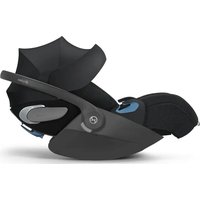
USER MANUAL Cloud G i-Size CYBEX

Manual assistant
Powered by Anthropic
Waiting for your message
Product information

Brand : CYBEX

Model : Cloud G i-Size

Category : Car seat