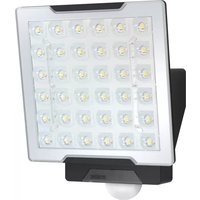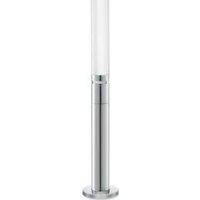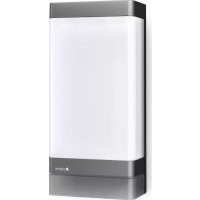
L 271 Digi SC - Lighting STEINEL - Free user manual and instructions
Find the device manual for free L 271 Digi SC STEINEL in PDF.



| Product type | Outdoor LED wall light with infrared motion detector |
| Brand | Steinel |
| Model | L 271 Digi SC |
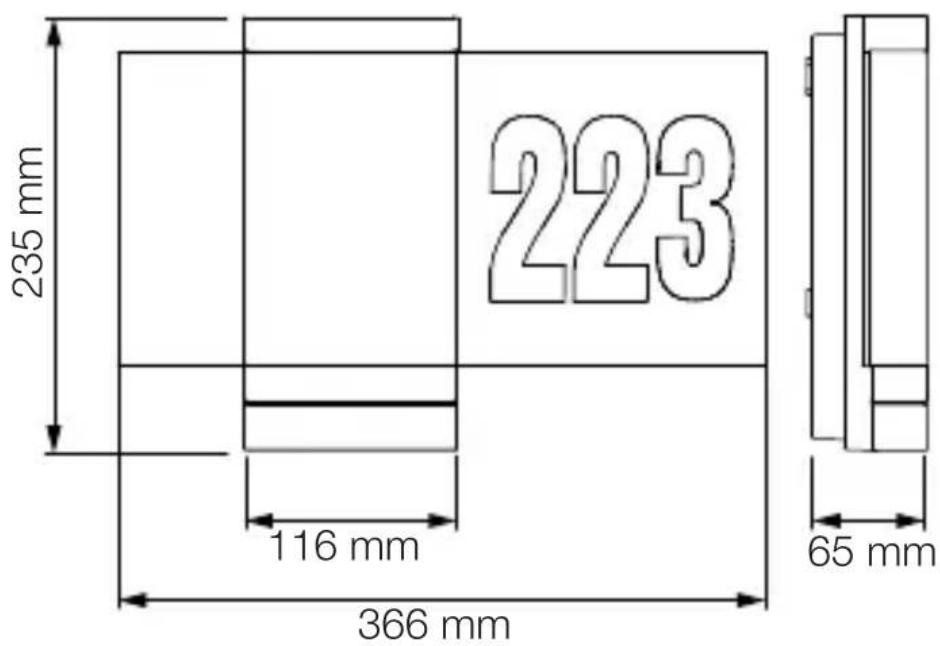
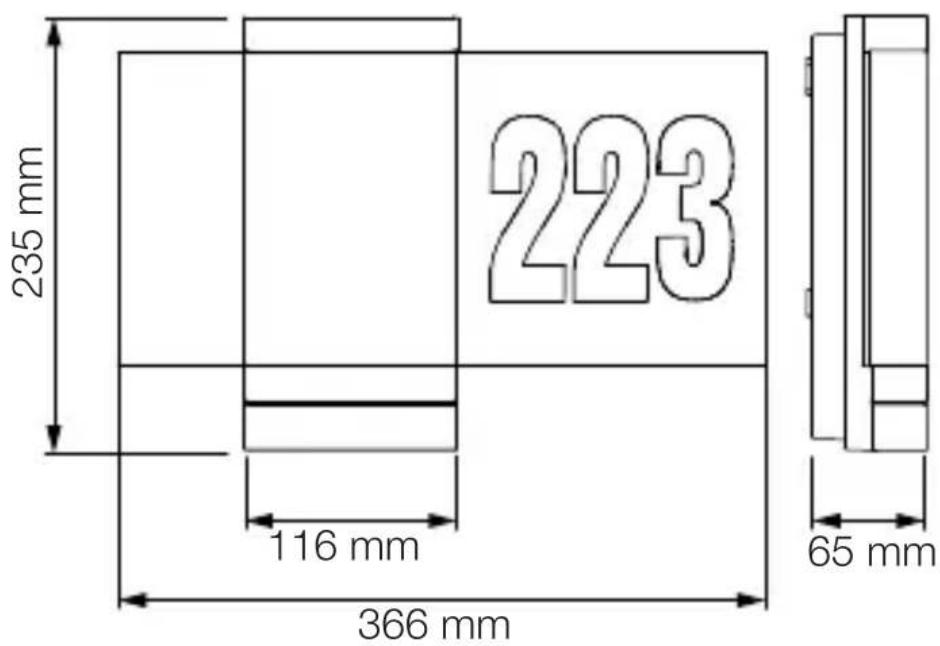
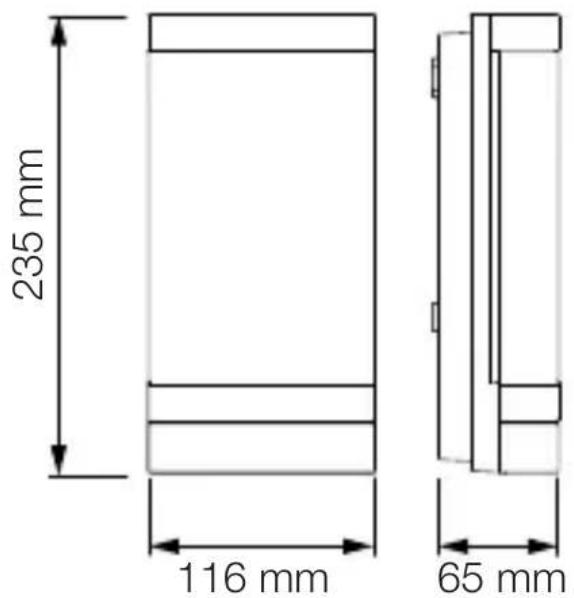
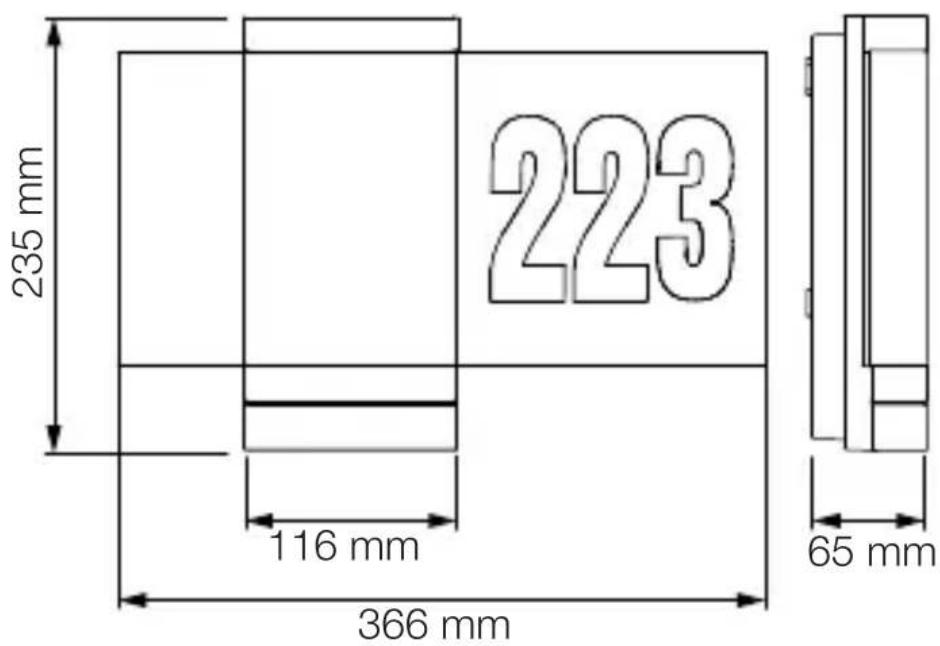
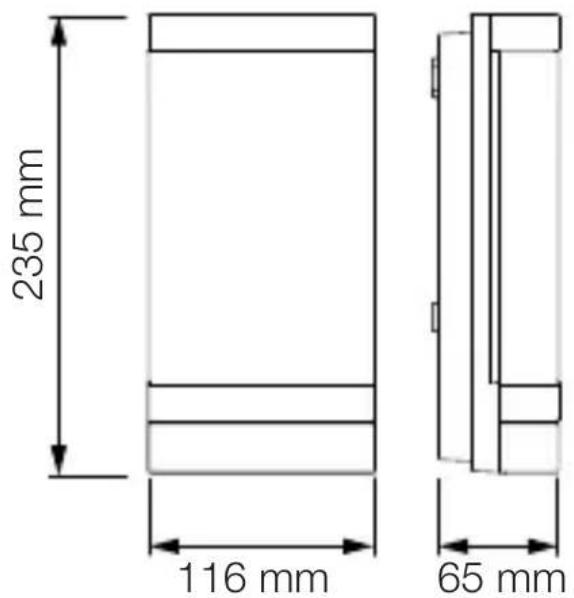
| Dimensions (H × W × D) | 235 × 116 × 65 mm |
| Weight | Approx. 1 kg (estimate) |
| Power supply | 220-240 V, 50/60 Hz |
| Power consumption | 6.60 W |
| Luminous flux | 566 lm |
| Luminous efficacy | 85 lm/W |
| Color temperature | 3,000 K (warm white) |
| Color rendering index (CRI) | Ra = 82 |
| Average lifespan | L70B50 at 25 °C: > 60,000 h |
| Detection angle | 180° |
| Detection range | Max. 8 m (tangential), adjustable from 1 to 8 m |
| Adjustable time delay | From 5 s to 60 min |
| Adjustable trigger threshold | From 2 to 2,000 lx |
| Protection rating | IP44 |
| Impact resistance | IK03 |
| Operating temperature | From -10 to +40 °C |
| Protection class | II (double insulation) |
| Detector type | Passive infrared (PIR) |
| Communication technology | Bluetooth mesh |
| Orientation light function | Yes, adjustable from 10 to 100% |
| Dimming | Yes (main light and orientation light adjustable from 10 to 100%) |
| Soft start function | Yes (adjustable fade in/fade out) |
| Control app | STEINEL Connect (iOS/Android) |
| Manufacturer warranty | 3 years |
| Recycling | Do not dispose with household waste; separate collection required |
Frequently Asked Questions - L 271 Digi SC STEINEL
User questions about L 271 Digi SC STEINEL
0 question about this device. Answer the ones you know or ask your own.
Ask a new question about this device
Download the instructions for your Lighting in PDF format for free! Find your manual L 271 Digi SC - STEINEL and take your electronic device back in hand. On this page are published all the documents necessary for the use of your device. L 271 Digi SC by STEINEL.
USER MANUAL L 271 Digi SC STEINEL
natural_image
Isometric line drawing of a rectangular mechanical part with a 1× label (no other text or symbols)3×

3×
3×

1×
1×
natural_image
Isometric line drawing of a rectangular mechanical part with a 1× label (no other text or symbols)3×

3×
3×

1×
1×
text_image
Safety warning symbol and electrical circuit diagram showing lightning bolt and switch mechanism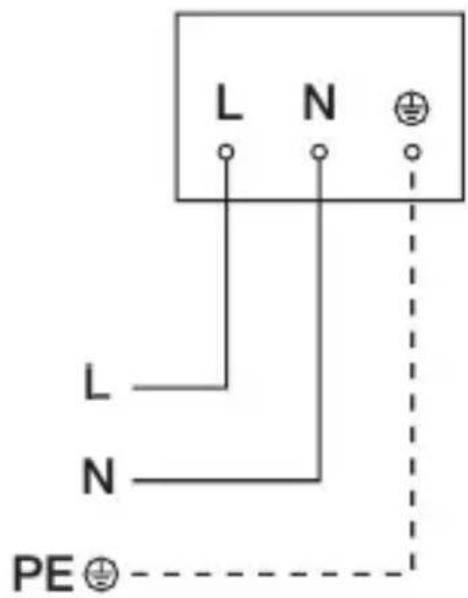
text_image
L N L N PE⊕text_image
LED ×2 LED5. Montage
text_image
≤ 8 m 2 mtext_image
Safety warning symbol and electrical switch diagram showing lightning bolt and switch mechanism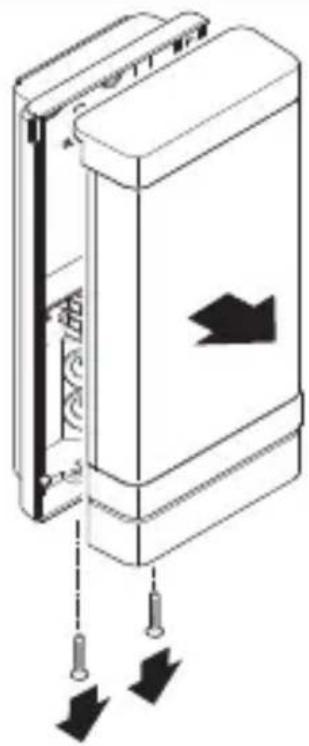
natural_image
Diagram of a door panel with arrows indicating movement or force, showing no text or symbolsnatural_image
Technical line drawing of a device interior showing internal components and a close-up view of the base (no text or symbols)natural_image
Technical diagram of a mechanical device with internal components and directional arrows (no text or symbols)text_image
Safety warning sign showing a faucet above a prohibited food item with a crossed-out circle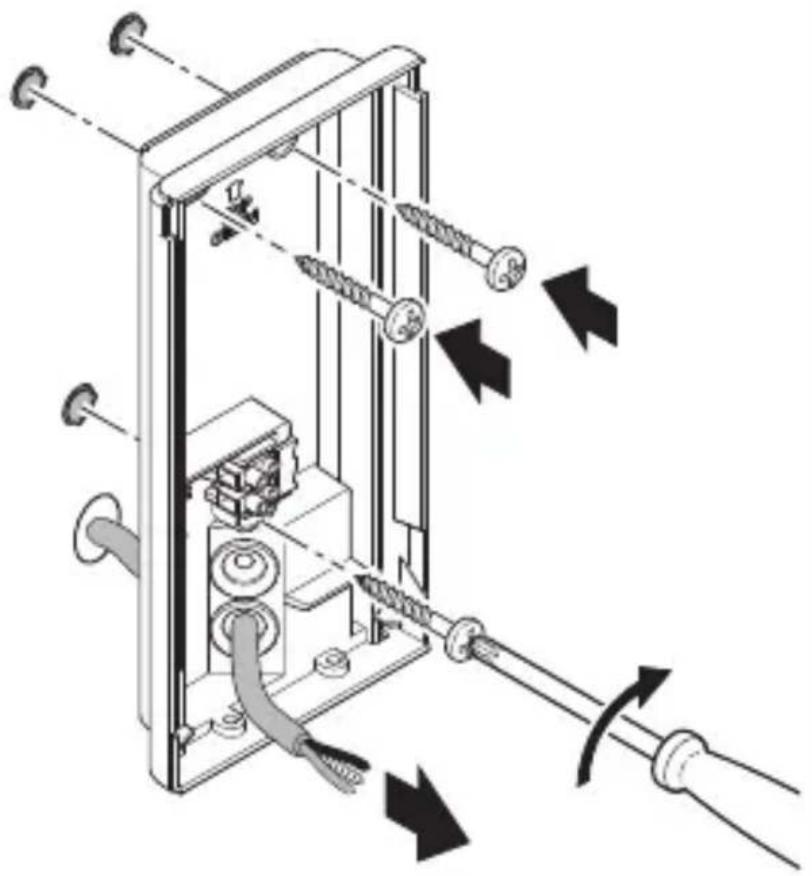
natural_image
Technical diagram of a mechanical device with attached screws and tubing, showing directional arrows indicating movement or force (no text or symbols present)natural_image
Technical diagram showing mechanical assembly with pulleys and a close-up of a device (no text or symbols visible)natural_image
Technical diagram of a mechanical device with directional arrows indicating movement or force (no text or symbols present)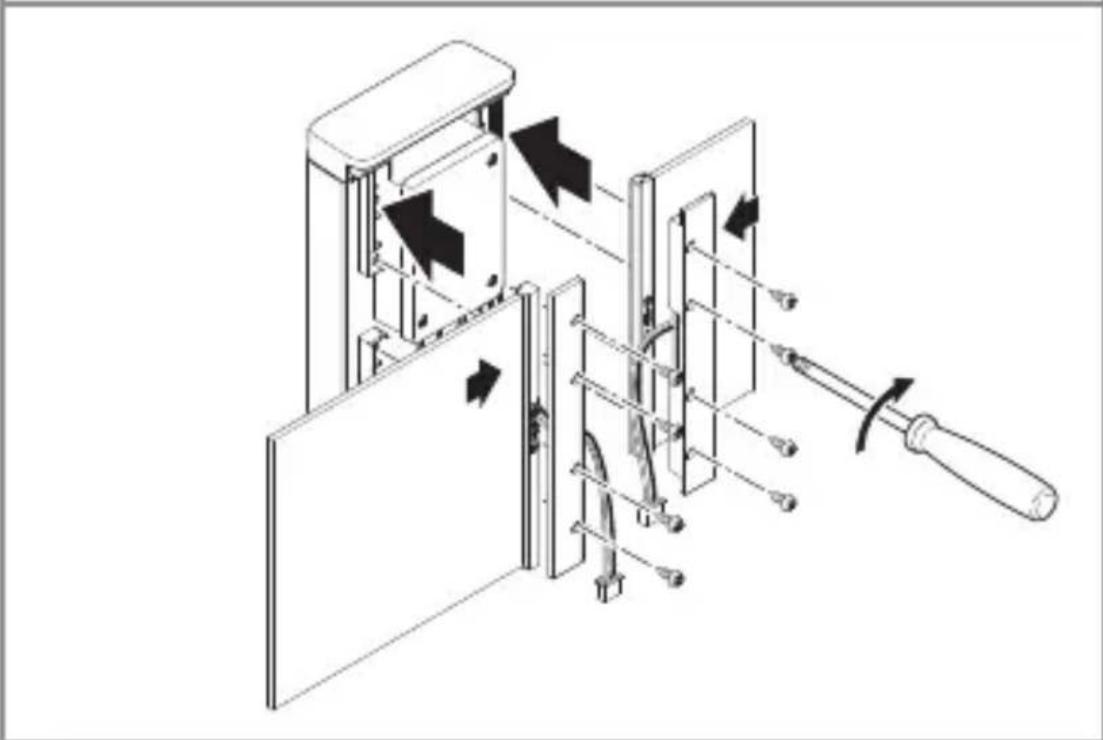
natural_image
Technical diagram of a mechanical device with internal components and directional arrows indicating movement (no text or symbols)natural_image
Technical line drawing of a mechanical or electrical assembly with no visible text, numbers, or symbols.natural_image
Technical line drawing of a mechanical device with internal components and a cable, showing no text or symbolsnatural_image
Diagram of a door panel with arrows indicating movement or force, no text or symbols presenttext_image
QR code image containing encoded data, no visible human-readable text
text_image
QR code image containing encoded data, no visible human-readable textnatural_image
Simple diagram of concentric arcs with a central label, no text or symbols presentnatural_image
Circular diagram with concentric and radial lines, no text or symbols present- About this document 38
- General safety precautions 38
- System description 39
- Electrical connection 48
- Installation 49
- Function 61
- Maintenance and care 65
- Disposal 66
- Manufacturer's warranty 67
- Technical specifications 69
- Troubleshooting 70
1. About this document
- Under copyright. Reproduction either in whole or in part only with our consent.
– Subject to change in the interest of technical progress.
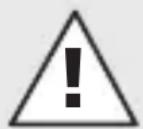
Hazard warning!
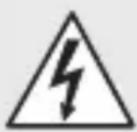
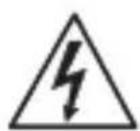
Warning of hazards from electricity!
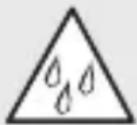
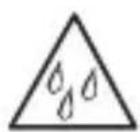
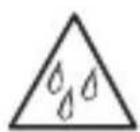
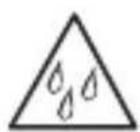
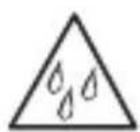
Warning of hazards from water!
2. General safety precautions
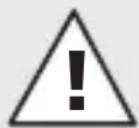
Failure to observe these operating instructions presents hazards!
These instructions contain important information on the safe use of this product. Particular attention is drawn to potential hazards. Failure to observe this information may lead to death or serious injuries.
- Read instructions carefully.
- Follow safety advice.
-
Keep instructions within easy reach.
-
Working with electrical current may produce hazardous situations. Touching live parts can result in electrical shock, burns or death.
- Work on mains voltage must only be performed by qualified, skilled personnel.
- National wiring regulations and electrical operating conditions must be observed (e.g. DE: VDE 0100, AT: ÖVE-ÖNORM E8001-1, CH: SEV 1000).
- Only use genuine replacement parts.
- Repairs must only be carried out by companies qualified to do so.
3. System description
Proper use –
L 270 Digi SC light
- LED light with infrared motion sensor and interchangeable, illuminated house number panels.
- For mounting on outdoor walls.
- Lights can be interconnected via Bluetooth Mesh standard.
– Operation via Steinel Connect app.
Proper use –
L 271 Digi SC light
– LED light with infrared motion sensor.
- For mounting on outdoor walls.
- Lights can be interconnected via Bluetooth Mesh standard.
- Operation via Steinel Connect app.
Proper use –
L 271 Digi C light
- LED light.
- For mounting on outdoor walls.
- Lights can be interconnected via Bluetooth Mesh standard.
– Operation via Steinel Connect app.
Motion sensor operating principle
Operating principle refers to the sensor-switched type (SC) or to the manually operated type (C) in combination with a Bluetooth sensor product.
- The integrated infrared sensor detects the heat radiated from moving objects (e.g. people, animals). The heat detected in this way is converted electronically into a signal that switches the unit ON automatically.
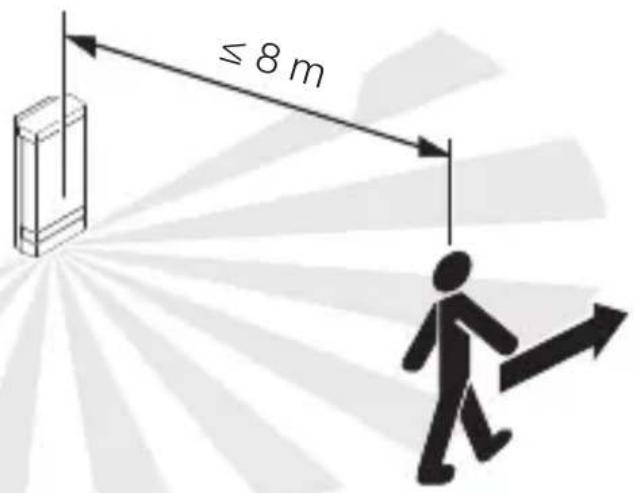
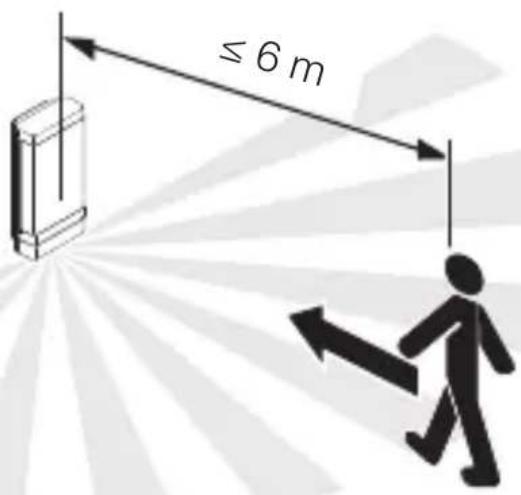
- The most reliable way of detecting motion is to install the unit with the sensor aimed across the direction in which a person would walk.
- Motion detection reach is restricted when the unit is approached head on.
- Obstacles (such as trees, walls or panes of glass) may restrict or prevent the detection of movement.
- Sudden fluctuations in temperature as a result of changes in weather are not distinguished from sources of heat.
Package contents for L 270 Digi SC light
GB
3.1
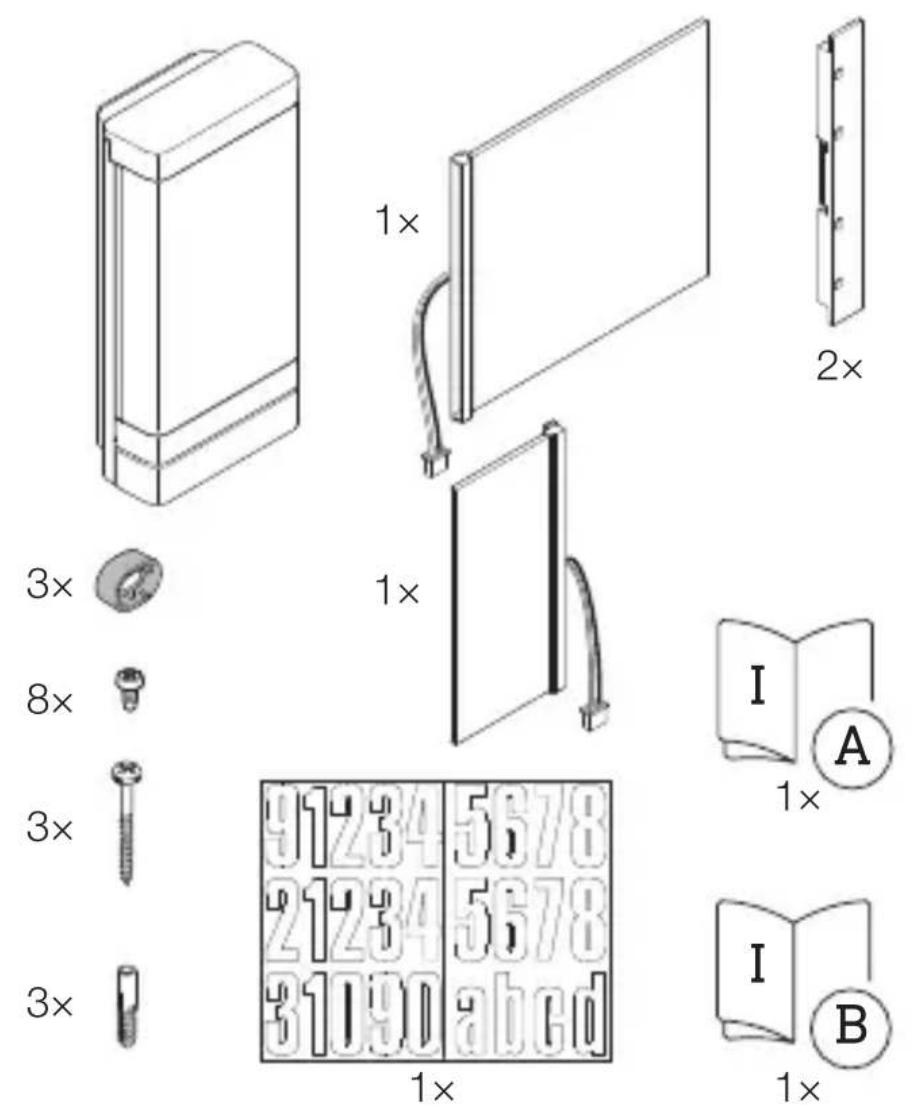
- 1 LED light with infrared motion sensor
- 1 Illuminated panel, large
- 1 Illuminated panel, small
- 2 Panel holders
- 3 Spacers
- 8 Screws for mounting the panels
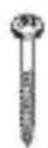
- 3 Screws for mounting the light
- 3 Wall plugs
- 1 Sheet of self-adhesive house numbers
- 1 Safety data sheet (A)
- 1 Quick start (B)
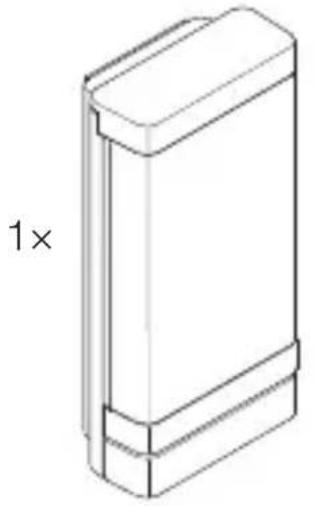
Package contents for L 271 Digi SC light
3.2
natural_image
Isometric line drawing of a rectangular object with a 1× label, no text or symbols present3×

3×
3×

1×
text_image
I A1×
text_image
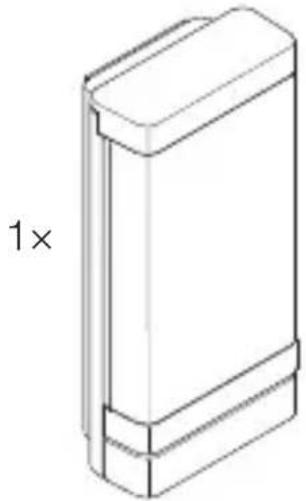
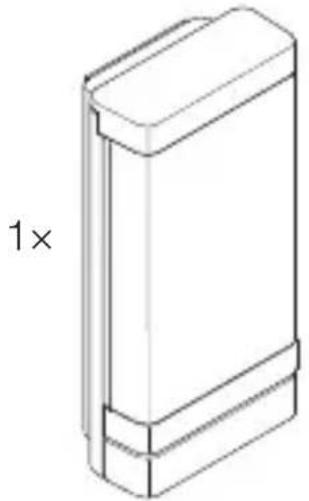
I B- 1 LED light with infrared motion sensor
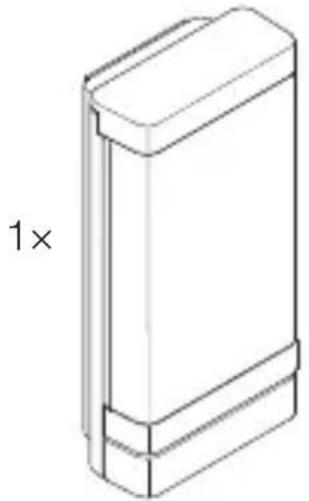
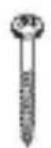
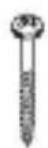
- 3 Spacers
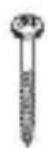
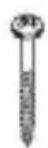
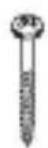
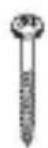
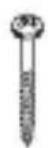
- 3 Screws
- 3 Wall plugs
- 1 Safety data sheet (A)
- 1 Quick start (B)
Package contents for L 271 Digi C light
GB
3.3
natural_image
Technical line drawing of a rectangular mechanical part with a 1× scaling indicator (no text or symbols on the object itself)3×

3×
3×

1×
text_image
I A1×
text_image
I B- 1 LED light
- 3 Spacers
- 3 Screws
- 3 Wall plugs
- 1 Safety data sheet (A)
- 1 Quick start (B)
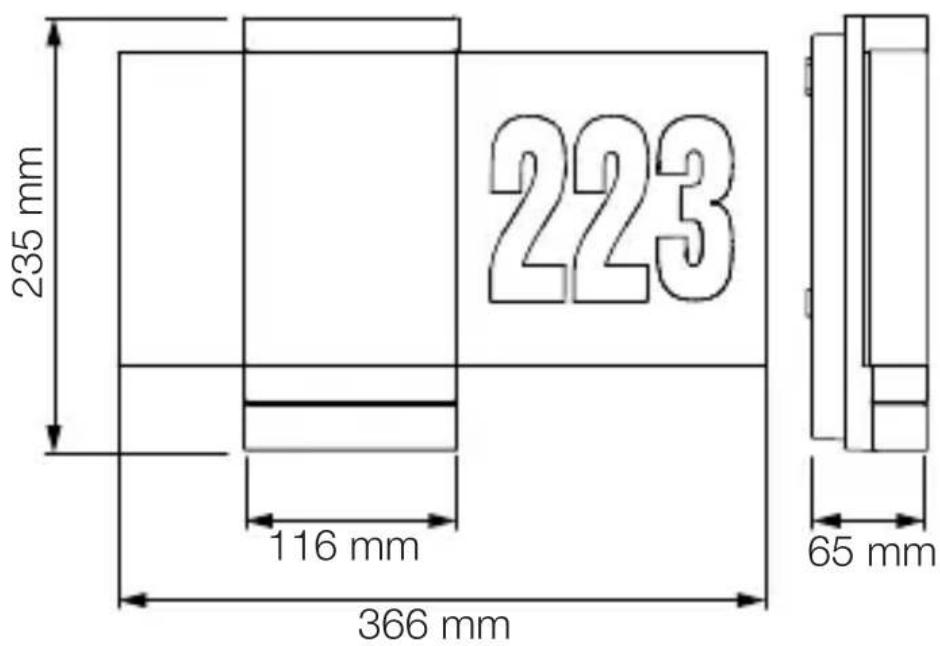
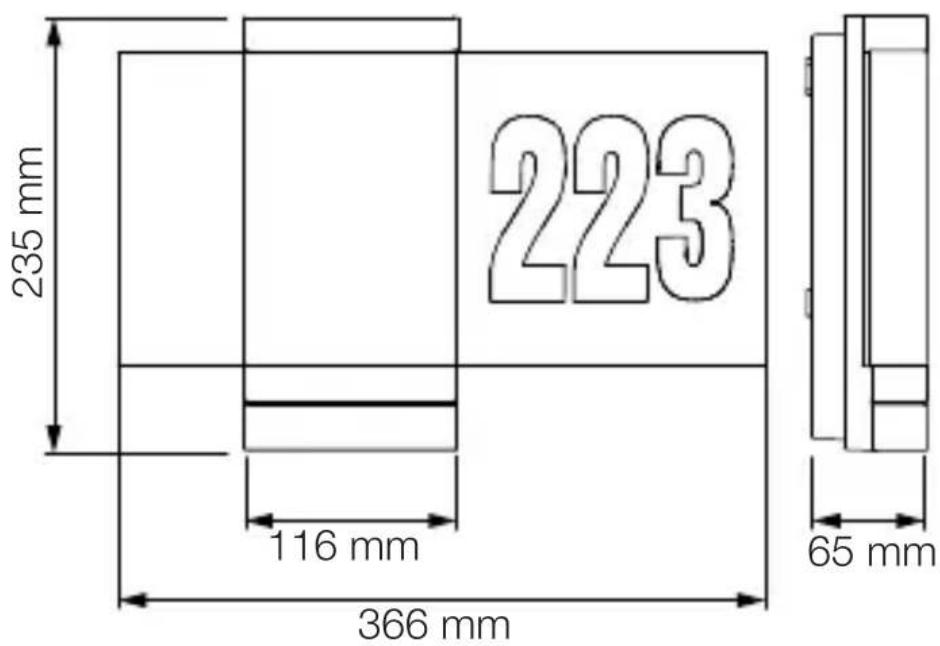
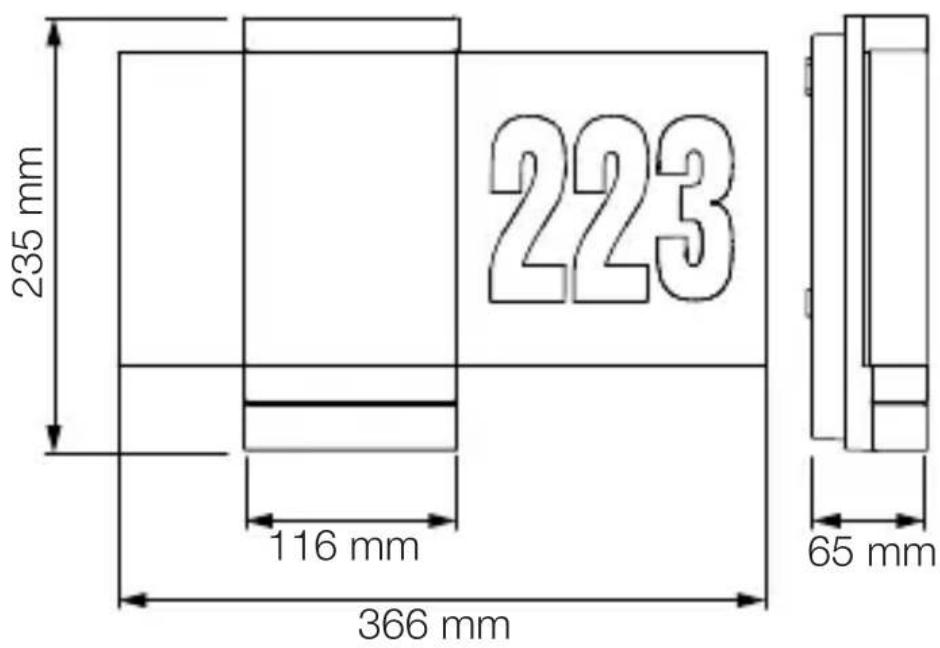
Product dimensions – L 270 Digi SC light
3.4
text_image
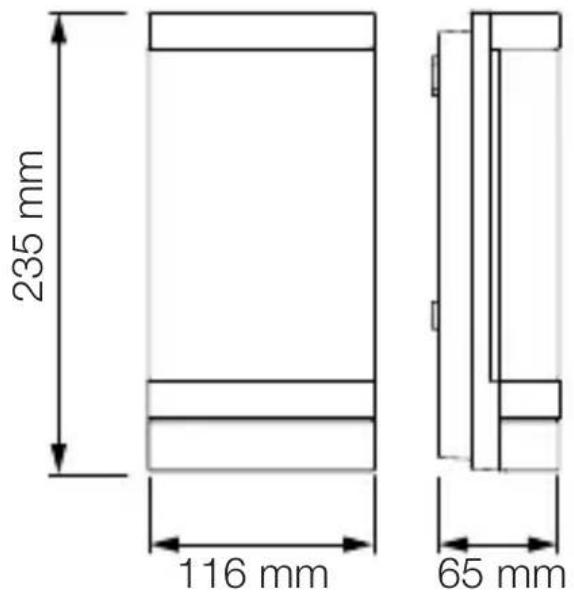
235 mm 223 116 mm 366 mm 65 mmProduct dimensions – L 271 Digi SC and L 271 Digi C lights
3.5
text_image
235 mm 116 mm 65 mm3.6
text_image
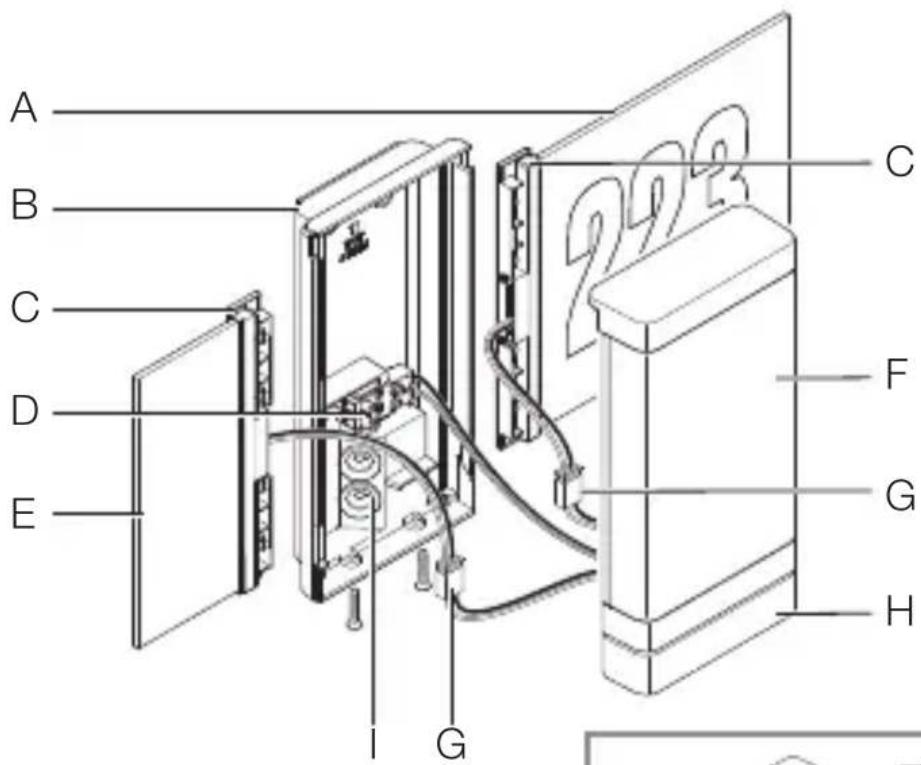
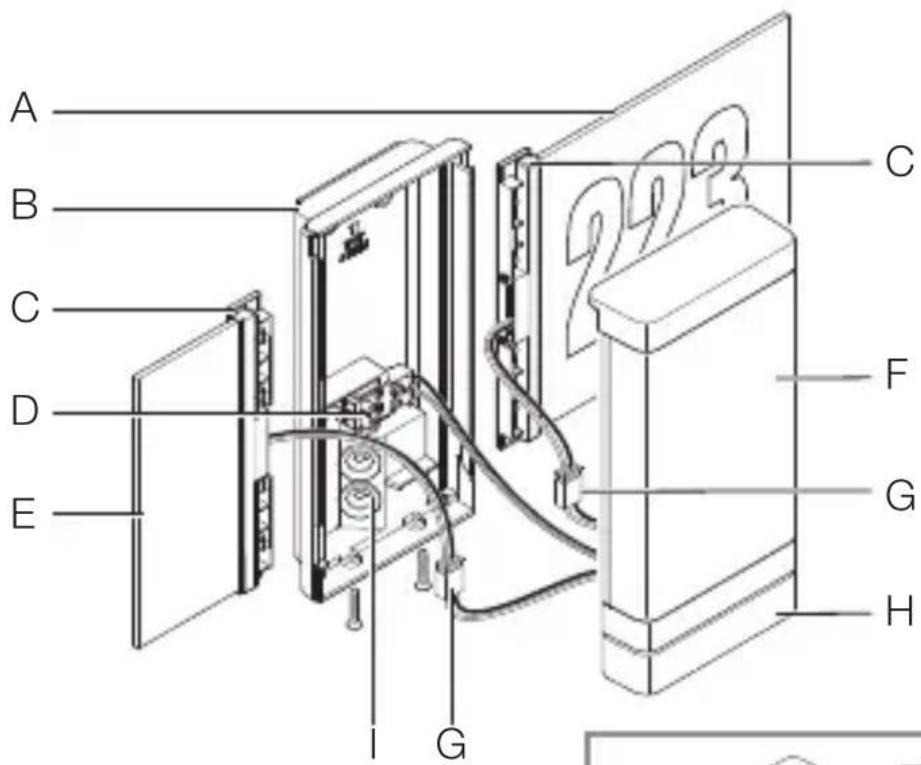
A B C D E I G 2023 C F G H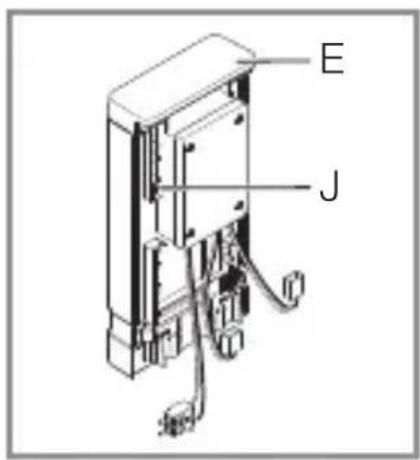
text_image
E JA Illuminated house-number panel
B Wall mount
C Panel holder
D Connecting terminal
E Illuminated panel
F LED cover
G Connecting plug
H Sensor unit
I Sealing plug
J Base (in the LED cover)
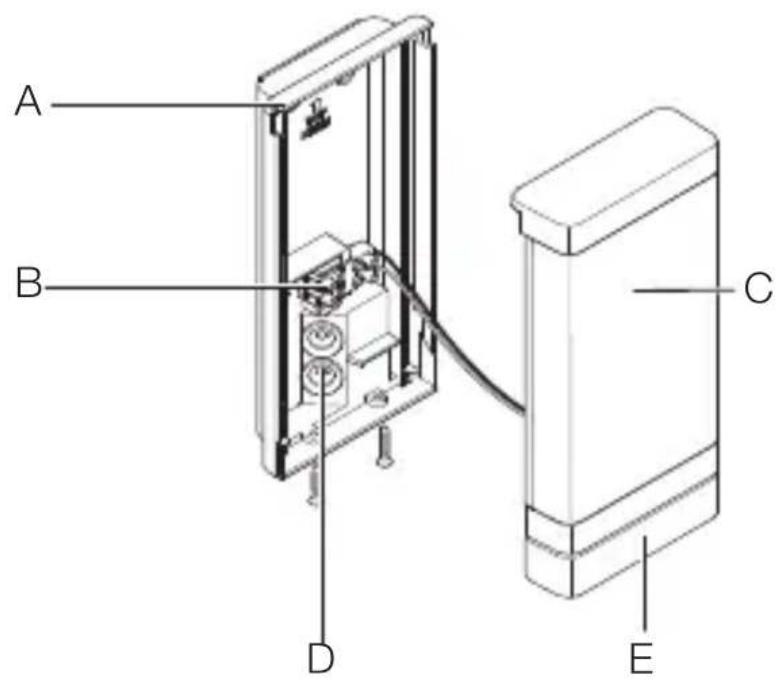
Product components – L 271 Digi SC and L 271 Digi C lights
3.7
text_image
A B C D EA Wall mount
B Connecting terminal
C LED cover
D Sealing plug
E Sensor unit (SC only)
3.8
radar
| Angle | Value | |-------|-------| | 0° | 50 | | 30° | 100 | | 60° | 150 | | 90° | 200 | | 120° | 150 | | 150° | 100 | | 180° | 50 |4. Electrical connection
Wiring diagram – lights
4.1

text_image
I O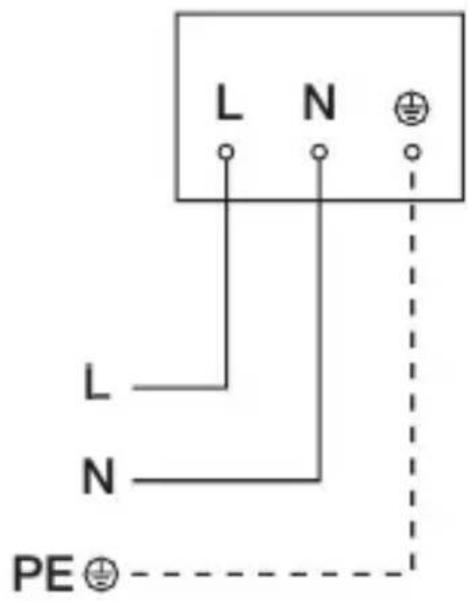
text_image
L N L N PE ⊕The mains power supply lead is a 3-core cable:
L = Phase conductor (usually black, brown or grey)
N = Neutral conductor (usually blue)
PE = Protective-earth conductor (green / yellow)
The unit can also be connected to the power supply downstream of a mains switch if it is ensured that the mains switch is left ON all the time.
The LEDs in this unit cannot be replaced. In the event of LED failure, the entire product must be replaced.
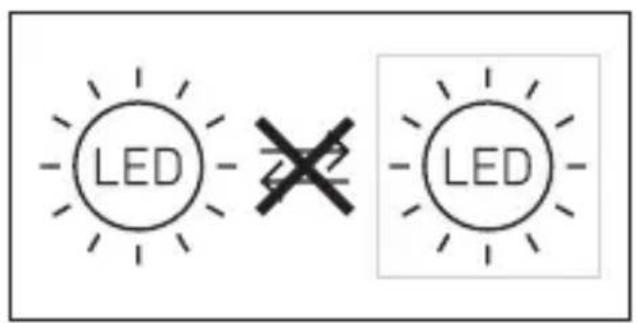
text_image
LED 22 LED5. Installation
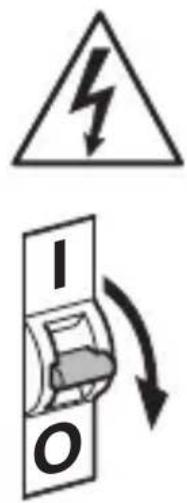
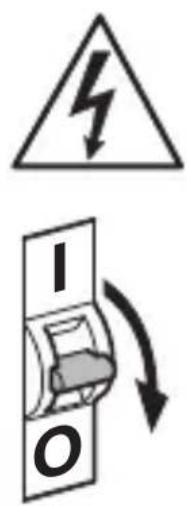
Hazard from electrical power.
Touching live parts can result in electrical shock, burns or death.
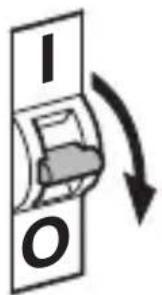
- Switch OFF power and interrupt power supply.
- Using a voltage tester, check to make sure that the power supply is disconnected.
• Make sure power supply remains interrupted.
Risk of damage to property!
Mixing up connection leads may produce a short circuit.
• Identify connection leads.
- Connect the leads correctly.
Preparing for installation
- Check all components for damage. Do not use the product if it is damaged.
- Select an appropriate site to install the product.
-Take reach into consideration.
-Take reach and motion detection into consideration (SC only).
-Vibration-free.
-No obstacles in detection zone (SC only).
-Not in explosive atmospheres.
-Not on normally flammable surfaces.
-Do not look into the light source from a short distance (< 30 cm).
-Spaced at a distance of at least 50 cm from other LED lights.
Reach - L 270 Digi SC and L 271 Digi SC lights
5.1
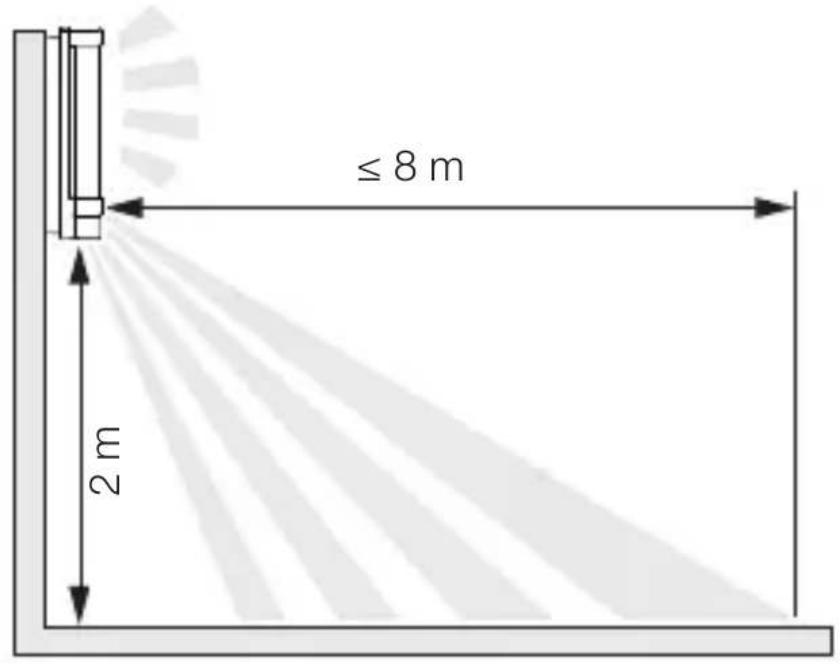
text_image
≤ 8 m 2 mDetecting movement of persons walking past the L 270 Digi SC and L 271 Digi SC lights
GB
5.2
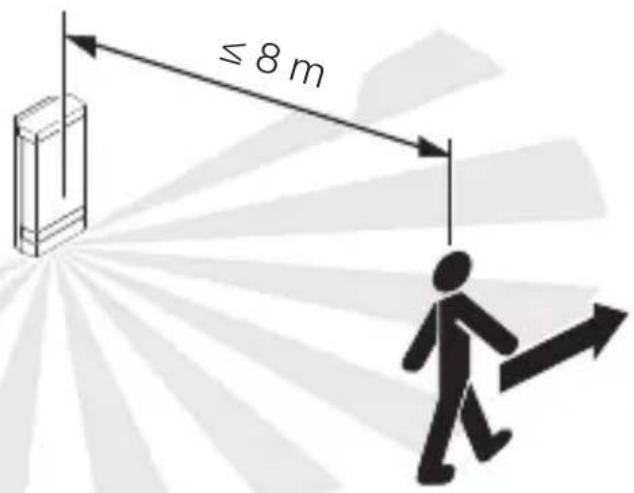
text_image
≤ 8 mDetecting movement of persons walking towards L 270 Digi SC and L 271 Digi SC lights
5.3
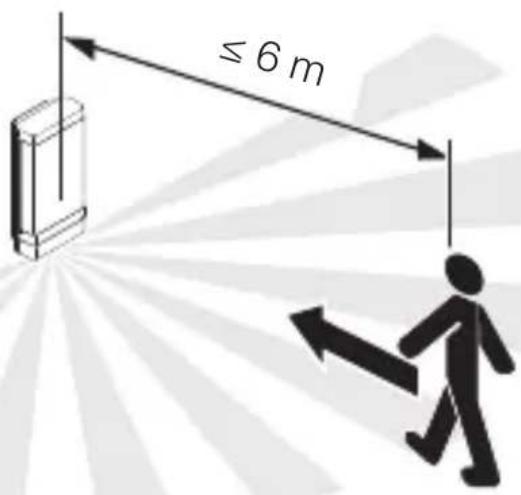
text_image
≤ 6 mMounting procedure
5.4
text_image
Electrical hazard symbol and electrical switch diagram with current direction arrows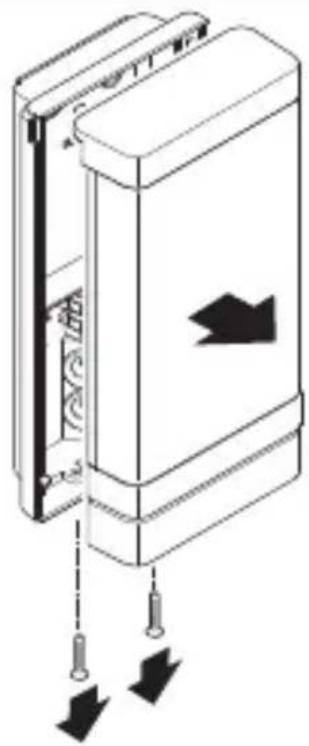
natural_image
Diagram of a door panel with arrows indicating direction and movement, no text or symbols present- Check to make sure the power supply is switched OFF.
- Unscrew LED cover from wall mount.
5.5
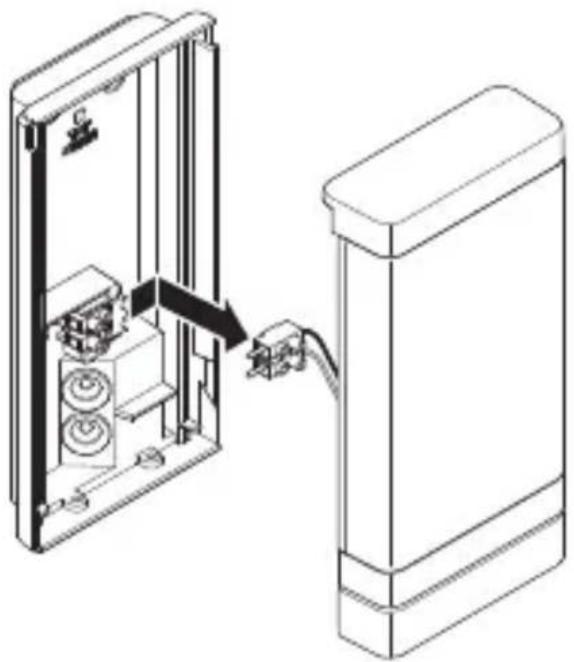
natural_image
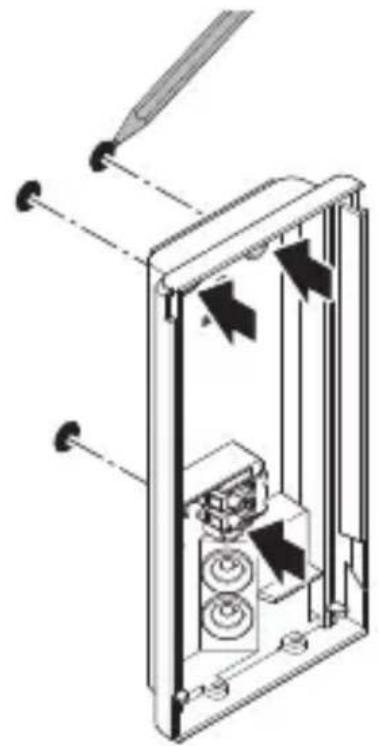
Technical line drawing of a device interior showing internal components and a close-up view of the base (no text or symbols)- Disconnect connecting plug.
5.6
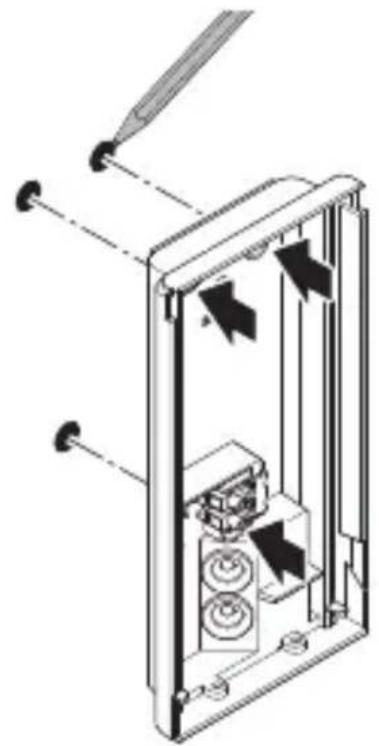
natural_image
Technical diagram of a mechanical device with internal components and directional arrows (no text or symbols)GB
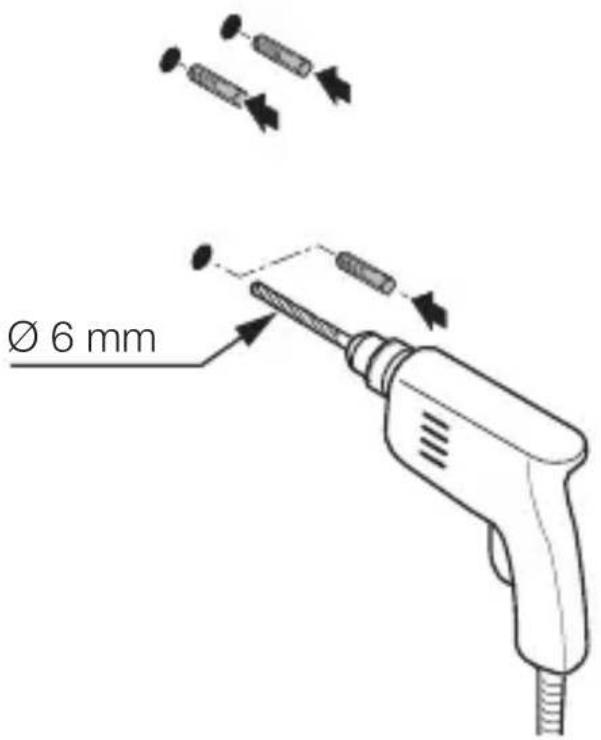
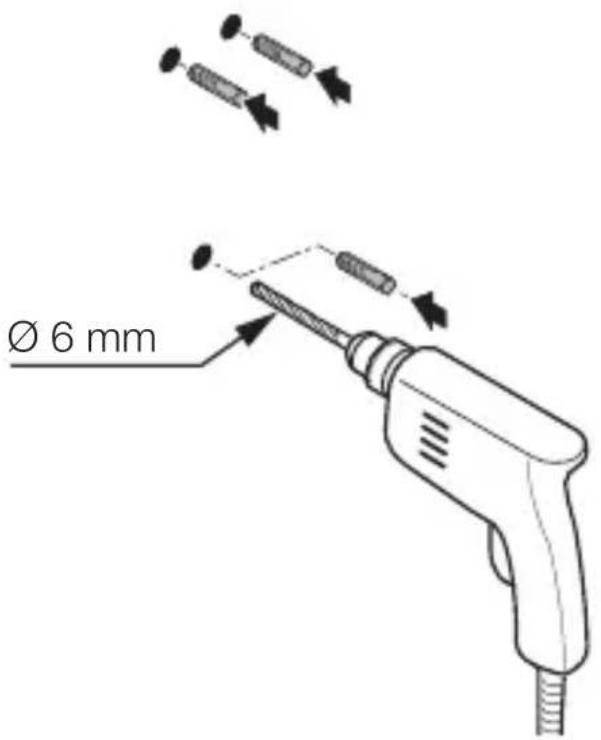
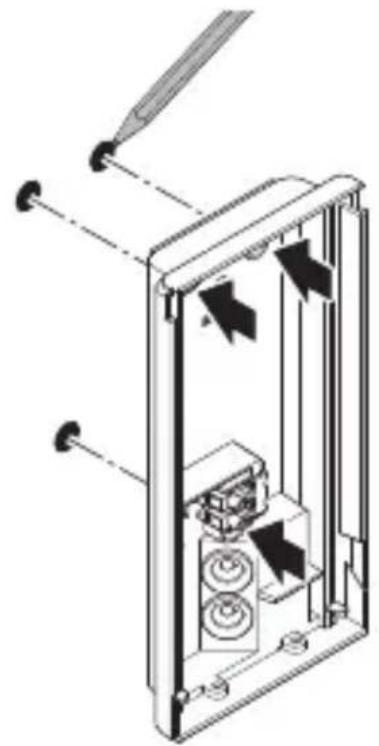
- Mark drill holes.
5.7
text_image
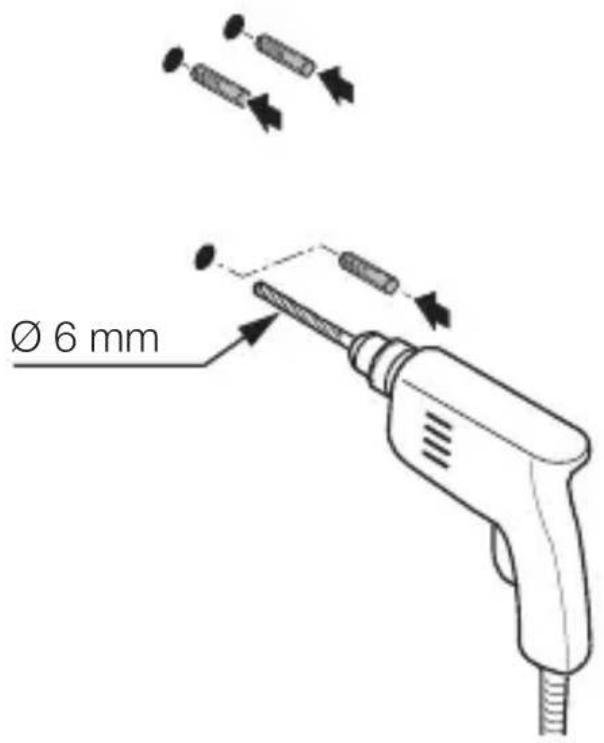
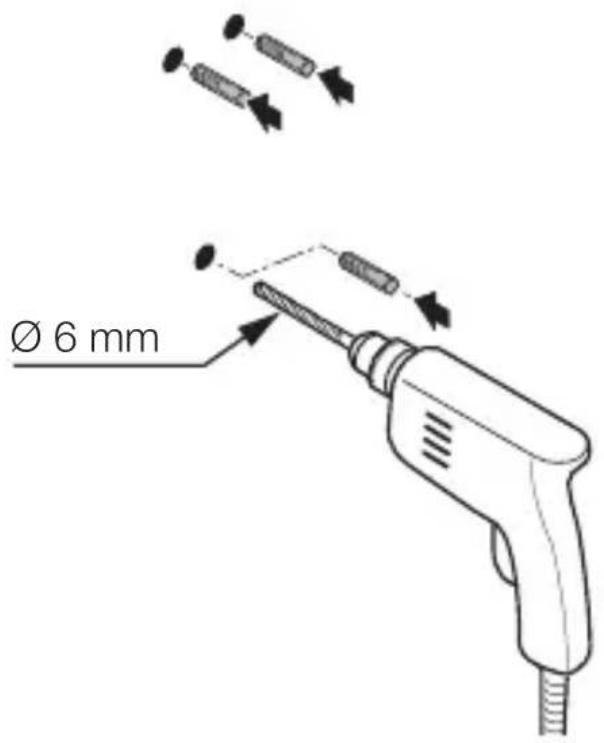
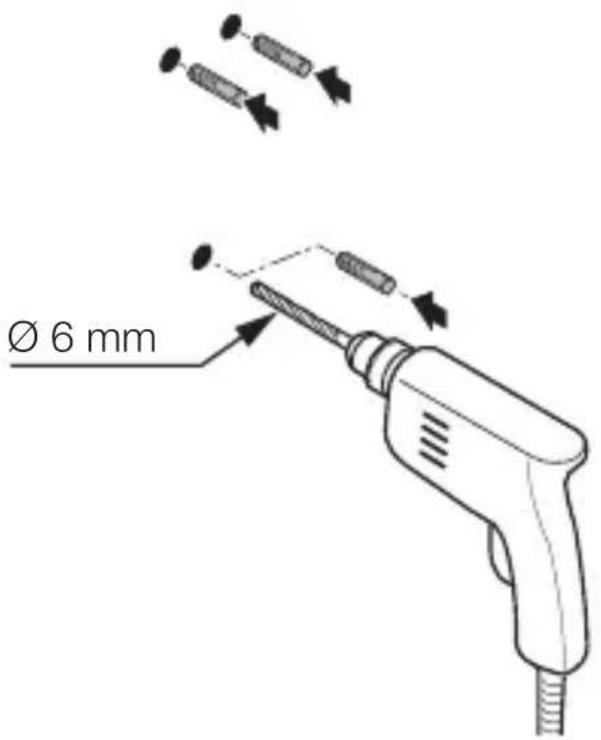
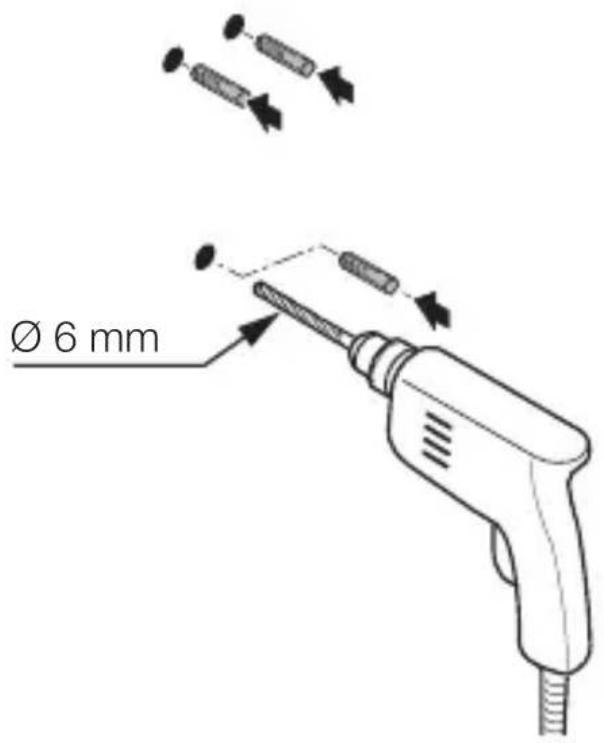
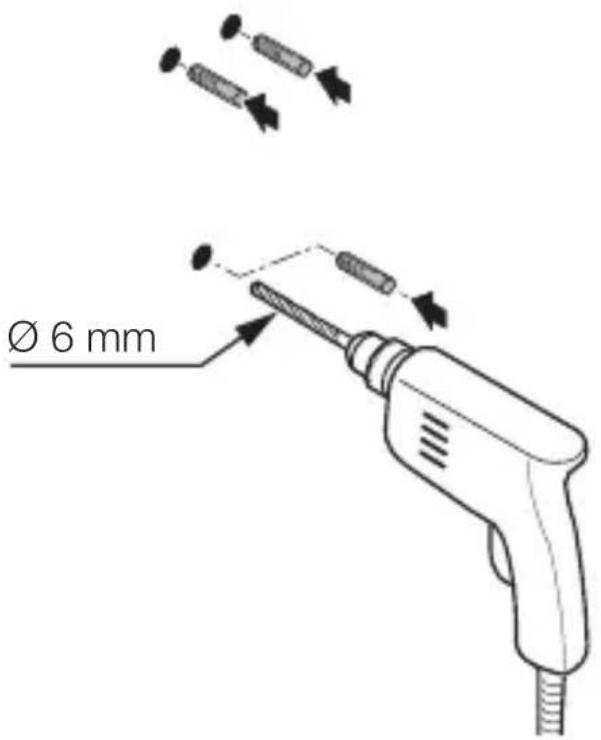
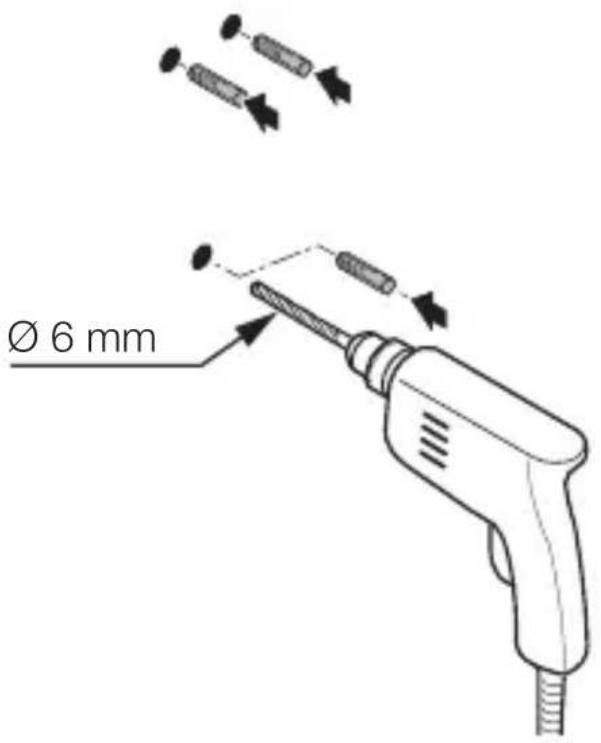
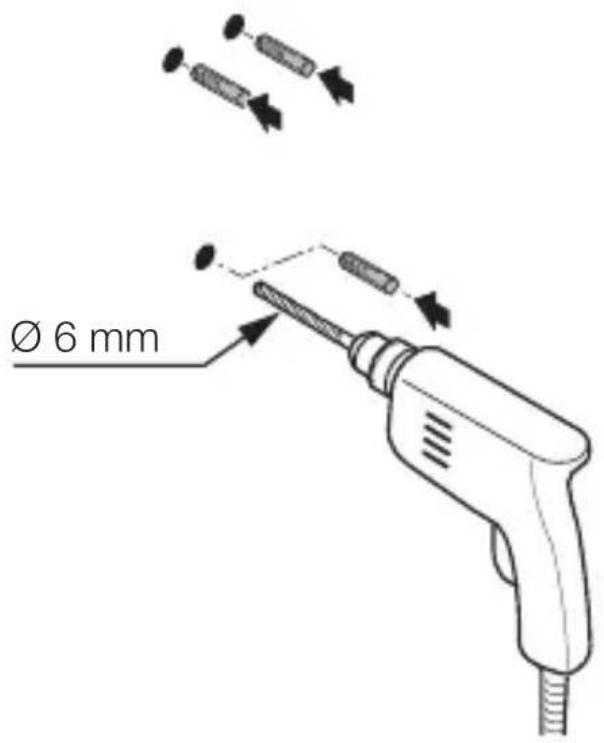
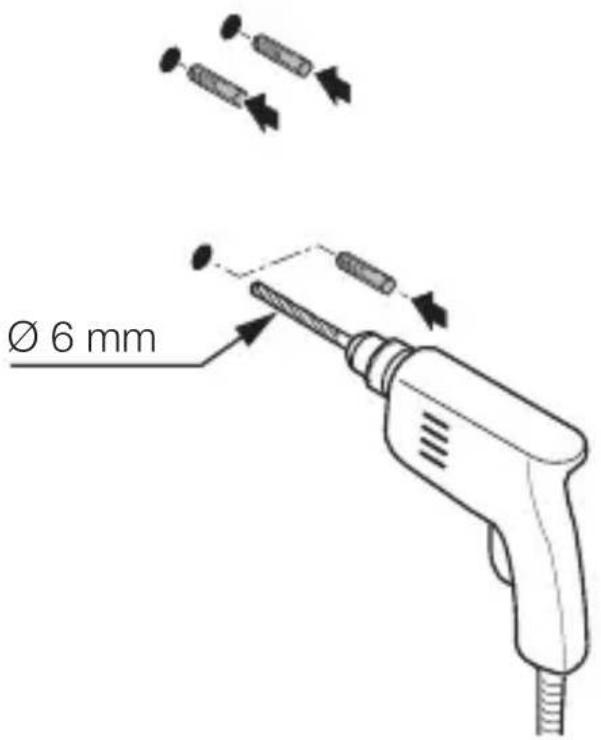
Ø 6 mm- Drill holes (∅ 6 mm) and fit wall plugs.
5.8
text_image
Safety warning sign showing a faucet above a food waste symbol with a crossed-out 'no waste' symbol below.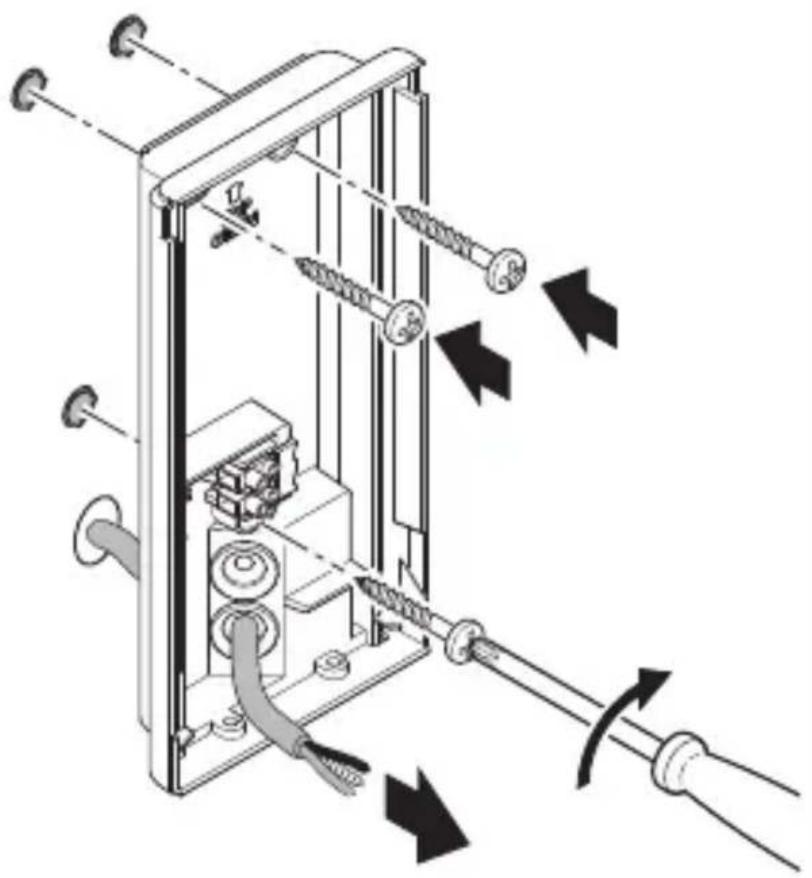
natural_image
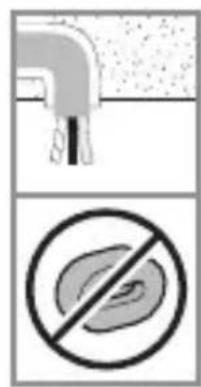
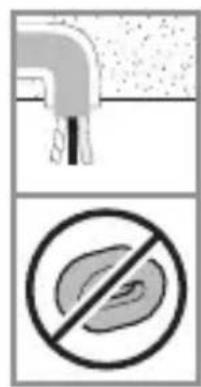
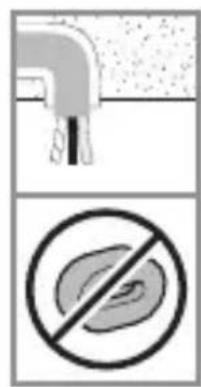
Technical diagram of a mechanical device with springs and tubing, showing directional arrows indicating movement or force (no text or symbols present)- Pierce sealing plug for power supply lead
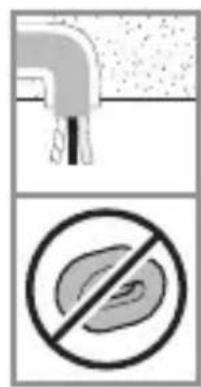
- Firmly screw wall mount into place for concealed power supply lead without spacers.
5.9
natural_image
Two technical diagrams showing a cross-section of a mechanical component with a highlighted circular feature, no text or symbols present.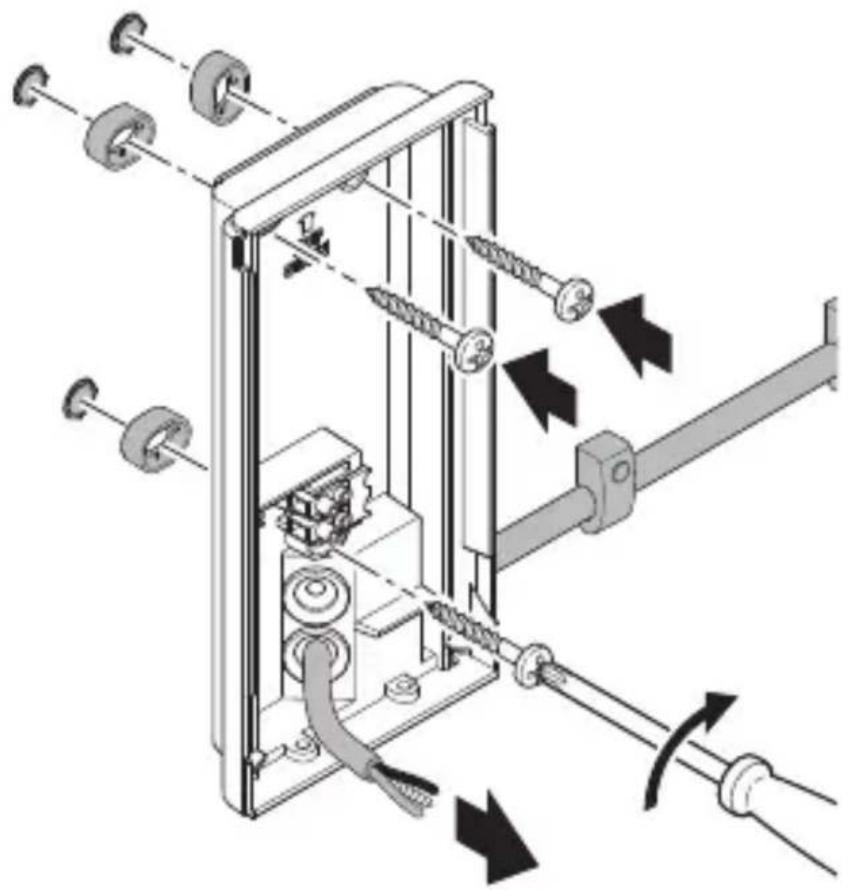
natural_image
Mechanical assembly diagram showing gear and spring components with directional arrows indicating motion (no text or labels)GB
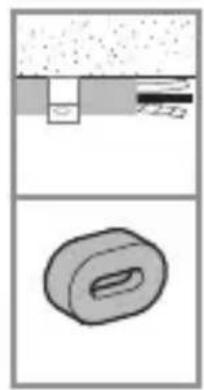
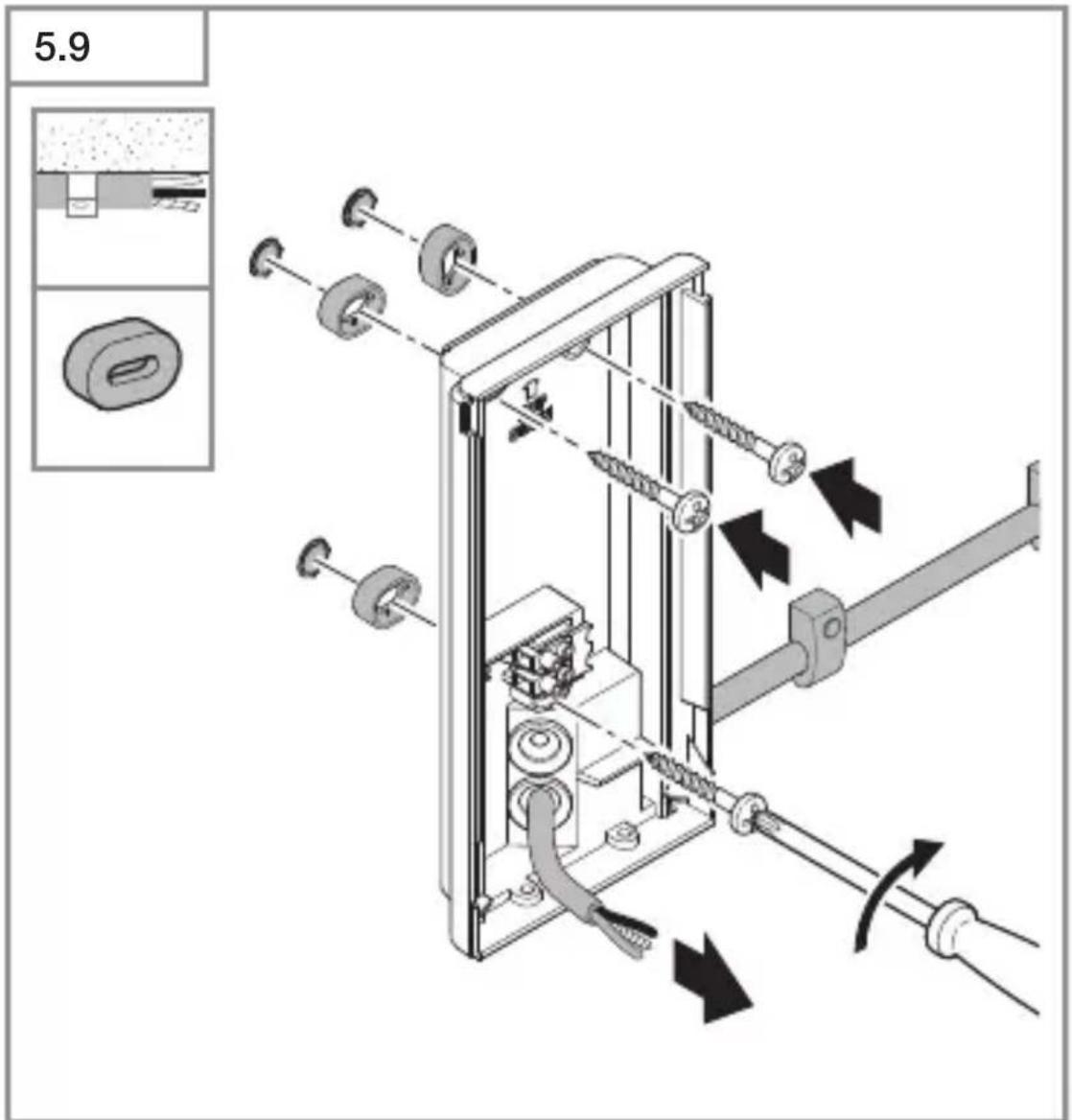
- Pierce sealing plug for power supply lead
- Use spacers to screw down wall mounts for surface-mounted wiring.
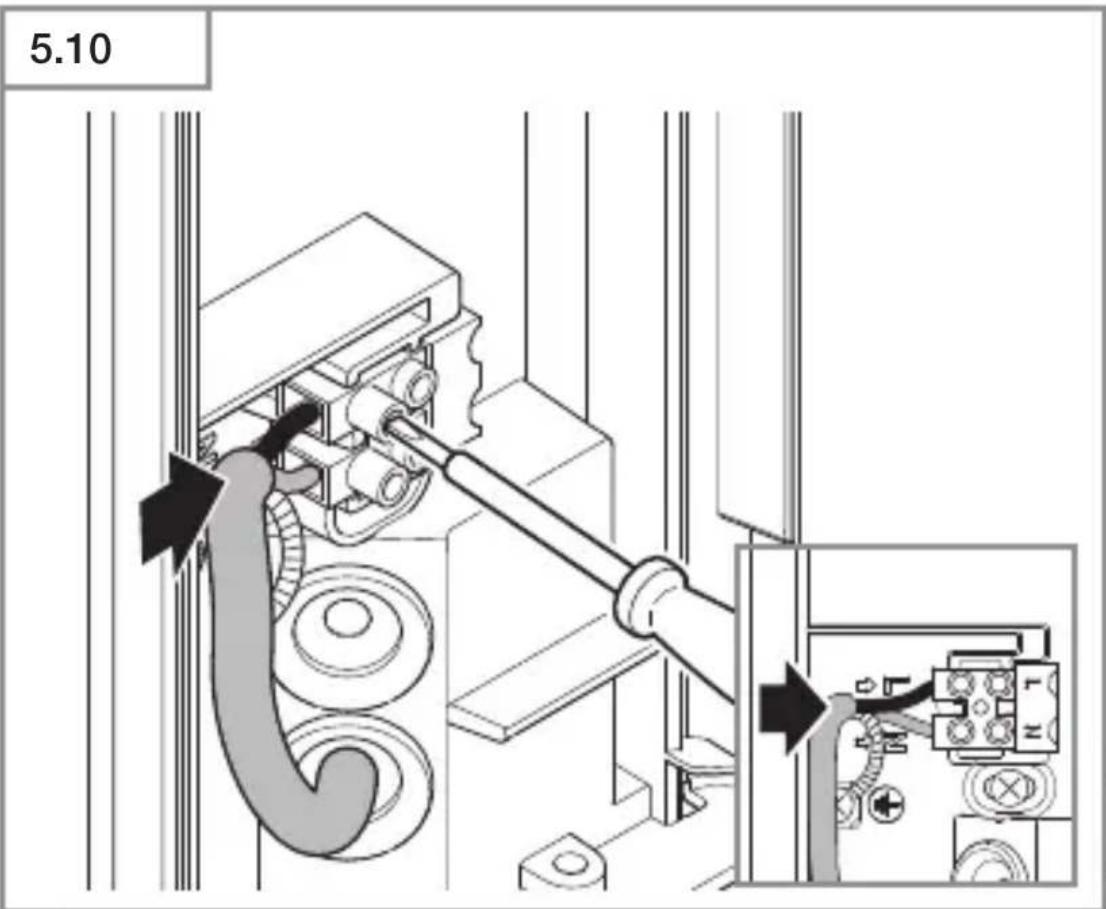
5.10
natural_image
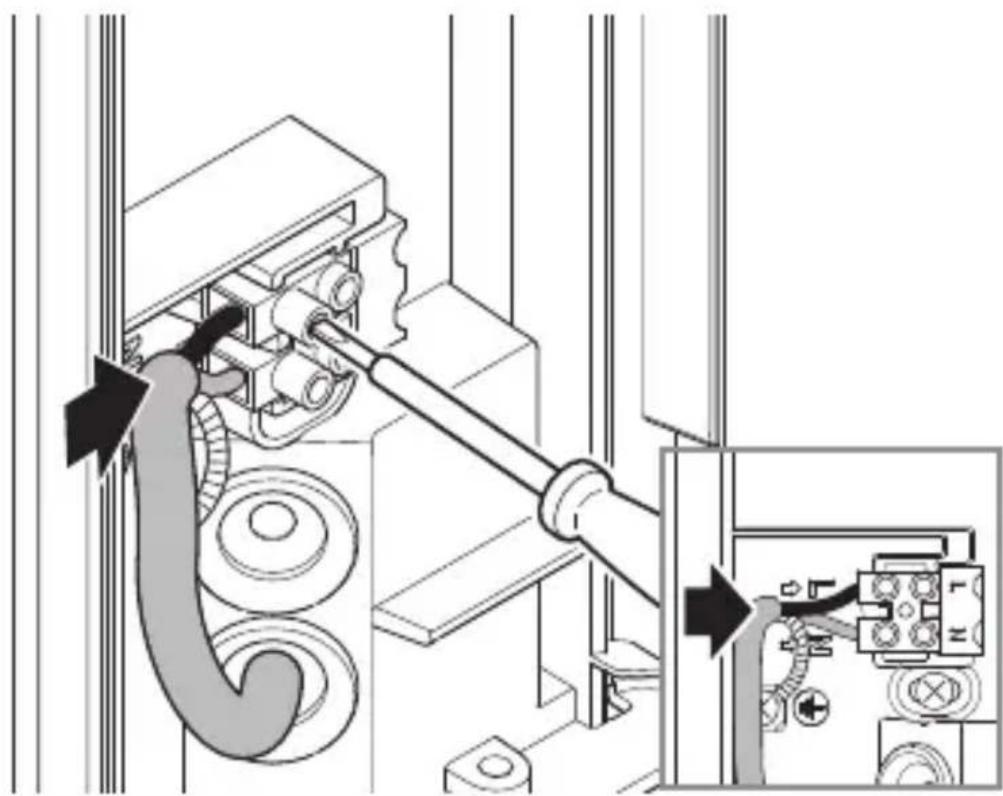
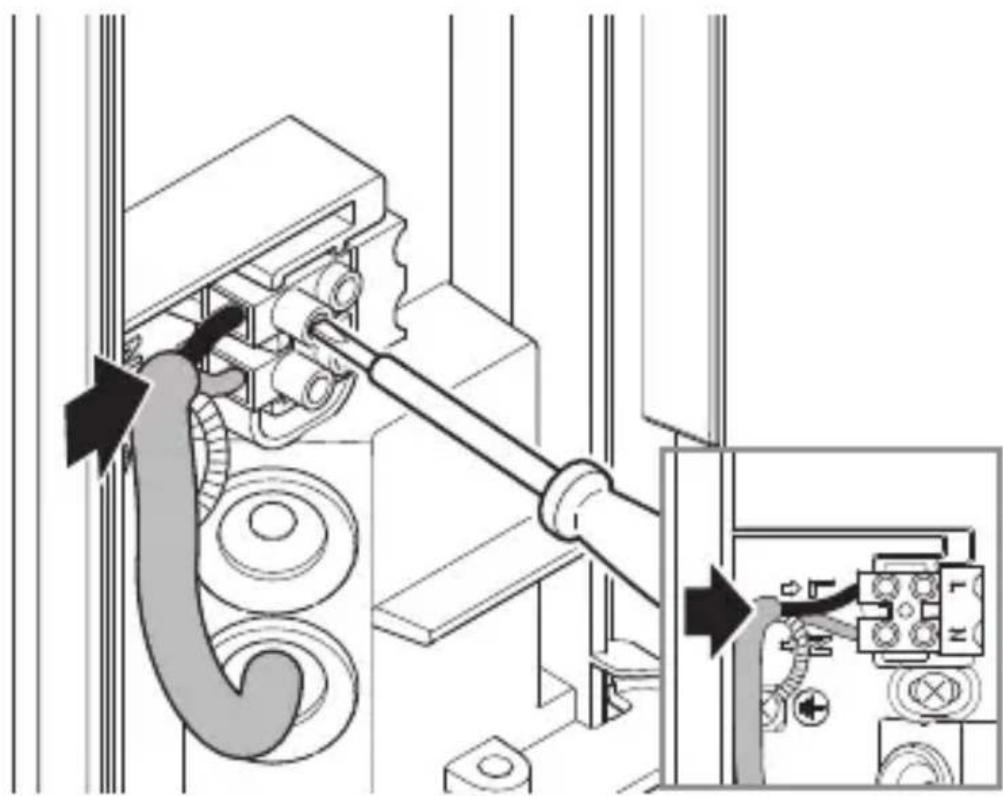
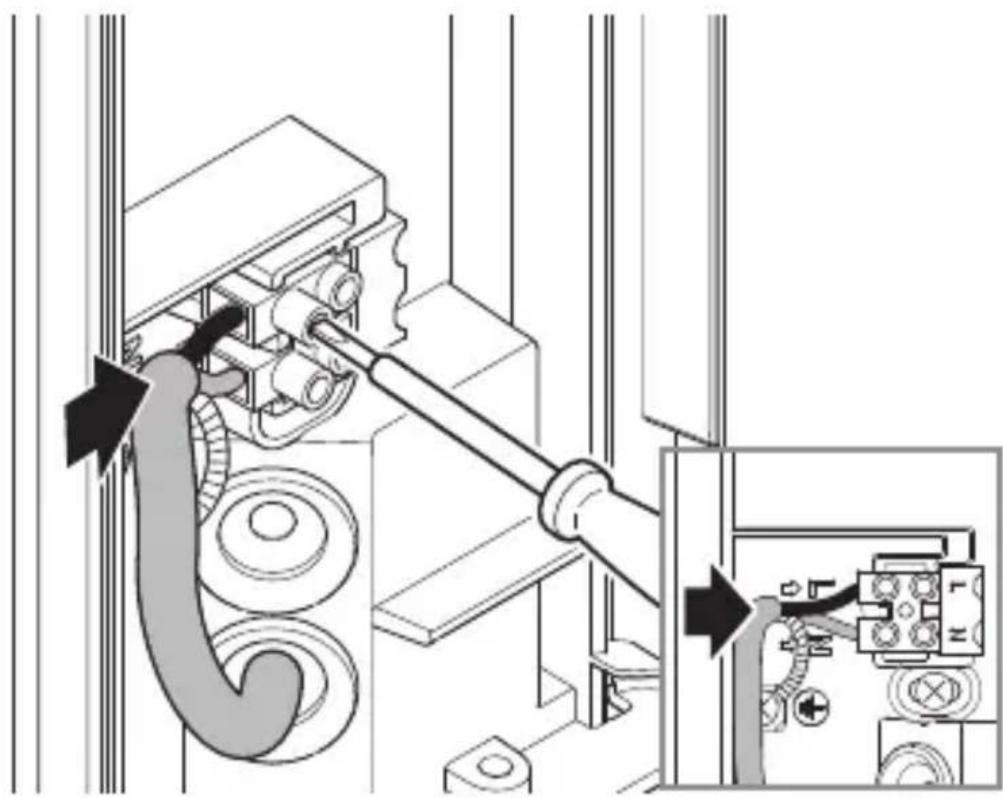
Mechanical assembly diagram showing a motor drive system with pulleys and gears, no text or symbols present- Connect mains power supply lead as shown in the wiring diagram.
→“4. Electrical connection”
5.11
natural_image
Technical diagram of a mechanical device with directional arrows indicating movement or force (no text or symbols present)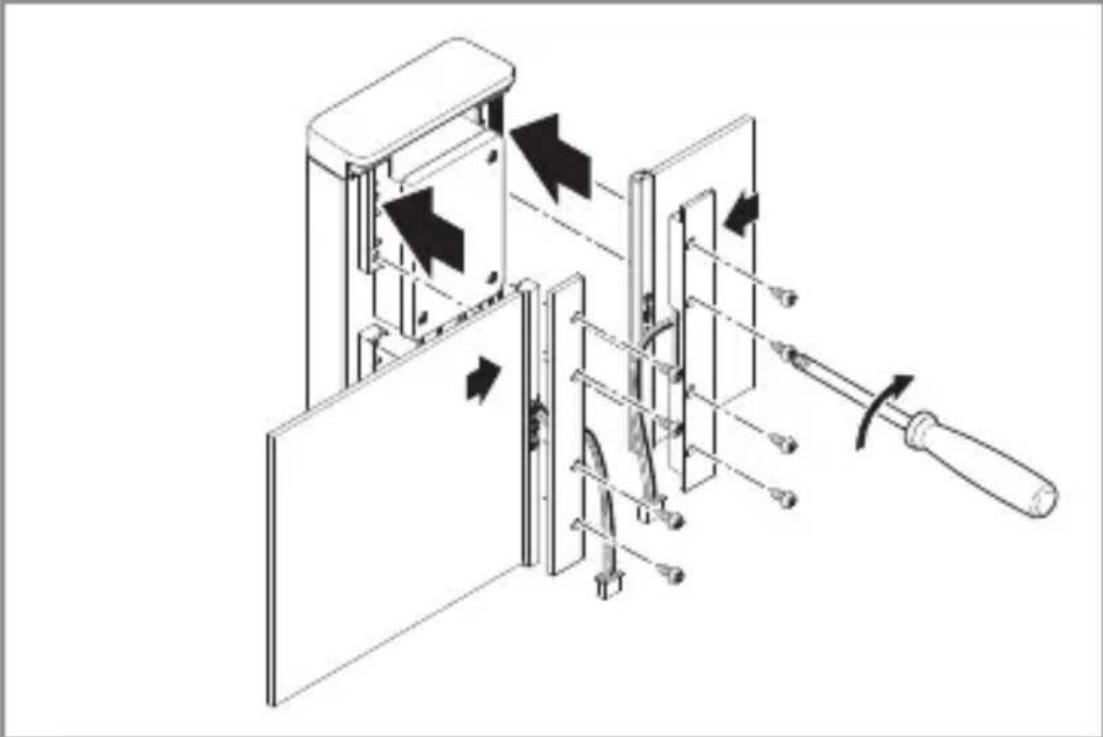
natural_image
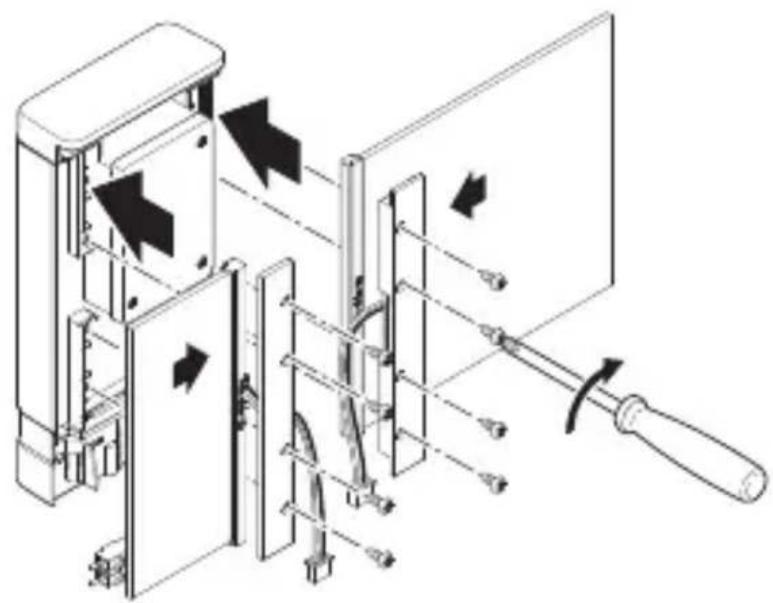
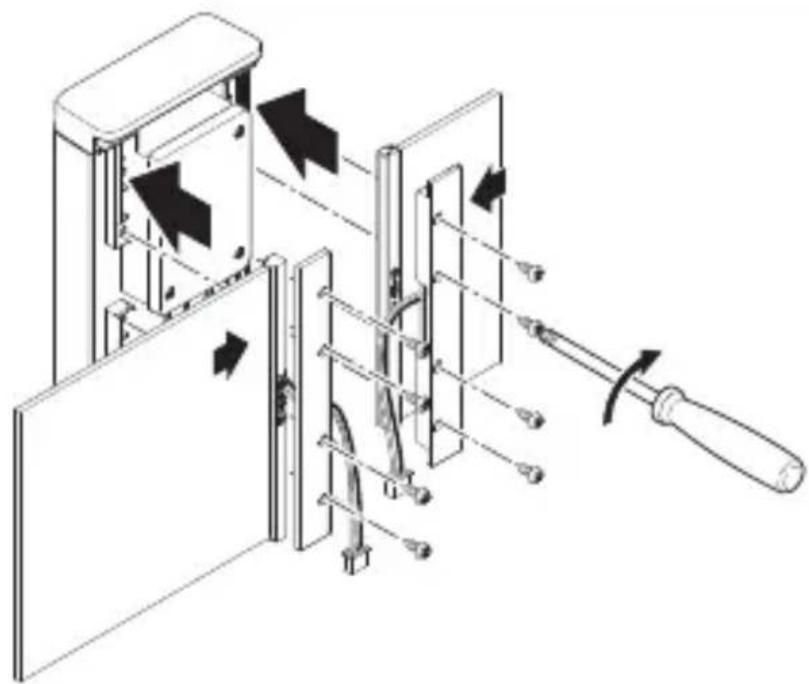
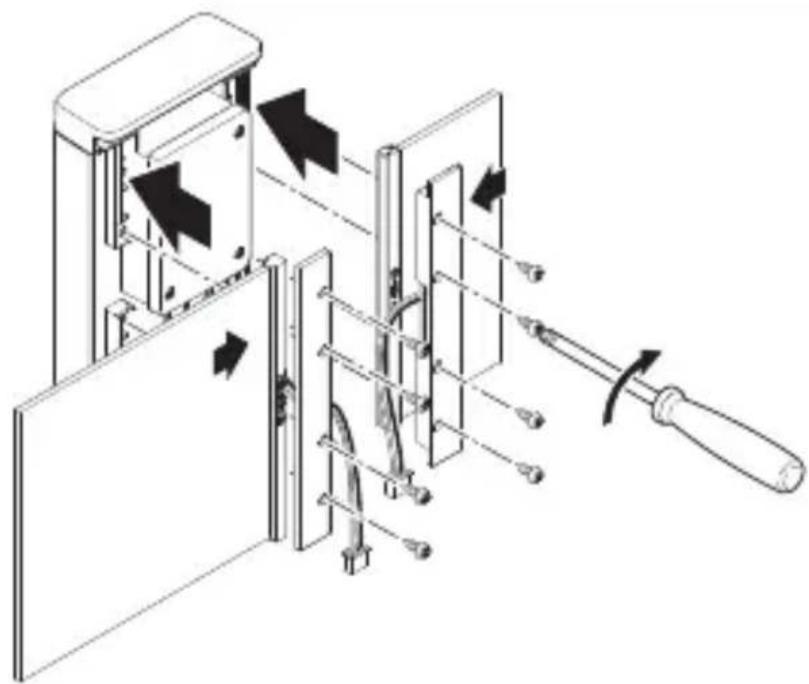
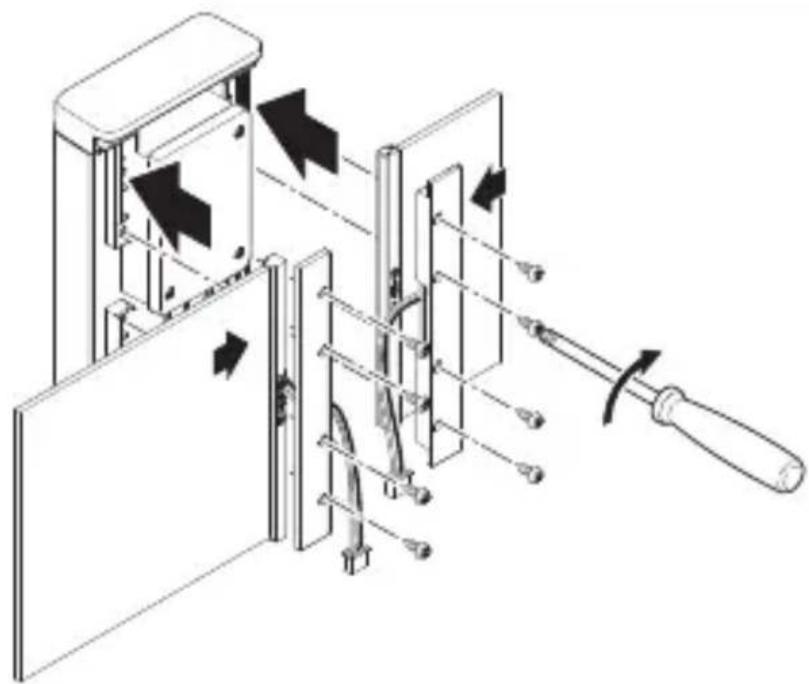
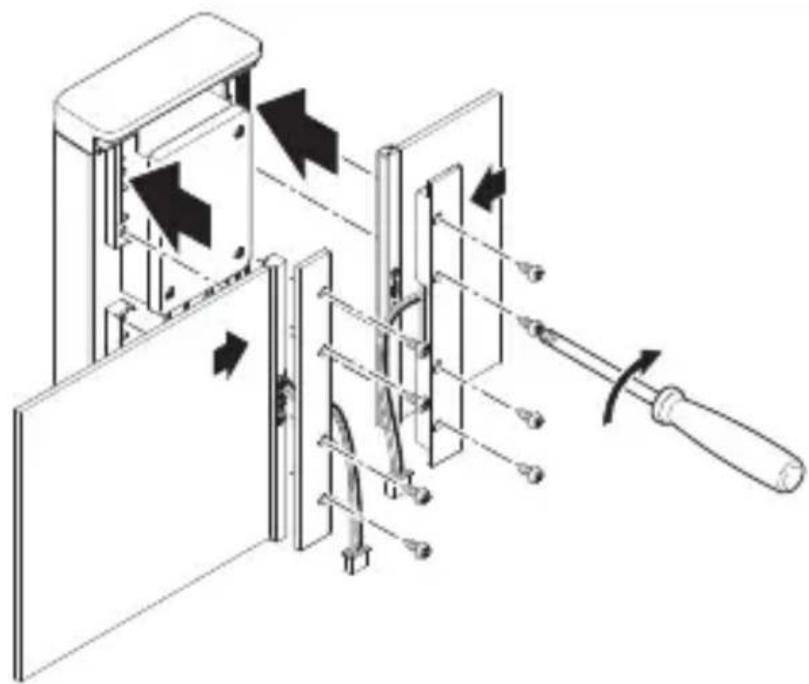
Technical line drawing of a mechanical device with arrows indicating motion or assembly (no text or symbols)- Insert panels into the base. Screw panel holders into place.
—The large and small panel can be screw-mounted on either side.
–The panels can be interchanged.
L 270 Digi SC light
5.12
natural_image
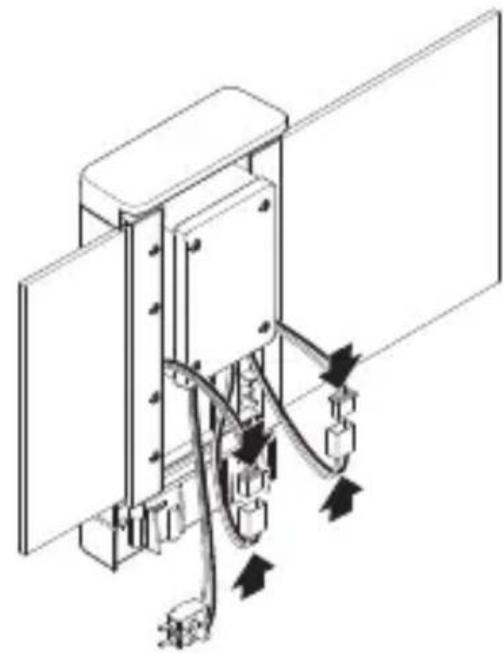
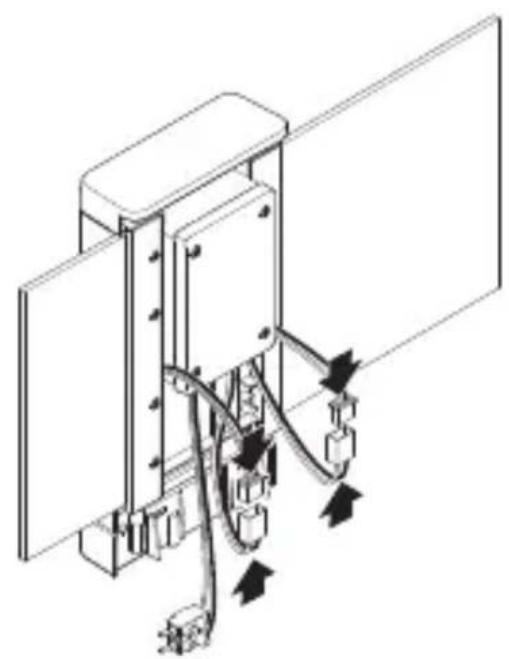
Technical line drawing of a mechanical or electrical assembly with no visible text, numbers, or symbols.- Interconnect plugs for connecting house number panels.
5.13
natural_image
Technical line drawing of a mechanical device inside a rectangular enclosure, showing internal components and wiring (no text or symbols)GB
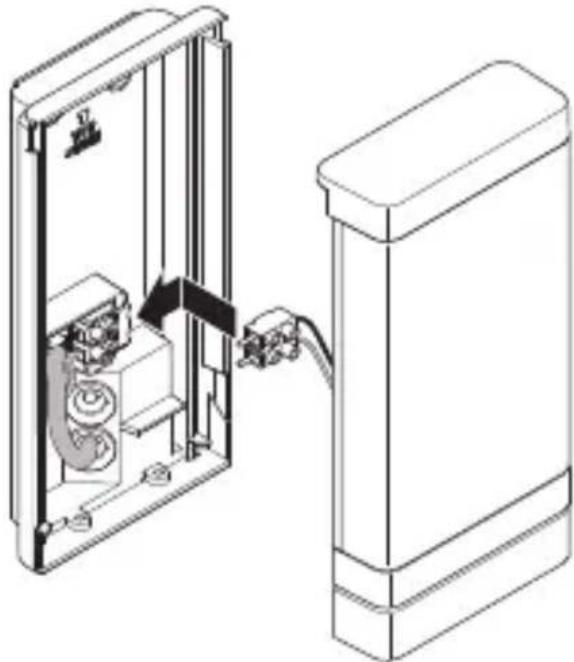
- Connect terminal.
5.14
natural_image
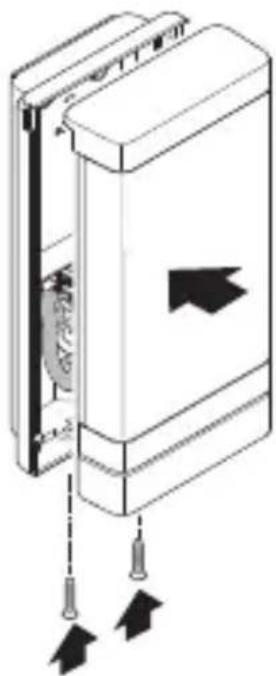
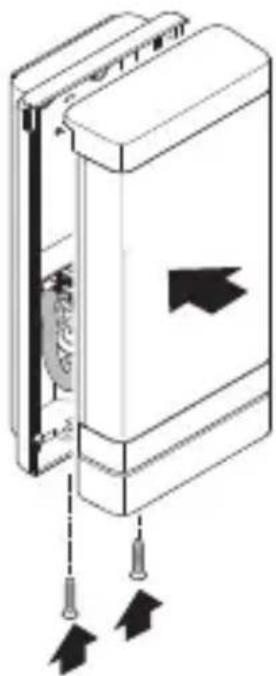
Diagram of a door panel with arrows indicating movement or force, no text or symbols present- Screw LED cover to wall mount.
5.15
text_image
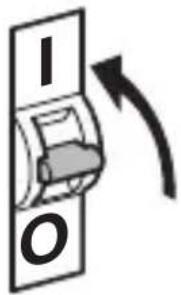
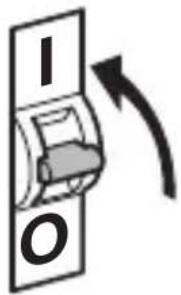
I O- Switch ON power supply.
L 270 Digi SC light
5.16
text_image
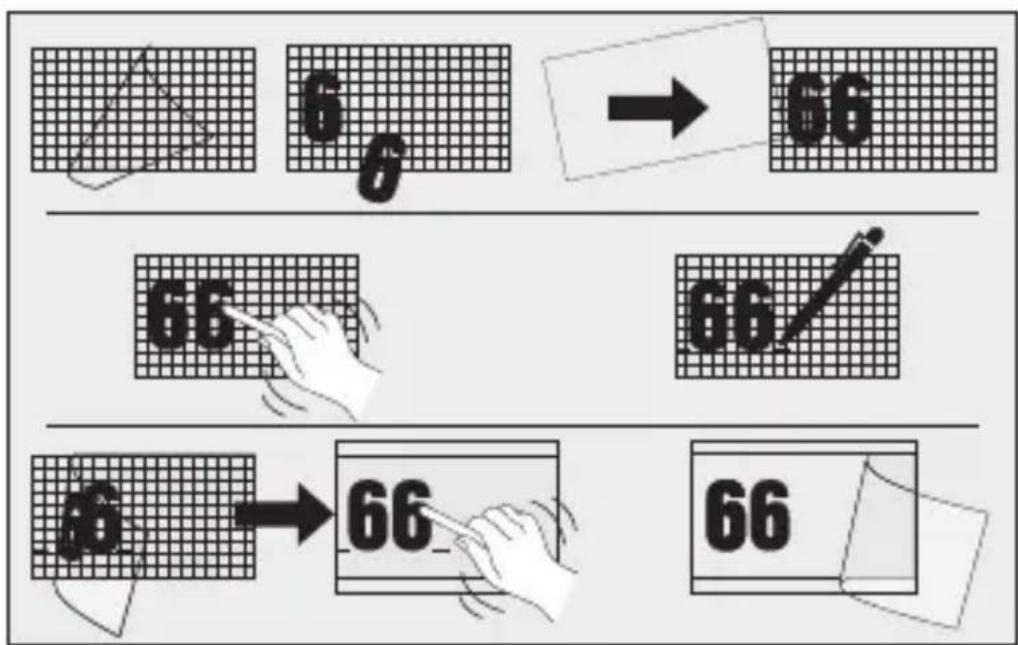
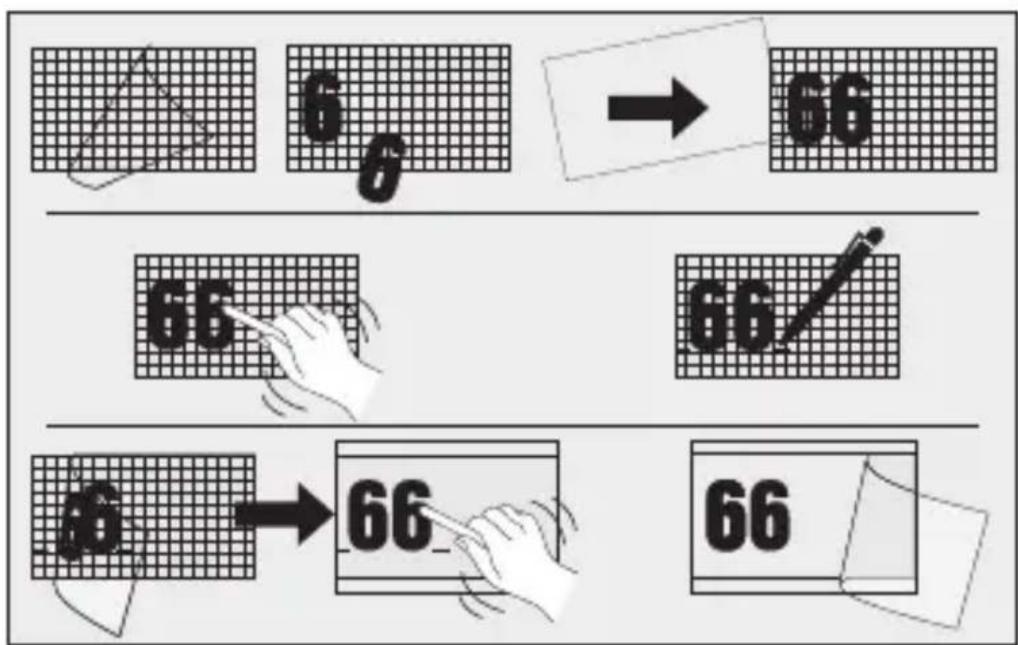
6 → 66 66 66 66 → 66 66- Affix house numbers from sheet of self-adhesive house numbers.
- Make settings. →“6. Function”
6. Function
L 270 Digi SC and L 271 Digi SC lights
Factory settings (state on leaving the factory)
- Reach setting = max.
- Main light time setting: 10 sec.
– Basic light time setting: 1 min.
– Twilight level: 2,000 lux
– Basic light dimming level: 50 %
Factory settings
- Reach setting: 8 m
- Main light stay-ON time: 3 min.
- Basic light stay-ON time: 5 min.
– Twilight level: 500 lux
– Basic light dimming level: 10 % - Effect lighting: ON
Steinel Connect app
To configure the unit via smartphone or tablet, you must download the STEINEL Connect app from your app store. You will need a Bluetooth-capable smartphone or tablet.
Android iOS

text_image
QR code image containing encoded data, no visible human-readable text
text_image
QR code image containing encoded data, no visible human-readable textFollowing functions can be set via the Steinel Connect app:
- Time setting 5 s - 60 min
– Twilight setting: 2 – 2,000 lux - Teaching lux
- Basic light level
- Main light level
- Soft light start function
- Teaching time of day
- Reach adjustment
- Bluetooth interconnection
Time setting
The switch-off delay can be set to any period from approx. 5 seconds to a maximum of 60 minutes. Every movement detected re-activates the light.
The shortest time setting is recommended when adjusting the detection zone and performing the functional test.
Twilight setting
The brightness response threshold (twilight) can be infinitely varied from approx. 2 - 2,000 lux.
Daylight mode must be selected when adjusting the detection zone and performing the functional test in daylight.
Basic light level
The brightness of the basic light level setting can be varied between 10 % and 100 %.
Basic light can be set in relation to time or ambient light level.
The light switches to maximum output (100 %) for the time selected in response to movement in the detection zone.
The light then returns to the basic light level.
Main light level
The brightness of the main light level setting can be varied between 10 % and 100 %.
Soft light start function:
On switching ON, light level constantly builds up to 100 % (fade in).
On switching OFF, light level is constantly reduced to 0% (fade out).
Fade-in and fade-out times are selectable.
Manual override
The manual override parameters can be set via the Steinel Connect app.
In the new app, manual override can be set to any specific time of day (teaching time of day).
Bluetooth interconnection (Bluetooth Connect Mesh)
The sensor switch complies with the Bluetooth Mesh standard. It can be interconnected with all products complying with the Bluetooth Mesh standard.
The sensor switch is configured by Steinel Connect app.
Appropriate network keys are saved on the smartphone or tablet the first time a connection is made between sensor switch and Steinel Connect app. The key rules out any unauthorised access to the sensor.
The network key must be shared for access via another smartphone or tablet.
Set detection zone
6.1
natural_image
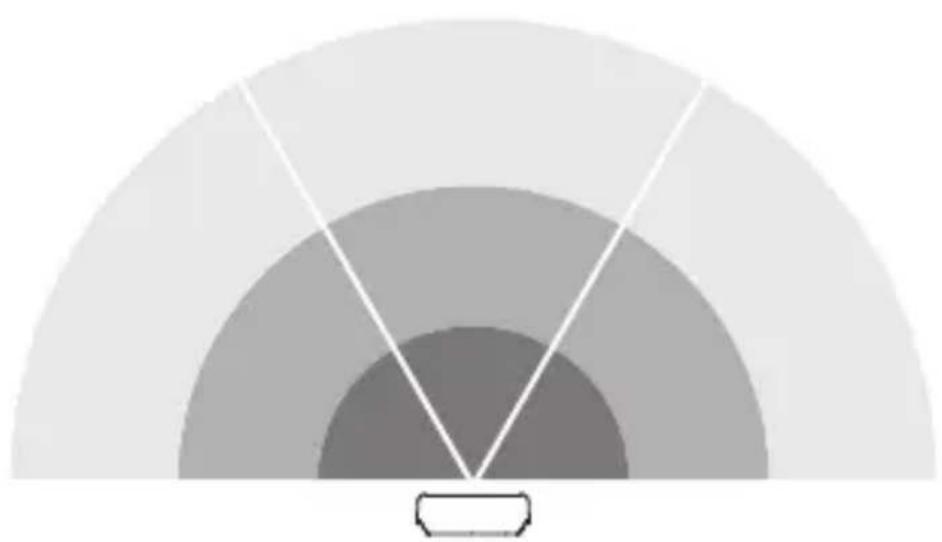
Simple diagram of concentric arcs with a central label, no text or symbols presentThe area covered by the sensor can be divided into three zones:
– Each of the three zones can be activated or deactivated separately.
- Reach can be set for each of the three zones.
Note: when setting the detection zone, it is recommended to select
- the shortest time.
-daylight mode.
7. Maintenance and care
GB
The tool requires no maintenance.
Hazard from electrical power.
Contact between water and live parts can result in electric shock, burns or death.
- Only clean tool in a dry state.
Risk of damage to property!
Using the wrong cleaning product can damage the light.
- Clean tool with a moist cloth without detergent.
L270 only:
- Wipe off dirt on the panels with a soft cloth and glass cleaner.
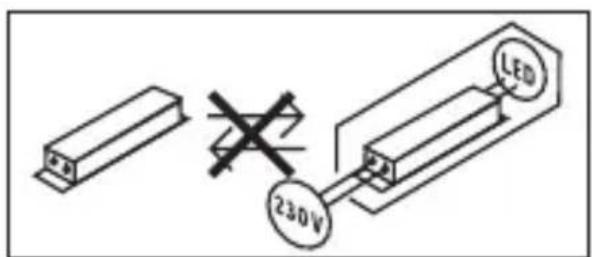
Important note: the control gear cannot be replaced.
text_image
230V LED8. Disposal
Electrical and electronic equipment, accessories and packaging must be recycled in an environmentally compatible manner.
Do not dispose of electrical and electronic equipment as domestic waste.
EU countries only:
Under the current European Directive on Waste Electrical and Electronic Equipment and its implementation in national law, electrical and electronic equipment no longer suitable for use must be collected separately and recycled in an environmentally compatible manner.
9. Manufacturer's warranty
Manufacturer's warranty of STEINEL GmbH, Dieselstrasse 80-84, DE-33442 Herzebrock-Clarholz, Germany
All STEINEL products meet the highest quality standards.
For this reason, we, the manufacturer, are pleased to provide you, the consumer, with a warranty under the following terms and conditions:
The warranty covers the absence of deficiencies which are proven to be the result of a material defect or fault in manufacturing and which are reported to us immediately after detection and within the warranty period. The warranty shall apply to all STEINEL products sold and used in Germany – excluding STEINEL Professional products.
You can opt for warranty cover in the form of repair or replacement which will be provided free of charge (if applicable, in the form of a successor model of the same or higher quality) or in the form of a credit note.
The warranty period for the STEINEL product you have purchased is 3 years in each case from the date on which the product was purchased.
We shall bear the shipping costs but not the transport risks involved in return shipment.
Statutory rights accruing from defects, gratuitousness
The warranty cover described here shall be applicable in addition to the statutory rights of warranty – including special consumer protection provisions – and shall not restrict or replace them. Exercising your statutory rights in the event of defects is gratuitous.
Exemptions from the warranty
All replaceable lamps are expressly excluded from this warranty. In addition to this, the warranty shall not cover:
– any wear resulting from use or any other natural wear of product parts or any deficiencies in the STEINEL product that are attributable to wear caused by use or other natural wear,
– any improper or non-intended use of the product or any failure to observe the operating instructions,
– any unauthorised additions, alterations or other modifications to the product or any deficiencies attributable to the use of accessory,
– supplementary or replacement parts which are not genuine STEINEL parts,
– any maintenance or care of products that is not carried out in accordance with the operating instructions,
– any attachment or installation that is not in accordance with STEINEL’s installation instructions,
– any damage or loss occurring in transit.
Application of German law
The warranty shall be governed by German law excluding the United Nations Convention concerning the International Sale of Goods (CISG).
Making claims
If you wish to make a warranty claim, please send your product complete and carriage paid with the original receipt of purchase, which must show the date of purchase and product designation, either to your retailer or directly to us at STEINEL (UK) Ltd. – 25 Manasty Road, Axis Park, Orton Southgate, GB- Peterborough Cambs PE2 6UP United Kingdom. For this reason, we recommend that you keep your receipt of purchase in a safe place until the warranty period expires.
10. Technical specifications
- Dimensions (H × W × D): L 270 SC: 235 × 366 × 65 mm L 271 SC / L 271 C: 235 × 116 × 65 mm
- Power supply: 220–240 V, 50/60 Hz
- Power consumption ( P_on ): L 270 SC: 7.80 W L 271 SC / L 271 C: 6.60 W
- Luminous flux (360°): L 270 SC: 637 lm L 271 SC / L 271 C: 566 lm
- Efficiency: L 270 SC: 82 lm/W L 271 SC / L 271 C: 85 lm/W
- Standby, sensor (P_sb) : L 270 SC; L 271 SC: 0.50 W
- Standby, network (P _net ): 0.50 W
- Colour temperature: 3,000 K (warm white)
- Colour rendering index: R_a = 82
– Average rated life expectancy:
L70B50 at 25°C: > 60,000 hours
- Colour consistency SDCM: starting value: 3
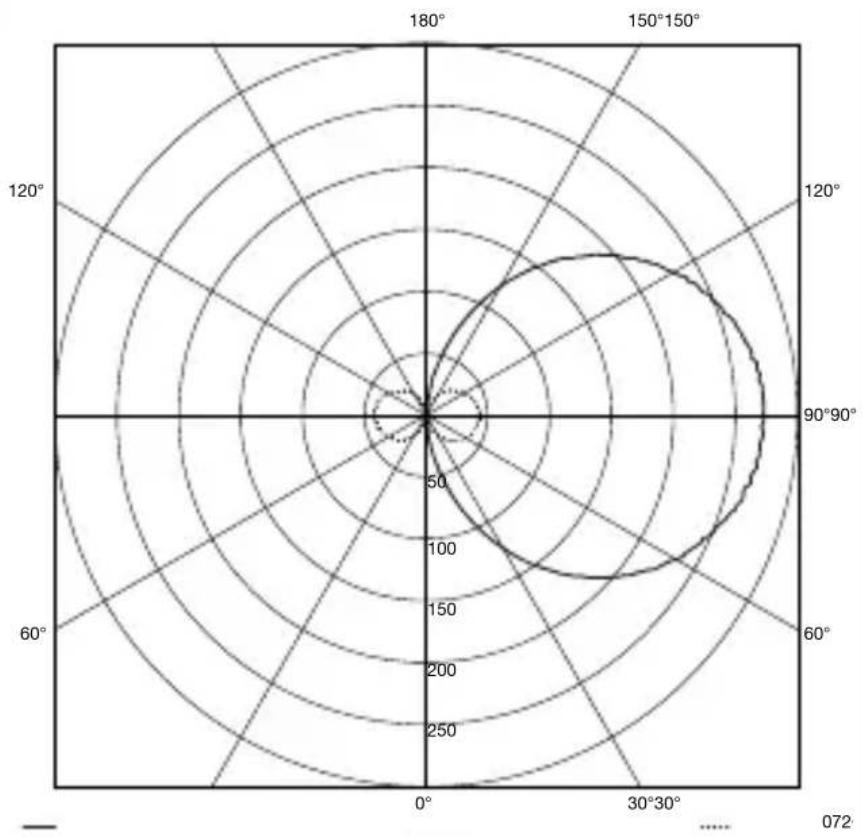
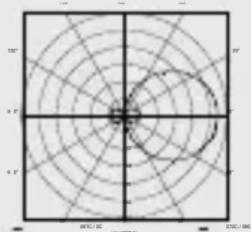
– Luminous intensity distribution:
natural_image
Circular diagram with concentric circles and radial axes, no text or symbols present- Basic light level: adjustable from 10 – 100 %
- Main light: adjustable from 10 – 100 %
- Detection reach*: max. 8 m tangentially
- Angle of coverage*: 180^
– Time setting*: 5 s – 60 min
– Twilight setting*: 2–2,000 lux - Reach setting*: 1-8 m
- IP rating: IP44
- Protection class: //
- Impact resistance: IK03
– Ambient temperature: -10 to +40°C
- Energy efficiency class: This product contains a light source from energy efficiency class “E”.
* For C: only in combination with a Bluetooth sensor-switched product.
11. Troubleshooting
Unit without power.
- Fuse not switched ON or faulty.
- Switch ON fuse.
- Change faulty fuse.
- Break in wiring.
- Check wiring with voltage tester.
– Short circuit in mains power supply lead.
- Check connections.
- Any mains switch OFF
- Switch ON mains switch.
Unit does not switch ON.
– Wrong twilight setting selected.
- Reset twilight setting.
- Mains switch OFF.
- Turn on mains switch.
- Fuse not switched ON or faulty.
- Switch ON fuse.
- Change faulty fuse.
– Rapid movements being suppressed to minimise malfunctioning, or detection zone too small or incorrectly defined.
- Check and adjust detection zone.
– Light source faulty.
- The light source cannot be changed. Completely replace unit.
Unit does not switch OFF.
- Continued movement within the detection zone.
- Check detection zone.
- If necessary, limit or change detection zone.
Unit switches ON when it should not.
– Floodlight not mounted for detecting movement reliably.
- Securely mount floodlight.
- Movement occurred but not identified by the observer (movement behind wall, small object moving in immediate proximity of lamp etc.).
- Check detection zone.
- If necessary, limit or change detection zone.
FR
Sommaire
natural_image
Isometric line drawing of a rectangular mechanical part with a 1× label (no other text or symbols)3×

3×
3×

1×
1×
text_image
I Bnatural_image
Isometric line drawing of a rectangular mechanical part with a 1× label (no other text or symbols)3×

3×
3×

1×
1×
text_image
I Btext_image
Safety warning symbol and electrical circuit diagram showing lightning bolt and switch mechanism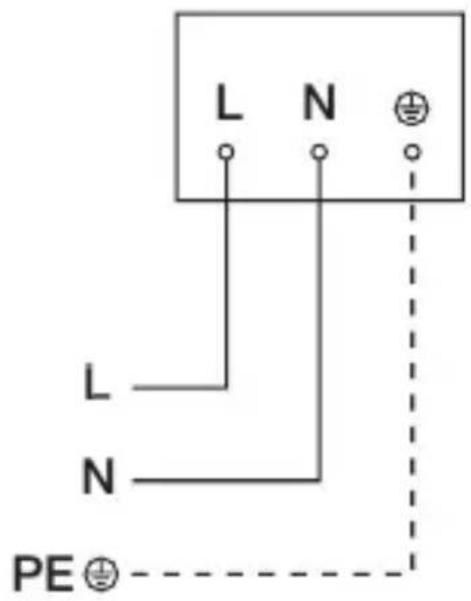
text_image
L N L N PE ⊕text_image
LED 22 LED5. Montage

text_image
≤ 8 m 2 mFR
text_image
Safety warning symbol and electrical switch diagram with lightning bolt and 'I' label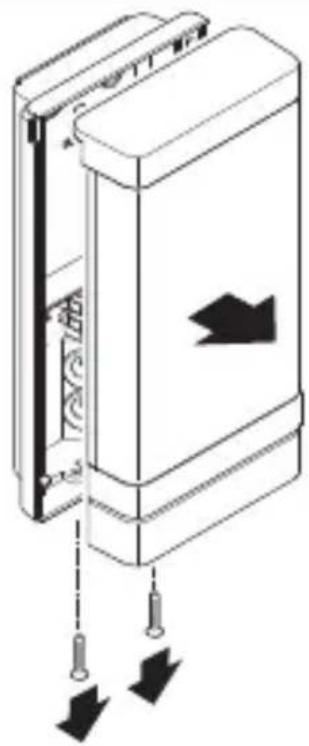
natural_image
Diagram of a door panel with arrows indicating downward movement, no text or symbols presentFR
natural_image
Technical line drawing of a device showing internal components and a close-up view of the exterior panel (no text or symbols)natural_image
Technical diagram of a mechanical device with internal components and directional arrows (no text or symbols)text_image
Safety warning sign showing a faucet above a prohibited food item with a crossed-out circle
natural_image
Technical diagram of a mechanical device with springs and tubing, showing directional arrows indicating movement or force (no text or symbols present)FR
natural_image
Mechanical assembly diagram showing a motor drive system with pulleys and gears, no text or symbols presentFR
natural_image
Technical diagram of a mechanical device with directional arrows indicating movement or force (no text or symbols present)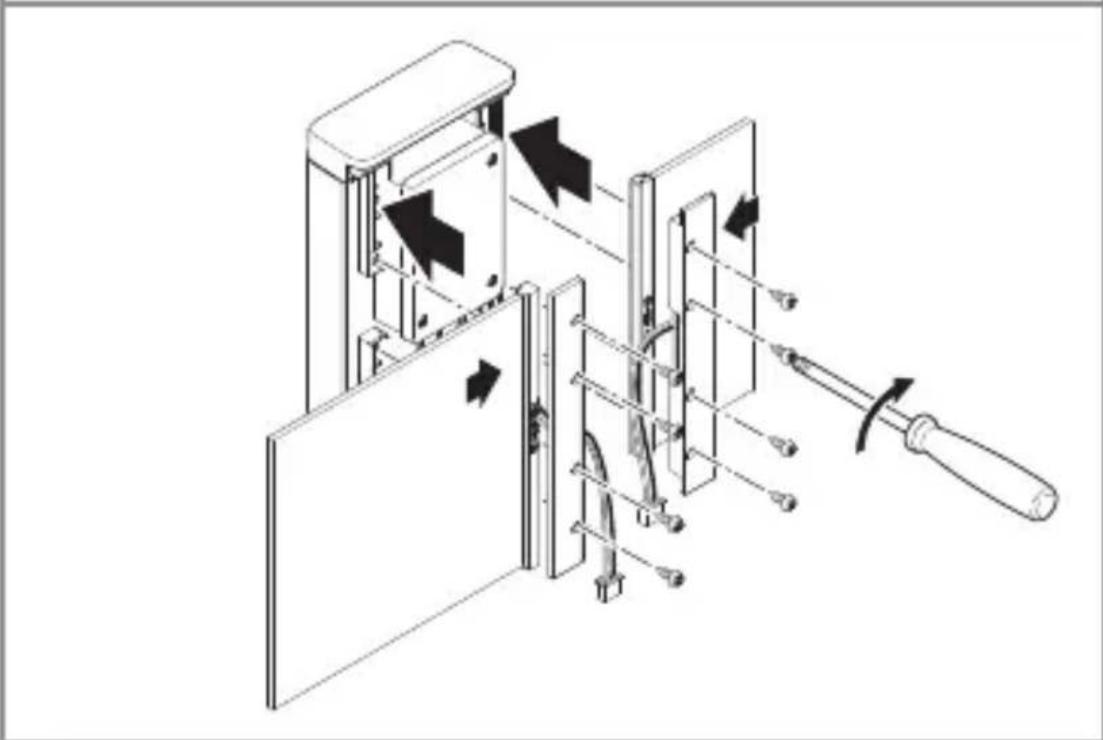
natural_image
Technical diagram of a mechanical device with arrows indicating motion or assembly, no visible text or symbolsnatural_image
Technical line drawing of a mechanical or electrical assembly with no visible text, numbers, or symbols.FR
natural_image
Technical line drawing of a mechanical device with internal components and a cable, showing no text or symbolsnatural_image
Diagram of a door panel with arrows indicating movement or force, no text or symbols presenttext_image
QR code image containing encoded data, no visible human-readable text
text_image
QR code image containing encoded data, no visible human-readable textnatural_image
Circular grid pattern with radial lines and concentric circles, no text or symbols presentnatural_image
Isometric line drawing of a rectangular mechanical part with a 1× label (no other text or symbols)3×

3×
3×

1×
1×
text_image
I Bnatural_image
Isometric line drawing of a rectangular mechanical part with a 1× label (no other text or symbols)3×

3×
3×

1×
1×
text_image
I Btext_image
L N L N PE ⊕text_image
≤ 8 m 2 mtext_image
Electrical hazard symbol and electrical switch diagram with current direction arrows
natural_image
Diagram of a door panel with arrows indicating direction and movement, no text or symbols presentnatural_image
Technical line drawing of a device interior showing internal components and a close-up view of the base (no text or symbols)• Verbindingsstekker losmaken.
5.6
natural_image
Technical diagram of a mechanical device with internal components and directional arrows (no text or symbols)NL
- Boorgaten aftekenen.
5.7
text_image
Ø 6 mm- Gaten boren (∅ 6 mm) en pluggen inbrengen.
5.8
text_image
Safety warning sign showing a faucet above a prohibited food item with a crossed-out circle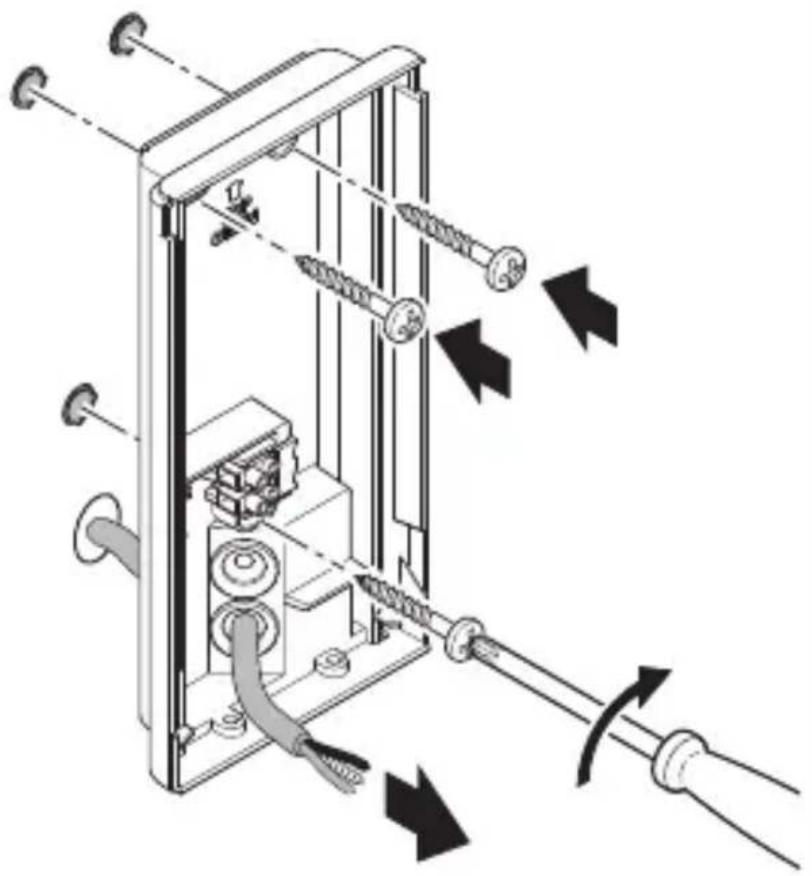
natural_image
Technical diagram of a mechanical device with attached screws and tubing, showing directional arrows indicating movement or force (no text or symbols present)natural_image
Mechanical assembly diagram showing a motor drive system with pulleys and gears, no text or symbols presentnatural_image
Technical diagram of a mechanical device with directional arrows indicating movement or force (no text or symbols present)NL
natural_image
Technical diagram of a mechanical device with directional arrows indicating movement or force (no text or symbols present)natural_image
Technical line drawing of a mechanical or electrical assembly with no visible text, numbers, or symbols.natural_image
Technical line drawing of a device inside a rectangular enclosure, showing internal components and wiring (no text or symbols)NL
natural_image
Diagram of a door mechanism with arrows indicating movement or force (no text or symbols present)text_image
QR code image containing encoded data, no visible human-readable text
text_image
QR code image containing encoded data, no visible human-readable textnatural_image
Simple diagram of concentric arcs with a central rectangle, no text or symbols presentnatural_image
Circular diagram with concentric rings and radial lines, no text or symbols presentnatural_image
Isometric line drawing of a rectangular mechanical part with a 1× label (no other text or symbols)3×

3×
3×

1×
1×
text_image
I Bnatural_image
Isometric line drawing of a rectangular mechanical part with a 1× label (no other text or symbols)3×

3×
3×

1×
1×
text_image
I Btext_image
A B C D E I G 222 C F G H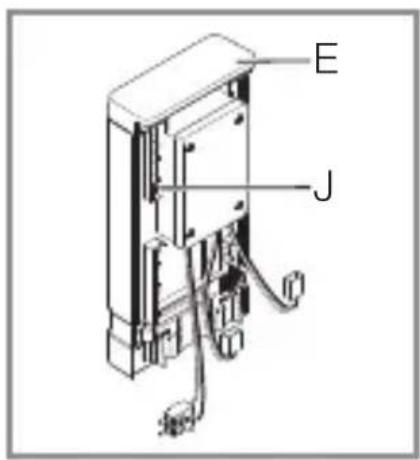
text_image
E Jtext_image
Safety warning symbol and electrical circuit diagram showing lightning bolt and switch mechanism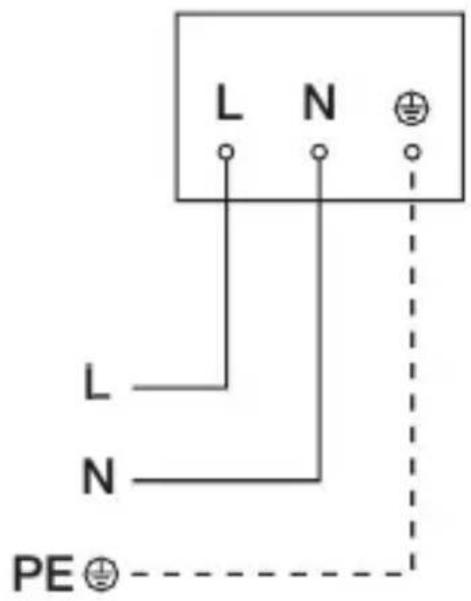
text_image
L N L N PE ⊕text_image
LED 22 LED5. Montaggio
text_image
≤ 8 m 2 mIT
natural_image
Diagram of a door panel with arrows indicating downward movement, no text or symbols presentnatural_image
Technical line drawing of a device showing internal components and a close-up of a rectangular housing (no text or symbols)natural_image
Technical diagram of a mechanical device with internal components and directional arrows (no text or symbols)- Segnare i fori.
5.7
text_image
Ø 6 mmtext_image
Safety warning sign showing a faucet above a prohibited food item with a crossed-out circle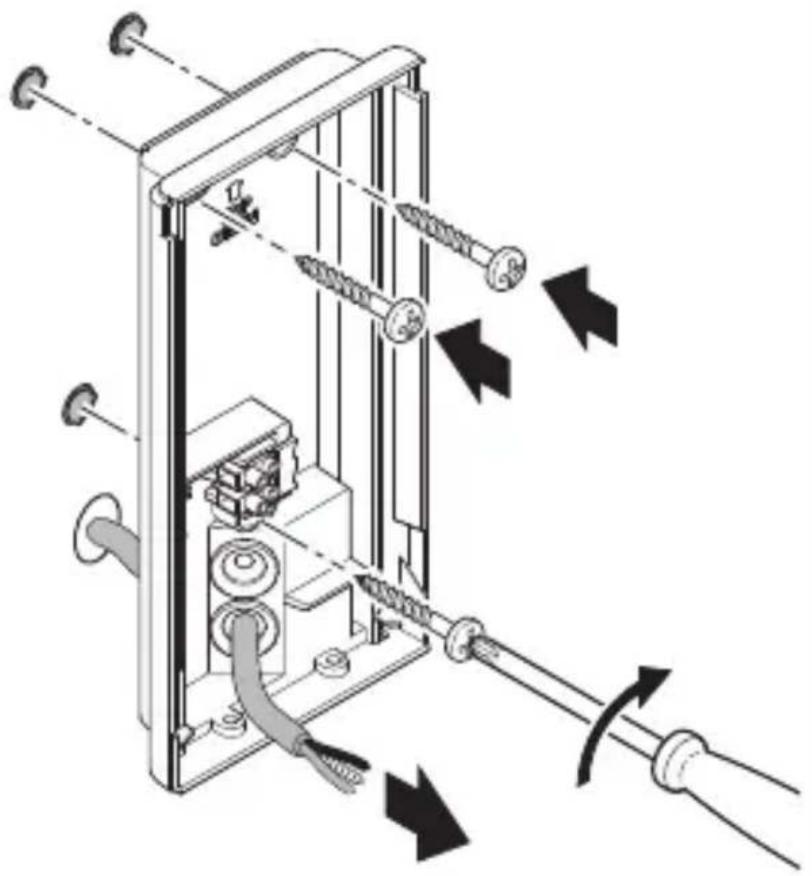
natural_image
Technical diagram of a mechanical device with attached screws and tubing, showing directional arrows indicating movement or force (no text or symbols present)natural_image
Mechanical assembly diagram showing a motor drive system with pulleys and gears, no text or symbols presentnatural_image
Technical diagram of a mechanical device with directional arrows indicating movement or force (no text or symbols present)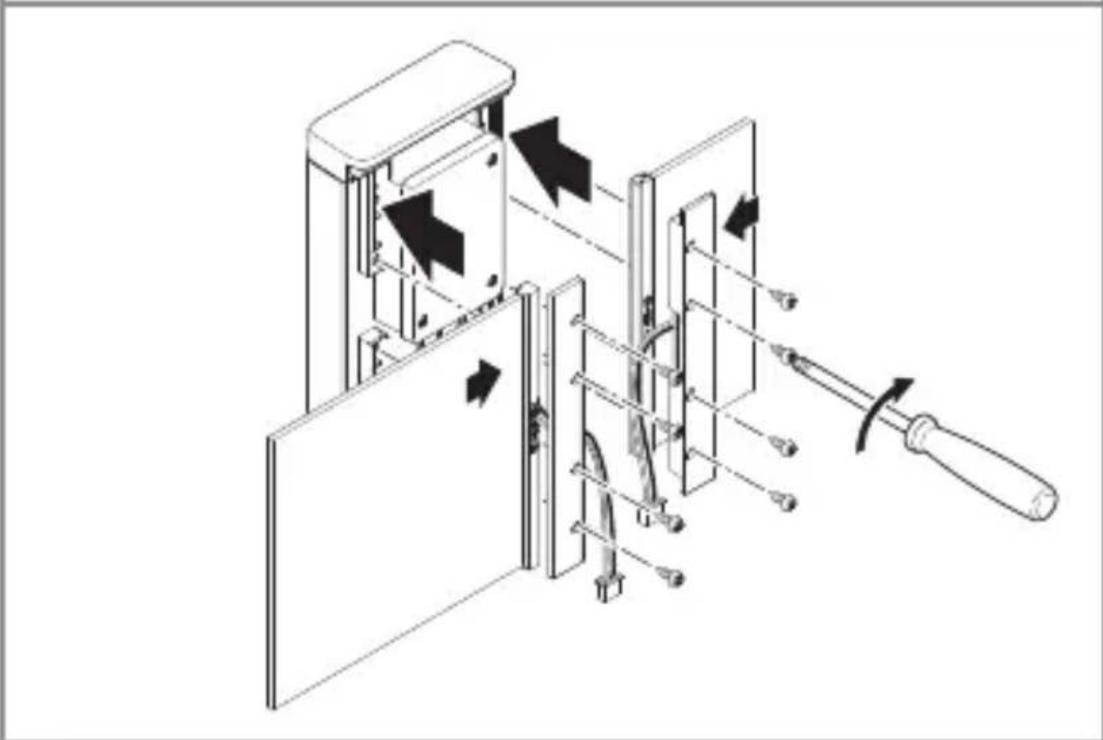
natural_image
Technical diagram of a mechanical device with arrows indicating motion or assembly, no visible text or symbolsnatural_image
Technical line drawing of an electrical enclosure with wiring and connectors (no text or symbols)natural_image
Technical line drawing of a device inside a rectangular enclosure with a cable inserted, showing internal components and wiring (no text or symbols)natural_image
Diagram of a door panel with arrows indicating movement or force, no text or symbols presenttext_image
QR code image containing encoded data, no visible human-readable text
text_image
QR code image containing encoded data, no visible human-readable textCollegamento in rete Bluetooth (Bluetooth Connect Mesh)
natural_image
Simple concentric arc diagram with no text or symbolsnatural_image
Circular diagram with concentric rings and radial lines, no text or symbols presentnatural_image
Isometric line drawing of a rectangular mechanical part with a 1× label (no other text or symbols)3×

3×
3×

1×
text_image
I A1×
text_image
I Bnatural_image
Isometric line drawing of a rectangular mechanical part with a 1× label (no other text or symbols)3×

3×
3×

1×
1×
text_image
A B C D E I G 2023 C F G H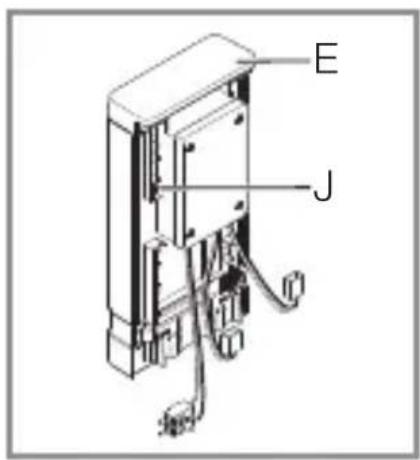
text_image
E Jtext_image
Electrical hazard symbol and electrical circuit diagram showing current I/O with lightning bolt and switch mechanism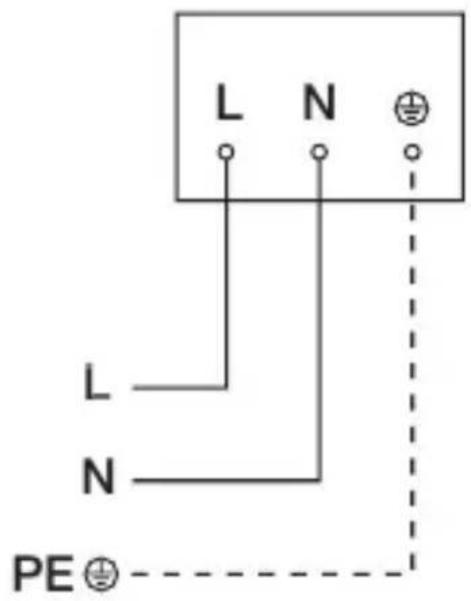
text_image
L N L N PE ⊕text_image
≤ 8 m 2 mtext_image
Electrical hazard symbol and electrical switch diagram with current direction arrows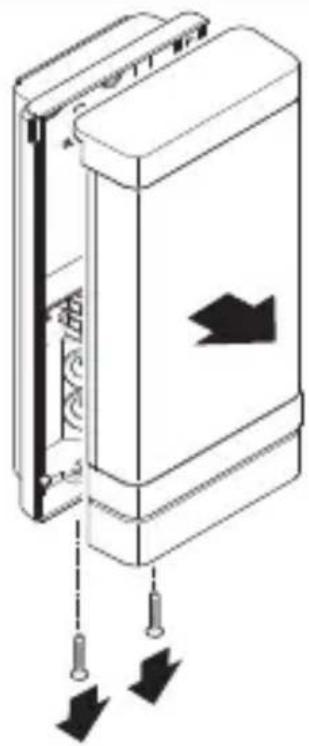
natural_image
Diagram of a door panel with arrows indicating direction and movement, no text or symbols presentnatural_image
Technical line drawing of a device showing internal components connected to a rectangular housing (no text or symbols)natural_image
Technical diagram of a mechanical device with internal components and directional arrows (no text or symbols)ES
text_image
Safety warning sign showing a faucet above a prohibited food item with a crossed-out circle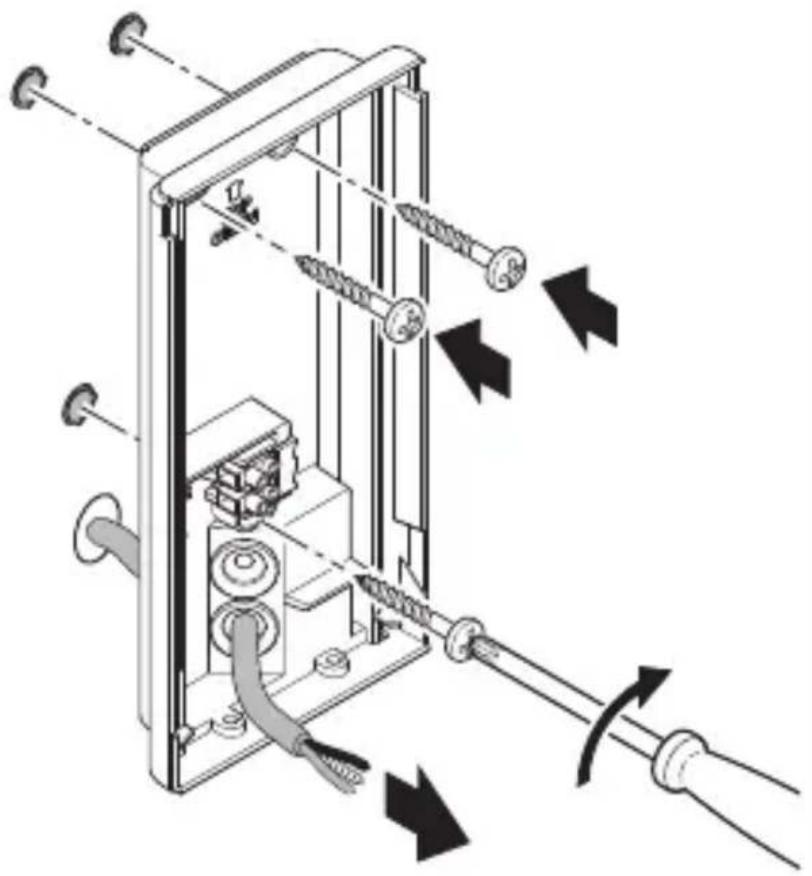
natural_image
Technical diagram of a mechanical device with attached screws and tubing, showing directional arrows indicating movement or force (no text or symbols present)natural_image
Two technical diagrams showing a cylindrical component and a rectangular block, both without any text or symbols.
natural_image
Mechanical assembly diagram showing gear and shaft components with directional arrows indicating motion (no text or labels)5.10
natural_image
Mechanical assembly diagram showing a motor drive system with pulleys and gears, no text or symbols presentnatural_image
Technical diagram of a mechanical device with directional arrows indicating movement or force (no text or symbols present)ES
natural_image
Technical diagram of a mechanical device with directional arrows indicating movement or force (no text or symbols present)natural_image
Technical line drawing of a mechanical or electrical assembly with no visible text, numbers, or symbols.natural_image
Technical line drawing of a mechanical device inside a rectangular enclosure, showing internal components and a cable connection (no text or symbols)ES
natural_image
Diagram of a door panel with arrows indicating movement or force, no text or symbols presenttext_image
QR code image containing encoded data, no visible human-readable text
text_image
QR code image containing encoded data, no visible human-readable textnatural_image
Simple diagram of concentric arcs with a central label, no text or symbols presentnatural_image
Circular diagram with concentric rings and radial lines, no text or symbols present– Luz de cortesía: ajustable de 10 a 100 %
– Luz principal: ajustable de 10 a 100 %
natural_image
Isometric line drawing of a rectangular object with a 1× label, no text or symbols present3×

3×
3×

1×
text_image
I A1×
text_image
I Bnatural_image
Isometric line drawing of a rectangular mechanical part with a 1× label (no other text or symbols)3×

3×
3×

1×
text_image
I A1×
text_image
I Btext_image
A B C D E I G 2023 C F G H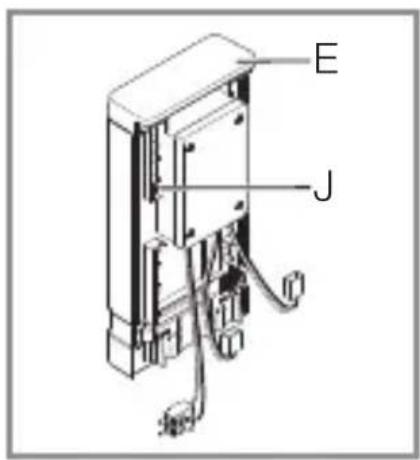
text_image
E Jtext_image
L N L N PE ⊕text_image
LED 22 LED5. Montagem
text_image
≤ 8 m 2 mtext_image
Safety warning symbol and electrical switch diagram showing lightning bolt and switch mechanism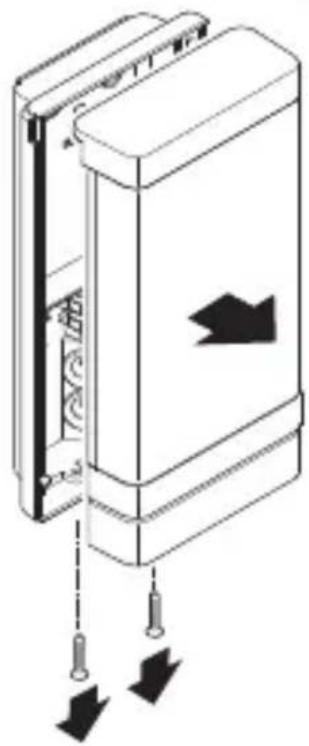
natural_image
Diagram of a door panel with arrows indicating direction and movement, no text or symbols presentnatural_image
Technical line drawing of a device interior showing internal components and a close-up view of the exterior wall (no text or symbols)natural_image
Technical diagram of a mechanical device with internal components and directional arrows (no text or symbols)PT
- Marque os furos.
5.7
text_image
Ø 6 mmtext_image
Safety warning sign showing a faucet above a prohibited food item with a crossed-out circle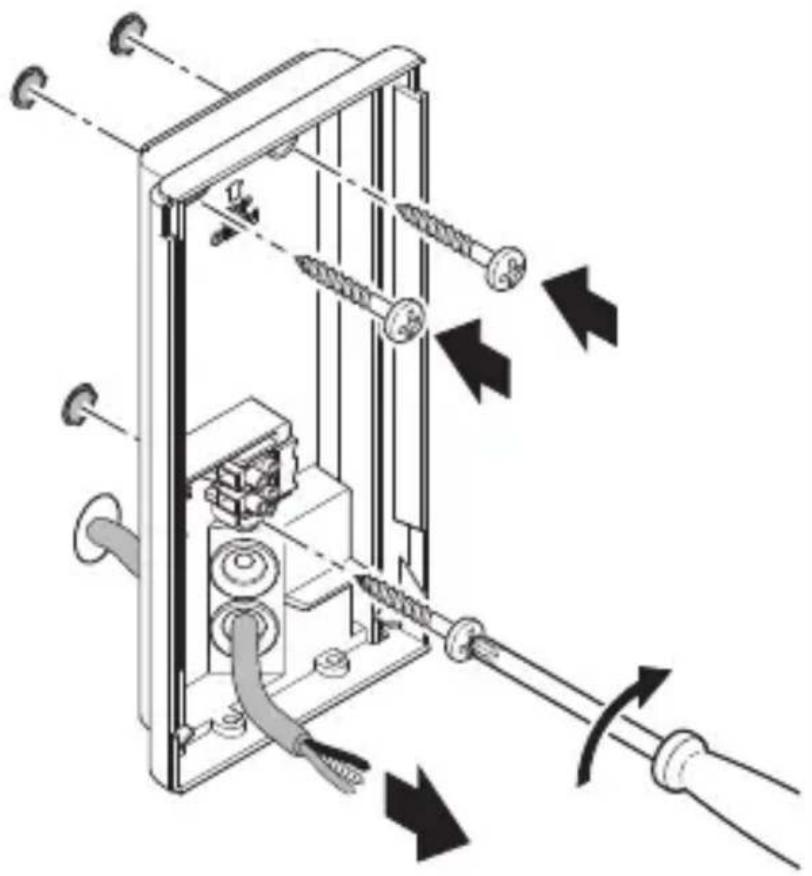
natural_image
Technical diagram of a mechanical device with attached screws and tubing, showing directional arrows indicating movement or force (no text or symbols present)natural_image
Two technical diagrams showing a cross-section of a mechanical component with a highlighted circular feature, no text or symbols present.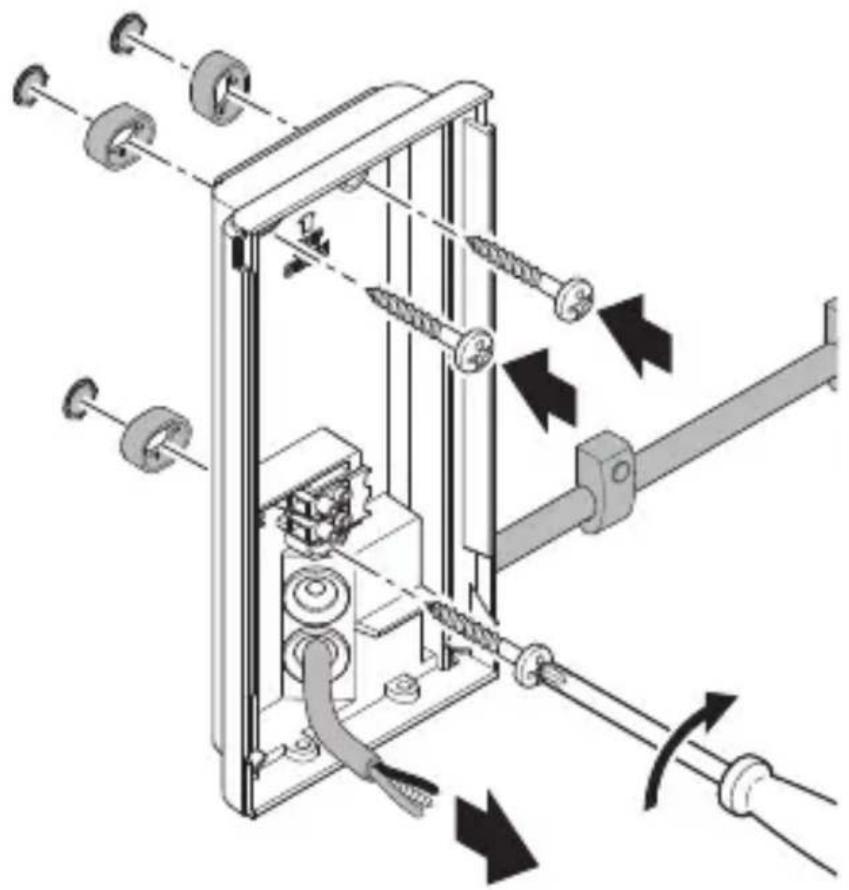
natural_image
Mechanical assembly diagram showing a motor or conveyor system with springs, gears, and rotating shafts (no text or labels)PT
natural_image
Mechanical assembly diagram showing a motor drive system with pulleys and gears, no text or symbols presentnatural_image
Technical diagram of a mechanical device with directional arrows indicating movement or force (no text or symbols present)PT
natural_image
Technical diagram of a mechanical device with directional arrows indicating movement or force (no text or symbols present)natural_image
Technical line drawing of a mechanical or electrical assembly with no visible text, numbers, or symbols.natural_image
Technical line drawing of a mechanical device inside a rectangular enclosure, showing internal components and a cable connection (no text or symbols)natural_image
Diagram of a door mechanism with arrows indicating movement or force (no text or symbols present)text_image
QR code image containing encoded data, no visible human-readable text
text_image
QR code image containing encoded data, no visible human-readable textnatural_image
Simple diagram of concentric arcs with a small rectangular base, no text or symbols present.text_image
Diagram showing a circular pattern with radial lines and concentric circles, labeled with angular divisions in degrees.natural_image
Isometric line drawing of a rectangular mechanical part with a 1× label (no other text or symbols)3×

3×
3×

1×
1×
natural_image
Isometric line drawing of a rectangular mechanical part with a 1× label (no other text or symbols)3×

3×
3×

1×
1×
text_image
I B- 1LED-armatur
- 3 Distanshållare
- 3 Skruvar
- 3 Pluggar
- 1 Säkerhetsdatablad (A)
- 1 Quick-start (B)
Produktmått armatur L 270 Digi SC
3.4
text_image
235 mm 223 116 mm 366 mm 65 mmtext_image
L N L N PE ⊕text_image
≤ 8 m 2 mtext_image
Electrical hazard symbol and electrical switch diagram with current direction arrows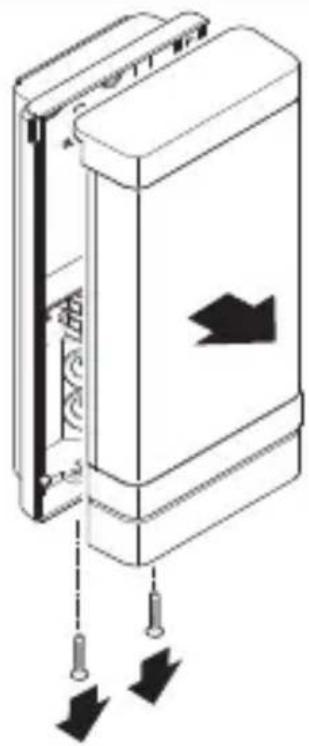
natural_image
Diagram of a door panel with arrows indicating movement or force, no text or symbols presentnatural_image
Technical line drawing of a device interior showing internal components and a close-up view of the base (no text or symbols)natural_image
Technical diagram of a mechanical device with internal components and directional arrows (no text or symbols)SE
- Markera borrhålen
5.7
text_image
Ø 6 mmtext_image
Safety warning sign showing a faucet above a food waste symbol with a crossed-out 'no waste' symbol below.
natural_image
Technical diagram of a mechanical device with springs and tubing, showing directional arrows indicating movement or force (no text or symbols present)natural_image
Two technical diagrams showing a cross-sectional view of a mechanical component with a 3D inset view (no text or symbols)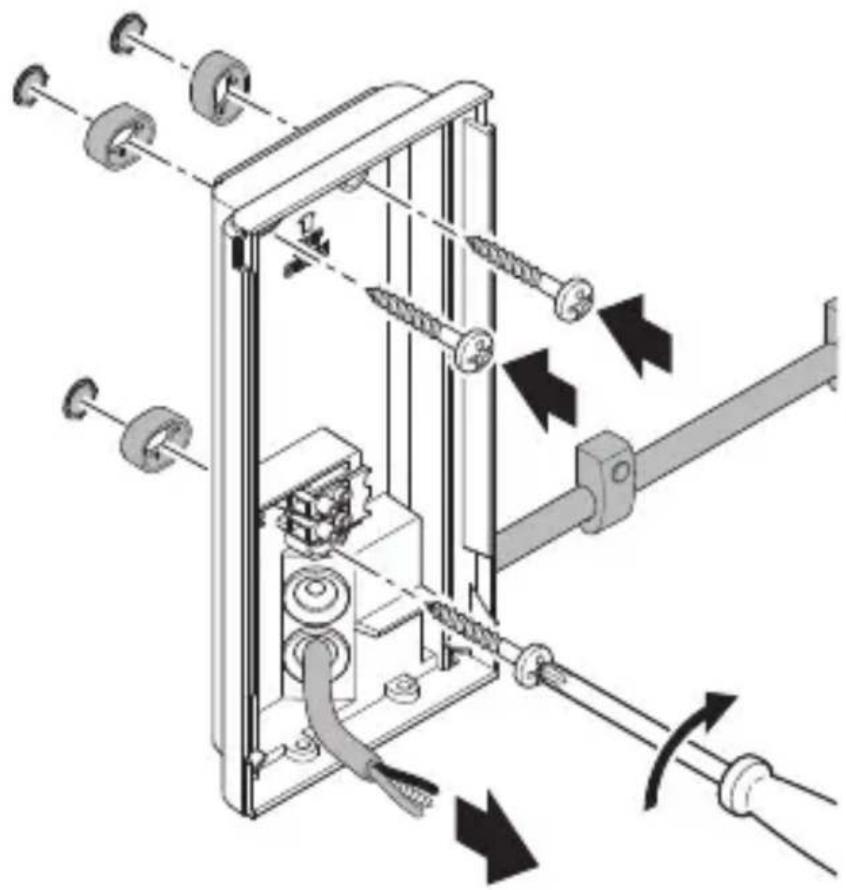
natural_image
Mechanical assembly diagram showing gear and shaft components with directional arrows indicating motion (no text or labels)5.10
natural_image
Mechanical assembly diagram showing a motor drive system with pulleys and gears, no text or symbols presentnatural_image
Technical diagram of a mechanical device with directional arrows indicating movement or force (no text or symbols present)SE
natural_image
Technical diagram of a mechanical device with directional arrows indicating movement or force (no text or symbols present)natural_image
Technical line drawing of a mechanical or electrical assembly with no visible text, numbers, or symbols.natural_image
Technical line drawing of a mechanical device inside a rectangular enclosure, showing internal components and a cable connection (no text or symbols)SE
natural_image
Diagram of a door mechanism with arrows indicating movement or force (no text or symbols present)text_image
QR code image containing encoded data, no visible human-readable text
text_image
QR code image containing encoded data, no visible human-readable textnatural_image
Simple diagram of concentric arcs with a central label, no text or symbols presentnatural_image
Circular diagram with concentric and radial lines, no text or symbols presentnatural_image
Isometric line drawing of a rectangular mechanical part with a 1× label (no other text or symbols)3×

3×
3×

1×
1×

text_image
I Bnatural_image
Isometric line drawing of a rectangular mechanical part with a 1× label (no other text or symbols)3×

3×

3×

1×
text_image
I A1×
text_image
I B- 1LED-lampe
- 3 Afstandsholdere
- 3 Skruer
- 3 Rawlplugs
- 1 Sikkerhedsdatablad (A)
- 1 Quick-Start (B)
Produktmål for lampen L 270 Digi SC
3.4
text_image
235 mm 223 116 mm 366 mm 65 mmDK
text_image
A B C D E I G 222 C F G H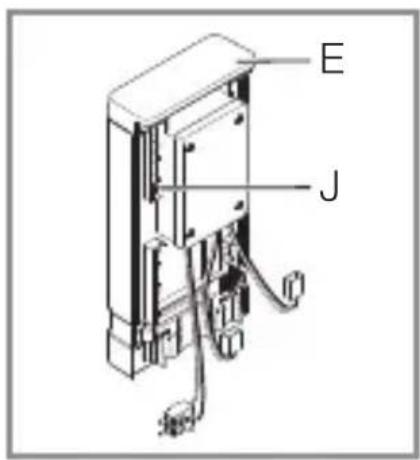
text_image
E Jtext_image
L N L N PE ⊕DK
text_image
≤ 8 m 2 mDK
text_image
Electrical hazard symbol and electrical switch diagram with current direction arrows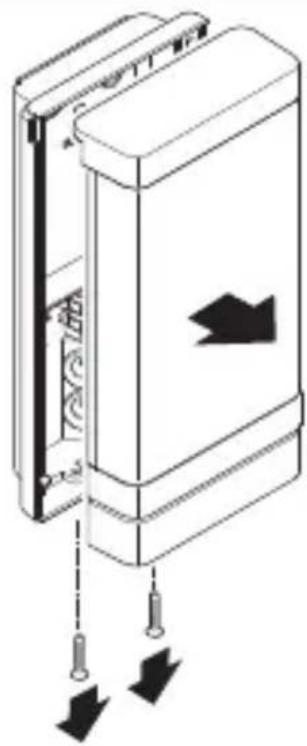
natural_image
Diagram of a door panel with arrows indicating movement or force, showing no text or symbolsnatural_image
Technical line drawing of a device interior showing internal components and a close-up view of the base (no text or symbols)natural_image
Technical diagram of a mechanical device with internal components and directional arrows (no text or symbols)text_image
Safety warning sign showing a faucet above a prohibited food item with a crossed-out circle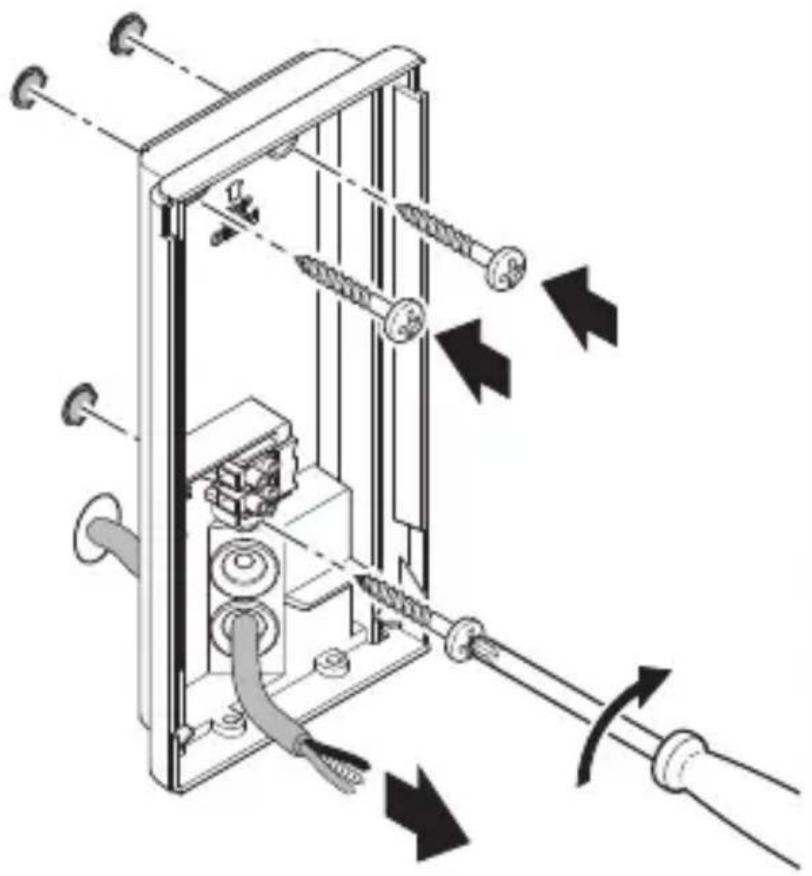
natural_image
Technical diagram of a mechanical device with attached screws and tubing, showing directional arrows indicating movement or force (no text or symbols present)DK
natural_image
Mechanical assembly diagram showing a motor drive system with pulleys and gears, no text or symbols presentDK
natural_image
Technical diagram of a mechanical device with directional arrows indicating movement or force (no text or symbols present)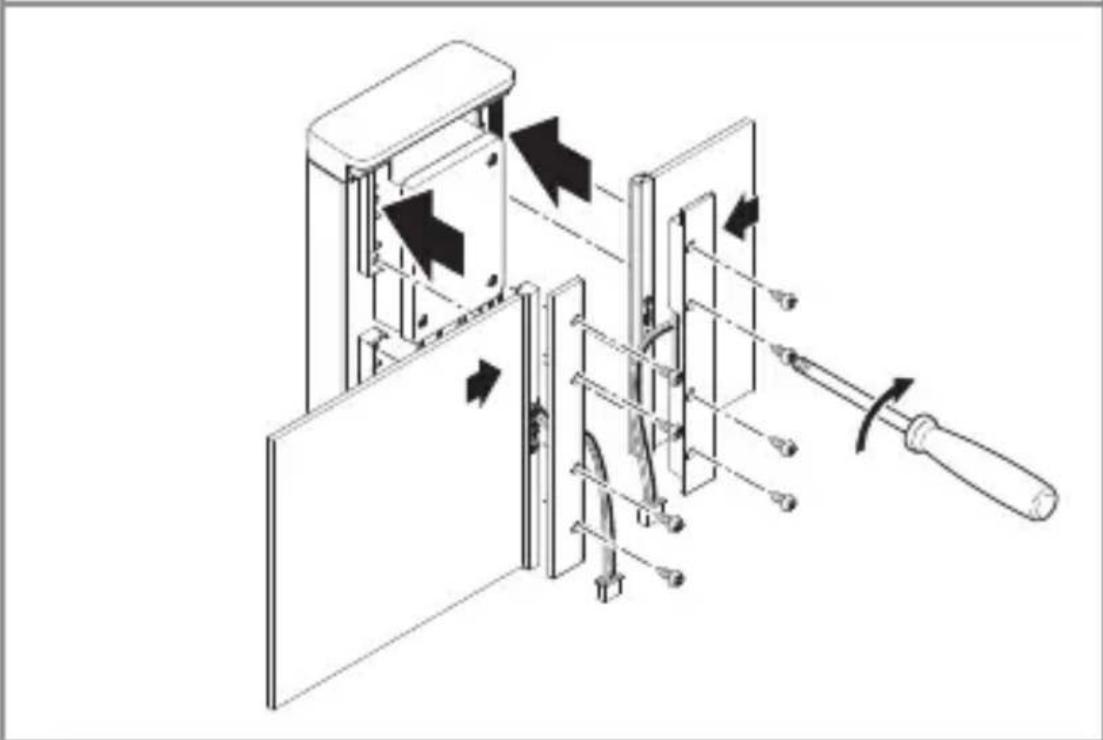
natural_image
Technical diagram of a mechanical device with internal components and directional arrows indicating movement (no text or symbols)natural_image
Technical line drawing of a mechanical or electrical assembly with no visible text, numbers, or symbols.DK
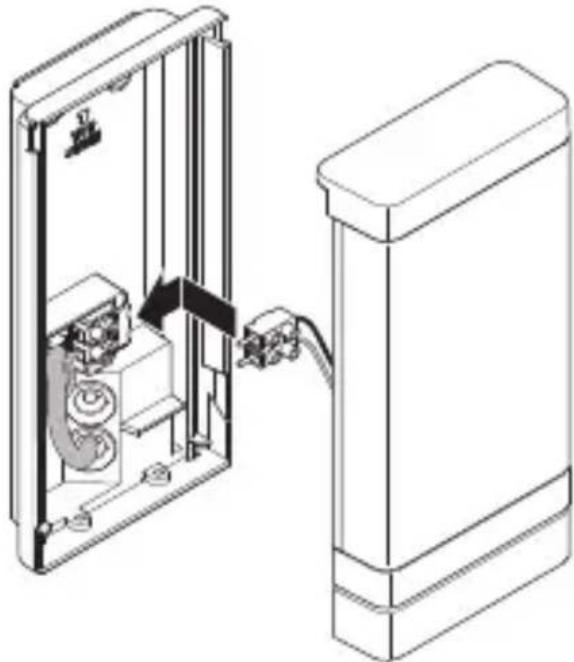
- Sæt forbindelsesstikkene til husnummerpanelerne sammen.
5.13
natural_image
Technical line drawing of a device inside a rectangular enclosure with a cable inserted, showing internal components and wiring (no text or symbols)natural_image
Diagram of a door panel with arrows indicating movement or force, no text or symbols presenttext_image
QR code image containing encoded data, no visible human-readable text
text_image
QR code image containing encoded data, no visible human-readable textFunktioner som kan indstilles via Steinel Connect-appen:
natural_image
Simple diagram of concentric arcs with a central label, no text or symbols presentDK
natural_image
Circular diagram with concentric and radial lines, no text or symbols presentnatural_image
Isometric line drawing of a rectangular mechanical part with a 1× label (no other text or symbols)3×

3×
3×

1×
1×
text_image
I Bnatural_image
Isometric line drawing of a rectangular mechanical part with a 1× label (no other text or symbols)3×

3×
3×

1×
text_image
I A1×
text_image
I Btext_image
Safety warning symbol and electrical circuit diagram showing lightning bolt and switch mechanism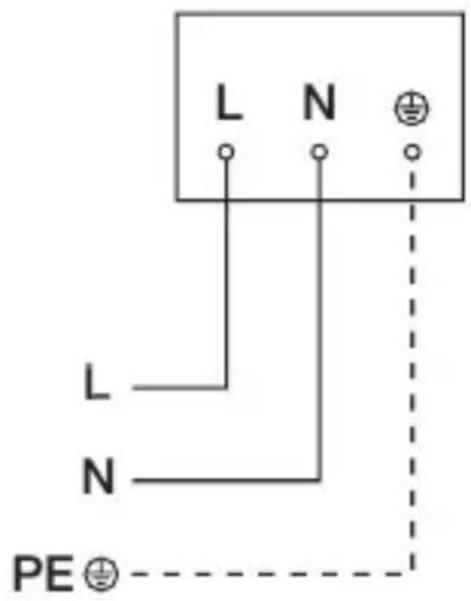
text_image
L N L N PE ⊕FI
text_image
LED 22 LED5. Asennus
text_image
≤ 8 m 2 mFI
text_image
Electrical hazard symbol and electrical switch diagram with current direction arrows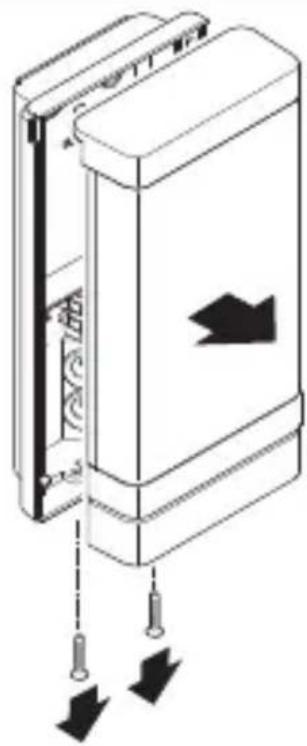
natural_image
Diagram of a door panel with arrows indicating movement or force, showing no text or symbolsnatural_image
Technical line drawing of a device showing internal components and a close-up view of the exterior panel (no text or symbols)natural_image
Technical diagram of a mechanical device with internal components and directional arrows (no text or symbols)- Merkitse reiät.
5.7
text_image
Ø 6 mmtext_image
Safety warning sign showing a faucet above a prohibited food item with a crossed-out circle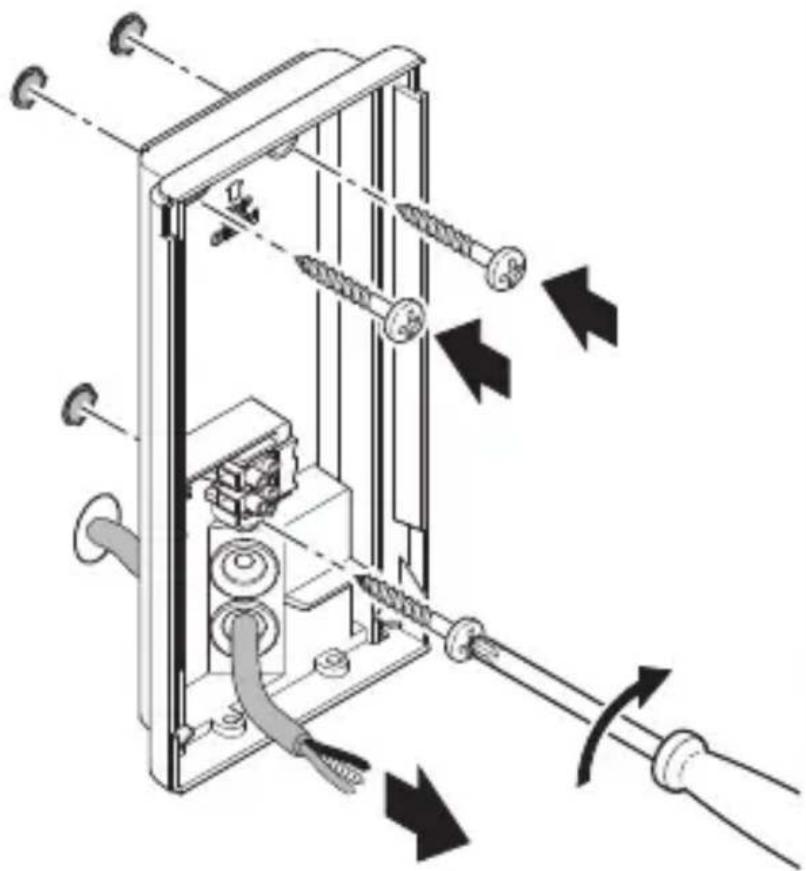
natural_image
Technical diagram of a mechanical device with springs and tubing, showing directional arrows indicating movement or force (no text or symbols present)FI
natural_image
Technical diagram of a mechanical device with directional arrows indicating movement or force (no text or symbols present)
natural_image
Technical diagram of a mechanical device with internal components and directional arrows indicating movement (no text or symbols)natural_image
Technical line drawing of an electrical enclosure with wiring and connectors (no text or symbols)natural_image
Technical line drawing of a mechanical device with internal components and a cable, showing no text or symbolsnatural_image
Diagram of a door panel with arrows indicating movement or force, no text or symbols presenttext_image
QR code image containing encoded data, no visible human-readable text
text_image
QR code image containing encoded data, no visible human-readable textnatural_image
Simple diagram with concentric arcs and a small rectangular object at the bottom (no text or symbols)FI
natural_image
Circular diagram with concentric and radial lines, no text or symbols presentnatural_image
Isometric line drawing of a rectangular mechanical part with a 1× label (no other text or symbols)3×

3×
3×

1×
text_image
I A1×
text_image
I B- 1 LED-lampe med infrarød bevegelsessensor
- 3 Avstandsstykker
- 3 Skruer
- 3 Skrueinnsatser
- 1 Sikkerhetsdatablad (A)
- 1 Hurtigstartguide (B)
Leveringsomfang lampe L 271 Digi C
3.3
natural_image
Isometric line drawing of a rectangular mechanical part with a 1× label (no other text or symbols)3×

3×
3×

1×
1×
text_image
I B- 1LED-lampe
- 3 Avstandsstykker
- 3 Skruer
- 3 Skrueinnsatser
- 1 Sikkerhetsdatablad (A)
- 1 Hurtigstartguide (B)
Produktmål lampe L 270 Digi SC
3.4
text_image
235 mm 223 116 mm 366 mm 65 mmNO
text_image
A B C D E I G 222 C F G H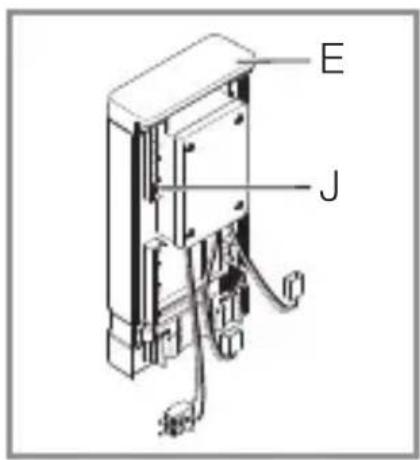
text_image
E JA Husnummerpanel med belysning
B Veggbrakett
C Panelholder
D Koblingsklemme
E Panel med belysning
F LED-deksel
G Tilkoblingsplugg
H Sensorenhet
I Tetningsplugger
J Chassis (i LED-dekselet)
text_image
L N L N PE ⊕text_image
≤ 8 m 2 mNO
text_image
Electrical hazard symbol and electrical switch diagram with current direction arrows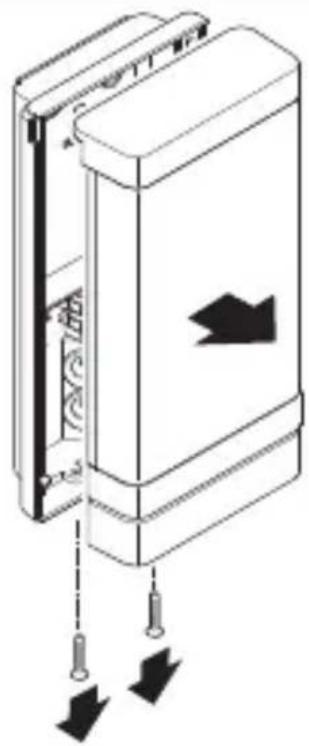
natural_image
Diagram of a door panel with arrows indicating movement or force, no text or symbols presentnatural_image
Technical line drawing of a device interior showing internal components and a close-up view of the base (no text or symbols)• Løsne tilkoblingspluggen.
5.6
natural_image
Technical diagram of a mechanical device with internal components and directional arrows (no text or symbols)- Tegn borehull.
5.7
text_image
Ø 6 mmtext_image
Safety warning sign showing a faucet above a prohibited food item with a crossed-out circle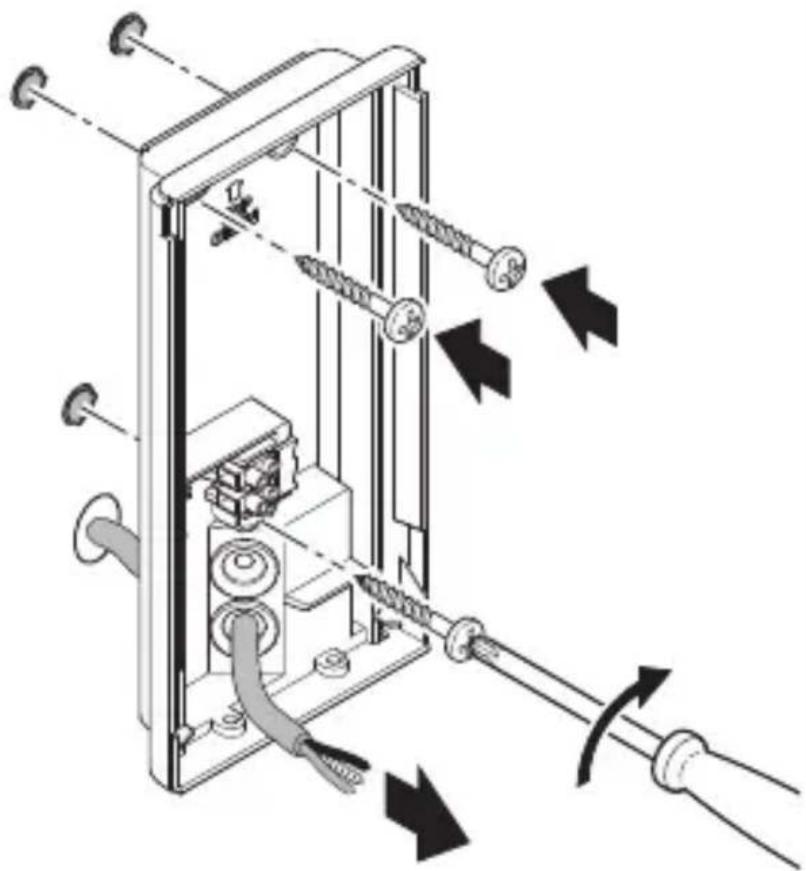
natural_image
Technical diagram of a mechanical device with springs and tubing, showing directional arrows indicating movement or force (no text or symbols present)NO
- Trykk inn tetningspluggen for nettledningen.
- For skjult ledningsføring: skru veggbraketten fast uten avstandsstykker.
text_image
5.9- Trykk inn tetningspluggen for nettledningen.
- For åpen ledningsføring: skru veggbraketten fast med avstandsstykker.
text_image
5.10NO
natural_image
Technical diagram of a mechanical device with directional arrows indicating movement or force (no text or symbols present)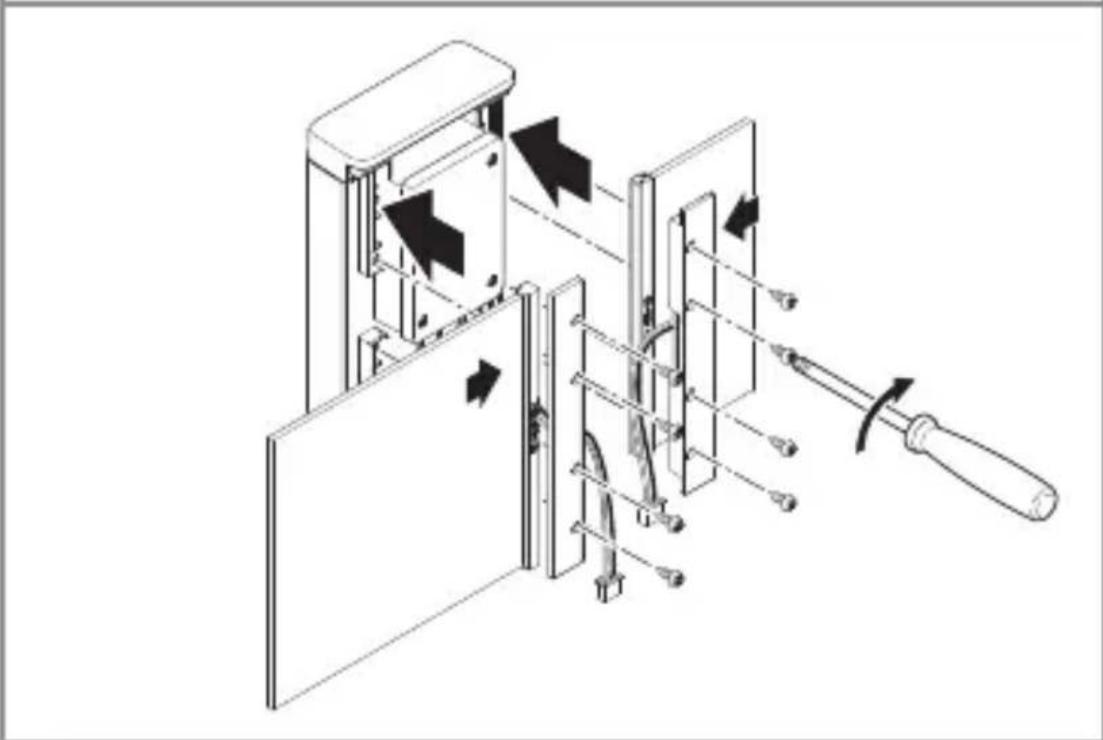
natural_image
Technical diagram of a mechanical device with internal components and directional arrows indicating movement (no text or symbols)- Sett panelene inn i chassiset. Skru fast panelholderne.
–Det store og det lille panelet kan alternativt skrus fast på begge sider.
-Panelene kan skiftes ut.
Lampe L 270 Digi SC
5.12
natural_image
Technical line drawing of an electrical enclosure with wiring and components (no text or symbols)NO
natural_image
Technical line drawing of a mechanical device with internal components and a cable, showing no text or symbolsnatural_image
Diagram of a door panel with arrows indicating movement or force, no text or symbols present- Skru LED-dekselet på veggbraketten.
5.15
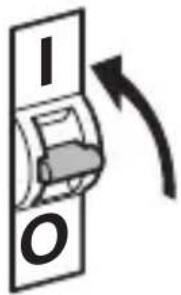
text_image
I Otext_image
QR code image containing encoded data, no visible human-readable text
text_image
QR code image containing encoded data, no visible human-readable textnatural_image
Simple diagram with concentric arcs and a small rectangular object at the bottom (no text or symbols)NO
natural_image
Isometric line drawing of a rectangular object with a 1x label, no text or symbols present3×

3×
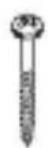
3×

1×
text_image
I A1×
text_image
I Bnatural_image
Isometric line drawing of a rectangular mechanical part with a 1× label (no other text or symbols)3×

3×
3×

1×
1×
text_image
I Btext_image
A B C D E I G 222 C F G H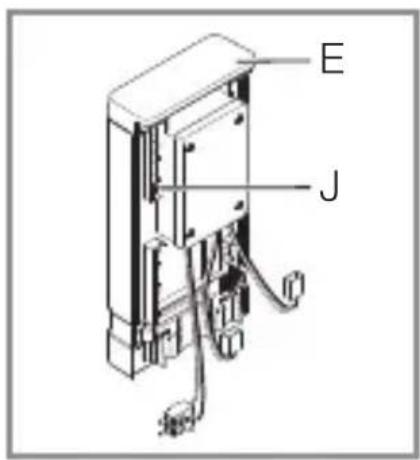
text_image
E Jtext_image
L N L N PE⊕GR
text_image
LED 202 LED5. Συναρμολόγηση
text_image
≤ 8 m 2 mGR
text_image
Electrical hazard symbol and electrical switch diagram with current direction arrows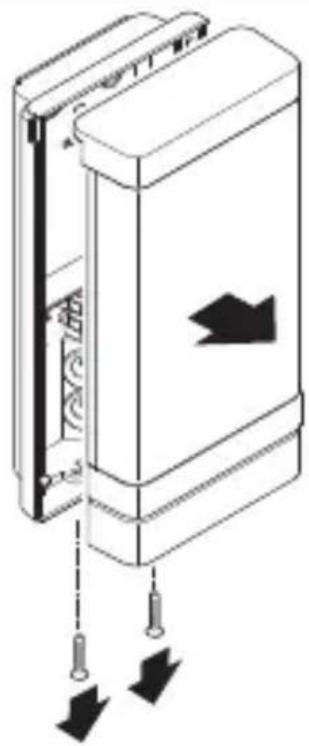
natural_image
Diagram of a door panel with arrows indicating movement or force (no text or symbols)natural_image
Technical line drawing of a device interior showing a switch connected to a rectangular base (no text or symbols)natural_image
Technical diagram of a mechanical device with internal components and directional arrows (no text or symbols)text_image
Safety warning sign showing a faucet above a prohibited food item with a crossed-out circle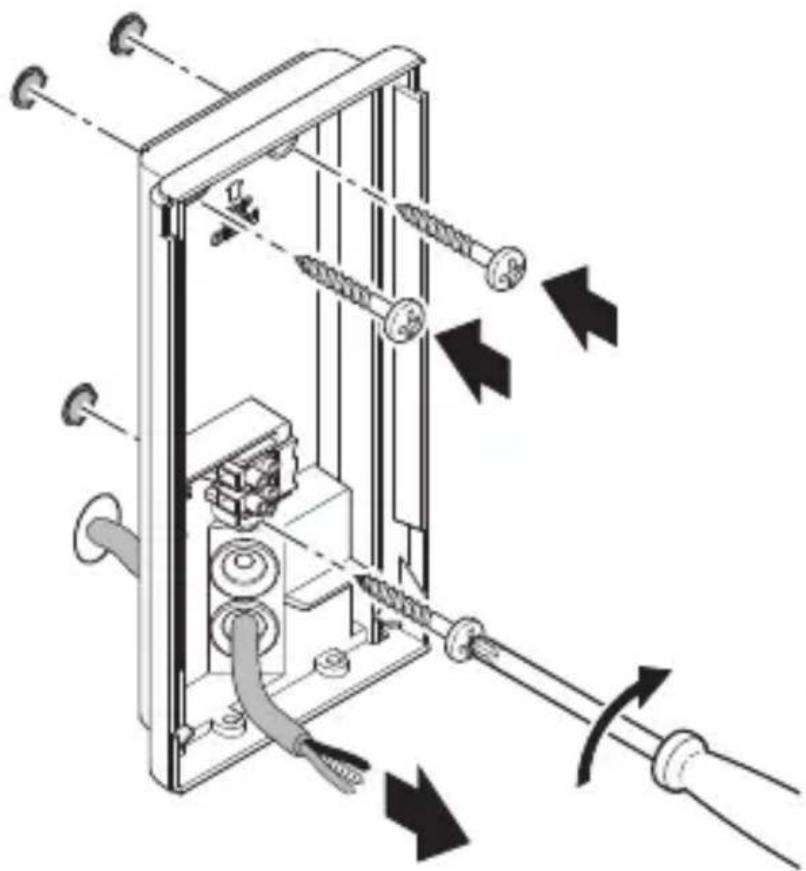
natural_image
Technical diagram of a mechanical device with springs and tubing, showing directional arrows indicating movement or force (no text or symbols present)GR
natural_image
Mechanical assembly diagram showing a motor drive system with pulleys and gears, no text or symbols presentnatural_image
Technical diagram of a mechanical device with directional arrows indicating movement or force (no text or symbols present)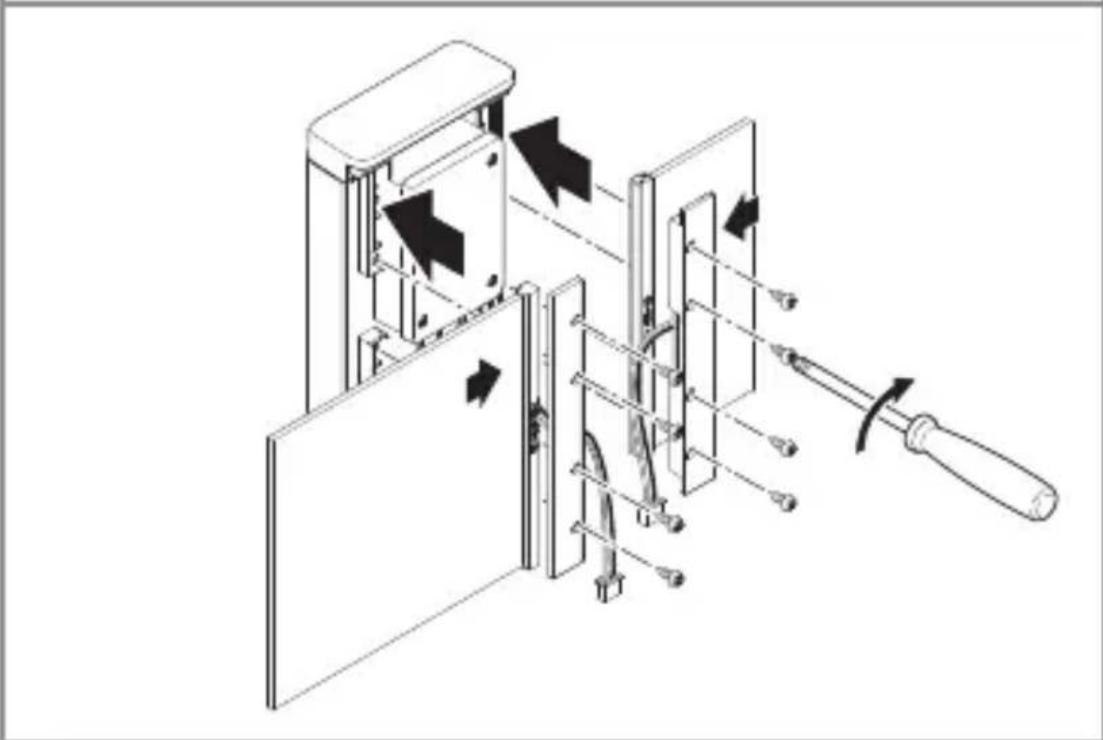
natural_image
Technical diagram of a mechanical device with internal components and directional arrows indicating movement (no text or symbols)natural_image
Technical line drawing of a mechanical or electrical assembly with no visible text, numbers, or symbols.natural_image
Technical line drawing of a mechanical device with internal components and a cable, showing no text or symbolsnatural_image
Diagram of a door panel with arrows indicating movement or force, no text or symbols presenttext_image
QR code image containing encoded data, no visible human-readable text
text_image
QR code image containing encoded data, no visible human-readable textnatural_image
Simple diagram of concentric arcs with a central label, no text or symbols presentnatural_image
Circular diagram with concentric circles and radial lines, no text or symbols presentnatural_image
Isometric line drawing of a rectangular mechanical part with a 1× label (no other text or symbols)3×

3×
3×

1×
text_image
I A1×
text_image
I Bnatural_image
Isometric line drawing of a rectangular mechanical part with a 1× label (no other text or symbols)3×

3×
3×

1×
text_image
I A1×
text_image
I Btext_image
L N L N PE ⊕text_image
LED 22 LED5. Montaj
text_image
≤ 8 m 2 mTR
text_image
Safety warning symbol and electrical switch diagram with lightning bolt and 'I' label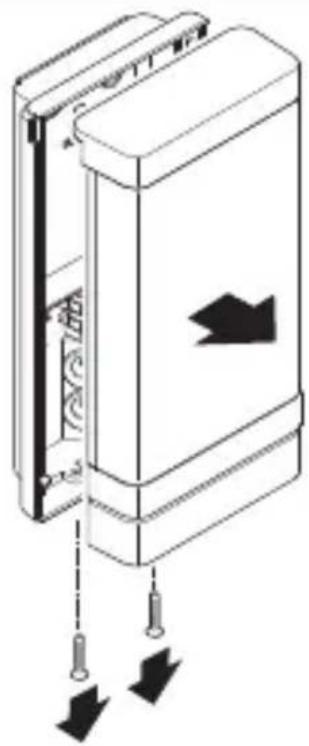
natural_image
Diagram of a door panel with arrows indicating movement or force, no text or symbols presentnatural_image
Technical line drawing of a device showing internal components and a close-up of a rectangular housing (no text or symbols)natural_image
Technical diagram of a mechanical device with internal components and directional arrows (no text or symbols)text_image
Safety warning sign showing a faucet above a prohibited food item with a crossed-out circle
natural_image
Technical diagram of a mechanical device with springs and tubing, showing directional arrows indicating movement or force (no text or symbols present)TR
natural_image
Mechanical assembly diagram showing a motor drive system with pulleys and gears, no text or symbols presentnatural_image
Technical diagram of a mechanical device with directional arrows indicating movement or force (no text or symbols present)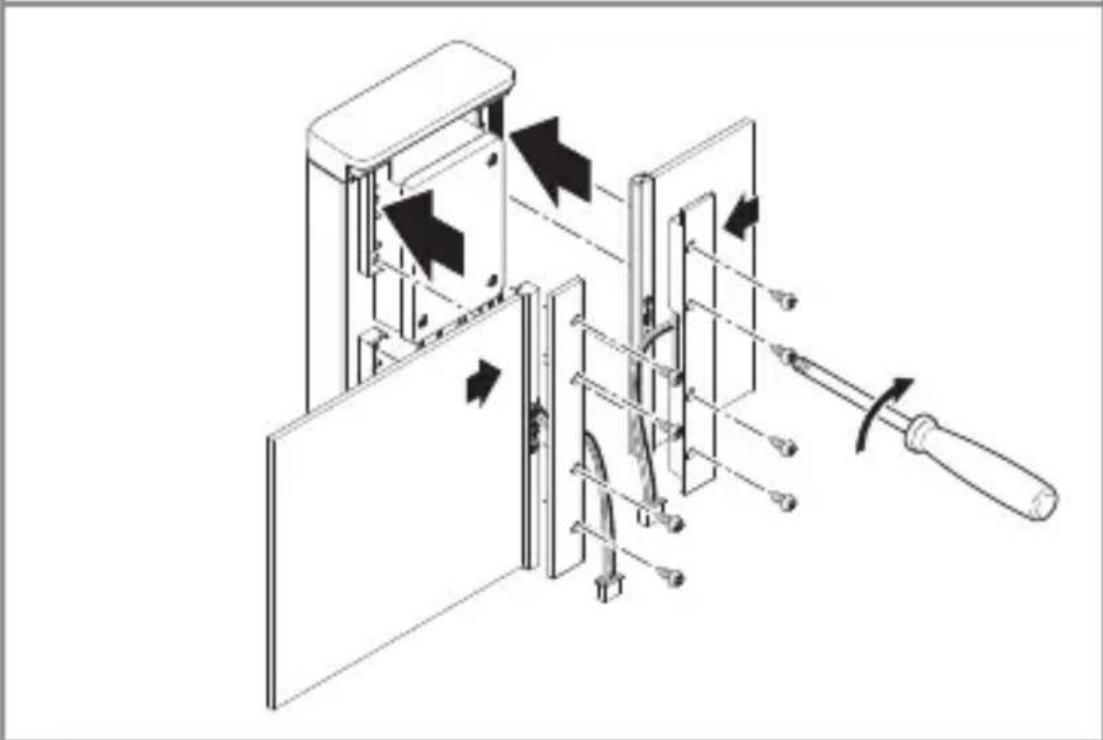
natural_image
Technical diagram of a mechanical device with arrows indicating motion or assembly, no visible text or symbolsnatural_image
Technical line drawing of a mechanical or electrical assembly with no visible text, numbers, or symbols.natural_image
Technical line drawing of a mechanical device with internal components and a cable, showing no text or symbolsnatural_image
Diagram of a door panel with arrows indicating movement or force, no text or symbols presenttext_image
QR code image containing encoded data, no visible human-readable text
text_image
QR code image containing encoded data, no visible human-readable textnatural_image
Simple diagram of concentric arcs with a central label, no text or symbols presentnatural_image
Circular diagram with concentric rings and radial lines, no text or symbols presentnatural_image
Isometric line drawing of a rectangular mechanical part with a 1× label (no other text or symbols)3×

3×
3×

1×
text_image
I A1×
text_image
I Bnatural_image
Isometric line drawing of a rectangular mechanical part with a 1× label (no other text or symbols)3×

3×
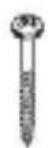
3×

1×
1×
text_image
I Btext_image
L N L N PE ⊕text_image
LED 22 LED5. Szerelés
Áramütés veszélye!
text_image
≤ 8 m 2 mHU
text_image
Electrical hazard symbol and electrical switch diagram with current direction arrows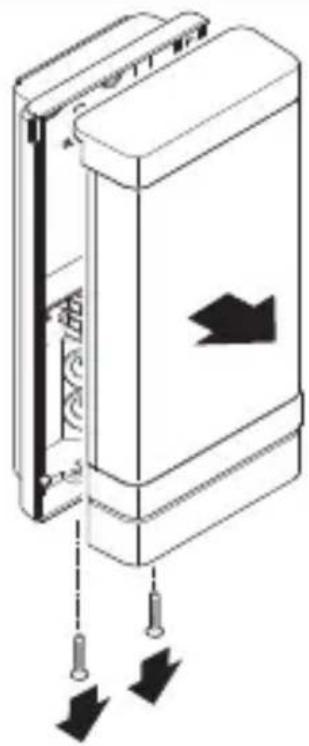
natural_image
Diagram of a door panel with arrows indicating movement or force, no text or symbols presentnatural_image
Technical line drawing of a device showing internal components and a close-up view of the exterior panel (no text or symbols)natural_image
Technical diagram of a mechanical device with internal components and directional arrows (no text or symbols)text_image
Safety warning sign showing a faucet above a prohibited food item with a crossed-out circle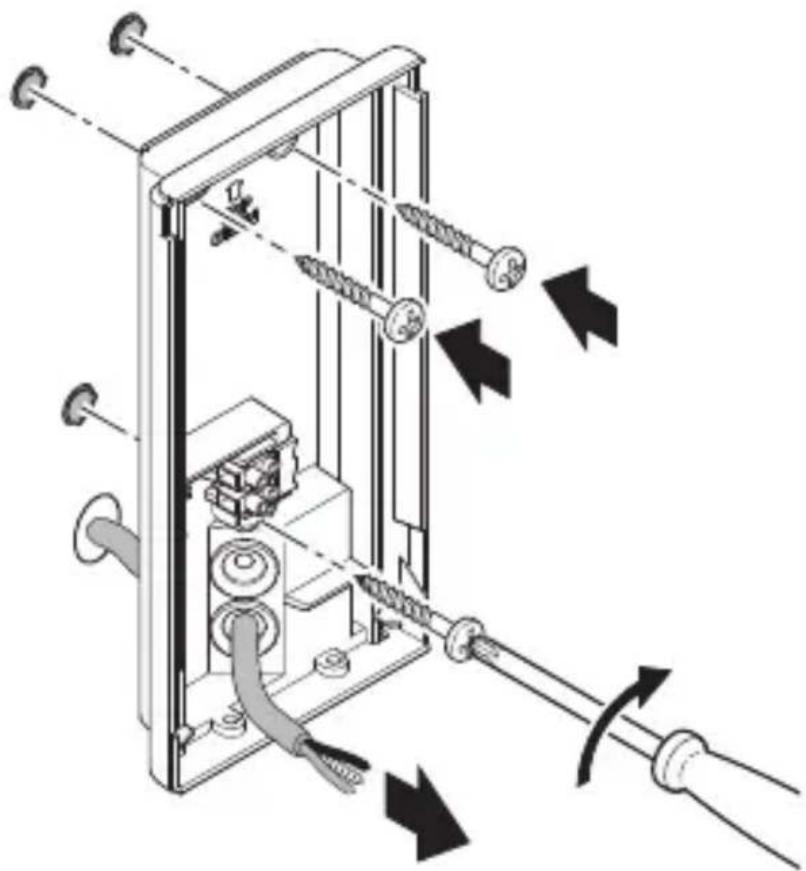
natural_image
Technical diagram of a mechanical device with springs and tubing, showing directional arrows indicating movement or force (no text or symbols present)HU
natural_image
Mechanical assembly diagram showing a motor drive system with pulleys and gears, no text or symbols presentnatural_image
Technical diagram of a mechanical device with directional arrows indicating movement or force (no text or symbols present)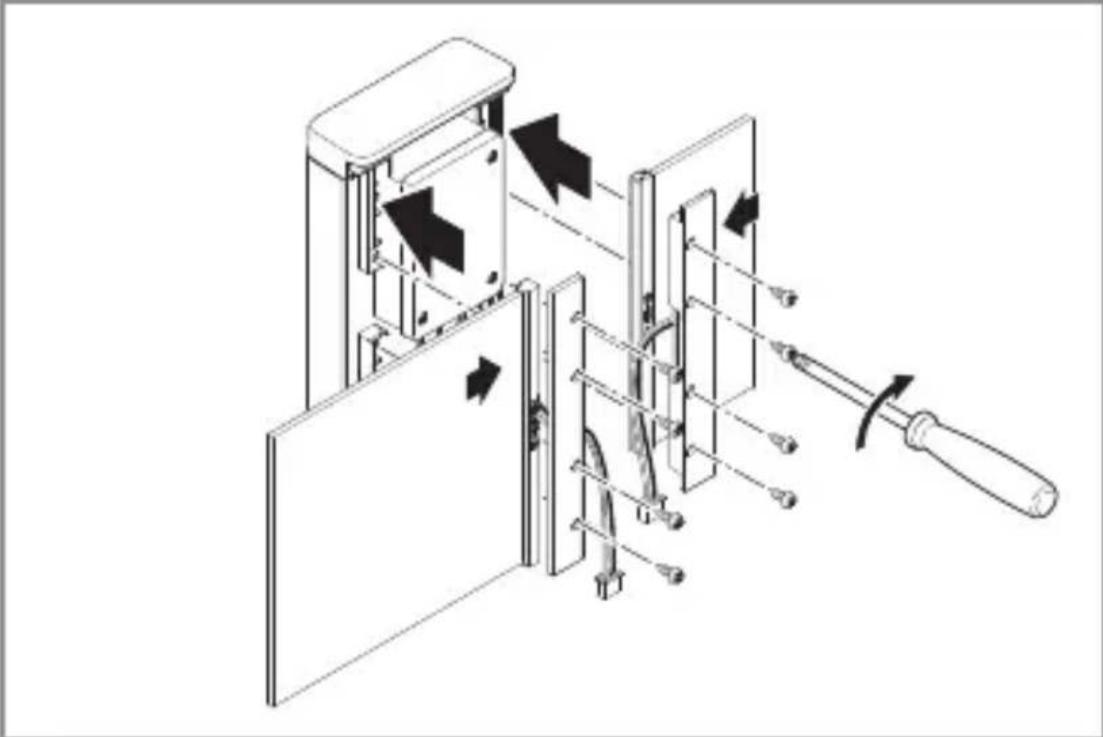
natural_image
Technical diagram of a mechanical device with internal components and directional arrows, no visible text or symbolsnatural_image
Technical line drawing of an electrical enclosure with wiring and connectors (no text or symbols)natural_image
Technical line drawing of a mechanical device with internal components and external wiring (no text or symbols)natural_image
Diagram of a device with arrows indicating movement or force, no readable text or symbols presenttext_image
QR code image containing encoded data, no visible human-readable text
text_image
QR code image containing encoded data, no visible human-readable textnatural_image
Simple diagram of concentric arcs with a central label, no text or symbols presentnatural_image
Circular diagram with concentric rings and radial lines, no text or symbols presentnatural_image
Isometric line drawing of a rectangular mechanical part with a 1× label (no other text or symbols)3×

3×
3×

1×
text_image
I A1×
text_image
I Bnatural_image
Isometric line drawing of a rectangular mechanical part with a 1× label (no other text or symbols)3×

3×
3×

1×
1×
text_image
I Btext_image
L N L N PE ⊕text_image
LED 22 LED5. Montáž
text_image
≤ 8 m 2 mtext_image
Electrical hazard symbol and electrical switch diagram with current direction arrows
natural_image
Diagram of a door panel with arrows indicating movement or force, no text or symbols presentnatural_image
Technical line drawing of a device showing internal components and a close-up of a rectangular housing (no text or symbols)natural_image
Technical diagram of a mechanical device with internal components and directional arrows (no text or symbols)text_image
Safety warning sign showing a faucet above a prohibited food item with a crossed-out circle
natural_image
Technical diagram of a mechanical device with springs and tubing, showing directional arrows indicating movement or force (no text or symbols present)natural_image
Mechanical assembly diagram showing a motor drive system with pulleys and gears, no text or symbols presentnatural_image
Technical diagram of a mechanical device with directional arrows indicating movement or force (no text or symbols present)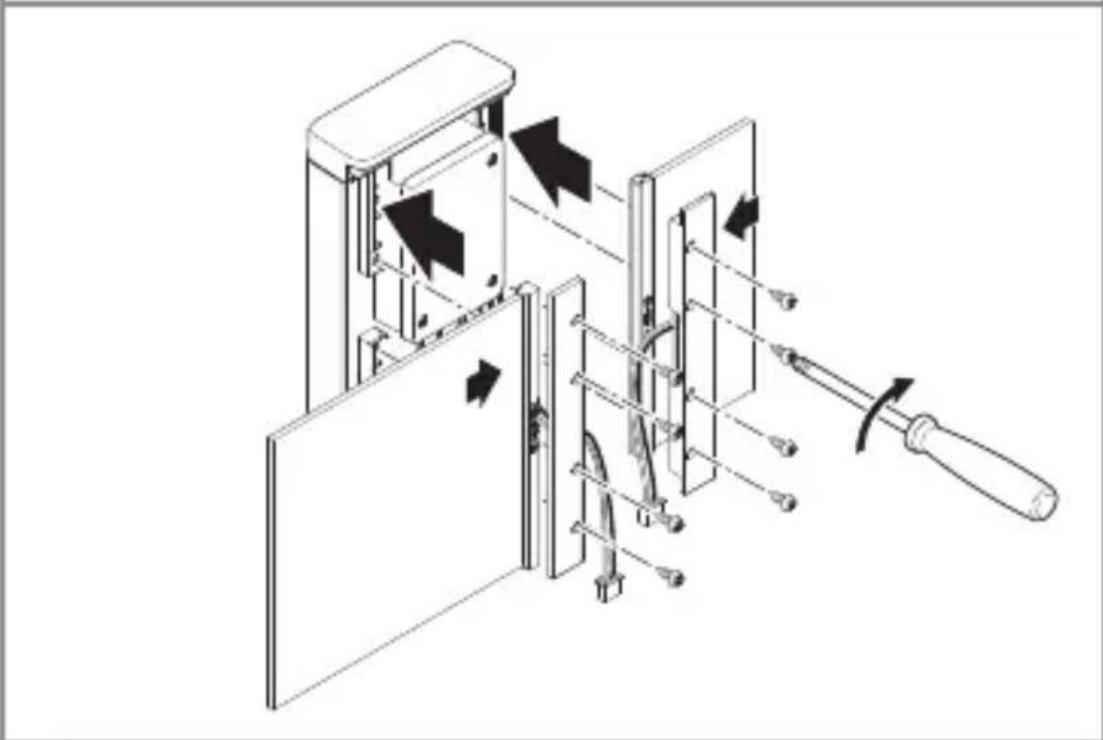
natural_image
Technical diagram of a mechanical device with arrows indicating motion or assembly, no visible text or symbolsnatural_image
Technical line drawing of a mechanical or electrical assembly with no visible text, numbers, or symbols.natural_image
Technical line drawing of a mechanical device with internal components and a cable, showing no text or symbolsnatural_image
Diagram of a door panel with arrows indicating movement or force, no text or symbols presenttext_image
QR code image containing encoded data, no visible human-readable text
text_image
QR code image containing encoded data, no visible human-readable textnatural_image
Simple diagram with concentric arcs and a small rectangular object at the bottom (no text or symbols)natural_image
Circular diagram with concentric rings and radial lines, no text or symbols presentnatural_image
Isometric line drawing of a rectangular mechanical part with a 1× label (no other text or symbols)3×

3×
3×

1×
text_image
I A1×
text_image
I Bnatural_image
Isometric line drawing of a rectangular mechanical part with a 1× label (no other text or symbols)3×

3×
3×

1×
1×
text_image
I B- 1 LED svietidlo
- 3 Dištančné držiaky
- 3 Skrutky
- 3 Hmoždinky
– 1 Karta bezpečnostných údajov (A) - 1 Stručný návod (B)
Rozmery svietidla L 270 Digi SC
3.4
text_image
235 mm 223 116 mm 366 mm 65 mmRozmery svietidiel L 271 Digi SC a L 271 Digi C
3.5
text_image
235 mm 116 mm 65 mmSK
Prehlád dielov svietidla L 270 Digi SC
3.6
text_image
A B C D E I G 2228 C F G H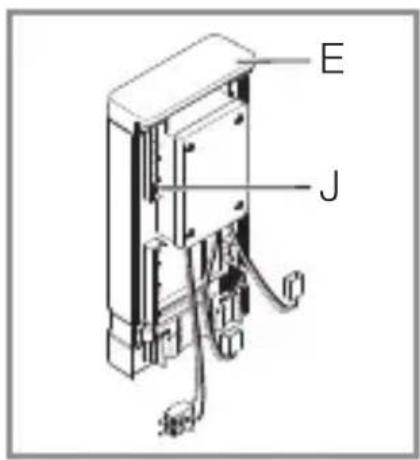
text_image
E Jtext_image
L N L N PE ⊕text_image
LED 22 LED5. Montáž
text_image
≤ 8 m 2 mSK
Snímanie pohybu bočne k smeru chôdze pri svietidlách L 270 Digi SC a L 271 Digi SC
5.2
text_image
≤ 8 mSnímanie pohybu v smere chôdze pri svietidlách L 270 Digi SC a L 271 Digi SC
5.3
text_image
≤ 6 mMontážny postup
5.4
text_image
Safety warning symbol and electrical switch diagram with lightning bolt and 'I' label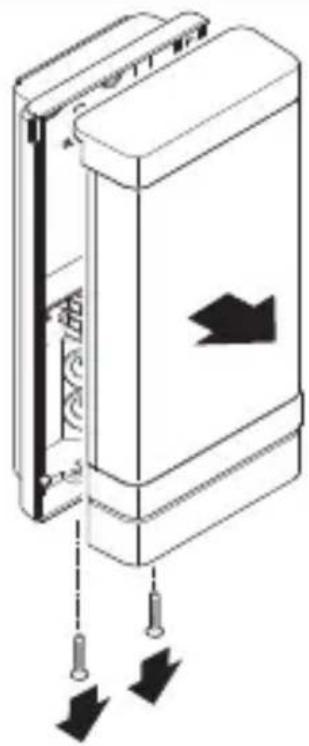
natural_image
Diagram of a door panel with arrows indicating movement or force, no text or symbols presentnatural_image
Technical line drawing of a device showing internal components and a close-up of a rectangular housing (no text or symbols)natural_image
Technical diagram of a mechanical device with internal components and directional arrows (no text or symbols)- Naznačte diery na vrtanie
5.7
text_image
Ø 6 mm- Vyvrtajte diery (∅ 6 mm) a vložte hmoždinky.
5.8
text_image
Safety warning sign showing a faucet above a prohibited food item with a crossed-out circle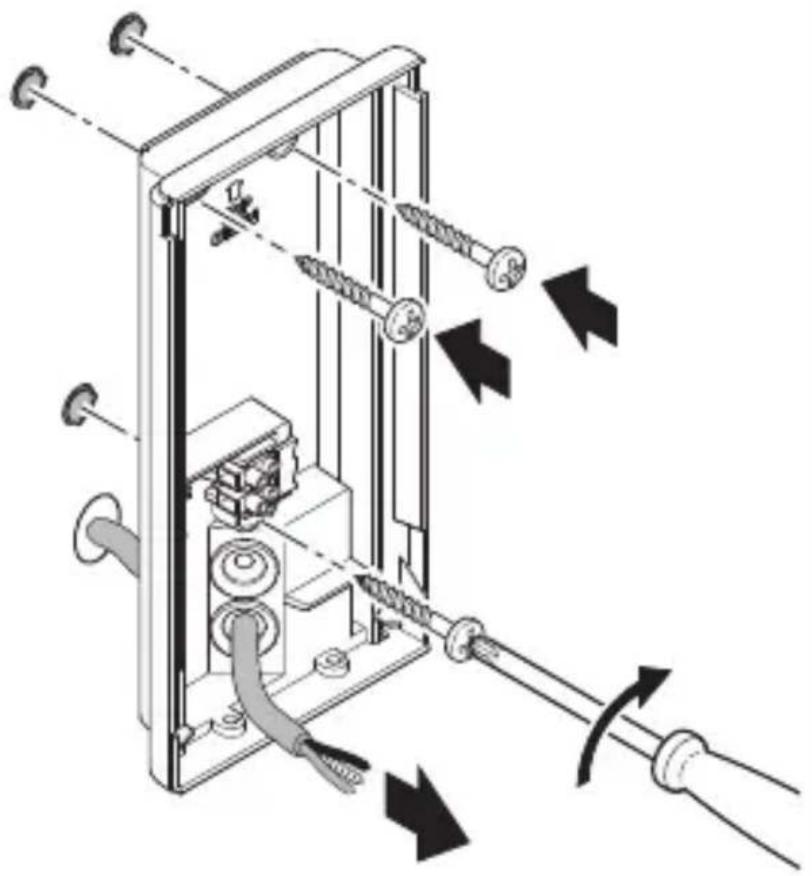
natural_image
Technical diagram of a mechanical device with attached screws and tubing, showing directional arrows indicating movement or force (no text or symbols present)natural_image
Mechanical assembly diagram showing a motor drive system with pulleys and gears, no text or symbols presentnatural_image
Technical diagram of a mechanical device with directional arrows indicating movement or force (no text or symbols present)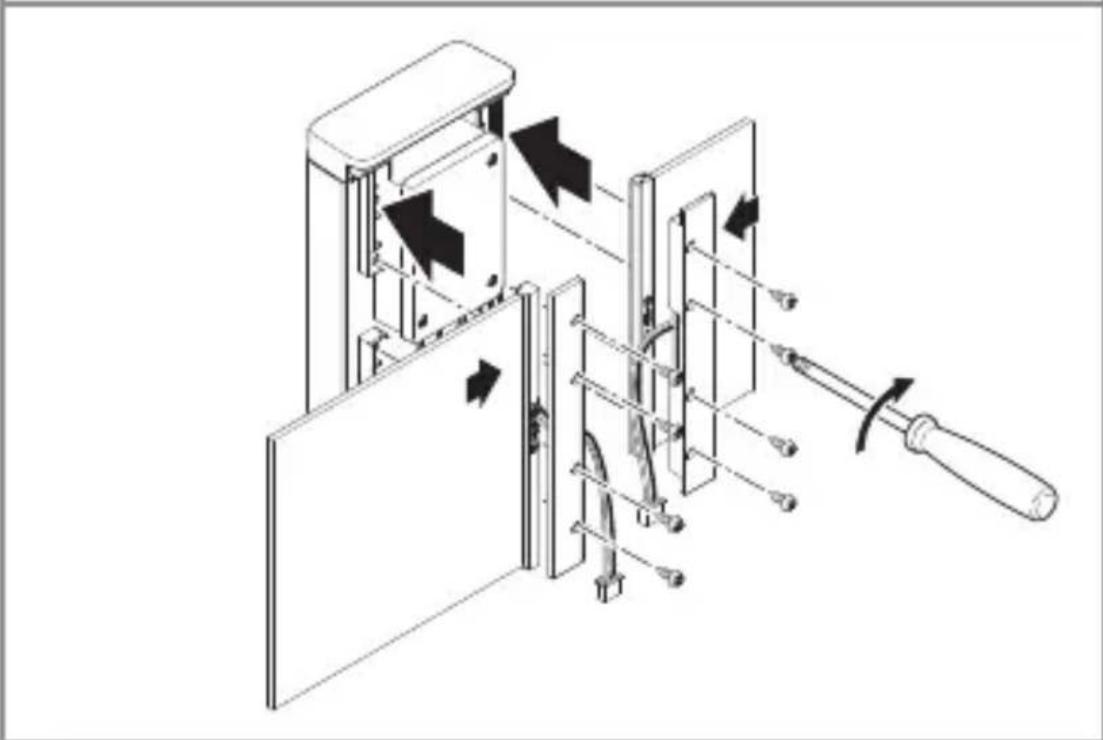
natural_image
Technical diagram of a mechanical device with arrows indicating motion or assembly, no visible text or symbols- Zasuňte panely do rámu. Držiaky panelu pevne priskrutkujte.
natural_image
Technical line drawing of a mechanical or electrical assembly with no visible text, numbers, or symbols.natural_image
Technical line drawing of a mechanical device with internal components and a cable, showing no text or symbols- Nasadte pripojovaciu svorku.
5.14
natural_image
Diagram of a door panel with arrows indicating movement or force, no text or symbols presenttext_image
QR code image containing encoded data, no visible human-readable text
text_image
QR code image containing encoded data, no visible human-readable textnatural_image
Simple diagram of concentric arcs with a small rectangular base, no text or symbols present.natural_image
Circular diagram with concentric and radial lines, no text or symbols presentnatural_image
Isometric line drawing of a rectangular mechanical part with a 1× label (no other text or symbols)3×

3×
3×

1×
1×
text_image
I Bnatural_image
Isometric line drawing of a rectangular mechanical part with a 1× label (no other text or symbols)3×

3×
3×

1×
1×
text_image
I Btext_image
A B C D E I G 222 C F G H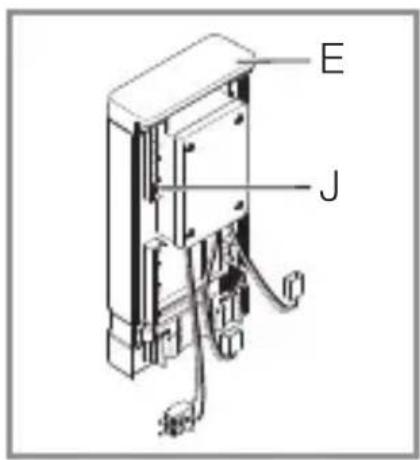
text_image
E Jtext_image
Safety warning symbol and electrical circuit diagram showing lightning bolt and switch mechanism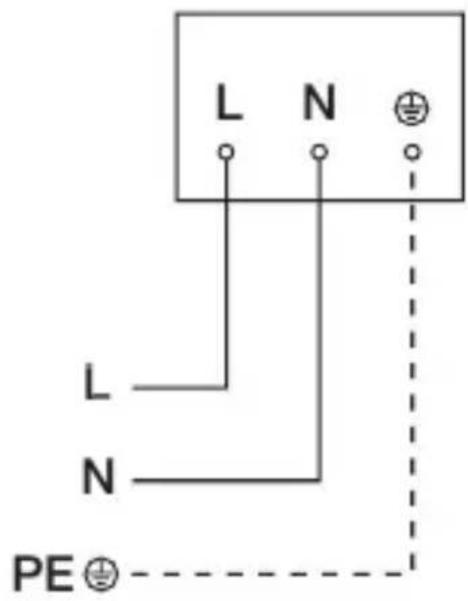
text_image
L N L N PE ⊕text_image
≤ 8 m 2 mPL
text_image
Electrical hazard symbol and electrical switch diagram with current direction arrows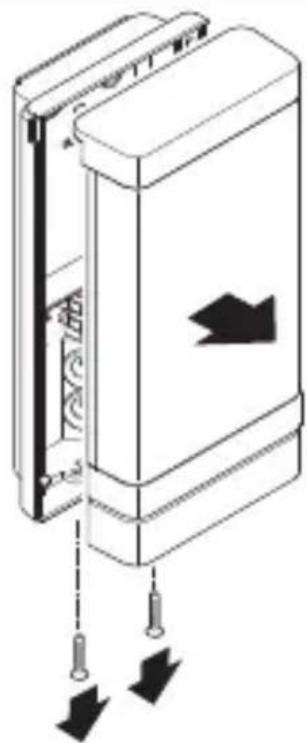
natural_image
Diagram of a door panel with directional arrows indicating movement or force (no text or symbols)natural_image
Technical line drawing of a device showing internal components and a close-up of a rectangular housing (no text or symbols)natural_image
Technical diagram of a mechanical device with internal components and directional arrows (no text or symbols)text_image
Safety warning sign showing a faucet above a prohibited food item with a crossed-out circle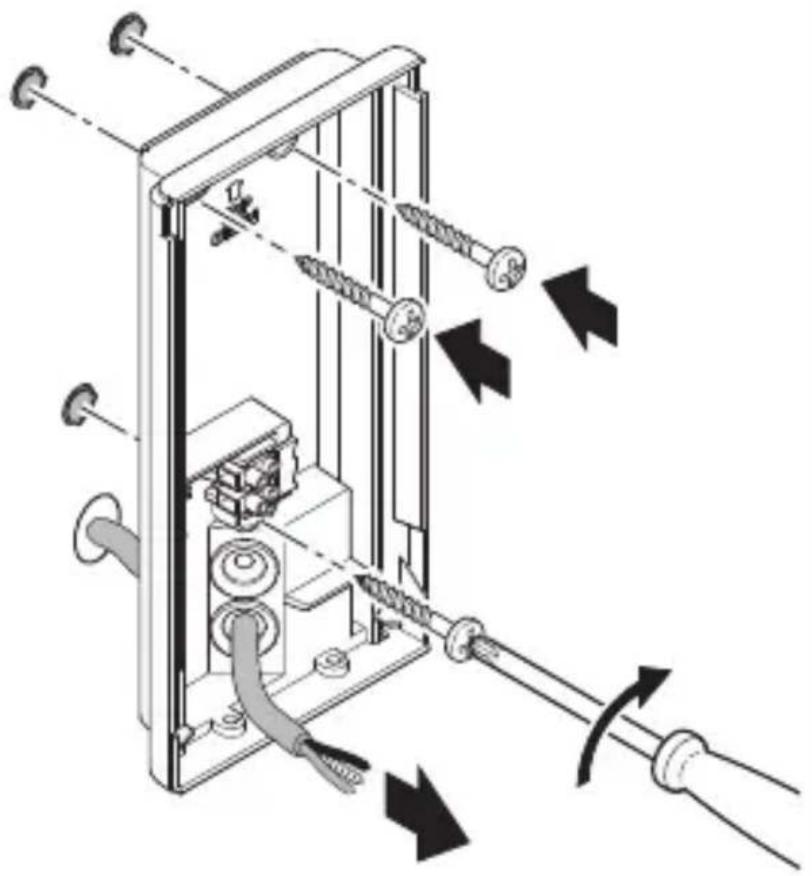
natural_image
Technical diagram of a mechanical device with attached screws and tubing, showing directional arrows indicating movement or force (no text or symbols present)natural_image
Mechanical assembly diagram showing a motor drive system with pulleys and gears, no text or symbols presentnatural_image
Technical diagram of a mechanical device with directional arrows indicating movement or force (no text or symbols present)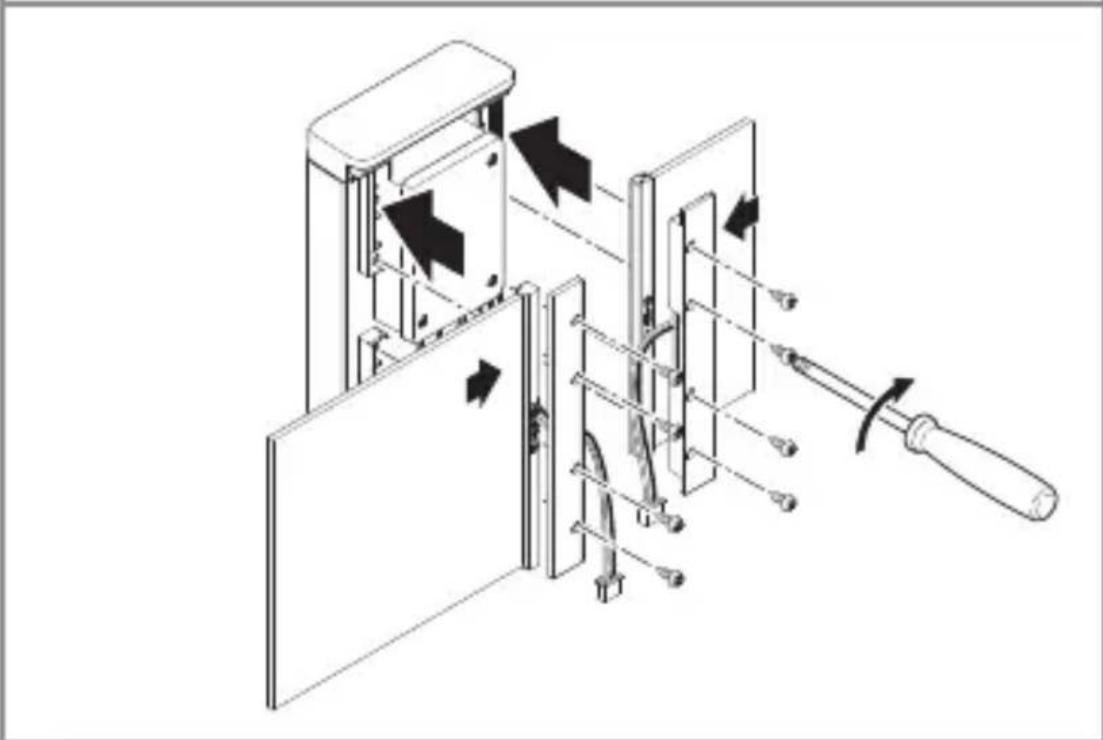
natural_image
Technical diagram of a mechanical device with arrows indicating motion or assembly, no visible text or symbolsnatural_image
Technical line drawing of a mechanical or electrical assembly with no visible text, numbers, or symbols.natural_image
Technical line drawing of a mechanical device with internal components and a cable, showing no text or symbolsnatural_image
Diagram of a door panel with arrows indicating movement or force, no text or symbols presenttext_image
QR code image containing encoded data, no visible human-readable text
text_image
QR code image containing encoded data, no visible human-readable textnatural_image
Simple diagram of concentric arcs with a central label, no text or symbols presentnatural_image
Isometric line drawing of a rectangular mechanical part with a 1× label (no other text or symbols)3×

3×
3×

1×
1×
text_image
I Bnatural_image
Isometric line drawing of a rectangular mechanical part with a 1× label (no other text or symbols)3×

3×
3×

1×
text_image
I A1×
text_image
I Btext_image
L N L N PE ⊕text_image
≤ 8 m 2 mtext_image
Electrical hazard symbol and electrical switch diagram with current direction arrows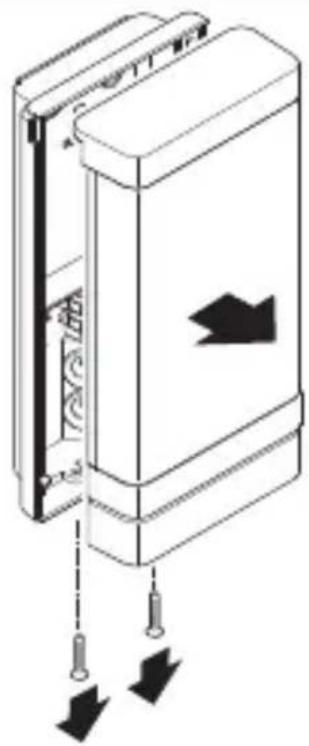
natural_image
Diagram of a door panel with arrows indicating movement or force, no text or symbols presentnatural_image
Technical line drawing of a device showing internal components and a close-up of a rectangular housing (no text or symbols)natural_image
Technical diagram of a mechanical device with internal components and directional arrows (no text or symbols)text_image
Safety warning sign showing a faucet above a prohibited food item with a crossed-out circle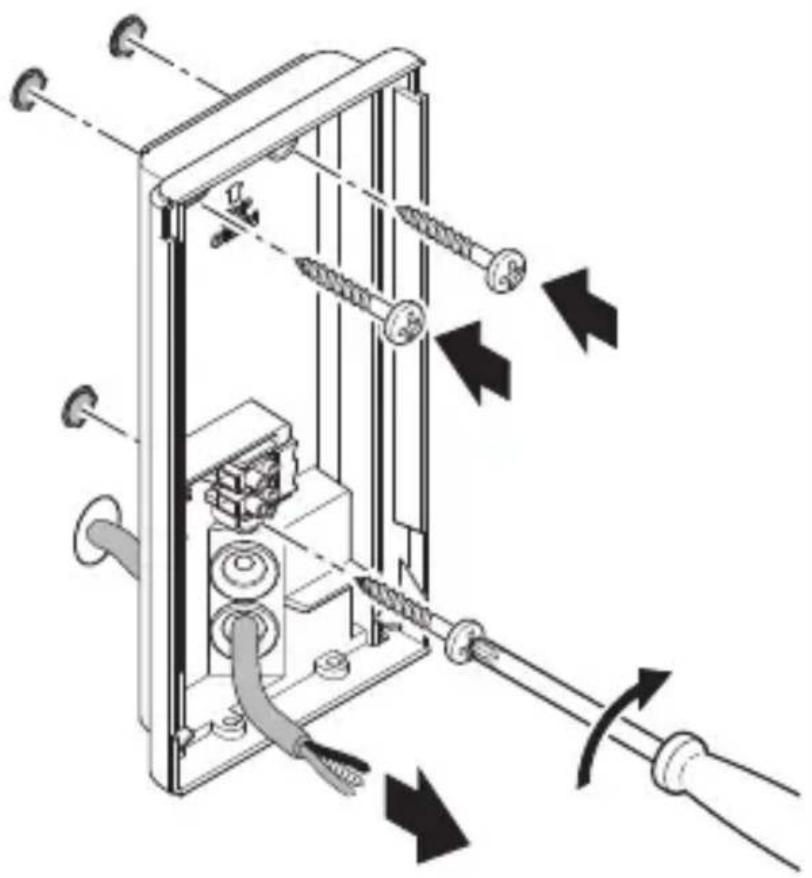
natural_image
Technical diagram of a mechanical device with springs and tubing, showing directional arrows indicating movement or force (no text or symbols present)natural_image
Two technical diagrams showing a cylindrical component with a hole and a textured surface, no text or symbols present.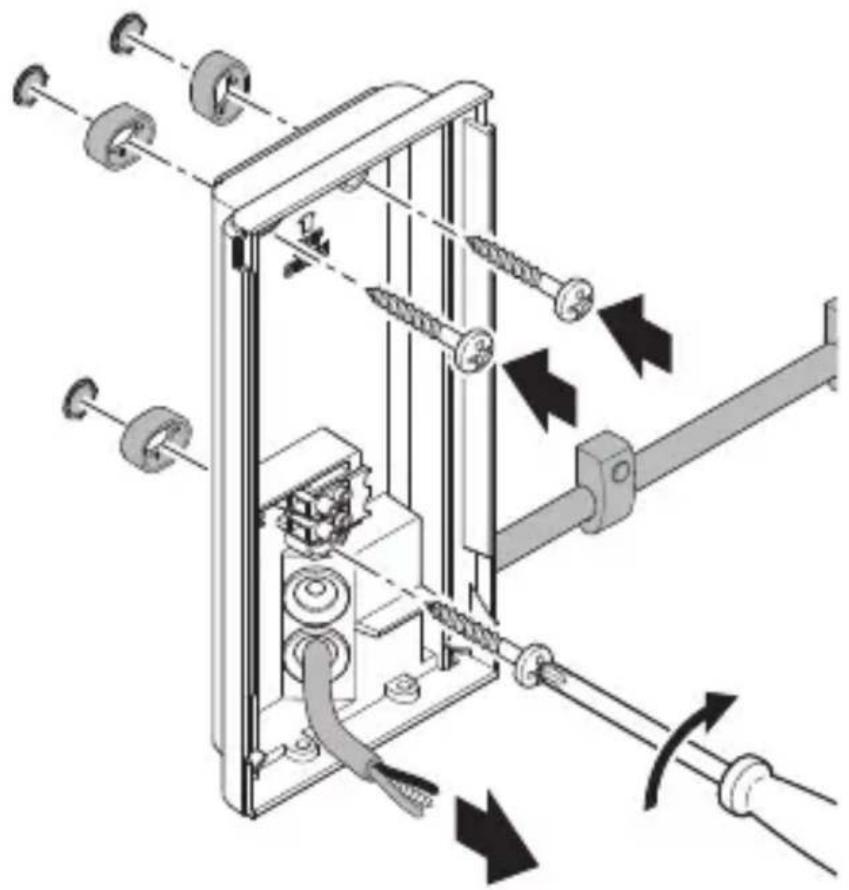
natural_image
Mechanical assembly diagram showing gear and shaft components with directional arrows indicating motion (no text or labels)natural_image
Mechanical assembly diagram showing a motor drive system with pulleys and gears, no text or symbols presentnatural_image
Technical diagram of a mechanical device with directional arrows indicating movement or force (no text or symbols present)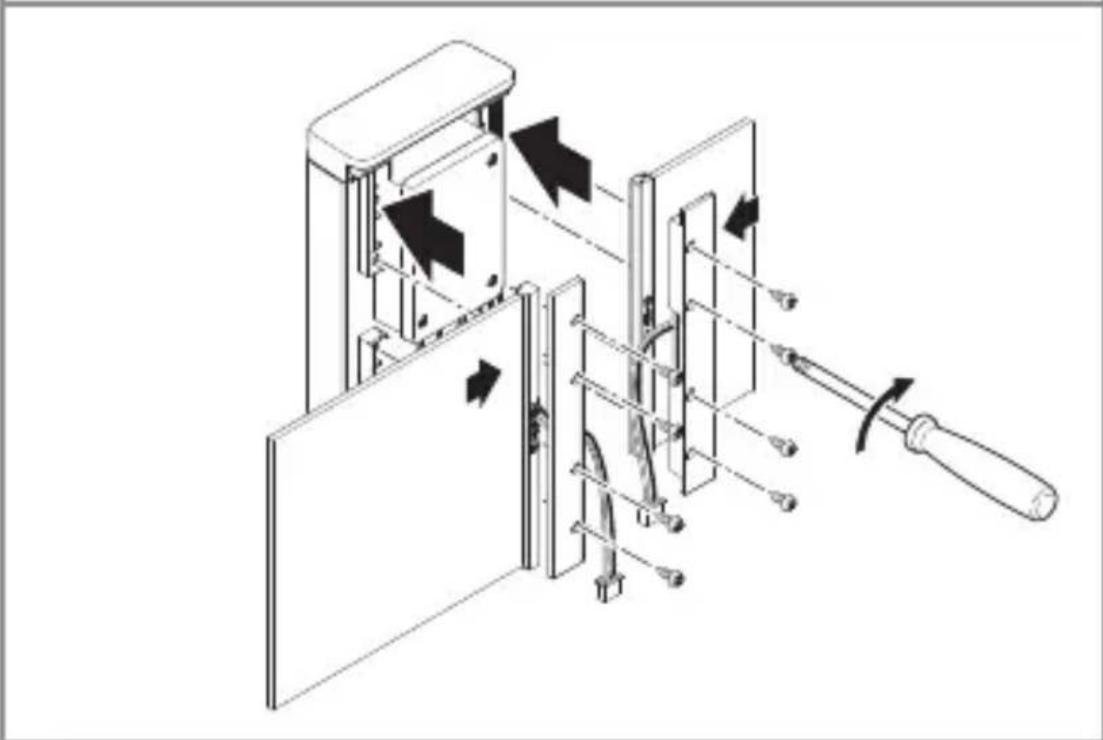
natural_image
Technical diagram of a mechanical device with arrows indicating motion or assembly, no visible text or symbolsnatural_image
Technical line drawing of a mechanical or electrical assembly with no visible text, numbers, or symbols.natural_image
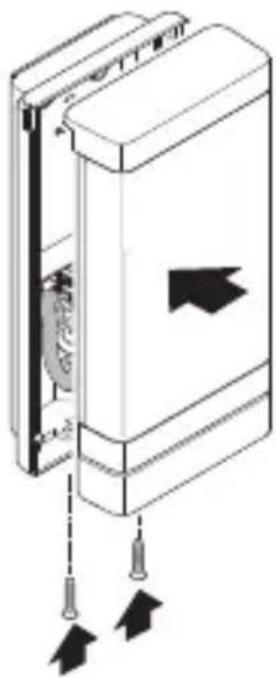
Technical line drawing of a device inside a rectangular enclosure, showing internal components and wiring (no text or symbols)- Introduceti borna de conexiune.
5.14
natural_image
Diagram of a mechanical device with two arrows indicating downward force or movement, no text or symbols present.text_image
QR code image containing encoded data, no visible human-readable text
text_image
QR code image containing encoded data, no visible human-readable textnatural_image
Simple diagram of concentric arcs with a central label, no text or symbols presentnatural_image
Circular diagram with concentric rings and radial lines, no text or symbols presentnatural_image
Isometric line drawing of a rectangular mechanical part with a 1× label (no other text or symbols)3×

3×
3×

1×
1×
text_image
I Bnatural_image
Isometric line drawing of a rectangular mechanical part with a 1× label (no other text or symbols)3×

3×
3×

1×
text_image
I A1×
text_image
I Btext_image
A B C D E I G 222 C F G H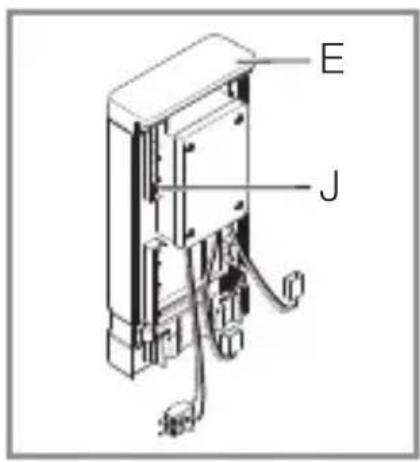
text_image
E Jtext_image
Safety warning symbol and electrical circuit diagram showing lightning bolt and switch mechanism
text_image
L N L N PE ⊕text_image
≤ 8 m 2 mtext_image
Safety warning symbol and electrical switch diagram with lightning bolt and 'I' label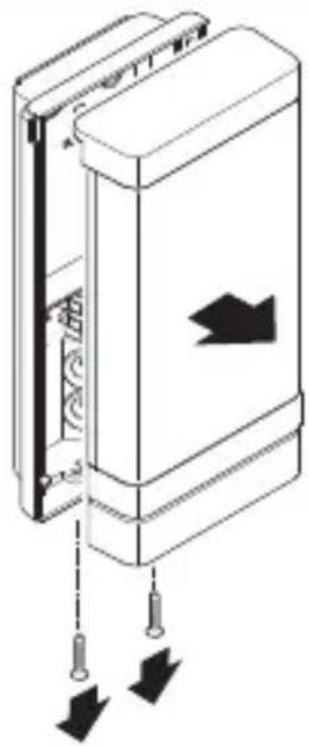
natural_image
Diagram of a door panel with arrows indicating movement or force, no text or symbols presentnatural_image
Technical line drawing of a device showing internal components and a close-up of a rectangular housing (no text or symbols)natural_image
Technical diagram of a mechanical device with internal components and directional arrows (no text or symbols)- Zarišite luknje za vrtanje.
5.7
text_image
Ø 6 mmtext_image
Safety warning sign showing a faucet above a prohibited food item with a crossed-out circle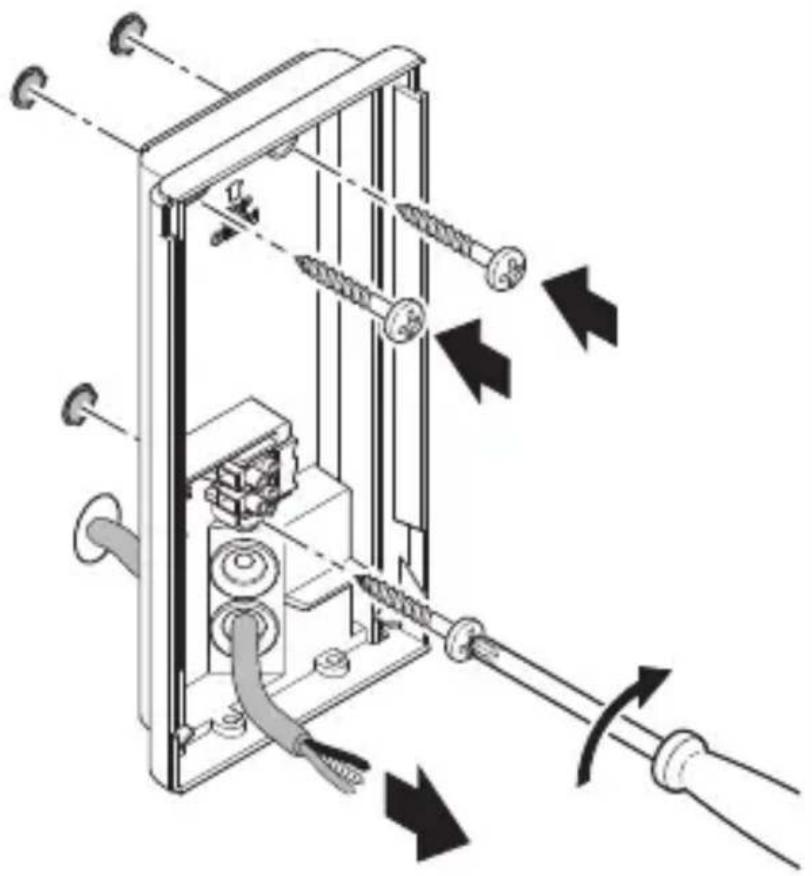
natural_image
Technical diagram of a mechanical device with attached screws and tubing, showing directional arrows indicating movement or force (no text or symbols present)natural_image
Mechanical assembly diagram showing a motor drive system with pulleys and gears, no text or symbols presentnatural_image
Technical diagram of a mechanical device with directional arrows indicating movement or force (no text or symbols present)
natural_image
Technical diagram of a mechanical device with internal components and directional arrows, no visible text or symbolsnatural_image
Technical line drawing of a mechanical or electrical assembly with no visible text, numbers, or symbols.natural_image
Technical line drawing of a device inside a rectangular enclosure with a cable inserted, showing internal components and wiring (no text or symbols)natural_image
Diagram of a door mechanism with arrows indicating movement or force (no text or symbols present)• LED-pokrov privijačite na stensko držalo.
SI
5.15
text_image
I O• Vklopite oskrbo z energijo.
Svetilka L 270 Digi SC
5.16
text_image
6 → 66 66 66 66 → 66 66text_image
QR code image containing encoded data, no visible human-readable text
text_image
QR code image containing encoded data, no visible human-readable textFunkcije, nastavljive v aplikaciji Steinel Connect:
natural_image
Simple diagram of concentric arcs with a central label, no text or symbols presentnatural_image
Circular diagram with concentric rings and radial lines, no text or symbols presentnatural_image
Isometric line drawing of a rectangular mechanical part with a 1× label (no other text or symbols)3×

3×
3×

1×
1×
text_image
I B- 1 LED svjetiljka s infracrvenim senzorom pokreta
- 3 Držača razmaka
- 3 Vijka
- 3 Učvrsnice
- 1 Sigurnosno tehnički list (A)
- 1 Uputa za brzo pokretanje (B)
Sadržaj isporuke za svjetiljku L 271 Digi C
3.3
natural_image
Isometric line drawing of a rectangular mechanical part with a 1× label (no other text or symbols)3×

3×
3×

1×
text_image
I A1×
text_image
I B- 1 LED svjetiljka
- 3 Držača razmaka
- 3 Vijka
- 3 Učvrsnice
- 1 Sigurnosno tehnički list (A)
- 1 Uputa za brzo pokretanje (B)
Dimenzije svjetiljke L 270 Digi SC
3.4
text_image
235 mm 223 116 mm 366 mm 65 mmDimenzije svjetiljke L 271 Digi SC i L 271 Digi C
3.5
text_image
235 mm 116 mm 65 mmtext_image
L N L N PE ⊕Mrežni vod sastoji se od trožilnog kabela:
text_image
≤ 8 m 2 mtext_image
Electrical hazard symbol and electrical switch diagram with current direction arrows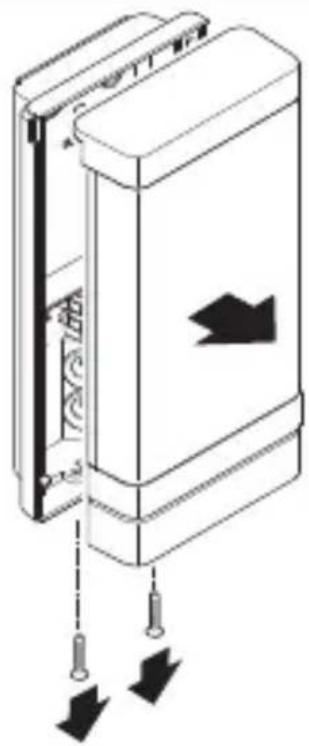
natural_image
Diagram of a door panel with arrows indicating movement or force, showing no text or symbolsnatural_image
Technical line drawing of a device showing internal components and a close-up of a rectangular housing (no text or symbols)- Odvojite konektorski utikač.
5.6
natural_image
Technical diagram of a mechanical device with internal components and directional arrows (no text or symbols)- Označite rupe.
5.7
text_image
Ø 6 mm- Izbušite rupe (∅ 6 mm) i umetnite učvrsnice.
HR
5.8
text_image
Safety warning sign showing a faucet above a prohibited food item with a crossed-out circle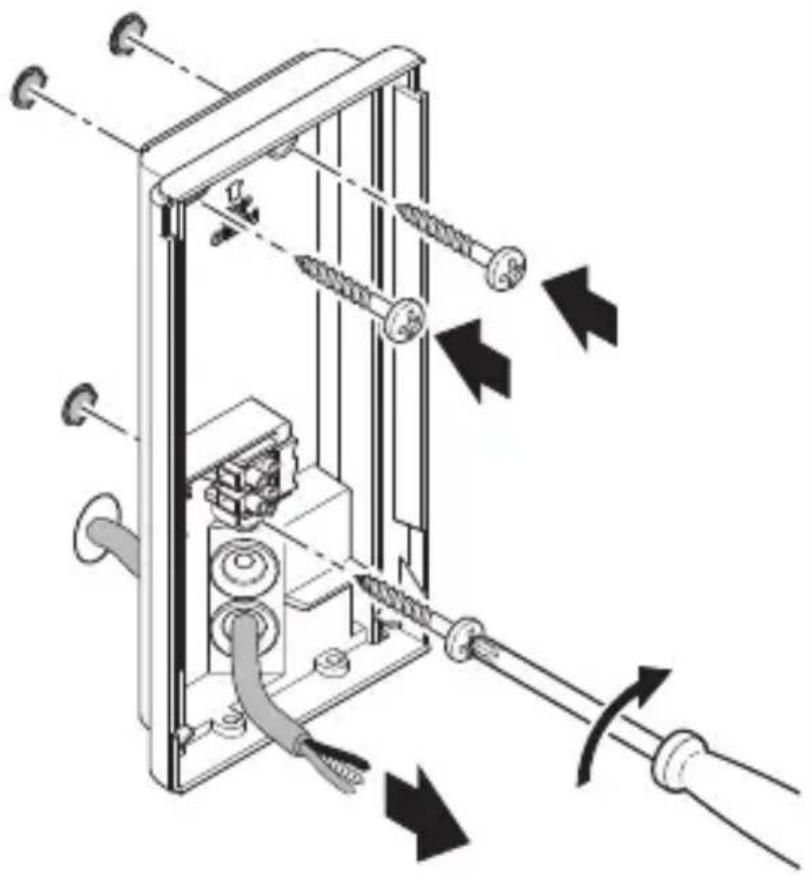
natural_image
Technical diagram of a mechanical device with attached screws and tubing, showing directional arrows indicating movement or force (no text or symbols present)- Probijte brtveni čep za mrežni priključak.
- Pričvrstite zidni držač kod podžbuknog kabela bez distance.
text_image
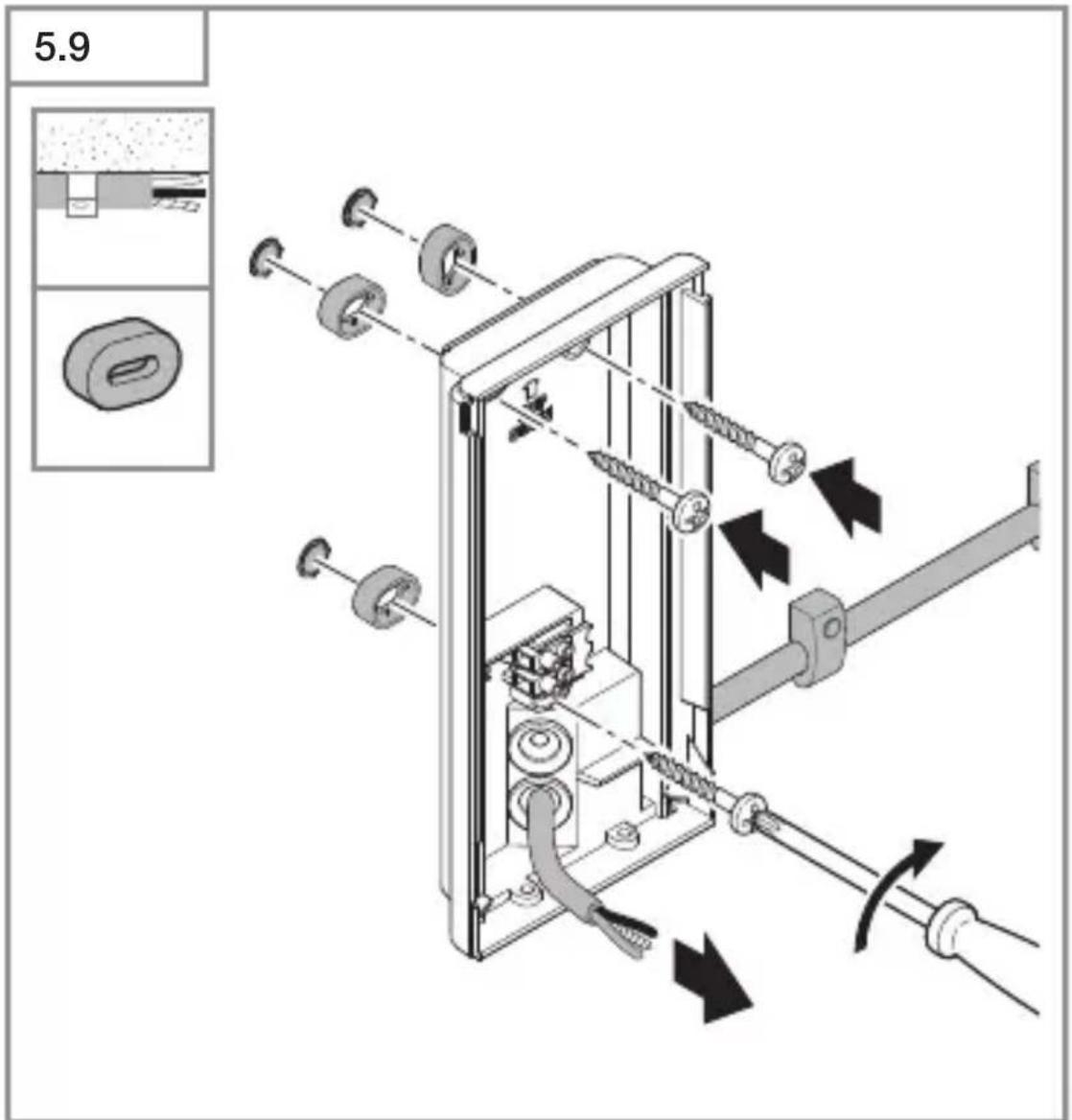
5.9- Probijte brtveni čep za mrežni priključak.
- Pričvrstite zidni držač kod nadžbuknog kabela s distancama.
HR
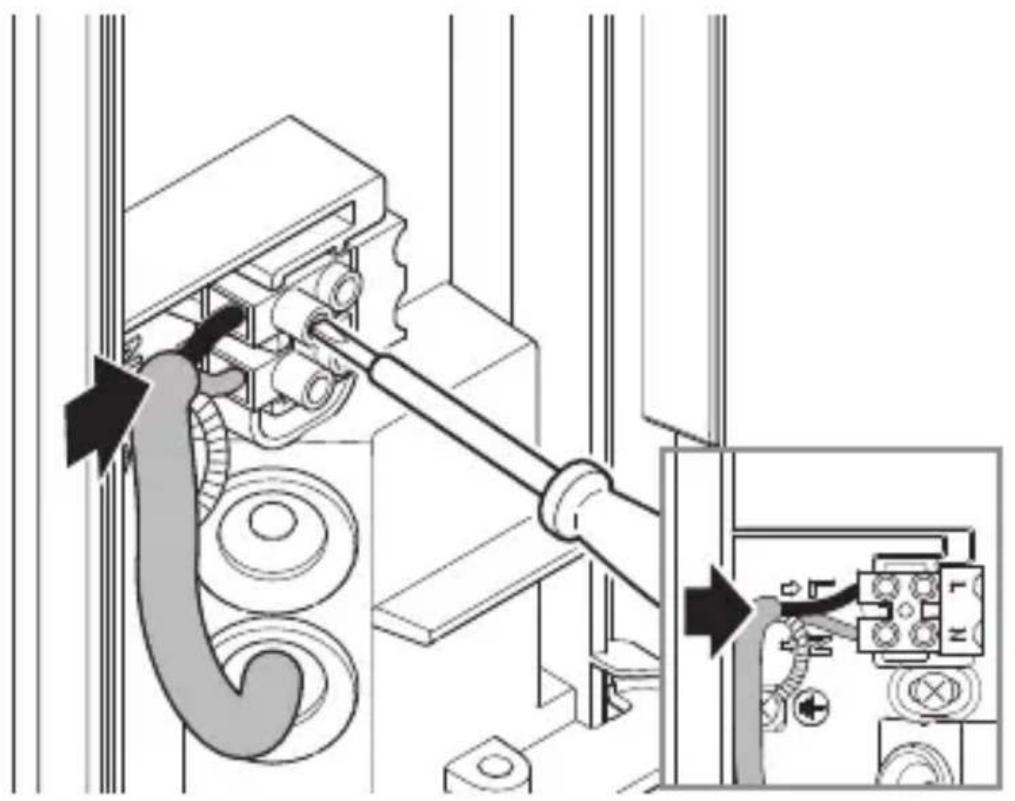
5.10
natural_image
Technical diagram showing mechanical assembly with pulleys and a close-up of a control panel (no text or symbols)natural_image
Technical diagram of a mechanical device with directional arrows indicating movement or force (no text or symbols present)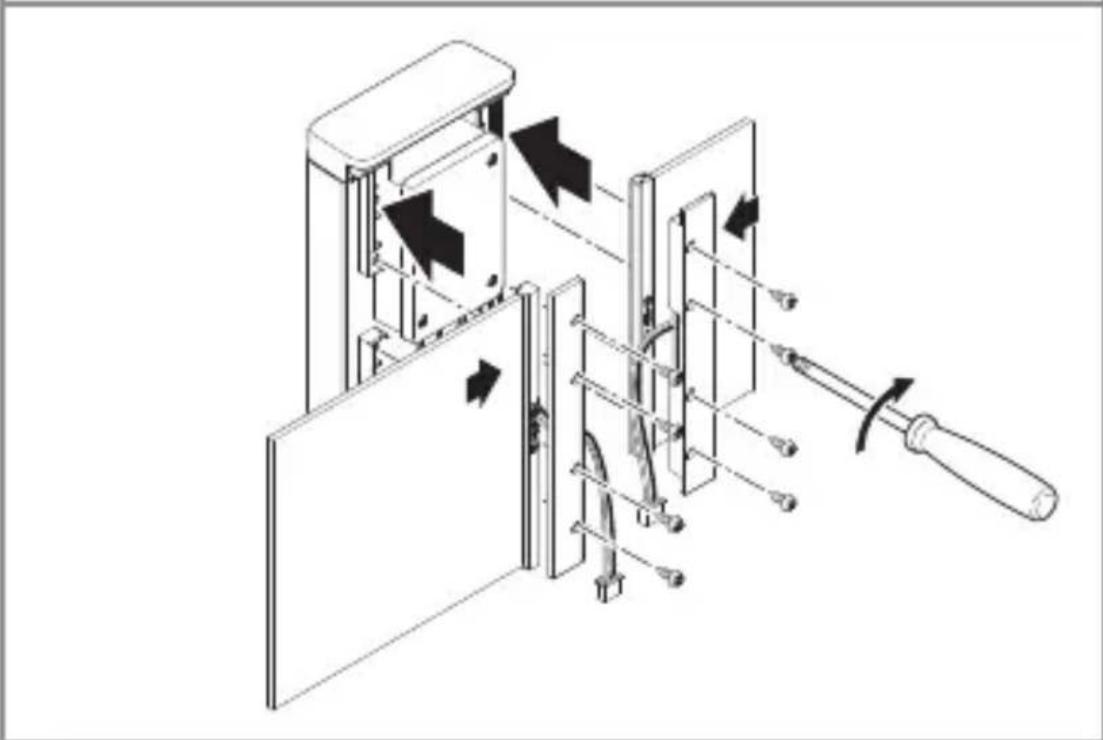
natural_image
Technical diagram of a mechanical device with internal components and directional arrows indicating movement (no text or symbols)- Umetnite ploče u okvir. Pričvrstite držače panela. -Veliki i mali panel mogu se pričvrstiti s obje strane. -Paneli se mogu zamijeniti.
HR
natural_image
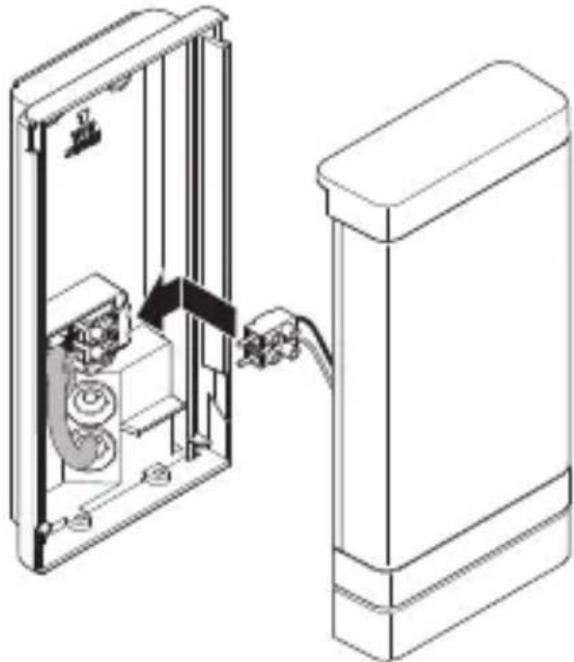
Technical line drawing of a mechanical or electrical assembly with no visible text, numbers, or symbols.- Spojite konektorske utikače za panele s kućnim brojem.
5.13
natural_image
Technical line drawing of a mechanical device with internal components and a cable, showing no text or symbolsnatural_image
Diagram of a door mechanism with arrows indicating movement or force (no text or symbols present)• LED poklopac pričvrstite vijcima na zidni držač.
HR
5.15
text_image
I Otext_image
QR code image containing encoded data, no visible human-readable text
text_image
QR code image containing encoded data, no visible human-readable textFunkcije koje se mogu podesiti pomoću aplikacije Steinel Connect:
– Podešavanje vremena: 5 s – 60 min
– Podešavanje svjetlosnog praga: 2 – 2.000 luksa
– Učenje luksa
– Osnovno svjetlo
- Glavno svjetlo
– Funkcija soft uključivanja svjetla
– Učenje vremena
– Podešavanje dometa
- Bluetooth umreženje
Podešavanje vremena
Kašnjenje isključivanja može se podešavati kontinuirano od oko 5 sekundi do maks. 60 minuta. Svaki detektirani pokret ponovno uključuje svjetlo.
Kod podešavanja područja detekcije i testiranja funkcije preporučuje se podesiti najkraće vrijeme.
natural_image
Simple diagram of concentric arcs with a central label, no text or symbols presentnatural_image
Circular diagram with concentric rings and radial lines, no text or symbols present– Osnovno svjetlo: podesivo od 10 – 100 %
natural_image
Isometric line drawing of a rectangular mechanical part with a 1× label (no other text or symbols)3×

3×
3×

1×
1×
text_image
I Bnatural_image
Isometric line drawing of a rectangular mechanical part with a 1× label (no other text or symbols)3×

3×
3×

1×
1×
text_image
I Btext_image
L N L N PE ⊕text_image
≤ 8 m 2 mtext_image
Electrical hazard symbol and electrical switch diagram with current direction arrows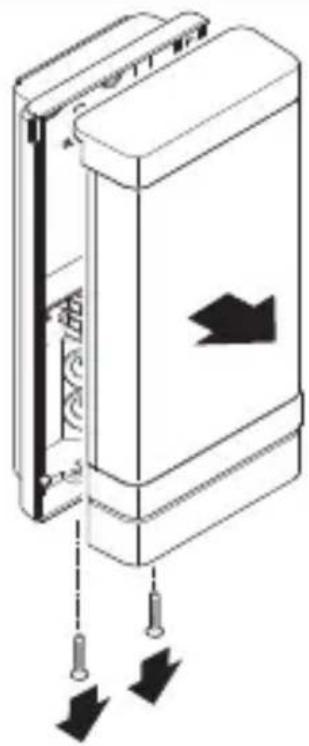
natural_image
Diagram of a door panel with arrows indicating movement or force, no text or symbols presentnatural_image
Technical line drawing of a device showing internal components and a close-up of a rectangular housing (no text or symbols)natural_image
Technical diagram of a mechanical device with internal components and directional arrows (no text or symbols)text_image
Safety warning sign showing a faucet above a prohibited food item with a crossed-out circle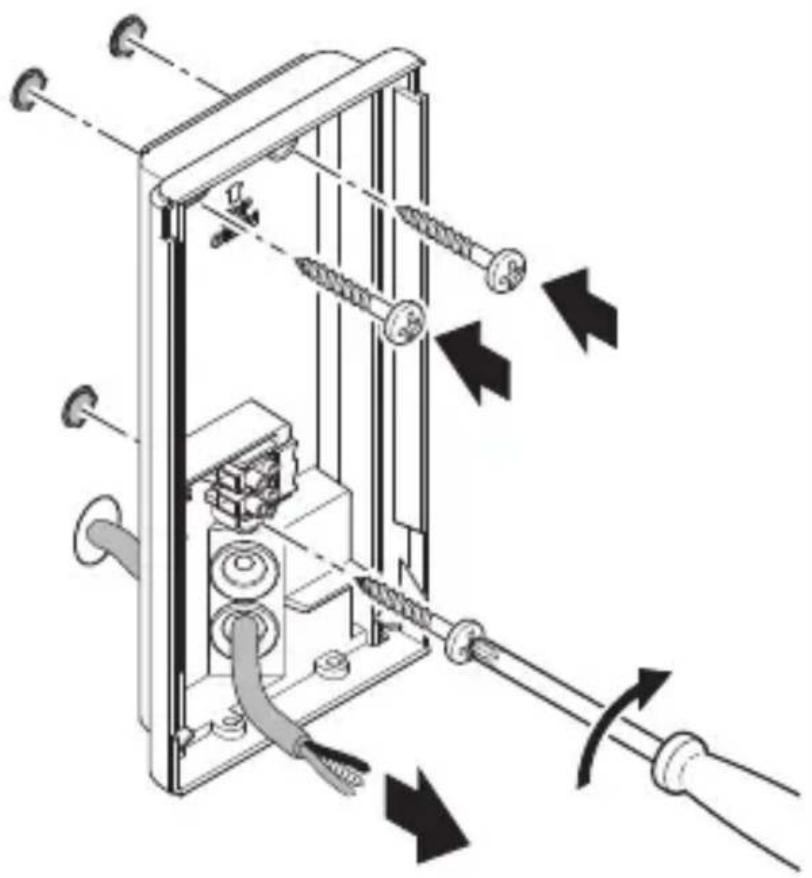
natural_image
Technical diagram of a mechanical device with springs and tubing, showing directional arrows indicating movement or force (no text or symbols present)natural_image
Mechanical assembly diagram showing a motor drive system with pulleys and gears, no text or symbols presentnatural_image
Technical diagram of a mechanical device with directional arrows indicating movement or force (no text or symbols present)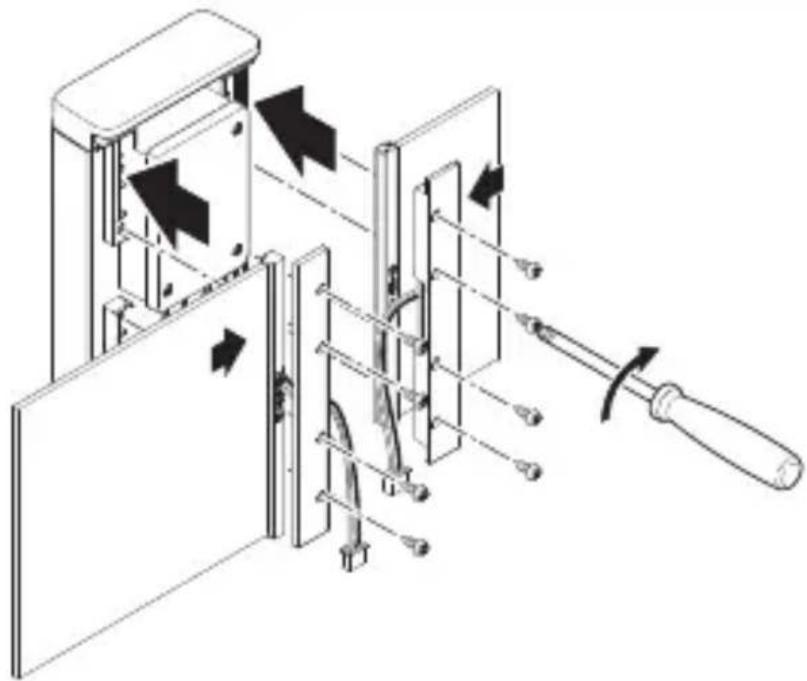
natural_image
Technical diagram of a mechanical device with directional arrows indicating movement or force (no text or symbols present)- Sisestage paneelid šassiisse. Keerake paneelihoidikud kinni.
natural_image
Technical line drawing of a mechanical or electrical assembly with no visible text, numbers, or symbols.natural_image
Technical line drawing of a device inside a rectangular enclosure with a cable inserted, showing internal components and wiring (no text or symbols)natural_image
Diagram of a door mechanism with arrows indicating movement or force (no text or symbols present)- Keerake LED-kate seinahoidikule.
EE
5.15
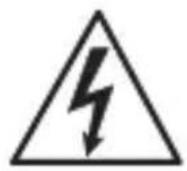
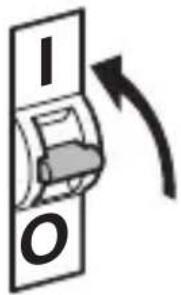
text_image
I O• Lülitage voolutoide sisse.
Valgusti L 270 Digi SC
5.16

text_image
6 → 66 66 66 66 → 66 66- Kleepige majanumbrid majanumbrite lehelt peale.
- Teostage seaded.
→“6. Talitlus”
6. Talitlus
text_image
QR code image containing encoded data, no visible human-readable text
text_image
QR code image containing encoded data, no visible human-readable textEE
natural_image
Simple diagram with concentric arcs and a small rectangular base (no text or symbols)natural_image
Circular grid pattern with radial lines and concentric circles, no text or symbols presentnatural_image
Isometric line drawing of a rectangular mechanical part with a 1× label (no other text or symbols)3×

3×
3×

1×
1×
text_image
I Bnatural_image
Isometric line drawing of a rectangular mechanical part with a 1× label (no other text or symbols)3×

3×
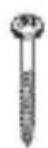
3×

1×
text_image
I A1×
text_image
I Btext_image
L N L N PE ⊕Ivada sudaro triju laidu kabelis:
text_image
≤ 8 m 2 mtext_image
Electrical hazard symbol and electrical switch diagram with current direction arrows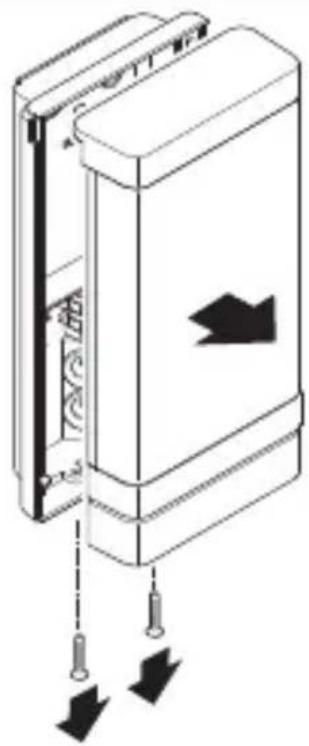
natural_image
Diagram of a door panel with arrows indicating movement or force, showing no text or symbolsnatural_image
Technical line drawing of a device showing internal components and a close-up of a rectangular housing (no text or symbols)- Atsukite jungiamaji kištuka.
5.6
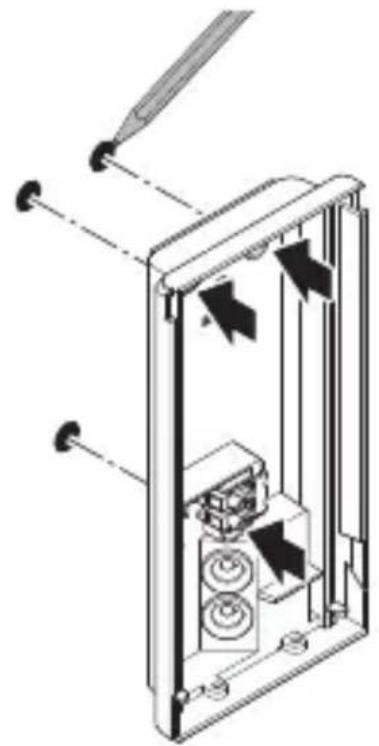
natural_image
Technical diagram of a mechanical device with internal components and directional arrows (no text or symbols)text_image
Safety warning sign showing a faucet above a prohibited food item with a crossed-out circle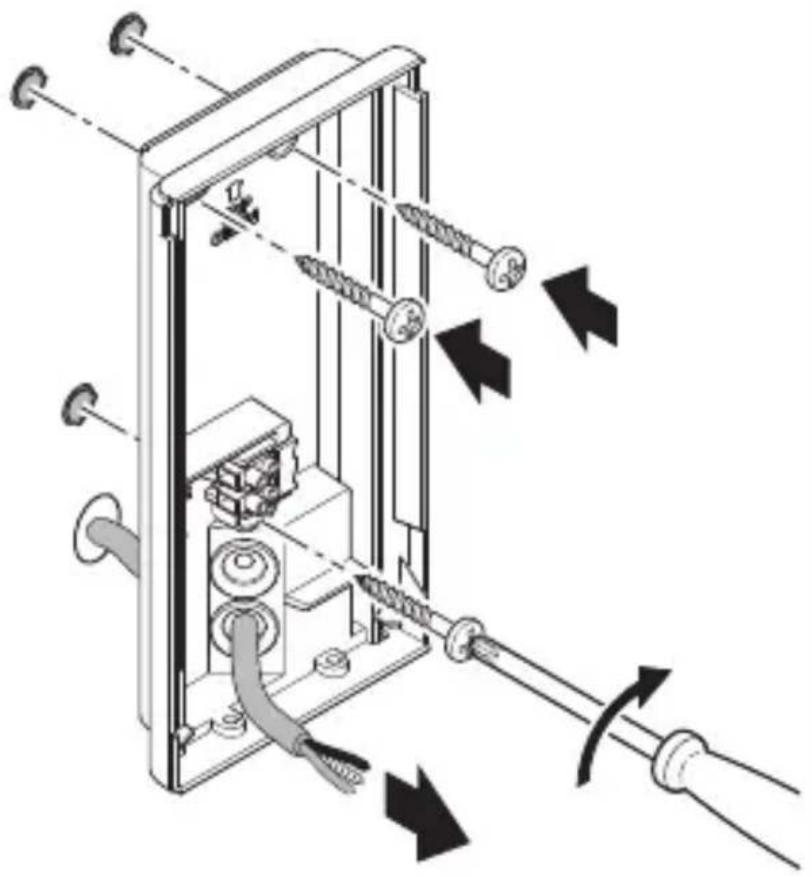
natural_image
Technical diagram of a mechanical device with attached screws and tubing, showing directional arrows indicating movement or force (no text or symbols present)natural_image
Mechanical assembly diagram showing a motor drive system with pulleys and gears, no text or symbols present- Prijunkite maitinimo linija pagal elektros schema.
→„4. Elektros jungtis“
natural_image
Technical diagram of a mechanical device with directional arrows indicating movement or force (no text or symbols present)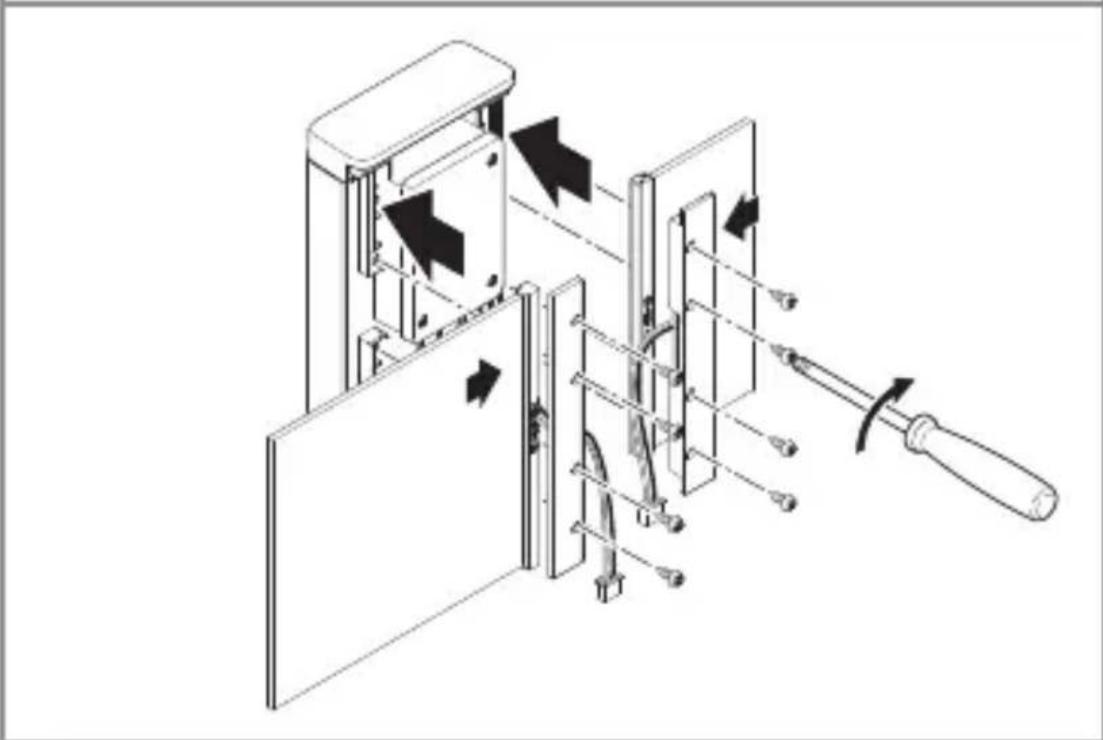
natural_image
Technical diagram of a mechanical device with internal components and directional arrows indicating movement (no text or symbols)natural_image
Technical line drawing of a mechanical or electrical assembly with no visible text, numbers, or symbols.natural_image
Technical line drawing of a mechanical device with internal components and a cable, showing no text or symbolsnatural_image
Diagram of a door mechanism with arrows indicating movement or force (no text or symbols present)• LED dangtelj priveržkite prie sieninio laikiklio.
LT
5.15
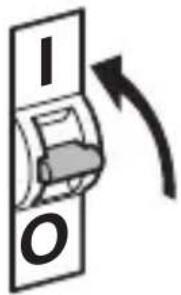
text_image
I Otext_image
QR code image containing encoded data, no visible human-readable text
text_image
QR code image containing encoded data, no visible human-readable textLT
natural_image
Simple diagram of concentric arcs with a central label, no text or symbols presentnatural_image
Circular diagram with concentric rings and radial lines, no text or symbols presentnatural_image
Isometric line drawing of a rectangular mechanical part with a 1× label (no other text or symbols)3×

3×
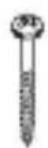
3×

1×
1×
text_image
I B- 1 LED gaismeklis ar infrasarkano staru kustību sensoru
- 3 Starplikas
- 3 Skrūves
- 3 Dībeli
- 1 Drošības datu lapa (A)
- 1 Atrais starts (B)
Gaismekla piegādes apjoms L 271 Digi SC
3.3
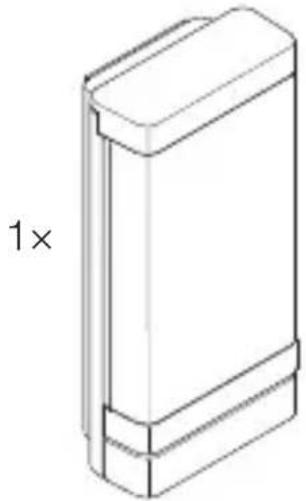
natural_image
Isometric line drawing of a rectangular mechanical part with a 1× label (no other text or symbols)3×

3×
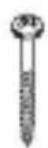
3×

1×
1×
text_image
I B- 1 LED gaismeklis.
- 3 Starplikas
- 3 Skrūves
- 3 Dībeli
- 1 Drošības datu lapa (A)
- 1 Atrais starts (B)
LV
text_image
L N L N PE ⊕text_image
≤ 8 m 2 mtext_image
Electrical hazard symbol and electrical switch diagram with current direction arrows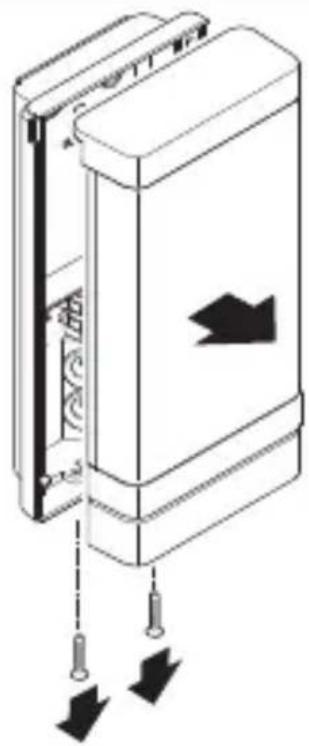
natural_image
Diagram of a door panel with arrows indicating movement or force, no text or symbols presentnatural_image
Technical line drawing of a device showing internal components and a close-up of a rectangular housing (no text or symbols)- Atvienojiet savienojošo kontaktdakšu.
5.6
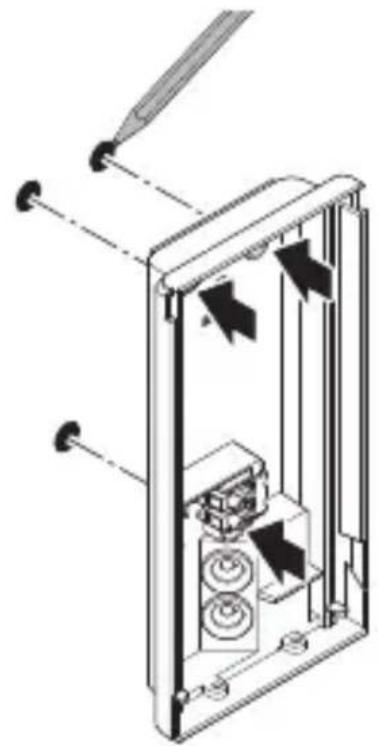
natural_image
Technical diagram of a mechanical device with internal components and directional arrows (no text or symbols)text_image
Safety warning sign showing a faucet above a food waste symbol with a prohibition sign below.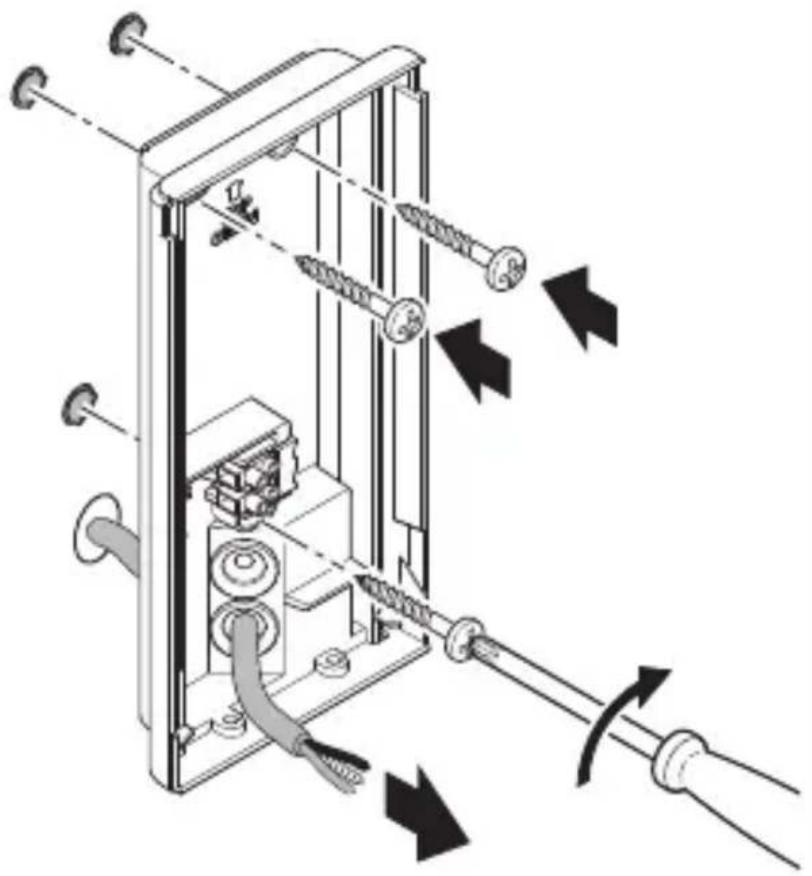
natural_image
Technical diagram of a mechanical device with attached screws and tubing, showing directional arrows indicating movement or force (no text or symbols present)natural_image
Mechanical assembly diagram showing a motor drive system with pulleys and gears, no text or symbols presentnatural_image
Technical diagram of a mechanical device with directional arrows indicating movement or force (no text or symbols present)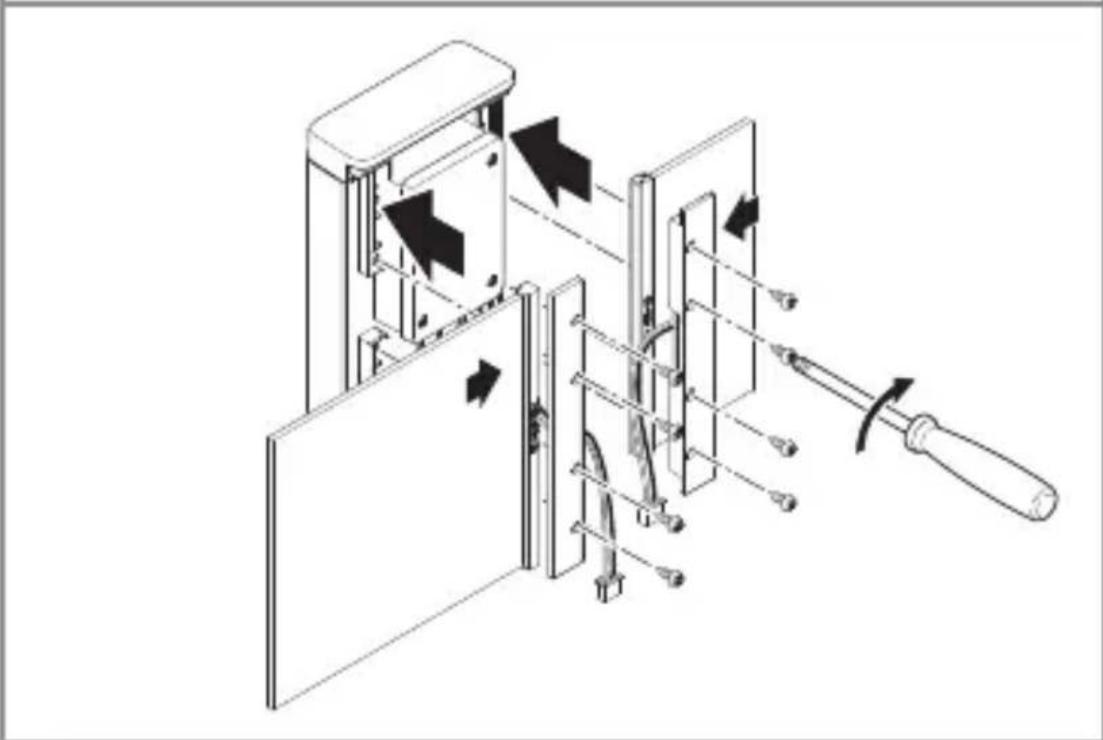
natural_image
Technical diagram of a mechanical device with internal components and directional arrows indicating movement (no text or symbols)natural_image
Technical line drawing of a mechanical or electrical assembly with no visible text, numbers, or symbols.natural_image
Technical line drawing of a device inside a rectangular enclosure, showing internal components and wiring (no text or symbols)- Uzspraudiet pieslēguma aizspiedni.
5.14
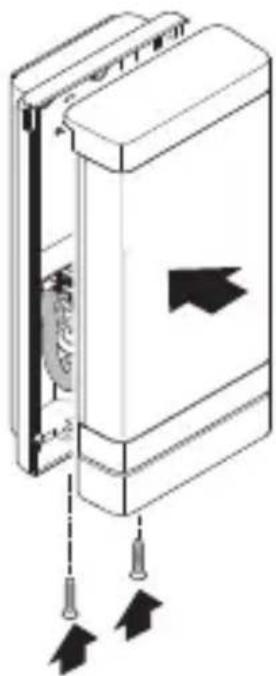
natural_image
Diagram of a door mechanism with arrows indicating movement or force (no text or symbols present)text_image
QR code image containing encoded data, no visible human-readable text
text_image
QR code image containing encoded data, no visible human-readable textnatural_image
Simple diagram of concentric arcs with a central label, no text or symbols presenttext_image
Radar chart with angular divisions and concentric circles, showing directional data in metersnatural_image
Isometric line drawing of a rectangular mechanical part with a 1× label (no other text or symbols)3×

3×
3×

1×
1×
text_image
I B- 1 LED-лампа с инфрачервен сензор
- 3 Подложки
- 3 Винта
- 3 Дюбела
- 1 Данни за безопасност (A)
- 1 Quick-Start (B)
natural_image
Technical line drawing of a rectangular mechanical part with a 1× scaling indicator (no text or symbols on the object itself)3×

3×
3×

1×
text_image
I A1×
text_image
I Btext_image
L N L N PE⊕text_image
≤ 8 m 2 mtext_image
Electrical hazard symbol and electrical switch diagram with current direction arrows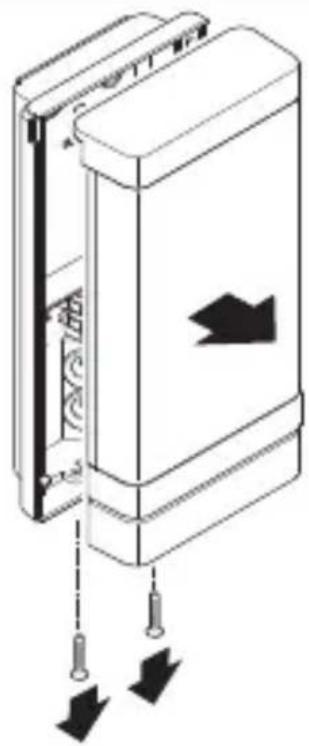
natural_image
Diagram of a door panel with arrows indicating movement or force, no text or symbols presentnatural_image
Technical line drawing of a device showing internal components and a connected cable (no text or symbols)natural_image
Technical diagram of a mechanical device with internal components and directional arrows (no text or symbols)text_image
Safety warning sign showing a faucet above a prohibited food item with a crossed-out circle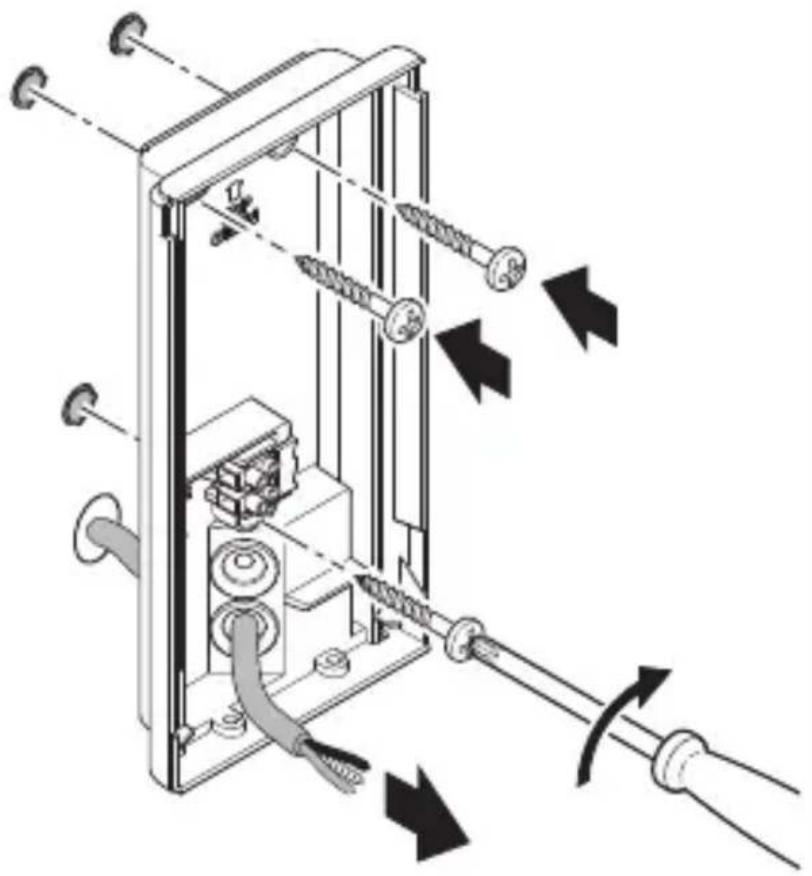
natural_image
Technical diagram of a mechanical device with attached screws and tubing, showing directional arrows indicating movement or force (no text or symbols present)natural_image
Mechanical assembly diagram showing a motor drive system with pulleys and gears, no text or symbols presentnatural_image
Technical diagram of a mechanical device with directional arrows indicating movement or force (no text or symbols present)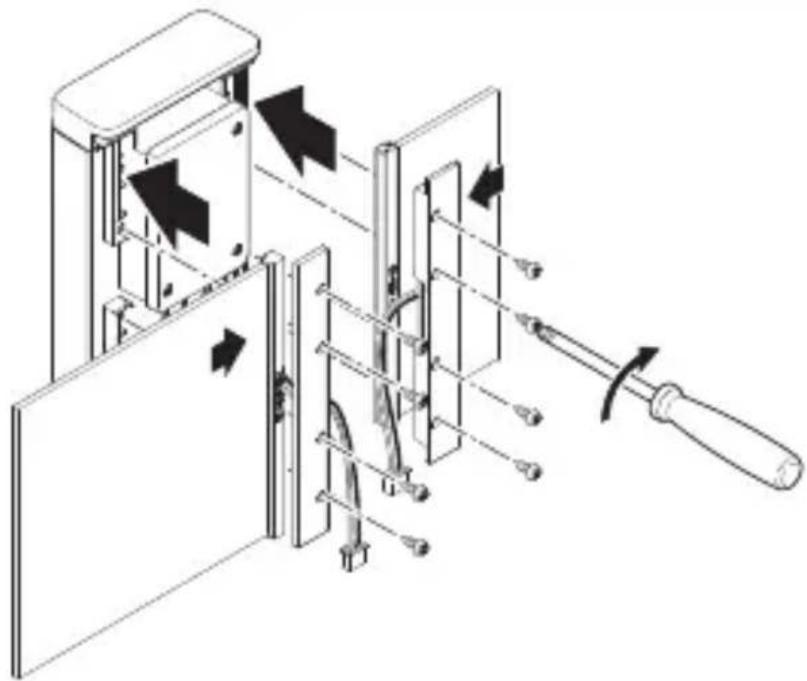
natural_image
Technical diagram of a mechanical device with directional arrows indicating movement or force (no text or symbols present)natural_image
Technical line drawing of a mechanical or electrical assembly with no visible text, numbers, or symbols.natural_image
Technical line drawing of a mechanical device with internal components and a cable, showing no text or symbolsnatural_image
Diagram of a door mechanism with arrows indicating movement or force (no text or symbols present)text_image
QR code image containing encoded data, no visible human-readable text
text_image
QR code image containing encoded data, no visible human-readable textnatural_image
Simple diagram of concentric arcs with a central label, no text or symbols presentnatural_image
Circular diagram with concentric circles and radial lines, no text or symbols presentnatural_image
Isometric line drawing of a rectangular mechanical part with a 1x label (no other text or symbols)3×

3×
3×
1×
1×
natural_image
Isometric line drawing of a rectangular mechanical part with a 1x label (no other text or symbols)3×

3×
3×
1×
text_image
I A1×
text_image
I Btext_image
A B C D E I G 228 C F G H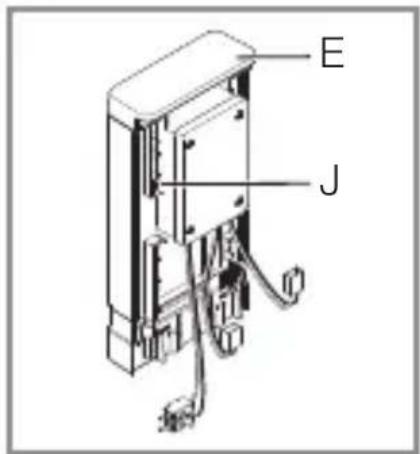
text_image
E Jtext_image
L N L N PE⊕电源供电线由一根三芯电缆构成:
L = 相位(通常是黑色、棕色或灰色)
N = 零线(通常为蓝色)
PE = 地线(绿色/黄色)
text_image
≤ 8 m 2 mnatural_image
Diagram of a door panel with arrows indicating direction and movement, no text or symbols presentnatural_image
Technical line drawing of a device interior with a cable being inserted into a housing (no text or symbols)- 松开连接插头。
CN
5.6
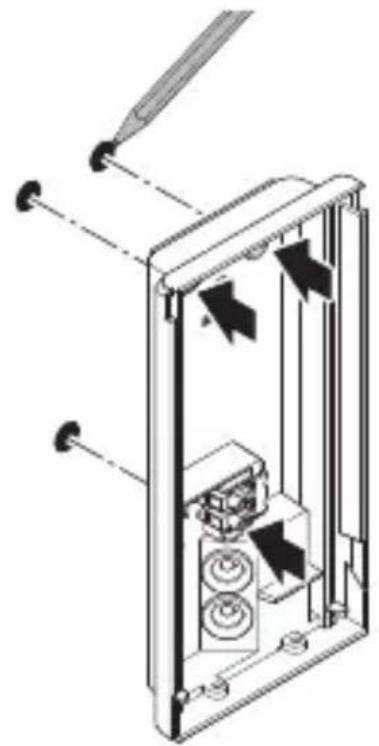
natural_image
Technical diagram of a mechanical device with internal components and directional arrows (no text or symbols)- 标记钻孔
5.7
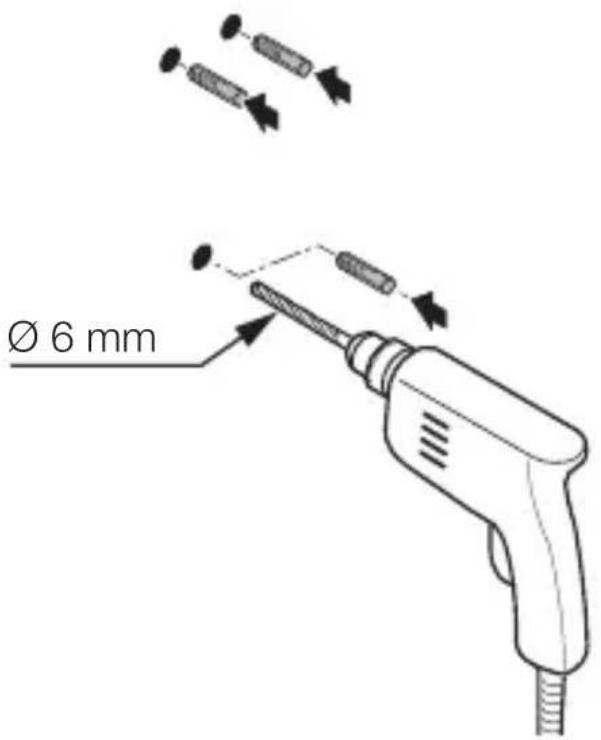
text_image
Ø 6 mm- 钻孔 ( 6 ~mm) ,接着放入膨胀螺丝
5.8
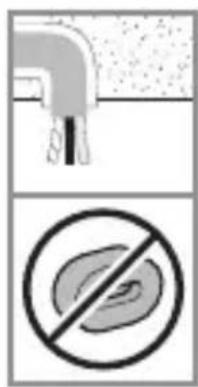
text_image
Safety warning sign showing a faucet and a prohibition symbol for food waste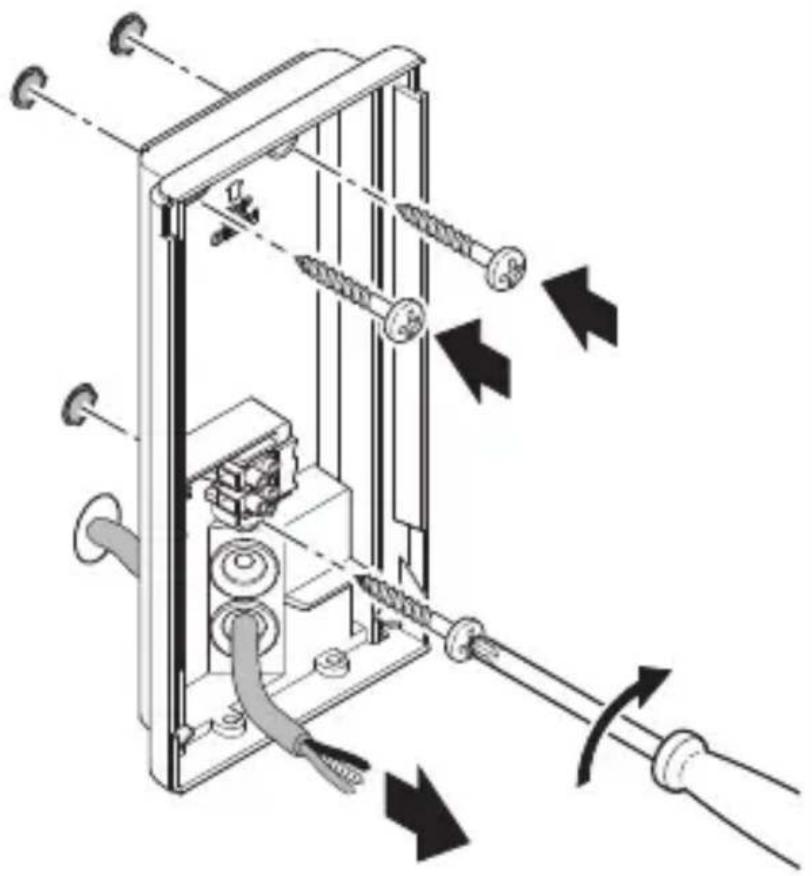
natural_image
Technical diagram of a mechanical device with springs and tubing, showing directional arrows indicating movement or force (no text or symbols present)natural_image
Technical diagram showing mechanical assembly with pulleys and a close-up of a control panel (no text or symbols)- 按照电路图连接电源引线。
→ “4. 电气连接”
灯具 L 270 Digi SC
5.11
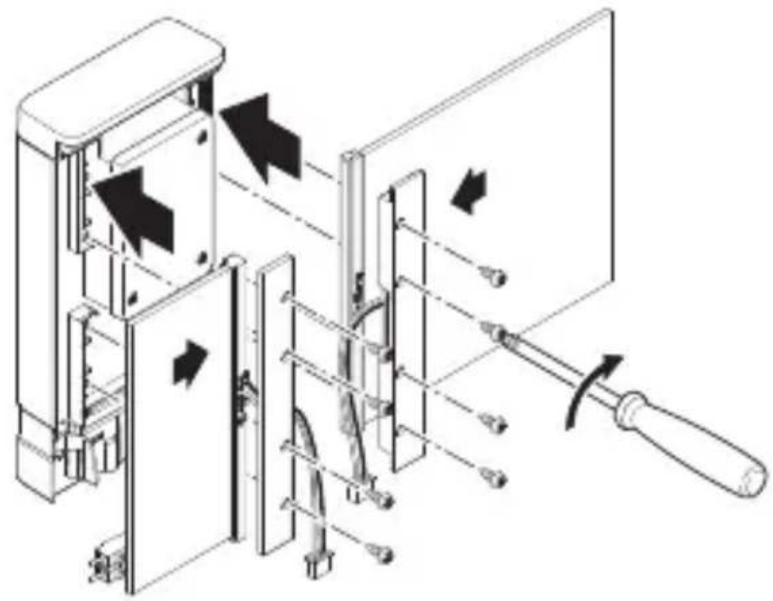
natural_image
Technical diagram of a mechanical device with directional arrows indicating movement or force (no text or symbols present)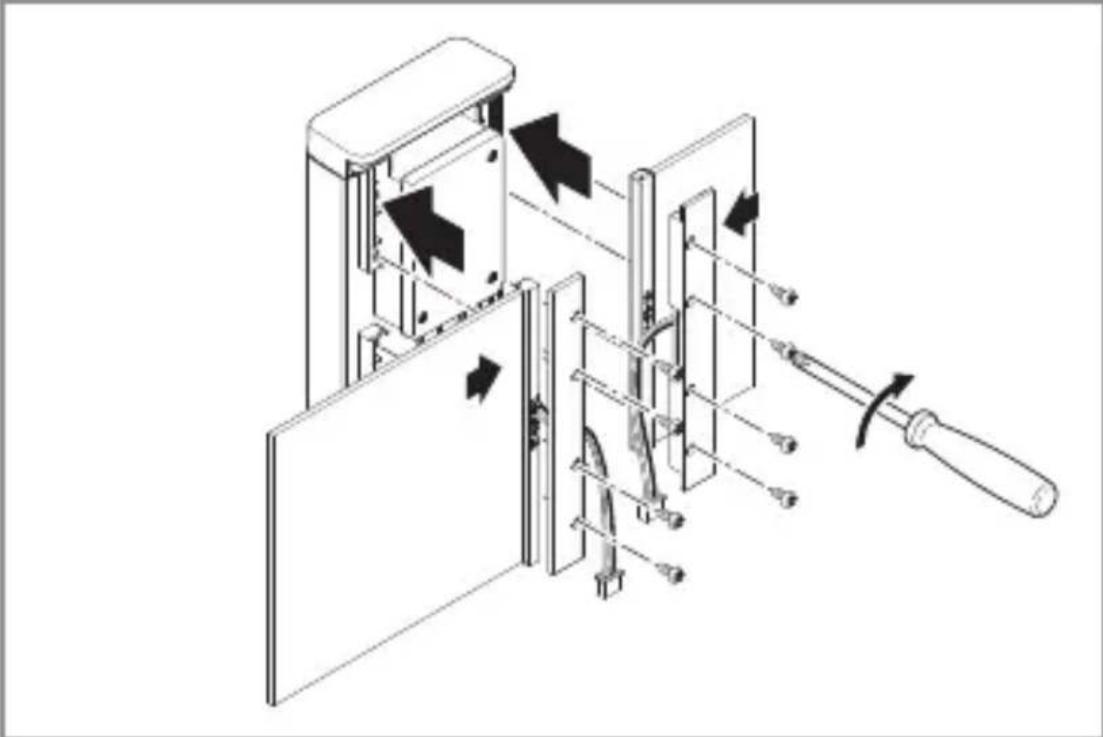
natural_image
Technical diagram of a mechanical assembly with arrows indicating motion or force direction (no text or symbols present)- 将面板插入机箱。拧紧面板支架。
natural_image
Technical line drawing of a mechanical or electrical assembly with no visible text, numbers, or symbols.- 将门牌号面板的连接插头插在一起。
5.13
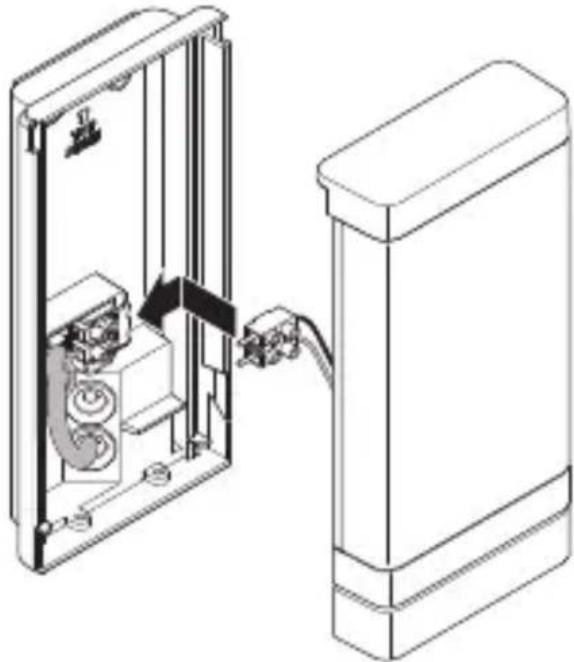
natural_image
Technical line drawing of a device with internal components and cable connection (no text or symbols)- 插上接线端子。
5.14
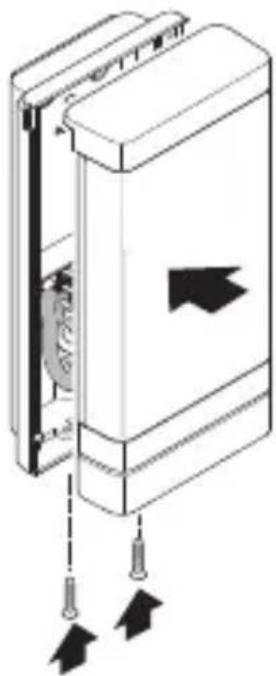
natural_image
Diagram of a mechanical device with arrows indicating movement or force, no visible text or symbols- 将门牌号面板的连接插头插在一起。
5.15
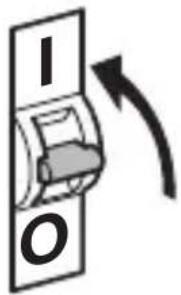
text_image
I O- 接通电源。
灯具 L 270 Digi SC
5.16
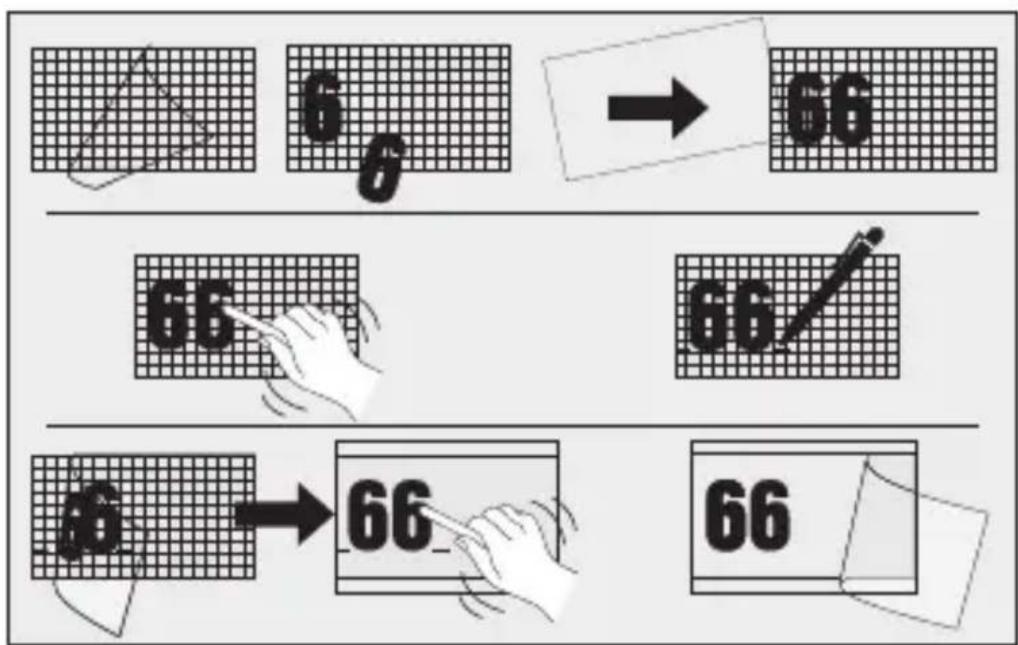
text_image
6 → 66 66 66 66 → 66 66text_image
QR code image containing encoded data, no visible human-readable text
text_image
QR code image containing encoded data, no visible human-readable textnatural_image
Simple concentric arc diagram with no text or symbols传感器的检测范围划分成三个区域:
text_image
A 230V LED8. 废弃物处理
natural_image
Circular grid pattern with radial lines and concentric circles, no text or symbols presentnatural_image
Isometric line drawing of a rectangular mechanical part with a 1× label (no other text or symbols)3×

3×
3×

1×
1×
text_image
I Bnatural_image
Isometric line drawing of a rectangular mechanical part with a 1× label (no other text or symbols)3×

3×
3×

1×
1×
text_image
I Btext_image
A B C D E I G 2023 C F G H
text_image
E Jtext_image
L N L N PE⊕text_image
≤ 8 m 2 mnatural_image
Diagram of a door panel with arrows indicating downward movement, no text or symbols presentnatural_image
Technical line drawing of a device showing internal components and a close-up of a rectangular housing (no text or symbols)natural_image
Technical diagram of a mechanical device with internal components and directional arrows (no text or symbols)text_image
Safety warning sign showing a faucet above a prohibited food item with a crossed-out circle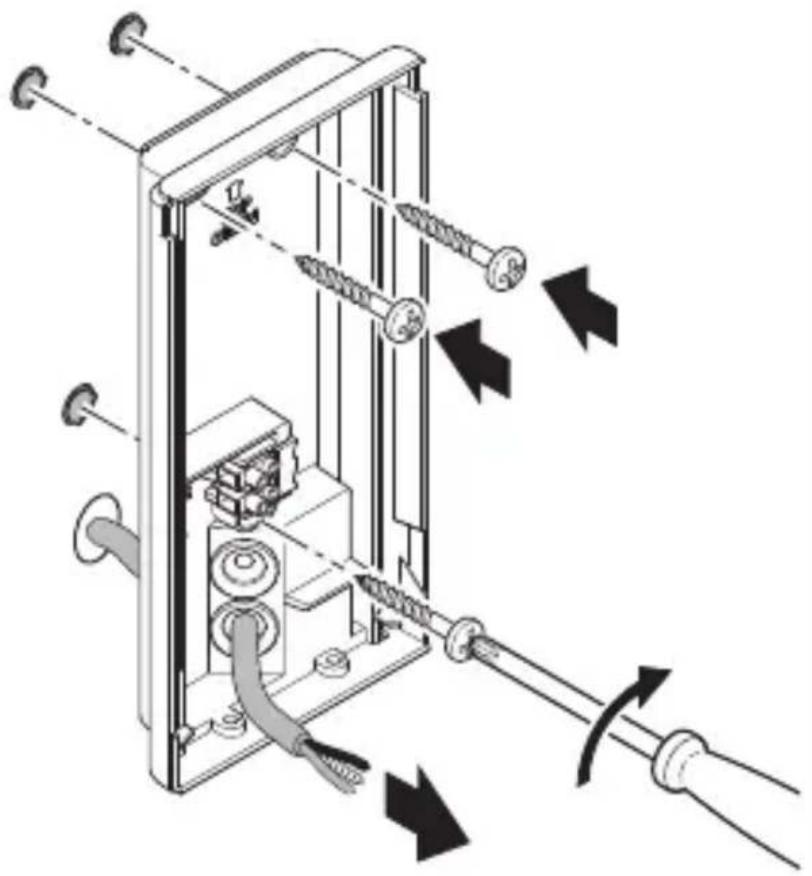
natural_image
Technical diagram of a mechanical device with attached screws and tubing, showing directional arrows indicating movement or force (no text or symbols present)natural_image
Mechanical assembly diagram showing a motor drive system with pulleys and gears, no text or symbols presentnatural_image
Technical diagram of a mechanical device with directional arrows indicating movement or force (no text or symbols present)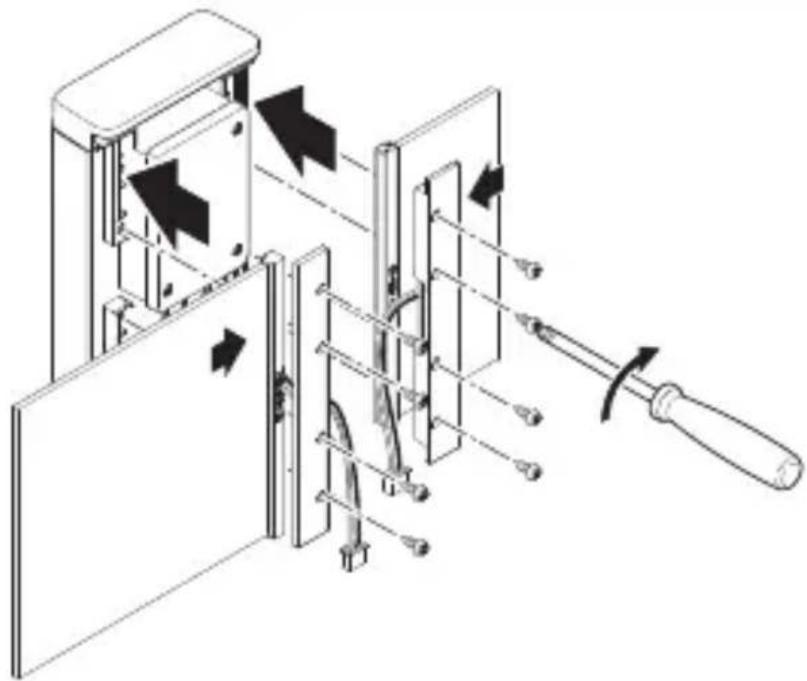
natural_image
Technical diagram of a mechanical device with directional arrows indicating movement or force (no text or symbols present)natural_image
Technical line drawing of a mechanical or electrical assembly with no visible text, numbers, or symbols.natural_image
Technical line drawing of a mechanical device with internal components and a cable, showing no text or symbolsnatural_image
Diagram of a door mechanism with arrows indicating movement or force (no text or symbols present)text_image
QR code image containing encoded data, no visible human-readable text