
GPB 18V5 C Professional - Radio BOSCH - Free user manual and instructions
Find the device manual for free GPB 18V5 C Professional BOSCH in PDF.
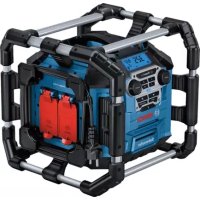



| Product Type | Job Site Radio |
| Brand | Bosch |
| Model | GPB 18V5 C Professional |
| Reference | 3 601 DA4 0.. |
| Weight (depending on battery) | 9.2 – 10.2 kg |
| Mains Power Supply | 230/110 V |
| Battery Power Supply | 18 V (lithium-ion battery) |
| Amplifier Power | 4 × 5 W |
| Radio Reception | FM (87.5–108 MHz) |
| Bluetooth | Bluetooth® 5.0, transmission power 10 mW |
| USB Charging Port | USB, max current 2.1 A |
| AC Outlets | Yes, max total current up to 15 A (depending on reference) |
| Equalizer | Presets JAZZ, ROCK, POP, CLASSIC, CUSTOM |
| Backup Batteries | 2 × 1.5 V LR6 (AA) |
| Protection Class | IP54 (estimation) |
| Operating Temperature | 0 °C to +35 °C |
| Storage Temperature | -20 °C to +50 °C |
| Compatible Batteries | GBA 18V…, ProCORE18V… |
| Maintenance | Clean with a soft, damp cloth; no detergents or solvents |
| Safety | Splash water protection; Electronic Cell Protection (ECP) |
| Repairability | Repairs by Bosch authorized service center; genuine parts |
Frequently Asked Questions - GPB 18V5 C Professional BOSCH
User questions about GPB 18V5 C Professional BOSCH
0 question about this device. Answer the ones you know or ask your own.
Ask a new question about this device
Download the instructions for your Radio in PDF format for free! Find your manual GPB 18V5 C Professional - BOSCH and take your electronic device back in hand. On this page are published all the documents necessary for the use of your device. GPB 18V5 C Professional by BOSCH.
USER MANUAL GPB 18V5 C Professional BOSCH
www.bosch-pt.com/serviceaddresses
Transport
Read all the safety and general instructions. Failure to observe the safety and general instructions may result in electric shock, fire and/or serious injury.
Keep all the safety and general instructions for future reference.
Always check the radio, cable and plug before use. Stop using the radio if you discover any damage. Do not open the radio or plug yourself, and have them repaired only by a qualified specialist using only original replacement parts. Damaged radios, cables and plugs increase the risk of electric shock. The mains plug must be plugged in to an easily accessible plug socket with a protective earth contact. The mains plug must match the plug socket. Never modify the plug in any way. Do not use any adapter plugs with radios. Unmodified plugs and matching plug sockets will reduce the risk of electric shock. - Completely unwind the mains cable when operating the radio via mains supply. Otherwise the mains cable can heat up. Do not misuse the cable, for example by using it to carry, hang up or unplug the radio. Keep the cable away from heat, oil, sharp edges and moving parts. Damaged or entangled cords increase the risk of electric shock.

Do not expose the radio to rain or wet conditions. Water entering the radio increases the risk of an electric shock.
Do not open the battery. There is a risk of short-circuiting. In case of damage and improper use of the battery, vapours may be emitted. The battery can set alight or explode. Ensure the area is well ventilated and seek medical attention should you experience any adverse effects. The vapours may irritate the respiratory system. If used incorrectly or if the battery is damaged, flammable liquid may be ejected from the battery. Contact with this liquid should be avoided. If contact accidentally occurs, rinse off with water. If the liquid comes into contact with your eyes, seek additional medical attention. Liquid ejected from the battery may cause irritation or burns. The battery can be damaged by pointed objects such as nails or screwdrivers or by force applied externally. An internal short circuit may occur, causing the battery to burn, smoke, explode or overheat. When the battery is not in use, keep it away from paper clips, coins, keys, nails, screws or other small metal objects that could make a connection from one
terminal to another. A short circuit between the battery terminals may cause burns or a fire.
Only use the battery with products from the manufacturer. This is the only way in which you can protect the battery against dangerous overload. Only charge the batteries using chargers recommended by the manufacturer. A charger that is suitable for one type of battery may pose a fire risk when used with a different battery.

Protect the battery against heat, e.g. against continuous intense sunlight, fire, dirt, water and moisture. There is a risk of explosion and short-circuiting.
Products sold in GB only:
Your product is fitted with a BS 1363/A approved electric plug with internal fuse (ASTA approved to BS 1362). If the plug is not suitable for your socket outlets, it should be cut off and an appropriate plug fitted in its place by an authorised customer service agent. The replacement plug should have the same fuse rating as the original plug. The severed plug must be disposed of to avoid a possible shock hazard and should never be inserted into a mains socket elsewhere.
The Bluetooth® word mark and logos are registered trademarks owned by Bluetooth SIG, Inc. and any use of such marks by Robert Bosch Power Tools GmbH is under license.
Product Description and Specifications
Please observe the illustrations at the beginning of this operating manual.
Product Features
The numbering of the product features refers to the illustration of the radio on the graphics page.
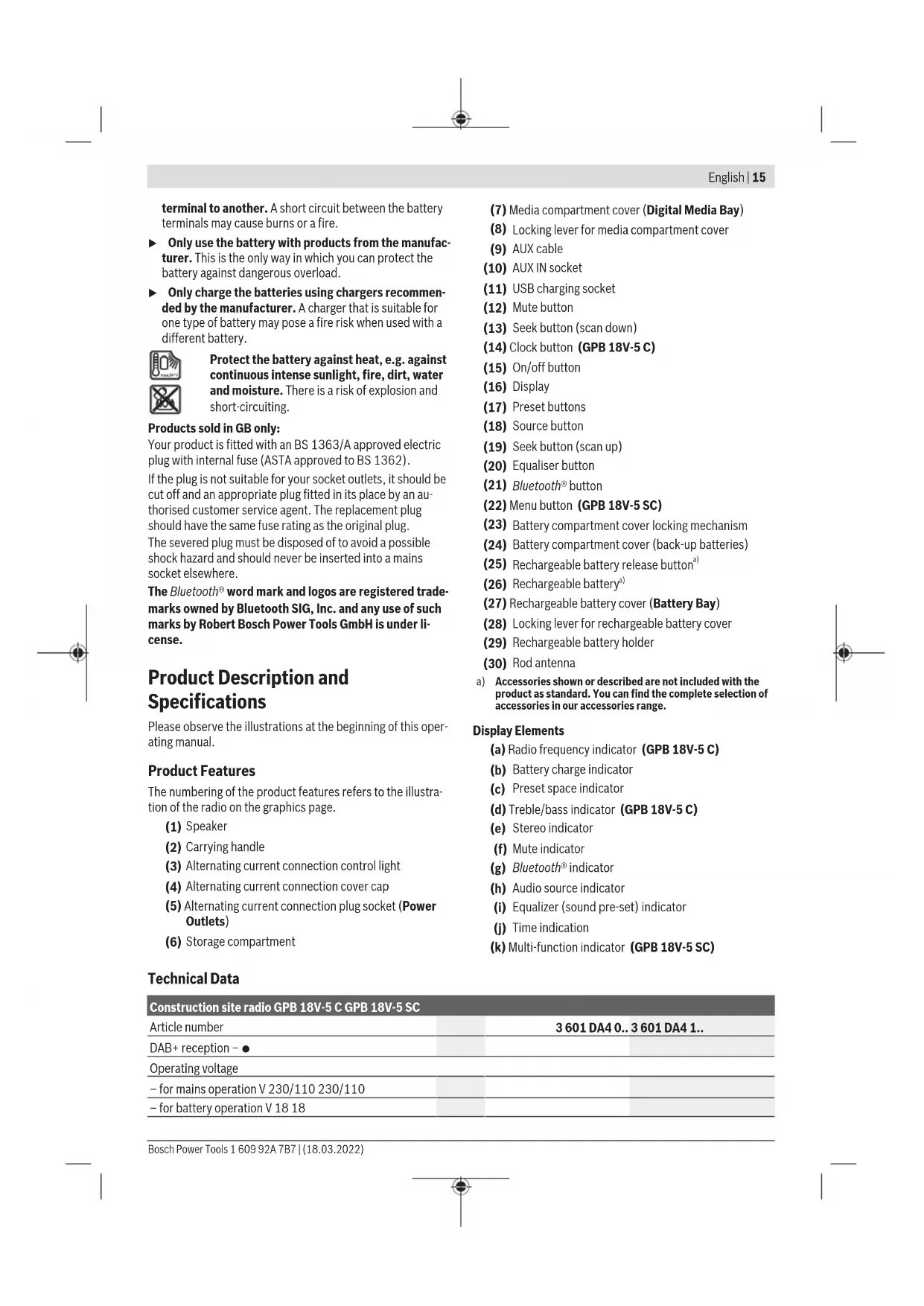
(1) Speaker (2) Carrying handle (3) Alternating current connection control light (4) Alternating current connection cover cap (5) Alternating current connection plug socket (Power Outlets) (6) Storage compartment
(7) Media compartment cover (Digital Media Bay) (8) Locking lever for media compartment cover (9) AUX cable (10) AUX IN socket (11) USB charging socket (12) Mute button (13) Seek button (scan down) (14) Clock button (GPB 18V-5 C) (15) On/off button (16) Display (17) Preset buttons (18) Source button (19) Seek button (scan up) (20) Equaliser button (21) Bluetooth® button (22) Menu button (GPB 18V-5 SC) (23) Battery compartment cover locking mechanism (24) Battery compartment cover (back-up batteries) (25) Rechargeable battery release button (26) Rechargeable battery a) (27) Rechargeable battery cover (Battery Bay) (28) Locking lever for rechargeable battery cover (29) Rechargeable battery holder (30) Rod antenna
a) Accessories shown or described are not included with the product as standard. You can find the complete selection of accessories in our accessories range.
Display Elements
(a) Radio frequency indicator (GPB 18V-5 C) (b) Battery charge indicator (c) Preset space indicator (d) Treble/bass indicator (GPB 18V-5 C) (e) Stereo indicator (f) Mute indicator (g) Bluetooth indicator (h) Audio source indicator (i) Equalizer (sound pre-set) indicator (j) Time indication (k) Multi-function indicator (GPB 18V-5 SC)
Technical Data
| Construction site radio GPB 18V-5 C GPB 18V-5 SC | |
| Article number | 3601 DA4 0.. 3601 DA4 1.. |
| DAB+ reception - ● | |
| Operating voltage | |
| - for mains operation V 230/110 230/110 | |
| - for battery operation V 18 18 | |
| Construction site radio GPB 18V-5 C GPB 18V-5 SC | |||
| Nominal output of amplifier W 4 × 5 4 × 5 | |||
| FM reception range MHz 87.5-108 87.5-108 | |||
| DAB+ reception range MHz - 174.928-239.200 | |||
| Bluetooth® compatibility | Bluetooth® 5.0 | Bluetooth® 5.0 | |
| Bluetooth® operating frequency range MHz 2402-2480 2402-2480 | |||
| Max. Bluetooth® transmission power mW 10 10 | |||
| Back-up batteries 2 × 1.5 V LR6 (AA) 2 × 1.5 V LR6 (AA) | |||
| Weight according to EPTA-Procedure 01:2014 | kg | 9.2-10.2A) | 9.2-10.2A) |
| Protection class | ±/I | ±/I | |
| Recommended ambient temperature during charging | °C | 0 to +35 | 0 to +35 |
| Permitted ambient temperature during operation | °C | 0 to +35 | 0 to +35 |
| Permitted ambient temperature during storage | °C | -20 to +50 | -20 to +50 |
| Recommended rechargeable batteries | GBA 18V... | GBA 18V... | |
| ProCORE18V... | ProCORE18V... | ||
| Recommended chargers | GAL 18... | GAL 18... | |
| GAX 18... | GAX 18... | ||
| GAL 36... | GAL 36... | ||
A) Depends on battery in use
Radio Energy Supply
Power can be supplied to the radio via a mains connection or a lithium-ion rechargeable battery (26).
When the battery is used for power supply, only the functions audio operation and power supply of external devices via the integrated USB connection are available.
Operation via Mains Connection
Pay attention to the mains voltage. The voltage of the power source must match the voltage specified on the type plate of the radio. Radios marked with 230V can also be operated with 220V .
Operation with Battery Pack
Use only the chargers listed in the technical data. Only these chargers are matched to the lithium-ion rechargeable battery of your radio.
Note: The use of rechargeable batteries unsuitable for your radio can lead to malfunctions or damage to the radio.
The lithium-ion battery is protected against deep discharge by "Electronic Cell Protection (ECP)". A protective circuit switches the radio off when the rechargeable battery is drained.
Do not switch the radio back on after it has been switched off by the protective circuit. This can damage the battery.
Replacing a Rechargeable Battery
Disengage the locking lever (28) of the battery cover and open the battery cover (27) flap.
To remove a rechargeable battery, press the battery release button (25) and pull the rechargeable battery out of the battery compartment. Do not use force to do this.
To insert a rechargeable battery, push it into the battery holder (29) such that the connections of the rechargeable battery are in line with the connections of the battery holder. Allow the rechargeable battery to engage.
Close the battery cover (27) and lock it.
Battery Charge Indicator
When the rechargeable battery is inserted, you can see the state of charge of the battery (26) in the display. When the rechargeable battery is removed, you can see this on the battery itself.
Battery Charge Indicator in the Display
The battery charge indicator (b) will appear in the display as soon as a rechargeable battery with sufficient voltage is inserted and the radio is not connected to the mains supply.
| Display | Capacity |
| 80-100% | |
| 60-80% | |
| 40-60% | |
| 20-40% | |
| 5-20% | |
| 0-5% |
Battery Charge Indicator on the Rechargeable Battery
If the rechargeable battery is removed from the radio, its state of charge may be indicated by the green LEDs of the battery charge indicator on the rechargeable battery.
Press the button for the battery charge indicator or show the state of charge.
If no LED lights up after pressing the button for the battery charge indicator, then the battery is defective and must be replaced.
Battery model GBA 18V...


LEDs Capacity
3x continuous green light 60-100% 2x continuous green light 30-60% 1x continuous green light 5-30% 1x flashing green light 0-5%
Battery model ProCORE18V...


LEDs Capacity
5x continuous green light 80-100% 4x continuous green light 60-80% 3x continuous green light 40-60% 2x continuous green light 20-40% 1x continuous green light 5-20% 1x flashing green light 0-5%
Inserting/Changing Back-up Batteries
To save the time and other settings on the radio, back-up batteries must be inserted. Using alkaline manganese batteries is recommended for this purpose.
Disengage the locking lever (28) of the battery cover and open the battery cover (27) flap.
If required, remove the rechargeable battery (26).
To open the battery compartment cover (24), press on the locking mechanism (23) and remove the battery compartment cover. Insert the back-up batteries supplied.
When inserting the batteries, ensure that the polarity is correct according to the illustration on the inside of the battery compartment.
Replace the battery compartment cover (24).
"REPLACE AA BATTERY WHEN UNIT NO LONGER KEEPS CORRECT TIME": Change the back-up batteries when the radio no longer saves the time.
Always replace all the batteries at the same time. Only use batteries from the same manufacturer and which have the same capacity.
Take the back-up batteries out of the radio if you are not using it for a prolonged period of time. When
stored in the radio for longer periods, the back-up batteries can corrode and discharge themselves.
Operation
Protect the radio against direct water contact. Water entering the radio increases the risk of an electric shock. - Keep the covers of the battery compartment, media compartment and alternating current connections closed whenever possible. The closed covers protect the radio against water and dust.
Audio Operation
Switching On and Off
To switch on the radio, press the on/off button (15). The display (16) is activated and the audio source that was set the last time the radio was switched off is played back.
To switch off the radio, press the on/off button (15) again. The current setting of the audio source will be saved.
Adjusting the Volume
After the radio is switched on, the volume is always set to low.
To increase the volume, turn the clock button (14) (GPB 18V-5 C) or the menu button (22) (GPB 18V-5 SC) clockwise; to reduce the volume, turn anticlockwise.
The volume setting will appear in the display with a value between 0 and 30. Before adjusting or changing a radio station, set the volume to a low setting; before starting an external audio source, set the volume to a medium setting. To switch off the sound, you can briefly press the mute button (12). The mute indicator (f) will appear in the display.
To switch on the sound again, either briefly press the mute button again or turn the clock button (14) (GPB 18V-5 C) or the menu button (22) (GPB 18V-5 SC) clockwise.
Adjusting the Sound
An equalizer is integrated in the radio for optimal sound reproduction.
The treble and bass setting can be manually changed or sound pre-sets for various music styles can be used. You can choose from the pre-programmed settings JAZZ, ROCK,
POP and CLASSIC, as well as the individually programmable setting CUSTOM. The sound settings are saved separately for each audio source.
To select one of the stored sound pre-sets, press the equalizer button (20) briefly as many times as needed until the required setting appears on the sound pre-set indicator (i) in the display.
Changing the Setting CUSTOM:
- You can adjust the treble and the bass within a range of -5 to +5.
- Press the equaliser button (20) for longer than 0.5 seconds. CUSTOM appears on the sound pre-set indicator (i) in the display.
18|English
- GPB 18V-5 C: TRE is shown on the treble/bass indicator (d); the current treble value flashes. Turn the clock button (14) to change the treble. Press the clock button (14) to save the set value. BAS and the current bass value will now be shown on the treble/bass indicator (d). Change and save the bass setting in the same way as described for the treble.
- GPB 18V-5 SC: and the current value of the treble will be shown on the multi-function indicator (k). Turn the menu button (22) to change the treble. Press the menu button (22) to save the set value. and the current bass value will now be shown on the multi-function indicator (k). Change and save the bass setting in the same way as described for the treble.
- After saving the bass setting or 10 seconds after last using the clock button (14)/menu button (22), the radio will return to the standard display screen.
Selecting an Audio Source
To select an audio source, press the source button (18) until the required internal or external audio source is shown in the display:
DAB: Digital radio via DAB+ (GPB 18V-5 SC), - FM: Analogue radio via FM, - AUX: External audio source (e.g. CD player) via the 3.5-mm socket AUX IN (10) in the media compartment, External audio source (e.g. smartphone) via the Bluetooth® connection.
The current audio source can be seen on the audio source indicator (h) or Bluetooth® indicator (g).
Setting/Saving DAB+ Radio Stations (GPB 18V-5 SC)
To select the audio source DAB+ radio stations, press the source button (18) as many times as needed until DAB appears on the audio source indicator (h).
After a short initialisation, the last set radio station will be played back.
Each station name appears on the top line of the multi-function indicator (k). The additional information shown on the bottom line of the multi-function indicator can be set with the menu function.
- To switch the station, turn the source button (18) until the required station is shown in the display. Press the source button (18) to confirm the selection. The radio will switch to the selected station. Alternatively, you can press the seek button (scan down) (13) or the seek button (scan up) (19) to switch the station.
- To save a set station, press the preset button (17) of the required preset space until the number of the preset space appears on the preset indicator (c).
- To start playback of a saved station, briefly press one of the preset buttons (17). The number of the preset space will appear on the preset indicator (c).
Note: In the event of reception problems, you can manually start the DAB+ station search. To do this, either select
from the menu or press the seek button (scan
down) (13) and the seek button (scan up) (19) simultaneously. After the station search is complete, four stations will be saved in preset spaces 1 to 4. Stations that have already been saved will be overwritten here.
If no DAB+ radio stations can be found, will appear on the multi-function indicator (k).
Setting/Saving FM Radio Stations
To select the audio source FM radio stations, press the source button (18) as many times as needed until FM appears on the audio source indicator (h).
GPB 18V-5 C: During adjustment, the radio frequency appears on the time indicator (j) and then on the radio frequency indicator (a).
GPB 18V-5 SC: The frequency of each current station will appear on the top line of the multi-function indicator (k). The additional information shown on the bottom line of the multifunction indicator can be set with the menu function.
If there is sufficiently good reception of a suitable signal, the radio will automatically switch to stereo reception, and the stereo indicator (e) will appear in the display.
- To set a specific station, turn the source button (18) until the required frequency or the required station is shown in the display. To search for the next station with high signal strength, briefly press the seek button (scan down) (13) or the seek button (scan up) (19). The next station found is shown in the display and played back. To search for all stations with high signal strength, press the seek button (scan down) (13) or the seek button (scan up) (19) for longer than 0.5 s. Any station found is played back for 5 s, then the search is continued until the end of the frequency band. To cancel the station search, briefly press the seek button (scan down) (13) or the seek button (scan up) (19).
- To save a set station, press the preset button (17) of the required storage space until the number of the storage space appears on the storage space indicator (c).
- To automatically search for and save the stations with the best reception, press the seek button (scan down) (13) and the seek button (scan up) (19) simultaneously. The radio will check all receivable stations and save the four stations with the best reception in preset spaces 1 to 4. Please note that stations that have already been saved will be overwritten here where necessary. Once the search has finished, the station saved in preset space 1 will be played back.
- To start playback of a saved station, briefly press one of the preset buttons (17). The number of the storage space will appear on the storage space indicator (c).
Setting the Rod Antenna
The radio is supplied with a fitted rod antenna (30). For FM radio operation, point the rod antenna in the direction that enables the best reception.
If the reception is insufficient, position the radio at a different location that enables better reception.
Note: When operating the radio in the direct vicinity of radio-communication equipment or radio transceivers, or other electronic equipment, the radio reception can be subject to interference.
Connecting External Audio Sources via AUX
Disengage the locking lever (8) and open the cover (7) of the media compartment. Insert the 3.5-mm connector for the AUX cable (9) into the AUX IN socket (10). Connect the AUX cable to a suitable audio source.
To play back the AUX audio source, press the source button (18) until AUX appears on the audio source indicator (h).
After removing the AUX cable connector, close the cover (7) of the media compartment again and lock it to protect against dirt.
If it fits, you can also place an audio source connected via AUX in the storage compartment (6).
If one of the preset buttons (17) is pressed during AUX operation, the radio will switch to the station that was saved in the last used radio operating mode.
Playing Back/Controlling External Audio Sources via Bluetooth®
To play back an audio source (e.g. smartphone) via Bluetooth, either press the source button (18) until the Bluetooth indicator (g) appears in the display, or briefly press the Bluetooth button (21) regardless of the current audio source.
If the radio has already been connected to an external audio source via Bluetooth® and if this audio source is available, a connection to this audio source will automatically be established. As soon as the connection is established, the Bluetooth® indicator (g) will light up continuously.
GPB 18V-5 SC: The name of the device connected via Bluetooth is displayed on the top line of the multi-function indicator (k). The text from the connected device appears on the bottom line.
If a connection cannot be established within two minutes, the connection set-up will be cancelled and the Bluetooth indicator (g) will flash continuously.
GPB 18V-5 SC: will appear on the multifunction indicator (k).
The radio will shut off automatically after another 17 minutes without a connection being established.
Establishing a new Bluetooth connection:
- To establish a connection to a new external audio source, press the Bluetooth® (21) button for longer than 0.5 seconds. This is also possible during a search process, if there is an existing connection or when operating with another audio source.
- The radio will start the search process. During the search process, the Bluetooth® indicator (g) will flash.
- Activate the connection via the external audio source. For smartphones, that is generally possible via the settings in the Bluetooth® menu. The radio will appear as an available source under the name GPB 18V-5 C xxx or
GPB 18V-5 SC xxx. Please observe the operating instructions for your audio source/smartphone.
- As soon as a connection is established via Bluetooth, the Bluetooth indicator (g) will light up continuously.
The audio source connected via Bluetooth® can also be controlled via the radio:
- To select a track and to start playback, briefly press the seek button (scan up) (19) or the seek button (scan down) (13) until the required track has been reached. Playback of the selected track is started automatically.
- To interrupt playback, press the mute button (12). The mute indicator (f) appears in the display.
- To continue playback, press the mute button (12) again, change the volume or press the seek button (scan up) (19) or the seek button (scan down) (13).
- To fast-forward or rewind within a track, press and hold the seek (scan up) button (19) or the seek (scan down) button (13) until the required place in the track has been reached.
If one of the preset buttons (17) is pressed during operation via Bluetooth®, the radio will switch to the station that was saved in the last used radio operating mode.
Setting the Time Indication (GPB 18V-5 C)
To access the time indication menu, briefly press the clock button (14).
You can choose between 12-hour <12H> and 24-hour <24H> time formats; you can also set the hours and minutes.
Navigating in the menu:
- Change menu settings: Turn the clock button (14).
- Save menu settings: Press the clock button.
- After saving the minutes setting or 10 seconds after last using the clock button, the radio will return to audio operation.
Change the back-up batteries when the radio no longer saves the time.
Reset Function (GPB 18V-5 C)
To return all settings on the radio to factory settings (reset), press the clock button (14) for longer than 0.5 seconds. appears in the display.
Turn the clock button (14) to select between resetting and returning to the current settings. No. Confirm your selection by pressing the clock button.
Changing Menu Settings (GPB 18V-5 SC)
To access the menu function, press the menu button (22).
Navigating in the menu: - To scroll through a menu: Turn the menu button (22). - To select and save a menu setting: Press the menu button (22). - To switch to a submenu: Press the menu button (22). - To switch from a submenu back to a higher menu: Press the seek button (scan down) (13). If the highest menu level has been reached, the radio will return to audio operation.
20|English
To leave the menu function on any level and return to audio operation, press the seek button (scan down) (13) for longer than 1 second. Alternatively, the radio will automatically switch back to audio operation 10 seconds after the last press of a button.
If menu settings are no longer being saved when you switch off the radio, replace the back-up batteries.
Menu Options (GPB 18V-5 SC)
The menu selection is partially dependent on the audio operating mode of the radio.
Within the menus, the name of each menu is displayed on the top line of the multi-function indicator (k), and the selectable setting on the bottom line.
Time menu: You can choose between 12-hour <12 Hour Mode> and 24-hour <24 Hour Mode> time formats, and adjust the time manually. If a radio station that transmits the time is selected with the DAB audio source, this time is automatically adopted.
Reset menu: You can reset all menu settings to factory settings or return to the current settings.
(with DAB audio source)
Automatic station search menu: You can start an automatic station search.
(with DAB audio source)
Manual set-up menu: You can set the required frequency manually.
(with DAB audio source)
Display mode menu: You can choose what text will appear on the bottom line of the multi-function indicator (k):
- The information broadcast by the radio station.
- The frequency of the station <Frequency>
- The signal strength,
The program type broadcast by the radio station.
(with FM audio source)
Display mode menu: You can choose what text will appear on the bottom line of the multi-function indicator (k):
- The information broadcast by the radio station.
- The station name,
The program type broadcast by the radio station.
Power Supply of External Devices
USB Port
The USB port can be used to charge devices that can be powered via USB (e.g. various mobile phones). The maximum charging current is 2.1 A.
Disengage the locking lever (8) and open the cover (7) of the media compartment. Using a corresponding USB cable, connect the USB port of the external device to the USB charging socket (11) (USB) of the radio.
In operation with a rechargeable battery, the external device will only be charged if the radio is switched on.
If it fits, you can place the external device in the storage compartment (6) while charging. If the external device heats up while charging, leave the cover (7) of the media compartment open to protect the external device against overheating.
Once the charging process is complete or you have removed the USB cable, close the cover (7) again to protect the radio against dirt.
Alternating Current Connection
You can operate other external electrical devices using the alternating current connections. Plug sockets can vary depending on country-specific standards.
Power can only be supplied to external devices using the alternating current connection when the radio is connected to the mains; it is not possible using an inserted battery. If the radio is connected to the mains supply, the green control light (3) will light up to confirm this.
The total maximum permitted current consumption of all connected electrical devices must not exceed the value stated in the following table (also see the labelling on the housing under the cover caps (4)):
Article number Total max. current consumption (in A)
| 3601 DA4 000 15 | |
| 3601 DA4 100 15 | |
| 3601 DA4 170 12 | |
| 3601 DA4 1W0 15 | |
| 3601 DA4 130 9 | |
| 3601 DA4 140 9 |
Open the cover cap (4) of the alternating current connection and insert the plug of the external electrical device into a plug socket (5) on the radio.
Working Advice
Recommendations for Optimal Handling of the Battery
Protect the battery against moisture and water.
Only store the battery within a temperature range of -20 to 50°C. Do not leave the battery in your car in the summer, for example.
Occasionally clean the ventilation slots on the battery using a soft brush that is clean and dry.
A significantly reduced operating time after charging indicates that the battery has deteriorated and must be replaced. Follow the instructions on correct disposal.
Maintenance and Service
Maintenance and Cleaning
Keep the radio clean to ensure good, safe operation. In order to avoid safety hazards, if the power supply cord needs to be replaced, this must be done by Bosch or by an
after-sales service centre that is authorised to repair Bosch power tools.
Wipe off any dirt using a damp, soft cloth. Do not use any detergents or solvents.
After-Sales Service and Application Service
Our after-sales service responds to your questions concerning maintenance and repair of your product as well as spare parts. You can find explosion drawings and information on spare parts at: www.bosch-pt.com
The Bosch product use advice team will be happy to help you with any questions about our products and their accessories.
In all correspondence and spare parts orders, please always include the 10-digit article number given on the nameplate of the product.
Great Britain
Robert Bosch Ltd. (B.S.C.)
P.O.Box 98
Broadwater Park
North Orbital Road
Denham Uxbridge
UB95HJ
At www.bosch-pt.co.uk you can order spare parts or arrange the collection of a product in need of servicing or repair.
Tel. Service: (0344) 7360109
E-Mail: boschservicecentre@bosch.com
You can find further service addresses at:
www.bosch-pt.com/serviceaddresses
Transport
The recommended lithium-ion batteries are subject to legislation on the transport of dangerous goods. The user can transport the batteries by road without further requirements.
When shipping by third parties (e.g.: by air transport or forwarding agency), special requirements on packaging and labelling must be observed. For preparation of the item being shipped, consulting an expert for hazardous material is required.
Dispatch battery packs only when the housing is undamaged. Tape or mask off open contacts and pack up the battery in such a manner that it cannot move around in the packaging. Please also observe the possibility of more detailed national regulations.
Disposal

Radios, batteries, accessories and packaging should be sorted for environmentally friendly recycling.

Do not dispose of radios and batteries in household waste!
Only for EU countries:
According to Directive 2012/19/EU on waste electrical and electronic equipment and its transposition into national law, radios that are no longer usable, and, according to Directive 2006/66/EC, defective or drained batteries must be collected separately and disposed of in an environmentally correct manner.
law, radios that are no longer usable, and, according to Directive 2006/66/EC, defective or drained batteries must be collected separately and disposed of in an environmentally correct manner.
If disposed of incorrectly, waste electrical and electronic equipment may have harmful effects on the environment and human health, due to the potential presence of hazardous substances.
According to the Waste Electrical and Electronic Equipment Regulations 2013 (2013/3113) and the Waste Batteries and Accumulators Regulations 2009 (2009/890), electrical and electronic equipment that is no longer usable must be collected separately and disposed of in an environmentally friendly manner.
According to the Waste Electrical and Electronic Equipment Regulations 2013 (2013/3113) and the Waste Batteries and Accumulators Regulations 2009 (2009/890), electrical and electronic equipment that is no longer usable must be collected separately and disposed of in an environmentally friendly manner.
Li-ion:
Please observe the notes in the section on transport (see "Transport", page 21).
Transport
www.bosch-pt.com/serviceaddresses
Transport
Inserting/replacing the backup batteries
www.bosch-pt.com/serviceaddresses
Transport
www.bosch-pt.com/serviceaddresses
Transport
www.bosch-pt.com/serviceaddresses
Transport
Bosch Service Center
Telegrafvej 3
2750 Ballerup
66 | Swedish
At www.bosch-pt.dk you can order spare parts online or create a repair order.
Tel. Service Center: 44898855
Fax: 44898755
E-Mail: vaerktoej@dk.bosch.com
www.bosch-pt.com/serviceaddresses
Transport
Valid only in EU countries:
Bosch Service Center
Telegravej 3
2750 Ballerup
Denmark
Tel.: (08) 7501820 (within Sweden)
Fax: (011) 187691
You can find more contact details for service here:
www.bosch-pt.com/serviceaddresses
Transport
The recommended lithium-ion batteries are subject to the requirements for dangerous goods. The user can transport the batteries by road without further obligations.
REPLACE AA BATTERY WHEN UNIT NO LONGER KEEPS
CORRECT TIME": Replace the buffer batteries if
www.bosch-pt.com/serviceaddresses
Transport
www.bosch-pt.com/serviceaddresses
Transport
www.bosch-pt.com/serviceaddresses
Transport
The batteries must be removed from the appliance before it is disposed of. The appliance must be disposed of separately from household waste.
However, if the appliance is sent to third parties (e.g. by air freight or by shipping), special requirements for packaging and shipping must be observed. If necessary, when preparing the shipment, the packaging must be checked for hazardous goods and the corresponding special labels for hazardous goods must be attached.
Dispose of batteries only when the packaging is intact. Stick the labels with the appropriate tape and pack the battery in such a way that it is secured inside the packaging. Please take note of any additional national regulations.
Disposal

The radio, the rechargeable batteries/batteries, the accessories and the packaging must be recycled in an environmentally friendly manner.

Do not dispose of the radio and the rechargeable batteries/batteries in household waste!
Only for countries in the EU:
UuWpaue 12019EE 0e ta tncn 2006/6E 0aovta 0poc to npiaauo.
Se nepintwn m evdeiyevnc anouopcn o nektpkec ka nektpovikoosakevec loyewevexoevc napouiaac etikiv buvw ouow npov va exouv embaeic enimwaec,oto nepiabaov kai atny avpwmn uyia.
www.bosch-pt.com/serviceaddresses
Nakliye
"REPLACE AA BATTERY WHEN UNIT NO LONGER KEEPS
Robert Bosch Sp. z o.o.
www.bosch-pt.com/serviceaddresses
Transport
"REPLACE AA BATTERY WHEN UNIT NO LONGER KEEPS
Bosch Service Center PT
K Vapence 1621/16
692 01 Mikulov
Na www.bosch-pt.cz si si muzete objednat opravu Vaseho stroje nebo nahradni dily online.
www.bosch-pt.com/serviceaddresses
Preprava
The recommended lithium-ion batteries are subject to the requirements of the law on dangerous goods. These batteries may be transported by the user by road without further conditions.
REPLACE AA BATTERY WHEN UNIT NO LONGER KEEPS
CORRECT TIME: Replace the backup battery when the radio no longer keeps time.
120|Slovak
Always replace all batteries at the same time. Use only batteries from one manufacturer and with the same capacity.
If the radio is not used for a long time, remove the backup batteries. Backup batteries may corrode and discharge themselves if stored in the radio for a long time.
Operation
Protect the radio from direct contact with water. Water entering the radio increases the risk of electric shock. Keep the covers of the battery compartment, media compartment, and AC power connections closed whenever possible. Closed covers protect the radio from water and dust.
Playing audio
Switching on/off
www.bosch-pt.com/serviceaddresses
Transport
The recommended lithium-ion batteries are subject to the requirements for the transport of dangerous goods. These batteries may be transported by the user on the road without further measures.
When shipping to third parties (e.g., by air or through a freight forwarder), special requirements for packaging and labeling must be observed. In such a case, consultation with a dangerous goods transport expert is absolutely necessary when preparing the shipment.
Only ship batteries if the packaging is not damaged. Tape over open contacts and pack the battery so that it cannot move around in the packaging. Also observe any additional national regulations.
Disposal

"REPLACE AA BATTERY WHEN UNIT NO LONGER KEEPS
CORRECT TIME": Replace the buffer batteries if the radio no longer keeps the correct time.
www.bosch-pt.com/serviceaddresses
Transport
The rechargeable battery is protected against deep discharge by the electronic cell protection. The rechargeable battery can be damaged.
Replacing the rechargeable battery
Unscrew the cover of the battery compartment with a screwdriver (28) and open it (27).
To remove the rechargeable battery, press the battery unlock button (25) and pull it out of the battery compartment. Do not use force.
Inserting the rechargeable battery: Insert it into the holder (29) so that the markings on the rechargeable battery and in the holder align. Press the rechargeable battery until it engages.
Close the battery compartment cover (27) and lock it.
Rechargeable battery charge indicator
When the battery is installed, the display shows the current state of charge of the rechargeable battery (26). When the rechargeable battery is removed, this information is shown on the rechargeable battery itself.
Rechargeable battery charge indicator on the display
The charge indicator of the rechargeable battery (b) appears on the display when the rechargeable battery is installed with a sufficient charge level. When the rechargeable battery is installed with a sufficient charge level, the radio is not connected to the power supply.
| Индikatop Emkocь | |
| 80-100% | |
| 60-80% | |
| 40-60% | |
| 20-40% | |
| 5-20% | |
| 0-5% |
Battery charge indicator on the battery
If the battery has been removed from the radio, its charge level can be displayed using the green LEDs of the battery charge indicator.
Press the battery charge indicator button on the front to display the battery charge level.
If after pressing the battery charge indicator button no LED lights up, the battery is defective and must be replaced.
Battery type GBA 18V...


LED capacity
Continuous green light 3× 60 - 100%
Intermittent green light 2×30-60%
Continuous green light 1×5-30%
Intermittent red light 1×0-5%
Battery type ProCORE18V...


LED capacity
Continuous green light 5× 80 - 100%
Continuous green light 4×60-80%
Continuous green light 3× 40 - 60%
Continuous light 2×20-40%
Continuous light 1×5-20%
Flashing green light 1×0-5%
Installation/Replacement of backup batteries
To preserve the settings of time and other settings of the radio receiver, backup batteries must be installed. We recommend using alkaline-manganese batteries.
Open the battery compartment cover (27) using the latch (28).
If necessary, remove the battery (26).
To open the battery compartment cover (24), press the latch (23) and remove the battery compartment cover. Install the backup batteries from the kit.
Observe the correct polarity of the poles in accordance with the illustration inside the battery compartment.
Install the battery compartment cover (24) back into place.
"REPLACE AA BATTERY WHEN UNIT NO LONGER KEEPS CORRECT TIME": If the time setting and other settings of the radio receiver are no longer preserved, replace the backup batteries.
Replace all batteries at the same time. Use only batteries of the same type and capacity.
Remove the backup batteries from the radio receiver if the receiver will not be used for an extended period of time.
During prolonged storage, corrosion and self-discharge of the backup batteries may occur inside the radio receiver.
The shelf life is limited. During long-term storage inside the device, corrosion and self-discharge of the backup batteries are possible.
Do not allow direct contact of the sprayer with water. Adding water to the sprayer increases the risk of electric shock. Keep the battery compartment cover, the socket for the mains plug, and the socket for the alternating current plug closed whenever possible. Closed covers protect the sprayer from water and dust.
Audio playback
Switching on/off
To switch on the sprayer, press the switch (15). The LED (16) activates and audio playback starts from the last set source.
To switch off the sprayer, press the switch (15) again. The current audio settings will be saved.
Setting the volume
After switching on the sprayer, the volume is set based on the loudness of the sound.
To increase the volume, turn the clock button (14) (GPB 18V-5 C) or the menu button (22)
(GPB 18V-5 SC) clockwise, or counterclockwise to decrease the volume.
The volume setting is displayed with a value from 0 to 30. Set a low volume value before adjusting or switching the radio station, or set a medium value before starting playback of an external audio source.
To mute the sound, you can briefly press the mute button (12). The mute indicator (f) appears.
To switch the sound back on, briefly press the mute button or turn the clock button (14)
(GPB 18V-5 C) or the menu button (22) (GPB 18V-5 SC) clockwise.
Setting the tone
The radio receiver uses a built-in equalizer for high-quality sound reproduction.
You can manually adjust the high and low frequency settings or use the programmed sound settings for different musical styles. You can
choose between the preset settings JAZZ, ROCK, POP and CLASSIC, or set the settings yourself with CUSTOM. The sound settings are saved separately for each audio source.
To select the preset sound settings, press (not hold) the equalizer button (20) repeatedly until the desired setting appears on the preset sound setting indicator (i).
Changing the CUSTOM setting:
-You can set the level of high and low frequencies in the range from -5 to +5. -Press and hold the equalizer button (20) for a few seconds. The preset sound setting indicator (i) will show CUSTOM. -GPB 18V-5C: On the high/low frequency indicator (d), the current high frequency value will be displayed. Turn the hours button (14) to change the high frequency level. Press the hours button (14) to save the set value. On the high/low frequency indicator (d), the current low frequency value will now be displayed. Change and save the value for low frequencies in the same way as described for high frequencies. -GPB 18V-5 SC: On the multifunction indicator (k), the current value for high frequencies will be displayed. Turn the menu button (22) to change the high frequency level. Press the menu button (22) to save the set value.
On the multifunction indicator (k), the current value for the low frequency level will now be displayed. Change and save the value for low frequencies in the same way as described for high frequencies.
-After saving the low frequency settings, the radio receiver will return to standard display after 10 seconds from the last press of the hours button (14)/menu button (22).
Selecting the audio source
To select the audio source, press the audio source button (18) until the desired audio source appears on the display:
DAB: digital radio reception DAB+ (GPB 18V-5 SC), FM: analog FM broadcasting, -AUX: external audio source (e.g., CD player) via the 3.5 mm AUX IN jack (10) in the battery compartment, :external audio source (e.g., smartphone) via Bluetooth® connection.
The current audio source can be identified by the audio source indicator (h) or the Bluetooth indicator (g).
Setting/saving digital radio stations DAB+ (GPB 18V-5 SC)
To select a digital radio station DAB+ as the audio source, press the audio source button (18) until the audio source indicator (h) shows DAB.
After a brief scanning process, the last set radio station will be played.
The radio station name is displayed in the top line of the multifunction indicator (k). In the function menu, you can set the display of additional information in the bottom line.
of the multifunction indicator.
-To change the radio station, turn the audio source setting knob (18) until the required station appears on the display. Press the audio source setting knob (18) to confirm the selection. The radio receiver switches to the selected station. In addition, to change the station, you can press the search button "Back" (13) or the search button "Forward" (19). -To save the radio station settings, press the preset button (17) repeatedly until the memory slot number appears on the memory slot indicator (c). -To start playback of a saved radio station, press one of the preset buttons (17) once. The memory slot number is shown on the memory slot indicator (c).
Note: If problems occur with reception, you can start a search for digital radio stations DAB+ manually. To do this, select any item in the menu, then simultaneously press the search button "Back" (13) and the search button "Forward" (19). After the radio station search is completed, the stations are saved in memory slots 1 to 4. Previously saved radio stations are overwritten.
If the digital station DAB+ cannot be found, it is shown on the multifunction indicator (k).
Setting/saving FM radio stations
To select an FM radio station as the audio source, press the audio source setting knob (18) until the audio source indicator (h) shows FM.
GPB 18V-5C: During radio station tuning, the frequency is displayed in place of the clock (j), and then on the radio station indicator (a).
GPB 18V-5 SC: The frequency of the radio station being played at that moment is displayed in the top line of the multifunction indicator (K). In the function menu, you can set the display of additional information in the bottom line of the multifunction indicator.
The radio receiver automatically switches to stereo reception when the signal is strong enough. The stereo reception indicator (e) is displayed on the display.
-To set a specific radio station, turn the audio source setting knob (18) until the desired frequency or station appears on the display. -To start searching for the next radio station with a stronger signal, press the search button "Back" (13) or the search button
"Forward" (19). The next radio station will be saved and played.
To recall all preset radio stations with a strong signal, press and hold the BACK button (13) or the FORWARD button (19) for at least one second. The station search will be performed for about 5 seconds, after which the search will continue across the frequency band. To cancel the station search, press the BACK button (13) or the FORWARD button (19) once. To save the radio station settings, press the button of a previously tuned radio station (17) and hold it until the memory button indicator appears on the display (c). To start automatic search and save the radio station with the strongest signal, simultaneously press the SEARCH (BACK) button (13) and the SEARCH (FORWARD) button (19). The radio receiver will check all received stations and save the 4 stations with the best reception in memory cells of programs 1 to 4. Please note that all previously saved radio stations will be overwritten. After the search is completed, the playback of the radio station saved in the memory cell of program number 1 will begin. To start the playback of a saved radio station, press one of the previously tuned radio station buttons (17) once. The memory cell number will be shown on the memory cell indicator (c).
Antenna connection
The radio receiver is supplied with an installed antenna (30). When using the radio receiver on FM broadcasts, tilt the antenna in the direction where the most stable reception is ensured. If the received signal is insufficient, move the radio receiver to a place where the signal is received better.
Note: if the radio receiver is used in close proximity to transmitting equipment, other radio receivers, or other electronic devices, the radio reception may deteriorate.
Connecting external audio sources via the AUX input
Open the battery compartment cover (7) using your hand (8). Insert the 3.5 mm audio cable plug (9) into the AUX IN socket (10). Connect the AUX cable to the connected audio source.
To start playing the audio source via AUX, press the audio source setting button (18) until the AUX audio source indicator (h) appears.
To prevent dirt from entering, close the battery compartment cover (7) and secure it after removing the audio cable plug.
If space allows, you can also store the audio device connected via the AUX cable in the storage compartment (6).
If during playback of audio via AUX one of the previously tuned radio station buttons (17) is pressed, the radio receiver will switch to the previously saved radio station.
Playback/control of external audio sources via Bluetooth®
To start playing an audio source (e.g., a smartphone) via Bluetooth®, either press the audio source setting button (18) until the Bluetooth indicator (g) appears on the display, or, depending on the current audio source, press the Bluetooth button (21) once.
The device automatically connects to the last external audio source via Bluetooth®. Once the connection is established, the Bluetooth® indicator (g) lights up.
GPB 18V-5 SC: The name of the device connected via Bluetooth® is displayed in the upper line of the multifunctional display (k). The text transmitted by the connected device is displayed in the lower line.
If the connection cannot be established within 2 minutes, the connection setup is aborted and the Bluetooth® indicator (g) flashes continuously.
GPB 18V-5 SC: "Not connected" appears on the multifunctional display (k).
If the connection is not established within 17 minutes, the radio receiver switches off automatically.
SETTING UP A NEW BLUETOOTH® CONNECTION:
- To connect to a new external audio source, press and hold the Bluetooth® button (21) for at least one second. This can also be done during playback, when a connection exists, or when another audio source is playing on the radio. - The radio receiver starts a search. During the search, the Bluetooth® indicator (g) flashes. - Activate the connection with the external audio source. As a rule, this can be done on smartphones in the settings under the Bluetooth® menu. The radio receiver appears in the list of available connection options as GPB 18V-5 C or GPB 18V-5 SC. Pay attention to the information provided in the instructions for the external audio source/smartphone. - As soon as the Bluetooth® connection is established, the Bluetooth® indicator (g) lights up.
An audio source connected via Bluetooth® can also be controlled through the radio receiver:
- To select and start a music track, briefly press the "Back" search button (19) or the "Forward" search button (13) until the desired track is selected. Playback of the selected track starts automatically.
- To pause playback, press the mute button (12). The mute indicator (f) appears. - To resume playback, press the mute button (12) again, change the volume, or press the "Back" search button (19) and the "Forward" search button (13). - To skip forward or backward through music tracks, press and hold the "Back" search button (19) or the "Forward" search button (13) until the desired position is reached.
If one of the preset station buttons (17) is pressed during audio playback via Bluetooth®, the radio receiver switches to the last station saved in the radio mode.
SETTING THE TIME (GPB 18V-5 C)
To enter the time setting menu, press the clock button (14) once.
You can select the time format 12 hours <12H> or 24 hours <24H> and set the hour and minute values.
HabiratnoMoMeHIO:
-ИЗмehнгпсгрк MeHIO: NOBepHnTe KHOngKy YacOB (14). -CoxpaHeHHe HAcTpoeK MeHIO:HaKMnTe KHOKNkyacOB. -Послс coхpaehnHaCTpoK MmHyt mHnuepe3 10 c noCne nocndhroHaKaTn KOnKn YacOB paHOpnpemHKnBOBbpaaetcB PekM BOCpOu3BeHeHnyaydno.
EcHnHaCTpoKnBpeMeHHHa paHOpnpEmHKe 6oNbWe He coXpaHHTc,3aMeHHTe pe3epBhIe 6aTapeKn.
H3MeHeHHe HAcTpoeK MeHIO (GPB 18V-5 SC)
MeHc6pOa HAcTpoE: BbMOXeTe C6pOcNTb BCE HaCTPOKm MeHIO 3aBOcCKNX NIN BEpyTbCA K TeKY-IMM HAcTPOkAM .
(ecnny ayno nctouhnik DAB)
MeHb aBtOMaTHueCKo IONcKa paADnOCTaHcN: Bbl MOXeTe 3aIyCTHTb aBtOMaTHueCKn IONCK cTAHcN.
(ecn yau no hctouhMK DAB)
Meho pyHn HactpoKn: Bbl MoKeTe BpyHyO yCTaHOBt bHe0xOHNMyIO hAcTOTy.
(ecn ydno nctouhNK DAB)
MeHIO Tnna HnHnKaaun: Bbl MOKeTe BblpaTb, KaKoI TEKT 6yET NOBnTbCBA HnXHe CTPOKe MHOrOpyHKUHOHaJIbHOrnoHHNKatopa (k):
- INHOPMaIOnHHbI TeKCT, npepaBaemI paIIOCTaHcIeN , -caToTa paHIOCTaHmN -MOUHOCTb CnHana
- TIN nporpamMbI, npepaBaeMoI paHocTaHcnei .
(ecnnaynno nctouhnik FM) Meho Tnpa HnHnKaaun: Bbl MOKeTe BblOpaTb, KaKoI TeKCT 6yET NOBnTbCBA HnXHe CTPOKe MHOFOyHKUHOHaJIbHOrnoHHNKATopa (k): - INHOPMaIOnHOHHbI TeKCT, nepeDaBaEMbI paIIOCTaHcH eN - Hα3BaHηe paДиОCTaHιN , - TIN pOroPpAMMbI, npepaBaeMoH paNocTaHcneH .
ПитаннeВHEшнx npn6opOB
USB port
The USB port can be used to charge devices that can receive power via USB (for example, various mobile phones). The maximum charging current level is 2.1 A.
Unlock the cover (7) of the compartment for changing batteries using the latch (8). Using a suitable USB cable, connect the USB port of the external device to the USB charging port (11) (USB) of the radio receiver.
Charging an external device using the battery is only possible when the radio receiver is turned on.
If the size allows, you can store the external device in the storage compartment (6). If the device heats up during charging, leave the cover (7) of the compartment for changing batteries open to avoid overheating the external device.
After charging is complete, disconnect the USB cables, then close the cover (7) to avoid contamination of the radio receiver.
AC power outlet
You can use additional external electrical appliances with the AC power outlet. The outlet may differ depending on the specific country standards.
Power supply of external devices via the AC power outlet is only possible if the radio receiver is powered from the mains, not from the battery. If the receiver is connected to the mains, this is indicated by the green light of the control lamp (3).
The total maximum permissible current consumption of all connected electrical devices must not exceed the values indicated in the following table (see also the markings on the housing or covers (4)):
| Товарный Homeсуmmа Мамс. NOTPEблес-MOTO TOKA (ВА) | |
| 3 601 DA4 000 15 | |
| 3 601 DA4 100 15 | |
| 3 601 DA4 170 12 | |
| 3 601 DA4 1W0 15 | |
| 3 601 DA4 130 9 | |
| 3 601 DA4 140 9 | |
Open the cover (4) of the AC power outlet and insert the plug of the external electrical appliance into the outlet (5) on the radio receiver.
Application instructions
Instructions for proper handling of the battery
Protect the battery from moisture.
Store the battery only in the temperature range of -20°C to 105°C. Do not leave the battery in a car in summer.
Clean the ventilation slots of the battery with a soft, dry brush.
A significant reduction in operating time after charging indicates that the battery is worn out and must be replaced.
Follow the disposal instructions.
Maintenance and service
Maintenance and cleaning
To ensure safe operation, keep the receiver clean.
If the receiver needs to be replaced, to avoid danger, contact the Bosch branch or an authorized Bosch service center for power tools.
Wipe the receiver with a dry, soft cloth. Do not use any cleaning agents or solvents.
Service and consultation
The service department will answer all your questions regarding repair and maintenance of your product, as well as spare parts. Exploded views and information on spare parts can also be viewed at: www.bosch-pt.com
The Bosch team of consultants will be happy to answer all your questions regarding our products and their accessories.
Please, in all inquiries and orders for spare parts, always specify the 10-digit product number from the type plate of the product.
Group: Russia, Belarus, Kazakhstan, Ukraine Warranty service and repair of power tools, in compliance with the requirements and norms of the manufacturer, are carried out on the territory of all countries only in authorized or certified service centers of "Robert Bosch". WARNING! Use of counterfeit products is dangerous during operation and can lead to injury or damage to your health. Manufacturing and distribution of counterfeit products is prohibited by law in administrative and criminal proceedings.
Russia
Authorized manufacturer's organization:
OOO "Robert Bosch" Belarus, Bl. 24
141400, Khimki, Moscow Region
Tel.: +7 800 100 8007
E-Mail: info.powertools@ru.bosch.com
www.bosch-pt.ru
Additional service center addresses can be found at the link:
www.bosch-pt.com/serviceaddresses
Transportation
The recommended Li-ion batteries are subject to the requirements for the transportation of dangerous goods. The batteries
can be transported by the user by road without the need to comply with additional regulations.
When transported by third parties (e.g., by air or forwarding agent), special requirements on packaging and labeling must be observed. In this case, when preparing the goods for shipment, the involvement of a dangerous goods expert is required.
Send the battery only if the housing is undamaged. Tape over open contacts and pack the battery so that it cannot move around in the packaging. Please also observe the possibly more detailed national regulations.
Disposal

Power tools, batteries, accessories and packaging should be sorted for environmentally friendly recycling.

Do not dispose of power tools and batteries into household waste!
TolbkoДягстан-Чileнов EC:
In accordance with European Directive 2012/19/EU on waste electrical and electronic equipment and its transposition into national legislation, used electrical and electronic appliances must be collected separately and sent for environmentally sound recycling. In accordance with European Directive 2006/66/EC, used batteries/accumulators must be collected separately and sent for environmentally sound recycling.
Incorrect disposal of used electrical and electronic appliances may have harmful effects on the environment and human health due to the possible presence of hazardous substances.
Batteries/accumulators:
Lithium-ion:
Please observe the instructions in the "Transport" section (see Transport, page 139).
Ukrainian
Safety instructions

Read all safety instructions and instructions. Failure to follow safety instructions and instructions may result in electric shock, fire and/or serious injury.
Injury.
Keep all safety instructions and instructions for future reference.
Before each use, check the radio, cable and plug. Do not use the radio if it has been damaged or if the radio and plug have been opened by yourself; repairs should only be carried out by qualified personnel and only with original spare parts. A damaged radio, cable or plug increases the risk of electric shock. The plug must be inserted into a socket with a protective contact, so that access is difficult. The plug must fit into the socket. Do not modify the plug. Do not use the radio together with a plug adapter. Use of the original plug and a suitable socket reduces the risk of electric shock. Unwind the cable completely when working with the radio on the mains. A wound cable can overheat. Do not use the cable to carry the radio, to hang it up, or to pull the plug out of the socket. Protect the cable from high temperatures, oil, sharp edges and moving parts. A damaged or tangled cable increases the risk of electric shock.

Protect the radio from moisture. Water entering the radio housing increases the risk of electric shock.
The battery can explode or leak if not handled properly. Avoid short circuits. If the battery is damaged or used incorrectly, it may leak or explode. If battery fluid comes into contact with skin, rinse with water and seek medical attention. The fluid can cause respiratory irritation. If used incorrectly, the battery may cause injury. Avoid contact with the fluid. If contact occurs, rinse the affected area with water. If the fluid gets into the eyes, seek additional medical attention. The battery may cause skin burns or irritation. Do not touch the battery with sharp objects, such as nails or screws, or with external force. This may cause an internal short circuit, overheating, fire, explosion, or rupture of the battery. Do not store the battery when not in use near paper clips, keys, nails, screws, or other small metal objects that
could cause a short circuit between the contacts.
A short circuit between the battery contacts
can cause burns or fire.
Use the battery only in the manufacturer's products. Only under these conditions will the battery be protected against dangerous overload. Do not charge the battery with chargers not recommended by the manufacturer.
Using a charger not intended for the battery type can cause damage.

Protect the battery from heat, especially from direct sunlight, fire, water, and moisture.
There is a risk of explosion and short circuit.
The Bluetooth® word mark and logos (figurative marks) are registered trademarks owned by Bluetooth SIG, Inc. Robert Bosch Power Tools GmbH uses these word/figurative marks under license.
To remove the battery, press the battery release button (25) and pull it out of the battery compartment. Do not use force.
To insert the battery, slide it into the battery holder (29) so that the battery and holder align. Then push the battery until it locks into place.
Close the battery compartment cover (27) and lock it.
Battery charge indicator
When the battery is inserted, the display shows information about the battery charge level (26). When you remove the battery, this information is shown on the battery itself.
Battery charge indicator on the display
The battery charge indicator (b) is displayed, and the battery will be charged to a sufficient level, and the radio will not be disconnected from the power supply.
| ИнDUКАТОР | ЕМнICTь |
| 80-100% | |
| 60-80% | |
| 40-60% | |
| 20-40% | |
| 5-20% | |
| 0-5% |
Battery charge indicator on the battery
The battery is inserted into the radio, and the charge level of the battery can be selected using the green LEDs of the charge indicator on the battery.
Press the charge indicator button on the battery to display the charge level. After pressing the charge indicator button, the LEDs will light up according to the battery's charge level.
Battery type GBA 18V...

LEDs
Green LEDs 3×60 - 100%
Green LEDs 2×30-60%
Green LEDs 1×5-30%
Green LEDs 1×0-5%
Battery ProCORE18V...

LEDs
Green LEDs 5×80 - 100%
Green LEDs 4×60-80%
Green LEDs 3×40-60%
CbivHnHaeHeHmKoIbOpom2×20-40%
CbivHn3eHnKoIbopor1×5-20%
БиMuHnHa 3eJIeHm KoJIbOpOM 1×0-5%
BctaHOBHeH/3amHape3epBn6aTapeNOK
ДлгбержнгнэнаншуВаьчусутИншхнаншуВаьрадипмача nobHHI 6byTN BCTaHOBNeHi pe3epBHi6batapeKn.Mu pekomeHnyeMo BHKOpHcTObyBaTN NyxHoMapraHncebi6batapeKn.
BjdkpnteBaikinb6nokyBaHHa(28)KpnuKnakymyTropHOi 6atapeiTa nHimtB KpnuKy (27).
3a notpe6b BnMItb aKymyIaToP (26).
Uo6 BiKpnTH KpnKy 6aTapeHoro BicKiY (24), HATNCiB Ha oikcatop (23) i3HIMtB KpnKy BicKiY. BCTaTe peepBHi 6aTapeKN 3 KOMnneKTy NOCTaHaHH.
PnBcMbmy3bepaTne yBaHyHa npabHbHy HappaBHeHcTb nonIOcIB,AK ce NOKa3aHO BCEpeDHHi CekuI IaN BatapeHOK. 3HOBy BCTABTe KpUk Ky BatapeHOrO BiCiky (24).
"REPLACE AA BATTERY WHEN UNIT NO LONGER KEEPS CORRECT TIME":якwo hanaуванha uacy ta i nshi hanaуванha padionpnimaya 6iNbwe he 36epiraotbcr, 3amihbpe3epBHi 6atapekn.
MiHnTe BIDpa3y Bci 6atapeKn. BnkOpncToByte Nnne 6atapeKn Ondoro Bnpo6hka i 0ndaKaOBOeMnictIO.
BnMaItepe3epBHi6ataeKu3paioPmHaMaua, RaIO TpHB AHHuac He 6ydeTe KOpHCTyBaTHcH Hm. Pn TpHB AOnMy 36epirAHHI pe3epBHi 6atapeKu MoKyTb KopoDyBaTH y paioiPnmuMau ta camoO3paJkTaHc.
Ekcnnyatazaia
He donyckaTe npmao KOntakTy paionpmaa 3 BOIO. IoppannHn BOIN B KPNkPy paionnpmaa 36bbye pniHK ypaKeHH eneKTPnHm CTpyMOM. A KIIO MOKINBO, TPMaHTe KPNKn AkyMynrTOPHoro BIDcIKy, BIDcIKy dNl Media Ta rH3da 3MinHO rCTpyMy 3aKPHTMH. 3aKpNTi KPNKn 3a6e3neuTyb 3axnct padionpnmaa BID BOHN i Nnly.
BiTbOpenHa ydio
To enable the radio, press the button (15). The DNcNne (16) is activated and playback of audio from the stopped source begins.
To enable the radio, press the button (15) once. The last audio source settings will be saved.
Audio settings
When the radio is enabled, the default volume is set.
To adjust the volume, turn the knob (14) (GPB 18V-5 C) or press the MENU button (22)
(GPB 18V-5 SC) with the knob, or turn the knob to change the volume.
The volume can be adjusted before or during playback. Set the desired volume before starting or during playback, or set the volume level before starting playback of the audio source.
To mute the sound, briefly press the mute button (12). The mute indicator (f) appears.
To unmute the sound, briefly press the mute button again or turn the knob (14) (GPB 18V-5 C) or press the MENU button (22) (GPB 18V-5 SC) with the knob.
Sound settings
For optimal sound reproduction, the radio is equipped with a built-in equalizer.
You can manually adjust the settings for high and low frequencies or use the programmed sound settings for different musical styles. You can choose between the previous settings
ROCK, POP, CLASSIC, and your own custom setting. The sound settings are saved separately for each audio source.
To select one of the previous saved sound settings, press the equalizer button (20), then
The display shows the current audio source selection.
Changing the name to CUSTOM:
-You can set high and low levels of audio transmission in the range of -5 to +5. -Press the equalizer button (20) for about 5 seconds. The audio source indicator (i) on the display shows CUSTOM. -GPB18V-5C: On the high/low frequency indicator (d), the current high frequency value is displayed. Turn the rotary knob (14) to adjust the high frequencies. Press the rotary knob (14) to save the adjusted value.
Now the high/low frequency indicator (d) displays the current low frequency value. Adjust and save the low frequency value in the same way as described for the high frequencies.
-GPB 18V-5 SC: On the multifunction indicator (k), the current high frequency value is displayed. Turn the MENU knob (22) to change the high frequencies. Press the MENU knob (22) to save the adjusted value. Now the multifunction indicator (k) displays the current low frequency value. Adjust and save the value for the low frequencies in the same way as described for the high frequencies. -The settings are saved automatically or after 10 seconds of the last press of the rotary knob (14)/MENU knob (22). The radio receivers return to the standard indicators on the display.
Selecting the audio source
To select an audio source, press the SOURCE button (18) until the desired source appears on the display: DAB: digital radio via DAB+ (GPB 18V-5 SC), -FM: analog radio via FM, -AUX: external audio source (e.g., CD player) via the 3.5 mm AUX IN socket (10) on the front panel, -BT: external audio source (e.g., smartphone) via Bluetooth connection.
The current audio source can be identified by the audio source indicator (h) or the Bluetooth indicator (g).
Setting/saving the DAB+ station (GPB 18V-5 SC)
Connecting the digital antenna
The radio receiver is supplied with a digital antenna (30). When using the radio receiver with FM, connect the digital antenna in the direction where the best reception is achieved. If the signal is insufficient, move the radio receiver to a place with better reception.
Note: If the radio receiver is used in close proximity to radio transmitters, other electronic devices, or radio receivers, the radio receiver may be affected.
Connecting external audio sources via AUX
Open the protective cap (8) and open the cover (7) on the front panel. Insert the 3.5 mm plug of the AUX cable (9) into the AUX IN socket (10). Connect the AUX cable to the desired audio source.
To activate the AUX audio source, press the SOURCE button (18) until the audio source indicator (h) shows AUX.
The Bluetooth® word mark and logos are registered trademarks owned by Bluetooth SIG, Inc. and any use of such marks by Makita is under license.
You can also store the audio player in the holder (6) when it is not in use.
If the audio player is pressed once, the radio station (17) will be played, and the radio will automatically turn off after the preset time.
Playing/controlling the audio player via Bluetooth
To play the audio player (e.g., smartphone) via Bluetooth®, press the "PLAY" button (18) until the indicator (g) lights up, or, depending on the audio player, briefly press the Bluetooth® button (21).
If the radio is already connected to an external audio player via Bluetooth® and the audio player is available, the connection to this player is established automatically. When the connection is established, the Bluetooth indicator (g) lights up.
GPB 18V-5 SC: The name of the device connected via Bluetooth is displayed in the upper row of the multi-function display (k). In the lower row, the text transmitted by the connected device is displayed.
If the connection cannot be established within 2 minutes, the connection establishment is terminated and the Bluetooth indicator (g) flashes.
GPB 18V-5 SC: "Not connected" is displayed on the multi-function display (k).
If the connection is not established within 17 minutes, the radio automatically turns off.
Establishing a new Bluetooth® connection:
-To connect a new external audio player, press and hold the Bluetooth button (21) for at least 2 seconds. This can also be done during playback, when a connection exists, or when playing this audio player. -The radio starts a search. During the search, the Bluetooth indicator (g) flashes. -Activate the connection with the external audio player. On a smartphone, this can be done in the Bluetooth settings. The radio appears in the list of available devices as GPB 18V-5C xxx or GPB 18V-5 SC xxx. Pay attention to the information in the operating instructions of your audio player/smartphone. -When the Bluetooth connection is established, the Bluetooth indicator (g) lights up.
The audio player connected via Bluetooth can also be controlled via the radio:
To select and start a track, briefly press the search button for the next track (19) or the search button for the previous track (13) until you reach the desired track. Playback of the selected track starts automatically. -To interrupt playback, press the mute button (12). The mute indicator (f) appears. -To resume playback, press the mute button (12) again, change the volume, or press the search button for the previous track (19) and the search button for the next track (13).
-To move forward or backward within a track, press and hold the search button for the next track (19) or the search button for the previous track (13) until the desired position in the track is reached.
To select the Bluetooth® mode, press and hold the button (17) until the indicator flashes and the device switches to radio mode.
Setting the clock (GPB18V-5C)
To enter the clock setting menu, briefly press the button (14).
You can choose the time display format: 12-hour <12H> or 24-hour <24H>, and also set the hours and minutes.
Navigating the menu:
- Changing the setting menu: rotate the button (14).
- Saving the setting menu: press the button (14).
If no button is pressed for approximately 10 seconds, the device will automatically return to the previous mode.
If the radio indicator no longer lights up, replace the batteries.
Setting menu (GPB 18V-5 SC)
To enter the menu function, press the menu button (22).
Navigating the menu:
- Scroll through the menu: rotate the menu button (22). - Select and save the setting menu: press the menu button (22).
- To exit the menu: press the menu button (22). - To return to the main menu: press the button (13) with the next result. When the main menu level is reached, the radio returns to the previous audio mode.
To exit the function menu from any level and return to the audio playback mode, press the button (13) with the next result for at least 1 second. The radio will also automatically return to the audio playback mode after 10 seconds of inactivity without pressing any button.
The radio has not been designed for use in hazardous areas.
Menu (GPB 18V-5 SC)
The menu can be partially customized according to the radio's settings.
The upper line of the multi-function indicator (K) shows the menu name, and the lower line shows the setting value.
Menu setting: You can select the time display format 12 hours <12 Hour Mode> or 24 hours <24 Hour Mode> and set the current time. The time is automatically synchronized with the radio station when the DAB signal is received.
Menu settings: You can reset the menu to factory defaults or return to previous settings (via the DAB signal). The menu for automatic station search: You can start an automatic station search. (via the DAB signal) The menu for manual tuning: You can manually set the desired frequency. (via the DAB signal) The menu for display type: You can select what text is shown on the lower line of the multi-function indicator (K): - information text when the radio station is broadcasting <DYNAMICLabel>, - the frequency of the radio station, - the signal strength. The menu for program type: The radio station is broadcast (in FM mode) The menu for display type: You can select what text is shown on the lower line of the multi-function indicator (K): - information text when the radio station is broadcasting, - the name of the radio station, - the program type being broadcast.
Connecting external devices
USB port
The USB port can be used to charge devices that can receive power via USB (for example, various mobile phones).
The maximum charging current is 2.1 A. Open the battery compartment cover (8) and open the cover (7) after use. Connect the external device to the USB port for charging the radio using the supplied USB cable (11).
The external device can be charged only when the radio is turned on. Or, when the radio is turned off, you can store the external device in the storage compartment (6). If the device heats up during charging, keep the cover (7) of the storage compartment open to avoid interruption of the external device.
After charging is complete, disconnect the USB cable, then close the cover (7) to avoid contamination of the radio.
AC power socket
You can use external electrical devices with the AC power socket. The socket may be different depending on the standards of specific countries.
Electrical connection of external devices via the AC power socket is possible only when the radio is powered from the mains, not from the battery. When the radio is connected to the mains, the control lamp lights up with a green light (3).
The actual maximum permissible load of the current circuit must not exceed the values given in the table (see also the marking on the housing near the terminals (4)):
Product number Total max. load current
| 3601 DA4 000 15 | |
| 3601 DA4 100 15 | |
| 3601 DA4 170 12 | |
| 3601 DA4 1W0 15 | |
| 3601 DA4 130 9 | |
| 3601 DA4 140 9 |
Open the cover (4) of the current input and insert the plug of the external electrical device (5) into the socket.
Operating instructions
Instructions for optimal battery operation
Protect the battery from moisture and water.
Store the battery only at temperatures between -20°C and 50°C, separately, and do not leave the battery in the car.
Clean the ventilation slots of the battery regularly with a dry, lint-free cloth.
Short operating time after charging indicates that the battery is worn out and needs to be replaced.
Follow the operating instructions.
Technical maintenance and service
Technical maintenance and repair
Only use the device in a dry environment.
If the cable needs to be replaced, this must be done by Bosch or a Bosch service center for power tools to avoid danger.
Wipe off dirt with a damp cloth. Do not use cleaning agents or solvents.
Advice and consultation on the use of the product
In the service workshops, you will receive answers to your questions regarding the repair and maintenance of your product. Detailed drawings and information about spare parts can be found at: www.bosch-pt.com The Bosch team of employees provides consultations on the use of the product and answers your questions regarding your product and its accessories.
For additional questions and spare parts orders, please specify the 10-digit product number from the product nameplate.
Warranty service and repair of power tools are carried out in accordance with the requirements and standards established in all countries, either in authorized or self-authorized service centers of the company "Robert Bosch".
WARNING! Use of counterfeit products is unsafe during operation and can lead to serious health consequences. The production and distribution of counterfeit products is prosecuted in accordance with administrative and criminal law.
Ukraine
Bosch Service Center for Power Tools in Ukraine
02660 Kyiv
Tel.: +380 44 490 2407
Fax: +380 44 512 0591
E-Mail: pt-service@ua.bosch.com
www.bosch-professional.com/ua/uk
The addresses of regional warranty service workshops are listed in the attached warranty card.
The addresses of service centers are provided below:
www.bosch-pt.com/serviceaddresses
Transportation
For the recommended lithium-ion battery packs, special requirements for the transportation of dangerous goods apply. Battery packs may be transported by the user by road without the need to obtain permits.
When transporting by means of transport (e.g., by road transport or transport by freight forwarder), special requirements for packaging and labeling must be observed. In this case, the involvement of a dangerous goods expert must be ensured.
Ship the battery pack only in an undamaged housing. Close open contacts and pack the battery pack so that it cannot move in the packaging. Also observe any possible additional national regulations.
Disposal

Radio equipment, batteries/accumulators, and packaging must be disposed of separately at an environmentally responsible recycling facility.
Do not dispose of radio equipment and batteries/accumulators with household waste.

Disposal instructions:
In accordance with European Directive 2012/19/EU on waste electrical and electronic equipment and its transposition into national law, radio equipment that is no longer usable must be disposed of separately. In accordance with European Directive 2006/66/EC, defective or used batteries/accumulators must be handed in separately and disposed of in an environmentally sound manner.
Improper disposal of waste electrical and electronic equipment may have harmful effects on the environment and human health due to the presence of hazardous substances.
Batteries/accumulators:
Lithium-ion:
Note: Please refer to the "Transportation" section (see, Transportation, page 147).
Kazakh
Eurasian Economic Union (EAEU) member states conformity mark
The device is intended for use in the household and similar applications, including in the staff kitchens of shops, offices, and other working environments.
The device can be used by children aged 8 years and above, and by persons with reduced physical, sensory, or mental capabilities, or lack of experience and knowledge, if they have been given supervision or instruction concerning use of the appliance in a safe way and understand the hazards involved.
Children shall not play with the appliance.
Cleaning and user maintenance shall not be made by children unless they are older than 8 and supervised.
Keep the appliance and its cord out of reach of children less than 8 years.
If the supply cord is damaged,
it must be replaced by the manufacturer, its service agent, or similarly qualified persons in order to avoid a hazard.
The appliance is intended for household use only, not for commercial or industrial use.
To avoid the risk of fire, electric shock, or injury, do not immerse the appliance in water or any other liquid.
If the appliance is not working properly, unplug it and contact the service center. Do not attempt to repair it yourself.
Do not use the appliance with a damaged cord or plug, or after the appliance malfunctions or has been damaged in any manner.
Do not use the appliance outdoors.
Do not place the appliance on or near a hot gas or electric burner, or in a heated oven.
Do not let the cord hang over the edge of a table or counter, or touch hot surfaces.
Save these instructions.
KypfakKepe daKray Kepek KOFapbI TemnepaTypa Ke3iHe HKeH KYN CaynepePiH acepiH e anbc caTay Kepek - caTay Ke3iHne TemnepaTypaHbIH KeHeT ayblTKyblHaH KOpFay KepeK - opamacbi3 caKtay MYMKiH eMEc - cakay wapTtapbI typabI KocBIMwa aknapaT any yuH MEMCT 15150-69 (wapt 1) KyKaTBH KapaHbI3
TacbImaJay
TacbIMaIay KeiHne eHIMdi Kynatyfa XeHe Ke3 KeIre HexaHKnabik bKnaneTyeKaTaH TbBbIM CanbHaDbI -6ocaty/jkytey ke3iHne naekTI KbICaTH MaunHaapn bnaDanahyf pyKcat 6epinmei. -tacbImaay wapTAPbI tanaTAPbIH MEMCT 15150-69(5wapt)KxKaTBH OKbHb3.
Kayinci3ik HycKaynapbI

Bapnbik Kayinci3dk TexnKacbHbH HcyaynapbH kane eceptnepepiokbin WbIFbHb3. Kayinci3dk TexnKacbHbH HcyaynapbH kane eceptneepdi caTamay TOK COfyfa,optke kane/Hemece aybp
JapakatHaFyA kEnyi MymKIn.
Kayinci3ik texhknacbHbH,HyckaynapbMeHe ckeptnenepeDi 6oanaakxymbictap yuih caKtan KoiHbI3.
Op naiDanaHydAn 6pybH paNo Ka6blIaFbiWtbl, Ka6eIbdi XeH e aHaHb TeKcepiH3.3aKbIMap 6aKaIaNanFaH KaFdaHa,paNo Ka6blIaFbiWtbl naDanaHbI3.PaNo Ka6blIaFbI Hn eH aHaHb E3 6etHIs3eh aHaNaHb3 XeH oNApBb TEK 6iNkTI mAmHa FxHe TynHcKa KocAknbl 6enWeKeTpme Hekdeyre pyKcat etH3.3aKbIMaIaNanPaNo
Ka6blJaBbIaTap, Ka6eIbIep XeHa aIaIap 3neKtp TOrbIHHbIH COy KayiIN apTbIpaBl.
Keninik awahbikoprahbiu KOntaTici 6apohai konketimpi po3eTKAFA Xanfay Kepek. Keninik awa po3ekameh yneimdi 6onybkepek. Aaahb ekaan da kOIme 3reptyre 60nmaib. Ekaanad anantep aanaapbih padno Ka6bn4bIHTapmeh 6ipre kondaHba3. 3reptinmere aawa hbi xhe japaMbl po3eTkanapdbi naDanahy TOK cory Kayinr TEmeHdeteni. PaHNO Ka6bInaFbIbTb JKeiNik KocblbIMMe naiDanaHaRn Ke3e JeNik Ka6enbl TOnblkTaJ XaBbHbI3. 3Nece JeNik Ka6enb Kb13bn KeTy i MYMKIH. PaHNO Ka6bIaDfBiTbI TaBImaIay, acbln KOHemece aWacbiH po3eKaadah WbIFapy ywiH ka6ebdiMaKcTaBHaH TbIC naJaanah6aHb13. Ka6ebdiBICTbIKtAH, MaJdAn, etKip XNeKeTpden Hemece KypbIaFbHbH, XblnxMbIa 6enikTepeH anwakYCTaHb13. 3aKbIMdaIaH Hemece WwneneHickeh Ka6ebbTOK CORY KayiH apTbIpaBl.

PaHNO Ka6bIaNfAflTbI XaH6bpAn Hemece bINFaANdKopFaHbI3.PaHNO Ka6bIaNfAflTbIH iWHe cy Kipce, TOK cory Kayni apTaB1.
Battery acid is dangerous. There is a risk of short circuit. If the battery is closed or not ventilated, it may explode. The battery may leak or be damaged. If the gas or liquid comes into contact with your skin, rinse with water. If it gets into your eyes, consult a doctor immediately. If the battery is not ventilated or is closed, the battery may be damaged. Be careful. Do not touch the terminals with metal objects. If the battery is damaged, replace it with a new one. The battery may leak, overheat, or catch fire. Do not short-circuit the battery. Do not expose the battery to high temperatures or direct sunlight. The battery may be damaged. Do not disassemble, puncture, or incinerate the battery. Do not store the battery in a place where it can be short-circuited, such as in a pocket, bag, or container with metal objects. Do not place the battery between terminals or short-circuit it. This battery is only for use with the specified charger. Use the battery only with the recommended charger. Do not charge the battery with a charger not intended for it. The charger is designed for a specific type of battery.
Do not use it for other batteries.

Protect the battery from heat, fire, moisture, and liquids. Do not immerse it in water or other liquids. Avoid short circuits and mechanical damage.
Bluetooth® word mark and logos are registered trademarks owned by Bluetooth SIG, Inc. and any use of such marks by Robert Bosch Power Tools GmbH is under license.
Safety and Power Information
Read all safety warnings and instructions.
Intended Use
The power tool is intended for driving and removing screws, and for drilling in wood, metal, and plastic.
(1) Trigger (2) Lock-on button (3) Forward/reverse selector (4) Torque selector (5) Power outlets (6) Safety switch (7) Belt clip (8) Belt clip mounting (9) AUX cable (10) AUX IN jack (11) USB charging port (12) Dust extraction port (13) Rear exhaust port (14) Clock button (GPB 18V-5 C) (15) Mode button (16) Display (17) Battery release buttons (18) Battery pack button (19) Forward/reverse button (20) Equalizer button (21) Bluetooth button (22) Power button (GPB 18V-5 SC) (23) Battery pack release button (24) Battery pack (25) Battery charging port (26) Battery (27) Battery bay
150|Kazakh
(28) Battery bay cover (29) Battery cover (30) Charger
a) Use only the charger specified by the manufacturer. Do not use any other charger.
Disposal
(a) Radio signal indicators (GPB 18V-5 C) (b) Battery charge indicator (c) Lock indicators
(d) Switch/changeover indicator (GPB 18V-5 C) (e) Stereo signal cable indicators (f) Quick release indicator (g) Bluetooth® indicators (h) Audio indicators (i) Quick release for belt clip indicators (j) Closed indicators (k) Function indicator (GPB 18V-5 SC)
Technical data
Cover for radio cable GPB 18V-5 C GPB 18V-5 SC
| ФИМ HOMIPI | 3601 DA4 0..3601 DA4 1.. | |
| DAB+ сгналын каблдay - ● | ||
| ЖуMbIC kerheyi | ||
| -желire косылганда B 230/110 230/110 | ||
| -akKуMbYЯлгды падаланган кеaze B 18 18 | ||
| Кшейтkiшпн hominaлды Куаты BT 4 × 5 4 × 5 | ||
| УКТ каблдay диanaэоны МГAz 87,5-108 87,5-108 | ||
| DAB+ каблдay диanaэоны МГAz - 174,928-239,200 | ||
| Bluetooth® уйесимдир | Bluetooth® 5.0 | |
| Bluetooth® Кьзметтik женистордиаэоны | МГAz | 2402-2480 |
| Bluetooth® taratу Куаты, макс. MBT 10 10 | ||
| Буферникbatарялар | 2 × 1,5 B LR6 (AA) | |
| Салмавí EPTA-Procedure 01:2014 Кухаты саï | Кг | 9,2-10,2A) |
| Корганык Класы | ⊕/I | |
| Зардай кешидгі рсынлaitын Коршааган орты Temператypасы | °C | 0 ... +35 |
| ЖуMbIC ICTEN Турган кешидгі рухсан etilген Коршааган орты Temператypасы | °C | 0 ... +35 |
| Сakтay кешидгі рухсан etilген Коршааган орты Temператypасы | °C | -20 ... +50 |
| Чьнылathын akКуMuлготорлар | GBA 18V... | |
| ProCORE18V... | ||
| Чьнылathын зapадыш Кухатылар | GAL 18... | |
| GAX 18... | ||
| GAL 36... | ||
| GAL 36... | ||
A) Charging the battery
Connecting the radio cable to the power supply
Connect the radio cable to the power supply only with the supplied or recommended battery (26) inserted.
If the battery is connected to the cable, the temperature and humidity sensors are activated. The USB port must be connected to the power supply for the function to work.
Operation with the supplied battery
Attention! Please note the safety instructions in the radio cable operating manual. The radio cables are designed for 230 V and can also be operated at 220 V.
Operation with battery
Only use the charging devices specified in the technical data. Only
Only use the charging devices specified in the technical data. Only use the radio cable with the supplied battery.
Note: Using non-rechargeable batteries with the radio cable may cause damage or malfunction. The lithium-ion battery is protected against deep discharge by "Electronic Cell Protection (ECP)". When the battery is discharged, the protective circuit switches off the radio cable.
After the protective circuit has switched off the radio cable, the radio cable must not be used again. The battery may be damaged.
Connect the red cable of the charger (28) to the red terminal of the battery (27).
To charge the battery, press the battery release button (25) and connect the battery to the charger. This is a safety measure.
To remove the battery, press the battery release button (29) and pull the battery out. Do not pull the battery by the cable. Connect the red terminal (27) to the red cable.
Battery charge indicator
When the battery is inserted, the battery (26) charge indicator lights up, and when the battery is removed, the battery indicator goes off.
Battery charge indicator
The battery charge indicator (b) lights up when the battery is inserted and the charger is connected to the mains, and it goes off when the battery is fully charged.
Indicator light
| 80-100% |
| 60-80% |
| 40-60% |
| 20-40% |
| 5-20% |
| 0-5% |
Battery charge indicator
If the battery is charged, the charge indicator lights up. If the battery is not charged, the charge indicator does not light up.
To check the charge, press the charge indicator button or the battery release button.
If the charge indicator does not light up when the button is pressed, the battery may be defective and should be replaced.
Battery type: 18V...

Spare parts list
Charge indicator 3x flashing 60-100%
Charge indicator 2x flashing 30-60%
Charge indicator 1x flashing 5-30%
Charge indicator 1x flashing 0-5%
Battery type ProCORE18V...

Charge indicator
Charge indicator 5x flashing 80-100%
Charge indicator 4x flashing 60-80%
Charge indicator 3x flashing 40-60%
Charge indicator 2x flashing 20-40%
Charge indicator 1x flashing 5-20%
Charge indicator 1x flashing 0-5%
Battery pack orientation/insertion
To insert or remove the battery pack, press the battery pack release button. The battery pack is equipped with a locking mechanism.
To remove the battery pack, press the release button (28) and pull the battery pack (27) out.
KaKet6oIca,akkMyIaTOpbl(26)IbIfapbInAInHbI3.
BaTape 6oImiH KKaNaFbH (24) aWy yuH bCbPMAHb (23) 6acbl, KaNaKtbl anbl TactaHbI. XeKtiim JnblHTbIFbHaBf 6ypepiK 6Taapeapn BcAblbI3.
Batape 69iminih ihiheri cypte KepctireHnei nonIOCTapdbHybO pHaIacbyH KaMTamacbi3 etIH3. Batape 69iminH KaKaTaNbH (24) KaHTaHaOpHaTbHb3.
"REPLACE AA BATTERY WHEN UNIT NO LONGER KEEPS CORRECT TIME": Paio KaBbIaBbIa CaFtCaTaNMaI, INHdkaTOp aNcI3 KepeCtiIReHne, 6ypepiK 6atapenApbl aMactbIpbHbI3.
Bapnb6atapeennapdbiipde anmaactbipbHb3.Tek 6ip eHdpywiinjxane kyataibipde6atapeennapbnaaIahbHb3.
Y3aKaYakBn naHanaHa6acAb3,6yFeepnK 6aTapeenapbIpaNo Ka6bInDaFbIHTan bIfapbin anbHb3.PaNIO Ka6bInDaFbIw iWHe y3aKaYakBt KaTkaH 6yFeepnK 6aTapeenapbI TO6acBn,OanpDbH zapdBi e3irireH TaycbNybl MyMKH.
PaiandaHny
PaHnKa6bIaDaBtBcYdbH TIKENE THIOHeH Kopfahbl3.PaHnKa6bIaDaBtBcIiHe cy Kipce,TOK cFy Kayni apTadbl. AKMyTOp 60iIM, TacbFbIb 60iIM MeH aHbMaJIb TOK KcBbIMdApbIH KKaNaKTapBH MymKInIrHHe Xa6bIK YcTaHbI. Ka6bIK KaKaNtAP paHO Ka6bINaDaftbI cy MeH WaHHaKopraHbl.
Aydnopekm
Kocy/ewipy
PaNo Ka6blnDaFbIbTb Kocy ywH Kocy/ewipy TyMeCIN (15) 6acblb3. Dncnne (16) icke KocblbIn, paNo Ka6blnDaFbIbTb CoHbI pet eWipreh Ke3e, peTtenre aytno Ke3i OHaHbTaNabbl.
PaHNO Ka6bIaRaBtB eWipy ywH Kocy/eWipy TyHmeciH (15)KaTaNah 6acBHy3. AyHNO Ke3IHnArBIMdaRb peTeyi KaTa CaTaNAbbl.
DbIb6bc dEHHin pettey
PaHNO Ka6bIaFbIITb KocKaHHaH KeiH, aPdaiBIM TeMeH dIb6bc DeHre iopHaTbIaNbl.
Db6bcIeHReHHKeTepyuHINClockTyMecin (14)
(GPB 18V-5 C) Press the mode button (22)
(GPB 18V-5 SC) With the speed adjustment dial, you can adjust the speed to match the material being drilled.
The speed can be adjusted within 30 levels to match the material being drilled. For hard materials, use a low speed; for soft materials, use a high speed.
To adjust the speed, press the speed adjustment button (12) repeatedly. The speed indicator (f) will show the current setting.
To adjust the speed, press the speed adjustment button repeatedly until the desired speed is set.
(GPB 18V-5 C) Press the mode button (22)
(GPB 18V-5 SC) With the speed adjustment dial.
Adjusting the speed
To adjust the speed, turn the dial to the desired setting.
The impact drill is suitable for drilling in wood, metal, or plastic. For
drilling in wood, use the normal drilling mode. For drilling in metal, use the impact drilling mode. The impact drill is also suitable for driving screws.
To select the drilling mode, press the mode button (20) until the desired mode is indicated by the mode indicator (i).
The CUSTOM mode allows you to set the speed between -5 and +5 levels. -Press the Equalizer button (20) for 0.5 seconds. The mode indicator (i) will show CUSTOM. -GPB 18V-5 C: The impact drill (d) indicator will show the current impact level. To adjust the impact level, press the Clock button (14) repeatedly. To decrease the impact level, press the Clock button (14) again. The impact drill (d) indicator will show the new impact level. To adjust the impact level, press the Clock button (14) repeatedly. -GPB 18V-5 SC: The function button (k) indicator will show the current impact level. To adjust the impact level, press the Mode button (22) repeatedly. To decrease the impact level, press the Mode button (22) again.
The function button (k) indicator will show the current impact level.
The impact level can be adjusted by pressing the Mode button repeatedly.
After turning on the device, press the Clock button (14) or the Timer button (22) and within 10 seconds adjust the time using the corresponding buttons.
Selecting the audio source
To select the audio source, press the Source button (18) repeatedly or use the external audio source connection:
- DAB: DAB + (GPB 18V-5 SC) radio via the device,
- FM: analog radio via the device, AUX: external audio source via the 3.5 mm AUX input (10) (e.g., MP3 player, CD player), -: Bluetooth® audio source (e.g., smartphone).
The audio source can be selected using the audio source indicator (h) or the Bluetooth® indicator (g).
DAB+ radio reception/settings (GPB 18V-5 SC)
To select the DAB+ radio source, press the Source button (18) until the audio source indicator (a) shows DAB.
After a brief pause, the radio will start playing.
The station's frequency indicator (k) will show the frequency. The frequency indicator will show the frequency of the station being played.
To tune the radio, press the Tuning button (18) repeatedly.
To start the search, press the Tuning button (18). The radio will search for the next available station. To manually tune, press the Tuning button (13) or the Tuning button (19).
To save a station, press and hold the Save button (17) until the save indicator (c) shows the save position. To save a station, press the Save button (17) briefly. The save indicator (c) will show the save position.
Note: If reception problems occur, you can improve the DAB+ reception by using the antenna. To do this, press the Tuning button (13) and the Tuning button (19) at the same time. After the tuning process is complete, the 4 stations will be saved in the save positions. The previously saved stations will be overwritten.
If the DAB+ radio station is not found, <No DAB
Station - Please Auto Scan> Keep the key switch (k) in the "Keep" position.
For radio operation, set the volume control.
For radio operation, to search for stations automatically, press the Source button (18) and hold it until the indicator (h) lights up.
GPB 18V-5C: When the radio is turned on, the indicator (j) will light up, and the radio will be in standby mode.
GPB 18V-5 SC: To turn on the radio, press and hold the On/Off button (k) until the indicator lights up. To turn off the radio, press and hold the On/Off button again until the indicator goes out.
When a shielded cable is connected, the radio will automatically switch to the stereo audio cable input, and the stereo audio cable indicator (e) will light up.
- To tune to a station manually, press the Source button (18) repeatedly until the desired station is found, then release. To search for the next station, press the Tuning Up button (13) or Tuning Down button (19) briefly. The station will be found and played. To search for the next station, press the Tuning Up button (13) or Tuning Down button (19) for 0.5 seconds. The station will be found and played for 5 seconds, then the search will continue. To stop the search, press the Tuning Up button (13) or Tuning Down button (19) briefly.
-To listen to the radio, press the Band button (17) until the desired band indicator (c) lights up. -To turn on the radio and start playback, press the Tuning Up button (13) and Tuning Down button (19) at the same time. The radio will automatically search for all available stations and store them in the preset memory (1-4). The stored stations will be played in order. If you want to listen to a specific station, press the corresponding preset button (1-4). To delete a stored station, press and hold the Band button (17) for a few seconds. The station will be deleted and the indicator (c) will go out.
Connecting an external audio device
Connect the radio to an external antenna (30) using a shielded cable. Do not connect the antenna to the radio without a proper cable.
If the shielded cable is not available, do not connect the radio to the antenna without a proper cable.
Note: When the radio is used near a radio transmitter, radio receiver, or other electronic devices, the radio signal may be affected.
Using the AUX input
Press the MODE button (8) to select the AUX input. Connect the AUX cable (9) with a 3.5 mm plug to the AUX input (10). Connect the other end of the AUX cable to the audio device.
Press and hold the AUX button (18) until the AUX indicator (h) lights up.
To connect a device via the AUX cable, insert the cable (7) into the AUX jack, then press the AUX button again.
After a few seconds, the AUX audio will be played through the connected device (6).
If the AUX mode is active, the volume of the connected device (17) can be adjusted using the volume control on the device itself.
Connecting/controlling via Bluetooth®
Press and hold the Bluetooth® button (18) until the Bluetooth indicator (g) flashes. Then, on the device to be connected, select the Bluetooth® device (21) from the list.
If the device to be connected is not in the list, check that the device is in pairing mode. If the device is already paired, the Bluetooth indicator (g) will light up. GPB18V-5 SC: The Bluetooth® indicator (k) will flash when the device is in pairing mode. The device will appear in the list of available devices.
If the device is not paired within 2 minutes, the pairing process will stop.
The Bluetooth® indicator (g) will then go out. GPB 18V-5 SC: The indicator (k) will flash to indicate the status.
After the device is paired, it will automatically reconnect within 17 minutes.
To pair a device via Bluetooth®:
Press and hold the Bluetooth® button (21) for 0.5 seconds. During this process, the device can be searched for or connected. The process starts. During the process, the Bluetooth® indicator (g) will flash. Connect the device to the Bluetooth®. This can be done via the smartphone settings. The radio connection will be established with the corresponding device name GPB 18V-5 C XXX or GPB 18V-5 SC XXXX. Do not use the device/smartphone while it is charging. After the Bluetooth® connection is established, the Bluetooth® indicator (g) will light up continuously.
To control the connected device via Bluetooth®:
- Press the play/pause button (19) or the track forward/backward button (13) to control playback. The connected device will play automatically. To pause, press the play/pause button (12). The play/pause indicator (f) will light up. To resume playback, press the play/pause button (12) again, or press the track forward/backward button (19) or (13). To skip forward or backward, press and hold the track forward/backward button (19) or (13) until the desired position is reached.
The Bluetooth® radio module is designed to be used with the battery pack (17) inserted, and the radio can be operated in the radio mode when the battery pack is inserted.
Setting the clock (GPB 18V-5 C)
To set the clock, press the clock button (14) briefly.
Press the 12-hour <12H> or 24-hour <24H> button to select the time format, and then set the hours and minutes.
Setting the alarm:
- To set the alarm time: Press the clock button (14). - To set the alarm: Press the clock button again. To set the minutes, press the clock button repeatedly until the desired minute is displayed, and then press the clock button again. After 10 seconds, the radio will automatically switch to the radio mode.
If the radio is not operated, the batteries will be drained.
Setting the sleep timer (GPB 18V-5 C)
To set the sleep timer, press the clock button (14) for 0.5 seconds. The display will show the sleep timer setting.
Press the clock button (14) to select the sleep timer duration. The clock button can be used to adjust the timer.
Changing the alarm (GPB 18V-5 SC)
To change the alarm, press the alarm button (22).
Setting the alarm:
- To turn off the alarm: Press the alarm button (22). - To set the alarm time: Press the alarm button (22). - To set the alarm to sound once: Press the alarm button (22). To set the alarm to sound repeatedly: Press the snooze button (13). If you do not press the snooze button, the alarm will sound once and then stop.
To stop the alarm sound and to set the alarm to sound again after a short time, press the snooze button (13) for 1 second. The alarm will sound again after 10 seconds and will continue to sound at intervals.
Erep m3ip peTeynepi paNIO ka6bIaIbIbIbIe iipipy KeiHne apbi kapa JkaKa caKtaMaJ KaIca, 6yfepnik 6atapeenapbl aImacTbIpbI3.
Ma3ip onuunapbl (GPB 18V-5 SC)
Maip TaHdaybpaqnoKa6bIaFbIopHaIacKaaynO KymbcpeXmIne iHapaTayenDi 6oanaB. Maip iHne Maipin ataybi Ken yHKuaNbl HHNKATOpB(H) xofapf bKoNaFbIHda, an TaHdayfa 6oanaBH petey -actihf bKoNaFbIHda Kepcetinei.
Yakbt M3pi:12 cafattbIK <12 Hour Mode> XHe 24 CaatTbIK <24 Hour Mode> yaKbTI niWIMdepiH apacbHa TaHdayFa XHe yakltBtKoImeH petteyre bona. Erep aynno KeiHne DAB yaKbTTbI TapaTaBH paNo Ka6bnDafta TaHdaFah BOnca, OcbI yaKbIT abTomaTTb Type Ka6blHaHbI.
BactankblkyireKaIapyMa3ipi:6apnbikM3ip peTeynepiH aenki Kyire KaIapyFa Hemece afbIMdafpeTeynepre KaITapyFa 6onabbl.
(DAB aydno Ke3iHne)
TapaKbIHTbI ABTomATTbI Type i3eY Me3iPI: TapaKbIHTbI ABTomATTbI Type i3eY npocci icke Kocyfa 6onadbl.
(DAB aydno K03iHne)
KoImen pettey mazpi: Kaaynb Jnnikti KOnmen peTeyre 6onabli.
(DAB ayno Ke3iHne)
HnKaTpym3pi:KeDyHKnAbln HnKAtOpB(Hk)actbHfKJONaBnHaKepeCtinH MToHHa TaHayfa 6oana:
- paoNo TapaTkblTaH TapaTbIaNbIH aKnapaTbIK MAtIH ,
-TapatKbIbTbHJxiniliri ,
- CnHnA1 KyAtb1 ,
- paHIO TapaTbblTaH TapaTbIaTbIH 6aFdapnAma Typi .
(FM and noise)
Headphone Type: KENYHKnAaBb
Indicator (K) active when the device is connected to the power supply:
- The device is ready to operate when the indicator lights up.
- The indicator lights up when the device is turned on.
External devices can be charged via the USB port.
USB charging
Using the USB cable, you can charge external devices (such as phones, various mobile gadgets) via the USB port. The maximum charging current is 2.1A.
To use the device, open the protective cover (8) and then the USB port cover (7). Connect the external device to the USB port (11) using the USB cable.
When using the battery, the external device can be charged even when the device is turned off.
If the device is turned off, the external device can be charged by pressing the power button (6). If
the external device is not charging, press and hold the power button (7) to turn it on.
If the charging process is interrupted or the USB cable is disconnected, press the power button (7) again to resume charging.
Charging the device
The device can be charged using the included power adapter. The socket must be properly grounded. When charging the device, the indicator light will turn on. If the device is connected to a power source, the charging process will start automatically. If the device is not charging, check the connection and try again.
Maximum permissible short-circuit current of the cable with a protective conductor (see the table in part (4) of the housing):
They are marked with max. short-circuit current.
Cable cross-section (A)
3601DA400015 3601DA410015 3601DA417012 3601DA41WO15 3601DA41309 3601DA41409
Connect the cable with the protective conductor (4) to the socket (5) of the electrical connection.
Battery charging instructions
Charging instructions for the battery
Protect the battery from moisture and contamination.
Store the battery at a temperature of -20°C...50°C. Do not store the battery in a hot place.
Do not expose the battery to fire, gas, or short circuit.
Before charging, check the battery for damage and replace it if necessary.
Do not dispose of batteries in household waste.
Technical maintenance and service
Maintenance and cleaning
Before cleaning, disconnect the device from the power supply.
156 Romana
Erep 6aHnabic cbmbin aImactbpy kaxet 6oNca, KayinciakTIN TEmeHcyine kon 6epMey yuHIN OCBx Kymbc TEK Bosch KOMnAHnrcbI Hemece Bosch 3neKTP KypanDapbl 6oBbHua 9kinETt Kbi3MeT KepeTy optalbIKTapbHna kypriinyi Tnic.
NactaHynapdbcynaHaH,JyMcaKwSybepeKeNeH cyptiH3. KYfbl3aTtapdbHeMeceepitkiWtepridnaiDanaH6aHbI3.
TyTbHyBbIFa KbI3Met Kepcety XHe nainanHy kehectepi
Kb3Met KepcTeOp TaBbIe HmDi XHeHey XHe OFAH texHHaJIbIK Kb3Met KepcTe, coHaA-aKocanKbl 6eJWeKep TpyaBc cypaTapfXayan Bepei. Kypamdac 6eJWeKep BoBHnA Keckin MeKocanKbl 6eJWeKep TpyaBmMImETeP TeMeHderi MeKeHkai BoBHnA konKeTIMdi: www.bosch-pt.com
Bosch Kbi3MeTik KeHec 6epy To6bl 6i3iH eHIMdep XaHe OanapbH KepeK-KapaKTapbl TypaBl CypaKTapblHaXayan 6epeJI.
CypakapkoJXeHKeocalkb6nweKtepreTancbipbc6epy Ke3iHe mHdTeTI TpydeEHIMHHHmPmaIbK TaKaTaWacBHaFb10 TaHbEhIM HmOpijH6epiH3.
HniPywi TaanTapbMeH HopMaIapbHbH CaKtanybIme 3nEeKtp KypabIn HKeHey XHe KeiNi Kbi3Met KepcTe 6apbIK MemkeTep ayMaftbHaTek "Poepr Boi
pmaBik HeMece ABTOP3aunHaFah Kbi3Met KepcTe
opTaBkTapbHaOpbHdaNabi. ECKETy! 3aHcb3XoJImeH ekiHReh EhIMdepNi NaDAnaHy KayiT, DeHCaybIFbHb3ra 3HH KeTIpyi MyMKH. EHMdepNi 3aHcb3Xacay XHe Tapaty EkIMWIIIK XHe KblmbCTbIK TApTIN 6ObHwa 3aHMeN KydAHaHbI.
Ka3aKCTAH
TytbHyybInapFaKeHeC6epyKahe WafBIMapDbl Ka6blnay optanblfbl:
"Po6ept Bow" (Robert Bosch) XUJC
AMMaTbI K.
Ka3aKcTah Pecny6nKacb050012
Tel.: +7 (727) 331 31 00
Fax: +7 (727) 233 07 87
E-Mail: ptka@bosch.com
The service centers and cable connection points are listed on the website: www.bosch-professional.kz, where you can also find more information.
You can find the service centers and installation points here:
www.bosch-pt.com/serviceaddresses
Disposal
Rechargeable batteries, accessories, and packaging should be sorted for environmentally friendly recycling.
Do not dispose of rechargeable batteries into household waste.
Only for EU countries: According to the European Directive 2012/19/EU, no longer usable power tools, and according to the European Directive 2006/66/EC, defective or exhausted batteries must be collected separately and brought to an environmentally compatible recycling facility.
If the battery is damaged or not used properly, vapors may escape. The battery can burn or explode. If necessary, ventilate the area and seek medical help if symptoms occur.
Maintenance

Before any work on the machine (e.g., maintenance, changing tools, etc.) as well as during transport and storage, set the rotational direction switch to the center position to avoid unintentional starting.

Waste batteries and accumulators/batteries must be disposed of separately!
Only for EU countries:
According to the European Directive 2012/19/EU on waste electrical and electronic equipment and its transposition into national law, waste electrical and electronic equipment must be collected separately for recycling. According to the European Directive 2006/66/EC, defective or exhausted batteries/accumulators must be disposed of separately and recycled in an environmentally correct manner.
Defective or exhausted batteries/accumulators can be returned to the dealer or to a public collection point for recycling.
Batteries/accumulators:
Lithium-ion:
Please observe the notes in the operating instructions (see "Battery", page 156) regarding transport.
Romanian
Safety instructions

| Indicator Capacitate | |
| 80-100% | |
| 60-80% | |
| 40-60% | |
| 20-40% | |
| 5-20% | |
| 0-5% | |
Power tool service
Strada Horia Macelariu Nr. 30-34, sector 1
013937 Bucharest
www.bosch-pt.com/serviceaddresses
Transport
Lithium-ion accumulators are subject to the requirements of the legislation on the transport of dangerous goods. The accumulators can be transported by road without restrictions by the user.
Follow all safety instructions. Failure to follow the safety instructions and operating instructions may result in electric shock, fire, and/or serious injury.
Injury.
Keep these instructions in a safe place.
Check the power tool, cable, and plug before each use. Do not use the power tool if it is damaged. Do not open the power tool and plug yourself; have repairs carried out only by qualified personnel using original spare parts. Damaged power tools, cables, and plugs increase the risk of electric shock. The plug must be in a non-live contact for the socket. The plug must fit into the socket. Never modify the plug in any way. Do not use adapter plugs with earthed power tools. Use of the original plug and socket reduces the risk of electric shock. Route the cable away from heat, oil, sharp edges, or moving parts of the machine. Damaged or tangled cables increase the risk of electric shock.

Protect the power tool from rain and moisture. Water entering the power tool increases the risk of electric shock.
Do not open the battery. There is a risk of short circuit. If the battery is damaged or improperly used, gas may escape. The battery may ignite or explode. Ensure good ventilation and contact a doctor immediately in case of discomfort. Gases may irritate the respiratory tract. If the battery is used incorrectly or is damaged, electrolyte may leak from it.
Avoid contact with it. If electrolyte comes into contact with your skin, rinse the area with water. If electrolyte gets into your eyes, seek medical help immediately. Electrolyte can cause skin irritation.
The battery can be damaged by sharp objects, e.g., nails or screwdrivers, or by strong impacts. An internal short circuit may occur, and the battery may ignite, explode, or overheat. Keep unused batteries away from paper clips, coins, keys, nails, screws, or other small metal objects that could bridge the contacts. Short-circuiting the battery terminals may cause burns or fire. Use the battery only in products from the manufacturer. Only then is it protected from overloading. Store batteries only in the devices that are intended for them by the manufacturer. When using a charging device to charge a non-rechargeable battery, there is a risk of fire.

Keep the battery away from high temperatures, e.g. due to prolonged exposure to direct sunlight, fire, moisture, and water. There is a risk of explosion and short circuit.
The Bluetooth® word mark and logos (figures) are registered trademarks of Bluetooth SIG, Inc. The use of this name and the logos by Robert Bosch Power Tools GmbH is under license.
Product description and specifications
The numbering of the components shown refers to the representation in the graphics section of the operating manual.
Illustrated components
The numbering of the components shown refers to the representation on the graphics page.
(1) High-voltage connector (2) Handle for carrying (3) Control panel for power tools (4) Power tool socket (5) Power outlet (Power Outlets)
(6) Storage compartment (7) Cover for the digital media bay (8) Lock for the digital media bay cover (9) AUX cable (10) AUX-IN socket (11) USB socket for charging (12) Mute button (13) Track backward button (14) Clock button (GPB 18V-5 C) (15) Preset button (16) Display (17) Buttons for station presets (18) Source button (19) Track forward button (20) Equalizer button (21) Bluetooth button (22) Menu button (GPB 18V-5 SC) (23) Lock for the battery bay cover (24) Cover for the battery bay (buffer battery) (25) Battery release button (26) Battery (27) Battery bay cover (Battery Bay) (28) Lock for the battery bay cover (29) Battery bay (30) Antenna. The accessories shown or described are not included in the standard scope of delivery. A complete range of accessories can be found in our accessories catalog.
Indicator elements
(a) Radio signal indicator (GPB 18V-5 C) (b) Battery indicator (c) Volume indicator (d) High/low tone level indicator (GPB 18V-5C) (e) Stereo reception indicator (f) Mute indicator (g) Bluetooth® indicator (h) Audio source indicator (i) Preset sound setting indicator (j) Clock (k) Multifunction display (GPB 18V-5 SC)
Technical data
| Радio засточten haben GPB 18V-5 C GPB 18V-5 SC | |||
| Каталожен Home | 3601 DA4 0.. | 3601 DA4 1.. | |
| Примеанe DAB+ - ● | |||
| Номинално наразожения | |||
| - по Величаве в мрека V 230/110 230/110 | |||
| - по работа на akумелаторни батери V 18 18 | |||
| Номинална мошист усанвATEл W 4 × 5 4 × 5 | |||
| Диапазон на пrimеанe укВ МHz 87,5-108 87,5-108 | |||
| Диапазон на пrimеанe DAB+ MHz - 174,928-239,200 | |||
| Съвмостhmocт本报讯 | Bluetooth® 5.0 | Bluetooth® 5.0 | |
| РавOTEN честоен диапазон本报讯 | MHz | 2402-2480 | 2402-2480 |
| ПредавATEлma мошист本报讯 | |||
| Бухерни бtersи | 2×1,5 VLR6 (AA) | 2×1,5 VLR6 (AA) | |
| Маса съгласно EPTA-Procedure 01:2014 | kg | 9,2-10,2A) | 9,2-10,2A) |
| Клас на зашипа | ±/I | ±/I | |
| Преторьчтелna темпегатура на okолнatable среда при зараздамe | °C | 0...+35 | 0...+35 |
| Диопсима темпегатура на okолнatable среда по в徕佩е наразotinga | °C | 0...+35 | 0...+35 |
| Диопсима темпегатура на okолнatable среда по в徕佩е на sbхданe | °C | -20...+50 | -20...+50 |
| Преторьчтелны akumлалotурни сaitери | GBA 18V... | GBA 18V... | |
| ProCORE18V... | ProCORE18V... | ||
| Преторьчтелны заюн усточва | GAL 18... | GAL 18... | |
| GAX 18... | GAX 18... | ||
| GAL 36... | GAL 36... | ||
A) Depending on the battery used
Charging the radio
The radio can be powered by the mains or by a Bosch lithium-ion battery (26).
If the battery is used for charging with energy recovery, only the audio functions are available for charging with energy via the integrated USB port.
Connect the device to the mains power supply! The mains voltage must correspond to the data written on the device's rating plate. The device is designed for 230V and must be connected to a 220V supply.
Operating with a rechargeable battery
Use only the specified technical data for the charging device. The charging devices are suitable for the rechargeable battery used in your radio.
Note: Using rechargeable batteries that are not intended for your radio may cause incorrect operation or damage it. The rechargeable battery is protected against deep discharge by the electronic system.
"Electronic Cell Protection (ECP)". When the battery is discharged, the radio switches off automatically.
If the radio was switched off due to automatic shutdown, do not switch it on again. The rechargeable battery may be damaged.
Removing the rechargeable battery
Open the locking mechanism (28) of the battery compartment and lift the cover (27).
To remove the rechargeable battery, press the release button on the battery (25) and pull the battery out of the compartment. Pull it out with force.
To insert the rechargeable battery, push it into the compartment (29) so that the contacts of the battery align with the contacts in the compartment. The battery must be inserted with a click.
Close the cover of the battery compartment (27) and lock it.
Battery charge indicator
You can check the charge status of the battery (26) on the display, and when the battery is inserted, also on the battery itself.
Battery charge indicator on the display
The charge level indicator on the battery is shown when the battery is placed with sufficient voltage and is not connected to the electrical network.
| Индikator Kanazitet | |
| 80-100% | |
| 60-80% | |
| 40-60% | |
| 20-40% | |
| 5-20% | |
| 0-5% | |
Indicator for the battery on the battery
If the battery is not fully charged, the charge level can be indicated by the green LEDs on the charge level indicator on the battery.
To see the charge level of the battery, press the button for indication
If, when pressing the button for indication, no LED lights up, the battery is damaged and must be replaced.
Battery model can be 18V...

LED indicator
Continuous light 3×green 60-100%
Continuous light 2×green 30-60%
Continuous light 1×green 5-30%
Flashing light 1×green 0-5%
Battery ProCORE18V...

LED indicator
Continuous light 5×green 80-100%
Continuous light 4×green 60-80%
Continuous light 3×3 hours 40-60%
Light is switched on
Continuous light 2×3 hours 20-40%
Continuous light 1×3 hours 5-20%
Weak light 1×3 hours 0-5%
Installing/replacing the backup battery
To set the time and the additional settings, backup batteries must be installed. It is recommended to use alkaline batteries.
Open the cover (28) of the battery compartment by sliding the cover (27).
Only if necessary, remove the battery (26).
To open the battery compartment cover (24), press the latch (23) and slide the cover. Install the backup batteries.
Pay attention to the correct polarity, shown on the diagram on the inside of the battery compartment.
Slide the battery compartment cover (24) back on.
"REPLACE AA BATTERY WHEN UNIT NO LONGER KEEPS CORRECT TIME": Replace the backup batteries when the clock of the radio no longer keeps correct time.
Replace all batteries at the same time. Use batteries of the same type, brand, and with the same capacity.
When you use the radio for a long time, remove the backup batteries. The radio can be stored without batteries for a long time.
Radio
Danger of contact with water. Water penetration into the radio increases the risk of electric shock. Keep the battery compartment, the compartment for the information carrier, and the ports closed whenever possible. The closed ports protect the radio from water and dust.
Audio mode
Switching on/off
To switch on the radio, press the On/Off button (15). The display (16) activates and the last selected audio source is played. To switch off the radio, press the On/Off button (15) again. The current audio source is saved.
To switch off the radio, press the On/Off button (15) again. The current audio source is saved.
Setting the volume
The radio is delivered with the volume set to a medium level.
To increase the volume, turn the control knob (14) (GPB 18V-5 C) or the Menu knob (22)
(GPB 18V-5 SC) clockwise, and to decrease the volume, turn it counterclockwise.
The volume setting is indicated by a value between 0 and the maximum. The volume before setting is the current value, which is shown on the display. The volume is set to the desired level.
To mute the sound, you can briefly press the Mute button (12). The display shows the mute symbol (f).
To unmute, press the Mute button again briefly or turn the control knob (14)
(GPB 18V-5 C) or the Menu knob (22) (GPB 18V-5 SC) clockwise.
Volume adjustment
Automatic sound adjustment of the radio is set with the equalizer.
You can manually adjust the high and low tones or use the preset sound settings for different music styles. The following presets are available for selection: JAZZ, ROCK, POP, and CLASSIC, as well as a freely programmable CUSTOM setting. The sound settings are stored separately for each audio source.
To select the stored preset sound settings, press the Equalizer button (20) briefly until the desired setting appears in the preset sound indicator (i) on the display.
Changing the CUSTOM setting:
-You can adjust the high and low tones within the range of -5 to +5.
-Press the Equalizer button (20) for more than 0.5 seconds. In the preset sound indicator (i) on the display, CUSTOM appears.
-GPB 18V-5 C: In the indicator for the level of high/low tones (d), the current value of the high tone level is shown. Turn the Clock knob (14) to change the level of the high tones. Press the Clock knob (14) to store the adjusted value.
In the indicator for the level of high/low tones (d), the current value of the low tone level is now shown. Change and store the level of the low tones as described for the high tones.
-GPB 18V-5 SC: In the multifunction display (k), the current value of the high tone level is shown. Turn the Menu knob (22) to change the level of the high tones. Press the Menu knob (22) to store the adjusted value. In the multifunction display (k), the current value of the low tone level is now shown. Change and store the level of the low tones as described for the high tones.
-After storing the setting of the low tones, resp. 10 seconds after the last press of the knob
Clock (14)/Menu (22), the device returns to the standard display.
Selecting the audio source
To select the audio source, press the Source button (18) repeatedly until the desired source appears on the display. The following audio sources are available: DAB: digital radio via DAB+ (GPB 18V-5 SC), -FM: analog radio via FM, -AUX: external audio source (e.g., CD player) via the 3.5 mm AUX IN socket (10) in the compartment for information carriers, -: external audio source (e.g., smartphone) via a Bluetooth® connection.
The current audio source can be seen in the audio source indicator (h) or the Bluetooth® indicator (g).
Setting/storing DAB+ radio stations (GPB 18V-5 SC)
Press the SOURCE button (18) repeatedly until the audio source indicator (h) shows DAB.
The radio station is tuned automatically after the radio is switched on.
The station name is shown in the upper line of the multi-function display (k). Any additional information is shown in the lower line of the multi-function display and can be set up in the menu function.
To select a station, press the SOURCE button (18) repeatedly until DAB is shown on the display. Press the SOURCE button (18) to select the desired station. The radio will switch to the selected station. Alternatively, to select a station, you can press the button for searching backwards (13) or the button for searching forwards (19). To store a tuned station, press and hold the program memory button (17) at the desired position in the memory until the position number in the memory is shown in the memory position indicator (c). To recall a stored station, briefly press the program memory button (17). The position number in the memory is shown in the memory position indicator (c).
Note: When searching with the search buttons, you can start a quick search for DAB+ stations. To do this, select 'Search' in the menu and press the button for searching backwards (13) and the button for searching forwards (19) simultaneously. After the search for stations is completed, the stations are stored in the memory positions 1 to 4. Previously stored stations are overwritten.
If no DAB+ station can be found, this is shown in the multi-function display (k).
Tuning/Storing stations via the remote control
To select the audio source UKW radio, press the SOURCE button (18) repeatedly until the audio source indicator (h) shows FM.
GPB 18V-5 C: During tuning, the radio frequency (j) is shown in the time indicator, after which it is shown in the radio frequency indicator (a).
GPB 18V-5 SC: The current frequency is shown in the upper line of the multi-function display (k). Any additional information is shown in the lower line of the multi-function display and can be set up in the menu function.
The radio automatically switches to stereo reception when the signal is strong enough. The stereo reception indicators (e) are shown on the display.
- To set a specific station, press the Source button (18) until the desired frequency, resp. the desired station is shown on the display. - To search for the first station, press and hold the Tuning Down button (13) or the Tuning Up button (19). The first found station will be shown on the display and will be played. - To search for all stations with high signal strength, press and hold the Tuning Down button (13) or the Tuning Up button (19) for more than 0.5 s. Each found station will be played for 5 s, after which the search will continue to the end of the frequency range. To stop the search, press briefly the Tuning Down button (13) or the Tuning Up button (19). - To store a station, press the Program button (17) at the desired position in the memory until the position in the memory is shown in the memory position indicator (c). - To automatically search and store the strongest stations, press the Tuning Down button (13) and the Tuning Up button (19) simultaneously. The radio will check all stations that can be received and store the best received positions from programs 1 to 4. Note that if a station is already stored, it will be overwritten.
If the search is stopped, the stored station 1 in the memory will be played.
- To play a stored station, press briefly one of the Program buttons (17). The number of the position in the memory is shown in the memory position indicator (c).
Antenna orientation
The radio is equipped with a telescopic antenna (30). When using the radio with FM, orient the antenna in the direction where reception is best.
If you cannot find a position with good reception, place the radio in another location where reception is better.
Note: When operating near radio stations, televisions, radios, or other electronic devices, interference may occur.
Connecting external audio sources via AUX
Open the protective cap (8) and insert the plug (7) into the compartment for information carriers.
Insert the 3.5 mm AUX cable (9) into the AUX socket (10). Connect the AUX cable to the external audio source.
To play the AUX audio source, press the Source button (18) until the audio source indicator (h) shows AUX.
To protect against dust, close the cap (7) of the compartment for information carriers after disconnecting the AUX cable.
You can also connect an AUX audio source to the storage compartment (e).
If during AUX playback you press one of the Program buttons (17), the radio will switch to the station that is stored in the last used program.
Playback/control of external audio sources via Bluetooth
To play an audio source (e.g., smartphone) via Bluetooth®, press the Source button (18) until the Bluetooth® indicator (g) appears on the display, regardless of the current audio source, for a short time or until the Bluetooth® (21) is needed.
If the radio was previously connected to the above audio source via Bluetooth® and this audio source is available, it will automatically reconnect to this audio source. When there is a connection, the Bluetooth® indicator (g) lights up steadily.
GPB 18V-5 SC: The name of the device connected via Bluetooth® is shown at the top of the multifunction display (k). The name appears before the connected device name.
If the radio cannot establish a connection within 2 minutes, the connection attempt is terminated and the indicator
Bluetooth® (g) flashes.
GPB 18V-5 SC: The multifunction display (k) shows .
After 17 minutes without playing a connection, the radio automatically switches off.
Playing a new connection via Bluetooth®
- To play a connection with a new audio source, press the Bluetooth button (21) for more than 0.5 s. This is possible even during the search process, when a connection exists, or when another audio source is playing.
- The radio starts the search process. During the search process, the Bluetooth® indicator (g) flashes. - Activate the connection via the audio source. This is usually possible in the settings in the Bluetooth® menu. The radio is shown as an audio source named GPB 18V-5 C XXX or GPB 18V-5 SC XXXX. Please pay attention to the operating instructions of your audio source/your smartphone. - When there is a connection via Bluetooth®, the Bluetooth® indicator (g) lights up constantly.
The Bluetooth® audio source connected can also be controlled via the radio:
- To give a command and start it, press the search forward button (19) or the search backward button (13) briefly until the desired command is reached. The playback of the desired command starts automatically. - To pause playback, press the Mute button (12). The pause symbol (f) is shown on the display. - To continue playback, press the Mute button (12) again, change the volume, and press the search forward button (19) or the search backward button (13). - To skip forward or backward to a command, press the search forward button (19) or the search backward button (13) repeatedly until the desired position in the track is reached.
If during operation via Bluetooth® you press one of the program memory buttons (17), the radio switches to the station that is stored in the last used program memory.
Setting the time display (GPB 18V-5C)
To access the time display in the menu, press the Clock button (14) briefly.
You can set the time format to 12 hours <12H> or 24 hours <24H>, as well as set the hours and minutes.
Setting the time:
- Changing the menu settings: press the Clock button (14). - Setting the time: press the Clock button. - After setting the minutes, 10 seconds after the last press of the Clock button, the device returns to normal mode.
If the time is not set, replace the batteries.
Functioning (GPВ18V-5C)
To reset the radio to factory settings (Reset), press the Clock button (14) for more than 0.5 seconds. The display will show .
Press the Clock button (14) to choose between setting and returning to the current
settings. Confirm the selection by pressing the Clock button.
Service scale electric
Strada Horia Macelariu Nr. 30-34, sector 1
013937 Bucuresti, Romania
Tel.: +359(0)700 13667 (Bulgarian)
Fax: +40212331313
Email: BoschServiceCenterBG@ro.bosch.com
www.bosch-pt.com/bg/bg/
Please open the spare parts view at:
www.bosch-pt.com/serviceaddresses
Transport
The contained lithium-ion batteries are subject to the requirements for the transport of dangerous goods. The batteries can be transported by the user without additional requirements.
When transported by third parties (e.g., by air transport or forwarding agency), special requirements on packaging and labeling must be observed. For the preparation of the item being shipped, consulting an expert for hazardous material is required.
Only dispatch the battery if the housing is not damaged. Tape open contacts and pack up the battery so that it cannot move around in the packaging. Please also observe possibly more detailed national regulations.
Disposal

With the disposal of the final product, the usual batteries, rechargeable batteries, accessories and packaging must be recycled in accordance with the materials they contain.

Do not dispose of batteries/rechargeable batteries in household waste!
Only for EU countries:
According to the European Directive 2012/19/EU on waste electrical and electronic equipment and its implementation in national law, power tools that are no longer usable must be collected separately and recycled in an environmentally friendly manner. According to the European Directive 2006/66/EC, defective or used batteries must also be collected separately and recycled in an environmentally friendly manner.
If you dispose of old electrical and electronic devices improperly, hazardous substances may have adverse effects on the environment and human health.
Batteries/rechargeable batteries:
Li-ion:
Please observe the notes in the section "Transport" (see "Transport", page 172).
Battery charging

Read the safety instructions for charging the device. Follow the instructions as
a result of improper
safety instructions for charging the device may cause electric shock, fire, or
personal injury.
Protect the safety instructions for the charger and the device.
Before use, check the radio, cable, and connector. Do not use the radio if it is damaged. Do not attempt to repair the radio and connector yourself; leave it to a qualified service person who will use only original spare parts. Damaged radio, cable, or connector increases the risk of electric shock. The connector must be inserted into the appropriate connector with a secure contact. The connector must match the connector. The connector should never be replaced in any case. Do not use an adapter with the radio. Using adapters and appropriate connectors reduces the risk of electric shock. Always disconnect the cable before using the radio with the appropriate connector. Otherwise, the cable may heat up. Do not use the cable for other purposes, such as carrying the radio, hanging it, or pulling the connector from the socket. Keep the cable away from heat, oil, sharp edges, or moving parts.
A damaged or worn cable increases the risk of electric shock.

Keep the radio away from water. Water entering the radio increases the risk of electric shock.
Do not open the battery. There is a danger of short circuit. Improper use of the battery may cause fire. The battery may ignite or explode. Keep it away from heat and fire. The battery may leak harmful substances. In case of incorrect use or a damaged battery, liquid may leak from the battery. Avoid contact with the liquid. If contact occurs, rinse with water. If the liquid comes into contact with the eyes, seek medical help.
Leaked liquid from the battery may cause skin irritation or burns.
The battery may be damaged by sharp objects such as knives or by dropping it. It may cause an internal short circuit, the battery may ignite, catch fire, explode, or overheat. Keep the unused battery away from paper clips, coins, keys, nails, screws, and other metal objects that may cause short-circuiting. A short circuit between the battery contacts may cause fire or explosion. Use the battery only in the original product. Only in this way will the battery be safely protected. Charge the battery only as recommended by the manufacturer. If the charger is intended for a specific type of battery, using other batteries poses a fire hazard.

Protect the material from humidity, direct sunlight, dirt, water, and moisture. Also, ensure regular cleaning and short-term use.
The Bluetooth® word mark and logos (the logo) are registered trademarks owned by Bluetooth SIG, Inc. Any use of these marks by Robert Bosch Power Tools GmbH is under license.
Description of product features
Pay attention to the figures in the operating instructions for use.
Illustration of components
The numbering of the components in the figures refers to the representation on the graphics page.
(1) Speaker (2) Carrying handle (3) Control panel for AC power (4) Plug for AC power (5) AC power outlet (Power Outlets)
(6) Storage compartment (7) Cover for the media bay (Digital Media Bay) (8) Latch for the media bay cover (9) AUX cable (10) AUX-IN connector (11) USB charging connector (12) Mute button (13) Rewind button (14) Clock button (GPB 18V-5 C) (15) On/Off button (16) Display (17) Program lock button (18) Source button (19) Fast forward button (20) Equalizer button (21) Bluetooth® button (22) Menu button (GPB 18V-5 SC) (23) Fixed cover for the battery bay (24) Battery bay cover (for battery replacement) (25) Battery compartment release button (26) Battery pack (27) Battery bay cover (Battery Bay) (28) Latch for the battery bay cover (29) Battery indicator (30) Antenna
a) The illustrations or descriptions of the equipment may not be identical to the standard scope of delivery. The complete equipment can be found in our program of accessories.
Display elements
(a) Radio frequency display (GPB 18V-5 C) (b) Battery charge indicator (c) Mute indicator (d) Treble/bass display (GPB 18V-5 C) (e) Stereo reception indicator (f) Mute indicator (g) Bluetooth® indicator (h) Audio source indicator (i) Sound color adjustment indicator (j) Time display (k) Multifunction display (GPB 18V-5 SC)
Technical data
Cordless radio GPB 18V-5 C GPB 18V-5 SC
Battery pack replacement
Open the latch (28) of the battery bay cover and open the battery bay cover (27).
Remove the battery from the battery compartment (25) and disconnect the battery from the battery connector. Do not use force.
To insert the battery, place it in the battery compartment (29), aligning the battery contacts with the contacts of the battery compartment. The battery should click into place. Close the battery cover (27) and lock it.
Battery charge indicator
You can check the charge level of the rechargeable battery (26) on the display, and when the battery is removed, you can check it on the battery itself.
Battery charge level indicator on the display
The battery charge level indicator (b) appears on the display when the
The rechargeable battery is not connected to the mains.
| Приказ Калачten | |
| 80-100% | |
| 60-80% | |
| 40-60% | |
| 20-40% | |
| 5-20% | |
| 0-5% |
Battery charge level indicator on the battery
If you remove the rechargeable battery from the device, the charge level can be shown with a green LED on the battery charge level indicator.
Press the button on the battery charge level indicator to display the charge level.
If the LED does not light up after pressing the button on the battery charge level indicator, the battery is defective and must be replaced.
Battery type GBA 18V...

LED capacity
Continuous light 3×green 60-100%
Continuous light 2×green 30-60%
Green light 1×3 green 5-30%
Red light 1× 3 green 0-5%
Battery type ProCORE18V...

LED lights capacity
Green light 5× 3 green 80-100%
Green light 4× green 60-80%
Green light 3× 3 green 40-60%
Green light 2×3 green 20-40%
Green light 1×3 green 5-20%
Red light 1× 3 green 0-5%
Inserting/removing the backup battery
To set the clock time and the remaining power supply, the backup battery must be inserted. It is recommended to use an alkaline battery.
Open the locking latch (28) on the battery cover and open the battery cover (27).
If necessary, remove the rechargeable battery (26).
To remove the cover from the battery compartment (24), press the locking mechanism (23) and pull the cover off the battery compartment. Insert and check the backup battery.
Pay attention to the polarity of the battery compartment cover.
Close the battery compartment cover (24).
"REPLACE AA BATTERY WHEN UNIT NO LONGER KEEPS CORRECT TIME": Replace the backup batteries when the radio's time can no longer be maintained.
Always replace the batteries in pairs. Use only batteries from a reputable manufacturer and with the same capacity.
Remove the backup batteries when you do not intend to use the radio for a long period.
If the radio is left unused for a long time, the backup batteries may corrode and leak.
Operation
Protect the radio from direct contact with water. Water entering the radio greatly increases the risk of electric shock. The battery compartment cover, the connector cover, and the connectors for the external power supply must be closed. The closed covers protect the radio from water and dust.
Audio mode
On/Off
To turn on the radio, press the On/Off button (15). The display (16) activates and the audio source set before the last shutdown of the radio is played.
To turn off the radio, press the On/Off button (15) again. The current audio source is muted.
Required volume
After turning on the radio, a low volume is always set.
To increase the volume, turn the knob
Clock (14) (GPB 18V-5 C) or Menu (22)
(GPB 18V-5 SC) turn clockwise to increase the volume, or counterclockwise to decrease the volume.
The volume is adjusted with the rotary knob. Before adjusting the volume, set the volume to a low level, and before starting the device, set it to a medium level.
To mute the sound, briefly press the Menu button (12). The display shows the mute symbol (f).
To turn the sound back on, briefly press the Menu button again or the Clock button (14) (GPB 18V-5 C) or the Menu button (22) (GPB 18V-5 SC) clockwise.
Sound settings
For optimal sound performance, the device has preset sound modes.
You can adjust the treble and bass levels manually or use the preset sound modes for different music genres. You can save your own custom settings as JAZZ, ROCK, POP, and CLASSIC, as well as a custom setting CUSTOM. The sound settings are stored for each audio source.
To select one of the preset sound modes, briefly press the Equalizer button (20) until the desired mode appears in the display (I).
Changing the CUSTOM setting:
- You can set the treble and bass levels in the range from -5 to +5. - Press the Equalizer button (20) for about 0.5 seconds. The display (I) shows CUSTOM. - GPB 18V-5 C: The treble/bass display (d) shows TRE and the current treble level. Press the Clock button (14) to change the treble level. Press the Clock button (14) to save the set value.
The treble/bass display (d) now shows BAS and the current bass level. Change and save the bass level as described for the treble.
- GPB 18V-5 SC: The multifunction display (k) shows the current treble level. Press the Menu button (22) to change the treble level. Press the Menu button (22) to save the set value.
The multifunction display (k) now shows the current bass level. Change and save the bass level as described for the treble.
This manual is an integral part of the device and must be kept and stored together with the device. Read it carefully and keep it for future reference, as it is intended for the device's proper use.
Press the Clock (14)/Menu (22) button repeatedly to set the time for the device.
Selecting the audio source
To select an audio source, press the Source (18) button until the desired internal or external audio source appears on the display:
DAB: Digital radio DAB+ (GPB 18V-5 SC), -FM: Analog radio via FM,
-AUX: External audio source (e.g., CD player) via the 3.5 mm AUX IN connector (10) on the device, -: External audio source (e.g., mobile phone) via Bluetooth®.
The current audio source is shown in the audio source display (h) or in the Bluetooth display (g).
Setting/storing DAB+ radio stations (GPB 18V-5 SC)
To select a radio station with the audio source DAB+, press the Source (18) button until the audio source display (h) shows DAB.
A brief initialization occurs, followed by the last set radio station.
The station name is displayed in the upper part of the multifunction display (k). Additional information will be shown in the lower part of the multifunction display, and can be set in the menu function.
-To change the station, press the Source (18) button until the desired station appears on the display. Press the Source (18) button again to confirm the selection. The radio will tune to the selected station. Alternatively, to change the station, you can press the tuning button backward (13) or the tuning button forward (19). -To store a station, press the program storage button (17) at the desired storage location. The number of the storage location appears in the storage location display (c). -To play a stored station, briefly press the program storage button (17). The number of the storage location appears in the storage location display (c).
Note: If you have reception problems, you can restart the DAB+ station search. To do this, select in the menu or simultaneously press the tuning button backward (13) and the tuning button forward (19). After the station search is complete, 4 stations are stored in the program storage locations from 1 to 4. Already stored stations are overwritten.
If no DAB+ radio station can be found, this is shown in the multifunction display (k).
Setting/storing FM radio stations
To select a radio station with the audio source FM, press the Source (18) button until the audio source display (h) shows FM.
GPB 18V-5 C: The frequency can be set via the tuning control (j), and then via the frequency control (a).
GPB 18V-5 SC: The playback station is set via the upper multifunction control (k). For additional information, refer to the lower multifunction control; it can be set to the menu function.
When a station is received, the radio automatically switches to stereo reception; the stereo reception indicator (e) lights up.
- To set a specific station, turn the Source knob (18) until the desired frequency appears on the display. - To search for stations with a higher frequency, briefly press the search forward button (13) or the search forward knob (19). The stations found are shown on the display and played. - To search for all stations with a higher frequency, press and hold the search forward button (13) or the search forward knob (19) for more than 0.5 seconds. Each station found is played for 5 seconds, then the search continues to the end of the frequency range. To stop the station search, briefly press the search forward button (13) or the search forward knob (19). - To save a selected station, press the program save button (17) at the desired save position until the position number appears in the save position display (c). - To automatically search and save stations with the strongest signal, simultaneously press the search backward button (13) and the search forward knob (19). The radio checks all stations with the strongest signal and saves 4 stations with the lowest program positions from 1 to 4. Note that already saved stations are overwritten. If the search is finished, the saved stations are played at the program save position 1. - To play a saved station, briefly press one of the program save buttons (17). The number of the save position appears in the save position display (c).
Adjusting the telescopic antenna
The radio is equipped with a telescopic antenna (30). During FM reception, extend the antenna fully for the best reception.
If there is no reception, place the radio in a location with better reception.
Note: When operating the radio in the immediate vicinity of radio installations, radio equipment, or other electronic devices, interference with radio reception may occur.
Connecting an external audio source via AUX
Open the connection cover (8) and open the flap (7) on the compartment for external devices.
Insert the 3.5 mm connector of the AUX cable (9) into the AUX input (10). Connect the AUX cable to the audio source.
To play the AUX audio source, press the Source knob (18) until AUX appears in the audio source display (h).
Clean the dirt from the repeat valve (7) on the transmission for the minimum speed. Close it if you want to remove the risk of the AUX cable.
The corresponding volume can be adjusted via the AUX input to hear it in the storage compartment (6).
If during the AUX operation the protection for the programs (17) is activated, the device will switch to the protected state in the last sequence of the working range.
Playback/control of external audio sources via Bluetooth
For playback of an audio source (e.g., a mobile phone) via Bluetooth®, press the Source button (18) until the Bluetooth® indicator (g) appears on the screen, or depending on the audio source, briefly press the Bluetooth® button (21).
If the radio is already connected to an external audio source via Bluetooth® and this audio source is available, the connection to this audio source is automatically established. While the connection is being established, the Bluetooth® indicator (g) lights up continuously.
GPB 18V-5 SC: The name of the connected device via Bluetooth® is displayed in the upper part of the multifunction display (k). In the lower part, the received text from the connected device is displayed.
If the connection cannot be established within 2 minutes, the connection attempt is aborted and the Bluetooth® indicator (g) flashes continuously.
GPB 18V-5 SC: The multifunction display (k) shows .
After an additional 17 minutes without establishing a connection, the radio switches off automatically.
Establishing a new connection via Bluetooth®:
- To establish a connection with a new external audio source, press the Bluetooth® button (21) for more than 0.5 seconds. This is also possible during the search process, with an existing connection, or when working with another audio source. - The radio starts the search process. During the search process, the Bluetooth® indicator (g) flashes. - Activate the connection via the external audio source. On a mobile phone, this is usually possible within the Bluetooth® settings. The radio is displayed as an available source under the name
GPB 18V-5 Cxxxx ODH. GPB 18V-5 SC xxx. Follow the instructions for use of your audio source/your mobile phone.
When the connection via Bluetooth® is established, the Bluetooth® indicator (g) lights up continuously.
The audio source connected via Bluetooth® can also be controlled via the radio:
To start playback, briefly press the rewind button (19) or the fast-forward button (13) until you reach the desired track. Playback of the selected track starts automatically. To pause playback, press the play/pause button (12). The display shows the pause symbol (f). To continue playback, press the play/pause button (12) again, adjust the volume using the rewind button (19) or the fast-forward button (13). To skip to the next or previous track, press and hold the rewind button (19) or the fast-forward button (13) until you reach the desired position in the track.
If during operation via Bluetooth® you press one of the program selection buttons (17), the operation changes to the station stored in the last used memory slot.
Setting the time display (GPB 18V-5 C)
To open the time display in the menu, briefly press the Clock button (14).
You can select between the time formats 12 hours <12H> and 24 hours <24H>, as well as set the hours and minutes.
Navigate in the menu:
- Changing the settings in the menu: Turn the Clock button (14). - Confirming the settings in the menu: Press the Clock button. - After setting the minutes, approx. 10 s after the last press of the Clock button, the menu automatically returns to the previous mode.
If the time display is activated, replace the backup batteries.
Reset function (GPB 18V-5C)
To reset all settings of the radio to factory settings (Reset), press the Clock button (14) for longer than 0.5 s. The display shows .
Turn the Clock button (14) to select between reset and return to the active
settings. Confirm the selection by pressing the Clock button.
Changing the settings of the menu (GPB 18V-5 SC)
To open the menu function, press the Menu button (22).
Navigate in the menu:
To change the menu: Press the Menu button (22). -To select a menu item: Press the Menu button (22). -To change a setting: Press the Menu button (22). -To change the menu name: Briefly press the Name button (13). When the top level of the menu is reached, the radio will return to audio mode.
To exit the menu from any level and return to audio mode, press the Name button (13) for more than 1 second. Alternatively, the radio will automatically switch to audio mode 10 seconds after the last button press.
If the menu settings are no longer saved when the radio is turned off, replace the backup batteries.
Menu overview (GPB 18V-5 SC)
The menu content depends on the operating mode of the radio in which the radio is set.
Within the menu, the menu name is displayed in the top line of the multifunction display (k), and the setting that you can select is in the bottom line.
Setting the time: You can choose between the time formats 12 hours <12 Hour Mode> and 24 hours <24 Hour Mode> and set the time on the radio. If the radio has a DAB source, the time is set automatically from the station that provides the time.
Resetting settings: You can reset all menu settings to the factory settings or return to the current settings.
(for DAB source)
Menu automatic station search: You can start an automatic station search.
Power consumption (in A)
3601DA400015
3601DA410015
3601DA417012
Number of items/parts Maximum collection
Water jet nozzle (BOA)
3601DA41W015
3601DA41309
3601DA41409
Open the protective cap (4) on the current adjustment nozzles and place it on the uppermost electrical connection (5) of the device.
Tips for operation
Charging for optimal battery use
Protect the battery from moisture and water.
Store the battery in a temperature range from -20°C to 50°C. Do not leave the battery in a car during summer.
Periodically clean the ventilation openings of the battery with a soft, clean and dry brush.
Short operating time after charging indicates that the battery is worn out and must be replaced.
Pay attention to the charging instructions.
Maintenance and service
Maintenance and cleaning
Clean the device regularly to ensure good and safe operation.
If you need to use an extension cable, use only a Bosch-approved extension cable for Bosch electric tools to avoid safety hazards.
Clean the tool with a damp cloth. Do not use cleaning agents or solvents.
After-sales service and application advice
The after-sales service will answer your questions regarding the repair and maintenance of your product as well as spare parts. You can find exploded views and information on spare parts at: www.bosch-pt.com
The Bosch application advice team will be happy to help you if you have any questions about our products and their accessories.
For all spare parts orders, please quote the 10-digit article number given on the product nameplate.
North Macedonia
D.D. Enkips
Saba Kovacevik 47, no. 3
1000 Skopje
E-mail: dimce.dimcev@servis-bosch.mk
Internet: www.servis-bosch.mk
Tel./fax: 02/2467610
Mobile: 070595888
1000 Skopje
E-mail: servisrojka@yahoo.com
Tel: +389 2 3174-303
Mob: +389 70 388-520, -530
Additional service addresses can be found at:
www.bosch-pt.com/serviceaddresses
Transport
The contained lithium-ion batteries are subject to the Dangerous Goods Legislation requirements. The batteries can be transported by road without further requirements.
When transporting by third parties (e.g. by air transport or forwarding agency), special requirements on packaging and labelling must be observed. In this case, when preparing the consignment, an expert for hazardous material must be consulted.
Transport the batteries only when the housing is not damaged. Tape open contacts and pack up the battery in such a manner that it cannot move around in the packaging. Please also observe possibly more detailed national regulations.
Disposal

Power tools, rechargeable batteries, accessories and packaging should be sorted for environment-friendly recycling.

Do not dispose of power tools and rechargeable batteries/rechargeable batteries into household waste!
Only for EU countries:
According to European Directive 2012/19/EU on waste electrical and electronic equipment (WEEE), and its transposition into national law, used and defective batteries must be collected separately and recycled in accordance with Directive 2006/66/EC, in order to promote their reuse.
If disposed of incorrectly, electrical and electronic equipment can have harmful effects on the environment and human health due to the potential presence of hazardous substances.
Batteries:
Lithium-ion:
Please pay attention to the notes in the transport section (see "Transport", page 180).
"REPLACE AA BATTERY WHEN UNIT NO LONGER KEEPS
CORRECT TIME": If the radio's time is no longer memorized, replace the buffer batteries.
Always replace all batteries at the same time. Use only batteries from the same manufacturer and with the same capacity.
Remove the buffer batteries from the radio if you do not use it for an extended period. In case of prolonged storage, the buffer batteries in the radio may corrode and discharge themselves.
Operating mode
www.bosch-pt.com/serviceaddresses
Transport
Recommended lithium-ion batteries are subject to the requirements of dangerous goods regulations. The user can transport the batteries by road without further conditions.
When shipping via third parties (e.g., air transport or freight forwarding), special requirements regarding packaging and labeling must be observed. In such cases, a dangerous goods expert must be consulted when preparing the package for shipment.
Only send the battery if the housing is undamaged. Tape off open contacts and pack the battery so that it cannot move around in the packaging. Please also observe any further national regulations.
Disposal

Radio devices, accumulators/batteries, and accessories/packaging should be handed in for recycling that is in line with environmental protection.

Do not dispose of radio devices and accumulators/batteries in household waste!
Only for EU countries:
According to the European Directive 2012/19/EU on waste electrical and electronic equipment and its implementation in national law, radio devices that can no longer be used, and according to the European Directive 2006/66/EC, accumulators/batteries that are defective or worn out must be collected separately and fed into an environmentally compatible recycling process.
If electrical and electronic devices are disposed of improperly, potentially hazardous substances can have a harmful effect on the environment and human health.
"REPLACE AA BATTERY WHEN UNIT NO LONGER KEEPS CORRECT TIME": Replace the backup batteries when the radio receiver no longer stores the time.
www.bosch-pt.com/serviceaddresses
Transport
The recommended lithium-ion batteries are subject to the regulations for the transport of dangerous goods. The user can transport the batteries by road without any further requirements.
If transport is carried out by a third party (e.g., air transport or forwarding agency), special requirements for packaging and labeling must be observed. When preparing such shipments for transport, consult a specialist for the transport of dangerous goods in advance.
Only send the battery by any means of transport if its housing is undamaged. Tape off open contacts and pack the battery so that it cannot move around in the packaging. Also observe any additional national regulations.
Disposal

Dispose of the device, batteries, accessories, and packaging in an environmentally friendly manner for recycling.

Do not dispose of the device and batteries in household waste!
Only for EU countries:
In accordance with the European Directive 2012/19/EU on waste electrical and electronic equipment and its implementation in national law, unusable devices must be collected separately and recycled in an environmentally friendly manner. In accordance with the European Directive 2006/66/EC, defective or exhausted batteries must also be collected separately and recycled in an environmentally friendly manner.
In the event of improper disposal, waste electrical and electronic equipment may have harmful effects on the environment and human health due to the possible presence of hazardous substances.
www.bosch-pt.com/serviceaddresses
Transport
www.bosch-pt.com/serviceaddresses
Transport
The recommended lithium-ion batteries are subject to the regulations for the transport of dangerous goods. The user can transport the batteries by road without further requirements.
When transporting them via a third party (e.g., by air transport or a forwarding agency), special requirements for packaging and labelling must be observed. For preparation of the consignment, the involvement of a dangerous goods specialist is required.
Only transport the battery if its housing is not damaged. Tape over open contacts and pack the battery in such a way that it cannot move around in the packaging. Please also observe any further national regulations.

(GPB 18V-5 C) (a)
(Battery Bay) (27)
(28)
29
Battery
GPB 18V-5 C, GPB 18V-5 SC
190 g
3601DA40..3601DA41..
DAB+
100% (28) (27) 80% (29) Battery Bay
Battery Bay
Battery Bay
100000000000000000000000000000000000000000000000000000000000
| 80-100 % |
| 60-80 % |
227
No DAB Station - Please Auto> DAB+ .(k)
15 FM 11200000000000000000000000000000000000000000000000000000000000000000000
Robert Bosch Morocco SARL


Bluetooth SIG, Inc. and Robert Bosch Power Tools GmbH
AUX-IN socket (10)
USB port (11)
sji° ωij ωj (29)
jui d 30
aocgj gaiu doS (13)
(GPB 18V-5 C) (ccw) "Clock" aosS (14)
ai ai jol Gsw oJam Jgao gby CwI CwJqj I J cLalao Jcs CwU labl .gwh .ajoi wuol cLalao doij
(aa) 1000000000000000000000000000000000000000000000000000000000
jwluai dao (16)
(a) JJw Jg (s)JU (sJW slj dss (25)
(a) JJw JU L SjU (26)
(Battery Bay) JJw JgJg (27)
jLwUaSjUwJgJdUeJpOu (28)
Lj
(GPB 18V-5 C) gslj wilj jsiw (a)
jjw jIg sjiu jjw cuawg jilw (b)
(GPB 18V-5 C) ω_L / ω_J
3) "Source" button: select DAB+ or FM (GPB 18V-5 SC)
DAB+ station list: press "Source" (18) to switch to DAB mode. The station list shows all available DAB+ stations. Use the tuning knob to select a station. Press the knob to confirm. (k) DAB+ station list: press "Source" (18) to switch to DAB mode. The station list shows all available DAB+ stations. Use the tuning knob to select a station. Press the knob to confirm.
- (18) "Source"
Press the "Source" button (18) to switch to DAB+ mode. The station list shows all available DAB+ stations. Use the tuning knob to select a station. Press the knob to confirm. (13) Station list: press "Source" (18) to switch to DAB+ mode. The station list shows all available DAB+ stations. Use the tuning knob to select a station. Press the knob to confirm. (19) Station list
Service addresses: www.bosch-pt.com/serviceaddresses
| de | Hiermit erklart Robert Bosch Power Tools GmbH, dass der Funkanlageotyp GPB 18V-5 C/GPB 18V-5 SC der Richtlinie 2014/53/EU entspricht. Der vollständige Text der EU-Konformitätserklärung ist unter der folgenden Internetadresse verfügbar: |
| en | Hereby, Robert Bosch Power Tools GmbH declares that the radio equipment type GPB 18V-5 C/GPB 18V-5 SC is in compliance with Directive 2014/53/EU. The full text of the EU declaration of conformity is available at the following internet address: |
| fr | Le soussigné, Robert Bosch Power Tools GmbH, déclare que l'équipment radioélectrique du type GPB 18V-5 C/GPB 18V-5 SC est conforme à la directive 2014/53/EU. Le texte complet de la déclaration UE de conformité est disponible à l'adresse internet suivante : |
| es | Por la presente, Robert Bosch Power Tools GmbH declares que el tipo de equipo radioélectrico GPB 18V-5 C/GPB 18V-5 SC es conforme con la Diretiva 2014/53/EU. El texto complet de la déclaration UE de conformidad está disponible en la direction Internet suivente: |
| pt | A abaixo assinada Robert Bosch Power Tools GmbH declares que o presente tipo de equipo equipamento de rádio GPB 18V-5 C/GPB 18V-5 SC est é a conformidade com a Diretiva 2014/53/EU. O texto integral da交代ação de conformidade está disponível no segunte endereço de Internet: |
| it | Il fabricante, Robert Bosch Power Tools GmbH, dichiara che il tipo di apparecchatura radio GPB 18V-5 C/GPB 18V-5 SC é conformale alla direttiva 2014/53/EU. Il testosterone Complete della dichiarazione di conformità è disponibile al segunte indirizzo Internet: |
| nl | Hierbij verkaar ik, Robert Bosch Power Tools GmbH, dat het type radioapparatuur GPB 18V-5 C/GPB 18V-5 SC conform is met Richtlijn 2014/53/EU. De volledige tekst van de EU-conformiteitsverklaring kan worden geraadpleegd op het volgende internetadres: |
| da | Hermed erklærer Robert Bosch Power Tools GmbH, at radiouystyrstypen GPB 18V-5 C/GPB 18V-5 SC er i overensstemmelse med direktiv 2014/53/EU. EU-overensstemmelseserklaeringens fulde tekst kan findes på følgende internetadresse: |
| sv | Härmed fösakrar Robert Bosch Power Tools GmbH attenna typ av radioutrustning GPB 18V-5 C/GPB 18V-5 SC overensstämmer med direktiv 2014/53/EU. Den fullständiga teksten till EU-försakran om overensstämme finns på foljande webbadress: |
| no | Robert Bosch Power Tools GmbH erklærer herved at radioustyrstypen GPB 18V-5 C/GPB 18V-5 SC er i overensstemmelse med direktivet 2014/53/EU. Den fullstandige teksten i EU-samsvarserklaeringen er tilgiengelig på følgende nettadresse: |
| fi | Robert Bosch Power Tools GmbH vakuuttaa, etta radiolaitetyppi GPB 18V-5 C/GPB 18V-5 SC on direktiivin 2014/53/EU mukainen. EU-vaatimustemukaisuusvakuutuksen täysittainen teksti on saatavilla seuraavassa internetosoitteessa: |
| el | Me tyn panoouo a/η Robert Bosch Power Tools GmbH, δηλωνει οτιοράοεξολιαμός GPB 18V-5 C/GPB 18V-5 SC πλροι ηνοδγia 2014/53/EE. To πλροε κειρενο της δηλωσός συμρόφωσός EE διαίθεται στην ακόλουθη έτοσελίδσ στο διαδίκτuo: |
| tr | Robert Bosch Power Tools GmbH, GPB 18V-5 C/GPB 18V-5 SC radyo ekipmani tipinin Direktif 2014/53/EU ile uyumlu oldugunu borian eder. AB uygunluk borianin tam metnine asagidaki internet adresinden ulasabilirsiniz: |
| pl Robert Bosch Power Tools GmbH ninijszym oswiadzca, ze typ urzadzenia radiowego GPB 18V-5 C/GPB 18V-5 SC jest zgodny z dyrektwyja 2014/53/EU. Pelny tekst declaraci jzgodnosci UE jest dostepny pod nastepujacym adresem internetowym: | |
| cs | Tínto Robert Bosch Power Tools GmbH prohlasuje, ze typ radiosvóho zařizeni GPB 18V-5 C/GPB 18V-5 SC je v souladu se směrnici 2014/53/EU. Üplnézněni EU prohlaseni o shodě je k dispozici na títo internetov adrese: |
| sk | Robert Bosch Power Tools GmbH týmtvo vyhlasuje, ze radiosvó zariadenie typu GPB 18V-5 C/GPB 18V-5 SC je v súlade so smernicou 2014/53/EU. Üplné EU vyhlasenie o zhode je k dispozici ni na tejo internetovej adrese: |
| hu | Robert Bosch Power Tools GmbH igazolja, hogy a GPB 18V-5 C/GPB 18V-5 SC típusá rádióberendezés megfelela a 2014/53/EU irányelnek. Az EU-megfeleloségi nyilatkoz teljes szövege elérhető a kõvetkežő internetes címen: |
| ru | Сим Robert Bosch Power Tools GmbH zárabláte, что радиоборudоваше Ттуна GPB 18V-5 C/GPB 18V-5 SC cootbetCTbye Діректпье 2014/53/EU. С полны мөтстOM дікларцио о сootbetCTbNi EU можно ознakомпбя по селюшему Иntechnet-адpresу: |
| uk | Сим Robert Bosch Power Tools GmbH zárabláte, что радиоборudоваше Ттуна GPB 18V-5 C/GPB 18V-5 SC Biindobдам Діректпьи 2014/53/EU. 3 повим мөтстOM дікларцио Biindobдам ознakомпбя за takочи Иntechnet-адpresу: |
| II | |
| kk | Осымени Robert Bosch Power Tools GmbH KOMпаньсы GPB 18V-5 C/GPB 18V-5 SC Tурдени ради Жабдьтардь 2014/53/EU Діректувасьна салььfvн Маглүдь. EO сайкесг Маглүдамась төmen徴eri Иntерnet мени күлүдд: |
| ro | Prin prezenta, Robert Bosch Power Tools GmbH declară са tipul de echipamente radio GPB 18V-5 C/ GPB 18V-5 SC este in conformitate cu Direciva 2014/53/UE. Textul integral al declaratièi UE de conformitate este disponibil la urmätoarea adresä internet: |
| bg | С насточто Robert Bosch Power Tools GmbH Декларира, чу тои тир радиocьорьке GPB 18V-5 C/ GPB 18V-5 SC в СбOTВЕТСВЕ с Діректува 2014/53/EC. РалоctнгтTekт ha EC дірларцята за СбOTВЕТСВЕ може за са Намени Иntерnetа adrec: |
| mk | С ова, Robert Bosch Power Tools GmbH почрда вда тиnot ha радио onрера GPB 18V-5 C/GPB 18V-5 SC e bo corласноct co Діректувата 2014/53/EU. ЛенинтTekт ha Изравата за сoudразноct ha EU може за ro почтате на сеadingави Иntерnet CTраимиа: |
| sr | Ovim Robert Bosch Power Tools GmbH izjavluje da je radio-oprema tipa GPB 18V-5 C/GPB 18V-5 SC u skladu sa direktivom 2014/53/EU. Kompletan tekst EC izjave o usaglaşenosti je dostupan na sledećoj veb-adresi: |
| sl | Robert Bosch Power Tools GmbH potrjuje, da je tip radijske opreme GPB 18V-5 C/GPB 18V-5 SC skladen z Direktivo 2014/53/EU. Celotno besedil'o izjave EU o skladnosti je na voljo na naslednjem splenetem naslovu: |
| hr | Robert Bosch Power Tools GmbH ovime izjavluje da je radijska oprema tipa GPB 18V-5 C/GPB 18V-5 SC u skladu s Direktivom 2014/53/EU. CJeloviti tekst EU izjave o sukladnosti dostupan je na sludećoj internetskoj adresi: |
| et | Кäesolevaga deklareerib Robert Bosch Power Tools GmbH, et käesolev raadioseadme tüup GPB 18V-5 C/ GPB 18V-5 SC vastab direktivi 2014/53/EL nõuetele. ELi vastavusdeklaratsioni tãielik tekst on kättesaadav järgmisel internetiaadressil: |
| lv | Ar so Robert Bosch Power Tools GmbH deklare, ka radioiekârta GPB 18V-5 C/GPB 18V-5 SC atbilst Direktivai 2014/53/ES. Pilns ES atbilstbas deklaracijas teksts ir pieejams šādā interneta vietne: |
| lt | Aš, Robert Bosch Power Tools GmbH, patvirtinu, kad radijo jrenginiug tips GPB 18V-5 C/GPB 18V-5 SC atitinka Direktvyq 2014/53/ES. Visas ES atitikties deklaracijos tekstas prieinamas šiuo interneto adresu: |
| → http://eu-doc.bosch.com/ | |
Declaration of Conformity
Hereby, Robert Bosch Limited as authorised representative acting on behalf of Robert Bosch Power Tools GmbH declares that the radio equipment type GPB 18V-5 SC is in compliance with the Radio Equipment Regulations 2017. The full text of the declaration of conformity is available at the following internet address:
- https://gb-doc.bosch.com


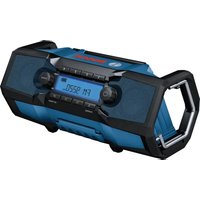
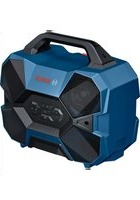
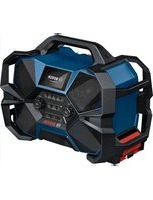
- TRANSPORT
- PRODUCTS SOLD IN GB ONLY
- PRODUCT DESCRIPTION AND SPECIFICATIONS
- PRODUCT FEATURES
- DISPLAY ELEMENTS
- TECHNICAL DATA
- RADIO ENERGY SUPPLY
- OPERATION VIA MAINS CONNECTION
- OPERATION WITH BATTERY PACK
- REPLACING A RECHARGEABLE BATTERY
- BATTERY CHARGE INDICATOR
- BATTERY CHARGE INDICATOR IN THE DISPLAY
- BATTERY CHARGE INDICATOR ON THE RECHARGEABLE BATTERY
- BATTERY MODEL GBA 18V
- LEDS CAPACITY
- BATTERY MODEL PROCORE18V
- INSERTING/CHANGING BACK-UP BATTERIES
- OPERATION
- AUDIO OPERATION
- SWITCHING ON AND OFF
- ADJUSTING THE VOLUME
- ADJUSTING THE SOUND
- ENGLISH
- SELECTING AN AUDIO SOURCE
- SETTING/SAVING DAB+ RADIO STATIONS (GPB 18V-5 SC)
- SETTING/SAVING FM RADIO STATIONS
- SETTING THE ROD ANTENNA
- CONNECTING EXTERNAL AUDIO SOURCES VIA AUX
- PLAYING BACK/CONTROLLING EXTERNAL AUDIO SOURCES VIA BLUETOOTH®
- SETTING THE TIME INDICATION (GPB 18V-5 C)
- RESET FUNCTION (GPB 18V-5 C)
- CHANGING MENU SETTINGS (GPB 18V-5 SC)
- MENU OPTIONS (GPB 18V-5 SC)
- POWER SUPPLY OF EXTERNAL DEVICES
- USB PORT
- ALTERNATING CURRENT CONNECTION
- WORKING ADVICE
- RECOMMENDATIONS FOR OPTIMAL HANDLING OF THE BATTERY
- MAINTENANCE AND SERVICE
- MAINTENANCE AND CLEANING
- AFTER-SALES SERVICE AND APPLICATION SERVICE
- GREAT BRITAIN
- YOU CAN FIND FURTHER SERVICE ADDRESSES AT
- DISPOSAL
- ONLY FOR EU COUNTRIES
- ACCORDING TO THE WASTE ELECTRICAL AND ELECTRONIC EQUIPMENT REGULATIONS 2013 (2013/3113) AND THE WASTE BATTERIES AND ACCUMULATORS REGULATIONS 2009 (2009/890), ELECTRICAL AND ELECTRONIC EQUIPMENT THAT IS NO LONGER USABLE MUST BE COLLECTED SEPARATELY AND DISPOSED OF IN AN ENVIRONMENTALLY FRIENDLY MANNER
- LI-ION
- PLEASE OBSERVE THE NOTES IN THE SECTION ON TRANSPORT (SEE "TRANSPORT", PAGE 21)
- INSERTING/REPLACING THE BACKUP BATTERIES
- SWEDISH
- VALID ONLY IN EU COUNTRIES
- YOU CAN FIND MORE CONTACT DETAILS FOR SERVICE HERE
- REPLACE AA BATTERY WHEN UNIT NO LONGER KEEPS
- ONLY FOR COUNTRIES IN THE EU
- NAKLIYE
- PREPRAVA
- SLOVAK
- PLAYING AUDIO
- SWITCHING ON/OFF
- REPLACING THE RECHARGEABLE BATTERY
- RECHARGEABLE BATTERY CHARGE INDICATOR
- RECHARGEABLE BATTERY CHARGE INDICATOR ON THE DISPLAY
- BATTERY CHARGE INDICATOR ON THE BATTERY
- LED CAPACITY
- BATTERY TYPE PROCORE18V
- INSTALLATION/REPLACEMENT OF BACKUP BATTERIES
- REPLACE AA BATTERY WHEN UNIT NO LONGER KEEPS CORRECT TIME": IF THE TIME SETTING AND OTHER SETTINGS OF THE RADIO RECEIVER ARE NO LONGER PRESERVED, REPLACE THE BACKUP BATTERIES
- AUDIO PLAYBACK
- SETTING THE VOLUME
- SETTING THE TONE
- SELECTING THE AUDIO SOURCE
- SETTING/SAVING DIGITAL RADIO STATIONS DAB+ (GPB 18V-5 SC)
- ANTENNA CONNECTION
- CONNECTING EXTERNAL AUDIO SOURCES VIA THE AUX INPUT
- PLAYBACK/CONTROL OF EXTERNAL AUDIO SOURCES VIA BLUETOOTH®
- SETTING THE TIME (GPB 18V-5 C)
- H3MEHEHHE HACTPOEK MEHIO (GPB 18V-5 SC)
- ПИТАННEВHEШНX NPN6OPOB
- AC POWER OUTLET
- APPLICATION INSTRUCTIONS
- INSTRUCTIONS FOR PROPER HANDLING OF THE BATTERY
- SERVICE AND CONSULTATION
- RUSSIA
- ADDITIONAL SERVICE CENTER ADDRESSES CAN BE FOUND AT THE LINK
- TRANSPORTATION
- TOLBKOДЯГСТАН-ЧILEНОВ EC
- BATTERIES/ACCUMULATORS
- LITHIUM-ION
- UKRAINIAN
- SAFETY INSTRUCTIONS
- BATTERY CHARGE INDICATOR ON THE DISPLAY
- LEDS
- BCTAHOBHEH/3AMHAPE3EPBN6ATAPENOK
- EKCNNYATAZAIA
- BITBOPENHA YDIO
- AUDIO SETTINGS
- SOUND SETTINGS
- SETTING/SAVING THE DAB+ STATION (GPB 18V-5 SC)
- CONNECTING THE DIGITAL ANTENNA
- PLAYING/CONTROLLING THE AUDIO PLAYER VIA BLUETOOTH
- SETTING THE CLOCK (GPB18V-5C)
- SETTING MENU (GPB 18V-5 SC)
- MENU (GPB 18V-5 SC)
- CONNECTING EXTERNAL DEVICES
- AC POWER SOCKET
- OPERATING INSTRUCTIONS
- INSTRUCTIONS FOR OPTIMAL BATTERY OPERATION
- TECHNICAL MAINTENANCE AND SERVICE
- TECHNICAL MAINTENANCE AND REPAIR
- ADVICE AND CONSULTATION ON THE USE OF THE PRODUCT
- UKRAINE
- THE ADDRESSES OF SERVICE CENTERS ARE PROVIDED BELOW
- DISPOSAL INSTRUCTIONS
- KAZAKH
- EURASIAN ECONOMIC UNION (EAEU) MEMBER STATES CONFORMITY MARK
- IF THE SUPPLY CORD IS DAMAGED
- TO AVOID THE RISK OF FIRE, ELECTRIC SHOCK, OR INJURY, DO NOT IMMERSE THE APPLIANCE IN WATER OR ANY OTHER LIQUID
- DO NOT USE THE APPLIANCE WITH A DAMAGED CORD OR PLUG, OR AFTER THE APPLIANCE MALFUNCTIONS OR HAS BEEN DAMAGED IN ANY MANNER
- DO NOT PLACE THE APPLIANCE ON OR NEAR A HOT GAS OR ELECTRIC BURNER, OR IN A HEATED OVEN
- SAVE THESE INSTRUCTIONS
- TACBIMAJAY
- KAYINCI3IK HYCKAYNAPBI
- KAYINCI3IK TEXHKNACBHBH,HYCKAYNAPBMEHE CKEPTNENEPEDI 6OANAAKXYMBICTAP YUIH CAKTAN KOIHBI
- SAFETY AND POWER INFORMATION
- INTENDED USE
- CONNECTING THE RADIO CABLE TO THE POWER SUPPLY
- OPERATION WITH THE SUPPLIED BATTERY
- OPERATION WITH BATTERY
- SPARE PARTS LIST
- CHARGE INDICATOR
- BATTERY PACK ORIENTATION/INSERTION
- PAIANDAHNY
- AYDNOPEKM
- KOCY/EWIPY
- DBIB6BC DEHHIN PETTEY
- ADJUSTING THE SPEED
- DAB+ RADIO RECEPTION/SETTINGS (GPB 18V-5 SC)
- FOR RADIO OPERATION, SET THE VOLUME CONTROL
- CONNECTING AN EXTERNAL AUDIO DEVICE
- USING THE AUX INPUT
- CONNECTING/CONTROLLING VIA BLUETOOTH®
- SETTING THE CLOCK (GPB 18V-5 C)
- SETTING THE SLEEP TIMER (GPB 18V-5 C)
- CHANGING THE ALARM (GPB 18V-5 SC)
- MA3IP ONUUNAPBL (GPB 18V-5 SC)
- (DAB AYDNO KE3IHNE)
- (DAB AYDNO K03IHNE)
- (DAB AYNO KE3IHNE)
- TAPATKBIBTBHJXINILIRI
- (FM AND NOISE)
- EXTERNAL DEVICES CAN BE CHARGED VIA THE USB PORT
- USB CHARGING
- CHARGING THE DEVICE
- THEY ARE MARKED WITH MAX. SHORT-CIRCUIT CURRENT
- CABLE CROSS-SECTION (A)
- BATTERY CHARGING INSTRUCTIONS
- CHARGING INSTRUCTIONS FOR THE BATTERY
- ROMANA
- TYTBHYBBIFA KBI3MET KEPCETY XHE NAINANHY KEHECTEPI
- PMABIK HEMECE ABTOP3AUNHAFAH KBI3MET KEPCTE
- KA3AKCTAH
- YOU CAN FIND THE SERVICE CENTERS AND INSTALLATION POINTS HERE
- MAINTENANCE
- ROMANIAN
- KEEP THESE INSTRUCTIONS IN A SAFE PLACE
- ILLUSTRATED COMPONENTS
- INDICATOR ELEMENTS
- CHARGING THE RADIO
- OPERATING WITH A RECHARGEABLE BATTERY
- REMOVING THE RECHARGEABLE BATTERY
- INDICATOR FOR THE BATTERY ON THE BATTERY
- LED INDICATOR
- LIGHT IS SWITCHED ON
- INSTALLING/REPLACING THE BACKUP BATTERY
- RADIO
- AUDIO MODE
- VOLUME ADJUSTMENT
- SETTING/STORING DAB+ RADIO STATIONS (GPB 18V-5 SC)
- TUNING/STORING STATIONS VIA THE REMOTE CONTROL
- ANTENNA ORIENTATION
- PLAYBACK/CONTROL OF EXTERNAL AUDIO SOURCES VIA BLUETOOTH
- SETTING THE TIME DISPLAY (GPB 18V-5C)
- FUNCTIONING (GPВ18V-5C)
- PLEASE OPEN THE SPARE PARTS VIEW AT
- BATTERIES/RECHARGEABLE BATTERIES
- BATTERY CHARGING
- DESCRIPTION OF PRODUCT FEATURES
- ILLUSTRATION OF COMPONENTS
- BATTERY PACK REPLACEMENT
- BATTERY CHARGE LEVEL INDICATOR ON THE DISPLAY
- BATTERY CHARGE LEVEL INDICATOR ON THE BATTERY
- LED LIGHTS CAPACITY
- INSERTING/REMOVING THE BACKUP BATTERY
- ON/OFF
- REQUIRED VOLUME
- SETTING/STORING FM RADIO STATIONS
- ADJUSTING THE TELESCOPIC ANTENNA
- CONNECTING AN EXTERNAL AUDIO SOURCE VIA AUX
- SETTING THE TIME DISPLAY (GPB 18V-5 C)
- RESET FUNCTION (GPB 18V-5C)
- CHANGING THE SETTINGS OF THE MENU (GPB 18V-5 SC)
- MENU OVERVIEW (GPB 18V-5 SC)
- (FOR DAB SOURCE)
- POWER CONSUMPTION (IN A)
- NUMBER OF ITEMS/PARTS MAXIMUM COLLECTION
- WATER JET NOZZLE (BOA)
- TIPS FOR OPERATION
- CHARGING FOR OPTIMAL BATTERY USE
- AFTER-SALES SERVICE AND APPLICATION ADVICE
- NORTH MACEDONIA
- ADDITIONAL SERVICE ADDRESSES CAN BE FOUND AT
- BATTERIES
- OPERATING MODE
- BATTERY BAY
- DECLARATION OF CONFORMITY
Brand : BOSCH
Model : GPB 18V5 C Professional
Category : Radio