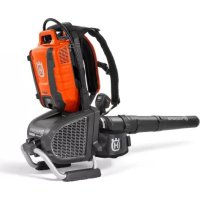
550iBTX - Leaf blower HUSQVARNA - Free user manual and instructions
Find the device manual for free 550iBTX HUSQVARNA in PDF.
 FR
FR
 BG
BG
 CS
CS
 DA
DA
 DE
DE
 EL
EL
 EN
EN
 ES
ES
 ET
ET
 FI
FI
 HU
HU
 ID
ID
 IT
IT
 JA
JA
 KO
KO
 LT
LT
 LV
LV
 NL
NL
 NO
NO
 PL
PL
 PT
PT
 RO
RO
 RU
RU
 SK
SK
 SL
SL
 SV
SV
 TR
TR
 UK
UK
 VI
VI
 ZH
ZH
| Product Type | Battery backpack leaf blower |
| Brand | Husqvarna |
| Model | 550iBTX |
| Weight (without battery and nozzle) | 6.3 kg |
| Motor Type | BLDC (brushless) 36 V |
| Compatible battery | Husqvarna BLi 950X (Lithium-ion, 36 V, 31.1 Ah) |
| Approved battery chargers | QC330, QC500, 40-C750X |
| Guaranteed sound power level LWA | 96 dB(A) |
| Sound pressure level at operator's ear | 86 dB(A) |
| Vibration level (handles) | 0.1 m/s² |
| Airflow in normal mode (standard round nozzle) | 12.8 m³/min |
| Airflow in Boost mode (standard round nozzle) | 15.6 m³/min |
| Maximum air speed in normal mode | 54 m/s (120.8 mph) |
| Maximum air speed in Boost mode | 66 m/s (147.6 mph) |
| Maximum blowing force in normal mode | 14 N |
| Maximum blowing force in Boost mode | 21 N |
| Water protection rating | IPX4 (all-weather use) |
| Wireless technology | Built-in Bluetooth® (compatible with Husqvarna Connect and Fleet Services™) |
| Main functions | Boost mode, Cruise control (airflow regulation), soft start |
| Included accessories | Backpack harness, intermediate tube, flat nozzle, cable sleeve, hex key |
| Daily maintenance | Clean external surfaces with a dry cloth, check buttons and trigger |
| Repairability | Original spare parts recommended, service by an authorized workshop |
| Warranty | Compliant with EU directives, declaration of conformity available |
Frequently Asked Questions - 550iBTX HUSQVARNA
User questions about 550iBTX HUSQVARNA
0 question about this device. Answer the ones you know or ask your own.
Ask a new question about this device
Download the instructions for your Leaf blower in PDF format for free! Find your manual 550iBTX - HUSQVARNA and take your electronic device back in hand. On this page are published all the documents necessary for the use of your device. 550iBTX by HUSQVARNA.
USER MANUAL 550iBTX HUSQVARNA
Transportation, storage and disposal. 16
Technical data. 17
Accessories 18
Declaration of Conformity. 19
Registered trademarks. 19
Introduction
Product overview
(Fig. 1)
- Operator's manual
- Backpack harness
3.Keypad - Cruise control: Set the optimal air flow for your work
5.Keypad display - On/Off button
- Boost mode: Increase of airflow
- Blower nozzle
- Power trigger
- Handle
- Support
- Battery connector
- Hex key
- Sleeve
- Intermediate pipe
- Flat nozzle
- Battery charger (accessory)
- Charging and error indicator on charger
- Adapter (accessory)
- Battery indicator button
- Display on the adapter
- Error LED on the adapter
- Battery (accessory)
- Power switch
- Error LED on the battery
- Charging LED on the battery
- LED indicator for the state of charge
- Battery indicator button
Product description
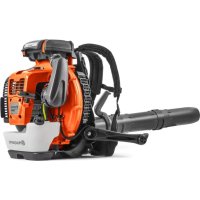
The product is a battery backpack blower with an electrical motor.
Work is constantly in progress to increase your safety and efficiency during operation. Speak to your servicing dealer for more information.
Intended use
Use the product to blow leaves and other unwanted material from areas such as lawns, pathways and asphalt roads.
Symbols on the product
(Fig. 2) Warning! The blower can be dangerous! Careless or incorrect use can result in serious or fatal injury to the operator or others. It is extremely important that you read and understand the contents of the operator's manual. Please read the operator's manual carefully and make sure you understand the instructions before using the machine.
(Fig. 3) Use approved eye protection and ear protection.
(Fig. 4) Direct current.
(Fig. 5) Noise emissions to the environment according to European Directive 2000/14/EC and New South Wales legislation "Protection of the Environment Operations (Noise Control) Regulation 2017". Noise emission data can be found on the machine label and in the Technical data chapter.
(Fig. 6) Symbols on the product or its packaging indicate that this product cannot be handled as domestic waste. This product must be deposited at an appropriate recycling facility.
(Fig. 7) The product agrees with the applicable EC directives.
(Fig. 8) Protected against splashing water.
(Fig. 9) Warning LED
(Fig. 10) On/Off button
(Fig. 11) Boost mode button
(Fig. 12) Cruise control button
(Fig. 13) If the product features Bluetooth® wireless technology. The Bluetooth® symbol will be marked on the product name label. Refer to Bluetooth® wireless technology on page 13.
(Fig. 14) The blower operator must ensure that no people or animals come closer than 15 meters. When several operators are working at the same site a safety distance of at least 15 meters must be in effect. The blower can forcibly throw objects that can bounce back. This can result in serious eye injuries if the recommended safety equipment is not used.
yyyy ww xxxx The rating plate or the laser printing shows the serial number. yyyy is the production year, ww is the production week and xxxx is the sequential number.
Product damage
We are not responsible for damages to our product if:
- the product is incorrectly repaired.
- the product is repaired with parts that are not from the manufacturer or not approved by the manufacturer.
- the product has an accessory that is not from the manufacturer or not approved by the manufacturer.
- the product is not repaired at an approved service center or by an approved authority.
Safety
Safety definitions
Warnings, cautions and notes are used to point out specially important parts of the manual.

WARNING: Used if there is a risk of injury or death for the operator or bystanders if the instructions in the manual are not obeyed.

CAUTION: Used if there is a risk of damage to the product, other materials or the adjacent area if the instructions in the manual are not obeyed.
Note: Used to give more information that is necessary in a given situation.
Work area safety
- Keep work area clean and well lit. Cluttered or dark areas invite accidents.
- Do not operate machines in explosive atmospheres, such as in the presence of flammable liquids, gases or dust. Machines create sparks which may ignite the dust or fumes.
- Keep children and bystanders away while operating a machine. Distractions can cause you to lose control.
Electrical safety
- Machine plugs must match the outlet. Never modify the plug in any way. Do not use any adapter plugs with earthed (grounded) machines. Unmodified plugs and matching outlets will reduce risk of electric shock.
- Avoid body contact with earthed or grounded surfaces, such as pipes, radiators, ranges and refrigerators. There is an increased risk of electric shock if your body is earthed or grounded.
- Do not expose machines to rain or wet conditions. Water entering a machine will increase the risk of electric shock.
- Do not abuse the cord. Never use the cord for carrying, pulling or unplugging the machine. Keep cord away from heat, oil, sharp edges or moving parts. Damaged or entangled cords increase the risk of electric shock.
- When operating a machine outdoors, use an extension cord suitable for outdoor use. Use of a cord suitable for outdoor use reduces the risk of electric shock.
- If operating a machine in a damp location is unavoidable, use a residual current device (RCD) protected supply. Use of a RCD reduces the risk of electric shock.
Personal safety
- Stay alert, watch what you are doing and use common sense when operating a machine. Do not use a machine while you are tired or under the
influence of drugs, alcohol or medication. A moment of inattention while operating machines may result in serious personal injury.
- Use personal protective equipment. Always wear eye protection. Protective equipment such as dust mask, non-skid safety shoes, hard hat or hearing protection used for appropriate conditions will reduce personal injuries.
- Prevent unintentional starting. Ensure the switch is in the off-position before connecting to power source and/or battery pack, picking up or carrying the machine. Carrying machines with your finger on the switch or energising machines that have the switch on invites accidents.
- Remove any adjusting key or wrench before turning the machine on. A wrench or a key left attached to a rotating part of the machine may result in personal injury.
- Do not overreach. Keep proper footing and balance at all times. This enables better control of the machine in unexpected situations.
- Dress properly. Do not wear loose clothing or jewellery. Keep your hair and clothing away from moving parts. Loose clothes, jewellery or long hair can be caught in moving parts.
- If devices are provided for the connection of dust extraction and collection facilities, ensure these are connected and properly used. Use of dust collection can reduce dust-related hazards.
- Do not let familiarity gained from frequent use of machines allow you to become complacent and ignore machine safety principles. A careless action can cause severe injury within a fraction of a second.
Machine use and care
- Do not force the machine. Use the correct machine for your application. The correct machine will do the job better and safer at the rate for which it was designed.
- Do not use the machine if the switch does not turn it on and off. Any machine that cannot be controlled with the switch is dangerous and must be repaired.
- Disconnect the plug from the power source and/or remove the battery pack, if detachable, from the machine before making any adjustments, changing accessories, or storing machines. Such preventive safety measures reduce the risk of starting the machine accidentally.
- Store idle machines out of the reach of children and do not allow persons unfamiliar with the machines or these instructions to operate the machines. Machines are dangerous in the hands of untrained users.
-
Maintain machines and accessories. Check for misalignment or binding of moving parts, breakage of parts and any other condition that may affect the machines' operation. If damaged, have the machine repaired before use. Many accidents are caused by poorly maintained machines.
-
Keep cutting tools sharp and clean. Properly maintained cutting machines with sharp cutting edges are less likely to bind and are easier to control.
- Use the machine, accessories and bits etc. in accordance with these instructions, taking into account the working conditions and the work to be performed. Use of the machine for operations different from those intended could result in a hazardous situation.
- Keep handles and grasping surfaces dry, clean and free from oil and grease. Slippery handles and grasping surfaces do not allow for safe handling and control of the machine in unexpected situations.
Battery machine use and care
- Recharge only with the charger specified by the manufacturer. A charger that is suitable for one type of battery pack may create a risk of fire when used with another battery pack.
- Use machines only with specifically designated battery packs. Use of any other battery packs may create a risk of injury and fire.
- When battery pack is not in use, keep it away from other metal objects, like paper clips, coins, keys, nails, screws or other small metal objects, that can make a connection from one terminal to another. Shorting the battery terminals together may cause burns or a fire.
- Under abusive conditions, liquid may be ejected from the battery; avoid contact. If contact accidentally occurs, flush with water. If liquid contacts eyes, additionally seek medical help. Liquid ejected from the battery may cause irritations or burns.
- Do not use a battery pack or machine that is damaged or modified. Damaged or modified batteries may exhibit unpredictable behaviour resulting in fire, explosion or risk of injury.
- Do not expose a battery pack or machine to fire or excessive temperature. Exposure to fire or temperature above 130^ / 265^ may cause explosion.
- Follow all charging instructions and do not charge the battery pack or machine outside the temperature range specified in the instructions. Charging improperly or at temperatures outside the specified range may damage the battery and increase the risk of fire.
Service
- Have your machine serviced by a qualified repair person using only identical replacement parts. This will ensure that the safety of the machine is maintained.
- Never service damaged battery packs. Service of battery packs should only be performed by the manufacturer or authorized service providers.
Garden blower, garden vacuum and garden blower/vacuum safety warnings
- Before use, check the supply cord and any extension cord for signs of damage or aging. Do not touch the cord before disconnecting the supply. Do not use the machine if the cord is damaged or worn. A damaged supply cord may result in electric shock, fire and/or serious injury.
- Do not use the machine in bad weather conditions, especially when there is a risk of lightning. This decreases the risk of being struck by lightning.
- Wear eye protection and ear protection. Adequate protective equipment will reduce the risk of personal injury.
- While operating the machine, always wear nonslip and protective footwear. Do not operate the machine when barefoot or wearing open sandals. This reduces the risk of injury to the feet.
- Do not wear loose fitting clothing or articles such as scarves, strings, chains, ties, etc., that could get drawn into the air inlets. Tie back or cover long hair to make sure it does not get drawn into the air inlets. If any of these items are drawn into the air inlets, it can increase the risk of personal injury.
- Keep bystanders away while operating the machine. Thrown debris can increase the risk of personal injury.
- Never point the blower nozzle in the direction of people or pets or in the direction of windows. Use extra caution when blowing debris near solid objects, such as trees, automobiles and walls that can cause debris to ricochet. Thrown objects can damage property and increase the risk of personal injury.
- Do not use the machine to blow anything that is burning or smoking, such as cigarettes, matches or hot ashes. These ignition sources may increase the risk of fire.
- Do not touch the fan while still in motion. Turn off the machine and wait until the fan stops before removing any part that may give access to the fan. This reduces the risk of injury from moving parts.
- When clearing jammed material or servicing the machine, make sure the power switch is off. Unexpected starting of the machine while clearing jammed material or servicing may result in serious personal injury.
General machine safety warnings

WARNING: Read all safety warnings, instructions, illustrations and specifications provided with this machine. Failure to follow all instructions listed below may result in electric shock, fire and/or serious injury.
- Save all warnings and instructions for future reference. The term "machine" in the warnings refers to your mains-operated (corded) machine or battery-operated (cordless) machine.
Power tool use and care
- Never use a machine that has been modified in any way from its original specification. Never use the machine near explosive or flammable materials.
- Never use a machine that is faulty. Carry out the safety checks, maintenance and service instructions described in this manual. Some maintenance and service measures must be carried out by trained and qualified specialists. See instructions under the heading Maintenance.
- Only use original spare parts.
- Always ensure that ventilation openings are kept clear of debris.
- All covers, guards and handles must be fitted before starting.
- Only use the machine in daylight or in other well-lit conditions.
- Never use the machine in bad weather, for instance in fog, in rain, damp or in wet locations, strong winds, intense cold, risk of lightning, etc. Extremely hot weather may cause overheating of the machine. Operation in bad weather is tiring and can lead to dangerous conditions, for instance slippery surfaces.
- If the machine starts vibrating abnormally, stop the machine and remove the battery.
- Walk, never run.
Safety instructions for operation

WARNING: Read the warning instructions that follow before you use the product.
- If you encounter a situation where you are uncertain how to proceed you should ask an expert. Contact your dealer or your service workshop. Avoid all usage which you consider to be beyond your capability.
- Make sure that you can move and stand safely. Check the area around you for possible obstacles (roots, rocks, branches, ditches, etcetera) in case you have to move suddenly. Take great care when you work on sloping ground.
- Keep a good balance and a firm foothold at all times. Do not overreach.
- Listen out for warning signals or shouts when you wear hearing protection. Always remove your hearing protection as soon as the product stops.
- Do not operate the product near open windows.
- Show consideration to persons in your surroundings by avoiding using the product at unsuitable times, such as late in the evening or early in the morning. Follow local regulations and ordinances.
- Use the product with the lowest possible airflow. It is seldom necessary to use full airflow, and many work procedures can be done at half airflow. A lower airflow means less noise and less dust, and it is
also easier to keep control over the rubbish collected together/moved.
- In dusty conditions slightly dampen the surface when using the product.
- Use a rake or a brush to release rubbish stuck to the ground.
- Hold the opening of the blower as close to the ground as possible.
- Observe your surroundings. Direct the product away from persons, animals, play areas, cars etc..
- Minimize the blowing time by lightly wetting dusty areas or using spray equipment.
- Be aware of the wind direction. Work with the wind to make your work easier.
- Stop the product and remove the battery if the product starts to vibrate abnormally.
- Using the blower to move large piles is time consuming and creates unnecessary noise.
- Clean up afterwards. Make sure that you have not blown rubbish into someone's garden.
- Do not run with the product.
- The powerful currents of air can move objects at such a speed that they can bounce back and cause serious eye injuries.
(Fig. 15)
- Do not direct the airflow towards people or animals.
- Stop the motor before you assemble or dismantle accessories or other parts.
- Keep all parts of your body away from hot surfaces.
- Never put the product down when it is activated unless you have it in clear sight.
- Stop the machine, and remove the battery. Make sure that all moving parts have come to a complete stop:
whenever you leave the machine
- before clearing blockages or unclogging chute
- before checking, cleaning or working on the machine
-
Immediately shut off the power source and allow the machine to stop if the cutting mechanism hits any foreign objects or if the machine should start making any unusual noise or vibration. Disconnect the battery from the machine and take the following steps before restarting and operating the machine:
-
examine for damage
- replace or repair any damaged parts
-
check for and tighten any loose parts
-
Shut off the power source and disconnect the machine from battery before cleaning unwanted material if the machine becomes clogged.
- Do not transport this machine while the power source is running.
- Do not tilt the machine while the power source is running.
- The blower must not be used while on a ladder or scaffolding.
(Fig. 16)
- Do not use the product unless you are able to call for help in case of an accident.
- Watch out for thrown objects. Stones, rubbish, etc., can be thrown up into the eyes causing blindness or serious injury.
- Use a residual-current device (RCI) for increased security when you charge the product. A residual-current device is fitted to protect operators in case an electrical fault should occur.
- This product is renowned for its low vibration load. Overexposure to vibration can lead to circulatory damage or nerve damage in people who have impaired circulation. Contact your doctor if you experience symptoms of overexposure to vibration. Such symptoms include numbness, loss of feeling, tingling, pricking, pain, loss of strength, changes in skin colour or condition. These symptoms normally appear in the fingers, hands or wrists.
- Only use the product for the purpose it was intended for.
- It is not possible to cover every conceivable situation you can face. Always exercise care and use your common sense. Avoid all situations which you consider to be beyond your capability. If you still feel uncertain about operating procedures after reading these instructions, you should consult an expert before continuing.
- Operate the product only in daylight or in good artificial light.
- Keep firm footing on slopes.
- Walk, do not run.
- Keep all air intakes clean.
- All covers, guards and handles must be fitted before starting.
- A damaged or incorrect guard can cause injury. Do not use the product that does not have an approved guard attached.
Personal protective equipment

WARNING: Read the warning instructions that follow before you use the product.
- Always use approved personal protective equipment when you use the product. Personal protective equipment cannot fully prevent injury but it decreases the degree of injury if an accident does occur. Let your dealer help you select the right equipment.
- Long term exposure to noise can result in damaged hearing. In general, battery powered products are relatively quiet but damage can result from a combination of noise level and long usage. Husqvarna recommends that operators use hearing protectors when using products for a longer coherent
time of a day. Continual and regular users should have their hearing checked regularly.
(Fig. 17)

WARNING: Hearing protectors limit the ability to hear sounds and warning signals.
- Use approved eye protection. If you use a visor, you must also use approved protective goggles. Approved protective goggles must comply with the ANSI Z87.1 standard in the USAs or EN 166 in EU countries.
(Fig. 18) - Use clothing made of a strong fabric. Always use heavy, long pants and long sleeves. Do not use loose clothing that can catch on twigs and branches. Do not wear jewelry, short pants, sandals or go with bare feet. Put your hair up safely above shoulder level.
- Keep first aid equipment close at hand.
(Fig. 19) - A breathing mask should be used when there is a risk of dust.
Safety devices on the product

WARNING: Read the warning instructions that follow before you use the product.
- In this section the product's safety features, its purpose and how checks and maintenance should be carried out to ensure that it operates correctly. See instructions under the heading Product overview on page 6 to find where these parts are located on your product.
- The life span of the product can be reduced and the risk of accidents can increase if product maintenance is not carried out correctly and if service and/or repairs are not carried out professionally. If you need further information please contact your nearest servicing dealer.
- Never use a product with damaged safety components. The product's safety equipment must be inspected and maintained as described in this section. If your product fails any of these checks, contact your service agent to get it repaired.
- All servicing and repair work on the product requires special training. This is especially true of the product's safety equipment. If your product fails any of the checks described below you must contact your service agent. When you buy any of our products we guarantee the availability of professional repairs and service. If the retailer who sells your product is not a servicing dealer, ask him for the address of your nearest service agent.
To do a check of the user interface
- Push and hold the On/Off button (A). (Fig. 20) a) The product is on, when the LED (B) is on. b) The product is off, when the LED (B) is off.
- Refer to Troubleshooting on page 15 if the warning indicator (C) is on or flashes.
To do a check of the power trigger
- Push and release the power trigger to make sure that it moves freely. (Fig. 21)
Harness safety
Always use the harness when you operate the product. If you do not use the harness, you cannot operate the product safely. This can result in injury to you or other persons. Make sure that the waist belt and chest strap are attached and correctly adjusted. There is a risk that an open belt can go into the fan of the product.
(Fig. 22)
Battery charger safety

WARNING: Read the warning instructions that follow before you use the product.
- Risk of electrical shock or short circuit if the safety instructions are not obeyed.
- Use an approved grounded mains socket that is not damaged.
- Only use Husqvarna approved battery chargers to charge Husqvarna approved batteries. Refer to Approved battery chargers on page 18 for instructions.
- Do not try to disassemble the battery charger.
- Do not use a battery charger that is damaged or do not work correctly.
- Do not lift the battery charger by the power cord. To disconnect the battery charger from a mains socket, pull out the plug. Do not pull the power cord.
- Keep all cables and extension leads away from water, oil and sharp edges. Make sure that the cable is not caught between doors, fences or similar.
- Do not use the battery charger near flammable materials or materials that can cause corrosion. Make sure that the battery charger is not covered. Pull out the plug to the battery charger if there is smoke or fire.
- Only charge the battery indoors in a location with good airflow and away from sunlight. Do not charge the battery outdoors. Do not charge the battery in wet conditions.
-
Only use the battery charger where the temperature is between 5^ (41^) and 40^ (104^) . Use the charger in an environment which has a good airflow, dry and free from dust.
-
Do not put objects into the cooling slots of the battery charger.
- Do not connect the battery charger terminals to metal objects as this can short circuit the battery charger.
- Use approved wall sockets that are not damaged.
Safety instructions for maintenance

WARNING: Read the warning instructions that follow before you do maintenance on the product.
- Remove the battery before you do maintenance, other checks or assemble the product.
- The operator must only do the maintenance and servicing shown in this operator's manual. Speak to
your servicing dealer for maintenance and servicing of a larger extension.
- Keep all nuts, bolts and screws tight to be sure the product is in safe working condition.
- Replace worn or damaged parts.
- If you do not do maintenance, it decreases the life cycle of the product and increases the risk of accidents.
- Special training is necessary for all servicing and repair work, especially for the safety devices on the product. If not all checks in this operator's manual are approved after maintenance, speak to your servicing dealer. We guarantee that there are professional repairs and servicing available for your product.
- Only use original spare parts.
Assembly
Introduction

WARNING: Read and understand the safety chapter before you assemble the product.
To assemble the tube and handle on the product
- Put the clamp (A) on the flexible tube (B) and attach the flexible tube to the blower outlet (C). (Fig. 23)
- Make sure to put the clamp screw (D) as the illustration shows. Tighten the screw.
- Attach the transport strap (E) to the guide track of the joint swivel (F). (Fig. 24)
- Put the clamp (G) on the flexible tube (B) and attach the joint swivel (F). (Fig. 25)
- Make sure to put the clamp screw (H) as the illustration shows. Tighten the screw.
- Align the knobs (I) to each side of the joint swivel (F). (Fig. 26)
- Attach the control handle (J) to the guide track (K) of the joint swivel (F). Make sure that the screw on the control handle is on the bottom side of the control pipe.
- Tighten the screw on the control handle fully.
- Connect the intermediate pipe (L) to the joint swivel (F). Make sure that the knob (I) aligns with the guide track of the intermediate pipe. (Fig. 27)
-
Turn the intermediate pipe fully to lock the control pipe and the intermediate pipe.
-
Connect the blow pipe (M) to the intermediate pipe. Make sure that the knob (N) on the intermediate pipe points up and goes into the guide track of the blow pipe.
- Turn the blow pipe fully to lock the intermediate pipe and the blow pipe.
- Attach the sleeve around the flexible tube and the cable as shown in the illustration. Close the zipper. (Fig. 28)
To adjust the harness
A correctly adjusted harness and product makes operation easier. Adjust the harness to give the best operation position.
- Put on the harness of the product. (Fig. 29)
- Connect the hip strap with the clip (C). Tighten the strap until the weight of the product is on your hips.
- Tighten the side straps (B) until the product is tight against your body.
- Connect the chest strap to the clip (A).
- Tighten the strap.
To put the product in transportation mode
- Turn the blower tube counterclockwise until it points up. (Fig. 30)
- Connect the transport clip.
Operation
Introduction

WARNING: Read and understand the safety chapter before you use the product.
Husqvarna Connect
Husqvarna Connect is a free app for your mobile device. The Husqvarna Connect app gives extended functions for your Husqvarna product.
- Extended product information.
- Information about, and help with, product parts and servicing.
To start to use Husqvarna Connect
- Download the Husqvarna Connect app on your mobile device.
- Register in the Husqvarna Connect app.
- Follow the instruction steps in the Husqvarna Connect app to connect and register the product.
Note: Husqvarna Connect app is not available for download in all markets. Speak to your servicing dealer for more information.
Husqvarna Fleet Services
Husqvarna Fleet Services™ is a cloud solution that gives the commercial fleet manager an overview of all products. For more information about Husqvarna Fleet Services™, refer to www.husqvarna.com.
To connect to the product with Husqvarna Fleet Service
- Download the Husqvarna Fleet Service ^TM app to your mobile device.
- Log on to the Husqvarna Fleet Service ^TM app.
- Follow the instructions about how to pair the product with Husqvarna Fleet Service™.
Bluetooth® wireless technology
Products with built-in Bluetooth® wireless technology can connect to mobile devices and enables additional functions.
The symbol for Bluetooth® wireless technology comes on when your mobile device is connected to the product.
(Fig. 13)
Note: Husqvarna Fleet Service™ cloud solution is not available in all markets.
To charge the battery
Note: Charge the battery if it is the first time that you use it. A new battery is only 30% charged.

CAUTION: Only charge the battery when the ambient temperature is between 5^ (41^) and 40^ (114^) .
- Make sure that the battery is dry.
- Connect the battery to the adapter. (Fig. 31)
- Put the adapter in the battery charger.
- Make sure that the green charging LED on the battery charger comes on. That means that the adapter and battery are connected correctly.
- When all LEDs on the battery come on and the adapter shows 100% , the battery is fully charged.
The adapter shows the state of charge in steps of 1% . Small deviations are possible at the start of the charge.
- To disconnect the battery charger from the mains socket, pull the plug. Do not pull the cable.
- Remove the adapter from the battery charger.
- Remove the battery from the adapter.
To connect the battery to the product

WARNING: Only use Husqvarna original batteries in the product.
- Make sure that the battery is fully charged.
- Pull out the locking handles.
- Install the battery in the backpack holder. (Fig. 32)
- Push the locking handles to lock the battery.
- Connect the cable to the connector.
- Put the cable in the clip on the backpack holder.
To start the product
- To start the backpack battery, push the power switch on the backpack battery. Do not continue with the steps that follow before the green LED lights is on.
Note: When the backpack battery starts, there is a startup time of approximately 4 seconds. During the startup the fans come on and green LED lights on the battery flashes. When the green LED lights on the battery are on, the product is prepared for start.
- Push and hold the On/Off button until the green LED lights on the user interface come on. (Fig. 33)
To stop the product
- Release the power trigger.
- Push and hold the On/Off button until the green LED light goes out.
- Remove the cable from the clip on the packpack holder.
- Pull the locking handles to unlock the battery. (Fig. 34)
- Disconnect the cable from the connector.
- Remove the battery from the product.
Note: If the backpack battery is not used for more than 30 minutes, the backpack battery stops automatically. To start the backpack battery, push the power switch on the backpack battery.
To operate the product
-
Push the power trigger to select the optimal airflow for your work. (Fig. 21)
-
Push the Cruise control button to set the selected airflow, the LED comes on. (Fig. 35)
- Continue to operate with the selected airflow. It is not necessary to push the power trigger.
- To increase the airflow, push the power trigger. When the power trigger is released, the airflow goes back to the airflow that was set in step 2.
- Release the power trigger and push the Cruise control button to stop the Cruise control function.
To increase the airflow to maximum
- Set the product to On. Refer to To start the product on page 13.
- Push the Boost mode button to enable maximum airflow when the power trigger is pushed. The LED comes on to show that the Boost mode function is on. The Boost mode function has no time limit. (Fig. 36)
- Push the Boost mode button again to stop the Boost mode function.
Maintenance
Introduction

WARNING: Before you do any maintenance work you must read and understand the safety chapter.
specified in the maintenance schedule, let a Husqvarna servicing dealer do servicing on the product regularly. For information about the service intervals, speak to your Husqvarna servicing dealer.
Maintenance schedule
The following is a list of the maintenance steps that you must do on the product. In addition to the maintenance
| Maintenance Daily Weekly Monthly | |||
| Clean the external surfaces of the product with a clean and dry cloth. Do not use water. | X | ||
| Keep the handles dry and clean. Remove oil or grease. X | |||
| Make sure that the On/Off button operates correctly and is not damaged. X | |||
| Make sure that the power trigger operates correctly. X | |||
| Make sure that nuts and screws are tight. X | |||
| Make sure that the release buttons on the battery operates correctly and locks the battery into position. | X | ||
| Make sure that all couplings, connections and cables are not damaged. Remove dirt. | X | ||
| Make sure that the battery connectors are not damaged. X |
To do a check of the air intake
-
Make sure that the air intake is not blocked. (Fig. 37)
-
Stop the product and remove unwanted material if it is necessary.
To clean the product, the battery and the battery charger
-
Clean the product with a dry cloth after use.
-
Clean the battery and battery charger with a dry cloth. Keep the battery guide tracks clean.
- Make sure that these parts are clean before the battery is connected to the battery charger or the product:
a) The terminals on the backpack battery cable.
b) The terminals on the backpack battery adapter.
c) The terminals on the battery charger.
d) The terminals on the backpack blower.
Troubleshooting
User interface
| User interface Possible faults Possible | action | |
| Green LED Flashes Low battery voltage. Charge the battery. | ||
| Red error LED flashes Temperature deviation. Let the product cool down. | ||
| The product does not start | Dirt in battery connectors. | Clean with compressed air or a soft brush. |
| The battery is off. Start the battery. | ||
| Red error LED flashes The product needs servicing. Contact your servicing agent. | ||
Battery
| Symptoms | Cause Solution | |
| The error LED on the battery flashes. | Temperature deviation, the battery is too cold or too hot to use. | Let the battery cool down or move it indoors to warm it up. When the battery has the correct temperature, it can be used again. Use the battery in ambient temperatures between -10°C (14°F) and 40°C (104°F). |
| The battery is empty. Charge the battery. | ||
| The error LED on the battery comes on. | The battery cell difference is too much (1V). | Speak to your dealer. |
| The battery does not start. The battery | fuse is blown. | Replace the fuse. Refer to the operator's manual for the battery. |
Troubleshooting battery charger 40-C750X
| Issue 1 | Possible faults Possible action | |
| The charging indicator on the charger is yellow.The battery error indicator flashes, or the battery temperature indicator is on. | Temperature deviation, the battery is too cold or too hot to use or charge. | If the battery is too hot, keep it con- nected to the charger. The built-in fan of the charger decreases the temper- ature of the battery. When the battery has the recommended temperature, the charging starts automatically.If the battery is too cold, move it indoors. When the battery has the recommended temperature, continue the charging.Obey the temperature range for op- eration, refer to the operator's man- ual of the battery charger. Keep the charger away from sunlight. If the problem continues, speak to your Husqvarna servicing dealer. |
| The charging indicator on the charger is yellow. The battery error indicator on the battery is on. | The battery has a critical error. | Speak to your Husqvarna servicing dealer. |
| The charging indicator on the charger is red. | The charger has a critical error. | Speak to your Husqvarna servicing dealer. |
Transportation, storage and disposal
Transportation and storage
- Obey the special requirement on package and labels for commercial transportations, including by third parties and forwarding agents.
- Speak to a person with special training in dangerous material before you send the product. Obey all applicable national regulations.
- Remove the battery for storage or transportation.
- Clean the product and do a full servicing before you put the product in storage for a long time.
- Store the appliance only in a dry place.
- Attach the product safely during transportation.
Disposal
The symbol means that the product is not domestic waste. Recycle it through your local collection system
for electrical and electronic equipment. This contributes to proper end of life waste management. Contact local authorities, domestic waste services, your dealer or retailer for information. Incorrect disposal may have potential negative effects on the environment and human health, due to the potential presence of hazardous substances.
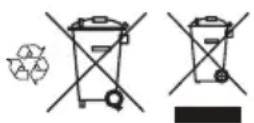
Note: The symbol shows on the product or package of the product.
Technical data
Technical data
| 550iBTX | |
| Motor | |
| Motor type BLDC (brushless) 36V | |
| Weight | |
| Weight without battery and nozzle, kg/lb 6.3/13.9 | |
| Noise emissions2 | |
| Sound power level, measured dB (A) 95 | |
| Sound power level, guaranteed LWA dB (A) 96 | |
| Water protection level | |
| All weather use Yes | |
| IPX43 | Yes |
| Sound levels4 | |
| Equivalent sound pressure level at the operator's ear, measured according to EN ISO 11203 and ISO 22868, dB (A): | 86 |
| Vibration levels5 | |
| Vibrations levels at handles, measured according to ISO 22867, m/s2 | 0.1 |
| Fan performance | |
| Airflow in normal mode with round standard nozzle, m3/min 12.8 | |
| Airflow in Boost mode with round standard nozzle, m3/min 15.6 | |
| Maximum air velocity in normal mode with round standard nozzle, m/s or mph | 54 or 120.8 |
| Maximum air velocity in Boost mode with round standard nozzle, m/s or mph | 66 or 147.6 |
| Maximum blow force in normal mode with round standard nozzle, N 14 | |
| Maximum blow force in Boost mode with round standard nozzle, N 21 | |
| Radio frequency data for Bluetooth® | |
| Frequency band, GHz 2.4-2.4835 | |
| Output power, max dBm 0 0 | |
Noise and vibration data are determined on the basis of the rated maximum speed.
Approved batteries
| Battery BLi 950X | |
| Type Lithium-ion | |
| Battery capacity, Ah 31.1 | |
| Nominal voltage, V 36 | |
| Weight, kg 6.9 |
Approved battery chargers
| Battery charger | QC330 QC500 40 | C750X | |
| Input voltage, V 100–240 100–240 100–240 | |||
| Frequency, Hz 50–60 50–60 50–60 | |||
| Power, W 330 500 750 |
Accessories
Approved accessories
| Approved accessories | Type Art. no. | |
| Nozzle (length) | Flat Nozzle (600 mm) 579 79 75-01 | |
| Round Nozzle with metal ring (300 mm) | 586 10 63-01 | |
| Nozzle Silencer (400 mm) | 589 81 17-01 | |
| Nozzle | 576 58 18-01 | |
| Handlebar | Handlebar | 544 40 00-04 |
Declaration of Conformity
Declaration of conformity
We, Husqvarna AB, SE-561 82 Huskvarna, Sweden, tel: +46-36-146500, declare on our sole responsibility that the product:
| Description Handheld | Battery-operated Backpack Blower |
| Brand | Husqvarna |
| Type / Model | 550iBTX |
| Identification Serial numbers dating from 2025 and onwards | |
complies fully with the following EU directives and regulations:
| Regulation Description | |
| 2006/42/EC "relating to machinery" | |
| 2014/30/EMC "relating to electromagnetic compatibility" | |
| 2011/65/EU "relating to restriction of hazardous substances" | |
| 2000/14/EC "relating to outdoor noise" | |
| 2014/53/EU "relating to Radio Equipment"* |
and that the following standards and/or technical specifications are applied: EN 62841-1:2015/A11:2022 (IEC 62841-1:2014), IEC 62841-4-6:2022, EN 61000-6-1:2007, EN 61000-6-3:2007+A1:2011+AC:2012, EN 15503:2009+A2:2015, EN IEC 63000:2018.
*For products with Bluetooth® functionality: ETSI EN 301 489-1 v.1.9.2, ETSI EN 301 489-17 v.3.2.4, ETSI EN 300 328 v.2.2.2
SMP Svensk Maskinprovning AB, Box 4053, SE-904 03 Umeå, Sweden has also verified agreement with appendix V of the council's directive 2000/14/EC.
For information relating to noise emissions, refer to Technical data on page 17.
Huskvarna, 2025-02-28
Stefan Holmberg, R&D Director, Technology Management, Husqvarna AB
Responsible for technical documentation

Registered trademarks
The Bluetooth® word mark and logos are registered trademarks owned by Bluetooth S/G, inc and any use of such marks by Husqvarna is under license.
CbDbpxaHne
BbVeJeHne 20
Bezonachoct. 21
MoHTaK 28
Onepa. 28
Ponapbkkka 30
OTCTpaHraBaHe Ha npo6JIemn. 31
TpaHcnpOpTnpaHe,cbxpaHene n3xbpIyHe. 33
Texhueckn daHHN 34
PpinaIeXHocTn. 36
Deklapaun 3a cboTBetCTBne. 37
PernctpupaH TbproBcN MapK.. 37
BbVeDeHne
ObuntnerneHa npodykta
(ФИ.1)
-
P'koBoOIOCTBO 3a onepaTopa
-
Camap ha paHncaTa
-
KnaBnHo none
-
Cruise control: 3aata onTmAnHnBb3dyueH noTOK 3a BaWata pa60Ta
5.ДиспелнHaКлавишно none
-
Bytoh 3a BkN./n3KnJ.
-
Boost mode: YbenuHne Ha Bb3DyHnna nToK
-
AdaanTep (PnHaJneKHoCT)
-
BytoH 3a HnDnKaTopa Ha akymlaTOpHaTa 6aTepey
-
CBeToDIOo3a rpeuKa Ha aKymyNaTOpHata 6aTePnA
-
CBeToIOnoI 3a 3apeKdaHe Ha akymyNaTOpHaTa 6aTePnIa
-
CBeToIIOJEn HnDnKaTOp 3a CbCTOHaTeTo Ha 3apeXkaHe
-
ByToH 3a INDnKaTOpa Ha akymlaTOpHaTa 6aTePnA
OncanHe Ha npodykTa
IpoNyKbTe akyMnyaTopHO KOMnpecOpHo o6OpyBaHe C eJeKtpnueckn MOTop.
Hne pa6oTUM nocToHHO, 3a da noDo6pBame BaWata
6e30nachOCT n epeKTNBHOCT NO BpeMe Ha pa6ota.
CbpxKeTe ce c dncTpN6yTop nO obcIyKBAHeTO 3a
noBeue HnOpMaun.
PpeHa3NaueHne
I3non3baite npodykta 3a cb6upahe Ha IncTa nnI npyHn HexeJaan HpeJMeTOn OT 30Hn KaTO MopabN, nTBekn n acpantnpaHn TbTuHa.
CnmboN Bbpxy npodykta
Hne He HocnM OTROBOPHOCT 3a NOBpeN INo HAUNI npOdyKT, aKO:
- pnoDyKtBt e HnnpaBnHOp emOHtnpaH.
- pOdyKTbTepeMOHTnpaH C yactn, KOINTHe ca OT npOn3BOIDNTeJI NII He ca Odo6peHn OT npOn3BOIDNTeJI.
- Пюдукт Има пинадлжноct, каяTo He e OT поиЗвоДпTeЯ Или He e odoбрeha OT поиЗвоДпTeя.
- npOdykTbT He e peMoHTnpaH B Odo6peH cepBn3EH cHTbp Nn OT Odo6peH opraH.
БeэтonaCHOCT
IeHnHn 3a 6e3oNaCHOCT
PpeDynpexKdEHHa3aHbHMmaHne H6eJekn Ce n3noJI3BaT 3a yKa3BaHe Ha OcObeHO BaxKn Yactn Ha HHCTpykCnraTa.

ПЕДУПЕЖDEHNE:ИЗползВа
ce, ako mma onaCHOCT OT HapaHBAHe IIN CMBPT 3a ONepaTOPA INI 3a OKOJIHNTe, aKO He ce cna3BaT INHCTpyKUNITE B pkbKOBOdCTBOTO.

BHIMAHHE: n3non3Ba ce, ako mma
OnaCHOCT OI NOBpeKdaHe Ha MaUNHaTa, dpyrMaTePnAn Nn CbceDHaTa 30Ha,
aKo He Ce Cn3BaT INHCTpyKuNTe B pKOBODCTBOTO.
3a6eJekka: I3noI3Ba ce 3a npedocTabrHe Ha noBueye INΦopMaun, KOrTo e Heo6xOuIma B daJeHa CNTyaun.
Bezonachoct Ha pa6oTHaTa nno
- PoiIbPkaTe pa6oTHata o6nact YnCTa n do6pe ocBeTeHa. Be3npaBk Nn TbMHn NIOuN MoRat da DOBeDaT Do 3JIOJnyKn.
He pa6oTe c Maunn B ekcnnoBHa atmocpepa, kato HapnPmep B npncbCTBneTo Ha 3anaHm TeuHOCTn, raoBE nn npax.MaunHnte cb3daBaT
NCKPN, KONTO MOraT Da Bb3PnAmEHr T npaxa NnN n3napeHnra.
Korato n3non3BaTe MaunHa,dpbXte Deuata
I cTpaHnHHTe Ha6nOdaTeHn Ha pa3CToHHe.
ÖTKnoHЯBaHe Ha BHMaHneTo MoKe da DoBeNe Do 3aγ6a Ha KOHTpOJ.
EneKtpnuecka 6e3onacnoct
- UeNcEInTe Ha MaunHata Tp6Ba Da CbOTBcTBAt Ha KOHTaTa. HnKora He npomeHnTe UenCeNa no KaBbTO n da 6nlo HauHn. He n3non3BaIte HnKaKbna aanTepHN uenCenCb c3a3emEH MaunHn.
HemodnphiunpaHNTe 8eNcEIN cBOTBeTCTBaUNTe IM n3XODI Ue HAMJIaT PnCKa OT eNeKTPnueckn ynap.
ИЗбгваite KOHTaKT Ha TЯЛоTO c6c 3a3eMeHIN NOBbpxHocTn, KaTo HAnpIMep Tpb6n, paDnaTOpn uXlaDInHnUu. ИMa NOBnueH pNCK OT eJNeKtpUYeCKn ydap, akO BaWeTo TAno e 3a3eMeHo IInI 3aMaceHo. - He n3laarTe MaunHnTe Ha DbXd Nn Bnara. Habn3aHeTo Ha BoDa B MaunHaTa ige Nobu npCKa OT eNEKtpueeCKn yap.
- He hacnlaBaiTe shHpa. Hnkora He n3noJ3BaIte shHypa 3a HOceHe, DbpnaHe IINn N3KnIOUbaHe Ha MaunHaTa OT KOHTa.ДрькTe shHypa dAney ot TOnJIHHN IN3ToCHNI, MacNo, OCTpn p6bOBe IIN nDvIXeNs ce Yactn. NobpeDeHNTE INn ONNeTeH INHypoBe NOBnAbaT pncKa OT eNEKtpuYeCKn ydap.
Korato pa60nte C MaunHaTa HABh, n3nO3BaTe yIbJXHTeH uHyp, KOTo e NOxOJa 3a yNtpe6a Ha OTKpTO. N3nO3BaHeTo Ha uHyp, KOTo e NOxOJa 3a yNtpe6a Ha OTKpTO, HAMJIyBa pNcKa OT eNEKTPuYeCKn yDap.
Ako pa6oTaTc MaunHaTa Ha BnaXHO MRCTo e Hen36exHa, n3No13BaIte 3axpaHbaHe C deFeKTHOTOKOBa 3auHTa (RCD). N3no13BaHeTo Ha RCD HamaJIraBa pNcKa o tEneKtpueeKn yap.
Лична6e3onaCHOCT
- 5bTe HaueK, BHMaBaIte KaKBO npaBHTe n 6bTe pa3cbdINBn, KOrato pa6OTnte C MaunHa. He n3No3BaIte MaunHa, Korato cTe n3MopeHn nn Korato cTe NOB BnHHeTo Ha HApKOTn, anKOxOJ nIn JekapCTBa. EHN MIR HeBHMaHne No BpeMe Ha pa6ota C MaunHnTe MoKe Da DoBeDe Do cepno3Ha TeNEcHa NOBpeJa.
- N3NoJ3BaIte JInuHn IpeJna3Hn CpeDCTBa. BInHaN HocTe 3aUHTa Ha OUnTe. IpeJNa3HNTe CpeDCTBa, KaTO pecnnpaTOpHa MaCKa, HeINbP3aJIaUNCe IpeJNa3Hn OByBKn, TBbPda KACKa INN 3aUHTa Ha CInyxa, IN3NoJ3BaHN 3a CbOTBeTHNTE YCIOBNI, Ue HAmanr TeneCHNTE NOBPeDN.
He donyckaIte HekeJanaHO CTapTnpaHe. YBepTe ce, Ye npEbkNIOUbaTeJIe T E N3KIOUeHO NOLOXeHne, npEi Da CbIpxKeTe MaunHaTa KbM N3TOuHnKa Ha 3axpaHbAne H/nn AkyMylatOpHaTa 6aTePna, npEi Da J NOBInrata HnnpenacTe. HocHeTo Ha MaUNHc I NOCTaBeH nPbCT Ha npEbkNIOUbaTeJIy BkJIIOUbaHETo B MpeKaTa Ha MaUNHc
IpeBKnIOUByTeEN BbB BKIOUeHO NIOOKeHne MOKe Da IOBeJe DO 3NIOJyKN.
- OTeTaPaHeTe BCnK KJIIOOBe 3a HAcTpoKa nIraeHn KJIIOOBe, npEi Da BKnIOUHTe MaunHaTa. Tauehen KInou Nn KInou, KOITo e OCTaBEn 3aKpeHen KbM BbptTua ce Yact Ha MaunHaTa, MOKe da DoBeDe Do TeNecha NobpeDa.
He ce npotraa Te npekaneno daJeu. POndbpxaTe ctaBnHa cToKa n 6aJAnC pEz qIIOTo BpeMe. ToBa npabn Bb3MoKeH No-Do6pna KOHTPOJI HaMaunHata B HnpeDbNdeHn CNTyaun. - O6nuaTe ce noDxOJaIO. Hnkora He Hocete ⅢnpOKn Dpexn nIIN 6kKyTa. IpbXte Kocata n Ⅰdpexnte cn daneUOT dBNKeuNTe ce qactn. ⅢnpOKn dpexn, 6kKyTa nIIN dblra Koca Moat da 6bdat 3axBaHaTn OT dBNKeuNTe ce qactn.
- Ako ca npedocTaBeHn yctpoiCTBa 3a Cbbp3BaHe Ha CbdoBe 3a n3cMykBaHe Ha npax n CbdoBe 3a Cb6paHe, ce yBepTe, ye Te ca Cbbp3aHn Ce n3non3Bat npabnHNo. N3non3BaHeto Ha CbdoBe 3a Cb6paHe Ha npax MoKe da HamaHn onaCHOCTNe, Cbbp3aHn c npaxa.
- He no3BOJBAIte OINbT, npIDo6NT OT YecTaYyOTpe6a Ha MaunHn, Da Bn no3BOJn Da cTaHete He6pexHn n da IrHopnPate npHcUnnTe 3a 6e3OpacHOCT np npabota C MaunHn. He6pexHTo DeiCTBHe MoKe 3a qactn OT CeKHyDaTa Da npuHn cepno3Ho HapaHraBaHe.
YnOtnpe6a n noDpBxKa Ha MaunHaTa
He ynpaxhBaIte CNIOBn Bb3deiCTBnBbpxy MaunHata. N3non3BaIte npabunHaTa MaunHa 3a BaWeto npINOxKeHne.C noXoJzata MaunHa ige pa6OTte Hau-dOpe n 6e3OnacHO, KOrato ro n3non3BaTe 3a ueTt, 3a KOrTO e npedHa3HueH OT npoN3BOUHTeJI.
- He n3noJ3BaIte MaunHaTa, aKo npEbkNIOUbaTeIeIrHe RaBknIOUba u N3KlIOUba. BcKa MaunHa, KoTo He MoKe Da ce ynpaBnBa C npEbkNIOUbaTeIra, e OnacHa U Tp6Ba Da ce peMOHTnpa.
- PaKaCyTe ⅢeNcEJa OT eJekTpnuYeckn I3ToUHnK n/nn npemaxHeTe akymyIaTopHaTa 6aTepeRn O T MaunHaT, aKo MoKe Ja ce OTcPaHn, ppei Da npabNTe KaBnTO N da 6bNo HacTpoKn, da CMeHrTe PpHaIeXHoCTNu Nn Da cbxpaHraBeMaunHn. Te3n PpeBaHTuBn MepKn 3a 6e3OnaChOCT npedOTbPaTbAtPnCKa MaunHaTa Da 6bDe BKNIOyeHa NO HeBHmAmHe.
CbxpaHbAte Heu3noJ3BaHnTe MaunHn 3BbH Docera Ha Deua H He pa3peWabAte Ha Iua, KOUTO He ca 3aNO3HaTn C MaunHnTe NIn C Te3n INCTpyKUn, da pa6oTAT C TEx. MaunHnTe ca ONACHN BpbUeTe HA Heo6yueHn Notpe6nten.
-ПодьркайтмашинiteипинадлnexHQCTITE. Поверяваite 3a He npabuHNO NOCTABRE ИИЗ 3actbnahe Ha DBNKeUc ce qactn, CuyneHn qactn IIN dpyro CBCTOJHNe, KOET MOKe Da ce Otpa3n Ha pa6oTata Ha mAsInHata. Ako mAsInHaTa ce NOBpei,Я daiTe 3a peMOHT, ppei Da JI
m3no3BaTe.MHOKeCTBO HnCnDeHTn Ce npuHnBaT OT HeoctaTbUHO Do6pe NoDnBpKaHN MaunHH.
- Pódúbpxkai Te pexeunite nHCTpymehn octpn n qn. IpaBnHNO NOIbpxKaHnTe pexeun Maun Hc octpn pexeun p6oBe ca no-Tpydn 3a orbbahe n ce ynpabJraBaT no-JneCHO.
-Изпольваite Машина,прнадлжноTe,пспctавкnte И.T.H.Сыласо Te3и ИНСТуки,КATO IMATEnpedBnД yCLOBnyTAи ecteCTBOToHa pa6otata,КОТTO n3BbPwBaTe.ИзпольваHTO Ha Maшина 3a onepaUN,pa3ЛчHn OT Te3N,3a KOnTO e npedHa3HaueHa,MOKe Da DoBeDe Do OnaCHA CNTyaцЯ.
-ПодьркайтepькOBВATКNTeи NOБьрхHCTNTE 3a xbauahe cyxN, uCTn n 6e3 MacNo I rpec.XIb3rabTe pBkoXBaTKn N NOBbpXHOCTN 3a XbaaHe He No3BOJRAbT 6e3OanCHO o6cnyBaHe n ynpabJIeHne Ha MaunHaTa B HeoayKaBuH cITyaUIN.
YnoTpe6a n rpnka 3a MaunHaTa c akymylaTopha 6aTeprna
-ПпeзарждайтсамосьсЗаряноустбг,在преленоOTпpon3вогintел.Заряноустбг,KoTo e ПОДхODЯso3a edINВидakymyntopha6atepna,MOke da CB3daOOnachocTOT3IOnONyka,Korato ce n3POn3Ba cDpyraakymyntopha6atepna.
- 3nON3BaIte MaunHInTe cAmo C npedHa3NaueHInTe 3a T8x akymyIaTOPn6bATEPN. N3NON3BaHeTO Ha dpYrN aKymyIaTOPn6bATEPN MoKe Da cb3dape pickOT HapaHraBaHe n noKap.
Korato akymyataopnata 6aTeprna He e B ynoTpe6a, RaDpbkTe daleu OT dpyrn MeTaHn npeMeTn, KaTo KnaMepn, MoHeTn, KnIOUObE, NIOPOH, BNHTOBe NIN DpyrMaNKn ppeMeTn, KOITo Morat Da o6pa3yBaT Bp3ka MExdy eHaTa KNema Ndpyrata. Okcbrahe Ha N3BOdnte Ha akymyataopnata 6aTeprna MoKe da npedeN3BnuKa N3rapAHHN NIN NOxap.
-ПиЗлоуnotpe6aОТakymynatopHaTабатерmaМожeДаБьдeИЗXBpIeHaTeuHOC-TИ36ЯВaITEdoINr.ПиВb3нКBaHeHaСNYaEHKOHTaKTnIIaKHeTe cBDA.AkO TeuHocTTa nonaHINB OHTe,NotbpcTeДONbJIHnTEJIHaMeDnUHcKaNOMoU.TeuHOCT,I3XbPJIeHaOTakymyNatopHaTa6aTeprna,MожeДaпрчHHpa3dpa3HeHrynIIN3rapAHHa.
He n3noJI3BaIte akymylatopHa 6atepna nn MaunHa, KOrTo e NOBpeDeHa nn MoNnOuPnHa. NOBpeHnTe nn MoNnOuPnHa aKymyIaTOpHn 6atepnn MoT Da nMaT HnpeDcKa3yeMo NOBeHne, KoETo Da DoBeDe Do NoXkap, EKcnNo3n nn OnaCHOCT OT HapaHraBaHe.
- He n3naraaTe akymyNaTopHa 6aTePnHa nn MaunHa Ha orbH nn pnekomepHa TempepaTypa. N3naraHeTo Ha orbH nn TempepaTypa Hd 130^ / 265^ MoKe Da npedn3BnKa ekcnno3n.
CneBaIte BCnKu INHCTpyKUIN 3a 3apeXdaHe HNKORA He 3apeXdaIte AkyMylNaTopHaTa 6atePnI MaunHATA N3BbN TEMpePaTyHn IInana3OH, nocOueH B INHCTpyKUnTe. HenpaBUNHOTO
3apeKdaHe nn 3apeKdaHeTo npu TeMpepaTpyn N3BbN nocouehnaDnana3OH MOKe da nobpeDi akymynatopHaTa 6aTepeNu Da yBeHnu pncKa oT noXap.
06cnykBaHe
MaunHata Tp6Ba Da ce 0cbnykba cmo ot KBaInnucnpaHO JIue No pemOHNTte n camo C nHeHTnUH pe3epBHN qactn. TaKa ce rapaHTnpa, Ye ue ce 3ana3n 6e3onachOCTTa Ha MaunHata.
Hikora He 6cbnykbaTe NOBpeHn akymyIaTOPn 6aTePN. O6cnykBaHeTo Ha akymyIaTOPn 6aTePN TpaBa da ce n3BbPbBa cAmO OT npOn3BOJTeJI INoTOpN3npaHn cepBn3Hn DoCTaBuN.
IpeDynpexJdeHn 3a 6e3oNaChocT 3a rgadnHcKa MOTOPHa MeTla, rpaHnHcKa IpaxOCMykaUKa n rpaDHcKa MOTOPHa MeTla/ IpaxOCMykaUKa
-Ппетуnotреба поверетe 3axpaHbauи И Вскудьлжnteелншурза рпиЗаи Ha nobpeda nIи n3HocBaHe. He dokocbaite shypa,петдя ro pa3kaHTe ot n3ToUHnKa Ha 3axpaHbAbe. He n3NoJ3BaIte MaunHaTa, aKo SHypt e nobpedeH nIи n3HoceH. Поветeн 3axpaHbau,shHyp moKe da петиЗвka TOKOB ydap, noXap n/Inn cepno3Ho HapaHЯBaHe.
He n3noJ3BaIte MaunHata npn louH MeTeOpOJorUChN yCIOBn,OCo6eHO KOraTO mMa pCK OTMbHNn. ToBa HamaJIraBa Pncka da 6bDeTe ydapeHnOTMbHNn.
HocTe cpeCTBa 3a 3auHTa Ha ouHTe uWHTe. POnxOJaTne npedna3Hn CpeCTBa ige HamaTp nCKa OT Tenecha NOBpeHa.
- Поврeme Ha pa6oTa c MaunHaTa BnHaH HoceTe HnIb3rauCe n 3aunTHn ObyBKn. He pa6oTe c MaunHaT, KORATO CTe 6ocn NIn HOCHTe OTBopeHn CaHdAn. Toba HamaJIBa PUCKa OT HapaHbaHe Ha CTbnJaIata.
He hocete cbo6oHn npexn nn akcecoapn, kaTo 7aIOBe, repdaHn, BepnKKn, Bpb3Kn n T.H., KOnTO MOrat da nonadnat B OTBOpTe 3a Bb3dyx. BbpKeTe Ha3aI nn nokpnTe nbIraTa Koca, 3a da ce yBepTe, Ye Hma Da nonaDhe B OTBOpTe 3a Bb3dyx. Ako HkOJ ot Te3n ppeMeTn nonaDhe B OTBOpTe 3a Bb3dyx, TOBa MoKe Da yBeJIuHn PnCKa OT TeNEcHa NOBpeDa.
-ДрькTe CTpaHnHnTe NlaCa Daneu,doKaTo pa6oTnTe C MaunHaTa.И3XbPJIeHnTe OCTaTbU MoraT Da yBeJInuat PnCKa OT Tenecha NOBpeJa.
Hikora He HacooyaTe DIO3aTa Ha MOTOPHaTa MeTJa No Nocoka Ha Xopa IIN DOMaUNIIObIMcI INI NO Nocoka Ha npo3Opz. BbDeTe Oco6eHO BHIMaTeHN, KOrato N3dYXBATE OCTaTBzI B 6Nn3OCT Do TBbpDIn PpeDMETn, KaTo IbPBeTA, ABTomOBNI IN CTEHN, KOINTOMORAT Da pnpuHHT PIKOWET Ha OCTaTBzITe. N3XbPJIeHNTE PpeDMrN MOrat da NOBpeJrT IMyUeCTBO IN Da yBeJInuHAT PNCKa OT TeJeCha NOBpeDa.
He n3non3BaIte MaunHata 3a n3dyXbaHe Ha HeuO, KoETo rOpN IIN DNIMN, KaTO HApnMep Ungapn,Kn6pntEN KneK NIn rOpEua neen. Te3n IN3TOUHNi Ha 3aNaJIbAHe MoKe Da yBEnNuAT PnCKa OT NOxap.
- He dokocbaite BeHTnIaTopa, Dokato BCE oUe Ce Bbptn. N3kIIOyTe MaunHata n N3uKaaiTe, Dokato BeHTnIaTopbT cnpe, npedn da OTcTaPahBaTe KaKBATO n Da 6NIO qACT, KOrTO MOKe da OTKpne BeHTnIaTopa. TOba HAmAnBa pNcKa ot HapaHraBaHe OT DInXeU n Ce qAcTu.
Korato nouchbate 3acehnaI Maepnai nIIN 3BbprBaTe obcnykBaHe Ha MaunHaTa, ce ybepeTe, Ye npekbcBaYbTe e N3KnUoyeH. HeouakBaHTo cTaptnpaHe Ha MaunHaTa npin oocCTBaHe Ha 3aceHnI Maepnai nIIN 06cnykBaHe MOKe Da DoBeede Do cepno3Ha TeJecha nOBpeDa.
O6u npdynpejdeHna 3a 6e3oNaChoc Ha MaunHaTa

IPEDYUPEXKDEHNE: PpoyeTe BCnKn PpeynpeXdeHn 3a 6e3oNaChOCT, INCHpyKuN, NIOCTpaCnN INTexHnueckn XapaKTepNCtKN, PpeoCTabeHn C Ta3n MaunHa. Hecna3BaHeTo Ha BCnKn INCHpyKuN, IN3bPoEHn NO-DOy, MOKe Da DoBede Do TOKOB yDap, NoXap N/IN TeKko HapaHBAhe.
3ana3eTe BCnKn npdynpeXDeHnN nHcTpyKuN 3a 6bdeua cnpabka. TepmnhbT ,MaunHa" B npdynpeXDeHnTa ce oTHacr 3a Baata MaunHa, 3axpaHbHa oEneKtpo3axpaHbUaTa mpeXa (C Ka6en), nn TaKaBa, 3axpaHbHa oT akyMynaTopHa 6aTePna (6e3xnuHa).
YnOTope6a n rpnka 3a eNeKtpnueckna INHCTpyMeHT
Hikora He n3noJ3BaIte MaunHa C n3MeHeHn B opuHaJIHaT a KOHCTpyKUa. Hkora He n3NoJ3BaIte MaunHaT a B 6n3OcT do n36yXnBn nn JecHO3aIaNIMMaTePnAIn.
Hikora He n3no3BaIte Maunha, KoTo e Hn3npaBHa. N3bPwBaIte OncanHe B TOBa pkoBOCTBO 3a ekCnIooatauЯ peoOBH npOBepKn 3a 6e3oNaChocT, noDpXkKa n cepBn3. OnpeJeHn Oepaun No noDpXkKaTa n cepBn3a ce N3BpWBat eINHCTBeHO OT KBaIINΦCuPaHn CneuaJIusTe. BxKTe INHCTpyKUInTe B rnaBa "PiOnpXkKa".
- 3n0n3BaIte cAmO opuHaJIHn pe3epBHN qactN.
BnHaH npOBepaBte daJIb EHTnlaOnHHTe OTbOpn He ca 3anyeHN OT OtnaDbuN.
- Bcunknaa, npednatae n pbkoxbatkn Tpa6ba da 6bdaT MOHTnpaHn npedn 3anoYBaHe Ha pa6ota.
- 3nON3BaIte MaunHaTa cAmo Ha dHeBHa CBETnHa nnHa MeCTa C Do6po OCBETnEHe.
- HnKora He n3non3BaIte MaunHaTa B noWo BpeMe, KaTo HApPmEp B MbIgA, DbXd, BnaXHH Nnn MOKpn MeCTa, npn CnIeH BAtbP, npn MHOrO HnCKn TemNepaTpyn, OAnCHOCT OT MbJHnN T.H. IperpRaBe Ha MaunHaTa MoKe da 6bJe npuHHeO NT3KNIOHTeH OPeUo BpeMe. EkCnIooataunraTa B loW o BpeMe e yMOpNTeJIHa N MoKe Da IOBede Do ONaCHyCNOBnA, KaTo HApPmep XNb3rABn NOBbPxHOCTn.
- Ako MaunHaTa 3anOpHe da Bn6pnpa no Heo6nHaeh NaunH, cnpTe r n N3BaJeTe akymyIaTopa.
XoTe, HIKOr He TnauTe.
IHCtpyKcnn 3a 6e3oNaCHOCT 3a pa60Ta

PPEyPPEKDEHNE: PpOeTeCneBaunTe PpeynpeuTEnn yka3aHna, npEdu n3non3Bate npOdykta.
Ako ce Okaxte B CnTyaun, B KOrTO CTe HeyBepen KaK Da NocTbNITE, Ce NocBBeTbaIe Cbc CneuaJIcT. CbPKeTe Ce c DnCTpU6yTopa IIN Cbc cepBn3a. N36BaRbTe BCa YnoTppe6a, 3a KOrTO ce CyBCTBaTe HeNoCTaTbUHO KBaInΦnIpaHn.
- YBepete ce, Ye MoKeTe Da ce DnKnte n da cToTne 6e3oNacHO. PpOBepTe 3oHata OkOio Bac 3a eBeHTyAnHn npEnrTCTBn (KOpEHn, KaMbHn, KNoHn, KaHaBKn n T.H.), B CnyuaH Ye Ce HANOxN da ce npemecTte BHe3anHo. BbDeTe MHoro npedna3JnBn npn pa60Ta no HaKIOHeH TepeH.
- No BcKo BpeMe Tp6Ba Da na3nTe Do6po paBHOBeCne n da Cte B cTa6nHe n CToeX. He ce npotraIte npekaJIeHO HadaJIeY, DOKaTO pa6OTnTe.
-Бдete BnHaHn HaUpeK 3a npEynpeIeTENH cnHann nnn noDbuKbaHn, KOrato n3non3BaTe aHTnfoHN. BnHaHn cBaJIyTe aHTnfoHnTe He3a6abHo cNe d cnnpaHe Ha npOdykTa.
- He pa6oTeTe c npOdykTa B 6n3ocT do OTbOpHn npo3Opu.
CbO6pa3aBAuTe ce cXopata B OKONHocTt, KaTo n36BaTe pa6oTa C npOyKTA B HEnOxDxOJaU uAcOBe, KATO KbCHO Beuep nn paHO cyTpIn. CneDbAte MeCTHnte peryaunn pa3npope6n.
- 3nON3BaIte npOdykTA C Bb3MOxHO HaH-Cna6 Bb3DyuWeH NOTOK. PAnKO ce HAnara Da n3nON3BaTe Hau-CINHHBb3DyuWeH NOTOK MHOro pa6OTHN DeHOCTHMORAT Da 6bDaT N3BbpweHc HANOIOBnHa Bb3DyuWeH NOTOK. N3nON3BaHeTO Ha NoCna6 Bb3DyuWeH NOTOK O3NaUaBA NO-MaNKo Wym IN npax INOCBeH TOBa IpaBn NO-NECHO ynpabJIbaHeTo HA Cb6paHn/npemecTeHn 60KnK.
B 3a npaaeHa cpeHa HabnaJxHeTo Jeko noBbpxHocTt, KOraTO nON3BaTe npOdyKta.
- 3n0n3BaIte rpe6no nnn YeTka, 3a da OTlennte 6oknyu, 3aJIenHauN 3a 3emra.
-ДрьжTeи3xOДнаТаТрБ6aHaMeTnataВb3MOxHOnHai-6JIn3Odo3emra.
Ha6IIOJaBaIte OOKHata 0cbTaHOBka.HacOyTe npOdyKta HAcTpaHOn OT XOPa, KINBOTHN, PNOUAdKn 3a nIgPa, ABTOMObUNn T.H.
- HamaneTe BpeMeTo Ha n3dYxbAHe, KaTo neko Hamokpnte npaunHnte o6naCTn nnN n3no3BaTe npbckauo 6opuydahe.
CneTe nocokata Ha BbTbpa. Pa6oTeTe, kaTo ce cbo6pa3raBate C BbTbpa, 3a da e no-Necha pa6oTa BA.
Cnpete npdykta n 3BaTe 6aTepyra,ako npodykTbT 3aNoyHe da Bn6pnpa no pa3nueH OT HOpMaHHna HaHH.
- INON3BaHTo Ha MToPHaTa MeTna 3a InpMeCTBaHe Ha ToJIeMn KUnHn E BpeMeEMKO N Cb3daBa H3NIWeH Wym.
-Почистваite след уnotpe6a. Поберяваite дан He cTe n3duyxaln 6oknyuB yuxda rpaDHa.
- He 6raite c npoynka.
- MoUHnTe NToOu NT Bb3DyX MORa Tda npMeCTBaT PpeDMeTNC Takaba CKOpocT, Ye Te Da OTCKoHaT o6paTHO n da npuHnHT CepNo3Hn HapaHbAHHa OOHTE.
(ФИr.15)
He haoyBaTe Bb3DyUHnI NOTOK KbM Xopa nnXNBOTNI.
CnnpaTe DnurateJn npeNi MOHTnpaHe nn DeMOHTnpaHe Ha npncnoc6JeHnN nn dpyrN qactn.
- Na3eTe BCnKn Yactn Ha TAnTo Cn DaJeU O T ropeu NIOBbPxHocTn.
- Hukora He nocTaBnTe npOyKTA Ha 3emrTa,doKaTo pa60Tu,ocBeH aKO He e noI npEknBnHa3Op.
Cnpete MaunHaTa n OTCpaHeTe akymyNaTopHaTa 6aTepeN. YBepeTe ce, Ye BCnKn DmXKeUeCe Yaactn ca HanbJHo Cnpen:
KORAto OCTABTe MaUNHaTa
- npedn noocmbaHe Ha 3anyubHna nn OTnywbaHe Ha yner
-праздпnpobерka,почиствае плп работа по MaшиннаТA
He3a6abHNo H3KIOUOte N3TOUHnKa Ha 3axpaHbAne n OCTaBeTe MaunHaT a cnpe, aKO pexKeIyraT MExAH3bM yapn UyKnI PpeDMETn IIN aKO MaunHaTa 3anOpHe Da n3DaBa Heo6Nuayen Wym INB6paun. Pa3kauTe aKymylaTopHaT a Batepy O T MaunHaT a N3BbPwTe CNEdHnTE CTbnKn IpeDIn pecTaptnaHeto npaboTaTc MaunHaT:
- npOBepeTe 3a noBpeu
- CmHeTe NIN peMOHTnpaIte IOBpeHInTe Yactn
-
npobepete 3a n 3aterhepe pa3xla6eHte qactn
-
N3KJIIOUOte H3TOUHnKa Ha 3axpaHbAne n pa3KaUeTe MaunHaT O T aKymyIaTOPHaT a6aTePn, npEi Da NOuICTnTE HeKeJahn MaTePnA1, aKO MaUnHata ce 3anyu.
-
He TpaHcnpOpTnpaIte Ta3n MaunHa, DOKaTO n3ToUHKnbT Ha 3axpaHbAhe pa6OtN.
- He haknahaTe MaunHaTa, IOKaTo n3TOUHKnBT Ha 3axpaHbAhe pa60Tu.
- Motophata MeTna He 6nBa da ce n3noJ3Ba, dOKaTO cTe Ha CTbI6a uNn cKeNe.
(Фг.16)
- He pa6oTeTe c npOyKTA, oCBeH aKO mMaTe Bb3MOxHOCT da NOBnKaTe NOMOu B CnyaH a 3JIOJNYka.
- Onachoct OT xBbpuaun npedMeTN. B ouHTe Bn MORAT Da nonaHaT KaMbH,OTnaDbuN T.H., KONTO MORAT Da DOBeaT Do CneNoTA uIN cepno3HO HapaHbAHe.
-Изпольваite усточьо CocTaTbueн TOK (RCI) 3a no-tonma cnryphoct, korato 3apeKdTe npodykta. ПoctabeHo e yctpoiCTBO C OCTaTbueH ToK 3a 3aunTa Ha onepaTopHe B clyuHa eJneKtpnuecka HEn3npabHocT.
To3n npOdyKT e do6pe n3BecTeH C HnCKOTo cn HnBO Ha Bn6paun. IpekOMepHO n3JaraHe Ha Bn6paun MoKe Da doBePe Do IopaxeHn Bbpxy KpbBOHOCHN CbDObe N HEPBHaTc CuCTema Ha Xopa Cbc CMUeHn B KpbBOO6paueHneTo. NotbpcTe Baun Jekap, Ako Ce noBbT CmNTOMn, KOtO Morat Da ca pe3yIaT ot IpekaJeHO n3JaraHe Ha Bn6paun. TaKbA CmNTOMn Ca HanpImep n3TpBnBaHe, 3ary6a Ha YyBCTBHTenHOCT, "rnnuKn", "6oDexKn", 60kN, 3ary6a Ha Cnna, IpomraHa Ha Ubeta Tn CbCTOaHNeTO Ha Koxata. Te3n CmNTOMn Ce nOraBBaT o6nKHOBeHO Ha npbCTnte, PbceTe n KITKNTE. - ⅢπολBaBαTe npOДуKta eДиHCTBeHOb no npEДHa3HaueHne.
- HeBnHaN MoKe Da Ce IpeBnDn BCa Ka Bb3MoKHa CNTyaUaN, C KOrTO MoKe Da Ce C6IbckAte. BuHaR pa6oTeC NOBnSeHO BnMaHne N Ce OcnaHnTe Ha 3dpabnCn pa3ym. IV36raBaTne BCuKn CNTyaUu, B KOnTo IMaTe CbMHeHn, Ye Hma Da MoKeTe Da ce cnpabnte.AKO BCE OSe CE yCbCTBaTe HecnrypHn 3a pa6oTHnTe npOceDpyn Cnei npOHTaHTo Ha Te3n INHCTpykUn, Tpr5Ba Da Ce KOHCyTTnPate CekCnept, npEdu npOdbNxHte pa6oTa.
- INON3BaIte MaunHaTa cAmo Ha DHeBHa CBETnHa nn np Do6po N3KcyTBeHO OCBetneHHe.
-Подьркайтctаинс��яп noHaKNoHIne.
BbPBeTe, He TnuaHte.
-Подьржай TeЧи CMykaTeHn Bb3dYxOnpOBoN. - BcunKn kanau, npedna3nteHn pkoxbatkn Tpa6ba da 6bdaT MOHTnpaHn npedn 3anoYBaHe Ha pa6ota.
-Повренин Иин He npaBIneH npedna3nteJ MoKe Da npuynHn HapaHbAne. He n3non3BaIte npoDyKT, KOITO Hma 3akpehen Odo6pen npedna3nten.

YcpoIcTb3a6e3oNaCHOCTHa npOyKTa

PPEyPExEHE: PpoTeTe
CneDbauuTe npedynpeDnTeHn INHCTpyKuN, npedn da n3noJ3BaTe npOdykTa.
BTO3n pa3dEn ce OINcBA npedna3HOTO o6OpyDbaHe Ha npo4yKTA,HEROBOTO npedHa3NaueHne n KaT Tp8Ba Da ce N3BbPWBat npOBepKn I TexHuecko 06CnykBaHe,3a Da ce rapaHTnpaPBnIHata pa6ota.BxKTe NHCTpyKunnte pod 3arIaNBeTo Obp npereNHa npo4yKTa Ha cTpaHnua 20,3a da OTkpneTe Kbde Ce HAMnPAT Te3n Yactn Ha npo4yK Ta Bu.
CpokbT Ha ekcnloataaHa npodykTa moKe da ce HAMn, a pncbT OT 3noNoyKn Da ce NOBnH, aKO He ce n3BbPwBa npabnHTo Texnuecko o6cnyXbaHe Ha npodykTa n cepBn3HOTo 6cnyKBaHe n/nn peMOHTte He ce n3BbPWBat npocecnoHaH. Ako Bne Heo6xOdima dOnbInHTeJHa nHΦopMaua, MOJIa, CbPkeTe ce cbc cepBn3Hn JaIbP, pa3noLoKeH Hau-6n3o do Bac.
- HnKora He n3noJI3BaIte npOyKT c nobpeDeHn 06e3oPacnteJIH N KOMNoHEHTN. PpeJna3HOTo 06OpUdBaHe Ha npOyKTA TpA6Ba Da 6bJe npereJekdaHo n TexHnueckn O6cJyXbaHo, KaKTo e onuCaHO B To3n pa3deJ. Ako npOyKtBT Bu He npemHe ycneJHo HKarOa OT Te3n IpOBepKn, Ce CBbpKeTe Cbc cepBn3a Cn 3a N3BbPWBaHe Ha peMOHT.
BcAko n3BbPwBaHe Ha cepBn3HO 6CnykBaHe npemOH Ha npOdyKta H3NCKBa CneuHaHO 6ByeHne. Toba Baxn B Oco6eHa CTenEh 3a npedna3HOTo 6OpuyBaHe Ha npOdyKta.CbPjKeTe ce c Baunr cepBn3, aKO npOdyKTB He npemHne ycNeuHO KOrTo n Da 6nIO OT ONCaHHTe NO-dOny npOBepKn. Pn nOKynKaTa Ha NaH npOdyKT Hne rapaHTnpame npedocTabraHTo Ha npOpeCnoHaHNpEMOHn ycLyHn n cepBn3.AKO TbProBeUbT,OT KOrOTO cTe 3akynnI npOdyKTA, He e cepBn3eH DnIbP, nonTaIte 3a aDpeca Ha Hau-6ln3Kn cepBn3.
3a npOBepka Ha nOpTe6nTeJckn INHTeppeic
- HatncheTe n 3aApbXte 6yToHa 3a BKn./n3Kn. (A). (Фиг. 20)
a) PpOdyKbT e BkIIOueH, KOraTO cBeToIDIObT (B) CBETN.
b) PpOdykTbTe n3KnHueH, KOraTo CBeToDnOdbT (B) He CBETN.
- HanpaBete cnpaBa c OtctpaHraBaHe Ha npo6nMaHa cTpaHua 31, ako npedynpeDntenHnIyIHHdkatop (C)CBETN JIN npmMBA.
3a npOBepka Ha 3axpaHbauJn CnycbK
- ByTheTe n ocB6oDte 3axpaHbuaJnCnycbK, 3a da ce yBepuTe, ye ce dBnKn C6o6oJHo. (Фиг. 21)
БezonaachoctHa camapa
BnHn n3non3BaTe camapa, koraTo pa60nte c npOyKta. Ako He n3non3BaTe camapa, koraTo pa60nte C npOyKta, Hma Da Cte B 6e3onacnoct. Toba moKe da DOBeDe Do HapAraBeHa camite Bac nn Ha dpYn Xopa. YBepTe ce, ye KOnaHbT n peMbKbT 3a rpbdHn KoW ca 3akpeheni npabuJHo perynpaHn. IMa pnck
pa3kONuH KOlaH Da nonaHHe BbB BeHTnAToPa Ha npOdyKTA.
(ФИ.22)
Hnctpykun 3a 6e3oNaCHOCT 3a 3apJHOTO yCTPOIcTBO Ha akymyIaTOPHaTa 6aTePnIa

PPEyPExKDEHNE: PpoyeTe
CneDbauuTe npdeynpeinteHn INCTpyKcnn, npdeN da n3non3BaTe npodykTa.
Ako He ce cna3BaT HNCTpyKuNTe 3a 6e30nachOCT, mpa nCK OT TOKOB ynap NIKbCO cbeDInHeHne.
- IN3noN3BaIte Oo6peH 3a3eMeH CTeHeH KOHTaKT, KOITo He e IOBpeDeH.
- I3noI3BaIe cAmO oIo6peHn 3apAHN yCTpoiCTBa 3a aKymyIaTOPHn 6aTePnn HUsqvarna 3a 3apeJdaHe Ha oIo6peHn akymyIaTOPHn 6aTePnn HUsqvarna. INcTpykUIMMOKeTe Da BUnITE B OIo6peHn 3apAHN yCTpoiCTBa 3a aKymyIaTOPHn 6aTePnn Ha cTpaHnua 35.
- He onntBaTte da pa3rno6nte 3apAHOto yctpoiCTBO 3a akymyataOpHn 6aTePN.
- He n3noJ3BaIte 3apJdHo yCTpoNcTBO 3a akymyIaTOPn 6aTePN, KOeTo e NOBpeJeHO nIN He pa60Tu npabuNHO.
He noBnraIte 3apJHTo yCTpoiCTBO 3a akymlyaTopH 6aTePmN, KaTO ro IbpxHTe 3a 3axpaHbAunu 7hyp. 3a da n3KnUHTe 3apJHTo yCTpoiCTBO 3a akymlyaTopH 6aTePmN OT CTHe H KOHTAKT, n3BaTe 7uencena. He dbpnaIte 3axpaHbAunu 7hyp.
-ДрьжтECNUKKNKa6eNnUyDbNKeTENHKnKa6eNnDaJIeYOTBOJa,MACNoIOCTpN p6OBe.YBepTeCe,Ye Ka6eJIbT He e 3axBaHaT MeKdY BpaTn,OrpaDNnIINdpYrN NOo6Hn.
- He n3no3BaIte 3apJHOTO yCTPOiCTBO 3a akymnATOpHn 6aTePnn 6IIN3O Do 3anAIMMaTePnAIn INn MaTePnAIn, KOITo MOrat Da npUHHr KOpO3n. YBepTe ce, ye 3apJHOTO yCTPOiCTBO 3a akymnATOpHn 6aTePnn He e NOKpNTo. Ako Ima DmM INn ORbH, IN3BaJeTe UeNCeNa Ha 3apJHOTO yCTPOiCTBO 3a akymnATOpHn 6aTePnn.
3apekdaIte akymlyaTopHaTa 6aTePnra cMo Ha 3akpnto,Ha MRCTo Cdo6po npOBeTpRaHe n daJeU OT cNbHueBa CBETnHa. He 3apekdaIte akymlyaTopHaTa 6aTePnra Ha oTkPto. He 3apekdaIte akymlyaTopHaTa 6aTePnra BbB BlaXHa ycIOBnIy.
-Изпаловулардгоусггбггбггбггбггбггбггбггбгgн
akymylatopn6aTePn cmo npn Tempepatyn
mexdy 5^ (41^) n 40^ (104^) . Изпалову
3apdHOTO ycTpoNCTBO 3a akymylatopn6aTePn
В срда, когTo e cyxa, bezпрахи пma do6po
npoBeTpraBaHe.
He nocTaBraIte npEdmTe B OxlaJauJaUte OTBOpn Ha 3apAaHOTo yCTpOeCTBO 3a aKymyIaTOPHn 6aTeepn.
He Cbbp3BaIte KIeMITE Ha 3apraHOTO yCTPOINCTBO 3a akymyIaTOPH6aTePNKbM MeTALNn PpeDMETn, Tb KaTO TOBA MoKe Da npEIN3BnKa KbCO CbeDInHeHne Ha 3apraHOTo yCTPOINCTBO 3a akymyIaTOPH6aTePN.
- IN3noJ3BaIte Oo6peHn CTeHHN KOHTaKTN, KOITO He ca noBpeDeHN.
IHCtpyKcnn 3a 6e3oNaChocT npn TexHnuecko 06cnykBaHe

PPEyPExEHEHNE: PpoyeTe
CJIeIBaUInTe npEynpEnTEnHIN HNCTpyKcnn, npEIN Da n3BbPwBaTe TexHnuecko OcbnykBaHe Ha npOdykTa.
- Otrpahe Te akymyataophata 6aTepyn, npeIu Da n3BbpuTe TexHuecko o6cnykBaHe, npyrn npoBepkn nn Crno6raBe Ha npOdykTa.
-Оператов Тгбва ДИЗБьшва само Тхнческо осслухвае И ремоHTи Deино, показани В TOВа рьковдъюзво 3a оператopa. Оьр overhe ce Кьм Baшя сервизенДИьр пи нунжда OT NO-сернозн Тхнческо осслухвае И сервизн осслухвае. - POnDbpkaTe BCnUKN raKn, 6oNTOBe n BnHTOBe do6pe 3aTeHnat, 3a da 6bDeTe cnryPhN, Ye npodukTbTe B 6e3onacHO pa60THc bCToHnE.
- CmehnayTe n3HOceHNTe nn NOBpeHn Yactn.
- Akо He n3BbPwBaTe TexHnuecko o6cnykBaHe, TOBa HamaJraBa ekCnNoaTauOnHHnЯ JNIBOT Ha npOdyKTA u yBeJIyUba pIcKa ot 3JIoONyKn.
Heo6xOIMO e CneuaHNO oyuHne 3a BCnKn DeHOCHTI NO OBCnykBaHETo n peMOHTN DEHOCTHOc06eHO IIO CE OTHACr DO yCTpoiCTBaTAta 3a 6e3oNaChocT Ha npOdykTa.AKO He BCnuKn IpOBepKn B TOBA pBkoBOdCTBO 3a OpeaTopa ca Odo6peHn CNeT E XhUeCKOTO ObCnykBaHe, ce ObbpHeTe KbM Baunr cepBn3eH dInIb.p. Hne rapaHTnpame, ye 3a Baunr npOdyKT mHa HAnuHn IpOpeCNoHaHN peMOHTN IOcNoyKBaHe. - 3n0n3BaIe cAmO opuHaJIHn pe3epBHN qactN.
Mонтax
BbVeJeHne

AkymylaTopha 6aTepeia
Tbpcene N OTctpaHraHe Ha Hen3npaBHOCTn Ha 3apJHOTO yCTPOIcTBO 3a akymyIaTOPHn 6aTePnn 40-C750X
OdopeHn akymyIaTOPHn 6aTePn
A11:2022 (IEC 62841-1:2014), IEC
62841-4-6: 2022, EN 61000-6-1:2007
EN 61000-6-3:2007+A1:2011+AC:2012, EN
15503:2009+A2:2015, EN IEC 63000:2018.
Stefan Holmberg, R&D Director, Technology Management, Husqvarna AB
Ansvarlig for teknik dokumentation

Registrarede varemaerker
Stefan Holmberg, R&D Director, Technology
Management, Husqvarna AB
Tehnilised andmed. 143
Lisatarvikud. 144
(Joon. 4) Alalisvool.
(Joon. 10) Nupp On/Off
(Joon. 11) Boost mode-i nupp
(Joon. 12) Cruise control-i nupp
Batteries homologues
Stefan Holmberg, Responsible R&S, Technology Management, Husqvarna AB