USER MANUAL GLM 80 Professional BOSCH
All instructions must be read and observed in order for the measuring tool to function safely. The safeguards integrated into the
measuring tool may be compromised if the measuring tool is not used in accordance with these instructions. Never make warning signs on the measuring tool unrecognisable. SAVE THESE INSTRUCTIONS FOR FUTURE
Warning! If operating or adjustment devices other than those specified here are used or other procedures are carried out, this can lead to dangerous exposure to radiation.
The measuring tool is delivered with a warning label (marked in the illustration of the measuring tool on the graphics page with number (20)).

IEC 60825-1:2014 <1 mW, 635 nm
Laser Radiation not stare into beam ass 2 laser product
If the text on the warning label is not in your native language, cover it with the label supplied, which is in your language, before initial commissioning.

Do not direct the laser beam at persons or animals and do not look directly into the laser beam or at its reflection. Doing so could lead to blindness or could cause accidents or damage to the eyes.
If laser radiation hits your eye, you must close your eyes and immediately turn your head away from the beam. Do not make any modifications to the laser equipment. Do not use the laser goggles as protective goggles. The laser goggles make the laser beam easier to see; they do not protect you against laser radiation. Do not use the laser goggles as sunglasses or while driving. The laser goggles do not provide full UV protection and impair your ability to see colours. Have the measuring tool serviced only by a qualified specialist using only original replacement parts. This will ensure that the safety of the measuring tool is maintained. Do not let children use the laser measuring tool unsupervised. They could accidentally dazzle someone. Do not use the measuring tool in explosive atmospheres which contain flammable liquids, gases or dust. Sparks may be produced inside the measuring tool, which can ignite dust or fumes.
If laser radiation hits your eye, you must close your eyes and immediately turn your head away from the beam. Do not make any modifications to the laser equipment. Do not use the laser goggles as protective goggles. The laser goggles make the laser beam easier to see; they do not protect you against laser radiation. Do not use the laser goggles as sunglasses or while driving. The laser goggles do not provide full UV protection and impair your ability to see colours. Have the measuring tool serviced only by a qualified specialist using only original replacement parts. This will ensure that the safety of the measuring tool is maintained. Do not let children use the laser measuring tool unsupervised. They could accidentally dazzle someone. Do not use the measuring tool in explosive atmospheres which contain flammable liquids, gases or dust. Sparks may be produced inside the measuring tool, which can ignite dust or fumes.

Protect the measuring tool against heat, e.g. including prolonged sun exposure, fire, water, and moisture. Danger of explosion.
Do not use the measuring tool with the Micro USB cable connected.
This charger is not intended for use by children or persons with physical, sensory or mental limitations or a lack of experience or knowledge. This charger can be used by children aged 8 or older and by persons who have physical, sensory or mental limitations or a lack of experience or knowledge if a person responsible for their safety supervises them or has instructed them in the safe operation of the charger and they understand the associated dangers. Otherwise, there is a risk of operating errors and injuries.
This charger is not intended for use by children or persons with physical, sensory or mental limitations or a lack of experience or knowledge. This charger can be used by children aged 8 or older and by persons who have physical, sensory or mental limitations or a lack of experience or knowledge if a person responsible for their safety supervises them or has instructed them in the safe operation of the charger and they understand the associated dangers. Otherwise, there is a risk of operating errors and injuries.
Do not expose the charger to rain or wet conditions. Water entering a power tool will increase the risk of electric shock.

Charge the measuring tool only with the supplied charger. - Keep the charger clean. Dirt poses a risk of electric shock. Always check the charger, cable and plug before use. Stop using the charger if you discover any damage. Do not open the charger yourself, and have it repaired only by a qualified specialist using only original replacement parts. Damaged chargers, cables and plugs increase the risk of electric shock. Do not operate the charger on an easily ignited surface (e.g. paper, textiles, etc.) or in a flammable environment. There is a risk of fire due to the charger heating up during operation. In case of damage and improper use of the battery, vapours may also be emitted. Ensure the area is well-ventilated and seek medical attention should you experience any adverse effects. The vapours may irritate the respiratory system.
tions. Water entering a power tool will increase the risk of electric shock.
Charge the measuring tool only with the supplied charger. Keep the charger clean. Dirt poses a risk of electric shock. Always check the charger, cable, and plug before use. Stop using the charger if you discover any damage. Do not open the charger yourself; have it repaired only by a qualified specialist using only original replacement parts. Damaged chargers, cables, and plugs increase the risk of electric shock. Do not operate the charger on an easily ignited surface (e.g., paper, textiles, etc.) or in a flammable environment. There is a risk of fire due to the charger heating up during operation. In case of damage and improper use of the battery, vapors may also be emitted. Ensure the area is well-ventilated and seek medical attention should you experience any adverse effects. The vapors may irritate the respiratory system.
Product Description and Specifications
Intended Use
The measuring tool is intended for measuring distances, lengths, heights, clearances and inclines, and for calculating areas and volumes.
The measuring tool is suitable for indoor and outdoor use.
Product features
The numbering of the product features refers to the diagram of the measuring tool on the graphics page.
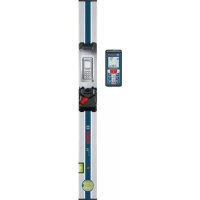
(1) Display (2) Measuring button (3) Button for grade measurement/calibration (4) Button for changing function/basic settings (5) Minus button (6) Button for results/timer function (7) Button for list of measured values/saving constant (8) Button for memory deletion/switching on or off (9) Measuring pin (10) Reference level selection button (11) Plus button (12) Button for distance, area and volume measurement (13) Charging socket cover (14) Micro USB port (15) Carrying strap lug (16) Laser beam output (17) Reception lens (18) Serial number (19) 1 / 4'' thread (20) Laser warning label (21) Charging connector (22) Micro USB cable (23) Charger 81 (24) Protective bag (25) Measuring rail (26) Locking lever for measuring bar (27) Tripod (28) Laser viewing glasses (29) Laser target plate A) Press and hold a button to activate its additional function. B) Accessories shown or described are not included with the product as standard.
Display elements
(a) Measured value lines (b) "ERROR" indicator (c) Result line
20|English
(d) Digital spirit level/position of measured value list entry (e) Indicator for measured value list (f) Measuring functions
Length measurement Area measurement Volume measurement Continuous measurement Indirect height measurement
Double indirect height measurement Indirect length measurement Timer function Wall area measurement Grade measurement
(g) Battery charge indicator
(h) Laser switched on (i) Reference level of measurement (j) Temperature warning
Technical data
Digital laser measure GLM 80 GLM 80+R 60
| Article number | 3601 K72 3.. 3601 K72 3.. |
| Distance measurement | | |
| Measuring range (typical) 0.05-80 m | A) | 0.05-80 mA) |
| Measuring range (typical, unfavourable conditions) 35 m | B) | 35 mB) |
| Measuring accuracy (typical) ± 1.5 mm | A) | ± 1.5 mmA) |
| Measuring accuracy (typical, unfavourable conditions) ±2.5 mm | B) | ±2.5 mmB) |
| Smallest display unit 0.1 mm 0.1 mm | | |
| Indirect distance measurement and level | | |
| Measuring range -60° to +60° -60° to +60° | | |
| Grade measurement | | |
| Measuring range 0°-360° (4 x 90°) | C) | 0°-360° (4 x 90°)C) |
| Measuring accuracy (typical) 0.2° | D) E) | ±0.2°D)E) |
| Smallest display unit 0.1° 0.1° | | |
| General | | |
| Operating temperature -10 °C to +50 °C | F) | -10 °C to +50 °CF) |
| Storage temperature | -20 °C to +50 °C | -20 °C to +50 °C |
| Permitted charging temperature range | +5 °C to +40 °C | +5 °C to +40 °C |
| Max. relative air humidity | 90% | 90% |
| Max. altitude | 2000 m | 2000 m |
| Pollution degree according to IEC 61010-1 | 2G) | 2G) |
| Laser class | 2 | 2 |
| Laser type | 635 nm, < 1 mW | 635 nm, < 1 mW |
| Laser beam diameter (at 25 °C) approx. | | |
| - 10 m distance | 6 mmE) | 6 mmF) |
| - 80 m distance | 48 mmE) | 48 mmF) |
| Adjustment accuracy of the laser to the housing approx. | | |
| - Vertical | ±2 mm/mH) | ±2 mm/mH) |
| - Horizontal | ±10 mm/mH) | ±10 mm/mH) |
| Automatic switch-off after approx. | | |
| - Laser | 20 s | 20 s |
| - Measuring tool (without measurement) | 5 min | 5 min |
| Weight according to EPTA-Procedure 01:2014 | 0.14 kg 0.14 kg | |
| Dimensions | 51 x 111 x 30 mm | 51 x 111 x 30 mm |
Digital laser measure GLM 80 GLM 80+R 60
Protection rating IP 54 (dust and splash-proof) IP 54 (dust and splash-proof)
Measuring rail
| Article number - | | 3601 K79 000 |
| Dimensions - 58 x 610 x 30 mm | | |
| Battery Li-ion Li-ion | | |
| Rated voltage 3.7 V 3.7 V | | |
| Capacity 1.25 Ah 1.25 Ah | | |
| Number of battery cells 1 1 | | |
| Individual measurements per battery charge approx. 25000 | 1) | 250001) |
| Charger | | |
| Article number | 2609 120 7.. | 2609 120 7.. |
| 1600 A01 3.. | 1600 A01 3.. |
| Charging time | approx. 3 h | approx. 3 h |
| Battery charging voltage | 5.0V-5.0V | == |
| Charge current | 1000 mA | 1000 mA |
| Protection class | ☐/II | ☐/II |
A) For measurements from the front edge of the measuring tool, 100% reflectivity of the target (e.g. a white wall), weak backlighting and 25°C operating temperature. In addition, a deviation influence of ±0.05 mm/m needs to be taken into account. B) For measurements from the rear edge of the measuring tool, 10-100% reflectivity of the target, strong backlighting and 25°C operating temperature. In addition, a deviation influence of ±0.29 mm/m needs to be taken into account. C) For measurements that use the back of the device as a reference, the max. measuring range amounts to ±60°. D) After calibration in accordance with figure H. Additional pitch error of ±0.01° per degree up to 45°. E) The width of the laser line depends on the surface characteristics and on the ambient conditions. F) In continuous measurement mode, the max. operating temperature is +40°C. G) Only non-conductive deposits occur, whereby occasional temporary conductivity caused by condensation is expected. H) At 25°C. 1) For a new and charged battery without display illumination and sound. The serial number (18) on the type plate is used to clearly identify your measuring tool.
Please observe the article number on the type plate of your battery charger. The trade names of individual battery chargers may vary.
Initial start-up
Charging the battery
Use only the chargers listed in the technical data. Only these chargers are matched to the lithium-ion battery of your measuring tool. The use of chargers from other manufacturers can lead to defects on the measuring tool; a higher voltage (e.g. 12 V) from a vehicle charger is not suitable for charging this measuring tool. The warranty is rendered void if these instructions are not followed. Pay attention to the mains voltage. The voltage of the power source must match the voltage specified on the rating plate of the charger.
Note: The battery is supplied partially charged. To ensure full capacity of the battery, completely charge the battery before the first use.
The lithium-ion battery can be charged at any time without reducing its service life. Interrupting the charging process does not damage the battery.
If the lower segment of the battery charge indicator (g) flashes, only a few more measurements can be made. Charge the battery.
If the frame around the segments of the battery charge indicator (g) flashes, no more measurements are possible. The measuring tool can only be used for a short time (e.g. to check entries in the measured value list). Charge the battery.
Connect the measuring tool to the charger (23) using the micro USB cable (22) provided. Plug the charger (23) into the socket. The charging process will begin.
The battery charge indicator (g) indicates the charging progress. The segments flash successively during charging. When all segments of the battery charge indicator (g) are displayed, the battery is fully charged. If you are not planning to use the power tool again soon, disconnect the charger from the mains.
The battery can also be charged at a USB port. To do so, connect the measuring tool to a USB port using the micro USB cable. In USB mode (charging mode, data transfer), the charging time can be noticeably longer.
The measuring tool cannot be used during the charging procedure.
Protect the charger against moisture.
Recommendations for optimal handling of the battery in the measuring tool
Only charge the measuring tool in the permissible temperature range (see "Technical data", page 20). As an example, do not leave the measuring tool in a vehicle during the summer.
A significantly reduced operating time after charging indicates that the battery has deteriorated and must be replaced by the Bosch after-sales service.
Follow the instructions on correct disposal.
Operation
Start-Up
Protect the measuring tool from moisture and direct sunlight. Do not expose the measuring tool to any extreme temperatures or variations in temperature. For example, do not leave it in a car for extended periods of time. In case of large variations in temperature, allow the measuring tool to adjust to the ambient temperature before putting it into operation. The precision of the measuring tool may be compromised if exposed to extreme temperatures or variations in temperature. Avoid substantial knocks to the measuring tool and avoid dropping it. Always carry out an accuracy check before continuing work if the measuring tool has been subjected to severe external influences (see "Checking accuracy and calibrating the grade measurement (see figure H)", page 26) and (see "Accuracy check of the distance measurement", page 26).
Switching on/off
Never leave the measuring tool unattended when switched on, and ensure the measuring tool is switched off after use. Others may be dazzled by the laser beam.
The following options are available for switching on the measuring tool:
- Pressing the on/off button (8): The measuring tool is switched on in the length measurement function. The laser is not switched on.
- Pressing the measuring button (2): The measuring tool and laser are switched on. The measuring tool will be in the length measurement function. When the measuring tool is inserted in the measuring rail (25), the grade measurement function is activated. Do not direct the laser beam at persons or animals and do not stare into the laser beam yourself (even from a distance). To switch off the measuring tool, press and hold the on/off button (8).
If no button on the measuring tool is pressed for approximately five minutes, the measuring tool will automatically switch itself off to preserve battery life.
If the angle has not been changed for approximately five minutes while the measuring tool is in the "grade measurement" operating mode, the tool will automatically switch itself off to preserve battery life.
All saved values are retained when the tool is automatically switched off.
Measuring process
After the measuring tool has been switched on by pressing the measuring button (2), the tool is always in the length measurement function by default, or in the grade measurement function if the tool has been inserted into the measuring rail (25). Other measuring functions can be switched to by pressing the respective function button (see "Measuring functions", page 23).
Once the measuring tool has been switched on, the rear edge of the measuring tool is selected as the reference level for measurement. You can change the reference level by pressing the reference level selection button (10) (see "Selecting the reference level (see figure A)", page 22).
Apply the measuring tool with the selected reference level to the point at which you want to start the measurement (e.g., wall).
To switch on the laser beam, briefly press the measuring button (2).
- Do not direct the laser beam at persons or animals and do not stare into the laser beam yourself (even from a distance).
Aim the laser beam at the target surface. To initiate the measurement, briefly press the measuring button (2) again. While the laser beam is continuously switched on, measurement will begin after the first press of the measuring button (2). In the continuous measurement function, measurement begins as soon as the function is activated.
The measured value typically appears within 0.5 seconds and no later than 4 seconds. The duration of the measurement depends on the distance, the lighting conditions, and the reflective properties of the target surface. The end of the measurement is indicated by an audio signal. Upon completion of the measurement, the laser beam is automatically switched off.
If no measurement has been performed within approximately 20 seconds of aim being taken, the laser beam is switched off automatically to preserve battery life.
You can choose between four different reference levels for the measurement:
The rear edge of the measuring tool or the front edge of the measuring pin (9) when it has been folded out by 90° (e.g. when applying the tool to outer corners). The tip of the measuring pin (9) when it has been folded 180° (e.g. when measuring from a corner).
- The front edge of the measuring tool (e.g. when measuring from a table edge). The centre of the thread (19) (e.g. for tripod measurements).
To select the reference level, press the button (10) until the required reference level is shown on the display. The rear edge of the measuring tool is pre-set as the reference level every time the measuring tool is switched on.
It is not possible to make a retrospective alteration to the reference level for measurements that have already been taken (e.g. when displaying measured values in the measured value list).
To enter the basic settings menu, press and hold the button for basic settings (4).
Briefly press the basic settings button (4) to select the individual menu items.
Press the minus button (5) or the plus button (11) to select the setting within the menu items.
To exit the basic settings menu, press the measuring button (2).
| Basic settings |
| Audio signals On | Off |
| Off |
| Display illumination On | Off |
| Off |
| Automatically on/off |
| Digital spirit level On | Off |
| Off |
| Display rotation On | Off |
| Off |
| Continuous laser beam On | Off |
| Off |
| Unit of distance (depending on country version) | m, ft, inch, etc. |
| Unit for angle (depending on country version) | °, %, mm/m, inch/ft |
All basic settings except for the continuous laser beam setting are saved when switching off the tool.
Continuous laser beam
Do not direct the laser beam at persons or animals and do not stare into the laser beam yourself (even from a distance).
In this setting, the laser beam remains switched on even between measurements; measurement simply requires one brief press of the measuring button (2).
Measuring functions
Simple length measurement
For length measurements, repeatedly press the button (12) until the indicator for length measurement appears on the display.
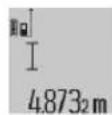
Briefly press the measuring button (2) once to switch on the laser and once to measure. The measured value is displayed in the result line (c).
For multiple consecutive length measurements, the results of the last measurements are shown in the measured value lines (a).
Area measurement
For area measurements, repeatedly press the button (12) until the indicator for area measurement appears on the display.
Then measure the width and length one after the other as with a length measurement. The laser beam remains switched on between the two measurements.
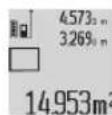
Once the second measurement has been completed, the area is automatically calculated and displayed in the result line (c). The individual measured values can be found in the measured value lines (a).
Volume measurement
For volume measurements, repeatedly press the button (12) until the indicator for volume measurement appears on the display.
Then measure the width, length and depth one after the other as with a length measurement. The laser beam remains switched on between the three measurements.
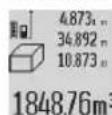
Once the third measurement has been completed, the volume is automatically calculated and displayed in the result line (c). The individual measured values can be found in the measured value lines (a).
Values over 999,999 m³ cannot be displayed; "ERROR" will instead appear on the display. Divide the volume to be measured into individual measurements, the resulting values of which you can calculate separately and then combine into an overall total.
In continuous measurement mode, the measuring tool can be moved relative to the target, during which the measured value will be updated every half a second. You can, for ex
24|English
ample, move a desired distance away from a wall while reading off the current distance at all times.
For continuous measurements, repeatedly press the function change button (4) until the continuous measurement indicator appears on the display. To start the continuous measurement, press the measuring button (2).
The minimum measurement is used to determine the shortest distance from a fixed reference point. For example, it can help in determining verticals or horizontals.
The maximum measurement is used to determine the greatest distance from a fixed reference point. For example, it can help in determining diagonals.
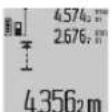
The current measured value is shown in the result line (c). The maximum ("max") and minimum ("min") measured values appear in the measured value lines (a). It is then always
overwritten if the current length measurement
value is smaller or larger than the previous minimum or maximum value.
Press the memory deletion button (8) to erase the previous minimum or maximum values.
Press the measuring button (2) to end the continuous measurement. The last measured value is displayed in the result line (c). Pressing the measuring button (2) again starts a new continuous measurement.
Continuous measurement automatically switches off after five minutes. The last measured value remains displayed in the result line (c).
Indirect distance measurement
The indirect distance measurement is used to determine distances that cannot be measured directly, due to an obstacle that would impede the path beam or the absence of a target surface that could serve as a reflector. This measuring procedure can only be employed vertically. Any horizontal deviation will lead to measurement errors.
The laser beam remains switched on between the individual measurements.
For indirect length measurements, three measuring modes are available. Each measuring mode can be used for determining different distances.
Repeatedly press the button for changing function (4) until the indicator for indirect height measurement appears on the display.
Ensure that the measuring tool is at the same height as the lower measuring point. Then tilt the measuring tool around the reference level and measure distance (1) as for a length measurement.
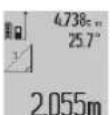
Once the measurement is complete, the result for the required distance "X" is displayed in the result line (c). The measured values for distance "1" and angle "a" can be found in the measured value lines (a).
Repeatedly press the button for changing function (4) until the indicator for double indirect height measurement appears on the display.
Measure distances 1 and 2 in succession as for a length measurement.
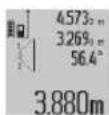
Once the measurement is complete, the result for the required distance X is displayed in the result row (c). The measured values for distances 1 and 2 and angle α can be found in the measured value rows (a).
Ensure that the reference level for the measurement (e.g. the rear edge of the measuring tool) remains in exactly the same place for all the individual measurements in a single measuring process.
Repeatedly press the button for changing function (4) until the indicator for indirect length measurement appears on the display.
Ensure that the measuring tool is at the same height as the required measuring point. Then tilt the measuring tool around the reference level and measure distance "1" as for a length measurement.
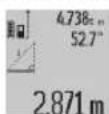
Once the measurement is complete, the result for the required distance "X" is displayed in the result line (c). The measured values for distance "1" and angle "a" can be found in the measured value lines (a).
The wall area measurement is used to determine the sum of multiple individual areas with a common height.
In the illustrated example, the total area of several walls that have the same ceiling height A but different lengths B is to be determined.
For wall area measurements, repeatedly press the function change button (4) until the wall area measurement indicator appears on the display.
Measure the ceiling height A as you would for a length measurement. The measured value ("cst") is displayed in the top measured value line (a). The laser remains switched on.
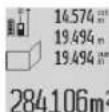
Then measure the length B1 of the first wall. The area is automatically calculated and displayed in the result line (c). The last measured length value can be found in the middle measured value line (a). The laser remains
switched on.
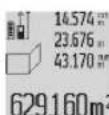
Now measure the length B2 of the second wall. The individual measured value displayed in the middle measured value line (a) is added to the length B1. The sum of the two lengths ("sum", displayed in the bottom measured value line
(a)) is multiplied by the saved height A. The total area value is displayed in the result line (c).
You can measure any number of lengths Bx, which will be automatically added and multiplied by the height A.
The requirement for a correct area calculation is that the first measured length (for example, the ceiling height A) is identical for all sub-areas.
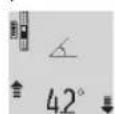
Press the grade measurement button (3) to bring up the grade measurement indicator on the display. The rear of the measuring tool serves as the reference level. Press the grade measurement button (3) again to use the sides of the measuring tool as a reference level and rotate the display view by 90°.
Press the measuring button (2) to fix the measured value and transfer it to the measured value memory. Press the measuring button (2) again to continue the measurement. If the display flashes during measurement, the measuring tool has been tipped too heavily to the side.
If the "digital spirit level" function is activated in the basic settings, the grade value is also displayed in the other measuring functions in line (d) of the display (1).
Timer function
The timer function is useful when the measuring tool should be kept stationary during measurement, for example. Press and hold the timer function button (6) to bring up the indicator on the display.
The time period between triggering the timer and starting measurement is displayed in the measured value line (a). The time period can be set between 1-60 seconds by pressing the plus button (11) or minus button (5).
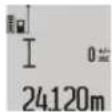
The measurement is made automatically after the set time period has expired.
The timer function can also be used for distance measurements within other measuring functions (e.g. area measurement). It is not possible to add or subtract measuring results or carry out continuous measurement.
The timer function can also be used for distance measurements within other measuring functions (e.g. area measurement). It is not possible to add or subtract measuring results or carry out continuous measurement.
List of the last measured values
The measuring tool stores the last 20 measured values and their calculations and displays them in reverse order (with the most recent measured value displayed first).
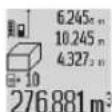
To retrieve the saved measurements, press the button (7). The result of the last measurement appears on the display, along with the indicator for the measured values list (e) and with storage space for the numbering of the displayed measurements.
If no further measurements are saved upon pressing the button (7) again, the measuring tool switches back to the last measuring function. Press one of the buttons for the measuring functions to exit the list of measured values.
If no further measurements are saved upon pressing the button (7) again, the measuring tool switches back to the last measuring function. Press one of the buttons for the measuring functions to exit the list of measured values.
To permanently save the currently displayed measured length value as a constant, press and hold the button for the list of measured values (7) until "CST" is shown on the display. An entry in the list of measured values cannot be retrospectively saved as a constant.
To use a measured length value in a measuring function (e.g. area measurement), press the button for the list of measured values (7), select the desired entry and confirm it by pressing the results button (6).
To use a measured length value in a measuring function (e.g. area measurement), press the button for the list of measured values (7), select the desired entry and confirm it by pressing the results button (6).
Deleting measured values
Briefly pressing the button (8) will delete the last measured value in all measuring functions. Repeatedly pressing the button briefly will delete the individual measured values in reverse order.
To delete the currently displayed entry in the list of measured values, briefly press the button (8). To delete the complete list of measured values and the constant "CST", press and hold the measured value list button (7) and at the same time briefly press the button (8).
In the wall area measurement function, a brief first press of the button (8) will delete the last individual measured value; a second press will delete all lengths Bx; a third will delete the ceiling height A.
Adding measured values
To add measured values together, first perform any measurement or select an entry from the list of measured values. Next, press the plus button (11). "+" will appear on the display as confirmation. Then perform a second measurement or select another entry from the measured value list.
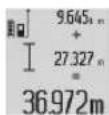
Press the results button (6) to retrieve the sum of both measurements. The calculation is shown in the measured value lines (a) and the sum is displayed in the result line (c).
When the sum has been calculated, you can add more measured values or measured value list entries to this result if you press the plus button (11) before each measurement. Press the results button (6) to end the addition.
Information on addition:
- Mixtures of length, area and volume values cannot be added together. For example, if a length value and an area value are added together, "ERROR" will appear briefly on the display when the results button (6) is pressed. The measuring tool will then switch back to the most recently active measuring function.
- The result of a measurement (e.g. volume value) is always added; for continuous measurements, the measured value displayed in the result line (c) is added. It is not possible to add individual measured values from the measured value lines (a).
Subtracting measured values
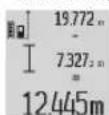
To subtract measured values, press the minus button (5); "-" will appear on the display as confirmation. The subsequent steps are the same as for the "Adding measured values" section.
Practical advice
General advice
The reception lens (17) and the laser beam output (16) must not be covered during the measuring process.
The measuring tool must not be moved during a measurement (with the exception of the continuous measurement
and grade measurement functions). For this reason, place the measuring tool against or on a firm surface whenever possible.
Influences on the measuring range
The measuring range depends on the lighting conditions and the reflective properties of the target surface. For better visibility of the laser beam when working outdoors and in bright sunlight, use the laser viewing glasses (28) (accessory) and the laser target plate (29) (accessory) or shade the target area.
Influences on the measurement result
Due to physical effects, the possibility of inaccurate measurements when measuring various surfaces cannot be excluded. These include:
- Transparent surfaces (e.g. glass, water)
- Reflective surfaces (e.g. polished metal, glass)
- Porous surfaces (e.g. insulating materials)
- Structured surfaces (e.g. roughcast, natural stone).
If necessary, use the laser target plate (29) (accessory) on these surfaces.
Inaccurate measurements are also possible where the laser is pointed at target surfaces diagonally.
Layers of air at different temperatures and indirectly received reflections can also influence the measured value.
Regularly check the accuracy of the grade measurement.
This is accomplished by means of a reverse measurement. To do this, lay the measuring tool on a table and measure the inclination. Turn the measuring tool by 180° and measure the inclination again. The difference between the displayed values must not exceed 0.3°.
In case of greater deviation, the measuring tool must be recalibrated. To do this, press and hold the grade measurement button (3). Follow the directions on the display.
Accuracy check of the distance measurement
You can check the accuracy of the measuring tool as follows:
- Choose a measuring section of approx. 1 - 10 m in length that is permanently unchanged, the exact length of which is known to you (e.g. room width, door opening). The measuring section must be indoors, and the target surface of the measurement must be smooth and reflect well.
- Measure the section ten times in succession.
The deviation between the individual measurements and the mean value must not exceed ±2 mm. Record the measurements in order to be able to compare the accuracy later on.
Working with the tripod (accessory)
The use of a tripod is particularly necessary for larger distances. Place the measuring tool with the 1/4" thread (19) on the quick-release plate of the tripod (27) or a conventional camera tripod. Tighten it using the locking screw of the quick-release plate.
Set the reference level for measurements with a tripod by pressing the button (10) accordingly (thread reference level).
The measuring rail (25) can be used for a more exact grade measurement result. Distance measurements are not possible with the measuring rail.
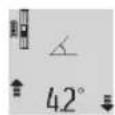
Insert the measuring tool into the measuring rail (25) as shown and lock the measuring tool in place with the locking lever (26). Press the measuring button (2) to activate the "measuring rail" operating mode.
Regularly check the accuracy of the grade measurement by means of a reverse measurement or the levels on the measuring rail.
In case of greater deviation, the measuring tool must be recalibrated. To do this, press and hold the grade measurement button (3). Follow the directions on the display.
To end the "measuring rail" operating mode, switch off the measuring tool and remove it from the measuring rail.
Errors - Causes and Corrective Measures
Cause Corrective measures
Temperature warning (j) flashes, measurement not possible.
The measuring tool is outside the operating temperature of 10°C to +50°C (in the continuous measurement function, up to +40°C). Wait until the measuring tool has reached operating temperature.
Display shows "ERROR"
Addition/subtraction of measured values with different units of measurement. Only add/subtract measured values with the same units of measurement. Angle between laser beam and target is too acute. Increase the angle between the laser beam and the target. Target surface is too reflective (e.g. mirror) or not reflective enough (e.g. black material), or ambient light is too bright. Use the laser target plate (29).
The laser beam output (16) and/or reception lens (17) are fogged up (e.g. due to a rapid temperature change). Wipe the laser beam output (16) and/or reception lens (17). Calculated value is larger than 999,999 m/m²/m³. Divide the calculation into intermediate steps.
Display shows >60° or -60°
The grade measuring range for the measuring function or the specified angle reference level has been exceeded. Perform the measurements within the specified angle range.
Display shows "CAL" and "ERROR"
Cause Corrective measures
The calibration of the measurement has not been carried out in the correct order or has not been carried out according to the instructions that appear on the display and in the manual.
| The surfaces used for calib-ration were not precisely ho- rizontaI or vertical. | Repeat the calibration on a horizontal or vertical surface and check the surfaces be- forehand if necessary using a spirit level. |
| The measuring tool has moved or tilted when the button was pressed. | Repeat the calibration and hold the measuring tool still against the surface when pressing the button. |
Battery charge indicator (g), temperature warning (j), and "ERROR" shown in the display.
The temperature of the measuring tool is outside the permissible charging temperature range. Wait until the charging temperature range has been reached.
Battery charge indicator (g) and "ERROR" shown in the display.
| The battery charging voltage is not correct. | Check whether the connection has been established correctly and that the micro USB cable is working properly. If the device symbol flashes, the battery is defective and must be replaced by the Bosch after-sales service. |
Battery charge indicator (g) and clock symbol (f) shown in the display.
Charging time significantly extended due to the charging current being too low. Only use the original Bosch micro USB cable.
Measurement result implausible.
Target surface reflection not distinct (e.g. water, glass). Cover the target surface.
Laser beam output (16) and/or reception lens (17) are covered. Clean the laser beam output (16) and/or reception lens (17).
An incorrect reference level has been set. Select a reference level that is appropriate for the measurement.
Obstruction in the path of the laser beam. The laser point must be fully on the target surface.
The indicator remains unchanged or the measuring tool reacts unexpectedly when a button is pressed.
Software error. Press the measuring button
(2) and the button for memory deletion/switching
Cause Corrective measures
on or off (8) to reset the software.
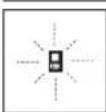
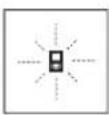
The measuring tool monitors correct functioning in every measurement. If a defect is detected, the display will indicate only the symbol shown opposite. In this case, or if the above-mentioned corrective measures cannot rectify
an error, submit the measuring tool to the Bosch after-sales service via your dealer.
Maintenance and Service
Maintenance and Cleaning
Only store and transport the measuring tool in the protective bag provided.
Keep the measuring tool clean at all times.
Never immerse the measuring tool in water or other liquids. Wipe off any dirt using a damp, soft cloth. Do not use any detergents or solvents.
Take particular care of the reception lens (17), which must be handled with the same level of care you would give to a pair of glasses or a camera lens.
If the measuring tool needs to be repaired, send it off in the protective bag (24).
After-Sales Service and Application Service
Our after-sales service responds to your questions concerning maintenance and repair of your product as well as spare parts. You can find explosion drawings and information on spare parts at: www.bosch-pt.com
The Bosch product use advice team will be happy to help you with any questions about our products and their accessories.
In all correspondence and spare parts orders, please always include the 10-digit article number given on the nameplate of the product.
Great Britain
Robert Bosch Ltd. (B.S.C.)
P.O. Box 98
Broadwater Park
North Orbital Road
Denham Uxbridge
UB9 5HJ
At www.bosch-pt.co.uk you can order spare parts or arrange the collection of a product in need of servicing or repair.
Tel. Service: (0344) 7360109
E-Mail: boschservicecentre@bosch.com
Ireland
Origo Ltd
Unit 23 Magna Drive
Magna Business Park
City West
Dublin 24
Tel. Service: (01) 4666700
Fax: (01) 4666888
Australia, New Zealand and Pacific Islands
Robert Bosch Australia Pty. Ltd.
Power Tools
Locked Bag 66
Clayton South VIC 3169
Customer Contact Center
Inside Australia:
Phone: (01300) 307044
Fax: (01300) 307045
Inside New Zealand:
Phone: (0800) 543353
Fax: (0800) 428570
Outside AU and NZ:
Phone: +61 3 95415555
www.bosch-pt.com.au
www.bosch-pt.co.nz
Republic of South Africa
Customer service
Hotline: (011) 6519600
Gauteng - BSC Service Centre
35 Roper Street, New Centre
Johannesburg
Tel.: (011) 4939375
Fax: (011) 4930126
E-Mail: bsctools@icon.co.za
KZN - BSC Service Centre
Unit E, Almar Centre
143 Crompton Street
Pinetown
Tel.: (031) 7012120
Fax: (031) 7012446
E-Mail: bsc.dur@za.bosch.com
Western Cape - BSC Service Centre
Democracy Way, Prosperity Park
Milnerton
Tel.: (021) 5512577
Fax: (021) 5513223
E-Mail: bsc@zsd.co.za
Bosch Headquarters
Midrand, Gauteng
Tel.: (011) 6519600
Fax: (011) 6519880
E-Mail: rbsa-hq.pts@za.bosch.com
Armenia, Azerbaijan, Georgia
Robert Bosch Ltd.
David Agmashenebeli ave. 61
0102 Tbilisi, Georgia
Tel. +995322510073
www.bosch.com
Kyrgyzstan, Mongolia, Tajikistan, Turkmenistan, Uzbekistan
TOO "Robert Bosch" Power Tools, After Sales Service
Muratbaev Ave., 180
050012, Almaty, Kazakhstan
Service Email: service.pt.ka@bosch.com
Official Website: www.bosch.com, www.bosch-pt.com
Transport
The contained lithium-ion batteries are subject to the Dangerous Goods Legislation requirements. The batteries are suitable for road-transport by the user without further restrictions.
When shipping by third parties (e.g., by air transport or forwarding agency), special requirements on packaging and labelling must be observed. For preparation of the item being shipped, consulting an expert for hazardous material is required.
Disposal

Measuring tools, chargers, batteries, accessories and packaging should be recycled in an environmentally correct manner.

Do not dispose of measuring tools, chargers or batteries with household waste.
Only for EU countries:
According to the Directive 2012/19/EU, measuring tools and chargers that are no longer usable, and, according to the Directive 2006/66/EC, defective or used battery packs/batteries must be collected separately and disposed of in an environmentally correct manner.
Battery packs/batteries:
Li-ion:
Please observe the notes in the section on transport (see "Transport", page 28).
Integrated batteries may only be removed for disposal by qualified personnel. Opening the housing shell can destroy the measuring tool.
Before you can remove the battery from the measuring tool, you will need to use the measuring tool until the battery is completely discharged. Unscrew the screws on the housing and remove the housing shell in order to remove the battery. To prevent a short circuit, disconnect the connectors on the battery one at a time and then isolate the poles. Even when fully discharged, the battery still contains a residual capacity, which can be released in case of a short circuit.
Tel.: (52) 55 528430-62
Tel.: 800 6271286
Bosch Service Center
Telegravej 3
2750 Ballerup
At www.bosch-pt.dk you can order spare parts online or create a repair order.
Tel. Service Center: 44898855
Fax: 44898755
E-Mail: vaerktoej@dk.bosch.com
Transport
Laser Radiation Do not stare into beam Class 2 laser product
Adding measured values
To add measured values, first perform any measurement or select an input from the measured value list. Then press the plus key (11). The display shows 喜 as confirmation. Then perform another measurement or select an additional input from the measured value list.
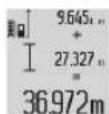
To display the sum of both measurements, press the result button (6). The calculation is shown in the measured value lines (a), the sum is in the result line (c).
Bosch Service Center
Telegrafvej 3
2750 Ballerup
Denmark
Tel.: (08) 7501820 (within Sweden)
Fax: (011) 187691
Transport
The lithium-ion batteries included are subject to dangerous goods requirements. The user can transport the batteries on public roads without further obligations.
Laser Radiation Do not stare into beam Class 2 laser product

Do not direct the laser beam towards people or animals, and do not look into the beam directly or indirectly. This can cause
injuries, accidents, or damage to your eyes.
To protect your eyes from laser radiation, you must wear appropriate safety glasses that block the laser. You can purchase them from a specialist dealer. Do not use laser glasses as protective glasses. Laser glasses are intended for optimal visibility of the laser beam, but they do not protect against the laser beam. Do not use laser glasses as sunglasses or in direct sunlight. Laser glasses do not provide sufficient protection against excessive radiation and reduce the contrast of colors. Have the device serviced by qualified technical personnel using genuine spare parts. This ensures the continued safe operation of the measuring device.
Do not leave the device unattended and allow unauthorized persons to use the laser measuring device. They could injure people. Do not work with the measuring device in explosive environments, in which flammable liquids, gases, or dusts are present. The interior of the measuring device can create sparks that may ignite dust or fumes.

Protect the measuring device from heat, e.g., from direct sunlight and continuous intense radiation, fire, water, and
moisture. Risk of explosion.
Connect the device to the power supply using the Micro-USB cable.
(14) Micro-USB port
(15) Charging indicator
(16) Laser output
(17) Lens
(18) Number of series
(19) 1/4" thread
(20) Level adjustment knob
(21) Focusing ring
(22) Micro-USB cable
(23) Charging port
(24) Power button
(25) Measurement range 81
(26) Measurement range safety lock
(27) Tpinoδac8
(28) Tuaiaλεiεβ
The value is displayed in the result field (c).
In case of multiple consecutive measurements, the results of the last measurements are displayed in the measurement value fields (a).
Measurement of area
For area measurement, press the button (12) repeatedly until the area measurement indicator appears in the display.
Then measure sequentially the width and the length, as in length measurement. The device automatically calculates the area after the two measurements.
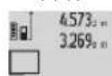
After the completion of the second measurement, the area is calculated automatically and displayed in the result field (c). The measured values are shown in the measurement value fields (a).
Measurement of volume
For volume measurement, press the button (12) repeatedly until the volume measurement indicator appears in the display.
Then measure sequentially the width, the length, and the height, as in a length measurement. The device automatically calculates the volume after the three measurements.
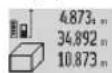
After the completion of the third measurement, the volume is calculated automatically and displayed in the result field (c). The measured values are shown in the measurement value fields (a).
If the value exceeds 999.999 m³ and cannot be displayed, the display shows "ERROR". To clear the volume measurement, press the corresponding buttons and then repeat the measurement.
Continuous measurement / minimum/maximum measurement (see figure B)
During continuous measurement, the measuring device can be moved relative to the target, and the measurement value is updated approximately every 0.5 seconds.
The measuring tool is equipped with a wireless interface. The measured values and the measured values are all displayed.
The measuring tool is equipped with a wireless interface. The measured values and the measured values are all displayed.
The measuring tool is equipped with a wireless interface. The measured values and the measured values are all displayed.
The measuring tool is equipped with a wireless interface. The measured values and the measured values are all displayed.
The measuring tool is equipped with a wireless interface. The measured values and the measured values are all displayed.
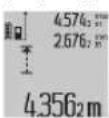
The measuring tool is equipped with a wireless interface. The measured values and the measured values are all displayed.
The measuring tool is equipped with a wireless interface. The measured values and the measured values are all displayed.
The measuring tool is equipped with a wireless interface. The measured values and the measured values are all displayed.
The measuring tool is equipped with a wireless interface. The measured values and the measured values are all displayed.
The measuring tool is equipped with a wireless interface. The measured values and the measured values are all displayed.
The measuring tool is equipped with a wireless interface. The measured values and the measured values are all displayed.
The measuring tool is equipped with a wireless interface. The measured values and the measured values are all displayed.
The measuring tool is equipped with a wireless interface. The measured values and the measured values are all displayed.
The measuring tool is equipped with a wireless interface. The measured values and the measured values are all displayed.
The measuring tool is equipped with a wireless interface. The measured values and the measured values are all displayed.
19400 Kopwni-Aθηγα
Tnλ:2105701258
Φaξ:2105701283
Email: pt@gr.bosch.com
www.bosch.com
www.bosch-pt.gr
Transport
The contained lithium-ion batteries are subject to the requirements of dangerous goods legislation. The batteries can be transported by road without further conditions. However, when batteries are shipped by third parties (e.g., air freight or forwarding agency), special requirements for packaging and labeling must be observed. In this case, when preparing the consignment, the advice of a dangerous goods specialist must be sought.
Disposal

The measuring tools, accessories, and packaging must be recycled in an environmentally friendly manner.

Do not dispose of measuring tools, batteries, and accessories with household waste!
Only for EU countries:
According to European Directive 2012/19/EU, unusable measuring tools and batteries, and according to European Directive 2006/66/EC, defective or used batteries, must be collected separately and recycled in an environmentally friendly manner.
Rechargeable batteries/Batteries:
Li-Ion:
The measuring tool is supplied with a warning label (see "Measuring tool", page 130).
Never leave the measuring tool unattended and make sure that it cannot be accessed by unauthorized persons. The measuring tool can be switched on by opening the battery compartment.
To remove the battery from the measuring tool, switch off the measuring tool and remove the battery from the battery compartment. Press the release button on the battery compartment and remove the battery. To insert a new battery, insert the battery into the battery compartment and close the battery compartment. If the battery is low, there is still a residual charge (reserve) in the battery, which can be used in an emergency.
Türkçe
Güvenlik talimatı


Robert Bosch Sp. z o.o.
Bosch Service Center PT
K Vapence 1621/16
692 01 Mikulov
On www.bosch-pt.cz you can order the repair of your machine or spare parts online.
Do not point the laser beam at people or animals and do not look into the laser beam yourself, even from a distance. This laser beam can cause damage to eyes.
In case of accidental eye exposure, close your eyes immediately and turn away from the beam. Do not change anything in the laser device. Do not use laser glasses as protective goggles. Laser glasses improve the visibility of the laser beam, but they do not protect against laser radiation. Do not use laser glasses as sunglasses or while driving. Laser glasses do not provide protection against UV radiation and impair color perception. Repair of the measuring tool must be carried out only by qualified personnel using original spare parts. This ensures the safety of the measuring tool. Do not allow children to use the laser measuring tool without supervision. Children could injure others. Do not operate the measuring tool in explosive atmospheres, near flammable gases, or dust. In the measuring tool
sparks can be generated that could ignite flammable vapors.
Protect the measuring tool from high temperatures, e.g., from prolonged exposure to the sun, from fire, water

Protect the measuring instrument from high temperatures, e.g., from direct solar heating, from fire.
Danger of explosion.
Do not use the measuring tool with a Micro USB cable inserted.
Safety instructions for charging devices
This charging device is not intended for use by children or persons with limited sensory or mental abilities or insufficient experience and knowledge. Use of this charging device by children aged 8 years and older or persons with limited physical, sensory, or mental abilities or with insufficient experience and knowledge is permitted only under the supervision of a person responsible for their safety, provided they have been instructed on the safe use of the charging device and understand the dangers that may arise from it. Otherwise, there is a risk of incorrect use and injury. Supervise children during use, cleaning, and maintenance. When doing so, ensure that children do not play with the charging device.

Protect the charging device from moisture
Penetration of water into the electrical appliance increases the risk of electric shock.
Charge the measuring tool only with the charging device supplied. Keep the charging device clean. Dirt can lead to the risk of electric shock. Before each use, check the charging device, cable, and plug. Do not use the charging device if damage is detected. Do not open the charging device yourself; repairs should only be carried out by qualified personnel and only using original spare parts. Damaged charging devices, cables, and plugs increase the risk of electric shock. Do not use the charging device on highly flammable surfaces (e.g., paper, textiles, etc.) or in a fire-hazardous environment. There is a risk of fire due to the heating of the charging device during charging. If the battery is damaged or improperly used, liquid may leak. Ensure fresh air supply and consult a doctor if symptoms occur. Vapors may irritate the respiratory tract.
Product and service description
Intended use
The measuring tool is intended for measuring distances, lengths, heights, clearances, and calculating areas and volumes.
The measuring tool is suitable for use indoors and outdoors.
Illustrated components
The numbering of the illustrated components refers to the illustration of the measuring tool on the page with the illustrations.
(1) Display (2) Measuring button (3) Inclination angle measuring button / calibration (4) Mode selection button / basic settings (5) "Minus" button (6) Result button / timer (7) List of measured values button / constant storage (8) Memory clear button / switch off (9) Stop bracket (10) Reference plane selection button
(11) Button "POWER" (12) Button for measuring length, area, volume (13) Battery compartment cover (14) Micro USB socket (15) Carrying strap attachment (16) Laser beam output (17) Receiver (18) Serial number (19) 1/4" thread (20) Laser warning label (21) Battery charger (22) Micro USB cable (23) Charging device (24) Protective case (25) Measuring ruler (26) Ruler locking mechanism (27) Stand (28) Safety instructions for working with laser instruments (29) Laser beam target plate
A) To call up additional functions, keep the button pressed. B) The illustrated and described accessories are not included in the standard delivery.
Display elements
(a) Measured values (b) Error indicator "Error" (c) Result (d) Battery indicator / position in the list of measured values (e) List indicator of measured values
(f) Measuring functions
Length measurement Area measurement Volume measurement Continuous measurement Indirect height measurement Indirect height measurement with input Indirect height measurement with + - function Wall area measurement Tilt angle measurement
(g) Battery charge indicator (h) Laser on (i) Reference plane for measurement (j) Indicator for exceeding the permissible temperature range
Technical data
You can select one of four measuring planes:
- Rear edge of the measuring tool / short press of the 90° stop (9) (e.g., when measuring against external corners), - End of the short 180° stop (9) (e.g., for measuring corners) - Front edge of the measuring tool (e.g., for measurements from a wall) - Center of the threaded hole (19) (e.g., for measurements with a tripod).
188|Russian
To change the reference plane, press button (10) until the desired reference plane is displayed on the screen. Each time the measuring tool is switched on, the rear edge of the tool is set as the default reference.
Changing the reference plane after measurements have been taken (e.g., when displaying measured values in the list of measured values) is not possible.
Menu "Basic settings"
To access the "Basic settings" menu, press and hold the basic settings button (4).
Briefly press the button to access the main settings (4) or to select individual menu items.
Press the minus button (5) or the plus button (11) to select a setting within menu items.
To exit the "Main Settings" menu, press the measurement button (2).
Press and hold the button (6) until the indicator appears on the display.
In the line of measured values (a), the time interval from start to measurement. The time interval is adjusted with the plus button (11) or the minus button (5) within the range of 0.5 to 60 seconds.
After the time interval has elapsed, the measurement is performed automatically.
The timer function is only available for distance measurements in other measurement modes (e.g., for area measurement). Addition and subtraction of measurement results, as well as continuous measurement, are not possible.
List of recent measured values
The measuring instrument stores the last 20 measured values in memory and displays them in reverse chronological order (the most recent measured value first).
To recall the measured values stored in memory, press the button (7). The result of the last measurement is displayed, along with the indicator for the list of measured values (e) and the memory location number.
Measurement values displayed on the screen.
If, when pressing the button (7), there are no stored values in memory, the measuring instrument returns to the last measurement mode. To make the list of measured values disappear from the screen, press any of the measurement mode buttons.
To save the currently displayed value as a constant, press and hold the list of measured values button (7) until (CST) appears on the display. An entry in the list of measured values cannot be saved as a constant later.
To use a length value in one of the measurement modes (e.g., for area measurement), press the list of measured values button (7), select the desired entry, and confirm by pressing the result button (6).
Deleting measured values
By repeatedly pressing button (8), in any measurement mode, you can delete the last measured value. Repeatedly pressing the button deletes the measured values one by one. To delete a selected record from the list of measured values, briefly press button (8). To delete the entire list of measured values, press and hold the list button (7) and simultaneously briefly press button (8). In the wall area measurement mode, the first brief press of button (8) deletes the last measured value, the second press deletes all lengths, and the third press deletes the room height.
Adding measured values
To add measured values, first perform a measurement operation and select a record from the list of measured values. Then press the "Plus" button (11). The confirmation appears as "+". Perform the second measurement operation and select another record from the list of measured values.
To calculate the sum of two measurements, press the result button (6). The sum is displayed in the measured values line (a), and the sum is displayed in the result line (c).
After determining the sum, you can add other measured values or values from the list of measured values to this result. To do this, you must press the "Plus" button (11) each time before starting a measurement. To finish the addition operation, press the result button (6).
Notes on addition:
- Values of length, area, and volume cannot be mixed when adding. For example, if you add a length value to an area value, after pressing the result button (6) an error will appear briefly. After that, the measuring instrument returns to the previous measurement mode. - The result of a single measurement is added (e.g., volume value), and during continuous measurement, the measured value displayed in the result line (c) is added. Adding individual measured values displayed in the measured values line (a) is not possible.
Subtracting measured values
To subtract measured values, press the "Minus" button (5). The confirmation appears as "-". The subsequent actions are the same as for adding measured values.
Application notes
General notes
Do not cover the receiving lens (17) and the laser beam exit (16) during measurement.
During measurement, do not interrupt the measuring instrument (except in continuous measurement mode and tilt measurement). Therefore, if possible, place the measuring instrument on a firm base or hold it against a firm base.
Factors affecting the measuring range
The measuring range depends on the lighting conditions and the reflective properties of the surface. To make the laser beam visible outdoors or in strong sunlight, use the laser viewing glasses (28) (accessory), the laser target plate (29) (accessory), or darken the target surface.
Factors that may influence the measurement result
Due to physical effects, it is not excluded that measurement errors may occur when measuring on different surfaces. Such surfaces include:
- transparent surfaces (e.g., glass, water), - reflective surfaces (e.g., polished metal, glass),
- porous surfaces (e.g., insulating materials - structured surfaces (e.g., structured plaster, natural stone).
If necessary, use a visual marking of the laser beam (29) on these surfaces (accessory).
Risk of incorrect measurements.
Air layers of different temperatures or direct reflection can also negatively affect the measured value.
Checking the accuracy and calibration when measuring the inclination angle (see Fig. H)
Regularly check the accuracy of inclination measurements. This is done by measuring in two opposite directions (there and back). For this, place the measuring instrument on a table and measure the inclination angle. Turn the measuring instrument 180° and measure the inclination angle again. The difference in the displayed value should not exceed max. 0.3°.
In case of deviations, a new calibration of the measuring instrument is necessary. For this, press and hold the inclination angle measuring button (3). Follow the instructions on the display.
Checking the accuracy of distance measurements
The accuracy of the measuring instrument can be checked as follows:
Select a distance that remains unchanged for a long period of time, approx. 1 to 10 m, whose length you know exactly (e.g., room width, door opening). The measuring section should be located indoors, the surface should be smooth and have good reflective capability. - Measure the section 10 times.
The deviation of the individual measurements from the average value must not exceed ±2 mm. Record the measurements so that the results can be compared.
Working with the tripod (accessory)
Attach the measuring instrument 1/4" (19) to the quick-release plate (27) or to the standard tripod. Screw the instrument onto the tripod.
Set the reference plane (thread) for measurement with the instrument by pressing the button (10).
Working with the measuring rod (see Fig. 1-K)
The measuring rod (25) allows you to obtain more accurate results when measuring inclination angles. Do not measure distances with the measuring rod.
Attach the measuring instrument as shown in the figure, insert it into the measuring rod (25), and secure it with the locking lever (26). Press the measurement button (2) to activate the mode.
Large measuring range
Regularly check the accuracy of the inclination angle measurement in both directions using the vials on the measuring rod.
If the readings are outside the acceptable range, a new calibration of the measuring instrument is required. For this, press and hold the inclination angle measurement button (3). Follow the instructions on the display.
To finish working with the measuring rod, turn off the measuring instrument and remove it from the measuring rod.
Troubleshooting
Remedy
The indicator warns that the temperature is outside the permissible range (j). Measurement is impossible.
The temperature of the measuring instrument is outside the operating temperature range of -10°C to +50°C (for continuous measurement 40°C).
Wait until the instrument has warmed up or cooled down to the operating temperature.
The display shows "Error"
Read/display measured values in different units of measurement
Add/subtract only values in the same units of measurement
Acute angle between the laser beam and the target.
Increase the angle between the laser beam and the target
Reflective ability of the surface is too high (e.g., mirror) or too low (e.g., dark material), or the surrounding light is too strong.
Use the laser pointer (29) (accessory)
The laser beam exit (16) or the receiver lens (17) is dirty (e.g., due to heavy dust or temperature changes).
Wipe the laser beam exit (16) or the receiver lens (17) with a soft cloth
Nominal value greater than 999 m/m²/m³
The measurement is divided into intermediate operations
Indication > 60° or < -60° on the display
The measured value or the exit plane is outside the specified range of the inclination angle measurement.
Perform the measurement within the specified angle range.
Indication "CAL" and "ERROR" on the display
The inclination angle measurement was performed in the wrong sequence or in incorrect positions.
Repeat calibration in accordance with the instructions and operating manual.
Surfaces, using the calibration tool, should be placed exactly vertical or horizontal.
Repeat calibration on a horizontal or vertical surface. Check the surface, possibly using a spirit level.
Troubleshooting
The measuring tool or its accessories have shifted/tilted.
Repeat calibration. Support the measuring tool with the measuring instrument during calibration. Place it on a stable surface.
Battery charge indicator (g), temperature warning (j), and "ERROR" indicator on the display
The temperature of the measuring tool is outside the permissible charging temperature range.
Wait until the permissible charging temperature is reached.
Battery charge indicator (g) and "ERROR" indicator on the display
Incorrect charging of the battery pack
Check that the plug is correctly inserted and that the Micro USB cable is working properly. If the symbol of the device appears, the battery pack is defective and must be replaced at a Bosch service center.
Battery charge indicator (g) and clock symbol (f) on the display
Significantly longer charging time due to too low a charging current.
Use only original Bosch Micro USB cables.
Incorrect reflection from the surface (e.g., water, glass).
Cover the surface of the
Laser beam output (16) or the prism (17) is covered.
Free the laser beam output (16) or the prism (17).
Incorrect reference plane set.
Select the correct reference plane.
Obstacle in the path of the laser beam.
The laser spot must be completely on the target surface.
The indicator does not change or the measuring instrument reacts unexpectedly to button presses.
Software error.
Press the measure button (2) and the memory clear / power button (8) simultaneously to reset the software settings.
The measuring instrument checks the correctness of each measurement. The approximate value is displayed only as a symbol next to the displayed value. In such a case, or if you cannot
eliminate the fault using the measures mentioned above, send your measuring instrument through your dealer to the central service department.
Technical service.
Storage and cleaning
Store and carry the measuring tool in the protective case provided.
Keep the measuring tool clean at all times.
Never immerse the measuring tool in water or other liquids.
Wipe off dirt with a dry, soft cloth. Do not use any cleaning agents or solvents.
Be especially careful when cleaning the receiver lens (17), as well as the lenses of the optical unit.
For repairs, send the measuring tool in the protective case (24).
After-sales service and application advice
The after-sales service team will answer your questions regarding repair and maintenance of your product, as well as spare parts. Exploded views and information on spare parts can also be viewed at: www.bosch-pt.com
The Bosch service team will be happy to answer any questions you may have regarding our products and their accessories.
Please always state the 10-digit article number from the product nameplate when making enquiries or ordering spare parts.
For the region: Russia, Belarus, Kazakhstan, Ukraine
Warranty service and repair of power tools, in compliance with the manufacturer's standards, are carried out in all countries only in the manufacturer's or authorized service centers "Robert Bosch". WARNING! Use of counterfeit products is dangerous in operation and may cause harm to your health. Manufacture and distribution of counterfeit products is prosecuted in administrative and criminal proceedings.
Russia
Authorized by the manufacturer organization: LLC "Robert Bosch" Vavilova St., Bldg. 24, 141400, Khimki, Moscow Region.
Tel.: +78001008007
E-Mail: info.powertools@ru.bosch.com www.bosch-pt.ru
Belarus
LLC "Robert Bosch"
Service center for power tools, ul. Timiryazeva, 65A-020
220035, Minsk
Tel.: +375 (17) 254 78 71
Tel.: +375 (17) 254 79 16
Fax: +375 (17) 2547875
E-Mail: pt-service.by@bosch.com
Official website: www.bosch-pt.by
Kazakhstan
Consultation and claims center
LLP "Robert Bosch"
Almaty,
Republic of Kazakhstan
050012
Muratbaev St., 180
BC «Hermes», 7th floor
Tel.: +7 (727) 331 3100
Fax: +7 (727) 233 0787
E-Mail: ptka@bosch.com
You can get full information about the location of service centers and reception points on the official website:
www.bosch-professional.kz
Moldova
RIALTO-STUDIO S.R.L.
Kantemir St. 1, 3rd floor, TOPAZ Shopping Center
2069 Chisinau
Tel.: +373 22 840050/840054
Fax: +373 22 840049
Email: info@rialto.md
Kyrgyzstan, Moldova, Tajikistan, Turkmenistan, Uzbekistan
LLC "Robert Bosch"
Power Tools after-sales service
st. Murabaeva, 180
050012 Almaty, Kazakhstan
Service e-mail: service.pt.ka@bosch.com
General website: www.bosch.com,
www.bosch-pt.com
Transport
The supplied lithium-ion rechargeable batteries are subject to the requirements for the transport of dangerous goods. The batteries can be transported by the user by road without further requirements.
When shipping by third parties (e.g. by air freight or forwarding agency), special requirements on packaging and labelling must be observed.
In the preparation of the item for shipping, consulting an expert for dangerous goods is required.
Disposal

Measuring tools, charging devices, batteries, accessories and packaging should be sorted for environmentally friendly recycling.

Measuring instruments, chargers and battery packs are not household waste!
Only for EU member states:
In accordance with European Directive 2012/19/EC, used measuring instruments and, in accordance with European Directive 2006/66/EC, defective or used battery packs/batteries must be collected separately and handed in for environmentally sound recycling.
Battery packs/batteries:
Li-ion:
Please observe the notes in the section "Transport" (see "Transport", page 193).
Integrated battery packs may only be removed by specialists for disposal purposes. Opening the housing can destroy the measuring instrument.
To remove the battery pack from the power tool, use the power tool until the battery pack is completely discharged. Unscrew the screws on the housing and open the housing to remove the battery pack. To avoid short circuits, disconnect the battery contacts individually and insulate them. Even after full discharge, the battery pack still has residual capacity that can be released in the event of a short circuit.
Ukrainian
Safety instructions


Read all safety instructions and follow them to work safely with the power tool.
Carefully. Using the power tool without following these instructions can lead to electric shock, fire and/or serious injuries. Never allow the nameplate on the power tool to become illegible. Keep these instructions and pass them on together with the power tool.
Improper use or use of the power tool for purposes other than those specified in these instructions, or use of non-approved accessories, can lead to dangerous situations.
The power tool is supplied with a nameplate (shown in the illustration of the power tool and marked with number (20) on page 3).
The power tool is supplied with a nameplate (shown in the illustration of the power tool and marked with number (20) on page 3).

IEC 60825-1:2014 <1 mW, 635 nm
Laser Radiation Do not stare into beam Class 2 laser product
Read the safety instructions carefully before first use. Follow the instructions included in the delivery.

Do not direct the laser beam at people or animals, and do not look directly into the laser beam. It can damage their eyes,
cause serious injury, or harm them.
If the laser beam enters the eye, close your eyes and turn your head away from the beam. Do not look into the laser device. Do not use optical instruments for working with the laser. Optical instruments for working with the laser provide better recognition of the laser beam, but they do not protect against laser radiation. Do not use optical instruments for working with the laser as sunglasses and do not look at them when you are near the device. Optical instruments for working with the laser do not provide complete protection against the beams and impair the recognition of the operator. Send the measuring instrument for repair only to qualified specialists and only with original spare parts. Only under such conditions will your measuring instrument remain safe. Do not allow children to use the laser measuring instrument without supervision. Protect the eyes of others. Do not work with the measuring instrument in environments where there is a risk of explosion due to the presence of flammable liquids, gases, or dust. Sparks may be generated in the measuring instrument, which can ignite dust or vapors.

Protect the measuring instrument from heat, e.g., from direct sunlight, as well as from fire, water, and moisture. There is
a risk of explosion.
Do not use the measuring instrument with a built-in Micro USB cable.
Safety instructions for charging devices
The charging device is intended for use by children and persons with reduced physical, sensory, or mental capabilities, or lack of experience and knowledge. Children aged 8 years and above and persons with reduced physical, sensory, or mental capabilities or lack of experience and knowledge may use this charging device only under supervision or if they have received instructions on safe use of the charging device and understand the dangers involved. Otherwise, there is
a risk of incorrect use and injury.
Supervise children during use, cleaning, and maintenance. Ensure that children do not play with the charging device.

Protect the charging device from moisture and water.
Moisture can cause electric shock.
The measuring instrument must only be charged using the specified charger. Keep the charger away from moisture. If the charger is damaged, there is a risk of electric shock. Before each use, check the charger, cable, and plug. Do not use the charger if it is visibly damaged. Do not open the charger yourself; repairs should only be carried out by qualified personnel and only using original spare parts. Damaged chargers, cables, or plugs increase the risk of electric shock. Do not use the charger on flammable surfaces (e.g., paper, textiles) or in fire-hazardous environments. Due to the heating of the charger during charging, there is a risk of fire. If the charger is damaged or incorrectly used, gas may escape. If gas escapes, ventilate the area and contact a doctor. Gas can irritate the respiratory tract.
Measuring height Measuring height Measuring height Measuring height Measuring height
Direct measuring height
Indirect measuring height Timer function Measuring height Tilt angle
(g) Battery charge indicator (h) Laser on/off switch (i) Base plate for measuring (j) Indicator for exceeding the temperature range
Technical data
Laser distance meter GLM 80 GLM 80+R 60
Note: The battery is supplied partially charged. To ensure the battery can reach its full capacity, before using the instrument for the first time, the battery must be fully charged.
The battery can be charged at any time without reducing its service life. Interrupting the charging process does not damage the battery.
When the lower segment of the battery charge indicator (g) starts blinking, only a few more measurements can be performed. Charge the battery.
When the middle segment of the battery charge indicator (g) blinks, further measurements are not possible. The measuring instrument can only be used for a short time (e.g., for checking measured values in the display). Charge the battery.
After charging, it is not possible to work with the measuring instrument.
Keep the charger dry!
Instructions for optimal handling of the battery in the measuring instrument
Store the measuring instrument only in the permitted temperature range (see "Technical data", page 196). Do not leave the measuring instrument, e.g., in a car, in the summer.
The battery charger is designed for charging lithium-ion batteries. The battery is built into the device.
If necessary, contact Bosch customer service. Contact your local dealer.
Work
Operation
Protect the measuring tool from moisture and direct sunlight. Do not expose the measuring tool to extreme temperatures or temperature fluctuations. For example, do not leave it in a car for a long time. If the measuring tool has been subjected to large temperature fluctuations, allow it to adjust to the ambient temperature before using it. Extreme temperatures and temperature fluctuations can impair the accuracy of the measuring tool. Avoid heavy impacts and falling of the measuring tool. After external impacts on the measuring tool, always check the accuracy of the measuring tool before continuing work (see "Checking the Accuracy and Calibration of the Measuring Tool", page 203) and (see "Checking the Accuracy of the Distance Measurement", page 203).
Switching On/Off
Do not leave the switched-on measuring tool unattended. Switch off the measuring tool when not in use. The laser must be protected from moisture.
Switching on the measuring tool:
- Press the On/Off button (8): The measuring tool switches on and is in the distance measurement mode. The laser is not switched on. - Press the Measurement button (2): The measuring tool switches on the laser. The measuring tool is in the distance measurement mode. In the measurement mode set on the measuring tool (25), the angle measurement function is activated. Do not direct the laser beam at people or animals and do not look into the laser beam, even from a distance.
To switch off the measuring tool, press and hold the On/Off button (8).
If no button is pressed on the measuring tool for approx. 5 minutes, the measuring tool switches off automatically to save the battery.
If the angle measurement mode is active and the angle value does not change for approx. 5 minutes, the measuring tool switches off automatically to save the battery.
All values stored in memory are retained when the measuring tool is switched off automatically.
Measurement Procedure
After switching on and pressing the Measurement button (2), the measuring tool, set on the measuring tool (25), is in the distance or angle measurement mode. The measurement mode can be selected by pressing the corresponding mode button (see "Measurement Functions", page 200).
The base plane is set to the measuring instrument. By pressing the button, the base plane can be changed (see "Selecting the base plane" (Fig. A), page 199).
Place the measuring instrument on the selected base plane according to the required measuring current (e.g., on a wall).
To switch on the laser line, briefly press the measuring button (2).
Do not direct the laser line at people or animals and do not look into the laser line, even from a distance.
Aim the laser line at the target surface. To change the measurement, briefly press the measuring button (2) again.
With the switched-on continuous laser line, measurement begins immediately after the first press of the measuring button (2). The duration of the measurement is displayed immediately after switching on.
The measurement result is displayed, as a rule, after 0.5 s, maximum after 4 s. The duration of the measurement depends on the distance, illumination and reflective properties of the target surface. The end of the measurement is indicated by an acoustic signal. After the end of the measurement, the laser line automatically switches off.
If after approx. 20 s after switching on the measuring instrument no measurement is carried out, the laser line and the rechargeable battery are automatically switched off to save energy.
Selecting the base plane (see Fig. A)
For measuring, you can select one of the following base planes:
- rear edge of the measuring instrument or rear edge of the stop bracket (9) folded out by 90° (e.g., for measurements from external edges), - front edge of the stop bracket (9) folded out by 180° (e.g., for measurements from corners), - front edge of the measuring instrument (e.g., for measurements at the edge of a table), - center of the threaded hole (19) (e.g., for measurements with a tripod).
To change the base plane, press the button (10) until the required base plane is displayed. Each time after switching on, the rear edge of the measuring instrument is set as the base plane.
Changing the base plane during a measurement (e.g., when calibrating measured values in the list of measured values) is not possible.
Menu "Base settings"
To open the menu "Base settings", press the button for base settings (4).
Press the basic settings button (4) briefly to select individual menu items.
Press the minus button (5) or the plus button (11) to select the desired menu item.
To exit the "Basic Settings" menu, press the confirm button (2).
Basic settings
Audio signals

On.
Pause

On.

Automatic switch-off
Digital volume

On.
Neutral

On.
Sleep timer

On.

BMMK.
Calibrated measurement of flatness deviation
M, ft, in, ...
Calibrated measurement (flatness deviation)
%, mm/m, in/ft
Except for the setting "Laser line", all basic settings are retained after switching off.
Laser line
Do not direct the laser line at people or animals, and do not look into the laser line, even from a distance.
The laser line setting is activated by pressing the measurement button (2) again. To switch off, press the measurement button (2) briefly.
Measurement functions.
Simple flatness measurement
To measure flatness, press the button (12) several times until the flatness measurement indicator appears on the display.
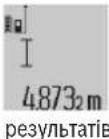
To switch on the laser and perform the measurement, briefly press the measurement button (2).
The measured value is displayed in the line (c).
If you perform several consecutive measurements, the results of the last measurements are shown in the lines of measured values (a).
To perform measurements, press the button (12) until the display shows the measurement indicator.
Place the device on the surface to be measured and press it down. During the pause between measurements, the device turns off automatically.
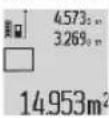
After the second measurement, the device automatically calculates and displays the average of the measured values (c). The individual values are shown in the measurement value row (a).
Volume measurement
Press the mode button (4) until the display shows the volume measurement indicator.
Make sure that the measuring instrument is at the same height as the measurement point you have set. Then tilt the measuring instrument relative to the base surface and press the trigger "1", which is used for length measurement.
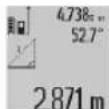
After the last measurement, the result of the last trigger is displayed in the results row (c). The measured values of trigger 1 and angle are displayed in the measurement value rows
(a).
Area measurement (m², ft²)
Area measurement allows you to determine the total area of several individual surfaces that have the same height.
In the example shown, you need to obtain the total area of several walls with the same height A, but different widths B.
For area measurement, press the mode button (4) until the display shows the area measurement indicator.
Measure the height of the room, which is used for length measurement. The measured value (cst) appears in the upper measurement value row (a). The value is stored automatically.
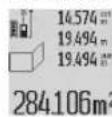
Now measure the width of the first wall. The area is calculated automatically and displayed in the results row (c). The last measured value is displayed in the middle measurement value row (a).
The device turns on with a key press.
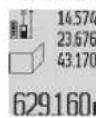
Now measure the height in the other way. The value indicated on the main display (a) is added to the height and B1. The sum of the heights (empty sum) is selected in the lower row.
The measured value(s) are multiplied by the stored constant. The value of the base row is selected by the result (c).
You can measure any number of heights, which are automatically added and multiplied by the constant.
For correct measurement, it is necessary that the first height (in the example - the height of the room A) is identical to all other heights.
Measuring angles (see Fig. G)
To measure an angle, press the angle measurement button (3). On the display, the angle measurement indicator appears. The base surface is the bottom edge of the measuring instrument. If you press the angle measurement button (3) again, the base surface switches to the side surfaces of the measuring instrument and is displayed on the display rotated by 90°. Press the measurement button (2) to record the measured value and store it in the memory of measured values. When you press the measurement button (2) again, the measurement is repeated.
If the measurement indicator flashes, it means the measuring instrument is tilted too much.
If you have activated the width function in the basic settings, the angle values will also be displayed in the additional functions of the measurement in the row (d) of the display.
Timer functions
The timer function is used, for example, when you need to delay the measurement of the measuring instrument during measurement.
To activate the timer function, press and hold button (6) until the indicator in the row of measured values (a) shows a countdown to the measurement. Press button (11) or button (minus) (5) to set the countdown time in the range from 1 to 60 seconds.
The measurement is performed automatically after the set countdown time has elapsed.
The timer function can also be used for measurements in other measurement modes (e.g., for area measurement). Adding and removing measurement results is not possible, and working in continuous mode is also not possible.
List of last measured values
The measuring instrument stores in memory the last 20 measured values and their calculations and displays them in reverse order (the last measured value first).
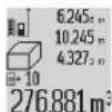
To recall the stored measured values, press the button (7). The result of the last measurement appears on the display, along with the number of stored values (e), as well as the counter
of the measurement number, which is displayed on the display.
When the button (7) is pressed again, the measured values are not stored; the measuring instrument returns to the last measurement mode. To clear the list of measured values, press one of the measurement mode buttons.
To store the current measured value in the constant memory, which is displayed on the display, press and hold the list of measured values (7) until «CST» appears on the display. The entry in the list of measured values cannot be stored in the constant memory later.
To use a measured value in one of the measurement modes (e.g., area measurement), press the list of measured values (7), select the required entry and confirm by pressing the result button (6).
Deleting measured values
With a short press on the button (8), you can delete the last measured value in all measurement modes. With each short press on the button, individual measured values are deleted in reverse order.
To delete an entry in the list of measured values, which is currently displayed, briefly press the button (8). To delete the entire list of measured values and the constant (CST), press and hold the list of measured values (7) and simultaneously briefly press the button (8). In the area measurement mode, the first short press on the button (8) deletes the last measured value, the second press deletes the width, and the third press deletes the height.
Adding measured values
To add measured values, perform the first measurement operation or select an entry from the list of measured values. Then press the button (11). The confirmation appears as «**». Then perform the second measurement operation or select another entry from the list of measured values.
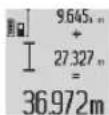
To confirm the addition of both measurement operations, press the result button (6). The calculation appears in the measured values row (a), and the sum appears in the result row (c).
To add more values to the result, you can add new measured values or values from the list of measured values, by pressing the button (11) again before each measurement. To finish adding, press the result button (6).
Notes on adding:
- The values of height, width, and volume cannot be changed when adding. For example, if you try to add the height and width values, when pressing the result button (6) the display briefly shows «ERROR». After that, the measuring instrument returns to the previous measurement mode. - Only one measured value can be added at a time (e.g., volume value), and during a long measurement, the measured value is displayed in the result row (c). Adding individual measured values from the measured values row (a) is not possible.
BIDHimaHHB HmipHHX 3HaueHb
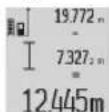
To measure measured values, press the “Minus” button (5); to confirm on the display, “-” appears. For more details, see the “Adding measured values” section.
Operating instructions
General instructions
The laser aperture (17) and the exit of the measuring beam (16) must be kept open during measurements.
After measurement, do not move the measuring tool (e.g., a screwdriver, a spirit level, or a protractor). Therefore, if possible, place the measuring tool on a stable surface.
Factors influencing the measuring range
The measuring range depends on the lighting and the reflective properties of the target surface. To work outdoors or in strong sunlight, it is better to use the laser target plate (28) (accessory) and the target plate (29) (accessory) or shade the target surface.
Factors influencing the measurement result
Due to physical effects, it is not possible to compare measurement results from measurements on different surfaces. These include:
- transparent surfaces (e.g., glass, water),
- surfaces that reflect (e.g., polished metal, glass),
porous surfaces (e.g., insulating materials),
structured surfaces (e.g., structured plaster, natural stone).
Use the target plate (29) (accessory) on such surfaces if necessary. Additionally, the measurement results may be influenced by layers of paint with different temperatures or by indirect reflection.
Checking the accuracy of the angle gauge calibration (see Fig. H)
Regularly check the accuracy of the angle gauge. This is done by placing the gauge on a flat surface and measuring the angle. Rotate the gauge 180° and measure the angle again. The difference between the two readings should not exceed 0.3°.
If large deviations are found, the gauge must be recalibrated. Hold the angle gauge button (3) and follow the instructions below.
Checking the accuracy of the gauge
The accuracy of the gauge can be checked as follows:
- Select a flat surface, e.g., a tabletop or a glass plate. The surface must be clean and free of any debris.
Working with the protractor (accessory)
The protractor is especially necessary for work at large distances. Place the gauge on the protractor (19) on the thread (27) or on the standard protractor. Tighten the screw to secure it on the protractor.
Set the desired base angle using the gauge by pressing the button (10) (base angle: thread).
Working with the gauge ruler (see Fig. I-K)
To obtain accurate results when measuring angles, you can use the gauge ruler (25). With the help of the gauge ruler, you can measure angles at a distance.
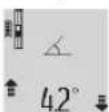
Place the gauge as shown in the figure, on the gauge ruler (25) and secure the gauge with the locking screw (26). Press the angle button (2).
To use the ruler, press the button (2).
Regularly check the accuracy of the angle gauge by measuring in both directions or with the help of the rulers that are on the gauge ruler.
If large deviations are found, the gauge must be recalibrated. Hold the angle gauge button (3) and follow the instructions below.
To use the grounding device, turn on the grounding tool and remove the grounding rod.
Faults - causes and remedies
Cause of fault
The indicator is out of the temperature range (j), grounding is impossible
Indicator EERRR
Disposal of the battery pack allows you to avoid harm to the environment. The cover of the housing can be removed for disposal of the tool.
To remove the battery pack from the power tool, use the power tool until the battery pack is completely discharged. Then turn the battery pack on the housing and remove the housing cover to remove the battery pack. To avoid short circuit, disconnect all battery terminals and insulate them. Then
After full discharge, the battery pack does not contain any residual capacity, which can be caused by a short circuit.
Kazakh
Eurasian Economic Union (EAEU) member states have established requirements for this product. The product is marked with the EAC mark. The product meets the requirements of the Technical Regulation of the EAEU and is marked with the EAC mark. The product is marked with the EAC mark on the housing and in the documentation.
The product meets the requirements of the Technical Regulation of the EAEU. The product is marked with the EAC mark. The product is marked with the EAC mark on the housing and in the documentation.
Product marking
The marking is applied to the product. The product is marked with the EAC mark (applied at the time of production) and the product is marked with the EAC mark on the housing and in the documentation.
The marking is applied to the product. The product is marked with the EAC mark on the housing and in the documentation.
The product is marked with the EAC mark on the housing and in the documentation. The product is marked with the EAC mark on the housing and in the documentation.
Service life and maintenance
The instructions for use must be followed.
Storage
The device must be stored at an ambient temperature and humidity that prevent damage. It must be protected from sudden temperature changes. If the device is stored in a damp or dusty place, it must be kept in its protective packaging. For storage conditions, refer to GOST 15150 (Part 1).
Transportation
During transportation, the device must be protected from mechanical damage and exposure to precipitation.
206|Kazakh
It is not allowed to drop or subject the device to sharp impacts during loading and unloading. For transportation conditions, refer to GOST 15150 (Part 5).
Safety instructions


All instructions must be followed to ensure safe and reliable operation of the device.
Failure to follow these instructions may result in unsafe conditions. The device must not be used if any safety measures are compromised. If the device is damaged, it must not be used. Follow these instructions and do not transfer the device to third parties without them.
If the device is used for purposes other than those specified in the operating manual, or if it is used with accessories not recommended by the manufacturer, the device may be damaged.
The device must be operated in accordance with the operating manual (see the graphic on the cover, Figure 20).

IEC 60825-1:2014 <1 mW, 635 nm
Laser Radiation Do not stare into beam Class 2 laser product

Do not stare into the beam. Avoid direct eye exposure. If the beam hits your eyes, immediately close your eyes and turn your head away.

Laser radiation can be harmful to eyes and skin. Do not look directly into the laser beam or at its reflection. If your eyes are exposed,
avoid prolonged exposure. Do not allow the beam to enter your eyes.
If the laser beam hits your eyes, close your eyes immediately and turn your head away. Do not look into the laser beam. The laser
should be used only by qualified personnel who are trained in laser safety.
Do not point the laser beam at people or animals. The laser beam should be used only in well-ventilated areas. Use only with the provided power supply. Do not open the laser housing. Children should not use the laser without supervision. They may accidentally expose their eyes. Do not use the laser in areas with flammable liquids, gases, or dust. Do not disassemble the laser, modify it, or repair it yourself.

Store the laser in a cool, dry place, away from direct sunlight, heat, moisture, and dust.
There is a risk of electric shock. Use the laser only with the supplied micro USB cable.
Safety instructions for charging the battery
The charger is intended for indoor use only. Do not expose it to rain or moisture. Use only the provided power adapter and cables. Improper use may cause electric shock or fire. Keep the charger away from children. Do not allow children to use the charger without supervision.
Do not use the charger if it is damaged. Do not expose it to water.

If the charger is damaged or
if it gets wet, do not use it. If water enters the charger, it may increase the risk of electric shock.
Do not use the device with a damaged power cord. Replace the power cord. Place the device on a stable surface. If the power cord is damaged, do not use it. Do not repair the power cord yourself; only have it replaced by qualified personnel. Do not use the device if the power cord or plug is damaged. Do not place the power cord near heat sources. Do not use the device in explosive atmospheres. If the device is damaged or malfunctions, contact a medical professional. Do not attempt to repair the device yourself.
Power and electrical safety
Intended use
The device is intended for measuring, testing, and counting electrical quantities such as voltage, current, resistance, and capacitance.
The device is intended for use in indoor and dry environments.
Safety instructions
The safety instructions in this manual are important and should be followed carefully.
(1) Display. (2) Function switch. (3) V/Ω terminal. (4) Function selection / range switch. (5) Minus terminal. (6) Hz / Duty cycle terminal. (7) Measurement terminals / input terminals (A). (8) mA / μA terminal. (9) COM terminal.
(10) Main power switch.
(11) Fuse.
(12) Voltage, current, and resistance measurement terminal.
(13) Power cord connector.
(14) Micro USB port.
(15) Battery compartment.
(16) Fuse holder.
(17) Control button
(18) Power cord
(19) 1/4 inch drill bit
(21) Spare brushes
(22) Micro USB cable
(23) Charging indicator
(24) Carrying case
"Negative terminal" mark
To connect the negative terminal, press the negative terminal button (4).
Press the negative terminal button (4) to identify the terminals for connection.
Press the minus button (5) or the plus button (11) to select the terminal to connect. Use the "negative terminal" mark for identification.
Press (2).
Negative terminal
Output signal test

Remove

Wipe

Wipe the pipe with a dry cloth
Sanitary material

Wipe
Dispenser

Wipe
Wipe the surface without pressure

Wipe
First start-up (for export of large units)
M, F, T, P, N, M, ...
Wipe with a damp cloth (c)
Shown.
When performing narrow work, the final work is shown in the course of work (a).
AydanaDbie onwey
The device is designed for 12 months of continuous operation without maintenance.
This manual contains all the necessary information for the safe and correct use of the device. The device must be used only for its intended purpose.
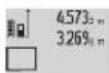
The second device is designed for operation in cold climates, with automatic temperature control, including (c) Christine. All devices are manufactured in accordance with the specifications.
(a) Devices.
The last device
The last device is designed for 12 months of continuous operation without maintenance.
This manual contains all the necessary information for the safe and correct use of the device. The device must be used only for its intended purpose.
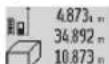
The third device is designed for operation in cold climates, with automatic temperature control, including (c) Christine. All devices are manufactured in accordance with the specifications (a) Devices.
If the pressure exceeds 999 999 M³, the display will show "ERROR". If the device is used beyond its specified limits, it may be damaged, so please follow the instructions.
Close device / Minimum / Maximum device (in the control panel)
When the device is closed, the keypad will be locked. If the device is not used for more than 0.5 seconds, it will automatically lock. For example, if the device is left idle, it will lock after a short time.
To close the device, press and hold the function button for 4 seconds. The device will close. To start the device, press the button for 2 seconds.
The minimum temperature is set to prevent the device from freezing. This means that the device will not operate below this temperature.
21|Kazakh
The maximum temperature is set to prevent the device from overheating. This means that the device will not operate above this temperature.
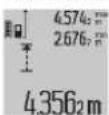
The opening of the valve is controlled by the maximum and minimum pressure settings. The maximum pressure setting ("Max") and minimum pressure setting ("Min") determine the valve's operating range.
If the minimum pressure setting is not lower than the maximum pressure setting, the valve will not operate correctly.
To set the valve, turn the adjusting screw (8) counterclockwise to decrease the minimum pressure setting, or clockwise to increase it. Turn the adjusting screw (2) counterclockwise to decrease the maximum pressure setting. After setting the valve, check the operation by turning the adjusting screw (2) clockwise. The valve should open and close automatically within 5 minutes. Then check the valve's operation again.
Valve opening
The valve opening function is used when the pressure in the system exceeds the set value or when the valve is opened manually for maintenance. The valve opening is controlled by the control signal. The valve opening process is gradual. The valve opening speed can be adjusted.
The valve opening function is controlled by the valve opening controller.
a) Valve opening (see Figure C)
The function is activated by pressing the button (4) on the valve opening indicator. The valve opening indicator light will turn on. After the valve is fully open, the valve opening indicator (1) will turn off.
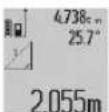
After the valve is opened, the "X" indicator will turn on. The "1" and "d" buttons are used to adjust the valve opening speed.
b) Valve closing (see Figure D)
The function is activated by pressing the button (4) on the valve closing indicator. The valve closing indicator light will turn on.
The "1" and "2" buttons are used to adjust the valve closing speed.
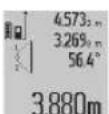
After the valve is closed, the "X" indicator will turn on. The "1", "2" buttons and the "a" button are used to adjust the valve closing speed.
The valve closing speed.
If the valve does not operate correctly, check the valve's operation in all modes and at all positions.
c) To set the language (see figure)
The functions of the device (4) are described in the language selection indicator before use. The control lever is set to the required operating mode. After setting the control lever to the required position, press the "1" key to select the language.
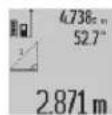
After this action, the "X" key is used to navigate through the menu items (see figure). The "1" key and the "a" button are used to adjust the settings (see figure a).
Setting the date (see figure)
Setting the date is necessary for the correct operation of the device. According to the instructions, the date must be set before first use, otherwise the device may not function correctly.
To set the date, use the device functions (4) as described in the date setting indicator before use.
First, turn on the device. Press the "cst" key to enter the setting mode (see figure a). Then select the date option.
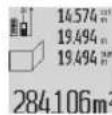
After that, press the B key to confirm. The device will automatically detect the date, see the instructions (c). Then press the "1" key to select the setting mode (see figure a).
Use the arrow keys to navigate.
Then press the B2 key to confirm. Press the "a" button to select the setting mode (see figure a) and press the B1 key to confirm. The two settings (sum" and "time") are now set.
Press the "a" button (see figure a) to save the settings. Then press the "c" key to exit the menu.
After the settings are saved, the device will automatically return to the main menu.
The date setting is important for the correct operation of the device. It is recommended to set the date before first use.
Setting the time (see figure)
Press the time setting function (3) as described in the time setting indicator. The control lever is set to the required position. Press the time setting function (3) to enter the time setting mode. The first digit will be displayed, and the second digit will be displayed after 90 degrees rotation.
On the timer (2) button, press the timer mode button to select the timer mode. The timer (2) button is used to adjust the timer settings. During the process, if the indicator lights up, the timer is activated and will count down.
If the "Sanyo Water" function is not used, the timer (1) (d) can be used for other functions as well.
Timer functions
The timer function, when set, will automatically turn off the appliance after the set time has elapsed.
The timer function (6) is set using the timer buttons 1 and 2.
To set the timer, first press the timer button (a) and then use the up/down buttons to adjust the time. The time can be set from 1 to 60 minutes.
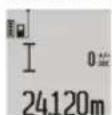
The timer can be set while the appliance is in operation.
The timer function can be canceled by pressing the timer button again.
When the timer is set (with the timer button), the appliance will turn off automatically. The timer can be canceled at any time by pressing the timer button.
The timer will sound when the set time has elapsed.
When the timer ends, the appliance will beep 20 times and then turn off automatically (the timer function is complete).
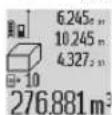
To set the timer, press the timer button (7). The timer will start counting down, and the remaining time will be displayed on the indicator (e) and the timer indicator.
The timer will start.
When the timer (7) is pressed again, the timer will be canceled. The timer function will turn off, and the timer display will return to the previous setting.
If the timer is not set, the appliance will operate continuously. To set the timer, press the timer button (7) and then set the desired time using the timer buttons. The timer will start counting down and the appliance will turn off automatically when the time has elapsed.
The device is designed to be used with the device's own power supply, and the device's power supply is connected to the device's power supply. The device's power supply is connected to the device's power supply.
Device power supply
(8) The device's power supply is connected to the device's power supply. The device's power supply is connected to the device's power supply.
The device's power supply is connected to the device's power supply. The device's power supply is connected to the device's power supply.
The device's power supply is connected to the device's power supply. The device's power supply is connected to the device's power supply.
Device power supply
The device's power supply is connected to the device's power supply. The device's power supply is connected to the device's power supply.
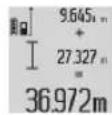
The device's power supply is connected to the device's power supply. The device's power supply is connected to the device's power supply.
The device's power supply is connected to the device's power supply. The device's power supply is connected to the device's power supply.
The device's power supply is connected to the device's power supply.
The device's power supply is connected to the device's power supply. The device's power supply is connected to the device's power supply.
The device's power supply is connected to the device's power supply. The device's power supply is connected to the device's power supply.
Device power supply
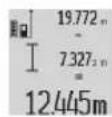
The device's power supply is connected to the device's power supply. The device's power supply is connected to the device's power supply.
The device's power supply is connected to the device's power supply.
The laser safety class (17) of the laser device (16) is indicated in the table below.
Before using the device, read all safety instructions (including the instructions for all functions of the device). Failure to follow the instructions may result in injury or damage.
214|Kazakh
Device operating range
The device's operating range depends on the minimum and maximum values of the set parameters. The table below shows the typical values for the laser device's parameters (28) (required) and the laser recording speed (29) (required) for the set parameters.
Installing the device (see figure)
Install the device in the correct position. This action can be performed by the device's bracket. To do this, place the device on the bracket and install it. Rotate the device 180° and install it again. The indicated angle should be approximately 0.3°.
When installing the device, it is necessary to ensure that it is level. To do this, use the level (3) on the device. Adjust the leveling screws.
Checking the device's operation
Check the device's operation as follows:
- Set the laser to a low power, set the speed to a low value, and set the distance between 1 and 10 m. The laser power should be higher than the minimum, and the maximum power should be set to the required value.
- The laser should be turned on for 10 minutes. The temperature should be stable and within ±2 mm. To ensure accurate operation, take the device's measurements.
Turning on the device (required)
The device must be turned on with the power switch. Place the device's power cord (19) into the power socket (27) or the standard power socket. Turn the power switch to the ON position.
The main body (10) is intended for the main text (before the main body).
For the washing mode, see figures I-K
The washing (25) can be started before the washing program is selected. Washing is possible without the washing mode.
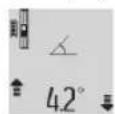
For this mode, the washing temperature (25) is set, the washing mode is selected with the selector (26). "For the washing mode, see the table (2)"
without.
Before starting the washing program, the materials to be washed must be placed in the washing machine.
For heavily soiled laundry, a pre-wash is required. For this, the washing program (3) must be set. Follow the instructions in the display.
"Washing mode" To activate the washing mode, set the selector and pull it out of the washing mode.
Detergent and additives
Additives
Temperature selector (j) is not a washing mode
The temperature of the washing water must be between +10°C and +50°C. The temperature is set with the temperature selector (see the washing function at +40°C).
Display "ERROR" indicators
The washing programs are only for washing, not for washing and drying, or for drying only.
Laser sensor and laser sensor between the laser sensor and the laser sensor. The laser sensor is between the laser sensor and the laser sensor.
The device is designed to be used with a laser (pointer, etc.) (29) (Kerek-Jar) and also with a laser (pointer, adapter).
Laser safety class (16) or class 1 (16) or class 1M (17) or class 2 (17) or class 3R (laser, temperature-controlled and fiber-coupled output).
If the total power is 999 999 mW, the additional power density is M^2 / M^3. For each device,
Self-test
The display shows "P" 60" or "- 60" indicator.
The measurement range and measurement function are set by the user.
The measurement is performed in the selected unit.
Display "CAL" and "ERROR" indicators
The measurement range and measurement function are set via the menu or via the buttons.
The calibration is performed by the user or by the factory and is stored in the device.
For calibration, the user must use a reference standard or a calibrated source. The measurement procedure is described in the manual.
Calibration should be performed by the user or by the manufacturer, and if necessary, the user should contact the manufacturer.
Battery charge indicators (g), temperature sensor (j), and the "ERROR" indicator
The measurement procedure temperature is within the operating temperature range.
The operating temperature range is within the specified limits.
Battery charge indicators (g) and "ERROR" indicators
Battery charge indicator
The user manual describes the device and the micro USB cable. If the device is damaged, the battery should be replaced and the device should be disposed of at a designated collection point.
Battery charge indicators (g) and (f)
The charging time may be longer if the battery is not fully discharged.
Only use the micro USB cable provided.
No user serviceable parts
Do not expose to liquids (e.g., water, oil).
Do not expose to liquids
Self-explanatory
Press the laser button (16) or the trigger (17).
Release the laser button (16) or the trigger (17).
Do not look directly into the laser beam
Do not point the laser at people or animals
The laser pointer is only intended for pointing at objects, not for any other purpose.
Attention: Read the operating instructions before using the device for the first time.
Safety instructions
Wear ear protection (2) and eye protection (8) at all times when starting and operating the device.
Always guide the device with both hands. If you lose control, the device may cause serious injury.
If the device is not working properly, contact the service center for repair.
Technical data and service
Service and maintenance
Only use the device with the specified voltage, otherwise it may be damaged.
Install the device on a stable surface.
Do not immerse the device in water or other liquids.
Keep the device away from rain and moisture. Do not expose it to extreme temperatures.
Connect the device to a power source (17) with the correct voltage and frequency.
If the device needs repair, contact the service center (24).
Service and maintenance instructions
The service center provides qualified and professional technical service, as well as information about accessories and spare parts. For more information about accessories and spare parts, visit: www.bosch-pt.com
Bosch recommends that you carefully read the instructions for use and safety information before using the device.
Questions and answers regarding the use of the device can be found in the FAQ section of the manual.
216 Romana
To ensure compliance with safety standards and to maintain the device in proper working order, all repairs and maintenance must be carried out exclusively by "Robert Bosch" authorized service centers or by qualified personnel. Unauthorized modifications or repairs may lead to hazards and void the warranty. Unauthorized use of the device is prohibited and may result in legal consequences.
Kazakhstan
Contact address for service and support:
"Robert Bosch" LLC
Almaty.
Republic of Kazakhstan
050012
Muratbaev St., 180
"Teremets" 60, office 7
Tel.: +7 (727) 331 31 00
Fax: +7 (727) 233 07 87
E-Mail: ptka@bosch.com
For the Republic of Kazakhstan, you can find the service points and delivery points for the tool and accessories at: www.bosch-professional.kz. You can also buy them from the store where you purchased the tool.
Disposal
Power tools, accessories and packaging should be sorted for environmentally friendly recycling. Only dispose of batteries/chargers at collection points for old batteries.
Only for EU countries: Do not dispose of power tools with household waste. According to the European Directive 2012/19/EU on waste electrical and electronic equipment and its implementation in national law, power tools that are no longer usable must be collected separately and disposed of in an environmentally correct manner.
Batteries/chargers:

Batteries/chargers must be removed from the power tool before disposal. Do not dispose of batteries/chargers with household waste. They must be disposed of at a collection point for old batteries.

Do not dispose of batteries/chargers with household waste. They must be disposed of at a collection point for old batteries.
Only for EU countries:
According to the European Directive 2012/19/EU, power tools that are no longer usable must be collected separately and disposed of in an environmentally correct manner. According to the European Directive 2006/66/EC, defective or used batteries/chargers must be collected separately and disposed of in an environmentally correct manner.
Batteries/chargers:
Disposal:
Please observe the notes in the operating instructions (see "Disposal", page 216) for the disposal of the device.
Batteries/chargers must be removed from the power tool before disposal. If the battery is defective, it can be removed from the housing. Before removing the battery, make sure that the power tool is switched off and the battery is removed.
To remove the battery from the power tool, press the battery release button and pull the battery out. Do not use force. If the battery is defective, contact a qualified person. Do not open the battery. Risk of short circuit.
Romanian
Safety instructions


Power tool service
Strada Horia Macelariu Nr. 30-34, sector 1
013937 Bucharest
Safety instructions


To work with the measuring tool safely and reliably, you must read and follow all instructions. If the measuring tool is not used in accordance with these instructions, the protective mechanisms in it may be damaged. Never leave the warning labels on the measuring tool unread. Keep these instructions carefully and pass them on together with the measuring tool.
Caution – if other equipment is used for adjustment or calibration, or if other procedures are carried out, this may lead to dangerous radiation exposure.
The measuring tool is supplied with a warning label (marked with number (20) in the illustration of the measuring tool on the front page).
The measuring instrument is supplied with a warning label (marked with No. (20) in the illustration of the measuring instrument on the cover page).

Laser Radiation Do not stare into beam Class 2 laser product

If the text on the warning label is not in your language, stick the provided label in your language over it before first use.

Do not point the laser beam at people or animals and do not look directly into the laser beam or its reflection. This can

blind people, cause accidents, or damage their eyes.
If the laser beam hits your eyes, close your eyes and turn your head away from the laser beam as quickly as possible. Do not make any changes to the laser equipment. Do not use the laser goggles as protective goggles. The laser goggles are for better detection of the laser beam; they do not protect against laser radiation. Do not use the laser goggles as sunglasses or while driving. The laser goggles do not provide
To fill the cells in the laser, close the possible and quickly open the laser head. Do not make changes to the laser equipment. Do not use the laser cells as protective cells. The laser cells serve for good recognition of the laser head; they are not intended for laser operation. Do not use the laser cells as safety cells or for protection. The laser cells are not intended for...
Read the safety instructions before use.
Allow the measuring device to be repaired only by qualified personnel using original spare parts. This guarantees the safety of the measuring device. Do not leave the measuring device unattended while it is operating. They may unintentionally cause hazards. Do not work with the measuring device in environments with increased risk of explosion, where there are flammable liquids, gases, or dusts. In the measuring device, sparks may occur that could ignite dust or vapors.

Protect the measuring tool from high temperatures, e.g., from prolonged exposure to sunlight.
Strong lighting, such as from welding equipment, may cause errors. There is a risk of explosion.
Do not operate the measuring device when the micro USB cables are connected.
Safety instructions for working with the charging device
This charging device is not intended for use by persons (including children) with reduced physical, sensory, or mental capabilities, or lack of experience and knowledge, unless they have been given supervision or instruction concerning use of the appliance by a person responsible for their safety. Children should be supervised to ensure that they do not play with the charging device.
Always supervise children when they are near the charging device. This prevents the risk of injury.

Protect the charging device from moisture.
Immersion. Penetration of water into the power tool increases the risk of electric shock.
Do not operate the measuring device with the charging device connected. There is a risk of electric shock due to short circuit. Before use, check the charging device, cable, and plug. If you detect damage, do not use the charging device. Do not attempt to open the charging device yourself; have repairs carried out only by qualified personnel using original spare parts. Damaged charging devices, cables, and plugs increase the risk of electric shock. Do not leave the charging device operating on a flammable surface (e.g., paper, cloth, etc.) or in a flammable environment. The charging device heats up during operation. There is a risk of fire. If the battery is damaged or improperly used, vapors may be emitted. Ventilate the room and, if you feel unwell, seek medical attention. Vapors may irritate the respiratory tract.
Product description and specifications
Intended use of the power tool
The measuring device is intended for measuring distances, lengths, heights, and inclinations for calculating areas and volumes.
The measuring device is suitable for indoor and outdoor use.
Image elements
The numbers on the elements refer to the images of the measuring instrument on the following page.
(1) Display (2) Button for backlight / not for measuring (3) Button for measuring slope / calibration (4) Button for function / basic settings (5) Minus button (6) Button for result / unit of measure
(7) Button for list of measured values / saving constants (8) Button for memory reset / start button (9) Optical sight (10) Button for selecting reference plane (11) Button for subtraction (12) Button for measuring area, volume (13) Cap for laser aperture (14) Micro USB port (15) Carrying strap (16) Laser aperture (17) Warning label (18) Serial number (19) 1/4" thread (20) Warning label for laser (21) Contact pins (22) Micro USB cable (23) Charging device (24) Power button (25) Measuring instrument (26) End piece for measuring (27) Stand (28) Laser lens
(29) Laser warning label
A) Press the button to switch between the different functions. B) The illustrated and described accessories are not included in the standard delivery.
Display elements
(a) Reference for measured values (b) Error indicator "ERROR" (c) Result display (d) Digital level / position of the list of measured values (e) Indicator for list of measured values (f) Measuring function
I Measuring distance, direct measuring, measuring area, indirect measuring, measuring height, indirect measuring of height, measuring length + function, measuring slope
(g) Battery indicator (h) Laser on (i) Reference plane for measuring (j) Warning symbol for temperature
Technical data
To switch on the measuring instrument, you have the following options:
- Press the start button (8): The measuring instrument switches on and is in distance measuring mode. The laser is not activated. - Press the measuring button (2): The measuring instrument and the laser switch on. The measuring instrument is in distance measuring mode. When the measuring instrument is placed on the measuring surface (25), the slope measuring function is activated. Do not point the laser beam at people or animals; do not stare into the laser beam, even from a distance.
To switch off the measuring instrument, press and hold the start button (8).
If no button is pressed for approx. 5 minutes, the measuring instrument switches off automatically to save the battery.
During operation, the "Measurement" function was not used for approx. 5 min., with the exception of the interruption of the batteries/accumulator batteries, the measuring device switches off automatically.
The automatic switch-off is delayed for every recorded value.
Measurement
Switch on by pressing the measurement button (2). The measuring tool switches to the measurement mode for length, respectively inclination measurement, depending on the position of the measuring tool. Other measurement functions can be set by pressing the corresponding function button (see "Measurement functions", page 233).
Switch on for the reference plane is automatically set to the rear edge of the measuring tool. By pressing the reference plane button (10) you can change the reference plane (see "Setting the reference plane" (see fig. A), page 232).
The reference plane is preset to the rear edge of the measuring tool. The measuring point is the rear edge of the measuring tool (e.g. wall). To switch on the laser, press the measurement button (2).
Do not point the laser beam at people or animals; do not stare into the laser beam, even from a distance.
Aim the laser beam at the measuring surface. To start the measurement, press the measurement button (2) again.
The continuous measurement function starts as soon as the measurement button (2) is pressed. In the continuous measurement function, the measurement process is started again with each activation.
Normally, the measured value is displayed after 0.5 s, but not later than 4 s. The duration depends on the distance, the light conditions, and the reflective properties of the target surface. The end of the measurement is indicated by a sound signal. After the measurement, the laser beam switches off automatically.
If no measurement is performed within approx. 20 s after the last measurement, the laser beam switches off automatically to save the batteries.
Selecting the reference plane (see fig. A)
For measurements, you can select between four different reference planes:
- rear edge of the measuring tool, resp. front edge of the measuring tool (9) (e.g. for placing on a wall), - front edge of the measuring tool (9) (e.g. for measuring from a wall), - rear edge of the measuring tool (e.g. for measuring from a table), - center of the thread (19) (e.g. for measuring with a tripod).
To select the reference plane, press the button (10) until the desired reference plane is displayed on the display. After switching on the measuring tool, the rear edge of the measuring tool is set as the reference plane.
Returning to previously performed measurements (e.g., of displayed values in a list with measurements) is not possible.
Menu "Basic settings"
To enter the "Basic settings" menu, press the button for basic settings (4).
Press the button for basic settings (4) briefly to select individual points from the menu.
Press the minus button (5) or the plus button (11) to select the setting you want from the menu.
To exit the "Basic settings" menu, press the measurement button (2).
Basic settings
Sound signals.


Off.
Display illumination on.


Off.
Digital level on.

Off.
End of display.

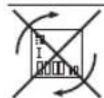
Off.
Continuous laser


N3KJ.
Units of measurement (depending on the setting for the respective country)
m, ft, inch,...
Unit for length (depending on the setting for the respective country)
°, %, mm/m, inch/ft
When the "Laser off" setting is activated, the basic settings remain unchanged.
Continuous laser
Do not point the laser beam at people or animals; do not stare into the laser beam, even from a distance.
The laser stays on in measurement mode and between measurements; for a measurement, only a brief press of the measurement button (2) is needed.
Measurement functions
Normal pressure measurement
For pressure measurement, press the button (12) several times until the pressure measurement indicator appears on the display.
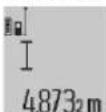
To turn on the laser for pressure measurement, briefly press the measurement button (2).
The measurement result is displayed in the result line.
The measurement results from the last measurements will show the values for the measured distance (a).
Area measurement
For area measurement, press the button (12) repeatedly until the indicator for area measurement appears on the display.
Then measure sequentially the width and length, as the laser beam is positioned between the measurement points.
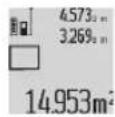
After the second measurement, the area is calculated automatically and the result is shown (c). The individual measured values are shown on the display as measured values (a).
Volume measurement
For volume measurement, press the button (12) repeatedly until the indicator for volume measurement appears on the display.
Then measure sequentially the width, length, and height, as the laser beam is positioned between the measurement points.
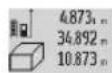
After the third measurement, the volume is calculated automatically and the result is shown (c). The individual measured values are shown on the display as measured values (a).
Values over 999,999 m³ cannot be displayed; the display shows "ERROR". Divide the volume measurement into parts that you can measure individually and then add them together.
Continuous measurement/Minimum/Maximum measurement (see fig. B)
Continuous measurement: The measuring tool can continuously measure, e.g., to move towards a target. The measured value is updated every 0.5 s. For example, you can move away from a wall until the desired distance is reached; the current distance is shown continuously.
For continuous measurement, press the button for the additional function (4) repeatedly until the indicator for continuous measurement appears on the display. Press the measurement button (2) to start continuous measurement.
Minimum measurement mode is used to determine the shortest distance from a fixed point to an object. It can be used, for example, to determine vertical or horizontal distances.
Maximum measurement mode is used to determine the longest distance from a fixed point to an object. It is useful, for example, for determining diagonals.
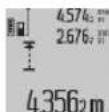
The measurement result (c) shows the current value from the measurement. In the measurement value display (a), the maximum ("max") and minimum ("min") values are shown.
The values are applied if the current measured value is smaller or larger than the corresponding previously stored minimum or maximum value.
By pressing the memory clear button (8), the stored minimum and maximum values are deleted.
By pressing the measurement button (2), continuous measurement is stopped. The last measured value is shown in the result display (c). Pressing the measurement button (2) again restarts continuous measurement.
Continuous measurement is automatically switched off after 5 minutes. The last measured value is shown in the result display (c).
Indirect distance measurement
Indirect measurement of height is used for measuring distances that cannot be measured directly, for example, when the path is obstructed or when the end point has a reflective surface. This measurement method can only be applied in the vertical direction. Any deviation from the horizontal direction will increase the error in the measurement.
Between the individual measurements, the laser is switched on.
The device has functions for indirect distance measurement that can be used in various situations.
a) Indirect height measurement (see Fig. C)
Press the function change button (4) repeatedly until the indicator for indirect height measurement appears on the display.
Ensure that the measuring device is positioned at the same height as the lower measuring point. Then aim the measuring device at the upper reference plane and measure the distance (1) according to the instructions of the measuring device.
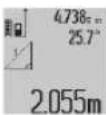
After the measurement, the result for the sought distance "X" is displayed in the result line (c). The measured values for distance "1" and angle "q" are displayed in the lines (a).
b) Double indirect height measurement (see Fig. D)
Press the function change button (4) repeatedly until the indicator for double indirect height measurement appears on the display.
Press the "1", "2", and "3" buttons in sequence, as shown in the measuring device.
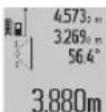
After applying the measurement result for the first distance "X", it is written on line (c). The values for sections "1", "2", and "3" are displayed on the display (a).
Be careful during all indirect measurements that the reference plane (e.g., for measuring the device) remains unchanged.
B) Indirect measurement of height (see Fig. E)
Press the button for switching the function (4) several times until the indicator for indirect height measurement appears.
Be careful that the measuring device is at the same height as the reference point for the measurement.
Then measure the device at the reference plane and measure the distance "1" along the floor, as shown in the measuring device.
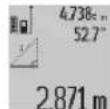
After applying the measurement result for the first distance "X", it is written on line (c). The values for distance "1" and angle "d" are written on the display (a).
Measurement of wall area (Fig. f)
The measurement of wall area is used to determine the total area, which is the sum of individually measured areas, with a common height.
In the shown example, the total area of a wall that has the same height as room A but different lengths must be determined.
For measuring wall area, press the button for switching the function (4) several times until the indicator for wall area measurement appears.
Measure the height of room A, as when measuring height. The measured value ("cst") is shown in the upper display with the values from the measurement (a). The device remains switched on.
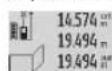
Then measure the width of the wall. The area is measured automatically and is displayed on the result line (c). The last measured width is shown in the intermediate result line (a). The device remains
switched on.
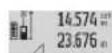
The device is placed against the second wall. The displayed value is the average value of the measurement (a). The value is the sum of the measurements against the wall. The sum of the two walls ("sum") is displayed on the
The result (a) is multiplied by the entered height A. This area is then added to the result (c).
You can measure the lengths of the upper and lower walls, which are automatically added and multiplied by the height A.
The prerequisite for the correct determination of the areas is that the entered wall height (see example height) is the same for all parts of the surface.
Measuring inclination (see fig. G)
Press the button for inclination measurement (3) on the display with the indication for inclination measurement. The rear side of the measuring device serves as the reference plane. By pressing the button for inclination measurement (3) again, the side surfaces of the measuring device are used as the reference plane and the display is rotated. The display shows the end of 90°
Press the measurement button (2) to save the measured value and take it into the value memory. By pressing the measurement button (2) again, the measurement continues.
If the display does not light up during the measurement, the measuring device was tilted too strongly to the side.
If the basic function "INITIAL VALUE" is active, the inclination value is also displayed in the other measurement functions (d) on the display (1).
Timer functions
The timer function helps when the movements of the measuring device are delayed during the measurement.
For the timer function, press the button (6) until the indication appears on the display.
The time interval for the activation of the measurement is displayed with the measurement value (a). The time interval can be set by pressing the plus button (11) or the minus button (5) between 1 s and 60 s.
24120m
After setting the interval, the measurement is carried out automatically. The timer function can be used for distance measurements within the framework of
The device is ready for measurement (measurement mode). The measurement results are collected, including the last continuous measurement if possible.
List of measurement values
The measuring device displays the last 20 measurements and calculates their average, showing them in reverse order (the most recent measurement first).
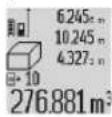
Press to delete the last measurement value (7). The display will not show the result of the last measurement, but the indicator for the list of measurement values (e) and the method of the meter for...
Deleting measurement values
By briefly pressing the button (8) during any measurement, you can delete the last measured value. By repeatedly pressing the button briefly, all measured values are deleted in reverse order.
To delete the currently displayed value from the list of measurement values, press the button briefly (8). To delete all values from the list of measurement values and the constant "CST", press and hold the button for the list of measurement values (7) and simultaneously press the button briefly (8).
The measurement function for floor area is activated by briefly pressing the button (8). The last measured value is deleted; on the second press, all values are deleted, and on the third press, the height of room A is deleted.
Collecting measurement values
To add measurement values, first perform a random measurement or select a value from the list of measurement values. Then press the plus button (11). The display shows "+" for confirmation. Then perform a second measurement or select another value from the list of measurement values.
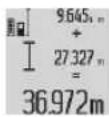
Press to calculate the sum of the two measurements with the result button (6). The calculation is shown in the field for measurement values (a), and the sum is in the result field (c).
In addition to the sum, you can also add other measurement values from the list of measurement values, if before the measurement you press the plus button (11). The collection is stopped by pressing the result button (6). Instructions for collection:
It is not possible to collect different units, e.g., area and volume. If, for example, you add a value for area and one for volume, when you press the result button (6) briefly, the display shows "ERROR". After that, the measuring device returns to the last used measurement function.
Adding the result of a single measurement (e.g., a measured value) to the displayed result (c) is possible. Adding a value from the list of measurement values (a) is not possible.
Displaying the measurement result
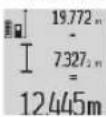
To add a value to the measured value, press the minus button (5), and the display will show "-" for confirmation. The operation is analogous to "Adding values from measurement".
Operating instructions
General instructions
During measurement, the device's probe (17) must not be covered by the protective cap (16).
During measurement, the measuring instrument must not be moved (except for positioning before measurement). Therefore, if possible, place the measuring instrument on a stable surface.
Factors affecting the measurement range
The measurement range depends on the lighting conditions and the reflective properties of the surface being measured. For better visibility of the laser beam when working outdoors in bright sunlight, use the special glasses (28) (not included in the delivery) or the reflective measuring plate (29) (not included in the delivery), or shade the surface being measured.
Factors affecting measurement accuracy
Based on usage during measurement, optical effects cannot be excluded when measuring on different surfaces. These include:
- Transparent surfaces (e.g., glass, water), reflective surfaces (e.g., polished metal objects, glass), porous surfaces (e.g., insulating materials).
- Surfaces with a rough structure (e.g., coarse plaster, natural stone).
If necessary, when measuring on such surfaces, use the reflective measuring plate (29) (not included in the delivery).
These effects can also occur when measuring on surfaces that are wet.
The accuracy of the measured value can also be affected by the presence of temperature gradients or thermal radiation.
Checking the accuracy and calibration of the inclination measurement (see fig. H)
Periodically check the accuracy of the inclination measurement. This is done by measuring with the device closed. For this, place the measuring device on a flat surface and measure the inclination. Close the measuring device at 180° and measure the inclination again. The difference between the measured values should be at most 0.3°.
If the inclination measurement is not accurate, the measuring device must be recalibrated. Press the button for measuring with inclination (3) and follow the instructions.
Press the button for measuring with inclination (3) and follow the instructions.
Checking the accuracy of the distance measurement
You can check the accuracy of the measuring device as described below:
- Take a known reference length between 1 and 10 m, for example a known length (e.g., width of a door, opening of a gate, etc.). The measured distance should be within the specified tolerance. The target surface for the measurement should be smooth and reflective. - Measure the reference length 10 times in succession.
The deviation of the individual measurements from the average value must not exceed ±2 mm. Record the measurement results in the protocol so that you can correct the accuracy at a later time.
Working with the tripod (accessory)
The use of the tripod is necessary especially when measuring large distances. Using the threaded hole (27), attach the device with a 1/4" thread to the quick-release plate of the tripod (19) or to standard tripods for cameras. Then secure it with the locking screw of the quick-release plate.
Place the appropriate target plate for measurement with the tripod by pressing the button (10) (target plate with reflector).
Working with the measuring rod (see Fig. I-K)
The measuring rod (25) can be used for more precise measurement of angles. Distance measurements are not possible with the measuring rod.
Place the measuring device as shown in the measuring rod (25) and lock it with the locking screw (26). Press the measurement button (2) to activate the "Measuring rod" mode.
Check the accuracy of the inclination measurement by measuring again with the level on the measuring rod.
If the inclination measurement is not accurate, the measuring device must be recalibrated. Press the button for measuring with inclination (3) and follow the instructions.
The measuring instrument "Measuring Line" is excluded from the measuring instruments subject to verification.
Faults - causes and remedies
Fault cause
The temperature symbol (j) is flashing, it is not possible to perform the measurement
The measuring instrument is exposed to a temperature exceeding the permissible temperature for the measuring instrument's operating range of
Fault cause
10°C to +50°C (in the case of the approved measurement mode, the operating range is 10 to 40°C).
The "ERROR" indicator on the display
The collection/aspiration hoses are not connected to the values of the same nominal size units of measurement
The distance between the laser and the surface of the object being measured is too large or too small. The surface
The surface is reflective or weakly reflective. Use the reflective target (e.g., plate (29) (additional mirror) or a solid attachment) weakly (e.g., paper plate)
The object is too small.
The laser beam exits the measuring instrument. Select the laser beam output (16) or the laser beam input (16) and the lens (17) are contaminated. Clean the lens (17) (e.g., with a soft cloth).
The calculated value is too large. Divide the calculated value of the total of 999 999 m/m²/ individual joints m³.
Indication ">60" or "<-60" on the display
Measuring range for inclination measurement for the frames of the specified units, incl. inclination range. The reference plane is the horizontal plane.
Indication "CAL" Indication "ERROR" on the display
Calibration of the measuring tool. The calibration of the inclination sensor is not absolutely necessary, but the specified value in the correct sequence after the display and the procedure described in the operating instructions. For operation.
The surfaces used for calibration are not horizontal, e.g. a vertical surface. Check the surfaces with a spirit level.
Press the button. Repeat the calibration if the measuring tool was previously tilted. Hold it still while pressing the button.
Battery charge indicator (g), temperature warning (j) and "ERROR" indication on the display
Temperature measurement. Wait until the temperature of the tool is within the permissible range for charging the battery.
Battery
Battery
Battery charge indicator (g) "ERROR" indicator on the display
The charging voltage for the battery is not correct
Ensure that the charging device is correctly connected to the contacts and that the micro USB cable is functional. If the symbol flashes, the battery is defective and must be replaced at an authorized Bosch service center for power tools.
Battery charge indicator (g) and symbol with clock (f) on the display
Charging time is significantly longer because the charging current is low.
Use only original Bosch micro USB cables.
The measurement result is not reliable.
The measured surface did not reflect the laser beam properly (e.g., water surface, glass).
Cover the sensor surface.
The laser outlet (16) is dirty. Clean it with a soft cloth.
Free the laser outlet (16) from dirt. Clean it with a soft cloth.
The correct measuring plane is selected.
Select the measuring plane suitable for the measurement.
Obstacle along the laser beam path.
The laser beam must hit the surface perpendicularly to the measurement.
The device is used outside its specified measuring range.
Software error. Restart the device.
Press the measurement button (2) and the button for deleting the last value (8) simultaneously to restart the software.
The measuring tool is checked for correct functioning before each measurement. If a defect is detected, the display shows the corresponding symbol. In such a case, contact the after-sales service.
If the measuring tool does not work properly after the above checks, have it repaired by an authorized Bosch after-sales service for power tools.
Repair and service.
Instructions for use
Store and use the device only in the included packaging.
Keep the measuring device clean.
Do not immerse the measuring device in water or other liquids.
Dispose of the packaging material in an environmentally friendly manner. Do not use cleaning agents or solvents.
Be careful with the laser (17) and follow the safety instructions for the laser.
If repair is necessary, send the measuring device to the service center (24).
Customer service and application consulting
The service department will answer your questions regarding repairs and maintenance of your product, as well as spare parts. You can find exploded views and information about spare parts at: www.bosch-pt.com
The Bosch consulting team will be happy to help you with any questions about our products and their accessories.
Please, when ordering spare parts, always quote the 10-digit catalog number printed on the type plate of the device.
Bulgaria
Robert Bosch SRL
Service sculelectric
Strada Horia Macelariu Nr. 30-34, sector 1
013937 Bucharest, Romania
Tel.: +359(0)700 13667 (Bosch Service Center)
Fax: +40 21 233 13 13
Email: BoschServiceCenterBG@ro.bosch.com
www.bosch-pt.com/bg/bg/
Transport
The rechargeable batteries included in the power tool package are covered by the requirements of the regulations for hazardous goods. The batteries can be transported by the user on public roads without further authorization.
When transporting by third parties (e.g., by air freight or courier service), the special requirements for packaging and labeling must be observed.
For the preparation of the shipment, consult the expert in the relevant field.
Disposal

With reference to the end of the service life, the measuring tools, chargers, batteries,
accessories and packaging must be sorted for recycling in accordance with the materials they contain.
Do not dispose of measuring tools, chargers and batteries in household waste!
Only for EU countries:
According to European Directive 2012/19/EU, measuring tools and chargers that can no longer be used, and according to European Directive 2006/66/EC, defective or exhausted batteries must be collected separately and handed in for recycling in accordance with the materials they contain.
Accumulator battery:
LITHIUM-ION:
For charging, refer to the section on charging (see "Charging", page 238).
The accumulator battery may only be removed by qualified technical personnel. When opening the housing of the measuring device, the device may be damaged.
To remove the accumulator battery from the measuring instrument, switch off the measuring instrument, provided the accumulator battery is fully discharged. Unscrew the housing screws and open it. To prevent short circuits, remove the battery terminals one by one, isolating each pole. When the battery is fully discharged, only a limited amount of residual charge remains, which is released during short circuits.
Macedonian
Safety instructions


All instructions must be read and observed in order to be able to
work safely and without danger with the device.
device. If the device is not used in accordance with the instructions, the function of the built-in protective mechanisms of the device may be impaired. Do not operate the device with damaged signs. Keep all instructions and pass them on to the next user of the device.
Caution - Use of other controls or adjustments or performance of procedures other than those specified herein may result in hazardous radiation exposure.
The device is used with a charging adapter (marked on the device label with number (20)).
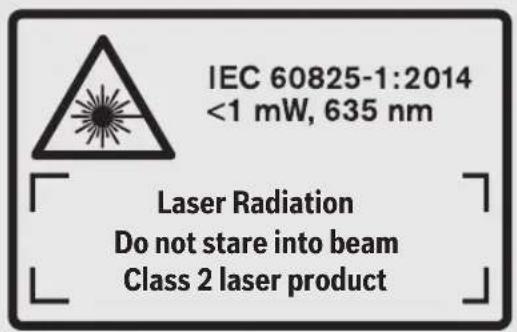
If the text of the instructions is not in your language, the instructions in your language must be attached before first use.

Do not point the laser beam at people or animals and do not look directly into the direct or reflected laser beam. This
can damage your eyes, cause burns, or start fires.
Before using the laser level, you must close and tighten the cover of the laser level. Do not make changes to the laser type. Do not use the laser glasses as safety glasses. The laser glasses serve for better recognition of the laser beam; however, they do not protect the laser eyes. Do not use the laser glasses as sunglasses or in traffic. The laser glasses do not provide UV protection and reduce the recognition of colors. The measuring device may only be adjusted by qualified personnel using original spare parts. Only this ensures the safety of the measuring device. Do not place the device to use the laser level without supervision. Without supervision, it can cause injury. Do not work with the measuring device in environments where there is a risk of explosion, where there are flammable liquids, gas, or dust. The measuring device creates sparks that can ignite dust or vapors.

Protect the measuring device from heat, e.g. from direct sunlight. Likewise, avoid exposure to dust, moisture, and humidity.
There is a risk of explosion.
Do not use the measuring device with a damaged Micro-USB cable.
Safety instructions for children
This device is not intended for use by persons (including children) with reduced physical, sensory, or mental capabilities, or lack of experience and knowledge, unless they have been given supervision or instruction concerning use of the device by a person responsible for their safety. Children should be supervised to ensure that they do not play with the device. There is a risk of improper use and injury. During use, cleaning, and maintenance, keep children away. Also ensure that children do not play with the device.
Keep the device away from moisture. The ingress of water into the electrical device increases the risk of electric shock.
Charge the measuring device with the supplied charger. Maintain the same type of charger. If it is damaged, there is a risk of electric shock. Before each use, check the charger, cable, and plug. Do not use the charger if it is damaged. Do not open the charger yourself and have it repaired only by qualified personnel using original spare parts. A damaged charger, cable, or plug increases the risk of electric shock. Do not use the charger on a wet floor (e.g. carpet, textiles, etc.) in a wet environment. There is a risk of fire hazard.
The device heats up during operation.
If the battery is damaged or not used properly, liquid may leak. Avoid contact with the liquid. If contact occurs, rinse with water. If liquid gets into the eyes, seek medical help. The liquid may cause skin irritation or burns.
Description of the product and performance
Intended use
The measuring device is intended for measuring distances, lengths, heights, distances, slopes, and for calculating areas and volumes.
Measuring tool for root and outdoor use.
Illustration of components
The numbering of the components corresponds to the illustration on the reference page.
(1) Display (2) Measuring button (3) Measuring button for length / calibration (4) Button for changing functions / basic settings (5) Battery compartment (6) Button for result / timer function (7) Button for storing measured values / saving constants (8) Button for memory / button for switching on-off (9) Laser warning label (10) Button for selecting reference level (11) Pulse button (12) Button for measuring length, area, volume (13) Tripod mount (14) Micro-USB connection (15) Strap for carrying (16) Laser outlet (17) Receiver lens
(18) Serial number (19) 1/4" thread (20) Warning label for laser class (21) Connection for charging (22) Micro-USB cable (23) Power (24) Protective cap (25) Measuring tool (B) (26) After-measuring of the measuring tool (27) Stand (28) Laser protective glasses (29) Laser target plate A) Attach the protective cap to the measuring tool for protection. B) The accessories shown are not part of the standard scope of delivery.
Display elements
(a) Buttons with measured value (b) Error indicator "ERROR" (c) Buttons with result (d) Display/indicator for the measured value (e) Indicator for the measured value (f) Measuring functions
I Measuring length Measuring area Measuring volume Continuous measuring Indirect measuring of height Indirect measuring of height Indirect measuring of length + Timer function Measuring area Measuring length
(g) Battery charge indicator (h) Laser on (i) Reference level for measuring (j) Adjustment for temperature
Technical data
Laser class for device GLM 80 GLM 80+R 60
| Бpoj на сden/артукln | 3601 K72 3.. 3601 K72 3.. |
| Мереше на pactоданes | | |
| Мерно поle (тлишино) 0,05-80 m | A) | 0,05-80 mA) |
| Мерно поle (тлишии, неюв Olны усlobи) 35 m | B) | 35 mB) |
| Точность по мерешенeto (тлишина) ±1,5 mm | A) | ±1,5 mmA) |
| Точность по мерешенeto (тлишии, неюв Olны усlobи) ±2,5 mm | B) | ±2,5 mmB) |
Laser measuring range for device GLM 80 GLM 80+R 60
Smallest display unit 0.1 mm 0.1 mm
Indirect measuring of distance
Measuring range -60° to +60° -60° to +60°
Replaceable battery
Charging the battery
Store the measuring device at the recommended temperature range (see "Technical data", page 240). Do not leave the measuring device in the car in summer.
The shortened operating time after charging indicates that the battery is worn out and must be replaced by the Bosch customer service.
Pay attention to the charging notes.
Operation
Starting operation
Protect the measuring device from direct sunlight and high temperature fluctuations. Do not expose it to extreme temperatures or temperature fluctuations. For example, do not leave it in the car for a long time. In case of large temperature fluctuations, let the measuring device acclimatize before putting it into use. In case of extreme temperatures or temperature fluctuations, the accuracy of the measuring device may be impaired. Avoid impacts and drops of the measuring device. After strong external influences on the measuring device, always check the accuracy before continuing work (see "Accuracy check and calibration of the measuring tools", page 247) and (see "Accuracy check of the distance measurement", page 247).
Always check the accuracy (see "Accuracy check and calibration of the measuring tools", page 247) and (see "Accuracy check of the distance measurement", page 247).
Switching on/off
Do not leave the switched-on measuring device unattended. Switch it off after use. Other persons may be blinded by the laser beam.
For switching on the measuring device, there are the following options:
- Press the On/Off button (8): The measuring device is switched on with the distance measurement function. The laser is switched on. - Press the measuring button (2): The measuring device is switched on. The measuring device is in the distance measurement function. When the measuring button (25) is pressed again, the distance measurement function is activated. Do not point the laser beam at persons or animals and do not look directly into it, even from a distance.
To switch off the measuring device, press the On/Off button (8).
If no button on the measuring device is pressed for 5 minutes, it switches off automatically to save the battery.
After switching on, the device will automatically turn off the battery protection after about 5 minutes. The automatic shutdown is delayed for a certain period of time.
Measurement process
Upon switching on, by pressing the measuring button (2), the device immediately enters the function for measuring lengths. The measurement is performed as long as the measuring button (2) is held in the measuring mode. The other measuring functions can be set by pressing the corresponding function button (see "Measuring functions", page 244).
As a reference level for measurement, upon switching on, the rear edge of the measuring device is selected. By pressing the reference level button (10), you can change the reference level (see "Selecting the reference level (see list A)", page 243).
Place the measuring device with the selected reference level on the desired measuring point (e.g., wall). To switch on the laser beam, briefly press the measuring button (2).
Do not point the laser beam at people or animals, and do not look directly into it, even from a distance.
Point the laser beam at the target surface. To activate the measurement, press the measuring button (2) again briefly.
With the laser beam continuously on, the measurement is triggered each time the measuring button (2) is pressed. With the continuous measurement function, the measurement is triggered when the function is activated.
Generally, the measured value is displayed within 0.5 s, and at the latest after 4 s. The measurement duration depends on the distance, lighting conditions, and reflective properties of the target surface. The end of the measurement will be indicated by a signal tone. After the measurement is completed, the laser beam automatically turns off. If no measurement is performed within 20 s after switching on, the laser beam automatically turns off to protect the batteries.
Selecting the reference level (see list A)
For measurement, you can select four different reference levels:
- Rear edge of the measuring device (e.g., when measuring from a wall), - Front edge of the device-tripod thread, opened to 90° (9) (e.g., when measuring from a corner), - Edge of the device-tripod thread, opened to 180° (9) (e.g., for measuring from a wall), - Front edge of the measuring device (e.g., when measuring from a table edge). To select the reference level, press the button (10) until the desired reference level is shown on the display. After each switching on of the measuring device, the rear edge of the measuring device is set as the reference level.
A subsequent change of the reference level does not affect measurements already taken (e.g., when adding measured values to the list of measured values) is not possible.
Menu, basic settings
To enter the menu "Basic settings", press the menu button (4).
Briefly press the button for the main supply (4) to save the measured values from the memory.
Press the minus button (5) or the plus button (11) to select the supply from the memory.
To delete from the memory, press the main supply button (2).
Main supply
Signal tones included


Excluded
Display backlight included


Excluded
Main supply
Single measurement of lengths
To measure lengths, press the button (12) until the display shows the prompt for measuring lengths.
To activate the pause and for measurement, briefly press the button (2). The measured value will be shown in the result field (c).
When measuring lengths one after another, the results of the last measurements will be shown in the field where the measured value (a) is displayed.
Measurement of surfaces
To measure surfaces, press the button (12) until the display shows the prompt for measuring surfaces.
At the end, measure the width and length one after the other as with the length measurement. After the two measurements, the laser beam remains switched on.
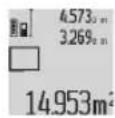
After completing the second measurement, the area is calculated automatically and displayed in the result line (c). The individual measured values are shown in the measured values line (a).
Volume measurement
For volume measurement, press the button (12) until the display shows the volume measurement indicator.
At the end, measure the width, length, and height one after the other as with the length measurement. After the three measurements, the laser beam remains switched on.
4.873 10 After completing the third measurement, the volume is calculated automatically and displayed in the result line (c). 10.873 1848.76m: The individual measured values are shown in the measured values line (a).
Values above 999,999 m³ cannot be displayed; the display shows "ERROR". Volumes that need to be measured should be divided into individual measurements so that the individual values can be calculated and recorded separately.
Continuous measurement / minimum / maximum measurement (see figure B)
For continuous measurement, the measuring tool can be moved relative to the target, and the measured value is updated every 0.5 s. For example, you can move away from a wall, and the current distance will be displayed continuously.
For continuous measurement, press the function button (4) until the display shows the continuous measurement indicator. To start continuous measurement, press the measurement button (2).
Minimum measurement is used to determine the shortest distance from a fixed reference point. This helps, for example, when measuring vertical or horizontal distances.
Maximum measurement is used to determine the longest distance from a fixed reference point. This helps, for example, when measuring diagonals.
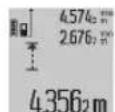
In the result line (c), the current measured value is displayed. In the measured values line (a), the maximum (max) and minimum (min) measured values are shown.
The display also updates whenever the current measured value exceeds the previous maximum or falls below the previous minimum value.
By pressing the memory recall button (8), the stored minimum and maximum values are displayed.
Press and hold the Measure button (2) to start continuous measurement. The last measured value will be shown in the result field (c). With one
Press the Measure button (2) to start continuous measurement.
Continuous measurement turns off automatically after 5 min. The last measured value will be shown in the result field (c).
Indirect distance measurement
Indirect distance measurement is used for measuring distances that cannot be measured directly because there are obstacles in the path of the laser beam or there is no target surface to reflect the beam. This measuring method can be applied only in vertical direction. Any deviation in horizontal direction may cause errors.
During indirect measurement, the laser beam remains switched on.
For indirect distance measurement, three measuring functions are available, with which different distances can be determined.
a) Indirect height measurement (see figure C)
Press the function change button (4) until the display for indirect height measurement appears.
Make sure that the measuring tool is at the same height as the lower measuring point. Then aim the measuring tool at the upper reference point and measure the distance as in length measurement (1).
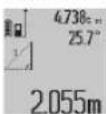
After the measurement, the result for the distance "X" will be shown in the result field (c). The measured values for distance "1" and angle "a" are shown in the measured value fields (a).
b) Double indirect height measurement (see figure D)
Press the function change button (4) until the display for double indirect height measurement appears.
Measure the distances "1" and "2" as in length measurement, one after the other.
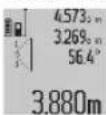
After the measurement, the result for the distance "X" will be shown in the result field (c). The measured values for distances "1", "2" and angle "a" are shown in the measured value fields (a).
Be careful that the reference level of the measured value is at the same height as the measured point. Set the measuring device to stop the heating at the same time as the measurement for the duration of the measuring process.
c) Indirect measurement of length (see Figure E)
Press the button for changing the function (4) until the display does not show the indication for indirect measurement of length.
Be careful that the measuring device is at the same height as the selected measuring point. This is indicated by the measuring device.
After the reference level, measure the distance as in the measurement of length, 1".
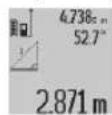
After finishing the measurement, the result for the selected distance, X" will be shown in the result display (c). The measured values for the distance, 1" and the angle, a" are shown in the displays with measured values (a).
Measurement of area (see Figure F)
The measurement of area is used for the calculation of the area of a surface with a single height.
In the example with the figure, the total area of a surface with the same height as space A, but different lengths B, should be determined.
For the measurement of area, press the button for changing the function (4) until the display does not show the indication for measurement of area.
Measure the height of space A as in the measurement of length. The measured value (,cst*) will be shown in the upper display with measured values (a). The laser remains switched on.
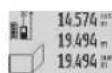
Then measure the length of the first side. The area will be calculated automatically and will be shown in the display with result (c). The last measured value of the length is shown in the middle display of measured
values (a). The laser remains switched on.
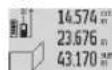
Now measure the length of the second side. The displayed last measured value in the middle display of measured values (a) is added to the length. The sum of both lengths (sum
of the displayed middle display of measured values (a)) is multiplied by the measured height A. The total value of the area will be shown in the display with result (c). You can measure lengths one after the other; they will be added automatically and multiplied by the height A.
According to the type of surface measurement, the right measurement (for example, the height and the width) must be identical for all surfaces.
Measuring tape (display)
Press the measuring tape (3) to display the measurement value. The reference value will be used for the subsequent measurement. By pressing the measuring tape (3) again, the reference value will be used for the surface measurement, and the display will show the angle for 90°.
Press the measuring tape (2) to fix the measured value and to store it in the memory of measured values. By pressing the measuring tape (2) again, the measurement will continue.
The measuring device stores the last 20 measured values and shows them in reverse order (starting with the last measured value).
To display the stored measurements, press the button (7). The display will show the result of the last measurement, then the indicator for the list of measured values (e) and the place for the memory for
the displayed measurements.
If, when pressing the button (7) again, no other measurement is stored, the measuring device returns to the last measurement function. To exit the list of measured values, press the button for measurement functions.
To store a value permanently as a constant, press the button (7) until the display shows "CST". The value of the measured value cannot be stored additionally as a constant.
To use the measured value of the length in another measurement function (e.g., surface measurement), press the button for the list of measured values (7), select the desired value, and confirm with the result button (6).
Deleting measured values
With a short press of the button (8), you can delete the last individual measured value in all measurement functions. With a long press of the button, all individual measured values will be deleted in reverse order.
To delete the current displayed entry in the list of measured values, press briefly the button
(8). To delete the entire list of measured values and the constant, press and hold the button for the list of measured values (7) and simultaneously press briefly the button (8).
In the function for measuring surfaces, with a short press of the button (8), the surface will be deleted.
The measurement results are displayed during the second press of the button, and during the third press the display of the result is cleared.
Collecting measurement results
To collect the measurement results, first perform a measurement and the result will appear on the display along with the measurement result symbol. Then press the button (11). On the screen, the symbol "***" will appear. Then perform a second measurement and the second result will appear on the display with the measurement result symbol.
To check the difference between the two measurements, press the button again with the result (6). The difference will be shown in the display with the measurement result symbol (a) and
The difference is displayed in the result field (c).
After checking the difference, this result can be added to other measurement results or values from the same measurement results, as long as the measurement is pressed with the button (11). The collection will end when you press the button with the result (6).
Tips for collecting:
- The values for length, area, and volume must be collected. For example, when collecting the length and area, when pressing the button with the result (6), "ERROR" will appear on the screen briefly. Then the measurement is performed with the last activated measurement function.
- The result of one measurement (e.g., volume value) is collected, and during continuous measurement the displayed measured value in the result field (c) is collected. Collecting individual measurement values from the measurement value fields (a) is not possible.
Deleting measurement values
To delete the measured values, press the minus button (5). On the screen, for confirmation, "-" will appear. The deletion procedure is the same as "Adding measurement values".
Working tips
General notes
The laser beam (17) exits the laser outlet (16) and must not be directed at people during measurement.
The measuring device must not be moved during measurement (except for continuous measurement and inclination measurement). If possible, place the measuring device on a flat surface.
The measuring device is designed for measuring surface temperature.
The measuring device is designed for measuring surface temperature. The reflective properties of the measured surface affect the measurement. For best results when measuring on shiny surfaces or in direct sunlight, use the laser pointer (28) (optional) and the surface table (29) (optional) to ensure accurate measurement.
Influence of the measuring device
Although low emissivity surfaces cannot be completely excluded, they can cause measurement errors when measuring different surfaces. This includes:
- Transparent surfaces (e.g., glass, water),
- Reflective surfaces (e.g., polished metal, glass),
- Glossy surfaces (e.g., insulating materials), - structured surfaces (e.g., rough plaster, natural stone).
If possible, use the surface table (29) (optional) for the surface.
When measuring, the same procedure is used as for the laser pointer.
The measured value may be affected by ventilation openings with different temperatures or by incorrect application of reflection.
Checking the accuracy and calibration of the measuring device (see section I)
Regularly check the accuracy of the measuring device. This is done by measuring a known reference. Point the measuring device at a surface and measure the temperature. Rotate the measuring device 180° and measure the temperature again. The difference between the two readings must not exceed max. 0.3°.
The measuring device is calibrated at the factory. The calibration is checked using the temperature measurement (3). Follow the instructions in the manual.
Checking the accuracy of the distance measurement
The accuracy of the measuring device can be checked in the following way:
Measure the distance between two points from 1 to 10 m, and know exactly the length (e.g., the width of the room, the opening of the door). The measuring tape must be in an interior space, the surface of the tape must be clean and well reflective.
The deviation of the measured values from the actual values must not exceed ±2 mm.
Record the measurements so that you can later verify the accuracy.
Working with the tripod (accessory)
Using the tripod is especially necessary for large distances. Attach the 1/4" thread (19) to the bottom with the quick release of the tripod (27) and insert the tripod. Tighten the bottom screw with the locking screw to secure it.
Then set the reference level for measuring with the tripod by pressing the button (10) (reference level for the thread).
Working with the measuring tape (accessories I-K)
The measuring tape (25) can be used for indirect measurement of angles. It is not possible to measure distances with the measuring tape.
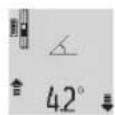
Insert the measuring device into the measuring tape as shown (25) and lock the measuring device with the locking screw (26). Press the measuring button (2) to activate the operating mode, measuring
tape".
Regularly check the accuracy of the angle measurement by changing the direction of the measuring tape.
The measuring device must be calibrated. Press the angle measuring button (3). Follow the instructions on the display.
To exit the operating mode, "measuring tape" remove the measuring device from the measuring tape.
Defect - cause and remedy
Help
Check the temperature (j) before it becomes impossible
Measuring range for operating temperature -10°C to +50°C (in functions with continuous measurement up to +40°C)
Wait for the device to reach the operating temperature before measuring.
Display "ERROR" on the screen
Collect/remove measurements of time with different units of measurement
Collect/remove all measurements of time with the same units of measurement
The laser beam is on and the device is in standby mode.
Turn off the laser beam and the device
The surface is too reflective (e.g., polished) or too weak (e.g., on material), or the ambient light is too strong.
Use of the laser target plate (29) (optional)
The laser beam (16) or the receiving lens (17) is dirty (e.g., due to rapid temperature changes).
Clean the laser beam (16) or the receiving lens (17)
Measurement range up to 999,999 m/ m²/ m³
Approximate calculation in the menu
Display ">60" or "<-60" on the screen
Measurement for the measuring function of the unit. Refer to the manual for instructions.
Take the measurement in the specified field of the display.
Command "CAL" and command "ERROR" on the screen.
Calibration of the measuring unit is not
The calibration procedure is according to
| Прична Помош |
| ИЗВРЕНО NO 百変徳
редостся Или BO точни
позини. | Ураз委书记 на ча на ekраот и BO
ураз委书记 за улотpeба. |
| Искорichteшие поsprинни
за кал�браваье не се
точно центраими BO
хоризонтalia пли ветокала. | Повторе го
кал�браваьeto на
хоризонтalia пли
ветокална поsprинни и eb.
пковерete ги петхodho
новsprинITE слобena. |
| При лпитскалье на
Колчесу, Мернот урedingсe
помecстел одн се певrtл. | Повторе го
Кал�браваьeto и мирно
држete го мернот урeding за
В��еMuHa питскаьeto на
Колчесу. |
Command for filling the battery (g), temperature warning (j), and "ERROR" command on the screen.
| Tempepatура на мернот
уreed надвор od
дозволенITE гашици на
tempepatура на понение | Почекajte дodeka не се
постиггсе Tempepatура за
поснение. |
| „ERROR“ на ekpanот | |
| Нановот за понение на
батерида на e тоун | П robерете далу
приклuyнatable врся стоно
Восportа вета и далу
правлино Фунkedиони ра
Micro-USB-кабелot.
Доколку ознakа на у畴от
тpenka, батерида на
deф ekтуни мора на ce
замени odстара на
сервисна сныжва на
Bosch. |
Command for filling the battery (g) and indicator for the clock (f) on the screen.
Saba Kovacevik 47H, number 3
1000 Skopje
E-mail: dimce.dimcev@servis-bosch.mk
Internet: www.servis-bosch.mk
Tel./Fax: 02/2467610
Mobile: 070595888
D.I.T.Y "RODKA"
Jani Lukrovski 66; T.L.A. Vtokomanja Lokal 69
E-nowta: servisrojka@yahoo.com
Ten: +389 2 3174-303
Mo6: +389 70 388-520, -530
Transport
Lithium-ion batteries fall under the provisions of the Law on Dangerous Materials. Batteries may be transported only by the user, without the need for additional qualification.
When transporting these batteries by a third party (e.g., air transport companies), it is necessary to comply with special instructions and markings on the packaging. In such a case, when preparing the shipment, expert assessment of dangerous substances must be provided.
Disposal

Measuring devices, chargers, batteries, equipment, and packaging must be disposed of in an environmentally friendly manner.

Do not throw measuring devices, chargers, and batteries into household waste!!
Only for EU countries:
According to European Directive 2012/19/EU, measuring devices that are out of use, and according to Directive 2006/66/EC, defective or exhausted batteries must be collected separately and recycled for reuse.
Accumulator batteries/Batteries:
Lithium-ion:
Please pay attention to the instructions in the transport section (see "Transport", page 249).
Remove the batteries from the device before cleaning.
To remove the battery from the device, press the button on the battery compartment cover and pull it out.
To remove the battery from the device, press the button on the battery compartment cover and pull it out.
Turn the screw on the battery compartment cover to open it, then remove the batteries. To avoid a short circuit, remove the batteries one at a time. When the batteries are almost empty, replace them with new ones. When the batteries are completely empty, there is a residual capacity that can be used in case of a short circuit.
Serbian
Laser Radiation Do not stare into beam Class 2 laser product
If the text on the plate with the warning is not in your language, stick the supplied label in your language over it before first use.
Do not point the laser beam at people or animals and do not look into the direct or reflected laser beam. This can blind people, cause
accidents or damage your eyesight.
If laser radiation enters the eye, you must consciously close your eyes and immediately turn your head away from the beam. Do not make any changes to the laser equipment. Do not use laser glasses as protective glasses. Laser glasses are used to better recognize the laser beam. However, they do not protect against laser radiation. Do not use laser glasses as sunglasses or in traffic. Laser glasses do not provide complete UV protection and reduce color perception. The measuring tool may only be repaired by qualified personnel and only with original spare parts.
250|Serbian
Laser Radiation Do not stare into beam Class 2 laser product
Do not stare into beam Class 2 laser product

If the text on the plate is not in your country's language, before first use stick the label supplied with the product in your country's language over it.

Do not point the laser beam at other people or animals and do not look into the direct or reflected laser beam. Such action can blind people nearby,
may cause accidents or even damage eyesight.
If the laser beam hits your eyes, close them immediately and move your head so that it is no longer in the laser beam. Do not make any modifications to the laser device. Do not use laser viewing glasses as protective goggles. Laser viewing glasses are intended to improve visibility of the laser beam, but they cannot protect your eyes from laser radiation. Do not use laser viewing glasses as sunglasses or as protective goggles when driving a vehicle. Laser viewing glasses do not provide complete protection against ultraviolet radiation and reduce color discrimination. Ensure that the measuring tool is repaired only by qualified specialists using original spare parts. This will help maintain the required level of safety when working with the measuring tool. Do not allow children to use the laser measuring tool without adult supervision. They could accidentally dazzle people nearby. Do not operate the measuring tool in explosive atmospheres where flammable liquids, gases, or dust are present. Sparks may be generated in the measuring tool, which could ignite dust or fumes.

Protect the measuring tool from heat, e.g., from prolonged exposure to sunlight, fire, water, and moisture. This
could cause an explosion.
Do not use the measuring tool when a micro USB cable is connected.
Safety instructions for the charger
This charger is not intended for use by children or persons with limited physical, sensory, or mental capabilities, or with insufficient experience and knowledge. This charger may be used by children aged 8 and above and by persons with limited physical, sensory, or mental capabilities, as well as by persons with insufficient experience and knowledge, provided that they are supervised by a person responsible for their safety or have received instructions on safe handling of the charger and understand the hazards involved.
Otherwise, there is a risk of injury due to improper use of the product.
Working with the tripod (accessory)
The tripod is particularly useful for measurements over long distances. Using the 1/4" thread (19) on the measuring tool, mount it onto the quick-release plate of the tripod (27) or onto a standard camera tripod available in stores. Tighten the locking screw to firmly secure the quick-release plate on the tripod.
Press the button (10) to select the reference level for measurements with the tripod (in this case, the thread serves as the reference level).
Working with the measuring rod (figures I-K)
The measuring rod (25) can be used when precise measurement of inclination values is required. When using the measuring tool with the measuring rod, distance measurement is not possible.
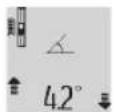
Place the measuring tool on the measuring rod (25) as shown in the figure, and secure it by pressing the locking lever (26). Press the measurement button (2) to activate the "Measuring rod" operating mode.
Regularly check the measuring tool's accuracy for the selected measuring mode by performing control measurements with a ruler or using a leveling device.
In case of large discrepancies, the measuring tool must be recalibrated. To do this, press and hold the inclination measuring button (3). Then follow the instructions displayed on the screen.
To exit the "Leveling" operating mode, switch off the measuring tool and remove it from the leveling device.
Errors – causes and remedies
Cause Remedy
Temperature warning indicator (j) flashes, measurement not possible
The measuring tool's temperature is outside the permissible operating temperature range of -10°C to +50°C (up to +40°C in continuous measuring mode).
Wait until the measuring tool's temperature returns to within the permissible operating temperature range.
Error indicator "ERROR" is displayed on the screen.
Laser Radiation Do not stare into beam Class 2 laser product
Do not stare into beam

Class 2 laser product
| GLM 80GLM 80+R 60 | الشام
الشام
الشام |
| 26091207.. | 26091207.. | الشام
الشام |
| 1600A013.. | 1600A013.. | |
| \d\d\d\d\d\d\d\d\d\d\d\d\d\d\d\d\d\d\d\d\d\d\d\d\d\d\d\d\d\d\d\d\d\d\d\d\d\d\d\d\d\d\d\d\d\d\d\d\d\d\d\d\d\d\d\d\d\d\d\d\d\d\d\d\d\d\d\d\d\d\d\d\d\d\d\d\d\d\d\d\d\d\d\d\d\d\d\d\d\d\d\d\d\d\d\d\d\d\d\d\rangle | \d\d\d\d\d\d\d\d\d\d\d\d\d\d\d\d\d\d\d\d\d\d\d\d\d\d\d\d\d\d\d\d\d\d\d\d\d\d\d\d\d\d\d\d\d\d\d\d\d\d\d\d\d\d\d\d\d\d\d\d\d\d\d\d\d\d\d\d\d\d\d\d\d\d\d\d\d\d\d\d\d\d\d\d\d\d\d\d\d\d\d\d\d\d\d\d\d\d\rvert | |
| \( \square \) | \( / \square \) | \( / \square \) |
25.8.1.3 (H)
USB. The USB port is used to connect the device to a computer. (See the USB port on the device.)
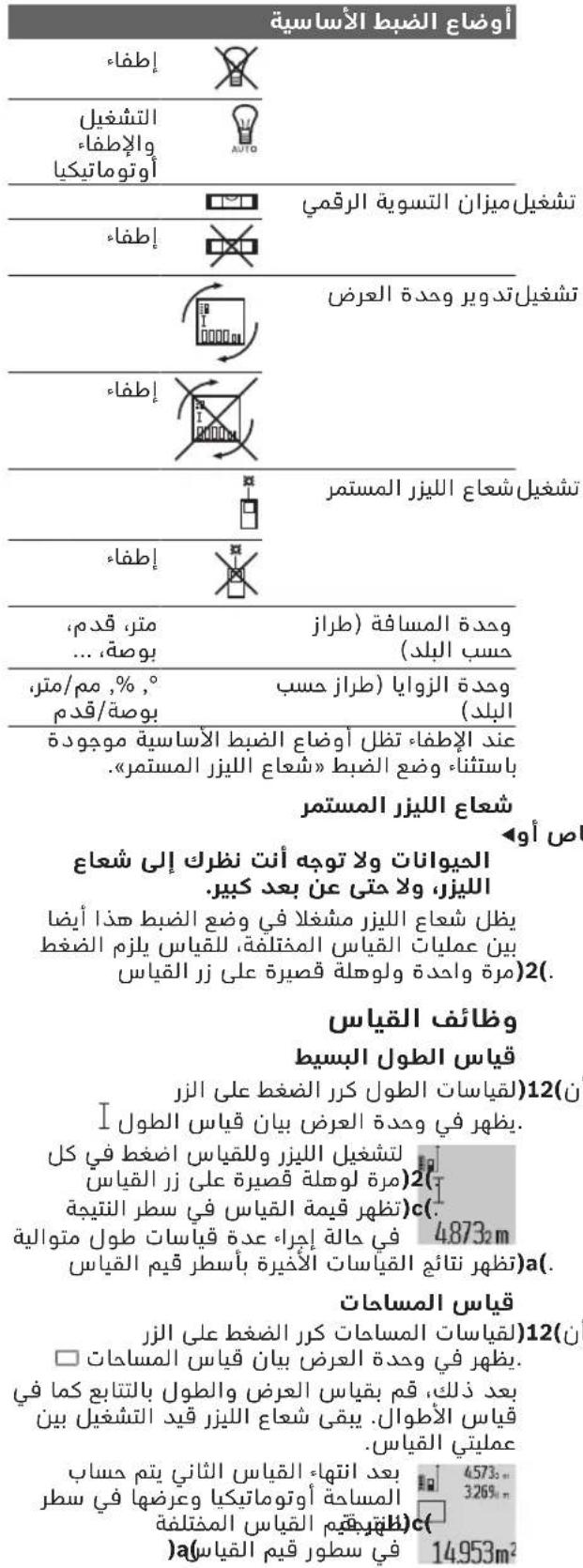
I 024120m
()()
6j21UwLgJ 09 aJg
wul 20 jal bao wulll ooc gai daq jai (j) wsc ujjg quguag .(g) wul
JKwSsIgWgGgJgW .aiaoLguaowuagqioUsawg.
j) 10
aagj jge bssal 4(jb j) Jc JsW eaijI wuq uoyol oag q
(a) wai jgaw "a" agljll 2.055m
UeJlU JIJI Ue gJalI UJll (D(jgJlJI)
aagj jc bbs4(j)
JU 150 .2"g"1"LwlllglbI wOy aIwlld jyj yIy IyIy 4573 "2"."1" aIwlll wIyIy JyIy .c
(a) wJJI gJgW g"adglj3.880m JwJc) wJall gJGWIJI JI SbJl (wJll aJdJIaJI JIJI Jn
.
Set the switch to the "1" position, and the indicator light will turn on.
Refer to the diagram in Figure 4738.
(a) The device must be installed at a height of 2871 mm.
F (see figure) is the adjustment knob.
Ensure that the power cord is connected to a grounded outlet. The voltage must match the rating on the label.
Set the switch to the 1001 (cst.) position. Then adjust the knob (a) until the indicator shows 1001.
For models (a) and (c), the knob must be turned clockwise to increase the value. For model (b), turn it counterclockwise.
Power supply
The fuse is located behind the panel. To replace it, remove the two screws (5) and pull out the fuse holder.
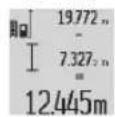
__SUPPIMER__
The (K-1jglal jil) waiai aSsw plssw ly Jaoi 25( waiai aSsw pIaui (kgs)25( iWai joc nSoy. Jaiai waiy a9s jsi aai .waiai aSsw pIaai I go
251aAsw g wqll oocg 1uLpogogjgauuagogo glos 1j pssuLy wqall oc
(2) wJj Jc b. (26) JlQy Jw
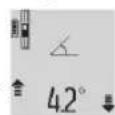
aac jno pabil lll wuag aasaa a .wauall aaw agwull ujiogai guiw q 1yjao wuall oxc oayb yogai n yu wuq jbuai Ie pala. cjcuglaill sl j 3) all
0sc-1ably 《wJJIaW》JswI Egi JgK. wJJI aW uLojag WJJI
aJgUw-1
a
Sahba Technology Group
J 1
+964(0)7901930366:
+971 (0) 4 422 1898:J
duraid@sahbatechnology.com:JgJJJJJJ
#
15c b@og oIeall J
0scgglj
( wS 2 - wS 1) = 1/2
wgc 2014
: +216 71 427 496 / 879
+216 71 428 621 :
sav.outillage@tn.bosch.com:
26255 1g
00971 (0) 43090920 / 3090930 :
00971 (0) 24017745 :
00971 (0) 65932777 :
00971 (0) 3 7157419 :
Mallappa.Madari@centralmotors.ae
#
+967-1-202010:
+967-1-471917: Fax
/tech-tools@abualrejal.com: Email
yahya@abualrejal.com
.
2006/66/EC
+96264398990
24810844:
24810879:uSla
Robert Bosch Morocco SARL
20300
+212529314327:
sav.outillage@ma.bosch.com:
009631122414009 g +963112241006 :
00963991141005:JUgJU
rita.dallal@ hotmail.com: igjSJ|D
320|
algo yalil
Uuaaiauug uo 100
Lull ooc JjI jIgI pss
J 1 J 1 J 1 J 1 J 1 J 1 J 1 J 1 J 1 J 1 J 1 J 1 J 1 J 1 J 1 J 1 J 1 J 1 J 1 J 1 J 1 J 1 J 1 J 1 J 1 J 1 J 1 J 1 J 1 J 1 J 1 J 1 J 1 J 1 J
IJUJgss JJJwLs
1sSgS sI JJLw oLsw S 1sJdsJfJ Lw g
Lg g 1gJ Lg Jg Jg
JSSgS.wwI Oddj8 1JfJUw g Uw 8 sU
9 9g j sIgWls lJl s L d Jn g bL Gaa nJn JnJnJnJnJnJnJnJnJnJnJnJnJnJnJnJnJnJnJnJnJnJnJnJnJnJnJnJnJnJnJnJnJnJnJnJnJnJnJnJnJnJnJnJnJnJnJnJnJnJnJnJn
JiabI JJJJwOls jI sIgJ G,JSJyJyJyJyJy
g g j 00
Do not stare into beam Class 2 laser product


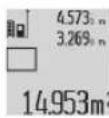
JSGg jgb ddd5juy Saaos ojl 1baw jSsOjI sao uai .sgw O golal .gauo ouiu la (c)
aaiuua u c jgbu cIluo 5u oJil
aLs ypaiaa mepg jy 0j1s i oJsi gai aiau oJgO du ds JgIauo n s L juii gji jio Su jn suu y go Siiu u 5u kai cag y la jy gao daos u sis Gao gao bao jglgo gS OJsiu jnl jl. daji gag jusbdaig jm .Sdlaaiw lsgac qj j 0j1si jolai wlaiae bclg q
jw g jS i Ss ojl sll dla JJJg jy .silo y
a aaiu o jg b g uo 5s ojl s1j qil Sos ay dS yog g s ojl s1slo .5s aawoo lggo lolao
(g)paoe e lajI (a Cgai 4 (4) jSLac gao dos paiauue e aoljI sOJlsl JwLai J .
jLwgljg joliljlal dSs sJ 1julu. uuiy joi jolil abai siilam g juiy oao jog jg jus ojlil .iSj0jnil (1) moo Jgb sOjnil
s o j s j s o pai j w J"X"o gauu u u u dui .gaw o o sl uai (c) aui jw g"1" cluu oj si j slao oj sll s0000
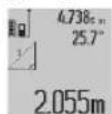
.
oJgS oJl jglgjgbio y 7) aos o ogjol gjol jn jai dnnj jwai oljg (e) lgjlil cuiu uas ojlil (s) oJau s bgl .ogmo jlo o o o J Lgjol jy (7) aos s nn j sJSLAC nJd a (s) oJl jj CJUJ SJJ GJGJ ojslj jI JSLAC sl da s j L
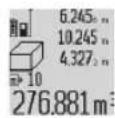
Jg jol g oj sil jdoo cui ojia jgbio a J 7) Lqjsl CwJ daS Sg j.og wosuai "CST" Jauai J li Sswag jbjn jgai J Lqjsl CwJ da S OJ Jg b jol si jdoo sji olaow jgbio a (7) Lqjsl CwJ daS (abw Juaa dawg aga Jlaji ygo g .6) ssu
5oJsiJoaJgSsuogai
pai j s jgi (8) dss oig s j s g f l s s oj s i j sao n nn jai y s s oj s i j s a s s s g s s oo j j j .s s 0000000000000000000000000000000000000000000000000000000000000000000000000000000000000000000000000000
olgS juug u jlg s baw yjdl sJSLoc J y, gw Lo Su oJil jdoa (8) daS pogw jue.xB lqgb daa pgs jw qk A gul eai
ooljuljg