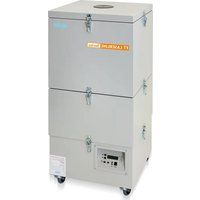
Laser Line 400V - Industrial vacuum cleaner Weller - Free user manual and instructions
Find the device manual for free Laser Line 400V Weller in PDF.


| Product type | Industrial vacuum cleaner with filtration |
| Brand | Weller |
| Model | Laser Line 400V |
| Dimensions (L x W x H) | 441 x 441 x 1020 mm (17.40 x 17.40 x 40.20 inches) |
| Weight | Approx. 51 kg (112.4 lb) |
| Mains voltage | 120 V / 60 Hz (depending on model) |
| Power consumption | 315 W |
| Max. air flow | 645 m³/h |
| Max. vacuum | 3000 Pa |
| Sound level at 1 m | < 53 dB(A) |
| Filtration | HEPA H13 microfilter, efficiency > 99.95%; chemisorption by activated carbon filter > 99.96% |
| First filter | Class F7, surface area 2.0 m² (optional 10 m²) |
| Interfaces | RS232, USB (for firmware update and efficiency test, use max. 2 minutes) |
| Main functions | Manual/automatic speed control, filter status display (green/yellow/red), programmable automatic shut-off, start delay, menu language selection |
| Maintenance | Replace filter at least once a year or according to maintenance plan; audible signal in case of clogging |
| Safety | Disconnect before intervention; do not vacuum combustible liquids or gases; use only original parts; repairs by trained personnel |
| Spare parts | Compact filters, pocket filters, hoses, fan cover |
| Warranty | 12 months for manufacturing defects (except statutory rights) |
| General information | Indoor use, ambient temperature; CE compliance; disposal according to WEEE |
Frequently Asked Questions - Laser Line 400V Weller
User questions about Laser Line 400V Weller
0 question about this device. Answer the ones you know or ask your own.
Ask a new question about this device
Download the instructions for your Industrial vacuum cleaner in PDF format for free! Find your manual Laser Line 400V - Weller and take your electronic device back in hand. On this page are published all the documents necessary for the use of your device. Laser Line 400V by Weller.
USER MANUAL Laser Line 400V Weller
natural_image
Exterior view of a three-tier industrial laser machine (no visible text or symbols on the device body)GB Translation of the original instructions
GB Included in delivery
natural_image
Coiled black cable with two connectors (no text or symbols visible)
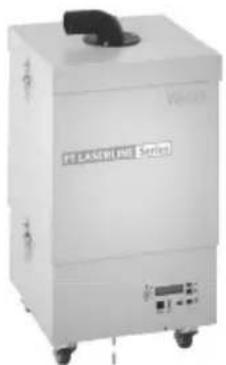
Laser Line 200
FT91001699
natural_image
Exterior view of a white laser printing equipment (no visible text or symbols on the device body)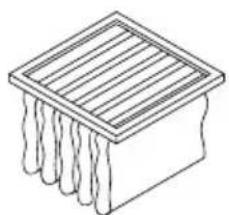
natural_image
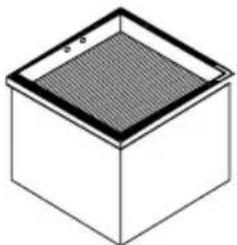
Isometric line drawing of a rectangular box with vertical slats and textured base (no text or symbols)FT91000007 (0,5 m²)
natural_image
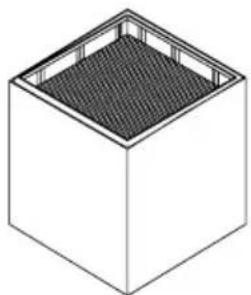
Isometric view of a cube with a mesh pattern on top face (no text or symbols)FT91000011 (2,5 m²)
natural_image
Isometric line drawing of a cube with a textured top and side panel (no text or symbols)Compact Filter FT91000008
Laser Line 400
FT91002699
natural_image
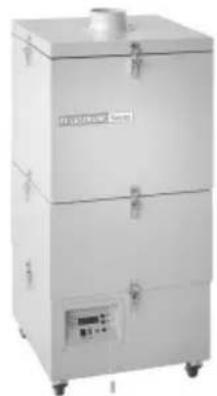
Exterior view of a three-tiered industrial dust collector unit (no visible text or symbols)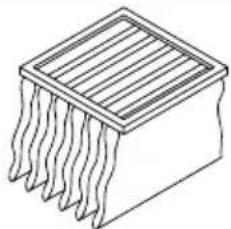
natural_image
Isometric line drawing of an integrated circuit chip with multiple leads (no text or symbols)FT91000006 (2,0 m²)
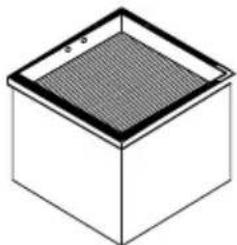
natural_image
Isometric view of a square box with a mesh pattern on top (no text or symbols)FT91000009 (10 m²)
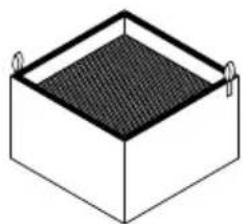
natural_image
Isometric view of a rectangular box with a textured top and side handles (no text or symbols)Compact Filter FT91000010
| Deutsch | Technische Daten | Sicherheitshinweise | Pflege und Wartung | Garantie | 9 |
| English | Technical Data | Safety information | Care and maintenance | Warranty | 16 |
| Español | Datos Técnicos | Advertencias de seguridad | Cuidado y mantenimiento | Garantía | 23 |
| Français | Caractéristiques Techniques | Consignes de sécurité | Entretien et maintenance | Garantie | 30 |
| Italiano | Dati Tecnici | Avvertenze per la sicurezza | Cura e manutenzione | Garanzia | 37 |
| Portugues | Características Técnicas | Indicações de segurança | Conservação e manutenção | Garantia | 44 |
| Nederlands | Technische Gegevens | Veiligheidsinstructies | Onderhouden | Garantie | 51 |
| Svenska | Tekniska Data | Säkerhetsanvisningar | Skötsel och underhåll | Garanti | 58 |
| Dansk | Tekniske Data | Sikkerhedsanvisninger | Pleje og vedligeholdelse | Garanti | 65 |
| Suomi | Tekniset Arvot | Turvallisuusohjeet | Aseman hoito ja huolto | Takuu | 72 |
| Ελληνικα | Τεχνικά στοιχεία | Υποδείξεις ασφαλείας | Φροντίδα και συντήρηση της συσκευής | Εγγύηση | 79 |
| Türkçe | Teknik Veriler | Güvenlik uyarıları | Temizliği ve bakımı | Garanti | 86 |
| Český | Technické údaje | Bezpečnostní pokyny | Údržba a servisní práce ohledně | Záruka | 93 |
| Polski | Dane Techniczne | Wskazówki bezpieczeństwa | Pielęgnacja i konserwacja urządzenia | Gwarancja | 100 |
| Magyar | Műszaki Adatok | Biztonsági utasítások | Ápolás és karbantartás | Garancia | 107 |
| Slovensky | Technické údaje | Bezpečnostné pokyny | Ošetrovanie a údržba | Záruka | 114 |
| Slovenščina | Tehnični Podatki | Varnostna navodila | Nega in vzdrževanje | Garancija | 121 |
| Eesti | Tehnilised Andmed | Ohutusjuhised | Hooldamine ja teenindamine | Garantii | 128 |
| Latviski | Tehniskie dati | Drošības norādes | Apkope un kopšana | Garantija | 135 |
| Lietuviškai | Techniniai duomenys | Saugos taisyklés | lprastinė ir techninė priežiūra | Garantija | 142 |
| Български | Технически данни | Инструкции за безопасна работа | Обслужване и поддържане | Гаранция | 149 |
| Român | Date tehnice | Indicații de securitate | İngrijirea și întreținerea curentă | Garanția pentru produs | 156 |
| Hrvatski | Tehnički podatci | Sigurnosna upozorenja | Njega i servisiranje | Jamstvo | 163 |
| Русский | Технические характеристики | Рекомендации по технике безопасности | Уход и обслуживание | Гарантия | 170 |
| 中文 | 技术资料 | 安全信息 | 小心维护 | 保修 | 177 |
| 한국어 | 기술자료 | 안전정보 | 관리 및 유지보수 | 보증 | 184 |
| 日本語 | 技術資料 | 安全に関する情報 | 保守及びメンテナンス | 保証規定 | 191 |
1
GB Starting up the device
natural_image
3D diagram of a mechanical component pressing into a block, with no visible text or symbols2
natural_image
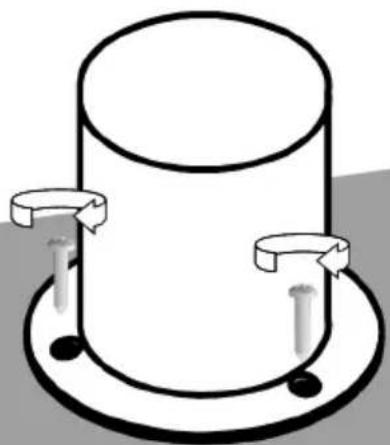
Simple line drawing of a cylindrical object with two side handles and a base, no text or symbols present.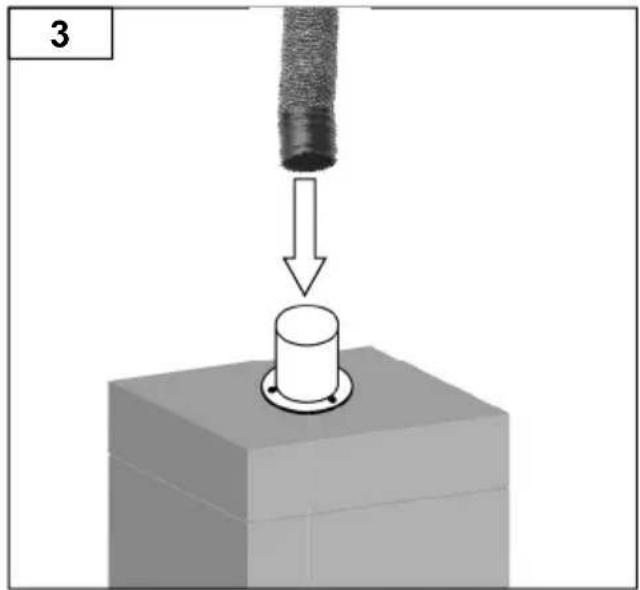
natural_image
3D diagram showing a mechanical component being inserted into a cylindrical part, with an arrow indicating the process (no text or symbols present)DE Betrieb
GB Operation
ES Operação
FR Fonctionnement
IT Esercizio
PT Operação
NL Gebruik
SV Drift
DK Funktion
FI Käyttö
GR Λειτουργία
TR Operasyon
CZ Provoz
PL Operacja
HU Üzemeltetés
SK Prevádzka
SL Delovanje
EE Operatsioon
LV Darbība
LT Operacija
BG Работа
RO Functionarea
HR Operativni rad
RU Эксплуатация
CN 运行
KO 작동
JP 運転
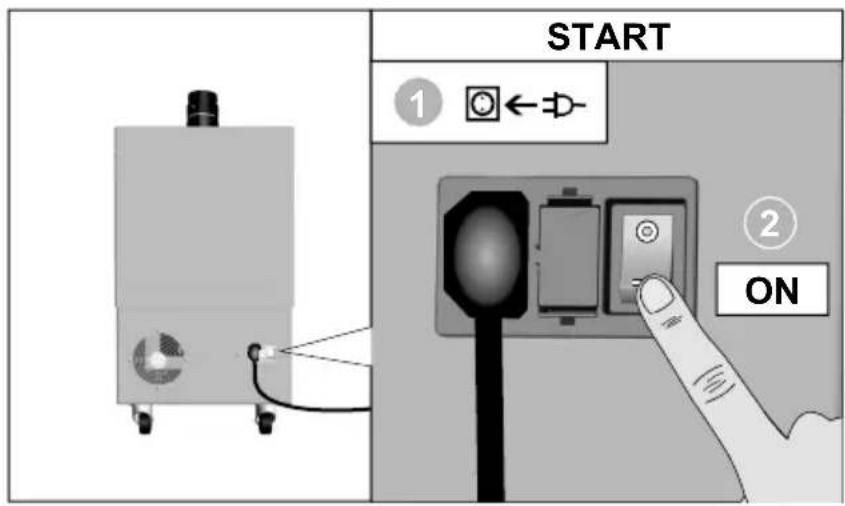
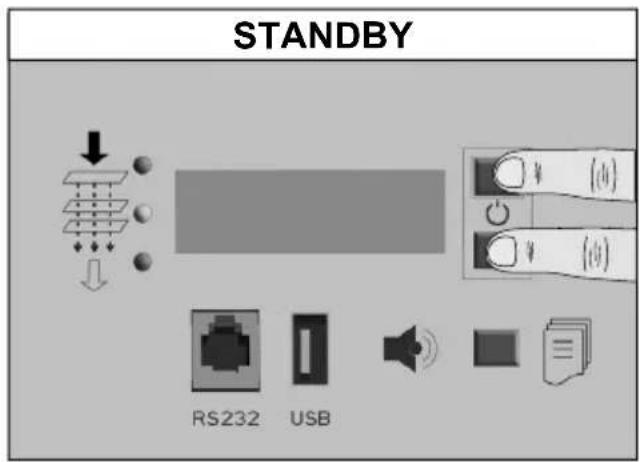
flowchart
graph TD
    A["Light emission"] --> B["Reduction of solar radiation"]
    B --> C{< 80%}
    C --> D["Redacted solar radiation"]
    D --> E["Warning: Solar radiation is required to be reduced"]
DE Filterwechsel
GB Filter change
natural_image
Two 3D diagrams showing a mechanical component with upward arrows indicating motion, no text or symbols present.
natural_image
Diagram showing a mechanical assembly with a component and a curved pipe, no text or symbols present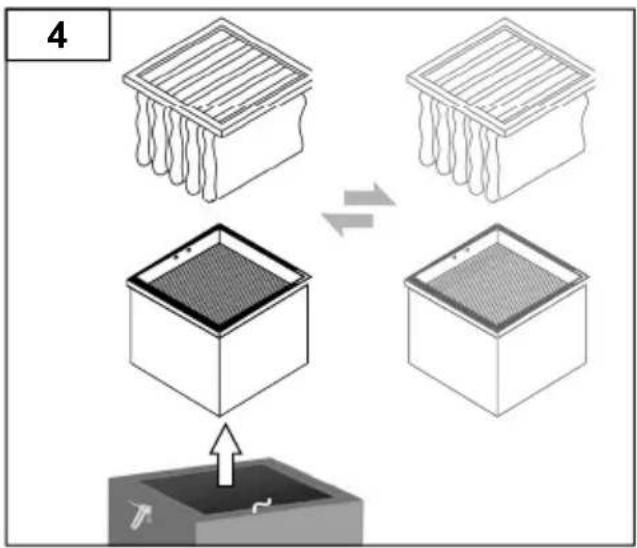
DE Filterwechsel
GB Filter change
natural_image
3D diagram of a block with two upward arrows indicating direction (no text or symbols)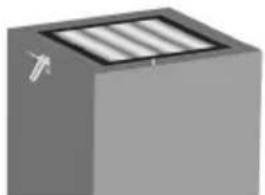
natural_image
3D rendered gray cube with three vertical slats on top, no text or symbols visible3
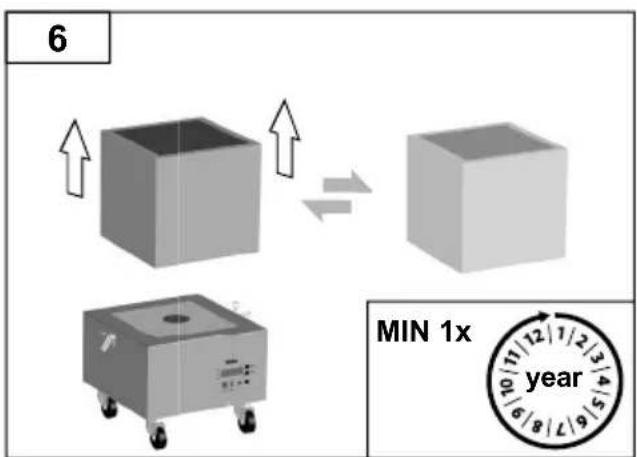
4
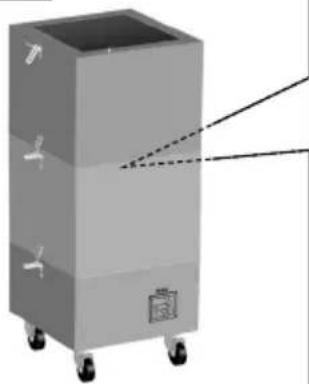
natural_image
3D rendering of a gray industrial machine with wheels and a dashed line indicating perspective (no text or symbols)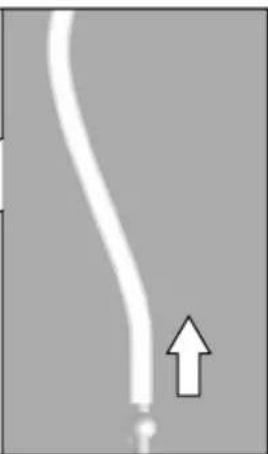
natural_image
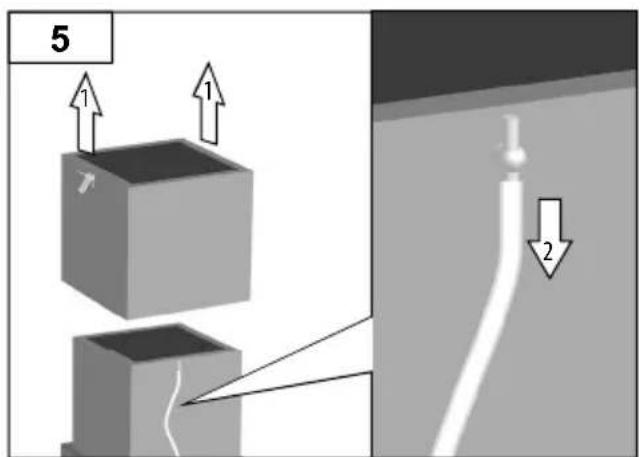
Close-up of a white curved pipe with an arrow pointing upward, against a gray background (no text or symbols)5
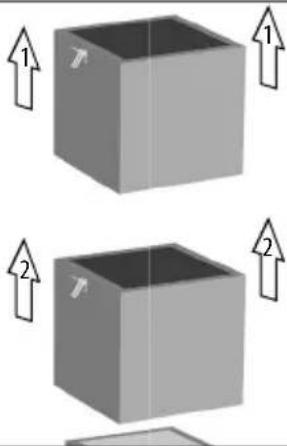
natural_image
Two gray 3D cubes with upward arrows indicating compression or lifting motion (no text or symbols)DE Filterwechsel
GB Filter change
natural_image
Illustration of a cart with a wavy line inside, next to a curved pipe with a downward arrow (no text or symbols)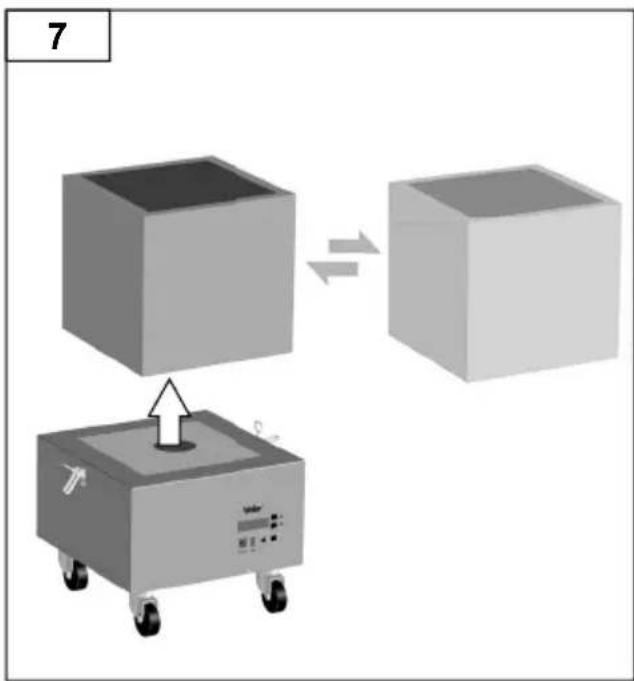

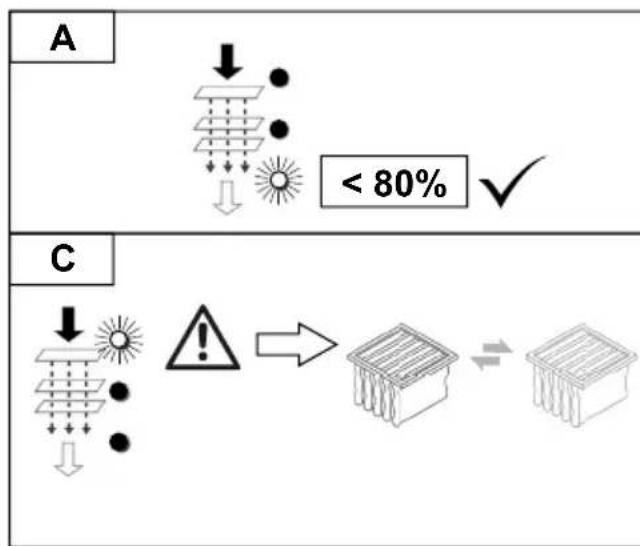
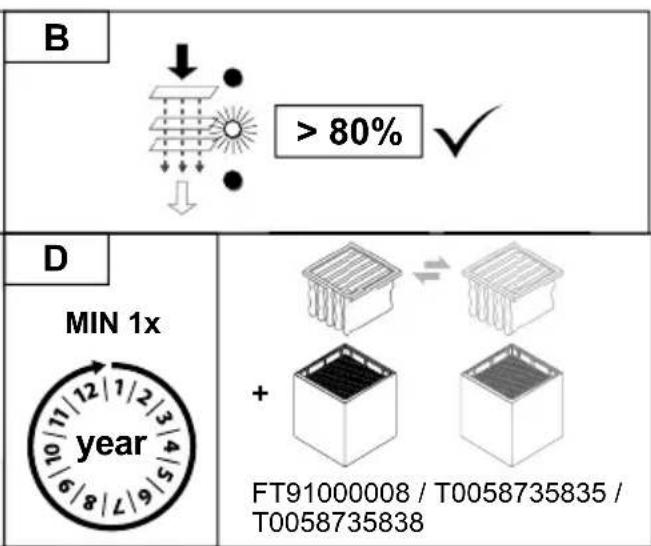
Gelb = Filterstand > 80%
Grün = Filterstand < 80%.%.
Read these instructions and the accompanying safety
information carefully before starting up the device and starting work with the device.
Keep these instructions in a place that is accessible to all users.
Thank you for the confidence you have shown in buying this device.
The device has been manufactured in accordance with the most rigorous quality standards which ensure that it operates perfectly.
These instructions contain important information which will help you to start up, operate and service the device safely and correctly as well as to eliminate simple faults and malfunctions yourselves.
Always pass on the device to third parties together with these operating instructions.
There is nevertheless the risk of personal injury and damage to property if you fail to observe the safety information set out in the accompanying booklet and the warnings given in these instructions.
The device has been manufactured in accordance with state-of-the-art technology and acknowledged regulations concerning safety.
Safety information
This appliance can be used by children aged from 8 years and above and persons with reduced physical, sensory or mental capabilities or lack of experience and knowledge if they have been given supervision or instruction concerning use of the appliance in a safe way and understand the hazards involved. Children shall not play with the appliance.
Cleaning and user maintenance shall not be made by children without supervision.

Warning! Electrical shock
If the device is faulty, active electrical conductors may be bare or the PE conductor may not be functional.
■ Repairs must always be referred to a Weller-trained specialist.
If the electrical tool's power supply cord is damaged, this must be replaced with a specially prefabricated power supply cord available through the customer service organisation.

Warning! Danger of injury
The device or parts of the device may fall off during transportation.
- Hold the device by the intended handles only..
- Never use the device as a means of transportation.

Warning! Danger of asphyxiation, Danger of poisoning
Improper installation can result in above-normal workplace concentrations
■ Measure the workplace concentration upon completion of installation work
Inappropriate maintenance cycles for gas media may result in above-normal workplace concentrations
- Specify maintenance cycle
Above-normal contamination levels in the ambient air during cleaning work on the pipe system/extraction area
If suction capacity is impaired by build-up within the pipe system, replace the contaminated parts
Specified Conditions Of Use
This fi ltration system is suitable for the extraction and fi ltration of particles and gases, depending on the fi lter medium used.
The fume extraction unit is equipped with a high-performance, maintenance-free turbine and, therefore, is ideally suited to industrial continuous duty.
This device may only be used at room temperature and indoors.

Warning! Danger of asphyxiation, Danger of poisoning
Improper use may result in respiratory problems, asphyxiation, poisoning or cancer
- Particles and gases which are unsuitable for the filter medium in use may not be extracted.
■ Liquids and flammable gases may not be extracted
- Never use the device without a filter or with a full filter.
■ Never use the device without the fan cover
Intended use of the soldering station/ desoldering station also includes the requirement that you
■ adhere to these instructions,
- observe all other accompanying documents,
■ comply with national accident prevention guidelines applicable at the place of use.
The manufacturer will not be liable for unauthorised modifications to the device.
Efficiency test
According to guidelines of the German professional associations, extraction system has to be checked at least annually for adequate function and Efficiency. (According to the German TRGS 528 BGETF)
User groups
Due to differing degrees of risk and potential hazards, several work steps may only be performed by trained experts.
| Work step User groups | |
| Installation of complex pipe systems with multiple extractor arms connected | Specialist personnel with technical training |
| Replacing electrical replacement parts Electricians | |
| Specification of maintenance intervals Safety expert | |
| OperationFilter change | Non-specialists |
| Installation of complex pipe systems with multiple extractor arms connectedReplacing electrical replacement parts | Technical trainees under the guidance and supervision of a trained expert |
| Extraction unit Laser Line Laser Line 200V Laser | Line 400V | ||
| Mains supply voltage (V / Hz) FT91001699: | 230 / 50 | FT91002699:230 / 50 | |
| FT91001299:120 / 60 | FT91002299:120 / 60 | ||
| Power consumption (W) 170 315 | |||
| Dimensions L x W x H (mm) | (inch) | 320 x 320 x 70012,60 x 12,60 x 27,60 | 441 x 441 x 102017,40 x 17,40 x 40,20 |
| Weight (kg) | (lb) | 2155,1 | 51112,4 |
| Maximum quantity supplied | (m3/h) | 230 | 645 |
| Maximum vacuum | (Pa) | 2700 | 3000 |
| Noise emission level 0 1 m | (dB(A)) | < 52 | < 53 |
| HEPA Class Micro Filter, separation degree,PPS | (%) | > 99.95 | > 99.95 |
| Active Carbon Gasfilter Chemisorption, separation degree | (%) | > 99.96 | > 99.96 |
| Pre filter (class / surface) | (m2) | F7 (0,5)optional: F7 (2,5) | F7 (2,0)optional: F7 (10) |
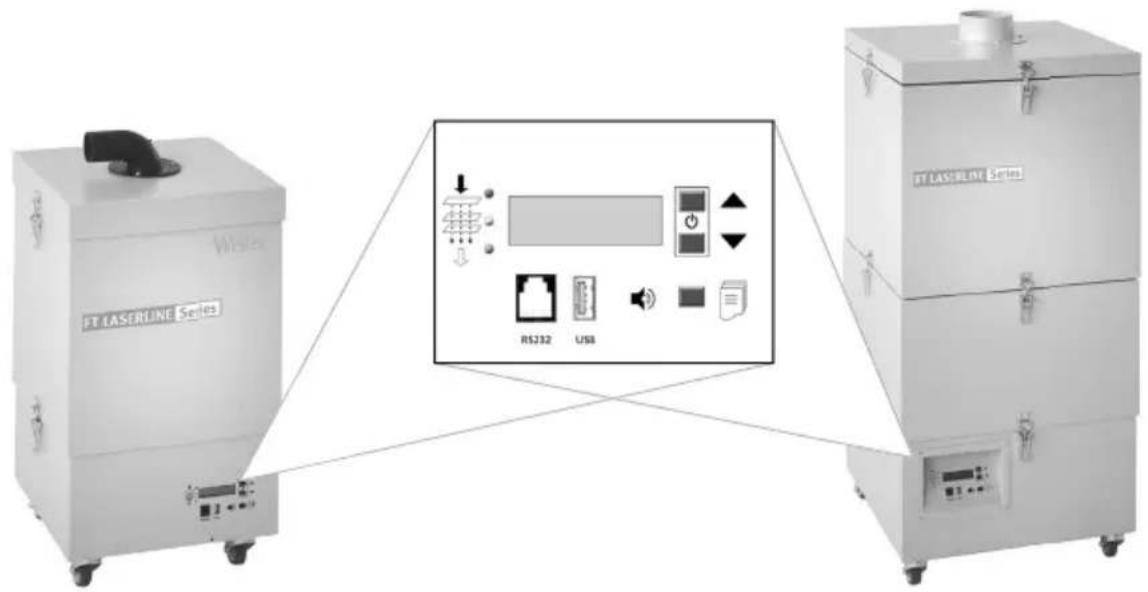
| RS232 port | All system functions can be operated and remotely monitored via the RS232 port. | ||
| USB port | The USB port can be used to load firmware updates, run efficiency tests and log data.Do not leave the USB medium inserted for longer than 2 minutes. After this time expires, the USB module will switch off automatically. | ||
| Laser Interface | - | optional | |
Warranty
Claims by the buyer for physical defects are time-barred after a period of one year from delivery to the buyer. This does not apply to claims by the buyer for indemnification in accordance with §§ 478, 479 BGB (German Federal Law Gazette).
We shall only be liable for claims arising from a warranty furnished by us if the quality or durability warranty has been furnished by use in writing and using the term „Warranty“.
The warranty shall be void if damage is due to improper use and if the device has been tampered with by unauthorised persons.
Subject to technical alterations and amendments.
For more information please visit www.weller-tools.com
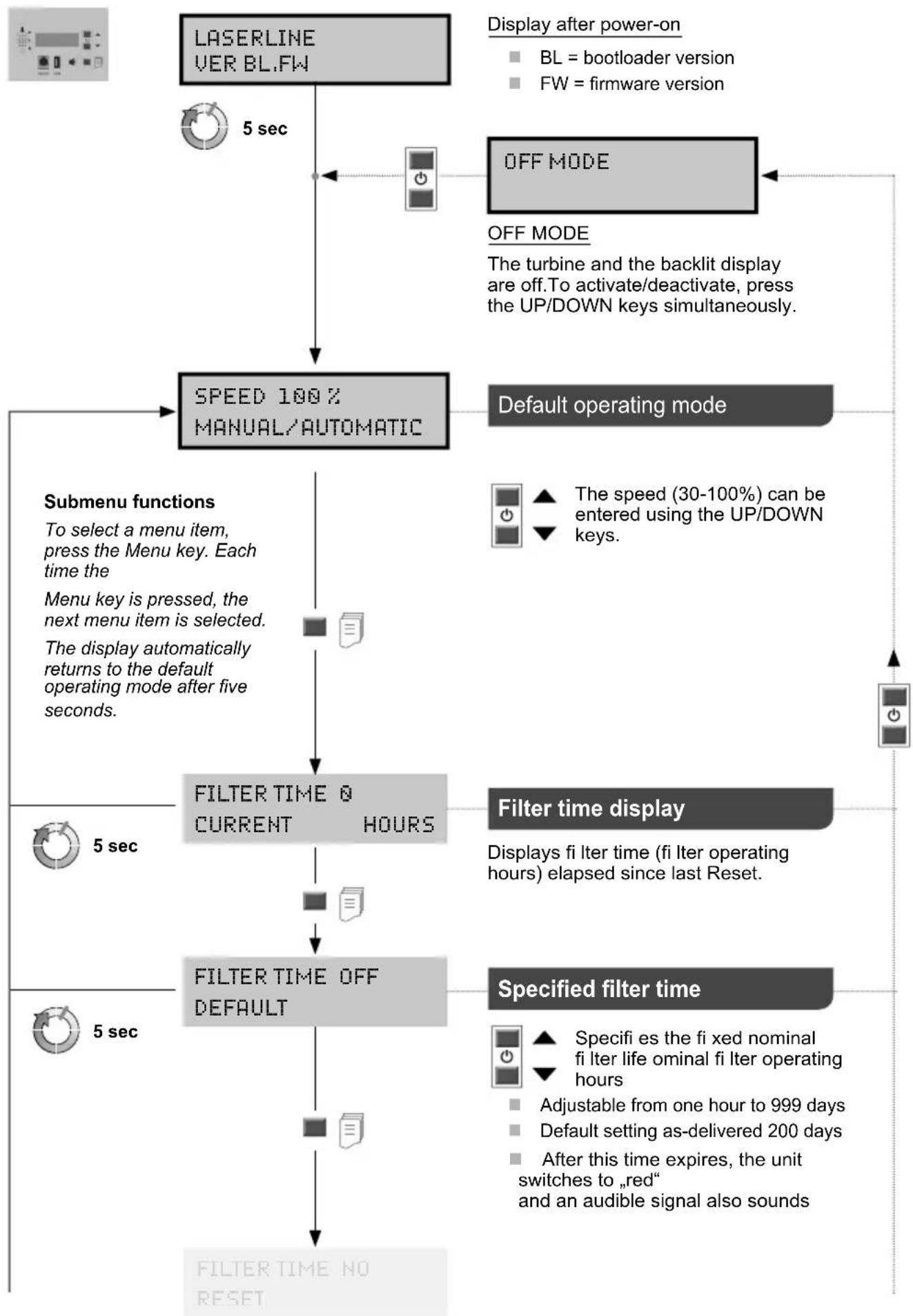
flowchart
graph TD
    A["LASERLINE VER BL.FW"] --> B["5 sec"]
    B --> C["SPEED 100% MANUAL/AUTOMATIC"]
    C --> D["Default operating mode"]
    D --> E["Filter time display"]
    E --> F["Specified filter time"]
    F --> G["FILTER TIME OFF DEFAULT"]
    G --> H["FILTER TIME NO RESET"]

    subgraph Submenu functions
        I["To select a menu item, press the Menu key. Each time the Menu key is pressed, the next menu item is selected. The display automatically returns to the default operating mode after five seconds."] --> J["FILTER TIME & CURRENT HOURS"]
    end

    subgraph Filter time display
        K["Displays fi lter time (fi lter operating hours) elapsed since last Reset."] --> L["FILTER TIME OFF DEFAULT"]
    end

    subgraph Specified filter time
        M["Specifi es the fi xed nominal fi lter life ominal fi lter operating hours"] --> N["Adjustable from one hour to 999 days"]
        N --> O["Default setting as-delivered 200 days"]
        O --> P["After this time expires, the unit switches to „red“ and an audible signal also sounds"]
    end
Menu navigation
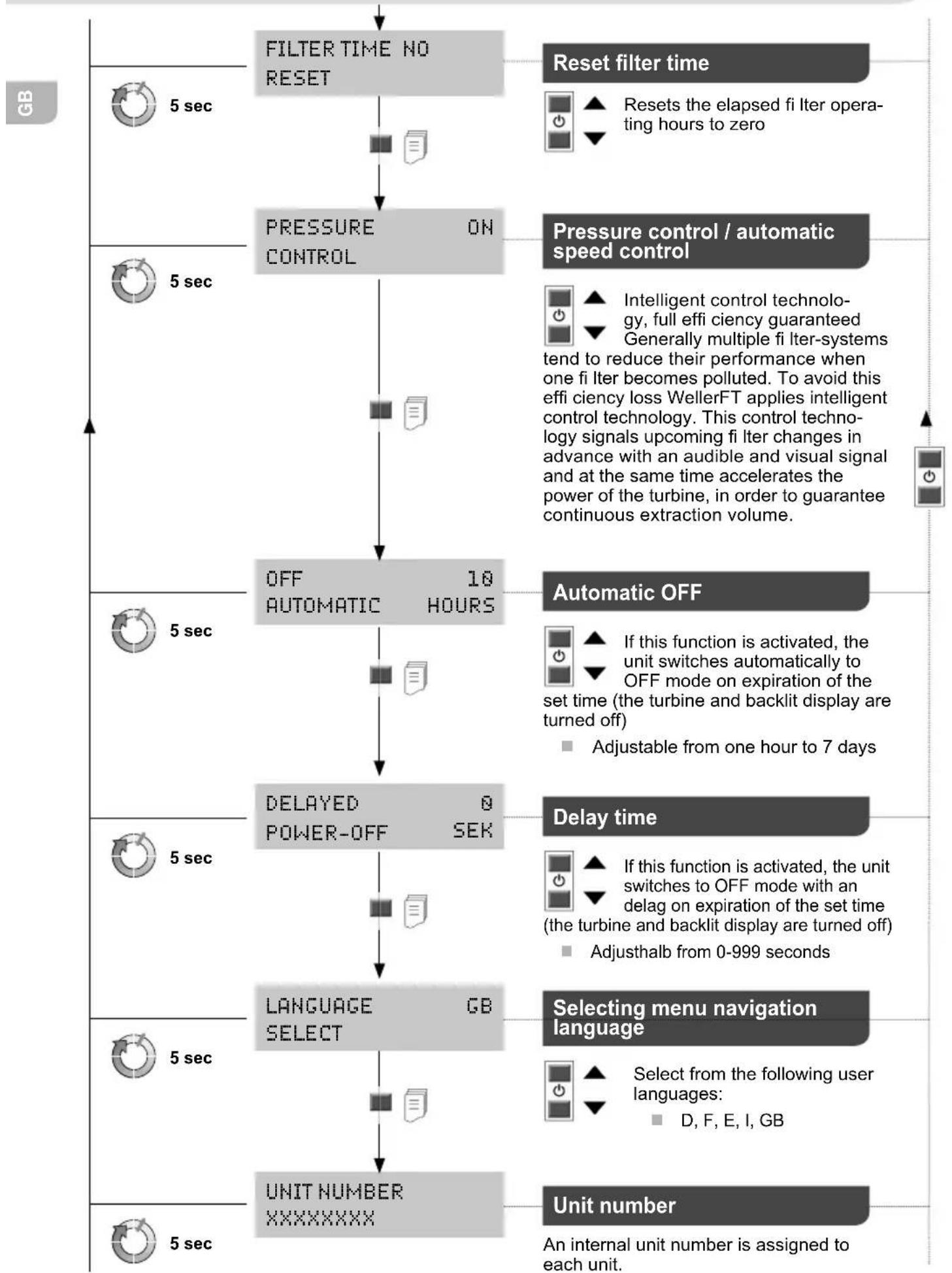
flowchart
graph TD
    A["5 sec"] --> B["FILTER TIME NO RESET"]
    B --> C["Pressure ON CONTROL"]
    C --> D["OFF AUTOMATIC 10 HOURS"]
    D --> E["DELAYED POWER-OFF SEK"]
    E --> F["LANGUAGE SELECT GB"]
    F --> G["UNIT NUMBER XXXXXXXXX"]

    H["Reset filter time"] --> I["Resets the elapsed fi Iter operating hours to zero"]
    H --> J["Pressure control / automatic speed control"]
    J --> K["Intelligent control technology, full effi ciency guaranteed Generally multiple fi Iter-systems tend to reduce their performance when one fi Iter becomes polluted. To avoid this effi ciency loss WellerFT applies intelligent control technology. This control technology signals upcoming fi Iter changes in advance with an audible and visual signal and at the same time accelerates the power of the turbine, in order to guarantee continuous extraction volume."]

    L["Automatic OFF"] --> M["If this function is activated, the unit switches automatically to OFF mode on expiration of the set time (the turbine and backlit display are turned off) <br>Adjustable from one hour to 7 days"]
    L --> N["Delay time"]
    N --> O["If this function is activated, the unit switches to OFF mode with an delag on expiration of the set time (the turbine and backlit display are turned off) <br>Adjusthalb from 0-999 seconds"]
    N --> P["Selecting menu navigation language"]
    P --> Q["Select from the following user languages: <br>D, F, E, I, GB"]

    R["Unit number"] --> S["An internal unit number is assigned to each unit."]
Filter change
Warning!
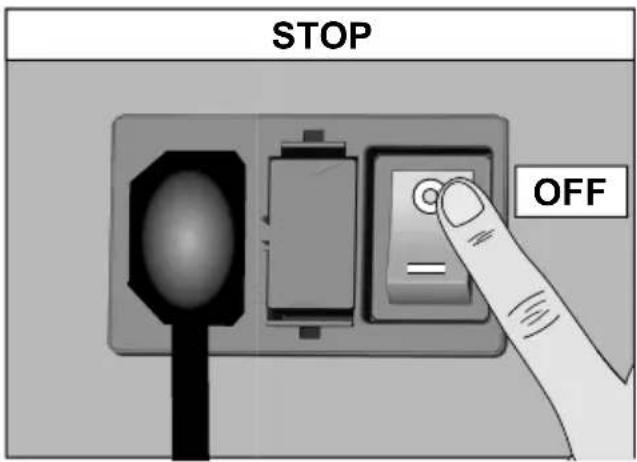
Before doing any work on the machine, pull the plug out of the socket.
Use original replacement parts only.
Contaminated fi Iters must be treated as special waste. Dispose of replaced equipment parts, fi Iters or old devices in accordance with the rules and regulations applicable in your country.
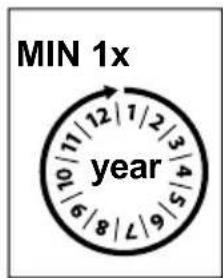
To ensure that the fi ltration system functions properly, the fi lter must be replaced as follows
at least once a year or
■ if the maximum allowable workplace concentration is exceeded or
■ as per maintenance schedule
The degree of clogging of the fi Iter is determined by differential pressure measurement. The fi Iter display indicates the current fi Iter status
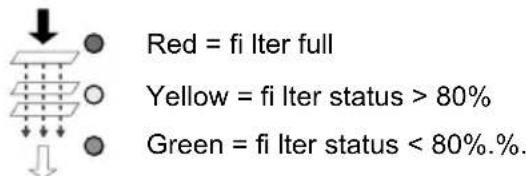
When the fi Iter is used up, an audible signal sounds
once an hour every half hour after 36 hours every 10 min after 54 hours continuously after 72 hours.
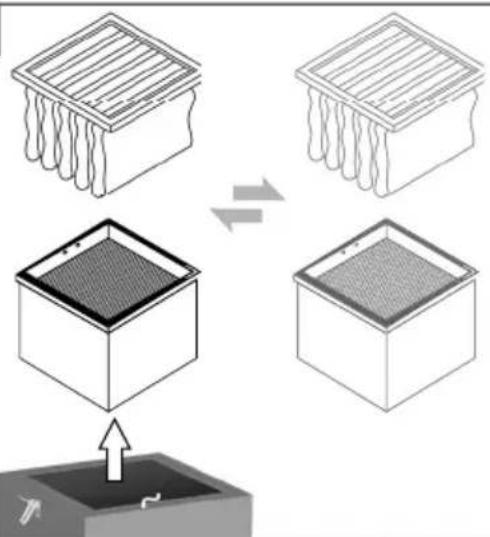
The suspended matter fi Iter and the broadband gas fi Iter are complementary to one another and can be replaced together as a compact fi Iter. The compact fi Iter must be changed once a year in order to ensure it is fully functional. The fi ne dust fi Iter (pocket fi Iter) is the preliminary stage of the compact fi Iter and therefore must be replaced more frequently. It is suffi cient to replace the pocket fi Iter if the red LED does not come on after restarting the unit.
Symbols

Caution!

Read the operating instructions!

Before performing work of any kind on the unit, always disconnect the power plug from the socket.

ESD-compatible design and ESD-compatible workstation

CE mark of conformity

Disposal
Do not dispose of electric tools together with household waste material! In observance of European Directive 2012/19/EU on waste electrical and electronic equipment and its implementation in accordance with national law, electric tools that have reached the end of their life must be collected separately and returned to an environmentally compatible recycling facility.
Contaminated fi Iters must be treated as special waste. Dispose of replaced equipment parts, fi Iters or old devices in accordance with the rules and regulations applicable in your country.
Error messages and error clearance
| Message/symptom Possible cause | Remedial measures | |
| Extraction power missing | Pipe system leaking | Reseal the pipe system |
| Filter is dirty | change the filter | |
| Turbine speed too low | Increase the speed setting | |
| Loud extraction noises | Air speed through extraction-arm is too high speed | Reduce the air speed (reduce air quantity) |
| Unit is not running | Thermally switched off | Leave the unit to cool down.Switch on again after approx.3 hours. |
| Filter display is not working | Minimum pressure hose was not replaced after the filter change | Reconnect the hose to the filter |
| Sub-micron particle becoming dirty to quickly | Pre-filter has not been used | Use prefilter |
| Unable to detect USB medium | USB medium inserted too long | Do not leave USB medium inserted for longer than 2 minutes. Remove USB medium and switch unit off and on again |
| Reset unit | Wrong USB medium >100 mA | Remove USB medium! |
Original declaration of conformity
Extraction unit
Laser Line 200V
Laser Line 400V
We hereby declare that the products described herein comply with the following guidelines: 2011/65/EU (RoHS), 2014/30/EU, 2006/42/EG
Applied harmonised standards:
EN 55 014-1: 2012-05
EN 60 335-1: 2012-10
EN 55 014-2: 2009-06
EN 60 335-2-45: 2012-08
EN 61 000-3-2: 2010-03/2011-06
EN 62233: 2008-11/2009-04
EN 61 000-3-3: 2014-03
EN 50 581: 2013-02

Besigheim, 2016-02-17
T. Fischer
Technical director

B.Frühwald
Managing director
Authorised to compile technical documentation.
Weller Tools GmbH
Aspiration Laser Line 200V
Laser
Line
400V
after 36 timer hver halve time after 54 timer hvert 10. minut after 72 timer permanent.
Emiş Laser Line 200V Laser Line 400V
Aspirare Laser Line 200V
Laser Line 400V
Apex Tool Switzerland Sàrl
Crêt-St-Tombet 15
2022 Bevaix
Tel: +41 (0) 24 426 12 06
Fax: +41 (0) 24 425 09 77
INDIA
Apex Tool Group India Pvt. Ltd.
Regus business centre
Level 2, Elegance, Room no. 214
Mathura Road, Jasola
New Dehli - 110025
FRANCE
Apex Tool Group SNC
25 Avenue Maurice Chevalier
77832 Ozoir-la-Ferrière
Tel: +33 (0)1.64.43.22.00
Fax: +33 (0)1.64.43.21.62
USA
Apex Tool Group, LLC
13150 York Rd. Suite A
Sparks, MD 21152
Tel: +1 (800)688-8949
Fax: +1 (800)234-0472
CHINA
Apex Tool Group
A-8 building
No. 38 Dongsheng Road
Heqing Industrial Park, Pudong
Shanghai 201201
Tel: +86 (21)60880288
Fax: +86 (21)60880289
GREAT BRITAIN
Apex Tool Group (UK Operations) Ltd
4th Floor Pennine House
Washington, Tyne & Wear
NE37 1LY
Tel: +44 (0) 191 419 7700
Fax: +44 (0) 191 417 9421
CANADA
Apex Tools – Canada
5925 McLaughlin Rd.
Mississauga, Ontario L5R 1B8
Fax. +1 (905) 387-2640
SOUTH EAST ASIA
Apex Power Tools India Pvt. Ltd.
Gala No. 1, Plot No. 5
S. No. 234, 235 & 245
India land Global Industrial Park
(Next to Tata Johnson Control)
Taluka-Mulsi, Phase-I
Hinjawadi Pune (411057)
Maharashtra, India
toolsindia@apextoolgroup.com