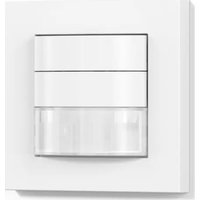
IR 180 KNX - Motion detector STEINEL - Free user manual and instructions
Find the device manual for free IR 180 KNX STEINEL in PDF.



| Product type | Passive infrared (PIR) motion detector for indoor wall mounting |
| Brand | Steinel |
| Model | IR 180 KNX |
| Dimensions (W × H × D) | 80 × 80 × 50 mm |
| Power supply | KNX bus voltage (SELV) |
| Detection angle | 180° |
| Max. range | 20 m (tangential) |
| Brightness threshold setting | From 2 to 1000 lx, mixed light |
| Number of lighting channels | 4 (light 1 to light 4) |
| Main functions | Switching, dimming, constant lighting mode, IQ mode, adjustable time lag from 1 to 255 min |
| Integrated measurements | Temperature (0 to 40°C ±1°C) and humidity (0 to 100%) |
| Additional outputs | HVAC (heating, ventilation, air conditioning) based on presence, time lag, marking |
| Configuration | Via ETS software, remote control (RC6, RC7, Smart Remote) or KNX bus |
| Programming button | Yes, for physical address and application download |
| Status LED | Red for programming, turns off once finished |
| Recommended installation height | 1.2 m |
| Protection rating | IP20 |
| Operating temperature | 0°C to +40°C (indoor) |
| Delivery contents | Detection module, frame, sheet metal frame (support ring), user manual |
| Manufacturer warranty | 5 years on proper operation (according to conditions) |
| Repairability and spare parts | Repairs by specialized workshops, original parts mandatory |
| Maintenance and cleaning | Wipe with a soft dry cloth, do not use harsh cleaners |
| Safety | Installation by a professional, disconnect power before intervention, safety extra-low voltage (SELV) |
Frequently Asked Questions - IR 180 KNX STEINEL
User questions about IR 180 KNX STEINEL
0 question about this device. Answer the ones you know or ask your own.
Ask a new question about this device
Download the instructions for your Motion detector in PDF format for free! Find your manual IR 180 KNX - STEINEL and take your electronic device back in hand. On this page are published all the documents necessary for the use of your device. IR 180 KNX by STEINEL.
USER MANUAL IR 180 KNX STEINEL
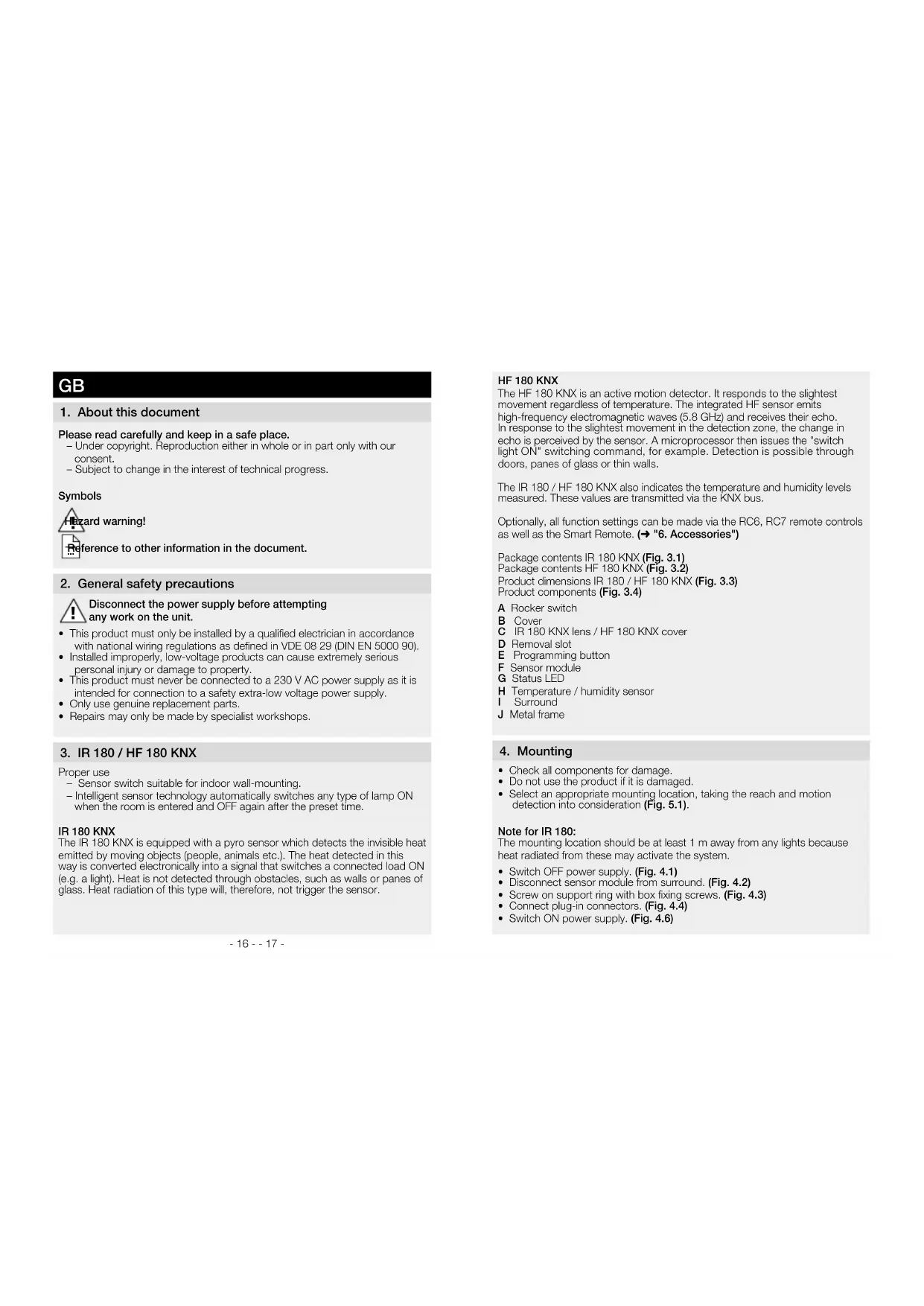
Please read carefully and keep in a safe place.
- Under copyright. Reproduction either in whole or in part only with our consent.
- Subject to change in the interest of technical progress.
Symbols


reference to other information in the document.
2. General safety precautions

Disconnect the power supply before attempting any work on the unit.
- This product must only be installed by a qualified electrician in accordance with national wiring regulations as defined in VDE 08 29 (DIN EN 5000 90).
- Installed improperly, low-voltage products can cause extremely serious personal injury or damage to property.
- This product must never be connected to a 230 V AC power supply as it is intended for connection to a safety extra-low voltage power supply.
Only use genuine replacement parts - Repairs may only be made by specialist workshops.
3. IR 180/ HF 180 KNX
Proper use
- Sensor switch suitable for indoor wall-mounting.
- Intelligent sensor technology automatically switches any type of lamp ON when the room is entered and OFF again after the preset time.
IR 180 KNX
The IR 180 KNX is equipped with a pyro sensor which detects the invisible heat emitted by moving objects (people, animals etc.). The heat detected in this way is converted electronically into a signal that switches a connected load ON (e.g. a light). Heat is not detected through obstacles, such as walls or panes of glass. Heat radiation of this type will, therefore, not trigger the sensor.
HF 180 KNX
The HF 180 KNX is an active motion detector. It responds to the slightest movement regardless of temperature. The integrated HF sensor emits high-frequency electromagnetic waves (5.8 GHz) and receives their echo. In response to the slightest movement in the detection zone, the change in echo is perceived by the sensor. A microprocessor then issues the "switch light ON" switching command, for example. Detection is possible through doors, panes of glass or thin walls.
The IR 180 / HF 180 KNX also indicates the temperature and humidity levels measured. These values are transmitted via the KNX bus.
Optionally, all function settings can be made via the RC6, RC7 remote controls as well as the Smart Remote. ( "6. Accessories")
Package contents IR 180 KNX (Fig. 3.1)
Package contents HF 180 KNX (Fig. 3.2)
Product dimensions IR 180 / HF 180 KNX (Fig. 3.3)
Product components (Fig. 3.4)
A Rocker switch
B Cover
C IR 180 KNX lens / HF 180 KNX cover
D Removal slot
E Programming button
F Sensor module
G Status LED
H Temperature / humidity sensor
Surround
J Metal frame
4. Mounting
- Check all components for damage.
- Do not use the product if it is damaged.
- Select an appropriate mounting location, taking the reach and motion detection into consideration (Fig. 5.1).
Note for IR 180:
The mounting location should be at least 1 m away from any lights because heat radiated from these may activate the system.
- Switch OFF power supply. (Fig. 4.1)
- Disconnect sensor module from surround. (Fig. 4.2)
- Screw on support ring with box fixing screws. (Fig. 4.3)
- Connect plug-in connectors. (Fig. 4.4)
-
Switch ON power supply. (Fig. 4.6)
-
Press programming button and make program settings. (Fig. 4.5) ( "5. Operation")
- Fit the sensor module into the surround and press together with metal frame (support ring).
5. Operation
Note:
You will find an application description at knx.steinel.de. All factory settings may be found in the application descriptions.
- Issue physical address and generate application program in the ETS.
- Load the physical address and application program into the wall switch.
When you are prompted, press the programming button (E). - The red LED goes out once programming has been successfully completed
Integrated button
The button function is defined in the ETS.
6. Accessories (optional)
User remote control RC7 (EAN 4007841 592912)
Functions:
Light ON/OFF 4 h
-User reset
- Adjust dimming level
- Save / load scenarios
Service remote control RC6 (EAN 4007841 593018)
Functions:
-Reach adjustment
- Time setting CH1 / CH2
-ON delay / room surveillance, CH2
- Test / normal mode
- Teach-IN
-Reset
- IQ mode
Smart Remote (EAN 4007841 009151)
- Control via smartphone or tablet
- Replaces all remote controls
- Download appropriate app and connect via Bluetooth
Detailed descriptions are provided in the operating instructions for the particular remote control
7. Disposal
Electrical and electronic equipment, accessories and packaging must be recycled in an environmentally compatible manner.

Do not dispose of electrical and electronic equipment as domestic waste.
EU countries only:
Under the current European Directive on Waste Electrical and Electronic Equipment and its implementation in national law, electrical and electronic equipment no longer suitable for use must be collected separately and recycled in an environmentally compatible manner.
8. Declaration of Conformity
STEINEL Vertrieb GmbH hereby declares that the HF 180 KNX radio equipment type conforms to Directive 2014/53/EU. The full wording of the EU Declaration of Conformity is available for downloading from the following Internet address: www.steinel.de
9. Manufacturer's Warranty
As purchaser, you are entitled to your statutory rights against the vendor. If these rights exist in your country, they are neither curtailed nor restricted by our Warranty Declaration. We guarantee that your STEINEL Professional sensor product will remain in perfect condition and proper working order for a period of 5 years. We guarantee that this product is free from material-, manufacturing- and design flaws. In addition, we guarantee that all electronic components and cables function in the proper manner and that all materials used and their surfaces are without defects.
Making Claims
If you wish to make a claim, please send your product complete and carriage paid with the original receipt of purchase, which must show the date of purchase and product designation, either to your retailer or contact us at STEINEL (UK) Limited, 25 Manasty Road, Axis Park, Orton Southgate, Peterborough, PE2 6UP, for a returns number. For this reason, we recommend that you keep your receipt of purchase in a safe place until the warranty period expires. STEINEL shall assume no liability for the costs or risks involved in returning a product.
For information on making claims under the terms of the warranty, please go to www.steinel-professional.de/garantie
If you have a warranty claim or would like to ask any question regarding your product, you are welcome to call us at any time on our Service Hotline 01733 366700.

10. Technical specifications
| Dimensions W × H × D 80 × 80 × 50 mm | |
| Voltage KNX bus voltage (SELV) | |
| Sensor system Passive infrared (IR) / high frequency (HF) | |
| Reach IR max. 20 m / HF max. 8 m * | |
| Twilight setting 2-1000 lux | |
| Angle of coverage 180° | |
| Settings via ETS software, remote control or bus | |
| Lighting channels: Light 1 - Light 4 | Switching/dimming; switching mode, constant lighting control |
| Stay-ON time for lighting channels IQ mode, 1 - 255 min, depending on presence and light level | |
| Light measurement mixed light | |
| Basic brightness OFF / 1 % - 100 % | |
| Basic brightness stay-ON time | 1-255 min, all night |
| HVAC output | depending on presence |
| Switch-ON delay | Room surveillance, 10 - 255 min |
| HVAC stay-'ON' time | 1-255 min |
| Presence stay ON time output | 1-255 s or min |
| Further outputs | Light level, scenario control, sabotage, temperature, humidity, button |
| Mounting height | 1.2 m |
| Value range for temperature sensor | 0 - 40 °C +/- 1 °C |
| Value range for humidity sensor | 0- 100 % |
| IP rating IP20 | |
| Temperature range | 0°C to +40°C (indoor) |
| * At extreme angles, the reach of the HF 180 KNX is extensively determined by local conditions. | |
| 11. Troubleshooting | ||
| Malfunction | Cause | Remedy |
| Light does not switch ON | ■ No supply voltageLux setting too low | ■ Check supply voltageSlowly increase lux set-ting until light switches ON |
| ■ No motion being detected | ■ Ensure unobstructed sensor visionCheck detection zone | |
| Light does not switch OFF | Lux setting too highStay-ON time still effectiveInterfering heat sources: e.g. fan heater, open doors and windows, pets, light bulb / halo-gen floodlight, moving objects | ■ Reduce lux settingWait until stay-ON time elapses; reduce stay-ON time if necessaryUse stickers to mask out stationary sources of interference |
| Sensor switches OFF despite persons being present | Stay-ON time too shortLight-level threshold too low | ■ Increase stay-ON timeChange twilight setting |
| Sensor does not switch OFF quickly enough | Stay-ON time too long | ■ Reduce stay-ON time |
| IR sensor does not switch ON quickly enough when approached from the front | Reach for radial walking direction less than for tangential walking direction | ■ Install additional sensorsReduce distance between two sensors |
| Sensor does not switch ON when persons are present despite it being dark | Lux setting too low | ■ Sensor deactivated by switch因地制宜?Semi-automatic mode?Increase light-level threshold |
| Button not working | ■ Button deactivated? | ■ Check setting in ETS |
FR
1. A propos de ce document
Sisānrakennettu painike
HnHnHnHnHnHnHnHnHnHnHnHnHnHnHnHnHnHnHnHnHnHnHnHnHnHnHnHnHnHnHnHnHnHnHnHnHnHnHnHnHnHnHnHnHnHnHnHnHnHnH
HF 180 KNX: HF 180 KNX -3to AKTNBHy DaTnK DnBxHeHr. OH peaIpyet Ha MeNbHnJIe DnBxHeHr HeaBcIMOnO To TMnepaTybl. BCTpOehnHbY B4-CEH COp NocBlaeB BbCOKaTHoTHBe AekTPOMAHTNHte BoHNb (5,8 ITu) n NonyaET XxO. PIn p CamOM HebONBmDnBxHeHHb 3Oe ObHApyKeHH cHeCCOP BOCPnINHMAET INMHeHHeXxo.3aTeM MkKnporpoEccop, Haprrmp, Jaet KoMaHy nepeKIOHcHHeR BKnIOHtB CBET. BoMOxHO oBhApyKeHH uee3 Depep, OKOHbHE CTkeNA mnn CTbeH.
IR 180/HF 180 KNX dononHnntBbHo npednaeT bDa+Y 3HaHeHH nMepHeHH TEmpeHATpybln BnAkhHOCTN BO3dyxa. 3TN 3HaHeHH BbIaOTcN pOcpeCTBOM nnHb KNX
Bce DyHKNUHOBHLBHe HAcTPOKNI B KAECTBE OJIUNMOXHO BINIOHNHTb C nYbTBnDnTHAHOHORO YNpABeRHE RC6, RC7 uSmart Remote.
()^6 .PnHaNaeJnxOCTn")
06bem noctabkIR 180 KNX (pnc.3.1)
06bem nocTbHKn HF 180 KNX (pnc.3.2)
Pa3mepbIu3dEInrIR180/HF180KNX(pnc.3.3)
063op npnbopob (pnc. 3.4)
A. NpepknohateB
B. NaOH
C IR 180 KNX nH3a / HF 180 KNX npaoh
D DEmoHTaXHbI LIIu
E KhoIka nporpamMmipoBaHn
F CehcOpHbMmOdyNb
G CBeTOnIO COCTOHHN
H DaTnK TemnepaTypb/BNaxxHOCTN BO3Dyxa
Pamka
J KecraHpaMa
4. MoHTax
PpOBepuB Bce KOHCTpyKTHBHbIe DetanHa npEpmT NOpeKdHnA.
Pn noBpeKdHnHex BKnOHTpOdyKT.
Bb6paTb noxdoaee MeCTO nmoHTaKa C yETOM paMnyca DeCTBnI perncTaPm DnVKeHm. (pnc. 5.1)
Ykaahne dna IR 180: MecTo, B KOTOpOM IpoINsBDmTc MoTHax, DOnKHO 6bITyDJIeHO OT NOCTOPOHHe CBeTnBnHnKa Ha pAcCToRHe, COCTABNIHOUe He MeHee, EEM, YTO6bI PpEOTDpATNTb OLIMIOCHOE BKIOHEMe CNTEmbIB B peSYIbte OTdAHIn Tenna.
OTKIOHHTb 3JIeKTPoNTMaHHe. (pnc.4.1)
- OtcoeHNHTbcHcOpHbMoMybOTpamKn.(Pnc.4.2)
PnKpyTHTb Hecuuee KOBJUo KpeEnxHbIMBnHTAMn po3eTKn. (pnc. 4.3)
PoioknouHTb WTeKepeHbe coeYHeHn. (puc. 4.4)
BknIOHTb 3NEKTPoNTaHHe. (puc.4.6)
Haxatb KhoNky nporpaMMPOBaHn H BblONHHTb HaCTpOKN nporpaMMbl. (PNC.4.5) ()^5 .NyckBeknnnyatauio
CnOxHtB BmCTe CECOPHbM OyIb N pAMky N c daBneHem BCTABtB B XECTAHyO pAMky (HeCyUee KOJIbUO).
5. NycB 3Kcnpnyatauio
Yka3aHHe: OnncHHe npJIOXeHn HaxoDITcHa caTe knx.steinel.de Bce 3abOckHe NaCTpOKn nPmBedeHb BOnncAHHx npJIOXeHn.
- PpncboeHne cHmHeckoro apeca n npKnaHn nporpaMmbI B ETS.
2.3a py3ka mneckoro aepca n npknlaonn porpammbb HacteHHnepeknoateB. Pn 3aipocn HkONky nporpammpoBaHn (E). - Nocne ycnewhoro nporpaMMPOBaHnKpachn CND norachet.
BcTpoeHHb npeKJIIOuHaTeJb
ФИКПЯNEPEKIOHATEJIYYCTAHABINBAETCRBETS.
6. KomIIeKTyIOUne (DOnOJIHnTeIbHo)
HnctaHIOHOe ynpabJIeHne noJb3OBaTeIg RC7 (EAN 4007841 592912)
Eknnnyatau:
-BKIOHHe /BbIKIOHHe CBeTa 4
-0anb3oBaTeBcknC6poc
-UMeHEHMe ypOBHr RpkOCTn
-CoxpaHHeH/3aRpy3Ka cBcTOBOuCnTyauM
CepBnCHoe nCTaHNoHHoe ynpabJeHne RC6 (EAN 4007841 593018)
3Kcnnnyatau:
- YCTaHOBka DaIbHOCTn DeIcTBn
- PpOoPONKITeINbHOCTB BKNIOHHeHH CH1/CH2
-3aepkka BknoeHn/ KOHTponb ncmEeHn CH2
- TECTOBH / cTahapTHbI pexMM
-Pexm06yehn
- C6poc
- IQ-pexmm
Smart Remote (EAN 4007841 009151)
- YnpaBneHHe CO CMaprpoHa Nn NnHaHWeTa
-3aMeHREBCEIITbIINCTAHUNHOYINPABHEH - 3arpyntb noxoadyee npnloxeHne uyctahOBt coeHNHeHne no Bluetooth
Ipoipobhble onncnHbpykoBDCTBax no 3KcnnyatauM COOTBeTCTByoUero nybTa DCCTAHIOHOY npabneHn.
7. yTnJn3aun
3NeKtpnpn6opbI, KOMPnEeTkyuHne HynakOBky CJeDyET HAnpaBnTb Ha 3KOJIOnHHyTOBOpMHyIOpepea60Ky.

He Bb6paBbTa 2eKtpoPnObOpB b6bTobBe OTxObl!
TOnbKO dNn cTpaH EC:
Cornacho De Chrysoe Ebponecko DpkeTnno no Otpa6ToHOMy 3neKtpnHeCKOMY nAnE9kTPOHHOMy o60pyBaHIO n ee peanl3auBn B HauHOHaBbHex 3aKHOpatenbCTBaO TpOHTbAe AnE9kTPOPNbOpbDOnXhBco6paTcBcO tdenHO HnpanBaNtBcRa Ha 3ekonrHyto BTOPHy nopepaBoNY.
8. Ceptnuikat COOTBETCTBn
HactoMM KOMnAa STEINEL Vertrieb GmbH 3aBnHert, Tto padmocnnapaTpy aTNHF 180 KNX OTBeHaET Tpe6oBaHnM dIpeKtnBbl 2014/53/EU. POnHbI TEKT cepTnPKATA COOTBcTBCTBnE EC DOctynen Ho cnedyouemy apecy B INtHephe: www.steinel.de.
9. TapaHTnI npOn3BODnteIa
Bbl, kak nokyntai, Imeete npedycmptehhie 3aKOHOM npaba B OTHWEHn npdaua. EcnTkne npba CyauecCTyOHT B aauEi cTpaHe, To HauHa rapaHTN He cokpaAet He OrpAHmBaet IN. Mbl npdeocTabnEM Bam 5-NEHIOI rapaTHNO Ha 63eynpUeHx npaKTpeCTNI Hn HauNeKauHypo bapoty baero cencopHoro n3denns STEINEL Profeslonal. Mbl rapaHTpyem, TTO tO n3denn He IMeET deEeKToB oMatepnana, KOHcTpykUnn npom3BOCTBEHHoro 5baka. Mbl rapaHTpyem pabOTOCNC0bHOCTb BCEx 3JIeKtPOHHX KOHcTpyKtBbHX aEMeHOB N KaGEEN, A TOAKe OTCYCTBNE DeEeKToB BO BCEx IcONJb3OBaHHix MaTePnAnax HA IN NOBepXHOCTN.
PpeBraBHeHne Tpe6oBaHn
EcnB BxOTnTE 3aBHTpeKlmauHIO NO BaWemy I3dJIIO,OTPiabTe I3-
IeB C BoPAHOM N yNkOBAHOM BnDE BMeCT C pNIOKeHHbIM KACCOBBIM
YekOM NIK BKTANUeN C DaTOI PNOAdXN Y KAZAHNEM HAMMEHOBAHIN I3dE
IBAWey DInepy MN ENOOPCECTBEHNO Ham IO Anpce: REAL.Electro,
109029,MockBa,yn.CpeHNAKANTHKOBckar,26/27.103TOMy Mbl
peKoHEyEM BAM CoXPaHb T KACCoby Yek INN KBTANUO O npOdaKe
DO nCTeEHnRAPaHTNHO rCPOka. KOMTHRA STEINEL He Hecet PNCKn i
pacXOBI HA TpAHCNOPTIPNOBky B pAmkX Bo3BpTa I3dJIeN.
HnΦopMaHIO O TOM, KAK 3aBbTb O rapaHTN Hom CNYae, Bbl HaJdTe Ha Haue IOMaHHe CTpaHnue www.steinel-russland.ru

Ecn y Bac HacTynn rapaHTnnHb CnyHn INm IMeIOTc BONPCbI NO BAWeMg NIDEmHO, Bbl MoXeTe B JIOOe BpEMr NO3BOHmTB B CnyKbY texNHueckOn NoNDepKKN NO TeneoHy +7(495) 230 31 32.
们:Rm.25AHuaduMansion,No.828-838ZhangyangRoad,200122