ManualGo.com
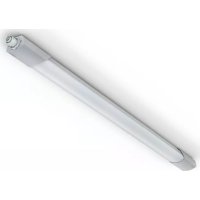
RS PRO R30 Basic SC - Lamp STEINEL - Free user manual and instructions
Find the device manual for free RS PRO R30 Basic SC STEINEL in PDF.



Download the instructions for your Lamp in PDF format for free! Find your manual RS PRO R30 Basic SC - STEINEL and take your electronic device back in hand. On this page are published all the documents necessary for the use of your device. RS PRO R30 Basic SC by STEINEL.
USER MANUAL RS PRO R30 Basic SC STEINEL
DC: L = + N = –– 5 – – 5 –
Please read carefully and keep in a safe place. – Under copyright. Reproduction either in whole or in part only with our consent. – Subject to change in the interest of technical progress. Symbols
Reference to other information in the document.
2. General safety precautions
Disconnect the power supply before attempting any work on the unit. During installation, the electric power cable being connected must not be live. Therefore, switch o the power first and use a voltage tester to make sure the wiring is o-circuit.
- Installing the sensor-switched light involves work on the mains supply voltage. This work must therefore be carried out professionally in accord- ance with national wiring regulations and elec- trical operating conditions. (e.g. DE-VDE 0100, AT-ÖVE/ÖNORME8001-1, CH-SEV1000)
- Only use genuine replacement parts.
- Repairs may only be made by specialist work- shops.
- The light source of this light cannot be replaced. If the light source needs to be replaced (e.g. at the end of its service life), the complete light must be replaced.
3. RS PRO Connect R10 /
RS PRO Connect R20 / RS PRO Connect R30 Proper use – Sensor-switched indoor light with active motion detector for installing indoors. – Can be retrofitted with emergency light The integrated HF sensor emits high-frequency electromagnetic waves (5.8 GHz) and receives their echo. The change in echo caused by the slightest movement within the light's detection zone is detected by the sensor. A microprocessor then issues the switch command "switch light ON". Detection is possible through doors, panes of glass or thin walls. Note: The high-frequency power of the HF sensor is approx. 1 mW – that is 1000 times less than the transmission power of a mobile phone or microwave oven. Package contents, round (Fig. 3.1) Sensor-switched light 3 spacers 2 slot-in shrouds Product dimensions, round (Fig.3.2) Product components, round (Fig.3.3) A Light enclosure B Wall mount C Connecting terminal D Slot-in shrouds E Catches for slot-in shrouds Package contents, square (Fig.3.4) Sensor-switched light 3 spacers 2 slot-in shrouds Product dimensions, square (Fig.3.5) Product components, square (Fig.3.6) A Light enclosure B Wall mount C Connecting terminal D Slot-in shrouds E Catches for slot-in shrouds
4. Electrical connection
- Switch OFF power supply (Fig.4.1) Connecting the mains power supply lead (Fig.4.1) The supply lead is a three-core cable: L = phase conductor (usually black, brown or grey) N = neutral conductor (usually blue) PE = protective-earth conductor (green/yellow) If you are in any doubt, identify the conductors using a voltage tester; then disconnect from the power supply again. Connect phase (L) and neutral conductor (N) to the terminal. For DC operation, connect to terminal L "+" and to terminal N "-".– 17 –
Important: Incorrectly wired connections will produce a short circuit later on in the product or your fuse box. In this case, you must identify the individual con- ductors once again and reconnect them. A mains power switch for turning the unit ON and OFF may of course be installed in the mains supply lead (in applications without emergency light module). Important: The light source of this light cannot be replaced. If the light source needs to be replaced (e.g. at the end of its service life), the complete light must be replaced.
- Check all components for damage.
- Do not use the product if it is damaged.
- When installing the light, make sure the installa- tion site is not subject to vibration.
- Select an appropriate mounting location, taking the reach and motion detection into consideration.
- The ventilation slots must not be obstructed after installing the light. Mounting procedure
- Undo retaining screws (no need to remove the retaining screws completely) and take o the light enclosure (Fig.5.1)
- Mark drill holes (Fig.5.2)
- Drill holes and insert wall plugs (Fig.5.3)
- Installation with surface-mounted power supply lead (Fig.5.4)
- Installation with concealed power supply lead (Fig.5.5)
- Connect conductors (Fig.5.6)
- Fit light enclosure and screw in place with retain- ing screws (Fig.5.7)
- Switch ON power supply
Factory settings Reach setting: 10 m Main light time setting: 3 min. Basic light time setting: 5 min. Twilight setting: 500 lux Basic light dimming level: 5% Backlight: ON The sensor function is activated in the factory setting so that the light is directly ready for opera- tion. To put the product into reference mode, go to the technical documentation at: www.steinel.de. To configure the light, you must download the Steinel Connect App from your app store. You will need a Bluetooth-capable smartphone or tablet. Android iOS Reach adjustment The reach setting can be infinitely varied between 1 and 10 m. Reach can be reduced in four directions by fitting the slot-in shrouds included. (Fig.6.1) Time setting The main light's ON time can be set to any period from 5seconds to 60minutes. Any movement detected before this time elapses will restart the timer. Twilight setting The chosen response threshold can be infinitely varied from 2 to 2000lux. Basic light level The brightness of the basic light level setting can be varied between 1% and 50%. The period for which the basic light level stays ON for can be infinitely varied between 10 minutes and 30 minutes, or set to remain ON all night. Main light level The brightness of the main light level setting can be varied between 50% and 100%. Backlight (PLUS version) The setting for switching the backlight ON or OFF can be selected manually.– 18 – Grouping The RS PRO Connect R10/R20/R30 can be operated as a single light or interconnected with several lights by wireless communication to form a group. All lights belonging to a group operate in line with the group parameters set in the Steinel Connect app. Reach can be set individually for all lights in the lighting group. Fade Time Fade Time can be used to set the rate of dimming on switching the light ON and OFF (1 s - 3 s). Neighbouring-light function The neighbouring-light function can be activated and deactivated via the Steinel Connect App. This function assigns the neighbouring groups to the active lighting group. The active group responds to activation signals from the neighbouring group assigned to it and switches to main light or basic light as defined in the settings. Presence detector function The presence detector function can be activated and deactivated via the Steinel Connect App. The presence detector function should be activated to increase the sensitivity of sensor detection after switching the light ON. This then enables the sensor to also, for example, detect slighter movements such as arm or hand movements once a person has entered the detection zone (making pronounced movements). This prevents move- ments outside the chosen detection zone from switching light ON when it is not needed but leaves light switched ON in response to less pronounced movements. To avoid light being switched ON all the time, at least one movement must be detected every ten minutes. If this is not the case, the sensor leaves sensitive mode and the light switches OFF after the stay-ON time elapses. Deactivate the pres- ence detector function if the light is left switched ON when it is not needed. Light distribution curve (Fig.6.2)
8. Maintenance and care
The product requires no maintenance. The light enclosure can be cleaned with a damp cloth (without detergents) if dirty. Important: The control gear cannot be replaced.
Electrical and electronic equipment, accessories and packaging must be recycled in an environmen- tally compatible manner. Do not dispose of electrical and electronic equipment as domestic waste. EU countries only: Under the current European Directive on Waste Electrical and Electronic Equipment and its imple- mentation in national law, electrical and electronic equipment no longer suitable for use must be col- lected separately and recycled in an environmentally compatible manner.
10. Declaration of Conformity
Hereby, STEINEL Vertrieb GmbH declares that the radio equipment type RSPROConnectR10/ RSPROConnectR20/ RSPROConnectR30 is in compliance with Directive 2014/53/EU. The full text of the EU declaration of conformity is available at the following internet address: www.steinel.de– 19 –
11. Manufacturer's Warranty
As purchaser, you are entitled to your statutory rights against the vendor. If these rights exist in your country, they are neither curtailed nor restricted by our Warranty Declaration. We guarantee that your STEINEL Professional sensor product will remain in perfect condition and proper working order for a period of 5years. We guarantee that this product is free from material-, manufacturing- and design flaws. In addition, we guarantee that all electronic components and cables function in the proper manner and that all materials used and their surfac-es are without defects.Making ClaimsIf you wish to make a claim, please send your prod-uct complete and carriage paid with the original receipt of purchase, which must show the date of purchase and product designation, either to your retailer or contact us at STEINEL (UK) Limited, 25Manasty Road, Axis Park, Orton Southgate, Peterborough, PE2 6UP, for a returns number. For this reason, we recommend that you keep your receipt of purchase in a safe place until the warranty period expires. STEINEL shall assume no liability for the costs or risks involved in returning a product. For information on making claims under the terms of the warranty, please go to www.steinel-professional.de/garantieIf you have a warranty claim or would like to ask any question regarding your product, you are welcome to call us at any time on our Service Hotline 01733 366700. MANUFACTURER'S
=84 Average rated life expectancy: L70B50 at 25°C: >60,000hours Colour consistency SDCM: Starting value: 3 Basic light level: Adjustable from 1-50% Main light level: Adjustable from 50-100% HF technology: 5.8GHz (responds to the slightest movement regardless of temperature) / < 1 mW Detection reach: 1-10m in diameter, infinitely variable Angle of coverage: 360° with 160° angle of aperture Time setting: 5 s-60min Twilight setting: 2-2000lux IP rating: IP40 Protection class: II Ambient temperature: -20°C - +40°C Bluetooth frequency: 2.4-2.48GHz Bluetooth transmitter power: 5dBm/3mW This product contain a light source from energy eciency class: R10 PLUS SC NW: R10 PLUS SC WW: R20 PLUS SC NW: R20 PLUS Q SC NW: R20 PLUS Q SC WW: R20 PLUS SC WW: "D" "D" "D" "D" "D" "D"– 22 – R30 PLUS SC NW: R30 PLUS Q SC NW: R30 PLUS Q SC WW: R30 PLUS SC WW: R10 BASIC SC NW: R10 BASIC SC WW: R20 BASIC SC NW: R20 BASIC Q SC NW: R20 BASIC Q SC WW: R20 BASIC SC WW: R30 BASIC SC NW: R30 BASIC Q SC NW: R30 BASIC Q SC WW: R30 BASIC SC WW: "D" "D" "D" "D" "D" "D" "D" "D" "D" "D" "D" "C" "C" "D" Luminous intensity distribution: LumEdit 202101200639_R10 4000K mit heller Haube_HW von 2361_5.0x5.0 Polardiagramm
30°30° 150°150° 60° 120° 60° 120° cd / 1000 lm 072C / 09C081C / 0C R30 PLUS Q SC NW R30 PLUS Q SC WW R30 BASIC Q SC NW R30 BASIC Q SC WW You will find all technical information at www.steinel.de– 23 – Malfunction Cause Remedy Sensor-switched light without power ■ Fuse has tripped, not switched ON, break in wiring ■ Short circuit in mains power supply lead ■ Any mains switch OFF ■ Activate, change fuse, turn ON mains switch, check wiring with voltage tester ■ Check connections ■ Switch on mains switch Sensor-switched light will not switch ON ■ Wrong twilight setting selected ■ Mains switch OFF ■ Fuse has tripped ■ Reset ■ Switch ON ■ Activate, change fuse, check connection if necessary Sensor-switched light will not switch OFF ■ Continued movement within the detection zone ■ Check detection zone Sensor-switched light switches ON without any identifiable movement ■ Sensor-switched light not mounted for detecting movement reliably ■ Movement occurred, but not identified by the observer (movement behind wall, movement of a small object in immediate lamp vicinity etc.) ■ Securely mount enclosure ■ Check detection zone Sensor-switched light does not switch ON despite movement ■ To minimise malfunctioning, rapid movements are suppressed or detection zone too small ■ Wrong twilight setting selected ■ Check detection zone ■ Reset Emergency light malfunction Malfunction Cause Remedy Backlight does not switch ON ■ Emergency light charging rechargeable battery ■ Wait for up to 24 hour until the battery is fully recharged
- Faça os furos e coloque as buchas (fig.5.3)
R10 PLUS SC NW: R10 PLUS SC WW: R20 PLUS SC NW: R20 PLUS Q SC NW: R20 PLUS Q SC WW: R20 PLUS SC WW: "D" "D" "D" "D" "D" "D"– 206 – R30 PLUS SC NW: R30 PLUS Q SC NW: R30 PLUS Q SC WW: R30 PLUS SC WW: R10 BASIC SC NW: R10 BASIC SC WW: R20 BASIC SC NW: R20 BASIC Q SC NW: R20 BASIC Q SC WW: R20 BASIC SC WW: R30 BASIC SC NW: R30 BASIC Q SC NW: R30 BASIC Q SC WW: R30 BASIC SC WW: "D" "D" "D" "D" "D" "D" "D" "D" "D" "D" "D" "C" "C" "D"