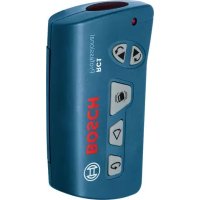
RC 1 Professional - Remote control BOSCH - Free user manual and instructions
Find the device manual for free RC 1 Professional BOSCH in PDF.
 FR
FR
 BG
BG
 CS
CS
 DA
DA
 DE
DE
 EL
EL
 EN
EN
 ES
ES
 ET
ET
 FI
FI
 HU
HU
 IT
IT
 JA
JA
 KK
KK
 KO
KO
 LT
LT
 LV
LV
 MK
MK
 NL
NL
 NO
NO
 PL
PL
 PT
PT
 RO
RO
 RU
RU
 SK
SK
 SL
SL
 SV
SV
 TR
TR
 UK
UK
 ZH
ZH
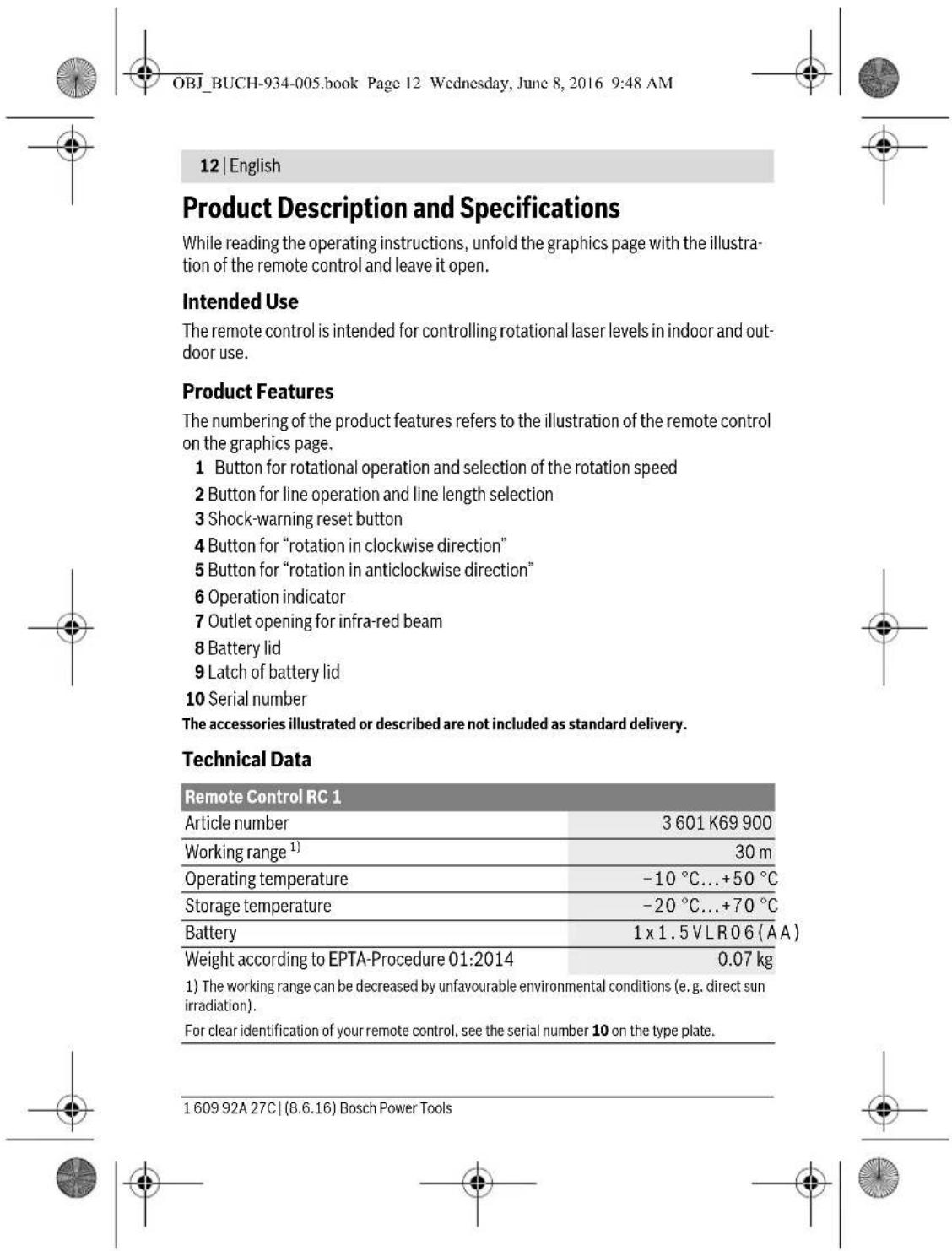
| Product type | Infrared remote control for rotary laser |
| Brand | Bosch |
| Model | RC 1 Professional |
| Article number | 3 601 K69 900 |
| Range | 30 m |
| Weight (according to EPTA-Procedure 01:2014) | 0.07 kg |
| Power supply | 1 alkaline battery 1.5 V LR06 (AA) |
| Operating temperature | -10 °C to +50 °C |
| Storage temperature | -20 °C to +70 °C |
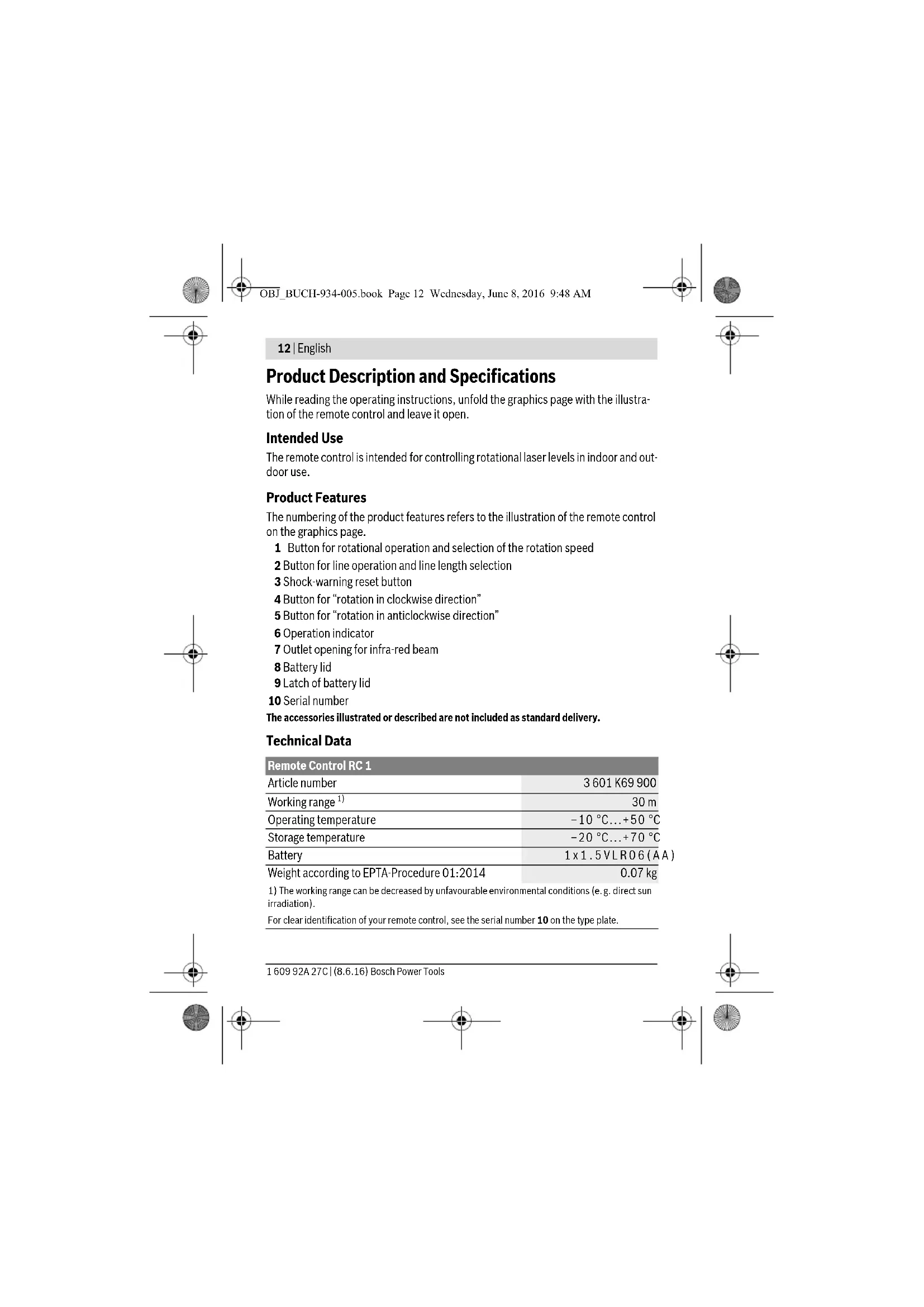
| Main functions | Rotation mode (150/300/600 rpm), line tracing mode (10°/25°/50°, 0°), clockwise/counterclockwise rotation, shock warning and reset |
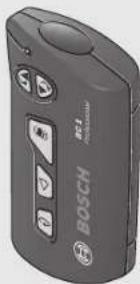
| Control elements | Rotation mode button, tracing mode button, alert button, clockwise rotation button, counterclockwise rotation button, operating indicator |
| Intended use | Control of rotary lasers indoors and outdoors |
| Maintenance and cleaning | Soft damp cloth, no detergents or solvents, do not immerse |
| Safety | Do not use in explosive atmospheres, repair by qualified personnel using original parts |
| Spare parts | Available via www.bosch-pt.com, indicate the article number |
| Warranty and service | Bosch authorized after-sales service |
Frequently Asked Questions - RC 1 Professional BOSCH
User questions about RC 1 Professional BOSCH
0 question about this device. Answer the ones you know or ask your own.
Ask a new question about this device
Download the instructions for your Remote control in PDF format for free! Find your manual RC 1 Professional - BOSCH and take your electronic device back in hand. On this page are published all the documents necessary for the use of your device. RC 1 Professional by BOSCH.
USER MANUAL RC 1 Professional BOSCH
OBJ BUCHI-934-005.book Page 1 Wednesday, June 8, 2016 9:48 AM
natural_image
Exterior view of a Bosch BOSCH electric sensor device (no text or symbols visible on body)Robert Bosch Power Tools GmbH
70538 Stuttgart
GERMANY
www.bosch-pt.com
1609 92A 27C (2016.06) I/211

1 609 92A 27C
RC 1 Professional

BOSCH
OBJ_BUCH-934-005.book Page 2 Wednesday, June 8, 2016 9:48 AM



2
Deutsch......Seite5
English......Page11
Français....Page19
Español....Página25
OBJ_BUCH-934-005.book Page 7 Wednesday, June 8, 2016 9:48 AM


Deutsch | 7
OBJ_BUCH-934-005.book Page 11 Wednesday, June 8, 2016 9:48 AM


English | 11
Nur für EU-Länder:

Read and observe all instructions. SAVE THESE INSTRUCTIONS FOR FUTURE REFERENCE.
▶ Have the remote control repaired only through a qualified repair person and only using identical replacement parts. This will ensure that the functionality of the remote control is maintained.
▶ Do not operate the remote control in explosive atmospheres, such as in the presence of flammable liquids, gases or dusts. Sparks can be created in the remote control which may ignite the dust or fumes.
▶ Read and strictly observe the safety warnings in the operating instructions of the rotational laser.
Bosch Power Tools 1 609 92A 27C | (8.6.16)






English | 13
Assembly
Inserting/Replacing the Battery
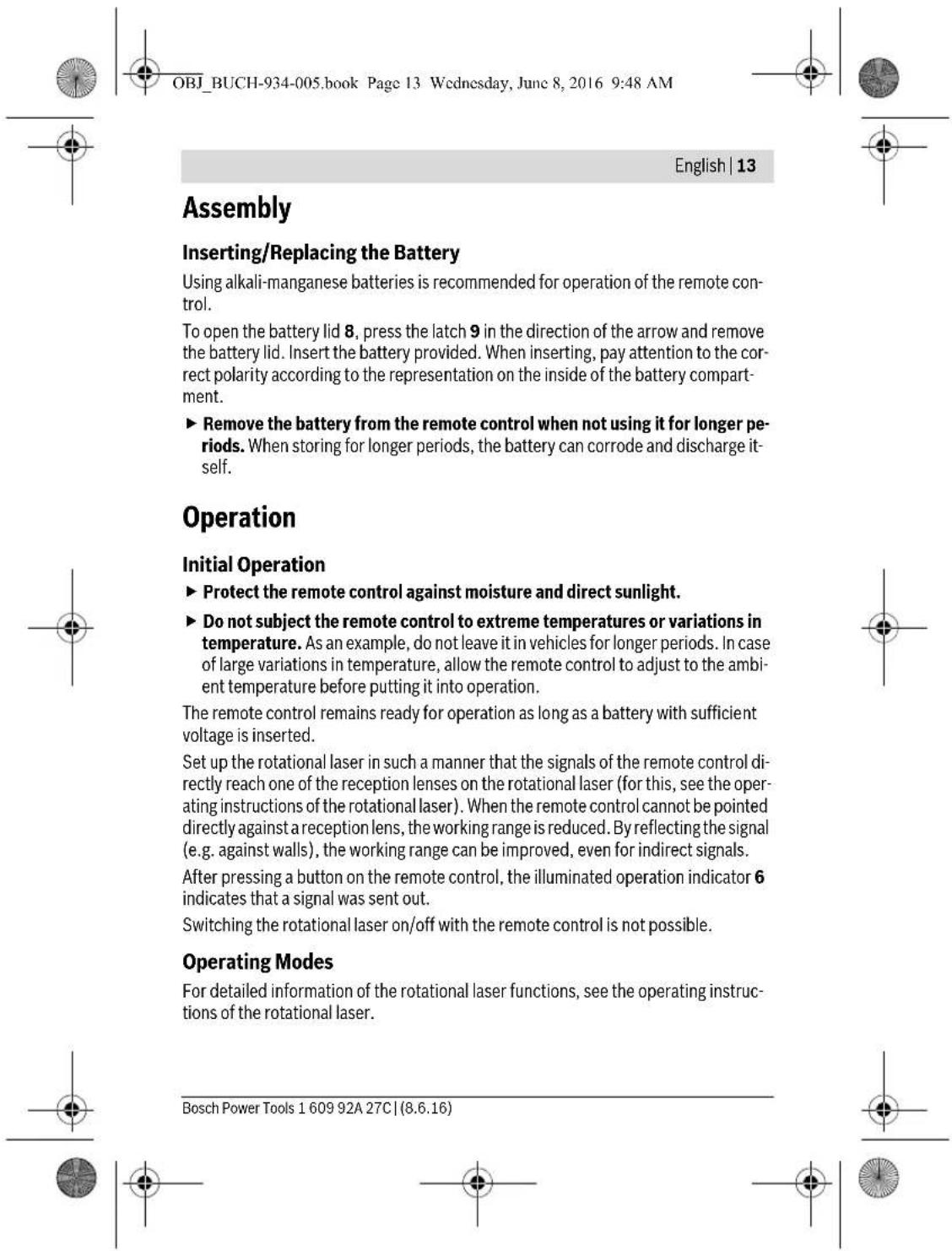
Using alkali-manganese batteries is recommended for operation of the remote control.
To open the battery lid 8, press the latch 9 in the direction of the arrow and remove the battery lid. Insert the battery provided. When inserting, pay attention to the correct polarity according to the representation on the inside of the battery compartment.
Remove the battery from the remote control when not using it for longer periods. When storing for longer periods, the battery can corrode and discharge itself.
Operation
Initial Operation
▶ Protect the remote control against moisture and direct sunlight.
▶ Do not subject the remote control to extreme temperatures or variations in temperature. As an example, do not leave it in vehicles for longer periods. In case of large variations in temperature, allow the remote control to adjust to the ambient temperature before putting it into operation.
The remote control remains ready for operation as long as a battery with sufficient voltage is inserted.
Set up the rotational laser in such a manner that the signals of the remote control directly reach one of the reception lenses on the rotational laser (for this, see the operating instructions of the rotational laser). When the remote control cannot be pointed directly against a reception lens, the working range is reduced. By reflecting the signal (e.g. against walls), the working range can be improved, even for indirect signals.
After pressing a button on the remote control, the illuminated operation indicator 6 indicates that a signal was sent out.
Switching the rotational laser on/off with the remote control is not possible.
Operating Modes
For detailed information of the rotational laser functions, see the operating instructions of the rotational laser.
Bosch Power Tools 1 609 92A 27C | (8.6.16)


OBJ_BUCH-934-005.book Page 14 Wednesday, June 8, 2016 9:48 AM


14 | English

Rotational Operation (150/300/600 min ^-1 )
The function of the button for rotational operation 1 on the remote control is identical with that on the rotational laser.
Each time after switching on, the rotational laser is in rotational operation mode with average rotational speed.
To switch from line operation to rotational operation, press the rotational operation button 1. Rotational operation starts with average rotational speed.
To change the rotational speed, press the rotational operation button 1 again until the requested speed is reached.

Line Operation, Point Operation (10°/25°/50°, 0°)
The function of the button for line operation 2 on the remote control is identical with that on the rotational laser.
To switch to line or point operation, press the line operation button 2. The rotational laser switches to line operation with the smallest aperture angle.
To change the aperture angle, press the line operation button 2. The aperture angle is increased in two steps; at the same time, the rotational speed is increased with each step. When pressing the line operation button 2 a third time, the rotational laser switches to point operation after brief post-pulsation. Pressing button 2 again takes you back to line operation with the smallest aperture angle.
Note: Due to inertia, it is possible for the laser to slightly move beyond the end point of the laser line.


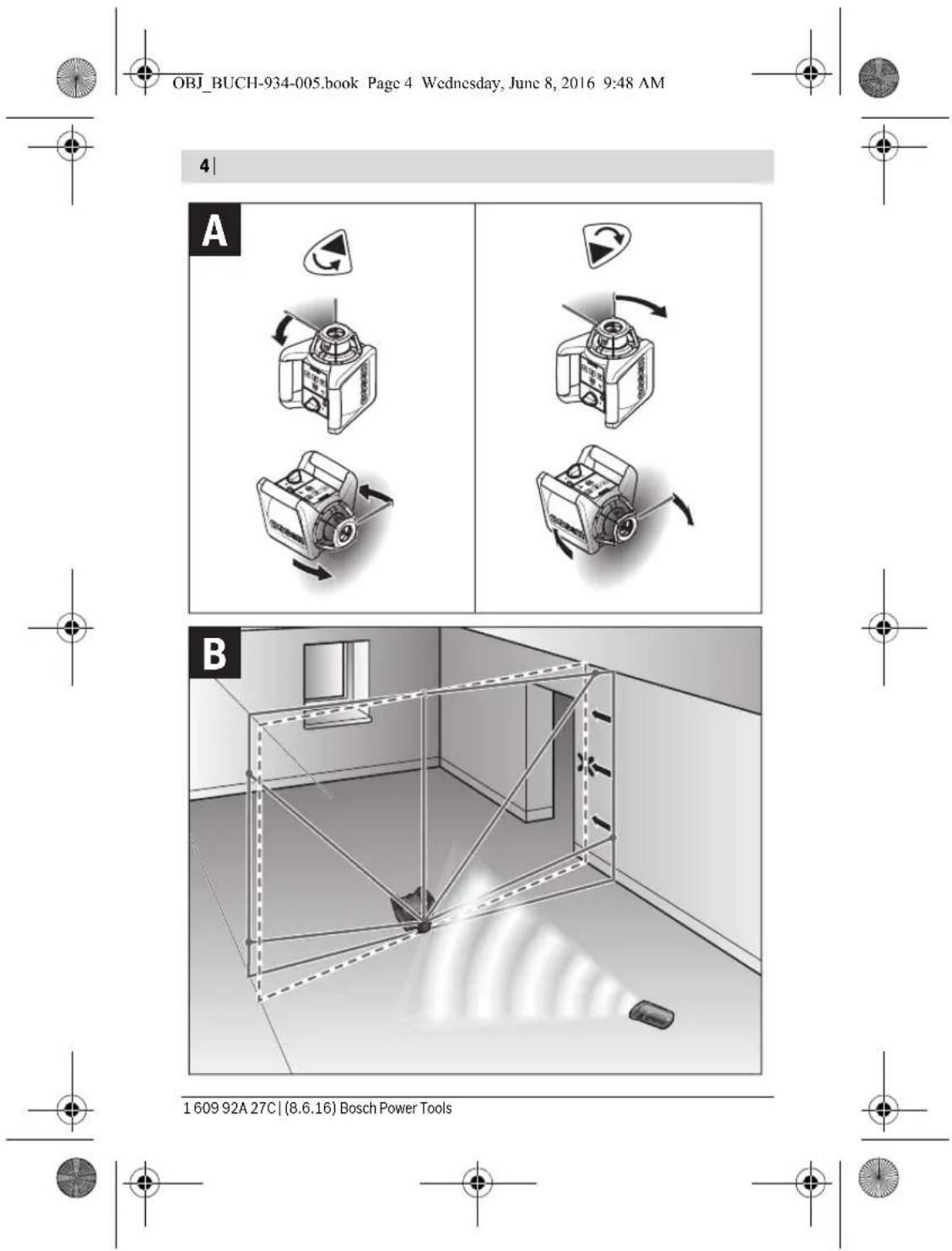
Rotating the Laser Line/Laser Dot or the Rotational Plane (see figure A)
Rotating the laser line/laser dot or the rotational plane is possible only with the remote control.
When the rotational laser is in the horizontal position, the laser line (in line operation) or the laser dot (in point operation) can be positioned within the rotational plane of the laser. Rotation is possible by 360°.
Press button 4 to rotate in clockwise direction, and button 5 to rotate in anticlockwise direction. In rotational operation, pressing the buttons has no effect.
When the rotational laser is in the vertical position, it is possible to rotate the laser point, laser line or rotational plane around the vertical axis. Rotating is possible only within the self-levelling range (5° toward the left or right).

1 609 92A 27C | (8.6.16) Bosch Power Tools






Press button 4 to rotate in clockwise direction, and button 5 to rotate in anticlockwise direction.

Reset Shock-warning Function
The rotational laser has a shock-warning function; after position changes or shock to the rotational laser, or in case of ground vibrations, it keeps the rotational laser from levelling in at changed heights, and thus prevents vertical errors.
Switching the shock-warning function on and off is possible only on the rotational laser. Once the shock-warning function has actuated, is can be restarted via the remote control.
After actuation of the shock-warning function, the rotation of the laser is stopped, the laser flashes, the levelling indicator goes out, and the shock-warning indicator flashes red. The current operating mode is stored.
After the shock-warning function has actuated, press the shock-warning reset button 3. The shock-warning function is restarted and the rotational laser starts levelling. As soon as the rotational laser is levelled in (the levelling indicator on the rotational laser continuously lights up green), it starts in the stored operating mode. Now, check the height of the laser beam with a reference point and correct the height, if required.
Application Example
Turning the Rotational Plane when in the Vertical Position (see figure B)
To align the vertical laser line or the rotational plane against a reference point on a wall, set up the rotational laser in the vertical position, and roughly align the laser line or the rotational plane with the reference point. For precise alignment with the reference point, press button 4 (clockwise rotation) or 5 (anticlockwise rotation).
Maintenance and Service
Maintenance and Cleaning
Keep the remote control clean at all times.
Do not immerse the remote control into water or other fluids.
Wipe off debris using a moist and soft cloth. Do not use any cleaning agents or solvents.
If the remote control should fail despite the care taken in manufacture and testing, repair should be carried out by an authorised customer services agent for Bosch power tools. Do not open the remote control yourself.
Bosch Power Tools 1 609 92A 27C | (8.6.16)

English | 17
OBJ_BUCH-934-005.book Page 20 Wednesday, June 8, 2016 9:48 AM


20 | Français
OBJ_BUCH-934-005.book Page 22 Wednesday, June 8, 2016 9:48 AM



22 | Français
OBJ_BUCH-934-005.book Page 25 Wednesday, June 8, 2016 9:48 AM


Español | 25
OBJ_BUCH-934-005.book Page 28 Wednesday, June 8, 2016 9:48 AM


28 | Español

OBJ_BUCH-934-005.book Page 33 Wednesday, June 8, 2016 9:48 AM


Português | 33
OBJ_BUCH-934-005.book Page 35 Wednesday, June 8, 2016 9:48 AM


Português | 35

Funcionamento rotativo (150/300/600 rpm)
OBJ_BUCH-934-005.book Page 37 Wednesday, June 8, 2016 9:48 AM


Português | 37
OBJ_BUCH-934-005.book Page 43 Wednesday, June 8, 2016 9:48 AM


Italiano | 43
OBJ_BUCH-934-005.book Page 45 Wednesday, June 8, 2016 9:48 AM


Nederlands | 45
OBJ_BUCH-934-005.book Page 47 Wednesday, June 8, 2016 9:48 AM


Nederlands | 47
OBJ_BUCH-934-005.book Page 49 Wednesday, June 8, 2016 9:48 AM

Nederlands | 49

OBJ_BUCH-934-005.book Page 51 Wednesday, June 8, 2016 9:48 AM


Dansk | 51
OBJ_BUCH-934-005.book Page 52 Wednesday, June 8, 2016 9:48 AM



52 | Dansk
OBJ_BUCH-934-005.book Page 53 Wednesday, June 8, 2016 9:48 AM


Dansk|53

OBJ_BUCH-934-005.book Page 55 Wednesday, June 8, 2016 9:48 AM


Svenska | 55
OBJ_BUCH-934-005.book Page 57 Wednesday, June 8, 2016 9:48 AM


Svenska | 57
OBJ_BUCH-934-005.book Page 61 Wednesday, June 8, 2016 9:48 AM


Norsk|61
Formålsmessig bruk
OBJ_BUCH-934-005.book Page 63 Wednesday, June 8, 2016 9:48 AM


Norsk|63
OBJ_BUCH-934-005.book Page 65 Wednesday, June 8, 2016 9:48 AM


Suomi|65

Ved alle forespørsler og reservedelsbestillinger må du oppgi det 10-sifrede produkt-nummeret som er angitt på produktets typeskilt.
Norsk
Robert Bosch AS
Postboks 350
1402 Ski
Tel.: 64 87 89 50
Faks: 64 87 89 55
Deponering
OBJ_BUCH-934-005.book Page 67 Wednesday, June 8, 2016 9:48 AM


Suomi|67
Asennus
OBJ_BUCH-934-005.book Page 68 Wednesday, June 8, 2016 9:48 AM



68|Suomi
OBJ_BUCH-934-005.book Page 69 Wednesday, June 8, 2016 9:48 AM


Suomi|69

OBJ_BUCH-934-005.book Page 71 Wednesday, June 8, 2016 9:48 AM


Ελληνικά | 71
Ελληνικά
OBJ_BUCH-934-005.book Page 72 Wednesday, June 8, 2016 9:48 AM


72 | Ελληνικά
OBJ_BUCH-934-005.book Page 73 Wednesday, June 8, 2016 9:48 AM


Ελληνικά | 73
OBJ_BUCH-934-005.book Page 74 Wednesday, June 8, 2016 9:48 AM


74|Ελληνικά
OBJ_BUCH-934-005.book Page 75 Wednesday, June 8, 2016 9:48 AM


Ελληνικά | 75
OBJ_BUCH-934-005.book Page 77 Wednesday, June 8, 2016 9:48 AM


Türkçe|77
Türkçe
Güvenlik Talimatı

OBJ_BUCH-934-005.book Page 78 Wednesday, June 8, 2016 9:48 AM


78 | Türkçe
OBJ_BUCH-934-005.book Page 79 Wednesday, June 8, 2016 9:48 AM


Türkçe | 79
OBJ_BUCH-934-005.book Page 80 Wednesday, June 8, 2016 9:48 AM


80 | Türkçe
OBJ_BUCH-934-005.book Page 83 Wednesday, June 8, 2016 9:48 AM

Türkçe|83
Ege Elektrik
İnönü Bulvaro No: 135 Muğla Makasarası Fethiye
Fethiye
Tel.: 0252 6145701
Değer İş Bobinaj
OBJ_BUCH-934-005.book Page 84 Wednesday, June 8, 2016 9:48 AM



84|Polski
OBJ_BUCH-934-005.book Page 85 Wednesday, June 8, 2016 9:48 AM


Polski | 85
OBJ_BUCH-934-005.book Page 87 Wednesday, June 8, 2016 9:48 AM


Polski | 87

OBJ_BUCH-934-005.book Page 91 Wednesday, June 8, 2016 9:48 AM


Česky|91
Česky
OBJ_BUCH-934-005.book Page 92 Wednesday, June 8, 2016 9:48 AM


92 | Česky
OBJ_BUCH-934-005.book Page 93 Wednesday, June 8, 2016 9:48 AM


Česky|93
OBJ_BUCH-934-005.book Page 94 Wednesday, June 8, 2016 9:48 AM


94 | Česky

OBJ_BUCH-934-005.book Page 97 Wednesday, June 8, 2016 9:48 AM


Slovensky | 97
Vyobrazené komponenty
OBJ_BUCH-934-005.book Page 99 Wednesday, June 8, 2016 9:48 AM


Slovensky|99
OBJ_BUCH-934-005.book Page 102 Wednesday, June 8, 2016 9:48 AM


102 | Magyar
Magyar
OBJ_BUCH-934-005.book Page 103 Wednesday, June 8, 2016 9:48 AM


Magyar | 103
OBJ_BUCH-934-005.book Page 104 Wednesday, June 8, 2016 9:48 AM


104 | Magyar
OBJ_BUCH-934-005.book Page 105 Wednesday, June 8, 2016 9:48 AM


Magyar | 105
OBJ_BUCH-934-005.book Page 107 Wednesday, June 8, 2016 9:48 AM


Magyar | 107
Hulladékkezelés
OBJ_BUCH-934-005.book Page 109 Wednesday, June 8, 2016 9:48 AM


Русский | 109
OBJ_BUCH-934-005.book Page 110 Wednesday, June 8, 2016 9:48 AM



110 | Русский
OBJ_BUCH-934-005.book Page 111 Wednesday, June 8, 2016 9:48 AM

Русский | 111
OBJ_BUCH-934-005.book Page 112 Wednesday, June 8, 2016 9:48 AM


112 | Русский
OBJ_BUCH-934-005.book Page 113 Wednesday, June 8, 2016 9:48 AM


Русский | 113
OBJ_BUCH-934-005.book Page 115 Wednesday, June 8, 2016 9:48 AM



Русский | 115
Беларусь
ИП «Роберт Бош» ООО
OBJ_BUCH-934-005.book Page 117 Wednesday, June 8, 2016 9:48 AM


Українська | 117
OBJ_BUCH-934-005.book Page 119 Wednesday, June 8, 2016 9:48 AM


Українська | 119

OBJ_BUCH-934-005.book Page 121 Wednesday, June 8, 2016 9:48 AM


Українська | 121

OBJ_DOKU-27364-003.fm Page 123 Thursday, June 9, 2016 5:06 PM


Казакша | 123
Қазақша
OBJ_BUCH-934-005.book Page 125 Wednesday, June 8, 2016 9:48 AM


Казакша | 125
OBJ_BUCH-934-005.book Page 126 Wednesday, June 8, 2016 9:48 AM



126|Қазақша
OBJ_BUCH-934-005.book Page 127 Wednesday, June 8, 2016 9:48 AM


Казакша | 127

OBJ_BUCH-934-005.book Page 129 Wednesday, June 8, 2016 9:48 AM


Казакша | 129
Қазақстан
ЖШС "Роберт Бош"
OBJ_BUCH-934-005.book Page 131 Wednesday, June 8, 2016 9:48 AM


Română | 131
9 Dispozitiv de blocare compartiment baterie
10 Număr de serie
OBJ_BUCH-934-005.book Page 133 Wednesday, June 8, 2016 9:48 AM


Română | 133

OBJ_BUCH-934-005.book Page 135 Wednesday, June 8, 2016 9:48 AM


Български | 135
Eliminare
OBJ_BUCH-934-005.book Page 136 Wednesday, June 8, 2016 9:48 AM


136 | Български
OBJ_BUCH-934-005.book Page 137 Wednesday, June 8, 2016 9:48 AM


Български | 137
Монтиране
OBJ_BUCH-934-005.book Page 139 Wednesday, June 8, 2016 9:48 AM


Български | 139
OBJ_BUCH-934-005.book Page 141 Wednesday, June 8, 2016 9:48 AM


Македонски | 141
OBJ_BUCH-934-005.book Page 142 Wednesday, June 8, 2016 9:48 AM


142 | Македонски
OBJ_BUCH-934-005.book Page 143 Wednesday, June 8, 2016 9:48 AM


Македонски | 143
Монтажа
OBJ_BUCH-934-005.book Page 144 Wednesday, June 8, 2016 9:48 AM


144 | Македонски
Видови употреба
OBJ_BUCH-934-005.book Page 145 Wednesday, June 8, 2016 9:48 AM


Македонски | 145
OBJ_BUCH-934-005.book Page 147 Wednesday, June 8, 2016 9:48 AM


Srpski | 147
OBJ_BUCH-934-005.book Page 149 Wednesday, June 8, 2016 9:48 AM


Srpski | 149
OBJ_BUCH-934-005.book Page 150 Wednesday, June 8, 2016 9:48 AM


150 | Srpski

Linijski rad, tačkasti rad (10°/25°/50°, 0°)
Funkcija tastera linijski rad 2 na daljinskoj komandi je identična sa funkcijom na rotacionom laseru.
OBJ_BUCH-934-005.book Page 153 Wednesday, June 8, 2016 9:48 AM


Slovensko | 153
Slovensko
Varnostna navodila

OBJ_BUCH-934-005.book Page 154 Wednesday, June 8, 2016 9:48 AM


154 | Slovensko
9 Aretiranje pokrova predalčka za baterije
OBJ_BUCH-934-005.book Page 155 Wednesday, June 8, 2016 9:48 AM

Slovensko | 155
OBJ_BUCH-934-005.book Page 156 Wednesday, June 8, 2016 9:48 AM


156 | Slovensko
OBJ_BUCH-934-005.book Page 158 Wednesday, June 8, 2016 9:48 AM



158 | Hrvatski
Odlaganje
OBJ_BUCH-934-005.book Page 159 Wednesday, June 8, 2016 9:48 AM


Hrvatski|159
OBJ_BUCH-934-005.book Page 161 Wednesday, June 8, 2016 9:48 AM


Hrvatski | 161
OBJ_BUCH-934-005.book Page 163 Wednesday, June 8, 2016 9:48 AM


Eesti|163

OBJ_BUCH-934-005.book Page 164 Wednesday, June 8, 2016 9:48 AM


164|Eesti
OBJ_BUCH-934-005.book Page 165 Wednesday, June 8, 2016 9:48 AM

Eesti|165
OBJ_BUCH-934-005.book Page 169 Wednesday, June 8, 2016 9:48 AM

Latviešu | 169
Latviešu
Drošības noteikumi

OBJ_BUCH-934-005.book Page 170 Wednesday, June 8, 2016 9:48 AM


170 | Latviešu
OBJ_BUCH-934-005.book Page 171 Wednesday, June 8, 2016 9:48 AM


Latviešu | 171
OBJ_BUCH-934-005.book Page 175 Wednesday, June 8, 2016 9:48 AM


Lietuviškai | 175
OBJ_BUCH-934-005.book Page 176 Wednesday, June 8, 2016 9:48 AM


176 | Lietuviškai
OBJ_BUCH-934-005.book Page 177 Wednesday, June 8, 2016 9:48 AM


Lietuviškai | 177
OBJ_BUCH-934-005.book Page 181 Wednesday, June 8, 2016 9:48 AM


日本語|181
構成図の内容
OBJ_BUCH-934-005.book Page 183 Wednesday, June 8, 2016 9:48 AM


日本語|183
natural_image
Three geometric diagrams with crosshairs and central dots, no text or symbols present


OBJ_BUCH-934-005.book Page 186 Wednesday, June 8, 2016 9:48 AM



186|中文
EU 諸国のみ:

OBJ_BUCH-934-005.book Page 187 Wednesday, June 8, 2016 9:48 AM


中文|187
1 启动旋转功能和选择旋转速度的按键
2 启动线段测量和设定线段长度的按键
3 冲击警告的还原按键
4 按键 "顺着时钟的转向转动"
5 按键 "逆着时钟的转向转动 "
6 操作信号灯
7 红外线光束的出口
8 电池盒盖
9 电池盒盖的固定扳扣
10 序列号码
OBJ_BUCH-934-005.book Page 189 Wednesday, June 8, 2016 9:48 AM


中文|189

线段测量,点状测量
(10^/25^/50^,0^)
OBJ_BUCH-934-005.book Page 191 Wednesday, June 8, 2016 9:48 AM

中文|191
OBJ_BUCH-934-005.book Page 195 Wednesday, June 8, 2016 9:48 AM


한국어|195
natural_image
Symbol of a trash bin crossed out by two diagonal lines (no text or numbers present)natural_image
Symbol of a trash bin crossed with a diagonal line, representing waste sorting or anti-smoking (no text present)olerance directions for direct clearance of the purpose of the operation.
فارسی
راهنمائی های ايمنى
- RC 1 Professional
- BOSCH
- 2
- Deutsch | 7
- English | 11
- Nur für EU-Länder:
- Assembly
- Inserting/Replacing the Battery
- Operation
- Initial Operation
- Operating Modes
- | English
- Rotational Operation (150/300/600 min -1 )
- Line Operation, Point Operation (10°/25°/50°, 0°)
- Rotating the Laser Line/Laser Dot or the Rotational Plane (see figure A)
- Reset Shock-warning Function
- Application Example
- Turning the Rotational Plane when in the Vertical Position (see figure B)
- Maintenance and Service
- Maintenance and Cleaning
- | Français
- | Français
- Español | 25
- | Español
- Português | 35
- Funcionamento rotativo (150/300/600 rpm)
- Português | 37
- Nederlands | 47
- Nederlands | 49
- | Dansk
- Svenska | 57
- Formålsmessig bruk
- Norsk|63
- Suomi|65
- Norsk
- Deponering
- Asennus
- 68|Suomi
- Ελληνικά
- | Ελληνικά
- Ελληνικά | 73
- 74|Ελληνικά
- Ελληνικά | 75
- Türkçe
- Güvenlik Talimatı
- | Türkçe
- Türkçe | 79
- | Türkçe
- Türkçe|83
- 84|Polski
- Česky
- | Česky
- Česky|93
- | Česky
- Vyobrazené komponenty
- Slovensky|99
- Magyar
- Magyar | 103
- | Magyar
- Magyar | 105
- Magyar | 107
- Hulladékkezelés
- Русский | 109
- | Русский
- | Русский
- Русский | 113
- Беларусь
- Українська | 117
- Қазақша
- 126|Қазақша
- Қазақстан
- Română | 131
- Română | 133
- Eliminare
- | Български
- Монтиране
- Български | 139
- Македонски | 141
- | Македонски
- Монтажа
- | Македонски
- Видови употреба
- Македонски | 145
- Srpski | 149
- | Srpski
- Linijski rad, tačkasti rad (10°/25°/50°, 0°)
- Slovensko
- Varnostna navodila
- | Slovensko
- Slovensko | 155
- | Slovensko
- | Hrvatski
- Odlaganje
- Hrvatski | 161
- Eesti|163
- 164|Eesti
- Latviešu
- Drošības noteikumi
- | Latviešu
- Latviešu | 171
- Lietuviškai | 175
- Lietuviškai | 177
- 日本語|181
- 構成図の内容
- 日本語|183
- 186|中文
- 中文|187
- 中文|189
- 线段测量,点状测量
- 中文|191
- فارسی
- راهنمائی های ايمنى
Brand : BOSCH
Model : RC 1 Professional
Category : Remote control