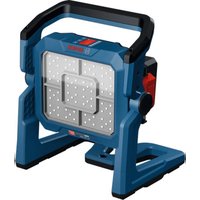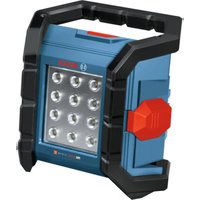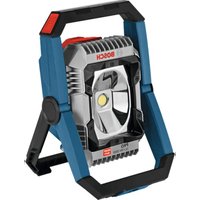
GLI 18V-4000 Professional - Lamp BOSCH - Free user manual and instructions
Find the device manual for free GLI 18V-4000 Professional BOSCH in PDF.

 FR
FR
 BG
BG
 CS
CS
 DA
DA
 DE
DE
 EL
EL
 EN
EN
 ES
ES
 ET
ET
 FI
FI
 HU
HU
 IT
IT
 KK
KK
 KO
KO
 LT
LT
 LV
LV
 MK
MK
 NL
NL
 NO
NO
 PL
PL
 PT
PT
 RO
RO
 RU
RU
 SK
SK
 SL
SL
 SV
SV
 TR
TR
 UK
UK
| Product type | Cordless professional work light |
| Brand | Bosch |
| Model | GLI 18V-4000 Professional |
| Rated voltage | 18 V |
| Total luminous flux (3 settings) | 1 000 / 2 000 / 4 000 lm |
| Battery life (at maximum brightness) | Approx. 30 min/Ah |
| Operating temperature | -20 to +50 °C |
| Charging temperature | 0 to +35 °C |
| Compatible batteries | GBA 18V... / ProCORE18V... |
| Compatible chargers | GAL 18... / GAX 18... / GAL 36... |
| Button cell | CR 2032, 3 V |
| Bluetooth | Bluetooth 4.2 Low Energy | Bluetooth range | Up to 15 m (depending on conditions) |
| Protection rating | III (very low voltage) |
| Main functions | Mobile lighting, 3 brightness levels, control via Bosch Toolbox app, timer, lamp grouping |
| Cleaning and maintenance | Clean with a soft, dry cloth; maintenance-free lamp |
| Safety | Do not look directly into the light beam, do not use in explosive environments, observe minimum distance |
| Repairability | Light source non-replaceable; replace entire lamp; spare parts available |
| After-sales service | Bosch customer service: 0811 360122 (France), sav.outillage-electroportatif@fr.bosch.com |
| Battery transport | Lithium-ion batteries are subject to dangerous goods regulations |
| Disposal | Do not dispose of with household waste; separate recycling according to EU directives |
Frequently Asked Questions - GLI 18V-4000 Professional BOSCH
User questions about GLI 18V-4000 Professional BOSCH
0 question about this device. Answer the ones you know or ask your own.
Ask a new question about this device
Download the instructions for your Lamp in PDF format for free! Find your manual GLI 18V-4000 Professional - BOSCH and take your electronic device back in hand. On this page are published all the documents necessary for the use of your device. GLI 18V-4000 Professional by BOSCH.
USER MANUAL GLI 18V-4000 Professional BOSCH
natural_image
Exterior view of a black Bosch industrial sensor module (no text or symbols visible on the device itself)
Robert Bosch Power Tools GmbH
70538 Stuttgart
GERMANY
www.bosch-pt.com
1609 92A 4U8 (2019.09) AS / 160

1 609 92A 4U8
GLI 18V-4000 C Professional
HEAVY
DUTY

BOSCH
natural_image
3D model of a Bosch airship component with mounting holes and a central hub (no text or symbols)A
Safety information for cordless worklights

Read all the safety information and instructions. Failure to observe the safety information and follow instructions may result in electric shock, fire and/or serious injury.
Save all warnings and instructions for future reference.
▶ Please read and observe all safety and general instructions included with the battery or with the power tool supplied with the battery.
▶ Handle the worklight with care. The worklight produces intense heat which increases the risk of fire and explosion.
▶ Do not work with the worklight in potentially explosive areas.
▶ Do not continue to press the On/Off switch after the worklight has been automatically switched off. The battery can be damaged. Ensure that the battery is charged and that the worklight has cooled before switching on the worklight again.
▶ Use only original Bosch accessories.
10 | English
The light source cannot be replaced. If the light source is defective, the entire cordless worklight must be replaced.
Remove the batteries from the worklight before carrying out any work on the worklight (e.g. assembly, maintenance, etc.) as well as when transporting and storing the worklight. There is risk of injury from unintentionally pressing the on/off switch.
▶ Do not direct the light beam at persons or animals and do not stare into the light beam yourself (even from a distance).
▶ Do not use the worklight in road traffic. The worklight is not permitted for illumination in road traffic.
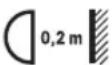
Keep the minimum distance between the cordless worklight and all illuminated surfaces and objects. Illuminated objects may overheat if this distance is not maintained.

NOTE: Do not look into the light beam for prolonged periods. The optical radiation may harm your eyes.
▶ Do not cover the lamp head while the cordless worklight is operating. The lamp head warms up during operation and can cause burns if this heat accumulates.
In case of damage and improper use of the battery, vapours may be emitted. The battery can set alight or explode. Ensure the area is well ventilated and seek medical attention should you experience any adverse effects. The vapours may irritate the respiratory system.
If used incorrectly or if the battery is damaged, flammable liquid may be ejected from the battery. Contact with this liquid should be avoided. If contact accidentally occurs, rinse off with water. If the liquid comes into contact with your eyes, seek additional medical attention. Liquid ejected from the battery may cause irritation or burns.
The battery can be damaged by pointed objects such as nails or screwdrivers or by force applied externally. An internal short circuit may occur, causing the battery to burn, smoke, explode or overheat.
When the battery is not in use, keep it away from paper clips, coins, keys, nails, screws or other small metal objects that could make a connection from one terminal to another. A short circuit between the battery terminals may cause burns or a fire.
▶ Do not open the battery. There is a risk of short-circuiting.
▶ Only use the battery with products from the manufacturer. This is the only way in which you can protect the battery against dangerous overload.

Protect the battery against heat, e.g. against continuous intense sunlight, fire, dirt, water and moisture. There is a risk of explosion and short-circuiting.
▶ Only charge the batteries using chargers recommended by the manufacturer. A charger that is suitable for
one type of battery may pose a fire risk when used with a different battery.
▶ Never swallow button cells. Swallowing button cells can result in severe internal burns and death within two hours.
Ensure that the button cell is kept out of the reach of children. If you suspect that someone has swallowed a button cell or that a button cell has entered the body in another way, seek medical attention immediately.
▶ Ensure that battery replacement is carried out properly. There is a risk of explosion.
▶ Do not attempt to recharge the button cell and do not short circuit the button cell. The button cell may leak, explode, catch fire and cause personal injury.
▶ Remove and dispose of drained button cells correctly. Drained button cells may leak and damage the product or cause personal injury.
▶ Do not overheat the button cell or throw it into fire. The button cell may leak, explode, catch fire and cause personal injury.
▶ Do not damage the button cell and or take the button cell apart. The button cell may leak, explode, catch fire and cause personal injury.
▶ Do not allow damaged button cells to come into contact with water. Leaking lithium may mix with water to create hydrogen, which could cause a fire, an explosion, or personal injury.
The Bluetooth ^* word mark and logos are registered trademarks owned by Bluetooth SIG, Inc. and any use of such marks by Robert Bosch Power Tools GmbH is under license.
▶ Ensure the cordless worklight is not operated via Bluetooth unintentionally and/or without permission. Assign a PIN via the Bosch application.
The cordless worklight features a wireless interface. Local operating restrictions, e.g. in aeroplanes or hospitals, must be observed.
▶ Deactivate the wireless interface, e.g. for transport. To switch off the wireless interface, remove the button cell and battery.
▶ Before switching on the cordless worklight using the Bosch application, ensure that you have visual contact with the cordless worklight and that you have taken all safety precautions.
- Avoid dust accumulation at the workplace. Dust can easily ignite.
This cordless worklight is not intended for use by children and persons with physical, sensory or mental limitations or a lack of experience or knowledge. This cordless worklight can be used by children aged eight or older and by persons with physical, sensory or mental limitations or a lack of experience or knowledge if a person responsible for their safety supervises them or has instructed them in the safe operation of the cordless worklight and they understand the associ-
ated dangers. Otherwise, there is a danger of operating errors and injuries.
▶ Do not allow children to use the cordless worklight. It is intended for professional use. Children can unintentionally blind themselves or other persons.
▶ Stop using the worklight if the battery compartment cover no longer closes; remove the button cell and have the worklight repaired.
Product Description and Specifications
Intended Use
The cordless worklight is intended for mobile illumination of indoor areas in a limited space and for a limited time and is not suitable for general room lighting.
Bluetooth® enables the cordless worklight to be operated using the "Bosch Toolbox" app.
Product Features
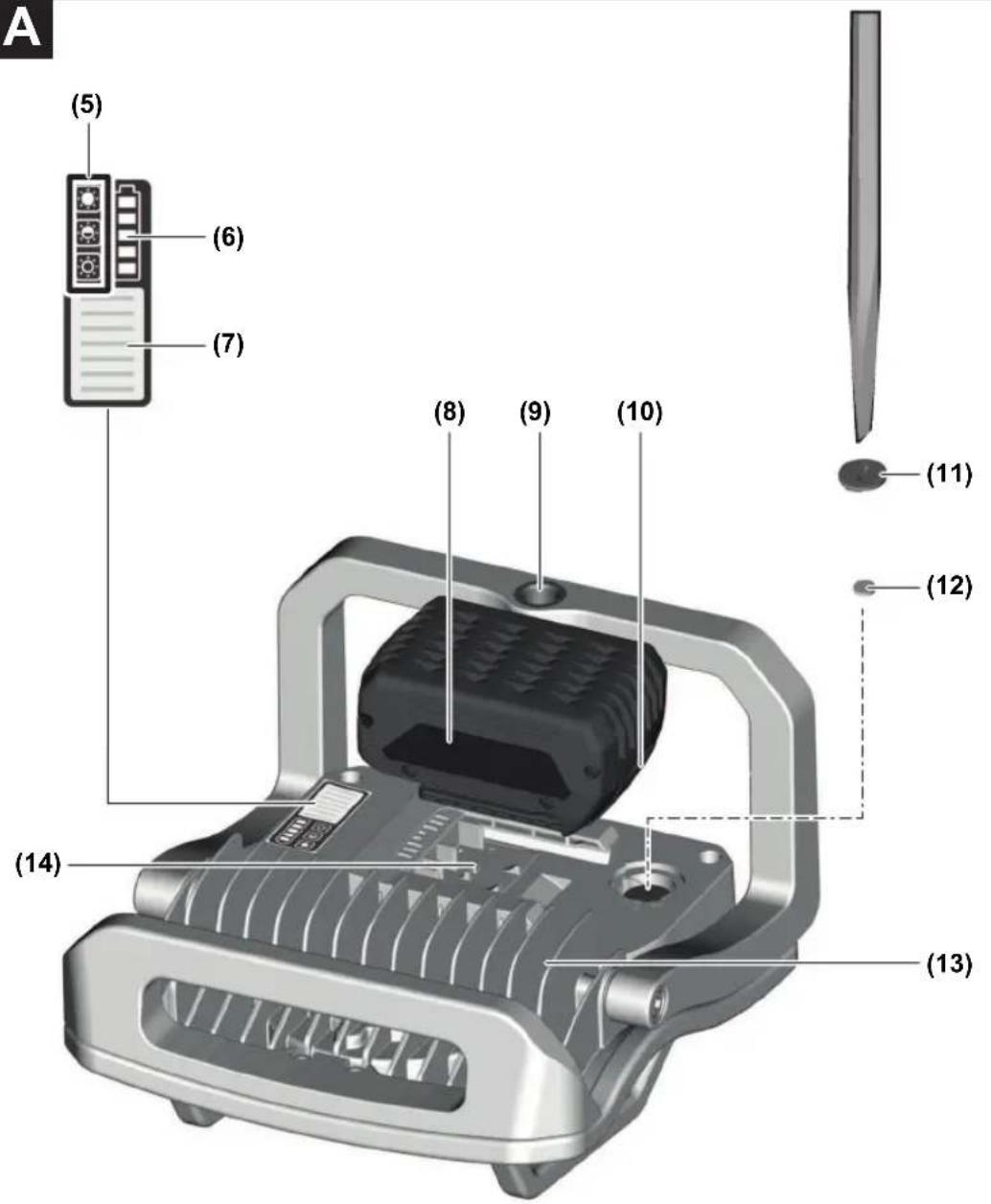
The numbering of the product features refers to the diagram of the power tool on the graphics page.
(1) Light (LED)
(2) Supporting leg
(3) Safety bracket
(4) Carrying handle
(5) Brightness indicator
(6) Battery charge indicator
(7) On/off switch
(8) Battery ^A)
(9) Tripod mount
(10) Battery release button ^4
(11) Battery compartment cover
(12) Button cell
(13) Heat sink
(14) Battery holder
A) Accessories shown or described are not included with the product as standard. You can find the complete selection of accessories in our accessories range.
Technical Data
| Cordless worklight GLI 18V-4000 C | |
| Article number | 3 601 D46 8.. |
| Rated voltage V= 18 | |
| Lighting durationA), approx. | min/Ah 30 |
| Total luminous flux | |
| Level 1 lm 1000 | |
| Level 2 lm 2000 | |
| Level 3 lm 4000 | |
Cordless worklight GLI 18V-4000 C
| Permitted ambient temperature during charging | °C 0 to +35 | |
| Recommended ambient temperature during operation ^® and during storage | °C -20 to +50 | |
| Recommended batteries | GBA 18V...ProCORE18V... | |
| Recommended chargers GAL 18... | GAX 18...GAL 36... | |
| Button cell V= | type | 3CR 2032 |
| Protection class / III | ◇ | |
Data transmission
| Bluetooth ^®C | Bluetooth® 4.2(Low Energy) | |
| Signal range ^D | m | 15 |
| Operating frequency range | MHz 2402-2480 | |
| max. transmission power | mW < 1 | |
A) At maximum brightness incl. remaining operating time in dimmed mode
B) Limited performance at temperatures < 0^
C) The mobile devices must be compatible with the Bluetooth ^® version specified and support the Generic Access Profile (GAP).
D) The signal range may vary greatly depending on external conditions, including the receiving device used. The Bluetooth® range may be significantly weaker inside closed rooms and through metallic barriers (e.g. walls, shelving units, cases, etc.).
The colour rendition of illuminated objects can be distorted.
System requirements
Mobile device (tablet, smart-phone) Android, iOS ^A)
A) Minimum system requirements can be found in the app store for your mobile device (e.g. Google Play or iTunes).
Assembly
Putting the button cell into operation (see figure A)
The cordless worklight is fitted with a button cell so that it can be detected by the mobile device even if no battery (8) is inserted.
Remove the separating film between the button cell (12) and the button cell contact when using the tool for the first time.
To open the battery compartment cover (11), turn it anticlockwise with a screwdriver and then lift off the battery compartment cover. Remove the film from the button cell contact and close the battery compartment cover back up.
12 | English
Battery Charging (Accessory)
Note: The battery is supplied partially charged. To ensure full battery capacity, fully charge the battery in the charger before using your tool for the first time.
The lithium-ion battery can be charged at any time without reducing its service life. Interrupting the charging process does not damage the battery.
The lithium-ion battery is protected against deep discharge by the Electronic Cell Protection (ECP). A protective circuit switches the cordless worklight off when the battery is drained.
▶ Do not continue to press the On/Off switch after the worklight has been automatically switched off. The battery can be damaged. Ensure that the battery is charged and that the worklight has cooled before switching on the worklight again.
To remove the battery (8), press the release button (10) and pull the battery out of the cordless worklight. Do not use force to do this.
Follow the instructions on correct disposal.
Operation
Starting Operation
Inserting the battery (see figure A)
Push the charged battery (8) into the battery holder (14) until it clicks into place.
Setting up
Place the cordless worklight on a stable, level surface. Make sure it is secure.
The safety brackets (3) protect the light (1) from damage, should the cordless worklight be accidentally knocked over.
Fastening to the Tripod
You can use the tripod mount (9) to screw the cordless worklight onto a tripod.
Attach the cordless worklight firmly to the tripod. Ensure the cordless worklight cannot come loose and/or fall over.
Ensure that the tripod has a firm footing.
Switching on/off and adjusting the brightness
| On/off switch Function |
| Press once Switches on the cordless worklight, dimmed (level 1) |
| Press twice Switches on the cordless worklight, dimmed (level 2) |
| Press three times Switches on the cordless worklight, full brightness (level 3) |
| Press four times Switches off the cordless worklight |
| If the cordless worklight has been switched on for approx. five minutes, it will be switched off immediately the next time the button is pressed. |
Temperature Dependent Overload Protection
If the permissible operating temperature is exceeded, the cordless worklight switches off. Let the cordless worklight cool down and then switch the cordless worklight back on.
Battery Charge Indicator (Cordless Worklight)
When the cordless worklight is switched on, the five LEDs of the battery charge indicator (6) display the state of charge of the battery (8).
Battery charge indicator
The green LEDs on the battery charge indicator indicate the state of charge of the battery. For reasons of safety, it is only possible to query the state of charge when the cordless worklight is switched off.
Press the button for the battery charge indicator or too show the state of charge. This is also possible when the battery is removed.
If no LED lights up after pressing the button for the battery charge indicator, then the battery is defective and must be replaced.
Battery model GBA 18V...

LEDs Capacity
| 3× continuous green light 60-100 % |
| 2× continuous green light 30-60 % |
| 1× continuous green light 5-30 % |
| 1× flashing green light 0-5 % |
Battery model ProCORE18V...

LEDs Capacity
| 5× continuous green light 80-100 % |
| 4× continuous green light 60-80 % |
| 3× continuous green light 40-60 % |
| 2× continuous green light 20-40 % |
| 1× continuous green light 5-20 % |
| 1× flashing green light 0-5 % |
Changing the button cell (see figure A)
A warning will be displayed in the app before the button cell is fully used up.
To open the battery compartment cover (11), turn it anticlockwise with a screwdriver and then lift off the battery compartment cover. Remove the empty button cell and insert a new button cell. Make sure that the battery holder is not damaged when removing the cell. Make sure that the positive pole of the button cell faces upwards.
Close the battery compartment cover back up.
Control Via App
The cordless worklight is fitted with a Bluetooth® module which enables wireless data transfer to certain mobile devices with a Bluetooth® interface (e.g. smartphone, tablet).
In order to control the cordless worklight via Bluetooth®, you will need the "Bosch Toolbox" app. Download the app from the corresponding app store (Apple App Store, Google Play Store).
Then select the "My Tools" sub-item in the app. The display of your mobile device will show you all subsequent steps required to connect the cordless worklight to the device.
The following functions will be available when a connection has been established with the mobile device and authorisation has been successful:
- Remote control
- Time control
- Grouping several cordless worklights
- Personalisation
- Status check, output of warning messages
- General information and settings
- Management
Practical Advice
Shortly before the cordless worklight switches off because of an empty battery, it will flash three times and shine with reduced brightness.
Errors - causes and corrective measures
| Cause Corrective measures | |
| A Bluetooth® connection cannot be established with the cordless worklight. | |
| The cordless worklight is not emitting a Bluetooth® signal. | Remove the button cell (12) and battery (8) for 10 seconds. |
The cordless worklight cannot be operated via Bluetooth® even though the battery is inserted and charged.
| The Bluetooth® module is not activated. | Press the on/off switch (7) repeatedly until the cordless worklight can be operated via Bluetooth®. |
The cordless worklight cannot be switched on after wireless charging.
| The inductively chargeable battery has to be re-initialised. | Remove the battery (8) for 10 seconds. |
The PIN for the Bluetooth connection is not working.
| The PIN must be reset to factory settings. | Remove the button cell (12) and battery (8) for 10 seconds. |
Maintenance and Service
Maintenance and Cleaning
Remove the battery from the power tool before carrying out work on the power tool (e.g. maintenance, changing tool, etc.). The battery should also be removed for transport and storage. There is risk of injury from unintentionally pressing the on/off switch.
The cordless worklight is maintenance-free and does not contain any parts that need to be replaced or maintained.
To avoid damage, clean the glass on the cordless worklight with a dry, soft cloth only. Do not use any detergents or solvents.
If the button cell has fully discharged, replace it with a new one.
After-Sales Service and Application Service
Our after-sales service responds to your questions concerning maintenance and repair of your product as well as spare parts. You can find explosion drawings and information on spare parts at: www.bosch-pt.com
The Bosch product use advice team will be happy to help you with any questions about our products and their accessories.
In all correspondence and spare parts orders, please always include the 10-digit article number given on the nameplate of the product.
Great Britain
Robert Bosch Ltd. (B.S.C.)
P.O. Box 98
Broadwater Park
North Orbital Road
Denham Uxbridge
UB 9 5HJ
At www.bosch-pt.co.uk you can order spare parts or arrange the collection of a product in need of servicing or repair.
Tel. Service: (0344) 7360109
E-Mail: boschservicecentre@bosch.com
Ireland
Origo Ltd.
Unit 23 Magna Drive
Magna Business Park
City West
Dublin 24
Tel. Service: (01) 4666700
Fax: (01) 4666888
Australia, New Zealand and Pacific Islands
Robert Bosch Australia Pty. Ltd.
Power Tools
Locked Bag 66
Clayton South VIC 3169
Customer Contact Center
Inside Australia:
Phone: (01300) 307044
Fax: (01300) 307045
14 | Français
Inside New Zealand:
Phone: (0800) 543353
Fax: (0800) 428570
Outside AU and NZ:
Phone: +61 3 95415555
www.bosch-pt.com.au
www.bosch-pt.co.nz
Republic of South Africa
Customer service
Hotline: (011) 6519600
Gauteng - BSC Service Centre
35 Roper Street, New Centre
Johannesburg
Tel.: (011) 4939375
Fax: (011) 4930126
E-Mail: bsctools@icon.co.za
KZN - BSC Service Centre
Unit E, Almar Centre
143 Crompton Street
Pinetown
Tel.: (031) 7012120
Fax: (031) 7012446
E-Mail: bsc.dur@za.bosch.com
Western Cape - BSC Service Centre
Democracy Way, Prosperity Park
Milnerton
Tel.: (021) 5512577
Fax: (021) 5513223
E-Mail: bsc@zsd.co.za
Bosch Headquarters
Midrand, Gauteng
Tel.: (011) 6519600
Fax: (011) 6519880
E-Mail: rbsa-hq.pts@za.bosch.com
Armenia, Azerbaijan, Georgia
Robert Bosch Ltd.
David Agmashenebeli ave. 61
0102 Tbilisi, Georgia
Tel. +995322510073
www.bosch.com
Kyrgyzstan, Mongolia, Tajikistan, Turkmenistan, Uzbekistan
TOO "Robert Bosch" Power Tools, After Sales Service
Muratbaev Ave., 180
050012, Almaty, Kazakhstan
Service Email: service.pt.ka@bosch.com
Official Website: www.bosch.com, www.bosch-pt.com
Transport
The contained lithium-ion batteries are subject to the Dangerous Goods Legislation requirements. The batteries are suitable for road-transport by the user without further restrictions.
When shipping by third parties (e.g.: by air transport or forwarding agency), special requirements on packaging and labelling must be observed. For preparation of the item being shipped, consulting an expert for hazardous material is required.
Dispatch battery packs only when the housing is undamaged. Tape or mask off open contacts and pack up the battery in such a manner that it cannot move around in the packaging. Please also observe the possibility of more detailed national regulations.
Disposal

Cordless worklights, battery packs, accessories and packaging should be sorted for environmentally friendly recycling.

Do not dispose of cordless worklights and battery packs/batteries with household waste.
Only for EU countries:
According to the Directive 2012/19/EU, cordless worklights that are no longer usable, and according to the Directive 2006/66/EC, defective or used battery packs/batteries, must be collected separately and disposed of in an environmentally responsible manner.
Battery packs/batteries:
Li-ion:
Please observe the notes in the section on transport (see "Transport", page 14).
Français
Robert Bosch (France) S.A.S.
Calle Robert Bosch No. 405
Bosch Service Center
Telegrafvej 3
2750 Ballerup
På www.bosch-pt.dk kan der online bestilles reservedele eller oprettes en reparations ordre.
Tlf. Service Center: 44898855
Fax: 44898755
E-Mail: vaerktoej@dk.bosch.com
Transport
Bosch Service Center
Telegrafvej 3
2750 Ballerup
Danmark
Tel.: (08) 7501820 (inom Sverige)
Fax: (011) 187691
Transport
Robert Bosch Sp. z o.o.
Bosch Service Center PT
K Vápence 1621/16
692 01 Mikulov
Service scule electrice
Strada Horia Măcelariu Nr. 30–34, sector 1
013937 Bucureşti
Service scule electrice
Strada Horia Măcelariu Nr. 30–34, sector 1
013937 Bucureşti, România
www.bosch-pt.com/bg/bg/
Транспортиране
(8) Akumulators ^4
Robert Bosch Morocco SARL
Sahba Technology Group
شارع مطار المثنى
بقداد
◀jā meaning (ā) meaning (ā)