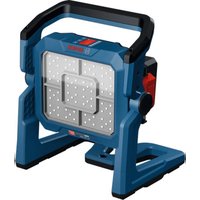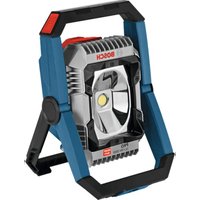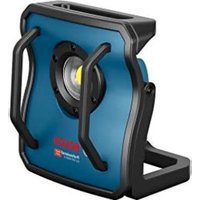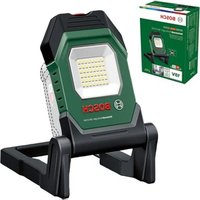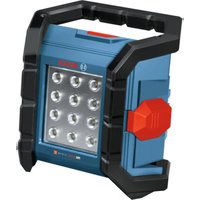
GLI18V-1500 Professional - Lamp BOSCH - Free user manual and instructions
Find the device manual for free GLI18V-1500 Professional BOSCH in PDF.

 FR
FR
 BG
BG
 CS
CS
 DA
DA
 DE
DE
 EL
EL
 EN
EN
 ES
ES
 ET
ET
 FI
FI
 HU
HU
 IT
IT
 KK
KK
 KO
KO
 LT
LT
 LV
LV
 MK
MK
 NL
NL
 NO
NO
 PL
PL
 PT
PT
 RO
RO
 RU
RU
 SK
SK
 SQ
SQ
 SV
SV
 TR
TR
 UK
UK
| Product Type | Cordless Lamp |
| Brand | Bosch |
| Model | GLI18V-1500 Professional |
| Reference | 3 601 DA8 0.. |
| Nominal Voltage | 18 V |
| Max. Rated Power Consumption | 15 W |
| Max. Total Luminosity | 1500 lm |
| Battery Life (with 8.0 Ah battery at 800 lm) | Up to 1080 min (18 h) |
| Charging Ambient Temperature | 0°C to +35°C |
| Operating and Storage Ambient Temperature | -20°C to +45°C |
| Protection Rating | IP64 (dust-tight and splash-proof with battery cover closed) |
| Protection Class | III |
| Power Supply | 18 V Lithium-Ion battery (compatible with GBA 18V, ProCORE18V, etc.) |
| Brightness Adjustment | 2 levels (low and high) |
| Automatic Shut-off | After 5 minutes in low mode |
| Overheat Protection | Brightness reduction then automatic shut-off |
| Maintenance | Clean the plastic lens with a soft, dry cloth |
| Light Source | Non-replaceable, entire lamp must be replaced if defective |
| Recommended Accessories | Chargers GAL18..., GAX18..., batteries GBA18V..., ProCORE18V... |
Frequently Asked Questions - GLI18V-1500 Professional BOSCH
User questions about GLI18V-1500 Professional BOSCH
0 question about this device. Answer the ones you know or ask your own.
Ask a new question about this device
Download the instructions for your Lamp in PDF format for free! Find your manual GLI18V-1500 Professional - BOSCH and take your electronic device back in hand. On this page are published all the documents necessary for the use of your device. GLI18V-1500 Professional by BOSCH.
USER MANUAL GLI18V-1500 Professional BOSCH
natural_image
Exterior view of a handheld electronic device with multiple ports and a central display (no visible text or symbols)natural_image
3D cutaway view of a mechanical device showing internal components and housing (no text or symbols)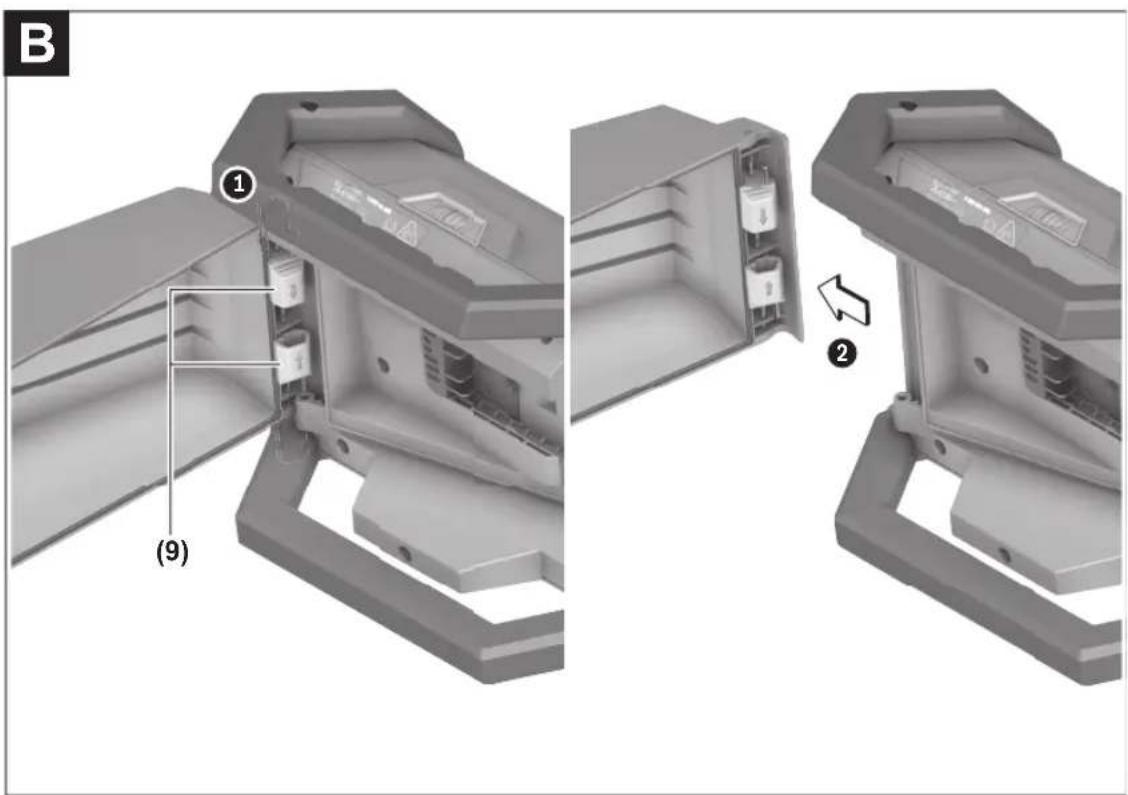
Deutsch
Sicherheitshinweise
Safety Instructions for Worklights

Read all the safety information and instructions. Failure to observe the safety information and follow instructions may result in electric shock, fire and/or serious injury.
Save all warnings and instructions for future reference.
▶ Please read and observe all safety and general instructions included with the battery or with the power tool supplied with the battery.
▶ Handle the worklight with care. The worklight generates a lot of heat, which can lead to an increased risk of fire and explosion.
▶ Do not use the worklight in potentially explosive atmospheres.
▶ Do not press the on/off switch again after the worklight has switched off automatically. This can damage the rechargeable battery. Ensure that the rechargeable battery is charged and that the worklight has cooled down before switching the worklight on again.
▶ Use only original Bosch accessories.
The light source cannot be replaced. If the light source is defective, the entire worklight has to be replaced.
Remove the rechargeable battery from the worklight before carrying out any work on the worklight (e.g. installation, maintenance, etc.) and during transport and storage. There is risk of injury from unintentionally pressing the on/off switch.
▶ Do not direct the light beam at persons or animals and do not stare into the light beam yourself (even from a distance).
▶ Do not use the worklight in road traffic. The worklight is not permitted for lighting in road traffic.

0,2 m

Maintain the minimum distance between the worklight and all illuminated surfaces and objects. Illuminated objects may overheat
if this distance is not maintained.
▶ Do not cover the worklight head while the light is in operation. The worklight head warms up during operation and can cause burns if this heat accumulates.

NOTE: Do not look into the light beam for prolonged periods. The optical radiation may harm your eyes.
- Avoid dust accumulation at the workplace. Dust can easily ignite.
In case of damage and improper use of the battery, vapours may be emitted. The battery can set alight or explode. Ensure the area is well ventilated and seek medical attention should you experience any adverse effects. The vapours may irritate the respiratory system.
If used incorrectly or if the battery is damaged, flammable liquid may be ejected from the battery. Contact with this liquid should be avoided. If contact accidentally occurs, rinse off with water. If the liquid comes into contact with your eyes, seek additional medical attention. Liquid ejected from the battery may cause irritation or burns.
The battery can be damaged by pointed objects such as nails or screwdrivers or by force applied externally. An internal short circuit may occur, causing the battery to burn, smoke, explode or overheat.
When the battery is not in use, keep it away from paper clips, coins, keys, nails, screws or other small metal objects that could make a connection from one
terminal to another. A short circuit between the battery terminals may cause burns or a fire.


Protect the rechargeable battery against heat, e.g. including prolonged sun exposure, fire, water, and moisture. There is a risk of explosion and short circuit.
▶ Only charge the batteries using chargers recommended by the manufacturer. A charger that is suitable for one type of battery may pose a fire risk when used with a different battery.
▶ Only use the battery in the manufacturer's products. This is the only way in which you can protect the battery against dangerous overload.
▶ Do not modify or open the battery. There is a risk of short-circuiting.
▶ Store worklights that are not being used out of the reach of children. Do not allow persons unfamiliar with the worklight or these instructions to operate it. Worklights can be dangerous in the hands of untrained users.
Product Description and Specifications
Please observe the illustrations at the beginning of this operating manual.
Intended Use
The worklight is intended for mobile illumination in confined spaces and for a limited time in indoor and outdoor areas and is not suitable for general room lighting.
The special battery cover makes the worklight dustproof and splash-proof.
Product Features
The numbering of the product features refers to the diagram of the worklight on the graphics page.
(1) Lamp head
(2) On/off switch
(3) Carrying handle with notches for hanging up
(4) 1/4" tripod mount
(5) Battery cover
(6) Locking mechanism of the battery cover
(7) Battery release button ^a)
(8) Rechargeable battery ^a)
(9) Hinge
a) This accessory is not part of the standard scope of delivery.
Technical Data
Cordless worklight GLI18V-1500
Article number 3 601 DA8 0..
Rated voltage V=18
10 | English
Cordless worklight GLI18V-1500
| Max. rated power input W 15 | |
| Lighting duration^A)^B , approx. | min/Ah 135 |
| Total luminous flux, max. | lm 1500 |
| Permitted ambient temperature | |
| – During charging °C 0 to +35 | |
| – During operation ^C and during storage | °C -20 to +45 ^D |
| Recommended re-chargeable batteries (≤ 8.0 Ah) | GBA18V...GBA 18V...ProCORE18V...EXPERT18V...EXBA18V...CORE18V... |
| Recommended battery chargers | GAL18...GAL 18...GAL 36...GAL12V/18...GAL 12V/18...GAX 18...EXAL18... |
| Protection class /III | |
| Protection rating IP 64 | (dust-proof and splash-proof) ^E |
A) At maximum brightness incl. remaining operating time in dimmed mode
B) Measured at 20–25 °C with rechargeable battery ProCORE18V 8.0Ah and 800 lm
C) Limited performance at temperatures < 0 °C
D) • Up to 40 °C: max. 1500 lumens (15 W)
• Up to 45 °C: max. 800 lumens (8 W)
E) Applies only when battery cover is closed and locked The colour rendition of illuminated objects can be distorted.
Values can vary depending on the product, scope of application and environmental conditions. To find out more, visit www.bosch-professional.com/wac.
Rechargeable battery
Bosch sells some cordless power tools without a rechargeable battery. You can tell whether a rechargeable battery is included with the power tool by looking at the packaging.
Charging the battery
▶ Use only the chargers listed in the technical data. Only these chargers are matched to the lithium-ion battery of your power tool.
Note: Lithium-ion rechargeable batteries are supplied partially charged according to international transport regulations. To ensure full rechargeable battery capacity, fully charge the rechargeable battery before using your tool for the first time.
Inserting the Battery
Unlock the locking mechanism of the battery cover (6) and fold up the battery cover (5).
Insert the charged battery (8) into the lamp head (1) until you feel it engage and it is flush with the lamp head (1).
Close the battery cover (5) and then the locking mechanism of the battery cover (6).
▶ Make sure that the rubber lip is seated correctly when closing the battery cover. Otherwise protection against dust and splash water will not be ensured.
Removing the Battery
To remove the rechargeable battery, press the battery release button and pull the battery out. Do not use force to do this.
The rechargeable battery has two locking levels to prevent the battery from falling out if the battery release button is pressed unintentionally. The rechargeable battery is held in place by a spring when inserted in the worklight.
Battery charge indicator
The green LEDs on the battery charge indicator indicate the state of charge of the battery. For safety reasons, it is only possible to check the state of charge when the power tool is not in operation.
Press the button for the battery charge indicator or too show the state of charge. This is also possible when the battery is removed.
If no LED lights up after pressing the button for the battery charge indicator, then the battery is defective and must be replaced.
Rechargeable battery type GBA 18V... | GBA18V...

| LED | Capacity |
| 3× continuous green light | 60–100 % |
| 2× continuous green light | 30–60 % |
| 1× continuous green light | 5–30 % |
| 1× flashing green light | 0–5 % |
Battery model ProCORE18V... | EXPERT18V... | EXBA18V... | CORE18V...

| LED | Capacity |
| 5 × continuous green light | 80–100 % |
| 4 × continuous green light | 60–80 % |
| 3 × continuous green light | 40–60 % |
| 2 × continuous green light | 20–40 % |
| 1 × continuous green light | 5–20 % |
| 1 × flashing green light | 0–5 % |
Recommendations for Optimal Handling of the Battery
Protect the battery against moisture and water.
Only store the battery within a temperature range of -20 to 50 °C. Do not leave the battery in your car in the summer, for example.
Occasionally clean the ventilation slots on the battery using a soft brush that is clean and dry.
A significantly reduced operating time after charging indicates that the battery has deteriorated and must be replaced. Follow the instructions on correct disposal.
Operation
Starting Operation
Remove the battery cover (see figure B)
A very large rechargeable battery will prevent the battery cover (5) from closing. In this case, the battery cover can be removed.
Push the two hinges inwards against the spring force. Remove the battery cover. There is no IP protection whilst the battery cover is not in place!
To refit the battery cover, push the two hinges inwards against the spring force again. Place the battery cover on the housing. Allow the two hinge pins to engage in the openings on the housing.
Setting up
Place the worklight on a stable, level surface. Make sure it is secure.
Hanging up
The notched carrying handle (3) can be used to hang up the light. Make sure it is hung up securely.
Fastening to the tripod
You can use the tripod mount (4) to screw the worklight onto a tripod.
Tighten the 1/4" screw. Ensure that the tripod has a firm footing.
Switching on/off and adjusting the brightness
On/off switch Function
Press 1× Switches on the worklight, dimmed
Press 2× Switches on the worklight, full brightness
Press 3× Switches off the worklight
If the worklight has been dimmed for approx. 5 minutes, it is switched off immediately with the next press.
Temperature-dependent overload protection
If the permissible operating temperature is exceeded, the brightness is first reduced before the worklight switches off for protection if necessary. Allow the worklight to cool down and switch the worklight on again.
Practical Advice
Errors – causes and corrective measures
Cause Corrective measures
The worklight cannot be switched on after wireless charging.
The inductively chargeable battery has to be re-initialised.
Remove the rechargeable battery (8) for 10 seconds.
Maintenance and Service
Maintenance and Cleaning
▶ Remove the rechargeable battery from the worklight before carrying out any work on the worklight (e.g. installation, maintenance, etc.) and during transport and storage. There is risk of injury from unintentionally pressing the on/off switch.
The worklight is maintenance-free and contains no parts that need to be replaced or serviced.
Only clean the plastic pane of the worklight with a dry, soft cloth to avoid damage. Do not use any detergents or solvents.
The light source cannot be replaced. If the light source is defective, the entire worklight has to be replaced.
After-Sales Service and Application Service
Great Britain
Tel. Service: (0344) 7360109
You can find the link to our service addresses and warranty conditions on the last page.
In all correspondence and spare parts orders, please always include the 10-digit article number given on the nameplate of the product.
Disposal
The worklights, batteries, accessories and packaging should be recycled in an environmentally friendly manner.
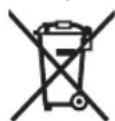
Do not dispose of worklights and rechargeable batteries/batteries in the household waste.
Only for EU countries and United Kingdom:
Electrical and electronic equipment or used batteries that are no longer suitable for use must be collected separately and disposed of in an environmentally friendly manner. Use the designated collection systems. Incorrect disposal may cause harmful effects on the environment and human health, due to the potential presence of hazardous substances.
Français
Calle Robert Bosch No. 405
C.P. 50071 Zona Industrial,
Toluca - México, RFC: RBO910102QJ9
Tel.: (52) 55 528430-62
Tel.: 800 6271286
España
Tlf. Service Center: 44898855
https://www.bosch-pt.com/serviceaddresses
Garantiebedingungen Guarantee Conditions Conditions de Garantie Condiciones de Garantía
https://www.bosch-pt.com/guarantee/202507