
GIC 12V-4-23 C Professional - Measuring equipment BOSCH - Free user manual and instructions
Find the device manual for free GIC 12V-4-23 C Professional BOSCH in PDF.
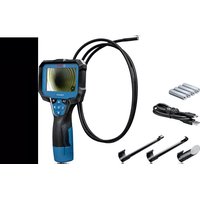



| Product type | Inspection camera |
| Brand | Bosch |
| Model | GIC 12V-4-23 C Professional |
| Screen size | 4.3 inches |
| Screen resolution | 800 × 480 px |
| Camera resolution | 1 280 × 720 px (JPG images) |
| Internal storage capacity | Up to 30 images |
| Field of view | 75° |
| Focus distance | 30 – 80 mm |
| Maximum light intensity (LED) | 200 lx (at 50 mm) |
| Camera head diameter | 8.3 mm |
| Flexible cable length | 1.5 m |
| Minimum cable bend radius | 25 mm |
| Power supply | Lithium-ion battery 12 V (GBA 12V...) or adapter for 4 AA batteries (LR6/NiMH) |
| Operating time (with 2.0 Ah battery) | Approx. 8 h |
| Operating time (with AA alkaline batteries) | Approx. 3 h |
| Weight | 0.37 kg |
| Dimensions (L × W × H) | 242 × 140 × 66 mm |
| Protection rating (housing) | IP54 |
| Protection rating (head and cable) | IP67 |
| Operating temperature | -10 °C to +50 °C |
| Storage temperature | -20 °C to +50 °C |
| Main functions | Visual inspection, image capture, digital zoom, adjustable LED lighting, high indicator |
| Maintenance and cleaning | Clean with a soft, damp cloth; do not use detergents or solvents |
| Safety | Do not look directly at the LED; avoid contact with water on the housing; observe safety instructions for batteries |
| Spare parts and repairability | Repair by a Bosch authorized service center; spare parts available at www.bosch-pt.com |
Frequently Asked Questions - GIC 12V-4-23 C Professional BOSCH
User questions about GIC 12V-4-23 C Professional BOSCH
0 question about this device. Answer the ones you know or ask your own.
Ask a new question about this device
Download the instructions for your Measuring equipment in PDF format for free! Find your manual GIC 12V-4-23 C Professional - BOSCH and take your electronic device back in hand. On this page are published all the documents necessary for the use of your device. GIC 12V-4-23 C Professional by BOSCH.
USER MANUAL GIC 12V-4-23 C Professional BOSCH
GIC 12V-4-23 C Professional
Robert Bosch Power Tools GmbH
70538 Stuttgart
GERMANY
www.bosch-pt.com
160992A9RK(2024.05)T/420

de Originalbetriebsanleitung en Original instructions fr Notice originale es Manual original pt Manual original nl Oorspronkelijke gebruiksaanwijzing da Original brugsanvisning sv Bruksanvisning no Original bruksanvisning fi Alkuperäiset ohjeet el Πρωτότυπες οδηγίες χρήσης tr Orijinal kullanım kılavuzu pl Instrukcja oryginalna cs Původní návod k použití sk Pôvodný návod na použitie hu Eredeti használati utasítás ru Оригинальное руководство по эксплуатации uk Оригінальна інструкція з експлуатації kk Түпнұсқа нұсқаулық ro Instrucțiuni originale
bg Оригинална инструкция mk Оригинално упатство за работа sr Originalno uputstvo za rad sl Zvirna navodila hr Originalne upute za rad et Algupärased kasutusjuhendid lv Instrukcijas oriģinālvalodā lt Originali instrukcija

2
Deutsch. 8
English 22
Français . Page 35
Español. 49
Português. 63
Italiano . 76
Dutch.. 90
Danish . 103
Swedish Page 115
Norwegian. Page 127
Finnish . 139
Greek 152
Turkish Page 166
Polish. Page 181
Czech Page 194
Slovak Page 207
Hungarian Page 219
Russian Page 232
Ukrainian. 247
Kazakh . 261
Romanian.. 276
Bulgarian.. 290
Macedonian. 303
Serbian Page 317
Slovenian Page 330
www.bosch-pt.com/serviceaddresses
Transport
All instructions must be read and observed. The safeguards integrated into the inspection camera may be compromised if the inspection camera is not used in accordance with these instructions. STORE THESE INSTRUCTIONS IN A SAFE PLACE.
- Have the inspection camera repaired only by a qualified repair person and only using identical replacement parts. This will ensure that the safety of the inspection camera is maintained.
- Do not operate the inspection camera in explosive atmospheres, such as in the presence of flammable liquids, gases or dusts. Sparks can be created in the inspection camera which may ignite the dust or fumes. Remove the rechargeable battery from the inspection camera before carrying out any work on the inspection camera (e.g. assembly, maintenance, etc.) as well as when transporting and storing the inspection camera.
- Remove the batteries from the inspection camera when not using it for longer periods. The batteries can corrode during prolonged storage in the inspection camera. Do not direct the light beam at persons or animals and do not stare into the light beam yourself (even from a distance).
- Check the work area before using the inspection camera. No part of the inspection camera may come into contact with electrical cables, moving parts or chemical substances. Interrupt the electric circuit of electrical cables running through the work area. These measures reduce the risk of explosions, electric shock and damage to property. Wear appropriate personal protective equipment like protective goggles, protective gloves or a protective mask, if there are substances harmful to health in the work area. Sewers or similar areas can contain solid, liquid or gaseous substances that are poisonous, infectious, corrosive or otherwise harmful to health.
Pay particular attention to cleanliness if you work in areas with substances harmful to health. Do not eat during work. Avoid contact with substances harmful to health, and clean hands and other body parts that could have come into contact with them with hot soapy water after work. This reduces the danger to health. - Do not stand in water if you are using the inspection camera. Working in water poses a risk of electric shock. Do not modify or open the battery. There is a risk of short-circuiting. In case of damage and improper use of the battery, vapours may be emitted. The battery can set alight or explode. Ensure the area is well ventilated and seek medical attention should you experience any adverse effects. The vapours may irritate the respiratory system. If used incorrectly or if the battery is damaged, flammable liquid may be ejected from the battery. Contact with this liquid should be avoided. If contact accidentally occurs, rinse off with water. If the liquid comes into contact with your eyes, seek additional medical attention. Liquid ejected from the battery may cause irritation or burns. The battery can be damaged by pointed objects such as nails or screwdrivers or by force applied externally. An internal short circuit may occur, causing the battery to burn, smoke, explode or overheat. - When the battery is not in use, keep it away from paper clips, coins, keys, nails, screws or other small metal objects that could make a connection from one terminal to another. A short circuit between the battery terminals may cause burns or a fire. - Only use the battery with products from the manufacturer. This is the only way in which you can protect the battery against dangerous overload. - Only charge the batteries using chargers recommended by the manufacturer. A charger that is suitable for one type of battery may pose a fire risk when used with a different battery.

Protect the battery against heat, e.g. against continuous intense sunlight, fire, dirt, water and moisture. There is a risk of explosion and short-circuiting.

WARNING


Ensure that the coin cell is kept out of the reach of children. Coin cells are dangerous.
- Coin cells must never be swallowed or inserted into any other part of the body. If you suspect that someone has swallowed a coin cell or that a coin cell has entered the body in another way, seek medical attention immediately. Swallowing coin cells can result in severe internal burns and death within 2 hours.
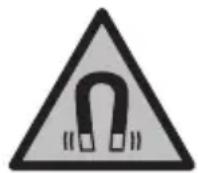
Keep the magnetic accessories away from implants and other medical devices, e.g. pacemakers or insulin pumps. The magnets in the accessories generate a field that can impair the function of implants and medical devices.
- Keep the magnetic accessories away from magnetic data storage media and magnetically-sensitive devices. The effect of the magnets in the accessories can lead to irreversible data loss.
Product Description and Specifications
Please observe the illustrations at the beginning of this operating manual.
Intended Use
The digital inspection camera is suitable for inspecting areas that are dark or difficult to access. It is also suitable for moving and removing small and light objects (e.g. small screws) after fitting the supplied accessories on the camera head.
The digital inspection camera must not be used for medical purposes. It is likewise not intended for removing pipe blockages or installing cables.
Product Features
The numbering of the product features refers to the representation of the inspection camera on the graphic pages.
(1) Camera cable (2) Camera head (3) Illumination light in the camera head (4) Camera lens (5) Display
(6) On/off button (7) Up button (8) Left-hand button (9) Centre button (10) Down button (11) Right-hand button (12) Photo recording button (13) Handheld device (14) Rechargeable batterya (15) AA1 battery adapter (16) Top flap (17) USB Type-C® port b) (18) USB Type-C® cable (19) Port (20) Battery adapter cover (21) Release button (22) Battery adapter cap (23) Camera connection (24) Locking mechanism for camera cable (25) Magnet (26) Hook (27) Mirror
a) This accessory is not part of the standard scope of delivery. b) USB Type-C® and USB-C® are trademarks of USB Implementers Forum.
Display Elements
(a) Status indicator function Up Indication (b) Direction indicator function Up Indication (c) Battery charge indicator for rechargeable battery/non-rechargeable batteries
26 | English
Technical Data
| Digital inspection camera GIC 12V-4-23 C | ||
| Article number | 3601 B415.. | |
| Display size " 4.3 | ||
| Display resolution px 800 × 480 | ||
| Resolution of camera/image filesA)B) | px 1280 × 720 | |
| Screenshot format JPG | ||
| Max. number of photos in internal memory 30 | ||
| Field of viewA)C) | ° | 75 |
| Focus distanceA) | mm 30-80 | |
| Max. luminous intensity of the illumination light in the camera headA)D) | lx 200 | |
| Max. immersion time for camera head/cable in diesel, engine oil, ethyl alcohol, petrol, AdBlue® or salt water (26.5% salt content)A) | min 30 | |
| Power supply | ||
| - Rechargeable battery (Li-ion) 12 V | ||
| - Non-rechargeable batteries (alkaline manganese, with battery adapter) | 4 × 1.5 V LR6 (AA) | |
| - Rechargeable batteries (NiMH, with battery adapter) | 4 × 1.2 V HR6 (AA) | |
| Backup power supply for saving the time | ||
| - Coin cell CR2450 (3 V, lithium | battery) | |
| - Battery life approx. Years 3 | ||
| Operating time, approx.E) | ||
| - With rechargeable battery (Li-ion)F) | h | 8 |
| - With non-rechargeable batteries (alkaline manganese) | h | 3 |
| - With rechargeable batteries (NiMH, 1.2 V) | h 3.5 | |
| WeightG) | kg | 0.37 |
| Dimensions (length × width × height)F) | mm | 242 × 140 × 66 |
| 1609 92A 9RK | (24.05.2024) | Bosch Power Tools | |
Digital inspection camera GIC 12V-4-23 C
| Camera head diameterA) | mm 8.3 | |
| Length of camera cableA) | m 1.5 | |
| Smallest bend radius of camera cable mm 25 | ||
| Protection rating of handheld device (without re-chargeable battery/battery adapter) | IP54 | |
| Protection rating of camera head and camera cableA) | IP67 | |
| Recommended ambient temperature during charging | °C 0 to +35 | |
| Permitted ambient temperature during operation °C -10 to +50 | ||
| Permitted ambient temperature during storage °C -20 to +50 | ||
| Recommended rechargeable batteries GBA 12V... | ||
| Recommended chargers GAL 12... | ||
| GAX 18... | ||
A) With camera cable GIC 4/5 Imager 8.3mm / 1.5m B) Resolution 800 × 480 , if the image is enlarged in the display or is displayed in black and white C) Measured across the diagonal of the image D) at 50 mm distance in a dark environment E) with camera display, with Up Indication function, average display brightness, illumination light with 50% brightness F) with GBA 12V 2.0Ah G) Weight without rechargeable batteries/non-rechargeable batteries/battery adapter/camera cable
Assembly
Power supply
The inspection camera can be operated either with a Bosch lithium-ion rechargeable battery, with commercially available non-rechargeable batteries, or with commercially available NiMH rechargeable batteries.
The battery charge indicator (c) will indicate the state of charge of the Li-ion battery, non-rechargeable batteries, or NiMH batteries on the display.
Operation with Battery Adapter (see figure A)
The non-rechargeable or NiMH rechargeable batteries are inserted into the battery adapter.
The battery adapter is intended only for use in designated Bosch inspection cameras and must not be used with power tools.
To insert the non-rechargeable/rechargeable batteries, slide the receptacle (20) of the battery adapter into the bay (19). Place the non-rechargeable/rechargeable batteries in the receptacle as shown in the picture on the cap (22). Slide the cap over the cover until you feel it click into place and it is flush with the handle of the inspection camera.
To remove the non-rechargeable/rechargeable batteries, press the release buttons (21) of the cap (22) and pull off the cap. Pull out the cover (20) from inside the port (19).
Always replace all the batteries at the same time. Only use batteries from the same manufacturer and which have the same capacity.
- Remove the non-rechargeable/rechargeable batteries from the inspection camera when not using it for longer periods. The non-rechargeable/rechargeable batteries can corrode during prolonged storage in the inspection camera.
Operation with Lithium-Ion Rechargeable Battery (see figure B)
Use only the chargers listed in the technical data. Only these battery chargers are matched to the lithium-ion batteries of your inspection camera.
Note: Lithium-ion rechargeable batteries are supplied partially charged according to international transport regulations. To ensure full rechargeable battery capacity, fully charge the rechargeable battery before using your tool for the first time.
To insert the charged rechargeable battery (14), slide it into the port (19) until you feel it click into place and it is flush with the handle of the inspection camera.
To remove the battery (14), press the release buttons (21) and pull it out of the port (19). Do not use force to do this.
Recommendations for Optimal Handling of the Battery
Protect the battery against moisture and water.
Only store the battery within a temperature range of -20 to 50 °C. Do not leave the battery in your car in the summer, for example.
A significantly reduced operating time after charging indicates that the battery has deteriorated and must be replaced.
Follow the instructions on correct disposal.
Fitting the camera cable (see figure C)
For operation of the inspection camera, the camera cable (1) must be fitted on the hand-held device (13).
Push the connector of the camera cable (1) onto the camera connection (23) in the correct position until it clicks into place.
Removing the camera cable (see figure D)
To remove the camera cable (1), press the locking mechanism (24) and pull the connector out of the handheld device (13).
Fitting the mirror, magnet or hook (see figure E)
The mirror (27), the hook (26) or the magnet (25) can be fitted on the camera head (2) as accessories.
Push one of the three accessories, as shown in the figure, all the way onto the camera head (2).
Note: The magnet (25) and the hook (26) are only suitable for moving and removing loose, small and light objects. The inspection camera or the accessory can be damaged with too strong a pull.
Operation
- Protect the handheld device and the rechargeable battery or battery adapter from direct sunlight. Protect the rechargeable battery or battery adapter against moisture. The camera cable (1) and camera head (2) are watertight if assembled correctly; the handheld device (13) is splash-proof. However, the rechargeable battery (14) and the battery adapter are not protected against water. If they come into contact with water, there is a risk of electric shock or damage.
- Do not use the inspection camera if the lens on the camera head (2) has fogged up. Switch the inspection camera on only if the moisture has evaporated. The inspection camera may otherwise become damaged. The switched-on light (3) can become hot during operation. To avoid burns, do not touch the light.
- Do not subject the inspection camera to extreme temperatures or variations in temperature. For example, do not leave it in a car for extended periods of time. In case of large variations in temperature, allow the inspection camera to adjust to the ambient temperature before putting it into operation.
30 | English
Starting Operation
Switching On and Off
To switch on the inspection camera, press the ON/OFF button (6) or the centre button (9).
Note: If the camera cable is not fitted when switching on, the display will show an error message.
To switch off the inspection camera, press the ON/OFF button (6) until the display switches off.
If no button on the inspection camera is pressed for a certain time, then the inspection camera will automatically switch itself off to preserve battery life. You can set the switch-off time in the main menu.
Regulating the illumination light in the camera head
To regulate the light, press the left-hand button (8) or the right-hand button (11) until it reaches the required brightness or the illumination light has switched off.
Do not look directly into the light (3) and do not direct the light onto other people. The light can blind your eyes.
Zooming In/Out of the Image in the Display
To set the magnification level of the display view, press the up button (7) or the down button (10) until the required magnification level has been reached.
Main Menu
To access the main menu, press the centre button (9).
Navigating in the menu
- To scroll through a menu: Press the up (7) or down (10) buttons.
- To switch to a submenu: Press the centre button (9) or the right-hand button (11).
- To confirm a selected menu option: Press the centre button (9).
- To switch a function with a virtual switch on or off: Either press the centre button (9), the right-hand button (11) or the left-hand button (8). This will also save the setting.
- To return to the previous, higher-level menu: Briefly press the ON/OFF button (6).
- To exit the main menu and return to the camera display: Briefly press the ON/OFF button (6).
Menu options
- : Switch the function on or off.
When the Up Indication function is switched on, the arrow of the direction indicator (b) shows where "up" is in the image (see figure F).
Note: The function is not possible with all camera cables. The function is limited if a mirror (27) is fitted and/or with a vertically aligned camera cable (1).
- : This is where recorded photos can be accessed. You can select the required file based on its date using the down (10) or up (7) buttons. Press the right-hand button (11) or the centre button (9) to see a preview of the selected photo. To open the selected file, press the centre button (9).
- : Set the required brightness for the display.
- : Switch between the colour view and black/white view of the display.
-
- : You can set the date and time for saving files and select the date and time format.
Note: If the date and time can no longer be saved, the built-in coin cell is drained. Contact an authorised Bosch-after-sales service centre if this happens.
- : Select the language used in the display.
- : Choose the time interval after which the inspection camera will switch off automatically if no button is pressed.
- : Here you will find device information, such as the installed software version and legal information.
- : You can reset all of the menu options to factory settings. This also simultaneously, permanently delete all of the saved files.
Saving/Transferring the Recordings
Taking a Photo
Press the photo recording button (12) to take a photo of the current display view. The photos are stored in the internal memory of the inspection camera and can be transferred via USB Type-C®.
Data transfer via the USB Type-C® interface
Switch on the inspection camera to transfer data via the USB Type-C® interface. Open the flap for the USB Type-C® port (17). Connect the USB Type-C® port to your PC via the USB Type-C® cable (18).
Open the file browser on your PC and select the Bosch_GIC drive. The saved files can be copied from the internal memory of the inspection camera, moved to your PC, or deleted.
As soon as you have completed the required operation, disconnect the drive following the standard procedure.
Note: Always disconnect the drive from the operating system of the PC first (eject drive), as failure to do so may damage the internal memory of the inspection camera.
Remove the USB Type-C® cable (the inspection camera will switch off automatically).
Close the upper flap (16) to protect against dust or splashes.
Note: Only use the USB Type-C® interface to connect the inspection camera to a PC. The inspection camera may be damaged if connected to other devices.
Note: The USB Type-C® interface can only be used for data transfer. Rechargeable batteries or other devices cannot be charged by this interface.
Working Advice
Check the environment that you want to inspect, paying particular attention to obstacles or hazardous areas.
Bend the camera cable (1) so that the camera head can be easily introduced into the environment to be inspected. Carefully introduce the camera cable.
Adjust the brightness of the camera illumination light (3) so that the image is easily recognisable. When photographing highly reflective objects, for example, you can achieve better results in lower light or using black and white contrast setting.
If objects to be inspected look blurred, then reduce or increase the distance between camera head (2) and object.
Errors - causes and corrective measures
Error indicator in the display

Internal memory almost full
(yellow warning)

Internal memory full
(red warning)
Error in the internal memory
Restart the inspection camera.
If the problem persists, contact an authorised
Bosch after-sales service centre.
Maintenance and Service
Maintenance and Cleaning
Do not immerse the handheld device (13) in water or other liquids.
Always keep the inspection camera clean. Clean the inspection camera and all accessories particularly thoroughly after you have worked in areas with substances harmful to health.
Wipe off any dirt using a damp, soft cloth. Do not use any detergents or solvents.
Clean the camera lens (4) in particular regularly and make sure to check for any lint.
Replacing the Built-in Coin Cell
The coin cell replacement must be performed by Bosch or by an after-sales service centre authorised to work with Bosch power tools.
Caution: The coin cell must always be replaced with a coin cell of the same type. There is a risk of explosion. Remove and dispose of drained coin cell correctly. Drained coin cell may leak and damage the product or cause personal injury.
After-Sales Service and Application Service
Our after-sales service responds to your questions concerning maintenance and repair of your product as well as spare parts. You can find explosion drawings and information on spare parts at: www.bosch-pt.com
The Bosch product use advice team will be happy to help you with any questions about our products and their accessories.
In all correspondence and spare parts orders, please always include the 10-digit article number given on the nameplate of the product.
Malaysia
Robert Bosch Sdn. Bhd.(220975-V) PT/SMY
No.8A, Jalan 13/6
46200 Petaling Jaya
Selangor
Tel.: (03) 79663194
Toll-Free: 1800 880188
Fax: (03) 79583838
E-Mail: kiathoe.chong@my.bosch.com
www.bosch-pt.com.my
34 | English
Great Britain
Robert Bosch Ltd. (B.S.C.)
P.O.Box 98
Broadwater Park
North Orbital Road
Denham Uxbridge
UB95HJ
At www.bosch-pt.co.uk you can order spare parts or arrange the collection of a product in need of servicing or repair.
Tel. Service: (0344) 7360109
E-Mail: boschservicecentre@bosch.com
You can find further service addresses at:
www.bosch-pt.com/serviceaddresses
Transport
The recommended lithium-ion batteries are subject to legislation on the transport of dangerous goods. The user can transport the batteries by road without further requirements.
When the batteries are shipped by third parties (e.g. air transport or forwarding agency), special requirements on packaging and labelling (e.g. ADR regulations) must be met. A dangerous goods expert must be consulted when preparing the items for shipping.
Dispatch battery packs only when the housing is undamaged. Tape or mask off open contacts and pack up the battery in such a manner that it cannot move around in the packaging. Please also observe the possibility of more detailed national regulations.
Disposal

The inspection camera, batteries/rechargeable batteries, accessories and packaging should be sorted for environmentally friendly recycling.
Do not dispose of the inspection camera or batteries/rechargeable batteries with household waste.
Only for EU countries:
In accordance with Directive 2012/19/EU and Directive 2006/66/EC respectively, inspection cameras that are no longer usable and defective/drained batteries must be collected separately and recycled in an environmentally friendly manner.
If disposed incorrectly, waste electrical and electronic equipment may have harmful effects on the environment and human health, due to the potential presence of hazardous substances.
Only for United Kingdom:
According to The Waste Electrical and Electronic Equipment Regulations 2013 (SI 2013/3113) (as amended) and the Waste Batteries and Accumulators Regulations 2009 (SI 2009/890) (as amended), products that are no longer usable must be collected separately and disposed of in an environmentally friendly manner.
Battery packs/batteries:
Li-ion:
Please observe the notes in the section on transport (see "Transport", page 34). The integrated coin cell may only be removed for disposal by qualified personnel.
French
Robert Bosch Morocco SARL
53, Rue Lieutenant Mahroud Mohamed
20300 Casablanca
Tel.: +212529314327
E-Mail: sav.outillage@ma.bosch.com
France
Robert Bosch (France) S.A.S.
www.bosch-pt.com/serviceaddresses
Transport
Calle Robert Bosch No. 405
Bosch Power Tools 1609 92A 9RK| (24.05.2024)
62 | Spanish
C.P. 50071 Zona Industrial, Toluca - Estado de Mexico
Tel.: (52) 55 528430-62
Tel.: 800 6271286
www.bosch-pt.com/serviceaddresses
Transport
www.bosch-pt.com/serviceaddresses
Transport
www.bosch-pt.com/serviceaddresses
Transport
Adjust the lamp in the camera head
www.bosch-pt.com/serviceaddresses
Transport
Bosch Service Center
Telegrafvej 3
2750 Ballerup
At www.bosch-pt.dk you can order spare parts online or create a repair order.
Service Center phone: 44898855
Fax: 44898755
E-Mail: vaerktoej@dk.bosch.com
www.bosch-pt.com/serviceaddresses
Transport
Bosch Service Center
Telegrafvej 3
2750 Ballerup
Denmark
Tel.: (08) 7501820 (within Sweden)
Fax: (011) 187691
You can find more service contact details here:
www.bosch-pt.com/serviceaddresses
Transport
The recommended lithium-ion batteries are subject to dangerous goods requirements.
www.bosch-pt.com/serviceaddresses
Transport
www.bosch-pt.com/serviceaddresses
Transport
www.bosch-pt.com/serviceaddresses
Transport
The contained lithium-ion batteries are subject to the Dangerous Goods Legislation requirements. The batteries are suitable for road transport by the user without further requirements. When shipping by third parties (e.g. by air transport or forwarding agency), special requirements on packaging and labelling must be observed. For the preparation of the item being shipped, consulting an expert for hazardous material is required.
Dispatch batteries only when the housing is undamaged. Tape or mask open contacts and pack up the battery such that it cannot move around in the packaging. Please also observe possibly more detailed national regulations.
Disposal

The battery packs, batteries and accessories must be recycled in an environmentally friendly manner.
Do not dispose of battery packs and batteries into household waste!
Only for EU countries:
www.bosch-pt.com/serviceaddresses
Bosch Power Tools 1 609 92A 9RK| (24.05.2024)
Transport
Robert Bosch Sp. z o.o.
www.bosch-pt.com/serviceaddresses
Transport
Bosch Service Center PT
KVapence 1621/16
692 01 Mikulov
On www.bosch-pt.cz you can order the repair of your machine or spare parts online.
www.bosch-pt.com/serviceaddresses
Transport
Recommended lithium-ion batteries are subject to the requirements of the law on dangerous goods. These batteries can be transported by the user by road without further conditions.
www.bosch-pt.com/serviceaddresses
Transport
Recommended lithium-ion batteries are subject to the requirements for the transport of dangerous goods. The user can transport the batteries by road without further measures.
www.bosch-pt.com/serviceaddresses
Transport
The product's service life is 7 years. It is not recommended to operate after 5 years of storage from the date of manufacture without prior inspection (see the label for the date of manufacture).
Limits of critical failures and erroneous personnel actions
- - Do not use when dust is raised directly from the product body. - Do not use outdoors during rain (in sprayed form). - Do not turn on when water enters the body.
Criteria for limit states
- Damage to the product body
Type and periodicity of technical maintenance
It is recommended to clean the instrument from dust after each use.
Storage
- Store in a dry place. - Store away from sources of elevated temperatures and direct sunlight. - Avoid sudden temperature changes. - If the instrument is supplied in a soft case or plastic bag, it is recommended to store the instrument in this protective cover. - For detailed storage requirements, see GOST 15150-69 (Condition 1).
Transportation
- Dropping and any mechanical impact on the packaging during transportation are strictly prohibited.
- During unloading/loading, the use of any equipment operating on the principle of gripping the packaging is not allowed.
- For detailed transportation requirements, see GOST 15150-69 (Condition 5).
Safety instructions

Read and follow all instructions. Failure to comply with these instructions when using the inspection camera may lead to
To determine the protected mechanisms integrated into the inspection camera. PLEASE, SAFELY STORE THESE INSTRUCTIONS.
Repair of the inspection camera may only be performed by qualified personnel and only using original spare parts. This ensures the safety of the inspection camera. Do not work with the inspection camera in an explosive atmosphere, near flammable liquids, gases, and dust. Sparks may form in the inspection camera, which can ignite dust or vapors. ▸ Remove the battery from the inspection camera before performing any manipulations with it (e.g., installation work, maintenance, etc.), as well as during its transportation and storage.
Remove the batteries from the inspection camera if you will not be working with it for an extended period. During prolonged storage in the inspection camera, corrosion is possible. Do not point the light beam at animals' eyes and do not look into the light beam yourself, including from a great distance. Before using the inspection camera, check the work area. No part of the inspection camera should come into contact with electrical wires, live elements, or chemical substances. Disconnect the electrical cables laid through the work area. These measures reduce the risk of explosion, electric shock, and material damage. Use personal protective equipment, in particular safety glasses, safety gloves, or a respirator, if hazardous substances are present in the work area. Channels or similar zones may contain solid, liquid, or gaseous substances characterized by toxicity, flammability, aggressiveness, or other health hazards. Pay special attention to hygiene when working with substances hazardous to health. Do not eat or drink while working. Avoid contact with substances hazardous to health; after work, wash your hands and other parts of the body that may have come into contact with them with soap and water. This reduces health risks. Do not stand in water when using the inspection camera. Working in water can lead to electric shock. Do not make structural changes to the battery and do not open it. This creates a risk of short circuit.
Improper use of the battery may cause it to leak, catch fire, or explode. Ensure adequate ventilation and consult a doctor if symptoms occur. Gases can irritate the respiratory tract. If the battery is used incorrectly, liquid may leak. Avoid contact with it. In case of accidental contact, rinse thoroughly with water. If this liquid gets into the eyes, seek medical help immediately. Leaking battery liquid can cause skin irritation or burns. Sharp objects such as knives, nails, or screwdrivers, as well as external force, can damage the battery. This may lead to internal short circuit, fire with smoke, explosion, or overheating of the battery. Protect unused batteries from paper clips, coins, keys, nails, screws, and other small metal objects that could short-circuit the terminals. Short-circuiting the battery terminals can cause burns or fire. Use the battery only in devices from the manufacturer. Only then is the battery protected from dangerous overload. Charge batteries only with chargers recommended by the manufacturer. A charger intended for a specific type of battery may pose a fire hazard if used with other batteries.

Protect the battery from high temperatures, e.g., from prolonged exposure to sunlight, fire, dirt, water, and moisture. There is a risk of explosion and short circuit.

WARNING


Keep button cells out of reach of children. Button cells are dangerous.
Button cells must not be swallowed or inserted into any body openings. If you suspect that a button cell
236 | Russian
has been swallowed or inserted through any body opening, seek medical attention immediately. Swallowing a button cell can cause severe internal burns and death within 2 hours.
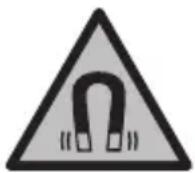
Do not place magnetic accessories near implants and other medical devices, e.g., pacemakers and insulin pumps. The magnets in the accessories create a magnetic field that can affect the function of implants and medical devices.
Keep magnetic accessories away from magnetic data carriers and devices sensitive to magnetic fields. The effect of magnetic accessories can lead to irreversible data loss.
Product description and service
Please follow the illustrations at the beginning of the operating instructions.
Intended use
The inspection camera is suitable for inspecting hard-to-reach or dark areas. In addition, it is suitable for moving and retrieving small, light objects (e.g., small screws) after attaching the tools included in the kit to the camera head.
The inspection camera must not be used for medical purposes. In addition, it is not intended for unclogging blockages in pipes or for heating cables.
Illustrated components
The numbering of the components is based on the illustration and the page with illustrations of the inspection camera.
(1) Camera cable (2) Camera (3) Lamp in the camera (4) Camera lens (5) Display (6) Switch
(7) Up button (8) Left button (9) Center button
(10) Down button (11) Right button (12) Photo light button (13) Device handle (14) Battery (15) Adapter for AA batteries (16) Top cover (17) USB Type-C® port (18) USB Type-C cable (19) Compartment (20) Adapter cover for batteries (21) Unlock button (22) Battery adapter cover (23) Camera connector (24) Camera cable fixation (25) Magnet (26) Hook (27) Mirror
a) These accessories are not included in the standard delivery.
b) USB Type-C® and USB-C® are trademarks of USB Implementers Forum.
Indicators
(a) Status indicator function (b) Level indicator function (c) Charge indicator for rechargeable battery/batteries
Technical data
Digital inspection camera GIC 12V-4-23 C
Article number
3601B415..
Bosch Power Tools 1609 92A 9RK| (24.05.2024)
238 | Russian
DIGITAL INSPECTION CAMERA GIC 12V-4-23C
Saving/transferring images
Photography
Press the photo button (12) to take a photograph of the current image. Photographs are saved in the internal memory of the inspection camera and can be transferred via the USB Type-C interface.
Data transfer via USB Type-C interface
To transfer data via USB Type-C®, switch on the inspection camera. Open the cover of the USB Type-C® socket (17). Connect the USB Type-C® plug with the USB Type-C® cable (18) to your computer.
Start the file manager on your computer and select
the Bosch_GIC drive. The files saved in the internal memory of the inspection camera can be copied/transferred to your computer or deleted.
After you have completed the necessary processes, disconnect the external drive in the standard way.
Note: Always perform a "safe removal" of the external drive from the computer system, otherwise the internal memory of the inspection camera may be damaged.
Disconnect the USB Type-C® cable (the inspection camera switches off automatically). Close the top cover (16) to protect it from splashes of water.
Note: Connect the inspection camera via the USB Type-C interface only to the PC. If connected to other devices, the inspection camera may be damaged.
Note: The USB Type-C® interface is used exclusively for data transfer; it cannot be used to charge batteries or other devices.
Application information
Check the environment you want to inspect, paying special attention to any obstacles or slippery areas.
Insert the camera cable (1) in such a way that the camera head can be easily inserted into the environment to be inspected. Carefully insert the camera cable.
Adjust the brightness of the camera lamp (3) so that the image is clearly visible. For example, for objects with high reflective capacity, to improve image quality, you can use less light or set a gray-blue contrast.
If the objects being inspected appear blurry, reduce or increase the distance between the camera head (2) and the object.
Malfunction - Causes and remedies
Fault Cause Remedy

Internal battery - Remove the batteries from the internal battery compartment. compartment is full
(yellow warning)

Internal battery - Remove the batteries from the internal battery compartment. compartment is full
(red warning)
Internal error - Reset the inspection camera.
If the problem persists, contact an authorized Bosch service workshop.
Maintenance and service
Maintenance and cleaning
It is forbidden to immerse the hand-held device (13) in water or other liquids.
Clean the inspection camera and all auxiliary accessories thoroughly, especially after working with hazardous substances.
Wipe off contamination with a dry, soft cloth. Do not use any cleaning agents or solvents.
In particular, regularly clean the camera lens (4), removing lint.
Replacing the built-in rechargeable battery
Replacement of the button cell battery must be carried out by a Bosch specialist or at an authorized Bosch power tools service center.
Warning: Always replace the battery with a battery of the same type. There is a risk of explosion. Remove and dispose of discharged rechargeable batteries in accordance with regulations. Discharged rechargeable batteries may lose their seal and damage the product or cause injury.
246 | English
Service and consultation on application questions
The service department will answer all your questions regarding repair and maintenance of your product, as well as spare parts. Exploded views and information on spare parts can also be viewed at:
www.bosch-pt.com
The Bosch team of consultants will be happy to answer all your questions regarding our products and their accessories.
Please always specify the 10-digit article number from the type plate in all inquiries and spare parts orders.
www.bosch-pt.com/serviceaddresses
Transport
The recommended lithium-ion batteries are subject to the requirements for the transport of dangerous goods. The batteries can be transported by the user by road without further requirements.
When transporting with three pins (for example, by an intransport express), special requirements for packaging and labeling must be observed. In this case, before preparing the cargo for shipment, it is necessary to involve an expert in dangerous goods.
Ship the battery only with an undamaged housing. Seal open contacts and pack the battery so that it cannot move inside the packaging. Please also observe any possible additional national regulations.
Disposal

Inspection cameras, batteries/rechargeable batteries, accessories, and packaging must be disposed of in accordance with environmental protection requirements.
Do not dispose of inspection cameras and batteries/rechargeable batteries with household waste!
Only for EU countries:
In accordance with European Directive 2012/19/EU, inspection cameras that have reached the end of their service life, and in accordance with European Directive 2006/66/EC, damaged or exhausted batteries/rechargeable batteries must be collected separately and disposed of in an environmentally friendly manner.
If disposed of incorrectly, used electrical and electronic devices can have a harmful effect on the environment and human health due to the possible presence of hazardous substances.
Batteries/rechargeable batteries:
Lithium-ion:
Please observe the instructions in the transport section (see "Transport", page 246).
Removal of the built-in button cell for disposal may only be carried out by qualified personnel.
Ukrainian
Safety instructions

Read all safety instructions and follow them. Failure to follow these instructions when using the device may result in injury.
Integrated protective mechanisms. Always pay attention to the instructions.
Do not hand over the video scope for repair to unqualified personnel and not using original spare parts. Only under such conditions will the video scope and accessories remain safe. Do not work with the video scope in environments where there is a risk of explosion due to the presence of flammable liquids, gases, or dust. Sparks may form in the video scope, which can ignite dust or vapors. Remove the battery from the video scope before performing any manipulations with it (e.g., assembly work, maintenance work), as well as before transporting and storing it. Remove the batteries from the inspection camera if you will not be using it for an extended period. In case of prolonged storage, the batteries in the video scope may corrode. Do not point the flashlight directly at people or animals, and do not look into the laser yourself, even from a distance. Check the work area before using the video scope. No part of the video scope should come into contact with electrical conductors, moving parts, or chemical substances. Check the electrical cable route that runs through the work area. These measures prevent the risk of explosion, electric shock, and material damage. Wear appropriate personal protective equipment, such as protective goggles, protective gloves, or a respirator, if the work area contains substances hazardous to health. Canals, standing water, or similar liquids may contain harmful, infectious, corrosive, or otherwise health-damaging substances. Especially pay attention to cleanliness when working in areas with substances hazardous to health. Let professionals do the work. Avoid contact with substances hazardous to health and immediately wash the affected body parts with plenty of water. This reduces the health hazard. Do not work in water when using the video scope. During work in water, there is a risk of electric shock. Do not make structural changes to the battery and do not cover it. There is a risk of short circuit. In case of damage or improper use of the battery, vapors may escape. The battery may ignite or explode.
If vapors escape, ventilate the area and seek medical help if necessary. The vapors may irritate the respiratory tract.
When using the battery, there is a risk of injury. Keep contact with it. In case of contact, rinse the affected area with water. If the acid gets into the eyes, additionally consult a doctor. The battery can cause burns or injuries. Contact with sharp objects, e.g., nails or screwdrivers, or with external metal parts can damage the battery. There is a risk of internal short circuit, overheating, fire, explosion, or rupture of the battery. Do not store the battery when you are not using it, near paper clips, keys, nails, screws, and other small metal objects that can cause bridging of contacts. Short circuiting the contacts of the battery can cause burns or damage. Use the battery only in products from the manufacturer. Only under these conditions will the battery be protected from dangerous overload. Charge the battery only in chargers recommended by the manufacturer. Using a charger for batteries for which it is not intended can cause damage.


Protect the battery from heat, e.g., from direct sunlight, fire, dirt, water, and moisture. There is a risk of explosion and short circuit.

WARNING
Keep button cells out of the reach of children. Button cells are dangerous.
Button cells can be swallowed or inserted into other body openings. If you suspect that a button cell has been swallowed or inserted into another body opening, seek medical attention immediately.
250|Ukrainian
Consult a doctor. Swallowing a button cell can lead to severe internal burns and death within 2 hours.
Do not place magnetic devices near implants and other medical devices, e.g., pacemakers and insulin pumps. Magnetic devices create a field that can adversely affect the functionality of implants and insulin pumps.
Keep magnetic devices away from magnetic data carriers and objects sensitive to magnetic fields. The influence of magnets on the device can lead to irreversible data loss.
The digital video camera cannot be used in medical applications. It is also not intended for endoscopic examinations of tubes or catheters.
Components shown
The numbering of the shown components refers to the illustrations of the video camera on the pages with the overview.
(1) Cable camera
(2) Main camera unit
(3) Indicators for the upper and lower camera
(4) Camera lens
(5) Display
(6) Up button
(7) Down button
(8) Left button
(9) Center button
(10) Right button

(11) Photo button (12) Shutter button (13) Power button (14) Battery (15) Battery compartment (16) Strap holder (17) USB Type-C port (18) USB Type-C cable (19) Section (20) Battery cover (21) Reset button (22) Battery cover latch (23) Camera lens (24) Lens cap (25) Magnet (26) Flash (27) Mirror
a) Not included in the standard package.
b) USB Type-C® and USB-C® are trademarks of USB Implementers Forum.
Indication elements
Indicator lights on the main part of the camera
To adjust the brightness, press the Left button (8) or the Right button (11) until the desired brightness is achieved or the light turns off.
Do not look directly at the light (3) and do not point the light at other people.
The light may damage eyes.
Changing the image display (scaling)
To adjust the zoom level of the image, press the "Up" button (7) or the "Down" button (10) until the desired zoom level is reached.
Main menu
To access it, press the central button (9).
Navigation in the menu
- Opening the menu: press the "Up" button (7) or the "Down" button (10). - Moving down: press the central button (9) or the "Right" button (11). - Confirming the selected menu option: press the central button (9). - Enabling/disabling the function with the virtual joystick: press the central button (9), the "Right" button (11), or the "Left" button (8). The settings are saved. - Returning to the previous menu level: briefly press the On/Off button (6). - Exiting the main menu and returning to the camera indicator: briefly press the On/Off button (6).
Menu options
: Enable or disable the function. When the function is enabled, the indicator bar shows the battery level (b), as in the "Top" view (see Fig. F). Note: This function is not available for all camera cables. When the mirror (27) is mounted and/or when the camera cable (1) is horizontally aligned, the function is disabled. <Gallery>: Here you can view the photos taken. Use the "Down" (10) or "Up" (7) buttons to select the desired frame based on its date. Press the "Right" button (11) or the central button (9) to view the previous photo. Press the central button (9) to open the selected frame. - : Adjust the desired brightness for the display. - : Enable or disable the color indication for the display (enabled: black and white indication).
<Date/Time>: Set the date and time for saving files and selecting the date format. Note: If the date and time are no longer saved, the built-in battery is discharged. In this case, contact an authorized Bosch service center. : Select the language for the indication. : Set the period after which the video recording automatically stops if no button is pressed.
- : Here you will find information about the instrument, such as the version of the installed software and legal information. <Factory settings.> You can reset the menu to factory settings. All saved frames will be permanently deleted.
Saving/transferring files
Saving photos
Press the (Photo) button (12) to take a photo of the current indicator. The photos are saved in the internal memory of the video scope and can be transferred via USB Type-C®.
258|Ukrainian
Transferring files via the USB Type-C interface
Do not charge the battery or other devices.
Instructions for use
Press the middle button to switch on, then slide the switch for the direction of rotation or safety lock.
Turn the camera head (1) so that the main part of the camera can be well inserted into the inspected medium. Carefully insert the camera head.
Adjust the brightness of the camera lamp (3) so that the image can be clearly recognized. For example, if the object has high reflective properties, the image quality can be improved by using less light or by adjusting the black-and-white contrast.
If the inspected object is not clearly visible, change or increase the distance between the main part of the camera (2) and the object.
Faults - Causes and remedies
Indicator
Possible cause
Remedy

Cause of fault
Internal memory
Almost full
Delete files from the internal memory.
www.bosch-pt.com/serviceaddresses
Transportation
It is recommended that lithium-ion battery packs be transported in accordance with the regulations for the transportation of dangerous goods. Battery packs may be transported by road vehicle without the need for additional permits.
For transportation by other means (e.g., by air or by courier), it is necessary to comply with all applicable packaging and labeling requirements. The sender must ensure that the shipment is handled by a certified expert in dangerous goods.
Ship the battery pack with the housing intact. Cover the exposed terminals and pack the battery pack so that it does not move within the packaging. Please also observe any additional national regulations.
Disposal
Video cameras, batteries/accumulators, accessories, and packaging must be disposed of at an authorized recycling center.
Do not dispose of video cameras and batteries/accumulators in household waste!
For EU countries:
In accordance with European Directive 2012/19/EU on waste electrical and electronic equipment (WEEE) and European Directive 2006/66/EC, used or damaged batteries/accumulators must be collected separately and disposed of in an environmentally sound manner.
Improper disposal of waste electrical and electronic equipment may have harmful effects on the environment and human health due to the potential presence of hazardous substances.
Batteries/accumulators:
Lithium-ion:
Please note the instructions in the transportation section (see "Transportation", page 260).
The integrated battery cell cannot be removed by the user and must only be disposed of by qualified personnel.
Kazakh
The economy mode (fuel economy mode) is used in the museum of the Ministry of Emergency Situations.
Safety instructions

It is necessary to follow the safety instructions. If the test chamber is not provided with the specified instructions, it may have a harmful effect on the safety devices installed in this test chamber. Keep these instructions in a safe place.
The test chamber may only be operated by qualified personnel and with the permission of the supervisor. This test chamber has safety devices. The test chamber must not be used in explosive atmospheres, in the presence of flammable or combustible materials. The test chamber may be heavy, and there is a risk of tipping over. Before starting work in the test chamber (e.g., installation, maintenance, technical service, etc.), remove the battery from the chamber. If the test chamber is to be stored for a long time, remove the batteries from it. It is possible to store the test chamber with the batteries installed for a short time. Do not touch the power supply or the power cord with wet hands. Check the operation of the device before using the test chamber. The test chamber may contain electrical voltages, rotating parts, or chemical substances. Be careful with electrical voltages when working with the device. These devices reduce the risk of electric shock and fire. If chemical substances are present in the device, wear protective goggles, protective gloves, or a respirator, and follow the safety instructions. There may be solid, liquid, or gaseous substances in the water channels or in the exhaust openings that are harmful to health. Pay attention to the instructions for handling chemical substances. Do not eat or drink while working with the device.
After working with chemical substances, wash your hands and face thoroughly with soap and water, and remove any contaminated clothing. This reduces the risk of chemical exposure.
Do not immerse the test chamber in water. To clean the device, use a dry cloth. Remove the batteries. There is a risk of short circuit. If the battery is damaged or leaks, it may cause injury. The battery may become hot or catch fire. If there are cracks or damage, contact the manufacturer. These instructions may be updated.
The battery is designed to be used only with the recommended charger. It is possible to remove the battery from the device. Do not use it if it is damaged. If the battery is damaged, consult a medical professional. The battery may be charged or discharged. It is possible to short-circuit the battery with metal objects, liquids, or other conductive materials. This can cause a fire, explosion, leakage, or overheating. The battery terminals should be kept away from metal objects, coins, keys, pens, and other small metal items. Short-circuiting the battery terminals may cause burns or fire. Do not expose the battery to direct sunlight, heat, or fire. Do not dispose of the battery in fire. Charge the battery only with the specified charger. The charger is designed for a specific battery type; using it with other batteries may cause damage.


Protect the battery from moisture, water, oil, grease, excessive heat, fire, dust, and dirt.
Avoid short-circuiting the battery terminals.


WARNING


Do not allow children to handle the battery. Keep batteries away from children.
Batteries should not be inserted or removed by children. If a battery is inserted or removed by a child, consult a physician immediately. Battery insertion and removal should be performed by adults only.
Magnetic fields can affect the operation of pacemakers and other medical devices. Keep magnetic objects away from pacemakers and other medical devices.
Magnetic accessories should be kept at a distance from pacemakers and other sensitive medical devices. Accessories may contain magnets that can interfere with the operation of such devices.
Power and charging
Follow the safety instructions below.
Maximum usage
The camera can be used for taking photos or recording videos in low-light conditions. It can also be used to capture and store images of documents, such as receipts or notes, after the camera has been positioned.
The camera is intended for medical purposes. It should not be used for cleaning or repairing cables.
Correction components
The correction components are based on the camera's graphical interface.
(1) Camera cable (2) Camera connector (3) Camera connector lid (4) Object camera (5) Flash (6) Volume control buttons (7) Power button (8) Shutter button (9) Organizer (10) Body temperature measurement (11) Shutter button
266|Kazakh
(12) Tripod mount (13) Hand strap (14) Battery (15) AA battery compartment (16) Power connector (17) USB Type-C® port (18) USB Type-C® cable (19) Strap (20) Battery compartment cover (21) Volume buttons (22) Battery compartment latch (23) Camera cover (24) Camera cable connector (25) Magnet (26) Inlet (27) Antenna
a) This device complies with the requirements of the standard.
b) USB Type-C® and USB-C® are trademarks of USB Implementers Forum.
Indication elements
(a) Function indication LEDs (b) Function status LEDs (c) Battery/accumulator charge indication LEDs
Two-button control
Press the buttons simultaneously.
274|Kazakh
Flash status indication LEDs
Self-timer

(Red LED blinking)
Two-button control
Press the buttons simultaneously.
Remove the protective cap before use.
We recommend that Bosch service centers perform the repair.
Technical service and repair
Service and maintenance
Do not immerse the tool (13) in water or other liquids.
Clean the protective cap regularly. After cleaning with alcohol-based agents, thoroughly dry the protective cap and all metal parts.
Do not use solvents or abrasive cleaners.
Clean the camera lens (4) with a soft cloth and avoid scratching it.
Replacing the LED light element
To replace the LED light element, contact a Bosch service center or an authorized Bosch electric tool service center.
Caution: Replace the LED light element only with an identical LED light element. Risk of injury. Do not touch the LED light element with bare hands. If the LED light element is defective, it must be replaced or repaired by a qualified person.
Service and maintenance personnel
The service center will answer questions regarding the product and its technical service, as well as spare parts and warranty. For warranty claims, contact the seller or the warranty department.
www.bosch-pt.com
The Bosch service team will be happy to answer questions regarding products and their accessories.
This manual must be kept in a place accessible to the operator at all times.
The instructions and standards for the safe and proper use of the equipment are described in the operating instructions. The "Robert Bosch" company assumes no liability for damage caused by improper use.
The manufacturer reserves the right to make changes to the product without prior notice. The product is subject to the laws and regulations of the country of sale.
Kazakhstan
Service and repair organization:
"Robert Bosch" LLC
Almaty
Republic of Kazakhstan
050012
Muratbayev K., 180 m
"Termes" LLP, 7 kabat
Tel.: +7 (727) 331 31 00
Fax: +7 (727) 233 07 87
E-Mail: ptka@bosch.com
Service and repair centers and authorized dealers:
Typical tools for this device can be found at: www.bosch-professional.kz
For further information
Please also refer to the service addresses listed below:
www.bosch-pt.com/serviceaddresses
Disposal
Used batteries and rechargeable batteries must be disposed of separately from household waste. Dispose of rechargeable batteries separately at the end of their life.
The three arrows (mouse, wheel or battery disposal symbol) indicate that batteries must be disposed of separately. Please dispose of batteries at a designated collection point.
If the battery housing is damaged, do not use it. Do not open batteries or expose them to fire. If necessary, dispose of them separately.
276 Roman
View

The camera, batteries/rechargeable batteries, accessories and packaging should be recycled in an environmentally friendly manner.
Do not dispose of the camera and batteries/rechargeable batteries in household waste!
Only for EU countries:
According to the European Directive 2012/19/EU, cameras that are no longer usable, and according to the European Directive 2006/66/EC, defective or used batteries/rechargeable batteries must be collected separately and recycled in an environmentally friendly manner.
If you dispose of old electrical and electronic equipment improperly, hazardous substances may have adverse effects on the environment and human health.
Battery tools:
Charging:
Before first use, charge the battery (see "Charging", page 275). Only charge the battery with the charger specified in the operating instructions.
Romanian
Safety instructions

Power tool service
Strada Horia Macelariu Nr. 30-34, sector 1
013937 Bucharest
www.bosch-pt.com/serviceaddresses
1609 92A 9RK| (24.05.2024) Bosch Power Tools
Transport
To switch on the inspection camera, press the power switch (6) or the middle button (9).
Note: If the camera cable is not connected when switching on, the display shows a fault message.
To switch off the inspection camera, press the power switch (6) until the display goes out.
If the inspection camera is not operated for a certain period of time, it switches off automatically to save the battery or batteries. The switch-off time can be set in the main menu.
Press the button to open the lamp.
To open the lamp, press the button to the right (8), resp. the button to the left (11) until the desired brightness is reached or the lamp is switched off.
Do not look directly into the lamp (3) and do not point the lamp at other people. The light from the lamp can dazzle the eyes.
Increasing/decreasing the image magnification of the display (zoom)
To set the zoom level of the display, press the button up (7), resp. the button down (10) until the desired zoom level is reached.
Main menu
To enter the main menu, press the middle button (9).
Navigating in the menu
- Navigating through the menu: Press the up button (7) or the down button (10). - Selecting in the menu: Press the middle button (9) or the right arrow button (11). - Confirming a selected option in the menu: Press the middle button (9).
- Switching on/off the function with virtual switch: Press the middle button (9), the right button (11) or the left button (8). The setting is saved. - Returning to the previous menu level: Press the shutter button (6) briefly. - Exiting the main menu while the camera is on: Press the shutter button (6) briefly.
Options menu
- Switch the function on or off.
Function activated: The indication of the direction indicator (b) shows which side of the image is "up" (see F).
Note: The function is not possible with all cable cameras. With a swivel head (27) and/or when the cable camera (1) is positioned vertically, the function is limited.
You can take and direct photos.
Press the button (10), resp. button (7) to select the desired functions based on the date.
Press the button (11) or the middle button (9) to make a preliminary selection of the selected image.
Press the middle button (9) to open the desired menu.
- : Set the desired contrast for the display. - : Turn the color display on or off (e.g., color or black-and-white). - : Set the device.
<Menu>: Set the date and time for saving the photos. Select the date format.
Note: If the date and time are no longer set correctly, the internal battery is discharged. In this case, contact the Bosch customer service.
: Select the language used in the display. - <Auto off>: Select the time interval after which the inspection camera automatically turns off if no button is pressed.
- : Here you will find information about the device, e.g., installed software version and legal information. - <Factory settings>: You can reset all settings to the factory settings. At the same time, all saved photos are permanently deleted.
300 |Bulgarian
Saving/transferring images
Comparing images
Press the button for image comparison (12) to compare the current image with a saved one. The images are stored in the internal memory of the inspection camera and can be transferred via USB Type-C®.
Transferring data via USB Type-C® interface
To transfer data via USB Type-C®, turn on the inspection camera. Open the cover of the USB Type-C® socket (17). Connect the USB Type-C® socket via a USB Type-C® cable (18) to your computer.
Open a web browser on your computer and select the Bosch_GIC drive. The saved images can be copied from the internal memory of the inspection camera, transferred to your computer, or deleted.
The device is supplied with standard rights.
Note: First connect the device to the computer (device power on), and in the opposite case the injection camera may be damaged.
Remove the USB Type-C cable (the injection camera is then disconnected automatically). Close the cap (16) to protect against dust and splashes of water.
Note: Connect the injection camera via the USB Type-C® interface only to a computer. When connected to other devices, the injection camera may be damaged.
Note: The USB Type-C® interface is used exclusively for data transfer; the battery and other devices cannot be charged through it.
Operating instructions
Check the environment you wish to inspect and pay special attention to cracks or dangerous places.
Bend the camera cable (1) so that the camera head can enter well into the inspected environment. Carefully insert the camera cable.
Adjust the brightness of the camera light (3) so that the image has good contrast. For strongly reflective objects, for example, you can achieve better image quality with less light using the black-and-white contrast setting.
If the object being inspected appears unclear, reduce or increase the distance between the camera head (2) and the object.
Cracks - causes and remedies
Free warranty and repair of defects

Built-in memory stores readings from the internal memory. Almost
(if warning)

Built-in memory stores readings from the internal memory. Full
Before cleaning, the inspection camera. If problems occur, contact the Bosch customer service.
Maintenance and service
Maintenance and cleaning
Do not immerse the camera head (13) in water or other liquids.
Clean the inspection camera with a dry cloth. Clean the inspection camera with the help of cleaning agents especially carefully after working in zones with substances hazardous to health.
Dispose of contaminated cloths, slightly dampened cloths. Do not use cleaning agents or solvents.
Clean especially the camera lens (4) regularly and pay attention to moisture.
Replacing the integrated battery
The integrated battery must be replaced by Bosch or by an authorized Bosch customer service for power tools.
Warning: Only replace the battery with another of the same type. There is a risk of explosion. Dispose of used batteries according to the regulations. Used batteries can leak and damage the product or cause injury.
302 | Bulgarian
Customer service and application consultation
The service will answer your questions regarding repairs and maintenance of your product, as well as regarding spare parts. Exploded views and information on spare parts can also be found at:
www.bosch-pt.com
Please contact Bosch to help you with questions about our products and technical accessories.
When making inquiries and ordering spare parts, please always quote the 10-digit article number given on the product nameplate.
Bulgaria
Robert Bosch SRL
Service scule electrice
Strada Horia Macelariu Nr. 30-34, sector 1
013937 Bucuresti, Romania
Tel.: +359(0)700 13667 (Bulgarian)
Fax: +40 212 331 313
Email: BoschServiceCenterBG@ro.bosch.com
www.bosch-pt.com/bg/bg/
Further service addresses can be found at:
www.bosch-pt.com/serviceaddresses
Transport
The contained lithium-ion batteries are subject to the Dangerous Goods Legislation requirements. The batteries can be transported by the user on public roads without further restrictions.
During transport or handling (e.g., when transporting or calling for courier services), there are special requirements for the packaging and labeling. For this, when preparing the packaging, consult an expert in the relevant field.
Remove the rechargeable batteries only if the housing is not damaged. Remove the open contacts and terminals before packaging the rechargeable batteries so that they cannot be placed in the packaging. Please follow your national regulations.
Disposal

With the use of the inspection camera, the batteries/rechargeable batteries, accessories, and packaging must be handed over for recycling of the raw materials contained in them.
Do not dispose of the inspection camera and batteries/rechargeable batteries in household waste!
Only for EU countries:
According to the European Directive 2012/19/EC, used inspection cameras, and according to the European Directive 2006/66/EC, defective or exhausted rechargeable batteries/batteries must be collected separately and handed over for environmentally friendly recycling.
Incorrect disposal of old electrical and electronic devices may have potentially harmful effects on the environment and human health due to hazardous substances.
Rechargeable battery or battery pack:
Lithium-ion:
Please follow the transport section (see "Transport", page 302).
The integrated button battery may only be removed by qualified technicians for disposal.
Macedonian
Safety notes

Read all instructions and follow them. If the inspection camera is not used in accordance with the operating instructions, the function of the inspection camera's protective mechanisms may be impaired. Protect the inspection camera.
Inspection camera repairs should only be carried out by qualified personnel using original spare parts. Only in this way will you be safe when using the inspection camera. Do not work with the inspection camera in environments where there is a risk of explosion, where there are flammable liquids, gases, or dust. The inspection camera creates sparks that could ignite dust or vapors. Before any intervention on the inspection camera (e.g., mounting, maintenance), as well as during transport and storage, remove the battery from the inspection camera.
Remove the battery from the inspection camera if you will not use it for a long time. When storing, the battery should be removed from the inspection camera to prevent discharge. Do not look directly into the light beam, as it can harm people or animals. Do not point it directly at them, even from a large distance. Before using the inspection camera, check the work area. The head of the inspection camera must not come into contact with electrical cables, live parts, or chemical substances. Electrical cables that run through the work area should be disconnected from the power supply. These measures reduce the risk of explosion, electric shock, or material damage. Wear appropriate protective equipment such as protective goggles, protective gloves, or a protective mask for breathing, as long as there are substances hazardous to health in the work area. Hoses for ventilation or similar areas may contain solid, liquid, or gaseous substances that are toxic, infectious, have a corrosive effect, or are hazardous to the health of other people. Pay special attention to cleanliness while working in areas with substances hazardous to health. Do not eat during work. Avoid contact with substances hazardous to health, and after work, wash your hands and other parts of the body that came into contact with substances with warm soapy water. This reduces the health risk. Do not stand in water while using the inspection camera. When working in water, there is a risk of electric shock. Do not modify or open the battery. There is a risk of short circuit. Improper use or handling of the battery may cause it to leak. The battery may leak or explode. Provide fresh air
and if you have injuries, seek medical attention. The battery may damage your health.
Before replacing the battery, the battery may leak hazardous liquid. Avoid contact with it. If accidental contact with the liquid occurs, rinse with water. If the liquid comes into contact with the eyes, seek medical help. Leaked battery liquid may cause skin irritation or burns. The battery may be damaged by sharp objects such as nails or by impact from external influence. An internal short circuit may occur, and the battery may leak, emit smoke, explode, or ignite. Keep the unused battery away from paper clips, keys, iron parts, nails, screws, or other small metal objects that could bridge the contacts. A short circuit between the battery contacts may cause burns or fire. Use the battery only in the product specified by the manufacturer. Only in this way will the battery be protected from dangerous overloading. Follow the safety instructions provided exclusively by the manufacturer. If a different type of battery is used instead of the specified one, there is a risk of fire.

Protect the battery from heat, e.g., from prolonged exposure to sunlight, fire, dirt, water, and moisture.
Otherwise, there is a risk of explosion and short circuit.



SAFETY INSTRUCTIONS
Make sure that children do not have access to the coin cell battery. Coin cell batteries are dangerous.
Never swallow coin cell batteries or place them in any other part of the body. If you suspect that a coin cell battery has been swallowed or placed in another part of the body, seek medical help immediately. Swallowing a coin cell battery can cause severe internal burns or death within 2 hours.
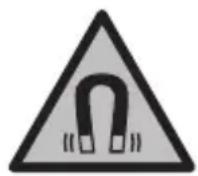
Do not bring the magnetic device near implants or other medical devices, e.g., pacemakers and insulin pumps. The magnets of the device create a field that can interfere with the function of implants and medical devices.
Keep the magnetic device away from magnetic data carriers and devices sensitive to magnets. Due to the influence of the magnet of the device, irreversible loss of data may occur.
Product description and performance
Pay attention to the figures during the chapter on use.
Intended use
The digital inspection camera is suitable for inspecting hard-to-reach or dark places. After mounting the camera head attachment, it is suitable for positioning and removing small objects (e.g., screws).
The digital inspection camera must not be used for medical purposes. It is also not intended for repairing pressurized pipes or live cables.
Illustration components
The numbering of the figures with components refers to the illustration on the graphics page.
(1) Camera cable (2) Camera head (3) Camera head light (4) Camera head (5) Screen (6) On/off switch (7) Upper switch (8) Lower switch (9) Middle switch (10) Bottom switch (11) Bottom switch
(12) Photo switch (13) Early start (14) Battery (15) Battery pack AA1 (16) Top cover (17) USB Type-C® port (18) USB Type-C® cable (19) Opening (20) Battery pack cover (21) Switch for disconnecting (22) Lock for battery pack (23) Camera attachment (24) Mechanism for locking camera cable (25) Magnet (26) Hook (27) Opening
a) The device does not switch on in the standard operating mode. b) USB Type-C® and USB-C® are trademarks of USB Implementers Forum.
Display elements
(a) Status indication (b) High function indication (c) Low battery indication
Technical data
| Дигитална камера за поверka GIC 12V-4-23 C | |
| Б Proj на дол | 3 601 B41 5.. |
| Големина на ekpanот " 4,3 | |
| Рezолуцija на ekpanот px 800 × 480 | |
| Рezолуцija на датOTekи на камера/cliknakA/B) | px 1280 × 720 |
| Фор mat, слика od ekpanот.JPG | |
| Мас. 6proj на слики на Вnatршнata мемориja 30 | |
Bosch Power Tools 1609 92A 9RK| (24.05.2024)
308 | Macedonian
Digital inspection camera GIC 12V-4-23 C
| Видно пoleA)C) | ° | 75 |
| Фокус-разочаимеA) | mm 30-80 | |
| Мakc. сбетлесен Истенотet, сбетлеса, галва на камератaA(D) | Ix 200 | |
| Мakc. Враиме на потуваBE, галва/кавел на Камерата BO дзел, моторно масло, etnil ддковол, Бенин, AdBlue® и сална ВODA (codжина на сал 26,5%)A) | min 30 | |
| Надюльные сесяпaja | ||
| - Akumулatorский ватерни (литоим-JOнски) 12 V | ||
| - ватерни (алконо-mангански, co ватерски щадпөр) | 4 × 1,5 V LR6 (AA) | |
| - akumулatorский ватерни (NiMH, co ватерски щадпөр) | 4 × 1,2 V HR6 (AA) | |
| Backup-hаюльные сесяда за з acquьваяне на враимео | ||
| - Кочецха ватерни CR2450 (3 V, liлтоимска | батерни) | |
| - Рок на траеве на ватерлajata okoly Говни 3 | ||
| Враетмоге на работа okolyE) | ||
| - со akumулatorска ватерни (литоим-JOнска)F) | h | 8 |
| - со ватерни (алконо-mангански) h 3 | ||
| - со akumулatorскпь ватерни (NiMH, 1,2 V) h 3,5 | ||
| ТекинаG) | kg 0,37 | |
| Дименztи (дожина ×шируна × Висиha)F) | mm 242 × 140 × 66 | |
| Диаметар на галава на КамератaA) | mm 8,3 | |
| Должina на кавелOT за КамератaA) | m 1,5 | |
| нajмал радун SC на витkaBE на ватерлOT за Камератa mm 25 | ||
| Вид на заштпа, рaven урд (бez akumулatorскпь ватерни/батерскпь щадпөр) | IP54 | |
| Вид на заштпа, галва и вайен на КамераA) | IP67 | |
| преничona.okолна Temпенича рпн погоне °C 0 ... +35 |
Digital inspection camera GIC 12V-4-23 C
Permissible ambient temperature during operation ° C - 10... +50
Permissible ambient temperature during storage ° C - 20... +50
Recommended battery pack GBA 12V...
Recommended charger GAL 12...
GAX 18...
A) With camera GIC 4/5 Imager 8.3mm/1.5m B) Resolution 800 × 480, the image on the screen is enlarged when displayed in black and white C) Measurement of the diagonal of the image D) At a distance of 50 mm in a dark environment E) With camera display, with Indication function, medium screen brightness, camera light at 50% brightness F) With GBA 12V 2.0Ah G) Weight without battery/batteries/charger for batteries/camera cable
Mounting
Charging
The inspection camera can be operated with Bosch lithium-ion batteries, standard batteries, or standard NiMH rechargeable batteries.
The charge indicator (c) on the screen shows the charge status of the lithium-ion battery, NiMH rechargeable batteries.
Working with the battery charger (see figure A)
The NiMH rechargeable batteries are inserted into the battery charger.
The battery charger is intended exclusively for the Bosch inspection camera and must not be used with other electrical tools.
To insert the NiMH rechargeable batteries, push the latch (20) on the battery charger into the opening (19). Insert the NiMH rechargeable batteries according to the figure, with the locking catch (22) into the latch. Push the locking catch over the latch until it engages correctly and is flush with the front of the inspection camera.
To remove the NiMH rechargeable batteries, press the release button (21) on the locking catch (22) and pull it up. Pull the inserted latch (20) out of the opening (19).
310 Macedonian
Always use only the batteries specified. Use only batteries from the same manufacturer and of the same quality.
Remove the NiMH rechargeable batteries from the inspection camera when not using it for a long time. During prolonged storage, the NiMH rechargeable batteries in the inspection camera can be damaged.
Working with the battery (see figure B)
Use only the chargers listed in the technical data. Only these chargers are suitable for the lithium-ion battery of the inspection camera.
Note: Before first use, fully charge the battery. To guarantee reliable data on the battery, before first use fully charge it.
To insert the rechargeable battery (14), insert it into the opening (19) until it clicks into place, aligning it correctly with the camera's connector.
To remove the battery (14), press the release latch (21) and pull the rechargeable battery out of the opening (19). Do not use force.
Notes for optimal battery usage
Protect the battery from moisture and water.
Store the battery in a temperature range of -20°C to 50°C. Do not leave the battery in a car, for example, in summer.
Short operating time after charging indicates that the battery is worn out and must be replaced.
Pay attention to the notes on disposal.
Mounting the camera cable (see figure C)
To use the inspection camera, the camera cable (1) must be mounted on the handle (13).
Insert the connector of the camera cable (1) correctly into the camera connector (23) until it clicks into place.
Mounting the hook, magnet, or clamp (see figure E)
The hook (27), clamp (26), or magnet (25) can be mounted as an auxiliary tool on the head of the camera (2).
Place one of the three auxiliary tools on the end of the camera head (2), as shown in the figure.
Note: The magnet (25) and the clamp (26) are only suitable for positioning and removing easily accessible objects. Strong magnetic pull can damage the inspection camera or the auxiliary tool.
Protect the device from impacts and the battery or battery compartment from direct sunlight. Protect the battery or battery compartment from moisture. The camera cable (1) and the camera head (2) are protected from water if properly installed, the device (13) is protected from splashing water. However, the battery (14) and the battery compartment are not protected from water; contact with water can lead to electric shock or damage. Do not use the inspection camera while the head of the camera (2) is damaged. Turn off the inspection camera only after the moisture has evaporated. Otherwise, the inspection camera may be damaged. The light (3) may be turned on during operation. Do not touch the lights to avoid burns. Do not expose the inspection camera to extreme temperatures or temperature fluctuations. For example, do not leave it in a car for a long time. In case of large temperature fluctuations, let the inspection camera acclimatize before putting it into use.
Putting into use
Turning on/off
To turn on the inspection camera, press the on/off button (6) or the rear button (9).
Note: If the camera cable is not installed, the screen shows an error message.
To turn off the inspection camera, press the on/off button (6) until the screen turns off.
312 Macedonian
If the camera button is not pressed for some time, it automatically turns off to protect the battery. The shutdown time can be set in the main menu.
Adjusting the light of the camera head
To adjust the light, press the left button (8) or the right button (11) until you achieve the desired brightness or until the light turns off.
Do not look directly into the light (3) and do not point it at other people. The light can damage eyes.
Zooming in/out of the screen image (Zoom)
To adjust the zoom level of the screen, press the up button (7) or the down button (10) until the desired zoom level is reached.
Main menu
Navigation in the menu
- Scrolling through the menu: Press the top button (7) or the bottom button (10). - Changing a value: Press the middle button (9) or the right button (11). - Confirming the selected menu item: Press the middle button (9). - Enabling/disabling a function with a preview: Press the middle button (9), the right button (11), or the left button (8). The setting is saved. - Returning to the previous menu level: Briefly press the button for enabling/disabling (6). - Exiting the main menu: The camera display turns off. Briefly press the button for enabling/disabling (6).
Main menu
- : Enable or disable the function. When the function is enabled, the indicator light shows the direction display (b), which indicates "up" (see figure). Note: The function is not possible with all camera cables. When mounted on a tripod (27) and/or when the camera cable (1) is vertically aligned, the function is limited.
- : Here you can delete the photos you have taken. Use the bottom button (10) or the top button (7) to select the desired files according to their date.
Press the right button (11) or the middle button (9) to move the selection over the selected photo.
Press the middle button (9) to open the selected file.
- : Set the desired brightness of the display.
- : Enable or disable the color display for the screen (disabled: black-and-white display). -
- <Date & Time>: Set the date and time for saving the files and select the format of the date and time.
Note: If the date and time are no longer saved, the built-in battery is empty. In this case, contact an authorized Bosch service center.
www.bosch-pt.com/serviceaddresses
The lithium-ion batteries are subject to the requirements of the Dangerous Goods Act. The batteries may be transported only by the user, without the need for additional qualifications.
When transporting by third parties (e.g., air transport or forwarding), attention must be paid to the special instructions on the packaging and labeling. In such a case, an expert for dangerous substances must be consulted when preparing the shipment.
Transport the batteries only in undamaged packaging. Open contacts must be insulated and the battery must be packed so that it cannot move in the packaging. Please also observe any additional national regulations.
Disposal

The inspection camera, batteries/rechargeable batteries, accessories, and packaging should be disposed of in an environmentally friendly manner.
www.bosch-pt.com/serviceaddresses
Transport
Recommended lithium-ion batteries are subject to the requirements of the Dangerous Goods Act. The user can transport the batteries by road without additional conditions. When sending via third parties (e.g., air transport or forwarding), attention must be paid to the special requirements regarding packaging and labeling. In such a case, an expert for dangerous substances must be consulted when preparing the shipment.
Only send batteries if the housing is not damaged. Insulate open contacts and pack the battery so that it cannot move in the package. Please also observe any additional national regulations.
Disposal

The inspection camera, batteries/rechargeable batteries, accessories, and packaging should be handed in for recycling in an environmentally friendly manner.
www.bosch-pt.com/serviceaddresses
Transport
www.bosch-pt.com/serviceaddresses
Transport
Recommended lithium-ion batteries are subject to the regulations for the transport of dangerous goods. The user can transport the batteries by road without any further requirements.
If transport is carried out by a third party (e.g., by air or freight forwarder), special requirements for packaging and labeling must be observed. When preparing such shipments for transport, consult an expert on dangerous goods transport in advance.
Only send the battery by any means of transport if its housing is undamaged. Tape over any open contacts and pack the battery so that it cannot move around in the packaging. Also observe any additional national regulations.
Disposal

The inspection camera, batteries/rechargeable batteries, accessories, and packaging should be brought to an environmentally friendly recycling facility.
Do not dispose of the inspection camera and batteries/rechargeable batteries in household waste!
Only for EU countries:
According to the European Directive 2012/19/EU, inspection cameras that are no longer usable and, according to the European Directive 2006/66/EC, defective or exhausted rechargeable batteries/batteries must be collected separately and brought to an environmentally friendly recycling facility.
In the case of improper disposal, old electrical and electronic devices can have harmful effects on the environment and human health due to the possible presence of hazardous substances.
www.bosch-pt.com/serviceaddresses
Transport
www.bosch-pt.com/serviceaddresses
Transport
The recommended lithium-ion batteries are subject to the regulations of the Dangerous Goods Act. The user can transport the batteries in road traffic without additional conditions.
If you send the product through a third party (e.g., by air transport or through a freight forwarder), special packaging and labeling requirements must be observed. Therefore, a dangerous goods transport specialist must be consulted during preparation of the shipment.
380 | Lithuanian
Send the battery only if its housing is not damaged. Tape off the open contacts and pack the battery so that it cannot move around in the packaging. Please also observe any national regulations regarding the transport of batteries, if applicable.
www.bosch-pt.com/serviceaddresses
Transport
The recommended lithium-ion batteries are subject to the regulations for the transport of dangerous goods. When transporting batteries by road, no additional requirements apply to the user.
If the shipment is sent via a third party (e.g., air transport or a freight forwarder), special requirements for packaging and labeling must be observed. A dangerous goods transport specialist must be involved in preparing the shipment.
UJbIgLgAaLoaLbc (22)
1uolKJ aUog (23)
UoLJI UcU Jg (24)
μu bli (25)
eluo (26)
oJoo (27)
(a. LωLaI 1ggl
(b.USB Implementers
unuljolic
Up Indication aI I Jg (a)
Up Indication 11
Bosch no
10


4
The (10) Lwll
aJll aJlJI
.(9) bωg IjJ Icb U!UgogU
aJlJI U JaiI
aLac bdo 8)JwJ1 jll g(11) J0jllg(9)bwg
-.(10) -.(11) -.(9)1wJj1U -jjllclo|bawl
jj l c b 1 p J 1s I sI logg I aolS
.ajglalloogolg
-aaJU U JU 1 -buO EugI UJ da
.1jabgosslllalallgss gaoaaiaggl
Uboll Jai/ba
oJgblaiJI
Jg 12) gblll jI c bol Ie Jg UJ. USB Type-C
USB Type-C® àaIgIgIgIgIgIgIgIgIgIgIgIgIgIgIgIgIgIgIgIgIgIgIgIgIgIgIgIgIgIg
IbCg .USB Type-C 已 cUulll J. USB Type-C (17) 0 Jc USB Type-C (18) L Jg jL g Uusu uusu uusu uusu uusu uusu uusu uusu uusu uusu uusu uusu uusu uusu uusu uusu uusu uusu uusu uusu uusu uusu uusu uusu uusu uusu uusu uusu uusu uusu uusu uusu uusu uusu uUSU UUULUULUULUULUULUULUULUULUULUULUULUULUULUULUULUULUULUULUULUULUULUULUULUULUULUULUULUULUULUULUULUULUULUULUULUULUULUULUULUULUULUULUULUULUULUULUULUULUULUULU
USB Type-C
The device has a USB Type-C port (2).
The device is powered by a battery.
The battery is rechargeable.

(optional)
The device is powered by a battery.
The battery is rechargeable.

(optional)
Bosch
The device is turned on.
Robert Bosch Morocco SARL
+212529314327:
sav.outillage@ma.bosch.com
www.bosch-pt.com/serviceaddresses



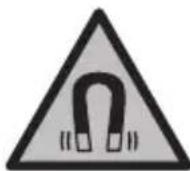
USB Type-C® ∪ S g w (17)
USB Type-C® ∪ L S (18)
d b a (19)
∪ ö ◦ s i s s l j l d o s (21)
∪ ∪ ∪ ∪ ∪ (23)
(a.suiuui jugoi sji
(b.su USBImplement
LjIwJsl
Up Indication
Up Indication
Ug/1jJwU Lg jJw GJlW (c)
ω|411
iG Uaia
| GIC 12V-4-23 C | d'or##s##s##s##s# | |
| 3601 B415.. | ### | |
| "4,3 | ### | |
| px800 × 480 | gog | |
| px1280 × 720 | gogB(A) | |
| JPG | ### | |
| 30 | ### | |
| 75 | ° | (C(A) |
| mm30-80 | A | |
| lx200 | (D(A) | |
| min30 | jou jou jou | |
| jou jou jou | ||
| % 26,5) sa g AdBlue® | ||
| (A) sa | ||
| ### | ||
| 12 V | -( | |
| 4 × 1,5 VLR6 (AA) | l (l) | |
| 4 × 1,2 VHR6 (AA) | ( | |
| ### | ||
| CR2450 (ρηηηηηηηηηηηηηηηηηηηηηηηηηηηηηηηηηηηηηηηηηηηηηηηηηηηηηηηηηηηηηηηηηηηηηηηηηηηηηηηηηηηηηηηηηηηηηηηηηηηη | ||
| JLW3 | E | |
| ### | ||
| 8 | h | (F(j) yj yj yj yj yj yj yj yj yj yj yj yj yj yj yj yj yj yj yj yj yj yj yj yj yj yj yj yj yj yj yj yj yj yj yj yj yj yj yj yj yj yj yj yj yj yj yj yj yj yj y |
| 3 | h | (j) yj yj yj yj yj yj yj yj yj yj yj yj yj yj yj yj yj yj yj yj yj yj yj yj yj yj yj yj yj yj yj yj yj yj yj yj yj yj yj yj yj yj yj yj yj yj yj yj y |
412|wJ
| GIC 12V-4-23 C | d' |
| mm8,3 | |
| 1,5 | m |
| 25 | mm |
| IP54 | |
| IP67 | |
| °C0...+35 | |
| °C-10...+50 | |
| °C-20...+50 | |
| GBA 12V... | |
| GAL 12... | |
| GAX 18... |
480×800
Lw9%50 Ljg
(AGIC 4/5 Imager 8.3)
[5g] qil i, cwl o sh aJl Jsaw jd as gblaw Ij Sos adwg 3jl
.1s 2)
jI. jI. JI. JI. JI. JI. JI. JI. JI. JI. JI. JI. JI. JI. JI. JI. JI. JI. JI. JI. JI. JI. JI. JI. JI. JI. JI. JI. JI. JI. JI. JI. JI. JI. JI. JII
-juuogUgS1J(6)
-/[jugdaS:J J 6) wgol
gio 15w auij
(b) 150000000000000000000000000000000000000000000000000000000000000000000000000000000000000000000000
.
jw wJy jy Jy (7) yL y (10) uLy dS y .uLi COW doS oW uLai yu Lai u Ly gJy .duJ 9) bWg daS y (11) CwJ .duJ 9) bWg doS oW uL aJy Jy
-..s<1g|j
.
.(ωlωolωjJaw:gola)
- pui jw laa -S uis w g 1 -<Device settings oJpui J L
. 1 J J J J J J J J J J J J J J J J J J J J J J J J J J J J J J J J J J J J J J J J J J J J J J J J J J J J J J J J J J J J J J J J J J J J J J J J J J J J JJ
. uS Uaui Julw J 1u jU w dS uS
USB Type-C® 15
The minimum value of a i aai is k .


( k,l)
www.bosch-pt.com/serviceaddresses



- GIC 12V-4-23 C PROFESSIONAL
- TRANSPORT
- PRODUCT DESCRIPTION AND SPECIFICATIONS
- INTENDED USE
- PRODUCT FEATURES
- DISPLAY ELEMENTS
- TECHNICAL DATA
- ASSEMBLY
- POWER SUPPLY
- OPERATION WITH BATTERY ADAPTER (SEE FIGURE A)
- THE BATTERY ADAPTER IS INTENDED ONLY FOR USE IN DESIGNATED BOSCH INSPECTION CAMERAS AND MUST NOT BE USED WITH POWER TOOLS
- OPERATION WITH LITHIUM-ION RECHARGEABLE BATTERY (SEE FIGURE B)
- RECOMMENDATIONS FOR OPTIMAL HANDLING OF THE BATTERY
- FITTING THE CAMERA CABLE (SEE FIGURE C)
- REMOVING THE CAMERA CABLE (SEE FIGURE D)
- FITTING THE MIRROR, MAGNET OR HOOK (SEE FIGURE E)
- OPERATION
- ENGLISH
- STARTING OPERATION
- SWITCHING ON AND OFF
- REGULATING THE ILLUMINATION LIGHT IN THE CAMERA HEAD
- ZOOMING IN/OUT OF THE IMAGE IN THE DISPLAY
- MAIN MENU
- NAVIGATING IN THE MENU
- MENU OPTIONS
- SAVING/TRANSFERRING THE RECORDINGS
- TAKING A PHOTO
- DATA TRANSFER VIA THE USB TYPE-C® INTERFACE
- WORKING ADVICE
- ERRORS - CAUSES AND CORRECTIVE MEASURES
- ERROR INDICATOR IN THE DISPLAY
- (YELLOW WARNING)
- MAINTENANCE AND SERVICE
- MAINTENANCE AND CLEANING
- REPLACING THE BUILT-IN COIN CELL
- AFTER-SALES SERVICE AND APPLICATION SERVICE
- MALAYSIA
- GREAT BRITAIN
- YOU CAN FIND FURTHER SERVICE ADDRESSES AT
- DISPOSAL
- ONLY FOR EU COUNTRIES
- ONLY FOR UNITED KINGDOM
- BATTERY PACKS/BATTERIES
- LI-ION
- FRENCH
- FRANCE
- SPANISH
- ADJUST THE LAMP IN THE CAMERA HEAD
- LIMITS OF CRITICAL FAILURES AND ERRONEOUS PERSONNEL ACTIONS
- CRITERIA FOR LIMIT STATES
- TYPE AND PERIODICITY OF TECHNICAL MAINTENANCE
- STORAGE
- TRANSPORTATION
- SAFETY INSTRUCTIONS
- WARNING
- RUSSIAN
- PRODUCT DESCRIPTION AND SERVICE
- ILLUSTRATED COMPONENTS
- INDICATORS
- DIGITAL INSPECTION CAMERA GIC 12V-4-23C
- SAVING/TRANSFERRING IMAGES
- PHOTOGRAPHY
- DATA TRANSFER VIA USB TYPE-C INTERFACE
- APPLICATION INFORMATION
- MALFUNCTION - CAUSES AND REMEDIES
- REPLACING THE BUILT-IN RECHARGEABLE BATTERY
- SERVICE AND CONSULTATION ON APPLICATION QUESTIONS
- WWW.BOSCH-PT.COM
- BATTERIES/RECHARGEABLE BATTERIES
- LITHIUM-ION
- UKRAINIAN
- COMPONENTS SHOWN
- INDICATION ELEMENTS
- INDICATOR LIGHTS ON THE MAIN PART OF THE CAMERA
- DO NOT LOOK DIRECTLY AT THE LIGHT (3) AND DO NOT POINT THE LIGHT AT OTHER PEOPLE
- CHANGING THE IMAGE DISPLAY (SCALING)
- NAVIGATION IN THE MENU
- SAVING/TRANSFERRING FILES
- SAVING PHOTOS
- TRANSFERRING FILES VIA THE USB TYPE-C INTERFACE
- INSTRUCTIONS FOR USE
- FAULTS - CAUSES AND REMEDIES
- FOR EU COUNTRIES
- BATTERIES/ACCUMULATORS
- KAZAKH
- THE ECONOMY MODE (FUEL ECONOMY MODE) IS USED IN THE MUSEUM OF THE MINISTRY OF EMERGENCY SITUATIONS
- POWER AND CHARGING
- MAXIMUM USAGE
- CORRECTION COMPONENTS
- TECHNICAL SERVICE AND REPAIR
- SERVICE AND MAINTENANCE
- REPLACING THE LED LIGHT ELEMENT
- SERVICE AND MAINTENANCE PERSONNEL
- KAZAKHSTAN
- PLEASE ALSO REFER TO THE SERVICE ADDRESSES LISTED BELOW
- ROMAN
- VIEW
- BATTERY TOOLS
- CHARGING
- ROMANIAN
- PRESS THE BUTTON TO OPEN THE LAMP
- INCREASING/DECREASING THE IMAGE MAGNIFICATION OF THE DISPLAY (ZOOM)
- OPTIONS MENU
- BULGARIAN
- COMPARING IMAGES
- TRANSFERRING DATA VIA USB TYPE-C® INTERFACE
- OPERATING INSTRUCTIONS
- CRACKS - CAUSES AND REMEDIES
- REPLACING THE INTEGRATED BATTERY
- CUSTOMER SERVICE AND APPLICATION CONSULTATION
- BULGARIA
- RECHARGEABLE BATTERY OR BATTERY PACK
- MACEDONIAN
- SAFETY NOTES
- PRODUCT DESCRIPTION AND PERFORMANCE
- ILLUSTRATION COMPONENTS
- DIGITAL INSPECTION CAMERA GIC 12V-4-23 C
- MOUNTING
- WORKING WITH THE BATTERY CHARGER (SEE FIGURE A)
- THE BATTERY CHARGER IS INTENDED EXCLUSIVELY FOR THE BOSCH INSPECTION CAMERA AND MUST NOT BE USED WITH OTHER ELECTRICAL TOOLS
- WORKING WITH THE BATTERY (SEE FIGURE B)
- NOTES FOR OPTIMAL BATTERY USAGE
- MOUNTING THE CAMERA CABLE (SEE FIGURE C)
- MOUNTING THE HOOK, MAGNET, OR CLAMP (SEE FIGURE E)
- PUTTING INTO USE
- TURNING ON/OFF
- ADJUSTING THE LIGHT OF THE CAMERA HEAD
- ZOOMING IN/OUT OF THE SCREEN IMAGE (ZOOM)
- LITHUANIAN
- UBOLL JAI/BA
- THE DEVICE IS TURNED ON
- USB TYPE-C®
Brand : BOSCH
Model : GIC 12V-4-23 C Professional
Category : Measuring equipment