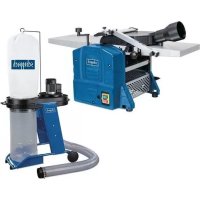
USER MANUAL HMS1080 SCHEPPACH
Homepage: https://www.scheppach.com/de/service
Explanation of the symbols on the product
Symbols are used in this manual to draw your attention to potential hazards. The safety symbols and the accompanying explanations must be fully understood. The warnings themselves will not rectify a hazard and cannot replace proper accident prevention measures.
| Warning - Read the operating manual to reduce the risk of injury. |
| Wear hearing protection. Exposure to noise can cause hearing loss. |
| Wear a dust protection mask. When machining wood and other materials, harmful dust may be generated. Do not machine material containing asbestos! |
| Wear safety goggles. Sparks created during work or fragments, chippings and dust ejected by the product can cause sight loss. |
| WARNING! Danger of injury! Do not reach into the planer blade while it is running |
| Overload switch |
| Feed direction |
| The product complies with the applicable European directives. |
| The product complies with the applicable Serbian directives. |
Table of contents: Page:
- Introduction 27
- Description of the product 27
- Scope of delivery 27
- Proper use 28
- Safety instructions 28
- Technical data 31
- Unpacking 31
- Layout 31
- Start-up 32
- Electrical connection 34
- Cleaning 34
- Storage 35
- Maintenance 35
- Disposal and recycling 36
- Troubleshooting 36
- Declaration of conformity 358
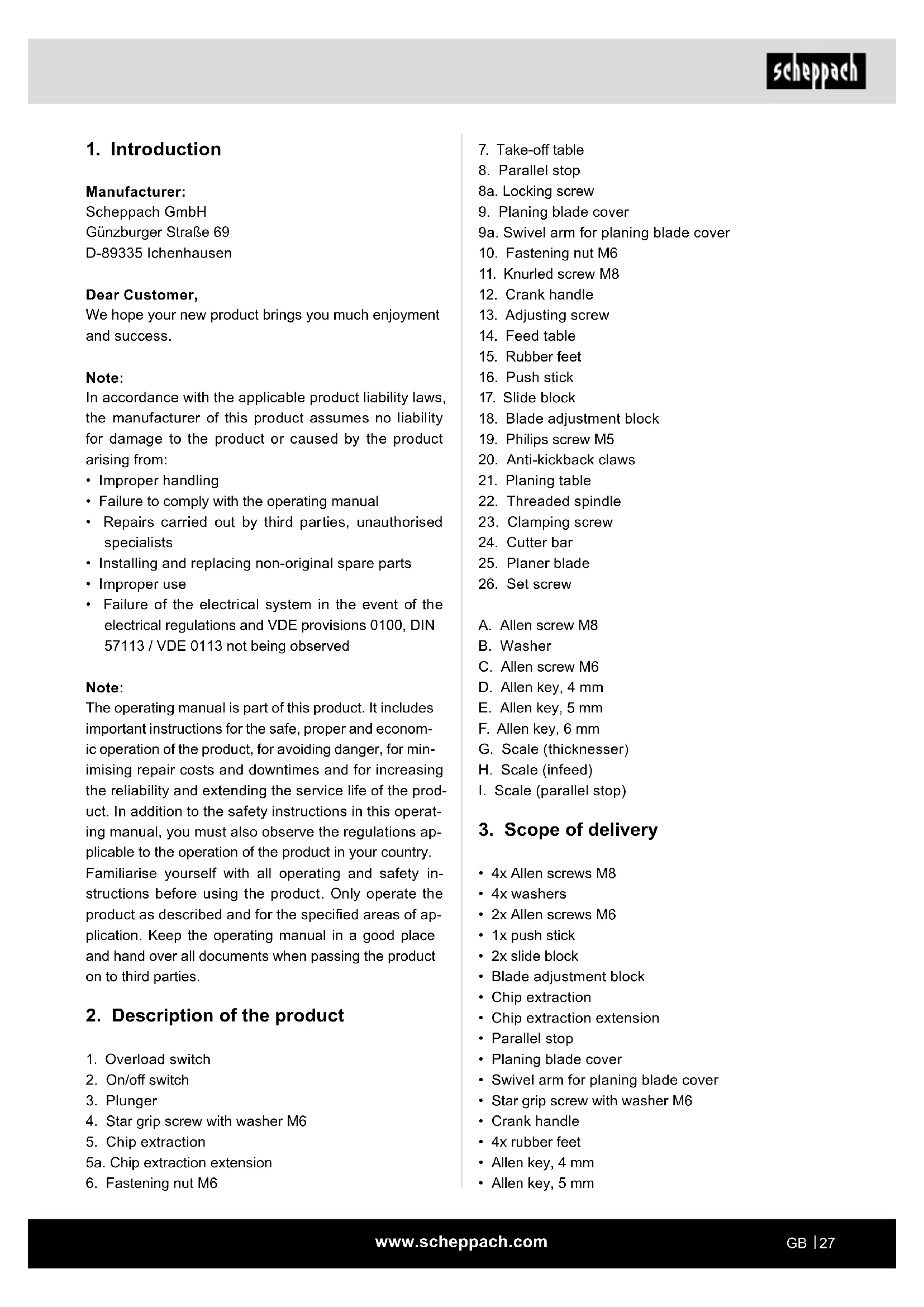
1. Introduction
Manufacturer:
Scheppach GmbH
GünzburgerstraBe 69
D-89335 Ichenhausen
Dear Customer,
We hope your new product brings you much enjoyment and success.
Note:
In accordance with the applicable product liability laws, the manufacturer of this product assumes no liability for damage to the product or caused by the product arising from:
- Improper handling
- Failure to comply with the operating manual
- Repairs carried out by third parties, unauthorised specialists
- Installing and replacing non-original spare parts
- Improper use
- Failure of the electrical system in the event of the electrical regulations and VDE provisions 0100, DIN 57113 / VDE 0113 not being observed
Note:
The operating manual is part of this product. It includes important instructions for the safe, proper and economic operation of the product, for avoiding danger, for minimising repair costs and downtimes and for increasing the reliability and extending the service life of the product. In addition to the safety instructions in this operating manual, you must also observe the regulations applicable to the operation of the product in your country. Familiarise yourself with all operating and safety instructions before using the product. Only operate the product as described and for the specified areas of application. Keep the operating manual in a good place and hand over all documents when passing the product on to third parties.
2. Description of the product
- Overload switch
- On/off switch
- Plunger
- Star grip screw with washer M6
- Chip extraction
5a. Chip extraction extension
-
Fastening nut M6
-
Take-off table
- Parallel stop
8a. Locking screw
- Planing blade cover
9a. Swivel arm for planing blade cover
- Fastening nut M6
- Knurled screw M8
- Crank handle
- Adjusting screw
- Feed table
- Rubber feet
- Push stick
- Slide block
- Blade adjustment block
- Philips screw M5
- Anti-kickback claws
- Planing table
- Threaded spindle
- Clamping screw
- Cutter bar
- Planer blade
- Set screw
A. Allen screw M8
B. Washer
C. Allen screw M6
D. Allen key, 4 mm
E. Allen key, 5 mm
F. Allen key, 6 mm
G. Scale (thickness)
H. Scale (infeed)
I. Scale (parallel stop)
3. Scope of delivery
4x Allen screws M8
- 4x washers
2x Allen screws M6
- 1x push stick
- 2x slide block
- Blade adjustment block
Chip extraction
Chip extraction extension
- Parallel stop
- Planing blade cover
- Swivel arm for planing blade cover
Star grip screw with washer M6
Crank handle
- 4x rubber feet
- Allen key, 4 mm
- Allen key, 5 mm
- Allen key, 6 mm
Additional measuring set (only for Art. nos. 58022029953 and 5902209903)
- Operating instructions
4. Proper use
The thicknesser/planer is used for planing and thick-nessing of all types of edged sawn timber, with square, rectangular or bevelled shape.
The machine may only be used in the intended manner.
WARNING!
The following work shall not be undertaken:
- Insert work (i.e. any machining that does not extend over the entire length of the workpiece)
Rebates, pegs or recesses
- Planing very curved wood where there is insufficient contact with the feed table.
It is strictly forbidden to dismantle, modify or change the purpose of the guards on the machine or to fit other guards.
The bridge guard must not be removed during machining. The unused part of the cutter shaft must be covered.
Requirements for the user
The conveyor belt may only be operated and maintained by persons who are familiar with it and have been informed of the dangers.
Never let children work with the device.
Never allow adults to work with the unit device proper instruction.
The operator must have carefully read and understood the operating instructions before using the device.
Qualifications: No special qualifications are required to use the device, other than detailed instruction by a knowledgeable person.
Minimum age: The device may only be operated by persons who are aged 18 and above. An exception to this is use by minors if the use takes place as part of occupational training in order to gain proficiency under the supervision of an instructor.
Contact your local governmental agency for information regarding minimum age requirements for operating the lawnmower.
Training: Use of the device requires only appropriate instruction by a knowledgeable person or the operating instructions. No special training is required.
The machine may only be used in the intended manner. Any use beyond this is improper.
The user/operator, not the manufacturer, is responsible for damages or injuries of any type resulting from this.
Please note that our equipment was not designed with the intention of use for commercial or industrial purposes. We assume no guarantee if the device is used in commercial or industrial applications, or for equivalent work.
5. Safety instructions
General safety instructions
Attention! The following basic safety measures must be observed when using power tools for protection against electric shock, and the risk of injury and fire.
Read all these notices before using the power tool and store the safety instructions well for later reference.
Safe work
- Do not use power tools in a damp or wet environment.
- Make sure that the work area is well-illuminated.
-
Do not use power tools where there is a risk of fire or explosion.
-
Keep the work area orderly - Disorder in the work area can lead to accidents.
- Take environmental influences into account - Do not expose power tools to rain.
- Protect yourself from electric shock
- Avoid physical contact with earthed parts (e.g. pipes, radiators, electric ranges, cooling units).
- Keep other persons away
- Do not allow other persons, especially children, to touch the power tool or the cable. Keep them away from your work area.
- Securely store unused power tools
- Unused power tools should be stored in a dry, elevated or closed location out of the reach of children.
- Do not overload your power tool
-
They work better and more safely in the specified output range.
-
Use the correct power tool
-
Do not use low-output machines for heavy work.
- Do not use the power tool for purposes for which it is not intended.
-
For example, do not use handheld circular saws for the cutting of branches or logs.
-
Wear suitable clothing
-
Do not wear wide clothing or jewellery, which can become entangled in moving parts.
- When working outdoors, anti-slip footwear is recommended.
-
Tie long hair back in a hair net.
-
Use protective equipment
-
Wear safety goggles.
-
Wear a mask when carrying out dust-creating work.
-
Connect the dust extraction device
-
If connections for dust extraction and a collecting device are present, make sure that they are connected and used properly.
-
Do not use the cable for purposes for which it is not intended
-
Do not use the cable to pull the plug out of the socket. Protect the cable from heat, oil and sharp edges.
-
Secure the workpiece
-
Use the clamping devices or a bench vice to hold the workpiece in place. In this manner, it is held more securely than with your hand.
-
Avoid abnormal posture
-
Make sure that you have secure footing and always maintain your balance.
-
Take care of your tools
-
Keep cutting tools sharp and clean in order to be able to work better and more safely.
- Follow the instructions for lubrication and for tool replacement.
-
Check the connection cable of the electric tool regularly and have it replaced by a recognised specialist when damaged.
-
Check extension cables regularly and replace them when damaged.
-
Keep the handle dry, clean and free of oil and grease.
-
Pull the connector out of the socket
-
When the power tool is not in use or prior to maintenance and when replacing tools such as saw blades, drill bits, cutters.
- If the planing shaft jams while working due to excessive feeding force or the workpiece jamming, switch the device off and disconnect it from the mains. Remove the workpiece and make sure that the planing shaft runs freely.
Switch the device on and carry out the cutting operation again with reduced feeding force.
-
Do not leave a tool key inserted
-
Before switching on, make sure that keys and adjusting tools are removed.
-
Avoid inadvertent starting
-
Make sure that the switch is switched off when plugging the plug into an outlet.
-
Use extension cables for outdoors
-Only use approved and appropriately identified extension cables for use outdoors.
-
Remain attentive
-
Pay attention to what you are doing. Remain sensible when working. Do not use the power tool when you are distracted.
-
Check the power tool for potential damage
-
Protective devices or other parts with minor damage must be carefully inspected to ensure that they function correctly and as intended prior to continued use of the power tool.
-
Check whether the moving parts function faultlessly and do not jam or whether parts are damaged. All parts must be correctly mounted and all conditions must be fulfilled to ensure fault-free operation of the power tool.
- Damaged protective devices and parts must be repaired properly or replaced by a recognised specialist workshop unless otherwise specified in the usage instructions.
- Damaged switches must be replaced at a customer service workshop.
- Do not use any power tool on which the switch cannot be switched on and off.
21. ATTENTION!
-
The use of other insertion tools and other accessories can entail a danger of injury.
-
Have your power tool repaired by a qualified electrician
-
This power tool conforms to the applicable safety regulations. Repairs may only be performed by an electrician using original spare parts. Otherwise accidents can occur.
This device is not intended to be operated by persons (including children) with reduced physical, sensory or mental abilities or who have inadequate experience and/or knowledge.
Children should not be left unattended, to ensure they do not play with the device.
WARNING! This power tool generates an electromagnetic field during operation. This field can impair active or passive medical implants under certain circumstances. In order to prevent the risk of serious or deadly injuries, we recommend that persons with medical implants consult with their physician and the manufacturer of the medical implant prior to operating the power tool.
Additional safety instructions
- Do not use blunt blades. Risk of kick-back!
- The cutting block must be completely covered.
- Use a push stick for planing short workpieces.
- For planing narrow workpieces, you should take additional safety precautions. The use of transverse pressing devices and spring covers might be necessary to guarantee safe working.
- The device is not suitable for cutting rebates.
- The kickback safeguard and the feed roller must be checked regularly.
Devices equipped with a chip extractor and extractor hoods should be connected to the corresponding devices. The type of material can have an unfavourable effect on dust formation.
- The device is only suitable for cutting wood and similar materials.
- When the blade is 5% worn, it must be replaced.
- A missing push stick can lead to hazardous situations. The push stick should always be kept on the machine when not in use.
- If small workpieces are inserted by hand, there is an increased risk of injury. Manufacturer's recommendations for the use of a push stick must be followed.
- Incorrect alignment of protective covers, feed table or grille can lead to uncontrollable situations.
- Damaged or contaminated workpieces are dangerous. Metal parts or splintering material must not be processed with this device. Danger of injury!
- Place long workpieces on the roller table or other support device for cutting. Otherwise you could lose control of the workpiece.
- The machine is only suitable for planing and thicknessing
- When working on the machine you should always wear appropriate protective clothing:
- Hearing protection to protect against hearing damage,
-
A respirator to prevent inhalation of hazardous dust particles,
-
Protective gloves when handling the cutter shaft and rough materials to reduce the risk of injury from sharp edges,
-
Safety goggles to avoid eye injuries from flying particles.
-
The following situations should be avoided in all circumstances: Premature interruption of the planing process (planing cuts that do not cover the entire length of the workpiece; planing uneven pieces of wood that do not rest evenly on the feed table).
- Attention! If the mains connection is in poor condition, there is a risk of short circuits when the device is switched on. This may also affect other functions (e.g. the illumination of indicator lights). If faults occur on the main grid connection, please contact your local electricity supplier for remedial action and information.
Residual risks
The machine has been built according to the state-of-the-art and the recognised technical safety requirements. However, individual residual risks can arise during operation.
-
Health hazard due to electrical power, with the use of improper electrical connection cables.
-
Before performing setting or maintenance work, release the start button and pull out the mains plug.
-
Furthermore, despite all precautions having been met, some non-obvious residual risks may still remain.
-
Residual risks can be minimised if the "Safety Instructions" and the "Intended Use" together with the operating manual as a whole are observed.
-
Avoid accidental starting of the machine: the operating button may not be pressed when inserting the plug in an outlet.
-
Use the tool that is recommended in this operating manual. This is how to ensure that your machine provides optimum performance.
-
Keep your hands away from the working area when the machine is in operation.
-
Risk of injury to fingers and hands by touching the cutter shaft at uncovered areas, when changing tools, furthermore they can be crushed by opening the protective cover.
-
Eye injuries
-
At the insertion and outlet opening
- Due to hazardous kick-back
-
If the machine is operated without an extraction system or dust bag, harmful wood dust may be produced.
-
Due to parts being ejected at high speed
-
Metal parts contained in the workpiece can blunt or destroy the blades.
- Lung damage if suitable dust protection mask is not worn.
6. Technical data
| Planing shaft speed 9000 rpm |
| Engine 230 - 240 V~ / 50 Hz |
| Rated input P1 1500 W |
| Dimensions | 954 x 450 x 483 mm |
| Weight | 27.2 kg |
| Number of blades | 2 pcs. |
| Technical data - Jointer |
| Max. planing width | 254 mm |
| Max. chip take-off | 2.5 mm |
| Truing stop l x h | 640 x 127 mm |
| Truing stop pivot range | 90° - 135° |
| Planing table size | 920 x 264 mm |
| Technical data - Thicknesser |
| Max. planing width | 254 mm |
| Max. workpiece thickness
for thicknesser | 120 mm |
| Max. chip take-off | 2 mm |
| Thicknesser table size | 350 x 270 mm |
Subject to technical changes!
Noise
The noise levels have been determined in accordance with EN 61029.
| Sound pressure level LpA | = 92 dB |
| Sound power level LwA | = 105 dB |
| Uncertainty KpAwA | = 3 dB |
Wear hearing protection.
Exposure to noise can cause hearing loss.
The specified noise emission values have been measured in accordance with a standardised test procedure and can be used to compare one power tool with another.
The specified device emissions values can also be used for an initial estimation of the load.
Warning:
- The noise emission values can vary from the specified values during the actual use of the power tool, depending on the type and the manner in which the electric tool is used, and in particular the type of workpiece being processed.
- Try to keep the stress as low as possible. For example: Limit working time. In the process all parts of the operating cycle must be taken into account (such as times in which the power tool is switched off or time in which it is switched on, but is not running under a load).
7. Unpacking
- Open the packaging and carefully remove the device.
- Remove the packaging material, as well as the packaging and transport safety devices (if present).
- Check whether the scope of delivery is complete.
- Check the device and accessory parts for transport damage. In the event of complaints the carrier must be informed immediately. Later claims will not be recognised.
- If possible, keep the packaging until the expiry of the warranty period.
- Familiarise yourself with the device by means of the operating instructions before using for the first time.
- With accessories as well as wearing parts and replacement parts use only original parts. Spare parts can be obtained from your specialist dealer.
- When ordering please provide our article number as well as type and year of manufacture for your device.
ATTENTION!
The device and the packaging material are not children's toys! Do not let children play with plastic bags, films or small parts! There is a danger of choking or suffocating!
8. Layout
ATTENTION!
Always make sure the device is fully assembled before commissioning!
8.1 Rubber feet (Fig. 2)
Secure the four rubber feet (15) to the underside of the device using the Allen screws (A) and washers (B) provided.
8.2 Planing blade cover (Fig. 3 - 5)
- First remove the Phillips screw (19) and the fastening nut (10) on the planer blade cover (9) and the fastening nut (6) on the swivel arm for planing blade cover (9a).
- Push the planing blade cover (9) and the swivel arm (9a) together.
- Retighten fastening nut (10) and Phillips screw (19).
- Fasten the assembly to the holes shown in Fig. 4 using the fastening nut (6) and the star grip screw (4)
8.3 Parallel stop (Fig. 6 + 7)
- Place the parallel stop (8) on the machine housing and fasten it in place with the help of the Allen screws (C).
8.4 Crank handle for adjusting the cutting depth of the thicknesser (Fig. 8)
- The crank handle (12) for adjusting the cutting depth is now plugged onto the spindle.
- To mount the extension of the chip extraction (5a), open the Phillips screw on the extension. Fit both parts (5, 5a) together and retighten the Phillips screw.
- Put the planer blade cover (9) in the top position for assembly.
- Set the thicknesser table (21) to the lowest position using the crank handle (12).
- Place the chip extractor (5) at a slight angle to the machine and push it backwards. When doing so, the two plungers (3) must be held outwards.
- Now lock the chip extractor (5) with the plunger (3). Attention! Machine does not start if the plungers (3) are not inserted correctly.
- Now fold the planing blade cover, compl. (9) back down again.
- The parallel stop (8) must be dismantled for thicknesser work. Proceed in reverse order to that described in point 8.3.
- Now hold the plungers (3) outwards again and place the chip extractor (5) on the planing machine.
- Now lock the chip extractor (5) with the plunger (3). Attention! Machine does not start if the plungers (3) are not inserted correctly.
9. Start-up
ATTENTION!
Always make sure the device is fully assembled before commissioning!
Before each use, always check:
- On/off switch incl. emergency stop switch (if present) for proper function
- Interlocked guards (Fig. 1 - Pos. 3)
by successive opening of each guard to switch off the machine and by checking that it is impossible to switch on the machine with a guard open
- Brake
when starting work, switch on the machine and let it come up to speed. Now switch the machine off again. The engine must stop within 10 seconds. Otherwise, there is a defect.
- Anti-kickback claws (Fig. 9 - Pos. 20) at least once per work shift by inspection to check that they are in good working condition, e.g. have no damage to the contact surface from impact and that the anti-kickback claws (25) fall back unhindered by their own weight;
- Planer blade (Fig. 17 - Pos. 25)
for damage and correct seating.
The machine may only be used if all these conditions are met.
Use only saw blades that are well sharpened and maintained. Only use blades designed for the machine. Use wooden push blocks or push sticks that are not defective when machining short workpieces.
Connect the machine to a dust or chippings extraction system.
Check that the stop is firmly clamped in place before you start machining.
Ensure that you can keep your balance at all times. Stand to the side of the machine.
Keep your hands at a safe distance from the cutting roller and from the point where the chips are ejected when the machine is running.
Do not start planing until the cutting roller has reached its required speed.
Also make sure that the workpiece does not contain any cables, ropes, cords or similar. Do not work on wood that contains numerous knots or knotholes.
Secure long workpieces against tilting at the end of the planing process. E.g. use roller stands or similar devices for this.
It is strictly forbidden to remove chips or fragments while the machine is running.
Switch the machine off immediately in the event of a jam.
Pull out the mains plug and remove the jammed workpiece.
Set the smallest cut size after each use to prevent the risk of injury.
ATTENTION!
The machine must be securely fastened to the floor/ worktop with the appropriate screws / screw clamps, as there is a risk of tipping over.
- Before connecting, make certain that the data on the type plate matches with the mains power data.
WARNING! Disconnect the mains plug from the main power supply before any cleaning, adjustment, maintenance or repair work!
- Check regularly that blades (25) are firmly fixed in the blade block.
- The blades (25) must not protrude more than 1.1mm from the blade block.
- Check the anti-kickback claws (20) regularly for proper functioning.
Always wear eye protection.
- Never cut indentations, tenons or shapes.
- Prior to commissioning, all covers and safety devices must be mounted correctly.
- The planer blade must be able to run freely.
ATTENTION!: The thicknesser/jointer/planer has been specially designed for planing solid wood. High-alloy blades (25) are used for this. When thickening, the contact surface of the workpiece must be flat. If larger or heavier workpieces are processed, it is necessary to fasten the machine to the support surface (e.g. with the thread in the machine base).
- The ON/OFF switch (2) is located on the left side of the machine. To switch the machine on, press the green "1" button. To switch the machine off, press the red "0" button.
-
The machine is equipped with an overload switch (1) to protect the motor. In the event of an overload, the machine stops automatically. After a while, the overload switch (1) can be reset.
-
Use roller tables or a similar support device when machining long workpieces. This additional equipment is available from specialist retailers. They must be placed on the infeed and outfeed side of the planing machine. The height setting must be such that the workpiece can be fed horizontally into the machine and removed horizontally.
9.1 Jointing/planing
ATTENTION!: Pull out the mains plug before all maintenance, cleaning or adjustment work.
9.1.1 Adjustment (Fig. 7/8)
- Turn the adjusting screw (13) to the right or left for the desired cutting depth. The cutting depth can be seen on the scale (H).
- Loosen the parallel stop (8) with the locking screw (8a). Set the desired angle. The angle set can be seen on the scale (I). Fasten the parallel stop (8) again after adjustment with the star grip nut (8a).
9.1.2 Surface planing and jointing work (Fig. 20 + 21)
Attention! Observe the correct mounting of the chip extractor (see 8.5)
(Narrow workpieces see Fig. 21) Release the knurled screw (10) and slide the planing blade cover (9) as far as the width of the workpiece requires. Then re-tighten the knurled screw (9).
- (For wide, flat workpieces, see Fig. 20) Open the star grip screw (4) and adjust the planer blade cover (9) so that it is just as high as the thickness of the workpiece. The planing blade cover (9) covers the entire cutting roller! Now re-tighten the star grip screw (4).
- Connect the mains plug to the mains socket. Press the green "l" button to start the planing machine.
- Place the workpiece to be machined on the feed table (14). Hold the workpiece on the table (14) with one hand and, if possible, push it forward over the cutting roller in the direction of the take-off table (7) with the help of the push stick (16)
- Switch off the machine after the work. To do so, press the red "0" button. Then disconnect the machine from the mains.
- Remove chips and dust from the feed table (14), take-off table (7) and cutting roller after the machine has come to a complete standstill.
- Put the planer blade cover (9) back in position and cover the entire length of the planer blade.
9.2 Thicknessing
ATTENTION!: Pull out the mains plug before all maintenance, cleaning or adjustment work.
9.2.1 Adjustment (Fig. 22)
- Place the crank handle (10) on the spindle and turn the thicknessing table (21) to the desired height. The height set can be seen on the scale (G).
It is important to adjust the height of the planing table (21) from bottom to top, i.e. crank the table further down (approx. 5mm ) than the desired height. Then crank the table (21) upwards to the desired height.
9.2.2 Thicknesser operation (Fig. 22)
Attention! Observe the correct mounting of the chip extractor (see 8.7)
- Connect the mains plug to the mains socket. Press the green "l" button to start the planing machine.
- Place a workpiece on the thicknesser table (21). Feed workpiece towards the feed table (14). (Pay attention to the direction of the arrow, which also indicates the working direction.)
- Switch off the machine after the work. To do so, press the red "0" button. Then disconnect the machine from the mains.
- Remove chips and dust from the thicknesser table (21) and cutting roller after the machine has come to a complete standstill.
10. Electrical connection
The electrical motor installed is connected and ready for operation. The connection complies with the applicable VDE and DIN provisions. The customer's mains connection as well as the extension cable used must also comply with these regulations.
In the event of overloading, the motor will switch itself off. After a cool-down period (time varies) the motor can be switched back on again.
Damaged electrical connection cable.
The insulation on electrical connection cables is often damaged.
This may have the following causes:
- Pressure points, where connection cables are passed through windows or doors.
- Kinks where the connection cable has been improperly fixed or routed.
- Places where the connection cables have been cut due to being driven over.
Insulation damage due to being ripped out of the wall outlet.
- Cracks due to the insulation ageing.
Such damaged electrical connection cables must not be used and are life-threatening due to the insulation damage.
Check the electrical connection cables for damage regularly. Ensure that the connection cables are disconnected from electrical power when checking for damage.
Electrical connection cables must comply with the applicable VDE and DIN provisions. Only use connection cables with designation "H05VV-F".
The printing of the type designation on the connection cable is mandatory.
AC motor:
The mains voltage must be 220 - 240 V~.
- Extension cables up to 25m long must have a cross-section of 1.5mm^2
Connections and repair work on the electrical equipment may only be carried out by electricians.
Please provide the following information in the event of any enquiries:
Type of current for the motor
- Motor data - type plate
11. Cleaning
Warning! Pull out the mains plug before carrying out any setting, servicing or repair work!
General maintenance tasks
Wipe swarf and dust off the machine from time to time with a cloth. Oil the rotating parts once monthly to extend the life of the tool. Do not oil the motor.
Do not use corrosive agents for cleaning the plastic.
The threaded spindle for the height adjustment of the thicknesser table may only be treated with a dry lubricant.
The tabletop and the infeed and outfeed rollers must always be kept free of resin.
Dirty infeed/outfeed rollers must be cleaned.
Check the vent openings on the motor at regular intervals for dust accumulation in order to avoid the motor overheating.
After prolonged use, it is recommended to have the machine checked by an authorised service centre.
The planing shaft, clamping devices, blade supports and blades must be regularly cleaned of resin, because a clean tool improves the cutting quality.
To do so, the clamping devices, blade supports and blades can be placed in a commercial resin remover for 24 hours. Aluminium tools may only be made resin-free with cleaning liquids that do not attack this type of metal.
12. Storage
- Store the device and its accessories in a dark, dry and frost-free place that is inaccessible to children.
- The optimum storage temperature lies between 5 and 30^ .
- Store the tool in its original packaging.
- Cover the tool to protect it from dust or moisture.
- Store the operating manual with the tool.
13. Maintenance
Attention!
Disconnect the mains plug before carrying out any maintenance work.
Changing the blade (Fig. 17 - 19)
- ATTENTION! Pull out the mains plug as a matter of principle, before changing the blade.
- Lock the planing shaft guard (9) in the raised position.
- Loosen and remove the five clamping screws (23).
- Lift the blade (25) and cutter bar (24) off the shaft.
- Remove chips and resin from the planing shaft and cutter bar.
- Insert the new blade (25) in the planing shaft, fix the blade (25) with the rectangular slots in the two screw heads. (These two screws adjust the height of the blade.)
- Place the cutter bar (24) on the blade (25).
- Tighten the five clamping screws (23) lightly.
-
Repeat the process for the second blade (25).
-
Place the blade adjustment block (18) on the knife block as shown in Figure 19. Make sure that the knife (25) touches the blade adjustment block (18) on both sides.
- The height of the blade (25) can be adjusted by adjusting the two adjusting screws (26).
After successful adjustment of the blades, tighten all clamping screws.
Note:
- Sharp planer blades guarantee a clean planing pattern and put less strain on the motor.
- When grinding three times, no more than 3 × 0.05 mm of material may be removed.
- The blades used on this machine are not suitable for rebates/dovetails.
- Finally, lower the planing shaft guard back onto the table and cover the planing shaft, clamping it with the star grip screw.
ATTENTION!
Only use the blades recommended by the manufacturer for this device. There is a risk of injury due to loss of control when using other blades.
Avoid overtightening and possible damage to the threads. Cutter bars or screws with worn threads must be replaced immediately.
Connections and repairs
Connections and repair work on the electrical equipment may only be carried out by electricians.
With this product, it is necessary to note that the following parts are subject to natural or usage-related wear, or that the following parts are required as consumables.
Wearing parts*: V-belt, carbon brushes, planer blade
- may not be included in the scope of delivery!
Spare parts and accessories can be obtained from our Service Centre. To do this, scan the QR code on the front page.
14. Disposal and recycling
Notes for packaging


The packaging materials are recyclable. Please dispose of packaging in an environmentally friendly manner.
Notes on the electrical and electronic equipment act (ElektroG)

Waste electrical and electronic equipment does not belong in household waste, but must be collected and disposed of separately!
- Used batteries or rechargeable batteries that are not installed permanently in the old device must be removed non-destructively before disposal! Their disposal is regulated by the battery act.
- Owners or users of electrical and electronic devices are legally obliged to return them after use.
- The end user is responsible for deleting their personal data from the old device being disposed of!
-
The symbol of the crossed-out dustbin means that waste electrical and electronic equipment must not be disposed of with household waste.
-
Waste electrical and electronic equipment can be handed in free of charge at the following places:
-
Public disposal or collection points (e.g. municipal works yards)
- Points of sale of electrical devices (stationary and online), provided that dealers are obliged to take them back or offer to do so voluntarily.
- Up to three waste electrical devices per type of device, with an edge length of no more than 25 centimetres, can be returned free of charge to the manufacturer without prior purchase of a new device from the manufacturer or taken to another authorised collection point in your vicinity.
Further supplementary take-back conditions of the manufacturers and distributors can be obtained from the respective customer service.
- If the manufacturer delivers a new electrical device to a private household, the manufacturer can arrange for the free collection of the old electrical device upon request from the end user. Please contact the manufacturer's customer service for this.
These statements only apply to devices installed and sold in the countries of the European Union and which are subject to the European Directive 2012/19/EU. In countries outside the European Union, different regulations may apply to the disposal of waste electrical and electronic equipment.
15. Troubleshooting
| Fault Possible cause Remedy |
| The machine will not switch on | No mains voltage present Check power supply |
| Carbon brushes worn | Take the machine to the customer service work-shop |
| Chip extraction system not fitted | Fit chip extractor |
| Machine not functioning or stops suddenly | Power failure | Check fuse / overload protection on device. |
| Engine or switch faulty | Have the motor or switch checked by a qualified electrician. |
| Check microswitch | Mount the chip extractor so that the microswitch is actuated. Check the mains fuse. The machine does not restart automatically due to the built-in undervoltage protection and must be switched on again when the voltage returns. |
| Machine stops during planing | Planer blade blunt/worn Change or sharpen blades |
| Overload switch has tripped Switch back on again after motor cool-down time |
| Check microswitch | Mount the chip extractor hood or table lock so that the microswitch is activated. |
| Too much chip take-off Reduce chip take-off |
| Feed to fast Reduce feed speed | |
| Workpiece jams during thicknessing | Cutting depth too large | Reduce the cutting depth and machine the work-piece in multiple operations |
| Speed drops during planing | Too much chip take-off Reduce chip take-off |
| Feed to fast Reduce feed speed | |
| Blunt blades Replace the blade | |
| Unsatisfactory surface condition | Planer blade blunt/worn Change or sharpen blades |
| Planer blade clogged by chips Remove chips |
| Uneven feed | Feed workpiece with constant pressure and reduced feed rate |
| Machined surface too rough | Workpiece still contains too much moisture | Dry workpiece |
| Machined surface cracked | Workpiece was machined against the direction of growth | Machine the workpiece from the opposite direction |
| Too much material planed off at once Process the workpiece in multiple operations |
| Workpiece feed too slow during thickening | Workpiece was machined against the direction of growth | Clean the tabletop and treat it with a thin layer of sliding wax |
| Too much material planed off at once Repair transport rollers |
| Chip ejection clogged during thickness operation (without extraction) | Too much chip take-off Reduce chip take-off |
| Blunt blades Replace the blade | |
| Wood too wet Dry workpiece | |
| Chip ejection clogged during jointing/planing (without extraction) | Too much chip take-off Reduce chip take-off |
| Feed to fast Reduce feed speed | |
| Blunt blades Replace the blade | |
| Wood too wet Dry workpiece | |
| Chip outlet clogged with extraction during jointing/planing or thickening | Extraction too weak | An extraction unit that guarantees an air speed of at least 20 m/s at the extraction connection, must be used |
Uldised ohutusjuhised
- He octabraye noctabehn KIOUOBE n INHCTpyMeHTN
DonbHnTeHNyka3aHHa 3a6e3oNaCHOCT
He n3non3BaTe 3aTbneHn HOXOBe. OnachOCT OT oTKa!
- Pexeunr6nok Tpr6Ba da e HanbJHO nOKpnt.
3a CtpyroBaHTo Ha Kbcn DeTaJIn N3noJ3BaITe HCHTpyMeHT 3a 6vTaHe.
3a ctpyrobaheTo Ha TECnI DeTaIIN Tp6Ba Da npednpneMeTe DoIbHHTeHN IpEtna3Hm MepKn I3noI3BaHeTo Ha npicncoc6NeHn 3a CBNaBHe Ha HAppeHn BlnkHa n npyKHHN KanaCm MoKe da e Heo6xOIMO, 3a Da ce Ocnpyn 6e3Onacha pa6ota.
MaunHaTa He e noXoJa 3a p3aHe Ha Xne6OBe.
3aunata ot OTKaT N NOaBaun T BaJrK Tp6Ba Da ce nPoBePraBt peOBHO.
MaunHte,obopyBaHn cdeΦneKTop 3a ctpyKn n a6cop6atopu Tp8Ba Da ce CbpxkT KbM cbOTBeTHnte ypeN. TnBt Ha MaTePnAna MoKe da IOBnIe OTPuCaTeJHo Bbpxy Oba3yBaHeTo Ha npax.
MaunHaTa e noxOJa caMo 3a p3aHe HaDbpBecnHa NIO6H MaTePnaH.
-
Ako HOXBTE u3HOceH ha 5 %, ToT Tp8Ba da ce CMeH.
-
IInncBaU INCTpyMeHT 3a 6yTaHe MoKe da IOBeDe Do OnaCHOCTn. INCTpyMeHbT 3a 6yTaHe BUNHaTn Tp8Ba Da ca CbXpaHbBa Ha MaunHaT, KOraTo He ce n3NoJ3Ba.
CbIeCTByBa NOBIIeH pNCK OT ONaCHoCT npn BkapBaHe Ha MaIKN DeTaJIHn Ha pbKa. Pp n 3- ION3BaHeTo Ha INHcTpymEt 3a 6yTaH e TpI6Ba da ce Cna3Bat NpeINOpKInTeHa NPOIN3BOUInTeJ.
- HenpaBnHoto n3paBnBaHe Ha 3aunTHnTe kana- cn, noDaBaTa Maca nn peWetKeMoKe da IOBeDe DO HeKOHTPoINpaHn CNTVaUHN.
-ПоврendeHTe nIN 3aMbpeHn DeTaJIN KpIaT onachoctn. MetaHn Yactn INn pa3dpo6BaUc ce MaTePnAn He Tpr6Ba Da ce o6pa6oTBa C Ta3N Ma- uHa. OnachocT Or HapaHbAhe!
- IocTABaIte DbJIrTe DeTaJIn 3a pR3aHe Bbpxy poIKoBaTa Maca INN dpyro ONOpHo yCTpOcTBo. B npOTnBeH cnyaM oKeTe Da 3ary6nte KOHTpON Bbpxy DeTaN.
MaunHaTa e noxOJaCa cMo 3a cTpyroBaHe n 3p3BaHe no de6eJIHa
BnHarn Tp6Ba a Hocnte npedna3H npexn, KOrato pa6oTte c MaunHaTa:
-
3aunTa 3a cnyxa 3a 3aunTa ot ybpekdahe Ha cnyxa,
-3aunTHa MaCKa 3a Da Ce NpeDoTbpaTN BnUWBaHETO Ha ONACHN npaxOBu Yactu,
-
npedna3Hn pbkabuun npn pa6ota c BaJHa HOxN rpy6n MaepnA, 3a da ce Hama n pncbT OT HapaHBAhe OT OCTpn Pb6oBe,
-3aunTHN OUYla 3a IpeoTbpaTbaHe Ha HapaHraBaHnHa OChTe OT JeTAs N YaCTuN.
CneHnTe CHTyaun Tp6Ba Da ce n36rBat Ha BCaeta: npexdeBpeMeHHo npeKbcBAhe Ha ctpyroBaHeTo (ctpyxN npi ctpyroBO n33eMahe, KOto He NOKPbAT qanata DbJnxHa Ha DeTaN; ctpyROBaHe Ha HepaBn DbpBeHNu actn, KOto He JExkat paBHomePH Bpxy NoDaBaUata Maca).
BHHMaHHe! Ako Bpb3kata KbM rnaBHata Mpeka e B loWo CbCToHHe, PnB KJIIOUyBaHe Ha MaunHaTa cbIeCTByBa OnaCHOCT OT KbCO CbeDInHeHne. ToBa MoKe Da NOBnRe H Na DpyrФyHKuN (Hanp. CBETBaHeTo Ha KOHTPOINHte CBeTInH). Ako Bpb3KaT a KbM rnaBHata Mpeka e NOBpeDeHa, MoJ, o6bpHeTe ce KbM Baunm MeCTeH DoCTabYnK Ha eNeKTPOeHepnra 3a NOMOu INHOpMaun.
OctaTbUHn pUCKOBe
MaunHata e KOHCTpyuipaHa CbIpaCHO HNBOTo Ha pa3BNTHe Ha TexHnKaTa I npn3HaTte npabIna Ha TexHnKa Ha 6e30nacHOCT. Bbnpekn TOBa, npu pa6Ota MoarTa Da Bb3HNKHa OTdeHNIOCTaTBHyn pNCKOBe.
3actpaawabaHe Ha 3dpabeto nopadn Tok npn n3- noJ3BaHe Ha HnpaBnHn eJeKtpueckn Cbbp3Ba- u npOBdHn.
- Ipei nIa N3BpWbTe pa60Tu No HacTpoNk uNn noDpXka, ocBo6OeTe NyckOBn8 ByToH nN3DbPnaIte 1eNcena.
OCBEN TOBa, Bbnpekn BCnukn B3eTn npedna3HmepKn, Moat Da CbueCTByBat HeaBn OCTaTbHu npCKOBe.
OCTaTbUHInTe pNCKOBe MoRat Da 6bDat HamaJeHN, aKo 6bDat cna3BaHn rIaBn "Yka3aHnra 3a 6e30NaCHOCT" n "ynotpe6a no npedHa3HaueHne", KAKTO npbKOBOcTBOTO 3a ynotpe6a KaTo UraNo.
- PpeDToBpaTaBaIe CnyaHn BkNIOUbaHna Ha MaMHNHa: PpN NOCTaBHe Ha UeNceJa B KOHTaKaTaNyCKOBnRt 6yTOH He 6bBa Da e HATnCHaT.
- I3noI3BaIte IHCTpyMeHTa, npenopbuaH B TOBa pbkoBOdCTBO 3a ekCnIOaTaun. Taka noCTnIraTe ONTmAlHa npOn3BOIDTeJIHOCT Ha BaWata MaunHa.
-ДрькTe рьцete cn daney ot pa6oTHata 30Ha, Korato MaunHata pa6Otn.
PnCK OT HapaHbAHe Ha npbCTnTe n pbcTe npn DOKocBaHe Ha BaJa Ha HOxa B HeNOKpHTn MecTa npn CmHa Ha IHCTpyMeHTn; Te CbIo MORaT da 6bDat CmaKaHn Ype3 OTBaprHe Ha npedna3HOTOnOKpTne.
HapaHbHaHa Ha OHTe
- npn BxOdHnI n3XoDnI OTBOP
-
npopaOnaaceH OTKaT
-AkO MaunHaTa pa6oTn 6e3 acnnpaunr nn TOp-6a 3a cTbprotnH, moKe da ce noluyn Bpehen DbPBecen npax.
-NotapnN3XbbpJHeHaactn
-
MetaJIHn Yactn, CbIbpxKaun Ce B DetaJna, MoRaT Da 3aTbIa Tnn yHnOxKAT HOKOBete.
- Ybpejdahe Ha 6eIte npo6oBe, aKo He ce Hocn NOxOJaHa npaxO3aunTHa MaCa.
6. TexHnueckn daHHN
HnBOHa3BykoMaOuHocLwA=105dB
BHHMaHHe! O6bPHeTe BHHMaHHe Ha npaBnHnMoHTaK Ha BCMyKBaHTo Ha cTpPyKKn (BnKTe 8.5).
(Techи Детаи ВикTeФг.21)OTbopeTe BnHTa cHa3b6eHa rnaBa (10)nnpemecTe KaNaka Ha HOka 3a CtpyroBaHe (9)ToNKOBa, KOJIKOTo N3NCKBA WInPnHata Ha DeTaNa.CneT OBa 3aTeHete OTHOBO 3ateraTeHNH BAHT CHa3b6eHa rnaBa (9).
(ShpOKn, nlockn DeTaNn, BuxTe Phr. 20) OTBOpTe BnHTa CbC 3Be3doo6pa3Ha pbKoXBaTka (4) INoCTABeTe KAnaka Ha HOxa 3a ctpyROBaHe KOMII. (9) ToJkoBa BucOko, KOJIKOTo De6en e DetaiNbT. NTo3H NaHH KanakbT Ha HOxa 3a ctpyROBaHe (9) NOKPnBa CEJIIn HxOB BAN! CJeD TOBA 3aterHete OTHOBo BnHTa CbC 3Be3doo6pa3Ha pbKoXBaTka (4).
CbbpxeTe uencela cmpexobn npoBnK. HATNCHE Te 3eHn6yToH,1,3a da cTaptnpaTe Ma- mHaHata 3a cTpyroBaHe.
- NocTaBete DeTaiHa, KOTo Tp8Ba Da ce o6pa60-Tn, Bbpxy noDaBaata Maca (14). C nomoTuHa eHAta CN pbKa dpBxTe HOxA HaTCHa Bbpxy Ma-cata (14) n ro npemecTe Te B3MOxHO Hau-Hanpei C nomoTuHa HnCTpyMeHTa 3a 6yTaHe (16) B noCoka HAD npHemHata Maca (7) HAD HOXOBnBAI.
CneI npKIOUbaHe Ha pa6Ota N3KIOUte MaHnHaTa. 3a Ta3N CEHATNCHETe YepBeHn6yToH "0". HApA rN3KIOUte MaunHaTa OT MpeXata.
- OtctpaHete ctpyKnte n npaxTa OT noDaBaUata Maca (14), npneMHata Maca (7) HOKOBn BaJI, CNeI KaTO MaUNHaTc npe HanbJIHO.
- NocTabete Kanaka Ha HOxA 3a cTpyROBaHe (9) OTHOBO Ha N03uNn I NOKpInTe HOxA 3a cTpyROBaHe NO CJIATA DbJKNHa.
9.2 PeHdoBaHe no De6eHnHa
BHIMAHHE!:IpeiNn3BbPwBaHeHaKaKBaTo N daepa6oTaNo noDpBxxKa,poNCTBaHeHnactpoi Ka n3BaXdaTe uencena.
9.2.1 Hactpoia (Φn.r. 22)
- NocTaBete MaHnBeNaTata (10) Bbpxy XoIOBnBa BnHT n 3aBbPTeTe Macata Ha Upaayxmyca (21) Ha JeenaHaT a BnCOunHa. HactpoeHa T BuCOunHa MoKe da ce BnDn Ha cKaIata (G).
Baxho e da hactponTe BncounHaTa Ha macata 3a Ⅲpaayxmyca (21) otdoNy Harope, t.e. npbpo n3dbpnaTe macata no-HaOny (okono 5 mm) ot JeaHaTa BncoUnHa.CneToba npemecTe Herope macata (21)cMaHInBeJtA do JeJaHaTa BncoUnHa.
9.2.2 Eknpnoataun Ha npaXmyca (Phr. 22)
BHHMaHHe!O6bPHeTe BHHMaHHe Ha npabUNnMa MoTataK Ha BCMyKBaHTo HA cTpYkN (BnKte 8.7)
CbpxeTe eencena CmpexOBn npoBOnHk. HATNCHeTe 3eHen6yToH ,la da cTapTpNaTe Ma- hHaTa 3a CTpyroBaHe.
- Noctabete deTaina Bbpxy Macata Ha upaXmyca (21). NoidaTe deTaina B nocoka Ha noDabaata maca (14). (O6bPHeTe BHImaHne Ha nocOKaTa Ha cTpeJkata, KORTO CmBOnn3npa pa60THata nocoka.)
CneI npKIOUbaHe Ha pa6Ota N3KNIOUte MaHnHata. 3a Ta3N CEHATNCHETe YepBeHn6yToH ,0". HApA rN3KnIOUte MaHnHaTa OT MpeKaTa.
- OtctpaHete ctpyKknte n npaxTa OT Macata Ha upaXmyca (21) HoxKOBnB Bn, CneKaTo Maun-Hata cnpe HanbNo.
10.Енктуеско CBbp3BaHe
MOnTHpAHnT eNeKtpoBnraTe n cBbP3aH B roTOBHOCT 3a ekCnIooatauHa. CbP3BaHeTo OTROBApHa npInOxMMte pa3nope6n Ha VDE n DIN.MpeXOBOTO CBp3BaHe ot cTpaHa Ha KIneHTa, KaKTo n N3NoJ3BaHHrT yDbljKaBaU k6eJ, Tpr6Ba Da OTROBAPrT Ha Te3n PpeDnncAHn.
Baxn yka3aHn
Pn npetobapbaHe Ha DnBraTeJ, ToI ce N3KnHoyBa abTomatnuHO. CneB BpeMe Ha oxnaXdaHe (pa3nHNO BpeMe), DnBraTeJIaT MoKe Da CE BKNIO OTHOBO.
Iobpehen Cbbp3BaU eJeKtpnueeCKn npoBOdHnK.
IIO Cbbp3Baunte eNeKtpnueckn npoBoHnU qecTo Bb3HnKBaT NOBpeDn B n3OJaCnTa.
PnunHn 3a TOBa MoRat Da 6bDat:
ToKn Ha npTnCKaHe, KOraTO CBbp3BaunTe npoBODHnCn Ca npokapAn npe3 npouen Ha npo3OpuN nn BpaTn.
ToUKn Ha nperebBaHe npaHn HennpaBnH0 3aKpenBaHe nn npokapBaHe Ha Cbbp3Baun npoBOHNK.
- Mecta Ha npepa3BaHe npaDi npera3BaHe Ha CBbp3Baunn npoBOdHnK.
- Поврдь визлалая поади дьрпаhe OT стення KOHTaKT.
-PykHaTHnH nopadn CTapeeHe Ha n3OJaunrTa. TaKbA DepeKTn Cbbp3Baa eNeKtpuYeckn npoBODHn He 6nBa da ce n3NoJ3BaT n nopadn nobpeDeHaT a3OJaun ca onaChn 3a XIBOTA.
PeoBHO npOBepaBte 3a noBpeN cBbP3BaunTe eNeKtpnueckn npOBODnCn. BnImaBaIte 3a TOBa, npnpOBepkata CBp3BaunT npOBOnHK da He e CbP3an KbM eNEKtpnueckata MpeKa.
Cbpb3BaUHTe eNeKtpnueckn npoBOHnU Tp6Ba da otroBaprHa npuOxMITE pa3npoe6n Ha VDE n DIN. N3no3BaIte cMo CbeHNHTenHn npoBOHnUc c 6o3NaueHneTo H05VV-F".
OTneuTaBaHe Ha TINOBOTO 06o3HaueHne Bbpxy CBbp3Baunia Ka6eJ e 3aDbNkTeHNO ppeDncaHne.
DnraTeJHa npomeHnB TOK:
Мержовто нашекене Тябда e 220 - 240 V~.
- YdIbIaBnTe npOBnC nIbIaHa Do 25 m TpIbBa Da ca c HAppeHc eYeHne ot 1,5 KbApat-HN MInlmeTpa.
Cbbp3BaHnI npemOHnIO eJektpuyeCKOTO o6OpyIBAHe MoT Da Ce n3BbPWBat CaMO OT eJekTpOExHKn.
Pn3aANTBaHn,MOJNOCOyBaTe CneHnTe DaHHn:
TIN TOK Ha DIBrataTeIa
JaHHNOTINOBaTa Ta6eJkaHaDbnraTeJna
11.Почистванe
IpeynpekdeHne! Ipein BcKaBn HacTpoKn, noDpBka nI npemOnt n3dbpnaTe uenceHa!
O6uMepKn 3a noDpBxxKa
OT BpeMa HbpeMn36bpCBAIe C Kbpna CTpyKknte n npaxa OT MaunHata. 3a ydbJxabAhe Ha JxBota Ha HNCTpyMeHTa, BeDhBx MeceHNo Cma3BaIe BbpTt- uHtTe ce qactn. He Cma3BaIte DnurateJIa.
He n3noI3BaIe pa3aJauN npenapatn 3a no-uctBaHcHa nlaCTmacTe.
IINHdEnbT c pe36a 3a perynpaHe Ha BncouHaTa Ha macata 3a yde6eJBaHe moKe da ce o6pa6oTba camo cbc cyxa Cma3ka.
NobbpxHOCTTa Ha Macata N BXOJUIN N3XOJUIN BAN BnHaHn He Tp6Ba Da ca NOKpTN CbC CMOna.
3ambpcehnte BxOJaunn n 3XoJaun BaIOBe Tp6Ba Da ce noHCTT.
3a da ce n36eHne nperepahe Ha dBnraTeJpeoBHO Tp8Ba Da npOBepaTe DaJI N O BENTINaOHHnte OTbOpHa DnRaTeJI He ce e HATpyan npax.
Cnei npoDbJnxTeHa pa60Ta Ha MaunHata Bn npenopbVbame npOBepka OT yIbHOMOeH cepBn3eh CneuaNt.
PnKa 3a nHCTpyMeHTa
BaNbT 3a ctpyroBaHe, 3aterateHnTe npncnocobJeHnra, NOIIOXKNTe Ha HOXOBeTe HoxOBeTe Tp6BaNepnoDnHNo da ce NouchBat OT CMOnata, Tb' KaToUHCTnT INCTpyMeHT NODo6pRa KaueCTBOTO Ha pA-3aHe.
3a Ta3n ue 3ateraTeHnTe npncnoc6neHn, noIIOKKte Ha HOXOBete HoxOBete Tp8Ba Da ce DbPkata 24 Yaca NotoneHn B npenapat 3a OTcpanhaHe Ha CMoJa. AnymHHeBnte IHCTpyMeHTn Tp8Ba daCe NOHCTBaT cmoC cNOHCTBaU npenapATN, Konto He pa3JdA T03n TIN Metan.
12. CbxpaHeHne
CbxpahraBte ypea n HeOBnTe akcecoapn Ha TbMHO, cyxo 3aunTeHO OT 3ampb3BaHe, KaKTo n HeoCTbHNO 3a Deua MRCTO.
- OntmannHata TemnepaTpa Ha cbxpaHeHne e MeKdy 5 n 30 C.
CbXpaHbAaTe HnCTpyMeHTa BOpnHaJIHata Ona-KOBka.
- POKPNIte INCTpyMeHTa, 3a da ro 3aunTnte ot npax nN Bnara.
CbxpaHbBaIte pbKOBOcTBOTO 3a eKcnloatau npN HCTDVMeHTa.
13. Nopdpbxxka
BhimaHne!
IpeNi BcKaKbN pa6oTn no noDpBxKkTa n3DbpN-BaIte MpeXOBn uenCeI.
CmHa Ha Hoxa (Φn.r. 17 - 19)
BHUMAHNE!:BnHaHn n3BaJdaNte 8eNceNa OT KOHTaKTA, npEi Da CMeHInTe HOXOBete.
ΦKcnpaTe 3aunTata Ha BaIka 3a ctpyroBaHe KOMn. (9) B NOBdnHATA No3uN.
Pa3BnTe n cBaJeTe neTte 3aTeRaTeHNuHTa (23).
BdHHeTe HOxa (25) HoxoBaTa rpeDa (24) ot Bana.
- OTeTaPaHeTe cTpYkNte n CmOnaT a OT BaNa 3a ctpyroBaHe u HOxOBAt a rpeJa.
IocTaBete HOBnHOx (25) BBBaJa 3a cTpyROBaHe,ΦnKcnpaTe HOxA (25)c npabObIbnTe npope3n BDbTe BnHTOBn IaabN. (C Te3n DBA BNHTa HOXbT Ce HAcTpOuBa NO BnCOunHa.)
- Пoctabete Ножовата грда (24) Вьрху Нжka (25).
- JIeKo 3aTeHHeTe neTte 3aTeRaTeJHH BnHTa (23).
-Повторе paбOTиTe onepaци n 3a BTOpЯ HOX (25).
- NocTaBete 6noka 3a perynipane Ha ocptneTo (18) Bbpxy 6noka Ha HOka, KaKTo e nOKa3aHO Ha PhIr. 19. YBepTe ce, Ye HoxkBT (25) DOKOCBa 6noka 3a perynipane Ha ocptneTo (18) ot Dbete CTPaHn.
- Upe3 npemecTbaHe Ha DBaTa perynnpaun BNHTa (26) HOxBT (25) MoKe Da ce perynpa no BucOuHa.
CneI ycneuHa HacTpoKa Ha HOka BCnKu 3aTeRaTeHN BuHTOBe Tpa6Ba Da ce 3aTeHAT.
B3emete noBHHMaHHe:
Octpnte HOxOBe 3a cTpyROBaHe rapaHTnpat YnCTa KapTnHa Ha cTpyROBaHe H HatoBapBat NO-MaIKo DBurataJIa.
- Pn TpNKpaTHO UINFOBaHe He Tp6Ba Da ce CbAJI MaTePnaI NOBHe oT 3 x 0.05 mm.
HoxOBete, n3noJI3BaHn Ha Ta3n MaunHa, He ca noXoJn 3a peHIOcBaHe/IN3p3BaHe.
- Hakpar cnychete OTHOBO 3aunntata Ha Bana 3a ctpyroBaHe Bbpxy Macata n NOKpnite Bana 3a ctpyroBaHe, 3aterHete CpbkoxBatkata.
BHUMAHNE!
I3no3BaTe cAmo HOXOBe, npenopbuaHOn OT npoN3-BODInTeNa TOBA yCTpoiCTBO. Pnp I3no3BaHe Ha dpyn HOXOBe CbueCTByBa pNCK OT HapaHraBe NOpaDN 3aRy6a Ha KOHTPOJ.
I36aBaiTe IpeHaTgAHeTo N Bb3MOxHOTo pa3Xna6BaHe Ha pe36nTe. HoxOBnTe rpeu nn BuHTOBeTe Cn3HOceHN Pe36n Tp86Ba Da ce CmEHr He3a6abHo.
Bp3kn npemOnTHn
Cbbp3BaHnI npMOHTn NO eNeKtpueckTo o6OpyDBAHe MOrat Da Ce n3BpWBaT cAmO OT eNeKtpotExHnK.
CepBn3Ha HhΦopMaζη
Tp6Ba da ce nMa npEdBn, Ye CneHnTe qactn Ha To3n npOyKT ca o6eKt Ha n3HocBaHe nopadn n3HocBaHe nNn Ha eCTeCTBeHO n3HocBaHe, pecn. CneHnTe qactn Ca Heo6xOdIMn KaTO KOHCymaTbN.
Бьрзинсваши ce qactn*: KINHOBuIeH peMbK, rpaФИTNH YETKN, HOKOBe 3a CTpyROBaHe
- He ca BKIIIOueHn 3aIbJIIXNTEIHO B O6ema Ha DocTabkata!
Pe3epBnIte qactn n akcecoapnte ce npednarat B haunca cepbn3eH cHTbp. 3a ceta ckaHnpaTe QR KodaHa 3aIbAhata CtpaHua.
14. ɪəxVBpJIneɪ peɪnKlnpaHæ
Yka3aHn3a onaKOBkata


OnakOBbHnTe MaTePnAn MoRat Da ce peuKnnpaT. MoJ, n3-XBbpneTe onakOBkata no npnpoDocbo6paeh Haun.
Yka3aHn 3a 3aKaHa 3a eNeKtpuYeCKoTo n eNeK- TpoHHoTo o6OpyDbAhe (ElektroG)

CTapTo eNektpnuecko n eNektpoHNo o6OpyDbaHe He Tp86Ba Da ce N3XBbPnla 3aeHc 6bntOBNTe OTnaDbu, a Tp86Ba Da ce Cb6npa n N3XBbPnla pa3dEInHO!
CTapnte 6aTeepn n akymyIaTopn, KOHTo He ca HENOBNXHO MOHTpaHn B CTapn ypei, Tp8Ba da 6bDat n3BaDeHn ppei npedBaHe 6e3 da ce pa3pywaBAt! TxHoto n3XbPnHe e perIaMeHTnpaHO ot 3akOHa 3a 6aTeepnTe n akymyIaTopnTe.
CobCTBeHnnte,pecn. noJI3BaTeJIte Ha eJIeKtpnuecko n eJIeKtpoHHO o6OpyDbaHe ca 3aKOHOBO 3a-DbJKeHN da rN BbPhAT cneI yNoTpe6a.
KpaHnT noTp6nteI e OTROBOpEn 3a n3TpNaHeTo Ha JInuHnte My daHHN OT CTapnYpeD, KOITOrp6Ba Da 6bDe n3XBpJNeH!
CIMBOJbT Ha 3auepkhata KoHa Ha KOIeNa O3Ha-yaBa, Ye OTnAbuTe OT eJIeKTPnueckOTO n eJIeK-TPoHHOTO o6OpyDbaHe He Tp86Ba Da ce N3XBpNAT 3aeHc C 6ntOBtE OTnAbu.
- EneKtpnueckoto n eNeKtpoHnTo o6OpyDbaHe MoKe Da ce npedaba 6e3nnaTHO Ha cNeHNTe MeCTa:
- Np6nHn Cb6npaTeHH nyHKTOBe (Ha npimep DBOPOBE Ha oBUNHcK crpaN)
-Mara3HH 3a npoJa6bHa eneKtpOHn ypeu (fni3nueckn OHnaH), npu ycNoBne ye TbproBcHTe ca dIbXHN da Tn B3emat o6paTHO Hnnpednarat TOBa B3emaHe Do6pOBONHO.
-MoKTe Da npedTe Do TpN CTapn eKeTpnuCeKn ypeDa OT BceKn TIN ypeD C MaKcImaJIHaDbJnxHa Ha pb6a OT 25 cAnTHmETpa 6e3 DaKynBaTe HOB ypeD OT npOn3BOdnteN, INI DaTn npedTe Bdpy OToPn3npanh Cb6npaTeENnyHKT BvB Ba7n paOH.
-3a DOnbHnHTeHNHTe yCNOBn 3a BpbUaHe Ha npOn3BOAnTeN n DnCTpN6yTopn ce OsbPheTe KbM CbOTBeTHnA ueNTbp 3a ObcnyXbaHe Ha KJIneHTn.
Ako HOBnT eKeTpuecH ypeD ce DoCTaBb OT npOu3BOUnteHa Ha YacTHo DOMaKInHCTBO, ToM MoKe Da opraHn3npa 6e3nIaTHo N3BO3BaHe Ha CTapnEneKtpueckn ypeD npN PONCKBaHe OT KpaHHnNotpe6nte. 3a cenTa ce CbbpXeTe cOTdela 3a O6CnyXBaHe Ha KNHeHTn Ha npOn3BOUnteJI.
ToBa ce OTHacr cAmo 3a ypeDnTe, KOITc e HCTaInpat n npOdaB aT B Ebponeckn Cb03 n ca npEeMet Ha ebponeckata DnpeKtNbA 2012/19/ EC.B CTpaHn N3BbN Ebponeckn Cb03 MoarTa ce npInarat pa3nUHN pa3nope6n 3a N3XBpIHe Ha OTNaDbuTe OT eNEkTpuecko n eNEkTPOHNO obOpyDbAhe.
15. OtcpaHraBe Ha Heu3npaBHOCTn
- Xpnoipoioeite to oawto nAekptiko epyaaleio
-Mn xnpoiopoioieae aubuaunc 1oxuoc mnxavcs yia Bapieec epyaic.
-Mn xnpoiopoioite to nEeKpiko epyaleio yia oKoTouc yia touc otIoouc dev exi TpoBaepeei.
- Tia napadeiyua un xpnoiopoioite diokotpiovo Xeipoc via va koBete klaia devdpwv n koumuia Euou.
8.ΦopateKaTaAaIaPouxio
Apparent defects must be notified within 8 days from the receipt of the goods. Otherwise, the buyer loses its rights of claim due to such defects are invalidated. We guarantee for our machines in case of proper treatment for the time of the statutory warranty period from delivery in such a way that we replace any machine part free of charge which provably becomes unusable due to faulty material or defects of fabrication within such period of time. With respect to parts not manufactured by us we only warrant insofar as we are entitled to warranty claims against the upstream suppliers. The costs for the installation of the new parts shall be borne by the buyer. The cancellation of sale or the reduction of purchase price as well as any other claims for damages shall be excluded.
Garantie FR
Apparent defects must be notified within 8 days from the receipt of the goods. Otherwise, the buyer's rights of claim due to such defects are invalidated. We guarantee for our machines in case of proper treatment for the time of the statutory warranty period from delivery in such a way that we replace any machine part free of charge which provably becomes unusable due to faulty material or defects of fabrication within such period of time. With respect to parts not manufactured by us we only warrant insofar as we are entitled to warranty claims against the upstream suppliers. The costs for the installation of the new parts shall be borne by the buyer. The cancellation of sale or the reduction of purchase price as well as any other claims for damages shall be excluded.
Záruka CZ
Apparent defects must be notified within 8 days from the receipt of the goods. Otherwise, the buyer's rights of claim due to such defects are invalidated. We guarantee for our machines in case of proper treatment for the time of the statutory warranty period from delivery in such a way that we replace any machine part free of charge which provably becomes unusable due to faulty material or defects of fabrication within such period of time. With respect to parts not manufactured by us we only warrant insofar as we are entitled to warranty claims against the upstream suppliers. The costs for the installation of the new parts shall be borne by the buyer. The cancellation of sale or the reduction of purchase price as well as any other claims for damages shall be excluded.
Garantii EE
Apparent defects must be notified within 8 days from the receipt of the goods. Otherwise, the buyer's rights of claim due to such defects are invalidated. We guarantee for our machines in case of proper treatment for the time of the statutory warranty period from delivery in such a way that we replace any machine part free of charge which provably becomes unusable due to faulty material or defects of fabrication within such period of time. With respect to parts not manufactured by us we only warrant insofar as we are entitled to warranty claims against the upstream suppliers. The costs for the installation of the new parts shall be borne by the buyer. The cancellation of sale or the reduction of purchase price as well as any other claims for damages shall be excluded.
rapanBG
OeBnHn HeoctaTbun Tpa6Ba da 6bDat DOKnaDbAHn B pAMKnte Ha 8 dHn OT NOnyuaBaHeTo Ha cTOKn, B nptOBeh Cnyuay KnyBaBt rBybBCaKaBn
PpeHTUIN 3a TaKbNA DeEeKTe. PpeIaNarame rapaHnHa HauNTe MaUNHc nPabUNHO ToJeHne Ha cPOka H deCTBne Ha KocBeHa rapaHnra O
DaTaTA Ha DoCTABKa NO TaBb HauNH, Ye Hne 3aMeHN BCa Ka Yact B pAMKnte Ha TOBA BpeMe OTKpNBa EEDN PeB MaTePNaHa INn H3pa60kTaT Pr6Ba
da 6bDe 6e3nonE3Ho, 6e3NaTHo. 3a Yactn, KOINTo Hne He Ce npON3BExJaT, Hne npABm CaMO KAto rapaHnq, KAto IMAME npABo Ha rapaHNoHH
NCKOB CpeUy DoCTaBUni. Pa3XODInTe 3a BMbKBaHe Ha HOB Naactn Ha KnyBaA. Ppeo6pa3yBaHe n HAanPaBaHe B3emAHn n Dpyn NCKOBete 3a
Obe3SeTeHn, ca n3KnIOueHn.
Garancija RS
Ocigledni nedostaci se moraju prijaviti u roku od 8 dana nakon prijema robe, u suprotnom kopac gubi sva prava u pogledu takvih nedostataka. Za nase masi ne dajemo garanciju tokom trajanja zakonskog garantnog roka od datuma primopredaje, pod uslovom da se sa njima pravilno rukju, na taj nacin besplatno vrsimo zamenu svakog dela masine koji tokom tog perioda postane neupotrebljiv usled greše u materijalu ili proizvodnj. Za delove koje ne proizvodimo sami, dajemo garanciju samo u okviru ostvarivanja garantnih prava koja dobijamo od poddobavljača. Troškove za ugradnju novih delova snosi kopac. Pravo na zamenu i umanjenje i drugi zahtevi za nadoknadu šte su isklučeni.
Garantie RO
Defecte evidente trebuie sa fe raporate in termen de 8 zile de la primirea de bunuri, alfel cmparatorul pierde toate cerirele prentu astfel de defece. Oferim o garantie de pe masinile noastre cu un tratament aecvat pe durata unei garantiis implicite de la data de livrare in asa fel incat vom inlocui ficare parte in acel moment detectabilit intr-un rand in material sau manoperar ar fi inutil, gratuit. Pentru partile care nu ne produc, vom face doar o astfel de garantie, asa cum avem dreptul la pretentii de garantie impotrivafurnizorilor. Costurile prentu introducerea de piese noi la cmparator. Conversie si reducerea createste alte cererile de despagubire sunt excluse.
Eyyunon GR
Euapawv Ealattwpatw Tnou TpTei va Koivotiouovt avtoc 8 nepwav ato th npapaalaaht wv eittopeupatw. diaqopetiká, ta diakiwata buyeris tnc aigwans loyw teoiw v elattwpatw akupwte. EyyuopaTe yia tic mxaevc mac oe pirtwn katalan ane patieia yia to xpovo ts ek tou voupeio dou eyunang ato nv napadoon me teio tpto woate va avtkataohtnei otoobntote apeoc dwpeav unxavn Tou anodeeiyeva th axponoteutei loyew elattwpatikou ulikou n elattwputa ts kataokueng mea ole toeioa xpvikn peiodo. Oov apopa Ta tmjputa Tou dev exouv kataokeuaote atro esae oupe movo yyuatae evoue to biakiomega va tic agiowei cyyunong evavti wtpountheutw. Ta egoda yia tvnv eykataotaon twv veuv tmuatow Bta TpTei va bapuvovt ov ayopaoTn. PpTei va atokaietai n akupwn ts n m eiwn tn s tiunc ayopac, kaowc kai otioeodntote aAies ckiwoeic yia atnozniomega. H aeibda triioviu eivai avawaiipo iboc kai egaipouvtai pnta ato kaia eywnon.
Garanti TR