Smart Connector - Gardening tool accessory STIHL - Free user manual and instructions
Find the device manual for free Smart Connector STIHL in PDF.



| Product type | Gardening tool accessory (Smart Connector) |
| Brand | STIHL |
| Model | Smart Connector |
| Connection technology | Bluetooth® 4.2, Bluetooth Low Energy (BLE), Generic Access Profile (GAP) |
| Battery type | CR2032 lithium button cell battery |
| Battery life | Up to 12 months |
| Temperature range (use and storage) | -30 °C to +60 °C |
| Protection rating | IP67 (protected against dust and temporary immersion) |
| Frequency band | ISM 2.4 GHz |
| Maximum transmission power | 1 mW |
| Signal range | Approx. 10 m (varies depending on conditions) |
| Compatible operating systems | Android or iOS (current or later version) |
| Fastening methods | Adhesive tape, screws (ø3 or 4 mm), cable ties, blind rivets (ø3.5 mm) |
| Weight (estimated) | Approx. 10 g |
| Dimensions (estimated) | Approx. 3.5 cm x 3.5 cm x 1.2 cm |
| Maintenance | Clean with a damp cloth or a soft, dry brush. Do not use aggressive detergents, solvents, or high-pressure cleaners. |
| Safety | Follow the safety instructions: do not use as a toy, supervise children, use only approved batteries, do not short-circuit, close the cover properly. |
| Repairability | Not repairable: replace if the cover cannot be closed or in case of malfunction. |
| General information | Website: connect.stihl.com / support.stihl.com. See the full manual for details. |
Frequently Asked Questions - Smart Connector STIHL
User questions about Smart Connector STIHL
0 question about this device. Answer the ones you know or ask your own.
Ask a new question about this device
Download the instructions for your Gardening tool accessory in PDF format for free! Find your manual Smart Connector - STIHL and take your electronic device back in hand. On this page are published all the documents necessary for the use of your device. Smart Connector by STIHL.
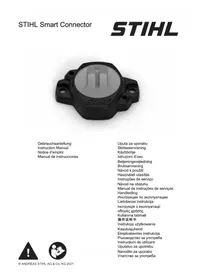
USER MANUAL Smart Connector STIHL
natural_image
Black plastic mechanical component with circular center and mounting holes (no visible text or symbols)Gebrauchsanleitung
Instruction Manual
Notice d'emploi
IMPORTANT! READ BEFORE USING AND KEEP IN A SAFE PLACE FOR REFERENCE.

Read and observe the following information and safety instructions. Improper use can result in serious injuries.

Read and follow all the safety instructions in the Instruction Manual for the STIHL product or the third party product to which the Smart Connector is attached.
Further information about the Smart Connector, STIHL connected, compatible products and FAQs are available at https://connect.stihl.com/ or from a STIHL authorized dealer.
The Bluetooth ^® word mark and logos are registered trademarks owned by Bluetooth SIG, Inc. These word mark/logos are used by STIHL under license. The Smart Connector is equipped with a Bluetooth ^® radio interface. Local operating restrictions (in aircraft or hospitals, for example) must be observed.
Safety Precautions
Intended Use
The STIHL Smart Connector, in combination with the STIHL App, enables the personalization and transmission of product running time data on the basis of Bluetooth® technology. The STIHL Smart Connector can be used in the rain.
WARNING
■ Using the Smart Connector other than for its intended use can result in serious injuries and damage to property.
▶ Always use the Smart Connector as described in this Instruction Manual,
the app and under https://connect.stihl.com/.
- Do not use the Smart Connector as a toy. If using the Smart Connector near children: Supervise the children.
■ Batteries not approved by STIHL for the Smart Connector can cause fires and explosions. Persons may be seriously or fatally injured and property may be damaged.
▶ Use an IEC-CR2032 lithium button cell approved for use in a temperature range from - 30 °C to 60 °C.
UseUse
WARNING
■ If not in safe condition, components may no longer operate correctly and safety devices may be disabled. This may result in serous or fatal injury to people.
▶ Use the Smart Connector with the cover closed.
▶ Make sure that the sealing ring is in the guide between the housing and the cover.
- Close the cover so that the arrow symbol points toward the dot symbol on the housing.
▶ Do not mount the Smart Connector to handles, switches, controls, safety devices, cooling air ducts, moving parts or safety labels.
▶ Do not mount the Smart Connector in areas exposed to heat or sparks.
▶ If using screws or rivets to fit the Smart Connector: take care not to damage electrical parts, cables, fuel lines or other components.
▶ If using screws to fit the Smart Connector: use a suitable drill with a
diameter of 3 mm or 4 mm as described in the app.
▶ If using rivets to fit the Smart Connector: use a suitable drill with a diameter of 3.5 mm.
- Drill the holes from the inside of each housing part, always when dismantled.
▶ If using screws to fit the Smart Connector: tighten the screws so that there is no play.
▶ If using the STIHL Smart Connector on a STIHL product: always attach the Smart Connector to the site described and shown in the app and always attach the Smart Connector in the manner described and shown in the app and under https://connect.stihl.com/.
If using the STIHL Smart Connector on a third party product: follow the instructions in the third party product manufacturer's instruction manual.
▶ Never bridge the battery terminals with wires or other metal objects.
▶ Observe polarity (+/-) when installing the battery. The “+” pole points toward the cover.
Maintenance, Storage and Repairs
WARNING
■ Harsh detergents, cleaning with a water jet or pointed objects can damage the Smart Connector. If the Smart Connector is not properly cleaned, parts may not function correctly and safety devices can be disabled. They may cause serious injury to persons.
- Keep Smart Connector free from foreign substances. If required, clean with a dry cloth or a dry, soft brush.
▶ Do not use cleaning agents or solvents.
▶ Do not clean the Smart Connector with a pressure washer or spray it with water or other liquids.
■ Children are not aware of and cannot assess the dangers of the Smart Connector. Children may be seriously injured.
- Store the Smart Connector out of the reach of children
■ Moisture may cause the electrical contacts on the Smart Connector and metal components to corrode. The Smart Connector may be damaged.
- Store the Smart Connector in a clean, dry state.
Battery
WARNING
■ The battery is not protected against all ambient conditions. If the battery is exposed to certain ambient conditions, the battery may catch fire or explode. This may result in serious injury to people and damage to property.
▶ Protect the Smart Connector from heat and naked flames.
▶ Do not throw the Smart Connector into a fire.
▶ Use and store the Smart Connector at temperatures between - 30 °C and + 60 °C.
▶ Do not immerse the Smart Connector in liquids.
▶ Do not expose the Smart Connector to high pressure.
▶ Do not expose the Smart Connector to microwaves.
▶ Protect the Smart Connector from chemicals and salts.
■ Liquid may leak out of a damaged battery. If that liquid comes into con-
tact with the skin or eyes, the skin or eyes may be irritated.
- Avoid contact with the liquid.
▶ If skin contact occurs: Wash affected areas of skin with plenty of water and soap.
▶ If eye contact occurs: flush eyes with plenty of water for at least 15 minutes. Consult a doctor.
■ If the button cell battery is swallowed, serious injuries or death may result within 2 hours due to internal burns and perforation of the esophagus.

- Keep the battery and Smart Connector out of the reach of children and other unauthorized persons.
▶ Always close the Smart Connector's cover securely. If it is not possible to close the cover, remove the battery and replace the Smart Connector.
▶ If the button cell battery is swallowed: do not induce vomiting. This could result in the battery lodging in the esophagus. Seek medical advice immediately.
■ A battery which is believed to be completely discharged may still produce a dangerous short-circuit current or may leak. This may result in serious injury to people and damage to property.
- Comply with all the statutory disposal regulations. Dispose of discharged batteries immediately. Do not dismantle them. Do not dispose of them by burning.
Preparing for Operation
The Smart Connector can only be attached to certain products. The Smart Connector has to be attached at a particular place, depending on the product. The Smart Connector can be attached as follows:
– via the adhesive tape on the back
– via the 2 screws and washers supplied
- via 2 cable ties
- via 2 aluminum blind rivets with a diameter of 3mm and of the appropriate length for the product concerned. The holes should be pre-drilled from the inside of the housing using a drill with a diameter of 3.5mm .
STIHL recommends having a STIHL authorized dealer fasten it using the screws supplied, cable ties or blind rivets.
If attaching the Smart Connector to a third party product STIHL recommends attaching the Smart Connector via the adhesive tape on the back.
Running time detection requires an alternating electromagnetic field at a distance of approx. 10 cm. An alternating electromagnetic field is generated by electric motors or spark plugs.
The following steps should be carried out in order to fit the Smart Connector:
- Download the App from the mobile terminal app store and create an account.
- Add products to the app and follow the on-screen instructions.
▶ Using a cloth and an isopropanol-based cleaner, clean the site described in the App where the Smart Connector is to be attached. The installation site must be level, clean, dry and free from grease.
▶ Attach the Smart Connector as described in the App or under https://connect.stihl.com/.
▶ If gluing the Smart Connector in place: Stick it on at room temperature and press on firmly.
The final adhesiveness will be reached after 3 days.
▶ If it is not possible to carry out these steps: do not use the Smart Connector. Consult a STIHL servicing dealer.
Specifications
- Permitted batteries: IEC-CR2032 lithium button cell with a permissible temperature range for use and storage of - 30 °C to 60 °C
– Battery life: up to 12 months - Permissible temperature range for use and storage: - 30 °C to 60 °C
– Degree of protection: IP67 - Data link: Bluetooth® 4.2. The mobile appliance must be compatible with Bluetooth® Low Energy 4.0 and support Generic Access Profile (GAP).
– Frequency band: ISM band 2.4 GHz
– Maximum RF power transmitted: 1 mW - Signal range: approx. 10 m. The signal strength depends on the ambient conditions and the mobile terminal. Signal range can vary greatly depending on local conditions, including the receiver. The range may be perceptibly reduced inside enclosed rooms and through metal barriers (such as walls, shelves or cases).
- Mobile appliance operating system requirements: Android or iOS (current version or higher)
Symbols on the product
The following symbols may appear on the Smart Connector:

Do not dispose of the product with your household waste.
EC Declaration of Conformity
STIHL Smart Connector
ANDREAS STIHL AG & Co. KG here-with declares that the radio communication unit type 0000 - STIHL Smart Connector complies with Directive 2014/53/EU.
For the full text of the EU Declaration of Conformity, refer to the following web address: www.stihl.com/conformity
UKCA Declaration of Con- formity
STIHL Smart Connector
Hereby, ANDREAS STIHL AG & Co. KG declares that the radio equipment type STIHL Smart Connector is in compliance with the relevant statutory requirements.
The full text of the declaration of conformity is available at the following internet address: www.stihl.com/conformity
Videos
Click here to watch our video:
Troubleshooting
Product Support and Assistance on Use
Product support and assistance on use are available from STIHL servicing dealers.
For contacts and other information visit https://support.stihl.com/ or https://www.stihl.com/.
www.stihl.com/conformity
Videot
www.stihl.com/conformity
Vídeos
www.stihl.com/conformity
Videolar
www.stihl.com/conformity