Exercise Monitor E201 - Exercise bike Energetics - Free user manual and instructions
Find the device manual for free Exercise Monitor E201 Energetics in PDF.



Frequently Asked Questions - Exercise Monitor E201 Energetics
User questions about Exercise Monitor E201 Energetics
0 question about this device. Answer the ones you know or ask your own.
Ask a new question about this device
Download the instructions for your Exercise bike in PDF format for free! Find your manual Exercise Monitor E201 - Energetics and take your electronic device back in hand. On this page are published all the documents necessary for the use of your device. Exercise Monitor E201 by Energetics.
USER MANUAL Exercise Monitor E201 Energetics
text_image
Exercise MonitorExercise Monitor E-201
Instruction Manual

text_image
(D1) (D2) (D3) (D4) 8.8:8.8 K
text_image
(C1) 3:8:8:8 (c2) MODE
text_image
(C3) (C4) (C5)Exercise Monitor E-201
ENERGETICS
Content
Introduction 02
Legend 02
The display and it's symbols 02
The computer housing 02
Assembly and activation 03
Connecting the computer 03
Computer activation 03
Sleep mode 03
Quick start 04
The measured values 04
Displays and key functions 05
Reset 05
Training – functions and settings....06
Heart rate and heart rate measurement....06
Pause/interrupt exercise 07
Safety 07
Frequently asked questions 07
Service 08
Troubleshooting....08
Care 08
Maintenance 08

ENERGETICS
User Manual
Introduction
Dear customer
We thank you for choosing ENERGETICS Fitness Equipments.
The computer offers the standard functions necessary to control your easily control your training and design your work outs.
The various values collected during exercise are being scanned through on the display. You can also choose to see a specific value individually at any time during exercise.
Especially the measurement and display of your current heart rate offers you the possibility to gear your work out toward important fundamentals for effective training as determined by sports science.
Before you start your workout please read the computer manual carefully.
We wish you success and continued enjoyment using your
ENERGETICS Fitness Equipment.
Your ENERGETICS - Team
Legend
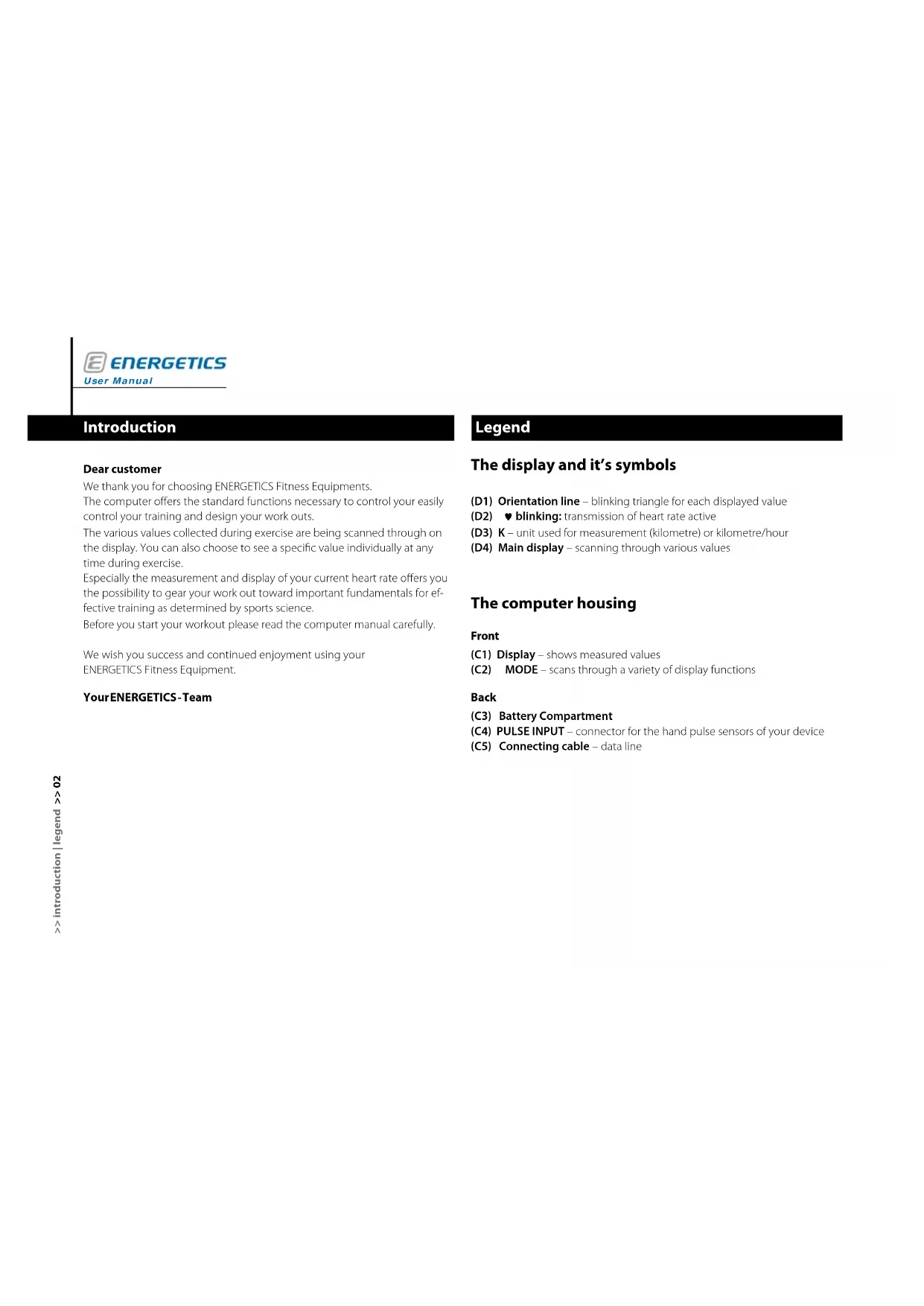
The display and it's symbols
(D1) Orientation line – blinking triangle for each displayed value
(D2) ♥ blinking: transmission of heart rate active
(D3) K - unit used for measurement (kilometre) or kilometre/hour
(D4) Main display – scanning through various values
The computer housing
Front
(C1) Display – shows measured values
(C2) MODE – scans through a variety of display functions
Back
(C3) Battery Compartment
(C4) PULSE INPUT – connector for the hand pulse sensors of your device
(C5) Connecting cable – data line
Assembly and activation
Connecting the computer
Data cable: Connect the data cable coming from the equipment with the one coming from the computer [1].
Mounting: Attach the computer to the mount on the equipment. Carefully slide the insert sleeve on the back of the computer over the mount on the centre post [2].
Pay attention not do damage the data cable when sliding the computer housing over the mount.
Hand pulse sensors: Plug the hand pulse cable into the connector on the back of the computer [3].
! Not all models are equipped with hand pulse sensors, in this case there will be no hand pulse cable!
Power supply: The computer is powered with two batteries. Make certain that the batteries are inserted correctly (polarity +/-).

Computer activation
The computer can be activated by pressing the MODE-key or when the user starts to pedal.
The computer will display the training time.
Sleep mode
Should the E-201 not receive a signal for more than 4 minutes it changes into the sleep mode. The display turns dark. To start again press any key or start to pedal.
All values are reset.
! If the computer does not receive a signal for more than 4 minutes the sleep mode is activated.

ENERGETICS
User Manual
Quick start
Press the MODE-key or start to pedal. The computer starts automatically.

text_image
0:00The display will scan through the current values of the various read outs (workout time, calories used, travelled total kilometres, speed, workout distance and your current heart rate while holding the hand pulse sensors.
Please read this manual carefully before you start your training.
Reset all settings - RESET
• To return the computer to its original settings press the function key MODE 2 seconds. The display will show the original values.
Measured values
| Explanation | |
| Workout time Shows workout time in minutes. | |
| Workout distance Shows workout distance in kilometres. | |
| Calories used Shows calories used during workout in kilojoules. | |
| Heart rate Shows current heart rate in beats per minute. | |
| Speed Shows speed in kilometres per hour (kph). | |
| ODO Shows total kilometres travelled. | |
! The computer uses kilojoules as unit to measure energy used. Calories and kilojoules are terms that are sometimes confused or wrongly interpreted.
Conversion: 1 kilojoule = 0,239 kilocalories 1 kilocalorie = 4,189 kilojoule
Displays and key functions
The values of the different functions are constantly read and processed by the E-201. The read out on the main display alternates every 6 seconds among the various values.
To see a specific value press the MODE-key. The values are displayed in this order.
Workout time

text_image
42:00Calories used

text_image
320.0Total kilometres travelled

text_image
11.7 KHeart rate

text_image
126Speed

text_image
26.3 KWorkout distance

text_image
18.5 KReset
Keep the MODE-key pressed for a minimum of 2 seconds to reset all values, except ODO value. The computer starts over.

ENERGETICS
User Manual
Training – functions and settings
Endurance training on this trainer using the E-201 computer, which offers heart rate monitoring, is easy on your heart and joints. It is sensible basic training to increase fitness. This happens with regular exercise – the body becomes slowly adjusted to the first unusual strain.
The E-201 allows you complete freedom in the design of your work out. Monitor your current heart rate while training and adjust the effort accordingly. The effort can be adjusted by increasing or decreasing the resistance or changing the cadence.
Heart rate and heart rate monitoring
The computer monitors the heart rate via the hand pulse sensors. The heart rate is displayed in beats per minute.

natural_image
Close-up of hands using a resistance band device on a circular track (no visible text or symbols)Measurement via hand pulse sensors: Sensors to record heart rate from the palms are located on the handlebars. For recording to take place both palms have to be in contact with the sensors simultaneously [1].

Not every type of fitness equipment has hand pulse sensors available.
Hand pulse sensors record the variation in resistance, which is created by the pulsation of the blood flowing through the palms. Movement on the handgrips, friction, moisture and perspiration will influence the transmission. There are among people appreciable physiological differences in the characteristics of the resistance change. For some people the resistance is to weak to even be measured. In this case the computer will show no heart rate. All these factors influence the measurement, which makes it imprecise and it should only be used for orientation.
If the hands are dry at the beginning of the workout the hand pulse sensors might not pick up a signal at all or register a faulty one. Usually it is sufficient to moisten the palms to correct this.
The values that are measured and calculated here are not based on medically valid measuring methods. The values therefore might not be accurate. Please contact your physician for a medically valid measurement.
The heart rate measurement using the hand pulse sensors is not fit for medical purposes!
Pause/interrupt exercise and reset
To interrupt the workout for a short period it is not necessary to press a key. When the unit is idle there are no values recorded.
Safety
Our recommendation: Get a physician's advice before you start your training.
- Train regularly and over an extended period of time.
- Wear comfortable, breathable clothing.
- Wear non-sliding sneakers. Never train bare footed, this could result in injury, especially to your toes.
- Do not consume a heavy meal within one hour prior or after your workout.
- Drink plenty of fluids.
Frequently asked questions
How are the computer settings reset?
- Reset: Hold the MODE-key for a minimum of 2 seconds and all functions will be reset. Information not saved will be lost except ODO value.
- Power supply: If removing the batteries from the back of the computer disconnects the power supply, all functions are reset and information not saved it lost.
Can the workout/program be interrupted?
The training is interrupted when the computer no longer receives a signal from the unit, the values will no longer be recorded. You can resume training and the values continue counting.
If the training is interrupted for more than 4 minutes the computer stops and all values recorded so far are lost.
Heart rate monitoring – can chest strap and hand pulse sensors be used at the same time
The E-201 has no receiver for a chest strap signal.

ENERGETICS
User Manual
Service
Troubleshooting
Computer display is not working
- The computer might not be getting power. Check if the batteries are inserted properly.
• The batteries might need to be replaced. - Contact your local ENERGETICS-dealer if you have checked all connections and the display is still not working.
The computer does not show values during the workout
- Check if the data cable is connected properly.
Heart rate (PULSE) shows no or incorrect read out
- Check if your palms have proper contact with the sensors. Both palms have to be in contact with the sensors simultaneously. The display may be on a slight delay.
- Check all cable connections.
• Try moistening your hands if they are dry.
The computer has shut down
In rare cases the computer might shut down, mainly because of sudden changes in the electrical current or static discharge. Normally the E-201 restarts on its own.
If this should not occur a restart can be performed by removing the batteries for a moment and reinserting them.
Care
Take care that to avoid any moisture penetration. Clean the computer with a lightly dampened cloth. Do not use abrasive cleaning solutions.
Maintenance
There is no need for special maintenance. Regularly check that all bolts and connections have a tight fit. Exchange any defective parts immediately. For assistance contact your local ENERGETICS-dealer.
natural_image
Close-up of a hand holding a small electronic device with a black panel, partially enclosed by a curved black ring (no visible text or symbols)natural_image
Close-up of hands using a small electronic device on a black circular device (no visible text or symbols)natural_image
Close-up of a hand holding a small electronic device with a black connector, next to a circular ring (no visible text or symbols)natural_image
Close-up of hands using a resistance band device on a circular mechanical component (no visible text or symbols)natural_image
Close-up of hands holding a small black object with a string, possibly a tool or component (no visible text or symbols)
natural_image
Close-up of hands holding a small electronic device with wires (no visible text or symbols)
natural_image
Close-up of a handheld device with a textured cable or cable inserted, no visible text or symbolsnatural_image
Close-up of a hand gripping a black bicycle wheel (no visible text or symbols)natural_image
Close-up of hands operating a mechanical device with a circular component (no visible text or symbols)De computer is vastgelopen
natural_image
Close-up of hands holding a small electronic device with a black screen, next to a curved black ring (no visible text or symbols)natural_image
Close-up of a person using a resistance band device on a circular track (no visible text or symbols)natural_image
Close-up of hands holding a small object with wires, no visible text or symbols
natural_image
Close-up of hands holding a small electronic device with a cable (no visible text or symbols)
natural_image
Close-up of a hand holding a small object with textured surface, possibly a tool or device (no visible text or symbols)natural_image
Close-up of hands operating a mechanical device with a circular component (no visible text or symbols)natural_image
Close-up of hands using a small electronic device on a black circular device (no visible text or symbols)ENERGETICS Fitness Equipment.
natural_image
Close-up of hands operating a stationary bike with a handheld device (no visible text or symbols)natural_image
Close-up of hands operating a mobility device with a curved wheel (no visible text or symbols)natural_image
Close-up of hands using a resistance band device (no visible text or symbols)natural_image
Close-up of hands holding a small object with a dark rod, possibly a tool or component (no visible text or symbols)
natural_image
Close-up of hands holding a small electronic device with wires (no visible text or symbols)
natural_image
Close-up of a hand holding a dark textured object next to a rectangular device (no visible text or symbols)Zapnutie počítača
natural_image
Close-up of hands operating a mobility device with a curved wheel (no visible text or symbols)natural_image
Close-up of hands operating a small electronic device with a black component, no visible text or symbolsnatural_image
Close-up of hands using a resistance band device on a black circular component (no visible text or symbols)natural_image
Close-up of hands holding a small black object with wires, no visible text or symbols
natural_image
Close-up of hands holding a small electronic device with a cable (no visible text or symbols)
natural_image
Close-up of a hand holding a small object, possibly a tool or device, with no visible text or symbols.natural_image
Close-up of a person using a resistance band device on a circular mechanical component (no visible text or symbols)natural_image
Close-up of hands operating a stationary bike with a black seat (no visible text or symbols)natural_image
Close-up of hands holding a small object with a dark rod, possibly a tool or component (no visible text or symbols)
natural_image
Close-up of hands holding a small electronic device with wires (no visible text or symbols)
natural_image
Close-up of a hand holding a dark textured object next to a rectangular device (no visible text or symbols)Uključenje računara
natural_image
Close-up of hands operating a mobility device with a curved wheel (no visible text or symbols)Mjerenje pomoću senzora ručnog pulsa: Osjetila za snimanje pulsa iz dlana nalaze se na upravljaču. Kako bi se snimanje odvijalo, potrebno je obje ruke istodobno priložiti na senzore [1].

natural_image
Close-up of hands using a stationary bike with a wheel (no visible text or symbols)Merenje pomoću senzora pulsa ruke: Oba senzora za očitavanje pulsa preko dlanova nalaze se na kormanu. Kako bi se puls očitao, moraju obe ruke da istovremeno budu na senzorima [1].

Nije svaki trenazer predviđen za senzore pulsa ruku!
Senzori pulsa ruku mere promenu u otporu na dlanovima ruku koja nastaje kao posledica rada srčanog mišića. Pomeranje na ručkama, trenje, vlaga/znoj mogu da utiču na prenos. Isto tako postoje i od osobe do osobe vidne psihološki uslovljene razlike u visini tih promena u otporu. Kod nekih osoba su te promene izuzetno male. U takvim slučajevima može se desiti da računar ne može da meri puls.
Svi pomenuti faktori utiču na merenje, stoga je ono relativno neprecizno i služi samo kao orijentaciona vrednost.
Ako su Vam na početku treninga ruke potpuno suve, može doći do smetnji ili prekida u prenosu pulsa. Najčešće pomaže ako ruke malo navlažite.
Vrednosti koje prikazuje računar nisu nastale kao rezultat medicinskih merenja. Stvarne vrednosti mogu donekle da odudaraju od prikazanih. Ukoliko želite tačna medicinska merenja potrebno je da stupite u kontakt sa svojim lekarom.
Merenje pulsa preko senzora pulsa ruku nije predviđeno da se koristi u medicinske svrhe!
Pauza/prekid treninga
Ako poželite da na kratko prekinete trening nije potrebno da da nešto posebno nameštate niti da pritiskate tačno određene tastere. Ako je trenažer u mirovanju, vrednosti se ne broje.
Bezbednost
natural_image
Close-up of hands holding a small object with wires, no visible text or symbols
natural_image
Close-up of hands holding a small electronic device with a cable (no visible text or symbols)
natural_image
Close-up of a handheld device with a textured grip, possibly a sensor or connector (no visible text or symbols)natural_image
Close-up of hands using a resistance band device on a circular mechanical component (no visible text or symbols)Pauză/intrerupere antrenament....07
Securitate 07
natural_image
Close-up of hands using a resistance band device (no visible text or symbols)natural_image
Close-up of hands holding a small object with a dark rod, possibly a tool or component (no visible text or symbols)
natural_image
Close-up of hands holding a small electronic device with wires (no visible text or symbols)
natural_image
Close-up of a hand holding a dark textured object next to a rectangular device (no visible text or symbols)natural_image
Close-up of hands holding a small electronic device with a black screen, next to a curved black ring (no visible text or symbols)natural_image
Close-up of hands holding a small black object with a dark spot, possibly a device or tool, against a plain background (no text or symbols visible)
natural_image
Close-up of hands holding a small electronic device with wires (no visible text or symbols)
natural_image
Close-up of a hand holding a small object, possibly a tool or device, with no visible text or symbols.컴퓨터 장비 작동
natural_image
Close-up of hands holding a small object inside a circular pipe (no visible text or symbols)natural_image
Close-up of a handheld device with a textured grip, possibly a remote control unit or sensor (no visible text or symbols)


ENERGETICS
دليل المستخدم
القيم المُقاسة
بداية سريعة