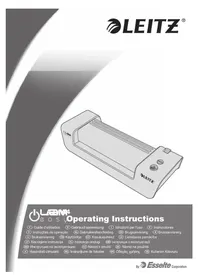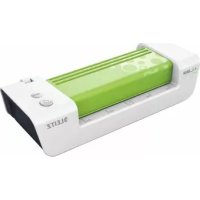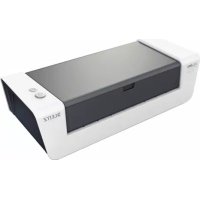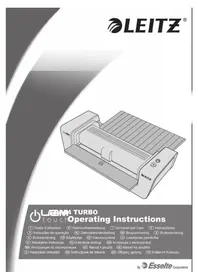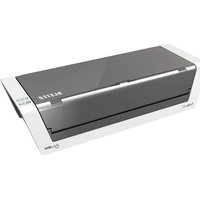
iLAM Touch 2 Turbo - Laminating machine LEITZ - Free user manual and instructions
Find the device manual for free iLAM Touch 2 Turbo LEITZ in PDF.


User questions about iLAM Touch 2 Turbo LEITZ
0 question about this device. Answer the ones you know or ask your own.
Ask a new question about this device
Download the instructions for your Laminating machine in PDF format for free! Find your manual iLAM Touch 2 Turbo - LEITZ and take your electronic device back in hand. On this page are published all the documents necessary for the use of your device. iLAM Touch 2 Turbo by LEITZ.
USER MANUAL iLAM Touch 2 Turbo LEITZ
natural_image
3D technical illustration of two gray plastic enclosure units with mounting holes and internal slots (no text or symbols)Instructions for use
| EN | 4 | IT | 26 | FI | 46 | CS | 66 | UK | 86 |
| DE | 8 | PT | 30 | ET | 50 | SK | 70 | KK | 90 |
| FR | 14 | DA | 34 | LV | 54 | HU | 74 | TR | 94 |
| NL | 18 | NO | 38 | LT | 58 | RO | 78 | GR | 98 |
| ES | 22 | SV | 42 | PL | 62 | RU | 82 |
text_image
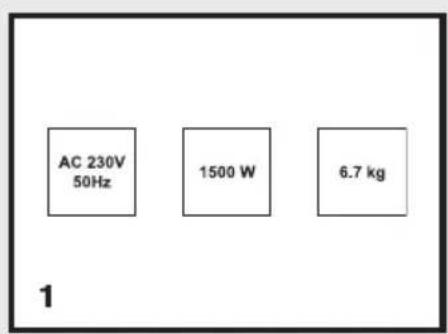
AC 230V 50Hz 1500 W 6.7 kg 1
text_image
Technical diagram illustrating the process of printer printing and paper handling, labeled with components A through H.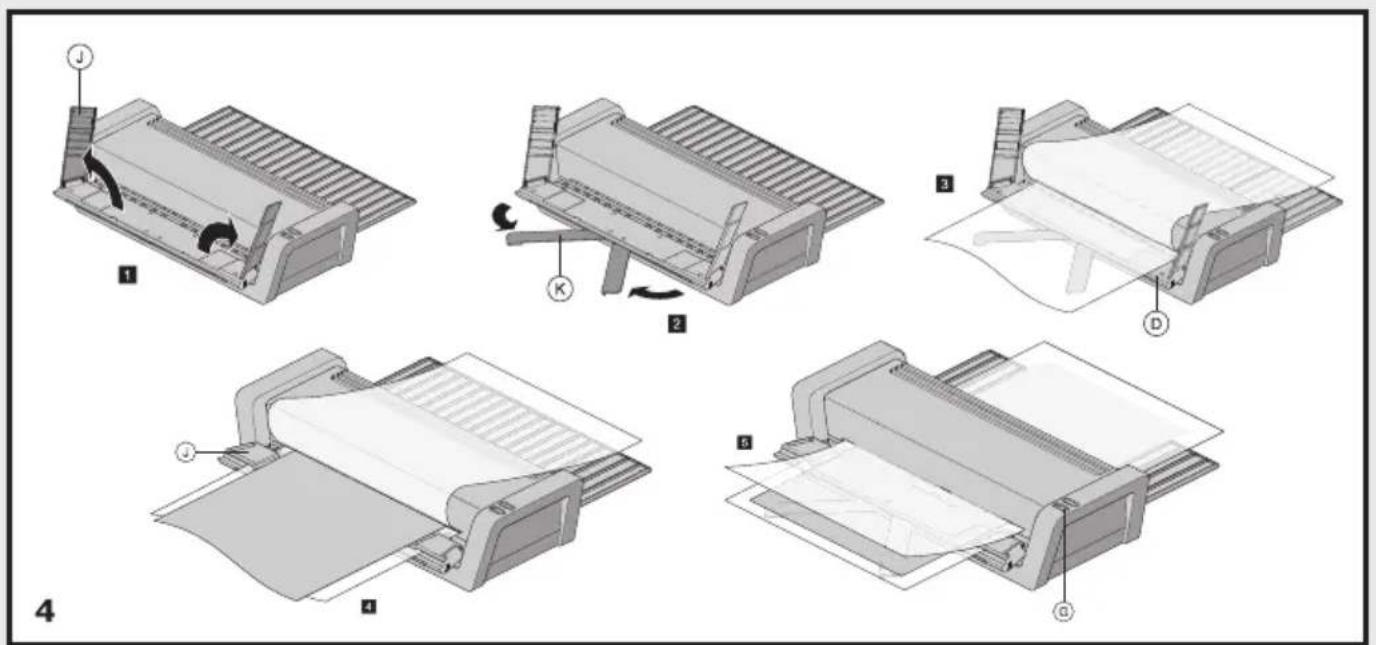
text_image
Technical diagram illustrating the process of papermaking or printing steps, labeled with numbers 1 to 4.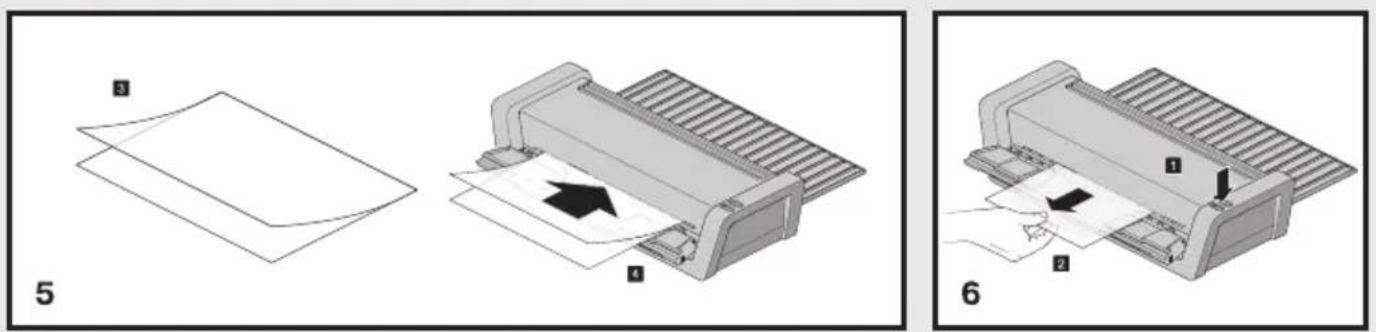
text_image
Technical diagram illustrating a printer's printing process with labeled steps 1, 2, and 5.Intended use
This Leitz product is intended to be used for laminating paper or similar materials. The product should only be used in household or similar environments, such as in offices and shops. The product should not be used for commercial or industrial purposes, in locations with the presence of a corrosive or explosive atmosphere or for medical purposes. The product may only be used according to the instructions as described in this manual. All use other than described in this manual is seen as unintended use.
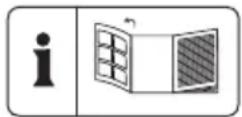
Technical specifications 1
| Touch 2 A3 Touch | 2 Turbo A3 Touch Turbo | PRO A3 | |
| Rollers / Style 6 rollers / Carrier Free | 6 rollers / Carrier Free | 6 rollers / Carrier Free | |
| Speed 1000 mm/min 1500 mm/min | 2000 mm/min | ||
| Warm-up time (80 μm) Approx. 60 sec. Approx. 60 sec. Approx. 60 sec. | |||
| Pouch thickness range 75 – 250 μm 75 – 250 μm | 75 – 250 μm | ||
| Max paper thickness | 0.6 mm | 0.6 mm | 0.6 mm |
| Entry width | 320 mm A3 | 320 mm A3 | 320 mm A3 |
| Power supply | 220-240V AC, 50/60Hz | 220-240V AC, 50/60Hz | 220-240V AC, 50/60Hz |
| Max. power consumption | 1700W, 7.5A | 1700W, 7.5A | 2300W, 7.5A |
| Dimensions (LxWxH) mm | 482 x 117 x 191 | 482 x 117 x 191 | 482 x 117 x 191 |
| Ambient conditions for operation /storage | 0 °C~40 °C; 10 %~95 % relative humidity | ||
Subject to technical change without prior notification
Unpack and check the contents 2
A iLam Laminator
B Mains cord/plug
C Quick Start Guide and Safety Instructions
For your safety

WARNING!
Read all safety warnings and all instructions.
- Please take the time and read the general safety instructions. You can find the general safety instructions in a separate booklet. This booklet is included.
- If the product is not installed and used in accordance with this manual, it may cause harmful interference with radio or television reception or affect other electronic devices in residential areas. Non-compliance invalidates the permission to operate this product.
- Ensure good aeration while laminating (e.g. open a window).
- Do not place anything on top of the device and do not insert anything into the venting slots.
- Unplug and let the device cool down before cleaning, moving or storing it. When carrying the laminator, always hold it by the recessed grips on both sides.
To ensure the best possible lamination and to avoid any damage to the laminator, please take the following precautions:
- Laminating pouches are made of two sides linked to each other. Never laminate with only one side of a laminating pouch.
- Always insert laminating pouches into the unit with the folded side first. Do not insert a laminating pouch until the previous laminated document has been removed.
- Always insert the pouch in the centre of the laminator entry area.
- Never laminate empty pouches. Always insert a document into the pouch when laminating.
- Do not cut the pouch prior to lamination. Trim the pouch to size after lamination.
- Do not laminate heat-sensitive, wet, wavy or crinkly materials.
- Do not laminate materials thicker than specified in this manual.
- Do not laminate metal objects.
- The lamination process is irreversible. Please keep this in mind when laminating unique pieces.
- Do not pull or push the pouch and do not switch off the laminator during normal lamination.
Use
How to laminate a document ③
- Set the laminator A up on a stable surface (e.g. table) close to a mains outlet. Ensure there is sufficient space behind the laminator so the laminated document is not blocked and can easily be removed.
- Connect the mains cord B with mains socket and laminator A.
- Fold out the input D and output E trays.
- Set the rear switch F in the "I" position to turn on the laminator. The On/Off button H will light blue and you will hear a beep.
- Press the On/Off button H. The On/Off button H will start flashing blue. The laminator heats up. As soon as the On/Off button H lights steadily blue again and you hear beep, the working temperature has been reached.
- Insert the document into the laminating pouch. Align it to the pouch's folded side as close as possible and ensure even margins on the left and right. Pouches that are too large can be trimmed to size after lamination.
Warning! Lamination is permanent. Before laminating unique pieces, test the process with a similar item. Always insert smaller objects in the middle of the input tray so that they are recognized by the thickness sensor.
- Insert the pouch with the folded side first straight into the input tray D until it gets pulled in. The laminated document is automatically driven out at the output tray E.
- Remove the laminated document and leave it on a flat surface for one minute to cool down.
- If you do not wish to laminate further documents, switch off the laminator.
EN
Instruction Manual
How to use the Smart Guide System 4 (Turbo models only)
- Open the guides J.
- Pull out the supports K.
- Open the pouch and place it on the input tray D.
- Close the guides J. Add the document on top of the lower pouch sheet and supports K.
- Close the pouch. Feed the pouch into the laminator A.
Notice: If possible avoid the use of the reverse button G when using the Smart Guide System. However, should use of the reverse button G be essential, ensure you hold the pouch away from the feed sensor once it has exited, and carefully remove from the Smart Guide System.
'Auto Shut-off' function
If the machine is not active for 30 minutes, the Auto Shut-off function will place the machine into standby mode. To operate the machine, press any button or cycle the power switch.
Maintenance and care 5

WARNING: UNPLUG THIS PRODUCT BEFORE CLEANING THE EXTERIOR. WIPE EXTERIOR ONLY WITH A DAMP CLOTH AND DO NOT USE DETERGENTS OR SOLVENTS.
Regularly feed a cleaning card or sheet of paper through the laminator to clean the rollers. Cleaning sheet order code: 72550000.
How to retrieve a pouch that has not been inserted correctly 6
- Press and hold the reverse button G. The pouch is driven out again at the input tray.
- Assist the reverse motion by carefully pulling at the pouch. The reverse motion ends once a full A3 length has been ejected. Then the machines returns to forward feed mode.
Troubleshooting
| Problem Possible cause | Solution | |
| During lamination the pouch gets stuck in the front part of the laminator. | Glue deposits on the roller / heat reaction of pouch. | Press reverse button as soon as possible. The pouch is driven out through the input tray. Assist the process by carefully pulling at the pouch. As soon as the pouch has left the front sensor area, ensure the pouch is clear of the entry area to prevent the pouch from being pulled in again. To laminate another item, switch the device on again. Clean the rollers after any pouch jam as described in section “Maintenance and care”. |
| During lamination the user switches off the device orthe mains power fails or the device is otherwise disconnected from mains. | Power failure. After re-starting the laminator, automatic reverse is activated for 30 seconds to drive out the pouch through the input tray. As soon as the On/Off button lights blue, you can laminate again as usual. Clean the rollers after any pouch jam as described in section “Maintenance and care”. | |
| When pressing the Reverse button, the pouch is not being reversed but transported further. | Normal behaviour because the pouch has already left the front part of the laminator. | None. |
| The laminator always runs at the same speed regardless of the thickness of the material. | Thickness sensor defective. Please let the laminator be inspected by customer service. | |
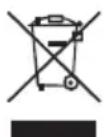
Waste Electrical and Electronic Equipment (WEEE)
Electrical and electronic devices contain materials and substances that can have damaging effects on human health and the environment. This symbol indicates that this device must not be treated as unsorted municipal waste but must be collected separately. Dispose of the device via a collection point for the recycling of waste electrical and electronic equipment within the EU, UK and in other European countries that operate separate collection systems for waste electrical and electronic equipment. By disposing of the device in the proper manner, you help to avoid possible hazards for the environment and public health that could otherwise be caused by improper treatment of waste equipment. The recycling of materials contributes to the conservation of natural resources.
2 year guarantee
Leitz units are sold with a 2 year guarantee.
The conditions of the guarantee period are as follows:
- Each unit is guaranteed against all defects in material and/or workmanship for a period of 2 years from the date of purchase.
- No unit will be accepted without written notification from the customers giving details of the problem that has occurred, and proof of the date of purchase.
- All units for repair are to be returned to Leitz with adequate packaging. No liability will be accepted by Leitz for goods damaged in transit from the customer, due to inadequate attention to packaging.
- The supplier will be responsible for all parts and labour charges as necessary to the unit. The 2 year guarantee is subject to the following conditions:
- That the unit has been used strictly in accordance with the operating instructions supplied with the unit.
- That if the benefit of this guarantee is sought, the unit must be returned, carriage paid to Leitz. Leitz does not accept responsibility for loss or damage in transit.
- That the guarantee is invalid if the defects are found to be caused by accident, misuse, alteration or neglect.
- That no liability of Leitz is to be implied here for damage, loss or expense of any kind resulting from, consequence upon, or in any way due to any fault whatsoever in the instrument or its accessories.
- That this guarantee does not affect you statutory rights as a consumer.
Subject to technical change without prior notification
Subject to technical change without prior notification
UK Importer and authorised representative:
ACCO UK Limited
Millennium House, 65 Walton Street
Aylesbury, HP21 7QG
United Kingdom