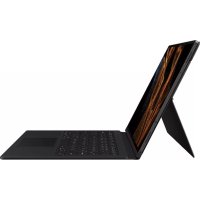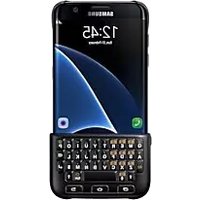
SAMSUNG EJ-CG935 - Keyboard

EJ-CG935 - Keyboard SAMSUNG - Free user manual and instructions

Find the device manual for free EJ-CG935 SAMSUNG in PDF.

📄 326 pages English EN 💬 AI Question
Notice SAMSUNG EJ-CG935 - page 3

Download the instructions for your Keyboard in PDF format for free! Find your manual EJ-CG935 - SAMSUNG and take your electronic device back in hand. On this page are published all the documents necessary for the use of your device. EJ-CG935 by SAMSUNG.

USER MANUAL EJ-CG935 SAMSUNG

Images may differ in appearance from the actual product. Content is subject to change without prior notice.

Descriptions are based on the Galaxy S6 edge’s default settings and appearance. Instructional icons

Warning: situations that could cause injury to yourself or others

Caution: situations that could cause damage to your device or other equipment Notice: notes, usage tips, or additional information English (UK)

Getting started Package contents Check the product box for the following items:

The items supplied with the device and any available accessories may vary depending on the region or service provider.

The supplied items are designed only for this device and may not be compatible with other devices.

Appearances and specifications are subject to change without prior notice.

You can purchase additional accessories from your local Samsung retailer. Make sure they are compatible with the device before purchase.

Use only Samsung-approved accessories. Using unapproved accessories may cause the performance problems and malfunctions that are not covered by the warranty.

Availability of all accessories is subject to change depending entirely on manufacturing companies. For more information about available accessories, refer to the Samsung website. English (UK) 2Getting started

Device layout Recents key Keyboard cover Keyboard Back key Home key Keys and functions Name Function Recents

Press to open the list of recent apps. Home

Press to turn on the screen while the screen is locked.

Press to return to the Home screen.

Press and hold to launch Google

Press to return to the previous screen. English (UK)

Using the keyboard Attaching the keyboard Attach the keyboard to your device and use it instead of the on-screen keyboard to enter text.

Secure the keyboard cover on the back of the device.

Attach the keyboard to the bottom of the device. English (UK) 4Using the keyboard

Detaching the keyboard You can attach the keyboard to the keyboard cover when you are not using it.

Lift one side of the keyboard and detach it from the device. Detaching the keyboard improperly may damage the keyboard or the device.

Attach the keyboard to the back of the device at the bottom of the keyboard cover. English (UK) 5Using the keyboard

Using the keyboard You can enter text using the attached keyboard. Alt Sym

Press in combination with other keys to enter symbols or numbers. If a keypad appears on the screen, you can enter other characters without using this key.

Press and hold to enter symbol and number mode.

Press to enter uppercase characters. Press and hold the key to enter all caps.

Press to exit symbol and number mode.

Press to enter text by voice.

Press and hold to use additional keyboard functions.

Press to enter a space.

Press to enter symbols.

Press to break to the next line.

Press to delete the text ahead of the cursor’s position. English (UK) 6Using the keyboard

Changing the input language Press and hold the (Shift) key and then press the (Space) key. Alternatively, press and hold the Alt key and then press the (Enter) key. Some key functions may not work properly depending on the software version of the connected device. For more information about updating device software, refer to each device’s user manual. English (UK) 7Declaration of Conformity Product details For the following Product : Keyboard Cover Model(s) : EJ-CG928/EJ-CN920 Declaration & Applicable standards We hereby declare, that the product above is in compliance with the essential requirements of the R&TTE Directive (1999/5/EC) by application of: EN 301 489-1 V1.9.2 EN 302 291-2 V1.1.1 EN 60950-1 : 2006 + A11 : 2009 + A1 : 2010 + A12 : 2011 + A2 : 2013 EN 301 489-3 V1.6.1 EN 62311 : 2008 and the Directive (2011/65/EU) on the restriction of the use of certain hazardous substances in electrical and electronic equipment by application of EN 50581:2012. Representative in the EU Samsung Electronics Euro QA Lab. (YEAR TO Blackbushe Business Park BEGIN AFFIXING Saxony Way, Yateley, Hampshire CE MARKING 2015) GU46 6GG, UK

22 June 2015 Stephen Colclough / EU Representative (Place and date of issue) (Name and signature of authorised person)

  • This is not the address of Samsung Service Centre. For the address or the phone number of Samsung Service Centre, see the warranty card or contact the retailer where you purchased your product. English (UK) 8Declaration of Conformity Product details For the following Product : Keyboard Cover Model(s) : EJ-CG930/EJ-CG935 Declaration & Applicable standards We hereby declare, that the product above is in compliance with the essential requirements of the R&TTE Directive (1999/5/EC) by application of: SAFETY EN 60950-1 : 2006 + A11 : 2009 + A1 : 2010 + A12 : 2011 + A2 : 2013 SAR EN 62311 : 2008 EMC EN 301 489-1 V1.9.2 (09-2011) EN 301 489-3 V1.6.1 (08-2013) RADIO EN 302 291-2 V1.1.1 (07-2005) and the Directive (2011/65/EU) on the restriction of the use of certain hazardous substances in electrical and electronic equipment by application of EN 50581:2012. Representative in the EU Samsung Electronics Euro QA Lab. (YEAR TO Blackbushe Business Park BEGIN AFFIXING Saxony Way, Yateley, Hampshire CE MARKING 2015) GU46 6GG, UK

2015.12.31 Stephen Colclough / EU Representative (Place and date of issue) (Name and signature of authorised person)

  • This is not the address of Samsung Service Centre. For the address or the phone number of Samsung Service Centre, see the warranty card or contact the retailer where you purchased your product. English (UK) 9Copyright Copyright © 2016 Samsung Electronics This manual is protected under international copyright laws. No part of this manual may be reproduced, distributed, translated, or transmitted in any form or by any means, electronic or mechanical, including photocopying, recording, or storing in any information storage and retrieval system, without the prior written permission of Samsung Electronics. Trademarks

SAMSUNG and the SAMSUNG logo are registered trademarks of Samsung Electronics.

All other trademarks and copyrights are the property of their respective owners. English (UK)

Read me first Please read this manual before using the device to ensure safe and proper use.

Images may differ in appearance from the actual product. Content is subject to change without prior notice.

Descriptions are based on the Galaxy S6 edge’s default settings and appearance. Instructional icons

Warning: situations that could cause injury to yourself or others

Caution: situations that could cause damage to your device or other equipment Notice: notes, usage tips, or additional information English (USA)

Getting started Package contents Check the product box for the following items:

The items supplied with the device and any available accessories may vary depending on the region or service provider.

The supplied items are designed only for this device and may not be compatible with other devices.

Appearances and specifications are subject to change without prior notice.

You can purchase additional accessories from your local Samsung retailer. Make sure they are compatible with the device before purchase.

Use only Samsung-approved accessories. Using unapproved accessories may cause the performance problems and malfunctions that are not covered by the warranty.

Availability of all accessories is subject to change depending entirely on manufacturing companies. For more information about available accessories, refer to the Samsung website. English (USA) 2Getting started

Device layout Recents key Keyboard cover Keyboard Back key Home key Keys and functions Name Function Recents

Press to open the list of recent apps. Home

Press to turn on the screen while the screen is locked.

Press to return to the Home screen.

Press and hold to launch Google

Press to return to the previous screen. English (USA)

Using the keyboard Attaching the keyboard Attach the keyboard to your device and use it instead of the on-screen keyboard to enter text.

Secure the keyboard cover on the back of the device.

Attach the keyboard to the bottom of the device. English (USA) 4Using the keyboard

Detaching the keyboard You can attach the keyboard to the keyboard cover when you are not using it.

Lift one side of the keyboard and detach it from the device. Detaching the keyboard improperly may damage the keyboard or the device.

Attach the keyboard to the back of the device at the bottom of the keyboard cover. English (USA) 5Using the keyboard

Using the keyboard You can enter text using the attached keyboard. Alt Sym

Press in combination with other keys to enter symbols or numbers. If a keypad appears on the screen, you can enter other characters without using this key.

Press and hold to enter symbol and number mode.

Press to enter uppercase characters. Press and hold the key to enter all caps.

Press to exit symbol and number mode.

Press to enter text by voice.

Press and hold to use additional keyboard functions.

Press to enter a space.

Press to enter symbols.

Press to break to the next line.

Press to delete the text ahead of the cursor’s position. English (USA) 6Using the keyboard

Changing the input language Press and hold the (Shift) key and then press the (Space) key. Alternatively, press and hold the Alt key and then press the (Enter) key. Some key functions may not work properly depending on the software version of the connected device. For more information about updating device software, refer to each device’s user manual. English (USA) 7Copyright Copyright © 2016 Samsung Electronics This manual is protected under international copyright laws. No part of this manual may be reproduced, distributed, translated, or transmitted in any form or by any means, electronic or mechanical, including photocopying, recording, or storing in any information storage and retrieval system, without the prior written permission of Samsung Electronics. Trademarks

SAMSUNG and the SAMSUNG logo are registered trademarks of Samsung Electronics.

All other trademarks and copyrights are the property of their respective owners. English (USA)

Manual assistant
Powered by ChatGPT
Waiting for your message
Product information

Brand : SAMSUNG

Model : EJ-CG935

Category : Keyboard