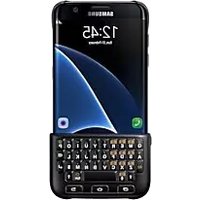
SAMSUNG EJCN920 - Keyboard

EJCN920 - Keyboard SAMSUNG - Free user manual and instructions

Find the device manual for free EJCN920 SAMSUNG in PDF.

English EN Download 💬 AI Question 10 questions ⚙️ Specs
📄

Document temporarily unavailable

The manual is currently being transferred to our new server. It will be accessible again in a few hours. Thank you for your patience.

Pick your language and provide your email: we'll send you a specifically translated version.
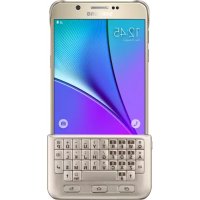
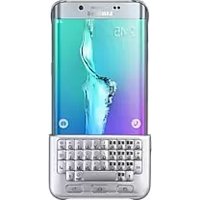
Product type Keyboard case (physical keyboard)
Brand Samsung
Model EJCN920 (EJ-CN920)
Compatibility Samsung Galaxy S6 edge
Connectivity Bluetooth (standard EN 302 291)
Keys and functions Physical keys: recent apps, home, back, alphanumeric, Alt, Sym, Shift, Space, Enter, Delete, voice dictation
Language switching Hold Shift + Space or Alt + Enter
Attachment Removable back case; keyboard attaches to the bottom of the device for use, to the back for storage
Box contents Keyboard case, quick start guide
Power Built-in battery (rechargeable via cable not included)
Safety Compliant with R&TTE 1999/5/EC and RoHS 2011/65/EU directives
Applied standards EN 301 489-1, EN 302 291-2, EN 60950-1, EN 62311, EN 50581
Manual languages French, English, German, etc. (multilingual)
Maintenance Clean with a soft, dry cloth; do not use abrasive products
Usage Replaces the virtual keyboard for text input
Manufacturer Samsung Electronics

Frequently Asked Questions - EJCN920 SAMSUNG

How to install the keyboard on my Samsung Galaxy S6 edge?
First attach the case to the back of the device, then attach the keyboard to the lower front part. To store, detach the keyboard and attach it to the back case.
How to turn on the keyboard?
The keyboard turns on automatically when attached to the device and the screen is on. There is no dedicated power button.
How to change the input language?
Hold the Shift key and press Space. You can also hold Alt and press Enter.
How to clean the keyboard?
Use a soft, dry cloth to clean the surface. Do not use chemical or abrasive products that could damage the keyboard.
Is the keyboard compatible with other Samsung models?
This keyboard (model EJCN920) is specifically designed for the Samsung Galaxy S6 edge. It may not fit other devices due to dimensions and connections.
How to use voice dictation?
Press the voice dictation key (key 3 in the illustration) to dictate your text. Hold it to access other keyboard functions.
How to switch to symbols and numbers mode?
Press the Alt key together with other keys to enter symbols or numbers. Hold Alt to stay in symbols mode.
What to do if a key does not work?
Check that the keyboard is properly attached and the device is up to date. If the problem persists, consult the manual or contact Samsung after-sales service.
How to detach the keyboard from the device?
Gently lift one side of the keyboard and remove it from the device. Be careful not to use excessive force to avoid damaging the keyboard or device.
Where to find the full manual?
The full manual is available for free download in PDF format on the website notice-facile.com. You can also view it online in several languages.

User questions about EJCN920 SAMSUNG

0 question about this device. Answer the ones you know or ask your own.

Ask a new question about this device

The email remains private: it is only used to notify you if someone responds to your question.

No questions yet. Be the first to ask one.

Download the instructions for your Keyboard in PDF format for free! Find your manual EJCN920 - SAMSUNG and take your electronic device back in hand. On this page are published all the documents necessary for the use of your device. EJCN920 by SAMSUNG.
USER MANUAL EJCN920 SAMSUNG

Manual assistant
Powered by Anthropic
Waiting for your message
Product information

Brand : SAMSUNG

Model : EJCN920

Category : Keyboard