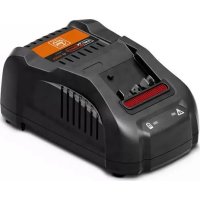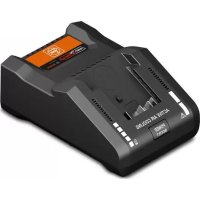
GAL 18 V160 AS - Battery charger Fein - Free user manual and instructions
Find the device manual for free GAL 18 V160 AS Fein in PDF.
 FR
FR
 BG
BG
 CS
CS
 DA
DA
 DE
DE
 EL
EL
 EN
EN
 ES
ES
 ET
ET
 FI
FI
 HU
HU
 IT
IT
 JA
JA
 KO
KO
 LT
LT
 LV
LV
 NL
NL
 PL
PL
 PT
PT
 RO
RO
 RU
RU
 SK
SK
 SL
SL
 SV
SV
 TH
TH
 TR
TR
 UK
UK
 ZH
ZH
| Product Type | Battery charger |
| Brand | Fein |
| Model | GAL 18 V160 AS |
| Charging voltage | 18 V (automatic detection) |
| Charging current | 16 A |
| Compatible battery types | Lithium-Ion AMPShare (ProCORE18V and standard, capacity ≥ 2.0 Ah) |
| Compatible number of cells | 5 to 15 |
| Charging temperature range | 0 °C to 45 °C |
| Weight | 0.95 kg (according to EPTA 01:2014) |
| Power supply | 230 V ~ (compatible with 220 V) |
| Charging functions | Standard charging, Power Boost (quick charge up to 50%), 5-LED charge indicator, temperature monitoring (red LED), active cooling (fan) |
| Charging mode | Intelligent, automatic voltage and temperature detection |
| Charging time (example) | ProCORE 4.0 Ah battery: 9 min (50%), 21 min (80%), 51 min (100%); Standard 4.0 Ah battery: 16 min (80%), 25 min (100%) |
| Mounting | On workbench or wall (hole spacing 86 mm, screws Ø 5-6.5 mm) |
| Acoustic signal | End of charging cycle (short signal) |
| Safety | Overheating protection, shutdown in case of fault, not waterproof |
| Maintenance | Clean contacts dry, do not open, have repaired by FEIN authorized service center |
| Warranty | Statutory warranty + FEIN manufacturer warranty (according to declaration) |
| Disposal | Do not dispose of with household waste, WEEE recycling |
Frequently Asked Questions - GAL 18 V160 AS Fein
User questions about GAL 18 V160 AS Fein
0 question about this device. Answer the ones you know or ask your own.
Ask a new question about this device
Download the instructions for your Battery charger in PDF format for free! Find your manual GAL 18 V160 AS - Fein and take your electronic device back in hand. On this page are published all the documents necessary for the use of your device. GAL 18 V160 AS by Fein.
USER MANUAL GAL 18 V160 AS Fein
text_image
ACTIVE AIR COOLING POWER BOOST
Powered by

BOSCH
GAL 18V-160 9 26 04 337 00 0
GAL 18V-160 9 26 04 339 00 0
GAL 18V-160 9 26 04 349 00 0


| de | 4 | no | 48 | sl | 88 | zh-CN | 132 |
| en | 9 | sv | 52 | sr | 93 | zh-TW | 136 |
| fr | 14 | fi | 56 | hr | 98 | ko | 140 |
| it | 19 | tr | 60 | ru | 102 | th | 144 |
| nl | 24 | hu | 64 | uk | 108 | ja | 149 |
| es | 29 | cs | 69 | bg | 113 | ar | 153 |
| pt | 34 | sk | 73 | et | 118 | hi | 157 |
| el | 39 | pl | 78 | lt | 122 | ||
| da | 44 | ro | 83 | lv | 127 |


text_image
(1) (5) ACTIVE AIR COOLING POWER BOOST (3)(4)
text_image
(3)(4) (2)GAL 18V-160
Original instructions
Safety instructions


Read all the safety and general instructions. Failure to observe the safety and general instructions
may result in electric shock, fire and/or serious injury.
Store these instructions in a safe place.
Only use the charger if you can fully evaluate all functions and carry them out without restrictions, or if you have received corresponding instructions.
This charger is not intended for use by children or persons with physical, sensory or mental limitations or a lack of experience or knowledge. This charger can be used by children aged 8 or older and by persons who have physical, sensory or mental limitations or a lack of experience or knowledge if a person responsible for their safety supervises them or has instructed them in the safe operation of the charger and they understand the associated dangers. Otherwise, there is a risk of operating errors and injuries.
▶ Supervise children during use, cleaning and maintenance. This will ensure that children do not play with the charger.
▶ Only charge FEIN AMPShare Li-Ion batteries or batteries
of AMPShare partners with a capacity of 2,0 Ah or more. The battery voltage must match the battery charging voltage of the charger. Do not charge any non-re-chargeable batteries. Otherwise there is a risk of fire and explosion.

Do not expose the charger to rain or wet conditions. Water entering a power tool will increase the risk of electric shock.
- Keep the charger clean. Dirt poses a risk of electric shock.
▶ Always check the charger, cable and plug before use. Stop using the charger if you discover any damage. Do not open the charger yourself, and have it repaired only by a qualified specialist using only original replacement parts. Damaged chargers, cables and plugs increase the risk of electric shock.
▶ Do not operate the charger on an easily ignited surface (e.g. paper, textiles, etc.) or in a flammable environment. There is a risk of fire due to the charger heating up during operation.
▶ Do not cover the ventilation slots of the charger. Otherwise, the charger may overheat and no long function properly.
▶ Recharge only with the charger specified by the manufacturer. A charger that is suitable for one type of battery pack may create a risk of fire when used with another battery pack.
In case of damage and improper use of the battery, vapours may also be emitted. Ensure the area is well-ventilated and seek medical attention should you experience any adverse effects. The vapours may irritate the respiratory system.
▶ Under abusive conditions, liquid may be ejected from the battery; avoid contact. If contact accidentally occurs, flush with water. If liquid contacts eyes, additionally seek medical help. Liquid ejected from the battery may cause irritation or burns.
Products sold in GB only:
Your product is fitted with an BS 1363/A approved electric plug with internal fuse (ASTA approved to BS 1362).
If the plug is not suitable for your socket outlets, it should be cut off and an appropriate plug fitted in its place by an authorised customer service agent. The replacement plug should have the same fuse rating as the original plug.
The severed plug must be disposed of to avoid a possible shock hazard and should never be inserted into a mains socket elsewhere.
▶ Do not operate the charger in closed cupboards or near sources of heat. Otherwise, the charger may overheat and no longer function properly.
▶ When it is not in use for a long period, remove the battery from the charger and pull out the plug. Saving energy protects the environment.
▶ Remove the charger's plug from the plug socket when carrying out cleaning. There is a risk of electric shock.
▶ Do not screw or nail any signs or labels onto the charger. Damaged insulation offers
no protection against electric shocks. Use stick-on labels instead.
Product description and specifications
Intended use
The battery charger is intended for charging the rechargeable FEIN AMPShare Li-Ion batteries or those of the AMPShare partners.
Product Features
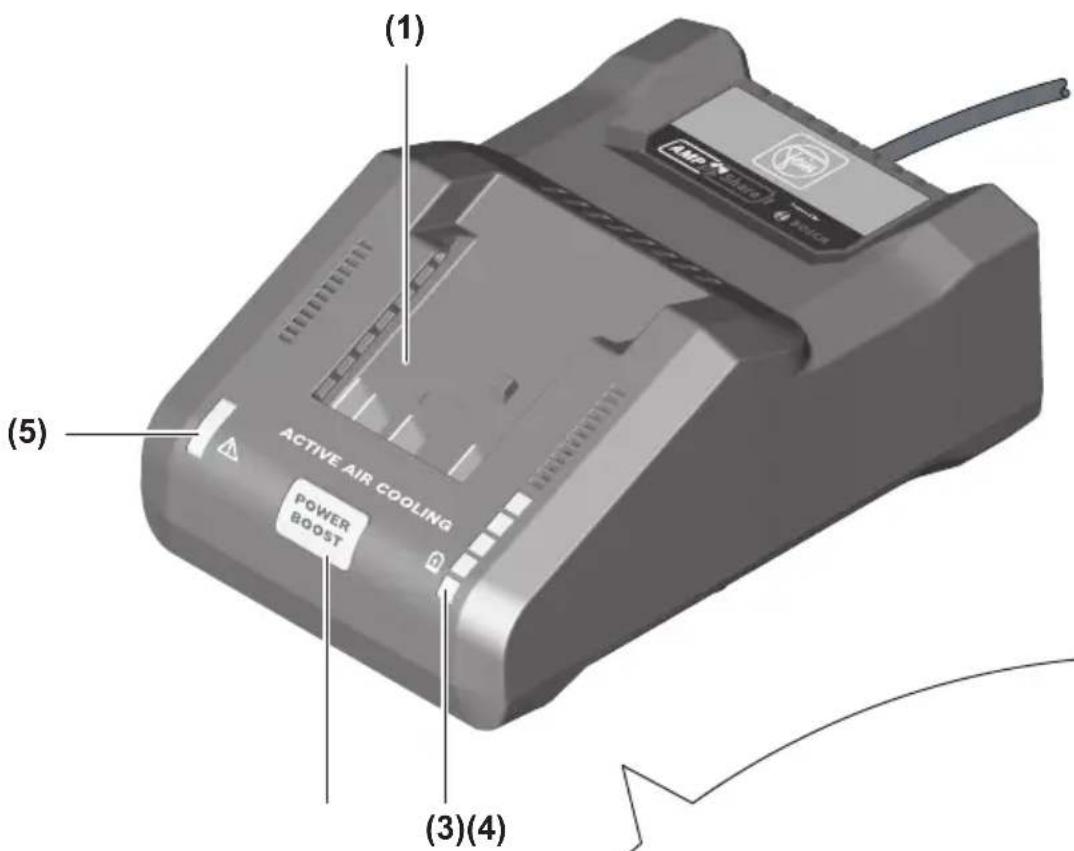
The numbering of the components shown refers to the diagram of the charger on the graphics page.
(1) Charging bay
(2) Wall mount
(3) Green battery charge indicator
(4) Power Boost button
(5) Red temperature monitoring/error indicator
Technical Data
| Battery charger GAL 18V-160 | ||
| Article number 9 26 04 337 00 0 | 9 26 04 339 00 0 | |
| 9 26 04 349 00 0 | ||
| Battery charging voltage (automatic voltage detection) | V= | 18 |
| Charging currentA) | A | 16 |
| Permitted battery temperature during charging | °C | 0–45 |
| ProCORE18V batteries...: Charging time at battery capacity approx.A) | approx. 50 %B) / approx. 80 %C) / approx. 80 %D) / battery chargedE) | |
| -4.0 Ah min 9 / 21 / 32 / 51 | ||
| -8.0 Ah min 15 / 26 / 32 / 51 | ||
| -12.0 Ah min 22 / 36 / 36 / 55 | ||
| Standard batteries: Charging time at battery capacity, approx.A) | approx. 80 %D) / battery chargedE) | |
| -4.0 Ah min 16 / 25 | ||
| -5.0 Ah | min | 20 / 35 |
| Number of battery cells | 5–15 | |
| Weight according to EPTA-Procedure 01:2014 | kg | 0.95 |
| Protection class | ☐/II | |
A) Depends on temperature and rechargeable battery type
B) State of charge of the battery 50% (after charging with Power Boost). The battery can be removed for immediate use.
C) State of charge of the battery approx. 80% (after charging with Power Boost). The battery can be removed for immediate use.
D) State of charge of the battery approx. 80% (after charging with standard charging mode). The battery can be removed for immediate use.
E) State of charge of the battery 97–100% (after charging with standard charging mode).
Operation
Assembly
▶ Pull the plug out of the socket before carrying out any work on the charger.
Wall mounting
The charger can be used either free-standing (for use on a desktop) or mounted on the wall.
When affixing to the wall: Drill two holes, leaving a clearance as specified in the image.
To secure it, use round-head screws with a diameter of 5 mm to max. 6.5 mm.

text_image
86 mmStart-up
▶ Note the mains voltage! The voltage of the power source must match the voltage specified on the rating plate of the charger. Chargers marked with 230 V can also be operated with 220 V.
Charging process
The charging process begins as soon as the mains plug for the charger is inserted into the mains socket and the battery is inserted into the charging slot (1).
Thanks to the intelligent charging process, the charge condition of the battery is automatically detected and then charged up with the optimal charge current depending on battery temperature and voltage.
In this way, the battery is treated with care and remains permanently fully charged when it is stored in the charger.
What the display elements mean
Green battery charge indicator (3)

The five green LEDs indicate the battery's state of charge during and after charging. Each continuously lit LED
represents a battery capacity of approx. 20%.
| Status LED Battery capa- | city, approx. |
| The five LEDs light up one after the other. | < 20% |
| The bottom LED is continuously lit. | 20% |
| The bottom two LEDs are continuously lit. | 40% |
| The bottom three LEDs are continuously lit. | 60% |
| The bottom four LEDs are continuously lit. | 80% |
| All five LEDs are continuously lit. | >95% |
Note: The charging process is only possible when the temperature of the battery is within the permitted charging temperature range, see section "Technical data".
Red temperature monitoring/error indicator (5)
Continuous light
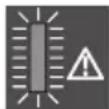
The continuous red light indicates that the temperature of the battery is outside the permitted charging temperature range, see "Technical Data"
section. The charging process begins as soon as the permitted temperature range has been reached.
Flashing light

The flashing red light indicates that the battery or charger is faulty.
Power Boost button (4)
Pressing the Power Boost button (4) activates the rapid charging mode. The button can be pressed either before the battery is inserted or once it has been inserted. The Power Boost button (4) lights up red when the rapid charging mode is enabled. Pressing on the Power Boost button again returns the charger to the standard charging mode.
Once the rapid charge has finished (at approx. 50 % battery capacity), the Power Boost button light will go out (4). The battery will continue to charge if it remains in the charger.
Audio signal
Once the charging cycle has ended, a brief audio signal will sound.
Errors – causes and corrective measures
| Cause Corrective measure | |
| Red temperature monitoring/error indicator (5) is flashingCharging not possible | |
| The rechargeable battery is not connected (correctly) | Connect rechargeable battery to charger correctly |
| Battery contacts are dirty | Clean the battery contacts; e.g. by connecting and disconnecting the rechargeable battery several times. Replace rechargeable battery if necessary |
| Rechargeable battery defective | Replace the rechargeable battery |
| Battery charger faulty Ha | have battery charger checked if necessary by an authorised after-sales service centre for FEIN power tools |
| Green battery charge indicator (3) is not lighting up | |
| Mains plug of the battery charger is not (correctly) plugged in | Insert the mains plug (fully) into the plug socket |
| Plug socket, mains cable or battery charger defective | Check mains voltage, have charger checked if necessary by an authorised after-sales service centre for FEIN power tools |
Practical advice
A significantly reduced operating time after charging indicates that the battery has deteriorated and must be replaced.
When the charger is used continuously, or for several consecutive charge cycles without interruption, the charger may heat up. This is, however, harmless and does not indicate that the charger has a technical defect.
Battery cooling (Active Air Cooling)
The fan control unit integrated into the charger monitors the temperature of the inserted battery. As soon as the battery temperature is above approx. 0 °C, the battery will be cooled by a fan. The fan generates a ventilation sound when switched on.
If the fan does not run, it is defective or the battery temperature is <0 ^ . This can increase the charging time.
Charging process
Power Boost mode
The Power Boost function charges batteries up to approx. 50% battery capacity in rapid charging mode. This means batteries are ready for use sooner than if charged using the standard charging mode.
With Power Boost activated, the battery is initially charged with a high charging current, which is then gradually reduced.
The battery will continue to charge if it remains in the charger.
Standard charging mode
The battery is charged up to approx. 100% battery capacity. The standard charging mode provides the best combination of fast charging time and full battery charge. The standard charging mode optimises the service life of the battery.
Maintenance and Service
Maintenance and Cleaning
In order to avoid safety hazards, if the power supply cord needs to be replaced, this must be done by FEIN or by an after-sales service centre that is authorised to repair FEIN power tools.
Clean the product once a week if it is being used frequently. When doing so, pay attention to the following instructions:
- Keep the contacts of the mounting shoe clean.
- Never use water to clean the electrical contacts.
- Ensure that no metal chips enter the charger housing.
Maintenance and After-Sales Service
Only have the charger repaired, serviced and tested by qualified electricians. Improper repairs can pose considerable hazards to the user. Replace labels and warnings on the charger if they show signs of ageing or wear.
If FEIN chargers or accessories require repair, contact the FEIN after-sales service. The address can be found online at
www.fein.com.
Warranty and Guarantee
The warranty on the product is in accordance with the statutory provisions of the country in which it is placed on the market. Furthermore, the FEIN guarantee applies in accordance with the FEIN manufacturer guarantee declaration. It is possible that only some of the accessories described or depicted in this operating manual will be supplied with the product you have purchased.
Disposal
Chargers, accessories and packaging should be recycled in an environmentally friendly manner.

Do not dispose of chargers along with household waste.
Only for EU countries:
According to the European Directive 2012/19/EU on Waste Electrical and Electronic Equipment and its implementation into national law, chargers that are no longer usable must be collected separately and disposed of in an environmentally friendly manner.
If disposed incorrectly, waste electrical and electronic equipment may have harmful effects on the environment and human health, due to the potential presence of hazardous substances.
Only for United Kingdom:
According to Waste Electrical and Electronic Equipment Regulations 2013 (2013/3113), chargers that are no longer usable must be collected separately and disposed of in an environmentally friendly manner.
Notice originale
Accukoeling (Active Air Cooling)
Knapp for Power Boost (4)
Navodila skrbno shranite.
Taster Power Boost (4)
Pritiskom na taster Power Boost (4) aktivirate režim brzog punjenja. Ovo možete da podesite pre nego što se umetne akumulator ili nakon toga. Taster Power Boost (4) svetli crveno tokom brzog punjenja. Još jednim pritiskom na taster Power Boost vraćate se opet u režim standardnog punjenja.
Po završetku brzog punjena (pribl. 50% kapaciteta akumulatora je dostignuto), gasi se taster Power Boost (4). Ukoliko akumulator ostane u punjaču, nastavlja da se puni.