We. HEAR 1 - Loudspeaker LOEWE - Free user manual and instructions
Find the device manual for free We. HEAR 1 LOEWE in PDF.
 FR
FR
 AZ
AZ
 BG
BG
 CS
CS
 DA
DA
 DE
DE
 EL
EL
 EN
EN
 ES
ES
 ET
ET
 FI
FI
 HU
HU
 HY
HY
 IT
IT
 KA
KA
 KK
KK
 LT
LT
 LV
LV
 NL
NL
 NO
NO
 PL
PL
 PT
PT
 RO
RO
 RU
RU
 SK
SK
 SL
SL
 SQ
SQ
 SV
SV
 TR
TR
 UK
UK
| Product Type | Portable Bluetooth Speaker |
| Brand | Loewe |
| Model | We. HEAR 1 |
| Dimensions (W x H x D) | 90 x 220 x 83 mm |
| Weight | 0.74 kg |
| Battery Type | Built-in Li-ion 7.4 V / 2000 mAh |
| Power Supply | 5 V / 2 A via USB-C |
| Battery Life | 12 – 14 hours |
| Charging Time | 2 – 3 hours |
| Speaker Power | 2 x 10 W RMS |
| Bluetooth Version | 5.0 |
| Bluetooth Profiles | A2DP, AVRCP |
| Protection Rating | IPX6 (resistant to powerful water jets) |
| Connectors | USB-C (charging), AUX 3.5 mm |
| Main Functions | Bluetooth playback, hands-free calls, TWS (wireless stereo), touch controls |
| Battery Maintenance | Recharge at least once a month if not used for an extended period |
| Repairability | Battery not user-replaceable; contact the dealer |
| Safety | Do not expose to heat, do not cover, do not use in dusty or humid environments |
| Ambient Temperature | 0 to 40 °C |
| Relative Humidity | 20 – 70% (non-condensing) |
Frequently Asked Questions - We. HEAR 1 LOEWE
User questions about We. HEAR 1 LOEWE
0 question about this device. Answer the ones you know or ask your own.
Ask a new question about this device
Download the instructions for your Loudspeaker in PDF format for free! Find your manual We. HEAR 1 - LOEWE and take your electronic device back in hand. On this page are published all the documents necessary for the use of your device. We. HEAR 1 by LOEWE.
USER MANUAL We. HEAR 1 LOEWE
See full manual online
Vielen Dank,
for choosing a We. by Loewe product. We are happy to have you as a customer. At Loewe, we combine the highest standards of technology, design and user friendliness. We. by Loewe stands for innovative, functional and intuitive product design. The young brand is closely linked to Loewe's nearly hundred-year-old design tradition and translates its core elements into the future.
Intended use
A portable Bluetooth speaker that you can pair with a Bluetooth mobile device and enjoy music at a higher volume and excellent sound quality. The built-in microphone allows you to use the speaker to answer phone calls in Bluetooth mode. There is also the option to connect the speaker to the device with an audio cable, which is useful for connecting devices without Bluetooth support. The speaker is IPX6 protected, making it resistant to strong water jets.
Scope of delivery
Carefully unpack the device and make sure all accessories are present:
- Bluetooth speaker
- USB Type-C adapter cable
- 3.5mm audio cable
- User guide
Documentation
A detailed user handbook describing the functions and features of your new We. by Loewe product can be downloaded in electronic form from the We. by Loewe website.
Scan the QR code on the front or visit our homepage under:
www.we-by-loewe.com
1 Important safety instructions
Attention: Read this page carefully to ensure safe operation of the device.
Explanation of symbols

This symbol indicates risks caused by high voltages.

This symbol is to alert the user to other, more specific risks.

This symbol indicates dangers caused by the development of fire.
1.1 Heat

Do not place the device near hot surfaces, such as radiators, fan heaters, stoves or other devices (including amplifiers) that can be hot. Never place objects with open flame, such as candles or lanterns, on or near the device.
To reduce the risk of fire, do not cover this product with newspapers, tablecloths, curtains, etc. during use.
1.2 Environment
Do not use it in dusty, humid, dry, and high-temperature environment.
1.3 Thunderstorm

The device should be disconnected from the charging appliance (USB charger) during thunderstorms.
1.4 Battery care
If you do not use the product for a long time, be sure to charge it at least once a month to maintain its performance.
1.5 Rechargeable batteries
Rechargeable batteries are ex- pendable parts and are therefore not covered by the warranty. Defective rechargeable batteries can not be replaced by the cus- tomer. In the case of rechargeable battery defects, please contact your local dealer.
ATTENTION: Incorrect insertion (voltage reversal/short circuit) of the lithium-ion rechargeable batteries causes a risk of explosion. Replace rechargeable batteries only with an identical or similar type.
1.6 Damages requiring repair
Maintenance and repair work should only be carried out by a qualified customer service. Maintenance/repair is required if the device has been damaged, if liquid has entered the device, if objects have entered the device or when it stops working properly.
EU Declaration of Conformity
Hereby, Loewe Technology GmbH declares that the radio equipment type We. HEAR 1 complies with Directive 2014/53/EU. The full text of the EU declaration of conformity is available at the following Internet address: https://www.loewe.tv/int/support
This product can be used across all EU member states.
FCC Information:
Changes or Modifications not expressly approved by the party responsible could void the user's authority to operate this device.
This equipment has been tested and found to comply with the limits for a Class B digital device, pursuant to Part 15 of the FCC Rules. These limits are designed to provide reasonable protection against harmful interference in a residential installation. This equipment generates, uses and can radiate radio frequency energy and, if not installed and used in accordance with the instructions, may cause harmful interference to radio communications. However, there is no guarantee that interference will not occur in a particular installation.
If this equipment does cause harmful interference to radio or television reception, which can be determined by turning the equipment off and on, the user is encouraged to try to correct the interference by one or more of the following measures:
- Reorient or relocate the receiving antenna.
- Increase the separation between the equipment and receiver.
- Connect the equipment into an outlet on a circuit different from that to which the receiver is connected.
- Consult the dealer or an experienced radio/TV technician for help.
This equipment complies with the FCC RF radiation exposure limits set forth for an uncontrolled environment. This equipment should be installed and operated with a minimum distance of 20 centimeters between the radiator and your body.
This device complies with part 15 of the FCC Rules. Operation is subject to the following two conditions:
(1) This device may not cause harmful interference, and (2) this device must accept any interference received, including interference that may cause undesired operation.
IC Information:
This device complies with Industry Canada Licence-exempt RSSs. Operation is subject to the following two conditions: (1) this device may not cause harmful interference, and (2) this device must accept any interference, including interference that may cause undesired operation of the device.
Disposal
natural_image
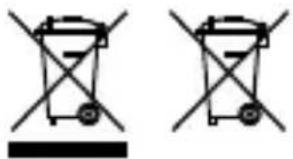
Two identical diagrams of a waste bin with no text or symbols, showing no text, numbers, or symbols.Disposal of used electrical and electronic equipment and batteries.
The crossed-out wheeled bin symbol on the product or its packaging indicates that this product must not be treated as normal household waste, but must be returned to a collection point for the recycling of electrical and electronic equipment and batteries. By helping to properly dispose of this product, you are protecting the environment and the health of your fellow human beings.
Improper or incorrect disposal endangers the environment and health. For more information about the recycling of this product, please contact your local authority or your municipal waste disposal service.
Licenses
Bluetooth
The Bluetooth® word mark and logos are registered trademarks of Bluetooth SIG Inc. and any use of such marks by Loewe Technology GmbH takes place under license. Other trademarks and trade names are those of their respective owners.
2 Speaker parts
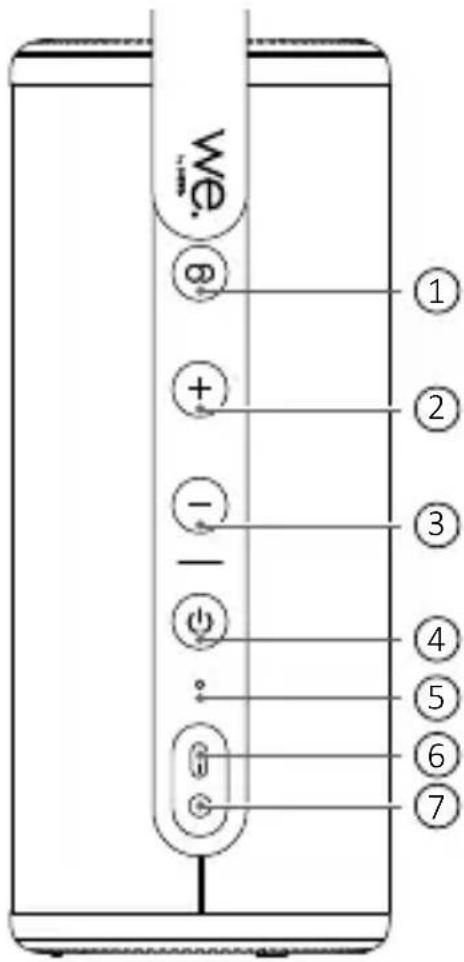
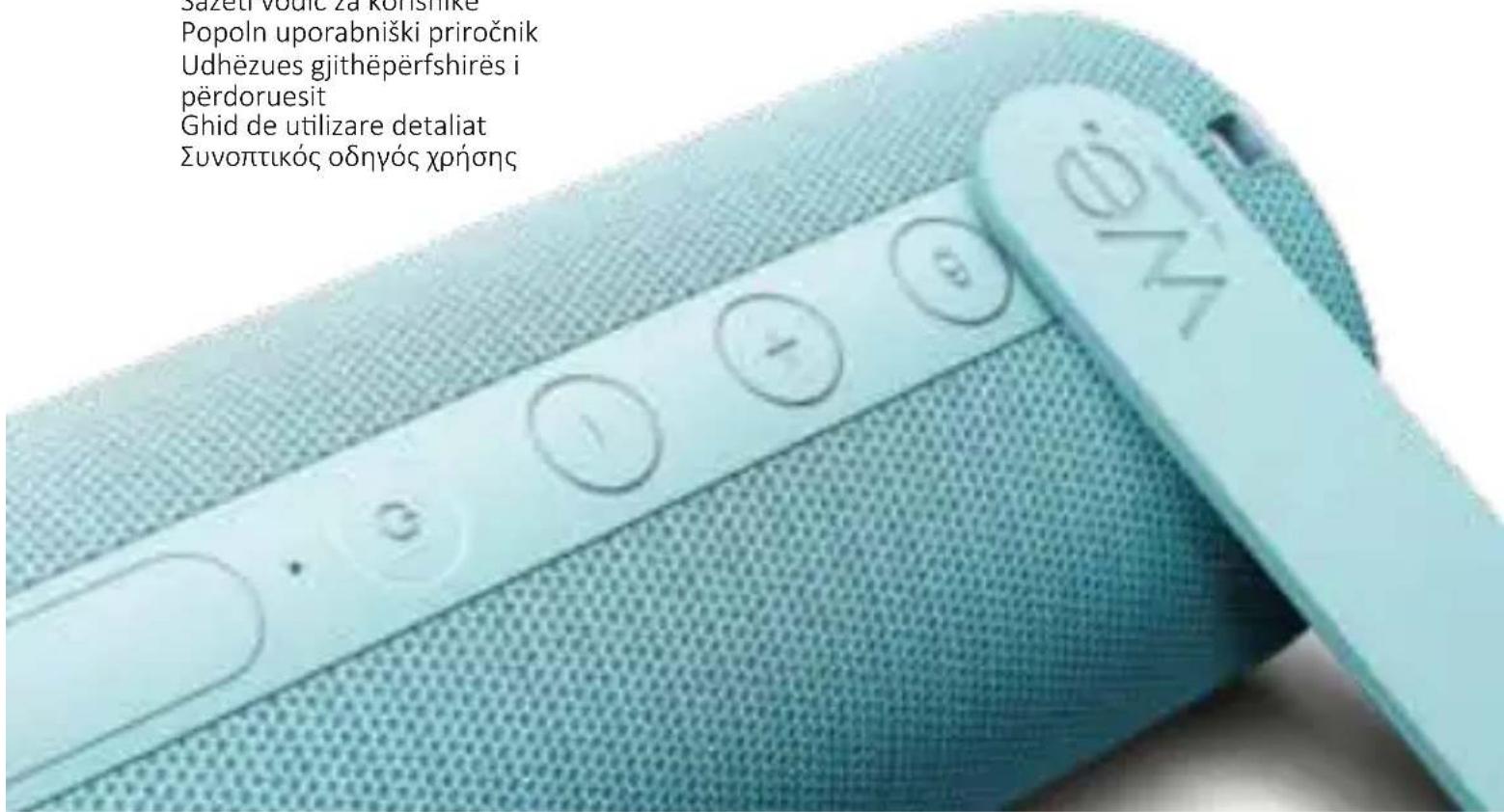
- (Pair) button – press once to start / cancel TWS pairing. Press and hold to disconnect from the paired Bluetooth device.
-
- button – press to increase the volume level. In the Bluetooth mode, press and hold to skip to the next track.
-
— button - press to decrease the volume level. In the Bluetooth mode, press and hold to jump to the previous track.
-
⏻ (Power) button – Press and hold to turn on / off the speaker. Press once to pause/resume current track.
- Microphone
- USB Type-C connector – connection for charger
- AUX - 3,5 mm analogue audio input
Explanation of states for power button backlighting:
| LED indicator state | Status |
| Blue LED flashes | Speaker is in Bluetooth pairing mode |
| Blue LED is on | Connected via Bluetooth |
| White LED flashes | Speaker is in TWS pairing mode |
| White LED is on | Paired via TWS with another speaker |
| Green LED is on | Connected via audio cable |
| Red LED flashes | Battery level is very low |
| Red LED is on | Battery is being charged |
| LED is off | Speaker is turned off |
3 Bluetooth connection
- Press and hold (Power) button to turn on the speaker.
- The first time you turn on the speaker, it will be in Bluetooth pairing mode. This condition is indicated by the power button flashing by blue colour.
- Turn on your Bluetooth device and search for and pair with "We. HEAR 1" in the Bluetooth menu.
- Use your Bluetooth device to play music, change the volume and select tracks.
- Alternatively, you can control the volume and select tracks using the speaker buttons.
Note: If no device is paired with the speaker within 10 minutes, the speaker will turn off automatically.
To disconnect the speaker from your device: Press and hold ⊕ (Pair) button.
4 TWS (True Wireless Stereo)
If you have two pieces of the same type of speaker, you can pair them together and play Bluetooth music on both at the same time. The speakers will be in stereo mode, which means that one speaker will play the left channel and the other the right channel. To pair two speakers together:
- Put both speakers close to each other.
- Turn on both speakers.
- Press the ☐ (Pair) button on the first speaker. It takes on the role of the left channel. The white LED will flash to confirm that the speaker has entered TWS pairing mode.
- Press the ☐ (Pair) button on the second speaker. It takes on the role of the right channel. The white LED will flash to confirm that the speaker has entered TWS pairing mode.
- After a few seconds, the white LED on the right channel speaker stops flashing and stays lit. This confirms a successful pairing progress.
- Turn on your Bluetooth device and search for and pair with "We. HEAR 1" in the Bluetooth menu.
- Use your Bluetooth device to play music, change the volume and select tracks.
- Alternatively, you can control the volume and select tracks using the speaker buttons.
To cancel TWS and use the speakers separately: Press ☐ (Pair) button. The white backlight of the power button turns off on both speakers.
5 Bluetooth phone call
When paired with the phone, if there is an incoming call, music playback is paused automatically. You can pick up an incoming call by pressing ⏻ (Power) button once. To reject the call, press ⏻ (Power) twice quickly.
When an incoming call is answered, you can use the built-in speaker microphone for the call. It is located directly below the ⏻ (Power) button. When talking to the microphone, make sure you are close to it to ensure good sound clarity. To end the call, press the ⏻ (Power) button once.
When you use two speakers on TWS mode, please talk to the microphone on the left channel speaker.
6 AUX connection
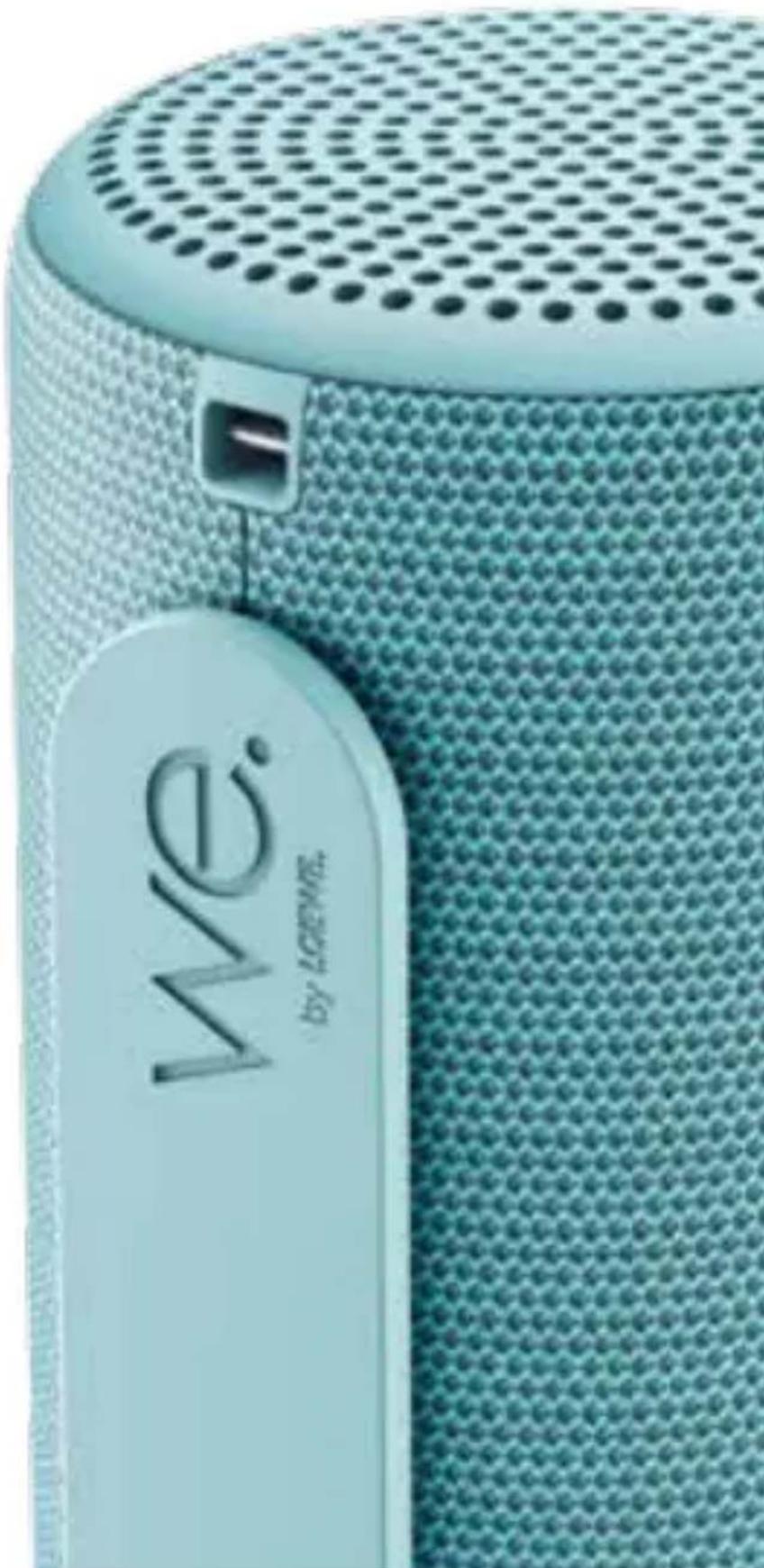
Open the connector compartment of the speaker and connect the speaker with to your device with a 3,5 mm audio cable. You can control the volume by pressing the + / - buttons. Shortly press ⏻ (Power) button to mute/ unmute the speaker.
7 Battery status
You can check the battery charge status in the Bluetooth menu of your device. During playback, the Bluetooth speaker warns you by sound signal when the battery level drops to low. The power button LED will also flash red.
Note: The battery charge level displayed in the device Bluetooth menu is for reference only. It may differ from the actual battery level.
8 Recharging the battery
- Open connector compartment of the speaker.
- Use a USB cable (included) and connect it to the USB Type-C port on the speaker.
- Connect the other end of the cable to a USB charger (not included). Use a 5V/2A USB power supply to charge.
- The red LED lights up while the speaker is charging.
- It may take up to 4 hours to fully charge the battery.
- Once it has finished charging, the indicator light will go out.
9 IPX6 water protection
This device has IPX6 protection, which means that strong water jets will not have harmful effects on it.
For this protection to be effective, no external devices may be connected to the speaker via cables (such as phone via audio cable or charger via USB cable) and connector compartment must be firmly sealed.
Troubleshooting
In the event of a device failure, we recommend that you check the list below before calling the helpline.
| Problem Possible cause Remedy | /notes | |
| Can’t turn the speaker on. | Battery level may be very low. | Charge the speaker. |
| Speaker charging time takes too long. | Your USB charger is supplying too low current. | Use 5V/2A USB charger. |
| No sound from the speaker | a. Volume is too low or muted.b. No device is paired with the speaker. | a. Press volume (+) button several times or increase volume in your device.b. Pair and connect your Bluetooth device. |
| Sound is distorted | a. Your Bluetooth device is too far from the speakerb. There is wireless interference | a. Move your device closer to the speakerb. Move the speaker away from other wireless devices. |
Technical data
| We. by Loewe device type: We. HEAR 1 | |
| Part number: 60701x10 | |
| Battery type: Built-in Li-ion 7,4V/2000mAh | |
| Charging current: 5V / 2A | |
| Playing time: 12 – 14h | |
| Charging time: 2 – 3h | |
| Speaker Unit 2x 10 W RMS | |
| Water protection IPX6 | |
| Bluetooth version | V5.0 |
| Bluetooth power/frequency range: | Maximum power <10 mW at 2402- 2480 MHz |
| Bluetooth protocols: | A2DP, AVRCP |
| Device dimensions (W x H x D): | 90 x 220 x 83 mm |
| Device weight: 0,74 kg | |
| Ambient temperature: | 0°C – 40°C |
| Relative humidity (non-condensing): | 20 – 70% |
Hartelijk dank
-
Tipka (uparivanje) – pritisnite jedanput za pokretanje / poništenje TWS uparivanja. Držite pritisnuto kako biste odspojili upareni Bluetooth uređaj.
-
Tipka + – pritisnite za povećanje glasnoće. Držite pritisnuto u Bluetooth načinu za prelazak na sljedeći zapis.
-
Tipka — - pritisnite za smanjivanje glasnoće. Držite pritisnuto u Bluetooth načinu za povratak na prethodni zapis.
-
Tipka ⏻ (Napajanje) – držite pritisnuto za uključivanje/isključivanje zvučnika. Pritisnite jedanput za pauziranje / nastavak reprodukcije trenutnog zapisa.
-
Mikrofon
-
USB priključak tipa C – za priključivanje punjača
-
AUX – analogni audioulaz od 3,5 mm
natural_image
Two identical diagrams of a waste bin with no visible text, numbers, or symbols.natural_image
Two identical line diagrams of a waste bin with no text or symbols8
- (Pair) dugme – pritisnite jednom da biste započeli / poništili TWS uparivanje. Pritisnite i držite da biste prekinuli vezu sa uparenim Bluetooth uređajem.
-
- dugme – pritisnite da povećate jačinu zvuka. U Bluetooth režimu pritisnite i držite da biste prešli na sledeću numeru.
- — dugme – pritisnite da smanjite jačinu zvuka. U Bluetooth režimu pritisnite i držite da biste prešli na sledeću numeru.
- ⏻držite (Power) dugme – da biste
uključili/isključili zvučnik. Pritisnite jednom da pauzirate/nastavite trenutnu numeru.
- Mikrofon
- USB tip C konektor – priključak za punjač
- AUX - 3,5 mm analogni audio izlaz
- Gumb (Upari) – pritisnite jednom za početak/otkazivanje TWS uparivanja. Pritisnite i držite za prekid veze s uparenim Bluetooth uređajem.
-
- tipka – pritisnite za povećanje glasnoće. U Bluetooth modu pritisnite i držite za prelazak na sljedeću pjesmu.
- — gumb - pritisnite za smanjenje razine glasnoće. U Bluetooth modu pritisnite i držite za skok na prethodnu pjesmu.
- ⏻ Tipka (Napajanje) – Pritisnite i
modification of the following items:
4 TWS ( BuddhaEQ3000000000000000000000000000000000000000000000000
9 IPX6 ωψβ3s δγμηνδ5
sđ đmđymđonmmđoslu sjžlu IPX6 ćosb3s, mšuč nđslu bndđs3s, mmd ʃymnlu dmnŋmın ʃs3mŋdən đslybj đs3bj ʃyđmđjđqgđoslu sm āmsbqgđbl.
36mm0mm0ds 0g1s0dmm 0n0g0n 5m0m03b3mnu bgm0n /0g6n03b3dn
1.4 Uwnunlngh hluwup
trat tlnywn dwuwluwly stp oqunwqnndnlu uwnpn, wju lhgpwulnntp wnlulwqu wuhun utly wluqwuf nnu wnnjnluwultunnlrajnlun wwwhwwutjnl hwiwrwn:
1.5 4tnwihgpwwlnnn uwnnlngutn
4tnwlhgpwulnnynn uwnunlngutnp uwwnunnp 4wutn tu u, htunlwpwn, tnw2hupn nnw 4nw zh wnwnwdulnu: 3w6whunnnp zh 4wnnn wluwnp uwnunlngutnp chnhuwnhutl unntnnu: 4tnwlhgpwulnnynn uwnunlngh wuwwnpnlajnlutph ntwpenlu nhulte dtn 4w6wnph utlutgtnhu:
NTCUTNTH3NFL. Lhrahnlu-hnuwju utnwihgpwulnnlnu wwnunngutnh uhuwl untnwnpnlwn (lwnduwu hwlywnwnd/luwn6 uhwgnlu) wwwjrajnluh unuwug t wnwqwgunlu: Φnhwnhutp utnwihgpwulnnlnn
ufwnunlngutnn uhwju uhwuufwu yuwfuuwuwnhu ufwnunlngutnnu
1.6 youthunnnqnlf wwhwugnn ylwwuulwodpltn
Uwwuwnlyfuwu lu utnwunnnqfuwu w2huwnwlupltnn wtinp thnwlywuwgultu uhwju hw6whunnnlutnh uwwuwnlyfuwu w2huwnwlyhgutnh ynnuhg: Sthulhlywuwu uwwuwnlynlu/ utnwunnqnnuf t wwhwluqlnlu wju ntwenlu, trat uwnpn yluwuultl t, trat htnnly t tuntl uwnph utg, trat ounwn wnwnlywutn tu tuntl uwnph utg lwwf tnpr wju nwnwntl t 6h2un w2huwntl:
EU 3w1wwwnwnwhuwlnLjwl hn2w1wwqh
Unjunl Loewe Technology GmbH-l hwjunwnwnnlf E, np We. HEAR 1ntuwqh nwnhnuwnpwynnnluŋ hwfwwwinwuhuwlnuI t 2014/53/tU hnwhwluqhu: tU hwfwwwinwuhuwlnuJwU hnzwqwqh wfpnngwlywu untpuunŋ hwuwltih E htinlwwl huntnputnwjhu hwugtnu` www.loewe.tv/int/support
Uju wnunwnnwnlprn lwwnnt E oqnwnqnndulti tU pninn wlnnwul tnynutnnu:
nLunhlhqwghw

Eltlynnwlywu u Eltlynnnluwjhu uwnpwulnnnlutnh u dwnunyngutnh nlnhihqwghw
Unwnwnwuh yuw nnu whwtrawwnnwu ynw lu2uwò wnpwufuh wwnlutnp gnjg t unwihu, nn wju wwnwupn zwtunp t ntlu utuntl ytlugwnwjhu wnph vtg: Uju wtunp t untnwnhuh ntuwlywnwnfu ytu n` tltynnwulw u tltynnnuwjhu wwnpwunnnlutph u dwnunyngutnh rwhnulutnh utnwf2wyluwu hwufwn:
UUUWNPNLPAJNLUTNH ULTNWGNLU
Uwnph hwwhwlufu wntwpenfu wwhupwu oqunlajwu qwuq ywnwnntln` hunnhnlnn tlyp unwhu uunniqti uunnnu ptnluw d gwulyn,
| ħuŋħn ̃ħuŋw̃ũŋn ̃w̃ũñδ̃wn ̃ħŋ̃ng/̃ũz̃ñl̃ut̃ŋ | ||
| Pwñānw̃hunūŋ ̃zh ̃uh̃w̃l̃nũl̃ | Uwññlñgh ̃f̃w̃l̃w̃nñw̃lũlũw̃q̃t̃t̃ t̃ | Lħg̃ew̃ũñnt̃p̃ pwñānw̃hunūŋ |
| Pwñānw̃hunūḥ ̃jħg̃ew̃ũŋnñfũw̃ũd̃w̃l̃w̃lũwñ ̃s̃w̃hũw̃qw̃ug̃t̃ŋ̃wñ t̃ uñnũl̃ | 2tn USB ̃jħg̃ew̃ũlñnh̃z̃s̃w̃hũw̃qw̃ug gũðn hnũw̃l̃p̃ t̃f̃ww̃ñw̃ũwñnũl̃ | Oq̃nw̃qñnd̃tp̃ 5V/2A USB ̃jħg̃ew̃ũlñnh̃s̃ |
| Pwñānw̃hunūhg ̃ǎw̃jũ ̃zh hũz̃nũl̃ | w. ̃2w̃j̃wñ ̃s̃w̃hũw̃qw̃ug gũðñt̃ ̃ỹwĩf w̃l̃g̃wñnũl̃w̃d̃ t̃:ρ. Ω̃s̃ ̃fh uwnp q̃nĩqw̃lũg̃lũw̃d̃ st̃ pwñānw̃hunũhũ | w. ̃Uh ̃pw̃lũh w̃lũqw̃f ut̃nũt̃p̃ āw̃j̃lũh (+) ̃lñáw̃lũñ ̃yũw̃ult̃lw̃gnt̃p̃ āw̃j̃wñ ātñ uwñpɛnũl̃:ρ. ̃2nĩqw̃ũñnt̃p̃ t̃ ̃ũhw̃gnt̃p̃ ātn Bluetooth uwnpɛn |
| 2w̃j̃wn ̃hʊtñw̃r̃aj̃ñlñnũl̃w̃d̃ t̃ | w. ̃2tn Bluetooth uwnpɛn ̃2wn h̃tnnl̃t̃ pwñānw̃hunũhgρ. Uñlyw̃ t̃ ̃wnh ̃hũw̃hũw̃lñnũl̃ | w. ̃2tn uwnpɛn ̃unnt̃gnt̃p̃ pwñānw̃hunũhũp. ̃3tnw̃gnt̃p̃ pwñānw̃hunūŋ w̃j̃l w̃lũwn uwnpɛtnhg |
Sthluhlywlywu inyuwlutn
| We. by Loewe uwŋpħ untuwŋp We. HEAR 1 | |
| Uwwħ hwiʃwnn 60701x10 | |
| Uwŋnlyngh untuwŋp UtnlywnnIgulwð Li-ion 7,4Unlun/2000mAh | |
| Lħgpwwjlnnuħu hnuwlu̇e. 5 V / 2A | |
| Lüwqwwnlyfωħu dwuħwluħy 12 – 14 dwi̇ | |
| Lħgpwwjlnnuħu dwuħwluħy 2 – 3 dwi̇ | |
| Fwnānwħunuh uħwuŋn 2x 10 W RMS | |
| ŚnwlywjnlūnIrajnīu IPX6 | |
| Bluetooth unwptnwlų | V5.0 |
| Bluetooth hqnnnIrajwlų/hw6wħwħwħwħunIrajwlų unħhnIra. | Unwultiwaqnylu hqnnnIrajnīu10mW 2402-2480Uhg |
| Bluetooth wnāwħwqnnIrajnīuUTn` A2DP, AVRCP | |
| Uwnpħ źwiħṫpn (W x H x D): | 90 x 220 x 83 mm |
| Uwnpħ āw2n | 0,74 lq |
| UrāunInnpnnwjhħu gtnfu̇wwunħδwħu | 0°C – 40°C |
| Rwwnwptnwlwlħunlu̇wħlnIrajnīu (n¿hħun) | 20 – 70% |
Local Loewe Service partner
we-by-loewe.com



Customer Care Center
Industriestraße 11
Subject to modifications
sā dān gāng bāng bāng bāng dāng dāng dāng
∂θηδ3σμμν
Dəyişdirilə bilər
tupawlyw E yhnhhnhunlajnlutnh


- Vielen Dank,
- Intended use
- Scope of delivery
- Documentation
- Important safety instructions
- Explanation of symbols
- Heat
- Environment
- Thunderstorm
- Battery care
- Rechargeable batteries
- Damages requiring repair
- EU Declaration of Conformity
- FCC Information:
- IC Information:
- Disposal
- Licenses
- Bluetooth
- Speaker parts
- Bluetooth connection
- TWS (True Wireless Stereo)
- Bluetooth phone call
- AUX connection
- Battery status
- Recharging the battery
- IPX6 water protection
- Troubleshooting
- Hartelijk dank
- modification of the following items:
- TWS ( BuddhaEQ3000000000000000000000000000000000000000000000000
- IPX6 ωψβ3s δγμηνδ5
- Uwnunlngh hluwup
- 4tnwihgpwwlnnn uwnnlngutn
- youthunnnqnlf wwhwugnn ylwwuulwodpltn
- EU 3w1wwwnwnwhuwlnLjwl hn2w1wwqh
- nLunhlhqwghw
- UUUWNPNLPAJNLUTNH ULTNWGNLU
- Sthluhlywlywu inyuwlutn
- we-by-loewe.com
Brand : LOEWE
Model : We. HEAR 1
Category : Loudspeaker