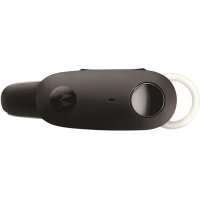
H680 - Headphones MOTOROLA - Free user manual and instructions
Find the device manual for free H680 MOTOROLA in PDF.



| Product type | Wireless Bluetooth headset |
| Brand | Motorola |
| Model | H680 |
| Dimensions (earpiece) | Approximately 5 cm (length) x 2 cm (width) x 1.5 cm (depth) |
| Weight | Approximately 10 g |
| Power supply | Built-in rechargeable lithium-ion battery |
| Battery type | Rechargeable via charging case |
| Charging time | Approximately 2 hours 30 minutes |
| Talk time | Up to 7 hours |
| Standby time | Up to 200 hours |
| Wireless technology | Bluetooth |
| Bluetooth range | Approximately 10 meters |
| Supported Bluetooth profiles | Headset (HSP) and hands-free (HFP) |
| Main functions | Answer/end calls, call reject, redial last number, voice dialing, mute mode |
| Indicator lights | Red, blue, purple LED depending on status |
| Audio signals | Ringtone, confirmation beeps, low battery, etc. |
| Compatibility | Bluetooth-enabled mobile phones |
| Package contents | H680 earpiece, charging case, power adapter, ear tips (multiple sizes) |
| Care and cleaning | Clean with a soft, dry cloth. Do not use chemicals. |
| Safety | Do not dispose of with household waste. Recycle according to local regulations. |
| Spare parts and repairability | Built-in battery not user-replaceable. Contact a Motorola authorized service center. |
| General information | CE declaration of conformity. See www.motorola.com/rtte. |
Frequently Asked Questions - H680 MOTOROLA
User questions about H680 MOTOROLA
0 question about this device. Answer the ones you know or ask your own.
Ask a new question about this device
Download the instructions for your Headphones in PDF format for free! Find your manual H680 - MOTOROLA and take your electronic device back in hand. On this page are published all the documents necessary for the use of your device. H680 by MOTOROLA.
USER MANUAL H680 MOTOROLA
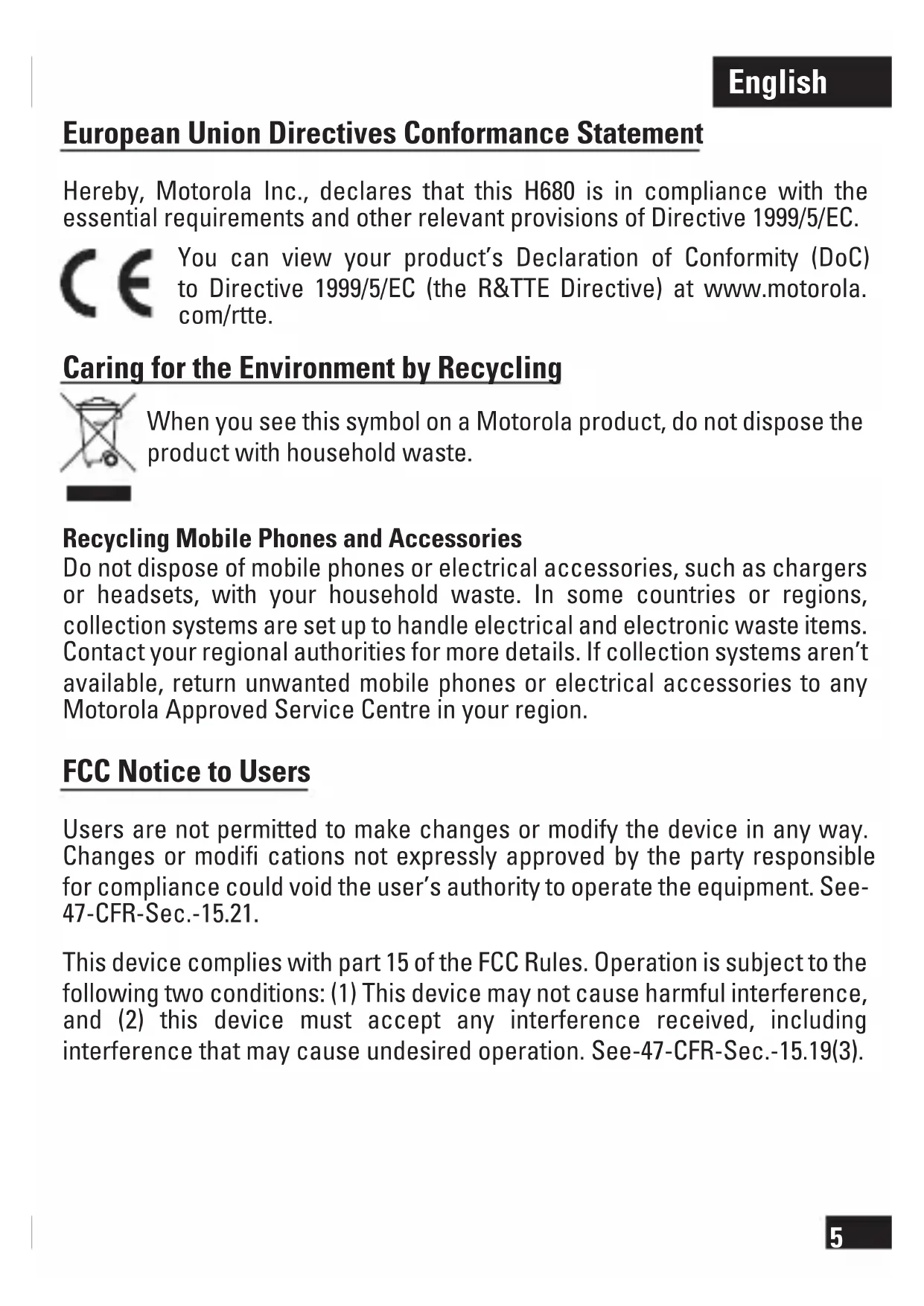
European Union Directives Conformance Statement
Hereby, Motorola Inc., declares that this H680 is in compliance with the essential requirements and other relevant provisions of Directive 1999/5/EC.
You can view your product's Declaration of Conformity (DoC) to Directive 1999/5/EC (the R&TTE Directive) at www.motorola. com/rtte.
Caring for the Environment by Recycling
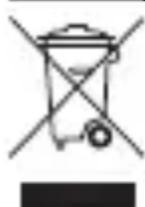
When you see this symbol on a Motorola product, do not dispose the product with household waste.
Recycling Mobile Phones and Accessories
Do not dispose of mobile phones or electrical accessories, such as chargers or headsets, with your household waste. In some countries or regions, collection systems are set up to handle electrical and electronic waste items. Contact your regional authorities for more details. If collection systems aren't available, return unwanted mobile phones or electrical accessories to any Motorola Approved Service Centre in your region.
FCC Notice to Users
Users are not permitted to make changes or modify the device in any way. Changes or modifi cations not expressly approved by the party responsible for compliance could void the user's authority to operate the equipment. See 47-CFR-Sec.-15.21.
This device complies with part 15 of the FCC Rules. Operation is subject to the following two conditions: (1) This device may not cause harmful interference, and (2) this device must accept any interference received, including interference that may cause undesired operation. See-47-CFR-Sec.-15.19(3).
Before you begin
See figure 1 on page 1.
Take a moment before you get started to familiarize yourself with your new H680 Bluetooth Hands-free Headset. Along with your headset, a charger case is provided for both charging and storage.
Bluetooth headset
-
Power button
-
Call button
-
Indicator light
-
Microphone
-
Charging contacts
-
Volume buttons
-
Speaker
Charger case
- Charger port
- Charging contacts
- Charger cover
Wearing your headset
See figure 2 on page 2.
Your H680 headset is supplied with multiple ear buds. The ear bud is fitted onto the end of your headset's earpiece speaker, and placed onto your ear when using your headset. Your headset's performance is greatly dependent upon achieving a good fit on your ear. Therefore, we recommend trying all the supplied ear buds with your headset.
You can wear your H680 headset on your left of right ear. The headset comes ready for the right ear.
Placing the headset on your ear:
see figure 3 on page 2.
- Placing the headset on the left ear:
see figure 4 on page 2.
Charging your headset
See figure 5 on page 3.
Important: Your headset must be turned off when charging.
- Plug the Motorola charger into the port on the charger case.
- Place the headset into the charger case ensuring that charging contacts on the headset and charging case connect.
The indicator light turns red when the battery is charging. It may take up to 1 minute for the indicator light to turn on. When the headset's battery is fully charged (about 2.5 hours), the indicator light turns off.
Note: Headset is NOT functional while charging.
Storing your headset
See figure 6 on page 3.
The charger case provided is used to charge and store your headset.
When not using your headset, you should place it in the charger base. Be sure to turn the headset off before placing it into the charger case.
The charger cover can be placed on top of the charger case, or underneath it to provide support for desktop placement.
Turning headset on and off
See figure 7 on page 4.
To turn your headset on, slide the Power switch on (towards Power symbol on headset). The indicator light is steadily purple for several seconds, then fl ashes blue (if paired and connected with another device) or is steadily blue (if ready to be paired).
To turn your headset off, slide the Power switch off. The indicator light will turn off.
Pairing your headset
Your phone's Bluetooth feature is off by default. To use your headset, you must turn on the Bluetooth feature in your phone. Please check your phone's user's guide.
Note: The Bluetooth feature remains on until you turn the feature off.
Before you can use your headset, you must pair it with your phone.
1. Ensure headset is in pairing mode
Remove headset from charging base and power it on.
The indicator light fl ashes to initiate easy pairing. After a few moments, the indicator light will be steadily lit in blue to indicate headset is in pairing mode.
If the headset does not enter into pairing mode, see "Troubleshooting" section.
2. Set your phone to look for your headset
- Perform a device discovery from the phone. For details about device discovery, consult your phone's user's guide. The phone lists Bluetooth devices it finds.
- Select Motorola H680 in the list of discovered devices and confirm by following the on-screen prompts.
- When prompted by the phone, enter the passkey 0000 and confirm.
Pairing is successful when the headset indicator changes from steadily lit to fl ashing blue.
Test and Use
Your phone and headset are now paired and ready to make and receive calls. To confirm they are successfully paired and operating properly, place the headset over your ear and make a call from your phone. You will hear ringing from the headset.
After you have successfully paired your phone and headset, you do not need to repeat these steps each time you use the headset.
Using your headset: Making & receiving calls
Your headset supports both hands-free and headset profi les.
Accessing call functions depend upon which profi le your phone supports.
See your phone's user's guide for more information.
Note: Some features are phone/network dependent.
| Function | Action |
| Receive a call Tap the Call button | |
| End a call Tap the Call button | |
| Reject a call Press and hold either volume button until you hear 2 descending tones | |
| Redial last call Press and hold the Call button until you hear 2 ascending | tones |
| Make a voice dial call Tap the Call button and speak the name after the tone | |
| Answer a second incoming call Tap the Call button | |
| Disable the indicator light Turn headset offPress and hold both volume buttons ANDsimultaneously turn headset back on | |
| Mute or un-mute a call Tap both Volume buttons | |
Indicator lights
With charger plugged in
| Headset indicator | Headset status | |
| Steady red | Charge in progress | |
| Off | Charging | complete |
With no charger plugged in
| Headset indicator Headset status | |
| Off Power off | |
| Steady purple Powering on/off | |
| Steady blue Pairing/Connection mode | |
| 10 quick purple fl ashes Connection successful | |
| Slow blue fl ash Standby (not on a call) | |
| Quick blue fl ash Incoming call | |
| Slow blue pulse Connected (on a call) | |
| Slow purple pulse Connected (on a muted call) | |
| Slow red fl ash Idle (not connected) | |
| Quick red fl ash Low battery |
Note: After 30 minutes on a call or of inactivity, the light stops flashing to conserve battery power, but the headset remains in standby mode.
Audio tones
| Audio tone Headset status | |
| Ring tone Incoming call | |
| Single high tone Phone network not available | |
| High to low tone End call | |
| Single high tone Volume at maximum or minimum when pressing volume button | |
| 2 ascending tones Mute enabled | |
| 2 descending tones Mute disabled | |
| Low to high tone Pairing confirmation/voice activation | |
| No audio indications: Out of range deteriorating quality | |
| 2 tones repeated Low battery every 30 seconds |
Troubleshooting
My headset will not charge
Make sure your headset is turned off when charging. Your headset will not charge in the charger case while powered on.
My headset will not enter pairing mode
Make sure that any devices previously paired with the headset are turned off. If the indicator light is not steadily lit in blue, turn off both the other device and headset, wait 10 seconds, then turn headset back on. Wait for the indicator light to become steadily lit in blue, indicating the headset is now in pairing mode.
My phone doesn't find my headset
Make sure the indicator light on your headset is on (lit in blue) and steady when your phone is searching for devices.
My headset worked before but now it's not working
Make sure your phone is on and the Bluetooth feature is turned on in your phone. If the Bluetooth feature was turned off or was turned on only temporarily, you may need to restart the Bluetooth feature and pair your phone and headset again.
If you have any additional questions, please call your hotline number (0870-9010-555) or visit us at www.hellomoto.com.
Voir figure 6, page 3.
Voir figure 7, page 4.
CBy3b MeJdy TeJeFOHOM n raphHTpyo yCTaHOBJIeHa - Teepb MOxHO 3BOHtB n npHHMaTb Bbl3OBbl. YTo6bl y6eHTbcra B HaJIuHn CBr3n I npaBnIbHOpaOte yCTPOiCTB, HadeHbTe raphHTpy Ha yxo N BblONHnTe Bbl3OBc TeJefoHa. N3 DInHaMnKa raphHTpyb IocblIwATcra CnHaJIb Bbl3OBA.
Iocne HactpoKn CBa3m MeJdy TeJefoHOM n rapHntypoN 3Tu WArn He HyXHO NOBTOPbTb Prn KaXDOM ee NcNoJb3OBAHIN.
ИспOLSване rapнотypы: BblIOJIHeHne I npneM Bbl30BOB
TapHnTypa noDdePxNBAeT kaK npoΦnIb raphHTypbl, TaK n npoΦnIb rpoMkoB CBA3n. Habop noDdePxNBAeMbIX yHKcI 3aBncIT OT MOnJI N HacTpoE K TeJefoHa. DonoJIHnTeJbHbIe CBeDEHn IprNBedeHb I B pyKOBoDCTBe NOJIb3ObaTeJIa TeJefoHa. PpIMeAHne. HeKOTOpbIe yHKcIIN 3aBncrT OT TeJefoHa n CETn.
CBeTOBbie INHdNkATOpbl
Pn POKJIoueHnn K 3apAHDomy yCTpoiCTBy
AkkymyIaTOp raphNtypbI He 3apJkaetcA
Y6eIntecb, YTO BO BpeM 3apRANKI raphNtpya BbyIKIOueHa. EcNI nITaHne BKIOUeHO, aKKymyIaTOp raphNtpyb I B 3apRAnHom cyTJpe 3apRJaTbcr He 6yJeT.
TapHnTypa He nepexoIb T peXm yCTaHOBKn CBa3N
Y6eIntecb, yTO yCTpoiCTBa, K KOtOpbIM bbla NODKJIouheHa raphHTypa paHee, BbIKJIOUeHbI. EcIIN CBeTOBOHNDNKATOP He rOpNT CINHM CBEtom, BbIKJIIOHTe DpyrOe yCTPOIcTBo HrapHTypy, NDOxDITE 10 cekyHd IN BKJIOUHTe raphHTypy CHOBa. IODOxDITE, NOKA CBeTOBOHNDNKATOp He NaHET paBHOmePHO ropetb CINHM CBeTom, CNrHaJIIN3npy O nepexOde raphHTypbIB peXIM YCTaHOBKn CBra3N.
Telefohy He ydaetcna 6napyKntb raphNtpy
Bo Bpemr noncKa yctpoiCTB Ha Tepeohe y6eIntecb, YTO Ha rapHnTpe ropNT (CINHM) CBeTOBOHNDKaTOP.
TapHNTypa HeoXnDaHNo nepeCTaJa pa6oTaTb
Y6eIntecb, YTO TelefoH BkIIOueH IN B HEM aKTHBnPOBaHa cyHKzna Bluetooth.
Ecnn yHKnna Bluetooth 6bIa BbIKNoyeHa nII BKIOueHa TOnbKO BpeMeHHO, BO3MOxHNO, NOTpe6yETcN IOBTOpHO BkIOuHTb yHKnIO Bluetooth n eue pa3 BblONHtB npOeDpy yCTaHOBKn CBa3N MeKdy TelefoHom n rapHnTypoi.
Xwpic to oopriotn ovv8e8euevo
Jn J. 1s s b a a JI J a c a J I J a J a J J J J J J J J J J J J J J J J J J J J J J J J J J J J J J J J J J J J J
unllg g jy y aolllr aclaw
Jl . JwJrJrJrJrJrJrJrJrJrJrJrJrJrJrJrJrJrJrJrJrJrJrJrJrJrJrJrJrJrJrJrJrJrJrJrJrJrJrJrJrJrJrJrJrJrJrJrJrJrJrJ r J 10 10 10 10 10 10 10 10 10 10 10 10 10 10 10 10 10 10 10 10 10 10 10 10 10 10 10 10 10 10 10 10 10 10
L
(2011) 11111111111111111111111111111111111
JU 11111111111111111111111111111
Jlbln 0o Jy j 100000000000000000000000000000000000000000000000000000
H680 H680 H680 H680 H680 H680 H680 H680 H680 H680 H680 H680 H680 H680 H680 H680 H680 H680 H680 H680 H680 H680 H680 H680 H680 H680
.1999/5/EC 4g
) 1999/5/EC (DoC)
. www.motorola.com/rtte 1 (R&TTE
e aill 1 1
e 11111111111111111111111111111
ii
aalalalalalalalalalalalal
eclawglllglbllllllllllllllllllllllllll
yip (n nn) npnn nyn by mnn nny.
ny bhyb npocn bax y nay nn
y 10000000000000000000000000000000000000000000000000000000
yav
IN D"U.1JN NnN IN D"U.7D'UNN D"U,NIYNTN7XNN T'YNIYNN INX,INN-47-CFR-NT.NN NNNN 15.21
n nn n nn .FCC 15 nn nnn n nn n nn n nn (2) p nn nn nn nn nn nn nn nn nn nn nn nn nn nn nn nn nn nn nn nn nn nn nn nn nn nn nn nn nn nn nn nn nn nn nn nn nn nn nn nn nn nn nn nn nn nn nn nn nn nn nn nn nn nn nn nn nn nn nn nn nn nn nn nn nn nn nn nn nn nn nn nn nn nn nn nn nn nn nn nn nn nn nn nn nn nn nn nn nn nn nn nn nn nn nn. 15.19(3)-CFR-