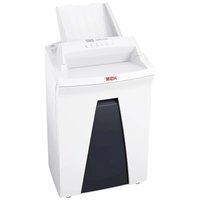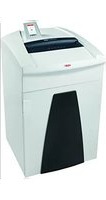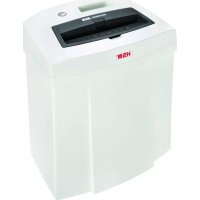
Securio C14 - Shredder HSM - Free user manual and instructions
Find the device manual for free Securio C14 HSM in PDF.



| Product Type | Document Shredder |
| Brand | HSM |
| Model | Securio C14 |
| Cut Type | Strip cut (3.9 mm) or cross cut (4 x 25 mm) depending on version |
| Security Level DIN 66399 | P-2, T-2, E-2 (strip); P-4, T-4, E-3, F-1 (cross cut) |
| Sheet Capacity (70 g/m²) | 12-14 sheets (strip); 6-7 sheets (cross cut) |
| Feed Width | 225 mm |
| Cutting Speed | 44 mm/s |
| Bin Volume | 20 liters |
| Dimensions (W x D x H) | 366 x 258 x 405 mm |
| Weight | 4.0 kg (strip) / 4.5 kg (cross cut) |
| Power Supply | 220-240 V / 50/60 Hz or 110-130 V / 60 Hz |
| Power Consumption | 160 W (EU) / 145 W (US) |
| Standby Consumption | < 2 Wh |
| Noise Level (idle / under load) | 55-60 dB(A) / 60-65 dB(A) (strip); 55-60 dB(A) / 65-70 dB(A) (cross cut) |
| Continuous Run Time | Up to 15 minutes |
| Operating Temperature | -10°C to +25°C |
| Max. Relative Humidity | 90% non-condensing |
| Safety Features | Auto shutdown, contact protection, reverse button, thermal overload protection |
| Maintenance | Regular oiling with HSM special oil; clean with soft cloth and soapy solution |
| Warranty | 3 years on the device, lifetime warranty on cutting cylinders (HSM Lifetime Warranty) |
| Spare Parts | Available up to 10 years after end of production |
Frequently Asked Questions - Securio C14 HSM
User questions about Securio C14 HSM
0 question about this device. Answer the ones you know or ask your own.
Ask a new question about this device
Download the instructions for your Shredder in PDF format for free! Find your manual Securio C14 - HSM and take your electronic device back in hand. On this page are published all the documents necessary for the use of your device. Securio C14 by HSM.
USER MANUAL Securio C14 HSM
1 Explanation of symbols and safety instructions
Safety and warning signs indicate situations in which personal injuries or property damage may occur and provide measures to prevent this danger.
The warning triangle with the signal word WARNING and a text on a grey background alert you to the risk of serious to life-threatening injuries.
NOTICE
is used when property damage may occur by failure to comply.
Note
indicates information for the effective operation of the machine without risk of danger.
Safety instructions

Before using the machine for the first time, read the operating manual, and keep it for later use and to pass on to any subsequent users.
Observe all safety instructions onto the machine.

Risk of injury from sharp blades.
Never reach into the slot of the paper feed.
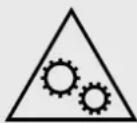
Risk of injury from being pulled in!
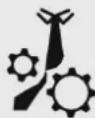
Keep long hair, loose articles of clothing, ties, scarves, jewellery, etc. away from feed opening.

Material with the tendency to form loops, e.g. tapes, strapping material, etc. must not be shredded.
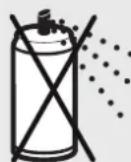
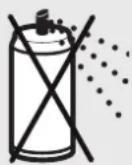
Risk of combustion!
Do not use cleaning agents or pressurized air sprays which contain inflammable substances, as they could ignite.

Dangerous for children and others!
The machine may not be used by persons (including children under 14 years of age) with limited
physical, sensory or mental capabilities or with a lack of experience and knowledge, unless they are supervised by a responsible person or are instructed by them on the use of the machine. Children must be supervised to ensure they do not play with the machine.
Do not leave the document shredder switched on when it is unattended.
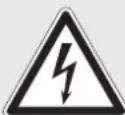
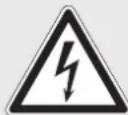
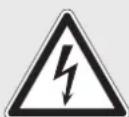
Dangerous mains voltage!
Improper handling of the machine can lead to an electric shock.
- Check the machine and cable regularly for damage.

Switch the shredder off if it is damaged or not working correctly or before relocating or cleaning it and disconnect it from the mains.
- Make sure that no water gets into the shredder. Do not immerse the power cable or the power plug in water. Never touch the power plug with wet hands.
- Never pull the plug out of the socket using the power cable. Always pull out the plug directly.
2 Proper use, warranty
On the type plate on the back of the housing top, check the mains voltage that your document shredder is designed for. Refer to the relevant point in the operating manual.
The document shredder is designed for shredding paper, store cards and credits cards. Its sturdy drive mechanism is not damaged by paper clips and staples.
The warranty period for the document shredder is 3 years. We provide a warranty for the cutting unit of hardened steel throughout the entire service life of the document shredder (HSM Lifetime Warranty). This warranty and guarantee exclude wear and damage caused by improper handling or actions taken by third parties.
HSM guarantees the delivery of spare parts for up to 10 years after the production of this model has been discontinued.
3 Machine components
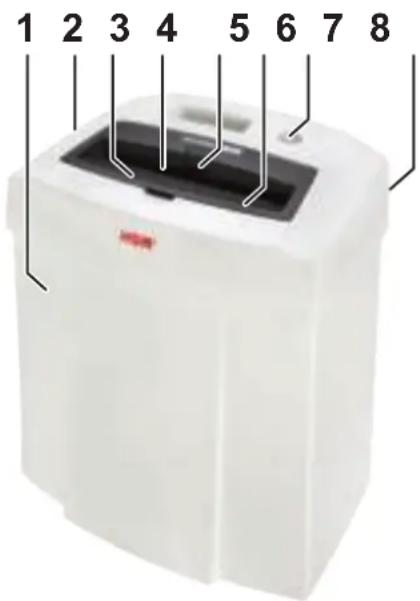
1 Cut material container
2 Cutting head
3 Safety instructions
4 Infeed slot for paper and store/credit cards
5 Automatic start stop control
6 Safety element
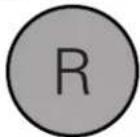
7 Reverse button R: Reverse
8 Name plate
4 Scope of delivery
- Paper shredder in carton packing
- Power supply cable
- Special cutting block oil 50 ml (cross cut)
- Operating instructions
Acces sories
- Special cutting block oil 250 ml order No.: 1.235.997.403
See page 140 for our customer service addresses.
5 Initial start-up

WARNING
Dangerous mains voltage!
Improper handling of the machine can lead to an electric shock.
- Only use the machine in a dry room indoors. Never operate the machine in damp rooms or in the rain.
- Keep the machine, the plug and cable away from open fire and hot surfaces. The ventilation slots must not be blocked or covered and there must be at least 5 cm space between the shredder and any wall or furniture.
- Make sure that the power plug is easily accessible.
-
Before you insert the power plug, make sure that the voltage and frequency of your power supply comply with the information on the name plate.
-
Connect the power cable provided to the back of the document shredder and plug the power supply into a properly installed socket.
6 Operation
Switching on the shredder
- Set mains switch at rear of paper shredder to ^1 .
Shredding paper
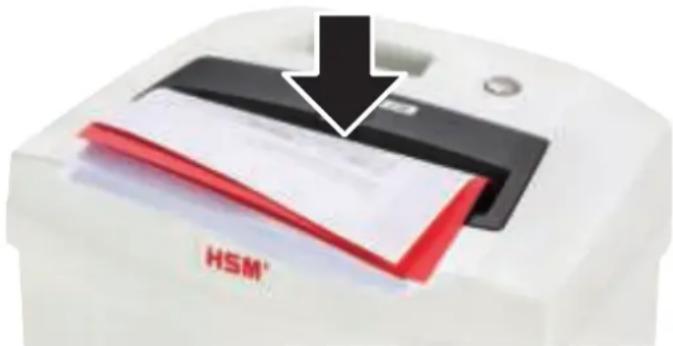
- Feed the paper into the centre of the paper slot. Automatic start stop control starts the cutting system automatically.
When the paper fee ding opening is free again, the cut ting sy stem au to ma tical ly swit ches off af ter app rox. 3 sec.
Shredding credit cards and store cards
- Put the cards into the infeed slot so they can be detected by the start/stop system. Please consider the environment and dispose of different materials separately.
Switching off the shredder
- Set mains switch at rear of paper shredder to 0" .
7 Troubleshooting
Note:
The safety element is fitted with contact protection. The document shredder switches off when you press the safety element.
Paper jam
You have fed in too much paper.
- The cutting unit runs in reverse for a few seconds and pushes the paper back out again.

If necessary, press the reverse button "R" to remove the stack of paper.
- Se pa rata pa per stack.
- Feed in paper successively.
Note:
If a large part of the paper stack has already been drawn in up to the blockage, you can also press the reverse button "R" for longer than 3 seconds. This makes the cutting unit run forwards again and shred the remaining paper.
Shredded material container full
Check the fi lling level in the shredded material container regularly.
NOTICE Empty the cut material container, immediately because if it is too full, malfunctions can occur in the cutting system.
In the housing top, a handle recess is there to make it easier for you to lift the cutting head from the shredded material container.
For all other malfunctions, check whether the cutting head was correctly positioned on the shredded material container before contacting our customer service. If the motor was overloaded, let the shredder cool down for 45 to 60 minutes before using it again.
8 Cleaning and maintenance

WARNING
Dangerous mains voltage!
Improper handling of the machine can lead to an electric shock.

Switch the shredder off before relocating or cleaning it and disconnect the mains plug.

Service work which requires the housing covers to be removed may only be carried out by HSM Customer Service and service technicians of our contractual
partners. See page 140 for our customer service addresses.
Clean the document shredder only with a soft cloth and a mild soap-water solution. However, no water must enter the equipment.

Crosscutonly:
Oil the cutting unit when cutting performance decreases or the device becomes noisy, or every
time you empty the waste container. Only use HSM special lubricating oil for the cutting unit to do this:
- Spray the special cutting unit oil through the paper feed along the entire width of the cutting shafts.
- Activate the automatic start/stop and let the cutting unit run without any paper in it.
Paper dust and particles are shaken off.
9 Disposal / Recycling
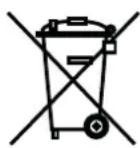
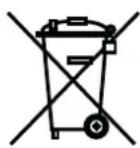
Electrical and electronic old devices contain a variety of valuable materials, but also hazardous substances which were required for function and safety. Incorrect disposal or handling can be done to your health and the environment.
Never dispose of old devices in the household waste. Observe the current applicable regulations and use the collection points for returning and recycling electric and electronic devices. Dispose of all the packaging materials also in an environmentally-responsible way.
10 Technical data
| Cutting type Strip cut Cross cut | ||
| Cut size (mm) 3.9 4 x 25 | ||
| Security level DIN 66399 P-2, T-2, E-2 P-4, T-4, E-3, F-1 | ||
| Cutting capacity* (sheets), A4 70 g/m² 80 g/m² | 12 - 14 | 6 - 7 |
| 10 - 12 | 5 - 6 | |
| Weight | 4.0 kg | 4.5 kg |
| Power consumption with max. number of sheets | 160 W (EU) / 145 W (US) | |
| Sound pressure level emissions (Idle running / load) | 55-60 dB(A) / 60-65 dB(A) | 55-60 dB(A) / 65-70 dB(A) |
| Intake width | 225 mm | |
| Cutting speed | 44 mm/s | |
| Power supply | 220-240 V / 50/60 Hz110-130 V / 60 Hz | |
| Energy consumption in standby mode | < 2 Wh | |
| Operating time** | up to 15 min | |
| Ambient conditions in operation: | ||
| Temperature | -10°C to +25°C | |
| Relative humidity | max. 90%, without condensation | |
| Height above sea-level (MSL) | max. 2,000 m | |
| Size W x D x H (mm) | 366 x 258 x 405 | |
| Shredded material container volume | 20 l | |
| A-weighted sound power level(LWAd in idle mode) | 65.9 dB | |
- The maximum number of sheets (DIN A4, 70 g/m² or 80 g/m²) fed in lengthways which can be cut in one cycle. The specified capacity is determined with the cutting unit new and freshly oiled and with a cold motor, and relates to a voltage of 230 V / 50 Hz or 120 V / 60 Hz. A weaker mains voltage or different mains frequency than that specified may reduce the sheet capacity and increase the operation noises. The sheet capacity may vary depending on the structure and properties of the paper and the way it is fed.
** Only US-version: Continuous operation

This document shredder meets the applicable harmonisation legislation of the European Union:
Low Voltage directive 2014/35/EU
EMC directive 2014/30/EU
RoHS directive 2011/65/EU
The EU declaration of conformity can be requested from the manufacturer.
Fare for forbanding!
Farlig netspaending!
Forkert omgang med

Fare for forbrenning!
7 UcTpaHHe HeNCnPaBHOCTeI
Yka3aHue:
3aunTHbI 3JeMeHT OChaueH 3aunTOI OT npNKoCHOBehn. UpeepOTKIOUaETc, ecN Bbl HaxmaeTe Ha 3aunTHbI 3JeMeHT.
3atop 6ymarn
BbI BBeIIN cIIuKOM MHoro 6ymarN OndoBpeMeHNo.
Pexyun MexaHmB TeeHne HeCKoJIbKnx Cekynd BpaAaeTcB O6paTHOM HnpaBJeHn N BbITaIKNbae 6ymary.

Ipn Heo6xOIMOCn, HaxMnte
eue KHOKNy peBepcnpOBaHn
R》,YTO6bI BbHyTb CToNk
6ymar.
- UMeHbUHTb BDbOE cTOnKy 6ymaHn.
Bymary BBecTN B HeCKoJIbKO 3TaIOB.
Yka3aHue:
Ecnn cTOnKa 6yMaRn Do MOMeHTa 6NOKnPobKn yXe 6bIa 6OJIbWeJ YAcTbIO BTrHyTa,TO Bbl MoKeTe HaxmAtb Ha KHOIpKpypeBepCnpOBaHnR «R» n 6oJee 3 cekyHd. BnaRoDapr 3tOMy peKyuM MeXAHN3M ChOBAHaunHaet Bpaatbcra Bnepei n yHNUToXaETocTabuYoc6bymary.
Pe3epByap nepenonHeH
Perynnpno npOBepaTe ypoBeHb HapOnHeHHpe3epByapa.
BHIMAHHE O6aTeIbHo ONOpOxHnTb HAnoJIHeHHbI pe3epByap, TaK KaK MHOroKpaTHoe CkaTne MoKeT npUBeCTN K NOBpeK-DeHNm peKyuJero MExaHn3Ma.
B Bepxne yactn Kopnyca nMeetcra NotaHna pyuka, oIeruaoaa noHrtne pekyu-uei roIOBKn c pe3epByapa.
B cnyuae npynx HeucnpaBnocTe, nepeTem kaK o6paNTbC8 B NaUy cnyk6byTexHnueckoro o6ecneueHna, npOBepbTe, npabNtbo Nn yCTaHObNeHa pexuzaIroLobka Ha c6OpHbI pe3epByap. EcnINDBnraTeNb 6bl npeperpyKeH, nepeI NOBTOpHbIM BKJIoueHHeM daIte WpeDEpy OXJaNTbC8 B TeueHne 45-60 MInHyT.
8 OuNTka N TexHnueckoe 06cIyXnBaHne

IPEyPExEHHe Onachoe HapjkeHue cemu!
HenpaBnIbHoe o6paueHne c MaunHOJ MOKeT npBODHTb K nopaxeHNIO 3JIeKtpNUeCKIM TOKOM.

Ipeed CMeHoi MeCTOnOIOXeHn IJI N OUcTkoB BbIKIOuHTb 1peep N BbITaUHTb 1TeNCeNb N3 p03ETKn.

CepBnchbIe pa6oTbI, CBra3aHHbIE CO CHrTHeM KpbIWeK KopnyCa, pa3pe7aETCR BbINOJHrTb TOnbKO cnjXBeTexHueCKOrO oBeCneYeHnA HSM nIe cepBnC-TexHnKaM
Haunx aBTopn3OBaHHbIX napTHePOB.
Apeca cepBnchbIX ueHTPOB cm. cTp. 140.
OuNTKy pa3peWaaetcBbINOJHraTb TOnbKO
MgKoTKaHbHO,CMOueHHoB B BodHom paCTBOpe HeITpaIbHoro MOUeero CpeDCTBa.
Pn 3Tom B np6op He DoJxHa nonaDaTb
BOda.

ToIbKO npn Hape3Ke Ha
yactu:
Cma3bIbaIte pejUpiN
mExaHn3M MaIOM pni
ymHeBSeHn IPOUN3BOIDN
TeJIbHOCTN, BO3HnKHOBeHn 乌MOB nIINocJIe KaJDoTo OOnOpXHeHn C6OpHOrope3epByapa.ДЯ 3TOrO nCNoIb3yIteTOJbKO cNeuaJIbHOe MacNo dIpypeKyuIero6Joka HSM:
- Upe3 npneMHyU 7eJb dJa 6yMaHn NO BcE IuPHe paCnblnte MacNo Ha peKyuIe BaJIb.
- Aktubnyte abTomatyny nOCTaHOBKNIOCTaBbTe peKyuMEXaHN3Ma60TaTb 6e3 6ymarN.
Бумжная nbIи yactnukn ydaJЯOTc.
9 YtNi3aun / PncaiKlnHr
OTcnykBWe 3neKtpnueckne n 3neKtpoHbIe np6obpI qacto eue coepKaT ceHHbIe MaTePnaIbI, Ho HOrda N BpeHbIe BeUecTba, KOtOpbIe 6bln Heo6xOdImbl dJa oBecepeHn 6e3OnaChOCTn I
pa6oTocno6HocTn. Ppr HnpeBnIbHOy TnJn3aunn nn o6paueHnn OHH MoryT
6bITb ONaCHbl Dnla 3DOpOBbI JIODeH N Dnla OKpykaUoSei CpeBbl. He Bbl6paCbIBaIte OTCnyKuBwne np6Opbl B npOue OTxOdbI. Co6IoudaIte DeIcTByUoUe npE丹ncAHnI NcPOnb3yIte c6OpHbIe NyKtbl NO BO3BpaTy n yTnJIIN3aUIn OTCnyKuBwix 3JNeKTpUceCKNX n 3JIeKTPoHHbIX np6OpOB. TaKke 0BeCpeuBaIte 3KOJOrnHyU yTnIN3aUIn BCex yPaKOBOChbIX MaTePnaIOB.
10 TexHnueckne daHHbIe
Yka3aHna 3a 6e3oNaCHOCT

Ipei nyskahe B eKcnnoatauHa MaunHaTa npOeTeTe INHCTpyK-uaTAta 3a ekCnloatau,cbxpaHeTe 3a 6bDeUo N3NoJ3BaHe I
Я пedingаиTe Ha 6bdeuTe nOJI3Baun.
Cb6IIOdaBaIte BCnUKNIOCTaBeHIN BbpxymaHnHaTa 3a yHnUOkaBaHe Ha DOKyMeHTynKa3aHn 3a 6e3OnacHOCT.

Onachocm om HapaHReBaHe om ocmpu Hoxooe!
B HnkaKbB cnyaH He nbXaIte pKa B nOdaBaHeTo Ha XapTnaTa.
Onachocm om HapaHbaHe ue3 noemaHe Ha pbkama!
Дьлга кoca, СвобODн Дрexи,ВраTOВрьЗКИ, Шалов, КOLиета Игривни пазete далец OT OTBOPa3a падаВаHe Ha xapTЯ. He yHn-цжавай Te MaTePnaIi, CKNH KBM 3aВьр3BaHe, HanpIMep,ЛeHTN, ShHypOBe, ПlaCTMaCOBoФОПNo.
Onachocm om u3zapnHe!
He n3noJ3BaIte NoUcTBAuN cpeCTBa IIN CNpeNoBe, CbDbpKaun 3aapanTeJHn BeueCTBa. Te3n BeueCTBa MOrat da ce 3anaJIaT.

Onachocmu 3a deua u dpyu luca!
MaunHaTa He Tp6Ba Da ce n3NoI3Ba OT Nua (BKNIOHTeHNO deca no14 roDHH) c orpaHn-
YeH NcNXNueCKN, CeH3OpHN IIN yMCTBeHN CnOCo6HOCT NII JINCA Ha ONIT N/INI IN03HaHHe, OCBeH, aKO ca NOD HAd3Opa Ha OTROBapraIoo 3a TExHaTc CNrpyHOCT IINCe IIN Ca NOLyUHN Yka3aHnA OT Hero, KaK Da I3NON3BaT UpeDa. Deuata Tp8Ba Da ce Ha6JIIODaBAT Da He IrpaT C ypeDa.
He octaBryte BkIoueHa MaunHaTa 3a yHnOxBaHe Ha DOKymeHTn 6e3 HAp3Op.
Onachocm om eIekmpuuecku ydap!
Onacho MpeXOBO HanpeXeHne. HenpaBnHTo n3NoJ3BaHe Ha
MaunHaTAMoJe DaIOBeDe Do eJeKtpn-ueCKN TOKOB yap.
- PeioBHO npOBepaIte ypeHa n Ka6ena 3a uTeN.

Iprn noBpeDa nIIN He npaBnHNO cyHKcnoHnpaHe KaKTo I npeDN npMeCTBaHe IIN NouNCtBaHe n3KIOUte MaunHaTa 3a yNIOe Ha DOKyMeHTN IN3BaTe Uen
BHHMaBaIe Da He nonaDHe Boda B MaunHaTa 3a yHnOxKaBaHe Ha Doky-Mentn. He NotanYTe MpeXOBn Ka6en IINu UeKePa BB BODa. He nnaTe HNKOra UeKePa C BlaXHn pBue.
- HnKora He nbpnaIte Ⅲekepa 3a Ka6ena OT KOHTaKTa, XBaIaIte BnHaRn 3a Ⅲekepa.
2 I3noJ3BaHe no npedHa3Ha-ueHne, rapaHcIy
TbTN LcEHN MaTePnAaH, Ho N
CbI O BpeHn BeIeCTBa, KOnTO Ca
BnHn HeoXoDmM 3a FyHKnue n 6e3oNaChocTtA. Pn Hnpa
BnJHo n3XBbPJIHe nJIn 6opabeHe Te MoRaT Da ca OpanChi 3a YOBeIeKOTo 3dpaBe N 3a OKoJIHaTa cpeDa. Ctapnte ypeNi He TpI6Ba
da ce n3xBbplT 3aeHNO C octaHaIINa 6oknyk. Cb6JIIOdaBaIte aKtyaIHHTe BaIiHN pa3nope6n I n3noJ3BaIte nyHKTOBete 3a cb6npaHe Ha OTnaDbuN 3a npedeBaHe I peuKInpaHe Ha eJeKtpnueckn I eJeKTPoHn cTapu ypeNi. N3XBbPJIyTe IN BCNUKOnaKOBbUH MaTepnaJI N Cbo6pa3Ho C OKJHaTa cpeA.
10 Texhnueckn daHHN
| Вид на рязане | РязANE на лесни | РязANE на частichi |
| Големпна на Изpeздоче (mm) 3,9 4 x 25 | ||
| Клас на бezорасноct DIN 66399 | P-2, T-2, E-2 | P-4, T-4, E-3, F-1 |
| КалачтET на рязанe* (лиst) 70 g/m2DIN A4 80 g/m2 | 12 - 1410 - 12 | 6 - 75 - 6 |
| Тер lo | 4,0 kg | 4,5 kg |
| Мошноct пri макс. брій лись | 160 W (EU) / 145 W (US) | |
| Ниво на shum (праzeнхOD / по товар) | 55-60 dB(A) / 60-65 dB(A) | 55-60 dB(A) / 65-70 dB(A) |
| РавOTHA shirpinha | 225 mm | |
| Скорост на рязанe | 44 mm/s | |
| Свьрзванe | 220-240 V / 50/60 Hz110-130 V / 60 Hz | |
| Консу��nia на[eheprn] в реким на готовhoest | < 2 Wh | |
| Вре'mе на равotinga | do 15 min | |
| Условnia на okonнatable среading р riп рабotinga:TemпегатураОтоцпелпьлжноct на ВьздунаВисоина наd морското равшишe | -10°C до +25°CmaKc. 90%, неkonденирашamakc. 2.000 m | |
| Размeperи ШхДхВ (mm) | 366 x 258 x 405 | |
| Обem на pezerрьогараза зсьбиранe | 20 l | |
| Ниво на shum кlacA(LWAd пri паозенхOD) | 65,9 dB | |
*Makc.6poi JnCTOBe (DIN A4,70 r/M2 nJIn 80 r/M2),noJaedeHn HndIbXHO, KOHTo MOraT da ce HapeKAT c eNHO nCkane. JaedeHnTe DaHHn 3a npOn3BODnteHnocCTTa ce onpeJeT C HOB, Cma3aH pexeU nHCTpyMeHT N CTyDeH DnraTeJI ne OTHacrT 3a HappeKeHne ot 230 V / 50 Hz nJIn 120 V / 60 Hz. No-cna6o MPeKOBO HappeKeHne nJn dpya YecToTA Ha MPeKaTa OT DaHeTa MoKe Da DoBeE do no-HnCKa npOn3BODnteHnocT Ha pR3aHe Ha JnCTtNe IJn Do NObeue ShymoBe npn pa6ota. IpOn3BODnteHnocCTTa Ha pR3aHe Ha JnCTtNe MoKe da e pa3JNUHa B 3aBNCMOCT OT cTyKTypaTa n KaueCTBaTa Ha XapTnTa n B 3aBNCMOCT OT BnDa Ha BBBeDEHOTo.

MaunHaTa 3a yHnIooKabane Ha dOKyMeHTn OTRObAp Ha cBoTBeTHnTe DnpeKTuBn Ha Ebponeeckn
CbIO3 3a xapMOHn3npaHe:
-Директina 3a Н stockи HanpexeHne 2014/35/EC
-Диpeктua 3a eJeKtpomarHHTha cBbMeCTmOcT 2014/30/EC
-ДиpeктuaBa 3a orpaHnUcaBaHe n3noI3BaHeto Ha onaChn i BpeIHy BeIeCTBa (RoHS) 2011/65/EC
DeknapaunraHa EC 3a cbrnaCyBaHe MoKe da ce noncka ot npoun3BounteJia.
.0000000000000000000000000000
aallg ggllljg jggljg 1
:
biaill 2jag. jaii jia jia jia
Jaaal jg jgl a jao aag jlaa Juaie gale
gjg j
12g 1 g
e 1
g( x) = x - ax^2 + bx + c
.
1
:
3 1 2
a
aegs
a 1000000000000000000000000000000000000000000000000000
Eginaia jlls jglalp sall lll 1 clg n glaill sall aill jll
auii
88699 Frickingen / Germany
Tel. +49 7554 2100-0
Fax +49 7554 2100 160
info@hsm.eu
www.hsm.eu
HSM (UK) Ltd.
14 Attwood Road / Zone 1
Burntwood Business Park
Burntwood - Staff ordshire
WS7 3GJ
United Kingdom
Tel. +44 1543 272-480
Fax +44 1543 272-080
info@hsmuk.co.uk
www.hsm.eu
HSM of America LLC
419 Boot Road
Downingtown, PA 19335
USA
Tel. +1 484 237-2308
+1800613-2110
Fax +1 484 237-2309
customerservice@hsm.us
info@hsm.us
www.hsm.us
HSM Polska SP. z o.o.
ul. Emaliowa 28
02-295 Warszawa
Poland
Tel. +48 22 862 2369
Fax +48 22 862 2368
Handlowy@hsm.eu
www.hsm.eu
HSM France SAS
Parc de Genève
240, Rue Ferdinand Perrier
69800 Saint-Priest
France
Tél. +33 472 210580
Fax +33 472 517481
France@hsm.eu
www.hsm.eu