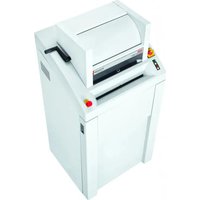
Powerline FA 450.2 - Shredder HSM - Free user manual and instructions
Find the device manual for free Powerline FA 450.2 HSM in PDF.


| Product type | Document shredder |
| Brand | HSM |
| Model | Powerline FA 450.2 |
| Cut type | Particles (3.9 × 40 mm or 2 × 15 mm) |
| Security level (DIN 66399) | P-4 / O-3 / T-4 / E-3 / F-1 (3.9×40) or P-5 / O-4 / T-5 / E-4 / F-2 (2×15) |
| Dimensions (W × D × H) | 750 × 665 × 1590 mm (3.9×40 cut) or 750 × 665 × 1460 mm (2×15 cut) |
| Weight | 220 kg |
| Power supply | Three-phase 3 × 400 V, 50 Hz / 3 × 200-240 V, 50-60 Hz / 3 × 380 V, 60 Hz |
| Power consumption | 3 kW (3.9×40 cut) or 2.2 kW (2×15 cut) |
| Working width | 443 mm |
| Collection bin capacity | 290 litres |
| Shredding speed | 218 mm/s |
| Shredding capacity (A4 sheets, 70 g/m²) | 80-85 (3.9×40) or 35-40 (2×15) |
| Noise level (idle / load) | 58 dB(A) / 70-75 dB(A) |
| Package contents | Shredder ready to plug in, 5 collection bags, 1 bottle of special oil, user manual |
| Safety features | Emergency stop, lockable main switch, door and flap safety, motor thermal protection |
| Maintenance and cleaning | Regular lubrication of the cutting unit with special oil; external cleaning with soapy water |
| Spare parts and repairability | Maintenance by HSM after-sales service; accessories: collection bags (ref. 1.452.995.000), oil (ref. 1.235.997.403) |
| General information | 1-year warranty (6 months for continuous use); suitable for: paper, staples, paper clips, cards, CDs, USB keys, floppy disks |
Frequently Asked Questions - Powerline FA 450.2 HSM
User questions about Powerline FA 450.2 HSM
0 question about this device. Answer the ones you know or ask your own.
Ask a new question about this device
Download the instructions for your Shredder in PDF format for free! Find your manual Powerline FA 450.2 - HSM and take your electronic device back in hand. On this page are published all the documents necessary for the use of your device. Powerline FA 450.2 by HSM.
USER MANUAL Powerline FA 450.2 HSM
2 x 15 mm 3,9 x 40 mm
BETRIEBSANLEITUNG
OPERATING INSTRUCTIONS
NOTICE D'UTILISATION
MANUALE OPERATIVO
INSTRUCCIONES DE SERVICIO
english: Paper shredder HSM Powerline 450.2 9
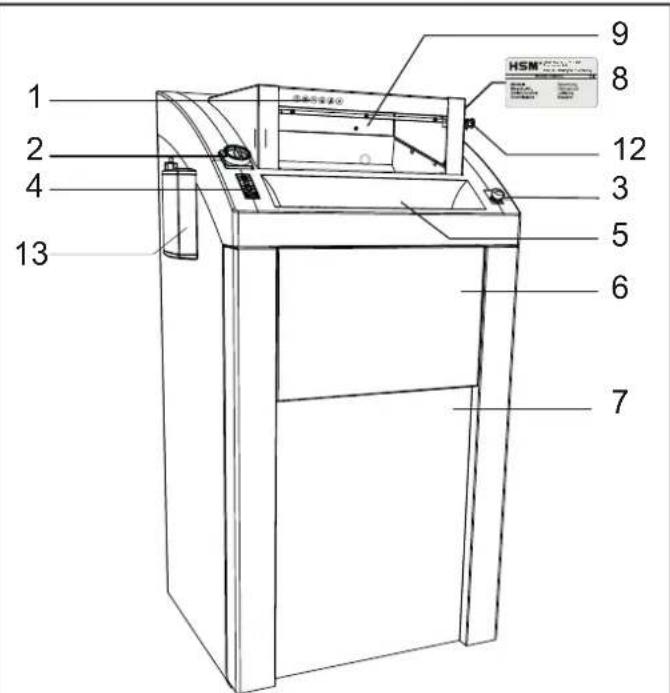
1 Use for correct purpose, warranty
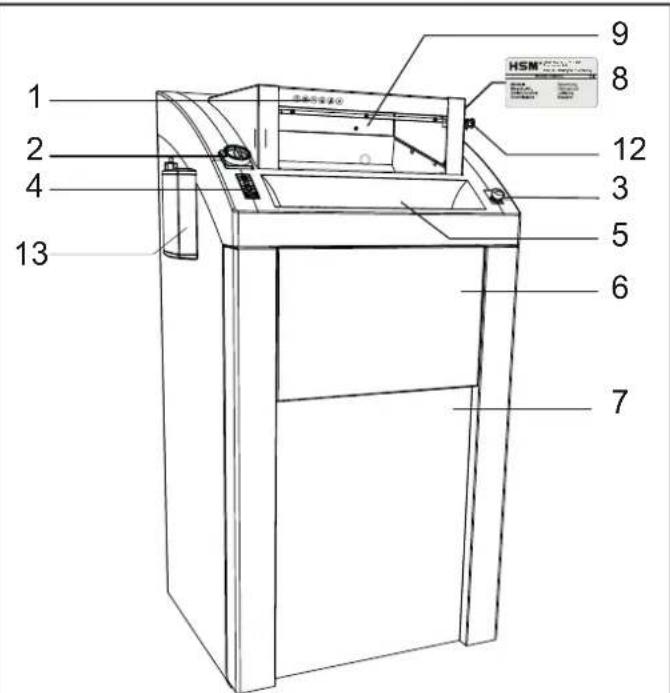
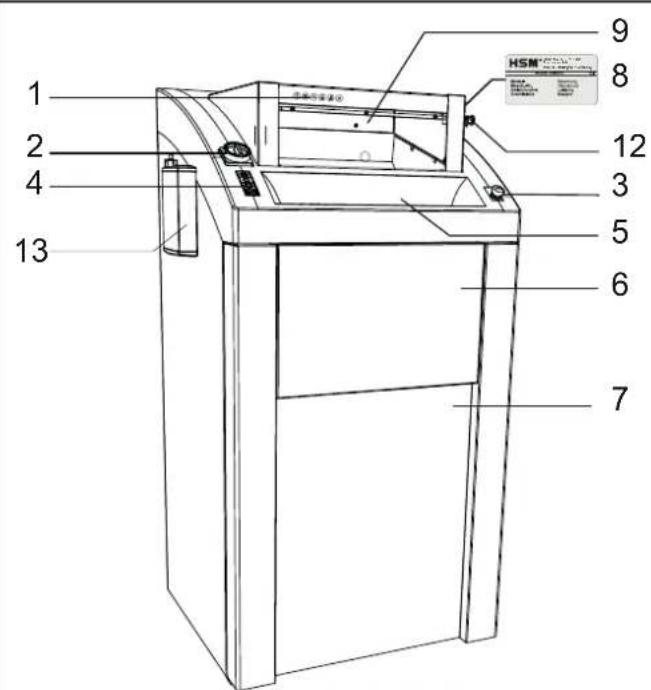
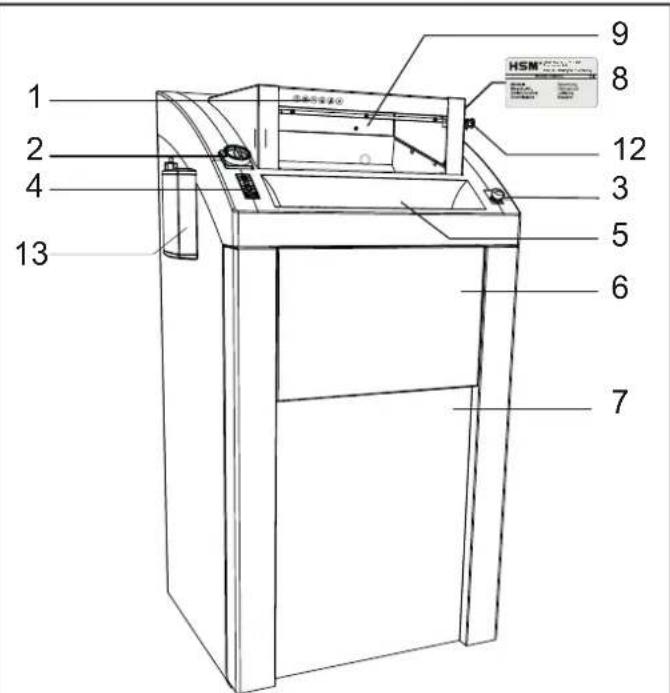
The document shredder is exclusively designed for shredding paper and small quantities of store cards, credit cards, CDs, USB sticks and 3.5" diskettes.
Its sturdy cutting unit is not damaged by paper clips and staples.
The warranty period for the document shredder is 1 year. The warranty period is 6 months when used in multiple shifts. The warranty and the guarantee do not cover wear and damage caused by improper handling or actions taken by third parties.
2 Safety instructions

Before using the machine for the first time, read the operating manual, and keep it for later use and to pass on to any subsequent users. Observe all safety instructions attached to the document shredder.

Risk of injury!
Never reach into the slot of the paper feed.
Risk of injury from being pulled in!
Do not go near the infeed opening with long hair, loose clothing, ties, scarves, necklaces, bracelets etc. Do not shred any material that may become tangled, such as tapes, binder ties plastic or foil.

Splinters can cause injuries!
Put on protective goggles before shredding hard credit cards, CDs or fl oppy disks.
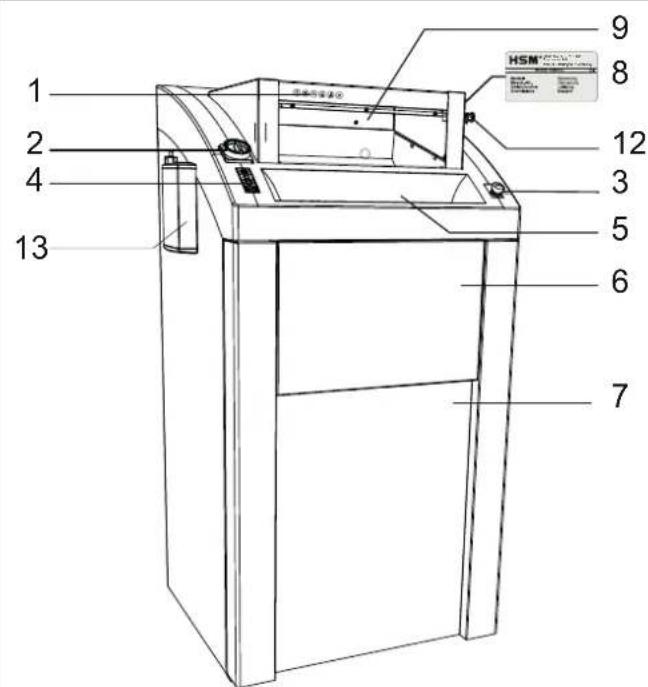
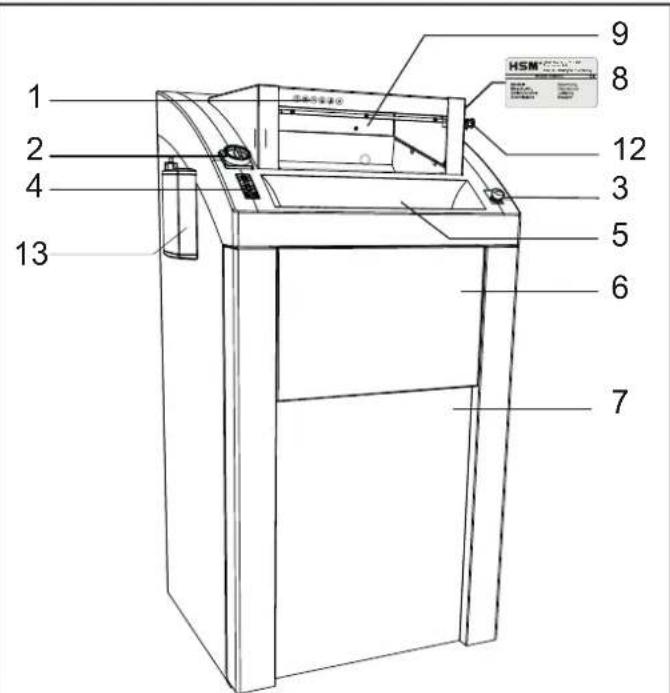
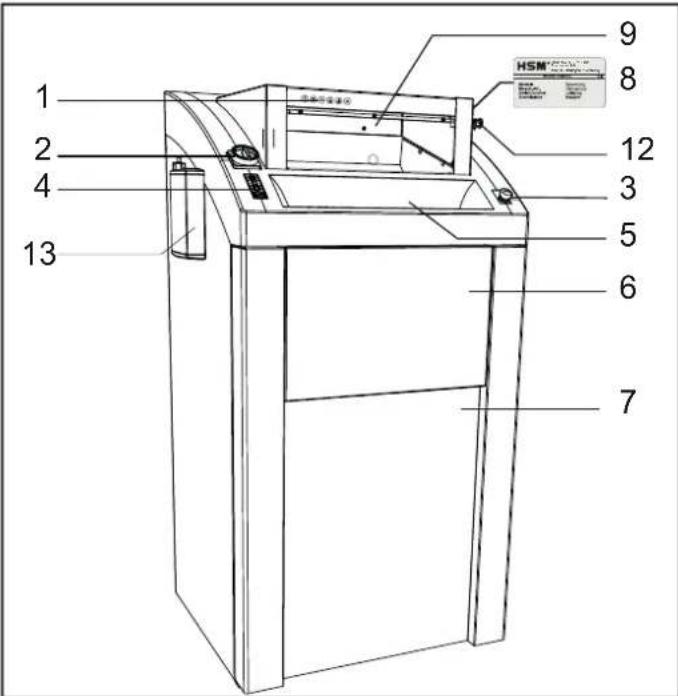
In the event of danger, press the emergency stop button immediately! This switches off the document shredder.

Danger to children and other persons!
This facility is not suitable for use in locations where children may be present.
Switch the document shredder off if it is damaged or not working correctly or before relocating or cleaning it and disconnect the power plug from the mains.

Service work may only be carried out by HSM Customer Service or by the service technicians of our contractual partners.
- Make sure that the mains plug is well accessible.
- Before you insert the mains plug, make sure that the voltage and frequency of your power supply comply with the information on the name plate.
- Make sure that no liquid gets into the document shredder.
- The document shredder may not be placed near a heater or other heat source.
- The ventilation slots must be unobstructed, and there must be a distance of at least 5 cm between the shredder and the walls and furniture.
3 Transportation and installation
- The transport device (e.g. hand pallet truck) must be correspondingly rated for the machine weight of 220 kg.
- When moving the document shredder, note that it may topple over.
- Place the pallet with the document shredder in its packaging on a smooth, level surface.
- Observe the instructions for unpacking.
- The document shredder may only be placed in dry rooms on a hard, level floor - not on carpets. The floor load at each castor is approximately 55 kg.
6 Troubleshooting
Paper jam
You have fed in too much paper.
▶ Document shredder blocked.
▶ Red LED on the keypad fl ashes.
The motor automatically runs in reverse for several seconds.
Caution!
Do not alternately press the "On" and "Reverse" buttons to remove the blockage. This will damage the document shredder.

CAUTION!
The blade rollers can still cause injuries even while they are not running. Do not reach into the cutting unit!
- Open the flap and remove the paper.
If not all of the material was ejected:
- Close the flap again.
- Press the reverse button.
▶ Cutting unit runs in reverse. - Remove the paper.
• Take half the stack of paper. - Feed in the paper in sheet at a time.

Electric motor overheated

▶ The indicator on the control panel comes on in red.
The document shredder switches off.
- Let the document shredder cool down for approx. 15 - 20 minutes.
Front door or fl ap open

▶ The red LED on the keypad illuminates.
▶ The document shredder switches off.
- Close door and flap.
• The catch bolt has not engaged.
Note
If the door or the flap is opened while the cutting unit is running, the document shredder must be restarted using the green button after the door of the document shredder has been closed.
Waste bag full

The red LED on the keypad illuminates.
The document shredder switches off.
Note Reversing the cutting unit is also possible even when the waste container is full.
- Change the waste bag.
Caution!
Empty the full waste bag immediately, since cutting unit malfunctions can occur because of the pressure from additional shredded material.
7 Cleaning and maintenance
Switch off the document shredder and disconnect the power plug. Only clean use a soft cloth and a mild soapy water solution. Do not allow water to enter the equipment.

Oil the cutting unit when the cutting capacity decreases or the unit becomes noisy, or every time you empty the waste container:
- Spray special cutting apparatus oil through the paper feed opening along the entire width on to the cutting rollers.
- Let the cutting unit run forwards and backwards several times without feeding in any paper.
This loosens paper dust and particles.

8 Disposal/Recycling
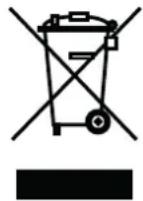
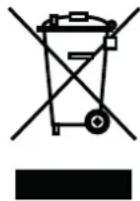
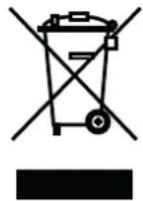
Dispose of the machine in an environmentally sound way at the end of its service life. Observe the current regulations when doing this. As legislation is subject to ongoing changes, we request that you contact your local authorities at the appropriate time. As the manufac-
turer, HSM would be pleased to advise you on the disposal of your old machine.
9 Scope of delivery
- Document shredder ready for connection packed in fi lm, machine strapped onto Euro palette with packaging straps
- 5 waste bags
• 1 bottle of special lubricating oil for cutting head - Operating manual
Accessories
• 25 waste sacks, order no. 1.452.995.000
- Special lubricating oil for cutting head (250 ml)
Order no. 1.235.997.403
10 Technical data
| Cutting type Particle cut | ||
| Cutting size (mm) 3.9 x 40 2 x 15 | ||
| Security level DIN 66399 P-4 / O-3 / T-4 / E-3 / F-1 P-5 / O-4 / T-5 / E-4 / F-2 | ||
| Cutting capacity (sheet), DIN A4 70 g/m280 g/m2 | 80 - 8565 - 70 | 35 - 4028 - 32 |
| Dimensions W x D x H (mm) 750 x 665 x 1590 750 x 665 x 1460 | ||
| Output with max. number of sheets 3 kW 2.2 kW | ||
| ConnectionPower supply line fuse protection (slow) | 3 x 400 V, 50 Hz3 x 16 A | 3 x 400 V, 50 Hz3 x 10 A |
| ConnectionPower supply line fuse protection (slow) | 3 x 200 - 240 V,50 - 60 Hz 3 x 25 A | 3 x 200 - 240 V, 50 - 60 Hz3 x 20 A |
| ConnectionPower supply line fuse protection (slow) | 3 x 380 V, 60 Hz3 x 16 A | |
| Cutting speed 218 mm/s | ||
| Working width 443 mm | ||
| Weight | 220 kg | |
| Waste container volume | 290 l | |
| Noise emission (idle / under load) | 58 dB(A) / 70 - 75 dB(A) | |
| Ambient conditions for transport, storage and operation:Temperature relative humidity height above SL | -10°C up to +40°Cmax. 90%, non-condensingmax. 2,000 m | |
Declaration of conformity
The manufacturer HSM GmbH + Co. KG, Austraße 1-9, 88699 Frickingen/Germany, hereby declares that the HSM Powerline 450.2 document shredder meets the fundamental health and safety requirements of the following EC directives on the basis of its design and construction in the version marketed by us:
Supply of Machinery (Safety) Regulations 2008 Electromagnetic Compatibility Regulations 2016
Applied standards and technical specifications:
| BS EN ISO 11202:2010+A1:2021 | BS EN ISO 12100:2010 | BS EN ISO 13849-1:2015 | BS EN ISO 13850:2015 |
| BS EN ISO 13855:2010 | BS EN ISO 13857:2019 | BS EN ISO 14118:2018 | BS EN ISO 14119:2013 |
| BS EN ISO 14120:2015 | BS EN 60204-1:2018 | BS EN 61000-3-2:2014 | BS EN 61000-3-3:2013 |
| BS EN IEC 61000-6-2:2019 | BS EN 61000-6-4:2007+A1:2011 |
Authorised representative for the compilation of technical documentation: Hubert Kötzinger, HSM GmbH + Co. KG
Frickingen, 05.2022
ppa. Hubert Kötzinger – Overall Management of the Technical Division
Directive CEM 2014 / 30 / UE
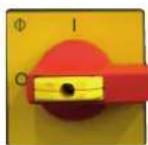
Interruptor principal
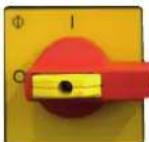
Interruptor principal
8 Bortskaff else/recycling
8 Avhending/ resirkulering
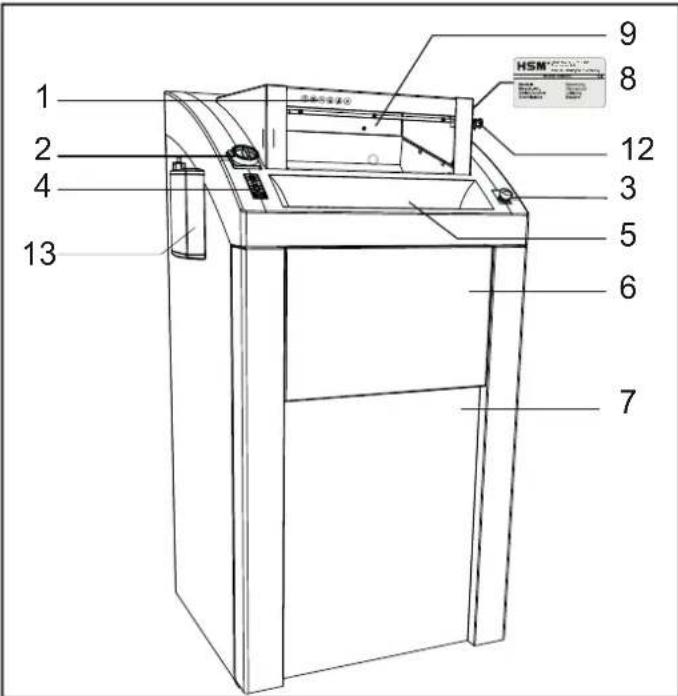
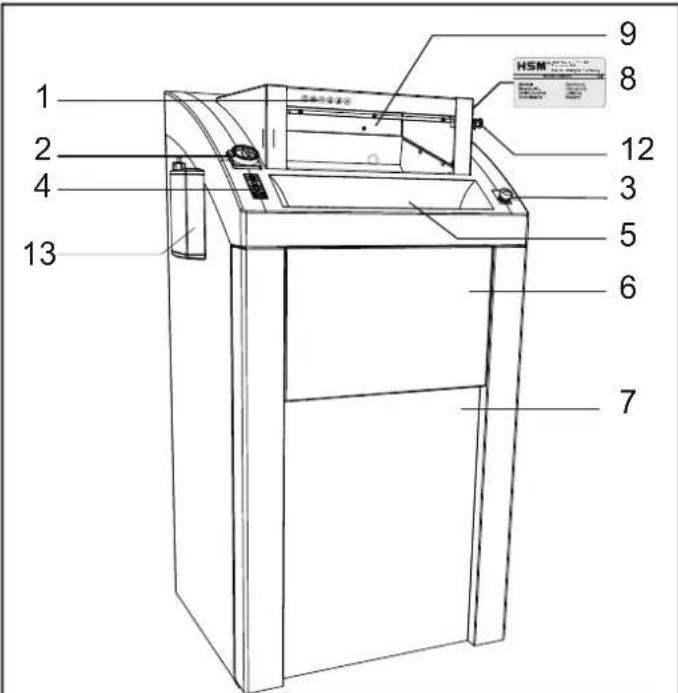
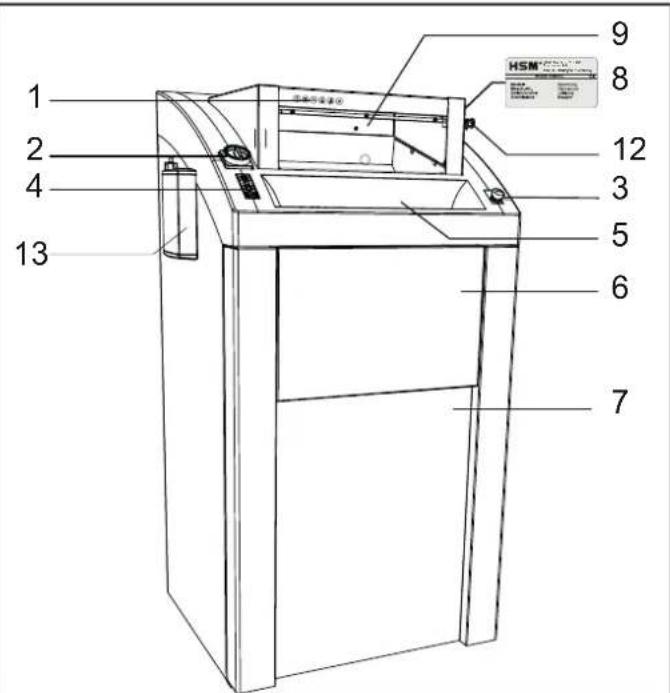
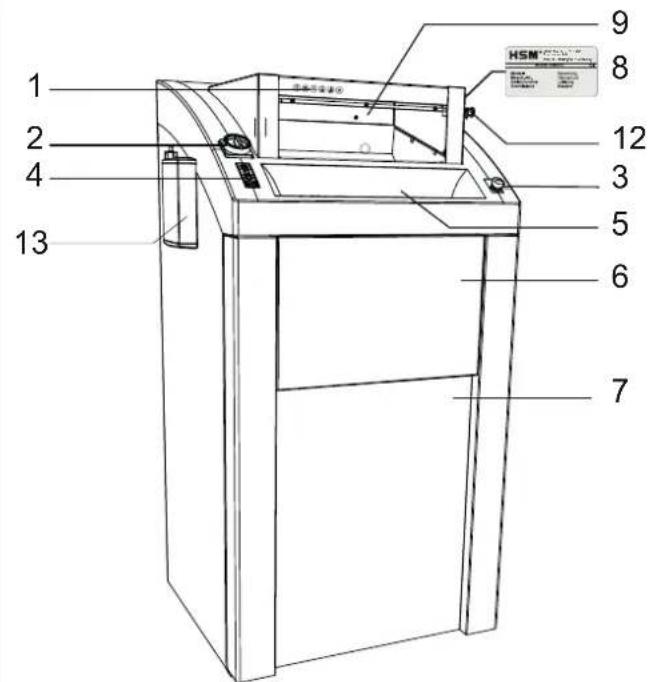
- levadiet smalcināmo papīru. Maksimālo lapu skaitu skatiet sadalā „Tehniskie dati”.
- Pagrieziet cilindra sviru uz priekšu un piepildiet cilindru ar krokoto papīru.

• Nospiediet zało bulttaustinu.
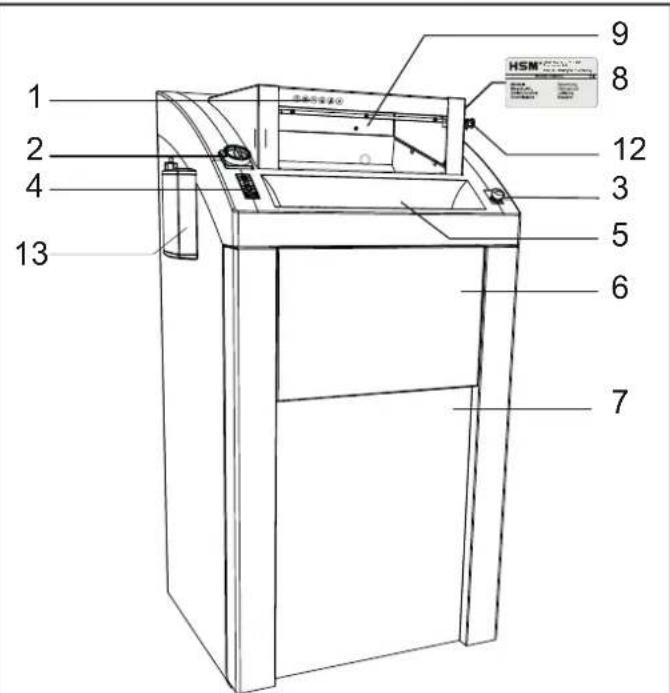
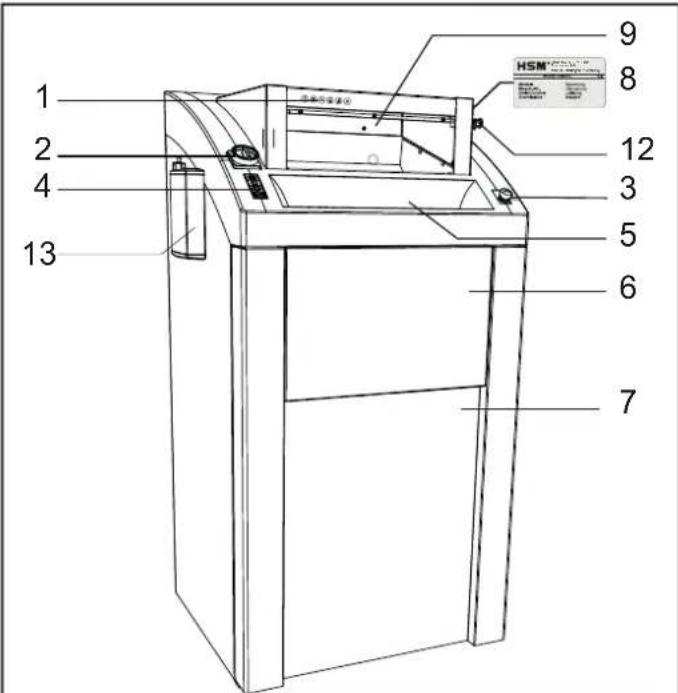
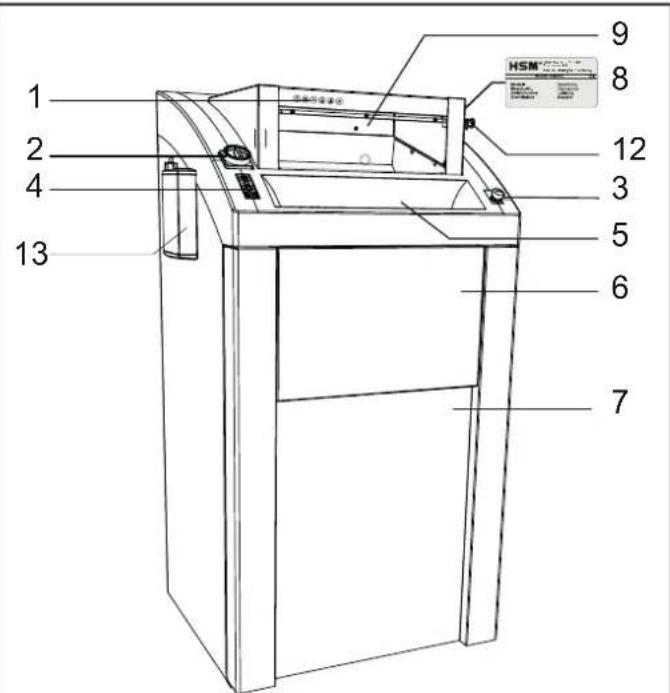
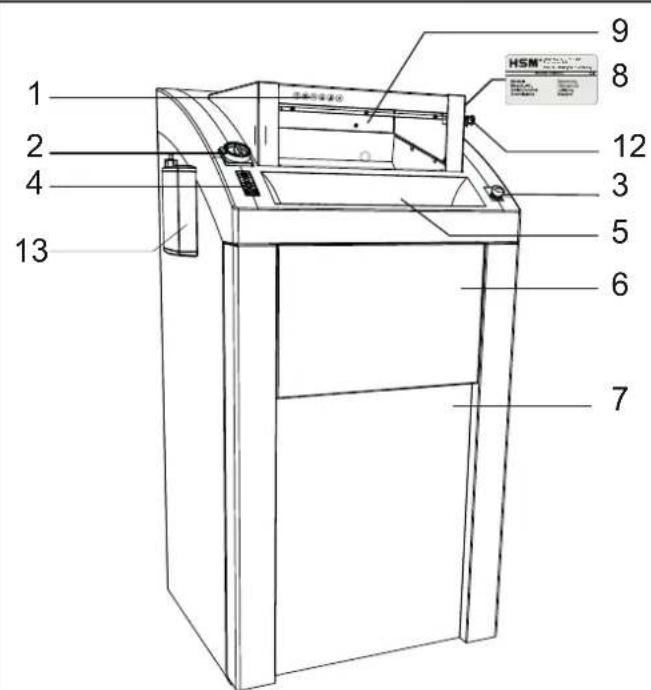
- Umećite papir koji treba uništiti. Za maksimalan broj listova, pogledajte „Tehnički podatci“.

88699 Frickingen / Germany
Tel. +49 7554 2100-0
Fax +49 7554 2100 160
info@hsm.eu
www.hsm.eu
Gratis Hotline
DE, AT, BE, NL, LU, IT
Tel. 00800 44 77 77 66
Fax 00800 44 77 77 67
HSM (UK) Ltd.
14 Attwood Road / Zone 1
Burntwood Business Park
Burntwood · Staff ordshire
WS7 3GJ
United Kingdom
Tel. +44 1543 272-480
Fax +44 1543 272-080
info@hsmuk.co.uk
www.hsm.eu
HSM France SAS
Parc de Genève
240, Rue Ferdinand Perrier
69800 Saint-Priest
France
Tél. +33 472 210580
Fax +33 472 517481
France@hsm.eu
www.hsm.eu
HSM of America LLC
419 Boot Road
Downingtown, PA 19335
USA
Tel. +1 800 613-2110
Fax +1 484 698-7978
customerservice@hsm.us
info@hsm.us
www.hsm.us
Great Products, Great People.


- 1 USE FOR CORRECT PURPOSE, WARRANTY
- 2 SAFETY INSTRUCTIONS
- RISK OF INJURY
- RISK OF INJURY FROM BEING PULLED IN
- SPLINTERS CAN CAUSE INJURIES
- DANGER TO CHILDREN AND OTHER PERSONS
- 3 TRANSPORTATION AND INSTALLATION
- 6 TROUBLESHOOTING
- PAPER JAM
- CAUTION
- IF NOT ALL OF THE MATERIAL WAS EJECTED
- ELECTRIC MOTOR OVERHEATED
- FRONT DOOR OR FL AP OPEN
- NOTE
- WASTE BAG FULL
- 7 CLEANING AND MAINTENANCE
- 8 DISPOSAL/RECYCLING
- 9 SCOPE OF DELIVERY
- ACCESSORIES
- DECLARATION OF CONFORMITY
- INTERRUPTOR PRINCIPAL
- 8 BORTSKAFF ELSE/RECYCLING
- 8 AVHENDING/ RESIRKULERING
- HSM (UK) LTD
- HSM FRANCE SAS
- HSM OF AMERICA LLC
Brand : HSM
Model : Powerline FA 450.2
Category : Shredder