
GOF 1600 CE - Milling machine BOSCH - Free user manual and instructions
Find the device manual for free GOF 1600 CE BOSCH in PDF.




| Product type | Multifunction router / plunge router |
| Brand | Bosch |
| Model | GOF 1600 CE |
| Rated power input | 1600 W |
| No-load speed | 10,000 - 25,000 rpm |
| Speed preselection | Yes (thumbwheel 15, positions 1-6) |
| Constant-Electronic | Yes, maintains speed under load |
| Soft start | Yes, limits torque at start |
| Tool holder | Clamping collet 8 - 12 mm (1/2") |
| Plunge stroke (plunge unit) | 76 mm |
| Weight (plunge unit) | 5.8 kg (according to EPTA 01/2003) |
| Weight (copying unit) | 4.3 kg (according to EPTA 01/2003) |
| Power supply | Mains, 230 V AC |
| Protection class | II (double insulation) |
| Dust extraction connection | Yes, for hose Ø 35 mm |
| Sound pressure level | 86 dB(A) |
| Sound intensity level | 97 dB(A) |
| Vibration (milling with copying unit) | 6.0 m/s² (uncertainty K=1.5 m/s²) |
| Vibration (milling with plunge unit) | 5.5 m/s² (uncertainty K=1.5 m/s²) |
| Intended use | Wood, plastics, non-ferrous metals (with reduced speeds) |
| Maintenance | Clean ventilation slots, use a vacuum cleaner, blow with compressed air |
| Spare parts and repairability | Repairs by an authorized Bosch service center; spare parts under article number (10 digits) |
| Delivery contents | Motor, plunge unit, copying unit, clamping collet, open-end wrench, parallel guide, routing compass, adapters, etc. |
| Warranty | Manufacturer's warranty (not specified in the manual) |
Frequently Asked Questions - GOF 1600 CE BOSCH
User questions about GOF 1600 CE BOSCH
0 question about this device. Answer the ones you know or ask your own.
Ask a new question about this device
Download the instructions for your Milling machine in PDF format for free! Find your manual GOF 1600 CE - BOSCH and take your electronic device back in hand. On this page are published all the documents necessary for the use of your device. GOF 1600 CE by BOSCH.
USER MANUAL GOF 1600 CE BOSCH
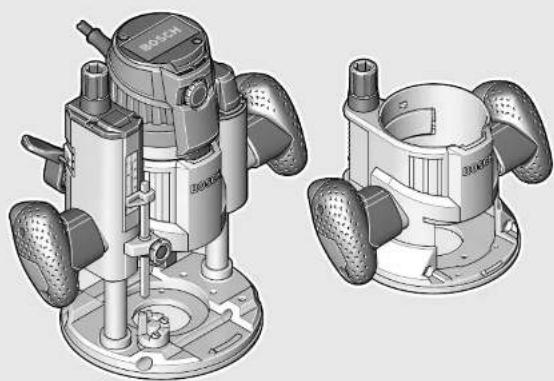
GOF | GMF 1600 CE Professional
Robert Bosch GmbH
Power Tools Division
70745 Leinfelden Echterdingen
Germany
www.bosch-pt.com
2610022197[2012.02]0/256UNI

Original instructions

BOSCH
Original instructions
Translation of the original instructions
Original instructions
Translation of the original instructions
Dr. Egbert Schneider Senior Vice President Engineering
Dr. Eckerhard Strötgen Engineering Director PT/ESI
Paa.
Robert Bosch GmbH, Power Tools Division D-70745 Leinfelden-Echterdingen 25.01.2012
Assembly
General Power Tool Safety Warnings
WARNING
Read all safety warnings and all instructions. Failure to follow the warnings
and instructions may result in electric shock, fire and/or serious injury.
Save all warnings and instructions for future reference.
The term "power tool" in the warnings refers to your mains-operated (corded) power tool or battery-operated (cordless) power tool.
Work area safety
- Keep work area clean and well lit. Cluttered or dark areas invite accidents. Do not operate power tools in explosive atmospheres, such as in the presence of flammable liquids, gases or dust. Power tools create sparks which may ignite the dust or fumes.
- Keep children and bystanders away while operating a power tool. Distractions can cause you to lose control.
Electrical safety
Power tool plugs must match the outlet. Never modify the plug in any way. Do not use any adapter plugs with earthed (grounded) power tools. Unmodified plugs and matching outlets will reduce risk of electric shock. - Avoid body contact with earthed or grounded surfaces, such as pipes, radiators, ranges and refrigerators. There is an increased risk of electric shock if your body is earthed or grounded. Do not expose power tools to rain or wet conditions. Water entering a power tool will increase the risk of electric shock. Do not abuse the cord. Never use the cord for carrying, pulling or unplugging the power tool. Keep cord away from heat, oil, sharp edges and moving parts. Damaged or entangled cords increase the risk of electric shock. - When operating a power tool outdoors, use an extension cord suitable for outdoor use. Use of a cord suitable for outdoor use reduces the risk of electric shock. If operating a power tool in a damp location is unavoidable, use a residual current device (RCD) protected supply. Use of an RCD reduces the risk of electric shock.
Personal safety
Stay alert, watch what you are doing and use common sense when operating a power tool. Do not use a power tool while you are tired or under the influence of drugs, alcohol or medication. A moment of inattention while operating power tools may result in serious personal injury. Use personal protective equipment. Always wear eye protection. Protective equipment such as dust mask, non-skid safety shoes, hard hat, or hearing protection used for appropriate conditions will reduce personal injuries.

Prevent unintentional starting. Ensure the switch is in the off-position before connecting to power source and/or battery pack, picking up or carrying the tool. Carrying power tools with your finger on the switch or energising power tools that have the switch on invites accidents. Remove any adjusting key or wrench before turning the power tool on. A wrench or a key left attached to a rotating part of the power tool may result in personal injury. Do not overreach. Keep proper footing and balance at all times. This enables better control of the power tool in unexpected situations. Dress properly. Do not wear loose clothing or jewellery. Keep your hair, clothing and gloves away from moving parts. Loose clothes, jewellery or long hair can be caught in moving parts. If devices are provided for the connection of dust extraction and collection facilities, ensure these are connected and properly used. Use of dust collection can reduce dust-related hazards.
Power tool use and care
Do not force the power tool. Use the correct power tool for your application. The correct power tool will do the job better and safer at the rate for which it was designed. Do not use the power tool if the switch does not turn it on and off. Any power tool that cannot be controlled with the switch is dangerous and must be repaired. Disconnect the plug from the power source and/or the battery pack from the power tool before making any adjustments, changing accessories, or storing power tools. Such preventive safety measures reduce the risk of starting the power tool accidentally. Store idle power tools out of the reach of children and do not allow persons unfamiliar with the power tool or these instructions to operate the power tool. Power tools are dangerous in the hands of untrained users. Maintain power tools. Check for misalignment or binding of moving parts, breakage of parts and any other condition that may affect the power tool's operation. If damaged, have the power tool repaired before use. Many accidents are caused by poorly maintained power tools. Keep cutting tools sharp and clean. Properly maintained cutting tools with sharp cutting edges are less likely to bind and are easier to control. Use the power tool, accessories and tool bits etc. in accordance with these instructions, taking into account the working conditions and the work to be performed. Use of the power tool for operations different from those intended could result in a hazardous situation.
Service
Have your power tool serviced by a qualified repair person using only identical replacement parts. This will ensure that the safety of the power tool is maintained.
Safety Warnings for Routers
Hold power tool by insulated gripping surfaces, because the cutter may contact its own cord. Cutting a "live" wire may make exposed metal parts of the power tool "live" and shock the operator. Use clamps or another practical way to secure and support the workpiece to a stable platform. Holding the work by your hand or against the body leaves it unstable and may lead to loss of control. The allowable speed of the router bit must be at least as high as the maximum speed listed on the power tool. Accessories that rotate faster than permitted can be destroyed. Router bits or other accessories must fit exactly in the tool holder (collet) of your machine. Routing bits that do not fit precisely in the tool holder of the machine rotate irregularly, vibrate heavily and can lead to loss of control. Apply the machine to the workpiece only when switched on. Otherwise there is danger of kickback when the cutting tool jams in the workpiece. - Keep your hands away from the routing area and the router bit. Hold the auxiliary handle or the motor housing with your second hand. When both hands hold the machine, they cannot be injured by the router bit. - Never cut over metal objects, nails or screws. The router bit can become damaged and lead to increased vibrations. Use suitable detectors to determine if utility lines are hidden in the work area or call the local utility company for assistance. Contact with electric lines can lead to fire and electric shock. Damaging a gas line can lead to explosion. Penetrating a water line causes property damage or may cause an electric shock. Do not use blunt or damaged router bits. Blunt or damaged router bits cause increased friction, can become jammed and lead to imbalance. When working with the machine, always hold it firmly with both hands and provide for a secure stance. The power tool is guided more secure with both hands. Secure the workpiece. A workpiece clamped with clamping devices or in a vice is held more secure than by hand. Always wait until the machine has come to a complete stop before placing it down. The tool insert can jam and lead to loss of control over the power tool.
Products sold in GB only: Your product is fitted with an BS 1363/A approved electric plug with internal fuse (ASTA approved to BS 1362).
If the plug is not suitable for your socket outlets, it should be cut off and an appropriate plug fitted in its place by an authorised customer service agent. The replacement plug should have the same fuse rating as the original plug.
The severed plug must be disposed of to avoid a possible shock hazard and should never be inserted into a mains socket elsewhere.
Products sold in AUS and NZ only: Use a residual current device (RCD) with a rated residual current of 30 mA or less.
Product Description and Specifications

Read all safety warnings and all instructions. Failure to follow the warnings and instructions may result in electric shock, fire and/or serious injury.
While reading the operating instructions, unfold the graphics page for the machine and leave it open.
Intended Use
The machine is intended for routing grooves, edges, profiles and elongated holes as well as for copy routing in wood, plastic and light building materials, while resting firmly on the workpiece.
With reduced speed and with appropriate routing bits, nonferrous alloys can also be machined.
Product Features
The numbering of the product features refers to the illustration of the machine on the graphics page.
1 Routing motor 2 Plunge base 3 Non-plunge base 4 Handle (insulated gripping surface) 5 Adjustment knob for fine adjustment of depth-of-cut (plunge base) 6 Scale for depth-of-cut fine adjustment 7 Release lever for plunge action 8 Index mark for fine adjustment 9 Scale for depth-of-cut adjustment (plunge base) 10 Slide with index mark (plunge base) 11 Depth stop (plunge base) 12 Turret stop 13 Base plate 14 Guide plate 15 Thumbwheel for speed preselection 16 Knurled screw for depth stop (plunge base) 17 Tightening nut with collet 18 Router bit 19 Lock-on button for On/Off switch 20 On/Off switch 21 Securing latch for removal of motor 22 Clamping lever for plunge base/non-plunge base 23 Seat for parallel guide rods 24 Adjustment knob for depth-of-cut fine adjustment (nonplunge base) 25 Clamping lever for depth-of-cut coarse adjustment (nonplunge base) 26 Coarse adjustment notches for non-plunge base 27 Spindle lock button 28 Open-end spanner, size 24 mm 29 Knurled screw for extraction adapter (2x)
30 Extraction adapter (plunge base) 31 Extraction hose (0 35 mm) 32 Extraction adapter (non-plunge base) 33 Intermediate ring for extraction adapter (non-plunge base) 34 Scale for depth-of-cut adjustment (non-plunge base) 35 Parallel guide 36 Guide rod for parallel guide (2x) 37 Wing bolt for fine adjustment of parallel guide (2x) 38 Wing bolt for coarse adjustment of parallel guide (2x) 39 Fine-adjustment knob for parallel guide 40 Adjustable edge guide for parallel guide 41 Wing bolt for guide rods of parallel guide (2x) 42 Router compass/guide-rail adapter 43 Router compass handle 44 Wing bolt for coarse adjustment of router compass (2x) 45 Wing bolt for fine adjustment of router compass (1x) 46 Fine-adjustment knob for router compass 47 Centring screw for compass stop 48 Base spacer (included in the "router compass" set) 49 Guide rail 50 SDS guide-bushing adapter 51 Fastening screw for guide bushing adapter (2x) 52 Release lever for guide bushing adapter 53 Guide bushing 54 Fastening screw for guide plate 55 Centring pin 56 Fastening screws for non-plunge base 57 Specialty Allen key for depth-of-cut fine adjustment (non-plunge base) 58 Extension for depth-of-cut fine adjustment (non-plunge base)* 59 Extraction hood for edge routing 60 Fastening screw for extraction hood
*Accessories shown or described are not part of the standard delivery scope of the product. A complete overview of accessories can be found in our accessories program.
English | 21
Technical Data
| Multifunction Router GOF 1600 CE GMF 1600 CE | |||
| Article number | 3601 F24 0.. 3601 F24 0.. | ||
| Rated power input | W | 1 | 6 |
| No-load speed | min-1 | 10000 - 25000 | 10000 - 25000 |
| Speed preselection | ● | ● | |
| Constant electronic control | ● | ● | |
| Connection for dust extraction | ● | ● | |
| Tool holder | mm | 8 - 12 | 8 - 12 |
| inch | 1/4 - 1/2 | 1/4 - 1/2 | |
| Plunge depth (plunge base) | mm | 76 | 76 |
| Weight according to EPTA-Procedure 01/2003 | |||
| - Contour router | kg | - | 4.3 |
| - Plunge router | kg | 5.8 | 5.8 |
| Protection class | ☐/☐ | ☐/☐ | |
| The values given are valid for a nominal voltage [U] of 230 V. For different voltages and models for specific countries, these values can vary. | |||
Noise/Vibration Information
Measured sound values determined according to EN 60745.
Typically the A-weighted noise levels of the product are: Sound pressure level 86 dB(A); Sound power level 97 dB(A). Uncertainty K = 3 dB.
Wear hearing protection!
| Routing with Non-plunge Base | Routing with Plunge Base | ||
| Vibration total values an (triax vector sum) and uncertainty K determined according to EN 60745: | |||
| an | m/s2 | =6.0 | =5.5 |
| K | m/s2 | =1.5 | =1.5 |
The vibration emission level given in this information sheet has been measured in accordance with a standardised test given in EN 60745 and may be used to compare one tool with another. It may be used for a preliminary assessment of exposure.
The declared vibration emission level represents the main applications of the tool. However if the tool is used for different applications, with different accessories or poorly maintained, the vibration emission may differ. This may significantly increase the exposure level over the total working period.
An estimation of the level of exposure to vibration should also take into account the times when the tool is switched off or when it is running but not actually doing the job. This may significantly reduce the exposure level over the total working period.
Identify additional safety measures to protect the operator from the effects of vibration such as: maintain the tool and the accessories, keep hands warm, organise work patterns.
Declaration of Conformity C
We declare under our sole responsibility that the product described under "Technical Data" is in conformity with the following standards or standardization documents: EN 60745 according to the provisions of the directives 2011/65/EU, 2004/108/EC, 2006/42/EC.
Technical file (2006/42/EC) at:
Robert Bosch GmbH, PT/ETM9,
D-70745 Leinfelden-Echterdingen
Dr. Egbert Schneider
Senior Vice President
Engineering
Dr. Eckerhard Strötgen
Engineering Director
PT/ESI

Robert Bosch GmbH, Power Tools Division
D-70745 Leinfelden-Echterdingen
25.01.2012
Assembly
Before any work on the machine itself, pull the mains plug.
Inserting the Routing Motor into the Plunge Base/Non-plunge Base (see figures A-B)
- Open the clamping lever for the plunge base/non-plunge base 22.
- Push the routing motor to the stop into the plunge base/non-plunge base.
- When using the non-plunge base 3, press clamping lever 25 and slide the routing motor 1 up or down to the desired
position in the non-plunge base 3, until it, with the clamping lever 25 released, engages in one of the 3 notches 26. - Shut the clamping lever for the plunge unit/non-plunge base 22. - Adjust the required depth-of-cut; see Section "Adjusting the Depth-of-cut".
Separating the Routing Motor from the Plunge Unit/Nonplunge Base (see figure C)
- Open the clamping lever for the plunge base/non-plunge base 22.
- Pull the routing motor to the stop and hold it in this position.
- Press securing latch 21 and pull the routing motor completely out of the plunge base/non-plunge base. When using the non-plunge base 3, additionally press clamping lever 25.
Inserting a Router Bit (see figure D)
It is recommended to wear protective gloves when inserting or replacing router bits.
Depending on the application, router bits are available in the most different designs and qualities.
Router bits made of high speed steel (HSS) are suitable for the machining of soft materials, e.g. softwood and plastic.
Carbide tipped router bits (HM) are particularly suitable for hard and abrasive materials, e.g. hardwood and aluminium.
Original router bits from the extensive Bosch accessories program are available at your specialist shop.
Use router bits with a shank diameter of 1.2 mm as far as this is possible. Only use clean router bits that are in perfect condition.
The router bit can be changed when the routing motor is mounted in the plunge base/non-plunge base. However, it is recommended to change the tool with the routing motor dismounted.
- Remove the routing motor from the plunge base/nonplunge base.
- Press and hold the spindle lock button 27 (1). If required, turn the spindle by hand until the lock engages. Actuate the spindle lock button 27 only when at a standstill.
- Loosen the tightening nut 17 with the open-end spanner 28 (size 24 mm) by turning in anticlockwise direction (2).
- Insert the router bit into the collet. The shank of the router bit must be immersed at least 20 mm into the collet.
- Tighten the tightening nut 17 with the open-end spanner 28 (size 24 mm) by turning in clockwise direction. Release the spindle lock button 27. Do not insert a router bit with a diameter larger than 50 mm when the guide bushing is not mounted. Such router bits do not fit through the base plate. Do not tighten the tightening nut of the collet without a router bit inserted. Otherwise the collet can be damaged.
Dust/Chip Extraction
Dusts from materials such as lead-containing coatings, some wood types, minerals and metal can be harmful to
one's health. Touching or breathing-in the dusts can cause allergic reactions and/or lead to respiratory infections of the user or bystanders.
Certain dusts, such as oak or beech dust, are considered as carcinogenic, especially in connection with wood-treatment additives (chromate, wood preservative). Materials containing asbestos may only be worked by specialists.
- As far as possible, use a dust extraction system suitable for the material.
- Provide for good ventilation of the working place.
- It is recommended to wear a P2 filter-class respirator.
Observe the relevant regulations in your country for the materials to be worked. Prevent dust accumulation at the workplace. Dusts can easily ignite.
Mounting the Extraction Adapter to the Plunge Base (see figure E)
The extraction adapter 30 can be mounted with the hose connection facing toward the front or rear. When the guide-bushing adapter 50 is inserted, it may be required to mount the guide-bushing adapter turned by 180° so that the extraction adapter 30 does not touch the release lever 52. Fasten the extraction adapter 30 with the 2 knurled screws 29 to the base plate 13.
To ensure optimum extraction, the extraction adapter 30 must be cleaned regularly.
Mounting the Extraction Adapter to the Non-plunge Base (see figure F)
The extraction adapter 32 can be mounted with the hose connection facing toward the front or rear. When the guide-bushing adapter 50 is inserted, fasten the extraction adapter 32 with the 2 knurled screws 29 to the base plate 13. For applications without the guide-bushing adapter 50, firstly mount the intermediate ring 33 to the extraction adapter 32, as shown in the figure.
Connecting the Dust Extraction
Insert an extraction hose (0 35 mm) 31 (accessory) into the mounted extraction adapter. Connect the extraction hose 31 to a vacuum cleaner (accessory).
The machine can be plugged directly into the receptacle of a Bosch all-purpose vacuum cleaner with remote starting control. The vacuum cleaner starts automatically when the machine is switched on.
The vacuum cleaner must be suitable for the material being worked.
When vacuuming dry dust that is especially detrimental to health or carcinogenic, use a special vacuum cleaner.
Operation
Starting Operation
Observe correct mains voltage! The voltage of the power source must agree with the voltage specified on the nameplate of the machine. Power tools marked with 230V can also be operated with 220V .
Preselecting the Speed
The required speed can be preselected with the thumbwheel 15 (also while running).
1-2 low speed
3-4 medium speed
5-6 high speed
The values shown in the chart are standard values. The necessary speed depends on the material and the operating conditions, and can be determined by practical testing.
| Material Router bit | diameter (mm) | Thumbwheel 15 |
| Hardwood (Beech) 4-10 | 5-6 | |
| 12-20 | 3-4 | |
| 22-40 | 1-2 | |
| Softwood (Pine) | 4-10 | 5-6 |
| 12-20 | 3-6 | |
| 22-40 | 1-3 | |
| Particle Board | 4-10 | 3-6 |
| 12-20 | 2-4 | |
| 22-40 | 1-3 | |
| Plastics | 4-15 | 2-3 |
| 16-40 | 1-2 | |
| Aluminium | 4-15 | 1-2 |
| 16-40 | 1 |
After longer periods of working at low speed, allow the machine to cool down by running it for approx. 3 minutes at maximum speed with no load.
Switching On and Off
Adjust the depth-of-cut before switching on or off; see Section "Adjusting the Depth-of-cut".
To start the machine, press the On/Off switch 20 and keep it pressed.
To lock the pressed On/Off switch 20, press the lock-on button 19.
To switch off the machine, release the On/Off switch 20 or when it is locked with the lock-on button 19, briefly press the On/Off switch 20 and then release it.
When not using the power tool, switch it off in order to save energy.
Constant Electronic Control
Constant electronic control holds the speed constant at no-load and under load, and ensures uniform working performance.
Soft Starting
The electronic soft starting feature limits the torque upon switching on and increases the working life of the motor.
Adjusting the Depth-of-cut
The adjustment of the depth-of-cut may only be carried out when the router is switched off.
Adjusting the Depth-of-cut on the Plunge Base (see figure G)
For coarse adjustment of the depth-of-cut, proceed as follows:
- Place the machine with the router bit mounted on the workpiece to be machined.
- Set the scale for fine adjustment 6 to "0".
- Set the turret stop 12 to the lowest setting; the turret stop can be felt to engage. Loosen the knurled screw at depth stop 16, so that the depth stop 11 moves freely.
- Press the release lever for plunge action 7 down and slowly guide the router down until the router bit 18 touches the workpiece surface. Let go of release lever 7 again to lock this plunging depth. Push the depth stop 11 down until it faces against the turret stop 12. Set the slide with the index mark 10 to the "0" position on the scale for depth-of-cut adjustment 9.
- Set the depth stop 11 to the desired routing depth and tighten the knurled screw 16 for the depth stop. Take care not to misadjust the slide with the index mark 10. Press the release lever for plunge action 7 and guide the router to the uppermost position.
The set routing depth is only reached when depth stop 11 touches the turret stop 12 while plunging.
For deep cuts, it is recommended to carry out several cuts, each with little material removal. By using the turret stop 12, the cutting process can be divided into several steps. For this, adjust the desired depth-of-cut to the lowest step of the turret stop and select the higher steps first for the initial cuts. The clearance of the steps is approx. 3.2 mm.
After a trial cut, the depth-of-cut can be set exactly to the desired measure by turning the adjustment knob 5; turn in clockwise direction to increase the cutting depth and in anticlockwise direction to decrease the cutting depth. The scale 6 can be used for guidance. One full turn corresponds with a setting range of 1.5 mm; a graduation mark on the top edge of the scale 6 corresponds with a 0.1 mm change of the setting range. The maximum setting range is ±16 mm.
Example: The desired depth-of-cut is to be 10.0 mm; the trial cut resulted in a cutting depth of 9.6 mm.
- Press the release lever for plunge action 7 and guide the router to the uppermost position. Turn adjustment knob 5 by 0.4 mm / 4 graduation marks (difference from nominal to actual value) in clockwise direction.
- Check the selected depth-of-cut by carrying out another trial cut.
When fine-adjusting the routing depth, take care that the index mark 8 on the side of the plunge base points towards the centre imprinted line. This measure ensures that there is sufficient travel in both directions for readjustment of the plunge depth.
When the plunge base 2 is lowered to the maximal plunge depth, cutting deeper by means of the fine adjustment is not possible, as the maximum travel has been utilised.
Fine adjustment is also not possible when the depth stop 11 faces against the turret stop 12.
Adjusting the Depth-of-cut on the Non-plunge Base (see figure H)
For adjustment of the depth-of-cut, proceed as follows: - Open the clamping lever for the non-plunge base 22. Coarse pre-adjustment of the routing depth is possible in 3 steps. For this, press clamping lever 25 and slide the routing motor 1 up or down in the non-plunge base 3, until it, with the clamping lever 25 released, is locked in one of the 3 notches 26. The notches each have a clearance of 12.7 mm (0.5"). The adjustment knob for depth-of-cut fine adjustment 24 is used for fine adjustment of the routing depth; turn clockwise to increase the routing depth, and anticlockwise to decrease the routing depth. The travel on the scale of adjustment knob 24 is indicated in inch and millimeter. The maximum setting range is 41 mm. The scale for depth-of-cut adjustment 34 provides added orientation. Example: The desired depth-of-cut is to be 10.0 mm; the trial cut resulted in a cutting depth of 9.5 mm. - Set the scale of the adjustment knob 24 to "0" without changing the setting of the adjustment knob 24 itself. Then set the adjustment knob 24 to the value "0.5" by turning in clockwise direction. - Check the selected depth-of-cut by carrying out another trial cut.
Working Advice
Direction of Feed and Routing Process (see figure I)
The routing process must always be carried out against the rotation direction of the router bit 18 (up-cutting motion). When routing in the direction with the rotation of the router (down-cutting), the machine can break loose, eliminating control by the user.
For routing with the plunge base 2, proceed as follows:
- Adjust the required depth-of-cut; see Section "Adjusting the Depth-of-cut".
- Place the machine with the router bit mounted on the workpiece to be machined and switch the power tool on. Press the release lever for plunge action 7 down and slowly guide the router down until the set depth-of-cut is reached. Let go of release lever 7 again to lock this plunging depth.
- Carry out the routing process applying uniform feed
- After finishing the routing process, guide the router up to the uppermost position.
- Switch the power tool off. For routing with the non-plunge base 3, proceed as follows: Note: Take into consideration that for routing work with the non-plunge base 3, the router bit 18 always protrudes out of the base plate 13. Do not damage the template or the workpiece.
- Adjust the required depth-of-cut; see Section "Adjusting the Depth-of-cut".
- Switch the machine on and guide it to the location subject to routing.
- Carry out the routing process applying uniform feed.
- Switch the power tool off. Do not place the power tool down until the router bit has come to a standstill.
Routing with Auxiliary Guide (see figure J)
For working large workpieces, e.g., when routing grooves, a board or straight edge can be securely fastened to the workpiece as an auxiliary guide. The multifunction router can be guided alongside the path of this auxiliary guide. When using the plunge base 2, guide the guide plate (flattened side) of the multifunction router alongside the auxiliary guide.
Shaping or Molding Applications
For shaping or molding applications without the use of a parallel guide, the router bit must be equipped with a pilot or a ball bearing.
Guide the switched on power tool from the side toward the workpiece until the pilot or the ball bearing of the router bit faces against the workpiece edge to be machined. Guide the power tool alongside the workpiece edge with both hands, paying attention that the router is positioned rectangular. Too much pressure can damage the edge of the workpiece.
Routing with Parallel Guide (see figure K)
Slide the parallel guide 35 with the guide rods 36 into the base plate 13 and tighten as required with the wing bolts 41. Additionally, the parallel guide can be adjusted lengthwise with the wing bolts 37 and 38.
Fine adjustment of the length is possible with the fine-adjustment knob 39 after loosening both wing bolts 37. One revolution corresponds with a setting range of 2.0mm . One graduation mark on the fine-adjustment knob 39 changes the setting range by 0.1mm .
The effective contact surface of the parallel guide can be adjusted with the edge guide 40.
Guide the switched on power tool with uniform feed and lateral pressure on the parallel guide alongside the workpiece edge.
Routing with the Router Compass (see figure L)
The router compass/guide-rail adapter 42 can be used for circular routing jobs. Mount the router compass as shown in the figure.
Screw the centring screw 47 into the thread on the router compass. Insert the point of the centring screw into the centre of the circular arc to be routed, paying attention that the point of the screw engages into the workpiece surface.
Coarsely adjust the required radius by moving the router compass and tighten the wing bolts 44 and 45.
The length can be fine adjusted with the fine-adjustment knob 46 after loosening the wing bolt 45. One revolution corresponds with a setting range of 2.0mm . One graduation mark on the fine-adjustment knob 46 changes the setting range by 0.1mm .
Guide the switched on power tool over the workpiece with the right handle 4 and the router compass handle 43.
Routing with Guide Rail (see figure M)
Straight routing cuts can be carried out with help of the guide rail 49.
The base spacer 48 must be mounted in order to compensate the height difference.
Mount the router compass/guide-rail adapter 42 as shown in the figure.
Fasten the guide rail 49 to the workpiece with suitable clamping devices, e.g. screw clamps. Place the machine with the guide-rail adapter 42 mounted onto the guide rail.
Routing with Guide Bushing (see figures N-Q)
The guide bushing 53 enables template and pattern routing on workpieces.
In order to use the guide bushing 53, the guide bushing adapter 50 must be inserted into the guide plate 14 first.
Place the guide bushing adapter 50 from above onto the guide plate 14 and tighten it firmly with the 2 fastening screws 51. Pay attention that the release lever for the guide bushing adapter 52 is freely movable.
Choose a suitable guide bushing, depending on the thickness of the template or the pattern. Because of the projecting height of the guide bushing, the template must have a minimum thickness of 8mm .
Actuate the release lever 52 and insert the guide bushing 53 from below into the guide bushing adapter 50. Ensure that the encoding keys clearly engage in the grooves of the guide bushing.
Check the clearance from router bit centre and guide bushing edge, see section "Centring the Base Plate".
- Select a router bit with a diameter smaller than the interior diameter of the guide bushing.
For routing with the guide bushing 53 proceed as follows:
Note: Take into consideration that for routing work with the non-plunge base 3, the router bit 18 always protrudes out of the base plate 13. Do not damage the template or the workpiece. -Guide the switched on power tool with the guide bushing toward the template. - When using the plunge base 2: Press the release lever for plunge action 7 down and slowly guide the router down until the set depth-of-cut is reached. Let go of release lever 7 again to lock this plunging depth. Guide the switched on power tool with the protruding guide bushing alongside the template applying lateral pressure.
Centring the Base Plate (see figure R)
To ensure that the distance from router bit centre and guide bushing edge is uniform, the guide bushing and the guide plate can be adjusted to each other, if required.
- When using the plunge base 2: Press the release lever for plunge action 7 down and guide the router toward the base plate to the stop. Let go of release lever 7 again to lock this plunging depth. Loosen fastening screws 54 approx. 2 turns, so that guide plate 14 can move freely.
- Insert the centring pin 55 into the tool holder as shown in the figure. Hand-tighten the tightening nut so that the centring pin can still be moved freely. Align the centring pin 55 and the guide bushing 53 to each other by slightly moving the guide plate 14. Retighten the fastening screws 54 again.
- Remove the centring pin 55 from the tool holder.
- When using the plunge base 2: Press the release lever for plunge action 7 and guide the router back to the upper-most position.
Operation with RouterTable(see figureS)
The non-plunge base 3 can be used with a suitable router table. To install the router, remove the guide plate 14 and fasten the non-plunge base 3 to the router table with the fastening screws 56.
For mounting of the non-plunge base, please observe the operating instructions of your router table. If necessary, matching holes must be drilled into the router table in order to mount the non-plunge base.
For fine adjustment of the depth-of-cut, it is best to use the extension 58 or the specialty Allen key 57.
Routing with Extraction Hood (see figures T-U)
For routing edges, the extraction hood 59 can additionally be used.
- Fasten the extraction hood 59 with the 2 fastening screws 60 to the base plate 13. The extraction hood 59 can be fastened in 3 different positions, as shown in the figure.
- Remove the extraction hood again for routing smooth plane surfaces.
Maintenance and Service
Maintenance and Cleaning
Before any work on the machine itself, pull the mains plug. For safe and proper working, always keep the machine and ventilation slots clean. In extreme conditions, always use dust extraction as far as possible. Blow out ventilation slots frequently and install a residual current device (RCD). When working metals, conductive dust can settle in the interior of the power tool. The total insulation of the power tool can be impaired.
If the replacement of the supply cord is necessary, this has to be done by Bosch or an authorized Bosch service agent in order to avoid a safety hazard.
If the machine should fail despite the care taken in manufacturing and testing procedures, repair should be carried out by an after-sales service centre for Bosch power tools.
In all correspondence and spare parts order, please always include the 10-digit article number given on the type plate of the machine.
After-sales Service and Customer Assistance
Our after-sales service responds to your questions concerning maintenance and repair of your product as well as spare parts. Exploded views and information on spare parts can also be found under:
www.bosch-pt.com
Our customer service representatives can answer your questions concerning possible applications and adjustment of products and accessories.
26 | English
Great Britain
Robert Bosch Ltd. (B.S.C.)
P.O. Box 98
Broadwater Park
North Orbital Road
Denham
Uxbridge
UB9 5HJ
Tel. Service: +44 (0844) 736 0109
Fax: +44 (0844) 736 0146
E-Mail: boschservicecentre@bosch.com
Ireland
Origo Ltd.
Unit 23 Magna Drive
Magna Business Park
City West
Dublin 24
Tel. Service: +353 (01) 4666700
Fax: +353 (01) 4666888
Australia, New Zealand and Pacific Islands
Robert Bosch Australia Pty. Ltd.
Power Tools
Locked Bag 66
Clayton South VIC 3169
Customer Contact Center
Inside Australia:
Phone: +61 (01300) 307 044
Fax: +61 (01300) 307 045
Inside New Zealand:
Phone: +64 (0800) 543 353
Fax: +64 (0800) 428 570
Outside AU and NZ:
Phone: +61 (03) 9541 5555
www.bosch.com.au
Republic of South Africa
Customer service
Hotline: +27 (011) 651 9600
Gauteng - BSC Service Centre
35 Roper Street, New Centre
Johannesburg
Tel.: +27 (011) 493 9375
Fax: +27 (011) 493 0126
E-Mail: bsctools@icon.co.za
KZN - BSC Service Centre
Unit E, Almar Centre
143 Crompton Street
Pinetown
Tel.: +27 (031) 7012120
Fax: +27 (031) 7012446
E-Mail: bsc.dur@za.bosch.com
Western Cape - BSC Service Centre
Democracy Way, Prosperity Park
Milnerton
Tel.: +27 (021) 5512577
Fax: +27 (021) 5513223
E-Mail: bsc@zsd.co.za
Bosch Headquarters
Midrand, Gauteng
Tel.: +27 (011) 6519600
Fax: +27 (011) 6519880
E-Mail: rbsa-hq.pts@za.bosch.com
Disposal
The machine, accessories and packaging should be sorted for environmental-friendly recycling.
Do not dispose of power tools into household waste!
Only for EC countries:
According to the European Guideline 2002/96/EC for Waste Electrical and Electronic Equipment and its implementation into national right, power tools that are no longer usable must be collected separately and disposed of in an environmentally correct manner.
Subject to change without notice.
Français
Senior Vice President Engineering
Dr. Eckerhard Strötgen
Engineering Director PT/ESI
Paa Maaa i.v. Mojgc
Robert Bosch GmbH, Power Tools Division
D-70745 Leinfelden-Echterdingen
25.01.2012
Assembly
Robert Bosch (France) S.A.S.
Dr. Egbert Schneider Senior Vice President Engineering
Dr. Eckerhard Strögtgen Engineering Director PT/ESI
ppa. 1000 i.v. nuOycu
Robert Bosch GmbH, Power Tools Division D-70745 Leinfelden-Echterdingen 25.01.2012
Assembly
Senior Vice President
Engineering
Dr. Eckerhard Strötgen
Engineering Director
PT/ESI


Robert Bosch GmbH, Power Tools Division
D-70745 Leinfelden-Echterdingen
25.01.2012
Assembly
- Before any work on the power tool, pull the mains plug from the socket.
Dr. Egbert Schneider Senior Vice President Engineering
Dr. Eckerhard Strötgen Engineering Director PT/ESI


Robert Bosch GmbH, Power Tools Division D-70745 Leinfelden-Echterdingen 25.01.2012
Assembly
Dr. Egbert Schneider Senior Vice President Engineering
Dr. Eckerhard Strötgen Engineering Director PT/ESI


Robert Bosch GmbH, Power Tools Division D-70745 Leinfelden-Echterdingen 25.01.2012
Assembly
Dr. Egbert Schneider Senior Vice President Engineering
Dr. Eckerhard Strötgen Engineering Director PT/ESI


Robert Bosch GmbH, Power Tools Division D-70745 Leinfelden-Echterdingen 25.01.2012
Assembly
Bosch Service Center
Telegrafvej 3
2750 Ballerup
Tel. Service Center: +45 (4489) 8855
Fax: +45 (4489) 8755
E-Mail: vaerktoej@dk.bosch.com
Disposal
Dr. Egbert Schneider Senior Vice President Engineering
Dr. Eckerhard Strötgen Engineering Director PT/ESI

Robert Bosch GmbH, Power Tools Division D-70745 Leinfelden-Echterdingen 25.01.2012
Assembly
Bosch Service Center
Telegrafvej 3
2750 Ballerup
Denmark
Tel.: +46 (020) 41 44 55
Fax: +46 (011) 187 691
Waste disposal
50 Copy sleeve adapter
51 Screw for copy sleeve adapter (2x)
52 Locking lever for copy sleeve adapter
53 Copy sleeve
54 Screw for slide plate
55 Centering tip
56 Screws for copying unit
57 Special hex key for fine adjustment of milling depth (copying unit)*
58 Extension for fine adjustment of milling depth (copying unit)*
Senior Vice President
Engineering
Dr. Eckerhard Strötgen
Engineering Director
PT/ESI

Robert Bosch GmbH, Power Tools Division
D-70745 Leinfelden-Echterdingen
25.01.2012
Assembly
Senior Vice President
Engineering
Dr. Eckerhard Strötgen
Engineering Director
PT/ESI
Robert Bosch GmbH, Power Tools Division
D-70745 Leinfelden-Echterdingen
25.01.2012
96 | Suomi
Asennus
Dr. Egbert Schneider Senior Vice President Engineering
Dr. Eckerhard Strötgen Engineering Director PT/ESI


Robert Bosch GmbH, Power Tools Division D-70745 Leinfelden-Echterdingen 25.01.2012
Do not operate the power tool when you are not using it. This prevents danger.
Electronic speed control
Electronic speed control for adjusting the number of strokes almost steplessly and without load and for adjusting the stroke rate to the material being worked.
Electronic
Electronic switch-off of the motor when the tool is in operation and increases the service life of the motor.
Protective guard
The protective guard prevents the power tool from being switched on accidentally.
Protective guard adjustment (see figure G)
To adjust the protective guard, follow the procedure:
According to the instructions and the user manual, the device is ready for operation. - Turn the adjusting knob 12 clockwise until the indicator is at 0. The adjusting knob is locked. This is done by turning the locking screw 16 counterclockwise to allow the knob to move freely. Turn the knob counterclockwise 7 for the operation of the device and then the lower part of the knob 18 to increase the pressure of the device. Turn the adjusting knob 7 clockwise. The device is now ready. - Turn the knob counterclockwise 11 until the adjusting knob 12 stops. Turn the indicator 10 to the zero position on the scale. Turn the knob 11 to the desired value. Lock the knob with the locking screw 16. The device is now ready for operation. Turn the knob 7 counterclockwise for the operation of the device and then the lower part of the knob 18 to the highest position.
The desired value is set only when the knob 11 is turned to the adjusting knob 12.
Set the large value with the adjusting knob 12 to the desired value with the coarse adjustment. Then use the fine adjustment knob 12 to set the exact value.
Set the desired value with the adjusting knob 12 to the value indicated on the scale. The device is now ready for operation. The scale has a resolution of 3.2 mm.
After a test adjustment, you can set the adjustment value with the adjusting knob 5. To increase the adjustment value, turn the knob clockwise. To decrease the adjustment value, turn the knob counterclockwise. The scale 6 is on the front of the device. One full turn of the knob corresponds to a change of 1.5 mm, and one division on the scale 6 corresponds to a change of 0.1 mm. The maximum adjustment range is ±16 mm.
Keep the right.
Safety Instructions
General Power Tool Safety Warnings 1UXAFB Read all safety warnings and all instructions.
Dr. Egbert Schneider Senior Vice President Engineering
Dr. Eckerhard Strötgen Engineering Director PT/ESI
Paa.
Robert Bosch GmbH, Power Tools Division D-70745 Leinfelden-Echterdingen 25.01.2012
Turkish | 113
Assembly
Bosch San. ve Tic. A.S.
Ahi Evran Cad. No:1 Kat:22
Polaris Plaza
80670 Maslak/Istanbul
Bosch Expert Team +90 (0212) 367 1888
Liquidation
Dr. Egbert Schneider Senior Vice President Engineering
Dr. Eckerhard Strötgen Engineering Director PT/ESI

Robert Bosch GmbH, Power Tools Division D-70745 Leinfelden-Echterdingen 25.01.2012
Assembly
System Constant Electronic
Robert Bosch Sp. z o.o.
Dr. Egbert Schneider Senior Vice President Engineering
Dr. Eckerhard Strötgen Engineering Director PT/ESI

Robert Bosch GmbH, Power Tools Division D-70745 Leinfelden Echterdingen 25.01.2012
Assembly
Bosch Service Center PT
K Vapence 1621/16
69201 Mikulov
Dr. Egbert Schneider Senior Vice President Engineering
Dr. Eckerhard Strötgen Engineering Director PT/ESI


Robert Bosch GmbH, Power Tools Division D-70745 Leinfelden-Echterdingen 25.01.2012
Assembly
Senior Vice President
Engineering Director
Engineering

Robert Bosch GmbH, Power Tools Division
D-70745 Leinfelden-Echterdingen
25.01.2012
Assembly
Read all safety instructions and technical guidelines.
Failure to follow the instructions and technical safety guidelines may result in electric shock, fire, or serious injury.
Keep these instructions and guidelines for future reference.
The term "power tool" used in these instructions and guidelines refers to both corded power tools (with a power cord) and cordless power tools (without a power cord).
Workplace safety
Keep your work area clean and well lit. Cluttered or dark work areas can lead to accidents. Do not operate power tools in explosive atmospheres, such as in the presence of flammable liquids, gases, or dust. Power tools create sparks, which may ignite dust or fumes. While operating a power tool, keep bystanders and children away. Distractions can cause you to lose control of the tool.
Electrical safety
The power tool plug must match the outlet. Never modify the plug in any way. Do not use adapter plugs with grounded power tools. Unmodified plugs and matching outlets reduce the risk of electric shock. Avoid body contact with grounded surfaces, such as pipes, radiators, ranges, and refrigerators. If your body is grounded, the risk of electric shock increases. Protect the power tool from rain and moisture. Water entering a power tool increases the risk of electric shock.
Do not misuse the cord, for example, to carry or hang the power tool, or to pull the plug from the outlet. Keep the cord away from heat, oil, sharp edges, or moving parts. Damaged or entangled cords increase the risk of electric shock. When operating a power tool outdoors, use an extension cord suitable for outdoor use. Using a cord suitable for outdoor use reduces the risk of electric shock. If operating a power tool in a damp location is unavoidable, use a residual current device (RCD) protected supply. Use of an RCD reduces the risk of electric shock.
Personal safety
Watch what you are doing and use common sense when working with a power tool. Do not use a power tool while you are tired or under the influence of drugs, alcohol, or medication. A moment of inattention while operating a power tool may result in serious personal injury. Use personal protective equipment. Always wear eye protection. Protective equipment such as a dust mask, non-skid safety shoes, hard hat, or hearing protection used for appropriate conditions will reduce personal injuries. Prevent unintentional starting. Ensure the switch is in the off-position before connecting to a power source and/or battery pack, picking up or carrying the tool. Carrying power tools with your finger on the switch or energizing power tools that have the switch on invites accidents. Remove any adjusting key or wrench before turning the power tool on. A wrench or a key left attached to a rotating part of the power tool may result in personal injury. Do not overreach. Keep proper footing and balance at all times. This enables better control of the power tool in unexpected situations. Dress properly. Do not wear loose clothing or jewelry. Keep your hair, clothing, and gloves away from moving parts. Loose clothes, jewelry, or long hair can be caught in moving parts.
Russian | 153
- The possibility of installing other devices is given by the manufacturer. Check the connections and correct use. The use of other devices may reduce the risk of injury.
Use of the power tool and its handling
Do not interrupt the power tool. Use the correct power tool for your work. The correct power tool will do the job better and safer at the rate for which it was designed. Do not use the power tool if the switch does not turn it on and off. Any power tool that cannot be controlled with the switch is dangerous and must be repaired. Before turning on the power tool, remove any adjusting key or wrench left attached to the rotating part of the tool. This precaution reduces the risk of accidental starting. Store power tools out of the reach of children. Do not allow persons unfamiliar with the power tool or these instructions to operate the power tool. Power tools are dangerous in the hands of untrained users. Maintain power tools. Check for misalignment or binding of moving parts, breakage of parts, and any other condition that may affect the power tool's operation. If damaged, have the power tool repaired before use. Many accidents are caused by poorly maintained power tools. Keep cutting tools sharp and clean. Properly maintained cutting tools with sharp cutting edges are less likely to bind and are easier to control. Use the power tool, accessories and tool bits, etc., in accordance with these instructions, taking into account the working conditions and the work to be performed. Use of the power tool for operations different from those intended could result in a hazardous situation.
Service
Have your power tool serviced by a qualified repair person using only identical replacement parts. This will ensure that the safety of the power tool is maintained.
Safety instructions for milling machines
Always hold the power tool by insulated gripping surfaces, because the cutter may contact hidden wiring. Contact with a live wire
WARNING: Read all safety warnings and all instructions. Failure to follow the warnings and instructions may result in electric shock, fire and/or serious injury. Save all warnings and instructions for future reference. The term "power tool" in the warnings refers to your mains-operated (corded) power tool or battery-operated (cordless) power tool. Work area safety: Keep work area clean and well lit. Cluttered or dark areas invite accidents. Do not operate power tools in explosive atmospheres, such as in the presence of flammable liquids, gases or dust. Power tools create sparks which may ignite the dust or fumes. Keep children and bystanders away while operating a power tool. Distractions can cause you to lose control. Electrical safety: Power tool plugs must match the outlet. Never modify the plug in any way. Do not use any adapter plugs with earthed (grounded) power tools. Unmodified plugs and matching outlets will reduce risk of electric shock. Avoid body contact with earthed or grounded surfaces, such as pipes, radiators, ranges and refrigerators. There is an increased risk of electric shock if your body is earthed or grounded. Do not expose power tools to rain or wet conditions. Water entering a power tool will increase the risk of electric shock. Do not abuse the cord. Never use the cord for carrying, pulling or unplugging the power tool. Keep cord away from heat, oil, sharp edges or moving parts. Damaged or entangled cords increase the risk of electric shock. When operating a power tool outdoors, use an extension cord suitable for outdoor use. Use of a cord suitable for outdoor use reduces the risk of electric shock. If operating a power tool in a damp location is unavoidable, use a residual current device (RCD) protected supply. Use of an RCD reduces the risk of electric shock. Personal safety: Stay alert, watch what you are doing and use common sense when operating a power tool. Do not use a power tool while you are tired or under the influence of drugs, alcohol or medication. A moment of inattention while operating power tools may result in serious personal injury. Use personal protective equipment. Always wear eye protection. Protective equipment such as dust mask, non-skid safety shoes, hard hat, or hearing protection used for appropriate conditions will reduce personal injuries. Prevent unintentional starting. Ensure the switch is in the off-position before connecting to power source and/or battery pack, picking up or carrying the tool. Carrying power tools with your finger on the switch or energising power tools that have the switch on invites accidents. Remove any adjusting key or wrench before turning the power tool on. A wrench or a key left attached to a rotating part of the power tool may result in personal injury. Do not overreach. Keep proper footing and balance at all times. This enables better control of the power tool in unexpected situations. Dress properly. Do not wear loose clothing or jewellery. Keep your hair, clothing and gloves away from moving parts. Loose clothes, jewellery or long hair can be caught in moving parts. If devices are provided for the connection of dust extraction and collection facilities, ensure these are connected and properly used. Use of dust collection can reduce dust-related hazards. Power tool use and care: Do not force the power tool. Use the correct power tool for your application. The correct power tool will do the job better and safer at the rate for which it was designed. Do not use the power tool if the switch does not turn it on and off. Any power tool that cannot be controlled with the switch is dangerous and must be repaired. Disconnect the plug from the power source and/or the battery pack from the power tool before making any adjustments, changing accessories, or storing power tools. Such preventive safety measures reduce the risk of starting the power tool accidentally. Store idle power tools out of the reach of children and do not allow persons unfamiliar with the power tool or these instructions to operate the power tool. Power tools are dangerous in the hands of untrained users. Maintain power tools. Check for misalignment or binding of moving parts, breakage of parts and any other condition that may affect the power tool's operation. If damaged, have the power tool repaired before use. Many accidents are caused by poorly maintained power tools. Keep cutting tools sharp and clean. Properly maintained cutting tools with sharp cutting edges are less likely to bind and are easier to control. Use the power tool, accessories and tool bits etc. in accordance with these instructions, taking into account the working conditions and the work to be performed. Use of the power tool for operations different from those intended could result in a hazardous situation. Service: Have your power tool serviced by a qualified repair person using only identical replacement parts. This will ensure that the safety of the power tool is maintained.
154 | Russian
Description of product and services

Read all safety warnings and instructions. Failure to follow the warnings and instructions may result in electric shock, fire and/or serious injury.
Please open the illustrated page of the power tool and keep it open while you study the operating instructions.
Intended use
The tool is intended for routing out grooves, edges, profiles and longitudinal holes in wood, plastic and light building materials, as well as for copy routing.
With appropriate router bits, it can also be used for non-ferrous metals.
Illustrated components
The numbering of the illustrated components refers to the illustration on the graphics page.
1 Adjustable stop for milling depth
2 Feed unit
3 Copying unit
4 Handle (with non-slip surface)
5 Rotary knob for fine adjustment of milling depth (feed unit)
6 Scale for adjusting milling depth
7 Locking lever for depth adjustment
8 Scale for fine adjustment
9 Setting the milling depth (feed unit)
10 Slide with scale (feed unit)
11 Depth stop (feed unit)
12 Swivel stop mechanism
13 Base plate
14 Sliding plate
15 Setting wheel for number of revolutions
16 Screw of the hinged cover of the lip (depressed)
17 Inclined headstock
18 Cutter
19 Copying button
20 Switch
21 Fuse for the motor
22 Cam for the copying feed
23 Clamping of the guide rods of the parallel stop
24 Handle for fine adjustment of the copying depth (copying unit)
25 Cam of the device for rough adjustment of the copying depth (copying unit)
26 Removal of the device for rough adjustment of the copying depth on the copying unit
27 Button for fixing the spindle
28 Keys of 24 mm
29 Screw with a spring washer (2 pcs.)
51 Clamping screw for the copying template (2 pcs.)
54 Screws for adjusting the tension of the belt
55 Reflection centering
56 Screws for the control unit
57 Alloy wrenches for fine adjustment of milling depth (control unit)
58 Adjuster for fine adjustment of milling depth (control unit)
59 Exhaust for edge processing
60 Screws for adjusting the stop
*The accessories shown or described are not included in the standard delivery. The complete range of accessories is available in our accessories program.
Russian | 155
Technical data
Data on noise and vibration
The noise level was determined in accordance with European standard 60745.
The typical noise level of the power tool is: sound pressure level 86 dB(A); sound power level 97 dB(A). Uncertainty K=3 dB.
Wear hearing protection!
| Φpe3epobAHne c y3AOM KOtIKPOBAHn | Φpe3epobAHne c y3AOM TOrpyKHeHn | ||
| Суmmарна вибрацniaа h (векторна симma trex наразален) и погрешисть К ор dedелен b COOTBETCTBn c EN 60745: | |||
| a_h | M/c^2 | =6,0 | =5,5 |
| K | M/c^2 | =1,5 | =1,5 |
The vibration values given in these instructions were measured according to the standard EN 60745 and can be used for comparison of power tools. They are also suitable for a preliminary assessment of vibration exposure. The vibration levels are given for the main applications of the power tool. However, if the power tool is used for other applications, with different accessories, or is not properly maintained, the vibration level may differ. This can significantly increase the vibration exposure over the entire working period. For an accurate assessment of vibration exposure during a defined period of time, the times when the tool is switched off or, although switched on, is not actually running, must also be taken into account. This can significantly reduce the vibration load over the total working time. Take additional safety measures to protect the operator from the effects of vibration, such as: servicing the power tool and accessories, keeping hands warm, and organizing work processes.
Declaration of Conformity

We declare under our sole responsibility that the product described under “Technical Data” complies with the following standards or normative documents: EN60745 in accordance with the provisions of Directives 2011/65/EC, 2004/108/EC, 2006/42/EC.
Technical file (2006/42/EC):
Robert Bosch GmbH, PT/ETM9,
D-70745 Leinfelden-Echterdingen
Dr. Egbert Schneider
Senior Vice President
Engineering
Dr. Eckerhard Strötgen
Engineering Director
PT/ESI
Page 1
Robert Bosch GmbH, Power Tools Division
D-70745 Leinfelden-Echterdingen
25.01.2012
C60pk
Use the machine only with a residual current device (RCD) to protect against electric shock.
156|Russian
Installing the motor of the milling machine in the lowering/copying unit (see Fig. A-B)
- Open the clamping lever of the lowering/copying unit. - Insert the motor of the milling machine into the lowering/copying unit. - When using the copying unit, press the clamping lever 25 to secure the motor of the milling machine in the lowering/copying unit, depending on the required position (up or down), so that the lever engages in one of the recesses. - Close the clamping lever of the lowering/copying unit. - Set the desired milling depth, see section "Setting the milling depth".
Removing the motor of the milling machine from the lowering/copying unit (see Fig. C)
- Open the clamping lever of the lowering/copying unit. - Pull the motor of the milling machine to the stop and hold it in this position. Press the release button 21 and fully pull the motor of the milling machine out of the lowering/copying unit. When using the copying unit, additionally press the clamping lever 25.
Installing the milling cutter (see Fig. D)
For installation and replacement of the milling cutter, it is recommended to wear protective gloves.
Depending on the area of application, there are various qualities of milling cutters available.
Milling cutters made of high-speed steel (HSS) are suitable for machining soft materials, e.g., soft wood and plastics.
Milling cutters with carbide tips (HM) are particularly suitable for hard and abrasive materials, e.g., hard wood and aluminum.
Original milling cutters from the comprehensive Bosch program can be purchased at a specialized store.
Possibility of using cutters with a shank diameter of 12 mm. Use only sharp and clean cutters.
You can change the cutter while the milling machine motor is in the loading/control unit. However, we recommend changing the working tool with the milling machine motor switched off.
Switch off the milling machine motor at the loading/control unit. Press the spindle lock button 27 and hold it. If necessary, turn the spindle by hand until the lock engages. Press the spindle lock button 27 only when the spindle is at a standstill.
Loosen the clamping nut 24 mm 28. Turn it counterclockwise ( ). Insert the cutter into the collet chuck. The cutter shank must be inserted into the collet chuck at least 20 mm. Tighten the clamping nut 24 mm 28 by turning it clockwise. Release the spindle lock button 27.
Do not use cutters with a diameter greater than 50 mm without copying sleeves. These cutters do not fit through the base plate. In any case, do not overtighten the clamping nut of the cutter. Otherwise, the clamping nut may be damaged.
Dust and chip extraction
Dust from some materials, such as paint containing lead, some types of wood, minerals, and metals, can be harmful to health. Contact with or inhalation of dust can cause allergic reactions and/or respiratory diseases in the operator or persons nearby. Certain types of wood, e.g., oak, beech, and ash, are considered carcinogenic, especially when combined with wood treatment additives (chromate, wood preservatives). Materials containing asbestos may only be processed by specialists.
Use a dust extraction system whenever possible. Ensure good ventilation of the workplace. It is recommended to use a vacuum cleaner with a dust class P2 filter.
Observe the regulations applicable in your country for the processing of materials.
Avoid sparks at the workplace. Metal dust can easily ignite.
Installing the extraction adapter on the loading unit (see Fig. E)
The extraction adapter 30 can be installed with the connection pointing forward or backward. When using the copying sleeve, it may be necessary to rotate the extraction adapter 180° so that the extraction adapter 30 does not collide with the unlocking lever 52. Secure the extraction adapter 30 with two screws with countersunk heads 29 on the base plate 13.
For optimal extraction, the extraction adapter 30 must be adjusted regularly.
Installing the extraction adapter on the control unit (see Fig. F)
The extraction adapter 32 can be installed with the connection pointing forward or backward. When using the copying sleeve 50, secure the extraction adapter 32 with two screws with countersunk heads 29 on the base plate 13. If you are not using the copying sleeve 50, first install the spacer ring 33 on the extraction adapter 32, as shown in the figure.
The device is not intended for use by children.
Insert the hose (35 mm) into the
(accessory) connection of the appliance. Connect the hose 31 with the vacuum cleaner (accessory).
The electric tool can be connected directly to a universal vacuum cleaner socket of a Bosch vacuum cleaner with a remote start/stop device. The vacuum cleaner starts automatically when the electric tool is switched on.
The vacuum cleaner must be used for the intended purpose only.
Use of the vacuum cleaner for the collection of hazardous dusts is not permitted.
Working with the tool
Switching on the electric tool
Pay attention to the mains voltage! The voltage of the power source must match the data on the rating plate of the electric tool. Electric tools rated for 230 V can also operate at 220 V.
Setting the speed
Using the setting wheel 15, you can set the required speed even during operation.
1-2 low speed
3-4 medium speed
5-6 high speed
The values given in the table are approximate values. The required number of revolutions depends on the material and working conditions and can be determined practically.
Application instructions
Milling direction: The milling process (see Fig. 1)
Milling must always be carried out against the direction of rotation of the milling cutter. With climb milling, the power tool can snatch the workpiece out of your hand.
Milling with the plunge cutter 2 is carried out as follows: - Set the required milling depth, see section "Setting the milling depth". - Place the power tool with the set milling depth onto the workpiece and switch on the power tool. - Press the unlocking lever 7 for the plunge function and slowly lower the milling cutter until the set milling depth is reached. Release the unlocking lever 7 again to lock this plunge depth. - Carry out the milling with uniform feed. - After completing the milling operation, set the milling cutter back to the highest position. - Switch off the power tool.
Milling with the copy sleeve 3 is carried out as follows:
Note: Note that the milling cutter 18 for milling with the copy sleeve 3 always protrudes from the base plate 13. Do not damage the workpiece. - Set the required milling depth, see section "Setting the milling depth". - Switch on the power tool and guide it to the workpiece. - Carry out the milling with uniform feed. - Switch off the power tool. Never pull the power tool out of the workpiece while the tool is still running.
Milling with the auxiliary stop (see Fig. J)
For machining workpieces, e.g. when milling grooves, you can attach the side fence or the guide rail as an auxiliary stop and guide the multi-function milling machine along the auxiliary stop. When using the plunge cutter 2, guide the multi-function milling machine with the base plate flat on the workpiece surface along the auxiliary stop.
Edge milling or profile milling
For edge milling or profile milling, the machine is equipped with a guide pin with a ball bearing.
- Guide the power tool from the side of the workpiece so that the guide pin with ball bearing of the milling cutter is guided along the workpiece edge. - Guide the power tool with both hands along the workpiece edge. Ensure that you guide it at right angles. Excessive force can damage the workpiece edge.
Milling with the parallel stop (see Fig. K)
Insert the parallel stop 35 together with the guide rods 36 into the base plate 13 and secure it with the clamping screws 41 according to the required dimension. With the fine adjustment screws 37 you can additionally adjust the parallel stop to the required dimension.
The adjusting screw 39 allows you to make fine adjustments to the length. Turning it corresponds to a setting of 2.0 mm. One division on the adjusting screw 39 corresponds to a setting of 0.1 mm.
Using the guide stop 40, you can set the effective cutting depth of the parallel stop. The power tool with the parallel stop and side pressure on the parallel stop must be guided evenly.
Routing with the circle cutter (see Fig. L)
To rout a circle, you can use the circle cutter/parallel stop 42. Set the circle cutter according to the figure.
Turn the centering screw 47 into the circle cutter. Set the screw tip to the center of the circle to be routed, then tighten so that the screw tip penetrates the material surface.
Set the rough radius on the circle cutter and tighten the wing screws 44 and 45.
By turning the adjusting screw 46, you can make fine adjustments to the length. Turning it corresponds to a change in length of 2.0 mm, and one division on the adjusting screw 46 corresponds to a change in length of 0.1 mm.
Guide the power tool with the handle and the guide plate along the circle cutter 43.
Routing with the guide rail (see Fig. M)
With the guide rail 49, you can make straight cuts.
To adjust for different heights, you must set the spacer 48.
Set the circle cutter/parallel stop 42 according to the figure.
Clamp the guide rail 49 to the workpiece using clamping devices, e.g., screw clamps. Place the power tool with the installed adapter for the guide rail 42 onto the guide rail.
Routing with the copying ring (see Fig. N-Q)
With the copying ring 53, you can transfer contours from templates or workpieces. To use the copying ring 53, the copying ring 50 must first be installed in the base plate 14.
Turn the copying lamp base 50 over and secure it with the two clamping screws 51. Make sure that the copying lamp base lever 52 moves freely.
Select the copying lamp in accordance with the table of the sample. Due to the protruding height of the copying lamp, the table must be at least MM.
Press the copying lever 52 and insert the copying lamp 53 from below into the copying lamp base 50. The copying lamp should be fixed with slight effort in the copying lamp base.
Check the distance of the center of the copying lamp, see section "Centering of the copying lamp".
The diameter of the cutter must be smaller than the inner diameter of the copying lamp.
Milling with the copying lamp 53 is carried out in the following manner:
- Note: Remember that the cutter 18 always protrudes from the base plate 13. Do not damage the template. - Switch on the electric tool and guide it along the template. - Plunge cutting: Press the plunge lever 7 down and slowly lower the milling machine until the desired milling depth is reached. Press the plunge lever 7 again to lock this depth. - Guide the electric tool with the protruding copying lamp along the template with a uniform feed.
160|Russian
Centering of the copying lamp (see Fig. R)
If the distance from the center of the cutter to the copying lamp is the same for all positions, the centering can be adjusted relative to each other.
- When using the plunge unit: Press the plunge lever 7 down and lower the milling machine until it stops against the stop plate. Press the plunge lever 7 again to lock this plunge depth. Loosen the clamping screws 54. Turn the base plate 14 by 2 turns so that the sliding plate can move freely. - Install the centering aid 55 into the right tool holder. Tighten the clamping nut by hand so that the centering aid can still be turned. Press the centering aid 55 against the copying lamp 53 with slight pressure on the base plate 14 relative to each other. Tighten the clamping screws 54 again. - Remove the centering aid 55 from the right tool holder. - When using the plunge unit: Press the plunge lever 7 down and set the milling machine back to its highest position.
Working with the milling table (see Fig. S)
The copying unit can be used with the corresponding milling table. For mounting, remove the sliding plate 41 and secure the copying unit with the clamping screws 56 on the milling table.
When mounting the copying unit, follow the operating instructions of your milling table. If necessary, drill a hole for mounting the copying unit in the milling table.
For adjusting the milling depth, use the depth stop extension 58 and the special centering aid 57.
Feathering with a pull-out tool (see figure T-U)
For edge processing, you can additionally use the pull-out tool 59.
Secure the pull-out tool 59 with 2 screws 60 on the base plate 13. The pull-out tool 59 can be mounted in different positions, as shown in the figure. - For sanding of surfaces, remove the pull-out tool.
Maintenance and service
Maintenance and cleaning
Before any work with the power tool, pull the plug out of the socket.
For good and safe work, always keep the power tool and ventilation slots clean. In extreme working conditions, always use a dust extraction device if possible. Blow out the ventilation slots with compressed air through the dust extraction device (accessory). When processing metals, conductive dust can settle inside the power tool. This can have a negative effect on the insulation of the power tool.
If the power tool needs to be replaced, contact the manufacturer's service department or an authorized service center for Bosch power tools.
If the power tool, despite careful manufacturing and testing, should fail, repair should be carried out by an authorized service center for Bosch power tools.
Please, in all correspondence and spare parts orders, always state the 10-digit product number on the type plate of the power tool.
Service and customer advice
The service department answers all your questions regarding repair and maintenance of your product, as well as spare parts. You can also find detailed information on spare parts at:
www.bosch-pt.com
The Bosch consultant team will be happy to help you with questions regarding products and their accessories.
Region: Russia, Belarus, Kazakhstan
Maintenance and repair of power tools, with compliance with the requirements and standards of the manufacturer and the territory of all countries only in authorized service centers "Robert Bosch". The use of counterfeit products is prohibited and may lead to damage to your health. The distribution and sale of counterfeit products is prosecuted by law in administrative and criminal proceedings.
Russia
LLC "Robert Bosch"
Service center for power tools, Akademika Koroleva str., 13/5, 129515, Moscow
RUSSIA
Tel.: +7 (800) 1008007
E-Mail: pt-service.ru@bosch.com
You can find information about the location of service centers on our website.
Power tools that have served their service life,
belonging to the user, must be handed over for
environmentally friendly recycling of waste.
Do not throw power tools into household waste!
Only for EU countries:
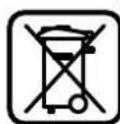
In accordance with the European
Directive 2002/96/EC on
Processed electrical and
electronic devices and their
transformation into national
legislation governing
electrical and electronic devices
and their components, as well as the requirements for their disposal.
Possible changes.
Ukrainian
Safety instructions
Warnings and precautions for electrical appliances
WARNINGS
Read all warnings and instructions.
Failure to follow the warnings and instructions may result in electric shock, fire, or serious injury.
Store these instructions for future reference.
WARNING: To reduce the risk of electric shock, use only in dry conditions (with electrical cable) or with battery (without electrical cable).
Be3neka ha po604omy micui
Tpmae C0e p6ooy Mice B uHctoti 3a6e3neue O6pe oceitaehno po6ofo Miue. Be3aaa a6o nrahe OCBITaehna Ha po6oOmy Miui Moxyt bPiN3BeCTn A HeuachnX BIna4Kb. He npaouTe 3 eekTPOPNpHaAOM y cepeOBNu,de icHyE He63neKa Bb6yBbACAIoK pncSythocti
rOPOHnX pIaHn, rA3Ib a6o Tnay. EAEKTOPIPnAAADn MOxTy b IopOAnyBathicKn, BiA kNkX MoKe 3aMmTcHc nA6o napi.
Piaac npaic 3 eektpopnnaoem He iayckae To pOboQOrO MicuAite Ta inHx AoeB. BMOxete BpTaTNH KOHTPObHa nPnAAOM, RkUO Baua yBaRa 6yde BIABEPHYta.
EeKtPmHa 6e3neKa
UHTENCEAb eAEKToPnPHAAADy NOBHHeH NIXoAHTN DO 3EETKN. HeO30BAnETcMa MINHTb UHTENCEAI. Aa PO60TH 3 eAEKToPnPHAAAM, IO MAOTb 3axHCHE 3aEMEAHH, He BHKOPHOCTOBYte aADIETPN. BnKOpNCTaHHopriHaNbHOro WTeTceA Ta HaExKHOI p03eTKn 3MeHwye pH3NK ypaXeHHraeKTPNCHM CTPYMOM. YHKaTe KOHTAKrty CaTTH TIA i3 3a3eMaEHMM NOBEPXHHM, AK HATP., TPy6AMH, 6atapeHH ONaAHH, PAANTAM Ta XOAoAHbHKnAMH. KOAn Baue TIO a3a3eMaHe, ICHyE 36IbUeHa He6e3Ike ypaXeHHRAEAEKTPNHHM CTPYMOM. 3axnauTe npnaA BiA Ouyi BOaHr. POnaAHHB OAO B EeKTPoPiHAA 36iAibyepn3NK ypaKeHH eEeKTPnHMM CTpyMOM. He BHKOPHCOTByte Ka6eAb AAn TepeHecHH eAeKTPoTPHaAaY, TiaBuiyBaHHa 60 BnTAYBaHH aTeCeA3 P3oEaTH.3aXHaMaTe Ka6eAb BiD Tetla, oIIO,ROCTPHX KpAB TaTeAaENPiMaAHy, OIO pyxAOTBCR. PoIKOdKeHHa 60 3aKpyHcH KeAbe 3bIAbUyc pN3NK ypaKeHHa eAEKTPuHMM CTyPOM. Aa30BhiHix p6it 06ob'3KoBO BHKOpHCTOByHe AHe TAKHIOOBKYBaU, IOOPHAATMH AAA 30BHIiHx p6it. BHKOpHCTAHN IIOOBKyBaU, IIO po3paxOBaHH Ha 30BHIiHpo6ToH, 3MeHUpcP3NK ypaXeHH eAEkTPnHM CTpyMOM. AkoHe MoKHa 3aNoBirn BHKOpHCTAHHO eaeKPTPOPAAy y BOAOrmy cpeAoBHui, BHOPCHOBYIe pNcHPIE3AXHCORO BHMKHNH. BHKOpHCTAHnYPnCPTPOI3AXHCORO BHMKHNH3MeHJUe PN3HK ypaXeHHReEAEKPTPNHm CTPyMOM.
Be3IeKa AIOdei
Bybte ybaXHHMn, cAikyIte 3a THM, 00 BN po6HtE, ta pO3cYAMBO TIOBAbTeCII qacpo60TH 3 eKxTPOPPHAAOM. He KOPCHTyTEcE eKxTPOPPHAAOM, kUo BN CTOMAEHI a60 3hAXoADTEcII AID iio HAPKOTHKIB, CTMHN HAOIB a60 AIKiB. Mntb HeyBaXHOCTI pPi KOPHCTYBAHHi eEAEKTPoPnPAaOMMOXeIpN3BecTHDOCEPHO3HxTpaBM. Bdraiteoc6ncte3axnche cnpaKeHH Ta 06o'3KOBO Bdraite 3axnCHIOyAHP.BdaH
Bosch Power Tools 2610022197(9.2.12)
162|Ykpaɪhcbka
OCBNCTO3axnCHORO CnOPAekHHRAHAPp.-B3aAeKHOCTI BID BNDy po6it-3axnCHOI MACKN,CTeUB3yTTUHO KOB3AcTbCA,KACKTa HabyuHKnIB,3MeHUYe Pn3HK TpaBM.
YHHKAHTBNTAADKOBORBMKHAAH.Nepu HIX BBIMKHYTH EAEKTPPNAAD B EAEKTPOMEPEKY 60 NiADATH AkyMYAHTOPHY 6ATAPEO,6PATNHO BpyKN 60NEpeHOCHTH,BTEBHITCBTOMYI eAEKTPPOHAA BMMKHYTH.TPMMAHHIaBHa HBMHKAYI NAC TpeHECEHHEAEKTPPOHAAy a60 NIKAUQEHHN BPO3ETKY YBMKHYTO IPIAAADMOKE TPINGBECTD TOPTBAIM. TepeTMMKBMHKATN EAEKTPOPTPAAA,INPH6epITb HaeIAROxyBaABHl IHCTPMEHTN Ta rAIKOHN KAOU. TepeByaHHHaIARoDxyBaHBHO IHCTPMEHTa a60 KIOVA B TactHI pIIAAAD,IOeBpTaETCB,MOJE PnIH3BcETN DO TpABM. YHKaHTe HnPHPOAnHO TNOAOXEHNTHIA.36epiraTe CTKeIIOAOXEHNTHa 3ABXM36epiraTne PIBHOBy.Lc O3BOANb Bam Kpaue 36epirATn KOHTpOb HaEAEKToPpHNAADuYe HcTeIOBAHINCHOTayiux. BraTepnDAtTHN OJr. He BArTaTe PpOCTOpH NOr Ta PnKpAch. He IAcTabaBHe BOACo, OAd Ta pyKaBnOIO DeAeAePiAAy, 00 pyXaOTbC. IpoCTOpH OAd, DOBRE BOACo TApHKpA MoXyTb NOTPAInTH BDeTAl, 00 pyXaHTbC. Rkuo ichyc MOXAHBICTb MOnTyBaTH NIOIaDCMOKByBaHbI a60 THAOYOBAOUOUI PnHCTPOI, TEPEKAHOteC, IO6 BOH 6yAN D6pe TIAECAHI Ta TpABNaHo BHKOPHCOTobyAaHc. BHKOPNCTHaHHIaBCMOKyBaHbHO IINCTPOIO MOKE 3MeHUNTH He6e3TEKNI, 3yMOBAHEIIAMoN.
PpabHbhe NIOBOdXeHHra Ta KOpHCTyBaHHra eAEKTPoPTPhaAaAMH
He nepebaTaxyte npmaA. BHKOPCTOByte TaKHH pnaAa, uo CTaeiaAaHo TpK3HaueHH AAA BIAnTOBIAHO p60TH. 3PnAaTHMM PnAaAOM BH 3 MeHWM pN3KOM OTPMaTe Kpaai Pe3yAbytAn p60TH, kAIO 6yDeTe paaOBATB 3a3HaHEMOy DianaHOI NOTxHOCTi. He KophctyItecEeKtpOnpHAAaOM 3 NtWkoAKeHHM BnMKaYeEM. EeKtpOnpHAAa, RKKn HE MoKH yBIMKHyTN a6o BmHKHTN, c HeBe3eTneHHM i Noro TpeBa BiApemOHTyBAtn. TepeaTHM,AK peryAIOBATHOHe6yDa HApAAAdi, MiHTHnTPHAADAAI 60XOBATHPAAAd, BHTHITb WTENCAb i3 po3eTKaIb AOTBHITb AkyMAUTOPHy Gatapeo. Li nonepaKxyBAaAblh 3axo3 T 3exhiK 6e3neK 3MEHUYOT pINK BNAKOBO 3aTYCKY PnaAay. XoBaHTe eAeKTPOpPnAAH,AHHMn Bn came He KOPHCYETecb,BIA DIteH.He 03BOAHTe KOPCTyBATHCAE AeKTPOpPnAAOMOC6aM,UOHe 3HAHOMI3 HOro p6oToIO a6o He UHTAANu BI BKA3IBKN.Y pa3i 3ACTOcYBaHHr HEoCBIueHmN O6aAMn PnAAHn HeCtyB C6oI He6e3NeK. CTapnHO DOrAaHTe 3a eEeKTPoPnHaADOM. IpeBipHHe, uO6 pyxOMI DetAI prrnaay BezdoarHO npauoBAAN Ta He 3aIaAH, He 6yAn TouKOxEHMHn ABO HACTiAbN TOUKOxEHHHM, uO6 ue MOAO BTHNHHT Ha
fynkuohybaHnaeAekTPOPTPhAAdy. Nowkdoxehi detai tpeBaBIDaemOHrybathn, npu HIX kophctybaTHCAHH3HOB.BeAMKaIbKCTb HeuaChHX BHNTAkBCTPHVHREcIcTraHMMDOrAOM3a eAEKTPOPTPAADAMn.
TPhMaTe piaaBHi IHCTpyMeHTn HArOCTpeHHM Ta BcHctOTi. CtapaHNO aOARHYTI piaaBHi IHCTpyMeHTn 3ROCTpHM piaaBHM Kpaem MeHwe 3actPraTo Ta AERUIBEKCNYatauui BHKOPHCTOByTe eAeKTPoPnHaA, PnHaAaDo HbOTo, p060i iHcTpyMeTH T.i. BIAIOBIAHO Do uXs BkAzIBOK. Beipit do yBarn npr h bomy mOBn p060tn Ta cneuphiky BKHoyBaHOI p060TH.BHKOpCTAHRe AeKTPoPnHaAaID AaPO6IT, AAR RkHX BOHN He Ipepe6aueHi, MoXe Pn3BcETn ADO Hebe3neuHx CNTyauii.
Cepbic
BidaabaTe cBn pHaAaHa peMOHT ANHe KBAaIiObAHMa fXIBIMTa HwE 3 BHKOPCTAHM OPHrHAbHHx 3aHCTNH. 1e 3ae3neHTb 63neHnicTb npAAy Ha DOBm Yac.
Bka3iBKN 3 texHkN 6e3TKeN d0 fpe3epnX BepctatIB
Hold the power tool by insulated gripping surfaces, because the cutting accessory may contact hidden wiring. Cutting accessory contacting a "live" wire may make exposed metal parts of the power tool "live" and could give the operator an electric shock. Secure the workpiece on a stable surface with clamps or another method. If you hold the workpiece by hand or against your body, it does not provide sufficient stability, which may lead to loss of control. The permissible speed of the power tool must be at least the maximum speed marked on the power tool. Accessories running faster than their rated speed can break. The accessory and its accessories must be properly rated for the power tool's speed (in rpm) of your power tool. Power tools running at speeds higher than their rated speed can be unstable, vibrate excessively, and may lead to loss of control over the tool. Do not use damaged accessories. Before each use, inspect the accessory for chips, cracks, or excessive wear. If the power tool or accessory is dropped, inspect for damage or use an undamaged accessory. Do not use the router on a workpiece that is not securely supported. Hold the tool with both hands by the handles or the motor housing. If both hands are not on the router, they cannot control the router. Never use the router on ladders, scaffolds, or other elevated surfaces. This could cause the router to slip and lead to loss of control.
Ukrainian163
For cutting into walls, ceilings, or floors, use appropriate accessories or consult a specialist. Cutting into existing wiring can cause electric shock. Cutting into gas pipes can cause explosion. Cutting into water pipes can cause property damage or electric shock. Do not use dull or damaged bits. Dull or damaged bits can cause excessive friction, may bind, and can cause kickback. When working, hold the tool firmly with both hands in a secure position. With both hands, you can better control the power tool. Secure the workpiece. Use clamps or a vise to hold the workpiece securely, which is better than holding it by hand. Before placing the power tool down, make sure the bit has stopped. A running power tool can cause injury and lead to loss of control.
Product description and services

Read all safety warnings and instructions. Failure to follow the warnings and instructions may result in electric shock, fire, and/or serious injury.
Unfold the illustrated page with the tool and keep it in front of you while reading the instructions.
Intended use
The tool is intended for routing grooves in wood, plastic, and light building materials, as well as for routing with a guide bushing.
When using appropriate bits, it is also possible to process non-ferrous metals.
Illustrated components
The image of the components is shown in the figure on the label page.
1 Motor of the milling cutter 2 Base plate 3 Spindle 4 Handle (with insulated surface) 5 Button for adjusting the milling depth (base plate) 6 Scale for fine adjustment of the milling depth 7 Wing bolt for adjusting the scale 8 Markings for fine adjustment
9 Scale for adjusting the milling depth (base plate) 10 Pointer with index mark (base plate) 11 Guide roller (base plate) 12 Stop for the rotating mechanism 13 Support plate 14 Button for switching on 15 Switch for locking the spindle 16 Guide roller for the guide rail (base plate) 17 Locking screw for the guide rail 18 Milling cutter 19 Button for fixing the spindle 20 Spindle lock 21 Chip deflector for the motor 22 Locking screw for the base plate/guide rail 23 Guide for the parallel stop 24 Rotating handle for fine adjustment of the milling depth (guide rail) 25 Locking screw for coarse adjustment of the milling depth (guide rail) 26 Scale for coarse adjustment of the milling depth (guide rail) 27 Fixing screw for the guide rail 28 Roller for measuring the distance (24 mm) 29 Guide roller for the guide rail (2 pcs.) 30 Guide rail (base plate) 31 Guide roller (0.35 mm) 32 Guide rail (guide rail) 33 Roller for the guide rail (guide rail) 34 Scale for adjusting the milling depth (guide rail) 35 Parallel stop 36 Guide pins for the parallel stop (2 pcs.) 37 Wing bolt for fine adjustment of the parallel stop (2 pcs.)* 38 Wing bolt for coarse adjustment of the parallel stop (2 pcs.)* 39 Rotating handle for fine adjustment of the parallel stop 40 Adjustable stop plate of the parallel stop 41 Wing bolt for the guide pins of the parallel stop (2 pcs.)* 42 Milling cutter and guide rail for the parallel stop 43 Handle of the milling cutter 44 Wing bolt for coarse adjustment of the milling cutter (2 pcs.) 45 Wing bolt for fine adjustment of the milling cutter (1 pc.)

164|Ukrainian
46 Rotating handle for fine adjustment of the milling cutter 47 Centering bolt for the parallel stop 48 Chip deflector (for the accessory "Milling cutter") 49 Guide rail 50 Guide rail for the guide rail 51 Wing bolt for the guide rail (2 pcs.) 52 Locking screw for the guide rail 53 Guide rail 54 Wing bolt for the guide rail
55 Centering guide 56 Wing bolt for the guide rail 57 Special wrench for fine adjustment of the milling depth (guide rail)* 58 Guide roller for fine adjustment of the milling depth (guide rail)
59 Wing bolt for the chip deflector
60 Wing bolt for the chip deflector
The scope of delivery is shown in the figure. Please note that the actual assortment may differ from the delivery program.
Technical data
Technical documentation (2006/42/EC): Robert Bosch GmbH, PT/ETM9,
D-70745 Leinfelden-Echterdingen
Dr. Egbert Schneider Senior Vice President Engineering
Dr. Eckerhard Strötgen Engineering Director PT/ESI


Robert Bosch GmbH, Power Tools Division D-70745 Leinfelden-Echterdingen 25.01.2012
Pipe a 6yab-kaNMMMaHInyAuaHm3 eAekTpnpAA AOM BHTAHTb WTeTceAb 3 pOeTK.
BCTPOMAHHMOTOPaΦpe3epHOroMaunHa y 3arAn6HmBy30A/KoTIPHNBy30A (AN.MA.A-B)
-BiIpyCITb 3aTHCKHH BaxiAb 3aARH6HOrO By3A/ KOTIIpHOrO By3Aa 22. BCTPOMITMoTOPfpe3epHOroMaunHaDoytopyBa3aA6nHHBy30/KonipHHBy30. -ПиВИКОПСТАНHI KONIPHOrO By3A 3 HATNCHITb Ha 3aTHCKHN BAXIAB 25 TaTOTAHITb MOTOP ppe3ePHoR BEPCTATA 1 y KONIPHOMY By3A 3 YROPy a60 BHN3 B3aMEXHOCTi BID TOTPiHOrTOIOLOXEHn, IIO6 PnH e HATNCHYtOMy 3aTHCKHOMY BAXEJI 25 BIN 3aHNOB y 3aHTeHANBO D OHOHY 3 I npop3iB 26. -3aTHCHITb 3aTHCKHMBAXKIAb DAA 3aARHOBOBy3A/ KOIIIPHOBOBy3A22. BctahOBiB 6axaHny fainHy pfeepyBaHHA,INB. po3AI AHaCtpoOBaHHraHbHHnFpe3epyBaHHA
BHHMaHnMoTopaΦpe3epHoro Bepctata i3 3aRam6Horo/KonipHoro By3a(MnB.MaA.C)
-BiIpytItb 3aTHCKHn BaxiAb 3aAR 3aRn6HOrO By3la/KoTIpHOrOBy3la22. -NotrHtMbTOPOFpEeepHOBepCTaDo ynpOy i PnHTPMaTe HOro B UcMoY NIOAOxehHI. HATNCHTb 3aNO6HXy KHONKY 21 i NOBHIcTO BINTB MOTOp DEePHO BPcTAtIg3IaN6HO/KoIPHO BY3AA. Ipi BNKOPACTHaII 3aAIN6HO BY3AA 3 HATNCHTb AOATKBO 3aTHCNHn BAKJIb 25.
MOHTAXI4'cAHyBaHa ⅢaHa RaAaH6Homy By3AI (AHB.MaA.E)
BicMOKTyBaHbHn aadTep 30 MoXHa BCTaHOBAOBATn 3EAHnHm HIIaAHr BnepeAfo H3aA. TPH BNKOPHCTAHHI aadTepKaonipHOi Ra3n 50 Bam, moXnBO, tpe6aIOBepHTn aadTep KOpHoi Ia3n Ha 180°, uioBicMOKTyBaHbHn aadTep 30 He TopkABcB BaxeR po36oKByAHn 52.
3aKpinitb BIDCMOKTyBaHMH aAaITIep 30 3aDIOIMOIO2 TBHNTB 3 HAkataHOIO FOAOKOIO 29 H OTOPHI IANTI 13.
Aa3ae3neueHHOITINMAbHOro BiACMOKtYBaHPERyAPHOIPOUHAnTe BIACMOKtYBaHHn aadTep 30.
MOHTAX nIeAHyBaayuHaAHra Ha KonipHOMy By3Ai (ANB.MaF)
BicMOKTyBaHbH aadTep 32 MoXHa BCTaHOBAIOBAtn 3cAahHnM TIIaIaHr Bnepe aO h3aAd. TpN BHKOpNCtAHHI aadTepa KOnPiHOi Ria3h 50 3akPinITb BICMOKTyBaHbH aadTep 32 aotomoroio 2 rHHTIB 3 HAcTaHOIO rOBOKO 29 Ha otopHnPiTI 13. RaKoBu HBe NKOpNCTOByte aadTep KoiPiHOi Ria3h 50, BCTaHOIB cTOnHATy POMIXe KIAUe 33 Ha BicMOKTyBaAlbHomy aadTepi 32, AK NOK3aHO Ha MaIOHky.
TIIaEHAHHN CHCTEMHNAOBIACMOKTYBAHH
HaHbHeBtBcMDOKTByaBbHHIIaHr(035MM)31(pPnAAdA) HAMOHTOBAHHIIeADhyBaIIaHrA.ⅡIeAHaTe BIDCMOKTByaBbHHIIaHr31doTHIOACOCA(pPnAAdA).
EAEKTPoPPHAAADMOXHaTIAKAOHTHN PIPMAO PO3EKNYIIBEPCAALBOFO TIAOCOCy Bosch 3AChTaHUIHHMM TYCKOBMNPIHCTPOEM.BIH ABOTMATHNO BMKAeTBCH PIPB BKAIOHEHHEAEKTPoPPNAAADy.
INSTRUCTIONS FOR USE OF THE DEVICE FOR PROCESSING MATERIALS.
FOR USE WITH HOUSEHOLD WASTE, CANCEROGENIC OR DRY TUMOR TISSUE, SPECIAL INSTRUCTIONS FOR USE.
Operation
Precautions
Connect to the mains! The device must be connected to a power source according to the specifications on the nameplate. The device, designed for 230 V, can also operate at 220 V.
Setting the number of revolutions
Using the knob for setting the number of revolutions, you can set the number of revolutions as needed.
1-2 low number of revolutions
3-4 medium number of revolutions
5-6 high number of revolutions
The values given in the table are indicative. The required number of revolutions depends on the material and working conditions, which can be determined by trial and error.
| Materiak Diametrop | Положения | |
| Фрази (MM) | Кошатka 15 | |
| Терда Depeвина (6ук) | 4-10 | 5-6 |
| 12-20 | 3-4 | |
| 22-40 | 1-2 | |
| Мяка Depeвина (сосяа) | 4-10 | 5-6 |
| 12-20 | 3-6 | |
| 22-40 | 1-3 | |
| Деревочтужкови плены | 4-10 | 3-6 |
| 12-20 | 2-4 | |
| 22-40 | 1-3 | |
| Пл actмаси | 4-15 | 2-3 |
| 16-40 | 1-2 | |
| Алиomіній 4-15 | 1-2 | |
| 16-40 | 1 | |
After working with a low number of revolutions, let the device cool down (run at idle for about 3 minutes at maximum number of revolutions).
Switching on/off
Before switching on/off, set the switch to the off position. For 'setting the switch to the off position'
To switch on the device, press the switch 20 and hold it pressed.
Press and hold the ON button 20, then press the RESET button 19.
To turn off the power tool, release button 20 or, if the button is locked, press the RESET button 19, briefly press button 20, and then release it.
If you are not using the power tool, turn it off to save energy.
Electronic control
The electronic control ensures a constant number of revolutions under load and at idle; this ensures uniform productivity.
Soft start
The electronic soft start system limits the starting torque and extends the motor's service life.
Setting the depth of cut
The depth of cut can only be set when the power tool is switched off.
Setting the depth of cut (general)
The depth of cut is set as follows:
- Insert the power tool with the mounted cutter into the workpiece. - Turn the scale to the exact setting for the desired cutting depth on the adjustable stop mechanism 12 in the lowest position; the adjustable stop mechanism must be fully engaged.
Ukrainian 167
Press the locking lever down on the guide rail 16 so that the guide rail 11 can be adjusted. - Loosen the locking lever for the depth stop and slowly lower the cutter until the cutter 18 just touches the surface of the workpiece. Tighten the locking lever again and secure the depth stop. - Press the guide rail 11 down so that it rests on the stop of the adjustable mechanism 12. Set the pointer 10 to the "0" position on the depth scale 9. Set the guide rail 11 to the required cutting depth by pressing the locking lever down on the guide rail 16. Make sure that the pointer 10 does not move - press the locking lever for the depth stop and set the cutter to the highest position.
The depth of cut setting is achieved by the fact that during the cutting process, the guide rail 11 rests on the stop of the adjustable mechanism 12.
It is recommended to perform milling in several passes, removing each layer of material. To do this, use the rotary mechanism 12 to set the milling depth in several stages. To do this, install the rotary mechanism at the required milling depth level and begin processing at a higher level. The distance between levels is approx. 3.2 mm.
For rough milling, you can use the rotary handle to set the required milling depth. To increase the milling depth, turn the handle clockwise; to decrease the milling depth, turn the handle counterclockwise. Each turn of the handle changes the milling depth by 1.5 mm, and each click corresponds to 0.1 mm. The maximum adjustment range is ±16 mm. Note: the maximum milling depth is 10.0 mm, and for rough milling, the milling depth is 9.6 mm.
- Press the button to unlock the function of the milling depth adjustment. - Turn the rotary handle 5 by 0.4 mm per click (difference between the set and actual values) in the direction of the arrow. - Set the selected milling depth, then perform the milling operation.
For precise adjustment of the milling depth, use the scale 8, which is located on the side of the depth stop, and shows the middle value. Thus, the final range for the initial adjustment of the depth is ensured in both directions.
The maximum depth is limited so that the required depth can be set even with the help of the coarse adjustment scale. The maximum adjustment range is 41 mm. The adjustment must be performed only when the rotary mechanism 12 is unlocked.
Adjusting the milling depth on a copy ring (see Fig. A)
Adjusting the milling depth is done as follows:
- Loosen the clamping screw of the copy ring 22.
- Use the coarse adjustment to set the milling depth by loosening the clamping screws 25 and turning the motor of the milling machine to the desired position, so that the clamping screw 25 is not tightened. Then tighten the clamping screws 25 in the slots 26. The distance between adjacent slots is 12.7 mm (0.5").
- For fine adjustment of the milling depth, use the rotary handle for fine adjustment of the milling depth 24; to increase the milling depth, turn the handle counterclockwise, to decrease the milling depth, turn the handle clockwise. The adjustment range is indicated on the scale of the rotary handle 24 in millimeters. The maximum adjustment range is 41 mm. Use the milling depth 34 for the initial setting. Note: the maximum milling depth is 10.0 mm, and for fine milling, the milling depth is 9.5 mm.
Set the scale on the rotary handle 24 to 0, without turning the rotary handle 24 itself. Then turn the rotary handle 24 in the direction of the arrow for 5 - 10 turns. Set the selected milling depth, then perform the milling operation.
Work instructions
Milling operation (see Fig. A)
To perform milling, it is necessary to first record the milling mode via button 18 (milling mode selection). To mill with the milling mode (plunge milling), the power tool can be guided by hand.
Perform milling with the selected milling mode as follows:
Set the milling depth, see section "Setting the milling depth - Setting the depth with the mounted milling cutter" for the material being processed and the milling cutter.
168|Ukrainian
- Press the unlock button for the plunge function and slowly lower the milling cutter until the set milling depth is reached. - Release the unlock button for the plunge function to lock the milling depth. - Perform milling with uniform feed. - After completing the milling operation, set the milling cutter back to the highest position. - Switch off the power tool. - Perform milling with the selected milling mode as follows: - Note: Consider that the milling cutter 18 may be visible when milling with the selected milling mode due to the large depth of cut 13. Do not touch the template and the workpiece. Set the milling depth, see section "Setting the milling depth - Setting the depth with the mounted milling cutter". - Switch on the power tool and guide it to the workpiece. - Perform milling with uniform feed. Switch off the power tool. The term, which is used for the power tool, is not to be confused with the milling cutter.
Milling with the auxiliary stop (see figure J)
For processing large workpieces, e.g., when milling grooves, you can attach the auxiliary stop to the workpiece as an additional support and guide the multifunctional milling cutter with the auxiliary stop. When using the auxiliary stop, guide the multifunctional milling cutter with the auxiliary stop from the flat side of the workpiece.
Edge or profile milling
For edge or profile milling without the parallel stop, it is necessary to use the guide with the roller.
Switch on the power tool and guide it to the workpiece so that the guide roller is in contact with the workpiece. - Guide the power tool with both hands along the edge of the workpiece. Make sure to maintain a right angle. Excessive pressure may damage the edge of the workpiece.
Milling with the parallel stop (see figure K)
Install the parallel stop with the guide roller using the wing bolts 41. Using the wing bolts 7 and 38, you can adjust the surface of the parallel stop.
Using the rotary knob 39, you can, after loosening the wing bolt 37, adjust the surface. The surface is adjustable by 2.0 mm; each turn of the rotary knob 39 adjusts by 0.1 mm.
Using the stop plate 40, you can adjust the effective stop surface of the parallel stop.
Guide the power tool with the edge of the workpiece with uniform feed, pressing from the side against the parallel stop.
Deepening with a deep circle (see Fig. L) For circular deepening, you can use a deep circle/adapter of diameter 42.
Mount the milling circle ФPKyB as shown in the figure. Tighten the centering bolt 47 in the hole of the milling circle. Insert the bolt tip into the center hole of the workpiece to be milled, while making sure that the bolt tip fits into the prepared surface.
Move the milling circle, roughly adjust the base plate, and tighten the adjusting screws 44 and 45.
Using the rotary handle 46, you can, after loosening the adjusting screw 45, precisely adjust the depth. When using the depth stop, the scale division is 0.2 mm, and one full turn of the rotary handle 46 corresponds to 0.1 mm.
Holding the base plate handle 44 and the handle of the milling circle 43, guide the tool with the electric drive along the prepared part.
Milling with a parallel stop (see Fig. M)
With the help of the parallel stop 49, you can perform various jobs.
To compensate for differences in height, you must mount the extension plate 48.
Mount the milling circle/adapter for the parallel stop 42 as shown in the figure.
Secure the parallel stop 49 with the help of the clamping devices, e.g., clamps, on the prepared part. Connect the electric drive to the mounted adapter for the parallel stop 42 to the parallel stop.
Milling with a copying ring (see Fig. N-Q)
With the help of the copying ring 53, you can transfer contours, templates, and patterns onto the prepared parts.
For using the copying ring 53, you must first install the adapter for the copying ring 50 into the base plate 14.
Install the adapter for the copying ring 50 on top of the base plate 14 and secure it with the two screws 51. Make sure that the required opening for the copying ring 52 moves freely.
Install the copying ring 53 depending on the thickness of the base plate 60 or the stop. When adjusting the height of the copying ring, the minimum thickness of the base plate should be 8 mm.
Install the copying device 52 and install the copying gas nozzle 53 into the copying gas adapter 50. When doing so, the control cables must be completely protected in the grooves.
Check the clearance of the cutter to the edge of the copying gas nozzle, mm. Center the guard.
The diameter of the cutter must be less than the inner diameter of the copying gas nozzle.
Operation with the copying gas nozzle is performed as follows:
Note: Keep in mind that the cutter during cutting operations with a core drill is always offset from the guard 13. Do not use a blunt or damaged cutter. - Turn on the electric drive with the copying gas nozzle to the table. - Using the feed handle: Press the release button of the feed mechanism and smoothly lower the cutter head until the cutter is installed. Press the release button again to fix the lowering. All electric drive with the incoming copying gas nozzle is installed on the table, pressing the lever.
Centering the guard (see Fig. R)
To set the cutter to the edge of the copying gas nozzle in the longitudinal direction, it is necessary to center the copying gas nozzle and the cutter relative to each other.
Using the feed handle: Press the release button of the feed mechanism and lower the cutter head to the working position. Press the release button again to fix the lowering. Loosen the clamping screws 54. On the scale, the cutter position 14 is clearly visible. Install the centering guide 55, as shown in the figure, using a dial indicator. Tighten the hand nut so that the centering guide can move with effort. Remove the centering guide 55 and the copying gas nozzle 53 from the holder, slightly pressing the indicator 14. - Tighten the clamping screws 54 again. Remove the centering guide 55 and install the working tool. - Using the feed handle 2, press the release button of the feed mechanism and raise the cutter head to the upper position.
Working with the milling table (see Fig. S)
The copying device can be used on a straight
milling table for mounting the guard 14
and close the copying device with the clamping screws 56 on the milling table
When mounting the copying device, follow the instructions for the operation of your milling table. If necessary, you need to make a hole in the milling table for mounting the copying device.
For longitudinal adjustment of the cutting depth, it is best to use the longitudinal adjustment of the cutting depth with a special wrench 57.
Filling with an extraction funnel (see figure)
The edges can be briefly processed with the extraction funnel 59.
Close the cover 45 with the help of the two screws. The cover 45 can be closed with different attachments, as shown in the figure. For processing flat and smooth surfaces, use the extraction funnel.
Maintenance and service
Maintenance and cleaning
Before any work on the power tool, pull the plug out of the socket. To ensure safe and efficient operation, always keep the power tool and its ventilation slots clean. In extreme conditions, always use a dust extraction system if possible. Blow out the ventilation slots regularly and connect a residual current device (RCD) upstream. When processing metals, conductive dust can accumulate inside the power tool. This can affect the protective insulation of the power tool.
The cable must be checked regularly. If it is damaged, it must be replaced by a Bosch service center or an authorized Bosch service agent, otherwise there is a risk of electric shock.
If the power tool fails despite careful manufacturing and testing procedures, repair should be carried out by an authorized Bosch service center.
When making any inquiry or ordering spare parts, please always quote the 10-digit product number found on the rating plate of the power tool.
After-sales service and application service
In our service center, you will receive a prompt and reliable repair and maintenance service for your product. You can find the addresses of the service centers at:
www.bosch-pt.com
The Bosch application service team will be happy to answer any questions regarding our products and their accessories.
Repairs of the power tool should only be carried out by qualified specialists using original spare parts. This ensures the long-term safety of the power tool.
WARNING! Using inappropriate accessories may lead to injury. The use of accessories not intended for this power tool is prohibited by law and may result in civil and criminal liability.
170 | Romania
Ukraine
LLC "Robert"
Service Center for Power Tools
Ukraine, 02660, Kyiv-60
Ukraine
Tel: +38(044)4902407 (multi-channel)
E-Mail: pt-service.ua@bosch.com
Official website: www.bosch-powertools.com.ua
The addresses of regional warranty service workshops are specified in the national warranty card.
Utilization
Power tools, accessories and packaging should be sorted for environmentally friendly recycling.
Do not dispose of power tools into household waste!
Only for EU countries:
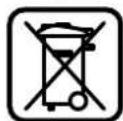
According to the European Directive 2002/96/EC for waste electrical and electronic equipment and its implementation in national law, power tools that are no longer usable must be collected separately and disposed of in an environmentally correct manner.
MOXAHI 3MINH.
Româna
Instruetiuni privind siguranta si protectia muncii
Senior Vice President
Engineering Director
Engineering

Robert Bosch GmbH, Power Tools Division
D-70745 Leinfelden-Echterdingen
25.01.2012
Montare
Inaintea oricarorinterventiiasuprascauleielectricsscoateci cablulde alimentareafara dinpriza.
174 Româna
06xynyka3aHn3a 6e3oNaChpa6oTa
BHIMAHME
Ipochyete BHHMaTeAHO BCNUK yka3aHn. Heca3BaHeto Ha
INSTRUCTION MANUAL FOR ELECTRIC TOOLS - SAFETY WARNINGS FOR ELECTRIC TOOLS.
Keep the instructions in a safe place.
The electric tool is supplied with a cable for connection to the electrical network (with cable) or for connection to a battery (without cable).
Workplace safety
Keep the work area clean and well lit. Cluttered or dark areas can lead to accidents. Do not operate the electric tool in explosive atmospheres, in the presence of flammable liquids, gases or dust. During operation, the electric tool may produce sparks that could ignite dust or vapors. Keep children and bystanders away while operating the electric tool. Distractions can cause you to lose control of the electric tool.
Electrical safety
The plug of the electric tool must match the outlet. Never modify the plug in any way. Do not use any adapter plugs with earthed (grounded) power tools. Unmodified plugs and matching outlets will reduce risk of electric shock. Avoid body contact with earthed or grounded surfaces, such as pipes, radiators, ranges and refrigerators. There is an increased risk of electric shock if your body is earthed or grounded. Do not expose power tools to rain or wet conditions. Water entering a power tool will increase the risk of electric shock. Do not abuse the cord. Never use the cord for carrying, pulling or unplugging the power tool. Keep cord away from heat, oil, sharp edges or moving parts. Damaged or entangled cords increase the risk of electric shock. When operating a power tool outdoors, use an extension cord suitable for outdoor use. Use of a cord suitable for outdoor use reduces the risk of electric shock.
If operating a power tool in a damp location is unavoidable, use a residual current device (RCD) protected supply. Use of an RCD reduces the risk of electric shock.
If the electric tool is used in a damp environment, use a residual current device (RCD) protected supply. Use of an RCD reduces the risk of electric shock.
Safe work with the tool
When using the device, pay careful attention and act reasonably. Do not use the power tool if you are tired or under the influence of drugs, alcohol, or medication. A moment of inattention while operating the power tool may result in serious personal injury. Use personal protective equipment. Always wear eye protection. Protective equipment such as a dust mask, non-skid safety shoes, hard hat, or hearing protection used for appropriate conditions will reduce personal injuries. Prevent unintentional starting. Ensure the switch is in the off-position before connecting to a power source and/or battery pack, picking up or carrying the tool. Carrying power tools with your finger on the switch or energizing power tools that have the switch on invites accidents. Remove any adjusting key or wrench before turning the power tool on. A wrench or a key left attached to a rotating part of the power tool may result in personal injury. Do not overreach. Keep proper footing and balance at all times. This enables better control of the power tool in unexpected situations. Dress properly. Do not wear loose clothing or jewelry. Keep your hair, clothing, and gloves away from moving parts. Loose clothes, jewelry, or long hair can be caught in moving parts. If devices are provided for the connection of dust extraction and collection facilities, ensure these are connected and properly used. Use of dust collection can reduce dust-related hazards.
Safety Warnings for Power Tools
Do not modify the power tool. Use the power tool only for its intended purpose. Do not work with it in any other way.
180|Bulgarian
Do not use the power tool if the switch does not turn it on and off. Any power tool that cannot be controlled with the switch is dangerous and must be repaired. Proper maintenance of the power tool, replacement of worn parts, and adjustments should be performed by qualified personnel. When using the power tool for extended periods, be aware of the risk of electric shock from the mains supply and/or the battery pack. This warning reduces the risk of electric shock due to improper use. Store the power tool out of the reach of children and do not allow persons unfamiliar with the power tool or these instructions to operate it. Power tools are dangerous in the hands of untrained users. Maintain power tools. Check for misalignment or binding of moving parts, breakage of parts and any other condition that may affect the power tool's operation. If damaged, have the power tool repaired before use. Many accidents are caused by poorly maintained power tools. Keep cutting tools sharp and clean. Properly maintained cutting tools with sharp cutting edges are less likely to bind and are easier to control. Use the power tool, accessories and tool bits etc., in accordance with these instructions, taking into account the working conditions and the work to be performed. Use of the power tool for operations different from those intended could result in a hazardous situation.
Maintenance
Have your power tool serviced by a qualified repair person using only identical replacement parts. This will ensure that the safety of the power tool is maintained.
Safety instructions for routers
Hold the power tool by insulated gripping surfaces, because the cutter may contact hidden wiring. If the cutter contacts a "live" wire,
the exposed metal parts of the power tool may become "live" and could give the operator an electric shock.
Always use the base plate as a guide for the router. The base plate must be flat on the workpiece. The permissible speed for the router bit depends on the diameter of the router bit and the maximum speed of the router. Router bits that rotate at too high a speed can be destroyed. The router bit or other working tool must be inserted exactly into the collet (chuck) of your router. A working tool that is not inserted exactly into the collet of the router will rotate unevenly, vibrate strongly, and can lead to loss of control. Always switch off the router before making any adjustments. In the event of a malfunction, there is a risk of kickback if the router is switched on while making adjustments. Do not use blunt router bits. With the second hand, hold the auxiliary handle or the motor housing. When you hold the router with both hands, there is a danger of coming into contact with the working tool. Never cut metal objects, nails, or screws. There is a risk of the router bit jamming and causing kickback. Use suitable tools to uncover hidden cables under the surface of the workpiece, or contact the local power supply company. Contact with a live cable can cause fire and electric shock. Damaged gas pipes can cause explosions. Damage to water pipes can cause property damage and electric shock. Do not use damaged or blunt router bits. Damaged or blunt router bits increase friction, can jam, and cause imbalance. While working, hold the router firmly with both hands and maintain a stable body position. Hold the router so that it is guided smoothly. Secure the workpiece. Use suitable protective equipment such as safety glasses or goggles, especially when you are cutting. [garbage text] Always switch on the router before it touches the workpiece. In the event of a malfunction, using the working tool can cause injury to other people or damage to the router.
Bulgarian|181
Product Description and Capabilities

Read all instructions carefully. Failure to follow the instructions can result in electric shock, fire, and/or serious injury.
Open the packaging and remove the contents, read the instruction manual, and keep it for reference.
Intended Use of the Router
The router is intended for routing grooves, edges, profiles, and elongated holes in wood, plastic, and similar materials, as well as for plunge routing in wood materials.
The permissible speed of the router bit and the router bit itself can be used for processing soft and light metals.
Illustrated Components
The elements of the electronic instrument are indicated in the figures on the pages.
1 Electric motor 2 Control module 3 Copy module 4 Handle (insulated surface grip) 5 Adjustable handle for fine adjustment of milling depth (drilling module) 6 Scale for adjusting the milling depth 7 Release button for drilling 8 Index marker for adjustment 9 Scale for milling depth (drilling module) 10 Depth stop marker (drilling module) 11 Depth stop (drilling module) 12 Adjustable support foot 13 Base plate 14 Anti-friction plate 15 Potentiometer for adjusting the rotation speed 16 Screw with knurled head for depth stop (drilling module) 17 Knurled nut 18 Milling cutter 19 Lock-on button for switch 20 Switch 21 Release button for electric motor 22 Additional module for drilling/copying 23 Opening for the guide pin of the attachment for accelerated drilling 24 Adjustable handle for fine adjustment of milling depth (copy module)
25 Lock for coarse adjustment of milling depth (copy module) 26 Opening for coarse adjustment of milling depth in copy module 27 Lock button for shaft 28 Key 24mm 29 Screw with knurled head for guide bushing (2x) 30 Guide bushing (drilling module) 31 Guide bushing mark (0 35 mm) 32 Switch for activating the suction unit (copy module) 33 Mechanical lock for guide bushing (copy module) 34 Scale for milling depth (copy module) 35 Attachment for accelerated drilling 36 Guide pin for the attachment for accelerated drilling (2x) 37 Screw with knurled head for fine adjustment of the attachment for accelerated drilling (2x) 38 Screw with knurled head for coarse adjustment of the attachment for accelerated drilling (2x) 39 Button for fine adjustment of the attachment for accelerated drilling 40 Adjustable support pin for the attachment for accelerated drilling 41 Screw with knurled head for the attachment for accelerated drilling (2x) 42 Attachment for milling along a circular arc / Guide for the guide pin 43 Handle of the attachment for milling along a circular arc 44 Screw with knurled head for coarse adjustment of the attachment for milling along a circular arc (2x) 45 Screw with knurled head for fine adjustment of the attachment for milling along a circular arc (1x)* 46 Adjustable handle for fine adjustment of the attachment for milling along a circular arc 47 Centering screw for the attachment for milling along a circular arc 48 Anti-friction plate (included in the accessories of the attachment for milling along a circular arc) 49 Guide pin 50 SDS adapter for copying sleeve 51 Lock-on button for the adapter of the copying sleeve (2x) 52 Lock for releasing the adapter of the copying sleeve 53 Copying sleeve 54 Lock-on button for the anti-friction plate 55 Centering ring 56 Lock-on buttons for the copy module

182|Bulgarian
57 The safety clutch for adjusting the depth of cut (copying mode) 58 The safety clutch for adjusting the depth of cut (copying mode) 59 Protective cover for working in close proximity to the workpiece
60 The protective cover* is shown in other and additional operating positions not connected to the standard equipment. The cover for the additional operating positions can be ordered as an accessory for the additional operating positions.
Technical data
| Мулиские Home | |||
| Каталожен Home | 3 601 F24 0.. 3 601 F24 0.. | ||
| HominnaHa Kaohcympana Ha MoiHocT | W | 1 | 6 |
| Скорost на вьртоно на праzen Ho xo# | min1 | 10000 - 25000 | 10000 - 25000 |
| Предварителен Избор на скороста на вьртоно | ● | ● | |
| Моул за падыржане на постониak скорost на вьртоно | ● | ● | |
| Вьзможист за вькюване на acпни рашимонна сизема | ● | ● | |
| Гнес do за павOTEN Исттумент | mm | 8 - 12 | 8 - 12 |
| Инчовe | ½ - ½ | ½ - ½ | |
| Ха на Фразовацala Тама (моул за вряба!) | mm 76 76 | ||
| Maca съласно EPTA-Procedure 01/2003 | |||
| - Кограшиа Фраза | kg | - | 4,3 |
| - Вернекална Фраза | kg | 5,8 | 5,8 |
| Клac на зашиtra | [ ]/II | [ ]/II | |
| Данnotte ce отchairdo до НominhaNo habржени [U] 230 V. Пгн пазимно habржени, кас по Стесдахени ЗИтбALENHЯ STIын�я STIын�я STIын�я STIын�я STIын�я STIын�я STIын�я STIын�я STIын�я STIын�я STIын�я STIын�я STIын�я STIын�я STIын�я STIын�я STIын�я STIы网 | |||
Information on noise and vibration
The noise values were determined in accordance with EN 60745.
The typical A-weighted noise level is: sound pressure level 86 dB(A); sound power level 97 dB(A). Uncertainty K=3 dB.
Wear hearing protection!
| Φpe3OBaHe c moyα 3a kOTnpaHé | Φpe3OBaHe c moyα 3a IPrO6nbaHé | |
| Пьлесастийост на Вибрашение a(h)(векторнaya сума по Трпту нарразавлия) и неорodeелегоста К са орODEелен CBГАССН EN 60745: | ||
| aH | m/s2=6,0 | =5,5 |
| K | m/s2=1,5 | =1,5 |
The vibration level specified in these instructions for use was determined in accordance with the procedure described in EN 60745 and may be used for comparison with other power tools. It is also suitable for a preliminary assessment of the vibration exposure. The specified vibration level is representative for the main applications of the power tool. However, if the power tool is used for other applications, with other tools, or if it is not maintained as prescribed, the vibration level may differ. This could significantly increase the vibration exposure over the total working period.
For an accurate assessment of the vibration exposure, the periods when the power tool is switched off or when it is running but not actually being used should also be taken into account.
This may significantly reduce the vibration exposure over the total working period.
Take additional safety measures to protect the operator from the effects of vibration, such as: servicing the power tool and the working tools, keeping the tools sharp, and organizing the work processes.
Declaration of Conformity

We declare under our sole responsibility that the product described under “Technical Data” complies with the following standards or normative documents: EN 60745 in accordance with the provisions of Directives 2011/65/EC, 2004/108/EC, 2006/42/EC.


Bulgarian
Technical documentation (2006/42/EC) at:
Robert Bosch GmbH, PT/ETM9
D-70745 Leinfelden-Echterdingen
Dr. Egbert Schneider
Senior Vice President
Engineering
Dr. Eckerhard Strötgen
Engineering Director
PT/ESI

Robert Bosch GmbH, Power Tools Division
D-70745 Leinfelden-Echterdingen
25.01.2012
Mounting
Before commissioning the power tool, read the safety instructions and the operating instructions carefully.
Insert the battery into the hammer/drill (see figure A-B)
-Open the locking cap for the hammer/drill. 22. Insert the battery into the hammer/drill. -To remove the hammer/drill, press the locking cap 25 and pull the battery out of the hammer/drill depending on the desired position, until the locking cap engages. 26. -Close the locking cap for the hammer/drill. 22. -Set the desired drilling mode, see section "Setting the drilling mode".
The cutting tool must not be removed from the welding/cutting torch (see Fig. C).
-Turn the locking screw 22 for the welding/cutting torch counterclockwise. -Turn the cutting tool drive counterclockwise to remove it from the torch. Press the locking button 21 and pull the cutting tool drive out of the welding/cutting torch. When inserting the cutting torch, turn the locking screw 25 clockwise.
Installing the working tool (see Fig. D)
It is recommended to wear protective gloves when working with the working tool.
Depending on the application, you can use different cutting tools with different shapes and quality.
Cutting tools with a flat cutting edge are suitable for cutting soft materials, e.g., soft wood and plastic.
Cutting tools with a hard cutting edge are specially designed for hard and abrasive materials such as hard wood and aluminum.
Original cutting tools from the manufacturer's product range for your device can be found at your dealer.
The maximum cutting tool diameter is 12 mm. Use only cutting tools with a suitable shank.
You can change the cutting tool even when the drive is installed in the welding/cutting torch. However, we recommend changing the cutting tool when the drive is removed.
-Remove the drive from the welding/cutting torch. Press the locking button for the shaft 27 (O). If necessary, turn the shaft slightly by hand until the locking mechanism engages with a click.
Press the locking button for the shaft 27 only when turning it counterclockwise.
Loosen the clamping nut 17 with the open-end wrench 28 (size 24 mm) by turning it counterclockwise. Insert the cutting tool into the holder. The cutting tool must be inserted at least 20 mm into the holder. Tighten the clamping nut 17 with the open-end wrench 28 (size 24 mm) by turning it clockwise. Release the locking button for the shaft 27. - Do not use cutting tools with a diameter larger than 50 mm without a pilot drill. Such cutting tools cannot be used with the basic device. Do not tighten the clamping nut of the holder too much, otherwise the cutting tool may be damaged.
Dust extraction system
Dust from sanding, grinding, and cutting materials such as lead-containing paint, some types of wood, minerals, and metals can be hazardous to health. Contact with or inhalation of such dust can cause allergic reactions and/or respiratory diseases in the operator or bystanders. Certain dusts, e.g., from processing beech or oak, are considered carcinogenic, especially in combination with wood treatment additives (chromate, wood preservatives). Only process asbestos-containing materials with the appropriate qualified personnel.
Do not use the tool for grinding. Ensure good ventilation of the work area. - Wear a protective mask with filter class P2.
184 | Bulgarian
Place the batteries in the compartment on the side of the tool, observing the correct polarity of the batteries.
Avoid overloading the tool at the work area.
The tool may ignite spontaneously.
Mounting the adapter for dust extraction on the grinding tool (see Fig. E)
The dust extraction adapter can be mounted with the chip guard for cutting or grinding. When the adapter for the cutting guard is installed, the adapter for the cutting guard can be rotated 180° so that the dust extraction adapter does not protrude beyond the tool's contour. 52. Attach the dust extraction adapter 30 with the supplied screw 29 to the base 13.
For dust extraction with the adapter 30, use a suitable vacuum cleaner.
Mounting the adapter for dust extraction to the cutting tool (see Fig. F)
The dust extraction adapter 32 can be mounted with the chip guard for cutting or grinding. When the adapter for the cutting guard is installed, attach the dust extraction adapter 32 with the supplied screw 29 to the base 13. When using without the adapter for the cutting guard, first mount the intermediate piece 33 to the dust extraction adapter 32, as shown in the figure.
Switching on the extraction system
Connect the vacuum hose/ dust extractor (35 mm) 31 (accessory) to the mounted adapter. Connect the hose 31 with the dust extractor (accessory).
The power tool can be switched on directly with the universal dust extractor on the tool with the remote start feature. The power tool starts automatically when the dust extractor is switched on.
The dust extractor used must be suitable for working with the material.
For work that produces particularly harmful or carcinogenic dust, use a special dust extractor.
Work with the power tool
Press the switch
Pay attention to the mains voltage! The mains voltage must match the data on the rating plate of the power tool. Devices marked with 230 V can also be operated with 220 V.
Presetting the speed
With the speed presetting wheel 15 you can preselect the required speed, even during operation.
1-2 low speed, 3-4 medium speed, 5-6 high speed. The required speed depends on the material and the working conditions and can be determined by practical testing.
| Матерmaл Даметьр ha | фразеца (mm) | Позиши ha нотенцу- metьра 15 |
| Тьрда дрвесиha (бук) | 4-10 | 5-6 |
| 12-20 | 3-4 | |
| 22-40 | 1-2 | |
| Мека дрвесиha (бор) | 4-10 | 5-6 |
| 12-20 | 3-6 | |
| 22-40 | 1-3 | |
| Шпэрпат | 4-10 | 3-6 |
| 12-20 | 2-4 | |
| 22-40 | 1-3 | |
| Плacrма | 4-15 | 2-3 |
| 16-40 | 1-2 | |
| Вальни | 4-15 | 1-2 |
| 16-40 | 1 |
For continuous operation with low speed, let the power tool cool down by running it at maximum speed for approx. 3 minutes.
Switching on and off
Before switching on, check the saw blade for cracks or damage, and replace if necessary.
To switch on the power tool, press the start switch 20 and keep it pressed.
To lock the start switch 20, press the lock button 19.
To switch off the power tool, release the start switch 20. If it is locked with button 19, first press the button briefly and then release the start switch 20.
When not using the power tool, switch it off to save energy.
Electronic speed control
The electronic speed control keeps the speed almost constant, even under load, ensuring uniform working results.
IIaBHO BKAIOUBAHe
EeKTOPOHOYnpaBHeMa 3aTnABHO BkAOUbaHe ORpaHnBaBA bBpTmOMeHT npCTApTpaHe NyeBnAba BAfOrTopaHNOCTHa eAEKTOPOAbRtAea.
BbIrapckm1 185
Perynpahe Ha dbA6OuHnHa Ta Ha BpR3BaHe
Aotycka ce perynpaneho ha db60nhata Ha Bp3BaHe Da CE H3BbPwBa cmo KOrato eAEKtpOnHCTpyMeHTe H3KaIOUey.
PeryIpahe Ha db60HHa HbP3BaHe Ha MoyAa 3a Bp3BaHe (BxKTe fHpya G)
Ipy6o perymahe Ha b6ouHHata Ha Bpa3BaHe cH3BbpuBa ITO CAEHN HauH:
-10ctabeTe eAeKtpOnHCTpyMeHTa C MOHTnpAHnA ppe3ep Bbpxy 6pb6oTBaHH AetnA. -3aBpTeE cKaAATA 3aΦHOp eRyIuPaHe 6Dto03nuae 0 HactpoTHeBpTaHaTeCeCTbMaHaOnopa12HaHnHKOTcTBnAo;BpTaHaTeCeCTbMaHaOnopaTnAdaBCbOtBeTHATAIOIHmCOTeHTAMBOIpeuPkaBAe. OCB60AE BNTA C HAKATEHA TAA BA 16 HA BAOUHHHNA ORPAHHHTA, TAKA YE ABAOCHHHNRT ORPAHHHTE 11 Da MOKE AA CE ABHXK CBO60HO. HaTHCHETe HADOy OCB60kDaBauHnAoCT7 HaMOyAa 3a Bp8BaHne 6BAHO CTYCHETe 06epΦpe3a TnAOy, DOKATO pE3epbT 18 OOpTe DO IOBbPxHOCTTa HaTeTAA.OTHOBO OTYCHETe OCBO60kDaBauHnAoCT7, 3a DaΦHKcHpaTe TaHn DAbOoHu HA Bp3BaHe. HaTHCHETeBbOoHHHNOrpaHnHHTe11HaADy,AOKATO DOnIpeAoBpTnUcata Ce bTaNaHAnOtnopa12.IOCTABete TaIb3raC aMapKepe10a HIO3nHnKcKaAATA 3a BbOoHnHATAhFpEboBaHe9 HactpoTeAboOHHNnOrpaHHHTe11HaXeaHata AboOHHaN3ATERHEETBnHTCAHKATEHaTBA16.Ha BboOHHNnOrpaHHHTe.BHmAbaTePiPOBaDAHe HMeCTBaTE Nb3raUcMapKnPbOKBATA10. HaTNCHeTe OCB6o6KaDaBaAunIaoc7 Ha Moyna 3a Bp3BaHe HIOBAnHre Te OepePpe3a DOKpaHarope.
Taka Hactpoehata DbIoOuHnHa BpR3BaHe Ce DoCTHra, KOrato npnBpR3BaHe DbIoOuHHmT OrpaHmHTe 11 Dope do BbpTtuaCe CtbIaHa Onopa 12.
PnIIO-ROLEMN DbA0OHHN TpR6BA Da N3BbpWHTe
pe3OBaHETO HA HKOAKo PPOXoDA C NO-MAAKn CTbIKN.C
TMOUHTA Ha BbPTNaCTa Ce TbNAHn ONPa 12 MOxETe DA pa3eAHTE AeCHO IPOueCA Ha #pe3OBaHE HA HKOAKo CTbIKN. 3a eHaCTPOJe KEAHATA DbA0OHn HA Bp3BaHe C haHNCKOTcBtTAAO Ha ORPAHUNTeRA H 3a IPEABAPHTeAHITE PPOXoH 36epBeIO HOBCOKn CTbNAa.Pa3CToHnEto Mekdy OTAEHNTe CTbNAe a 3,2 mm.
CaeIpi06HO pfe3OBAHe MOKeTe Da HAcTPOte DbAboUHnHaTa Ha pfe3OBAHe TOHn Ho KelaHIna Pa3MeP Upe3 3aBpTaHe Ha pbKoBKaTaTa5;3aBpTaHe NIO TOCKa HA YacOBHHKOBATA CTpeKa BOAn DO yBeMaVabeHa HdAboOHnHa Ta fpe3OBAHe, CbOTBHeO bOpTaHo HA cABOBHHKOBATA CTpeKa - AO hAmAraBaHe Ha dAbOCHyHnHa Hcpe3OBAHe. Ipn peryIpaHe MOKeTe Da H3IOA3BaTe cKaAata 6. EInn Oh6opot CBOTBcTcBA Ha XoHa H3MeCTBaHe 1,5 mm, EAn OdeHHe Ha rOpHN Pb6 Ha cKaAata 6 CbOTBcTcBA Ha H3MeHHe Ha dbAoOHnHa Ha pfe3OBAHe c 0,1 mm. MaKcHmAHOTO hMeHHe Ha dbAoOHnHa Ha pfe3OBAe e ± 16 mm. Piimep: KelaHata DbAboUHnHa Hpe3OBAe e 10,0 mm, hMepeHata DbAoOHnHa Ppi np6HTo pfe3OBAe e 9,6 mm.
-HaTNCHEeOCBO6OxAbaaHnAIOCT7HaMOyAa3a Bp3BaHeN BmHHTe Oe6pepe3aDOKpaHarope.
Adjust the cutting depth by turning the knob to the scale on the depth stop (0.4 mm per division (difference from nominal and actual value). Check the new cutting depth by performing a test cut. Adjusting the cutting depth is done by setting the depth stop rod to the desired depth. This ensures sufficient allowance for the correct adjustment of the depth and its direction in both directions. If the maximum depth of cut is reached, it is not possible to achieve a greater depth of cut with the depth stop mechanism, as it is limited by the depth stop rod. Fine adjustment is not possible with the depth stop rod. The depth stop rod is limited to the maximum depth of cut. Adjusting the cutting depth is done as follows: -Open the clamping lever for the depth stop rod. -Set the depth stop rod to the desired depth. -Tighten the clamping lever. -Check the depth of cut by performing a test cut. -If the depth of cut is not correct, repeat the adjustment. -The depth of cut can be read on the scale of the depth stop rod in inches and millimeters. The maximum adjustment range is 41 mm. The scale for the depth of cut serves as an orientation. Example: The desired depth of cut is 10.0 mm, but the test cut shows a depth of cut of 9.5 mm. -Set the scale of the rotating knob to the zero position, then tighten the knob. After that, turn the knob in the direction of the arrow to the desired depth (0.5). -Check the new depth of cut by performing a test cut. The direction of rotation of the cutter (see Fig. 1) The cutting must be done against the direction of rotation of the cutter (up-cut milling). When cutting against the direction of rotation of the cutter, strong reaction forces (kickback) occur, and there is a risk of losing control of the power tool.
Adjusting the cutting depth of the copying sleeve (see Fig. H)
Operation
186|Bulgarian
The cutting with the plunge cutter is done as follows:
- Set the desired cutting depth, see section "Adjusting the cutting depth". -Place the power tool with the mounted cutter on the workpiece and switch it on. Press the unlocking lever 7 on the plunge cutter and slowly lower the cutter to the set cutting depth. Release the unlocking lever 7 to lock this depth in the plunge cutter. -Guide the cutter with constant feed.
- When the cutting is finished, lift the cutter back to the upper limit. -Switch off the power tool.
The cutting with the copying sleeve is done as follows:
Remove the safety cap before use. To cut a thread, set the depth stop to the required depth from the base surface 13. Be careful not to damage the switch or parts. - Set the desired thread depth; for this, see the section "Adjusting the thread depth". - Switch on the power tool and wait for the part to reach full speed. Then feed the cutter with constant pressure. - Switch off the power tool and do not leave the cutter until it has completely stopped.
Cutting with a guide stop (see Fig. J)
Processing of workpieces, e.g., cut channels. You can attach the guide stop to the workpiece with the auxiliary support. If you use the guide stop for cutting, guide the multi-function cutter with the auxiliary support on the side of the base plate.
Cutting with the guide rail / Cutting with the guide rail
Cutting with the guide rail without the adapter for guided cutting: the cutter must have a guide rail or a guide rail adapter.
Switch on the power tool and guide it sideways against the workpiece, so that the guide rail of the cutter is against the workpiece. Guide the power tool with both hands along the guide rail. Be careful not to tilt the cutter. The guide rail must be firmly supported on the workpiece.
Cutting with the adapter for guided cutting (see Fig. K)
Insert the adapter for guided cutting 35 with the guide pins 36 into the base plate 13 and secure it with the screws 41 in the desired position. With the screws 37 and 38 you can additionally adjust the adapter for guided cutting to the desired height.
With the rotary knob 39 you can adjust the height of the adapter for guided cutting. One full turn of the screw 37 corresponds to a height adjustment of 2.0 mm; the scale on the rotary knob 39 is divided into 0.1 mm increments.
With the support rail 40 you can change the support surface of the adapter for guided cutting.
Switch on the power tool with a steady feed and guide the adapter for guided cutting along the workpiece.
Cutting with the adapter for cutting circular shapes (see Fig. L)
For cutting circles, you can use the adapter for cutting circular shapes 42. Mount the adapter for cutting circular shapes on the base plate as shown in the figure. Insert the centering pin 47 into the hole on the adapter. Place the pointed end of the pin in the center of the circle to be cut, being careful that the pointed end engages in the surface of the workpiece. Set the desired radius of the adapter and tighten the screws with the wing nuts 44 and 45. With the rotary knob 46 you can adjust the radius by turning the screw 45. One full turn of the screw corresponds to a change in the radius of 2.0 mm; the scale on the rotary knob 46 is divided into 0.1 mm increments. Switch on the power tool, holding it by the handle 4 and the handle 43 on the adapter for cutting circular shapes.
Cutting with a guide rail (see Figure M)
With the guide rail 49 you can cut along a straight line.
To sharpen the cutting tool, you must install the mounting plate 48.
Install the milling attachment for the cutting tool according to the guide for the spindle length 42, as shown in the figure.
Tighten the spindle nut 49 to the machined part of the spindle. First, install the electronic spindle with the guide for the spindle length 42 on the spindle.
Feed the copy sleeve (see figure N-Q)
With the mounting of the copy sleeve 53, you can attach templates or patterns onto the machined part.
Use the copy sleeve 53 in the anti-friction plate 14. First, install the guide for the copy sleeve 50.
Install the guide for the copy sleeve 50 from the top side of the anti-friction plate 14 and then tighten it with the locking screw 51. Pay attention that the guide for the copy sleeve 52 can move freely.
Bulgarian 187
Choose the appropriate copy sleeve depending on the required table, i.e., template. The order of the copy sleeve feed must have a minimum depth of 8 mm.
Press the release button 52 to remove the copy sleeve 53 from the guide 50. When doing this, the copy sleeve must be in the position for the copy sleeve to be removed.
Check the distance between the center of the milling cutter and the copy sleeve, see the section "Centering of the base plate".
Select the appropriate diameter of the copy sleeve.
Milling with the copy sleeve 53 is carried out as follows:
Setup: Make sure that when milling with the 18 mm cutter for the copy sleeve, the base plate 13 is not damaged. Be careful not to damage the spindle or the part. -Adjust the electronic spindle with the copy sleeve to the table. -For the milling depth: Press the release button 7 to lower the milling depth. Then release the button 7 to fix the milling depth. -The copy sleeve is guided along the template with the guide pin.
Engineering
Dr. Eckerhard Strötgen
Engineering Director
PT/ESI

Robert Bosch GmbH, Power Tools Division
D-70745 Leinfelden-Echterdingen
25.01.2012
Assembly
Pull the mains plug out of the socket before any work on the power tool.
Using the router motor in the plunge unit/copying unit (see pictures A-B)
- Open the clamping lever for the plunge/copying unit 22. -Push the router motor up to the stop into the plunge/copying unit.

192 | Serbian
When using the copying unit 3, press the clamping lever 25 and move the router motor 1 in the copying unit 3 up or down depending on the desired position, until it locks in 25 in one of the 3 grooves 26. Close the clamping lever for the plunge/copying unit 22.
-Set the desired milling depth, see the section "Setting the milling depth".
Separating the router motor from the plunge/copying unit (see picture C)
- Open the clamping lever for the plunge/copying unit 22. - Pull the router motor up to the stop and hold it in this position.
- Press the safety button 21 and pull the router motor completely out of the plunge/copying unit. When using the copying unit 3, additionally press the clamping lever 25.
Assembly
Assembly
Before any work on the power tool, pull the mains plug out of the socket.
Installing the milling motor into the plunge/copying unit (see pictures A-B)
- Open the clamping lever for the plunge/copying unit 22. - Push the milling motor up to the stop into the plunge/copying unit. When using the copying unit 3, press the clamping lever 25 and move the milling motor 1 in the copying unit 3, depending on the required position, up or down, until the clamping lever 25 is no longer pressed and one of the 3 cutouts 26 is blocked. Close the clamping lever for the plunge/copying unit 22. Set the desired milling depth, see the chapter "Setting the milling depth".
Removing the milling motor from the plunge/copying unit (see picture C)
- Open the clamping lever for the plunge/copying unit 22.





Push the milling motor up to the stop and hold it in that position. - Press the safety button 21 and pull the milling motor completely out of the plunge/copying unit. When using the copying unit 3, additionally press the clamping lever 25.
General safety instructions
WARNING
All safety instructions and warnings must be read. Failure to follow the safety instructions and warnings may result in electric shock, fire, and/or serious injury.
Senior Vice President
Engineering
Dr. Eckerhard Strötgen
Engineering Director
PT/ESI
Robert Bosch GmbH, Power Tools Division
D-70745 Leinfelden-Echterdingen
25.01.2012
Assembly
Before carrying out any work on the electric tool, pull the plug out of the socket.
Mounting the router motor into the plunge base / trimming base (see figures A-B)
3-4 medium speed
5-6 high speed
The data in the table are approximate. The required speed depends on the material and working conditions and can be determined by practical testing.
| Material Freesitera | lābimōt (mm) | Regulatori asend 15 |
| Kōva puit (pōk) | 4 - 10 | 5 - 6 |
| 12 - 20 | 3 - 4 | |
| 22 - 40 | 1 - 2 | |
| Pehme puit (mänd) | 4 - 10 | 5 - 6 |
| 12 - 20 | 3 - 6 | |
| 22 - 40 | 1 - 3 | |
| Laastplaadid | 4 - 10 | 3 - 6 |
| 12 - 20 | 2 - 4 | |
| 22 - 40 | 1 - 3 | |
| Plastmaterial | 4 - 15 | 2 - 3 |
| 16 - 40 | 1 - 2 | |
| Alumniinium | 4 - 15 | 1 - 2 |
| 16 - 40 | 1 |
Estonian 217
After prolonged operation at low speed, let the tool run at maximum speed for about 3 minutes without load to cool down.
Switching on and off
Before switching on/off, adjust the routing depth, see section "Adjusting the routing depth".
Senior Vice President
Engineering
Dr. Eckerhard Strötgen
Engineering Director
PT/ESI
Paa
Robert Bosch GmbH, Power Tools Division
D-70745 Leinfelden-Echterdingen
25.01.2012
Assembly
Before servicing or maintaining the power tool, pull the plug of its power cord out of the mains socket.
Inserting the drive unit into the plunge or trimming base (figures A-B)
- Open the clamping lever 22 of the plunge or trimming base. Push the drive unit all the way into the plunge or trimming base. If the trimming base 3 is used, press the locking lever 25 and move the drive unit 1 up or down in the trimming base 3 until the locking lever 25 engages in one of the 3 openings 26. Close the clamping lever 22 of the plunge or trimming base.
- Set the desired milling depth as described in the section "Setting the milling depth".
Removing the drive unit from the plunge or trimming base (figure C)
- Open the clamping lever 22 of the plunge or trimming base. Pull the drive unit to the stop and hold it in this position. Press the release button 21 and completely pull the drive unit out of the plunge or trimming base. If the trimming base 3 is used, also press the locking lever 25.
Inserting the milling tool (figure D)
When using milling tools, it is recommended to wear protective gloves.
Milling tools of various qualities and designs are available at retail outlets.
Milling tools with HSS cutting edges are suitable for processing soft materials such as soft wood and plastics.
Milling tools with carbide cutting edges are specifically designed for processing hard and abrasive materials such as hard wood and aluminum.
Original Bosch milling tools from a wide range can be purchased at specialized retailers.
If possible, use milling tools with a shank diameter of 12 mm. Only insert undamaged and clean tools.
The milling tool can be replaced while the drive unit is installed in the plunge or edge trimming base. However, it is recommended to replace the milling tool when the drive unit is not installed.
- Remove the drive unit from the plunge or edge trimming base. Press the spindle lock button 27 (0) and hold it pressed. If necessary, turn the spindle slightly by hand until it locks. Press the spindle lock button 27 only when the power tool is not running. - Unscrew the collet nut 17 with the open-end wrench 28 (wrench size 24 mm, turning counterclockwise (2)). - Insert the shank of the milling tool into the collet. The shank must be inserted at least 20 mm deep into the collet. - Tighten the collet nut 17 firmly with the open-end wrench 28 (wrench size 24 mm, turning clockwise). Then release the spindle lock button 27. - When the edge trimming guide is not installed, do not insert milling tools with a diameter exceeding 50 mm. Such tools will not pass through the base plate. Do not tighten the collet nut if the collet is not inserted into the tool shank. Doing so may damage the collet.
Dust and chip extraction
Dust from materials such as lead-containing paint, some wood types, minerals, and metals can be harmful to health. Contact with or inhalation of such dust can cause allergic reactions or respiratory diseases in the user or persons near the workplace.
Dust from certain materials, such as dust generated when sawing oak or beech wood, can cause cancer, especially if the wood has been chemically treated (with chromate or wood preservatives). Materials containing asbestos may only be processed by persons with special professional skills.
- Use the most suitable dust extraction method for the material being processed. The workplace must be well ventilated.
- It is recommended to wear a breathing mask
- with filter class P2 during work.
Follow the safety regulations applicable in your country for the material being processed.
Do not allow dust to accumulate at the workplace. Dust can easily ignite.
Mounting the extraction adapter onto the plunge-cut base (Figure E)
The extraction adapter 30 can be mounted so that the hose connector faces forward or backward. If the parallel guide adapter 50 also needs to be mounted, it must be rotated 180° before mounting so that the extraction adapter 30 does not obstruct the clamping lever 52.
Secure the extraction adapter 30 with 2 slotted screws 29 onto the base plate 13.
To ensure effective extraction of dust and chips, clean the extraction adapter 30 regularly.
Mounting the extraction adapter onto the plunge-cut base (Figure F)
The extraction adapter 32 can be mounted so that the hose connector faces forward or backward. If the parallel guide adapter 50 is mounted, do not mount the extraction adapter 32 with 2 slotted screws 29 onto the base plate 13. When using the tool without the parallel guide adapter 50, first mount the intermediate ring 33 onto the extraction adapter 32 as shown in the figure.
Connecting to a dust extractor
Connect the extraction hose (Ø 35 mm) 31 (accessory) to the mounted extraction adapter. Connect the other end of the extraction hose 31 to a dust extractor (accessory).
The power tool can be connected directly to the socket of a Bosch universal dust extractor with remote start. This dust extractor is equipped with a remote control function, so when the power tool is switched on, the dust extractor starts automatically. The dust extractor must be suitable for the dust generated by the material being processed.
For dust that is particularly harmful to health, carcinogenic, or dry dust, use special dust extractors.
Operation
Starting Operation
Pay attention to the correct mains voltage! The voltage of the power source must match the value given on the rating plate of the power tool. Power tools marked with 230 V can also be operated with 220 V.
Selecting the cutting speed
Using the regulator 15, the user can select the cutting speed of the tool. This is also possible while the tool is running.
1-2 low cutting speed 3-4 medium cutting speed 5-6 high cutting speed
The values given in this table are indicative. The optimal cutting speed depends on the properties of the material and the milling conditions, so it is recommended to select it by practical trials.
| Materiali Früzes diametris | Regulatoria15 stävokliss | |
| (mm) | ||
| Ciets koks (skābardis) | 4 - 10 | 5 - 6 |
| 12 - 20 | 3 - 4 | |
| 22 - 40 | 1 - 2 | |
| Miksts koks (priede) | 4 - 10 | 5 - 6 |
| 12 - 20 | 3 - 6 | |
| 22 - 40 | 1 - 3 | |
| Materiali Früzes diametrs | Regulatoria | |
| (mm) | 15 stävoklis | |
| Skaidu pläksnes | 4 - 10 | 3 - 6 |
| 12 - 20 | 2 - 4 | |
| 22 - 40 | 1 - 3 | |
| Plastmasa | 4 - 15 | 2 - 3 |
| 16 - 40 | 1 - 2 | |
| Aluminijs | 4 - 15 | 1 - 2 |
| 16 - 40 | 1 | |
If the power tool is operated for a long time at a low cutting speed, it must be cooled down from time to time by allowing it to run at maximum cutting speed for approximately 3 minutes.
Switching on and off
Before switching on the tool, set the required milling depth as described in the section "Setting the milling depth".
To switch on the power tool, press the switch 20 and keep it pressed.
To lock the pressed switch 20, press the lock button 19.
To switch off the power tool, release the switch 20 or, if it is locked with the lock button 19, briefly press the switch 20 and then release it.
If the power tool is not being used, switch it off to save energy.
Electronic constant speed control
The electronic constant speed control maintains an almost constant spindle speed when the load changes from no-load to maximum, which allows a stable working mode.
Soft start
The tightening torque is electronically limited, thus increasing the service life of the motor.
Setting the milling depth
The milling depth may only be set when the power tool is switched off.
Dr. Egbert Schneider Senior Vice President Engineering
Dr. Eckerhard Strötgen Engineering Director PI/ESI
ppa
i.v. NiOgcu
Robert Bosch GmbH, Power Tools Division D-70745 Leinfelden-Echterdingen 25.01.2012
Assembly
Before carrying out any adjustment or maintenance work on the power tool, pull the plug out of the socket.
Inserting the router motor into the plunge/edge router or template router (see figures A–B)
- Open the clamping lever 22 of the plunge/edge router or template router.
- Push the router motor into the plunge/edge router/template router up to the stop.
- If using the template router 3, press the clamping lever 25 and push the router motor 1 into the template router 3, depending on the desired position, up or down, until it locks in one of the 3 holes 26 while the clamping lever 25 is not pressed. – Close the clamping lever 22 of the plunge/edge router or template router. Set the desired milling depth, see section "Setting the milling depth".
Removing the router motor from the plunge/edge router or template router (see figure C)
1
: 123
a
e
2002/96/EG
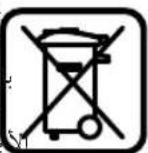
.
53 52 50 51
aai 53
18 100
(Ri,2j)
14 54
55 55- 45 45 53 53 55 55
54 1
.501 55 j5j5i5gjj
7 jaii 2jaii 12 jaii 2 jaii 10
(Sjgsal j)jjldzdo
3 14 56
(U-TJr)
13 60 59 59 59 59 59 59
l2 = l1 + l0
therefore y = a + b
J 12
29 30 52
1.13 1
29 23 32
32 33 a
a
()31(035)
()31
a 1
J 1
a
Therefore, log(2/3) < log(1/3)
g aal 0a10y baae 0a0000000000000000
1
J
J 1
sall jie jj jSoo. jI J I J b aai ddo oosill llo
120 230
LaaaJssuue
y 100
Therefore ES is perpendicular to DC.
28 17
(2) 1000
20 1
28 17 1
- 40.
.27 1
V. 150
.
aai 1 plo l w jll jll jll
j 1
jla/laia b
afo 1. afofofofofofofofofofofofofofofofofofofofofofofofofofofofofofofofofofofofofofofofofofofofofofo
Therefore, the area of triangle ADB equals the area of triangle COD plus the area of triangle BDO minus the area of triangle ADB.
Therefore, the area of triangle ACD is equal to one half times AQ times CD, which is one half times 2t times 5.
a
EN60745
1
a
j
Senior Vice President
Engineering
Dr. Eckerhard Strötgen
Engineering Director
PT/ESI
ppa.
Robert Bosch GmbH, Power Tools Division
D-70745 Leinfelden-Echterdingen
25.01.2012
1
e 1
.
(B-A)
22 1
25 13
j 1 j
15 25
26
22 1
j j 1
(Cjssg()
22 10
1 1
/21j
3 10
25 1
242|
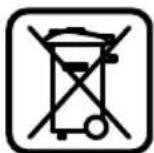
Dr. Egbert Schneider Senior Vice President Engineering
(2006/42/EG) Robert Bosch GmbH, PT/ETM9, D-70745 Leinfelden-Echterdingen
Dr. Eckerhard Strötgen Engineering Director PT/ESI
Robert Bosch GmbH, Power Tools Division D-70745 Leinfelden-Echterdingen 25.01.2012

__SUPPIMER__

__SUPPIMER__
40 1
3
(1)(2)(3)(4)
(51abogcuaa)jao-ooaia 5
j6 6
sI aIg6 j 2S SLoC uS Sj p
8
(5)abgccuwa)jfoafoafoafoafoafoafoafoafoafoafoafoafoafoafoafoafoafoafoafoafoafoafoafoafoafoafoafoafoafoafoafoafoafoafoafoafoafoafoafoafoafoafoafoafoafoafoafoafoafoafo
(sI abgic cuaa) jasLio Lgus 10
(5abgc c0o)goc 5oojogc
12
(4)
100 100
L 100g 200g 50g 200g 000g 100g 50g 200g 50g 200g 50g 200g 50g 200g 50g 200g 50g 200g 50g 200g 50g 200g 50g 200g 50g 200g 50g 200g 50g 2
y≤g≥1.5≤g≥2g≥3
Therefore S = 0
14 45
jS yLs oLgWuJyL aaiagS1, Lqai, ay
L
JgL
<1sLojI sJogac JLa Jlaolal
1 1 1
i 1
gL Lw L g
2g
g j 100
gJyjg jyj 100
- · = PA · PB
jLJoo
yjg jgsu yjgog yjg jgs


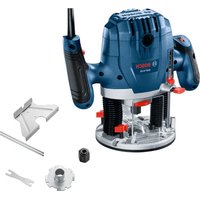
- GOF | GMF 1600 CE PROFESSIONAL
- BOSCH
- ASSEMBLY
- GENERAL POWER TOOL SAFETY WARNINGS
- WARNING
- SAVE ALL WARNINGS AND INSTRUCTIONS FOR FUTURE REFERENCE
- WORK AREA SAFETY
- ELECTRICAL SAFETY
- PERSONAL SAFETY
- POWER TOOL USE AND CARE
- SERVICE
- SAFETY WARNINGS FOR ROUTERS
- PRODUCT DESCRIPTION AND SPECIFICATIONS
- INTENDED USE
- PRODUCT FEATURES
- NOISE/VIBRATION INFORMATION
- DECLARATION OF CONFORMITY C
- INSERTING THE ROUTING MOTOR INTO THE PLUNGE BASE/NON-PLUNGE BASE (SEE FIGURES A-B)
- SEPARATING THE ROUTING MOTOR FROM THE PLUNGE UNIT/NONPLUNGE BASE (SEE FIGURE C)
- INSERTING A ROUTER BIT (SEE FIGURE D)
- DUST/CHIP EXTRACTION
- MOUNTING THE EXTRACTION ADAPTER TO THE PLUNGE BASE (SEE FIGURE E)
- MOUNTING THE EXTRACTION ADAPTER TO THE NON-PLUNGE BASE (SEE FIGURE F)
- CONNECTING THE DUST EXTRACTION
- OPERATION
- STARTING OPERATION
- PRESELECTING THE SPEED
- SWITCHING ON AND OFF
- CONSTANT ELECTRONIC CONTROL
- SOFT STARTING
- ADJUSTING THE DEPTH-OF-CUT
- ADJUSTING THE DEPTH-OF-CUT ON THE PLUNGE BASE (SEE FIGURE G)
- ADJUSTING THE DEPTH-OF-CUT ON THE NON-PLUNGE BASE (SEE FIGURE H)
- WORKING ADVICE
- DIRECTION OF FEED AND ROUTING PROCESS (SEE FIGURE I)
- ROUTING WITH AUXILIARY GUIDE (SEE FIGURE J)
- SHAPING OR MOLDING APPLICATIONS
- ROUTING WITH PARALLEL GUIDE (SEE FIGURE K)
- ROUTING WITH THE ROUTER COMPASS (SEE FIGURE L)
- ROUTING WITH GUIDE RAIL (SEE FIGURE M)
- ROUTING WITH GUIDE BUSHING (SEE FIGURES N-Q)
- CENTRING THE BASE PLATE (SEE FIGURE R)
- OPERATION WITH ROUTERTABLE(SEE FIGURES)
- ROUTING WITH EXTRACTION HOOD (SEE FIGURES T-U)
- MAINTENANCE AND SERVICE
- MAINTENANCE AND CLEANING
- AFTER-SALES SERVICE AND CUSTOMER ASSISTANCE
- WWW.BOSCH-PT.COM
- ENGLISH
- GREAT BRITAIN
- IRELAND
- AUSTRALIA, NEW ZEALAND AND PACIFIC ISLANDS
- REPUBLIC OF SOUTH AFRICA
- CUSTOMER SERVICE
- GAUTENG - BSC SERVICE CENTRE
- KZN - BSC SERVICE CENTRE
- WESTERN CAPE - BSC SERVICE CENTRE
- BOSCH HEADQUARTERS
- DISPOSAL
- ONLY FOR EC COUNTRIES
- FRANÇAIS
- WASTE DISPOSAL
- SUOMI
- ASENNUS
- ELECTRONIC SPEED CONTROL
- ELECTRONIC
- PROTECTIVE GUARD
- PROTECTIVE GUARD ADJUSTMENT (SEE FIGURE G)
- SAFETY INSTRUCTIONS
- GENERAL POWER TOOL SAFETY WARNINGS 1UXAFB READ ALL SAFETY WARNINGS AND ALL INSTRUCTIONS
- LIQUIDATION
- SYSTEM CONSTANT ELECTRONIC
- WORKPLACE SAFETY
- RUSSIAN
- USE OF THE POWER TOOL AND ITS HANDLING
- SAFETY INSTRUCTIONS FOR MILLING MACHINES
- DESCRIPTION OF PRODUCT AND SERVICES
- ILLUSTRATED COMPONENTS
- DATA ON NOISE AND VIBRATION
- DECLARATION OF CONFORMITY
- C60PK
- INSTALLING THE MOTOR OF THE MILLING MACHINE IN THE LOWERING/COPYING UNIT (SEE FIG. A-B)
- REMOVING THE MOTOR OF THE MILLING MACHINE FROM THE LOWERING/COPYING UNIT (SEE FIG. C)
- INSTALLING THE MILLING CUTTER (SEE FIG. D)
- DUST AND CHIP EXTRACTION
- INSTALLING THE EXTRACTION ADAPTER ON THE LOADING UNIT (SEE FIG. E)
- INSTALLING THE EXTRACTION ADAPTER ON THE CONTROL UNIT (SEE FIG. F)
- THE DEVICE IS NOT INTENDED FOR USE BY CHILDREN
- WORKING WITH THE TOOL
- SWITCHING ON THE ELECTRIC TOOL
- SETTING THE SPEED
- APPLICATION INSTRUCTIONS
- MILLING DIRECTION: THE MILLING PROCESS (SEE FIG. 1)
- MILLING WITH THE AUXILIARY STOP (SEE FIG. J)
- EDGE MILLING OR PROFILE MILLING
- MILLING WITH THE PARALLEL STOP (SEE FIG. K)
- ROUTING WITH THE CIRCLE CUTTER (SEE FIG. L)
- ROUTING WITH THE GUIDE RAIL (SEE FIG. M)
- ROUTING WITH THE COPYING RING (SEE FIG. N-Q)
- THE DIAMETER OF THE CUTTER MUST BE SMALLER THAN THE INNER DIAMETER OF THE COPYING LAMP
- CENTERING OF THE COPYING LAMP (SEE FIG. R)
- WORKING WITH THE MILLING TABLE (SEE FIG. S)
- FEATHERING WITH A PULL-OUT TOOL (SEE FIGURE T-U)
- SERVICE AND CUSTOMER ADVICE
- REGION: RUSSIA, BELARUS, KAZAKHSTAN
- RUSSIA
- ONLY FOR EU COUNTRIES
- UKRAINIAN
- WARNINGS AND PRECAUTIONS FOR ELECTRICAL APPLIANCES
- WARNINGS
- STORE THESE INSTRUCTIONS FOR FUTURE REFERENCE
- BE3NEKA HA PO604OMY MICUI
- EEKTPMHA 6E3NEKA
- BE3IEKA AIODEI
- YKPAꞮHCBKA
- PPABHBHE NIOBODXEHHRA TA KOPHCTYBAHHRA EAEKTPOPTPHAAAAMH
- CEPBIC
- BKA3IBKN 3 TEXHKN 6E3TKEN D0 FPE3EPNX BEPCTATIB
- PRODUCT DESCRIPTION AND SERVICES
- TECHNICAL DATA
- BCTPOMAHHMOTOPAΦPE3EPHOROMAUNHA Y 3ARAN6HMBY30A/KOTIPHNBY30A (AN.MA.A-B)
- BHHMAHNMOTOPAΦPE3EPHORO BEPCTATA I3 3ARAM6HORO/KONIPHORO BY3A(MNB.MAA.C)
- MOHTAXI4'CAHYBAHA ⅢAHA RAAAH6HOMY BY3AI (AHB.MAA.E)
- MOHTAX NIEAHYBAAYUHAAHRA HA KONIPHOMY BY3AI (ANB.MAF)
- TIIAEHAHHN CHCTEMHNAOBIACMOKTYBAHH
- PRECAUTIONS
- SETTING THE NUMBER OF REVOLUTIONS
- SWITCHING ON/OFF
- ELECTRONIC CONTROL
- SOFT START
- SETTING THE DEPTH OF CUT
- SETTING THE DEPTH OF CUT (GENERAL)
- ADJUSTING THE MILLING DEPTH ON A COPY RING (SEE FIG. A)
- WORK INSTRUCTIONS
- MILLING OPERATION (SEE FIG. A)
- MILLING WITH THE AUXILIARY STOP (SEE FIGURE J)
- EDGE OR PROFILE MILLING
- MILLING WITH THE PARALLEL STOP (SEE FIGURE K)
- MILLING WITH A PARALLEL STOP (SEE FIG. M)
- MILLING WITH A COPYING RING (SEE FIG. N-Q)
- CENTERING THE GUARD (SEE FIG. R)
- MILLING TABLE FOR MOUNTING THE GUARD
- FILLING WITH AN EXTRACTION FUNNEL (SEE FIGURE)
- AFTER-SALES SERVICE AND APPLICATION SERVICE
- ROMANIA
- UKRAINE
- UTILIZATION
- ROMÂNA
- INSTRUETIUNI PRIVIND SIGURANTA SI PROTECTIA MUNCII
- MONTARE
- XYNYKA3AHN3A 6E3ONACHPA6OTA
- BHIMAHME
- KEEP THE INSTRUCTIONS IN A SAFE PLACE
- SAFE WORK WITH THE TOOL
- SAFETY WARNINGS FOR POWER TOOLS
- BULGARIAN
- MAINTENANCE
- SAFETY INSTRUCTIONS FOR ROUTERS
- PRODUCT DESCRIPTION AND CAPABILITIES
- INTENDED USE OF THE ROUTER
- INFORMATION ON NOISE AND VIBRATION
- WEAR HEARING PROTECTION
- MOUNTING
- INSERT THE BATTERY INTO THE HAMMER/DRILL (SEE FIGURE A-B)
- THE CUTTING TOOL MUST NOT BE REMOVED FROM THE WELDING/CUTTING TORCH (SEE FIG. C)
- INSTALLING THE WORKING TOOL (SEE FIG. D)
- PRESS THE LOCKING BUTTON FOR THE SHAFT 27 ONLY WHEN TURNING IT COUNTERCLOCKWISE
- DUST EXTRACTION SYSTEM
- MOUNTING THE ADAPTER FOR DUST EXTRACTION ON THE GRINDING TOOL (SEE FIG. E)
- MOUNTING THE ADAPTER FOR DUST EXTRACTION TO THE CUTTING TOOL (SEE FIG. F)
- SWITCHING ON THE EXTRACTION SYSTEM
- WORK WITH THE POWER TOOL
- PRESS THE SWITCH
- PRESETTING THE SPEED
- IIABHO BKAIOUBAHE
- PERYNPAHE HA DBA6OUHNHA TA HA BPR3BAHE
- PERYIPAHE HA DB60HHA HBP3BAHE HA MOYAA 3A BP3BAHE (BXKTE FHPYA G)
- PE3OBAHETO HA HKOAKO PPOXODA C NO-MAAKN CTBIKN.C
- ADJUSTING THE CUTTING DEPTH OF THE COPYING SLEEVE (SEE FIG. H)
- CUTTING WITH A GUIDE STOP (SEE FIG. J)
- CUTTING WITH THE GUIDE RAIL / CUTTING WITH THE GUIDE RAIL
- CUTTING WITH THE ADAPTER FOR GUIDED CUTTING (SEE FIG. K)
- CUTTING WITH THE ADAPTER FOR CUTTING CIRCULAR SHAPES (SEE FIG. L)
- CUTTING WITH A GUIDE RAIL (SEE FIGURE M)
- FEED THE COPY SLEEVE (SEE FIGURE N-Q)
- USING THE ROUTER MOTOR IN THE PLUNGE UNIT/COPYING UNIT (SEE PICTURES A-B)
- SERBIAN
- SEPARATING THE ROUTER MOTOR FROM THE PLUNGE/COPYING UNIT (SEE PICTURE C)
- INSTALLING THE MILLING MOTOR INTO THE PLUNGE/COPYING UNIT (SEE PICTURES A-B)
- REMOVING THE MILLING MOTOR FROM THE PLUNGE/COPYING UNIT (SEE PICTURE C)
- GENERAL SAFETY INSTRUCTIONS
- MOUNTING THE ROUTER MOTOR INTO THE PLUNGE BASE / TRIMMING BASE (SEE FIGURES A-B)
- INSERTING THE DRIVE UNIT INTO THE PLUNGE OR TRIMMING BASE (FIGURES A-B)
- REMOVING THE DRIVE UNIT FROM THE PLUNGE OR TRIMMING BASE (FIGURE C)
- INSERTING THE MILLING TOOL (FIGURE D)
- MOUNTING THE EXTRACTION ADAPTER ONTO THE PLUNGE-CUT BASE (FIGURE E)
- MOUNTING THE EXTRACTION ADAPTER ONTO THE PLUNGE-CUT BASE (FIGURE F)
- CONNECTING TO A DUST EXTRACTOR
- SELECTING THE CUTTING SPEED
- ELECTRONIC CONSTANT SPEED CONTROL
- SETTING THE MILLING DEPTH
- INSERTING THE ROUTER MOTOR INTO THE PLUNGE/EDGE ROUTER OR TEMPLATE ROUTER (SEE FIGURES A–B)
- REMOVING THE ROUTER MOTOR FROM THE PLUNGE/EDGE ROUTER OR TEMPLATE ROUTER (SEE FIGURE C)
- L2 = L1 + L
- J
- SUPPIMER
Brand : BOSCH
Model : GOF 1600 CE
Category : Milling machine