
GP-1 - GPS photo accessory NIKON - Free user manual and instructions
Find the device manual for free GP-1 NIKON in PDF.



User questions about GP-1 NIKON
0 question about this device. Answer the ones you know or ask your own.
Ask a new question about this device
Download the instructions for your GPS photo accessory in PDF format for free! Find your manual GP-1 - NIKON and take your electronic device back in hand. On this page are published all the documents necessary for the use of your device. GP-1 by NIKON.
USER MANUAL GP-1 NIKON
GPS Unit GP-1 User's Manual
For Your Safety 2
Notices. 3
Introduction 4
The GP-1 and Supplied Accessories. 4
Parts of the GP-1 5
Features of the GP-1 5
Supported Cameras. 6
Turning the GP-1 on and Off. 6
Connecting the GP-1 7
Connecting the Optional MC-DC2. 9
Mounting the GP-1 on the Camera. 9
Recording GPS Data. 11
Notes on the GP-1. 15
Precautions for Use 16
Specifications. 17
En
To prevent damage to your Nikon product or injury to yourself or to others, read the following safety precautions in their entirety before using this equipment. Keep these safety instructions where all those who use the product will read them.
- Do not disassemble: Touching the product's internal parts could result in injury. In the event of malfunction, the product should be repaired only by a qualified technician. Should the product break open as the result of a fall or other accident, disconnect the device and take it to a Nikon-authorized service center for inspection.
- Keep dry: Do not immerse in or expose to water or handle with wet hands. Failure to observe this precaution could result in fire or electric shock.
- Do not use in the presence of flammable gas: Do not use electronic equipment in the presence of flammable gas, as this could result in explosion or fire.
- Keep out of reach of children: Failure to observe this precaution could result in injury.
-
Request permission before using the device in an airplane or a medical facility: This device emits radio-frequency radiation that could interfere with navigational or medical equipment.
-
Do not subject to high temperatures: Do not leave the device in areas subject to extremely high temperatures, such as in a closed vehicle on a hot day. Failure to observe this precaution could result in damage to the casing or internal circuitry, causing fire.
Notice for customers in Europe
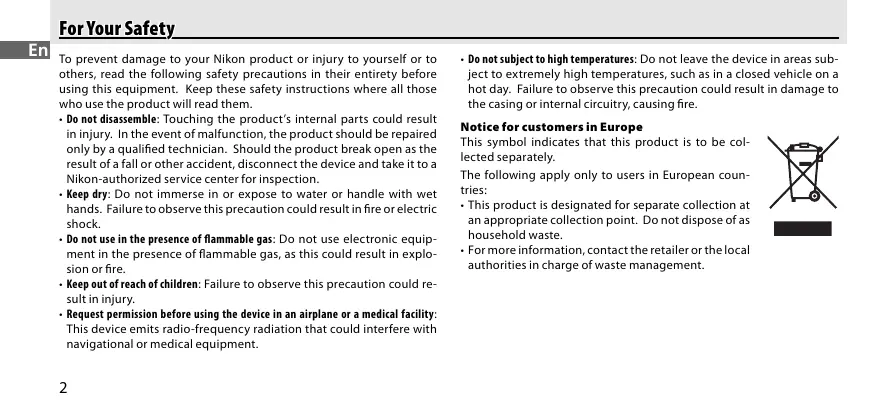
This symbol indicates that this product is to be collected separately.
The following apply only to users in European countries:
- This product is designated for separate collection at an appropriate collection point. Do not dispose of as household waste.
- For more information, contact the retailer or the local authorities in charge of waste management.

Notices for Customers in the U.S.A.
Federal Communications Commission (FCC) Radio Frequency Interference Statement
This equipment has been tested and found to comply with the limits for a Class B digital device, pursuant to Part 15 of the FCC rules. These limits are designed to provide reasonable protection against harmful interference in a residential installation. This equipment generates, uses, and can radiate radio frequency energy and, if not installed and used in accordance with the instructions, may cause harmful interference to radio communications. However, there is no guarantee that interference will not occur in a particular installation. If this equipment does cause harmful interference to radio or television reception, which can be determined by turning the equipment off and on, the user is encouraged to try to correct the interference by one or more of the following measures:
- Reorient or relocate the receiving antenna.
- Increase the separation between the equipment and receiver.
- Connect the equipment to an outlet on a circuit different from that to which the receiver is connected.
- Consult the dealer or an experienced radio/TV technician for help.
CAUTIONS
Modifications
The FCC requires the user to be notified that any changes or modifications made to this device that are not expressly approved by Nikon Corporation may void the user's authority to operate the equipment.
Notice for Customers in the State of California
WARNING: Handling the cord on this product will expose you to lead, a chemical known to the State of California to cause birth defects or other reproductive harm. Wash hands after handling.
Nikon Inc.,
1300 Walt Whitman Road, Melville, New York
11747-3064,U.S.A.
Tel.: 631-547-4200
Notice for Customers in Canada
CAUTION
This Class B digital apparatus complies with Canadian ICES-003.
ATTENTION
Cet'articleilnumériquedela classeBest conforme ànormeNMB-003duCanada.
Thank you for your purchase of a GP-1 GPS unit, a camera accessory that records the latitude, longitude, altitude, and Coordinated Universal Time (UTC) with your photographs (for a list of compatible cameras, see page 6). Be sure to read this manual thoroughly before use.
Confirm that the package contains the following items:
GP-1 GPS unit
GP1-CA10 cable for ten-pin remote terminals
GP1-CA90 cable for accessory terminals
GP1-CL1 strap adapter
Manual (this pamphlet)
Warranty
Terminology
Function names differ from camera to camera. See your camera manual for details.
Parts of the GP-1
Refer to the illustration inside the front cover of this manual.
① LED 11
② USB terminal 18
③ Eyelet for strap ( strap available separately; use cell phone strap or other similar strap)
④ Accessory terminal for optional MC-DC2 remote cord. 9
⑤ Mount. 9,10
⑥ Connection terminal for GP1-CA10 or GP1-CA90. 7,8
⑦ GP1-CL1 strap adapter. 10
⑧ GP1-CA10 cable for connection to cameras with ten-pin remote terminals. 7
GP1-CA90 cable for connection to cameras with accessory terminals 8
Features of the GP-1
When connected to a camera that supports GPS, the GP-1 records location information with photographs (if desired, an optional MC-DC2 remote cord for remote shutter release can be connected via the GP-1).
The GP-1 can be used with the following cameras:
| Camera | Required cable |
| D3, D700, D300, D2X, D2XS, D2HS, D200 | GP1-CA10 |
| D90 | GP1-CA90 |

GP1-CA10 cable for ten-pin remote terminals

GP1-CA90 cable for accessory terminals
Turning the GP-1 on and Off
The GP-1 is not equipped with a battery or on/off switch: power is supplied from the camera. The GP-1 turns off only when the cable connecting it to the camera is disconnected; even when the camera is off, the GP-1 continues to receive GPS data. For more information, see "Recording GPS Data" (page 13).
Cameras with Ten-pin Remote Terminals
1 Turn the camera off.
2 Insert the GP1-CA10 cable (⑧) into the connection terminal (⑥).


3 Aligning the mark on the connector with the mark on the camera body, insert the ten-pin connector into the camera's ten-pin remote terminal and tighten the locking nut.

Connecting the GP1-CA10 to a D3 digital camera
En
Cameras with Accessory Terminals
1 Turn the camera off.
2 Insert the GP1-CA90 cable (⑨) into the connection terminal (⑥).


3 Open the camera accessory terminal cover and insert the GP1-CA90 as shown. Be sure that the connector is in the correct orientation; do not use force.

Connecting the GP1-CA90 to a D90 digital camera

Connecting the Optional MC-DC2
An optional MC-DC2 remote cord for remote shutter release can be connected to the GP-1 accessory terminal (4). When connecting the MC-DC2, be sure the connector is in the correct orientation; do not use force.

Disconnecting the GP-1
Turn the camera off, disconnect the cable, and then replace the ten-pin terminal cap or close the accessory terminal cover.
Mounting the GP-1 on the Camera
The Camera Accessory Shoe
The GP-1 is equipped with a mount (⑤) that fits the camera accessory shoe. Slide the GP-1 onto the camera accessory shoe as shown.

En
Mounting the GP-1 on the Camera Strap
The supplied strap adapter (⑦) can be used to attach the GP-1 to the camera strap.
1 Attach the strap adapter as shown. Do not attach the adapter where the strap is doubled.

2 Mount the GP-1 on the camera strap as shown (⑤).

Mounting the GP-1 on the Camera Strap
Note that the built-in GPS antenna may sometimes not be in the correct orientation when the GP-1 is mounted on the camera strap, and that signal quality may drop as a result.
1 Connect the GP-1 (page 7, 8) and turn the camera on. The GP-1 LED (①) will light and a icon will be displayed in the control panel on top of the camera.

LED

icon (illustration shows control panel for the D90 digital camera)
| LED | Icon | Status |
| Blinks red | Blinks | GPS data not recorded. |
| Blinks green | On | Three satellites detected; GPS data recorded. |
| On (green) | Four or more satellites detected; GPS data are more accurate. |
The GPS Signal
GPS data will be recorded only if the GP-1 is able to detect three or more satellites. If no signal is received from the GP-1 for over two seconds, the icon will no longer be displayed in the control panel and no GPS data will be recorded.
2 To view GPS data, select GPS > Position in the camera setup menu (this option is not available with D2X, D2XS, D2HS, and D200 cameras). The current latitude, longitude, altitude, and Coordinated Universal Time (UTC) will be displayed (the example below shows the display for D90 digital cameras).

V Coordinated Universal Time (UTC)
The Coordinated Universal Time (UTC) received from the GPS satellite is recorded separately from the time provided by the camera clock.
3 Take pictures. GPS data will be recorded with each photograph.
Auto Meter Off
If Enable is selected for GPS > Auto meter off in the setup menu for D3, D700, D300, and D90 cameras, the exposure meters will turn off automatically after the time specified in the camera Custom Settings menu. This reduces the drain on the battery but may prevent GPS data from being recorded if the exposure meters are not activated until immediately before the picture is taken. Check that the icon is displayed before shooting. The GP-1 periodically acquires GPS data when the camera or exposure meters are off, although the LED will not light. If no operations are performed for about three hours, the GP-1 will turn off.
When a D2X, D2XS, D2HS, or D200 camera is connected, or a D3, D700, D300, or D90 camera is connected with Disable selected for GPS > Auto meter off, the exposure meters will not turn off while the GP-1 is connected. The drain on the camera battery can be reduced by turning the camera off when not in use.
En
4 To view the GPS data recorded with each photograph, press the button and display the photographs full frame. The photo info display will contain a page listing GPS data for the current photograph.

GPS data for D90 digital cameras
① Latitude
② Longitude
③ Altitude
4 Coordinated Universal Time (UTC)
⑤ Camera name
(6) Frame number/Total
number of images
Notes on the GP-1
The GP-1 does not supply the compass heading. Local geographic and atmospheric conditions may prevent or delay the acquisition of GPS data. The GP-1 may be unable to receive GPS data indoors, underground, or in the vicinity of large structures, trees, or other objects that block or reflect satellite signals. The positions of GPS satellites are continuously changing, preventing or delaying the acquisition of GPS data at certain hours of the day. The presence of cellular telephones or other devices that transmit on frequencies close to those of GPS satellites may also interfere with the acquisition of GPS data.
Note that the GP-1 may take several minutes to reacquire a signal if the unit has not been used for an extended period or has been moved a great distance since GPS data were last received.
En
Precautions for Use
En
- Do not drop: The product may malfunction if subjected to strong shocks or vibration.
- Keep dry: This product is not waterproof, and may malfunction if immersed in or exposed to water.
- Avoid sudden changes in temperature: Sudden changes in temperature, such as occur when entering or leaving a heated building on a cold day, can cause condensation inside the device. To prevent condensation, place the device in a carrying case or plastic bag before exposing it to sudden changes in temperature.
- Keep away from strong magnetic fields: Do not use or store this device in the vicinity of equipment that generates strong electromagnetic radiation or magnetic fields. Strong static charges or the magnetic fields produced by equipment such as radio transmitters could affect the product's internal circuitry.
- A note on electronic devices: In extremely rare instances, a strong external static charge may cause the device to stop functioning. Turn the camera off and disconnect and reconnect the GP-1. In the event of continued malfunction, contact your retailer or Nikon-authorized service representative.
This product shall not be exported without authorization from the appropriate governmental authorities.
Specifications
| Supported cameras | Nikon D3, D700, D300, D2X, D2XS, D2HS, D200, and D90 digital cameras | |
| Receiver | Tracking channels: 18 (SBS compliant) | |
| Acquisition times* | Cold start: Approx. 45 s | Hot start: Approx. 5 s |
| Update rate | Once per second | |
| Data format | NMEA (National Marine Electronics Association) version 2.3 (compatible with version 3.01) | |
| Geodesics | WGS84 | |
| GPS accuracy* | Horizontal: 10 m/33 ft. RMS | |
| Interfaces | Connection and accessory terminals, USB | |
| Average power consumption | 180 mW | |
| Operating temperature | 0°C – 40°C/32°F – 104°F | |
| Dimensions (W×H×D) | Approx. 45.5×25.5×50 mm/1.8×1.0×2.0 in. | |
| Weight | Approx. 24 g/0.85 oz. | |
| Length of cable | Approx. 25 cm/10 in. (GP1-CA10 and GP1-CA90) | |
| Compatible accessories | MC-DC2 remote cord (available separately) | UC-E4 USB cable (supplied with digital SLR cameras) |
- Under open sky (no obstructions nearby)
En
Connecting the GP-1 to a Computer
: The GP-1 can supply GPS data to a computer for use with mapping software and other applications. Connect the : UC-E4 USB cable supplied with your digital camera to the GP-1 USB terminal (②) and connect the cable to the : computer. Power is supplied from the computer. Drivers for Windows XP and Windows Vista are available from the : following Nikon websites, together with other information on using the GP-1 with a computer:
For users in the U.S.A.: http://www.nikonusa.com/
For users in Europe and Africa: http://www.europe-nikon.com/support
For users in Asia, Oceania, and the Middle East: http://www.nikon-asia.com/
: If the GP-1 is connected simultaneously to both a camera and a computer, GPS data will be supplied to the com-. : puter only.
Inhaltsverzeichnis
1300 Walt Whitman Road, Melville, New York
11747-3064,U.S.A.
Tel.: 631-547-4200
This Class B digital apparatus complies with Canadian ICES-003.
ATTENTION
Cet'articlenumériquedela classeBest conforme ànormeNMB-003duCanada.
Introduction
1300 Walt Whitman Road, Melville, New York
11747-3064,U.S.A.
Tel.: 631-547-4200
Forholdsgler for bruk
Coordinated Universal Time (UTC)
Den Coordinated Universal Time (UTC) som mottas fran GPS-satelliten registreras oberoende av den tid som kamerans klocka visar.
3 Ta Bilder. GPS-datakommenattregisterasmed varje fotografi.
Automatning av
MOttack yctpoictBa GP-1 Ha KaMepy
Cmp.1 u32
BybTeOcToP0KHbI npn HcNoB3oBaHH
- HeponaTe: 3TOT npOdyKT MoKTe 6bItb nobpeXeHn npu CnIbHbIX ydaPax nnn Bn6paun.
XpaHnTe B cyxom MeCe: 3TOT npOdyKT He BOIOCToEKN MOxET 6bITb NOBpeXeHN pni NOrpyXeHN B VOy. - I36eeraTe Bhe3aHbIX N3MeHeHn TEMpeaTpybl: Bhe3aHnOe I3MeHeHne TEMpeaTpybl, taKoe KaK BxOJdeHne IIN nOKiDaHne OtaIaNbAemoro 3daHnB XoJOnHbI DeHb, MoXeT npINBeCTN K KOHJeHcaUN BlaRn BHyTpN yCTpoiCTBa. Bo I36eJaHne KOHJeHcaUN, NOMeCTNTe UcTpoiCTBO B fytIep IN B pIaCTNKOBbl NaKeT, nepeD Tem KaK PIOBepraT bero I3MeHeHnM TEMpeaTpybl.
XpaHHTe BdIOn OT CnHbHIX MaHHTHbIX Nonei: He nCnoNb3yIte H e XpaHHTe 3TO yCTPOIcTBO B6NI3n C npHbOpAMn C cnHbIM 3NEKTPomarHHTbIM n3JIyueHem IINI MaHHTHbIMn POJAMn. CInbHOe CTATnueckoe HapJRAKeHne IINI MaHHTHbIe NOJI, n3JIyuaEmbIe pnpbOpAMn, TAKIMN KAK PAIDONEpeDaTHKn, MOrYT NobJIaYb Ta BHYTpEHNHe CXEmbl 3TOF UcTPOCTBA. - Ппмочидлэнкгчьх усрочь:В оунь редкinx сучаях сильный,Вhevшнистчесн зард может\ привсан К оstановке pa6obtы усрочва.Быкючente Фотokamepy,OTcoedinHTe И поcodinHTe choBa GP-1. E_СИ усрочъ ВсЕ[euple He pa6oTaET,OBpaNTeCB B BaW mara3IN nI IN cepBcHb CEHTP KOMpanHn Nikon.
3ToT npOdykT He DoJKeH 3KcnpOtpOBaTbC8 6e pa3peSeHnA COOTBeTCTBvUoJe rOcydApCTBeHHoOpraHn3aun.
Texnueckx xapaKTepeNCTUKN
V Coordinated Universal Time (UTC)
Coordinated Universal Time (UTC), som modtages fra GPS-satellitten, registrieres separat i forhold til tidsangivelsen pa kameraets ur.
Coordinated Universal Time (UTC)
| Câmara | Cabo necessário |
| D3, D700, D300, D2X, D2XS, D2HS, D200 | GP1-CA10 |
| D90 | GP1-CA90 |

GP1-CA10 cabo para terminais remotos dedez pinos

Oradi Greenwich (UTC)
Ora Universalá Coordinata (UTC)

- Sub cerul liber (fara obstacole in jur)
Conectarea GP-1 la un computer
No reproduction in any form of this manual, in whole or in part (except for brief quotation in critical articles or reviews), may be made without written authorization from NIKON CORPORATION.
C E
NIKON CORPORATION
Fuji Bldg., 2-3 Marunouchi 3-chome, Chiyoda-ku, Tokyo 100-8331, Japan