
MX Creative Console - Keyboard LOGITECH - Free user manual and instructions
Find the device manual for free MX Creative Console LOGITECH in PDF.
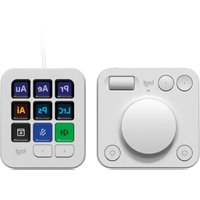


| Product type | Creative console (dialpad + keypad + stand) |
| Brand | Logitech |
| Model | MX Creative Console |
| Dialpad dimensions (H x W x D) | 92.1 x 93.7 x 33.8 mm |
| Dialpad weight | 128 g |
| Keypad dimensions (H x W x D) | 91.7 x 77.9 x 25.5 mm |
| Keypad weight | 96 g |
| Stand dimensions (H x W x D) | 112.7 x 58.5 x 20.5 mm |
| Stand weight | 61 g |
| USB-C cable length | 1,500 mm |
| Dialpad power | 2 AAA batteries (not included) |
| Keypad power | USB-C (cable included) |
| Dialpad connectivity | Bluetooth and Logi Bolt |
| Keypad connectivity | Wired USB-C |
| Main features | Rotary dial, programmable buttons, screen keys, wheel, On/Off switch, Easy-Switch |
| Customization software | Logi Options+ (free) |
| Box contents | MX Creative Dialpad, MX Creative Keypad, stand, USB-C to C cable, documentation |
| Care and cleaning | Soft, dry cloth. Do not use liquids. |
| Safety | Use recommended alkaline AAA batteries. Do not expose to water. |
| Spare parts and repairability | AAA batteries and USB-C cable replaceable. Not user-repairable. |
| General information | Compatible with Windows and macOS. 2-year manufacturer warranty (subject to conditions). |
Frequently Asked Questions - MX Creative Console LOGITECH
User questions about MX Creative Console LOGITECH
0 question about this device. Answer the ones you know or ask your own.
Ask a new question about this device
Download the instructions for your Keyboard in PDF format for free! Find your manual MX Creative Console - LOGITECH and take your electronic device back in hand. On this page are published all the documents necessary for the use of your device. MX Creative Console by LOGITECH.
USER MANUAL MX Creative Console LOGITECH
CONTENTS
English 3
Deutsch 8
Français 13
Italiano 18
Español 23
Português 28
Nederlands 33
Svenska 38
Dansk 43
Norsk 48
Suomi 53
Ελληνικά 58
По-русски 63
Po polsku 68
Hungarian. 73
Czech version . . . . . . . . . . . . . . . . . . . . . . . . . . . . . . . . . . . . . . . . . . . . . . . . . 78
Slovak .....83
Ukrainian .....88
Estonian . . . . . . . . . . . . . . . . . . . . . . . . . . . . . . . . . . . . . . . . . . . . . . . . . 93
Latvian. . . . . . . . . . . . . . . . . . . . . . . . . . . . . . . . . . . . . . . . . . . . . . . . . 98
Lithuanian. 103
Bulgarian. 108
Croatian 113
Serbian. 118
Slovenian 123
Romanian 128
Turkish 133
- . . . . . . . . . . . . . . . . . . . . . . . . . . . . . . . . . . . . . . . . . . . . . . . . . . . .
143.
Simplified Chinese 148
Traditional Chinese 153
Korean 158
Indonesian 163
KNOW YOUR PRODUCT
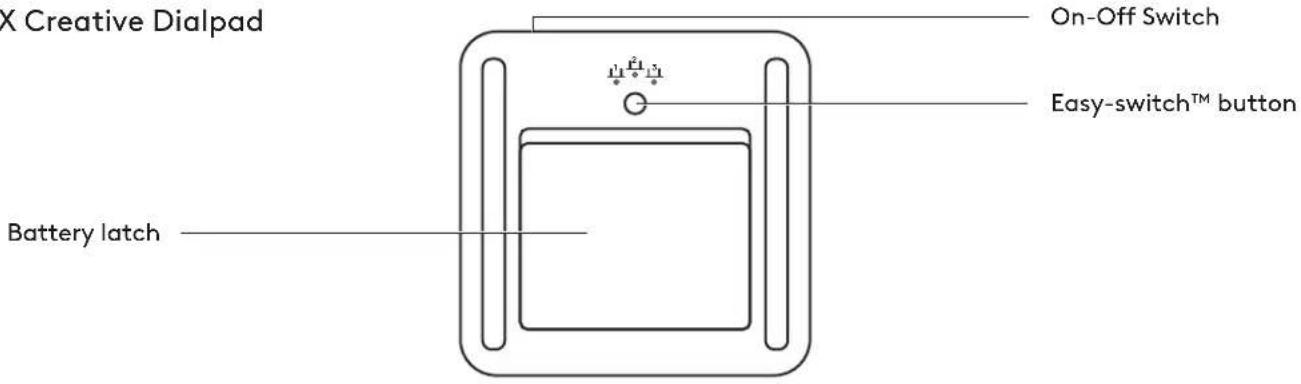
MX Creative Console front view with function indications
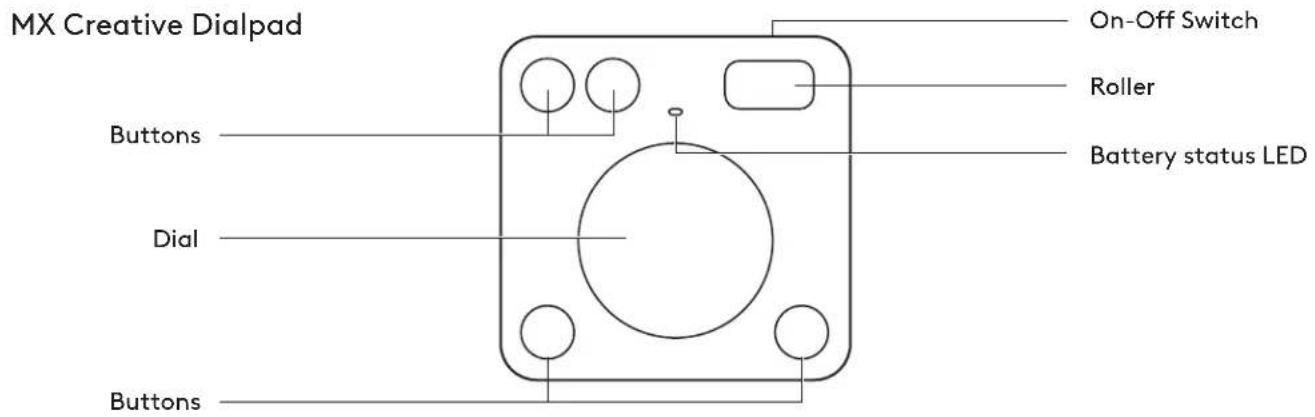
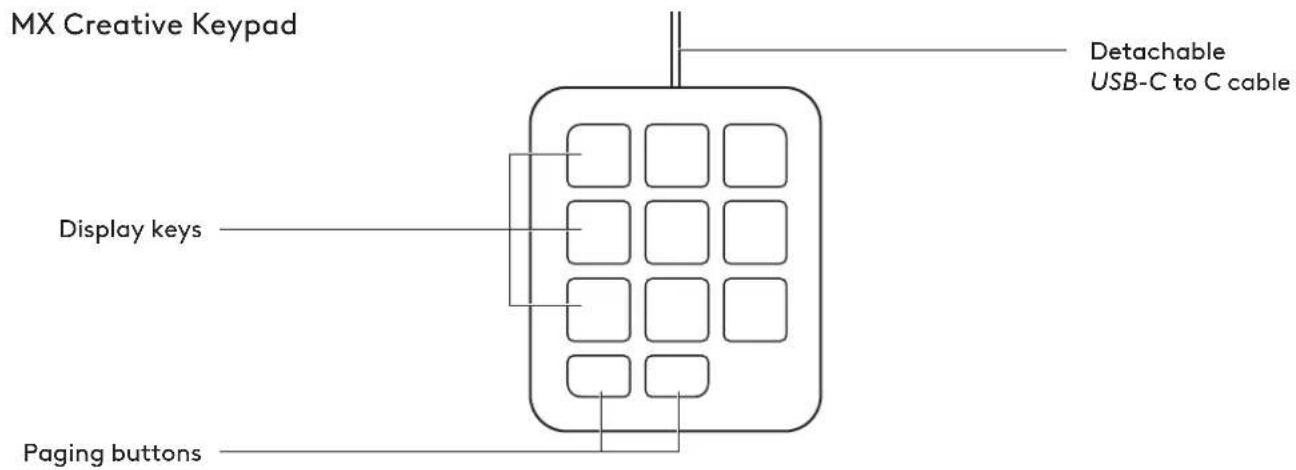
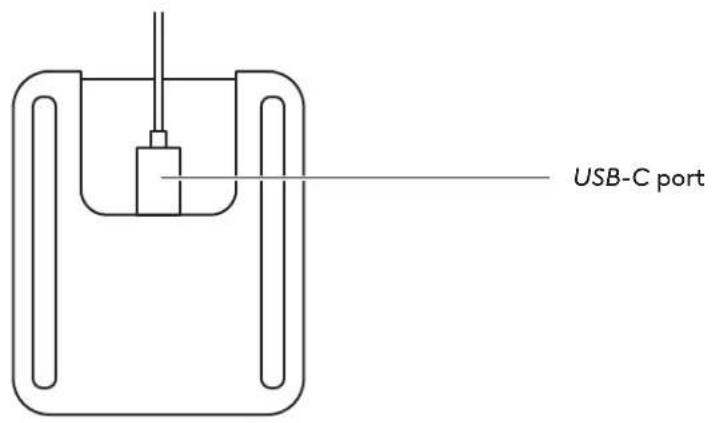
MX Creative Console back view with function indications
MX Creative Dialpad
MX Creative Keypad
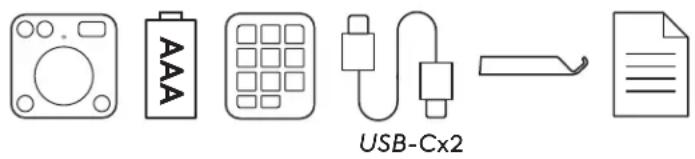
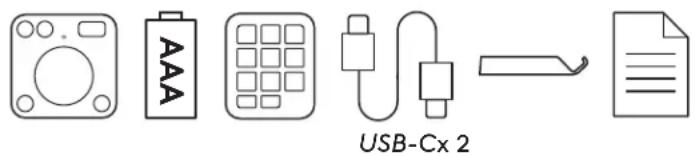
STEP 1: WHAT'S IN THE BOX
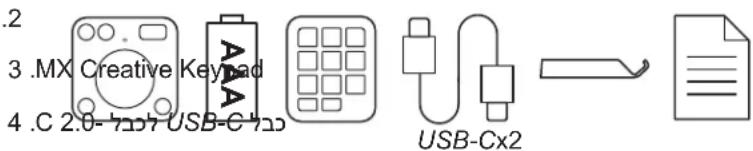
- MX Creative Dialpad
- 2x AAA batteries
- MX Creative Keypad
- USB-C to C 2.0 cable
- Stand
- User documentation
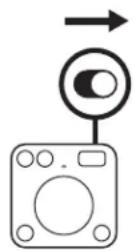
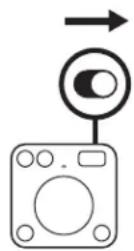
STEP 2: TURN ON YOUR MX CREATIVE DIALPAD TO CONNECT IT
Find the switch on the top of your dialpad and switch it to the ON position.
If there is no power, try replacing the 2x AAA batteries.
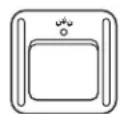
STEP 3: THE LED SHOULD BLINK FAST
If not, press and hold the Easy-Switch button (on the back of the dialpad) for 3 seconds. When the light begins blinking, the dialpad is ready to pair with your computer.
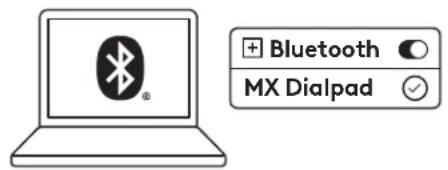
STEP 4: COMPLETE THE PAIRING TO YOUR COMPUTER
On your computer find the Bluetooth® settings menu and connect your dialpad from there.
MX Creative Dialpad is also compatible with Logi Bolt.
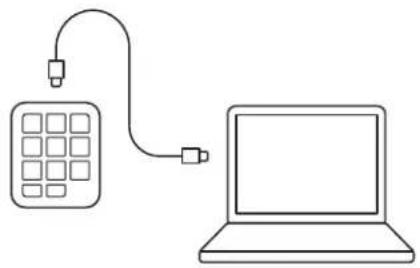
STEP 5: CONNECT YOUR MX CREATIVE KEYPAD VIA USB-C AND GET STARTED
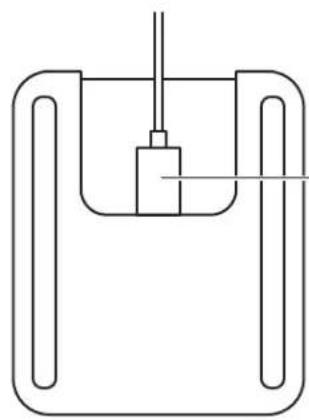
Plug the USB-C connector into the USB-C port on your computer. Your keypad should turn on once powered.
STEP 6: USE YOUR KEYPAD FLAT OR TILTED ON ITS STAND
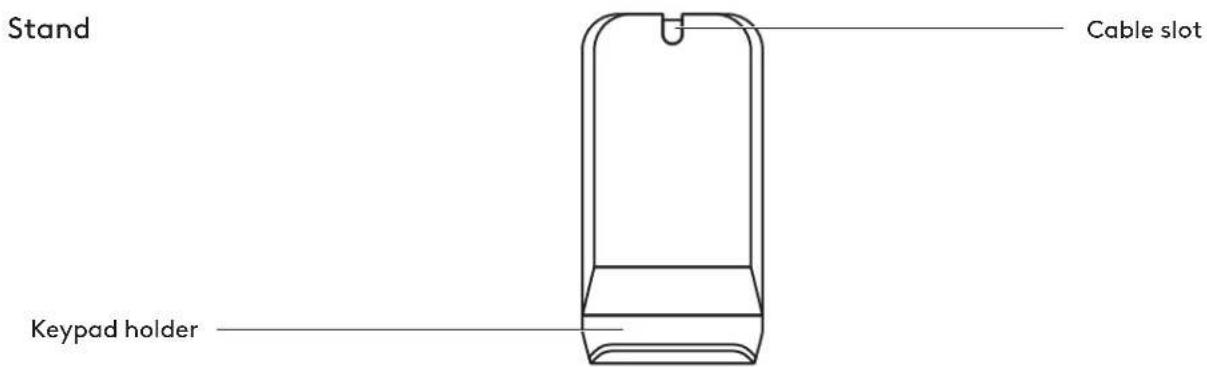
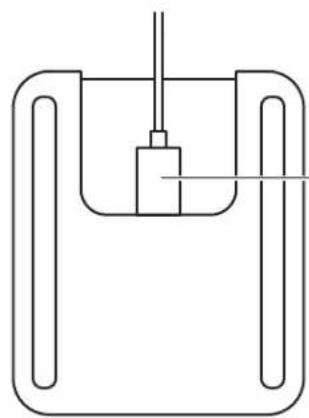
You can use your keypad flat on your desk or tucked into the stand's keypad holder.
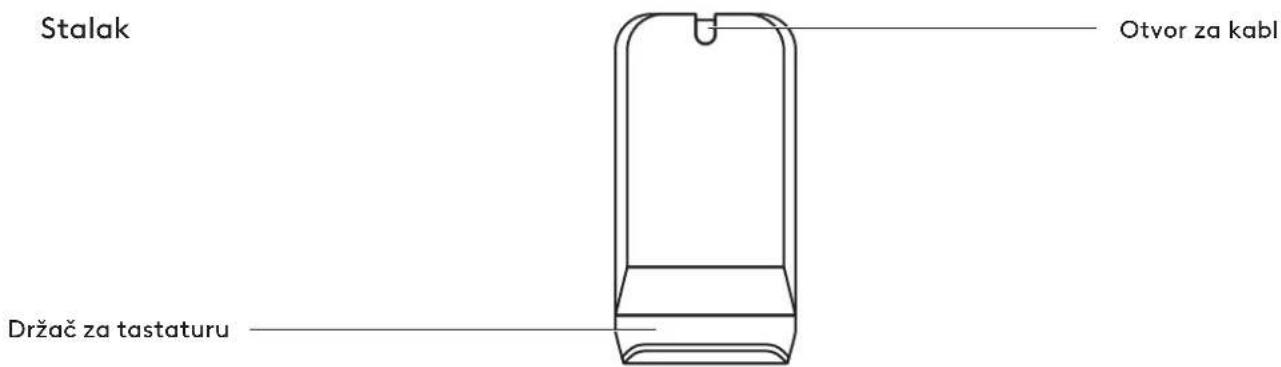
The cable can be tucked into the cable slot on the back of the stand for better cable management.
![graph LR A["Grid-based device"] --> B["Electronic device"]](/content/2026/04/721604/images/e97de17ae99a514e65e8c727780049bc871a2bd1c33f494b123e63a4b4229232.jpg)
STEP 7: INSTALL LOGI OPTIONS+
Logi Options+ is a powerful and easy-to-use application that enhances your experience using Logitech devices by enabling you to customize them to work how you want.
app.logi.com
DIMENSIONS
MX CREATIVE DIALPAD - 128 g
Height: 92.1 mm (3.62 in)
Width: 93.7 mm (3.68 in)
Depth: 33.8 mm (1.33 in)
MX CREATIVE KEYPAD - 96 g
Height: 91.7 mm (3.62 in)
Width: 77.9 mm (3.06 in)
Depth: 25.5 mm (1.00 in)
STAND - 61 g
Height: 112.7 mm (4.43 in)
Width: 58.5 mm (2.30 in)
Depth: 20.5 mm (0.80 in)
USB-C 2.0 CABLE - 27 g
Length: 1500 mm (59.05 in)
www.logitech.com/support/mxcreativeconsole
PRODUCT AT A GLANCE
STEP 7: INSTALL LOGI OPTIONS+
STEP 1: BOX CONTENTS
STEP 6: USE YOUR KEYPAD FLAT OR TILTED ON ITS STAND
STEP 7: INSTALL LOGI OPTIONS+
USB-C port
STEP 6: USE YOUR KEYPAD FLAT OR TILTED ON ITS STAND
STEP 7: INSTALL LOGI OPTIONS+
STEP 6: USE YOUR KEYPAD FLAT OR TILTED ON ITS STAND
STEP 7: INSTALL LOGI OPTIONS+
STEP 6: USE YOUR KEYPAD FLAT OR TILTED ON ITS STAND
STEP 7: INSTALL LOGI OPTIONS+
STEP 3: THE LED SHOULD BLINK RAPIDLY
STEP 6: USE YOUR KEYPAD FLAT OR TILTED ON THE STAND
STEP 7: INSTALL LOGI OPTIONS+
On/off button
Easy-switch™ button
MX Creative Keypad
USB-C port
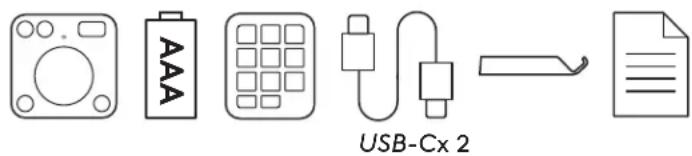
STEP 1: CONTENTS
- MX Creative Dialpad
- 2 AAA batteries
- MX Creative Keypad
- USB-C to C 2.0 cable
- Stand
- User manual
STEP 2: ACTIVATE YOUR MX CREATIVE DIALPAD TO CONNECT IT
STEP 6: USE YOUR KEYPAD FLAT OR TILTED ON ITS STAND
STEP 7: INSTALL LOGI OPTIONS+
STEP 1: BOX CONTENTS
STEP 6: USE YOUR KEYPAD FLAT OR TILTED ON ITS HOLDER
STEP 7: INSTALL LOGI OPTIONS+
GET TO KNOW THE PRODUCT
STEP 6: USE YOUR KEYPAD FLAT OR TILTED ON THE STAND
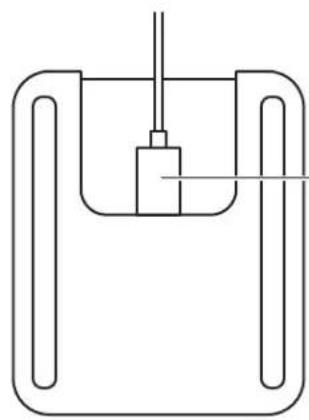
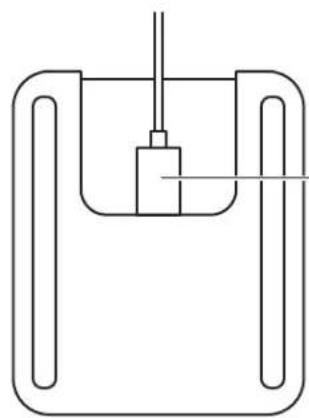
You can use the keypad flat on the desk or attached to the keypad holder on the stand.
The cable can be tucked into the cable channel on the back of the stand for better cable management.
![graph LR A["Grid-based device"] --> B["Electronic device"]](/content/2026/04/721604/images/072cc82351e89ac66d64914d26afb67ca87b091844235f6158acbfbf0b8ace52.jpg)
STEP 7: INSTALL LOGI OPTIONS+
STEP 6: USE THE KEYPAD FLAT OR TILTED ON ITS BASE
STEP 7: INSTALL LOGI OPTIONS+
USB-C port
STEP 7: INSTALL LOGI OPTIONS+
Power switch
Easy-Switch™ button
MX Creative Keypad
USB-C port
STEP 7: INSTALL LOGI OPTIONS+
Power switch
Easy-Switch™ button
MX Creative Keypad
USB-C port
STEP 1: PACKAGE CONTENTS
STEP 3: THE LED SHOULD BLINK QUICKLY
STEP 6: USE THE KEYPAD FLAT OR TILTED AFTER PLACING IT ON THE STAND
STEP 7: INSTALL LOGI OPTIONS+
STEP 6: USE THE KEYPAD FLAT OR TILTED AFTER PLACING IT ON THE STAND
STEP 7: INSTALL LOGI OPTIONS+
Power switch
USB-C port
STEP 1: PACKAGE CONTENTS
STEP 6: USE THE KEYPAD ON A FLAT SURFACE OR TILTED ON THE STAND
STEP 7: INSTALL THE LOGI OPTIONS+ APP
Power switch
Easy-switch™ button
MX Creative Keypad
USB-C port
STEP 1: PACKAGE CONTENTS
STEP 3: THE LED SHOULD BLINK RAPIDLY
STEP 6: USE THE KEYPAD FLAT OR TILTED ON THE STAND
STEP 7: INSTALL LOGI OPTIONS+
1. CONTENTS. BOX CONTENTS
6. USE THE KEYPAD ON A FLAT SURFACE OR TILTED ON THE STAND
7. OPERATION. INSTALL LOGI OPTIONS+
USB-C connection
1. OPERATION. PACKAGE CONTENTS
6. OPERATION. USE THE KEYPAD FLAT OR TILTED ON ITS STAND.
7. OPERATION. INSTALL LOGI OPTIONS+
GET TO KNOW YOUR PRODUCT
6. OPERATION. USE THE KEYPAD FLAT OR TILTED ON ITS STAND.
7. OPERATION. INSTALL LOGI OPTIONS+
USB-C port
STEP 7: INSTALL LOGI OPTIONS+
USB-C connection
1. STEP: BOX CONTENTS
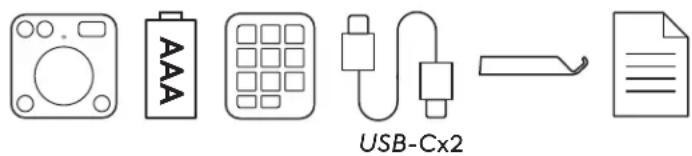
- MX Creative Dialpad
- Two AAA batteries
- MX Creative Keypad
- USB-C to C cable 2.0
- Base
- User documentation
STEP 2: TURNING ON THE MX CREATIVE DIALPAD FOR CONNECTION
Find the switch on the top side of the Dialpad and move it to the ON position.
STEP 6: USING THE KEYPAD FLAT OR TILTED ON THE BASE
You can use the Keypad lying flat on the table or inserted into the Keypad holder on the base.
STEP 7: INSTALLING THE LOGI OPTIONS+ APP
The Logi Options+ app is a powerful, easy-to-use application that enhances your experience with Logitech devices, allowing you to customize them to your preferences.
app.logi.com
DIMENSIONS
MX CREATIVE DIALPAD - 128 g
Height: 92.1 mm (3.62 in)
Width: 93.7 mm (3.68 in)
Depth: 33.8 mm (1.33 in)
MX CREATIVE KEYPAD - 96 g
Height: 91.7 mm (3.62 in)
Width: 77.9 mm (3.06 in)
Depth: 25.5 mm (1.00 in)
BASE - 61 g
Height: 112.7 mm (4.43 in)
Width: 58.5 mm (2.30 in)
Depth: 20.5 mm (0.80 in)
USB-C 2.0 CABLE - 27 g
Length: 1500 mm (59.05 in)
www.logitech.com/support/mxcreativeconsole
GET TO KNOW YOUR PRODUCT
Front view of the MX Creative Console device with function labels
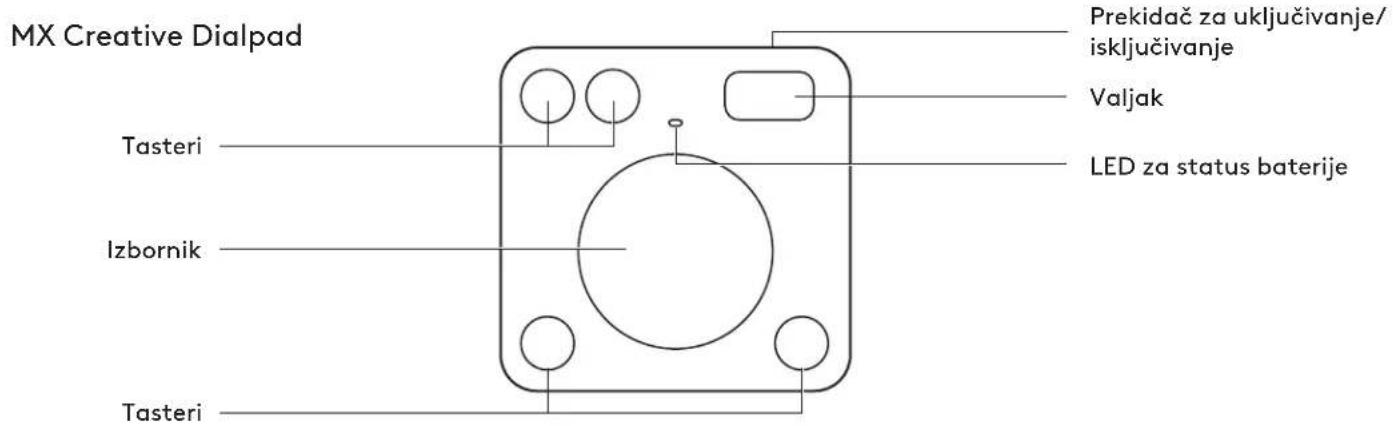
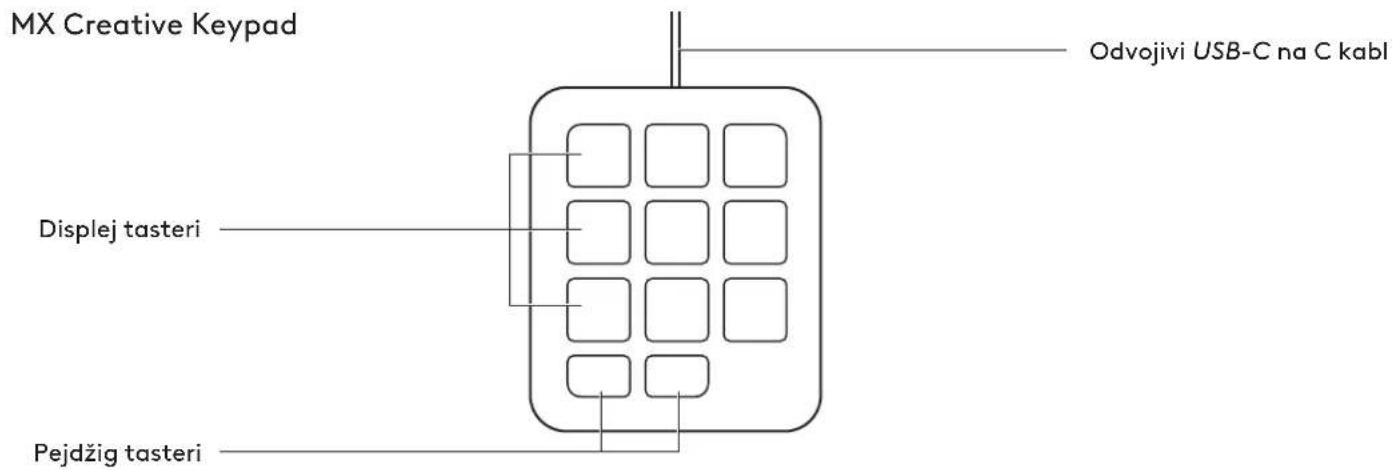
Back view of the MX Creative Console device with function labels
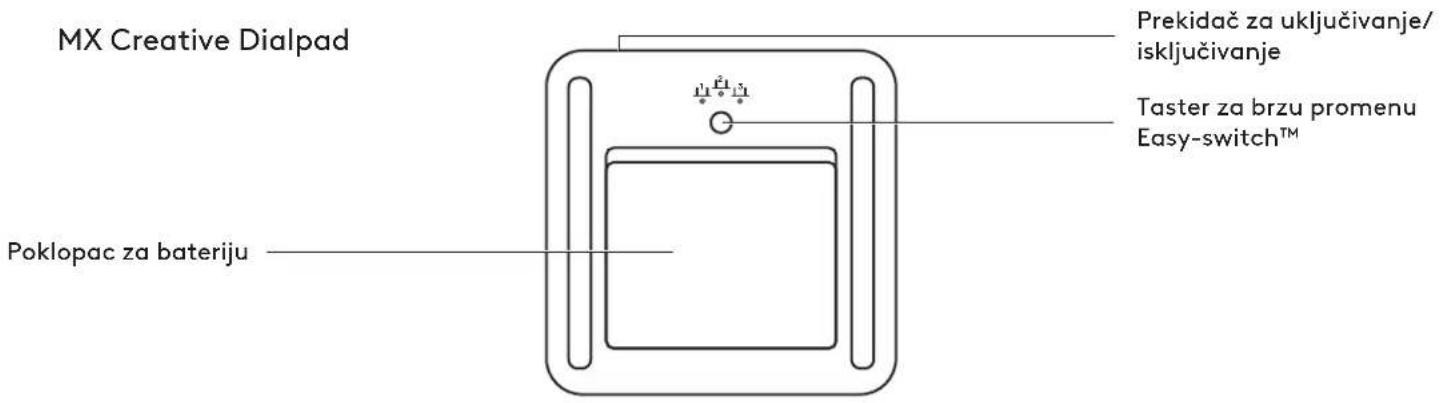
MX Creative Keypad
STEP 1: PACKAGE CONTENTS
- MX Creative Dialpad
- 2x AAA batteries
- MX Creative Keypad
- USB-C to C 2.0 cable
- Stand
- User documentation
STEP 2: TURN ON MX CREATIVE DIALPAD TO CONNECT
Find the switch on the top of the dialpad and slide it to the ON position.
If there is no power, try replacing the 2x AAA batteries.
STEP 3: LED SHOULD BLINK QUICKLY
If not, press and hold the Easy-Switch button (on the back of the dialpad) for 3 seconds.
STEP 6: USE THE KEYPAD FLAT OR TILTED ON ITS STAND
You can use the keypad flat on your desk or insert it into the keyboard holder on the stand.
STEP 7: INSTALL LOGI OPTIONS+
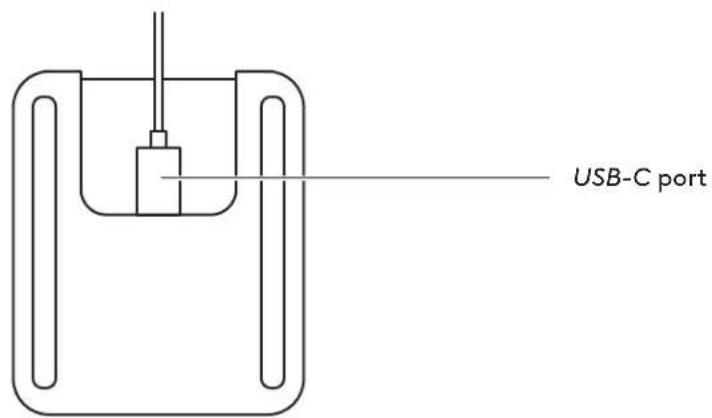
USB-C port
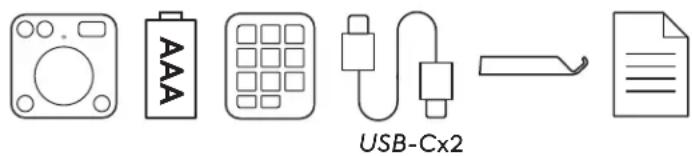
STEP 1: BOX CONTENTS
- MX Creative Dialpad
- 2 AAA batteries
- MX Creative Keypad
- USB-C to C 2.0 cable
- Stand
- User documentation
STEP 2: POWER ON AND CONNECT YOUR MX CREATIVE DIALPAD
STEP 6: USE THE KEYPAD FLAT OR TILTED ON THE STAND
STEP 7: LOGI+ INSTALLATION OPTIONS
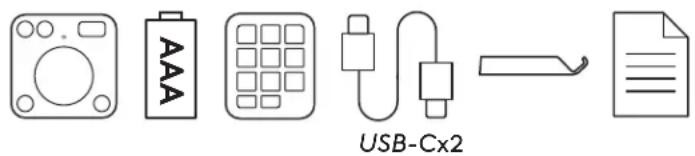
STEP 1: BOX CONTENTS
- MX Creative Dialpad
- 2 AAA batteries
- MX Creative Keypad
- USB-C cable to C 2.0
- Stand
- User documentation
STEP 2: TO CONNECT, TURN ON THE MX CREATIVE DIALPAD KEYBOARD
STEP 6: USE THE KEYPAD IN HORIZONTAL POSITION OR TILTED ON THE STAND
STEP 7: INSTALL LOGI OPTIONS+
STEP 6: USE THE KEYPAD IN HORIZONTAL POSITION OR TILTED ON THE STAND
STEP 7: INSTALL LOGI OPTIONS+
Power switch
Easy-switch™
USB-C port
Install LOGI OPTIONS+
Step 1: Box
1. MX Creative Dialpad
AAA batteries x 2
- thus
- cygnosztat
+LOGI OPTIONS 17:7
Step 7: Install LOGI OPTIONS+
STEP 1: PACKAGE CONTENTS
- MX Creative Dialpad
- 2x AAA batteries
- MX Creative Keypad
- USB-C to C 2.0 cable
- Stand
- User documentation

STEP 2: ACTIVATE MX CREATIVE DIALPAD TO CONNECT IT
STEP 6: USE THE KEYPAD IN A HORIZONTAL OR TILTED POSITION ON ITS STAND
STEP 7: INSTALL OPTIONS+ LOGIC

- CONTENTS
- KNOW YOUR PRODUCT
- STEP 1: WHAT'S IN THE BOX
- STEP 2: TURN ON YOUR MX CREATIVE DIALPAD TO CONNECT IT
- STEP 3: THE LED SHOULD BLINK FAST
- STEP 4: COMPLETE THE PAIRING TO YOUR COMPUTER
- STEP 5: CONNECT YOUR MX CREATIVE KEYPAD VIA USB-C AND GET STARTED
- STEP 6: USE YOUR KEYPAD FLAT OR TILTED ON ITS STAND
- STEP 7: INSTALL LOGI OPTIONS
- DIMENSIONS
- MX CREATIVE DIALPAD - 128 G
- MX CREATIVE KEYPAD - 96 G
- STAND - 61 G
- USB-C 2.0 CABLE - 27 G
- PRODUCT AT A GLANCE
- STEP 1: BOX CONTENTS
- STEP 3: THE LED SHOULD BLINK RAPIDLY
- STEP 6: USE YOUR KEYPAD FLAT OR TILTED ON THE STAND
- STEP 1: CONTENTS
- STEP 2: ACTIVATE YOUR MX CREATIVE DIALPAD TO CONNECT IT
- STEP 6: USE YOUR KEYPAD FLAT OR TILTED ON ITS HOLDER
- GET TO KNOW THE PRODUCT
- STEP 6: USE THE KEYPAD FLAT OR TILTED ON ITS BASE
- STEP 1: PACKAGE CONTENTS
- STEP 3: THE LED SHOULD BLINK QUICKLY
- STEP 6: USE THE KEYPAD FLAT OR TILTED AFTER PLACING IT ON THE STAND
- STEP 6: USE THE KEYPAD ON A FLAT SURFACE OR TILTED ON THE STAND
- STEP 7: INSTALL THE LOGI OPTIONS+ APP
- STEP 6: USE THE KEYPAD FLAT OR TILTED ON THE STAND
- CONTENTS. BOX CONTENTS
- USE THE KEYPAD ON A FLAT SURFACE OR TILTED ON THE STAND
- OPERATION. INSTALL LOGI OPTIONS
- OPERATION. PACKAGE CONTENTS
- OPERATION. USE THE KEYPAD FLAT OR TILTED ON ITS STAND
- GET TO KNOW YOUR PRODUCT
- STEP: BOX CONTENTS
- STEP 2: TURNING ON THE MX CREATIVE DIALPAD FOR CONNECTION
- STEP 6: USING THE KEYPAD FLAT OR TILTED ON THE BASE
- STEP 7: INSTALLING THE LOGI OPTIONS+ APP
- BASE - 61 G
- STEP 2: TURN ON MX CREATIVE DIALPAD TO CONNECT
- STEP 3: LED SHOULD BLINK QUICKLY
- STEP 6: USE THE KEYPAD FLAT OR TILTED ON ITS STAND
- STEP 2: POWER ON AND CONNECT YOUR MX CREATIVE DIALPAD
- STEP 7: LOGI+ INSTALLATION OPTIONS
- STEP 2: TO CONNECT, TURN ON THE MX CREATIVE DIALPAD KEYBOARD
- STEP 6: USE THE KEYPAD IN HORIZONTAL POSITION OR TILTED ON THE STAND
- STEP 1: BOX
- LOGI OPTIONS
- STEP 2: ACTIVATE MX CREATIVE DIALPAD TO CONNECT IT
- STEP 6: USE THE KEYPAD IN A HORIZONTAL OR TILTED POSITION ON ITS STAND
- STEP 7: INSTALL OPTIONS+ LOGIC
Brand : LOGITECH
Model : MX Creative Console
Category : Keyboard