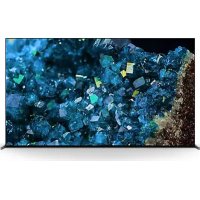
XR77A80L - Television SONY - Free user manual and instructions
Find the device manual for free XR77A80L SONY in PDF.

 FR
FR
 BG
BG
 CS
CS
 DA
DA
 DE
DE
 EL
EL
 EN
EN
 ES
ES
 ET
ET
 FI
FI
 HE
HE
 HU
HU
 ID
ID
 IT
IT
 KK
KK
 LT
LT
 LV
LV
 NL
NL
 NO
NO
 PL
PL
 PT
PT
 RO
RO
 RU
RU
 SK
SK
 SL
SL
 SV
SV
 TR
TR
 UK
UK
 VI
VI
 ZH
ZH
| Product Type | OLED TV |
| Brand | Sony |
| Model | XR77A80L |
| Screen Size | 77 inches (195.6 cm) |
| Resolution | 4K Ultra HD (3840 x 2160 pixels) |
| Display Technology | OLED |
| Processor | Cognitive Processor XR |
| Operating System | Google TV |
| HDR Formats | Dolby Vision, HDR10, HLG |
| Connectivity | 4 x HDMI (2.1), 2 x USB, Ethernet, Wi-Fi, Bluetooth |
| Audio Power | 20 W + 20 W (2 speakers) |
| Power Consumption (Typical) | Approximately 400 W |
| Standby Power Consumption | Less than 0.5 W |
| Weight (without stand) | Approximately 35 kg |
| Weight (with stand) | Approximately 36 kg |
| Dimensions (without stand, W x H x D) | 172.2 x 99.8 x 6.6 cm |
| Dimensions (with stand, W x H x D) | 172.2 x 101.3 x 34.0 cm |
| Wall Mount Compatibility | VESA 300 x 300 mm (SU-WL850 bracket) |
| Included Accessories | Remote control, batteries, tabletop stand, installation guide |
| Safety | Professional installation recommended; internal magnets, do not block ventilation slots |
Frequently Asked Questions - XR77A80L SONY
User questions about XR77A80L SONY
0 question about this device. Answer the ones you know or ask your own.
Ask a new question about this device
Download the instructions for your Television in PDF format for free! Find your manual XR77A80L - SONY and take your electronic device back in hand. On this page are published all the documents necessary for the use of your device. XR77A80L by SONY.
USER MANUAL XR77A80L SONY
* In the actual model names, the "x"/"xx" indicates numbers and/or characters specific to each model.
XR-77A8xL / 77A8xEL / 65A8xL / 65A8xEL / 55A8xL / 55A8xEL
To Customers
For product protection and safety reasons, Sony strongly recommends that installation of your TV be performed by Sony dealers or licensed contractors. Do not attempt to install it yourself.
To Sony Dealers and Contractors
Provide full attention to safety during the installation, periodic maintenance and examination of this product.
Sufficient expertise is required for installing this product, especially to determine the strength of the wall for withstanding the TV's weight. Be sure to entrust the attachment of this product to the wall to Sony dealers or licensed contractors and pay adequate attention to safety during the installation. Sony is not liable for any damage or injury caused by mishandling or improper installation.
For Safety and proper installation, follow the Wall-Mount Bracket Operation Instructions, TV Setup Guide and the directions in this manual.
Wall-Mount Bracket
On Safety
Thank you for purchasing this product.
To Customers
Installing the TV to the Wall

WARNING
PROFESSIONAL INSTALLATION REQUIRED
This product should only be installed by a professional installer who is trained to determine the strength of the wall for withstanding the TV's weight. If it is not properly secured during installation, the TV may fall and cause serious injury. Sony is not liable for any damage or injury caused by mishandling or improper installation, or installing any other than the specified product. Your Statutory Rights (if any) are not affected.
To Sony Dealers
Sufficient expertise is required for installing this product. Be sure to read this instruction manual thoroughly to do the installation work safely. Sony is not liable for any damages or injury caused by mishandling or improper installation. Please give this manual to the customer after installation.
This instruction manual shows the correct handling of the product and important precautions necessary to prevent accidents. It is your responsibility to read, thoroughly understand, and follow all instructions in this instruction manual. Failure to do so may result in serious personal injury or property damage, and may void the warranty. Keep this manual available for future reference.
Products by Sony are designed with safety in mind. If the products are used incorrectly, however, it may result in a serious injury through fire, electric shock, the product toppling over, or the product dropping. Be sure to observe the precautions for safety to prevent such accidents.
CAUTION
Specified products
This Wall-Mount Bracket is designed for use with the products specified TVs. For TVs, refer to their Reference Guide to verify that the Wall-Mount Bracket can be used.
To Customers
WARNING
If the following precautions are not observed, serious injury or death through fire, electric shock, or the product dropping can result.
Be sure to subcontract the installation to licensed contractors and keep small children away during the installation.
If the Wall-Mount Bracket or the TV is not installed correctly, the following accidents may occur. Be sure licensed contractors carry out installation.
- The TV may fall and cause a serious injury such as a bruise or a fracture.
- If the wall on which the Wall-Mount Bracket is installed is unstable, uneven, or not perpendicular to the floor, the unit may fall and cause injury or property damage. The wall should be capable of supporting a weight of at least six times the TV weight. (Refer to your TV's Reference Guide for its weight.)
- If the installation of the Wall-Mount Bracket on the wall is not sufficiently sturdy, the unit may fall and cause injury or property damage.
Be sure to subcontract moving or dismounting of the TV to licensed contractors.
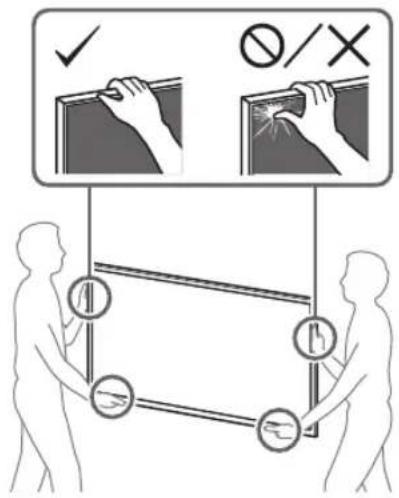
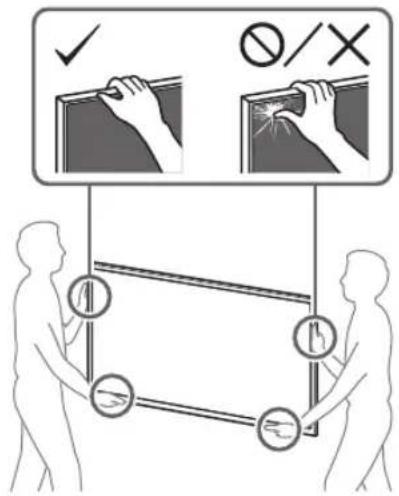
If persons other than licensed contractors transport or dismount the TV, it may fall and cause injury or property damage. Two or more persons (three or more persons for 189.3 cm (75 inches) and above TV) are needed to transport a large TV set (except Egypt).
Two or more persons (three or more persons for 75 inches (189.3 cm) and above TV) are needed to transport a large TV set (Egypt only).
Do not remove screws, etc., after mounting the TV.
If you do so, the TV may fall and cause injury or property damage.
Do not make alterations to the parts of the Wall-Mount Bracket.
If you do so, the Wall-Mount Bracket may fall and cause injury or property damage.
Do not mount any equipment other than the specified product.
This Wall-Mount Bracket is designed for use with the specified product only. If you mount equipment other than specified, it may fall or break, and cause injury or property damage.
Do not apply any load other than the TV on the Wall-Mount Bracket. Do not shake the TV left/right, up/down.
If you do so, the TV may fall and cause injury or property damage.
Do not lean on or hang from the TV.
Do not lean on or hang from the TV as it may fall on you and cause serious injury.
CAUTION
If the following precautions are not observed, injury or property damage may occur.
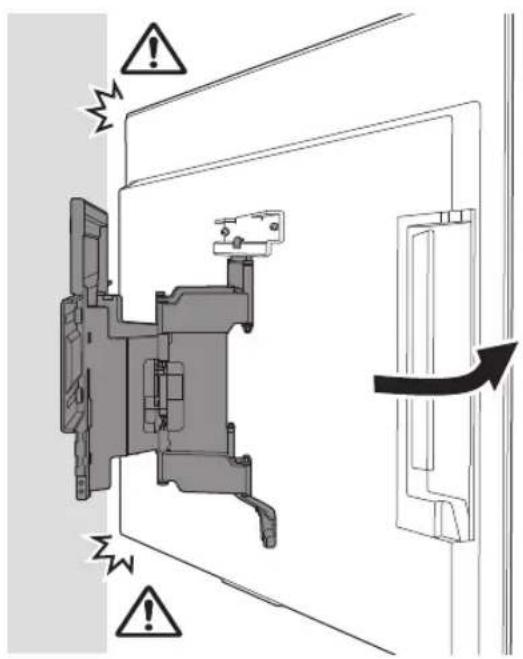
- Be careful to not pinch your fingers while handling the Wall-Mount Bracket or swiveling the TV set.
- While swiveling the TV set, handle it with caution and take care not to hit any people nearby.
- Be sure to store the unused parts in a safe place for future use. Keep them away from children.
Do not handle the product with excessive force during cleaning or maintenance.
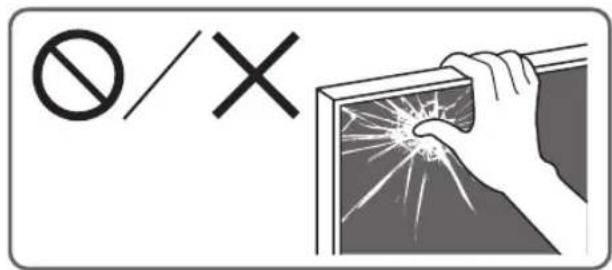
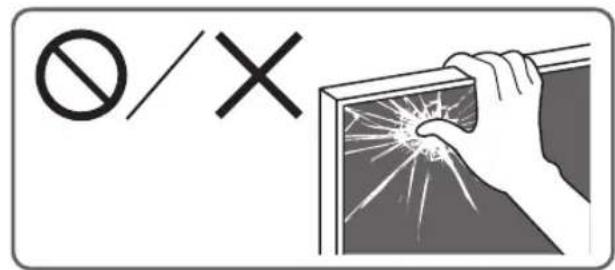
Do not apply excessive force on the topside of the TV. If you do so, the TV may fall and cause injury or property damage.
Do not place this product close to medical devices.
This product (including accessories) has magnet(s) which may interfere with pacemakers, programmable shunt valves for hydrocephalus treatment, or other medical devices. Do not place this product close to persons who use such medical devices. Consult your doctor before using this product if you use any such medical device.
Keep out of the reach of children or the supervised individuals.
This product (including accessories) has magnet(s). Swallowing magnet(s) could cause serious harm, such as choking hazard or intestinal injuries. If magnets (or a magnet) were swallowed, consult a doctor immediately.
Precautions
- If you use the TV installed on the Wall-Mount Bracket for a long time, the wall behind or above the TV may become discolored or the wallpaper may come unstuck, depending on the material of the wall.
- If the Wall-Mount Bracket is removed after installing it on the wall, the screw holes are left.
- Do not use the Wall-Mount Bracket in a place where it is subjected to mechanical vibrations.
Installing the Wall-Mount Bracket
To Sony Dealers
WARNING
The following instructions are for Sony dealers only. Be sure to read safety precautions described above and pay special attention to safety during the installation, maintenance and checking of this product.
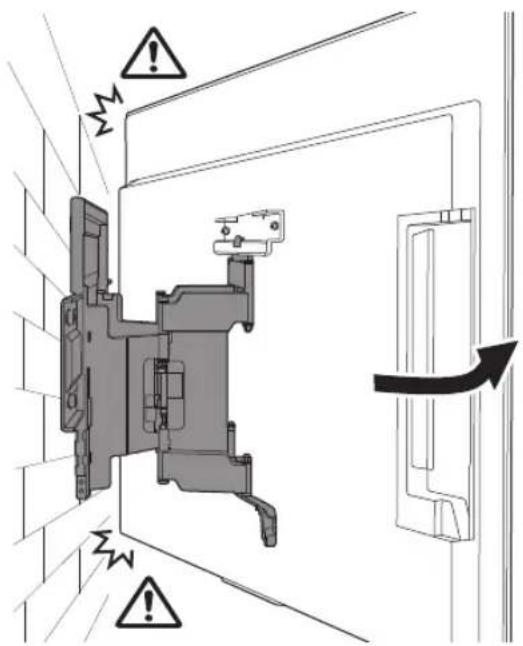
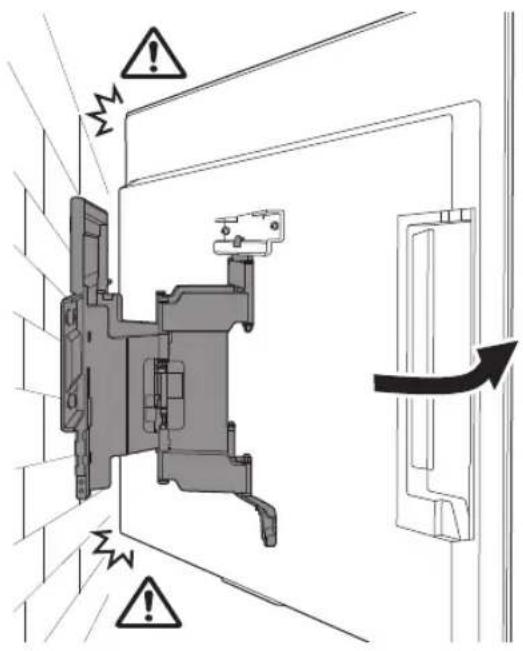
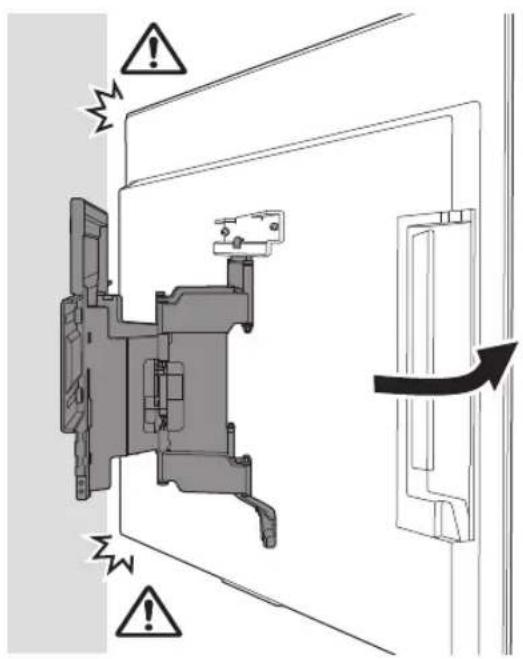
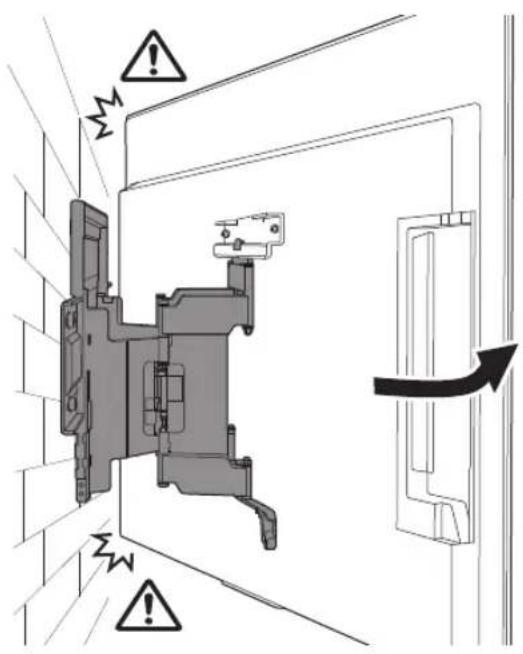
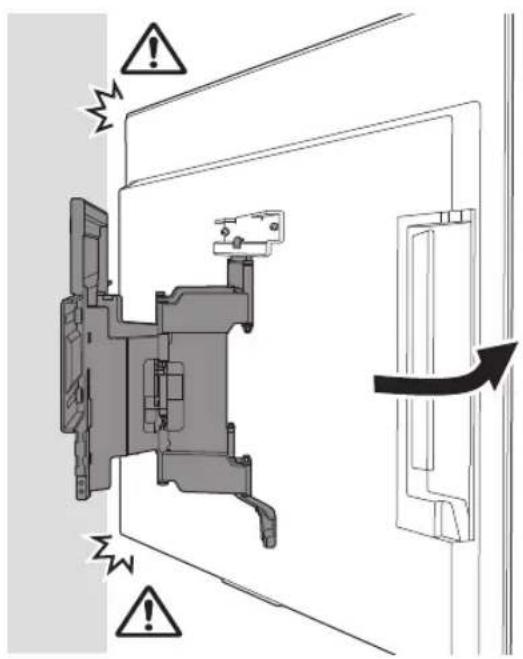
Do not install the Wall-Mount Bracket on wall surfaces where the corners or the sides of the TV protrude away from the wall surface.
Do not install the Wall-Mount Bracket on wall surfaces such as a pillar, where the corners or the sides of the TV protrude away from the wall surface. If a person or object happens to hit the protruded corner or side of the TV, it may cause injury or property damage.
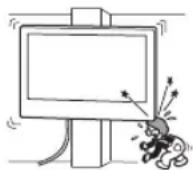
Do not install the TV over or under an air-conditioner.
If the TV is exposed to water leaks or air current from an air conditioner for a long time, it may cause a fire, an electric shock or a malfunction of the TV.
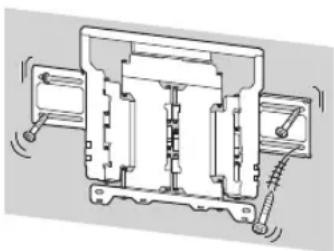
Be sure to install the Wall-Mount Bracket securely to the wall following the instructions in this instruction manual.
If any of the screws are loose or fall out, the Wall-Mount Bracket may fall and cause injury or property damage. Be sure to use the appropriate screws for the material of the wall and install the unit securely using four screws of 8 mm diameter (or equivalent).
natural_image
Technical line drawing of an electrical contactor or relay mechanism (no text or symbols visible)Be sure to use the supplied screws and attachment parts properly following the instructions given in this instruction manual. If you use substitute items, the TV may fall and cause bodily injury to someone or damage to the TV.
Be sure to assemble the bracket properly following the instructed procedure explained in this instruction manual.
If any of the screws are loose or fall out, the TV may fall and cause bodily injury to someone or damage to the TV.
Be sure to tighten the screws securely in the designated position.
If you fail to do so, the TV may fall and cause bodily injury to someone or damage to the TV.
Be careful not to subject the TV to shock during installation.
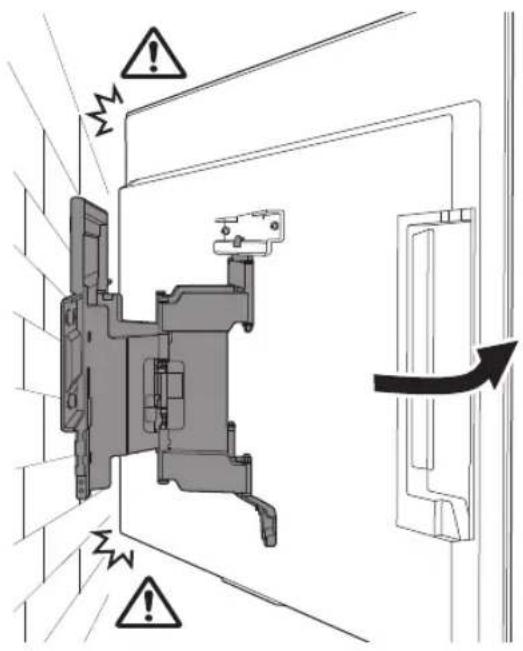
If the TV is exposed to shock, it may fall or break apart. This may cause injury.
Be sure to install the TV on a wall that is both perpendicular and flat.
If you fail to do so, the TV may fall and cause injury.
After proper installation of the TV, secure the cables properly.
If people or objects get tangled with cables, this may result in injury or damage to the TV.
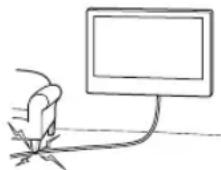
Do not allow the AC power cord (mains lead) or the connecting cable to be pinched.
If the AC power cord (mains lead) or the connecting cable is pinched between the unit and the wall or is bent or twisted by force, the internal conductors may become exposed and cause a short circuit or an electrical break. This may cause a fire or an electric shock.
The screws needed to secure the Wall-Mount Bracket to the wall are not supplied.
Use the appropriate screws for the wall material and structure when mounting the Wall-Mount Bracket.
Before Getting Started
- The TV illustrations shown in this manual are examples used to provide clear explanations of the operations. For this reason, the illustrations may appear different from your actual TV.
What Is Your Wall Made Of?
Firstly, check the type of the wall to install the TV.
Dry wall with studs
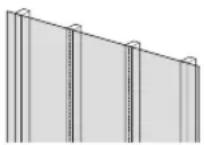
Precautions
• Maximum dry wall thickness: 16 mm.
- Ensure that the inner wood stud size is at least 51 mm × 102 mm for common or 38 mm × 89 mm for nominal.
- Keep minimum 406 mm horizontal space between fasteners.
Solid concrete or concrete block
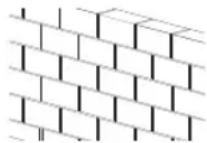
Precautions
- Mount the Wall-Mount Bracket directly onto the solid concrete wall.
- Ensure that the thickness of solid concrete wall is at least 203 mm.
- Ensure that the size of each concrete block is at least 203 mm × 203 mm × 406 mm .
Checking the Parts
Supplied with SU-WL850
- Verify that all the parts are included.
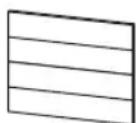
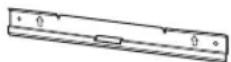
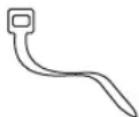
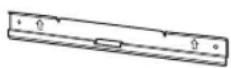
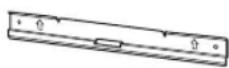
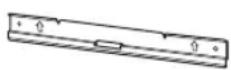
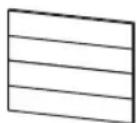
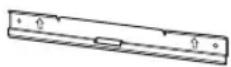
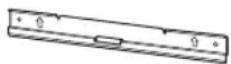
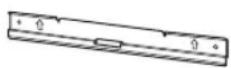
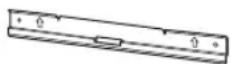
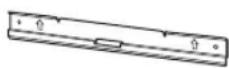
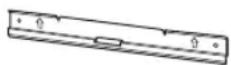
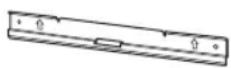
WM1 (×1)

natural_image
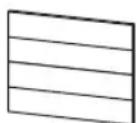
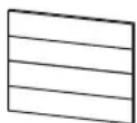
Technical line drawing of a mechanical component with no visible text or symbolsWM2 (×1)
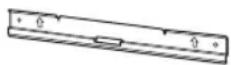
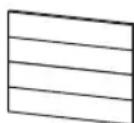
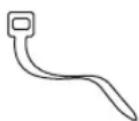
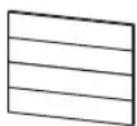
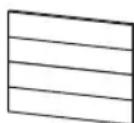
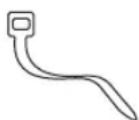
WM3 (×4)
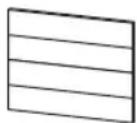
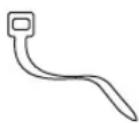
M6 (×4)

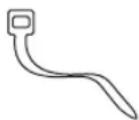
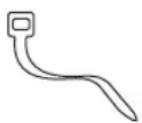
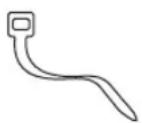
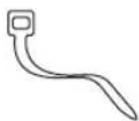
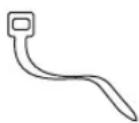
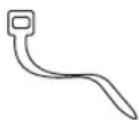
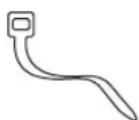
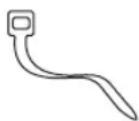
WT1 (×6)
Supplied with the TV
Wall-Mount Attachment
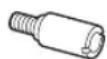
VS (×4)*
Preparing for Installation
- Have the TV's Reference Guide and Setup Guide at hand before installation.
- Confirm the installing position of your TV.
- Prepare four screws of 8 mm diameter and four proper washers (not supplied). Select screws suitable for the material of the wall.
• Prepare the following tools:
*1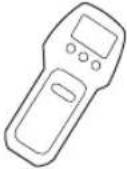 | 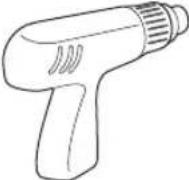 | 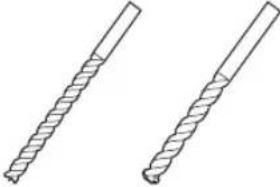 5.5 mm 10 mm 5.5 mm 10 mm | 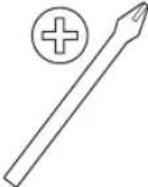 | |
*2 *3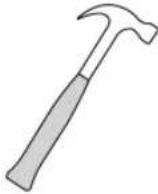 | 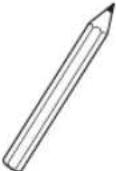 | 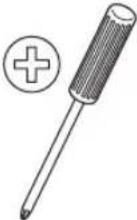 1.5 N·m{15 kgf·cm} 1.5 N·m{15 kgf·cm} | 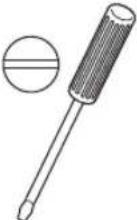 1.5 N·m{15 kgf·cm} 1.5 N·m{15 kgf·cm} | |
 | *2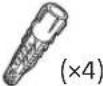 | *4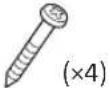 8 mm × 60 mm 8 mm × 60 mm | *4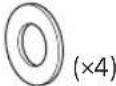 | |
*1 Only for dry wall with studs
*2 Only for solid concrete or concrete block
*3 Depending on models
*4 Be careful when selecting screws and washers

A Attaching the Wall-Mount Bracket to the Dry Wall with Studs
natural_image
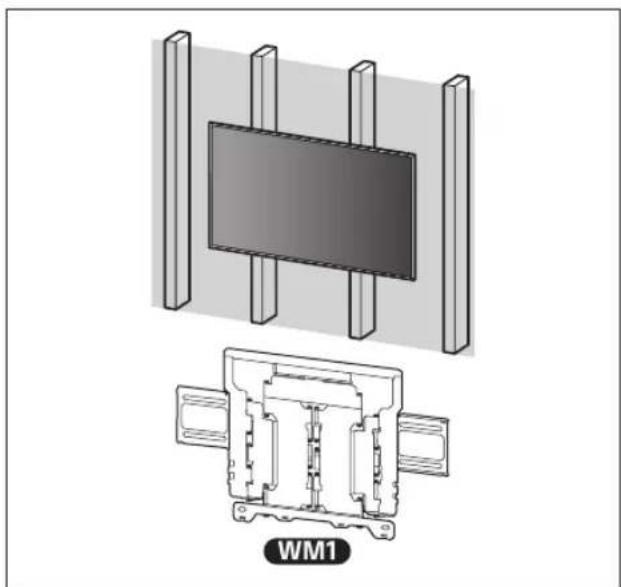
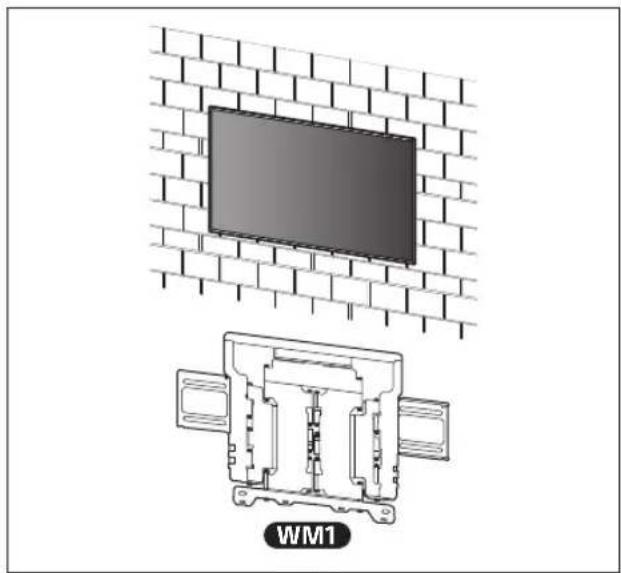
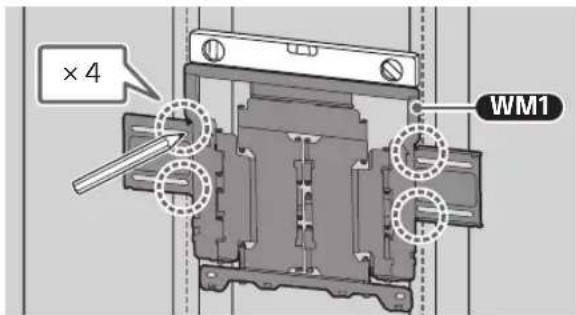
Technical diagram showing a mounted device with two vertical supports and a close-up of its internal structure labeled WM1 (no text or symbols on the diagram itself)Installing the Wall-Mount Bracket to the Wall
1 Decide on the installation location.
Make sure that the wall has enough space for the TV and is capable of supporting a weight of at least six times that of the TV.
- Refer "Measurement for Wall-Mount Bracket installation on the wall" on page 18.
- Refer to your TV's Reference Guide for the TV's weight.
Note
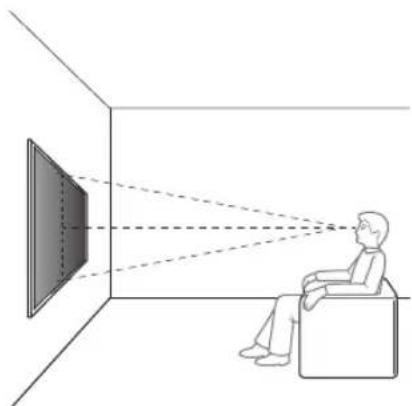
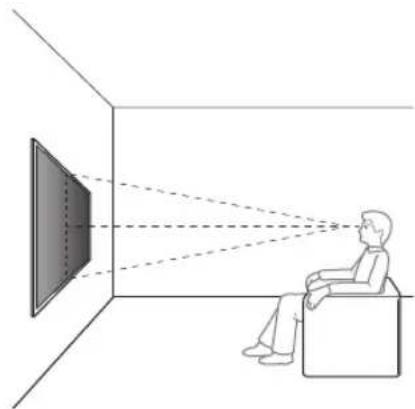
- When your TV is installed on the wall, the upper side of the TV slightly leans forward.
• We recommend you to check the position of TV in the viewing environment.
natural_image
Diagram showing a person sitting in a chair facing a screen with dashed lines indicating perspective projection (no text or symbols present)2
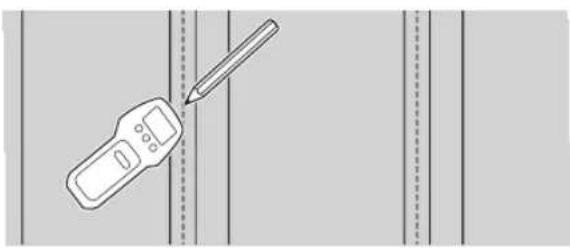
natural_image
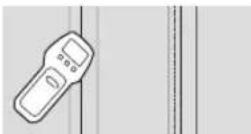
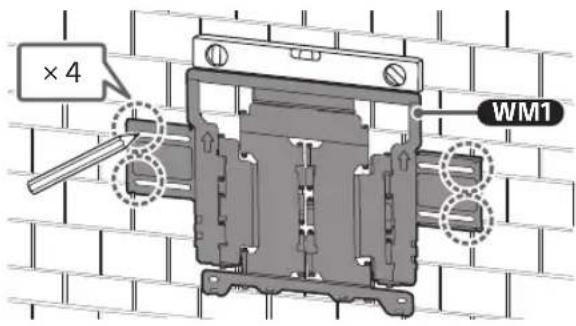
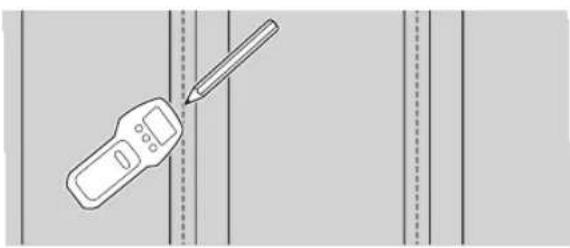
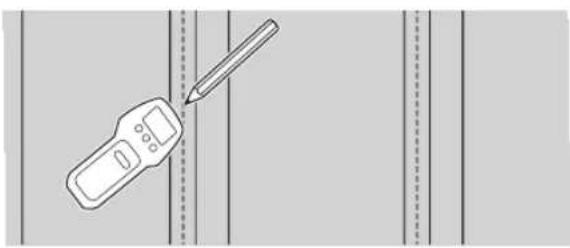
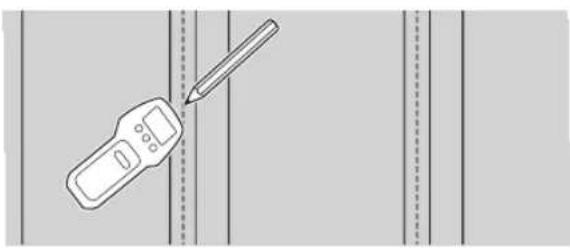
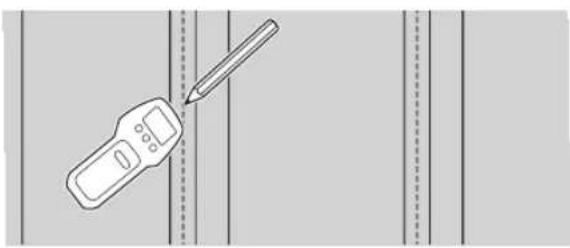
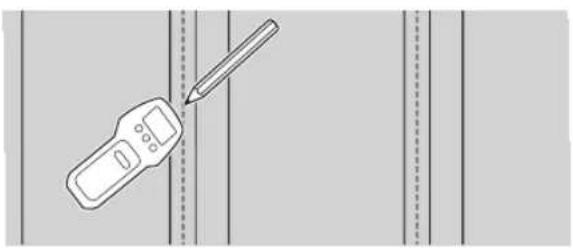
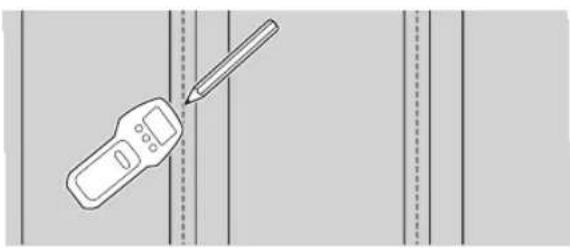
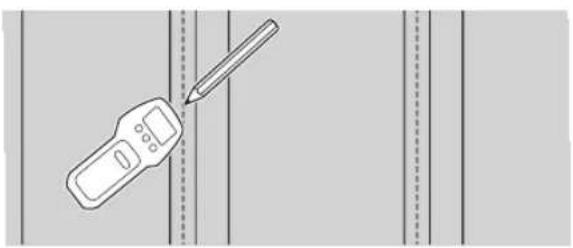
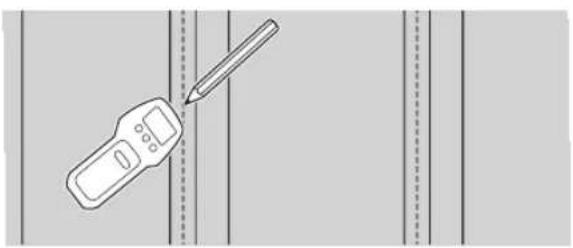
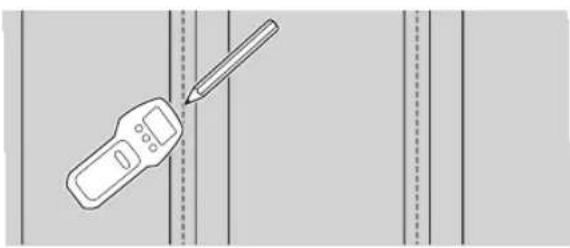
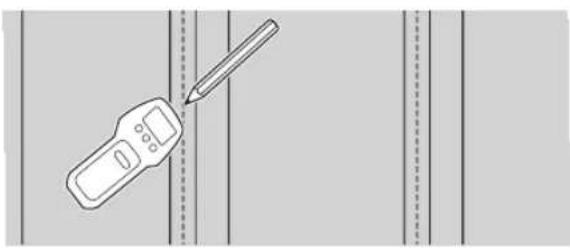
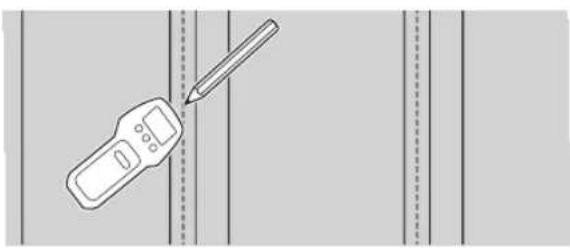
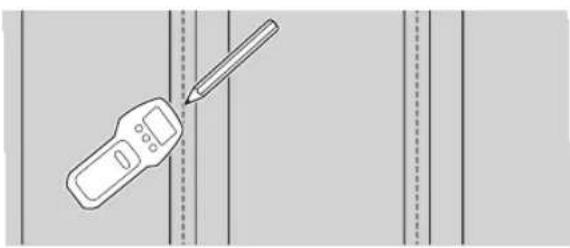
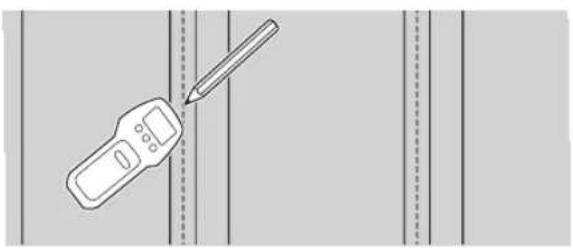
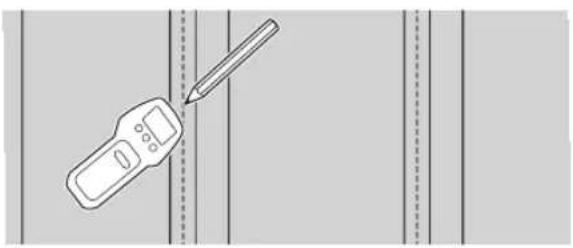
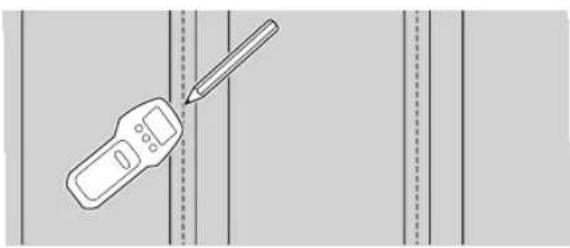
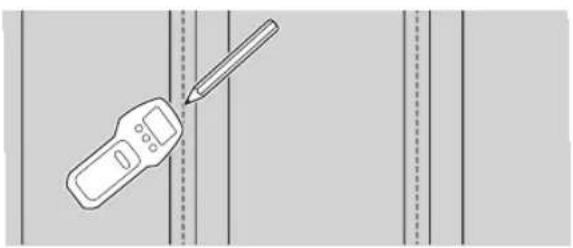
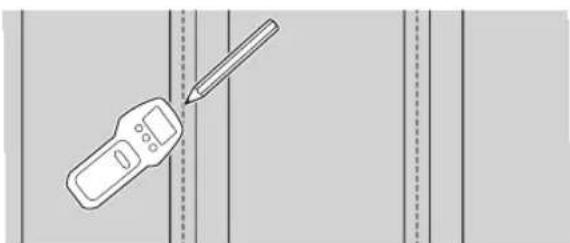
Illustration of a handheld device with a pencil inserted, against a plain background (no text or symbols)3 Align WM1 to the wall and make four marks aligned with the studs.
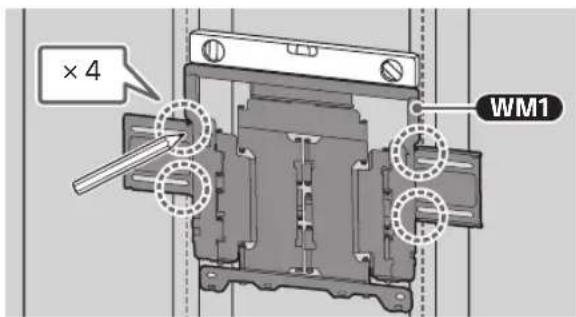
Note
• Use a level to check whether WM1 is level.
4 Drill upper pilot holes on the marks.
Make sure the location on the wall to drill the holes are strong enough to support a weight of at least six times that of the TV.
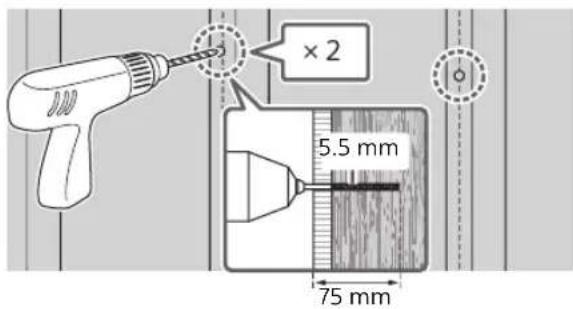
Note
- Pilot holes must be drilled to a depth of 75 mm, using a 5.5 mm diameter drill bit.
5 Install WM1 on the wall using suitable screws (not supplied) and washers (not supplied).
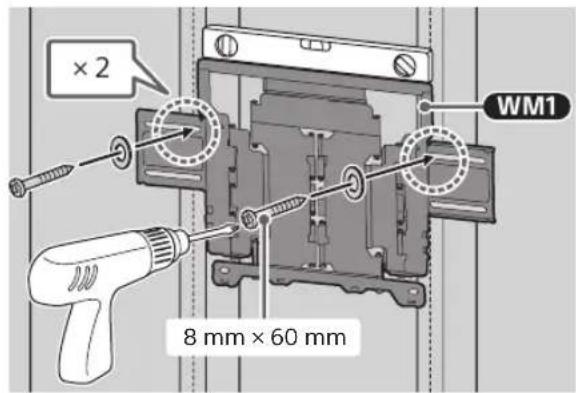
Note
• Use a level to check whether WM1 is level.
Precaution
- Do not over-tighten wooden screw 8mm × 60mm . Improper tightening could reduce the holding power of wooden screw 8mm × 60mm .
6 Drill lower pilot holes on the marks. (Refer step 4 for the drill instruction.)
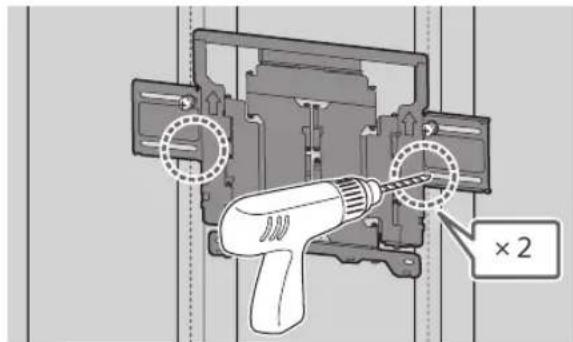
7 Fit the suitable screws and washers to the holes.
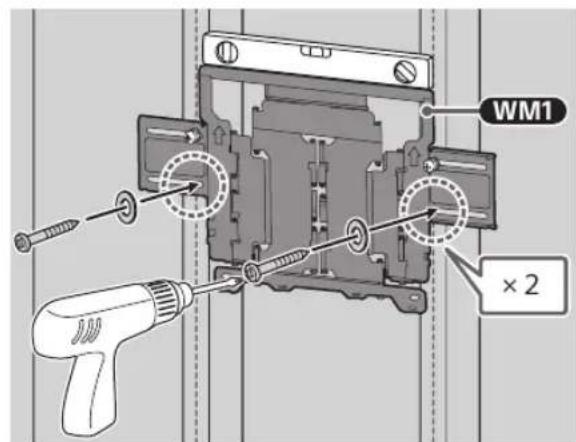
Note
- Use a level to check whether WM1 is level.
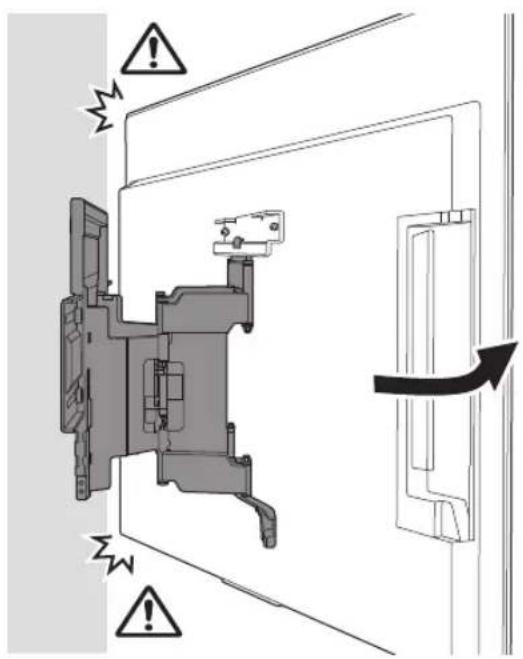
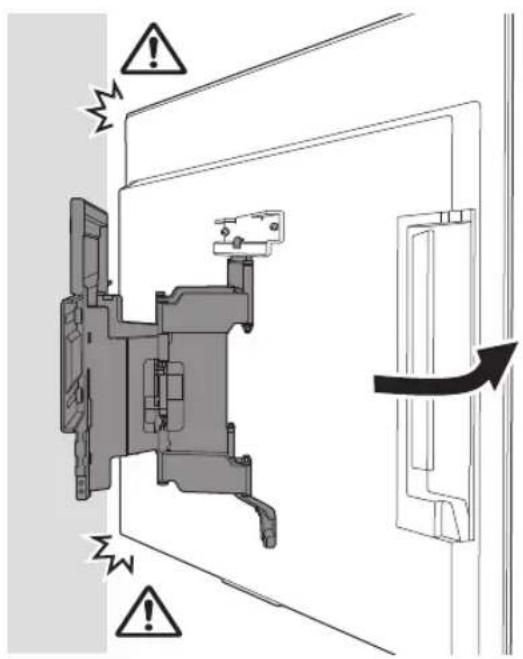
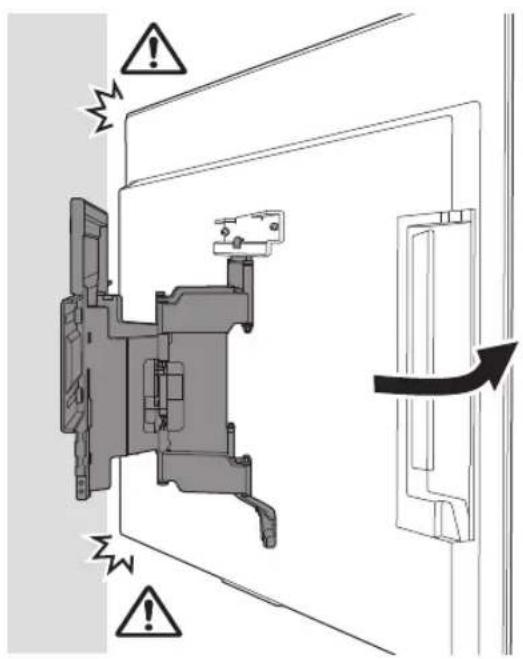
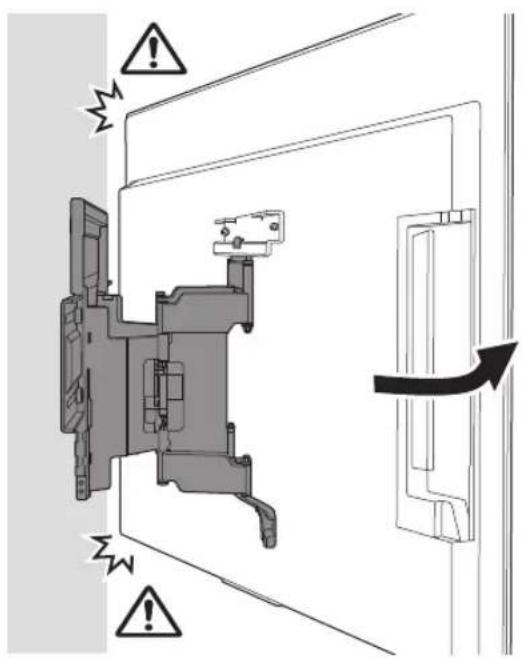
8 Pull out the arm of the bracket to the end.
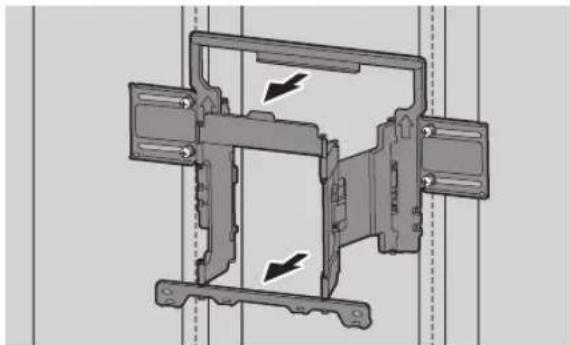
natural_image
Mechanical assembly diagram showing a frame with two directional arrows indicating movement or force (no text or symbols present)Preparing for the Installation of the TV
Note
- Be sure to store the removed screws and unused parts in a safe place, keeping them away from children.
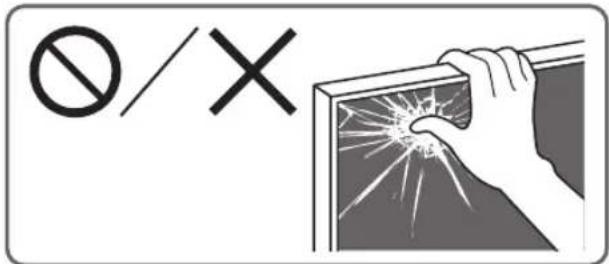
Installing the TV to the Wall from Carton\*
* Only for limited region/country/model.
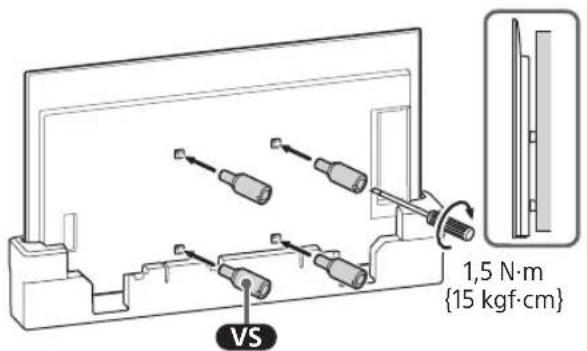
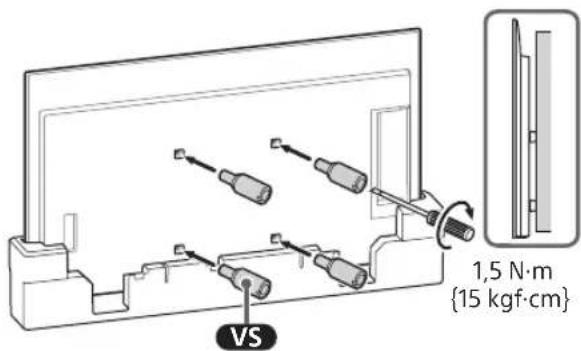
1 Remove the screws from the rear of the TV.
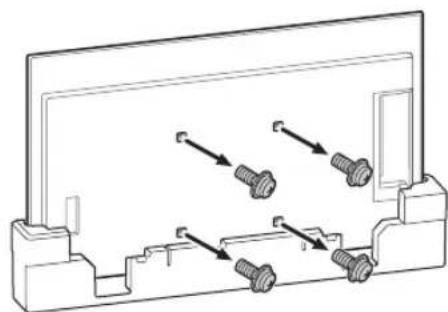
natural_image
Technical line drawing of a mechanical bracket with four bolts and directional arrows indicating assembly or movement (no text or symbols)2 Attach the Wall-Mount Attachment vs (supplied with the TV) to the rear of the TV (to make it parallel with the wall).
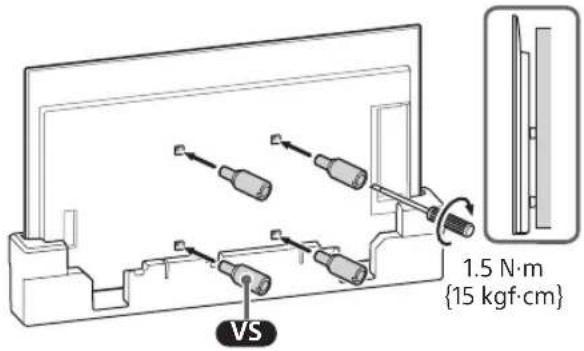
Note
- Be sure to fasten the Wall-Mount Attachment VS when attaching them to the TV. Use only a flat head screwdriver to install the Wall-Mount Attachment VS. Use of another tool might result in over torqueing the Wall-Mount Attachment VS and damaging the TV.
3 Attach the WM2 to the TV using M6.
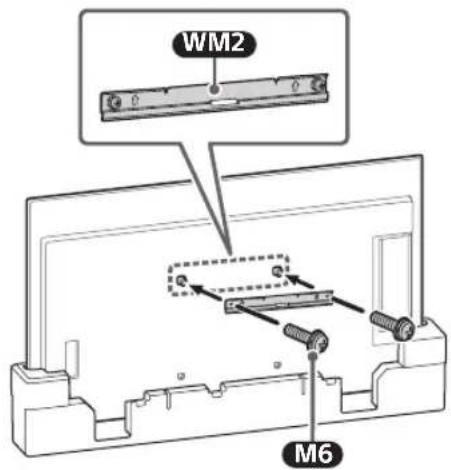
Installing the TV to the Wall from Table-Top Stand
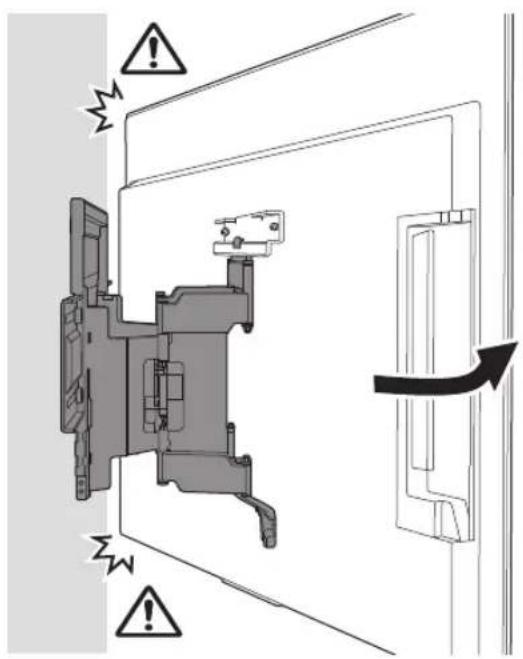
1 Remove the terminal cover.
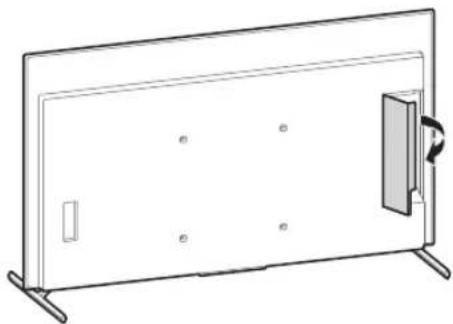
natural_image
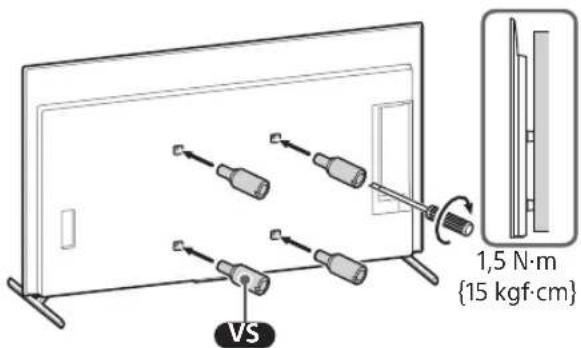
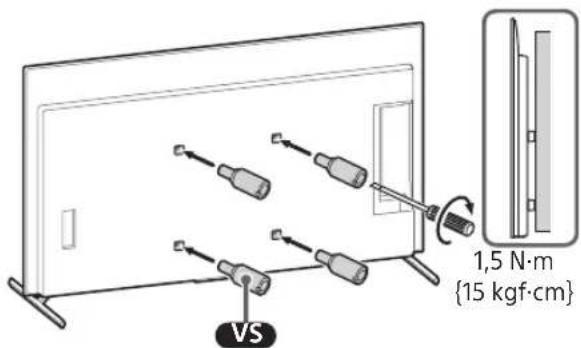
Line drawing of a flat-screen TV unit with a door and scroll, no text or symbols present2 Remove the screws from the rear of the TV.
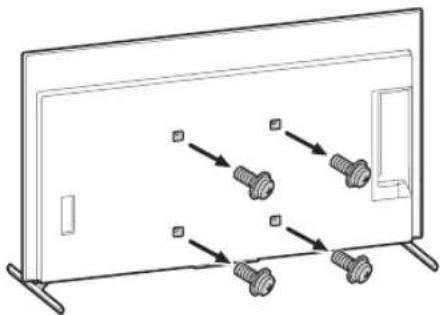
natural_image
Diagram of a monitor with four screws arranged in a row, no text or symbols present3 Attach the Wall-Mount Attachment vs (supplied with the TV) to the rear of the TV (to make it parallel with the wall).
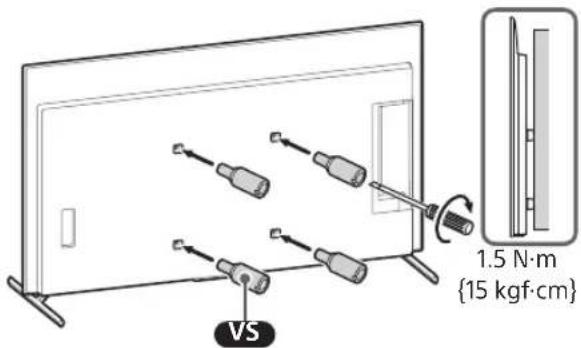
Note
- Be sure to fasten the Wall-Mount Attachment VS when attaching them to the TV. Use only a flat head screwdriver to install the Wall-Mount Attachment VS. Use of another tool might result in over torqueing the Wall-Mount Attachment VS and damaging the TV.
4 Attach the WM2 to the TV using M6.
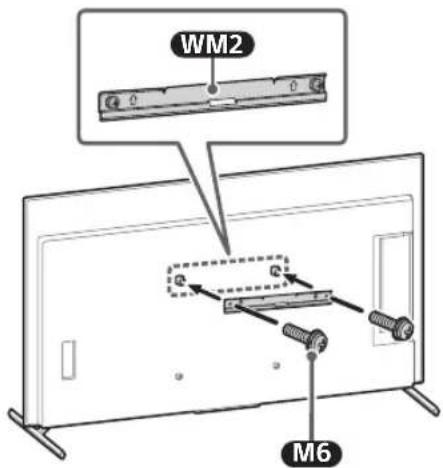
5 Detach the Table-Top Stand from the TV.
- Remove one side of the Table-Top Stand at a time. Firmly hold the Table-Top Stand securely with both hands while the other people lift up the TV.
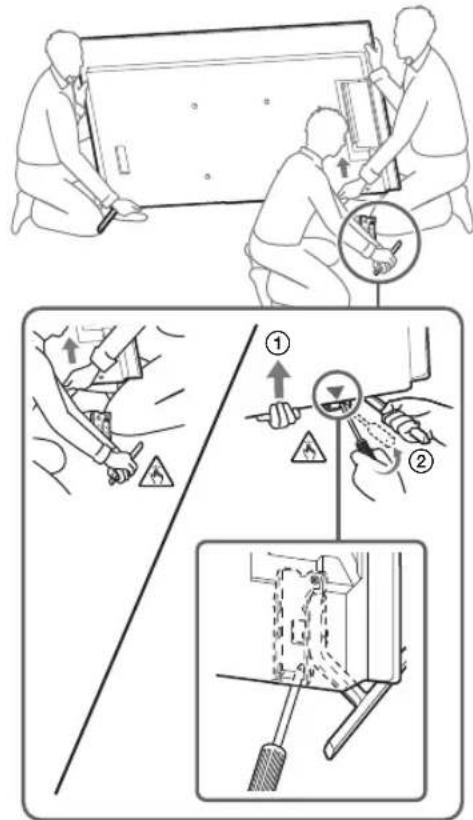
- Repeat the previous step and remove the other side of the Table-Top Stand.
Note
- Three or more people are required to detach the Table-Top Stand.
- Be careful not to use excessive force while detaching the Table-Top Stand from the TV as it may cause the TV set to fall resulting in personal injury or physical damage to the TV.
• Take care when handling the Table-Top Stand to prevent damage to the TV. - Be careful when lifting the TV as the Table-Top Stand is detached, the Table-Top Stand may topple over and cause personal injury.
• Take care when removing the Table-Top Stand from the TV to prevent it from falling over and damaging the surface that the TV is sitting on.
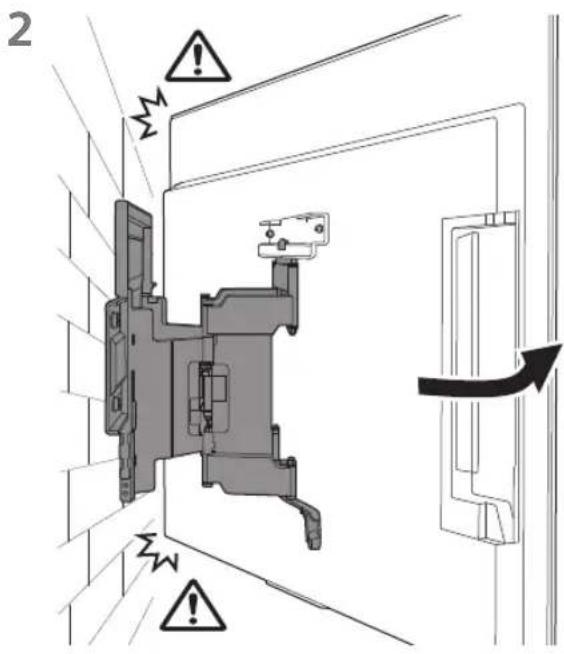
Installing the TV on the Wall
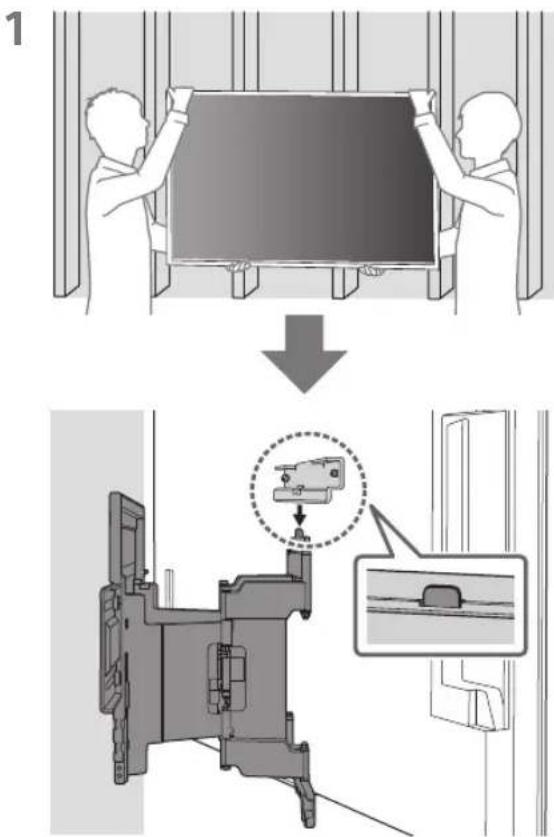
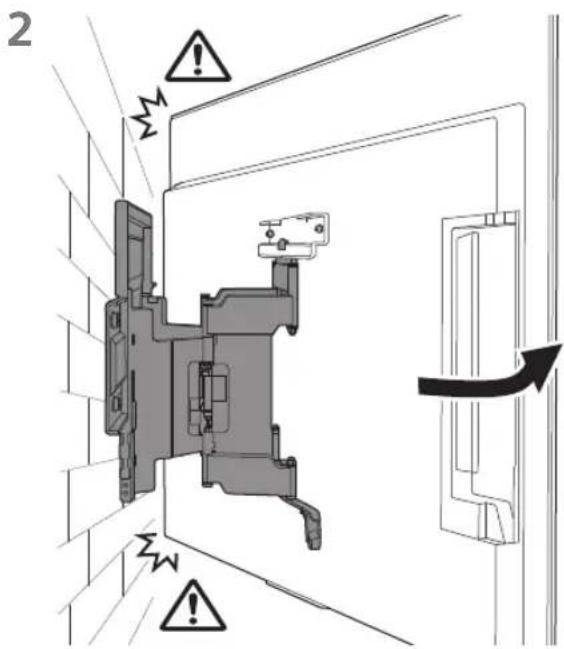
2
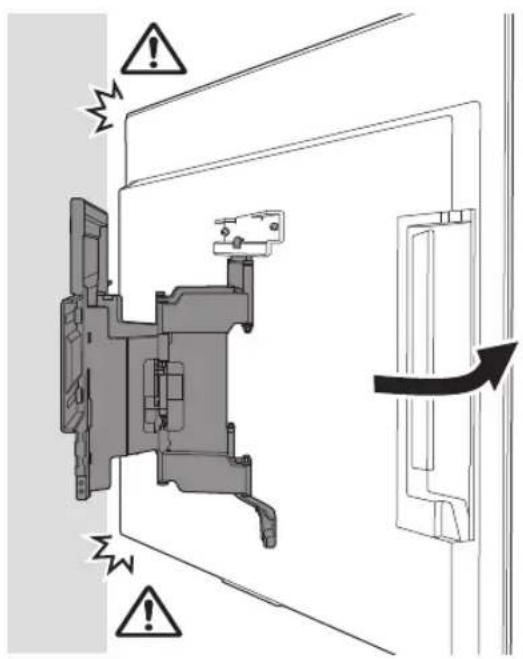
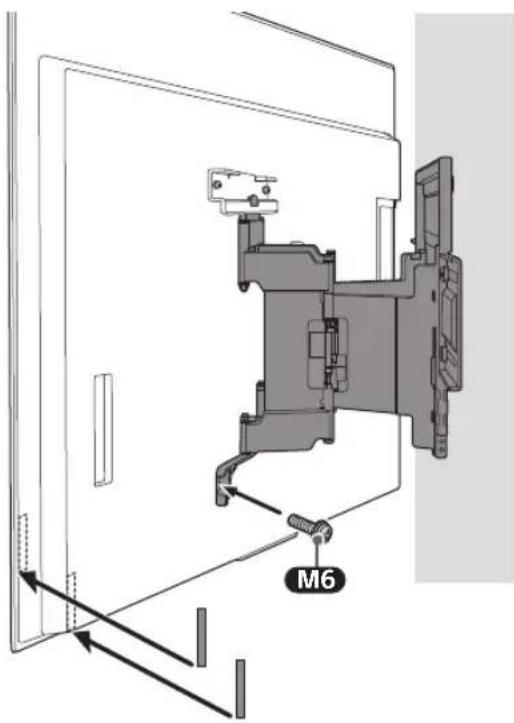
3 Screw the left and right side of the Wall-Mount Bracket using M6 and attach WM3.
Note
- Do not attach WMB on the labels.
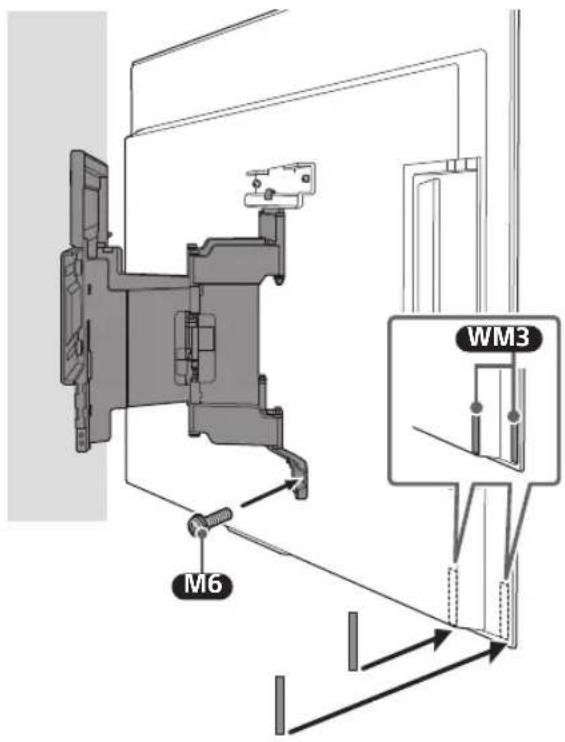
4
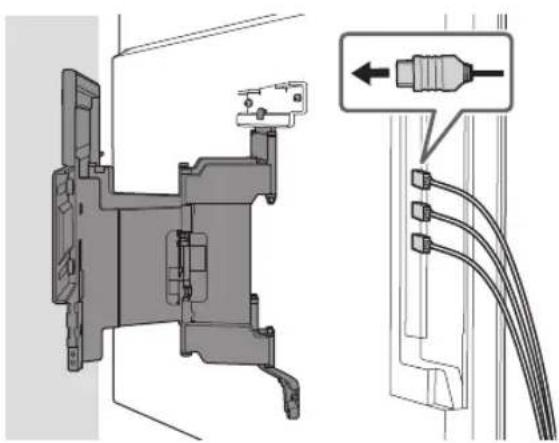
natural_image
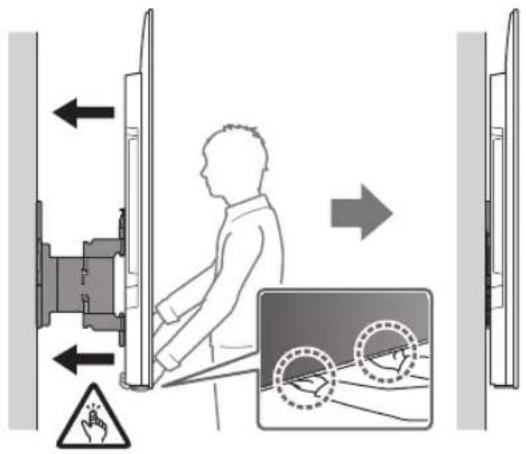
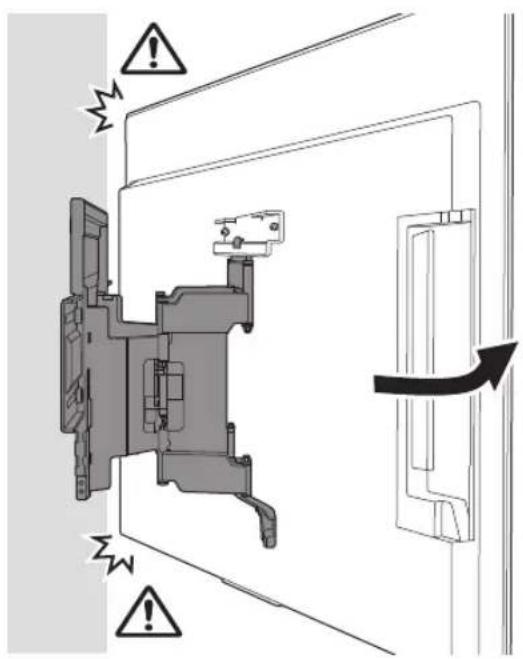
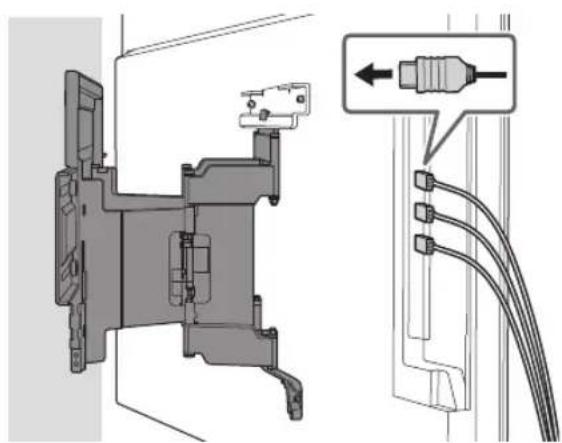
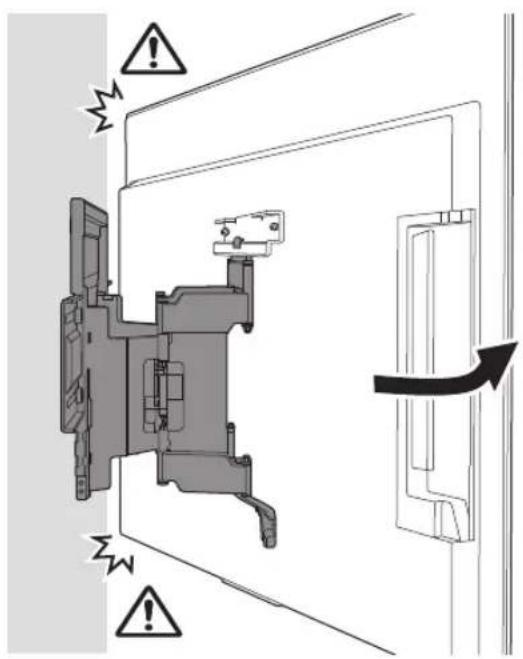
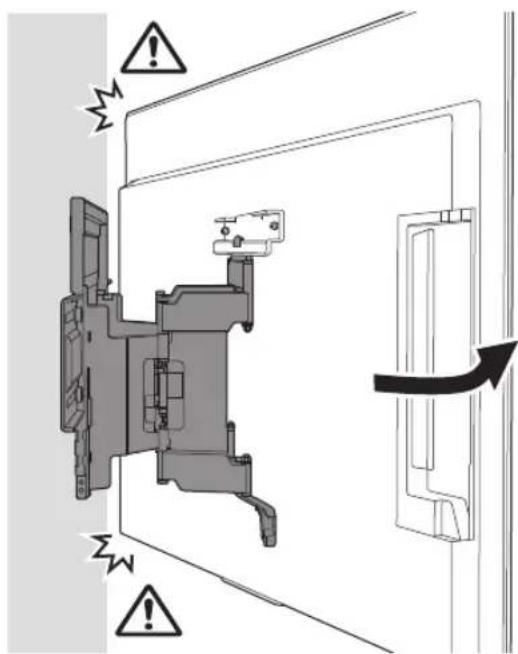
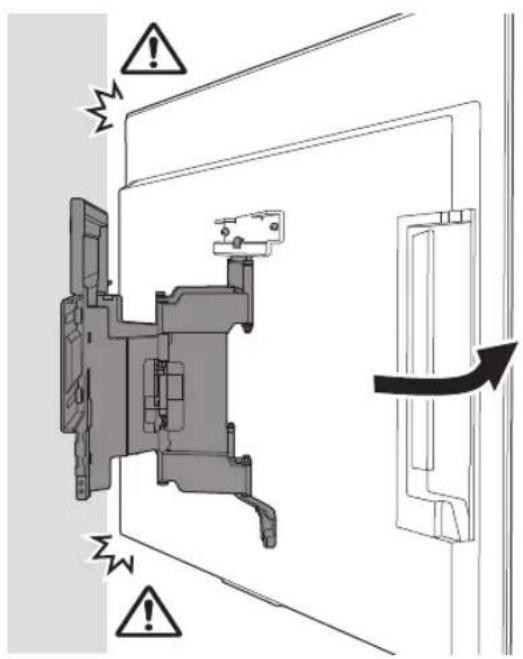
Technical diagram of a mechanical assembly with labeled connectors and cable routing (no text or symbols present)5 When moving the TV, hold it firmly from the bottom.
Note
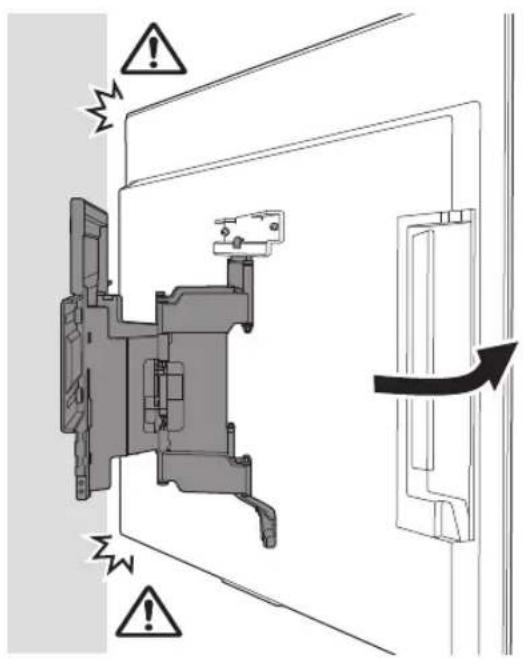
- The TV may not move near close to the wall depending on the type and number of cables attached. This is not a malfunction.
natural_image
Interior view of a room with a monitor, cable, and a potted plant (no text or symbols)WARNING
- Two or more persons (three or more persons for 189.3 cm (75 inches) and above TV) are needed to transport a large TV set (except Egypt). Two or more persons (three or more persons for 75 inches (189.3 cm) and above TV) are needed to transport a large TV set (Egypt only).
Confirming the Completion of the Installation
Check the following points.
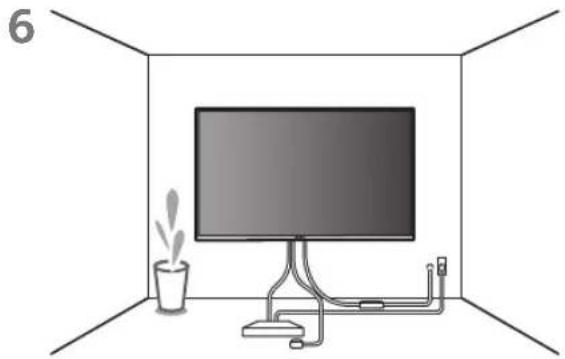
- The cord and the cable are not twisted or pinched.
WARNING
- Improper placement of the AC power cord (mains lead), etc. may cause fire or electric shock through a short circuit. Be sure to confirm the completion of the installation for safety.
Other Information
When removing the TV, reverse the previous installation procedure.
WARNING
- Two or more persons (three or more persons for 189.3 cm (75 inches) and above TV) are needed to transport a large TV set (except Egypt). Two or more persons (three or more persons for 75 inches (189.3 cm) and above TV) are needed to transport a large TV set (Egypt only).
B Attaching the Wall-Mount Bracket to the Solid Concrete or Concrete Block
natural_image
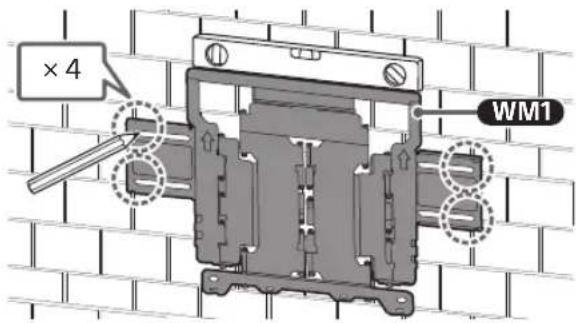
Technical illustration of a wall-mounted TV mounted on brick wall, with a close-up of its internal components (no text or symbols)Installing the Wall-Mount Bracket to the Wall
1 Decide on the installation location.
Make sure that the wall has enough space for the TV and is capable of supporting a weight of at least six times that of the TV.
- Refer "Measurement for Wall-Mount Bracket installation on the wall" on page 18.
- Refer to your TV's Reference Guide for the TV's weight.
Note
- When your TV is installed on the wall, the upper side of the TV slightly leans forward.
- We recommend you to check the position of TV in the viewing environment.
natural_image
Illustration of a person sitting in a chair viewing a screen from a perspective cone, with no text or symbols present.2 Align WM1 to the wall and make four marks.
Note
- Use a level to check whether WM1 is level.
3 Drill pilot holes on the marks.
Make sure the location on the wall to drill the holes are strong enough to support a weight of at least six times that of the TV.
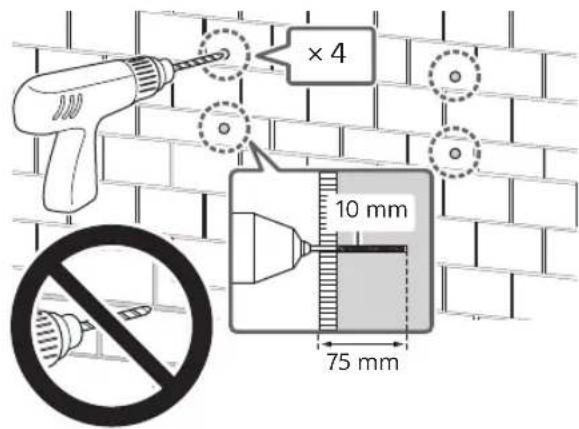
Note
- Pilot holes must be drilled to a depth of 75 mm, using a 10 mm diameter drill bit.
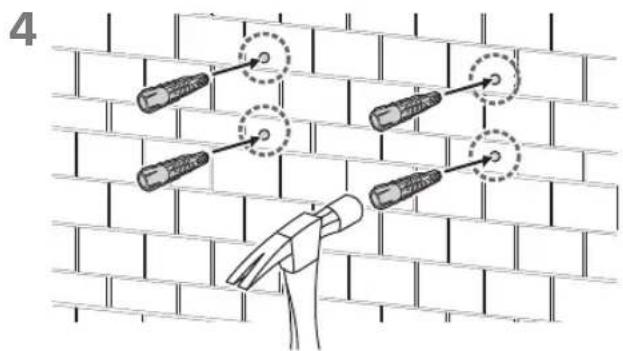
5 Install WM1 on the wall using suitable screws (not supplied) and washers (not supplied).
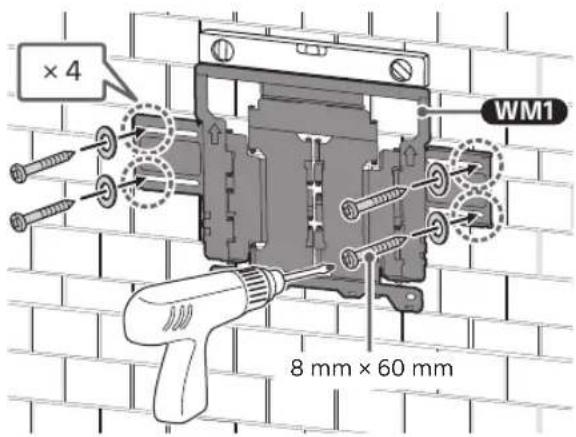
Note
- Use a level to check whether WM1 is level.
Precaution
- Do not over-tighten wooden screw 8mm × 60mm . Improper tightening could reduce the holding power of wooden screw 8mm × 60mm .
6 Pull out the arm of the bracket to the end.
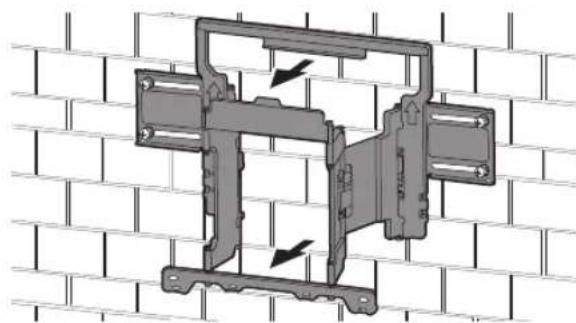
natural_image
Mechanical assembly diagram showing a bracket mounted on a brick wall, with two arrows indicating direction of motion (no text or symbols present)Preparing for the Installation of the TV
Note
- Be sure to store the removed screws and unused parts in a safe place, keeping them away from children.

Installing the TV to the Wall from Carton\*
* Only for limited region/country/model.
1 Remove the screws from the rear of the TV.
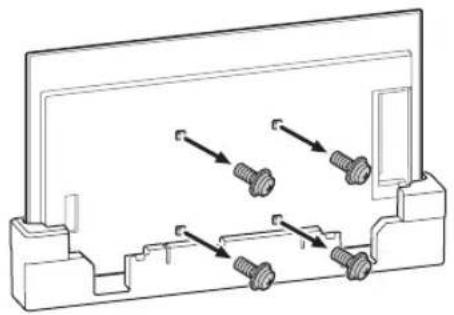
natural_image
Technical line drawing of a mechanical component with multiple bolts and arrows indicating assembly or movement (no text or symbols)2 Attach the Wall-Mount Attachment vs (supplied with the TV) to the rear of the TV (to make it parallel with the wall).
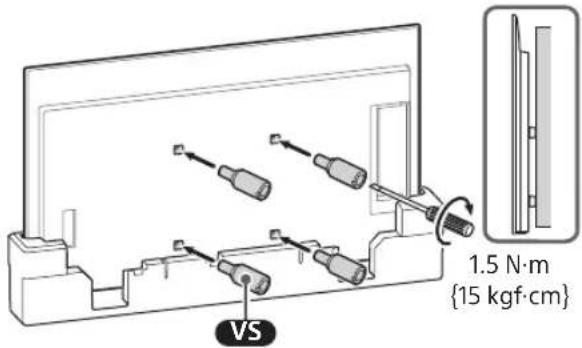
Note
- Be sure to fasten the Wall-Mount Attachment VS when attaching them to the TV. Use only a flat head screwdriver to install the Wall-Mount Attachment VS. Use of another tool might result in over torqueing the Wall-Mount Attachment VS and damaging the TV.
3 Attach the WM2 to the TV using M6.
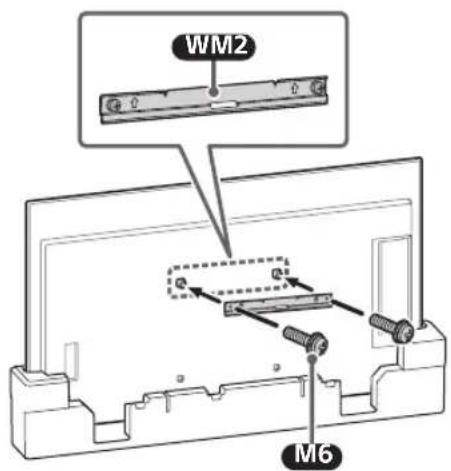
Installing the TV to the Wall from Table-Top Stand
1 Remove the terminal cover.
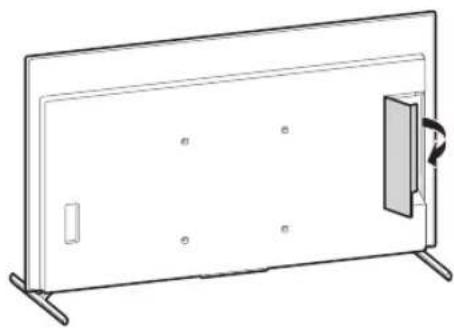
natural_image
Line drawing of a rectangular panel with a side door and mounting feet, no text or symbols present2 Remove the screws from the rear of the TV.
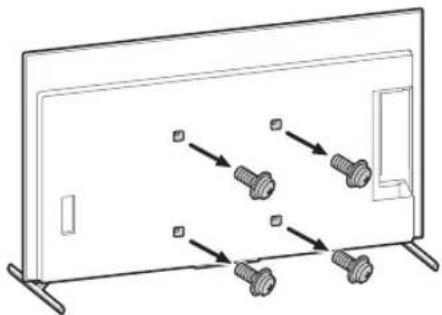
natural_image
Diagram of screw fasteners mounted on a flat panel, showing alignment and mounting points (no text or symbols)3 Attach the Wall-Mount Attachment vs (supplied with the TV) to the rear of the TV (to make it parallel with the wall).
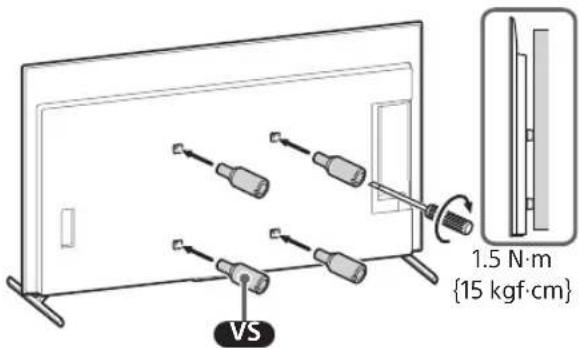
Note
- Be sure to fasten the Wall-Mount Attachment VS when attaching them to the TV. Use only a flat head screwdriver to install the Wall-Mount Attachment VS. Use of another tool might result in over torqueing the Wall-Mount Attachment VS and damaging the TV.
4 Attach the WM2 to the TV using M6.
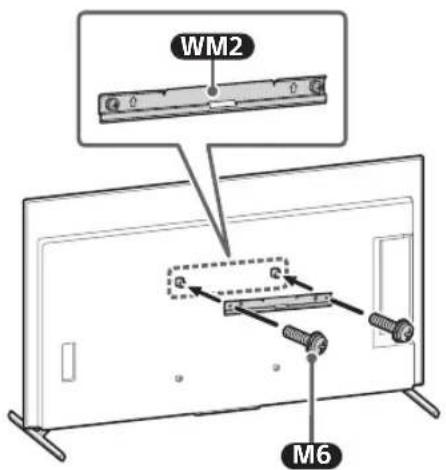
5 Detach the Table-Top Stand from the TV.
- Remove one side of the Table-Top Stand at a time. Firmly hold the Table-Top Stand securely with both hands while the other people lift up the TV.
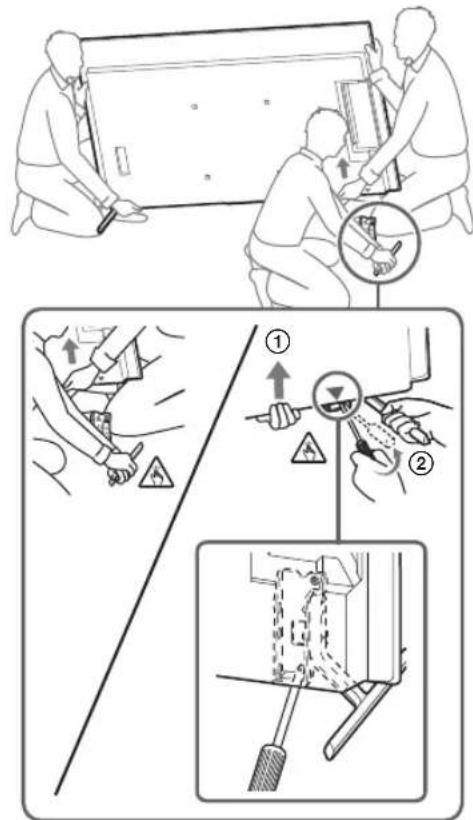
- Repeat the previous step and remove the other side of the Table-Top Stand.
Note
- Three or more people are required to detach the Table-Top Stand.
- Be careful not to use excessive force while detaching the Table-Top Stand from the TV as it may cause the TV set to fall resulting in personal injury or physical damage to the TV.
• Take care when handling the Table-Top Stand to prevent damage to the TV. - Be careful when lifting the TV as the Table-Top Stand is detached, the Table-Top Stand may topple over and cause personal injury.
• Take care when removing the Table-Top Stand from the TV to prevent it from falling over and damaging the surface that the TV is sitting on.
Installing the TV on the Wall
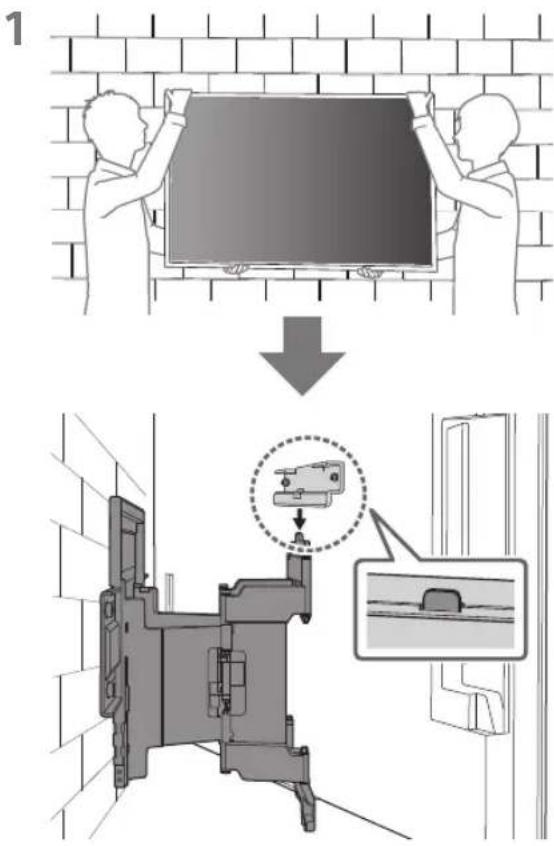
2
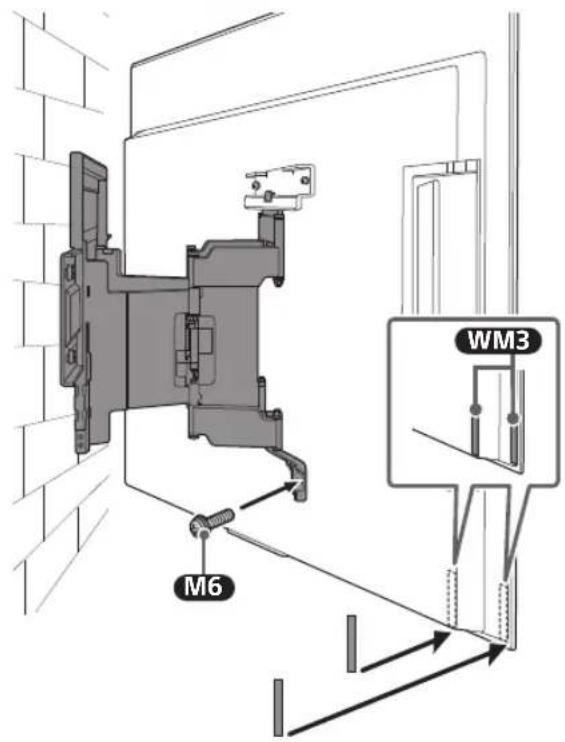
3 Screw the left and right side of the Wall-Mount Bracket using M6 and attach WM3.
Note
- Do not attach WM3 on the labels.
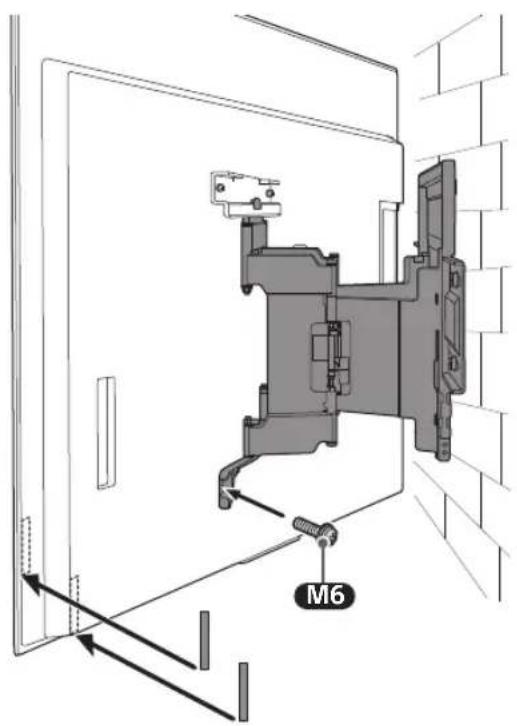
4
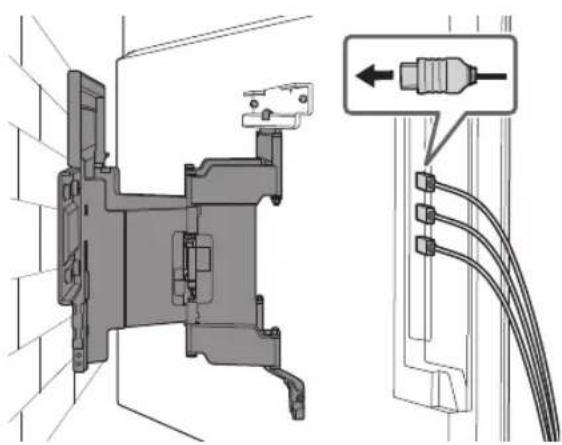
natural_image
Technical diagram of a mechanical assembly with cable connectors and a close-up view of a connector (no text or symbols present)5 When moving the TV, hold it firmly from the bottom.
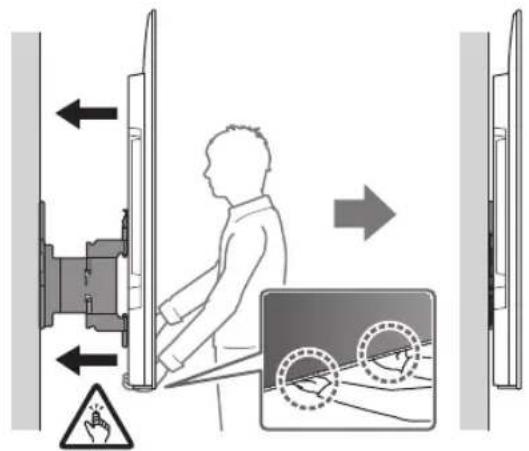
Note
- The TV may not move near close to the wall depending on the type and number of cables attached. This is not a malfunction.
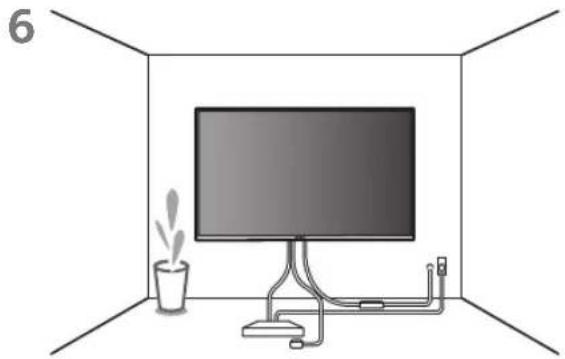
natural_image
Interior view of a room with a monitor, cable, and a potted plant (no text or symbols)WARNING
- Two or more persons (three or more persons for 189.3 cm (75 inches) and above TV) are needed to transport a large TV set (except Egypt). Two or more persons (three or more persons for 75 inches (189.3 cm) and above TV) are needed to transport a large TV set (Egypt only).
Confirming the Completion of the Installation
Check the following points.
- The cord and the cable are not twisted or pinched.
WARNING
- Improper placement of the AC power cord (mains lead), etc. may cause fire or electric shock through a short circuit. Be sure to confirm the completion of the installation for safety.
Other Information
When removing the TV, reverse the previous installation procedure.
WARNING
- Two or more persons (three or more persons for 189.3 cm (75 inches) and above TV) are needed to transport a large TV set (except Egypt). Two or more persons (three or more persons for 75 inches (189.3 cm) and above TV) are needed to transport a large TV set (Egypt only).
Specifications
WM1
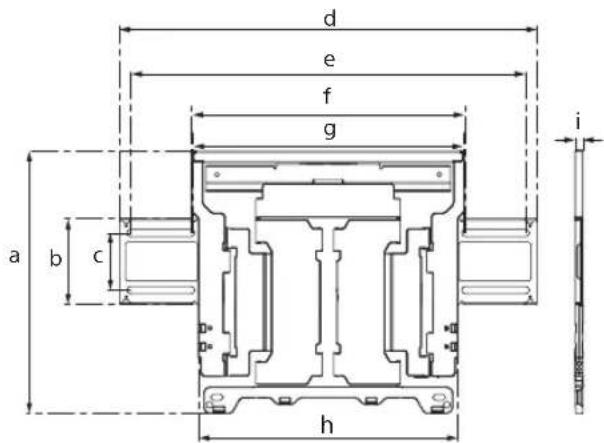
Dimensions: (Approx.) [mm]
Mass (base only): (Approx.) [kg] 3.0
Design and specifications are subject to change without notice.
References
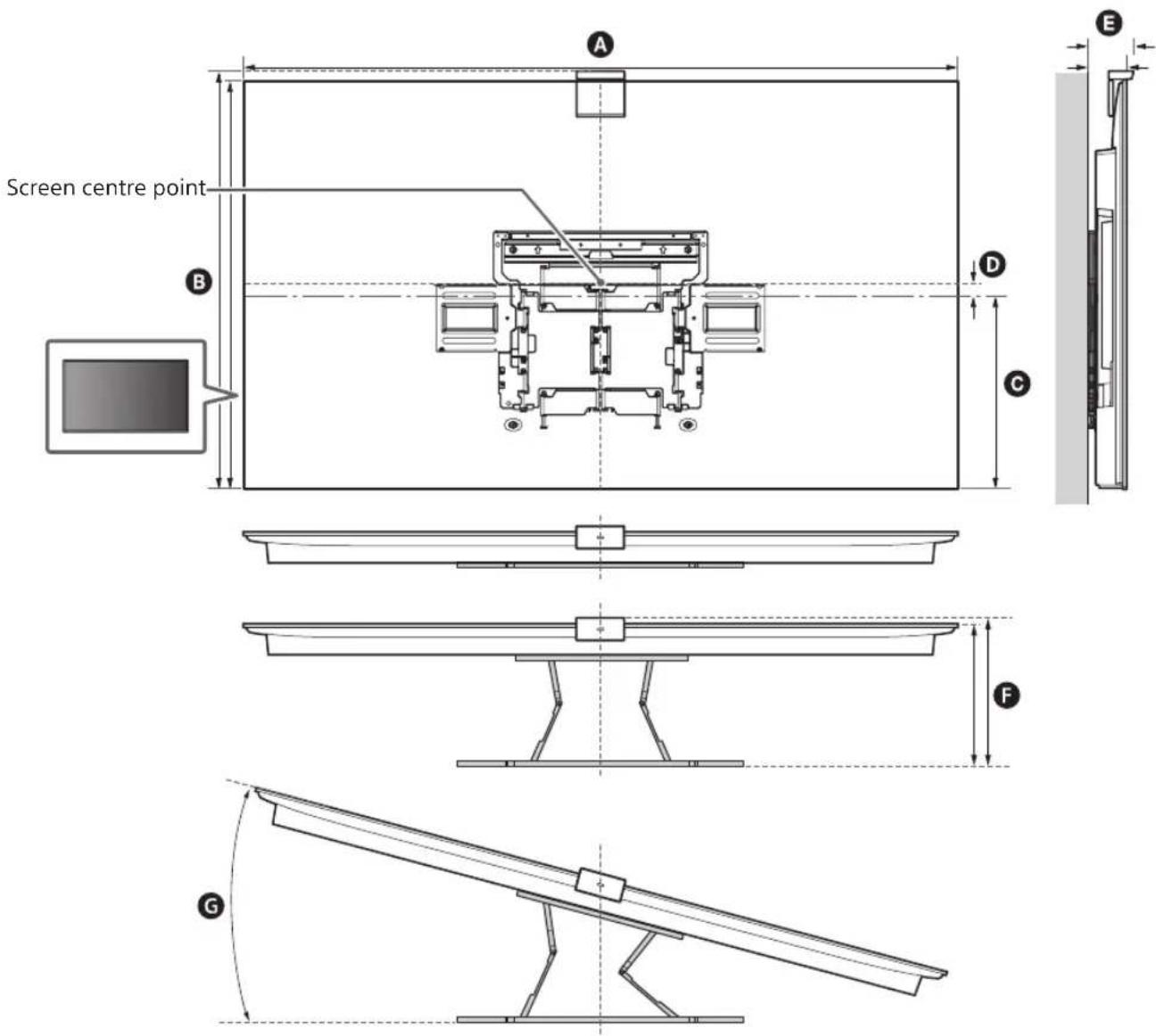
Measurement for Wall-Mount Bracket installation on the wall
Figures in the table may differ slightly depending on the installation.
With Camera
(mm)
| Model Name | A | B | C | D | E | F* | G*(°) |
| XR-77A8xEL 1722 1013 340 165 78 281 15 | |||||||
| XR-65A8xEL 1448 851 342 82 77 281 18 | |||||||
| XR-55A8xEL 1227 727 342 20 77 | 281 | 19 | |||||
* (Approx.)
Without Camera
(mm)
| Model Name | A | B | C | D | E | F* | G*(°) |
| XR-77A8xL | 1722 | 998 | 340 | 165 | 66 | 269 | 15 |
| XR-65A8xL | 1448 | 836 | 342 | 82 | 66 | 269 | 18 |
| XR-55A8xL | 1227 | 712 | 342 | 20 | 66 | 269 | 19 |
* (Approx.)
natural_image
Technical line drawing of a mechanical device with internal components and motion indicators (no text or symbols)natural_image
Technical line drawing of a mechanical component with no visible text or symbolsWM2 (×1)
WM3 (×4)
M6 (×4)

WT1 (×6)
natural_image
Technical illustration of a device with two vertical supports and a central screen, labeled WM1 (no text or symbols on the diagram itself)natural_image
Diagram showing a person sitting in a chair facing a screen, with dashed lines indicating perspective projection (no text or symbols present)2
natural_image
Illustration of a handheld device and a pencil on a vertical line, no text or symbols presentnatural_image
Mechanical assembly diagram showing a frame with mounting brackets and directional arrows indicating motion (no text or symbols)natural_image
Technical line drawing of a mechanical bracket with four bolts and directional arrows indicating assembly or movement (no text or symbols)natural_image
Line drawing of a rectangular panel with a door and mounting bracket, no text or symbols presentnatural_image
Diagram of a monitor with four bolts and connecting lines, no text or symbols presentnatural_image
Two people holding a large blackboard with a downward arrow below (no text or symbols)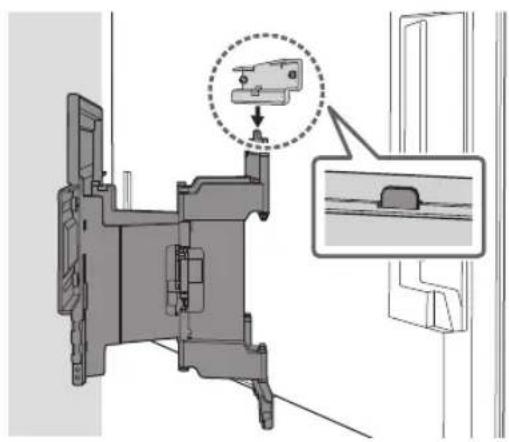
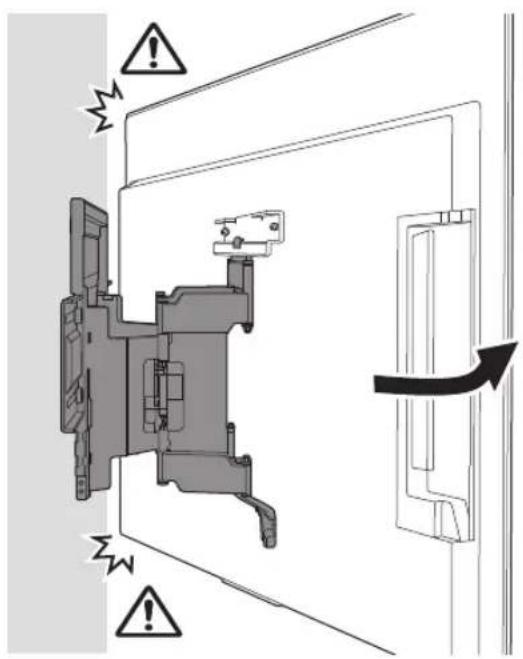
natural_image
Technical diagram of a mechanical assembly with a magnified inset showing a component detail (no text or symbols present)2
natural_image
Technical diagram of a mechanical assembly with labeled components and an inset showing a connector detail (no text or symbols present)Remarque
natural_image
Interior view of a room with a monitor, cable, and a potted plant (no text or symbols)AVERTISSEMENT
natural_image
Technical diagram showing a wall-mounted monitor mounted on brick wall and a mechanical component labeled WM1 (no text or symbols beyond label)natural_image
Illustration of a person sitting in a chair facing a wall-mounted screen, with dashed lines indicating perspective projection (no text or symbols)natural_image
Mechanical assembly diagram showing a bracket mounted on a brick wall, with two arrows indicating force directions (no text or symbols present)natural_image
Technical line drawing of a mechanical component with multiple bolts and mounting brackets (no text or symbols)natural_image
Line drawing of a flat-screen TV unit with a door and scroll, no text or symbols presentnatural_image
Diagram of a monitor with four bolts and directional arrows indicating movement or assembly (no text or symbols)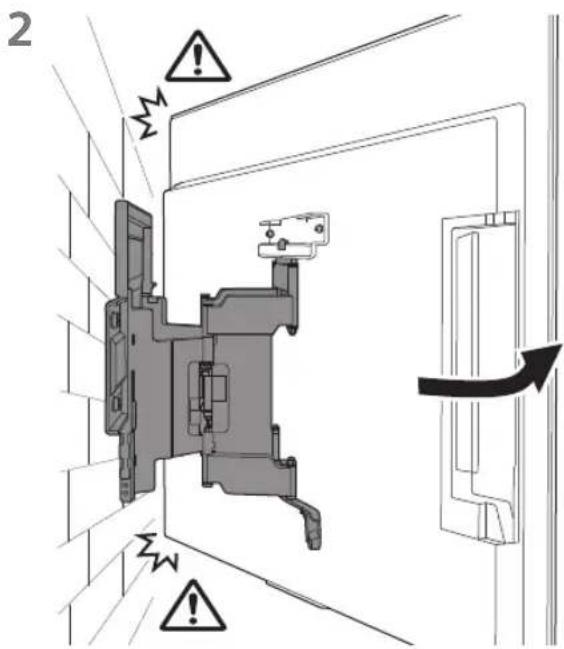
natural_image
Technical diagram of a mechanical assembly with labeled component 4 and inset showing cable connections (no text or symbols present)Remarque
natural_image
Interior view of a room with a monitor, cable, and a potted plant (no text or symbols)AVERTISSEMENT
Dimensions : (Environ) [mm]
a:354
b : 116
c : 77
d : 563
e : 533
f : 370
g : 368
h : 350
i : 11
natural_image
Technical line drawing of a mechanical assembly with no visible text or symbolsnatural_image
Technical line drawing of a mechanical component with no visible text or symbolsWM2 (×1)
![SONY XR77A80L - Dimensions : (Environ) [mm] - 1](/content/2026/04/632725/images/9324f81510b0f21dcd6a39ad45f44c6207570e61bdd3d39fa2ba32e3208634c6.jpg)
WM3 (×4)
![SONY XR77A80L - Dimensions : (Environ) [mm] - 2](/content/2026/04/632725/images/04d364938cf6b23e49d8f70a9fb48a9efd481608e7616c0666bfdf3affc47246.jpg)
M6 (×4)
![SONY XR77A80L - Dimensions : (Environ) [mm] - 3](/content/2026/04/632725/images/4979a6cedd173c2658b3c2ad359de08d7d9908e21831b1f0beb6f6d36af64053.jpg)
WT1 (×6)
![SONY XR77A80L - Dimensions : (Environ) [mm] - 4](/content/2026/04/632725/images/c82f8aec95e299298931d5478a39edc98ee11d1129bc8f7d460ba69cafe8c3e3.jpg)
natural_image
Technical diagram showing a mounted device with two vertical supports and a central screen, labeled WM1 (no text or symbols on the diagram itself)natural_image
Diagram showing a person sitting in a chair facing a screen with dashed lines indicating perspective projection (no text or symbols present)2
natural_image
Illustration of a handheld device with a pencil inserted, against a plain background (no text or symbols)natural_image
Mechanical assembly diagram showing a frame with mounting brackets and directional arrows indicating motion (no text or symbols)natural_image
Technical line drawing of a mechanical component with four bolts and directional arrows indicating assembly (no text or symbols)natural_image
Line drawing of a rectangular panel with a door and side supports, no text or symbols presentnatural_image
Diagram showing four bolts arranged in a row inside a rectangular frame, with arrows indicating direction (no text or symbols)natural_image
Two people holding a large blackboard with a downward arrow below (no text or symbols)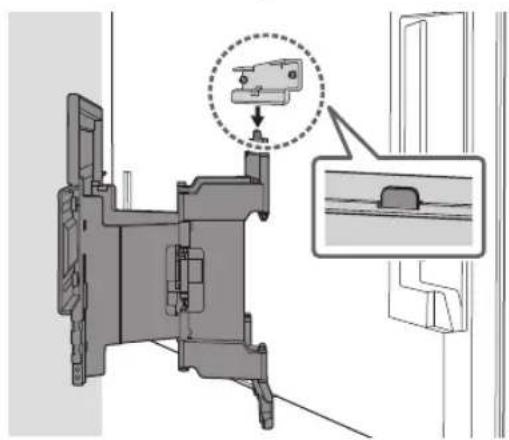
natural_image
Mechanical assembly diagram showing a component with a highlighted section and an inset view of a bracket (no text or symbols present)2
natural_image
Technical diagram of a mechanical assembly with labeled connectors and wiring (no text or symbols present)Nota
natural_image
Interior view of a room with a monitor, cable, and a potted plant (no text or symbols)ADVERTENCIA
natural_image
Technical diagram showing a brick wall installation and its internal components, labeled WM1 (no text or symbols on the diagram itself)natural_image
Illustration of a person sitting in a chair facing a screen, with dashed lines indicating perspective projection (no text or symbols)5
natural_image
Mechanical assembly diagram showing a bracket mounted on a brick wall, with two arrows indicating direction of motion (no text or symbols present)natural_image
Technical line drawing of a mechanical component with multiple bolts and mounting brackets (no text or symbols)natural_image
Line drawing of a flat-screen TV unit with a door and adjacent panel, no text or symbols presentnatural_image
Diagram showing four bolts arranged in a row inside a rectangular frame, with no text or symbols present.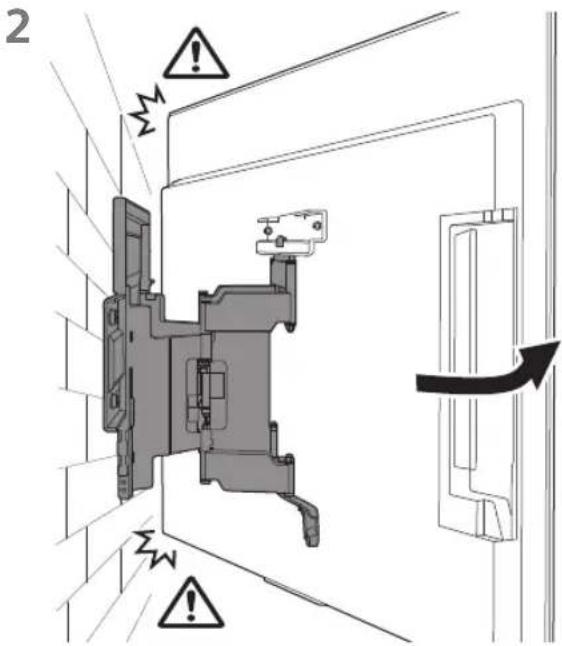
natural_image
Technical diagram of a mechanical assembly with labeled components and wiring connections (no text or symbols present)Nota
natural_image
Interior view of a room with a monitor, cable, and a potted plant (no text or symbols)ADVERTENCIA
natural_image
Technical line drawing of a mechanical assembly with springs and housing (no text or symbols)natural_image
Technical line drawing of an electrical contactor or transformer housing (no text or symbols)WM2 (×1)
WM3 (×4)
M6 (×4)

WT1 (×6)
natural_image
Technical diagram showing a mounted device with two vertical supports and a central screen, labeled WM1 (no text or symbols on the diagram itself)natural_image
Diagram showing a person sitting in a chair facing a screen with dashed lines indicating perspective projection (no text or symbols present)2
natural_image
Illustration of a handheld device with a pencil inserted, against a plain background (no text or symbols)natural_image
Mechanical assembly diagram showing a frame with mounting brackets and directional arrows indicating motion (no text or symbols)natural_image
Technical line drawing of a mechanical component with four bolts and directional arrows indicating assembly (no text or symbols)natural_image
Line drawing of a flat-screen TV unit with a door and adjacent panel, no text or symbols presentnatural_image
Diagram of a monitor with screw arrangement and directional arrows indicating assembly or movement (no text or symbols)2
natural_image
Technical diagram of a mechanical assembly with labeled component M6, showing internal components and directional arrows (no text or symbols beyond label)4
natural_image
Technical diagram of a mechanical assembly with connector and cable connections (no text or symbols)Hinweis
natural_image
Interior view of a room with a monitor, cable, and a potted plant (no text or symbols)WARNUNG
natural_image
Technical illustration of a wall-mounted TV mounted on a brick wall, with a close-up of its internal components (no text or symbols)natural_image
Diagram showing a person sitting in a chair viewing a screen from a perspective, with dashed lines indicating perspective direction (no text or symbols present)5
natural_image
Mechanical assembly diagram showing a bracket mounted on a brick wall, with directional arrows indicating movement or force (no text or symbols present)natural_image
Technical line drawing of a mechanical component with multiple bolts and mounting brackets (no text or symbols)natural_image
Simple line drawing of a rectangular panel with a door and a right-angle switch, no text or symbols present.natural_image
Diagram of a monitor with four screw holes and directional arrows indicating assembly or movement (no text or symbols)Hinweis
natural_image
Interior view of a room with a monitor, cable, and a potted plant (no text or symbols)WARNUNG
natural_image
Technical line drawing of an electrical contactor or relay mechanism (no text or symbols visible)natural_image
Technical line drawing of an electrical contactor or transformer housing (no text or symbols)WM2 (×1)
WM3 (×4)
M6 (×4)

WT1 (×6)
natural_image
Technical diagram showing a mounted device with two vertical supports and a central screen, labeled WM1 (no text or symbols on the diagram itself)natural_image
Diagram showing a person sitting in a chair facing a screen, with dashed lines indicating perspective projection (no text or symbols present)2
natural_image
Illustration of a handheld device and a pencil on a grid background (no text or symbols)natural_image
Mechanical assembly diagram showing a frame with mounting brackets and directional arrows indicating motion (no text or symbols)natural_image
Technical line drawing of a mechanical component with four bolted fasteners (no text or symbols)natural_image
Line drawing of a flat-screen TV unit with a door and adjacent panel, no text or symbols presentnatural_image
Diagram of a monitor with four screws arranged in rows, showing alignment and mounting (no text or symbols)2
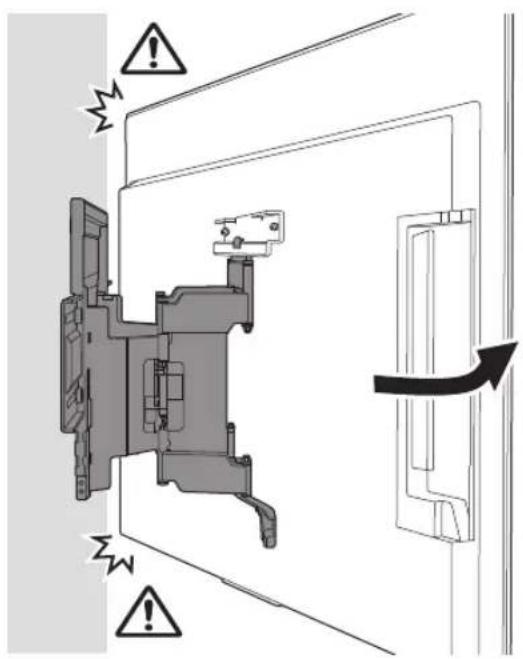
natural_image
Technical diagram of a mechanical assembly with labeled connectors and wiring (no text or symbols present)Opmerking
natural_image
Interior view of a room with a monitor, cable, and a potted plant (no text or symbols)WAARSCHUWING
natural_image
Technical illustration of a wall-mounted TV mounted on brick wall, with an inset diagram showing internal components (no text or symbols)natural_image
Illustration of a person sitting in a chair facing a screen, with dashed lines indicating perspective projection (no text or symbols)natural_image
Mechanical assembly diagram showing a bracket mounted on a brick wall, with two arrows indicating direction of motion (no text or symbols present)natural_image
Mechanical assembly diagram showing bolted components mounted on a bracket (no text or labels)natural_image
Line drawing of a flat-screen TV unit with a door and adjacent panel, no text or symbols presentnatural_image
Diagram showing four bolts arranged in a row inside a rectangular frame, with no text or symbols present.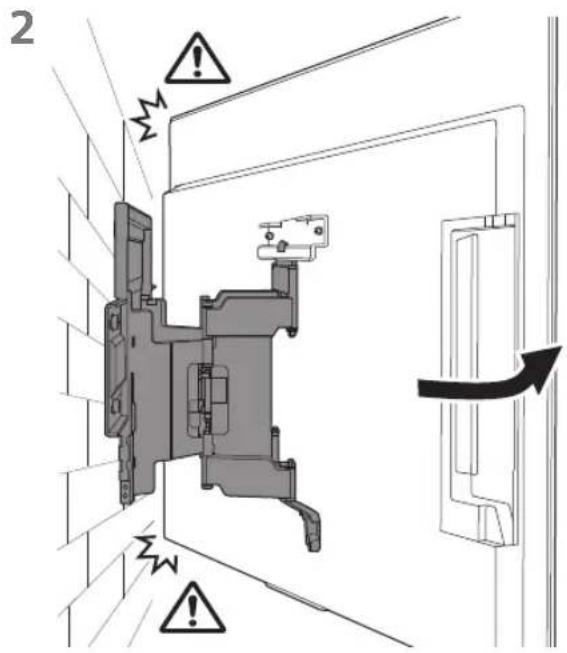
Opmerking
natural_image
Interior view of a room with a monitor, cable, and a potted plant (no text or symbols)WAARSCHUWING
natural_image
Technical line drawing of a mechanical assembly with no visible text or symbolsnatural_image
Technical line drawing of a mechanical component with no visible text or symbolsWM2 (×1)
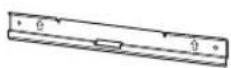
WM3 (×4)
M6 (×4)

WT1 (×6)
natural_image
Technical diagram showing a mounted device with two vertical supports and a central screen, labeled WM1 (no text or symbols on the diagram itself)natural_image
Diagram showing a person sitting in a chair viewing a screen from a perspective cone, with dashed lines indicating perspective projection (no text or symbols present)2
natural_image
Illustration of a handheld device and a pencil on a vertical line, no text or symbols presentnatural_image
Mechanical assembly diagram showing a frame with mounting brackets and directional arrows indicating motion (no text or symbols)natural_image
Technical line drawing of a mechanical component with four bolts and directional arrows indicating assembly (no text or symbols)natural_image
Line drawing of a rectangular panel with a door and side supports, no text or symbols presentnatural_image
Diagram of a monitor with screw arrangement and directional arrows indicating assembly or movement (no text or symbols)natural_image
Two people holding a large blackboard with a downward arrow below (no text or symbols)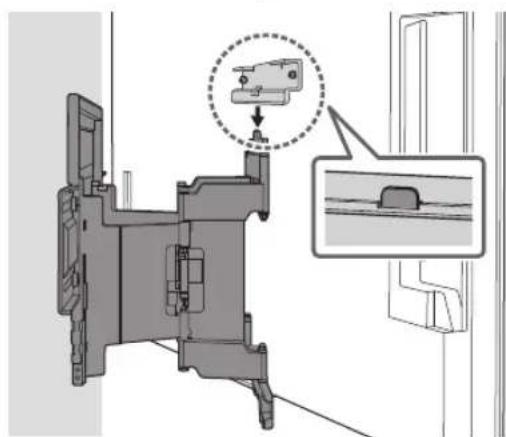
natural_image
Technical diagram of a mechanical assembly with an inset showing a component detail (no text or symbols present)2
natural_image
Technical diagram of a mechanical assembly with labeled connectors and wiring (no text or symbols present)natural_image
Interior view of a room with a monitor, cable, and a potted plant (no text or symbols)AVVERTENZA
natural_image
Technical diagram showing a wall-mounted monitor mounted on brick wall and its internal circuit board labeled WM1 (no text or symbols beyond label)natural_image
Illustration of a person sitting in a chair facing a screen with dashed lines indicating perspective projection (no text or symbols)5
natural_image
Mechanical assembly diagram showing a bracket mounted on a brick wall, with arrows indicating direction of motion (no text or symbols present)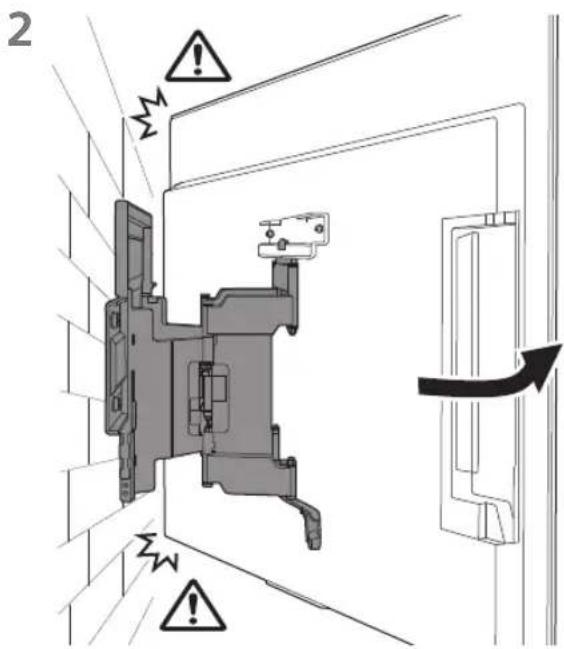
natural_image
Technical diagram of a mechanical assembly with labeled component 4 and inset showing cable connections (no text or symbols present)Nota
natural_image
Interior view of a room with a monitor, cable, and a potted plant (no text or symbols)AVVERTENZA
natural_image
Technical line drawing of a mechanical assembly with no visible text or symbolsnatural_image
Technical line drawing of an electrical contactor or transformer housing (no text or symbols)WM2 (×1)
WM3 (×4)
M6 (×4)

WT1 (×6)
Medföljer TV:n
natural_image
Technical diagram showing a mounted device with two vertical supports and a central screen, plus a close-up of its internal components labeled WM1 (no text or symbols on the main diagram itself)natural_image
Diagram showing a person sitting in a chair facing a screen, with dashed lines indicating perspective projection (no text or symbols present)2
natural_image
Illustration of a handheld device and a pencil on a grid background (no text or symbols)natural_image
Mechanical assembly diagram showing a frame with two mounting brackets and directional arrows indicating movement (no text or symbols)natural_image
Technical line drawing of a mechanical component with four bolts and directional arrows indicating assembly (no text or symbols)natural_image
Line drawing of a rectangular panel with a door and side supports, no text or symbols presentnatural_image
Diagram of a monitor with four screw holes and directional arrows indicating assembly or movement (no text or symbols)natural_image
Two people holding a large blackboard with a downward arrow below (no text or symbols)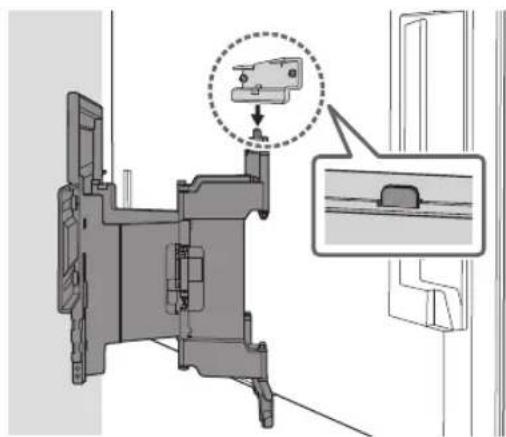
natural_image
Technical diagram of a mechanical assembly with an inset showing a component detail (no text or symbols present)2
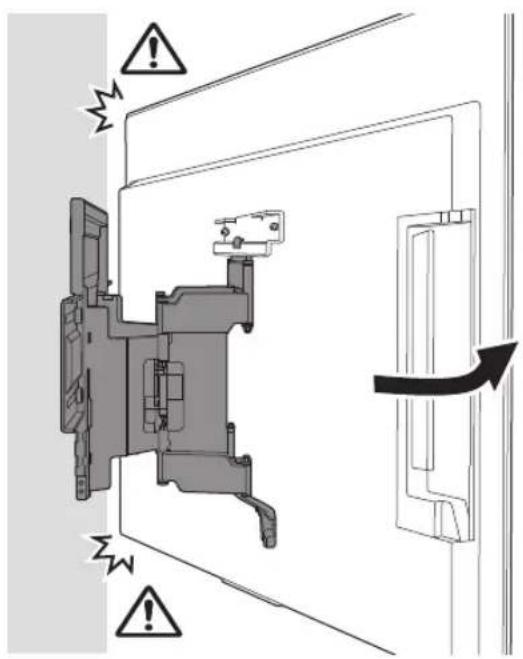
natural_image
Technical diagram of a mechanical assembly with labeled connectors and wiring (no text or symbols present)Obs!
natural_image
Interior view of a room with a monitor, cable, and a potted plant (no text or symbols)WARNING
natural_image
Technical illustration of a wall-mounted TV mounted on brick wall, with an inset diagram showing internal components (no text or symbols)natural_image
Illustration of a person sitting in a chair facing a screen, with dashed lines indicating perspective projection (no text or symbols)natural_image
Mechanical assembly diagram showing two components mounted on a brick wall, with arrows indicating direction of movement (no text or symbols present)natural_image
Technical line drawing of a mechanical bracket with four bolted components and directional arrows indicating assembly (no text or symbols)natural_image
Line drawing of a flat-screen TV panel with a door and scroll, no text or symbols presentnatural_image
Diagram of a monitor with four screws arranged in rows, no text or symbols present2
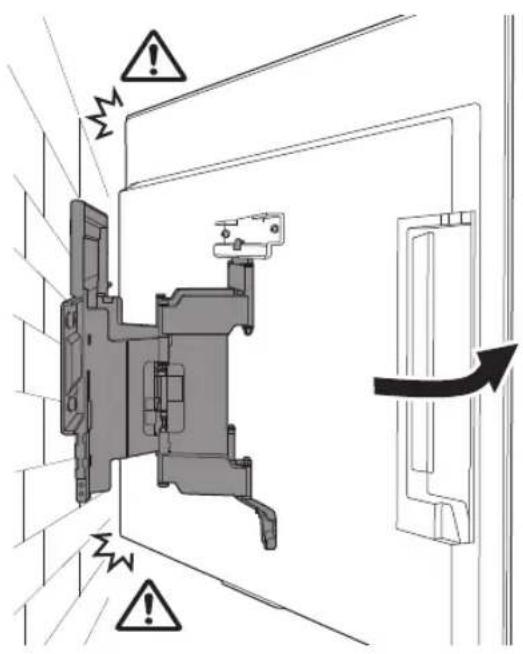
natural_image
Technical diagram of a mechanical assembly with wiring and a close-up inset showing a connector (no text or symbols present)Obs!
natural_image
Interior view of a room with a monitor, cable, and a potted plant (no text or symbols)WARNING
natural_image
Technical line drawing of a mechanical device with internal components and mounting brackets (no text or symbols)natural_image
Technical line drawing of a mechanical component with no visible text or symbolsWM2 (×1)
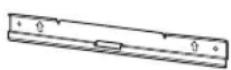
WM3 (×4)
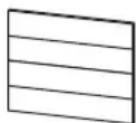
M6 (×4)

WT1 (×6)
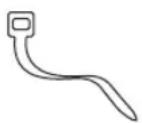
natural_image
Technical diagram showing a mounted device with two vertical supports and a close-up of its internal structure labeled WM1 (no text or symbols on the diagram itself)natural_image
Diagram showing a person sitting in a chair facing a screen, with dashed lines indicating perspective projection (no text or symbols present)2
natural_image
Illustration of a handheld device with a pencil inserted, against a plain background (no text or symbols)natural_image
Mechanical assembly diagram showing a frame with mounting brackets and directional arrows indicating motion (no text or symbols)natural_image
Mechanical assembly diagram showing bolted components and directional arrows (no text or labels)natural_image
Line drawing of a flat-screen TV unit with a door and mounting base (no text or symbols)natural_image
Diagram showing screw arrangement inside a rectangular panel with mounting brackets (no text or symbols)2
natural_image
Technical diagram of a mechanical assembly with labeled connectors and wiring (no text or symbols present)Uwaga
natural_image
Interior view of a room with a monitor, cable, and a potted plant (no text or symbols)OSTRZEŻENIE
natural_image
Technical diagram showing a wall-mounted monitor mounted on brick wall and its internal circuit board assembly, labeled 'WM1' (no text or symbols on main components)natural_image
Diagram showing a person sitting in a chair viewing a screen from a perspective, with dashed lines indicating perspective direction (no text or symbols present)5
natural_image
Mechanical assembly diagram showing a bracket mounted on a brick wall, with two arrows indicating direction of motion (no text or symbols present)natural_image
Technical line drawing of a mechanical component with four bolted fasteners (no text or symbols)natural_image
Line drawing of a flat-screen TV unit with a door and adjacent panel (no text or symbols)natural_image
Diagram showing screw arrangement inside a rectangular frame with mounting holes (no text or symbols)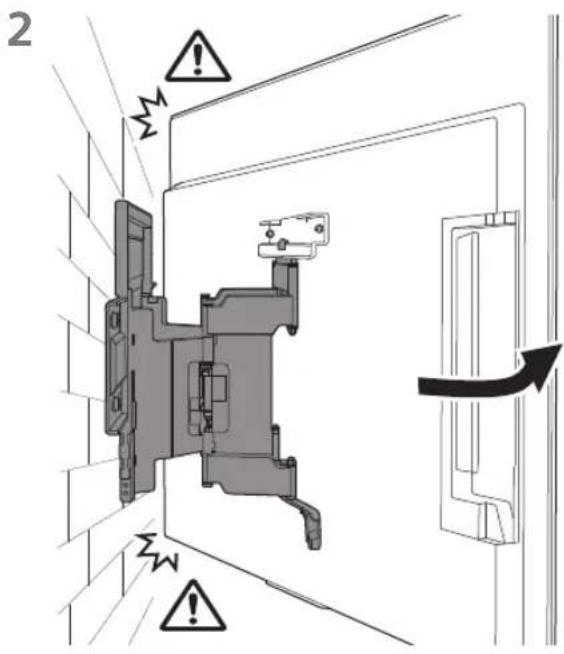
natural_image
Technical diagram of a mechanical assembly with labeled components and wiring connections (no text or symbols present)Uwaga
natural_image
Interior view of a room with a monitor, cable, and a potted plant (no text or symbols)OSTRZEŻENIE
natural_image
Technical line drawing of a mechanical assembly with no visible text or symbolsnatural_image
Technical line drawing of a mechanical component with no visible text or symbolsWM2 (×1)
WM3 (×4)
M6 (×4)

WT1 (×6)
Fornecida com o televisor
natural_image
Technical diagram showing a mounted device with two vertical supports and a close-up of its internal structure labeled WM1 (no text or symbols on the diagram itself)Instalar o Suporte de parede na parede
natural_image
Illustration of a person sitting in a chair viewing a screen from a perspective, with dashed lines indicating perspective direction (no text or symbols)2
natural_image
Illustration of a handheld device with a pencil inserted, against a plain background (no text or symbols)natural_image
Mechanical assembly diagram showing a frame with mounting brackets and directional arrows indicating motion (no text or symbols)natural_image
Technical line drawing of a mechanical component with multiple bolts and mounting brackets (no text or symbols)natural_image
Line drawing of a flat-screen TV unit with a door and adjacent panel (no text or symbols)natural_image
Diagram of a monitor with four screw holes and directional arrows indicating assembly or movement (no text or symbols)natural_image
Two people holding a large blackboard with a downward arrow below (no text or symbols)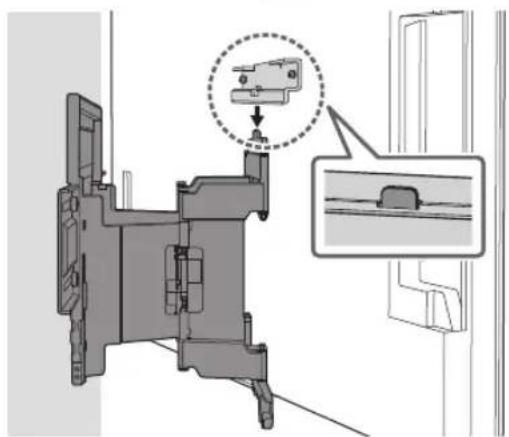
natural_image
Technical diagram of a mechanical assembly with a magnified inset showing a detail (no text or symbols present)2
natural_image
Technical diagram of a mechanical assembly with labeled components and an inset showing cable connections (no text or symbols present)Nota
natural_image
Interior view of a room with a monitor, cable, and a potted plant (no text or symbols)AVISO
natural_image
Technical illustration of a wall-mounted device mounted on a brick wall, with a separate schematic below labeled 'WM1' (no text or symbols on the diagram itself)Instalar o Suporte de parede na parede
natural_image
Diagram showing a person sitting in a chair facing a screen, with dashed lines indicating perspective projection (no text or symbols present)natural_image
Mechanical assembly diagram showing a bracket mounted on a brick wall, with directional arrows indicating movement or force (no text or symbols present)natural_image
Technical line drawing of a mechanical component with four bolted fasteners (no text or symbols)natural_image
Line drawing of a flat-screen TV panel with a right-angle screen and mounting feet (no text or symbols)natural_image
Diagram of a monitor with screw arrangement and mounting bracket (no text or symbols)natural_image
Technical diagram of a mechanical assembly with wiring and a close-up inset showing a connector (no text or symbols present)Nota
natural_image
Interior view of a room with a monitor, cable, and a potted plant (no text or symbols)AVISO
Peso (apenas base): (Aprox.) [kg] 3,0
natural_image
Technical line drawing of a mechanical assembly with no visible text or symbolsnatural_image
Technical line drawing of a mechanical component with no visible text or symbolsWM2 (×1)
![SONY XR77A80L - Peso (apenas base): (Aprox.) [kg] 3,0 - 1](/content/2026/04/632725/images/45f34c1fc8092d725b79577606ebbbc02a9c7eed2b7513757cd945ee28dbdf4c.jpg)
WM3 (×4)
![SONY XR77A80L - Peso (apenas base): (Aprox.) [kg] 3,0 - 2](/content/2026/04/632725/images/8e9eeac140bbf6ddf151d10773d1eb80868502f43e69b6fbca1d8f48fe378068.jpg)
M6 (×4)
![SONY XR77A80L - Peso (apenas base): (Aprox.) [kg] 3,0 - 3](/content/2026/04/632725/images/24a8ce180d9a2aa2bbf93ee5443eb1d02478fe47c5bf1e56b00b6711444f380b.jpg)
WTI (×6)
![SONY XR77A80L - Peso (apenas base): (Aprox.) [kg] 3,0 - 4](/content/2026/04/632725/images/fa74783ef19fb324c5e6deeb78cad80f0ede05c2b98f5b240f7383d7345b1353.jpg)
Følger med TV'et
Klargøring for installation
natural_image
Technical diagram showing a mounted device with two vertical supports and a close-up of its internal structure labeled WM1 (no text or symbols on the diagram itself)1 Find TV'ets placering.
natural_image
Illustration of a person sitting in a chair viewing a screen from a perspective cone, with no text or symbols present.2
natural_image
Illustration of a handheld device and a pencil on a vertical line, no text or symbols presentnatural_image
Mechanical assembly diagram showing a frame with mounting brackets and directional arrows indicating motion (no text or symbols)natural_image
Technical line drawing of a mechanical bracket with four bolts and directional arrows indicating movement (no text or symbols)2 Forbind tilslutningen til vægmontering vs (følger med TV'et) til bagsiden af TV'et (for at gøre det parallel med muren).
Bemærk
natural_image
Line drawing of a flat-screen TV panel with a door and adjacent door handle (no text or symbols)natural_image
Diagram showing four bolts arranged in a row inside a rectangular frame, with arrows indicating direction (no text or symbols)3 Forbind tilslutningen til vægmontering vs (følger med TV'et) til bagsiden af TV'et (for at gøre det parallel med muren).
Bemærk
2
natural_image
Technical diagram of a mechanical assembly with labeled connectors and wiring (no text or symbols present)Bemaerk
natural_image
Interior view of a room with a monitor, cable, and a potted plant (no text or symbols)ADVARSEL
Kontroller monteringen
natural_image
Technical illustration of a wall-mounted TV mounted on a brick wall, with an inset diagram showing its internal components (no text or symbols)1 Find TV'ets placering.
natural_image
Illustration of a person sitting in a chair facing a screen, with dashed lines indicating perspective projection (no text or symbols)natural_image
Mechanical assembly diagram showing a bracket mounted on a brick wall, with directional arrows indicating motion (no text or symbols present)natural_image
Technical line drawing of a mechanical component with four bolted fasteners (no text or symbols)2 Forbind tilslutningen til vægmontering vs (følger med TV'et) til bagsiden af TV'et (for at gøre det parallel med muren).
Bemærk
natural_image
Line drawing of a flat-screen TV panel with a door and adjacent door handle (no text or symbols)natural_image
Diagram of a monitor with four screw holes and directional arrows indicating movement (no text or symbols)3 Forbind tilslutningen til vægmontering vs (følger med TV'et) til bagsiden af TV'et (for at gøre det parallel med muren).
Bemærk
2
natural_image
Technical diagram of a mechanical assembly with a close-up of cable connectors and a directional arrow indicating connection (no text or symbols present)Bemaerk
natural_image
Interior view of a room with a monitor, cable, and a potted plant (no text or symbols)ADVARSEL
Kontroller monteringen
natural_image
Technical line drawing of a mechanical assembly with no visible text or symbolsnatural_image
Technical line drawing of a mechanical component with no visible text or symbolsWM2 (×1)
WM3 (×4)
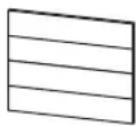
M6 (×4)

WT1 (×6)
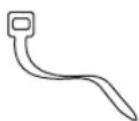
natural_image
Technical diagram showing a mounted device with two vertical supports and a central screen, labeled WM1 (no text or symbols on the diagram itself)natural_image
Illustration of a person sitting in a chair viewing a screen from a perspective, with dashed lines indicating perspective projection (no text or symbols)2
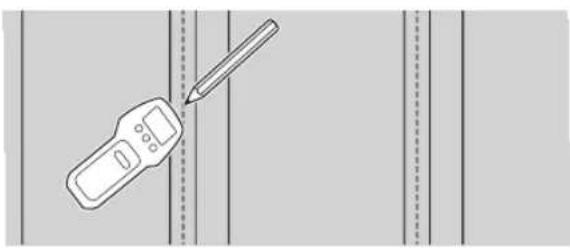
natural_image
Illustration of a handheld device with a pencil inserted, against a plain background (no text or symbols)natural_image
Mechanical assembly diagram showing a frame with mounting brackets and directional arrows indicating motion (no text or symbols)natural_image
Technical diagram of a mechanical component with bolted parts and directional arrows indicating movement (no text or symbols)natural_image
Line drawing of a rectangular panel with a door and side supports, no text or symbols presentnatural_image
Diagram showing screw arrangement inside a display panel with mounting brackets (no text or symbols)2
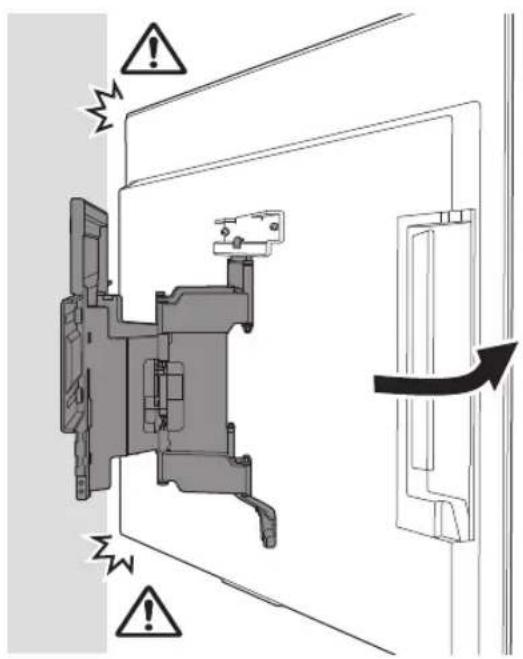
3 Kiinnitä
natural_image
Technical diagram of a mechanical assembly with labeled components and an inset showing a connector detail (no text or symbols present)Huomautus
natural_image
Interior view of a room with a monitor, cable, and a potted plant (no text or symbols)VAROITUS
natural_image
Technical illustration of a wall-mounted TV mounted on brick wall, with a separate schematic of a device labeled WM1 (no text or symbols on the diagram itself)natural_image
Illustration of a person sitting in a chair viewing a screen from a perspective cone, with dashed lines indicating perspective projection (no text or symbols)natural_image
Mechanical assembly diagram showing a bracket mounted on a brick wall, with two arrows indicating direction of motion (no text or symbols present)natural_image
Technical line drawing of a mechanical component with multiple bolts and mounting brackets (no text or symbols)natural_image
Line drawing of a flat-screen TV panel with a door and mounting base (no text or symbols)natural_image
Diagram of a monitor with four bolts and connecting lines, no text or symbols present2
3 Kiinnitä
natural_image
Technical diagram showing a mechanical assembly with a close-up of cable connectors and a directional arrow (no text or symbols present)Huomautus
natural_image
Interior view of a room with a monitor, cable, and a potted plant (no text or symbols)VAROITUS
natural_image
Technical line drawing of a mechanical assembly with no visible text or symbolsnatural_image
Technical line drawing of a mechanical component with no visible text or symbolsWM2 (×1)
WM3 (×4)
M6 (×4)

WT1 (×6)
Inkludert med TV-en
Veggmonteringsfeste VS (×4)*
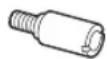
* Kun for begrenset region/land/modell.
natural_image
Technical diagram showing a mounted device with two vertical supports and a central screen, plus a close-up of its internal components labeled WM1 (no text or symbols on the main diagram itself)Installere veggmonteringsbraketten på veggen
1 Bestemme installasjonsstedet.
natural_image
Diagram showing a person sitting in a chair facing a screen with dashed lines indicating perspective projection (no text or symbols present)2
natural_image
Illustration of a handheld device and a pencil on a vertical line, no text or symbols presentnatural_image
Mechanical assembly diagram showing a frame with two directional arrows indicating movement or force (no text or symbols present)* Kun for begrenset region/land/modell.
natural_image
Technical line drawing of a mechanical bracket with four bolts and directional arrows indicating assembly or movement (no text or symbols)natural_image
Line drawing of a rectangular panel with a side-mounted door and mounting base (no text or symbols)natural_image
Diagram showing screw arrangement inside a display panel with arrows indicating direction (no text or symbols)2
natural_image
Technical diagram of a mechanical assembly with labeled connectors and wiring (no text or symbols present)Merknad
natural_image
Interior view of a room with a monitor, cable, and a potted plant (no text or symbols)ADVARSEL
natural_image
Technical illustration of a wall-mounted TV mounted on a brick wall, with an inset diagram showing internal components (no text or symbols)Installere veggmonteringsbraketten på veggen
1 Bestemme installasjonsstedet.
natural_image
Diagram showing a person sitting in a chair facing a screen, with dashed lines indicating perspective projection (no text or symbols present)natural_image
Mechanical assembly diagram showing a bracket mounted on a brick wall, with arrows indicating force direction (no text or symbols present)* Kun for begrenset region/land/modell.
natural_image
Technical line drawing of a mechanical component with four bolted fasteners (no text or symbols)natural_image
Line drawing of a rectangular panel with a side-mounted door and mounting base (no text or symbols)natural_image
Diagram of a monitor with four bolts and connecting lines, no text or symbols present2
natural_image
Technical diagram showing a mechanical assembly with a close-up of a cable and a directional arrow indicating connection (no text or symbols present)Merknad
natural_image
Interior view of a room with a monitor, cable, and a potted plant (no text or symbols)ADVARSEL
natural_image
Technical line drawing of an electrical contactor or relay mechanism (no text or symbols visible)natural_image
Technical line drawing of a mechanical component with no visible text or symbolsWM2 (×1)
WM3 (×4)
M6 (×4)

WT1 (×6)
natural_image
Technical diagram showing a mounted device with two vertical supports and a central screen, labeled WM1 (no text or symbols on the diagram itself)natural_image
Diagram showing a person sitting in a chair viewing a screen from a perspective cone, with dashed lines indicating perspective projection (no text or symbols present)2
natural_image
Illustration of a handheld device with a pencil inserted, against a plain background (no text or symbols)natural_image
Mechanical assembly diagram showing a frame with mounting flanges and directional arrows indicating movement (no text or symbols)natural_image
Technical line drawing of a mechanical assembly with four bolted components (no text or symbols)natural_image
Line drawing of a rectangular panel with a door and mounting base, no text or symbols presentnatural_image
Diagram showing screw arrangement inside a rectangular frame with no text or symbolsnatural_image
Two people holding a large blackboard with a downward arrow below (no text or symbols)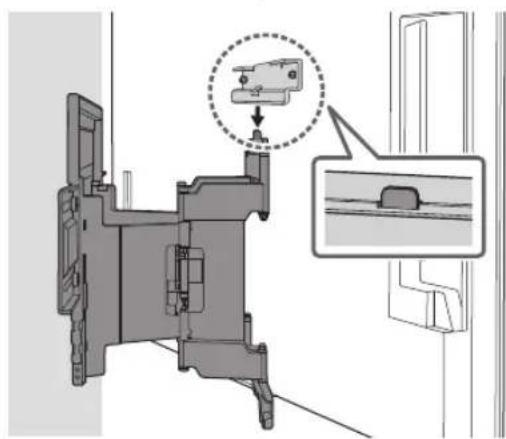
natural_image
Technical diagram of a mechanical assembly with a magnified inset showing a component detail (no text or symbols present)2
natural_image
Technical diagram of a mechanical assembly with labeled connectors and wiring (no text or symbols present)Σημείωση
natural_image
Interior view of a room with a monitor, cable, and a potted plant (no text or symbols)ΠΡΟΕΙΔΟΠΟΙΗΣΗ
natural_image
Diagram showing a wall-mounted TV mounted on brick wall and a mechanical device labeled WM1 (no text or symbols on the diagram itself)natural_image
Illustration of a person sitting in a chair facing a screen with dashed lines indicating perspective projection (no text or symbols)natural_image
Mechanical assembly diagram showing a bracket mounted on a brick wall, with two arrows indicating direction of movement (no text or symbols present)natural_image
Technical line drawing of a mechanical bracket with multiple bolts and fasteners (no text or symbols)natural_image
Line drawing of a rectangular panel with a door and mounting base, showing no text or symbolsnatural_image
Diagram showing screw arrangement inside a rectangular frame with mounting holes (no text or symbols)Σημείωση
natural_image
Interior view of a room with a monitor, cable, and a potted plant (no text or symbols)ΠΡΟΕΙΔΟΠΟΙΗΣΗ
natural_image
Technical line drawing of a mechanical assembly with no visible text or symbolsnatural_image
Technical line drawing of a mechanical component with no visible text or symbolsWM2 (×1)
WM3 (×4)
M6 (×4)

WT1 (×6)
natural_image
Technical diagram showing a mounted device with two vertical supports and a central screen, labeled WM1 (no text or symbols on the diagram itself)natural_image
Diagram showing a person sitting in a chair facing a screen, with dashed lines indicating perspective projection (no text or symbols present)2
natural_image
Illustration of a handheld device and a pencil on a grid background (no text or symbols)3
natural_image
Mechanical assembly diagram showing a frame with mounting brackets and directional arrows indicating motion (no text or symbols)natural_image
Technical line drawing of a mechanical component with four bolts and directional arrows indicating assembly (no text or symbols)natural_image
Line drawing of a rectangular panel with mounting feet and a side door, no text or symbols presentnatural_image
Diagram of screw arrangement inside a monitor frame, showing four bolt positions (no text or symbols)natural_image
Two people installing a large blackboard on a table, with a downward arrow indicating reduction (no text or symbols present)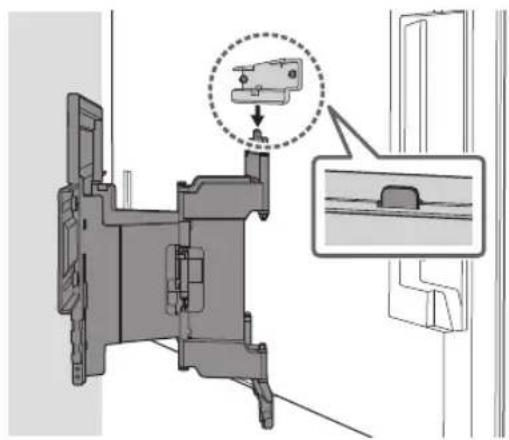
natural_image
Mechanical assembly diagram showing a component with a highlighted section and an inset view of a bracket (no text or symbols present)2
natural_image
Technical diagram of a mechanical assembly with labeled components and an inset showing a connector detail (no text or symbols present)Not
natural_image
Interior view of a room with a monitor, cable, and a potted plant (no text or symbols)UYARI
natural_image
Technical illustration of a wall-mounted TV mounted on a brick wall, with an inset diagram showing internal components (no text or symbols)natural_image
Illustration of a person sitting in a chair facing a screen, with dashed lines indicating perspective projection (no text or symbols)natural_image
Mechanical assembly diagram showing a bracket mounted on a brick wall, with two arrows indicating direction of motion (no text or symbols present)natural_image
Technical line drawing of a mechanical component with four bolted fasteners and directional arrows indicating assembly (no text or symbols)natural_image
Line drawing of a flat-screen TV unit with a door and adjacent panel (no text or symbols)natural_image
Diagram showing four bolts arranged in a row inside a rectangular frame, with arrows indicating direction (no text or symbols)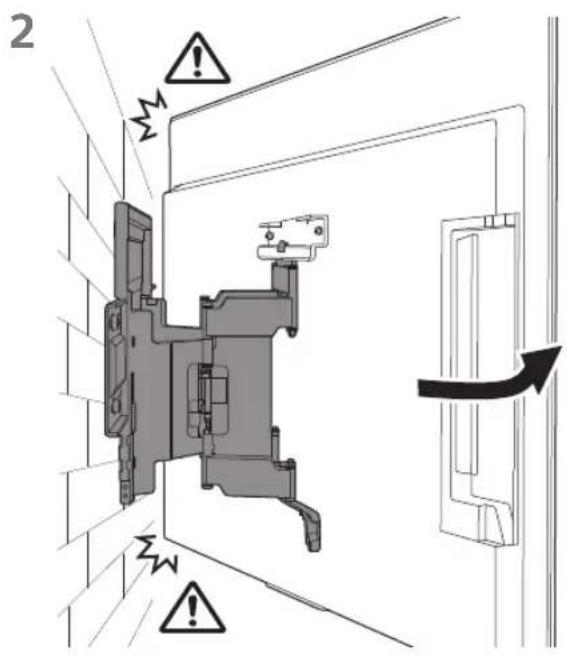
Not
natural_image
Interior view of a room with a monitor, cable, and a potted plant (no text or symbols)UYARI
natural_image
Technical line drawing of a mechanical assembly with no visible text or symbolsnatural_image
Technical line drawing of an electrical contactor or transformer housing (no text or symbols)WM2 (×1)
WM3 (×4)
M6 (×4)

WT1 (×6)
A TV-hez mellékelve
natural_image
Technical diagram showing a mounted device with two vertical supports and a central screen, labeled WM1 (no text or symbols on the diagram itself)natural_image
Illustration of a person sitting in a chair facing a screen with dashed lines indicating perspective projection (no text or symbols)2
natural_image
Illustration of a handheld device with a pencil inserted, against a plain background (no text or symbols)natural_image
Mechanical assembly diagram showing a frame with mounting brackets and directional arrows indicating movement (no text or symbols)natural_image
Technical line drawing of a mechanical component with four bolts and directional arrows indicating assembly or movement (no text or symbols)natural_image
Line drawing of a rectangular panel with a door and side supports, no text or symbols presentnatural_image
Diagram of a monitor with four screw holes and directional arrows indicating assembly or movement (no text or symbols)2
natural_image
Technical diagram of a mechanical assembly with labeled connectors and wiring (no text or symbols present)Megjegyzés
natural_image
Interior view of a room with a monitor, cable, and a potted plant (no text or symbols)FIGYELMEZTETÉS
natural_image
Technical diagram showing a wall-mounted monitor mounted on brick wall and its internal circuit board assembly, labeled 'WM1' (no text or symbols on the diagram itself)natural_image
Illustration of a person sitting in a chair viewing a screen from a perspective cone, with no text or symbols present.natural_image
Mechanical assembly diagram showing a bracket mounted on a brick wall, with two arrows indicating direction of motion (no text or symbols present)natural_image
Technical line drawing of a mechanical component with four bolted fasteners (no text or symbols)natural_image
Line drawing of a flat-screen TV unit with a door and adjacent panel (no text or symbols)natural_image
Diagram showing screw arrangement inside a display panel with no text or symbolsnatural_image
Illustration of two people installing a large blackboard on a brick wall, with a downward arrow indicating the motion (no text or symbols present)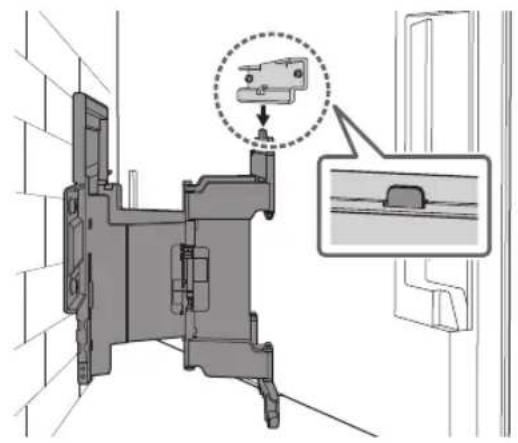
natural_image
Technical diagram of a mechanical assembly with labeled components and wiring connections (no text or symbols present)Megjegyzés
natural_image
Interior view of a room with a monitor, cable, and a potted plant (no text or symbols)FIGYELMEZTETÉS
natural_image
Technical diagram of a mechanical device with internal components and motion indicators (no text or symbols)natural_image
Technical diagram showing a mounted device with two vertical supports and a central screen, labeled WM1 (no text or symbols on the diagram itself)natural_image
Diagram showing a person sitting in a chair facing a wall-mounted screen, with dashed lines indicating perspective projection (no text or symbols present)2
natural_image
Illustration of a handheld device with a pencil inserted, against a plain background (no text or symbols)natural_image
Mechanical assembly diagram showing a frame with mounting flanges and directional arrows indicating movement (no text or symbols)natural_image
Technical line drawing of a mechanical component with four bolts and directional arrows indicating assembly (no text or symbols)natural_image
Line drawing of a flat-screen TV unit with a door and scroll, no text or symbols presentnatural_image
Diagram showing screw arrangement inside a display panel with no text or symbols2
natural_image
Technical diagram of a mechanical assembly with labeled connectors and wiring (no text or symbols present)Poznámka
natural_image
Interior view of a room with a monitor, cable, and a potted plant (no text or symbols)VAROVÁNÍ
natural_image
Technical illustration of a wall-mounted TV mounted on a brick wall, with an inset diagram showing internal components (no text or symbols)natural_image
Diagram showing a person sitting in a chair facing a screen, with dashed lines indicating perspective projection (no text or symbols present)natural_image
Technical line drawing of a mechanical bracket with four bolted components (no text or symbols)natural_image
Line drawing of a rectangular electronic device with mounting feet and a side panel, no text or symbols presentnatural_image
Diagram of a monitor with four bolts and connecting lines, no text or symbols present2

natural_image
Technical diagram of a mechanical assembly with a close-up of cable routing (no text or symbols present)Poznámka
natural_image
Interior view of a room with a monitor, cable, and a potted plant (no text or symbols)VAROVÁNÍ
natural_image
Technical line drawing of a mechanical assembly with no visible text or symbolsnatural_image
Technical line drawing of an electrical contactor or transformer housing (no text or symbols)WM2 (×1)
WM3 (×4)
M6 (×4)

WT1 (×6)

natural_image
Technical illustration of a device with two vertical supports and a central screen, labeled WM1 (no text or symbols on the diagram itself)natural_image
Diagram showing a person sitting in a chair facing a screen with dashed lines indicating perspective projection (no text or symbols present)2
natural_image
Illustration of a handheld device and a pencil on a vertical line, no text or symbols present3 Priložte WM1 na stenu a urobte štyri značky na miestach stípikov.
Poznámka
natural_image
Mechanical assembly diagram showing a frame with mounting brackets and directional arrows indicating motion (no text or symbols)natural_image
Technical line drawing of a mechanical component with four bolts and directional arrows indicating assembly (no text or symbols)natural_image
Line drawing of a flat-screen TV unit with a door and scroll, no text or symbols presentnatural_image
Diagram showing screw arrangement inside a rectangular frame with mounting brackets (no text or symbols)2
3 Priskrutkujte l'avú a pravú stranu montážnej konzoly na stenu pomocou M6 a pripevnite WM3.
natural_image
Technical diagram of a mechanical assembly with labeled connectors and wiring (no text or symbols present)Poznámka
natural_image
Interior view of a room with a monitor, cable, and a potted plant (no text or symbols)VÝSTRAHA
natural_image
Technical illustration of a wall-mounted TV mounted on a brick wall, with a separate schematic view labeled 'WM1' (no text or symbols on the diagram itself)natural_image
Diagram showing a person sitting in a chair facing a screen, with dashed lines indicating perspective projection (no text or symbols present)2 Priložte WM1 na stenu a urobte štyri značky.
Poznámka
natural_image
Mechanical assembly diagram showing a bracket mounted on a brick wall, with directional arrows indicating motion (no text or symbols present)natural_image
Technical line drawing of a mechanical component with multiple bolts and mounting brackets (no text or symbols)natural_image
Line drawing of a flat-screen TV unit with a door and adjacent panel, no text or symbols presentnatural_image
Diagram of a monitor with four screw holes and directional arrows indicating movement (no text or symbols)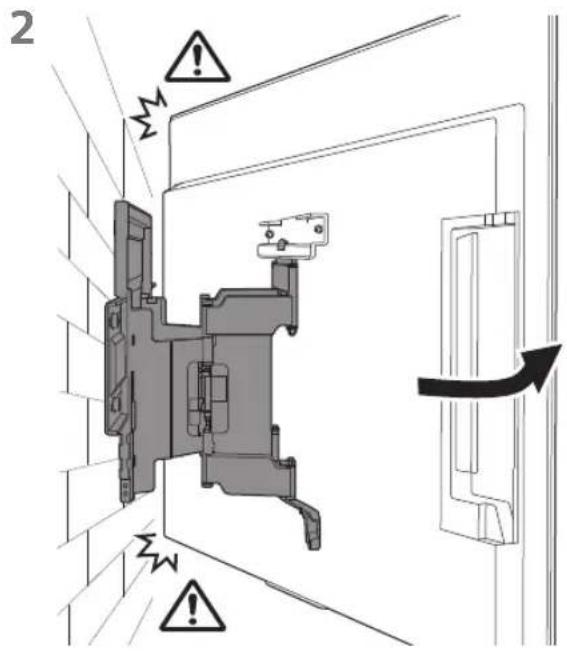
3 Priskrutkujte l'avú a pravú stranu montážnej konzoly na stenu pomocou M6 a pripevnite WM3.
Poznámka
Poznámka
natural_image
Interior view of a room with a monitor, cable, and a potted plant (no text or symbols)VÝSTRAHA
Rozmery: (pribl.) [mm]
a : 354
b : 116
c : 77
d : 563
e : 533
f : 370
g : 368
h : 350
i : 11
natural_image
Technical line drawing of a mechanical device with internal components and motion indicators (no text or symbols)natural_image
Technical line drawing of a mechanical or electrical component with no visible text or symbolsWM2 (×1)
![SONY XR77A80L - Rozmery: (pribl.) [mm] - 1](/content/2026/04/632725/images/511d7febb63df7d1ea072e2ffd4549e9a6f2ddbf3cde2433d5a9e13f1334c32c.jpg)
WM3 (×4)
![SONY XR77A80L - Rozmery: (pribl.) [mm] - 2](/content/2026/04/632725/images/4ef66f78e7b8ca22dda5bd9ec3f5fb059aa9d8bfab44fb7df54fb7e9a6feeb32.jpg)
M6 (×4)
![SONY XR77A80L - Rozmery: (pribl.) [mm] - 3](/content/2026/04/632725/images/dd740c3357b826b863116ff3ce3b2445d252a995ee90d5528423e58feb85c021.jpg)
WT1 (×6)
![SONY XR77A80L - Rozmery: (pribl.) [mm] - 4](/content/2026/04/632725/images/dafa299a8310bc07ddfd1f6451973d8960bc030656d395c73527d6f1a13d31e5.jpg)
natural_image
Technical diagram showing a mounted device with two vertical supports and a close-up of its internal structure labeled WM1 (no text or symbols on the diagram itself)natural_image
Diagram showing a person sitting in a chair viewing a screen from a perspective cone, with dashed lines indicating perspective projection (no text or symbols present)2
natural_image
Illustration of a handheld device with a pencil inserted, against a plain background (no text or symbols)natural_image
Mechanical assembly diagram showing a frame with mounting brackets and directional arrows indicating movement (no text or symbols)natural_image
Technical diagram of a mechanical component with four bolts and directional arrows indicating assembly (no text or labels)natural_image
Line drawing of a flat-screen TV unit with a door and adjacent panel, no text or symbols presentnatural_image
Diagram of a monitor with screw arrangement and mounting bracket (no text or symbols)natural_image
Two people holding a large blackboard with a downward arrow below (no text or symbols)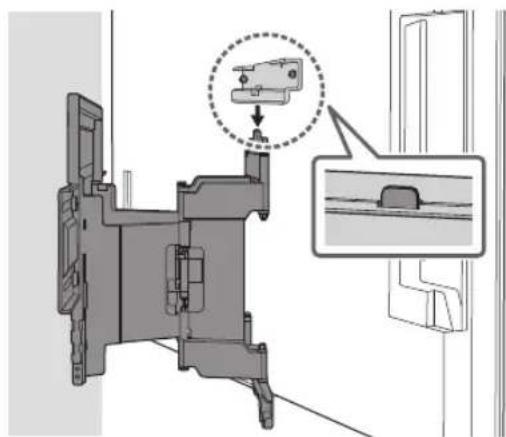
natural_image
Technical diagram of a mechanical assembly with an inset showing a component detail (no text or symbols present)2
natural_image
Technical diagram of a mechanical assembly with labeled connectors and cable routing (no text or symbols present)Notă
natural_image
Interior view of a room with a monitor, cable, and a potted plant (no text or symbols)AVERTISMENT
natural_image
Technical diagram showing a brick wall mounted on a wall-mounted device and its internal structure labeled WM1 (no text or symbols beyond label)natural_image
Diagram showing a person sitting in a chair facing a screen, with dashed lines indicating perspective projection (no text or symbols present)natural_image
Mechanical assembly diagram showing a bracket mounted on a brick wall, with two arrows indicating direction of motion (no text or symbols present)natural_image
Technical line drawing of a mechanical component with multiple bolts and fasteners (no text or symbols)natural_image
Line drawing of a flat-screen TV unit with a door and adjacent panel, no text or symbols presentnatural_image
Diagram showing screw arrangement inside a rectangular frame with mounting holes (no text or symbols)natural_image
Illustration of two people installing a large rectangular object on a brick wall, with a downward arrow indicating reduction (no text or symbols)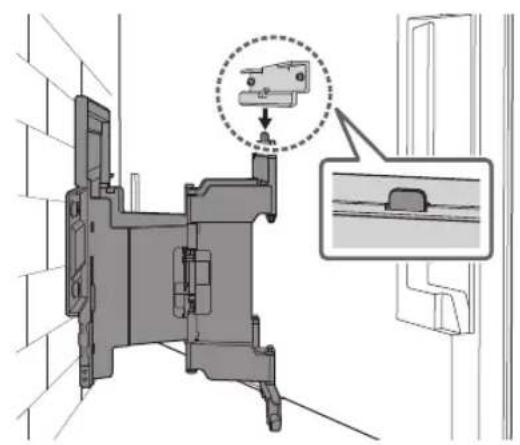
Notă
natural_image
Interior view of a room with a monitor, cable, and a potted plant (no text or symbols)AVERTISMENT
natural_image
Technical diagram of a mechanical or electrical component with no visible text, numbers, or symbolsИзползвайте
правилно
natural_image
Technical line drawing of a mechanical component with no visible text or symbolsWM2 (×1)
WM3 (×4)
M6 (×4)

WT1 (×6)
Доставено с телевизора
natural_image
Technical diagram showing a mounted device with two vertical supports and a central screen, plus a schematic view labeled 'WM1' (no text or symbols on the diagram itself)natural_image
Illustration of a person sitting in a chair viewing a screen from a perspective cone, with dashed lines indicating perspective projection (no text or symbols)2
natural_image
Illustration of a handheld device with a pencil, positioned between vertical dashed lines (no text or symbols)3
natural_image
Mechanical assembly diagram showing a frame with mounting brackets and directional arrows indicating movement (no text or symbols)natural_image
Technical line drawing of a mechanical bracket with four bolts and directional arrows indicating assembly or movement (no text or symbols)natural_image
Line drawing of a flat-screen TV unit with a door and adjacent panel, no text or symbols presentnatural_image
Diagram showing screw arrangement inside a rectangular frame with mounting holes (no text or symbols)natural_image
Two people holding a large blackboard with a downward arrow below (no text or symbols)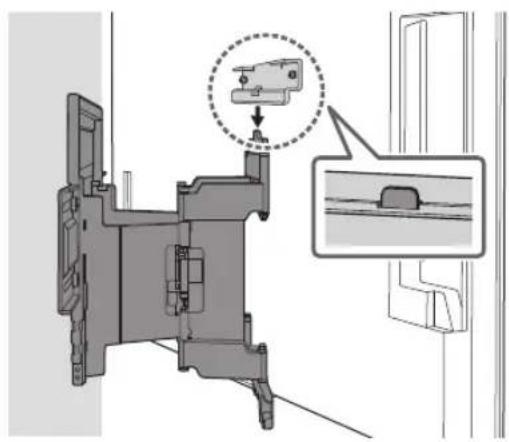
natural_image
Technical diagram of a mechanical assembly with a magnified inset showing a component detail (no text or symbols present)2
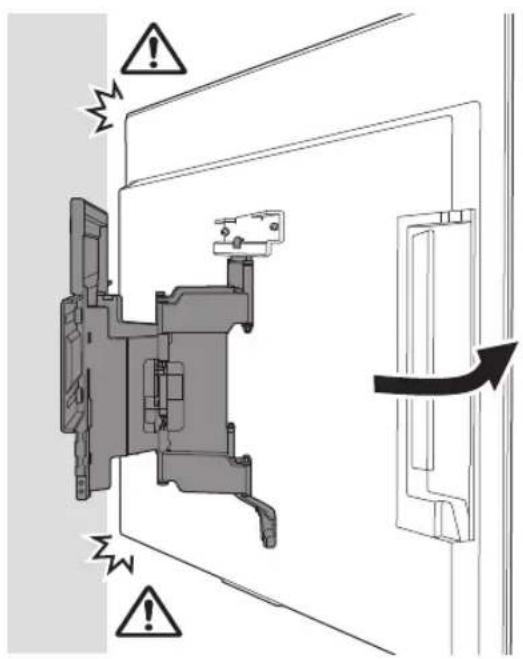
3
natural_image
Technical diagram of a mechanical assembly with labeled connectors and cable routing (no text or symbols present)5
Забележка
natural_image
Interior view of a room with a monitor, cable, and a potted plant (no text or symbols)ПРЕДУПРЕЖДЕНИЕ
natural_image
Diagram showing a wall-mounted TV mounted on brick walls and a mechanical component labeled WM1 (no text or symbols on the diagram itself)natural_image
Illustration of a person sitting in a chair facing a screen, with dashed lines indicating perspective projection (no text or symbols)natural_image
Mechanical assembly diagram showing a bracket mounted on a brick wall, with two arrows indicating direction of motion (no text or symbols present)natural_image
Technical line drawing of a mechanical component with four bolted fasteners (no text or symbols)natural_image
Line drawing of a flat-screen TV panel with a door and adjacent screen (no text or symbols)natural_image
Diagram of a monitor with four bolts and directional arrows indicating movement or assembly (no text or symbols)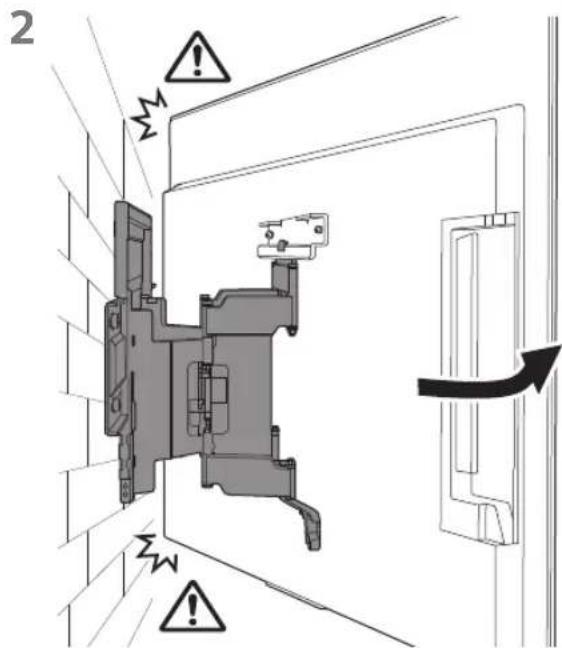
Забележка
natural_image
Interior view of a room with a monitor, cable, and a potted plant (no text or symbols)ПРЕДУПРЕЖДЕНИЕ
natural_image
Technical line drawing of an electrical contactor or relay mechanism (no text or symbols visible)natural_image
Technical line drawing of an electrical contactor or transformer housing (no text or symbols)WM2 (×1)
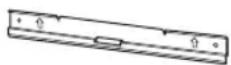
WM3 (×4)
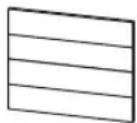
M6 (×4)

WT1 (×6)
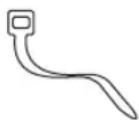
natural_image
Technical diagram showing a mounted device with mounting brackets and a close-up of its internal structure labeled WM1 (no text or symbols on the diagram itself)natural_image
Diagram showing a person sitting in a chair viewing a screen from a perspective cone, with dashed lines indicating perspective projection (no text or symbols present)2
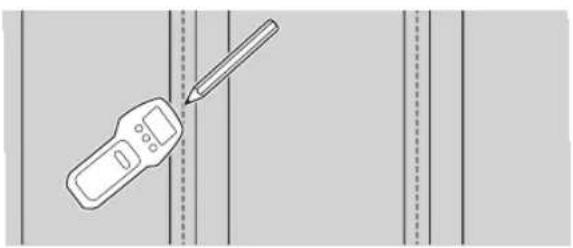
natural_image
Illustration of a handheld device and a pencil on a vertical line, no text or symbols present3
natural_image
Mechanical assembly diagram showing a frame with mounting brackets and directional arrows indicating motion (no text or symbols)natural_image
Technical line drawing of a mechanical bracket with four bolts and directional arrows indicating assembly or movement (no text or symbols)natural_image
Line drawing of a flat-screen TV unit with a door and scroll, no text or symbols present2 Извлеките винты из задней панели телевизора.
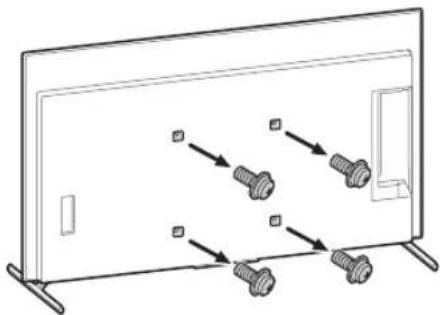
natural_image
Diagram of a monitor with four bolts and connecting lines, no text or symbols presentnatural_image
Two people holding a large blackboard with a downward arrow, no text or symbols present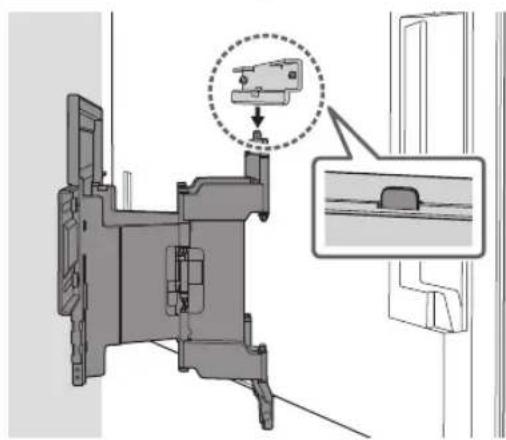
natural_image
Mechanical assembly diagram showing a component with a highlighted section and an inset view of a bracket (no text or symbols present)2
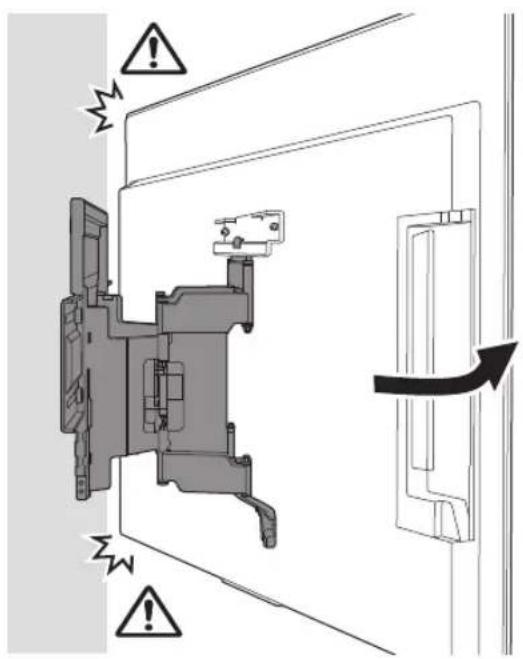
3
natural_image
Technical diagram of a mechanical assembly with labeled connectors and wiring (no text or symbols present)5
Примечание
natural_image
Interior view of a room with a monitor, cable, and a potted plant (no text or symbols)ПРЕДУПРЕЖДЕНИЕ
natural_image
Technical diagram showing a brick wall with a mounted panel and a close-up of a mechanical component labeled WM1 (no text or symbols on the diagram itself)natural_image
Illustration of a person sitting in a chair facing a screen, with dashed lines indicating perspective projection (no text or symbols)natural_image
Mechanical assembly diagram showing a bracket mounted on a brick wall, with two arrows indicating direction of motion (no text or symbols present)natural_image
Technical line drawing of a mechanical component with multiple bolts and mounting holes (no text or symbols)natural_image
Line drawing of a flat-screen TV panel with a door and side-mounted screen (no text or symbols)2 Извлеките винты из задней панели телевизора.
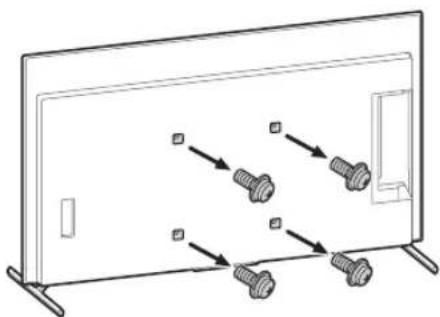
natural_image
Diagram of a monitor with screw arrangement and directional arrows indicating assembly or movement (no text or symbols)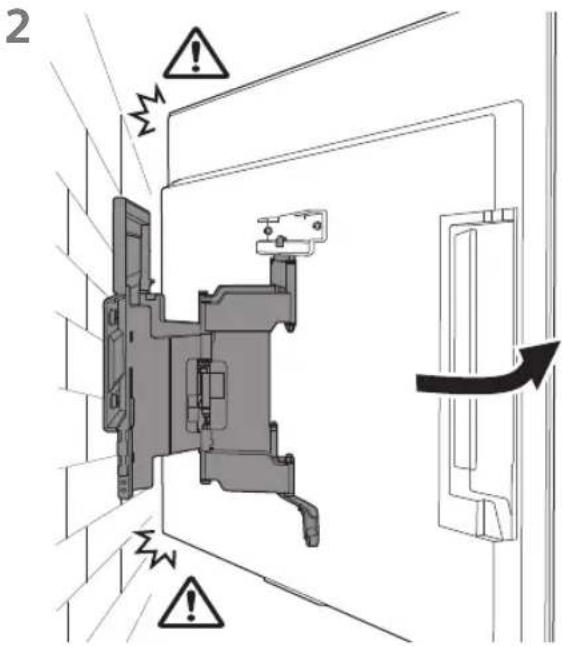
Примечание
natural_image
Interior view of a room with a monitor, cable, and a potted plant (no text or symbols)ПРЕДУПРЕЖДЕНИЕ
natural_image
Technical line drawing of a mechanical assembly with no visible text or symbolsnatural_image
Technical line drawing of a mechanical component with no visible text or symbolsWM2 (×1)
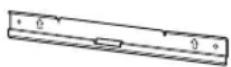
WM3 (×4)
M6 (×4)

WT1 (×6)
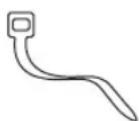
natural_image
Technical diagram showing a mounted device with two vertical supports and a central screen, labeled WM1 (no text or symbols on the diagram itself)natural_image
Illustration of a person sitting in a chair facing a screen with dashed lines indicating perspective projection (no text or symbols)2
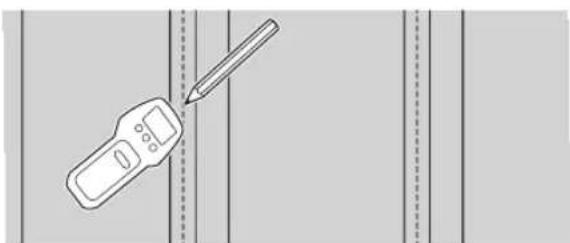
natural_image
Illustration of a handheld device with a pencil, positioned between vertical dashed lines (no text or symbols)natural_image
Mechanical assembly diagram showing a frame with mounting brackets and directional arrows indicating motion (no text or symbols)natural_image
Technical line drawing of a mechanical bracket with four bolts and directional arrows indicating movement (no text or symbols)natural_image
Line drawing of a flat-screen TV panel with a door and side-mounted screen (no text or symbols)natural_image
Diagram showing four bolts arranged in a row inside a rectangular frame, with no text or symbols present.natural_image
Two people holding a large blackboard with a downward arrow below (no text or symbols)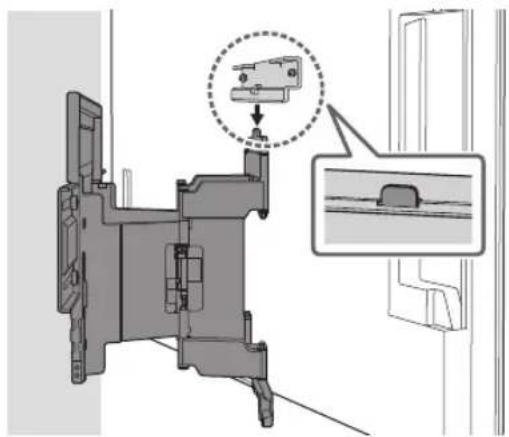
natural_image
Technical diagram of a mechanical assembly with a magnified inset showing a component detail (no text or symbols present)2
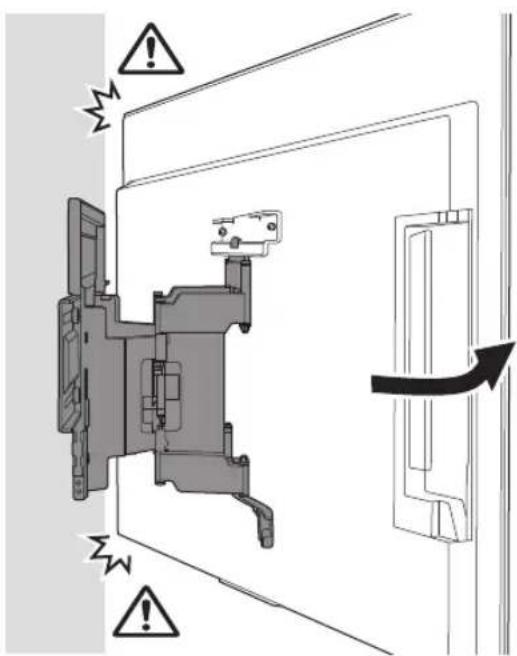
3
natural_image
Technical diagram of a mechanical assembly with exploded view and close-up detail (no text or symbols)Примітка
natural_image
Interior view of a room with a monitor, cable, and a potted plant (no text or symbols)ЗАСТЕРЕЖЕННЯ
natural_image
Technical illustration of a wall-mounted device mounted on brick wall, with no visible text or symbolsnatural_image
Illustration of a person sitting in a chair viewing a screen from a perspective, with dashed lines indicating perspective focus (no text or symbols present)5
natural_image
Mechanical assembly diagram showing a bracket mounted on a brick wall, with two arrows indicating direction of motion (no text or symbols present)natural_image
Technical line drawing of a mechanical component with multiple bolted fasteners (no text or symbols)natural_image
Line drawing of a flat-screen TV panel with a door and cable, no text or symbols presentnatural_image
Diagram showing three bolts inserted into a panel, with arrows indicating direction (no text or symbols)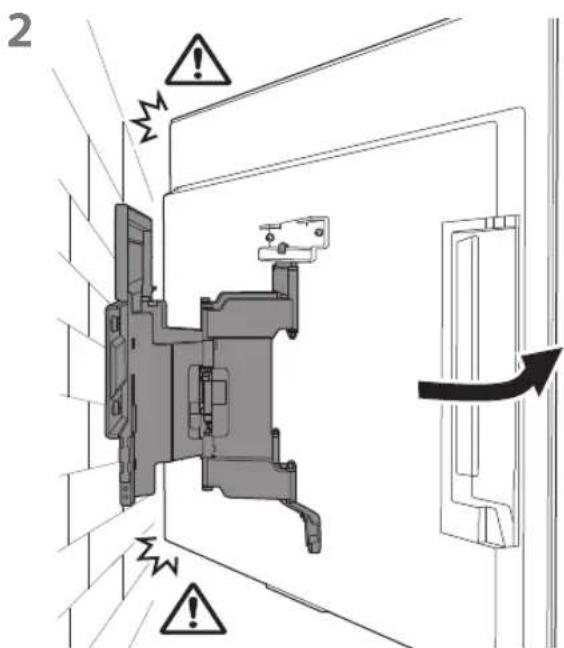
Примітка
natural_image
Interior view of a room with a monitor, cable, and a potted plant (no text or symbols)ЗАСТЕРЕЖЕННЯ
natural_image
Technical line drawing of a mechanical assembly with no visible text or symbolsnatural_image
Simple line drawing of a hand holding a computer monitor connected to a cable (no text or symbols)natural_image
Technical line drawing of an electrical contactor or connector (no text or symbols)WM2 (×1)
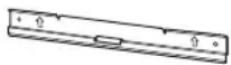
WM3 (×4)
M6 (×4)

WT1 (×6)
Komplektis teleri
natural_image
Technical diagram showing a mounted device with two vertical supports and a central screen, labeled WM1 (no text or symbols on the diagram itself)Seinale paigaldamise kinnituse paigaldamine seinale
natural_image
Illustration of a person sitting in a chair facing a screen, with dashed lines indicating perspective projection (no text or symbols)2
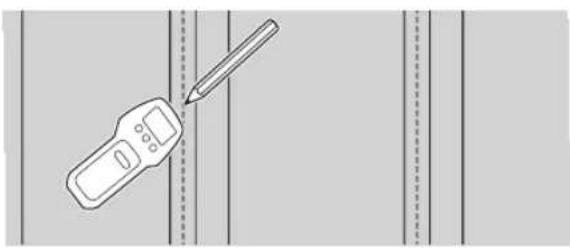
natural_image
Illustration of a handheld device and a pencil on a grid background (no text or symbols)natural_image
Mechanical assembly diagram showing a frame with mounting brackets and directional arrows indicating motion (no text or symbols)natural_image
Technical line drawing of a mechanical component with multiple bolts and arrows indicating assembly or movement (no text or symbols)natural_image
Line drawing of a rectangular panel with a door and mounting base, no text or symbols present2 Eemaldage teleri tagaküljelt kruvid.
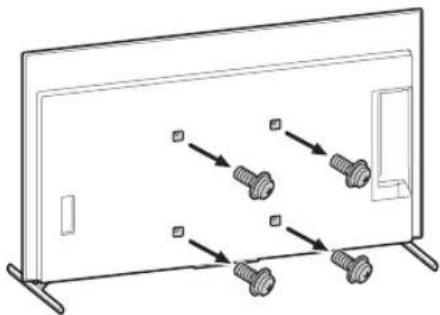
natural_image
Diagram of a monitor with four screws arranged in a row, no text or symbols present2
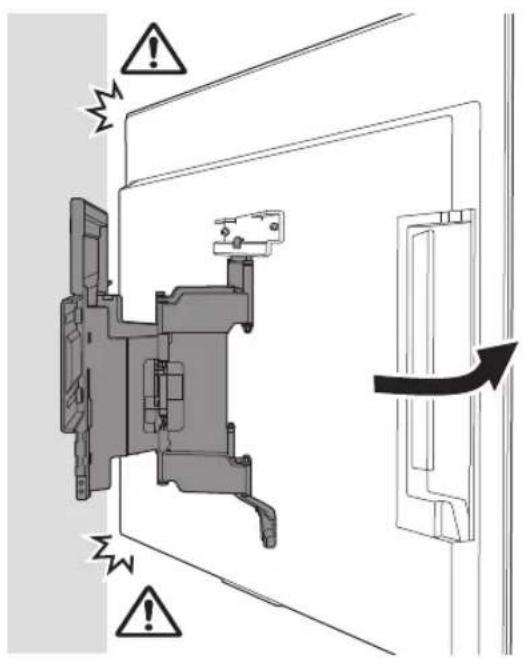
natural_image
Technical diagram of a mechanical assembly with labeled connectors and cable routing (no text or symbols present)natural_image
Interior view of a room with a monitor, cable, and a potted plant (no text or symbols)HOIATUS
natural_image
Technical illustration of a wall-mounted device mounted on a brick wall, with a close-up view of its internal components (no text or symbols)Seinale paigaldamise kinnituse paigaldamine seinale
natural_image
Illustration of a person sitting in a chair facing a screen, with dashed lines indicating perspective projection (no text or symbols)natural_image
Mechanical assembly diagram showing a bracket mounted on a brick wall, with arrows indicating force direction (no text or symbols present)natural_image
Technical line drawing of a mechanical bracket with four bolted components (no text or symbols)natural_image
Line drawing of a flat-screen TV unit with a door and adjacent panel, no text or symbols present2 Eemaldage teleri tagaküljelt kruvid.
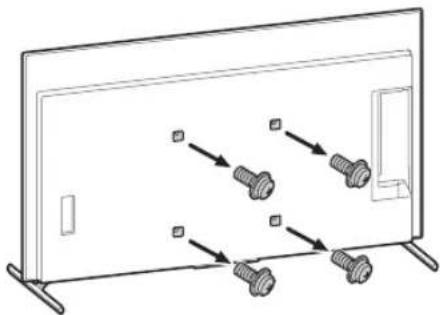
natural_image
Diagram of a monitor with four screws arranged in rows, no text or symbols present2
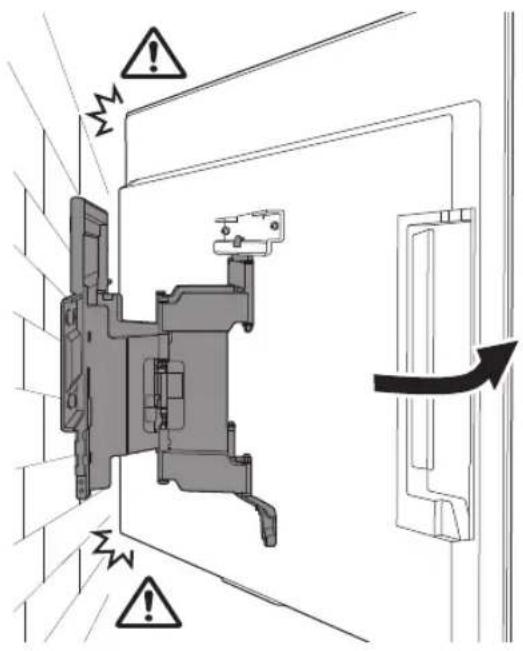
natural_image
Technical diagram showing a mechanical assembly with a close-up of cable connectors and a directional arrow indicating direction (no text or symbols present)5
natural_image
Interior view of a room with a monitor, cable, and a potted plant (no text or symbols)HOIATUS
Mass (ainult alus): (umbes) [kg]
3,0
natural_image
Technical line drawing of a mechanical assembly with springs and housing (no text or symbols)natural_image
Technical line drawing of a mechanical component with no visible text or symbolsWM2 (×1)
![SONY XR77A80L - Mass (ainult alus): (umbes) [kg] - 1](/content/2026/04/632725/images/420676d891c41d5f16808d0cd1007a938c98d5785f4bf48d61f088d5780f4d90.jpg)
WM3 (×4)
![SONY XR77A80L - Mass (ainult alus): (umbes) [kg] - 2](/content/2026/04/632725/images/817defe447a081de08504bf0072746dd5cf0acb0a428f4d7cf45d718bccbe3f6.jpg)
M6 (×4)
![SONY XR77A80L - Mass (ainult alus): (umbes) [kg] - 3](/content/2026/04/632725/images/fb85bf49dbecd29852453076e6b2f312dd377dfcac37992bafc1d820576d21b8.jpg)
WT1 (×6)
![SONY XR77A80L - Mass (ainult alus): (umbes) [kg] - 4](/content/2026/04/632725/images/33e06aeed21dd590e8f8727ba46a8ecac39112fccd8c54f9bf3d7d4292ecfb8a.jpg)
Komplektä ar televizoru
natural_image
Technical diagram showing a mounted device with two vertical supports and a close-up of its internal structure labeled WM1 (no text or symbols on the diagram itself)natural_image
Illustration of a person sitting in a chair facing a screen with dashed lines indicating perspective projection (no text or symbols)2
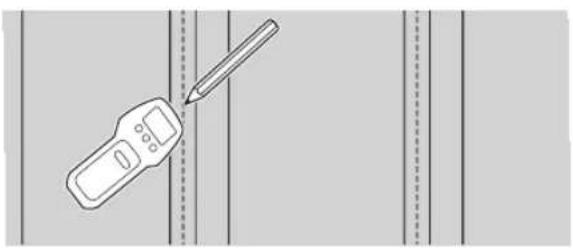
natural_image
Illustration of a handheld device with a pencil inserted, against a plain background (no text or symbols)natural_image
Mechanical assembly diagram showing a frame with two directional arrows indicating movement or force (no text or symbols present)natural_image
Technical line drawing of a mechanical component with four bolts and directional arrows indicating movement (no text or symbols)natural_image
Line drawing of a flat-screen TV unit with a door and adjacent panel, showing no text or symbols.natural_image
Diagram of a monitor with four bolts and directional arrows indicating movement or assembly (no text or symbols)2
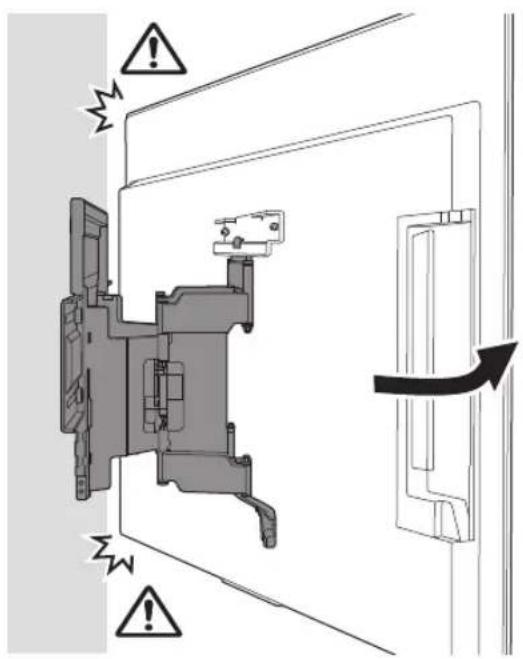
natural_image
Technical diagram of a mechanical assembly with labeled connectors and cable routing (no text or symbols present)natural_image
Interior view of a room with a monitor, cable, and a potted plant (no text or symbols)BRĪDINĀJUMS!
natural_image
Technical illustration of a wall-mounted TV mounted on brick wall, with a close-up of its internal components (no text or symbols)natural_image
Illustration of a person sitting in a chair facing a screen, with dashed lines indicating perspective projection (no text or symbols)natural_image
Mechanical assembly diagram showing a bracket mounted on a brick wall, with arrows indicating direction of motion (no text or symbols present)natural_image
Technical line drawing of a mechanical component with four bolted fasteners (no text or symbols)natural_image
Line drawing of a flat-screen TV unit with a door and adjacent panel, no text or symbols presentnatural_image
Diagram showing screw arrangement inside a rectangular frame with mounting holes (no text or symbols)2
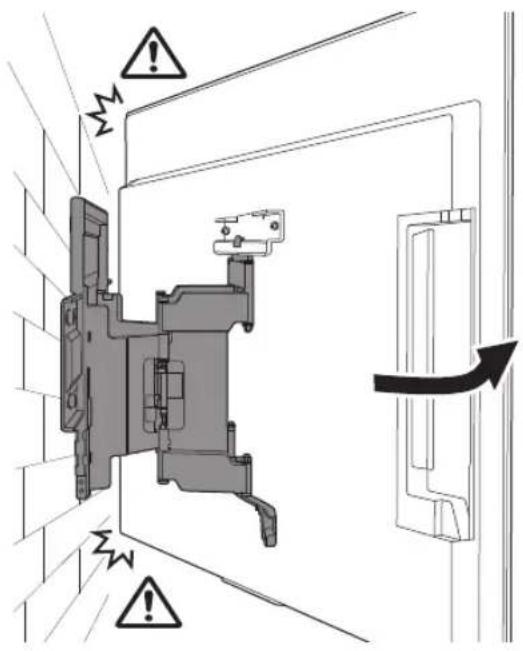
natural_image
Technical diagram of a mechanical assembly with cable connectors and a close-up view of a connector (no text or symbols present)Piezime
natural_image
Interior view of a room with a monitor, cable, and a potted plant (no text or symbols)BRĪDINĀJUMS!
natural_image
Technical line drawing of a mechanical assembly with no visible text or symbolsnatural_image
Technical line drawing of a mechanical component with no visible text or symbolsWM2 (×1)
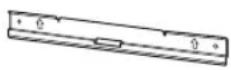
WM3 (×4)
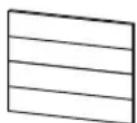
M6 (×4)

WT1 (×6)
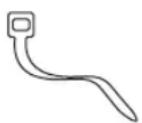
Tiekiama kartu su televizoriumi
Prie sienos tvirtinamas elementas
VS (×4)*
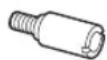
natural_image
Technical diagram showing a mounted device with two vertical supports and a central screen, labeled WM1 (no text or symbols on the diagram itself)natural_image
Diagram showing a person sitting in a chair facing a screen with dashed lines indicating perspective projection (no text or symbols)2
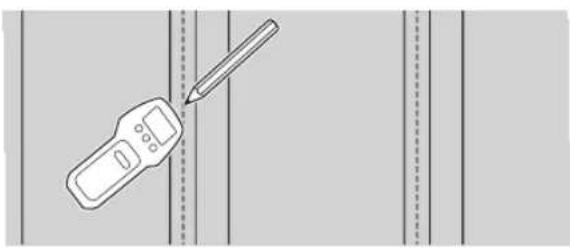
natural_image
Illustration of a handheld device with a pencil inserted, against a plain background (no text or symbols)natural_image
Mechanical assembly diagram showing a frame with mounting brackets and directional arrows indicating motion (no text or symbols)natural_image
Technical line drawing of a mechanical component with four bolts and directional arrows indicating assembly or movement (no text or symbols)natural_image
Line drawing of a rectangular panel with a door and side supports, no text or symbols presentnatural_image
Diagram showing screw arrangement inside a rectangular frame with mounting holes (no text or symbols)2
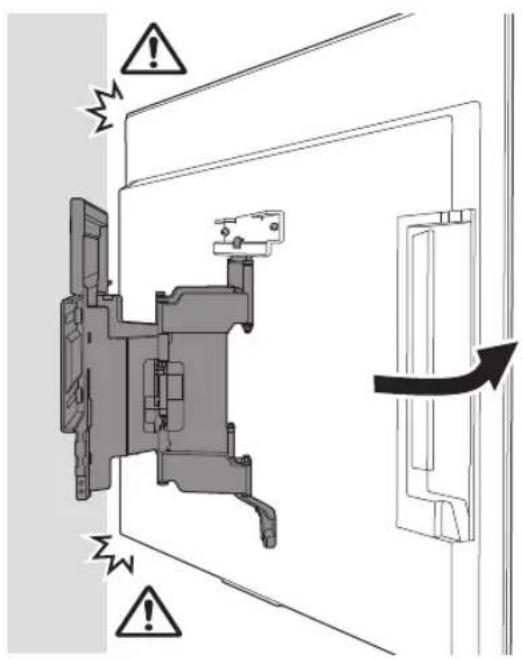
natural_image
Technical diagram of a mechanical assembly with labeled connectors and wiring (no text or symbols present)natural_image
Interior view of a room with a monitor, cable, and a potted plant (no text or symbols)JSPÈJIMAS
natural_image
Technical diagram showing a wall-mounted TV mounted on brick wall and a mechanical bracket labeled WM1 (no text or symbols on the diagram itself)natural_image
Illustration of a person sitting in a chair facing a screen with dashed lines indicating perspective projection (no text or symbols)natural_image
Mechanical assembly diagram showing a bracket mounted on a brick wall, with two arrows indicating direction of motion (no text or symbols present)natural_image
Technical line drawing of a mechanical component with four bolted fasteners (no text or symbols)natural_image
Line drawing of a flat-screen TV panel with a right-angle screen and mounting feet (no text or symbols)natural_image
Diagram showing four bolts arranged in a row inside a rectangular frame (no text or symbols)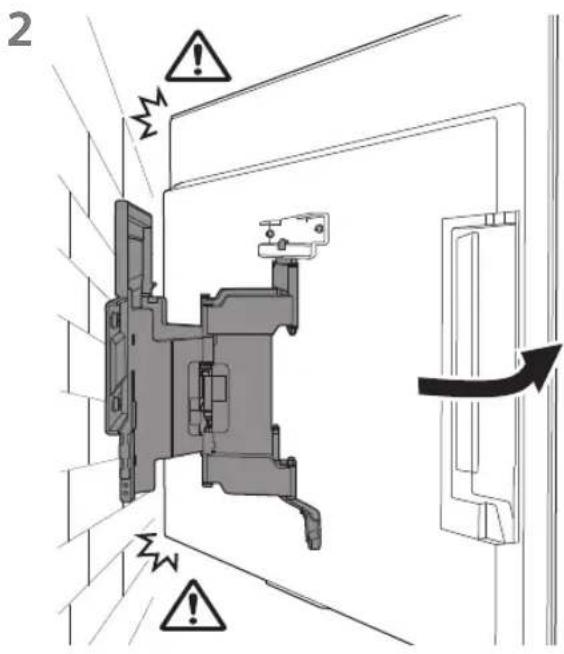
Pastaba
natural_image
Interior view of a room with a monitor, cable, and a potted plant (no text or symbols)JSPÈJIMAS
natural_image
Technical line drawing of a mechanical assembly with gears and shafts (no text or symbols)natural_image
Technical line drawing of a mechanical component with no visible text or symbolsWM2 (×1)
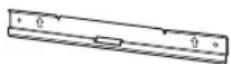
WM3 (×4)
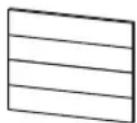
M6 (×4)

WT1 (×6)
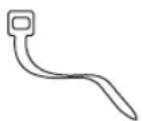
Priloženo televizorju
Priključek za stensko montažo
VS (×4)*
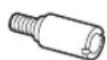
Priprava za vgradnjo
natural_image
Technical diagram showing a mounted device with two vertical supports and a close-up of its internal structure labeled WM1 (no text or symbols on the diagram itself)Montaža nosilca za stensko montažo na steno
natural_image
Diagram showing a person sitting in a chair viewing a screen from a perspective, with dashed lines indicating perspective projection (no text or symbols present)2
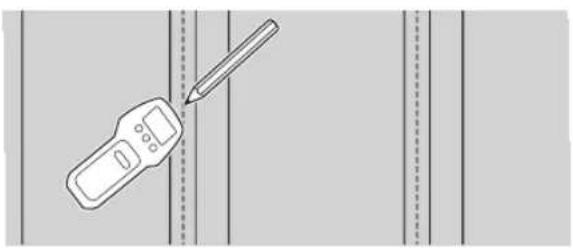
natural_image
Illustration of a handheld device and a pencil on a vertical line, no text or symbols present3 Nosilec WM1 namestite na steno in na tramovih naredite štiri oznake.
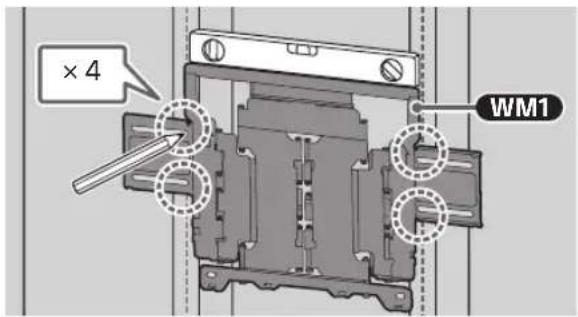
Opomba
natural_image
Mechanical assembly diagram showing a frame with mounting brackets and directional arrows indicating motion (no text or symbols)natural_image
Technical diagram of a mechanical component with four bolted fasteners and directional arrows indicating assembly (no text or labels)natural_image
Line drawing of a rectangular panel with a door and side supports, showing internal components (no text or symbols)2 Odstranite vijake s hrbtne stranice televizorja.
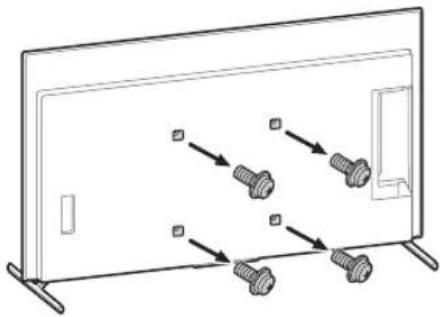
natural_image
Diagram showing four bolts arranged in a row inside a rectangular frame, with arrows indicating direction (no text or symbols)natural_image
Two people holding a large blackboard with a downward arrow below (no text or symbols)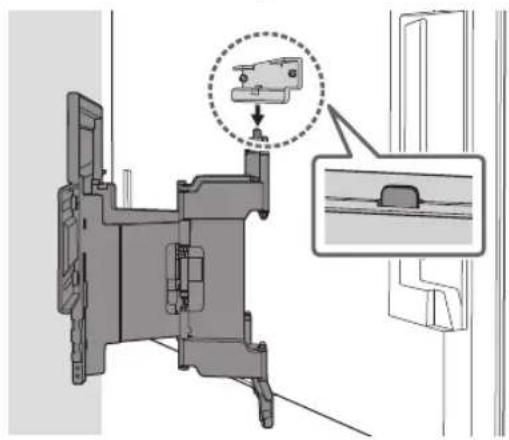
natural_image
Technical diagram of a mechanical assembly with a highlighted component and an inset view (no text or symbols)2
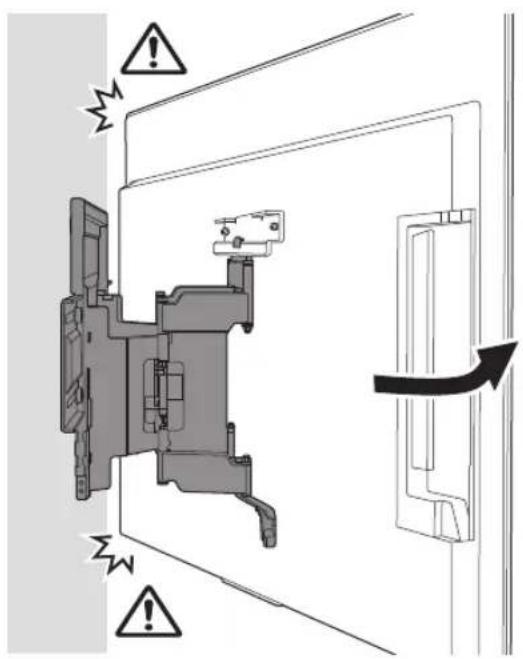
3 Z M6 privijte levo in desno stran nosilca za stensko montažo ter pritrdite WM3.
Opomba
- Ne namestite WM3 na oznake.
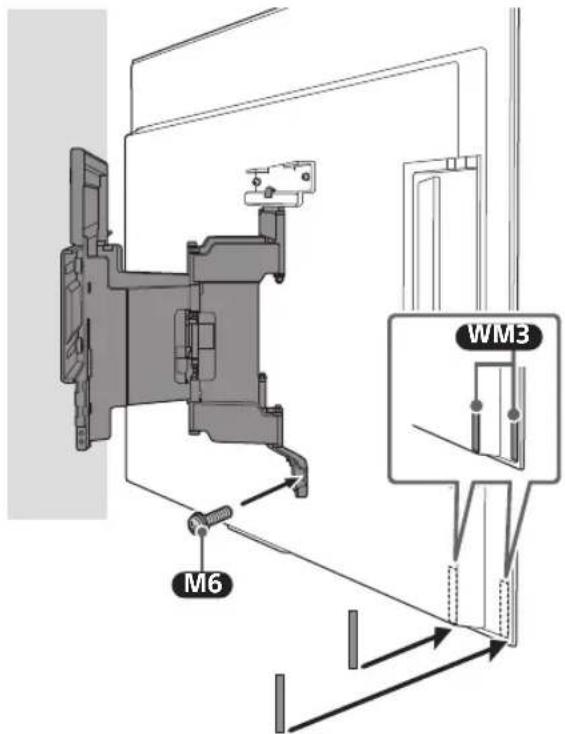
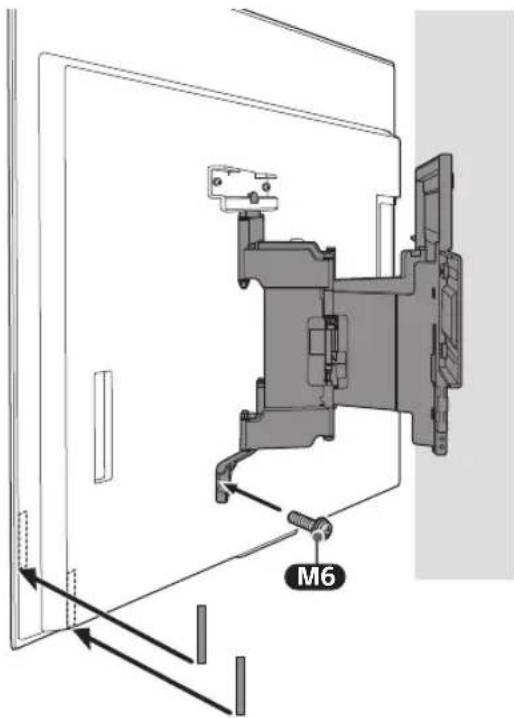
4
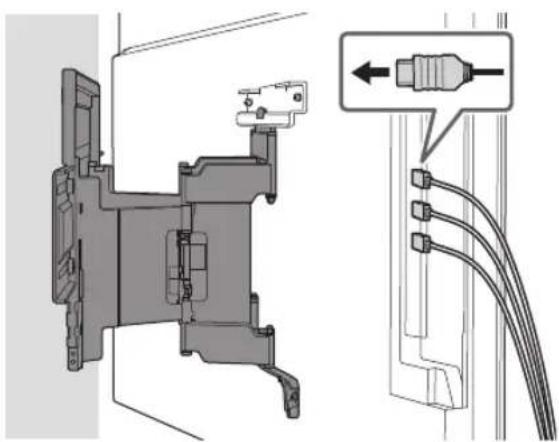
natural_image
Technical diagram of a mechanical assembly with labeled connectors and wiring (no text or symbols present)natural_image
Interior view of a room with a monitor, cable, and a potted plant (no text or symbols)OPOZORILO
Preverjanje vgradnje
natural_image
Technical illustration of a wall-mounted TV mounted on brick wall, with a separate schematic of a device labeled WM1 (no text or symbols on the diagram itself)Montaža nosilca za stensko montažo na steno
natural_image
Illustration of a person sitting in a chair viewing a screen from a perspective cone, with dashed lines indicating perspective projection (no text or symbols)2 Nosilec WM1 postavite na zid in naredite štiri oznake.
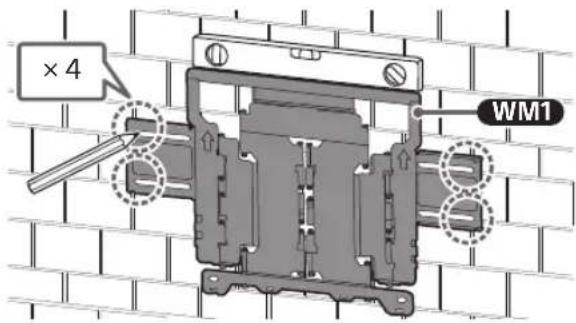
Opomba
natural_image
Mechanical assembly diagram showing a bracket mounted on a brick wall, with directional arrows indicating motion (no text or symbols present)natural_image
Technical line drawing of a mechanical component with four bolted fasteners and directional arrows indicating assembly (no text or symbols)natural_image
Line drawing of a flat-screen TV unit with a door and adjacent panel (no text or symbols)2 Odstranite vijake s hrbtne stranice televizorja.
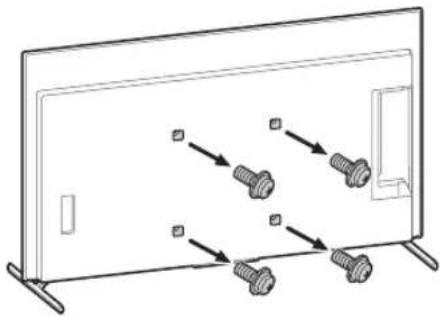
natural_image
Diagram showing screw arrangement inside a rectangular frame with mounting brackets (no text or symbols)2
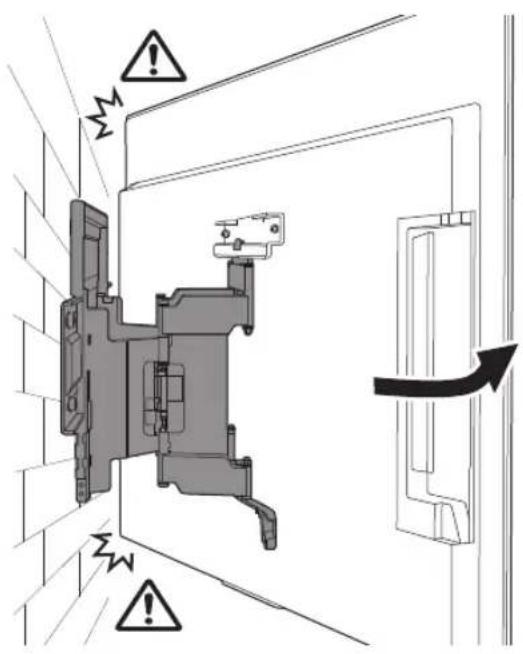
3 Z M6 privijte levo in desno stran nosilca za stensko montažo ter pritrdite WM3.
Opomba
• Ne namestite WM3 na oznake.
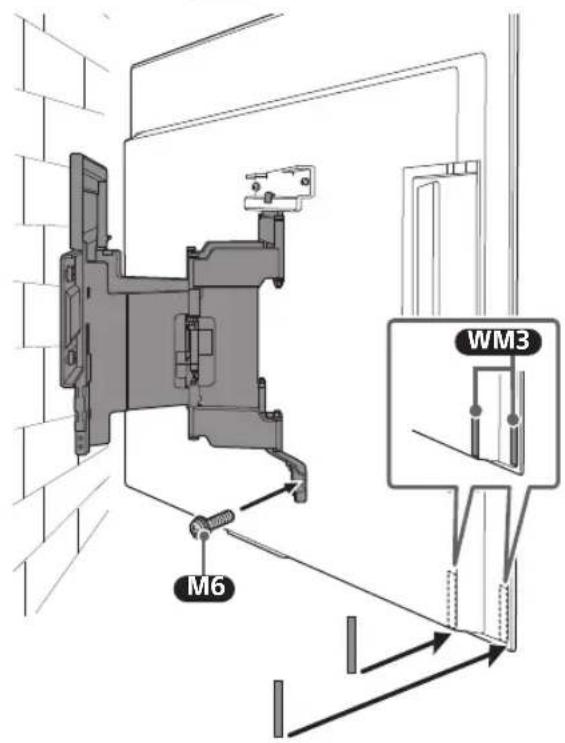
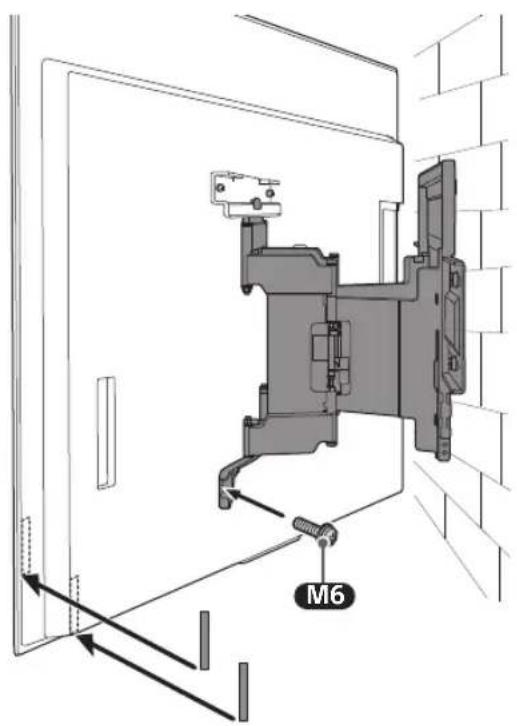
4
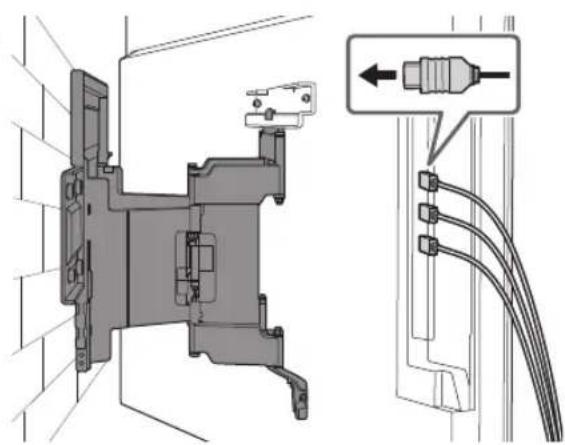
natural_image
Technical diagram of a mechanical assembly with exploded view and close-up detail (no text or symbols)Opomba
natural_image
Interior view of a room with a monitor, cable, and a potted plant (no text or symbols)OPOZORILO
Preverjanje vgradnje
natural_image
Technical line drawing of a mechanical or electrical component with no visible text or symbolsnatural_image
Technical line drawing of a mechanical component with no visible text or symbolsWM2 (×1)
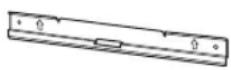
WM3 (×4)
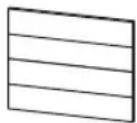
M6 (×4)

WT1 (×6)
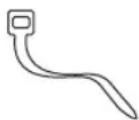
Isporučeno sa TV-om
natural_image
Technical diagram showing a mounted device with two vertical supports and a central screen, plus a schematic view labeled 'WM1' (no text or symbols on the diagram itself)natural_image
Illustration of a person sitting in a chair viewing a screen from a perspective cone, with dashed lines indicating perspective projection (no text or symbols)2
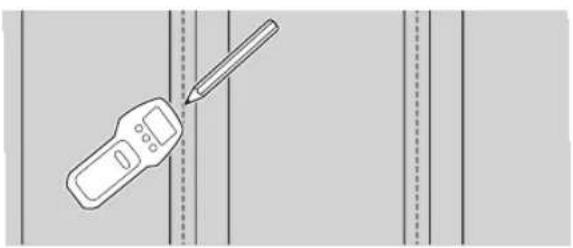
natural_image
Illustration of a handheld device with a pencil inserted, against a plain background (no text or symbols)natural_image
Mechanical assembly diagram showing a frame with mounting brackets and directional arrows indicating motion (no text or symbols)Priprema za postavljanje televizora na zid
Napomena
- Uklonjene vijke i neiskorištene dijelove spremite na sigurno mjesto, držeći ih dalje od djece.
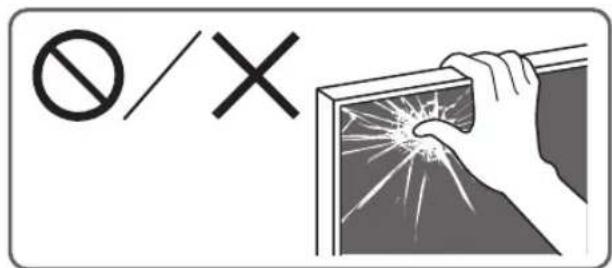
Postavljanje TV-a na zid iz kutije\*
natural_image
Technical diagram of a mechanical component with multiple bolts and directional arrows indicating assembly or movement (no text or symbols present)2 Pričvrstite priključak nosača za postavljanje na zid vs (isporučen uz TV) na stražnju stranu TV-a (kako bi bio paralelan sa zidom).
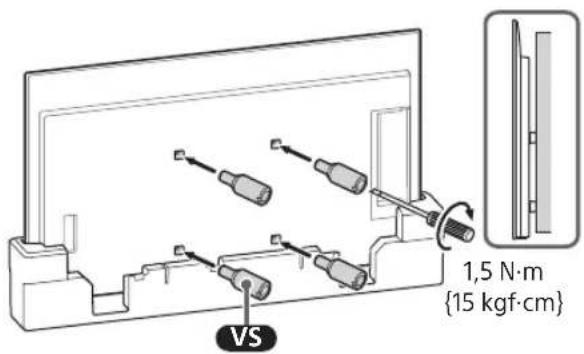
Napomena
natural_image
Line drawing of a flat-screen TV unit with a door and side-mounted screen (no text or symbols)natural_image
Diagram showing screw arrangement inside a rectangular frame with mounting holes (no text or symbols)3 Pričvrstite priključak nosača za postavljanje na zid vs (isporučen uz TV) na stražnju stranu TV-a (kako bi bio paralelan sa zidom).
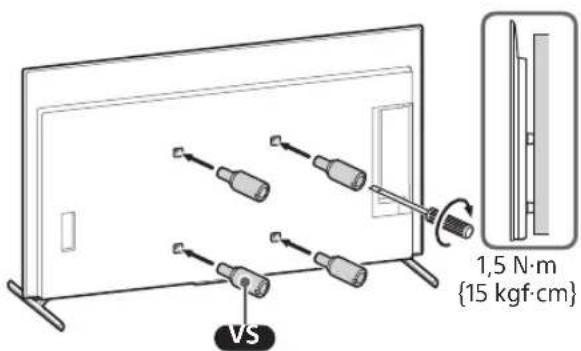
Napomena
- Ponovite prethodni korak i uklonite drugu stranu postolja za stol.
Napomena
2
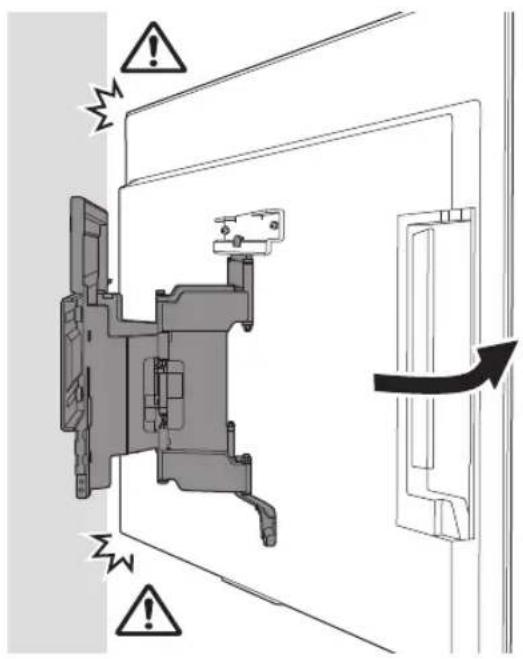
natural_image
Technical diagram of a mechanical assembly with labeled connectors and wiring (no text or symbols present)5 Kada pomičete TV prijemnik, čvrsto ga primite s donje strane.
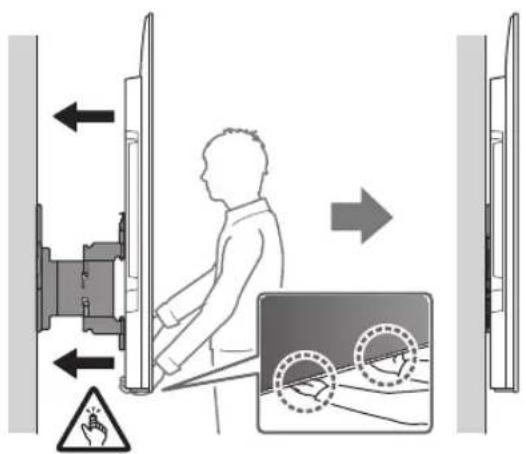
Napomena
• TV se možda neće moći kretati u blizini zida ovisno o vrsti i broju priključenih kabela. To nije kvar.
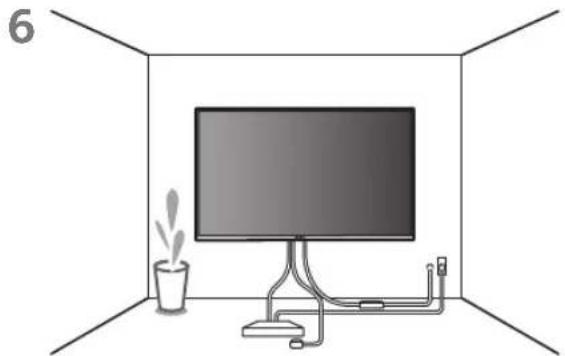
natural_image
Interior view of a room with a monitor, cable, and a potted plant (no text or symbols)UPOZORENJE
- Za prijenos velikog TV-a potrebne su dvije ili više osoba (tri ili više osoba za TV od 189,3 cm (75 inča) i više) (osim Egipat).
Za prijenos velikog TV-a potrebne su dvije ili više osoba (tri ili više osoba za TV od 75 inča (189,3 cm) i više) (samo Egipat).
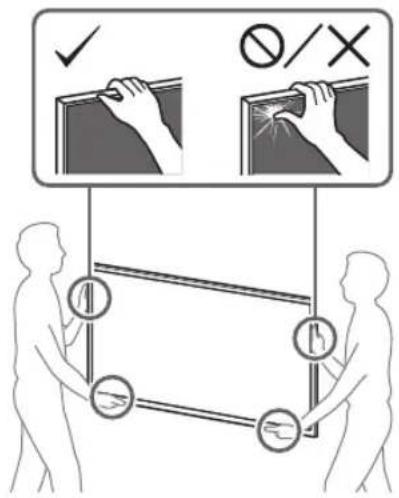
natural_image
Technical illustration of a wall-mounted TV mounted on brick wall, with a close-up of its internal components (no text or symbols)natural_image
Illustration of a person sitting in a chair viewing a screen from a perspective cone, with no text or symbols present.2 Poravnajte WM1 sa zidom i označite četiri rupe.
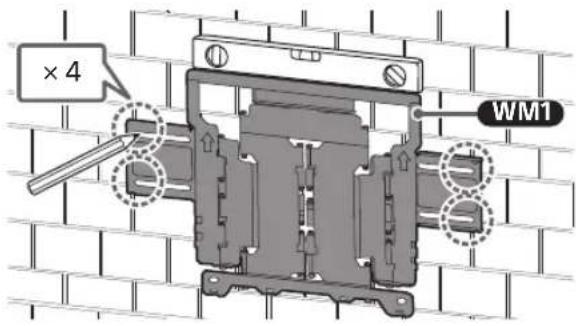
Napomena
natural_image
Mechanical assembly diagram showing a bracket mounted on a brick wall, with two arrows indicating direction of motion (no text or symbols present)Priprema za postavljanje televizora na zid
Napomena
- Uklonjene vijke i neiskorištene dijelove spremite na sigurno mjesto, držeći ih dalje od djece.
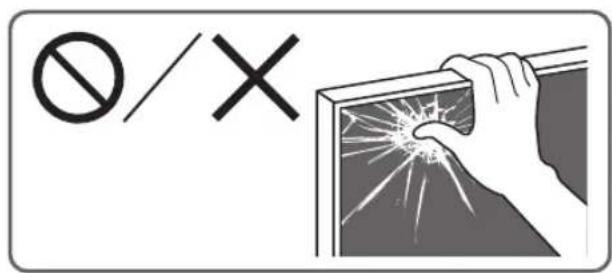
Postavljanje TV-a na zid iz kutije\*
natural_image
Technical line drawing of a mechanical component with multiple bolts and mounting brackets (no text or symbols)2 Pričvrstite priključak nosača za postavljanje na zid vs (isporučen uz TV) na stražnju stranu TV-a (kako bi bio paralelan sa zidom).
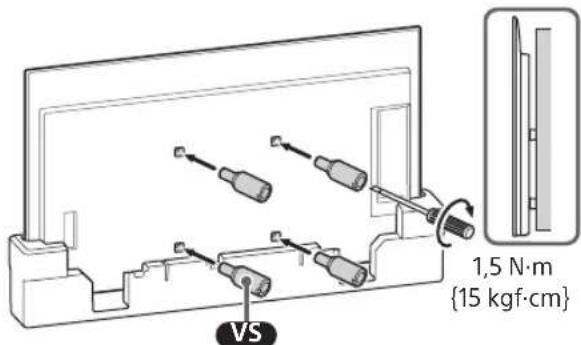
Napomena
natural_image
Line drawing of a flat-screen TV unit with a door and adjacent panel (no text or symbols)natural_image
Diagram of a monitor with four bolts and connecting lines, no text or symbols present3 Pričvrstite priključak nosača za postavljanje na zid vs (isporučen uz TV) na stražnju stranu TV-a (kako bi bio paralelan sa zidom).
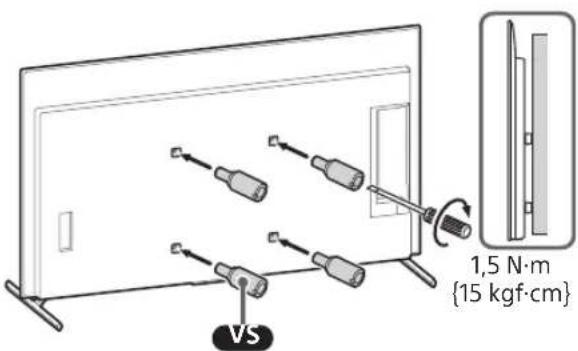
Napomena
- Ponovite prethodni korak i uklonite drugu stranu postolja za stol.
Napomena
2
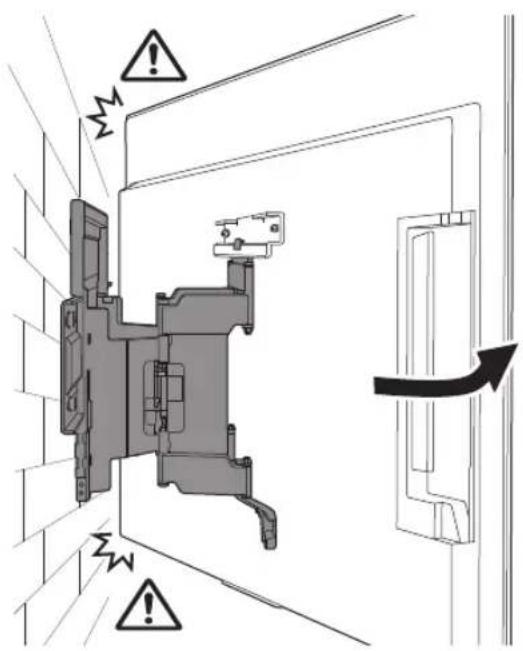
natural_image
Technical diagram of a mechanical assembly with cable connectors and a close-up inset showing a connector (no text or symbols present)5 Kada pomičete TV prijemnik, čvrsto ga primite s donje strane.
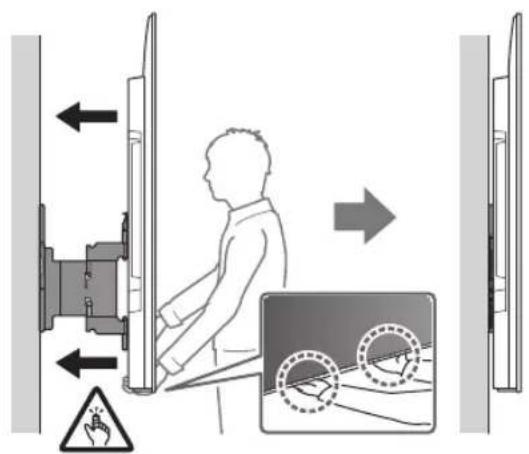
Napomena
• TV se možda neće moći kretati u blizini zida ovisno o vrsti i broju priključenih kabela. To nije kvar.
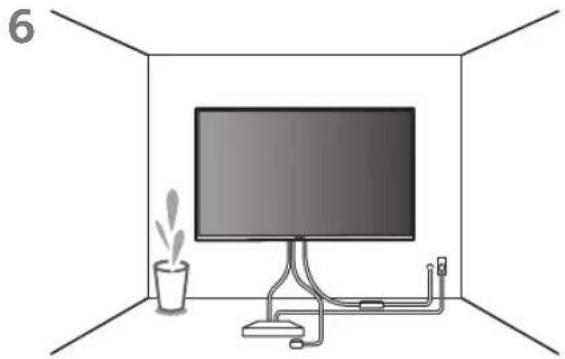
natural_image
Interior view of a room with a monitor, cable, and a potted plant (no text or symbols)UPOZORENJE
- Za prijenos velikog TV-a potrebne su dvije ili više osoba (tri ili više osoba za TV od 189,3 cm (75 inča) i više) (osim Egipat).
Za prijenos velikog TV-a potrebne su dvije ili više osoba (tri ili više osoba za TV od 75 inča (189,3 cm) i više) (samo Egipat).
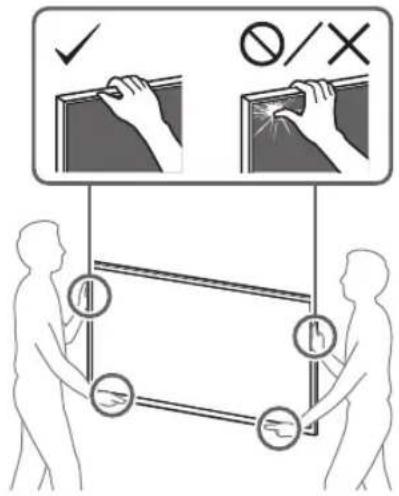
natural_image
Technical line drawing of a mechanical assembly with no visible text or symbolsnatural_image
Technical line drawing of a mechanical component with no visible text or symbolsWM2 (×1)
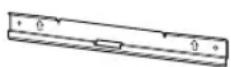
WM3 (×4)
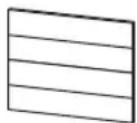
M6 (×4)

WT1 (×6)
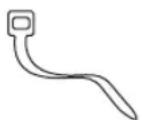
natural_image
Technical diagram showing a mounted device with two vertical supports and a close-up of its internal structure labeled WM1 (no text or symbols on the diagram itself)natural_image
Diagram showing a person sitting in a chair facing a screen, with dashed lines indicating perspective projection (no text or symbols present)2
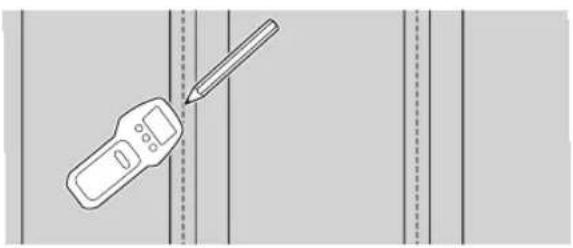
natural_image
Illustration of a handheld device with a pencil inserted, against a plain background (no text or symbols)3
natural_image
Mechanical assembly diagram showing a frame with mounting brackets and directional arrows indicating motion (no text or symbols)natural_image
Technical line drawing of a mechanical component with four bolted fasteners (no text or symbols)natural_image
Line drawing of a flat-screen TV unit with a door and adjacent panel, showing no text or symbols.natural_image
Diagram showing screw arrangement inside a flat-screen TV (no text or symbols)natural_image
Two people holding a large blackboard with a downward arrow below (no text or symbols)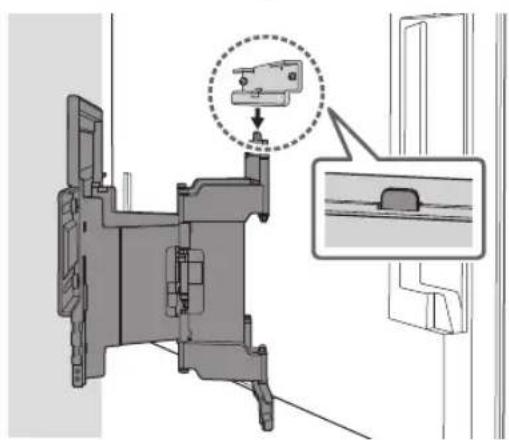
natural_image
Technical diagram of a mechanical assembly with a magnified inset showing a component detail (no text or symbols present)2

3
natural_image
Technical diagram of a mechanical assembly with labeled connectors and wiring (no text or symbols present)5
Нускау
natural_image
Interior view of a room with a monitor, cable, and a potted plant (no text or symbols)ECKEPTY
natural_image
Technical illustration of a wall-mounted TV mounted on brick wall, with a schematic diagram below showing internal components (no text or symbols)natural_image
Diagram showing a person sitting in a chair viewing a screen from a perspective cone, with dashed lines indicating perspective projection (no text or symbols present)5
natural_image
Mechanical assembly diagram showing a bracket mounted on a brick wall, with directional arrows indicating motion (no text or symbols present)natural_image
Technical line drawing of a mechanical bracket with four bolted components and directional arrows indicating movement (no text or symbols)natural_image
Line drawing of a flat-screen TV unit with a door and scroll, no text or symbols presentnatural_image
Diagram of a monitor with four bolts arranged in a row, no text or symbols present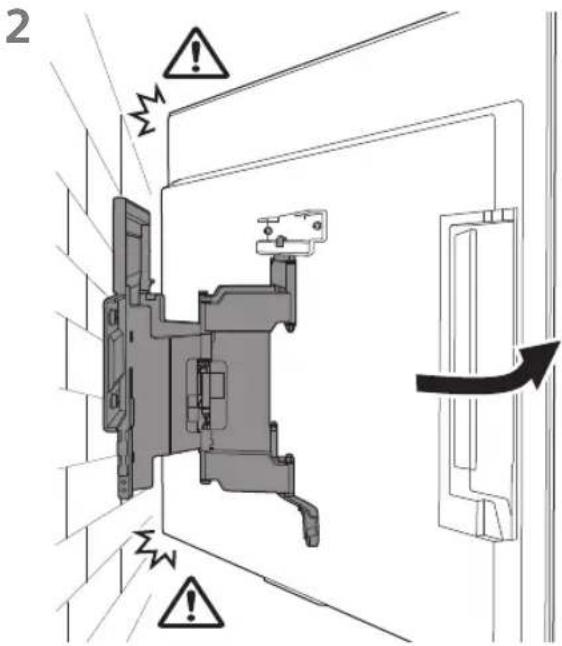
Нускау
natural_image
Interior view of a room with a monitor, cable, and a potted plant (no text or symbols)ECKEPTY
natural_image
Technical line drawing of a mechanical assembly with no visible text or symbolsObavezno pravilno koristite isporučene vijke i delove za pričvršćenje postupajući prema uputstvima iz ovog uputstva za upotrebu. Ako koristite delove koji nisu originalni, TV može da padne i da nekome dovede do telesne povrede ili do oštećenja TV-a.
Proverite da li ste pravilno sklopili nosač za zid postupajući prema datom postupku objašnjenom u ovom uputstvu za upotrebu.
Ako su bilo koji od vijaka labavi ili ispadnu, TV može da padne i da nekome dovede do telesne povrede ili do oštećenja TV-a.
natural_image
Technical line drawing of a mechanical component with no visible text or symbolsWM2 (×1)
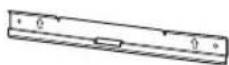
WM3 (×4)
M6 (×4)

WT1 (×6)
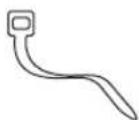
Isporučeno uz TV
natural_image
Technical diagram showing a mounted device with two vertical supports and a central screen, labeled WM1 (no text or symbols on the diagram itself)Postavljanje na zid Nosača za postavljanje na zid
natural_image
Diagram showing a person sitting in a chair viewing a screen from a perspective cone, with dashed lines indicating perspective projection (no text or symbols present)2
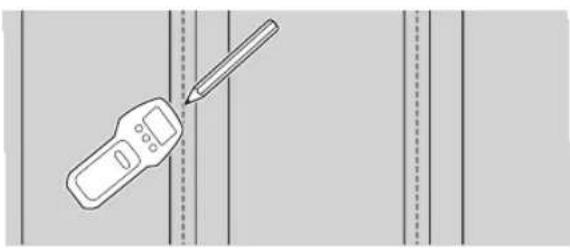
natural_image
Illustration of a handheld device and a pencil on a grid background (no text or symbols)natural_image
Mechanical assembly diagram showing a frame with mounting brackets and directional arrows indicating motion (no text or symbols)Priprema za postavljanje TV-a
Napomena
natural_image
Technical line drawing of a mechanical component with four bolts and directional arrows indicating assembly (no text or symbols)natural_image
Line drawing of a rectangular panel with a door and side supports, no text or symbols present2 Izvadite vijke sa zadnje strane TV-a.
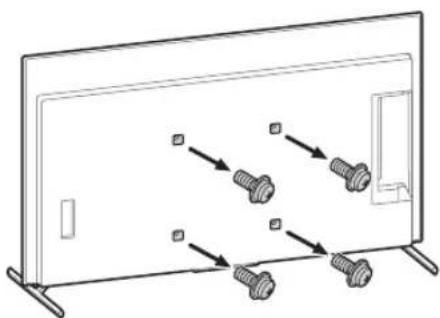
natural_image
Diagram showing screw arrangement inside a display panel with arrows indicating direction (no text or symbols)- Ponovite prethodni korak i uklonite drugu stranu postolja za sto.
Napomena
- Troje ili više ljudi je potrebno za odvajanje postolja za sto.
- Vodite računa da prilikom odvajanja postolja za sto od TV-a ne koristite prekomernu silu jer to može da dovede do pada TV aparata i izazove telesnu povredu ili fizičko oštećenje TV-a.
- Pažljivo rukujte sa postoljem za sto da ne biste oštetili TV.
- Pažljivo podižite TV dok odvajate postolje za sto da se ne bi prevrnulo i izazvalo povredu.
- Pažljivo odvojite postolje za sto od TV-a da ne bi palo i oštetilo površinu na kojoj se nalazi TV.
Postavljanje TV-a na zid
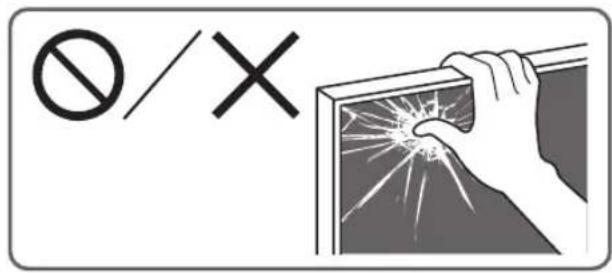
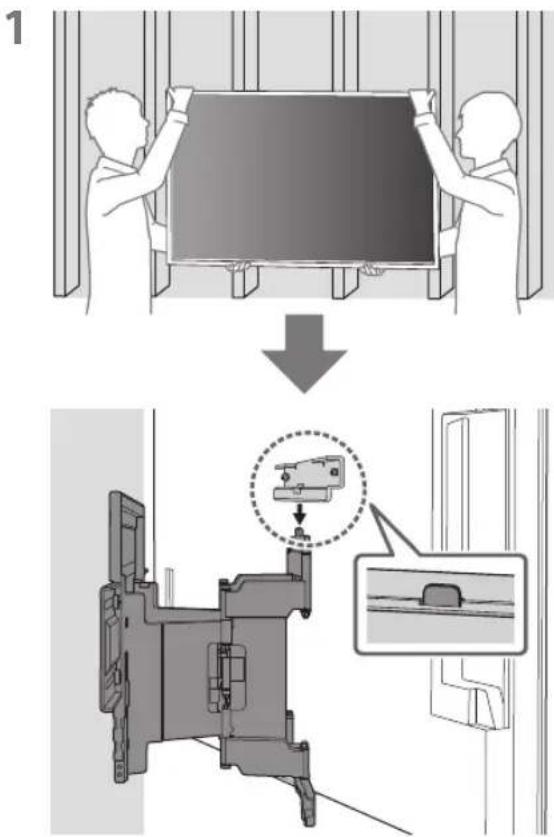
2
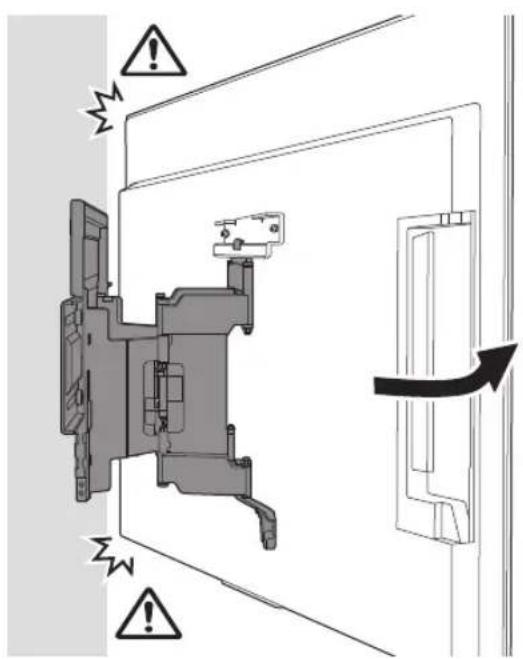
3 Zavrtnjima pričvrstite levu i desnu stranu Nosača za postavljanje na zid pomoću M6 i postavite WM3.
Napomena
• Ne kačite WM3 na oznake.
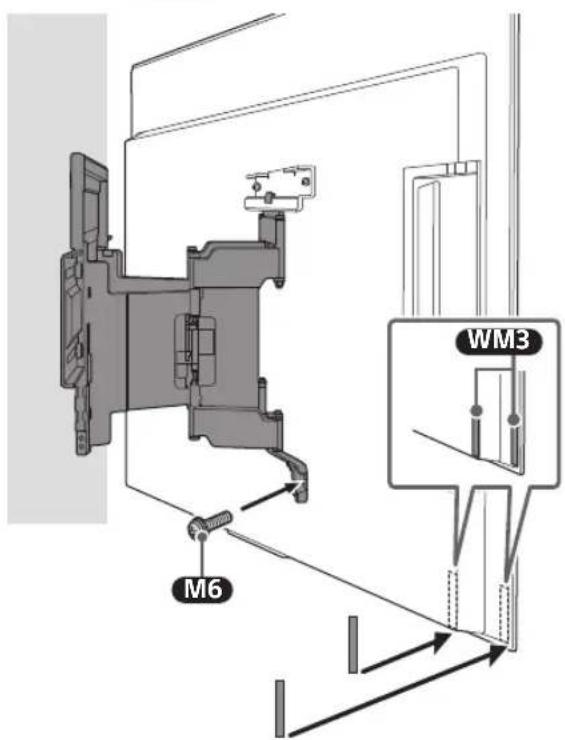
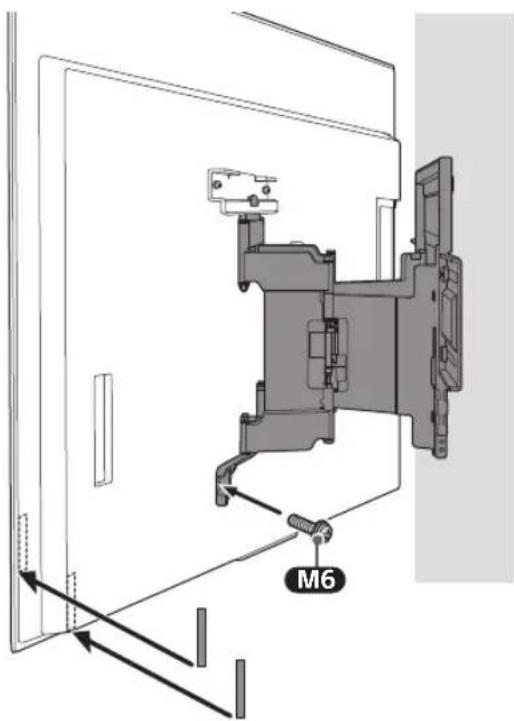
4
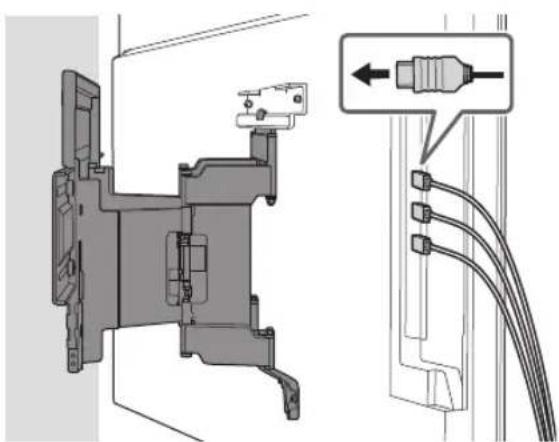
natural_image
Technical diagram of a mechanical assembly with labeled connectors and cable (no text or symbols present)5 Kada pomerate TV, čvrsto ga držite sa donje strane.
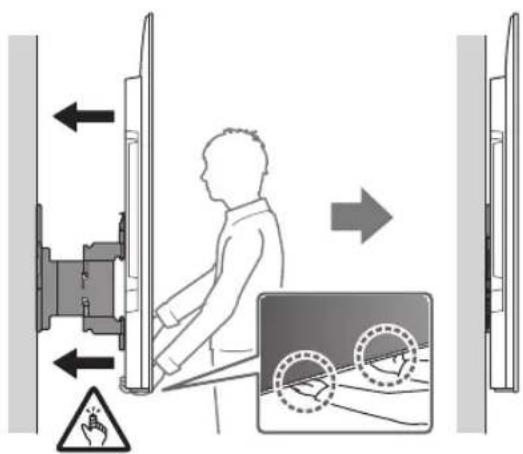
Napomena
• TV se možda neće pomeriti blizu zida u zavisnosti od tipa i broja kablova koji su prikačeni. Ovo nije greška.
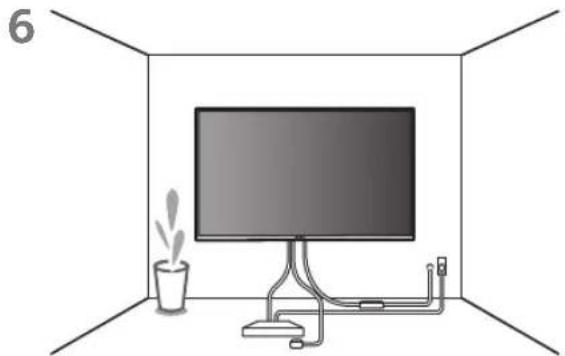
natural_image
Interior view of a room with a monitor, cable, and a potted plant (no text or symbols)UPOZORENJE
- Dve ili više osoba (tri ili više osoba za TV od 189,3 cm (75 inča) i više) potrebne su za transport velikog TV aparata (osim Egipta).
Dve ili više osoba (tri ili više osoba za TV od 75 inča (189,3 cm) i više) potrebne su za transport velikog TV aparata (samo Egipat).
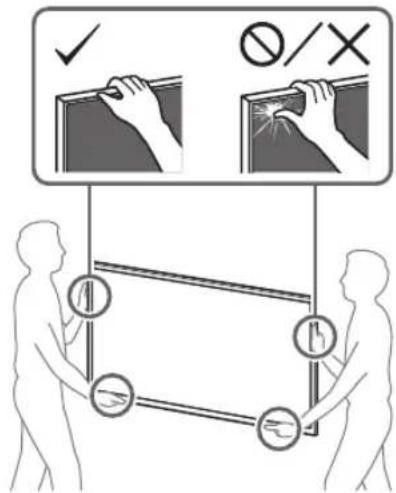
Potvrđivanje završetka postavljanja
natural_image
Diagram showing a wall-mounted TV mounted on brick wall and a mechanical device labeled WM1 (no text or symbols on the diagram itself)Postavljanje na zid Nosača za postavljanje na zid
natural_image
Diagram showing a person sitting in a chair facing a screen, with dashed lines indicating perspective projection (no text or symbols present)2 Poravnajte WM1 sa zidom i napravite četiri oznake.

Napomena
- Koristite libelu da biste proverili da li je WM1 u ravni.
3 Probušite vodeće rupe na oznakama.
natural_image
Mechanical assembly diagram showing a bracket mounted on a brick wall, with arrows indicating force direction (no text or symbols present)Priprema za postavljanje TV-a
Napomena
natural_image
Technical line drawing of a mechanical bracket with multiple bolts and fasteners (no text or symbols)natural_image
Line drawing of a rectangular electronic device with mounting feet and a side panel, no text or symbols present2 Izvadite vijke sa zadnje strane TV-a.
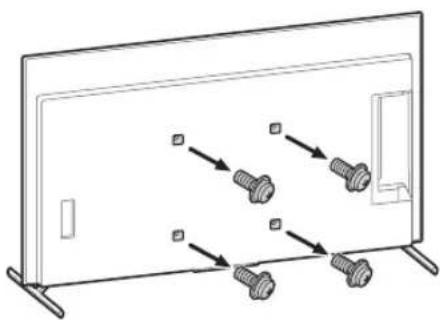
natural_image
Diagram showing screw arrangement inside a monitor frame with no text or symbols- Ponovite prethodni korak i uklonite drugu stranu postolja za sto.
Napomena
- Troje ili više ljudi je potrebno za odvajanje postolja za sto.
- Vodite računa da prilikom odvajanja postolja za sto od TV-a ne koristite prekomernu silu jer to može da dovede do pada TV aparata i izazove telesnu povredu ili fizičko oštećenje TV-a.
- Pažljivo rukujte sa postoljem za sto da ne biste oštetili TV.
- Pažljivo podižite TV dok odvajate postolje za sto da se ne bi prevrnulo i izazvalo povredu.
- Pažljivo odvojite postolje za sto od TV-a da ne bi palo i oštetilo površinu na kojoj se nalazi TV.
Postavljanje TV-a na zid
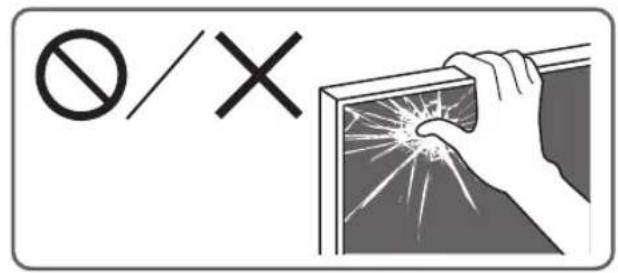
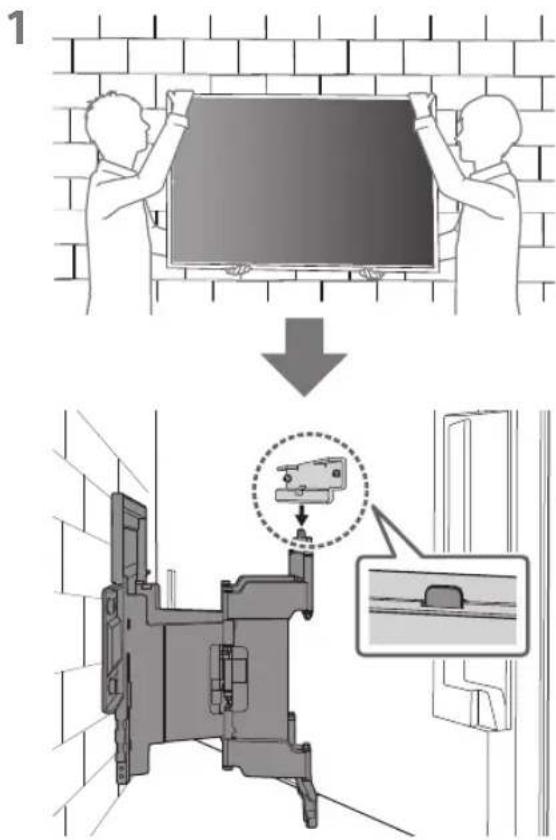
2
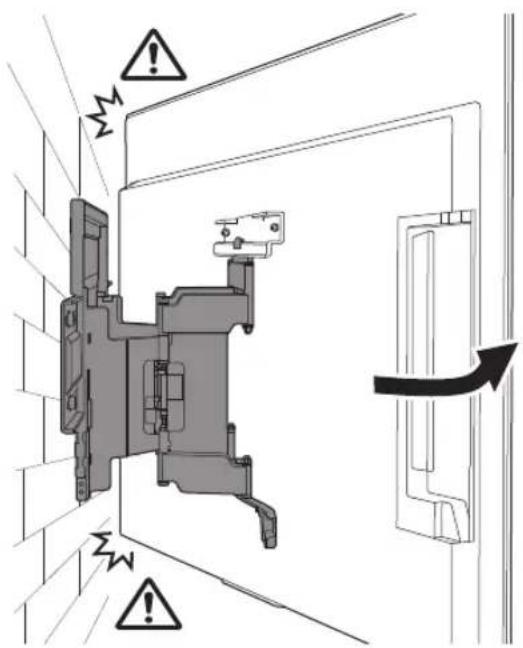
3 Zavrtnjima pričvrstite levu i desnu stranu Nosača za postavljanje na zid pomoću M6 i postavite WM3.
Napomena
- Ne kačite WM3 na oznake.
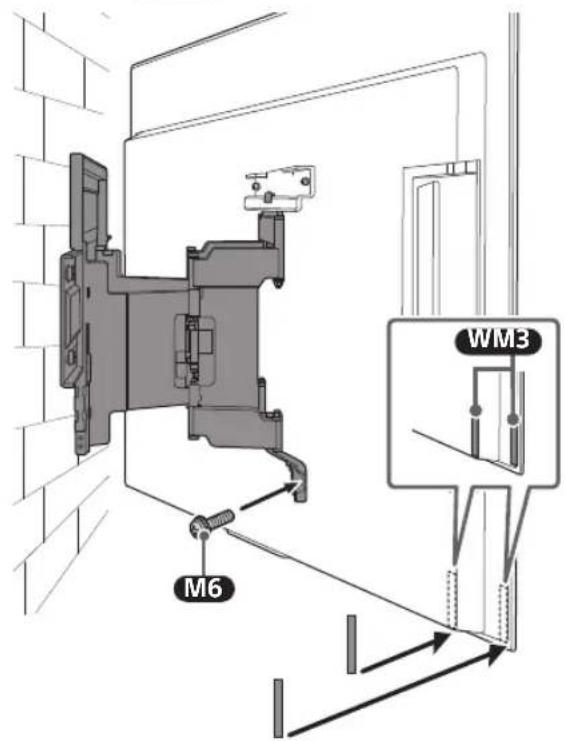
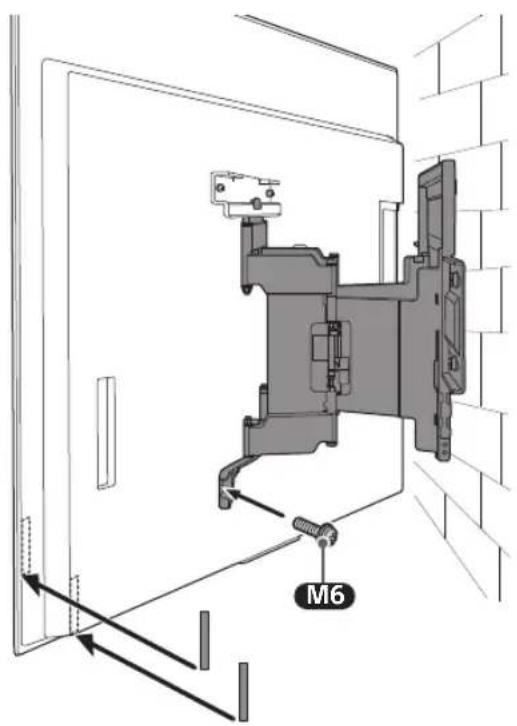
4
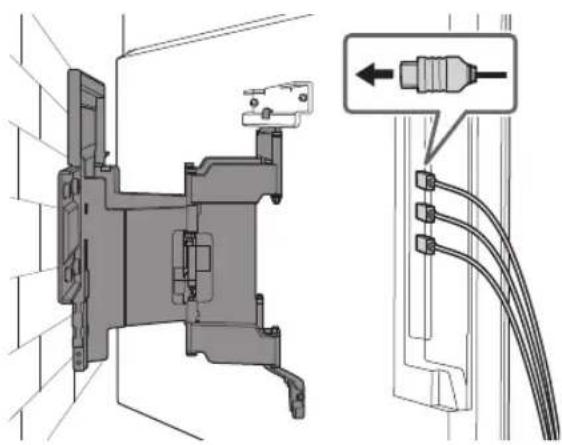
natural_image
Technical diagram of a mechanical assembly with connectors and wiring, showing internal components and connection details (no text or symbols)5 Kada pomerate TV, čvrsto ga držite sa donje strane.
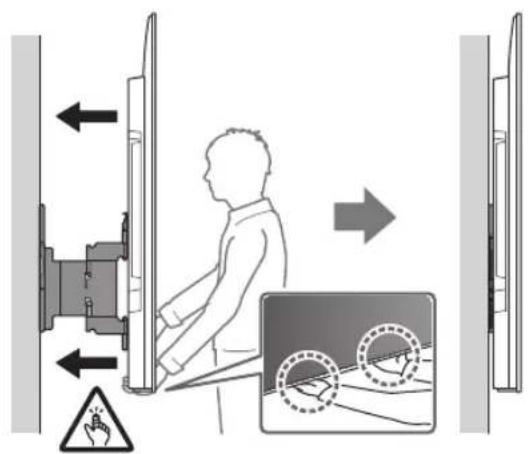
Napomena
• TV se možda neće pomeriti blizu zida u zavisnosti od tipa i broja kablova koji su prikačeni. Ovo nije greška.
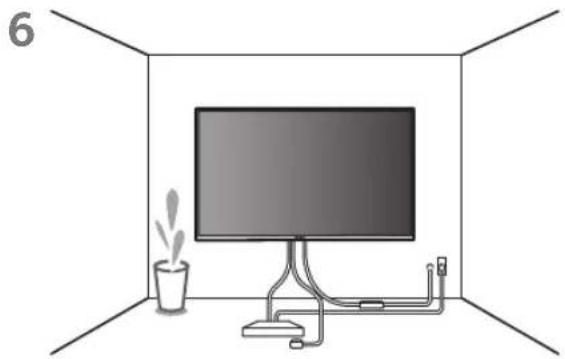
natural_image
Interior view of a room with a monitor, cable, and a potted plant (no text or symbols)UPOZORENJE
- Dve ili više osoba (tri ili više osoba za TV od 189,3 cm (75 inča) i više) potrebne su za transport velikog TV aparata (osim Egipta).
Dve ili više osoba (tri ili više osoba za TV od 75 inča (189,3 cm) i više) potrebne su za transport velikog TV aparata (samo Egipat).
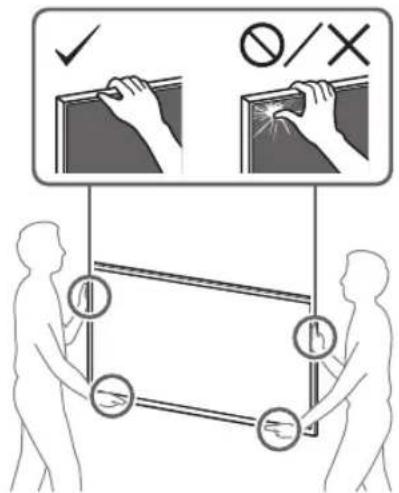
Potvrđivanje završetka postavljanja
natural_image
Technical line drawing of a mechanical assembly with no visible text or symbolsnatural_image
Technical line drawing of a mechanical component with no visible text or symbolsWM2 (×1)
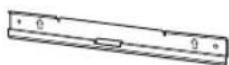
WM3 (×4)
M6 (×4)

WT1 (×6)
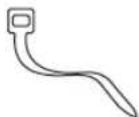
电视机随附
挂壁式配件 VS (×4)*
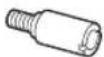
* 仅针对有限的地区/国家/型号。
安装准备
natural_image
Technical diagram showing a mounted device with two vertical supports and a central screen, labeled WM1 (no text or symbols on the diagram itself)将挂壁式支架安装至墙上
1 确定安装位置。
natural_image
Illustration of a person sitting in a chair viewing a screen from a perspective cone, with no text or symbols present.2
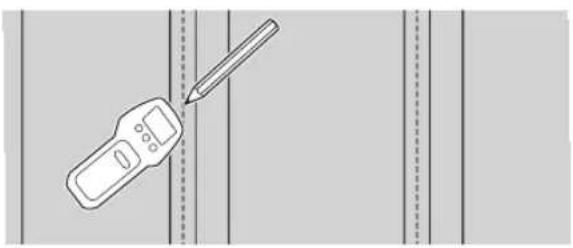
natural_image
Illustration of a handheld device with a pencil inserted, against a plain background (no text or symbols)natural_image
Mechanical assembly diagram showing a frame with mounting brackets and directional arrows indicating movement (no text or symbols)准备安装电视机
注意
natural_image
Technical diagram of a mechanical bracket with four bolts and directional arrows indicating assembly or movement (no text or symbols)natural_image
Line drawing of a flat-screen TV unit with a door and adjacent panel, no text or symbols present2 从电视机背面拆下螺丝。
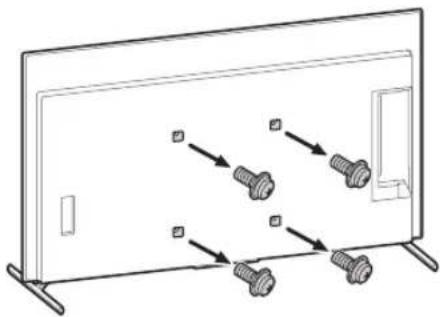
natural_image
Diagram showing screw arrangement inside a rectangular frame with mounting holes (no text or symbols)- 重复上一步,拆下台式底座的另一侧。
注意
2
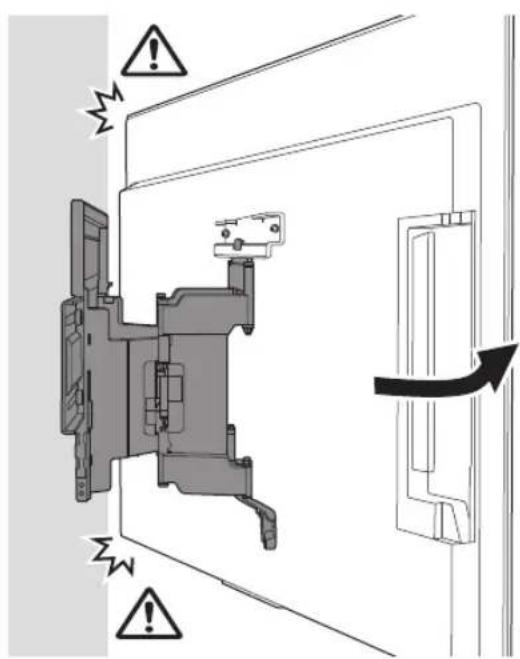
natural_image
Technical diagram of a mechanical assembly with labeled connectors and wiring (no text or symbols present)5 移动电视机时,请从底部牢牢抓住。
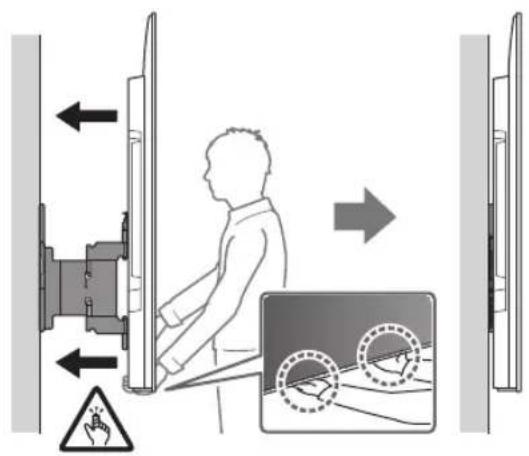
注意
natural_image
Interior view of a room with a monitor, cable, and a potted plant (no text or symbols)警告
确认安装完成
请检查以下几点。
- 电线和电缆无扭曲或挤压。
警告
natural_image
Technical illustration of a wall-mounted TV mounted on brick wall, with an inset diagram showing internal components (no text or symbols)将挂壁式支架安装至墙上
1 确定安装位置。
natural_image
Illustration of a person sitting in a chair facing a screen, with dashed lines indicating perspective projection (no text or symbols)natural_image
Mechanical assembly diagram showing a bracket mounted on a brick wall, with two arrows indicating direction of motion (no text or symbols present)准备安装电视机
注意
natural_image
Technical line drawing of a mechanical component with four bolted fasteners (no text or symbols)natural_image
Line drawing of a flat-screen TV unit with a door and adjacent panel, no text or symbols present2 从电视机背面拆下螺丝。
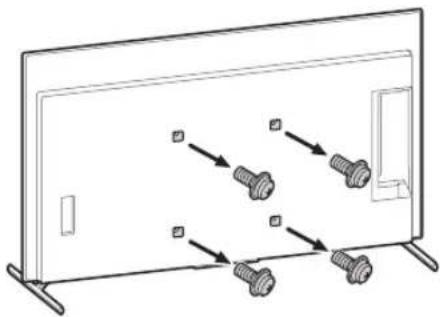
natural_image
Diagram showing screw arrangement inside a rectangular frame with mounting holes (no text or symbols)- 重复上一步,拆下台式底座的另一侧。
注意
2

natural_image
Technical diagram of a mechanical assembly with cable connectors and a close-up inset showing a connector (no text or symbols present)5 移动电视机时,请从底部牢牢抓住。
natural_image
Interior view of a room with a monitor, cable, and a potted plant (no text or symbols)警告
确认安装完成
请检查以下几点。
- 电线和电缆无扭曲或挤压。
警告
natural_image
Technical line drawing of a mechanical assembly with no visible text or symbolsnatural_image
Technical line drawing of a mechanical component with mounting flanges (no text or symbols)WM2 (×1)
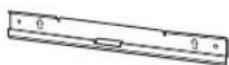
WM3 (×4)
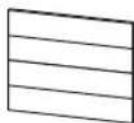
M6 (×4)

WT1 (×6)
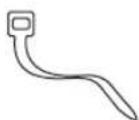
隨電視機提供
壁掛連接件 VS (×4)*
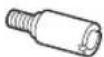
* 僅限特定區域/國家/型號。
準備安裝
natural_image
Technical diagram showing a mounted device with two vertical supports and a central screen, plus a close-up of its internal components labeled WM1 (no text or symbols on the diagram itself)將壁掛式支架安裝至牆壁
1 確定安装位置。
natural_image
Diagram showing a person sitting in a chair facing a wall-mounted screen, with dashed lines indicating perspective projection (no text or symbols present)2
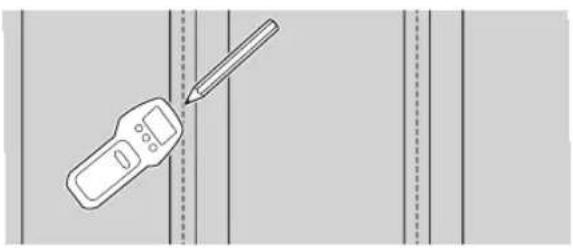
natural_image
Illustration of a handheld device with a pencil inserted, against a plain background (no text or symbols)natural_image
Mechanical assembly diagram showing a frame with mounting brackets and directional arrows indicating movement (no text or symbols)準備安裝電視機
註
natural_image
Technical line drawing of a mechanical bracket with four bolted components and directional arrows indicating movement (no text or symbols)natural_image
Line drawing of a flat-screen TV unit with a door and adjacent panel, no text or symbols present2 從電視機背面卸下螺絲。
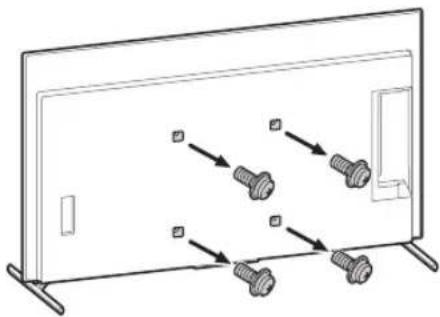
natural_image
Diagram showing screw arrangement inside a rectangular frame with mounting holes (no text or symbols)- 重複上一步並拆下桌面底座的另一側。
註
2
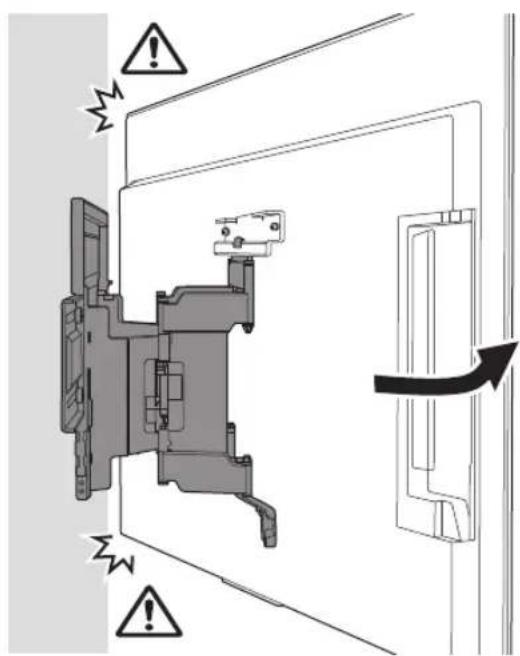
natural_image
Technical diagram of a mechanical assembly with labeled connectors and cable (no text or symbols present)5 移動電視機時,請抓緊底部。
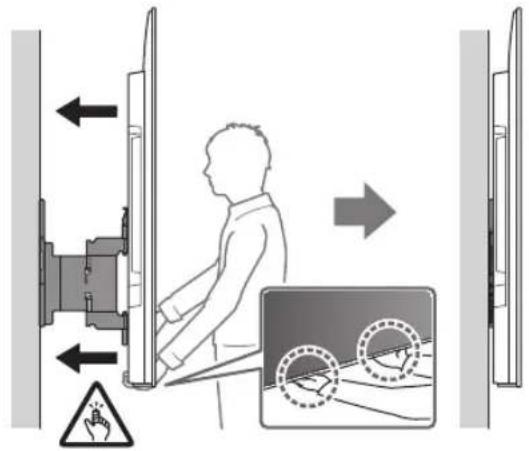
註
natural_image
Interior view of a room with a monitor, cable, and a potted plant (no text or symbols)警告
確認安裝完成
請檢查下列事項。
- 電線和電纜未被扭曲或擠壓。
警告
natural_image
Technical illustration of a wall-mounted device mounted on brick wall, with a close-up of its internal components (no text or symbols)將壁掛式支架安裝至牆壁
1 確定安装位置。
natural_image
Diagram showing a person sitting in a chair facing a screen, with dashed lines indicating perspective projection (no text or symbols present)natural_image
Mechanical assembly diagram showing a bracket mounted on a brick wall, with two arrows indicating direction of movement (no text or symbols present)準備安裝電視機
註
natural_image
Technical line drawing of a mechanical component with four bolted fasteners (no text or symbols)natural_image
Line drawing of a flat-screen TV unit with a door and adjacent panel, no text or symbols present2 從電視機背面卸下螺絲。
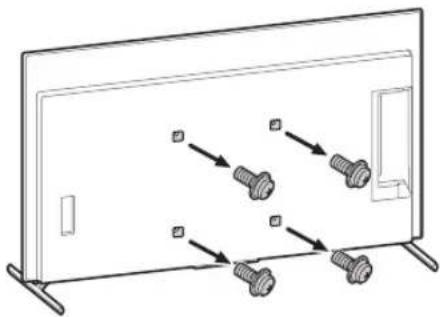
natural_image
Diagram showing screw arrangement inside a rectangular frame with mounting holes (no text or symbols)- 重複上一步並拆下桌面底座的另一側。
註
2
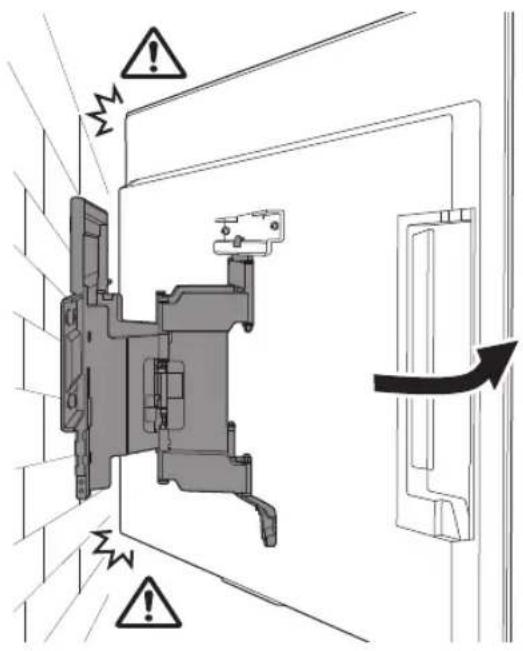
natural_image
Technical diagram showing a mechanical assembly with a close-up of a cable and a connector (no text or symbols present)5 移動電視機時,請抓緊底部。
註
- 請勿將 WM3 安裝在標籤上。
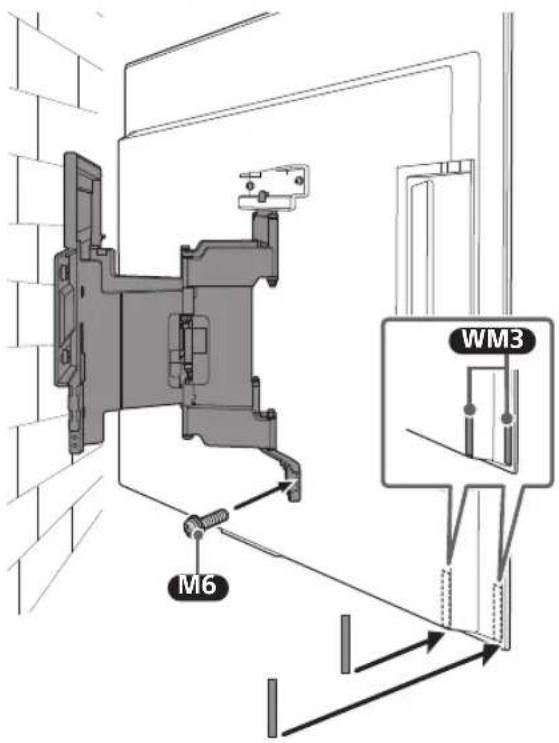
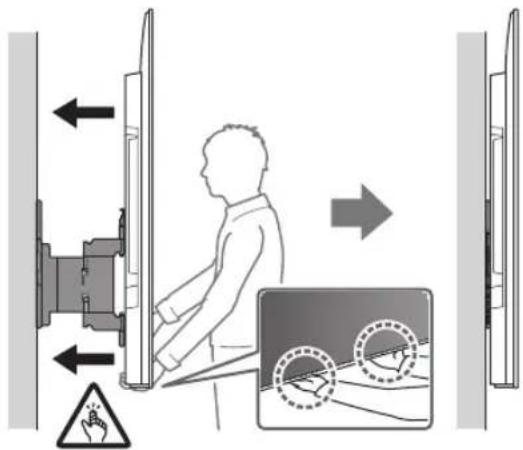
natural_image
Interior view of a room with a monitor, cable, and a potted plant (no text or symbols)警告
確認安裝完成
請檢查下列事項。
- 電線和電纜未被扭曲或擠壓。
警告
natural_image
Technical line drawing of a mechanical assembly with no visible text or symbolsnatural_image
Technical line drawing of a mechanical component with mounting flanges (no text or symbols)WM2 (×1)
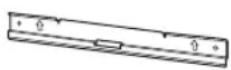
WM3 (×4)
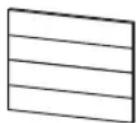
M6 (×4)

WT1 (×6)
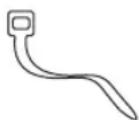
natural_image
Technical diagram showing a mounted device with two vertical supports and a central screen, plus a schematic view labeled 'WM1' (no text or symbols on the diagram itself)natural_image
Illustration of a person sitting in a chair viewing a screen from a perspective, with dashed lines indicating perspective projection (no text or symbols)2
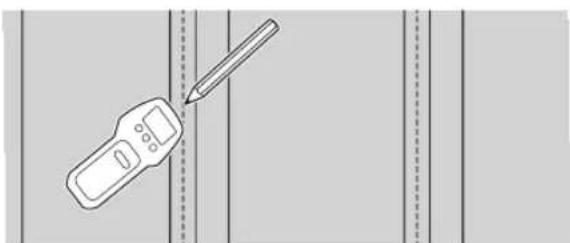
natural_image
Illustration of a handheld device with a pencil, positioned between vertical dashed lines (no text or symbols)natural_image
Mechanical assembly diagram showing a frame with mounting brackets and directional arrows indicating motion (no text or symbols)Chuẩn bị lắp đặt TV
Lưu ý
natural_image
Technical line drawing of a mechanical bracket with four bolts and directional arrows indicating assembly or movement (no text or symbols)natural_image
Line drawing of a flat-screen TV unit with a door and adjacent panel, no text or symbols presentnatural_image
Diagram showing screw arrangement inside a rectangular frame with mounting brackets (no text or symbols)2
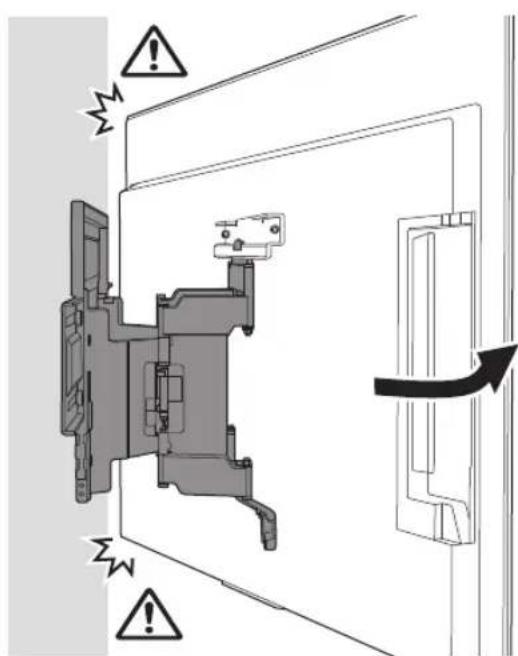
natural_image
Technical diagram of a mechanical assembly with connector and cable connections (no text or symbols)5
Luru y
natural_image
Interior view of a room with a monitor, cable, and a potted plant (no text or symbols)CẢNH BÁO
natural_image
Technical illustration of a wall-mounted TV mounted on brick wall, with an inset diagram showing internal components (no text or symbols)natural_image
Illustration of a person sitting in a chair facing a screen, with dashed lines indicating perspective projection (no text or symbols)natural_image
Mechanical assembly diagram showing a bracket mounted on a brick wall, with directional arrows indicating movement or force (no text or symbols present)Chuẩn bị lắp đặt TV
Lưu ý
natural_image
Technical diagram of a mechanical component with four bolted fasteners arranged in a row (no text or labels)natural_image
Line drawing of a flat-screen TV unit with a door and adjacent panel, no text or symbols presentnatural_image
Diagram showing screw arrangement inside a display panel with no text or symbols2
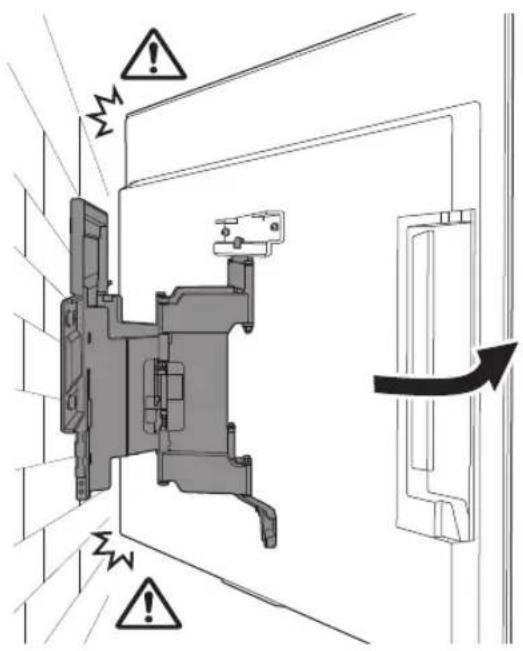
natural_image
Technical diagram of a mechanical assembly with cable connectors and a close-up view of a connector (no text or symbols present)Luru y
natural_image
Interior view of a room with a monitor, cable, and a potted plant (no text or symbols)CÀNH BÁO
natural_image
Technical line drawing of a mechanical assembly with no visible text or symbolsnatural_image
Technical line drawing of a mechanical component with no visible text or symbolsWM2 (×1)
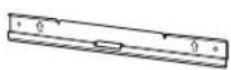
WM3 (×4)
M6 (×4)

WT1 (×6)
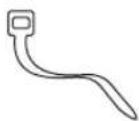
ไห้มาพร้อมกับทีวี
natural_image
Technical diagram showing a mounted device with two vertical supports and a central screen, labeled WM1 (no text or symbols on the diagram itself)natural_image
Illustration of a person sitting in a room facing a screen, with dashed lines indicating perspective projection (no text or symbols)2
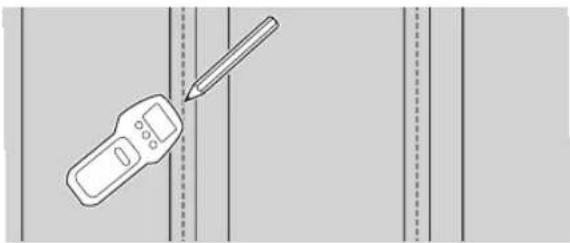
natural_image
Illustration of a handheld device with a pencil inserted, against a plain background (no text or symbols)natural_image
Mechanical assembly diagram showing a frame with mounting flanges and internal components, no text or symbols presentnatural_image
Technical line drawing of a mechanical component with four bolts and directional arrows indicating assembly (no text or symbols)natural_image
Line drawing of a flat-screen TV unit with a door and adjacent panel, no text or symbols presentnatural_image
Diagram showing screw arrangement inside a rectangular frame with mounting brackets (no text or symbols)2
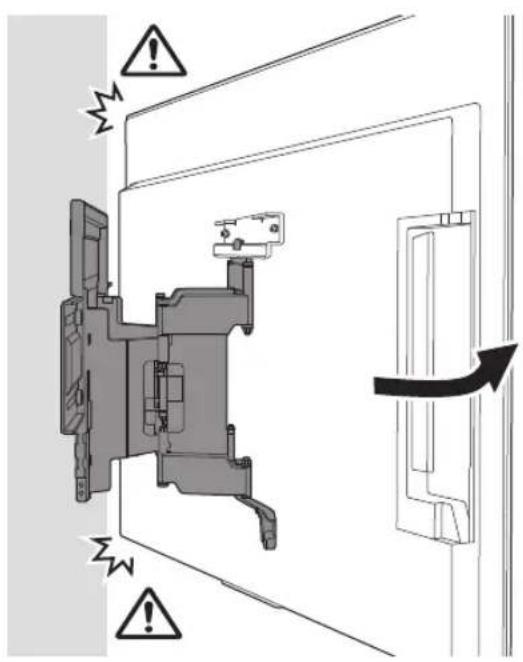
natural_image
Technical diagram of a mechanical assembly with labeled connectors and cable connections (no text or symbols present)หมายเหตุ
natural_image
Interior view of a room with a monitor, cable, and a potted plant (no text or symbols)คำเตือน
natural_image
Technical illustration of a wall-mounted device mounted on a brick wall, with a close-up view of its internal structure (no text or symbols)natural_image
Illustration of a person sitting in a chair facing a screen, with dashed lines indicating perspective projection (no text or symbols)natural_image
Mechanical assembly diagram showing a bracket mounted on a brick wall, with two arrows indicating direction of motion (no text or symbols present)natural_image
Technical line drawing of a mechanical bracket with four bolted components (no text or symbols)natural_image
Line drawing of a flat-screen TV unit with a door and adjacent panel, no text or symbols presentnatural_image
Diagram showing screw arrangement inside a rectangular frame with mounting brackets (no text or symbols)2
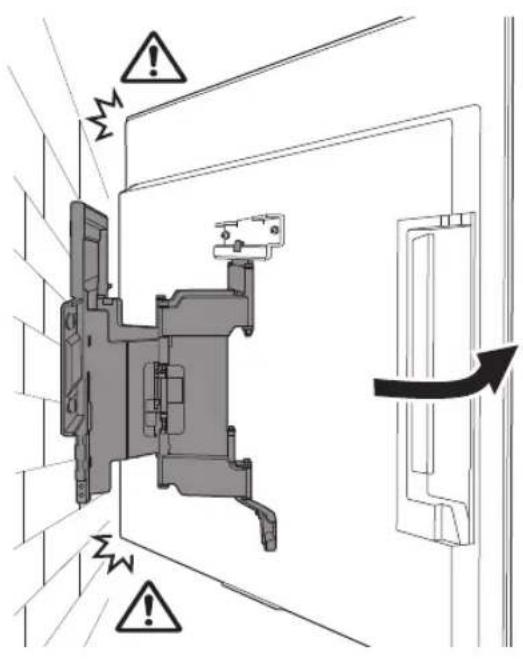
natural_image
Technical diagram showing a mechanical assembly with a close-up of a cable and its connector (no text or symbols present)หมายเหตุ
natural_image
Interior view of a room with a monitor, cable, and a potted plant (no text or symbols)คำเตือน
natural_image
Technical line drawing of a mechanical assembly with springs and housing (no text or symbols)natural_image
Technical line drawing of a mechanical component with no visible text or symbolsWM2 (×1)
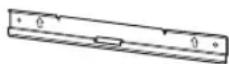
WM3 (×4)
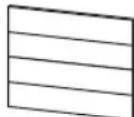
M6 (×4)

WT1 (×6)
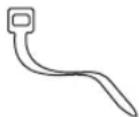
natural_image
Technical diagram showing a mounted device with two vertical supports and a central screen, labeled WM1 (no text or symbols on the diagram itself)Memasang Braket Penyangga Dinding ke dinding
natural_image
Illustration of a person sitting in a chair viewing a screen from a perspective cone, with dashed lines indicating perspective projection (no text or symbols)2
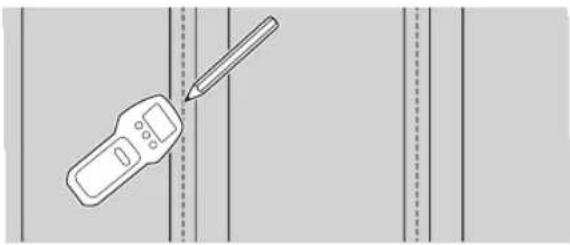
natural_image
Illustration of a handheld device and a pencil on a vertical line, no text or symbols presentnatural_image
Mechanical assembly diagram showing a frame with mounting brackets and directional arrows indicating motion (no text or symbols)natural_image
Technical line drawing of a mechanical component with four bolts and directional arrows indicating movement (no text or symbols)natural_image
Line drawing of a flat-screen TV unit with a door and scroll, no text or symbols presentnatural_image
Diagram showing four bolts arranged in a row inside a rectangular frame (no text or symbols)2
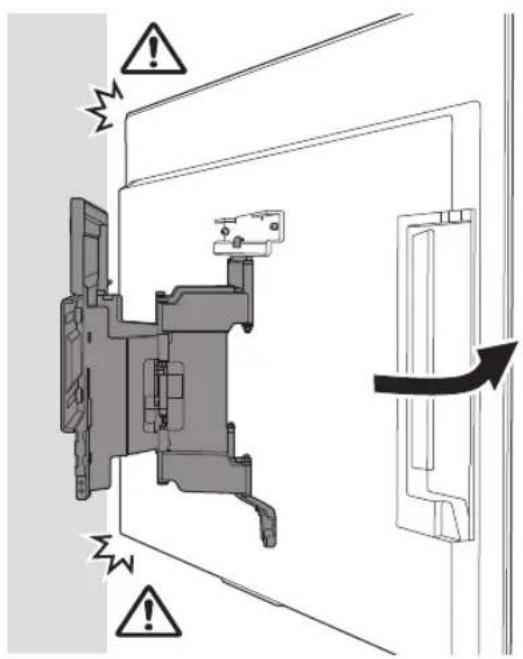
natural_image
Technical diagram of a mechanical assembly with labeled connectors and wiring (no text or symbols present)Catatan
natural_image
Interior view of a room with a monitor, cable, and a potted plant (no text or symbols)PERINGATAN
natural_image
Technical illustration of a wall-mounted TV mounted on brick wall, with a close-up of its internal components (no text or symbols)Memasang Braket Penyangga Dinding ke dinding
natural_image
Illustration of a person sitting at a desk viewing a screen from a perspective, with dashed lines indicating perspective focus (no text or symbols present)natural_image
Mechanical assembly diagram showing a bracket mounted on a brick wall, with directional arrows indicating motion (no text or symbols present)natural_image
Technical line drawing of a mechanical component with multiple bolts and mounting brackets (no text or symbols)natural_image
Line drawing of a flat-screen TV unit with a door and scroll, no text or symbols presentnatural_image
Diagram showing screw arrangement inside a display panel with no text or symbols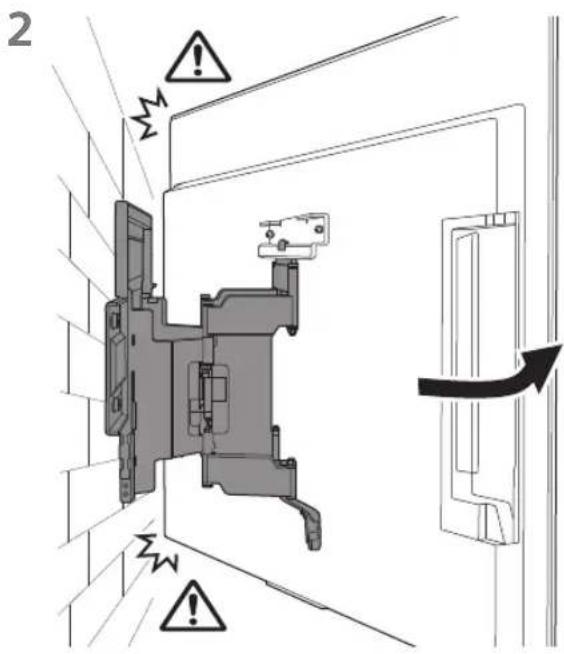
Catatan
natural_image
Interior view of a room with a monitor, cable, and a potted plant (no text or symbols)PERINGATAN
Berat (hanya alas): (Perkiraan) [kg]
3,0
natural_image
Technical line drawing of a mechanical assembly with no visible text or symbols•
?הכלהה
natural_image
Illustration of a handheld device with a pencil inserted, against a plain background (no text or symbols)WM1
natural_image
Illustration of a person sitting in a chair facing a screen, with dashed lines indicating perspective projection (no text or symbols)8
5
natural_image
Mechanical assembly diagram showing a frame with mounting brackets and directional arrows indicating motion (no text or symbols)natural_image
Technical line drawing of a mechanical component with four bolted fasteners (no text or symbols). כְרָה אַלְאָה
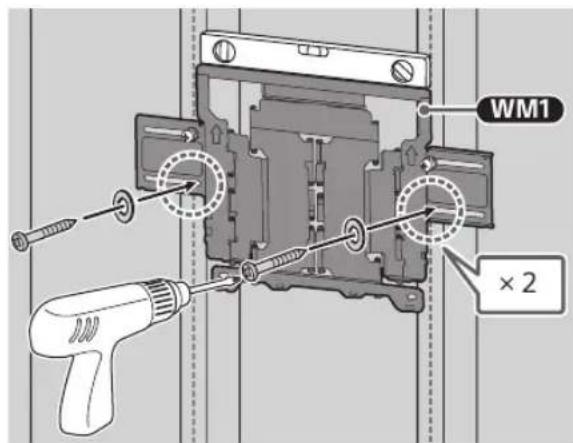
תַלְרָה
. MW1
6
7
natural_image
Line drawing of a flat-screen TV unit with a door and side-mounted screen (no text or symbols)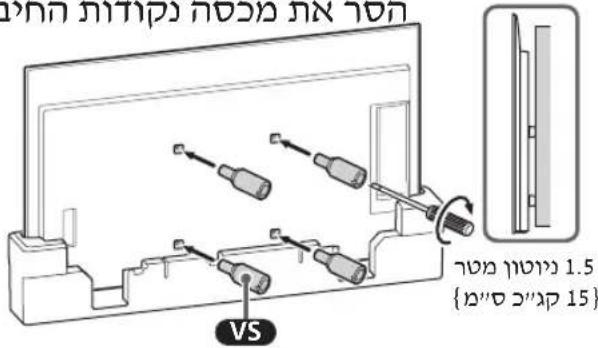
natural_image
Diagram showing three bolts inserted into a panel, with arrows indicating direction (no text or symbols)3 ps10)
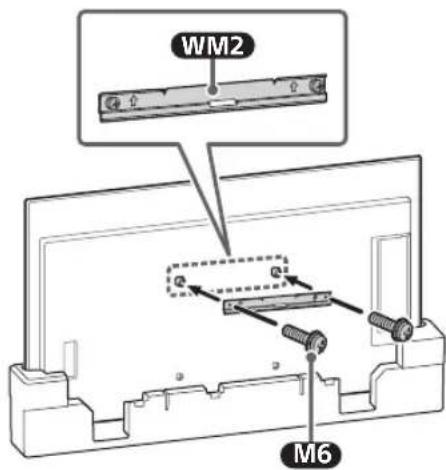
תְרָה
natural_image
Two people holding a large blackboard with a downward arrow below (no text or symbols)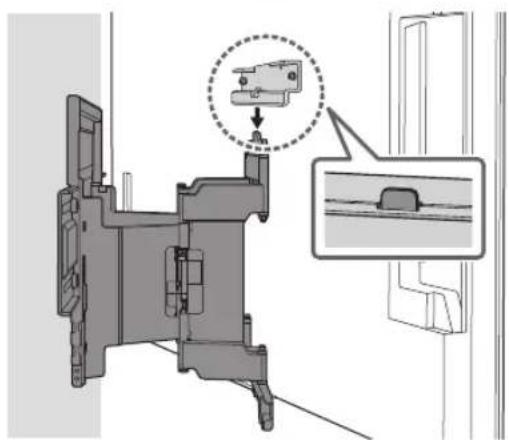
natural_image
Technical diagram of a mechanical assembly with an inset showing a close-up detail (no text or symbols present)WM2 4
M6
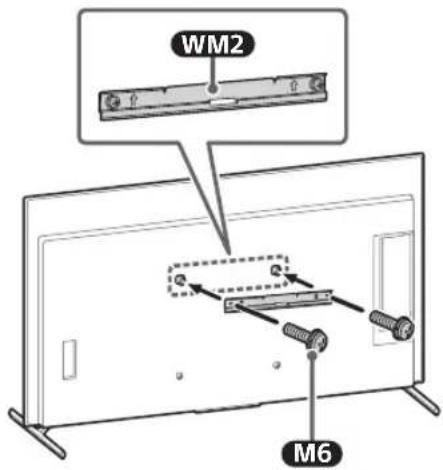
5
.תְקּוֹרָה
•
2
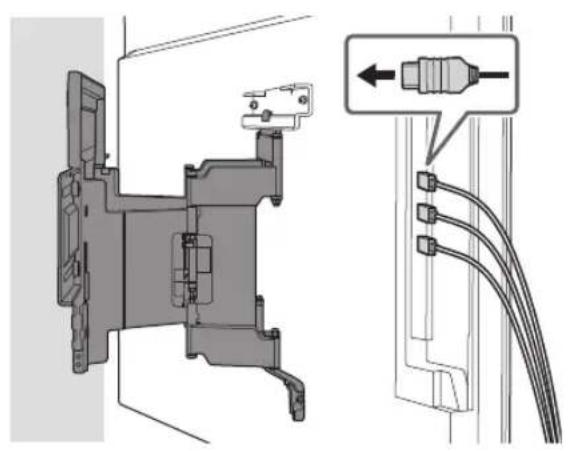
natural_image
Technical diagram of a mechanical assembly with exploded view and close-up detail (no text or symbols)4
5
תַלְרָה
•
.הכלההוּרָהוּרָהוּרָהוּרָהוּרָהוּרָהוּרָהוּרָהוּרָהוּרָהוּרָהוּרָהוּרָהוּרָהוּרָה
B
natural_image
Diagram showing a wall-mounted TV mounted on brick walls and a mechanical device labeled WM1 (no text or symbols on the diagram itself)natural_image
Illustration of a person sitting in a chair viewing a screen from a perspective cone, with dashed lines indicating perspective projection (no text or symbols)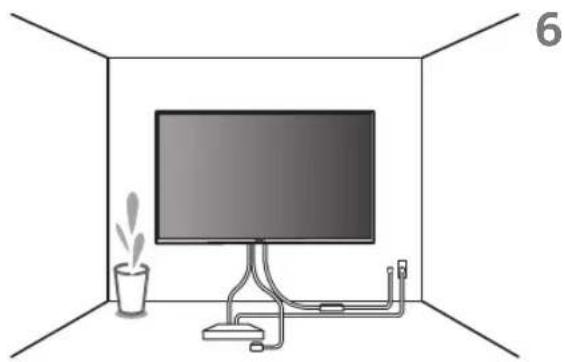
natural_image
Interior view of a room with a monitor, cable, and a potted plant (no text or symbols)תְרָה
natural_image
Mechanical assembly diagram showing a bracket mounted on a brick wall, with directional arrows indicating movement (no text or symbols present)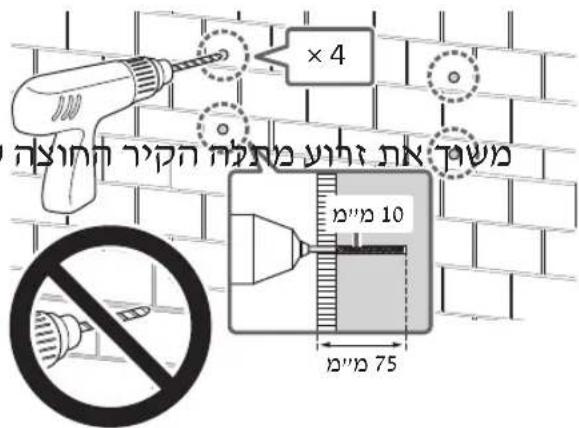
תַלְרָה
natural_image
Line drawing of a flat-screen TV unit with a door and side-mounted screen (no text or symbols).הכלה
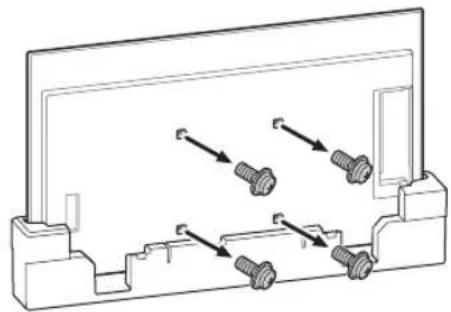
natural_image
Technical line drawing of a mechanical component with four bolted fasteners (no text or symbols)2
VS
2 psio
natural_image
Diagram showing screw arrangement inside a display panel with mounting holes (no text or symbols)natural_image
Two people holding a large rectangular object against a brick wall background (no text or symbols visible)
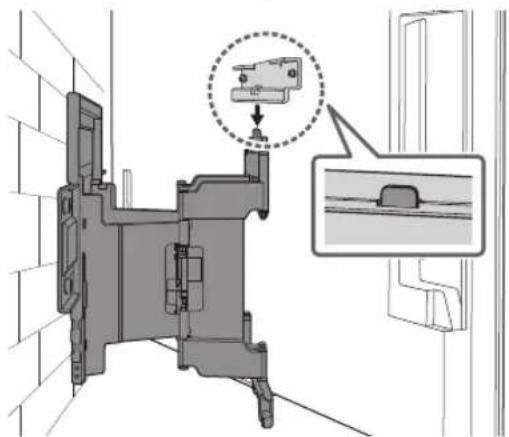
WM2 4
M6
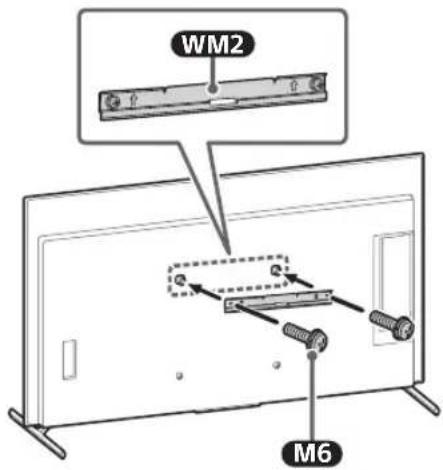
5
.תְקּוֹרָה
•
2
3
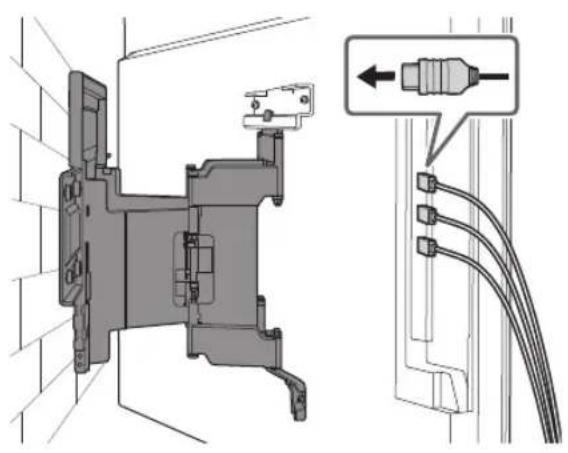
natural_image
Technical diagram of a mechanical assembly with connectors and wiring, showing no text or symbols4
. WM3 M6
תַרְשָׁ
WM3
5
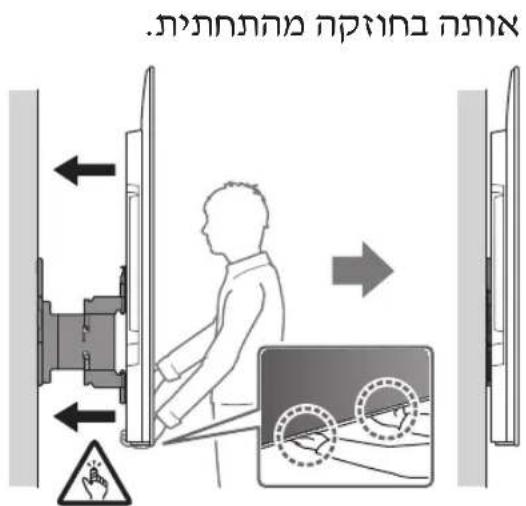
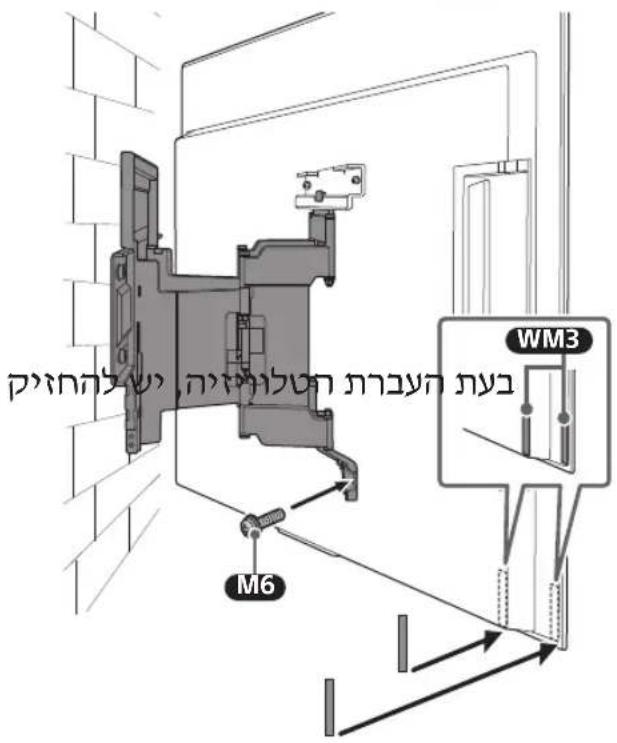
natural_image
Interior view of a room with a monitor, cable, and a potted plant (no text or symbols)תְרָה
תְקָרִיֹת אַלְעַעָה
natural_image
Technical line drawing of a mechanical or electrical component with no visible text or symbolsnatural_image
Technical line drawing of a mechanical component with no visible text or symbols(×6) WT1
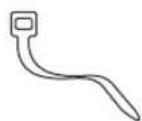

(×4) M6
مرفق مع التلفزيون
natural_image
Illustration of a handheld device and a pencil on a vertical line, no text or symbols presentnatural_image
Illustration of a person sitting in a chair facing a screen, with dashed lines indicating perspective projection (no text or symbols)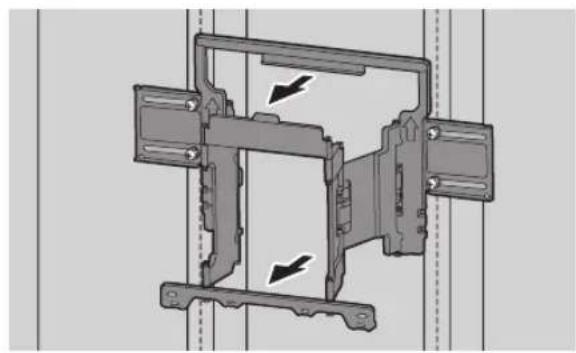
natural_image
Mechanical assembly diagram showing a frame with mounting brackets and directional arrows indicating motion (no text or symbols)natural_image
Technical line drawing of a mechanical component with four bolts and directional arrows indicating assembly (no text or symbols)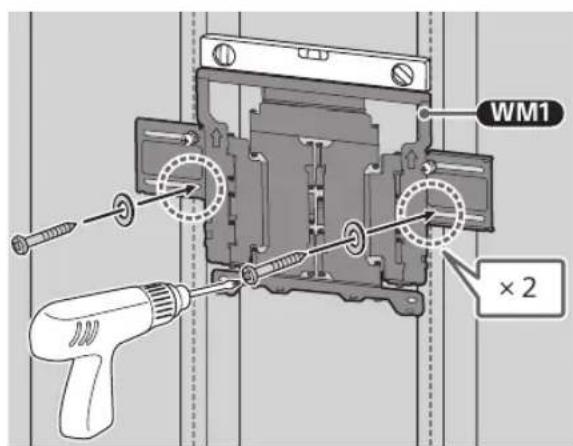
ملاحظة
natural_image
Line drawing of a rectangular panel with a door and mounting base, no text or symbols present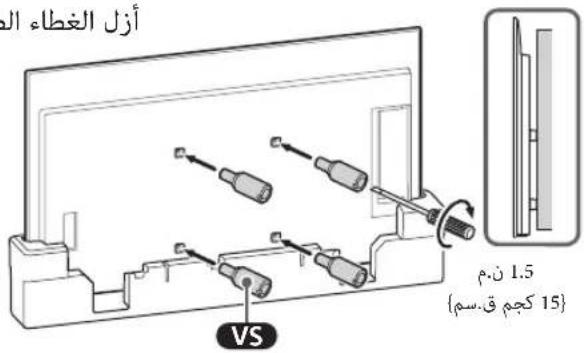
natural_image
Diagram showing three bolts inserted into a panel, with arrows indicating direction (no text or symbols)natural_image
Two people holding a large blackboard with vertical supports (no text or symbols visible)
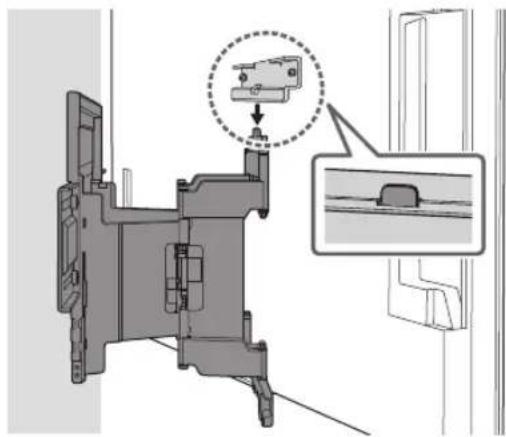
natural_image
Mechanical assembly diagram showing a bracket with a close-up inset of a component (no text or symbols)2
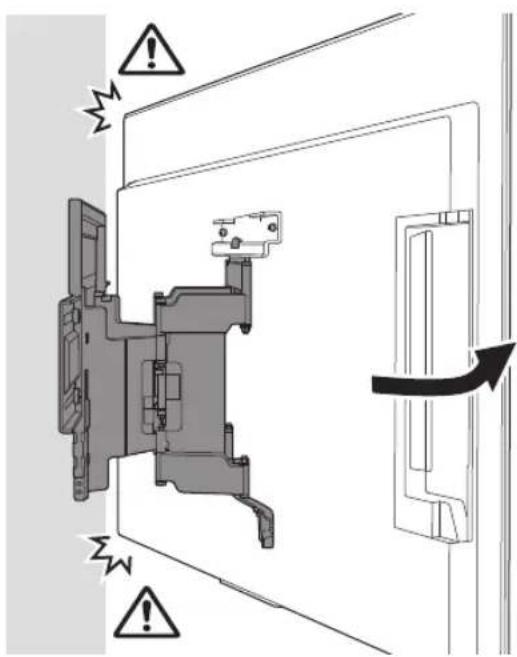
natural_image
Line drawing of three people examining a large rectangular object, with one person holding a tool and another pointing at it; no text or symbols present.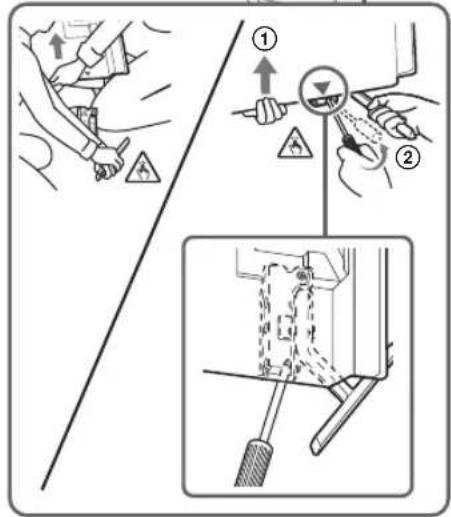
natural_image
Technical diagram of a mechanical assembly with labeled connectors and cable (no text or symbols present)5
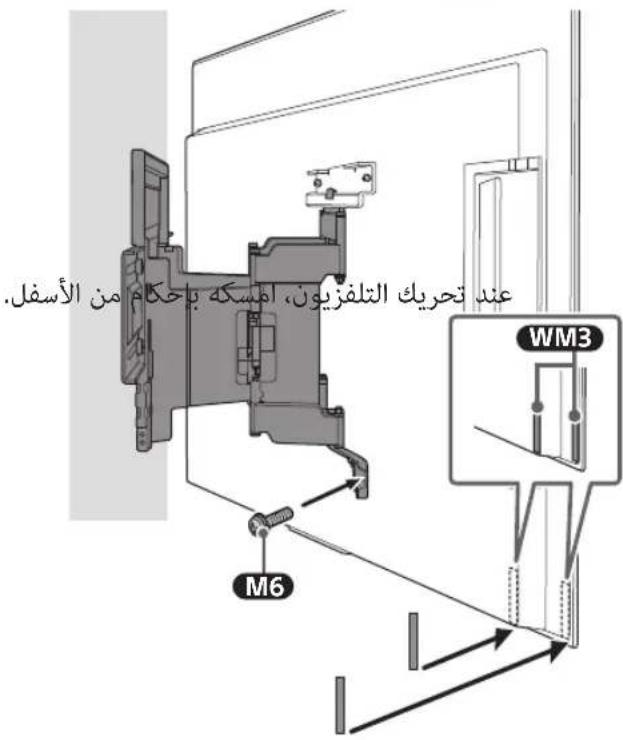
natural_image
Interior view of a room with a monitor, cable, and a potted plant (no text or symbols)6
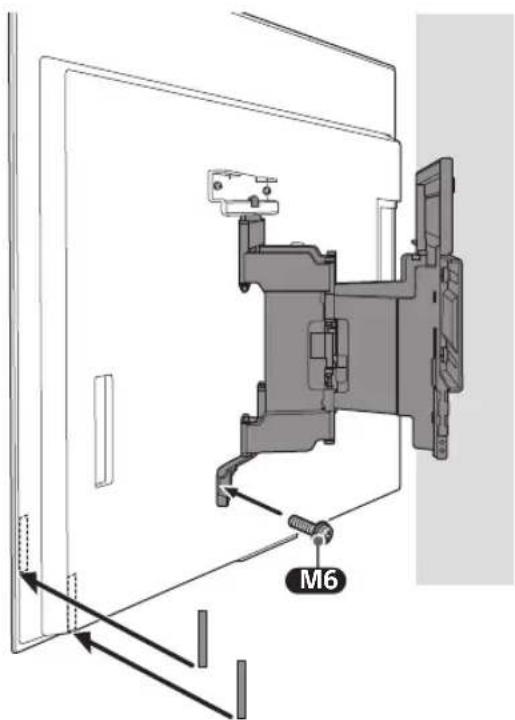
natural_image
Technical illustration of a wall-mounted TV mounted on a brick wall, with a separate schematic view labeled 'WM1' (no text or symbols on the diagram itself)natural_image
Illustration of a person sitting in a chair facing a screen with dashed lines indicating perspective projection (no text or symbols)تحذیر
natural_image
Mechanical assembly diagram showing a bracket mounted on a brick wall, with directional arrows indicating movement or force (no text or symbols present)6
4
natural_image
Line drawing of a flat-screen TV unit with a door and side-mounted screen (no text or symbols)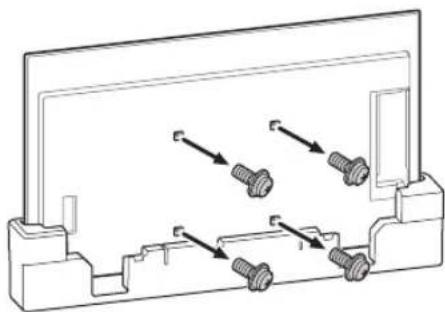
natural_image
Technical line drawing of a mechanical component with four bolted fasteners (no text or symbols)natural_image
Diagram showing screw arrangement inside a rectangular frame with mounting holes (no text or symbols)VS que mi piq mepfct thebiet jgadari baltefzion) lclaf thefzion (jgele moazia la jdar).
3
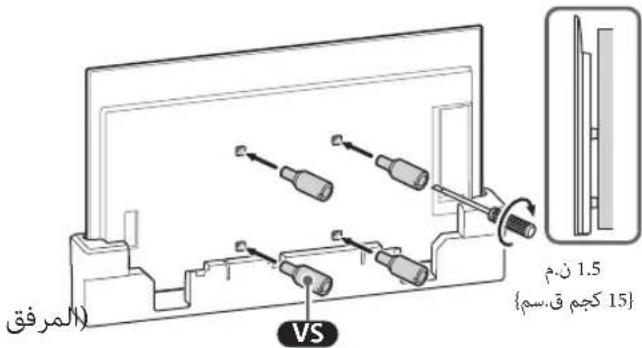
natural_image
Illustration of two people lifting a large blackboard on a brick wall, with a downward arrow indicating force (no text or symbols)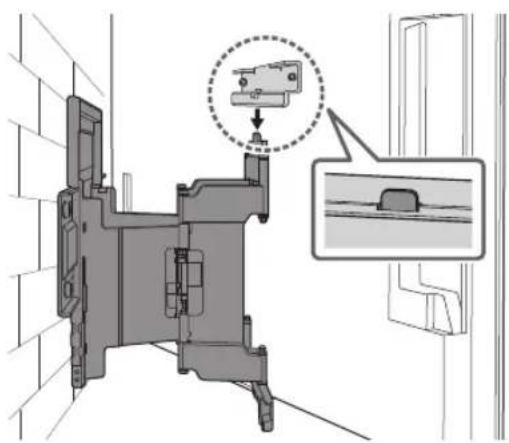
natural_image
Illustration of three people examining a large blank board with a magnifying glass (no text or symbols)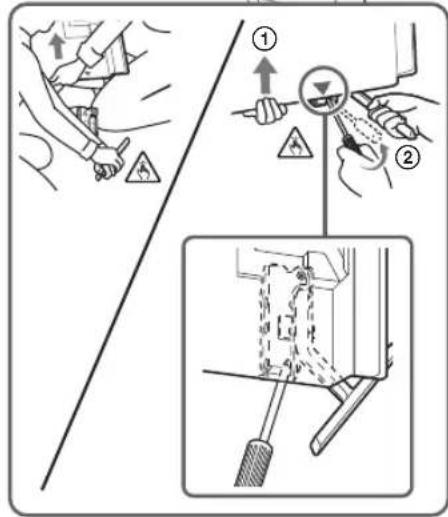
2
3 فة الت…”
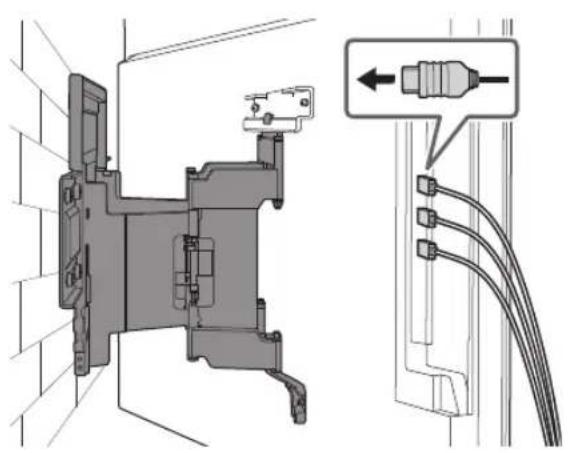
natural_image
Technical diagram of a mechanical assembly with wiring and component details (no text or symbols)4
5
natural_image
Interior view of a room with a monitor, cable, and a potted plant (no text or symbols)تحذیر
natural_image
Technical line drawing of an electrical contactor or relay mechanism (no text or symbols visible)natural_image
Technical line drawing of a mechanical component with no visible text or symbols(×6) WT1
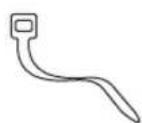

natural_image
Illustration of a handheld device and a pencil on a vertical line, no text or symbols present2
natural_image
Illustration of a person sitting in a chair facing a screen, with dashed lines indicating perspective projection (no text or symbols)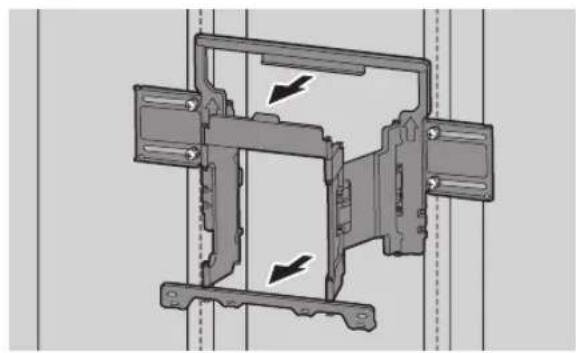
natural_image
Mechanical assembly diagram showing a frame with mounting brackets and directional arrows indicating motion (no text or symbols)natural_image
Technical line drawing of a mechanical component with four bolted fasteners (no text or symbols)natural_image
Line drawing of a flat-screen TV unit with a door and side-mounted screen (no text or symbols)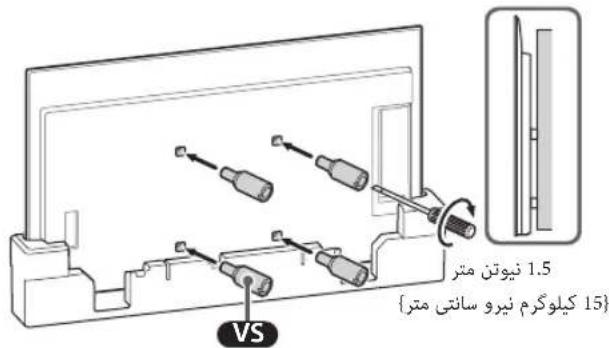
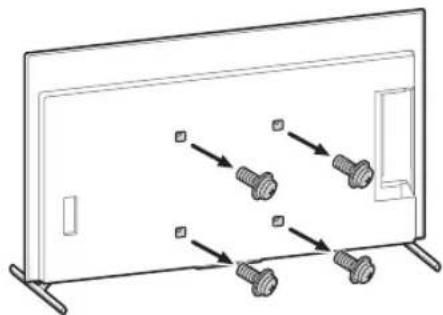
natural_image
Diagram showing screw arrangement inside a rectangular frame with mounting holes (no text or symbols)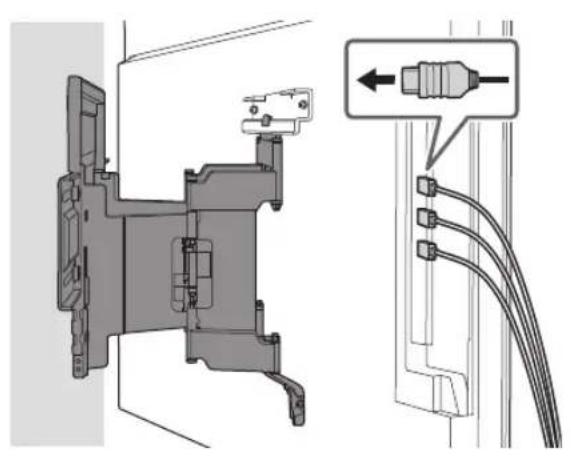
natural_image
Technical diagram of a mechanical assembly with labeled connectors and cable connections (no text or symbols present)natural_image
Technical illustration of a wall-mounted TV mounted on a brick wall, with an inset diagram showing internal components (no text or symbols)natural_image
Illustration of a person sitting in a chair facing a screen with dashed lines indicating perspective projection (no text or symbols)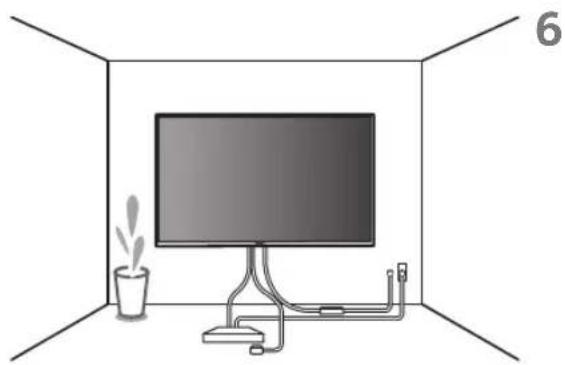
natural_image
Interior view of a room with a monitor, cable, and a potted plant (no text or symbols)هشدار
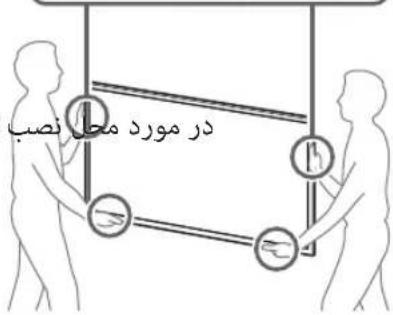
natural_image
Mechanical assembly diagram showing a bracket mounted on a brick wall, with directional arrows indicating motion (no text or symbols present)natural_image
Line drawing of a flat-screen TV unit with a door and side-mounted screen (no text or symbols)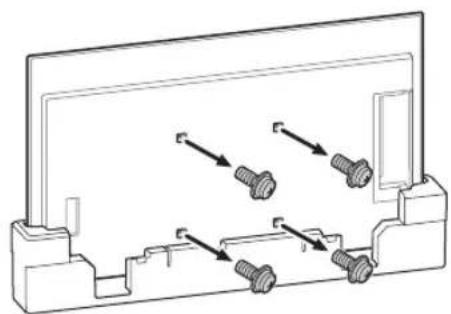
natural_image
Technical diagram of a mechanical component with multiple bolts and directional arrows indicating assembly (no text or labels)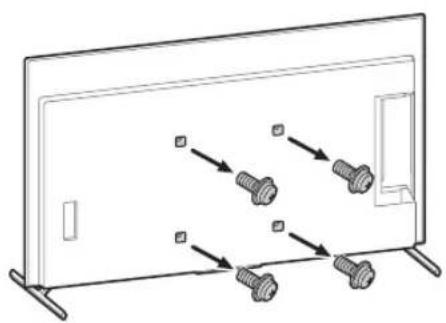
natural_image
Diagram of a monitor with four bolts and directional arrows indicating movement or assembly (no text or symbols)natural_image
Interior view of a room with a monitor, cable, and a potted plant (no text or symbols)هشدار
بېرىسى تكىمەل نىصى



- To Customers
- To Sony Dealers and Contractors
- Wall-Mount Bracket
- On Safety
- WARNING
- PROFESSIONAL INSTALLATION REQUIRED
- To Sony Dealers
- CAUTION
- Specified products
- Be sure to subcontract the installation to licensed contractors and keep small children away during the installation.
- Be sure to subcontract moving or dismounting of the TV to licensed contractors.
- Do not remove screws, etc., after mounting the TV.
- Do not make alterations to the parts of the Wall-Mount Bracket.
- Do not mount any equipment other than the specified product.
- Do not apply any load other than the TV on the Wall-Mount Bracket. Do not shake the TV left/right, up/down.
- Do not lean on or hang from the TV.
- Do not handle the product with excessive force during cleaning or maintenance.
- Do not place this product close to medical devices.
- Keep out of the reach of children or the supervised individuals.
- Precautions
- Installing the Wall-Mount Bracket
- Do not install the Wall-Mount Bracket on wall surfaces where the corners or the sides of the TV protrude away from the wall surface.
- Do not install the TV over or under an air-conditioner.
- Be sure to install the Wall-Mount Bracket securely to the wall following the instructions in this instruction manual.
- Be sure to assemble the bracket properly following the instructed procedure explained in this instruction manual.
- Be sure to tighten the screws securely in the designated position.
- Be careful not to subject the TV to shock during installation.
- Be sure to install the TV on a wall that is both perpendicular and flat.
- After proper installation of the TV, secure the cables properly.
- Do not allow the AC power cord (mains lead) or the connecting cable to be pinched.
- The screws needed to secure the Wall-Mount Bracket to the wall are not supplied.
- Before Getting Started
- What Is Your Wall Made Of?
- Checking the Parts
- Supplied with SU-WL850
- Supplied with the TV
- Preparing for Installation
- A Attaching the Wall-Mount Bracket to the Dry Wall with Studs
- Installing the Wall-Mount Bracket to the Wall
- Decide on the installation location.
- Note
- 2
- Align WM1 to the wall and make four marks aligned with the studs.
- Drill upper pilot holes on the marks.
- Precaution
- Preparing for the Installation of the TV
- Installing the TV to the Wall from Carton\*
- Installing the TV to the Wall from Table-Top Stand
- Attach the WM2 to the TV using M6.
- Detach the Table-Top Stand from the TV.
- Installing the TV on the Wall
- Confirming the Completion of the Installation
- Other Information
- Specifications
- Dimensions: (Approx.) [mm]
- Mass (base only): (Approx.) [kg] 3.0
- References
- Measurement for Wall-Mount Bracket installation on the wall
- Remarque
- AVERTISSEMENT
- Dimensions : (Environ) [mm]
- Nota
- ADVERTENCIA
- Hinweis
- WARNUNG
- Opmerking
- WAARSCHUWING
- AVVERTENZA
- Medföljer TV:n
- Obs!
- Uwaga
- OSTRZEŻENIE
- Fornecida com o televisor
- Instalar o Suporte de parede na parede
- AVISO
- Peso (apenas base): (Aprox.) [kg] 3,0
- Følger med TV'et
- Klargøring for installation
- Find TV'ets placering.
- Bemærk
- Bemaerk
- ADVARSEL
- Kontroller monteringen
- Kiinnitä
- Huomautus
- VAROITUS
- Inkludert med TV-en
- Installere veggmonteringsbraketten på veggen
- Bestemme installasjonsstedet.
- Merknad
- Σημείωση
- ΠΡΟΕΙΔΟΠΟΙΗΣΗ
- 3
- Not
- UYARI
- A TV-hez mellékelve
- Megjegyzés
- FIGYELMEZTETÉS
- Poznámka
- VAROVÁNÍ
- VÝSTRAHA
- Rozmery: (pribl.) [mm]
- Notă
- AVERTISMENT
- Използвайте
- правилно
- Доставено с телевизора
- Забележка
- ПРЕДУПРЕЖДЕНИЕ
- Примечание
- Примітка
- ЗАСТЕРЕЖЕННЯ
- Komplektis teleri
- Seinale paigaldamise kinnituse paigaldamine seinale
- HOIATUS
- Mass (ainult alus): (umbes) [kg]
- Komplektä ar televizoru
- BRĪDINĀJUMS!
- Piezime
- Tiekiama kartu su televizoriumi
- JSPÈJIMAS
- Pastaba
- Priloženo televizorju
- Priprava za vgradnjo
- Montaža nosilca za stensko montažo na steno
- Nosilec WM1 namestite na steno in na tramovih naredite štiri oznake.
- Opomba
- OPOZORILO
- Preverjanje vgradnje
- Isporučeno sa TV-om
- Priprema za postavljanje televizora na zid
- Napomena
- Postavljanje TV-a na zid iz kutije\*
- UPOZORENJE
- Нускау
- ECKEPTY
- Proverite da li ste pravilno sklopili nosač za zid postupajući prema datom postupku objašnjenom u ovom uputstvu za upotrebu.
- Isporučeno uz TV
- Postavljanje na zid Nosača za postavljanje na zid
- Priprema za postavljanje TV-a
- Postavljanje TV-a na zid
- Potvrđivanje završetka postavljanja
- Poravnajte WM1 sa zidom i napravite četiri oznake.
- Probušite vodeće rupe na oznakama.
- 电视机随附
- 安装准备
- 将挂壁式支架安装至墙上
- 确定安装位置。
- 准备安装电视机
- 注意
- 警告
- 确认安装完成
- 隨電視機提供
- 準備安裝
- 將壁掛式支架安裝至牆壁
- 確定安装位置。
- 準備安裝電視機
- 註
- 確認安裝完成
- Chuẩn bị lắp đặt TV
- Lưu ý
- CẢNH BÁO
- Luru y
- CÀNH BÁO
- ไห้มาพร้อมกับทีวี
- หมายเหตุ
- คำเตือน
- Memasang Braket Penyangga Dinding ke dinding
- Catatan
- PERINGATAN
- Berat (hanya alas): (Perkiraan) [kg]
- ?הכלהה
- 8
- 5
- 6
- 7
- psio
- תְקָרִיֹת אַלְעַעָה
- مرفق مع التلفزيون
Brand : SONY
Model : XR77A80L
Category : Television