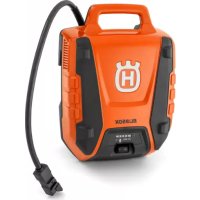
BLi950X - Battery HUSQVARNA - Free user manual and instructions
Find the device manual for free BLi950X HUSQVARNA in PDF.



| Product type | Rechargeable Li-Ion battery |
| Brand | Husqvarna |
| Model | BLi950X |
| Charger power supply | 100-240 V AC, 50-60 Hz, 750 W (model 40-C750X) |
| Operating temperature | -10 °C to 40 °C |
| Charging temperature | 5 °C to 40 °C |
| Charge indicator | 5 LEDs on the battery, 1% display on the adapter |
| Main functions | Power source for Husqvarna products (trimmer, hedge trimmer, blowers), adapter with screen, adjustable shoulder strap |
| Maintenance and cleaning | Clean the terminals with a clean, dry cloth. Keep the battery clean and dry. |
| Safety | Read the manual, use only approved Husqvarna chargers, do not disassemble, protect from water and heat, do not use if damaged |
| Spare parts and repairability | Replaceable fuse (type not specified). Repairs by authorized dealer only. |
| General information | Complies with EU and UK directives. Do not dispose of with household waste, recycle at a waste disposal center. |
| Intended use | Powering applicable Husqvarna power products |
| Symbols | Read the manual, recycling, do not immerse in water |
Frequently Asked Questions - BLi950X HUSQVARNA
User questions about BLi950X HUSQVARNA
0 question about this device. Answer the ones you know or ask your own.
Ask a new question about this device
Download the instructions for your Battery in PDF format for free! Find your manual BLi950X - HUSQVARNA and take your electronic device back in hand. On this page are published all the documents necessary for the use of your device. BLi950X by HUSQVARNA.
USER MANUAL BLi950X HUSQVARNA
EN Operator's manual 3-7
natural_image
Line drawing of two connected devices with power connections (no text or symbols)


natural_image
Line drawing of a portable electronic device with labeled component A (no text or symbols on the device itself)
Contents
Introduction.... 3
Safety....4
Operation.... 4
Troubleshooting....6
Transportation, storage and disposal.... 6
Technical data....6
Introduction
Product description
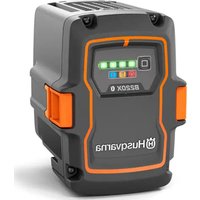
The Husqvarna BLi950X is a Li-ion battery.
Intended use
This product is used as power source for applicable Husqvarna electrical products, for example grass
Product overview
(Fig. 1)
- Battery charger (accessory)
- Charging and error indicator on charger
- Adapter
- Battery indicator button
- Display on the adapter
- Error LED on the adapter
- Battery
- Power switch
- Battery indicator button
- LED indicator for the state of charge
- Charging LED on the battery
- Error LED on the battery
- Hooks for the battery
- Lock handles for the battery
- Shoulder strap
- Foot support
Symbols on the product

Be careful and use the product correctly. This product can cause serious injury or death to the operator or others.

Read the operator's manual carefully and make sure that you understand the instructions before use.

The product agrees with the applicable EC directives.

This product conforms to applicable UK regulations.
trimmers, hedge trimmers and blowers. All other use is incorrect.

Recycle the product at an applicable disposal location for electrical and electronic equipment.
The product or package of the product is not domestic waste.

Do not submerge the battery in water.
yyyywwxxxx The rating plate shows serial number. yyyy is the production year, ww is the production week.
Note: Other symbols/decals on the product refer to certification requirements for some commercial areas.
Product damage
We are not responsible for damages to our product if:
• the product is incorrectly repaired.
- the product is repaired with parts that are not from the manufacturer or not approved by the manufacturer.
- the product has an accessory that is not from the manufacturer or not approved by the manufacturer.
- the product is not repaired at an approved service center or by an approved authority.
Safety
Safety definitions
Warnings, cautions and notes are used to point out specially important parts of the manual.

WARNING: Used if there is a risk of injury or death for the operator or bystanders if the instructions in the manual are not obeyed.

CAUTION: Used if there is a risk of damage to the product, other materials or the adjacent area if the instructions in the manual are not obeyed.
Note: Used to give more information that is necessary in a given situation.
Important safety instructions

WARNING: Read all safety warnings and all instructions. Failure to obey the warnings and instructions may result in electrical shock, fire and/or serious injury.
Note: Save all warnings and instructions.
- Only use Husqvarna approved battery chargers to charge Husqvarna original batteries. The batteries are software encrypted.
- When an adapter is required, only use Type BLiX Adapter from Husqvarna.
-
Use the BLi950X battery that is rechargeable, as a power supply for the related Husqvarna products only. To prevent injury, do not use the battery as a power supply for other devices.
-
Do not lift the battery or adapter by the cable. To disconnect the battery charger from a power outlet, pull out the plug. Do not pull the power cord.
- Do not try to disassemble or repair the battery. All repairs is to be done by an approved dealer only.
- Keep the battery away from sunlight, heat or open flame. The battery can cause burns and/or chemical burns.
- Keep the battery away from environments that can cause corrosion to the battery.
- Do not use a damaged battery or battery charger.
- Do not cause mechanical shock to the battery.
- Do not remove the battery from its package until you are to use it.
- If the battery leaks, do not let the liquid touch your body or eyes. If you touch the liquid, clean the area with a large quantity of water and soap, and get medical aid. If you get liquid in your eyes, do not rub but flush with water for a minimum of 15 minutes and get medical aid.
- Keep the battery away from children.
- Keep the battery clean and dry.
- Clean the battery terminals with a clean dry cloth if they become dirty.
- Keep the battery cables away from water, oil and sharp edges. Make sure that the battery cables are not twisted or caught between doors, fences or equivalent.
- Do not keep the battery connected to the battery charger when it is fully charged.
- Remove the battery from the product when you do not use it and during transportation.
- Keep batteries in storage away from metal objects such as nails, screws or jewelry.
- Do not use the harness for climbing. The harness is not approved for climbing. Incorrect use of the harness can cause injury.
Operation
Husqvarna Connect
Husqvarna Connect is a free app for your mobile device. The Husqvarna Connect app gives extended functions for your Husqvarna product.
- Extended product information.
• Information about, and help with, product parts and servicing.
To start to use Husqvarna Connect
- Download the Husqvarna Connect app on your mobile device.
-
Register in the Husqvarna Connect app.
-
Follow the instruction steps in the Husqvarna Connect app to connect and register the product.
Note: Husqvarna Connect app is not available for download in all markets. Speak to your servicing dealer for more information.
Operation
- The battery must be charged before you use it for the first time. Always use Husqvarna approved battery chargers.
-
Use the battery only when the ambient temperature is between -10ircC (14°F) and 40ircC (104°F).
-
Use the battery charger only when the ambient temperature is between 5ircC (41°F) and 40ircC (104°F).
- The battery will not charge if the battery temperature is more than 50ircC (122°F).
- Push the battery indicator button to get information of the state of charge of the battery.
To charge the battery
Note: Charge the battery if it is the first time that you use it. A new battery is only 30% charged.

CAUTION: Only charge the battery when the ambient temperature is between 5°C (41°F) and 40°C (114°F).
- Make sure that the battery is dry.
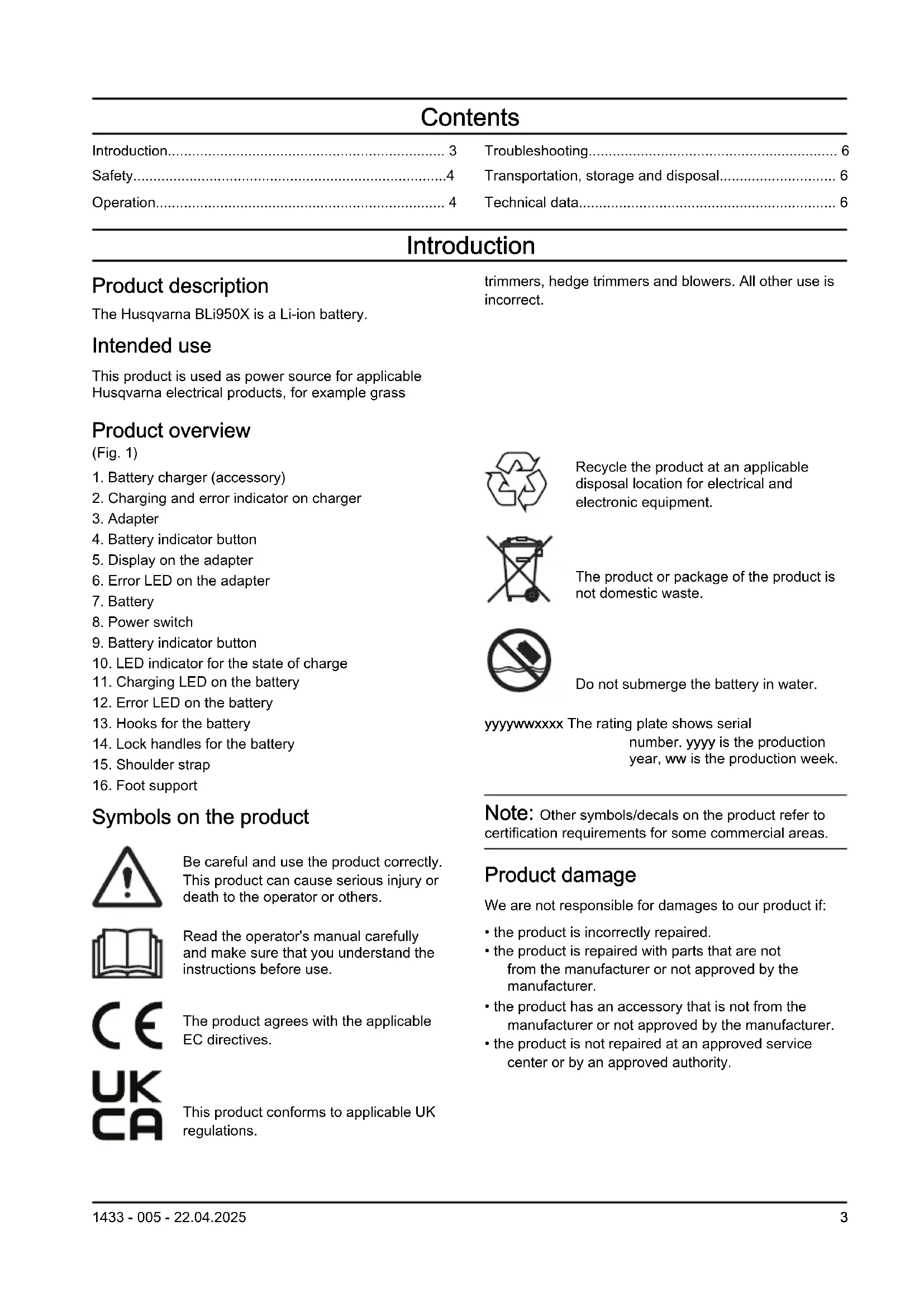
- Connect the battery to the adapter. (Fig. 2)
- Put the adapter in the battery charger.
- Make sure that the green charging LED on the battery charger comes on. That means that the adapter and battery are connected correctly.
- When all LEDs on the battery come on and the adapter shows 100%, the battery is fully charged. The adapter shows the state of charge in steps of 1%. Small deviations are possible at the start of the charge.
- To disconnect the battery charger from the mains socket, pull the plug. Do not pull the cable.
- Remove the adapter from the battery charger.
- Remove the battery from the adapter.
To start the battery
- Push the power switch of the battery to ON. Refer to Product overview on page 3. Wait until the green LED comes on.
Note: The battery stops automatically when the battery is not used.
Battery LED indicator
The display shows the state of charge and if there are problems with the battery.
| LED indicator | Battery status |
| All LED lights are on | The battery is 80% - 100% charged. |
| LED indicator Battery status | |
| 4 LED lights are on The battery is 60% - 80% charged. | |
| 3 LED lights are on The battery is 40% - 60% charged. | |
| 2 LED lights are on The battery is 20% - 40% charged. | |
| 1 LED light is on The battery is 0% - 20% charged. |
To adjust the shoulder strap
- Push the button (A) and turn the shoulder strap (B) to release the shoulder strap. (Fig. 3)
- Attach the shoulder strap in 1 of 3 positions (C).
- Turn the shoulder strap to lock it.
To attach the battery to the harness

WARNING: Only use Husqvarna original batteries.
- Make sure that the battery is fully charged.
- Pull out the lock handles. Refer to Product overview on page 3.
- Attach the battery on the hooks of the harness.
- Push the lock handles to lock the battery.
To connect the battery to the Husqvarna handheld product
Note: If you use the accessory (A) for grass trimmers, attach the accessory to the harness before you connect the battery.(Fig. 4)
- Connect the battery to the Husqvarna handheld product. (Fig. 5)
- Attach the cable to the harness.
To install the branch protection
The branch protection prevents accidents that can occur if branches get caught in the handle of the battery.
- Put the branch protection (A) in the handle. (Fig. 6)
Troubleshooting
Battery
| Symptoms Cause Solution | ||
| The error LED on the battery flashes. | Temperature deviation, the battery is too cold or too hot to use. | Let the battery cool down or move it indoors to warm it up. When the battery has the correct temperature, it can be used again. Use the battery in ambient temperatures between -10°C (14°F) and 40°C (104°F). |
| The battery is empty. Charge the battery. | ||
| The error LED on the battery comes on. | The battery cell difference is too much (1V). | Speak to your dealer. |
| The battery does not start. The battery fuse is blown. Replace the fuse. R | Refer to fuse on page 6. | To replace the |
To replace the fuse
-
Examine the fuse. A blown fuse is identified by a burned connector.
-
Set the power switch to OFF.
-
Remove the fuse cover (A). (Fig. 7)
-
Replace the fuse (B).
-
Install the fuse cover.
Transportation, storage and disposal
Transportation and storage
- The supplied Li-ion batteries obey the Dangerous Goods Legislation requirements.
- Obey the special requirement on package and labels for commercial transportations, also those from third parties and forwarding agents.
- Speak to a person with special training in dangerous material before you send the product. Obey all applicable national regulations.
- Use tape on the contacts when you put the battery in a package. Put the battery in the package tightly to prevent damage and accidents.
- Do not keep the battery in an area where static electricity can occur. Do not keep the battery in a metal box.
- Put the battery in a dry, frost free and clean space with correct temperature.
- Put the battery in storage where the temperature is between 5ircC (41°F) and 25ircC (77°F). Keep the battery away from sunlight.
- Charge the battery 30% to 50% before you put it in storage for long periods.
- Clean the battery before you put it in storage.
Disposal of the battery, battery charger and product
The symbol below means that the product is not domestic waste. Recycle it at a recycling station for electrical and electronic equipment. This helps to prevent damage to the environment and to persons.
Speak to local authorities, domestic waste service or your dealer for more information.

Note: The symbol shows on the product or package of the product.
Technical data
For technical data, refer to the rating plate of the battery.
Approved battery chargers
| Battery charger 40-C750X | |
| Input voltage, V 100-240 | |
| Frequency, Hz 50-60 | |
| Power, W 750 | |
Съдържание
Въведение....8
Безопасност....9
Операция.... 10
Original instructions
Оригинални инструкции
Původní pokyny


- Contents
- Introduction
- Product description
- Intended use
- Product overview
- (Fig. 1)
- Symbols on the product
- Product damage
- Safety
- Safety definitions
- Important safety instructions
- Operation
- Husqvarna Connect
- To start to use Husqvarna Connect
- To charge the battery
- To start the battery
- Battery LED indicator
- To adjust the shoulder strap
- To attach the battery to the harness
- To connect the battery to the Husqvarna handheld product
- To install the branch protection
- Troubleshooting
- To replace the fuse
- Transportation, storage and disposal
- Transportation and storage
- Disposal of the battery, battery charger and product
- Technical data
- Съдържание
Brand : HUSQVARNA
Model : BLi950X
Category : Battery