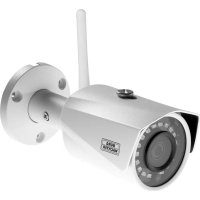
BURGcam BULLET 3040 - Surveillance Camera Burg Wächter - Free user manual and instructions
Find the device manual for free BURGcam BULLET 3040 Burg Wächter in PDF.



| Product type | Outdoor surveillance camera |
| Brand | Burg Wächter |
| Model | BURGcam BULLET 3040 |
| Resolution | 4 MP (2560 × 1440) |
| Sensor | 1/3" 4 MP Progressive Scan CMOS |
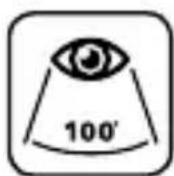
| Viewing angle | 100° (horizontal) |
| Night vision | Up to 30 m (infrared) |
| Protection rating | IP67 (waterproof and weather-resistant) |
| Connections | LAN (RJ-45), WLAN 2.4 GHz (802.11b/g/n) |
| Power supply | 12 V DC (power adapter included) |
| Power consumption | < 4.8 W |
| Storage | Micro SD card up to 256 GB (not included) |
| Weight | 0.45 kg |
| Dimensions | ∅ 70 × 165 mm |
| Temperature range | -30 °C to +50 °C |
| Additional functions | Motion detection (4 zones), privacy zones (4), WDR, 3D DNR, backlight compensation BLC/HLC/WDR |
| Mounting | Wall or ceiling, mounting kit included (screws, wall plugs, template) |
| Mobile app | BURGcam (compatible with Android and iOS) |
| Maintenance and cleaning | Clean with a slightly damp cloth, device turned off and unplugged |
| Security | Admin password, WPA2 encryption, regular firmware updates |
| General information | Complies with CE, RoHS, RED directives; GPL source code available upon request |
Frequently Asked Questions - BURGcam BULLET 3040 Burg Wächter
User questions about BURGcam BULLET 3040 Burg Wächter
0 question about this device. Answer the ones you know or ask your own.
Ask a new question about this device
Download the instructions for your Surveillance Camera in PDF format for free! Find your manual BURGcam BULLET 3040 - Burg Wächter and take your electronic device back in hand. On this page are published all the documents necessary for the use of your device. BURGcam BULLET 3040 by Burg Wächter.
USER MANUAL BURGcam BULLET 3040 Burg Wächter
text_image
BURG MACHTER Remote ad BURGcamRemote access via BURGcam Apps*
natural_image
Iconographic representation of three devices: a laptop, two smartphones, and one smartphone (no text or symbols)* Android and Apple Smartphone and tablet
natural_image
Exterior view of a surveillance camera with mounted flange and antenna (no visible text or symbols)


Language
de Deutsch 4
en English 32
fr Français 60
nl Nederlands 88
it Italiano 116
cs Česky 142
sk Slovenský 172
hu Magyar 200
ro Românesc 228
pt Português 256
dk Dansk 284
fi Suomalainen 312
no Norsk 340
sv Svenska 368
pI Polski 396
sl Slovensko 424
es Espanol 452
bg български 480
hr Hrvatski 508
ru русский 536
e/ Ελληνικά 564
et Eestlane 592
lv Latvietis 620
tr Türk 648
It Lietuvis 676
Lieferumfang
1x Kamera
1x Bohrlochschablone
1x 12V DC Netzteil
1x Antenne
1x Kurzanleitung
text_image
Technical diagram of a mechanical device with labeled components A, B, and CBeschreibung
text_image
Technical diagram of a device with labeled components and directional arrows indicating motion or assembly.Beschreibung
text_image
QR code image containing encoded data, no visible human-readable text
text_image
QR code image containing encoded data, no visible human-readable texttext_image
QR code image containing encoded data, no visible human-readable textBURGconfig Tool:
natural_image
Exterior view of a historic white castle with twin towers, surrounded by green lawns and trees under a clear sky (no signage or text)Allgemeines
text_image
QR code image containing encoded data, no visible human-readable text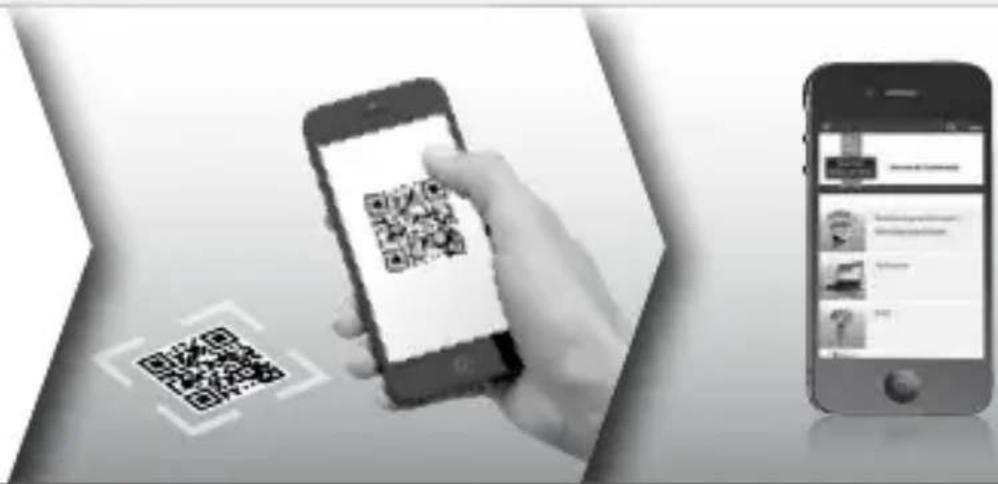
text_image
Mobile app interface showing smartphone scanning QR code and smartphone displaying app interface with text and imageswww.burg.biz → Products → Service & Downloads
https://www.burg.biz/service-downloads/manuals/#Videoueberwachung
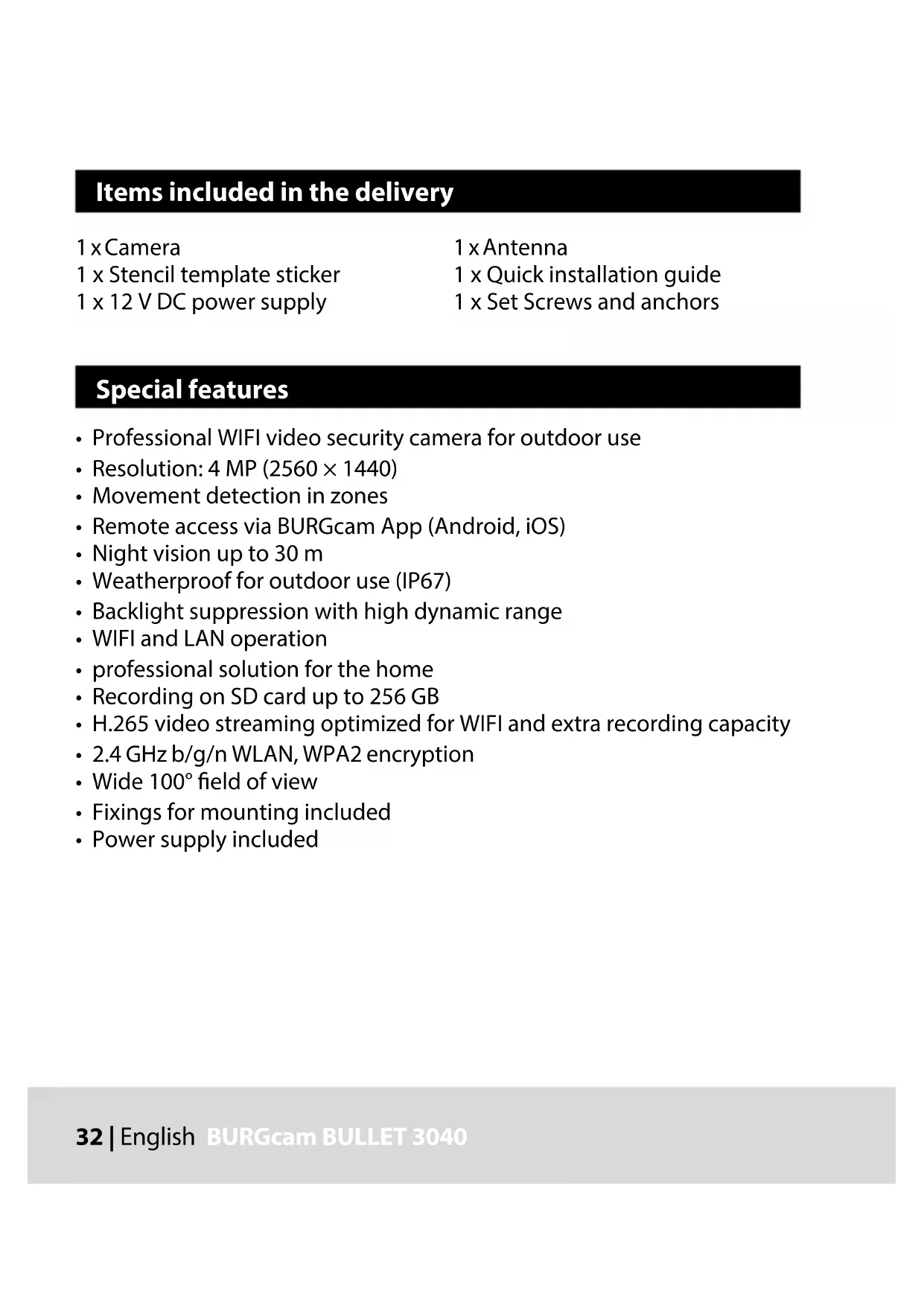
Items included in the delivery
1 x Camera
1 x Stencil template sticker
1 x 12 V DC power supply
1 x Antenna
1 x Quick installation guide
1 x Set Screws and anchors
Special features
• Professional WIFI video security camera for outdoor use
• Resolution: 4 MP (2560 × 1440)
- Movement detection in zones
- Remote access via BURGcam App (Android, iOS)
• Night vision up to 30 m
- Weatherproof for outdoor use (IP67)
- Backlight suppression with high dynamic range
- WIFI and LAN operation
• professional solution for the home
• Recording on SD card up to 256 GB
• H.265 video streaming optimized for WIFI and extra recording capacity
• 2.4 GHz b/g/n WLAN, WPA2 encryption
- Wide 100^ field of view
• Fixings for mounting included
• Power supply included
Technical drawing
Side view
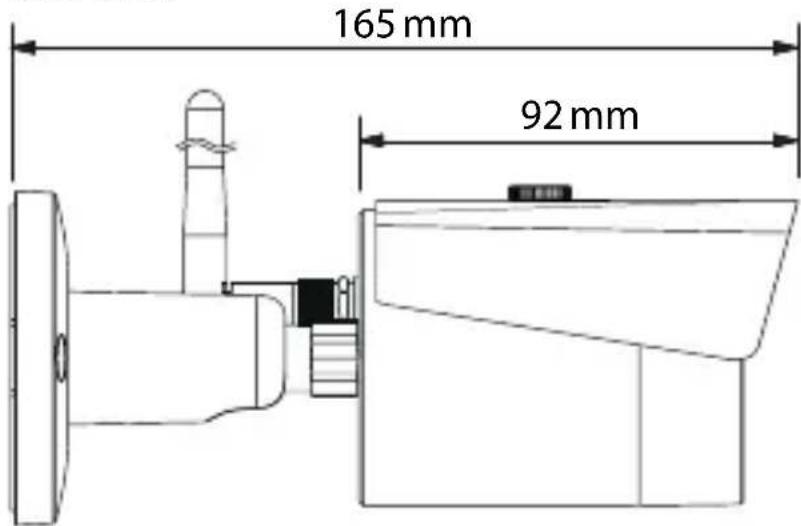
text_image
165 mm 92 mmRear view (bracket)
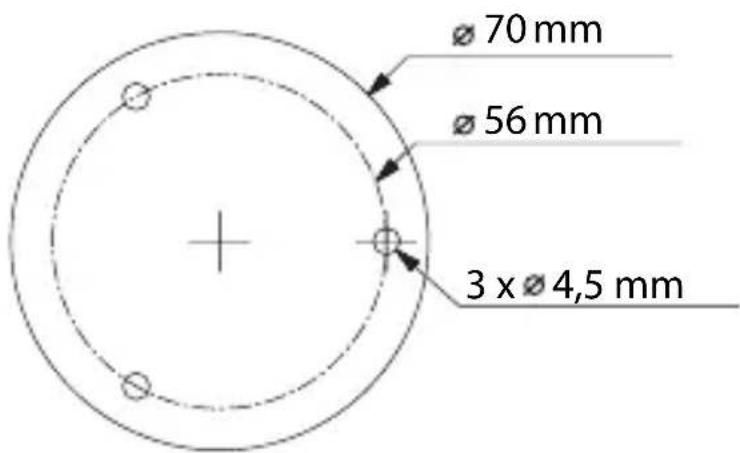
text_image
70 mm 56 mm 3 x 4,5 mmDrawings not true to scale.
Subject to technical changes. Errors excepted.
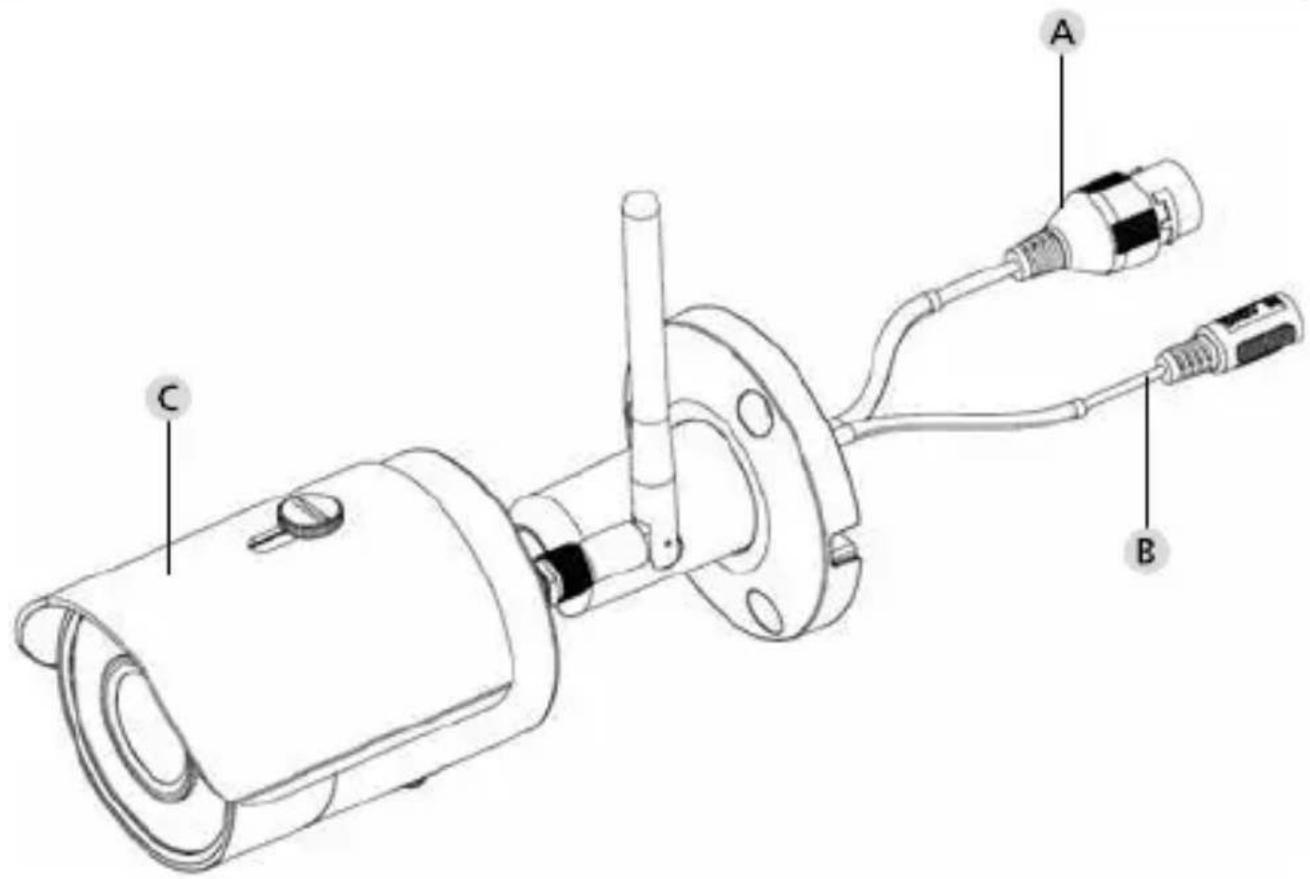
Connections, indicators and buttons
text_image
Technical diagram of a mechanical device with labeled components A, B, and CDescription
A LAN network cable connection
B 12 V DC power input port
C Removable / adjustable sun hood
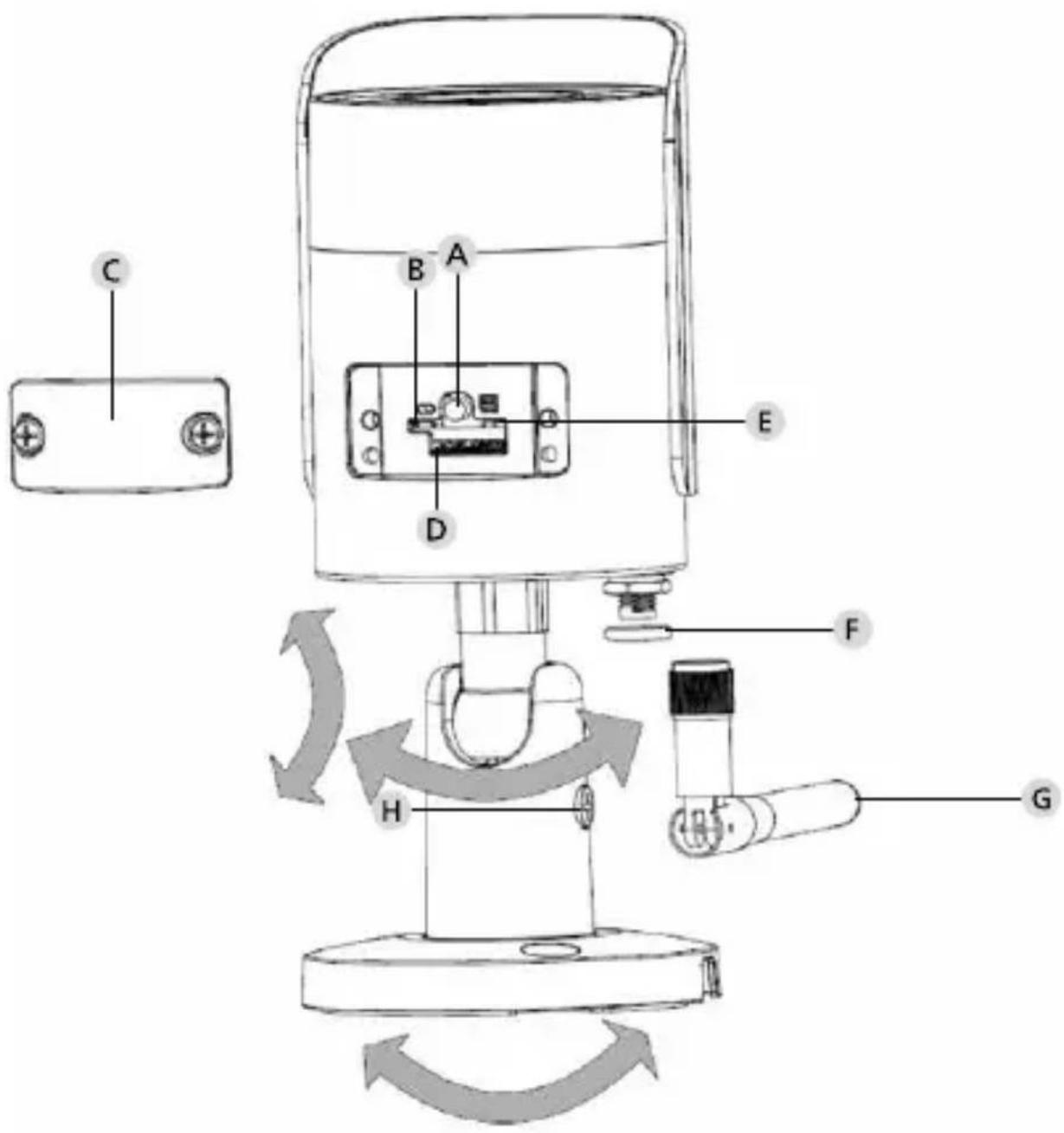
Connections, indicators and buttons
text_image
Technical diagram of a device with labeled components and directional arrows indicating motion or assembly.Description
A Reset: Press and hold the button for approx. 8 seconds until the control LED extinguishes in order to reset the camera configurations to factory default settings
B Status indicator light:
Red:Booting
Green slowly flashing: Booting completed; waiting for WiFi connection
Green quickly flashing: WiFi connection in progress
Green: WiFi connection successful; normal operation
Red and green lights flashing alternately: Camera upgrade
Red slowly flashing: Network connection failed or disconnected
Red quickly flashing: Camera malfunction, booting failed, alarm or SD card malfunction
Cover
D MicroSD card slot
F Waterproof ring
G WiFi antenna
H Locking screw
Installation
Preparations
Checklist:
| 1 Power supply is available at installation spot | |
| 2 For WIFI operation: WIFI signal strength is good enough for high quality video streaming. Maybe a repeater is required. | |
| 3 No power cable or water pipes can be damaged during installation | |
| 4 There are no obstacles in view field of the camera at desired location. Note: Check the plant growth | |
| 5 For WIFI operation: WIFI password is ready to hand | |
| 6 5 Ghz frequency band of the Dual-Band Router disabled | |
| 7 Smartphone connected to the WIFI SSID in which the camera is to be set up. |
Mounting
- For WIFI operation: First of all, please verify the WIFI signal strength using your smartphone / tablet. Check if there is a power supply at desired mounting location.
- Use the supplied screws, anchors and stencil sticker to fix the dome body in the desired location. Loosen the little fixing screw on the lens and adjust the lens position according to your needs. Then tighten the fixing screw again.
Connect to the network
There is a choose of 4 possible installation methods:
Via PC and software
Option 1 (p. 40): Setup via LAN (network cable) and PC with the „BURGconfig Tool“ software
Via Smartphone and BURGcam App
Option 2 (p. 42): Connect via WIFI with the BURGcam App Option 3 (p. 44): Connect via LAN (network cable)
Before starting the setup process, install and start the BURGcam App on the smartphone to enable remote access to be set up.
text_image
QR code image containing encoded data, no visible human-readable text
text_image
QR code image containing encoded data, no visible human-readable textBURGcam App for Android BURGcam App for iOS
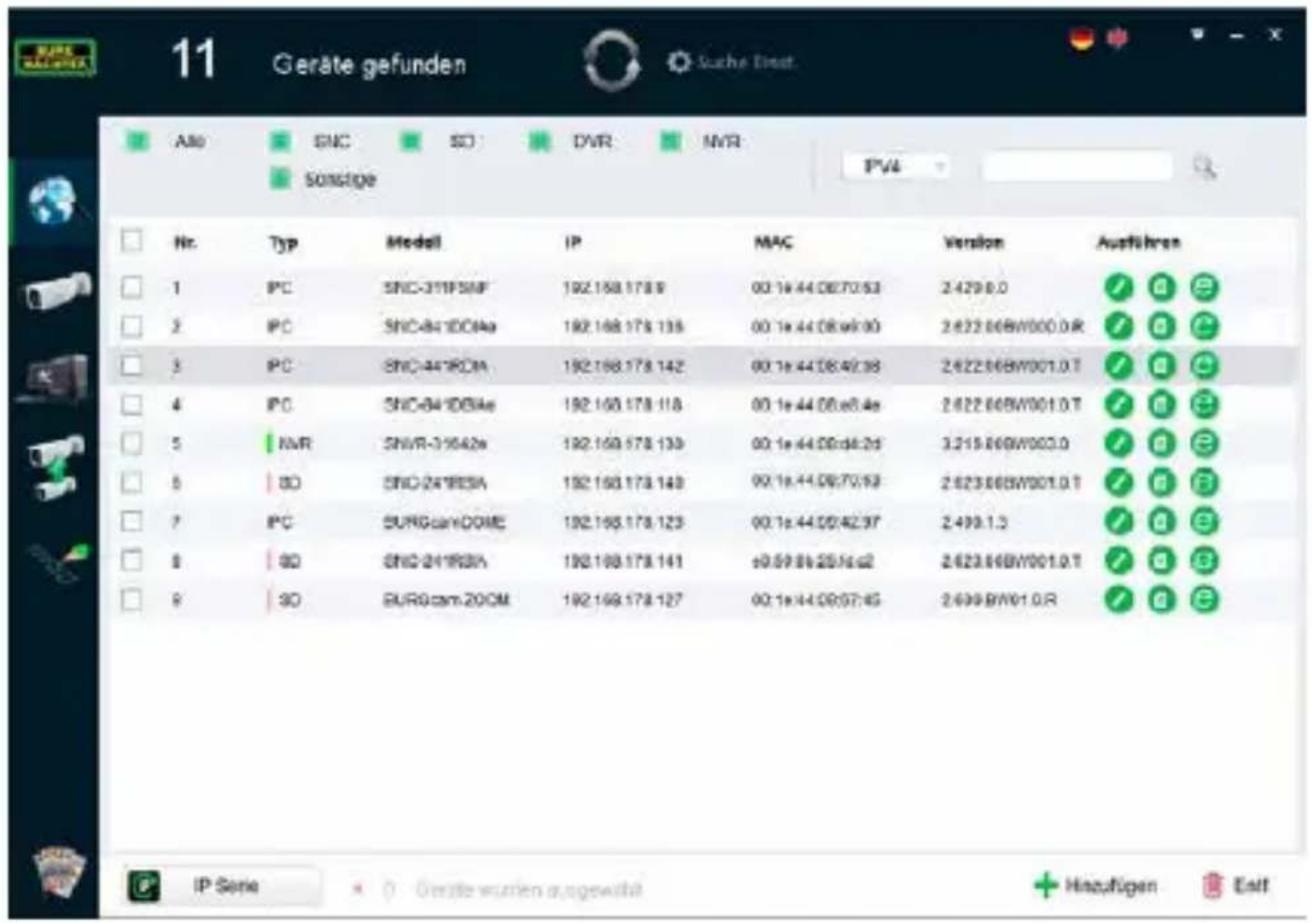
Option 1 - Setup via LAN (network cable) and PC with the „BURGconfig Tool“ software
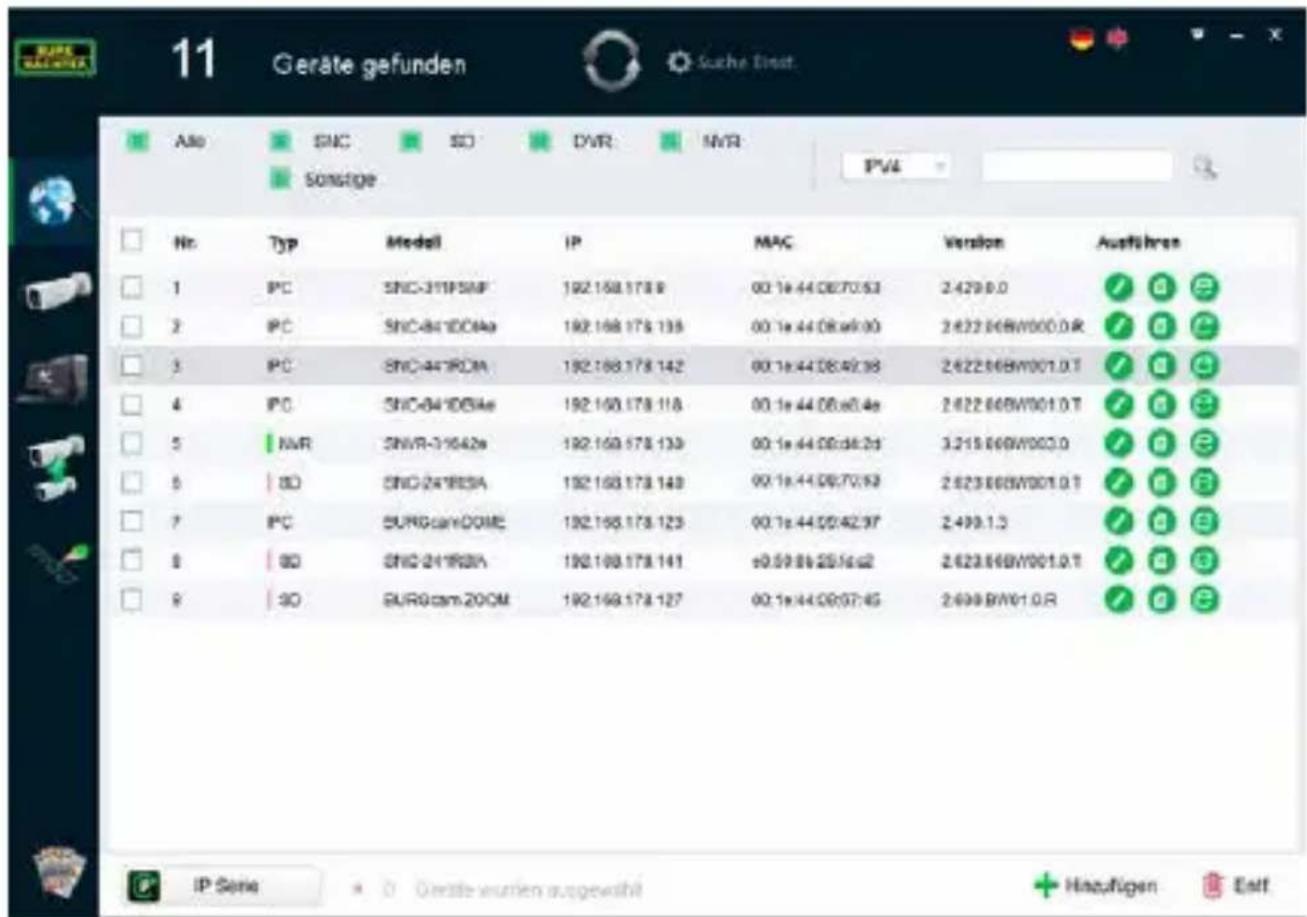
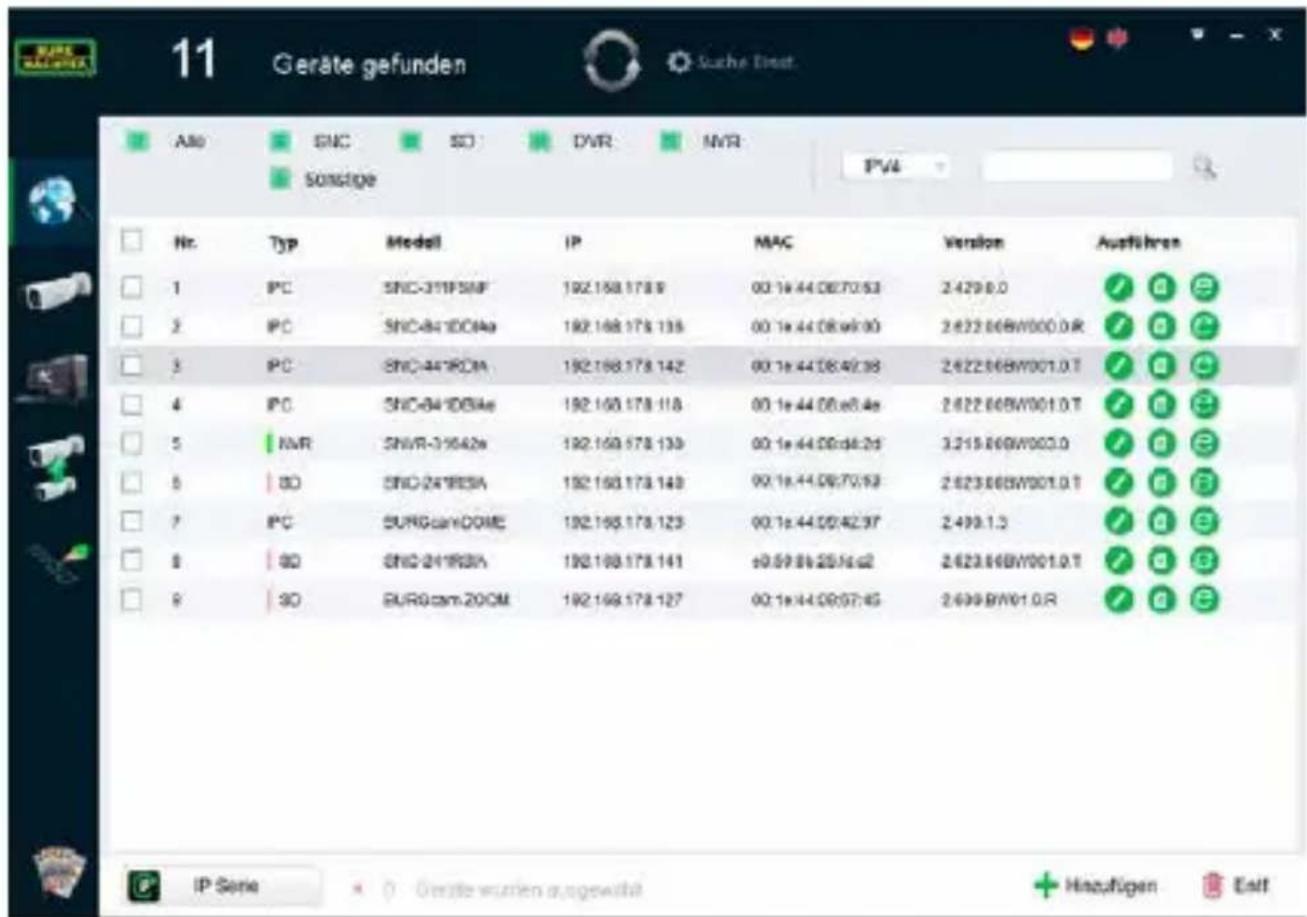
Connect the camera to your local router using the network cable (not supplied). Make sure the camera and PC/notebook are on the same network. Install the BURGconfig tool and start the application. The camera is supplied with DHCP (automatic IP assignment) as standard.
If your network uses fixed IPs the camera is displayed with IP 192.168.1.108. In this case, switch your PC IP to the same network.
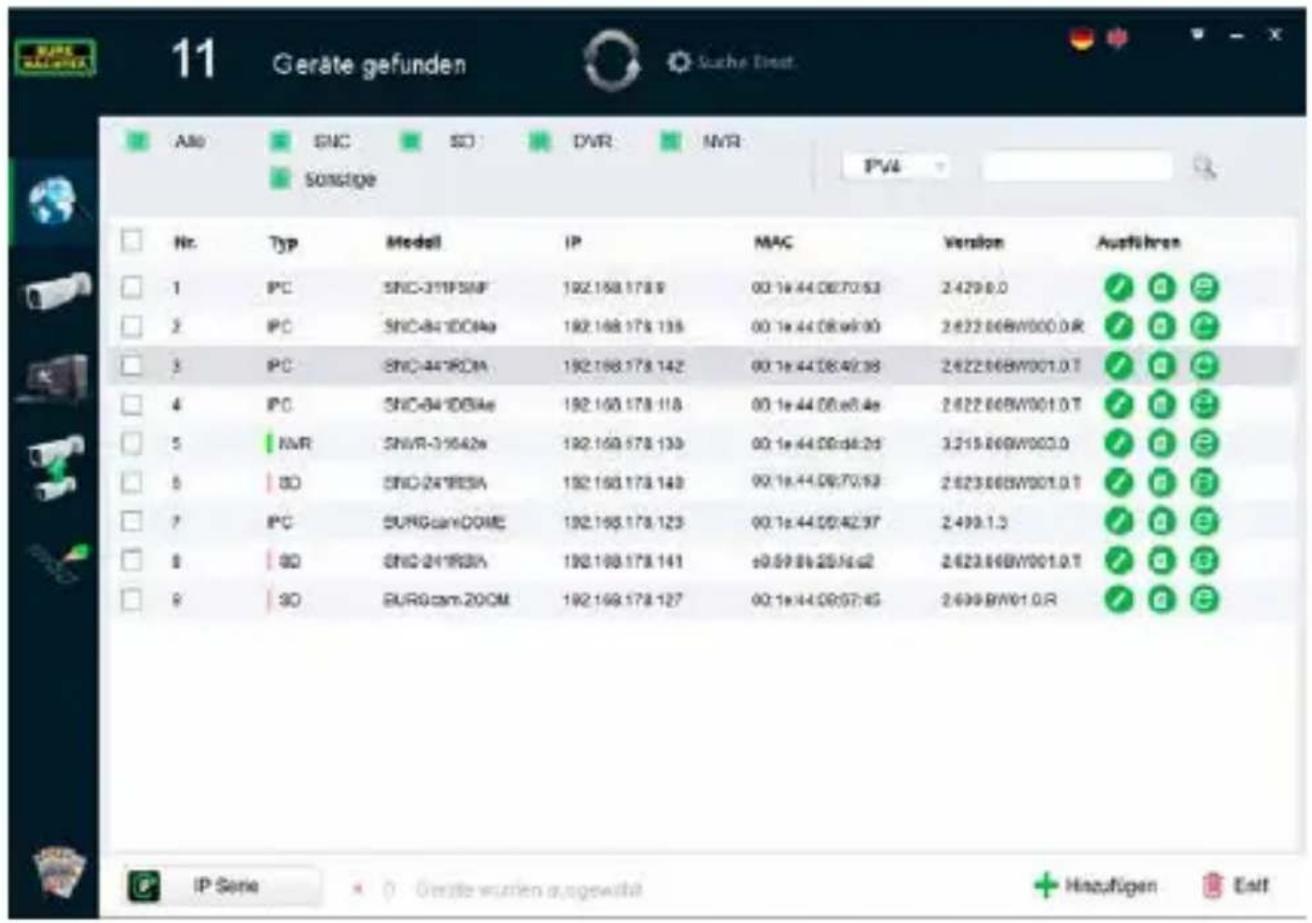
Select the desired device and click on the browser icon „e“ (Fig. 1)
The Setup Wizard appears and guides you through the menu. Follow the instructions and assign a secure password for the administrator account.
To add the device to the BURGcam App follow the instructions of „Integrating the camera in the BURGcam APP“.
text_image
QR code image containing encoded data, no visible human-readable textBURGconfig Tool:
Click here to download.
Alternatively you can download the BURGconfig tool from the homepage www.burg.biz
text_image
11 Geräte gefunden Als: SNC SD DVR MVR Sonstige PVG Nr. Typ Modell IP MAC Version Ausführten 1 IPC SNC-311PSNF 192.158.178.8 00:1e 44.08.70.53 2.429.0.0 ✓ ✓ ✓ ✓ 2 IPC SNC-841DC04a 192.158.178.138 00:1e 44.08.a6.00 2.622.86BW000.0.R ✓ ✓ ✓ ✓ 3 IPC SNC-441DCM 192.158.178.142 00:1e 44.08.49.38 2.622.86BW001.0.T ✓ ✓ ✓ ✓ 4 IPC SNC-841DCM4e 192.158.178.118 00:1e 44.08.a6.4e 2.622.86BW001.0.T ✓ ✓ ✓ ✓ 5 NVR SNVR-31642e 192.158.178.139 00:1e 44.08.d6.2d 3.215.86BW003.0 ✓ ✓ ✓ ✓ 6 ISO SNC-241BCSA 192.158.178.149 00:1e 44.08.70.59 2.623.86BW001.0.T ✓ ✓ ✓ ✓ 7 IPC SURGcamCONE 192.158.178.123 00:1e 44.08.42.97 2.499.1.3 ✓ ✓ ✓ ✓ 8 ISO SNC-241BCM 192.158.178.141 e0.59.86.25.f6.a2 2.623.86BW001.0.T ✓ ✓ ✓ ✓ 9 ISO SURGcam2OOM 192.158.178.127 00:1e 44.08.97.45 2.699.BW01.0.R ✓ ✓ ✓ ✓ IP Serie ✗ O Erste wurden ausgewählt Haufligen EinkFig 1
Option 2 - Setup via WIFI with the BURGcam App
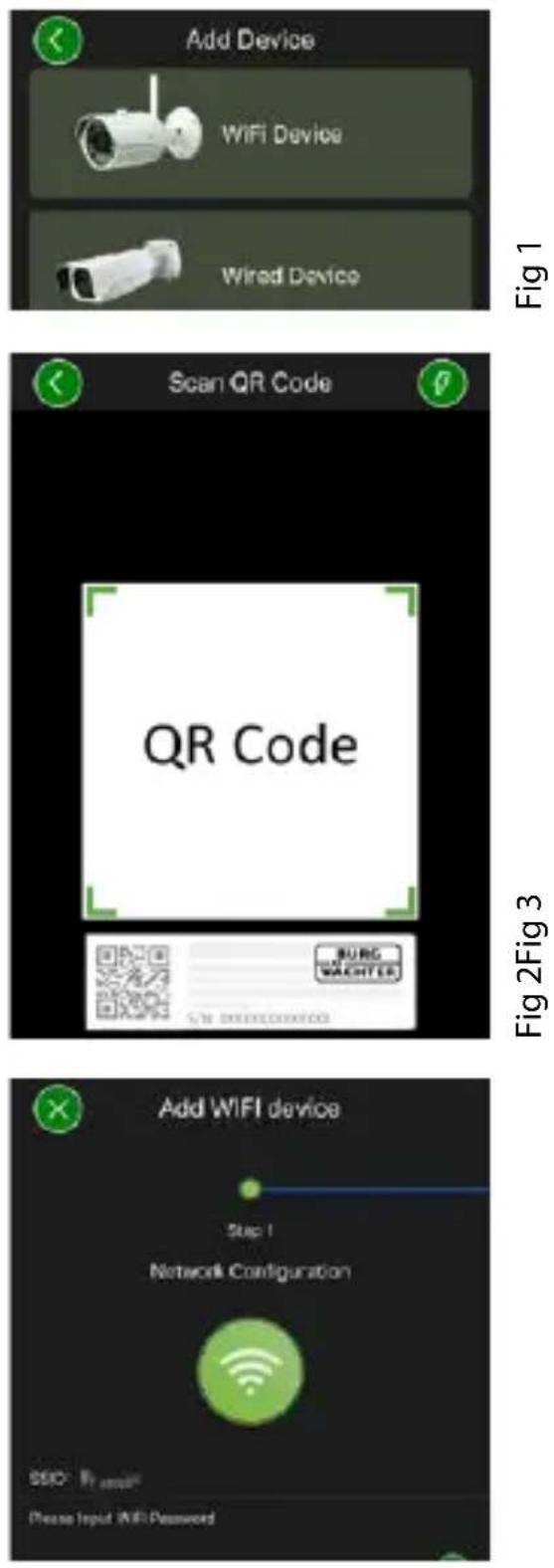
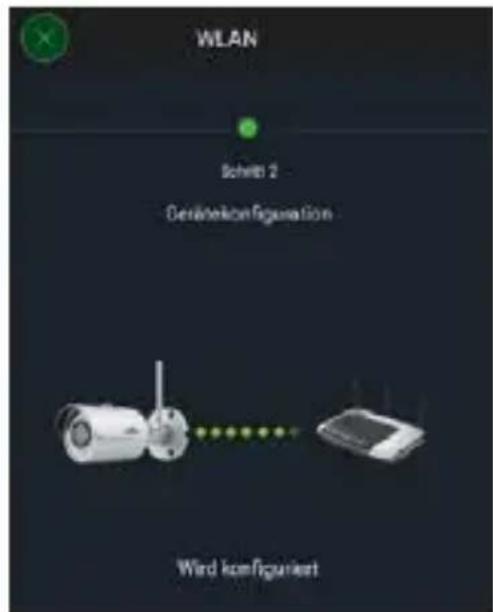
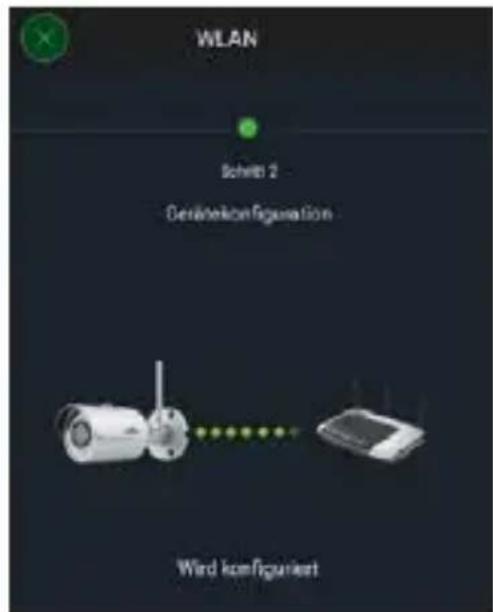
- Tap on „Device Manager“ -> „+“ -> „Camera“ -> „WIFI Device“ -> „WIFI Connection“ to establish a connection between the camera and the router via WIFI. (Fig 1)
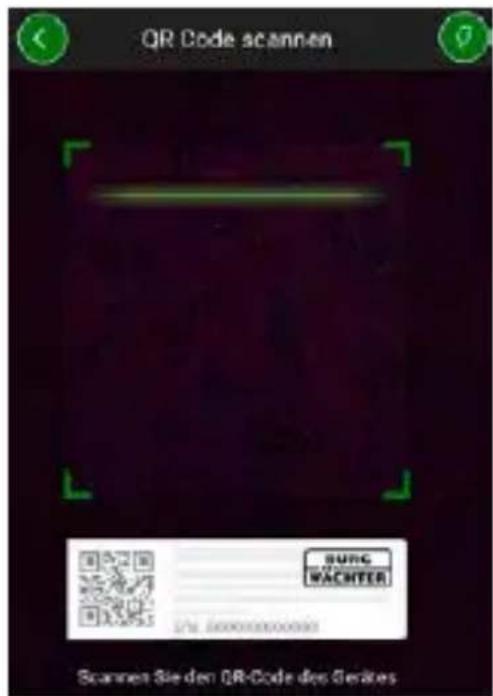
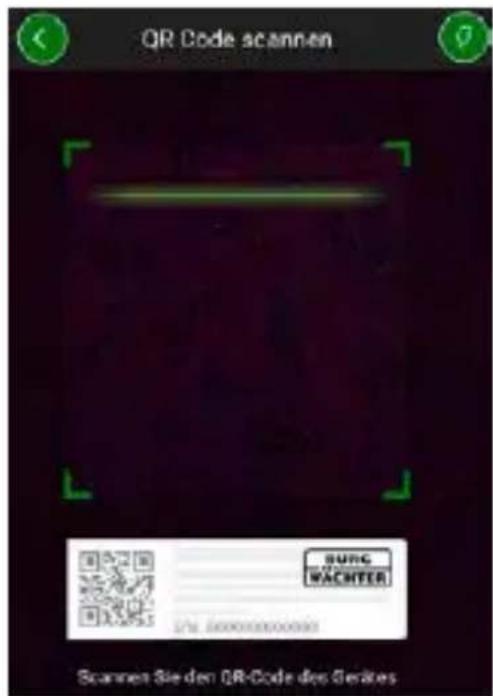
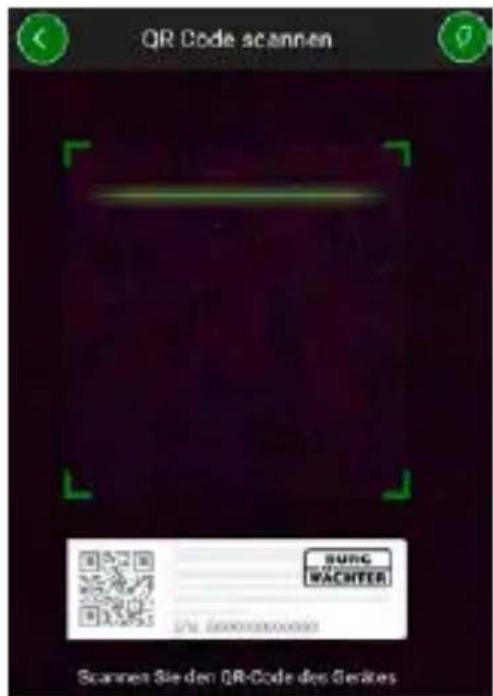
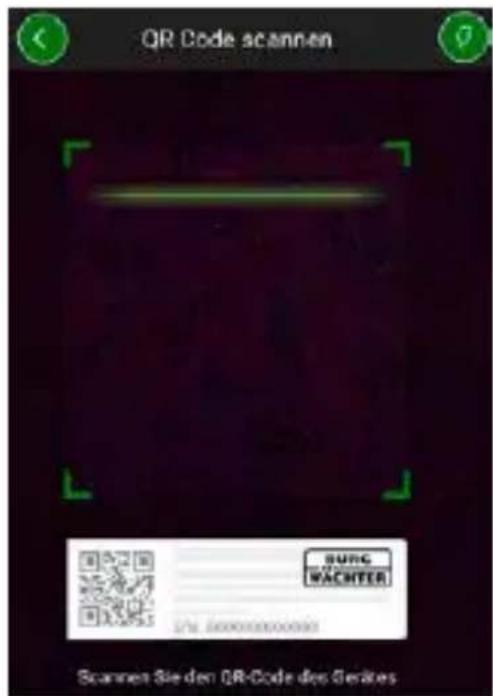
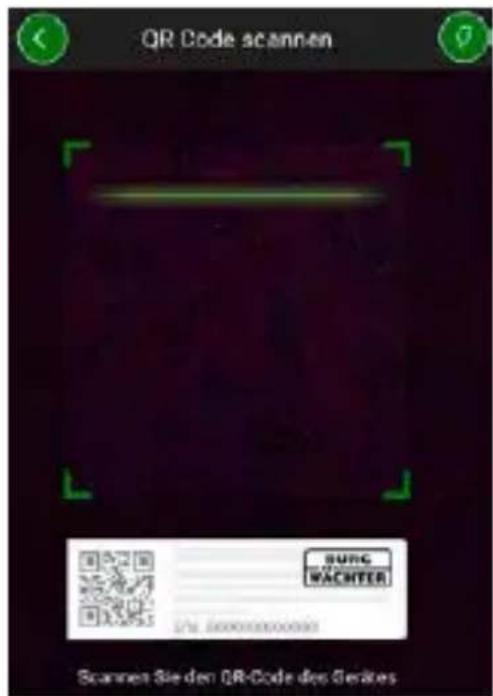
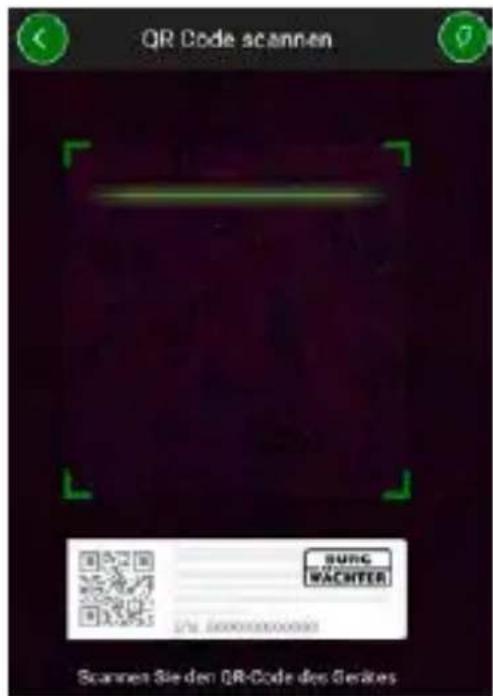
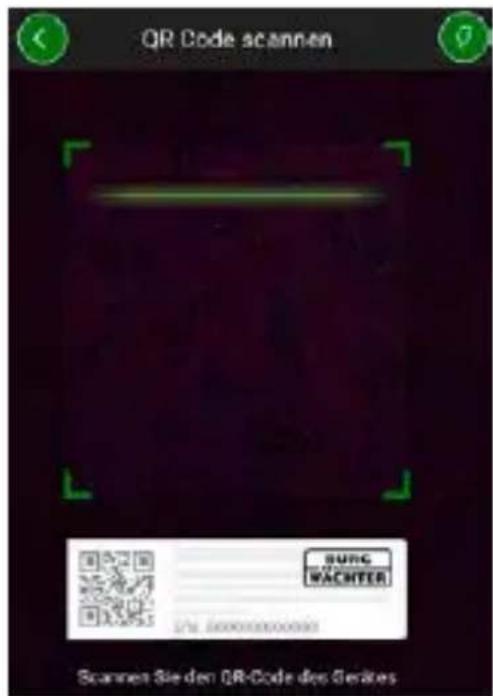
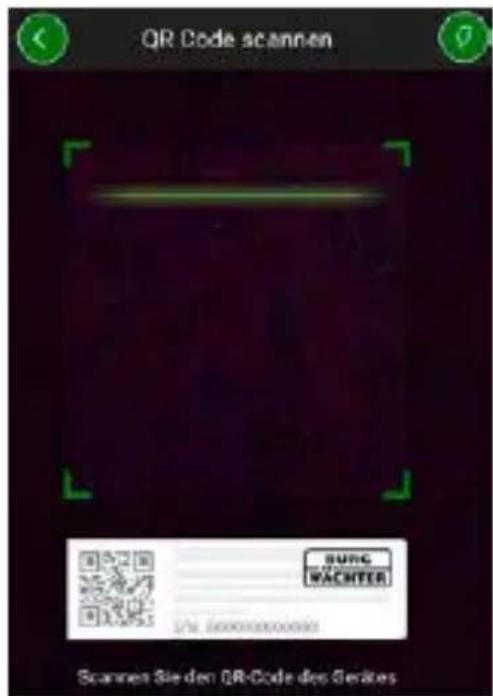
- Scan the QR code on the device nameplate. If necessary, activate the smartphone light (flash button top right) to clearly scan the QR code. (Fig 2).
- Check the device serial number and tap „Next“ (Fig. 3).
- Enter your WIFI password and tap „Next“.
Note:
a. Disable the 5GHz frequency band for the duration of the setup.
b. Make sure that the smartphone is connected to the same WIFI as the camera is to be connected to.
c. The router must be configured to allow devices to communicate with each other within the network.
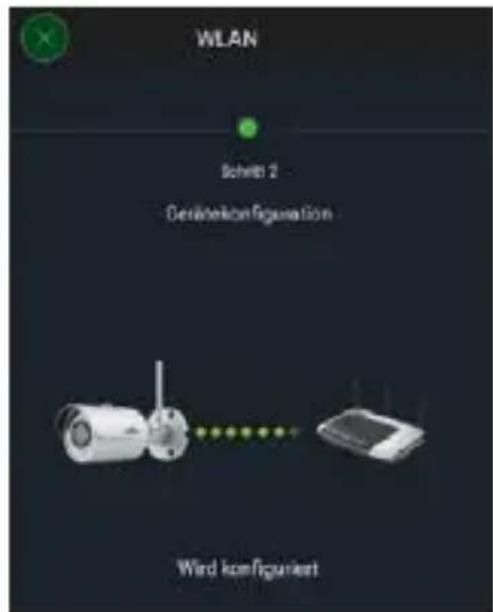
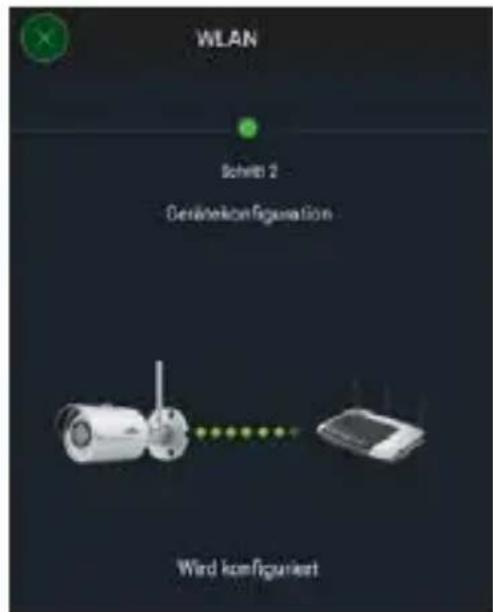
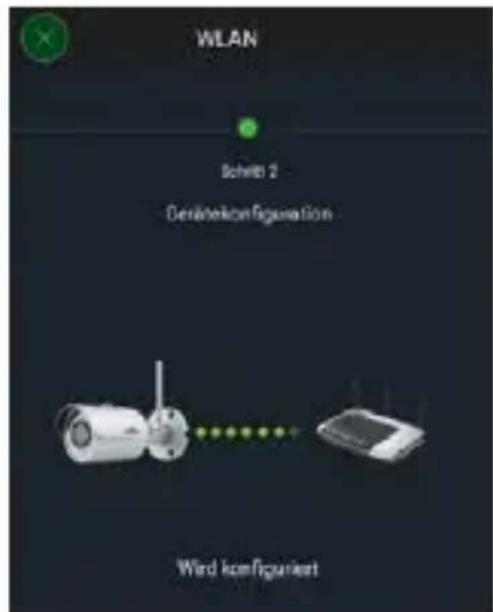
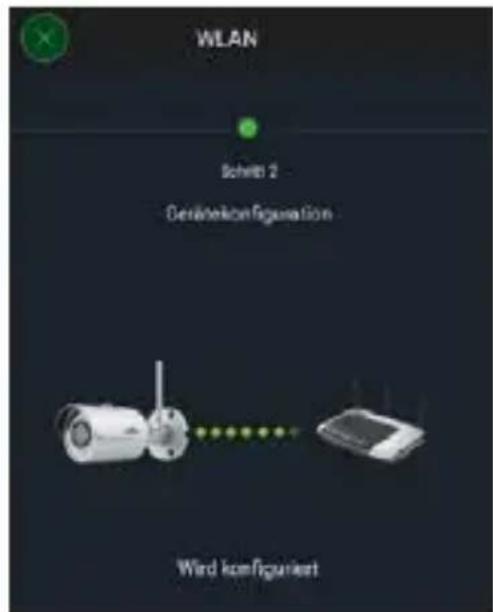
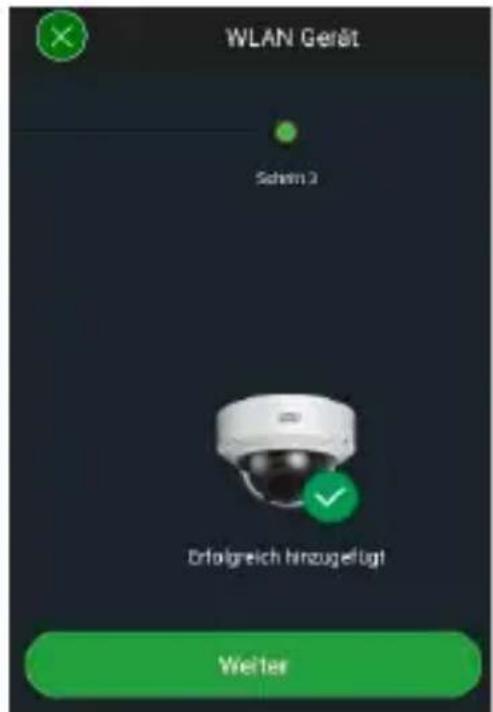
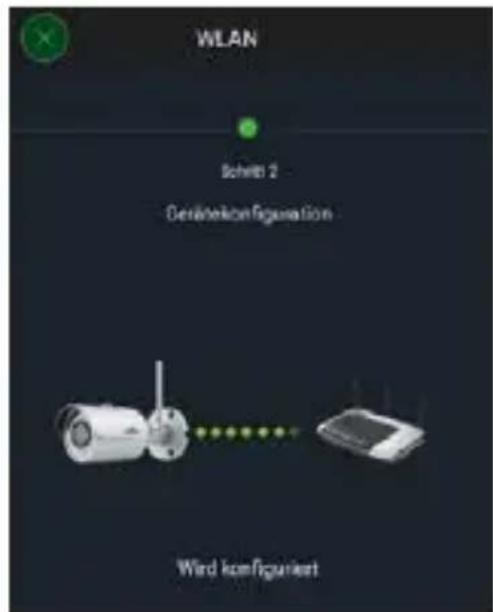
- The camera is now connected to the network (Fig. 4). Successful execution is displayed (Fig. 5).
The device was successfully added to the network. Continue on page 45, „Assign device password“.
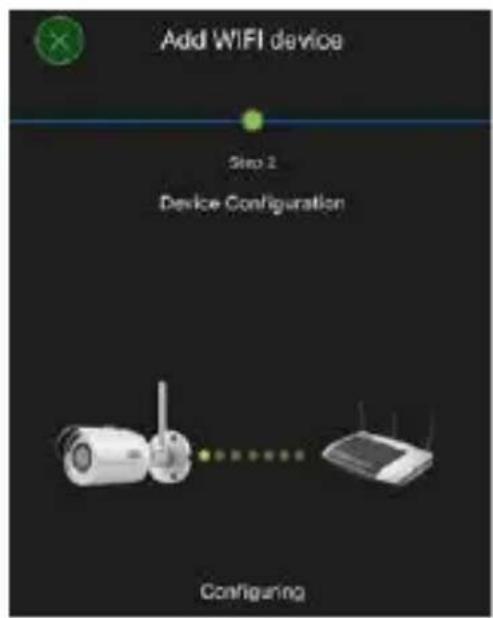
text_image
Add WIFI device Step 2 Device Configuration ConfiguringFig 4Fig 5
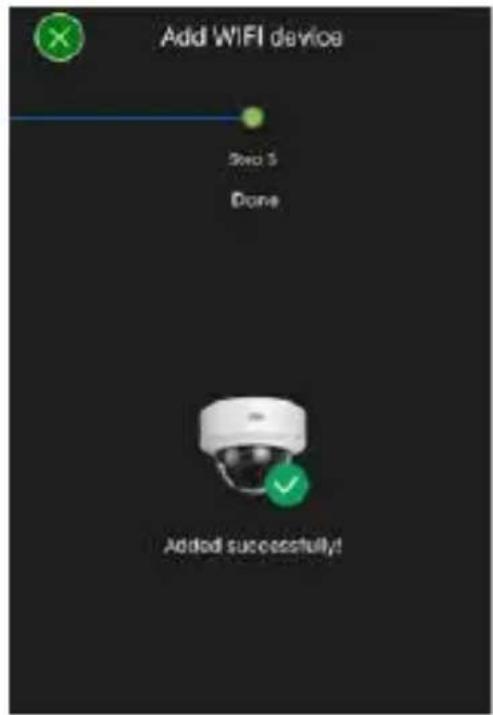
text_image
Add WIFI device Sero 5 Done Added successfully!Option 3 - Setup via LAN (network cable)
- Connect the camera to the network by using a network cable. Connect the power supply either. After booting, the system is ready to operate.
Continue on page 45, „Assign device password“.
Assign device password - Initial setup via smartphone and the BURGcam App
- Select „Device Manager“ from the main menu.
- Tap + and select „Camera“.
- Select „Device Initialisation“, the first time you set up the system.
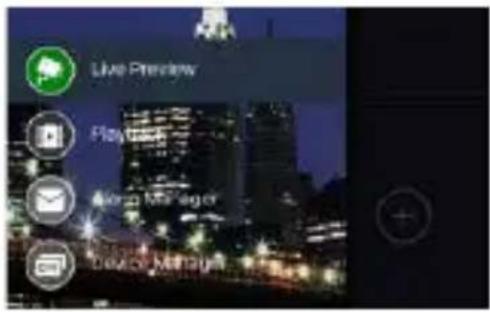
text_image
Live Preview Playbox Email Manager Device Manager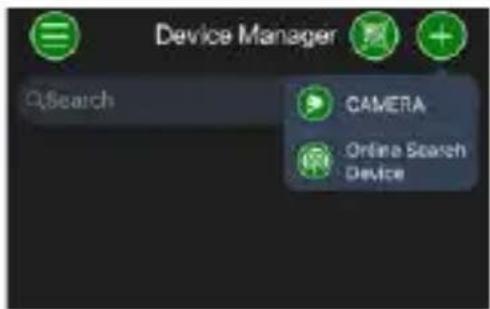
text_image
Device Manager QSearch CAMERA Online Search Device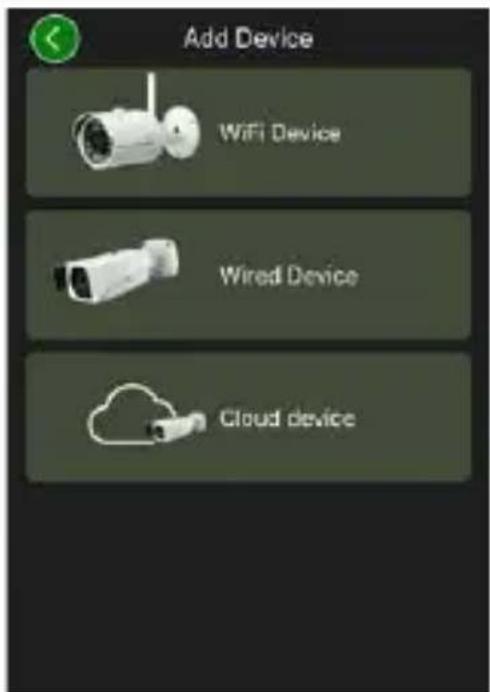
text_image
Add Device WiFi Device Wired Device Cloud device- Scan the QR code of the device and check the input.
- Enter an individual admin-account password for the initialisation of the camera. To reset the device password, you should also enter the administrator's mail address. Then tap „Confirm“.
- If the system is to be used with the BURGcloud P2P connection for remote access or if you wish to be informed about automatic updates, activate the corresponding function and then tap „Confirm“.
Device initialisation is now complete. Keep the password safe.
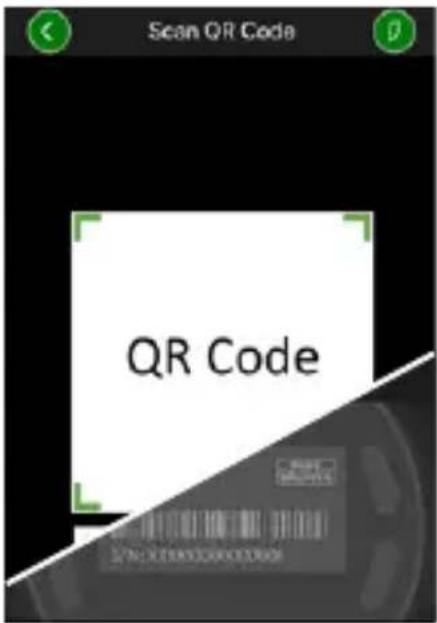
text_image
Scan QR Code QR Code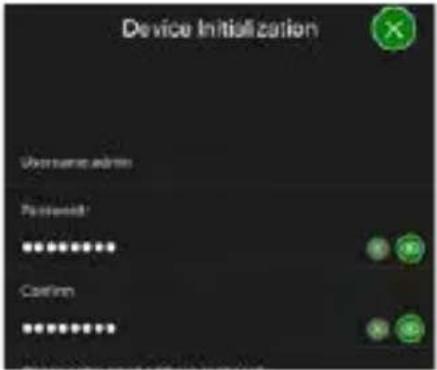
text_image
Device Initialization User name admin Password: ****** Confirm **********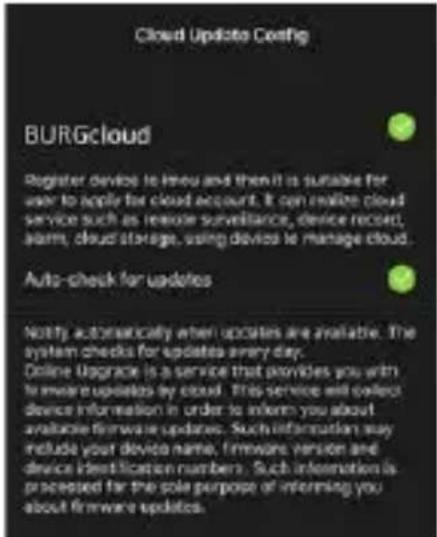
text_image
Cloud Update Config BURGcloud Register devices to menu and then it is suitable for user to apply for cloud account. It can realize cloud service such as remote surveillance, device record, alarm, cloud storage, using devices to manage cloud. Auto-check for updates Notify automatically when updates are available. The system checks for updates every day. Online Upgrade is a service that provides you with to ensure updates by cloud. This service will observe device information in order to inform you about available firmware updates. Such information may include your device name, firmware version and device identification numbers. Such information is processed for the sole purpose of informing you about firmware updates.Integrating the camera in the BURGcam APP
Note: The BURGcam App displays the camera's core functions. More extensive functions and settings, e.g. for video analysis, are set up via the web interface between the camera and the PC
- Select „Device Manager“ from the main menu.
- Tap on + and select „Online Search“ to find devices in the local network.
- Select the device with the desired serial number from the list and tap „Add Device“.
text_image
Live Preview Playbox Email Manager Device Manager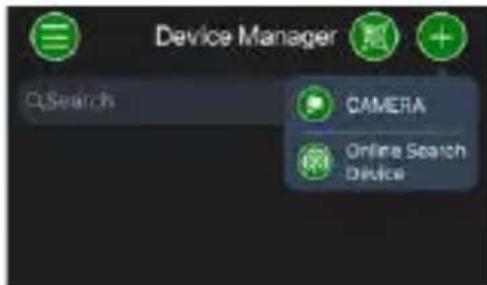
text_image
Device Manager QSearch CAMERA Online Search Device
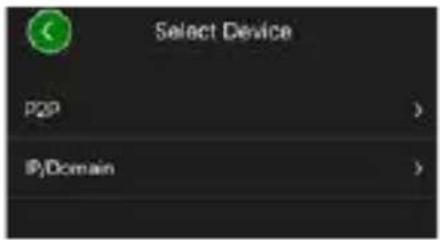
- Select P2P Remote Access if you wish to access the camera while on the move or IP if you wish to access the camera from the local network.
- Enter the device name and password and click „Start Live Preview“ to add the camera to the device list and view the live image.
The camera was successfully integrated in the BURGcam App.
text_image
Select Device P2P > IP/Domain >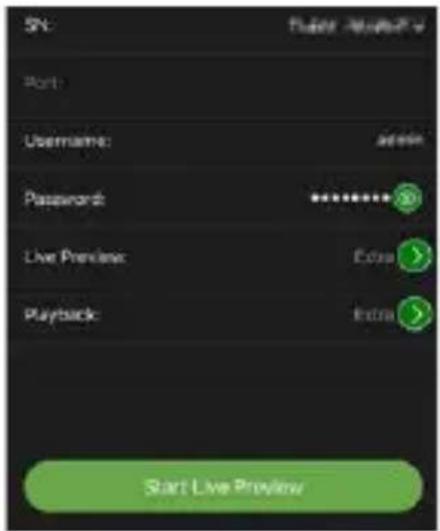
text_image
5N: Start Live Preview Port Username: address Password: ******** Live Preview: Edge Playback: Info Start Live Preview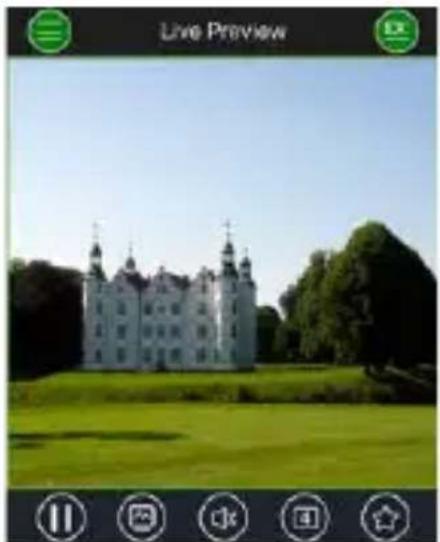
natural_image
Exterior view of a historic white castle with twin towers, surrounded by green lawns and trees (no signage)General
Please take care that the codes and the code carrier do not fall into the wrong hands. Therefore, store the codes and code carrier in a safe location so that these can only be accessed by authorised persons. In case a code or code carrier is lost, immediately change the codes and create a new code carrier.
For your own security, it is urgently recommended:
- Personal data (e.g. birthdays) or other data that may be concluded from information about the user must not be used as a password.
- Change ALL user password at regular intervals.
- Only activate DDNS/UPNP when this is absolutely necessary, since these protocols are highly vulnerable.
- Assign user privileges in such a way that everyone receives the minimum necessary rights to be able to work without changing system-relevant data.
- Outsource surveillance systems into your own networks and do not link them together with IT/company-relevant networks.
- Replace outdated systems with new systems that meet modern IT security requirements.
- Checking frequently for system updates
Description of camera menu
Once you have logged in, you will see the camera's live image and the menu items.
1.LIVE
(Stream, Image setting, Image format)
2.PLAYBACK
(Calendar, searching for recordings)
3.SETTINGS
(Camera, Network, Event, Storage, System, Information)
4. LOGOUT
You will find detailed explanations on the menu items in the user manual
Technische Daten
| Camera type WIFI IR bullet camera for indoor and outdoor applications | |
| Sensor 1/3" 4 MP Progressive Scan CMOS | |
| Resolution 4 MP: 2560 x 1440 | |
| 1080p: 1920 x 1080 (= Full HD) | |
| 720p: 1280 x 720 | |
| D1: 704 x 576 / 704 x 480 | |
| CIF: 352 x 288 / 352 x 240 | |
| Frame rate 20 fps @ 4 MP, 25/30 fps @ 1080 p | |
| Bit rate 4 Kbps - 8192 Kbps | |
| IR LEDs Up to 30 m range* | |
| IR cut filter Mechanical | |
| Lens 2.8 mm F2.0 Fixed lens | |
| Angle of view Horizontal: 100° | |
| White balance Auto | |
| WLAN | IEEE802.11b/g/n; up to 50m(open field**) |
| LAN (RJ-45) 10/100Base-T | |
| Supported protocols | IPv4/IPv6, HTTP, HTTPS, TCP/IP, UDP, UPnP,RTSP, RTP, SMTP, NTP, DHCP, DNS, DDNS, FTP,IP Filter |
| Micro-SD card max. 256 | GB; for recordings and snapshots |
| Installation | Including bracket for wall or ceiling mount |
| Voltage | 12V DC |
| Power consumption | < 4.8W |
| Operating temperature | -30°C to +50°C |
| Classification IP67 | |
| Dimensions ∅ 70 x 165 mm | |
| Weight 0.45 kg | |
Additional features:
| Backlight compensation | BLC/HLC/WDR |
| Noise reduction 3D | |
| Privacy zones 4 | |
| motion detection zones | 4 |
Note:
* The range of the built-in IR LEDs strongly depend on the location and the surroundings. Strongly absorbent surfaces, e. g. dark, rough structures (floor, lawn or asphalt) may lead to a considerable reduction of the maximum range.
** The range of the WLAN signal is highly dependent on the location of use. Metallic structures, walls, etc. influence the signal/connection.
Subject to technical changes without notice. Errors excepted.
Wave band:
IEEE 802.11b/g 2400–2483,5 MHz max. transmission power: 100 mW IEEE 802.11n 2400–2483,5 MHz max. transmission power: 100 mW
Detailed user manual
The purpose of this quick installation guide is to start the device in an easy and convenient way. Further detailed explanations and descriptions of the various functions are available in the user manual which you can download as pdf file from our website:
www.burg.biz → service & downloads → Users manual → Assembly instructions → Video security
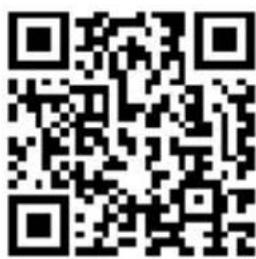
Alternatively, for quick access to the user manual, you can scan the QR-code below to view the user manual on your smartphone or tablet. This QR-code will also provide additional information (FAQ).
QR-code for user manual/further information in English:
text_image
QR code image containing encoded data, no visible human-readable text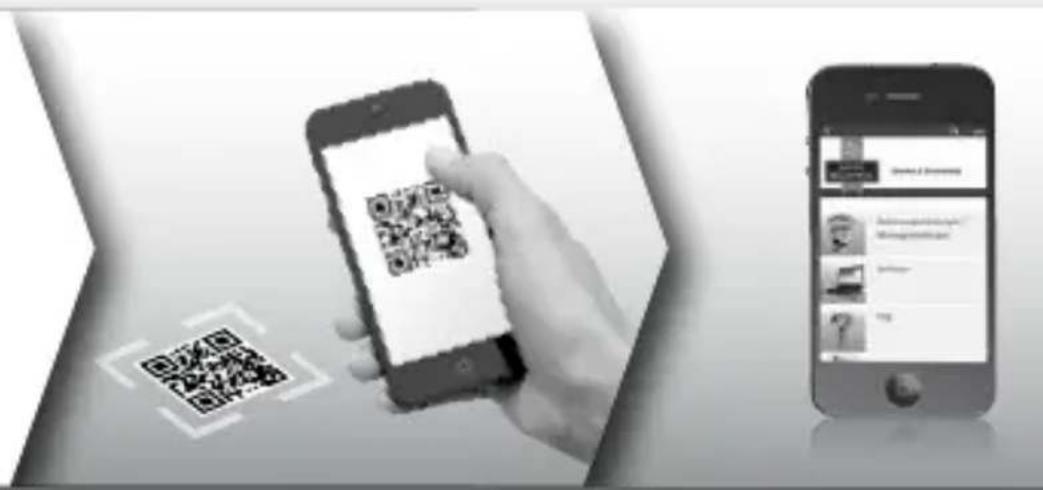
text_image
Mobile app interface showing smartphone scanning QR code and smartphone displaying a webpage with user profile and contentFor further information in German (DE) and English (EN) about BURGcam products, please go to our homepage at:
www.burg.biz → Products → Service & Downloads
General safety precautions and safety instructions
Assistance and technical support
If you have questions regarding this product or the installation process, please contact: camera-service@burg.biz
Please include the following information so that we can offer you the best possible service:
- Device name
- For questions about the App: Firmware Version / App Version and Smartphone with version information
• Installation information - For network issues: settings and network setup
• Detailed problem description
• Information on how and when we can reach you
Attention
Any changes or modifications to this appliance which have not been explicitly approved of by the respective regulatory authority, may lead to a prohibition of usage of this appliance. This appliance complies with the CE guidelines.
GDPR Note
When using video security systems, personal data is collected in an automated manner, processed and used. Such data are under the protection of the GDPR, which is direct as an EU regulation. The operator of the system is responsible for the operation and processing of the data. When installing the video security system, appropriate technical and organizational measures must be taken to safeguard the personal rights of those affected.
GDPR Note
When using video security systems, personal data is collected in an automated manner, processed and used. Such data are under the protection of the GDPR, which is direct as an EU regulation. The operator of the system is responsible for the operation and processing of the data. When installing the video security system, appropriate technical and organizational measures must be taken to safeguard the personal rights of those affected.
Safety instructions
- Before operating the appliance, please read this manual carefully and retain it for further reference.
• Refer all servicing on electric devices to qualified service personnel - The appliance must only be installed by qualified service personnel and has to comply with local specifications and regulations.
- Before cleaning the appliance, it has to be switched off and unplugged from the power outlet. Wipe the appliance with a soft damp cloth.
- Use the device only for its intended purpose.
- The type label may not be replaced.
- Before operating, check all live parts for damage. Damaged parts must be replaced or exchanged.
- Do not use attachments unless recommended by the manufacturer as they may affect the functionality of the appliance and result in the risk of fire, electric shock or injury.
- Never install the appliance in areas exposed to water or other liquids.
- The appliance has to be installed in a safe and stable location which is able to carry the weight of the appliance.
Safety instructions
- Openings in the appliance, if any, are provided for ventilation to ensure reliable operation of the appliance and to protect if from overheating. These openings must not be covered or blocked. Please make sure that the appliance does not overheat.
- The appliance should only be operated from the type of power source indicated on the marking label.
- If the appliance is powered through a grounding-type plug, the plug will only fit into a grounding-type power outlet.
- Route power cords and cables in a manner to protect them from damage by being walked on or pinched by items places upon or against them.
- In case of any operating interruption or a complete operating failure please switch off the appliance and disconnect it from the wall outlet. Never attempt to service or repair the appliance yourself, as opening or removing covers may expose you to dangerous voltage or other hazards.
• Refer all servicing to qualified service personnel. - When replacement parts are required, be sure that replacements parts specified by the manufacturer
- Please respect the local legal regulations on waste if you need to dispose of discarded appliances.
text_image
CEPlease be aware that electrical and electronic equipment and batteries shall not be disposed of as household waste, but rather collected separately. Please obtain information on the collecting points for electrical waste from the responsible authority of you municipality
BURG-WÄCHTER KG hereby declares that this device complies with Directive 2014/53/EU, (RED) 2014/30/EU, (EMC), 2011/65/EU (RoHS) and Low Voltage Directive (2014/35/EU).
The full text of the EU Declaration of Conformity can be found on the following website www.burg.biz.
GNU GPL License note
Certain open source components are licensed pursuant to GNU General Public License. This establishes that the customers have the right to acquire, modify and redistribute the source code of said software in accordance with the terms of the GNU General Public License or Lesser General Public License.
A printed copy of the license text GPL V2 is included in this product shipment. The license text can also be downloaded from our homepage at https://www.burg.biz/international/service-downloads/manuals/#Videosecurity
You as well as any other third party may request to have access to the complete and machine-readable open source code for the GPLv2 licensed software. The source code can be provided as. free-of-charge download link or, alternatively, on a common data storage device (at cost price). This offer is valid for up to three years after you downloaded the software or after the product has been shipped to you.
Please send your request to the following address:
BURG-WÄCHTER KG
Altenhofer Weg 15
58300 Wetter
Deutschland
Tel: +49 2335 965 30
Fax: +49 2335 965 390
E-Mail: camera-service@burg.biz
We can't give support or guarantee for squeaky-cleanness of source codes. The source codes are only a part of whole software.
If you have technical questions about this device, please read the detailed user manual and the FAQ sheet which you will find on the following website: www.burg.biz.If, however, you still have questions, please send an e-mail to: camera-service@burg.biz.
Copyright
All rights reserved. This publication may not be reproduced, stored in a retrieval system or transmitted, in any form or by any means (electronic, mechanical, photocopying, recording or otherwise), without the written prior permission of BURG-WÄCHTER KG.
No reproduction of any part or excerpts thereof are permitted.
Errors excepted. Specifications are subject to change without notice for quality improvement. All companies or products mentioned in this publication are trademarks, registered trademarks or brands of the respective company.
Subject to technical changes without notice. Errors excepted.
text_image
Technical diagram of a mechanical device with labeled parts A, B, and CDescription
text_image
Technical diagram of a device with labeled components and directional arrows indicating motion or assembly.Description
text_image
QR code image containing encoded data, no visible human-readable texttext_image
QR code image containing encoded data, no visible human-readable texttext_image
QR code image containing encoded data, no visible human-readable textOutil BURGconfig :
text_image
Capital Initial Management Stock Trading Price Trading fees with a financial basis set to 100%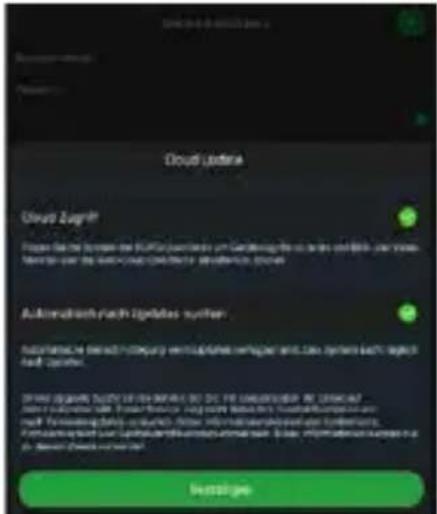
natural_image
Exterior view of a historic white castle with twin towers, surrounded by green lawns and trees under a clear sky (no signage or text)Généralités
text_image
Black-and-white promotional image showing a QR code, smartphone scanning a QR code, and smartphone displaying a mobile app interface.www.burg.biz → Products → Service & Downloads
https://www.burg.biz/service-downloads/manuals/#Videoueberwachung
text_image
Technical diagram of a mechanical device with labeled components A, B, and CInformatie
text_image
Technical diagram of a device with labeled components and directional arrows indicating motion or assembly.Informatie
A Reset:
text_image
QR code image containing encoded data, no visible human-readable text
text_image
QR code image containing encoded data, no visible human-readable texttext_image
QR code image containing encoded data, no visible human-readable textBURGconfig tool:
Hier kunt u downloaden.
natural_image
Exterior view of a historic white castle with twin towers, surrounded by green lawns and trees under a clear sky (no signage or text)Algemeen
text_image
QR code image containing encoded data, no visible human-readable text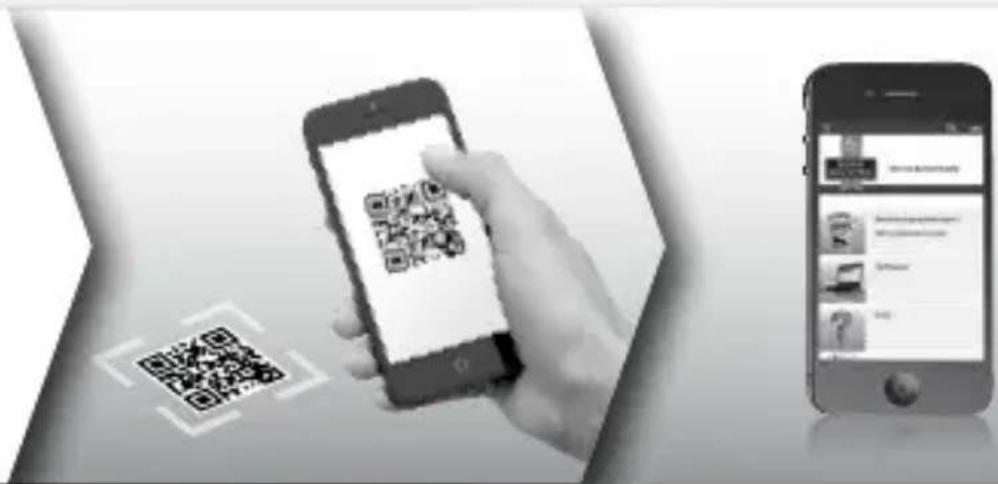
text_image
Mobile app interface showing smartphone scanning QR code and smartphone displaying app contentwww.burg.biz → Products → Service & Downloads
https://www.burg.biz/service-downloads/manuals/#Videoueberwachung
worden gedownload.
text_image
Technical diagram of a mechanical device with labeled components A, B, and CDescrizione
text_image
Technical diagram of a device with labeled components and directional arrows indicating motion or assembly.Descrizione
A Reset:
text_image
QR code image containing encoded data, no visible human-readable text
text_image
QR code image containing encoded data, no visible human-readable texttext_image
QR code image containing encoded data, no visible human-readable textBURGconfig Tool:
natural_image
Exterior view of a historic white castle with twin towers, surrounded by green lawns and trees under a clear sky (no signage or text)Generale
text_image
QR code image containing encoded data, no visible human-readable text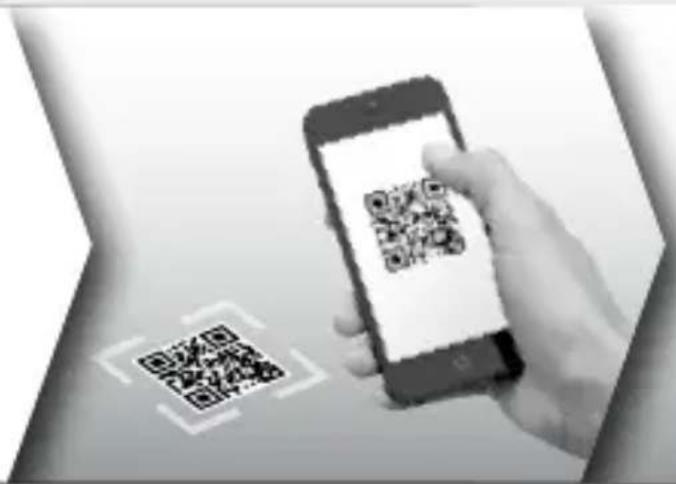
text_image
Black-and-white image showing a hand holding a smartphone displaying a QR code, with a separate QR code icon nearby.
text_image
Mobile app screenshot showing a webpage with user profile and navigation menu optionswww.burg.biz → Products → Service & Downloads
https://www.burg.biz/service-downloads/manuals/
Videoueberwachung
text_image
Technical diagram of a mechanical device with labeled components A, B, and CPopis
text_image
Technical diagram of a device with labeled components and directional arrows indicating motion or assembly.Popis
text_image
QR code image containing encoded data, no visible human-readable text
text_image
QR code image containing encoded data, no visible human-readable textAplikace BURGcam pro Android Aplikace BURGcam pro iOS
text_image
QR code image containing encoded data, no visible human-readable textnatural_image
Exterior view of a historic white castle with twin towers, surrounded by green lawns and trees under a clear sky (no signage or text)Všeobecné informace
text_image
QR code image containing encoded data, no visible human-readable text
text_image
Mobile app interface showing smartphone scanning QR code and smartphone displaying app contentwww.burg.biz → Products → Service & Downloads
text_image
Technical diagram of a mechanical device with labeled parts A, B, and COpis
text_image
Technical diagram of a device with labeled components and directional arrows indicating motion or assembly.Opis
A Reset:
text_image
QR code image containing encoded data, no visible human-readable text
text_image
QR code image containing encoded data, no visible human-readable texttext_image
QR code image containing encoded data, no visible human-readable textBURGconfig Tool: Tu prejdete na stiahnutie.
natural_image
Exterior view of a historic white castle with twin towers, surrounded by green lawns and trees under a clear sky (no signage or text)text_image
QR code image containing encoded data, no visible human-readable text
text_image
Mobile app interface showing smartphone scanning QR code and smartphone displaying app contentwww.burg.biz → Products → Service & Downloads
text_image
Technical diagram of a mechanical device with labeled parts A, B, and CLeírás
text_image
Technical diagram of a device with labeled components and directional arrows indicating motion or assembly.Leírás
text_image
QR code image containing encoded data, no visible human-readable texttext_image
QR code image containing encoded data, no visible human-readable texttext_image
QR code image containing encoded data, no visible human-readable textBURGconfig eszköz:
natural_image
Exterior view of a historic stone castle with twin towers, surrounded by green lawns and trees under a clear sky (no signage or text)text_image
QR code image containing encoded data, no visible human-readable text
text_image
Mobile app interface showing smartphone scanning QR code and smartphone displaying app interface with text and iconswww.burg.biz → Products → Service & Downloads
https://www.burg.biz/service-downloads/manuals/#Videoueberwachung
text_image
Technical diagram of a mechanical device with labeled components A, B, and CDescriere
text_image
Technical diagram of a device with labeled components and directional arrows indicating motion or assembly.Descriere
A Reset:
text_image
QR code image containing encoded data, no visible human-readable texttext_image
QR code image containing encoded data, no visible human-readable texttext_image
QR code image containing encoded data, no visible human-readable textBURGconfig Tool:
Aici se merge la Download.
natural_image
Exterior view of a historic white castle with twin towers, surrounded by green lawns and trees under a clear sky (no signage or text)Generalități
text_image
QR code image containing encoded data, no visible human-readable text
text_image
Mobile app interface showing smartphone scanning QR code and smartphone displaying app contentwww.burg.biz → Products → Service & Downloads
text_image
Technical diagram of a mechanical device with labeled components A, B, and CDescrição
text_image
Technical diagram of a device with labeled components and directional arrows indicating motion or assembly.Descrição
A Reset:
text_image
QR code image containing encoded data, no visible human-readable text
text_image
QR code image containing encoded data, no visible human-readable texttext_image
QR code image containing encoded data, no visible human-readable texttext_image
Capital Initial Management Stock Trading Price Trading fees with a financial basis set to 100%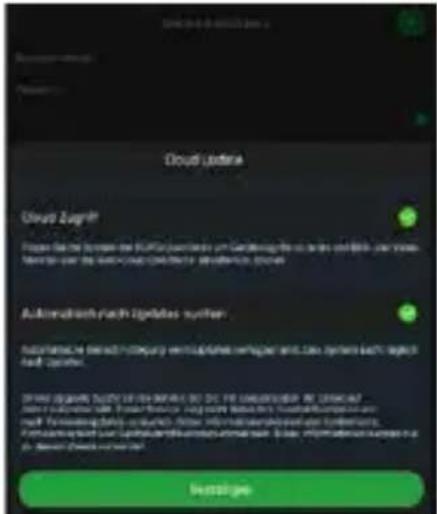
natural_image
Exterior view of a historic white castle with twin towers, surrounded by green lawns and trees under a clear sky (no signage or text)Generalidades
text_image
QR code image containing encoded data, no visible human-readable text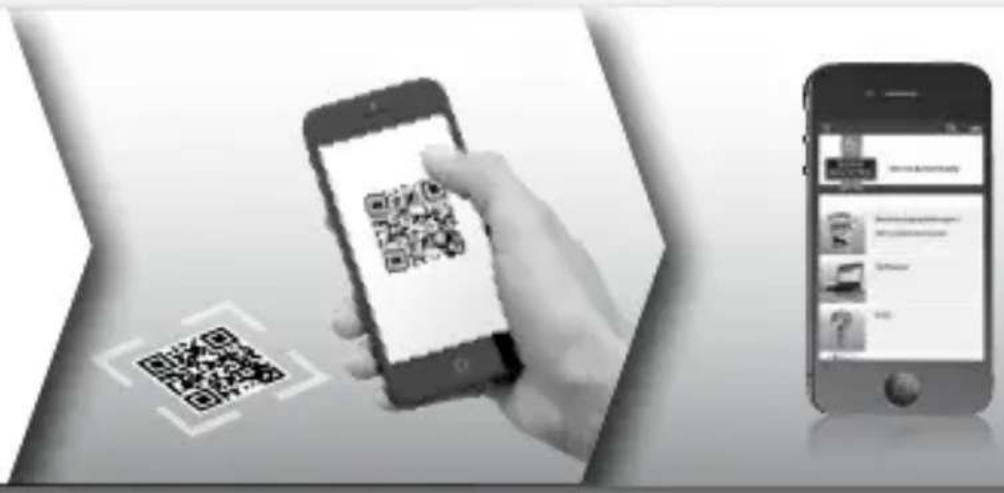
text_image
Mobile app interface showing smartphone scanning QR code and smartphone displaying app interface with text and iconswww.burg.biz → Products → Service & Downloads
text_image
Technical diagram of a mechanical device with labeled components A, B, and CBeskrivelse
text_image
Technical diagram of a device with labeled components and directional arrows indicating motion or assembly.Beskrivelse
A Nulstilling: Hold knappen nede i ca. 8 sekunder, indtil lysindikatoren slukker for at nulstille kameraet til fabriksindstillinger.
text_image
QR code image containing encoded data, no visible human-readable text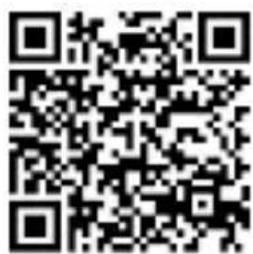
text_image
QR code image containing encoded data, no visible human-readable texttext_image
QR code image containing encoded data, no visible human-readable textBURGconfig Tool: Klik her for at downloade.
text_image
Capital Initial Management Stock Trading Price Trading fees with a financial basis set to 100%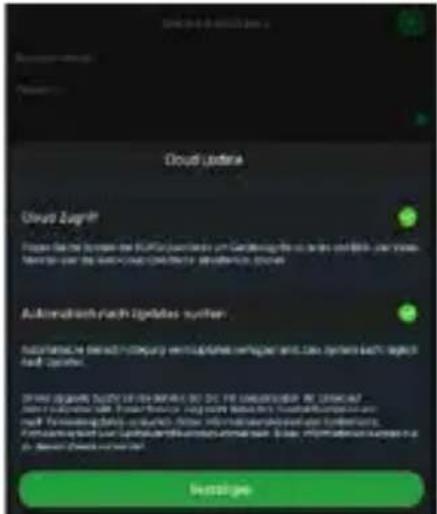
natural_image
Exterior view of a historic white castle with twin towers, surrounded by green lawns and trees under a clear sky (no signage or text)text_image
QR code image containing encoded data, no visible human-readable text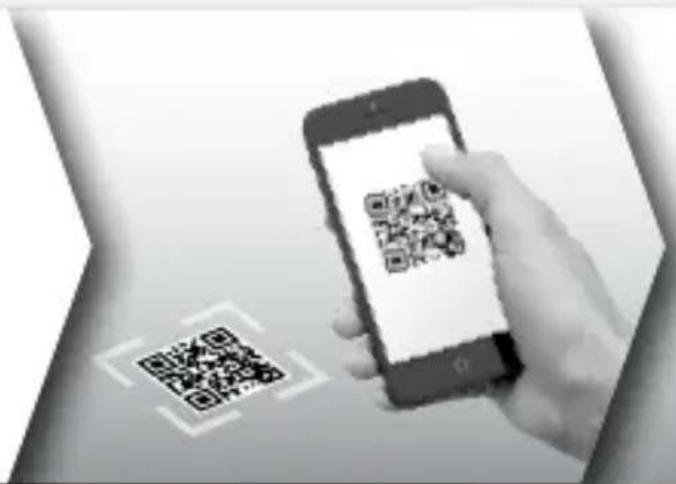
text_image
Black-and-white image showing a smartphone scanning a QR code, with a hand interacting with it.
text_image
Mobile app screenshot showing a document with text fields and icons, likely for a service or app interface.www.burg.biz → Products → Service & Downloads
https://www.burg.biz/service-downloads/manuals/#Videoueberwachung
text_image
Technical diagram of a mechanical device with labeled components A, B, and CKuvaus
text_image
Technical diagram of a device with labeled components and directional arrows indicating motion or assembly.Kuvaus
text_image
QR code image containing encoded data, no visible human-readable textBURGcam-sovellus Android-puhelimiin
text_image
QR code image containing encoded data, no visible human-readable textBURGcam-sovellus iOS-puhelimiin
text_image
QR code image containing encoded data, no visible human-readable textBURGconfig Tool:
text_image
Hiding & Drying Hiding & Drying Hiding & DryingKuva 1
text_image
Wind kerugent Determination Configuration Sach 2 WLANKuva 4Kuva 5
natural_image
Exterior view of a historic white castle with twin towers, surrounded by green lawns and trees under a clear sky (no signage or text)Yleistä
text_image
QR code image containing encoded data, no visible human-readable text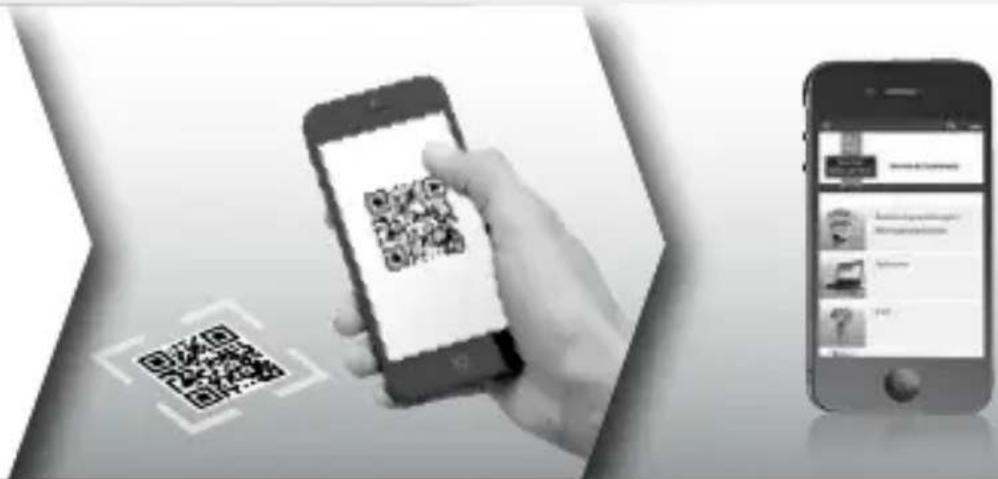
text_image
Mobile app interface showing smartphone scanning QR code and smartphone displaying app contentwww.burg.biz → Products → Service & Downloads
text_image
Technical diagram of a mechanical device with labeled components A, B, and CBeskrivelse
A LAN-/nettverkskabeltilkobling
B 12 V DC driftsspenning
C Solskjerming
text_image
Technical diagram of a device with labeled components and directional arrows indicating motion or assembly.Beskrivelse
A Tilbakestill: Hold knappen nede i ca. 8 sekunder til indikatorlampen slukker for å tilbakestille kameraet til fabrikkinnstillinger.
text_image
QR code image containing encoded data, no visible human-readable text
text_image
QR code image containing encoded data, no visible human-readable textBURGcam-app for Android BURGcam-app for iOS
Valg 1 – Oppsett via LAN (nettverkskabel) og PC med programvare «BURGconfig Tool»
text_image
QR code image containing encoded data, no visible human-readable textBURGconfig Tool: Klikk her for å laste ned.
Alternativt kan du finne BURGconfig Tool som nedlas- ting på hjemmesiden www.burg.biz
text_image
11 Geräte gefunden Alo SNC SD DVR NVR Sonstige P/4 Nr. Typ Model IP MAC Version Ausführen 1 PC SNC-311PSMF 192.168.178.9 00:1e+44.08.70.53 2.429.8.0 ✓ ✓ ✓ ✓ 2 PC SNC-841DCIAe 192.168.178.138 00:1e+44.08.96.90 2.622.66BW000.0.R ✓ ✓ ✓ ✓ 3 PC SNC-441RDA 192.168.178.142 00:1e+44.08.49.38 2.622.66BW001.0.T ✓ ✓ ✓ ✓ 4 PC SNC-841DBIAe 192.168.178.118 00:1e+44.08.e6.4e 2.622.66BW001.0.T ✓ ✓ ✓ ✓ 5 KVR SNVR-31542w 192.168.178.139 00:1e+44.08.d6.2d 3.215.66BW000.0 ✓ ✓ ✓ ✓ 6 SD SNC-241RESA 192.168.178.143 00:1e+44.08.70.53 2.623.66BW001.0.T ✓ ✓ ✓ ✓ 7 PC SURGcamDOME 192.168.178.123 00:1e+44.08.42.37 2.499.1.3 ✓ ✓ ✓ ✓ 8 SD SNC-241RSN 192.168.178.141 +0.59.86.25.f6.d2 2.623.66BW001.0.T ✓ ✓ ✓ ✓ 9 SD SURGcam-20CM 192.168.178.127 00:1e+44.08.97.45 2.699.BW01.0.R ✓ ✓ ✓ ✓ IP Serie ✕ Oerste wurden ausgewicht Hazuflügen EaltFig. 1
Innlogging
text_image
Capital Initial Management Stock Trading Price Trading fees with a financial basis set to 100%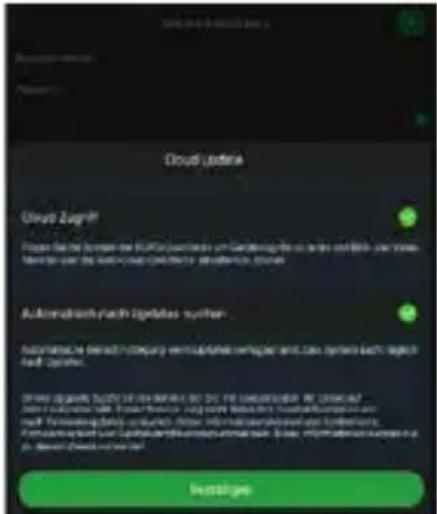
natural_image
Exterior view of a historic white castle with twin towers, surrounded by green lawns and trees under a clear sky (no signage or text)Generelt
text_image
QR code image containing encoded data, no visible human-readable text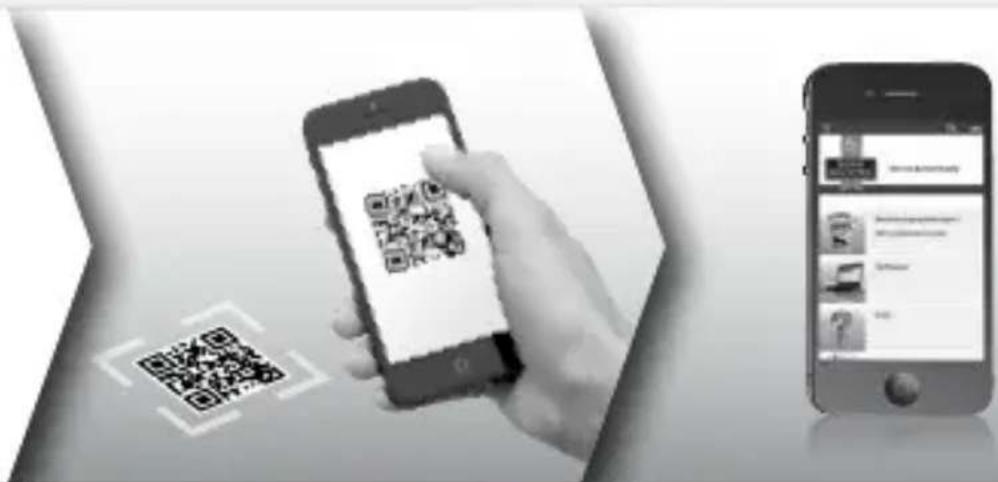
text_image
Mobile app interface showing a hand scanning a QR code on a smartphone, alongside a smartphone displaying a login page.Du finner mer informasjon om BURGcam-produktene på tysk (DE) og engelsk (EN) på hjemmesiden vår på:
www.burg.biz → Products → Service & Downloads
text_image
Technical diagram of a mechanical device with labeled components A, B, and CBeskrivning
A LAN / Nätkabelanslutning
B 12 VDC driftspänning
C Solskydd
text_image
Technical diagram of a device with labeled components and directional arrows indicating motion or assembly.Beskrivning
A Reset:
text_image
QR code image containing encoded data, no visible human-readable text
text_image
QR code image containing encoded data, no visible human-readable texttext_image
QR code image containing encoded data, no visible human-readable textBURGconfig Tool: Här kan detta laddas ner.
text_image
Hiding & Drying Hiding & Drying Hiding & DryingBild 1.1
text_image
Wind kerugent Determination Configuration Sach 2 WLANBild 4.1 Bild 5.1
natural_image
Exterior view of a historic white castle with twin towers, surrounded by green lawns and trees under a clear sky (no signage or text)Allmänt
text_image
QR code image containing encoded data, no visible human-readable text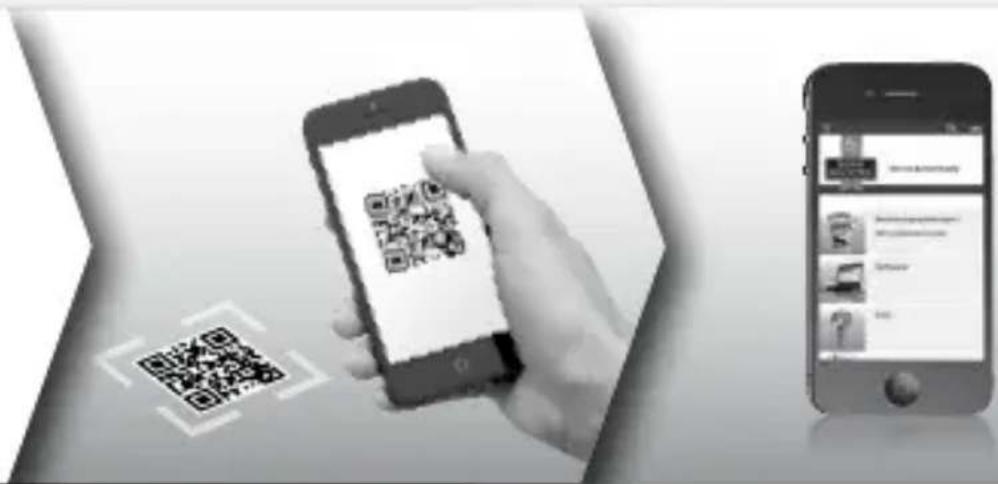
text_image
Mobile app interface showing smartphone scanning QR code and smartphone displaying app interface with text and iconshttps://www.burg.biz/service-downloads/manuals/#Videoueberwachung
för nedladdning.
text_image
Technical diagram of a mechanical device with labeled components A, B, and COpis
text_image
Technical diagram of a device with labeled components and directional arrows indicating motion or assembly.Opis
A Resetowanie:
text_image
QR code image containing encoded data, no visible human-readable texttext_image
QR code image containing encoded data, no visible human-readable texttext_image
QR code image containing encoded data, no visible human-readable texttext_image
Hiding & Drying Hiding & Drying Hiding & DryingRys. 1
text_image
Wind kerugent Determination Configuration Sach 2 WLANRys. 4Rys. 5
text_image
Capital Initial Management Stock Trading Price Trading fees with a financial basis set to 100%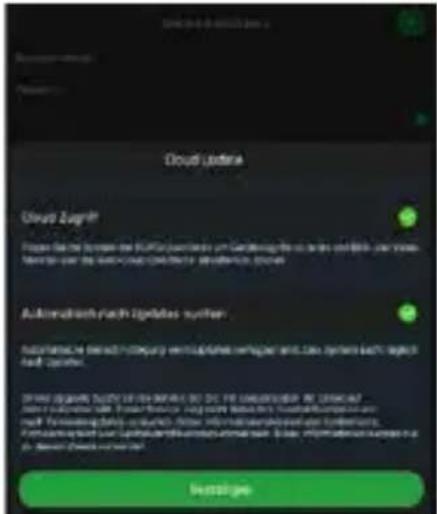
natural_image
Exterior view of a historic white castle with twin towers, surrounded by green lawns and trees under a clear sky (no signage or text)Informacje ogólne
text_image
QR code image containing encoded data, no visible human-readable text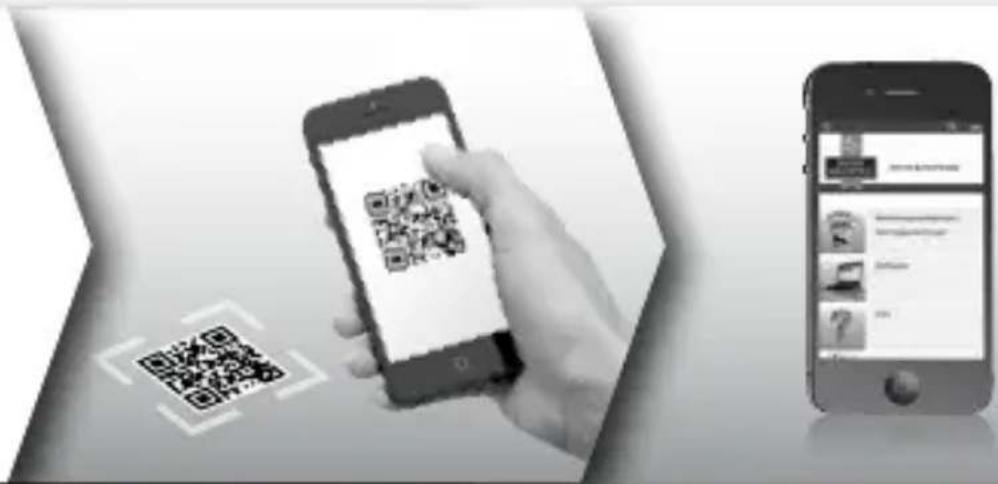
text_image
Mobile app interface showing smartphone scanning QR code and smartphone displaying app contentwww.burg.biz → Products → Service & Downloads
text_image
Technical diagram of a mechanical device with labeled components A, B, and COpis
text_image
Technical diagram of a device with labeled components and directional arrows indicating motion or assembly.Opis
A Ponastavitev:
text_image
QR code image containing encoded data, no visible human-readable text
text_image
QR code image containing encoded data, no visible human-readable textAplikacija BURGcam za Android Aplikacija BURGcam za iOS
text_image
QR code image containing encoded data, no visible human-readable textBURGconfig Tool:
Prenesite tukaj.
text_image
Hiding & Drying Hiding & Drying Hiding & DryingSlika 1
text_image
Wind kerugent Determination Configuration Sach 2 WLANSlika 4Slika 5
natural_image
Exterior view of a historic white castle with twin towers, surrounded by green lawns and trees under a clear sky (no signage or text)Splošno
Bodite pozorni, da kode in nosilci kode ne zaidejo v nepooblaščene roke. Kode in nosilce kode zato shranite na varnem mestu, kjer so dostopni samo upravičenim osebam. Če izgubite kodo ali nosilec kode, nemudo-ma spremenite vse kode in ustvarite nov nosilec kode.
text_image
QR code image containing encoded data, no visible human-readable text
text_image
Mobile app interface showing smartphone scanning QR code and smartphone displaying content with user profile and interaction iconswww.burg.biz → Products → Service & Downloads
text_image
Technical diagram of a mechanical device with labeled components A, B, and CDescripción
text_image
Technical diagram of a device with labeled components and directional arrows indicating motion or assembly.Descripción
A Reset:
text_image
QR code image containing encoded data, no visible human-readable text
text_image
QR code image containing encoded data, no visible human-readable texttext_image
QR code image containing encoded data, no visible human-readable textBURGconfig Tool:
natural_image
Exterior view of a historic white castle with twin towers, surrounded by green lawns and trees under a clear sky (no signage or text)Generalidades
text_image
Image showing a QR code, smartphone scanning a mobile app, and smartphone displaying a web interface with user profile.www.burg.biz → Products → Service & Downloads
https://www.burg.biz/service-downloads/manuals/#Videoueberwachung
text_image
Technical diagram of a mechanical device with labeled components A, B, and CОписание
text_image
Technical diagram of a device with labeled components and directional arrows indicating motion or assembly.Описание
A Reset:
text_image
QR code image containing encoded data, no visible human-readable text
text_image
QR code image containing encoded data, no visible human-readable textBURGcam App 3a Android BURGcam App 3a iOS
text_image
QR code image containing encoded data, no visible human-readable texttext_image
Capital Initial Management Stock Trading Price Trading fees with a financial basis set to 100%
natural_image
Exterior view of a historic white castle with twin towers, surrounded by green lawns and trees (no signage)Общи положения
text_image
QR code image containing encoded data, no visible human-readable text
text_image
Mobile app interface showing smartphone scanning QR code and smartphone displaying app contentwww.burg.biz a Products a Service & Downloads
https://www.burg.biz/service-downloads/manuals/#Videoueberwachung
text_image
Technical diagram of a mechanical device with labeled components A, B, and COpis
A LAN / mrežna kabelska veza
B Radni napon 12 V DC
C Zaštita od Sunčevih zraka
text_image
Technical diagram of a device with labeled components and directional arrows indicating motion or assembly.Opis
A Resetiranje: Ako želite vratiti tvorničke postavke kamere, pritisnite i držite tipku oko 8 sekundi dok se indikator ne ugasi.
B Indikatorska lampica statusa:
text_image
QR code image containing encoded data, no visible human-readable textBURGcam aplikacija za Android
text_image
QR code image containing encoded data, no visible human-readable textBURGcam aplikacija za iOS
text_image
QR code image containing encoded data, no visible human-readable textAlat BURGconfig: Idite ovdje za preuzimanje.
Alternativno, alat BURGconfig možete preuzeti na početnoj stranici na web adresi www.burg.biz
text_image
11 Geräte gefunden Alo SNC SD DVR MVR Sonstige PV4 Nr. Typ Modell IP MAC Version Ausführen 1 IPC SNC-311PSMF 192.158.178.9 00:1e:44:06:72:53 2.4298.0 ✓ ✓ ✓ ✓ 2 IPC SNC-841DCBAs 192.168.178.138 00:1e:44:06:96:00 2.622.86BW000.0.R ✓ ✓ ✓ ✓ 3 IPC SNC-441RDA 192.168.178.142 00:1e:44:06:42:38 2.622.86BW001.0.T ✓ ✓ ✓ ✓ 4 IPC SNC-841DBAs 192.168.178.118 00:1e:44:06:e6:4s 2.622.86BW001.0.T ✓ ✓ ✓ ✓ 5 NVR SNVR-31542s 192.159.178.139 00:1e:44:06:d6:2d 3.215.86BW003.0 ✓ ✓ ✓ ✓ 6 ISO SNC-241RDA 192.168.178.149 00:1e:44:06:72:53 2.623.86BW001.0.T ✓ ✓ ✓ ✓ 7 IPC SURGcamDCME 192.168.178.123 00:1e:44:06:42:37 2.499.1.3 ✓ ✓ ✓ ✓ 8 ISO SNC-241RDA 192.168.178.141 e0.59.86:25:16:e2 2.623.86BW001.0.T ✓ ✓ ✓ ✓ 9 ISO SURGcam-20CM 192.168.178.127 00:1e:44:06:57:45 2.699.BW01.0.R ✓ ✓ ✓ ✓ IP Serie ✗ Oerste wurden ausgewicht Hinaufgen EditSl. 1
Prijava
text_image
Capital Initial Management Stock Trading Price Trading fees with a financial basis set to 100%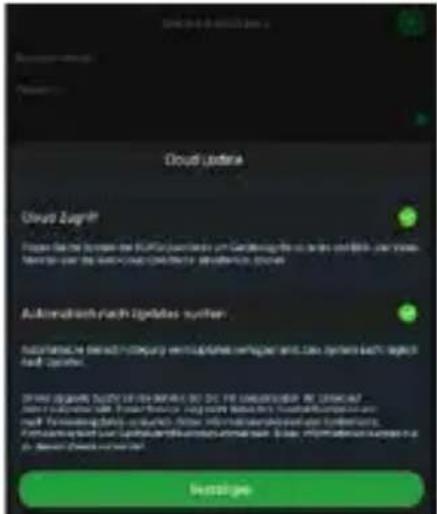
natural_image
Exterior view of a historic white castle with twin towers, surrounded by green lawns and trees under a clear sky (no signage or text)Općenito
text_image
QR code image containing encoded data, no visible human-readable text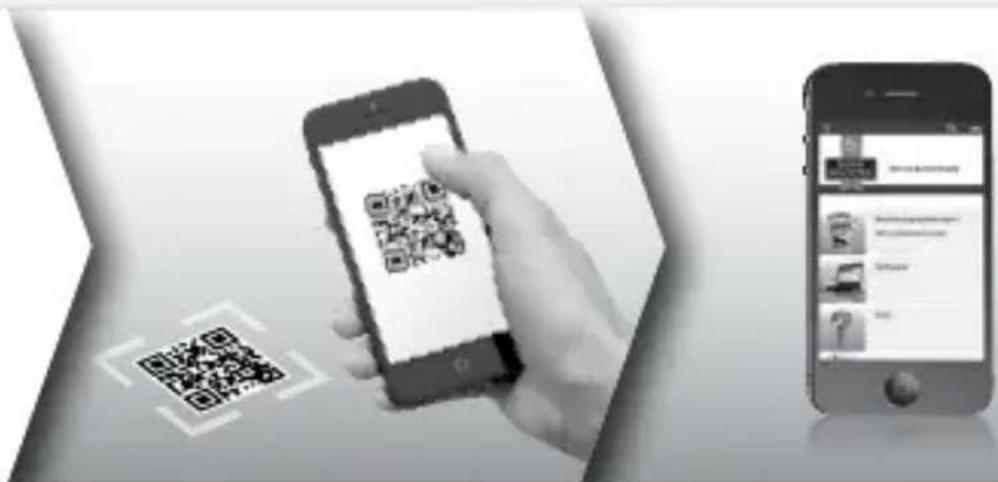
text_image
Mobile app interface showing a hand scanning a QR code on a smartphone, alongside a separate smartphone displaying a profile page.Više informacija o proizvodima BURGcam na njemačkom (DE) i engleskom (EN) možete pronaći na našoj početnoj stranici na:
www.burg.biz → Products → Service & Downloads
text_image
Technical diagram of a mechanical device with labeled components A, B, and CОписание
text_image
Technical diagram of a device with labeled components and directional arrows indicating motion or assembly.Описание
A Сброс:
text_image
QR code image containing encoded data, no visible human-readable texttext_image
QR code image containing encoded data, no visible human-readable texttext_image
QR code image containing encoded data, no visible human-readable texttext_image
Capital Initial Management Stock Trading Price Trading fees with a fixed rate of 0.0000000000000000000000000000000000000000000000000000000000000000000000000000000000000000000000000000
natural_image
Exterior view of a historic white castle with twin towers, surrounded by green lawns and trees under a clear sky (no signage or text)Общие сведения
text_image
QR code image containing encoded data, no visible human-readable text
text_image
Mobile app interface showing smartphone scanning QR code and smartphone displaying app contentwww.burg.biz → Products → Service & Downloads
BURGcam BULLET 3040
русский
text_image
Technical diagram of a mechanical device with labeled components A, B, and CΠεριγραφή
text_image
Technical diagram of a device with labeled components and directional arrows indicating motion or assembly.Περιγραφή
A Επαναφορά:
text_image
QR code image containing encoded data, no visible human-readable texttext_image
QR code image containing encoded data, no visible human-readable texttext_image
QR code image containing encoded data, no visible human-readable textnatural_image
Exterior view of a historic white castle with twin towers, surrounded by green lawns and trees (no signage)Γενικές πληροφορίες
text_image
QR code image containing encoded data, no visible human-readable text
text_image
Black-and-white image showing a hand holding a smartphone displaying a QR code, alongside a smartphone displaying an app interface with text and icons.www.burg.biz → Products → Service & Downloads
https://www.burg.biz/service-downloads/manuals/#Videoueberwachung
text_image
Technical diagram of a mechanical device with labeled components A, B, and CKirjeldus
text_image
Technical diagram of a device with labeled components and directional arrows indicating motion or assembly.Kirjeldus
A Lähtestamine:
text_image
QR code image containing encoded data, no visible human-readable text
text_image
QR code image containing encoded data, no visible human-readable textBURGcam App Androidi jaoks BURGcam App iOS-i jaoks
text_image
QR code image containing encoded data, no visible human-readable textBURGconfig Tool: siit saab tarkvara alla laadida.
text_image
Hiding & Drying Hiding & Drying Hiding & DryingJoonis 1
text_image
Wind turbine Deduction Configuration Sach 2 WLANJoonis 4Joonis 5
natural_image
Exterior view of a historic white castle with twin towers, surrounded by green lawns and trees under a clear sky (no signage or text)Üldist
text_image
QR code image containing encoded data, no visible human-readable text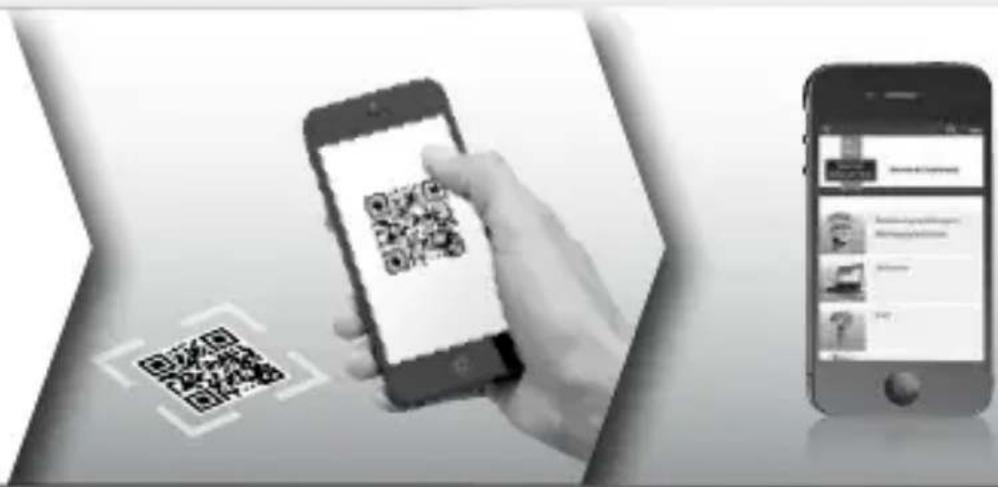
text_image
Mobile app interface showing smartphone scanning QR code and smartphone displaying app interface with text and iconswww.burg.biz → Products → Service & Downloads
https://www.burg.biz/international/service-downloads/manuals/#Video security
text_image
Technical diagram of a mechanical device with labeled components A, B, and CApraksts
text_image
Technical diagram of a device with labeled components and directional arrows indicating motion or assembly.Apraksts
A Atiestatišana:
text_image
QR code image containing encoded data, no visible human-readable text"BURGcam" lietotne "Android" iericēm
text_image
QR code image containing encoded data, no visible human-readable text"BURGcam" lietotne "iOS" iericēm
text_image
QR code image containing encoded data, no visible human-readable text"BURGconfig Tool": lejupielāde šeit.
Alternatīvi "BURGconfig Tool" programma lejupielādei ir pieejama interneta vietnē www.burg.biz.
text_image
11 Geräte gefunden Alo SNC SD DVR NVR Sonstige P/4 Nr. Typ Model IP MAC Version Ausführen 1 PC SNC-311PSMF 192.168.178.9 00:1e+44.08.70.53 2.429.8.0 ✓ ✓ ✓ ✓ 2 PC SNC-841DCIAe 192.168.178.138 00:1e+44.08.96.90 2.622.66BW000.0.R ✓ ✓ ✓ ✓ 3 PC SNC-441RDA 192.168.178.142 00:1e+44.08.49.38 2.622.66BW001.0.T ✓ ✓ ✓ ✓ 4 PC SNC-841DBIAe 192.168.178.118 00:1e+44.08.e0.4e 2.622.66BW001.0.T ✓ ✓ ✓ ✓ 5 KVR SNVR-31542w 192.168.178.139 00:1e+44.08.d8.2d 3.215.66BW000.0 ✓ ✓ ✓ ✓ 6 SD SNC-241RESA 192.168.178.143 99:1e+44.08.70.53 2.623.66BW001.0.T ✓ ✓ ✓ ✓ 7 PC SURGcamDOME 192.168.178.123 99:1e+44.08.42.37 2.499.1.3 ✓ ✓ ✓ ✓ 8 SD SNC-241RSN 192.168.178.141 +0.59.86.25.f6.d2 2.623.66BW001.0.T ✓ ✓ ✓ ✓ 9 SD SURGcam-20CM 192.168.178.127 99:1e+44.08.97.i6 2.699.BW01.0.R ✓ ✓ ✓ ✓ IP Serie ✉ Oerste wurden ausgewicht Hazuflügen Ealt- att.
Pierakstīties
text_image
Hiding & Drying Hiding & Drying Hiding & Drying- att.
text_image
Wind turbine Deduction Configuration Sach 2 WLAN- att.5. att.
natural_image
Exterior view of a historic white castle with twin towers, surrounded by green lawns and trees under a clear sky (no signage or text)Vispārīgi
text_image
QR code image containing encoded data, no visible human-readable text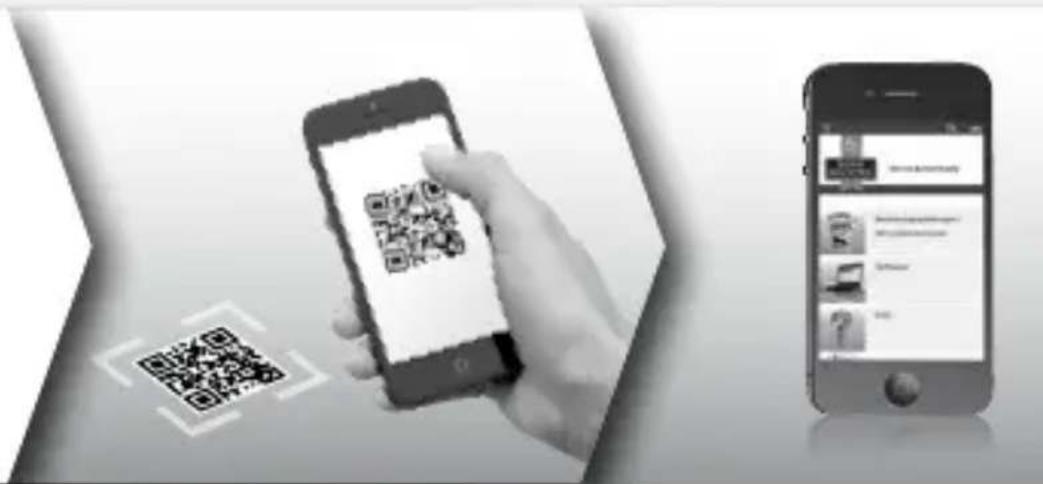
text_image
Mobile app interface showing QR code scanning on smartphone and smartphone screen, with Chinese text labelswww.burg.biz → Products → Service & Downloads
58300, Vetere (Wetter)
Deutschland
Tālr.: +49 2335 965 30
Fakss: +49 2335 965 390
E-pasts: camera-service@burg.biz
text_image
Technical diagram of a mechanical device with labeled components A, B, and CAçıklama
text_image
Technical diagram of a device with labeled components and directional arrows indicating motion or assembly.Açıklama
A Reset:
text_image
QR code image containing encoded data, no visible human-readable texttext_image
QR code image containing encoded data, no visible human-readable texttext_image
QR code image containing encoded data, no visible human-readable textBURGconfig Tool:
text_image
Hiding & Drying Hiding & Drying Hiding & DryingŞek. 1
text_image
Wind turbine Deduction Configuration Sach 2 WLANŞek. 4Şek. 5
text_image
Derke installierung Remprovement Preschool Deutschlagen With the following requirements: Deutschlagen Delete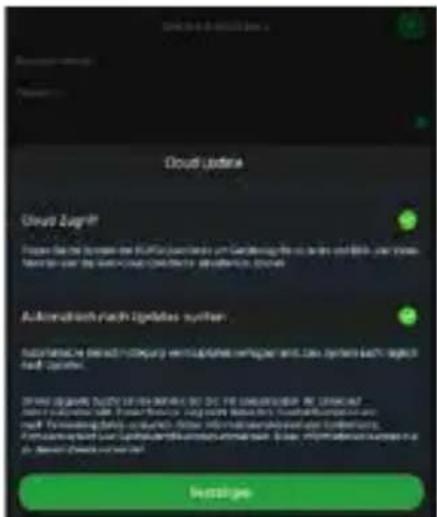
natural_image
Exterior view of a historic white castle with twin towers, surrounded by green lawns and trees (no signage)Genel
text_image
QR code image containing encoded data, no visible human-readable text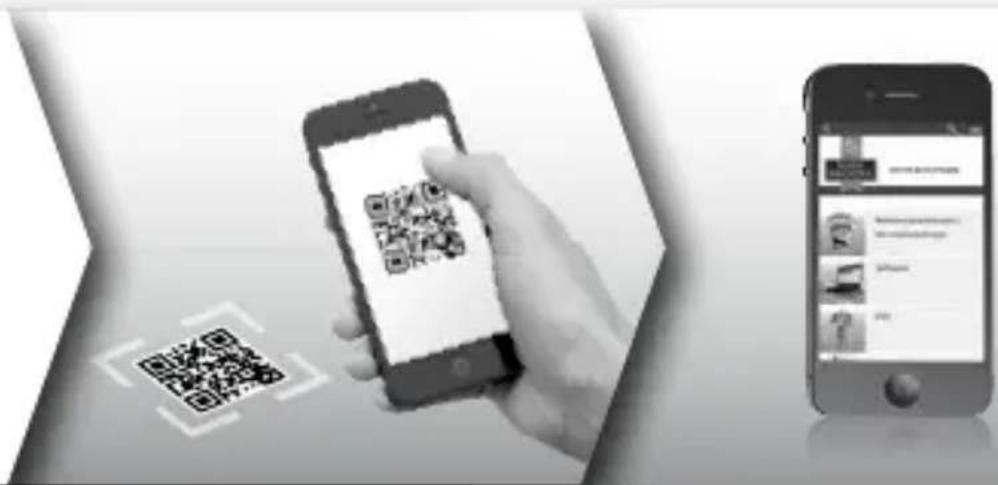
text_image
Mobile app interface showing smartphone scanning QR code and smartphone displaying contentwww.burg.biz → Products → Service & Downloads
https://www.burg.biz/service-downloads/manuals/#Videosecurity
text_image
Technical diagram of a mechanical device with labeled components A, B, and CAprašymas
text_image
Technical diagram of a device with labeled components and directional arrows indicating motion or assembly.Aprašymas
A Atstata:
text_image
QR code image containing encoded data, no visible human-readable text„BURGcam“ programèlè, skirta „Android“
text_image
QR code image containing encoded data, no visible human-readable texttext_image
QR code image containing encoded data, no visible human-readable texttext_image
Hiding & Drying Hiding & Drying Hiding & Drying1 pav.
text_image
Wind turbine Deduction Configuration Sach 2 WLAN4 pav.5 pav.
natural_image
Exterior view of a historic white castle with twin towers, surrounded by green lawns and trees under a clear sky (no signage or text)Bendrai
text_image
QR code image containing encoded data, no visible human-readable text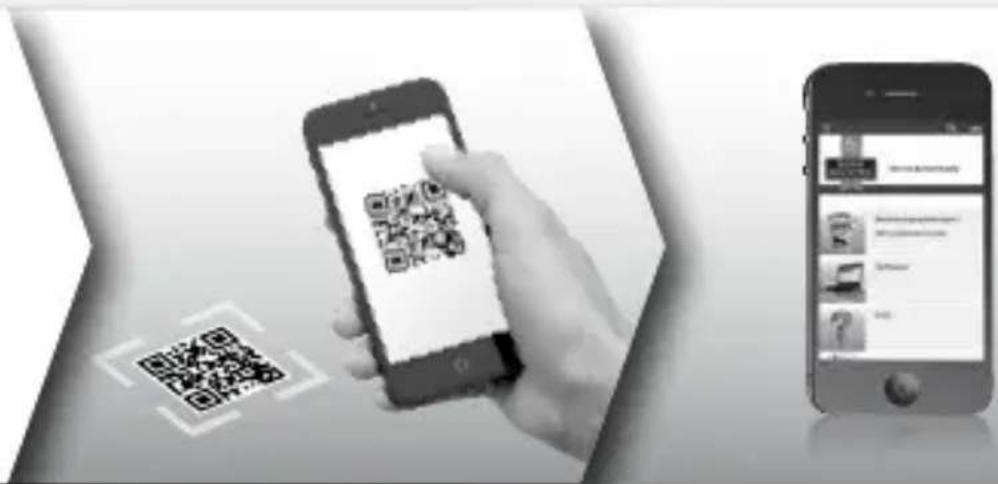
text_image
Mobile app interface showing smartphone scanning QR code and smartphone displaying app contentwww.burg.biz → Products → Service & Downloads