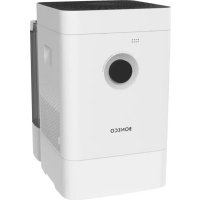
H400 - Humidifier BONECO - Free user manual and instructions
Find the device manual for free H400 BONECO in PDF.



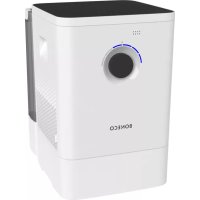
| Product Type | Air humidifier with purification (hybrid) |
| Model | BONECO H400 |
| Dimensions (L × W × H) | 280 × 400 × 465 mm |
| Empty weight | 6.77 kg |
| Power supply | 100-240 V ~ 50/60 Hz |
| Power consumption | 3.7 – 14.7 W |
| Humidification performance | Up to 400 g/h |
| Particle CADR | 100 m³/h |
| Recommended maximum area | 60 m² / 150 m³ |
| Water tank capacity | 12 L |
| Noise level | 25 – 55 dB(A) |
| Operating modes | Auto, Manual, Hybrid, Humidification only, Purification only, Sleep |
| Control | Rotary switch + BONECO app (Bluetooth) |
| App functions | Timer, hygrostat adjustment, LED dimmer, Baby mode, Sleep mode, weather, maintenance reminders |
| Filtration | Pre-filter + pollen filter AH300 (optional) |
| Evaporation technology | Evaporation mat AW200 (washable) |
| Routine maintenance | Empty and clean the tray/tank every 3 days without use; clean tray, drum and mat every 2 weeks |
| Cleaning the AW200 mat | Machine wash at max 40°C or by hand |
| Annual replacement | Ionic Silver Stick A7017 and pollen filter AH300 (if used) |
| Safety | Unplug before cleaning; do not pour oils into the tray |
| Spare parts and accessories | Available from retailer, shop.boneco.com or via the app |
Frequently Asked Questions - H400 BONECO
User questions about H400 BONECO
0 question about this device. Answer the ones you know or ask your own.
Ask a new question about this device
Download the instructions for your Humidifier in PDF format for free! Find your manual H400 - BONECO and take your electronic device back in hand. On this page are published all the documents necessary for the use of your device. H400 by BONECO.
USER MANUAL H400 BONECO
Read and save these instructions
Availability of accessories 28
Overview and part names 29
Technical data 30
First cleaning 30
Starting up 31
Manual handling 32
On manual handling 32
AUTO mode 32
Adapted AUTO mode 32
Switching on and off 32
Manual control 33
The various operating modes 34
Hybrid mode ("Hybrid") 34
"Hybrid"LED operating mode 34
Humidification only ("Humidifier") 34
"Humidifier"LED operating mode 34
Purification only 34
"Purifier"LED operating mode 34
Fragrance container 35
Basics 35
Use 35
The benefits of the BONECO app 36
About the BONECO app 36
Scope of services 36
BONECOappforiOS36
BONECOappforAndroid36
Connecting to the app 37
Preparations 37
Pairing 37
Meaning of the status LED 38
Notes on cleaning 39
About cleaning 39
Recommended cleaning intervals 39
Cleaning the appliance 40
Disassembly and cleaning 40
Cleaning the AW200 evaporator mat 41
About the AW200 evaporator mat 41
Cleaning in the washing machine 41
Cleaning by hand 41
Cleaning pre-filter 42
About the pre-filter 42
Cleaning pre-filter 42
Replacing the accessories 43
Replacing the A7017 Ionic Silver Stick
Replacing the AH300 pollen filter 43
Availability of accessories 43
Notes on operation and troubleshooting 44
ITEMS INCLUDED
HEALTHY AIR IS A BASIC NEED.
There is little to which we react with greater sensitivity than poor air. And yet many people do not pay enough attention to air quality, which has consequences for health and quality of life. This makes us all the more pleased that you have chosen a TOP-BONECO appliance to ensure that the basic need for healthy room air is satisfied for you and the people around you.
AVAILABILITY OF ACCESSORIES
You can obtain replacements for worn-out accessories as well as additional accessories from:
- Your BONECO specialist dealer,
- At www.shop.boneco.com or
- Directly via the "BONECO healthy air" app.
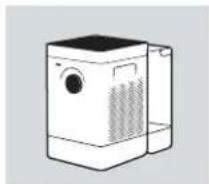
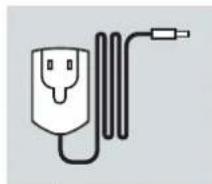
ITEMS INCLUDED
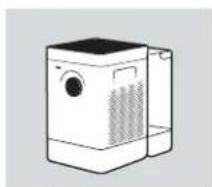
BONECO H400
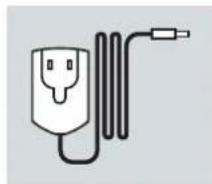
Power supply
Quick Manual Safety instructions
OVERVIEW AND PART NAMES
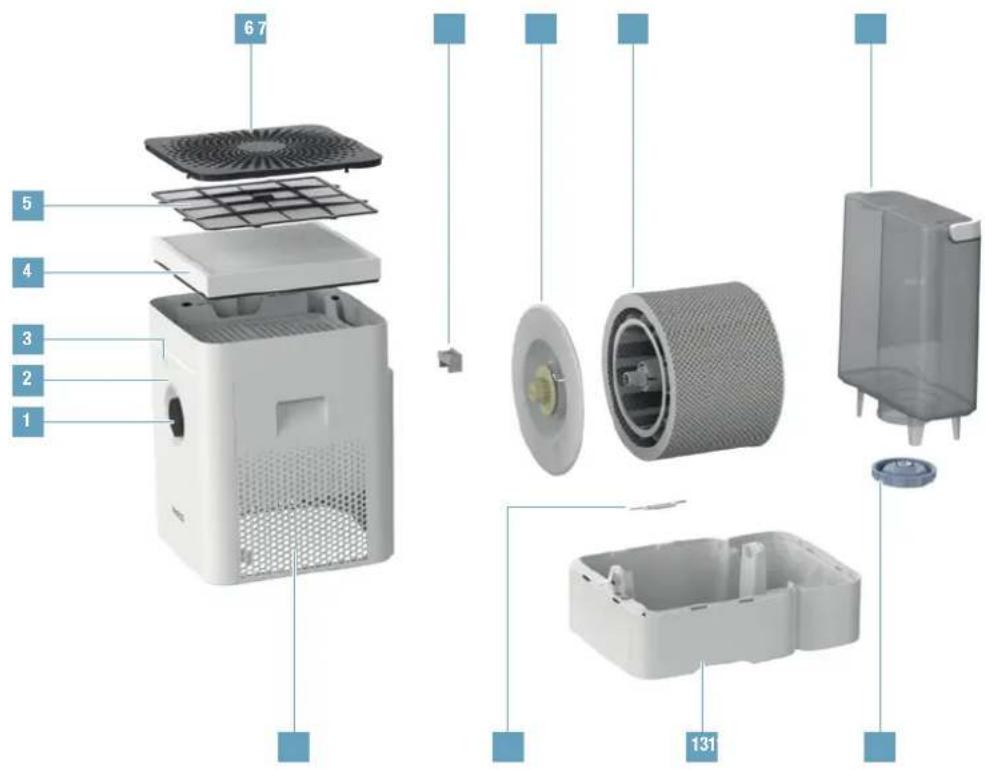
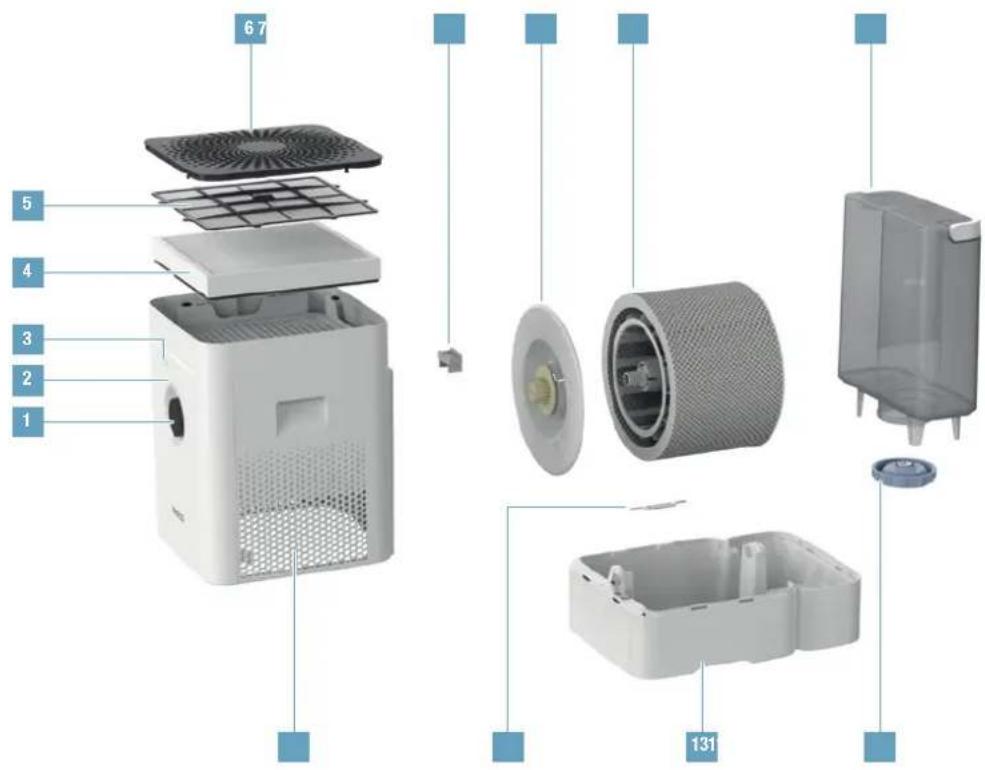
1 On/Off, performance level
2 Status LED
3 Hygrometer
4 AH300 pollen filter
5 Pre-filter
6 Cover /air inlet
7 Fragrance container
8 Drum
9 AW20D evaporator mat**
10 Water tank
11 Air outlet
12 A7017 Ionic Silver Stick
13 Water base*
14 Water tank cover
- Washable in the dishwasher up to 50 °C (122°F)
^** Washable in the washing machine up to 40^(104^)
TECHNICAL DATA
TECHNICAL DATA*
| Type designation BONECO H400 | |
| Power supply voltage | 100-240 V ~ 50/60 Hz |
| Power consumption | 3.7-14.7 W |
| Humidity output up to \( {400}\mathrm{\;g}/\mathrm{h}{\left( {2.64}\mathrm{{gal}}/\text{day}\right) }^{* * } \) | |
| Particle CADR 100 m | \( {}^{3}/\mathrm{h} \) (59 CFM) |
| Recommended for rooms up to \( {60}\mathrm{\;m} \) | \( {}^{2} \) (650 sq ft) \( /{150}{\mathrm{\;m}}^{3} \) (5300 cu ft) |
| Water capacity max. 12 liters (3.17 gal) | |
| Dimensions L x W x H | \( {280} \times {400} \times {465}\mathrm{\;{mm}}\left( {{11.0} \times {15.7} \times {18.3}\mathrm{{in}}}\right) \) |
| Weight (empty) 6.77 kg (14.9 lbs) | |
| Operating noise level \( {25} - {55}\mathrm{\;{dB}}{\left( \mathrm{A}\right) }^{* * } \) |
Subject to change ^ 230 V -50 Hz
FIRST CLEANING
Production-related residue on the water base or in the water tank can have an influence on water quality. For this reason, before the first use, the water base and (if present) the water tank must be cleaned with warm water and dish detergent. Then thoroughly rinse the water base and (if present) the water tank under running water.
STARTING UP
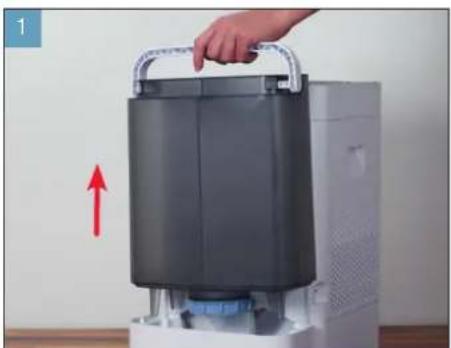
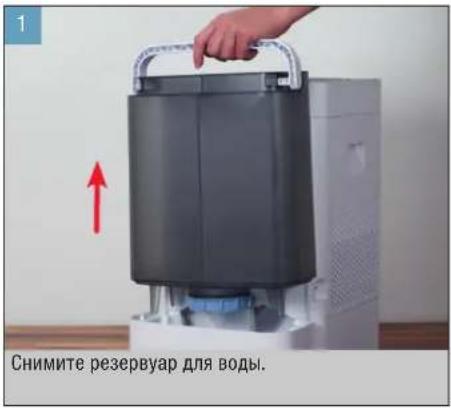
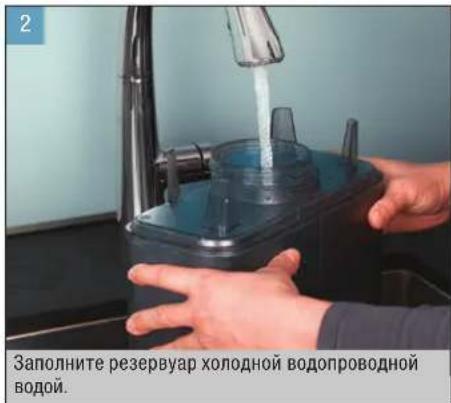
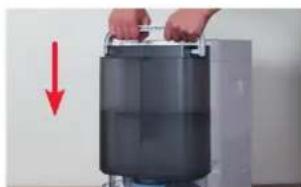
Remove the water tank. Fill the water tank with cold tap water.
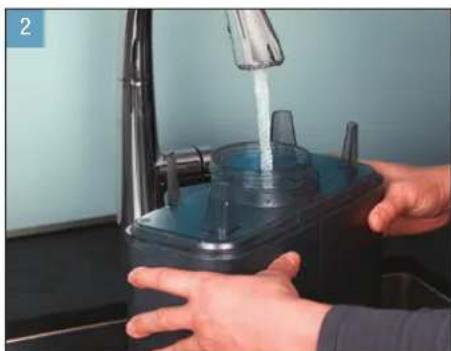
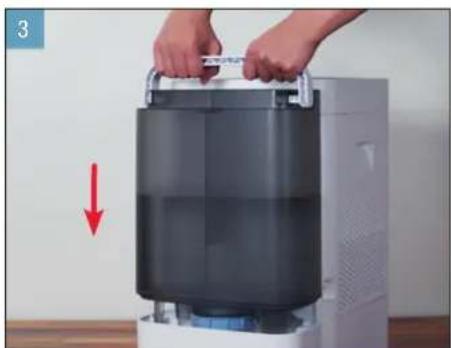
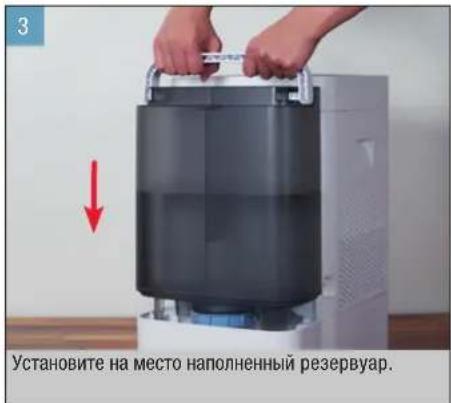
Insert the filled water tank.

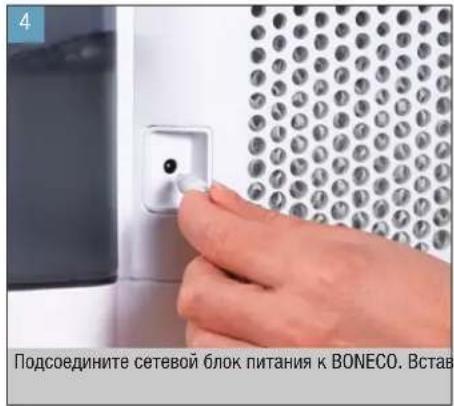
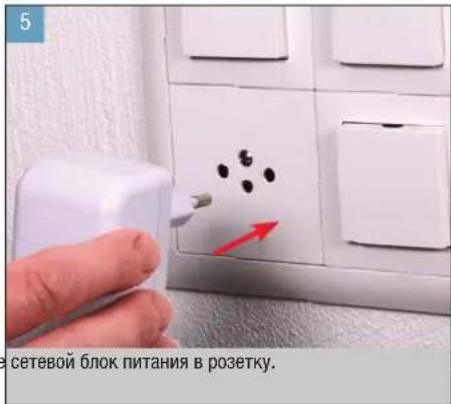
Connect the power supply to the BONECO appliance. Plug the pc
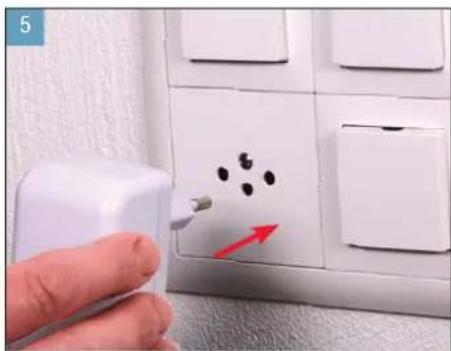
power supply into a power outlet.
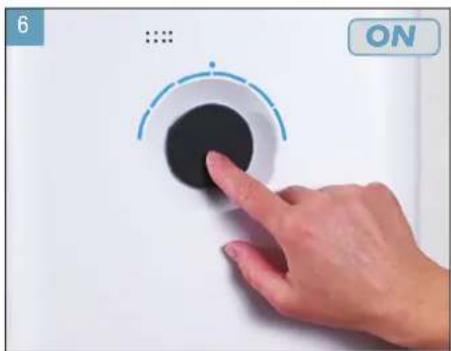
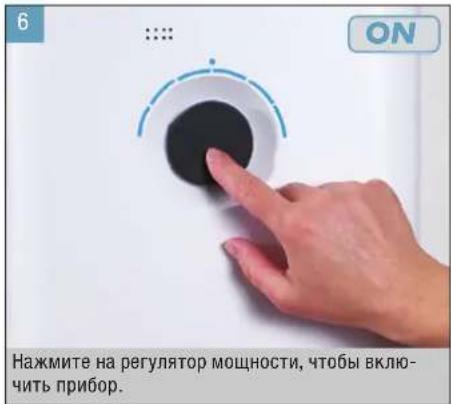
Briefly press the output regulator to switch on the appliance.
en
MANUAL HANDLING
ON MANUAL HANDLING
Manual handling works conveniently by the knob on the front side. The BONECO app offers additional, extensive options for control and automation of the BONECO appliance.
AUTO MODE
If you have never operated the BONECO appliance with the BONECO app and switch it on for the first time, it starts up in AUTO mode. The appliance is preset to a target relative humidity of 50 percent. The performance level is automatically adapted to the current humidity: The drier the air, the higher the performance level.
If the preset target humidity is exceeded, the appliance switches to standby mode, which is indicated by the pulsing LED.
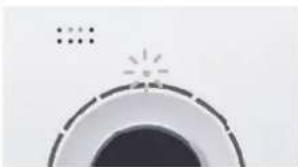
If the humidity drops below the set level, the BONECO appliance resumes operation.
ADAPTED AUTO MODE
If you have already operated the BONECO appliance with the BONECO app and set a different humidity, that value is automatically taken over when the appliance is switched on.
SWITCHING ON AND OFF
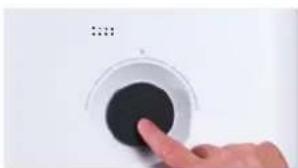
- Briefly press the knob once to switch on the BONECO appliance.
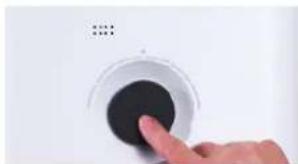
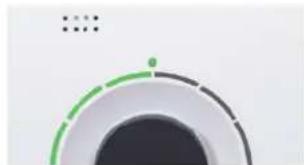
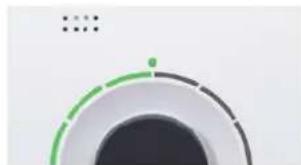
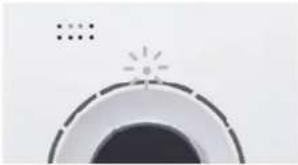
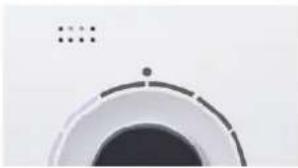
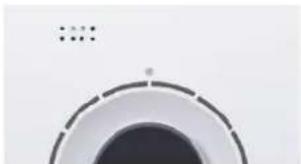
The appliance is always in AUTO mode when it is switched on. You can identify active AUTO mode by the small LED that lights up above the knob.
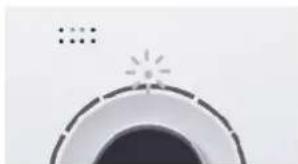
- To switch off the BONECO appliance while it is in AUTO mode, briefly press the knob once.
MANUAL HANDLING (CONTINUED)
MANUAL CONTROL
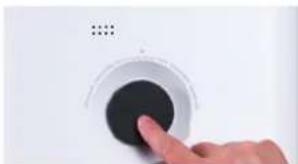
- Briefly press the knob once to switch on the BONECO appliance.
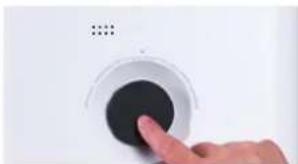
The appliance is always in AUTO mode when it is switched on.
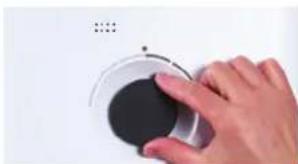
- Adjust the output to your needs by setting the knob to the desired level from 1 to 6. This action exits AUTO mode (AUTO LED is off).
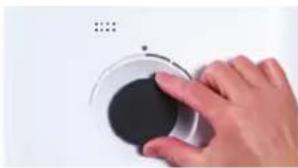
The selected performance level is indicated by the number of LEDs that light up above the knob.
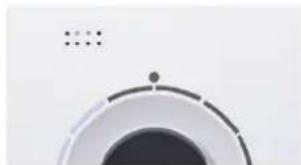
- Briefly press the knob once to exit manual mode and to reactivate AUTO mode.
- Briefly press the knob once more to switch off the BONECO appliance.
If you exit AUTO mode, the BONECO appliance will continue at the selected performance level until the water base is empty, regardless of what the current level of humidity is.
The BONECO appliance combines two functions.
- The AH300 pollen filter cleanses breathing air by removing pollen, household dust and fine particles.
- The evaporator mat humidifies the room air.
You achieve the best results when the BONECO appliance is humidifying and purifying the air at the same time. Nevertheless it is possible to use just one of the two functions.
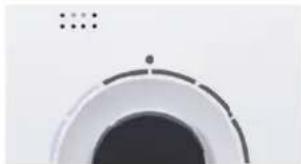
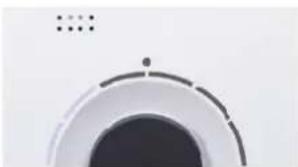
"HYBRID"LED OPERATING MODE
HUMIDIFICATION ONLY ("HUMIDIFIER")
We recommend using the BONECO appliance with inserted AH300 pollen filter even in the winter because, aside from pollen, it also filters household dust out of the air. In order to operate the appliance without the pollen filter, simply remove the filter from its holder and use the BONECO app to switch to "Humidifier" mode.
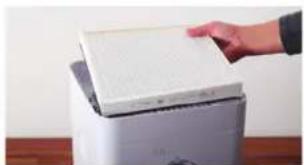
When you remove the AH300 pollen filter, the maximum humidifier performance increases because you achieve a better air passage.
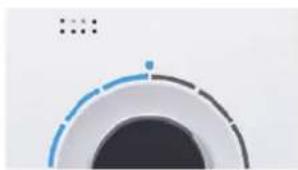
"HUMIDIFIER" LED OPERATING MODE
PURIFICATION ONLY
In summer, humidity is usually sufficient, but pollen gives people with allergies a difficult time. If you only want to use the purifying effect of the AH300 pollen filter, switch the BONECO appliance to "Purifier" operating mode using the BONECO app and remove the water and the drum from the appliance.
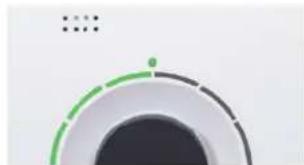
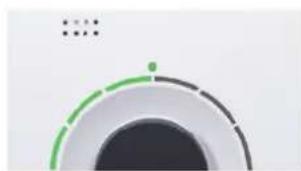
"PURIFIER" LED OPERATING MODE
FRAGRANCE CONTAINER
BASICS
Commercially available fragrances and essential oils can be inserted into the fragrance container on the rear side.

Never mix any additives into the water base itself, since doing so can decrease the performance of the BONECO appliance and even cause damage. This damage is not covered by the warranty.


The fragrance container can be cleaned in the dishwasher. However, the temperature may not exceed 50^ (122^) .
USE
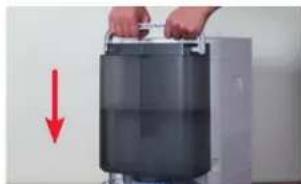
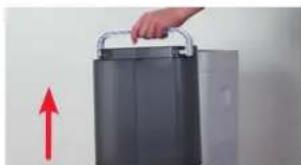
- Remove the water tank.
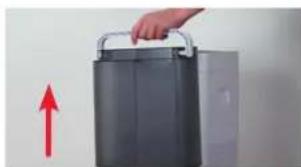
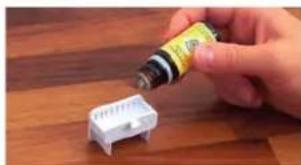
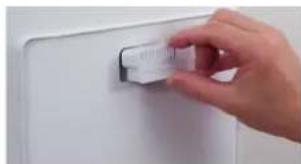
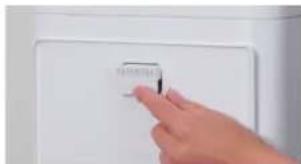
- On the rear side, press down on the fragrance container to take out the drawer.
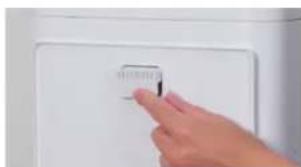
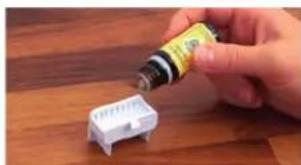
- Sprinkle the felt insert in the drawer with the fragrance of your choice.
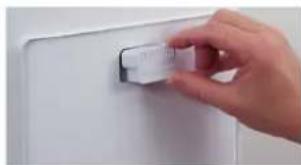
- Reinsert the fragrance container.
- Reinsert the water tank.

THE BENEFITS OF THE BONECO APP
ABOUT THE BONECO APP
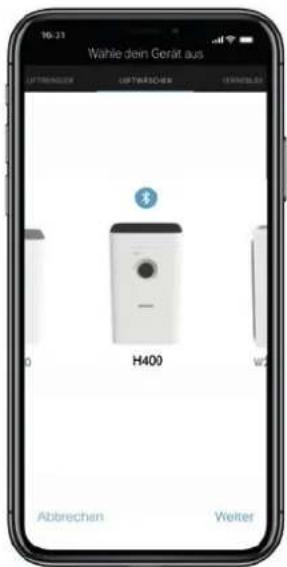
The "BONECO healthy air" app is used for enhanced control of the BONECO appliance and lets you take full advantage of its potential. The app includes functions such as a timer, a humidity preset and the option to switch between various programs. In addition, it provides reminders for the cleaning intervals and other recurring tasks.
SCOPE OF SERVICES
Programs Predefined settings for frequent situations
"Baby" mode The appliance uses fan level 1 through 4 and increases the humidity to 60%
"Sleep" mode The appliance uses fan level 1 only and increases the target humidity to 45%
Hygrostat Defining the desired humidity
Dimmer Setting the brightness of the status LED
Weather Displays the current weather and outside temperature
ON timer The appliance switches on after a set time
OFF timer The appliance switches off after a set time
Accessories and consumables Provides support in replacement orders and further information
BONECO APP FOR IOS
Search the App Store for "BONECO healthy air" or scan the QR code below.
Search the Google Play Store for "BONECO healthy air" or scan the QR code below.




CONNECTING TO THE APP
PREPARATIONS
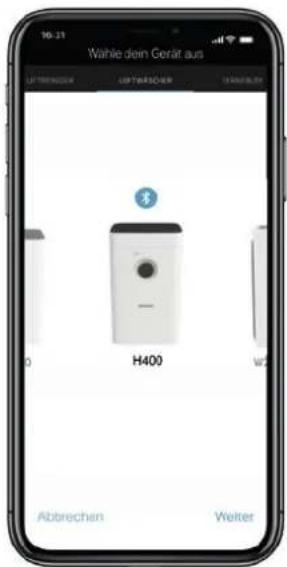
Make sure that Bluetooth is activated on your smartphone. During pairing, make sure that the smartphone is in the same room as the BONECO appliance.
Once paired successfully, you can control the BONECO appliance with your smartphone from the same room or even from an adjacent room. However, the maximum distance between smartphone and BONECO appliance depends on the specific structural conditions.
PAIRING
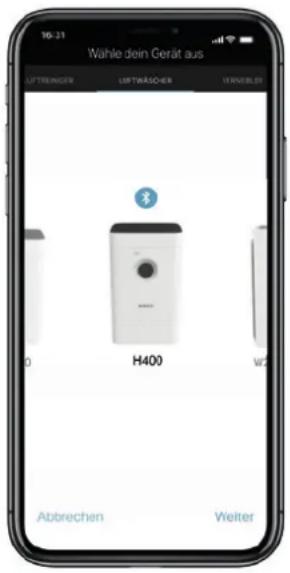
- Make sure that Bluetooth is activated on your smartphone.
- Start the BONECO app.
- Follow the instructions in the app.
MEANING OF THE STATUS LED
LED LIGHTING UP IN WHITE, BLUE OR GREEN
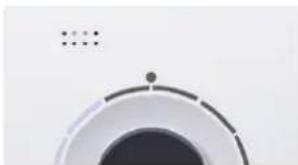
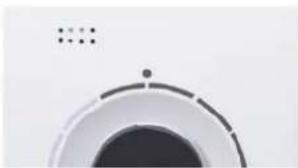
In normal operation, the status LED lights up in the color of the current operating mode continuously. The performance level is indicated by the number of the illuminated ring LEDs.
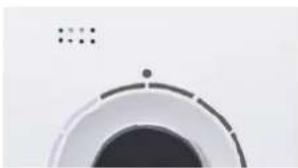
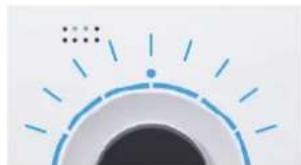
LED RING FLASHING IN BLUE
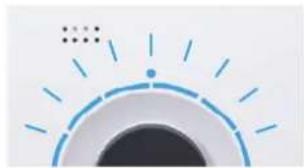
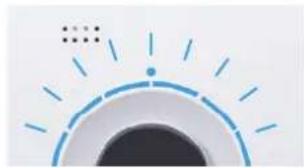
When the 6 ring-shaped LEDs are flashing in blue, the BONECO appliance is ready for pairing with a smartphone via Bluetooth.
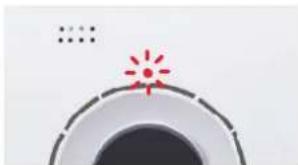
LED FLASHING IN RED
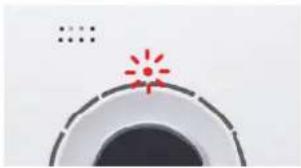
The red LED flashes when the water tank is empty. Fill the water tank with fresh, cold tap water.
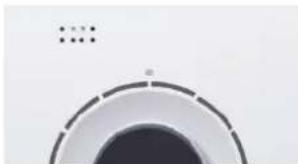
LED PULSATING IN BLUE AND WHITE
A pulsating LED indicates that the target humidity has been exceeded in AUTO mode; the appliance is now in stand-by mode. Operation resumes as soon as the humidity drops below the set level.
NOTES ON CLEANING
ABOUT CLEANING
Regular maintenance and cleaning are necessary for trouble-free and hygienic operation.
Recommended cleaning and maintenance intervals vary depending on air quality, water quality and operating time.
A soft cloth, dish detergent and a scrub brush are recommended for cleaning by hand.
Always unplug the BONECO appliance from the power outlet before you begin cleaning. Failure to do so can result in electric shock and fatal injury!
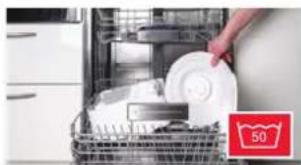
In the case of cleaning the drum and the water base in the dishwasher, a temperature of 50^ (122^) may not be exceeded, as temperatures higher than this can cause the plastic parts to deform.
RECOMMENDED CLEANING INTERVALS
| Interval Action |
| After the third day without operation Empty water base and water tank and fill with fresh water |
| Every 2 weeks Clean water base, drum and AW200 evaporator mat |
| Clean the pre-filter |
| Annually Replace A7017 Ionic Silver Stick * |
| Clean the fan and the inner area of the appliance |
CLEANING THE APPLIANCE
DISASSEMBLY AND CLEANING
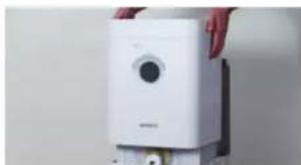
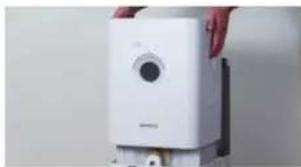
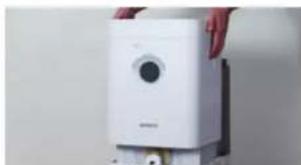
- Take off the upper part of the BONECO appliance.
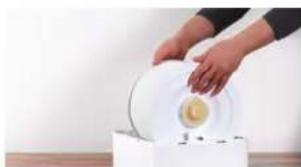
- Remove the drum with the AW200 evaporator mat.
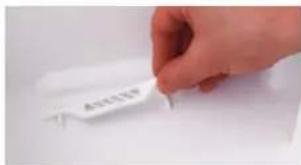
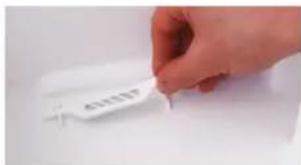
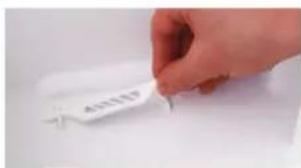
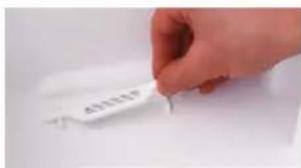
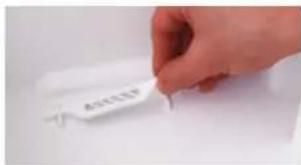
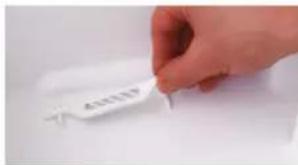
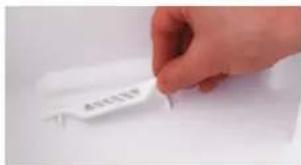
- Take out the A7017 Ionic Silver Stick
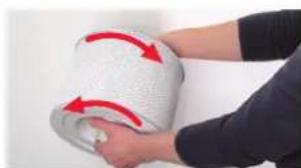
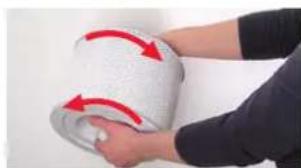
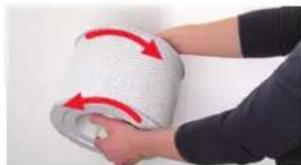
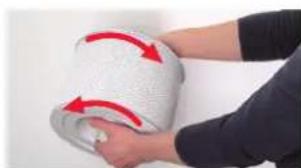
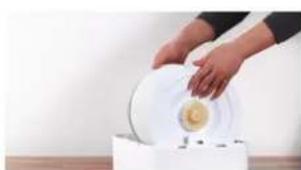
- Twist both drum discs to release them. When doing so, note the markings on the outer side of the disc.
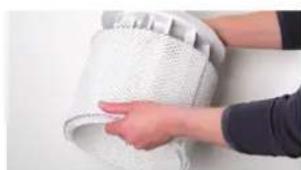
- Remove the AW200 evaporator mat from the drum.
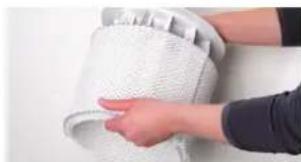
- Clean the water base and the drum either by hand or in the dish washer at a max. temperature of 50^ (122^)

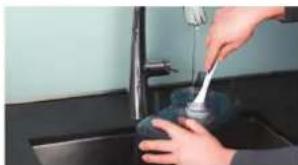
- Clean the inside of the water tank by hand or with a suitable cleaning brush using a commercially available dish detergent.
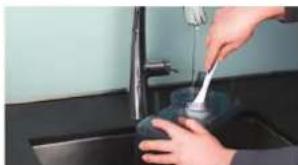
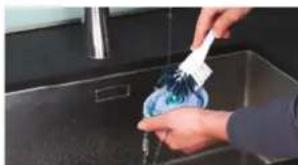
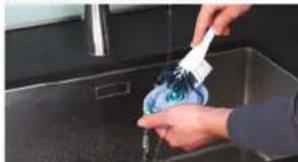
- Clean the water tank cover with a commercially available dish detergent and a cleaning brush.
- Put the appliance back together by following the steps in reverse order.
CLEANING THE AW200 EVAPORATOR MAT
ABOUT THE AW200 EVAPORATOR MAT
The AW200 evaporator mat can be cleaned in the washing machine. Uses any commercially available detergent.
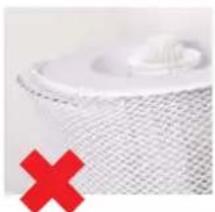
We recommend putting the AW200 evaporator mat into a laundry bag or washing it separately because it will collect loose fibers from other pieces of laundry otherwise.
When stretching the AW200 evaporator mat on the drum after cleaning, take note of correct positioning:
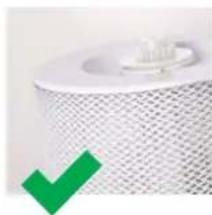
CLEANING IN THE WASHING MACHINE
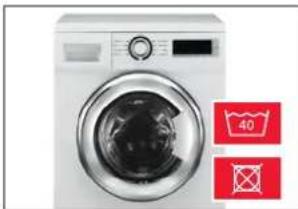
The AW200 evaporator mat can be cleaned in the washing machine. Commercially available detergents can be used.

The AW200 evaporator mat must not be washed at a temperature higher than 40^ (104 F).

Do not dry the AW200 evaporator mat in the clothes dryer.
CLEANING BY HAND
- Add a little detergent to warm water and tumble the AW200 evaporator mat in it thoroughly to get dish detergent on all of it.
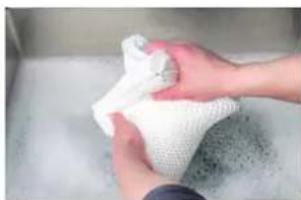
- Rinse out the AW200 evaporator mat repeatedly in clean, hand-warm water until suds no longer form.
- Allow the AW200 evaporator mat to dry before you stretch it on the drum again.
CLEANING PRE-FILTER
ABOUT THE PRE-FILTER
The pre-filter cleans the air from coarse contaminants. Clean the pre-filter if it is dusty or dirty.
CLEANING PRE-FILTER
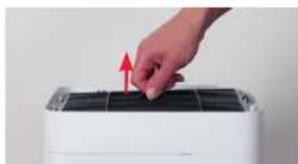
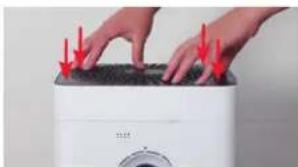
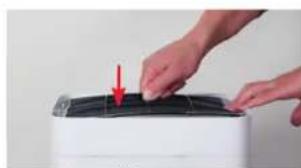
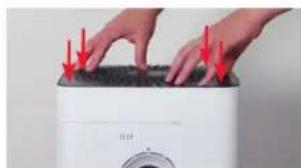
- Press down each of the four corners of the cover in sequence to unlock it.
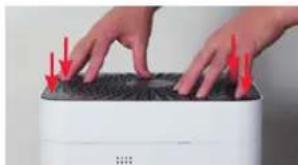
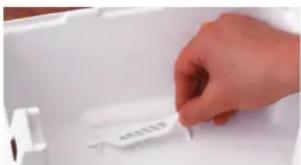
- Remove the pre-filter by pulling it upwards by the lug in its center.
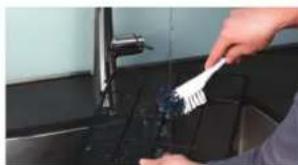
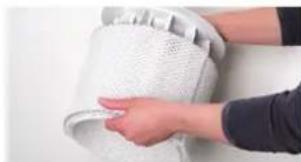
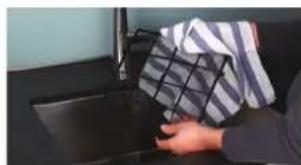
- Wash the pre-filter under running water using a cleaning brush.
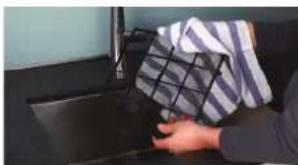
- Dry the pre-filter with a cloth.
- Insert the pre-filter into the appliance.
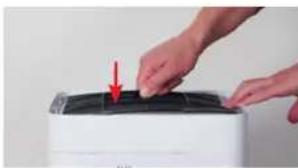
- Reattach the cover.
REPLACING THE ACCESSORIES
REPLACING THE A7017 IONIC SILVER STICK
The A7017 Ionic Silver Stick uses the antimicrobial effect of silver for a significant improvement of water hygiene. It is effective as soon as water comes into contact with it - even if the BONECO appliance is switched off.
Replace the A7017 Ionic Silver Stick ^ annually to guarantee antimicrobial effectiveness.
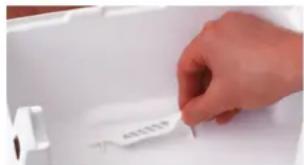
The used A7017 Ionic Silver Stick can be thrown out with your regular household waste.
REPLACING THE AH300 POLLEN FILTER
The AH300 pollen filter cannot be cleaned.
- Dirt is normal and shows that the AH300 pollen filter is working.
- Replace the AH300 pollen filter once a year to maintain the cleaning performance.
- The used AH300 filter can be disposed of with your regular household waste.
AVAILABILITY OF ACCESSORIES
You can obtain replacements for worn-out accessories as well as additional accessories from:
- Your BONECO specialist dealer,
- At www.shop.boneco.com or
- Directly via the "BONECO healthy air" app.
NOTES ON OPERATION AND TROUBLESHOOTING
Problem Possible cause Action
| Air has an unpleasant odor | Stagnant water in the water base | Drain the water base and clean the appliance and the AW200 evaporator mat |
| AUTO LED on the appliance flashes red The water base is empty Fill the water base | ||
| Appliance cannot be operated in the app. The message “Searching ...” | Appliance is blocked by another smartphone Close the app on the second smartphone | |
| “Cannot be found” appears | ||
| AUTO LED pulses The desired humidity has been reached or exceeded None needed | ||
| Current display flashes if operation is attempted Operation is blocked Disable the LOCK function in the app | ||
| Display remains dark | The brightness of the LEDs has been heavily reduced in the app | Increase the brightness of the LEDs in the app |

MODE D'EMPLOI BONECO H400

SOMMAIRE
REEMPLACEMENT DES ACCESSOIRES
REEMPLACEMENT DU BATONNET IONIC SILVER STICK A7017
LED MODALITA "HYBRID"
SOLO UMIDIFAZIONE ("HUMIDIFIER")
LED MODALITA “PURIFIER”
CONTENITORE PER FRAGRANZE
INFORMAZIONI BASE
BESCHIKBARE ACCESSORIES
BESCHIKBARE ACCESSORIES
Download on the App Store


GET IT ON Google Play

- RetireeIonic Silver Stick A7017.
OPERACAO MANUAL (CONTINUACAO)
CONTROLO MANUAL
Download on the App Store

SET IT ON Google Play

LIGACAO A APP
PREPARACOES
- Retire o lonic Silver Stick A7017.
- Rode osdoesdiscosnontbarmaporosolutar.Para oefeito,observeasmarcasnaparteexteriordo disco.
Download on the App Store


SETT ON Google Play

KAPCSOLODAS AZ ALKALMAZASHOZ
ELOKESZULETEK
WSKAZNIK LED TRYBU PRACY "PURIFIER"
ZBIORNIK NA SUBSTANCJE ZAPACHOWE
INFORMACJE PODSTAWOWE
TO ZAPEWNIA APLIKACJA BONECO
O APLIKACJI BONECO
PRANIE MATY W PRALCE
Download on the App Store

BONECO APP -SOVELLUS ANDROID-KAYTTOJAR-JESTELMALLE
Etsi Google Play Store -myymälästa "BONECO healthy air" tai skannaa alla oleva QR-koodi.

GET IT ON Google Play

YHDISTÄMINEN SOVELLUKSEEN
VALMISTELT
Download on the App Store


GET IT ON Google Play

FORBINDELSMEDAPPEN
FOPBPEDELSER
Sorg for, at Bluetooth er aktiveret pa din smartphone.
Sorg vedSAMmenkoblingen for, atsmartphonenbefind
sig i samme rum som BONECO-apparatet.
RENGORING AF APPARATET
AFMONTERING OG RENGORING
- Tag overden pa BONECO-apparatet af.
- Fjern A7017 Ionic Silver Stick
- Drej de to skiver pa tromlen for at Iesne den. Vaer her opmaerkson pa maerknerpe ydersiden af skiven.
- Trak AW200 fordampermatten at tromlen.
UDSKIFTNING AF TILBEHOR
UDSKIFTNING AF A7017 IONIC SILVER STICK
MANUELL BETJENING (FORTS.)
MANIEL STYRING
- Slå pa BONECO-apparatet ved ä trykke en gang pa dreiebryteren.
Apparatet er alltid i AUTO-modus naret slas pa.
LED-MODUS "PURIFIER"
DUFTSTOFFBEHOLDER
GRUNNILEGGENDE
- Fjern A7017 Ionic Silver Stick
Pollenfilter AH300 kan/DD
MANUALA VADIBA (TURPINAJUMS)
MANJILALVADIRA
- Lai BONECO ierici ieslgltu, nospiediet pagriezamo sledzi.
Ierici jiesledzot, ta vienmer ir rezima "AUTO".
- Pielagojiet jaudu savam vajadzibam, pagriezamo sledzi pagriezot pret velamo jaudas pakapi no 1. lidz 6. Tadejadi rezims "AUTO" tiek izslegts (LED gaismas diode "AUTO" nedge).
Izveleto jaudas pakapi uzrada dego so gaismas dio zu skaits virs pagriezama sleda.
- Lai izslęgtu manuilo rezimu un atkārtoti aktivizētu režimu "AUTO", vienu rezi nospiediet pagriežamo slezdi.
- Lai izslegtu BONECO ierici, atkartoti nospiediet pa-griezamo slezi.
Ja izsledz rezimu "AUTO", BONECO icerice turpina darboties ar izvelto jaudas pakapi, lidz udens tver-tne ir tutsa, neatkarigi no pašreizëja gaisa mitruma limena.


DAZADI DARBIBAS VEIDI
HIBRIDAIS DARBIBAS VEIDS ("HYBRID")
SVIESOS DIODU BUSENOS REIKSME
BALTAI, M, ELYNAI ARBA ZALIAI SVIECIANTIS SVIESOS DIODAS
Iprastiniame rezime sviesos diody busena sviectia nepertraukiamai veikiancio darbo rezimo spalva. Nasumo lygi rodo sviecianciu sviesos diody ziedu skaiiius.
MELYNAI MIRKSINTIS SVIESOS DIODO ZIEDAS
Kai 6 ziedo formos svesos diodai mirksi, BONECO" prietaisas yra pasirenges susiejimui su ismaniuoju Telefonu per "Bluetooth" rysj.
RAUDONAI MIRKSINTIS SVIESOS DIODAS
MANUAALSEST KASITSEMISEST
Download on the App Store


GETITON GooglePlay

RAKENDUSEGA UHENDAMINE
ETTEVALMISTUSED
Veenduge, et teie Telefonis on Bluetooth aktiveeritud. Seadmete sidumiseks peab nutitelefon olea BONECO seadmega samas ruumis.
Vymena A7017 Ionic Silver Stick
Download on the App Store


GET ON Google Play

SPOJENI S APLIKACI
PrijPRAYV
Vyznam stavovych LED 358
Pokyny na cistenie 359
0čistení 359
Odporucane intervaly cistenia 359
Cistenie pristroja 360
Demontaz a cistenie 360
Cistenie vlozky odparovacieho zvlhcovaca AW200 361
Download on the App Store


GET IT ON Google Play

SPOJENIE S APLIKÁCIÜO
PPIRPPAVA
CISCENJE V PRALNEM STROJU
APLIKACIJA BONECO NUDI VAM OVO
O APLIKACIJI BONECO
Aplikacija "BONECO healthy air" upotrebljava se za napredno upravljanje uredajem BONECO i omogucije vam da iskoristite sav njegov potencijal. Aplikacija nudi funkcije poput broja ctremena, prikaza vlaznosti zraka ili promjenu izmedu razlicitih programa. Osim toga, podsejt ce va na intervale ciscenja i druge ponavljuuce zadatke.
OPSEG DJELOVANJA
- Izvadite A7017 Ionic Silver Stick
Problem Moguci uzrok Mjera
| Zrak je neugodnog mirisa | Odstajala voda u koritu za vodu | Ispraznite korito za vodu, očistite uredaj i AW200 podlogu isparivača |
| AUTO LED lampica na urežaju treperi crveno Korito za vodu je prazno Napunite korito za vodu | ||
| Nije moguce upravljanje uredajem putem適用acije. Pojavljube se obavijest "Traži ..."“Slanje NIJE dostupno" | Uredaj je blokiran nekim drugim pametnim Telefonom Zatvorite applikaciju na drugom pametnom Telefonu | |
| AUTO LED lampica pulsira Postignuta je ili prekoračenaŽeljena vlăznost zraka Nije potrebna | ||
| Trenutăčni indicator treperi pri rukovanju | Rukovanje je blokirano | U applikaciji deaktivirajte funkcjiu ZAKLJUČAVANJE |
| Indikator ne svijeti | Svjetlina LED lampica u applikaciji je uvelike smanjena | Povećajte svjetlinu LED lampica u applikaciji |
el
OΔHΓΕΣ XPHΞHΣ
BONECO H400

TINAKA Σ ΠΕPIEXOMENΩN
IIepiaaIabovra 408
△iaεαμóτηαεσούρ 408
Enoknonn kai ovuaia twv efaptntaw 409
TeXvikéπλnpoΦopieε 410
IpuToC KaBapIoOc 410
8eon 0e λεitoupyia 411
Xeipokivntoc xieipioo412
- Aphiapoe to A7017 Ionic Silver Stick
- PnpiptpTeTOUCdoioKoucOToTumavo,ya va to LooTE.PnooeEe Oaun TNIdeltaiaotaonmuiaOTNVEXWepiKnNevupaToudioKou.
- Apaepote to tLeyua eAtmuonc AW200 Evaporator mat aTo to Tuymavo.
- KaopaiTe n Taon Doaoxieiou vepou KAI to Tumravo Ue To xepi n 0to Pauvtipio mataow o e yiovtn eoepoKpaia 50°C.
- KaBapite To eowtepkou To doxieou vepou E eva ouvNtioevo OTo Eumopio anoppunavtko MAtuw E to Xepi nE ma BoOpTaKaBapiaou.
- KaapioTe To kanaki doxiou vepou E eva ouwn- thiuevo 0To eTIOIO antoppuavtiko Tnawy Me to Xei kai mia Bouptoa Kaapioo.
Ip6aIpaIthaviriaEpyaia
PpnoxneBONECOIgios436
Ppnooxene BONECO nA Android 436
IopknoueHneYepe3 npnloxKeHne 437
Подговka 437
CoeHHne 437
3haeHne CBeToNDHOro HndkaTopa CoCToHH 438
Yka3aHnI NO OCHCTKe 439
06 ouncTke 439
PekomeHdyemae npnoDnHoctb ouhCTK 439
Ouictka npnbopa 440
DEmoHTaKn OuHcTka 440
OuNCTKa yBlaJxHnIooIe oIyIbTpA AW200 441
Ioppo6Hee 0bYbnaXnHryIOUeM fNtpe AW200 441
CTnKbB CTnpaIbHmMaunHe 441
PyHna CTnPKa 441
OuNCTKa qunbtpa nppeBapntbHou ouNCTK 442
HΦopMaunOΦnIbTpne npedBaPHTeNbHOUcTKn 442
OuNCTKaФnIbTpA npedBaPnteHOB ONUCTK 442
3aMeHa dOnoJIHHTeNbIbIX npHaIeNExKHOCTe
443
3aMeHa aHTnbakTepeHnBHO cepebHoro cTepHnIonic Silver Stick A7017
443
3aMeHa nblneBorO fnnbTpa AH300 443
Bo3MOXHOCTb IcNoIb3OBAHnI DOnIOHHTeBbHx npHaJnxHOCTe 443
Yka3aHn no 3KcIpyatauun u yctpaHHe HEnCnpaBHOtei
444
KOMJIeKT NocTABKN
BCEMBEPBYO OYPEDbHE06XoIM3DOPOBbB03dyx-:
CNOKHO npedCTaBnTb 60nee onachHn DnJxN3HN
paKTOp, Yem 3arp3HeHHn BO3dyx. Tem He MeHee,
MHOrne yJeHnIOT HeOCTaTOOHoe BNHMAnHe KaeCTBy
BO3dyxa. XoTH NMeHn COcTOHnBE 60Dyxa OKa3bBaET
KIOHeBOE BnHnHE Na3DPOpOB IN KaCteBO Xn3HN.
Hac OocobHn PAayet, TTO npH6Opby TOP-BONECO no-
3BOJIOT BAM n BAWMn 6n3KkM yOBDNETBOPbTb OC-
HOBHyNo NTpe6HOctb B 3DopOBOM BO3dyxe DOMA.
B03MOXHOCTb MCNOJIb3OBAHnA DOnIOHN-TEJIbHbIX INPINAADJEKHOCTE
BbMoKTe 3aMeHHTb OTCJyXNBWne, aTakKe npNo- pectn dononHntelbHbe npHaadJeXHOCTn:
- y duipepa BONECO,
- Ha caiTe www.shop.boneco.com JIIN
-npraMoChepe3 npnloJeHne BONECO healthy air
KOMNJIeKT NocTABKN
BONECO H400
CetEBO BOK NITAHIN
KpaTkay Hnctpykun Hnctpykum no TeXnke
6e30nacHOCTN
0630P HANMEHOBAHNE DETAJEI
1 BkIyueHHe/BybkIyueHHe, ypoBcHb MOuHocTn
2 CBeToDIOHbI HnDKATOP COCTOHN
3FmPOMETp
4Пьюевий рфьт APH300
5ΦnBTPnpedBapntbHOB 0NCTKN
6 KpbuHaBnyckBa3dyxa
7 EMKOCTBIAPOMATM3MPYUO- HXBEUECTB
B Bapaoan
9 YbnaXnHIOU#m FmIbTp AW200**
10 Peapepyap dny 8oDbl
11 BbXoD Bo3dyka
12ANTH6aKTePnAblbne cepo
Opnblc stpeKHeIbcic Silver
Stick A7017
13 PdDnH
14 KpbuKa pe3epByapa nra B0dbi
MoxHOOuHbTBIOcYDOMOeHHO MAHHe Do 50oC
MOHKO OHUATTB CTTHPAHBOH MAINHE DO40°C

TEXHUNECKNE XAPAKTEPNCTUKN
TEXHNUECKNEXAPAKTEPNCTUKN*
MblOCTaBnREMaCo0BnPaBOHaBHeCHeHnI3MeHeHH
普 Pm230B 50 Tg
INEPBAR OYNCTKA
06ycnoBneHHbTexHOnrne npo3BOcCTBa OcaOHa NOBepxHOCTX NpOHaNpe3eByapa Dn BOa MoKeT NOBnHTb HA KAcEChBO BOa. PToTMy nepeN nepbIM nCNOlb3OBAHmE HeoXoHMo npOMtB NoDOn H pe3eByap (npn HaJMy) TEnNo BODCo CpeCTBOM dN MaTbNocyDb. Nocne 3TO rTaTeNbHO onoONCHte NoDOn H pe3eByap (npn HAnuH) npOTOHo BOOn.
IIOIIGOTOBKA K PABOTE
PYHOE YIIPABJIEHNE
INΦOPMAÇNÖPYHOM YIPABILEHNI
Pn60pM yD6HO ynpabTb c NOMOsbIO NOBOPHOro nepeKnOyateIa HnepeNehn. PnnoKeHne BONECO oecneuBaet dOnonHnteIbHbe IwpoKHe BO3MOxHOCTH nIy npabEnHn ABToMaTHaCmnp60pOB BONECO.
PEXMM “AUTO”
Ecn paHbWe Bb He OcyueCTbIyynpabIeHne np6bOpBMBOECO uepe3 npIoJoxHe BONECO INBepBbIe BKnIOUHN erO, np60p 3anyctnTcB pexmme“AUTO”。Pnp6Op HAcTpoEH NaOTHCtBHyo BlaXHOCTb BO3Dyxa 50% .YpOBeH MoUHOCTn ABToMaTuYeCKn aadantNpyetcK TekyeBnAkkHOCTn BO3Dyxa:Yem cywe BO3DyX, TEM bIwe ypOBeH MOUHOCTn.
PnnpBbIeHm3aHaHHoBnaJHoCTNBO3dyxa npn6bppeXoOHTBpeKIMoxuDAnHn Stand-by,HaTOyka3bBaetMraOUsnCBToNOiO:
Ecln BnaXhOcTb Bo3dyxa OnyckaTeC HJKe yCTaHOB-HeHHOro 3HaueHn, BONECO Bo306HOBnIeP a60Ty.
EMKoCTbIpyaPOMATN3HpyHOUXBEUcCTBMOXHO MblT B NOCYDOOMOeHNO MAWHe. OHaKO TEMpePaTypa He DoJnKa HpEBbIaTb 50°C.
NCIOJIb30BAHME
- CHINMITE pe3epByap IIA BObl.
- ⅡI INBJIeHnB BbIBNkHO IOTKa HAXMITE C3aIN HA EMKOCtB IIN apOMATN3pyOuNX Be- UcectB.
- HakaanaTe apomatn3pyuOee BeueCTBO Ha BOI NOHYO BCTABKY B BBIDBHXOM IOTKe.
- YctaHOBtE EMKoCTb dIy apOMaTH3NpyIOuNX Be- 电CTB HA MECTO.
5.YctahOBHTpe3epeByapIINB0bHaMeCTo.
YTO INPEIJIAGAET BAM INPIJIOXHENE BONECO
INHOPMAUNO IPNJIOXEHMN BONECO
Pnnoxne BONECO healthy air> obecneuBaet
pacupeHbte BO3MOXHOCTn Iy npaBneHn Pn60pOM BONECO nO3BOJAEt Bam packpbIb BeCb erO
noten. PnIOxHHe COepKNT Takne FyHKnn,
kak TaMeP, 3aDahme BlaJXHOCTn BO3dyxa Nm nepeKlNoHHe MEXdy pa3NHyHbIMn IporpaMMaMn. Kpome TOrO, OHO HAnOMHaet o6 INTePBanax OYNCKn U npOuynx peryIrpHbIx pa6oTax.
OBbEM ycIyT
Download on the App Store

CBETODNOHOE KOJIbO MIMFAET CHHMM LBTOM
Korda 6 3neMeHToB CBtoDIOHOrO KOIbca MmraHOT CnHIM ZeTOM, pN6Op BONECO rTOB K cOpJxKeHHo CO cMapfpoHOM no Bluetooth.
CBETOANDMO MMTAET KPACHbI UBTOM
KpaChb CBeTOnIO Mmraet, KOrda B pe3epByape HET BObl. 3aJeIeBpe3epByap CBexkyo, XONOHyO BOOpnpOBHyO BOy.
MIMAIOT CHHN N BELBI CBETOIOIObl
Mraiou CBeToMDo 03Hauaet, TTO B pexnme "AUTO" 3adaHHa BnaXHoCTb BO3dyxa 6blna npebbi-WeHa; B hactoan MOMENT npmbop haxOHTcB peKmme Oxuaan Stand-by. PaOta BO36HOBTcR, KaT ToIbKO BlaXHOCTb BO3dyxa CHN3ITcR.
YKA3AHN NO OYNCTEK
05 OYNCTEK
Perynphmyx03 np6opom n er0ocntka 3to ycnoBne bcepeboHOn 3Kcnnyataun n rnrnnHnHOCTnp6opa.
PekomeHnyembe HntepBaIbI OChCTN uXOa 3aBNCrT OT KaueCTBa BO3dyxa N BObl, a TaKke OT paKTnuecko npdoJnKTeJIbHOCTn pa60Tb.
IyO uOCTKn BpyuHyo peKoMeHdyETcN CNOJb30BaTb MmRkyo Canfety, CpeDCTBO nMblr Nocdyi ry6knynocdybl.
Peped hauajom ouhctkn Bcergda oTcoeHnHnTe np6op BONECOoT 3NeKtpocetTu! HecobnOJeHne daHHoro npabina MoKET npBecTu KnopaeHnO 3JKeKTPuueckm TokOM NpeDCTaBnEyt yRp03y dIra Xn3Hn!
PnO uOHTKE bapa6aHa H NOIOna B NocyDmoeH HNO MAHNHe TEMnepaTpa He NOJHKHa NpeBbIaTaB 50°C, INHAe MOrY T DeOpMnPOBaTbcraNactMac-Cobble Detaln.
PEKOMEHyEMA INEPNOHIOHOCTb OYNCTKI
- IpoIpIteФиIbTpcaIeTkoI.
- YctahOBHTe FmJIbTp npedBaPnteBHO OYCTKN B np6op.
- UctaHOBITE KpbIuKy.
3AMEHA DOnOJIHnTeJbHbIX NpHnAДJIeXHoCTeI
3AMEHA AHTN6AKTEPNJIbHOrO CEPE6PnHOCTEPXnIONGILSVERSTICKA7017
DeiCTBHe aHTN6aKTePnAHLBOcrepe6pHoro CTePxHbI Ionic Silver Stick A7017 ochBoHa h aHTmMnKpO6bHxC BcOCTBax cepe6pa. OH B 3NaHTeJIbHO Mepe cNoCObCTByET o6e33apXnBaHIO BObl. CTeKHeB HaNHaet DeIcTBOBaTc MOMHTa BCtYnNEHM B KOHTAKTC BOJ, DaKe ecN yBnaXnHTeJIb BONECO BblKnIOUey.

Download on the App Store


步骤01 确定手机助手百度手机助手

连接到BONECOAPP
准备工作
龍龍樂樂樂樂樂樂樂樂樂樂樂樂樂樂樂樂樂樂樂樂樂樂樂樂樂樂樂樂樂樂樂樂樂樂樂樂樂樂樂樂樂
吉本的性人495
495
BONECO ENM SIRIUS 496
BONECO 宣 496
SvRusKuE 496
iOS用BONECO版496
Android用BONECO 496
和开
兹贝497
LingK 497
上图LED的自498
新制 499
新朝 499
原贈藻賊孕园499
1500
500
AW200合合默三新501
AW200合合电 501
新默机将之用的 501
六新 501
FRIALTLER 502
FRIJIPETLERGEB502
FRIILITER 502
出版社 503
A7017 Ionic Silver Stick° 503
AH300 開國 蜀越 503
默斯尼 503
动同志信自注国海504
kr
新书
建增的公是
2.2.2.1.2.2.3.4.5.6.7.8.9.10.11.12.13.14.15.16.17.18.19.20.21.22.23.24.25.26.27.28.29.30.31.32.33.34.35.36.37.38.39.40.41.42.43.44.45.46.47.48.49.50.51.52.53.54.55.56.57.58.59.60.61.62.63.64.65.66.67.68.69.70.71.72.73.74.75.76.77.78.79.80.81.82.83.84.85.86.87.88.89.90.91.92.93.94.95.96.97.98.99.
弗利日托
A7017 Ionic Silver Stick
关机

吉吉
部海及
- BONECO 基因的生长阶段及基因表达
- AW200 合 电和的器用
- A7017 Ionic Silver Stick"将裁迦赫思
BONECO is a registered trademark of BONECO AG, Switzerland
BONECO AG, Espenstrasse 85, 9443 Widnau, Switzerland