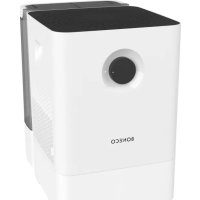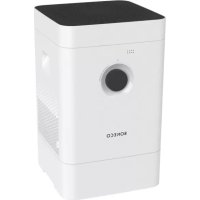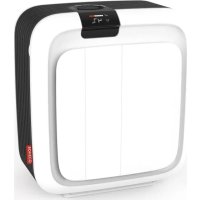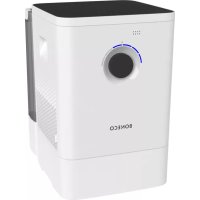
W400 - Humidifier BONECO - Free user manual and instructions
Find the device manual for free W400 BONECO in PDF.

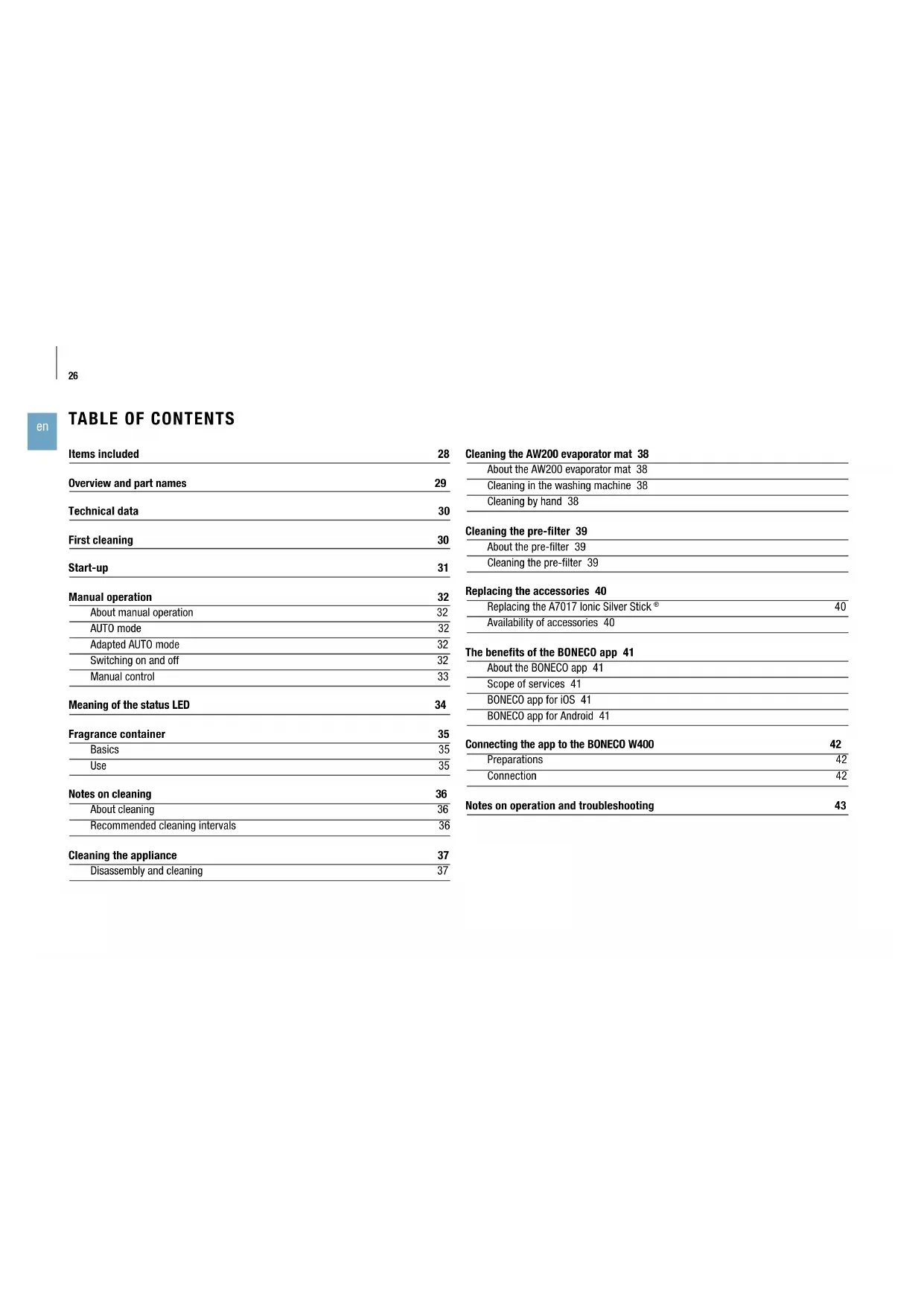


| Product Type | Natural Evaporation Humidifier |
| Brand | Boneco |
| Model | W400 |
| Dimensions (L × W × H) | 400 × 280 × 433 mm |
| Weight (empty) | 6.45 kg |
| Power Supply | 100-240 V ~ 50/60 Hz |
| Power Consumption | 3.0 - 12.7 W |
| Humidification Performance | Up to 400 g/h |
| Recommended Area | Up to 60 m² / 150 m³ |
| Water Tank Capacity | 12 L |
| Noise Level | 25-55 dB(A) |
| Operating Modes | Auto Mode, manual mode (6 levels), Sleep Mode |
| Remote Control | BONECO healthy air mobile app via Bluetooth |
| App Functions | Timer, hygrostat, preconfigured programs, maintenance reminders |
| Status Indicator | LED status (blue normal, red for empty tank, pulsing for Sleep Mode) |
| Water Tray Cleaning | Dishwasher safe up to 50 °C |
| Evaporation Mat Cleaning | Machine washable at 40 °C (laundry bag recommended) |
| Pre-filter Cleaning | Rinsable under running water with a brush |
| Replaceable Accessories | Evaporation Mat AW200, A7017 Ionic Silver Stick® (replace once a year) |
| Safety | Automatic shut-off when tank empty, overheat protection |
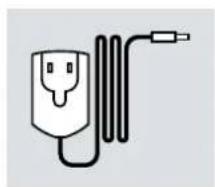
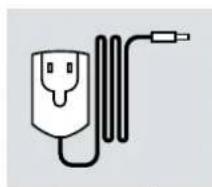
| Package Contents | Unit, quick manual, safety instructions, power adapter |
Frequently Asked Questions - W400 BONECO
User questions about W400 BONECO
0 question about this device. Answer the ones you know or ask your own.
Ask a new question about this device
Download the instructions for your Humidifier in PDF format for free! Find your manual W400 - BONECO and take your electronic device back in hand. On this page are published all the documents necessary for the use of your device. W400 by BONECO.
USER MANUAL W400 BONECO
natural_image
White portable water heater with a black control panel and 'WearBox' logo (no visible text or symbols on body)READ AND SAVE THESE INSTRUCTIONS
EN Always observe all safety notes (included separately in delivery).
EN Instruction for use 25
FR Mode d'emploi 45
Benefit from the free BONECO App with many useful tips concerning your BONECO Humidifier. This ensures hygienic operation and improves indoor air quality permanently.
Your Benefits:
■ Additional Features for BONECO Bluetooth Devices
■ Online Shopping for Accessories and Devices
Product Information
■ User Manual
■ Practical Maintenance Calendar
... and much more
BONECO
healthy air

Download on the
App Store
GET IT ON
Google Play
LIEFERUMFANG
GESCHÄTZTER KUNDE
natural_image
Simple line drawing of a rectangular industrial machine or enclosure with a circular vent and side panel (no text or symbols)BONECO W400
natural_image
Simple line drawing of a plug connected to a cord and cable (no text or symbols)Netzteil
natural_image
Simple line drawing of a folded paper with a speech bubble containing an eye (no text or symbols)natural_image
Simple line drawing of a notepad with an exclamation mark speech bubble (no text or symbols on the notepad)natural_image
Hand placing a device into a server rack with a red upward arrow indicating motion (no text or symbols visible)natural_image
Person washing a kitchen sink with a clear plastic cup and faucet (no text or symbols visible)natural_image
Person holding a large cylindrical device with a red downward arrow indicating a reduction or drop, next to a white server unit (no text or symbols visible)natural_image
Close-up of a hand inserting a small plastic clip into a wall-mounted device (no text or symbols visible)natural_image
Hand using a spray gun to clean or store floor tiles with black dots on the wall (no text or symbols visible)natural_image
Hand pressing a black circular button on a white surface, with no visible text or symbolsnatural_image
Simple circular graphic with a starburst and dotted line above it, no text or symbols present.natural_image
Hand pressing a circular button with a dashed arc and dotted line, against a plain white background (no text or symbols visible)natural_image
Abstract circular graphic with concentric rings and a small blue dot at the center (no text or symbols)natural_image
Hand pressing a circular button with a pointer, no visible text or symbolsnatural_image
Hand holding a circular device with a green arc and black interior, no visible text or symbolsnatural_image
Abstract circular graphic with gradient shading and dots (no text or symbols)natural_image
Abstract circular graphic with gradient shading and small dots above (no text or symbols)BLAU BLINKENDER LED-RING
natural_image
Simple graphic of a sun with radiating lines and a dot, no text or symbols present.ROT BLINKENDE LED
natural_image
Simple graphic with a red starburst and concentric circles (no text or symbols)BLAU PULSIERENDE LED
natural_image
Abstract circular graphic with a blue dot at the center and dotted lines above (no text or symbols)DUFTSTOFFBEHÄLTER
GRUNDSÄTZLICHES
text_image
Hand holding a pen with a red X symbol over a white object, suggesting a warning or rejection message.
natural_image
Hand placing a metallic container onto a white base with a red upward arrow indicating growth (no text or symbols)natural_image
Hand pressing a button on a white appliance (no visible text or symbols)natural_image
Hand pouring liquid into a white plastic component on a wooden surface (no text or symbols visible)natural_image
Hand placing a white plastic clip on a white door (no text or symbols visible)natural_image
Hand placing a container into a white cylindrical device with a red downward arrow indicating motion (no text or symbols visible)REINIGUNGSHINWEISE
ÜBER DIE REINIGUNG
natural_image
Hand holding a white industrial water heater with a circular vent, next to a wall-mounted device (no visible text or symbols)natural_image
Close-up of hands cleaning a white circular object with a yellow substance (no text or symbols visible)natural_image
Person holding a white textured towel with red arrows indicating rotation (no text or symbols visible)natural_image
Close-up of hands holding a white textured object (no visible text or symbols)natural_image
Interior view of a kitchen appliance with a hand placing a white plate into the oven (no visible text or symbols)natural_image
Person using a tool to clean or wash the surface of a kitchen sink (no text or symbols visible)natural_image
Person washing a blue liquid in a stainless steel kitchen sink (no text or symbols visible)natural_image
Close-up of a white textured surface with a green checkmark overlay (no text or symbols)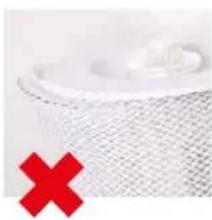
natural_image
Close-up of a white mesh surface with a red X mark overlay (no text or symbols)natural_image
White washing machine with a circular vent and two red circular icons showing '40' and crossed-out symbols (no readable text or labels)natural_image
Close-up of hands washing a white cloth over a surface (no text or symbols visible)natural_image
Close-up of hands pressing down on a white appliance with red arrows indicating force or pressure (no text or symbols visible)natural_image
Hand pressing down on a black tray with a red upward arrow (no text or symbols visible)natural_image
Person cleaning a kitchen sink with a brush (no visible text or symbols)natural_image
Close-up of hands cleaning a black plastic sheet with a red arrow indicating the step (no text or symbols visible)natural_image
Close-up of a hand pressing down on a white microwave oven with red arrows indicating force or pressure points (no text or symbols visible)TAUSCH DES ZUBEHÖRS
A7017 IONIC SILVER STICK® AUSWECHSELN
natural_image
Hand placing a small object into a white container (no visible text or symbols)Overview and part names 29
Technical data 30
First cleaning 30
Start-up 31
Manual operation 32
About manual operation 32
AUTO mode 32
Adapted AUTO mode 32
Switching on and off 32
Manual control 33
Meaning of the status LED 34
Fragrance container 35
Basics 35
Use 35
Notes on cleaning 36
About cleaning 36
Recommended cleaning intervals 36
Cleaning the appliance 37
Disassembly and cleaning 37
Cleaning the AW200 evaporator mat 38
About the AW200 evaporator mat 38
Cleaning in the washing machine 38
Cleaning by hand 38
Cleaning the pre-filter 39
About the pre-filter 39
Cleaning the pre-filter 39
Replacing the accessories 40
Replacing the A7017 Ionic Silver Stick ^® 40
Availability of accessories 40
The benefits of the BONECO app 41
About the BONECO app 41
Scope of services 41
BONECO app for iOS 41
BONECO app for Android 41
Connecting the app to the BONECO W400 42
Preparations 42
Connection 42
Notes on operation and troubleshooting 43
BONECO
healthy air
TRADITION SINCE 1956
+ A SWISS COMPANY
text_image
4:21 PM TRADITION SINCE 1956 + A SWISS COMPANY 40% RH 25.0 °C AUTO 50% RH DADE OK CancelBONECO APP
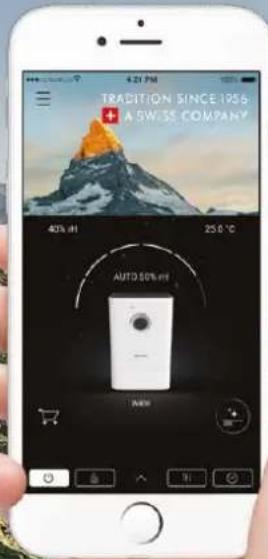
Benefit from the free BONECO app with many useful tips concerning your BONECO humidifier. This ensures hygienic operation and improves indoor air quality.
Your Benefits:
■ Additional features for BONECO Bluetooth devices
■ Online shopping for accessories and devices
■ Product information
■ User manual
■ Practical maintenance calendar
... and much more

ITEMS INCLUDED
DEAR CUSTOMER,
Congratulations on your purchase of the BONECO W400. The high-performance air washer keeps humidity at a comfortable level at all times and improves the well-being of people and pets – especially during the dry winter months. At the same time, dust and dirt particles get caught in the pre-filter and in the AW200 evaporator mat, resulting in a significant improvement in air hygiene.
In addition, the BONECO app gives you access to a wide variety of programs and automated actions you can use to adapt the BONECO W400 to your personal needs. Cleaning the unit is just as easy: Many parts can be conveniently cleaned in a washing machine or dishwasher.
Regardless of whether it is summer or winter: You will not want to give up your newly gained comfort.
ITEMS INCLUDED
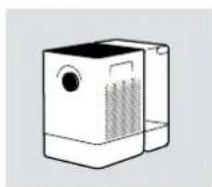
natural_image
Line drawing of a simple rectangular device with a circular top and side panel (no text or symbols)BONECO W400
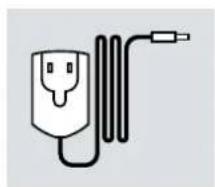
natural_image
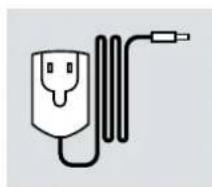
Simple line drawing of a plug connected to a cord and cable (no text or symbols)Power supply
natural_image
Simple line drawing of a folded paper with a speech bubble containing an eye (no text or symbols)Quick Manual Safety instructions
natural_image
Simple line drawing of a notepad with an exclamation mark speech bubble (no text or symbols on the notepad)OVERVIEW AND PART NAMES
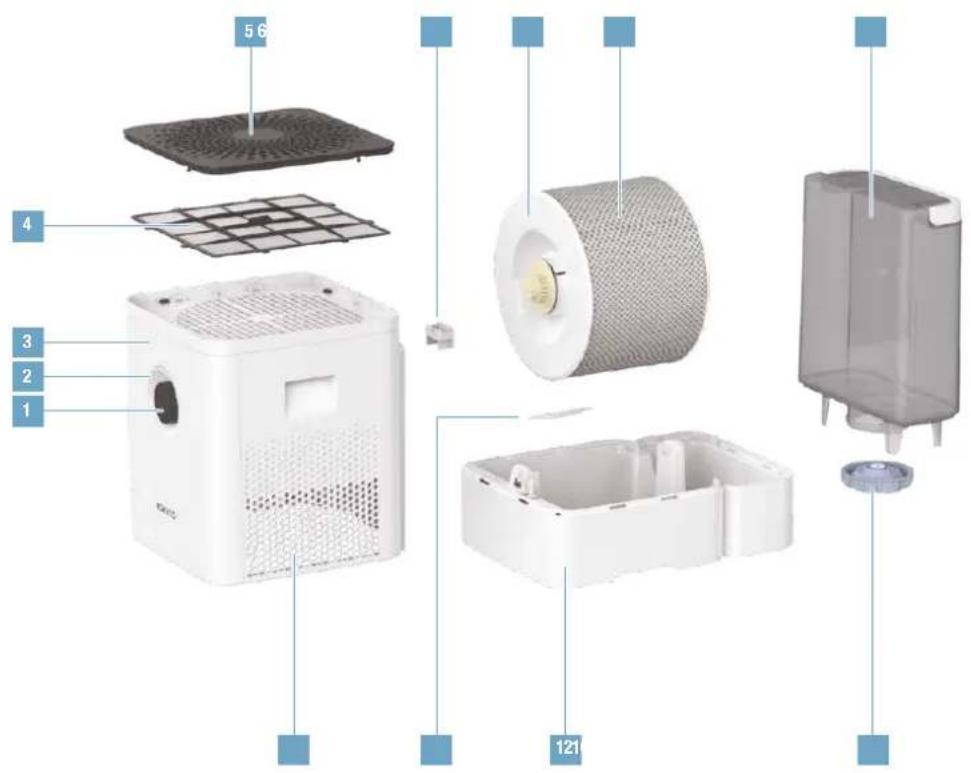
text_image
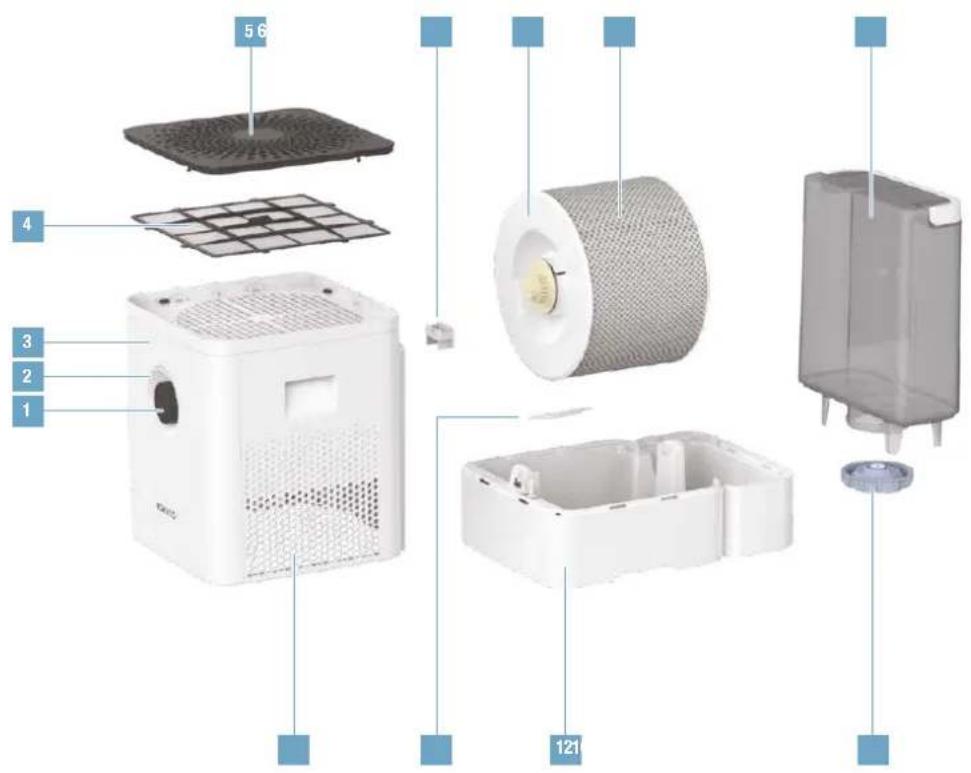
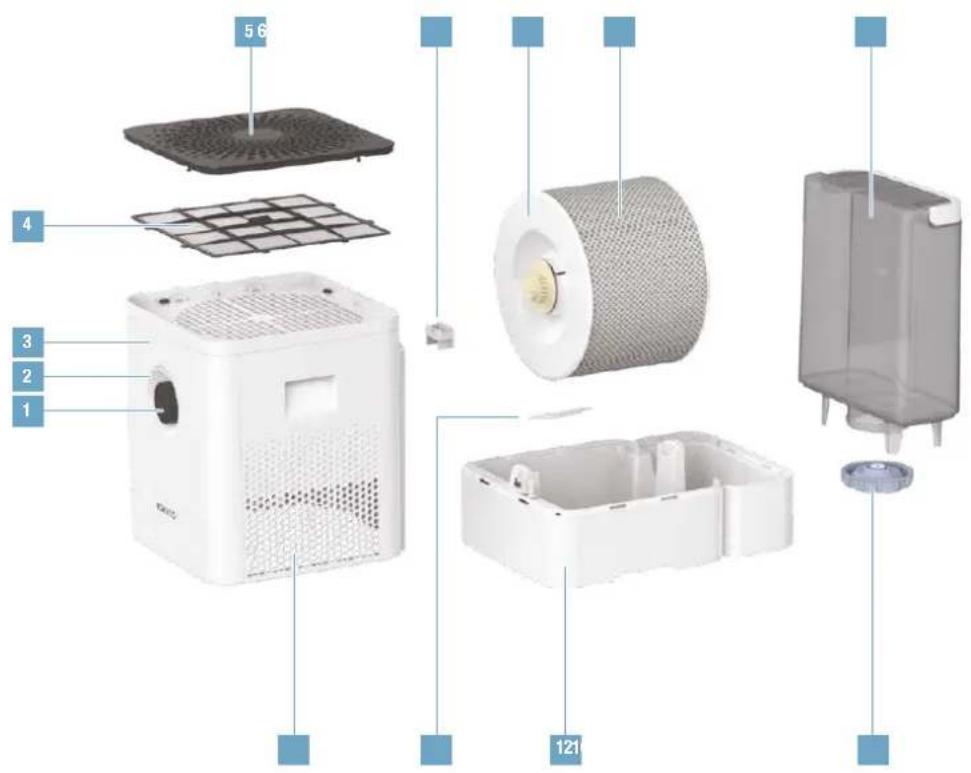
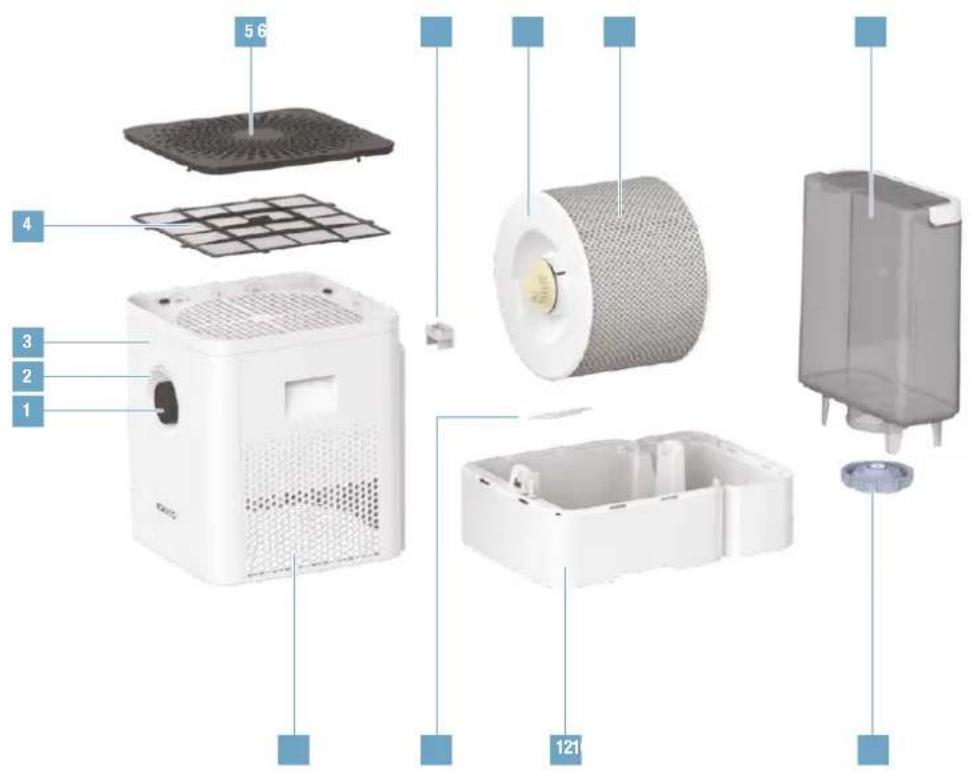
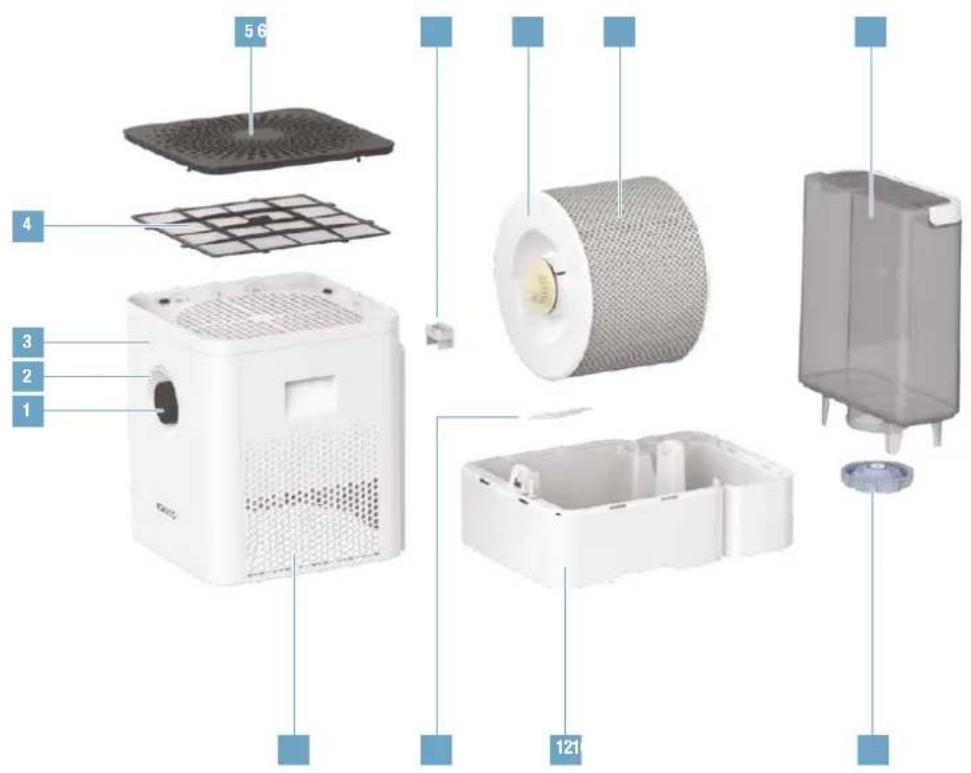
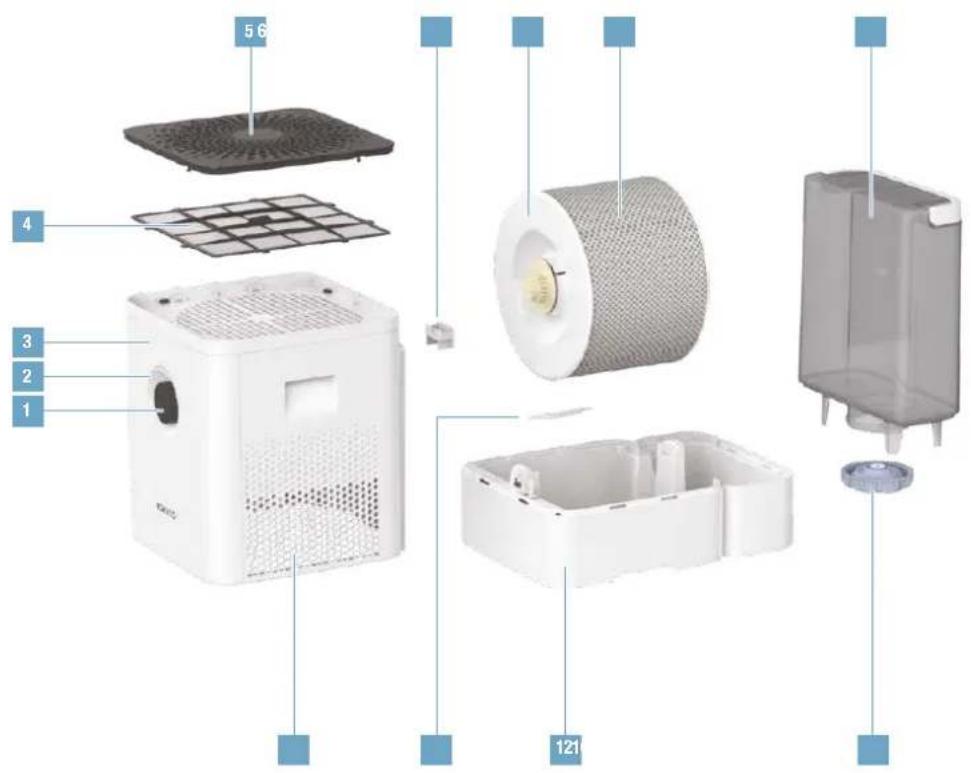
5 6 4 3 2 1 1211 On /Off, performance level
2 Status LED
3 Hygrometer
4 Pre-filter
5 Cover /air inlet
6 Fragrance container*
7 Drum*
8 AW200 evaporator mat**
9 Water tank
10 Air outlet
11 A7017 Ionic Silver Stick
12 Water base*
13 Water tank cover
* Washable in the dishwasher up to 50 °C
** Washable in the washing machine up to 40 °C
TECHNICAL DATA*
| Type designation BONECO W400 | |
| Power supply voltage | 100–240 V ~ 50/60 Hz |
| Power consumption 3.0– | 12.7W |
| Humidity output up to 400 g/h** | |
| Recommended for rooms up to 60 m | ^2 /150 m ^3 |
| Water capacity max. 12 liters | |
| Dimensions L × W × H 400 × 280 × 433 mm | |
| Weight (empty) 6.45 kg | |
| Operating noise level 25–55 dB(A)** |
* Subject to change
** At 230 V - 50 Hz
FIRST CLEANING
Production-related residue on the water base may lead to foaming, and thereby to water escaping. For this reason, before the first use, the water base must be cleaned with warm water and dish detergent. Then thoroughly rinse the water base under running water.
START-UP
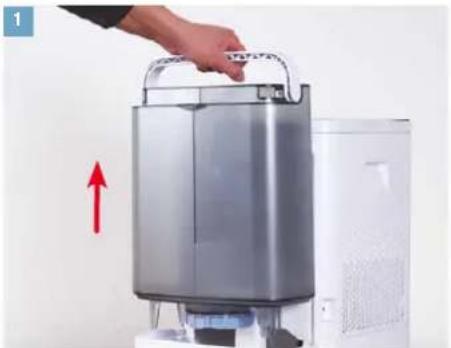
natural_image
Hand placing a device into a server rack with a red upward arrow indicating motion (no text or symbols visible)Remove the water tank. Fill the water tank with cold tap water.
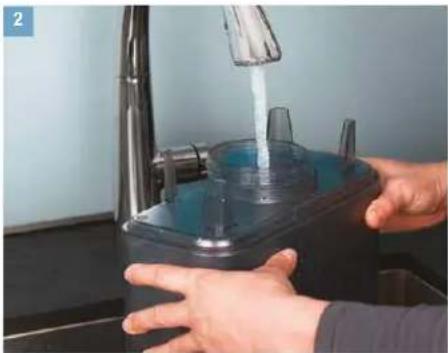
natural_image
Person washing a kitchen sink with a clear plastic cup and faucet (no text or symbols visible)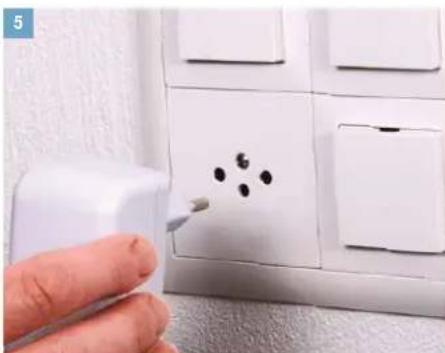
natural_image
Hand using a spray gun to clean or store floor tiles with black dots on the wall (no text or symbols visible)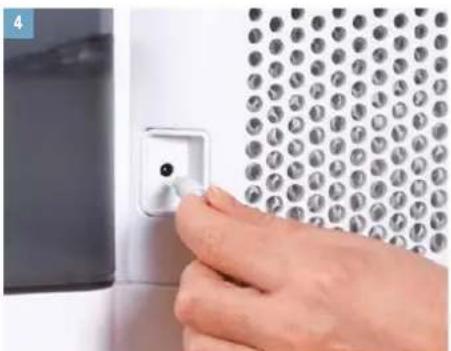
natural_image
Close-up of a hand inserting a small component into a wall-mounted panel (no text or symbols visible)Connect the power supply to the BONECO W400. Plug the power supply into a power outlet.
natural_image
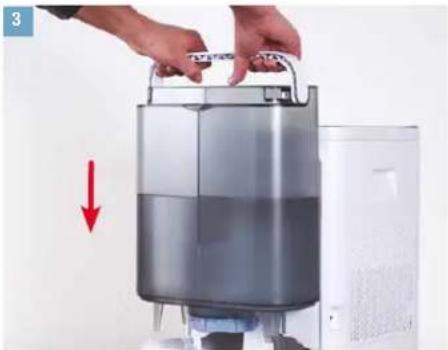
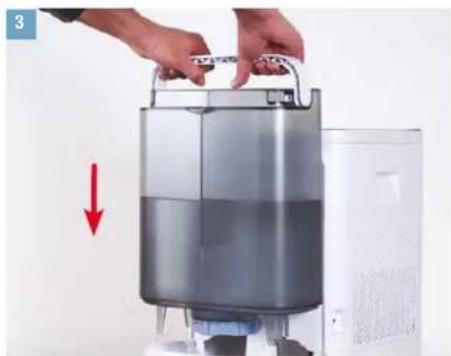
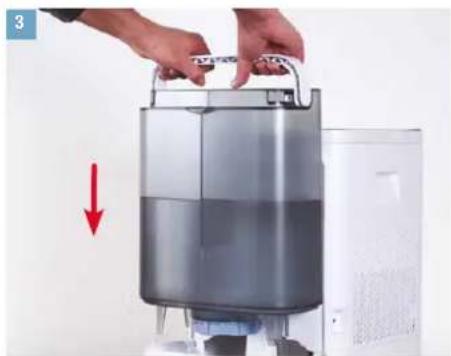
Person holding a large cylindrical device with a red downward arrow indicating flow or reduction (no text or symbols visible)Insert the filled water tank.
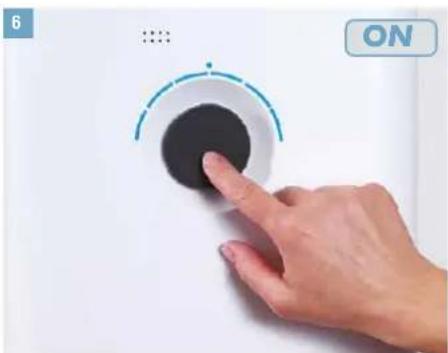
natural_image
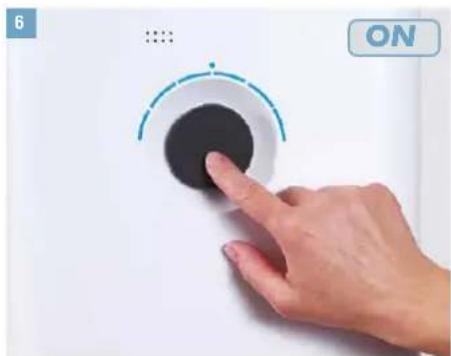
Hand pressing a black circular button on a white surface, with no visible text or symbolsBriefly press the output regulator to switch on the appliance.
MANUAL OPERATION
ABOUT MANUAL OPERATION
Manual operation works conveniently by the knob on the front side. The BONECO app offers additional, extensive options for control and automation of the BONECO W400.
AUTO MODE
If you have never operated the BONECO W400 with the BONECO app and switch it on for the first time, it starts up in AUTO mode. The appliance is preset to a target humidity of 50 percent. The performance level is automatically adapted to the current humidity: The drier the air, the higher the performance level.
If the preset target humidity is exceeded, the appliance switches to standby mode, which is indicated by the pulsing LED.
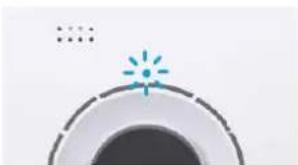
natural_image
Simple circular diagram with a starburst and dot pattern at the top (no text or symbols)If the humidity drops below the set level, the BONECO W400 resumes operation.
ADAPTED AUTO MODE
If you have already operated the BONECO W400 with the BONECO app and set a different humidity, that value is automatically taken over when it is switched on.
SWITCHING ON AND OFF
- Briefly press the knob once to switch on the BONECO W400.
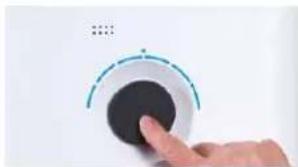
natural_image
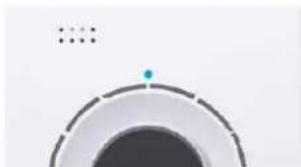
Hand pressing a button on a white surface, with no visible text or symbolsThe appliance is always in AUTO mode when it is switched on. You can identify active AUTO mode by the small LED that lights up above the knob.
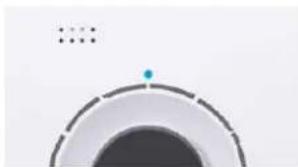
natural_image
Abstract circular graphic with a dot and dashed line, no text or symbols present- To switch off the BONECO W400 while it is in AUTO mode, briefly press the knob once.
MANUAL OPERATION (CONTINUED)
MANUAL CONTROL
- Briefly press the knob once to switch on the BONECO W400.
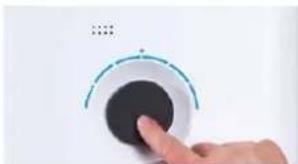
natural_image
Hand pressing a black circular button on a white surface, with no visible text or symbolsThe appliance is always in AUTO mode when it is switched on.
- Adjust the output to your needs by setting the knob to the desired level from 1 to 6. This action exits AUTO mode (AUTO LED is off).
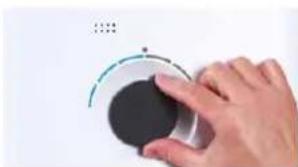
natural_image
Hand holding a circular device with a pointer, no visible text or symbolsThe selected performance level is indicated by the number of LEDs that light up above the knob.
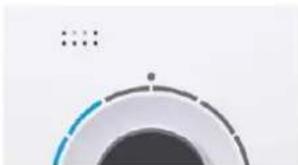
natural_image
Abstract circular graphic with gradient shading and dots (no text or symbols)-
Briefly press the knob once to exit manual mode and to reactivate AUTO mode.
-
Briefly press the knob once more to switch off the BONECO W400.
If you exit AUTO mode, the BONECO W400 will continue at the selected performance level until the water base is empty – regardless of what the current level of humidity is.
MEANING OF THE STATUS LED
LED LIGHTING UP IN BLUE
In normal operation, the status LED lights up in blue consistently. The performance level is indicated by the number of the illuminated ring LEDs.
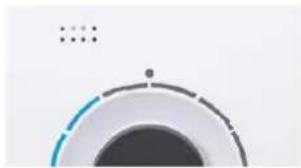
natural_image
Abstract circular graphic with gradient shading and small dots above (no text or symbols)LED RING FLASHING IN BLUE
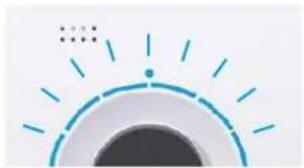
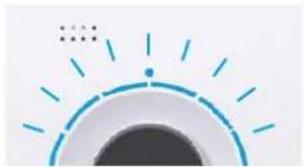
When the 6 ring-shaped LEDs are flashing in blue, the BONECO W400 is ready for pairing with a smartphone via Bluetooth.
natural_image
Simple graphic of a sun with radiating lines and a dot, no text or symbols present.LED FLASHING IN RED
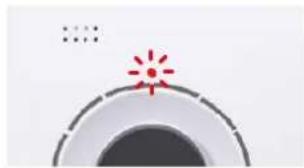
The red LED flashes when the water tank is empty. Fill the water tank with fresh, cold tap water.
natural_image
Simple graphic with a red starburst and concentric circles (no text or symbols)LED PULSATING IN BLUE
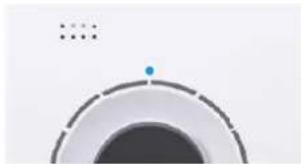
A pulsating blue LED indicates that the target humidity has been exceeded; the appliance is now in stand-by mode. Operation resumes as soon as the humidity drops below the set level.
natural_image
Abstract circular graphic with a blue dot at the center and dotted lines above (no text or symbols)FRAGRANCE CONTAINER
BASICS
Commercially available fragrances and essential oils can be inserted into the fragrance container on the rear side.

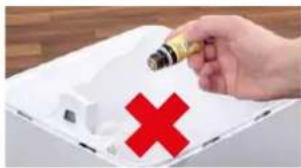
Never mix any fragrances or essential oils into the water base itself, since doing so can decrease the performance of the BONECO W400 and even cause damage. This damage is not covered by the warranty.
natural_image
Hand holding a small object with a red X symbol, next to a white tray (no text or symbols visible)
The fragrance container can be cleaned in the dishwasher. The temperature may not exceed 50 °C.
USE
- Remove the water tank.
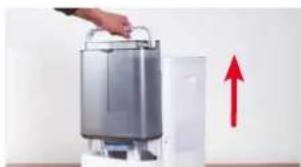
natural_image
Exterior view of a modern office building (no signage)- On the rear side, press down on the fragrance container to take out the drawer.
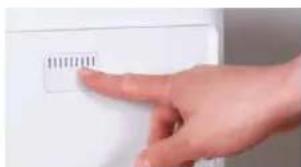
natural_image
Hand pointing at a white electronic device with a small label (no readable text or symbols)- Sprinkle the felt insert in the drawer with the fragrance of your choice.
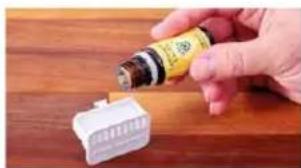
natural_image
Hand pouring liquid into a white plastic connector on a wooden surface (no text or symbols visible)- Reinsert the fragrance container.
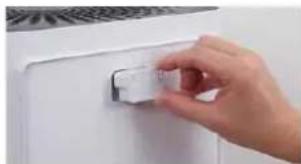
natural_image
Hand placing a small white object on a white door (no text or symbols visible)- Reinsert the water tank.
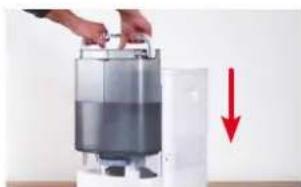
natural_image
Hand placing a container into a white appliance with a red downward arrow indicating compression (no text or symbols visible)NOTES ON CLEANING
ABOUT CLEANING
Regular maintenance and cleaning are necessary for trouble-free and hygienic operation.
Recommended cleaning and maintenance intervals vary depending on air quality, water quality and operating time.
A soft cloth, dish detergent and a scrub brush are recommended for cleaning by hand.

Always unplug the BONECO W400 before you begin cleaning! Failure to do so can result in electric shock and fatal injury!

In the case of cleaning the drum and the water base in the dishwasher, a temperature of 50^ may not be exceeded, as temperatures higher than this can cause the plastic parts to deform.
RECOMMENDED CLEANING INTERVALS
| Interval Action | |
| After the third day without operation Empty water base and water tank and fill with fresh water | |
| Every 2 weeks Clean water base, drum and AW200 evaporator mat | |
| Clean the pre-filter | |
| Yearly Replace A7017 Ionic Silver Stick | v |
| Clean the fan and the inner area of the appliance | |
CLEANING THE APPLIANCE
DISASSEMBLY AND CLEANING
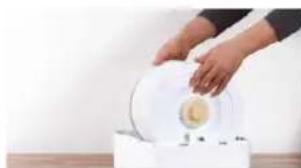
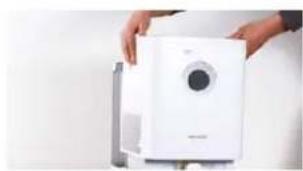
- Take off the upper part of the BONECO W400.
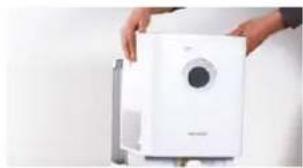
natural_image
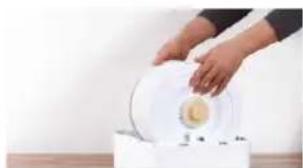
Person holding a white water purifier device with a circular vent, next to a gray panel (no visible text or symbols)- Remove the drum with the AW200 evaporator mat.
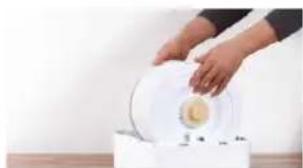
natural_image
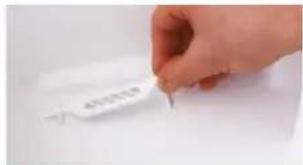
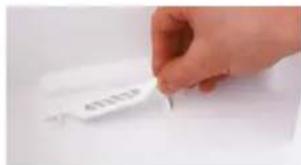
Person pouring liquid into a white circular container on a wooden surface (no text or symbols visible)- Take out the A7017 Ionic Silver Stick ^® .
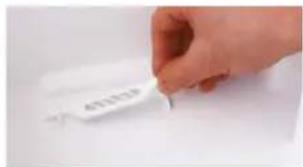
text_image
401219- Turn both drum discs to release them. In doing so, observe the markings on the outer side of the disc.
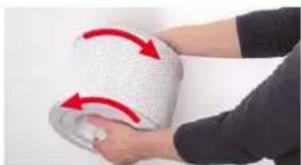
natural_image
Person applying a towel to another person's arm, with red arrows indicating motion (no text or symbols visible)- Remove the AW200 evaporator mat from the drum.
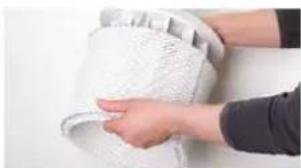
natural_image
Close-up of hands cleaning a white textured surface (no text or symbols visible)- Clean the water base and the drum either by hand or in the dish washer at a max. temperature of 50 °C.

natural_image
Interior kitchen appliance with a hand placing a white plate into the oven (no visible text or symbols)- Clean the inside of the water tank by hand or with a suitable cleaning brush using a commercially available dish detergent.
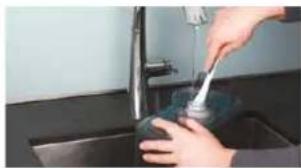
natural_image
Person using a tool to clean or wash a surface in a kitchen sink (no text or symbols visible)- Clean the water tank cover with a commercially available dish detergent and a cleaning brush.
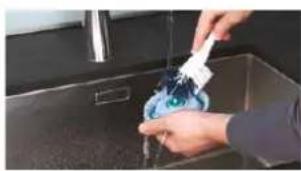
natural_image
Person washing a blue plastic bag into a stainless steel kitchen sink (no text or symbols visible)- Put the BONECO W400 back together by following the steps in reverse order.
CLEANING THE AW200 EVAPORATOR MAT
ABOUT THE AW200 EVAPORATOR MAT
The AW200 evaporator mat can be cleaned in the washing machine. Commercially available detergents can be used.
It is recommended to put the AW200 evaporator mat in a laundry bag or wash it separately as the AW200 evaporator mat might collect loose fibers from other fabric.
When stretching the AW200 evaporator mat on the drum after cleaning, take note of correct positioning:

natural_image
Close-up of a white textured surface with a green checkmark overlay (no text or symbols)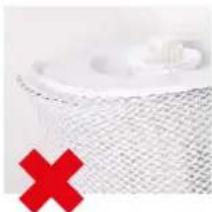
natural_image
Close-up of a white textured surface with a red X mark overlay (no text or symbols)CLEANING IN THE WASHING MACHINE
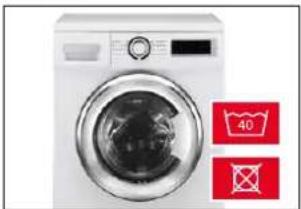
The AW200 evaporator mat can be cleaned in the washing machine. Commercially available detergents can be used.

The AW200 evaporator mat must not be washed at a temperature higher than 40 °C.

Do not dry the AW200 evaporator mat in the clothes dryer.
natural_image
White washing machine with a circular vent, displayed against a white background (no text or symbols visible)CLEANING BY HAND
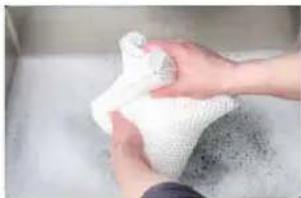
- Add a little detergent to warm water and tumble the AW200 evaporator mat in it thoroughly to get dish detergent on all of it.
natural_image
Close-up of hands washing a white cloth over a surface (no text or symbols visible)- Rinse out the AW200 evaporator mat repeatedly in clean, hand-warm water until suds no longer form.
- Allow the AW200 evaporator mat to dry before you stretch it on the drum again.
CLEANING THE PRE-FILTER
ABOUT THE PRE-FILTER
The pre-filter cleans the air from coarse contaminants. Clean the pre-filter if it is dusty or dirty.
CLEANING THE PRE-FILTER
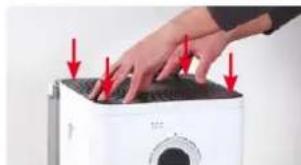
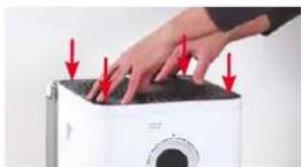
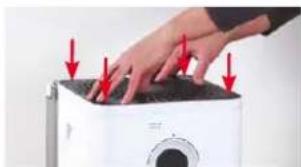
- Press down each of the four corners in sequence to unlock them.
natural_image
Close-up of hands pressing down on a white appliance with red arrows indicating force or pressure (no text or symbols visible)- Remove the pre-filter by pulling it upwards by the tab in its center.
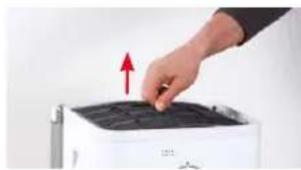
natural_image
Hand pressing down on a black tray with a red upward arrow (no text or symbols visible)- Gently wash the pre-filter under running water using a cleaning brush.
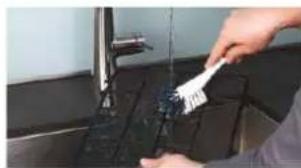
natural_image
Person cleaning a kitchen sink with a brush (no visible text or symbols)- Dry the pre-filter with a cloth.
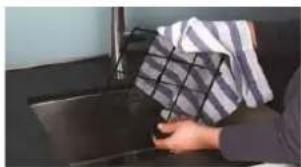
natural_image
Person handling a box on a dark surface, no visible text or symbols- Insert the pre-filter into the appliance.
natural_image
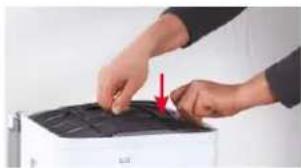
Close-up of hands cleaning a black plastic sheet with a red arrow indicating the step (no text or symbols visible)- Reattach the cover.
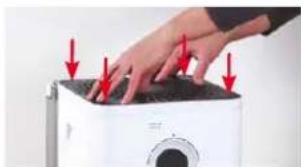
natural_image
Close-up of a hand pressing down on a white microwave oven with red arrows indicating force or pressure points (no text or symbols visible)REPLACING THE ACCESSORIES
REPLACING THE A7017 IONIC SILVER STICK®
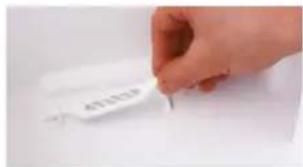
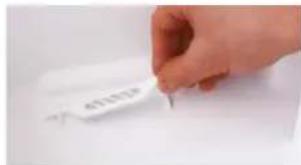
The A7017 Ionic Silver Stick ^® uses the antimicrobial effect of silver for a significant improvement of water hygiene. It is effective as soon as water comes into contact with it – even if the BONECO W400 is switched off.
Replace the A7017 Ionic Silver Stick ^® annually to guarantee antimicrobial effectiveness.
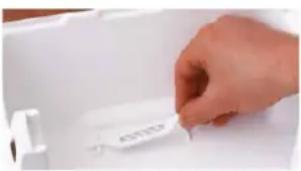
natural_image
Hand placing a white label on a white plastic tray (no visible text or symbols)The used A7017 Ionic Silver Stick ^® can be thrown out with your regular household waste.
AVAILABILITY OF ACCESSORIES
Replacements for the used A7017 Ionic Silver Stick ^® , the AW200 evaporator mat and further accessories are available from the following sources:
- Your BONECO specialist dealer,
• At www.shop.boneco.com or - Directly via the "BONECO healthy air" app.
THE BENEFITS OF THE BONECO APP
ABOUT THE BONECO APP
The "BONECO healthy air" app is used for enhanced control of the BONECO W400 and lets you take full advantage of its potential. The app includes functions such as a timer, a humidistat and the option to switch between various programs. In addition, it provides reminders for the cleaning intervals and other recurring tasks.
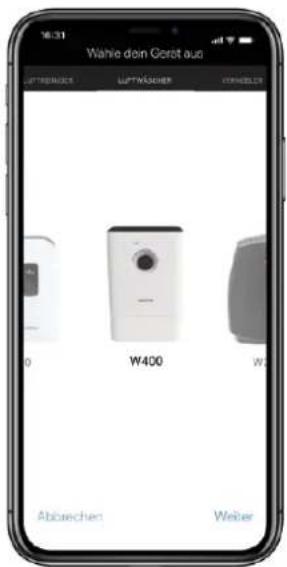
Programs Predefined settings for frequent situations
Hygrostat Defining the desired humidity
Weather Displays the current weather and outside temperature
ON timer The appliance switches on after a set time
OFF timer The appliance switches off after a set time
Accessories and consumables Provides support in replacement orders and further information
BONECO APP FOR IOS
Search the App Store for "BONECO healthy air" or scan the QR code below.
Search the Google Play Store for "BONECO healthy air" or scan the QR code below.
text_image
Download on the App Store
text_image
GET IT ON Google PlayCONNECTING THE APP TO THE BONECO W400
PREPARATIONS
- Make sure that Bluetooth is activated on your smartphone.
- During pairing, make sure that the smartphone is in the same room as the BONECO W400.
Once paired successfully, you can control the BONECO W400 with your smartphone from the same room or even from an adjacent room. However, the maximum distance between smartphone and BONECO W400 depends on the specific structural conditions.
CONNECTION
- Make sure that Bluetooth is activated on your smartphone.
- Start the BONECO app.
- Follow the instructions in the app.
NOTES ON OPERATION AND TROUBLESHOOTING
| Problem Possible cause Action | ||
| Air has an unpleasant odor | Stagnant water in the water base | Drain the water base and clean the appliance and the AW200 evaporator mat |
| AUTO LED on the appliance flashes red The water base is empty Fill the water base | ||
| Appliance cannot be operated in the app. The message “Searching ...” “Cannot be found” appears | Appliance is blocked by another smartphone Close the app on the second smartphone | |
| AUTO LED pulses The desired humidity has been reached or exceeded None needed | ||
| Status LED flashes if operation is attempted Operation is blocked Disable the LOCK function in the app | ||
| Display remains dark The brightness of the LEDs has been heavily reduced in the app | Increase the brightness of the LEDs in the app | |

MODE D'EMPLOI BONECO W400

SOMMAIRE
natural_image
Line drawing of a rectangular industrial machine with a vent and lid (no text or symbols)BONECO W400
natural_image
Simple line drawing of a plug connected to a cord and cable (no text or symbols)Bloc d'alimentation
natural_image
Simple line drawing of a folded paper with a speech bubble containing an eye (no text or symbols)natural_image
Simple line drawing of a notepad with an exclamation mark speech bubble (no text or symbols on the notepad)natural_image
Hand placing a device into a server rack with a red upward arrow indicating motion (no text or symbols visible)natural_image
Person washing a kitchen sink with a clear plastic cup and faucet (no text or symbols visible)natural_image
Person placing a lid on a cylindrical device with a red downward arrow indicating compression (no text or symbols visible)natural_image
Close-up of a hand inserting a small component into a wall-mounted panel (no text or symbols visible)natural_image
Hand using a spray gun to apply black dots on a white electrical outlet (no text or symbols visible)natural_image
Simple graphic of a speaker icon with a blue starburst and dotted line (no text or symbols)natural_image
Hand pressing a black circular button with a dashed arc and small dots, against a white background (no text or symbols)natural_image
Abstract circular graphic with a dot and dotted lines, no text or symbols presentnatural_image
Hand pressing a black circular button with a teal dashed arc on the dial (no text or symbols visible)natural_image
Hand pressing a circular button with a green arc and dotted line above (no text or symbols visible)natural_image
Abstract circular graphic with gradient shading and dots (no text or symbols)natural_image
Abstract circular graphic with gradient shading and small dots above (no text or symbols)L'ANNEAU À LED CLIGNOTE EN BLEU
natural_image
Simple graphic of a sun with radiating lines and a dot, no text or symbols present.LA LED CLIGNOTE EN ROUGE
natural_image
Simple graphic with a red starburst and concentric circles (no text or symbols)LED PULSATILE BLEUE
natural_image
Abstract circular graphic with a blue dot and dotted lines, no text or symbols present.RÉCIPIENT POUR SUBSTANCES ODORANTES
INFORMATIONS DE BASE
natural_image
Hand holding a small object with a red X symbol, next to a white tray (no text or symbols visible)
natural_image
Exterior view of a modern office building (no signage)natural_image
Hand pointing at a white appliance with a small label (no visible text or symbols)natural_image
Hand pouring liquid into a white plastic container on a wooden surface (no text or symbols visible)natural_image
Hand placing a small white object on a white door (no text or symbols visible)natural_image
Person holding a container with a red downward arrow indicating a reduction or drop (no text or symbols visible)
PRÉCISIONS CONCERNANT LE NETTOYAGE
AU SUJET DU NETTOYAGE
natural_image
Hand holding a white industrial water heater with a circular vent, next to a gray panel (no visible text or symbols)natural_image
Person pouring liquid into a white circular container on a wooden surface (no text or symbols visible)- Enlevez l'A7017 Ionic Silver Stick ✉.
natural_image
Hand holding a white object with a small mark, no visible text or symbolsnatural_image
Person applying a white towel with red arrows indicating rotation (no text or symbols visible)natural_image
Close-up of a hand holding a textured white towel, no visible text or symbolsnatural_image
Interior view of a kitchen appliance with a hand placing a white plate, no visible text or symbolsnatural_image
Person using a tool to clean or wash a surface in a kitchen sink (no text or symbols visible)natural_image
Person cleaning a kitchen sink with a blue tool, no visible text or symbolsnatural_image
Close-up of a white textured surface with a green checkmark overlay (no text or symbols)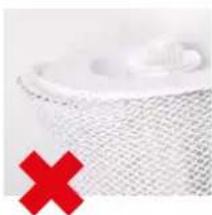
natural_image
Close-up of a textured surface with a red X symbol overlay (no text or symbols present)NETTOYAGE AU LAVE-LINGE
natural_image
White washing machine with digital display and two red circular icons showing '40' and crossed-out symbols (no readable text)NETTOYAGE À LA MAIN
natural_image
Close-up of hands holding a white cloth over a surface, no visible text or symbolsnatural_image
Close-up of hands pressing down on a white appliance with red arrows indicating force or pressure (no text or symbols visible)natural_image
Hand pressing down on a white appliance with a red upward arrow (no text or symbols visible)natural_image
Person cleaning a kitchen sink with a brush (no visible text or symbols)natural_image
Close-up of hands cleaning a black plastic sheet with a red arrow indicating the step (no text or symbols visible)- Replacez le couvercle.
natural_image
Close-up of a hand pressing down on a white microwave oven with red arrows indicating force or pressure points (no text or symbols visible)

REMPLACEMENT DES ACCESSOIRES
REMPLACEMENT DE L'A7017 IONIC SILVER STICK®
natural_image
Hand placing a white label on a white tray (no visible text or symbols)APPLI BONECO POUR IOS
text_image
Download on the App Store
text_image
GET IT ON Google PlayCONNEXION DE L'APPLI AU BONECO W400
ACTIONS PRÉPARATOIRES
natural_image
Line drawing of a rectangular electronic device with a circular top and side panel (no text or symbols)BONECO W400
Alimentatore
natural_image
Hand placing a device into a server rack with a red upward arrow indicating motion (no text or symbols visible)natural_image
Person washing a kitchen sink with a clear plastic cup and faucet (no text or symbols visible)natural_image
Person holding a large cylindrical device with a red downward arrow indicating flow or reduction (no text or symbols visible)natural_image
Close-up of a hand inserting a small component into a wall-mounted panel (no text or symbols visible)natural_image
Hand using a spray gun to clean or store floor tiles with black dots on the wall (no text or symbols visible)natural_image
Hand pressing a black circular button on a white surface, with no visible text or symbols.natural_image
Simple graphic of a speaker icon with a blue starburst on top (no text or symbols)natural_image
Hand pressing a button on a white circular device (no text or symbols visible)natural_image
Abstract circular graphic with concentric rings and a small blue dot at the center (no text or symbols)natural_image
Hand pressing a black button on a white surface, with no visible text or symbolsnatural_image
Hand holding a circular device with a teal arc and small dots, against a white background (no text or symbols visible)natural_image
Abstract circular graphic with gradient shading and dots (no text or symbols)ACCENSIONE DEL LED BLU
natural_image
Abstract circular graphic with gradient shading and small dots above (no text or symbols)RUOTA LED BLU LAMPEGGIANTE
natural_image
Simple graphic of a sun with radiating lines and a dot, no text or symbols present.LED ROSSO LAMPEGGIANTE
natural_image
Simple graphic with a red starburst and concentric circles (no text or symbols)LED BLU LAMPEGGIANTE
natural_image
Abstract circular graphic with a blue dot at the center and dotted lines above (no text or symbols)CONTENITORE PER FRAGRANZE
natural_image
Hand holding a small object with a red X symbol, next to a white tray (no text or symbols visible)
natural_image
Exterior view of a modern office building (no signage)natural_image
Hand pointing at a white electronic device with a small label (no readable text or symbols)natural_image
Hand pouring liquid into a white plastic connector on a wooden surface (no text or symbols visible)natural_image
Hand placing a small white object on a white door (no text or symbols visible)natural_image
Person holding a cylindrical device next to a white appliance, with a red downward arrow indicating a decrease or drop (no text or symbols visible)natural_image
Person holding a white water heater with a circular vent, next to a gray door (no visible text or symbols)natural_image
Person pouring a yellow liquid into a white bowl on a wooden surface (no text or symbols visible)- Rimuovere lo Ionic Silver Stick ^02 A7017.
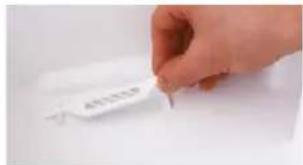
text_image
APRISERnatural_image
Person holding a white textured towel with red arrows indicating motion (no text or symbols visible)natural_image
Close-up of hands cleaning a white textured surface (no text or symbols visible)natural_image
Interior view of a kitchen appliance with a hand placing white plates into the sink (no visible text or symbols)natural_image
Person using a tool to clean or wash a surface in a kitchen sink (no text or symbols visible)natural_image
Person cleaning a stainless steel kitchen sink with a blue brush (no visible text or symbols)natural_image
Close-up of a white textured surface with a green checkmark overlay (no text or symbols)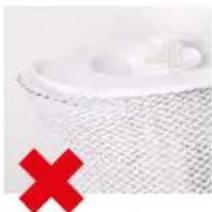
natural_image
Close-up of a white mesh material with a red X mark overlay (no text or symbols)PULIZIA DELLA LAVATRICE
natural_image
White washing machine with a circular vent, next to two red square icons indicating washing clothes (no text or symbols on the device itself)PULIZIA A MANO
natural_image
Close-up of hands holding a white cloth over a surface, no visible text or symbolsnatural_image
Close-up of hands pressing down on a white appliance with red arrows indicating force or pressure (no text or symbols visible)natural_image
Hand pressing down on a black tray with a red upward arrow (no text or symbols visible)natural_image
Person cleaning a kitchen sink with a brush (no visible text or symbols)natural_image
Close-up of hands cleaning a black plastic sheet with a red arrow indicating the step (no text or symbols visible)natural_image
Close-up of a hand pressing down on a white microwave oven with red arrows indicating force or pressure points (no text or symbols visible)natural_image
Hand placing a white label on a white tray (no visible text or symbols)text_image
Download on the App Store
text_image
GET IT ON Google PlayCOLLEGAMENTO DELL'APP A BONECO W400
PREPARATIVI
natural_image
Line drawing of a rectangular industrial machine with a vent and side panel (no text or symbols)BONECO W400
natural_image
Simple line drawing of a plug connected to a cord and cable (no text or symbols)Stroomadapter
natural_image
Simple line drawing of a folded paper with a speech bubble containing an eye (no text or symbols)natural_image
Simple line drawing of a notepad with an exclamation mark speech bubble (no text or symbols on the notepad)OVERZICHT EN BENAMING VAN DE ONDERDELEN
text_image
5 6 4 3 2 1 121natural_image
Hand placing a device into a server rack with a red upward arrow indicating motion (no text or symbols visible)natural_image
Person holding a large cylindrical device with a red downward arrow indicating flow or reduction (no text or symbols visible)natural_image
Close-up of a hand inserting a small component into a wall-mounted panel (no text or symbols visible)natural_image
Hand pressing a black circular button on a white surface, with no visible text or symbolsnatural_image
Simple graphic of a sunburst or light source above a circular arc, no text or symbols present.natural_image
Hand pressing a circular button on a white surface, no text or symbols visiblenatural_image
Abstract circular graphic with a dot and dotted lines, no text or symbols presentnatural_image
Hand pressing a circular button with a pointer, no visible text or symbolsnatural_image
Hand holding a circular device with a green arc and black interior (no visible text or symbols)natural_image
Abstract circular graphic with gradient shading and dots (no text or symbols)natural_image
Abstract circular graphic with gradient shading and small dots above (no text or symbols)LED-RING KNIPPERT BLAUW
natural_image
Simple graphic of a sun with rays and a dot, no text or symbols presentLED KNIPPERT ROOD
natural_image
Simple graphic icon with a red starburst and dotted line, no text or symbols presentLED KNIPPERT BLAUW
natural_image
Abstract circular graphic with a small blue dot and dotted lines, no text or symbols present.GEURSTOFHOUDER
ALGEMEEN
natural_image
Hand holding a small electronic device with a red X symbol, next to a white electronic device (no text or symbols visible)
natural_image
Hand placing a metallic appliance into a white container with a red upward arrow (no text or symbols visible)natural_image
Hand pointing at a white rectangular button with three vertical stripes (no text or symbols visible)natural_image
Hand pouring liquid into a white plastic connector on a wooden surface (no text or symbols visible)natural_image
Hand placing a small white object on a white door (no text or symbols visible)natural_image
Person holding a large cylindrical device next to a white appliance, with a red downward arrow indicating a reduction or change (no text or symbols visible)REINIGINGSINSTRUCTIES
OVER DE REINIGING
natural_image
Close-up of a white industrial water heater with a hand adjusting its lid (no visible text or symbols)natural_image
Close-up of hands pouring a white cylindrical container into a white container on a wooden surface (no text or symbols visible)natural_image
Person holding a rolled-up white material with red arrows indicating rotation (no text or symbols visible)natural_image
Close-up of hands handling a white textured object on a surface (no visible text or symbols)natural_image
Interior view of a kitchen appliance with a hand placing a white plate into the oven (no visible text or symbols)natural_image
Person using a tool to clean or wash a surface in a kitchen sink (no visible text or symbols)natural_image
Person washing a blue plastic bottle into a stainless steel kitchen sink (no text or symbols visible)natural_image
Close-up of a white textured surface with a green checkmark overlay (no text or symbols)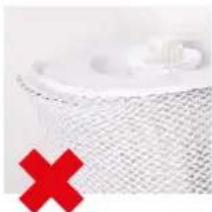
natural_image
Close-up of a white textured surface with a red X mark overlay (no text or symbols)REINIGING IN DE WASMACHINE
natural_image
White washing machine with a circular vent, shown with two red icons indicating '40' and a crossed-out symbol (no text or labels on the device itself)REINIGING DOOR MIDDEL VAN HANDWAS
natural_image
Close-up of hands washing a white cloth over a surface (no text or symbols visible)natural_image
Close-up of hands pressing down on a white appliance with red arrows indicating force or pressure (no text or symbols visible)natural_image
Hand pressing down on a black tray with a red upward arrow (no text or symbols visible)natural_image
Person cleaning a kitchen sink with a brush (no visible text or symbols)natural_image
Close-up of hands cleaning a black plastic sheet with a red arrow indicating the step (no text or symbols visible)- Breng de afdekking weer aan.
natural_image
Close-up of a hand pressing down on a white microwave oven with red arrows indicating force or pressure points (no text or symbols visible)ACCESSOIRES VERVANGEN
A7017 IONIC SILVER STICK® VERVANGEN
natural_image
Hand placing a white label on a white tray (no visible text or symbols)text_image
Download on the App Store
text_image
GET IT ON Google PlayAPP VERBINDEN MET DE BONECO W400
VOORBEREIDINGEN
natural_image
Line drawing of a rectangular electronic device with a circular top and side panel (no text or symbols)BONECO W400
natural_image
Simple line drawing of a plug connected to a cord and cable (no text or symbols)natural_image
Simple line drawing of a stack of papers with a speech bubble containing an eyeglasses (no text or symbols)natural_image
Hand placing a device into a server rack with a red upward arrow indicating motion (no text or symbols visible)natural_image
Person using a clear water dispenser on a kitchen sink (no text or symbols visible)natural_image
Person holding a large cylindrical device with a red downward arrow indicating compression or cooling process (no text or symbols visible)natural_image
Close-up of a hand inserting a small component into a wall-mounted panel (no text or symbols visible)natural_image
Hand using a spray gun to apply black dots on a white wall socket (no text or symbols visible)natural_image
Hand pressing a black circular button on a white surface, with no visible text or symbolsnatural_image
Simple graphic icon with a starburst and dot, no text or symbols presentnatural_image
Hand pressing a circular button on a white surface, no text or symbols visiblenatural_image
Abstract circular graphic with a dot and dashed line, no text or symbols presentnatural_image
Hand pressing a circular button with a pointer, no visible text or symbolsnatural_image
Hand holding a circular device with a pointer and arc (no visible text or symbols)natural_image
Abstract circular graphic with gradient shading and dots (no text or symbols)natural_image
Abstract circular graphic with gradient shading and small dots above (no text or symbols)ANILLO LED AZUL PARPADEANDO
natural_image
Simple graphic of a sun with radiating lines and a dot, no text or symbols present.LED ROJO PARPADEANDO
natural_image
Simple graphic icon with a red starburst and dotted line, no text or symbols presentLED AZUL PARPADEANDO
natural_image
Abstract circular graphic with a blue dot at the center and dotted lines above (no text or symbols)DEPÓSITO DIFUSOR DE AROMA
CONCEPTOS BÁSICOS
natural_image
Hand holding a small object with a red X symbol on a white surface, no visible text or symbols.
natural_image
Exterior view of a modern office building (no signage)natural_image
Hand pointing at a white appliance with a small label (no visible text or symbols)natural_image
Hand pouring liquid into a small white plastic container on a wooden surface (no text or symbols visible)natural_image
Hand placing a small white object on a white door (no visible text or symbols)natural_image
Person holding a water dispenser with a red downward arrow indicating flow or reduction (no text or symbols visible)INSTRUCCIONES DE LIMPIEZA
ACERCA DE LA LIMPIEZA
natural_image
Person holding a white water heater device with a circular vent, next to a wall-mounted fan (no visible text or symbols)natural_image
Close-up of hands pressing down on a white circular object (no text or symbols visible)- Retire el Ionic Silver Stick ^40 A7017.
text_image
4012519natural_image
Person applying a white foam roller with red directional arrows (no text or symbols visible)natural_image
Close-up of a hand holding a white textured towel, no visible text or symbolsnatural_image
Interior kitchen appliance with a hand placing a white bowl into the oven (no visible text or symbols)natural_image
Person using a tool to clean or wash the surface of a kitchen sink (no text or symbols visible)natural_image
Person cleaning a kitchen sink with a blue plastic bag, no visible text or symbolsnatural_image
Close-up of a white textured surface with a green checkmark overlay (no text or symbols)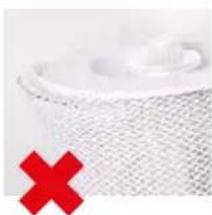
natural_image
Close-up of a textured surface with a red X mark overlay (no text or symbols)LIMPIEZA EN LA LAVADORA
natural_image
White washing machine with a circular control panel and two red circular icons showing '40' and '×' symbols (no text or labels on the device itself)LIMPIEZA MEDIANTE LAVADO A MANO
natural_image
Close-up of hands washing a white cloth over a surface (no text or symbols visible)natural_image
Close-up of hands pressing down on a white washing machine with red arrows indicating force (no text or symbols visible)natural_image
Hand pressing down on a device with a red upward arrow (no text or symbols visible)natural_image
Person applying paint to a kitchen sink with a brush (no visible text or symbols)natural_image
Person holding a patterned cloth over a dark surface, no visible text or symbolsnatural_image
Close-up of hands cleaning a white printer with a red arrow pointing to the cover (no text or symbols visible)natural_image
Hand pressing down on a white appliance with red arrows indicating force or damage (no text or symbols visible)natural_image
Hand placing a small object on a white surface, no visible text or symbolstext_image
Download on the App Store
text_image
GET IT ON Google Playnatural_image
Line drawing of a rectangular industrial machine or housing with a vent and lid (no text or symbols)BONECO W400
natural_image
Simple line drawing of a plug connected to a cord and cable (no text or symbols)Tápegység

natural_image
Simple line drawing of a stack of papers with a speech bubble containing an eye (no text or symbols)natural_image
Simple line drawing of a notepad with an exclamation mark speech bubble (no text or symbols on the notepad)AZ ALKATRÉSZEK ÁTTEKINTÉSE ÉS MEGNEVEZÉSE
text_image
5 6 4 3 2 1 12111 A7017 Ionic Silver Stick
12 víztálca*
natural_image
Hand placing a device into a server rack with a red upward arrow indicating motion (no text or symbols visible)natural_image
Person using a clear water dispenser on a kitchen sink (no text or symbols visible)vízzel.
natural_image
Person holding a large cylindrical device with a red downward arrow indicating compression or reduction (no text or symbols visible)natural_image
Close-up of a hand inserting a small component into a wall-mounted device (no text or symbols visible)natural_image
Hand using a spray gun to apply black dots on a white wall socket (no text or symbols visible)MANUÁLIS ÜZEMELTETÉS
A MANUÁLIS ÜZEMELTETÉSRÖL
natural_image
Simple circular diagram with a starburst symbol at the top (no text or labels)natural_image
Hand pressing a black button on a white surface, with no visible text or symbolsnatural_image
Abstract circular graphic with a dot and dashed line, no text or symbols presentnatural_image
Hand pressing a black circular button on a white surface, with no visible text or symbolsnatural_image
Hand holding a circular device with a black body and teal arc, against a plain white background (no text or symbols visible)natural_image
Abstract circular graphic with gradient shading and dots (no text or symbols)natural_image
Abstract circular graphic with gradient shading and small dots above (no text or symbols)A LED-GYÜRÜK KÉKEN VILLOGNAK
natural_image
Simple graphic of a sun with radiating lines and a dot, no text or symbols present.A LED PIROSAN VILLOG
natural_image
Simple graphic icon with a red starburst and dotted line, no text or symbols presentA LED KÉKEN PULZÁL
natural_image
Abstract circular graphic with concentric rings and a small blue dot at the center (no text or symbols)ILLATANYAGTARTÁLY
ALAPOK
natural_image
Hand holding a small object with a red X symbol, next to a white tray (no text or symbols visible)
natural_image
Exterior view of a modern office building (no signage)natural_image
Hand pointing at a white electronic device with a small label (no readable text or symbols)natural_image
Hand pouring liquid into a white plastic connector on a wooden surface (no text or symbols visible)natural_image
Hand placing a small white object on a white door (no text or symbols visible)natural_image
Person holding a container with a red downward arrow indicating reduction (no text or symbols visible)TISZTÍTÁSI ÚTMUTATÓ
A TISZTÍTÁSRÓL
natural_image
Person holding a white water heater with a circular vent, next to a gray door (no visible text or symbols)natural_image
Close-up of hands pouring a white bowl into a container (no text or symbols visible)natural_image
Person holding a white textured towel with red arrows indicating motion (no text or symbols visible)natural_image
Close-up of hands handling a white textured towel or towel (no text or symbols visible)natural_image
Interior view of a kitchen appliance with a hand placing a white plate into the oven (no visible text or symbols)natural_image
Person using a tool to clean or wash a surface in a kitchen sink (no visible text or symbols)natural_image
Person washing a blue liquid in a stainless steel kitchen sink (no text or symbols visible)natural_image
Close-up of a white textured surface with a green checkmark overlay (no text or symbols)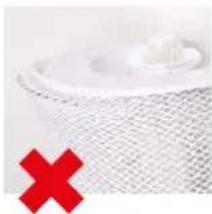
natural_image
Close-up of a white mesh net with a red X symbol at the bottom left (no text or symbols on the net itself)natural_image
White washing machine with a circular vent, displayed against a white background (no text or symbols visible)natural_image
Close-up of hands washing a white cloth over a surface (no text or symbols visible)natural_image
Close-up of hands pressing down on a white appliance with red arrows indicating force or pressure (no text or symbols visible)natural_image
Hand pressing down on a black tray with a red upward arrow (no text or symbols visible)natural_image
Person cleaning a kitchen sink with a brush (no visible text or symbols)natural_image
Person holding a patterned cloth over a dark surface, no visible text or symbolsnatural_image
Close-up of hands cleaning a black plastic sheet with a red arrow indicating the step (no text or symbols visible)natural_image
Close-up of a hand pressing down on a white microwave oven with red arrows indicating force or pressure points (no text or symbols visible)A TARTOZÉKOK CSERÉJE
AZ A7017 IONIC SILVER STICK® RÚD CSERÉJE
natural_image
Hand placing a white label on a white plastic tray (no visible text or symbols)text_image
Download on the App Store
text_image
GET IT ON Google PlayAZ ALKALMAZÁS ÖSSZEKAPCSOLÁSA A BONECO W400 KÉSZÜLÉKKEL
ELŐKÉSZÜLETEK
natural_image
Line drawing of a simple rectangular device with a circular top and side panel (no text or symbols)BONECO W400

natural_image
Simple line drawing of a plug connected to a cord and cable (no text or symbols)Zasilacz
natural_image
Simple line drawing of a notepad with a speech bubble containing an eye (no text or symbols)natural_image
Simple line drawing of a notepad with an exclamation mark speech bubble (no text or symbols on the notepad)PRZEGLĄD I NAZEWNICTWO CZĘŚCI
text_image
5 6 4 3 2 1 121natural_image
Hand placing a device into a server rack with a red upward arrow indicating motion (no text or symbols visible)natural_image
Person using a clear water dispenser on a kitchen sink (no text or symbols visible)woda.
natural_image
Person holding a large cylindrical device with a red downward arrow indicating compression or cooling process (no text or symbols visible)natural_image
Close-up of a hand inserting a small component into a wall-mounted panel (no text or symbols visible)natural_image
Hand using a spray gun to apply black dots on a white wall socket (no text or symbols visible)natural_image
Hand pressing a black circular button on a white surface, with a 'ON' button visible (no text or symbols on the button itself)natural_image
Simple circular graphic with a starburst and dotted line above, no text or symbols present.natural_image
Hand pressing a button on a white circular dial (no text or symbols visible)natural_image
Abstract circular graphic with a dot and dotted line, no text or symbols presentnatural_image
Hand pressing a black button on a white surface, with no visible text or symbolsnatural_image
Hand holding a circular device with a pointer and a green arc on its surface (no visible text or symbols)natural_image
Abstract circular graphic with gradient shading and dots (no text or symbols)natural_image
Abstract circular graphic with gradient shading and a dot, no text or symbols present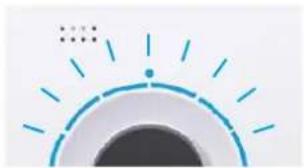
natural_image
Simple graphic of a sun with radiating lines and dots, no text or symbols present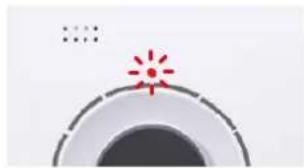
natural_image
Simple graphic with a red starburst and concentric circles (no text or symbols)DIODA LED MIGAJACA NA NIEBIESKO
natural_image
Abstract circular graphic with a dot and dot pattern, no text or symbols presentZBIORNIK NA SUBSTANCJE ZAPACHOWE
PODSTAWOWE INFORMACJE
natural_image
Hand holding a small object with a red X symbol, next to a white tray (no text or symbols visible)
natural_image
Hand placing a container onto a white base with a red upward arrow indicating growth (no text or symbols visible)natural_image
Hand pointing at a white electronic device with a small label (no visible text or symbols)natural_image
Hand pouring liquid into a white plastic container on a wooden surface (no text or symbols visible)natural_image
Hand inserting a small white object into a white appliance (no text or symbols visible)natural_image
Person holding a large cylindrical device next to a white appliance, with a red downward arrow indicating a reduction or change (no text or symbols visible)
natural_image
Person holding a white water heater with a circular vent, no visible text or symbolsnatural_image
Person pouring liquid into a white circular container on a wooden surface (no text or symbols visible)- Wyjmij elektrode Ionic Silver Stick ^90 A7017.
text_image
4512019natural_image
Person holding a white textured object with red arrows indicating motion or rotation (no text or symbols visible)natural_image
Close-up of a hand holding a white textured towel, no visible text or symbolsnatural_image
Interior view of a kitchen appliance with a hand placing white plates into the sink (no visible text or symbols)natural_image
Person using a tool to clean or wash a surface in a kitchen sink (no text or symbols visible)natural_image
Person washing a blue plastic bottle into a stainless steel sink (no text or symbols visible)natural_image
Close-up of a white textured surface with a green checkmark overlay (no text or symbols)
natural_image
Close-up of a white mesh fabric with a red 'X' symbol overlay (no text or symbols on the fabric itself)PRANIE MATY W PRALCE
natural_image
White washing machine with a circular button and two red washing machine icons (40 and cross) on the side, no text or symbols on the device itself.PRANIE REÇZNE MATY
natural_image
Close-up of hands washing a white cloth on a surface (no text or symbols visible)natural_image
Close-up of hands pressing down on a white appliance with red arrows indicating force or pressure (no text or symbols visible)natural_image
Hand placing a dark object on a white device with a red upward arrow (no text or symbols visible)natural_image
Person cleaning a kitchen sink with a brush (no visible text or symbols)natural_image
Person washing a kitchen sink with a cloth and towel (no visible text or symbols)natural_image
Close-up of hands cleaning a black textured surface with a red arrow indicating the process (no text or symbols visible)natural_image
Hand pressing down on a white appliance with red arrows indicating force or pressure (no text or symbols visible)WYMIANA AKCESORIÓW
WYMIANA ELEKTRODY A7017 IONIC SILVER STICK®
natural_image
Hand placing a small object on a white surface, no visible text or symbolstext_image
Download on the App Store
text_image
GET IT ON Google PlayPOŁĄCZENIE APLIKACJI Z URZĄDZENIEM BONECO W400
PRZYGOTOWANIE
INNEHÅLLSFÖRTECKNING
natural_image
Line drawing of a rectangular industrial machine with a vent and side panel (no text or symbols)BONECO W400
natural_image
Simple line drawing of a plug connected to a cord and cable (no text or symbols)Nätaggregat
natural_image
Simple line drawing of a folded paper with a speech bubble containing an eye (no text or symbols)natural_image
Simple line drawing of a notepad with an exclamation mark speech bubble (no text or symbols on the notepad)ÖVERSIKT OCH DELARNAS NAMN
text_image
5 6 4 3 2 1 121natural_image
Hand placing a device into a server rack with a red upward arrow indicating motion (no text or symbols visible)natural_image
Person using a clear water dispenser on a kitchen sink (no text or symbols visible)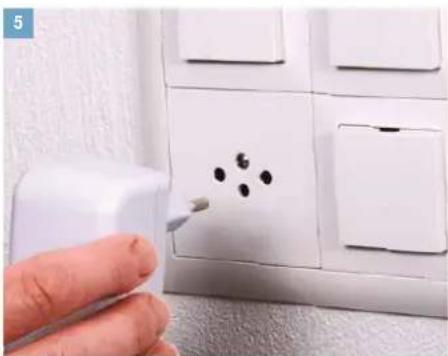
natural_image
Hand using a spray gun to clean or store floor tiles with black dots on the wall (no text or symbols visible)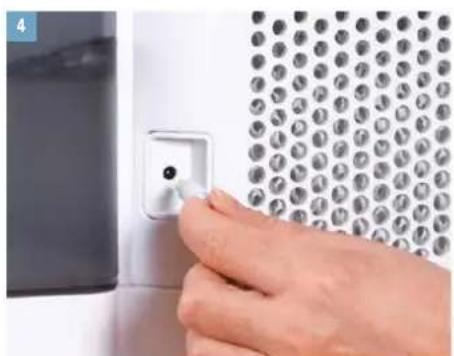
natural_image
Close-up of a hand inserting a small component into a wall-mounted panel (no text or symbols visible)natural_image
Person holding a large cylindrical device with a red downward arrow indicating compression or reduction (no text or symbols visible)natural_image
Simple graphic of a camera lens with a starburst light on the top (no text or symbols)natural_image
Hand pressing a button on a white circular dial (no text or symbols visible)natural_image
Abstract circular graphic with a dot and dashed line, no text or symbols presentnatural_image
Hand pressing a black circular button on a white surface, with no visible text or symbolsnatural_image
Hand holding a circular device with a pointer, no visible text or symbolsnatural_image
Abstract circular graphic with gradient shading and dots (no text or symbols)natural_image
Abstract circular graphic with gradient shading and small dots above (no text or symbols)RINGEN BLINKAR I BLÄTT
natural_image
Simple graphic of a sun with radiating lines and a dot, no text or symbols present.LAMPAN BLINKAR RÖTT
natural_image
Simple graphic with a red starburst and concentric circles (no text or symbols)LAMPAN PULSERAR I BLÄTT
natural_image
Abstract circular graphic with concentric rings and a small blue dot at the center (no text or symbols)DOFTBEHÅLLARE
GRUNDLÄGGANDE INFORMATION
natural_image
Hand holding a pen with a red X symbol, next to a white document or clipboard (no visible text or symbols)
natural_image
Exterior view of a modern office building (no signage)natural_image
Hand pointing at a white electronic device with a small label (no visible text or symbols)natural_image
Hand holding a small bottle with a white plastic connector attached to a wooden surface (no visible text or symbols)natural_image
Hand placing a small white object on a white door (no text or symbols visible)natural_image
Hand placing a container into a white appliance with a red downward arrow indicating a reduction or drop (no text or symbols visible)ANVISNINGAR FÖR RENGÖRING
OM RENGÖRING
natural_image
Person holding a white industrial water heater with a circular vent, next to a gray panel (no visible text or symbols)natural_image
Close-up of hands cleaning a white circular object with a small yellow substance (no text or symbols visible)- Ta bort A7017 Ionic Silver Stick
text_image
77 451539natural_image
Person holding a white textured object with red arrows indicating rotation or movement (no text or symbols visible)natural_image
Close-up of hands cleaning a white textured surface (no text or symbols visible)natural_image
Interior view of a kitchen appliance with a hand placing a white plate into the sink (no visible text or symbols)natural_image
Person cleaning a stainless steel kitchen sink with a blue spray bottle (no text or symbols visible)natural_image
Close-up of a white surface with a mesh pattern and a green checkmark (no text or symbols)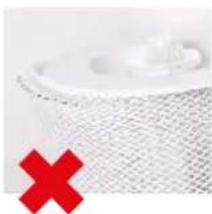
natural_image
Close-up of a mesh net with a red X symbol overlay (no text or symbols on the mesh itself)TVÄTT I TVÄTTMASKIN
natural_image
White front-loading washing machine with two red circular icons showing washing machine 40 and washing machine crossed out (no text or symbols on the machine itself)HANDTVÄTT
natural_image
Close-up of hands washing a white cloth over a surface (no text or symbols visible)natural_image
Close-up of hands pressing down on a white appliance with red arrows indicating force or pressure (no text or symbols visible)natural_image
Hand placing a component into a device with a red upward arrow (no text or symbols visible)natural_image
Person cleaning a kitchen sink with a brush (no visible text or symbols)natural_image
Close-up of hands installing or adjusting a black cover on a white printer (no text or symbols visible)natural_image
Close-up of hands pressing down on a white appliance with red arrows indicating force or pressure (no text or symbols visible)BYTA UT TILLBEHÖR
BYTA A7017 IONIC SILVER STICK®
natural_image
Hand placing a small label on a white plastic tray (no visible text or symbols)text_image
Download on the App Store
text_image
GET IT ON Google PlayKOPPLA IHOP APPEN MED BONECO W400
FÖRBEREDELSER
natural_image
Line drawing of a rectangular industrial machine with a vent and lid (no text or symbols)BONECO W400
natural_image
Simple line drawing of a plug connected to a cord and cable (no text or symbols)Teholähde
natural_image
Simple line drawing of a folded paper with a speech bubble containing an eye (no text or symbols)natural_image
Simple line drawing of a notepad with an exclamation mark speech bubble (no text or symbols on the notepad)YLEISKUVA JA OSIEN NIMET
text_image
5 6 4 3 2 1 121natural_image
Person washing a plastic water dispenser on a kitchen sink (no text or symbols visible)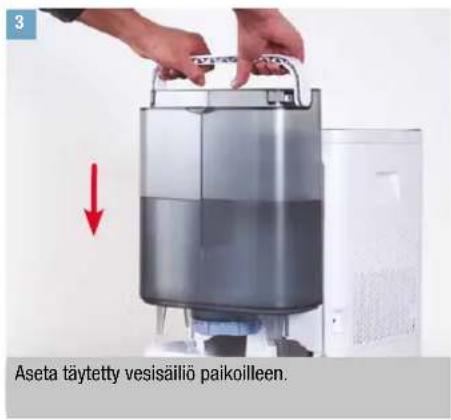
natural_image
Close-up of a hand using a spray gun to clean or store floor tiles with black dots on the wall (no text or symbols visible)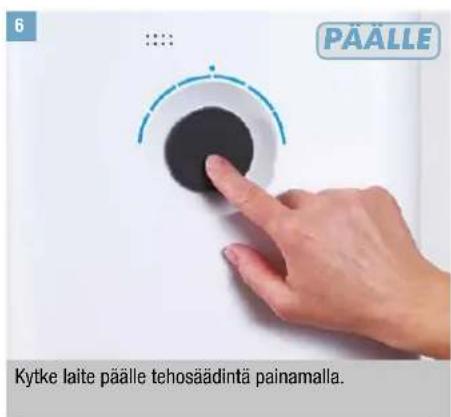
natural_image
Simple circular graphic with a starburst and dot pattern, no text or symbols present.natural_image
Hand pressing a circular button on a white surface, with no visible text or symbolsnatural_image
Abstract circular graphic with a dot and dotted lines, no text or symbols presentnatural_image
Hand pressing a black button on a white surface, with no visible text or symbolsnatural_image
Close-up of a hand holding a circular dial with a black knob, no visible text or symbolsnatural_image
Abstract circular graphic with gradient shading and dots (no text or symbols)natural_image
Abstract circular graphic with gradient shading and small dots above (no text or symbols)LED-RENGAS VILKKUU SINISENÄ
natural_image
Simple graphic of a sun with radiating lines and dots, no text or symbols presentLED VILKKUU PUNAISENA
natural_image
Simple graphic icon with a red starburst and dotted line, no text or symbols presentLED VILKKUU SINISENÄ
natural_image
Abstract circular graphic with concentric rings and a small blue dot at the center (no text or symbols)HAJUSTEASTIA
PERUSTIEDOT
natural_image
Hand holding a small object with a red X symbol, next to a white container (no text or symbols visible)
natural_image
Exterior view of a modern office building (no signage)natural_image
Hand pointing at a white appliance with a small label (no visible text or symbols)natural_image
Hand pouring liquid into a small white container on a wooden surface (no text or symbols visible)natural_image
Hand placing a white plastic clip on a white door (no text or symbols visible)natural_image
Person holding a container with a red downward arrow indicating a reduction or drop (no text or symbols visible)PUHDISTUSTA KOSKEVAT OHJEET
PUHDISTUSTA KOSKEVIA TIETOJA
natural_image
Person holding a white industrial water heater with control panel (no visible text or symbols)- Poista rumpu ja AW200-haihdutinmatto.
natural_image
Person pouring liquid into a white circular container on a wooden surface (no text or symbols visible)- Poista A7017 Ionic Silver Stick
text_image
4012519natural_image
Person applying a white foam roller with red directional arrows (no text or symbols visible)natural_image
Close-up of hands cleaning a white textured surface (no text or symbols visible)natural_image
Interior view of a kitchen appliance with a hand placing a white plate, next to a red 50-lit badge (no visible text or symbols on the main subject)natural_image
Person using a tool to clean or wash a dark surface on a kitchen sink (no text or symbols visible)natural_image
Person washing a blue liquid in a stainless steel kitchen sink (no text or symbols visible)natural_image
Close-up of a white mesh fabric with a green checkmark overlay (no text or symbols)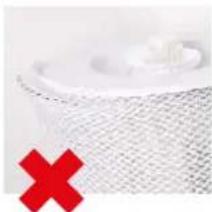
natural_image
Close-up of a white mesh fabric with a red X mark overlay (no text or symbols)PUHDISTUS PESUKONEESSA
natural_image
White washing machine with a circular vent, accompanied by two red icons showing '40' and a crossed-out square (no text or symbols on the device itself)PUHDISTUS KÄSIN
natural_image
Close-up of hands cleaning a white cloth or towel on a surface (no text or symbols visible)natural_image
Close-up of hands pressing down on a white appliance with red arrows indicating force or pressure (no text or symbols visible)natural_image
Hand pressing down on a black tray with a red upward arrow (no text or symbols visible)natural_image
Person cleaning a kitchen sink with a brush (no visible text or symbols)natural_image
Person holding a box with a checkered pattern, partially visible in a dark interior (no text or symbols)natural_image
Close-up of hands cleaning a black plastic sheet with a red arrow indicating the step (no text or symbols visible)natural_image
Close-up of a hand pressing down on a white microwave oven with red arrows indicating force or pressure points (no text or symbols visible)LISÄVARUSTEIDEN VAIHTAMINEN
A7017 IONIC SILVER STICK® -TIKUN VAIHTAMINEN
natural_image
Hand placing a white label on a white plastic tray (no visible text or symbols)text_image
Download on the App Store
text_image
GET IT ON Google PlayAPP-SOVELLUKSEN YHDISTÄMINEN BONECO W400 -LAITTEESEEN
VALMISTELUT
natural_image
Line drawing of a rectangular electronic device with a circular top and side panel (no text or symbols)BONECO W400
natural_image
Simple line drawing of a plug connected to a cord and cable (no text or symbols)Strømforsyning
natural_image
Simple line drawing of a notepad with a speech bubble containing an eye (no text or symbols)natural_image
Hand placing a device into a server rack with a red upward arrow indicating motion (no text or symbols visible)natural_image
Person washing a kitchen sink with a clear blue liquid, no text or symbols visible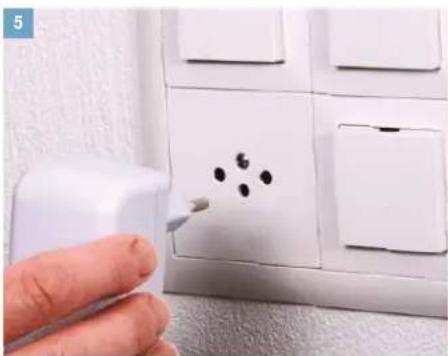
natural_image
Hand using a spray gun to clean or store floor tiles with black dots on the wall (no text or symbols visible)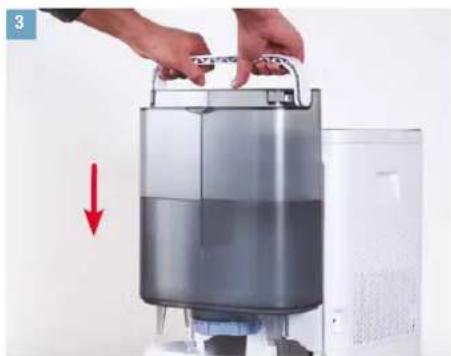
natural_image
Person holding a large cylindrical device with a red downward arrow indicating compression or cooling process (no text or symbols visible)natural_image
Close-up of a hand inserting a small component into a wall-mounted panel (no text or symbols visible)natural_image
Simple circular diagram with a starburst and dotted line above, no text or symbols present.natural_image
Hand pressing a button on a white surface, with no visible text or symbolsnatural_image
Abstract circular graphic with a dot and dashed line, no text or symbols presentnatural_image
Hand pressing a black circular button with a curved line on top, against a white background (no text or symbols visible)natural_image
Hand holding a circular device with a pointer and measurement markings (no visible text or symbols)natural_image
Abstract circular graphic with gradient shading and dots (no text or symbols)natural_image
Abstract circular graphic with gradient shading and small dots above (no text or symbols)LED-RING BLINKER BLÄT
Når de 6 ringformede LED'er blinker blåt, er BONECO W400 klar til parring med en smartphone via Bluetooth.
natural_image
Simple graphic of a sun with radiating lines and a dot, no text or symbols present.LED BLINKER R∅DT
natural_image
Simple graphic with a red starburst on a circular gradient background (no text or symbols)LED'EN PULSERER BLÂT
natural_image
Abstract circular graphic with concentric rings and a small blue dot at the center (no text or symbols)DUFTSTOFBEHOLDER
GRUNDLÆGGENDE OPLYSNINGER
natural_image
Hand holding a small object with a red X symbol, next to a white electronic device (no text or symbols visible)
natural_image
Hand placing a metallic container onto a white base with a red upward arrow (no text or symbols visible)natural_image
Hand pointing at a white appliance with a small label (no visible text or symbols)natural_image
Hand pouring liquid into a white plastic connector on a wooden surface (no text or symbols visible)natural_image
Hand placing a small white object on a white door (no text or symbols visible)natural_image
Person holding a container with a red downward arrow indicating reduction (no text or symbols visible)RENG∅RINGSHENVISNINGER
OM RENG∅RING
RENG∅RING AF APPARATET
ADSKILLELSE OG RENG∅RING
- Tag overdelen på BONECO W400 af.
natural_image
Person holding a white industrial water heater with a circular vent, next to a gray panel (no visible text or symbols)2 Tag tromlen med fordampermåtte AW200 ud.
natural_image
Person pouring liquid into a white container on a wooden surface (no text or symbols visible)- Tag A7017 Ionic Silver Stick ^® ud.
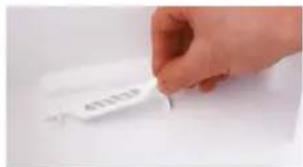
text_image
4012319natural_image
Person applying a white towel to another person's arm, with red arrows indicating motion (no text or symbols visible)natural_image
Close-up of hands cleaning a white textured surface (no text or symbols visible)natural_image
Interior view of an oven with a hand placing a white plate, no visible text or symbolsnatural_image
Person using a tool to clean or wash a surface in a kitchen sink (no text or symbols visible)natural_image
Person washing a blue plastic bag into a stainless steel kitchen sink (no text or symbols visible)natural_image
Close-up of a white mesh fabric with a green checkmark overlay (no text or symbols)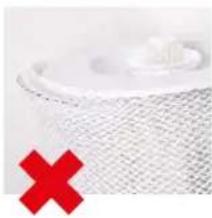
natural_image
Close-up of a mesh fabric with a red X symbol overlay (no text or symbols on the fabric itself)RENG∅RING I VASKEMASKINEN
natural_image
White washing machine with a circular vent, accompanied by two red icons showing washing machine designs (no text or symbols on the device itself)RENGÖRING VED VASK I HÄNDEN
natural_image
Close-up of hands washing a white cloth over a surface (no text or symbols visible)natural_image
Close-up of hands pressing down on a white washing machine with red arrows indicating force (no text or symbols visible)natural_image
Hand pressing down on a device with a red upward arrow (no text or symbols visible)natural_image
Person applying paint to a kitchen sink with a brush (no visible text or symbols)natural_image
Person holding a checkered cloth over a dark surface, no visible text or symbolsnatural_image
Close-up of hands cleaning a white printer with a red arrow pointing to the cover (no text or symbols visible)- Læg låget på igen.
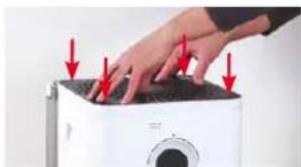
natural_image
Hand pressing down on a white appliance with red arrows indicating force or damage (no text or symbols visible)UDSKIFTNING AF TILBEH∅R
UDSKIFTNING AF A7017 IONIC SILVER STICK®
natural_image
Hand placing a white label on a white plastic tray (no visible text or symbols)text_image
Download on the App Store
text_image
GET IT ON Google PlayOPRETTELSE AF FORBINDELSE MELLEM APPEN OG BONECO W400
FORBEREDELSER
- Sørg for, at Bluetooth er aktiveret på din smartphone.
- Sørg ved parringen for, at smartphonen befinder sig i samme rum som BONECO W400.
natural_image
Line drawing of a rectangular electronic device with a circular top and side panel (no text or symbols)BONECO W400
natural_image
Simple line drawing of a plug connected to a cord and cable (no text or symbols)Stromadapter

natural_image
Simple line drawing of a folded paper with a speech bubble containing an eye (no text or symbols)natural_image
Hand placing a device into a server rack with a red upward arrow indicating motion (no text or symbols visible)natural_image
Person using a clear water dispenser on a kitchen sink (no text or symbols visible)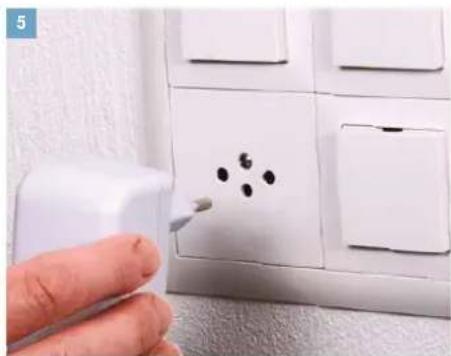
natural_image
Hand using a spray gun to clean or store floor tiles with black dots on the wall (no text or symbols visible)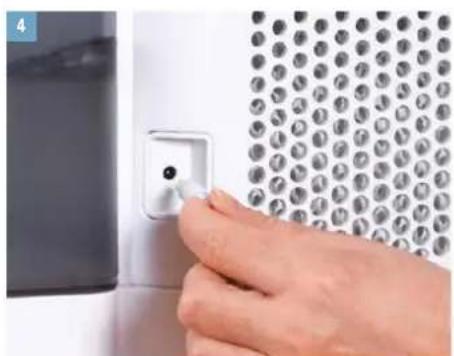
natural_image
Close-up of a hand inserting a small component into a wall-mounted device (no text or symbols visible)natural_image
Person holding a large cylindrical device with a red downward arrow indicating compression or cooling process (no text or symbols visible)Sett inn den fylte vanntanken.
natural_image
Hand pressing a black circular button on a white surface, with no visible text or symbolsnatural_image
Simple diagram of a speaker icon with a blue starburst and dotted line (no text or symbols)natural_image
Hand pressing a circular button with a dashed arc and dotted line, no visible text or symbolsApparatet er alltid i AUTO-modus när det slås på. Du ser at AUTO-modus er aktiv ved den lille opplyste lysdioden over bryteren.
natural_image
Abstract circular graphic with concentric rings and a small blue dot at the center (no text or symbols)- For å slå av BONECO W400 mens den er i AUTO-modus trykker du kortvarig på bryteren én gang.
MANUELL BETJENING (FORTS.)
MANUELL STYRING
natural_image
Hand pressing a black circular button with a blue dashed arc on a white surface (no text or symbols visible)natural_image
Hand holding a circular device with a pointer, no visible text or symbolsnatural_image
Abstract circular graphic with gradient shading and dots (no text or symbols)natural_image
Abstract circular graphic with gradient shading and small dots above (no text or symbols)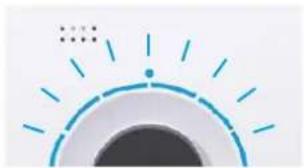
natural_image
Simple graphic of a sun with radiating lines and dots, no text or symbols present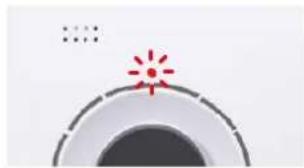
natural_image
Simple graphic with a red starburst and concentric circles (no text or symbols)LED PULSERER I BLÄTT
natural_image
Abstract circular graphic with concentric rings and a small blue dot at the center (no text or symbols)DUFTSTOFFBEHOLDER
GRUNNLEGGENDE INFORMASJON
I duftstoffbeholderen på baksiden kan du fylle på vanlige aromastoffer og eteriske oljer.

Duftstoffer eller eteriske oljer må ikke tilsettes rett i vannkaret, fordi dette kan redusere ytelsen eller i verste fall skade Boneco W400. Slike skader dekkes ikke av garantien.
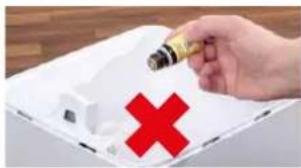
natural_image
Hand holding a small object with a red X symbol, next to a white tray (no text or symbols visible)
natural_image
Exterior view of a modern office building (no signage)- Trykk på duftstoffbeholderen på baksiden for å ta ut skuffen.
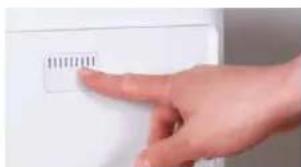
natural_image
Hand pointing at a white electronic device with a small label (no readable text or symbols)- Drypp ønsket mengde aromastoff på filtinnlegget i skuffen.
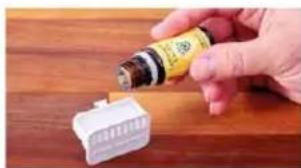
natural_image
Hand pouring liquid into a white plastic connector on a wooden surface (no text or symbols visible)natural_image
Hand placing a small white object on a white door (no text or symbols visible)natural_image
Person holding a container with a red downward arrow indicating reduction (no text or symbols visible)RENGJ∅RINGSANVISNINGER
OM RENGJ∅RINGEN
natural_image
Person holding a white air purifier device against a plain background (no text or symbols visible)natural_image
Person pouring liquid into a white container on a wooden surface (no text or symbols visible)- Fjern A7017 Ionic Silver Stick
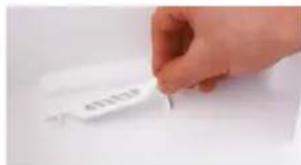
text_image
4012519- Løsne trommelen ved å dreie på de to skivene på den. Vær obs på markeringene på yttersiden av skiven.
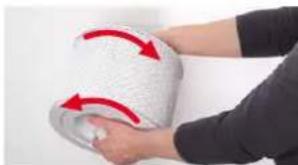
natural_image
Person holding a white textured object with red arrows indicating rotation or movement (no text or symbols visible)natural_image
Close-up of a hand holding a white textured fabric or material, no visible text or symbolsnatural_image
Interior view of a kitchen appliance with a hand placing white plates into the sink (no visible text or symbols)natural_image
Person washing a kitchen sink with a hand using a tool (no visible text or symbols)natural_image
Person cleaning a kitchen sink with a blue plastic bag and spray bottle (no text or symbols visible)natural_image
Close-up of a white mesh filter or paper roll with a green checkmark overlay (no text or symbols)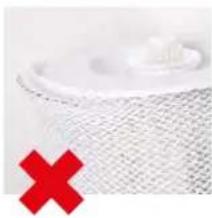
natural_image
Close-up of a mesh material with a red X mark overlay (no text or symbols)RENGJ∅RING I VASKEMASKIN
AW200-fordunstermatten kan vaskes i vaskemaskin. Tilsett vanlig vaskemiddel.

natural_image
White washing machine with a circular vent and two red square icons showing washing machine designs (no text or symbols on the machine itself)RENGJ∅RING FOR HÅND
natural_image
Close-up of hands washing a white cloth over a surface (no text or symbols visible)natural_image
Close-up of hands pressing down on a white washing machine with red arrows indicating force (no text or symbols visible)natural_image
Hand placing a black air conditioner cover with a red upward arrow (no text or symbols visible)natural_image
Person cleaning a kitchen sink with a brush (no visible text or symbols)natural_image
Close-up of hands using a printer to press or install a black cover (no visible text or symbols)natural_image
Hand pressing down on a white appliance with red arrows indicating force or pressure (no text or symbols visible)SKIFTE TILBEH∅R
BYTTE A7017 IONIC SILVER STICK®
A7017 Ionic Silver Stick ^® bruker den antibakterielle effekten i selv for å oppnå vesentlig bedre vannhygiene. Den virker med en gang den kommer i kontakt med vann – selv när Boneco W400 er slätt av.
natural_image
Hand placing a white label on a white plastic tray (no visible text or symbols)Den brukte A7017 Ionic Silver Stick ^® kan kastes i husholdningsavfallet.
TILGJENGELIGHETEN AV TILBEH∅R
text_image
Download on the App Store
text_image
GET IT ON Google PlayKOBLE APPEN TIL BONECO W400
FORBEREDELSER
natural_image
Simple line drawing of a rectangular device with a circular top and side panel (no text or symbols)BONECO W400
natural_image
Simple line drawing of a plug connected to a cord and cable (no text or symbols)natural_image
Simple line drawing of a folded paper with a speech bubble containing an eye (no text or symbols)Isa instrukcija Drošibas noradijumi
natural_image
Simple line drawing of a notepad with an exclamation mark speech bubble (no text or symbols on the notepad)DALU PĀRSKATS UN NOSAUKUMS
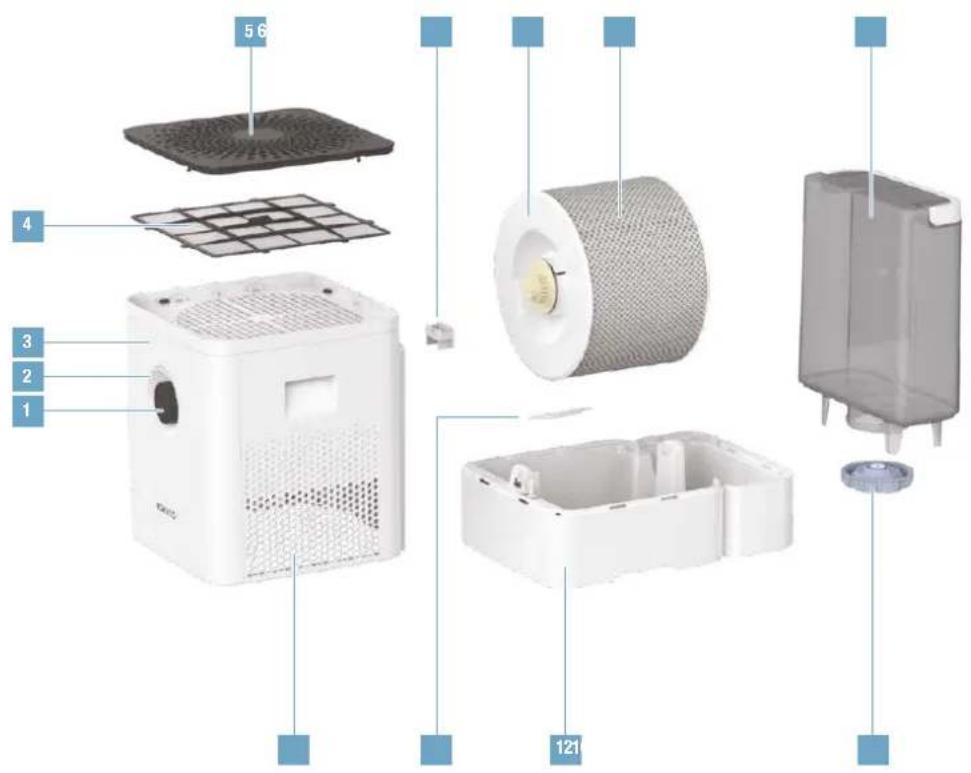
text_image
5 6 4 3 2 1 121- lesl. /izsl., darbības režīmi
- Statusa LED
- Higrometrs
- Priekšfiltrs
- Pârsegs /gaisa pievadišana
- Smaržvielu tvertne
- Trumulis
- AW200 mitrinātaja siets**
- Udens tvertne
- Galsa izplüde
- A7017 Ionic Silver Stick
- Ūdens vácele
- Údens tvertnes väks
natural_image
Hand placing a device into a server rack with a red upward arrow indicating motion (no text or symbols visible)Iznemiet üdens tvertni. Piepildiet üdens tvertni ar aukstu üdensvada üdeni.
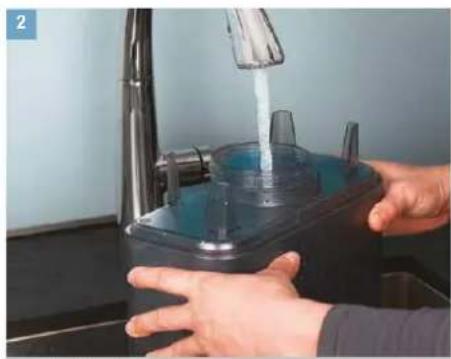
natural_image
Person using a clear water dispenser on a kitchen sink (no text or symbols visible)lensvada üdeni.
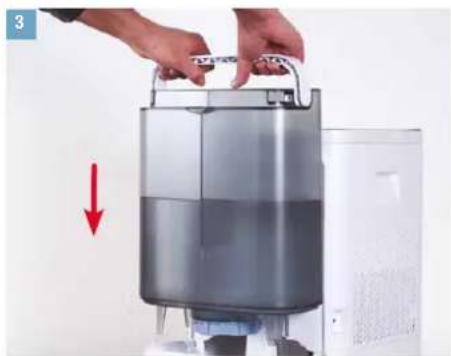
natural_image
Person holding a large cylindrical device with a red downward arrow indicating compression or reduction (no text or symbols visible)levietojiet piepildito ūdens tvertni.
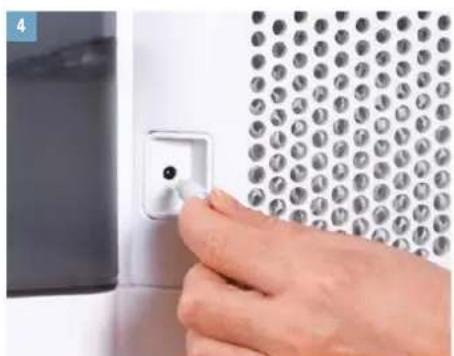
natural_image
Close-up of a hand inserting a small component into a wall-mounted panel (no text or symbols visible)Savienojiet tikla kabeli ar BONECO W400. Savienojiet elektropadevi ar kontaktligzdu.
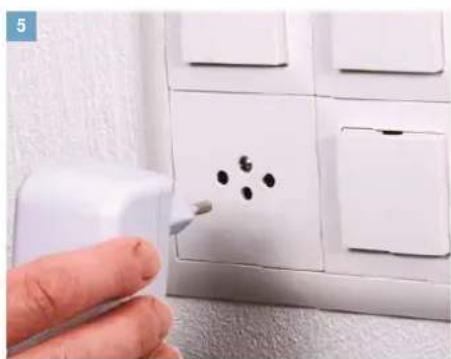
natural_image
Hand using a spray gun to apply black dots on a white wall socket (no text or symbols visible)opadevi ar kontaktligzdu.
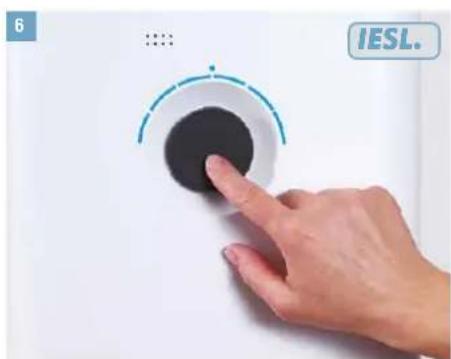
text_image
6 ... IESL.Lai ieriči ieslėgtu, īsi nospiediet jaudas regulatoru.

MANUĀLA VADĪBA
PAR MANUĀLO VADĪBU
natural_image
Simple circular diagram with a blue starburst at the top center, no text or symbols present.natural_image
Hand pressing a button on a white surface, with no visible text or symbolsnatural_image
Abstract circular graphic with a dot and dashed line, no text or symbols presentMANUĀLA VADĪBA (TURPINĀJUMS)
MANUĀLĀ VADĪBA
natural_image
Hand pressing a button on a white surface, no visible text or symbolsnatural_image
Hand holding a circular device with a pointer, no visible text or symbolsnatural_image
Abstract circular graphic with gradient shading and dots (no text or symbols)natural_image
Abstract circular graphic with gradient shading and a dot, no text or symbols present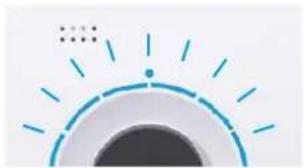
natural_image
Simple graphic of a sun with radiating lines and dots, no text or symbols present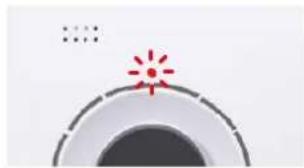
natural_image
Simple graphic with a red starburst and concentric circles (no text or symbols)PULSÉ ZILA LED
natural_image
Abstract circular graphic with a blue dot at the center and dotted lines above (no text or symbols)SMARŽVIELU TVERTNE
PAMATINFORMAÇIJA
natural_image
Hand holding a pen with a red X symbol, next to a white electronic device (no text or symbols visible)
natural_image
Hand placing a container onto a white appliance, with a red upward arrow indicating growth (no text or symbols visible)- Aizmugurē, lai izņemtu atvilktni, uzspiediet uz smaržvielu tvertnes.
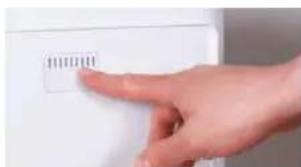
text_image
100000natural_image
Hand pouring liquid into a white plastic container on a wooden surface (no text or symbols visible)- levietojiet smaržvielu tvertni atpakal.
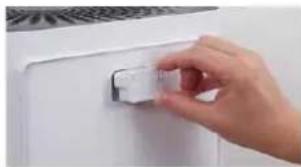
natural_image
Hand placing a small white object on a white door (no text or symbols visible)- levietojiet üdens tvertni atpakal.
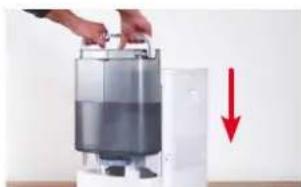
natural_image
Hand placing a container into a white appliance with a red downward arrow indicating reduction (no text or symbols visible)NORĀDĪJUMI PAR TĪRĪŠANU
PAR TİRİŞANU
natural_image
Person holding a white industrial water heater device (no visible text or symbols)natural_image
Person pouring liquid into a white circular container on a wooden surface (no text or symbols visible)- Iznemiet A7017 Ionic Silver Stick
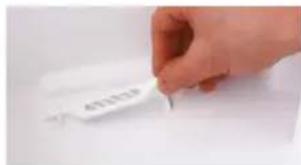
text_image
4012339natural_image
Person applying a white cloth to a wrist, with red arrows indicating motion (no text or symbols visible)natural_image
Close-up of a hand holding a white textured towel, no visible text or symbolsnatural_image
Interior view of a kitchen appliance with a hand placing white plates into the oven (no visible text or symbols)natural_image
Person using a tool on a kitchen sink (no visible text or symbols)natural_image
Person washing a blue plastic bottle into a stainless steel sink (no text or symbols visible)natural_image
Close-up of a white textured surface with a green checkmark overlay (no text or symbols)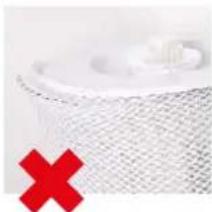
natural_image
Close-up of a white textured surface with a red X symbol overlay (no text or symbols present)MAZGĀŠANA VEŁAS MAZGĀJAMAJĀ MAŠĪNĀ
natural_image
White washing machine with a circular vent, displayed against a white background (no text or symbols visible)MAZGĀŠANA AR ROKĀM
natural_image
Close-up of hands cleaning a white cloth or towel on a surface (no text or symbols visible)natural_image
Close-up of hands pressing down on a white appliance with red arrows indicating force or pressure (no text or symbols visible)natural_image
Hand pressing down on a black tray with a red upward arrow (no text or symbols visible)natural_image
Person cleaning a kitchen sink with a brush (no visible text or symbols)- Izsusini priekšfiltru ar drānu.
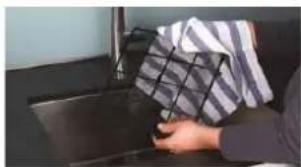
natural_image
Person handling a box on a dark surface, no visible text or symbolsnatural_image
Close-up of hands cleaning a black plastic sheet with a red arrow indicating the step (no text or symbols visible)natural_image
Close-up of a hand pressing down on a white microwave oven with red arrows indicating force or pressure points (no text or symbols visible)PIEDERUMU NOMAINA
A7017 IONIC SILVER STICK® NOMAINA
natural_image
Hand placing a white label on a white plastic tray (no visible text or symbols)text_image
Download on the App Store
text_image
GET IT ON Google PlayLIETOJUMPROGRAMMA PIEVIENOŠANA BONECO W400
SAGATAVOŠANAS DARBI
natural_image
Simple line drawing of a rectangular device with a circular top and side panel (no text or symbols)BONECO W400
natural_image
Simple line drawing of a plug connected to a cord and cable (no text or symbols)Maitinimo blokas
natural_image
Simple line drawing of a notepad with a speech bubble containing an eye (no text or symbols)natural_image
Simple line drawing of a notepad with an exclamation mark speech bubble (no text or symbols on the notepad)DALIŲ APŽVALGA IR JŲ PAVADINIMAI
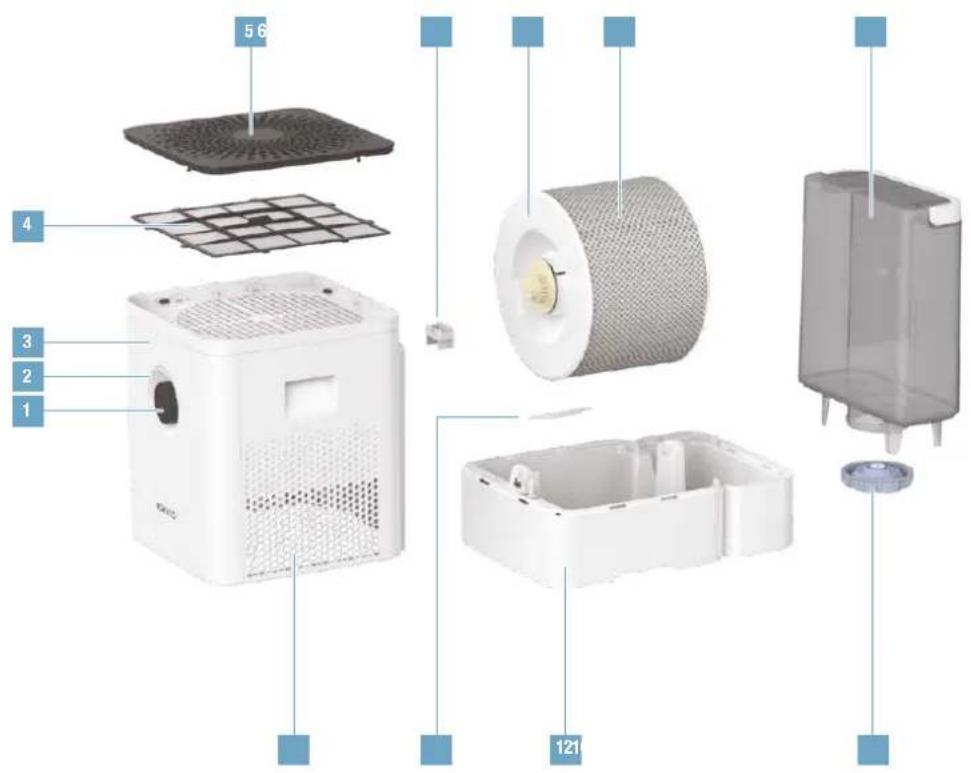
text_image
5 6 4 3 2 1 1211 Jjungimas/išjungimas, na-
šumo lygis
2 Büsenos LED
3 Higrometras
4 Pirminis filtras
5 Dangtis/oro jsiurbimo angos
6 Kvapiuju medžiagu indelis*
7 Bügnas*
8 AW200 garinimo audinys**
9 Vandens bakelis
10 Oro išleidimo angos
11 A7017 „Ionic Silver Stick
12 Vandens vonelé*
13 Vandens bakelio dangtis
* Plaunama indaplověje iki 50 °C
** Plaunama skalbimo mašinoje iki 40 °C

TECHNINIAI DUOMENYS*
natural_image
Hand placing a device into a server rack with a red upward arrow indicating motion (no text or symbols visible)natural_image
Person using a clear water dispenser on a kitchen sink (no text or symbols visible)vandentiekio van- deniu.
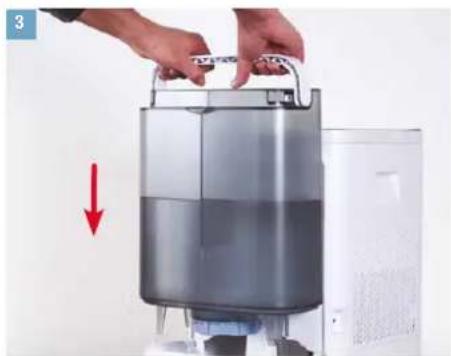
natural_image
Person holding a large cylindrical device with a red downward arrow indicating compression or reduction (no text or symbols visible)natural_image
Close-up of a hand inserting a small component into a wall-mounted panel (no text or symbols visible)natural_image
Hand using a spray gun to apply black dots on a white wall socket (no text or symbols visible)natural_image
Abstract graphic with concentric circles and a small starburst at the top (no text or symbols)natural_image
Hand pressing a black circular button with a dashed arc on top, against a plain white background (no text or symbols visible)natural_image
Abstract circular graphic with a dot and dashed line, no text or symbols presentnatural_image
Hand pressing a circular button with a dashed arc and small dots above, against a plain white background (no text or symbols visible)natural_image
Hand holding a circular device with a pointer, no visible text or symbolsnatural_image
Abstract circular graphic with gradient shading and dots (no text or symbols)natural_image
Abstract circular graphic with gradient shading and a dot, no text or symbols presentMIRKSI MÉLYNAS LED INDIKATORIUS
natural_image
Simple graphic of a sun with radiating lines and a dot, no text or symbols present.MIRKSI RAUDONAS LED INDIKATORIUS
natural_image
Simple graphic icon with a red starburst and dotted line, no text or symbols presentPULSUOJA MÉLYNAS LED INDIKATORIUS
natural_image
Abstract circular graphic with a blue dot at the center and dotted lines above (no text or symbols)KVAPIUJU MEDŽIAGU INDELIS
PAGRINDINÉ INFORMACIJA
natural_image
Hand holding a small object with a red X symbol, next to a white tray (no text or symbols visible)
natural_image
Exterior view of a modern office building (no signage)natural_image
Hand pointing at a white electronic device with a small label (no visible text or symbols)natural_image
Hand pouring liquid into a white plastic connector on a wooden surface (no text or symbols visible)natural_image
Hand placing a small white object on a white door (no text or symbols visible)- Idëkite vandens bakelj atgal.
natural_image
Person holding a container with a red downward arrow indicating reduction (no text or symbols visible)VALYMO NURODYMAI
APIE VALYMA
natural_image
Person holding a white water heater device with a circular vent, next to a gray panel (no visible text or symbols)natural_image
Person pouring liquid into a white cylindrical container on a wooden surface (no text or symbols visible)- Išimkite A7017 „Ionic Silver Stick ^® .
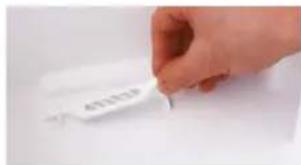
text_image
4012339natural_image
Person applying a white textured roller to a wrist, with red arrows indicating rotation (no text or symbols visible)natural_image
Close-up of hands cleaning a white towel (no text or symbols visible)natural_image
Interior view of an appliance oven with a hand placing white plates, no visible text or symbolsnatural_image
Person using a tool to clean or wash a surface in a kitchen sink (no text or symbols visible)natural_image
Person washing a blue plastic bag into a stainless steel kitchen sink (no text or symbols visible)natural_image
Close-up of a white textured surface with a green checkmark overlay (no text or symbols)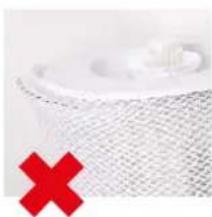
natural_image
Close-up of a white mesh object with a red X mark overlay (no text or symbols)PLOVIMAS SKALBIMO MAŠINA
natural_image
White washing machine with a circular vent and two red '40' and '×' symbols on its side (no text or labels on the device itself)PLOVIMAS RANKOMIS
natural_image
Close-up of hands washing a white cloth over a surface (no text or symbols visible)natural_image
Close-up of hands pressing down on a white appliance with red arrows indicating force or pressure (no text or symbols visible)natural_image
Hand pressing down on a black tray with a red upward arrow (no text or symbols visible)natural_image
Person cleaning a kitchen sink with a brush (no visible text or symbols)natural_image
Close-up of hands cleaning a black plastic sheet with a red arrow indicating the step (no text or symbols visible)- Uždékite gaubtą.
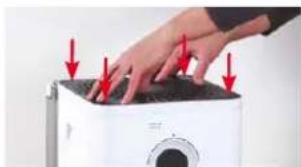
natural_image
Close-up of a hand pressing down on a white microwave oven with red arrows indicating force or pressure points (no text or symbols visible)REIKMENŲ KEITIMAS
A7017 „IONIC SILVER STICK® KEITIMAS
natural_image
Hand placing a white label on a white plastic tray (no visible text or symbols)text_image
Download on the App Store
text_image
GET IT ON Google PlayPROGRAMÉLÉS SUSIEJIMAS SU BONECO W400
PARUOŠIAMIEJI DARBAI
natural_image
Simple line drawing of a rectangular device with a circular top and side panel (no text or symbols)BONECO W400
natural_image
Simple line drawing of a plug connected to a cord and cable (no text or symbols)Toiteplokk
natural_image
Simple line drawing of a folded paper with a speech bubble containing an eye (no text or symbols)natural_image
Simple line drawing of a notepad with an exclamation mark speech bubble (no text or symbols on the notepad)ÜLEVAADE JA OSADE NIMETUSED
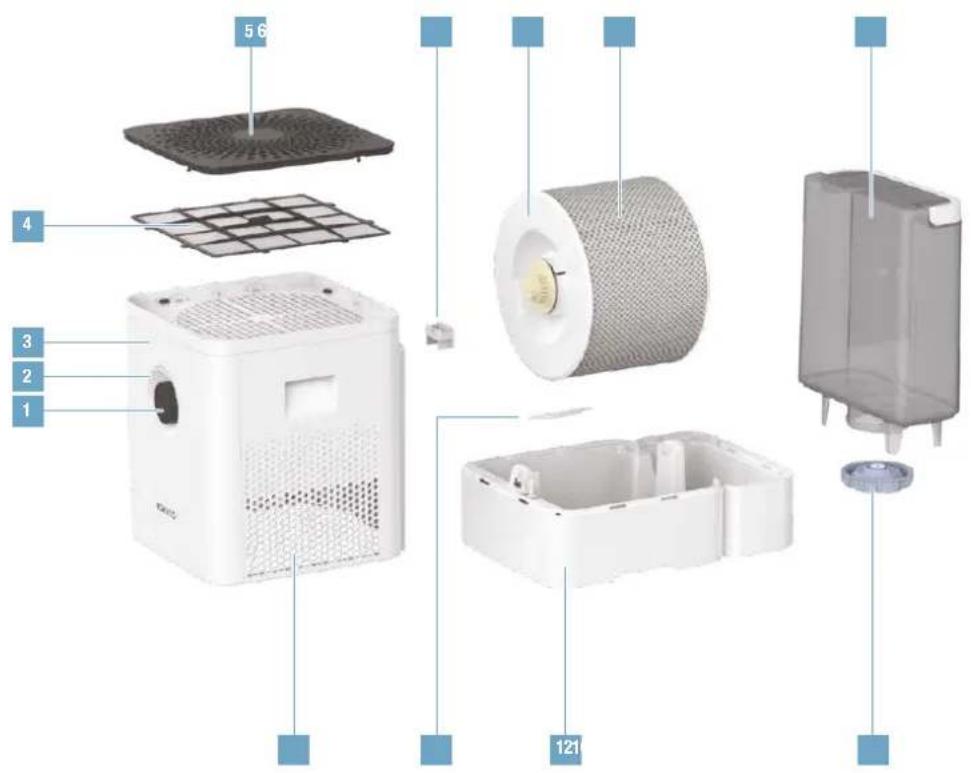
text_image
5 6 4 3 2 1 121natural_image
Person washing a plastic water dispenser on a kitchen sink (no text or symbols visible)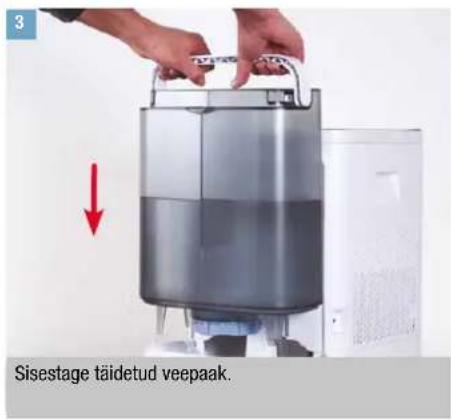
natural_image
Close-up of a hand using a tool to apply black dots on a white electrical outlet (no text or symbols visible)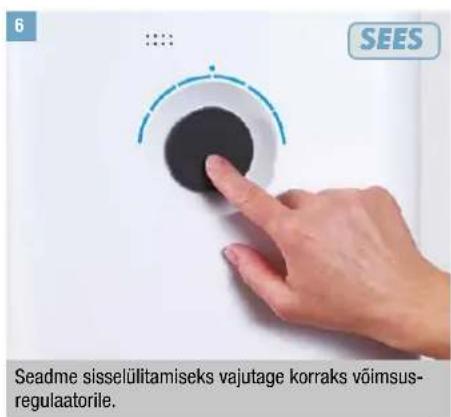
MANUAALSEST KÄSITSEMISEST
natural_image
Simple circular diagram with a starburst and dot pattern at the top (no text or symbols)natural_image
Hand pressing a black button on a white surface, with no visible text or symbolsnatural_image
Abstract circular graphic with a dot and dashed line, no text or symbols presentnatural_image
Hand pressing a circular button on a white surface, no text or symbols visibleSeade on sisselülitamisel alati AUTO laadis.
natural_image
Hand pressing a circular button on a white surface, with no visible text or symbolsnatural_image
Abstract circular graphic with gradient shading and dots (no text or symbols)natural_image
Abstract circular graphic with gradient shading and small dots above (no text or symbols)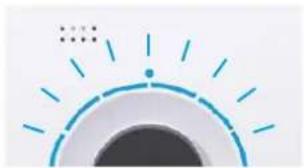
natural_image
Simple graphic of a sun with radiating lines and dots, no text or symbols present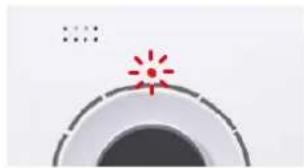
natural_image
Simple graphic icon with a red starburst and dotted line, no text or symbols presentLED PULSEERIB SINISELT
natural_image
Abstract circular graphic with concentric rings and a small blue dot at the center (no text or symbols)LÕHNAAINE ANUM
ALGTEADMISED
natural_image
Hand holding a small object with a red X symbol, next to a white tray (no text or symbols visible)
natural_image
Exterior view of a modern office building (no signage)natural_image
Hand pointing at a white electronic device with a small label (no readable text or symbols)natural_image
Hand pouring liquid into a white plastic connector on a wooden surface (no text or symbols visible)- Sisestage löhnaaine anum tagasi seadmesse.
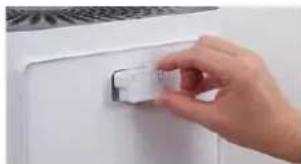
natural_image
Hand placing a small white object on a white door (no text or symbols visible)- Paigaldage tagasi veepaak.
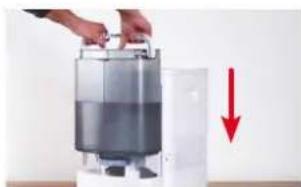
natural_image
Person holding a container with a red downward arrow indicating reduction (no text or symbols visible)PUHASTUSJUHISED
PUHASTAMISEST
natural_image
Person holding a white water purifier device with a circular vent, next to a gray control panel (no visible text or symbols)natural_image
Person pouring a white cylindrical container into a white container with a yellow lid (no text or symbols visible)- Eemaldage A7017 Ionic Silver Stick
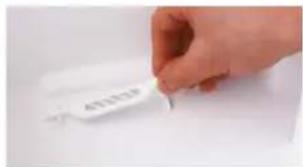
natural_image
Hand holding a white object with visible text, no readable symbols or numbers presentnatural_image
Person holding a white cloth with red arrows indicating motion (no text or symbols)natural_image
Close-up of a hand pressing down on a textured white surface (no text or symbols visible)natural_image
Interior view of a kitchen appliance with a hand placing white plates into the oven (no visible text or symbols)natural_image
Person using a tool to clean or wash a dark surface in a kitchen sink (no text or symbols visible)natural_image
Person cleaning a kitchen sink with a blue tool, no visible text or symbols- Pange BONECO W400 vastupidises järjekorras uuesti kokku.
AW200 NIISUTUSMATI PUHASTAMINE
AW200 NIISUTUSMATIST
natural_image
Close-up of a white textured surface with a green checkmark overlay (no text or symbols)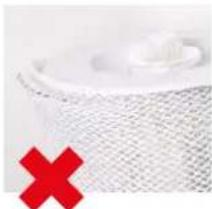
natural_image
Close-up of a white mesh surface with a small white object, marked by a red X (no text or symbols)PESUMASINAS PUHASTAMINE
natural_image
White washing machine with a circular vent, accompanied by two red circular icons showing washing machine designs (no text or symbols on the device itself)KÄSITSI PUHASTAMINE
natural_image
Close-up of hands washing a white cloth over a surface (no text or symbols visible)natural_image
Hand pressing down on a white microwave oven with red arrows indicating force or pressure points (no text or symbols visible)natural_image
Hand pressing down on a white appliance with a red upward arrow (no text or symbols visible)natural_image
Person cleaning a kitchen sink with a brush (no visible text or symbols)- Kuivatage eelfilter lapiga.
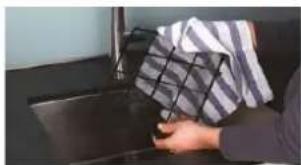
natural_image
Person handling a box on a dark surface, no visible text or symbols- Paigaldage eelfilter seadmesse.
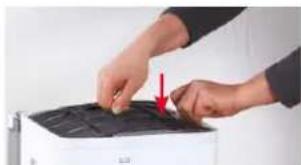
natural_image
Close-up of hands operating a printer with a red arrow pointing to the lid (no visible text or symbols)- Kinnitage kate tagasi.
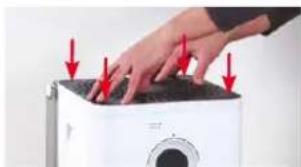
natural_image
Hand pressing down on a white microwave oven with red arrows indicating force (no text or symbols visible)TARVIKUTE VAHETAMINE
A7017 IONIC SILVER STICK®-I VAHETAMINE
natural_image
Hand placing a white label on a white plastic tray (no visible text or symbols)text_image
Download on the App Store
text_image
GET IT ON Google PlayÜHENDAGE RAKENDUS SEADMEGA BONECO W400
ETTEVALMISTUSED
- Veenduge, et teie telefonis on Bluetooth aktiveeritud.
- Seadmete paarimisel veenduge, et teie telefon asub BONECO W400-ga samas ruumis.
natural_image
Simple line drawing of a rectangular box with a circular top and side panel, no text or symbols present.BONECO W400
natural_image
Simple line drawing of a plug connected to a cord and cable (no text or symbols)Sítový zdroj
natural_image
Simple line drawing of a folded paper with a speech bubble containing an eye (no text or symbols)natural_image
Simple line drawing of a notepad with an exclamation mark speech bubble (no text or symbols on the notepad)PŘEHLED A NÁZVY DÍLŮ
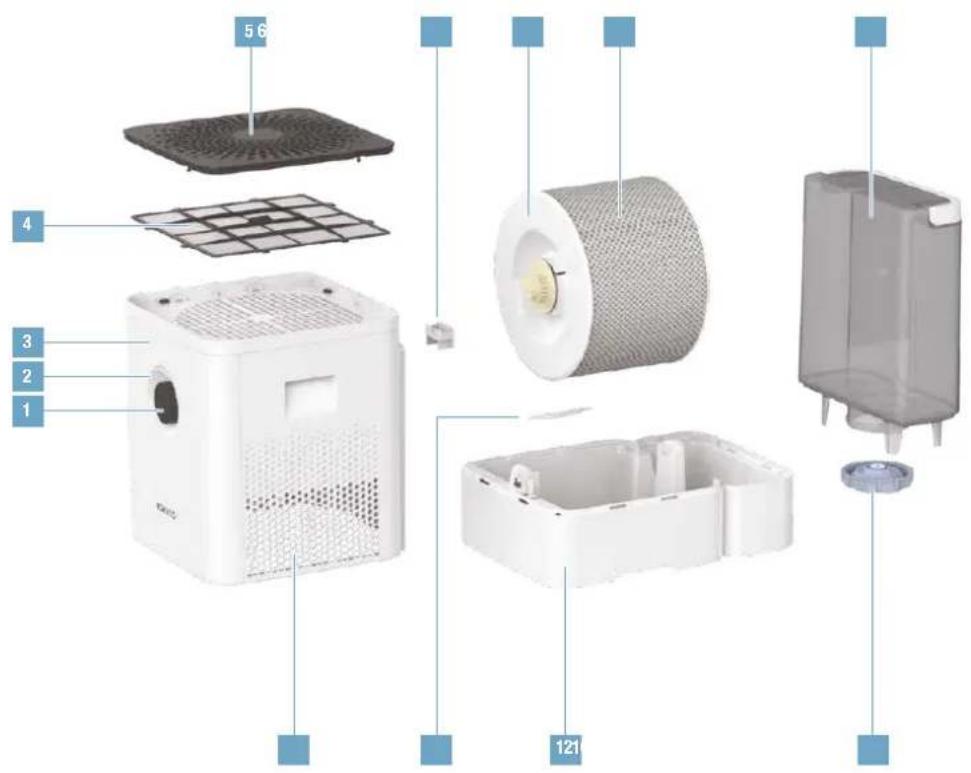
text_image
5 6 4 3 2 1 121natural_image
Hand placing a device into a server rack with a red upward arrow indicating motion (no text or symbols visible)natural_image
Person washing a glass kitchen sink with a water dispenser (no text or symbols visible)u vodovodní vodu.
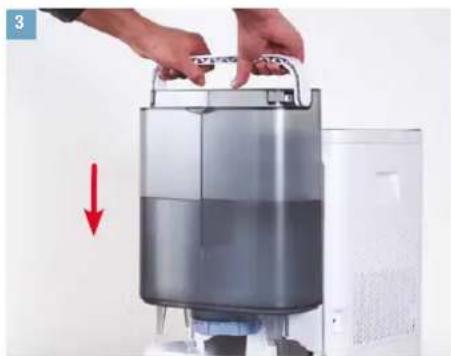
natural_image
Person holding a large cylindrical device with a red downward arrow indicating flow or reduction (no text or symbols visible)natural_image
Close-up of a hand inserting a small plastic clip into a wall-mounted device (no text or symbols visible)natural_image
Close-up of a hand using a spray gun to apply black dots onto a white wall socket (no text or symbols visible)natural_image
Hand pressing a black circular button on a white surface, with a 'ON' button visible (no text or symbols on the button itself)O MANUÁLNÍM OVLÁDÁNÍ
natural_image
Simple circular diagram with a starburst and dotted line above, no text or symbols present.natural_image
Hand pressing a black circular button with a dashed arc and small dots, against a white background (no text or symbols)natural_image
Abstract circular graphic with a dot and dotted lines, no text or symbols presentnatural_image
Hand pressing a black circular button with a dashed arc on the dial, against a white background (no text or symbols visible)natural_image
Hand pressing a circular button with a green arc and dotted line, no visible text or symbolsnatural_image
Abstract circular graphic with gradient shading and dots (no text or symbols)natural_image
Abstract circular graphic with gradient shading and a dot, no text or symbols presentKRUHOVÉ KONTROLKY LED BLIKAJÍ MODŘE
natural_image
Simple graphic of a sun with radiating lines and a dot, no text or symbols present.KONTROLKA LED BLIKÁ ČERVENĚ
natural_image
Simple graphic icon with a red starburst and dotted line, no text or symbols presentKONTROLKA LED BLIKÁ MODŘE
natural_image
Abstract circular graphic with a blue dot at the center and dotted lines above (no text or symbols)NÁDOBKA NA VONNÉ LÁTKY
ZÁKLADY
natural_image
Hand holding a pen with a red X symbol on a white surface, no text or symbols present
natural_image
Hand placing a metallic appliance into a white container with a red upward arrow (no text or symbols visible)natural_image
Hand pointing at a white appliance with a small label on the door (no visible text or symbols)natural_image
Hand pouring liquid into a white plastic container on a wooden surface (no text or symbols visible)natural_image
Hand placing a small white object on a white door (no text or symbols visible)natural_image
Hand placing a container into a white appliance with a red downward arrow indicating reduction (no text or symbols visible)POKYNY K ČIŠTĚNÍ
O ČIŠTĚNÍ
natural_image
Person holding a white water heater with a circular vent, next to a gray door (no visible text or symbols)natural_image
Person pouring liquid into a white circular container on a wooden surface (no text or symbols visible)- Odstraňte tyčinku A7017 Ionic Silver Stick ®.
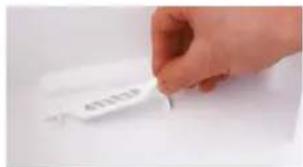
text_image
4012319natural_image
Person applying a white towel to another person's arm, with red arrows indicating motion (no text or symbols visible)natural_image
Close-up of hands cleaning a white textured surface (no text or symbols visible)natural_image
Interior view of an oven with a hand placing a white plate, no visible text or symbolsnatural_image
Person using a tool to clean or wash a surface in a kitchen sink (no text or symbols visible)natural_image
Person washing a blue plastic bag into a stainless steel kitchen sink (no text or symbols visible)natural_image
Close-up of a white textured surface with a green checkmark overlay (no text or symbols)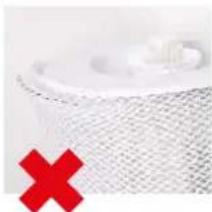
natural_image
Close-up of a white mesh fabric with a red X mark overlay (no text or symbols)ČIŠTĚNÍ V PRAČCE
natural_image
White washing machine with two red circular icons showing 40 and a crossed-out symbol (no text or labels)RUČNÍ ČIŠTĚNÍ
natural_image
Close-up of hands washing a white cloth over a surface (no text or symbols visible)její plochu.
natural_image
Close-up of hands pressing down on a white washing machine with red arrows indicating force (no text or symbols visible)natural_image
Hand pressing down on a device with a red upward arrow (no text or symbols visible)natural_image
Person applying paint to a kitchen sink with a brush (no visible text or symbols)natural_image
Person holding a checkered cloth over a dark surface, no visible text or symbolsnatural_image
Close-up of hands cleaning a white printer with a red arrow pointing to the cover (no text or symbols visible)natural_image
Hand pressing down on a white appliance with red arrows indicating force or damage (no text or symbols visible)VÝMĚNA PŘÍSLUŠENSTVÍ
VÝMĚNA TYČINKY A7017 IONIC SILVER STICK®
natural_image
Hand placing a small object into a white container (no visible text or symbols)text_image
Download on the App Store
text_image
GET IT ON Google PlayPROPOJENÍ APLIKACE S BONECO W400
PŘÍPRAVY
natural_image
Line drawing of a rectangular electronic device with a circular top and side panel (no text or symbols)BONECO W400
natural_image
Simple line drawing of a plug connected to a cord and cable (no text or symbols)Sietový adaptér
natural_image
Simple line drawing of a stack of papers with a speech bubble containing two glasses (no text or symbols)natural_image
Hand placing a device into a server rack with a red upward arrow indicating motion (no text or symbols visible)natural_image
Person using a clear water dispenser on a kitchen sink (no text or symbols visible)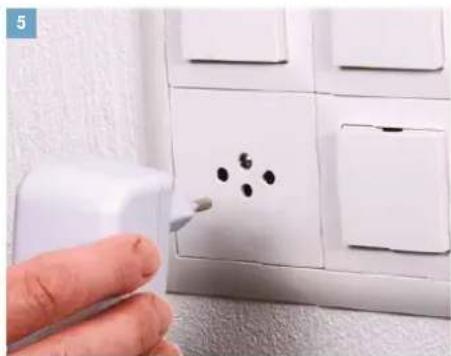
natural_image
Hand using a spray gun to clean or store floor tiles with black dots on the wall (no text or symbols visible)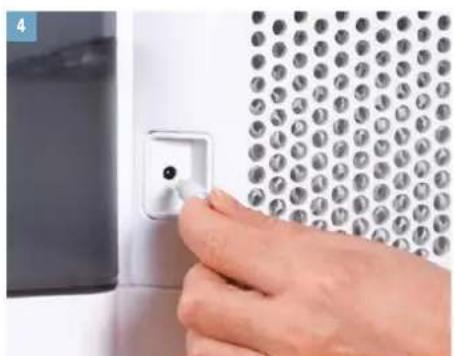
natural_image
Close-up of a hand inserting a small component into a wall-mounted device (no text or symbols visible)natural_image
Person holding a large cylindrical device with a red downward arrow indicating compression or reduction (no text or symbols visible)Plnú nádržku na vodu zasuňte na miesto.
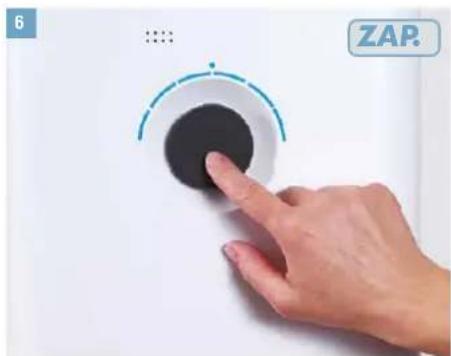
text_image
6 ZAP.natural_image
Simple graphic of a speaker icon with a blue starburst on the top (no text or symbols)natural_image
Hand pressing a button on a white surface, with a circular dial and small dots above (no text or symbols visible)natural_image
Abstract circular graphic with concentric rings and a small blue dot at the center (no text or symbols)MANUÁLNA OBSLUHA (POKRAČOVANIE)
MANUÁLNE OVLÁDANIE
- Zatlačte raz krátko gombík, aby sa zvlhčovač BO-NECO W400 zapol.
natural_image
Hand pressing a button on a white surface, no visible text or symbolsnatural_image
Hand holding a circular device with a teal arc and indicator lights (no visible text or symbols)natural_image
Abstract circular graphic with gradient shading and small dots above (no text or symbols)natural_image
Abstract circular graphic with gradient shading and small dots above (no text or symbols)LED KRÚŽOK BLIKÁ NA MODRO
natural_image
Simple graphic of a sun with radiating lines and a dot, no text or symbols present.LED BLIKÁ NA ČERVENO
natural_image
Simple graphic icon with a red starburst and dotted line, no text or symbols presentLED PULZUJE NA MODRO
natural_image
Abstract circular graphic with concentric rings and a small blue dot at the center (no text or symbols)NÁDOBKA NA AROMATICKÚ LÁTKU
ZÁKLADNÉ INFORMÁCIE
natural_image
Hand holding a small object with a red X symbol on a white surface, no visible text or symbols.
natural_image
Exterior view of a modern office building (no signage)natural_image
Hand pointing at a white electronic device with a small label (no visible text or symbols)natural_image
Hand pouring liquid into a white plastic container on a wooden surface (no text or symbols visible)natural_image
Hand placing a white plastic clip on a white door (no text or symbols visible)- Znovu zasuňte nádržku na vodu na miesto.

natural_image
Person holding a water dispenser with a red downward arrow indicating flow or reduction (no text or symbols visible)POKYNY NA ČISTENIE
O ČISTENÍ
natural_image
Person holding a white air purifier device with a circular vent, against a plain wall (no text or symbols visible)natural_image
Close-up of hands cleaning a white circular object with a small round object on top (no text or symbols visible)- Vyberte tyčinku A7017 Ionic Silver Stick 40.
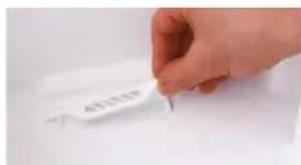
text_image
4512319natural_image
Person holding a rolled-up white material with red arrows indicating rotation (no text or symbols visible)natural_image
Close-up of hands cleaning a white textured surface (no text or symbols visible)- Vaničku na vodu a bubon vyčistite ručne alebo v umývačke riadu pri max. teplote 50 °C.
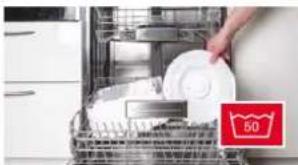
natural_image
Interior view of a kitchen appliance with a hand placing white plates, no visible text or symbolsnatural_image
Person using a tool to clean or wash the surface of a sink (no text or symbols visible)natural_image
Person washing a blue plastic bag into a stainless steel kitchen sink (no text or symbols visible)natural_image
Close-up of a white textured surface with a green checkmark overlay (no text or symbols)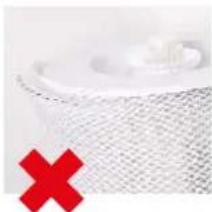
natural_image
Close-up of a white mesh fabric with a red X mark overlay (no text or symbols)ČISTENIE PRANÍM V PRÁČKE
natural_image
White washing machine with a circular vent, accompanied by two red icons showing washing machine designs (no text or symbols on the device itself)ČISTENIE RUČNÝM PRANÍM
natural_image
Close-up of hands holding a white cloth over a surface, no visible text or symbolsnatural_image
Close-up of hands pressing down on a white appliance with red arrows indicating force or pressure (no text or symbols visible)- Odstráňte predradený filter tak, že potiahnete jazýček v strede nahor.
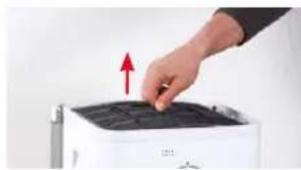
natural_image
Hand pressing down on a black tray with a red upward arrow (no text or symbols visible)- Opatrne umyte predradený filter čistiacou kefou pod tečúcou vodou.
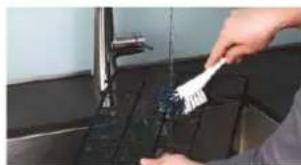
natural_image
Person cleaning a kitchen sink with a brush (no visible text or symbols)- Utrite predradený filter handričkou.
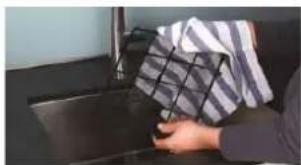
natural_image
Person holding a patterned cloth next to a dark surface, no visible text or symbols- Vložte predradený filter do spotrebiča.
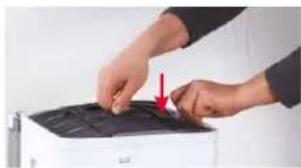
natural_image
Close-up of hands installing or adjusting a black cover on a white printer (no text or symbols visible)- Znovu nasadte kryt.
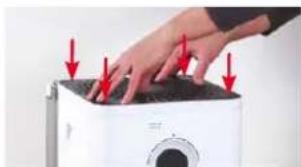
natural_image
Close-up of a hand pressing down on a white microwave oven with red arrows indicating force or pressure points (no text or symbols visible)VÝMENA PRÍSLUŠENSTVA
VÝMENA TYČINKY A7017 IONIC SILVER STICK®
natural_image
Hand placing a white label on a white plastic tray (no visible text or symbols)text_image
Download on the App Store
text_image
GET IT ON Google PlaySPOJENIE APLIKÁCIE SO ZVLHČOVAČOM BONECO W400
PRÍPRAVA
natural_image
Line drawing of a rectangular electronic device with a circular top and side panel (no text or symbols)BONECO W400
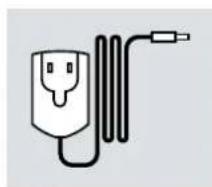
natural_image
Simple line drawing of a plug connected to a cord and cable (no text or symbols)Napajalnik
natural_image
Simple line drawing of a folded paper with a speech bubble containing an eye (no text or symbols)natural_image
Hand placing a device into a server rack with a red upward arrow indicating motion (no text or symbols visible)Odstranite posodo za vodo. Posodo za vodo napolnite s hladno vodo iz pipe.
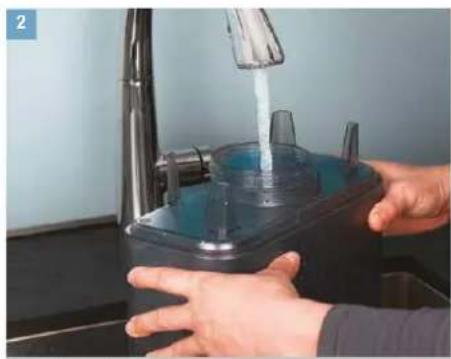
natural_image
Person using a clear water dispenser on a kitchen sink (no text or symbols visible)dno vodo iz pipe.
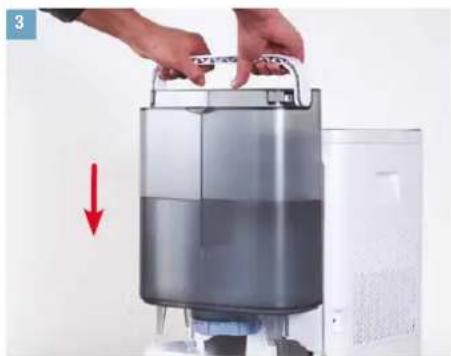
natural_image
Person holding a large cylindrical device with a red downward arrow indicating compression or cooling process (no text or symbols visible)Vstavite napolnjeno posodo za vodo.
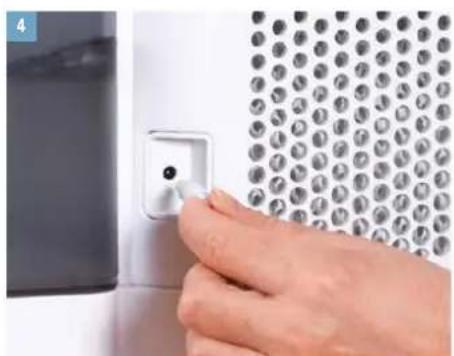
natural_image
Close-up of a hand inserting a small wall socket into a metal panel with a grid pattern (no text or symbols visible)natural_image
Hand using a spray gun to apply black screw holes on a white wall socket (no text or symbols visible)natural_image
Simple graphic of a speaker icon with a starburst effect (no text or symbols)natural_image
Hand pressing a circular button with a dashed arc and dotted line, no visible text or symbolsnatural_image
Abstract circular graphic with concentric rings and a small blue dot at the center (no text or symbols)natural_image
Hand pressing a button on a white circular dial (no text or symbols visible)natural_image
Hand holding a circular dial with a green arc and measurement markings (no visible text or symbols)natural_image
Abstract circular graphic with gradient shading and dots (no text or symbols)natural_image
Abstract circular graphic with gradient shading and a dot, no text or symbols presentLED-OBROČ UTRIPA V MODRI BARVI
natural_image
Simple graphic of a sun with radiating lines and a dot, no text or symbols present.LED-DIODA UTRIPA V RDEČI BARVI
Če utripa rdeča LED-dioda, je posoda za vodo prazna. Posodo za vodo napolnite s svežo, hladno vodo iz pipe.

natural_image
Simple graphic icon with a red starburst and dotted line, no text or symbols presentLED-DIODA UTRIPA V MODRI BARVI
natural_image
Abstract circular graphic with a blue dot at the center and dotted lines above (no text or symbols)POSODA ZA DIŠAVE
OSNOVE
natural_image
Hand holding a pen with a red X symbol over a white document or notebook (no readable text or symbols)
natural_image
Hand placing a metallic container onto a white base with a red upward arrow (no text or symbols visible)- Na zadnji strani pritisnite na posodo za dišave, da iz naprave vzamete predal.
natural_image
Hand pressing a button on a white appliance (no visible text or symbols)- Na polsteni vložek v predalu nakapajte dišavo po izbiri.
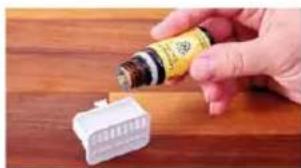
natural_image
Hand pouring liquid into a white plastic component on a wooden surface (no text or symbols visible)natural_image
Hand placing a white plastic clip on a white door (no text or symbols visible)- Vstavite posodo za vodo.
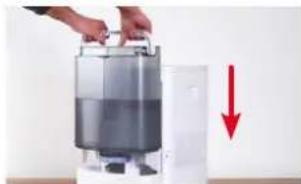
natural_image
Person holding a water dispenser with a red downward arrow indicating flow or reduction (no text or symbols visible)NAPOTKI ZA ČIŠČENJE
O ČIŠČENJU
natural_image
Person holding a white water heater with a circular vent, next to a gray panel (no visible text or symbols)- Odstranite boben z vlažilno oblogo AW200.
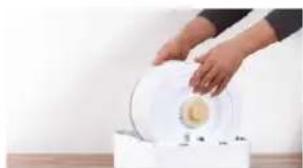
natural_image
Person pouring liquid into a white circular container on a wooden surface (no text or symbols visible)- Odstranite vložek A7017 Ionic Silver Stick
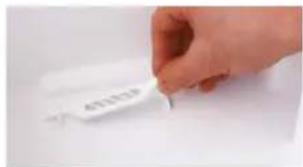
text_image
4012319natural_image
Person applying a white textured roller to a surface, with red arrows indicating rotation direction (no text or symbols)- Odstranite vlažilno oblogo AW200 iz bobna.
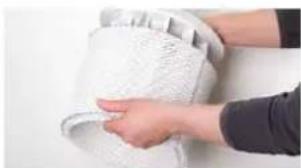
natural_image
Close-up of hands cleaning a white textured surface (no text or symbols visible)natural_image
Interior view of an oven with a hand placing a white plate, no visible text or symbols- Notranjost posode za vodo temeljito očistite ročno ali z ustrezno ščetko in običajnim detergentom za pomivanje posode.
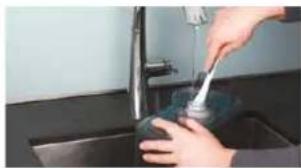
natural_image
Person using a tool to clean or wash a surface in a kitchen sink (no text or symbols visible)- Očistite pokrov posode za vodo z običajnim detergentom za pomivanje posode in ščetko.
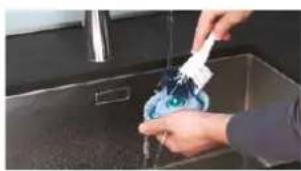
natural_image
Person washing a blue plastic bag into a stainless steel kitchen sink (no text or symbols visible)- Sestavite enoto BONECO W400 tako, da sledite korakom v obratnem vrstnem redu.
ČIŠČENJE VLAŽILNE OBLOGE AW200
O VLAŽILNI OBLOGI AW200
natural_image
Close-up of a white textured surface with a green checkmark overlay (no text or symbols)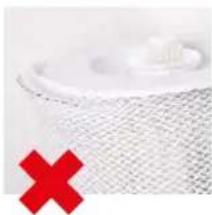
natural_image
Close-up of a textured surface with a red X symbol overlay (no text or symbols present)ČIŠČENJE V PRALNEM STROJU
natural_image
White washing machine with a circular vent, accompanied by two red icons showing washing machine designs (no text or symbols on the device itself)ČIŠČENJE Z ROČNIM PRANJEM
- Dodajte malo detergenta v toplo vodo in potopite vlažilno oblogo AW200 v raztopino tako, da bo dosegla vse dele obloge.
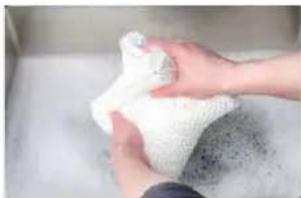
natural_image
Close-up of hands washing a white cloth or towel over a surface (no text or symbols visible)-
Vlažilno oblogo AW200 nato večkrat sperite s čisto in mlačno vodo tako, da se ne bo več delala milnica.
-
Vlažilno oblogo AW200 nato pustite, da se posuši, preden jo spet namestite na boben.
ČIŠČENJE PREDFILTRA
O PREDFILTRU
natural_image
Close-up of hands pressing down on a white washing machine with red arrows indicating force (no text or symbols visible)- Odstranite predfilter tako, da potegnete navzgor jeziček na sredini.
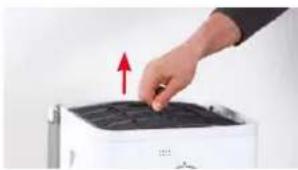
natural_image
Hand pressing down on a device with a red upward arrow (no text or symbols visible)natural_image
Person cleaning a kitchen sink with a brush (no visible text or symbols)- Posušite predfilter s krpo.
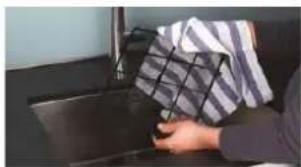
natural_image
Person holding a box over a dark surface, no visible text or symbols- Vstavite predfilter v napravo.
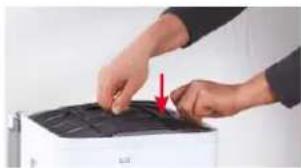
natural_image
Close-up of hands installing or adjusting a black cover on a white printer (no text or symbols visible)- Ponovno namestite pokrov.
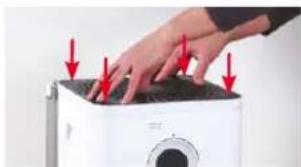
natural_image
Close-up of a hand pressing down on a white microwave oven with red arrows indicating force or pressure points (no text or symbols visible)MENJAVA PRIBORA
MENJAVA VLOŽKA A7017 IONIC SILVER STICK®
natural_image
Hand placing a white label on a white plastic tray (no visible text or symbols)text_image
Download on the App Store
text_image
GET IT ON Google PlayPOVEZOVANJE APLIKACIJE Z ENOTO BONECO W400
PRIPRAVA
natural_image
Line drawing of a rectangular electronic device with a circular top and side panel (no text or symbols)BONECO W400
natural_image
Simple line drawing of a plug connected to a cord and cable (no text or symbols)Mrežni adapter
natural_image
Simple line drawing of a folded paper with a speech bubble containing an eye (no text or symbols)natural_image
Hand placing a device into a server rack with a red upward arrow indicating motion (no text or symbols visible)Uklonite spremnik za vodu. Spremnik za vodu napunite hladnom vodom.
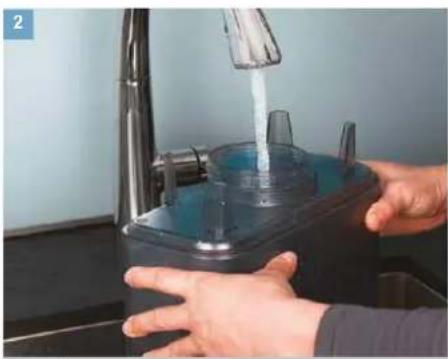
natural_image
Person washing a kitchen sink with a clear blue liquid, no text or symbols visiblenom vodom.
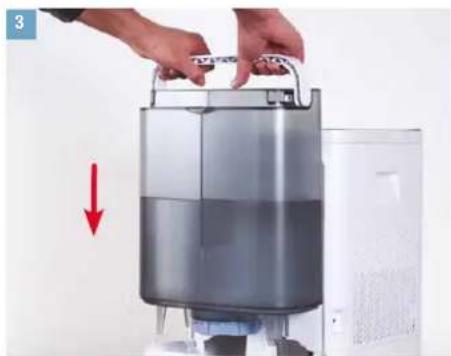
natural_image
Person holding a large cylindrical device with a red downward arrow indicating compression or cooling process (no text or symbols visible)Umetnite napunjen spremnik za vodu.
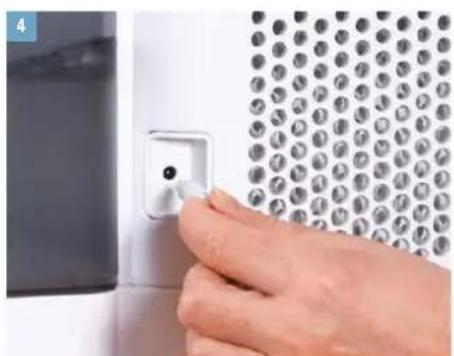
natural_image
Close-up of a hand inserting a small component into a wall-mounted device (no text or symbols visible)Priključite mrežni adapter na uređaj BONECO W400.
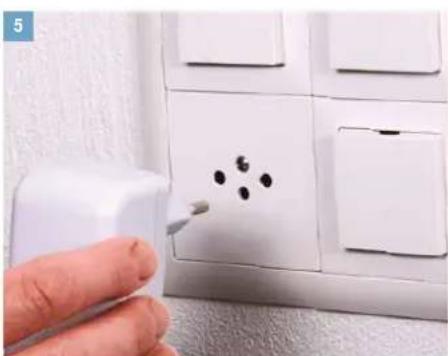
natural_image
Hand using a tool to clean or store floor tiles with a white plastic panel (no text or symbols visible)Priključite mrežni adapter u strujnu utičnicu.
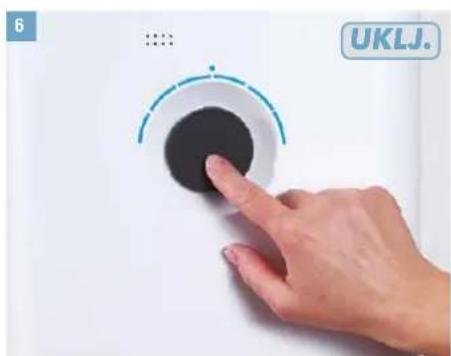
text_image
6 UKLJ.Kratko pritisnite regulator snage da biste uključili uređaj.
NEAUTOMATSKO RUKOVANJE
O NEAUTOMATSKOM RUKOVANJU
Ručno upravljanje praktično je dostupno putem kotačića na prednjoj strani. Aplikacija BONECO nudi dodatne, opsežne opcije za kontrolu i automatizaciju uređaja BONECO W400.
NAČIN RADA AUTOMATSKI
Ako nikada niste rukovali uređajem BONECO W400 putem aplikacije BONECO i ako uređaj uključujete po prvi puta, pokreće se u AUTOMATSKOM načinu rada. Uređaj je unaprijed postavljen na zadanu vlažnost zraka od 50 posto. Stupanj izlaznog mlaza pare automatski se podešava na trenutačnu vlažnost zraka. Što je zrak suši, to je viši stupanj izlaznog mlaza pare.
natural_image
Simple circular diagram with a starburst symbol at the top (no text or labels)Ako vlažnost zraka padne ispod zadane razine, uredaj BONECO W400 nastavlja s radom.
PRILAGODENI AUTOMATSKI NAČIN RADA
natural_image
Hand pressing a button on a white circular device (no text or symbols visible)natural_image
Simple circular diagram with a dot and dotted line above, no text or symbols present.- Za isključivanje uređaja BONECO W400 dok se nalazi u AUTOMATSKOM načinu rada nakratko jednom pritisnite kotačić.
NEAUTOMATSKO RUKOVANJE (NASTAVLJANJE)
NEAUTOMATSKO UPRAVLJANJE
- Nakratko pritisnite kotačić za uključivanje uređaja BONECO W400.
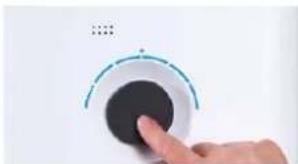
natural_image
Hand pressing a circular button with a pointer, no visible text or symbolsUređaj se prilikom uključenja uvijek nalazi u AUTOMAT-SKOM načinu rada.
- Prilagodite izlaznu snagu svojim potrebama postavljanjem kotačića na željenu razinu od 1 do 6. Time izlazite iz AUTOMATSKOG načina rada (LED lampica AUTOMATSKOG načina rada se isključuje).
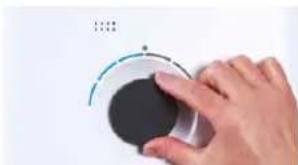
natural_image
Hand holding a circular device with a teal arc and indicator lights (no visible text or symbols)natural_image
Abstract circular graphic with gradient shading and dots (no text or symbols)-
Za izlazak iz ručnog načina rada i ponovno uključivanje AUTOMATSKOG načina rada nakratko jednom pritisnite kotačić.
-
Za isključivanje uređaja BONECO W400 nakratko još jednom pritisnite kotačić.
natural_image
Abstract circular graphic with gradient shading and small dots above (no text or symbols)PRSTEN LED LAMPICE TREPERI U PLAVOJ BOJI
Kada LED lampice sa 6 prstena trepere u plavoj boji, uređaj BONECO W400 spreman je za uparivanje s pametnim telefonom putem značajke Bluetooth.
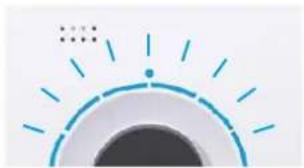
natural_image
Simple graphic of a sun with radiating lines and a dot, no text or symbols present.LED LAMPICA TREPERI CRVENO
natural_image
Simple graphic with a red starburst and concentric circles (no text or symbols)LED LAMPICA PULSIRA PLAVO
Pulsirajuća plava LED lampica označava da je ciljana vlažnost zraka prekoračena; uređaj je u stanju mirovanja. Rad se nastavlja čim vlažnost zraka padne ispod zadane razine.
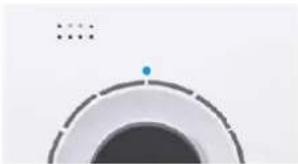
natural_image
Abstract circular graphic with concentric rings and a small blue dot at the center (no text or symbols)SPREMNIK ZA MIRIS
OSNOVE
natural_image
Hand holding a small object with a red X symbol, next to a white tray (no text or symbols visible)
natural_image
Hand placing a container onto a white cylindrical device with a red upward arrow (no text or symbols visible)- Na stražnjoj strani pritisnite spremnik za miris kako biste izvadili ladicu.
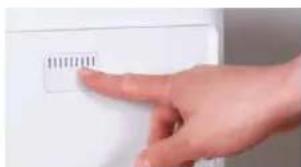
natural_image
Hand pointing at a white electronic device with a small label (no readable text or symbols)- Uložak od filca u ladici poprskajte mirisom po svom izboru.
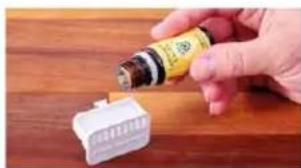
natural_image
Hand pouring liquid into a white plastic connector on a wooden surface (no text or symbols visible)- Ponovno umetnite spremnik za miris.
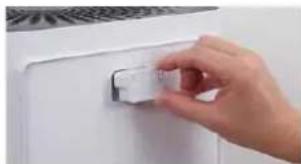
natural_image
Hand placing a small white object on a white door (no text or symbols visible)- Ponovno umetnite spremnik za vodu.
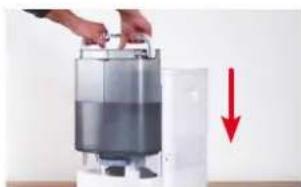
natural_image
Person holding a container with a red downward arrow indicating reduction (no text or symbols visible)NAPOMENE ZA ČIŠĆENJE
O ČIŠĆENJU
natural_image
Person holding a white industrial water heater with a circular vent, next to a wall-mounted device (no visible text or symbols)- Izvadite bubanj s podlogom isparivača AW200.
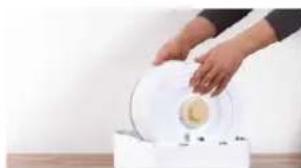
natural_image
Person pouring liquid into a white container on a wooden surface (no text or symbols visible)- Izvadite A7017 Ionic Silver Stick
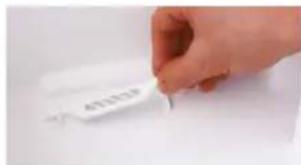
text_image
4012339natural_image
Person holding a white textured roller with red arrows indicating rotation (no text or symbols)- Izvadite podlogu isparivača AW200 iz bubnja.
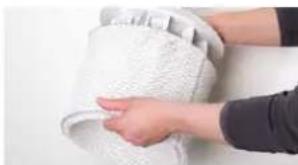
natural_image
Close-up of hands cleaning a white textured surface (no text or symbols visible)- Korito za vodu i bubanj očistite rukom ili u perilici posuđa pri maks. temperaturi od 50 °C.
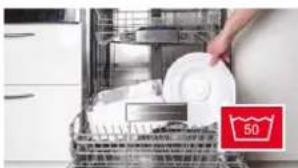
natural_image
Interior view of a kitchen appliance with a hand placing a white plate into the oven (no visible text or symbols)- Očistite unutrašnjost spremnika za vodu rukom ili odgovarajućom četkom rabeći komercijalno dostupan deterdžent za pranje posuđa.
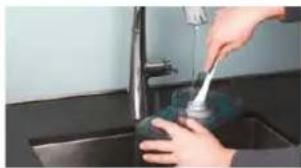
natural_image
Person using a tool on a kitchen sink (no visible text or symbols)- Očistite poklopac spremnika za vodu komercijalno dostupnim deterdžentom za posuđe i četkom.
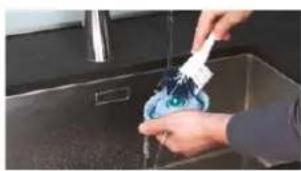
natural_image
Person washing a blue liquid in a kitchen sink with a white spray bottle (no text or symbols visible)natural_image
Close-up of a white textured surface with a green checkmark overlay (no text or symbols)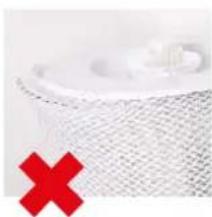
natural_image
Close-up of a white mesh fabric with a red X mark overlay (no text or symbols)PRANJE U PERILICI RUBLJA
Podloga isparivača AW200 može se prati u perilici rublja. Upotrebljavajte uobičajeno sredstvo za pranje.

Podloga isparivača AW200 ne smije se prati pri temperaturi višoj od 40 °C.

natural_image
White washing machine with a circular vent and two red circular icons showing '40' and '×' symbols (no text or labels on the device itself)RUČNO PRANJE
- Dodajte malo deterdženta u toplu vodu i dobro u perilici operite podlogu isparivača AW200 tako da deterdžent za pranje posuđa prekrije čitavu podlogu.

natural_image
Close-up of hands washing a white cloth or towel over a surface (no text or symbols visible)-
Podlogu isparivača AW200 više puta isperite čistom i mlakom vodom, sve dok se ne prestane stvarati pjena.
-
Ostavite podlogu isparivača AW200 da se osuši prije njezina ponovna rastezanja preko bubnja.
ČIŠĆENJE PREDFILTRA
O PREDFILTRU
Predfilter čisti zrak iz ugljičnih zagađivača. Očistite predfilter ako je prašnjav ili prljav.
ČIŠĆENJE PREDFILTRA
- Pritisnite sva četiri kuta poklopca kako biste ih odbravili.
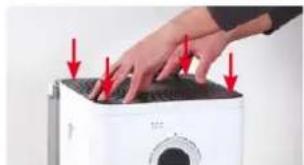
natural_image
Close-up of hands pressing down on a white washing machine with red arrows indicating force (no text or symbols visible)natural_image
Hand pressing down on a device with a red upward arrow (no text or symbols visible)- Nježno operite predfilter četkom pod tekućom vodom.
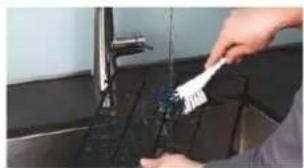
natural_image
Person applying paint to a kitchen sink with a brush (no visible text or symbols)- Osušite predfilter krpom.
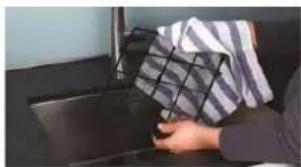
natural_image
Person holding a patterned cloth over a dark surface, no visible text or symbolsnatural_image
Close-up of hands cleaning a white printer with a red arrow pointing to the cover (no text or symbols visible)- Ponovno postavite poklopac.
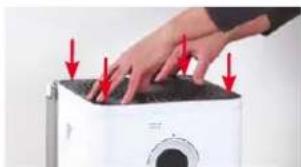
natural_image
Hand pressing down on a white microwave oven with red arrows indicating force or pressure (no text or symbols visible)ZAMJENA PRIBORA
ZAMJENA A7017 IONIC SILVER STICK®
A7017 Ionic Silver Stick ^® upotrebljava antimikrobski učinak srebra za značajno poboljšanje higijene vode. On počinje djelovati čim dođe u dodir s vodom – čak i kada je isključen BONECO W400.
natural_image
Hand placing a white label on a white plastic tray (no visible text or symbols)Istrošeni A7017 Ionic Silver Stick ^® možete baciti u običan kućni otpad.
DOSTUPNOST PRIBORA
Zamjenski dijelovi za istrošeni A7017 Ionic Silver Stick ^® , podlogu isparivača AW200 i drugi pribor dostupni su iz sljedećih izvora:
• od vaše specijaliziranog distributera BONECO,
• u trgovini www.shop.boneco.com ili
- izravno putem aplikacije "BONECO healthy air".
APLIKACIJA BONECO NUDI VAM OVO
O APLIKACIJI BONECO
Aplikacija "BONECO healthy air" upotrebljava se za upravljanje uređajem BONECO W400 i omogućuje vam da iskoristite sav njegov potencijal. Aplikacija nudi funkcije poput brojača vremena, prikaza vlažnosti zraka ili promjenu između različitih programa. Osim toga, podsjetit će vas na intervale čišćenja, zamjene filtra i druge po-navljajuće zadatke.
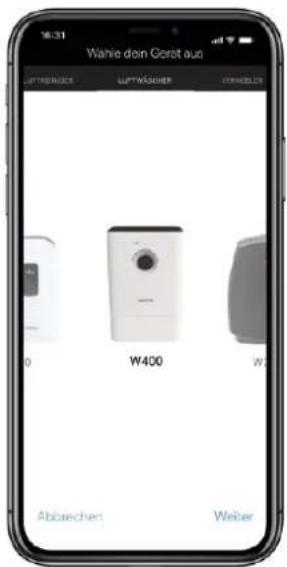
text_image
Download on the App Store
text_image
GET IT ON Google PlayPOVEZIVANJE APLIKACIJE S UREĐAJEM BONECO W400
PRIPREME
- Uvjerite se da je usluga Bluetooth omogućena na vašem pametnom telefonu.
- Tijekom uparivanja provjerite nalazi li se pametni telefon u istoj prostoriji kao uređaj BONECO W400.
natural_image
Line drawing of a rectangular electronic device with a circular top and side panel (no text or symbols)BONECO W400
natural_image
Simple line drawing of a plug connected to a cord and cable (no text or symbols)natural_image
Simple line drawing of a notepad with a speech bubble containing an eye (no text or symbols)natural_image
Simple line drawing of a notepad with an exclamation mark speech bubble (no text or symbols on the notepad)natural_image
Simple circular diagram with a starburst symbol at the top (no text or labels)natural_image
Hand pressing a button on a white surface, no text or symbols visiblenatural_image
Abstract circular graphic with concentric rings and a small blue dot, no text or symbols present.natural_image
Hand pressing a button on a white circular dial (no text or symbols visible)natural_image
Hand holding a circular device with a pointer and measurement markings (no visible text or symbols)natural_image
Abstract circular graphic with gradient shading and dots (no text or symbols)natural_image
Abstract circular graphic with gradient shading and small dots (no text or symbols)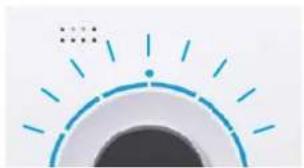
natural_image
Simple graphic of a sun with radiating lines and a dot, no text or symbols present.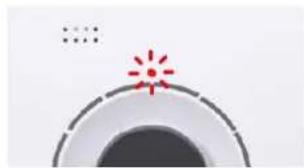
natural_image
Simple graphic with a red starburst and dotted line, no text or symbols presentnatural_image
Abstract circular graphic with a dot and dashed line, no text or symbols presentnatural_image
Hand holding a small object with a red X symbol, next to a white tray (no text or symbols visible)
natural_image
Hand placing a metallic appliance into a white container with a red upward arrow (no text or symbols visible)natural_image
Hand pressing a button on a white appliance (no visible text or symbols)natural_image
Hand pouring liquid into a white plastic container on a wooden surface (no text or symbols visible)natural_image
Hand placing a small white object on a white door (no text or symbols visible)natural_image
Hand placing a container into a white appliance with a red downward arrow indicating a drop (no text or symbols visible)УКАЗАНИЯ ПО ОЧИСТКЕ
ОБ ОЧИСТКЕ
natural_image
Hand holding a white industrial water heater with a circular vent, next to a gray panel (no visible text or symbols)natural_image
Person pouring liquid into a white bowl on a wooden surface (no text or symbols visible)natural_image
Person applying a white towel with red arrows indicating rotation (no text or symbols visible)natural_image
Close-up of hands cleaning a white textured surface (no text or symbols visible)natural_image
Interior view of a kitchen appliance with a hand placing white plates into the oven (no visible text or symbols)natural_image
Person using a tool to clean or wash a surface in a kitchen sink (no visible text or symbols)natural_image
Person washing a blue plastic bottle into a stainless steel kitchen sink (no text or symbols visible)natural_image
Close-up of a white textured surface with a green checkmark overlay (no text or symbols)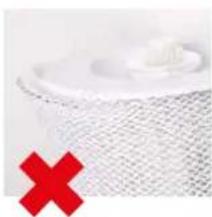
natural_image
Close-up of a textured surface with a red X symbol overlay (no text or symbols present)natural_image
White washing machine with a circular vent and two red circular icons showing '40' and crossed-out symbols (no readable text or labels)РУЧНАЯ ОЧИСТКА
natural_image
Close-up of hands washing a white cloth over a surface (no text or symbols visible)natural_image
Close-up of hands pressing down on a white portable air conditioner unit with red arrows indicating pressure points (no text or symbols visible)natural_image
Hand pressing down on a white appliance with a red upward arrow (no text or symbols visible)natural_image
Person cleaning a kitchen sink with a brush (no visible text or symbols)natural_image
Person washing a kitchen sink with a cloth and towel (no visible text or symbols)natural_image
Close-up of hands installing or adjusting a blackboard on a white industrial machine (no visible text or symbols)- Установите крышку.
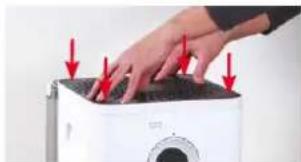
natural_image
Hand pressing down on a white microwave oven with red arrows indicating force or pressure points (no text or symbols visible)text_image
Download on the App Store
text_image
GET IT ON Google Playnatural_image
Simple circular diagram with a starburst symbol at the top (no text or labels)natural_image
Hand pressing a circular button with a pointer, no visible text or symbolsnatural_image
Close-up of a circular mechanical component with a small blue dot and dotted line, no visible text or symbols.natural_image
Hand pressing a black circular button with a blue arc on a white background (no text or symbols visible)natural_image
Hand pressing a circular dial with a green arc and dotted pattern (no text or symbols visible)natural_image
Abstract circular graphic with gradient shading and dots (no text or symbols)natural_image
Abstract circular graphic with gradient shading and small dots (no text or symbols)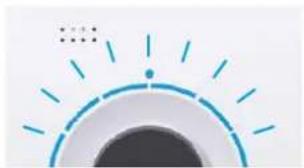
natural_image
Simple graphic of a sun with radiating lines and dots, no text or symbols present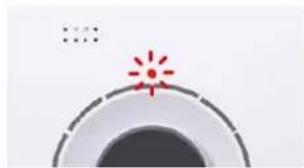
natural_image
Simple graphic of a camera lens with a red starburst on the top (no text or symbols)LED가 파란색으로 깜박임
natural_image
Abstract circular graphic with a blue dot at the center and dotted lines above (no text or symbols)방향제 용기
기본 정보
text_image
Hand holding a small object with a red X symbol, next to a white box with a small box and a label reading '小红' (Little Red).
natural_image
Hand placing a metallic device into a white container with a red upward arrow (no text or symbols visible)natural_image
Hand pointing at a white appliance with a small label (no visible text or symbols)natural_image
Hand pouring liquid into a white plastic component on a wooden surface (no text or symbols visible)4.방향제 용기를 다시 끼우십시오.
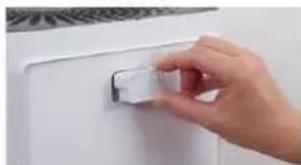
natural_image
Hand placing a small white object on a white door (no text or symbols visible)5.물탱크를 다시 끼우십시오.
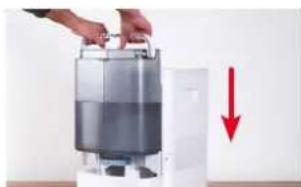
natural_image
Hand placing a tray into a white appliance with a red downward arrow indicating compression (no text or symbols visible)세척 지침
세척 정보
natural_image
Hand holding a white appliance with a circular button, next to a gray wall (no visible text or symbols)natural_image
Person pouring liquid into a white container on a wooden surface (no text or symbols visible)text_image
Hand holding a white label with partially visible text, likely a label or identifiernatural_image
Person holding a rolled-up white object with red arrows indicating rotation (no text or symbols visible)natural_image
Interior view of a kitchen appliance with a hand placing white plates into the sink (no visible text or symbols)natural_image
Close-up of hands cleaning a white textured surface (no text or symbols visible)natural_image
Person cleaning a stainless steel kitchen sink with a blue spray bottle (no visible text or symbols)natural_image
Close-up of a white mesh-covered surface with a green checkmark overlay (no text or symbols)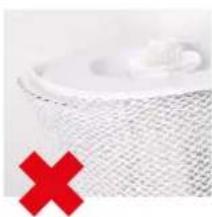
natural_image
Close-up of a white mesh fabric with a red X mark overlay (no text or symbols)세탁기를 사용한 세척
natural_image
White washing machine with a circular vent and two red square icons showing '40' and crossed-out symbols (no readable text or labels)
natural_image
Close-up of hands washing a white cloth over a surface (no text or symbols visible)가슴 매트를 넣고 흔드십시오.
natural_image
Hand pressing down on a white appliance with red arrows indicating force or pressure (no text or symbols visible)natural_image
Hand pressing down on a white appliance with a red upward arrow (no text or symbols visible)natural_image
Person cleaning a kitchen sink with a brush (no visible text or symbols)- 천으로 프리필터를 말리십시오.
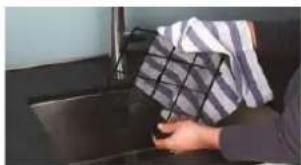
natural_image
Person cleaning a car window with a patterned cloth (no visible text or symbols)5.프리필터를 기기에 끼우십시오.
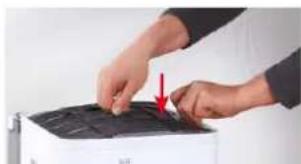
natural_image
Close-up of hands operating a printer with a red arrow pointing to the printer cover (no visible text or symbols)- 커버를 다시 끼우십시오.
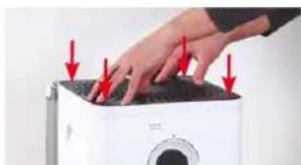
natural_image
Hand pressing down on a white microwave oven with red arrows indicating force (no text or symbols visible)액세서리 교체
natural_image
Hand placing a white label on a white tray (no visible text or symbols)• BONECO 대리점
- www.shop.boneco.com
- "BONECO healthy air" 앱
BONECO 앱의 장점
BONECO 앱 정보
text_image
Download on the App StoreANDROID용 BONECO 앱
BONECO is a registered trademark of BONECO AG, Switzerland
BONECO AG, Espenstrasse 85, 9443 Widnau, Switzerland