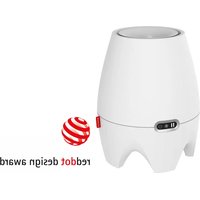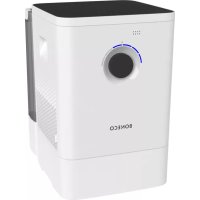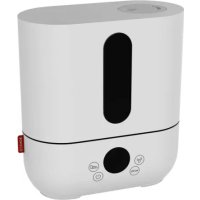
U250 - Humidifier BONECO - Free user manual and instructions
Find the device manual for free U250 BONECO in PDF.



| Product type | Ultrasonic humidifier |
| Brand | Boneco |
| Model | U250 |
| Dimensions (L × W × H) | 240 × 120 × 263 mm |
| Weight (empty) | 1.5 kg |
| Power supply | 220-240 V ~ 50/60 Hz |
| Power consumption | 11 W (standby: 0.1 W) |
| Recommended max. area | 50 m² / 125 m³ |
| Noise level | 32-33 dB(A) |
| Humidity control | 30 % to 70 % RH or continuous mode |
| Automatic mode | Yes (AUTO) |
| Power levels available | Low (L), Medium (M), High (H) |
| Tank capacity | Approx. 3.8 L |
| Humidification output | Up to 300 ml/h |
| Anti-limescale system | A250 cartridge (filter) |
| Antibacterial treatment | Ionic Silver Stick® A7017 |
| Aroma diffuser | Container for scented substances |
| Maintenance | Regular cleaning, descaling with Calcoff, replace A7017 every year, A250 every 2 to 6 months |
| Safety | Automatic shut-off when tank empty, unplug before cleaning |
| Spare parts | A7017 Ionic Silver Stick, A250, Calcoff A7417 |
| Included accessories | A7017, A250, hardness test strips, manual, cleaning brush |
Frequently Asked Questions - U250 BONECO
User questions about U250 BONECO
0 question about this device. Answer the ones you know or ask your own.
Ask a new question about this device
Download the instructions for your Humidifier in PDF format for free! Find your manual U250 - BONECO and take your electronic device back in hand. On this page are published all the documents necessary for the use of your device. U250 by BONECO.
USER MANUAL U250 BONECO
Read and save these instructions
Healthy air is a basic need 24
Availability of accessories 24
Items included 24
Overview and part names 25
Indicators on the display 26
Keypad on the appliance 27
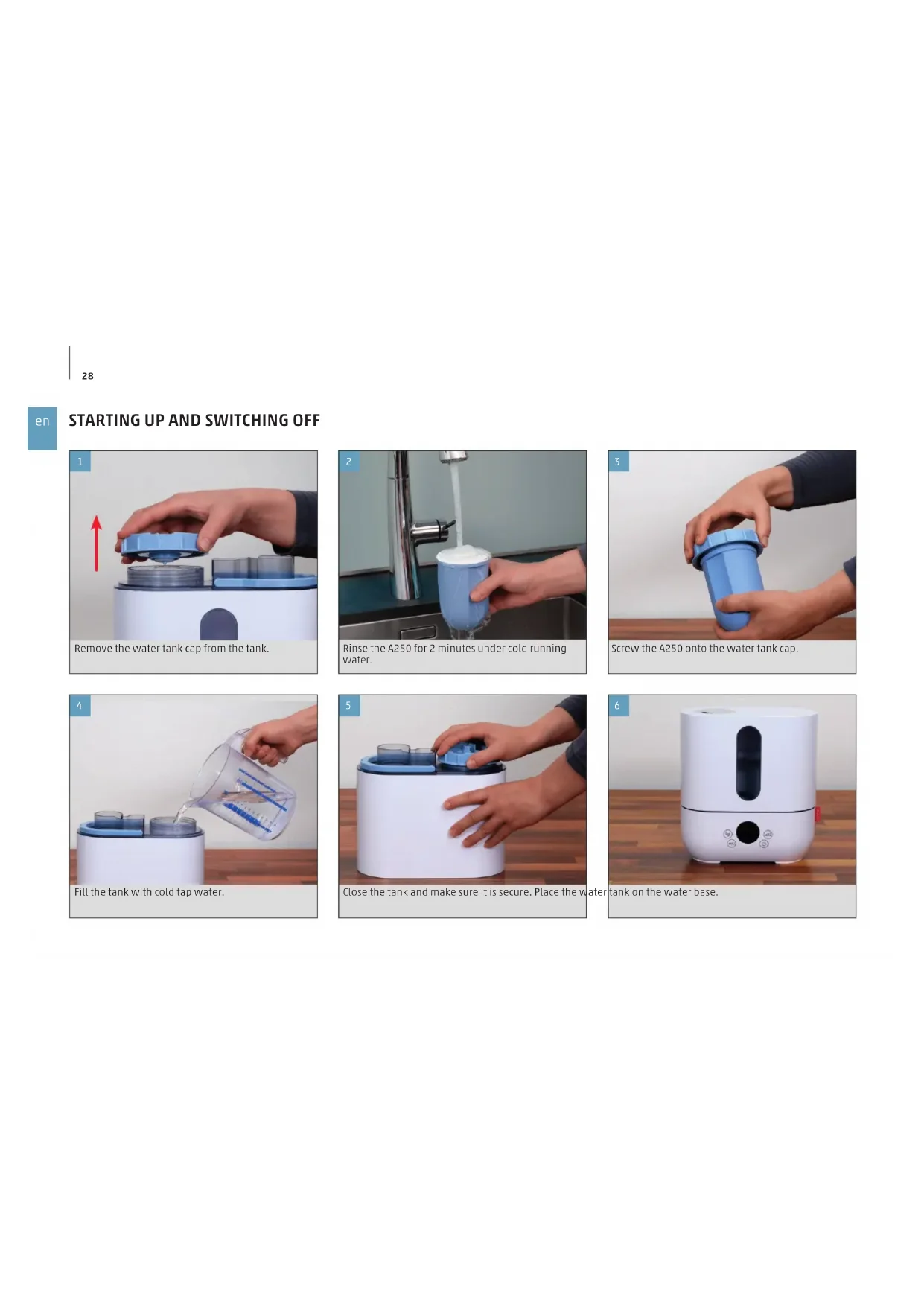
Starting up and switching off 28
Humidity and ultrasonic 30
Saving settings 30
"AUTO" operating mode 30
Controlling humidity 30
Controlling output 30
Fragrance container 31
Basics 31
Use 31
Notes on care 32
Care instructions 32
33
On descending 33
Descending the appliance 33
Cleaning the membrane 34
Replacing consumables 35
Replacing the A7017 Ionic Silver Stick 35
Replacement 35
On the A250 36
Preparing the A250 36
On water hardness 36
Replacing the A250 36
Replacement 36
TECHNICAL DATA
TECHNICAL DATA
Power supply voltage 220-240V\~50/60Hz
Power consumption Standby: 0.1 W
11W("low")
18 W ("medium")
20 W ("high")
Humidity output 340 g/h
For rooms up to 50 m ^2/125 m^3
Water capacity 3.5 liters
Dimensions L×W×H 240 × 120 × 263 mm
Weight (empty) 1.5kg
Operation noise level 32-33 dB(A)
at230V-50Hz
INTRODUCTION
HEALTHY AIR IS A BASIC NEED
There is little to which we react with greater sensitivity than poor air. And yet many people do not pay enough attention to air quality, which has consequences for health and quality of life. This makes us all the more pleased that you have chosen a BONECO appliance to ensure that the basic need for healthy room air is satisfied for you and the people around you.
AVAILABILITY OF ACCESSORIES
You can obtain replacements for worn-out accessories as well as additional accessories from:
- Your BONECO specialist dealer,
At www.shop.boneco.com or - Directly via the "BONECO healthy air" app.
ITEMS INCLUDED
BONECOU250
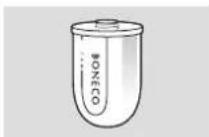
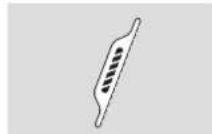
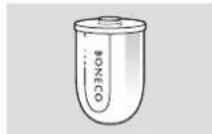
A7017 Ionic Silver Stick® A250
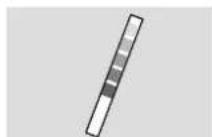
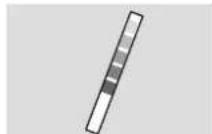
Water hardness test strips
Quick Manual Safety instructions
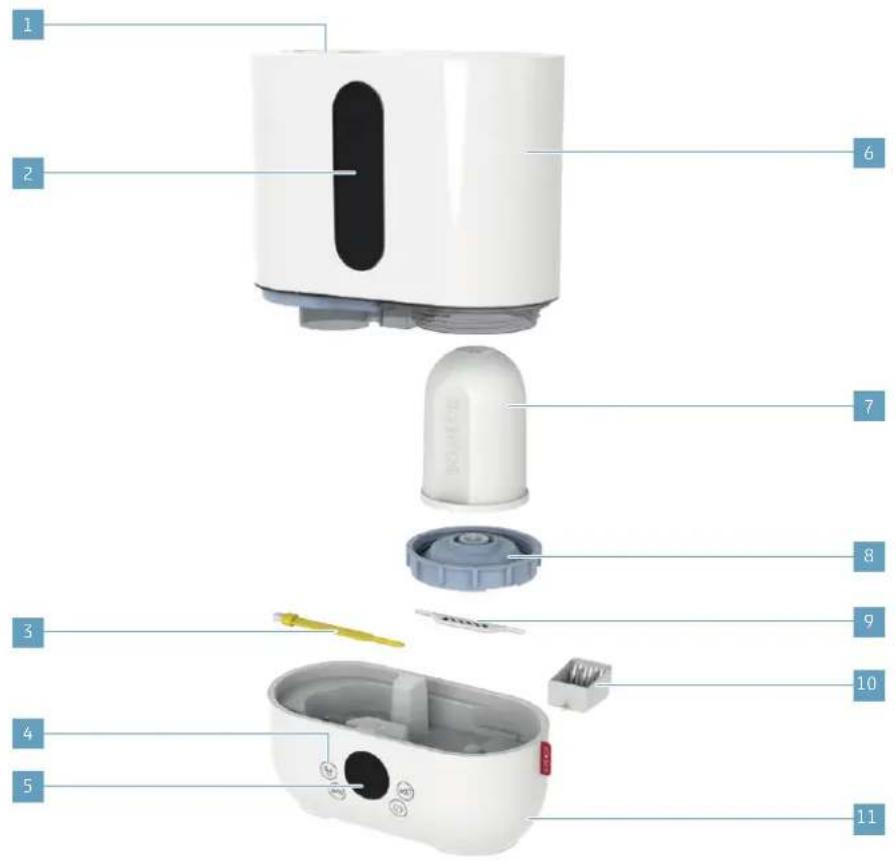
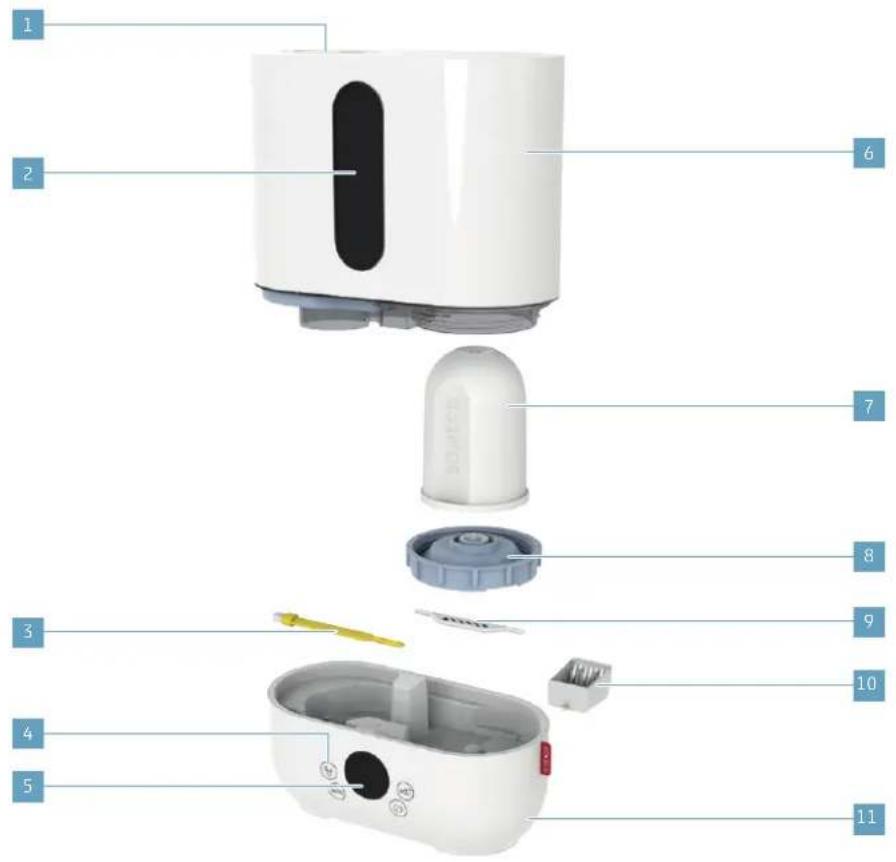
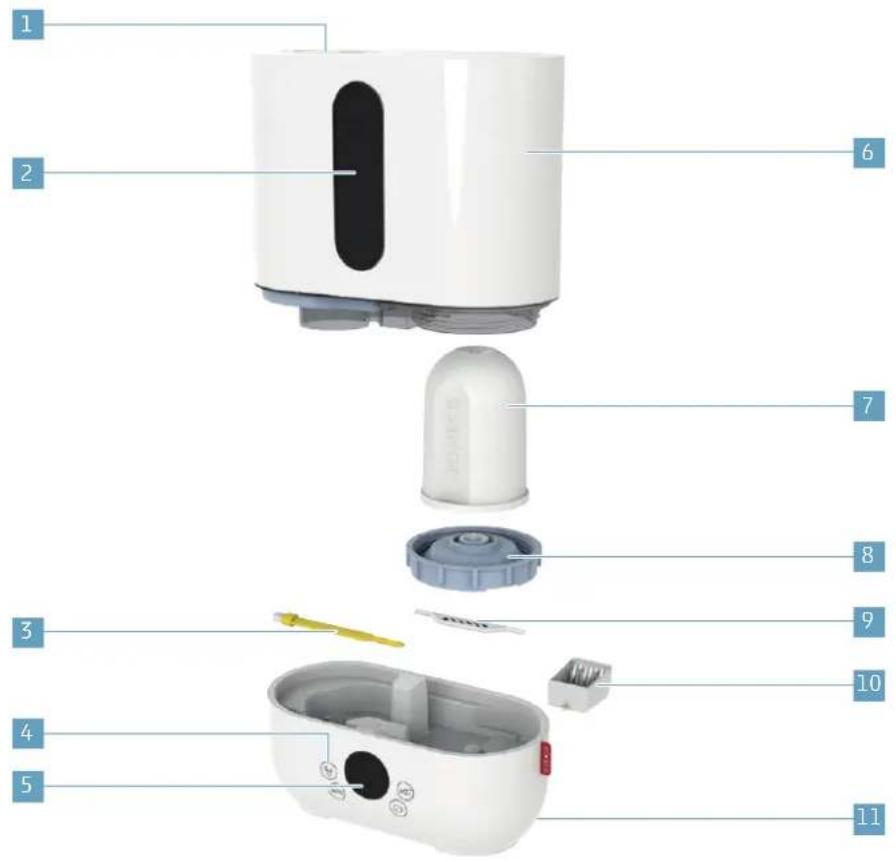
OVERVIEW AND PART NAMES
1 Steam output
2 Water level indicator
3 Cleaning brush
4 Function keys
5 Display
6 Water tank
7 A250
8 Tank cover
9 A7017 Ionic Silver Stick
10 Fragrance container
11 Power supply
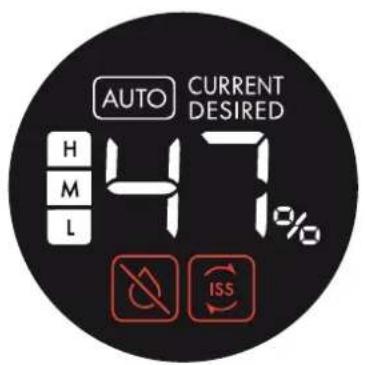
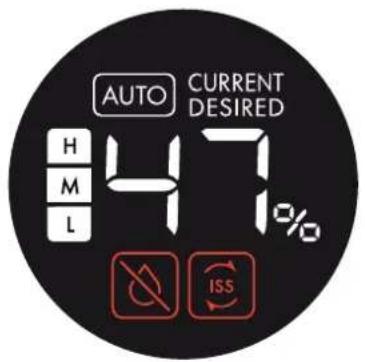
INDICATORS ON THE DISPLAY
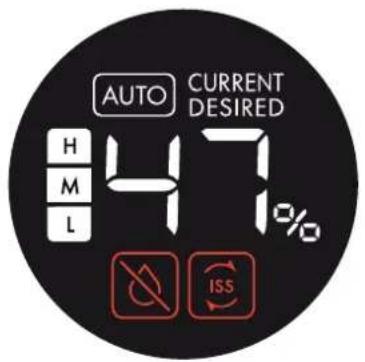
Symbol Meaning


Current or desired humidity 30

Fully automated operation 30

Selected performance level 30
CURRENT
Value shows the current humidity 30
DESIRED
Value shows the desired humidity 30
Symbol Required action


Refill the water 32

Replace A7017 Ionic Silver Stick® 35
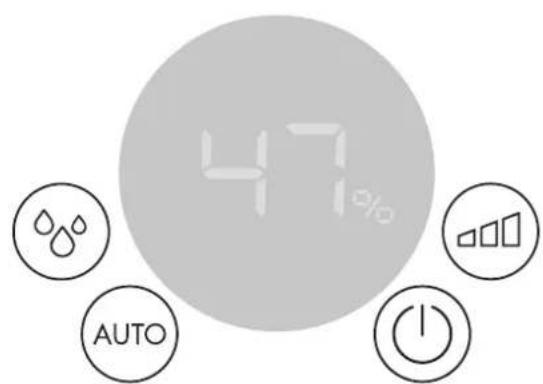
KEYPAD ON THE APPLIANCE
Button Function


Switching appliance on and off 30

Controlling output 30

"AUTO" operating mode 30

Change the humidity 30

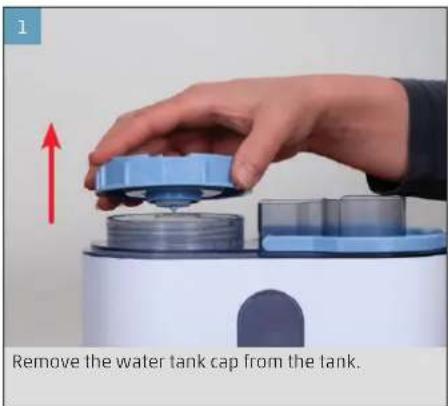
STARTING UP AND SWITCHING OFF
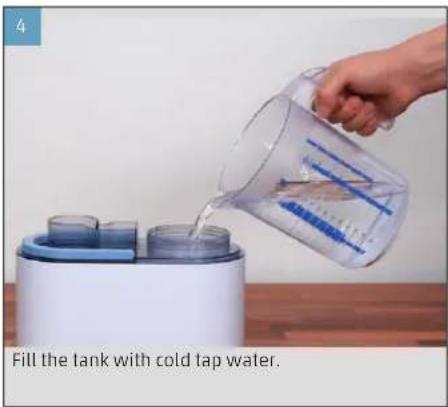
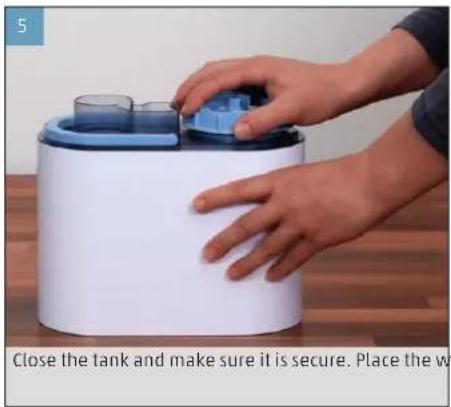
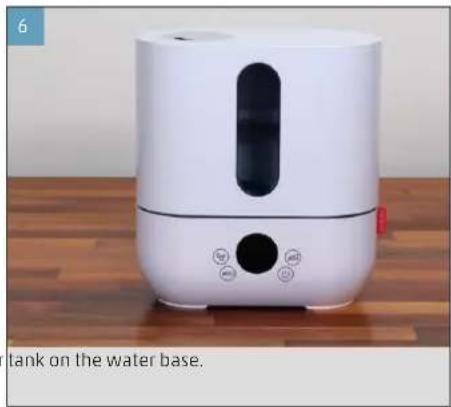
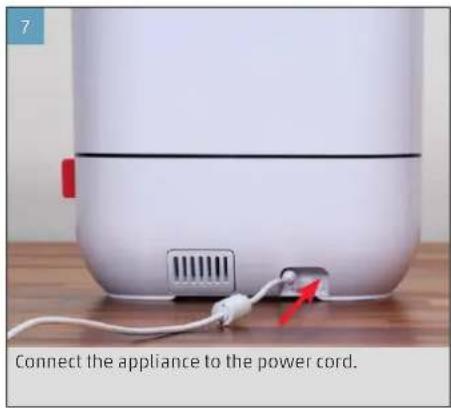
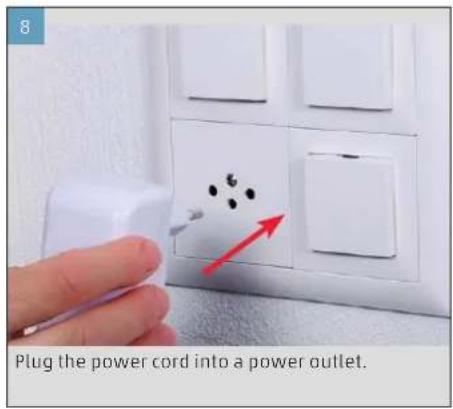
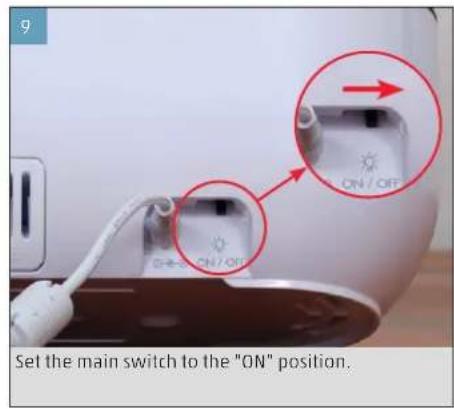
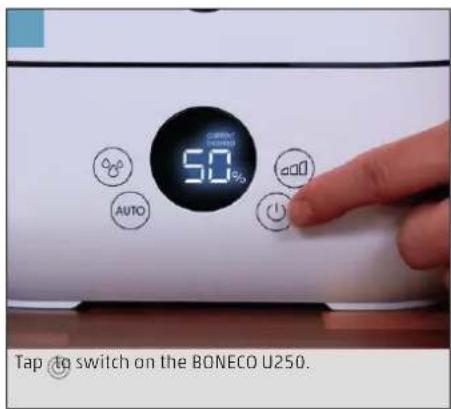
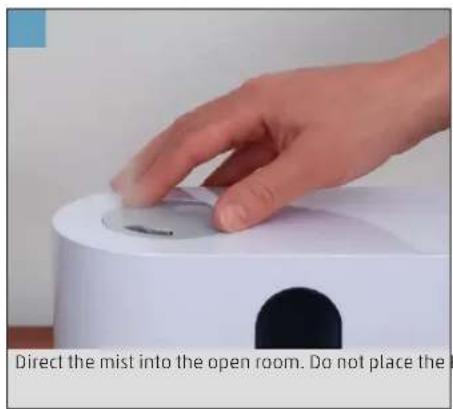
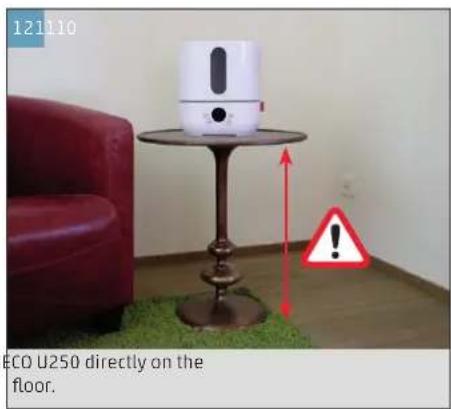
HUMIDITY AND ULTRASONIC
SAVING SETTINGS
The BONECO U250 saves the last-used settings when it is switched off. However, if the appliance is disconnected from the power outlet for a few seconds, it will start in the ADTOing mode.
"AUTO" OPERATING MODE
After switching on, the appliance is in AUTO operating mode. The desired relative humidity level (rH) is pre-set to 50% in AUTO operating mode. The appliance selects the suitable performance level Low "L" / Medium "M" / High "H" to reach the rH value of 50% as soon as possible.
In AUTO operating mode, the rH can be modified at any time using the button. If the performance level is modified using the button, the AUTO operating mode switches off automatically, and the appliance is in manual operating mode.
To return to AUTO operating mode, tap the 600-1000 bol once.
The humidity can be set between 50% and 70% . In the "Co" setting (for "Continuous"), the ultrasonic runs regardless of the measured humidity. This means it does not switch off until the tank is empty or the appliance is switched off.
- Tap the symbol. The current humidity display starts flashing.
- While the display is flashing, tap the symbol again until the desired humidity is set.
The value is applied after a few seconds. The display stops flashing.
CONTROLLING OUTPUT
- Tap the symbol multiple times until the desired level appears on the display.
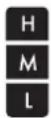
The symbol on the display indicates which of the three levels (low/medium/high) has been selected:
FRAGRANCE CONTAINER
BASICS
Commercially available fragrances and essential oils can be inserted into the fragrance container on the rear side.
Never mix any additives into the water base itself, since doing so can decrease the performance of the BONECO appliance and even cause damage. This damage is not covered by the warranty.
USE
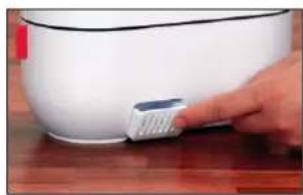
- Press down on the fragrance container to take out the drawer.
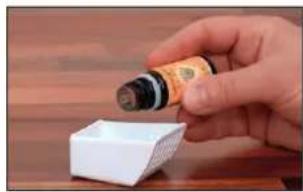
- Sprinkle the felt insert in the drawer with the fra - grance of your choice.
- Reinsert the fragrance container.
The fragrance container can be cleaned in the dishwasher. The temperature may not exceed 50^
NOTES ON CARE
CARE INSTRUCTIONS
The longer the appliance is operated, the more the performance of the A7017 Ionic Silver Stick decreases and scale builds up on the inner parts of the BONECO U250. Stagnant water can also impair cleanliness and lead to unpleasant odors. This means regular maintenance and cleaning is necessary to ensure clean and unimpaired operation.
Recommended cleaning and maintenance intervals vary depending on air quality, water quality and operating time.
Use a soft, damp cloth to clean the exterior.

Always unplug the appliance from the power outlet before cleaning.
Interval Task
Daily Check the water level; add water if necessary
After 1 week without operation Empty and clean the BONECO U250
Every 2 weeks Clean the water base and water tank
Every 2-6 months Replace A250
Annually Replace A7017 Ionic Silver Stick
DESCALING AND CLEANING
ON DESCALING
If stubborn timescale deposits form at the bottom of the BONECO U250, the appliance must also be descaled in addition to the cleaning. For this process, use the provided A7417 "CalcOff" descaling agent. You can obtain a refill of the agent from your BONECO specialist dealer.
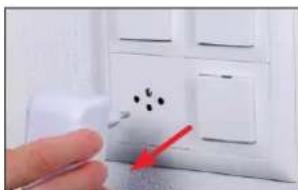
The appliance must always be unplugged from the power outlet before draining it. Failure to do so can result in electric shock and pose the risk of severe or fatal injury!

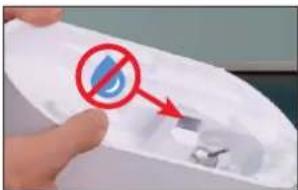
Do not let water get into the ventilation opening! This will damage the appliance.
DESCALING THE APPLIANCE
- Disconnect the BONECO U250 from the power outlet.
- Drain the water base.
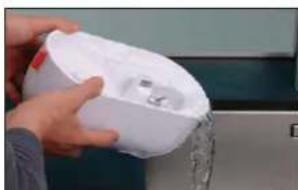
-
Remove the A250 and the A7017 Ionic Silver Stick.
-
Mix the CalcOff with approx. 0.5 liters (17 oz) of water and pour the mixture into the humidifica-tion chamber.
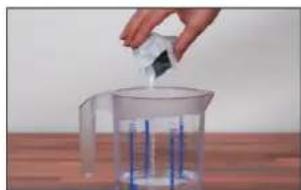
- Wait 30 minutes to allow the solution to take effect.
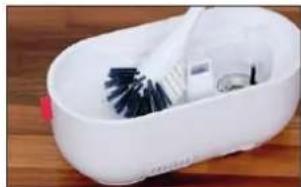
- Clean the BONECO U250 with a dish brush.
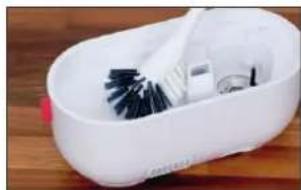

CLEANING THE MEMBRANE
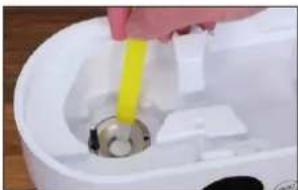
Never clean the membrane using sharp objects or aggressive cleaning agents; doing so can damage the BONECO U250 and voids the warranty!
Mineral deposits on the membrane can be removed using the yellow cleaning brush attached inside the base of the BONECO U250.
REPLACING CONSUMABLES
REPLACING THE A7017 IONIC SILVER STICK
The A7017 Ionic Silver Stick prevents the growth of bacteria in water, making a vital contribution to health and cleanliness. The A7017 Ionic Silver Stick is subject to wear and has to be replaced regularly.
The appliance must always be unplugged from the power outlet before draining it. Failure to do so can result in electric shock and pose the risk of severe or fatal injury!
Do not let water get into the ventilation opening! This will damage the appliance.
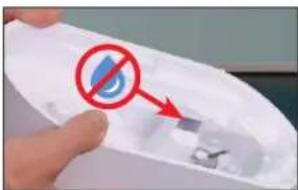
- Disconnect the BONECO U250 from the power outlet.
- Empty the water tank.
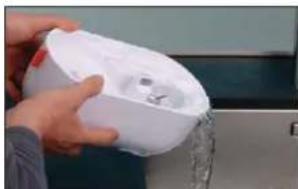
- Remove the used A7017 Ionic Silver Stick and dispose of it with your regular household waste.
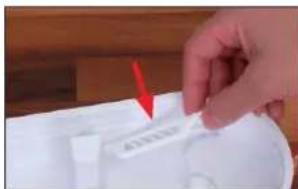
- Insert the new A7017 Ionic Silver Stick*.
- Put the BONECO U250 back together.
- Plug the power cord into a power outlet and switch on the appliance.
- Delete the message for the replacement by pressing the and buttons and holding them for 3 seconds.
REPLACEMENT
You can obtain replacements from your BONECO specialist dealer our online store at www.shop.boneco.com.
ON THE A250
PREPARING THE A250
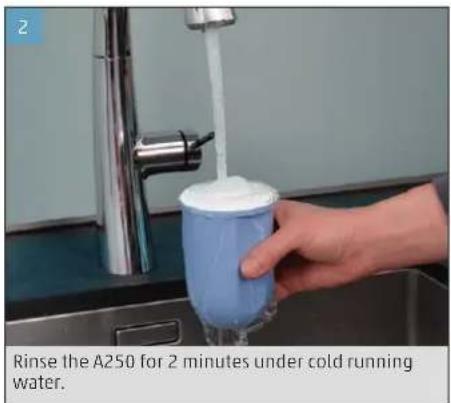
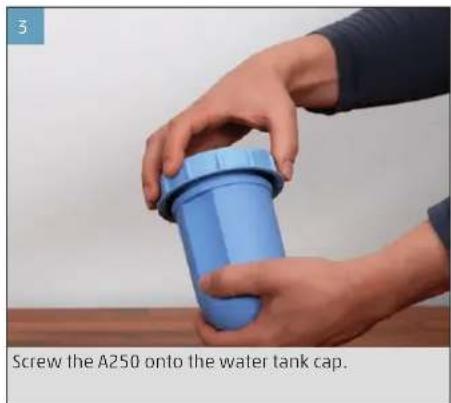
Please observe the accompanying manual for starting up the A250.
ON WATER HARDNESS
The BONECO U250 is supplied with the A250. The granulate contained in it filters the lime out of the tap water so that it is not released into the room air. Hard tap water accelerates saturation of the granulate, making it necessary to replace the A250 earlier.
Dispose of the saturated A250 with your regular household waste.
White dust around the appliance is a sure indication that the A250 is fully worn out.
REPLACING THE A250
The A250 must be replaced every 2 to 6 months. In cases of very hard water, it may have to be replaced sooner. White dust around the appliance is a sure indication that the A250 is fully worn out.
Please observe the accompanying manual for starting up the A250.
The used A250 can be disposed of with your regular household waste.
REPLACEMENT
You can obtain replacements from your BONECO specialist dealer or our online store at www.shop.boneco.com.

MODE D'EMPLOI

SOMMAIRE
REEMPLACEMENT DES CONSOMMABLES
REPLACER LE BATONNET IONIC SILVER STICK A7017
BESCHIKBARE ACCESSORIES
INDICAÇÖES NO DISPLAY
Simbolo Significado
图
47%
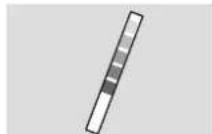
Pasek do testowania
twardosciwomy
AFKALKNING OG RENGORING
OM AFKALKNING
AFKALKNING AF APPARATET
- Adskil BONECO U250 fra elnettet.
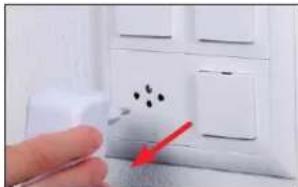
- Tom vandtanken.
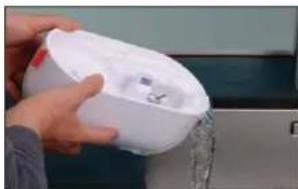
-
Tag A250 og A7017 Ionic Silver Stickx ud.
-
Ror CalcOff op med ca. 0,5 liter vand, og haeld blandingen i forstoverrummet.
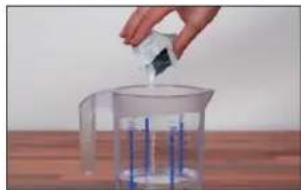
- Lad oplosningen virke i 30 minutter.
- Rengor BONECO U250 med en opvaskebrste.
UDSKIFTNING AF FORBRUGSMATERIALER
UDSKIFTNING AF A7017 IONIC SILVER STICK
MALXxBH240x120x263mm
Tomvekt 1.5 kg
Styniva under bruk 32-33 dB(A)
Ved230V-50Hz
no
INNLEDNING
INFORMASION OM VEDLIKEHOLD
VEDLIKEHOLDSINFORMATION
Luhijuhend Ohtusjuhised
ÜLEVAADE JA OSADE NIMETUSED
1Auru valjalaskeava
2 Veetaseme naidik
3 Hari
4 Funktsiooinupud
5 Ekraan
6 Veepaak
7 A250
8 Paagi kork
9 A7017 Ionic Silver Stick
10 Lohnnaine anum
11 Voolutoide
250
ee
NAIDIKUD EKRAANIL
Sumbol Tähendus
日
47%
JUHISED HOOLDAMISEKS
HOOLDUSJUHISED
Khoonouha panheIb Ha npu6ope 347
IodrotOBkaKpa6ote N BbIKNoueHne 348
A7017 Ionic Silver Stick
A250
水硬度测试条
快速使用手册
安全手册
分解图和部件名称
BONECO is a registered trademark of BONECO AG, Switzerland
BONECO AG, Espenstrasse 85, 9443 Widnau, Switzerland