
LC347VLi - Electric mower HUSQVARNA - Free user manual and instructions
Find the device manual for free LC347VLi HUSQVARNA in PDF.
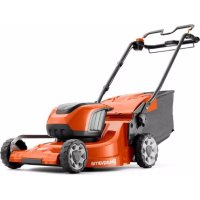

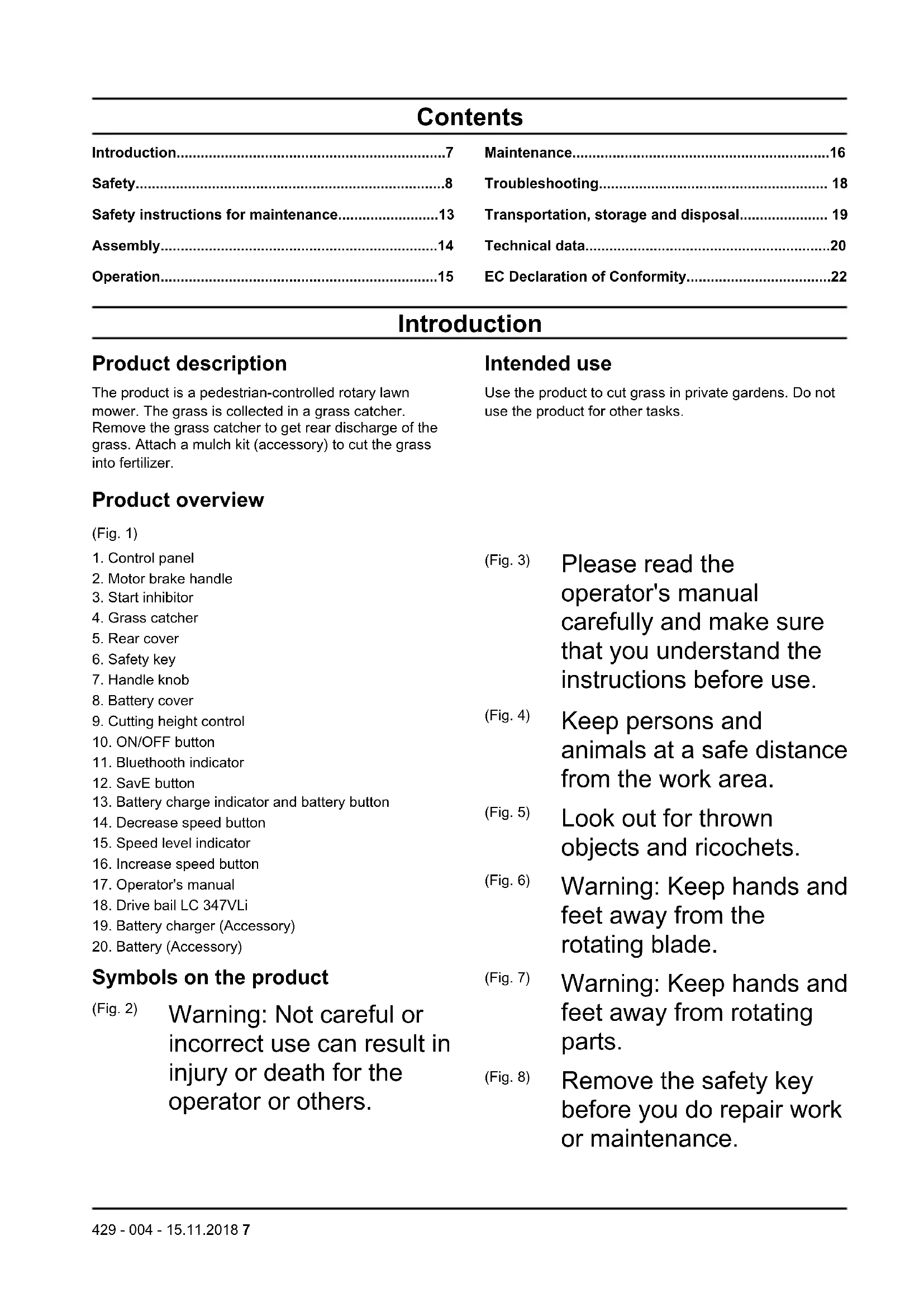


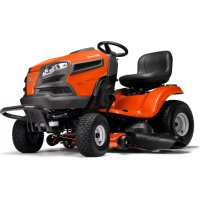
| Product type | Electric push mower with drive |
| Brand | Husqvarna |
| Model | LC347VLi |
| Cutting width | 47 cm |
| Cutting height | 20 to 75 mm, adjustable in 6 levels |
| Collector capacity | 55 liters |
| Motor | Brushless BLDC 36 V |
| Maximum motor power | 1.2 kW |
| Motor speed (nominal) | 3,000 rpm |
| Battery type | Husqvarna 36 V lithium-ion (e.g. BLi200 5.2 Ah) |
| Runtime (with SavE and 5.2 Ah battery) | Up to 43 minutes |
| Weight (without battery) | 26 kg |
| Wheel drive | Yes, 4 speeds (3.0 - 4.5 km/h) |
| SavE function | Energy saving mode to extend runtime |
| Guaranteed sound power level | 93 dB(A) |
| Sound pressure level at ear | 79 dB(A) |
| Vibrations (handle) | 0.42 m/s² |
| Protection rating | IPX1 (drip water protection) |
| Safety | Safety key, motor brake handle, anti-restart, ON/OFF button |
| Maintenance | Waterless cleaning, regular inspection of blade and safety devices |
| Compatible accessories | Mulching kit, charger QC80/QC330 |
Frequently Asked Questions - LC347VLi HUSQVARNA
User questions about LC347VLi HUSQVARNA
0 question about this device. Answer the ones you know or ask your own.
Ask a new question about this device
Download the instructions for your Electric mower in PDF format for free! Find your manual LC347VLi - HUSQVARNA and take your electronic device back in hand. On this page are published all the documents necessary for the use of your device. LC347VLi by HUSQVARNA.
USER MANUAL LC347VLi HUSQVARNA
EN Operator's manual 7-22
BG Operating instructions 23-42
CS User manual 43-59
DA User manual 60-75
Safety instructions for maintenance. 13
Assembly. 14
Operation. 15
Maintenance. 16
Troubleshooting 18
Transportation, storage and disposal. 19
Technical data. 20
EC Declaration of Conformity 22
Introduction
Product description
The product is a pedestrian-controlled rotary lawn mower. The grass is collected in a grass catcher. Remove the grass catcher to get rear discharge of the grass. Attach a mulch kit (accessory) to cut the grass into fertilizer.
Product overview
(Fig. 1) 1. Control panel 2. Motor brake handle 3. Start inhibitor 4. Grass catcher 5. Rear cover 6. Safety key 7. Handle knob 8. Battery cover 9. Cutting height control 10. ON/OFF button 11. Bluetooth indicator 12. SavE button 13. Battery charge indicator and battery button 14. Decrease speed button 15. Speed level indicator 16. Increase speed button 17. Operator's manual 18. Drive bail LC 347VLi 19. Battery charger (Accessory) 20. Battery (Accessory)
Symbols on the product
(Fig. 2) Warning: Not careful or incorrect use can result in injury or death for the operator or others.
Intended use
Use the product to cut grass in private gardens. Do not use the product for other tasks.
(Fig. 3)
Please read the operator's manual carefully and make sure that you understand the instructions before use.
(Fig. 4)
Keep persons and animals at a safe distance from the work area.
(Fig. 5)
Look out for thrown objects and ricochets.
(Fig. 6)
Warning: Keep hands and feet away from the rotating blade.
(Fig. 7)
Warning: Keep hands and feet away from rotating parts.
(Fig. 8)
Remove the safety key before you do repair work or maintenance.
(Fig. 9) IPX1 - Drip protected
(Fig. 10) Do not expose to rain
(Fig. 11) The product agrees with applicable EC directives.
(Fig. 12) Noise emission to the environment according to the European Community's Directive. The product's emission is specified in the Technical data chapter and on the label.
(Fig. 16) Start procedure: push ON/OFF button, loosen start inhibitor, push motor brake handle down.
(Fig. 13) Release motor brake handle to stop.
(Fig. 14) Slow
(Fig. 15) Fast
Note: Other symbols/decals on the product refer to certification requirements for some markets.
Product liability
As referred to in the product liability laws, we are not liable for damages that our product causes if:
- the product is incorrectly repaired.
- the product is repaired with parts that are not from the manufacturer or not approved by the manufacturer.
- the product has an accessory that is not from the manufacturer or not approved by the manufacturer.
- the product is not repaired at an approved service center or by an approved authority.
Safety
Safety definitions
Warnings, cautions and notes are used to point out specially important parts of the manual.

WARNING: Used if there is a risk of injury or death for the operator or bystanders if the instructions in the manual are not obeyed.

CAUTION: Used if there is a risk of damage to the product, other materials or the adjacent area if the instructions in the manual are not obeyed.
Note: Used to give more information that is necessary in a given situation.
General safety instructions

WARNING: Read the warning instructions that follow before you use the product.
- This product is dangerous if used incorrectly or if you are not careful. Injury or death can
occur if you do not obey the safety instructions.
This product produces an electromagnetic field during operation. This field may under some circumstances interfere with active or passive medical implants. To reduce the risk of serious or fatal injury we recommend persons with medical implants to consult their physician and the medical implant manufacturer before operating this product.
Always be careful and use your common sense. If you are not sure how to operate the product in a special situation, stop and speak to
your Husqvarna dealer before you continue.
- Keep in mind that the operator will be held responsible for accidents that involve other persons or their property.
- Keep the product clean. Make sure that you can clearly read signs and decals.
- Do not let a person use the product unless you make sure that they read and understand the contents of the operator's manual.
- Do not let a child operate the product.
- Do not let a person, without knowledge of the instructions, operate the product.
- Always monitor a person, with decreased physical capacity or mental capacity, that uses the product. A responsible adult must be there at all times.
- Do not use the product if you are tired, ill, or under the influence of alcohol, drugs or medicine. This has a negative effect on your vision, alertness, coordination and judgment.
- Do not use the product if it is defective.
- Do not change this product or use it if it is possible that it has been changed by others.
Work area safety

WARNING: Read the warning instructions that follow before you use the product.
- Remove objects such as branches, twigs and stones from the work area before you use the product.
- Objects that hit against the cutting equipment can eject and cause damage to persons and objects. Keep bystanders and animals at a safe distance from the product.
- Never use the product in bad weather such as fog, rain, strong winds, intense cold and risk of lightning. To use the product in bad weather or in moist or wet locations is tiring. Bad weather can cause dangerous conditions, such as slippery surfaces.
- Look out for persons, objects and situations that can prevent safe operation of the product.
- Look out for obstacles, such as roots, stones, twigs, pits and ditches. Long grass can hide obstacles.
- Cutting grass on slopes can be dangerous. Do not use the product on ground that slopes more than 15 degrees.
- Operate the product across the face of slopes. Do not move up and down.
- Be careful when you go near hidden corners and objects that prevent a clear view.
Work safety

WARNING: Read the warning instructions that follow before you use the product.
Use this product to cut grass lawns only. It is not permitted to use it for other tasks. Use personal protective equipment. Refer to Personal protective equipment on page 11. Make sure that you know how to stop the motor quickly in an emergency. - Do not operate the product in rain or wet conditions. The risk of electrical shock increases if water enters the product. - Do not operate the product unless the blade and all covers are attached correctly. An incorrectly attached blade can come loose and cause personal injury. - Make sure that the blade does not hit objects such as stones and roots. This can do damage to the blade and bend the motor shaft. A bent axle causes heavy vibration and a very high risk that the blade becomes loose.
- If the blade hits an object or if vibrations occur, stop the product immediately. Stop the motor, turn the safety key to 0 and remove the battery. Examine the product for damages. Repair damages or let an authorised service agent do the repair.
- Never attach the motor brake handle permanently to the handle when the motor is started.
- Put the product on a stable, flat surface and start it. Make sure that the blade does not hit the ground or other objects. Always stay behind the product when you operate it.
- Let all the wheels stay on the ground and keep 2 hands on the handle when you operate the product. Keep your hands and feet away from the rotating blades.
- Do not tilt the product when the motor is started.
- Be careful when you pull the product rearward.
- Never lift up the product when the motor is started. If you must lift the product, first stop the motor, turn the safety key to 0 and remove the battery.
- Do not walk rearward when you operate the product.
- Stop the motor when you move across areas without grass, for example paths made of gravel, stone and asphalt.
- Do not run with the product when the motor is started. Always walk when you operate the product.
- Stop the motor before you change the cutting height. Never make adjustments with the motor started.
- Never let the product stay out of view with the motor started. Stop the motor and make sure that the cutting equipment does not rotate.
Safety instructions for operation
Personal protective equipment

WARNING: Read the warning instructions that follow before you use the product.
Personal protective equipment cannot fully prevent injury but it decreases the degree of injury if an accident does occur. Let your dealer help you select the right equipment. Use heavy-duty slip-resistant boots or shoes. Do not use open shoes or go with bare feet. Use heavy, long pants. Use protective gloves when necessary, for example when
you attach, examine or clean the cutting equipment.
Safety devices on the product

WARNING: Read the warning instructions that follow before you use the product.
- Do not use a product with defective safety devices.
- Do a check of the safety devices regularly. If the safety devices are defective, speak to your Husqvarna service agent.
To do a check of the cutting cover
The cutting cover decreases vibrations in the product and decreases the risk of injury from the blade.
- Examine the cutting cover to make sure that there are no damages such as cracks.
Safety key
The safety key is below the battery lid. The safety key connects the battery that supplies the motor with power.
- Start and stop the motor to do a check of the safety key.
- If the safety key operates correctly, the motor can only start when the safety key is in position 1.
(Fig. 17)
Motor brake handle
The motor brake handle stops the motor. When the motor brake handle is released, the motor stops.
To do a check of the motor brake, start the motor and then release the motor brake handle. If the motor does not stop in 3 seconds, let an approved Husqvarna service agent adjust the motor brake.
(Fig. 18)
To examine the start inhibitor
Check the start inhibitor to make sure that it prevents operation of the motor.
- Push the motor brake handle in the direction of the handlebar. The start inhibitor stops the movement.
- Push the start inhibitor out. (Fig. 19)
- Release the start inhibitor and make sure that it goes back to its initial position.
Battery safety

WARNING: Read the warning instructions that follow before you use the product.
- Use Husqvarna rechargeable batteries as a power supply for related Husqvarna products only. To prevent injury, do not use the battery as a power supply for other devices.
- Do not use non-rechargeable batteries.
- Risk of electrical shock. Do not connect the battery terminals to keys, coins, screws or other metal. This can cause a short circuit of the battery.
- Do not put objects into the air slots of the battery.
- Keep the battery away from sunlight, heat or open flame. The battery can explode and cause burns and/or chemical burns.
- Keep the battery away from rain and wet conditions.
- Keep the battery away from microwaves and high pressure.
- Do not try to disassemble or break the battery.
- If the battery leaks, do not let the liquid touch your body or eyes. If you have touched the liquid, clean the area with a large quantity of water and get medical aid. Use the battery in temperatures between -10°C and 40°C.
- Do not clean the battery or the battery charger with water. See "To clean the product" on page 17.
- Do not use a defective or damaged battery.
- Keep batteries in storage away from metal objects such as nails, coins, jewellery.
Battery charger safety

WARNING: Read the warning instructions that follow before you use the product.
Use the QC battery chargers to charge Husqvarna replacement batteries only. - Risk of electrical shock or short circuit. Do not put objects into the air slots of the charger. Do not try to disassemble the battery charger. Do not connect the charger terminals to metal objects. Use an approved mains socket. This product produces an electromagnetic field during operation. This field may under some circumstances interfere with active or passive medical implants. To reduce the risk of serious or fatal injury, we recommend persons with medical implants to consult their physician and the
medical implant manufacturer before operating this product.
Regularly make sure that the power cord of the battery charger is not damaged and that there are no cracks in it. - Do not lift the battery charger by the power cord. To disconnect the battery charger from a mains socket, pull out the plug. Do not pull the power cord. - Keep the power cord and extension cables away from water, oil and sharp edges. Make sure that the cable is not pinched in doors, fences or equivalent. It can cause the charger to become energized. - Do not clean the battery charger with water. The battery charger can be used by children aged from 8 years and above and persons with reduced physical, sensory, or mental capabilities or lack of experience and knowledge if they have been
given supervision or instruction concerning use of the battery charger in a safe way and understand the hazards involved. Children shall not play with the battery charger. Cleaning and user maintenance shall not be made by children without supervision.
- Do not charge non-rechargeable batteries in the battery charger.
- Do not use the battery charger near flammable materials or materials that can cause corrosion. Do not cover the battery charger. Pull out the plug to the battery charger if there is smoke or fire.
- Do not use a defective or damaged battery charger.
- Only charge the battery indoors in a room with good airflow and away from sunlight. Do not charge the battery in wet conditions.
Safety instructions for maintenance

WARNING: Read the warning instructions that follow before you use the product.
- To prevent accidental start during maintenance, turn the safety key to 0 and remove the battery.
Wait at minimum 5 seconds before you start the maintenance.
- Do the maintenance work correctly to increase the lifetime of the product and decrease the risk of accidents.
Let an approved service agent do the professional repairs. Speak to your nearest service agent for more information.
- Only do the maintenance work written in this operator's manual. More extensive work must be done by an approved service agent.
- Put on heavy duty gloves when you use the cutting equipment. The blade is very sharp and cuts can easily occur.
- Keep the cutting edges sharp and clean for the best and safest performance.
- Let your service agent regularly examine the product and make necessary adjustments and repairs.
- Replace damaged, worn or broken parts.
- Obey the instructions for how to change accessories. Only use accessories from the manufacturer.
- When not in operation, keep the product, battery and battery charger apart in a dry, indoor and locked area. Make sure that children and persons that are not approved cannot get access to the product, battery or battery charger.
Assembly
Introduction

WARNING: Before you assemble the product, read the safety chapter.

WARNING: To prevent accidental start during assembly, turn the safety key to 0, remove the battery and wait at minimum 5 seconds.
To assemble the handle
- Loosen the lower knobs.
- Move the knobs to the lower end of the grooves on the left and the right side of the product. (Fig. 20)
- Set the handle height in one of the 2 available positions.
- Move the knobs up in the direction of the handle until they stop and you hear a click. (Fig. 21)
- Tighten the knobs fully.
To assemble the grass catcher
- Attach the grass catcher frame to the grass bag with the rigid part of the bag on the bottom. Keep the handle of the frame on top of the grass bag. (Fig. 22)
- Attach the bottom section of the grass catcher frame in the groove on the bottom of the grass catcher.
- Attach the grass bag to the grass catcher frame with the clips. (Fig. 23)
- Lift the rear cover.
- Attach the grass catcher to the top edge of the chassis.
- Put the lower part of the grass catcher into the grass discharge channel. (Fig. 24)
To assemble the mulch plug (accessory)
- Lift up the rear cover and remove the grass catcher.
- Put the mulch plug into the discharge channel. (Fig. 25)
- Replace the blade with the mulch blade that is supplied in the mulch kit. Refer to Technical data LC 247Li, LC 347VLi on page 20.
Operation
Introduction

WARNING: Before you operate the product, you must read and understand the safety chapter.
To set the product in operation position
- Fold the handle to upright position. (Fig. 26)
- Move the knobs up in the direction of the handle until they stop and you hear a click. (Fig. 21)
- Tighten the knobs fully.
To set the cutting height
The cutting height can be adjusted in 6 levels.
- Move the cutting height lever down to decrease the cutting height.
- Move the cutting height lever up to increase the cutting height. (Fig. 27)

CAUTION: Do not set the cutting height too low. The blades can hit the ground if the surface of the lawn is not level.
Battery

WARNING: Before you use the battery, you must read and understand the safety chapter. You must also read and understand the operator's manual for the battery and the battery charger.
Battery status
The display shows the remaining battery capacity and if there are problems with the battery. The battery capacity is shown for 5 seconds after the product is switched off or the battery indicator button is pressed. The warning symbol on the battery is on when an error has occurred. See Battery on page 18.
(Fig. 28)
| LED lights | Battery status |
| All LEDs are lit Fully charged (75-100%) | |
| LED 1, LED 2, LED 3 are lit | The battery is 50%-75% charged |
| LED 1, LED 2 are lit The battery is 25%-50% charged | |
| LED 1 is lit The battery is 0%-25% charged. | |
| LED lights Battery status | |
| LED 1 flashes The battery is empty. Charge the battery. |
To charge the battery
Charge the battery before the first use. The battery is only 30% charged when supplied to the customer.
Note: The battery charger must be connected to the voltage and frequency specified on the rating plate.
The battery does not charge if the battery temperature is above 50°C. The battery charger decreases the temperature of the battery before it starts to charge.
- Connect one end of the power cord for the battery charger into the socket of the battery charger.
- Connect the other end of the power cord for the battery charger in a grounded mains socket. The LED on the battery charger flashes green one time. (Fig. 29)
- Put the battery in the battery charger. The green light on the charger comes on when the battery is correctly connected to the battery charger. (Fig. 30)
- When all LEDs on the battery have come on, the battery is fully charged. Charge the battery for a maximum of 24 hours.
- To disconnect the battery charger from the mains socket, pull the plug, not the power cord.
- Remove the battery from the battery charger.
Battery charging status
A Husqvarna Li-ion battery can be charged or used at all charging levels. The battery is not damaged. A fully charged battery will not decrease its charge when the battery is left in the charger.
| LED display | Charging status |
| LED 1 flashes 0%-25% | |
| LED 1 is lit, LED 2 flashes | 25%-50% |
| LED 1, LED 2 are lit, LED 3 flashes | 50%-75% |
| LED 1, LED 2, LED 3 are lit, LED 4 flashes | 75%-100% |
| LED 1, LED 2, LED 3, LED 4 are lit | Fully charged |
To start the product
- Put a charged battery in battery compartment number 1 below the battery lid. For longer operation time, put a second charged battery in battery compartment number 2.
- Turn the safety key to 1. (Fig. 17)
- Stay behind the product.
- Press the ON/OFF button (A) on the control panel and the green LED (B) comes on. (Fig. 31) When you press the ON button, the two bars of the battery indicator come on and show the levels of the two batteries. After 2-3 seconds, the battery indicator for the battery not in operation goes off. The bar of the battery in operation is shown for a longer time. (Fig. 32)
- Loosen the start inhibitor. (Fig. 19)
- Push the motor brake handle in the direction of the handlebar. (Fig. 33)
To use the drive on the wheels (LC 347VLi)
- Pull the drive bail in the direction of the handlebar to start the drive. (Fig. 34)
- Press + and - on the control panel to set the drive speed in 4 steps. (Fig. 35)
- Release the drive bail to disengage the drive, for example when you go near an obstacle.
To use the SavE function
The product has a battery saving function (SavE) that gives longer operation time.
- Press the SavE button (A) to start the function. The green LED comes on. (Fig. 36)
- Press the SavE button again to stop the function. The green LED (B) goes out.
The SavE function stops automatically if the ground conditions make it necessary to have a higher output. The SavE function starts automatically when the ground conditions let it.
High load function
When the product cuts long or wet grass, the motor automatically increases rpm. The motor goes back to standard mode when high load is not necessary.
To stop the product
The product stops automatically if you do not operate it for 10 minutes. Always turn the safety key to 0 before you let the product out of view.
- Release the motor brake handle to stop the motor. (Fig. 18)
- Press the ON/OFF button (A) on the control panel and the green LED (B) goes out. (Fig. 31)
- Open the battery lid and turn the safety key to 0. (Fig. 37)
- To remove the battery, press the two release buttons and pull out the battery. (Fig. 38)
- Charge the battery if it is weak. For more information, refer to "To charge the battery" on page 15.
To get a good result
- Always use a sharp blade. A blunt blade gives an irregular result and the cut surface of the grass becomes yellow. A sharp blade also uses less energy than a blunt blade.
- Do not cut more than 1/3 of the length of the grass. Cut first with the cutting height set high. Examine the result and lower the cutting height to an applicable level. If the grass is very long, drive slowly and cut 2 times if necessary.
- Cut in different directions each time to prevent stripes in the lawn.
To cut grass without a grass catcher or mulch plug attached
- Lift up the rear cover and remove the grass catcher.
- If a mulch plug and a mulch blade are attached, remove them.
- Close the rear cover before you operate the product.
When you operate the product, the cut grass discharges below the rear cover.
Maintenance
Introduction

WARNING: Before you do maintenance, you must read and understand the safety chapter.
For all servicing and repair work on the product, special training is necessary. We guarantee the availability of professional repairs and servicing. If your dealer is not a service agent, speak to them for information about the nearest service agent.
Maintenance schedule
The maintenance intervals are calculated from daily use of the product. The intervals change if the product is not used daily.
For maintenance identified with * see instructions in Safety devices on the product on page 11.
| Each use | Monthly | Each season | |
| Do a general inspection X | |||
| Clean the product X | |||
| Do a check of the start inhibitor * X | |||
| Make sure that the safety devices on the product are not defective * X | |||
| Examine the cutting equipment X | |||
| Examine the cutting cover * X | |||
| Do a check of the motor brake handle * X | |||
| Make sure that the ON/OFF button operates correctly and is not defective X | |||
| Examine the battery for damage X | |||
| Do a check of the battery charge X | |||
| Make sure that the release buttons on the battery operates correctly and that the battery locks into the product | X | ||
| Examine the battery charger for damage and make sure that it operates correctly. | X | ||
| Examine the connections between the battery and the product. Also examine the connection between the battery and the battery charger. | X |
Bluetooth connection
This product has a Bluetooth connection. Speak to your Husqvarna dealer for more information or read more at www.husqvarna.com. The LED, below the Bluetooth symbol, comes on when you are connected to the product.
(Fig. 39)
To do a general inspection
- Make sure that the nuts and screws on the product are tightened.
- Make sure that the cables on the product are not in a position where they can get damaged.
To clean the product
- Clean plastic parts with a clean and dry cloth.
- Do not use water to clean the product. Water can enter the battery or the motor and cause short circuit or damage to the product.
- Do not use a high pressure washer to clean the product.
- Do not flush water directly on the motor.
- Use a brush to remove leaves, grass and dirt.
To examine the cutting equipment

WARNING: To prevent accidental start, turn the safety key to 0, remove the battery and wait a minimum 5 seconds.

WARNING: Use protective gloves when you do maintenance on the cutting equipment. The blade is very sharp and cuts can easily occur.
- Examine the cutting equipment for damage or cracks. Always replace a damaged cutting equipment.
- Look at the blade to see if it is damaged or blunt.
Note: It is necessary to balance the blade after it is sharpened. Let a service center sharpen, replace and balance the blade. If you hit an obstacle that causes the product to stop, replace the damaged blade. Let the service center estimate if the blade can be sharpened or must be replaced.
To remove and replace the blade
- Lock the blade with a block of wood. (Fig. 40)
- Remove the blade bolt.
- Remove the blade.
- Examine the blade support and blade bolt to see if there are damages.
- Examine the motor shaft to make sure that it is not bent.
- When you attach the new blade, point the angled ends of the blade in the direction of the cutting cover. (Fig. 41)
- Make sure that the blade is aligned with the center of the motor shaft.
- Lock the blade with a block of wood. Attach the spring washer and tighten the bolt and washer with a torque of 23-28 Nm. (Fig. 42)
- Pull the blade around by hand and make sure that it turns freely.

WARNING: Use heavy duty gloves. The blade is very sharp and cuts can easily occur.
- Start the product to do a test of the blade. If the blade is not correctly attached, there is vibration in the product or the cutting result is unsatisfactory.
Troubleshooting
Battery
| LED on the battery Possible faults Possible procedure | ||
| The green LED is flashing | The battery voltage is low Charge the battery. See See | To charge the battery on page 15. |
| The error LED flashes The battery is weak Charge the battery. See See Battery on page 18. | ||
| The temperature in the work environment is too high or too low | Use the battery in temperatures between -10°C and 40°C. | |
| Overvoltage Check that the mains voltage is the same as on the rating plate on the product. | ||
| Remove the battery from the battery charger. Wait 5 seconds and try again to charge the battery. If the problem continues, speak to an authorised service agent. | ||
| The error LED is on Cell difference too much (1V) Speak to an approved service agent. | ||
Battery charger
| LED on the battery charger | Possible faults Possible procedure | |
| The error LED flashes | The temperature in the work environment is too high or too low | Use the battery charger in temperatures between 5°C and 40°C. |
| The error LED is on | speak to an approved service agent |
Control panel
For problems, other than those in this section, speak to your service agent.
| Keypad Error code | (Num- ber of flashes) | Possible faults Possible action | |
| Error LED flashes 3 | The motor is overloaded | ed Increase the cutting height. See To set the cutting height on page 15. | |
| 5 The motor speed drops too much, and the motor stops | |||
| 10 The motor control is too hot Stop the motor and wait until it has be- come cool | |||
| 2 The blade is blocked | ed To prevent accidental start turn the safe- ty key to 0, remove the battery and wait a minimum 5 seconds. Make sure that the blade can rotate freely. If the prob- lem continues, speak to an authorised service agent | ||
| 9 Battery error or no signal from battery | Put the battery in the product correctly and examine the battery connector. If the error LED on the battery flashes, see Battery on page 15. | ||
| The product stops 8 | The battery is weak Charge the battery. See | To charge the battery on page 15. | |
| 0 Battery connector failure Examine the battery connector |
Transportation, storage and disposal
Introduction

WARNING: To prevent unintentional start during transport turn the safety key to "0", remove the battery and wait at least 5 seconds.
To set the product in transport position
- Loosen the lower knobs.
- Move the knobs to the lower end of the grooves on the left and the right side of the product. (Fig. 20)
- Fold the handle forward. (Fig. 43)
- Remove the grass catcher.
Transportation
- The Dangerous Goods Legislation requirements apply to the contained Li-ion batteries.
- For commercial transports special requirements on package and labels must be obeyed.
- Make sure that you obey the regulations for dangerous material when you prepare the product for transport. Local regulations can apply.
- Always remove the battery for transport.
- Put tape on the battery connectors and make sure that the battery cannot move around during transport.
- Attach the product during transport.
Storage
- Always remove the battery for storage.
- To prevent accidents, make sure that the battery is not connected to the product during storage.
- Keep the battery charger in a closed and dry space.
- Keep the battery and the battery charger in a dry space where there is no moisture or frost.
- Disconnect the battery from the battery charger during storage.
- Do not keep the battery where static electricity can occur. Do not keep the battery in a metal box.
- Keep the battery where the temperature is between 5°C and 25°C and out of sunlight.
- Keep the battery charger where the temperature is between 5°C and 45°C and out of sunlight. Make sure that the battery is charged to 30% - 50% before you put it in storage for long periods.
- Keep the product, battery and battery charger in a locked area out of reach for children and not approved persons.
- Clean the product and do a complete servicing before you put the product in storage for a long time.
Disposal
Symbols on the product or the packaging of the product indicate that this product cannot be handled as domestic waste. It must be submitted to an appropriate recycling station for the recovery of electrical and electronic equipment.
By ensuring that this product is taken care of correctly, you can help to counteract the potential negative impact
on the environment and people that can otherwise result through the incorrect waste management of this product. For more detailed information about recycling this product, contact your municipality, your domestic waste service or the shop from where you purchased the product.
(Fig. 44)
Technical data Technical data LC 247Li, LC 347VLi
| LC 247Li LC 347VLi | ||
| Cutting motor | ||
| Motor type BLDC (brushless) 36V BLDC (brushless) 36V | ||
| Motor speed - SavE, rpm 2600 2600 | ||
| Motor speed - Nominal, rpm 3000 3000 | ||
| Motor speed - High load, rpm 3500 3500 | ||
| Motor output - max. kW 1.2 1.2 | ||
| Motor output - Nominal, kW 0.75 0.75 | ||
| Drive motor | ||
| Motor output - Nominal, kW N/A 0.25 | ||
| Self walk speed, km/h N/A 3.0-4.5 | ||
| Speed adjustment levels N/A 4 | ||
| Weight | ||
| Weight without battery, kg 24 26 | ||
| \( Battery^{1} \) | ||
| Type of battery | Husqvarna Battery Series | Husqvarna Battery Series |
| Battery runtime | ||
| Battery runtime, min, (free run) with SavE activated, with oneHusqvarna 5.2 Ah battery (Bli200). | 43 43 | |
| Battery runtime, min, (free run) with standard mode activated, with one Husqvarna 5.2 Ah battery (Bli200). | 30 30 | |
| Noise emissions2 | ||
| Sound power level, measured dB (A) | 92 92 | |
| Sound power level, guaranteed LWA dB (A) | 93 93 | |
| \( Sound~levels^{3} \) | ||
| Sound pressure level at the operator's ear, dB (A) 79 79 | ||
| Vibration levels4 | ||
| Handle, m/s2 | 0.42 0.42 | |
| Cutting | ||
| Cutting height, mm 20-75 mm 20-75 mm | ||
| Cutting width, cm 47 47 | ||
| Blade Collect 590 59 34-10 Collect 590 59 34-10 | ||
| Bagger capacity, litre 55 55 | ||
| Approved batteries Type Battery capi- | ty, Ah | Voltage, V Weight, lb/kg |
| BLi20 Lithium-ion 4.0 36 2.6/1.2 | ||
| BLi150 | Lithium-ion 4.2 36 | 2.8/1.3 |
| BLi200 | Lithium-ion 5.2 36 | 2.8/1.3 |
| Approved chargers for the specified batteries, BLi | Input voltage, V | Frequency, Hz | Power, W |
| QC80 | 100-240 | 50-60 | 100 |
| QC330 | 100-240 | 50-60 | 330 |
EC Declaration of Conformity
EC Declaration of Conformity
Husqvarna AB, SE-561 82 Huskvarna, Sweden, tel: +46-36-146500, declares that the lawn mower
Husqvarna LC247Li, LC347VLi from the year 2017 and onwards, complies with the requirements of the COUNCIL'S DIRECTIVE:
of June 8, 2011 on the "restriction of use of certain hazardous substances" 2011/65/EU of May 17, 2006 "relating to machinery" 2006/42/EC of February 26, 2014 "relating to electromagnetic compatibility" 2014/30/EU of May 8, 2000 "relating to the noise emissions in the environment" 2000/14/EC
Information relating to noise emissions, see Technical data.
The following standards have been applied:
EN 60335-1:2012+A11:2014, EN 60335-2-77:2010, EN 62233:2008, EN 55014-1:2006/+A1:2009/+A2:2011, EN 55014-2:2015
If not otherwise stated, the above listed standards are the latest published versions.
Notified body: 0359, Intertek Testing and Certification Ltd. Davy Avenue, Knowlhill, Milton Keynes, MK5 8NL, United Kingdom has performed conformity assessment according to Annex VI of directive 2000/14/EC and issued a certificate with the number:71429
Huskvarna, 2017-12-01
Claes Losdal, Development Manager/Garden Products (Authorized representative for Husqvarna AB and responsible for technical documentation)
MoHTax. 32
Onepaun 33
PndpBkKa 35
OTcTpaHbAhe Ha npo6Jemn. 37
TpaHcnpTupaHe,cbxpaHene n 3XbPbPnHe.... 38
Texnueckn daHHN 39
Deknapaun3a cboTBeTCTBne Ha EO. 42
BbVeDeHne
OnncanHe Ha npOdyKta
PpOdykTbTe neWexoHa potaunHn kocauka.
TpeBaTa ce cBbnpa B KOw 3a TpeBa.CbaNeTe KOWa 3a TpeBa,3a Da ce NOpUyn 3aJHO pa3TOBapBaHe Ha TpeBaTa. NocTabeTe KOMNKeT 3a MyJnpuAne (DOnbJIHInTeJIHa npHaJdJIeKHOCT),3a Da HapeXKeTe TpeBaTa B Topa.
Пре徳назачени
I3noJ3BaIe npOyKta, 3a da Kocnte TpeBa YacTHn rpaDHH. He n3noJ3BaIe npOyKta 3a dpyrN 3aDaun.
06u npereHa npodykta
(Φn.r.1) 1.ПултзaynpabNeHne 2. PboKoXBaTka 3a cnpuKaTa Ha Dbratela 3.Инхибеторзастуранe 4. Kow 3a TpeBa 5.3aENkanak 6. KIIOU 3a 6e3oNaCHOCT 7. Bbptraa ce pkoXBaTaKa 8. Kanak Ha 6aTepeyTa 9. YnpabJIeHHe Ha BnCOuHHaTa Ha p3aHe 10. ByToH 3a BKJ./M3KJ. 11. Bluetooth nHdkKaTOp 12. ByToH SavE 13.Индкаторза зарян ha akymyatopaи 6утон 3a akymyatopa 14. Bytoh 3a HamaIbAhe Ha ckopoCTTa 15.ИнданаTopза ckopoocТа 16. ByToH 3a yBeJInuIyBaHa He KaKOpocTtA 17.Инстукцяза ekcnloataцьn 18.Дрьжka 3a 3aДВИЖВаHe LC 347VLi 19.3apAnHO yCTpoiCTBO 3a aKymyIaTOp (PpHnAdneKHOCT) 20. AkymyNatop (PpHnHaIeJxHocT)
CnmboN Bbpxy MaunHaTa
(Fig. 2) Warning: Unexpected operation may lead to injury or death of the operator or others.
I3PON3BaHe MoKe Da IOBede Do HapaHbAHe IIN CMBpT Ha OpepaTopa IIN dpyrXopa.
(Fig. 3)
Read the operator's manual carefully and make sure you understand the instructions before using the machine.
(Fig. 4)
Keep people and animals at a safe distance from the work area.
(Fig. 5)
Beware of flying objects and debris.
(Fig. 6)
Warning: Keep your hands and
feet away from the rotating blade.
(Fig. 10) Do not operate the machine
(Fig. 1) This product complies with the applicable EU directives.
(Fig. 12) Noise emissions in the environment in accordance with the EU directive. Product emissions are listed in the technical characteristics section and in the table.
(Fig.16) Starting procedure: Press the ON/OFF button, release the starting inhibitor, press the handle of the sprayer downwards.
(Fig.13) Release the handle of the sprayer upwards.
(Fig.14) Slowly
(Fig.15) Quickly
Note: The remaining symbols/stickers on the machine refer to requirements for certification for specific markets.
Liability for damages
As provided by the laws on liability for damages, we do not accept liability for damages caused by our products if:
- The products have been incorrectly repaired.
- The products have been repaired with parts that are not from the manufacturer or are not approved by the manufacturer.
- The products have accessories that are not from the manufacturer or are not approved by the manufacturer.
- The products have not been repaired at an approved service center or by an approved organization.
Safety
Safety instructions
Warnings, cautions, and notes are used to indicate particularly important parts of the instructions.

WARNING: Used if there is a danger of injury or death for the operator or bystanders if the instructions in the manual are not followed.

WARNING: Ensure that there is no risk of damage to the machine, other materials, or the surrounding area if the instructions in the manual are not followed.
NOTE: Used to provide additional information that is necessary in a given situation.
General safety instructions

WARNING: Read the warning instructions before using the machine.
This product is dangerous if used incorrectly or if you are not careful. Failure to follow the safety instructions may lead to injury or death. This machine creates an electromagnetic field during operation. Under certain conditions, this field may interfere with active or passive medical implants. To reduce the risk of serious or fatal injury, we recommend that persons with medical implants
CONSULT A DOCTOR AND THE MANUFACTURER OF THE MEDICAL IMPLANT BEFORE STARTING TO WORK WITH THIS MACHINE.
Be careful and act sensibly. If you are not sure how to operate the product in a given situation, stop and contact your Husqvarna dealer before continuing. - Always be aware that the operator is responsible for accidents involving other people or their property. - Keep the product clean. Make sure that you can read the signs and stickers clearly. Do not allow anyone to operate the product until you are sure that they have read and understood the operating instructions. Do not allow children to operate the product. Do not allow persons who are not familiar with
the instructions to operate the product.
Always supervise persons with reduced physical or mental capacity who use the product. An adult responsible person must be present at all times. Do not use the product if you are tired, ill, or under the influence of alcohol, drugs, or medication. This condition has a negative effect on your vision, alertness, coordination, and judgment. Do not use the product if it is defective. Do not modify this product or use it if there is a risk that it has been modified by another.
Safety work area

WARNING: Read the following warning instructions before using the machine.
- Remove branches, twigs, stones, and other objects from the work area before using the product. Objects that are caught in the rotating equipment may be thrown out and cause injury to
people and animals. Keep bystanders and animals at a safe distance from the product.
Do not use the product in wet conditions -- for example, during rain, wind, or when there is a lot of moisture. Using the product in wet conditions or on wet surfaces is dangerous. Wet conditions can create hazards, such as slippery surfaces. Be careful of objects and situations that could cause the safe operation of the product to be compromised. Be careful of obstacles such as roots, stones, sticks, or ditches. The trimmer line can hit obstacles. The line on a slope can be dangerous. Do not use the product when the slope of the surface is more than 15 degrees. Use the product only on slopes. Do not move up and down.
Be careful when crossing gravel, stones, or objects that can hide the working area.
Safety during work

WARNING: Read the safety instructions before using the machine.
Use this product only for cutting grass. Do not use it for other purposes. Use personal protective equipment. See personal protective equipment on page 28. - Make sure you know how to stop the engine quickly in an emergency. Do not use the product in rain or wet conditions. The risk of electric shock increases when water enters the product. Do not use the product until the blade and all guards are correctly installed. An incorrectly installed blade can come loose and cause personal injury. Make sure the blade has clearance from objects such as stones and roots. This can cause damage to the blade and lead to the blade being thrown.
The blade can cause serious injury. The rotating blade can cause strong vibrations and there is a great risk that the blade can come loose.
If the blade hits an object or if vibrations occur, stop the product. Stop the engine, engage the safety lock, and disconnect the battery. Check the product for damage. Repair any damage or have it serviced by an authorized service center. Never attach the handle to the engine stop switch for continuous operation while the engine is running. - Place the product on a stable, flat surface before starting. Make sure the blade does not touch the ground or any other objects. Keep hands and feet away from the product while using it. All wheels must be on the ground and hold the handle with both hands when working with the product. Keep hands and feet away from rotating parts.
Read the product instructions before starting the engine. Be careful when pulling the product backwards. Never pull the product while the engine is running. If you need to move the product, first stop the engine, turn off the safety key, and remove the battery. Do not pull backwards while working with the product. Stop the engine when crossing areas without grass, such as gravel paths, stones, and asphalt. Do not touch the product while the engine is running. Be careful when working with the product. Stop the engine before adjusting the cutting height. Never adjust while the engine is running. Never leave the product unattended while the engine is running. Stop the engine and make sure the cutting equipment is not rotating.
The service intervals are calculated based on daily use of the product. The intervals change if the product is not used daily.
For service marked with *, see the instructions in the safety manual for the machine on page 28.
| Пробны Сякая у点点头а | Всяки мeceц | Всяки сизон | |
| ОвSETS постору X | |||
| Почистору на постору X | |||
| Пробerte постору на с tartоргето * X | |||
| Уberete се, чь усторустору за 6еозапосте на постору не са.Deф ekту * X | |||
| Преглед на р散热што оборudане X | |||
| Пробerte на калakа на р散热што частп * X | |||
| Извършание на постору на рьковаткatingа за спирачкatingа на двигателя * X | |||
| Уberete се, чь 6утольТ ON/OFF (ВКЛ./ИЗКЛ.) Функционера правлино и не сdeфекten | X | ||
| Прoberte akumylatorpa за постору X | |||
| Прoberte на зарда на akumylatorpa X | |||
| Уberete се, чь 6утольпесовождаваце на akumylatorpa павлино и не сdeфекten | X | ||
| Изравно и чь akumylatorpbт e Фиксиран в постору | |||
| Прoberte заюю устор承trightо за постору и се уberete, чь Функционера павлино. | X | ||
| Прoberte връзд�е мениу akumylatorpa и постору. Освен това посторе връзд�а мениу akumylatorpa и заюю устор承trightо | X |
Bluetooth connection
This product has Bluetooth connection. Talk to your Husqvarna dealer for more information or read more at www.husqvarna.com.
The LED light comes on when you are connected to the product.
(Fig. 39)
To perform both checks
- Make sure all nuts and screws on the product are tightened.
- Make sure the cables on the product are not in a position where they can be damaged.
To clean the machine
- Clean the plastic parts with a dry cloth. - Do not use water to clean the product. Water can enter the battery or the engine and cause short circuit or damage to the product. - Do not clean the product with a high-pressure washer. - Do not spray water directly on the engine.
- To remove leaves, use a brush.
To check the cutting equipment

WARNING: To prevent accidental starting, turn off the safety key, remove the battery, and disconnect the spark plug cap.

WARNING: The blade is sharp and can easily cut you if handled carelessly, especially during maintenance of the cutting equipment.
- Turn off the cutting equipment before performing any maintenance. Always wear protective gloves.
- Check the blade to see if it is damaged or blunt.
Note: It is necessary to balance the blade after sharpening. The blade is sharpened, replace the
balancing is done by a service center. If you hit an obstacle and as a result the product stops, replace the damaged blade. Leave the specialists at the service center to sharpen the blade; it should not be sharpened or replaced.
Replacing the blade
1. Lock the blade with a wooden block. (Fig. 40) 2. Remove the blade bolt. 3. Remove the blade. 4. Check the blade and the blade bolt for damage. 5. Check the drive shaft for damage, to make sure it is not bent. 6. When you install a new blade, point the ends of the blade in the direction of the cutting part. (Fig. 41)
- Make sure the blade is aligned with the drive shaft and the drive shaft.
- Lock the blade with a wooden block. Install the spring washer and tighten the bolt and washer with a torque of 23-28 Nm. (Fig. 42)
- Turn the blade by hand and make sure it turns freely.

WARNING: Use flat pliers. The blade is very sharp and can easily cut you.
- Start the product to test the blade. If the blade is not installed correctly, the product vibrates or the cutting result is unsatisfactory.
Authorized representative: 0359, Intertek Testing and Certification Ltd. Davy Avenue, Knowlhill, Milton Keynes, MK5 8NL, United Kingdom
This product complies with the requirements of Directive 2006/42/EC and bears the CE mark. Notified body: 71429
Huskvarna, 2017-12-01
Claes Losdal, authorized representative of Husqvarna AB and responsible for technical documentation.
Contents
Introduction. 115
Safety 116
Technical data. 146
Warning: projections and ricochets.
(Fig. 6)
Certification Ltd. Davy Avenue, Knowlhill, Milton
Keynes, MK5 8NL, United Kingdom has carried out
quality control in accordance with Annex VI of the Directive
Competent body: 0359, Intertek Testing and Certification Ltd. Davy Avenue, Knowlhill, Milton
Certification Ltd. Davy Avenue, Knowlhill, Milton
Keynes, MK5 8NL, United Kingdom and has performed conformity
assessment according to Directive 2006/42/EC, Annex VI
| LED-display Laadstatus | |
| LED 1 knippert 0%-25% | |
| Led 1 brandt, led 2 knippert | 25%-50% |
| Led 1 en led 2 branden, led 3 knippert | 50%-75% |
| Led 1, led 2 en led 3 bran-den, led 4 knippert | 75%-100% |
| Led 1, led 2, led 3, led 4 branden | Volledig opgeladen |
Starting the product
Notified body: 0359, Intertek Testing and Certification
Ltd. Davy Avenue, Knowlhill, Milton Keynes, MK5
Notified body: 0359, Intertek Testing and Certification Ltd. Davy Avenue, Knowlhill, Milton Keynes, MK5 8NL, United Kingdom carried out
the conformity assessment according to Annex VI of Directive 2000/14/EC and issued a certificate with the number: 71429
Huskvarna, 2017-12-01
Claes Losdal, Director of Development/Garden products (authorized representative of Husqvarna AB and responsible for technical documentation)
Introduction 358
Safety. 359
Instructions for safe operation during maintenance. 367
Assembly. 368
369
Maintenance. 371
Troubleshooting. 372
Transport, storage and disposal. 374
Technical data. 375
Declaration of Conformity 378
Introduction
Description of the product
The product is a cordless grass trimmer. The grass is collected in the grass catcher. Empty the grass catcher so that the grass is thrown backwards. Install the mulching kit (optional accessory) to use the cut grass as fertilizer.
Intended use
The product is intended for trimming grass in private gardens. It is forbidden to use the product for other types of work.
Product overview
(Fig. 1) 1. Control handle 2. Motor brake lever 3. Start interlock 4. Grass catcher 5. Rear cover 6. Safety key 7. Handle adjustment 8. Battery cover 9. Height adjustment lever 10. On/Off button 11. Bluetooth indicator 12. "Save" button 13. Battery charge indicator and battery button 14. Speed decrease button 15. Speed level indicator 16. Speed increase button 17. Operator's manual 18. LC 347VLi handlebar 19. Battery charger (accessory) 20. Battery (accessory)
Symbols on the product
(Fig. 2) Warning: Careless or
incorrect use may result in injury or death of the operator or others.
(Fig. 3) Before starting work, carefully read the operator's manual and make sure you understand the instructions given here.
(Fig. 4) Make sure that there are no bystanders or animals in the work area.
(Fig. 5) Beware of thrown objects and ricochets. (Fig. 6) Warning: Do not bring your hands or feet near the rotating blade. (Fig. 7) Warning: Do not bring your hands or feet near rotating parts. (Fig. 8) Remove the safety key before performing maintenance or servicing. (Fig. 9) Splash-proof (Fig. 10) Do not leave in the rain (Fig. 11) This product complies with the requirements of the applicable EC directives. (Fig. 12) Noise emission in the environment according to the European Community Directive. Sound emission of this
The product is described in the "Technical Data" section and on the nameplate.
(Fig. 16) Starting procedure: Press the ON/OFF button, release the start lock, and press the motor brake handle.
(Fig. 13) To stop, release the motor brake handle.
(Fig. 14) Slowly
(Fig. 15) Quickly
Note: The product may be subject to special certification requirements in certain markets.
Manufacturer's liability
In accordance with product liability laws, we are not liable for damage caused by improper use of the product, resulting from:
- Improper repair of the product;
- Use of non-original parts or parts not approved by the manufacturer for repair;
- Use of non-original accessories or accessories not approved by the manufacturer;
- Repair of the product by an unauthorized service center or unqualified specialist;
Safety
Safety instructions
Warnings, cautions, and notes are used to highlight particularly important points in the manual.

WARNING: Used when failure to follow the instructions in the manual can lead to injury.
OR DEATH OF THE OPERATOR OR BYSTANDERS.

CAUTION: Used when failure to follow the instructions in the manual can lead to damage to the product, other materials, or the surrounding area.
General Safety Instructions

WARNING: Read the following safety instructions carefully before operating the product.
- If handled carelessly or incorrectly, the product may become a dangerous tool. Failure to follow the safety instructions can lead to injury or death. When in operation, this product creates an electromagnetic field. Under certain circumstances, this field may interfere with active or passive medical implants. To reduce the risk of serious or fatal injury, persons with medical implants should consult their physician and the implant manufacturer before operating this product. Always be cautious and use common
sense. If you are unsure how to operate the product in a particular situation, stop working and consult your Husqvarna dealer before continuing.
Remember: The operator is responsible for accidents that may endanger other people or their property. Keep the product clean. Make sure that signs and stickers are clearly readable. Do not allow anyone to use the product unless they have first read and understood the contents of the operator's manual. Do not allow children to use the product. Do not allow anyone to use the product who is not familiar with these instructions. Do not leave the product unattended while it is in operation. Persons with physical or mental impairments, or who lack experience or knowledge, must not use the product. They must always be under
the supervision of an adult.
Never use the product if you are tired, ill, or under the influence of alcohol, drugs, or medication. This can affect your vision, reactions, coordination, or judgment. It is forbidden to use the product if it is damaged. It is forbidden to carry passengers on the product or to use the product if you suspect that modifications have been made to its construction by other persons.
Workplace Safety

WARNING: Read the following safety instructions carefully before operating the product.
- Remove branches, twigs, stones, and other loose objects from the work area before operating the product.
- Objects that are struck by the cutting attachment may be thrown, which can cause injury or
damage to property. Make sure that other people and animals are at a safe distance from the product.
Do not use the product in unfavorable weather conditions, for example, in fog, rain, strong wind, low temperatures, and risk of lightning strikes. Operating the product in unfavorable weather conditions or on wet ground is tiring. Poor weather conditions can create dangerous working conditions, for example, slippery surfaces. Watch for possible appearance of foreign objects, objects, or conditions that can hinder safe operation of the product. Watch for possible appearance of obstacles, such as roots, stones, branches, and ruts. Tall grass can hide obstacles. Grass cutting can also present a danger. It is forbidden to use the product on
slopes with an incline of more than 15 degrees.
Use the product across the slope surface, not up and down. Exercise extra caution when approaching hidden turns or objects that can obstruct your view.
Safety instructions

WARNING: Read the following safety instructions carefully before operating the product.
Personal protective equipment cannot completely eliminate the risk of injury, but in the event of an accident, they reduce the severity
of injuries. Consult your dealer for proper selection of equipment.
Use sturdy, non-slip boots. It is forbidden to wear open shoes or work barefoot. Wear sturdy long trousers. - If necessary, wear protective gloves, for example, when assembling, checking, or cleaning the equipment.
Safety devices on the product

WARNING: Read the following safety instructions carefully before operating the product.
It is forbidden to use the product with defective safety devices. - Regularly check the safety devices. If the safety devices are defective, contact the Husqvarna service center.
Check of the cutting deck
The cutting deck reduces the vibration level of the product and the risk of injury from the blade. - Check the cutting deck and make sure that there are no damages, such as cracks.
Safety key
The safety key is located on the battery cover. It disconnects the battery from the power supply to the motor. - To check the operation of the safety key, start and stop the motor.
- If the engine is in good condition, it can be started only when the key is in position "1".
(Fig. 17)
Motor brake handle
The motor brake handle is intended for stopping the engine. When the brake handle is released, the engine stops.
To check the motor brake, start the engine, then release the brake handle. If the engine does not stop within 3 seconds, contact an authorized Husqvarna service center for motor brake adjustment.
(Fig. 18)
Checking the start inhibitor
Check the start inhibitor and make sure it blocks the operation of the engine.
1. Press the motor brake handle towards the unit handle. The start inhibitor will stop the movement of the handle. 2. Turn the start inhibitor in the direction indicated by the arrow. (Fig. 19) 3. Release the start inhibitor and make sure it returns to its original position.
Battery safety instructions

WARNING: Read the following safety instructions carefully before using the product.
Use Husqvarna rechargeable batteries only with the Husqvarna products for which they are intended. To avoid injury, it is forbidden to use the battery as a power source for other devices.
It is forbidden to use disposable batteries. Risk of electric shock. Do not allow battery terminals to come into contact with keys, coins, screws, or other metal objects. This may cause a short circuit in the battery. Do not place foreign objects in the battery air intakes. The battery must not be exposed to sunlight, heat, or open flame. The battery may explode, causing serious injury, including chemical burns. Protect the battery from moisture. Do not expose the battery to microwaves or high pressure. Do not attempt to disassemble or break the battery. - If battery fluid leaks, do not allow it to come into contact with skin or eyes. If you have come into contact with the fluid,
rinse the affected area with plenty of water and seek medical help.
Use the battery at temperatures between -10°C and 40°C. Cleaning the battery or charger with water is prohibited. See the Cleaning section on page 372. It is forbidden to use a damaged or defective battery. Store batteries away from metal objects such as nails, coins, or jewelry.
Battery charger safety warnings

WARNING: Read the safety instructions carefully before using the product.
For charging rechargeable Husqvarna batteries, use only the QC chargers. Risk of electric shock and short circuit. Do not place foreign objects on the air vents of the charger.
Do not attempt to disassemble the charger. Never connect the charger terminals to metal objects. Use grounded wall outlets.
During operation, this product generates an electromagnetic field. In certain circumstances, this field may cause interference with passive and active medical implants. To reduce the risk of serious or fatal injury, persons with medical implants should consult their physician and the implant manufacturer before operating this product. - Check the charger power cord for damage or cracks. Do not carry the charger by the power cord. When disconnecting the charger from the wall outlet, pull the
plug. Do not pull the power cord.
Do not allow the power cord to come into contact with water, oil, or sharp edges. Make sure the cord is not pinched by doors, hinges, etc. Otherwise, the charger may be damaged. Do not immerse the battery or charger in water. - Children over 8 years of age and persons with reduced physical, sensory, or mental capabilities or lack of experience and knowledge may use the charger only under supervision or if they have been given instructions concerning safe use of the equipment and the possible risks. Do not allow children to play with the charger. Cleaning and user maintenance shall not be performed by children without supervision. Do not attempt to charge non-rechargeable
batteries in the charger.
Do not use the charger near flammable materials or materials that cause corrosion. Do not cover the charger. Pull the charger plug out of the wall outlet in case of smoke or fire.
Do not use a defective or damaged charger. Charge the battery only in a well-ventilated area away from direct sunlight. Do not charge the battery in high humidity conditions.
Troubleshooting
Battery
"0", remove the battery and place it
for at least 5 seconds.
Installing the product in transport position
1. Lower the handles. 2. Move the handles to the lower position, from the left and right sides of the product. (Fig. 20) 3. Fold the handle forward. (Fig. 43) 4. Remove the grass catcher.
Transportation
Lithium-ion batteries are subject to the requirements for dangerous goods. Special requirements for commercial transport, as indicated on the packaging and labels, must be observed. - When preparing the product for transport, carefully follow all requirements for dangerous substances. Local legal requirements may also apply. - Before transport, always remove the battery. Tape the battery terminals with tape and secure the battery so that it cannot move during transport. - Securely fasten the product during transport.
Storage
- Before transport, always remove the battery. - To avoid accidents when storing the product, make sure that the battery is not installed. Store the charger in a closed and dry place. Store the battery and charger in a dry, heated room. Store the battery separately from the charger. - Do not store the battery in places where static electricity may occur. Do not store the battery in a metal box. Store the battery at a temperature between 5°C and 25°C and do not expose it to direct sunlight. Store the charger at a temperature between 5°C and 45°C and do not expose it to direct sunlight. - Before long-term storage, make sure that the battery is charged to 30-50%. Store the product, battery, and charger in a closed room, out of reach of
persons who do not have the appropriate permission. - Before long-term storage, clean the product from dirt and perform full maintenance.
Disposal
The symbols on the product or its packaging indicate that this product cannot be disposed of as household waste. It must be handed over to an appropriate collection point for recycling of electrical and electronic equipment.
By ensuring the correct disposal of this product, you will help prevent potential negative consequences for the environment and human health, which could otherwise be caused by improper disposal. For more detailed information about recycling of this product, please contact your local waste disposal service, the shop where you purchased the product, or your municipal authority.
(Fig. 44)
Technical data
Technical data LC 247Li, LC 347VLi
The following standards apply:
EN 60335-1:2012+A11:2014, EN 60335-2-77:2010, EN 62233:2008, EN 55014-1:2006/+A1:2009/+A2:2011, EN 55014-2:2015
Unless otherwise specified, the latest published revision of the standards applies.
Notified body: 0359, Intertek Testing and Certification Ltd. Davy Avenue, Knowlhill, Milton Keynes, MK5 8NL, United Kingdom carried out the conformity assessment according to Annex VI of Directive 2000/14/EC and issued certificate number: 71429
Huskvarna, 2017-12-01
Class I, Director of Development/Garden Technology (Authorized representative of Husqvarna AB responsible for technical documentation)
141400, Moscow Region, Khimki, Leningradskaya Street, Building 39, Building 6, Building II, Floor 4, OB02_04, Hotline phone 8-800-200-1689
Contents
Introduction. 379
Maintenance. 389
Safety. 380
Troubleshooting. 391
Certification Ltd. Davy Avenue, Knowlhill, Milton
Keynes, MK5 8NL, United Kingdom carried out
conformity assessment according to Annex VI of Directive
Notified body: 0359, Intertek Testing and Certification Ltd. Davy Avenue, Knowlhill, Milton
Keynes, MK5 8NL, United Kingdom carried out the conformity assessment in accordance with Annex VI to Directive 2000/14/EC and issued certificate number: 71429
Huskvarna, 2017-12-01
Anmalt organ: 0359, Intertek Testing and Certification
Ltd. Davy Avenue, Knowlhill, Milton Keynes, MK5
OrnHbTe Koxy Jea Ta nepeKoHaTecra, 00 BIn He Maoc NowKOdXeHb Ha KWTant TpiuH.
Knou6e3nekn
Knou 6e3neKn 3haxoDntbocn iKpnuKOIO akymnyTopHoro BiDciky. Knou 6e3neKn nEChHy e akymnyTop, kIn y cBOO Yepry KINBNTb DnBuYH.
-Дяпегеверки Кюча 6e3neки 3anycitb i 3ynHITb DBNHyH. - KIIO KNIU 6e3neKn CnpaBHN, DBNrH 3aBOuNTbcra, NIIe IAKU IOBepHyTN KIOU y NOJoxHenra 1
(MaJI.17)
Pyka 3yunnHeHH dBnryHa
Pyka 3yunHeHH yBnryHa 3ynHRe DnBnyH. 3a BiDnyckaHH pyKn 3yUnHeHH DnBnyHa BIn 3ynHReTbcra.
Ioo6 nepeBipu npo6Ty raIbMa DnRyHa, 3aynctiTB DnRyH, a Notim BiDnycTITb pyKy 3ynHeHH. RaKIO DnRyH He 3ynHaeTbCnpoTAROM 3 cekHyd, Heo6xIdHO nepedaTN Bpi6 B aBTopnOBAHn UeHTp o6cnryobvBaHHa Husqvarna dJa HanaWtBuHHra raIbMa DnRyHa.
(MaJI.18)
Ipebeipka o6mexyBaa 3anycky
IpebeipTe 6mexyBaay3anycky,0o6 nepekoHaTncra,io BIn diiCHO 6nOKyepo6Oty DnryHa.
- NepemictiB pyKy 3ynHeHHa DnHyHa B Hapmky pyKoTKn. O6mexyBaay 3anycky 6nokye pyx.
- NotarytB o6mexyBaay 3anycky. (Man. 19)
- Battery must be removed and checked before returning it to its original position.
Safety measures during work with batteries

WARNING: Before using the product, please read the following warnings carefully.
To power Husqvarna products, only Husqvarna batteries must be used. To avoid injury, it is forbidden to use the battery
- The battery can be used at temperatures from -10°C to +40°C. It is forbidden to charge the battery in the rain. See the cable on page 474. Do not use a damaged or defective battery. Store the battery away from metal objects such as clamps, coins, and tools.
Safety measures when working with the charging device

WARNING: Before using the product, please read the following warnings carefully.
To charge Husqvarna replacement batteries, only QC charging devices must be used. Risk of short circuit with electric current. It is forbidden to insert objects into the ventilation openings of the charging device. It is forbidden to disassemble the charging device. Do not touch metal objects to the contacts
charging device.
Use only approved electrical outlets.
During operation of this product, an electromagnetic field is created. This field may, under certain conditions, interfere with active or passive medical implants. To reduce the risk of serious or fatal injuries, we recommend that people with medical implants consult their doctor and the manufacturer of the medical implant before starting to use the product.
- Before each use, check the charging device's power cord for damage and wear. It is forbidden to operate the charging device while holding it by the power cord. To disconnect the charging device from the power outlet, pull the plug. Never pull the power cord. Keep the power cord away from water, oil, and sharp objects.
Warning: If the door is not closed, it may be blocked or obstructed by other objects. In such a case, the charging device may be damaged.
It is forbidden to charge the device in the rain. Children aged 8 and above and persons with reduced physical, sensory or mental capabilities or lack of experience and knowledge may use the charging device only under supervision or after receiving instructions on safe use and understanding the risks involved. Children must not play with the charging device. Children must not clean the charging device.
Maintain the device in good technical condition.
This device is intended for charging batteries using a charging device. It is forbidden to use the charging device near flammable or combustible materials. It is forbidden to cover the charging device. When not in use, unplug the charging device from the outlet. Do not use the charging device if it shows signs of damage. Charge the battery only in well-ventilated areas and away from sunlight. Do not charge the battery in a humid environment.
Safety rules for maintenance

WARNING: Before first use, carefully read the following warnings.
Troubleshooting
If problems not covered in this section occur, contact the service center.
Technical specifications Technical data LC 247Li, LC 347VLi




- INTRODUCTION
- PRODUCT DESCRIPTION
- PRODUCT OVERVIEW
- SYMBOLS ON THE PRODUCT
- INTENDED USE
- PRODUCT LIABILITY
- SAFETY
- SAFETY DEFINITIONS
- GENERAL SAFETY INSTRUCTIONS
- WORK AREA SAFETY
- WORK SAFETY
- SAFETY INSTRUCTIONS FOR OPERATION
- SAFETY DEVICES ON THE PRODUCT
- TO DO A CHECK OF THE CUTTING COVER
- SAFETY KEY
- MOTOR BRAKE HANDLE
- TO EXAMINE THE START INHIBITOR
- BATTERY SAFETY
- BATTERY CHARGER SAFETY
- SAFETY INSTRUCTIONS FOR MAINTENANCE
- ASSEMBLY
- TO ASSEMBLE THE HANDLE
- TO ASSEMBLE THE GRASS CATCHER
- TO ASSEMBLE THE MULCH PLUG (ACCESSORY)
- OPERATION
- TO SET THE PRODUCT IN OPERATION POSITION
- TO SET THE CUTTING HEIGHT
- BATTERY
- BATTERY STATUS
- TO CHARGE THE BATTERY
- BATTERY CHARGING STATUS
- TO START THE PRODUCT
- TO USE THE DRIVE ON THE WHEELS (LC 347VLI)
- TO USE THE SAVE FUNCTION
- HIGH LOAD FUNCTION
- TO STOP THE PRODUCT
- TO GET A GOOD RESULT
- TO CUT GRASS WITHOUT A GRASS CATCHER OR MULCH PLUG ATTACHED
- MAINTENANCE
- MAINTENANCE SCHEDULE
- BLUETOOTH CONNECTION
- TO DO A GENERAL INSPECTION
- TO CLEAN THE PRODUCT
- TO EXAMINE THE CUTTING EQUIPMENT
- TO REMOVE AND REPLACE THE BLADE
- TROUBLESHOOTING
- CONTROL PANEL
- TRANSPORTATION, STORAGE AND DISPOSAL
- TO SET THE PRODUCT IN TRANSPORT POSITION
- TRANSPORTATION
- STORAGE
- DISPOSAL
- EC DECLARATION OF CONFORMITY
- BBVEDEHNE
- ONNCANHE HA NPODYKTA
- ПРЕ徳НАЗАЧЕНИ
- U NPEREHA NPODYKTA
- CNMBON BBPXY MAUNHATA
- LIABILITY FOR DAMAGES
- SAFETY INSTRUCTIONS
- SAFETY WORK AREA
- SAFETY DURING WORK
- TO PERFORM BOTH CHECKS
- TO CLEAN THE MACHINE
- TO CHECK THE CUTTING EQUIPMENT
- REPLACING THE BLADE
- CONTENTS
- STARTING THE PRODUCT
- DESCRIPTION OF THE PRODUCT
- MANUFACTURER'S LIABILITY
- WORKPLACE SAFETY
- CHECK OF THE CUTTING DECK
- CHECKING THE START INHIBITOR
- BATTERY SAFETY INSTRUCTIONS
- INSTALLING THE PRODUCT IN TRANSPORT POSITION
- TECHNICAL DATA
- KNOU6E3NEKN
- PYKA 3YUNNHEHH DBNRYHA
- IPEBEIPKA O6MEXYBAA 3ANYCKY
- SAFETY MEASURES DURING WORK WITH BATTERIES
- SAFETY RULES FOR MAINTENANCE
Brand : HUSQVARNA
Model : LC347VLi
Category : Electric mower