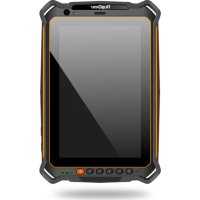
RG930i - Tablet RugGear - Free user manual and instructions
Find the device manual for free RG930i RugGear in PDF.



| Product Type | Rugged Tablet |
| Brand | RugGear |
| Model | RG930i |
| Dimensions (approx.) | 250 x 170 x 15 mm |
| Weight (approx.) | 650 g |
| Power | Lithium-ion rechargeable battery |
| Charging Temperature | 0 °C to +45 °C |
| Operating Temperature | -10 °C to +50 °C |
| Screen | 8 inch, touchscreen |
| Internal Storage | 32 GB (estimated) |
| Expandable Storage | microSD up to 128 GB |
| SIM | 1x microSIM |
| Connectivity | USB Type-C, USB OTG, 3.5mm headphone jack, magnetic charging, docking station |
| Resistance | Shock, dust, water (IP68 estimated) |
| Front Camera | Yes |
| Rear Camera | Yes |
| Main Functions | SOS button, programmable M1/M2 keys, standby mode, OEM restoration |
| Maintenance | Clean with a soft antistatic cloth, no chemicals |
| Safety | Do not open, repairs by authorized specialists, comply with SAR distances |
| SAR (head/trunk) | 1.45 W/kg (at 5 mm) |
| Warranty | Consult the RugGear website |
Frequently Asked Questions - RG930i RugGear
User questions about RG930i RugGear
0 question about this device. Answer the ones you know or ask your own.
Ask a new question about this device
Download the instructions for your Tablet in PDF format for free! Find your manual RG930i - RugGear and take your electronic device back in hand. On this page are published all the documents necessary for the use of your device. RG930i by RugGear.
USER MANUAL RG930i RugGear
Unit 1301, 13/F., Wing Tuck
Commercial Centre
Hong Kong
www.RugGear.com

ENGLISH
1. INTRODUCTION
This document contains information and safety regulations that must be observed for safe operation of the RG910 under the described conditions. Non-observance of this information and instructions can have serious consequences and/or may violate regulations. Please read the manual and these safety instructions before using the device! In the case of any doubt, the German version shall apply. The current EU-declaration of conformity, safety instructions and manuals can be found at www.RugGear.com, or requested from RugGear Ltd.
2. RESERVATION
The content of this document is presented as it currently exists. RugGear Ltd. does not provide any explicit or tacit guarantee for the accuracy or completeness of the content of this document, including, but not restricted to, the tacit guarantee of market suitability or fitness for a specific purpose unless applicable laws or court decisions make liability mandatory.
RugGear Ltd. reserves the right to make changes to this document or to withdraw it any time without prior notice. Changes, errors and misprints may not be used as a basis for any claim for damages. All rights reserved.
RugGear Ltd. cannot be held responsible for any data or other loss and direct or indirect damages caused by any improper use of this device.
3. EU-DECLARATION OF CONFORMITY
The EU-declaration of conformity can be found at the end of this manual.

4. FAULTS AND DAMAGES
If there is any reason to suspect that the safety of the device has been compromised, it must be withdrawn from use immediately.
Measures must be taken to prevent any accidental restarting of the device. The safety of the device may be compromised, if, for example:
- Malfunctions occur.
- The housing of the device shows damage.
- The device has been exposed to excessive loads.
- The device has been stored improperly.
- The device has been exposed to excessive loads.
- Markings or labels on the device are illegible.
We recommend that a device displaying errors or in which an error is suspected be sent back to RugGear Ltd. to be checked.
5. FURTHER SAFETY ADVICE
- Do not touch the screen of the device with sharp objects. Dust particles and nails may scratch the screen. Please keep the screen clean. Gently remove dust from the screen with a soft cloth and do not scratch the screen.
- Do not leave the device in environments with excessive temperatures, as this could lead to heating of the battery, resulting in fire or explosion.
- Do not charge the device near any flammable or explosive substances.
- Charge the device under indoor conditions only.
- Do not charge the device in environments with heavy dust or humidity.
- The device may only be charged at ambient temperatures between 0^ - 45^ .
- Do not use the device in areas where regulations or legislatives prohibit use.
- Do not expose the device or charger to strong magnetic fields, such as those emitted from induction ovens or microwaves.
- Do not attempt to open or repair the device. Improper repair or opening can lead to the destruction of the device, fire or explosion. Only authorized personnel are allowed to repair the device.
- Only use accessories approved by RugGear Ltd..
- Power off the device in hospitals or other places where the use of mobile phones is prohibited. This device may affect the functioning of medical equipment, such as pacemakers. Always keep a distance of at least 15cm between the device and these devices.
- Observe all corresponding laws that are in force in the respective countries regarding the use of devices while operating a vehicle.
-
Please power off the device and disconnect the charging cable before cleaning the device.
-
Do not use any chemical cleaning agents to clean the device or the charger. Use a damp and anti-static soft cloth for cleaning.
- The adapter be installed near the equipment and be easily accessible.
- The product must only be connected to USB interface version USB2.0.
- Use Use carefully with earphones as excessive sound pressure from phones and headphones can cause hearing loss.
- Do not discard old and abandoned lithium batteries in the trash; send them to designated waste disposal locations.
- The user is solely responsible for any and all damages and liabilities caused by malware downloaded when using the network or other data-exchange functions of the device. RugGear Ltd. cannot be held responsible for any of those claims.

Warning
RugGear Ltd. will not assume any liability for damages caused by disregarding any of these instructions or by any inappropriate use of the device.
6. MAINTENANCE/REPAIR
Please note any legal requirements for periodic inspection. The device itself has no user-serviceable parts. It is recommended to perform inspections according to the safety regulations and instructions. If there is a problem with the device, please contact your vendor or consult the service center. If your device is in need of repair, you can either contact the service center or your vendor.
7. BATTERY
The device must only be charged at ambient temperatures in a range from 0^ - 45^ . The phone's normal operating temperature is -10^ - 50^ . In order to ensure the normal phone functions, do not use this phone outside the temperature range.
Caution:
Risk of explosion if the battery is replaced by an incorrect type. Dispse of used batteries according to the instructions.
8. INSTALLATION OF THE MICRO SIM CARD
The device features one slot for a micro SIM card. The slot for the micro SIM card is on the top of the device (see page 3).
Warning
Do only change the SIM card when the device is switched off. Do not try to insert or remove the SIM cards when any external power supply is connected.
9. INSTALLATION OF THE microSD CARD
The device features a microSD card slot (up to 128GB). The slot for the microSD card is on the top of the device (see page 3).
To remove the microSD card, please make sure that the card is not in use by the device.
To remove the microSD card follow the instructions in
Warning
Only change the microSD card when the device is switched off. Do not try to insert or remove the microSD card when any external power supply is connected, otherwise the microSD card may be damaged.
10. KEYS AND SPECIAL FEATURES
(see illustration on page 3)
1_SOS KEY: Long press automatically selects an emergency number stored by you. This function can only be used in conjunction with an optionally available LWP app.
2 SD CARD SLOT: Use for microSD card.
3_SIM CARD SLOT: Use for SIM card.
4 CAMERA: Front camera.
5_VOLUME CONTROL: Volume up.
6 VOLUME CONTROL: Volume down.
7_CONTROL LED: Control LEDs for power on, loading and flash.
8_POWER KEY: Long press to power ON/OFF the device. Short press to power ON/OFF the standby mode.
9_FUNCTION KEY M1: Optional key used by different apps.
10_FUNCTION KEY M2: Optional key used by different apps.
11.Back KEY: Return to previous screen mask.
12_HOME KEY: Return to the homescreen.
13_CURRENT APPLICATION: Close all applications.
14_USB OTG: Connect external USB devices.
15_EARPHONE JACK: To connect an earphone.
16_MAGNETIC CHARGER PORT: To charge the device with the magnetic USB cable supplied.
17_DOCKING STATION: To connect to an external docking station (optional).
18_MICRO USB TYP C: To charge and to connect the device with the delivered USB cable.
11. SETTING THE PASSWORD
In settings a password is required; use the standard password 1234.
12. IMPORTANT INFORMATION!
FACTORY RESET/ACTIVATE OEM MODE
If you have set up a Google™ Account, it is important to proceed with the following steps before making a factory reset. This ensures that all private data will be deleted on the device:
If you do not enable the OEM unlocking, the device will always ask you to sign in with the previously syncd Google Account after the restart. In that case, the device is unusable for other user.
13. RECYCLING
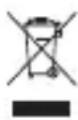
The crossed-out wheeled-bin symbol on your product, battery, literature, or packaging is there to you that all electrical and electronic products, batteries, and accumulators must be taken to a separate collection point at the end of their working life. This requirement applies in the European Union. Do not dispose of these products as unsorted municipal waste. Always return your used electronic products, batteries,
and packaging materials to dedicated collection points. This helps to prevent uncontrolled waste disposal and promote the recycling of materials. More detailed information is available from the product retailer, local waste authorities, national producer responsibility organisations, or your local RugGear Ltd. representative.
14. INFORMATION CONCERNING CE SAR CERTIFICATION (SPECIFIC ABSORBATION RATE)
The SAR limit for Europe is 2.0W / kg . The device has been tested against this SAR limit. The highest SAR value reported under this standard during product certification for use in the ear is 1.45W / kg . This device was tested for typical body-worn operations with the back of the handset kept 5mm from the body. The device complies with RF specifications when the device used at 5mm from your body. The use of belt clips, holsters and similar accessories should not contain metallic components in their assembly. The use of accessories that do not fulfill these requirements may not comply with RF exposure requirements and should be avoided.
15. TRADEMARKS
- Google is a trademark of Google LLC.
- All other trademarks and copyrights are the properties of their respective owners.
16. WARRANTY
- European customers please check: https://ruggear.com/warranty-terms/
Customers in Americas please check: https://ruggear.com/terms-and-conditions-americas/ - For FCC information, please go to www.RugGear.com under the "Support" section.
DEUTSCH
1. EINFUHRUNG
- For European customers please check: https://ruggear.com/warranty-terms/
For Customers in Americas please check: https://ruggear.com/terms-and-conditions-americas/
10. PAINIKKEIDEN TOIMINNOT
For European customers please check: https://ruggear.com/warranty-terms/
For Customers in Americas please check: https://ruggear.com/terms-and-conditions-americas/
6. VEDLIKEHOLD / REPARASJON
6. MANUTENÇAO/REPARAZAO
RugGear Ltd. He Noema OTROBOPHoc 3a 7eTN, pnpuHHeHn OT npeHe6perBaHe Ha HKarO T Te3N INCTpyKcnn Nn OT HnpaBnHa yNoTpe6a Ha yCTpoiCTBOTo.
6. NOA D PbXKA/PEMOHT
Mol, 6bPHe T BHMaHHe Ha 3aKoHOBnTe 3NCKBaHn 3a nepNoDnHa npOBepKa. CaMOTo yCTpoiCTBO HMa Yactn, KOnTO Da MoarTa Ce 6cnykBaT OT nOtpe6nteI. IpeopbUba Ce Da Ce N3BbPWBat npOBepKn B CbOTBeTCTBnE C npabnlaTa 3a 6e30nacHocT n NHCtpyKuNTe. Ako Ima npo6Jem C ycTPOiCTBOTO, CBpKeTe Ce C BaUNA DcTaBnK nIN Ce KOHCyTIpaNTe Cbc cepBn3Hn CEHTbp. Ako yCTPOiCTBOTO Ce HxKdae ot peMOHT, MOXeTe Da ce CBpKeTe Cbc cepBn3Hn CEHTbp nIN C BaUNA DoCTaBvNK.
7. BATEPNA
UcpoiCTBOTO Tp86Ba da ce 3apejda camo npn Tepepatypa Ha okoJHaTa Cpea B dnaHao OTO 0^ - 45°C. HopMaJIHaT a pa6oTHa Tempepatypa Ha TelefoHa e ot-10°C do 50°C. 3a da ocunpynte HopMaJIHNTe fHKuIN Ha TelefoHa, He n3PON3BaIte To3n TelefoH n3BbH TeMpepaTyHn DaNAa3OH.
BHHMaHHe:
Onacnoct ot ekcnno3n, ako 6aTepya ce cmeH n cHe npabIneH TnI. N3XBpIyTe n3No13BaHnTe 6aTeHHcNHO HCTpyKunTe.
8. VHCTAJINPAHE HA MICROSIM KAPTATA
YcTpoNCTBOTO pa3nOla rca c eINH CIO T 3a MmKpo SIM KapTa. CIO TB 3a MmKpo-SIM KapTaTa ce HAMnpa B roPHaTa YacT Ha yCtpoNCTBOTO (Bx. cTp. 3).
PpeynpeKdHne
CmeHnTe SIM kaptata cmo, KOraTo ycTpoNCTBOTO e n3KJIoueHo. He ce onntBaIte da nocTaBAre nn 13BaXdaTe SIM kaptTe, KOraTo e Cbbp3aHO BbHsHo 3axpaHbAhe.
9. VHCTAJIUPAHE HA KAPTATA 3A microSD
UcTpoNCTBOTO mMa cnot 3a microSD kapTa (do 128GB). CnoTbT 3a microSD kapTaTa ce HAmnpa B roPHaTa.
uact Ha ycTpoNCTBOTO (BK. cTp. 3).
3a da n3BaDnTe microSD KapTaTa, MoJyBepe Ce, Ye KapTaTa He ce n3NoJ3Ba OT yCtpoCTBOTo.
3aДаИЗВадиTe microSD KapTaTа, cleДаВаite ИнструкциTe B
PpeDynpexKdHne
CmeHnTe microSD kapTaTcamao, koraTo yctpoNCTBOTo e n3KJIIOUeHo. He ce onntBaIte da noCTaBte
mNn 3BaXdTe microSD kapTaTc, koraTo e cBbP3aHO BbHsHo 3axpaHBAHe, B npOTnBeH cnUyai microSD
kapTaTAt MoKe Da ce nobpeDn.
10. KJIABUNI IN CNEUNAHIN FYHKUN
4. NOMUNKNA NOUKOJXEHN
KUIO icHyObI niDCTaBn NiIO3pOBAtn NOpuWeHHN 6e3neKn npucTpoH, Ioro notpi6Ho HeraHOBunyHTN 3 ekCnlyataui. C1iBxNTn neBnX 3axoID BnyHKHeHH BnnaKOBOr npce3anycky npucTpoH.
IooB BnTayHny KapTKy microSD, nepekoHaIteCb, 0o BOHa He BnKOpncToByeTbc npicTpOeM.
ДяВТЯУВАнгКAPТКИ microSD ВИКОHAЛte iHCTpyKUПi po3dIy
PonepeJxKeHHa
3amHIOHTe KapTKy microSD liuhe, KOJI npucTpi BUMKHeHO. He HAmaraTeC8 BCTaBNTu a6o BnTHyTu KAPTKy microSD, kUso npucTpi NiKluOeHO do 3OBHIshbOro dKepeJa XNBleHHra, aJxke Lc MoKe noIkoNDTu KapTKy microSD.
10. KHONK T A CNEUIAbHI FOYHKU
(INB.MaJIHOHOKHaCTOpIH3)
1_KHONKA SOS: Tpmbale HaTncheHHa HcIO KONky aBtOMaTHUHO 6bnpa36epxeHH BAMn HomepeKcTpehoi cIyK6n. Lio fynkciIO MOxHa BnKOpNCTOByBaTu IINe pa30m 3doaTKOBOIO nporpaMOLO WLP.
2_ΓH3ДОДЛАΚΑΚΤΚSД:BικοριστOBуETьсЯДлэΚαρΤΚmicroSD.
3_ΓH13D0ДЛЯ SIM-KAPTKN:ВикорпсювуétбяДЛЯ SIM-kapTkN.
4_KAMEPA:пени Камер.
5_ynpabliHHraIyHICTIO:36iNbweHHraIyHocTi.
6_yNPABJIINHRAyHICTIO:3MeHwEHRAyHocTi.
7.CBITIOIOyYPABHINHH: CbitIOIOynypabHHyBIMKHeHHM,3aBaHTaxeHHMaTa cnaIaxom.
8_KHONKA XNBLEHH: TpBaNle HaTnCHeHHI yBIMKHeHH/BUMKHeHHI npncTpOIO. KopotKe HATNCHeHH Iy BIMKHeHH/BUMKHeHH pexiMy okiyBaHH.
9_KHONKA ΦYHKI M1:ДоаТКОВа KHONKa, ДО ВИКОРИСТОВЕТБСЯ рIЗнIMnpoГрмamN.
10_KHONKA ΦYHKζι M2:ДоаТКОВа Kногka, сο ВИКористовуетьс рi3нHMnporpaMaM.
11_KHONKA «HA3AD»: Повернени до посядьошackи ekpa hy.
12_KHONKA «ДОДOMY»: Повернения на гоговни ekран.
13.NOTOUHA NPOPGPAMA: 3akpnTBAcix nporpaM.
14_USBOTG:Пдклоченя зовихix USB-псntpoiB.
15.THI3DO AINHABUYHHKIB:PiKJIIOueHnHaBvHHNKIB.
16. NOPT 4 MArHITHO 3APADHO 3PNCPOIO: 3apAka npucpto 3a DOIOMOIO MaHITHO 2 USB-ka6eio 3 KOMNKeTy NocTAbKn.
17.DOK-CTAHUI:PiKIIoueHHo Do 3OBHihBoi DOK-CTAHU (DoaTKOBO).
18.MICRO USB, TIN C: 3apraKa TelefoHy Ta niKluueHHn npncTpoH 3a donomoroo USB-ka6eIHO 3 KOMNKeTyr nocTabKn.
11. YCTAHOBKA IAPOJIIO
ДязминHaIaWtYBaHbNotp6HoBBeCTnnapoIb;ckOpncTaeTecbCTaHapTHeMnapoJem1234.
12. BAXJIINBA IHΦOPMALI;
CKUDAHNNIO3ABOcBkNXNAPAMETPIB/AKTUBAUPEKIMMY OEM
KuOyBac o6nIKOBn 3aHnC GoogletM,Notpi6HO BnKOHaTn HaCTynHi KpOKn, nepw Hix BnKOHaTn CKnDaHHN DO 3aBOcBKnX npaMeTpB. LepapaHTye BnLyueHHB Cix Oco6nctnx DaHNx 3 npncpto:
KUo BV He yBIMKHyn npaMeTp «Po36NoKyBaHnEOM», npncTpii 6yde 3aBxKn BmaraTn BxOy do paHlwe cInxpoHi3OBaHOrO o6liKObOrO 3anCy GoogLe nicra KoxHoro nepe3aBaHTaxKeHHr. U cIbOMy BUnaKy npncTpii 6yde HnPnDaTHm dny iHux KopncTyBauch.
13. INPEPEPO6KA
CIMBOI 3 nepekeceHnM 36paKeHHa CMIIEBOrO KOHTeHepa Ha BaWOM npncTpoi, akyMJIaTOpi, y noci6nky a6o Ha ynaKOBuHa ragaJe npo Te, 0o nicra 3akInueHHa TepmiHy cnyXb Bci eNeKTpnHi Ta eNeKTPOHHi BINO6, 6ataeTa akyMJIaTOpu NobHHI 3daBATnC B OKpemN pyHKt ix 3bnpaHHa. Zy BMORA CTocyeTBcR EBPonecBkoTOcoHOy. He BnKaJaTe 9 npOdykTN 3 HecOPToBaHm NObyTOBnM CMITTM. 3abxJn 3daBaAte BnOPNCaHI eNeKTPOHHi npOdykTN, akyMJIaTOpu Ta naKyBaJIbHi MaTepiAnI Do CneiaJIbHNx NyKtIB 36npaHHa. Ze donomarae 3anO6irTu HeKOHTpoBbAHi ytnlI3aui BIXxoIDIB i cnprnE NOBTOPHI nepepo6ci NeBHnx MaTePiAnIB. BInbU DetalbHy iHOFopMaCiIO MoXHa OTPMaTn
y NocTaHbHnka ToBapiB, MicueBx opraHIB BlaDu, kki 3aMHaTOBc PNTaHHMaB iDxOiB, oprHaI3aui, kki KOHTpOJIIOuTb BiIDNObIAbHicTB HaioHaIbHnx BInpo6HnKiB, a6o B MicCeBOMy npedCTaBHnucTBI KOMpaHII RugGear Ltd.
14. IHΦOPMAUJI ΜΟΟ ΚEPTNΦIKAUJI CE SAR
(NITOMA NOTUKHICTb NOTJINHAHH BUNPOMIHOBAHN OPRAH3MOM JIOHNH)
MaKcImaJIbHn pIbeHb SAR Iy EByoN cTaHOBntb 2.0 Bt/kr. PnpCTpi npoTeObaHo y BiIOBIDHOCTi Do daHOro MaKcImaJIbHoro pIBH Sar. Pp npoBeEHHI cepTnphiKaII 3a daHm CTAHaDAPTom HaBNUe 3NaueHH NITOMOI NOTXHOCTI NORINHNNr CTAOBNTb 1,45 Bt/kr npn BkOpNCtHHi 3 HabyuHNKAMN. DaHn npicptpi 6yb npoTeCToBaHn 3 ypaxyBaHHM TINOBOI ekCnlyataqii TInbHOI CTOPOH TeJeFOHy Ha BiCTahi 5 MM BiD KopnyCykopNCTyBaA. PnpCTpi BiIOBIAe BIMoram RF (ctAHdapTb paioactOT) npu yMOBI NO RIKOPNCtAHn HA BiCTahi 5 MM BiD KopnyCykopNCTyBaA. KICatopo NKPiINHeHHdo NoIocHORo peMeHry, YoXn Ta aHaIorIH i AkceCyApri npicpto He NobHHMI CiTHTn MeTaJIeBx KOMNoHEHTiB. EkCnlyaataiHaHaJExhNx akceCyapIB MoKe BnIbBaTu Na HeBiIOBIdHCTb npictpoO cTaHdApTa m paiaouactOT. PeKomeHDoBaHO yHnKaTn BkOpNCtAHN TaKHX akceCyapIB.
15. TOPROBEJIbHI MAPKNI
Google e ToproBeJbHO MapKoIO KOMnHaHII Google LLC.
- Bci iHsi ToproBebHi MapKn Ta aBTOpcbKi npBa e BlaChicTIO BiIDNoBiDnX BlaChNkIB.
16.「APAHTI
- Inφopmaζίνι Κλείητιν 3 ευρού: https://ruggear.com/warranty-terms/
IhOpMaJia Iy KJIeHTiB 3 AmePnK: https://ruggear.com/terms-and-conditions-américas/ - Дя отpresmaнь iHфopmaць il Odo FCC nepeiTiB ha caT www.RugGear.com, po3diI «TexhiHa piIDTPMka».
TÜRKÇE
1. GiriS
a a a a a a a a a a a a a a a a a a a a a a a a a a a a a a a a
.
y j 1
j j 1
y j 1
y
+0a+45,a
aaii aiee iie eae eae eae eae eae eae eae eae eae eae eae eae eae eae eae eae eae eae eae eae eae eae eae eae eae eae eae eae eae eae eae eae eae eae eae eae eae eae eae
J 1
abysy 1 jaylal yjag aeg y, o jai g ai ae jayll ayi ayi ayi ayi ayi ayi ayi ayi ayi ayi ayi ayi ayi ayi ayi ayi ayi ayi ayi ayi ayi ayi ayi ayi ayi ayi ayi ayi ayi ayi ayi ayi ayi ayi ayi ayi ayi ayi ayi ayi ayi ayi ayi ayi ayi ayi ayi ayi ayi ayi ay
.
RugGear Ltd.
Jia aalil jaiuul luii jiall iie jaiy d, all gall gell alllgail gill syl slaljai jaiy p
15 15 a
a a a a a a a a a a a a a a a a a a a a a a a a a
jll jll jll jll jll jll jll
. 1
USB2.0 USB
aannn nnnn nn nnnn nnnn nnnn nnnn nnnn nnnn nnnn nnnn nnnn nnnn nnnn nnnn nnnn nnnn nnnn nnnn nnnn nnnn nnnn nnnn nnnn nnnn nnnn nnnn nnnn nnnn nnnn nnnn nnnn nnnn nnnn nnnn nnnn nnnn nn
y
a a a a a a a a a a a a a a a a a a a a a a a a a a a
RugGear Ltd.
i
RugGear Ltd.
2LAD
a
Ae 1
J 1
7
j 2
45+ 0+
a 10 a 10
. jlll 12 c 36
4.1
a a a a a a a a a a a a a a a a a a a a a a a a
SIM 8.8
. (aia jai) jai jai syy aai siSIM ai bai aai . ai si SIM ai bai sai , ai ia jai
https://ruggear.com/warranty-terms
:
https://ruggear.com/terms-and-conditions-americas
Cloglaue U.
www.RugGear.com FCC
有 SE( 1 - x) = ( x - 1) x + 2( -2x)
MAXIMUM OUTPUT POWER
| Frequency bands | Maximum output power |
| GSM 900 | 32dBm |
| DCS 1800 | 29dBm |
| WCDMA 900 | 23dBm |
| WCDMA 2100 | 23dBm |
| LTE Band 1 | 23.5dBm |
| LTE Band 3 | 23.5dBm |
| LTE Band 7 | 22.5dBm |
| LTE Band 20 | 23.5dBm |
| LTE Band 28 | 23dBm |
| LTE Band 40 | 23.5dBm |
| WiFi | 15.25dBm |
| BT | 6.5dBm |
FREQUENCIES
| GPS Receive Frequency | 1575.42MHz |
| FM Receive Frequency | 88MHz to 108MHz |
| NFC Transmit Frequency | 13.56MHz |
EU-Declaration of Conformity
according to directives 2014/53/EU and 2011/65/EU (2015/863/EU)
The company RugGear Ltd. declares under its sole responsibility that the product to which this declaration relates is in accordance with the provisions of the following data, directives and standards:
| Name & address of the manufacturer | Power Idea Technology (Shenzhen) Co., Ltd. 4th Floor, A Section, Languang Science & Technology Building, No.7 Xinxi RD, Hi -Tech Industrial Park North, Nanshan District |
| Description of the device: | Rugged tablet Computer |
| Type designation(s): | RG910 |
| Trademark: | RugGear |
| Conformity statement 2014/53/EU issued by | ACB, Inc. 6731 Whittier Avenue, Suite C110 McLean, VA 22101, USA Notified Body No.1588 ACTB number: ATCB022579 |
| Conformity statement 2015/863/EU amending 2011/65/EU issued by | SGS-CSTC Standards Technical Services Co., Ltd. Guangzhou Branch 198 Kezhu Road, Scientech Park Guangzhou Economic & Technology Development District, Guangzhou, China 510663 |
| Description of accessories and components, including software, which allow the radio equipment to operate as intended and covered by the DoC: | Battery: BL600FP Adapter: HKC0115021-3B Data Cable: USB2.0 AM TO TYPE C 5V/3A 1.0M Magnetic Charging Cable: HY91-00194-001 Software: RG910_EU_O_V1.1_2.2_V06W_20180404 Hardware: V1.03 |
| Applied harmonized standards EN 60950-1:2006 + A11:2009 + A1:2010 + A12:2011 + A2 2013;EN 50332-1:2013;EN 50332-2:2013; Draft EN 301 489-1 V2.2.0;Draft EN 301 489-3 V2.1.1;Draft EN 301 489-17 V3.2.0;Draft EN 301 489-52 V1.1.0;Draft EN 301 489-19 V2.1.0;EN 55024: 2010+A1:2015;EN 55035:2017;EN 55032: 2015/ AC:2016-07;EN 301 511 V12.5.1;EN 301 908-1 V11.1.1;EN 301 908-2 V11.1.1;EN 301 908-13 V11.1.1; EN 303 413 V1.1.1;Draft EN 303 345 V1.1.7;EN 300 330 V2.1.1;EN 300 328 V2.1.1;EN 62209-2:2010; EN 50566:2017;EN 62479:2010 | |
Signed for and on behalf of:
Shenzhen, 2018-4-18
Place and date of issue
Alex Ma, R&D Director
gear your life.
RugGear Ltd.
Unit 1301, 13/F, Wing Tuck Commercial Centre
177 Wing Lok Street, Sheung Wan, Hong Kong
Hong Kong
www.RugGear.com