
Power Tools - Vacuum Cleaner BOSCH - Free user manual and instructions
Find the device manual for free Power Tools BOSCH in PDF.
 FR
FR
 BG
BG
 CS
CS
 DA
DA
 DE
DE
 EL
EL
 EN
EN
 ES
ES
 ET
ET
 FI
FI
 HU
HU
 IT
IT
 KK
KK
 KO
KO
 LT
LT
 LV
LV
 MK
MK
 NL
NL
 NO
NO
 PL
PL
 PT
PT
 RO
RO
 RU
RU
 SK
SK
 SL
SL
 SV
SV
 TR
TR
 UK
UK
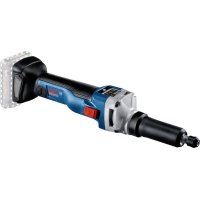
| Product Type | Cordless Straight Grinder |
| Brand | Bosch |
| Model | GGS 18V-10 SLC |
| Rated Voltage | 18 V |
| Rated Speed | 10,500 min⁻¹ |
| Max. Clamping Chuck Diameter | 8 mm |
| Max. Grinding Wheel Diameter | 50 mm |
| Max. Polishing Tool Diameter | 80 mm |
| Weight (according to EPTA) | 2.2 – 3.0 kg (depending on battery) |
| Integrated Protection | Kickback stop, restart protection, drop protection |
| Connectivity | Bluetooth Low Energy (optional module) |
| Sound Level | 79 dB(A) (uncertainty K=3 dB) |
| Vibration (grinding) | 8.5 m/s² (uncertainty K=1.5 m/s²) |
| Compatible Batteries | GBA 18V…, ProCORE18V… |
| Compatible Chargers | GAL 18…, GAX 18V…, GAL 36… |
| Recommended Charging Temperature | 0…+35 °C |
| Operating and Storage Temperature | -20…+50 °C |
| Battery Protection | Electronic Cell Protection (ECP) |
| Intended Use | Grinding, deburring, sanding, brushing, polishing, milling of metals |
| Maintenance | Clean ventilation slots regularly; keep tool clean |
| Spare Parts | Available at www.bosch-pt.com |
| After-Sales Service | Contact Bosch service for your country (details in manual) |
Frequently Asked Questions - Power Tools BOSCH
User questions about Power Tools BOSCH
0 question about this device. Answer the ones you know or ask your own.
Ask a new question about this device
Download the instructions for your Vacuum Cleaner in PDF format for free! Find your manual Power Tools - BOSCH and take your electronic device back in hand. On this page are published all the documents necessary for the use of your device. Power Tools by BOSCH.
USER MANUAL Power Tools BOSCH
GGS 18V-10 SLC Professional
Robert Bosch Power Tools GmbH
70538 Stuttgart
GERMANY
www.bosch-pt.com
160992A5E8(2020.02)0/306
1609 92A 5E8
Ukrainian... Page 169
Kazakh... Page 179
Romanian... Page 190
Macedonian... Page 210
Serbian... Page 220
Slovenian... Page 228
General Power Tool Safety Warnings
WARNING
Read all safety warnings and all instructions. Failure to follow the
warnings and instructions may result in electric shock, fire and/or serious injury.
Save all warnings and instructions for future reference. The term "power tool" in the warnings refers to your mains-operated (corded) power tool or battery-operated (cordless) power tool.
Work area safety
- Keep work area clean and well lit. Cluttered or dark areas invite accidents. Do not operate power tools in explosive atmospheres, such as in the presence of flammable liquids, gases or
dust. Power tools create sparks which may ignite the dust or fumes.
- Keep children and bystanders away while operating a power tool. Distractions can cause you to lose control.
Electrical safety
Power tool plugs must match the outlet. Never modify the plug in any way. Do not use any adapter plugs with earthed (grounded) power tools. Unmodified plugs and matching outlets will reduce risk of electric shock. Avoid body contact with earthed or grounded surfaces, such as pipes, radiators, ranges and refrigerators. There is an increased risk of electric shock if your body is earthed or grounded. Do not expose power tools to rain or wet conditions. Water entering a power tool will increase the risk of electric shock. Do not abuse the cord. Never use the cord for carrying, pulling or unplugging the power tool. Keep cord away from heat, oil, sharp edges or moving parts. Damaged or entangled cords increase the risk of electric shock. When operating a power tool outdoors, use an extension cord suitable for outdoor use. Use of a cord suitable for outdoor use reduces the risk of electric shock. If operating a power tool in a damp location is unavoidable, use a residual current device (RCD) protected supply. Use of an RCD reduces the risk of electric shock.
Personal safety
Stay alert, watch what you are doing and use common sense when operating a power tool. Do not use a power tool while you are tired or under the influence of drugs, alcohol or medication. A moment of inattention while operating power tools may result in serious personal injury. Use personal protective equipment. Always wear eye protection. Protective equipment such as dust mask, non-skid safety shoes, hard hat, or hearing protection used for appropriate conditions will reduce personal injuries. Prevent unintentional starting. Ensure the switch is in the off-position before connecting to power source and/or battery pack, picking up or carrying the tool. Carrying power tools with your finger on the switch or energising power tools that have the switch on invites accidents. Remove any adjusting key or wrench before turning the power tool on. A wrench or a key left attached to a rotating part of the power tool may result in personal injury. Do not overreach. Keep proper footing and balance at all times. This enables better control of the power tool in unexpected situations. Dress properly. Do not wear loose clothing or jewellery. Keep your hair, clothing and gloves away from
moving parts. Loose clothes, jewellery or long hair can be caught in moving parts.
If devices are provided for the connection of dust extraction and collection facilities, ensure these are connected and properly used. Use of dust collection can reduce dust-related hazards.
Power tool use and care
Do not force the power tool. Use the correct power tool for your application. The correct power tool will do the job better and safer at the rate for which it was designed. Do not use the power tool if the switch does not turn it on and off. Any power tool that cannot be controlled with the switch is dangerous and must be repaired. - Disconnect the plug from the power source and/or the battery pack from the power tool before making any adjustments, changing accessories, or storing power tools. Such preventive safety measures reduce the risk of starting the power tool accidentally. - Store idle power tools out of the reach of children and do not allow persons unfamiliar with the power tool or these instructions to operate the power tool. Power tools are dangerous in the hands of untrained users. - Maintain power tools. Check for misalignment or binding of moving parts, breakage of parts and any other condition that may affect the power tool's operation. If damaged, have the power tool repaired before use. Many accidents are caused by poorly maintained power tools. - Keep cutting tools sharp and clean. Properly maintained cutting tools with sharp cutting edges are less likely to bind and are easier to control. Use the power tool, accessories and tool bits etc. in accordance with these instructions, taking into account the working conditions and the work to be performed. Use of the power tool for operations different from those intended could result in a hazardous situation.
Battery tool use and care
- Recharge only with the charger specified by the manufacturer. A charger that is suitable for one type of battery pack may create a risk of fire when used with another battery pack. Use power tools only with specifically designated battery packs. Use of any other battery packs may create a risk of injury and fire. When battery pack is not in use, keep it away from other metal objects, like paper clips, coins, keys, nails, screws or other small metal objects, that can make a connection from one terminal to another. Shorting the battery terminals together may cause burns or a fire. Under abusive conditions, liquid may be ejected from the battery; avoid contact. If contact accidentally occurs, flush with water. If liquid contacts eyes, addi
tionally seek medical help. Liquid ejected from the battery may cause irritation or burns.
Service
Have your power tool serviced by a qualified repair person using only identical replacement parts. This will ensure that the safety of the power tool is maintained.
Safety instructions for all applications
Safety warnings common for grinding, sanding, wire brushing, polishing, carving or abrasive cutting-off operations
This power tool is intended to function as a grinder, sander, wire brush, polisher, carving or cut-off tool. Read all safety warnings, instructions, illustrations and specifications provided with this power tool. Failure to follow all instructions listed below may result in electric shock, fire and/or serious injury. Do not use accessories which are not specifically designed and recommended by the tool manufacturer. Just because the accessory can be attached to your power tool, it does not assure safe operation. The rated speed of the grinding accessories must be at least equal to the maximum speed marked on the power tool. Grinding accessories running faster than their rated speed can break and fly apart. The outside diameter and the thickness of your accessory must be within the capacity rating of your power tool. Incorrectly sized accessories cannot be adequately controlled. The arbour size of wheels, sanding drums or any other accessory must properly fit the spindle or collet of the power tool. Accessories that do not match the mounting hardware of the power tool will run out of balance, vibrate excessively and may cause loss of control. - Mandrel mounted wheels, sanding drums, cutters or other accessories must be fully inserted into the collet or chuck. If the mandrel is insufficiently held and/or the overhang of the wheel is too long, the mounted wheel may become loose and be ejected at high velocity. Do not use a damaged accessory. Before each use inspect the accessory such as abrasive wheels for chips and cracks, sanding drum for cracks, tear or excess wear, wire brush for loose or cracked wires. If power tool or accessory is dropped, inspect for damage or install an undamaged accessory. After inspecting and installing an accessory, position yourself and bystanders away from the plane of the rotating accessory and run the power tool at maximum no-load speed for one minute. Damaged accessories will normally break apart during this test time. Wear personal protective equipment. Depending on application, use face shield, safety goggles or safety glasses. As appropriate, wear dust mask, hearing protectors, gloves and workshop apron capable of stopping small abrasive or workpiece fragments. The eye protection must be capable of stopping flying debris generated by various operations. The dust mask or respirator must be capable of filtrating particles generated by your operation. Prolonged exposure to high intensity noise may cause hearing loss.
generated by various operations. The dust mask or respirator must be capable of filtrating particles generated by your operation. Prolonged exposure to high intensity noise may cause hearing loss.
- Keep bystanders a safe distance away from the work area. Anyone entering the work area must wear personal protective equipment. Fragments of the workpiece or of a broken accessory may fly away and cause injury beyond the immediate area of operation. Hold the power tool by insulated gripping surfaces only when performing an operation where the cutting accessory may contact hidden wiring or its own cord. Cutting accessory contacting a "live" wire may make exposed metal parts of the power tool "live" and could give the operator an electric shock. Always hold the tool firmly in your hand(s) during start-up. The reaction torque of the motor, as it accelerates to full speed, can cause the tool to twist. Use clamps to support the workpiece whenever practical. Never hold a small workpiece in one hand and the tool in the other hand while in use. Clamping a small workpiece allows you to use your hand(s) to control the tool. Round material such as dowel rods, pipes, or tubing have a tendency to roll while being cut, and may cause the bit to bind or jump toward you. Position the cord clear of the spinning accessory. If you lose control, the cord may be cut or snagged and your hand or arm may be pulled into the spinning accessory.
- Never lay the power tool down until the accessory has come to a complete stop. The spinning accessory may grab the surface and pull the power tool out of your control. After changing the bits or making any adjustments, make sure the collet nut, chuck, or any other adjustment devices are securely tightened. Loose adjustment devices can unexpectedly shift, causing loss of control; loose rotating components will be violently thrown. Do not run the power tool while carrying it at your side. Accidental contact with the spinning accessory could snag your clothing, pulling the accessory into your body. Regularly clean the power tool's air vents. The motor's fan will draw dust inside the housing, and excessive accumulation of powdered metal may cause electrical hazards. Do not operate the power tool near flammable materials. Sparks could ignite these materials. Do not use accessories that require liquid coolants. Using water or other liquid coolants may result in electrocution or shock.
Kickback and related warnings
Kickback is a sudden reaction to a pinched or snagged rotating wheel, sanding band, brush, or any other accessory. Pinching or snagging causes rapid stalling of the rotating accessory, which in turn causes the uncontrolled power tool to
be forced in the direction opposite of the accessory's rotation.
For example, if an abrasive wheel is snagged or pinched by the workpiece, the edge of the wheel that is entering into the pinch point can dig into the surface of the material, causing the wheel to climb out or kick out. The wheel may either jump toward or away from the operator, depending on the direction of the wheel's movement at the point of pinching. Abrasive wheels may also break under these conditions.
Kickback is the result of power tool misuse and/or incorrect operating procedures or conditions and can be avoided by taking proper precautions as given below.
- Maintain a firm grip on the power tool and position your body and arm to allow you to resist kickback forces. The operator can control kickback forces, if proper precautions are taken. Use special care when working corners, sharp edges etc. Avoid bouncing and snagging the accessory. Corners, sharp edges or bouncing have a tendency to snag the rotating accessory and cause loss of control or kickback. Do not attach a toothed saw blade. Such blades create frequent kickback and loss of control. Always feed the bit into the material in the same direction as the cutting edge is exiting from the material (which is the same direction as the chips are thrown). Feeding the tool in the wrong direction causes the cutting edge of the bit to climb out of the work and pull the tool in the direction of this feed.
- When using rotary files, cut-off wheels, high-speed cutters or tungsten carbide cutters, always have the work securely clamped. These wheels will grab if they become slightly canted in the groove, and can kickback. When a cut-off wheel grabs, the wheel itself usually breaks. When the rotary file, high-speed cutter or tungsten carbide cutter grab, it may jump from the groove and you could lose control of the tool.
Safety warnings specific for grinding and abrasive cutting-off operations
Use only wheel types that are recommended for your power tool and only for recommended applications. For example: do not grind with the side of a cut-off wheel. Abrasive cut-off wheels are intended for peripheral grinding, side forces applied to these wheels may cause them to shatter. For threaded abrasive cones and plugs use only undamaged wheel mandrels with an unrelieved shoulder flange that are of correct size and length. Proper mandrels will reduce the possibility of breakage. Do not "jam" a cut-off wheel or apply excessive pressure. Do not attempt to make an excessive depth of cut. Overstressing the wheel increases the loading and susceptibility to twisting or snagging of the wheel in the cut and the possibility of kickback or wheel breakage. Do not position your hand in line with and behind the rotating wheel. When the wheel, at the point of opera
tion, is moving away from your hand, the possible kickback may propel the spinning wheel and the power tool directly at you.
When wheel is pinched, snagged or when interrupting a cut for any reason, switch off the power tool and hold the power tool motionless until the wheel comes to a complete stop. Never attempt to remove the cutoff wheel from the cut while the wheel is in motion otherwise kickback may occur. Investigate and take corrective action to eliminate the cause of wheel pinching or snagging. Do not restart the cutting operation in the workpiece. Let the wheel reach full speed and carefully re-enter the cut. The wheel may bind, walk up or kickback if the power tool is restarted in the workpiece. Support panels or any oversized workpiece to minimize the risk of wheel pinching and kickback. Large workpieces tend to sag under their own weight. Supports must be placed under the workpiece near the line of cut and near the edge of the workpiece on both sides of the wheel. Use extra caution when making a "pocket cut" into existing walls or other blind areas. The protruding wheel may cut gas or water pipes, electrical wiring or objects that can cause kickback.
Safety warnings specific for wire brushing operations
Be aware that wire bristles are thrown by the brush even during ordinary operation. Do not overstress the wires by applying excessive load to the brush. The wire bristles can easily penetrate light clothing and/or skin. - Allow brushes to run at operating speed for at least one minute before using them. During this time no one is to stand in front or in line with the brush. Loose bristles or wires will be discharged during the run-in time. Direct the discharge of the spinning wire brush away from you. Small particles and tiny wire fragments may be discharged at high velocity during the use of these brushes and may become imbedded in your skin.
Additional safety information
Do not touch grinding and cutting discs until they have cooled down. The discs can become very hot while working. - Secure the workpiece. A workpiece clamped with clamping devices or in a vice is held more secure than by hand. This power tool is not suitable for bench-mounted use. It must not be clamped into a vice or fastened to a workbench, for example. In case of damage and improper use of the battery, vapours may be emitted. The battery can set alight or explode. Ensure the area is well ventilated and seek medical attention should you experience any adverse effects. The vapours may irritate the respiratory system. Do not open the battery. There is a risk of short-circuiting.
The battery can be damaged by pointed objects such as nails or screwdrivers or by force applied externally. An internal short circuit may occur, causing the battery to burn, smoke, explode or overheat. Only use the battery with products from the manufacturer. This is the only way in which you can protect the battery against dangerous overload.

Protect the battery against heat, e.g. against continuous intense sunlight, fire, dirt, water and moisture. There is a risk of explosion and short-circuiting.
- Caution! When using the power tool with Bluetooth, a fault may occur in other devices and systems, aeroplanes and medical devices (e.g. pacemakers, hearing aids). Also, damage to people and animals in the immediate vicinity cannot be completely excluded. Do not use the power tool with Bluetooth in the vicinity of medical devices, petrol stations, chemical plants, areas with a potentially explosive atmosphere or in blasting areas. Do not use the power tool with Bluetooth in aircraft. Avoid using the product near your body for extended periods.
The Bluetooth* word mark and logos are registered trademarks owned by Bluetooth SIG, Inc. and any use of such marks by Robert Bosch Power Tools GmbH is under license.
Product Description and Specifications

Read all the safety and general instructions. Failure to observe the safety and general instructions may result in electric shock, fire and/or serious injury.
Please observe the illustrations at the beginning of this operating manual.
Intended Use
The power tool is intended for grinding and deburring metal with corundum grinding tools, as well as for working with sanding belt tools, sanding with sanding discs and milling.
The power tool is additionally intended for brushing and polishing metal.
With the Bluetooth Low Energy Module GCY 30-4 inserted, power tool data and settings can be transferred between the power tool and a mobile device by means of Bluetooth wireless technology.
Product Features
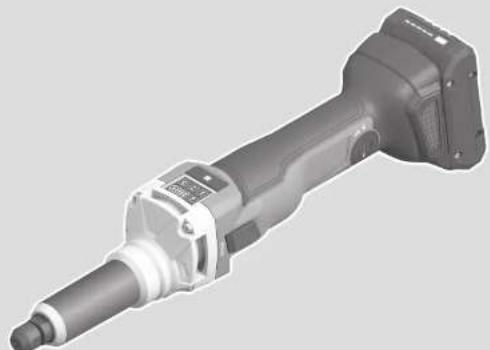
The numbering of the product features refers to the diagram of the power tool on the graphics page.
(1) Collet (2) Clamping nut (3) Grinding spindle (4) Spindle neck (insulated gripping surface)
(5) On/off switch (6) Battery release button (7) Battery (8) Handle (insulated gripping surface) (9) Cover for GCY 30-4 Bluetooth® Low Energy Module (10) Open-ended spanner on the grinding spindle (11) Open-ended spanner on the clamping nut (12) Inner shank dimension L0 (13)User interface (14) Battery charge indicator (user interface) (15) Speed setting indicator (user interface) (16) Speed preselection button (user interface) (17) Power tool status indicator (user interface) (18) Overload protection indicator (user interface)
A) Accessories shown or described are not included with the product as standard. You can find the complete selection of accessories in our accessories range.
Technical Data
Straight grinder GGS 18V-10 SLC
| Article number | 3601 BB40.. | |
| Rated voltage V= 18 | ||
| Rated speedA) | min-1 | 10,500 |
| Max. collet diameter mm 8 | ||
| Spanner flat on the | ||
| - Clamping nut mm 19 | ||
| - Grinding spindle mm 19 | ||
| Spindle collar diameter mm 43 | ||
| Max. grinding tool diameter mm 50 | ||
| Max. polishing tool diameter mm 80 | ||
| Kickback stop ● | ||
| Restart protection ● | ||
| Weight according to EPTA-Procedure 01:2014A) | kg 2.2-3.0 | |
| Recommended ambient temperature during charging | °C 0 to +35 | |
| Permitted ambient temperature during operationB) and during storage | °C -20 to +50 | |
| Recommended batteries | GBA 18V... ProCORE18V... | |
| Recommended chargers | GAL 18... GAX 18V... GAL 36... | |
| Data transmission | ||
| Bluetooth* | Bluetooth® 4.1 (Low Energy)C) | |
| Signal interval | s 8 |
Straight grinder GGS 18V-10 SLC
Max. signal range[1] m 30
A) Depends on battery in use. B) Limited performance at temperatures < 0°C. C) The mobile terminal devices must be compatible with Bluetooth® Low Energy devices (version 4.1) and support the Generic Access Profile (GAP). D) The signal range may vary greatly depending on external conditions, including the receiving device used. The Bluetooth® range may be significantly weaker inside closed rooms and through metallic barriers (e.g., walls, shelving units, cases, etc.).
Noise/Vibration Information
Noise emission values determined according to EN 60745-2-23.
Typically, the A-weighted sound pressure level of the power tool is 79 dB(A). Uncertainty K = 3 dB. The noise level when working can exceed the volume stated. Wear hearing protection!
Vibration total values a_h (triax vector sum) and uncertainty K determined according to EN 60745-2-23:
Surface grinding (roughing with grinding tool diameter of 25 mm):
a_n = 8.5 m/s², K = 1.5 m/s²
The vibration level given in these instructions has been measured in accordance with a standardized measuring procedure and may be used to compare power tools. It can also be used for a preliminary estimation of exposure to vibration.
The stated vibration level applies to the main applications of the power tool. However, if the power tool is used for different applications, with different application tools or poorly maintained, the vibration level may differ. This can significantly increase the exposure to vibration over the total working period.
To estimate the exposure to vibration accurately, the times when the tool is switched off or when it is running but not actually being used should also be taken into account. This can significantly reduce the exposure to vibration over the total working period.
Implement additional safety measures to protect the operator from the effects of vibration, such as servicing the power tool and application tools, keeping the hands warm, and organizing workflows correctly.
Fitting
Inserting the Bluetooth Low Energy
Module GCY 30-4
Note: The Bluetooth * Low Energy Module GCY 30-4 is available as an accessory.
Read the corresponding operating instructions for information about the Bluetooth® Low Energy Module GCY 30-4.
18|English
Battery Charging
Use only the chargers listed in the technical data. Only these chargers are matched to the lithium-ion battery of your power tool.
Note: The battery is supplied partially charged. To ensure full battery capacity, fully charge the battery in the charger before using your power tool for the first time.
The lithium-ion battery can be charged at any time without reducing its service life. Interrupting the charging process does not damage the battery.
The lithium-ion battery is protected against deep discharge by the "Electronic Cell Protection (ECP)". When the battery is discharged, the power tool is switched off by means of a protective circuit: The application tool no longer rotates.
Do not continue to press the On/Off switch after the power tool has automatically switched off. The battery can be damaged.
Follow the instructions on correct disposal.
Removing the Battery
The battery (7) is equipped with two locking levels to prevent the battery from falling out when pushing the battery release button (6) unintentionally. As long as the battery is inserted in the power tool, it is held in position by means of a spring.
To remove the battery (7), press the release button (6) and pull the battery out of the power tool. Do not use force to do this.
Battery charge indicator
The green LEDs on the battery charge indicator indicate the state of charge of the battery. For safety reasons, it is only possible to check the state of charge when the power tool is not in operation.
Press the button for the battery charge indicator to show the state of charge. This is also possible when the battery is removed.
If no LED lights up after pressing the button for the battery charge indicator, then the battery is defective and must be replaced.
Note: The state of charge of the battery is also displayed on the user interface (13) (see "Status indications", page 20).
Battery model GBA 18V...

LEDs Capacity
3x continuous green light 60 - 100% 2x continuous green light 30 - 60% 1x continuous green light 5 - 30% 1x flashing green light 0 - 5%
Battery model ProCORE18V...

LEDs Capacity
5x continuous green light 80 - 100% 4x continuous green light 60 - 80% 3x continuous green light 40 - 60% 2x continuous green light 20 - 40% 1x continuous green light 5 - 20% 1x flashing green light 0 - 5%
Fitting the Abrasive Tools (see figure A)
- Remove the battery from the power tool before carrying out work on the power tool (e.g. maintenance, changing tool, etc.). The battery should also be removed for transport and storage. There is risk of injury from unintentionally pressing the on/off switch. Only use open-ended spanners that are suitable and undamaged (see "Technical Data").
- Clean the grinding spindle (3) and all the parts to be fitted.
- Use an open-ended spanner (10) on the spanner flat of the grinder spindle (3) to hold it in place. Loosen the clamping nut (2) by placing an open-ended spanner (11) on the spanner flat and turning it counterclockwise.
- Insert the straight shank of the grinding tool all the way into the collet (1). Hold the grinding spindle (3) with the open-ended spanner (10) and tighten the application tool by placing the open-ended spanner (11) on the spanner flat and turning it clockwise.
The grinding tools must run completely concentrically. Do not continue to use damaged grinding tools that are out of balance. If the grinding tools are out of balance, they should be replaced.
Do not, under any circumstances, tighten the collet with the clamping nut until a grinding tool has been fitted. The collet may otherwise become damaged. Only use mounted points with an appropriate shank diameter. A mounting point with a shank diameter which does not correspond to the tool holder of the power tool (see "Technical data") cannot be held properly and will damage the collet chuck. The application tool must be clamped at least 10 mm.
The inner shank dimension L0 can be used to calculate the maximum permitted speed of the application tool from the specifications provided by the manufacturer of the application tool. It must not be less than the maximum speed of the power tool.
Dust/Chip Extraction
Dust from materials such as lead-containing coatings, some wood types, minerals and metal can be harmful to one's health. Touching or breathing in the dust can cause allergic reactions and/or lead to respiratory infections of the user or bystanders.
Certain dust, such as oak or beech dust, is considered carcinogenic, especially in connection with wood-treatment additives (chromate, wood preservative). Materials containing asbestos may only be worked by specialists.
- Provide for good ventilation of the working place.
- It is recommended to wear a P2 filter-class respirator.
Observe the relevant regulations in your country for the materials to be worked.
- Avoid dust accumulation at the workplace. Dust can easily ignite.
Operation
Starting operation
Switching On and Off
To start the power tool, slide the on/off switch (5) forwards. To lock the on/off switch (5) in position, push the on/off switch (5) forwards and down until it clicks into place.
To switch off the power tool, release the on/off switch (5); or, if the switch is locked, briefly push the on/off switch (5) backwards and down and then release it.
Inserting the Battery
Use only original Bosch lithium-ion batteries with the voltage stated on the type plate of your power tool.
Using other batteries can lead to injuries and pose a fire hazard.
Push the charged battery (7) into the base of the power tool until the battery is securely locked.
Kickback Stop

If there is a sudden kickback in the power tool, e.g. jamming when carving, the power supply to the motor will be interrupted electronically.
To restart the tool, set the on/off switch (5) to
the off position and then switch the power tool on again.
Restart Protection
The restart protection feature prevents the power tool from uncontrolled starting after the power supply to it has been interrupted.
To restart the tool, set the on/off switch (5) to the off position and then switch the power tool on again.
Note: Rapidly switching the power tool off and on again may trigger the restart protection, meaning the power tool may not start up even if the on/off switch (5) is pressed. Set the on/off switch (5) to the off position and then switch the power tool on again.
Impact shutdown
The integrated impact shutdown switches the power tool off as soon as it hits the floor. The status indicator (17) then flashes red. To restart the tool, set the on/off switch (5) to the "off" position and then switch the power tool on again.
User interface (see figure B)
The user interface (13) is used to preselect the speed and to indicate the status of the power tool.
Speed preselection
You can use the button for speed preselection (16) to preselect the required speed, even during operation. The information in the table below describes the recommended values.
| Material Application Tools Speed preselection | [mi \( {\mathrm{n}}^{-1} \) ] | |
| level | ||
| Metal Milling Router bits 3 10,500 | ||
| Metal Grinding Grinding stones 3 10,500 | ||
| Metal Removing rust Brush 1 4500 | ||
| Metal Grinding Abrasive sleeves 3 10,500 | ||
| Metal Grinding Fan grinders, corundum A 2 7500 | ||
| Stainless steel Grinding Fan grinders, stainlesssteel | 2 7500 | |
| Metal Grinding Fleece tools 1 4500 | ||
| Metal Grinding Fleece tools, abrasivewheels | 1 4500 | |
The values specified for speed levels are guide values.
The rated speed of the accessory must be at least equal to the maximum speed marked on the power tool.
Accessories running faster than their rated speed can break and fly apart.
Status indications
| Battery charge indicator (user interface) (14) | Meaning/cause Solution | |
| Green Battery charged - | ||
| Yellow Battery almost empty Replace or charge battery soon | ||
| Red Battery empty Replace or charge battery | ||
| Overload protection indicator (user interface) (18) | Meaning/cause Solution | |
| Yellow Critical temperature has been reached (motor, electronics, battery) | Run the power tool at no load and allow it to cool down | |
| Red Power tool is overheated and will switch off Leave the power tool to cool down | ||
| Power tool status indicator (user interface) (17) | Meaning/cause Solution | |
| Green Status OK - | ||
| Yellow Critical temperature has been reached or battery is almost empty | Run the power tool at no load and allow it to cool down, or replace or charge the battery soon | |
| Illuminated red Power tool has overheated or battery is empty Allow the power tool to cool down, or replace or charge the battery | ||
| Flashing red Kickback shutdown, restart protection or impact shutdown has been triggered | Turn the power tool off and on again | |
| Flashing blue Power tool is connected to a mobile device or settings are being transferred | - | |
Connectivity functions
In conjunction with the Bluetooth® Low Energy Module GCY 30-4, the following connectivity functions are available for the power tool:
- Registration and personalisation
- Status check, output of warning messages
- General information and settings
- Management
Read the corresponding operating instructions for information about the Bluetooth® Low Energy Module GCY 30-4.
Practical advice
In areas in which the Bluetooth® wireless technology must not be used, the GCY 30-4 Bluetooth® Low Energy Module and the button cell must be removed. The power tool with inserted Bluetooth Low Energy Module GCY 30-4 is equipped with a radio interface. Local operating restrictions, e.g. in aircraft or hospitals, must be observed.
Move the grinding tool evenly back and forth with light pressure to achieve an optimum work result. Pressure that is too strong reduces the performance capability of the power tool and causes the grinding tool to wear more quickly.
Protect the grinding tools against impact.
Recommendations for optimal handling of the battery
Protect the battery against moisture and water.
Only store the battery within a temperature range of -20 to 50°C. Do not leave the battery in your car in the summer, for example.
Occasionally clean the ventilation slots on the battery using a soft brush that is clean and dry.
A significantly reduced operating time after charging indicates that the battery has deteriorated and must be replaced. Follow the instructions on correct disposal.
Maintenance and Service
Maintenance and Cleaning
- Remove the battery from the power tool before carrying out work on the power tool (e.g. maintenance, changing tool, etc.). The battery should also be removed for transport and storage. There is risk of injury from unintentionally pressing the on/off switch. To ensure safe and efficient operation, always keep the power tool and the ventilation slots clean.
After-Sales Service and Application Service
Our after-sales service responds to your questions concerning maintenance and repair of your product as well as spare parts. You can find explosion drawings and information on spare parts at: www.bosch-pt.com
The Bosch product use advice team will be happy to help you
with any questions about our products and their accessories.
In all correspondence and spare parts orders, please always include the 10-digit article number given on the nameplate of the product.
Australia, New Zealand and Pacific Islands
Robert Bosch Australia Pty. Ltd.
Power Tools
Locked Bag 66
Clayton South VIC 3169
Customer Contact Center
Inside Australia:
Phone: (01300) 307044
Fax: (01300) 307045
Inside New Zealand:
Phone: (0800) 543353
Fax: (0800) 428570
Outside AU and NZ:
Phone: +61 3 95415555
www.bosch-pt.com.au
www.bosch-pt.co.nz
Great Britain
Robert Bosch Ltd. (B.S.C.)
P.O.Box 98
Broadwater Park
North Orbital Road
Denham Uxbridge
UB95HJ
At www.bosch-pt.co.uk you can order spare parts or arrange the collection of a product in need of servicing or repair.
Tel. Service: (0344) 7360109
E-Mail: boschservicecentre@bosch.com
Ireland
Origo Ltd.
Unit 23 Magna Drive
Magna Business Park
City West
Dublin 24
Tel. Service: (01) 4666700
Fax: (01) 4666888
Republic of South Africa
Customer service
Hotline: (011) 6519600
Gauteng - BSC Service Centre
35 Roper Street, New Centre
Johannesburg
Tel.: (011) 4939375
Fax: (011) 4930126
E-Mail: bsctools@icon.co.za
KZN - BSC Service Centre
Unit E, Almar Centre
143 Crompton Street
Pinetown
Tel.: (031) 7012120
Fax: (031) 7012446
E-Mail: bsc.dur@za.bosch.com
Western Cape - BSC Service Centre
Democracy Way, Prosperity Park
Milnerton
Tel.: (021) 5512577
Fax: (021) 5513223
E-Mail: bsc@zsd.co.za
Bosch Headquarters
Midrand, Gauteng
Tel.: (011) 6519600
Fax: (011) 6519880
E-Mail: rbsa-hq.pts@za.bosch.com
Armenia, Azerbaijan, Georgia
Robert Bosch Ltd
David Agmashenebeli ave. 61
0102 Tbilisi, Georgia
Tel. +995322510073
www.bosch.com
Kyrgyzstan, Mongolia, Tajikistan, Turkmenistan, Uzbekistan
TOO "Robert Bosch" Power Tools, After Sales Service Muratbaev Ave., 180
050012, Almaty, Kazakhstan
Service Email: service.pt.ka@bosch.com
Official Website: www.bosch.com, www.bosch-pt.com
Transport
The contained lithium-ion batteries are subject to the Dangerous Goods Legislation requirements. The batteries are suitable for road-transport by the user without further restrictions.
When shipping by third parties (e.g.: by air transport or forwarding agency), special requirements on packaging and labelling must be observed. For preparation of the item being shipped, consulting an expert for hazardous material is required.
Dispatch battery packs only when the housing is undamaged. Tape or mask off open contacts and pack up the battery in such a manner that it cannot move around in the packaging. Please also observe the possibility of more detailed national regulations.
Disposal

Power tools, rechargeable batteries, accessories and packaging should be sorted for environmental-friendly recycling.
Do not dispose of power tools and batteries/re-chargeable batteries into household waste!

Only for EU countries:
According to the Directive 2012/19/EU, power tools that are no longer usable, and according to the Directive 2006/66/EC, defective or used battery packs/batteries, must be collected separately and disposed of in an environmentally correct manner.
Battery packs/batteries:
Li-ion:
Please observe the notes in the section on transport (see "Transport", page 21).
Protection anti-redemarrage
Robert Bosch (France) S.A.S.
Robert Bosch Argentina Industrial S.A.
Calle Blanco Encalada 250 - San Isidro
B1642AMQ
Calle Robert Bosch No. 405
C.P. 50071 Zona Industrial, Toluca - Estado de Mexico
Tel.: (52) 55 528430-62
Tel.: 8006271286
Connectivity functions
This ensures the greatest possible machine safety.
Bosch Service Center
Telegrafvej 3
2750 Ballerup
At www.bosch-pt.dk you can order spare parts online or create a repair order.
Service Center phone: 44898855
Fax: 44898755
E-Mail: vaerktoej@dk.bosch.com
Transport
Insert Bluetooth Low Energy Module GCY 30-4
Bosch Service Center
Telegrafvej 3
2750 Ballerup
Denmark
Tel.: (08) 7501820 (within Sweden)
Fax: (011) 187691
Transport
The lithium-ion batteries included are subject to dangerous goods regulations. The user can transport the batteries by road without further obligations.
Only for EU countries:
Continuous 2x green 30-60%
Continuous 1x green 5-30%
Continuous 4x green 60-80%
Continuous light 3x green 40-60%
Continuous light 2x green 20-40%
Continuous 1x green 5-20%
Flashing light 1x green 0-5%
Mounting the grinding tips (see Figure A)
Robert Bosch Sp. z o.o.
Bosch Service Center PT
KVapence 1621/16
692 01 Mikulov
On www.bosch-pt.cz you can order the repair of your machine or spare parts online.
It is recommended to clean the tool from dust after each use.
Storage
- Store in a dry place. - Store away from heat sources, elevated temperatures, and direct sunlight. - Avoid sudden temperature changes. - Storage without packaging is not permitted. - For detailed storage requirements, see GOST 15150 (Condition 1). - Store in the original packaging. - Store in enclosed rooms at ambient temperatures from +5 to +40 °C. Relative air humidity must not exceed 80%.
Transport
It is not allowed to subject the packaging to mechanical impacts during transportation - during loading/unloading, do not use any kind of equipment operating on the principle of packaging jamming - detailed requirements for transportation conditions are given in GOST 15150 (condition 5) - transport at ambient temperatures from -50°C to +50°C. Relative air humidity should not exceed 100%.
Safety instructions
General safety instructions for power tools
WARNING
Read all safety instructions and instructions. Failure to follow the instructions and
instructions may result in electric shock, fire and/or serious injury.
Keep these instructions and instructions for future use.
The term "power tool" used in these instructions and instructions applies to power tools with mains supply (with a power cord) and to battery-operated power tools (without a power cord).
Workplace safety
Keep your workplace clean and well lit. Cluttered or unlit areas of the workplace can lead to accidents. Do not work with power tools in an explosive atmosphere, e.g., containing flammable liquids, flammable gases or dust. Power tools create sparks, which can ignite dust or vapors. While working with a power tool, do not allow children and bystanders near your workplace. Distraction can cause you to lose control of the power tool. The equipment is intended for work in domestic conditions, commercial areas and public places, industrial areas with low power consumption, without the influence of harmful industrial factors. The equipment is intended for operation without the constant presence of operating personnel.
Electrical safety
The power tool plug must fit the power outlet. Never modify the plug in any way. Do not use adapter plugs with earthed power tools. Unmodified plugs and matching outlets reduce the risk of electric shock. Avoid body contact with earthed surfaces such as pipes, radiators, stoves and refrigerators. There is an increased risk of electric shock if your body is earthed. Protect the power tool from moisture. Water entering a power tool increases the risk of electric shock. Do not use the cord for purposes other than its intended use. Never use the cord to carry or hang the power tool, or to pull the plug out of the outlet. Protect the cord from high temperatures, oil, sharp edges or moving parts of the power tool. Damaged or tangled cords increase the risk of electric shock. When working with a power tool outdoors, use an extension cord suitable for outdoor use.
Use of an outdoor extension cord reduces the risk of electric shock.
It is impossible to avoid the use of the power tool in a damp room; connect the power tool through a residual current device. The use of a residual current device reduces the risk of electric shock.
Personal safety
Stay alert, watch what you are doing, and use common sense when operating a power tool. Do not use a power tool while you are tired or under the influence of drugs, alcohol, or medication. A moment of inattention while operating a power tool may result in serious personal injury. Use personal protective equipment. Always wear eye protection. Protective equipment such as a dust mask, non-skid safety shoes, a hard hat, or hearing protection used for appropriate conditions will reduce personal injuries. Prevent unintentional starting. Ensure the switch is in the off-position before connecting to a power source and/or battery pack, picking up or carrying the tool. Carrying power tools with your finger on the switch or energizing power tools that have the switch on invites accidents. Remove any adjusting key or wrench before turning the power tool on. A wrench or a key left attached to a rotating part of the power tool may result in personal injury. Do not overreach. Keep proper footing and balance at all times. This enables better control of the power tool in unexpected situations. Dress properly. Do not wear loose clothing or jewelry. Keep your hair, clothing, and gloves away from moving parts. Loose clothes, jewelry, or long hair can be caught in moving parts. If devices are provided for the connection of dust extraction and collection facilities, ensure these are connected and properly used. Use of dust collection can reduce dust-related hazards. WARNING! In case of a malfunction of the power tool due to a complete or partial interruption of the power supply or damage to the mains cable, set the switch to the off position, make sure it is not locked (if present), disconnect the plug from the socket or remove the battery.
Battery. The battery is recharged using the charger.
Qualified personnel in accordance with this manual are those who are familiar with the setup, assembly, commissioning, and operation of the power tool. Persons under 18 years of age are allowed to work with the power tool only after studying the technical description, the operating instructions, and the safety rules. The product is not intended for use by persons (including children) with reduced physical, sensory, or mental capabilities, or lack of experience and knowledge, unless they have been given supervision or instruction concerning use of the power tool by a person responsible for their safety.
Use of the power tool and its handling
Power tool safety. Use the power tool only with the corresponding power tool. You are working with a power tool whose power is within the specified range. Do not work with a power tool with a faulty switch. A power tool that cannot be switched on or off is dangerous and must be repaired. Before adjusting the power tool, changing accessories, or storing it, disconnect the plug from the mains and/or remove the battery. This precaution prevents accidental starting of the power tool. Store power tools in an inaccessible place. Do not allow persons who are unfamiliar with the power tool or who have not read these instructions to use it. Power tools are dangerous in the hands of inexperienced persons. Carefully maintain the power tool. Check for perfect functioning of moving parts of the power tool, absence of breakage or damage, which may affect the functioning of the power tool. Damaged parts must be repaired before using the power tool. Poor maintenance of power tools is the cause of many accidents. Keep cutting tools sharp and clean. Properly maintained cutting tools with sharp cutting edges are less likely to bind and are easier to control. Use the power tool, accessories, and hand tools, etc., in accordance with these instructions. Take into account the working conditions and the work to be performed. Using power tools for operations other than those intended could result in hazardous situations.
Battery tool use and care
Recharge only with the charger specified by the manufacturer. A charger that is suitable for one type of battery pack may create a risk of fire when used with another battery pack. Use power tools only with specifically designated battery packs. Use of any other battery packs may create a risk of injury and fire. When battery pack is not in use, keep it away from other metal objects, like paper clips, coins, keys, nails, screws or other small metal objects, that can make a connection from one terminal to another. Shorting the battery terminals together may cause burns or a fire. Under abusive conditions, liquid may be ejected from the battery; avoid contact. If contact accidentally occurs, flush with water. If liquid contacts eyes, additionally seek medical help. Liquid ejected from the battery may cause irritation or burns.
Service
Have your power tool serviced by a qualified repair person using only identical replacement parts. This will ensure that the safety of the power tool is maintained.
Safety instructions for all operations
General safety instructions for sanding, sanding with paper, working with wire brushes, polishing, milling and cutting with abrasive wheels
This power tool is intended for sanding, wire brushing, polishing, routing, and abrasive cutting. Read all safety warnings, instructions, illustrations, and specifications provided with this power tool. Failure to follow all instructions listed below may result in electric shock, fire, and/or serious injury. Do not use accessories that are not specifically designed and recommended by the tool manufacturer. Just because the accessory can be attached to your power tool, it does not assure safe operation. The permissible number of revolutions of the tool must not be exceeded.
The power tool must not exceed the maximum number of revolutions. A tool that rotates at a speed higher than the permissible speed may break and fly apart.
The flanges of the applied tool must correspond to the dimensions of the power tool. Incorrectly selected accessories may come out from under control. Grinding wheels, grinding discs, and other accessories must fit exactly on the spindle of your power tool or be mutually compatible with it. Replacement tools that are not precisely secured on the power tool rotate unevenly, vibrate strongly, which can lead to the tool coming out from under control. Wheels, grinding discs, cutting tools, or other accessories mounted on the arbor must be fully inserted into the arbor or chuck. If the arbor is not tightened sufficiently and/or the wheel protrusion is too large, the working tool may come off and be thrown at high speed. Do not use damaged working tools. Check each time before use the mounted accessories, such as: grinding wheels for chips and cracks, grinding discs for cracks, wear and tear, and wire brushes for loose or broken wires. If the power tool or working tool falls, check whether it is damaged, and do not use a damaged working tool. After checking and securing the working tool, you and all those nearby must take a position outside the plane of rotation of the tool, then turn on the power tool at idle for one minute at maximum speed. A damaged working tool usually breaks apart during this time. Use personal protective equipment. Depending on the work being performed, use a face shield, eye protection, or safety goggles. If necessary, use a dust mask, hearing protection, protective gloves, and a special apron that protects against abrasive particles and material fragments. Eyes must be protected from foreign particles flying in the air that may be generated during various operations. The dust mask or respirator must filter dust generated during work. Prolonged exposure to loud noise can lead to hearing loss. Ensure that all people are at a safe distance from the work area. Everyone within the work area must
have personal protective equipment. Fragments of the workpiece or broken working tools may fly away and cause injury also beyond the immediate work area.
When performing work where the power tool may come into contact with hidden wiring, hold the power tool only by insulated gripping surfaces. Contact with a live wire will make exposed metal parts of the power tool live and can give the operator an electric shock. Always hold the power tool firmly. When accelerating to full speed, the reactive torque of the motor can cause the power tool to twist. Use the tool only for cutting workpieces. Never hold the workpiece in your hand or across your leg while working; secure the workpiece with clamps. When securing a small workpiece, keep your hands clear of the control area of the power tool. Round workpieces such as wooden dowels, rod materials, or pipes can roll, causing the tool to jam or be thrown in your direction. Keep the power cord away from the rotating accessory. If you lose control of the tool, the power cord may be cut or caught by the rotating parts, and your hand may be pulled into the rotating accessory. Never set the power tool down until the rotating accessory has come to a complete stop. The rotating accessory may catch on the surface and cause you to lose control of the power tool. After replacing a worn accessory or adjusting the tool, make sure that the clamping nut, chuck, or other fastening elements are tightened securely. Loose fasteners can shift unexpectedly and cause loss of control; unsecured rotating parts can be thrown off by centrifugal force. Always switch off the power tool before transporting it. If the rotating accessory accidentally contacts your clothing, it may catch and pull you in. Regularly clean the ventilation slots of the power tool. The motor fan draws dust into the housing, and excessive accumulation of metal dust can create a risk of electric shock. Do not use the power tool near flammable materials. Sparks can ignite these materials.
Do not use the power tool if it requires the use of cutting fluids. Using water or other cutting fluids can lead to electric shock.
Kickback and corresponding safety instructions
Kickback is a sudden reaction resulting from a caught or snagged rotating accessory, such as a grinding wheel, sanding belt, wire brush, etc. A snag or catch causes a sudden stop of the rotating accessory, and as a result, the uncontrolled power tool is thrown in the direction opposite to the rotation of the accessory.
A jammed, broken circle can cause the workpiece to be pulled in, and the edge of the broken circle immersed in the workpiece may be rolled over and result in the circle being thrown out of the workpiece or in a reverse kickback. Therefore, the broken circle moves toward the operator or away from him, depending on the direction of rotation of the circle at the point of jamming. In this case, the broken circle may break.
The reverse kickback is a natural consequence of improper use of the power tool or operator error. It can be prevented by the safety measures described below.
Hold the power tool firmly, and position your body and arms to resist the forces of a reverse kickback. If appropriate safety measures are taken, the operator can control the forces arising from a reverse kickback. Be especially careful when working at corners, sharp edges, etc. Prevent the tool from jumping or jamming in the workpiece. A rotating disc can jam in the workpiece, especially at corners and sharp edges, leading to loss of control or a reverse kickback. Do not use blunt or damaged discs. Such working tools often become the cause of a reverse kickback or loss of control over the power tool. Always guide the working tool into the material in the same direction in which the cutting edge exits the material (the same direction in which the chips are ejected). If you guide the power tool in the wrong direction, this will lead to the cutting edge of the working tool being thrown out of the material, and as a result, the entire power tool will be pulled in that direction. When using rotating discs, cutting discs, high-speed or hard-alloy cutters, always firmly clamp the workpiece. If the disc is skewed in the groove, it will jam, which will lead to a reverse kickback. In the case of jamming of a cutting disc, the disc usually breaks.
etc. In the case of jamming of a longitudinal saw blade, high-speed or hard-alloy cutters, they may jump out of the groove, which can lead to loss of control over the tool.
Special safety instructions for grinding and cutting
Use only the recommended cutting wheels for your power tool and only for the recommended applications. For example: never use the side surface of a cutting wheel for grinding. Cutting wheels are intended for cutting material with the edge. The action of lateral forces on the abrasive wheel can break it. For conical and finger-type grinding wheels, use only undamaged flanges of suitable size and length, without recesses. Worn flanges reduce the possibility of breakage. Prevent blockage of the cutting wheel and excessive pressure. Do not make too deep cuts. Excessive pressure on the cutting wheel increases the load on it and the tendency to tilt or jam in the cut, as well as the danger of kickback or breakage of the abrasive tool. Do not position your body in line with or behind the rotating cutting wheel. If you guide the cutting wheel into the workpiece from your hand, then in the event of a kickback, the power tool with the rotating wheel may jump directly at you. When jamming, when interrupting work, turn off the power tool and hold it still and motionless until the wheel stops. Never try to pull a still rotating cutting wheel out of the cut, as this may cause kickback. Determine the cause of jamming or blockage and eliminate it. Do not turn the power tool on again while the abrasive tool is in the workpiece. Let the cutting wheel reach full speed before carefully continuing the cut. Otherwise, the wheel may catch, jump out of the workpiece, and cause kickback. Large workpieces must be securely supported to reduce the risk of kickback when the cutting wheel jams. Large workpieces may sag under their own weight. The workpiece must be supported on both sides of the cutting wheel, both near the cut and at the edges. Be especially careful when making cuts in walls or other blind areas. A plunging cutting wheel may, when cutting into gas pipes, water pipes, electrical wiring, or other objects, cause kickback.
Special safety instructions for working with wire brushes
Keep in mind that wire brushes lose wire pieces even during normal operation. Do not overload the brush with excessive pressure. Flying wire pieces can easily pierce thin clothing and/or skin. Before using the brush, let it run at working speed for at least one minute. Make sure that no one is in front of the brush during this time. During operation, loose wire pieces may fly off. Direct the rotating wire brush away from yourself. When working with such brushes, small particles and wire pieces may be thrown off at high speed, which can cause injury.
Additional safety instructions for the tool
Do not touch the abrasive and cutting discs until they have cooled down. The discs become very hot during operation. Secure the workpiece. A workpiece secured in a clamping device or vise is held more securely than in your hand. This power tool is not intended for stationary use. It must not, for example, be clamped in a vise or fastened to a workbench. Improper use of the battery may cause it to leak, ignite, or explode. Ensure a supply of fresh air and consult a doctor if complaints arise. Gases may cause irritation of the respiratory tract. Do not open the battery. This creates a risk of short-circuiting. With sharp objects, e.g., nails or screwdrivers, or by external force, the battery may be damaged. This can lead to an internal short circuit, ignition, explosion, or overheating of the battery. Use the battery only in the manufacturer's products. Only then is the battery protected against dangerous overload.

Protect the battery against high temperatures, e.g., against continuous intense sunlight, fire, dirt, water, and moisture. There is a risk of explosion and short-circuiting.
Caution! When using the measuring tool with Bluetooth, interference with other devices and installations, aircraft, and medical devices (e.g., pacemakers, hearing aids) is possible. Moreover, damage cannot be completely ruled out for people in the immediate vicinity.
Do not use the measuring tool with Bluetooth near medical devices, gas stations, chemical plants, or areas where there is a risk of explosion or where blasting operations are in progress. Do not use the power tool with Bluetooth in aircraft. Avoid switching it on for extended periods in the immediate vicinity of the body.
The Bluetooth word mark and logos are registered trademarks owned by Bluetooth SIG, Inc. Robert Bosch Power Tools GmbH uses this word mark/logo under license.
Product description and services

Read all safety warnings and instructions. Failure to follow the safety warnings and instructions may result in electric shock, fire, and/or serious injury.
injury.
Please observe the instructions in the operating manual.
Intended use
The power tool is intended for cutting and roughing metal, stone, and plastic with corundum abrasive tools, as well as for working with abrasive belts, sanding paper, and milling.
The power tool is additionally intended for brushing and polishing metal surfaces.
Data and settings of the power tool can be transmitted via Bluetooth radio technology between the power tool and a mobile terminal when the Bluetooth Low Energy Module GCY 30-4 is installed.
Illustrated components
The numbering of the components shown refers to the illustration on the graphics page.
(1) Filling opening (2) Blade guard (3) Sanding sheet (4) Sanding plate (with insulated surface) (5) Switch (6) Battery unlocking button (7) Battery (8) Handle (with insulated surface) (9) Cover for Bluetooth® Low Energy Module GCY 30-4 (10) Screws for sanding sheet
(11) Screws for clamping the sanding sheet (12) Diameter of the shank (13) Bluetooth® interface (14) Battery charge indicator (user interface) (15) Speed level indicator (user interface) (16) Speed selection button (user interface) (17) Power tool status indicator (user interface) (18) Overload protection indicator (user interface) A) The accessories shown or described are not included in the standard delivery. The complete range of accessories can be found in our accessories program.
Technical data
The permissible number of revolutions of the working tool must not be less than the maximum number of revolutions indicated on the power tool.
A working tool rotating at a speed higher than the permissible speed may break and fly apart.
Status indicators
Power tools, rechargeable batteries, accessories, and packaging must be sorted for environmentally friendly recycling.

Do not dispose of power tools and rechargeable batteries/batteries in household waste!
Only for EU countries:
According to the European Directive 2012/19/EU, used power tools must be collected separately and recycled in an environmentally friendly manner.
According to the European Directive 2006/66/EC, defective or used batteries/battery packs must be collected separately and recycled in an environmentally friendly manner.
Battery/battery pack:
Lithium-ion:
Please note the information in the transport section (see "Transport", page 168).
Ukrainian
Safety instructions for electrical tools
General safety warnings
WARNINGS
Read all safety warnings. Failure to follow the warnings and instructions may
result in electric shock, fire and/or serious injury.
Keep all warnings and instructions for future reference.
The term "power tool" in the warnings refers to your mains-operated (corded) power tool or battery-operated (cordless) power tool.
Work area safety
Keep your work area clean and well lit. Cluttered or dark areas invite accidents. Do not operate power tools in explosive atmospheres, such as in the presence of flammable liquids, gases or dust. Power tools create sparks which may ignite the dust or fumes. Keep children and bystanders away while operating a power tool. Distractions can cause you to lose control.
Electrical safety
Power tool plugs must match the outlet. Never modify the plug in any way. Do not use any adapter plugs with earthed (grounded) power tools. Unmodified plugs and matching outlets will reduce risk of electric shock. Avoid body contact with earthed or grounded surfaces, such as pipes, radiators, ranges and refrigerators. There is an increased risk of electric shock if your body is earthed or grounded.
Do not expose power tools to rain or wet conditions. Water entering a power tool will increase the risk of electric shock. Do not abuse the cord. Never use the cord for carrying, pulling or unplugging the power tool. Keep cord away from heat, oil, sharp edges or moving parts. Damaged or entangled cords increase the risk of electric shock. When operating a power tool outdoors, use an extension cord suitable for outdoor use. Use of a cord suitable for outdoor use reduces the risk of electric shock. If operating a power tool in a damp location is unavoidable, use a residual current device (RCD) protected supply. Use of an RCD reduces the risk of electric shock.
Personal safety
Stay alert, watch what you are doing and use common sense when operating a power tool. Do not use a power tool while you are tired or under the influence of drugs, alcohol or medication. A moment of inattention while operating power tools may result in serious personal injury. Use personal protective equipment. Always wear eye protection. Protective equipment such as dust mask, non-skid safety shoes, hard hat, or hearing protection used for appropriate conditions will reduce personal injuries. Prevent unintentional starting. Ensure the switch is in the off-position before connecting to power source and/or battery pack, picking up or carrying the tool. Carrying power tools with your finger on the switch or energising power tools that have the switch on invites accidents. Remove any adjusting key or wrench before turning the power tool on. A wrench or a key left attached to a rotating part of the power tool may result in personal injury. Do not overreach. Keep proper footing and balance at all times. This enables better control of the power tool in unexpected situations. Dress properly. Do not wear loose clothing or jewellery. Keep your hair, clothing and gloves away from moving parts. Loose clothes, jewellery or long hair can be caught in moving parts. If devices are provided for the connection of dust extraction and collection facilities, ensure these are connected and properly used. Use of dust collection can reduce dust-related hazards.
Bybte yBaxnHm, cnIkyute 3a THM, uo Bn po6nte, ta po3cydNBO NOOBtecn iid yac po6otn 3 eNEKtpoiHCTpyMeHToM. He KopncTyTeCn eNEKtpoiHCTpyMeHToM, kkuo Bu CTomneHi a60 3hAxOHTecn iid nIO HApKOTKnIB, cInpTHNX HanoIB a6o NIKB. MtB HeyBaXHOCTi pni KOpNCyBaHHi eNEKtpoiHCTpyMeHToM MoKe np3BeCTn Do cepNo3HNx TpaBM. BnKOpHCTOByTe 3ac06n iINiBiydYanbHoro 3axNcTy. 3aBXKn BnraTe 3axNchi OkyIpn. 3actocyBaHH oO6nCTOro 3axNCHOrO cnpAJeKHeHH, kH HAp., -B 3aJIeXHOCTI BiD BVNy poBIT - 3axNCHOI MACK, CNEU3yTT, IIO He KOB3aETbcR, KACKT Ta HaBYuHKiB, 3MeHJyE Pn3NK TpaBM. YHKAHTBnnaKOBOrBMKaHH. Nepu hix yBIMKHyTN eneKTpoinCTpyMeNT B eneKtpomepexy a60 nid'cHaTHn akymyIaTophy 6atapeo, 6patn noRb pyKn a60 nepeHoCHTnBEBHItbcrB TOMy, 0eNEKPTPOiHCTpyMeNT BmKHeHn. TpMaHH naIbua Ha BmHKau iNac napeHeceHH eneKTpoinCTpyMeHTa a60 nidKIOUeHHB PO3eTKy yBIMKHYTORO eNEKPTPOiHCTpyMeHTa MOKe Ipn3BeCTn Do TpaBM. IpeedTHM,AKBMKAtheneKtpoHCTpyMeHT, np6epitbHaarodxyBaBbHi IHctpyMeHTn a60 raIKOBKnOu.Ipe6yBaHHHaarodxyBaBbHoro IHcTpymeHTa a60 KIOUaBactHI eNEKtpoHCTpyMeHTa, 10 o6epTaetcb,MOKe pIN3BecTn Do TpaBM. YHKAHTe HENPHPOHOro NOOKeHHaTina.3aBXn 36epiraTe CTiKe NOnOKeHHaTa TpMaHTe pIBHOBy. CeIO3BOINb Bam Kpaue KOHTPOIbATn eNEKTPoiHCTpyMeHT y He6e3NeuHX CNTyaCix.
BdraTe npdaTnH OJr. He BdraTe npocTopn OJrTa npKpach. He ndTabnE BOscC, oJr Ta pykabuI do detanee enektpoinctpymenta, 0o pyxaoTbC. IpocTopn OJr, DORE BOscC Ta npKpach MoKyTB NotpaNTN Bdetani, 0o pyxaoTbC. Akyo icHycMoKnBicb MOHTyBaTHnnOBiDCMOKtyBaIbHI a60 NnooyNoIOuO npNCTpoIpekoHaTEcH, 06 BOH 6yn Do6pe ncdHani Ta npaBnHBO BHKOpNCTOByBaHc. BkOpNCtAHnNNOBiDCMOKtyBaJIbHO rnpCTPOIO MOnke 3MeHHNTHe6e3neK, 3ymOBJIeHI nnlOM.
IpaBnIbHe NOBdoXeHHa Ta KOpHcTyBaHHa eNekTpoHcTpymentamH
Do not use the power tool. Use only the power tool specifically designed for the work to be performed. With the correct power tool, you will get better results and be safer if you work within the specified power range. Do not use the power tool if it is damaged. If the power tool is damaged, it is unsafe and must be repaired. Before adjusting, changing accessories, or storing the tool, unplug it from the power source and/or remove the battery pack. These preventive safety measures reduce the risk of accidental starting. Store the power tool out of the reach of children. Do not allow persons who are not familiar with the tool or who have not read these instructions to operate it. Use of the power tool by untrained persons may be dangerous. Maintain the power tool carefully. Check that moving parts are properly aligned and not jammed, and that there are no broken parts or any other condition that may affect the operation of the power tool. If damaged, the power tool must be repaired before use. Many accidents are caused by poorly maintained power tools. Keep cutting tools sharp and clean. Properly maintained cutting tools with sharp edges are less likely to bind and are easier to control. Use the power tool, accessories, and tool bits in accordance with these instructions, taking into account the working conditions and the work to be performed. Using the power tool for operations different from those intended could result in hazardous situations.
Proper handling and use of battery-powered tools
Charge the battery packs only in the chargers recommended by the manufacturer. Using a charger for a different battery pack may cause damage. Use the power tool only with the specifically designated battery packs. Use of any other battery packs may create a risk of injury and fire. When not in use, keep the battery pack away from paper clips, coins, keys, nails, screws, or other small metal objects that could make a connection from one terminal to another. Shorting the battery terminals together may cause burns or a fire. If the battery pack is used incorrectly, liquid may leak from it. Avoid contact with this liquid. If contact accidentally occurs, flush the area with water. If the liquid comes into contact with the eyes, seek additional medical help. Battery liquid may cause irritation or burns.
Service
Have your power tool serviced by a qualified repair person using only identical replacement parts. This will ensure that the safety of the power tool is maintained.
Safety instructions for all operations
When performing work with the tool, the tool must be held firmly, and work must be carried out with the tool held firmly, during drilling, cutting, or cutting with the tool rotating.
This power tool is intended to function as a drill, a drill with a hammer action, an impact driver, a polishing machine, or a cutting tool for abrasive cutting-off. Read all safety warnings, instructions, illustrations, and specifications provided with this power tool. Failure to follow all instructions listed below may result in electric shock, fire, and/or serious injury. Use only the accessories specifically recommended by the manufacturer for this power tool. The fact that an accessory can be attached to the power tool does not guarantee safe operation. The permissible number of revolutions for the tool must be at least the maximum number of revolutions specified on the power tool.
Accessories running at a speed higher than their rated speed can break and fly apart.
The rated speed of the power tool must be at least equal to the maximum speed marked on the grinding wheel. Grinding wheels, flap discs, or other accessories must fit freely over the spindle or collet. Do not use damaged power tools. Check the power tool and accessories, especially the grinding wheel for cracks, tears, or excessive wear, and the wheel for damage before each use. If the power tool or accessory is dropped, check for damage or use an undamaged accessory. When checking and mounting the accessory, you and bystanders must stand clear of the rotating accessory. Run the power tool at maximum speed for one minute before use. Damaged accessories will usually break during this test. Wear personal protective equipment. Depending on the application, use a face shield, safety goggles, or safety glasses. As needed, wear a respirator, hearing protection, protective gloves, or a special apron to protect yourself from small fragments created during grinding and material particles. Eyes must be protected from flying debris generated by various operations. A respirator or mask must filter particles created during work. Prolonged work at high noise levels can lead to hearing loss. Ensure that other people maintain a safe distance from the work area. Anyone entering the work area must wear personal protective equipment. Fragments of the workpiece or broken accessories can fly off and cause injury.
Remove the tool from the work area before making any adjustments.
If the replacement of the power cord or its plug is damaged, hold the tool by the insulated gripping surfaces. Replacement of the power cord that is under voltage can lead to electric shock to the operator and injury from electric current. Always hold the power tool by the insulated gripping surfaces. When working with rotating accessories, the tool may be pulled out of your hands. Use the auxiliary handle if provided. Never hold the workpiece in one hand, and keep the tool away from small workpieces. Always maintain control of the power tool. When cutting large workpieces, especially wood panels, strips, or pipes, the workpiece may kick back, causing the tool to jam and be thrown in the direction of rotation. Keep your hands away from the rotating parts. If you lose control of the power tool, your hand may come into contact with the rotating accessory. Before placing the power tool down, wait until the accessory has completely stopped. A rotating accessory may catch on the surface and cause you to lose control of the power tool. Changing accessories or adjusting the power tool may loosen the chuck, drill bit, or other clamping device. Loose clamping devices may shift unexpectedly and cause the tool to go out of control; unsecured rotating parts may fly off. Do not leave the power tool running unattended. A rotating accessory may catch on clothing and pull you into the tool. Regularly clean the ventilation slots of the power tool. The motor fan draws dust into the housing, and excessive accumulation of metal dust can cause electrical hazards. Do not use the power tool near flammable materials. Such materials may ignite from sparks. Do not use the power tool when it requires cooling liquid. Using water or other cooling liquids can lead to electric shock.
Kickback and Related Warnings
Kickback is a sudden reaction to a pinched or snagged rotating accessory, such as a grinding wheel, sanding disc, wire brush, or other accessory. It causes the tool to be thrown in the direction opposite to the rotation of the accessory.
If the accessory becomes pinched or snagged, the tool will suddenly stop and then be thrown in the direction opposite to the rotation of the accessory, with acceleration.
For example, if a grinding wheel snags or becomes caught in the workpiece, the edge of the wheel that is entering the workpiece may catch, causing the wheel to climb out or kick back. The wheel may then move in the direction of the operator or in the opposite direction, depending on the direction of rotation at the point of snagging. In such a case, the grinding wheel may break.
This can result from incorrect use of the tool with the power tool. This can be prevented by using proper safety measures, which are described below.
Always hold the power tool, hold your body and hands in a position that allows you to resist the force. The force can be handled with proper safety measures. Be especially careful at corners, sharp edges, and when the working tool is being pushed out of the material.
At corners, sharp edges, or when the working tool is being pushed out, the tool may get caught. This leads to loss of control or force.
Do not use blunt or damaged saw blades. Such a tool often causes jamming or loss of control over the power tool. When inserting the working tool into the material, do it in the same direction in which the cutting edge exits the material (the direction in which the chips are ejected).
Guiding the power tool in the wrong direction leads to the cutting edge of the working tool climbing out of the workpiece, resulting in the power tool also moving in that direction.
When using saw blades that are twisted, have high teeth, or are made of hard alloys, always clamp the workpiece securely. These blades can rotate, causing them to be thrown out of the kerf, which can lead to loss of control.
When the saw blade is clamped in the kerf, it will stop. When the rotation of a twisted, high-tooth, or hard-alloy saw blade is stopped, it can jump out of the kerf, and you may lose control over the power tool.
Special precautions for cutting and sawing
The guard, the permissible circle of your power tool and other recommended accessories. For example: never use the side surface of the cutting wheel. The cutting wheel is designed for removing material with the edge of the wheel. Applying lateral pressure can damage such a wheel. For long and straight cutting guides with a stop, use only the undamaged guide of the appropriate size and full length, without jamming on the workpiece. The guide changes the possibility of jamming. Avoid jamming of the cutting wheel or excessive pressure. Do not make deep cuts. Excessive pressure on the cutting wheel increases the load on it and its susceptibility to tilting or jamming, and thus increases the possibility of kickback or jamming of the cutting wheel. Do not place your hand behind or in front of the cutting wheel. If you move the cutting wheel in the workpiece in the direction away from your hand, when cutting with the power tool with the wheel, it may jump towards you. If the cutting wheel gets caught or jammed, or if you interrupt the cut, turn off the power tool and hold it, without moving, until the wheel stops completely. Never attempt to pull the cutting wheel out of the cut while it is rotating, as this may cause the power tool to kick back. Investigate and correct the cause of the jamming or snagging. Do not switch on the power tool while it is still in the workpiece. Let the cutting wheel first reach full speed before carefully continuing the work. Otherwise, the wheel may jam, jump out of the workpiece, or kick back. Support panels or large workpieces to reduce the risk of kickback from a jammed cutting wheel. Large workpieces may sag under their own weight. The workpiece must be supported on both sides, both near the cut and at the edge. Be especially careful when making cuts in walls or other areas where you cannot see what is behind. The cutting wheel, if it protrudes, may cut gas or water pipes, electrical wires, or other objects that can cause kickback.
Safety warnings for grinding
Be aware that even during normal use of the grinding tool, sparks may fly. Do not apply excessive pressure on the tool, do not press too hard on the disc. Sparks from the disc, which
may fly, can easily get into your eyes and/or skin.
Before using the disc, let it run at no load for about one minute. Pay attention that during this time no one is standing in front of or in line with the disc. During the run-in, unsecured disc fragments may fly off. Point the rotating disc away from yourself. When working with discs, be very careful that small particles and fine disc fragments may fly into your eyes.
Basic safety instructions
Never open the battery if it is damaged or cracked. Heat the battery slowly before use. Secure the workpiece. The clamping device or the press must hold the workpiece firmly in place. This power tool is not intended for stationary use. Do not clamp it in a vice or fix it to a workbench. If the battery is damaged or used incorrectly, vapors may escape. The battery can leak or ignite. Provide fresh air - in case of complaints, consult a doctor. Vapors may irritate the respiratory tract. Do not open the battery. There is a risk of short circuit. Protect the battery from contact with objects, e.g., nails or screws, or from external influences. Moisture inside can cause a short circuit, fire, formation of toxic substances, explosion, or overheating of the battery. Use the battery only in products from the manufacturer. Under other conditions, the battery may be damaged due to overload.

Protect the battery from heat, e.g., from continuous sunlight, fire, dirt, water, and moisture. There is a risk of explosion and short circuit.
Caution! When using the power tool with Bluetooth, interference with other devices, installations, and medical devices (e.g., pacemakers, hearing aids) is possible. In addition, it cannot be completely ruled out that the Bluetooth function may be impaired by other devices and animals in the immediate vicinity. Do not use the power tool with Bluetooth near medical devices, aircraft, chemical installations, and areas where there is a risk of explosion or where
work is being carried out. Do not use the power tool with Bluetooth in an aircraft. Try to keep the tool away from the body for a long time.
The Bluetooth word mark and logos (figurative marks) are registered trademarks owned by Bluetooth SIG, Inc. Robert Bosch Power Tools GmbH uses these word/figurative marks under license.
Illustrated components
The numbering of the illustrated components refers to the illustration of the power tool on the page with the figure.
(1) Clamping lever (2) Clamping nut (3) Sanding plate (4) Sanding plate spindle (with threaded surface) (5) Ejector (6) Battery release button (7) Battery (8) Handle (with insulated gripping surface) (9) Cover of the Bluetooth® Low Energy module GCY 30-4A (10) Socket wrench for sanding plate (11) Socket wrench for clamping nut (12) Exact size of the shank L (13) User interface (14) Battery charge indicator (user interface) (15) Speed setting indicator (user interface)
174|Ukrainian
(16) Speed setting button (user interface) (17) Power tool status indicator (user interface) (18) Overload protection indicator (user interface)
A) Illustrated or described accessories are not included in the standard delivery. The complete range of accessories can be found in our accessories program.
| Празmirшіфувальni Машчин | GGS 18V-10 SLC | |
| Товарни homер | 3601 BB4 0.. | |
| Hom. нарута B=18 | ||
| Hominahьна клькICTb обертВ" | XBnL.1 | 10500 |
| Мамс. дiamетр захочи цанги | MM | 8 |
| Поверхна пд клоча | ||
| -Зат生态系统 гайka MM 19 | ||
| -Шпфувальни шенидь | MM 19 | |
| Дiamетр Шимкишиндану MM 43 | ||
| Мамс. дiamетр шимфувально Integrated PMU | MM 50 | |
| Мамс. дiamетр полірува法律顾问 | MM 80 | |
| Вимкеня рир сіпанни | ||
| Засост вд постору пунску | ● | |
| Bara вд пост dio EPTA- Procedure 01:2014A) | Кr 2,2-3,0 | |
| Рекомендиobана temпература навковшинboroо сeredовида等相关ities | °C 0 ... +35 | |
| Донустima temпература навковшинboroо сeredовида等相关 сeredовида等相关 сeredулatingui i等相关 зеберогиhi | °C -20 ... +50 | |
| Рекомендиobani akumул'tорни батеi | GBA 18V... | |
| ProCORE 18V... | ||
| Рекомендиobani заради пристrodu | GAL 18... | |
| GAX 18V... | ||
| GAL 36... | ||
| Передача данни | ||
| Bluetooth* | Bluetooth® 4.1 (Low Energy) | |
Installing the Bluetooth Low Energy module GCY 30-4
Insert: The Bluetooth Low Energy module GCY 30-4 is available as an accessory.
Information about the Bluetooth Low Energy module GCY 30-4 can be found in the corresponding operating instructions.
Charging the battery
Use only the chargers listed in the technical data. Only these chargers are designed for the lithium-ion battery used in your tool.
Note: The battery is supplied partially charged. To ensure full battery capacity, fully charge the battery in the charger before using the tool for the first time.
The lithium-ion battery can be charged at any time without reducing its service life. Interrupting the charging process does not damage the battery.
The lithium-ion battery is protected against deep discharge by the "Electronic Cell Protection (ECP)". When the battery is discharged, the tool switches off by means of a protective circuit. The power tool no longer runs.
Do not continue to press the On/Off switch after the power tool has switched off automatically.
This can damage the battery.
Follow the instructions in the section "Maintenance and Service".
Removing the battery
The battery (4) is equipped with two locking levels. Press the battery release button (6) to remove the battery. The battery is held in position by a spring.
To remove the battery (4), press the release button (6) and pull the battery out of the power tool. Do not use force.
Battery charge indicator
The green LEDs of the battery charge indicator show the charge level of the battery. For safety reasons, the charge level of the battery can only be checked when the power tool is switched off.
Press the button of the battery charge indicator to display the charge level.
This can also be done when the battery is removed from the power tool.
If the LED of the battery charge indicator does not light up after pressing the button, the battery is defective and must be replaced.
Note: The charge level of the battery is also displayed on the user interface (13) (see "Charge indicator", page 177).
Battery ProCORE 18V...


LEDs
Green LEDs 3× 60–100%
Green LEDs 2× 30–60%
Green LEDs 1× 5–30%
Green LED 1× 0–5%
Battery ProCORE 18V...

LEDs
Green LEDs 5× 80–100%
Blue-green color 60-80%
Blue-green color 3×40-60%
Blue-green color 2×20-40%
Blue-green color 1×5-20%
Installation of interchangeable working tools (INB.MAL.A)
Before performing any work with the power tool (e.g., maintenance, replacement of the working tool), as well as during its transportation or storage, always disconnect the battery from the power tool. If the tool is switched on unintentionally, there is a risk of injury. Use only the supplied wrenches, which fit properly and are not damaged (see "Technical Data"). Clean the working tool (3) and all parts intended for installation. Insert the working tool (3) into the tool holder (1) by turning it slightly. Loosen the locking nut (2) using the open-end wrench (11) while holding the tool holder (1) with the open-end wrench (10). Turn the tool holder counterclockwise. - Insert the shank of the abrasive tool into the tool holder (1).
Hold the working tool (3) with the open-end wrench (10) and tighten the working tool by turning the tool holder counterclockwise with the open-end wrench (11) while holding the tool holder (1).
Working tools must rotate concentrically. Do not use non-concentric working tools; such tools need to be replaced.
Never tighten the locking nut without a working tool inserted in the tool holder. This can damage the tool holder. Use only abrasive tools with the correct shank diameter. An abrasive head whose shank diameter does not match the mounting hole on the power tool (see Technical Data) cannot be held securely and may damage the tool holder. The working tool must be tightened with the specified torque. Using the correct shank size, the maximum number of revolutions for the working tool can be calculated. It must not exceed the maximum number of revolutions of the power tool.
Dust/chip extraction
Dust from materials such as lead-containing paint, some wood types, and metal can be hazardous to health. Touching or inhaling the dust can cause allergic reactions and/or respiratory diseases in you or bystanders.
Dust from oak or beech wood, for example, is considered carcinogenic, especially when combined with wood treatment additives (chromate, wood preservatives). Material containing asbestos may only be processed by specialists.
Always work with the dust extraction system. - It is recommended to wear a respirator with a filter of class P2.
Follow the regulations for the materials to be processed, which apply in your country.
Avoid accumulation of dust on the workpiece. It can easily ignite.
To switch on the power tool, push the switch (5) forward.
Press the lock-on button for continuous operation.
Maintenance and service
Maintenance and cleaning
Before any work on the power tool (e.g., maintenance, changing the tool, etc.), as well as when transporting and storing it, remove the battery from the power tool. There is danger of injury if the switch is unintentionally actuated. For safe working, keep the power tool and ventilation slots clean.
Service and consultation on usage
In the service department, you will receive answers to your questions regarding repair and maintenance of your product. The spare parts list and information about spare parts can be found at: www.bosch-pt.com The Bosch team will be happy to help you with any questions regarding the use of our products and accessories.
For questions and orders for spare parts, please quote the 10-digit order number that is on the type plate of the product. Warranty maintenance and repair of the power tool are carried out in accordance with the requirements and standards of the manufacturer's territorial countries only in direct or authorized service centers of Robert Bosch GmbH. ATTENTION! Use of counterfeit products is unsafe and can lead to negative consequences for health. The production and distribution of counterfeit products is prosecuted under administrative and criminal law.
Ukraine
Bosch Service Center for Power Tools
Kraina St. 1
02660 Kyiv 60
Tel.: +380 44 490 2407
Fax: +380 445120591
E-Mail: pt-service@ua.bosch.com
www.bosch-professional.com/ua/uk
The addresses of the regional warranty service workshops are indicated in the warranty card.
Transport
The contained lithium-ion batteries are subject to the Dangerous Goods Legislation requirements. The batteries can be transported by the user by road without further requirements.
When transporting by third parties (e.g.: by air transport or forwarding agency), the requirements on packaging and labelling must be observed. In this case, for the preparation of the consignment, the involvement of an expert for hazardous material is required.
Only dispatch the battery if the housing is undamaged. Tape or mask off open contacts and pack up the battery in such a manner that it cannot move around in the packaging. Please also observe possibly more detailed national regulations.
Disposal

Power tools, rechargeable batteries, accessories and packaging should be sorted for environmental-friendly recycling.

Do not dispose of power tools and rechargeable batteries/battery packs into household waste!
Only for EC countries:
According to the European Directive 2012/19/EU, power tools that are no longer usable must be collected separately and disposed of in an environmentally correct manner, and according to the European Directive 2006/66/EC, defective or exhausted battery packs/batteries must be collected separately and disposed of in an environmentally correct manner.
Rechargeable battery packs/battery packs:
Instructions for safe transportation (see "Transportation", page 179).
Kazakh
Eurasian Economic Union (EEU) member states
The product may be used for its intended purpose only after reading and understanding the operating instructions.
The device is not intended for use by children.
The device must be kept out of reach of children and pets.
The manufacturer's warranty is void if the device is misused.
The device is not intended for use in explosive atmospheres.
Intended use
The device must be used only for its intended purpose. The manufacturer is not liable for damage caused by improper use.
The warranty does not cover damage caused by normal wear and tear.
Operating instructions
If the device is not working properly, check the power supply and connections. If the device still does not work, contact the manufacturer.
Possible malfunctions
The housings are made of aluminum alloy, designed for installation in explosive atmospheres. The housing is filled with water and the cable entry is sealed.
Technical data
The housing is closed with a cover.
Service life and maintenance
Safety instructions
Electrical safety instructions
WARNING
Danger of explosion if safety instructions are not followed
Warnings and safety instructions must be observed to avoid danger to life and health of persons and damage to property.
Keep safety instructions and warnings for future use.
The safety instructions contain information on the electrical connection, the connection to other electrical equipment (with cable) and the connection to the battery (without cable).
Explosion protection
Explosion protection must be observed. Installation and maintenance must only be carried out by qualified personnel. The electrical connection must be made in a non-explosive atmosphere. The electrical connections must be protected against moisture, dust, and mechanical damage. Children and unauthorized persons must not have access to the electrical connections. The connections must be checked regularly. In industrial installations, commercial operations, and public places, the electrical connections must be made in accordance with the applicable regulations.
Electrical safety
Electrical connections must be made to the socket. The connections must be protected against moisture. The electrical connections must not be connected to the mains. The connections and sockets must be protected against electrical shock. The housings, radiators, and heaters must not be connected to the mains. The connections must be made by qualified personnel.
Keep the water heater away from the cards.
Do not connect the electric heater to the power supply without a proper grounding. The electric current can cause the water heater to overheat. Do not use the device if the cable is damaged. Do not use the electric heater for carrying, moving, or lifting. Do not install the device near flammable materials, heat sources, or open flames. If the device is damaged or has been dropped, it may overheat. Do not place the electric heater outdoors or in damp areas. If the electric heater needs to be repaired, use a residual current device (RCD) to protect against electric shock. The RCD should be installed by a qualified electrician.
Electric current can be dangerous, so be careful and follow the safety rules. Electric current can cause burns, electric shock, or even death. It is possible to get an electric shock by touching live parts. Check the equipment for damage. If the casing, plug, or cable is damaged, do not use the equipment. Do not touch the equipment with wet hands. Only use the equipment with dry hands or when it is disconnected from the power supply. It is possible to get an electric shock by touching the equipment with wet hands. Do not use the equipment if the power cord or plug is damaged. Do not use the equipment if the safety signs are missing or damaged. Be careful when using the equipment. Do not use the equipment in explosive atmospheres. Keep the equipment away from water and moisture. Do not use the equipment near flammable liquids or gases. If the equipment is used in a way not specified by the manufacturer, the protection provided by the equipment may be impaired.
It may be necessary to use the equipment with a residual current device (RCD). The safety instructions and warnings must be followed.
WARNING! Do not use this device before reading the user manual. If the device is used without following the safety instructions, there is a risk of electric shock, fire, or injury. (Read) Keep the instructions. Do not connect the device to a power outlet or use it if the device or the power cord is damaged. The device should be used only for its intended purpose. All installation, maintenance, and repair work on the electric crane must be performed by qualified personnel in accordance with the manufacturer's instructions and applicable safety regulations. The electric crane is designed for use by persons who have been instructed in its safe use and who are aware of the potential hazards. Do not allow children or untrained persons to operate the crane. If the power cord is damaged, it must be replaced by the manufacturer, its service agent, or similarly qualified persons in order to avoid a hazard.
Electric crane installation and operation
The device is intended for use with a grounded electrical outlet. The grounded electrical outlet must be connected to the mains power supply. If the device is not grounded, it may cause electric shock. Do not use the device without grounding. If the device is connected to an ungrounded outlet, it may be dangerous. Do not use the device if the plug, power cord, or outlet is damaged or if the outlet is loose. Do not use the device with an extension cord or adapter unless it is properly grounded. Do not touch the device with wet hands. Do not use the device near water or in damp conditions. Do not allow children or untrained persons to use the device. Do not use the device if it has been dropped or damaged. Do not attempt to repair the device yourself. If the device is not working properly, or if it has been damaged or dropped, do not use it. If the device is damaged, have it repaired by a qualified technician. Improper use of the device may result in electric shock.
Old and new electrical appliances must be kept away from water. When using old and new electrical appliances, be careful not to spill water on them. We are not responsible for damage caused by electrical wiring, sockets, and other electrical appliances. Therefore, we are not liable for any consequences arising from improper use. We are not responsible for damage caused by using electrical appliances without proper grounding.
Danger of electric shock
The battery can be charged using only the charger specified in the catalog. It is possible to connect the battery to a different type of charger only if it is equipped with a special adapter. Do not connect the battery to the terminals of other batteries. If you connect the battery to the terminals of another battery, it may cause a short circuit. If the battery is not equipped with a connector, you can install a suitable plug, socket, or other type of connector. It is possible to connect the battery to a terminal block or to a socket. Do not immerse the battery in water; it is dangerous. If liquid gets on it, wipe it dry. If liquid gets into your eyes, consult a doctor. It is possible to connect the battery to a socket or to terminals.
Service
The electrical appliance should be serviced only by qualified personnel. This is included in the safety instructions for the electrical appliance.
Safety instructions for all types of work
Safety instructions for installation, testing, cleaning, maintenance, or repair work
This electrical appliance is intended for use in dry, heated, clean, well-ventilated, or air-conditioned rooms. Follow the instructions, safety rules, diagrams, and specifications provided with this electrical appliance. Failure to follow all technical safety rules may lead to fire, injury, and/or damage to property. Do not use the appliance if it is damaged or if the required parts are missing. If the required parts are missing, contact the manufacturer's customer service department.
The required protective equipment must be selected based on the maximum short-circuit current in the electrical circuit. The number of protective equipment, washing and cleaning should be sufficient for the required work. The diameter of the protective equipment and the length of the electrical circuit must be appropriate. Additional protective equipment may be required. - When working with electrical equipment, the circuit breaker must be installed in a place that is easily accessible or visible. If the electrical equipment is not installed in a place that is easily accessible, it must be clearly marked and secured. When working with electrical equipment, circuit breakers, fuses, or other protective devices must be replaced with the correct type or rating. If the electrical equipment is not working properly or is damaged, it must be repaired or replaced. Do not use damaged protective equipment. When using protective equipment, keep them away from sharp objects, hot surfaces, chemicals, or other hazards that could damage them. If the electrical circuit or protective equipment is damaged, replace it immediately. After replacing protective equipment, inform other people about the new protective equipment and disconnect the electrical circuit for at least one minute. Damaged protective equipment must be disposed of properly. Do not use protective equipment that is not safe (e.g., damaged insulation, broken casing, etc.). Do not use protective equipment that is not safe. If necessary, use safety glasses, gloves, and other personal protective equipment or safety equipment. Do not use protective equipment that is not safe. Use safety glasses or a respirator when necessary. It is possible to clean and maintain them. Do not use damaged equipment. If the equipment is damaged, it must be repaired or replaced. Safety equipment must be used correctly. Do not use damaged safety equipment.
Before starting work, carefully read the instructions and safety warnings. If the device is used improperly, there is a risk of electric shock. If the power cord is damaged, it must be replaced by the manufacturer, its service agent, or a similarly qualified person to avoid hazard. Do not operate the appliance with a damaged cord or plug, or after the appliance malfunctions, or has been dropped or damaged in any manner. Return the appliance to the nearest authorized service facility for examination, repair, or electrical or mechanical adjustment. To reduce the risk of electric shock, do not immerse or expose the appliance, its cord, or plug to water or any other liquid. Do not use the appliance near bathtubs, basins, or other vessels containing water. If the appliance falls into water, unplug it immediately and do not reach into the water. Do not use the appliance outdoors. Do not place the appliance on or near a hot gas or electric burner, or in a heated oven. Do not let the cord hang over the edge of a table or counter, or touch hot surfaces. Always unplug the appliance when not in use and before cleaning. Do not use the appliance for anything other than its intended use. The use of accessory attachments not recommended by the appliance manufacturer may result in fire, electric shock, or injury to persons. Do not attempt to repair the appliance yourself; contact a qualified service technician. Keep the appliance and its cord out of reach of children. This appliance is not intended for use by persons (including children) with reduced physical, sensory, or mental capabilities, or lack of experience and knowledge, unless they have been given supervision or instruction concerning use of the appliance by a person responsible for their safety. Children should be supervised to ensure that they do not play with the appliance.
The device is not intended for use by individuals
If the device is used by individuals with limited physical, sensory, or mental capabilities, or by those lacking experience and knowledge, it may result in dangerous situations. Such individuals should be supervised or instructed in the safe use of the device and should understand the potential hazards.
Money, like any other means of payment, can be counterfeit. Therefore, it is necessary to check the authenticity of banknotes.
Banknotes can be either genuine or counterfeit. It is possible to distinguish genuine banknotes from counterfeit ones. Counterfeit banknotes can also be detected by touch.
The use of counterfeit banknotes is prohibited by law and may result in criminal liability. It is necessary to be careful when handling cash.
Do not install, dismantle, or repair the device while the power is on. If safety devices are triggered, immediately disconnect the device from the power supply. Do not touch the device with wet hands. Do not use the device if it is damaged or malfunctioning. If the device is damaged, malfunctioning, or has been exposed to moisture, it must be repaired or replaced by a qualified technician. Do not attempt to repair it yourself. For repairs or replacements, contact the manufacturer or an authorized service center. ► Only use original spare parts or parts recommended by the manufacturer (using counterfeit parts may void the warranty).
When using the device, follow the instructions in the manual and only use it for its intended purpose.
When replacing fuses, circuit breakers, thermal cutoffs, or carbon brushes, first disconnect the device from the power supply. If the circuit breaker trips frequently, the device may be faulty. If the fuse, thermal cutoff, or carbon brush is damaged, replace it with a new one of the same rating.
Safety instructions for operation and maintenance
Only use the device with the circuit breaker specified for it, and only for the specified application. Example: Do not use a circuit breaker intended for one type of device on another. Circuit breakers are designed for specific applications; using them with other devices may cause damage. Do not use damaged or malfunctioning circuit breakers. Replace damaged circuit breakers immediately. Do not bypass or modify the circuit breaker. Do not apply excessive force to the circuit breaker. Do not use the circuit breaker as a switch or for locking out, and do not use it for any other purpose than its intended use.
The safety instructions must be followed before using the device. If the device is used improperly, it may cause harm to health or property. If the device malfunctions, or if it has been dropped or damaged, disconnect it from the power supply and contact a qualified specialist. Do not attempt to repair the device yourself. If the device emits smoke or an unusual odor, turn it off immediately and unplug it. Do not immerse the device in water or other liquids. Do not use the device with wet hands. Keep the device away from heat sources and open flames. Do not place the device on soft surfaces such as carpets or beds during operation. Ensure that the ventilation openings are not blocked. Do not use the device in explosive atmospheres. If the device is not working properly, contact the manufacturer or a qualified service center. Do not attempt to open the device casing. Any unauthorized modification or repair may void the warranty. Use only original accessories and spare parts recommended by the manufacturer.
Safety instructions for electrical appliances
When using electrical appliances, always follow basic safety precautions. Do not touch the appliance with wet hands. Do not allow the appliance to come into contact with water or other liquids. Do not use the appliance near bathtubs, showers, or swimming pools. Do not leave the appliance unattended while it is plugged in. Do not pull the plug from the socket by the cord. Keep the cord away from heated surfaces. Do not use the appliance if the cord or plug is damaged. If the appliance is not working properly, contact a qualified technician. Do not attempt to repair the appliance yourself. Keep the appliance out of reach of children and pets.
Safety instructions for electrical appliances
Do not use the device if it has been dropped or damaged. If the device is damaged, it may cause electric shock or fire. Do not operate the device with a damaged cord or plug. Do not attempt to repair the device yourself. Contact a qualified technician for repairs.
184|Kazakh
If the battery is not charged or is defective, do not use the device. The battery may leak or explode. If the battery leaks or is damaged, contact the manufacturer. Do not dispose of the battery in fire. Do not expose the battery to high temperatures or direct sunlight. Do not short-circuit the battery. Do not attempt to open the battery. If the battery is damaged, it may cause injury. Do not use the device if the battery is swollen or leaking. If the battery is damaged, replace it with a new one. Do not dispose of the battery with household waste. Dispose of the battery according to local regulations.

Do not expose the battery to rain, moisture, or liquids. Do not use the battery near heat sources or open flames. Do not puncture or damage the battery. Do not expose the battery to high temperatures or direct sunlight. Keep the battery away from children and pets.
Electric tools can be used with the mains power supply, as well as with battery-powered tools (cordless tools, screwdrivers, and cordless tools) for operation without a mains connection. However, not all tools can be used with every type of battery. Electric tools with Bluetooth and battery-powered tools, chargers, battery packs, spare parts, and accessories are used in accordance with the instructions. Electric tools with Bluetooth are used with the corresponding app. For more information, refer to the instructions.
The Bluetooth® word mark and logos are registered trademarks owned by Bluetooth SIG, Inc. and any use of such marks by Robert Bosch Power Tools GmbH is under license.
Safety instructions

Read all safety warnings and all instructions. Failure to follow the warnings and instructions may result in electric shock, fire and/or serious injury.
Save all warnings and instructions for future reference.
General power tool safety warnings
Work area safety
Keep work area clean and well lit. Cluttered or dark areas invite accidents.
Do not operate power tools in explosive atmospheres, such as in the presence of flammable liquids, gases or dust. Power tools create sparks which may ignite the dust or fumes.
The power tool's features and the Bluetooth Low Energy Module GCY 30-4 are described in the operating instructions. The power tool and the cordless tool are connected via Bluetooth technology.
Battery charger
Check the battery charger's operating instructions for the correct charging procedure.
(1) On/off switch (2) Locking button (3) Battery pack (4) Battery pack release button (5) Battery pack (6) Battery pack charging indicator (7) Battery pack (8) Battery pack (9) Bluetooth Low Energy Module GCY 30-4 (10) Battery pack release button (11) Battery pack release button (12) Battery pack (13) Battery pack charging indicator (14) Battery pack charging indicator (15) Battery pack charging indicator (16) Battery pack charging indicator (17) Battery pack charging indicator (18) Battery pack charging indicator
A) The battery pack is not fully charged when it is delivered. Charge the battery pack fully before first use.
Technical data
XbInbInbIKay 1x Xacbln0-5%
Akapnay KypanapbH opHaty (A cyperiKapaHbI3)
AkkymytnTopbI 3neKtp KypamMeH Ke3 Kenre HxmbiCTapbl (Mbicanbl, opHaTy, Kb13Met Kepcety, T.6.) 6actay andbHda, cohdai-ak, 3neKtp Kypanbl
TacbImaIay XHe caKay KeiHDe WbIFapbIb3.
Kockbl/0eipriKe Ke3deiCOK TIO JkapaATnHy KayniH Tybipadbl.
TeKkapamdbjXe3aKbIMdAmarHaanbipTep3iKinTTi naDanaHbHb3("TexHKanbIKMmImETTep"60imH KapaHbI3).
-Axapnay uHHDeniH (3) XeHe 6apnbOpHaTbNaTbH 6enikTepePi TaanaHbI3. -Axapnay uHHneiH (3) aIbip TaPi zi KInTneH (10) KInT Ka3blKtBfBHa YCTaHb3.
Kbicna raikKaHb (2) aibp Tepi3di KINTNEH (11) KINT Ka3blkbfbHda cafTtinIH 6aftbHa Kapcb6ypan 6ocatbHb3.
-Axapnay KypaBbHbN KbCna 6inirn KbickbIka (1) TipenreHwe canbHb3. -AxapnaynnHdieni(3) aibp TAp3di KInTneh (10) yctan Typbin, anManbI-camManbI acnantbI aibp TAp3di KInTneh (11) KITKa3bIKbIFbIHda Cafat TiniH 6aftbIMeH 6ypan 6ekitih3.
Akapnay kypanapbKeeprici3 aHanybKepeK. Domanak emec axkapny kypanapbH naJaHa6a, onapbl anMaCTbPbHb3.
Akapnay KypanbI opHaTbINrA 60nMaCa, KbickblITbKbcna raikameh TApTnAb3. OHTneCe Kbickbl3aKbIMdAHybl MYMKH. Binik dAmetpi cKec Kenetih axapnay utnfoptip Hana naDanaHbH3.Axapnay utnfoTHiH dAmetpi 3neKtp KypalbHbH6ekitkiHine cKec 6oImaca ("TexHKaIbK MAnimetTeP"6eimH kapaHb3),axapnay UTHO Tdypbic YCTaIMa KblckblTb 3KaBIMdaNbl. AnmaIbI-cmaIbI acnNTbI keMHne 10 MM WAMacbiHa KbcIcy Kepe. TyKaHbIH XapblTafbl L0 eHJMeMHe anMaJIb-CaMaJIb acnAeHdIpYicHIn DepeKTePi BoHbHa anMaJIb-CaMaJIb acnAeTbHpyKcAt erInre H MaCmAmDa aHany KInirih ecntYe6oJaB. On3NeKtp KypalnbHbH MaKcMaIbI aHaNbIMap caHbHaH TeMeH KaTybl MyMKH emec.
UaHdbj kHe KOHKanapdbi copy
KopfaBH 6oay, Kei6ip aafu copTapbl, MNHepaIap JxHe MetaIap 6ap kei6ip MATEpHaIapDbH uHbI DehcaYbIKKa 3nHDb 6Oybl MyMKIH. LAnHa TIO XKeH 5aHbI KBy naJaIaNHyBda HEmece KaHbIHdAfl b aAdMaIapda aJIepRnHbIK peakKunnapdbI KHe/Hemec TeHbIC KOJAPbIH ApyPApBH TyDipyBI MyMKIH. Kei6ip 7aH TypneI, cIpece eMeH xHe WAMsaT aafuBHbIH WaHbI, cIpece, aafuTbI eHDey KaIbIKTapBMeh (xpomat, aafuTbIK Kopray 3aTb) 6ipre KaHcpeoreHep 60bl ecentenei. Ac6ectik MaTePnAI TK KaHa MaMaHapMeH eHDenyi Kepek.
XymbicOpHbHbIHxakcbIKeJeTInyHe Ke3KetK3iH3. -P2 cy3ri cblbIlnfaflra3kafapda naaanahy ycbhlnaabl.
HneneTIN MaepnAnap yin eniH3e KOnHaBnataBH YnrapbIMnpDn naDnAhnBnBn3.
Kadafala nbyz. Shan Ohatutany mymkin.
Paiandaanhy
Paindanahya ehdpy
Kosu/ewipu
Elektrop kurabyn iske kosu ushin akhyratkyshty (5) anga zhylzhytkhyngyz.
Akkuratkylypty (5) ornatu ushin akkuratkylypty (5) alyndy zhaygandan temen kara tireuenshi basynyz. Elektrop kurabyn auyru ushin akkuratkylypty (5) kiberiniz nemes ony bufattanganda bolsa, akkuratkylypty (5) artyk zhaygandan kikene temen basynyz, sonan son kiberiniz.
Akkumulyatorlardy ornatu
Elektrop kurabynyzdy zhaugyt taktashynda belgilenken perneushe tupuskas bos otnondyk akkumulyatorlardy da paladananyz.
Baska akkumulyatorlardy paladanu daraka anyga nemese ortke kelui mymkin.
Zargatkanghan akkumulyatorby elektrop kurabynyn perneushe akkumulyator berik bugattanganda shyghyryngyz.
Keri sokky keinderi oshirg kulesi

Elektrop kuraby kenet keri soksa, mysaly, frezerneu kezinde bugattansa, kozgalysky kush beru elektronika arkyly toktatylady.
Katatis kosu ushin akhyratkyly (5) eushiriniz de kuyge keltirin, elektrop kurabyn katatis kosyngyz.
Kasta kosynydan korganys
Each connection must be connected to the corresponding terminal of the electrical control cabinet.
Connect the cable to the corresponding terminal (5) and the center, and the electrical cable is connected.
If the cable is connected to the corresponding terminal of the control cabinet, the electrical cable is connected. Connect the cable to the corresponding terminal (5) and the center, and the electrical cable is connected.
Cable connection
Connect the cable to the corresponding terminal of the electrical cabinet, which is located in the control cabinet. This terminal is indicated by the indicator (17) and the cable is connected to the corresponding terminal (5) of the electrical cabinet.
Analysis of the interface (with the device turned off)
The interface analysis (13) is used to analyze the electrical circuit and to check the operation of the device.
Circuit analysis and checking
Circuit analysis and checking is carried out using the test button (16) to check the circuit and to check the operation of the device. The test button is located on the front panel.
Red battery charging
Yellow battery charging indicator: the battery is being charged or is fully charged.
Red battery charging indicator: the battery is being charged or is fully charged.
The tools are in the tool compartment.
Technical maintenance and service
Service and repair
Before starting any work with electrical equipment (measuring, adjusting, servicing, etc.), disconnect the power supply and ensure it is safe.
Use only original spare parts from the manufacturer.
To ensure safe operation, install the electrical equipment and protective devices correctly.
Operators must be trained on the safe handling of the equipment, including awareness of atmospheric humidity and temperature fluctuations, and must follow the instructions in the operating manual, especially in workshops, laboratories, and similar areas.
During operation and maintenance, operators must be provided with the necessary tools and safety equipment to ensure safe handling. The tools and equipment must be kept in good condition and regularly inspected.
If the equipment is to be operated in areas where there is a risk of explosion or where flammable substances are present, special precautions must be taken.
During the operation of the equipment, the following safety rules must be observed:
- Before starting work, ensure that the equipment is properly grounded and that all connections are secure; - Do not operate the equipment with wet hands or in damp conditions; - Do not use the equipment in the presence of flammable gases or vapors; - Always use the correct fuse or circuit breaker for the equipment; - Ensure that the equipment is properly ventilated and that the operating temperature is within the specified range; - Do not attempt to repair the equipment yourself; contact a qualified service technician; - Always disconnect the equipment from the power supply before cleaning or performing maintenance; - Use only approved accessories and spare parts; - If the equipment is damaged or shows signs of malfunction, do not use it and contact the service center.
Service and Maintenance Instructions
Service and maintenance should be performed by qualified personnel only. For any questions regarding service and maintenance, please contact our customer service at: www.bosch-pt.com
For any questions about the product or its use, please contact Bosch customer service.
For questions and to order spare parts, please provide the model number and serial number of the product.
All repairs and maintenance must be carried out by authorized service centers or by "Robert Bosch" GmbH or its authorized service partners. WARNING! Improper use of the equipment can lead to serious injury. Do not modify or tamper with the equipment.
Kazakhstan
Contact for customer service and spare parts:
"PoBept Bow" (Robert Bosch) KUJC
AJMaTbI K.
Kazakctan Pecny6nKacb050012
Mypar6aEBK.180y
"TepeMec" 50,7 ka6aT
Ten.: +7 (727) 331 31 00
ΦaKc: +7 (727) 2330787
E-Mail: ptka@bosch.com
CepBnCTIK Kbi3MeT KepeTy opTaIbIKTapbl MeH Ka6blIay nyHKTePiH MeKeH-XaHbI TypaBl ToJIbK XHe 0eKti aknapaTTb Ci3: www.bosch-professional.kz pecmN caTTHa ana anacbi3
3NeKtp KypaIbI KeniDi naDanaHy Mep3imHih iHHeEhIpuyinH KecipireH ICTeH uikKaH XaJaDa, OHIM NcITomeHderi wapTtap opBHaIaNfAHaKeiNik 6oBbHwa terIH KeHDeyre Kykbblb60anbl:
-MexaHKnJaBk3aKbIMapDbIHXoKTbIFbl; -naIanaHy 60bIHua HcckaybIK TaIaIapbIHbH 63biny 6enrinepiHHKoKTBfbl; -naIanaHy 60bHua HcyckaynbKa caTyuBihCaTy typaIb 6enriciHxHe caTbAnanyuKoTaHacBHH6ap 6onybl; 3nEkpKpypAlbCepnAblHKHmipHJxHeKeinDik TaONbHdAflcBepnAblHKHmipDCHaKeCTiri; -6jinikci3xehnybenerinepiHHxokTbfI.
Keninik Tomehderi XaFdaJnapda KOnDaHbImaIbI:
-0opc-MaxkopKaFdaaIapbHa6aHbIcTbKe3 KeIreH CbIHbIKTap; -6apnbik3neKtp KypanlnapbHdaFbdaa 3neKtp KypalblHbH KaBnTb1TO3ybl.
190 Romana
Kanfabli KONTaktinep, cblmap, kblwaikap xhe T.6. cnKTbI KpaI 6bnkTePiH Kb3MeT ety Mep3iMH KbickapTaBH KaNbITbTo 10sy HtNkeCInde KaKeTTinin TYbHaFAn XeHDeY KeniDik AcbHa KipMeHi:
- TaBnFN To3y (peCyPctbH, TOnbIK naiDanaHbinybI);
- Kate opHaTy, pyKCaTcBIs MoDnФnKaunay, KATE KOJaHy, Kbl3MeT KePcTeY HeMece caKay epeKepeiH 6y3y HAnxkeciHe iTeH WbIKKaH Ja6dbIeN OHbIH 6bnikTepi; 3neKtp Kypalha apTbIK KYkTeMe TycKeHH opbH anFaH aKaynap. (Kypalfa apTbIK KYkTeMe TycyIH wapTcbI 6enrinepihe MbHaanap katabl: Kybny TycHH naJa 6onyi Hemece 3neKtp Kypalbl 6enlKepi MeH tyHHepinH DeOpmaunrcbl Hemece KOpblNybl, Xofapbl TemnepaTypa acepiH e3eKtp Ko3fALTKbllHdaFbl cbIMdap OKwaynaBbHbH, KaPAOBb Hemece KemipNehyi.)
Tacbimanay
BynHTHNoHbIK akKymyIaTOpnap Kayinti Tayapnapfa KOBblaTbH TaanTAPca ca6onybKepe. PaiaIanaHybI aKKymyIaTOpnapBkWeede KocbIMwa KykaTApcb3 TaCbMaIaN AnAdbl.
YiHuiTynFaIap (Mbicanb, aye KeNiri Hemece Xifepey) opamara KHe MapkanaPra KoBnAtbH apHaBt TaanTapDb caKtay Kepe. Xifepeyre daBHday Ke3Hde Kayintj KyKtepdi Tacmnday MaMaHbImeXabapnacy Kepe.
AkkymyIaTOpIbKOpNcbl3akmbdaFHa60ncaFaHa k6epiH3.AuBkTtYicnepepiKeimdeH3KHe aKKMyIaTOpBlOpamadaKo3fAmMaTbHdAnopAh3.KaKet 60nca,KocbIMuaYTTbKepexeepdiCaKaTaHb3.
Kadege kapaTy

3Jektp KypaIapdbI, AKKMyIaTOpapdbI, KepeK-JapaKAapdbI KaHe opay MaTePnAaPbH 3KOIOrnaBbIK TpyfIaHaD DpybcYtINN3aunayFa TaNCbipyKepeK.
3nEeKTP KpyaIapdbJkHe aKKyMnyTOpnpabIb/ 6atapeenapdbI yKokbcihTaTcMaHbIa!

Tek kaHa EO enepi yuin:
Eypona 2012/19/EU epexeci 6oBbHwa xkapamcb3 nektp KypanapbI khe Eypona 2006/66/EC epexeci 6oBbHwa 3aKbIMdaIraH HeMece ecki akkyMnyIop/batapeInap 6eNek XHHaII IN KeDee kapaTbIyI bKaXET.
Akkymytoptnap/6atapennap:
JIHTH-NOHdbIK:
TacbImaaybenimHderiHcyckaynapdbOpbHaB3 (KapaHb3,TacbImaay",Be190).
Româna
Safety instructions
Power tool service
Horia Macelariu Street No. 30-34, sector 1
013937 Bucharest
Safety instructions
General safety instructions for work
WARNING: Read all safety instructions. Failure to follow the instructions listed below may result in
electric shock, fire and/or serious injury.
Keep these instructions in a safe place.
The term "power tool" used below refers to mains-operated power tools (with a power cord) and battery-operated power tools (without a power cord).
Workplace safety
Keep your work area clean and well lit. Cluttered or dark work areas are a source of accidents. Do not work with the power tool in an environment with an increased risk of explosion, in the vicinity of flammable liquids, gases or dust. During work, the power tool produces sparks that can ignite dust or vapors. Keep children and bystanders at a safe distance while working with the power tool. If your attention is distracted, you may lose control of the power tool.
Electrical safety
The power tool plug must fit the outlet. Never modify the plug in any way. When working with a grounded power tool, do not use adapter plugs. The use of unmodified plugs and matching outlets reduces the risk of electric shock. Avoid body contact with grounded surfaces, e.g., pipes, radiators, refrigerators. When your body is grounded, the risk of electric shock is higher. Protect the power tool from rain and moisture. The ingress of water into the power tool increases the risk of electric shock. Do not use the power cord for purposes for which it is not intended. Never use the power cord to carry, pull or unplug the power tool. Keep the cord away from heat, oil, sharp edges
or moving parts of the machine. Damaged or tangled cords increase the risk of electric shock.
When working with power tools, use only approved extension cords suitable for outdoor use. Using an extension cord intended for outdoor use reduces the risk of electric shock. If operating a power tool in a damp location is unavoidable, use a residual current device (RCD) protected supply. Use of an RCD reduces the risk of electric shock.
Personal safety
Stay alert, watch what you are doing and use common sense when operating a power tool. Do not use a power tool while you are tired or under the influence of drugs, alcohol or medication. A moment of inattention while operating power tools may result in serious personal injury. Use personal protective equipment. Always wear eye protection. Protective equipment such as dust mask, non-skid safety shoes, hard hat, or hearing protection used for appropriate conditions will reduce personal injuries. Prevent unintentional starting. Ensure the switch is in the off-position before connecting to power source, picking up or carrying the tool. Carrying power tools with your finger on the switch or energising power tools that have the switch on invites accidents. Remove any adjusting key or wrench before turning the power tool on. A wrench or a key left attached to a rotating part of the power tool may result in personal injury. Do not overreach. Keep proper footing and balance at all times. This enables better control of the power tool in unexpected situations. Dress properly. Do not wear loose clothing or jewellery. Keep your hair, clothing and gloves away from moving parts. Loose clothes, jewellery or long hair can be caught in moving parts. If devices are provided for the connection of dust extraction and collection facilities, ensure these are connected and properly used.
Use of dust collection can reduce dust-related hazards.
Power tool use and care
Safety of the power tool. Use the power tool only as intended. It will work better and more safely if you use the power tool within the range specified by the manufacturer. Do not use a power tool that is damaged or defective. A power tool that cannot be turned on and off with the switch is dangerous and must be repaired. Before adjusting the power tool, changing accessories, or storing the power tool, disconnect the plug from the power source and/or remove the battery pack. This precaution prevents accidental starting of the power tool. Store power tools out of the reach of children. Do not allow them to be used by persons who are not familiar with the operation or have not read these instructions. Power tools are dangerous in the hands of untrained users. Maintain power tools with care. Check for misalignment or binding of moving parts, breakage of parts, and any other condition that may affect the operation of the power tool. If damaged, have the power tool repaired before use. Many accidents are caused by poorly maintained power tools. Keep cutting tools sharp and clean. Properly maintained cutting tools with sharp blades are less likely to bind and are easier to control. Use the power tool, accessories, and tool bits, etc., in accordance with these instructions, taking into account the working conditions and the work to be performed. Using the power tool for operations different from those intended could result in a hazardous situation.
Battery tool use and care
For charging the battery pack, use only the charger specified by the manufacturer. When using the charger
for charging a battery pack of a different type, there is a risk of fire.
Store power tools only with their battery packs removed. Use of any other battery packs may create a risk of injury and fire. When battery pack is not in use, keep it away from other metal objects, like paper clips, coins, keys, nails, screws or other small metal objects, that can make a connection from one terminal to another. Shorting the battery terminals together may cause burns or a fire. Under abusive conditions, liquid may be ejected from the battery; avoid contact. If contact accidentally occurs, flush with water. If liquid contacts eyes, additionally seek medical help. Liquid ejected from the battery may cause irritation or burns.
Remove
Have your power tool serviced by a qualified repair person using only identical replacement parts. This will ensure that the safety of the power tool is maintained.
Safety Warnings for All Operations
General Power Tool Safety Warnings for Grinding, Sanding, Wire Brushing, Polishing, Cutting, and Abrasive Cutting-Off Operations
This power tool is intended to function as a grinder, sander, wire brush, polisher, cutter, and abrasive cutting-off tool. Read all safety warnings, instructions, illustrations and specifications provided with this power tool. Failure to follow all instructions listed below may result in electric shock, fire and/or serious injury. Do not use accessories that are not specifically designed and recommended by the tool manufacturer. Just because the accessory can be attached to your power tool, it does not assure safe operation. The rated speed of the accessory must be at least equal to the maximum speed marked on the power tool. Accessories running faster than their rated speed can break and fly apart.
The working tools must be kept sharp and clean for better and safe performance. Working tools of incorrect size cannot be controlled well. The markings, sanding discs, and other accessories must fit on the spindle of the power tool. Working tools that do not fit the mounting elements of the power tool will run unevenly, vibrate strongly, and can lead to loss of control. Working tools mounted on mandrels, sanding discs, cutting discs, and other working tools must be inserted into the chuck of the drill. If the mandrel is not inserted sufficiently into the chuck or if it is clamped too tightly, it can loosen during operation and be ejected at high speed. Do not use damaged working tools. Before each use, check the working tools, e.g., abrasive discs for chips and cracks, sanding drums for wear, and the cutting disc for loosening or cracking. If the power tool or the working tool is dropped, check for damage or replace it. After checking and mounting the working tool, let the power tool run at maximum speed for one minute, holding it away from you and from nearby persons. Damaged working tools will usually break during this test period. Work with personal protective equipment. Depending on the specific conditions, use safety glasses, a dust mask, and other protective equipment. If necessary, work with protective goggles, a dust mask (anti-dust), work gloves, and a work apron that can repel abrasive particles. The eyes must be protected from flying particles that can be ejected during work. The protective goggles or the dust mask must be able to filter the dust generated during work. If you are exposed to loud noise for a long time, you may suffer partial hearing loss. Keep bystanders at a safe distance from the work area. Anyone entering the work area must wear personal protective equipment. Fragments of the workpiece or of the working tool can fly off at high speed and cause injury outside the immediate work area. When performing operations where there is a risk that the working tool may come into contact with hidden wiring or its own power cord, hold the power tool only by the insulated gripping surfaces.
The power tool must be held only by the insulated gripping surfaces. If the cutting accessory contacts a "live" wire, the exposed metal parts of the power tool will become "live" and could give the operator an electric shock.
Hold the power tool by insulated gripping surfaces when performing an operation where the cutting accessory may contact hidden wiring or its own cord. Contact with a "live" wire will also make exposed metal parts of the power tool "live" and could give the operator an electric shock. Use clamps or another practical way to secure and support the workpiece to a stable platform. Holding the work by hand or against your body leaves it unstable and may lead to loss of control. When cutting into walls or floors, be aware of hidden wiring and pipes. If you lose control of the power tool, the cord may be cut or snagged, and the tool may be pulled from your hands. Never leave the power tool running unattended. The rotating tool may catch on the surface and accelerate uncontrollably. After changing blades or making adjustments, make sure the blade guard, spindle lock, or other adjusting devices are properly secured. Loose devices may shift unexpectedly and cause loss of control, and loose rotating components will be thrown with great force. Do not switch on the power tool while it is held upside down or facing you. A sudden impact on the rotating tool may cause the tool to jerk and possibly cause injury. Periodically clean the ventilation slots of the power tool. The motor fan will draw dust into the housing, and excessive accumulation of metal dust may cause electrical hazards. Do not operate the power tool near flammable materials. Sparks may ignite these materials. Do not use accessories that require liquid coolants. The use of water or other liquid coolants may result in electric shock.
Kickback and related warnings
Kickback is a sudden reaction to a pinched or snagged rotating wheel, sanding belt, wire brush, or other accessory. Pinching or snagging causes rapid stalling of the rotating accessory, which in turn causes the uncontrolled power tool to be
forced in the direction opposite of the accessory's rotation at the point of binding.
For example, if an abrasive wheel is snagged or pinched by the workpiece, the edge of the wheel that is entering the pinch point may dig into the surface of the material, causing the wheel to climb out or kick out. The wheel may then jump toward or away from the operator, depending on the direction of the wheel's movement at the point of pinching. Abrasive wheels may also break under these conditions.
Kickback is the result of power tool misuse and/or incorrect operating procedures or conditions and can be avoided by taking proper precautions as given below.
The tool can effectively resist the loads that arise during operation. The operator can control the tool, but the loads can cause the tool to jam. Be extremely careful when working with the tool, especially with the sharp edges. Avoid sudden impacts on the tool. The sharp edges or sudden impacts can cause the tool to jam or break. Do not clamp the sharp edges with the teeth. Such a tool is intended for cutting and grinding. When the tool is inserted into the material, the sharp edges may come out of the material (which is the material being cut, where the tool is inserted). The tool's feed into the cutting material causes the sharp edges to cut into the material and the tool to be inserted into the material for feeding. The use of a rotary or high-speed cutting tool with carbide inserts requires that the workpiece be properly secured. If the sharp edges are worn, these working tools may jam and break. When a cutting disc is jammed, the disc may break. When a rotary or high-speed cutter or carbide insert is jammed, it may come off the surface and cause damage to the tool.
Special safety instructions for grinding and abrasive cutting
Use only the wheels that are recommended for your power tool or for the application. For example: do not grind with a cutting disc. Abrasive cutting discs are intended for cutting material; the side of the disc, if used improperly, may cause injury. For abrasive cutting and cutting with a cutting wheel, use only undamaged and properly sized wheels with the correct bore. The
The possibility of the tool being pulled out of the material.
Never place the disc in a way that could cause it to jam or block. Do not use damaged discs. The rotation of the disc increases the risk of the disc breaking or shattering, which could cause fragments to fly off and potentially cause injury or damage. Do not touch the disc with your hands or stop it with your fingers. If the disc is removed from the device, in case of an electrical tool being turned on, the disc could fly off directly towards you. If the disc becomes jammed, immediately stop the work, turn off the electrical tool, and unplug it until the disc has completely stopped spinning. Never attempt to stop the spinning disc by hand, as this could cause injury. Determine the appropriate method for jamming or blocking the disc. Do not turn on the electrical tool if it is still in the device. Carefully continue the cutting process, allowing the disc to reach full speed before cutting. If the electrical tool is turned on while the disc is in the cut, the disc could jam, jump out of the device, or cause injury. Use the appropriate device to avoid pressure on the disc in the cutting area. The device may be subject to the force of its own thermal expansion. The device must be supported on both sides of the cut, as well as near the cut and at the far end. Be especially careful when cutting into existing walls or other areas where the reverse side is not visible. The rotating disc may cause injury if it comes into contact with gas, water, electrical wiring, or other objects.
Special safety instructions for working with a chainsaw
The chainsaw is safe to use under normal operating conditions. Do not overload the chainsaw with excessive force. The chain brake may not work properly if the chain is too loose or too tight. Allow the chainsaw to run at normal speed for at least one minute before use. During this time, no one should stand in front of or behind the chainsaw. Keep the chainsaw away from your body during this time. Direct the exhaust of the running chainsaw away from you. Small parts and broken chain fragments may fly off at high speed during the use of these chainsaws and could become embedded in your skin.
Additional safety instructions
Keep the battery away from heat sources. During work, wear safety goggles. Ensure proper ventilation. Do not use the tool with damaged or cracked housing. If the tool is dropped, check for damage and have it repaired by a qualified person. Do not use the tool if it does not operate properly. The battery can be damaged by sharp objects, such as nails or screwdrivers, or by impact. This can cause a short circuit and the battery may catch fire, explode, or overheat. Use the battery only in products from the manufacturer. Only then is it protected from overloading.
Protect the battery from high temperatures, e.g., from prolonged exposure to direct sunlight, fire, dirt, water, and moisture. There is a risk of explosion and short circuit.
Caution! Using the Bluetooth power tool may cause interference with other devices, aircraft, and medical devices (e.g., pacemakers, hearing aids). It cannot be ruled out that it may cause harm to people and animals. Do not use the power tool near medical devices, fuel stations, chemical plants, areas with explosion hazard, and in the vicinity of explosive materials. Do not use the power tool in aircraft. Avoid prolonged work in the immediate vicinity of the body.
The Bluetooth word mark and logos are registered trademarks of Bluetooth SIG, Inc. The use of this name and logos by Robert Bosch Power Tools GmbH is under license.
Product description and performance

Read carefully all safety instructions and warnings. Failure to follow the safety instructions and warnings may result in electric shock, fire, and/or serious injury.
Injury.
Please observe the illustrations at the beginning of the operating instructions.
Intended use of the power tool
The power tool is intended for sanding and polishing of surfaces on metal objects with sanding tools made of corundum, as well as for working with tools with sanding heads, for sanding with sandpaper, and for grinding.
In addition, the power tool is intended for polishing stone and metal.
The Bluetooth Low Energy module GCY 30-4 allows data to be transferred between the power tool and a mobile device using the wireless technology Bluetooth.
Illustrated components
The numbering of the components of the power tool refers to the illustrations on the graphics pages.
(1) Trigger switch (2) Rotary selector switch (3) On/off switch (4) Battery pack (insulated gripping surface) (5) Screwdriver bit (6) Battery release button (7) Battery pack (8) Handle (insulated gripping surface) (9) Bluetooth® Low Energy Module GCY 30-4 (10) Socket for screwdriver bits (11) Socket for screwdriver bits with ball lock (12) Adding the oil (13) User interface (14) Battery charge indicator (user interface) (15) Protective guard (user interface) (16) Button for preselecting the speed (user interface) (17) Indicator for the electronic tool (user interface)
(18) Indicator for the overload protection system (user interface)
A) The figures and descriptions of the accessories are not included in the standard scope of delivery. You can find the complete list of accessories in the catalog or in the accessories section.
Technical data
| Правашинофоваши- нa | GGS 18V-10 SLC | |
| Каталожен Homep | 3601 BB40.. | |
| Номинално напөгөнөе V=18 | ||
| HOMINA HANI OБОТN A) | min-1 | 10500 |
| Мамс. дамсөр Ha OTbopa нaцангата | mm | 8 |
| Скобени NOВьхноct Na | ||
| - овъжна raийka mm 19 | ||
| - вал mm 19 | ||
| Дамсөр Ha Шикоа та мm 43 | ||
| Мамс. дамсөр Ha ТялOTO зaшлфованe | mm 50 | |
| Мамс. дамсөр Ha полира- шя Инструмент | mm 80 | |
| Изклочане ррн образен OTКAT | ● | |
| Зашота срешу NOВTOPн ВКлочанe | ● | |
| Тergо сөласно EPTA- Procedure 01:2014A) | kg 2,2-3,0 | |
| Преторчтелna Temпера- тура Ha.okолнота срда пр заржданe | °C 0...+35 | |
| Донүстima Temпераура Ha okолнота срда пр рабо- taB) и пр сөлдиранe | °C -20...+50 | |
| ПреторчтелнHa akumuya- topни bateрни | GBA 18V... ProCORE18V... | |
| ПреторчтелнHa zarдни устриства | GAL 18... GAX 18V... GAL 36... | |
| Пөнэнэн He данн | ||
| Bluetooth* | Bluetooth® 4.1 (Low Energy)° | |
| Раstryне Ha сигнala s 8 | ||
The values for the tool are set according to EN 60745-2-23.
The sound pressure level generated by the power tool is typically 79 dB(A). The uncertainty K = 3 dB. The noise level during work may exceed the specified values. Work with hearing protection!
The vibration total value (vector sum of the three directions) and the uncertainty K are determined according to EN 60745-2-23:
Sanding (sanding with abrasive paper with a diameter of 25 mm): ah = 8.5 m/s2 K = 1.5 m/s2
The vibration emission value specified in these instructions has been measured in accordance with the standard test method and can be used for comparing different power tools. It is also suitable for a preliminary assessment of the vibration exposure.
The specified vibration emission value is representative for the main applications of the power tool. However, if the power tool is used for other applications, with other tools, or is not properly maintained, the vibration emission value may differ. This may significantly increase the total vibration exposure over the entire working period.
For an accurate assessment of the vibration exposure, the periods when the tool is switched off or running but not actually in use should also be taken into account. This can significantly reduce the total vibration exposure over the entire working period.
Take additional safety measures to protect the operator from the effects of vibration, such as: servicing the power tool and the tools, keeping the hands warm, and organizing the work processes appropriately.
Mounting
Using the Bluetooth Low Energy Module GCY 30-4
Note: The Bluetooth Low Energy Module GCY 30-4 is an accessory.
Information about the Bluetooth® Low Energy module GCY 30-4 is provided with the tool's operating instructions.
Charging the battery
Use the charger in the Technical Data section for charging the device. The charger itself is suitable for use with your cordless tool's lithium-ion battery.
Note: The battery is supplied partially charged. To ensure full battery capacity, charge the battery completely before first use.
The lithium-ion battery can be charged at any time without reducing its service life. Interrupting the charging process does not damage the battery.
The lithium-ion battery is protected against deep discharge by the electronic cell protection system (ECP). When the battery is discharged, the power tool is switched off by a protective circuit: The tool stops working.
Do not continue to press the On/Off switch after the power tool has automatically switched off. The battery may be damaged.
Follow the instructions for safe handling.
Removing the battery
The battery (7) has a locking mechanism that prevents the battery from being accidentally removed when the power tool is not in use. When the battery is inserted into the power tool, it is held in position by the locking button (6).
To remove the battery (7), press the release button (6) and pull the battery out of the power tool. Do not use force.
Battery charge indicator
The green LEDs on the battery charge indicator show the state of charge of the battery. For safety reasons, checking the state of charge is only possible when the power tool is at a standstill.
To check the state of charge of the battery, press the indicator button. This is also possible when the battery is removed.
If the indicator button is pressed and no LED lights up, the battery is defective and must be replaced.
Battery charge state indicator and user interface (13) (see "Indicators for the state", page 208).
Battery pack GBA 18V...


LED indicator
Continuous light 3× green 60-100%
Continuous light 2× green 30-60%
Continuous light 1× green 5-30%
Flashing light 1× green 0-5%
Battery pack ProCORE18V...


LED indicator
Continuous light 5× green 80-100%
Continuous light 4× green 60-80%
Continuous light 3× green 40-60%
Continuous light 2× green 20-40%
Continuous light 1× green 5-20%
Flashing light 1× green 0-5%
Mounting the tool on the grinding instrument (Fig. A)
Before carrying out any work on the power tool (e.g. maintenance, changing the working tool, etc.), remove the battery pack from the power tool when transporting or storing it. There is a risk of injury when the start switch is accidentally actuated. Use only undamaged grinding tools of the correct size (see "Technical Data"). -Clean the spindle (3) and all parts to be mounted. -Screw the spindle (3) with the locking key (10) onto the surface. Turn the clamping nut (2) with the locking key (11), gripping the surfaces and turning counterclockwise. -Insert the grinding tool into the guide (1). -Screw the spindle (3) with the locking key (10) and tighten the working tool, gripping the surfaces with the locking key (11) and turning clockwise.
Abrasive tools must be turned without being used. Do not try to work with cracked, damaged, or worn tools; replace them immediately.
Never lock the spindle with the locking key while the tool is installed in the power tool. In the opposite case, the tool may be damaged. Use only grinding tools of the correct diameter. A grinding tool that is not suitable for the power tool's chuck (see "Technical Data") cannot be properly gripped and may damage the chuck. The working tool must be gripped at least 10 mm. With the aid of the adjusting screw, the maximum permissible speed of the working tool can be determined. It must not be higher than the maximum speed of the power tool.
Dust extraction system
Dusts from sanding materials, such as lead-based paint, some woods, minerals, and metals, can be harmful to health. Contact with the skin or inhalation of such dusts may cause allergic reactions and/or respiratory diseases. Wear protective equipment and work in a well-ventilated area.
Certain dusts, e.g. from sanding beech or oak, are considered carcinogenic, especially in combination with wood treatment additives (chromate, wood preservatives, etc.). Only allow sanding of asbestos-containing materials to be carried out by appropriately qualified personnel.
- Ensure good ventilation of the work area.
It is recommended to use a dust mask with filter class P2.
Follow the regulations in your country relevant to the materials being processed.
Avoid dust accumulation at the work area. Dust can easily ignite.
Working with the power tool
Starting operation
Switching on and off
To switch on the power tool, press the start switch (5) forward.
Press and hold the start switch (5) in the forward direction until the interruption stops.
To switch off the power tool, release the start switch (5). If it is locked, briefly press and release the start switch (5).
Charging the battery
Use only the supplied lithium-ion battery with the voltage indicated on the nameplate of your power tool. Using other batteries may cause injury and fire hazard.
Insert the charged battery (7) into the handle of the power tool until it clicks into place.
Switching on/off

Switching on the power tool, e.g. with the trigger switch, is prevented by the electronic safety system.
To switch on the power tool, set the start switch (5) to the on position and then switch on the power tool.
Restart protection
The restart protection prevents uncontrolled restarting of the power tool after an interruption of the power supply.
To switch on the power tool again, set the start switch (5) to the on position and then switch on the power tool.
Note: If the power tool is switched off and on again quickly, the restart protection may prevent the power tool from starting. Set the start switch (5) to the off position and then switch it on again.
Switching off in case of overload
The integrated protection system switches off the power tool when it is overloaded. The status indicator (17) lights up in red. To switch on the power tool again, set the start switch (5) to the off position and then switch on the power tool.
User interface (see Fig. B)
The electronic instrument (13) must be pre-set to the required speed before use.
Pre-selecting the speed
With the button for pre-selecting the speed (16), you can pre-select the required speed during operation. The values in the table are approximate.
208|Bulgarian
Service scule electrice
Strada Horia Macelariu Nr. 30-34, sector 1 013937 Bucuresti, Romania
Tel.: +359(0)70013667 (Bulgarian) Fax: +40212331313
Email: BoschServiceCenterBG@ro.bosch.com www.bosch-pt.com/bg/bg/
Transport
The contained lithium-ion batteries are subject to the requirements of the Dangerous Goods Legislation. The batteries can be transported by the user on public roads without further restrictions.
When transporting by third parties (e.g. by air freight or forwarding agency), special requirements on packaging and labelling must be observed. For the preparation of the item being sent, consult an expert for hazardous material.
Only dispatch the battery if the housing is not damaged. Tape or mask off open contacts and pack up the battery such that it cannot move around in the packaging. Please also observe possibly more detailed national regulations.
Disposal

Power tools, batteries, accessories and packaging should be sorted for environmental-friendly recycling.

Do not dispose of power tools and batteries into household waste!
Page 3 of EC:
According to European Directive 2012/19/EC, electrical devices that cannot be used anymore, and according to European Directive 2006/66/EC, damaged or worn-out ordinary or rechargeable batteries must be collected and recycled for the disposal of the devices containing them.
Rechargeable and ordinary batteries:
Lead-acid:
Please follow the instructions in the transport section (see "Transport", page 209).
Macedonian
Safety instructions
Warning symbols for electrical safety
WARNING
Read all safety instructions and warnings.
Injuries resulting from
failure to follow safety instructions and warnings can cause electric shock, fire, and/or serious injury.
Keep all safety instructions and warnings for future reference.
The term "electrical device" in the safety instructions refers to devices that use mains power (corded) or devices that use batteries (cordless).
Workplace safety
Do not operate power tools in explosive atmospheres, such as in the presence of flammable liquids, gases, or dust. Power tools create sparks which may ignite the dust or fumes.
Keep children and bystanders away while operating a power tool. Distractions can cause you to lose control.
Electrical safety
Power tool plugs must match the outlet. Never modify the plug in any way. Do not use any adapter plugs with earthed (grounded) power tools.
Unmodified plugs and matching outlets will reduce risk of electric shock.
Avoid body contact with earthed or grounded surfaces, such as pipes, radiators, ranges and refrigerators. There is an increased risk of electric shock if your body is earthed or grounded. Do not expose power tools to rain or wet conditions. Water entering a power tool will increase the risk of electric shock. Do not abuse the cord. Never use the cord for carrying, pulling or unplugging the power tool. Keep cord away from heat, oil, sharp edges or moving parts. Damaged or entangled cords increase the risk of electric shock.
When operating a power tool outdoors, use an extension cord suitable for outdoor use. Use of a cord suitable for outdoor use reduces the risk of electric shock. If operating a power tool in a damp location is unavoidable, use a residual current device (RCD) protected supply. Use of an RCD reduces the risk of electric shock.
Personal safety
Stay alert, watch what you are doing and use common sense when operating a power tool. Do not use a power tool while you are tired or under the influence of drugs, alcohol or medication. A moment of inattention while operating power tools may result in serious personal injury. Use personal protective equipment. Always wear eye protection. Protective equipment such as dust mask, non-skid safety shoes, hard hat, or hearing protection used for appropriate conditions will reduce personal injuries.
Prevent unintentional starting. Ensure the switch is in the off-position before connecting to power source and/or battery pack, picking up or carrying the tool. Carrying power tools with your finger on the switch or energising power tools that have the switch on invites accidents.
Remove any adjusting key or wrench before turning the power tool on. A wrench or a key left attached to a rotating part of the power tool may result in personal injury.
Do not overreach. Keep proper footing and balance at all times. This enables better control of the power tool in unexpected situations.
Dress properly. Do not wear loose clothing or jewellery. Keep your hair, clothing and gloves away from moving parts. Loose clothes, jewellery or long hair can be caught in moving parts.
The switch is the key for regulating or the French key before turning on the electric tool. The French key or the key attached to the rotating part of the electric tool can lead to personal injury. Do not overreach. Always maintain proper footing and balance. This enables better control of the electric tool in unexpected situations. Dress properly. Do not wear loose clothing or jewelry. Keep your hair, clothing, and gloves away from moving parts. Loose clothes, jewelry, or long hair can be caught in moving parts. If devices are used for dust extraction and collection, ensure they are properly connected. The collected dust can pose a danger from the tool.
Use and care of electric tools
Do not overload the electric tool. Use the correct electric tool for your application. With the correct electric tool, you will do the job better and safer at the rate for which it was intended. Do not use the electric tool if you cannot turn it on and off with the switch. Any electric tool that cannot be controlled with the switch is dangerous and must be repaired. Unplug the electric tool from the power source and/or battery pack before making any adjustments, changing accessories, or storing the electric tool. These preventive safety measures reduce the risk of accidental starting of the electric tool. Store idle electric tools out of the reach of children and do not allow persons unfamiliar with the electric tool or these instructions to operate the tool. Electric tools are dangerous in the hands of untrained users. Maintain electric tools. Check for misalignment or binding of moving parts, breakage of parts, and any other condition that may affect the operation of the electric tool. If damaged, have the electric tool repaired before use. Many accidents are caused by poorly maintained tools. Keep cutting tools sharp and clean. Properly maintained cutting tools with sharp cutting edges are less likely to bind and are easier to control. Use the electric tool, accessories, parts, etc., in accordance with these instructions, taking into account the working conditions and the work to be performed. Use of the
electric tool for operations different from those intended could result in a hazardous situation.
Use and care of battery tools
The battery is supplied by the manufacturer. However, if the battery is used incorrectly, it may cause a fire hazard. The electrical tools are used with specially designed battery packs. Using other battery packs may cause a risk of injury or fire. When not using the battery pack, keep it away from other metal objects, such as paper clips, coins, keys, nails, screws, or other small metal objects that can make a connection from one terminal to another. Shorting the battery terminals together may cause burns or a fire. Under abusive conditions, liquid may leak from the battery; avoid contact. If contact accidentally occurs, flush with water. If liquid contacts eyes, seek additional medical help. Liquid ejected from the battery may cause irritation or burns.
Service
Have your power tool serviced by a qualified repair person using only identical replacement parts. This will ensure that the safety of the power tool is maintained.
Safety Warnings for All Applications
Safety warnings for grinding, sanding, wire brushing, polishing, cutting, or abrasive cutting-off
This power tool is intended to function as a grinder, sander, wire brush, polisher, cutter, or saw. Read all safety warnings, instructions, illustrations, and specifications provided with this power tool. Failure to follow all instructions listed below may result in electric shock, fire, and/or serious injury. Do not use accessories that are not specifically designed and recommended by the tool manufacturer. Just because an accessory can be attached to your power tool, it does not assure safe operation. The rated speed of the accessory must be at least equal to the maximum speed marked on the power tool. Accessories running faster than their rated speed can break and fly apart.
The outside diameter and the thickness of your accessory must be within the capacity rating of your power tool. Incorrectly sized accessories cannot be adequately guarded or controlled. The arbor size of wheels, flanges, backing pads, or any other accessory must properly fit the spindle of the power tool.
Accessories with arbor holes that do not match the mounting hardware of the power tool will run out of balance, vibrate excessively, and may cause loss of control.
Replace the brush head, the brush head, the additional equipment, the sea sponge, so that it can be inserted into the recess and the opening. If the brush head is worn or the brush head is damaged, the brush head can be removed from the large brush. Do not use additional equipment. Before use, check the additional equipment, such as the abrasive discs for the covers and the brushes, the brush head for the openings, the brushes or the objects to be processed, the brush head with the weakened or worn teeth. If the electric tool or additional equipment is dropped, check it for damage or replace the damaged additional equipment. After checking or installing the additional equipment, place it and the empty space in the nearby area at a distance from the rotating equipment, and turn on the electric tool at maximum speed without load for one minute. The dropped additional equipment usually spreads during this test period. Wear protective equipment. Depending on the application, use the safety glasses, safety or protective goggles. As appropriate, wear a dust mask, safety glasses, ear protection, protective gloves and protective clothing when you are working with abrasive materials or materials made of wood.
The protection against dust must enable the retention of residual dust that is spread during work. The mask against dust or respirator must filter the particles that are generated during work. Prolonged exposure to intense noise can lead to hearing loss.
The people in your vicinity must be kept away from the work area. Everyone who enters the work area must wear protective equipment. The parts of the work that you process or the additional equipment can eject particles and cause damage to the immediate work surface.
Keep the electric tool on the insulated surface only while cutting, so that it does not come into contact with the hidden wire or with its own cable.
If the cutting equipment comes into contact with a hidden wire, the metal parts of the electric tool can become live, and the operator can receive an electric shock.
Always hold the tool firmly during the start-up. The reaction torque of the motor accelerates to maximum, and can cause the tool to twist. Use the clamps to secure the work piece, whenever possible. Never hold the work piece in one hand and the tool in the other hand during cutting. If you secure the work piece with clamps, you can control the tool with both hands.
The brittle material, such as cast iron, pipes, or similar, can break during cutting, and can cause the saw to jump or kick back at you.
Guide the cable away from the rotating additional equipment. If you lose control, the cable can be cut or caught in the rotating additional equipment, or your hand can enter the rotating additional equipment. Do not leave the electric tool running while the additional equipment is not fully stopped.
Power tools can start the rotation and can cause electric shock hazard from the control.
When changing accessories, or when not in use, make sure that the tool is switched off and unplugged from the power source. Unintentional starting of the tool can cause accidents and may lead to loss of control. Do not carry the tool with your finger on the switch. Keep the switch in the off position when not in use. In case of contact with rotating parts, the tool can cause injury, so keep your hands away from the rotating parts. Regularly check the ventilation slots of the electric tool. The motor fan draws air into the housing, and the metal shavings can cause a risk of electric shock. Do not work with an electric tool near flammable materials. Sparks can ignite these materials. Do not use accessories that require liquid coolants. Using water or other liquid coolants can lead to electric shock.
Cleaning and maintenance
Cleaning is an unintended reaction to a jammed or blocked rotating accessory, such as a grinding disc, cutting disc, or other accessory. Jamming or blocking causes rapid deceleration of the rotating accessory, which, on the other hand, causes uncontrolled electric tool to be thrown in the opposite direction of the rotation of the accessory.
For example, if an abrasive disc is jammed or caught in the workpiece you are processing, the edge of the disc that enters the caught point can get stuck in the surface of the material, and the disc can break or come off. The disc can jump or be thrown away from the operator, depending on the direction of rotation of the disc at the point of jamming. Abrasive discs can also break under these conditions. The throwing is a result of incorrect use or improper operation or conditions, and it can be avoided by taking the appropriate preventive measures as described below.
The cutting disc can be used on the electric angle grinder to cut through metal and stone, allowing for efficient cutting. The operator can control the reactions of the cutting disc, while taking appropriate preventive measures. Pay special attention when working with sharp, pointed tools. Avoid bouncing and jamming of the additional equipment. Sharp, pointed tools or bouncing can lead to jamming of the additional equipment and can cause loss of control over the cutting disc. Do not jam the cutting disc into the material. The cutting disc should be fed into the material at the same angle as the sharp edge of the disc is exiting the material (this is the angle at which the upper part of the disc is cutting). If you feed the disc at the wrong angle, the sharp edge of the disc can come out of the material being worked on, and you can feed the disc at the angle of the material being worked on. When using cutting discs with a large diameter, always securely fasten the material being worked on. Cutting discs can jam if they are tilted unintentionally. If a cutting disc jams, it usually breaks. When using a cutting disc with a large diameter, the disc can jam, and it can be thrown off by the material and you can lose control of the disc.
Safety warnings specific to grinding and abrasive cutting
Use the saw only for the operations for which it is intended. For example: do not use the saw for cutting tree branches. Abrasive cutting discs are intended for intermittent cutting; the side forces that are applied to these discs may cause them to shatter. For cutting with abrasive discs, use exclusively uncoated discs for cutting, with the appropriate diameter and thickness. The corresponding discs will reduce the risk of breakage. Do not use the cutting disc for other purposes. Do not apply excessive pressure. Do not force the disc into the cut. The cutting action is optimized by the weight of the saw and the disc's rotation in the cut, and the ability to attach the disc to the cut. Do not place your hand in the line of the cut, nor behind the cutting disc. When the disc, during the operation, moves away from your hand, the saw may pull the cutting disc and the electric tool directly towards you. When the disc is attached, rotating, or when you are cutting, if the saw suddenly stops, turn off the tool and hold it still until the disc has completely stopped. Never force the disc into the cut while it is moving, as it may cause an accident. Check and adjust the saw to eliminate the risk of jamming or binding. Do not repeat the cut in the same direction while processing. Wait until the disc reaches full speed and carefully re-enter the cut. The disc may become jammed, pulled, or break if you restart the electric tool while it is in the cut. Support the workpiece or the overhanging part to reduce the risk of jamming or breaking the disc. Large workpieces may sag under their own weight. Supports must be placed under the workpiece, along the cut line, or under the workpiece on both sides of the disc. Use additional safety measures when cutting in existing walls or other surfaces. The cutting disc may cut through gas or water pipes, electrical wires, or other objects that may cause an accident.
Safety warnings specific for wet cutting
Be careful when wet cutting with a diamond blade. Do not use the tool with the blade for wet cutting. The wet blade may easily slip into the workpiece and/or your skin. Let the blade run at the appropriate speed for at least one minute before using it with the wet cutting attachment. During this time, no one should stand in front of or in line with the blade. Wet blades or discs may become unbalanced during operation. Point the rotation of the wet blade away from you. Small particles or debris may be thrown from the blade, and with high intensity, these blades may cut into the skin.
Additional safety instructions
Do not expose the battery to rain or wet conditions. Water entering the battery can cause a short circuit. Keep the battery away from heat sources, such as prolonged exposure to sunlight, fire, dirt, water, and moisture. There is a risk of explosion and short circuit. Do not open the battery. There is a danger of short circuit. The battery can be damaged by sharp objects such as nails or by turning it over. It can cause an internal short circuit, and the battery can heat up, ignite, explode, or overheat. Use the battery only in the product from the manufacturer. Only in this way will the battery be protected from dangerous overloading.

Protect the battery from heat, e.g., from prolonged exposure to sunlight, fire, dirt, water, and moisture. There is a risk of explosion and short circuit.
Warning! When using the power tool with Bluetooth, interference may occur with other devices, medical devices (e.g., pacemakers, hearing aids). It is also not possible to completely exclude the possibility of harm to people and animals in the immediate vicinity. Do not use the power tool with Bluetooth near medical devices, gasoline pumps, chemical devices, areas with explosion hazard
and near mines. Do not use the power tool with Bluetooth in aircraft. Avoid prolonged use in direct proximity to the body.
The Bluetooth word mark and symbol (logo) are registered trademarks owned by Bluetooth SIG, Inc. Any use of this word mark/symbol is under license from Robert Bosch Power Tools GmbH.
Description of the product and performance

Read all safety warnings and instructions. Failure to follow the safety warnings and instructions may result in electric shock, fire and/or
serious injury.
Pay attention to the symbols in the operating instructions.
Intended use
The power tool is intended for brushing and polishing metal surfaces with cup brushes, as well as for working with tools with brush heads, for brushing with wire brushes, and for polishing.
The power tool has an additional use for deburring and polishing metal.
The power tool can be connected via the Bluetooth Low Energy module GCY 30-4 using Bluetooth wireless technology to a mobile device.
Component illustration
The numbering of the component symbols refers to the illustration of the power tool on the graphic page.
(1) Battery charger (2) Charging slot (3) Spindle lock (4) Spindle (with chuck) (5) Chuck tightening/loosening (6) Battery release button (7) Battery (8) Chuck (with spindle lock) (9) Bluetooth® Low Energy Module GCY 30-4 (10) Spindle lock button (11) Charging slot button (12) Internal dimensions of the chuck L (13) User interface (14) Battery charge indicator (user interface)
(15) Speed setting indicator (user interface) (16) Speed preselection button (user interface) (17) Power tool indicator (user interface) (18) Overload protection indicator (user interface)
A) The illustrated or described accessory is not included in the standard delivery. The complete accessory can be found in our accessory program.
Technical data
| Рамна 6рунка GGS 18V-10 SLC | ||
| Бpoj на дeн/артник | 3 601 BB4 0.. | |
| Hominahen Hanon V=18 | ||
| Hominahen 6poj на вретекnA) | min-1 | 10500 |
| Мас. диаметар на Затунвачкata чура | mm | 8 |
| Повшина на клuyот на | ||
| - затэна habръкma mm 19 | ||
| - 6 рсно вретено мm 19 | ||
| Диаметар на грлOTO на ВретенOTO | mm 43 | |
| Мас. диаметар на брсни�е тela | mm 50 | |
| Мас. диаметар на салатOT за полары | mm 80 | |
| Исклuchуваье при поратен удap | ● | |
| Зашпта od рectorныаbe ● | ||
| Текина согласно EPTA- Procedure 01:2014A) | kg 2,2-3,0 | |
| Преторачана okолна Temпература при польныe | °C 0 ... +35 | |
| Дозвoleна okолна Temпература пriп работaB) и при скадираныe | °C -20 ... +50 | |
| Преторачаны akymлаторски бateпи | GBA 18V... ProCORE 18V... | |
| Преторачаны полачи GAL 18... | GAX 18V... GAL 36... | |
| Пренос на подаци | |
| Bluetooth® | Bluetooth® 4.1 (Low Energy)° |
| Рactоларно на сигнаноть 8 | |
Cordless screwdriver GGS 18V-10 SLC
| Makcmahen oncer Ha CnHaNoT |
| A) Bo 3aBnCHocT Oy ynotpe6eHata 6aTeepja B) orpanuHHe jaunHa npn Temnepatypn <0°C |
| C) MobinHnTe ypeDn Mopda ca ce KompatnBnHn co Btluoth® ypeDnCe co HnCKa eHepRjna (bep3nJa 4.1) n da ro noDpKByBaat Generic Access Profile (GAP). |
| D) Oncerot MoKe MHory Da Bapnpa BO 3aBnCHocT OJ HADBOpeuHnTe YCNOBn, BKUYHTENHO IN pPHEMNKHOT ITO ce yNtpe6yBa. Bo 3aTboepenHe IpocstopnH co MetaHnH 6apnepn (Ha np. sinOBN, peranH, kypepn IHN.) oncERot Ha Bluetooth® MoKe 3aHHTENHO da CE HAmanH. |
Noise/vibration information
The noise values are determined according to EN 60745-2-23.
The sound pressure level of the power tool is typically 79 dB(A). Uncertainty K = 3 dB. The sound pressure level during operation may exceed the specified values. Wear hearing protection!
The vibration total value a(h (vector sum of three directions) and uncertainty K are determined in accordance with EN 60745-2-23:
Screwdriving (screwing with a screw diameter of 25 mm):
an = 8.5 m/s2 K = 1.5 m/s2
The vibration level specified in these instructions has been measured in accordance with a standardised measurement procedure and can be used for comparison of power tools. It can also be used for a preliminary assessment of vibration exposure.
The specified vibration level is for the main application of the power tool. If the power tool is used for other applications, with different accessories or is insufficiently maintained, the vibration level may differ. This can significantly increase the vibration exposure over the total working period.
For an accurate assessment of vibration exposure, the periods when the tool is switched off or is running but not actually being used should also be taken into account. This can significantly reduce the vibration exposure over the total working period.
Take additional safety measures to protect the operator from the effects of vibration, such as: maintain the power tool and accessories, keep the hands warm, and organise the work processes.
Noctabyahe Ha Bluetooth Low Energy Module GCY 30-4
Note: The Bluetooth Low Energy Module GCY 30-4 is intended for use with the specified power tool.
For information about the Bluetooth® Low Energy module GCY 30-4, read the corresponding instruction manual.
Battery charging
Use only the chargers listed in the technical data. Only these chargers are suitable for the lithium-ion battery of the power tool.
Note: The battery is supplied partially charged. To ensure full battery capacity, fully charge the battery before first use.
The lithium-ion battery can be charged at any time without reducing its service life. Interrupting the charging process does not damage the battery.
The lithium-ion battery is protected against deep discharge by the "Electronic Cell Protection (ECP)". When the battery is discharged, the power tool is switched off by means of a protective circuit: The power tool will not operate.
When the power tool automatically switches off, do not press the ON/OFF switch. The battery may be damaged.
Observe the notes on disposal.
Battery insertion
The battery (7) has a locking mechanism that prevents the battery from falling out when the battery release button (6) is accidentally pressed. As long as the battery is inserted in the power tool, it is held in position by a spring.
To remove the battery (7), press the release button (6) and pull the battery out of the power tool. Do not use force.
Battery charge indicator
The LED indicator for battery charge status shows the battery charge status. For safety reasons, you can check the battery charge status only when the power tool is not in use.
Press the button for the battery charge status indicator to show the charge status. This is also possible with the battery removed.
If after pressing the button for the battery charge status indicator the LED does not light up, the battery is defective and must be replaced.
Note: The battery charge status is indicated in the battery indicator (13) (see "Status indicators", page 218).
LED lights up 1×3 seconds 0-5%
Mounting the brush (see figure A)
Before any work on the power tool (e.g., maintenance, changing tools, etc.) as well as during transport and storage, remove the battery from the power tool. There is a risk of injury if the tool is accidentally activated. Use the appropriate insertion tools (see "Technical data"). -Remove the brush (3) and the mounting screws (11) from the surface of the tool. -Hold the brush head (3) with the insertion tool (10) on the surface of the tool. -Turn the brush head (2) with the insertion tool (11) on the surface of the tool in the direction of the arrow on the clock. -Insert the brush head into the brush holder (1) until it stops. -Hold the brush head (3) with the insertion tool (10) and insert the tool that is being inserted with the insertion tool (11) on the surface of the tool by turning in the direction of the arrow on the clock.
The brush heads must be replaced without fail when worn. Do not use damaged brush heads; replace them with new ones.
Never tighten the brush holder with the tightening cap while the brush head is not mounted. Otherwise, the brush holder may be damaged. Use only brush heads with the appropriate diameter of the shaft. A brush head whose shaft diameter does not fit the power tool (see "Technical data") cannot be fastened properly and may damage the brush holder. The insertion tool must be inserted at least 10 mm. With the help of the internal dimensions of the shaft, you can determine the maximum number of turns of the insertion tool from the manufacturer's instructions. This must not exceed the maximum number of turns of the power tool.
Removal of paint/varnish
Dust from materials such as lead-based paint, some types of wood, minerals, and metals can be harmful to health. Contact with or inhalation of such dust can cause allergic reactions and/or respiratory diseases in the user or bystanders.
Certain types of dust, such as oak or beech dust, are classified as carcinogenic, especially when combined with additional substances (chrome, wood preservatives). Materials containing asbestos must only be processed by specialists.
- Ventilate the work area well.
- This device is intended for use with the protective mask class P2.
Pay attention to the important instructions for your land regarding the material you are processing.
Keep your work area clean. Debris can be dangerous.
Use
Before use
Switching on/off
To switch on the electric tool, press the switch for switching on/off (5) forward.
To lock the switch for switching on/off (5), press it forward and hold it.
Switching on/off (5) is locked until the tool is switched on.
To switch off, release the switch for switching on/off (5). If it is locked, briefly press the switch for switching on/off (5) and then release it.
Inserting the battery
Use only original Bosch lithium-ion batteries with the voltage indicated on the nameplate of your electric tool. Using other batteries can lead to injury and fire hazard.
Insert the charged battery (7) into the handle of the electric tool until it clicks into place.
Switching off in case of rebound

If the electric tool jams, e.g. by blocking the blade during cutting, the current flow to the motor is interrupted.
To switch on again, set the switch for switching on/off (5) to the I position and switch on the power tool.
Protection against restarting
The protection against restarting prevents uncontrolled switching on of the power tool after a power interruption.
To switch on again, set the switch for switching on/off (5) to the I position and switch on the power tool.
Note: If the protection against restarting is activated, the power tool will not start automatically after a power interruption. To start it, set the switch for switching on/off (5) to the off position and then to the on position.
Set the switch for switching on/off (5) to the I position and switch on the power tool.
Switching off in the event of impact
The integrated switch-off in the event of impact switches off the power tool if it falls to the ground. The status indicator (17) lights up red. To switch on again, set the switch for switching on/off (5) to the I position and switch on the power tool.
User interface (see figure B)
The user interface (13) is used to select the number of revolutions and to display the status of the power tool.
Selecting the number of revolutions
With the rotary knob for selecting the number of revolutions (16) you can select the required number of revolutions during operation. The values in the table are recommended values.
Angle grinder GGS 18V-10 SLC
Maximum signal range30
A) depends on the battery used B) limited power at temperatures < 0°C C) Mobile devices must be compatible with Bluetooth Low Energy devices (version 4.1) and must support the Generic Access Profile (GAP). D) The range can vary greatly, depending on external conditions, including the receiver used. Indoors and through metal obstacles (e.g., walls, shelves, lockers, etc.), the Bluetooth® range can be significantly reduced.
Straight grinder GGS 18V-10 SLC
| Isklučivanje kod povratnog udarca | ● | |
| Zašita od ponovnog pokretanja | ● | |
| Težina prema EPTA- Procedure 01:2014A) | kg | 2,2-3,0 |
| Preporučena temperatura okoline kod punjenja | °C | 0 ... +35 |
| Dopusteña temperatura okoline pri raduB) i kod skladišenja | °C | -20 ... +50 |
| Preporučene aku-baterije GBA 18V... | ProCORE18V... | |
| Preporučeni punjači GAL 18... | GAX 18V... GAL 36... | |
| Prijenos podataka | ||
| Bluetooth* | Bluetooth® 4.1 (Low Energy)C | |
| Razmak signala s 8 | ||
| Maksimalni domet signalaD) | m | 30 |
A) depends on the battery used B) limited power at temperatures < 0°C C) Mobile devices must be compatible with Bluetooth® Low Energy devices (version 4.1) and support the Generic Access Profile (GAP). D) The range can vary greatly depending on external conditions, including the receiver used. Indoors and due to metal obstacles (e.g., walls, shelves, lockers, etc.), the Bluetooth® range can be significantly reduced.
Noise and vibration information
General safety instructions
WARNING
Read all safety instructions and guidelines. Failure to follow the safety instructions and guidelines
Installing the Bluetooth Low Energy module GCY 30-4
GCY 30-4 Energy Modulation
1. (ugb|gbl)
2. (duI dgo)
3. (aasJJJgJg)
4. (ugjoo eluo g)
5. (LobgUw)
6. (Sjllljj)
7. (p5jJ1)
8. (gjao)
Low Energy Bluetooth
Module GCY 30-4
(10)
(11)
Low Energy Bluetooth GCY 30-4 Module
Low Energy Bluetooth GCY 30-4 Module
GCY 30-4 Energy Module
Low Energy Bluetooth GCY 30-4 Module
Low Energy Bluetooth GCY 30-4 Module
GCY 30-4 Energy Module
The GCY 30-4 Energy Module is used with the Bluetooth module.
The module is attached to the tool.
The Bluetooth module is connected to the GCY 30-4 Energy Module.
The GCY 30-4 Energy Module is used with the Bluetooth module.
The GCY 30-4 Energy Module is used with the Bluetooth module.
__SUPPIMER__
Electronic Cell Protection (ECP)
__SUPPIMER__

X.
L
.
.
| Jall | ### | ### |
| - | ### | ### |
| g# | ### | ### |
| g# | ### | ### |
| g# | ### | ### |
| g# | ### | ### |
| g# | ### | ### |
| g# | ### | ### |
| g# | ### | ### |
| g# | ### | ### |
| g# | ### | ### |
+213(0)982400991/2:
+213 (0) 3420 1569
sav@siestal-dz.com
0055D
+97317704537:
+973177045257
h.berjas@eajb.com.sa
RBEG-LLC
JU 22
jll11799
boschegypt.powertools@eg.bosch.com
Sahba Technology Group
+964(0)7901930366:
+971 (0) 4 422 1898:
duraid@sahbatechnology.com:
110068: µ gds
+962 6 4398990 :
Robert Bosch Morocco SARL
20300
+212529314327
sav.outillage@ma.bosch.com
Energy Module GCY 30-4
Energy Module GCY 30-4
LeveEnergy Module GCY 30-4a
( x - 2x) t - xy2 = ( x - 2x) f t
( x - 2x) t - xy2 = ( x - 2x) f t
A
4d5[53]jm
jI CwI cIggo goo sJ laJls
g
.1jgagulb ju
LalioI Jdabj0w1g dun
gag jj Js o g sao jlaa dai
J 1
4JgjUJsol
Jgagg Goo yu Jolla
jLc gba w jI b aJ Jg
Jololl 1s y jg
JjI sIgIgIgaiawG CwU JSAO "gJ U
gjg jg g jg"g jy
.
(User Interface) 14
(User Interface) 15
(User Interface) 16
(User Interface) 17
(User Interface) 1J Jj jJ jJ (18)
aol jio jg ggsjssglalsoals (A
GaiilIolkiuoiJamUgao jgbj Cui
wjg jI J Caleio JolS CmJ [ab] .3g
Jai juii i 1aLsao aolij
gi Laa
jbsgljgblio g yawgloow
JjJlJolai.1oam a JjJj
jI. SiSi ooiuW IauIg W J Bluetooth
Lj jg b o do oos
sis sJgj uaiu
Lgolc jg g*Bluetooth 0i
GCY 30-4Low Energy Module "Bluetooth
gJjIj! j-Bluetooth g|gol
.igw Jaiio oljao Lqoi S
-Bluetooth
Generic Attribute Profile (GATT) for Low-Energy Version 4.1, and Generic Access Profile (GAP) for the Bluetooth Low Energy module.
Low Energy Module *Bluetooth GCY 30-4
GCY 30-4 Low Energy Module *Bluetooth Low Energy *Bluetooth Low Energy Module GCY 30-4
The module is powered by a lithium-ion (Li-Ion) battery. It can be charged via the USB port.
Operating temperature: -20 °C to 50 °C. Storage temperature: -20 °C to 70 °C. Charging temperature: 0 °C to 45 °C.
The battery (Li-ion) must be charged with the Bosch charger. Use only the original Bosch charger. Charge the battery for at least 15 minutes before first use. The battery is fully charged when the LED indicator (7) turns green.
The module can be operated with the Bosch Toolbox app.
EgjProCORE18V...

LED
| 5jμw jiaα ∴jμ%80- |
| 4jμw jiaα ∴jμ%60- |
| 3jμw jiaα ∴jμ%40- |
| 2jμw jiaα ∴jμ%20- |
| 1jμw jiaα ∴jμ%5-2 |
| 1jμw ∪j S### ∴jμ |
Low Energy Module Bluetooth 1
-μ
Low Bluetooth
Energy Module. GCY 30-4
jilg j1dgoj
glac slglaimj
sglj1oLaaw
Bluetooth
Low Energy Module GCY 30-4 Bluetooth
gaw daw 1sla
Low Bluetooth
GCY 30-4 Energy Module
gdsd.wwl jq00gj
- GGS 18V-10 SLC PROFESSIONAL
- GENERAL POWER TOOL SAFETY WARNINGS
- WARNING
- WORK AREA SAFETY
- ELECTRICAL SAFETY
- PERSONAL SAFETY
- POWER TOOL USE AND CARE
- BATTERY TOOL USE AND CARE
- SERVICE
- SAFETY INSTRUCTIONS FOR ALL APPLICATIONS
- KICKBACK AND RELATED WARNINGS
- SAFETY WARNINGS SPECIFIC FOR GRINDING AND ABRASIVE CUTTING-OFF OPERATIONS
- SAFETY WARNINGS SPECIFIC FOR WIRE BRUSHING OPERATIONS
- ADDITIONAL SAFETY INFORMATION
- PRODUCT DESCRIPTION AND SPECIFICATIONS
- INTENDED USE
- PRODUCT FEATURES
- TECHNICAL DATA
- STRAIGHT GRINDER GGS 18V-10 SLC
- NOISE/VIBRATION INFORMATION
- FITTING
- INSERTING THE BLUETOOTH LOW ENERGY
- MODULE GCY
- ENGLISH
- BATTERY CHARGING
- REMOVING THE BATTERY
- BATTERY CHARGE INDICATOR
- BATTERY MODEL GBA 18V
- LEDS CAPACITY
- FITTING THE ABRASIVE TOOLS (SEE FIGURE A)
- DUST/CHIP EXTRACTION
- OPERATION
- STARTING OPERATION
- SWITCHING ON AND OFF
- INSERTING THE BATTERY
- KICKBACK STOP
- RESTART PROTECTION
- IMPACT SHUTDOWN
- USER INTERFACE (SEE FIGURE B)
- SPEED PRESELECTION
- STATUS INDICATIONS
- CONNECTIVITY FUNCTIONS
- PRACTICAL ADVICE
- MAINTENANCE AND SERVICE
- MAINTENANCE AND CLEANING
- AFTER-SALES SERVICE AND APPLICATION SERVICE
- AUSTRALIA, NEW ZEALAND AND PACIFIC ISLANDS
- GREAT BRITAIN
- IRELAND
- REPUBLIC OF SOUTH AFRICA
- CUSTOMER SERVICE
- GAUTENG - BSC SERVICE CENTRE
- KZN - BSC SERVICE CENTRE
- WESTERN CAPE - BSC SERVICE CENTRE
- BOSCH HEADQUARTERS
- ARMENIA, AZERBAIJAN, GEORGIA
- KYRGYZSTAN, MONGOLIA, TAJIKISTAN, TURKMENISTAN, UZBEKISTAN
- TRANSPORT
- DISPOSAL
- ONLY FOR EU COUNTRIES
- BATTERY PACKS/BATTERIES
- PROTECTION ANTI-REDEMARRAGE
- INSERT BLUETOOTH LOW ENERGY MODULE GCY
- MOUNTING THE GRINDING TIPS (SEE FIGURE A)
- STORAGE
- SAFETY INSTRUCTIONS
- GENERAL SAFETY INSTRUCTIONS FOR POWER TOOLS
- THE TERM "POWER TOOL" USED IN THESE INSTRUCTIONS AND INSTRUCTIONS APPLIES TO POWER TOOLS WITH MAINS SUPPLY (WITH A POWER CORD) AND TO BATTERY-OPERATED POWER TOOLS (WITHOUT A POWER CORD)
- KEEP YOUR WORKPLACE CLEAN AND WELL LIT. CLUTTERED OR UNLIT AREAS OF THE WORKPLACE CAN LEAD TO ACCIDENTS. DO NOT WORK WITH POWER TOOLS IN AN EXPLOSIVE ATMOSPHERE, E.G., CONTAINING FLAMMABLE LIQUIDS, FLAMMABLE GASES OR DUST. POWER TOOLS CREATE SPARKS, WHICH CAN IGNITE DUST OR VAPORS. WHILE WORKING WITH A POWER TOOL, DO NOT ALLOW CHILDREN AND BYSTANDERS NEAR YOUR WORKPLACE. DISTRACTION CAN CAUSE YOU TO LOSE CONTROL OF THE POWER TOOL. THE EQUIPMENT IS INTENDED FOR WORK IN DOMESTIC CONDITIONS, COMMERCIAL AREAS AND PUBLIC PLACES, INDUSTRIAL AREAS WITH LOW POWER CONSUMPTION, WITHOUT THE INFLUENCE OF HARMFUL INDUSTRIAL FACTORS. THE EQUIPMENT IS INTENDED FOR OPERATION WITHOUT THE CONSTANT PRESENCE OF OPERATING PERSONNEL
- THE POWER TOOL PLUG MUST FIT THE POWER OUTLET. NEVER MODIFY THE PLUG IN ANY WAY. DO NOT USE ADAPTER PLUGS WITH EARTHED POWER TOOLS. UNMODIFIED PLUGS AND MATCHING OUTLETS REDUCE THE RISK OF ELECTRIC SHOCK. AVOID BODY CONTACT WITH EARTHED SURFACES SUCH AS PIPES, RADIATORS, STOVES AND REFRIGERATORS. THERE IS AN INCREASED RISK OF ELECTRIC SHOCK IF YOUR BODY IS EARTHED. PROTECT THE POWER TOOL FROM MOISTURE. WATER ENTERING A POWER TOOL INCREASES THE RISK OF ELECTRIC SHOCK. DO NOT USE THE CORD FOR PURPOSES OTHER THAN ITS INTENDED USE. NEVER USE THE CORD TO CARRY OR HANG THE POWER TOOL, OR TO PULL THE PLUG OUT OF THE OUTLET. PROTECT THE CORD FROM HIGH TEMPERATURES, OIL, SHARP EDGES OR MOVING PARTS OF THE POWER TOOL. DAMAGED OR TANGLED CORDS INCREASE THE RISK OF ELECTRIC SHOCK. WHEN WORKING WITH A POWER TOOL OUTDOORS, USE AN EXTENSION CORD SUITABLE FOR OUTDOOR USE
- USE OF THE POWER TOOL AND ITS HANDLING
- SAFETY INSTRUCTIONS FOR ALL OPERATIONS
- KICKBACK AND CORRESPONDING SAFETY INSTRUCTIONS
- SPECIAL SAFETY INSTRUCTIONS FOR GRINDING AND CUTTING
- PRODUCT DESCRIPTION AND SERVICES
- ILLUSTRATED COMPONENTS
- BATTERY/BATTERY PACK
- UKRAINIAN
- SAFETY INSTRUCTIONS FOR ELECTRICAL TOOLS
- GENERAL SAFETY WARNINGS
- WARNINGS
- KEEP ALL WARNINGS AND INSTRUCTIONS FOR FUTURE REFERENCE
- STAY ALERT, WATCH WHAT YOU ARE DOING AND USE COMMON SENSE WHEN OPERATING A POWER TOOL. DO NOT USE A POWER TOOL WHILE YOU ARE TIRED OR UNDER THE INFLUENCE OF DRUGS, ALCOHOL OR MEDICATION. A MOMENT OF INATTENTION WHILE OPERATING POWER TOOLS MAY RESULT IN SERIOUS PERSONAL INJURY. USE PERSONAL PROTECTIVE EQUIPMENT. ALWAYS WEAR EYE PROTECTION. PROTECTIVE EQUIPMENT SUCH AS DUST MASK, NON-SKID SAFETY SHOES, HARD HAT, OR HEARING PROTECTION USED FOR APPROPRIATE CONDITIONS WILL REDUCE PERSONAL INJURIES. PREVENT UNINTENTIONAL STARTING. ENSURE THE SWITCH IS IN THE OFF-POSITION BEFORE CONNECTING TO POWER SOURCE AND/OR BATTERY PACK, PICKING UP OR CARRYING THE TOOL. CARRYING POWER TOOLS WITH YOUR FINGER ON THE SWITCH OR ENERGISING POWER TOOLS THAT HAVE THE SWITCH ON INVITES ACCIDENTS. REMOVE ANY ADJUSTING KEY OR WRENCH BEFORE TURNING THE POWER TOOL ON. A WRENCH OR A KEY LEFT ATTACHED TO A ROTATING PART OF THE POWER TOOL MAY RESULT IN PERSONAL INJURY. DO NOT OVERREACH. KEEP PROPER FOOTING AND BALANCE AT ALL TIMES. THIS ENABLES BETTER CONTROL OF THE POWER TOOL IN UNEXPECTED SITUATIONS. DRESS PROPERLY. DO NOT WEAR LOOSE CLOTHING OR JEWELLERY. KEEP YOUR HAIR, CLOTHING AND GLOVES AWAY FROM MOVING PARTS. LOOSE CLOTHES, JEWELLERY OR LONG HAIR CAN BE CAUGHT IN MOVING PARTS. IF DEVICES ARE PROVIDED FOR THE CONNECTION OF DUST EXTRACTION AND COLLECTION FACILITIES, ENSURE THESE ARE CONNECTED AND PROPERLY USED. USE OF DUST COLLECTION CAN REDUCE DUST-RELATED HAZARDS
- IPABNIBHE NOBDOXEHHA TA KOPHCTYBAHHA ENEKTPOHCTPYMENTAMH
- PROPER HANDLING AND USE OF BATTERY-POWERED TOOLS
- SAFETY WARNINGS FOR GRINDING
- BASIC SAFETY INSTRUCTIONS
- INSTALLING THE BLUETOOTH LOW ENERGY MODULE GCY
- CHARGING THE BATTERY
- LEDS
- BATTERY PROCORE 18V
- INSTALLATION OF INTERCHANGEABLE WORKING TOOLS (INB.MAL.A)
- SERVICE AND CONSULTATION ON USAGE
- UKRAINE
- ONLY FOR EC COUNTRIES
- RECHARGEABLE BATTERY PACKS/BATTERY PACKS
- KAZAKH
- EURASIAN ECONOMIC UNION (EEU) MEMBER STATES
- OPERATING INSTRUCTIONS
- POSSIBLE MALFUNCTIONS
- SERVICE LIFE AND MAINTENANCE
- ELECTRICAL SAFETY INSTRUCTIONS
- DANGER OF EXPLOSION IF SAFETY INSTRUCTIONS ARE NOT FOLLOWED
- KEEP SAFETY INSTRUCTIONS AND WARNINGS FOR FUTURE USE
- EXPLOSION PROTECTION
- ELECTRIC CRANE INSTALLATION AND OPERATION
- DANGER OF ELECTRIC SHOCK
- SAFETY INSTRUCTIONS FOR ALL TYPES OF WORK
- THE DEVICE IS NOT INTENDED FOR USE BY INDIVIDUALS
- BATTERY CHARGER
- AKAPNAY KYPANAPBH OPHATY (A CYPERIKAPAHBI3)
- UAHDBJ KHE KOHKANAPDBI COPY
- PAIANDAANHY
- PAINDANAHYA EHDPY
- KOSU/EWIPU
- AKKUMULYATORLARDY ORNATU
- KERI SOKKY KEINDERI OSHIRG KULESI
- KASTA KOSYNYDAN KORGANYS
- CABLE CONNECTION
- ANALYSIS OF THE INTERFACE (WITH THE DEVICE TURNED OFF)
- CIRCUIT ANALYSIS AND CHECKING
- TECHNICAL MAINTENANCE AND SERVICE
- SERVICE AND REPAIR
- SERVICE AND MAINTENANCE INSTRUCTIONS
- KAZAKHSTAN
- ROMANA
- TACBIMANAY
- KADEGE KAPATY
- TEK KAHA EO ENEPI YUIN
- AKKYMYTOPTNAP/6ATAPENNAP
- JIHTH-NOHDBIK
- ROMÂNA
- GENERAL SAFETY INSTRUCTIONS FOR WORK
- KEEP THESE INSTRUCTIONS IN A SAFE PLACE
- WORKPLACE SAFETY
- REMOVE
- SAFETY WARNINGS FOR ALL OPERATIONS
- SPECIAL SAFETY INSTRUCTIONS FOR GRINDING AND ABRASIVE CUTTING
- SPECIAL SAFETY INSTRUCTIONS FOR WORKING WITH A CHAINSAW
- ADDITIONAL SAFETY INSTRUCTIONS
- PRODUCT DESCRIPTION AND PERFORMANCE
- INTENDED USE OF THE POWER TOOL
- MOUNTING
- USING THE BLUETOOTH LOW ENERGY MODULE GCY
- LED INDICATOR
- BATTERY PACK PROCORE18V
- MOUNTING THE TOOL ON THE GRINDING INSTRUMENT (FIG. A)
- DUST EXTRACTION SYSTEM
- WORKING WITH THE POWER TOOL
- SWITCHING ON/OFF
- SWITCHING OFF IN CASE OF OVERLOAD
- USER INTERFACE (SEE FIG. B)
- PRE-SELECTING THE SPEED
- PAGE 3 OF EC
- RECHARGEABLE AND ORDINARY BATTERIES
- LEAD-ACID
- MACEDONIAN
- WARNING SYMBOLS FOR ELECTRICAL SAFETY
- KEEP ALL SAFETY INSTRUCTIONS AND WARNINGS FOR FUTURE REFERENCE
- POWER TOOL PLUGS MUST MATCH THE OUTLET. NEVER MODIFY THE PLUG IN ANY WAY. DO NOT USE ANY ADAPTER PLUGS WITH EARTHED (GROUNDED) POWER TOOLS
- PREVENT UNINTENTIONAL STARTING. ENSURE THE SWITCH IS IN THE OFF-POSITION BEFORE CONNECTING TO POWER SOURCE AND/OR BATTERY PACK, PICKING UP OR CARRYING THE TOOL. CARRYING POWER TOOLS WITH YOUR FINGER ON THE SWITCH OR ENERGISING POWER TOOLS THAT HAVE THE SWITCH ON INVITES ACCIDENTS
- USE AND CARE OF ELECTRIC TOOLS
- USE AND CARE OF BATTERY TOOLS
- SAFETY WARNINGS FOR ALL APPLICATIONS
- CLEANING AND MAINTENANCE
- SAFETY WARNINGS SPECIFIC TO GRINDING AND ABRASIVE CUTTING
- DESCRIPTION OF THE PRODUCT AND PERFORMANCE
- COMPONENT ILLUSTRATION
- NOCTABYAHE HA BLUETOOTH LOW ENERGY MODULE GCY
- BATTERY INSERTION
- MOUNTING THE BRUSH (SEE FIGURE A)
- REMOVAL OF PAINT/VARNISH
- USE
- BEFORE USE
- SWITCHING OFF IN CASE OF REBOUND
- PROTECTION AGAINST RESTARTING
- SWITCHING OFF IN THE EVENT OF IMPACT
- SELECTING THE NUMBER OF REVOLUTIONS
- ANGLE GRINDER GGS 18V-10 SLC
- NOISE AND VIBRATION INFORMATION
- GENERAL SAFETY INSTRUCTIONS
- LOW ENERGY BLUETOOTH GCY 30-4 MODULE
- GCY 30-4 ENERGY MODULE
- BLUETOOTH
- LOW ENERGY MODULE *BLUETOOTH GCY
- THE MODULE CAN BE OPERATED WITH THE BOSCH TOOLBOX APP
- GLAC SLGLAIMJ
Brand : BOSCH
Model : Power Tools
Category : Vacuum Cleaner