LSP4 - Voice recorder OLYMPUS - Free user manual and instructions
Find the device manual for free LSP4 OLYMPUS in PDF.



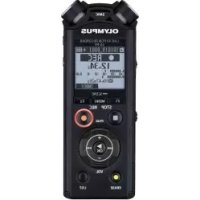
| Product type | Digital voice recorder |
| Brand | Olympus |
| Model | LS-P4 |
| Dimensions | 108.9 x 39.6 x 14.4 mm (excluding protrusions) |
| Weight | 75 g (with batteries) |
| Power supply | 1 AAA alkaline (LR03) or rechargeable Ni-MH Olympus BR404; USB charging |
| Internal memory | 8 GB NAND flash |
| External storage support | MicroSD / microSDHC card up to 32 GB |
| Recording formats | Linear PCM, FLAC (LS-P4 model only), MP3 |
| Playback formats | WAV, FLAC (LS-P4), MP3 |
| Microphone | Built-in central microphone + built-in stereo microphones (L and R) |
| Speaker | Built-in round dynamic speaker Ø 18 mm |
| Connectivity | USB (retractable connector), Bluetooth 2.1+EDR (LS-P4 model only) |
| Microphone jack | 3.5 mm diameter, impedance 2 kΩ |
| Headphone jack | 3.5 mm diameter, impedance 8 Ω minimum |
| Main features | Recording with level control, variable speed playback (0.5x to 3.5x), file deletion, voice guide, power save mode, recording scene selection |
| Bluetooth (LS-P4) | Profiles A2DP, AVRCP; class 2; range approx. 10 m |
| Operating temperature | 0 °C to 42 °C |
| Maintenance and cleaning | Wipe with a soft cloth; avoid moisture, sand, and shocks; do not disassemble |
| Safety | Do not use in explosive atmosphere; do not expose to water; keep out of reach of children; observe FCC and CE warnings |
| Spare parts and repairability | Contact Olympus after-sales service; specific BR404 rechargeable battery; optional A514 AC adapter |
| General information | Complete user manual available in the [OL_manual] folder on the device or on the Olympus website |
Frequently Asked Questions - LSP4 OLYMPUS
User questions about LSP4 OLYMPUS
0 question about this device. Answer the ones you know or ask your own.
Ask a new question about this device
Download the instructions for your Voice recorder in PDF format for free! Find your manual LSP4 - OLYMPUS and take your electronic device back in hand. On this page are published all the documents necessary for the use of your device. LSP4 by OLYMPUS.
USER MANUAL LSP4 OLYMPUS
- Thank you for purchasing an Olympus digital voice recorder. Please read these instructions for information about using the product correctly and safely.
- This manual is a basic version. Please refer to the complete advanced manual either from the stored data in the [OL_manual] folder of the recorder or download the data from the OLYMPUS website.
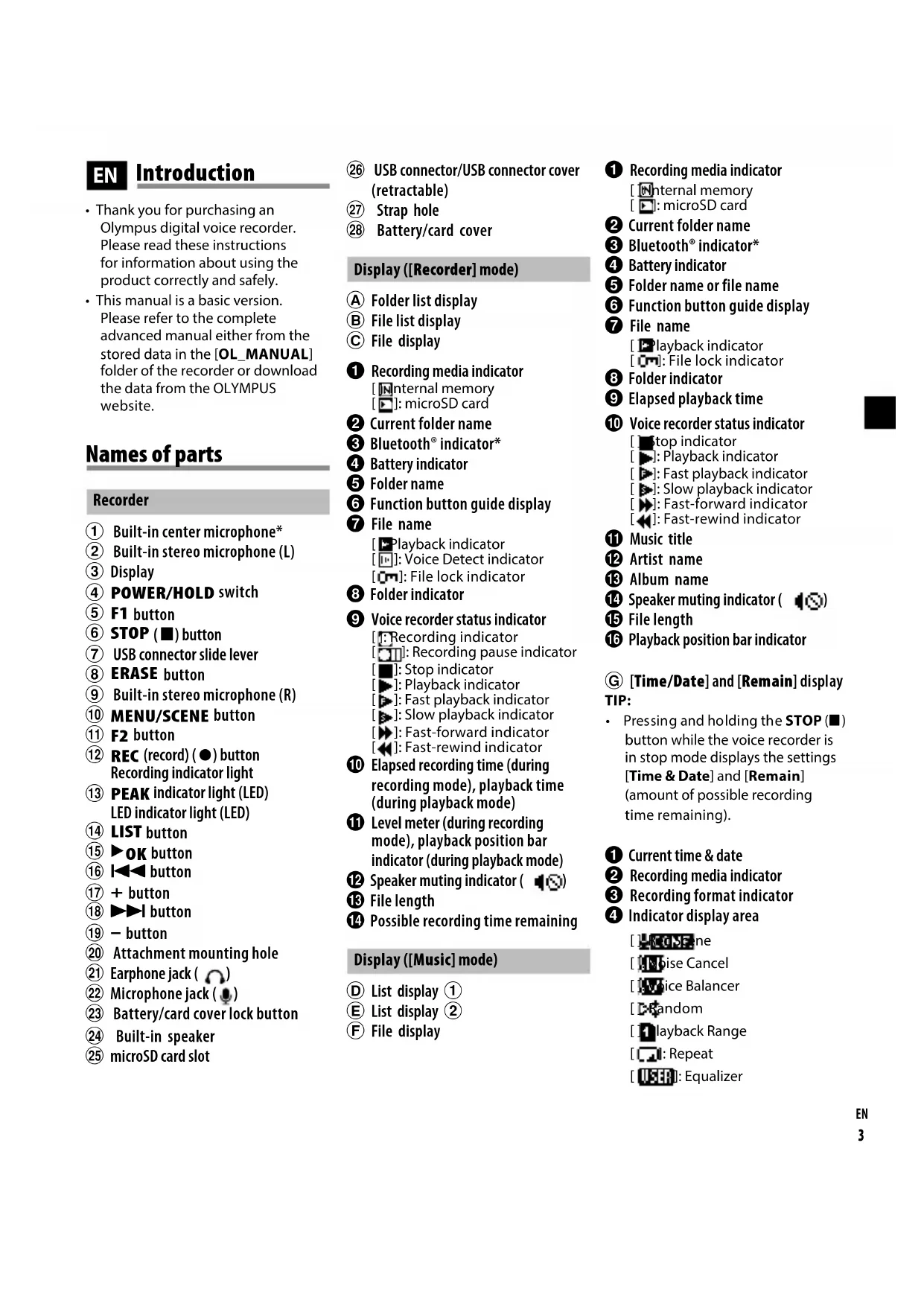
Names of parts
Recorder
① Built-in center microphone*
② Built-in stereo microphone (L)
③ Display
④ POWER/HOLD switch
⑤ F1 button
⑥ STOP(■)button
⑦ USB connector slide lever
⑧ ERASE button
⑨ Built-in stereo microphone (R)
10 MENU/SCENE button
1 F2 button
12 REC (record) () button Recording indicator light
13 PEAK indicator light (LED) LED indicator light (LED)
⑭ LIST button
15 OK button
16 button
(17) + button
18▶▶I button
19 - button
20 Attachment mounting hole
② Earphone jack (O)
② Microphone jack (
23 Battery/card cover lock button
24 Built-in speaker
25 microSD card slot
26 USB connector/USB connector cover (retractable)
②⑦ Strap hole
28 Battery/card cover
Display ([Recorder] mode)
A Folder list display
B File list display
File display
Recording media indicator
Internal memory: microSD card
Current folder name
3 Bluetooth indicator*
4 Battery indicator
Folder name
Function button guide display
7 File name
Playback indicator
[ ]: Voice Detect indicator
O: File lock indicator
8 Folder indicator
Voice recorder status indicator
[Recording indicator
[ ]: Recording pause indicator
[ ]: Stop indicator
[ ]:Fast playback indicator
[ ]: Slow playback indicator
[ ]: Fast-forward indicator
[ ]: Fast-rewind indicator
10 Elapsed recording time (during recording mode), playback time (during playback mode)
Level meter (during recording mode), playback position bar indicator (during playback mode)
12 Speaker muting indicator (
13 File length
Possible recording time remaining
Display ([Music] mode)
List display ①
E List display ②
F File display
Recording media indicator
Internal memory [ ]: microSD card
Current folder name
3 Bluetooth indicator*
4 Battery indicator
Folder name or file name
Function button guide display
File name [Playback indicator [C]: File lock indicator
8 Folder indicator
9 Elapsed playback time
Voice recorder status indicator
top indicator
[ ]: Fast playback indicator
[ ]: Slow playback indicator
[ ]: Fast-forward indicator
[ ]: Fast-rewind indicator
Music title
12 Artist name
13 Album name
16 Speaker muting indicator (
15 File length
16Playback position bar indicator
[Time/Date] and [Remain] display TIP:
- Pressing and holding the STOP (■) button while the voice recorder is in stop mode displays the settings [Time & Date] and [Remain] (amount of possible recording time remaining).
Current time & date
Recording media indicator
Recording format indicator
Indicator display area
[ ]KoMne
1 Bise Cancel
[ Ice Balancer
Random
[layback Range]
It Vite Playback
1ec Level
E
Low Cut Filter
Zoom Mic
1 Mic Select*
Lighter
Trte Detect
5 Battery indicator
1Ni-MH
Alkaline
Possible recording time
Available free space
- LS-P4 model only
Setup
Inserting the battery (Fig. 1)
Before using the voice recorder, insert the battery in the battery compartment of the voice recorder.
1 Press and hold the battery/card cover lock button, and then slide the battery/card cover to open.
2 Insert a AAA battery, making sure its positive and negative terminals are placed correctly.
a Insert the battery's negative terminal first.
3 Slide the battery/card cover completely closed.
Turning the power ON (Fig. 2)
1 While the voice recorder is turned off, slide the POWER/HOLD switch in the direction of the arrow.
Selecting the battery setting (Fig. 3)
1 Press the + or - button to select the type of battery you inserted.
[Ni-MH]:
Select if you inserted an Olympus nickel-metal hydride rechargeable battery (model BR404).
[Alkaline]:
Select if you inserted an alkaline battery.
2 Press the K button to finalize the setting.
Setting the time/date (Fig. 4)
1 Press the or button to select the item to set.
2 Press the + or - button to change the number.
To change the setting of another item, press the or button to move the blinking cursor, then press the + or - button to change the number.
3 Press the K button to finalize the setting.
Setting the voice guidance
LS-P4 model only
1 Press the + or - button to select On or [Off].
On:
Voice guidance will be enabled.
[Off]:
Voice guidance will be canceled.
2 Press the K button to finalize the setting.
Charging the battery by connecting to a PC's USB connector (Fig. 5)
NOTE:
- Before charging the battery, insert the rechargeable battery provided and set [Battery] to [Ni-MH].
- Never attempt to charge an alkaline battery, lithium battery or other primary cell battery. Fluid leakage or overheating may cause the recorder to malfunction.
1 Start the PC.
2 Slide the USB connector slide lever in the direction of the arrow.
3 After making sure the voice recorder is stopped, connect the USB connector to a USB port on a PC.
4 Press the K button to start charging the battery.
- When [Battery] is set to [Ni-MH], [Press OK to start charging] appears on the display. Press the OK button while this message is blinking.
5 Charging has finished when the battery indicator changes to [ ]
Turning the power OFF
1 Slide the POWER/HOLD switch in the direction of the arrow for at least half a second.
Power Save mode
When the voice recorder has been stopped for at least 10 minutes after power ON, the display disappears and the voice recorder automatically enters the Power Save mode.
- Pressing any button releases the Power Save mode.
Selecting the mode (Fig. 6)
1 While the voice recorder is in stop mode, press the F1 (HOME) button to display the [Home] screen.
2 Press the or button to select the desired mode.
3 Press the OK button.
When [Recorder] is selected:
The voice recorder enters [Recorder] mode. Audio can be recorded with the built-in microphone. Files recorded with the built-in microphone can also be played back.
When [Music] is selected:
The voice recorder enters [Music] mode. In this mode you can play music files transferred to the voice recorder.
When [Calendar Search] is selected: The voice recorder enters [Calendar Search] mode. In this mode you can search for files by specifying the recording date.
Recording
Basic recording procedure (Fig. 7)
1 Press the or button in the [Home] screen and select [Recorder].
2 Press the 日 K button.
3 Press the + or - button to select the folder to save the recording in.
4 Press theREC(●) button to prepare for recording.
- The recording indicator light blinks.
5 Point the built-in microphone in the direction of the sound to record.
6 Press the or button to adjust the recording level.
Recording level
b Level meter (changes according to recording volume and recording function setting)
NOTE:
- Adjust the recording level so that it does not exceed the peak of the level meter while checking the meter. If the peak of the level meter is exceeded, the PEAK indicator light will light and the recorded audio may be distorted.
7 Press tREC( ) button to start recording.
Elapsed recording time
Remaining possible recording time
- The recording indicator light lights.
8 Press theSTOP (■) button when you want to stop recording.
File length
Changing the recording scene (Fig. 8)
The voice recorder has preregistered templates of optimum settings tailored to various recording applications such as lectures and dictation. When selecting one of these templates you can enter several settings recommended for your recording application all in a single operation.
1 While the voice recorder is in stop mode, press and hold the MENU/SCENE button.
2 Press the + or - button to select the desired recording application.
3 Press the K button to finalize the setting.
4 Press theSTOP (■) button to exit the selection screen.
Playback
In addition to files recorded by the voice recorder, you can also play WAV, FLAC (LS-P4 model only) or MP3 format files transferred from a PC.
Basic playback procedure (Fig. 9)
1 Select the file to play from the folder containing it.
2 Press the OK button to start playback.
Folder indicator/File name
b) Elapsed playback time/File length
Playback position bar indicator
3 Press the + or - button to adjust the volume to the desired level.
- The volume can be adjusted to a setting between [00] to [30]. The higher the number, the louder the volume.
- If the volume is set too loud, a warning screen may appear.
4 Press the STOP() button to stop playback.
Changing the playback speed (Fig. 10)
1 Press the OK button during playback.
2 Press the + or - button.
- The playback speed can be adjusted between [x0.5 Play] and [x3.5 Play] in 0.1 increments.
3 Press the button to finalize the setting.
Fast playback restrictions
Depending on their sampling frequency and bit rate, some files may not play normally.
In this case, you will need to reduce the playback speed.
Erasing files (Fig. 11)
1 Select the file you want to erase.
2 When the file display screen appears, press the ERASE button while the voice recorder is in stop mode.
3 Press the + or - button to select [All in folder] or [One file].
4 Press the Kbutton.
5 Press the + button to select [Start].
6 Press the Kbutton.
- [Erasing!] appears in the display, and the erasing process starts. [Erased] appears when the process has finished.
Use with a PC
PC operating environment
Windows
Operating system:
Microsoft Windows 7/8/8.1/10 standard installation
Macintosh
Operating system:
Mac OS X 10.8 to macOS Sierra 10.12 standard installation
Copyright and trademark information
- The information in this document is subject to change in future without prior notice. Contact Olympus Customer Support Center for the latest product names, model numbers and other information.
- Voice recorder displays and product illustrations shown in this manual may differ from the actual product. While every precaution has been taken to ensure the accuracy of the information in this manual, errors may occasionally arise. Any questions or concerns regarding doubtful information, or possible errors or omissions should be directed to the Olympus Customer Support Center.
- Olympus Corporation is the copyright holders of this manual. Copyright law prohibits unauthorized reproduction of this manual, or unauthorized distribution of reproductions thereof.
Note that Olympus will assume no liability in the event of damages, lost earnings, or any claims from third parties resulting from improper use of the product.
Trademarks and registered trademarks
- IBM and PC/AT are trademarks or registered trademarks of International Business Machines Corporation.
- Microsoft and Windows are registered trademarks of Microsoft Corporation.
- microSD and microSDHC are trademarks of the SD Card Association.
Macintosh is a trademark of Apple Inc. -
The product uses voice activity detection technology licensed from NTT Electronics Corporation.
-
Android and Google Play are trademarks or registered trademarks of Google Inc.
- The Bluetooth® word mark and logos are registered trademarks owned by Bluetooth SIG, Inc. and any use of such marks by OLYMPUS Corporation is under license. Other trademarks and trade names are those of their respective owners.
All other brand or product names in this manual are the trademarks or registered trademarks of their respective owners.


Notes

WARNING
- Turn off the voice recorder in a hospital or near medical electric devices.
Electric waves from the voice recorder could affect electric medical devices and could cause accidents due to malfunction.
- Keep a distance of at least 22cm from persons who have a pacemaker.
Electric waves from this voice recorder could affect the operation of a pacemaker. - Turn OFF the voice recorder when onboard aircraft.
Using wireless devices onboard may hinder safe operation of the aircraft.
This product includes software created by the third party. The third party software is distributed to you based on the prescribed conditions imposed by its owner or copyright holder. These conditions are shown below.
libFLAC - Free Lossless Audio Codec library
Copyright © 2000-2009 Josh Coalson
Copyright © 2011-2013 Xiph.Org Foundation
Redistribution and use in source and binary forms, with or without modification, are permitted provided that the following conditions are met:
- Redistributions of source code must retain the above copyright notice, this list of conditions and the following disclaimer.
- Redistributions in binary form must reproduce the above copyright notice, this list of conditions and the following disclaimer in the documentation and/or other materials provided with the distribution.
- Neither the name of the Xiph. org Foundation nor the names of its contributors may be used to endorse or promote products derived from this software without specific prior written permission.
THIS SOFTWARE IS PROVIDED BY THE COPYRIGHT HOLDERS AND EDITORS "AS IS" AND ANY EXPRESS OR IMPLIED WARRANTY, INCLUDING, BUT NOT LIMITED TO, THE IMPLIED WARRANTY OF MERCHANTABILITY AND FITNESS FOR A PARTICULAR PURPOSE ARE DISCLAIMED. IN NO EVENT SHALL THE FOUNDATION OR EDITORS BE LIABLE FOR ANY DIRECT, INDIRECT, INCIDENTAL, SPECIAL, EXEMPLARY, OR CONSEQUENTIAL DAMAGES (INCLUDING, BUT NOT LIMITED TO, PROCUREMENT OF SUBSTITUTE GOODS OR SERVICES; LOSS OF USE, DATA, OR PROFITS; OR BUSINESS INTERRUPTION) HOWEVER CAUSED AND ON ANY THEORY OF LIABILITY, WHETHER IN CONTRACT, STRICT LIABILITY, OR TORT (INCLUDING NEGLIGENCE OR OTHERWISE) ARISING IN ANY WAY OUT OF THE USE OF THIS SOFTWARE, EVEN IF ADVISED OF THE POSSIBILITY OF SUCH DAMAGE.
Safety precautions
Before using the voice recorder, read this manual to ensure correct and safe operation. After reading this manual, be sure to keep it on hand for ready reference whenever needed.
Important safety precautions
- Important safety precautions in this manual are accompanied by the symbol and labels below. Always follow these precautions to prevent harming yourself or others, or causing damage to property.
- The meaning of each precaution type is given below.

DANGER
A precaution about an imminent danger that is expected to result in death or serious injury if equipment is handed incorrectly.

WARNING
A precaution about a situation that is expected to potentially result in death or serious injury if equipment is handled incorrectly.

CAUTION
A precaution about a situation that is expected to potentially result in injury, or is expected to result only in property damage, if equipment is handled incorrectly.
Voice recorder safety precautions

WARNING
- Do not use the voice recorder in an atmosphere that might contain flammable or explosive gases. It may cause fire or explosion.
- Do not attempt to disassemble, repair or modify the voice recorder. It may cause electric shock or injury.
-
Do not operate the voice recorder while operating a vehicle (such as a bicycle, motorcycle or car). It may cause traffic accidents.
-
Do not leave the voice recorder in a location accessible to an infant or child.
Pay attention when using the voice recorder near an infant or child, taking care not to leave it unattended. Infants and children are unable to understand voice recorder safety precautions, and are at risk of accidents such as:
-
Strangulation caused by accidental entanglement of the earphone cord around the neck.
Operation errors resulting in injury or electric shock. -
If you notice unusual odor, noise, heat, burning odor or smoke coming from the recorder:
① Disconnect the battery and USB connection immediately, taking care not to burn or injure yourself. Continued use may result in fire or burns (Do not touch the product with bare hands when it's overheating).
② Contact your place of purchase or an Olympus service center.
-
Do not use the USB power supply via the car cigarette lighter socket or the self-modified power supply. It may cause overheating, fire, electric shock or malfunctions.
-
Use microSD/microSDHC memory cards only. Never place other types of cards in the voice recorder. If another card type is placed in the voice recorder by accident, do not try to pull it out by force. Contact an Olympus repair center or service center.
- If the voice recorder is dropped in water or, if water, metal or combustible foreign matter gets inside:
1 Remove the battery immediately.
② Contact your place of purchase or an Olympus service center for repair. Continued use may result in fire or electric shock.
- Do not use the voice recorder or use it only as directed in airplanes, hospitals or other locations where use of electronic devices is restricted.

- Stop using the voice recorder if you notice unusual odor, noise, or smoke coming from it. It may cause fire or burns. Remove the battery immediately, taking care not to burn yourself. Contact your place of purchase or an Olympus repair center or service center. (Do not touch the battery with bare hands when removing it. Remove the battery outdoors, and away from flammable objects.)
- When carrying the voice recorder by its strap, take care to prevent it becoming caught on other items.

CAUTION
- Do not raise the volume before performing an operation. Hearing damage or loss may result.
Batteries

DANGER
- Do not place the battery near ignition sources.
- Do not incinerate, heat or disassemble the battery. Do not short-circuit the battery's positive and negative electrodes.
- It may cause fire, ruptures, combustion or overheating.
- Do not solder connections directly onto the battery. Do not deform, modify or disassemble the battery.
- Do not connect the battery's positive and negative terminals. It may cause overheating, electric shock or fire.
- When carrying or storing the battery, always place it in the case and protect its terminals. Do not carry or store the battery together with precious metal items such as key rings.
- It may cause overheating, electric shock or fire.
- Do not connect the battery directly to a power outlet or car cigarette lighter.
- Do not use or leave the battery in a hot location such as in direct sunlight, inside a vehicle on a hot day, or near a room heater. It may cause fire, burns or injuries from leaking, overheating or ruptures.

WARNING
- Do not touch or hold the battery with wet hands.
It may cause electric shock or malfunctions. - Do not use a battery with a scratched or damaged case. It may cause ruptures or overheating.
- Do not insert the battery with its positive/negative terminals in the opposite direction.
It may cause leaking, overheating, combustion or ruptures.
- Do not use a battery with a torn casing seal (insulating covering).
- Always remove the battery when the voice recorder will not be used for an long period.
- When disposing used batteries, insulate their contacts with tape and discard them as general waste in the manner prescribed by the local authority.
-
Remove the battery from the voice recorder as soon as the battery becomes unusable. It may cause leakage.
-
Battery fluid in the eyes may cause blindness. If battery fluid gets in eyes, do not rub the eyes. Instead, rinse them thoroughly with tap water or other clean water right away. Go to doctor immediately.
- Do not attempt to recharge alkaline, lithium or any other non-rechargeable batteries.
- Keep the battery out of the reach of infants and children.
The battery could be swallowed by infants and children. If swallowed, go to doctor immediately.
- Do not submerge the battery in freshwater or saltwater, or allow its terminals to become wet.
- Discontinue use of the battery if it develops a problem such as leaking, discoloration or deformation.
- Stop charging the rechargeable battery if charging has not finished after the specified amount of charging time.
- Battery fluid on clothing or skin may damage the skin, so rinse the battery fluid off right away with tap water or other clean water.

CAUTION
- Do not throw the battery around, or subject it to strong shocks.
Always charge the rechargeable battery before use when using it for the first time or if it has not been used for a long time. - Rechargeable batteries have a limited life. When the recorders operating time becomes shorter after recharging under the specified condition, please consider that battery is expired and replace it with a new one.
- There is a risk of explosion if the battery is replaced with the incorrect battery type. When disposing used batteries follow the instructions.
- Please recycle batteries to help save our planet's resources. When you throw away dead batteries, be sure to cover their terminals and always observe local laws and regulations.
Disposing the rechargeable battery
- Recycling batteries helps saving resources. When disposing a used battery, always cover its terminals and observe local laws and regulations.
Operating precautions
- Do not leave the voice recorder in hot or humid locations such as in direct sunlight inside a vehicle, or on a beach during summer.
- Do not store the voice recorder in humid or dusty locations.
- If the voice recorder becomes wet or damp, wipe off the moisture right away with a dry cloth. Contact with salt water should be particularly avoided.
- Do not place the voice recorder on top of or near a TV, refrigerator or other electrical appliance.
- Prevent sand or mud from getting on the voice recorder. It may cause product not to be repairable.
- Do not subject the voice recorder to intense vibrations or shocks.
- Do not use the voice recorder in humid locations.
-
Placing a magnetic card (such as a bank cash card) near the speaker or earphones may cause errors in the data stored on the magnetic card.
-
Noise may be heard when the voice recorder is placed near an electric lamp line, fluorescent light or a mobile phone during recording or playback.
- Recorded content in the internal memory and microSD card may be destroyed or lost due to reasons such as operating errors, device failure or repair.
- Also, when content is saved in the memory for long period of time or is used repeatedly, operations such as writing to, reading from, or erasing of contents may not be possible.
- Making a backup of important recorded information and saving it on a PC's hard disk or other recording media is recommended.
Note that Olympus will assume no liability for damages or lost earnings resulting from recorded data damage or loss, regardless of the nature or cause thereof.
Note that Olympus will assume no liability for recorded files being erased or becoming unplayable due to voice recorder or PC failure.
- Recording of copyrighted material is permitted when the recording is for your personal use only. Any other type of use without the permission of the copyright owner is prohibited by copyright law.
- Even when formatting or erasing are performed, only the file management information of the internal memory and/or microSD card is updated and the recorded data is not completely erased. When disposing of the voice recorder or a microSD card, be sure to destroy it, format and record silence until the recording time runs out, or perform a similar operation in order to prevent the leakage of personal information.
Specifications
Recording formats
Linear PCM format
FLAC* format
MP3 format
- LS-P4 model only
Input level
-60 dBv
Maximum working output
150 mW (8 Ω speaker)
Maximum output voltage
Recorder: ≤ 150mV
(according to EN 50332-2)
Recording media*
Internal NAND flash memory:
LS-P4:8GB
LS-P1:4GB
microSD card:
(Supports card capacities ranging from 2 to 32 GB.)
- Some recording media memory capacity is used as a management area, so the actual usable capacity will always be slightly less than the displayed capacity.
Bluetooth® Specification*
Standard:
Version 2.1+ EDR Support
Transmit Power Level: Class2
Communication Distance: Line of sight approx. 10m^*2 (max.)
Operational Frequency Range:
2.4 GHz to 2.4835 GHz
2 mW or less
Modulation Method: FHSS
Firmware:Ver.1.0 or later
Compatible Profiles:
A2DP (Advanced Audio
Distribution Profile)
AVRCP (Audio/Video Remote
Control Profile)
HSP (Headset Profile)
HFP (Handsfree Profile)
SPP (Serial Port Profile)
1 LS-P4 model only
2 The communication distance is guideline values. The communication distance may vary depending on ambient conditions.
Speaker
Built-in 18 mm diameter round dynamic speaker
Microphone jack
3.5 mm diameter; Impedance:
2 kΩ
Earphone jack
3.5 mm diameter; Impedance:
8Ω minimum
Power source
Standard voltage: 1.5V
Battery: One AAA dry cell battery (model LR03), or one Olympus nickel-metal hydride rechargeable battery (always use an Olympus BR404 for charging with the recorder)
External power supply: USBconnection AC adapter (model A514; 5 VDC)
External dimensions
108.9 × 39.6 × 14.4 ~mm (Not including largest projection)
Weight
75 g (including battery)
Operating temperature
0 to 42^ (32 to 107.6°F)
Note that voice recorder specifications and appearance are subject to change without prior notice for performance improvements or other upgrading.
For customers in North and South America
FCC Notice
- This equipment has been tested and found to comply with the limits for a Class B digital device, pursuant to Part 15 of the FCC Rules. These limits are designed to provide reasonable protection against harmful interference in a residential installation.
- This equipment generates, uses, and can radiate radio frequency energy and, if not installed and used in accordance with the instructions, may cause harmful interference to radio communications.
However, there is no guarantee that interference will not occur in a particular installation. If this equipment does cause harmful interference to radio or television reception, which can be determined by turning the equipment off and on, the user is encouraged to try to correct the interference by one or more of the following measures:
- Reorient or relocate the receiving antenna.
- Increase the separation between the equipment and receiver.
- Connect the equipment into an outlet on a circuit different from that to which the receiver is connected.
- Consult the dealer or an experienced radio/TV technician for help.
- Use only Olympus' supplied cable or AC adapter when you connect the applicable equipment to an external device or a power outlet.
FCC CAUTION
Changes or modifications not expressly approved by the party responsible for compliance could void the user's authority to operate the equipment.
This transmitter must not be colocated or operated in conjunction with any other antenna or transmitter.
This equipment complies with FCC/ IC radiation exposure limits set forth for an uncontrolled environment and meets the FCC radio frequency (RF) Exposure Guidelines in Supplement C to OET65 and RSS-102 of the IC radio frequency (RF) Exposure rules. This equipment has very low levels of RF energy that are deemed to comply without testing of specific absorption ratio (SAR).
For customers in USA
Declaration of Conformity
Model Number: LS-P4/LS-P1
Trade Name: OLYMPUS
Responsible Party: OLYMPUS AMERICA INC.
Address: 3500 Corporate Parkway, P.O. Box 610, Center Valley, PA 18034-0610, U.S.A.
Telephone Number: 484-896-5000
Tested To Comply With FCC
Standards
FOR HOME OR OFFICE USE
This device complies with Part 15 of FCC Rules and Industry Canada licence-exempt RSS standard(s).
Operation is subject to the following two conditions:
(1) this device may not cause harmful interference, and
(2) this device must accept any interference received, including interference that may cause undesired operation of this device.
For customers in CANADA
CANICES-3 (B)/NMB-3 (B)
For customers in Europe

The "CE" mark indicates that this product complies with the European requirements
for safety, health, environment and customer protection. CE-mark products are for sale in Europe.

This symbol [crossed-out wheeled bin WEEE Annex IV] indicates separate collection of waste electrical and electronic equipment in
the EU countries. Please do not throw the equipment into the domestic refuse. Please use the return and collection systems available in your country for the disposal of this product.

This symbol [crossed-out wheeled bin Directive 2006/66/ EC Annex II] indicates separate collection of
waste batteries in the EU countries. Please do not throw the batteries into the domestic refuse. Please use the return and collection systems available in your country for the disposal of the waste batteries.

To prevent possible hearing damage, do not listen at high volume levels for long periods.
Hereby, Olympus Corporation declares that the radio equipment type LS-P4 is in compliance with Directive 2014/53/EU.
The full text of the EU declaration of conformity is available at the following internet address: http://www.olympus-europa.com/
BG
BbVeJeHne
-5nlaogadpmb,ye3akynxte ufo BO rnaCBO 3aNCBaUO yctpoiCTBO Olympus.MoJn npooyTe HactoIuTe IHCTpyKun 3a INphiOpMaun OTHOCn PpaBnHaTa n6e3OnaHa ekcnoataun Ha npodykTa.
ToBa pBKOBOCTBO e OCHOBHa Bepcna. MoJr, BnKTe PbHnHOTo pa3uInpeHo pBKOBOCTBO nIN OT CbXpaHeHNTe DaHHN B NaNKaTa [OL_manual] Ha 3aNNCBAUOTO yCTpoiCTBO, INI IN3TerIe TaHHnte ot ye6 caTnHa OLYMPUS.
HaMHeHOBaHne HaOTdJIHnTe eIemEHTN
3aHcBaUOyCTpOHTBO
① BrpaenuHTpaenMnKpOΦoH*
② BrpaedcTepeoMMKpOΦOH(L)(nAB)
③ DnCnnei
4 IpeBknIOuBaTeI POWER/HOLD
⑤ byTOH F1
⑥ Bytoh STOP(
⑦ Ππb3ra4 3a USB KOHeKTopa
⑧ ByTOH ERASE
⑨ Brpaaen Ctepeo MmKpofoH (R) (deceH)
10 ByToH MENU/SCENE
⑪ ByToH2
12 ByToH REc(●) (3annc) CBeTnHeH HnDkaTop 3a 3annc
13 CBeTINHeH INHnKaTop (LED) PEAK CBeToIDNoDeH INHnKaTop (LED)
⑭ BytoH LIST
15 ByToH OK
⑥ ByToH
17 ByToH +
18 ByToH
19 ByToH-
20 0TbOp3a3akpenyHe
21Kak3aCnywauKn()
22 KaK 3a MmKpofoH (
23 ByToH 3a 3akIIOUBaHe Ha KaIaKa Ha 6aTePnTa/KapTaT
24 BrpaenBncoKOrOBOpnten
25 Cnot 3a microSD KapTa
26 USB KOHeKTOp/KaIaK Ha USB KOHeKTopa (npu6bpaue Ce)
⑦ OTBop3aJeHTa3aHOceHe
28 Kanak Ha 6aTepeyra/KapTaTa
Ekpan (pekm [Recorder])
A Poka3BaHe cncbK cnpanK
B Noka3BaHe Ha cncbK cpaJIIOBe
C Toka3BaHe Ha faaJI
1 HndkaTop 3a 3anncbaunn HocuTei
[EBbtpewHa nAMet]:microSD KapTa
2 ImeHaTekyaTa nIka
3 INdikaTop 3a Bluetooth*
4 UHdukatop 3a 6aTepuTa
5 IMeHa nankaTa
6 Bn3yaIIN3aIHa npbKOBoCTBO Ha 6byToHa cФyHKcH
7 ImeHaqai
HnDnKaTOp 3a peKIm Ha Bb3PON3BVeKdAHe
1:ИнданкаторзаOTКрпВаHeHa rIac
Om: INHINKATOp 3a 3aKJIIOUBaHe Ha aai
8 INdikKaTop 3a nannka
HnDnKaTOp 3a CbCTOHHeTo Ha INaCobTO 3aNNCbAoo yCTpoNCTBO
1HДиКaTop 3a 3annC
[ ]:ИнданаTop 3a пay3a рпз 3aпсс
1:O6XBaT Ha Bb3PpOn3BexKaHe
IIOBTOPEHne
ON:Bb3npoN3BeJkaHeHa rnaC
VCVA:VCVA
+:ИЗбразе на микpoфон*
HpnuBaHe Ha rnae
5 INHnKaTOp 3a 6aTepeRnTa
[ ]Ni-MH
6Bb3M0xHObPbEma 3a 3anC
7 HaniuHc Cbo6oHNo MЯCTO
* Camo 3a moJeI LS-P4
HacrtpoKn
IocTabaHHe Ha 6aTepeHraTa (fHr. 1)
Ppei Da npicTbNITe KbM n3nO13BaHe Ha rIacOBOTo 3aIINCBaUO yCTPOIcTB0, nOCTaBeTe 6aTePnra T BTHe3DTo 3a 6aTePnHa yCTPOIcTBOTO.
1 HaTuscheTe H3aDpBxTe 6yToHa 3a 3aKlouBaHe Ha KanaKa Ha 6aTepeYra/KePaTa, Cled KoETo OTbopeTe KaNaka C Nbl3raHe.
2 NocTabete 6aTePn AAA, KaTO BHMMaBaTe 3a npaBnHOTo NOLOXKeHne Ha NOLOXHTeHHN H OTPuCaTeHHN NoIIOc.
a IbpbBO NoctabeTe OtpucaTeHnna PONIOc Ha 6aTePnra.
3ПиьзHEte Kanaka Ha 6aTepeHra/ KapTaT,doKaTo ce 3aTBOp HantbJIHo.
BKJIIOUQBAHE Ha 3axpaHbaHeTo (fnr.2)
1Дokato rnaocBOTo 3aHnCBAuO yctpoIcTBo e N3KIOUeHO,IIb3HeTe npeBkIOUbaTeNa POWER/HOLD no nocoka Ha cTpeNkata.
HactpoKaHaNoctaBeHaTa6aTePn8 (fnr.3)
1 HaTnCHete 6yToH + nnn -,3a da n36epTe TnHa HocTaBeHaTa OT Bac 6aTePna.
[Ni-MH]:
I36peTe, aKo cTe nocTabuInnpe3apeJxdaema (akymyNatopHa)HKeJ-MeTaN-xuPnHa 6aTePnOlympus (MoJe BR404).
[Alkaline]:
I36epeTe, aKO cTe nocTabuNn alkaHa 6aTePn.
2 HaTnchete 6yToHa K3a npNKIOuBaHe Ha HAcTpoKaTa.
3aDaBaHe Ha rnaCObTe yKa3aHn
Cama 3a moen LS-P4
1 HaTnchTe 6byToH + nnn -,3a da n36epete On nn [Off].
On: Inaobute yka3aHnue 6bDaT aKTHBnpaHn.
[Off]:
IlaocOBtyeka3aHnue6bDaT nKlOyuHn.
2 HaTnchTe 6yToHa K3a npNKIOuBaHe Ha HAcTpoKaTa.
3apeKdahe Ha 6aTePnraTaype3 CBbp3BaHe KbM USB KOHeKToppa Ha KOMNIOTpB (pHr.5)
3A6EJIEXKA:
-Ппебида зараздente 6atepenya, NOCTaBeTe npeOCTaBeHaTa C OKOMnIeKTOBkata npe3apeKdaema 6atepyu 3aandaTe [Battery] Ha [Ni-MH].
Hikora He ce onntbaite da 3apekdaTe aIkanHa 6atepna, nTneBa 6atepna nn npya 6atepna 3a eNHOkpaTHa ynoTpe6a. Toba moKe Da DOBeDe NO HEN3npaBnOCT Ha rIacOBTo 3aINCBAUo yCTpoICTBO nopadn IpOTnuaHe mnn pnerpaBaHe.
1 CraptupaTe KOMnIOrBpa.
2ПиьзHeTe loCTyeTo Ha Пиьзraya 3a USB KOheKTopa no nocoka ha CTpeIknata.
3 CnE Kato ce yBepuTe, ye INaCobOTo 3aIncBaIoo yCTpoIcTBo e N3KJIIOueHo, CBbpxKeTe USB KOHeKTopa KbM USB nopTa Ha KOMNIOTpba.
4 Hatnchete 6ytoHa K,3a da 3anohe 3apeKdaHTo Ha 6aTepeHra.
Korato [Battery] e 3aandaeha Ha [Ni-MH], ha ekpaHa ce noBBA [Press OK to start charging]. HataChete 6yToHa OK,doKaTo TOBa cbo6eHne Mira.
5 3apexdaheTo e 3aBbpeHo, KoraTo HndnkaTopbT 3a 6atepyra ce npomEn Ha [G].
N3KJIIOUBAHE Ha 3axpaHbAHeTo
1ПьзHEte npeBknHouBaTeNa POWER/HOLDno nocokata Ha CTpeJkata B npOdbJxKeHne Ha NOHe noNoBHnCeKyHda.
EheproceTbaPpeKMM
Korato rnaocoboto 3aicbaio yctpoiCTBO e cnpno B npoBjKeHne Ha Hn-MaIKo 10 mHyTu Cnei BKIOUCAHE Ha 3axpaHaBeTo, ekpaHbT n3raCBA n yctpoiCTBOTO ABTomTuH Obl3a B eheprocncTeBaau peKM.
3a da n3ne3eTe ot eheprocnctraaupexim, HATNCHe TPOIN3BOJeH 6yToH.
M36opHa pexmm (6)
1Дokato rnaocoboto 3aHcBaio yctpoiCTBO eBpeKIM «CtoN», HaTnchete 6yToH F1 (Haayano), 3a da ce nokaKe ekpaHbT [Home].
2 HatncheTe 6byToH I nnI<3a da n36peTe XeJaanpeKIM.
3 HaTucheTe 6yToHa DK.
Korato ce n36epe [Recorder]:
Ilaocoboto 3aNCBaio yCtpoiCTBO Bn3aBpeKIM [Recorder].AynoMoKe da ce 3aNCBa C BrpaJeHn MkPo0OH. Aainobete, 3aNcAH C BrpaJeHn MkPo0OH, Moat cbso da 6bdaT Bb3POn3BeHeH.
Korato ce v36epe [Music]:
Tlacoboto 3aInCbao yctpoiCTBO Bn3aBpeKIM [Music].BTo3n peKIM MoKeTe da Bb3Pon3BExKaTe npexBbPneHn B Tlacoboto 3aInCbao yctpoiCTBO My3nKaJIHn faiNoBe.
Korato ce u36epe [Calendar Search]:
Tlacoboto 3aNcBaio yCTpoiCTBO Bn3aBpeKIM [Calendar Search]. BTo3n peKIM MoKeTe Da Tbpcnte aJIOBE NO daTaTa Ha 3aNNCBAHe.
3aNNcBaHe
OchOBHa npoepdpa 3a 3anncBahe (nir.7)
1 HaTmchete 6yToH I mnn I OTe ekpaHa [Home] m36epeTe [Recorder].
2 Hatuchete 6ytoHa DK.
3 HaTnchete 6yToH + nnn -, 3a da n36epete nnKaTa, B KOrTo Da cbXpaHnTe 3aHnCa.
4 Hatnche 6bytoh REC (●),3a da ce npnroTbnte 3a 3anncBaHeTo.
CBeTINHHNRT INHnKaTOP 3a 3aNc Mura.
5 Hacouete BrpaedHnMkpofoB B Nocokata Ha 3aNcBaHn 3ByK.
6 HaTnCHeTe 6yToH I nI I 3a da perynpaTe HbTo Ha 3aNcBaHe.
@ HNBO Ha 3aNUCBaHe
b INHdkaTop 3a HNBO (npomehy CE B 3aBnCIMOCT OT CnlaTa Ha 3Byka npn 3aAnCbAHe nHaCTpOuKnte Ha yHKUraTa 3a 3aNCBaHe)
3A6EJIEXKA:
PerynupaTe HNBOTo Ha 3aNNCBAHe Taka, Ye Da He npebuwaBaNKOBaTa CTOHOCT Ha INDnKaTOPa 3a HNBO, KaTO npOBepBaTe INDnKaTOPa. Ako NIKOBaTa CTOHOCCT Ce npebuIN, INDnKaTOPbT PEAK ue CBETHe n Ebb3MOxHO 3aNNCBAHeTO aydno da 6bDe N3KpNBEO.
7 HaTncheTe 6yToREC(●)3a CTapTnpaHe Ha 3anncbaHeTo.
C 13MnHaJIO BpeMe Ha 3aTINc
OCTaBaIoo Bb3MOxHO BpeMe 3a3aNtC
- INДИΚaTOрьТа 3aAnIC CBETBa.
8 HaTNCheTe 6yToHsTOP (■),Korato NCKaTe Da CnpeTe 3anncBaHeTo.
EДьЖИнHa ha aain
CmHa Ha cHeHa Ta Ha 3aHcBaHe (fnr.8)
TlaocBOTO 3aINCBauO yCTpoiCTBO pa3nolara c npedBapuTeHNO pernctpupaHn 7a6bOnH 3a ONTMaHn HacTroPouKn, Cbo6pa3eHn C pa3nUHn PpINOKeHna Ha 3aINCBaHeTo, KaTO HApnPmep 3a JeKun nn 3a DnKTOBka. Pnp n36opa Ha eHN OT Te3n 7a6bOnH moKeTe da BbBeDeTe HAKONKO npenOpbTuTeHn HAcTroPouKn Ha 3aINCBaHeTo caMoC c EdHa eINHCTBeHa Oepaun.
1 DoKaTo rIacOBTo 3aHcBaUO yCTpoiCTBO e B peXm «CToN», HaTnCHeTe u3aDpBXTe 6yToHa MENU/SCENE.
2 HaTncheTe 6yToH + mnn -, 3a Da m36epTe XeJahOTo npuNoXeHne 3a 3aInC.
3 HaTnchete 6yToHa K3a npNKIOuBaHe Ha HAcTpOkaTa.
4 HaTmchete 6yToHsSTOP(■),3a da m3Je3eTe ot ekpaHa 3a n36op.
Bb3npo3Bexkahe
OcbEN faiNoBe,3aHncaHn C dIKTOfoHa,MOKeTe da Bb3npoN3BexKdaTe cbso n faiNoBe BbB fOpMaTu WAV,FLAC (cAmo 3a Moen LS-P4) nn MP3, npexBpneHn OT KOMnIObP.
OchOBHa npoueypa 3a Bb3npoIm3Bexkdahe (pnr.9)
1 N36epete faaHa 3a Bb3npoH3BExJaHe OT NaNKaTa, B KOnTo Ce HAMpa.
2 HaTnCHete 6yToHaOK,3a Da 3aNo4He Bb3PpOu3BExKaHeTo.
aHnKaTOp 3a nAnKa/Ime Ha
bMnHaNo Bpeme Ha 3aHc/ DnKHa Ha aHa
C INHnKaTOpHaJIeHTa 3a N03uIyTa Ha Bb3npOu3BexJaHe
3 HaTnCHete 6yToH + nI -, 3a Da HAcTpOnte CnIaTa Ha 3ByKa Ha XeJaHOTo HnBO.
Cunata Ha 3Byka MoKe da ce perynnpa Ha HactpoiKa Mexy [00] n [30].KoKoto e NO-TONMA YNCSLOTO, TOKOBa e NO-CINHeH 3ByKbT.
Ako e 3aanaeHa TBbpE Bucoka cnla Ha 3Byka, e Bb3MOxHO da ce nOABn npedynpEnTeJeH ekpaH.
4 HaTnchete 6yToHa STOP(■),3a da cnpeTe Bb3npOn3BexKaHeTo.
PpomHa Ha ckopoCTHa Bb3npOn3BExKdaHe (Our. [10])
1 HaTnchete 6yToHa NK no BpeMe Ha Bb3npOn3BexKaHe.
2 HaTucHeTe 6yToH + mnn -.
CkopocTHa Bb3Pon3BexJaHe MoKe Ja ce peryInpa MeKdy [x0.5 Play] n[x3.5Play] cbc CTbIKn Ha HapactBaHe ot 0,1.
3 HaTnchTe 6yToHa DK3a npNKIOUcBaHe Ha HAcTpOJaTa.
OrpaHnueHn3a6bP30 Bb3npOn3BExKaDaHe
B 3aBNCIMOCT OT YcctOTATA Ha DnCKpeTn3aun i CkOpocTTa Ha IpeDaBaHe Ha DaHH e Bb3MOxHo HraKo faiNoBe da He ce Bb3IpOn3BedaT HopMaInHO. B TaKbB cnyaJ ue Ce HanoXn da HamaNte ckOpocTTa Ha Bb3IpOn3BexKaHe.
N3tpuBaHe Ha aaiNoBe (Hr. 11)
1 N36epete faaHa, KoTo nCKaTe da n3TpneTe.
2 Korato ce noBn ekpaHbT, noka3BaUa Φaɪna, hATncHete 6yToHa ERASE, dOKaTO 3aɪncBaUTo yCTpOHTBO e B peKIM «CTon».
3 HaTnCHeTe 6yToH + nI -, 3a Da n36epTe [All in folder] nI [One file].
4 HaTucheTe 6yToHa DK.
5 HaTnCHete 6yToHa+,3a da n36epeTe [Start].
6 HaTnchete 6yToHa K. Ha ekpaHa ce nOraBbA [Erasing!] n npocebT ha n3TpNbAhe cTaptnpa.Korato npocecbTe 3aBbpweH,ce nOraBbA [Erased].
M3no3BaHe cKOMnIOTpBp
OnepaunonHa cpeHa KOMnIOrTbpa
Windows
OnepaunonHa cnctema:
Microsoft Windows 7/8/8.1/10 - CTaHdapTHa NHCTaJaCuJa
Macintosh
Onepaunonha cncTeMa:
Mac OS X 10.8 do macOS Sierra 10.12 cTaHapTHa HcTanaun
HΦopMaζηa aBTOpCKTe npBa n TbProBCKTe MapKu
- INHOFOPMAUINaTBA TO3N DOKyMeHT NOJIeKHa NpOMHa B 6bDeueTo 6e3 npEIN3BecTne. CbpxKeTe ce cIeHTbpa 3a O6cnyKBaHe Ha KJIeENTte Ha Olympus 3a HauHOBITe IMeHa Ha npOdyKTInTe, HomepaTa Ha MoJeInTe n dpyra INHOFOPMaUINa.
- NIOCTpaUNITE Ha ekpaHa Ha 3aINCBauOTo yCTpoINCTBO IN NIOCTpaUNITE Ha npOdyKTa, NOKa3AHN B TOBA pbKOBOdCTBO,MOKe Da ce pa3NIu4abAT O DeIcTBnTEHNr npOdyKT. BbnpEkn Ye ca noLOXeHN BCNUK YuCNJIA 3a OCnIpyraBe Ha ToUHOCTTa Ha INHOpMaunrA T B TOBA pbKOBOdCTBO, NOHAKORA Morat Da Bb3HNKHAT rpeKN. BCNUK Bbnpocn INI pInTeCHeHNr OTHOCHO CbMHNTEnHa INHOpMaunr, Bb3MOxHN rpeWNl INI npOnyckn CNeDbA da 6bDaT OTnpABAHN KbM ueHTbpa 3a 06cnykBaHe Ha KIneHTn Ha Olympus.
- Olympus Corporation e npntexaTeHa aBTOPCKITE npaba Ha HAcTOnIcOTOp bKOBOdCTBO.3aKOHbT 3a aBTOpCKTe npaba 3a6paHbA HeynblHOMO- UeHOTO Bb3npoIN3BeXJaHe Ha TOBa pKoBOdCTBO NIM Ha HeynblHO-MoUeHOTO pa3npocTpAneHHe Ha KOInra Tc HrEo.
- O6bpHeTe BnMaHne, ye Olympus Hma Da Hocu OTROBOpHOCT 3a BpeDn, npOnyChaTn NOJ3n INN NCKOBe OT TpeTn CTpaHN B pe3yIITat Ha He npabINHaTa ynoTppe6a Ha npodykTa.
TbproBcKm MapKn npertpnpaHn TbproBcKm MapKn
- IBM u PC/AT ca TaBpRbCKn MapKn nn peRncTpnpaHn TbpROBcKn MapKn Ha International Business Machines Corporation.
- Microsoft Windows ca pernctpupaHbproBcN MapKn Ha Microsoft Corporation.
-
microSD u microSDHC ca TbproBcku MapKn Ha SD Card Association.
Macintosh e TbproBcKa Mapka Ha of Apple Inc. -
Пюдуктьнзлonsы Тхнологи 3a pa3no3наваhe Нглacobа akTNBHOCT, ЛuceнзираHA ot NTT Electronics Corporation.
Android u Google Play ca TbproBcN MapKu nn pernctpupaH TbproBcN MapKn Ha Google Inc.
CnoBHaTMapka nIoroTo Bluetooth ca pernctpupaHn Tbprobckn MapKn,co6CTBeHoCT Ha Bluetooth SIG,Inc.,uBCraKa ynotpe6a Ha noio6Hn MapKn OT OLYMPUS Corporation ce n3BbprwaNo liueH3. Dpyr Tbprobckn MapKn n Tbprobckn IMeHa npHaJdNeKaT Ha CbotBEtHTne IM npITexKaTeiN.
Bcun npynnmeHa Ha Mapkn nn Ha npOdykTN B TOBa pKBOODCTBO ca TbpROBCKn MapKn nn peRnCTpnpaHn TbpROBCKn MapKn Ha CbOTBeTHNe nM CO6CTBEHNU.


3a6eJexKn

NPEyUNPEKDEHNE
- N3KNIOUcTe rnaocBOTo 3aNNCBauO yCTPOIcTBO, KOraTO ce HAMnPate B60JIHnua nIN B 6bN3oCT Do MeINuHnCKn eNEKTPnuCeKn yCTPOIcTBa. ENEKTPnuCeKnTe Bblnn OT rnaocBOTo 3aNNCBauO yCTPOIcTBO 6nxa MOrnJa OKaxat BnIHNHe Ha pa6oTaTa Ha eNEKTPnuCeKnTe MeINuHnCKn yCTPOIcTBa n Da npuHnT 3JIONoLyKn IopaN HeN3PpABHOCT.
He np6nkaBaTe rnaCobOTO yCTPOIcTBo Ha pa3CTOHne NOMaIKo OT 22 cm OT Iua, KOtOMaT NmPAnHTnpaH NeICMeKbP. ENeKTpuYeCKte BbHNOT RnacOBOTO 3aNNCbAio YcTPOIcTB0 6nxAmorN Da OKaKaT BNnHne Bbpxy pa6OtaHa NeICMeKnbp.
N3KIOUOTE rIacOBTo 3aIINCbauO yCTPOIcTBO, KOrATo ce HAMnPate Ha 6OpJa Ha cAmoJTe. N3NoI3BaHeTo Ha 6e3XnHn YCTPOIcTBA nO BpeMe Ha NOJeMozKe Da Bb3npenrTCTBa 6e3OnaChata pa60Ta Ha cAmoJTe.
To3n npOdyKT BkIIOUBa cofoTyepe, cb3daen OH TpeTa CtpaHa.
CoTyepbHa Tpeta CtpaHa ce
pa3npocTpaHnBa DO Bac Bb3 OCHOBA
Ha npedncaHn ycIOBn, HAnOKeHN
OT HerOBn Co6CTBeHnK nnn
nPntexaten Ha aBtOpckOTO npabo.
Te3n ycNOBn ca nocoehn no-dony.
libFLAC - Free Lossless Audio Codec library
Copyright © 2000-2009 Josh Coalson
Copyright © 2011-2013 Xiph.Org Foundation
Redistribution and use in source and binary forms, with or without modification, are permitted provided that the following conditions are met:
- Redistributions of source code must retain the above copyright notice, this list of conditions and the following disclaimer.
- Redistributions in binary form must reproduce the above copyright notice, this list of conditions and the following disclaimer in the documentation and/or other materials provided with the distribution.
- Neither the name of the Xiph. org Foundation nor the names of its contributors may be used to endorse or promote products derived from this software without specific prior written permission.
THIS SOFTWARE IS PROVIDED BY THE COPYRIGHT HOLDERS AND EDITORS "AS IS" AND ANY EXPRESS OR IMPLIED WARRANTY, INCLUDING, BUT NOT LIMITED TO, THE IMPLIED WARRANTY OF MERCHANTABILITY AND FITNESS FOR A PARTICULAR PURPOSE ARE DISCLAIMED. IN NO EVENT SHALL THE FOUNDATION OR EDITORS BE LIABLE FOR ANY DIRECT, INDIRECT, INCIDENTAL, SPECIAL, EXEMPLARY, OR CONSEQUENTIAL DAMAGES (INCLUDING, BUT NOT LIMITED TO, PROCUREMENT OF SUBSTITUTE GOODS OR SERVICES; LOSS OF USE, DATA, OR PROFITS; OR BUSINESS INTERruption) HOWEVER CAUSED AND ON ANY THEORY OF LIABILITY, WHETHER IN CONTRACT, STRICT LIABILITY, OR TORT (INCLUDING NEGLIGENCE OR OTHERWISE) ARISING IN ANY WAY OUT OF THE USE OF THIS SOFTWARE, EVEN IF ADVISED OF THE POSSIBILITY OF SUCH DAMAGE.
Пре徳паЗн Мерки за 6e3опасност
Ppei Da npicTbnte KbM n3nOJ3BaHe Ha 3aIINCBAUOTO yCTPOICTBO, npooyTe TOBa pkoBOIDCTBO C cen npabunHa n 6e3onacha ekcnloataun. Cnei npouHTaHe Ha pkoBOIDCTBOTo r dpkTe noD pbKa 3a KpaTKn cnpabkn npn Heo6xOdmoCT.
BaxhM mepkn 3a 6e3onacnoct
BaxHNTe MePK 3a 6e3OnacHOCT B TOBa pKoBOcTBO Ca CbNtCTBaHn OT CmBOJIte N eTKeTne NO-DOy. BuHaRn CneBaIte Te3n PpeJNa3Hn MePK, 3a Da npedOTbPaTne HapaHraBaHna Ha Ce6e cn nn Ha dpyrn Xopa nIn yBpejdaHe Ha MyueeCTBOTO.
3HaueHneTo Ha BceKn BnD npedynpejckdene e npedctabeHo NO-dony.
ONACHOCT
IpeNa3Ha MpaKa 3a HEnOcpeCTBeHa ONaCHOCT, KOrTO MoKe Ja DoBoeJe DO CmbpT nnCepNo3HO HapaHbAhe, aKO CyCTpOietBOTO ce 6Opabn HenpaBUNHO.
!PPEyPPEKDEHNE
PpeNa3Ha MpaKa 3a CNTyaIaI, KOrTO MOKe eBENTyaIaHIO da IOBeDe DO CMBpT INN CepNo3HO HapaHbAHe, aKO C yCTPOIcTBOTO ce 6Opabn HenpaBnIHO.
BHUMAHNE
PpeNaHa MpaKa 3a CnTuauia, KOrTO MoKe eBeHTyaJIHO da DOBeJe Do HapaHЯBaHe NnCaMo Do yBpeJdaHe Ha NmUyIeCTBOTo, aKOcycTpoiCTBOTo ce6opabN He npabuJIHo.
Mepkn 3a 6e30nacHocHT Ha IlaCoBOTo 3aanCbauo yctpoIcTBo
!PPEyPPEKDEHNE
He n3noJI3BaIte 3aIINCbauTo yCTPOJCTBO B aTMOCΦepa, KOrTO MOKe Da CbIbPka 3aIaIIMn IIn B3pNUBOONaCHn Ra3OBe.
ToBa MoKe Da npedn3BnKa noXap nnEeKn03n.
He ce onntBaIte da pa3rno6aBate, nonpaBAre NnMoNΦuCupaTe 3aNNCBaUTo YcTPOJCTBO. ToBa MoKe Da npuHH TOKOB yap nn HapaHbAHn.
He n3non3BaIte 3aIncBaIooTo yCTPOIcTB0,doKAto ynpabJIbaTe npEBO3HO cpeICTBO (KaTO HApnPmep BeIOcNIeD, MOTOUKNiet nn ABTomO6n).
ToBa MoKe Da IOBeIe Do NbTHN npOn3wecTBn.
He octabraIte 3aIncBaIooTo yCTPOINCTBO HaIOCTbIHO 3a 6e6eta nn deca MRCTO.
BHHMaBaIte, KOraTo n3NON3BaTe 3aNcBaUTo yCTpoiCTBO B6n3OCTdo 6e6eTa nn Deca n B3eMeTe MEPKn Da He OCTabrTe npOyKTA 6e3 Na6JIouDeHne. 6e6eTa n DeCaTHe Ca B CbCToHnE da pa36epaT npeJna3HnTe MapKn 3a 6e30nacHOCT Ha rNaCobOTO 3aNcBaUO yCTpoiCTBO n ca N3IOKeHN Ha pNCK OT 3JIONoLyKN, KaTO HAnpIMep:
-3aNywaBaHe, npnHHeHO OT cnUyauHo OOnIHTaHe Ha Ka6eHa 3a CnyuAanKIne OKOJIO Bpata.
- PpeKn npn eKcnloataaeta Ta, BOeun DO HapaHbHaHn nn TOKOB ynap.
Ako yceTnte,ye ot 3aNcBaIOTO yCTpOInCTBO n3n3a Heo6uHaHa MUPn3Ma, Wym, TOnnHa, MUPnc Ha n3ROPraIO nn dM:
13BaTe He3a6abH0 6aTepeyTa n pa3kaute USB bp3kata, KaTo BHMaBate da He ce HapaHnTe. PpoIbJxabaUaTa ynoTpe6a MoKe Da doBeDe Do noXap nnu N3rapAHHa (He DOKocBaTe npOdykTA c roJI npBce, Korato e nperept).
② CbpxKeTe ce c MxCTOTO Ha npoJaX6a nn cepBn3 Ha Olympus 3a nonpaBka.
He n3noJ3BaIe USB eJEnKtpo3axpaHbaHeTo ype3 rHe3dOTo 3a 3aJaIkaTa B aBTOMo6nna nnupe3 cAmOMoIINpHaHOTo 3axpaHbaHe.
ToBa MoKe Da IdoBee Do nperepaHe, noXap, TOKOB yAp nIN HeN3PpABHOCTn.
- ɪnəʊlɪzBaɪte cʌmɒ microSD/ microSDHC kæptɪ n cʌmæt. Hɪkɔrə He nocTæbʌrTe ἀpyr Tɪŋ kæptɪ N B rɪaʊcBɔT O 3ʌnɪcBAuI O yCTpɔɪctBO.

AkoB rIacobOTo 3aIncBaUO yCTpoiCTBO ClyuayHo 6bJe NOCTaBeHa Dpy TnKapTa, He ce ONITbaiTe DaЯ N3BaJNTe CbC cnla.CbBykTe Ce c peMOHTen ueHTbp Ha Olympus nnn Cbc CepBn3eH ueTbp.
AkoIraCOBOTo3aINCBAUO yCTPOcTBo6bDeu3NpyChatoBBB OdaNNaKO B Hero nonaHede BOda, MetaHNO NN 3aNaIMO UyXdoTJIO:
① He3a6abHo n3BaTe 6aTepeyTa.
② CbpxKeTe ce c MCTOTO Ha npoJa6a nn cepBn3 Ha Olympus 3a nonpaBka. PnoJbIxaBaTa ynotpe6a MoKe da DOBeJe Do noXkap nn TOKOYap.
He n3non3BaIte 3aIncBaIcTO yCTPOIcTBO IINI FO n3non3BaIte cAmo KaKTo e yKa3aHO, B CaMOJeTn, 60HNiN iNn Ha dpYr MeCTa, KbDeTo Ce OprAHu4Ba I3NON3BaHeTo Ha eNEKTPoHHN yCTPOIcTBa.
Cnpete da n3nOJ3BaTe 3aIINCBauIoTO yCTPOIcTBO, aKO YCeTIte Heo6uHaInHa MInPIm3Ma, PyTe IyM uNl 3a6eJIeXtTe, yeOT Hero n3nI3a DIM.
ToBa MoKe Da npEdu3BnKa NoKap
HIN Da npuHIn N3rapHn.
N3BaTe He3a6abHo 6aTePnraTa,
KaTO BnHMaBaTe Da He Ce n3rOpnte.
CbpxTe Ce C mCTOTO Ha
3aKynuBaHe HIN C cHTbp 3a
nonpaBkA uIN cepBn3 Ha Olympus.
(He n3BaXdaIte 6aTePnraTa C
roJn pBuCe. N3BaTe 6aTePnraTa
Ha OTKpTOn U daJev OT 3aNaIMn
npedMeTu.)
Korato Hocnte 3aHNCBaUTo yCTPOIcTBO Ha KaUNKa, BHIMaBAInTe Da He ce 3aKaUn Ha dpyr npeMTeN.
BHIMAHHE
He yBEnuBaIte CnIaTa Ha 3ByKa, npEi Da n3BbPwIe HRAkBa onepaun.
Toba MoKe Da npuHn yBpeKdaHe nn 3a4y6a Ha cnlyxa.
baTeepn
ONACHOCT
He nocTaBnTe 6aTePnTa B 6n3OCT Do n3TOHnHa 3anaJBaHe.
He n3rapnTe, He harpaBaiTe n He pa3rno6BaIte 6aTepeyra. He cBbP3BaIte HaKbCO aHOda n KaToDa Ha 6aTepeyra.
Toba moKeJa npedn3BnKa noKap, npo6NB n3OlaquraTa, 3anaJbHe nn nperepaBaHe.
He 3anOraBaTe BpB3KnTe DnpeKTHo Ha 6aTepuTHa. He deΦopMnpaIte, MoDnΦuNpaIte nn pa3rno6BaIte 6aTepuTHa.
He cBbP3BaIte nOIOKHTeHaTa n OTPuCaTeHHaTa KJIema Ha 6aTepeHra.
Toba MoKeJaIOBeGeNoIpePraBaHe, TOKOB yAp uNn noXap.
Korato Hocnte nnccbxpaHbAte 6aTeepnTa, BnHaTn I NOCTabRnTE B KaIbΦ, 3a Da 3aunITne KIeMnTe. He Hocete N He cbxpaHbAite 6aTeepnTa 3aeDNo C npEmdtn OT 6laoropdHm MetaII, KaTO HanpImep KIOUOObPkaTeII.
ToBa MoKe Ia DoBede Do nperepaBaHe, TOKOB yap nIIN noKap.
He CBp3BaIte 6aTeepnTa DnpeKTHO KbM MPeXOB KOHTaKT NIN KbM 3anaJkata 3a cIrapu B aBTOMo6n.
He n3no13BaIte Hn He octabryte 6aTepeyraHa ropeu Mecta, KaTo Ha npMep Ha npKa CbHueBa CBeTnHa, B npeBO3HO cpeCTBO npn ropeu Bpeme nnB 6n3OCT Do 6ntOB OTOnNTeH eYpe.
ToBa MoKe Da npEdu3BnKa nOxap, n3rapaHnN nn HapaHbAHnOT n3TuHaHe, npeprBaHe nn npo6NBn3OlaqyTa.
!PPEyPExKdeHNE
He doKocBaIte Hne dpbXkTe 6aTepeNtA C BnaJHn Pbue. Toba MoKe Da npuHHn TOKOB yap nn He3npaBHOCTn.
He n3no3BaIte 6aTePnHaHpaKan nnIOBpeH KOpNyc. Toba MoKe Da IOBeE do npO6NB Ha n3oJaunTa nn pnerpaBaHe.
He nocTabaTe 6atepyTa c noIOXnTeHaTa/OTpuaTeHaTa KJIeMn B O6paTHata NOCOKa. Toba MoKe Da npEiN3BnKa Teu, nperepaBaHe, 3anaBbHe uIn npo6NB B n3OlaqyTa.
He n3non3BaIte 6aTepeHnC HApUWeHa 06BnBkA (n3OlaqnoHNO NOKpNTne).
BnHaHn 3BaXdaiTe 6aTeepnra, KOrato rnaCobO 3aIncBaUcOTO yCTPOINCTBO HMa Da Ce IN3IOJ3Ba 3a PpOdbJXHTeJIeH NepNOd OT BpeMe.
Korato n3XbPnTe n3noJ3BaHnTe 6aTepn, n3OJnpaIte TexHnTe KJIemC TIKCO I rN IN3XBpIeTe KaTo 06u OTnAbk CbOppa3Ho npEINsCaHnTa Ha MeCTHnA KOMPeTeHTeOpraH.
- 13BaTe6aTePnTaOT3aHNCBaUToOYCTPOINCTBOBEdHaTcOMTCTaHeHN3NON3BaEma.ToBa MoKe Da npuHnTeq.
- PonnaDAHeTo Ha TeuHOCT OT 6aTeepnraT B OUnTE MoKe Ja npUHN CJIeNToA. AKO TeuHOCT OT 6aTeepnra T nonAnHe B OUnTE, He rna Pa3TPnBaIte. BMeCTo TOBa BeHara rN n3PnakHeTe oBnHo C yeMnHa BOda nII ppya NcTa BOda. He3a6abHO nOTbpcTe nekap.
He npabete OINT 3a npe3apeKdaHe Ha aKanHn, NITNeBn NIN BCaKaBn dpyn HENpe3apeKdaem 6aTepn.
CbxaHraBaTe 6aTeepnraTa daJeu O T 6e6eta n deua.
Bb3MOxHO e 6aTeepnraTa da ce nOrbJIHe OT 6e6eTa nnu Deua. Ako TOBa cTaHe, BeHara ce 06bPHeTe KbM JeKap.
He notanayte 6aTeepnTa B CnaJaKu nn COleHa BOda H He OCTaBry Te KJIeMNTe Da ce HaBlaJxHrT.
- PpeycTaHOBeTe n3nO13BaHeTo Ha 6aTepeYra, aKo Bb3HnKHe npO6Jem KaTo TeU, o6e3uBETaBHe uNn DeΦopMaun.
- PpeyctaHOBeTe 3apeKdaHeTo Ha aKymylaTopHaTa 6aTePnA, aKO 3apeKdaHeTo He e npKJIIOuNtO CneI yKa3aHOTo BpeMe 3a 3apeKdaHe.
- PonnaHaTo Ha TeuHocOT 6aTeepnTa No dpexnte NnBbpxy KOxata MoKeJa yBpeN Koxata, Taka Ye He3a6abHO n3nnaKHeTe TeuHocTToAOT 6aTeepnTa C yeMnHa BOda Nn Dpyra NcCTa BOda.
BHUMAHNE
He noBxBpJnTe 6aTePnTa n He n3naarTe Ha cnHn ydapn.
BnHa n3apeKdaiTe aKymlaTopHaTa 6aTePn, npedn da y n3no3BaTe 3a nbpBn nbT nAko He e 6nna n3no3BaHa dbliro BpeMe.
AkymylaTOPHnTe 6aTepnn nMaT orpaHnueH JnBOT. KOraTO BpeMeTo 3a pa6oTa Ha 3aNcBaUTo yCTPOICTBO Ce CbKpATn, DOpN Cnei Ppe3apExdHe Pnp ONpeDeneHnTe
ycnobny,cuntaHte,ye6aetepnTa ce en3xa6nna n y cmeheTe C HOba.
CbueCTByBa pNCK OT ekcnIIO3nA, aKO 6aTePnraTa e 3aMeHeHa c HnnpaBnIne TIN 6aTePnra. Korato n3XbPnIe NTnOJI3BaHn 6aTePnIn, CneDbaIne Yka3aHnIra. MoJr peuKnIpaIte 6aTePnInTe, 3a Da NOMOrHeTe Da neCTmpeCypcnte Ha NaShaTaNlaHeta. Korato n3XbPnIe yNoTpe6EHn 6aTePnIn, YbepTe Ce, Ye KInemnteIM Ca NOKpNTu IN BnHarN Cna3BaInTe MeCTHnTe 3aKoHN n pa3nOpE6n.
N3XBbPJIHe Ha aKymyJlAToPhaTa 6aTepeH
PeuiknnpaHTo Ha 6aTepuNTe cnomara 3a neCTeHa pecypcnte. Pn n3xBpIHe Ha n3xa6eHa 6aTepy BnHaRn NOKpuBaHTe KIemnte Cb6JIoDaBaHTe MeCTHNTe 3aKOHn pa3nope6n.
Ipea3Hm MepKn npn ekcnloaataua
He octabrayte 3aIncbauoto yctpoCTBO Ha ropeuIN INBlaJxHn MeCTa, KaTO HApPIMeR BbTpe B 3aTBopeHO npeBO3HO cpeDCTBO, IN3IOXeHO Ha npraKa CbHueBa CBETInHa INI HA nnAka pEz JrTO.
He cbxpaHbAaTe 3aINcBaUcOTo yctpoiCTBO Ha BnaXn INn npaSHN MeCTa.
Ako 3aHNCBaUTo yCtpoICTBO ce HAMOKPn NnHn HaBnaxHN, NOcCyWeTe He3a6abHO BnaraTa CbC Cyxa Kbpna. Oco6eHo Tp8Ba Da ce n36yra BoJa KOHTaKTBcC oJeHa BOJa.
He nocabraTe 3auncbauoTo yctpoiCTBO Bbpxu nnB 6n30cT Do TeIeBUNOpN, XnaIINHnCn nn npytn eNeKtpnueckn ypeu.
BHMaBaIe Da He HabNe3e NcBk IIN KaI B 3aIINCBaUTo YCTPOIcTBO. TOBa MoKe 6e3Bb3BpaTHo Da NOBpeNi npOdyKTa.
He n3laaTe 3aNCbauOTo yctpoNCTBO Ha cnInn Bn6paun nn ydapn.
He n3no13BaIte 3aIINCbauOTo yCTPOIcTBO Ha BnAIXn MeCTa.
- NocTabraHTo Ha MaHHTHa KapTa (KaTO 6aHKoBa KapTa) B 6n3OCT Do BnCOKOrOBOpnte IIN CnyuAikTe MoKe Da IOBeJe DO rpeuKN B daHHnTe, CbXpaHrBAHN Ha MaHHTHaTa KapTa.
- Moxe da ce ue yum, KoraTo rnaCobOTo 3aHnCbaUO yCTpoNCTBO
e NOCTaBeHO B 6Nt3OCTdo eJekTpnpoBoHa eJekTpnuCeKa lamna, fIyopecueHTHa lamna uu NDo MObHe TenefoH IO BpeMe Ha 3aNNc uNn Ha Bb3npou3BexJaHe.
<Ппдзн Меркn cpeу 3ary6a Na daHHN>
3aIncaHOTo CbIbPkaHHe BvB BbTpewHaTa naMeT u microSD KapTaTAMOKe da ce yHnIOxNn IIN 3ary6n NO npuynH, KaTO HanpImep: EKcPiOaTaunOHn rpeWK, NOBPeJa INn peMOHT Ha YcTPOICTBOTO.
OcBeH ToBa, KOraTo CbDbPkaHneTo Ce CbXpaHraBA B NaMeTTa 3a Dblr nepnoD OT BpeMe NnCe N3NOJ3Ba MHOROKpATHO, MoKe Da He Ca Bb3MOxHN Opepaun KaTO 3aINCBAHe, IpOuHTaHe NnN 3TPuBaHe Ha CbDbPkaHneTO.
-Прелорьа ce n3rotbraHTo Ha apxNBHO KONHe Ha 3aIncaHaTa BaxKa INHΦOpMaζn I 3aNa3BaHETo My Ha TBbPdIn I dNcK Ha KOMNtbpa NIn Ha dpyH HocHTeJ.
- O6bpehe BHMaHne, Ye Olympus He HOCN OTROBOPHOCT 3a Bpei nn nponychaTn PON3n B pe3yIaT ot NOBpea nn 3ary6a 3aPncAHn DaHH, He3aBUCmO OT eCTeCTBOTo HA nn pnpuHaTa 3a TOBa.
TbproBcKO HaMeHOBaHne: OLYMPUS
OTROBOPHa CtpaHa: OLYMPUS AMERICA INC.
Ampc: 3500 Corporate Parkway, P.O. Box 610, Center Valley, PA 18034-0610, U.S.A.
TeneoHHeHomep:484-896-5000
TectBaHO Da OTROBapra Ha FCC CTaHdaptnte 3A IN3IOJ3BAHE Y DOMA N B OΦIICA
ToBa yCTpoNcTBO OTROBapRa Ha
n3NCKBAHnra Ta Ha cact 15 ot
npednncAHnra Ta Ha FCC nHa
OCBO6OeHnro OT NlueH3 KaHaDCKn
ctaHdapt (CTaHdaptn) RSS.
Pa6oTata e npedmet Ha cneHNte
DBe ycNoBn:
(1)ToBa yctpoiCTBO He Tp6Ba Da npuHnHa BpeHa nHTepΦepeHcua n
(2)TOBa yCTpoiCTBO Tp86Ba Da npnema BcraKa NOnyuHeHa HHTepoepenu, BKInouHTeJIHO HHTepoepenu, KOaTO MoKe Da NpeIN3BnKa HeKeJNaHa Onpaun Ha yCTpoiCTBOTo.
3a KJImeHTn B KAHAJA
CANICES-3 (B)/NMB-3 (B)
3a KIneHTn B Ebpona

3HaKbT «CE» 03Haayaba, Ye To3n npOdyKT OTROBap Ha Ebponecknte N3NCKBaHna 3a
6e30nacHcOCT,Ona3BaHe Ha 3dpaBeTo HHa OKoHata Cpea N 3a3aunTa Ha NOTpe6ntela. IpodykTnte, 0603haeHn cbc 3haka «CE», ca npedHa3haeHn 3a npodaKa B Ebpona.

To3n CmB0n [3aIpaKaHa KoFa 3a 6oknyk c Kojena, npInOKeHne IV KbM NpuKTeBa OEEO] NOKa3Ba OTdJIHOTo Cb6npaHe Ha OTNaDbuNTe OT eNEKTpUcEckoN
eNEKTOHOOBopyBaHe BCTpaHnTeOTEC.He n3xBpIyte ypea3aeHc6bTOBnTe OTNaIbC.3a n3XBpIaHEToHaTOnnpOyKT N3NOJ3BaHTeCNCTemaTa 3a BpUaHe NcbOpaHeHaOTnAbu,JeICTBaAa BbB BaWataCTpaHa.

To3n CmBOJ [3auepkHaTa Ko0fa 3a6oknyk cnopei NipeKTHbata 3a OTnabHHTO
eNEKtpueecko n eNEKtpoHNO 06OpUdbaHe 2006/66/EC, npnOxKeHne II yka3Ba pa3dEHNOTc6bnpaHe Ha otnaDbuHn 6aTePnB C tpaHnTe ot EC. He u3xBpIyTe 6aTePnTe 3aeDNo c 6ntOBnTe OTnAubu.3a u3XbPnHaTo Ha 6aTePnN 3nON3BaTne cnCTemata 3a BpbUaHe n cb6npaHe Ha otnaDbu, DeiCTBaua BB BaWata CTpaHa.

3a da ce npedeTbpatn Bb3MOxHO yBpeKdHa Ha cnyxa, He cnyaTe npoDbIxxTeHNO Bpeme Ppu BnCOKn HnBa Ha CnlaTa Ha 3Byka.
Спа�соTO Olympus Corporation Дeкларира, чу радиоборудbaheTo OT TUN LS-P4 e B сьOTbETCTBVE c ДиpeKTnBa 2014/53/EC. ПьнгТ TEKТ Na ДeкларuaцHTa За сьOTbETCTBVE Ha EC e Ha pa3noLoXeHne Ha CneHnIa ИНтepHET aDPEC: http://www.olympus-europa.com/
CS
Uvod
Copyright © 2000-2009 Josh Coalson
Copyright © 2011-2013 Xiph.Org Foundation
Redistribution and use in source and binary forms, with or without modification, are permitted provided that the following conditions are met:
- Redistributions of source code must retain the above copyright notice, this list of conditions and the following disclaimer.
- Redistributions in binary form must reproduce the above copyright notice, this list of conditions and the following disclaimer in the documentation and/or other materials provided with the distribution.
- Neither the name of the Xiph. org Foundation nor the names of its contributors may be used to endorse or promote products derived from this software without specific prior written permission.
THIS SOFTWARE IS PROVIDED BY THE COPYRIGHT HOLDERS AND EDITORS "AS IS" AND ANY EXPRESS OR IMPLIED WARRANTY, INCLUDING, BUT NOT LIMITED TO, THE IMPLIED WARRANTY OF MERCHANTABILITY AND FITNESS FOR A PARTICULAR PURPOSE ARE DISCLAIMED. IN NO EVENT SHALL THE FOUNDATION OR EDITORS BE LIABLE FOR ANY DIRECT, INDIRECT, INCIDENTAL, SPECIAL, EXEMPLARY, OR CONSEQUENTIAL DAMAGES (INCLUDING, BUT NOT LIMITED TO, PROCUREMENT OF SUBSTITUTE GOODS OR SERVICES; LOSS OF USE, DATA, OR PROFITS; OR BUSINESS INTERRUPTION) HOWEVER CAUSED AND ON ANY THEORY OF LIABILITY, WHETHER IN CONTRACT, STRICT LIABILITY, OR TORT (INCLUDING NEGLIGENCE OR OTHERWISE) ARISING IN ANY WAY OUT OF THE USE OF THIS SOFTWARE, EVEN IF ADVISED OF THE POSSIBILITY OF SUCH DAMAGE.
Bezpečnostní zásady
Prid pouzitim tohoto diktafonu si prectete tento navod,aby bylo zajisteno spravné a bezpecné pouziti. Po prcteni tento navod ulozte na bezpecné misto pro pripadne budouci pouziti.
Zpusob modulace: FHSS
HSP (Headset Profile)
HFP (Handsfree Profile)
SPP (Serial Port Profile)
Adresa: 3500 Corporate Parkway, P.O. Box 610, Center Valley, PA 18034-0610, U.S.A.
Telefonni cislo: 484-896-5000
V souladu se standardy FCC PRO DOMÁCÍ NEBO KANCELÁRSKÉ POUZITI
Toto zarizeni splnjue podminky casti 15 smernic FCC a Industry Canada licence-exempt RSS.
Copyright © 2000-2009 Josh Coalson
Copyright © 2011-2013 Xiph.Org Foundation
Redistribution and use in source and binary forms, with or without modification, are permitted provided that the following conditions are met:
- Redistributions of source code must retain the above copyright
notice, this list of conditions and the following disclaimer.
- Redistributions in binary form must reproduce the above copyright notice, this list of conditions and the following disclaimer in the documentation and/or other materials provided with the distribution.
- Neither the name of the Xiph. org Foundation nor the names of its contributors may be used to endorse or promote products derived from this software without specific prior written permission.
THIS SOFTWARE IS PROVIDED BY THE COPYRIGHT HOLDERS AND EDITORS "AS IS" AND ANY EXPRESS OR IMPLIED WARRANTY, INCLUDING, BUT NOT LIMITED TO, THE IMPLIED WARRANTY OF MERCHANTABILITY AND FITNESS FOR A PARTICULAR PURPOSE ARE DISCLAIMED. IN NO EVENT SHALL THE FOUNDATION OR EDITORS BE LIABLE FOR ANY DIRECT, INDIRECT, INCIDENTAL, SPECIAL, EXEMPLARY, OR CONSEQUENTIAL DAMAGES (INCLUDING, BUT NOT LIMITED TO, PROCUREMENT OF SUBSTITUTE GOODS OR SERVICES; LOSS OF USE, DATA, OR PROFITS; OR BUSINESS INTERRUPTION) HOWEVER CAUSED AND ON ANY THEORY OF LIABILITY, WHETHER IN CONTRACT, STRICT LIABILITY, OR TORT (INCLUDING NEGLIGENCE OR OTHERWISE) ARISING IN ANY WAY OUT OF THE USE OF THIS SOFTWARE, EVEN IF ADVISED OF THE POSSIBILITY OF SUCH DAMAGE.
Sikkerhedsregler
Version 2.1 + EDR Support
Modulationsmetode: FHSS
Firmware ver. 1.0 aller senere
Ko mpatible profiler: A2DP (Advanced Audio Distribution Profile)
AVRCP (Audio/Video Remote Control Profile)
HSP (Headset Profile)
HFP (Handsfree Profile)
SPP (Serial Port Profile)
Adresse: 3500 Corporate Parkway, P.O. Box 610, Center Valley, PA 18034-0610, USA.
Telefonnummer: 484-896-5000
Copyright © 2000-2009 Josh Coalson
Copyright © 2011-2013 Xiph.Org Foundation
Redistribution and use in source and binary forms, with or without modification, are permitted provided that the following conditions are met:
- Redistributions of source code must retain the above copyright notice, this list of conditions and the following disclaimer.
- Redistributions in binary form must reproduce the above copyright notice, this list of conditions and the following disclaimer in the documentation and/or other materials provided with the distribution.
- Neither the name of the Xiph. org Foundation nor the names of its contributors may be used to endorse or promote products derived from this software without specific prior written permission.
THIS SOFTWARE IS PROVIDED BY THE COPYRIGHT HOLDERS AND EDITORS "AS IS" AND ANY EXPRESS OR IMPLIED WARRANTY, INCLUDING, BUT NOT LIMITED TO, THE IMPLIED WARRANTY OF MERCHANTABILITY AND FITNESS FOR A PARTICULAR PURPOSE ARE DISCLAIMED. IN NO EVENT SHALL THE FOUNDATION OR EDITORS BE LIABLE FOR ANY DIRECT, INDIRECT, INCIDENTAL, SPECIAL, EXEMPLARY, OR CONSEQUENTIAL DAMAGES (INCLUDING, BUT NOT LIMITED TO, PROCUREMENT OF SUBSTITUTE GOODS OR SERVICES; LOSS OF USE, DATA, OR PROFITS; OR BUSINESS INTERRUPTION) HOWEVER CAUSED AND ON ANY THEORY OF LIABILITY, WHETHER IN CONTRACT, STRICT LIABILITY, OR TORT (INCLUDING NEGLIGENCE OR OTHERWISE) ARISING IN ANY WAY OUT OF THE USE OF THIS SOFTWARE, EVEN IF ADVISED OF THE POSSIBILITY OF SUCH DAMAGE.
Sicherheitshinweise
A2DP (Advanced Audio
Distribution Profile)
AVRCP (Audio/Video Remote Control Profile)
HSP (Headset Profile)
HFP (Handsfree Profile)
SPP (Serial Port Profile)
Adresse: 3500 Corporate Parkway, P.O. Box 610, Center Valley, PA 18034-0610, USA
Telefonnummer: 484-896-5000
G Evdelta[Time/Date] kai [Remain] SYMBOYAH:
- PatawvTacnapaTeTaeva To koupi STOP ( ) otav o kataypapacβpioketai oE λeitoupyia diakotnc,εφaviovtaoi puθiogeic [Time &Date]kai [Remain] (πθavoc xpoVOC eyypaNc TnO aONeVEI).
Tpexouanaepounvia kai wpa
EvdsIeIg eoueypqns
EvdeIe npopnc Eyypaqnc
4 Nepiox npapvionc evdeieeew
[ENVeypaqnc
1Kupwon Θopou
[10oppponon
[ ]: Eúpoc avanapaywync
[πapaywn φωvnC
IM: Σταθμη εγραφης
[Tab]
Sync: V-Sync. Rec
libFLAC - Free Lossless Audio Codec library
Copyright © 2000-2009 Josh Coalson
Copyright © 2011-2013 Xiph.Org Foundation
Redistribution and use in source and binary forms, with or without modification, are permitted provided that the following conditions are met:
- Redistributions of source code must retain the above copyright notice, this list of conditions and the following disclaimer.
- Redistributions in binary form must reproduce the above copyright notice, this list of conditions and the following disclaimer in the documentation and/or other materials provided with the distribution.
- Neither the name of the Xiph. org Foundation nor the names of its contributors may be used to endorse or promote products derived from this software without specific prior written permission.
THIS SOFTWARE IS PROVIDED BY THE COPYRIGHT HOLDERS AND COLNTRIBUTORS "AS IS" AND ANY EXPRESS OR IMPLIED WARRANTY, INCLUDING, BUT NOT LIMITED TO, THE IMPLIED WARRANTY OF MERCHANTABILITY AND FITNESS FOR A PARTICULAR PURPOSE ARE DISCLAIMED. IN NO EVENT SHALL THE FOUNDATION OR COLNTRIBUTORS BE LIABLE FOR ANY DIRECT, INDIRECT, INCIDENTAL, SPECIAL, EXEMPLARY, OR CONSEQUENTIAL DAMAGES (INCLUDING, BUT NOT LIMITED TO, PROCUREMENT OF SUBSTITUTE GOODS OR SERVICES; LOSS OF USE, DATA, OR PROFITS; OR BUSINESS INTERRUPTION) HOWEVER CAUSED AND ON ANY THEORY OF LIABILITY, WHETHER IN CONTRACT, STRICT LIABILITY, OR TORT (INCLUDING NEGLIGENCE OR OTHERWISE) ARISING IN ANY WAY OUT OF THE USE OF THIS SOFTWARE, EVEN IF ADVISED OF THE POSSIBILITY OF SUCH DAMAGE.
PpOaIaIac
Ipotou xpoiouoioeTe Tov kataypapa, diaaote auto to exyeiipio yia tn owtn kal aopaln aeitoupyia tou kataypapa. Apou diaaoetaeuto to exyeiipio, 0pvotietva to exete npoxepoi yia va avatpexete oe auto onote to xpeiaeote.
InuavtkeC npovpalaec aopaaeia
Oi onmuvtikc npooulaeic aopaleiac oTo npov exyepidio ouvodeuvotai ano ta npakatow oBoLa kai etiketeC.Akoloutheta i naVTOAEUC TIC npooulaeic yia va anopuyete owatikn 3aBn dikn oc n alwwn qOpapneiouiac.
H onuaia kae tunou npoqulae napexetai napakatw.
KINADYNO
PpOuAeOn OxETiKa ME Kivduo O oOnioC avaevetai va npokaloei 0dvato n oBapo tpauaiaou, OE nepiTwn OepaIevou Xeiipiaou Tou Eonlaou.
!NPOEIOHOH
PpOpuAeOn OxETiKa ME KATAOaON oToia EvEeTal va npokaIeOI bAvto n OoBapo TpaUauIIOu,OE IepiTTwn EopaaEvou Xeiipioou Tou EonlIoou.
!NPOOxH
PpOpuAeOn OxETiKa eKataoan n OToia EvExetai va PpokaLeoei TpaUaTIOu, n avaEvTeai va PpokaLeoei moV oThepa NEPIouioac, OE NepiTTwoe Ooalmevou XeiPiou tou EoNlOu.
PpoulaEic aopaaEiaKataypaepa
!NPOEIADONOIHEH
MnyxnpoioiteTov kataypaepa o atuocpaip a n onoia evexetai va nepiexe Eekta n ekpnktika epia. Mnopci va npoknthetai npkayia n ekpn
Mny enixieipnoe va anouuvapmooyoe,va TPOONOIOHOE n va ENIOKEUoTe Tov kataypapa.
Mnopei va npoknthetai nEktonlaia ntpauatiooc.
Mny xnpaumonoite tov kataypapéa evw odnyeite oxnμa (onwc nodλato, motooikλeta autokivnto).
Evδεxετai va προληθει τροxaio atuxμa.
Mny aqnvete Tov kataypapa oE
mupec oTo onoio exouv npoaaon
vnia n naia.
Na eioTe npooektikoi otav
xpnoonoeite tov kataypapa
kovta oe vnia n naia kai va
mnu tov aqnvete xwpic enitnpnog. Ta vnia kai ta naia d ev ivai
oE thon va katavonoouv tic
npoulaec aoaaleiac tou
kataypapa kai kivduevouv ano
atuxmuata onwc:
- Nviymo, oepintwn nou to kaawdo twv akouotikwv tuixtei yupw ano to lauio.
Tpaumatio n nIeKtponlaia eoepaevwv xepiOwv.
Eavnapatnpnoe taovnIotn ooun,0puo,0epuotnta,mupwia kaevou n Kanvo byaivei ano tov kataypapea:
1 Anouovdeltae aueooc Tnv
nataia kai tn ouvdo
USB, npoeoxovtac va mnu
tpaupatiotete. Eav ouvxioet
tn xpnon, evexetai va
npoknthei npkayia n
eykaupa (eav to poiov exi
unephepavtheta i nuv to ayyic
mu yuva xepia).
② Eπικονωνησε με το καταστημα αγοράς ἡ ενα Κέντρο service τήςΟlympus.
Mn xnpoioieite tropoosia 森 0upac USB ano tov avantnpa autokivntwv n alae c autooxediec npyec pueuatoC.
A2DP (Advanced Audio Distribution Profile)
AVRCP (Audio/Video Remote Control Profile)
HSP (Headset Profile)
HFP (Handsfree Profile)
SPP (Serial Port Profile)
1 Móvo Μτο μοντέλo LS-P4
2 H tiún yia tvv εμβελει επιονwviaic εivai εδεiktikn. H εμβελει επιονwviaic ενδεxetai va ποιkλει εξαιαc twv ouvθκωv tou περβáλλovtoc.
Hxεio
EvomegaTwEvo kukiko duvaikno xieio diaetpou 18 mm
YnOdoxH mKpOwov
Tia katavaawtec otic HNA
Tia katavaawtec otyn Eupwnn

H evdeiEg CE
8nawveoiTo npov
Ppoiov eiva ouipwo
ME TIC EUPOWtaiKc
npoiaypapcycia nvaopaaia,tnv uyeia, to npiipalov kai tnpv npoostaoia tou katavaawtn. Ta npoiovtae tnv evdeIgCEPnpoipocvatia wnon oTnv Eupwnn.

To oumuolo auto [diaypaumevoc kado c anoppiuatwve WEEI npapntma IV] unodeikvuei ot anaiteitai exomegaotn oulambdaoy nAekptikov
kai nEeKtpovikw anoppimuatv otic xwpe tnc E.E.Mnv anoppiTETe tov eoIioo oTa oikiaKa anoppimuata. Xpnoiopoieite ta diaheoiua ouotnata eIoTpoPnc kai ouAloync tnc xwpac oac yia tnV anoppiuH tou npovtoc poiovtoc.

To o auto [deltapaumevoc kadoac anoppiuatwv Odyia 2006/66/EK Iapaprtnua II]
unodeikvuei ot anaiteita exwpiotn oulambdayn twu maataipiow otic xwpc tnc E.E.Mnv nete ta ic maatapiec aci e ta oikiaoka ac anoppipmuata. Xpoimonoieite ta ouotnmuata eniotpocnc kai oulambdayn nou diatthevtai otn xwpa oc yia tnv anoppiyn twv mataapiwv.

TnV anotponn
thavwBaaWv otnv
aON, aTOpeuyETe
tnV napatetamaevn
akpoadn uynan
Evtaon nxou.
Aia tou npovtoc, n Olympus Corporation otin npouo paiooakeun tuou LS-P4npoitic diataeic tnc Odyiac 2014/53/EK.
To c KEiEvO TnC 元 oumuopwponc EE diatioetai otyn aokouohtooslaa: http://www.olympus-europa.com/
ES
Introduccion
Copyright © 2000-2009 Josh Coalson
Copyright © 2011-2013 Xiph.Org Foundation
Redistribution and use in source and binary forms, with or without modification, are permitted provided that the following conditions are met:
- Redistributions of source code must retain the above copyright notice, this list of conditions and the following disclaimer.
- Redistributions in binary form must reproduce the above copyright notice, this list of conditions and the following disclaimer in the documentation and/or other materials provided with the distribution.
- Neither the name of the Xiph. org Foundation nor the names of its contributors may be used to endorse or promote products derived from this software without specific prior written permission.
THIS SOFTWARE IS PROVIDED BY THE COPYRIGHT HOLDERS AND EDITORS "AS IS" AND ANY EXPRESS OR IMPLIED WARRANTY, INCLUDING, BUT NOT LIMITED TO, THE IMPLIED WARRANTY OF MERCHANTABILITY AND FITNESS FOR A PARTICULAR PURPOSE ARE DISCLAIMED. IN NO EVENT SHALL THE FOUNDATION OR EDITORS BE LIABLE FOR ANY DIRECT, INDIRECT, INCIDENTAL, SPECIAL, EXEMPLARY, OR CONSEQUENTIAL DAMAGES (INCLUDING, BUT NOT LIMITED TO, PROCUREMENT OF SUBSTITUTE GOODS OR SERVICES; LOSS OF USE, DATA, OR PROFITS; OR BUSINESS INTERruption) HOWEVER CAUSED AND ON ANY THEORY OF LIABILITY, WHETHER IN CONTRACT, STRICT LIABILITY, OR TORT (INCLUDING NEGLIGENCE OR OTHERWISE) ARISING IN ANY WAY OUT OF THE USE OF THIS SOFTWARE, EVEN IF ADVISED OF THE POSSIBILITY OF SUCH DAMAGE.
Copyright © 2000-2009 Josh Coalson
Copyright © 2011-2013 Xiph.Org Foundation
Redistribution and use in source and binary forms, with or without modification, are permitted provided that the following conditions are met:
- Redistributions of source code must retain the above copyright notice, this list of conditions and the following disclaimer.
- Redistributions in binary form must reproduce the above copyright notice, this list of conditions and the following disclaimer in the documentation and/or other materials provided with the distribution.
- Neither the name of the Xiph. org Foundation nor the names of its contributors may be used to endorse or promote products derived from this software without specific prior written permission.
THIS SOFTWARE IS PROVIDED BY THE COPYRIGHT HOLDERS AND EDITORS "AS IS" AND ANY EXPRESS OR IMPLIED WARRANTY, INCLUDING, BUT NOT LIMITED TO, THE IMPLIED WARRANTY OF MERCHANTABILITY AND FITNESS FOR A PARTICULAR PURPOSE ARE DISCLAIMED. IN NO EVENT SHALL THE FOUNDATION OR EDITORS BE LIABLE FOR ANY DIRECT, INDIRECT, INCIDENTAL, SPECIAL, EXEMPLARY, OR CONSEQUENTIAL DAMAGES (INCLUDING, BUT NOT LIMITED TO, PROCUREMENT OF SUBSTITUTE GOODS OR SERVICES; LOSS OF USE, DATA, OR PROFITS; OR BUSINESS INTERruption) HOWEVER CAUSED AND ON ANY THEORY OF LIABILITY, WHETHER IN CONTRACT, STRICT LIABILITY, OR TORT (INCLUDING NEGLIGENCE OR OTHERWISE) ARISING IN ANY WAY OUT OF THE USE OF THIS SOFTWARE, EVEN IF ADVISED OF THE POSSIBILITY OF SUCH DAMAGE.
Ohutusnóuded
Olulised ohutusnóued
A2DP (Advanced Audio
Distribution Profile)
AVRCP (Audio/Video Remote
Control Profile)
HSP (Headset Profile)
HFP (Handsfree Profile)
SPP (Serial Port Profile)
Aadress: 3500 Corporate Parkway, P.O. Box 610, Center Valley, PA 18034-0610, U.S.A.
Telefoninumber:4848965000
Copyright © 2000-2009 Josh Coalson
Copyright © 2011-2013 Xiph.Org Foundation
Redistribution and use in source and binary forms, with or without modification, are permitted provided that the following conditions are met:
- Redistributions of source code must retain the above copyright notice, this list of conditions and the following disclaimer.
- Redistributions in binary form must reproduce the above copyright notice, this list of conditions and the following disclaimer in the documentation and/or other materials provided with the distribution.
- Neither the name of the Xiph. org Foundation nor the names of its contributors may be used to endorse or promote products derived from this software without specific prior written permission.
THIS SOFTWARE IS PROVIDED BY THE COPYRIGHT HOLDERS AND EDITORS "AS IS" AND ANY EXPRESS OR IMPLIED WARRANTY, INCLUDING, BUT NOT LIMITED TO, THE IMPLIED WARRANTY OF MERCHANTABILITY AND FITNESS FOR A PARTICULAR PURPOSE ARE DISCLAIMED. IN NO EVENT SHALL THE FOUNDATION OR EDITORS BE LIABLE FOR ANY DIRECT, INDIRECT, INCIDENTAL, SPECIAL, EXEMPLARY, OR CONSEQUENTIAL DAMAGES (INCLUDING, BUT NOT LIMITED TO, PROCUREMENT OF SUBSTITUTE GOODS OR SERVICES; LOSS OF USE, DATA, OR PROFITS; OR BUSINESS INTERMUsION) HOWEVER CAUSED AND ON ANY THEORY OF LIABILITY, WHETHER IN CONTRACT, STRICT LIABILITY, OR TORT (INCLUDING NEGLIGENCE OR OTHERWISE) ARISING IN ANY WAY OUT OF THE USE OF THIS SOFTWARE, EVEN IF ADVISED OF THE POSSIBILITY OF SUCH DAMAGE.
Varotoimet
HSP (Headset Profile) HFP (Handsfree-Profile)
SPP (Serial Port Profile)
Osoite: 3500 Corporate Parkway, P.O. Box 610, Center Valley, PA 18034-0610, U.S.A.
Puhelinnummero:484-896-5000
Copyright © 2000-2009 Josh Coalson
Copyright © 2011-2013 Xiph.Org Foundation
Redistribution and use in source and binary forms, with or without modification, are permitted provided that the following conditions are met:
- Redistributions of source code must retain the above copyright notice, this list of conditions and the following disclaimer.
- Redistributions in binary form must reproduce the above copyright notice, this list of conditions and the following disclaimer in the documentation and/or other materials provided with the distribution.
- Neither the name of the Xiph. org Foundation nor the names of its contributors may be used to endorse or promote products derived from this software without specific prior written permission.
THIS SOFTWARE IS PROVIDED BY THE COPYRIGHT HOLDERS AND EDITORS "AS IS" AND ANY EXPRESS OR IMPLIED WARRANTY, INCLUDING, BUT NOT LIMITED TO, THE IMPLIED WARRANTY OF MERCHANTABILITY AND FITNESS FOR A PARTICULAR PURPOSE ARE DISCLAIMED. IN NO EVENT SHALL THE FOUNDATION OR EDITORS BE LIABLE FOR ANY DIRECT, INDIRECT, INCIDENTAL, SPECIAL, EXEMPLARY, OR CONSEQUENTIAL DAMAGES (INCLUDING, BUT NOT LIMITED TO, PROCUREMENT OF SUBSTITUTE GOODS OR SERVICES; LOSS OF USE, DATA, OR PROFITS; OR BUSINESS INTERruption) HOWEVER CAUSED AND ON ANY THEORY OF LIABILITY, WHETHER IN CONTRACT, STRICT LIABILITY, OR TORT (INCLUDING NEGLIGENCE OR OTHERWISE) ARISING IN ANY WAY OUT OF THE USE OF THIS SOFTWARE, EVEN IF ADVISED OF THE POSSIBILITY OF SUCH DAMAGE.
HSP (Headset Profile)
HFP (Handsfree Profile)
SPP (Serial Port Profile)
Copyright © 2000-2009 Josh Coalson
Copyright © 2011-2013 Xiph.Org Foundation
Redistribution and use in source and binary forms, with or without modification, are permitted provided that the following conditions are met:
- Redistributions of source code must retain the above copyright notice, this list of conditions and the following disclaimer.
- Redistributions in binary form must reproduce the above copyright notice, this list of conditions and the following disclaimer in the documentation and/or other materials provided with the distribution.
- Neither the name of the Xiph. org Foundation nor the names of its contributors may be used to endorse or promote products derived from this software without specific prior written permission.
THIS SOFTWARE IS PROVIDED BY THE COPYRIGHT HOLDERS AND CONTRIBUTORS "AS IS" AND ANY EXPRESS OR IMPLIED WARRANTY, INCLUDING, BUT NOT LIMITED TO, THE IMPLIED WARRANTY OF MERCHANTABILITY AND FITNESS FOR A PARTICULAR PURPOSE ARE DISCLAIMED. IN NO EVENT SHALL THE FOUNDATION OR CONTRIBUTORS BE LIABLE FOR ANY DIRECT, INDIRECT, INCIDENTAL, SPECIAL, EXEMPLARY, OR CONSEQUENTIAL DAMAGES (INCLUDING, BUT NOT LIMITED TO, PROCEDURE OF SUBSTITUTE GOODS OR SERVICES; LOSS OF USE, DATA, OR PROFITS; OR BUSINESS INTERRUPTION) HOWEVER CAUSED AND ON ANY THEORY OF LIABILITY, WHETHER IN CONTRACT, STRICT LIABILITY, OR TORT (INCLUDING NEGLIGENCE OR OTHERWISE) ARISING IN ANY WAY OUT OF THE USE OF THIS SOFTWARE, EVEN IF ADVISED OF THE POSSIBILITY OF SUCH DAMAGE.
Biztonsagi oventzkedesek
Elemek/akkumulatorok

VESZÉLY
A2DP (Advanced Audio Distribution Profile)
AVRCP (Audio/Video Remote Control Profile)
HSP (Headset Profile)
HFP (Handsfree Profile)
SPP (Serial Port Profile)
Cim: 3500 Corporate Parkway, P.O. Box 610, Center Valley, PA 18034-0610, U.S.A.
Copyright © 2000-2009 Josh Coalson
Copyright © 2011-2013 Xiph.Org Foundation
Redistribution and use in source and binary forms, with or without modification, are permitted provided that the following conditions are met:
- Redistributions of source code must retain the above copyright notice, this list of conditions and the following disclaimer.
-
Redistributions in binary form must reproduce the above copyright notice, this list of conditions and the following disclaimer in the documentation and/or other materials provided with the distribution.
-
Neither the name of the Xiph. org Foundation nor the names of its contributors may be used to endorse or promote products derived from this software without specific prior written permission.
THIS SOFTWARE IS PROVIDED BY THE COPYRIGHT HOLDERS AND EDITORS "AS IS" AND ANY EXPRESS OR IMPLIED WARRANTY, INCLUDING, BUT NOT LIMITED TO, THE IMPLIED WARRANTY OF MERCHANTABILITY AND FITNESS FOR A PARTICULAR PURPOSE ARE DISCLAIMED. IN NO EVENT SHALL THE FOUNDATION OR EDITORS BE LIABLE FOR ANY DIRECT, INDIRECT, INCIDENTAL, SPECIAL, EXEMPLARY, OR CONSEQUENTIAL DAMAGES (INCLUDING, BUT NOT LIMITED TO, PROCUREMENT OF SUBSTITUTE GOODS OR SERVICES; LOSS OF USE, DATA, OR PROFITS; OR BUSINESS INTERRUPTION) HOWEVER CAUSED AND ON ANY THEORY OF LIABILITY, WHETHER IN CONTRACT, STRICT LIABILITY, OR TORT (INCLUDING NEGLIGENCE OR OTHERWISE) ARISING IN ANY WAY OUT OF THE USE OF THIS SOFTWARE, EVEN IF ADVISED OF THE POSSIBILITY OF SUCH DAMAGE.
Regole di sicurezza
A2DP (Advanced Audio
Distribution Profile)
AVRCP (Audio/Video Remote
Control Profile)
HSP (Headset Profile)
HFP (Handsfree Profile)
SPP (Serial Port Profile)
Indirizzo: 3500 Corporate Parkway, P.O. Box 610, Center Valley, PA 18034-0610, U.S.A.
Per clienti in CANADA
CANICES-3(B)/NMB-3(B)
Copyright © 2000-2009 Josh Coalson
Copyright © 2011-2013 Xiph.Org Foundation
Redistribution and use in source and binary forms, with or without modification, are permitted provided that the following conditions are met:
- Redistributions of source code must retain the above copyright notice, this list of conditions and the following disclaimer.
- Redistributions in binary form must reproduce the above copyright notice, this list of conditions and the following disclaimer in the documentation and/or other materials provided with the distribution.
- Neither the name of the Xiph. org Foundation nor the names of its contributors may be used to endorse or promote products derived from this software without specific prior written permission.
THIS SOFTWARE IS PROVIDED BY THE COPYRIGHT HOLDERS AND EDITORS "AS IS" AND ANY EXPRESS OR IMPLIED WARRANTY, INCLUDING, BUT NOT LIMITED TO, THE IMPLIED WARRANTY OF MERCHANTABILITY AND FITNESS FOR A PARTICULAR PURPOSE ARE DISCLAIMED. IN NO EVENT SHALL THE FOUNDATION OR EDITORS BE LIABLE FOR ANY DIRECT, INDIRECT, INCIDENTAL, SPECIAL, EXEMPLARY, OR CONSEQUENTIAL DAMAGES (INCLUDING, BUT NOT LIMITED TO, PROCUREMENT OF SUBSTITUTE GOODS OR SERVICES; LOSS OF USE, DATA, OR PROFITS; OR BUSINESS INTERMUsION) HOWEVER CAUSED AND ON ANY THEORY OF LIABILITY, WHETHER IN CONTRACT, STRICT LIABILITY, OR TORT (INCLUDING NEGLIGENCE OR OTHERWISE) ARISING IN ANY WAY OUT OF THE USE OF THIS SOFTWARE, EVEN IF ADVISED OF THE POSSIBILITY OF SUCH DAMAGE.
Atsargumo priemonès
Adresas: 3500 Corporate Parkway, P.O. Box 610, Center Valley, PA 18034-0610, U.S.A.
TelefonNumeris:484-896-5000
Patikrintas del FCC standartu atitikimo.
NAUDOTI NAMIE ARBA BIURE
Sis prietaisas atitinka FCC taisykiu 15 dalj bei Kanados pramones nelicencin (-ius) RSS standart (-us). Taikomos dvi toliau nurodytos veikimo salygos.
Copyright © 2000-2009 Josh Coalson
Copyright © 2011-2013 Xiph.Org Foundation
Redistribution and use in source and binary forms, with or without modification, are permitted provided that the following conditions are met:
-
Redistributions of source code must retain the above copyright notice, this list of conditions and the following disclaimer.
-
Redistributions in binary form must reproduce the above copyright notice, this list of conditions and the following disclaimer in the documentation and/or other materials provided with the distribution.
- Neither the name of the Xiph. org Foundation nor the names of its contributors may be used to endorse or promote products derived from this software without specific prior written permission.
THIS SOFTWARE IS PROVIDED BY THE COPYRIGHT HOLDERS AND EDITORS "AS IS" AND ANY EXPRESS OR IMPLIED WARRANTY, INCLUDING, BUT NOT LIMITED TO, THE IMPLIED WARRANTY OF MERCHANTABILITY AND FITNESS FOR A PARTICULAR PURPOSE ARE DISCLAIMED. IN NO EVENT SHALL THE FOUNDATION OR EDITORS BE LIABLE FOR ANY DIRECT, INDIRECT, INCIDENTAL, SPECIAL, EXEMPLARY, OR CONSEQUENTIAL DAMAGES (INCLUDING, BUT NOT LIMITED TO, PROCUREMENT OF SUBSTITUTE GOODS OR SERVICES; LOSS OF USE, DATA, OR PROFITS; OR BUSINESS INTERMUsION) HOWEVER CAUSED AND ON ANY THEORY OF LIABILITY, WHETHER IN CONTRACT, STRICT LIABILITY, OR TORT (INCLUDING NEGLIGENCE OR OTHERWISE) ARISING IN ANY WAY OUT OF THE USE OF THIS SOFTWARE, EVEN IF ADVISED OF THE POSSIBILITY OF SUCH DAMAGE.
Adrese: 3500 Corporate Parkway, P.O. Box 610, Center Valley, PA 18034-0610, ASV
Talruana numurs: 484-896-5000
Pärbaudits atbilstibai FCC standartiem
LIETOSANAI MAJAS VAI BIROJA
Si erice atbilst FCC noteikumu 15.dalai un Industry Canada bezlicencu radiosakaru RSS standartam(-iem).
Uz ieri cDaribu attiecas divi talak minetajiem apgalvojumi.
(1) Si erice nedrikst radit kaitigus traucejumus.
(2) Sai icerieir jauztver jebkadi sanemtie traucejumi,pat tadi, kas var izraisit nevelamu sis icerces darbibu.
Pircejiem Kanada
CANICES-3 (B)/NMB-3 (B)
Klientiem Eiropa

Indicator voicerecorderstatus
OOpname-indicator
[ ]: Indicator opnamepauze
Copyright © 2000-2009 Josh Coalson
Copyright © 2011-2013 Xiph.Org Foundation
Redistribution and use in source and binary forms, with or without modification, are permitted provided that the following conditions are met:
- Redistributions of source code must retain the above copyright notice, this list of conditions and the following disclaimer.
- Redistributions in binary form must reproduce the above copyright notice, this list of conditions and the following disclaimer in the documentation and/or other materials provided with the distribution.
- Neither the name of the Xiph. org Foundation nor the names of its contributors may be used to endorse or promote products derived from this software without specific prior written permission.
THIS SOFTWARE IS PROVIDED BY THE COPYRIGHT HOLDERS AND EDITORS "AS IS" AND ANY EXPRESS OR IMPLIED WARRANTY, INCLUDING, BUT NOT LIMITED TO, THE IMPLIED WARRANTY OF MERCHANTABILITY AND FITNESS FOR A PARTICULAR PURPOSE ARE DISCLAIMED. IN NO EVENT SHALL THE FOUNDATION OR EDITORS BE LIABLE FOR ANY DIRECT, INDIRECT, INCIDENTAL, SPECIAL, EXEMPLARY, OR CONSEQUENTIAL DAMAGES (INCLUDING, BUT NOT LIMITED TO, PROCUREMENT OF SUBSTITUTE GOODS OR SERVICES; LOSS OF USE, DATA, OR PROFITS; OR BUSINESS INTERruption) HOWEVER CAUSED AND ON ANY THEORY OF LIABILITY, WHETHER IN CONTRACT, STRICT LIABILITY, OR TORT (INCLUDING NEGLIGENCE OR OTHERWISE) ARISING IN ANY WAY OUT OF THE USE OF THIS SOFTWARE, EVEN IF ADVISED OF THE POSSIBILITY OF SUCH DAMAGE.
A2DP (Advanced Audio
Distribution Profile)
AVRCP (Profiel voor
afstandsbediening audio/video)
HSP (Headset-profiel)
HFP (Handsfree profil)
SPP (Serielepoortprofiel)
Adres: 3500 Corporate Parkway, P.O. Box 610, Center Valley, PA 18034-0610, U.S.A.
Telefoonnummer:484-896-5000
Getest op naleving van FCC-normen VOOR THUIS- OF KANTOORGEBRUK
Copyright © 2000-2009 Josh Coalson
Copyright © 2011-2013 Xiph.Org Foundation
Redistribution and use in source and binary forms, with or without modification, are permitted provided that the following conditions are met:
-
Redistributions of source code must retain the above copyright notice, this list of conditions and the following disclaimer.
-
Redistributions in binary form must reproduce the above copyright notice, this list of conditions and the following disclaimer in the documentation and/or other materials provided with the distribution.
- Neither the name of the Xiph. org Foundation nor the names of its contributors may be used to endorse or promote products derived from this software without specific prior written permission.
THIS SOFTWARE IS PROVIDED BY THE COPYRIGHT HOLDERS AND EDITORS "AS IS" AND ANY EXPRESS OR IMPLIED WARRANTY, INCLUDING, BUT NOT LIMITED TO, THE IMPLIED WARRANTY OF MERCHANTABILITY AND FITNESS FOR A PARTICULAR PURPOSE ARE DISCLAIMED. IN NO EVENT SHALL THE FOUNDATION OR EDITORS BE LIABLE FOR ANY DIRECT, INDIRECT, INCIDENTAL, SPECIAL, EXEMPLARY, OR CONSEQUENTIAL DAMAGES (INCLUDING, BUT NOT LIMITED TO, PROCUREMENT OF SUBSTITUTE GOODS OR SERVICES; LOSS OF USE, DATA, OR PROFITS; OR BUSINESS INTERruption) HOWEVER CAUSED AND ON ANY THEORY OF LIABILITY, WHETHER IN CONTRACT, STRICT LIABILITY, OR TORT (INCLUDING NEGLIGENCE OR OTHERWISE) ARISING IN ANY WAY OUT OF THE USE OF THIS SOFTWARE, EVEN IF ADVISED OF THE POSSIBILITY OF SUCH DAMAGE.
Środki ostrożnosci
Adres: 3500 Corporate Parkway, P.O. Box 610, Center Valley, PA 18034-0610, U.S.A.
Telefon: 484-896-5000
Visor (modo [Recorder])
Copyright © 2000-2009 Josh Coalson
Copyright © 2011-2013 Xiph.Org Foundation
Redistribution and use in source and binary forms, with or without modification, are permitted provided that the following conditions are met:
- Redistributions of source code must retain the above copyright notice, this list of conditions and the following disclaimer.
- Redistributions in binary form must reproduce the above copyright notice, this list of conditions and the following disclaimer in the documentation and/or other materials provided with the distribution.
- Neither the name of the Xiph. org Foundation nor the names of its contributors may be used to endorse or promote products derived from this software without specific prior written permission.
THIS SOFTWARE IS PROVIDED BY THE COPYRIGHT HOLDERS AND EDITORS "AS IS" AND ANY EXPRESS OR IMPLIED WARRANTY, INCLUDING, BUT NOT LIMITED TO, THE IMPLIED WARRANTY OF MERCHANTABILITY AND FITNESS FOR A PARTICULAR PURPOSE ARE DISCLAIMED. IN NO EVENT SHALL THE FOUNDATION OR EDITORS BE LIABLE FOR ANY DIRECT, INDIRECT, INCIDENTAL, SPECIAL, EXEMPLARY, OR CONSEQUENTIAL DAMAGES (INCLUDING, BUT NOT LIMITED TO, PROCUREMENT OF SUBSTITUTE GOODS OR SERVICES; LOSS OF USE, DATA, OR PROFITS; OR BUSINESS INTERruption) HOWEVER CAUSED AND ON ANY THEORY OF LIABILITY, WHETHER IN CONTRACT, STRICT LIABILITY, OR TORT (INCLUDING NEGLIGENCE OR OTHERWISE) ARISING IN ANY WAY OUT OF THE USE OF THIS SOFTWARE, EVEN IF ADVISED OF THE POSSIBILITY OF SUCH DAMAGE.
Endereço: 3500 Corporate Parkway, P.O. Box 610, Center Valley, PA 18034-0610, U.S.A.
Para clients no CANADA
CANICES-3 (B)/NMB-3 (B)
Ecran (mod [Recorder])
Afiare lista directoare
B Afiare lista fiiere
C Afiare fiier
Indicator suport de inregistrare
[Memoria interna]: card microSD
Denumirea directorului current
Indicator Bluetooth*
4 Indicator baterii
5 Nume director
6 Afiare ghid butoane fonctionale
Nume fiisier
Indicator de redare
[ ]: Indicator Voice Detect (detectare voce)
O:Indicator protectie fiisier
Indicator director
Ecran [Time/Date] 山 i [Remain]
SFAT:
- Daca apasati s tinei apasat butonul STOP (■) in temp ce reportofunul se afla in modul de oprire, se afiseazasetarile [Time & date] s setarile [Remain] (cuantumul duratei de inregistrare disponibile).
Data s i or a curente
Indicator suport de inregistrare
Indicator privind formatul de inregistrare
4 Zona de afisare a indicatorilor
[LENFeInregister
[ ]: Eliminare zgomot
[Imustare voce]
1:Interval de redare
Ire are voce
1M:Volum de inregistrare
VCRA:VCVA
Sync: V-Sync. Rec
Zoom microfon
[T]: Selectare microfon*
taton
[ ]: Detectare voce
Indicator baterii
[NI-MH
Alcaline
6 Durata de inregistrare posibila
7 Spati liber disponibil
- Doar modelul LS-P4
Setári
Introducerea bateriei (Fig. 1)
Modul Power Save (Economic)
Copyright © 2000-2009 Josh Coalson
Copyright © 2011-2013 Xiph.Org Foundation
Redistribution and use in source and binary forms, with or without modification, are permitted provided that the following conditions are met:
- Redistributions of source code must retain the above copyright notice, this list of conditions and the following disclaimer.
- Redistributions in binary form must reproduce the above copyright notice, this list of conditions and the following disclaimer in the documentation and/or other materials provided with the distribution.
- Neither the name of the Xiph. org Foundation nor the names of its contributors may be used to endorse or promote products derived from this software without specific prior written permission.
THIS SOFTWARE IS PROVIDED BY THE COPYRIGHT HOLDERS AND EDITORS "AS IS" AND ANY EXPRESS OR IMPLIED WARRANTY, INCLUDING, BUT NOT LIMITED TO, THE IMPLIED WARRANTY OF MERCHANTABILITY AND FITNESS FOR A PARTICULAR PURPOSE ARE DISCLAIMED. IN NO EVENT SHALL THE FOUNDATION OR EDITORS BE LIABLE FOR ANY DIRECT, INDIRECT, INCIDENTAL, SPECIAL, EXEMPLARY, OR CONSEQUENTIAL DAMAGES (INCLUDING, BUT NOT LIMITED TO, PROCUREMENT OF SUBSTITUTE GOODS OR SERVICES; LOSS OF USE, DATA, OR PROFITS; OR BUSINESS INTERruption) HOWEVER CAUSED AND ON ANY THEORY OF LIABILITY, WHETHER IN CONTRACT, STRICT LIABILITY, OR TORT (INCLUDING NEGLIGENCE OR OTHERWISE) ARISING IN ANY WAY OUT OF THE USE OF THIS SOFTWARE, EVEN IF ADVISED OF THE POSSIBILITY OF SUCH DAMAGE.
Măsuri de precaţie
Adresa: 3500 Corporate Parkway, P.O. Box 610, Center Valley, PA 18034-0610, U.S.A.
Telefon: 484-896-5000
9 INHdkaTOp COCTOHNIA DIKTOFOHa
1HДиKaTOp 3aПИС
[01]:ИнданkaTop nay3bl 3aannC
[ ]:ИнданkaTOp octaHOBKn
1:Инданкатусокорно ВOCПОНЗВЕДENNA
[ ]:Индикатор замедлениного BOCПОНЗВЕДЕНЯ
[ ]:ИндикаторбICTpoI nepeMOTKNBpepe
10 NCTekJee BpeM 3aIncn (B pexKIme 3aIncn), BpeM BocPon3BeDeHn (B peKIme BocPon3BeDeHn)
10 Shkana HndnkaTopa cbo6oHoi naMRTN (B pexKIMe 3aIncu), Shkana HndnkaTopa noIOXKeHH BOCnpOIN3BeDeHHA (B pexKIMe BOCnpOIN3BeDeHH)
12 INdkaTop OTKIOUeHn DaHaMnKa
(18)
13 IpoDOnJxNtBHoCTb faaJa
10OctabWeecB O3MOXHoe Bpem3aHNC
Диспел徴 (peхим [Myзыка])
D OTo6paXeHne CnUcKa ①
E OTo6paXeHMe CnHcKa ②
F OTo6paXeHne paHna
1 INHdNkaTOp HocnteJn Dn 3aHnCn
[HTpeHHnamrTb
[ ]: Kapta namrtn microSD
2 Imra Tekyuien naiKn
3 UHdNkaTop Bluetooth*
4 INdkaTop 6aTaepKu
IMa nanku nn faanla
6 ΘkaH IOcKa3OK φyHKUHOHaJIbHoH KHOPIK
7 Uma paaila
[1HДИКaTOPBOCnpOu3BedeHnI
1:Индikatop 6лokировки
файna
8 INdikatop nann
9 UcTeKUee BpeM Bocnpoun3BedeHn
10 UHdkaTop cOCToHHn DnKTofoHa
[1HДИКaTOP OCTaHOBKN
[ ]:ИндикаторВOCиронзБе dedия
[ ]:Индзкатор усокен HorOBOCпpon3BveHЯ
[ ]:Индикатор замеден HorOBOCпpon3BeDEHIN
3aRONOBKN My3bIKaJIbHOro qainla
12 MCONOJIHHTeIb
Ha3BaHue aIb60Ma
14 INHdkaTop OTKNoueHnЯ dNHaMnka
15 IpoDOnKInTeBHoCTb faHna
16 INHdkaTop noIoxKeHHBocpO3BeDeHHB BnDE noIocbl
G Dnncnnei [Bpema/da] n [Eue] COBET:
- Haxmte u ydepkmbaite hkaToi KhoKy STOP (BpeXnme OCTaHOBKn, YTO6bl BbIBeCTn Ha 3KpaH NaCTpoiKn [Bpemn data] n [Eue] (KoJIuYeCTBO DoCTynHoro OCTabWeeroC8 BpeMeHn 3aPiScn).
1 Tekyüee Bpemn i data
2 INdikatop HocnteIa3anC
3 INdukatop ofoMaTa 3aHnCn
06NaCTb 0To6paXeHn HnDnKaTopa
[ ]
[ ]: Bañanc. roJoc
[nyuaynHO
1:30Ha Bocnpon3.
RU
149
TOBTop
[Tab]Bocnp. rojoca
VCVA:VCVA
3n 3an.
Zym MnkpoOoha
1:Pacno3n. roIoc
5 INdkaTop 6aTapeKu
Ni-MH
6 OctabWeeca BO3MOXHoe Bpem3aHNC
7 DocTyNHa Cb6oDHa nAMrTb
*ToIbKO MoJeNb LS-P4
Hactpoika
UcTaHOBka 6aTapeKn (pnc.1)
IpeepncnOb3oBaHneM dNkT0foHa BCTaBbTe 6aTaapeiKy B COOTBeTcByIOuNi OTECK NkTOfoHa.
1 HaKMnte u yapedKnBaTe hKaTOn KhoNk6IOKuPOBKn KpbIuKN oTdeHn6aTaapeek/OTceKa KapTbI, a 3aTeM OToD BuHbTe KpbIuKy oTdeHn6aTaapeek/OTceKa KapTbI, qTO6bl OTKpbITb ee.
2 BCTaBbTe 6aTapeKy AAA, co6nOJa noJapHocTb.
a Chayana BCTaBbTe OTPuCaTeIbHbI nOIOc 6aTapeKn.
3 PoiHocTbI 3aKpOte KpbIiKy OTdeneHn6atapeek/OTceKa KapTbI.
YcTaHOBKa rOIOcoBbIX uHCTpyKcN

Tolbko MojeNB LS-P4
1 HaxmTe KhONKy + nn -,yTo6bI Bbl6paTb [Bkn] nn [BbIKn].
[Bkn]:
TOLOCOBbIe NOdCKa3KN BKJIQUeHbl.
[Bblk]:
TOLOCOBbIe NOdCKa3KN OTMEHeHbl.
2 Haxmnte OK, yTo6bI 3aBepunTb NaCTpoNk.
3apraKa 6aTapeKu Chepe3 USB-nopt KOMnbIOTepa (pnc.5)
ПРИМЕЧАНЕ.
-Перед заряdkоьбатAPEйКВСТаБТе ппedoctавлениюперзаряжамуюбатAPEйКуИдгапаметра [БатAPEйКa]уCTановITE [Ni-MH].
He 3apjkaTe 9eNochble, nTneBbIe nn DpyrNe raBbAHnueckne 6aTapeKu. YteKa KnKoCTn nn nepepeB MOyT npNBecTN K NOJOMKe DNKTOOHa.
1 BkIIOUHTe KOMNbIoTeP.
2 IpeMeCTIe 3aDbNkky pa3beMa USB B HnpaBHeHn, yKa3aHHoM cTpeNKoI.
3 OTKIOUHTe DIKTOΦOH N NOKIOUHTe USB-pa3bem K USB-nopTy KOMIbIoTepa.
4 HaKMnTe KhONky K, YTO6bHaHauTb 3apAaKy 6aTapeuKn.
- Ecnn nIpaMaTePa [BatapeKa] 3aJaHO 3NaueHne [Ni-MH], Ha dncnpee oTo6paxaetc coo6uHne [HaxMnte OK nla 3apRKn]. Korda daHoe coo6uHne 6yNe MraTb, HaxMnte KONKy OK.
5 KOrda 3apAka 3aKoHcHeHa, IINHnKaTopa 6aTapeKn OTo6paXaetc coo6eHne O.
OTKIOUOHe HnTaHn
1 NpeMeCTHe nepeKIOuTeIb POWER/HOLDB HnPaBLeHnn, yKa3aHHOM CTpeNko, n YdePKNBaIe eTO B 3TOM NOIOKeHm He MeHHe NOnCEkyHdbI.
Pexm3koHOMn3Heprnn
Ecni nocne BkIIOUeHn IITaHn
dIKTOoH OCTaHOBJIen Ha 10 nn
6OJIee MNHT, INDInKaun HA
dICJIeE OTKIIIOuAeTcR, IN dIKTOoH
ABTomAtuueckn NepexoJNT BpeKIM
3KOHOMN 3Heprnn.
N3MeHeHmecKOpocTH BOCpOu3BedeHn (PNC.10)
1 BpeKmE BoCpOn3BeJeHnHaXMMTe uYepXnBaTKe KhoNkY OK.
2 Haxmnte KhONky +nn -.
3 Haxmte OK, yTo6bl 3aBepunHb NaCTpOiky.
Ckopoctb BOCnpo3BedeHnmaOxHO HAcTPONTbBNpeDenax OT [x0,5 Bocnp.]do[x3,5 Bocnp.]c warom 0,1.
OrpaHnueHn yckopeHHoro BocPon3BeHn
B 3aBnMocTn OT qactotbl DnCKpeTn3aunn N CKOPoCTn nepeaun DaHHbix faJbI MOryt BOCPON3BOOHTbcr HeBepHO.
B 3TOM cnyuae ckopocTB BOCPON3BeHnCneJyET yMeHbWNTb.
YdaneHne fainob(pnc.11)
1 BbIepeTaeaannn ydaenHna.
2 Pn oTo6paXeHnn 3KpaHa 4aHa Na HaxMnte KhoNky ERASE, Korda NkTOoH HaXoNTcB peKIme OCTaHOBKn.
3 HaXMMTe KHOKNy ^+ HNN-,YTo6bI Bbl6paTb [YdaNTb Bnanke] HNN [YdaNTb faaN].
4 HaxMMTe KhoNky K.
5 HaXMMTe KONky+, 4To6bl Bbl6paTb NyHKT [CTapr].
6 HaxmTe KhoNky K.
[YdaneHne!] OTo6paKaeTcHa Ha 3KpaHe H3anyckaAeTc Ipouecc ydaeneHn. [Bce ydaneno] BbIBoNTcH Ha 3KpaH Nocle OKOHuaHn npOcecca.
Повлоченkekomblotepy
OnepaHnHa cHcTeMa KOMnbIOTePa
Windows
OnepaunonHna cncTeMa:
Microsoft Windows 7/8/8.1/10
CTaHДapTHaЯ yCTaHOBKa
Macintosh
OnepaunonHna cncTeMa:
Mac OS X 10.8 -- macOS Sierra 10.12, ctaHapTha yctaHOBka
Информацьяобавторск nx npaBax
M TOBaPbIX 3HaKaX
HOpMaB DaaHHOM DOKymeHTe MoKeT N3MeHbC B daJIbHeIWeM 6e3 IpeDynpExkDeHn.ДЯ NOyUeHn HOpMaun O6akTyalhBix Ha3bIBaHnx,Homepax MOJeN IN pOuNX daHHbx O6paTInTeCb B cepBnchbI ueHtp Olympus.
ДиспелдИКТофаи n3O6paXeHnI N3dEINN, NOka3aHHbIE B DaHHOM pyKOBODCTBe, MOrYT OTINuATbcrOT aKaTNUeCKOFO
n3dJIy. HcMOTpHaTo, yTO COCTaBHeHm DaHHORo pyKOBOCTBa npEePiHrAblBce MeblIg o6ecneueHn MaKcImaIbHOI TOuHOCTn INHΦOpMaUHm, OUn6Kn He NCKIOUChEbl. Ppi BO3HNKHOBeHn BONPCOB UIN COMHeHn B CBy3N C TEMN UIN NHBIM DaHHBM, a TaKKe npObHApXeHn OUn60k UIN yNyUeHm O6paauTeCb B cHTp eoepxKn Olympus.
KopnpaOlympus ABnEeTc
6bIaTeIeM aBTOPCKORIO npBa
Ha DaHHoe pyKOBOCTBO.3aKOH
OB aBTOPCKOM npabe 3aIpeUaet
HEcaHKUHOHPOBAHHOE
BOCPON3BeHeHne HaCTOJIeRO
pyKOBOCTBa, a TaKKe
HEcaHKUHOHPOBAHHoe
paCNPoCTpAHHeHne 3K3EmJIraPOB
DaHHoro pyKOBOCTBa.
- 06paTnte BHMaHHe Ha To, yTO Olympus He Hecet OTBETCTBeHHOCTn 3a yuep6, HENOLyueHHbIe DOXoDbI IIN IO JIO6bIM npeTeH3NAM TpeTBIX CTOpOH, BO3HNKUIM BCNEdCTBHe HeHaJNeJexKaUero PnPmeHeHn DaHHOrO N3deJIIn.
ToBapHbIe 3HaKn H 3apeNCTpnpoBaHHbIe ToBapHbIe 3HaKn
- IBM PC/AT ABJIAOTCA TOBapHbIMN 3HaKaAMN UIN 3apeRnCTpnpoBaHHbIMN TOBapHbIMN 3HaKaAMN International Business Machines Corporation.
- Microsoft Windows ABJYOTCA3apeINCTpnpOBaHHbIMTOBapHbIMN3HaKaMn KopnapuMu Microsoft Corporation.
- microSD u microSDHC yBnIOTcT TOBapHbIMN 3HaKaMn SD Card Association.
Macintosh ABnEeTcTobapHbIM 3HaKOM KOMNaHIn Apple Inc.
B DaHOM 3dEJIIN NcNoJb3yETc TexHOJrOgA O6HApUKeHnra TOLOCOBn AKTNBHOCTN,LIuCEH3nHa KOTOpYIO NOJyHea Y NTT Electronics Corporation.
Android n Google Play yBnIOTcT TOBapHbIMN 3HaKaMn IIN 3aperInCTpnpoBaHHbIMN TOBapHbIMN 3HaKaMn Google Inc.
CNoBecHbI TOBapHbI 3HaK Bluetooth® nIorotnblrABJIOTcra 3aperncTpnpoBaHHbIMu TOBapHbIMN 3HaKaMn KOMNaHn Bluetooth SIG, Inc. JIO6oe INcNoJIb3OBAHne 3Tnx 3HaKOB KOMNaHne OLYMPUS Corporation oCyUeCTBJIaETcRa Ha OCHOBaHN
JIINeH3n.IpOyne TOBapHbIe 3HaKn IΦIpMeHHbIe Ha3BaHnIaBJIOTcCo6CTBeHHoCTbIO COOTBeTcByIOxN BnaJeNbceB.
Bce npouhe 6peHdbi HnHa3BaHnnpOdyKTOB,ynOMAHyTbIe B nactoempyKOBOCTBe,ABNIAOTc TOBapHBIM3HaKaMn NIN 3apeNCTpnpOBaHHbIMTOBapHBIM 3HaKaMn N/NNTOBAPHBIM 3HaKaMn NXCOOTBECTByIOxN BnAedJIbcE.


PnmuMeaHna
!BnMaHne!
OTKIOUaHTe DIKTOOH B 60JIbHIaX IINI BO3JIe MEIINHCKNX 3NEKTPuyeCKNX yCTPOINCTB. 3NEKTPuyeCKNX BOINHBI, INCnycKaemble DIKTOOHOOM,MOYT HApuyNTb pa60Ty 3NEKTPuyeCKNX MeINHCKNX yCTPOINCTB IN PnIBecTN K HeCHaTHbIM CNYaAM N3-3a HeICnPabHOCTN.
ДиКToфОн He cIeIyEТ npI6JIxKaTb 6JINxKe,чEM Ha 22 CM K JIOJcM C KapDIOCTMMyIaTOpAmN. 3JIeKTPnueckne BOHbI, IcNcyckaMbIe DaHHbIM DInKToΦOHOm,MOrYTH HApUwAtb pa6Oty KapDIOCTMMyIaTOpOB.
- OTKJIIOUaIte DnKTOfOH Ha 6OpTy camOJeTa. IcNoJIb3OBAHHe 6ecnpoBOJNbIX yCTPOUICTB Ha 6OpTy MoKeT NOMeWAtb 6e3OnaChOMy fYHKUHOHNpOBAHINo camOJeTa.
B n3dennn nCOnNoB3yETc nporpaMMHoe o6ecneueHne cTOpOHnx pa3pa60TuNKOB. IporpaMMHoe o6ecneueHne cTOpOHnx pa3pa60TuNKOB nepeaTeCBam Ha onpeJeHHbIX yclobnax, KOToPbIe yCTaHaBnBaet BnaJeIe nporpaMMHO 06ecneueHn nn ABTOpcKnx npab Hn Hero.3TuycNobu n3LoKeHb daJe.
libFLAC - Free Lossless Audio Codec library
Copyright © 2000-2009 Josh Coalson
Copyright © 2011-2013 Xiph.Org Foundation
Redistribution and use in source and binary forms, with or without
modification, are permitted provided that the following conditions are met:
- Redistributions of source code must retain the above copyright notice, this list of conditions and the following disclaimer.
- Redistributions in binary form must reproduce the above copyright notice, this list of conditions and the following disclaimer in the documentation and/or other materials provided with the distribution.
- Neither the name of the Xiph. org Foundation nor the names of its contributors may be used to endorse or promote products derived from this software without specific prior written permission.
THIS SOFTWARE IS PROVIDED BY THE COPYRIGHT HOLDERS AND EDITORS "AS IS" AND ANY EXPRESS OR IMPLIED WARRANTY, INCLUDING, BUT NOT LIMITED TO, THE IMPLIED WARRANTY OF MERCHANTABILITY AND FITNESS FOR A PARTICULAR PURPOSE ARE DISCLAIMED. IN NO EVENT SHALL THE FOUNDATION OR EDITORS BE LIABLE FOR ANY DIRECT, INDIRECT, INCIDENTAL, SPECIAL, EXEMPLARY, OR CONSEQUENTIAL DAMAGES (INCLUDING, BUT NOT LIMITED TO, PROCUREMENT OF SUBSTITUTE GOODS OR SERVICES; LOSS OF USE, DATA, OR PROFITS; OR BUSINESS INTERRUPTION) HOWEVER CAUSED AND ON ANY THEORY OF LIABILITY, WHETHER IN CONTRACT, STRICT LIABILITY, OR TORT (INCLUDING NEGLIGENCE OR OTHERWISE) ARISING IN ANY WAY OUT OF THE USE OF THIS SOFTWARE, EVEN IF ADVISED OF THE POSSIBILITY OF SUCH DAMAGE.
MepblnpedoctopoxKhoCTN
IpeepicnoB3OBaHHe dIKTOoHa O3HaKOMbTEcB C daHHbIM pyKOBOCTBOM DJI o6ecneueHnB cepHO 6e0nacHO paObl. Pocne npouTeHnXpaHnTe daHHoe pyKOBOCTBO B DOCTyNHOM MeCTe.
BaxKbIe Mepbl npedocTopoKHOCTN
Baxkhne MepbI npedocopxhoCTN BHaCToaeM pyKOBoDCTBe NOMeHbCIMBOJAMn IMeTKaMn,pepeuNCleHHbIMn HnXe.Bcerda BbINONHnTe MepbI
PpeIOCTOPOXHOCn, YTO6bl 06ecneHTb CO6CTBHeHHyIO 6e3ONaCHOCTb N 6e3ONaCHOCTb dpyTnx Iu, a TaKke n36ExaTb IOBpeXdEHNmUyIeCTBa.
3HaueHneKaKdOroTnnaMep npedoctopoxhOcTHyka3aHO Hxke.
Onacho!
Mepbl npedoctoPOKHOCTN B CBA3n C HeOTbpaTUMO ONaCHOCTbIO, KOtOpA MOKeT PnVBcTeN K cepbe3HbIM N CmepTeJIbHbIM TpaBMAM Pn HBePROM NcONlb3OBAHm O6OpyDObAHn.
!Bhumahne!
MepbI ppeIOCTOPOKHOCTN B CBA3n C NOTEHMaJIbHOJ ONaCHOCTbIO, KOtopa MOKET npuBeCTN K cepbe3HbIM N CmePteJIbHbIM TpaBMam PpN HeBepHom NcONb3ObaHmObOpyIOBaHnA.
!OcTopoxHo!
MepbI ppeIOCTOPOKHOCTN B CBA3n C NOTEHMaJIbHOJ ONACHOCTbIO, KOtopa MOKET npuBeCTN K TpaBMam NIN NOBpeXJeHn.HmMyUeCTBa Prn HeBepHom nCpONb3ObaHnObOpyIDoBaHnY.
Mepbl npedoctopoxknoctn npa6oTe CdktofoHaMM
!BHHMaHHe!
HE uCnOJb3yIte DnKTofoH B aTMocpepe, KOTopar MoKet COepKaTb TropOue NIN B3pbIOONaCHbIe Ra3bl. 3TO MOxET npIBcTNI BOCPiAmHeHNU NIN B3pbiBaM
He nbitaTecb pa36npaTb, pemOHtnpOBA Tb NIM MOINΦNtUPOBa Tb DIKTOΦOH. 3TO MoKET Bbl3Ba Tb yIap 3NEKTPNueCKM TOKOM INIIN TpaBMy.
He npb3yTeCb dNKTOoHOM BO BpeM ynpaBneHn TpaHCnOpTbIM CpeCTBOM (HaNPmep,BeNoCnPeDOM, MOTOUKNLO NIN MaunHOI). 3TO MoKeT npNBecTu K DTII.
He octabnIte DnKTofoh B MeCTax, DOCTyINhbIX dIa DeTei. OctopoxHO nCNoB3yIe DnKTofoH, eCNI pAOM HAXOJATcIe Tn. He OCTabnIte DnKTofoH 6e3 npncMOtpa. DeTn He MOryt
HOBHTb Mepbl PpeOCTOPOXHOCTN np pa6oTe CnKTOfoHOM, yTO MoKeT npNBecrK CneDyUOUM NocJeCTBnM.
- ydyueHne BCNEcTBn e CnyauHoro o6opota shypa raphHTpyb BOKpyr wei.
- Own6Kn B XoJe pa6Otbl, npINBOJrIe K TpaBMam Unn 3NeKTPnueckm ydapaM.
PnnoBHeHn n3 dNkTofoHa Heo6bYHoro 3aNaXa, yMa, TEnla, 3aNaXa rApu Nn Dbima BbINOJIHNTe CneDyUOUsne DeiCTBn.
① HEmeIeHNOOTcoeHNHTe 6atapeKy n USB-coeHHeHne, CTapaCb He NOJyUHTb OXoR IIN TpaBMy. IpOOnJKeHne NCNoJIb3OBaHnRA MoKET PnIBecTI K BO3HKnHOBeHIO IOxapa NNI NOJyUHeHIO OXoROB (He npNkCaAITcB rONbIMPyKaMn K IN3dEJIIO B Cnyuae erO neperpeBa).
② CBxntecc CMeCTOM NOKyNKn NN cepBnCHbIM ceHTpOM Olympus.
He nCnoJb3yIte pa3beM nITaHnRA USB dIra 3apAdkn OT rHe3da aBtOMo6nIbHorO npKypuBaTeN IINOTcAmOeJIbHORIO NCTOCHNKA nITaHn.
3TO MoXeT Bbl3BaTb NpePerpeB, BO3rOpaHHe, yDap 3NeKtpnueckm TOKOM nn HeNCnPpABHOCTb.
- Icnoj3ynte ToJbKO KapTbI namrtn microSD/microSDHC. He yctaHaBnBaHte KapTbI dpyrOro Tnna B DnKToΦOH.
PnCnyauHOn yCTaHOBKe
KAPT DpyrOTo Tnna B DnKTOΦOH
He npImeHnTe Cnly, YTO6bI
NX BBItaUuTb. CBxuTEcb C
ZEHTPOM pEmoHTOB Olympus nnn
cepBnCHbIM ZEHTPOM.
Ecnn dIKTOOH ynaB BODy nn BOa, MeTaN INN BOCnIaMeHIOUeCEr NOCTOPOHHe BEueCTBa NOnaNN B KOpNyc:
① HEmeHneHH BbIHbTe 6aTapeiKy.
② CBAKNTecb McTOM NOKyKN INIcEBNCbIM CEHTPOM OlympusINa peMOHTa.B npOTNBOMCnyae npn DaJIbHeHUsEMNcONlb3OBAHm MOKeTpON30ITN BOCJIaMeHEHne INIynyap 3JIeKTpUueCKM TOKOM.
He nCnoJb3yIte DnKToΦOH (NJIN NCNoJb3yIte TOJbKO B COOTBeTCTBUN C NHCTpyKUmaM) B CaMOJETax,6OJIbHNuaX NIN
dpynux 06bekTx, B KOTOpbIX NCNoJIb3OBAHHe 3NeKTpOHHbIX yCTpOINCTB 3aIpeuEHO.
- PpekpaTne ICNoJIb3OBAHnE DnKTofoHa pRn BO3HnKHOBeHn HEO6bIuHOro 3aIaxa, UyMa nIi DbIMa n3 KOpnyca. 3TO MoXeT npNBecTu K BOCIIaMeHeHIO nIIN OXKOrAM. HeMeJdNeHNO BbInbTe 6aTaapeKyu n CO6JIoudaIte oCTopoXnHOCTb, YTO6bl He 06KeUcBc. CBxKInTEcb C MeCTOM NOKyIKN, ueHTpOM peMOHTA nIi cepBnCHbIM ueHTPOM Olympus. (He kacaTecb 6aTaapeKu TOnbIMu pykAmn pRn BbIHMaHmN. BbIHMaIte 6aTaapeKyu Ha yInCe BdAnl OT BOCIIaMeHryUxxCs O6BeKTOB).
PnpeHocKe dNkTofoHa 3a peMeHb CneInte, YTO6bl OH He ydapraCra Opyrne oBeKtbl.

Octopoxho!
He yBEnuBaIe rPOMKocTb nepeBbINoJIHeHnEM ONEpaun.3TO MOxET qACTNUHO INN NOHOCtBuIO NOBpeNTb OpraHbI CNYxa.
BaTapeKu

Onacho!
HE pa3meuaiTe 6aTapei Ky Bo3ne OyarOB BocnnaMeHENr.
He cKnraTe, He HaraPeBaTne H e pa36npaTe 6aTapeuKn. He 3akopauBaTe NOIOXnTeBHyO n OTPnuaTeBHyO KneMMbl 6aTaapeKn. 3TO MoKeT Bbl3BaTb Bo3rOpaHne, pa3pbIB, NpeperpeBnnB3pbIB.
He npunaBaiTe pa3bembl HeNoocpeCCTBeHHO K 6aTapeKe. He DeOpMnpyTe, He MoNphiNcnpyTe n He pa3bupaiTe 6aTapeKy.
He coeHnHnTe noJIOKHTeBHyIO n OTPnCaTeBHyIO KIeMMy 6aTaapeKn. 3TO MOKeT BbI3BaTb BO3RopaHne, neperpeB nn yDap 3JIeKTpueeCKM TOKOM.
- Pn nepeHocke nIx xpaHeHH 6aTapeKu 063aTeJbHO nomeuaIte ee B yexoI dIy 3aunTbI KJIeMM. He xpaHnte u He nepeHocUte 6aTapeKu BMeCTe C n3dJeNIMu N3 dpaRoceHHbIX MeTALIOB, TaKx KaK KOJIbUa DnK KIOUey. 3TO MOKeT Bbl3BaTb BO3rOpaHne, nepeRpeB nIy yapr 3JIeKTpUyeCKM TOKOM.
HE noKIOuayte 6aTapeky HeNOCpeCTBeHHO K cTeBOI po3eTke INI npIKyPbATEIO B aBTOMo6nne.
He nCnoJb3yIte n He octabJnTe 6aTapeiKy npN BvICOKIN TeMnepaTypaX, HApnPmEp noD npAmbIMn COJIHcHbIMn JUyAmN, B aBTOMo6nIe B XkapKn DeHb IIN BO3Je O6OrpeBaTeIaB NOMEueHN. 3TO MoKET npNBecTI K NOxApy, OKOram IIN TpaBMam I3-3a yTeueK, NepePeba IIIN pa3pbIOB.

BHHMaHHe!
He npikacaiTecb K 6aTapeKe n He depKnte ee MOKpbIM pyKaMn. 3TO MOKeT Bbl3BaTb ydap 3JIeKTpUcECKm TOKOM IIN HEnCnPaBHOCTb.
He nCnoB3yIte 6aTapeiKy C noUapapaHHbIM NnIN NOBpeKDeHHbIM KOpNycOM. 3TO MOKeT Bbl3BaTb pa3pbIB NnIN neperpeB.
BCTaBnJa 6aTapeKy co6IIOdaIte nonIOca. 3TO MOKeT Bbl3BaTb yTeUKy, BO3rOpaHne, pa3pbIB, nepePeb ININ B3pbIB.
He nCnoB3ynte 6aTapeuKy,ecn pa3OpBaHa n3OJaun KOpnyca (n3OJaunHOHoe NOKpbITne).
- EcnI DnKToΦoH He NCIOJb3yeTcHa IpoTjKeHn INITeJIbHO BpeMeHN, Bcerda CHMaIte 6aTapeNky.
- Pn yTnH3aunn NCNoIb3OBaHHbIX 6aTaapeeK 3aN3OJnpyIte INX KOHTaKTbl JeHToN Bbl6PoCbTe INx KaK O6bUHbIMycOpB COOTBETCTBnC Tpe6OBaHNrM MeCThBX OpraHOB BJaCTn.
BbITAHNTe 6aTapeKu n3 dIKTOoHa,ecn OHa He nCnpaBHa.B IpOTNBOM Cnyae BO3MOxHa yTeKa.
- Пи пonaдань в глаза эльктолNT может Вbl3ВаТь сlenOTу.Епн эльктолNT пonaь В глаза, He ТрптЕ nx.ВмесTo эTORO HemeДпенTOО TшаTeNB HO рpoMоЛte глаза пpoTOUHOn ИИnpу罗 ЧИСТОВ BODО. HemeДпенHO 6ратNTecb KВрач.
- Pn pona dANь в STP
- Pn pona dANь в STP
He nItaTecb nepe3apnItb 9eNoHOn, nITneBbI nnIIO6oI pyroH Hepe3apxJaembl 3JemeHT nITaHn.
XpaHnTe 3IeMeHT nITaHnB MeCTax, HeIOCTyINbIX dIra DeTeN. TeT MoYr IporIOTnB 6aTapeKy. B 3tOM cnyae cneJyET HemeJeHHo 6paTnbc K Bpauy.
He norpykaTe 6aTapeky B npeChyIO nnn COneHyIO BODy, H He donyckaTe HaMOKaHn KJIeMM 6aTapeKn.
He nCnoJb3yIte 6aTapeKky, ecn no6HapyKnIyTeKky, o6ecuBeyBaHne nn deOpMaunio.
- Ппекрази-teЗарякубатAPEйк,ecлзарядке He 3aBepseHaNo nCTeueHnYka3aHHOROBpemEnzapdKn.
3NeKtpoNT MoXeT NOBpeINt b OExkny NIN KOKy, N03TOMy HEmeJnEHNO CMOITe ERO NpOTouHOI NN DpyrO uCTOn BODOn.

OctopoxHo!
He pa36pa8BaIte 6aTapeKn HneOBBepraTe IN CNJbHbIM yDapam.
Bcerda3apjkaute nepe3apjkaemble6atapeKne neped nepBbIM NcNoIb3ObaHnEM ININ NOCNE dNITeNBHOrO XpaHeHnA.
- Npe3apjkaembie 6aTapeKn IMeOT orpaHnueHHbI cpoK cnJx6bl. EcIN BpEmra60tbl dIKTOOHa COKpaTHIOCB NocJe nepe3apJkN B COOTBeCTBUN C yKa3aHHbIMN YCNOBnAMN, 3aMeHnTe 6aTapeKy HOBOI.
B cnyae 3aMeHb6TaapeKn Ha npuyu6batapeky HenoDxOJaIero Tnna BO3HnKaet pnc B3pblBa. Pn yTnIn3aunn nCNoB3OBaHHbIX 6bataeek Cneynte INCHtpkUm. YtInn3npynte 6bataeKn, QTO6bl coXpaHnTB pecypcbi HaWe nnAHeTb.Bb6paCbBA
n3pacXoObaHNbIe 6bataeKn, 3aKpoTe nx NOJIOXHTeNbHbIe NOTpuCaTeNbHbIE BblBOdbl
n O6raTeNbHO CO6JIoDaNTe MeCTHbIe npabNla nNOJIOKeHn.
Ytuln3aunpepe3apxaeMbix 6aTapeek
- Ytui3aun 6aTapeek nomoraet coxpaHb pecypcbi. Ppi yTuin3aun INCNOJB3OBaHHoB 6aTapeKn Bcerda nOJnpyIe ee 6aTapeKn N BblONHnTe MeCTHbIe npabuJa HOpMbI.
Mepbl npedoctopoxkno npn pa60Te
He octabJnTe DnKToOoH B yCIOBnX CnIbHOJ Xapbl N BlaJxHOCTN, HApnmep B 3akpbITOM aBTOMO6nJIe IOD npRmblM COJIHeuHbIMn Jyamn NN Ha IIrJKe JeTOM.
He xpaHnte DnKTOoH BO BnaXHOM NIN NbInbHOM NOMueHnn.
MOKpbINnINBnAaXHbINdIKTOoOH cnEnyET nPoTepeTb cyxO TKAHbIO. OcobenHO cnEnyET n36eRaTb KOHTaTKaC cOneHO BDOI.
He KlaInte DnKTofoH Ha TeIeBn3Op, XoIoDInbHnK nn Dpyrne 3NeKTpOpi6Opblnn Bo3Je Hx.
- PpeoTbpaaIte npOHKnHOBeHne necka nIN rpa3n B DnKTOoOH. 3TO MOKeT npBecrN K eTo HepnroDHOCTn Dn peMOHTa.
He noDBepraIte DNKToΦOH BO3dEICTBIVBbICOKNX Bb6paCNI YApHbIX Harpy3OK.
He nCnoJb3yIte nnKToΦOH BO BnaJHoI cpeIe.
- Pn pa3MeueHm MaHHTHOJ KapTbI (HaNPmep, 6aHKOBCKoJ KapTbI) BO3Je dINHAMnka ININ rapHNTypbl DaHHbIe, XpaHraUneCea Ha KapTe, MOryt 6bITb NOBpeKdeHbl.
Пи размшениднгктофог BOЗле Лини Зелктучеснх Ламп,ФлуорсецHTьIX Лamп Ил MOБильноТелфога BO Врем 3апси ИлВOCпpon3бевеня может BOЗнКHyTb LIM.
JaHHbIe,3aHncaHHbIe BO BHyTpEHHHe namrtn nnHa KapTe microSD, moryT 6bItb NOBpeXdEhblnnnoTepeHbI n3-3a pa6oynx Own6ok, c6oeb yCTpoINCTB nn pEmOHTa.
TakKe npn DnnteHbOM xpaHeHHn DaHHbIX B NaMRTN NIM MHOROKpaTHOM nCNoJIb3OBAHN Takne ONEpaCIN, KaK 3aNcB, YTeHne NIM ydaIeHne MOrY 6bITb HeNOCTyIHbIMN.
- PekomeHdyetcIeJaTb pe3epBhble KONINBaXHOHΦOpMaun IN COxpaHrTb INx Ha JeCTKOM DnCKe KOMNbIOTepa INN HApTyNX HOCHTeJAX.
- 06paTnte BnHMaHne Ha To, yTO Olympus He Hecet OTBeCTBHeHOct3a NOBpeJKeHn IIN yUep6, Bo3HKnUe BCNeDCTBn E NOBpeJKeHn IIN nOtePn 3aNtCaHHbIX DaHHbIX, He3aBNCmO OT XapaKTePa I npuHnIb TaKOro NOBpeJKeHn IIN nOtePn.
- 06paTne BHMaHHe Ha To, yTO Olympus He HecET OTBeTCTBHeHHOCTn 3a CTnpaHHe NnN HeBO3MOXHOCTb BOCpON3BcTe 3aIncAHhIe aIbI n3-3a c6oEB dKTofoHa nn KOMNbIOTepa.
3aIncB MaTePnaNoB,Ha KOTopbIe paCnpoCTpaHJOTcA BTOpCKne npaba, pa3peWaeTc TOnbKO dN JInuHOrO nCIONb3OBaHn. Bce npOue TINbI NCIONb3OBaHn 6e3 pa3peSeHn O T BlaJeNbCa aBTOpCKoro npaba 3aNPeUeHb 3aKoHOdaTeNbCTBOM 06 abTOpCKom npabe.
(B COOTBETCBN EN 50332-2)
Hocntel pyaannc\*
BnytpenHnAeI-ImaMrtb NAND: LS-P4:8ΓLS-P1:4Γ
KapTa microSD: (noDepKnBaet KapTbI emKocTbO 2 do 32 F.)
* B HeKOTopbIX HocuTeJAX emKOCTb NaMrtn NcNoJIb3yETcKa KAc 06NaCTb ynpaBneHn, NOaTOMy fakTuYeCKaemKOCTb BceJa HEmHOrO MeHbWe OTo6paKeHHoH.
CneuΦkaunu Bluetooth\*
CtAndapt: noDepkKa Bepn2.1+EDR ypoBeHb nepeaun MouHocTn: Knacc 2
PacCToHHe CB3n: INHnBnIMOCTn, OK. 10 m*2 (MaKc.)
ДиANA3OH pa6OuNX qactOT: 2,4Γιdo 2,4835 Γι 2 MBT nIIM mehee
MeToD MoUyIaun: FHSS
Bercn npounbkn 1.0 nnn 6onee no3dHra
CoBmctMbIe npoHnI: A2DP (pacupeHHbI npoHnb paCnpocTaHeHna ayNo) AVRCP (npoHnb IncTaHcUNHO ynpaBJeHna ayNo- n BUnDeOyCTpoiCTBaMn) HSP (PpOoHnb rapHNTpybl) HFP (PpOoHnb rapHNTpybl rpomKoN CBra3n) SPP (PpOoHnb nocleDoBATEbHoro nopTa)
1 ToJbKO MoJeIb LS-P4.
2 PacCTOAHne CBa3n YABJIeTcN CnpaBOUHOB BELNUHOn. PacCTOAHne CBa3n MOKeT BapbIpuOBaTcB 3aBNCIMOCtN OT YCNOBn OKpyKaIOSeI cpebl.
DInHaMnK
BCTpoEHbI 3JIeKTpOdINHaMnueckn
rpOMKOrOBOpNTb DnAmETpOM
18 MM
Pa3bemДЯМКрфОнa
DnameTp 3,5 MM, NOHoe conpoTnBneHne 2 kOM
Pa3beM nIyHnKOB
DnAmTeP3,5MM,POHoe COnpOTuBHeHne 8OMMHNmym
VICTOCHIK NITAHIN
CtAnapTHe HnpanjKeHne:1,5B
BaTapeKka:OHa UeNochay cyxah
6bapeKa AAA (MoJeB LR03)nn
OHa nepe3apXaemar NkeB
MeTannnpHna 6bapeKa
Olympus (IJIa 3apRKn DnKTOoHa
ncnoJb3ynte TOnbKO 3apJHoe
ycTroCBO Olympus BR404)
BHeuHn nCTouHn KnTaHn:
AC aanTep c USB-pa3bEmom
(MoJeB A514;5B noct. ToKa)
BHeuHne pa3Mepbl
108,9×39,6×14,4MM (6e3 camoB 6OJbwoi 3aunTbl)
Bec
75r(BkIIOUa8aTapeiKy)
Pa6o7a TempepaTpa
OTo 42oC (ot 32o107,6oF)
06paTte BnHMaHne Ha To, YTO cneuΦkaU N BHeuHm BnD dNkToΦoHa MOrY n3MeHrTaC 6e3 npEynpeKdEnHb PamKaX yCOBepSeHCTBOBaHn UyUeHn.
Ampc: 3500 Corporate Parkway, P.O. Box 610, Center Valley, PA 18034-0610, U.S.A.
TeneoH:484-896-5000
Поберень Ha COOTBETCTBNE CTaHДapTAM FCC
ДЛА ДOMAшERO ИИОФИСHOrO ICNoIb3OBAHNIA
3To ycTroBTO yOBoNTBOPReT
yactn 15 npabun FCC, a TaKke
Tpe6oBaHnM npomblIeHHbIX
RSS-CTaHdaptOB KaHaDbI dJa
HeNtueH3npyEmo 06OpdyoBaHn.
3KcnnyatauY cTpoiCTBa
noDnadaet noC ncldeUoune ycNoBn.
(1)TO yCTPOIcTBo He DoJIKHO BblBaTb BpeOHOCHbIX NOMEX.
(2) UCTPOIcTBO DOJXHO BbIePKNBaTb IIO6bIe NOMEXN, B T. Y. npuBOJaUne K HEnpaBnIbHOn pa6Ote daHOrO yCTPOIcTBa.
Дя nokynateleв KaHaTe
CANICES-3 (B)/NMB-3 (B)
G Zobrazenie [Time/Date] a [Remain] TIP:
- Stlačením a podržaním tlacidla STOP (■), kěd je hlasovýrekordér v režime zastavenia, sa zobrazia nastavenia funkci [Time & Date] a [Remain] (zostávajúci Čas nahrávania).
Copyright © 2000-2009 Josh Coalson
Copyright © 2011-2013 Xiph.Org
Foundation
Redistribution and use in source and binary forms, with or without modification, are permitted provided that the following conditions are met:
- Redistributions of source code must retain the above copyright notice, this list of conditions and the following disclaimer.
- Redistributions in binary form must reproduce the above copyright notice, this list of conditions and the following disclaimer in the documentation and/or other materials provided with the distribution.
- Neither the name of the Xiph. org Foundation nor the names of its contributors may be used to endorse or promote products derived from this software without specific prior written permission.
THIS SOFTWARE IS PROVIDED BY THE COPYRIGHT HOLDERS AND EDITORS "AS IS" AND ANY EXPRESS OR IMPLIED WARRANTY, INCLUDING, BUT NOT LIMITED TO, THE IMPLIED WARRANTY OF MERCHANTABILITY AND FITNESS FOR A PARTICULAR PURPOSE ARE DISCLAIMED. IN NO EVENT SHALL THE FOUNDATION OR EDITORS BE LIABLE FOR ANY DIRECT, INDIRECT, INCIDENTAL, SPECIAL, EXEMPLARY, OR CONSEQUENTIAL DAMAGES (INCLUDING, BUT NOT LIMITED TO, PROCUREMENT OF SUBSTITUTE GOODS OR SERVICES; LOSS OF USE, DATA, OR PROFITS; OR BUSINESS INTERruption) HOWEVER CAUSED AND ON ANY THEORY OF LIABILITY, WHETHER IN CONTRACT, STRICT LIABILITY, OR TORT (INCLUDING NEGLIGENCE OR OTHERWISE) ARISING IN ANY WAY OUT OF THE USE OF THIS SOFTWARE, EVEN IF ADVISED OF THE POSSIBILITY OF SUCH DAMAGE.
Adresa: 3500 Corporate Parkway, P.O. Box 610, Center Valley, PA 18034-0610, U.S.A.
Telefonne cislo: 484-896-5000
Testované na súlad s normami FCC NA POUZITIE DOMA ALEBO V KANCELÁRII
Toto zariadenie splña podmienky Casti 15 smernic FCC a Industry Canada licence-exempt RSS.
Prevadzka podlieha nasledujucim dvom podmienkam:
(1) Toto zariadenie nesmie sposobovat skodlivere ruisenie, a
(2) toto zariadenie musi prijat akékolvek ruşenie, vrátane ruşenia, ktoré moze spósobit neziaducu prevádzku tohto zariadenia.
Copyright © 2000-2009 Josh Coalson
Copyright © 2011-2013 Xiph.Org Foundation
Redistribution and use in source and binary forms, with or without modification, are permitted provided that the following conditions are met:
- Redistributions of source code must retain the above copyright notice, this list of conditions and the following disclaimer.
- Redistributions in binary form must reproduce the above copyright notice, this list of conditions and the following disclaimer in the documentation and/or other materials provided with the distribution.
- Neither the name of the Xiph. org Foundation nor the names of its contributors may be used to endorse or promote products derived from this software without specific prior written permission.
THIS SOFTWARE IS PROVIDED BY THE COPYRIGHT HOLDERS AND EDITORS "AS IS" AND ANY EXPRESS OR IMPLIED WARRANTY, INCLUDING, BUT NOT LIMITED TO, THE IMPLIED WARRANTY OF MERCHANTABILITY AND FITNESS FOR A PARTICULAR PURPOSE ARE DISCLAIMED. IN NO EVENT SHALL THE FOUNDATION OR EDITORS BE LIABLE FOR ANY DIRECT, INDIRECT, INCIDENTAL, SPECIAL, EXEMPLARY, OR CONSEQUENTIAL DAMAGES (INCLUDING, BUT NOT LIMITED TO, PROCUREMENT OF SUBSTITUTE GOODS OR SERVICES; LOSS OF USE, DATA, OR PROFITS; OR BUSINESS INTERRUPTION) HOWEVER CAUSED AND ON ANY THEORY OF LIABILITY, WHETHER IN CONTRACT, STRICT LIABILITY, OR TORT (INCLUDING NEGLIGENCE OR OTHERWISE) ARISING IN ANY WAY OUT OF THE USE OF THIS SOFTWARE, EVEN IF ADVISED OF THE POSSIBILITY OF SUCH DAMAGE.
Varnostni ukrepi
Pred uporabo diktafona preberite ta prirocnik, da zagotovite pravilno in varno uporabo. Ko koncate z branjem tega prirocnika, ga shranite na prirocno mesto za hitro pomoc po potrebi.
Copyright © 2000-2009 Josh Coalson
Copyright © 2011-2013 Xiph.Org Foundation
Redistribution and use in source and binary forms, with or without modification, are permitted provided that the following conditions are met:
- Redistributions of source code must retain the above copyright notice, this list of conditions and the following disclaimer.
- Redistributions in binary form must reproduce the above copyright notice, this list of conditions and the following disclaimer in the documentation and/or other materials provided with the distribution.
- Neither the name of the Xiph. org Foundation nor the names of its contributors may be used to endorse or promote products derived from this software without specific prior written permission.
THIS SOFTWARE IS PROVIDED BY THE COPYRIGHT HOLDERS AND EDITORS "AS IS" AND ANY EXPRESS OR IMPLIED WARRANTY, INCLUDING, BUT NOT LIMITED TO, THE IMPLIED WARRANTY OF MERCHANTABILITY AND FITNESS FOR A PARTICULAR PURPOSE ARE DISCLAIMED. IN NO EVENT SHALL THE FOUNDATION OR EDITORS BE LIABLE FOR ANY DIRECT, INDIRECT, INCIDENTAL, SPECIAL, EXEMPLARY, OR CONSEQUENTIAL DAMAGES (INCLUDING, BUT NOT LIMITED TO, PROCUREMENT OF SUBSTITUTE GOODS OR SERVICES; LOSS OF USE, DATA, OR PROFITS; OR BUSINESS INTERRUPTION) HOWEVER CAUSED AND ON ANY THEORY OF LIABILITY, WHETHER IN CONTRACT, STRICT LIABILITY, OR TORT (INCLUDING NEGLIGENCE OR OTHERWISE) ARISING IN ANY WAY OUT OF THE USE OF THIS SOFTWARE, EVEN IF ADVISED OF THE POSSIBILITY OF SUCH DAMAGE.
Adress: 3500 Corporate Parkway, P.O. Box 610, Center Valley, PA 18034-0610, U.S.A.
Telefonnummer: 484-896-5000
Copyright © 2000-2009 Josh Coalson
Copyright © 2011-2013 Xiph.Org Foundation
Redistribution and use in source and binary forms, with or without modification, are permitted provided that the following conditions are met:
- Redistributions of source code must retain the above copyright notice, this list of conditions and the following disclaimer.
-
Redistributions in binary form must reproduce the above copyright notice, this list of conditions and the following disclaimer in the documentation and/or other materials provided with the distribution.
-
Neither the name of the Xiph. org Foundation nor the names of its contributors may be used to endorse or promote products derived from this software without specific prior written permission.
THIS SOFTWARE IS PROVIDED BY THE COPYRIGHT HOLDERS AND CONTRIBUTORS "AS IS" AND ANY EXPRESS OR IMPLIED WARRANTY, INCLUDING, BUT NOT LIMITED TO, THE IMPLIED WARRANTY OF MERCHANTABILITY AND FITNESS FOR A PARTICULAR PURPOSE ARE DISCLAIMED. IN NO EVENT SHALL THE FOUNDATION OR CONTRIBUTORS BE LIABLE FOR ANY DIRECT, INDIRECT, INCIDENTAL, SPECIAL, EXEMPLARY, OR CONSEQUENTIAL DAMAGES (INCLUDING, BUT NOT LIMITED TO, PROCEDURE OF SUBSTITUTE GOODS OR SERVICES; LOSS OF USE, DATA, OR PROFITS; OR BUSINESS INTERRUPTION) HOWEVER CAUSED AND ON ANY THEORY OF LIABILITY, WHETHER IN CONTRACT, STRICT LIABILITY, OR TORT (INCLUDING NEGLIGENCE OR OTHERWISE) ARISING IN ANY WAY OUT OF THE USE OF THIS SOFTWARE, EVEN IF ADVISED OF THE POSSIBILITY OF SUCH DAMAGE.
安全及正確的使用方式
A2DP (Advanced Audio
Distribution Profile)
AVRCP (Audio/Video Remote
Control Profile)
HSP (Headset Profile)
HFP (Handsfree Profile)
SPP (Serial Port Profile)
For customers in Europe

The "CE" mark indicates that this product complies with the European requirements
for safety, health, environment and customer protection. CE-mark products are for sale in Europe.

This symbol [crossed-out wheeled bin WEEE Annex IV] indicates separate collection of waste electrical and electronic equipment in the EU countries.
Please do not throw the equipment into the domestic refuse. Please use the return and collection systems available in your country for the disposal of this product.

This symbol [crossed-out wheeled bin Directive 2006/66/ EC Annex II] indicates separate collection of
waste batteries in the EU countries. Please do not throw the batteries into the domestic refuse. Please use the return and collection systems available in your country for the disposal of the waste batteries.

jia jia jia jia jia jia jia jia jia jia jia jia jia jia jia jia jia jia jia jia jia jia jia jia jia jia jia jia jia jia jia jia jia jia jia jia jia jia jia jia jia jia jia
y
i 1
a 11
y j 1
120 120
eaii
aBulj jisill alll pssnnll
a
aclawil
algal
#
PCM
*FLAC
MP3
LS-P4 j
60-
(aclawj8) 150
150
(EN 50332-2 Juaal)
NAND
8:L5-P4
4:L5-P1
:microSD
2 2
(.32
o 1
10
aaiiiaaiii i 1
aagaae aee
Lai
^1 Bluetooth®
:
EDR = 2.1 +
a a a a a a a a a a a a a a a a a
.
<4ywwall 11111111
Olympus
gall lalil glll a j 1j glll
Jaaa aai yie 8
j
y 2 gaa aaii
j
a
*
gall jannnnaa aalil clll
<microSD
aaii
a) 150
m microSD 1/2
L
aal jao jao jao
m microSD
G 1
Jaae Jae aee e ae


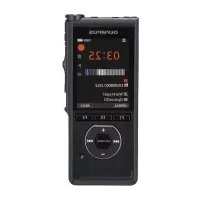
- Names of parts
- Recorder
- Display ([Recorder] mode)
- Display ([Music] mode)
- Setup
- Inserting the battery (Fig. 1)
- Turning the power ON (Fig. 2)
- Selecting the battery setting (Fig. 3)
- Setting the time/date (Fig. 4)
- Setting the voice guidance
- Charging the battery by connecting to a PC's USB connector (Fig. 5)
- NOTE:
- Start the PC.
- Turning the power OFF
- Power Save mode
- Selecting the mode (Fig. 6)
- Recording
- Basic recording procedure (Fig. 7)
- Changing the recording scene (Fig. 8)
- Playback
- Basic playback procedure (Fig. 9)
- Changing the playback speed (Fig. 10)
- Fast playback restrictions
- Erasing files (Fig. 11)
- Use with a PC
- PC operating environment
- Windows
- Macintosh
- Copyright and trademark information
- Trademarks and registered trademarks
- Notes
- WARNING
- Safety precautions
- Important safety precautions
- DANGER
- CAUTION
- Voice recorder safety precautions
- Batteries
- Disposing the rechargeable battery
- Operating precautions
- Specifications
- Recording formats
- Input level
- Maximum working output
- Maximum output voltage
- Recording media*
- Bluetooth® Specification*
- Speaker
- Microphone jack
- Earphone jack
- Power source
- External dimensions
- Weight
- Operating temperature
- For customers in North and South America
- FCC Notice
- FCC CAUTION
- For customers in USA
- Tested To Comply With FCC
- Standards
- FOR HOME OR OFFICE USE
- For customers in CANADA
- For customers in Europe
- BG
- BbVeJeHne
- HaMHeHOBaHne HaOTdJIHnTe eIemEHTN
- 3aHcBaUOyCTpOHTBO
- Ekpan (pekm [Recorder])
- HacrtpoKn
- IocTabaHHe Ha 6aTepeHraTa (fHr. 1)
- BKJIIOUQBAHE Ha 3axpaHbaHeTo (fnr.2)
- HactpoKaHaNoctaBeHaTa6aTePn8 (fnr.3)
- 3aDaBaHe Ha rnaCObTe yKa3aHn
- 3apeKdahe Ha 6aTePnraTaype3 CBbp3BaHe KbM USB KOHeKToppa Ha KOMNIOTpB (pHr.5)
- 3A6EJIEXKA:
- N3KJIIOUBAHE Ha 3axpaHbAHeTo
- EheproceTbaPpeKMM
- M36opHa pexmm (6)
- Korato ce n36epe [Recorder]:
- Korato ce v36epe [Music]:
- Korato ce u36epe [Calendar Search]:
- 3aNNcBaHe
- OchOBHa npoepdpa 3a 3anncBahe (nir.7)
- HaTncheTe 6yToREC(●)3a CTapTnpaHe Ha 3anncbaHeTo.
- HaTNCheTe 6yToHsTOP (■),Korato NCKaTe Da CnpeTe 3anncBaHeTo.
- CmHa Ha cHeHa Ta Ha 3aHcBaHe (fnr.8)
- Bb3npo3Bexkahe
- OchOBHa npoueypa 3a Bb3npoIm3Bexkdahe (pnr.9)
- HaTnchete 6yToHa STOP(■),3a da cnpeTe Bb3npOn3BexKaHeTo.
- PpomHa Ha ckopoCTHa Bb3npOn3BExKdaHe (Our. [10])
- OrpaHnueHn3a6bP30 Bb3npOn3BExKaDaHe
- N3tpuBaHe Ha aaiNoBe (Hr. 11)
- M3no3BaHe cKOMnIOTpBp
- OnepaunonHa cpeHa KOMnIOrTbpa
- HΦopMaζηa aBTOpCKTe npBa n TbProBCKTe MapKu
- TbproBcKm MapKn npertpnpaHn TbproBcKm MapKn
- 3a6eJexKn
- NPEyUNPEKDEHNE
- Пре徳паЗн Мерки за 6e3опасност
- BaxhM mepkn 3a 6e3onacnoct
- ONACHOCT
- !PPEyPPEKDEHNE
- BHUMAHNE
- Mepkn 3a 6e30nacHocHT Ha IlaCoBOTo 3aanCbauo yctpoIcTBo
- BHIMAHHE
- baTeepn
- !PPEyPExKdeHNE
- N3XBbPJIHe Ha aKymyJlAToPhaTa 6aTepeH
- Ipea3Hm MepKn npn ekcnloaataua
- <Ппдзн Меркn cpeу 3ary6a Na daHHN>
- TbproBcKO HaMeHOBaHne: OLYMPUS
- TectBaHO Da OTROBapra Ha FCC CTaHdaptnte 3A IN3IOJ3BAHE Y DOMA N B OΦIICA
- 3a KJImeHTn B KAHAJA
- 3a KIneHTn B Ebpona
- CS
- Uvod
- Bezpečnostní zásady
- V souladu se standardy FCC PRO DOMÁCÍ NEBO KANCELÁRSKÉ POUZITI
- Sikkerhedsregler
- Sicherheitshinweise
- G Evdelta[Time/Date] kai [Remain] SYMBOYAH:
- PpOaIaIac
- InuavtkeC npovpalaec aopaaeia
- KINADYNO
- !NPOEIOHOH
- !NPOOxH
- PpoulaEic aopaaEiaKataypaepa
- !NPOEIADONOIHEH
- Tia katavaawtec otic HNA
- Tia katavaawtec otyn Eupwnn
- ES
- Introduccion
- Ohutusnóuded
- Olulised ohutusnóued
- Varotoimet
- Biztonsagi oventzkedesek
- Elemek/akkumulatorok
- VESZÉLY
- Regole di sicurezza
- HFP (Handsfree Profile)
- Per clienti in CANADA
- Atsargumo priemonès
- Patikrintas del FCC standartu atitikimo.
- NAUDOTI NAMIE ARBA BIURE
- Pärbaudits atbilstibai FCC standartiem
- LIETOSANAI MAJAS VAI BIROJA
- Pircejiem Kanada
- Klientiem Eiropa
- Getest op naleving van FCC-normen VOOR THUIS- OF KANTOORGEBRUK
- Środki ostrożnosci
- Visor (modo [Recorder])
- Para clients no CANADA
- Ecran (mod [Recorder])
- SFAT:
- Setári
- Introducerea bateriei (Fig. 1)
- Modul Power Save (Economic)
- Măsuri de precaţie
- Диспел徴 (peхим [Myзыка])
- Hactpoika
- UcTaHOBka 6aTapeKn (pnc.1)
- YcTaHOBKa rOIOcoBbIX uHCTpyKcN
- Tolbko MojeNB LS-P4
- 3apraKa 6aTapeKu Chepe3 USB-nopt KOMnbIOTepa (pnc.5)
- ПРИМЕЧАНЕ.
- OTKIOUOHe HnTaHn
- Pexm3koHOMn3Heprnn
- N3MeHeHmecKOpocTH BOCpOu3BedeHn (PNC.10)
- OrpaHnueHn yckopeHHoro BocPon3BeHn
- YdaneHne fainob(pnc.11)
- Повлоченkekomblotepy
- OnepaHnHa cHcTeMa KOMnbIOTePa
- Информацьяобавторск nx npaBax
- M TOBaPbIX 3HaKaX
- ToBapHbIe 3HaKn H 3apeNCTpnpoBaHHbIe ToBapHbIe 3HaKn
- PnmuMeaHna
- !BnMaHne!
- MepblnpedoctopoxKhoCTN
- BaxKbIe Mepbl npedocTopoKHOCTN
- Onacho!
- !Bhumahne!
- !OcTopoxHo!
- Mepbl npedoctopoxknoctn npa6oTe CdktofoHaMM
- !BHHMaHHe!
- Octopoxho!
- BaTapeKu
- BHHMaHHe!
- Ytuln3aunpepe3apxaeMbix 6aTapeek
- Mepbl npedoctopoxkno npn pa60Te
- Hocntel pyaannc\*
- CneuΦkaunu Bluetooth\*
- DInHaMnK
- Pa3bemДЯМКрфОнa
- Pa3beM nIyHnKOB
- VICTOCHIK NITAHIN
- BHeuHne pa3Mepbl
- Bec
- Pa6o7a TempepaTpa
- Поберень Ha COOTBETCTBNE CTaHДapTAM FCC
- ДЛА ДOMAшERO ИИОФИСHOrO ICNoIb3OBAHNIA
- Дя nokynateleв KaHaTe
- Testované na súlad s normami FCC NA POUZITIE DOMA ALEBO V KANCELÁRII
- Varnostni ukrepi
- 安全及正確的使用方式
- aclawil
- algal
- #
Brand : OLYMPUS
Model : LSP4
Category : Voice recorder