
GSL 2 Professional - Laser level BOSCH - Free user manual and instructions
Find the device manual for free GSL 2 Professional BOSCH in PDF.




| Product Type | Floor Laser Level |
| Brand | Bosch |
| Model | GSL 2 Professional |
| Category | Laser Level |
| Dimensions (L x W x H) | 210 x 195 x 205 mm |
| Weight (according to EPTA 01:2014) | 1.4 kg |
| Power Supply | 4 alkaline batteries 1.5 V LR06 (AA) or 10.8 V Lithium-ion battery |
| Battery Life (alkaline) | 15 h |
| Battery Life (1.3 Ah battery) | 15 h |
| Battery Life (1.5 Ah battery) | 25 h |
| Laser Class | 3R (IEC 60825-1) |
| Laser Type | 630-670 nm, <5 mW |
| Range (without target) | 10 m |
| Range (with target) | 20 m |
| Leveling Accuracy | ±0.3 mm/m |
| Self-Leveling Range | ±4° |
| Typical Leveling Time | < 5 s |
| Operating Temperature | -10 °C to +50 °C |
| Storage Temperature | -20 °C to +70 °C |
| Protection Rating | IP 54 (dust and splash water protected) |
| Main Functions | Self-leveling, motorized rotation (via remote control), manual height adjustment, laser alignment |
| Included Accessories | Laser target plate, laser viewing glasses, transport case; RC 2 remote control (Set version) |
| Care and Cleaning | Clean with a soft, damp cloth; do not use detergents or solvents; store in the case |
| Safety | Class 3R laser – do not point the beam at eyes; remove batteries/battery pack before maintenance; use only original Bosch accessories |
| Spare Parts and Repairability | Repair only by an authorized Bosch after-sales service; 10-digit article number on the rating plate |
Frequently Asked Questions - GSL 2 Professional BOSCH
User questions about GSL 2 Professional BOSCH
0 question about this device. Answer the ones you know or ask your own.
Ask a new question about this device
Download the instructions for your Laser level in PDF format for free! Find your manual GSL 2 Professional - BOSCH and take your electronic device back in hand. On this page are published all the documents necessary for the use of your device. GSL 2 Professional by BOSCH.
USER MANUAL GSL 2 Professional BOSCH
Robert Bosch Power Tools GmbH
70538 Stuttgart
GERMANY
www.bosch-pt.com
160992A309[2014.07]1/209

160992A309
GSL Professional
2|2Set
RC 2 Professional

BOSCH
Original instructions
Original instructions
Original instructions
Original instructions
Original instructions
Original instructions
Original instructions
Translated instructions
All instructions must be read and observed in order to work safely with the measuring tool. Never make warning signs on the measuring tool unrecognisable. SAVE THESE INSTRUCTIONS FOR FUTURE REFERENCE AND INCLUDE THEM WITH THE MEASURING TOOL WHEN GIVING IT TO A THIRD PARTY.
- Caution - The use of other operating or adjusting equipment or the application of other processing methods than those mentioned here can lead to dangerous radiation exposure. The measuring tool is provided with two warning labels (each marked with number 2 in the representation of the measuring tool on the graphics page).

If the text of the warning labels is not in your national language, stick the provided warning labels in your national language over it before operating for the first time.

Do not direct the laser beam at persons or animals and do not look into the laser beam yourself. This measuring tool generates laser radiation from class 3R according to IEC 60825-1. Looking directly into the laser beam - even from a greater distance can cause damages to the eyes.



If laser radiation strikes your eye, you must deliberately close your eyes and immediately turn your head away from the beam. Do not use the laser viewing glasses as safety goggles. The laser viewing glasses are used for improved visualisation of the laser beam, but they do not protect against laser radiation. - Do not use the laser viewing glasses as sun glasses or in traffic. The laser viewing glasses do not afford complete UV protection and reduce colour perception. Do not make any modifications to the laser equipment. Have the measuring tool repaired only through qualified specialists using original spare parts. This ensures that the safety of the measuring tool is maintained. - Avoid reflection of the laser beam on smooth surfaces such as windows or mirrors. A reflected laser beam can also cause damage to the eye. The measuring tool should be operated only by persons that are familiar with the handling of laser devices. According to EN 60825-1, this includes, among other things, the knowledge about the biological effects of the laser to the eyes and the skin as well as the correct usage of laser protection devices in order to avoid dangers. Do not operate the measuring tool in explosive environments, such as in the presence of flammable liquids, gases or dusts. Sparks can be created in the measuring tool which may ignite the dust or fumes. Always set up the measuring tool in such a manner that the laser beams run far above or below eye level. This ensures that damage to the eyes will not occur. Mark the area in which the measuring tool is being used with suitable laser warning labels. This prevents persons not involved from accessing the danger area. Do not store the measuring tool at locations to which unauthorised persons have access. Persons not familiar with the operation of the measuring tool can cause harm to themselves and to others. When using a class 3R measuring tool, observe possible national regulations. Non-observation of these regulations can lead to injury. Make sure that the area of laser radiation is monitored or shielded. The limitation of laser radiation to controlled areas prevents eye damage to persons not involved. Before any work on the measuring tool itself (e.g. assembling, maintenance, etc.) as well as when transporting and storing, remove the battery pack or the batteries from the measuring tool. Danger of injury when accidentally actuating the On/Off switch. Do not open the battery pack. Danger of short-circuiting.

Protect the battery pack against heat, e.g., against continuous intense sunlight, fire, water, and moisture. Danger of explosion.
When the battery pack is not in use, keep it away from other metal objects such as paper clips, coins, keys, nails, screws, or other small metal objects that can make a connection from one terminal to another. Shorting the battery terminals together may cause burns or a fire. Under abusive conditions, liquid may be ejected from the battery pack; avoid contact. If contact accidentally occurs, flush with water. If liquid contacts eyes, additionally seek medical help. Liquid ejected from the battery pack may cause irritation or burns. In case of damage and improper use of the battery pack, vapours may be emitted. Provide fresh air and seek medical help in case of complaints. The vapours can irritate the respiratory system. Recharge only with the charger specified by the manufacturer. A charger that is suitable for one type of battery pack may create a risk of fire when used with another battery pack. Use the battery pack only in conjunction with your Bosch measuring tool. This measure alone protects the battery pack against dangerous overload. Use only original Bosch battery packs with the voltage listed on the nameplate of your measuring tool. When using other battery packs, e.g. imitations, reconditioned battery packs or other brands, there is danger of injury as well as property damage through exploding battery packs.

Keep the measuring tool and the laser target plate 10 away from cardiac pacemakers. The magnets of the measuring tool and laser target plate generate a field that can impair the function of cardiac pacemakers.
- Keep the measuring tool and the laser target plate 10 away from magnetic data media and magnetically sensitive equipment. The effect of the magnets of the measuring tool and laser target plate can lead to irreversible data loss.
Remote Control (GSL 2 Set)

Read and observe all instructions. SAVE THESE INSTRUCTIONS FOR FUTURE REFERENCE.
Have the remote control repaired only through a qualified repair person and only using identical replacement parts. This will ensure that the functionality of the remote control is maintained. Do not operate the remote control in explosive atmospheres, such as in the presence of flammable liquids, gases or dusts. Sparks can be created in the remote control which may ignite the dust or fumes.
Product Description and Specifications
While reading the operating instructions, unfold the graphics page with the illustration of the surface laser and the remote control, and leave it open.

Intended Use
Surface laser
The measuring tool is intended for checking the flatness of floor surfaces.
The measuring tool is suitable for indoor use.
Remote Control (GSL 2 Set)
The remote control is intended for controlling surface lasers indoors.
Product Features
The numbering of the product features refers to the illustration of the surface laser and remote control on the graphics page.
Surface laser
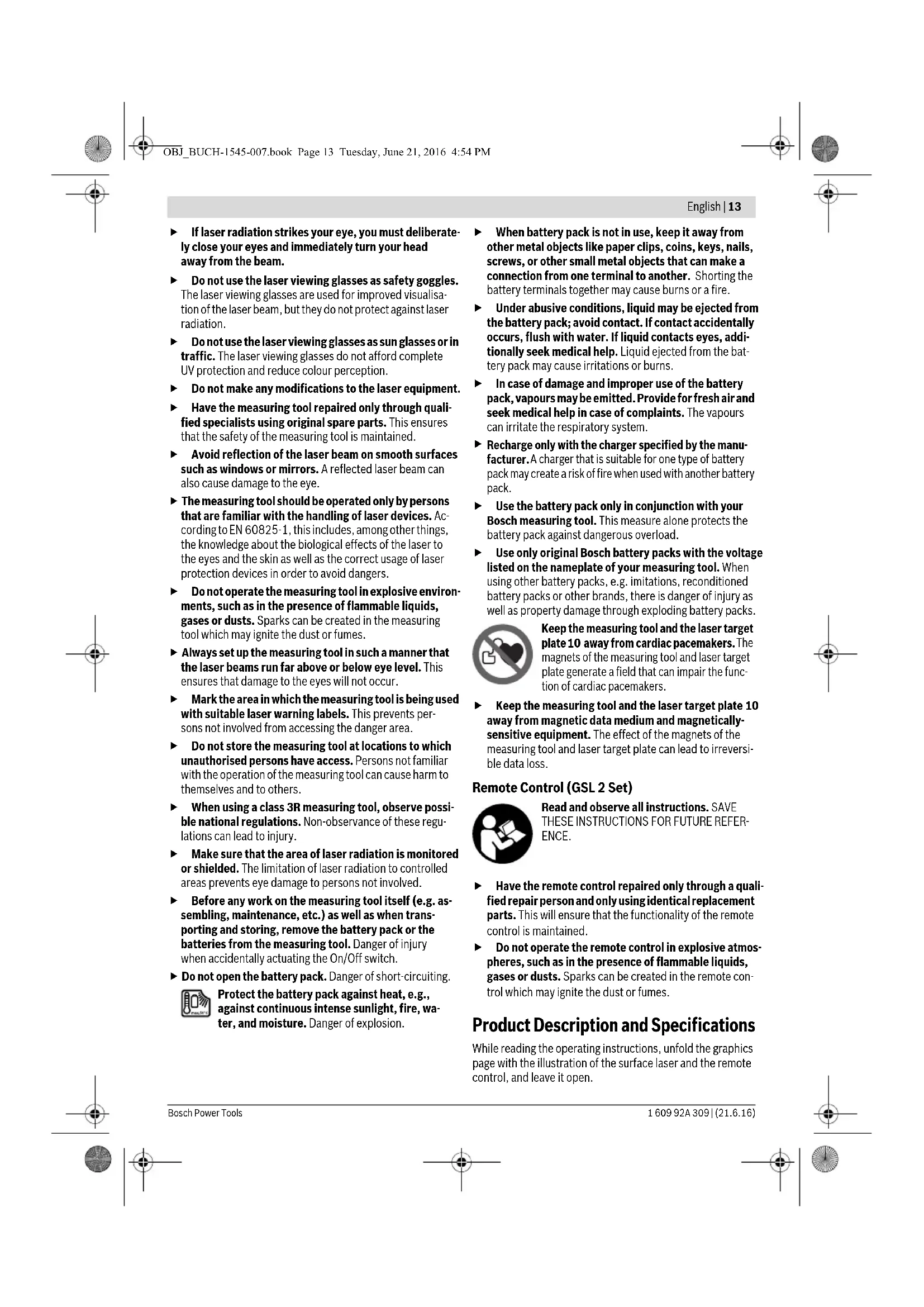
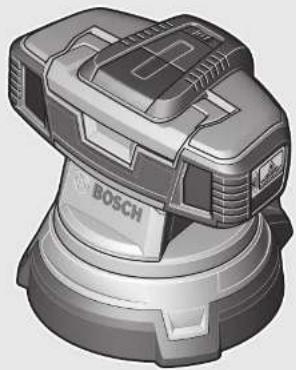
1 Exit opening for laser beam 2 Laser warning label 3 Handle 4 Reception lens for remote control (GSL 2 Set) 5 Battery status indicator 6 Latch of battery lid 7 Battery lid 8 On/Off switch
9 Thumbwheel for height adjustment 10 Laser target plate 11 Measuring tip of the laser target plate 12 Serial number of the surface laser 23 Battery pack*
Remote Control
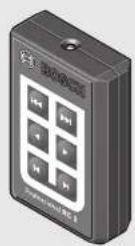
13 Outlet opening for infra-red beam 14 Button for fast rotation in anticlockwise direction 15 Button for slow rotation in anticlockwise direction 16 Button for step-by-step rotation in anticlockwise direction 17 Button for step-by-step rotation in clockwise direction 18 Button for slow rotation in clockwise direction 19 Button for fast rotation in clockwise direction 20 Battery lid of the remote control 21 Battery lid latch of the remote control 22 Serial number
Accessories/Spare parts
24 Laser viewing glasses 25 Case The accessories illustrated or described are not included as standard delivery.
Technical Data
| Surface laser GSL 2 GSL 2 Set | ||
| Article number | 3601 K64 000 | 3601 K64 0013601 K64 0703601 K64 0R0 |
| Remote-controlled, motor-driven rotation base | -● | |
| Working range1) | ||
| - without laser target plate | 10 m | 10 m |
| - with laser target plate | 20 m | 20 m |
| Levelling Accuracy | ±0.3 mm/m ±0.3 mm/m | |
| Self-levelling range, typically | ±4° ±4° | |
| Levelling duration, typically | <5s <5s | |
| Operating temperature | -10°C...+50°C | -10°C...+50°C |
| Storage temperature | -20°C...+70°C | -20°C...+70°C |
| Relative air humidity, max. | 90% | 90% |
| Laser class | 3R | 3R |
| Laser type | 630-670 nm, <5 mW | 630-670 nm, <5 mW |
| C6 | 1 | 1 |
| Batteries (alkali-manganese) | 4x1.5VLR06(AA) | 4x1.5VLR06(AA) |
| Battery pack (lithium-ion) | 10.8V | 10.8V |
| Battery life | ||
| -Batteries (alkali-manganese) | 15 h | 15 h |
| -Battery pack (lithium-ion) (1,3 Ah) | 15 h | 15 h |
| -Battery pack (lithium-ion) (1,5 Ah) | 25 h | 25 h |
| Weight according to EPTA-Procedure 01:2014 | 1.4 kg | 1.4 kg |
| Dimensions (length x width x height) | 210 x 195 x 205 mm | 210 x 195 x 205 mm |
| Degree of protection | IP 54 (dust and splash water protected) | IP 54 (dust and splash water protected) |
| 1) The working range can be decreased by unfavourable environmental conditions (e.g. direct sun irradiation).For clear identification of your surface laser, see the serial number 12 on the type plate. | ||

Remote Control RC 2
| Article number | 3601 K69 C00 |
| Working range2) | 20 m |
| Operating temperature | -10 °C...+50 °C |
| Storage temperature | -20 °C...+70 °C |
| Batteries | 3 x 1.5 V LRO3 (AAA) |
| Weight according to EPTA-Procedure 01:2014 | 0.05 kg |
2) The working range can be decreased by unfavourable environmental conditions (e.g. direct sun irradiation). For clear identification of your remote control, see the serial number 22 on the type plate.
Assembly
Power Supply of the Surface Laser
The measuring tool can either be operated with commercially available batteries or with a Bosch lithium ion battery pack.
Operation with Batteries (see figure B)
Alkali-manganese batteries are recommended for the measuring tool.
For installation and removal of the batteries, the measuring tool's height adjustment must be set to the lowest position. For this, turn the thumbwheel for height adjustment 9 in anticlockwise direction to the stop.
To open the battery lid 7, press on the latch 6 and fold the battery lid up. Insert the batteries. When inserting, pay attention to the correct polarity according to the representation on the inside of the battery lid.
Always replace all batteries at the same time. Only use batteries from one brand and with the identical capacity.
- Remove the batteries from the measuring tool when not using it for extended periods. When storing for extended periods, the batteries can corrode and self-discharge.
Operation with Battery Pack (see figure C)
Use only original Bosch lithium ion battery packs with the voltage listed on the nameplate of your measuring tool. Using other battery packs can lead to injuries and pose a fire hazard.
Note: Use of battery packs not suitable for the measuring tool can lead to malfunctions of or cause damage to the measuring tool.
Note: The battery pack is supplied partially charged. To ensure full capacity of the battery pack, completely charge the battery pack in the battery charger before using for the first time.
Use only the battery chargers listed on the accessories page. Only these battery chargers are matched to the lithium-ion battery pack that can be used in your measuring tool.
The Lithium-lon battery pack can be charged at any time without reducing its service life. Interrupting the charging procedure does not damage the battery pack.
The battery pack is equipped with an NTC temperature control that allows charging only within a temperature range of between 0°C and 45°C. This ensures a long battery pack service life.
To install or remove the battery pack 23, the measuring tool's height adjustment must be set to the lowest position. To do this, turn the thumbwheel for height adjustment 9 anticlockwise to the stop.
To insert the battery pack 23, press the latch 6 and fold the battery lid 7 up. Slide the charged battery pack completely into the battery compartment and close the battery lid.
Operation with a 1.5 Ah battery pack: To shut the battery lid 7, the foam damper on the inside of the battery lid must be removed.
To remove the battery pack 23, press the latch 6 and fold the battery lid 7 up. Pull the battery pack out of the battery compartment.
Battery Status Indicator
The three green LEDs of the battery status indicator 5 indicate the charge condition of the batteries or the battery pack 23.
LED Capacity
| Continuous lighting 3 x green | ≥2/3 |
| Continuous lighting 2 x green | ≥1/3 |
| Continuous lighting 1 x green <1/3 | |
| Flashing light 1 x green Reserve | |
Power Supply of the Remote Control (GSL 2 Set)
Using alkali-manganese batteries is recommended for operation of the remote control.
To open the battery lid 20, press the latch 21 and remove the battery lid. Insert the batteries. When inserting, pay attention to the correct polarity according to the representation on the inside of the battery lid.
Always replace all batteries at the same time. Only use batteries from one brand and with the identical capacity.
- Remove the batteries from the remote control when not using it for longer periods. When storing for longer periods, the batteries can corrode and discharge themselves.
Operation
Starting Operation of the Surface Laser
Protect the measuring tool against moisture and direct sunlight. Do not subject the measuring tool to extreme temperatures or variations in temperature. For example, do not leave it in vehicles for a long time. In case of large variations in temperature, allow the measuring tool to adjust to the ambient temperature before putting it into operation. In case of extreme temperatures or variations in temperature, the accuracy of the measuring tool can be impaired. Avoid hard knocks to the measuring tool or dropping it. Damaging the measuring tool can cause accuracy to be
compromised. Following a hard knock or fall, carry out a check by comparing the laser lines or plumb beams with a known horizontal or vertical reference line or verified perpendicular points.
- Switch the measuring tool off during transport. When switching off, the levelling unit, which can be damaged in case of intense movement, is locked.
Setting Up the Measuring Tool
Set up the measuring tool on the floor surface to be checked, ensuring that it is firmly positioned.
The levelling accuracy can be influenced through the ambient temperature. Especially temperature differences occurring from the ground upward can deflect the laser beam. As the thermal layering is greatest at ground level, the measuring tool should always be set up in the centre of the floor surface to be checked.
Switching On and Off
To switch on the measuring tool, slide the On/Off switch 8 to the "On" position. Immediately after switching on, the measuring tool sends laser beams out of the exit openings 1.
Do not direct the laser beam at persons or animals (especially not at their eye level), and do not stare into the laser beam yourself (not even from a distance).
To switch off the measuring tool, slide the On/Off switch 8 to the "Off" position. When switching off, the levelling unit is locked.
When the measuring tool is not moved or remote-controlled for approx. 30 minutes, it switches off automatically to save the batteries or the battery pack.
After switching off automatically, switch the measuring tool off via On/Off switch 8 and then on again, if required. GSL 2 Set: After switching off automatically, the measuring tool can be switched on again by pressing any button on the remote control.
Do not leave the switched-on measuring tool unattended and switch the measuring tool off after use. Other persons could be blinded by the laser beam.
When exceeding the maximum permitted operating temperature of 50°C, the measuring tool switches off to protect the laser diode. After cooling down, the measuring tool is ready for operation and can be switched on again.
Operation with battery pack: The "Electronic Cell Protection (ECP)" protects the lithium-ion battery pack against deep discharging. When the battery pack is discharged, the measuring tool is switched off by a protective circuit.
When the measuring tool switches off automatically due to a discharged battery pack, switch the measuring tool off with the On/Off switch 8. Charge the battery pack before switching the measuring tool on again. Otherwise, the battery pack could become damaged.
Allowing the Measuring Tool to Level In
After switching on, the levelling function automatically compensates irregularities within the self-levelling range of ±4°. The levelling is finished as soon as the laser beams do not move any more.
If the automatic levelling function is not possible, e.g. because the surface on which the measuring tool stands deviates by more than 4° from the horizontal plane, the laser beams flash.
Set up the measuring tool in level position and wait for the self-levelling to take place. As soon as the measuring tool is within the self-levelling range of ±4°, the laser beams light up continuously.
In case of ground vibrations or position changes during operation, the measuring tool is automatically levelled in again, yet, possibly to a different height when larger position changes are the case. Upon re-levelling, check if the two laser beams are aligned at the reference point (see "Aligning the Height of the Measuring Tool", page 16) in order to avoid vertical errors.
Aligning the Height of the Measuring Tool
The measuring tool generates two laser beams that can be seen on the floor surface in front of the measuring tool for distances beyond 50 cm. The beams must be brought into alignment at this reference point, where they can initially be seen on the floor surface. For this, turn the thumbwheel for height adjustment 9 clockwise or anticlockwise, until both laser beams overlap at the reference point and only one beam can be seen.
When the two laser beams cannot be aligned by turning the thumbwheel, the position of the measuring tool is significantly above or below the floor surface. Position the measuring tool at a different location on the floor surface with less height deviation and align the laser beams there.
Starting Operation of the Remote Control (GSL 2 Set)
Protect the remote control against moisture and direct sunlight. Do not subject the remote control to extreme temperatures or variations in temperature. As an example, do not leave it in vehicles for longer periods. In case of large variations in temperature, allow the remote control to adjust to the ambient temperature before putting it into operation.
The remote control remains ready for operation as long as a battery with sufficient voltage is inserted.
The signals of the remote control should reach the reception lens 4 directly from the front and inclined from above. When the remote control cannot be pointed directly against a reception lens, the working range is reduced. By reflecting the signal (e.g. against walls), the working range can be improved, even for indirect signals.
Switching the measuring tool on via the remote control after automatic shut-off of the measuring tool is only possible when the On/Off switch 8 is still in the "On" position. Switching the measuring tool off with the remote control is not possible.





Measuring Procedure
Manual Rotation (GSL 2)
Rotate the upper part of the measuring tool to the location that you want to check. After rotating, wait until the measuring tool has levelled in again and the laser beams no longer move. Then, check if the laser beams run opaque.
Automatic Rotation (GSL 2 Set)
To check the surface, rotate the upper part of the measuring tool with the remote control. Manual rotation is not possible.
The following rotation modes are available:

Press button 19 to start fast, continuous rotation in clockwise direction. Pressing button 19 again ends the rotation.

Press button 14 to start fast, continuous rotation in anticlockwise direction. Pressing button 14 again ends the rotation.

Press button 18 to start slow, continuous rotation in clockwise direction. Pressing button 18 again ends the rotation.

Press button 15 to start slow, continuous rotation in anticlockwise direction. Pressing button 15 again ends the rotation.

Press button 17 for a single, brief rotation step in clockwise direction. For each further individual movement, press button 17 again.

Press button 16 for a single, brief rotation step in anticlockwise direction. For each further individual movement, press button 16 again.
Evaluating Measuring Results (see figures D - G)
The two laser beams indicate whether the surface is at the same height as the reference point (see "Aligning the Height of the Measuring Tool", page 16):
- All points at which both laser beams coincide exactly above each other are at the same height as the reference point.
- When two beams can be seen next to each other or when the laser beams are interrupted, the height of the floor surface deviates with respect to the reference point at this location.
To measure the deviation of the floor surface, position the laser target plate 10 at the location to be checked. Turn the laser target plate in such a manner that the left-hand laser beam coincides with the left reference line of the laser target plate. Slide the upper part of the laser target plate upward or downward, until the tip 11 of the laser target plate rests on the
location to be measured. The height deviation between the reference point and the measuring point can be read in mm via the position of the right-hand laser beam on the laser target plate.
When both laser beams run apart at a constant angle on the floor surface, the floor surface is inclined.
Working Advice
Pay attention that the complete width of the laser beams coincide exactly over each other. The width of the laser beams changes with the distance.
Transporting the Measuring Tool
The handle 3 can be used for easier transport of the measuring tool. Fold the handle up as required.
Laser Viewing Glasses (Accessory)
The laser viewing glasses filter out the ambient light. This makes the red light of the laser appear brighter for the eyes.
Do not use the laser viewing glasses as safety goggles. The laser viewing glasses are used for improved visualisation of the laser beam, but they do not protect against laser radiation. Do not use the laser viewing glasses as sun glasses or in traffic. The laser viewing glasses do not afford complete UV protection and reduce colour perception.
Recommendations for Optimal Handling of the Battery Pack
Protect the battery pack against moisture and water.
Store the battery pack only within a temperature range between 0°C and 50°C. As an example, do not leave the battery pack in the car in summer.
A significantly reduced working period after charging indicates that the battery pack is used and must be replaced.
Observe the notes for disposal.
Maintenance and Service
Maintenance and Cleaning
Before any work on the measuring tool itself (e.g. assembling, maintenance, etc.) as well as when transporting and storing, remove the battery pack or the batteries from the measuring tool. Danger of injury when accidentally actuating the On/Off switch.
Store and transport the surface laser only in the supplied case.
Keep the surface laser and remote control clean at all times. Do not immerse the surface laser and remote control into water or other fluids.
Wipe off debris using a moist and soft cloth. Do not use any cleaning agents or solvents.
Regularly clean the surfaces at the exit opening of the laser in particular, and pay attention to any fluff or fibres.
If the surface laser or remote control should fail despite the care taken in manufacture and testing, repair should be carried out by an authorised customer services agent for Bosch power tools. Do not open the surface laser and the remote control yourself.
In all correspondence and spare parts orders, please always include the 10-digit article number given on the type plate of the surface laser and remote control.
For repairs, only send in the surface laser in the case.
After-sales Service and Application Service
Our after-sales service responds to your questions concerning maintenance and repair of your product as well as spare parts. Exploded views and information on spare parts can also be found under:
www.bosch-pt.com
Bosch's application service team will gladly answer questions concerning our products and their accessories.
Great Britain
Robert Bosch Ltd. (B.S.C.)
P.O.Box 98
Broadwater Park
North Orbital Road
Denham
Uxbridge
UB95HJ
At www.bosch-pt.co.uk you can order spare parts or arrange the collection of a product in need of servicing or repair.
Tel. Service: (0844) 7360109
E-Mail: boschservicecentre@bosch.com
Ireland
Origo Ltd.
Unit 23 Magna Drive
Magna Business Park
City West
Dublin 24
Tel. Service: (01) 4666700
Fax: (01) 4666888
Australia, New Zealand and Pacific Islands
Robert Bosch Australia Pty. Ltd.
Power Tools
Locked Bag 66
Clayton South VIC 3169
Customer Contact Center
Inside Australia:
Phone: (01300) 307044
Fax: (01300) 307045
Inside New Zealand:
Phone: (0800) 543353
Fax: (0800) 428570
Outside AU and NZ:
Phone: +61 3 95415555
www.bosch.com.au
Republic of South Africa
Customer service
Hotline: (011) 6519600
Gauteng - BSC Service Centre
35 Roper Street, New Centre
Johannesburg
Tel.: (011) 4939375
Fax: (011) 4930126
E-Mail: bsctools@icon.co.za
KZN - BSC Service Centre
Unit E, Almar Centre
143 Crompton Street
Pinetown
Tel.: (031) 7012120
Fax: (031) 7012446
E-Mail: bsc.dur@za.bosch.com
Western Cape - BSC Service Centre
Democracy Way, Prosperity Park
Milnerton
Tel.: (021) 5512577
Fax: (021) 5513223
E-Mail: bsc@zsd.co.za
Bosch Headquarters
Midrand, Gauteng
Tel.: (011) 6519600
Fax: (011) 6519880
E-Mail: rbsa-hq.pts@za.bosch.com
Transport
The usable lithium-ion battery packs are subject to the Dangerous Goods Legislation requirements. The user can transport the battery packs by road without further requirements. When being transported by third parties (e.g. via air transport or forwarding agency), special requirements on packaging and labelling must be observed. For preparation of the item being shipped, consulting an expert for hazardous material is required.
Dispatch battery packs only when the housing is undamaged. Tape or mask off open contacts and pack up the battery pack in such a manner that it cannot move around in the packaging. Please also observe possibly more detailed national regulations.
Disposal

The surface laser, remote control, batteries, accessories and packaging should be sorted for environmentally-friendly recycling.
Do not dispose of the surface laser, remote control and batteries into household waste!
Only for EC countries:

According to the European Guideline 2012/19/EU, electrical devices/tools that are no longer usable, and according to the European Guideline 2006/66/EC, defective or used battery packs/batteries, must be collected separately and disposed of in an environmentally correct manner.

Batteries no longer suitable for use can be directly returned at:
Great Britain
Robert Bosch Ltd. (B.S.C.)
P.O. Box 98
Broadwater Park
North Orbital Road
Denham
Uxbridge
UB9 5HJ
At www.bosch-pt.co.uk you can order spare parts or arrange the collection of a product in need of servicing or repair.
Tel. Service: (0844) 7360109
E-Mail: boschservicecentre@bosch.com
Battery packs/batteries:
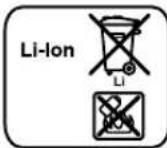
Li-ion:
Please observe the instructions in section "Transport", page 18.
Subject to change without notice.
Manual rotation (GSL 2)
Robert Bosch (France) S.A.S.
Bosch Service Center
Telegrafvej 3
2750 Ballerup
At www.bosch-pt.dk you can order spare parts online and create a repair order.
Service Center phone: 44898855
Fax: 44898755
E-Mail: vaerktoej@dk.bosch.com
Transport
Bosch Service Center
Telegrafvej 3
2750 Ballerup
Denmark
Tel.: (08) 7501820 (within Sweden)
Fax: (011) 187691
Transport
Xpnoaepwva Tev npooipopo
Aeep empavewv
To epyaleio mepnnc npoopicetai yia tov eeyxo ncoaaoTn. ta6anoeiv.
Toepyaleio pTeponc eivai kataaan yia xpion oe cowtepi koucsxupouc.
Tnlexeiupooc (GSL 2 Set)
O nlexepiaoic npooipzetai yia tov eeyxo lezep enipaveiv oe eotepikouc xupouc.
Aneikoviömeva otoxieia
H anapiunonTov otoeiowou anekovictovat avapepetai OTnv anekovian Tou aeepenipaveiwv kau Tnlexipiaou OTn aeia pa ypapka.
Aieep emapveow
1EoocakivacLeceP 2Ipooeofooinrki mivaiklaaieep
3Aaβn

78 EAAynvka
4 DaKocAunnc yiaTnAeXeiapriotipio (GSL 2 Set) 5'EveEeK katataaocfopntan 6Aopaleo Tou kanakiou hknqmuatapia 7 Kanaki θηκις ματαρίας 8 Dαkɒmnc ON/OFF 9Iepioppeoepoevo koupi npcpuoiang uouous 10\Pivakac oToxueoan LcEep 11 Mutn metpnangtou nivaoka tOxueanLieZep 12 ApiooC oepoc Tou aeipoeiipavew 23 EnavaaopnOeV npataia
13 Avoid eye contact for active solar protection 14 Filter for slow rotation with anti-glare form
15 Filter for slow rotation with anti-glare form 16 Filter for permanent rotation with anti-glare form 17 Filter for permanent rotation with non-glare form 18 Filter for slow rotation with glare form 19 Filter for rotation with glare form 20 Cover for cleaning material 21 Cover safety for cleaning 22 Number of pages
Spare parts / Accessories
24 Inspection window 25 Valve
Spare parts are shown and described but are not included in the delivery.
Technical characteristics
Maintenance and Service
Maintenance and cleaning
Remove the material, if necessary, or the measuring device before carrying out any work on it (e.g. cleaning, maintenance) and before transporting or storing it. In case of emergency, operating the ON/OFF switch poses a risk of injury.
Store and transport the measuring device always in its case.
Keep the surfaces and the handle always clean and dry.
Do not immerse the surface and the handle in water or other liquids.
Clean any dirt and residues with a damp cloth. Do not use cleaning agents or solvents.
Clean regularly, especially the surfaces near the active laser, and be careful not to create scratches.
Before using the power tool, read all safety warnings and all instructions. Failure to follow the warnings and instructions may result in electric shock, fire and/or serious injury. Save all warnings and instructions for future reference. The term "power tool" in the warnings refers to your mains-operated (corded) power tool or battery-operated (cordless) power tool.
When requesting spare parts, please quote the 10-digit article number printed on the rating plate of the machine or in the operating instructions.
Please send the power tool for repair to an authorized Bosch service center.
Service and sales advice
The service department answers your questions concerning repair and maintenance of your product as well as spare parts:
www.bosch-pt.com
The Bosch advisory team will be happy to help you with any questions regarding our products and their accessories.
Greece
Robert Bosch A.E.
Erythraias 37
19400 Koropi-Athens
Tel.: 2105701270
Fax: 2105701283
www.bosch.com
www.bosch-pt.gr
ABZ Service A.E.
Tel.: 2105701380
Fax: 2105701607
Transport
Handling and return of packaging materials must comply with the requirements of applicable laws. The returned packaging materials must be free of residues and without any other conditions.
When, however, the returned packaging materials are sent by third parties (e.g., air or sea transport), different requirements for packaging and labeling must be observed. In this case, according to the provisions of the shipment to be sent, the advice of an expert in dangerous goods must be sought.
Returned packaging materials must be sent only when the packaging is intact. Close the containers with caps and package the returned material in such a way that it does not move during transport.
Please also observe any more specific national regulations.
Disposal

The packaging, the packaging materials, the returned packaging materials, and the packaging accessories must be recycled in accordance with the regulations.
Do not dispose of the packaging, the packaging materials, and the returned packaging materials with household waste. Thank you for your cooperation!
Only for EU countries:

According to the European Directive 2012/19/EU on waste electrical and electronic equipment and the European Directive 2006/66/EU on batteries and accumulators, these products must not be disposed of as unsorted municipal waste, but must be collected separately for recycling.
Batteries/Rechargeable batteries:
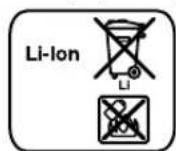
Li-Ion:
This device complies with the requirements of the EMC Directive, 82.
Keep the warranty.

Turkish 83
Turkish
Safety Instructions
Laser surface distance meter

Bosch San. ve Tic. A.S.
Ahi Evran Cad. No:1 Kat:22
Polaris Plaza
80670 Maslak/Istanbul
Bosch Expert Team +90 (0212) 367 18 88
Isiklar LTD.STI
Kizilay Cad. No: 16/C Seyhan
Adana
Tel.: 0322 3599710
Tel.: 0322 3591379
Robert Bosch Sp. z o.o.
Bosch Service Center PT
K Vapence 1621/16
692 01 Mikulov
On www.bosch-pt.cz you can order the repair of your machine online.
Tel.: 519305700
Fax: 519305705
E-Mail: servis.naradi@cz.bosch.com
www.bosch.cz
Transport
Do not expose the battery to high temperatures, e.g., to direct sunlight, fire, water, or moisture. There is a risk of explosion.

Keep unused batteries away from paper clips, coins, keys, nails, screws, or other small metal objects that could cause bridging of the contacts. Short-circuiting between battery contacts can lead to burns or fire. If used incorrectly, battery fluid may leak from the battery. Avoid contact with it. In case of accidental contact, rinse with water and seek medical attention. Battery fluid can cause skin irritation or burns. If the battery is damaged or used improperly, vapors may be emitted. Ensure fresh air flow and consult a doctor if you have complaints. Inhaling vapors can cause respiratory irritation. Charge batteries only with chargers recommended by the manufacturer. Charging with a charger designed for a different type of battery poses a risk of fire. Use the battery only in combination with your Bosch measuring tool. Only then can you prevent dangerous overloading of the battery. Use only original Bosch batteries with the voltage indicated on the nameplate of your measuring tool. Using other batteries, e.g., imitations, reconditioned batteries, or batteries of other brands, poses a risk of injury and material damage due to explosion.
Remove the measuring tool from the battery before storage. Magnetic fields from the measuring tool can affect the operation of pacemakers.

Before measuring, remove the implantable cardioverter-defibrillator. The measuring instrument creates a magnetic field that can affect the operation of the cardioverter-defibrillator.
Magnetic measuring tools and magnetic measuring devices can be affected by magnetic fields, which can lead to incorrect measurements or data loss.
Laser distance meter (GSL 2 Set)

Read and follow all instructions. Keep these instructions.
Repair of your laser distance meter should only be carried out by qualified specialists and only using original spare parts. Only this way can the functionality of the laser distance meter be guaranteed. Do not work with the laser distance meter in explosive atmospheres, in the presence of flammable liquids, gases, or dust. Sparks may be generated in the measuring tool, which can ignite dust or vapors.
Product description and services
Please open the folded pages with the illustration of the laser distance meter and keep these pages open while you study the operating instructions.
Intended use
Laser distance meter
The measuring tool is intended for checking the flatness of surfaces.
The measuring tool is intended for use indoors.
Laser distance meter (GSL 2 Set)
The laser distance meter is intended for controlling laser distance meters indoors.



Bosch Power Tools
160992A309|(21.6.16)




118|Russian
Numbered components
The numbering of the illustrated components is done sequentially on the pages with the illustration of the surface laser of the remote control.
Surface laser
1 Hole for the laser beam output 2 Warning label for laser radiation 3 Handle 4 Remote control receiver (GSL2Set) 5 Charge indicator 6 Battery compartment latch 7 Battery compartment cover 8 Switch 9 Rotating collar for adjusting the height 0 Sight mark 11 Measuring tip of the sight mark 12 Serial number of the surface laser 23 Battery
Remote control
13 Hole for the red beam output 14 Fast rotation button counterclockwise 15 Slow rotation button counterclockwise 16 Step rotation button counterclockwise 17 Step rotation button clockwise 18 Slow rotation button clockwise 19 Fast rotation button clockwise 20 Battery compartment cover of the remote control 21 Battery compartment cover latch of the remote control 22 Serial number
Accessories/Spare parts
24 Case for working with the laser instrument*
25 Holster
The illustrated or described accessories are not included in the
standard delivery set.
Technical data
Working with the instrument
Putting the surface laser into operation
Protect the measuring instrument from direct sunlight. Do not expose the measuring instrument to extreme temperatures or temperature fluctuations. In particular, do not leave it in a car for a long time. In case of large temperature fluctuations, allow the measuring instrument to stabilize its temperature before starting to work with it. Extreme temperatures and temperature fluctuations can adversely affect the accuracy of the measuring instrument. Avoid heavy impacts and drops of the measuring instrument. After heavy external impacts, it is necessary to check the accuracy and calibration of the measuring instrument in an authorized service workshop. When transporting, switch off the measuring instrument. When switched off, the pendulum lock is activated, which can be damaged if the movement is excessive.
Setting up the measuring instrument
Set up the measuring instrument on a flat base on the surface to be measured.
The tilt of the instrument can be affected by the ambient temperature. In particular, temperature differences, which decrease with distance from the ground, can cause the laser beam to deviate. Since the largest temperature differences occur near the ground, the measuring instrument should always be set up on the surface to be measured.
Switching On/Off
To switch on the measuring instrument, press the on/off switch to the "On" position. Immediately after switching on, the measuring instrument emits laser beams through the opening for the laser beams 1.
Do not point the laser beam at people or animals (especially at eye level) and do not look into the laser beam (even from a distance).
To switch off the measuring instrument, move the on/off switch 8 to the "Off" position. The pendulum lock is then activated.
If you do not operate the measuring instrument for approx. 30 minutes and do not control it via the remote control, it switches off automatically to save battery power.
After automatic shutdown, switch off the measuring instrument using the on/off switch 8 and, if necessary, switch it on again.
GSL 2 Set: After automatic shutdown, the measuring instrument can be switched on again by pressing any button on the remote control.
Do not leave the switched-on measuring instrument unattended and switch it off after use. Other people could be blinded by the laser beam.
When the permissible operating temperature of 50°C is exceeded, the laser unit switches off. After cooling down, the measuring instrument is ready for operation again and can be switched on again.
Battery operation: The lithium-ion battery is protected against deep discharge by the "Electronic Cell Protection (ECP)" system. When the battery is discharged, the measuring instrument switches off via the protection circuit.
If the measuring instrument switches off automatically due to a discharged battery, switch off the measuring instrument using the on/off switch. Before switching the measuring instrument on again, charge the battery. Otherwise, the battery may be damaged.
Automatic leveling of the measuring instrument
The automatic leveling function compensates for unevenness within the automatic leveling range of ±4°. Leveling is complete as soon as the laser lines stop blinking.
If automatic leveling is not possible, e.g., if the base on which the measuring tool is installed deviates from the horizontal by more than 4°, the laser lines will blink.
Place the measuring tool horizontally and wait until the tool has performed automatic leveling. As soon as the measuring tool is back within the automatic leveling range of ±4°, the laser lines will light up continuously.


If the position of the measuring tool changes during operation, the tool will level itself again automatically. After significant changes in position, leveling may take place at a different height. To avoid errors in height, check the reference point after repeated leveling to see if the laser lines coincide (see "Leveling the measuring tool to a height", p. 121).
Leveling the measuring tool to a height
The measuring tool creates two laser lines that can be seen on the surface at a distance of approx. 50 cm from the measuring tool. The lines must be brought together at a reference point that can be seen on the ground. To do this, turn the two height adjustment knobs clockwise or counterclockwise until the laser lines coincide at the reference point and only one line is visible.
If the two laser lines cannot be brought together by turning the height adjustment knobs, this means that the measuring tool is significantly higher or lower than the ground surface. Set up the measuring tool at another location on the ground with less difference in height and bring the laser lines together at that point.
Starting the remote control operation (GSL 2 Set)
Protect the remote control from direct sunlight. Do not expose the remote control to extreme temperatures or temperature fluctuations. In particular, do not leave it in a car for a long time. In case of large temperature fluctuations, allow the remote control to adjust to the temperature before using it.
When inserting the battery, ensure sufficient voltage for the remote control.
The signals from the remote control must be aimed directly at the receiving lens from the front and from above. If it is not possible to aim the remote control directly at the receiving lens, the range is reduced. The working range is reduced when the signal is weak – it can be increased again by reflecting the signal (e.g., off a wall).
Switching on the measuring tool with the remote control is only possible after the measuring tool has been switched on automatically, if the switch is still in the "On" position. Switching off with the remote control is not possible.
Measurement
Manual operation (GSL 2)
Rotate the upper part of the measuring instrument to the location you need to check. After rotating the instrument, wait until the measuring instrument has finished leveling and the laser beams are no longer visible. Only then check whether the laser beams coincide.
Automatic rotation (GSL 2 Set)
Rotate the upper part of the measuring instrument using the remote control to check the area. Manual rotation is not possible.
The following rotation methods are available:

Press button 19 to start fast continuous rotation clockwise. Pressing button 19 again stops the rotation.

Press button 14 to start fast continuous rotation counterclockwise. Pressing button 14 again stops the rotation.

Press button 18 to start slow continuous rotation clockwise. Pressing button 18 again stops the rotation.

Press button 15 to start slow continuous rotation counterclockwise. Pressing button 15 again stops the rotation.

Press button 17 for one short rotation clockwise. For each subsequent rotation, press button 17 again.

Press button 16 for one short rotation counterclockwise. For each subsequent rotation, press button 16 again.
Analysis of measurement results (see figure D)
The laser beams are located on the surface at the height of the reference level (see "Aligning the measuring tool by height", p. 121):
All points where the two laser beams coincide with each other are at the same height as the reference level. If the beams run parallel to each other or intersect, this means that the height of the area differs at that location from the reference level.
Measure the difference in height of the area relative to the reference point. Check the sighting mark so that the left laser beam passes exactly along the left reference line of the sighting mark. Move the upper part of the sighting mark up or down until the notch 11 of the sighting mark rests against the reference point. The difference in millimeters in height between the reference point and the measurement point can then be read from the right laser beam on the sighting mark.

If the laser beams are at the same angle to the working surface of the earth, this indicates that the surface of the earth has a slope.
Instructions for use
Then check that the laser beams coincide across the entire width. The width of the laser beams changes depending on the distance.
Transporting the measuring instrument
For easier transport of the measuring instrument, use the handle 3. If necessary, fold the handle upward.
Working with the laser glasses (accessory)
The laser glasses filter out ambient light. Thanks to this, the red light of the laser becomes more visible to the human eye.
Do not use the laser glasses as protective glasses. The laser glasses serve for better recognition of the laser beam, but they do not protect against laser radiation. Do not use the laser glasses as sunglasses or in road traffic. The laser glasses do not provide full protection against ultraviolet radiation and impair color perception.
Instructions for optimal handling of the battery
Protect the battery from the effects of moisture
Store the battery only in the temperature range from 0°C to 50°C. For example, do not leave the battery in the car in summer.
A significant reduction in the operating time of the battery after charging indicates that the battery has exhausted its service life and must be replaced.
Observe the disposal instructions.
Maintenance and service
Maintenance and cleaning
Remove the battery from the measuring tool before any manipulations with the measuring tool (e.g., assembly, maintenance, etc.), as well as during transport and storage of the measuring tool. If the measuring tool is accidentally switched on during these manipulations, there is a danger of injury.
Store and transport the laser surface only in the supplied case.
Always keep the laser surface clean and free of dirt.
Do not immerse the laser surface or the remote control unit in water or other liquids.
Wipe off dirt with a dry, soft cloth. Do not use any cleaning agents or solvents.
Clean the laser output aperture regularly with a lint-free cloth.
If, despite careful manufacturing and testing, the laser surface or the remote control unit should nevertheless fail, repairs should be carried out by an authorized Bosch after-sales service center. Do not open the laser surface or the remote control unit yourself.
In case of questions or orders for spare parts, please always specify the product number of the laser surface and the remote control unit, which are indicated on the type plate.
Send the laser surface for repair only in the original packaging.
After-sales service and application advice
The after-sales service team will answer all your questions regarding repair and maintenance of your product and regarding spare parts. Exploded views and information on spare parts can also be found at:
www.bosch-pt.com
The Bosch team of consultants, who provide advice on the use of the product, will be happy to answer all your questions regarding the laser level and its accessories.
Batteries:
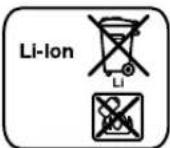
Li-Ion:
Read and follow the instructions in the "Transportation" section, page 123.
Possible modifications.


124|Ukrainian
Ukrainian
Safety instructions
Laser surface

Read all instructions and follow them to work with the measuring instrument safely and correctly. Never operate the measuring tool before the warning labels have been checked for legibility. Keep these instructions and pass them on together with the measuring tool when it is handed over to someone else.
Improper use or failure to follow the instructions specified in these operating instructions may lead to dangerous situations and injuries. The measuring tool is supplied with warning labels (in the illustration of the measuring tool on page 2, they are marked with number 2).
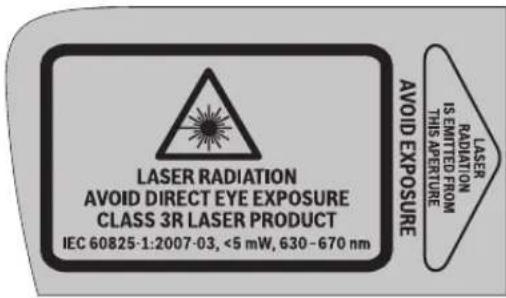
Some of the warning label text is also in the language of your country. Read it before initial operation and follow the instructions in your language.

Do not point the laser beam at people or animals, and do not look into the laser beam yourself. This measuring device creates a laser beam in class 2 according to IEC 60825-1. Looking directly into the laser beam can damage your eyes.
If laser radiation hits your eye, close your eyes and turn your head away from the beam immediately. Do not use laser viewing glasses as protective glasses. Laser viewing glasses are intended for better recognition of the laser beam, but they do not protect against laser radiation.
Do not use laser viewing glasses for protection from the sun or while driving. Laser viewing glasses do not provide full protection against UV radiation and reduce color perception. Never open the laser device. Repairs should only be carried out by qualified specialists and only with original spare parts. Only under these conditions will your measuring device remain safe. Avoid reflections of the laser beam off glossy surfaces, such as windows or mirrors. Eyes can be damaged even by a reflected laser beam. The measuring device may only be serviced by persons who are familiar with laser devices. According to EN 60825-1, in addition to all this, the laser aperture on the device and the skin must be protected, as well as the use of laser protection for safety reasons. Do not operate the measuring device in environments where there is a risk of explosion due to the presence of flammable liquids, gases, or dust. Sparks can be created in the measuring device, which may ignite dust or vapors.
The laser measuring tool is intended for measuring distances, areas, and volumes. It can be used indoors and outdoors. You can also use it to measure the height of a room. Determine the working range of the measuring tool using the corresponding tables that indicate the laser operation. This way you can avoid entering a dangerous zone for other people. Do not store the measuring tool in places accessible to other people. People who are not familiar with the measuring tool should not use it. During use of the measuring tool with a laser, be aware of possible hazards. Improper use can lead to injury. Ensure that the laser zone is clearly marked or fenced off. Laser beams in controlled zones must be marked to prevent entry by other people. Avoid misuse of the measuring tool (e.g., during installation, maintenance, or transport), and also when transporting it, remove the battery from the tool. When the device is switched on, there is a risk of injury.

Ukrainian 125
Do not expose the battery to fire. There is a risk of short circuit.

Protect the battery from high temperatures, e.g., from prolonged sunlight, fire, water, and moisture. There is a risk of explosion.
Store the battery away from metal objects such as paper clips, coins, keys, nails, screws, or other small metal objects that could cause contact bridging. Short circuiting the battery contacts can cause burns or damage. If the battery is used incorrectly, it may leak. Avoid contact with the liquid. If contact occurs, rinse the affected area with plenty of water. If liquid gets into the eyes, seek medical attention immediately. Liquid leaking from the battery can cause skin irritation or chemical burns. If the battery is damaged or used improperly, it may emit fumes. Ventilate the area and seek medical attention if you experience any discomfort. The fumes may cause respiratory irritation. Charge the battery only with the charger recommended by the manufacturer. The charger may overheat if used with batteries not intended for it. Use the battery only with the measuring tool. Under these conditions, the battery will be protected from dangerous overload. Use only original Bosch batteries with the voltage specified on the nameplate of your measuring tool. Using other batteries, e.g., imitation batteries, rechargeable batteries, or batteries from other manufacturers, poses a risk of injury and damage to property due to battery explosion.

Do not install the measuring tool and the charger near cardiac pacemakers. The magnets of the measuring tool and the charger create a field that can adversely affect the function of cardiac pacemakers.
Temporary exposure to magnetic fields can affect the operation of the device and lead to data loss or damage to magnetic media. Magnetizing the device and its components can cause irreversible data loss.
Remote control unit (GSL 2 Set)

Read all instructions carefully. Save these instructions.
Repair of the remote control unit should only be carried out by qualified personnel using original spare parts. This is also necessary to ensure the safe functioning of the remote control unit. Do not operate the remote control unit in environments where there is a risk of explosion due to the presence of flammable liquids, gases, or dust. Sparks may be generated in the remote control unit, which could ignite dust or vapors.
Remove the batteries if you will not be using the remote control unit for an extended period. During prolonged storage, the batteries may corrode and self-discharge.
Operation
Commissioning the surface laser
Protect the measuring device from moisture and direct sunlight. Do not expose the measuring device to extreme temperatures or temperature fluctuations. In particular, do not leave it in a car for extended periods. If the measuring device has been subjected to extreme temperatures, allow it to stabilize to its own temperature before switching it on. Extreme temperatures and temperature fluctuations can affect the accuracy of the measuring device. Avoid strong impacts and dropping the instrument. After strong impacts, check the accuracy of the measuring device at an authorized Bosch service center. When transporting the measuring device, switch it off. When switching off, the pendulum unit locks to prevent damage to the components from strong impacts.
Installing the measuring device
Mount the measuring instrument onto the tripod or onto a stable surface, and check it.
The accuracy of the device can be affected by ambient temperature. Especially temperature fluctuations that occur when moving from cold to warm environments can cause deviations in the laser beam. Since temperature fluctuations are greatest near the ground, the measuring instrument should be set up in the center of the area being checked.
Switching On/Off
To switch on the measuring device, slide the switch to the "On" position. Immediately after switching on, the measuring device emits laser beams from the exit openings.
Do not point the laser beam at people or animals (especially at eye level), and do not look into the laser beam yourself (even from a distance).
To switch off the measuring device, slide the switch to the "Off" position. When switching off, the pendulum unit locks.
Do not turn on the power tool or operate it using the remote control if it is switched off. The tool will automatically switch off after a certain period of inactivity to save battery power.
To switch the power tool back on, press the on/off switch again if necessary.
GSL 2 Set: The automatic switch-off function can be reactivated by pressing the on/off button on the control panel.
Do not leave the power tool switched on without supervision. After finishing work, switch off the power tool. The batteries can be discharged by prolonged inactivity.
The maximum permissible operating temperature is 50°C. If the temperature exceeds this limit, the power tool switches off automatically. After the power tool has cooled down, it is ready for use again and can be switched on.
Battery operation: The battery is protected against deep discharge by the "Electronic Cell Protection (ECP)". When the battery is discharged, the power tool switches off via the protective circuit.
If the power tool switches off automatically due to a discharged battery, switch off the power tool using the on/off switch. Charge the battery before switching the power tool on again. Otherwise, the battery may be damaged.
Automatic levelling of the power tool
Automatic levelling compensates for unevenness within the self-levelling range of ±4°. Levelling is completed as soon as the laser lines stop moving.
If automatic levelling is not possible, e.g., because the surface on which the power tool is placed deviates from the horizontal by more than 4°, the laser lines flash.
In such a case, place the power tool in a horizontal position and wait until automatic levelling has been carried out. As soon as the power tool is within the self-levelling range of ±4°, the laser lines light up continuously.
If the position of the power tool changes during operation, it levels itself again automatically. In the event of significant changes in position, levelling is carried out at a different height. To avoid this height difference, check the laser lines again after levelling and adjust them if necessary (see "Levelling the power tool by height", page 129).





Ukrainian 129
Levelling the power tool by height
The power tool projects laser lines onto a surface at a distance of approx. 50 cm from the power tool. The lines must be aligned with a reference point that is marked on the surface. Then turn the knob for height adjustment in the direction of the arrow until the laser lines coincide with the reference point and are at the same height.
The laser beam must not be directed at one point when rotating the knob to adjust the height. This means that the adjusted instrument should be positioned higher or lower relative to the ground surface. Install the adjusted instrument at the desired height above the ground surface, then rotate the knob to adjust the height until the laser beams are directed at one point.
Starting the remote control unit (GSL 2 Set)
Protect the remote control from direct sunlight and extreme temperatures or temperature fluctuations. In particular, do not leave it in a car for a long time. If the remote control is exposed to temperature fluctuations, when turning it on, it may take some time to stabilize its temperature.
The remote control is supplied with sufficient battery power for operation.
The signal from the remote control must be directed at the receiver from a distance of 4 m from the front and from above diagonally. For the remote control, the signal cannot be directed at the receiver from a distance, the distance to the receiver changes. Thanks to the signal delay (e.g., on walls), the radius of action can be increased by reflecting the signal.
Turning on the remote control is only possible after the measuring tool has been turned on. The remote control cannot be turned on if the measuring tool is in the "On" position. Turning on the remote control is not possible.
Alignment procedure
Manual rotation (GSL 2)
Turn the upper part of the alignment tool to the left until it stops. The rotation stops when the alignment tool is no longer moving the laser beams. After that, check whether the laser beams coincide.
Automatic rotation (GSL 2 Set)
Turn the upper part of the alignment tool using the remote control to check the surface. Manual rotation is not possible.
Select the rotation mode:

Press button 19 to start continuous rotation with the line laser. Pressing button 19 again stops the rotation.

Press button 14 to start continuous rotation with the point laser. Pressing button 14 again stops the rotation.

Press button 18 to start continuous rotation with the line laser. Pressing button 18 again stops the rotation.

Press button 15 briefly to turn on the laser pointer. Pressing button 15 again turns it off.

Press button 17 once briefly to turn on the laser pointer. To turn it off again, press button 17.

Press button 16 briefly to turn on the laser pointer. To turn it off again, press button 16.
Analysis of measurement results (see Fig. D-G)
According to the measurement, the laser beam is at the same height as the reference point (see "Adjusting the measuring tool by height, page 129"):
All points where the laser beams intersect each other are at the same height as the reference point. The laser beams run parallel to each other, so the height of the tool's surface is determined by the reference point.
To adjust the height difference between the tool surface and the reference point, set the adjustment mark 10 at the check point. Turn the adjustment mark so that the laser beam passes exactly through the reference point or the adjustment mark. Press the upper part of the adjustment mark up or down until the tip 11 of the adjustment mark touches the surface to be measured. The difference between the reference point and the measuring point is then shown on the adjustment mark in millimeters.
If the laser beams diverge from the tool surface at different angles, this indicates that the tool surface is tilted.
Working instructions
Make sure that the laser beams are aligned across the entire width. The width of the laser beams changes depending on the distance.
Transporting the measuring tool
For safe transport of the measuring tool, use the handle. If necessary, fold the handle up.






130|Ukrainian
Accessories with laser (see figure
When working with the laser, wear protective goggles. The bright laser light can be harmful to the eyes.
Do not use the goggles for working with a laser. The goggles for working with a laser are intended for direct recognition of laser radiation, but they do not protect against laser radiation.
Do not use the goggles for working with a laser for protection from the sun and as a mask. The goggles for working with a laser do not protect against UV radiation or direct recognition of carpets.
Instructions for optimal handling of the rechargeable battery
Protect the rechargeable battery from moisture and water.
Store the rechargeable battery only at temperatures between 0°C and 50°C. In particular, do not leave the rechargeable battery in a car in summer.
Significantly shortened operating time after charging indicates that the rechargeable battery has worn out and must be replaced.
Follow the instructions in this manual.
Technical maintenance and service
Technical maintenance and cleaning
Before performing any manipulation with the measuring device (e.g., installation, technical maintenance, etc.), as well as during its transport and storage, remove the rechargeable battery or batteries from the device. In case of unintentional activation, there is a risk of injury.
Store and transport the laser receiver only in the supplied pouch.
Always keep the laser receiver and the remote control clean.
Do not immerse the laser receiver or the remote control in water or other liquids.
Wipe off dirt with a moist, soft cloth. Do not use cleaning agents or solvents.
In particular, regularly clean the surfaces of the laser receiver's openings and ensure that no lint remains.
If the surface laser or the control unit is nevertheless damaged, repairs must be carried out only by a Bosch-authorized service center for power tools. Do not open the surface laser or the control unit yourself.
After sufficient safety measures and replacement of parts, the device can be sent for repair. The address for sending is listed on the factory label.
surface laser or control unit.
Send the surface laser for repair.
Service and advice on product use
The service department will answer your questions regarding repairs and maintenance of your product. Spare parts and information about spare parts can be obtained at:
www.bosch-pt.com
The Bosch team of specialists will be happy to help you with any questions regarding the use of our products and will respond to your questions about our products and their accessories.
Warranty maintenance and repair of power tools are carried out in accordance with the rules and standards of the manufacturer in all countries of the European Union and in authorized service centers of Robert Bosch GmbH. WARNING! Use of counterfeit products is dangerous and may have negative consequences for health. The use and distribution of counterfeit products is prosecuted under administrative and criminal law.
Ukraine
LLC "Robert Bosch"
Service center for power tools. Ukraine, 02660, Kyiv
Tel.: (044) 490 24 07 (multi-channel) E-Mail: pt-service.ua@bosch.com
Official website: www.bosch-powertools.com.ua
The addresses of regional warranty service centers are indicated in the warranty card.
Transport
Before using the battery pack, read the transport instructions. Battery packs can be transported by road without additional restrictions. When transporting by air (e.g., by air freight or by a transport company's courier), the packaging and labeling requirements must be observed. In this case, the sender must involve a specialist for dangerous goods.
Send the battery pack only when it is undamaged. Close the contacts, pack the battery pack so that it does not move in the packaging. Please also observe the possibility of additional national regulations.




Kazakhstan|131
Disposal

Power tools, cordless tools, battery packs/ batteries, and accessories must be disposed of separately for recycling.
Do not dispose of power tools, cordless tools, and battery packs/batteries in household waste!
Only for EU countries:

According to the European Directive 2012/19/EU and the European Directive 2006/66/EC, power tools that are no longer usable, battery packs/batteries, or battery packs/batteries that are no longer usable must be collected separately and disposed of in an environmentally correct manner.
Battery packs/batteries:
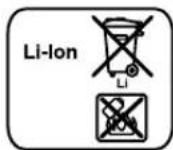
Li-ion:
Please observe the notes in the section “Transport”, page 130.
Possible.
Kazakhstan
This section is in a language other than English. It appears to be in Kazakh. Translation: “This device is intended for use in accordance with the instructions. Do not use it for other purposes. The manufacturer is not liable for damage caused by improper use.”
This device is a class 1 laser product in accordance with the requirements of the standard and its housings are interconnected.
Do not look directly into the laser beam.
Laser radiation
Laser radiation can be harmful to human health. If the device is used for purposes other than those specified by the manufacturer (for example, servicing), the laser radiation may be hazardous.
Do not point the laser beam at people or animals.
If the device housing is damaged, do not use it.
Safety instructions
Laser pointer

Before using the device, read all safety instructions and warnings. Do not remove the labels from the device. Do not give these instructions to others; they are for your own safety.
If the device is used in a manner not specified by the manufacturer, or if the device is modified, the laser protection may be compromised. The device has two labels (on the back of the device and on the bottom).
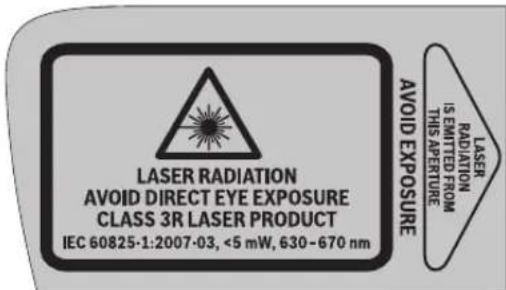
If the labels are not in your language, contact the manufacturer for instructions in your language.

Do not look directly into the laser beam or at the laser source, and do not point the laser at others. This device complies with laser class 3R according to IEC 60825-1. The laser beam can be hazardous even if viewed for a short time.
If the laser beam hits your eyes, close your eyes immediately and turn away from the beam. - The laser protective housing is designed to protect against laser radiation. The laser protective housing is designed to protect against laser radiation, but it is not a substitute for the laser safety. - Do not look directly into the laser beam or at the laser source. The laser protective housing is designed to protect against laser radiation, but it is not a substitute for the laser safety. Do not look directly into the laser beam or at the laser source.
Onwey KypabInbTEK GiniKiMaHaHFrXHe apHaynb6nweKtepeMeHKeHdeti3.Co apKblbEnwey KypanKayinc3irih caKaTaeCb3.
Tepe3e Hemece aHa cHKTb teric 6etepden naep caynecinih kaitapbinyha kon 6epmei. KaTapbnFaH naep cayneci da Ke3re 3nHdb6ny MyMKIN.
Onwey KypanbHn TEK Na3epacnTapbn HnaiDanahydb 6inertiAaamdpnaiDanahybMyMmKin. EN 60825-1 6oBihwa 6yn na3epdi Ke3 6hen dehere 6noornaibk acepiKahe KayinTepeDi 6oNbpMay yuHn a3ep Koprafybl Dpybc naiDanaHy TpaBn Biinimdepi Da KaMTnbl.
KaHaTBnCybIKtBkTap,ra3apHemeeWahXnbIfAn XapblbcKayni6ap optadaenwey Kypabln nainanaan6anb13.0wnwey Kypabnl Wkbih WbIFapbln, WauhblKaHdbpIn,epT TydbpybiMmKiH.
Onwey KypanbH na3ep caynepi Ke3 dehreirehen TeMeH eTeTin etin opHaTHbI3. OcbnaKe3 3aKbIMDaHybHa Kon16peMeci3.
Tnicti na3ep eckepy taKtanaPbImen enwey KypanbH naDAnany aMaFbH 6nrrine3. Ocbna 6ege adamap kayinii amakta typbHa kon 6epMeic3.
Iwey KypanbH 6ege aamap kipe anatbH XaInpda KaIbpMaHbI3. OIwey KypanbH naIanaHybl 6iIMereH aamap e3epeMeh 6ackanapbl JkapaKaTayb MyKmH.
3R na3ep cbHbInbHaIaBf bOnwey KypanbIn naindaanhya MemnekeTik 3aHapDbI eckepi3. Con 3aHapdbI eckepMeCTIK kapaKaTaHynapra aInb Kenyi MYMKH.
1a3epMeH cayenehy aHaMaBbHbH 6aKbInaHybHa Hemece TacanaHybHa K03 XeTki3iH3. Ja3ep cayenepeHH 6aKbInaHaTBa HnMaKaTpFa WKeTey 6eRde aAndapDbH K03ePiHH 3aKbIMdaHybHn AnDh anAbl.
AkkymyntopbH HeMece 6atapennapBn enwey KypablmEh 6apblk xymblctapbl (Mbicanbl, opnaty, Kb13met Kepecy, t.6.) 6actay andbIHda, cohdai-ak, onwey KypalbH Tacblmnday Xane caKTay Ke3iHde WbIfApbHbI3. Kockbl/ouipriue Ke3eDCOK TIO XapaKaTAnHy Kayinih Tybpabbl.
AkkymyTopbI aunahb3. KbiKa Tynbiktany Kayini 6ap.

If you have a wound, wash it with clean water, then apply a bandage. If the wound is deep, seek medical help.
The battery terminals should be connected to the corresponding terminals of the battery, namely the positive, negative, and the terminals for the starter, generator, and the battery case. It is possible to connect the battery terminals to the terminals of the battery case without any issues.








Kaazka133
If the battery is not used for a long time, it may discharge. If the battery is stored without being charged, it may be damaged. If the battery is stored for a long time, it may be necessary to charge it. If the battery is not charged or is damaged, it may be necessary to replace it. If this is the case, please contact us for further instructions. These instructions are necessary for proper use. The battery should only be charged with the specified charger. The charger is designed for a specific type of battery, and using it for other batteries may be dangerous. Do not use the battery with other devices. If the battery is not used for a long time, it may be necessary to charge it. Only use the battery with the specified device. If the battery is used with other devices, it may be damaged. If the battery is used with other devices, it may be necessary to replace it. The battery may be damaged if it is not used properly.

The device is equipped with a laser pointer. The laser pointer is used to point at objects on the screen.
The device is equipped with a laser pointer and a magnetic sensor. The laser pointer and magnetic sensor are used to point at objects on the screen.
Backup Kurylbytsy (GSL 2 Set)

Bapnyk Ksuukaylbtardbokylbopbnday Kepek.OCyl Hsuukaylbtardbotylk Opybndaylbyz.
Basaru Kurybynbtsyn IN 6iIKTI MAmHaFg Xe H apHaybl 6enweKtepmn XeHdtin3. Con apKblb 6acapy KypbInfbcbHbH Dpybc icTeyIH caKaTaNb3. XaHaTBnCybIKbIKTap,ra3apHemee WaH XbINFaH XapBnIC Kayni 6ap optada Bacapy KypanBfbcIn naDanaH6aHbI. Bacay Kybpflbcbl Wkbl H WbIFpaBIn, WAnDbI XaHdbIpBn, ept TydbpyMymKIn.
Θhim KθHe KβI3MeT CnNaTTaMaCbI
The control panel is designed for operation in a dry, heated room.
Taraihany6oibHwaKoJdany
Control panel
The control panel is intended for controlling the operation of the pump.
The pump is designed for operation in two modes.
Control panel (GSL 2 Set)
The control panel is intended for controlling the pump in two modes.
Operation of the pump
The control panel is designed for the safe operation and control of the laser device.
Laser device
1 Laser safety test 2 Laser activation button 3 Contact button 4 Control circuit connection or disconnection (GSL 2Set) 5 Charging indicator 6 Battery compartment cover latch 7 Battery compartment cover 8 Bracket/stand 9 Emergency stop button 10 Laser power button 11 Laser power button lock 12 Laser device serial number 23 Accumulator*
Control circuit
13 IR safety test 14 Handle for turning clockwise 15 Handle for turning counterclockwise 16 Handle for turning left 17 Handle for turning right 18 Handle for turning up 19 Handle for turning down 20 Battery compartment cover on the control circuit 21 Battery compartment cover latch on the control circuit 22 Serial number
Cables/Connectors
24 Cable connection port 25 USB port
*Cables and connectors that are not supplied with the device must meet standard requirements.

134|Kazakh
Technical specifications
| Бétтikлазер | GSL 2 | GSL 2 Set |
| Өнім Немірі | 3 601 K64 000 | 3 601 K64 001 |
| 3 601 K64 070 | ||
| 3 601 K64 0RO | ||
| Кашьiktан baskарылatableн моторны ai hyалatableн tabан | - ● | |
| Жуmbіс ai мafы 1) | ||
| - Лазер nbсандык тakтасынсыз | 10 M | 10 M |
| - Лazер nbсандык тakтасымeн | 20 M | 20 M |
| Нивелерney дәndirì | ±0,3 MM/M | ±0,3 MM/M |
| Өдetterі оз Иивелерney ai'maftы | ±4° ±4° | |
| Өдetterі Иивелерney YAк'tы | <5c <5c | |
| Жуmbіс Temператypасы | -10°C...+50°C | -10°C...+50°C |
| Са��ay Temператypасы | -20°C...+70°C | -20°C...+70°C |
| Са��ьсчрмалы aya bayfalenbIFы МAKC. | 90% | 90% |
| Пазер сынbInы | 3R | 3R |
| Пазер Турі | 630-670 HM, <5 MBT | 630-670 HM, <5 MBT |
| С6 | 1 | 1 |
| БатAPEлар (Alkali-Mangan) | 4x1,5B LRO6 (AA) | 4x1,5B LRO6 (AA) |
| Аккуmunлар (питий-nондik) | 10,8B | 10,8B |
| Жуmbіс узakтыгі | ||
| - БатAPEлар (Alkali-Mangan) | 15c | 15c |
| - Аккуmunлар (питий-nондik) (1,3 Ah) | 15c | 15c |
| - Аккуmunлар (питий-nондik) (1,5 Ah) | 25c | 25c |
| EPTA-Procedure 01:2014 Кужатын саі calmafы | 1,4 кr | 1,4 кr |
| Өлшем dipei (усындыых eні x bɪkɪtīrì) | 210x195x205MM | 210x195x205MM |
| Корpfаньс Tyрі | IP 54 (шан жэneшаширайынс suдан корpfanfaн) | IP 54 (шан жэneшаширайынс suдан корpfanfaн) |
| 1)Жуmbіс ai'maftын колайся Зоршay чартабду (мысалы Тіkenій КУн саулений) Кыскарту муMKiH. | ||
| Бétтілazердиц 查у'llык тakтайдаыс creря'llык hemiірі 12 oHú duþса nhыктayfa кемктесidi. | ||
| Бackару Кр bulkbci | RC 2 |
| Одим Немрí | 3601 K69 C00 |
| ЖуMbIC aMafbl2) | 20 M |
| ЖуMbIC Temnepatypacbl | -10 °C...+50°C |
| Сату Temнepatypacbl | -20 °C...+70°C |
| Батарлар | 3x1,5B LRO3 (AAA) |
| EPTA-Procedure 01:2014 КУжавиca сал calmaftbl | 0,05 кr |
| 2)ЖуMbIC aMafblH KonaalCbH Koprшay shapTAPbHda (Mbicambl Tikhenei Kун салпелерпide) kblckapTu Mymkin. | |
| Бackару Кр bulkbci bHbH 3abyITbH TakтайшыбHdF cepraibk Немрí 22 оbl dypbc anbitykayfa KMektecevi. |
Input
Laser device power connection
Measurement circuit standard battery pack with built-in accumulator.
Battery pack replacement (see figure 3)
For measurement, the battery pack must be replaced with a charged one.
Before charging the battery, read the safety instructions and warnings. Follow the instructions for charging the battery.
The battery was fully charged for 7 hours and the battery was fully charged. The battery was fully charged. The battery was fully charged and the instructions for the battery were followed.
Kazakh|135
All batteries must be charged. Only use the charger specified for charging batteries.
If you do not use the battery for a long time, remove it from the device. Batteries that have been used for a long time may leak or corrode.
Charging with the accumulator (see figure C)
Only use the charger specified for charging the battery. The charger is suitable for lithium-ion batteries.
Charge the battery. The batteries can be charged at any time.
Note: The battery can be charged with the charger or with the device's charging cable.
Note: The battery is protected against deep discharge. To charge the battery fully, first charge it fully.
Only use the charger specified for charging. The charger is suitable for lithium-ion batteries.
Charging with the lithium-ion battery: The charging process is indicated by the LED. The charging process takes about 3 hours.
The battery has a temperature coefficient. The battery is protected against overcharging. The battery can be charged at temperatures between 0°C and 45°C.
To charge the battery, use the charger specified for charging. Follow the instructions for charging.
To charge the battery, press the battery charging button. The charging process is indicated by the LED.
1.5 Ah battery: Press the battery release button 7 times to remove the battery.
To remove the battery, press the battery release button 7 times. Pull the battery out.
Charge indicator
The charge indicator lights up when the battery or batteries are being charged.
| Жарык дожды Каты | |
| Уздікіз 3 жарык 2 x касьн | ≥2/3 |
| Уздікіз 2 x касьн | ≥1/3 |
| Уздікіз 1 x касьн | <1/3 |
| Жыntыктайthetic karappers 1 x касьн | Peэрв |
Control panel (GSL 2 Set)
The control panel is designed for the battery pack.
Press the battery release button 20 or 21 times. Remove the battery. The battery release button is shown in the figure. Do not use force.
Remove all batteries at once. Only remove batteries together.
If you do not close the cover, the batteries may fall out of the control panel. If the cover is closed, the batteries cannot be charged.
Operation
Vertical laser mode
▷ Store the device in a dry place. ▷ Do not expose the device to extreme temperatures or temperature fluctuations. This can cause damage. If the device has been exposed to extreme temperatures, let it cool down before use. It is possible to use the device after extreme temperatures or temperature fluctuations. Store the device in a cool, dry place. After storage, let the device warm up to room temperature before use. Do not expose the device to rain or moisture. If the device is wet, it may be damaged.
Device maintenance
Place the device on a flat surface.
It is possible to use the device at temperatures above room temperature. It is possible to use the device at temperatures below room temperature. If the device has been exposed to extreme temperatures, let it warm up to room temperature before use.

He can turn the device on by pressing the "On" button. He can check the device's operation by pressing the test button.
- We are not responsible for damages caused by improper use (or use not in accordance with the instructions) or for damages resulting from your own carelessness.
To turn off the device, press and hold the "Off" button. The device will then be deactivated.
If the device is not used for 30 minutes or is turned off using the switch, it will automatically turn off to save battery or accumulator power.
When the automatic shut-off is activated, the device can be turned on again by pressing the switch.
GSL 2 Set: The device can be turned on again by pressing the switch after the automatic shut-off.
Do not leave the device unattended while it is switched on, and do not leave it on after use. It is possible to check the device's operation by pressing the test button.
After the device has been exposed to temperatures above 50°C, it is possible to turn it on again only after it has cooled down.
Battery operation: The battery is protected against deep discharge by the "Electronic Cell Protection (ECP)" system. If the battery is empty, the protection circuit will switch off the device.
If the device is switched off due to low battery, you can turn it on again by pressing the switch. However, the battery must be charged before using the device again. Otherwise, the battery may be damaged.
Do not immerse the device in water.
The leveling automatic function levels the device automatically within ±4° of the leveling range. If the device is tilted more than that, the leveling will not be active.
If automatic leveling is not possible, for example if the device is tilted more than 4°, the device will not level.
The adjustment range is ±4°. The adjustment is made by turning the adjusting screws on the laser.
If the adjustment is not possible or if you are not sure, contact the manufacturer's service center. The service center will calibrate the laser to the base point (the adjustment must be performed by the manufacturer) or replace the device.
Adjusting the device
The adjustment is performed with two laser beams. They are directed at a wall at a distance of 50 cm from the adjustment point. The beams should be aligned with the base point. For this, use the adjustment screws on the device to align the beams with the base point.
If the laser beams cannot be aligned with the adjustment screws, the adjustment point is too high or too low. Adjust the height of the device so that the beams can be aligned with each other.
Control unit (GSL 2 Set)
The control unit is supplied with a signal and remote control.
The control unit is protected against temperature and temperature fluctuations.
Do not expose the control unit to extreme temperatures. If the temperature is too high or too low, the control unit may be damaged.
If the battery is empty, the control unit will not work.
The control unit signal is on the base
The remote control is used to switch the device on and off. If the control unit is not switched on, the remote control is not possible. The signal is transmitted via infrared (IR) or radio.
The control unit can only be used with the automatic adjustment of the adjustment point. The control unit is switched on with the "On" button. The control unit can be used with the remote control.
Adjustment point
Laser pointer (GSL 2)
Description of the control valve body and the flange. The flange is connected to the pipeline using bolts. The bolts are tightened to a specified torque.

Kazakhstan
Automatic valve (GSL 2 Set)
Description of the control valve body and the control mechanism for operation. The flange is bolted.
Tightening torque for the flange bolts:

Press the 19th key, then turn the valve counterclockwise. Press the 19th key again to turn the valve clockwise.

Press the 14th key, then turn the valve counterclockwise. Press the 14th key again to turn the valve clockwise.

Press the 18th key, then turn the valve counterclockwise. Press the 18th key again to turn the valve clockwise.

Press the 15th key, then turn the valve counterclockwise. Press the 15th key again to turn the valve clockwise.

Press the 17th key once, then turn the valve clockwise. For better performance, press the 17th key again.

Press the 16th key once, then turn the valve clockwise. For better performance, press the 16th key again.
See the installation diagram (refer to D-G figures)
Two laser sensors are connected to the main unit (see the control valve block diagram, page 136) and to a single unit as follows:
Two laser sensors are connected to each other and to the main unit. If the cable is not long enough, you can extend it by adding a junction box.
To avoid damaging the main unit, the laser sensor must be connected correctly. The laser sensor's connector must be plugged into the main unit's connector. The laser sensor's connector is keyed, so it can only be inserted in one orientation. The laser sensor's connector is not compatible with the main unit's connector.
If the emergency stop button is pressed, the emergency stop function is activated.
Safety instructions
- Check that the laser pointers are completely turned off. Turn off the laser pointers at the latest.
Cleaning the device
Clean the device only with a dry cloth. If necessary, slightly moisten the cloth.
Laser viewing glasses (required accessory)
Laser viewing glasses protect the eyes from laser radiation. They are made of red glass and are darker than ordinary glasses.
▶ Do not look directly into the laser beam with the laser viewing glasses. Laser viewing glasses are designed for working with low-power lasers, but they do not protect against laser radiation. - Do not use laser viewing glasses as safety glasses or for other purposes. Laser viewing glasses are not suitable for protection against ultraviolet radiation.
Battery handling instructions
Protect batteries from moisture and heat. Only operate batteries at temperatures between 0°C and 50°C. Do not short-circuit batteries. The handling instructions indicate when batteries need to be replaced and disposed of. Do not dispose of batteries in household waste.
Technical support and service
Service and maintenance
All work on the device (inspection, adjustment, maintenance, etc.) must be carried out by qualified personnel. During operation, follow the safety instructions.
Only use the device with the power supply specified in the technical data.
Install the device and control unit on a stable surface.
We do not bear responsibility for damage caused by the use of the device or by the use of non-original accessories.
Store the device in a dry place, protected from moisture. Do not expose it to rain or extreme temperatures.
The manufacturer's warranty does not cover damage caused by improper use or by the use of non-original parts.

Bosch Power Tools
160992A309|(21.6.16)
138|Kazakh
If the device or its accessories are damaged, do not use it. Have it repaired by a Bosch authorized service center. Do not open the device or its accessories yourself.
For questions and spare parts, contact our customer service. You can find the contact details on the type plate of the device or its accessories.
If the device is not working properly, return it to the dealer.
Service and support
Our service department will answer your questions regarding repair and maintenance, as well as spare parts. You can find a list of authorized service centers and spare parts here:
www.bosch-pt.com
Our service team will be happy to answer your questions regarding repair and spare parts.
Repairs must be carried out by Bosch authorized service centers in all countries where this product is sold, in accordance with the applicable regulations.
WARNING! Using non-original accessories may cause damage to the device and pose a risk to your safety. Use only original accessories and spare parts.
Kazakhstan
KULC, Robert W
Electric power tools repair organization
Almaty city
Kazakhstan
050050
Raimbek district
Communal street, building 169/1
Tel.: +7 (727) 232 37 07
Fax: +7 (727) 233 07 87
E-Mail: info.powertools.ka@bosch.com
Website: www.bosch.kz; www.bosch-pt.kz
Warranty
The warranty is valid for rechargeable batteries and chargers sold in the territory of the Republic of Kazakhstan. The warranty period for rechargeable batteries and chargers is 12 months from the date of sale.
If the product is damaged, or if it is necessary to replace or repair it, please contact the authorized service center. In case of damage, the warranty may be void if the product has been used improperly.
Accumulators. Housings of the closing unit. The accumulators are installed in the housing of the closing unit.
If necessary, the oil level can be checked.
Checking the oil level

The oil level must be checked with the closing unit in the closed position, with the accumulator/batteries and the housing cover removed.
The oil level must be checked with the closing unit in the closed position, with the accumulator/batteries and the housing cover removed.
For the end devices:

According to the European Directive 2012/19/EU on waste electrical and electronic equipment and the European Directive 2006/66/EC on batteries and accumulators,
used or old accumulators/batteries must be disposed of separately.
Accumulators/batteries:
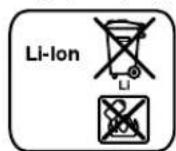
Lithium-ion:
The instructions on page 138 must be followed.
Technical changes reserved.

Romania 139
Romania
Manual rotation (GSL 2)
Rotary laser (GSL 2 Set)
Tel. service power tools: (021) 4057540
Fax: (021) 4057566
E-Mail: infoBSC@ro.bosch.com
Tel. customer consulting: (021) 4057500
Fax: (021) 2331313
E-Mail: infoBSC@ro.bosch.com
www.bosch-romania.ro
Transport
The Li-Ion batteries are subject to the legislation on the transport of dangerous goods. The batteries can be transported by road by the user without further requirements.
The measuring tool is equipped with a laser line that is visible to the naked eye. Due to the magnetic field of the measuring tool, the laser line may be deflected, which can cause damage to the laser line.
- Keep the measuring tool away from magnetic data carriers and magnetic sensitive devices. Due to the effect of the magnets of the measuring tool, data on magnetic data carriers may be irreversibly lost.
Remote control (GSL 2 Set)

It is necessary to read and follow all instructions carefully. Store these instructions in a safe place.
The station control must not be operated without qualified personnel performing the commissioning of the reserve parts.
This ensures the functionality of the station control is maintained.

Bulgarian | 147
Do not operate the station control in environments with increased explosion risk, where there are flammable gases, vapors, or dust. In the station control, sparks may occur that could ignite gases or dust.
Product description
Its features
Before starting work, read the page shown on the laser for checking the levelness of the station control, and also read the operating instructions carefully.
Intended use of the device
Laser for checking levelness
The measuring tool is intended for checking the levelness of surfaces and parts.
The measuring tool is intended for work in enclosed spaces.
Replace all batteries at the same time. Use only batteries from the same manufacturer and with the same capacity.
If the device will not be used for a long time, remove the batteries. During prolonged storage, batteries may leak and cause damage.
Working with rechargeable batteries (see Fig. C)
Use only original lithium-ion rechargeable batteries from the manufacturer with the voltage specified on the nameplate of the measuring tool. Using other rechargeable batteries may cause injuries and fire.
Warning: Improper use of the measuring instrument may cause incorrect operation or damage to it.
Battery: The battery compartment is empty. To achieve the full performance of the battery, charge it fully before use.
> Use only the accessories listed on the page. Use only the specified charging devices.
The charging devices are parameterized and specially designed for optimal operation with the lithium-ion battery of your measuring instrument.
The lithium-ion battery can be charged at any time without affecting its service life. Interrupting the charging process does not damage the battery.
The battery has an integrated temperature control system that allows charging only within a temperature range between 0 °C and 45 °C. This ensures the battery's service life is extended.




To insert the battery into the measuring instrument, the instrument must be set to the highest position. For this, turn the adjustment knob counterclockwise.
To insert the battery, press the button and open the battery compartment cover. Insert the charged battery into the compartment and close the cover.
Working with the battery 1.5Ah: To be able to close the battery compartment cover, you must remove the adapter from the inside of the cover.
To remove the battery, press the button and open the battery compartment cover. Remove the battery from the compartment.
LED indicator for battery charge level
The three green LEDs of the indicator show the charge level of the battery, e.g., of the battery.
Charging
| Helenkebchato CBTeHe 3 x 3eNeHo | ≥2/3 |
| Helenkebchato CBTeHe 2 x 3eNeHo | ≥1/3 |
| Helenkebchato CBTeHe 1 x 3eNeHo | <1/3 |
| Miraça 7CBTINHa 1 x 3eNeHa pe3epBa | |
Disposal of the device (GSL 2 Set)
For working with the stationary control, it is recommended to use alkaline manganese batteries.
To open the battery compartment cover, press the button 20 and pull out the cover. Insert the batteries. Pay attention to the correct polarity, shown on the diagram on the inside of the battery compartment cover.
Always replace all batteries at the same time. Use only batteries from the same manufacturer and of the same type.
When the stationary control is not used for a long time, remove the batteries from it. If the batteries are left for a long time, they may leak and cause damage.
Working with the device
Switching on the laser level for flatness measurement
First, place the measuring device on a horizontal surface or fix it on a tripod. Do not expose the measuring device to extreme temperatures or temperature fluctuations. For example, do not leave it in a car for a long time. At high temperatures, place the measuring device
at a suitable temperature. Extreme temperatures or temperature fluctuations may affect the accuracy of the measuring device.
Avoid strong impacts or drops of the measuring device. After strong mechanical impact, check the accuracy of the measuring device at a qualified service center for electronic instruments. When you finish working, switch it off. When the device is switched off, the pendulum unit is locked automatically; otherwise, it may be damaged during transport.
Place the measuring device in working position
Place the measuring device on a solid base on the surface to be checked.
The accuracy of the leveling may be affected by the ambient temperature. Large temperature differences from the floor upwards may cause deflection of the laser beam. Since the temperature gradient is greatest near the floor, place the measuring device on a stable surface in the middle of the area to be checked.
Switching on and off
To switch on the measuring device, press the on/off switch 8 to the "On" position. After switching on, the measuring device emits a laser beam through the opening 1.
Do not point the laser beam at people or animals (especially not at eye level); do not look into the laser beam yourself (from the front or from a close distance).
The measuring tool switches off automatically if the measuring tool is not used for a while. The laser lines blink before the measuring tool switches off.
If the measuring tool is not used, the laser lines blink before the measuring tool switches off automatically after approx. 30 min. To switch on the measuring tool again, press the On/Off button.
After the automatic switch-off of the measuring tool, press the On/Off button to switch it on again. If necessary, switch it on again.
GSL 2 Set: After the automatic switch-off of the measuring tool, you can switch it on again by pressing the On/Off button.
Do not leave the tool switched on unattended; switch it off after use. The laser beam may be dangerous to the eyes.
When the maximum permissible temperature of 50 °C is exceeded, the tool switches off to protect the laser diode. After cooling down, the measuring tool can be switched on again.
Battery operation: The battery is protected against deep discharge by the "Electronic Cell Protection (ECP)" system. When the battery is discharged, the measuring tool switches off automatically.
150|Bulgarian
If the measuring tool switches off automatically due to low battery, switch it off and on again with the On/Off button. Before switching on the measuring tool again, charge the battery. Otherwise the battery may be damaged.
Levelling of the measuring tool
The automatic levelling system compensates for deviations within the self-levelling range of ±4°. The levelling process is complete when the laser lines stop moving.
If automatic levelling is not possible, e.g. because the surface on which the tool is placed deviates from the horizontal by more than 4°, the laser lines flash.
Place the measuring tool horizontally and switch on the automatic levelling. When the measuring tool is within the self-levelling range of ±4°, the laser lines light up continuously.
The laser lines are levelled automatically during operation. If the position of the tool changes significantly, the lines are levelled again. After repeated levelling, check the height of the laser lines on the reference surface [see "Setting the measuring tool height", page 150] to avoid errors in height measurement.
Setting the measuring tool height
The measuring tool has two laser lines, which are switched on and project onto the floor at a distance of approx. 50 cm from the tool. In the reference position, in which the lines are closest to the measuring tool, they must be covered. By turning the height adjustment knob counterclockwise, until the two laser lines are covered in the reference position, only one line should be visible.
If the two laser lines cannot be covered by turning the height adjustment knob, the measuring tool must be set to a larger distance on the floor plane. Place the measuring tool at another point, at a smaller distance from the floor, and then cover the two laser lines by adjusting.
Switching on the remote control (GSL 2 Set)
Before using the remote control, read the safety instructions. Do not expose the remote control to extreme temperatures or temperature fluctuations. E.g., do not leave it in the car for a long time. In case of large temperature differences, allow the remote control to acclimate before switching it on.
When the battery is inserted in the remote control and the voltage is sufficiently high, it is ready for operation.
The signals of the remote control must reach the receiver of the measuring tool directly and must not be obstructed. If the remote control cannot be aimed directly at the receiver, its range is reduced. Due to reflection of the beams (e.g., on walls), the operating range can also be increased.
Switching on the measuring tool with the remote control is possible. After automatic switch-off of the measuring tool, if the start button is pressed, it can be switched on again. Switching off with the remote control is possible.
Measurement
Manual operation (GSL 2)
Turn the measuring tool towards the object you want to check. After turning it on, the measuring tool levels automatically and the laser lines project. Then check if the laser lines are aligned with the reference lines.
Automatic operation (GSL 2 Set)
Turn the measuring tool on with the remote control, then check the desired surface. Manual operation is not possible.
You can choose between the following operating modes:

Press button 19 for quick continuous operation in the direction of the clock. Pressing button 19 again stops the rotation.

Press button 14 for quick continuous operation counterclockwise. Pressing button 14 again stops the rotation.

Press the button briefly to switch the direction of rotation of the hour hand. Pressing the button again will stop the movement.

Press the button briefly to switch the direction of rotation of the hour hand in the opposite direction. Pressing the button again will stop the movement.

Press the button to briefly stop the movement of a single hand in the direction of the hour hand. For each additional single hand movement, press the button again.

Press the button to briefly stop the movement of a single hand in the opposite direction of the hour hand. For each additional single hand movement, press the button again.

Bulgarian | 151
Evaluation of the test results (see Figures D-G)
Through the two laser lines, if the surface is at the same height as the reference point (see "Setting the measuring tool by height", page 150):
All points where the laser lines intersect are at the same height as the reference point. If the laser lines are interrupted, the height of the measured surface differs from the reference point.
To measure the deviation of the surface, place the laser receiver 10 on the test point. Rotate the laser receiver so that the upper laser line coincides with the upper reference line on the receiver. Move the upper part of the laser receiver up or down until the top of the laser receiver reaches the measuring point. The position of the upper laser line on the laser receiver indicates the difference in height between the reference point and the point being measured.
If the laser lines on the measured surface are inclined at a constant angle, the surface is inclined.
Working instructions
Note: The laser lines may be offset from each other in width. The width of the laser lines changes with distance.
Transport of the measuring tool
For convenient transport of the measuring tool, use the carrying case 3. If necessary, open the case upwards.
Laser viewing glasses (accessory)
Do not look at the laser beam with the naked eye. The laser beam can be dangerous to the eyes.
Do not use the laser viewing glasses as protective work glasses. These glasses serve for better observation of the laser beam, they are not intended for that. Do not use the laser viewing glasses as safety glasses or when participating in road traffic. The laser viewing glasses do not provide protection from ultraviolet radiation and the visible light emitted by the laser.
Instructions for optimal operation with the battery
Protect the battery from moisture and water. Store the battery only in the temperature range between 0°C and 50°C. For example, do not leave the battery in a car.
Significantly reduced operating time after a full charge indicates that the battery is worn out and must be replaced.
Follow the instructions for disposal.
Maintenance and service
Maintenance
Before any work on the measuring tool (e.g., assembly, technical maintenance, etc.), as well as during transport and storage, remove the batteries from the tool. When inserting batteries, observe the correct polarity. There is a risk of injury from improper handling.
Store and transport the laser leveling tool only in the case included in the kit.
Check the laser leveling tool before each use for proper function.
Do not expose the laser leveling tool to water or moisture.
Clean the tool with a dry, soft cloth. Do not use cleaning agents or solvents.
Clean the optical surfaces of the laser leveling tool regularly and ensure that no lint remains.
If, despite careful manufacturing and testing, the laser leveling tool is damaged, repair must be carried out by an authorized service center for power tools. Do not open the laser leveling tool yourself.
For any questions or issues regarding the product, please contact the representatives of Bosch, providing the 10-digit catalog number, written on the type plate of the laser level, for checking the flatness, etc. The remote control.
If necessary, from the repair, adjust the laser level for checking the flatness in the cube.
Service and Technical Advice
For any questions regarding the repair of your product, you can get help from our service. For installation and technical information, spare parts, you can contact us at the address:
www.bosch-pt.com
For technical advice and for any questions regarding your products and accessories, please contact our service department.






152 | Macedonian
Robert Bosch EOOD-Bulgaria
Bosch Service Center
Warranty and post-warranty repairs
6. Tsel Vrah 51-6
Business Center 1407
1907 Sofia
Tel.: (02) 9601061
Tel.: (02) 9601079
Fax: (02) 9625302
www.bosch.bg
Transport
The used lithium-ion batteries are subject to the requirements of the normative documents, as a product with increased danger. The batteries can be transported by public without additional permits.
When transporting by third parties (e.g., by air transport or forwarding services) there are special requirements for packaging and labeling. For the preparation of the packaging, consult an expert in the relevant field.
Send the batteries only if the housing is not damaged. Tape the open contacts and pack the battery so that it cannot move in the packaging.
Please also observe possibly additional national regulations.
Disposal

With regard to the protection of the environment, power tools, rechargeable batteries, accessories and packaging must be handed in for recycling of the raw materials contained in them.
Do not throw power tools, rechargeable batteries and batteries into household waste!
Only for EU countries:

According to the European Directive 2012/19/EC for electric devices, and according to the European Directive
2006/66/EC for batteries and accumulators, which cannot be disposed of with household waste, must be collected separately and handed in for environmentally friendly recycling of the raw materials contained in them.
Batteries and accumulators:
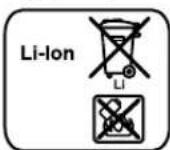
Li-Ion:
Mona, follow the instructions in the section "Transport", page 152.
Macedonian
Safety instructions
Product description

Read all safety warnings and all instructions. Failure to follow the warnings and instructions may result in electric shock, fire and/or serious injury. Save all warnings and instructions for future reference.
Warning - When using this product, basic precautions should always be followed, including the following: Read all instructions before using this product. To reduce the risk of injury, close supervision is necessary when a product is used near children.
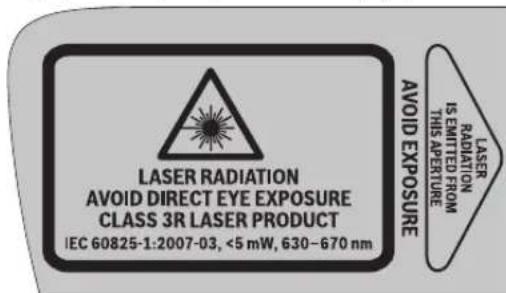
Since the text of the warnings is not in your language, before first use, translate it into your language.

Do not point the laser beam at people or animals and do not stare into the beam. This product produces laser radiation as per IEC 60825-1. Looking directly into the laser beam may cause eye injury.
Since the laser beam can cause eye injury, always turn off the laser and turn your head away from the beam. Do not use the laser glasses as protective glasses. The laser glasses are for better recognition of the laser beam, but they do not protect against laser radiation. Do not use the laser glasses as sunglasses or in traffic. The laser glasses do not provide UV protection and reduce color recognition. Do not make any modifications to the laser.
Paragraph for grounding.
160992A309|(21.6.16)
Bosch Power Tools








Macedonian | 153
The laser device must be used only as intended by the manufacturer. Always follow the safety instructions for the laser device. Avoid direct eye contact with the laser beam, whether direct or reflected. Be aware that the reflected beam may also be dangerous. The laser device is classified according to IEC 60825-1, which specifies the maximum permissible exposure for the eyes and skin, as well as the correct use of the laser to avoid hazards. Do not operate the laser device in environments where there is a risk of explosion, such as in the presence of flammable gases, vapors, or dust. The laser device creates a beam that can cause damage if not used properly. The laser device must be positioned so that the laser beam does not exceed the height of the eyes. In this way, you will be safe from accidental exposure. Identify the area where the laser device will be used and follow the appropriate safety precautions for laser use. In this way, you will avoid unauthorized persons coming near the danger zones. Do not store the laser device in places where unauthorized persons can access it. Anyone who is not familiar with the use of the laser device may endanger themselves or others. The laser device emits a laser beam; pay attention to the possible hazards. Improper use may lead to injury. Protect yourself from the laser beam by ensuring it is not directed at or reflected by surfaces. By limiting the laser beam to controlled areas, you will avoid eye exposure for unauthorized persons. Regular maintenance of the laser device (e.g., cleaning, adjustment, etc.) as well as its transport and maintenance must be carried out by qualified personnel. Careless handling may result in the risk of electric shock or fire. Do not open the battery. There is a risk of short circuit.

Keep the battery away from heat sources, such as direct sunlight, fire, water, and moisture. There is a risk of explosion.
The used battery must be disposed of in accordance with local regulations. Do not dispose of it in household waste. Do not expose the battery to fire or high temperatures, as it may explode. Do not short-circuit the battery, as this may cause fire or explosion.
If the device is not used properly, the battery may leak. Avoid contact with it. If you accidentally come into contact with the liquid, rinse it off with water. If the liquid comes into contact with your eyes, seek medical help. The leaked battery liquid can cause skin irritation or burns. If the battery is damaged or not used correctly, it may leak. Ventilate the area and if there is an injury, see a doctor. The battery may contain harmful substances. Charge the battery only with the charger recommended exclusively by the manufacturer. If the battery is used with a device other than its intended one, use it with other batteries, as there is a risk of fire. Use the battery only with the appropriate measuring device. Only in this way will the battery be protected from dangerous overloading. Use only original batteries with the voltage indicated on the specification plate of your measuring device. When using other batteries, e.g. rechargeable batteries or batteries from unknown manufacturers, there is a risk of injury or material damage if the battery is exposed.

Do not place the measuring device and the laser target plate near a pacemaker. The magnet of the measuring device and the laser target plate creates a field that can impair the function of pacemakers.
Keep the laser target plate away from magnetic data carriers. The magnetic influence of the laser target plate can lead to irreversible data loss.
Laser control (GSL 2 Set)

All safety instructions must be read and observed. Keep these safety instructions in a safe place.
The laser control may only be repaired by qualified personnel using original spare parts. Only in this way can the safety of the laser control be ensured. Do not work with the laser control in environments where there is a risk of explosion, where there are flammable gases, or vapors. The laser control generates sparks that can ignite dust or vapors.

154 | Macedonian
Description of functions
Please open the fold-out page with the illustration of the laser receiver and the laser control, and keep it open while reading the operating instructions.
Intended use
Laser receiver
The measuring tool is intended for checking horizontal and vertical surfaces.
The measuring tool is suitable for use in indoor spaces.
Laser control (GSL 2 Set)
The laser control is intended for checking the laser receiver in indoor spaces.
Attention to components
The numbering of the components is carried out according to the order of the surface laser and the remote control on the graphic page.
Surface laser
1 Laser beam outlet 2 Warning label for laser 3 Battery 4 Remote control receiver (GSL 2 Set) 5 Fill level indicator 6 Fixed connection for the battery compartment 7 Battery compartment cover 8 On/Off switch 9 Rotating knob for adjusting the height
10 Laser target plate
Technical data
Surface laser GSL 2 GSL 2 Set
| Броча на дул/аршикп | 3 601 K64 000 | 3 601 K64 001 |
| 3 601 K64 070 | ||
| 3 601 K64 0R0 | ||
| poшая соча осноа со моторен поони далецниста Конtrponа | -● | |
| РавOTно поle 1) | ||
| -бez цILA tabla за ласето | 10 M | 10 M |
| -сысанта за ласето | 20 M | 20 M |
| Точность по пониралье | ±0,3 MM/М ±0,3 MM/M | |
| Тинчинно поуе на самонниралье | ±4° ±4° | |
| Тинчинно вреце на пониралье | <5c <5c | |
| Temпература при pабота | -10°C...+50°C | -10°C...+50°C |
| Temпература при скадиралье | -20°C...+70°C | -20°C...+70°C |
| релатовна влажноct на boздхот макс. | 90% | 90% |
| Класа на пасер | 3R | 3R |
| 1) РавOTно поуе поуе за се hamайни поади неюлени усLOBи на okолината (нлар. діректва зліоженост на сончеви заци). | ||
| Серstочь 6роч 12 на сіпіцфікцциогны піюcka січіи за щасна різдінда півшиот повшинскп пасер. | ||
160992A309|(21.6.16)
Bosch Power Tools







Macedonian | 155
| Повшинскп ласер GSL 2 GSL 2 Set | ||
| Тил на ласер | 630-670 nm, <5 mW | 630-670 nm, <5 mW |
| С6 | 1 | 1 |
| Батери (алкални манганскп) | 4x1,5V L R O 6 (AA) | 4x1,5V L R O 6 (AA) |
| Батериja li'thym-johcka) | 10,8 V | 10,8 V |
| Вremетраеные наLABOTa | ||
| -Батери (алкални манганскп) | 15u | 15u |
| -Батериja li'thym-johcka) (1,3Ah) | 15u | 15u |
| -Батериja li'thym-johcka) (1,5Ah) | 25u | 25u |
| Текина сord正常使用 EPTA-Procedure 01:2014 | 1,4 кr 1,4 кr | |
| Димени (Должни x Ширни x Всни) | 210x195x205MM | 210x195x205MM |
| Вид на заштita | IP 54 (заштITA od пави прсань на вoda) | IP 54 (заштITA od пави прсань на вoda) |
1) The working area can be used under normal operating conditions (according to the instructions for use). The serial number 12 and the specific power consumption are indicated on the type plate of the surface laser.
Remote control 2
| Бpoj на дe/naptnkn | 3601 K69 C00 |
| РаBOTNO NOLE2) | 20 M |
| TempeparaType prn pa6oTa | -10 °C...+50°C |
| TempeparaType prn cknaHpa№ | -20 °C...+70°C |
| БatepNi | 3x1,5V LRO3 (AAA) |
| Текина сordласно EPTA-Procedure 01:2014 | 0,05 кr |
| 2) Работною пое мосяд acse hamamп поради нееловлиу усLOBи на okolnHaTа (нарр. диркTHа Иложеност на сончеви зраши). | |
| Серскnot Бpoj на сецMuКИЗMuHOTа пLOУКa 22 clyЖи за щан иdentMuKИЗMuHЛа на BAшNot мени уред. | |
Mounting
Operation with the surface laser's energy
Measuring tools can be used with standard batteries or Bosch lithium-ion batteries.
Working with the battery (see figure B)
For working with the measuring instrument, it is recommended to use alkaline manganese batteries. To insert or replace the batteries, the positioning according to the figure must be carried out in the highest position. Turn the locking knob 9 of the positioning according to the figure to the end in the right direction against the glass of the watch. To open the lid of the battery compartment, press on the locking block 6 and open the lid of the battery compartment. Insert the batteries. Pay attention to the polarity according to the figure on the inner side of the lid of the battery compartment. Always replace all batteries at once. Use only batteries from one manufacturer with the same capacity. If you do not use the measuring instrument for a longer period, remove the batteries. If they are
stored for a longer period, the batteries may corrode and discharge themselves.
Working with the battery (see figure C)
Use only original Bosch lithium-ion batteries with the voltage indicated on the
specification plate of your measuring instrument.
Using other batteries can lead to injuries and fire hazards.
Note: Using batteries not suitable for your measuring instrument can lead to malfunction or damage to the measuring instrument.
Note: The battery is delivered partially charged. To ensure full battery capacity, charge the battery completely before first use.
Use only chargers listed on the page with the accessories. Only these chargers are suitable for the lithium-ion battery used in your measuring instrument.
Lithium-ion batteries can be charged at any time without reducing their service life. Interrupting the charging process does not damage the battery.
The charging process does not damage the battery.
The battery is equipped with temperature control, which allows charging only at temperatures between 0°C and 45°C. This achieves a long service life of the battery.
To insert or replace the batteries, the positioning according to the figure must be carried out in the highest position. Turn the locking knob 9 of the positioning according to the figure to the end in the right direction against the glass of the watch.
To insert the batteries, press on the locking block 6 and open the lid of the battery compartment. Press the battery into the compartment to the end and close the lid.
To remove the battery pack, press the locking button for the battery pack and pull the battery pack out of the device. Avoid contact with harmful materials on the inside of the locking button for the battery pack.





156 | Macedonian
To remove the batteries 23, press the locking button for the battery pack and open it. Remove the batteries from the pack.
Charge level indicator
The three green LED indicator lights for the charge level show the charge status of the batteries 23.
LED capacity
Continuous light 3 x green ≥ 2/3
Continuous light 2 x green ≥ 1/3
Continuous light 1 x green < 1/3
Flashing light 1 x green Reserve
Working with the remote control (GSL 2 Set)
For working with the remote control, the use of alkaline-manganese batteries is recommended.
To open the battery pack cover 20, press the locking mechanism 21 and remove the cover from the battery pack. Insert the batteries. Pay attention to the polarity in accordance with the indicator on the inside of the battery pack cover.
Always replace all batteries at the same time. Use only batteries of the same type and with the same capacity.
If you do not use the remote control for a longer period, remove the batteries. If they are stored for a longer period, the batteries may corrode and discharge.
Putting the device into use
The device is intended for measuring non-contact surface temperature. Do not expose the device to direct sunlight. Do not expose the device to extreme temperatures or temperature fluctuations. For example, do not leave it in the car for a long time. When exposed to temperature fluctuations, leave the device to acclimatize before putting it into use. In extreme temperatures or temperature fluctuations, the accuracy of the device may be affected. Avoid strong impacts on the device. After strong impacts, the calibration of the device should be checked at an authorized service center. Remove the device during transport. When removed, the laser unit is blocked, which would be activated during intense movement.
Positioning the device
Place the device on a flat surface of the object to be checked.
The accuracy of the measurement can be affected by the ambient temperature. Especially temperature differences
that occur from the floor upwards can distort the laser beam. The largest temperature differences are near the floor, so the device should always be positioned in the middle of the flat surface of the object to be checked.
Switching on/off
To switch on the device, press and hold the switch for on/off in the "On" position. When switched on, the device emits a laser beam from the opening 1.
Do not point the laser beam at people or animals (especially not at eye level), and do not look directly into it (even from a distance).
To switch off the device, press and hold the switch for on/off in the "Off" position. When switched off, the laser unit is blocked.
If the device is not used for about 30 minutes, it is not controlled via remote control, then it automatically switches off to save the batteries.
After automatic switch-off, switch off the device with the switch for on/off and, if necessary, switch it on again.
GSL 2 Set: After automatic switch-off, you can switch the device on again by pressing any key on the remote control.
Do not leave the device switched on when not in use; switch it off after use. The batteries can be drained by the laser beam.
Before use, the device must be allowed to reach operating temperature. At 50 °C, the laser diode is excluded. If it is turned on, the device may be turned on again after a repeated warm-up.
Battery operation: The lithium-ion battery is protected by "Electronic Cell Protection (ECP)" against deep discharge. If the battery is discharged, the device switches off with a protective circuit. If the device switches off automatically despite a charged battery, switch it off and on again using the switch. Charge the battery before switching the device on again. If the battery still does not work, it may be defective.
Levelling the measuring tool
The levelling automation automatically levels the laser lines within the self-levelling range of ±4°. Levelling is complete when the laser lines no longer move.
If automatic levelling is not possible, e.g. because the surface on which the measuring tool is standing deviates by more than 4° from the horizontal, the laser lines flash.
Place the measuring tool horizontally and wait for self-levelling. Once the measuring tool is within the self-levelling range of ±4°, the laser lines light up continuously.





Macedonian | 157
When changing the position during operation, the measuring tool levels itself automatically. When changing the position, a different height may be possible. After repeated levelling, check the coverage of the laser lines on the reference point (see "Measuring the measuring tool height", page 157) to avoid errors in height.
Measuring the measuring tool height
The measuring tool emits two laser lines at a distance of approx. 50 cm in front of the measuring tool on the floor surface. The lines must be aligned on the reference point, which was previously marked on the floor surface. Then turn the tool to the end of the 9 on the dial for height adjustment. In the direction opposite to the clock hands, until the laser lines are aligned on the reference point and only one laser line is visible.
If the two laser lines cannot be aligned by turning the height adjustment, this means that the measuring tool is significantly out of level or is tilted from the floor surface. Place the measuring tool on another point on the floor surface with a smaller height difference and align the two laser lines there.
Operation with the remote control (GSL 2 Set)
Protect the remote control from moisture and direct sunlight. Do not expose the remote control to extreme temperatures or temperature fluctuations. For example, do not leave it in the car for a long time. In case of large temperature fluctuations, let the remote control acclimatize before using it.
If the battery is low, the remote control will soon need to be replaced.
The remote control must be held until the receiver is switched on and the direction of rotation is correct. If the remote control cannot be paired with the receiver, the fault is indicated. By reflecting the signal (e.g., on walls), the signal can be absorbed and attenuated.
Switching off the measuring device via remote control is possible only if the automatic switching off of the measuring device is activated, provided the switch for switching on/off is still in the "on" position. Switching off via remote control is not possible.
Manual measurement
Distance measurement (GSL 2)
Turn the upper part of the measuring device to the position you want to check. Wait until the measuring device has leveled itself, then the laser lines are displayed. Then check the laser lines again.
Automatic turning (GSL 2 Set)
Turn the upper part of the measuring device with the help of the remote control to check the surface. Manual turning is not possible.
You can select the following rotation speeds:

Press button 19 to start fast, continuous rotation in the direction of the clock hands. With one more press of button 19, the rotation stops.

Press button 14 to start fast, continuous rotation in the direction opposite to the clock hands. With one more press of button 14, the rotation stops.

Press button 18 to start slow, continuous rotation in the direction of the clock hands. With one more press of button 18, the rotation stops.

Press button 15 to start slow, continuous rotation in the direction opposite to the clock hands. With one more press of button 15, the rotation stops.

Press button 17 for a single, short rotation in the direction of the clock hands. For continuous movement, press button 17 again.

Press button 16 for a single, short rotation in the direction opposite to the clock hands. For continuous movement, press button 16 again.
Checking the measurement results (GSL 2 D-G)
The laser level is a reference point (for verification of the measuring tool's accuracy, page 157):
The two laser lines must not lie one above the other, but must be at the same height as the reference point. If the two laser lines are at different heights or are interrupted, then the height of the surface at that point deviates from the reference point.
To measure the deviation of the surface, place the measuring tape at the point to be checked. Align the measuring tape so that the left laser line is at the zero mark of the left reference line on the measuring tape. Place the upper edge of the measuring tape on the floor. Then, read the value at the point to be measured. At the position of the right laser line on the measuring tape, you can read the height difference between the reference point and the measured point in millimeters.

If the laser lines deviate from each other at a constant angle, this means that the surface is not flat.
Working advice
Always ensure that the laser lines are aligned one above the other. The position of the laser lines changes with the deviation.
Transport leveling
The bracket helps with easy transport of the measuring tool. If necessary, fold the bracket upward.
Laser goggles (accessory)
The laser goggles filter out ambient light. This makes the red laser light of the laser appear brighter to the eye.
Do not use the laser goggles as safety goggles. The laser goggles are used for better recognition of the laser beam, but they do not protect against laser radiation. Do not use the laser goggles as sunglasses or in traffic. The laser goggles do not provide full UV protection and reduce color recognition.
Battery advice
Keep the battery away from moisture and water.
Store the battery within the temperature range of 0° C to 50° C. Do not leave the battery in the car for a long time.
The time for operation until the battery is completely discharged must be checked.
Pay attention to the maintenance instructions.
Maintenance and service
Maintenance and cleaning
The measuring device must be regularly inspected and maintained (e.g., lubrication, maintenance, etc.) as well as during its transport and maintenance. The batteries must be removed from the measuring device. In case of careless handling, there is a risk of injury when inserting/removing the battery.
Store and transport the surface cleaner in the original packaging.
After maintenance, clean the surface cleaner and the pressure controller.
Do not immerse the surface cleaner and the pressure controller in water or other liquids.
Clean with a damp cloth. Do not use cleaning agents or solvents.
The surface cleaner and the pressure controller must be cleaned regularly. Pay attention to the manufacturer's instructions.
If the surface cleaner and the pressure controller are damaged or worn, they must be repaired in accordance with the manufacturer's instructions.
Repairs must only be carried out by an authorized service center for Bosch electric tools. Do not open the surface cleaner and the pressure controller yourself.
For all spare parts, please refer to the 10-digit number from the type plate of the surface cleaner and the pressure controller.
In case of repair, send the surface cleaner in the packaging.
Service and advice when using
The warranty conditions for your rights during repairs and servicing of your product and spare parts are described. Detailed information about spare parts can be found at:
www.bosch-pt.com
The Bosch consulting team will help you with any questions regarding your products and accessories.
Macedonia
D.D. Enkips
Saba Kovacevik 47, no. 3
1000 Skopje
E-mail: dimce.dimcev@servis-bosch.mk
Internet: www.servis-bosch.mk
Tel./fax: 02/2467610
Mob.: 070595888
Transport
Lithium-ion batteries are subject to the requirements of the law on hazardous materials. Batteries can be transported only by the user, without the need for additional qualifications.
When transporting by third parties (e.g., air transport or shipping), special requirements for packaging and labeling must be observed. In such cases, an expert for hazardous substances must be consulted when preparing the package.
Transport the batteries only if the housing is undamaged. Tape the open contacts and place the battery in such a way that it cannot move in the packaging.
Be sure to pay attention to the additional instructions.
Disposal
The surface laser, the remote control, the batteries, and the accessories must be disposed of in an environmentally friendly manner.
Do not dispose of the surface laser, the remote control, and the batteries in household waste!
Only for use within the EU

According to European Directive 2012/19/EU, electrical devices that are no longer usable, and according to Directive 2006/66/EC, defective or exhausted batteries must be collected separately and recycled for reuse.
Batteries:
Lithium-ion:
Be sure to pay attention to the notes in the "Transport" section, page 158.
We reserve the right to make changes.
Safety instructions
Surface laser

You must read and pay attention to all instructions in order to work with the tool without danger and safely. Do not allow warning plates to become illegible. KEEP THIS INSTRUCTION MANUAL IN A SAFE PLACE AND HAND IT OVER TOGETHER WITH THE TOOL IF YOU PASS IT ON.
- Caution - if other equipment for work or adjustment than those specified here is used, or other procedures are performed, this may lead to radiation explosions. The measuring tool is supplied with two warning plates (marked with number 2 in the graphic page of the measuring tool).
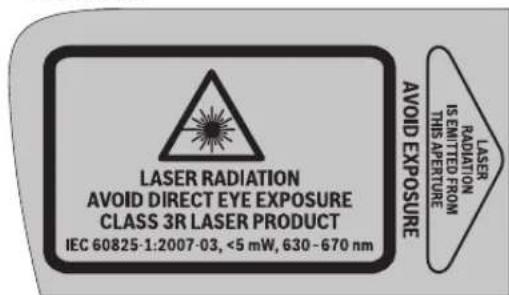
If the text on the warning plates is not in your language, stick the supplied labels in your language over them before first use.
Do not direct the laser beam at people or animals, and do not look into the laser beam yourself. This measuring tool produces laser radiation of laser class 3R according to IEC 60825-1. Direct eye exposure to the laser beam—even from a greater distance—can damage the eye. If laser radiation enters the eye, you must consciously close your eye and immediately turn your head away from the beam. Do not use laser viewing glasses as protective goggles. Laser viewing glasses are used to better recognize the laser beam; they do not protect against laser radiation. Do not use laser viewing glasses as sunglasses or while driving. Laser viewing glasses do not provide full UV protection and reduce color perception. Do not make any modifications to the laser equipment. Have your measuring tool repaired by qualified personnel using only original spare parts. This ensures that the safety of the measuring tool is maintained. Avoid reflections of the laser beam on flat surfaces such as windows and mirrors. Even a reflected laser beam can cause eye damage. Only persons who are familiar with the operation of laser devices should work with the measuring tool. According to EN 60825-1, this includes, among other things, knowledge of the biological effects of lasers on the eyes and skin, as well as the correct use of laser protection and the elimination of hazards. Do not work with the measuring tool in environments where there is a risk of explosion, where flammable liquids, gases, or dust are present. Sparks can be generated in the measuring tool, which could ignite dust or vapors. Always position the measuring tool so that the laser beams extend well above or below eye level. This ensures that eye damage is avoided. Mark the area where the measuring tool is used with a suitable laser warning sign. This prevents unauthorized persons from entering the danger zone. Do not store the measuring tool in places where unauthorized persons have access. Persons who are not familiar with the operation of the measuring tool can injure themselves and others. ▸ Pay attention to possible national regulations when using a measuring tool with laser class 3R. Failure to comply with these regulations can result in injury. Ensure that the laser radiation area is supervised and protected. Limiting laser radiation to a controlled area prevents eye damage to third parties. Remove the battery or rechargeable battery before all work on the measuring tool (e.g., assembly, maintenance, etc.) as well as during transport and storage. There is a risk of fire if the on/off switch is accidentally activated. Do not open the battery. There is a risk of short circuit.


Protect the battery from heat, for example from direct sunlight, fire, water, and moisture. There is a risk of explosion.
Keep unused battery away from paper clips, coins, keys, nails, screws, or other small metal objects that could cause bridging of contacts. Short-circuiting between battery contacts can result in burns or fire. If the battery is misused, liquid may leak from it. Avoid contact with it. In case of accidental contact, rinse with water. If liquid gets into eyes, seek additional medical help. Battery liquid that leaks out can cause skin irritation or burns. If the battery is damaged or improperly used, vapors may be emitted. Provide fresh air and seek medical help if you experience discomfort. Vapors can irritate the respiratory tract. Charge batteries only in chargers recommended by the manufacturer. For a charger that is suitable for a specific type of battery, there is a risk of fire when used with other batteries. Use the battery only in conjunction with your Bosch measuring tool. Only this battery can protect against dangerous overload. Use only original Bosch batteries with the voltage specified on the rating plate of your measuring tool. When using other batteries, such as imitations, reconditioned batteries, or foreign brands, there is a risk of injury as well as damage to objects from a battery that may explode.

Do not bring the measuring tool and the laser target plate 10 near pacemakers. The magnets of the measuring tool and the laser target plate produce a field that can impair the function of pacemakers.
Keep the measuring tool and the laser target plate 10 away from magnetic data carriers and devices sensitive to magnetism. The effect of the magnets of the measuring tool and the laser target plate can lead to irreversible data loss.
Remote control (GSL 2 Set)

All instructions must be read and observed. KEEP THESE INSTRUCTIONS IN A SAFE PLACE.
Have the remote control repaired by qualified personnel only and only with original spare parts. This ensures that the functionality of the remote control is maintained. Do not operate the remote control in explosive atmospheres where flammable liquids, gases, or dust are present. Sparks may be generated in the remote control that could ignite dust or fumes.
(GSL 2 Set)


Bosch Power Tools 1609 92A 309 (21.6.16)
The device is equipped with a GSL2 Set. The battery is placed in the compartment. The cover is closed. The device is turned on. The display shows the time.
The device is turned on. The battery is charged. The device is ready for use. The display shows the date.
Electronic Cell Protection/
1 8. The device is protected against overcharging.
The device is turned off.
The device is turned on.
The device is charged. The battery is full. The device is ready for use.
The device is turned on. The display shows the time. The device is ready for use.
6 The device is turned on. The display shows the time.
:clw 1,5-Ah pSj
1y 7 The device is turned on. The display shows the time.
6 The device is turned on. The display shows the time.
The device is turned on.
5JwIaIgawagaiIiIaiaIgawagaiIg 23pSajglUuluIwA
| dssu | jia |
| 3/2 ≤ | jia x 3 jaiu o g |
| 3/1 ≤ | jai x 2 jiuu o g |
| 3/1 < | jai x 1 jiuu o g |
| jiaiial | jai x 1 iai s o |
JJI JUO UJU OJUOLAWUUG

Bosch Power Tools 1609 92A 309| (21.6.16)


Dispose of batteries in accordance with Directive 2012/19/EU and Directive 2006/66/EC.

(Li-ion)
Only for EU countries: Do not dispose of power tools with household waste. According to the European Directive 2012/19/EU on waste electrical and electronic equipment and its implementation in national law, power tools that are no longer usable must be collected separately and disposed of in an environmentally friendly manner.
www.bosch-pt.com
1609 92A 309|(21.6.16) Bosch Power Tools


The "Electronic Cell Protection (ECP)" system is designed to protect the cells from overcharging, over-discharging, overcurrent, and short circuits. It monitors the voltage and current of each cell and ensures safe operation. The ECP system also balances the cells to maintain optimal performance and extend battery life.
The battery management system (BMS) monitors the state of charge and state of health of the battery. It communicates with the charger and the load to optimize charging and discharging. The BMS also provides protection against abnormal conditions.
The battery pack consists of multiple cells connected in series and parallel to achieve the desired voltage and capacity. Each cell is monitored individually to ensure balanced charging and discharging. The pack is enclosed in a protective housing with thermal management.

(GSL 2 Set) The following instructions apply.
The charger is designed to charge the battery pack safely and efficiently. It features multiple charging modes and protection against overvoltage, overcurrent, and short circuits. The charger communicates with the BMS to adjust charging parameters.
The battery pack should be stored in a cool, dry place. Avoid exposure to extreme temperatures or direct sunlight. Do not disassemble or modify the battery pack.
The battery pack can be charged using the provided charger. Connect the charger to the battery pack and plug it into a power outlet. The charging process is indicated by the LED lights on the charger. Once fully charged, disconnect the charger.
The battery pack has a nominal voltage of 48V and a capacity of 20Ah. It is designed for use with compatible devices. Ensure that the battery pack is properly connected before use.
| LED | |
| ≥2/3 | 3g 3g LEDjSjLjw |
| ≥1/3 | 2g 2g LEDjSjLjw |
| <1/3 | 1g 1g LEDjSjLjw |
| 1g 1g LEDjSjLjw | |
Bosch Power Tools 1609 92A 309 (21.6.16)

| GSL 2 Set | GSL 2 | العربية | |||
| 3601 K64 0703601 K64 OR0 | 3601 K64 000 3601 K64 001 | الله抵抗力 | |||
| ● | - | الله抵抗力 | |||
| 10m | 10m | الله抵抗力 | |||
| 20m | 20m | الله抵抗力 | |||
| ±0,3mm/m | ±0,3mm/m | الله抵抗力 | |||
| ±4° | ±4° | الله抵抗力 | |||
| <5s | <5s | الله抵抗力 | |||
| -10°C...+50°C | -10°C...+50°C | الله抵抗力 | |||
| -20°C...+70°C | -20°C...+70°C | الله抵抗力 | |||
| 90% | 90% | الله抵抗力 | |||
| 3R | 3R | الله抵抗力 | |||
| 630-670 nm,<5 mW | 630-670 nm,<5 mW | الله抵抗力 | |||
| 1 | 1 | C6 | |||
| 4x1,5 V LRO6 (AA) | 4x1,5 V LRO6 (AA) | (alkali-manganese) ↓↓↓↓↓↓↓↓↓↓↓↓↓↓↓↓↓↓↓↓↓↓↓↓↓↓↓↓↓↓↓↓↓↓↓↓↓↓↓↓↓↓↓↓↓↓↓↓↓↓↓↓↓↓↓↓↓↓↓↓↓↓↓↓↓↓↓↓↓↓↓↓↓↓↓↓↓↓↓↓↓↓↓↓↓↓↓↓↓↓↓↓↓↓↓↓↓↓↓↓↓ | |||
| 10.8V | 10.8V | (Li-lonen) ↓↓↓↓↓↓↓↓↓↓↓↓↓↓↓↓↓↓↓↓↓↓↓↓↓↓↓↓↓↓↓↓↓↓↓↓↓↓↓↓↓↓↓↓↓↓↓↓↓↓↓↓↓↓↓↓↓↓↓↓↓↓↓↓↓↓↓↓↓↓↓↓↓↓↓↓↓↓↓↓↓↓↓↓↓↓↓↓↓↓↓↓↓↓↓↓↓↓ | |||
| 15 h | 15 h | ↓↓↓↓↓↓↓↓↓↓↓↓↓↓↓↓↓↓↓↓↓↓↓↓↓↓↓↓↓↓↓↓↓↓↓↓↓↓↓↓↓↓↓↓↓↓↓↓↓↓↓↓↓↓↓↓↓↓↓↓↓↓↓↓↓↓↓↓↓↓↓↓↓↓↓↓↓↓↓↓↓↓↓↓↓↓↓↓↓↓↓↓↓↓↓↓↓↓↓↑ | |||
| 15 h | 15 h | ↓↓↓↓↓↓↓↓↓↓↓↓↓↓↓↓↓↓↓↓↓↓↓↓↓↓↓↓↓↓↓↓↓↓↓↓↓↓↓↓↓↓↓↓↓↓↓↓↓↓↓↓↓↓↓↓↓↓↓↓↓↓↓↓↓↓↓↓↓↓↓↓↓↓↓↓↓↓↓↓↓↓↓↓↓↓↓↓ | |||
| 25 h | 25 h | (Li-lonen) Ah ↓↓↓↓↓↓↓↓↓↓↓↓↓↓↓↓↓↓↓↓↓↓↓↓↓↓↓↓↓↓↓↓↓↓↓↓↓↓↓↓↓↓↓↓↓↓↓↓↓↓↓↓↓↓↓↓↓↓↓↓↓↓↓↓↓↓↓↓↓↓↓↓↓↓↓↓↓↓↓↓↓↓↓↓↓↓↓↓↓↓↓↓↓↓↓↓↓↓↓ |

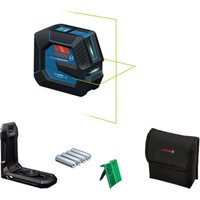

- REMOTE CONTROL (GSL 2 SET)
- PRODUCT DESCRIPTION AND SPECIFICATIONS
- INTENDED USE
- SURFACE LASER
- PRODUCT FEATURES
- REMOTE CONTROL
- ACCESSORIES/SPARE PARTS
- TECHNICAL DATA
- ASSEMBLY
- POWER SUPPLY OF THE SURFACE LASER
- OPERATION WITH BATTERIES (SEE FIGURE B)
- OPERATION WITH BATTERY PACK (SEE FIGURE C)
- BATTERY STATUS INDICATOR
- POWER SUPPLY OF THE REMOTE CONTROL (GSL 2 SET)
- OPERATION
- STARTING OPERATION OF THE SURFACE LASER
- SETTING UP THE MEASURING TOOL
- SWITCHING ON AND OFF
- ALLOWING THE MEASURING TOOL TO LEVEL IN
- ALIGNING THE HEIGHT OF THE MEASURING TOOL
- STARTING OPERATION OF THE REMOTE CONTROL (GSL 2 SET)
- MEASURING PROCEDURE
- MANUAL ROTATION (GSL 2)
- AUTOMATIC ROTATION (GSL 2 SET)
- EVALUATING MEASURING RESULTS (SEE FIGURES D - G)
- WORKING ADVICE
- TRANSPORTING THE MEASURING TOOL
- LASER VIEWING GLASSES (ACCESSORY)
- RECOMMENDATIONS FOR OPTIMAL HANDLING OF THE BATTERY PACK
- MAINTENANCE AND SERVICE
- MAINTENANCE AND CLEANING
- AFTER-SALES SERVICE AND APPLICATION SERVICE
- WWW.BOSCH-PT.COM
- GREAT BRITAIN
- IRELAND
- AUSTRALIA, NEW ZEALAND AND PACIFIC ISLANDS
- REPUBLIC OF SOUTH AFRICA
- CUSTOMER SERVICE
- GAUTENG - BSC SERVICE CENTRE
- KZN - BSC SERVICE CENTRE
- WESTERN CAPE - BSC SERVICE CENTRE
- BOSCH HEADQUARTERS
- TRANSPORT
- DISPOSAL
- ONLY FOR EC COUNTRIES
- BATTERY PACKS/BATTERIES
- LI-ION
- XPNOAEPWVA TEV NPOOIPOPO
- AEEP EMPAVEWV
- TNLEXEIUPOOC (GSL 2 SET)
- ANEIKOVIÖMEVA OTOXIEIA
- AIEEP EMAPVEOW
- EAAYNVKA
- SPARE PARTS / ACCESSORIES
- TECHNICAL CHARACTERISTICS
- SERVICE AND SALES ADVICE
- GREECE
- ONLY FOR EU COUNTRIES
- BATTERIES/RECHARGEABLE BATTERIES
- TURKISH
- SAFETY INSTRUCTIONS
- LASER SURFACE DISTANCE METER
- LASER DISTANCE METER (GSL 2 SET)
- PRODUCT DESCRIPTION AND SERVICES
- LASER DISTANCE METER
- RUSSIAN
- NUMBERED COMPONENTS
- WORKING WITH THE INSTRUMENT
- PUTTING THE SURFACE LASER INTO OPERATION
- SETTING UP THE MEASURING INSTRUMENT
- SWITCHING ON/OFF
- AUTOMATIC LEVELING OF THE MEASURING INSTRUMENT
- LEVELING THE MEASURING TOOL TO A HEIGHT
- STARTING THE REMOTE CONTROL OPERATION (GSL 2 SET)
- MEASUREMENT
- MANUAL OPERATION (GSL 2)
- ANALYSIS OF MEASUREMENT RESULTS (SEE FIGURE D)
- INSTRUCTIONS FOR USE
- TRANSPORTING THE MEASURING INSTRUMENT
- WORKING WITH THE LASER GLASSES (ACCESSORY)
- INSTRUCTIONS FOR OPTIMAL HANDLING OF THE BATTERY
- AFTER-SALES SERVICE AND APPLICATION ADVICE
- BATTERIES
- UKRAINIAN
- LASER SURFACE
- REMOTE CONTROL UNIT (GSL 2 SET)
- COMMISSIONING THE SURFACE LASER
- INSTALLING THE MEASURING DEVICE
- AUTOMATIC LEVELLING OF THE POWER TOOL
- LEVELLING THE POWER TOOL BY HEIGHT
- STARTING THE REMOTE CONTROL UNIT (GSL 2 SET)
- ALIGNMENT PROCEDURE
- ANALYSIS OF MEASUREMENT RESULTS (SEE FIG. D-G)
- WORKING INSTRUCTIONS
- ACCESSORIES WITH LASER (SEE FIGURE
- INSTRUCTIONS FOR OPTIMAL HANDLING OF THE RECHARGEABLE BATTERY
- TECHNICAL MAINTENANCE AND SERVICE
- TECHNICAL MAINTENANCE AND CLEANING
- SERVICE AND ADVICE ON PRODUCT USE
- UKRAINE
- POSSIBLE
- KAZAKHSTAN
- LASER RADIATION
- DO NOT POINT THE LASER BEAM AT PEOPLE OR ANIMALS
- LASER POINTER
- KAAZKA
- BACKUP KURYLBYTSY (GSL 2 SET)
- ΘHIM KΘHE KΒI3MET CNNATTAMACBI
- TARAIHANY6OIBHWAKOJDANY
- CONTROL PANEL
- CONTROL PANEL (GSL 2 SET)
- OPERATION OF THE PUMP
- LASER DEVICE
- CONTROL CIRCUIT
- CABLES/CONNECTORS
- KAZAKH
- INPUT
- LASER DEVICE POWER CONNECTION
- BATTERY PACK REPLACEMENT (SEE FIGURE 3)
- CHARGING WITH THE ACCUMULATOR (SEE FIGURE C)
- ONLY USE THE CHARGER SPECIFIED FOR CHARGING THE BATTERY. THE CHARGER IS SUITABLE FOR LITHIUM-ION BATTERIES
- CHARGE INDICATOR
- VERTICAL LASER MODE
- DEVICE MAINTENANCE
- DO NOT IMMERSE THE DEVICE IN WATER
- ADJUSTING THE DEVICE
- CONTROL UNIT (GSL 2 SET)
- ADJUSTMENT POINT
- LASER POINTER (GSL 2)
- AUTOMATIC VALVE (GSL 2 SET)
- SEE THE INSTALLATION DIAGRAM (REFER TO D-G FIGURES)
- CLEANING THE DEVICE
- LASER VIEWING GLASSES (REQUIRED ACCESSORY)
- BATTERY HANDLING INSTRUCTIONS
- TECHNICAL SUPPORT AND SERVICE
- SERVICE AND MAINTENANCE
- SERVICE AND SUPPORT
- WARRANTY
- CHECKING THE OIL LEVEL
- FOR THE END DEVICES
- ACCUMULATORS/BATTERIES
- ROMANIA
- ROTARY LASER (GSL 2 SET)
- BULGARIAN
- PRODUCT DESCRIPTION
- ITS FEATURES
- INTENDED USE OF THE DEVICE
- LASER FOR CHECKING LEVELNESS
- WORKING WITH RECHARGEABLE BATTERIES (SEE FIG. C)
- USE ONLY THE ACCESSORIES LISTED ON THE PAGE. USE ONLY THE SPECIFIED CHARGING DEVICES
- LED INDICATOR FOR BATTERY CHARGE LEVEL
- DISPOSAL OF THE DEVICE (GSL 2 SET)
- WORKING WITH THE DEVICE
- SWITCHING ON THE LASER LEVEL FOR FLATNESS MEASUREMENT
- PLACE THE MEASURING DEVICE IN WORKING POSITION
- LEVELLING OF THE MEASURING TOOL
- SETTING THE MEASURING TOOL HEIGHT
- SWITCHING ON THE REMOTE CONTROL (GSL 2 SET)
- AUTOMATIC OPERATION (GSL 2 SET)
- EVALUATION OF THE TEST RESULTS (SEE FIGURES D-G)
- TRANSPORT OF THE MEASURING TOOL
- INSTRUCTIONS FOR OPTIMAL OPERATION WITH THE BATTERY
- MAINTENANCE
- SERVICE AND TECHNICAL ADVICE
- MACEDONIAN
- ROBERT BOSCH EOOD-BULGARIA
- BATTERIES AND ACCUMULATORS
- LASER CONTROL (GSL 2 SET)
- DESCRIPTION OF FUNCTIONS
- LASER RECEIVER
- ATTENTION TO COMPONENTS
- MOUNTING
- OPERATION WITH THE SURFACE LASER'S ENERGY
- WORKING WITH THE BATTERY (SEE FIGURE B)
- WORKING WITH THE BATTERY (SEE FIGURE C)
- CHARGE LEVEL INDICATOR
- LED CAPACITY
- WORKING WITH THE REMOTE CONTROL (GSL 2 SET)
- PUTTING THE DEVICE INTO USE
- POSITIONING THE DEVICE
- LEVELLING THE MEASURING TOOL
- MEASURING THE MEASURING TOOL HEIGHT
- OPERATION WITH THE REMOTE CONTROL (GSL 2 SET)
- MANUAL MEASUREMENT
- DISTANCE MEASUREMENT (GSL 2)
- AUTOMATIC TURNING (GSL 2 SET)
- CHECKING THE MEASUREMENT RESULTS (GSL 2 D-G)
- TRANSPORT LEVELING
- LASER GOGGLES (ACCESSORY)
- BATTERY ADVICE
- SERVICE AND ADVICE WHEN USING
- MACEDONIA
- ONLY FOR USE WITHIN THE EU
- LITHIUM-ION
- PROTECT THE BATTERY FROM HEAT, FOR EXAMPLE FROM DIRECT SUNLIGHT, FIRE, WATER, AND MOISTURE. THERE IS A RISK OF EXPLOSION
- DO NOT BRING THE MEASURING TOOL AND THE LASER TARGET PLATE 10 NEAR PACEMAKERS. THE MAGNETS OF THE MEASURING TOOL AND THE LASER TARGET PLATE PRODUCE A FIELD THAT CAN IMPAIR THE FUNCTION OF PACEMAKERS
- ALL INSTRUCTIONS MUST BE READ AND OBSERVED. KEEP THESE INSTRUCTIONS IN A SAFE PLACE
- (GSL 2 SET)
- THE DEVICE IS TURNED OFF
- CLW 1,5-AH PSJ
- THE DEVICE IS TURNED ON
- (LI-ION)
- (GSL 2 SET) THE FOLLOWING INSTRUCTIONS APPLY
Brand : BOSCH
Model : GSL 2 Professional
Category : Laser level