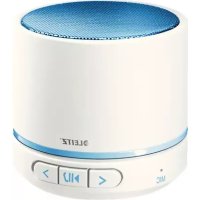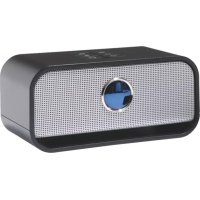
Complete - Docking station LEITZ - Free user manual and instructions
Find the device manual for free Complete LEITZ in PDF.



User questions about Complete LEITZ
0 question about this device. Answer the ones you know or ask your own.
Ask a new question about this device
Download the instructions for your Docking station in PDF format for free! Find your manual Complete - LEITZ and take your electronic device back in hand. On this page are published all the documents necessary for the use of your device. Complete by LEITZ.
USER MANUAL Complete LEITZ
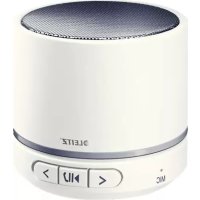
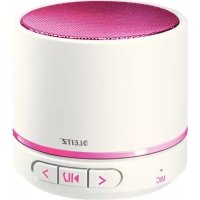
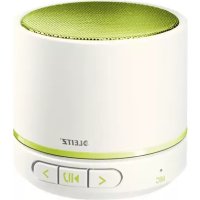
Portable Bluetooth Stereo Speaker User Guide
| EN | DE | FR | IT | ES | PT | NL | DK |
| NO | SV | FI | ET | LV | LT | PL | UK |
| RU | KK | CS | SK | HU | RO | GR | TR |
User guide
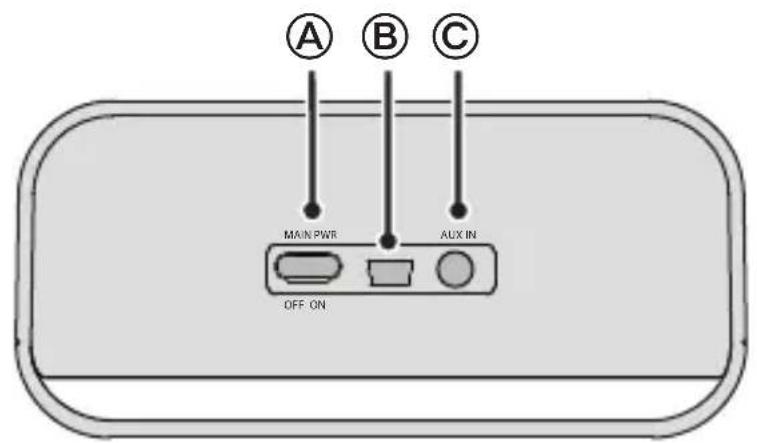
Features of the speaker
A Main switch (ON/OFF)
USB charging connector
Additional audio input (AUX IN)
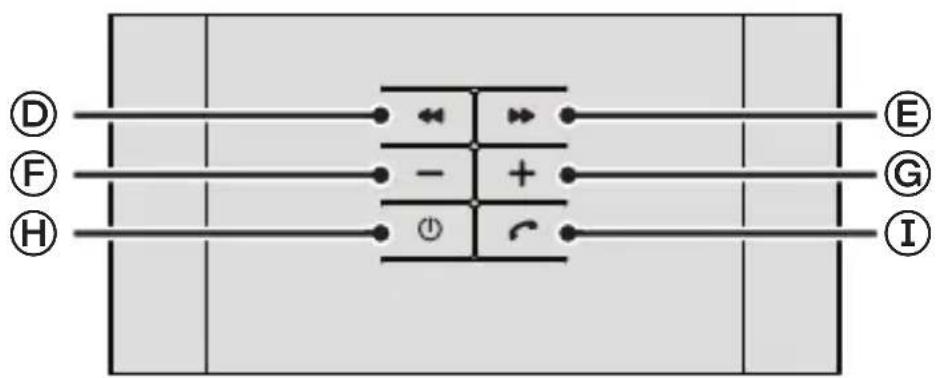
D "Previous track/fast backward" button
E "Next track/fast forward" button
(F) "Volume -" button
Volume + button
On/off switch
① “Phone” button
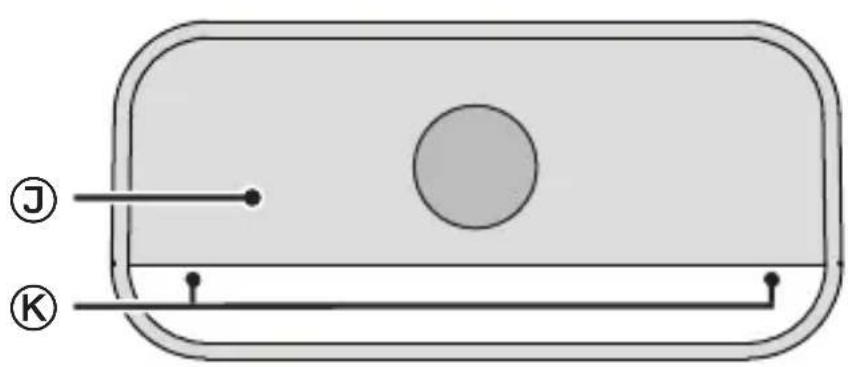
Speaker grille
Two LEDs (under speaker)
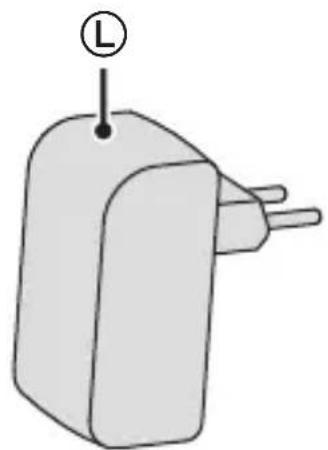
USB power adapter

WARNING! Important safety information
Please read the following safety guidelines carefully. Follow all the instructions. This will avoid fire, explosions, electric shocks or other hazards that may result in damage to property and/or severe or fatal injuries. Please ensure that everyone who uses the product has read and followed these warnings and instructions.
- Use the product only in the manner described in this manual.
-
The integrated lithium-polymer battery is flammable. Keep away from open flame!
-
Do not let the product and optional adapter come into contact with moisture. Do not touch with wet hands. Electric Shock Hazard! If moisture gets into the equipment, have a qualified technician check the safety of the components before you use it again.
- Unplug the product during electrical storms or when not in use.
- The internal battery may become hot during operation. This is normal. To avoid overheating, ensure good ventilation. Do not place objects on the product. Do not use near heat sources, heating vents or in direct

portant safety information (continued)
sunlight and only at ambient temperatures of between 0^ and 40^ .
- Check the product and cables for any damage before use. If there is any visible damage, a strong odour, or excessive overheating of components, unplug all the connections immediately and stop using the product.
-
Use and store the product out of reach of children.
-
Do not attempt to open, modify or repair the product. Do not drop, puncture, break or expose to high pressure. Do not use near flammable materials or in explosive environments.
- Unplug all connections before cleaning the product. For cleaning: never use liquids such as water, household cleaners, gasoline, alcohol or paint thinner. Use a damp cloth for cleaning.
Charging the internal battery
Before first use, the battery must be fully charged (3 to 4 hours).
- Slide the main switch to the ON position.
-
Connect the USB power adapter's plug to the USB charging connector on the rear of the speaker.
-
Plug the included USB power adapter into a nearby mains socket.
The two LEDs blink blue while the battery is charging. The LEDs will go off once charging is complete. The speaker turns off.
Meaning of the LEDs
| Colour State Meaning | |
| Blue | Steadily lit Bluetooth connection established |
| Blinking Bluetooth connection is lost or product is charging | |
| Red | Steadily litBluetooth connection established, but battery is discharged |
| Blinking Bluetooth connection is lost and battery is discharged | |
| Blue/red Blinking Pairing mode active | |
| Blue/red Off Speaker is off | |
Pairing the speaker with a device
If you have already paired the speaker with the device, it is normally sufficient to turn both devices on. To do this, press and hold the On/Off switch until the power-on tone sounds. The connection should be re-established automatically (a tone will sound). Otherwise perform the following actions.
- Slide the main switch to the ON position.
- Press and hold the On/Off switch ① until both LEDs start blinking alternately red and blue (approximately 10 seconds).
- Activate the searching mode on the other device.
Refer to the other device's manual for details if necessary.
-
Once the speaker appears as a found device ("Big Blue Live"), select it.
-
If prompted, enter "0000" as a code or password.
Once the connection is established, both LEDs light steadily blue. Audio reproduction and control are now carried out through the speaker.
- To switch off the speaker, press and hold the On/Off switch until the power-off tone sounds.
Note: The device pair coupled via Bluetooth operates according to the supported protocols. Smartphones, for example, usually use HFP (Hands-free profile) and A2DP (Advanced Audio Distribution Profile). Therefore, in this case, the speaker can both manage calls and control audio reproduction. With an MP3 player with A2DP only audio reproduction will work, and with a simple mobile phone only calls can be handled.
Controlling audio reproduction
When the speaker is paired with an audio player, you can use the speaker to control audio reproduction.
| Objective Action | |
| Start/stopp playback | Press the “Phone” button |
| Skip to the next track Press the “Next track/fast forward” button”. | → |
| Fast forward Press and hold the “Next track/fast forward” button | |
| Skip to the previous track Press the “Previous track/fast backward” button. | ← |
| Fast forward Press and hold the “Previous track/fast backward” button | |
| Adjust the volume | Press the +and buttons. |
Audio reproduction over wire connection
You can also use the speaker if your audio source does not have Bluetooth or there is no Bluetooth connection. Use an audio cable with 3.5-mm mini jacks for this purpose (not supplied).
- Connect one end of the cable to the headphones or line output of your audio source.
- Connect the other end of the cable to the additional audio input (AUX IN) on the rear of the speaker.
- Operate your audio source as usual to control playback and volume.
Note:
- If both a Bluetooth and cable connection exist, the Bluetooth connection has priority.
- The speaker cannot control the audio source via the cable connection. It only reproduces the audio signal received via the cable.
Controlling mobile phone calls
When there is an incoming call on your paired mobile phone, the speaker sounds an incoming call tone. Your mobile phone may also sound an incoming call depending on its settings. The following table shows what you can do with the speaker in this situation.
| Objective Action | |
| Answer an incoming call Press the appropriate key on your mobile phone. | |
| Reject an incoming call | Press and hold the “Phone” button |
| End a call | Press the “Phone” button |
| Switch between the speaker and your mobile phone | Press and hold the “Phone” button during the call. |
When a call comes in while audio is played back over the loudspeaker, the playback signal is faded out. Audio playback stops, and only the call will be audible. Once you end the call, playback will resume and the playback signal will be faded in again.
Troubleshooting
Note: The speaker attempts to restore the connection with the last paired device. To connect to a different device paired earlier, pair that device again (see "Pairing the speaker with a device" on page 6).
| Issue Solution | |
| The Bluetooth connection is lost. | The range may be exceeded. Move both devices closer together again. Turn the speaker off an back on. The connection should be re-established. |
| Make sure that no other Bluetooth devices, wireless devices or other devices which may interfere with the connection are on in the area. Switch off such devices as necessary. | |
| Sound is not clear or there is no sound at all. | Turn the speaker off an back on. |
| Turn off your devices's equalizer. | |
| Make sure the speaker's volume level is not too high. | |
| No audio output from the speaker. | Make sure your Bluetooth device supports A2DP. |
| Make sure both devices are paired. | |
| Turn the speaker off an back on. The connection should be re-established. | |
| The volume cannot be adjusted. | Change the volume on the other device. |
| If the speaker is connected to your audio source via a cable connection, the and buttons are disabled. | |
| Charge the internal battery. | |
| No LEDs light up. Make sure | that the main switch is in the ON position. |
| Charge the internal battery. | |
| A call is not indicated on the speaker. | Make sure your mobile phone is equipped with HFP. |
| Make sure both devices are paired. | |
| Turn the speaker off an back on. The connection should be re-established. | |
| Audio playback does not resume after ending a call. | Press the “Phone” button to resume playback. |
| Playback control is not possible with the speaker. | Make sure your mobile phone is equipped with AVRCP. |
EN
Technical Data
| Output power 4 W (2 W/channel) | |
| Components 35-mm speaker chassis + passive radiator | |
| Battery capacity 1150 mAh | |
| Charging time 3-4 hours | |
| Usage time, battery fully charged approx. 4 hours | |
| Range max. 10 m (Class 2) | |
| Compatibility Bluetooth 2.0 or higher | with A2DP, AVRCP, HFP, HSP |
| Permissible ambient temperature (operation) | 0-40 °C |
| Permissible ambient temperature (storage) | 0-40 °C |
| Dimensions (H × W × D) 127 mm × 61 mm × 64 mm | |
| Weight 276 g | |
Guidelines for Electromagnetic Compatibility
This device has been tested for compliance with the limit values specified in EMC Directive 2004/108/EC of the European Community. These limit values are designed to provide reasonable protection against harmful interference in residential areas. If this equipment is not installed and used in accordance with this manual, it may cause harmful interference to radio or television reception or affect other electronic devices. Use only shielded cable to connect the components in order to avoid such interference. Non-compliance invalidates the permission to operate this equipment.
Disposal
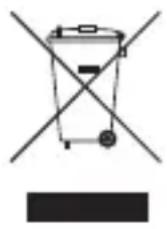
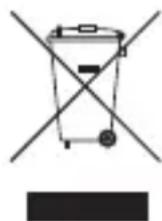
The crossed-out wheelie bin indicates that this product must not be disposed of with household waste (residual waste). You must dispose of electric and electronic appliances and empty batteries at specially provided public locations. There is no charge for disposal. For more information, contact your local city or district council or the shop where you purchased the product.
EN
Gebrauchsanweisung
3haeHnBaTIOJIOHNX iHdkaTopiB
KepyBaHnB ViTbOpEHnM aydio
Якwo mix ДИнамikom Ta aydionporpaBaem CTBopeHo napy, moxHa kepyBaTn BiTbopeHnM ayio 3a DonOMoroO DInHamika.
| Meta Дía | |
| Почати/Прочинити Вдовернaya | Нат生态系统 „Телегон“ |
| Прочати и пereйни do настунноу trpeу | Нат生态系统 „Настуний трак/ пereportуваимь ворад" |
| Прочати ворад Нат生态系统 „Настуний трак/ пereportуваимь ворад" | |
| Прочати и пereйни do пorepen'dьогу trpeу | Нат生态系统 „Пonepen'dий трак/ пereportуваимь нараз" |
| Прочати ворад Нат生态系统 „На penepen'dий трак/ пereportуваимь нараз" | |
| Вidрergyювати ГунICTь | Нат生态系统 „Кногки+tra" |
BidTBopenHa ydio uepe3 npoBODobe 3'cHaHHa
ДиHamik TakoK MoKHa BnKOpNCTOBvBaTn,ЯкsoДжepeNo 3ByKy He OChaSeHo Bluetooth a6o 3'edHaHnHa Bluetooth BiDcyTHe.Дяцboro BnKOpNCTOBvYTe aydioKa-6eNb 3MiHipo3'emamN 3,5 MM (He DoJaCTbCra).
1.ПдкючыОдн Ки龟ь Kaбелю Do Habuшнkn a60 liHiHoro BnxOdy dKepeya 3Byky.
2.Пдкючыншй ки龟ь kaбелю DodoataKOBOrO aydiobxody (AUX IN) ha 3aHhi naHeJI dInHaMiKa.
3. Kepynte BiTbOpEHnMa Ta rUHicTHo CBOrO dKepeNa 3ByKy, Ra 3BnuaHNo. Pnmitka:
-Якшо наявни обидва 3'эндань -Bluetooth i kaбельпе 3'эндань -Bluetooth mac npiopntet.
-Диhamik He moke kepyBaTN DxepeIOM 3Byky 3a DoNOMOIO Ka6eIbHOrO 3'edHaHHa. BIn IiNe BiIDTBOpIOe ayDiocnHaI, npinHrTNI uepe3 Ka6eJIb.
KepyBaHnB BnKlnkamMo6iJbHnx TeJefoHIB
Y pa3i haXoJKeHnBnKInKy Ha MObIbHn TeJefoH, i3 YkIM CTBopeHo napy, Upe3 dINHaMik LyHae CnHaN BxIDHO BnKInKy. CnHaN BxIDHO BnKInKy TaKoX MoKe IyHaTn 3 MO6IbHOrO TeJefoHy, 3aJIeXHo BiD NOro HAcToPoiK. Y Ta6Nci HIXue OINcAHO, kI dII B TAKOMy BnNaDKy MoXHa BnKOHaTn 3a DOnOMoHO DnHa-mika.
YHdTeKiwTi KypbIINfBIMeH KynTAcTbIpy
Erep yHndeTkiwi KypblfbiMeH
KyPTacTbipFaH 6oJcaHbI3, eKi
KypblfblHbI Kocy XeTkijikTi 6oJaBbI.
MHybI opbIHday yWIn Kocy/eWipy
TeTirIH Kocblny dbl6bcIcIeCTiIReHre
Dein H bacIn TypbHbI3. KocblbIM
aBTOMaTTbI Typde KaIta OPhaTbIybl
Tnic (YH eCtiJe). ΘuTnerHe, KeJIeci
opeKeTTepdi OpblHaHbI3.
- Heri3ri aXbIpaTKblWtbl ON (Kocy) KyiHe cbIpfbITbIHbl3.
- Kocy/ewipy TeTirih Kei XapbIK DIOaTbI WaM KbI3bl JxHe KKe TycTI 60JIbIN XbINbIKTaHaHfa DeiH 6acbl TypbIHbI3 (WaamameH 10 ceKyHd).
3.Баcka KypblfbldafbI i3dey peKIMiH icKe Kocblb13.
Erep KaXeT 6oNca, MJIImeT any ywiH
6aca KypblfblHbIH HcKayJbIfbIH
kapaHb13. -
YHdTeKiU Ta6bIrfan Kypblfbl 60bnPi naJa 6oJca ("Big Blue Live"), onbl TaHdaHbI3.
-
Erep cypanca, kOd Hemece Kynna ce3 petiHne "0000" eHri3iHi. Kocblim opHaTbIfAH coH, eki XapbIK dIOdTbI Wam TypaKTbI Kek TycTI 6oJbIN XaHbIN TypaDbI. Ehdi Dbl6bICTbI yHdeTkiw apKblbI ShbIFapyra XeHe backapyra 6oJaDbI.
6.YHdETKiwTi eWipy ywiH Kocy/ewipy Teirin KyaTbIH eWipiny Dbl6bcI bcIeTilreHre DeiH 6acbl TpybIHb3. Eckepim:Bluetooth apkblj KyTTactblipfahn Kypblfbl KOJaay KepceTIrrn npOTOKoJapfa cainkec JyMbIC icTei.MbicaJIb, cMapTphiHap, aDeTTe HFP (Hands-free profile) Xane A2DP (Advanced Audio Distribution Profile) npOTOKobIn naDanaHaDbI. CoNdbIKtAn, 6yJxafdaJa yHdETKiw KOhbpaynapDa da JxHe Dbl6bICTbH 1bIFybiN da 6ackapaDbI. A2DP npOTOKoJIb fAna 6ap MP3 oHaTkbiI TEK Dbl6bic WbIfapaDbI XHe KapanaBIM YJbI TeJefoHMeh TK KOhbpaynap Ka6blndaHaDbI.
ДыбыICTbIH WbIFyBH 6aCKapy
YHdTeKlTi dbl6bIC OHaTKblIeH XyNTactbipfAH Ke3de, dl6bICTbIH sbIfybiH
6ackapy ywiH yHdETkWiTi naJaIaHaHyf a 6oana.
Tancbipma OpekeT
| Оинатуды бcastay/ТOKтату „Телегон“ Туймшагин басьнbeth. |
| Кevelа кoлга откізy „Кevelа кoл/алга кылдам aiHaДыру“ Туймшагин басьнbeth. |
| Алга Кылдам aiHaДыру „Кevelа КoL/алга Кылдам aiHaДыру“ Туймшагин басьнbeth. |
| Алдынbethа Кoлга откізy „Алдынbethi кoL/apТka Кылдам aiHaДыру“ Туймшагинбасьнbeth. |
| Алга Кылдам aiHaДыру „Алдынbethi кoL/apТka Кылдам aiHaДыру“ Туймшагинбасьнbeth. |
| Дыбьс денгейн реттey +хэн e-Туймшikтеринбасьнbeth. |
ДыбICTы сыIMды КсьлbIM 6оьинша Шыfapy
Erep dIb6bc Ke3iHde Bluetooth 6oImaca Hemece eWkaHdaBn Bluetooth Kocblmbi 6oImaca Da, yHneTkiWiTi naDanaHyf a6oJabi. Byn ywiH 3,5-MM wafbH yAdbfbl 6ap dIb6bc Ka6eIn (xHaKa kipMei) naDanaHbIHbI3.
- Ka6eIbIiH 6ip yIbIH KynaKkAnKa Hemece IbIbIC Ke3iHIn JKeJIiIK 8bIfbcHa KaIFaHbI3.
- Ka6eIbdiH ekiHsi yIbIH YHdEtKlTiH apTKbl XaftbHaftb I KocbIMwa Ibl6bc KipiciHe (AUX IN) xanfahbl3.
- OiHaTydbI JxHe DbIbIC DeHReiH 6ackapy ysiH DblbIC Ke3iH aTeTteriDei NaJaNaHbIHbI3.
Eckepim:
- Erep Bluetooth xəHe ka6eIb KocblmbI da 6oIca, Bluetooth KocblmbIHbHbHb6acblblfbl 6oIaBl.
- YHdTeKiw Dbl6bIC Ke3IH Ka6eJIb KocblbIMbl apKblbl backapa anMaIdbI. On tek Ka6eJIb apKblbl aIbIHraH Dbl6bIC CnHaJIbH 乌IFapadbl.
YЯль Teleфон KoHBipaynapbIn baskapy
Kyntactbipbnfah yanbI Tepeohfa Kipic KOhbpaybI KeJreH Ke3de, YHdETkiWTeH Kipic KOhbpaybIHbH YHI WbIFaDbI. Yanbl TepeohbIHb3DaH Kipic KOhbpaybIHbH napameTpnepe 6aHaNbICTbI Db6bc MymKiH. TemeHderi keCTeDe YHdETKIwneh OcbI XaFdaJa He icTeye 6oTaBHbI KepcetinreH.
Tancbipma OpekeT
| Kipic koныpayына жayан Беру Yяны Телегондаы ТиICTI поні басьнь. | |
| Kipic koныpayына каблдамay | „Телегон“ Түмшirin Басьн Турьнь. |
| Конныpayды якту | „Телегон“ Түмшirin Басьнь. |
| Унданेн/Yяны Телегон apасьнда aybICy | Конныpay барбында „Телегон“ Түмшirin 森ын Турьнь. |
ДинамкTe ДыбьIC OиHaTbIy 6apbICbIHda KOHbIPay KeIce, OINaTy Dbl6bICbl 6acblaDbI. Dbl6bcOINaHTy TOKTaIdbI, TEK KOHbIPay Dbl6bICbl 7bIfaDbI. KoHbIPayDbI aAKtaFaH COH, OINaHTy KAnfacaDbI XHe OINaHTy Dbl6bICbl KaITaDaH 7bIfaDbI.
AkayIbIKTapdbI KOIO
Eckepim: YHdETkiw COHfbl KYNTAcTBipBlnFAH KypblfBIMeH KOCblmbi KaJIbHa KeNTipyre apeketteHyde. BypblbpaK KYNTAcTBipBlnFAH backa KypblfBihI KaJFay ysiH KypblfBiHbl KaTAta KYNTAcTBipBih3 (210-6eTTeri "YHdETkWiTi KypblfBImeH KynTAcTBipy" 6eImiH kapaHbi3).
| Mосeе Μeшимi | |
| Bluetooth косылblмblжогалды. | Ауксынан acын KeТКен 60ны музkin.Ек КурьлflыньЖасынрak opналactырын3. Yндтkiшт eшipin, kaитадан косын3. Ксыл IM кайт opнатылby Tиic. |
| Аймakta косылblmfa kedepri kelttipy i музkin bɑstooth Kурьлflынapbl, сынсы3 Курьлflынap hemec 6acka Курьлflыларжok ekenihe кe3 кетiki3iH3. Курьлflapdbl Tиicinhe eшipin3. | |
| Дыбыс anык emec hemecе ewkaндан дыбics кok. | Ундтkiшт eшipin, kaитадан косын3. |
| Курьлflын, овал渐epiH3. | |
| Ундтkiштɪн дыбics Deнгrei Тыm KaTTbI eмe сенiHne кe3 кетiki3iH3. | |
| Ундтkiшten ewkaндан дыбics shbiknaidы. | Bluetooth курьлflынbl3 A2DP колдaiMbHna кe3 кетiki3iH3. |
| Ек Курьлflын, куNTaCTырblfahblHa NaHa Ke3 кетiki3iH3. | |
| Ундтkiшт eшipin, kaитадan косынbl3. Ксыл IM kaitya opнатылby Tиic. | |
| Дыбics Deнгrei peTTelmeidi. | БаSCa Курьлflыдbl DL66C DeHreiH e3repTiH3. |
| Еер ундтkiш dыбics Ke3iHe Ka6eJIb Kocblblmbl apkblblжалганca, JxOHe TlmeiKteri ajbipatbladbl. | |
| Iшкбbatpeянbl 3apraTaNbl3. | |
| Ешkaндан жарыдinoDTblшam жанбады. | Herizri axbipatkbll ON (Kocy) кунide ekeniHne кe3 кетiki3iH3. |
| Iшкбbatpeянbl 3apraTaNbl3. | |
| Масеle Шебимi | |
| Ундек十里е конь�ay Керсetimeмidi. | Улы телеговында HFP пофигимен жабдыкалfasныka ке3 жеткizиiz. |
| Екурсынгын жуNTаctырсынгынka кe3 жеткizиiz. | |
| Ундек十里е ewipin, кайтадан косынб. Косынм кайta ophaылүүлүпic. | |
| Коньштiaяктafан Кe3дe дыбICTы ойНату Жалfacпайды. | Ойнатуды жалfacтыр ушin „Телегон“ ТуIMeшirin басынb. |
| Ойнатуды ундек十里е Басару муMKIN emec. | Улы телеговында AVRCP пофигимен жабдыкалfasныka Кe3 жеткizиiz. |
TexHnKaJIbI K DepeKTepi
| Шыfcьс куаты 4Вт (2Вт/араза) | |
| Туриентriшер 35-МM ундөтkiшшаси + сөжар сөүлүхүй | Баразая Куаты 1150 mAc |
| Зapядай уakыты 3-4 carat | |
| Колдану уakыты, ботая толык | Шамамен 4 carat |
| Зapядалган | |
| Ауksimbы 2 Кл actы (10 M-е дeин) | |
| Улесимділік Bluetooth 2.0 Нemece когары | A2DP, AVRCP, HFP, HSP порфелIMEN |
| Руkscat etileтін коршаган opta | 0-40 °C |
| Tempepatypacbı (ЖуMbIC) | |
| Руkscat etiletін коршаган opta | 0-40 °C |
| Tempepatypacbı (саRTay) | |
| Өлшем徴и (Б x E x K) 127 Мm × 61 Мm × 64 Мm | |
| Салмafы 276 r | |
3neKtp MarHnTTik yJleCIMdiIik TaJaNTapbl
Бул КурьлгыЕуponаКayыдасын EMC 2004/108/ECДиpeктвасында Керсетиншек Мэн dedre саджесгіссыноган etkeн.Бул Укtic Мэн dedр Турьн уй aymaKtabHda 3Янды Кedingгп ТиICTI KOPfaydbl KaMTaMaCbI3 etye apHaflan.Егр 6ул Збдьк ось hyckaylbikka саджес ophaTbIMacaхэн пайдалинмаса, ол радно Неме теледлар КбылдaybHa 3янды Кedingri KeNTipy Hemece backа ЗilektpoHdbik Курьлгыларfa ACEP etyi MymkiH. OcbiHdai Кedingrihi БолдypMay MaKcaTbHda КурмдастдыЖалfay ywiH TEK KanTaIFaH Кабелдп падаланынbI3.Орьндамay ocbi ZabkTBl падаланHy pyKcaTbIH ЖOKka ShbIfapadbl.
KoHO
CbI3bIINFaH dEHNReJek Ce6eTI eHIMHIn TpyMbICTbIK KOKbcIeH (KaIDbIK NaCTaftbI 3aTTap) bIpRe K0iMay taIa6bIn 6iIipede.i. 3JeKtp KHe 3JIeKTPOHdbIK KypblfblapdbI XHe 6oc 6atapeJapdbI apHayblB6enrIeHren opbHapda kOIO KepeK. KOO ywiH aKbI aIbIH6aIdbI. KocbIMwa aknapaT any ywiH kepriikti kana ekimwiniRHe Hemece aydAnKehe He Mece eHIMdi caTbIn aNFAH dyKeHre xa6apLnacbIbI3.