KAP45A - Food Processor KENWOOD - Free user manual and instructions
Find the device manual for free KAP45A KENWOOD in PDF.


User questions about KAP45A KENWOOD
0 question about this device. Answer the ones you know or ask your own.
Ask a new question about this device
Download the instructions for your Food Processor in PDF format for free! Find your manual KAP45A - KENWOOD and take your electronic device back in hand. On this page are published all the documents necessary for the use of your device. KAP45A by KENWOOD.
USER MANUAL KAP45A KENWOOD
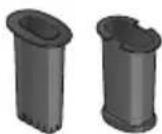
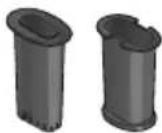
TYPE: KHC30/KHC40 Food Processor and Citrus Juicer Attachment
3/3 Instructions
3/3 Istruzioni
3/3 Instrucciones
3/3 Bedienungsanleitungen
3/3 Gebruiksaanwijzing
3/3 Instrukcja obsługi
3/3 Instruções
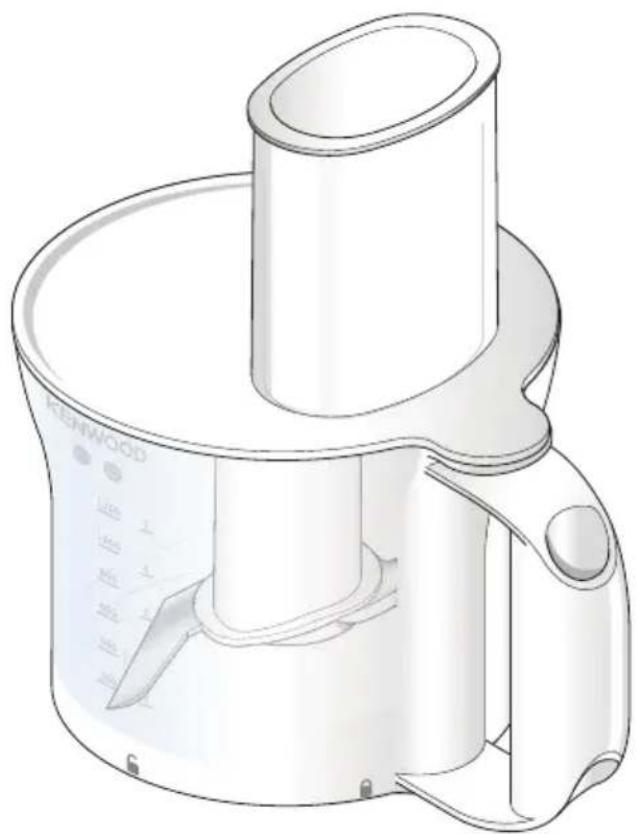
natural_image
Line drawing of a kitchen blender with a handle and blade (no text or symbols)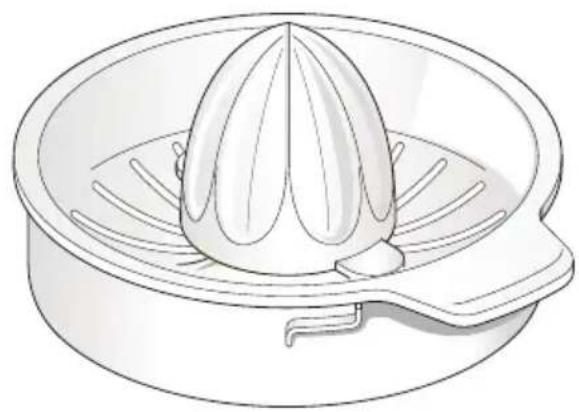
natural_image
Line drawing of a citrus melon inside a steamer (no text or symbols)| English | 2 - 14 |
| Nederlands | 15 - 27 |
| Français | 28 - 40 |
| Deutsch | 41 - 53 |
| Italiano | 54 - 66 |
| Português | 67 - 79 |
| Español | 80 - 92 |
| Català | 93 - 105 |
| Dansk | 106 - 118 |
| Svenska | 119 - 131 |
| Norsk | 132 - 144 |
| Suomi | 145 - 157 |
| Türkçe | 158 - 170 |
| Česky | 171 - 183 |
| Magyar | 184 - 196 |
| Polski | 197 - 209 |
| Ελληνικά | 210 - 223 |
| Русский | 224 - 237 |
| Қазақша | 238 - 250 |
| Slovenčina | 251 - 263 |
| Українська | 264 - 276 |
| Slovenščina | 277 - 289 |
| Hrvatski | 290 - 302 |
| Română | 303 - 315 |
| Български | 316 - 329 |
| Eesti | 330 - 342 |
| Lietuvių | 343 - 355 |
| Latviešu | 356 - 368 |
| عربي | ٢٨١ - ٣٦٩ |
English
- Important Safety Information 3
- Care and Cleaning 4
- Parts List 5-6
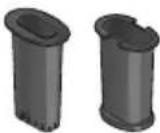
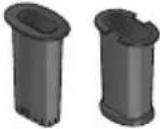
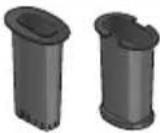
● To Fit and Remove Outlet Covers 7 - To Use Your Food Processor and Citrus Juicer 7-10
○ Usage Diagrams and Usage Instructions 7-9
○ Usage Chart 10
- To Use Your Dicing Attachment (if supplied) 11-12
○ Usage Diagrams and Usage Instructions 11-12
○ Usage Chart 12
● Service and Customer Care 13
- Troubleshooting 14
Important Safety Information
- Read these instructions carefully and retain for future reference.
- Remove all packaging and any labels.
- Turn the speed control to 'O' (OFF) position and unplug: before fitting or removing the attachment; after and when not in use; and before cleaning.
- Be careful if hot liquid is poured into the food processor as it can be ejected out of the appliance due to sudden steaming.
• DO NOT process hot ingredients. - SCALD RISK: Hot ingredients must be allowed to cool to room temperature before placing in the bowl or before processing.
- Keep hands and utensils out of the food processor bowl whilst connected to the power supply.
- The knife blade and discs are extremely sharp, handle with care. Always hold by the finger grip at the top, away from the cutting edge, both when handling and cleaning.
- When slicing/grating do not let the bowl fill up as far as the cutting disc: empty it regularly.
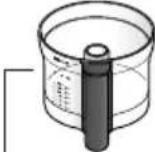
- Do not exceed the 'MAX' capacity level on the bowl.
● Always remove the knife blade before pouring contents from the bowl. - Never use your fingers to push food down the feed tube. Always use the pusher supplied.
- Before removing the lid from the food processor bowl switch off and wait until the blade or discs have completely stopped.
- Do not use the lid to operate the food processor, always use the speed control.
- KAP45A.000GY compatible with KHC30/KHC40 only.
Dicing Attachment
- The cutting grid and disc are very sharp; handle with care when fitting, removing and cleaning. Always hold by the finger grip away from the cutting edge when handling the cutting disc.
- Never use your fingers to push food down the feed tube. Only use the pusher supplied.
- Do not use excessive force to push food down the feed tube – you could damage your attachment.
- Before removing the lid, switch off wait until the cutting disc has completely stopped.
- Do not pour hot liquids down the feed tube.
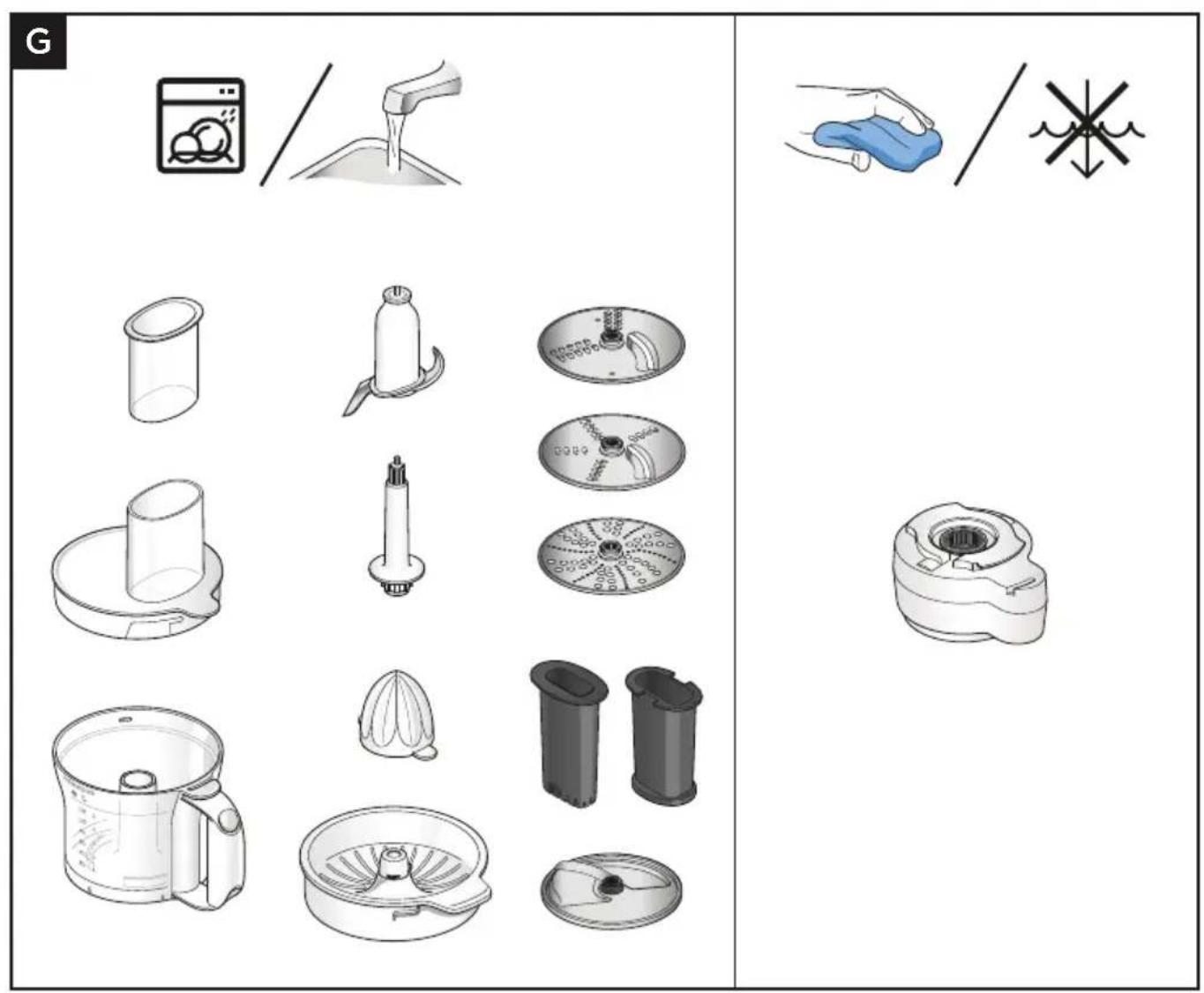
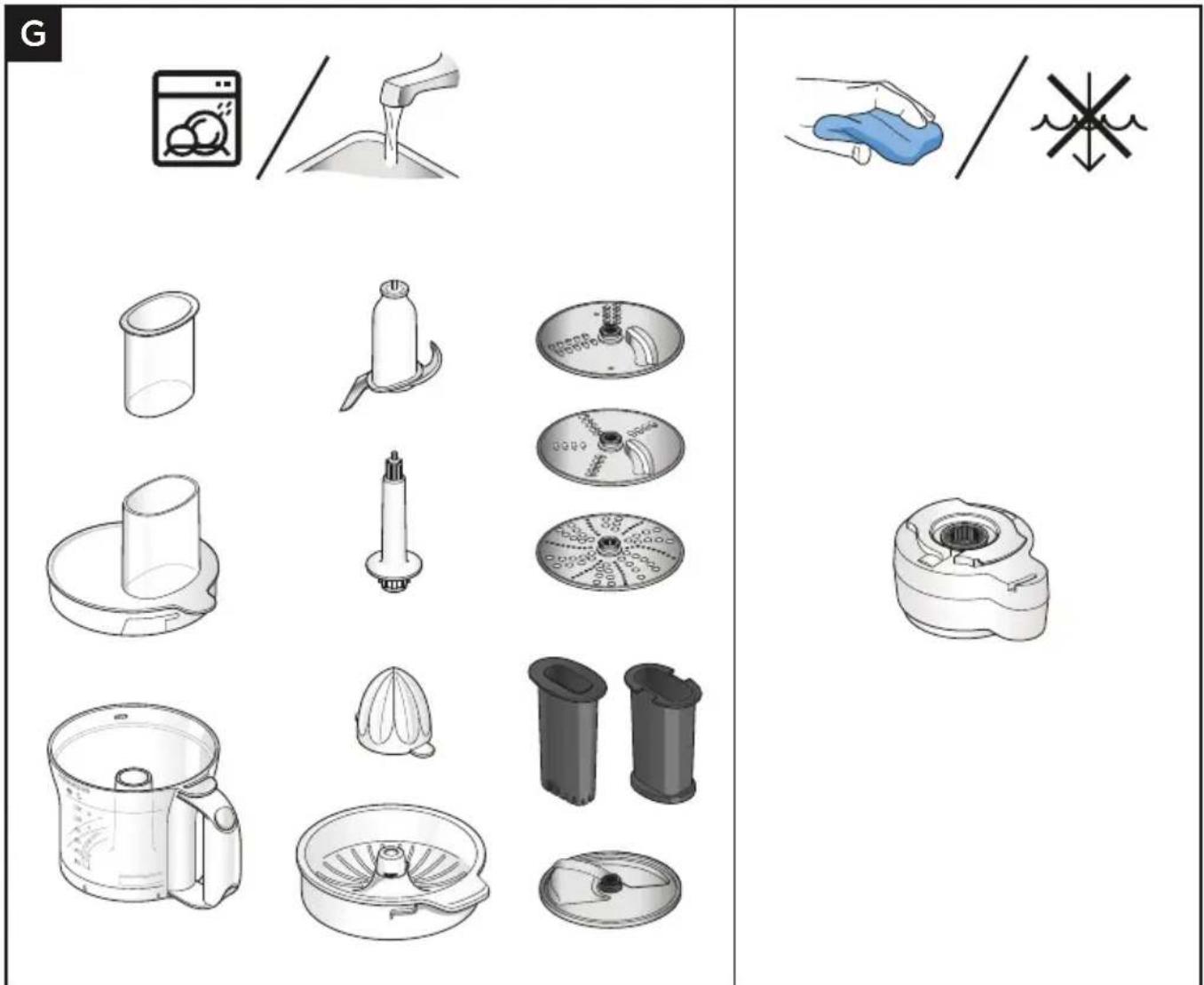
● Always switch off and unplug before cleaning.
- Dismantle attachments fully before cleaning.
- For easier cleaning always wash the parts immediately after use.
- Some foods, e.g. carrot, will discolour the plastic. Rubbing with a cloth dipped in vegetable oil helps remove discolouring.
- Handle the blades and discs with care – they are extremely sharp.
Refer to your main Stand Mixer instruction book for additional safety warnings.
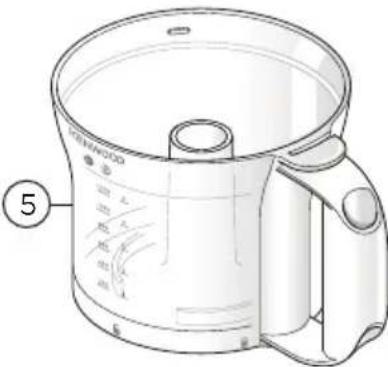
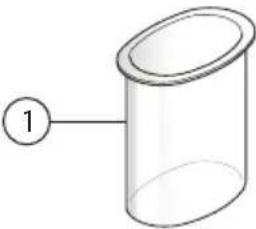 | 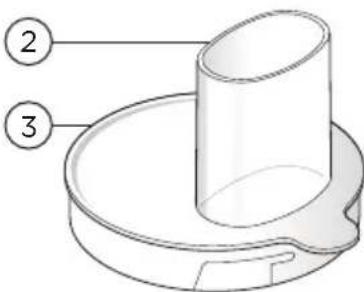 | 4— | |
 | 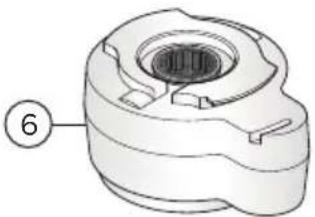 | 7—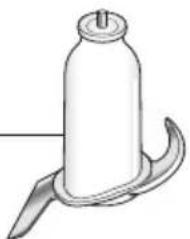 | |
 |  | 10—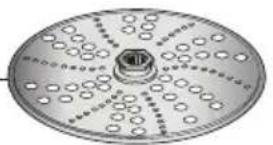 | |
 |  | ||
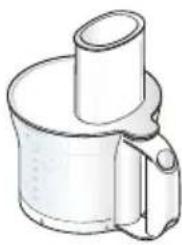
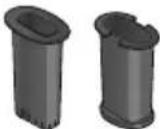
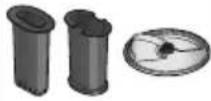
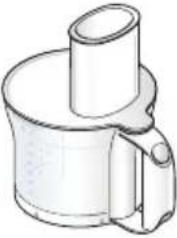
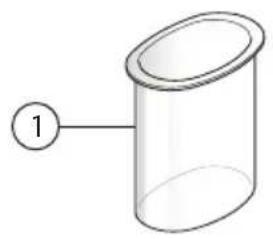
① Pusher
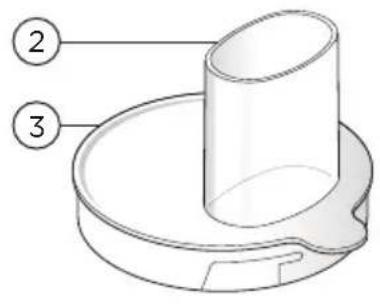
② Feed Tube
③ Lid
④ Drive Shaft
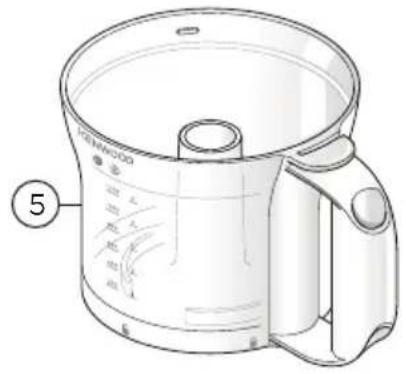
⑤ Bowl
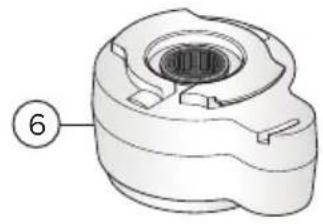
⑥ Gear Box
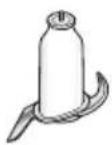
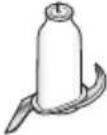
⑦ Knife Blade
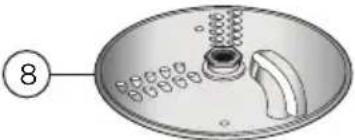
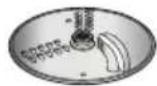
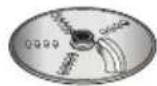
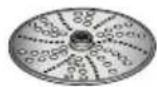
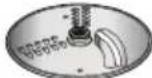
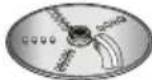
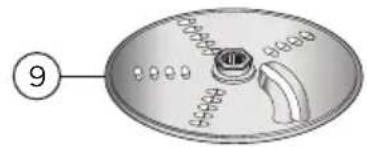
⑧ Thick Slicing/Grating Disc
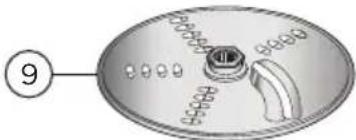
⑨ Thin Slicing/Grating Disc
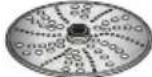
⑩ Extra Fine Grating Disc
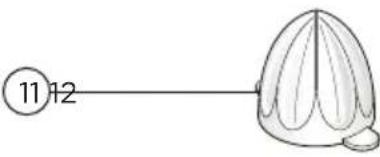
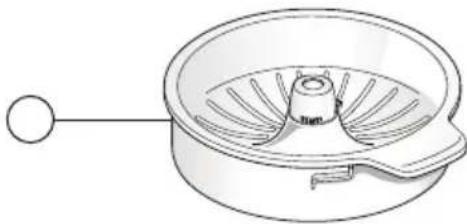
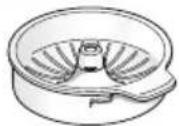
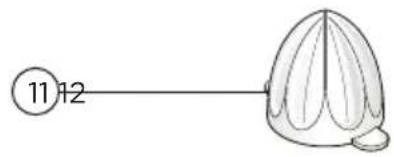
⑪ Cone
12 Sieve
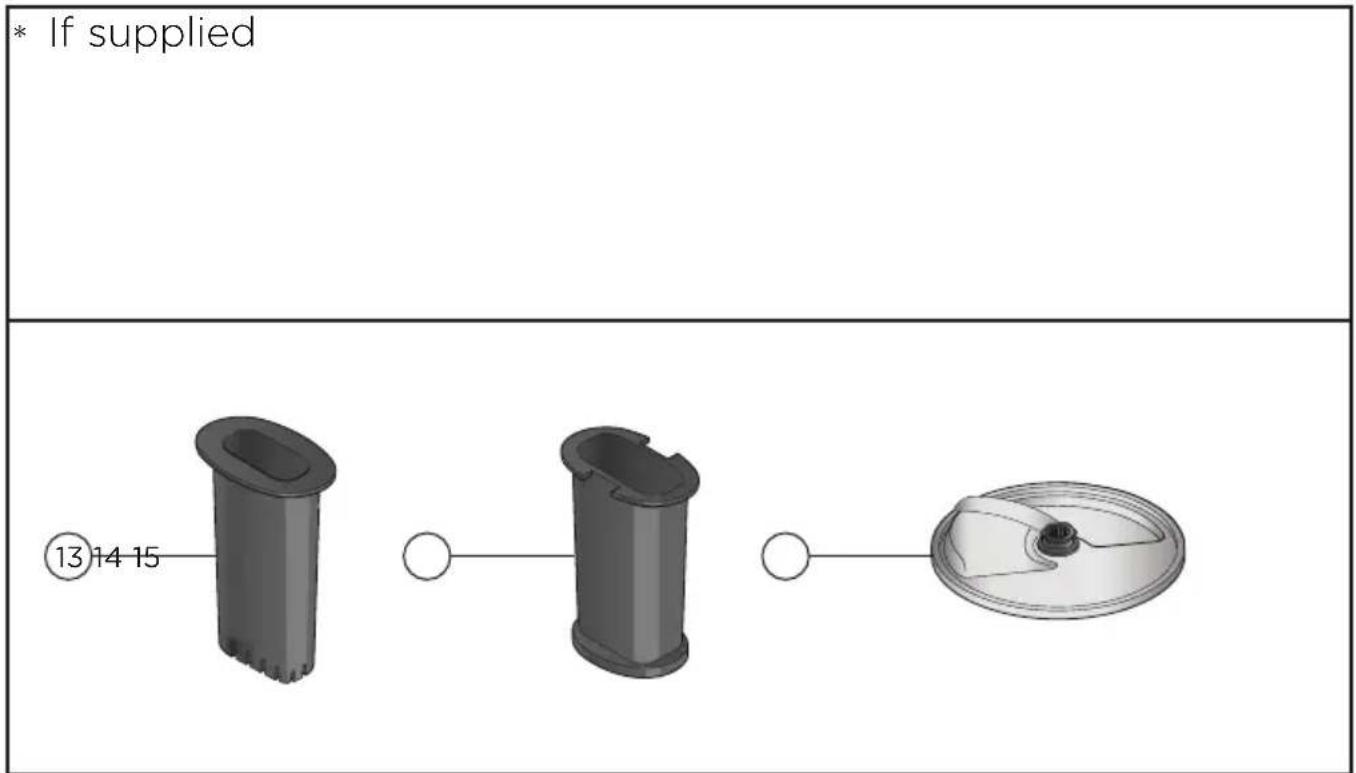
Express Dice (If supplied)
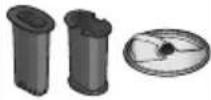
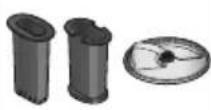
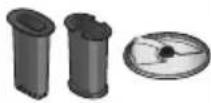
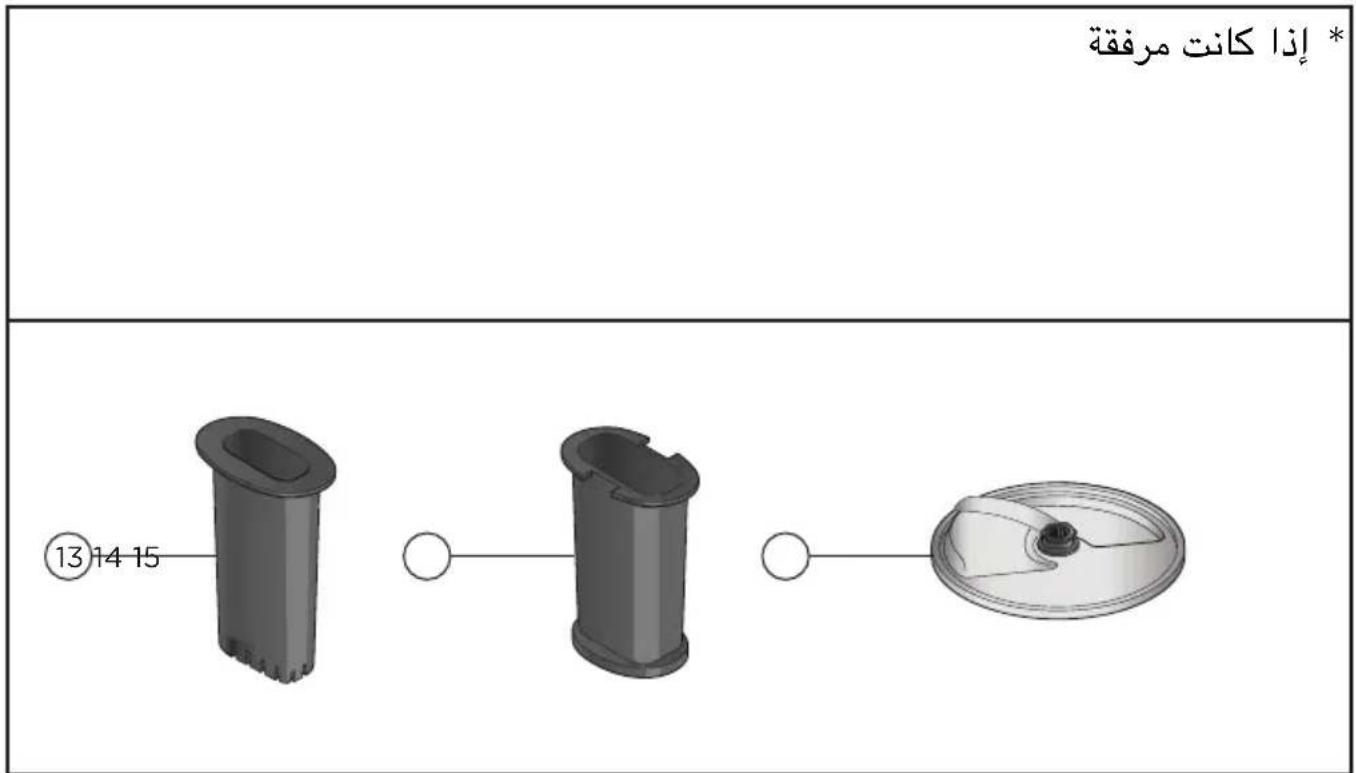
⑬ Dicing Pusher
⑭ Dicing Grid
15 Dicing Disc
flowchart
graph LR
    A["Box with Up Arrow"] --> B["Open Book with Eye Symbol"]
    style A fill:#f9f,stroke:#333
    style B fill:#ccf,stroke:#333
To Fit and Remove Outlet Cover
Usage Diagrams and Usage Instructions
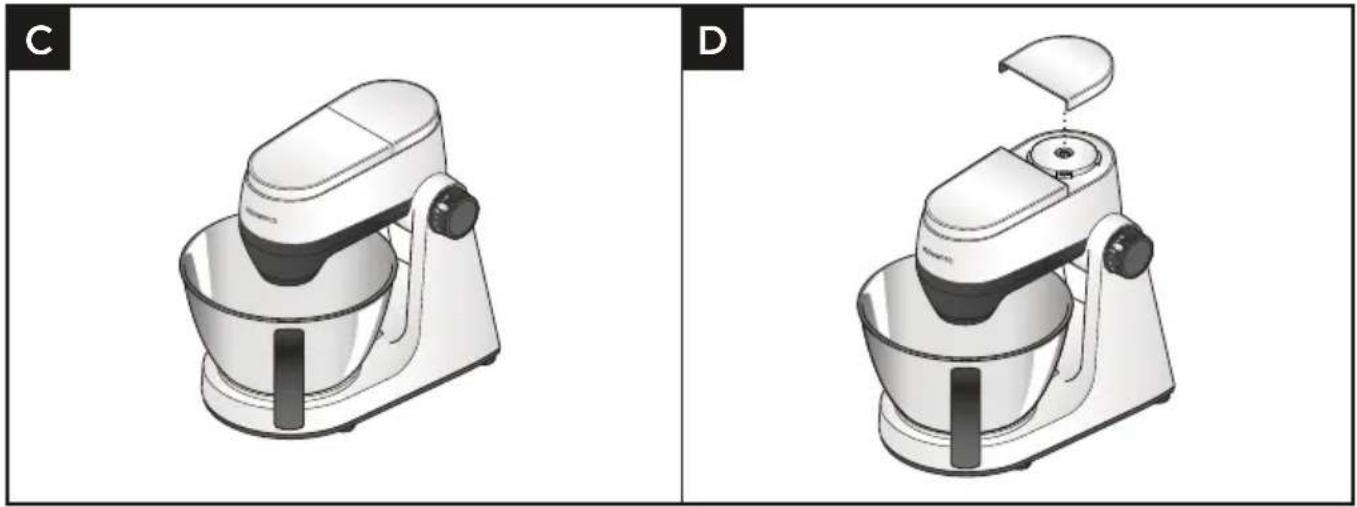
natural_image
Two identical 3D renderings of a kitchen mixer, labeled C and D, showing no text or symbols on the device itself.1 Lift off the high speed outlet cover.
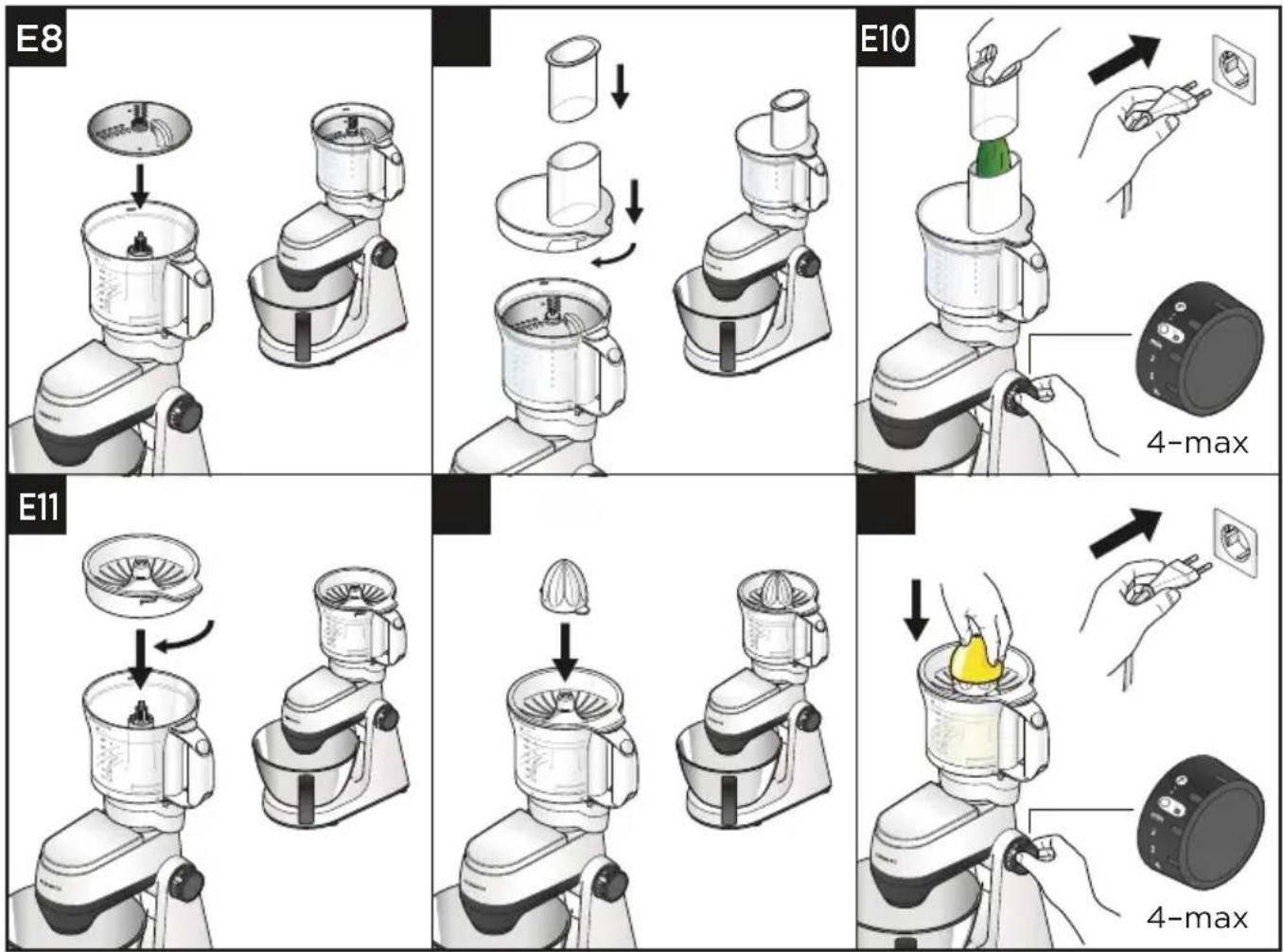
To Use Your Food Processor and Citrus Juicer
Usage Diagrams and Usage Instructions
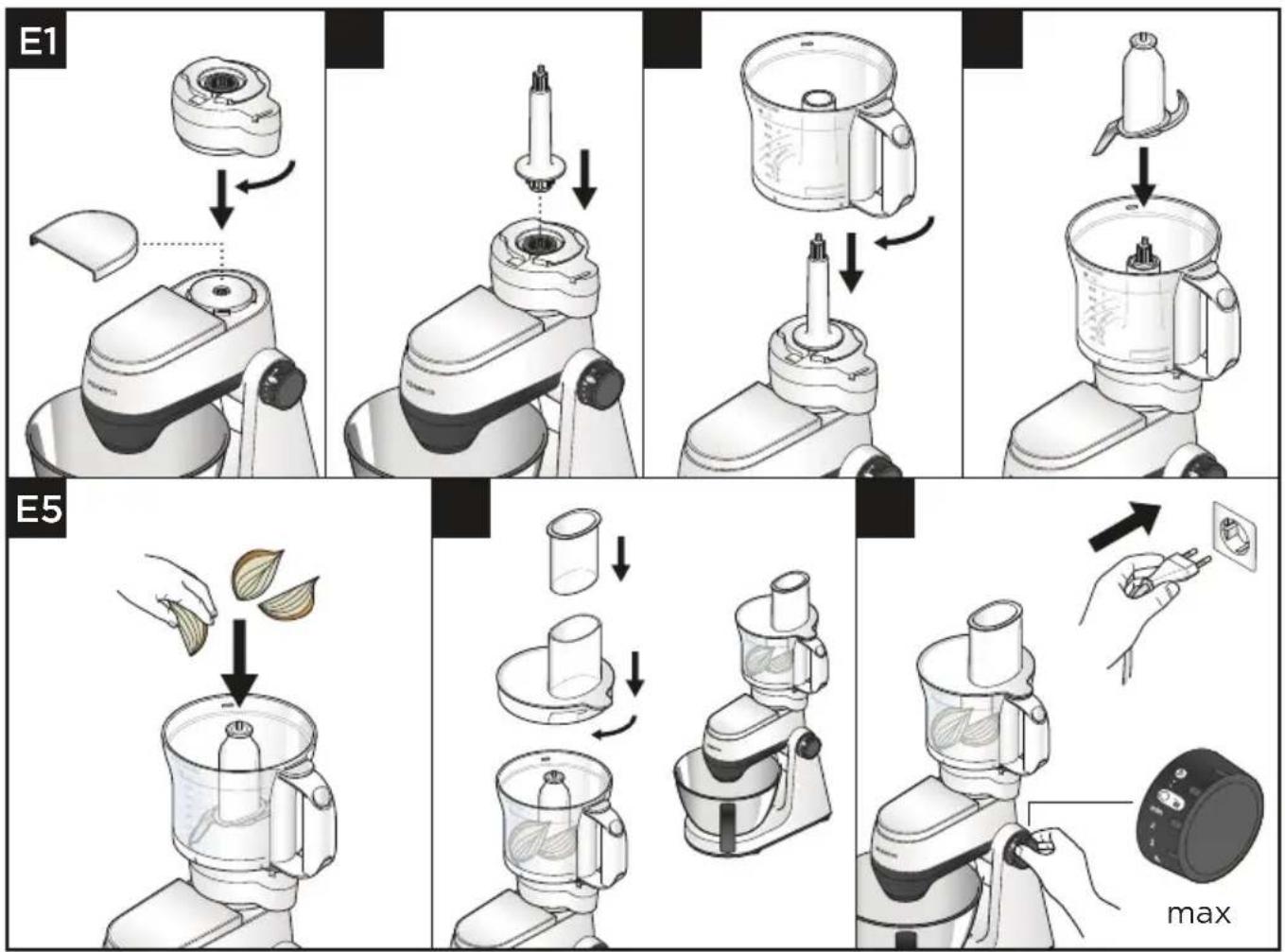
flowchart
graph TD
    A["Step E1: Initial food preparation"] --> B["Step E1: Stabilized food with dipping sauce"]
    B --> C["Step E2: Stabilized food with dipping sauce"]
    C --> D["Step E3: Stabilized food with dipping sauce"]
    D --> E["Step E4: Stabilized food with dipping sauce"]
    E --> F["Step E5: Stabilized food with dipping sauce"]
    F --> G["Step E5: Stabilized food with dipping sauce"]
    G --> H["End: Max"]
IMPORTANT
- The knife blade and cutting section of the discs are sharp so always handle with care.
- Do not use knife blade to chop ice cubes or other hard foods such as spices, they may damage the attachment.
- If adding almond essence or flavouring avoid contact with plastic as this may stain.
- Do not let the bowl fill up as far as the cutting disc: empty it regularly.
- Do not exceed the 'MAX' capacity level on the bowl.
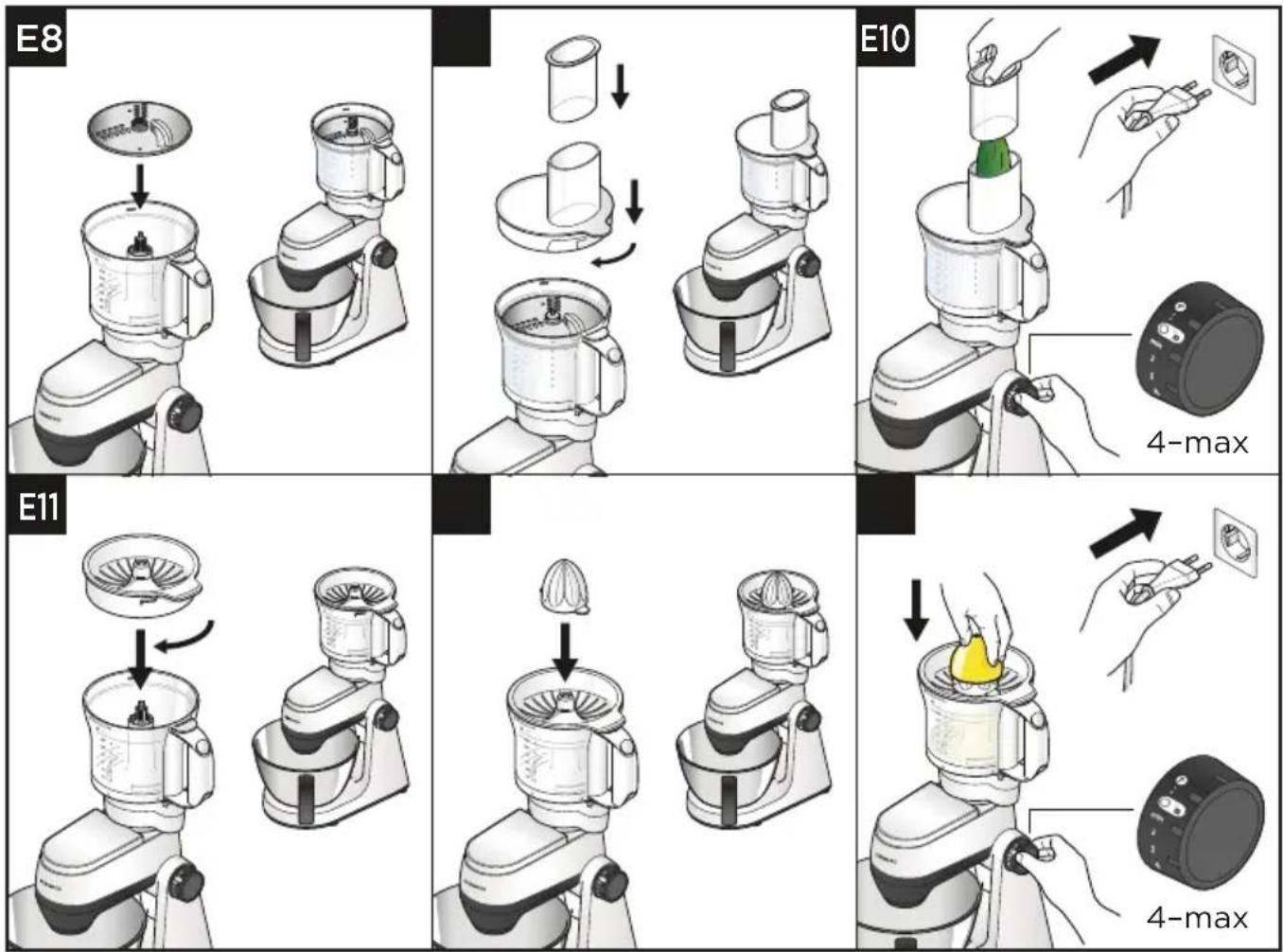
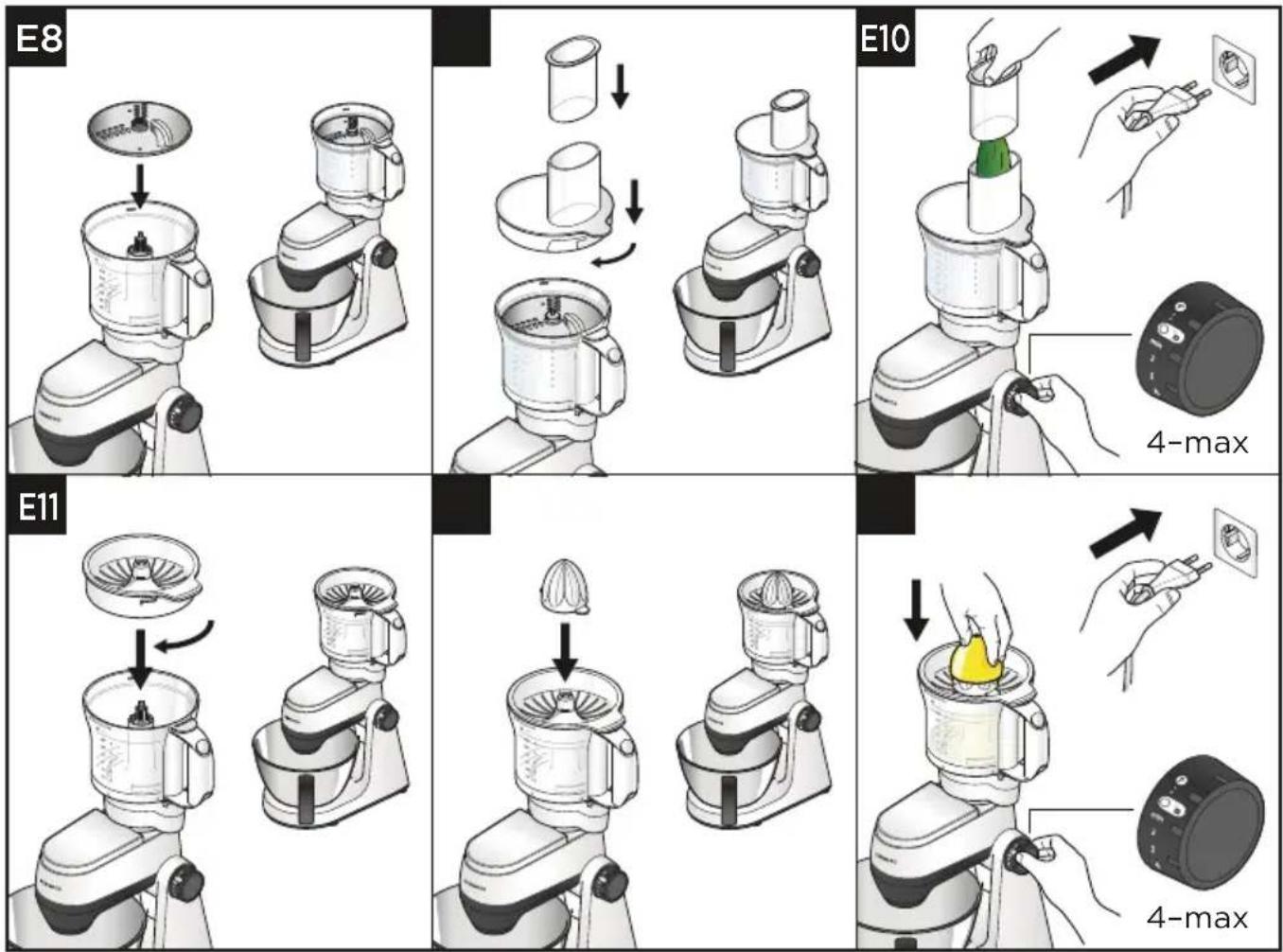
- The citrus juicer attachment can only be used in conjunction with the food processor bowl.
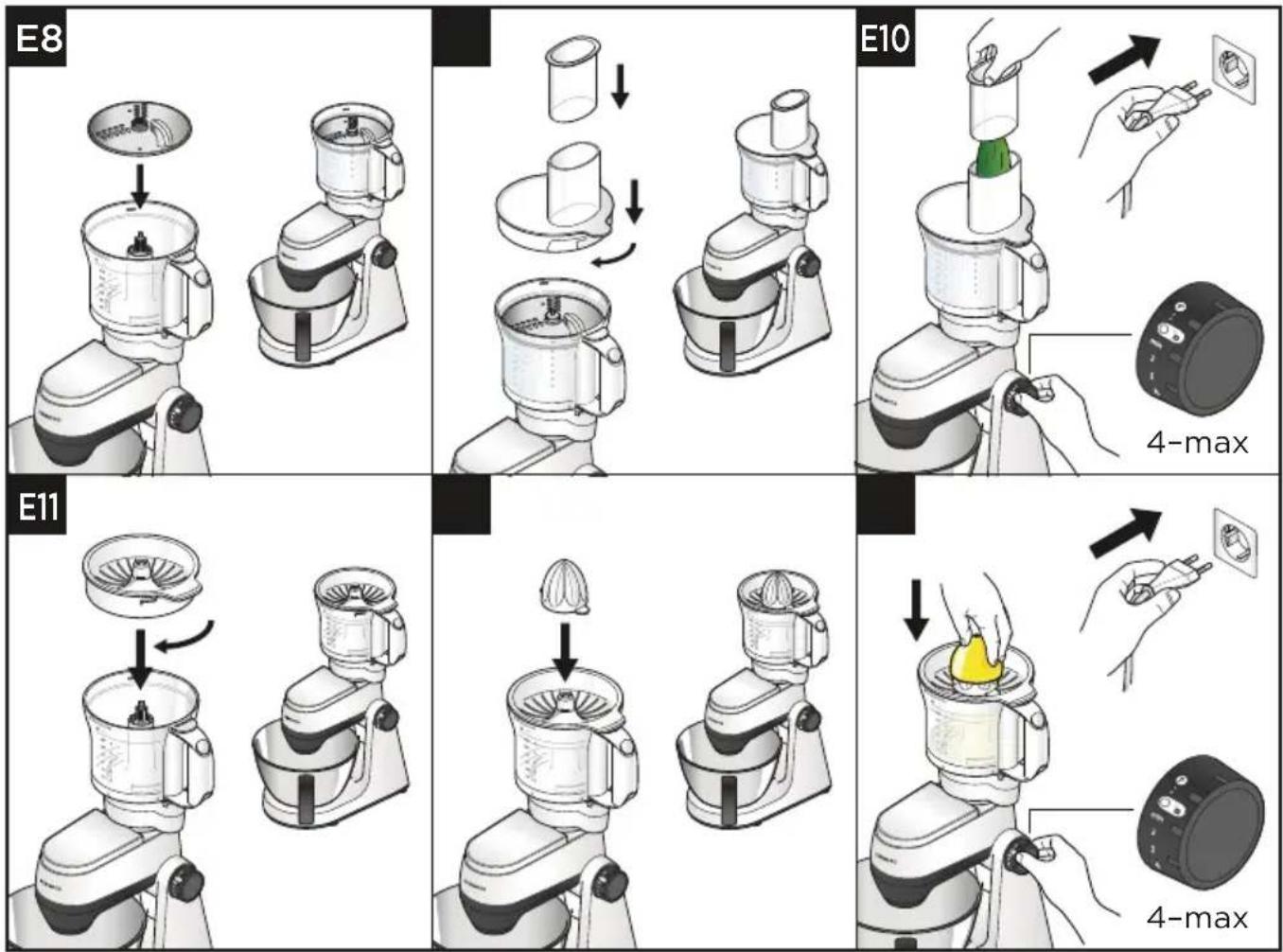
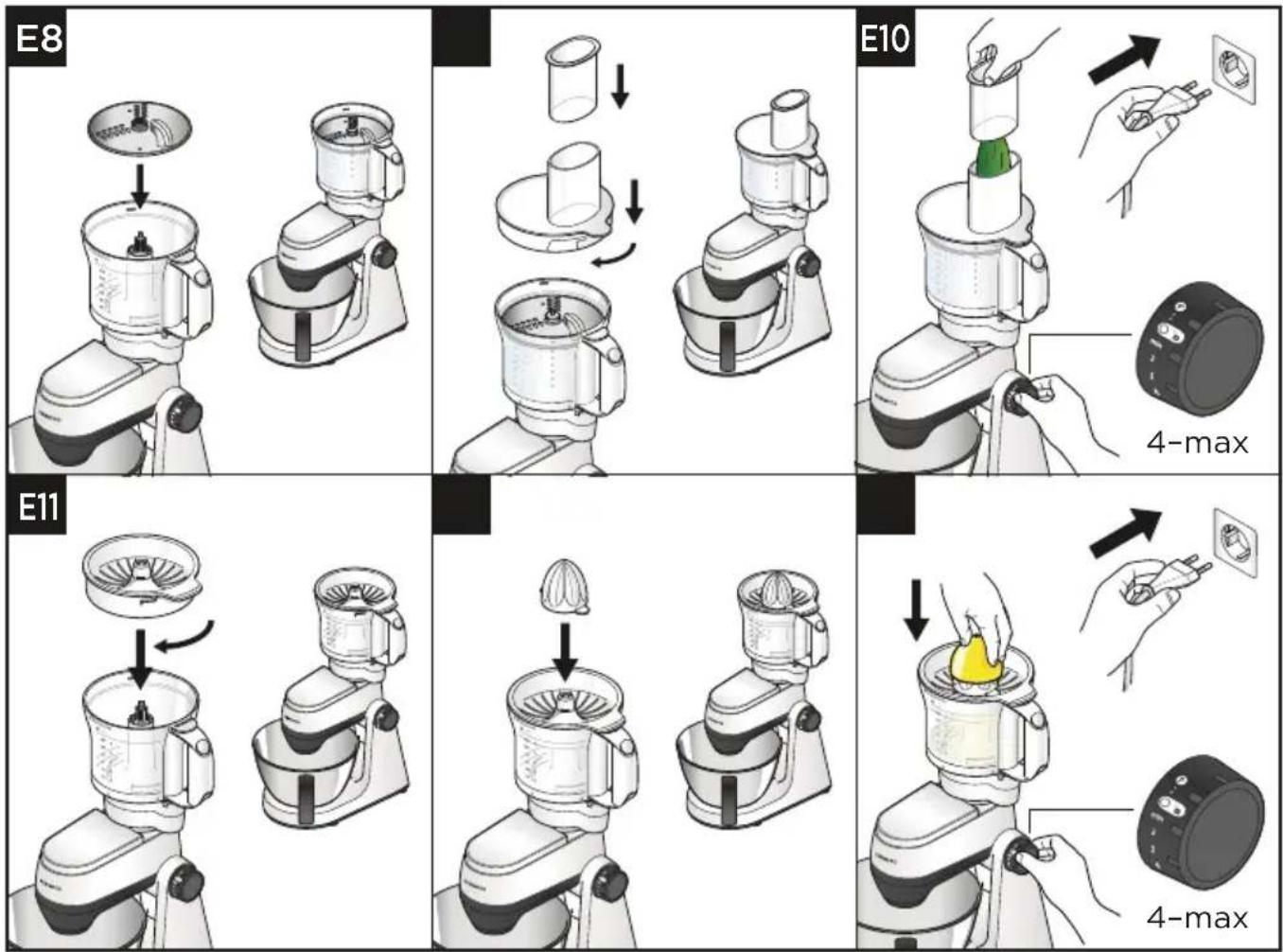
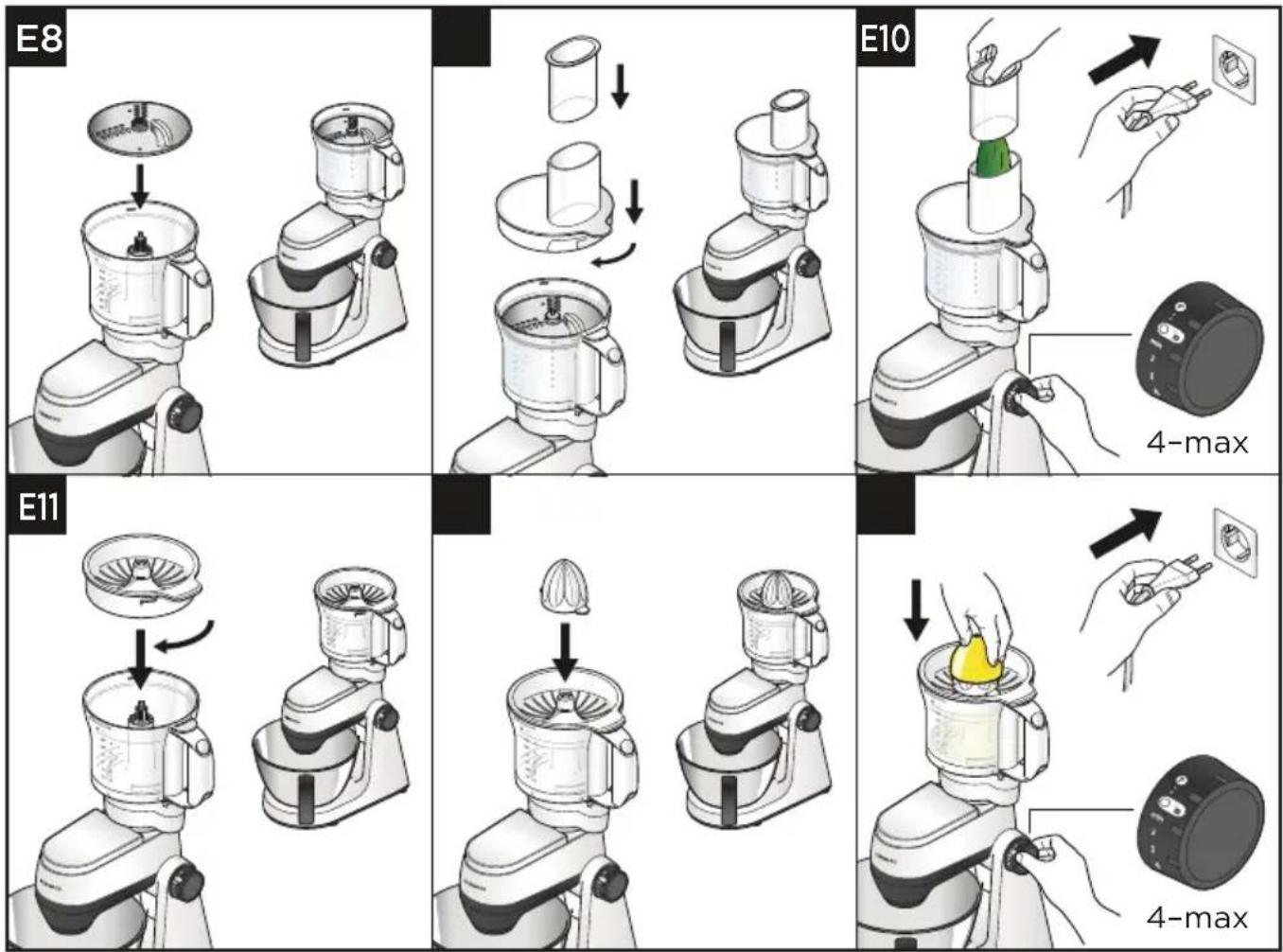
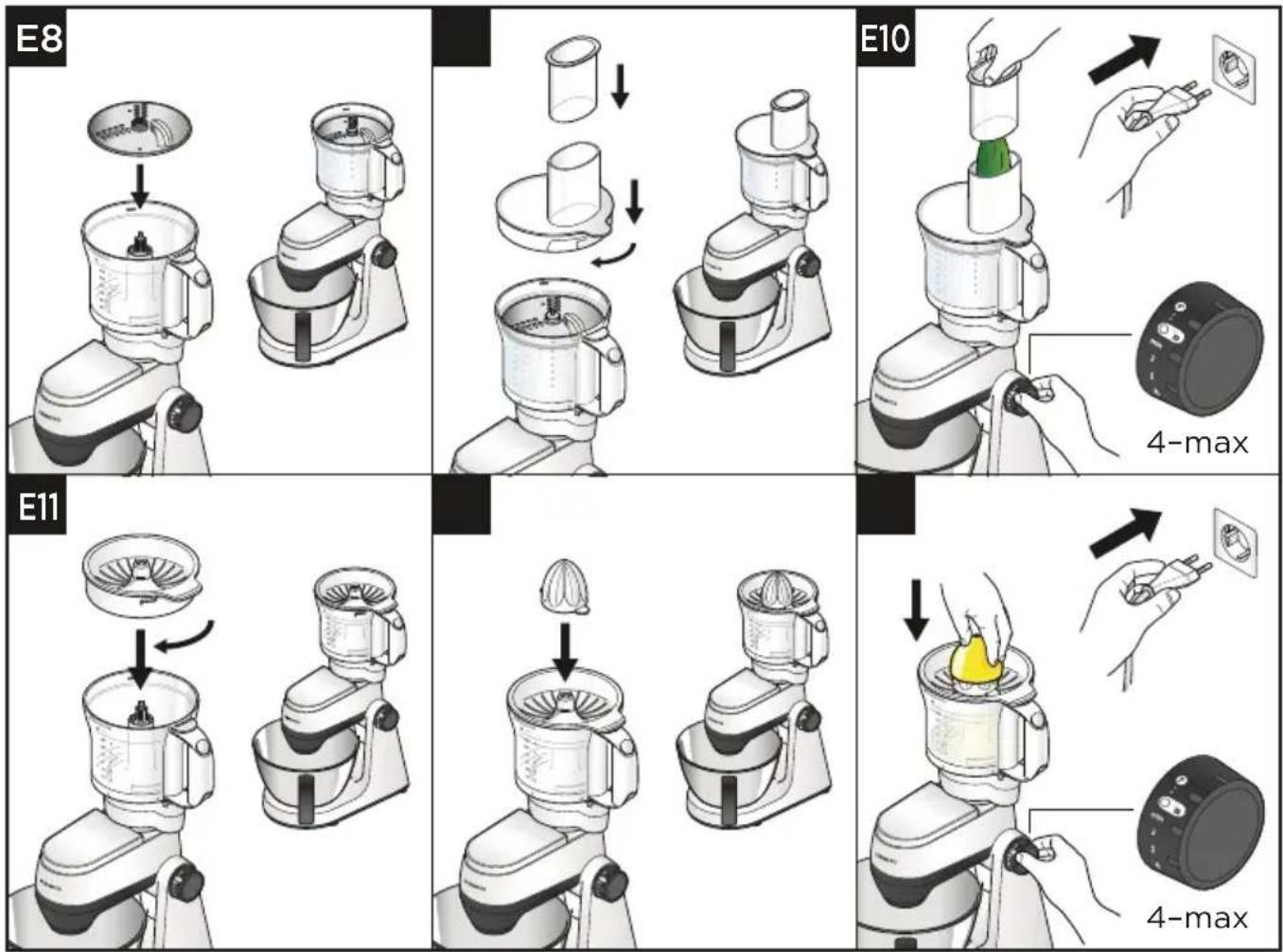
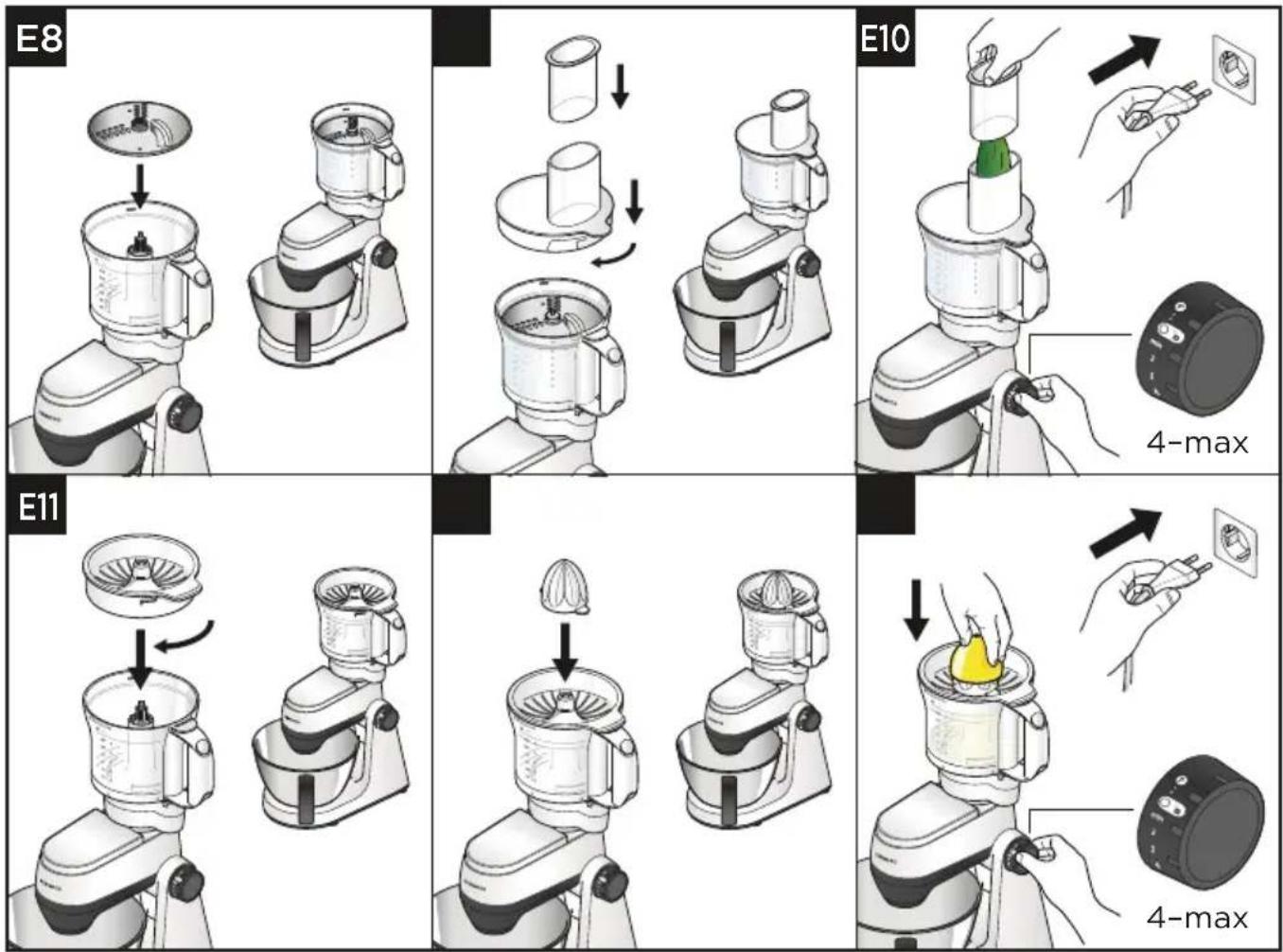
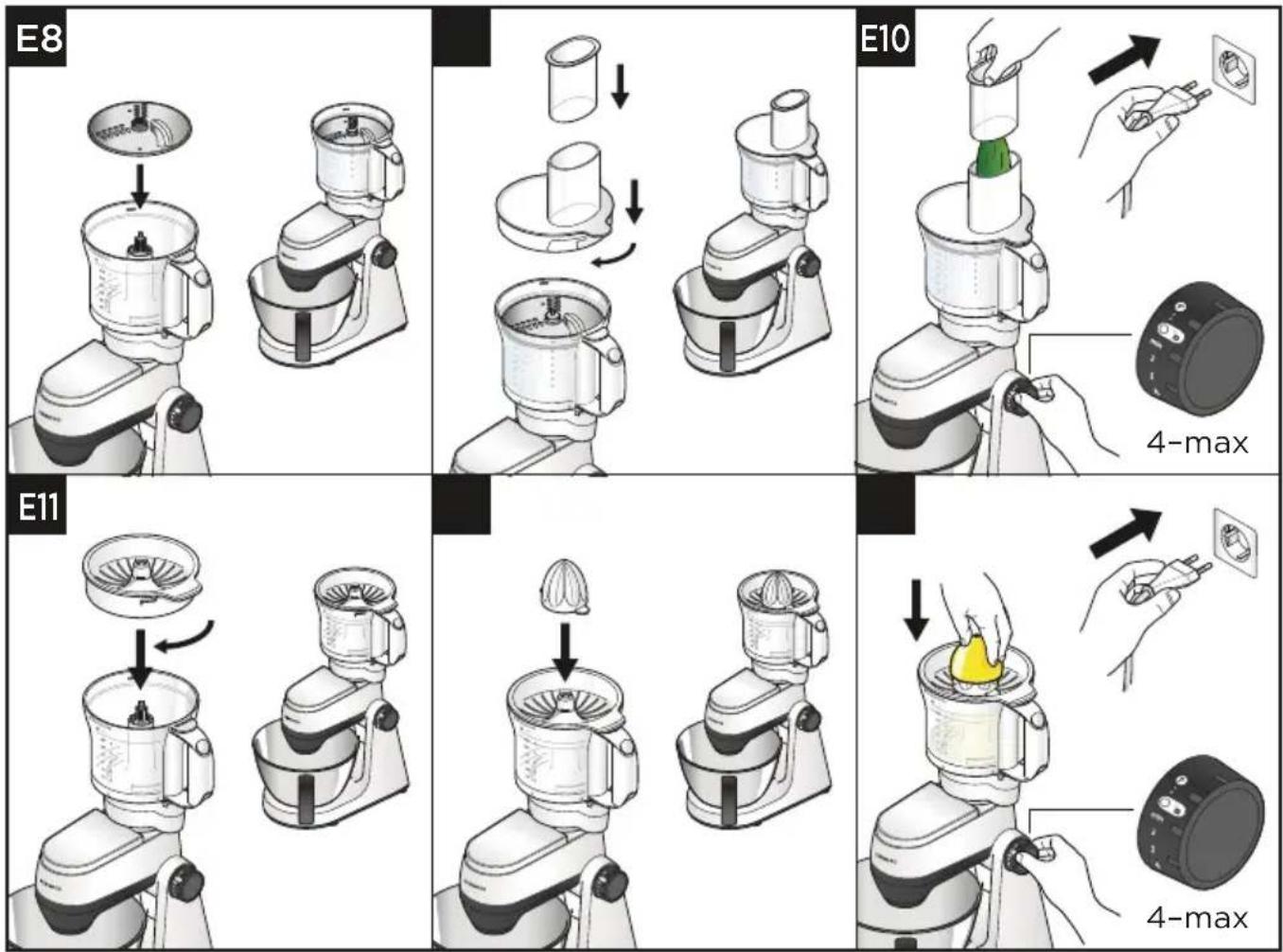
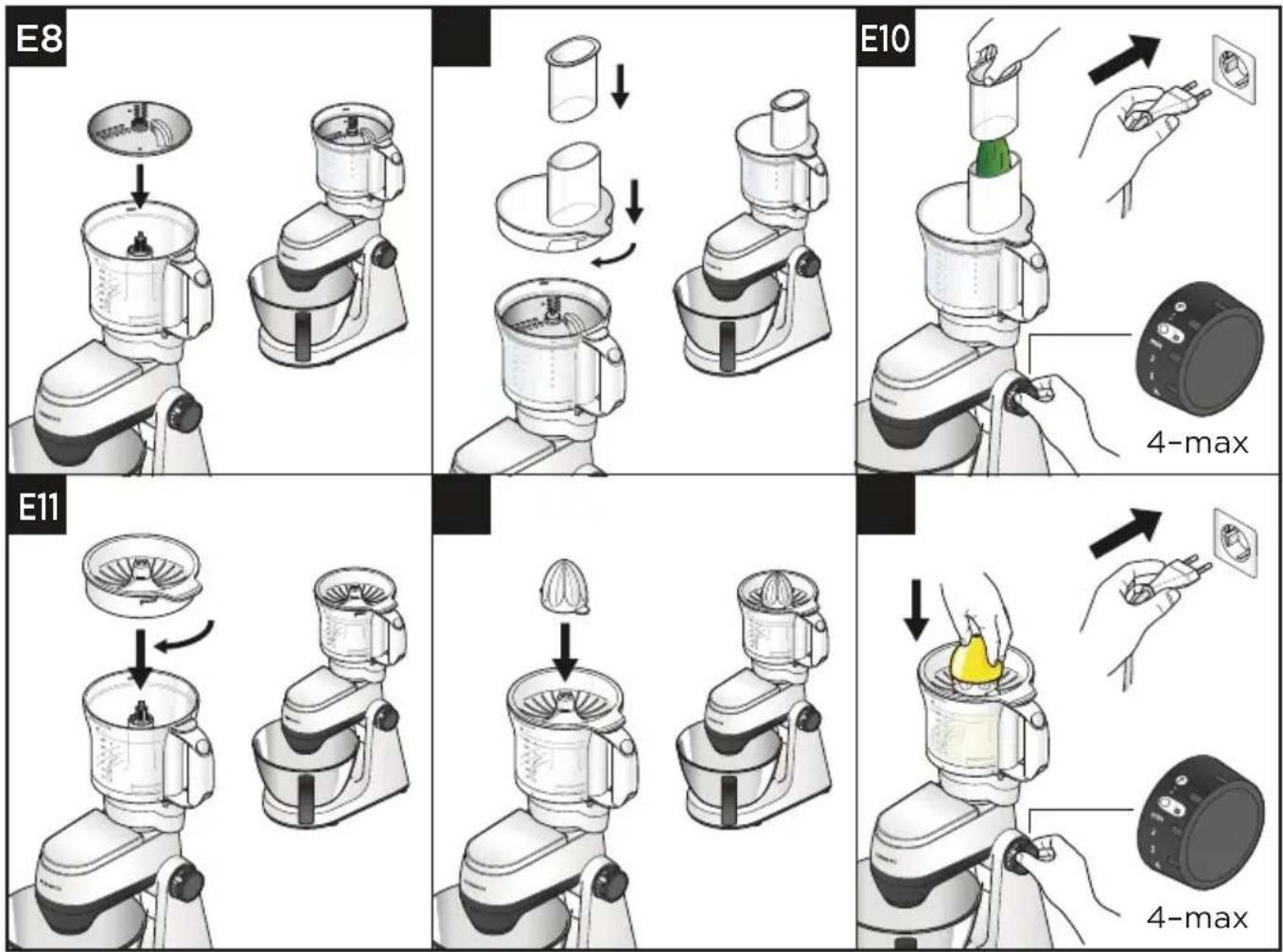
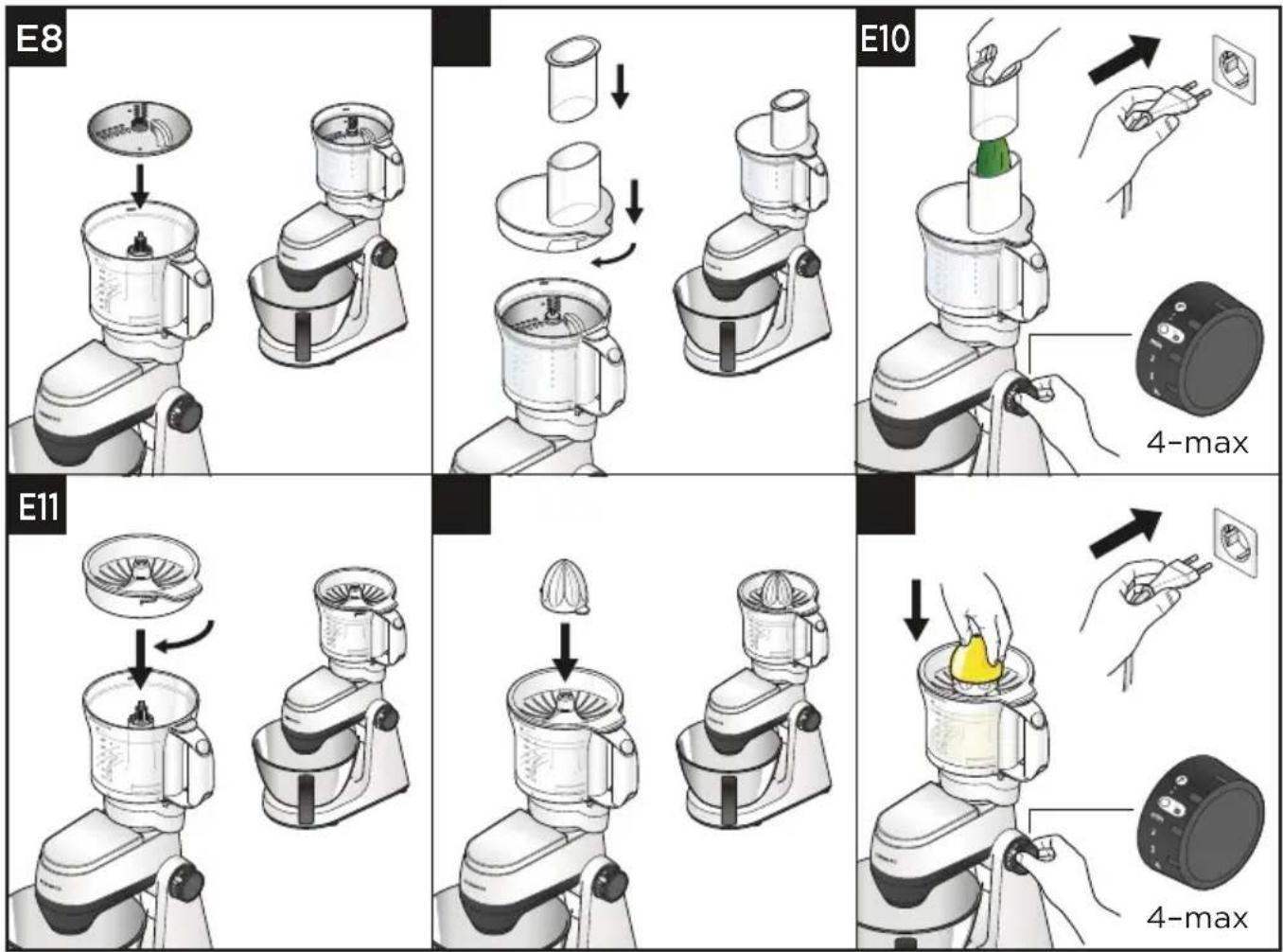
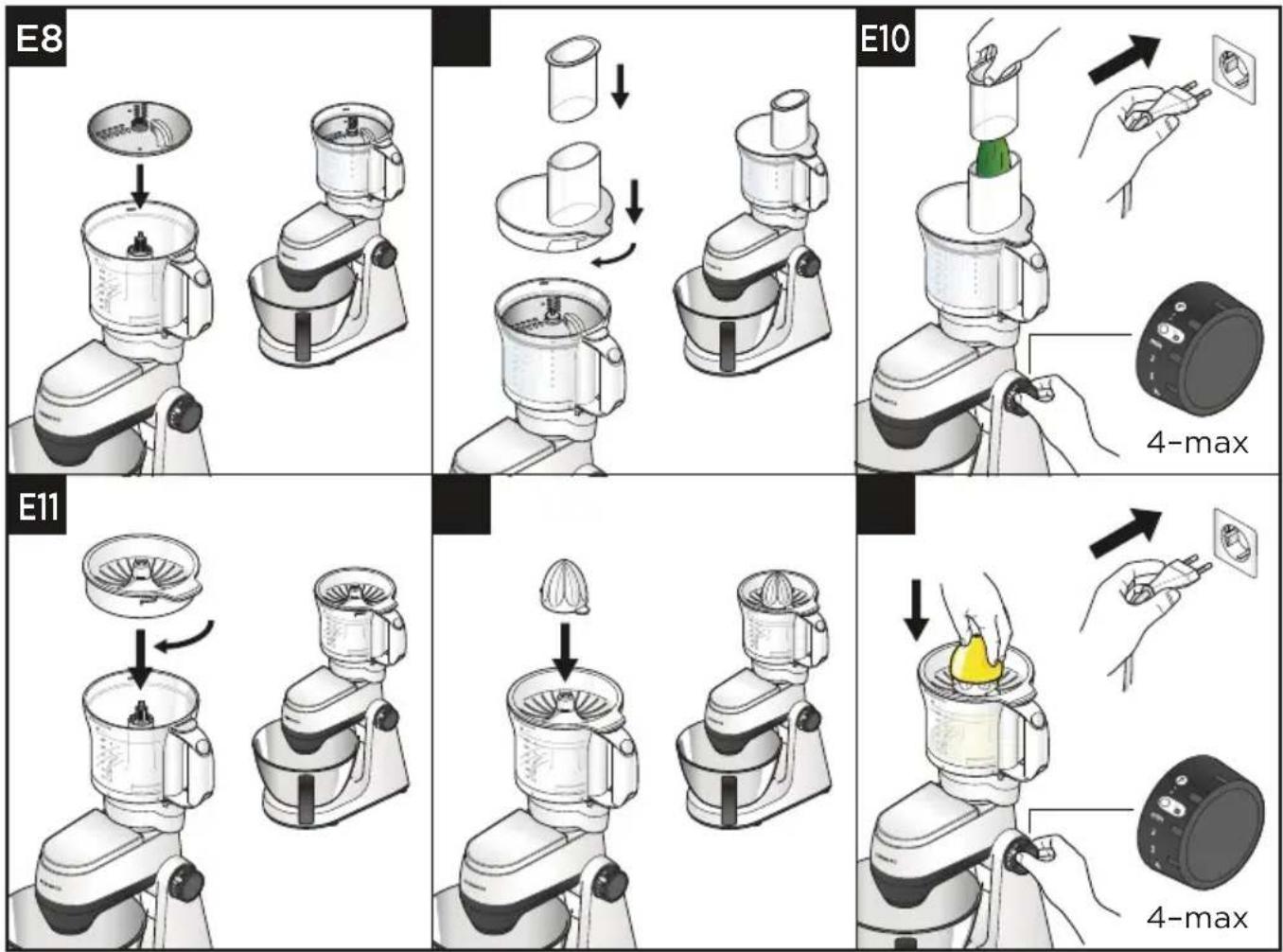
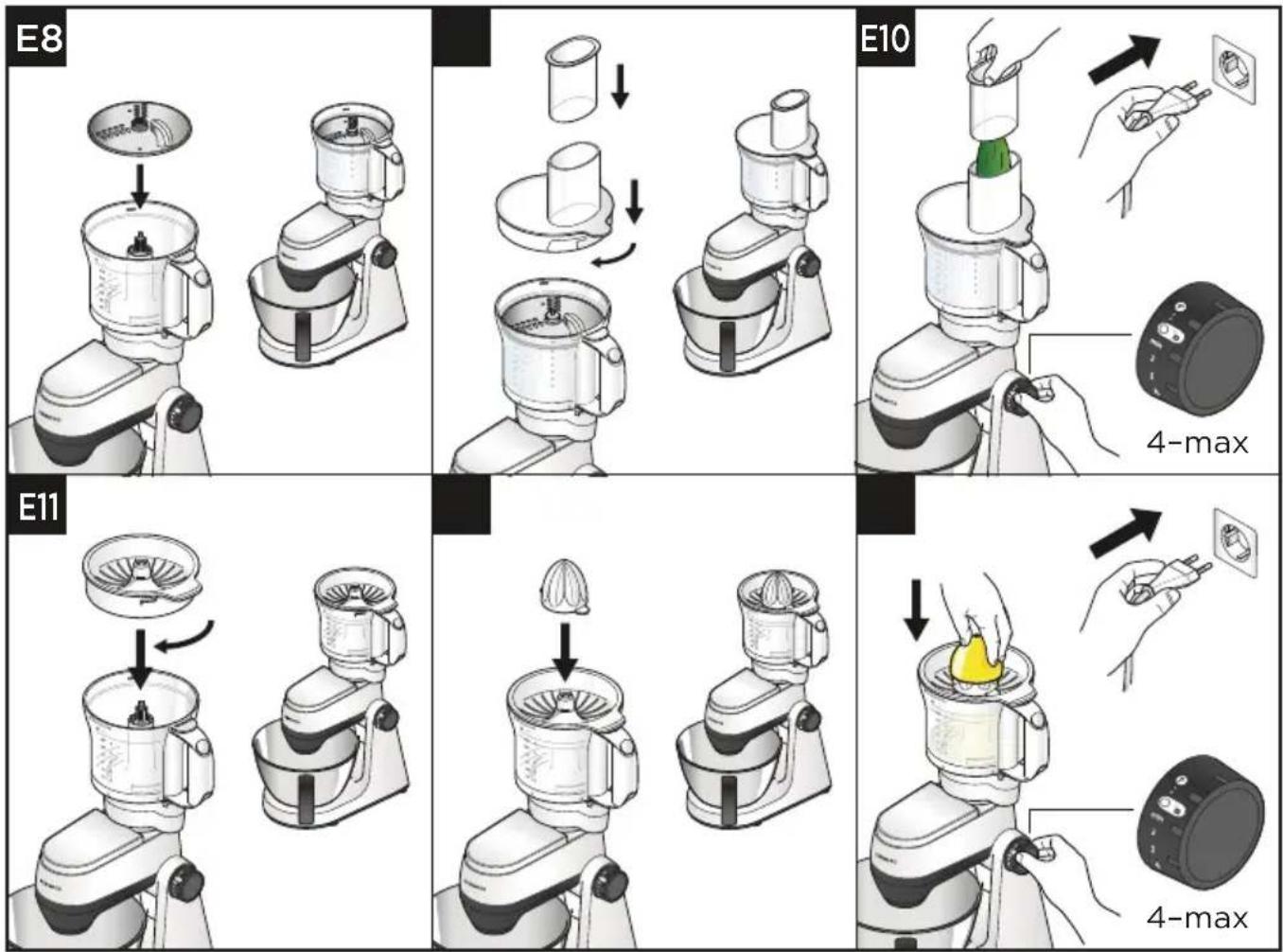
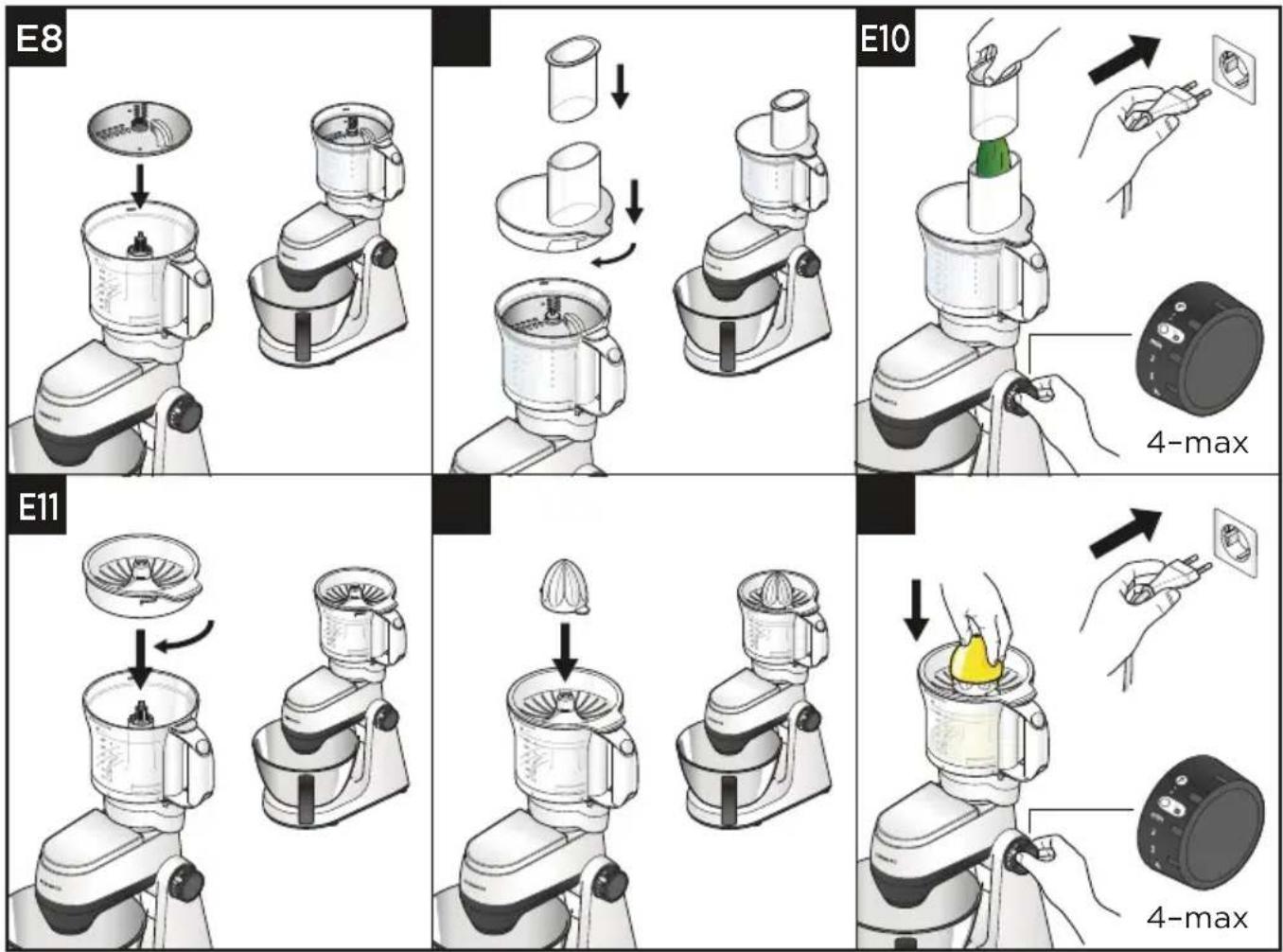
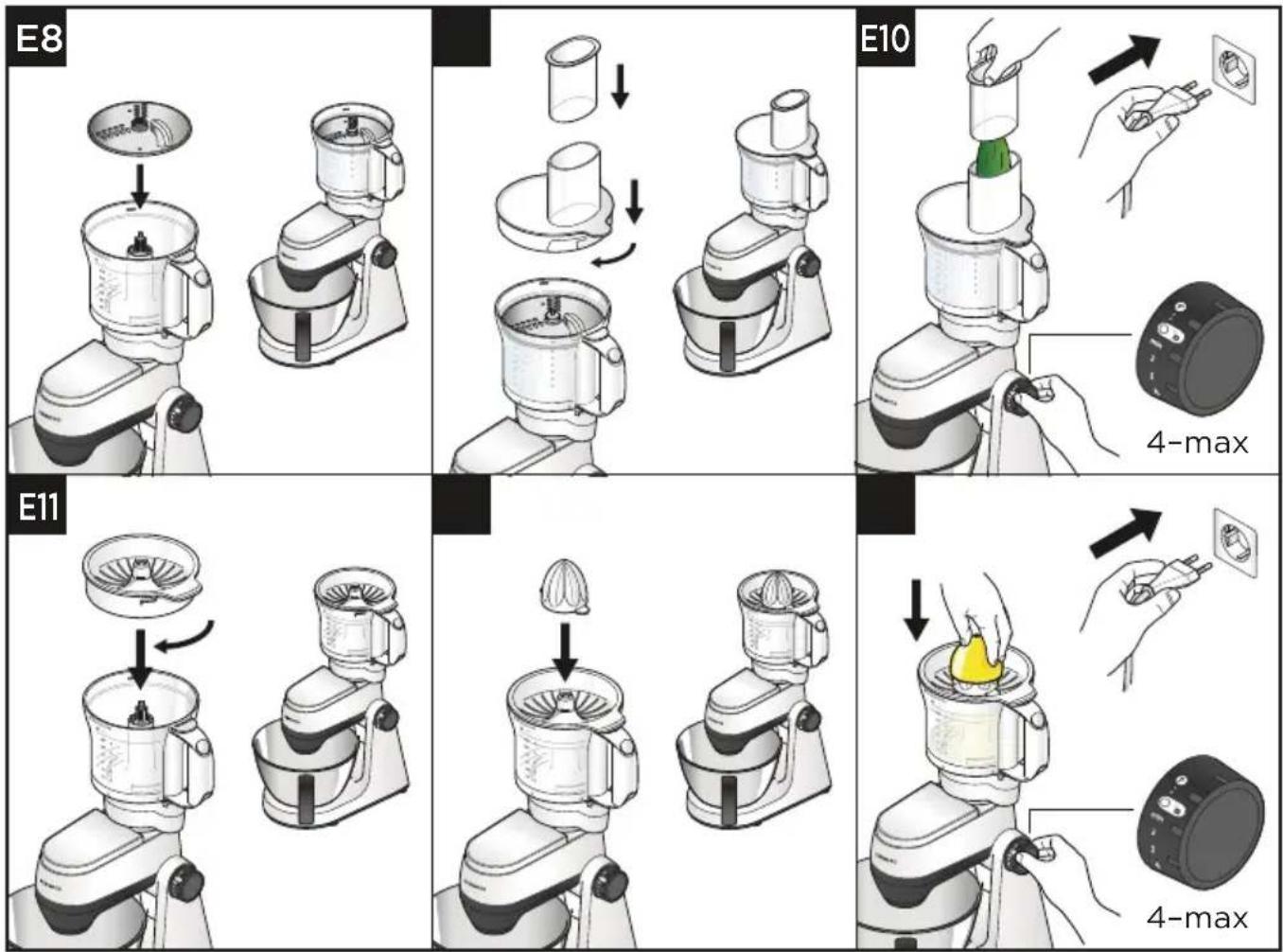
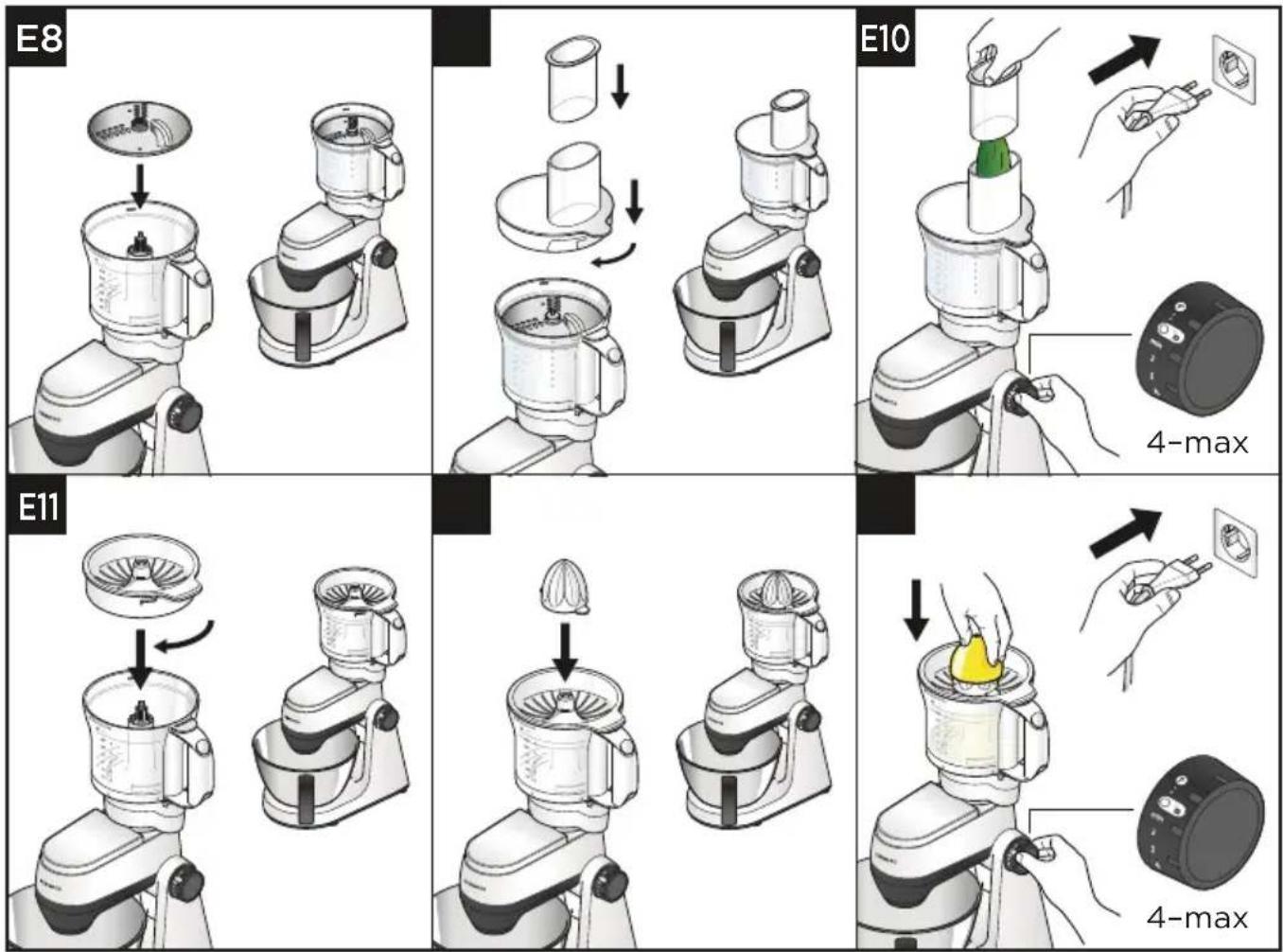
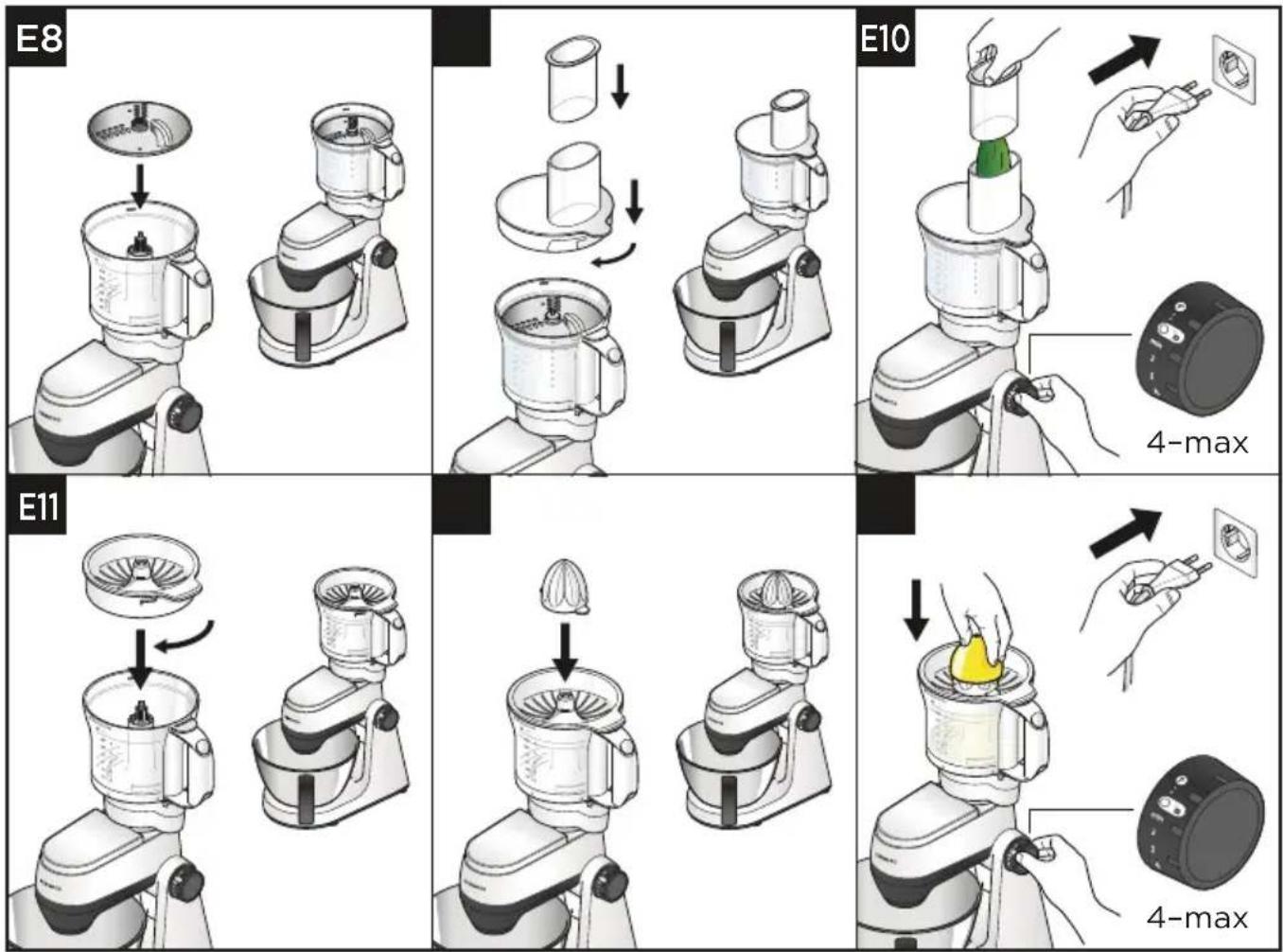
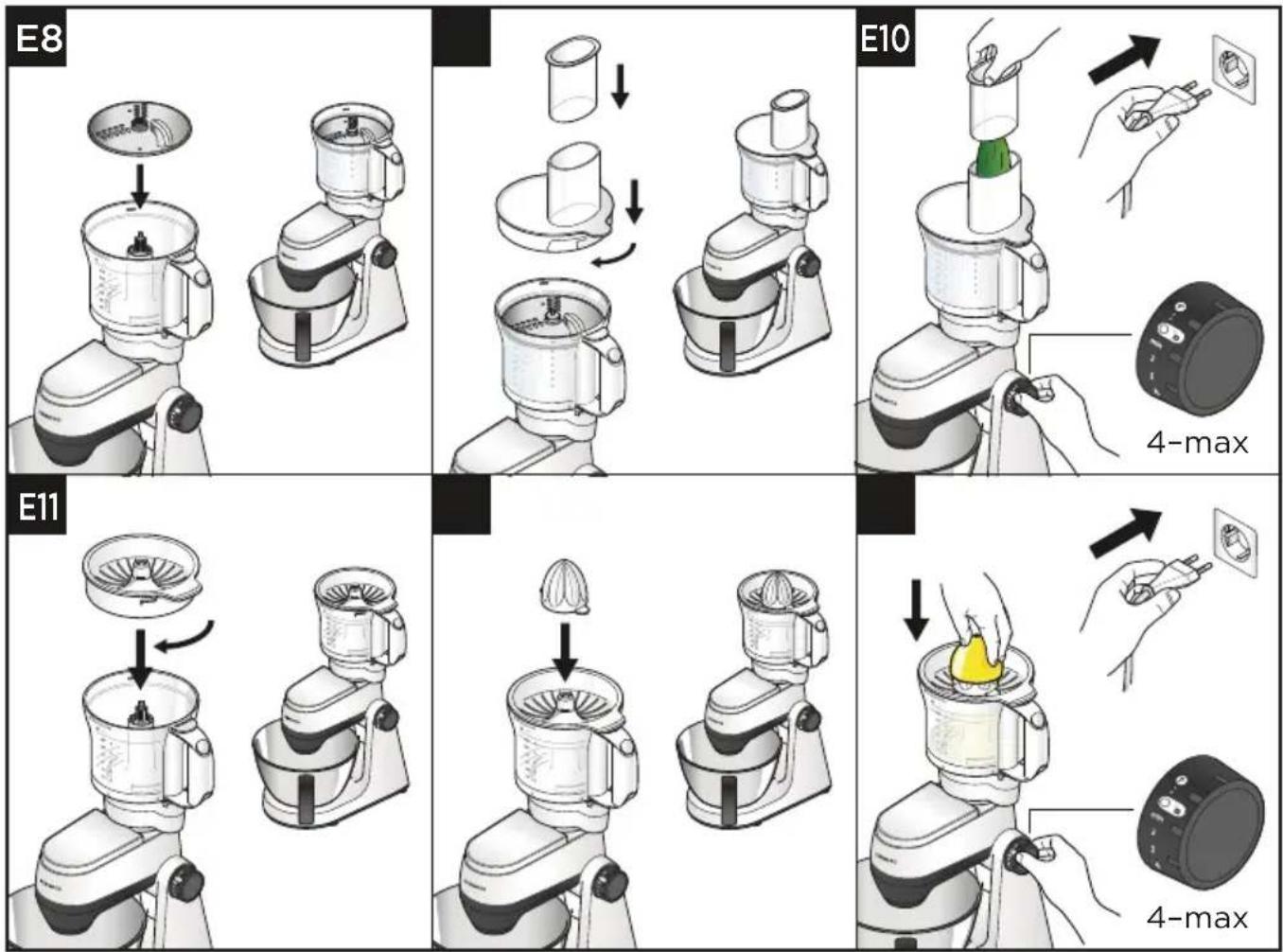
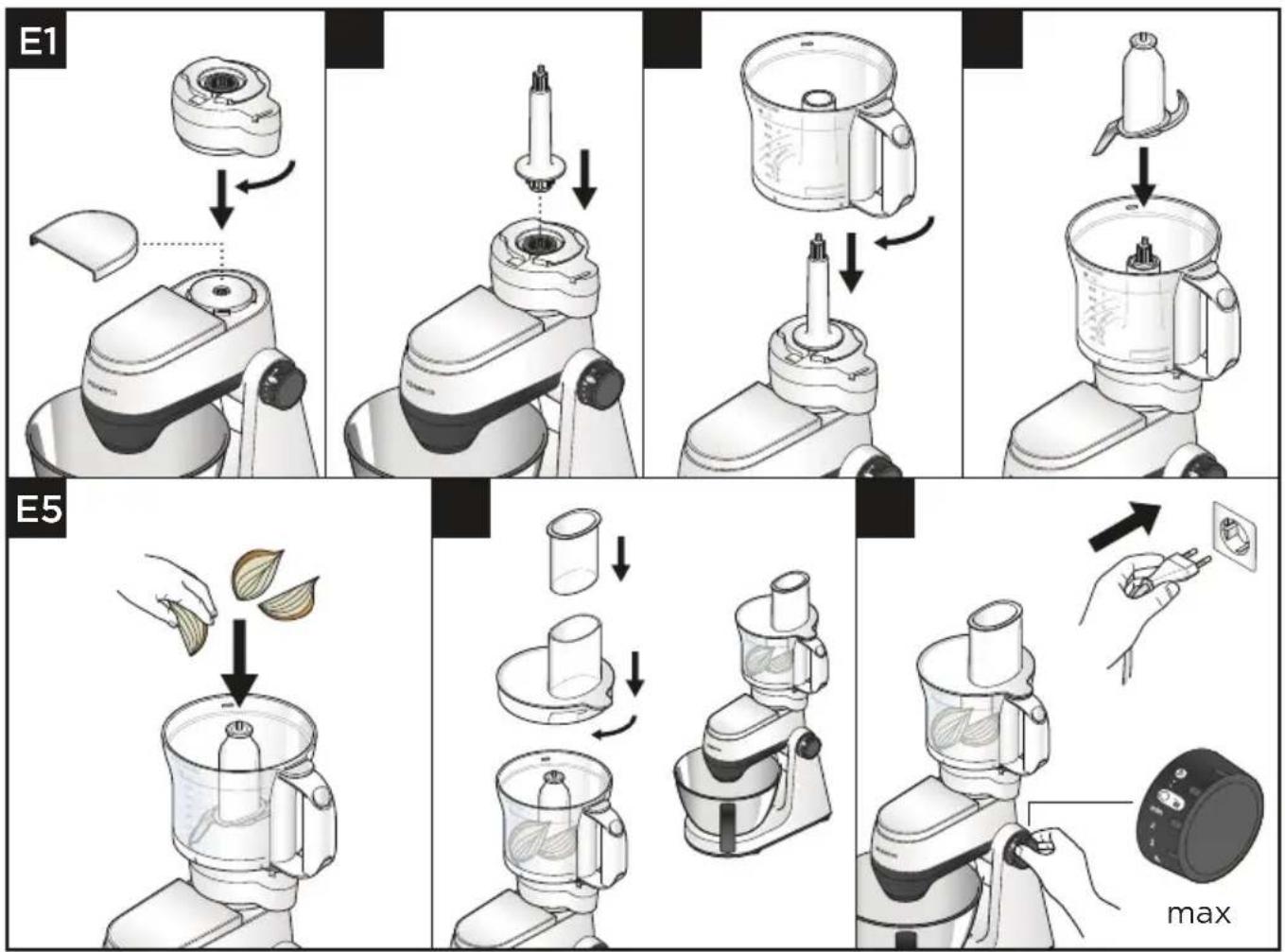
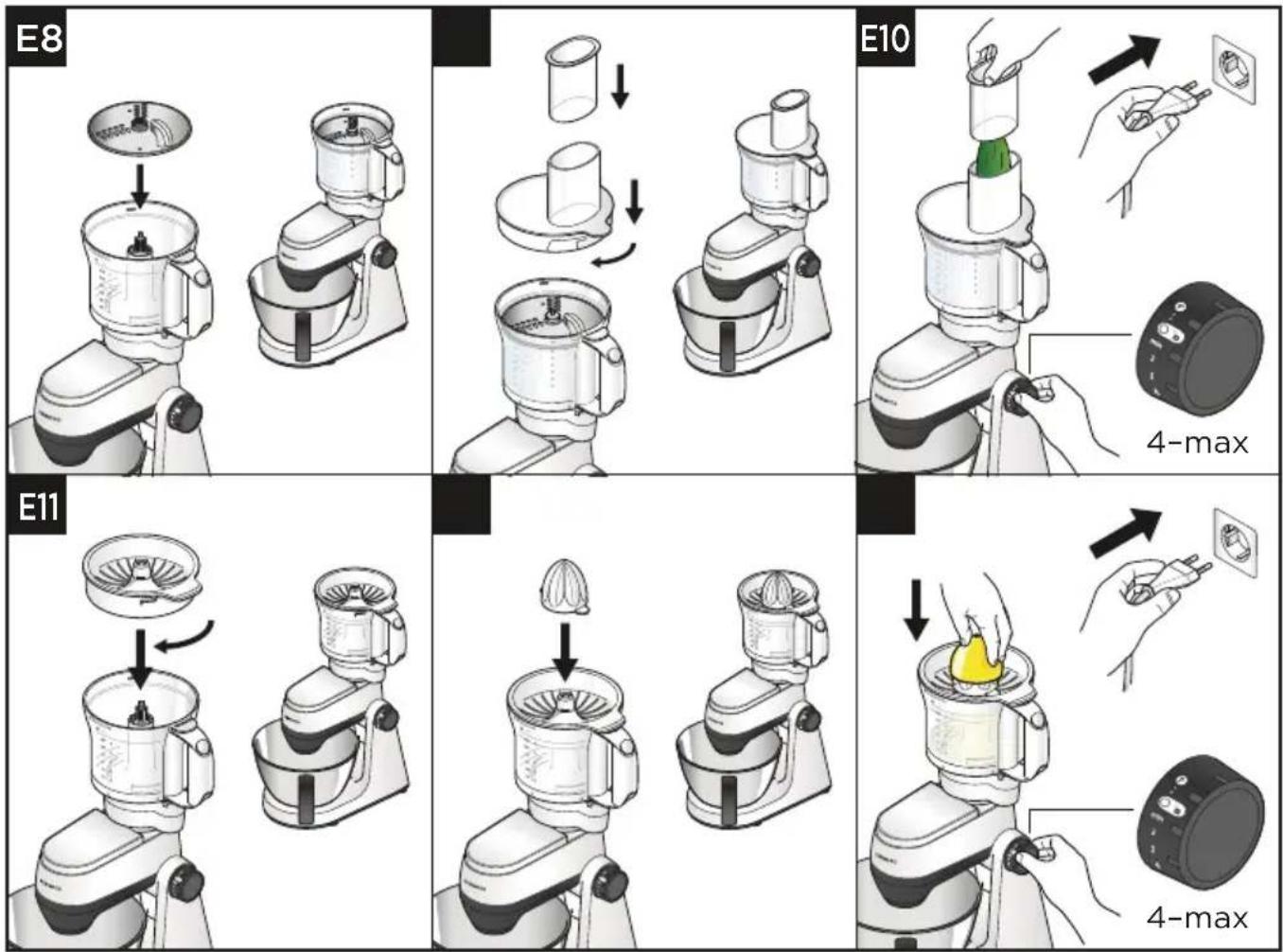
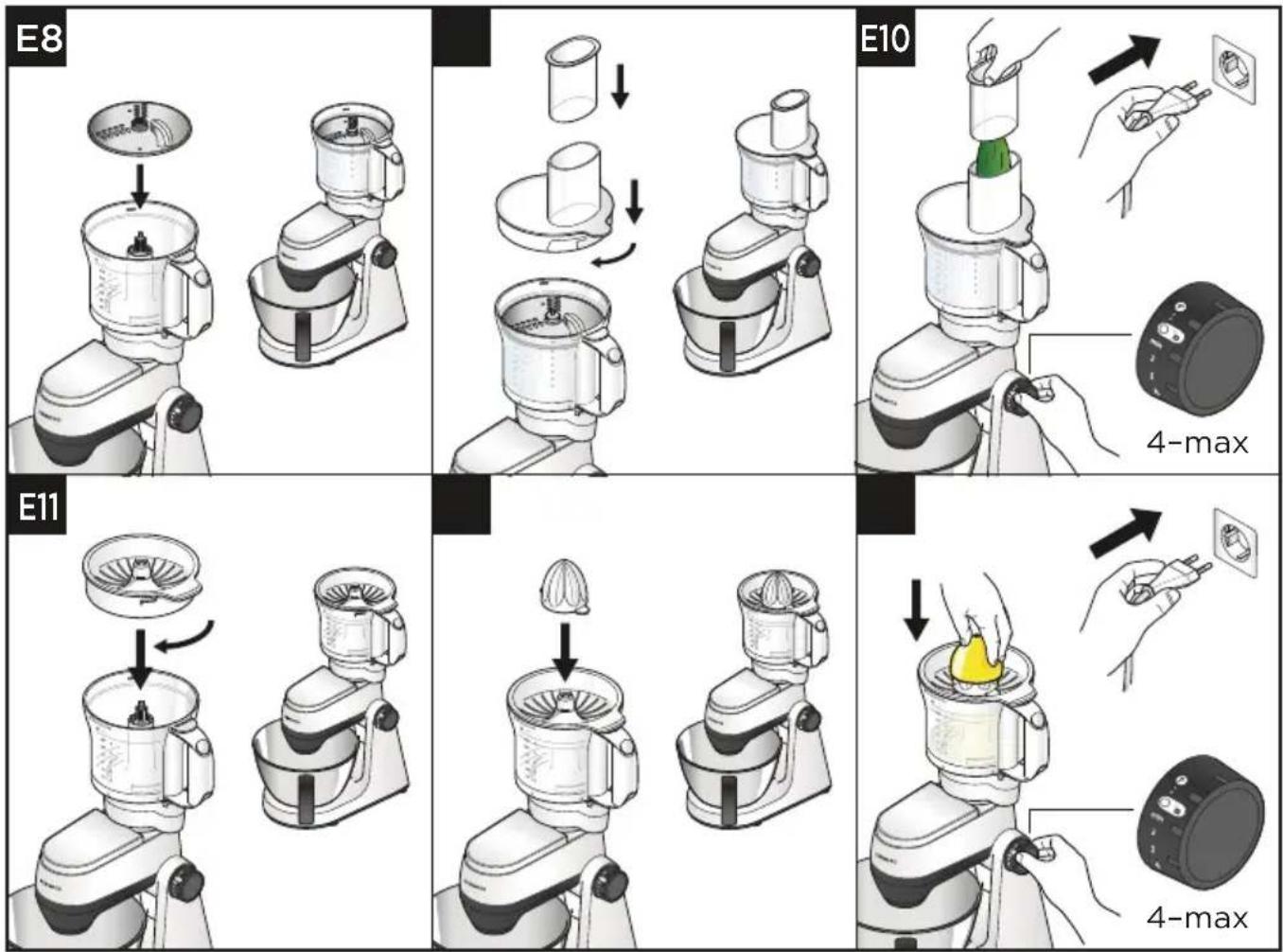
1 Place the gear box onto the high speed outlet and turn clockwise until it locks into position.
2 Place the drive shaft onto the gear box.
3 Place the bowl over the drive shaft and lower onto the gear box, turn clockwise to lock into position.
4 Fit either the knife blade, one of the discs or the citrus juicer.
5 Fit the lid (when using the knife blade and discs only).
Discs
1 Put the food into the feed tube.
2 Switch on and push the ingredients down evenly with the pusher - never put your fingers in the feed tube.
Citrus Juicer
1 Fit the sieve into the bowl and turn clockwise to ensure that the tab on the rim locks into the bowl handle.
2 Fit the cone over the drive shaft turning until it drops all the way down.
3 Cut the fruit in half. Switch to speed 3 and press the fruit onto the cone.
Hints and Tips - Knife Blade
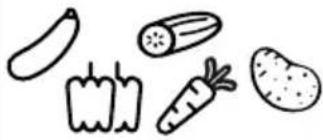
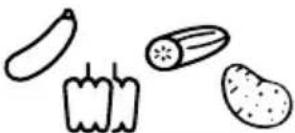
- Cut meat, bread and vegetables into 2cm cubes before processing.
• Herbs are best chopped when clean and dry.
• Take care not to over process when using the knife blade.
Hints and Tips - Discs
- When using the reversible discs ensure that the required cutting side is uppermost.
• Use fresh ingredients. - Do not cut food up too small. To stop food slipping over during processing fill the width of the feed tube.
- When slicing or grating: food placed upright comes out shorter than food placed horizontally.
• After use there will always be a small amount of waste on the disc or in with the food.
Hints and Tips - Citrus Juicer
- For best results store and juice the fruit at room temperature and hand roll on a worktop before juicing.
- To help with juice extraction move the fruit from side to side when juicing.
- When juicing large quantities, empty the sieve regularly to prevent the build up of pulp and seeds.
● Empty the food processor bowl of juice regularly to prevent over filling with juice.
| MAX | (Secs) | ||
 | 20-50 g Max 10-20 | ||
| 400 g Max 15-30 | |||
| 250 g Max 5-10 | |||
| 250 g Max 15-30 | |||
 |  |  | Max |
 | 800 g Min-Max 10-20 | ||
 |  | Max 1-2 | |
 |  | Max | - |
 | 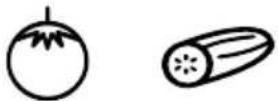 | Max | |
 | 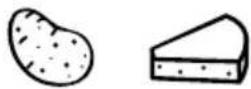 | Max | |
 | 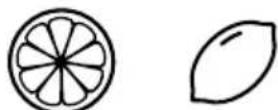 | 1 kg Min-3 - | |
To Use Your Dicing Attachment (if supplied)
Usage Diagrams and Usage Instructions
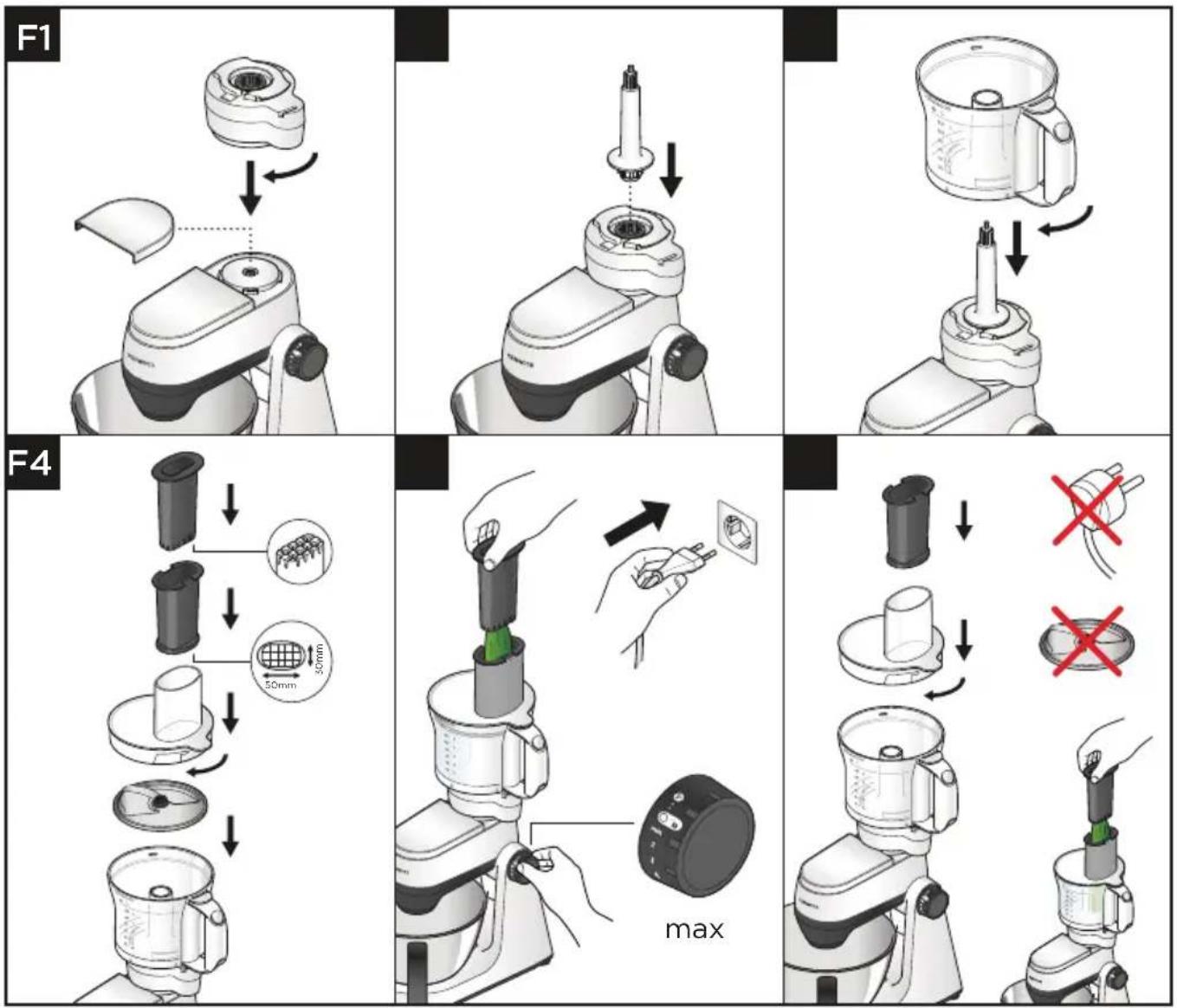
IMPORTANT
- The dicing disc is designed only to be used with the dicing attachment.
- The dicing pusher should only be used with the dicing grid. Using it without the dicing grid fitted will result in damage to the bottom of the pusher.
- Foods such as cheese, ham and chorizo will clog in the grid so are not recommended for use with this attachment.
- If the food is too hard to push through the grid cook for approximately 10-15 minutes, then allow to cool in a refrigerator before processing.
1 Place the gear box onto the high speed outlet and turn clockwise until it locks into position.
2 Place the drive shaft onto the gear box.
3 Place the bowl over the drive shaft and lower onto the gear box, turn clockwise to lock into position.
4 Fit the dicing disc over the drive shaft.
5 Fit the lid.
6 Fit the dicing grid into the feed tube
7 Switch on and use the dicing pusher to process items through the dicing grid.
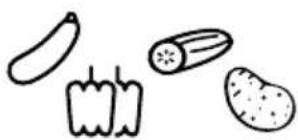
8 The express dice can also be used to produce French Fries, Crudities and batons.
9 Fit the dicing grid without the dicing disc.
10 Manually push the food through the grid without switching the appliance on.
Hints and Tips
• To assist with processing place both hands on top of the pusher and press down firmly.
- For best results, use fresh fruit and vegetables. If food is too hard to push through the grid cook for approximately 10-15 minutes, then allow to cool in a refrigerator before processing.
- To prevent the food from jamming do not pack the food tightly in the feed tube – ideally the food should be cut no larger than:
50 × 30 ~mm
• Always remove hard skins, stones, pips and seeds etc., from food before processing.
Note:
- Due to the various sizes and shapes of foods, the diced results will contain some misshapen pieces, this is normal.
- To clean the dicing grid, use the end of the pusher to dislodge any food which may become trapped in the dicing grid.
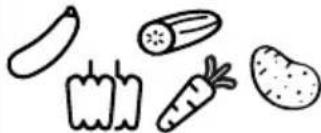
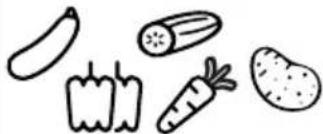
Usage Chart
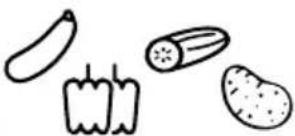
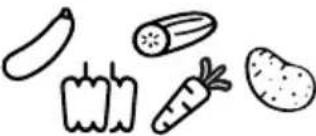
 MAX MAX | 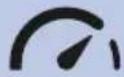 |  (Secs) (Secs) | ||
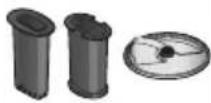 | 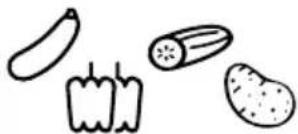 | Max — 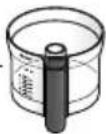 | Max | 5-30 |
 |  | Max — 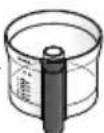 | N/A | N/A |
- If you experience any problems with the operation of the appliance, before calling for assistance refer to the 'Troubleshooting Guide' or visit www.kenwoodworld.com.
UK
If you need help with:
• using your appliance or
● servicing, spare parts or repairs (in or out of guarantee)
call Kenwood customer care on 0345 222 0458. Have your model number (e.g. TYPE KAP45A.000GY) and date code (5 digit code e.g. 25T04) ready.
- Spares and Attachments
call 0844 557 3653.
Other countries
- If you experience any problems with the operation of your appliance, before requesting assistance refer to the 'Troubleshooting Guide' section in the manual or visit www.kenwoodworld.com.
- Please note that your product is covered by a warranty, which complies with all legal provisions concerning any existing warranty and consumer rights in the country where the product was purchased.
- If your Kenwood product malfunctions or you find any defects, please send it or bring it to an authorised KENWOOD Service Centre. To find up to date details of your nearest authorised KENWOOD Service centre visit www.kenwoodworld.com or the website specific to your Country.
- Designed and engineered by Kenwood in the UK.
• Made in China.
IMPORTANT INFORMATION FOR CORRECT DISPOSAL OF THE PRODUCT IN ACCORDANCE WITH THE EUROPEAN DIRECTIVE ON WASTE ELECTRICAL AND ELECTRONIC EQUIPMENT (WEEE)
At the end of its working life, the product must not be disposed of as urban waste. It must be taken to a special local authority differentiated waste collection centre or to a dealer providing this service.
Troubleshooting Guide
| Problem | Cause | Solution |
| Appliance stopped during operation. | No Power. Check appliance | is plugged in. |
| Machine overloaded/maximum capacities exceeded. | Turn the speed switch to the off position, wait a few seconds and then re-select the speed. The appliance should resume operating straight away.Check maximum capacities in the ‘Recommended Usage Chart’. | |
| Outlet covers not fitted or unlocked. | Check that the outlet cover/s are fitted correctly. | |
| High speed attachments not operating. | Attachment not fitted and locked on correctly. | Check attachment locked on correctly. |
| Movement on the worksurface. | Feet on the underside of the unit are wet or dirty. | Regularly check the feet are clean and dry. |
Nederlands
flowchart
graph LR
    A["Box with Up Arrow"] --> B["Open Book with Eye Symbol"]
    style A fill:#f9f,stroke:#333
    style B fill:#bbf,stroke:#333
natural_image
Two views of a kitchen mixer device labeled C and D, showing different mechanical configurations (no text or symbols on the devices themselves)flowchart
graph TD
    A["E1: Top 3 Chip"] --> B["Add Lipstick"]
    B --> C["Add Radish"]
    C --> D["Add Stir-Flop"]
    D --> E["Add Pan Leaf"]
    E --> F["Add Bag with Paper"]
    F --> G["Add Bag with Paper"]
    G --> H["Add Bag with Paper"]
    H --> I["Add Bag with Paper"]
    I --> J["E5: Top 3 Chip with Paper"]
    J --> K["Add Pie with Leaf"]
    K --> L["Add Stir-Flop with Paper"]
    L --> M["Add Stir-Flop with Paper"]
    M --> N["Add Box with Paper"]
    N --> O["max: Top Box with Paper"]
BELANGRIJK
| MAX | (Sec.) | ||
 |  | Max — 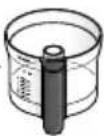 | Max 5-30 |
 |  | Max — 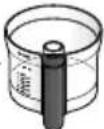 | N/A N/A |
flowchart
graph LR
    A["Box with Up Arrow"] --> B["Open Book with Eye Symbol"]
    style A fill:#f9f,stroke:#333
    style B fill:#bbf,stroke:#333
natural_image
Two identical 3D renderings of a kitchen mixer, labeled C and D, showing no text or symbols on the device itself.flowchart
graph TD
    A["Start: E1 with blender"] --> B["Step 1: preparation with lid, drop, and plastic bottle"]
    B --> C["Step 2: preparation with brush, drop, and plastic bottle"]
    C --> D["Step 3: preparation with blender, drop, and plastic bottle"]
    D --> E["Step 4: preparation with blender, drop, and plastic bottle"]
    E --> F["Step 5: preparation with blender, drop, and plastic bottle"]
    F --> G["End: Max indicator"]
IMPORTANT
| MAX | (Seconds) | ||
 |  | Max — [xxzz] | 5-30 |
 |  | Max — 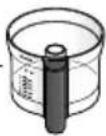 | N/A |
Service après-vente
flowchart
graph LR
    A["Box with Up Arrow"] --> B["Open Book with Eye Symbol"]
    style A fill:#f9f,stroke:#333
    style B fill:#bbf,stroke:#333
natural_image
Two identical 3D renderings of a kitchen mixer, labeled C and D, showing no text or symbols on the device itself.flowchart
graph TD
    A["Start: E1 with blender"] --> B["Step 1: preparation with leafy leaves"]
    B --> C["Step 2: preparation with dipping funnel"]
    C --> D["Step 3: preparation with lid and brush"]
    D --> E["Step 4: preparation with container"]
    E --> F["Step 5: packaging with leafy leaves and pencil"]
    F --> G["End: Max step"]
WICHTIG
flowchart
graph LR
    A["Box with Up Arrow"] --> B["Open Book with Eye Symbol"]
    style A fill:#f9f,stroke:#333
    style B fill:#bbf,stroke:#333
natural_image
Two views of a kitchen mixer device labeled C and D, showing different mechanical configurations (no text or symbols on the devices themselves)flowchart
graph TD
    A["Step E1: Stacking with lid"] --> B["Step E2: Insert into blender"]
    B --> C["Step E3: Stacking with lid"]
    C --> D["Step E4: Stacking with blender"]
    D --> E["Step E5: Stacking with lid"]
    E --> F["Final packaging: Max"]
IMPORTANTE
 MAX MAX |  |  (Sec) (Sec) | ||
 |  | Max — 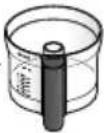 | Max | 5-30 |
 |  | Max —  | N/A | N/A |
flowchart
graph LR
    A["Box with Up Arrow"] --> B["Open Book with Eye Symbol"]
    style A fill:#f9f,stroke:#333
    style B fill:#bbf,stroke:#333
Para Retirar e Colocar as Tampas das Entradas
natural_image
Two views of a kitchen mixer device labeled C and D, showing different mechanical configurations (no text or symbols on the devices themselves)flowchart
graph TD
    A["Start: E1 with blender"] --> B["Step 1: preparation with dipping sauce"]
    B --> C["Step 2: filling with plastic cup"]
    C --> D["Step 3: packaging with bottle and spoon"]
    D --> E["Step 4: assembly with blender and container"]
    E --> F["Step 5: packaging with glass tube and leaf-shaped lid"]
    F --> G["End: max step"]

IMPORTANTE
 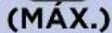 |  |  (Secs) (Secs) | ||
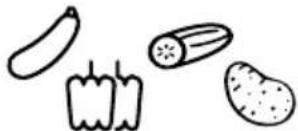 | Max — 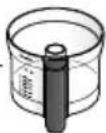 | Max (Máx.) | 5-30 | |
 |  | Max — 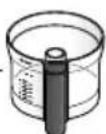 | N/A | N/A |
flowchart
graph LR
    A["Box with Up Arrow"] --> B["Open Book with Eye Symbol"]
    style A fill:#f9f,stroke:#333
    style B fill:#bbf,stroke:#333
natural_image
Two identical 3D renderings of a kitchen mixer, labeled C and D, showing no text or symbols on the device itself.flowchart
graph TD
    A["Start: E1 with blender"] --> B["Step 1: preparation with lid"]
    B --> C["Step 2: mixing with straw drop"]
    C --> D["Step 3: packaging with brush and spoon"]
    D --> E["Step 4: final packaging with brush and spoon"]
    E --> F["End: max step"]
IMPORTANTE
flowchart
graph LR
    A["Box with Up Arrow"] --> B["Open Book with Eye Symbol"]
    style A fill:#f9f,stroke:#333
    style B fill:#bbf,stroke:#333
Posar i treure la tapa de la sortida
natural_image
Two identical 3D renderings of a kitchen mixer, labeled C and D, showing no text or symbols on the device itself.1 Traieu la tapa de la sortida de velocitat alta.
flowchart
graph TD
    A["Start: E1 with blender"] --> B["Step 1: preparation with lid and lid cap"]
    B --> C["Step 2: preparation with candle, drop, and plastic bottle"]
    C --> D["Step 3: preparation with blender, brush, and plastic bottle"]
    D --> E["Step 4: preparation with blender, brush, and plastic bottle"]
    E --> F["Step 5: preparation with blender, brush, and plastic bottle"]
    F --> G["End: Max indicator"]
IMPORTANT
Consells i suggeriments - Fulla
Consells i suggeriments
natural_image
Illustration of an open box with a black upward arrow above it (no text or symbols)B

natural_image
Two views of a kitchen mixer device labeled C and D, showing different mechanical configurations (no text or symbols on the devices themselves)flowchart
graph TD
    A["Start: E1 with blender"] --> B["Step 1: preparation with lid"]
    B --> C["Step 2: mixing with plastic cup"]
    C --> D["Step 3: packaging with bottle and spoon"]
    D --> E["Step 4: final packaging with lid and spoon"]
    E --> F["End: max step"]
VIGTIGT
flowchart
graph LR
    A["Box with Up Arrow"] --> B["Open Book with Eye Symbol"]
    style A fill:#f9f,stroke:#333
    style B fill:#bbf,stroke:#333
natural_image
Two identical 3D renderings of a kitchen mixer, labeled C and D, showing no text or symbols on the device itself.flowchart
graph TD
    A["Start: E1 with blender"] --> B["Step 1: preparation with lid"]
    B --> C["Step 2: mixing with plastic cup"]
    C --> D["Step 3: packaging with bottle and spoon"]
    D --> E["Step 4: processing with blender and container"]
    E --> F["Step 5: packaging with leaf and pencil"]
    F --> G["End: Max step"]
VIKTIGT
flowchart
graph LR
    A["Box with Up Arrow"] --> B["Open Book with Eye Symbol"]
    style A fill:#f9f,stroke:#333
    style B fill:#bbf,stroke:#333
natural_image
Two identical 3D renderings of a kitchen mixer device labeled C and D, showing no text or symbols on the device itself.flowchart
graph TD
    A["Start: E1 with blender"] --> B["Step 1: preparation with lid"]
    B --> C["Step 2: preparation with brush and screwdriver"]
    C --> D["Step 3: preparation with blender, fan, and bottle"]
    D --> E["Step 4: preparation with blender, brush, and screwdriver"]
    E --> F["Step 5: preparation with blender, fan, and bottle"]
    F --> G["End: Max indicator"]
VIKTIG
| MAKS | (Sek) | ||
  |    | 20-50 g | Max (Maks) |
    2 cm 2 cm | 400 g | Max (Maks) | |
   | 250 g | Max (Maks) | |
 | 250 g | Max (Maks) | |
   | [02Z0] +  250 g 125 g 250 g 125 g | Max (Maks) | |
| [BT30] [0200] | |||
 | 800 g | Min-Max (Min-Maks) | |
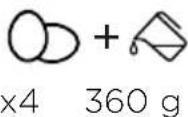
 |   x4 360 g x4 360 g | Max (Maks) | |
 |    |  Max Max | Max (Maks) |
 |   | ||
 |   | Max (Maks) | |
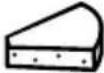
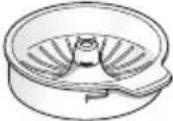 | 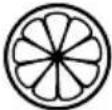  | 1 kg Min-3 - | |
flowchart
graph LR
    A["Box with Up Arrow"] --> B["Open Book with Eye Icon"]
    style A fill:#f9f,stroke:#333
    style B fill:#bbf,stroke:#333
natural_image
Two identical 3D renderings of a kitchen mixer, labeled C and D, showing no text or symbols on the device itself.flowchart
graph TD
    A["Start: E1 with blender"] --> B["Step 1: preparation with lid, arrow indicating rotation"]
    B --> C["Step 2: preparation with brush, arrow indicating rotation"]
    C --> D["Step 3: preparation with blender, arrow indicating rotation"]
    D --> E["Step 4: preparation with blender, arrow indicating rotation"]
    E --> F["Step 5: preparation with blender, arrow indicating rotation"]
    F --> G["End: Max indicator"]
TÄRKEÄÄ
natural_image
Illustration of an open cardboard box with a black upward arrow above it (no text or symbols)B

natural_image
Two views of a kitchen mixer device labeled C and D, showing different mechanical configurations (no text or symbols on the devices themselves)flowchart
graph TD
    A["Step E1: Stacking with a blender"] --> B["Step E2: Inserting a cup into a blender"]
    B --> C["Step E3: Inserting a blender with a spoon into a blender"]
    C --> D["Step E4: Stacking with a blender using a brush and holding a cup"]
    D --> E["Step E5: Packaging with leaves being added"]
    E --> F["End: Packaging with a fan icon labeled 'max'"]
ÖNEMLI
natural_image
Illustration of an open box with a black upward arrow above it (no text or symbols)B

natural_image
Two views of a kitchen mixer device labeled C and D, showing different mechanical configurations (no text or symbols on the devices themselves)flowchart
graph TD
    A["Start: E1 with blender"] --> B["Step 1: preparation with lid and lid cap"]
    B --> C["Step 2: preparation with brush and pen"]
    C --> D["Step 3: preparation with blender, fan, and cup"]
    D --> E["Step 4: preparation with blender, bottle, and pencil"]
    E --> F["Step 5: final packaging with max indicator"]
DŮLEŽITÉ UPOZORNĚNÍ
flowchart
graph TD
    A["Step F1: Cover with lid"] --> B["Step F2: Insert into blender"]
    B --> C["Step F3: Stopping with plastic cup"]
    C --> D["Step F4: Stopping with plastic cup with 50mm cut"]
    D --> E["Check up using a brush and presser to adjust the blender's shape"]
    E --> F["Check up using a brush and presser to adjust the plastic cup with a green handle, labeled 'max'"]
UPOZORNĚNÍ
flowchart
graph LR
    A["Box with Up Arrow"] --> B["Open Book with Eye Symbol"]
    style A fill:#f9f,stroke:#333
    style B fill:#bbf,stroke:#333
natural_image
Two identical 3D renderings of a kitchen mixer, labeled C and D, showing no text or symbols on the device itself.flowchart
graph TD
    A["Step E1: Stacking with a blender"] --> B["Step E2: Stacking with a spoon"]
    B --> C["Step E3: Stacking with a blender"]
    C --> D["Step E4: Stacking with a spoon"]
    D --> E["Step E5: Stacking with a spoon"]
    E --> F["End"]
FIGYELEM!
flowchart
graph LR
    A["Box with Up Arrow"] --> B["Open Book with Eye Symbol"]
    style A fill:#f9f,stroke:#333
    style B fill:#bbf,stroke:#333
natural_image
Two identical 3D renderings of a kitchen mixer, labeled C and D, showing no text or symbols on the device itself.flowchart
graph TD
    A["Step E1: Stacking with a blender"] --> B["Step E2: Stacking with a spoon"]
    B --> C["Step E3: Stacking with a blender"]
    C --> D["Step E4: Stacking with a spoon"]
    D --> E["Step E5: Stacking with a spoon"]
    E --> F["End"]
WAŻNE
natural_image
Two identical 3D renderings of a kitchen mixer, labeled C and D, showing no text or symbols on the device itself.flowchart
graph TD
    A["Start: E1 with blender"] --> B["Step 1: preparation with drop, presser, and plastic bottle"]
    B --> C["Step 2: processing with brush, brush tip, and lid"]
    C --> D["Step 3: packaging with container, brush, and lid"]
    D --> E["Step 4: packaging with plastic bottle, brush, and lid"]
    E --> F["End: Max mark"]
ΣΗΜΑΝΤΙΚΟ
flowchart
graph LR
    A["Box with Up Arrow"] --> B["Open Book with Eye Symbol"]
    style A fill:#f9f,stroke:#333
    style B fill:#bbf,stroke:#333
natural_image
Two views of a kitchen mixer device labeled C and D, showing different mechanical configurations (no text or symbols on the devices themselves)flowchart
graph TD
    A["Step E1: Stacking with a blender"] --> B["Step E2: Stacking with a spoon"]
    B --> C["Step E3: Stacking with a blender"]
    C --> D["Step E4: Stacking with a spoon"]
    D --> E["Step E5: Stacking with a spoon"]
    E --> F["End"]
ВНИМАНИЕ
flowchart
graph LR
    A["Box with Up Arrow"] --> B["Open Book with Eye Symbol"]
    style A fill:#f9f,stroke:#333
    style B fill:#bbf,stroke:#333
natural_image
Two views of a kitchen mixer device labeled C and D, showing different mechanical configurations (no text or symbols on the devices themselves)flowchart
graph TD
    A["Start: E1 with blender"] --> B["Step 1: preparation with dipping sauce"]
    B --> C["Step 2: filling with plastic cup"]
    C --> D["Step 3: adding a spoon into a blender"]
    D --> E["Step 4: packaging with a bottle and lid"]
    E --> F["Step 5: final packaging with leaf and pencil"]
    F --> G["Final packaging with max indicator"]
МАНЫЗДЫ
natural_image
Illustration of an open cardboard box with an upward arrow (no text or symbols)B

natural_image
Two identical 3D renderings of a kitchen mixer, labeled C and D, showing no text or symbols on the device itself.flowchart
graph TD
    A["Step E1: Stacking with blender"] --> B["Step E2: Inserting pencil into blender"]
    B --> C["Step E3: Stacking with blender"]
    C --> D["Step E4: Stacking with blender"]
    D --> E["Step E5: Packaging with pencil and leaf drop"]
    E --> F["End: Packaging with max label"]
DÔLEŽITÉ
flowchart
graph LR
    A["Box with Up Arrow"] --> B["Open Book with Eye Symbol"]
    style A fill:#f9f,stroke:#333
    style B fill:#bbf,stroke:#333
natural_image
Two identical 3D renderings of a kitchen mixer, labeled C and D, showing no text or symbols on the device itself.flowchart
graph TD
    A["Start: E1 with blender"] --> B["Step 1: preparation with lid and lid cap"]
    B --> C["Step 2: preparation with candle, drop, and brush"]
    C --> D["Step 3: preparation with blender, brush, and cup"]
    D --> E["Step 4: preparation with blender, brush, and cup"]
    E --> F["Step 5: preparation with candle, drop, and cup"]
    F --> G["End: Max indicator"]
ВАЖЛИВО
flowchart
graph LR
    A["Box with Up Arrow"] --> B["Open Book with Eye Icon"]
    style A fill:#f9f,stroke:#333
    style B fill:#bbf,stroke:#333
natural_image
Two views of a kitchen mixer device labeled C and D, showing different mechanical configurations (no text or symbols on the devices themselves)1 Odstranite pokrov visokohitrostnega pogona.
Uporaba vašega multipraktika in sokovnika za citruse
Tabele uporabe in navodila za uporabo
flowchart
graph TD
    A["Step E1: Stacking with blender"] --> B["Step E2: Inserting pencil into blender"]
    B --> C["Step E3: Stacking with blender"]
    C --> D["Step E4: Stacking with blender"]
    D --> E["Step E5: Packaging with pencil and leaf drop"]
    E --> F["End: Packaging with max label"]
POMEMBNO
 MAX MAX | (Secs) | |||
Max —  | Max | 5-30 | ||
Max — 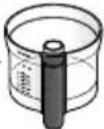 | N/A | N/A |
flowchart
graph LR
    A["Box with Up Arrow"] --> B["Open Book with Eye Symbol"]
    style A fill:#f9f,stroke:#333
    style B fill:#bbf,stroke:#333
natural_image
Two views of a kitchen mixer device labeled C and D, showing different mechanical configurations (no text or symbols on the devices themselves)flowchart
graph TD
    A["Step E1: Stacking with blender"] --> B["Step E2: Inserting pencil into blender"]
    B --> C["Step E3: Stacking with blender"]
    C --> D["Step E4: Stacking with blender"]
    D --> E["Step E5: Packaging with pencil and leaf drop"]
    E --> F["End: Packaging with max label"]
VAŽNO
- Oštrica noža i rezni dio diskova su oštri, stoga uvijek pažljivo rukujte s njima.
- Nemojte koristiti oštricu noža za sjeckanje kockica leda ili druge tvrde hrane kao što su začini, oni mogu oštetiti nastavak.
- Ako dodajete esenciju badema ili aromu, izbjegavajte kontakt s plastikom jer je to može zaprljati.
- Nemojte dopustiti da se zdjela napuni do diska za rezanje: redovito je praznite.
- Nemojte prekoračiti razinu kapaciteta „MAX“ na posudi.
- Nastavak za sokovnik za agrume može se koristiti samo zajedno sa zdjelom procesora.
flowchart
graph LR
    A["Box with Up Arrow"] --> B["Open Book with Eye Symbol"]
    style A fill:#f9f,stroke:#333
    style B fill:#bbf,stroke:#333
natural_image
Two identical 3D renderings of a kitchen mixer, labeled C and D, showing no text or symbols on the device itself.flowchart
graph TD
    A["Start: E1 with blender"] --> B["Step 1: preparation with dipping sauce"]
    B --> C["Step 2: mixing with a straw bulb"]
    C --> D["Step 3: packaging with a spoon and bottle"]
    D --> E["Step 4: processing with a brush and lid"]
    E --> F["Step 5: packaging with a leafy vegetable and pencil"]
    F --> G["End: Max step"]
IMPORTANT
flowchart
graph LR
    A["Box with Up Arrow"] --> B["Open Book with Eye Symbol"]
    style A fill:#f9f,stroke:#333
    style B fill:#bbf,stroke:#333
natural_image
Two identical 3D renderings of a kitchen mixer, labeled C and D, showing no text or symbols on the device itself.flowchart
graph TD
    A["Step E1: Cutting egg into basket"] --> B["Step E2: Insert drop funnel"]
    B --> C["Step E3: Stopping pencil into bowl"]
    C --> D["Step E4: Insert bottle into blender"]
    D --> E["Step E5: Stopping pencil into tray"]
    E --> F["Max speed measurement"]
ВАЖНО
flowchart
graph TD
    A["Step F1: Hand press with plastic lid"] --> B["Step F2: Insert into blender with plastic cap"]
    B --> C["Step F3: Insert into blender with plastic cup"]
    C --> D["Step F4: Process inspection with 50mm plastic wrap and green plug, labeled 'max'"]
    D --> E["Check hand actions: No check, Yes check"]
ВАЖНО
flowchart
graph LR
    A["Box with Up Arrow"] --> B["Open Book with Eye Symbol"]
    style A fill:#f9f,stroke:#333
    style B fill:#bbf,stroke:#333
natural_image
Two views of a kitchen mixer device labeled C and D, showing different mechanical configurations (no text or symbols on the devices themselves)flowchart
graph TD
    A["Step E1: Stacking with a blender"] --> B["Step E2: Stacking with a spoon"]
    B --> C["Step E3: Stacking with a blender"]
    C --> D["Step E4: Stacking with a spoon"]
    D --> E["Step E5: Stacking with a spoon"]
    E --> F["End"]
TÄHELEPANU
flowchart
graph LR
    A["Box with Up Arrow"] --> B["Open Book with Eye Symbol"]
    style A fill:#f9f,stroke:#333
    style B fill:#bbf,stroke:#333
natural_image
Two identical 3D renderings of a kitchen mixer, labeled C and D, showing no text or symbols on the device itself.1 Pakelkite didelio greičio tvirtinimo angos dangtelj.
flowchart
graph TD
    A["Step E1: Stacking with a blender"] --> B["Step E2: Stacking with a spoon"]
    B --> C["Step E3: Stacking with a blender"]
    C --> D["Step E4: Stacking with a spoon"]
    D --> E["Step E5: Stacking with a spoon"]
    E --> F["End"]
SVARBU
flowchart
graph LR
    A["Box with Up Arrow"] --> B["Open Book with Eye Symbol"]
    style A fill:#f9f,stroke:#333
    style B fill:#bbf,stroke:#333
natural_image
Two identical 3D renderings of a kitchen mixer, labeled C and D, showing no text or symbols on the device itself.flowchart
graph TD
    A["Step E1: Stacking with blender"] --> B["Step E2: Inserting pencil into blender"]
    B --> C["Step E3: Stacking with blender"]
    C --> D["Step E4: Stacking with blender"]
    D --> E["Step E5: Packaging with pencil and leaf drop"]
SVARİGI
| MAX | | (Secs) | ||
 | 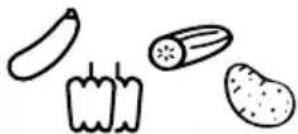 | Max — 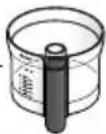 | Max | 5-30 |
 | 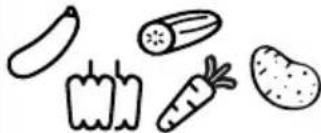 | Max — 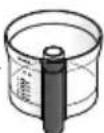 | N/A | N/A |
natural_image
Two views of a kitchen mixer device labeled C and D, showing different mechanical configurations (no text or symbols on the devices themselves)flowchart
graph TD
    A["Start: E1 with blender"] --> B["Step 1: preparation with lid and lid cap"]
    B --> C["Step 2: preparation with candle, drop, and plastic cup"]
    C --> D["Step 3: preparation with blender, brush, and plastic cup"]
    D --> E["Step 4: preparation with blender, brush, and plastic cup"]
    E --> F["Step 5: preparation with blender, brush, and plastic cup"]
    F --> G["End: Max indicator"]
flowchart
graph LR
    A["Box with Up Arrow"] --> B["Open Book with Eye Symbol"]
    style A fill:#f9f,stroke:#333
    style B fill:#bbf,stroke:#333
 |  | 4—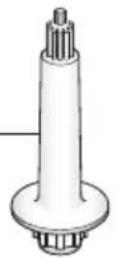 | |
 |  | 7—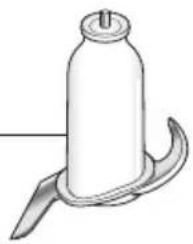 | |
 |  | 10—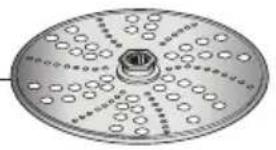 | |
 |  | ||