P5640S - Thermostat Emos - Free user manual and instructions
Find the device manual for free P5640S Emos in PDF.
User questions about P5640S Emos
0 question about this device. Answer the ones you know or ask your own.
Ask a new question about this device
Download the instructions for your Thermostat in PDF format for free! Find your manual P5640S - Emos and take your electronic device back in hand. On this page are published all the documents necessary for the use of your device. P5640S by Emos.
USER MANUAL P5640S Emos
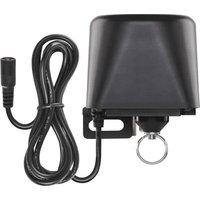
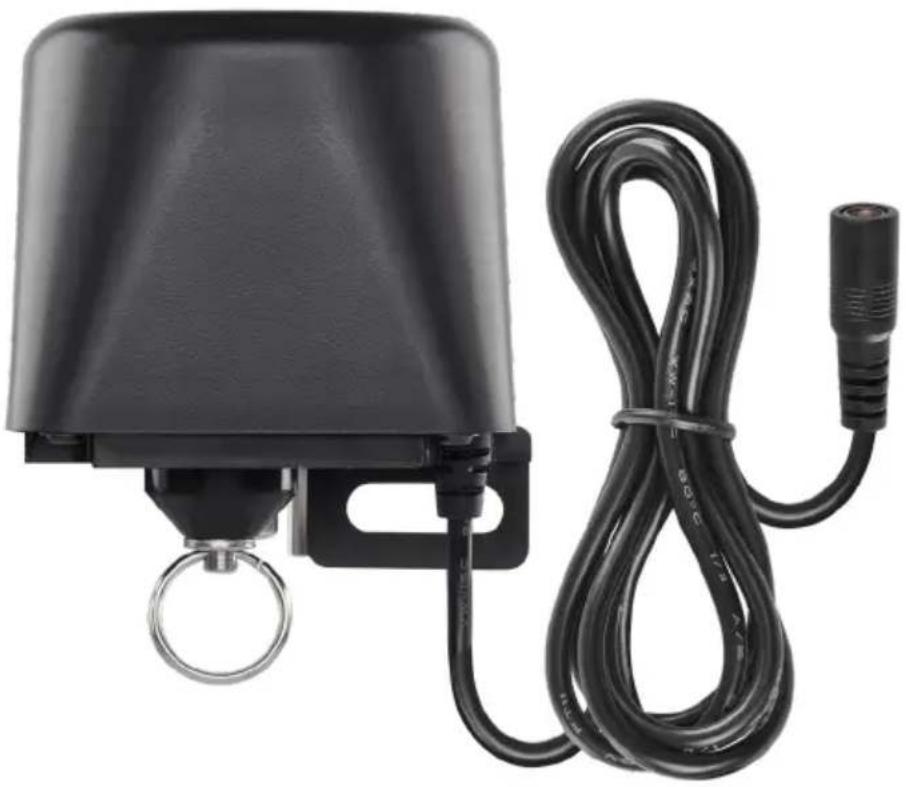
natural_image
Black industrial bell with attached cable and metal ring (no visible text or symbols)
Contents
Safety Instructions and Warnings 2
Technical Specifications....3
Device Description....4
Installation and Assembly 5
Mobile Application 6
Controls and Functions 8
Troubleshooting FAQ....12
Safety Instructions and Warnings
Read the user manual before using the device.
Follow the safety instructions in the manual.
- Do not tamper with the internal electric circuits of the product – doing so may damage the product and will automatically void the warranty. The product should only be repaired by a qualified professional.
- To clean the product, use a slightly moistened soft cloth. Do not use solvents or cleaning agents – they could scratch the plastic parts and cause corrosion of the electric circuits.
- Do not use the device in the proximity of devices which create electromagnetic fields.
- Do not expose the product to excessive force, impacts, dust, high temperatures or humidity - these may cause the product to malfunction or deform its plastic parts.
- Do not insert any objects into the openings on the device.
- Do not submerge the device in water.
- Protect the device from falls or impacts.
- Only use the device in accordance with the instructions provided in this manual.
- The manufacturer is not liable for damage caused by improper use of the device.
- The appliance is not intended for use by persons (including children) whose physical, sensory or mental disability or lack of experience and expertise prevents safe use, unless they are supervised or instructed in the use of the appliance by a person responsible for their safety. Children must always be supervised and must never play with the appliance.
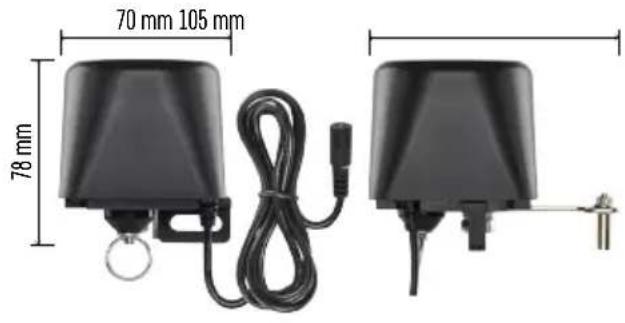
natural_image
Two black industrial sensors with attached cables and metal fittings, shown side by side with dimension labels (70 mm x 105 mm and 78 mm).Technical Specifications
WiFi frequency: 2.4 GHz, max. 25 mW e.i.r.p.
Valve pressure: 1.6 MPa
Valve size: 1/2", 3/4", 1" and 1 1/4"
Closing time: 5–10 seconds
Opening time: 5–10 seconds
Torque: 30\~60 kg/cm
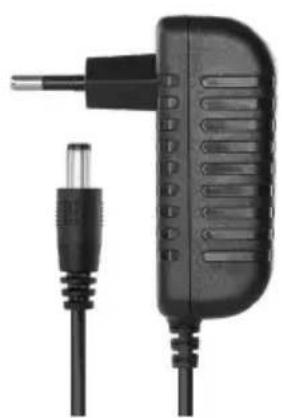
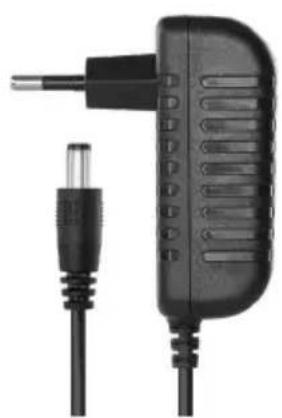
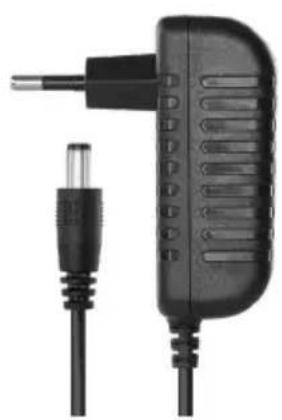
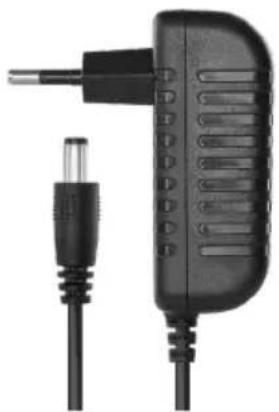
Power supply: adapter, 230 V AC/12 V DC, 1 A (included)
Adapter cable length: 0.9 m
Controller cable length: 1.4 m
natural_image
Close-up of a black plastic electrical plug with a metallic connector and cable (no text or symbols visible)
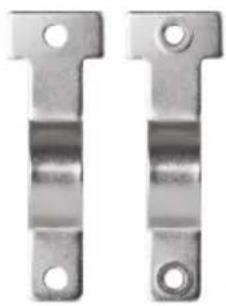
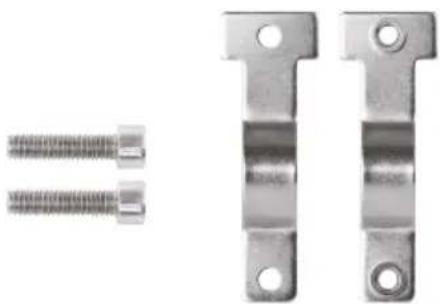
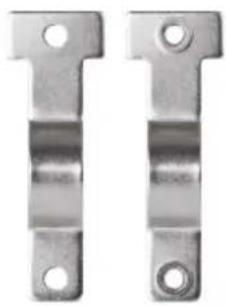
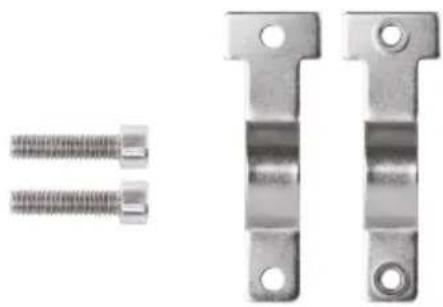
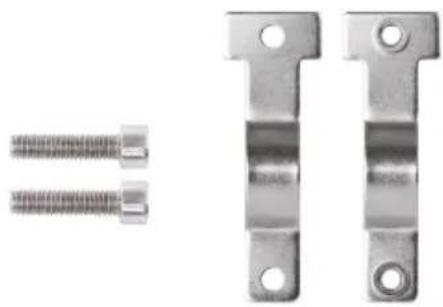
1/2" | 3/4"
natural_image
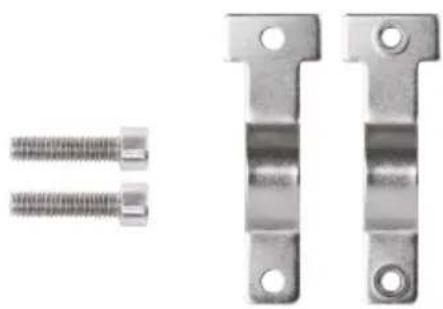
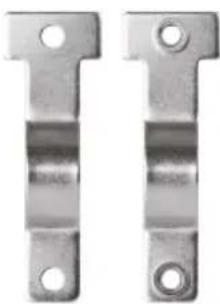
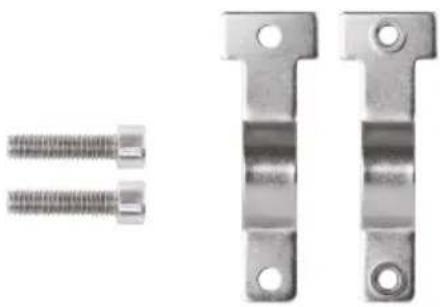
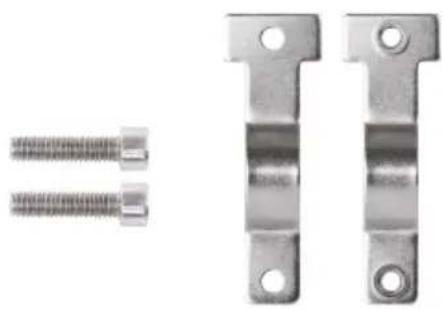
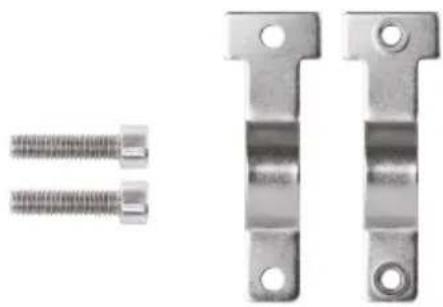
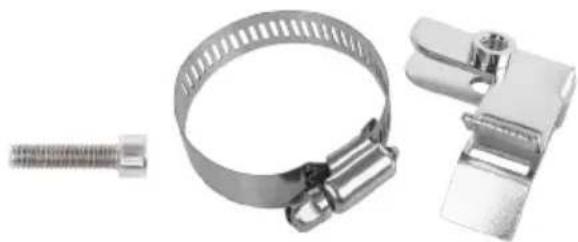
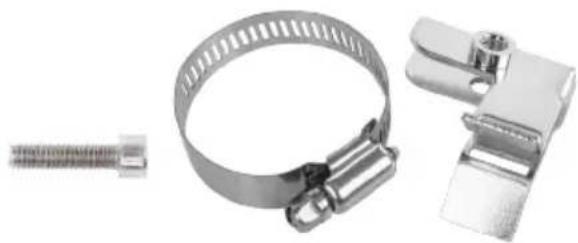
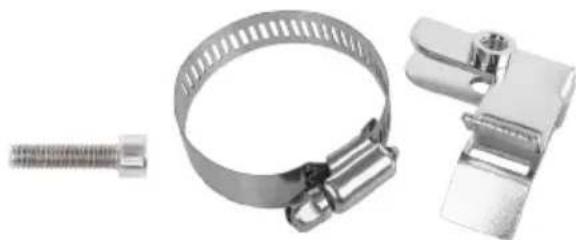
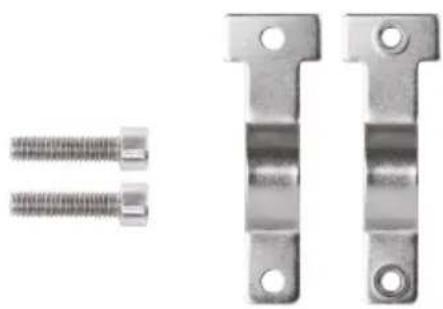
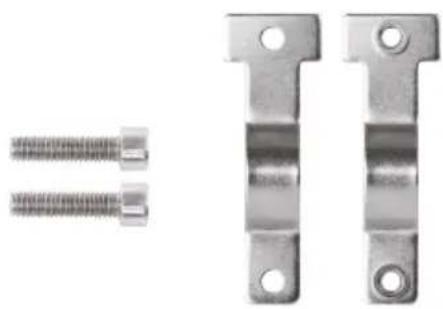
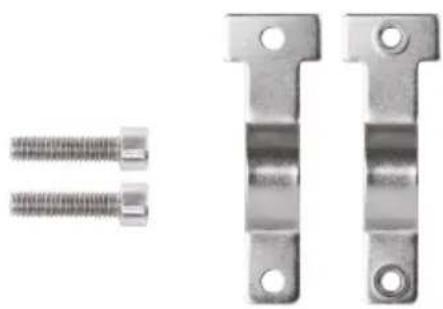
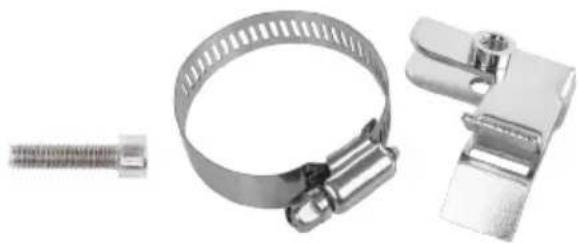
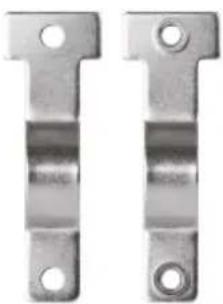
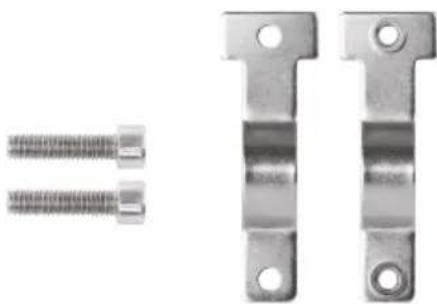
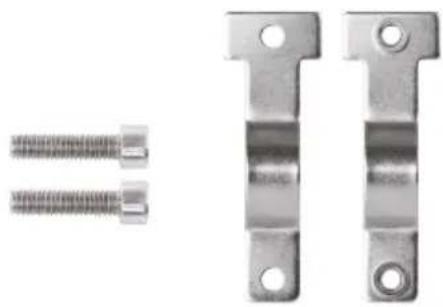
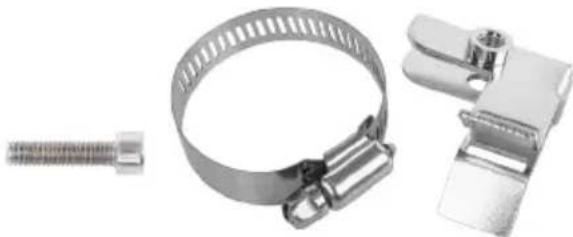
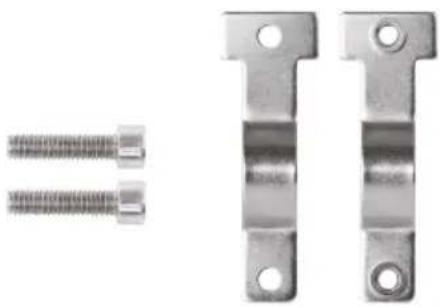
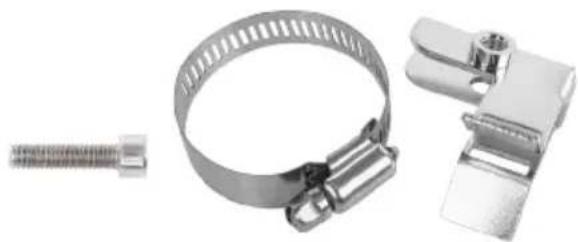
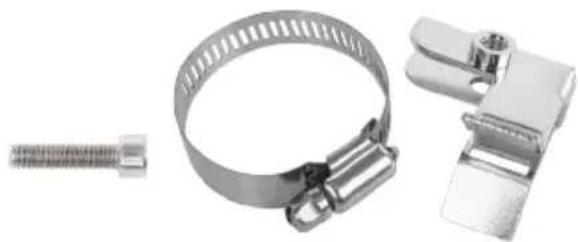
Two metallic T-shaped metal bracket components with circular holes (no text or symbols)1" | 1 1/4"
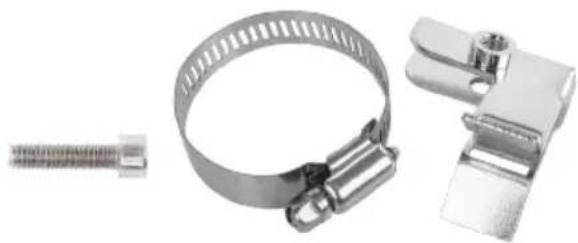
natural_image
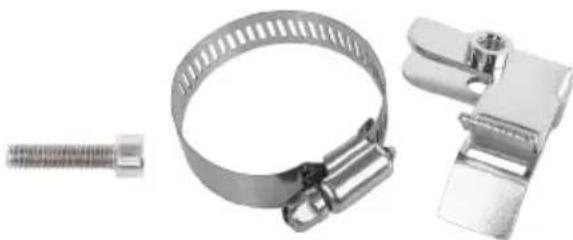
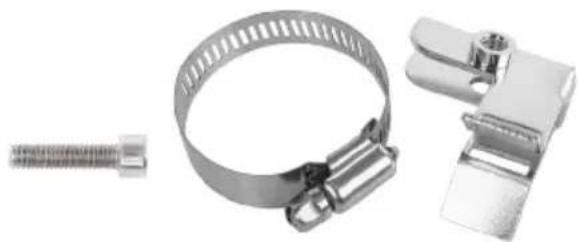
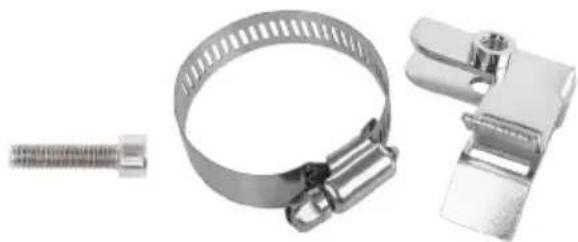
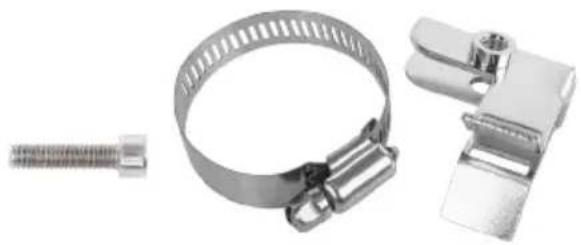
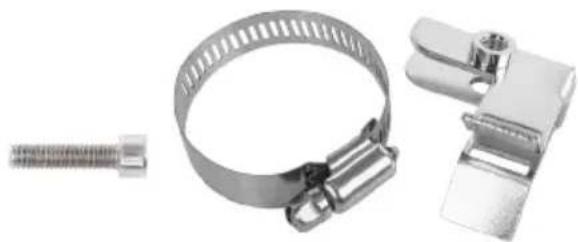
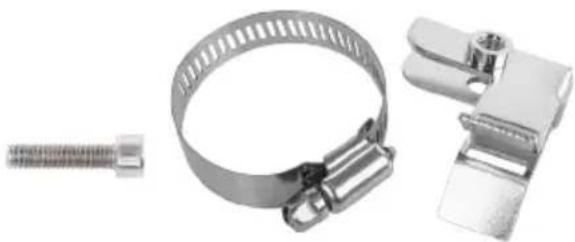
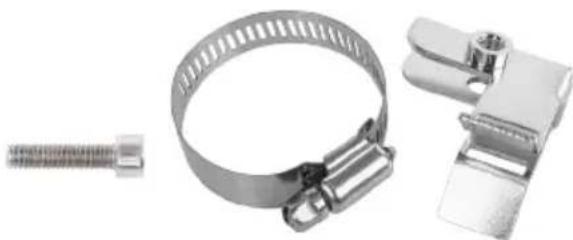
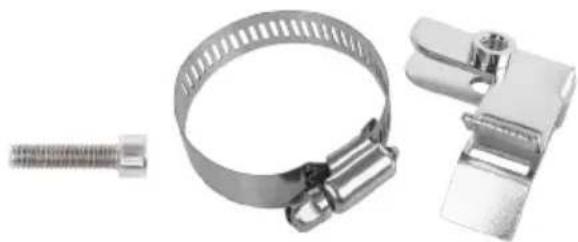
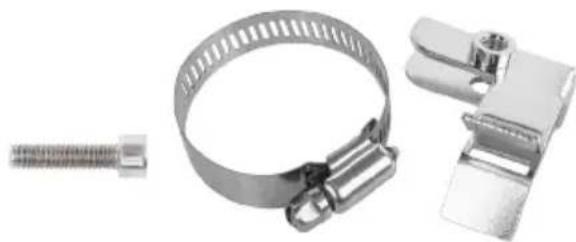
Three metallic automotive clamp components: a coiled spring, a ring with ribbed steel, and a clip clamp (no text or symbols visible)
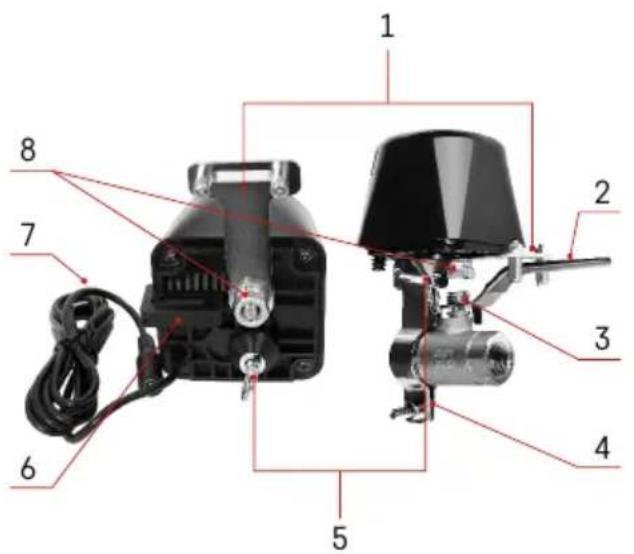
text_image
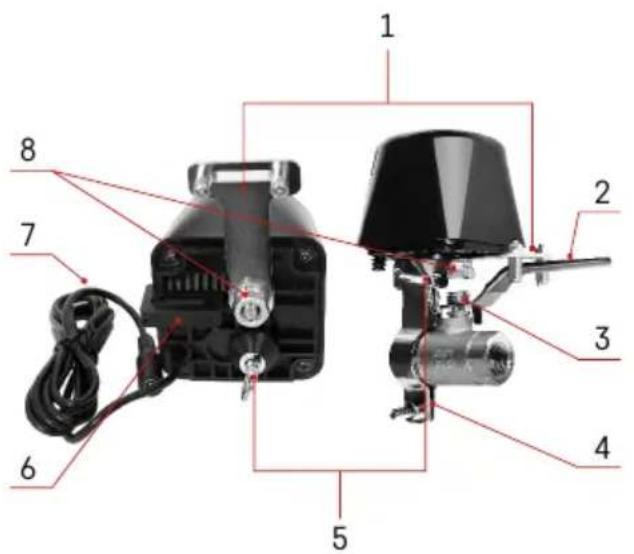
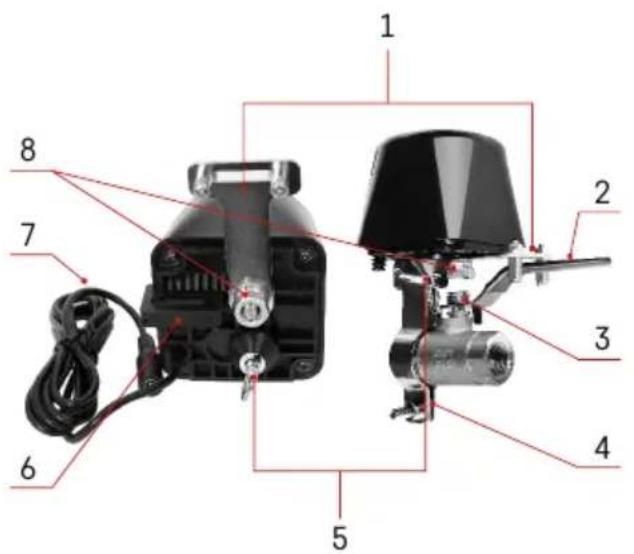
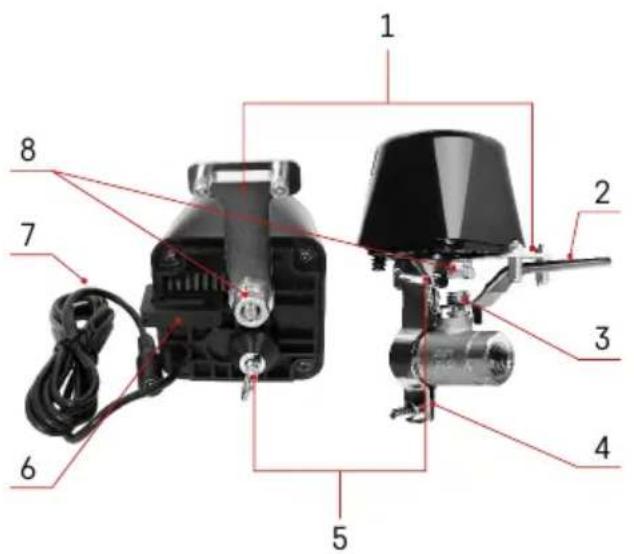
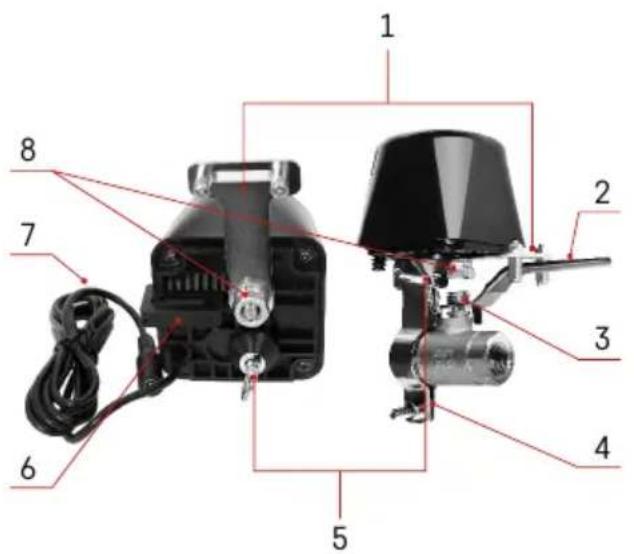
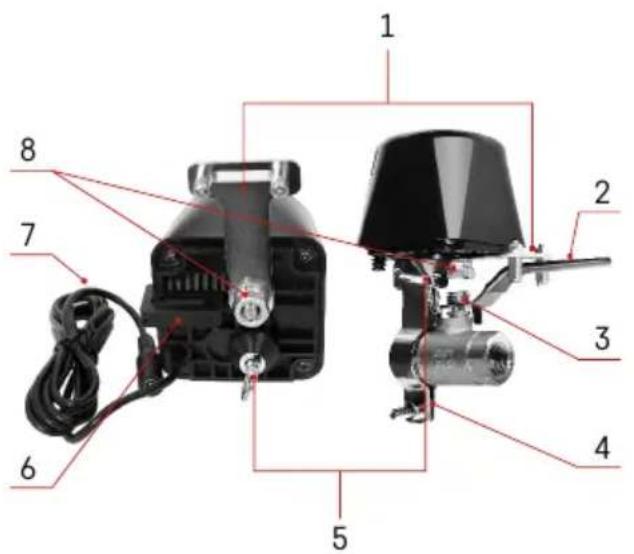
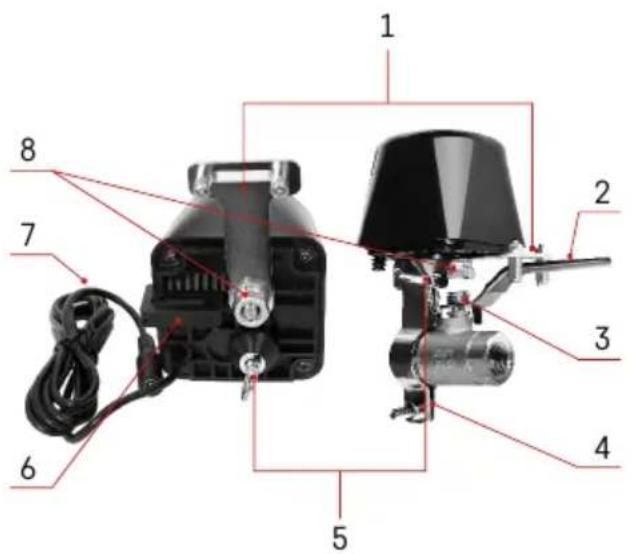
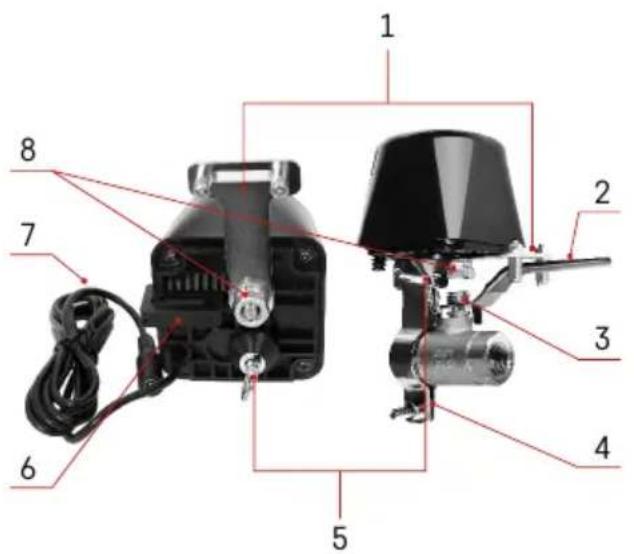
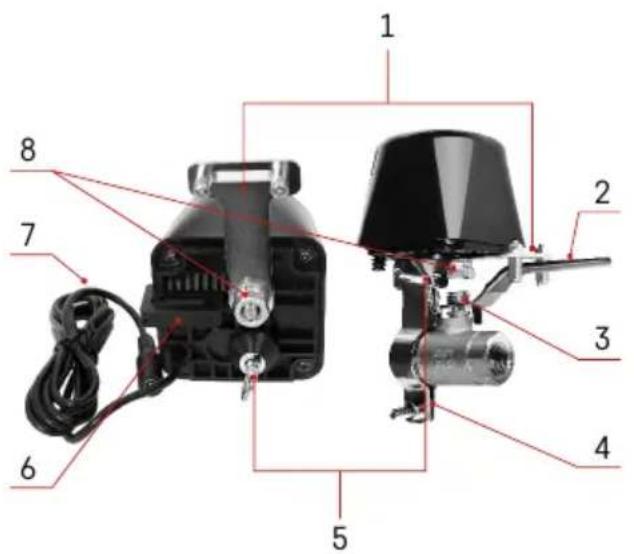
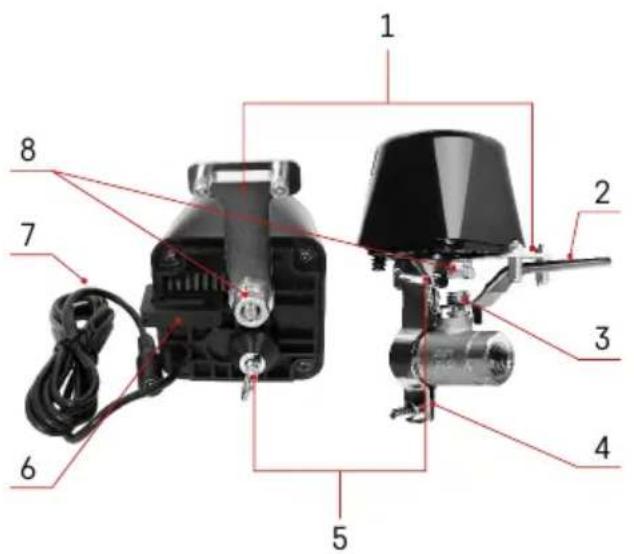
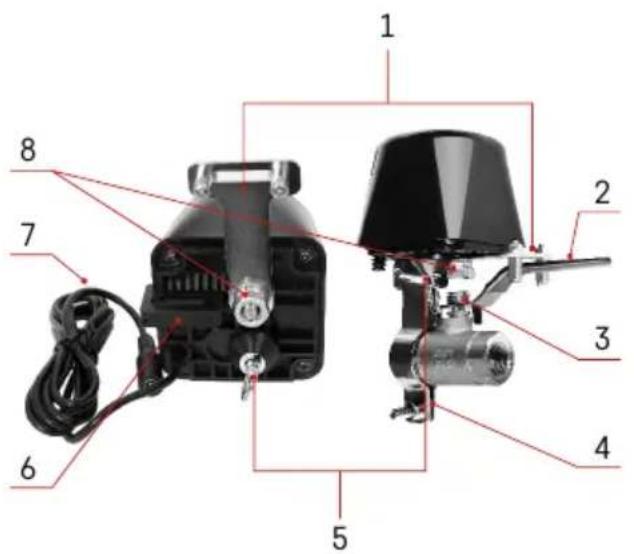
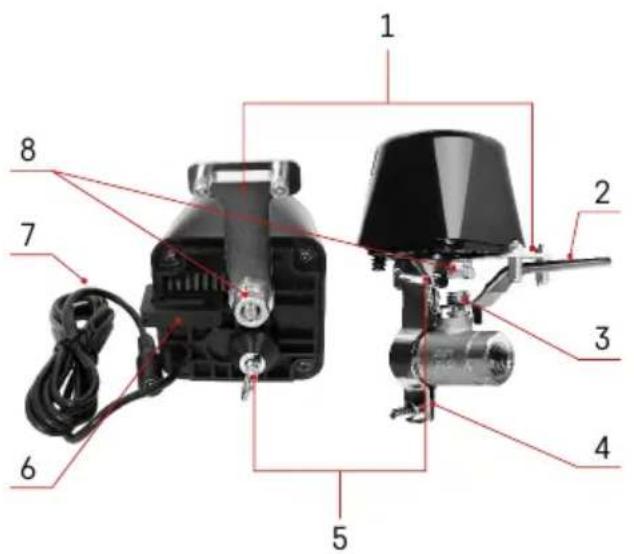
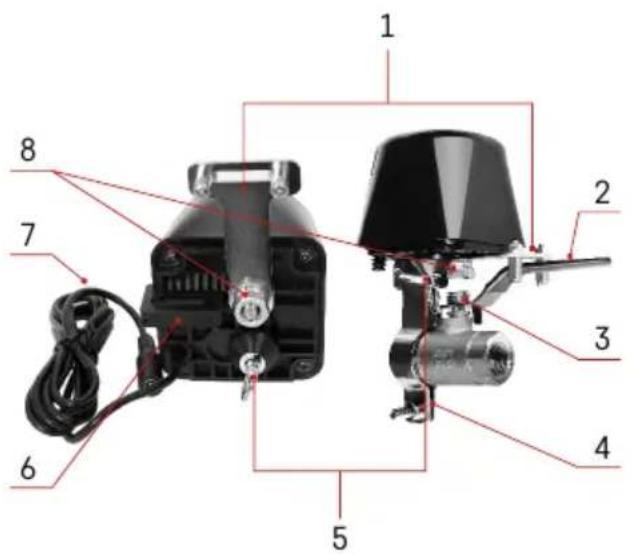
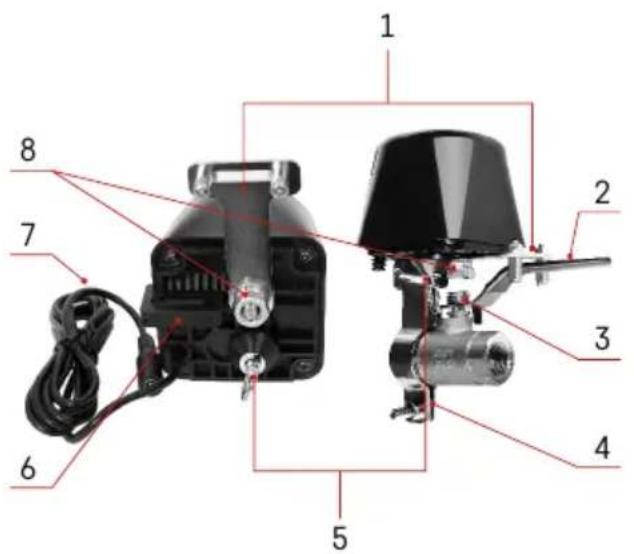
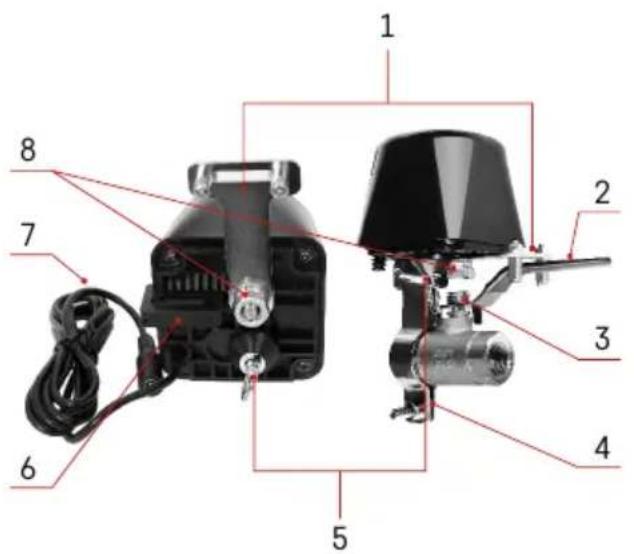
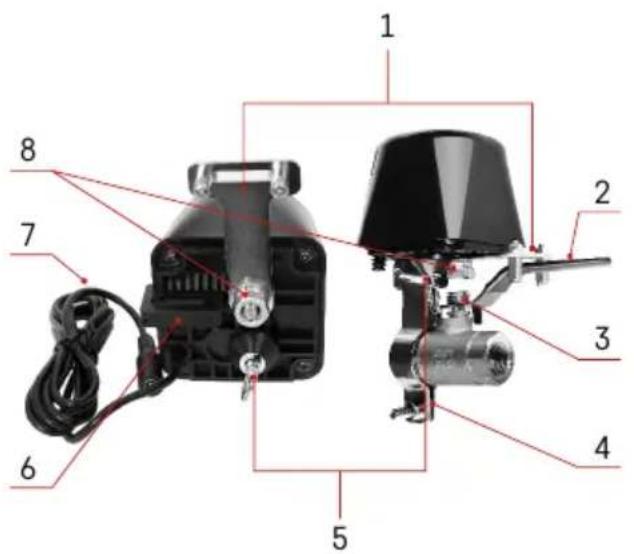
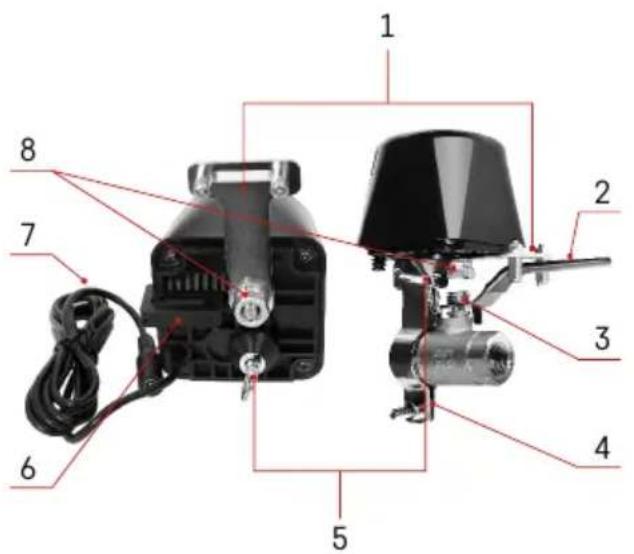
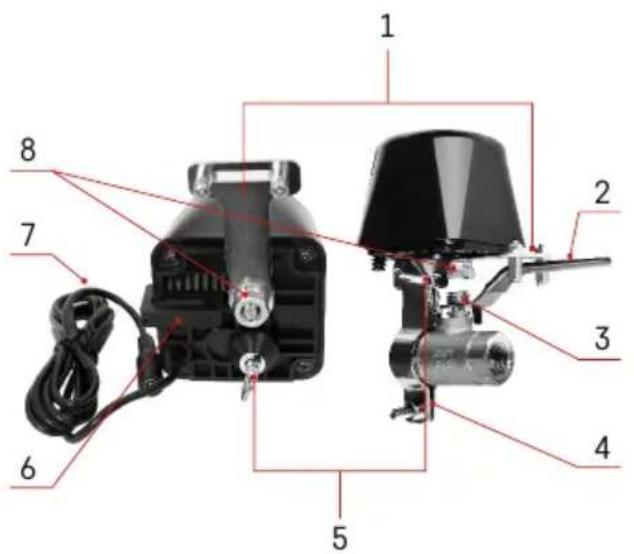
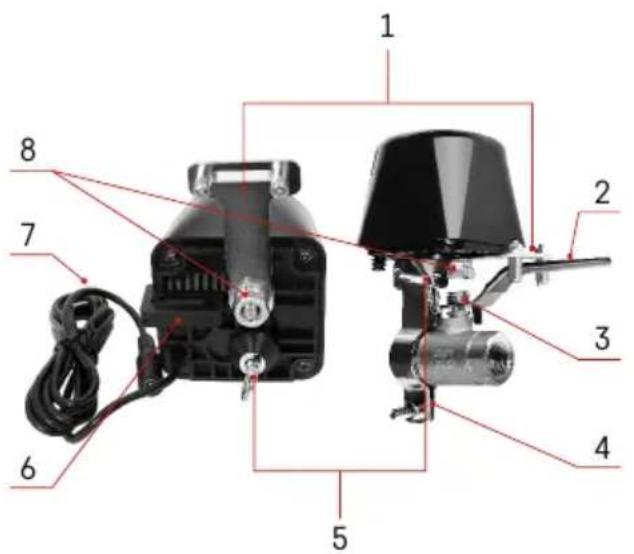
Labeled diagram of an electric motor with numbered parts for identificationDevice Description
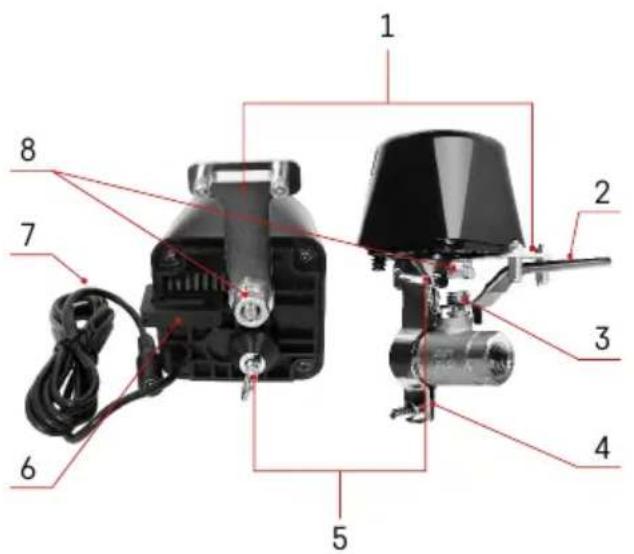
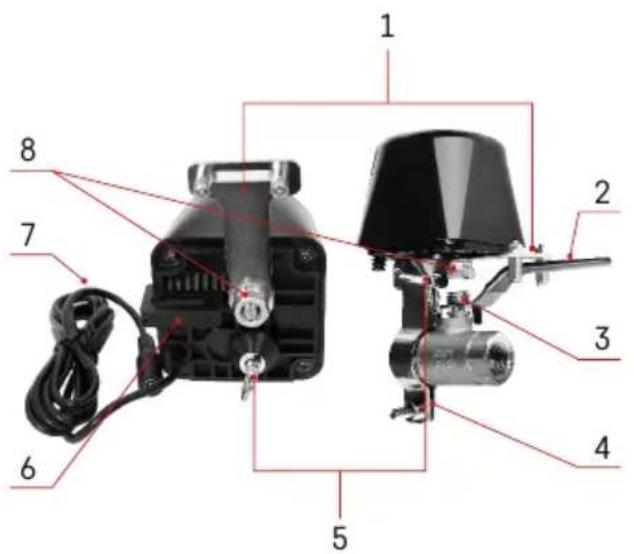
1 - valve controller lever
2-valve handle
3-valve shaft
4 - mounting clamp
5 - manual safety
6 - mounting hole
7 - power cable
8 - central shaft of the valve controller
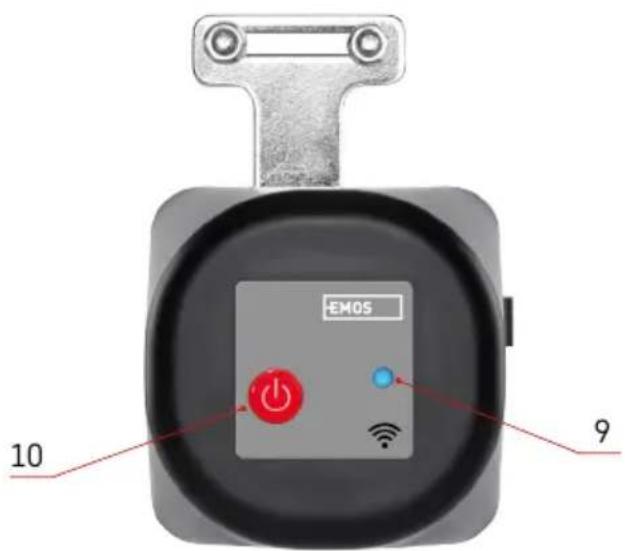
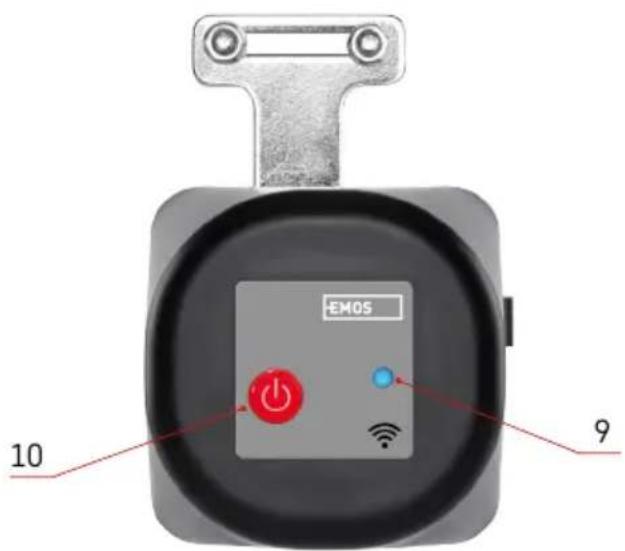
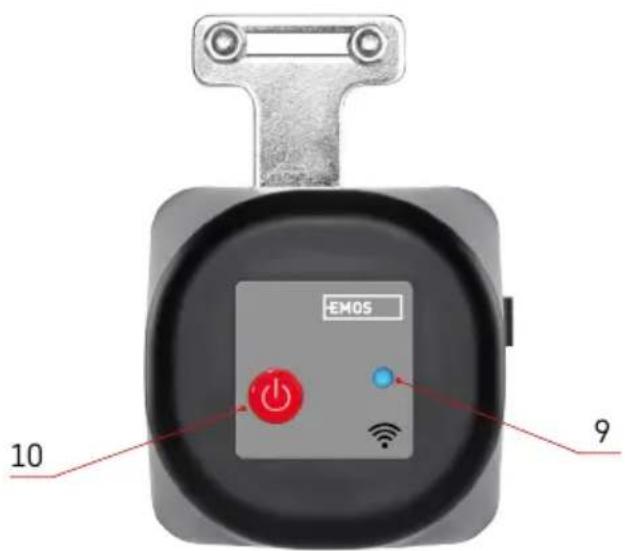
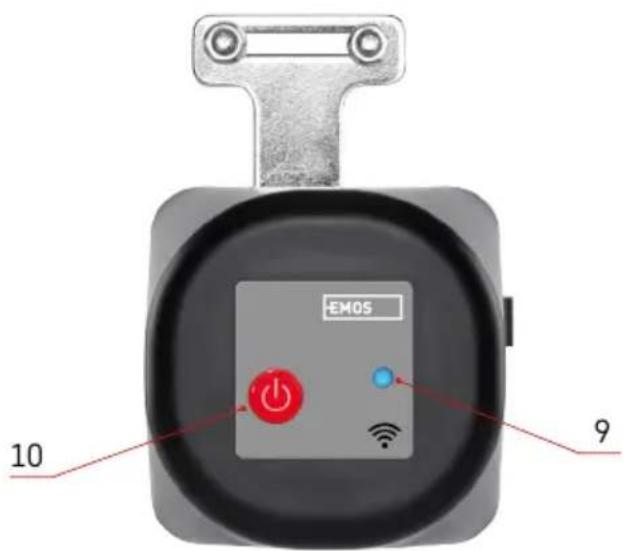
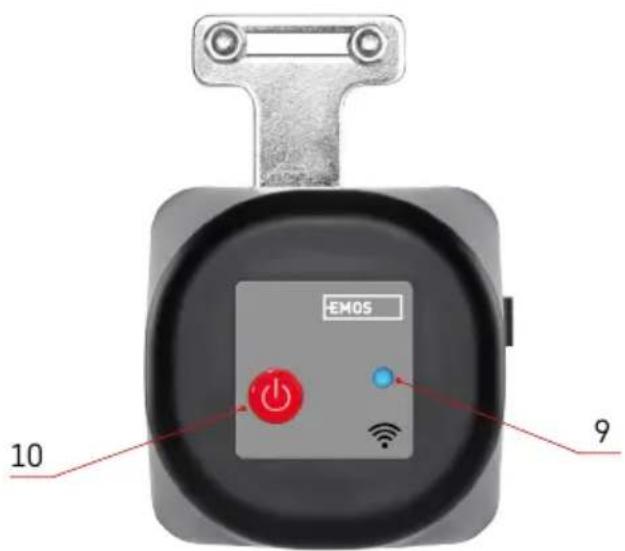
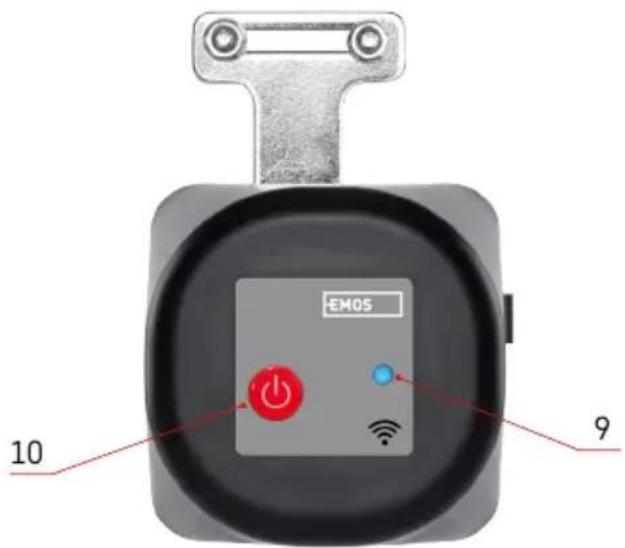
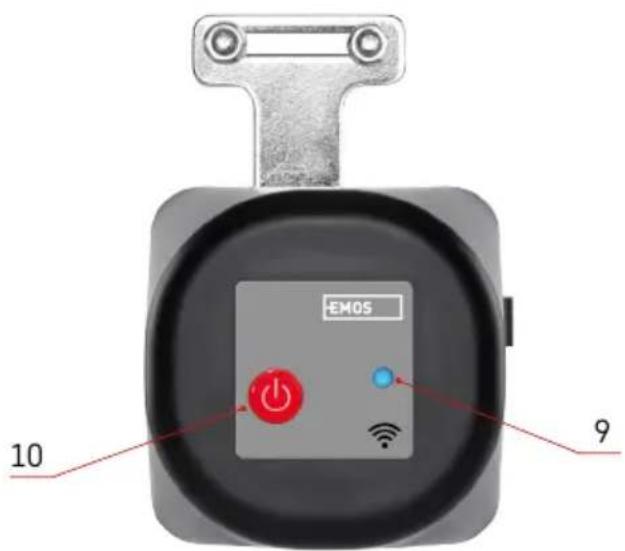
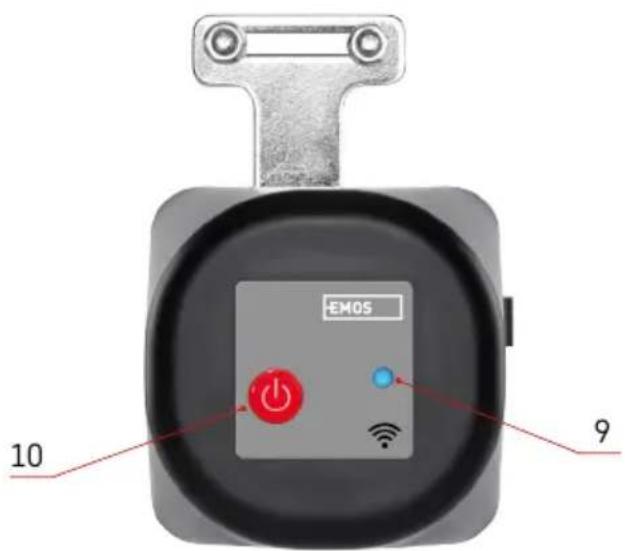
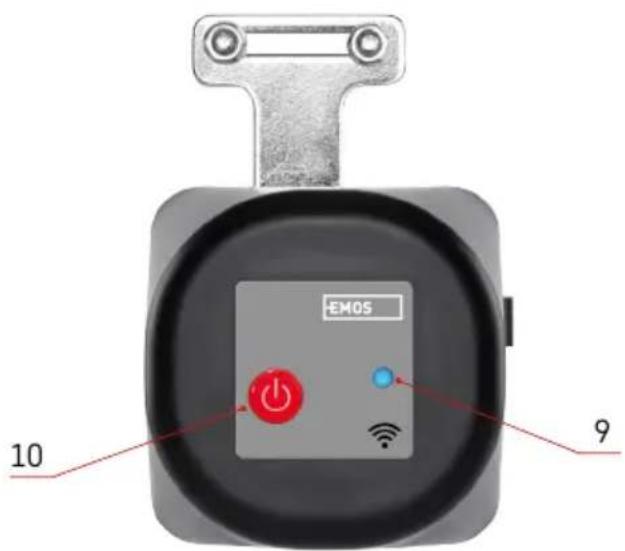
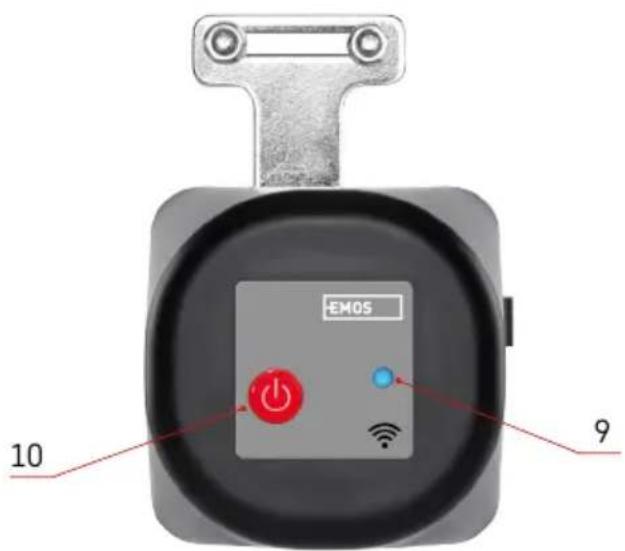
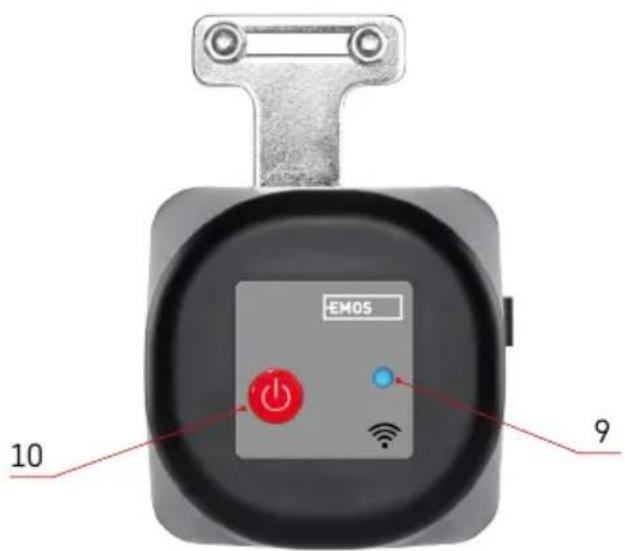
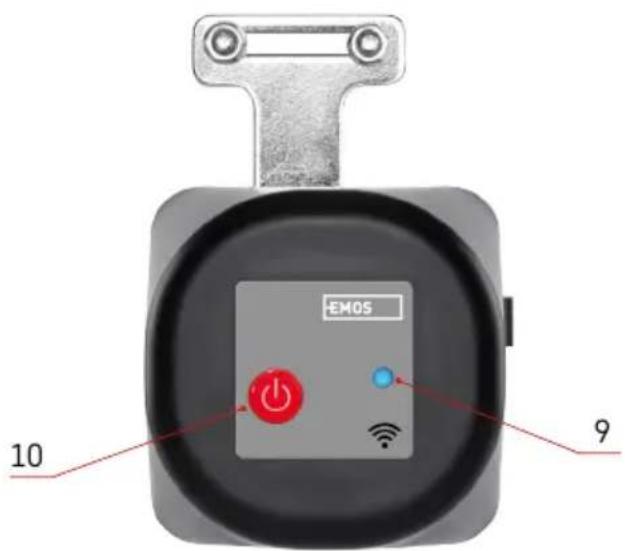
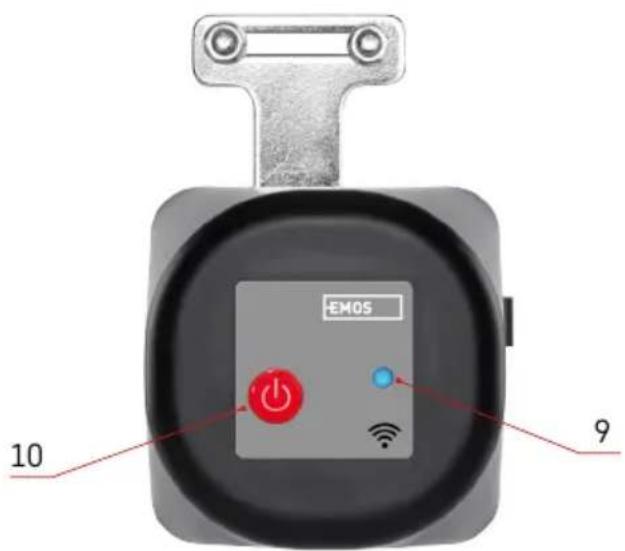
9 - LED indicator
10 - ON button
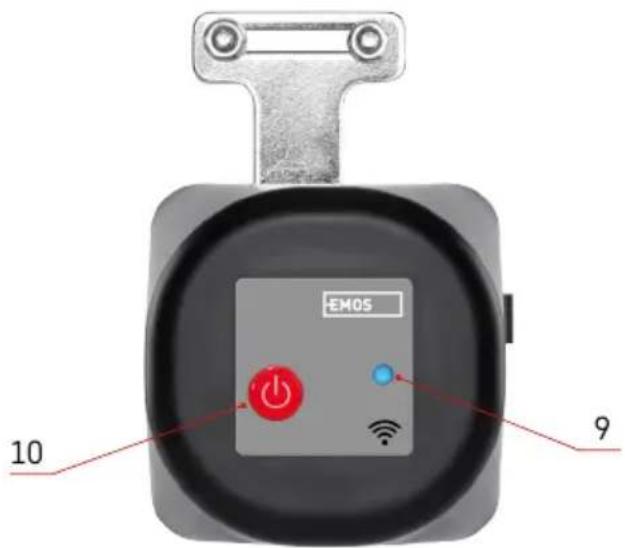
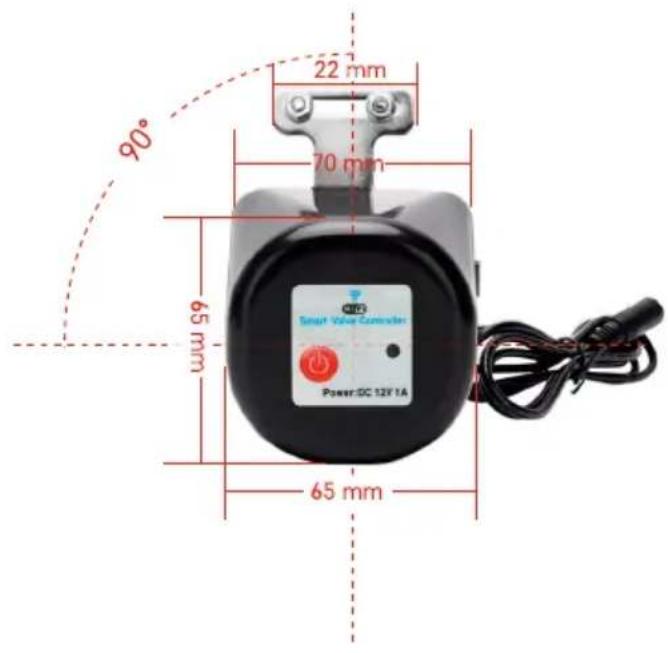
text_image
EMOS 10 9
text_image
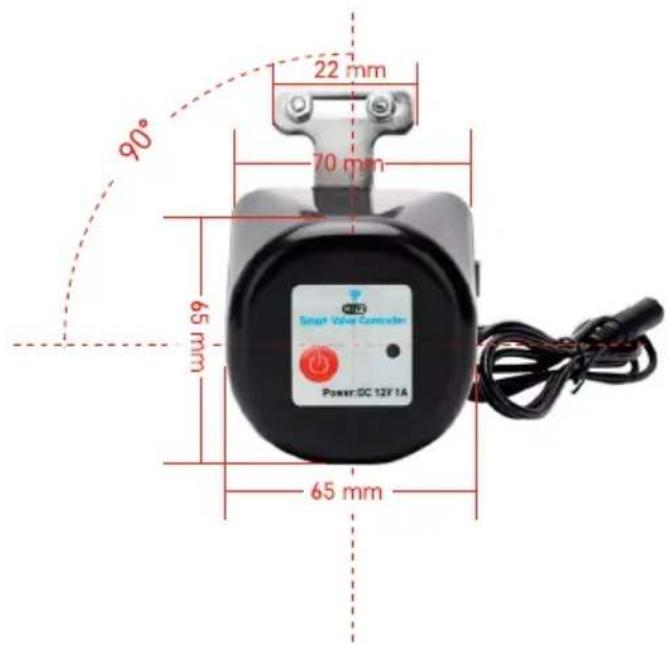
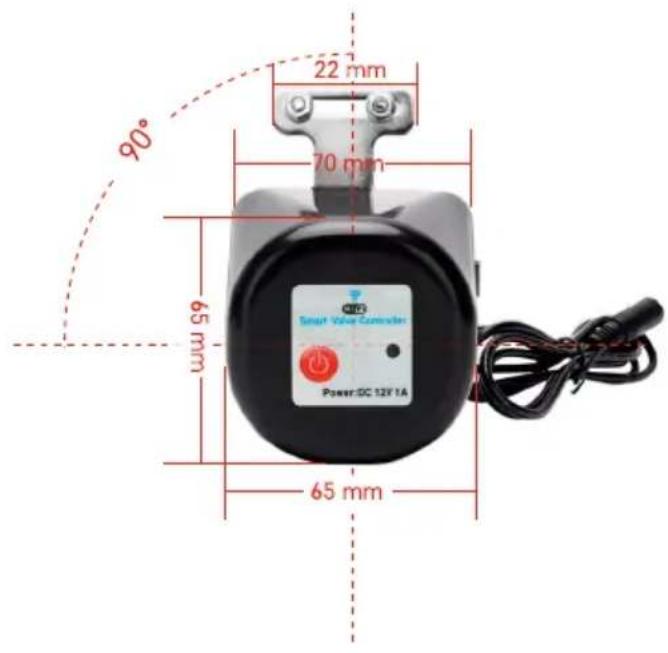
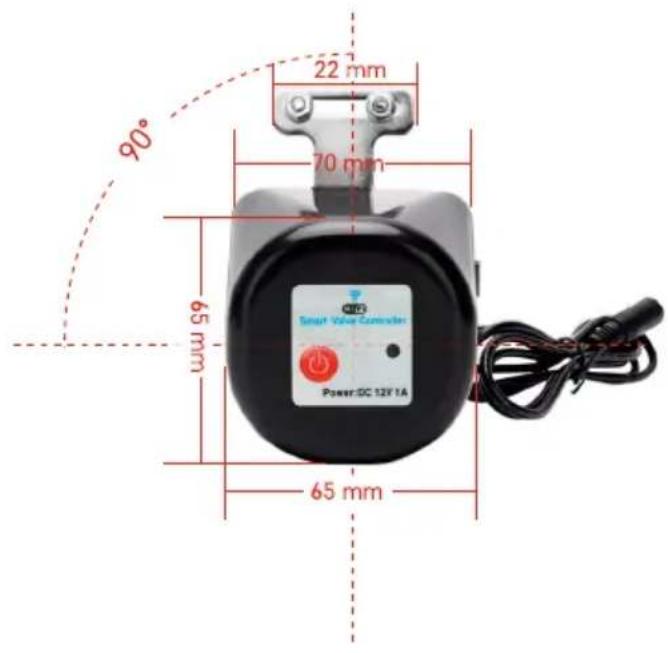
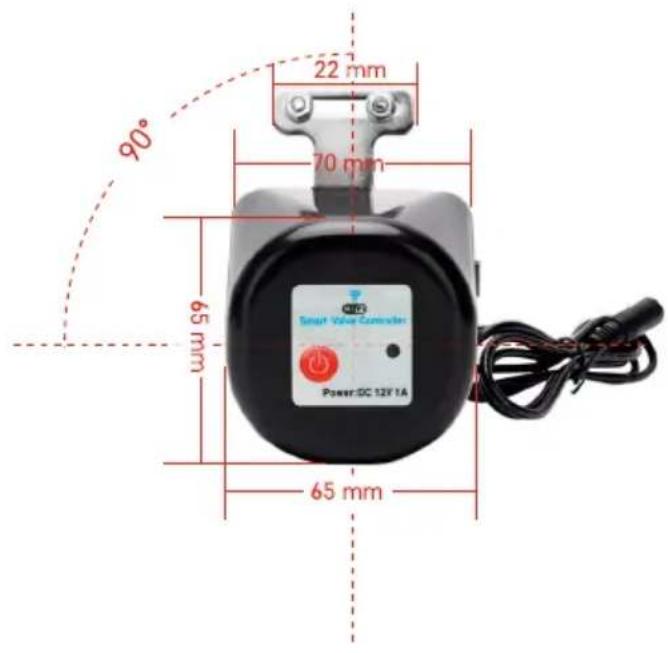
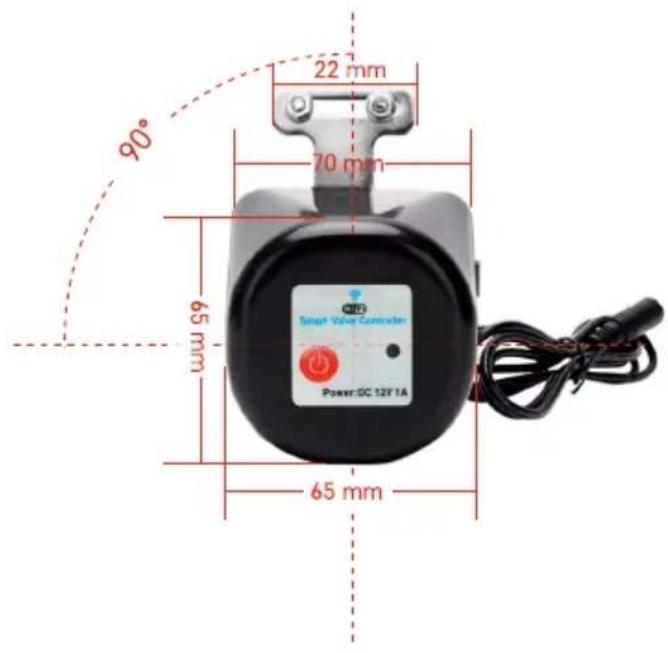
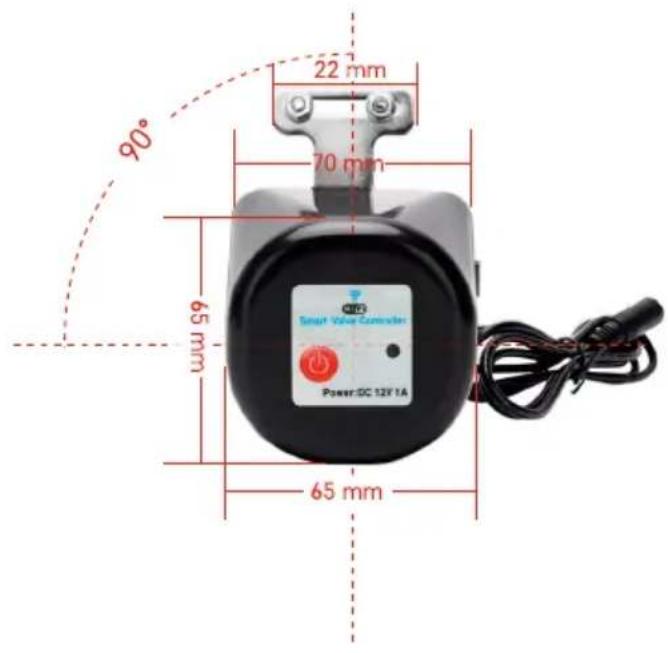
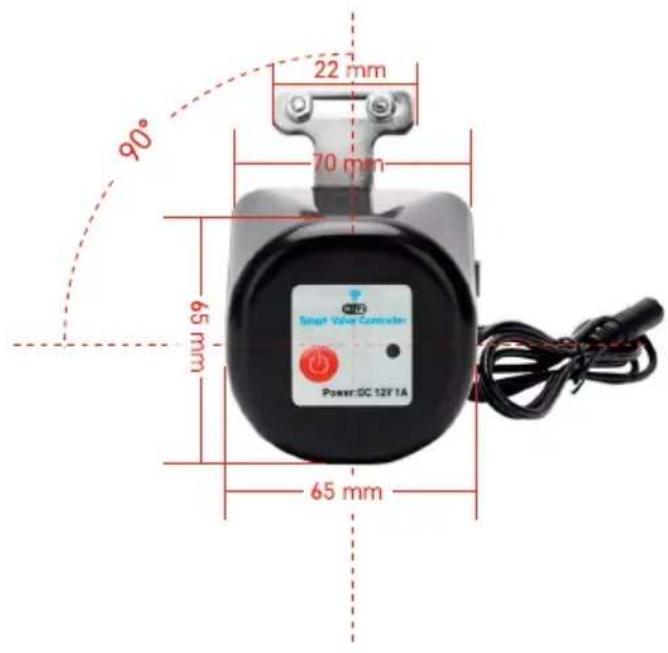
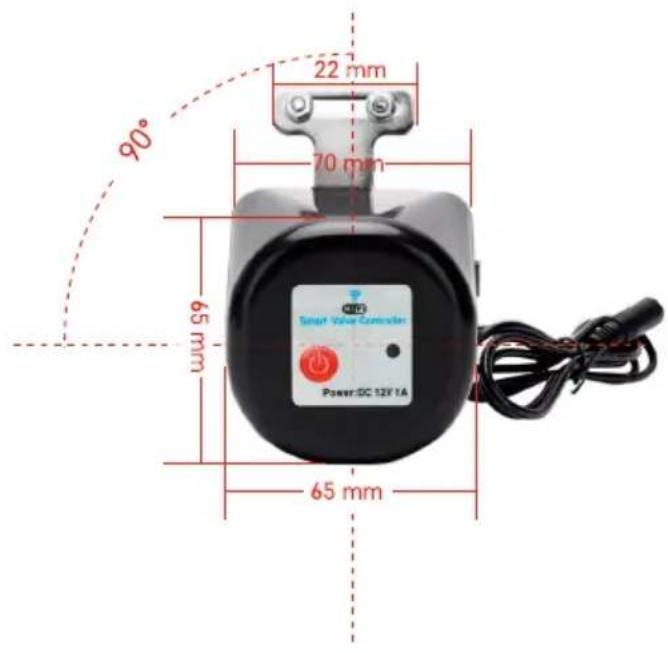
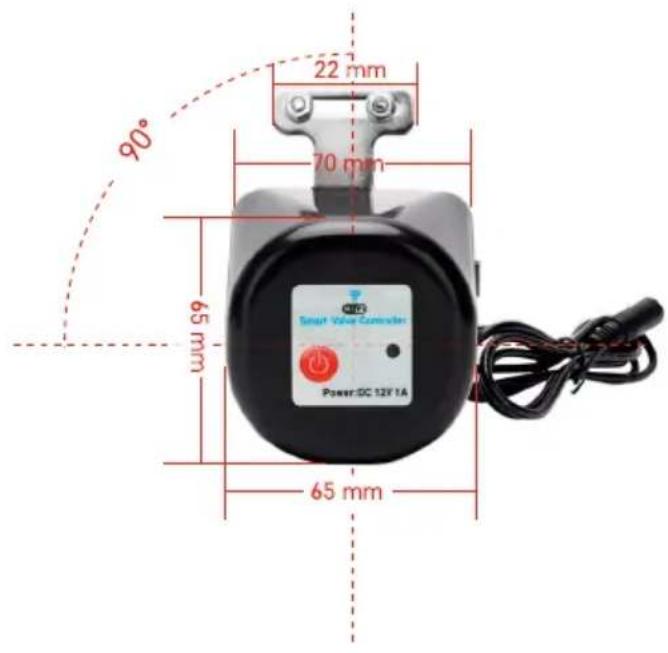
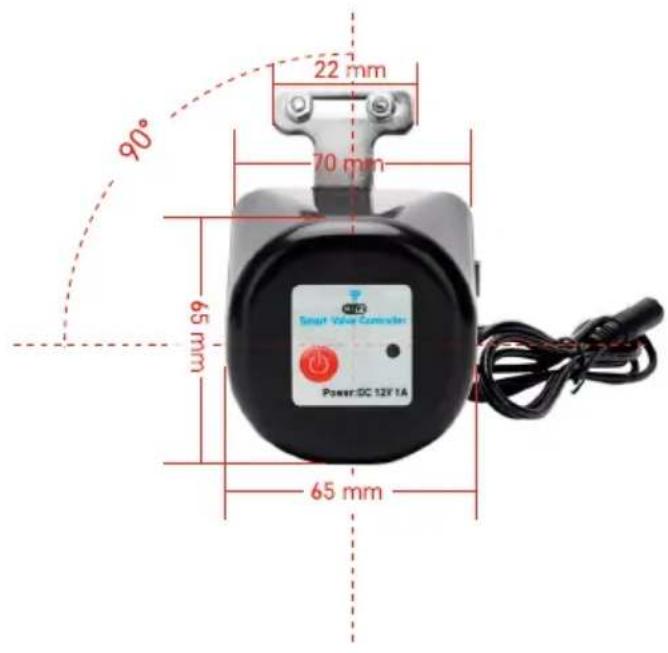
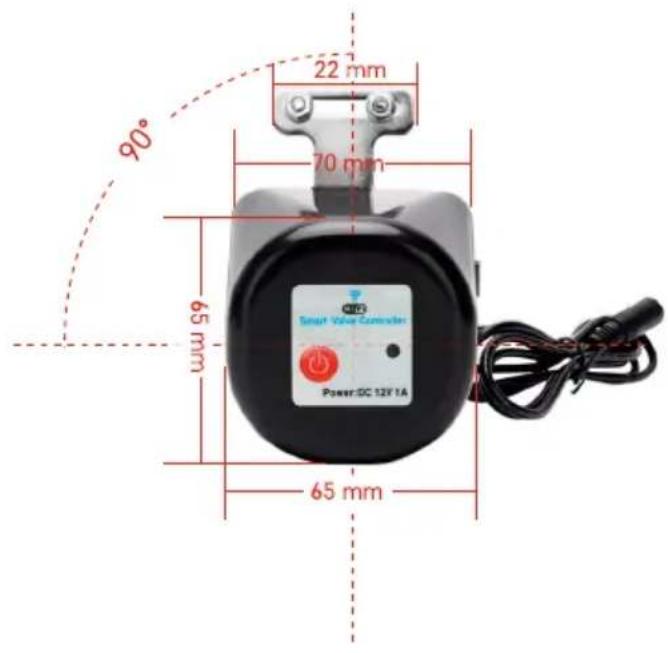
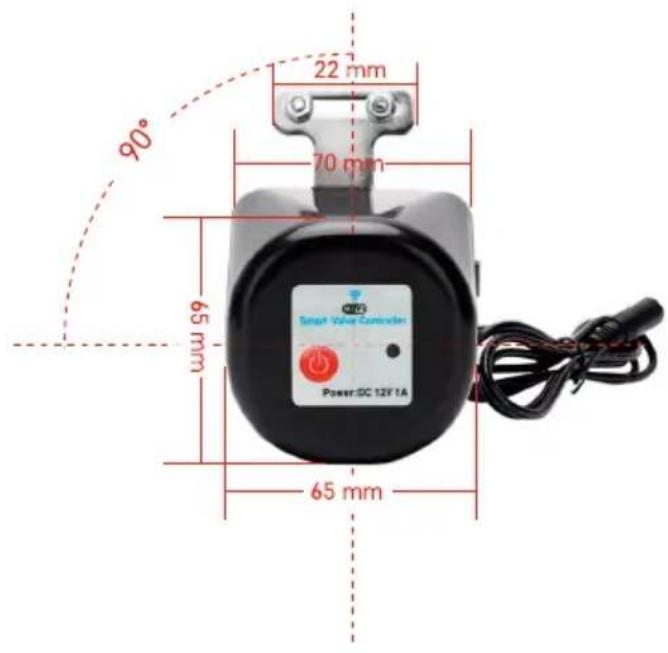
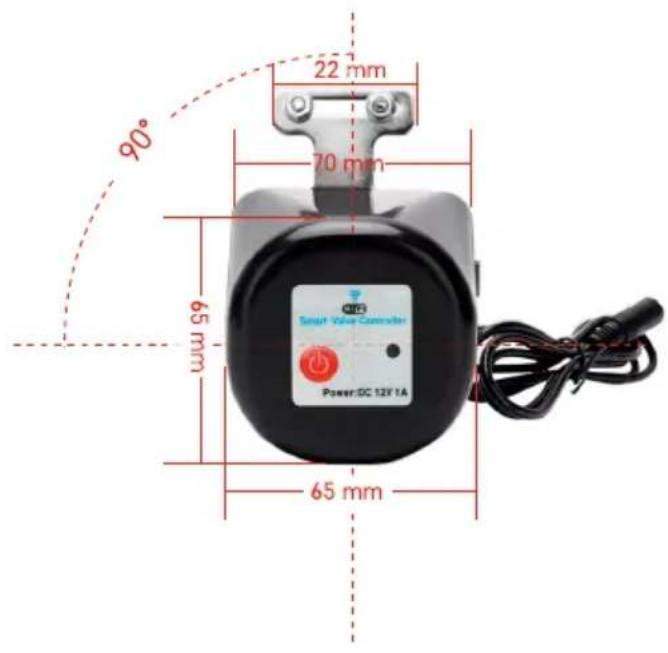
90° 22 mm 70 mm 65 mm 65 mm Power DC 12V 1A
text_image
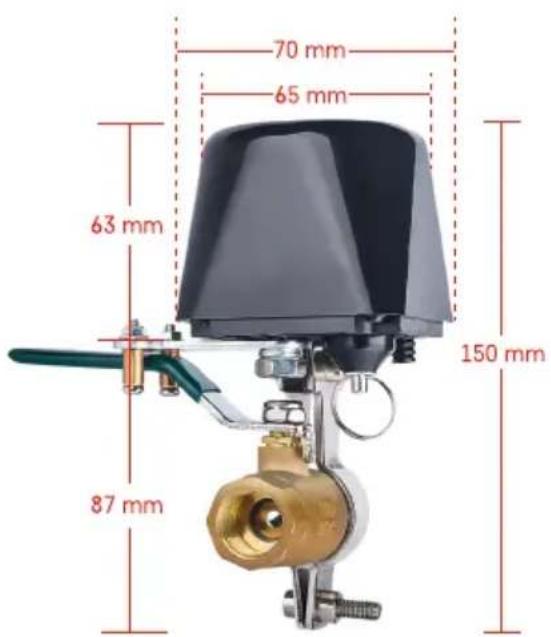
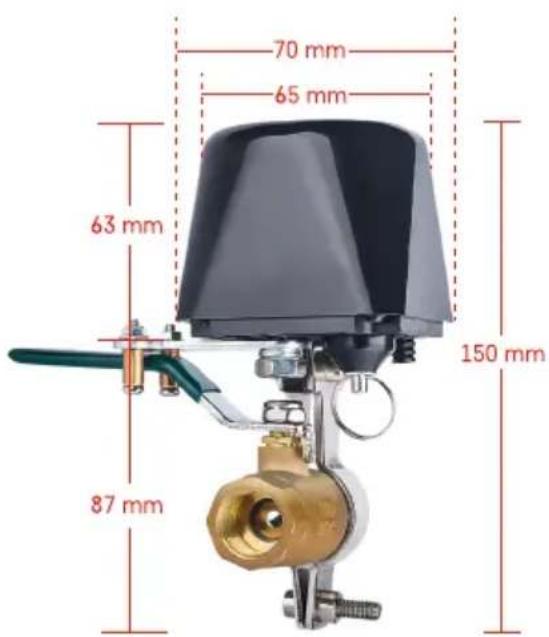
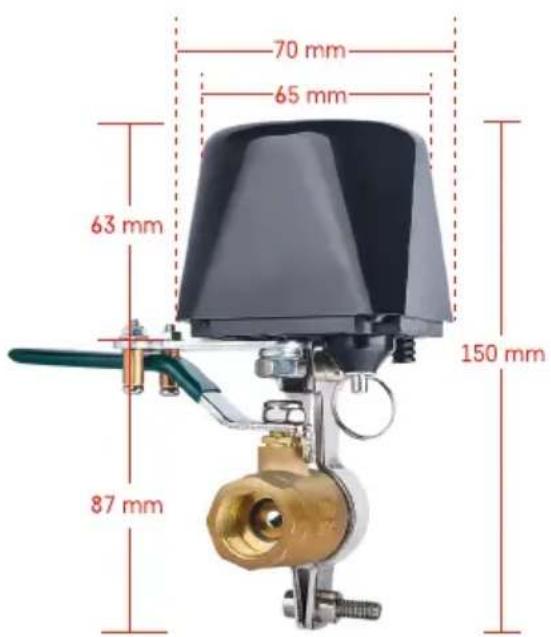
70 mm 65 mm 63 mm 150 mm 87 mm
Installation and Assembly
The device should be installed by a plumber.
The valve should be mounted at a spot where it can be opened or closed fully.
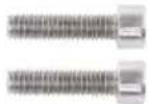
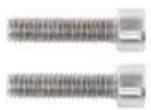
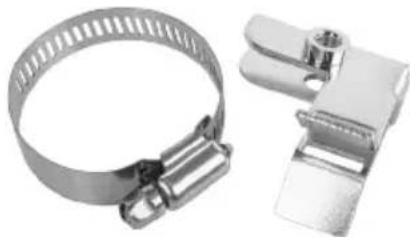
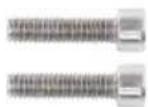
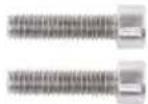
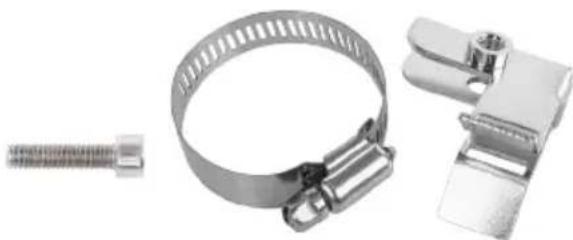
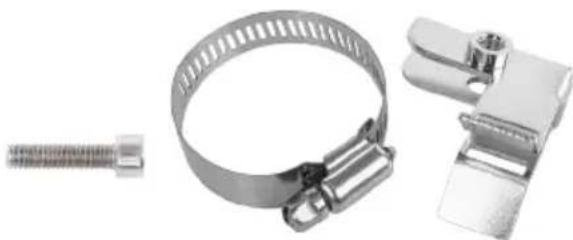
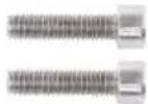
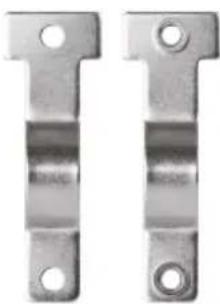
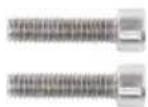
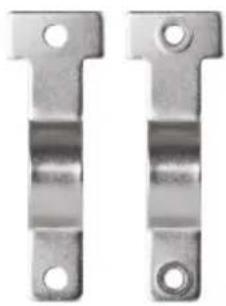
- Affix the mounting clamp onto the pipe, then mount it onto the mounting hole of the valve controller, and firmly tighten the screws.
- Place the controller so that its lever overlaps with the valve handle.
- The valve controller lever can be tightened by two screws so that it is firmly mounted on both sides of the valve handle.
Manual Safety
In case of damage or a power outage:
- Pull at the safety and hold it.
- Manually turn the valve controller 90° to open/close the valve.
- Release the safety and gently move the lever so that the shaft clicks into place.
Mobile Application


text_image
QR code with a red logo in the center containing Chinese characters.
text_image
Download on the App Store GET IT ON Google PlayThe valve controller can be controlled using a mobile app for iOS or Android.
Download the EMOS GoSmart app for your device.
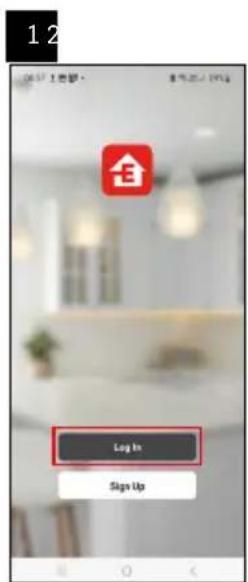
Tap the Log In button if you've used the app before.
Otherwise, tap the Sign Up button and register.
Pairing with the App
text_image
Log In Sign Up
text_image
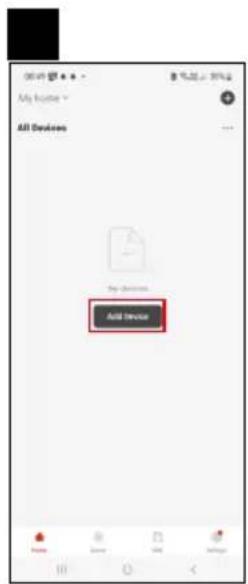
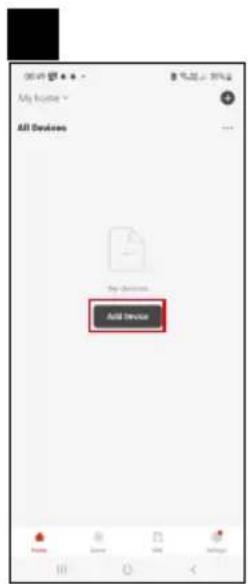
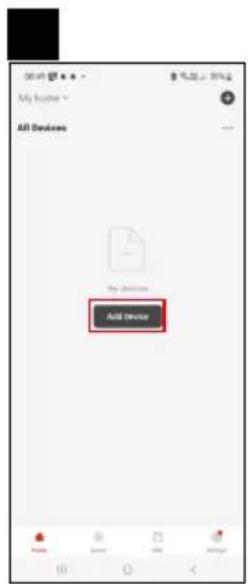
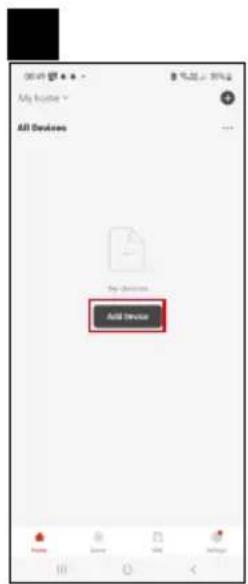
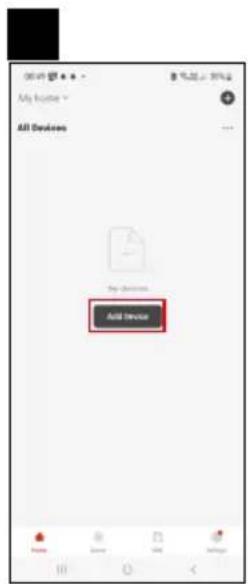
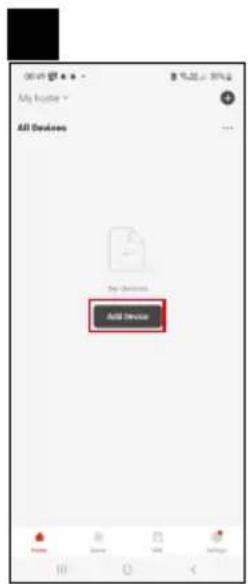
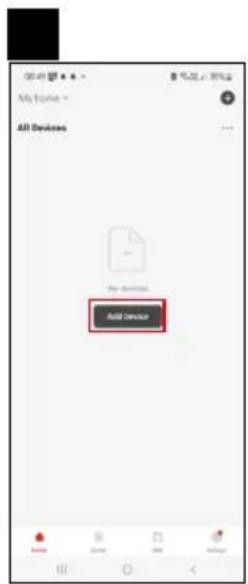
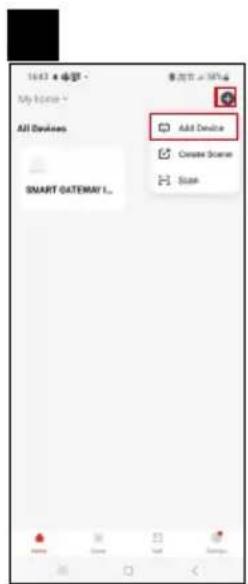
All Devices Add Device
text_image
Thru, 2018/06/01 Device control Radio output
text_image
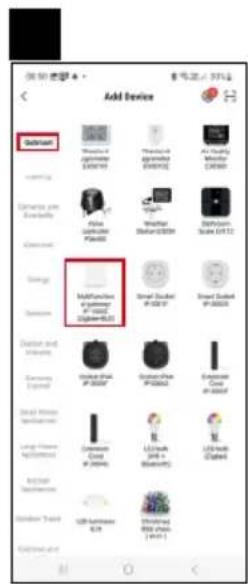
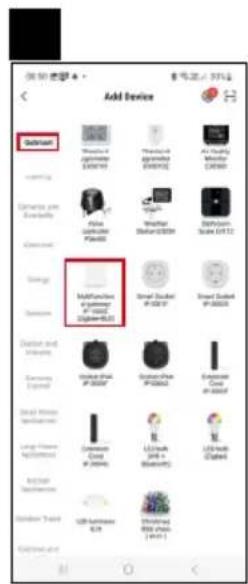
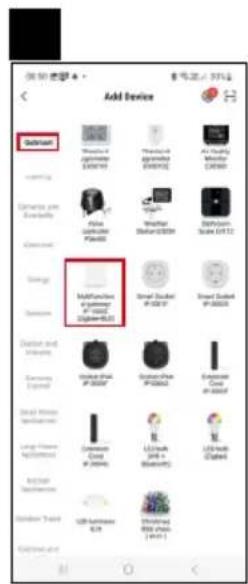
Add Device Subunitant Molecular amplifier 6.0001 Pharmacean amplifier 6.0002 Air Conditioning Monitor 130.000 Lightning and Benching Theta Theta Theta Theta Multi-function 4.0002 (Figure 4.00) Smart Switch 6.0007 Smart Switch 6.0005 Diameter 4.0003 Diameter 4.0002 Diameter 4.0001 Diameter 4.0001 Diameter 4.0001 Diameter 4.0001 Diameter 4.0001 Diameter 4.0001 Diameter 4.0001 Diameter 4.0001 Diameter 4.0001 Diameter 4.0001 Diameter 4.0002 Diameter 4.0002 Diameter 4.0002 Diameter 4.0002 Diameter 4.0002 Diameter 4.0002 Diameter 4.0002 Diameter 4.0002 Diameter 4.0002 Diameter 4.0002 Diameter 4.0003 Diameter 4.0003 Diameter 4.0003 Diameter 4.0003 Diameter 4.0003 Diameter 4.0003 Diameter 4.0003 Diameter 4.0003 Diameter 4.0003 Diameter 4.0003 Diameter 4.0004 Diameter 4.0004 Diameter 4.0004 Diameter 4.0004 Diameter 4.0004 Diameter 4.0004 Diameter 4.0004 Diameter 4.0005 Diameter 4.0005 Diameter 4.0005 Diameter 4.0005 Diameter 4.0005 Diameter 4.0005 Diameter 4.0011 Diameter 4.0111 Diameter 4.1111 Diameter 4.2111 Diameter 4.3111 Diameter 4.4111 Diameter 4.5111
text_image
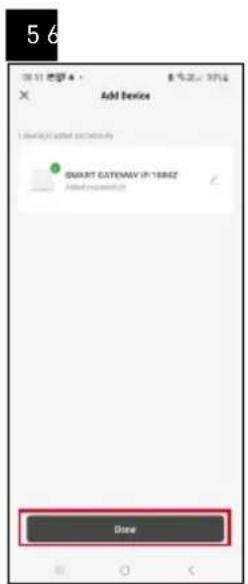
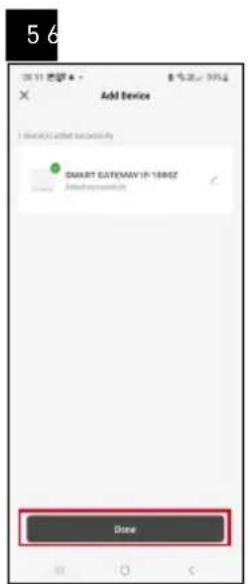
5 6 Add Device SMART GATEWAY IP: 100HZ Done
text_image
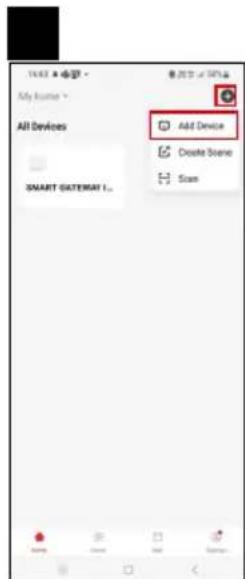
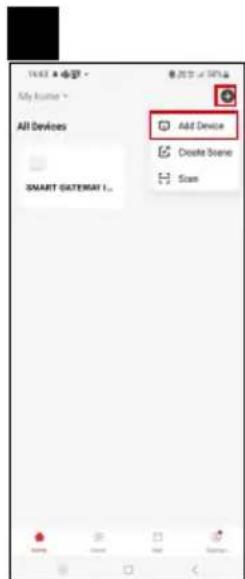
14:43 • 电话 My home * All Devices SMART GATEWAY L... Add Device Create Scene Scan
text_image
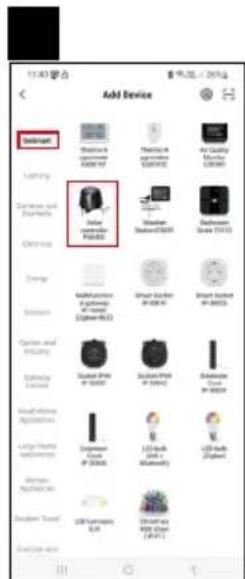
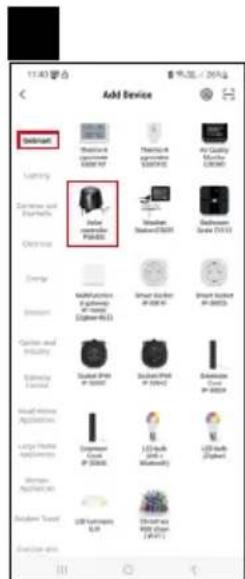
1140 联合 Add Device Dishwall Lighting Cemented and Electrical Clearway Energy Consumption Classics and Industry Electronic Digital Large Home Application Large Home Application Other Electronic USB Interface E-mail Add Device Thermal & Temperature Temperature Air Quality Temperature Lighting Lighting & Temperature Lighting & Temperature Lighting & Temperature Lighting & Temperature Lighting & Temperature Lighting & Temperature Lighting & Temperature Lighting & Temperature Lighting & Temperature Lighting & Temperature Lighting & Temperature Lighting & Temperature Lighting & Temperature Lighting & Temperature Lighting & Temperature Lighting & Temperature Lighting & Temperature Lighting & Temperature &
text_image
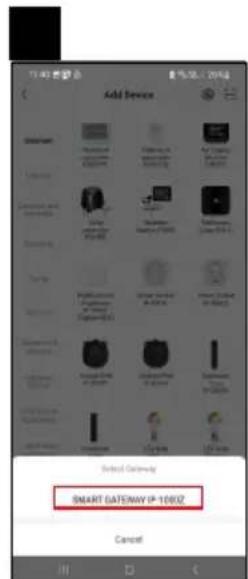
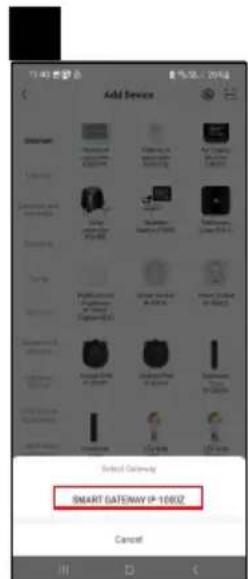
Add Device Smart DATEDWAY IP-1000Z Cancel
text_image
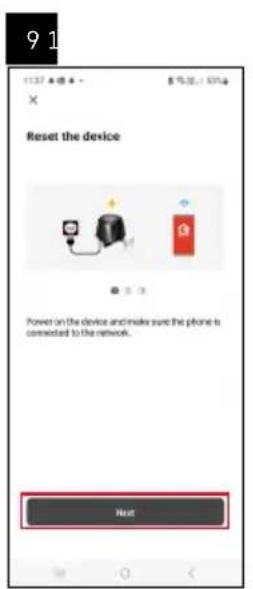
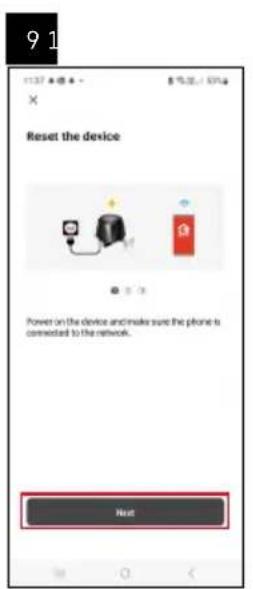
9 1 Reset the device Power on the device and make sure the phone is connected to the network. Next
text_image
EMOS 5 s
text_image
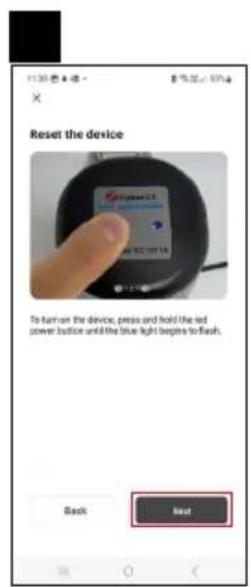
Reset the device To turn on the device, press and hold the red power button until the blue light begins to flash. Back Last
text_image
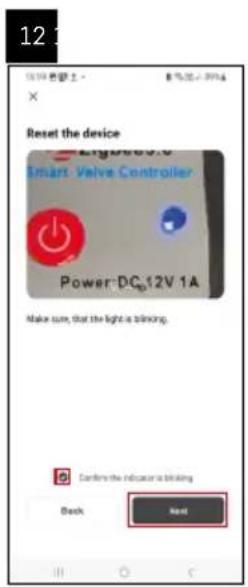
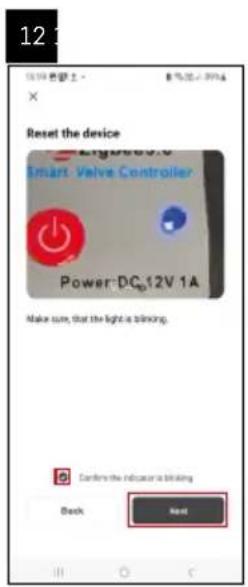
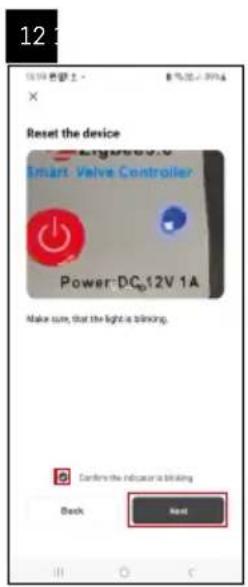
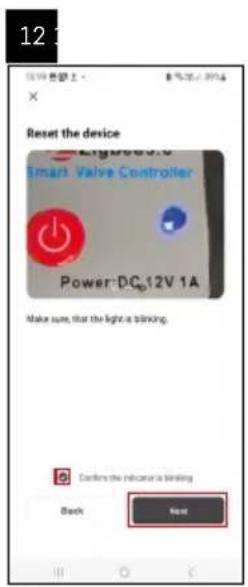
12 Reset the device Smart Valve Controller Power:DCp12V 1A Make sure, that the light is blinking. Confers the indicator is blinking Back Next
text_image
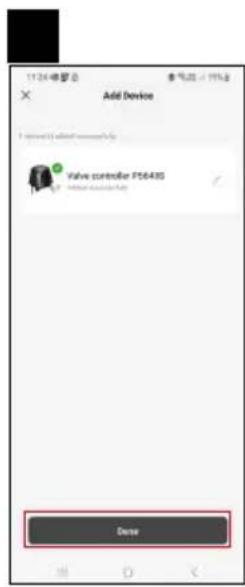
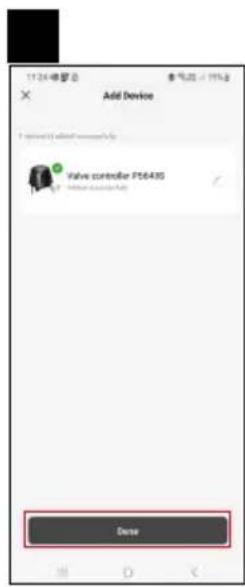
Add Device Valve controller PS643G ClosePairing the Zigbee Gateway with the App
(If you're already using the gateway, skip this step)
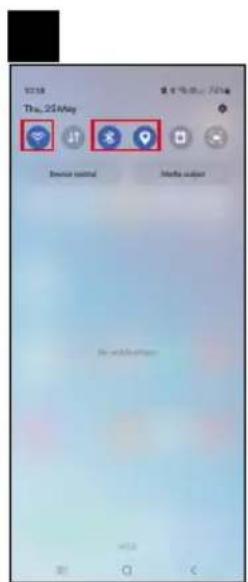
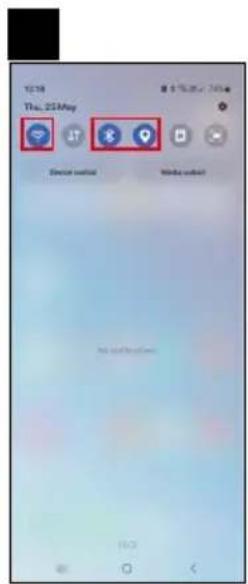
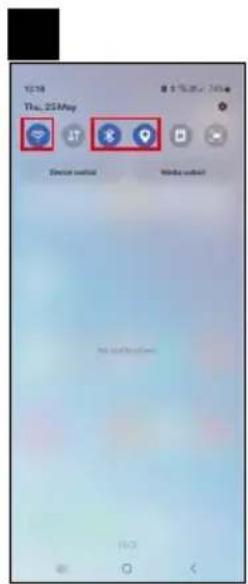
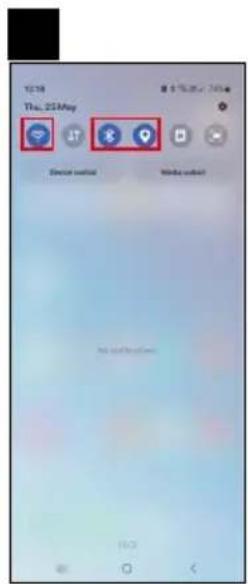
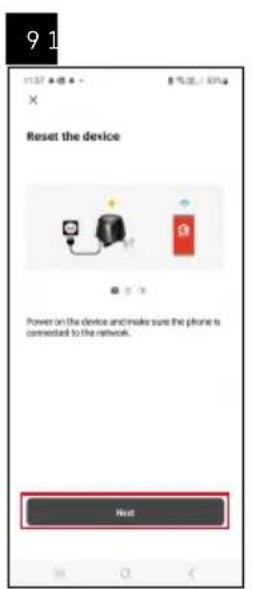
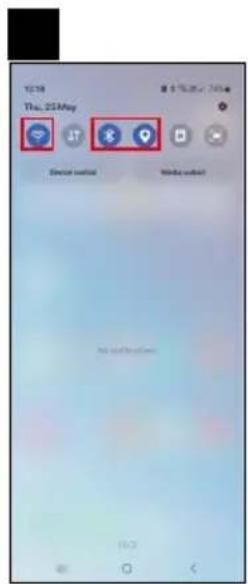
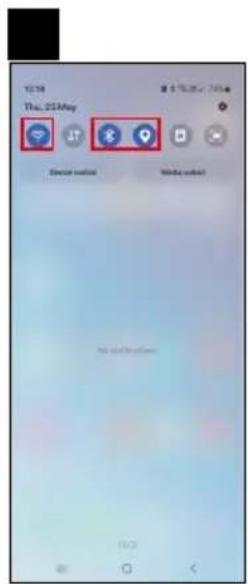
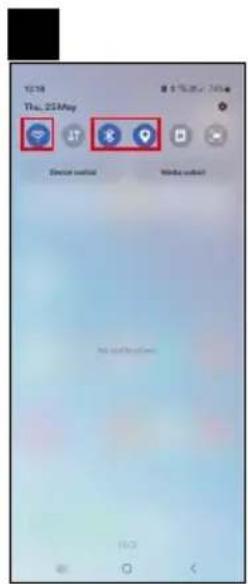
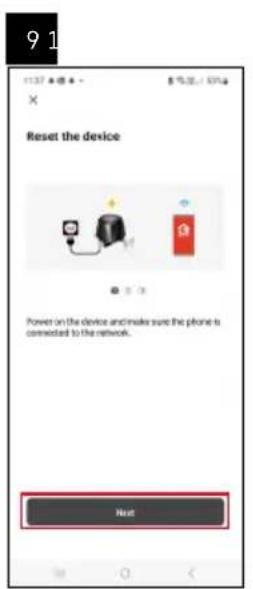
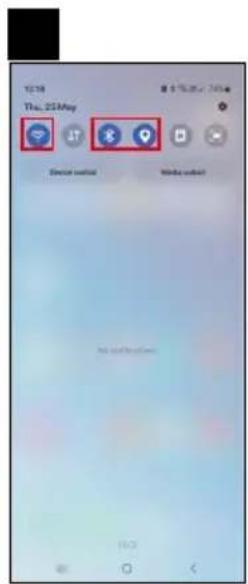
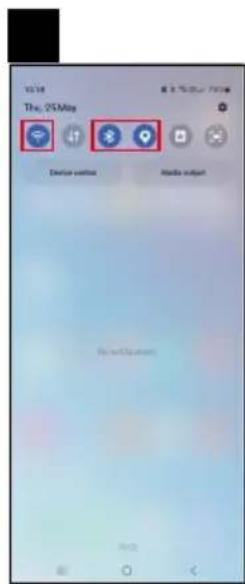
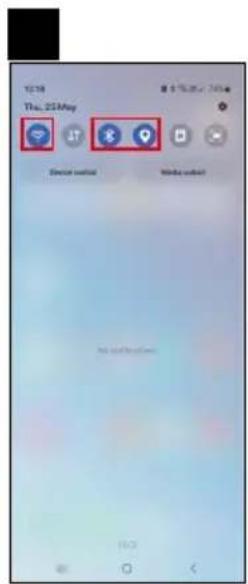
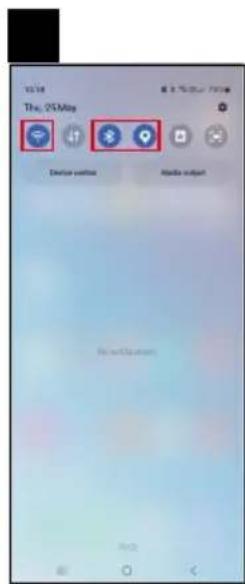
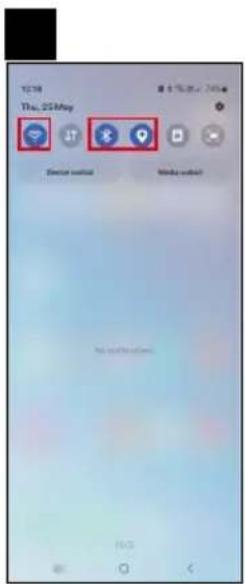
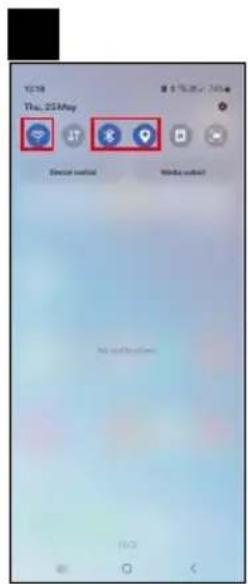
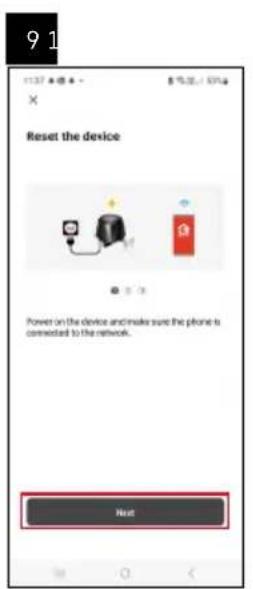
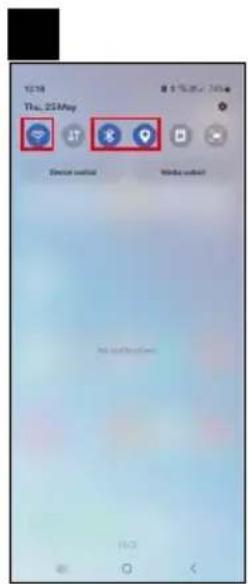
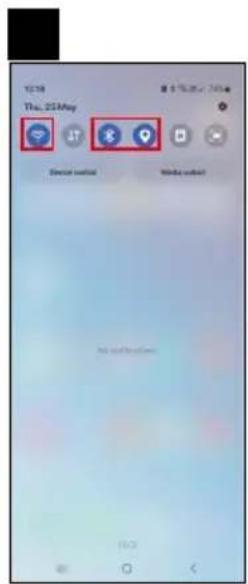
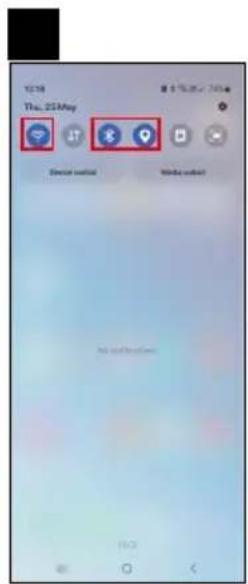
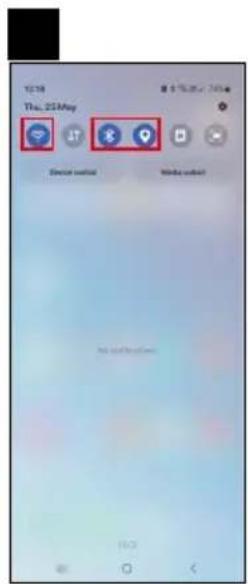
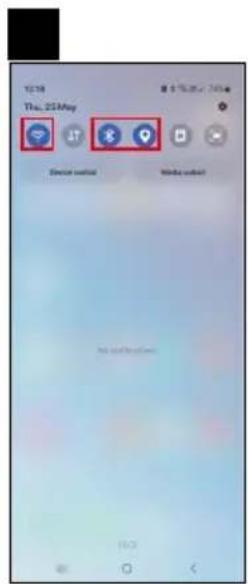
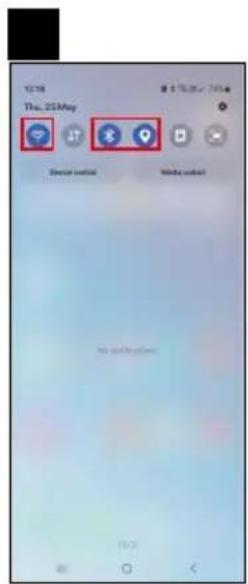
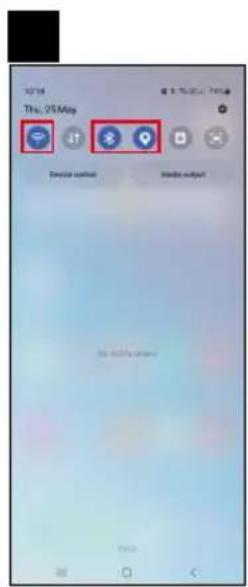
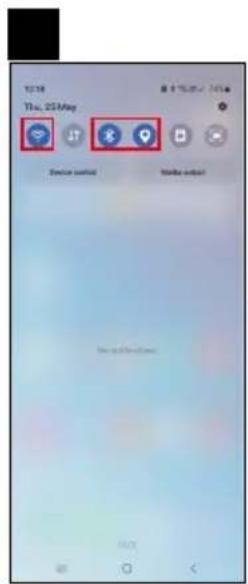
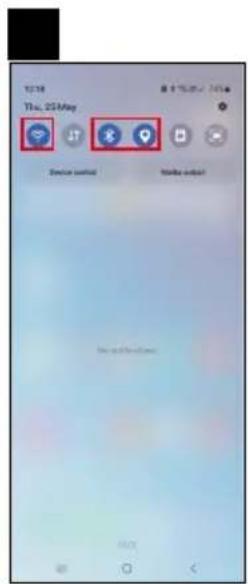
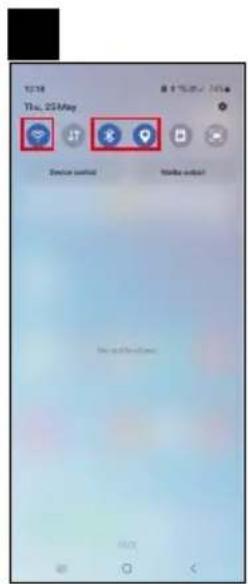
Plug a power cable into the gateway and enable GPS and Bluetooth connection on your mobile device.
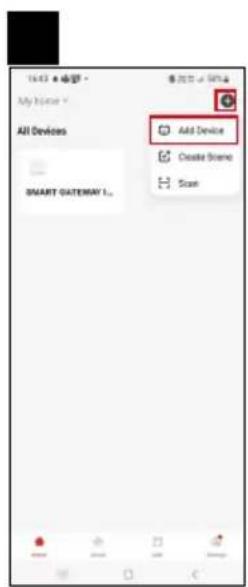
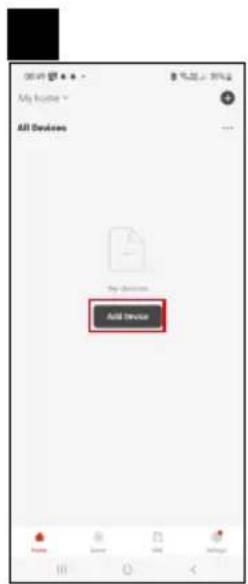
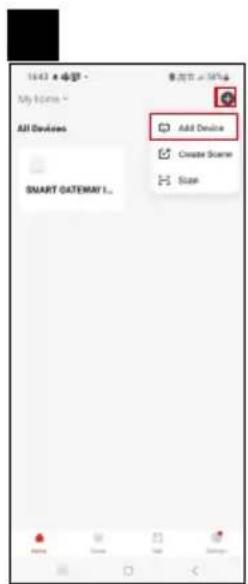
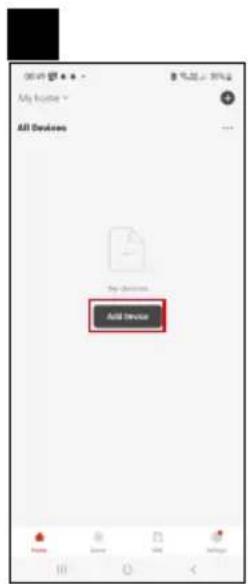
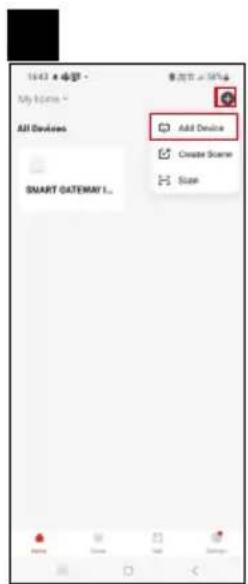
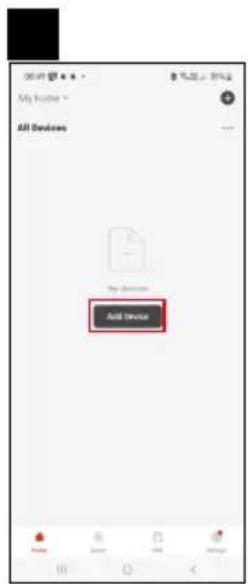
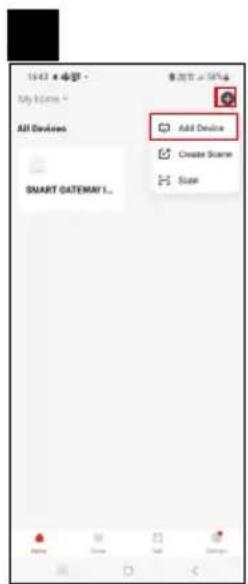
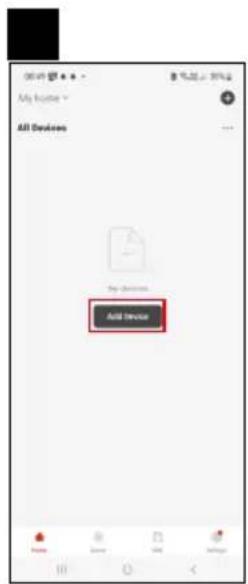
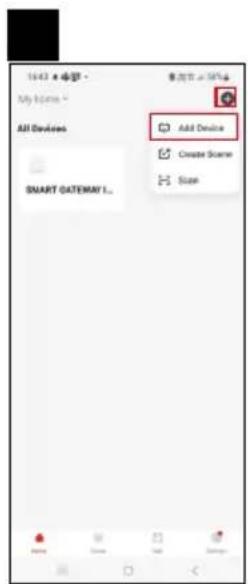
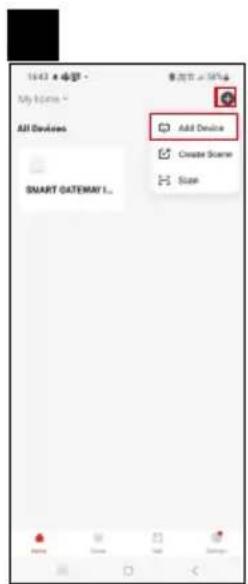
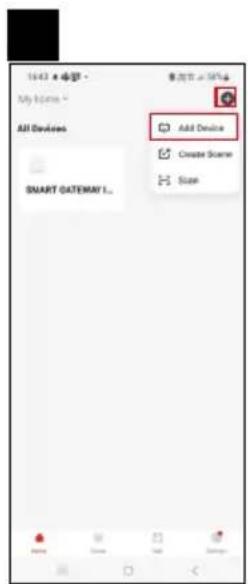
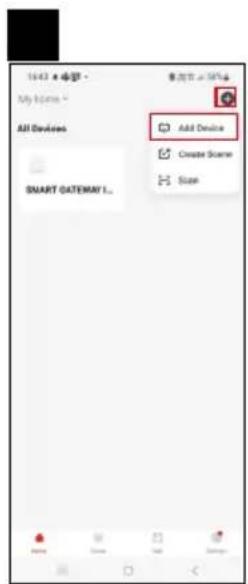
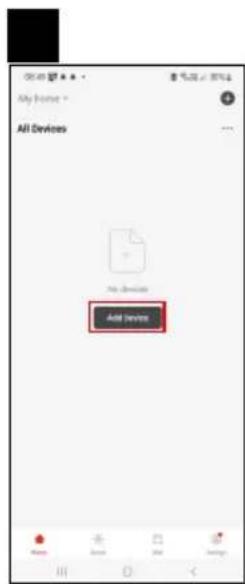
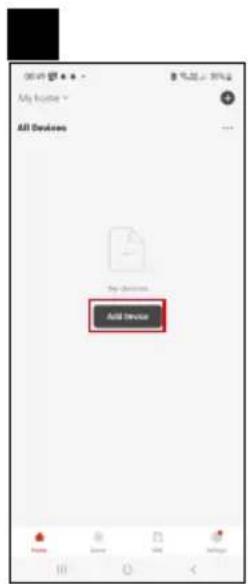
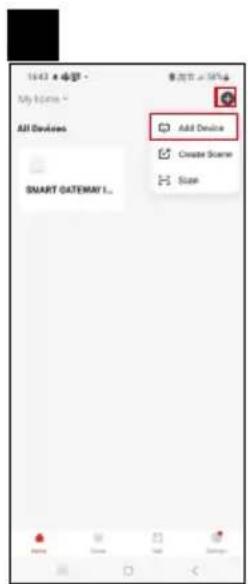
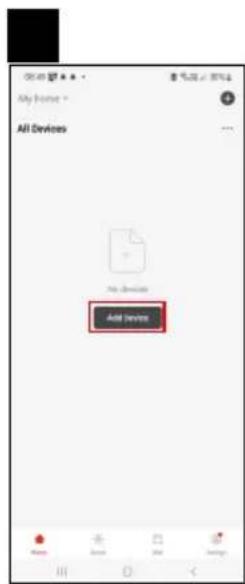
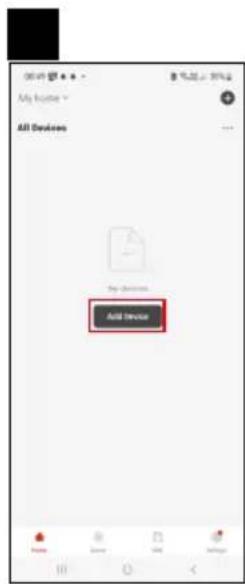
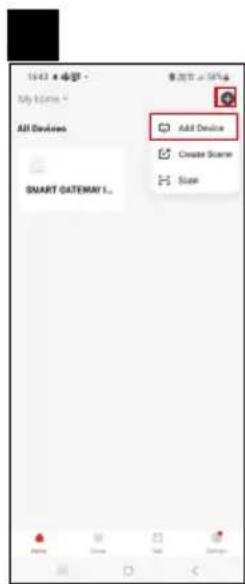
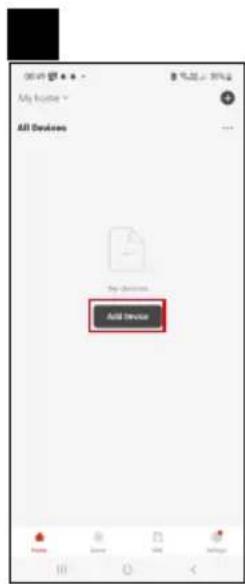
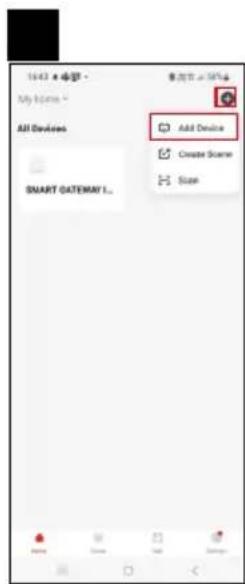
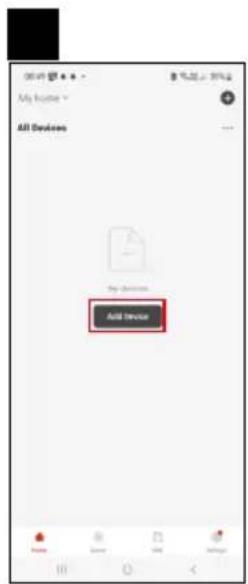
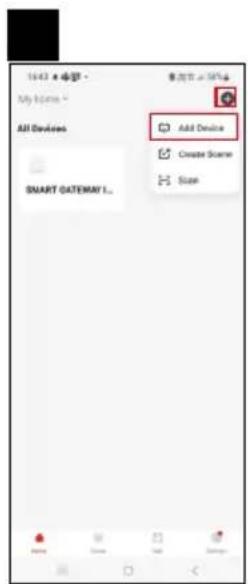
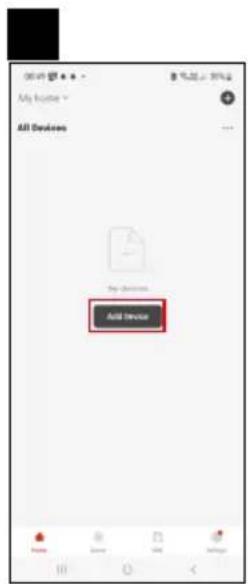
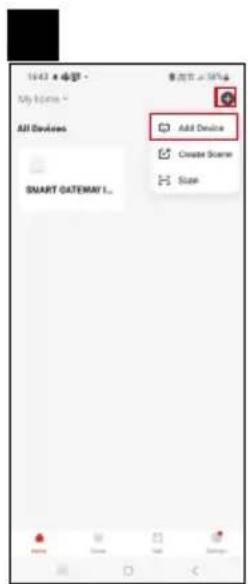
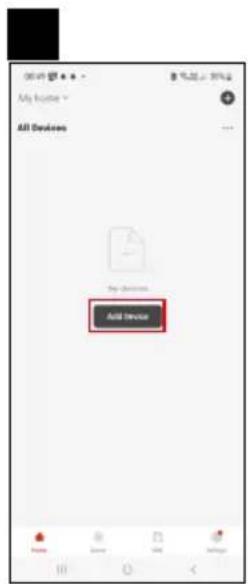
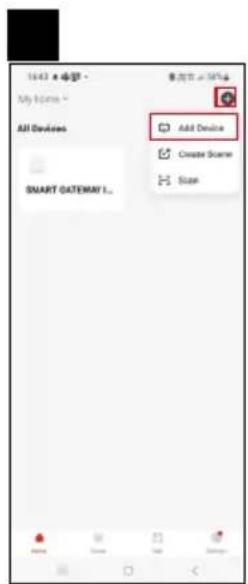
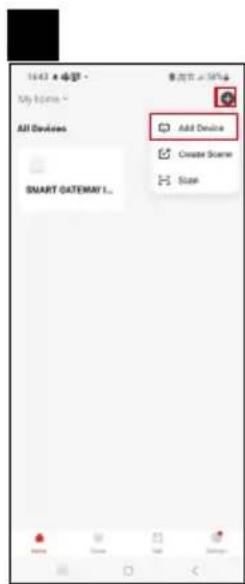
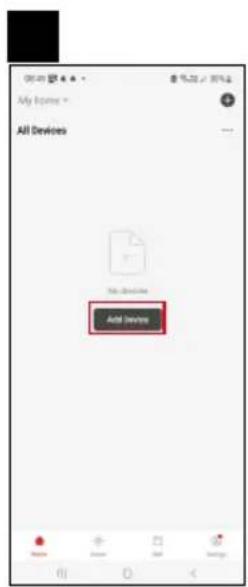
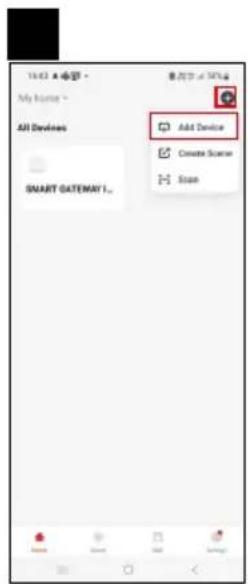
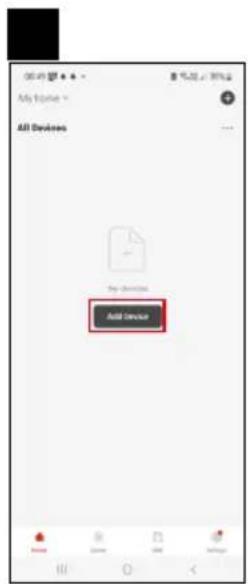
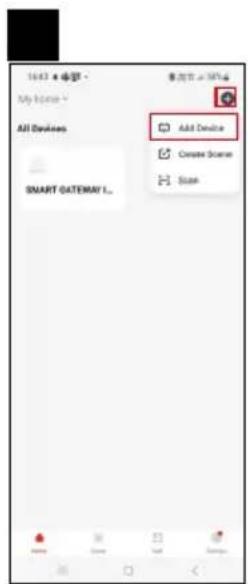
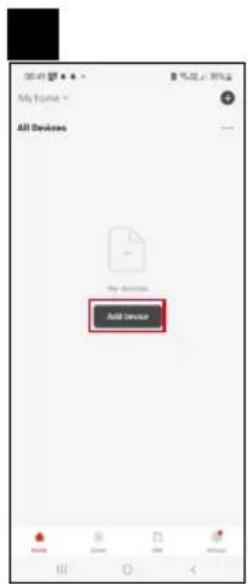
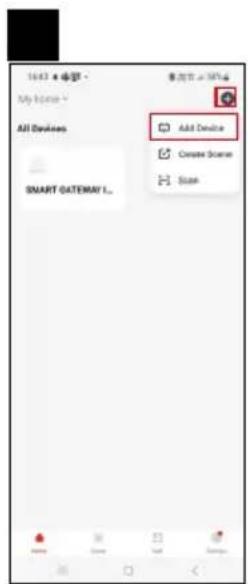
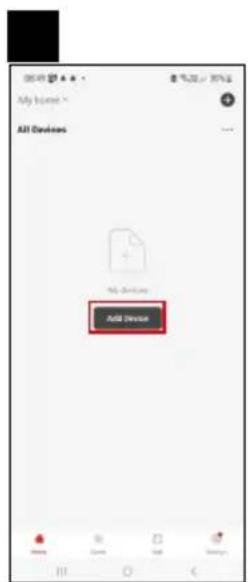
Tap Add Device in the app.
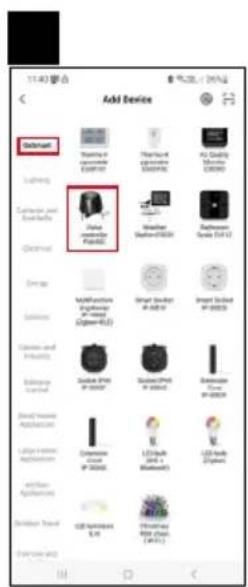
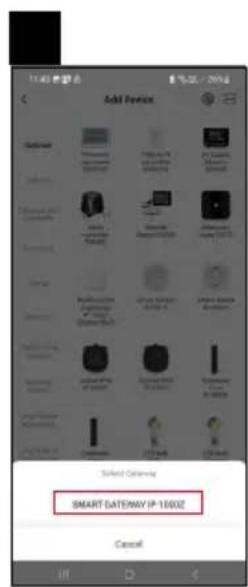
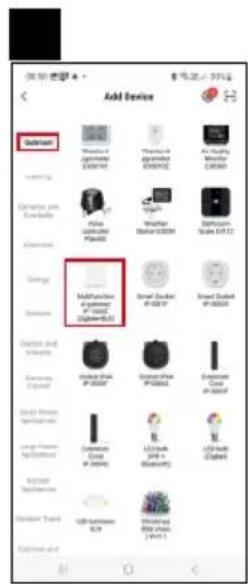
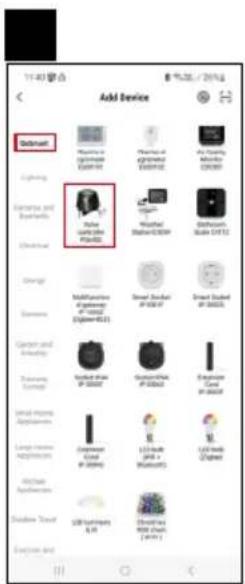
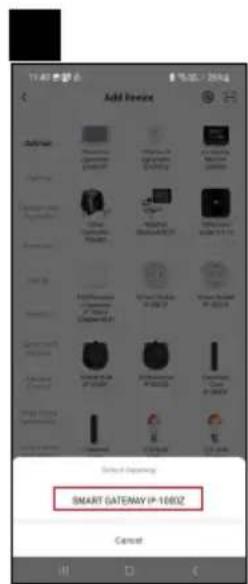
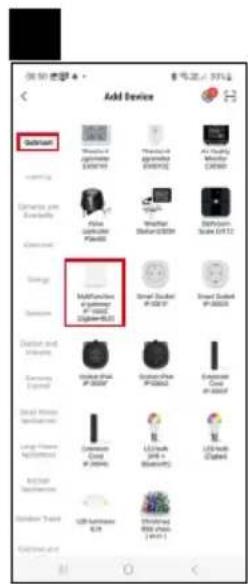
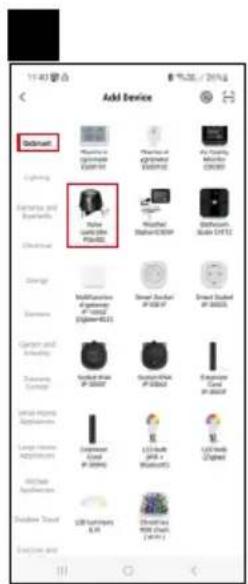
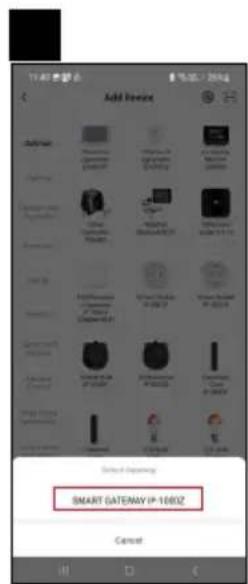
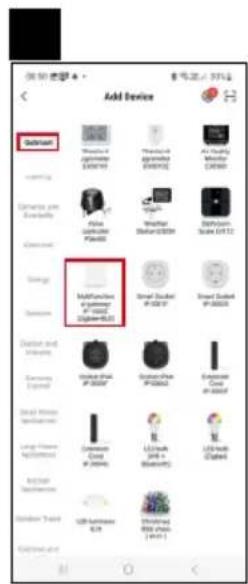
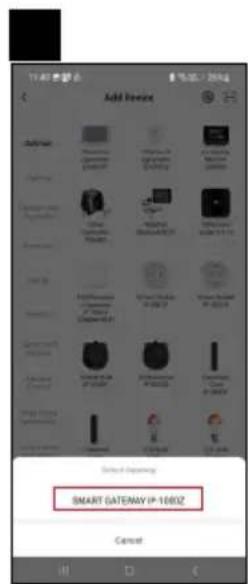
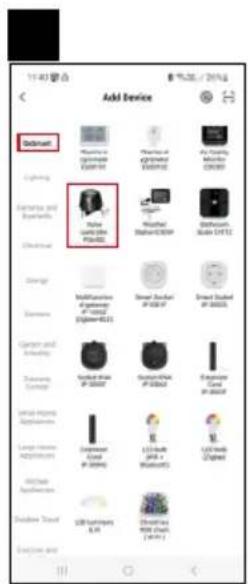
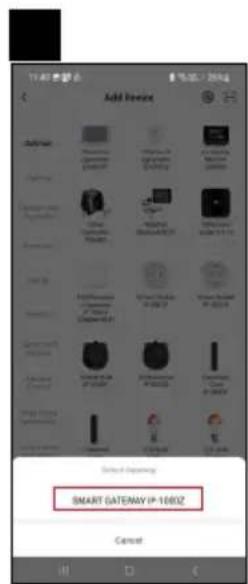
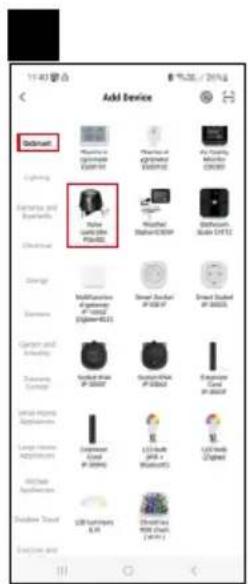
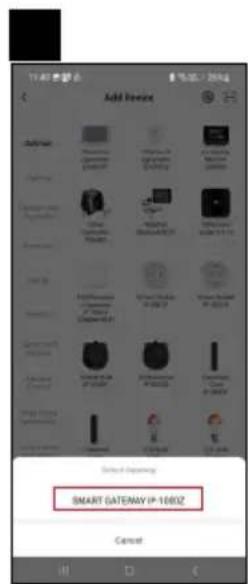
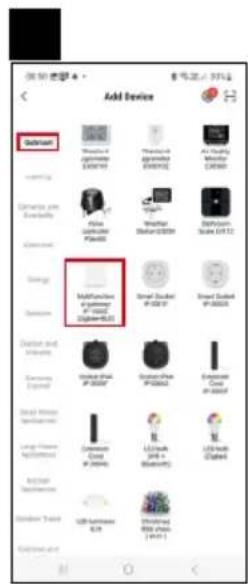
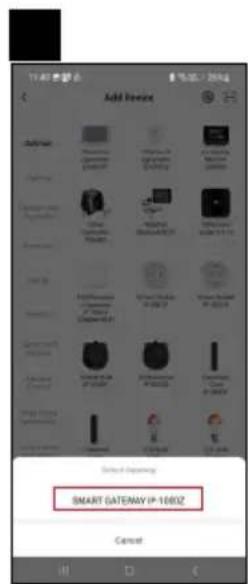
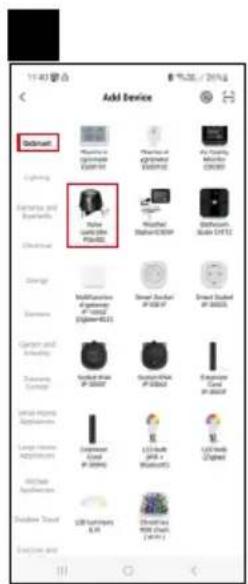
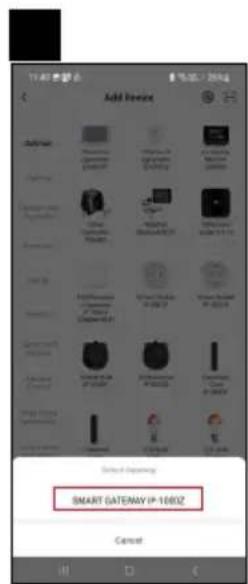
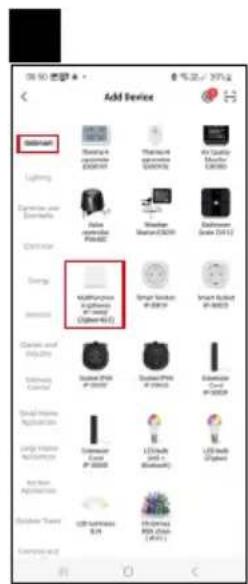
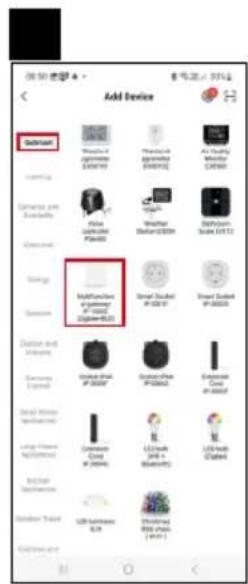
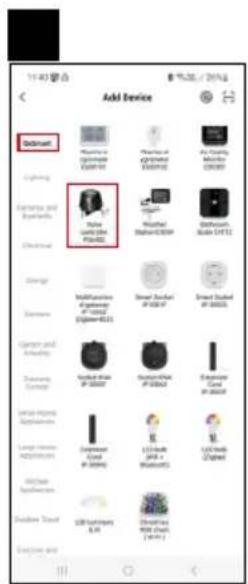
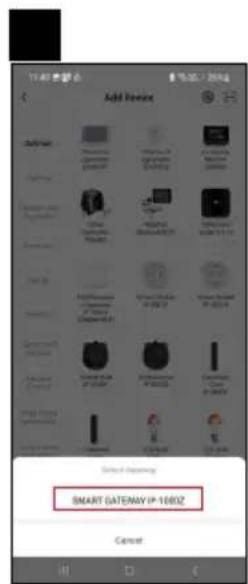
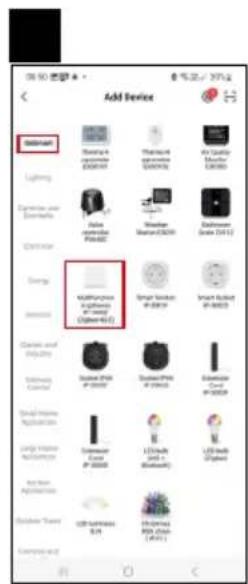
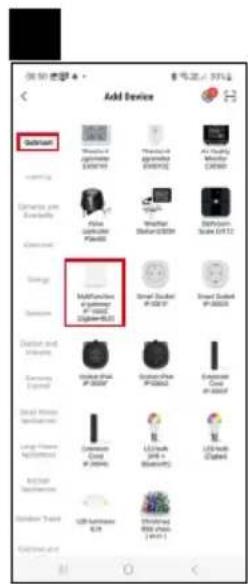
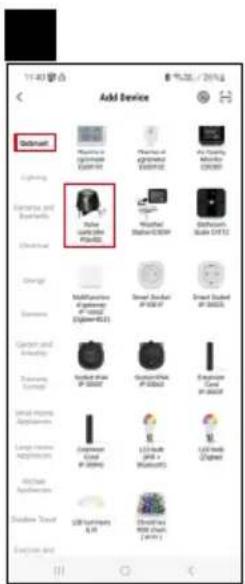
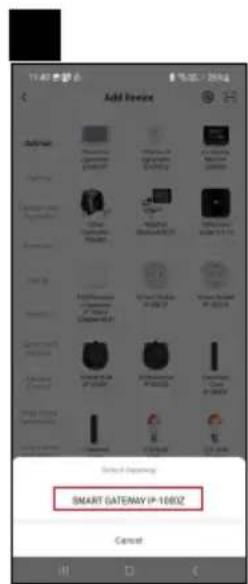
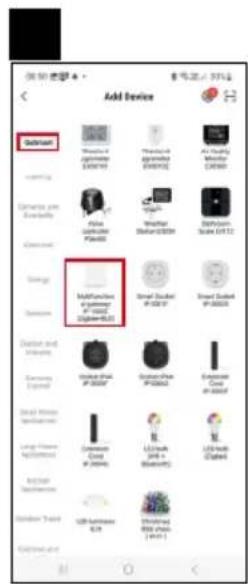
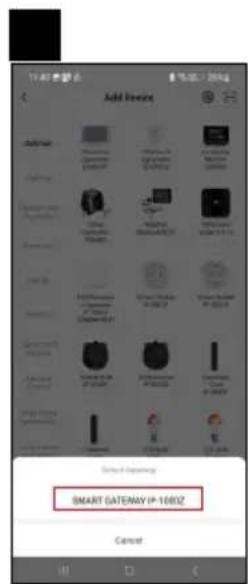
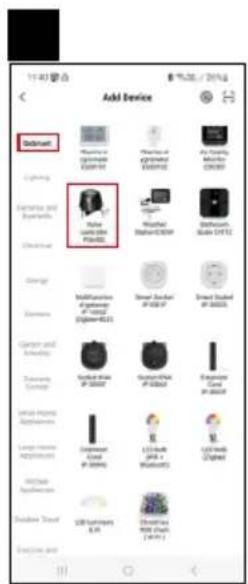
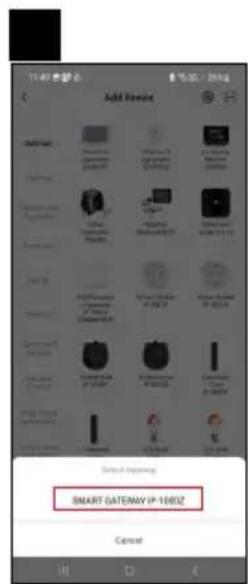
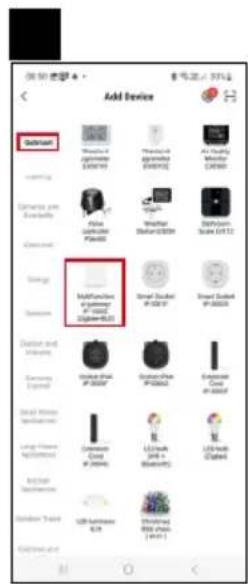
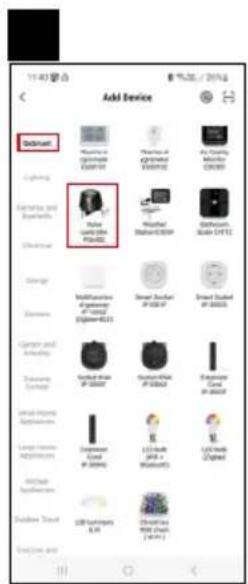
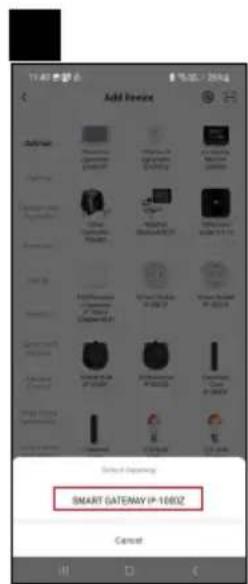
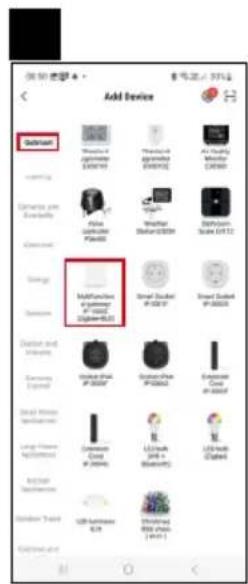
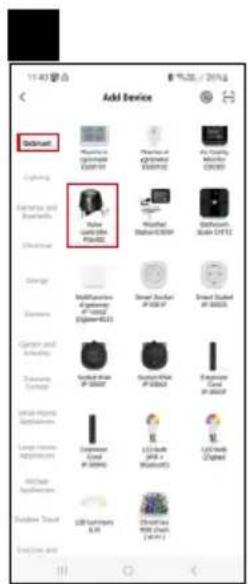
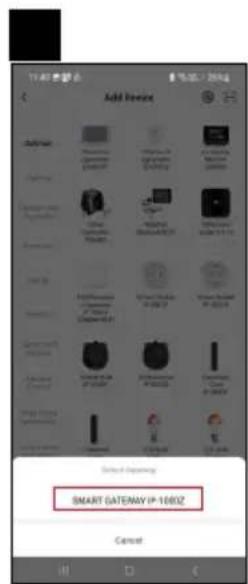
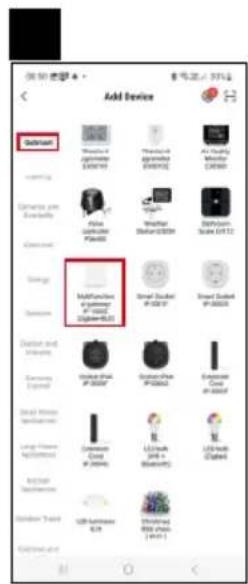
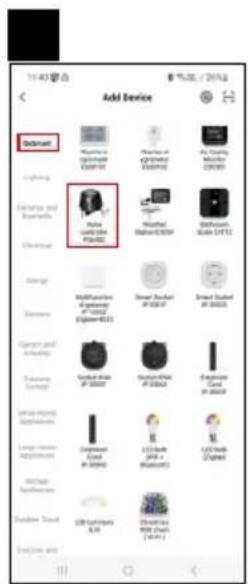
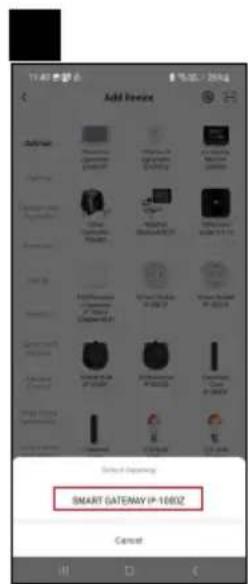
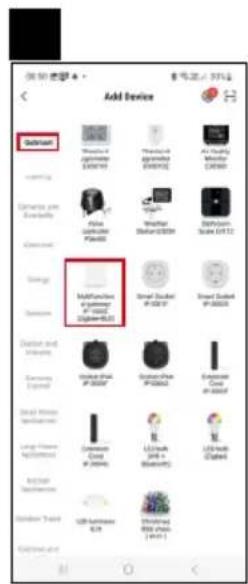
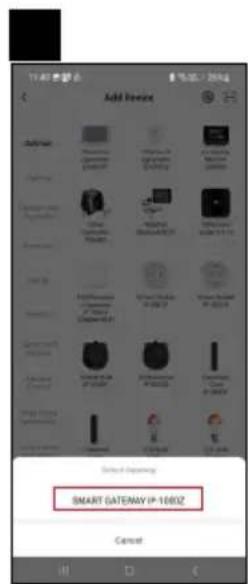
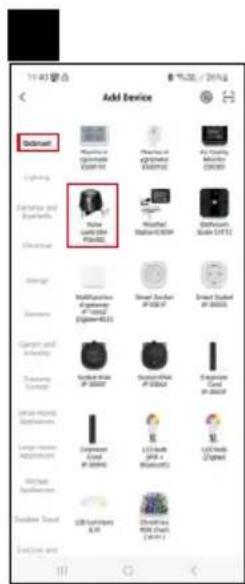
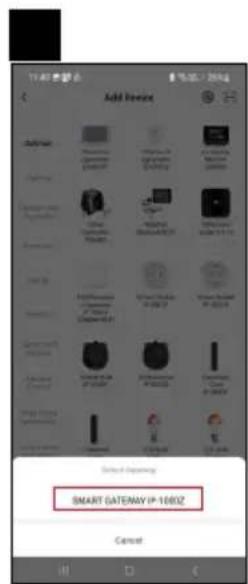
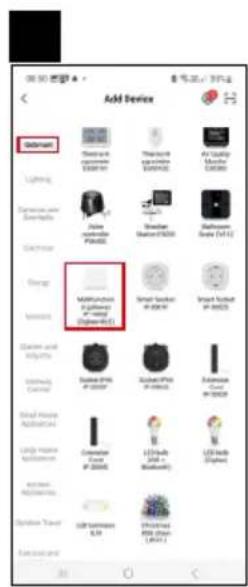
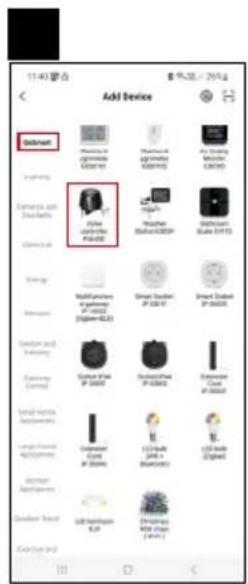
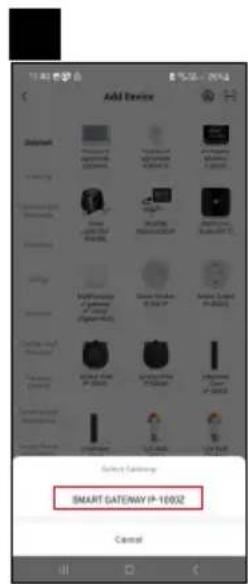
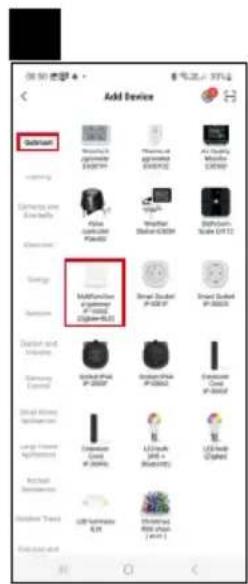
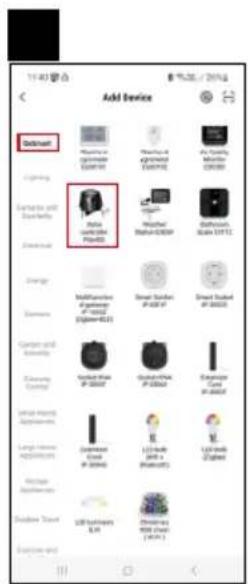
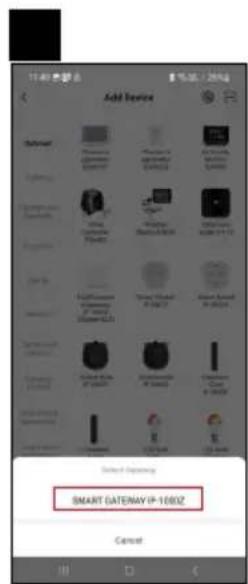
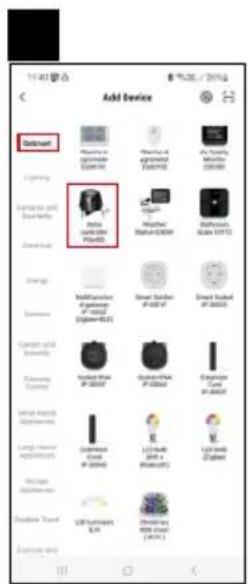
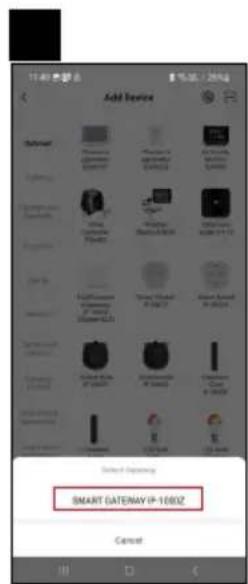
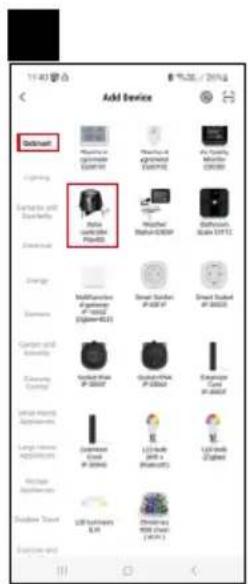
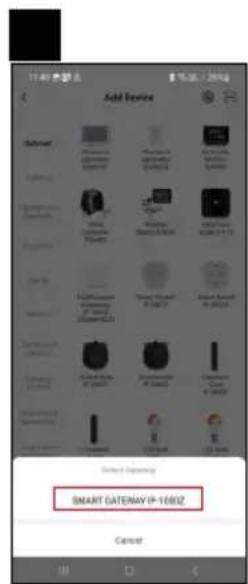
Tap the GoSmart list on the left and tap the Smart Multi Gateway IP-1000Z icon.
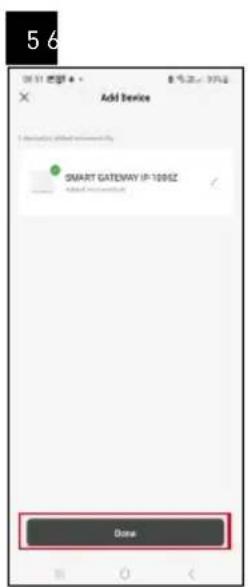
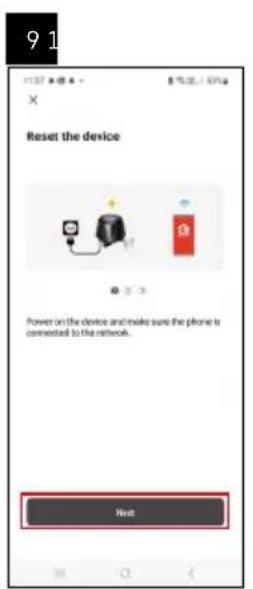
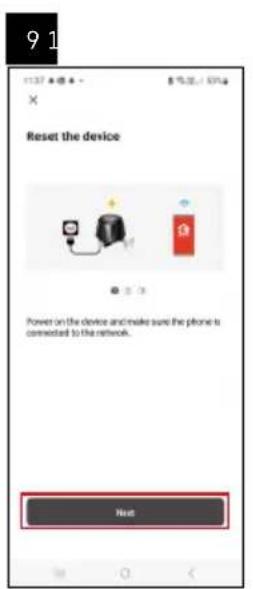
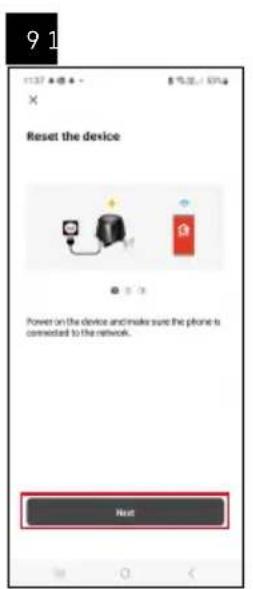
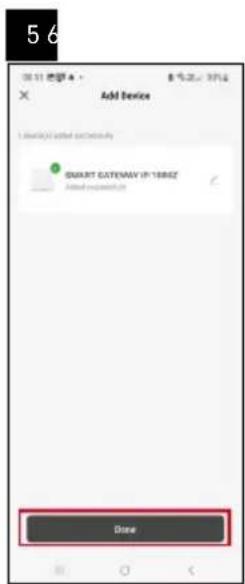
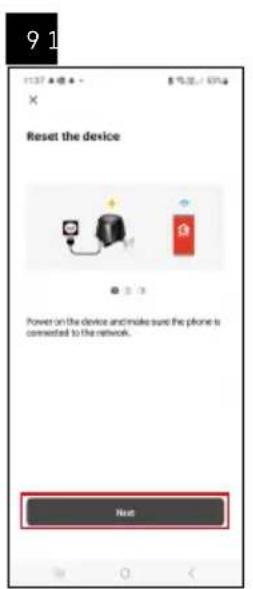
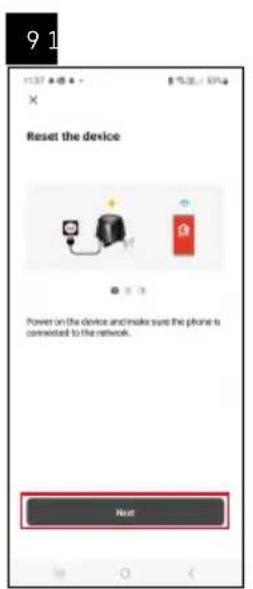
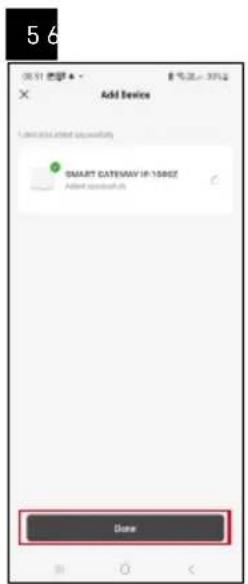
Follow the instructions in the app and enter the name and password for your 2.4 GHz Wi-Fi network.
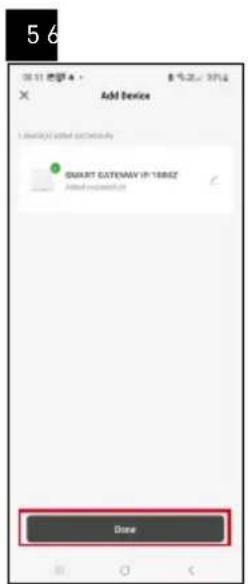
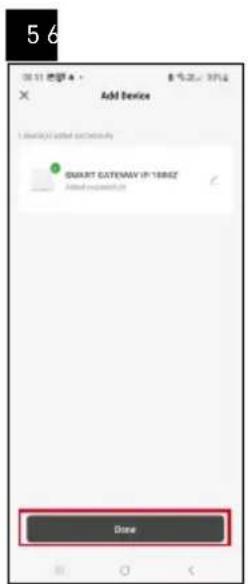
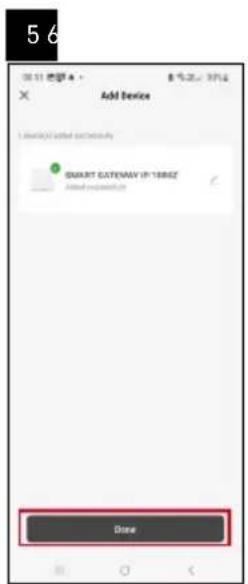
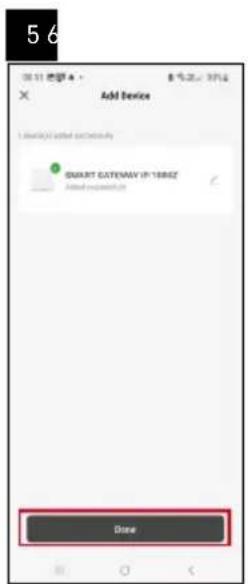
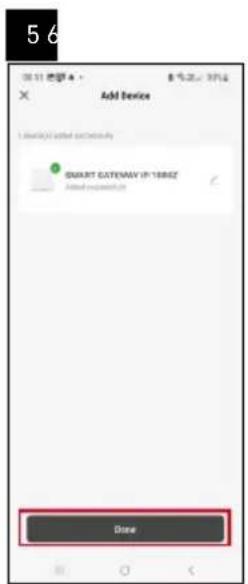
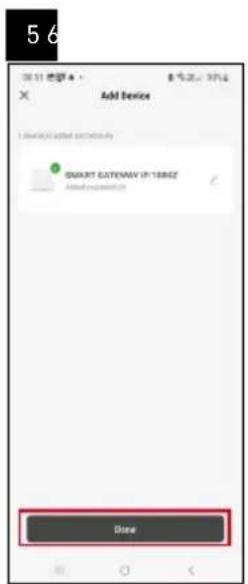
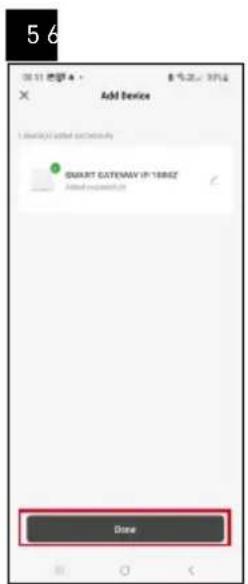
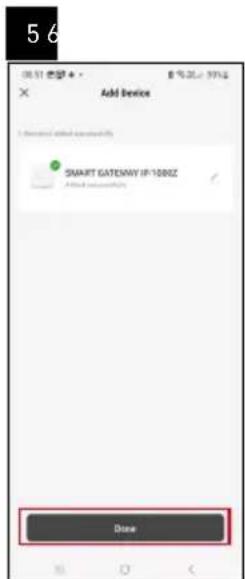
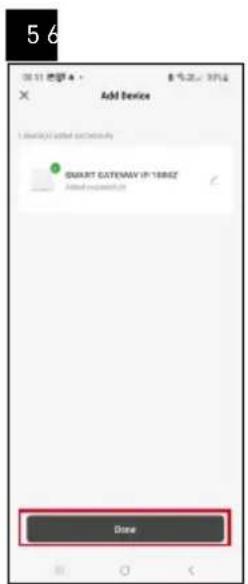
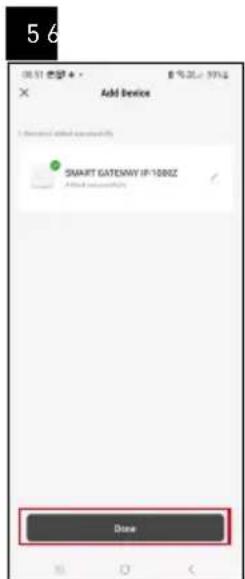
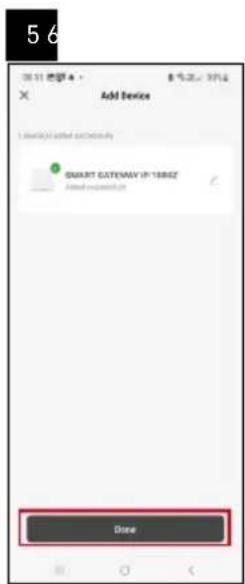
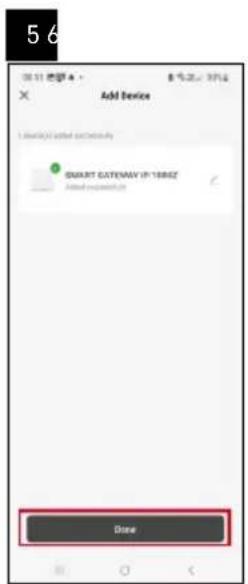
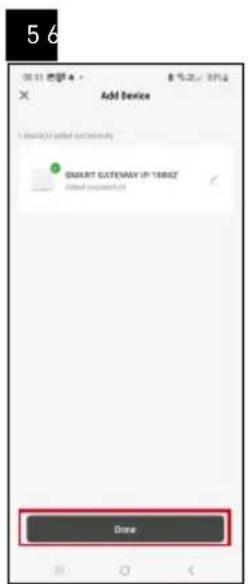
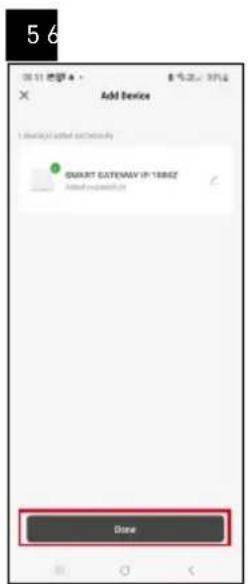
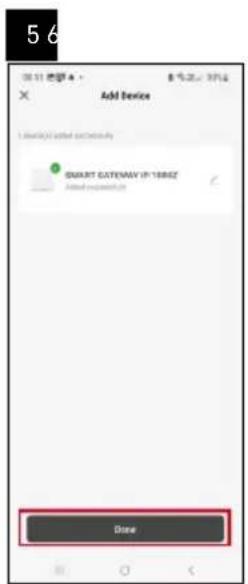
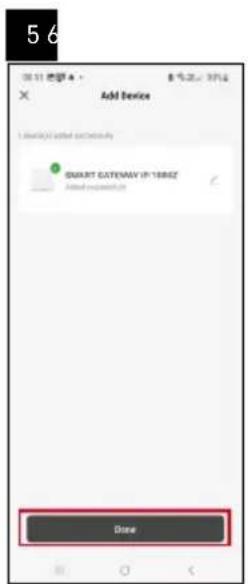
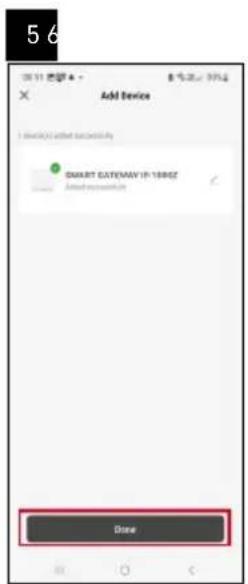
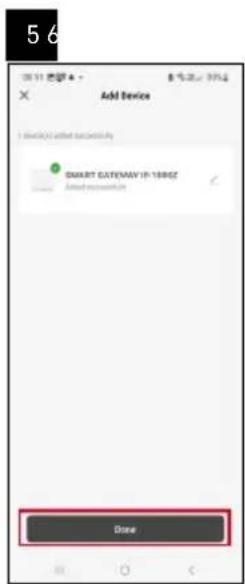
The gateway will pair with the app within 2 minutes.
Note: If the gateway fails to pair, repeat the process and check the settings using the manual for the gateway. 5 GHz Wi-Fi networks are not supported.
Pairing the Valve Controller with the App
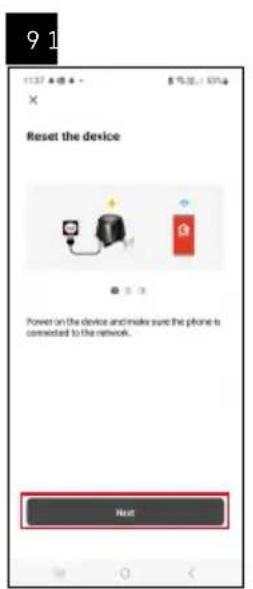
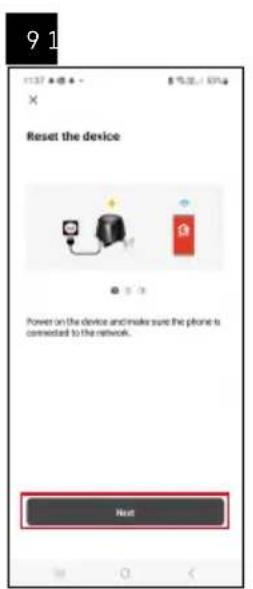
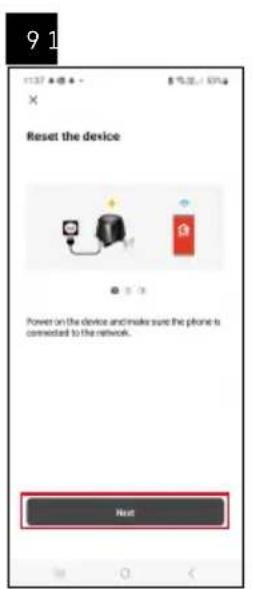
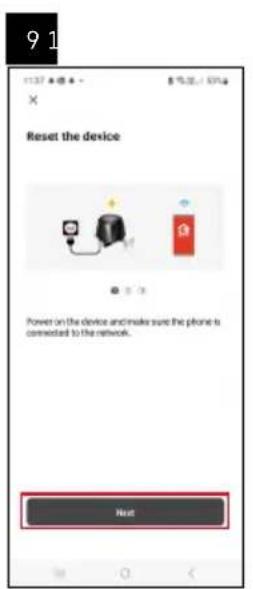
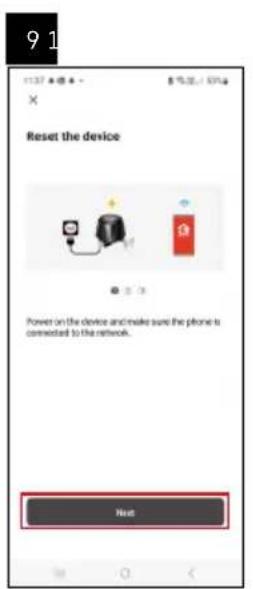
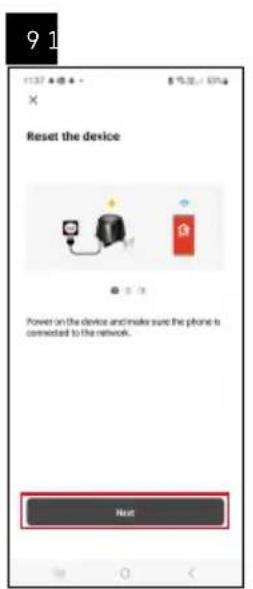
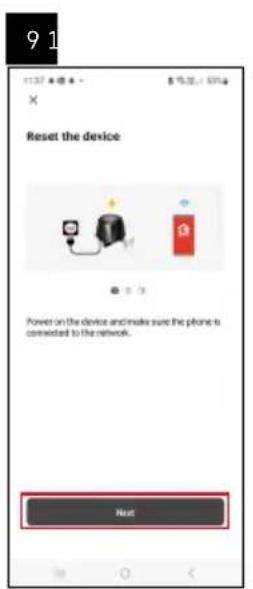
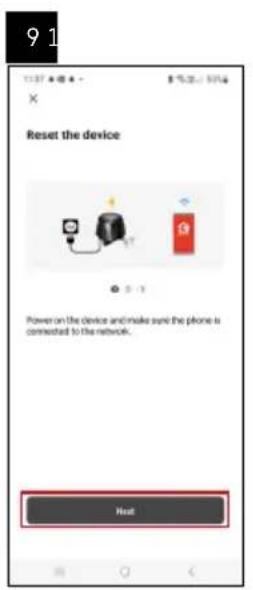
Connect the controller to mains power.
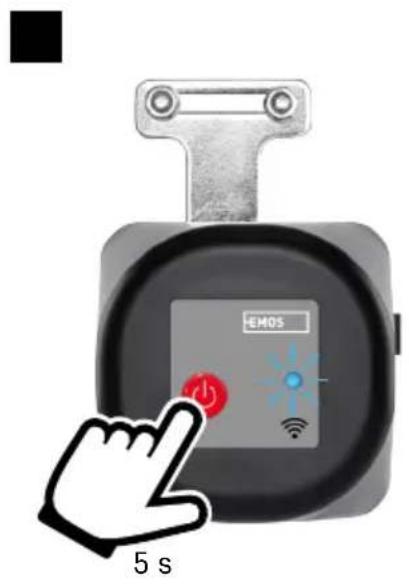
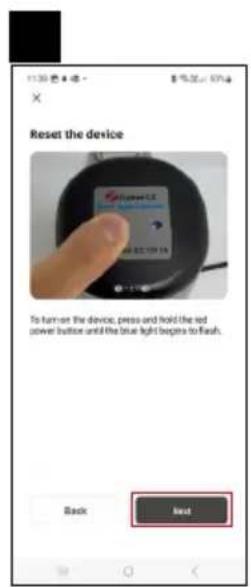
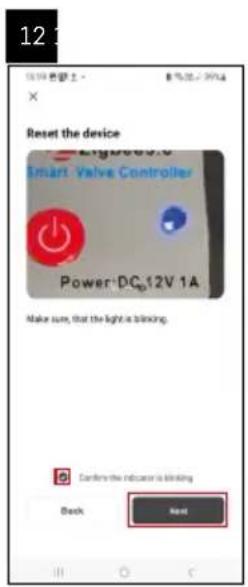
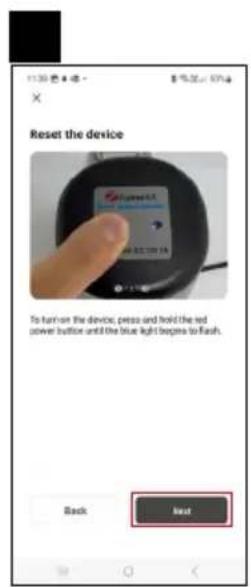
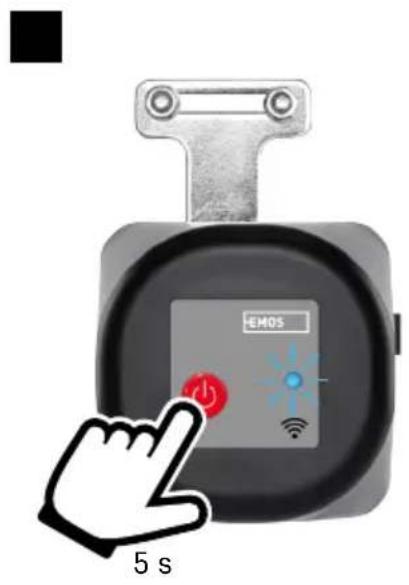
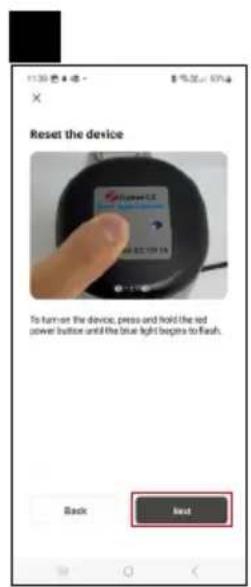
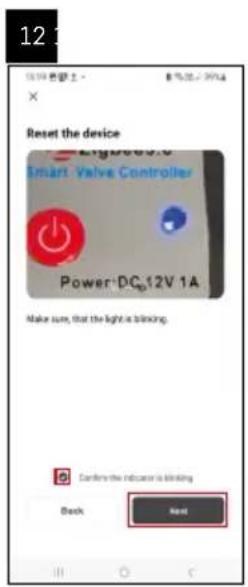
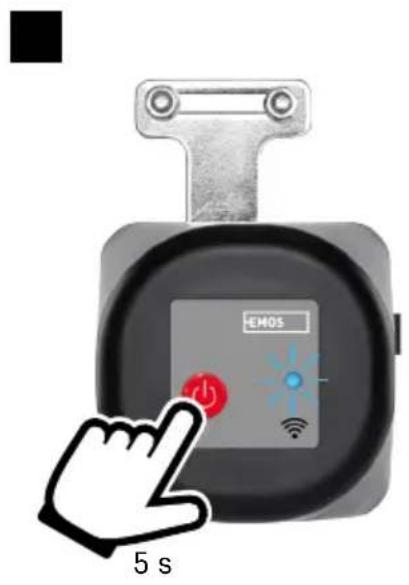
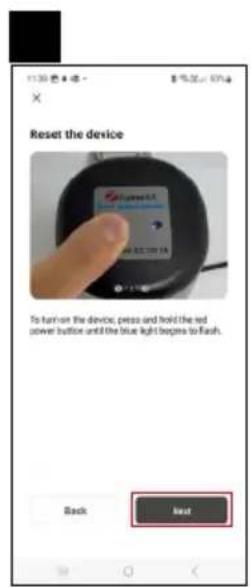
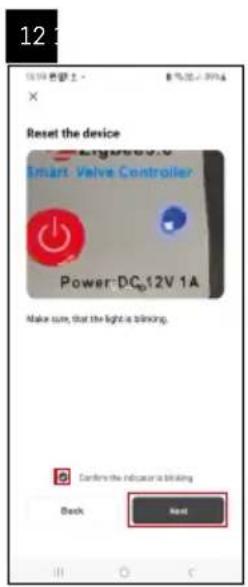
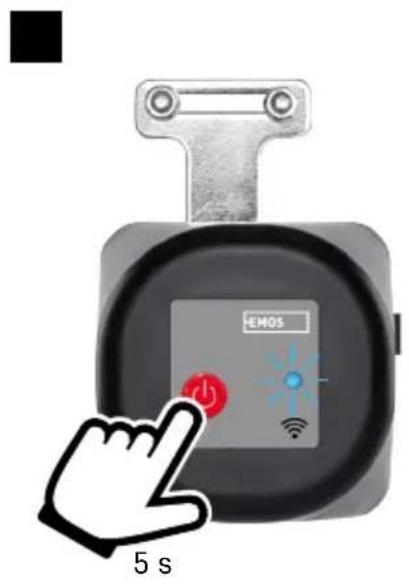
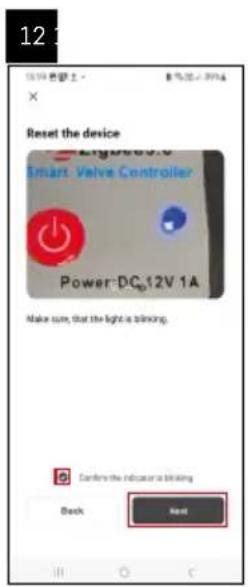
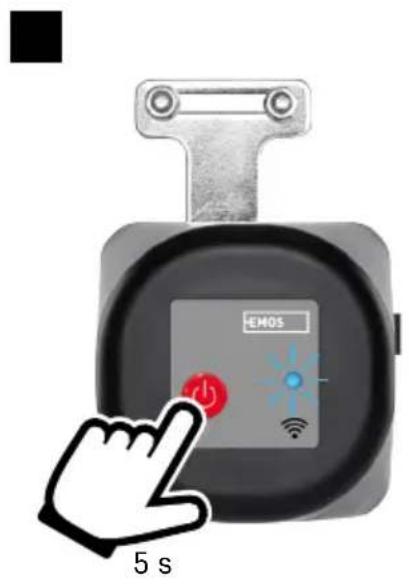
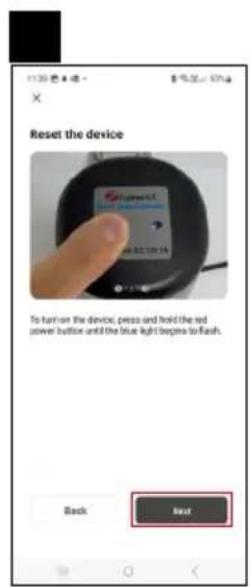
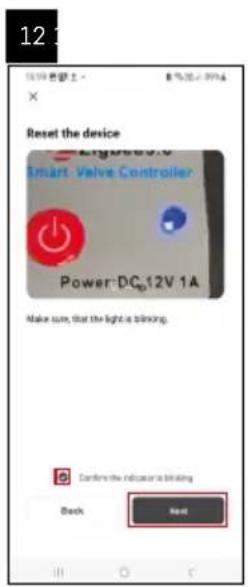
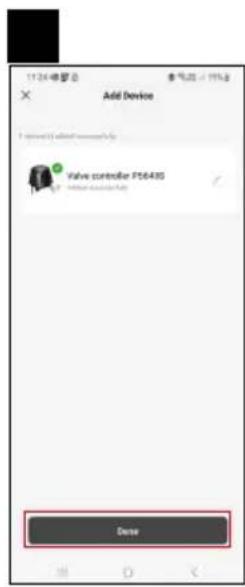
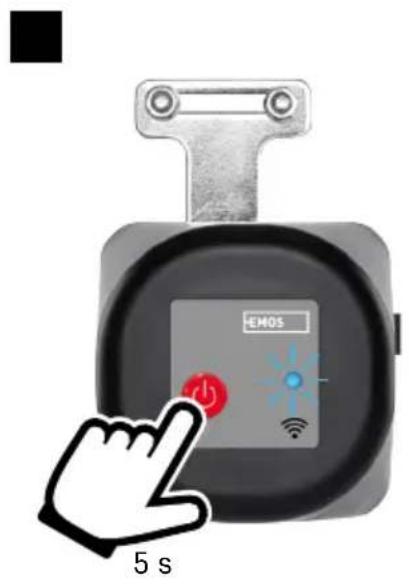
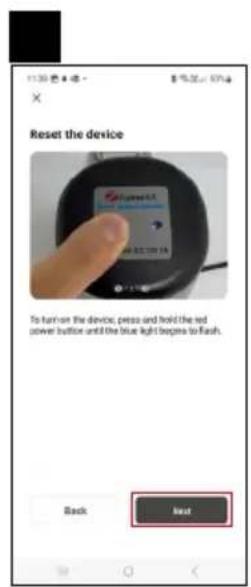
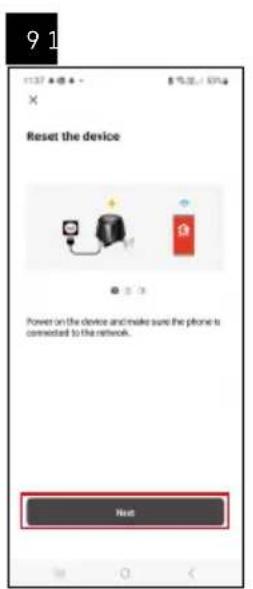
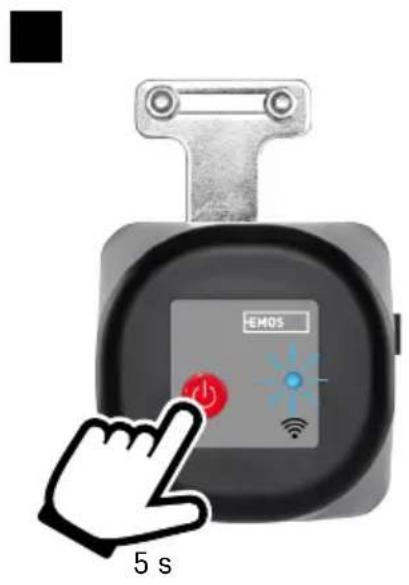
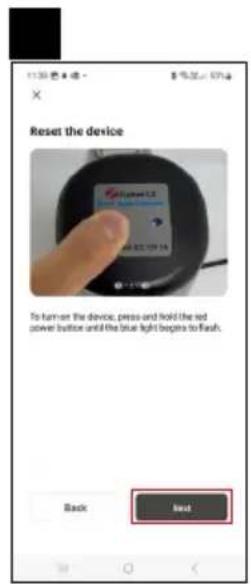
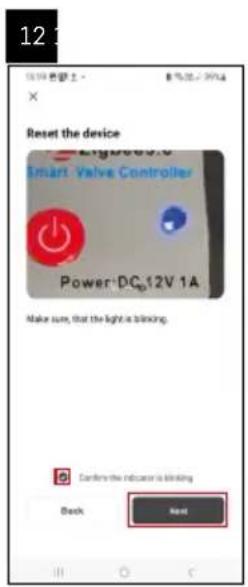
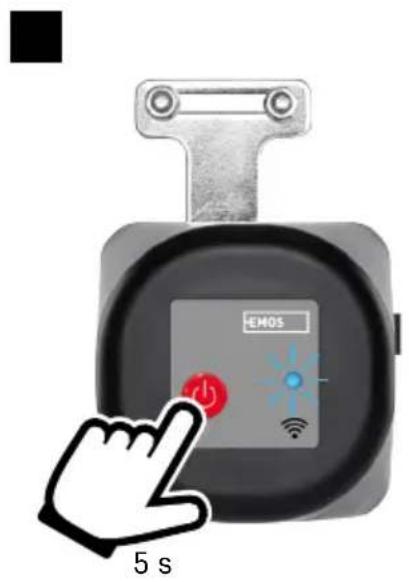
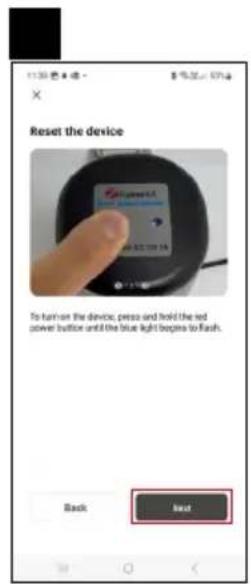
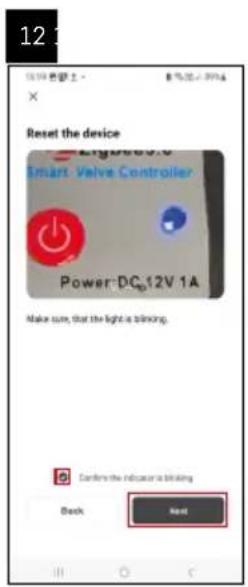
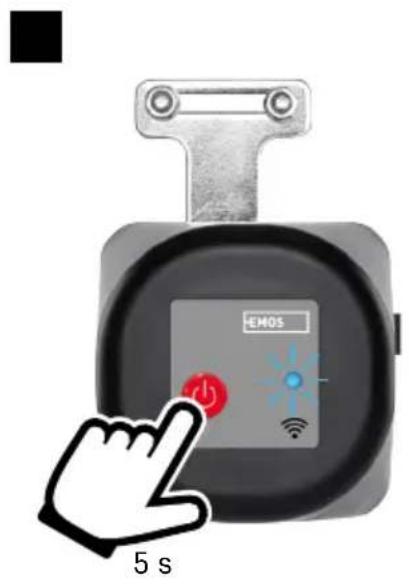
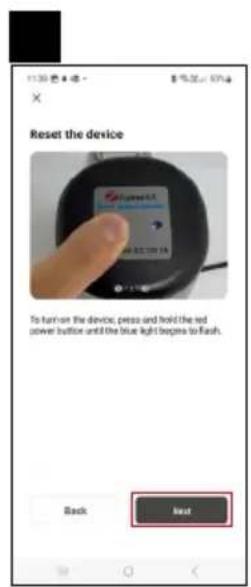
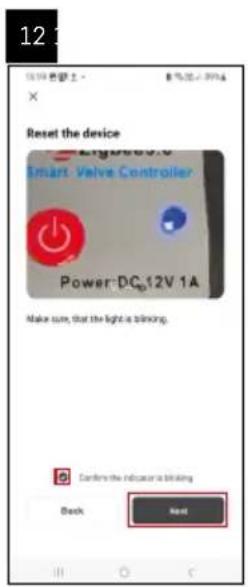
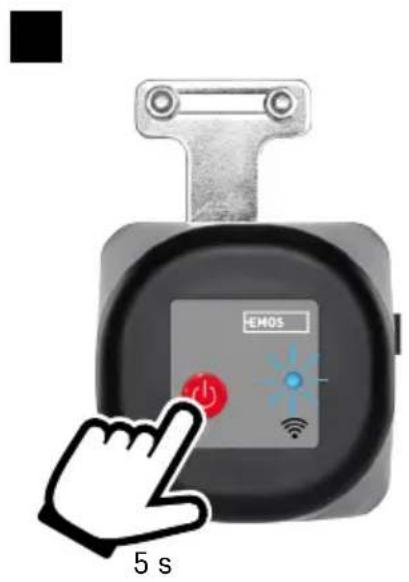
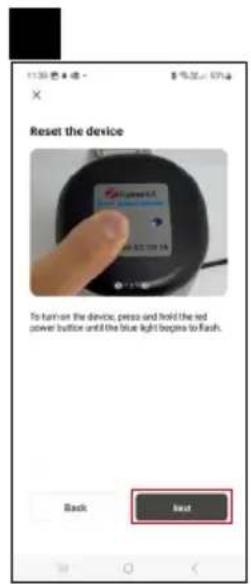
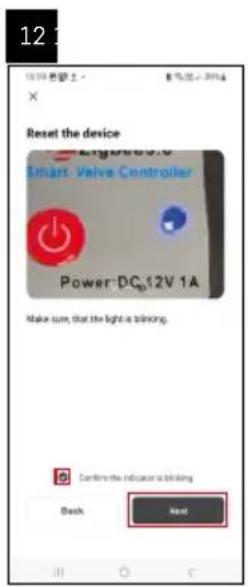
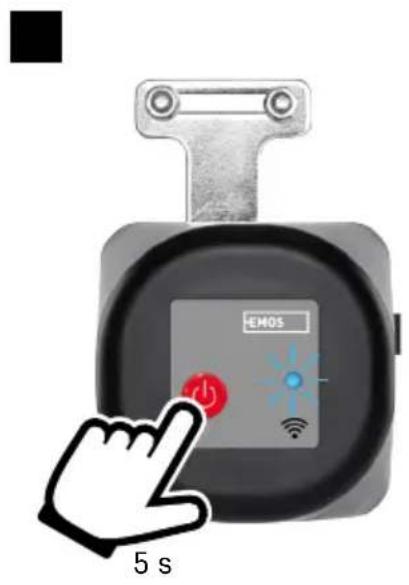
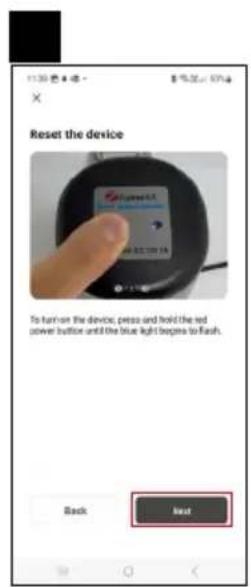
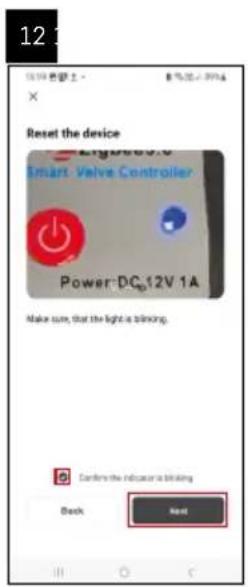
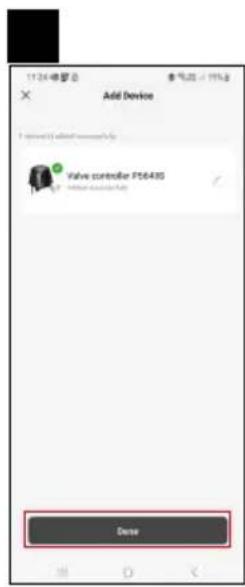
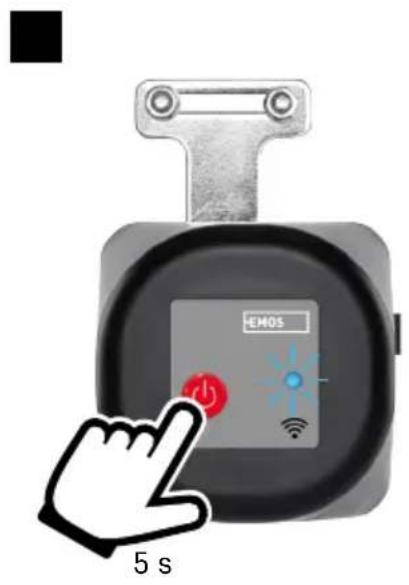
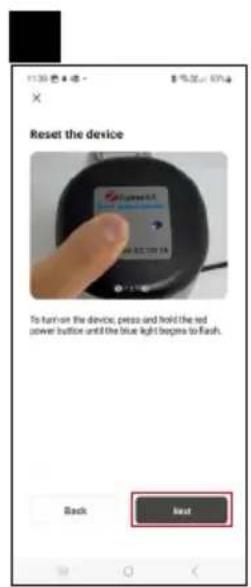
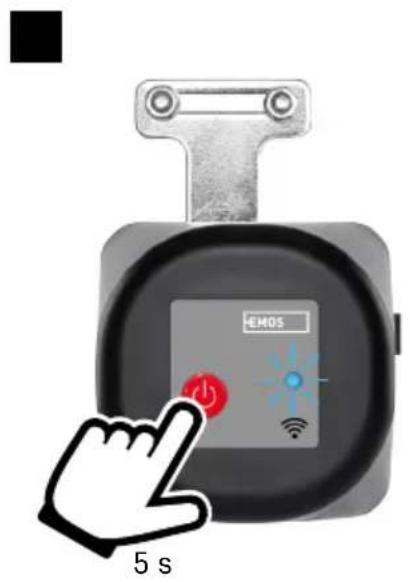
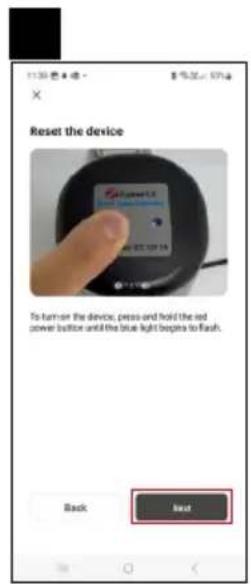
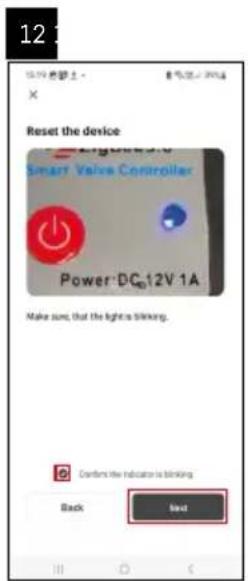
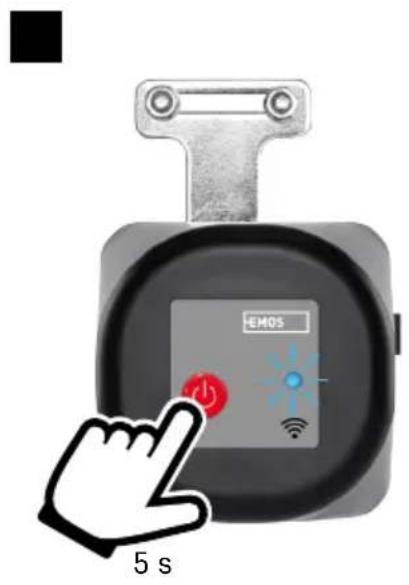
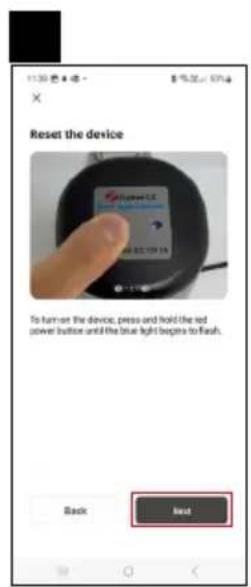
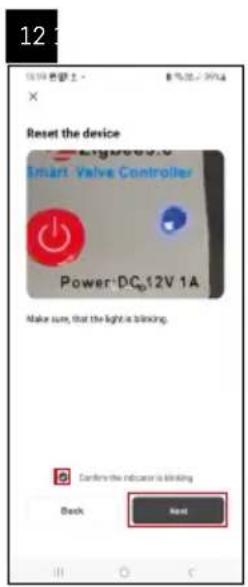
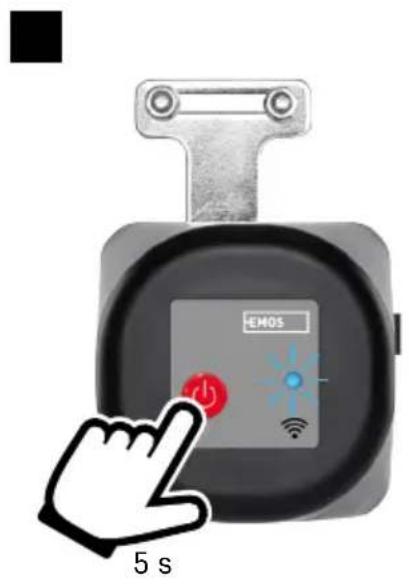
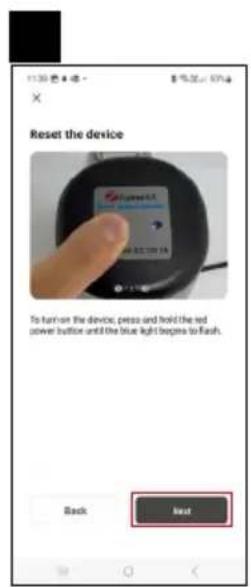
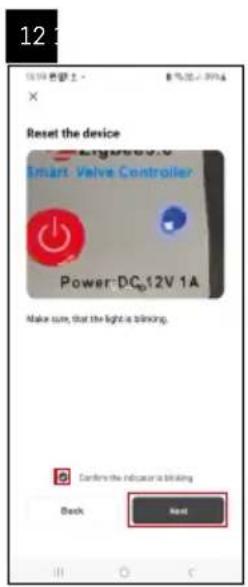
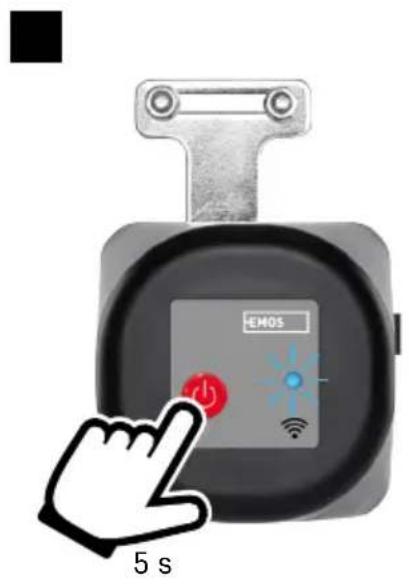
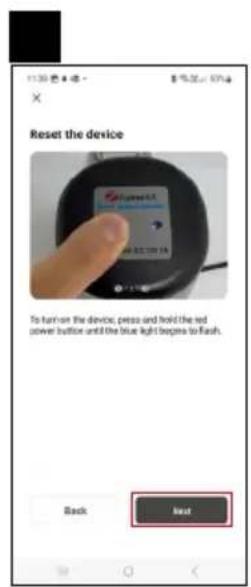
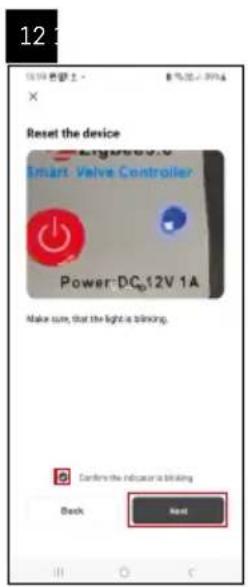
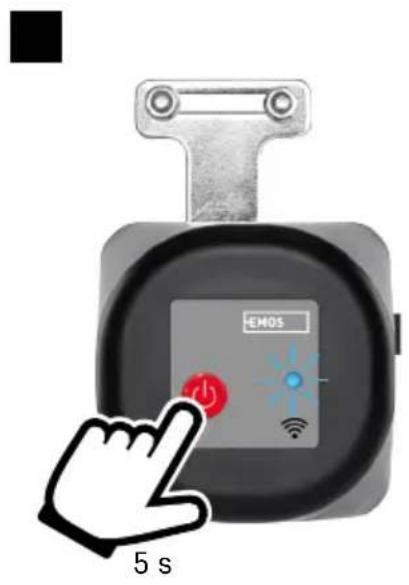
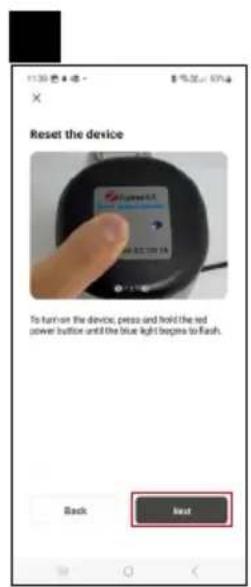
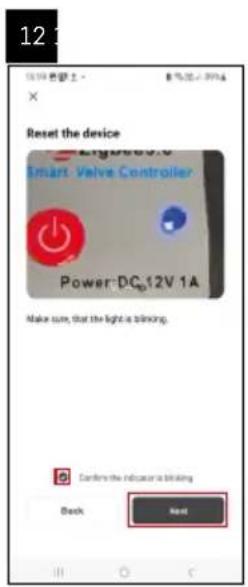
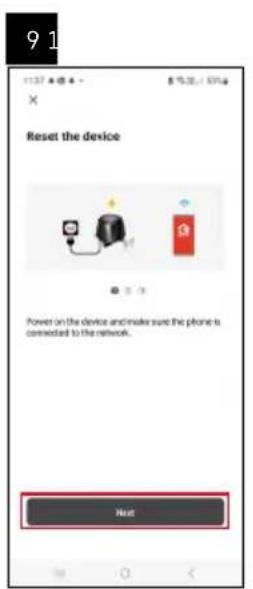
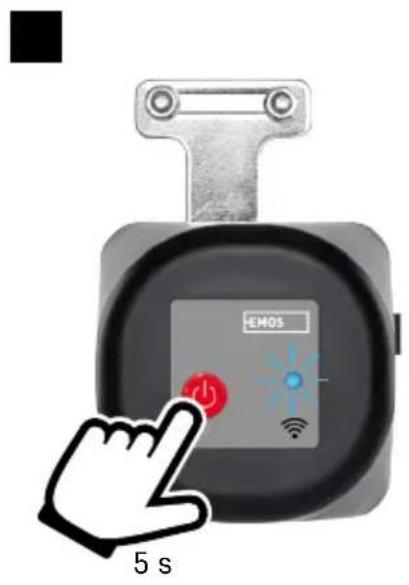
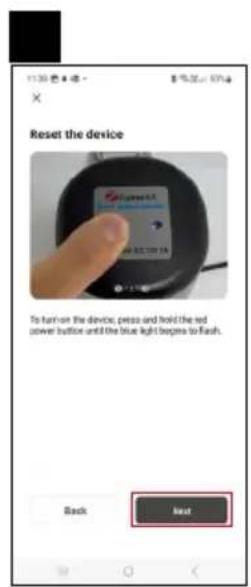
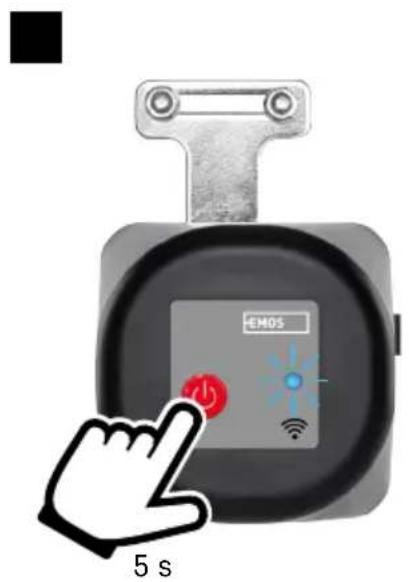
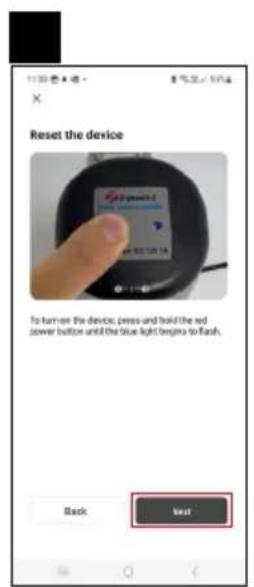
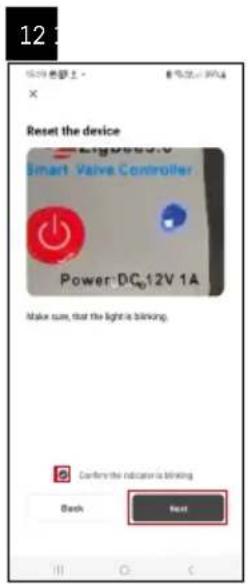
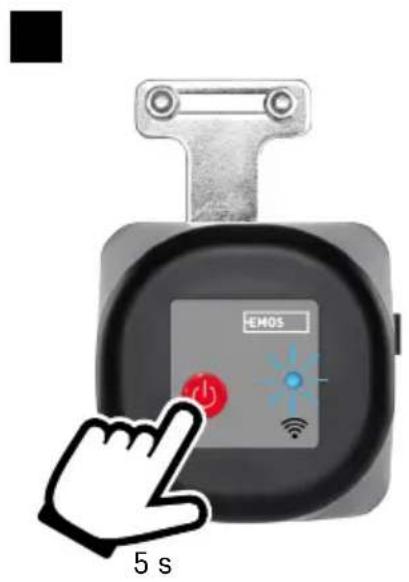
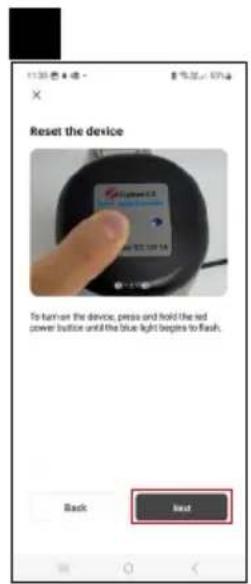
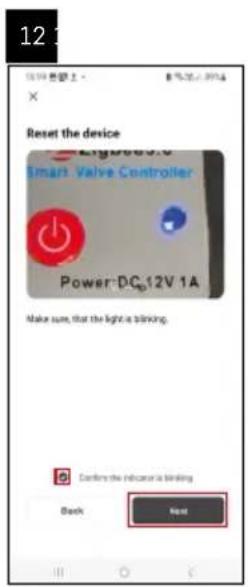
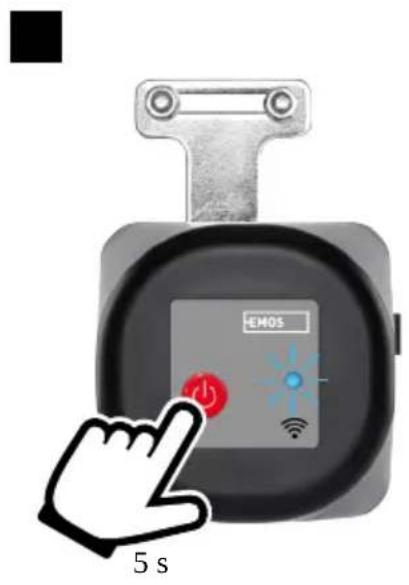
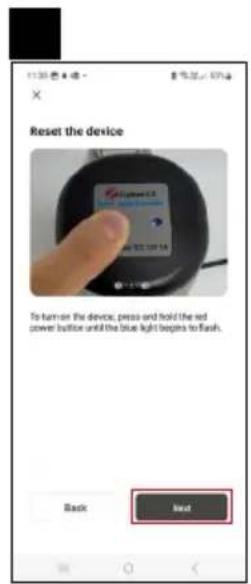
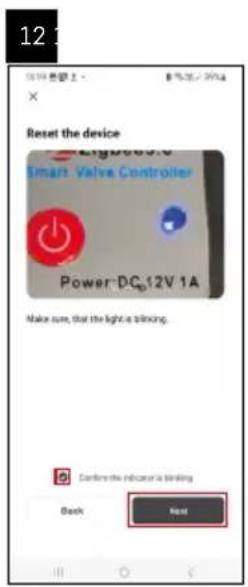
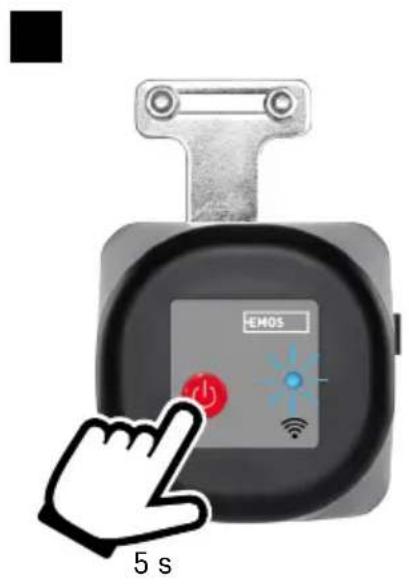
Long-press (7 seconds) the ON button; a blue LED will start flashing – pairing mode is activated for 30 seconds. Tap Add Device in the app.
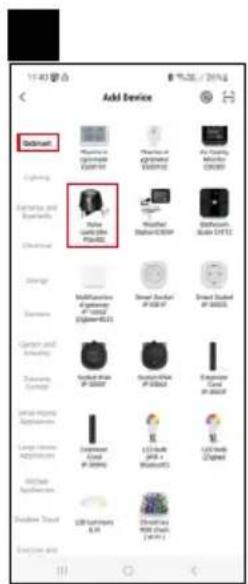
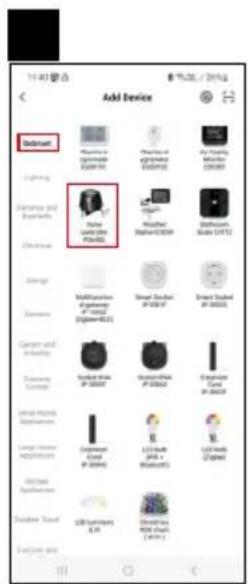
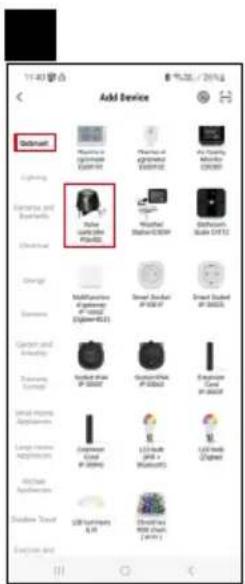
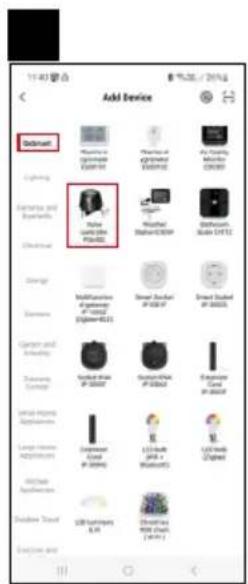
Tap the GoSmart list on the left and tap the P5640S icon.
Follow the instructions in the app and enter the name and password for your 2.4 GHz Wi-Fi network.
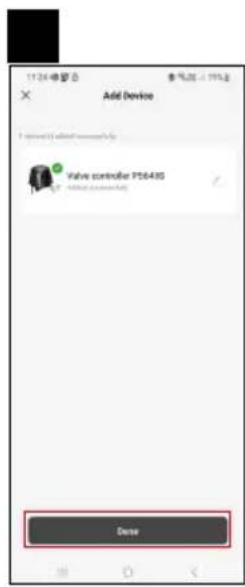
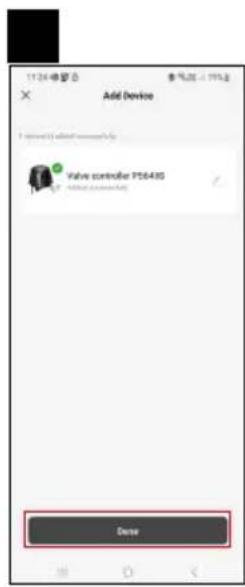
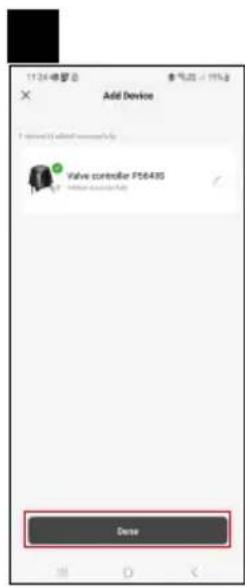
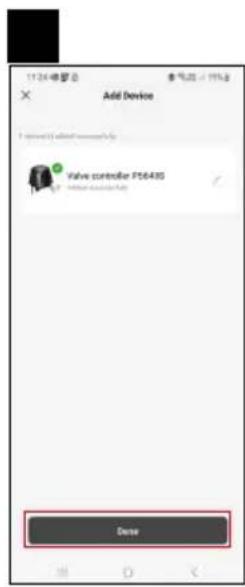
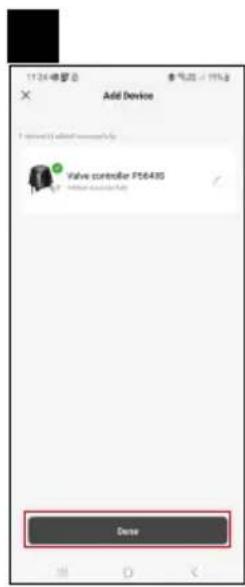
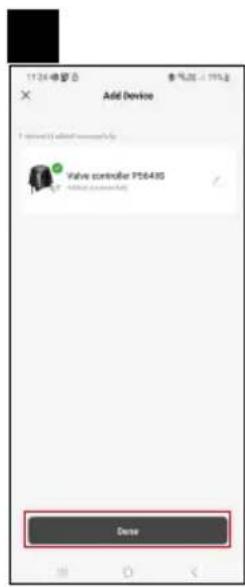
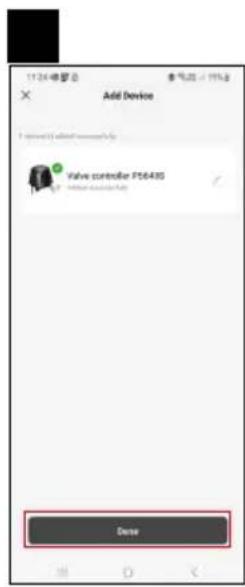
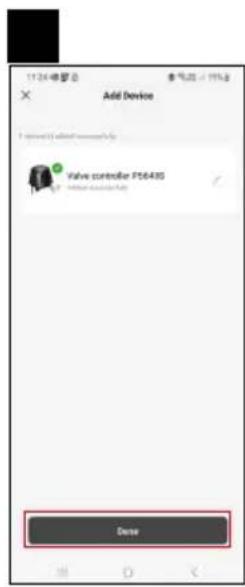
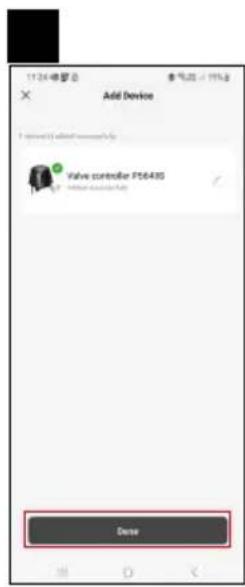
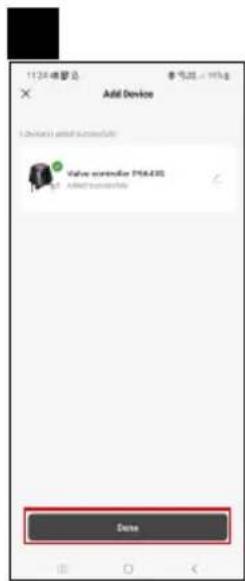
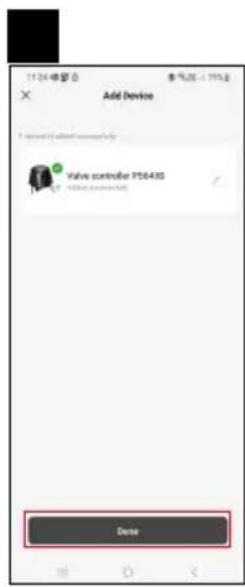
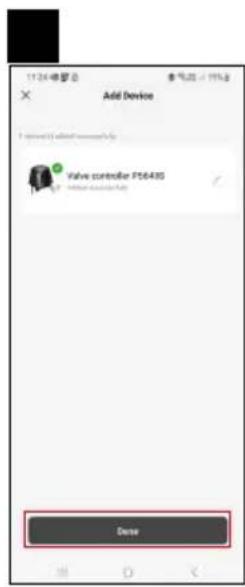
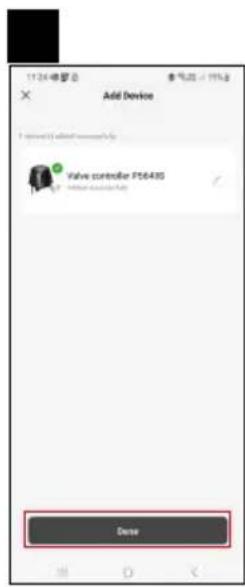
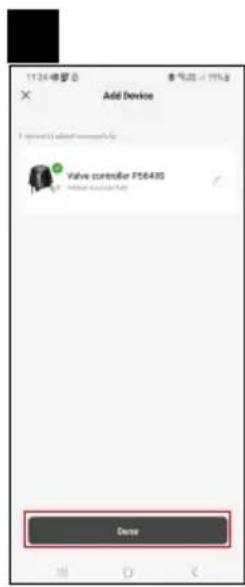
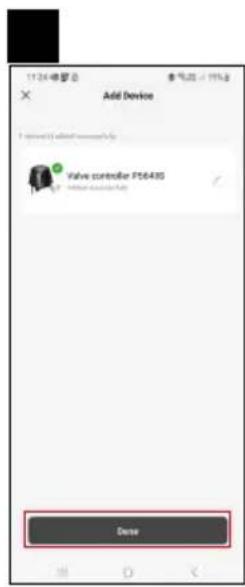
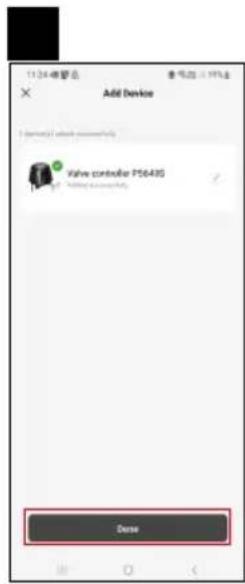
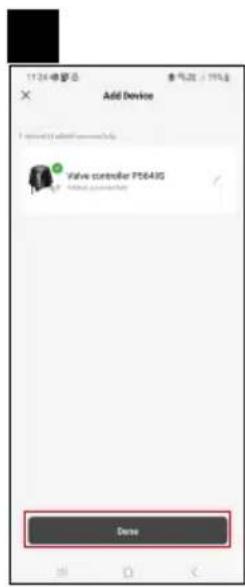
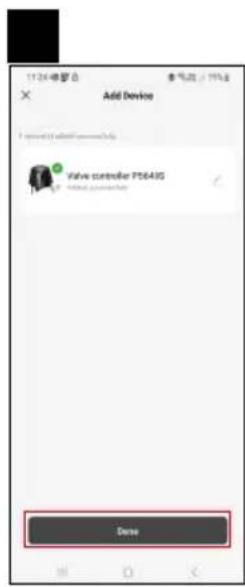
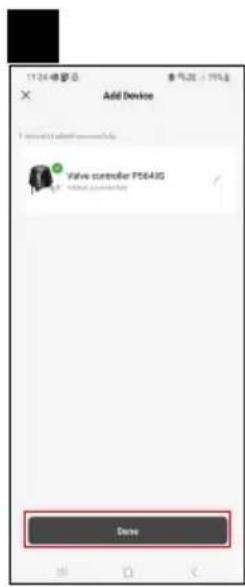
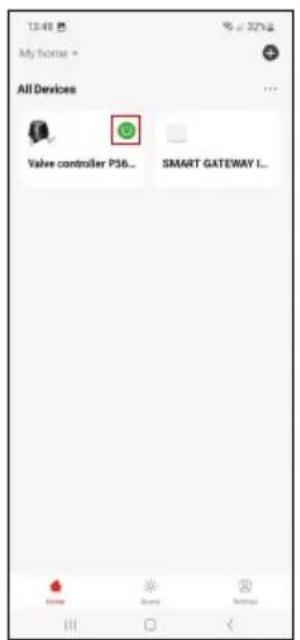
The controller will pair with the app within 2 minutes. The blue LED will stop flashing and stay on.
Note: If the valve controller fails to pair, repeat the process. 5 GHz Wi-Fi networks are not supported.
text_image
12:48 My home * All Devices Valve controller P36... SMART GATEWAY I...Controls and Functions
Application Menu
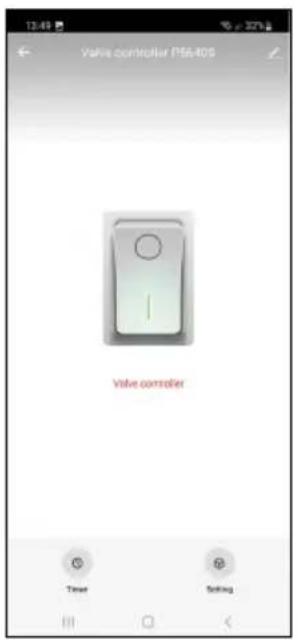
Quick ON (green icon)/OFF (grey icon) button
text_image
Valve controller P5640S Valve controller Time Setting
OFF state (valve is closed)

ON state (valve is open)

Access programme settings

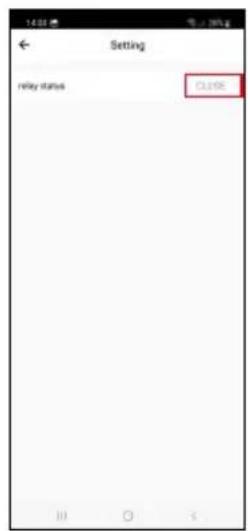
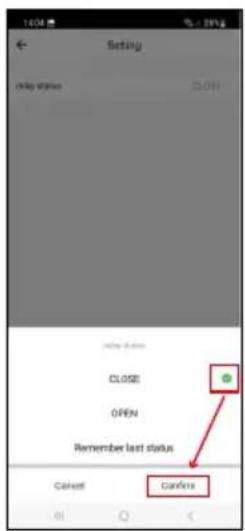
Set the default state of the controller in case of a power outage

Advanced settings
text_image
Schedule 00 h 01 m 01 02
text_image
Schedule 00:00:59 Reset
text_image
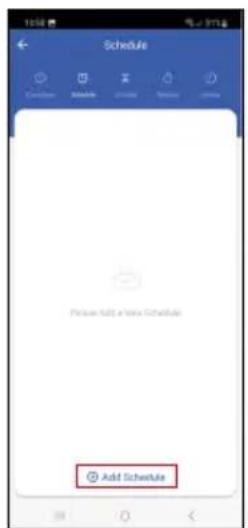
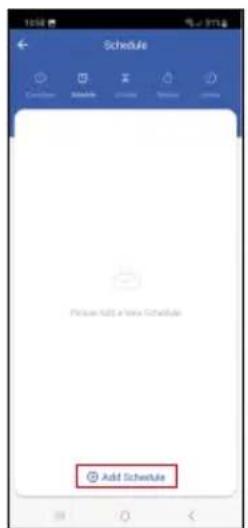
Schedule Please add a new Schedule Add Schedule
text_image
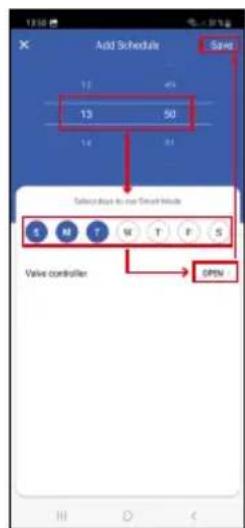
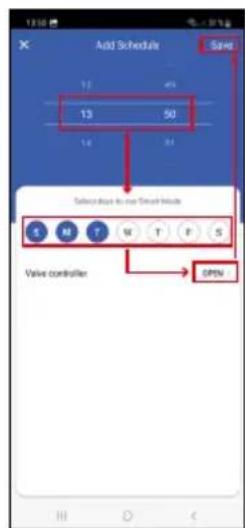
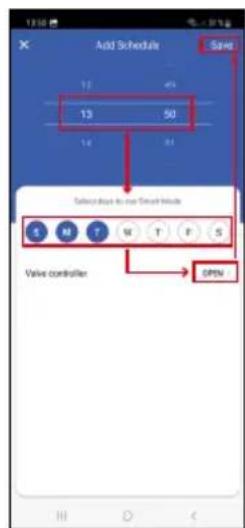
Add Schedule Save 12 40 13 50 14 81 Select due to our Smart Head S M T W T F S Valve controller OPEN
text_image
13:50 Sun Moon Day Take account 0%
text_image
13:56 Time: 00:00:00 Send to: www.xcsc.com Delete Delay: Minimum server Cancel Cancel Add ScheduleSetting Programmes

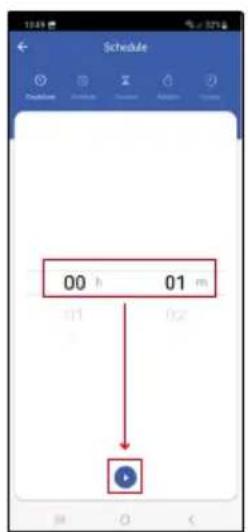
Countdown
The device will turn off/on after a set period of time (dependent on the current state of the valve).
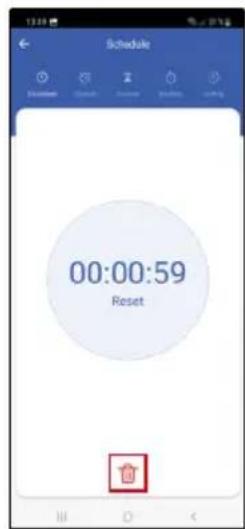
Set the time (max. 11 hours, 59 minutes) and tap the blue arrow. A countdown will start.
Tapping the trash bin icon deletes the setting.

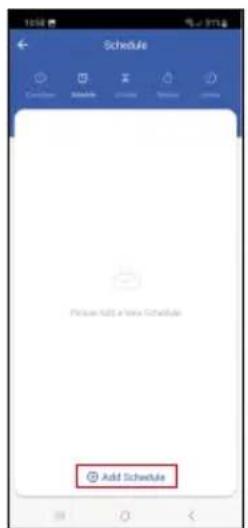
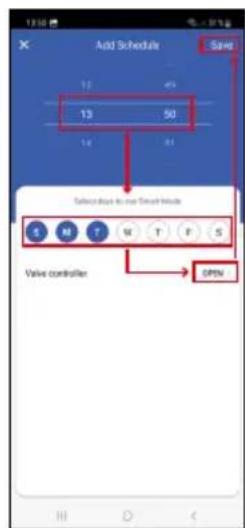
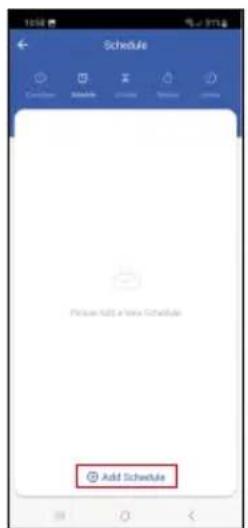
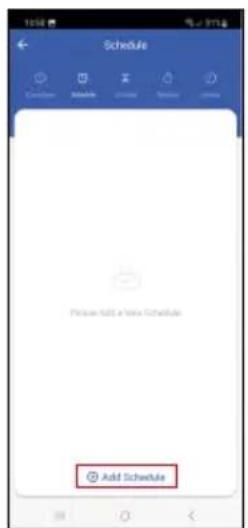
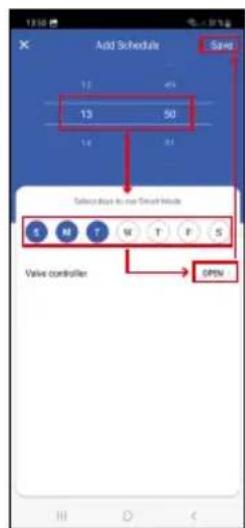
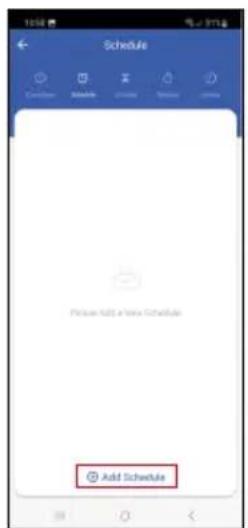
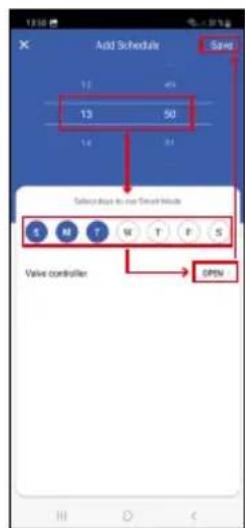
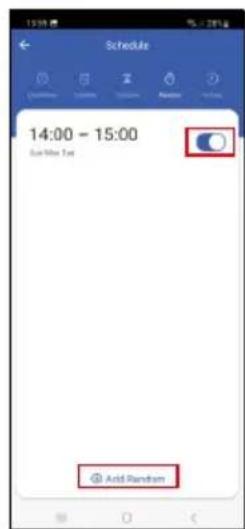
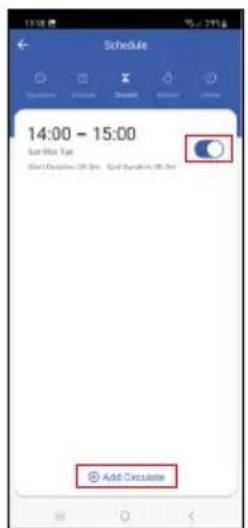
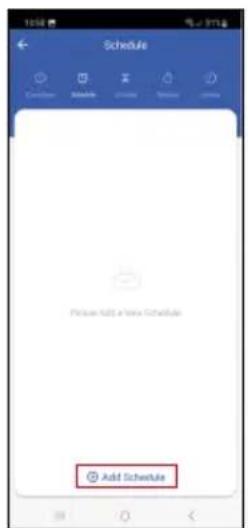
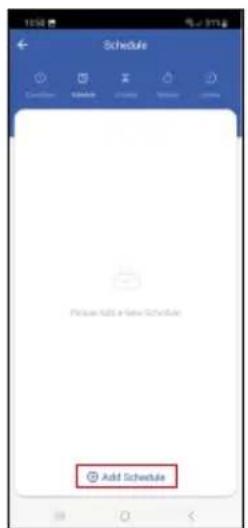
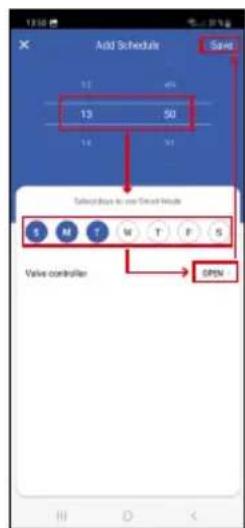
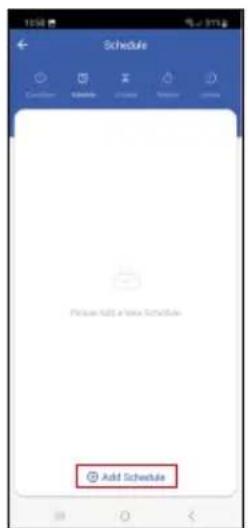
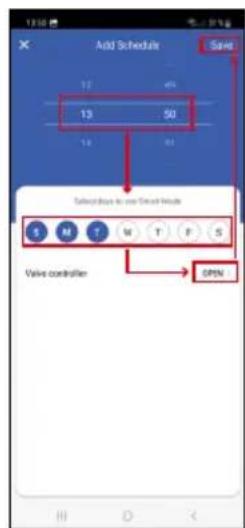
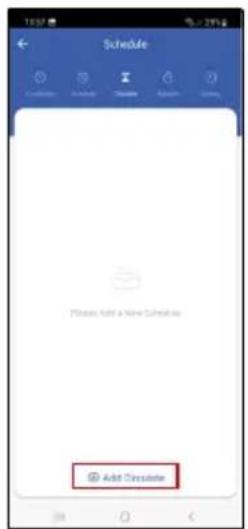
Schedule
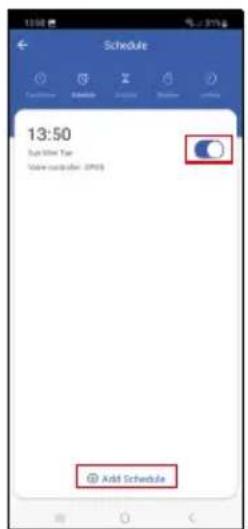
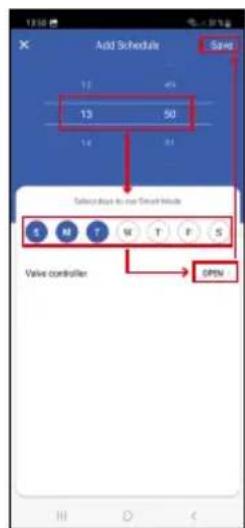
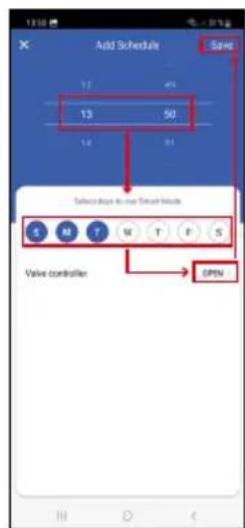
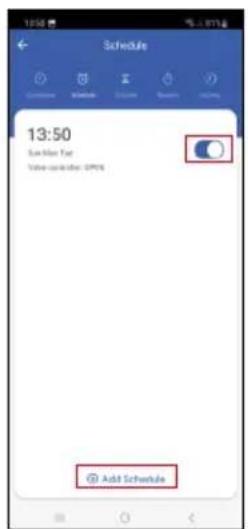
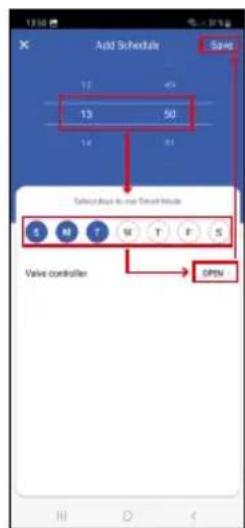
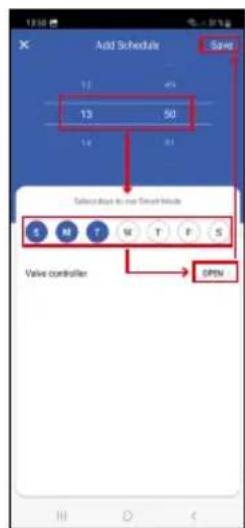
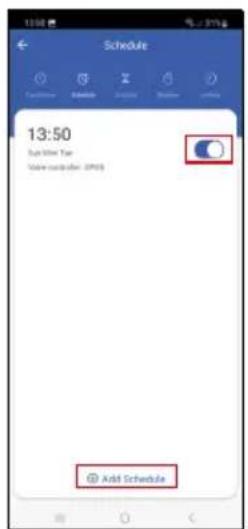
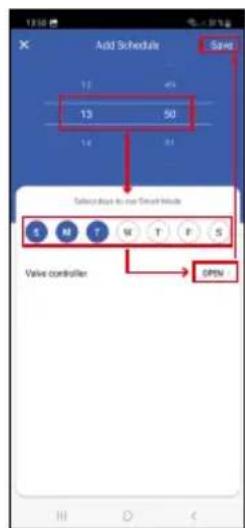
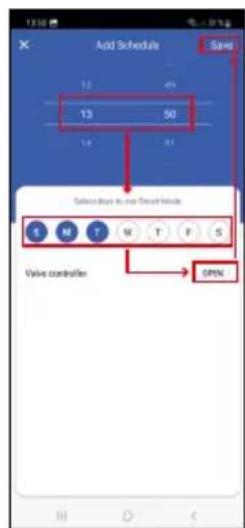
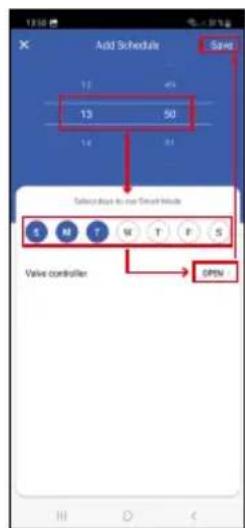
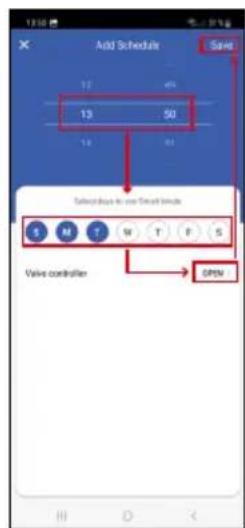
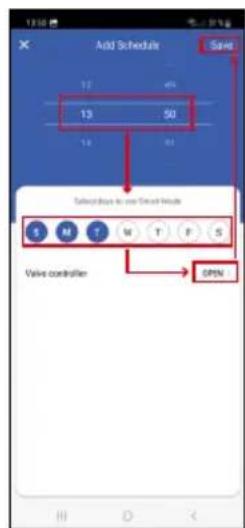
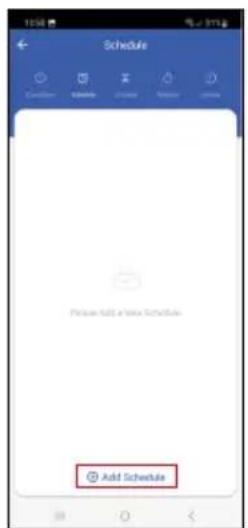
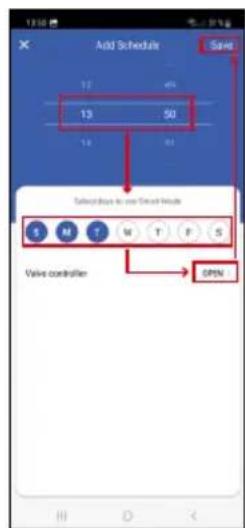
Schedules automatic activation at set times (e.g. Monday from 13:00 to 15:00 – On; 15:00–17:00 – Off...).
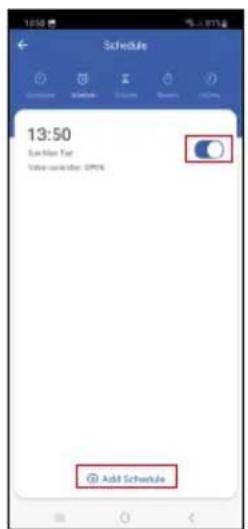
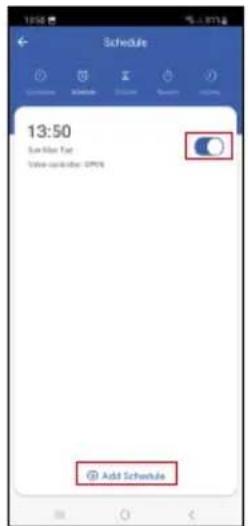
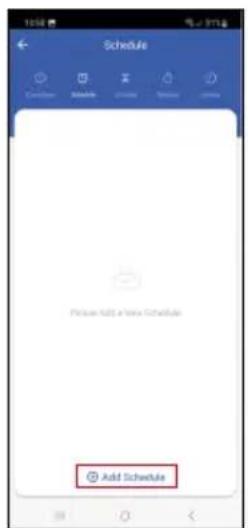
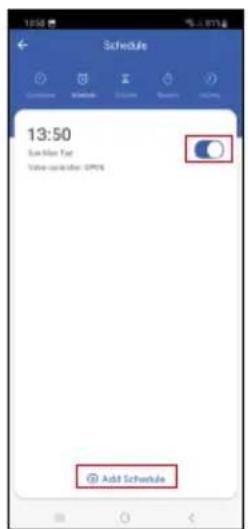
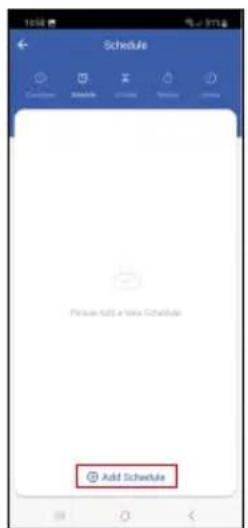
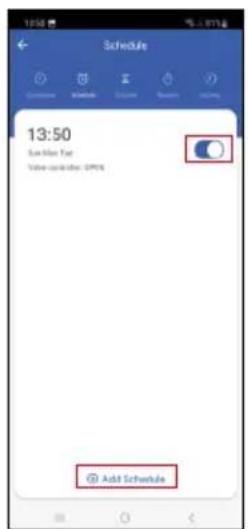
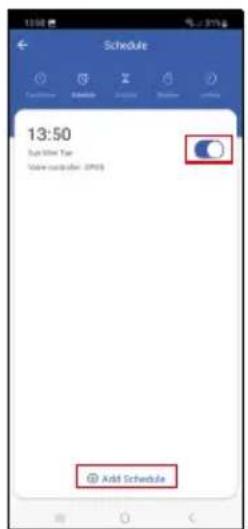
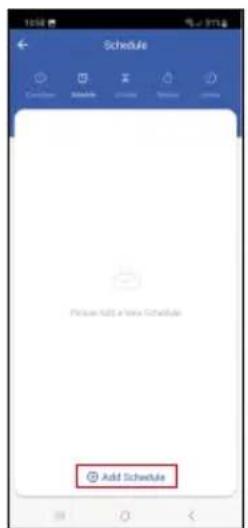
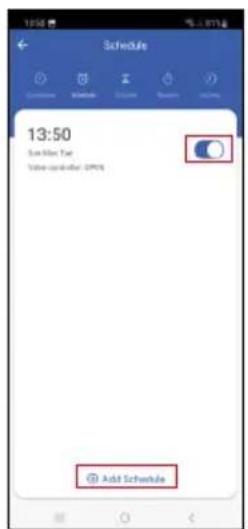
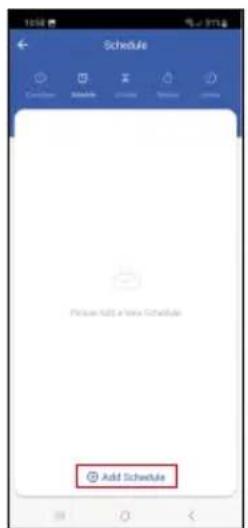
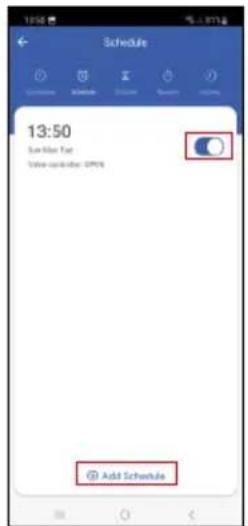
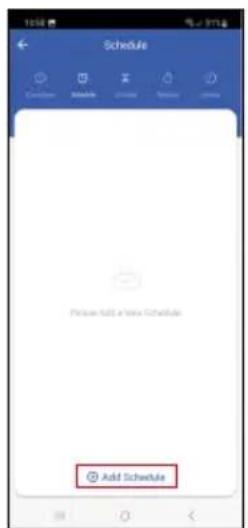
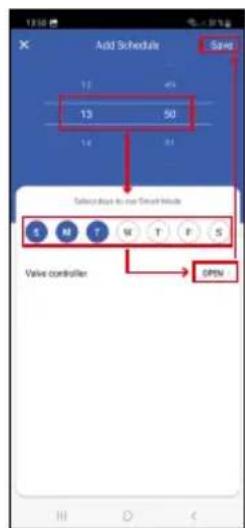
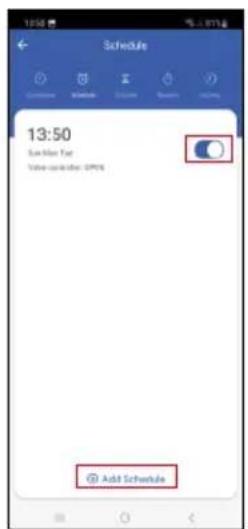
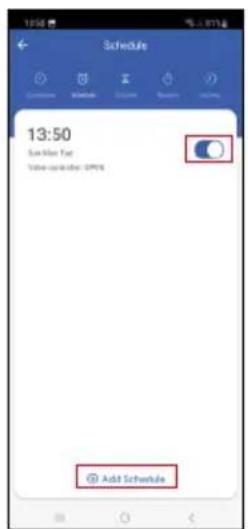
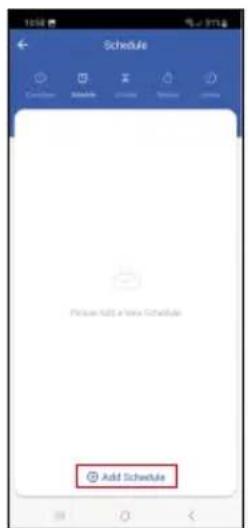
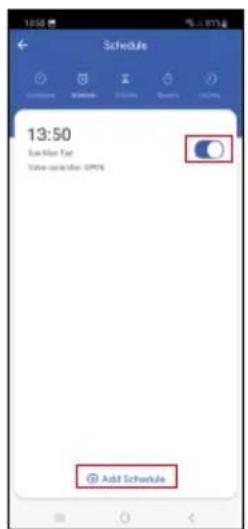
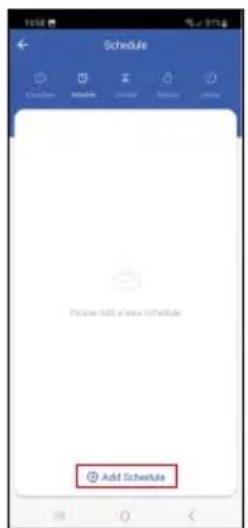
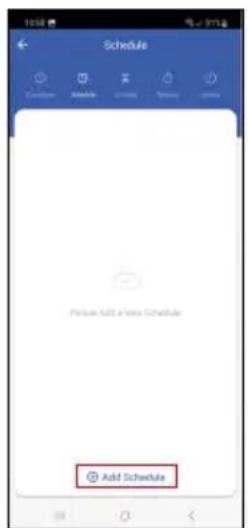
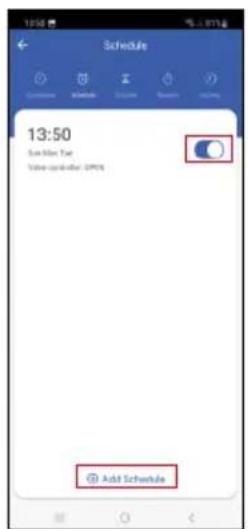
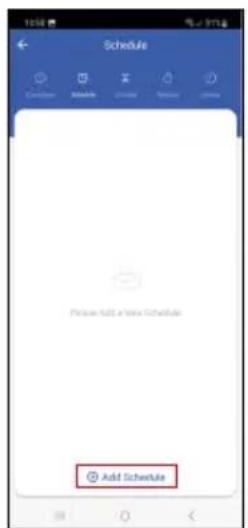
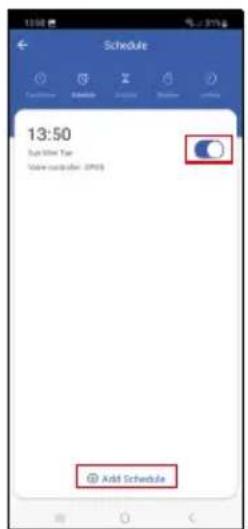
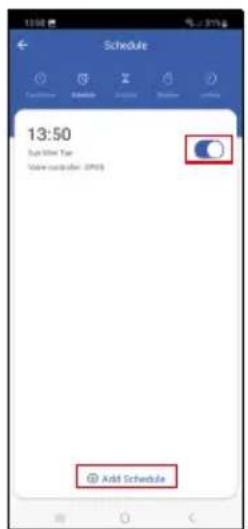
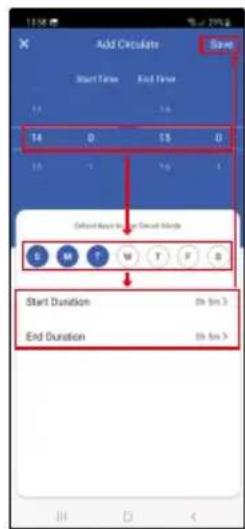
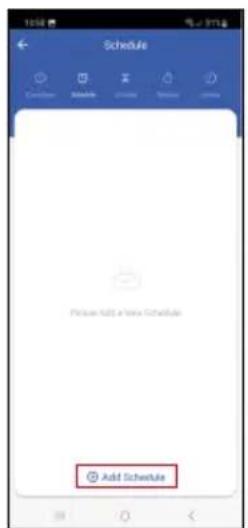
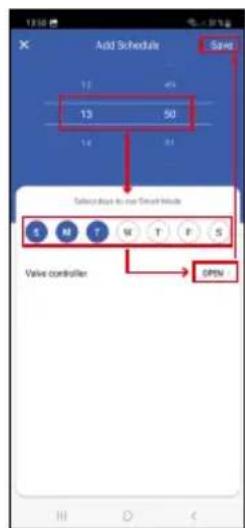
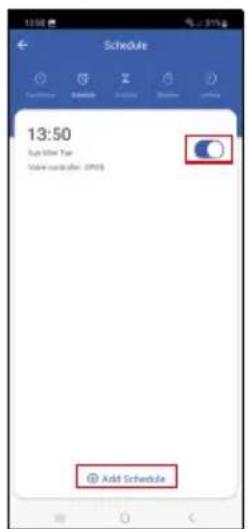
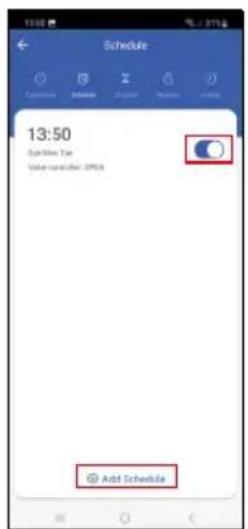
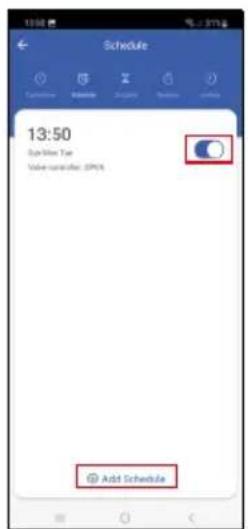
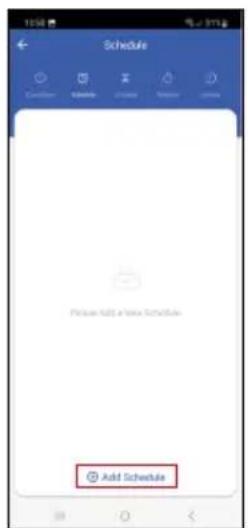
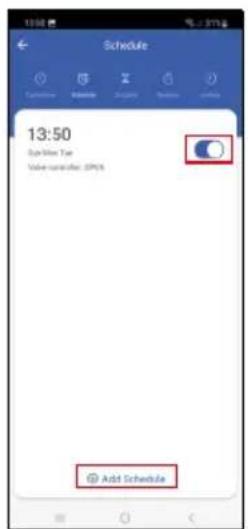
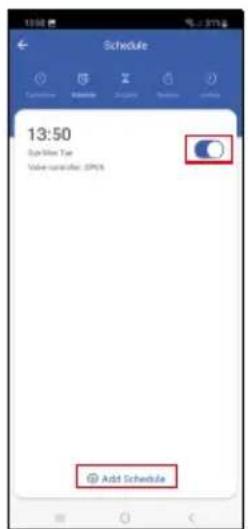
Tap the + at the bottom and set the time and day (the 1st day of the week in the schedule is a Sunday), set the status of the valve, and save the setting.
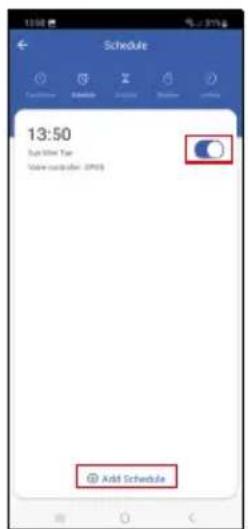
Tapping the toggle button activates (blue) or deactivates (grey) the setting.
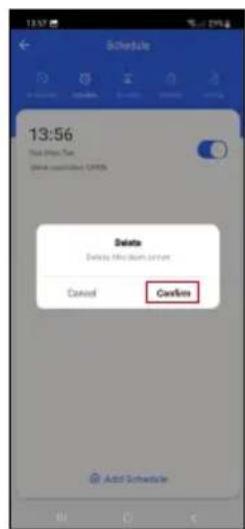
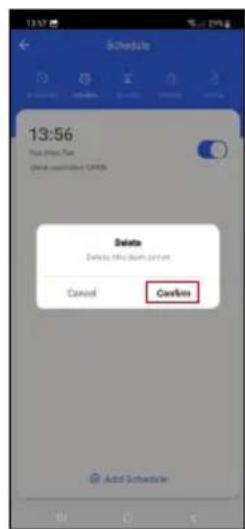
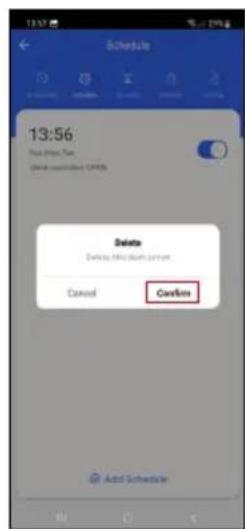
You can add additional schedules by tapping the + at the bottom.
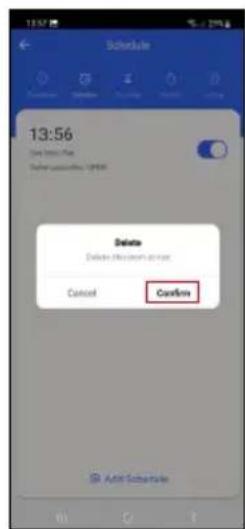
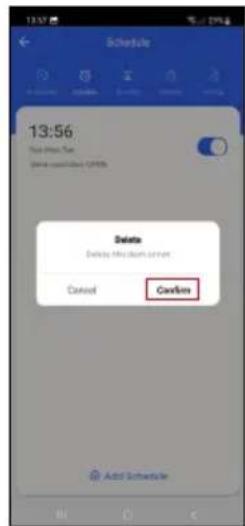
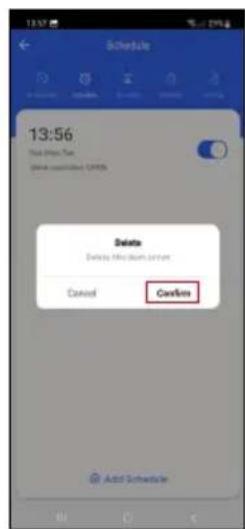
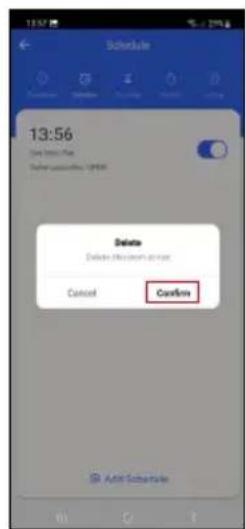
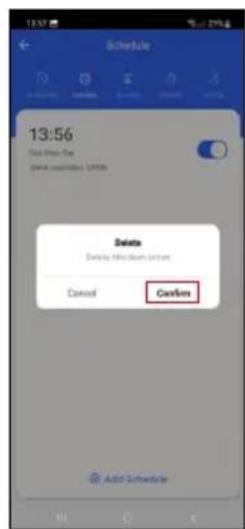
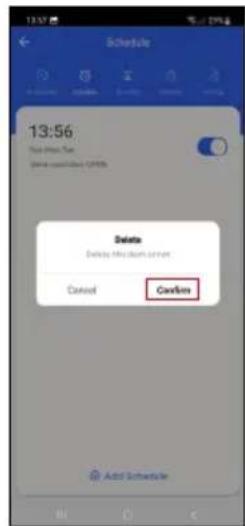
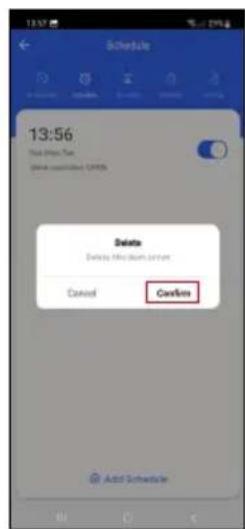
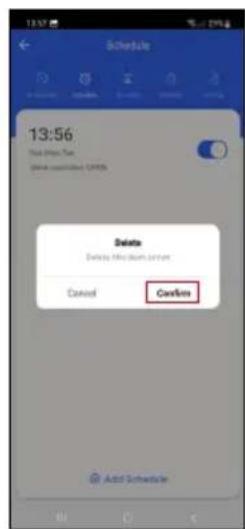
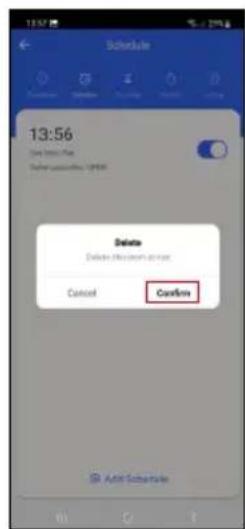
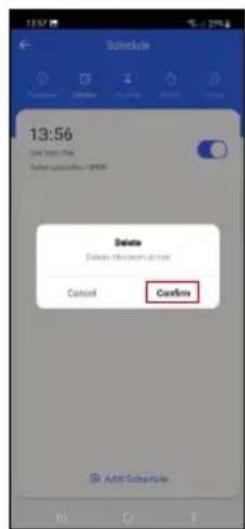
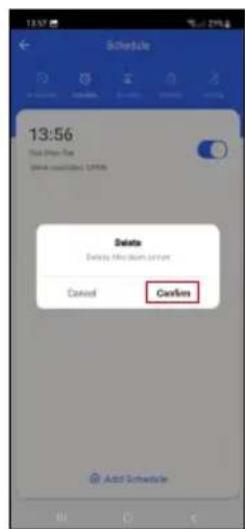
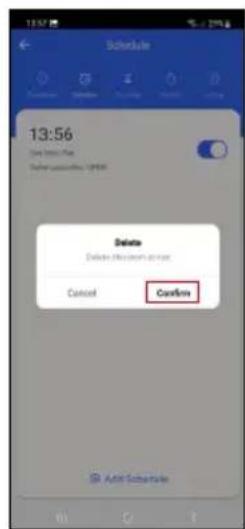
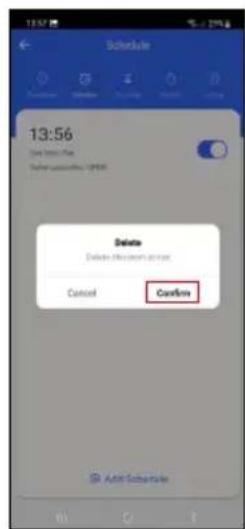
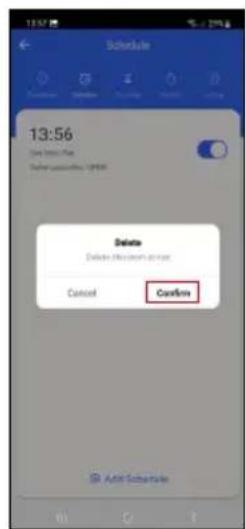
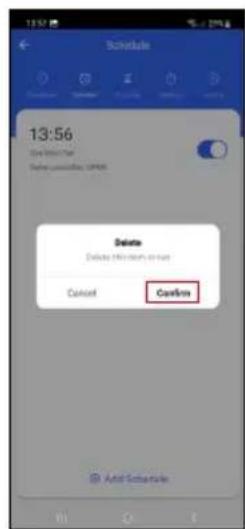
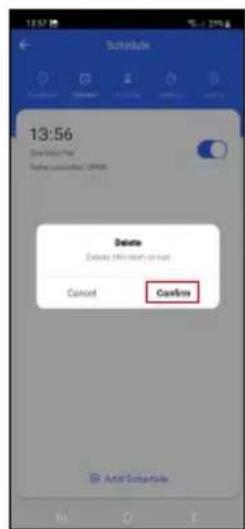
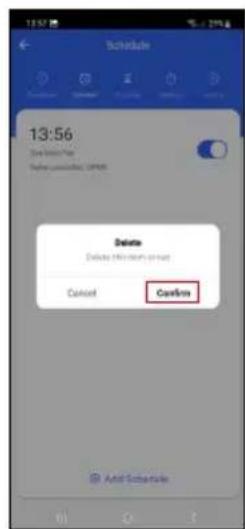
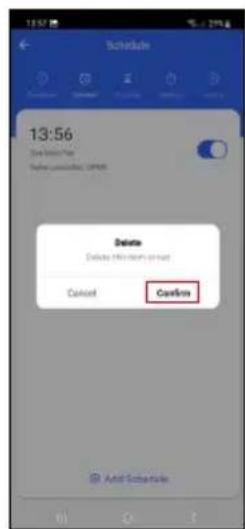
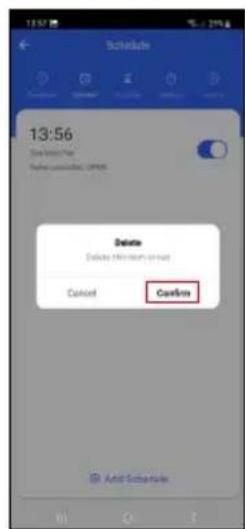
To delete a schedule, tap and hold the schedule and confirm deletion.
text_image
Schedule Please add a new schedule Add Circulate
text_image
Add Chocolate Save Start Time End Time 10 15 14 0 15 0 15 1 10 1 Select Apps to Edit Save Tools S M T W T F S Start Duration 0h: 3h End Duration 0h: 3h
text_image
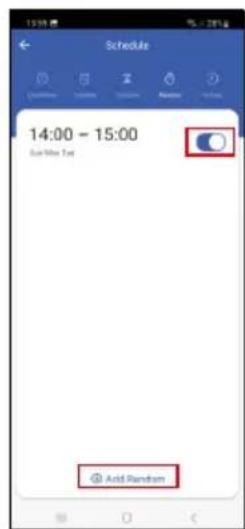
Schedule 14:00 - 15:00 Sun Mirr Type Add Circulator Add Circulator Add CirculatorCirculate
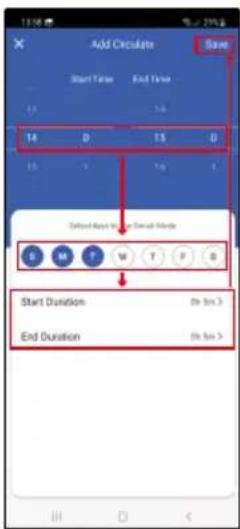
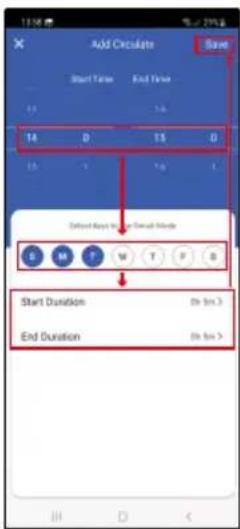
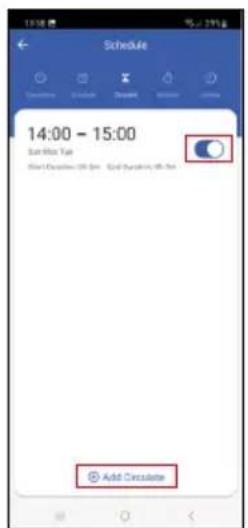
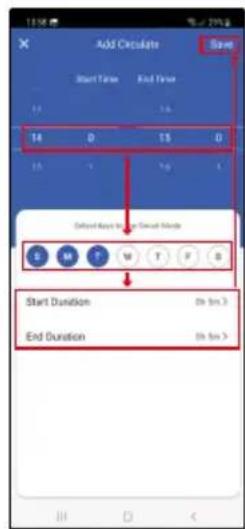
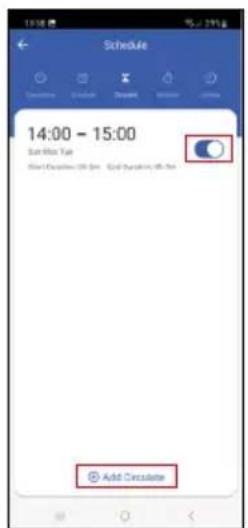
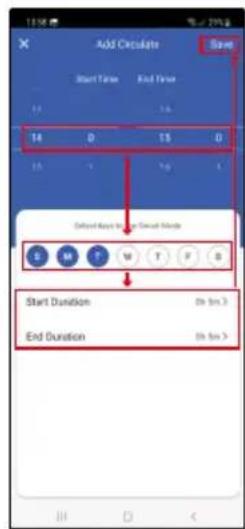
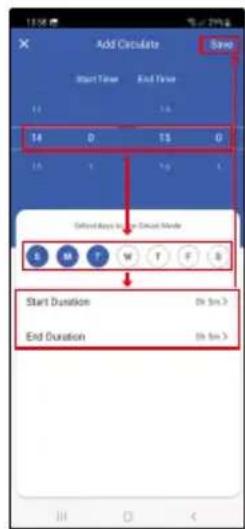
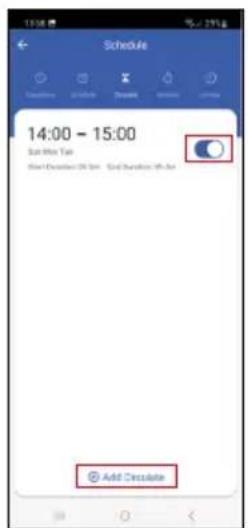
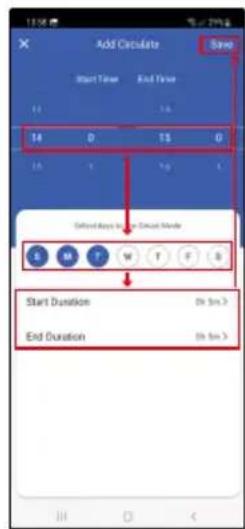
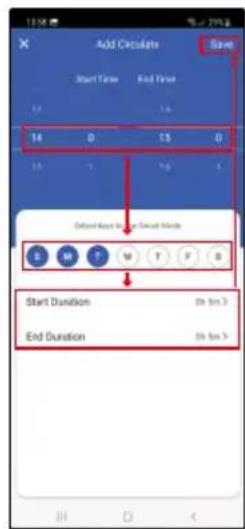
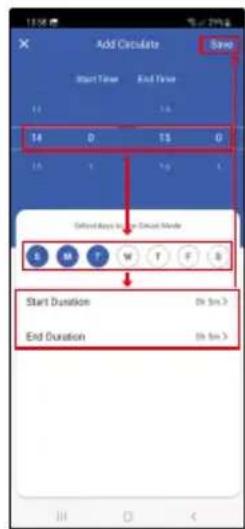
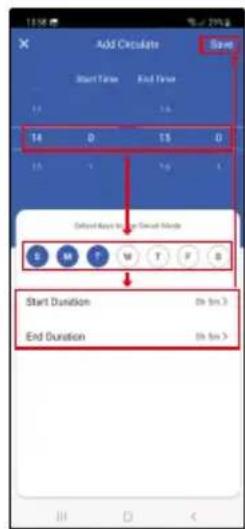
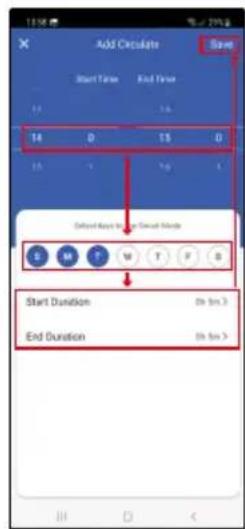
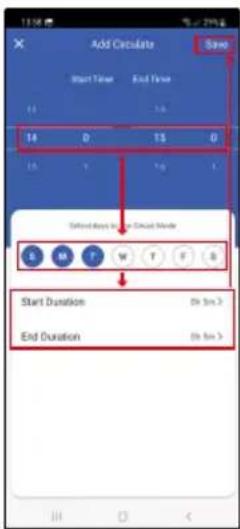
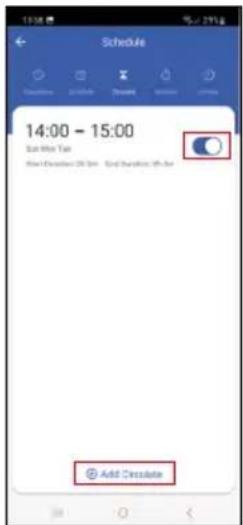
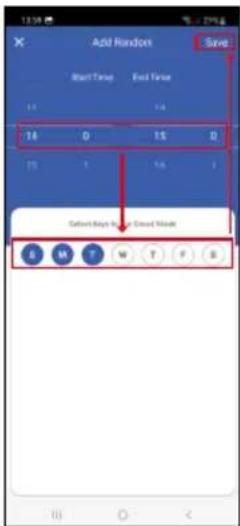
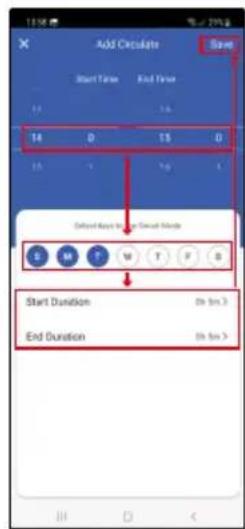
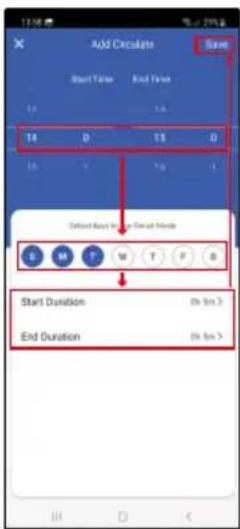
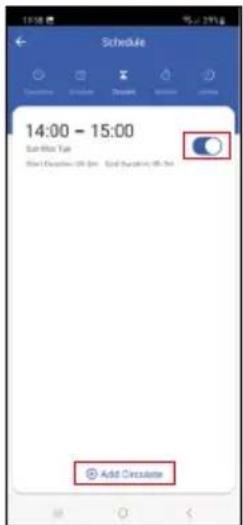
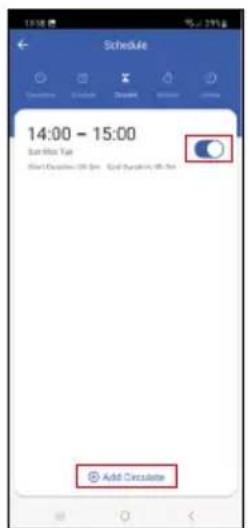
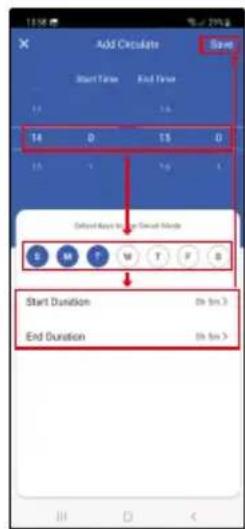
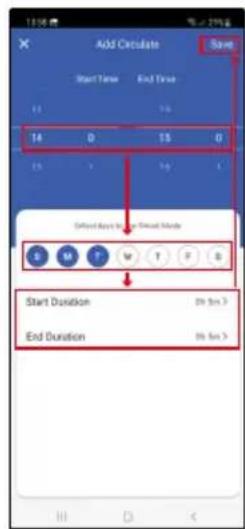
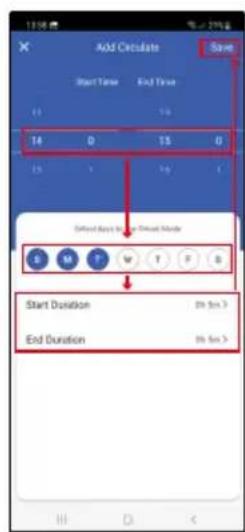
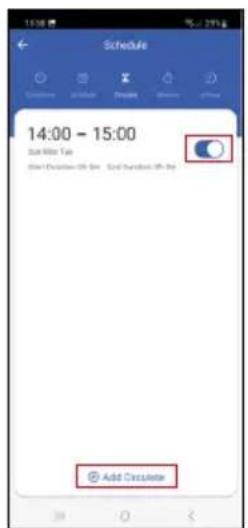
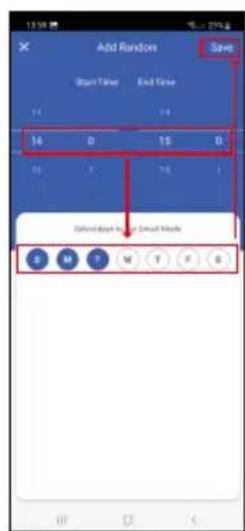
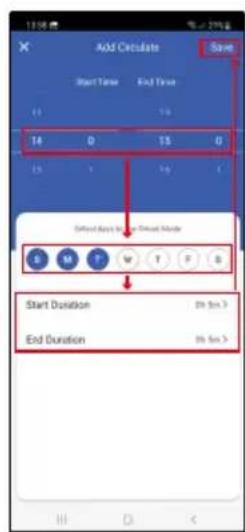
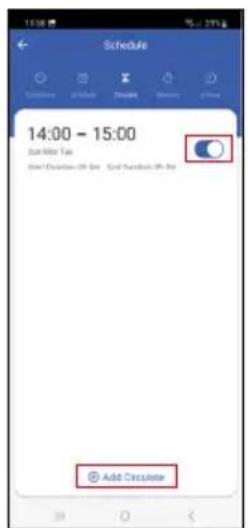
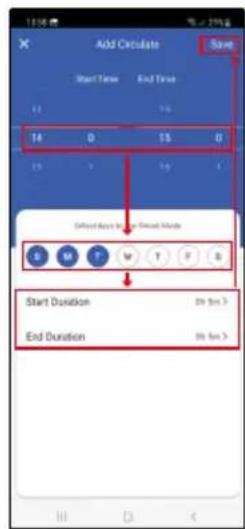
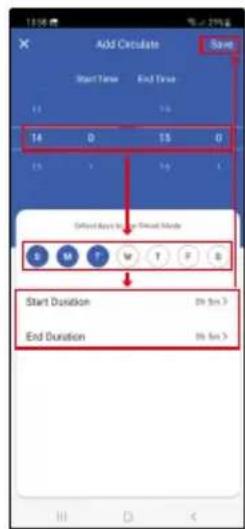
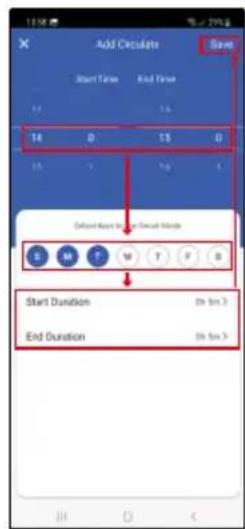
Cycles between ON and OFF within a set time period at a set frequency.
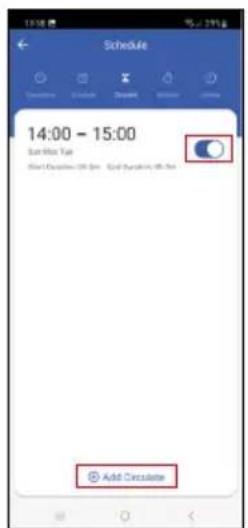
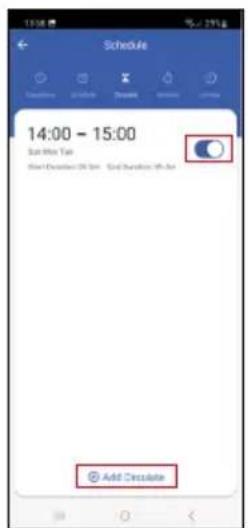
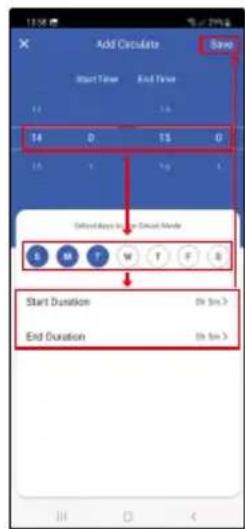
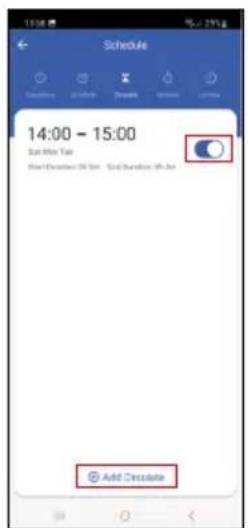
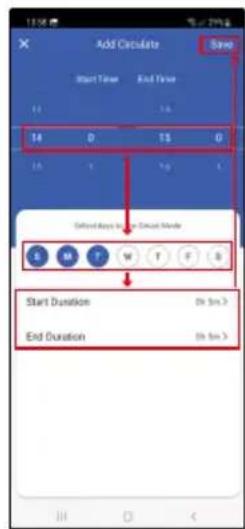
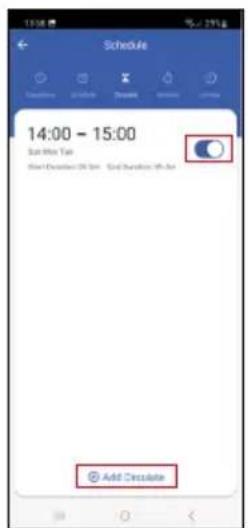
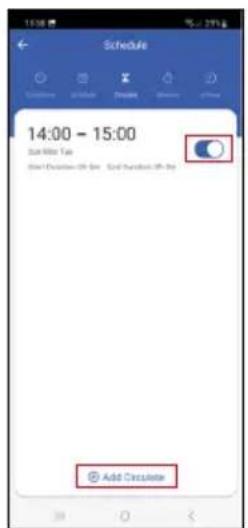
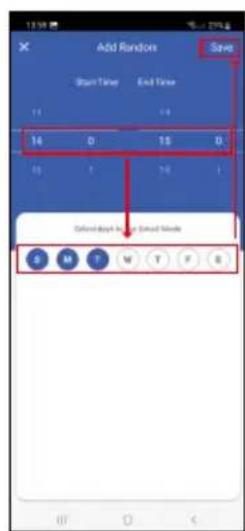
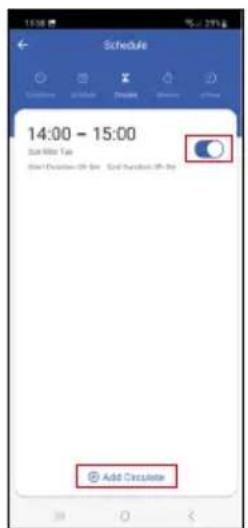
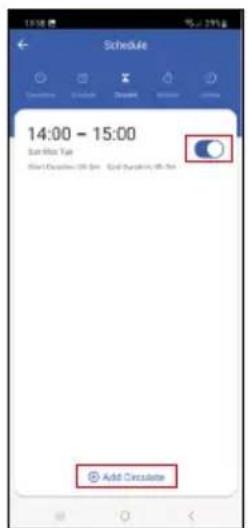
Tap the + at the bottom and set the time period, the days, and the time for which the valve should be open and closed, then save.
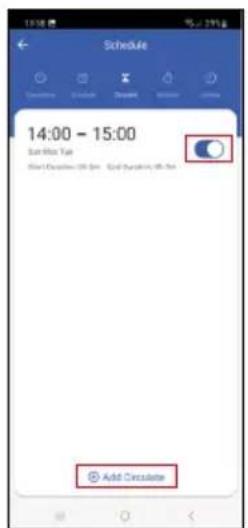
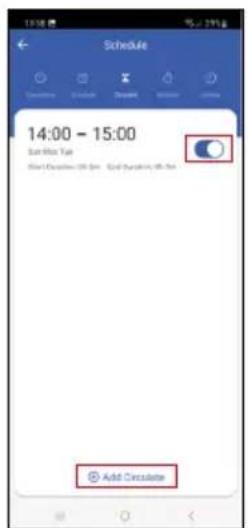
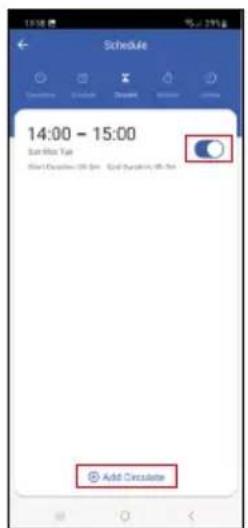
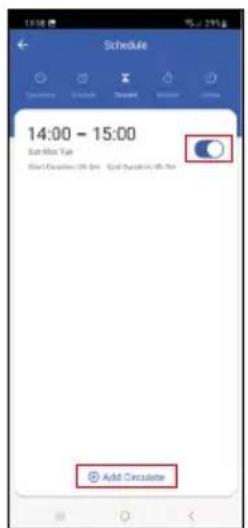
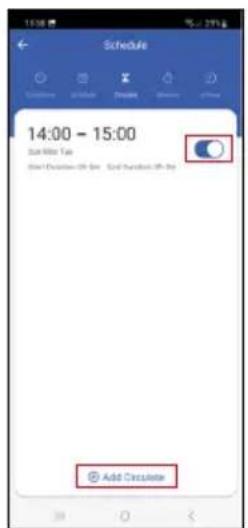
Tapping the toggle button activates (blue) or deactivates (grey) the setting.
You can add additional programmes by tapping the + at the bottom.
To delete a schedule, tap and hold the schedule and confirm deletion.
text_image
Schedule Add Random
text_image
Add Random Start Time End Time 14 D 15 D 16 T 18 Show Key to Add Key Mode S M T W T P S
text_image
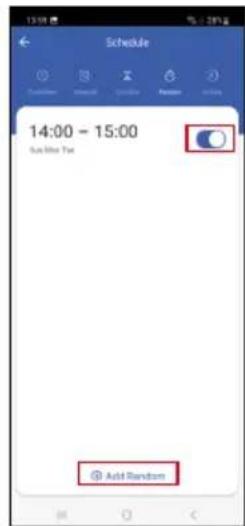
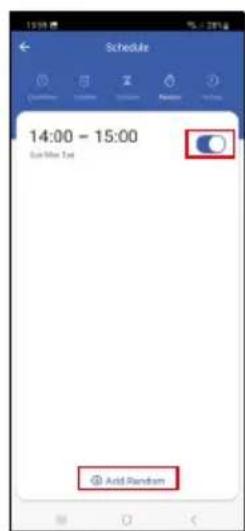
Schedule 14:00 - 15:00 Add RandomRandom Mode
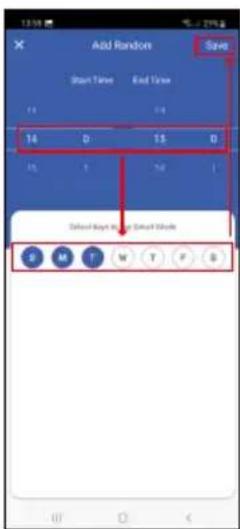
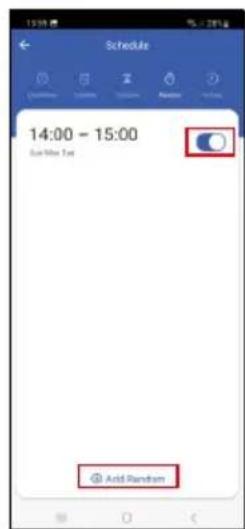
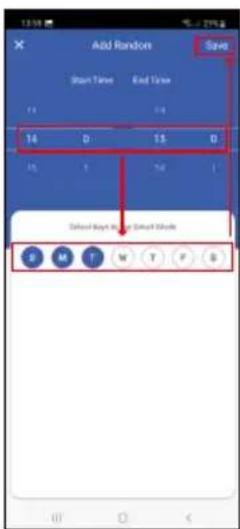
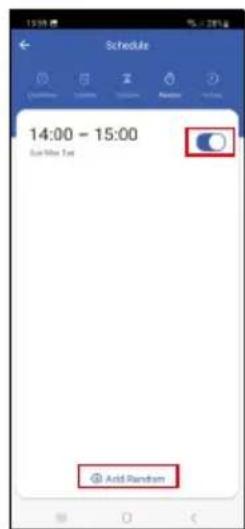
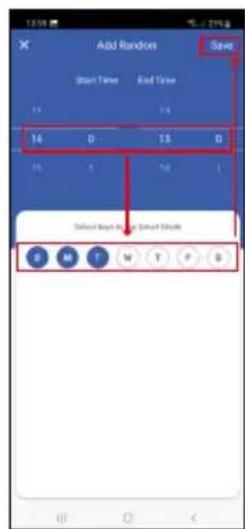
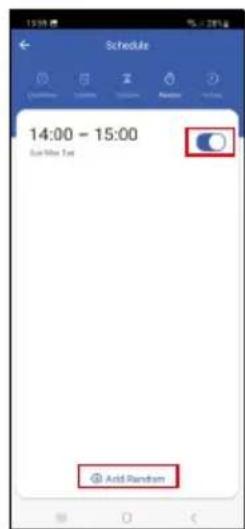
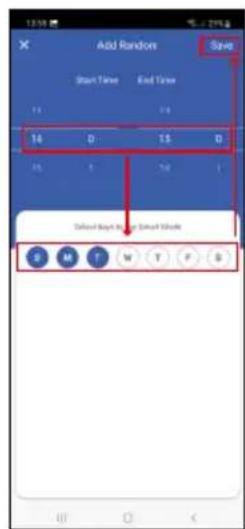
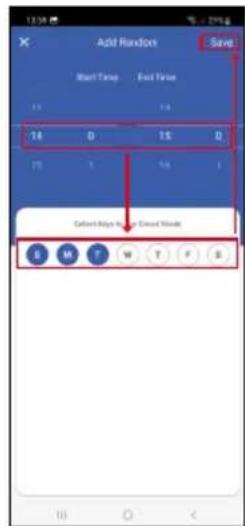
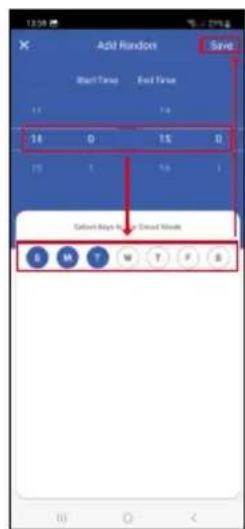
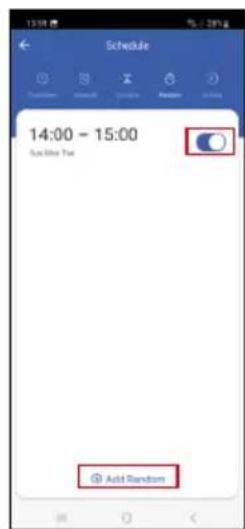
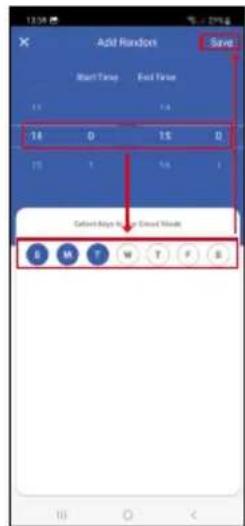
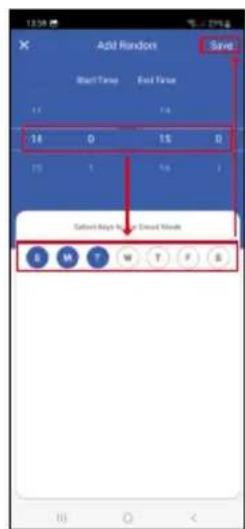
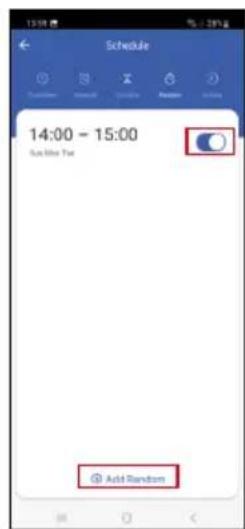
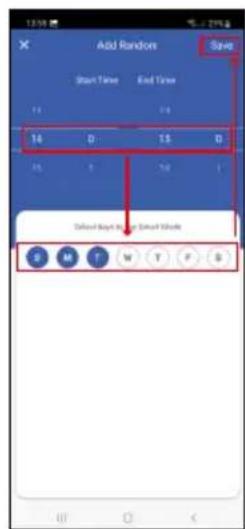
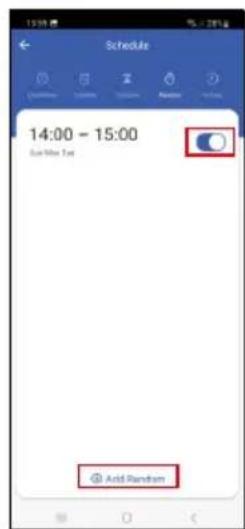
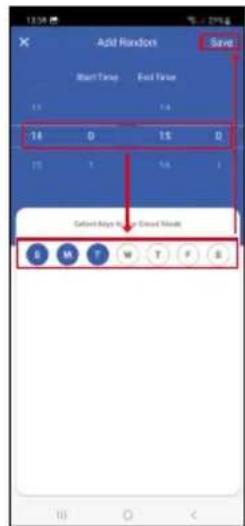
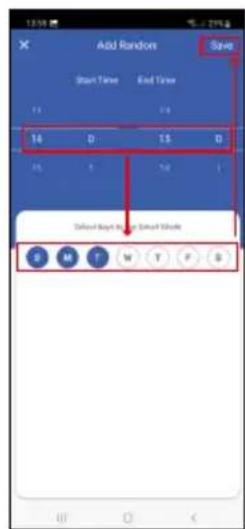
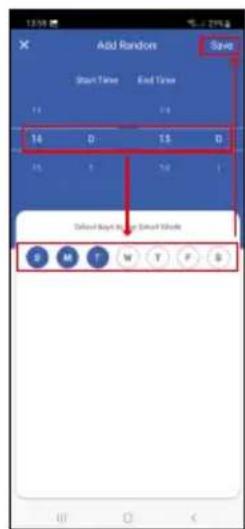
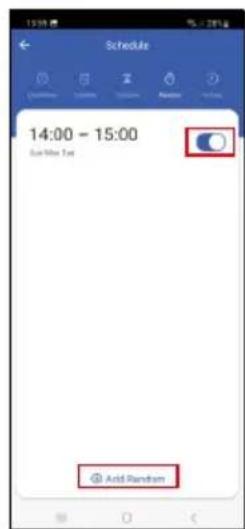
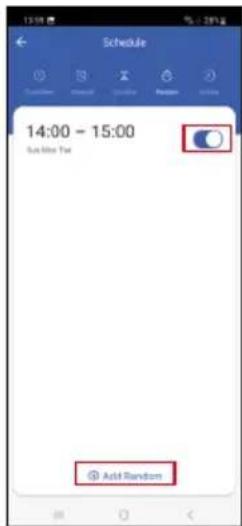
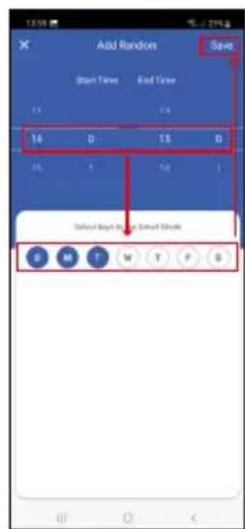
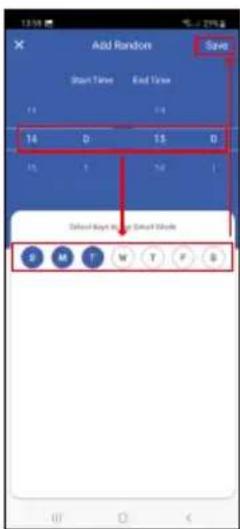
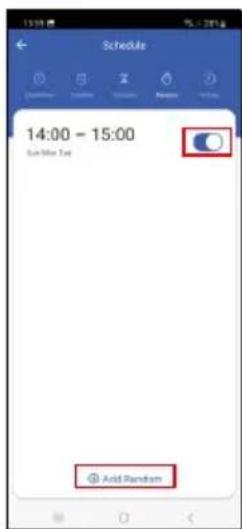
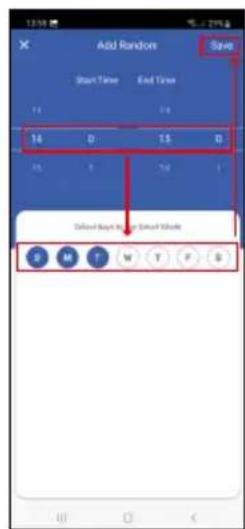
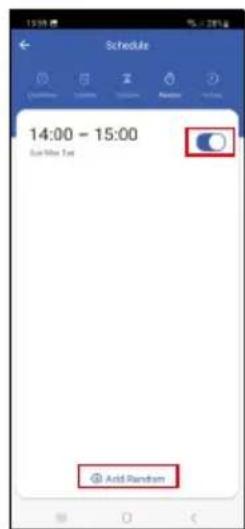
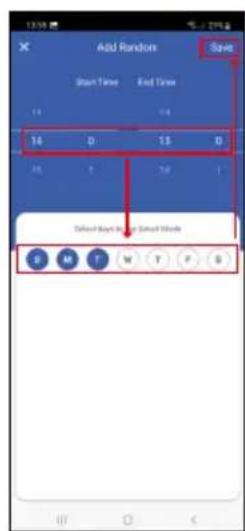
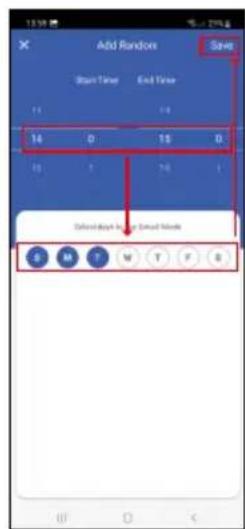
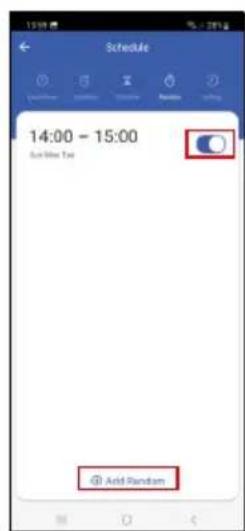
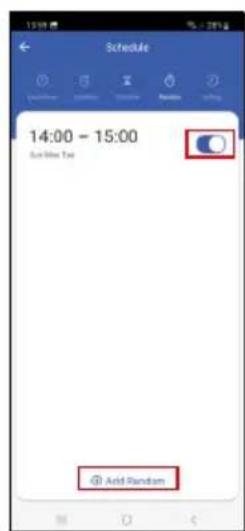
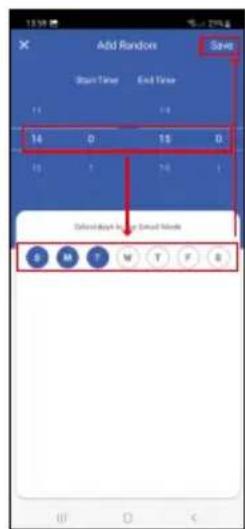
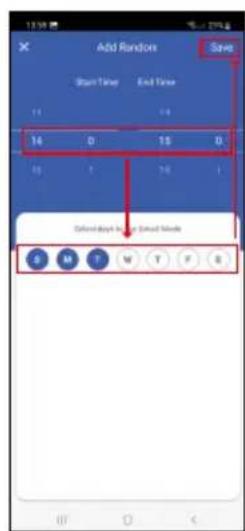
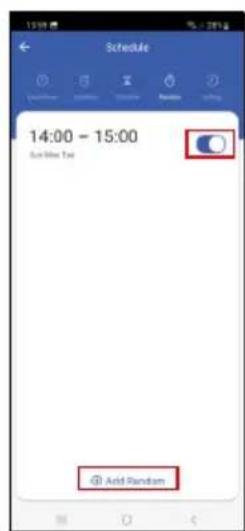
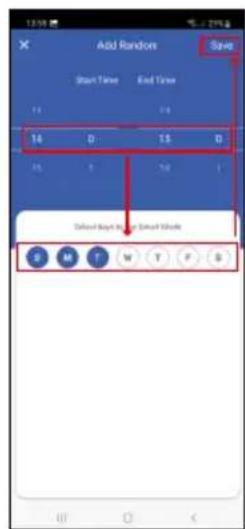
Within the set time period the controller will turn on at random times for a random duration.
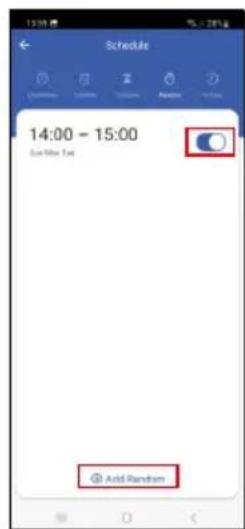
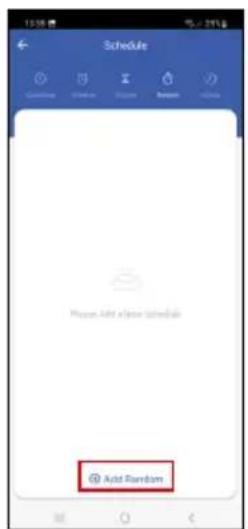
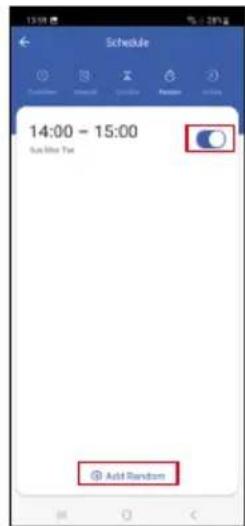
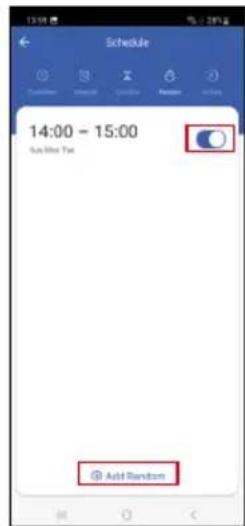
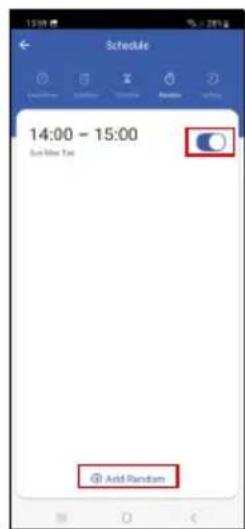
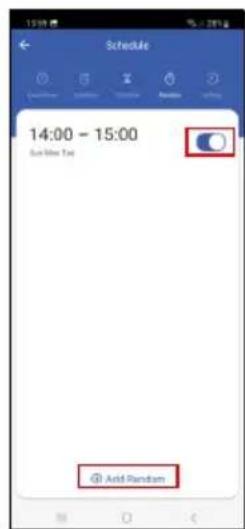
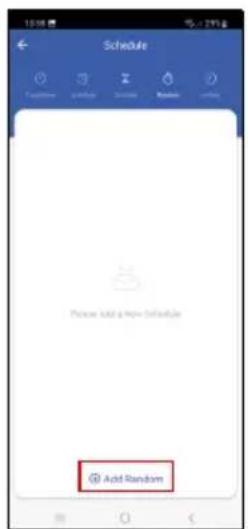
Tap the + at the bottom and set the time period, days and save.
Tapping the toggle button activates (blue) or deactivates (grey) the setting.
You can add additional programmes by tapping the + at the bottom.
To delete a schedule, tap and hold the schedule and confirm deletion.
text_image
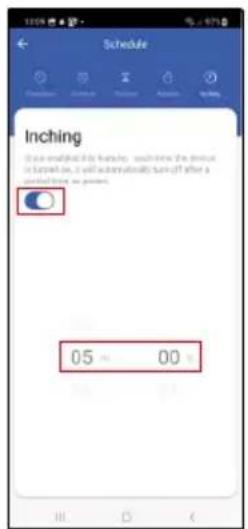
Schedule Inching (See annotated this table, searching the device is turned on, it will automatically turn off after a selected time as present) 05 00Inching (Delayed Deactivation)
After turning on, the valve controller will automatically turn off after a set time period (max. 60 minutes). Set the time and tap the toggle button to activate (blue) or deactivate (grey) the setting.
text_image
Valve controller Flores valve controller Screw Setting
text_image
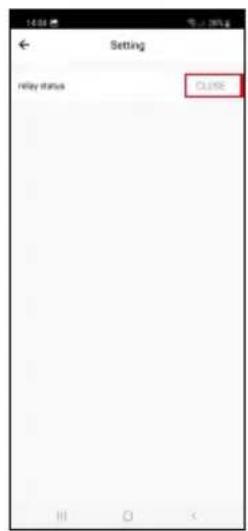
Setting relay status CL106
text_image
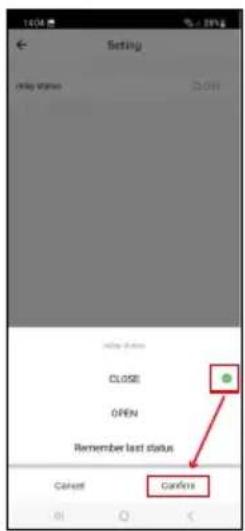
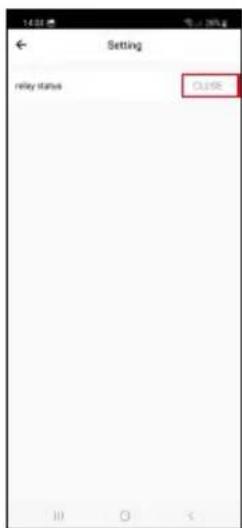
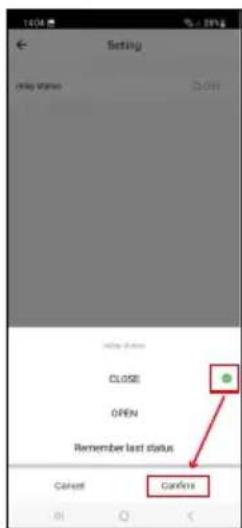
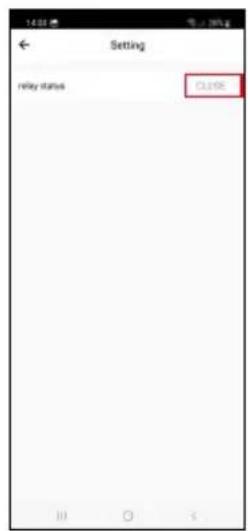
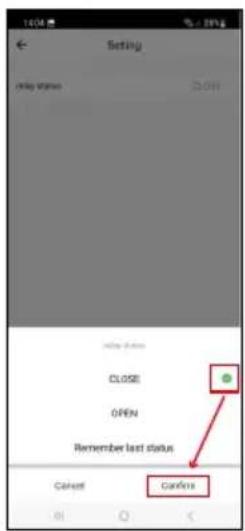
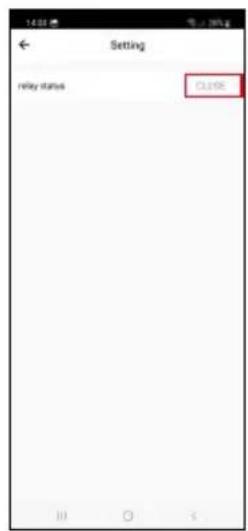
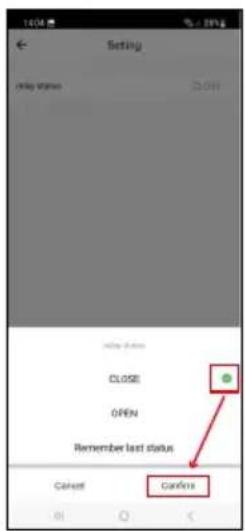
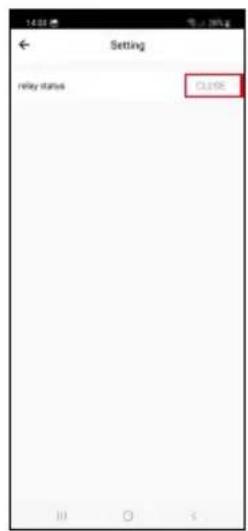
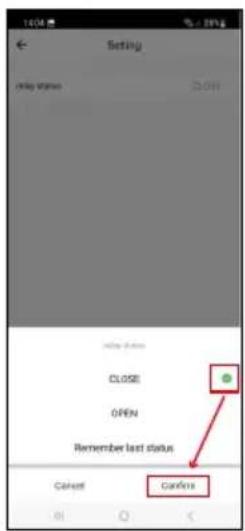
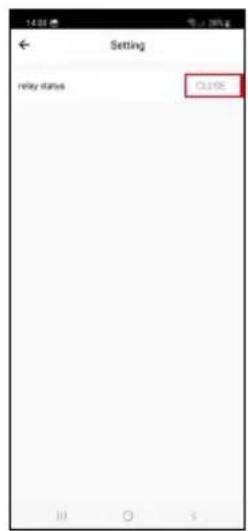
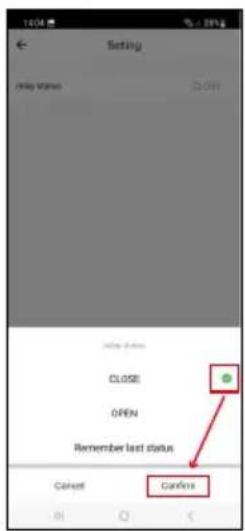
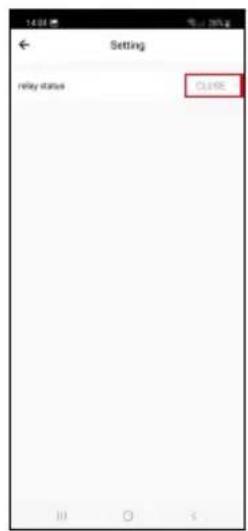
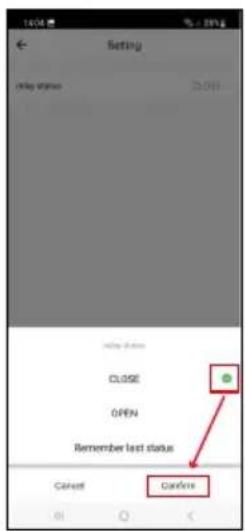
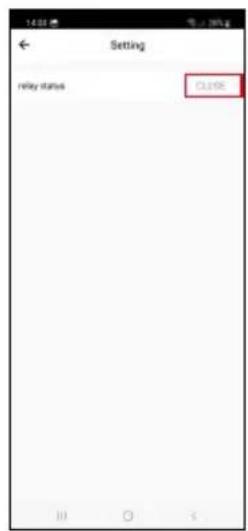
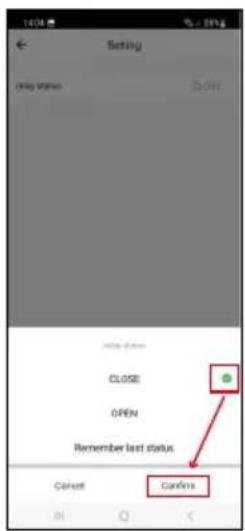
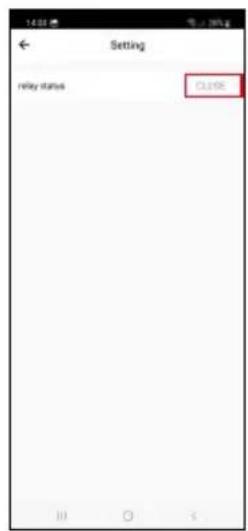
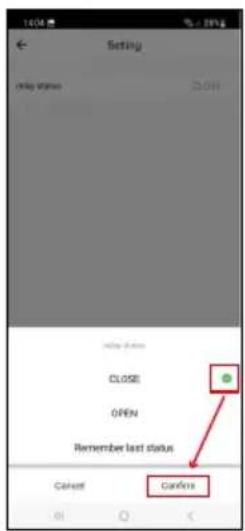
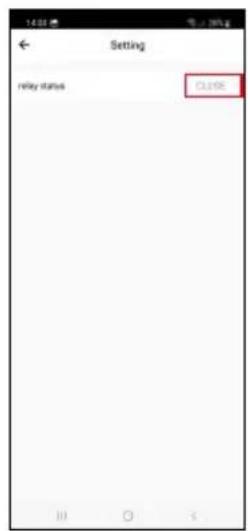
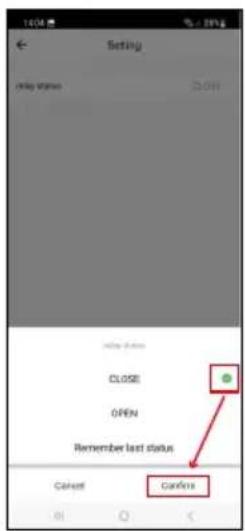
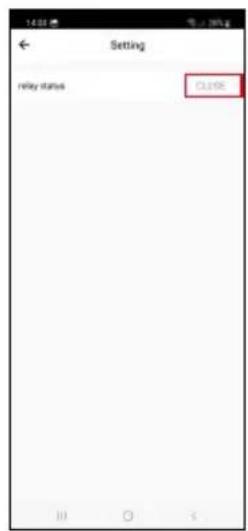
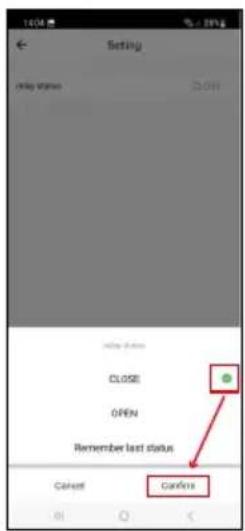
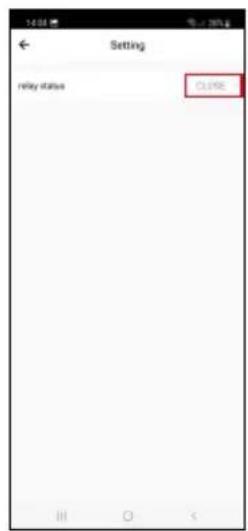
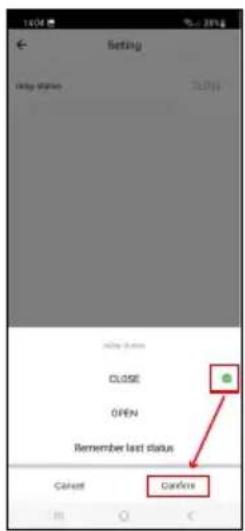
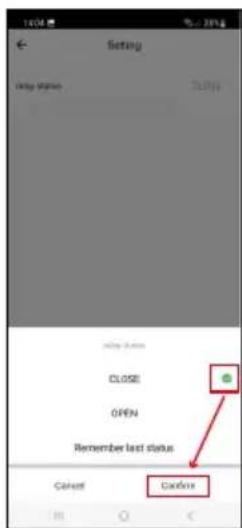
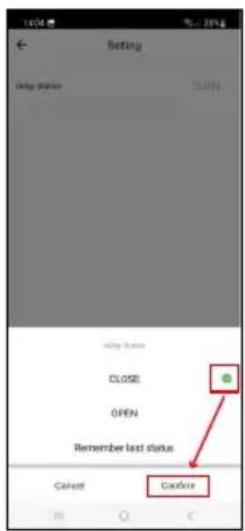
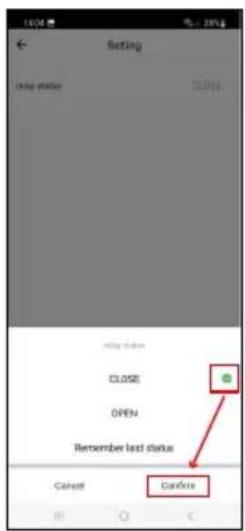
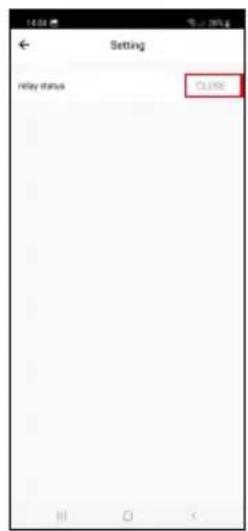
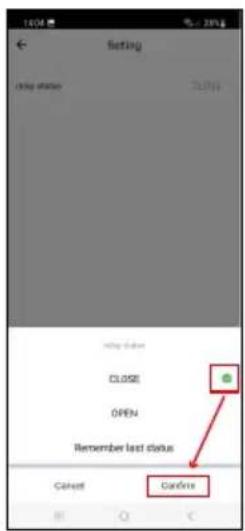
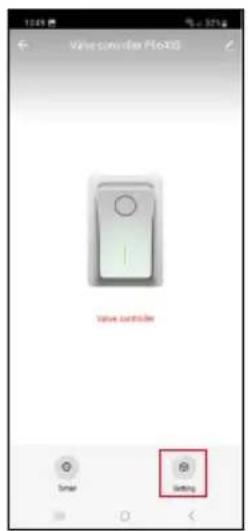
Setting Delay status 20:00 OK Close OPEN Remember last status Cancel CancelSetting the Default State of the Controller in Case of a Power Outage
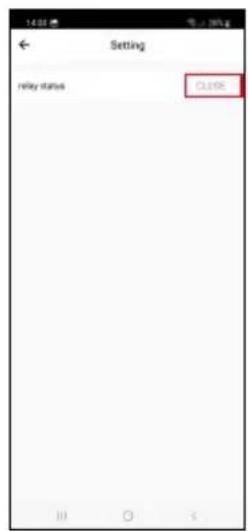
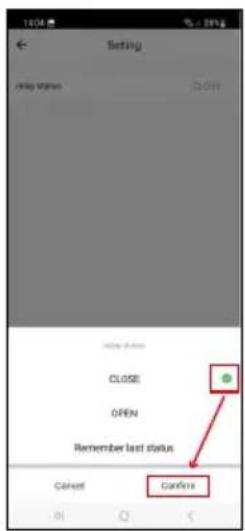
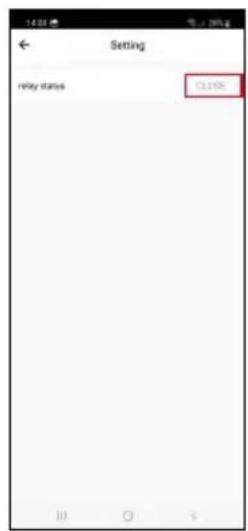
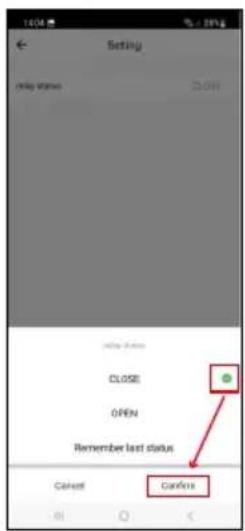
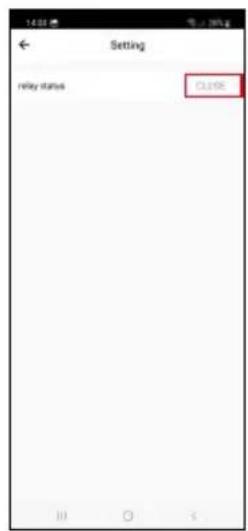
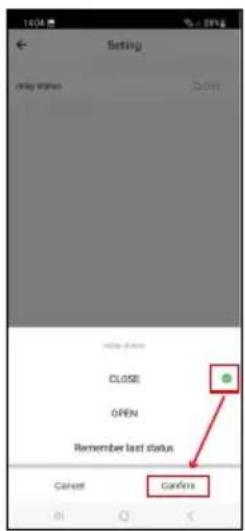
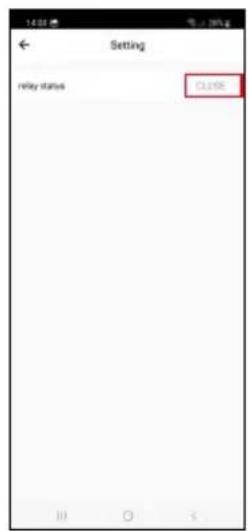
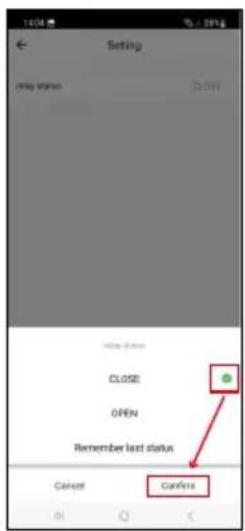
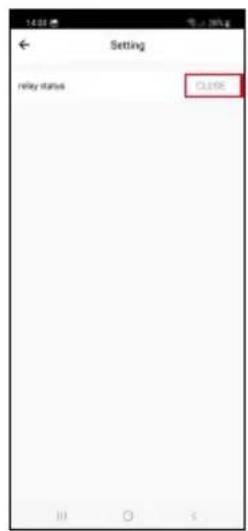
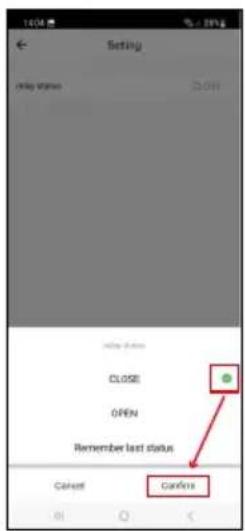
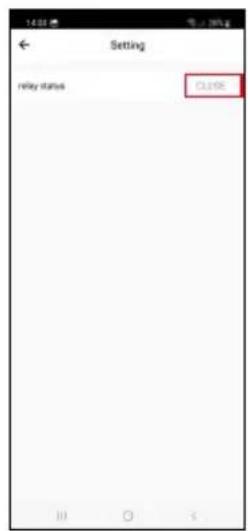
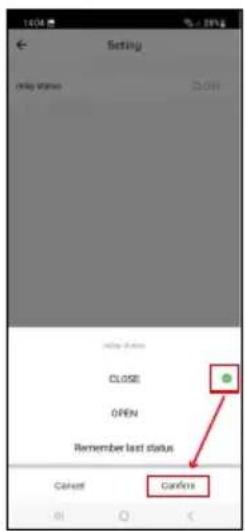
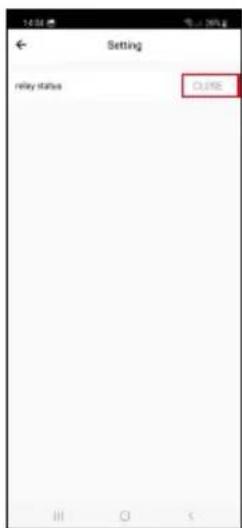
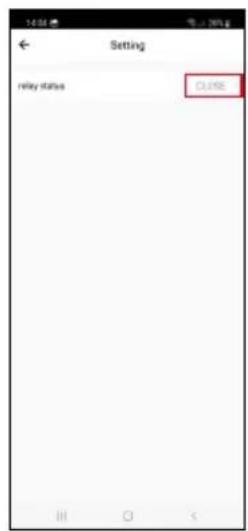
Tap the setting's icon in the bottom right, tap the status, and pick the valve status of choice: closed/open/remember last status.
Confirm in the bottom right.
text_image
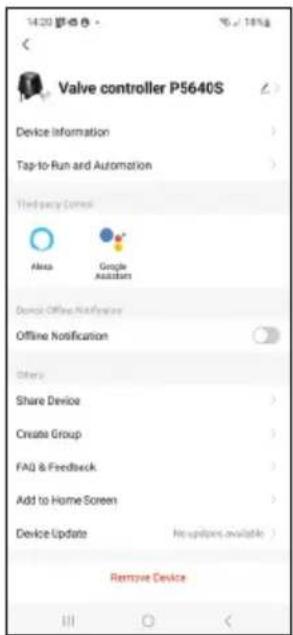
Valve controller P5640S Device Information Tap-to-Run and Automation Third-party Control Alexa Google Assistant Done: Offline Notification Offline Notification Others Share Device Create Group FAQ & Feedback Add to Home Screen Device Update No updates available Remove DeviceAdvanced Settings
- Device information – basic information about the device and its owner.
- Tap-to-Run and Automation – view scenes and automation assigned to the device.
- Offline Notification – to avoid constant notifications, a notification will be sent if the device remains offline for more than 30 minutes.
- Share Device – option for sharing the administration of the device with another user.
- Create Group – creates a group of multiple devices that can be controlled together.
- FAQ & Feedback – shows frequently asked questions and their solutions and provides the option to send us a question/suggestion/feedback directly.
- Add to Home Screen – adds the icon for the device to the home screen of your phone.
That way, you no longer need to open the device through the app; you simply tap the newly added icon and you will be redirected straight to the device. - Device Update – updates the device.
Troubleshooting FAQ
The valve is not in its place:
Check that the centre of the valve controller and the centre of the valve are on the same axis. If not, the motor might overheat and sustain damage.
The valve is stuck:
Use the manual safety to realign the valve.
The valve controller fails to pair with the application:
Check that the Zigbee gateway and the Wi-Fi router are working correctly.
The devices must be close to each other during pairing.
natural_image
Black industrial bell with attached cable and connector (no visible text or symbols)
Obsah
natural_image
Two black industrial sensors with attached cables and a key, shown side by side with dimensional annotations (70 mm x 105 mm and 78 mm).natural_image
Close-up of a black electronic device with a metallic connector and cable (no visible text or symbols)
1/2" | 3/4"
natural_image
Two metallic T-shaped metal hardware components with threaded connectors, shown from different angles (no text or symbols visible)1" | 1 1/4"
natural_image
Three types of metal automotive chain clamp components: screw, ring, and clip (no text or symbols visible)
text_image
Labeled diagram of an electric motor with numbered parts for identificationPopis zařízení
text_image
QR code with a red logo in the center containing Chinese characters.
text_image
Download on the App Store GET IT ON Google Playtext_image
1 2 Log In Sign Up
text_image
My home All Devices Add Device
text_image
12:18 Thu, 2018May Device manual Bluetooth Bluetooth Windows manual No connection to 16.0
text_image
Substrate Energy per Emitter Battery Energy Battery Battery and Battery Battery (Laser) Digital Power Multifunction of power Power (Laser) (Laser/LED) Smart Substrate Power (Laser) (Laser/LED) Smart Substrate Power (Laser) (Laser/LED) Smart Substrate Power (Laser) (Laser/LED) Smart Substrate Power (Laser) (Laser/LED) Smart Substrate Power (Laser) (Laser/LED) Smart Substrate Power (Laser) (Laser/LED) Smart Substrate Power (Laser) (Laser 1) Smart Substrate Power (Laser) (Laser 2) Smart Substrate Power (Laser) (Laser 3) Smart Substrate Power (Laser) (Laser 4) Smart Substrate Power (Laser) (Laser 5) Smart Substrate Power (Laser) (Laser 6) Smart Substrate Power (Laser) (Laser 7) Smart Substrate Power (Laser) (Laser 8) Smart Substrate Power (Laser) (Laser 9) Smart Substrate Power (Laser) (Laser 10) Smart Substrate Power (Laser) (Laser 11) Smart Substrate Power (Laser) (Laser 12) Smart Substrate Power (Laser) (Laser 13) Smart Substrate Power (Laser) (Laser 14) Smart Substrate Power (Laser) (Laser 15) Smart Substrate Power (Laser) (Laser 16) Smart Substrate Power (Laser) (Laser 17) Smart Substrate Power (Laser) (Laser 18) Smart Substrate Power (Laser) (Laser 19) Smart Substrate Power (Laser) (Laser 20) Smart Substrate Power (Laser) (Laser 21) Smart Substrate Power (Laser) (Laser 22) Smart Substrate Power (Laser) (Laser 23) Smart Substrate Power (Laser) (Laser 24) Smart Substrate Power (Laser) (Laser 25) Smart Substrate Power (Laser) (Laser 26) Smart Substrate Power (Laser) (Laser 27) Smart Substrate Power (Laser) (Laser 28) Smart Substrate Power (Laser) (Laser 29) Smart Substrate Power (Laser) (Laser 30) Smart Substrate Power (Laser) (Laser 31) Smart Substrate Power (Laser) (Laser 32) Smart Substrate Power (Laser) (Laser 33) Smart Substrate Power (Laser) (Laser 34) Smart Substrate Power (Laser) (Laser 35) Smart Substrate Power (Laser) (Laser 36) Smart Substrate Power (Laser) (Laser 37) Smart Substrate Power (Laser) (Laser 38) Smart Substrate Power (Laser) (Laser 39) Smart Substrate Power (Laser) (Laser 40) Smart Substrate Power (Laser) (Laser 41) Smart Substrate Power (Laser) (Laser 42) Smart Substrate Power (Laser) (Laser 43) Smart Substrate Power (Laser) (Laser 44) Smart Substrate Power (Laser) (Laser 45) Smart Substrate Power (Laser) (Laser 46) Smart Substrate Power (Laser) (Laser 47) Smart Substrate Power (Laser) (Laser 48) Smart Substrate Power (Laser) (Laser 49) Smart Substrate Power (Laser) (Laser 50) Smart Substrate Power (Laser) (Laser 51) Smart Substrate Power (Laser) (Laser 52) Smart Substrate Power (Laser) (Laser 53) Smart Substrate Power (Laser) (Laser 54) Smart Substrate Power (Laser) (Laser 55) Smart Substrate Power (Laser) (Laser 56) Smart Substrate Power (Laser) (Laser 57) Smart Substrate Power (Laser) (Laser 58) Smart Substrate Power (Laser) (Laser 59) Smart Substrate Power (Laser) (Laser 60) Smart Substrate Power (Laser) (Laser 61) Smart Substrate Power (Laser) (Laser 62) Smart Substrate Power (Laser) (Laser 63) Smart Substrate Power (Laser) (Laser 64) Smart Substrate Power (Laser) (Laser 65) Smart Substrate Power (Laser) (Laser 66) Smart Substrate Power (Laser) (Laser 67) Smart Substrate Power (Laser) (Laser 68) Smart Substrate Power (Laser) (Laser 69) Smart Substrate Power (Laser) (Laser 70) Smart Substrate Power (Laser) (Laser 71) Smart Substrate Power (Laser) (Laser 72) Smart Substrate Power (Laser) (Laser 73) Smart Substrate Power (Laser) (Laser 74) Smart Substrate Power (Laser) (Laser 75) Smart Substrate Power (Laser) (Laser 76) Smart Substrate Power (Laser) (Laser 77) Smart Substrate Power (Laser) (Laser 78) Smart Substrate Power (Laser) (Laser 79) Smart Substrate Power (Laser) (Laser 80) Smart Substrate Power (Laser) (Laser 81) Smart Substrate Power (Laser) (Laser 82) Smart Substrate Power (Laser) (Laser 83) Smart Substrate Power (Laser) (Laser 84) Smart Substrate Power (Laser) (Laser 85) Smart Substrate Power (Laser) (Laser 86) Smart Substrate Power (Laser) (Laser 87) Smart Substrate Power (Laser) (Laser 88) Smart Substrate Power (Laser) (Laser 89) Smart Substrate Power (Laser) (Laser 90) Smart Substrate Power (Laser) (Laser 91) Smart Substrate Power (Laser) (Laser 92) Smart Substrate Power (Laser) (Laser 93) Smart Substrate Power (Laser) (Laser 94) Smart Substrate Power (Laser) (Laser 95) Smart Substrate Power (Laser) (Laser 96) Smart Substrate Power (Laser) (Laser 97) Smart Substrate Power (Laser) (Laser 98) Smart Substrate Power (Laser) (Laser 99) Smart Substrate Power (Laser) (Laser 100)
text_image
Add Device SMART CATEWAY OF 18862 Add user@smartcetway.com Close
text_image
15:43 - 中望 - My Home All Devices SMART GATEWAY L... Add Device Create Scene Size
text_image
11月2日 Add Device Smart Lightning Lightning Battery and Battery Electrical Energy Battery Battery and Battery Battery Signal Lighting Battery Long-line Battery High-speed Battery Double Line Battery and Add Device Lightning & Lightning Battery & Lightning Battery & Lightning Battery & Lightning Battery & Lightning Battery & Lightning Battery & Lightning Battery & Lightning Battery & Lightning Battery & Lightning Battery & Lightning Battery & Lightning Battery & Lightning Battery & Lightning Battery & Lightning Battery & Lightning Battery & Lightning Battery & Lightning Battery & Lightning Battery & Lightning Battery & Lightning Balance at 0.0000000000000000000000000000000000000000000000000000000000000000000000000000000000000000000000000000
text_image
Smart GATEWAY IP-100XZ Cancel
text_image
9 1 Reset the device Power on the device and make sure the phone is connected to the network. Next
text_image
EMOS 5 s
text_image
Reset the device To turn on the device, press and hold the red power button until the blue light begins to flash. Back Next
text_image
12 Reset the device Smart Valve Controller Power: DG 12V 1A Make sure, that the light is blinding. Confers the indicator is blinking Back Next
text_image
Add Device Valve controller F56435 Closetext_image
Schedule 00:00:59 Reset
text_image
Schedule Please add a new schedule Add Schedule
text_image
Add Schedule Save 12 40 13 50 14 81 Select due to our Smart Head S M T W T F S Valve controller OPEN
text_image
Schedule 13:50 Start Time Top Save schedule (SPS) Add Schedule
text_image
13:56 Schedule Delete Delete Discount on next Cancel Cancel Anti-ScheduleNastavení programů

Odpočítávání
text_image
Schedule Please add a new schedule Add Circulate
text_image
Add Ccrislate Start Time End Time 14 0 15 0 Selected Next to Next Door Start Duration 0h 3m End Duration 0h 3m
text_image
Schedule 14:00 - 15:00 Sun Mirr Type Add Circulator Add Circulator Add CirculatorCirkulace
text_image
Schedule Add Random
text_image
Add Random Start Time End Time 14 D 15 D Send Key to Send Key S M T W T F S
text_image
Schedule 14:00 - 15:00 Add RandomNáhodný režim
text_image
Schedule Inching (See annotated this table, searching the device is turned on, I will automatically turn off after a selected time as present) 05 00Odložené vypnutí
text_image
Valve controller Flores valve controller Screw Setting
text_image
Setting relay status CL106
text_image
Setting Delay status 20:00 OK Close OPEN Remember last status Cancel Canceltext_image
Valve controller P5640S Device Information Tap-to-Run and Automation Third-party Control Alexa Google Assistant Domok Offline Notification Offline Notification Others Share Device Create Group FAQ & Feedback Add to Home Screen Device Update No updates available Remove Devicenatural_image
Black industrial bell with attached cable and metal ring (no visible text or symbols)
Obsah
natural_image
Two black industrial sensors with attached cables and a key, shown side by side with dimensional annotations (70 mm x 105 mm and 78 mm).natural_image
Close-up of a black electronic device with a metallic connector and cable (no visible text or symbols)
1/2" | 3/4"

natural_image
Two metallic T-shaped metal hardware components with threaded connectors, shown from different angles (no text or symbols visible)1" | 1 1/4"

natural_image
Three types of metal automotive chain clamp components: screw, ring, and clip (no text or symbols visible)
text_image
Labeled diagram of an electric motor with numbered parts for identificationPopis zariadenia
text_image
QR code with a red logo in the center, likely linking to a website or digital content.
text_image
Download on the App Store GET IT ON Google Playtext_image
1 2 Log In Sign Up
text_image
My home All Devices Add Device
text_image
Tha, 253May Device manual Bluetooth Other devices
text_image
Substrate Energy per Emitter Battery Energy Battery Battery and Battery Battery (Laser) Digital Power Multifunction of power Power (Laser) (Laser/LED) Smart Subset Power (Laser) (Laser/LED) Smart Subset Power (Laser) (Laser/LED) Smart Subset Power (Laser) (Laser/LED) Smart Subset Power (Laser) (Laser/LED) Smart Subset Power (Laser) (Laser/LED) Smart Subset Power (Laser) (Laser/LED) Smart Subset Power (Laser) (Laser 1) Smart Subset Power (Laser) (Laser 2) Smart Subset Power (Laser) (Laser 3) Smart Subset Power (Laser) (Laser 4) Smart Subset Power (Laser) (Laser 5) Smart Subset Power (Laser) (Laser 6) Smart Subset Power (Laser) (Laser 7) Smart Subset Power (Laser) (Laser 8) Smart Subset Power (Laser) (Laser 9) Smart Subset Power (Laser) (Laser 10) Smart Subset Power (Laser) (Laser 11) Smart Subset Power (Laser) (Laser 12) Smart Subset Power (Laser) (Laser 13) Smart Subset Power (Laser) (Laser 14) Smart Subset Power (Laser) (Laser 15) Smart Subset Power (Laser) (Laser 16) Smart Subset Power (Laser) (Laser 17) Smart Subset Power (Laser) (Laser 18) Smart Subset Power (Laser) (Laser 19) Smart Subset Power (Laser) (Laser 20) Smart Subset Power (Laser) (Laser 21) Smart Subset Power (Laser) (Laser 22) Smart Subset Power (Laser) (Laser 23) Smart Subset Power (Laser) (Laser 24) Smart Subset Power (Laser) (Laser 25) Smart Subset Power (Laser) (Laser 26) Smart Subset Power (Laser) (Laser 27) Smart Subset Power (Laser) (Laser 28) Smart Subset Power (Laser) (Laser 29) Smart Subset Power (Laser) (Laser 30) Smart Subset Power (Laser) (Laser 31) Smart Subset Power (Laser) (Laser 32) Smart Subset Power (Laser) (Laser 33) Smart Subset Power (Laser) (Laser 34) Smart Subset Power (Laser) (Laser 35) Smart Subset Power (Laser) (Laser 36) Smart Subset Power (Laser) (Laser 37) Smart Subset Power (Laser) (Laser 38) Smart Subset Power (Laser) (Laser 39) Smart Subset Power (Laser) (Laser 40) Smart Subset Power (Laser) (Laser 41) Smart Subset Power (Laser) (Laser 42) Smart Subset Power (Laser) (Laser 43) Smart Subset Power (Laser) (Laser 44) Smart Subset Power (Laser) (Laser 45) Smart Subset Power (Laser) (Laser 46) Smart Subset Power (Laser) (Laser 47) Smart Subset Power (Laser) (Laser 48) Smart Subset Power (Laser) (Laser 49) Smart Subset Power (Laser) (Laser 50) Smart Subset Power (Laser) (Laser 51) Smart Subset Power (Laser) (Laser 52) Smart Subset Power (Laser) (Laser 53) Smart Subset Power (Laser) (Laser 54) Smart Subset Power (Laser) (Laser 55) Smart Subset Power (Laser) (Laser 56) Smart Subset Power (Laser) (Laser 57) Smart Subset Power (Laser) (Laser 58) Smart Subset Power (Laser) (Laser 59) Smart Subset Power (Laser) (Laser 60) Smart Subset Power (Laser) (Laser 61) Smart Subset Power (Laser) (Laser 62) Smart Subset Power (Laser) (Laser 63) Smart Subset Power (Laser) (Laser 64) Smart Subset Power (Laser) (Laser 65) Smart Subset Power (Laser) (Laser 66) Smart Subset Power (Laser) (Laser 67) Smart Subset Power (Laser) (Laser 68) Smart Subset Power (Laser) (Laser 69) Smart Subset Power (Laser) (Laser 70) Smart Subset Power (Laser) (Laser 71) Smart Subset Power (Laser) (Laser 72) Smart Subset Power (Laser) (Laser 73) Smart Subset Power (Laser) (Laser 74) Smart Subset Power (Laser) (Laser 75) Smart Subset Power (Laser) (Laser 76) Smart Subset Power (Laser) (Laser 77) Smart Subset Power (Laser) (Laser 78) Smart Subset Power (Laser) (Laser 79) Smart Subset Power (Laser) (Laser 80)
text_image
5 6 Add Device I have you added customers by SMART CATEWAY OF 18862 Added customer by Close
text_image
15:43 - 中望 - My Home All Devices SMART GATEWAY L... Add Device Create Scene Size
text_image
Add Device Balance Lighting or Cryogenic Lighting Thermal or aggregated Cryogenic Air Quality Moisture Cryogenic Energy and Battery Lighting or Cryogenic Lighting or Aggregated Battery Lighting or Cryogenic Battery Battery Battery Battery Battery Battery Battery Battery Battery Battery Battery Battery Battery Battery Battery Battery Battery Battery Battery Battery Battery Battery Battery Battery Battery Battery Battery Battery Battery Battery Battery Battery Battery Battery Battery Battery Battery Battery Battery Battery Battery Battery Battery Battery Battery Battery Battery Battery Battery Battery Balance
text_image
Smart GATEWAY IP-1000Z Cancel
text_image
9 1 Reset the device Power on the device and make sure the phone is connected to the network. Next
text_image
EMOS 5 s
text_image
Reset the device To turn on the device, press and hold the red power button until the blue light begins to flash. Back Last
text_image
12 Reset the device Smart Valve Controller Power:DCp12V 1A Make sure, that the light is blinking. Confers the indicator is blinking Back Next
text_image
Add Device Valve controller PS643G Closetext_image
Schedule 00:00:59 Reset
text_image
Schedule Please add a new Schedule Add Schedule
text_image
Add Schedule Save 12 40 13 50 14 81 Select due to our Smart Head S M T W T F S Valve controller OPEN
text_image
Schedule 13:50 Sun Moon Day Take account other GMTM Add Schedule
text_image
13:56 Time: 00:00:00 Delete Delete Medium server Cancel Cancel Add ScheduleNastavenie programov

Odpočítavanie
text_image
Schedule Please add a new schedule Add Circulate
text_image
Add Ccrislate Start Time End Time 14 0 15 0 Selected Next to Next Door Start Duration 0h 3m End Duration 0h 3m
text_image
Schedule 14:00 - 15:00 Sun Mirr Type Add Circulator Add Circulator Add CirculatorCirkulácia
text_image
Schedule Add Random
text_image
Add Random Start Time End Time 14 D 15 D Send Key to Send Key S M T W T F S
text_image
Schedule 14:00 - 15:00 Add RandomNáhodný režim
text_image
Schedule Inching (See annotated this table, searching the device is turned on, it will automatically turn off after a selected time as present) 05 00
Odložené vypnutie
text_image
Valve controller Flores valve controller Screw Setting
text_image
Setting relay status CL106
text_image
Setting Delay status 20:00 OK Close OPEN Remember last status Cancel Canceltext_image
Valve controller P5640S Device Information Tap-to-Run and Automation Third-party Control Alexa Google Assistant Done: Offline Notification Offline Notification Others Share Device Create Group FAQ & Feedback Add to Home Screen Device Update No updates available Remove Devicenatural_image
Black industrial bell with attached cable and metal ring (no visible text or symbols)
Spis treści
natural_image
Two black industrial sensors with sizes and connectors, one larger (70 mm x 105 mm) and one smaller (78 mm), no visible text or symbols.natural_image
Close-up of a black plastic electrical plug with a metallic connector and cable (no text or symbols visible)
1/2" | 3/4"


natural_image
Two metallic T-shaped metal bracket components with circular holes (no text or symbols)1" | 1 1/4"

natural_image
Three metallic automotive clamp components: a coiled spring, a ring with internal structure, and a clip clamp (no text or symbols visible)
text_image
Labeled diagram of an electric motor with numbered parts for identification
text_image
EMOS 10 9
text_image
90° 22 mm 70 mm 65 mm 65 mm Power DC 12V 1AOpis urządzenia
text_image
QR code with a red logo in the center containing Chinese characters.
text_image
Download on the App Store GET IT ON Google Playtext_image
1 2 Log In Sign Up
text_image
My home All Devices Add Device
text_image
Tha, 253May Device manual Bluetooth Other devices
text_image
Substrate Energy per Emitter Battery Energy Battery Battery and Battery Battery (Laser) Digital Power Multifunction of power Power (Laser) (Laser/LED) Smart Subset Power (Laser) (Laser/LED) Smart Subset Power (Laser) (Laser/LED) Smart Subset Power (Laser) (Laser/LED) Smart Subset Power (Laser) (Laser/LED) Smart Subset Power (Laser) (Laser/LED) Smart Subset Power (Laser) (Laser/LED) Smart Subset Power (Laser) (Laser 1) Smart Subset Power (Laser) (Laser 2) Smart Subset Power (Laser) (Laser 3) Smart Subset Power (Laser) (Laser 4) Smart Subset Power (Laser) (Laser 5) Smart Subset Power (Laser) (Laser 6) Smart Subset Power (Laser) (Laser 7) Smart Subset Power (Laser) (Laser 8) Smart Subset Power (Laser) (Laser 9) Smart Subset Power (Laser) (Laser 10) Smart Subset Power (Laser) (Laser 11) Smart Subset Power (Laser) (Laser 12) Smart Subset Power (Laser) (Laser 13) Smart Subset Power (Laser) (Laser 14) Smart Subset Power (Laser) (Laser 15) Smart Subset Power (Laser) (Laser 16) Smart Subset Power (Laser) (Laser 17) Smart Subset Power (Laser) (Laser 18) Smart Subset Power (Laser) (Laser 19) Smart Subset Power (Laser) (Laser 20) Smart Subset Power (Laser) (Laser 21) Smart Subset Power (Laser) (Laser 22) Smart Subset Power (Laser) (Laser 23) Smart Subset Power (Laser) (Laser 24) Smart Subset Power (Laser) (Laser 25) Smart Subset Power (Laser) (Laser 26) Smart Subset Power (Laser) (Laser 27) Smart Subset Power (Laser) (Laser 28) Smart Subset Power (Laser) (Laser 29) Smart Subset Power (Laser) (Laser 30) Smart Subset Power (Laser) (Laser 31) Smart Subset Power (Laser) (Laser 32) Smart Subset Power (Laser) (Laser 33) Smart Subset Power (Laser) (Laser 34) Smart Subset Power (Laser) (Laser 35) Smart Subset Power (Laser) (Laser 36) Smart Subset Power (Laser) (Laser 37) Smart Subset Power (Laser) (Laser 38) Smart Subset Power (Laser) (Laser 39) Smart Subset Power (Laser) (Laser 40) Smart Subset Power (Laser) (Laser 41) Smart Subset Power (Laser) (Laser 42) Smart Subset Power (Laser) (Laser 43) Smart Subset Power (Laser) (Laser 44) Smart Subset Power (Laser) (Laser 45) Smart Subset Power (Laser) (Laser 46) Smart Subset Power (Laser) (Laser 47) Smart Subset Power (Laser) (Laser 48) Smart Subset Power (Laser) (Laser 49) Smart Subset Power (Laser) (Laser 50) Smart Subset Power (Laser) (Laser 51) Smart Subset Power (Laser) (Laser 52) Smart Subset Power (Laser) (Laser 53) Smart Subset Power (Laser) (Laser 54) Smart Subset Power (Laser) (Laser 55) Smart Subset Power (Laser) (Laser 56) Smart Subset Power (Laser) (Laser 57) Smart Subset Power (Laser) (Laser 58) Smart Subset Power (Laser) (Laser 59) Smart Subset Power (Laser) (Laser 60) Smart Subset Power (Laser) (Laser 61) Smart Subset Power (Laser) (Laser 62) Smart Subset Power (Laser) (Laser 63) Smart Subset Power (Laser) (Laser 64) Smart Subset Power (Laser) (Laser 65) Smart Subset Power (Laser) (Laser 66) Smart Subset Power (Laser) (Laser 67) Smart Subset Power (Laser) (Laser 68) Smart Subset Power (Laser) (Laser 69) Smart Subset Power (Laser) (Laser 70) Smart Subset Power (Laser) (Laser 71) Smart Subset Power (Laser) (Laser 72) Smart Subset Power (Laser) (Laser 73) Smart Subset Power (Laser) (Laser 74) Smart Subset Power (Laser) (Laser 75) Smart Subset Power (Laser) (Laser 76) Smart Subset Power (Laser) (Laser 77) Smart Subset Power (Laser) (Laser 78) Smart Subset Power (Laser) (Laser 79) Smart Subset Power (Laser) (Laser 80)
text_image
Add Device SMART CATEWAY OF 18862 Add user@smartcetway.com Close
text_image
15:43 - 中望 - My Home All Devices SMART GATEWAY I... Add Device Create Scene Size
text_image
Add Device Balance Lighting or Cryogenic Lighting Thermal or aggregated Cryogenic Air Quality Moisture Cryogenic Energy and Battery Lighting or Cryogenic Lighting or Cryogenic Battery and Battery Lighting or Cryogenic Battery and Battery Lighting or Cryogenic Battery and Battery Balance Lighting or Cryogenic Lighting or Cryogenic Balance Lighting or Cryogenic Balance Balance Balance
text_image
Smart GATEWAY IP-100XZ Cancel
text_image
9 1 Reset the device Power on the device and make sure the phone is connected to the network. Next
text_image
EMOS 5 s
text_image
Reset the device To turn on the device, press and hold the red power button until the blue light begins to flash. Back Next
text_image
12 Reset the device Smart Valve Controller Power: DG 12V 1A Make sure, that the light is blinding. Confers the indicator is blinking Back Next
text_image
Add Device Valve controller F56435 Closetext_image
Schedule 00:00:59 Reset
text_image
Schedule Please add a new schedule Add Schedule
text_image
Add Schedule Save 12 40 13 50 14 81 Select due to our Smart Head S M T W T F S Valve controller OPEN
text_image
13:50 Sun Moon Day Take account 0%
text_image
13:56 Time: 00:00:00 Send to: www.xcsc.com Delete Delay: Minimum server Cancel Cancel Add Scheduletext_image
Schedule Please add a new schedule Add Circulate
text_image
Add Chocolate Save Start Time End Time 10 15 14 0 15 0 15 1 10 1 Select Apps to Edit Save Tools S M T W T F S Start Duration 0h: 3h End Duration 0h: 3h
text_image
Schedule 14:00 - 15:00 Sun Mirr Type Add Circulator Add Circulator Add CirculatorCyrkulacja
text_image
Schedule Add Random
text_image
Add Random Start Time End Time 14 D 15 D 16 T 18 Show Key to Add Key Mode S M T W T P S
text_image
Schedule 14:00 - 15:00 Add RandomTryb przypadkowy
text_image
Schedule Inching (See annotated this table, searching the device is turned on, I will automatically turn off after a selected time as present) 05 00text_image
valve controller valve controller Setting Small
text_image
Setting relay status C1.05
text_image
Setting Close OPEN Remember last status Cancel Canceltext_image
Valve controller P5640S Device Information Tap-to-Run and Automation Third-party Control Alexa Google Assistant Done Offline Notification Offline Notification Others Share Device Create Group FAQ & Feedback Add to Home Screen Device Update No updates available Remove Devicenatural_image
Black industrial bell with attached cable and metal ring (no visible text or symbols)
Tartalom
natural_image
Two black industrial sensors with sizes and connectors, one larger (70 mm x 105 mm) and one smaller (78 mm), no visible text or symbols.Műszaki jellemzők
Wifi frekvencia: 2,4 GHz, 25 mW e.i.r.p. max.
natural_image
Close-up of a black plastic electrical plug with a metallic connector and cable (no text or symbols visible)
1/2" | 3/4"

natural_image
Two metallic T-shaped metal hardware components with threaded connectors, shown from different angles (no text or symbols visible)1" | 1 1/4"

natural_image
Three types of metal automotive chain clamp components: screw, ring, and clip (no text or symbols visible)
text_image
Labeled diagram of an electric motor with numbered parts for identificationtext_image
QR code with a red logo in the center containing Chinese characters.
text_image
Download on the App Store GET IT ON Google Playtext_image
1 2 Log In Sign Up
text_image
My home All Devices Add Device
text_image
Tha, 253May Device manual Bluetooth Other devices
text_image
Substrate Energy per Emitter Battery Energy Battery Battery and Battery Battery (Laser) Digital Power Multifunction of power Power (Laser) (Laser/LED) Smart Subset Power (Laser) (Laser/LED) Smart Subset Power (Laser) (Laser/LED) Smart Subset Power (Laser) (Laser/LED) Smart Subset Power (Laser) (Laser/LED) Smart Subset Power (Laser) (Laser/LED) Smart Subset Power (Laser) (Laser/LED) Smart Subset Power (Laser) (Laser 1) Smart Subset Power (Laser) (Laser 2) Smart Subset Power (Laser) (Laser 3) Smart Subset Power (Laser) (Laser 4) Smart Subset Power (Laser) (Laser 5) Smart Subset Power (Laser) (Laser 6) Smart Subset Power (Laser) (Laser 7) Smart Subset Power (Laser) (Laser 8) Smart Subset Power (Laser) (Laser 9) Smart Subset Power (Laser) (Laser 10) Smart Subset Power (Laser) (Laser 11) Smart Subset Power (Laser) (Laser 12) Smart Subset Power (Laser) (Laser 13) Smart Subset Power (Laser) (Laser 14) Smart Subset Power (Laser) (Laser 15) Smart Subset Power (Laser) (Laser 16) Smart Subset Power (Laser) (Laser 17) Smart Subset Power (Laser) (Laser 18) Smart Subset Power (Laser) (Laser 19) Smart Subset Power (Laser) (Laser 20) Smart Subset Power (Laser) (Laser 21) Smart Subset Power (Laser) (Laser 22) Smart Subset Power (Laser) (Laser 23) Smart Subset Power (Laser) (Laser 24) Smart Subset Power (Laser) (Laser 25) Smart Subset Power (Laser) (Laser 26) Smart Subset Power (Laser) (Laser 27) Smart Subset Power (Laser) (Laser 28) Smart Subset Power (Laser) (Laser 29) Smart Subset Power (Laser) (Laser 30) Smart Subset Power (Laser) (Laser 31) Smart Subset Power (Laser) (Laser 32) Smart Subset Power (Laser) (Laser 33) Smart Subset Power (Laser) (Laser 34) Smart Subset Power (Laser) (Laser 35) Smart Subset Power (Laser) (Laser 36) Smart Subset Power (Laser) (Laser 37) Smart Subset Power (Laser) (Laser 38) Smart Subset Power (Laser) (Laser 39) Smart Subset Power (Laser) (Laser 40) Smart Subset Power (Laser) (Laser 41) Smart Subset Power (Laser) (Laser 42) Smart Subset Power (Laser) (Laser 43) Smart Subset Power (Laser) (Laser 44) Smart Subset Power (Laser) (Laser 45) Smart Subset Power (Laser) (Laser 46) Smart Subset Power (Laser) (Laser 47) Smart Subset Power (Laser) (Laser 48) Smart Subset Power (Laser) (Laser 49) Smart Subset Power (Laser) (Laser 50) Smart Subset Power (Laser) (Laser 51) Smart Subset Power (Laser) (Laser 52) Smart Subset Power (Laser) (Laser 53) Smart Subset Power (Laser) (Laser 54) Smart Subset Power (Laser) (Laser 55) Smart Subset Power (Laser) (Laser 56) Smart Subset Power (Laser) (Laser 57) Smart Subset Power (Laser) (Laser 58) Smart Subset Power (Laser) (Laser 59) Smart Subset Power (Laser) (Laser 60) Smart Subset Power (Laser) (Laser 61) Smart Subset Power (Laser) (Laser 62) Smart Subset Power (Laser) (Laser 63) Smart Subset Power (Laser) (Laser 64) Smart Subset Power (Laser) (Laser 65) Smart Subset Power (Laser) (Laser 66) Smart Subset Power (Laser) (Laser 67) Smart Subset Power (Laser) (Laser 68) Smart Subset Power (Laser) (Laser 69) Smart Subset Power (Laser) (Laser 70) Smart Subset Power (Laser) (Laser 71) Smart Subset Power (Laser) (Laser 72) Smart Subset Power (Laser) (Laser 73) Smart Subset Power (Laser) (Laser 74) Smart Subset Power (Laser) (Laser 75) Smart Subset Power (Laser) (Laser 76) Smart Subset Power (Laser) (Laser 77) Smart Subset Power (Laser) (Laser 78) Smart Subset Power (Laser) (Laser 79) Smart Subset Power (Laser) (Laser 80)
text_image
Add Device SMART CATEWAY OF 18862 Add user@smartcetway.com Close
text_image
15:43 - 中望 - My Home All Devices SMART GATEWAY L... Add Device Create Scene Size
text_image
Add Device Balance Lighting or Cryogenic Lighting Thermal or aggregated Cryogenic Air Quality Moisture Cryogenic Energy and Battery Lighting or Cryogenic Lighting or Aggregated Battery Lighting or Cryogenic Battery Battery Battery Battery Battery Battery Battery Battery Battery Battery Battery Battery Battery Battery Battery Battery Battery Battery Battery Battery Battery Battery Battery Battery Battery Battery Battery Battery Battery Battery Battery Battery Battery Battery Battery Battery Battery Battery Battery Battery Battery Battery Battery Battery Battery Battery Battery Battery Battery Battery Balance
text_image
Smart GATEWAY IP-100XZ Cancel
text_image
9 1 Reset the device Power on the device and make sure the phone is connected to the network. Next
text_image
EMOS 5 s
text_image
Reset the device To turn on the device, press and hold the red power button until the blue light begins to flash. Back Next
text_image
12 Reset the device Smart Valve Controller Power: DG 12V 1A Make sure, that the light is blinding. Confers the indicator is blinking Back Next
text_image
Add Device Valve controller F56435 Closetext_image
Schedule 00:00:59 Reset
text_image
Schedule Please add a new schedule Add Schedule
text_image
Add Schedule Save 12 40 13 50 14 81 Select due to our Smart Head S M T W T F S Valve controller OPEN
text_image
13:50 Sun Moon Day Take account 0%
text_image
13:56 Schedule Delete Delay Medium server Cancel Cancel Add Scheduletext_image
Schedule Please add a new schedule Add Circulate
text_image
Add Chocolate Save Start Time End Time 10 15 14 0 15 0 15 1 10 1 Select Apps to Edit Save Times S M T W T F S Start Duration 0h: 3h End Duration 0h: 3h
text_image
Schedule 14:00 - 15:00 Sun Mirr Type Add Circulator Add Circulator Add CirculatorCiklus
text_image
Schedule Add Random
text_image
Add Random Start Time End Time 14 D 15 D 16 T 18 Show Key to Add Key Mode S M T W T P S
text_image
Schedule 14:00 - 15:00 Add Random
text_image
Schedule Inching (See annotated this table, searching the device is turned on, I will automatically turn off after a selected time as present) 05 00text_image
Valve controller Flores valve controller Screw Setting
text_image
Setting relay status CL106
text_image
Setting Delay status 20:00 OK Close OPEN Remember last status Cancel Canceltext_image
Valve controller P5640S Device Information Tap-to-Run and Automation Third-party Control Alexa Google Assistant Done Offline Notification Offline Notification Others Share Device Create Group FAQ & Feedback Add to Home Screen Device Update No updates available Remove Devicenatural_image
Black industrial bell with attached cable and metal ring (no visible text or symbols)
Kazalo
Varnostna navodila in opozorila 2
Tehnična specifikacija ....3
Opis naprave....4
natural_image
Two black industrial sensors with attached cables and a key, shown side by side with dimension labels (70 mm x 105 mm and 78 mm).Tehnična specifikacija
Wifi frekvenca: 2,4 GHz, 25 mW e.i.r.p. max.
Tlak ventila: 1,6 MPa
Dimenzije ventila: 1/2", 3/4", 1" in 1 1/4"
Čas zaprtja: 5–10 sekund
Čas odprtja: 5–10 sekund
Navor: 30\~60 kg/cm
Napajanje: adapter AC 230 V/DC 12 V, 1 A (priložen)
natural_image
Close-up of a black electronic device with a metallic connector and cable (no visible text or symbols)
1/2" | 3/4"


natural_image
Two metallic T-shaped metal bracket components with circular holes (no text or symbols)1" | 1 1/4"

natural_image
Three metallic automotive components: a screw, a hose clamp, and a clip clamp (no text or symbols visible)
text_image
Labeled diagram of an electric motor with numbered parts for identification
text_image
EMOS 10 9
text_image
90° 22 mm 70 mm 65 mm 65 mm Power DC 12V 1AOpis naprave
text_image
QR code with a red logo in the center containing Chinese characters.
text_image
Download on the App Store GET IT ON Google Playtext_image
1 2 Log In Sign Up
text_image
My home All Devices All Device
text_image
12:18 Thu, 253May Device manual Media manual
text_image
Substrate Energy per Emitter Battery Energy Battery Battery and Battery Battery (Laser) Battery (Laser) Battery (Laser) Battery (Laser) Battery (Laser) Battery (Laser) Battery (Laser) Battery (Laser) Battery (Laser) Battery (Laser) Battery (Laser) Battery (Laser) Battery (Laser) Battery (Laser) Battery (Laser) Battery (Laser) Battery (Laser) Battery (Laser) Battery (Laser) Battery (Laser) Battery (Laser)
text_image
Add Device 1. Add Device added customally SMART CAFENAY 01:18862 Added customally Close
text_image
15:43 - 中望 - My Home All Devices SMART GATEWAY L... Add Device Create Scene Size
text_image
Add Device Balance Lighting & Lighting Lighting & Lighting Lighting & Lighting Balance Balance & Lighting Balance & Lighting Balance & Lighting Balance & Lighting Balance & Lighting Balance & Lighting Balance & Lighting Balance & Lighting Balance & Lighting Balance & Lighting Balance & Lighting Balance & Lighting Balance & Lighting Balance & Lighting Balance & Lighting Balance & Lighting Balance & Lighting Balance & Lighting Balance & Lighting Balance & Lighting Balance & Lighting Balance & Lighting Balance & Lighting Balance & Lighting Balance & Lighting Balance & Lighting Balance & Lighting Balance & Lighting Balance & Lighting Balance & Lighting Balance & Lighting Balance & Lighting Balance & Lighting Balance & Lighting Balance & Lighting Balance & Lighting Balance & Lighting Balance & Lighting Balance & Lighting Balance & Lighting Balance & Lighting Balance & Lighting Balance & Lighting Balance & Lighting Balance & Lighting Balance & LightING Balance & LightING Balance & LightING Balance & LightING Balance & LightING Balance & LightING Balance & LightING Balance & LightING Balance & LightING Balance & LightING Balance & LightING Balance & LightING Balance & LightING Balance & LightING Balance & LightING Balance & LightING Balance & LightING Balance & LightING Balance & LightING Balance & LightING Balance & Light INCE Balance & Light INCE Balance & Light INCE Balance & Light INCE Balance & Light INCE Balance & Light INCE Balance & Light INCE Balance & Light INCE Balance & Light INCE Balance & Light INCE Balance & Light INCE Balance & Light INCE Balance & Light INCE Balance & Light INCE Balance & Light INCE Balance & Light INCE Balance & Light INCE Balance & Low InCE Balance & Low InCE Balance & Low InCE Balance & Low InCE Balance & Low InCE Balance & Low InCE Balance & Low InCE Balance & Low InCE Balance & Low InCE Balance & Low InCE Balance & Low InCE Balance & Low InCE Balance & Low InCE Balance & Low InCE Balance & Low InCE Balance & Low InCE Balance & Low InCE Balance & Balance & Balance & Balance & Balance & Balance & Balance & Balance & Balance & Balance & Balance & Balance & Balance & Balance & Balance & Balance & Balance & Balance & Balance & Balance & Balance & Balance & Balance & Balance & Balance & Balance & Balance & Balance & Balance & Balance & Balance & Balance & Balance & Balance & Balance & Balance & Balance & Balance & Balance & Balance & Balance & Balance & Balance & Balance & Balance & Balance & Balance & Balance & Balance & Balance & Balance& Balance & Balance & Balance & Balance & Balance & Balance & Balance & Balance & Balance & Balance & Balance & Balance & Balance & Balance & Balance & Balance & Balance & Balance & Balance & Balance & Balance & Balance & Balance & Balance & Balance & Balance & Balance & Balance & Balance & Balance & Balance & Balance & Balance & Balance & Balance & Balance & Balance & Balance & Balance & Balance & Balance & Balance & Balance & Balance & Balance & Balance & Balance & Balance & Balance & Balance/ 120000000000000000000000000000000000000000000000000000000000000000000000000000000000000000000000000000
text_image
Smart GATEWAY IP-1000Z Cancel
text_image
9 1 Reset the device Power on the device and make sure the phone is connected to the network. Next
text_image
EMOS 5 s
text_image
Reset the device To turn on the device, press and hold the red power button until the blue light begins to flash. Back Next
text_image
12 Reset the device Smart Valve Controller Power: DG 12V 1A Make sure, that the light is blinding. Confers the indicator is blinking Back Next
text_image
Add Device Valve controller F56435 Closetext_image
Schedule 00:00:59 Reset
text_image
Schedule Please add a new Schedule Add Schedule
text_image
Add Schedule Save 12 40 13 50 14 81 Select due to our Smart Head S M T W T F S Valve controller OPEN
text_image
13:50 Sun Moon Day Take account 0%
text_image
13:56 Schedule Delete Delay Medium server Cancel Cancel Add Scheduletext_image
Schedule Please add a new schedule Add Calendar
text_image
Add Circulate Start Time End Time 14 0 15 0 S M T W T F S Start Duration 2h 3m End Duration 2h 3m
text_image
Schedule 14:00 - 15:00 Sun Time Day Add Chocolate Off Sun Add Chocolate Off Sun Add ChocolateKroženje
text_image
Schedule Add Random
text_image
Add Random Start Time End Time 14 0 15 0 25 1 5.6 Select Image to Close World E M T W T F S
text_image
Schedule 14:00 - 15:00 Sun like Sun Add RandomNaključni način
text_image
Schedule Inching (See annotated this table, searching the device is turned on, I will automatically run off after a completed time so present) 05 00Zakasnjen izklop
text_image
Valve controller Flores valve controller Screw Setting
text_image
Setting relay status CL106
text_image
Setting Delay status 20:00 Delay status CLOSE OPEN Remember last status Cancel Canceltext_image
Valve controller P5640S Device Information Tap-to-Run and Automation Third-party Control Alexa Google Assistant Done Offline Notification Offline Notification Others Share Device Create Group FAQ & Feedback Add to Home Screen Device Update No updates available Remove DeviceNapredne nastavitve
natural_image
Black industrial bell with attached cable and metal ring (no visible text or symbols)
Sadržaj
Sigurnosne upute i upozorenja ....2
natural_image
Two black industrial sensors with attached cables and a key, shown side by side with dimension labels (70 mm x 105 mm and 78 mm).Tehničke specifikacije
WiFi frekvencija: 2,4 GHz, maks. 25 mW e.i.r.p.
Tlak ventila: 1,6 MPa
Veličina ventila: 1/2", 3/4", 1" i 1 1/4"
Vrijeme zatvaranja: 5 do 10 sekundi
natural_image
Close-up of a black electronic device with a metallic connector and cable (no visible text or symbols)
1/2" | 3/4"
natural_image
Two metallic T-shaped metal components with threaded connectors, shown from different angles (no text or symbols visible)1" | 1 1/4"
natural_image
Three types of metal automotive clips: a screw, a hose, and a clip (no text or symbols visible)
text_image
Labeled diagram of an electric motor with numbered parts for identification
text_image
EMOS 10 9
text_image
90° 22 mm 70 mm 65 mm 65 mm Power DC 12V 1AOpis uređaja
1 – Ručica regulatora ventila
2 - Ručka ventila
3 - Osovina ventila
4 - Montažna stezaljka
5 – Ručna zaštita
6 - Rupa za ugradnju
7 – Kabel za napajanje
8 – Središnja osovina regulatora ventila
9 - LED indikator
10 – Gumb za uključivanje

text_image
70 mm 65 mm 63 mm 150 mm 87 mm
Postavljanje i sklapanje
text_image
QR code with a red logo in the center containing Chinese characters.
text_image
Download on the App Store GET IT ON Google PlayRegulatorom ventila može se upravljati pomoću mobilne aplikacije za iOS ili Android.
Preuzmite aplikaciju EMOS GoSmart za svoj uređaj.
text_image
1 2 Log In Sign Up
text_image
My home All Devices Add Device
text_image
12:18 Thu, 253May Device manual Media manual
text_image
Substrate Energy per Emitter Battery Energy Battery Battery and Battery Battery (Laser) Digital Power Multifunction of power Power (Laser) (Laser/LED) Smart Subset Power (Laser) (Laser/LED) Smart Subset Power (Laser) (Laser/LED) Smart Subset Power (Laser) (Laser/LED) Smart Subset Power (Laser) (Laser/LED) Smart Subset Power (Laser) (Laser/LED) Smart Subset Power (Laser) (Laser/LED) Smart Subset Power (Laser) (Laser 1) Smart Subset Power (Laser) (Laser 2) Smart Subset Power (Laser) (Laser 3) Smart Subset Power (Laser) (Laser 4) Smart Subset Power (Laser) (Laser 5) Smart Subset Power (Laser) (Laser 6) Smart Subset Power (Laser) (Laser 7) Smart Subset Power (Laser) (Laser 8) Smart Subset Power (Laser) (Laser 9) Smart Subset Power (Laser) (Laser 10) Smart Subset Power (Laser) (Laser 11) Smart Subset Power (Laser) (Laser 12) Smart Subset Power (Laser) (Laser 13) Smart Subset Power (Laser) (Laser 14) Smart Subset Power (Laser) (Laser 15) Smart Subset Power (Laser) (Laser 16) Smart Subset Power (Laser) (Laser 17) Smart Subset Power (Laser) (Laser 18) Smart Subset Power (Laser) (Laser 19) Smart Subset Power (Laser) (Laser 20) Smart Subset Power (Laser) (Laser 21) Smart Subset Power (Laser) (Laser 22) Smart Subset Power (Laser) (Laser 23) Smart Subset Power (Laser) (Laser 24) Smart Subset Power (Laser) (Laser 25) Smart Subset Power (Laser) (Laser 26) Smart Subset Power (Laser) (Laser 27) Smart Subset Power (Laser) (Laser 28) Smart Subset Power (Laser) (Laser 29) Smart Subset Power (Laser) (Laser 30) Smart Subset Power (Laser) (Laser 31) Smart Subset Power (Laser) (Laser 32) Smart Subset Power (Laser) (Laser 33) Smart Subset Power (Laser) (Laser 34) Smart Subset Power (Laser) (Laser 35) Smart Subset Power (Laser) (Laser 36) Smart Subset Power (Laser) (Laser 37) Smart Subset Power (Laser) (Laser 38) Smart Subset Power (Laser) (Laser 39) Smart Subset Power (Laser) (Laser 40) Smart Subset Power (Laser) (Laser 41) Smart Subset Power (Laser) (Laser 42) Smart Subset Power (Laser) (Laser 43) Smart Subset Power (Laser) (Laser 44) Smart Subset Power (Laser) (Laser 45) Smart Subset Power (Laser) (Laser 46) Smart Subset Power (Laser) (Laser 47) Smart Subset Power (Laser) (Laser 48) Smart Subset Power (Laser) (Laser 49) Smart Subset Power (Laser) (Laser 50) Smart Subset Power (Laser) (Laser 51) Smart Subset Power (Laser) (Laser 52) Smart Subset Power (Laser) (Laser 53) Smart Subset Power (Laser) (Laser 54) Smart Subset Power (Laser) (Laser 55) Smart Subset Power (Laser) (Laser 56) Smart Subset Power (Laser) (Laser 57) Smart Subset Power (Laser) (Laser 58) Smart Subset Power (Laser) (Laser 59) Smart Subset Power (Laser) (Laser 60) Smart Subset Power (Laser) (Laser 61) Smart Subset Power (Laser) (Laser 62) Smart Subset Power (Laser) (Laser 63) Smart Subset Power (Laser) (Laser 64) Smart Subset Power (Laser) (Laser 65) Smart Subset Power (Laser) (Laser 66) Smart Subset Power (Laser) (Laser 67) Smart Subset Power (Laser) (Laser 68) Smart Subset Power (Laser) (Laser 69) Smart Subset Power (Laser) (Laser 70) Smart Subset Power (Laser) (Laser 71) Smart Subset Power (Laser) (Laser 72) Smart Subset Power (Laser) (Laser 73) Smart Subset Power (Laser) (Laser 74) Smart Subset Power (Laser) (Laser 75) Smart Subset Power (Laser) (Laser 76) Smart Subset Power (Laser) (Laser 77) Smart Subset Power (Laser) (Laser 78) Smart Subset Power (Laser) (Laser 79) Smart Subset Power (Laser) (Laser 80)
text_image
Add Device 1. Add Device added customally SMART CAFENAY 01:18862 Added customally Close
text_image
15:43 - 中望 - My Home All Devices SMART GATEWAY L... Add Device Create Scene Size
text_image
Add Device Balance Lighting & Lighting Lighting & Lighting Lighting & Lighting Balance Balance & Lighting Balance & Lighting Balance & Lighting Balance & Lighting Balance & Lighting Balance & Lighting Balance & Lighting Balance & Lighting Balance & Lighting Balance & Lighting Balance & Lighting Balance & Lighting Balance & Lighting Balance & Lighting Balance & Lighting Balance & Lighting Balance & Lighting Balance & Lighting Balance & Lighting Balance & Lighting Balance & Lighting Balance & Lighting Balance & Lighting Balance & Lighting Balance & Lighting Balance & Lighting Balance & Lighting Balance & Lighting Balance & Lighting Balance & Lighting Balance & Lighting Balance & Lighting Balance & Lighting Balance & Lighting Balance & Lighting Balance & Lighting Balance & Lighting Balance & Lighting Balance & Lighting Balance & Lighting Balance & Lighting Balance & Lighting Balance & Lighting Balance & Lighting Balance & Lighting Balance & LightING Balance & LightING Balance & LightING Balance & LightING Balance & LightING Balance & LightING Balance & LightING Balance & LightING Balance & LightING Balance & LightING Balance & LightING Balance & LightING Balance & LightING Balance & LightING Balance & LightING Balance & LightING Balance & LightING Balance & LightING Balance & LightING Balance & LightING Balance & Light INCE Balance & Light INCE Balance & Light INCE Balance & Light INCE Balance & Light INCE Balance & Light INCE Balance & Light INCE Balance & Light INCE Balance & Light INCE Balance & Light INCE Balance & Light INCE Balance & Light INCE Balance & Light INCE Balance & Light INCE Balance & Light INCE Balance & Light INCE Balance & Light INCE Balance & Low InCE Balance & Low InCE Balance & Low InCE Balance & Low InCE Balance & Low InCE Balance & Low InCE Balance & Low InCE Balance & Low InCE Balance & Low InCE Balance & Low InCE Balance & Low InCE Balance & Low InCE Balance & Low InCE Balance & Low InCE Balance & Low InCE Balance & Low InCE Balance & Low InCE Balance & Balance & Balance & Balance & Balance & Balance & Balance & Balance & Balance & Balance & Balance & Balance & Balance & Balance & Balance & Balance & Balance & Balance & Balance & Balance & Balance & Balance & Balance & Balance & Balance & Balance & Balance & Balance & Balance & Balance & Balance & Balance & Balance & Balance & Balance & Balance & Balance & Balance & Balance & Balance & Balance & Balance & Balance & Balance & Balance & Balance & Balance & Balance & Balance & Balance & Balance& Balance & Balance & Balance & Balance & Balance & Balance & Balance & Balance & Balance & Balance & Balance & Balance & Balance & Balance & Balance & Balance & Balance & Balance & Balance & Balance & Balance & Balance & Balance & Balance & Balance & Balance & Balance & Balance & Balance & Balance & Balance & Balance & Balance & Balance & Balance & Balance & Balance & Balance & Balance & Balance & Balance & Balance & Balance & Balance & Balance & Balance & Balance & Balance & Balance & Balance/ BALANCE/INCE 0.19 BALANCE/INCE 0.20 BALANCE/INCE 0.21
text_image
Smart GATEWAY IP-1000Z Cancel
text_image
9 1 Reset the device Power on the device and make sure the phone is connected to the network. Next
text_image
EMOS 5 s
text_image
Reset the device To turn on the device, press and hold the red power button until the blue light begins to flash. Back Next
text_image
12 Reset the device Smart Valve Controller Power: DG 12V 1A Make sure, that the light is blinding. Confers the indicator is blinking Back Next
text_image
Add Device Valve controller F56435 CloseUparivanje Zigbee Gateway s aplikacijom
(Ako već koristite pristupnik, preskočite ovaj korak)
Priključite kabel za napajanje u pristupnik i omogućite GPS i Bluetooth vezu na svom mobilnom uređaju.
Dodirnite Dodaj uređaj u aplikaciji.
Dodirnite popis GoSmart na lijevoj strani i dodirnite ikonu Smart Multi Gateway IP-1000Z.
Slijedite upute u aplikaciji i upišite naziv i lozinku za svoju Wi-Fi mrežu 2,4 GHz.
text_image
Schedule 00:00:59 Reset
text_image
Schedule Please add a new schedule Add Schedule
text_image
Add Schedule Save 12 40 13 50 14 81 Select due to our Smart Head S M T W T F S Valve controller OPEN
text_image
Schedule 13:50 Start Time Top Save schedule (SPS) Add Schedule
text_image
13:56 Schedule Delete Delete Discount on next Cancel Cancel Anti-ScheduleProgrami za postavljanje

Odbrojavanje
text_image
Schedule Please add a new schedule Add Calendar
text_image
Add Circulate Start Time End Time 14 0 15 0 S M T W T F S Start Duration 2h 3m End Duration 2h 3mStrujanje
Mijenja se između UKLJUČENO i ISKLJUČENO unutar zadanog razdoblja na postavljenoj frekvenciji.
Dodirnite + na dnu i postavite razdoblje, dane i vrijeme za koje ventil treba biti otvoren i zatvoren, a zatim spremite.

text_image
Schedule 14:00 - 15:00 Sun Time Day Add Chocolate Off Sun Add Chocolate Off Sun Add ChocolateDodirom gumba za uključivanje aktivira se (plava) ili deaktivira (siva) postavka.
Dodatne programe možete dodati tako da dodirnete + na dnu.
Za brisanje rasporeda dodirnite i držite raspored i potvrdite brisanje.

text_image
Schedule Add Random
text_image
Add Random Start Time End Time 12 14 18 0 15 0 15 1 5.6 1 Select Options to Select Numbers S M T W T F S
text_image
Schedule 14:00 - 15:00 Add Time Add Randomtext_image
Schedule Inching (See annotated this table, searching the device is turned on, I will automatically run off after a completed time so present) 05 00text_image
Valve controller Flores valve controller Screw Setting
text_image
Setting relay status CL106
text_image
Setting Delay status 20:00 OK Close OPEN Remember last status Cancel CancelPostavljanje zadanog stanja regulatora u slučaju nestanka struje
Dodirnite ikonu postavke u do- njem desnom kutu, dodirnite status i odaberite željeni status ventila: zatvoreno/otvoreno/ zapamti zadnji status.
text_image
Valve controller P5640S Device Information Tap-to-Run and Automation Third-party Control Alexa Google Assistant Done Offline Notification Offline Notification Others Share Device Create Group FAQ & Feedback Add to Home Screen Device Update No updates available Remove DeviceNapredne postavke
natural_image
Black industrial bell with attached cable and connector (no visible text or symbols)
Inhalt
natural_image
Two black industrial sensors with attached cables and a connector, shown side by side with dimension labels (70 mm x 105 mm and 78 mm).natural_image
Close-up of a black plastic electrical plug with a metallic connector and cable (no visible text or symbols)1/2" | 3/4"

natural_image
Two metallic T-shaped metal bracket components with threaded connectors, shown from different angles (no text or symbols visible)1" | 1 1/4"

natural_image
Three types of metal automotive clips: a screw, a hose with filter, and a clip (no text or symbols visible)
text_image
Labeled diagram of an electric motor with numbered parts for identification
text_image
EMOS 10 9
text_image
90° 22 mm 70 mm 65 mm 65 mm Power DC 12V 1AGerätebeschreibung
text_image
QR code with a red logo in the center containing Chinese characters.
text_image
Download on the App Store GET IT ON Google Playtext_image
1 2 Log In Sign Up
text_image
My home All Devices All Device
text_image
12:18 Thu, 253May Device manual Media manual
text_image
Substrate Energy per Emitter Battery Energy Battery Battery and Battery Battery (Laser) Digital Power Multifunction of power Power (Laser) (Laser/LED) Smart Subset Power (Laser) (Laser/LED) Smart Subset Power (Laser) (Laser/LED) Smart Subset Power (Laser) (Laser/LED) Smart Subset Power (Laser) (Laser/LED) Smart Subset Power (Laser) (Laser/LED) Smart Subset Power (Laser) (Laser/LED) Smart Subset Power (Laser) (Laser 1) Smart Subset Power (Laser) (Laser 2) Smart Subset Power (Laser) (Laser 3) Smart Subset Power (Laser) (Laser 4) Smart Subset Power (Laser) (Laser 5) Smart Subset Power (Laser) (Laser 6) Smart Subset Power (Laser) (Laser 7) Smart Subset Power (Laser) (Laser 8) Smart Subset Power (Laser) (Laser 9) Smart Subset Power (Laser) (Laser 10) Smart Subset Power (Laser) (Laser 11) Smart Subset Power (Laser) (Laser 12) Smart Subset Power (Laser) (Laser 13) Smart Subset Power (Laser) (Laser 14) Smart Subset Power (Laser) (Laser 15) Smart Subset Power (Laser) (Laser 16) Smart Subset Power (Laser) (Laser 17) Smart Subset Power (Laser) (Laser 18) Smart Subset Power (Laser) (Laser 19) Smart Subset Power (Laser) (Laser 20) Smart Subset Power (Laser) (Laser 21) Smart Subset Power (Laser) (Laser 22) Smart Subset Power (Laser) (Laser 23) Smart Subset Power (Laser) (Laser 24) Smart Subset Power (Laser) (Laser 25) Smart Subset Power (Laser) (Laser 26) Smart Subset Power (Laser) (Laser 27) Smart Subset Power (Laser) (Laser 28) Smart Subset Power (Laser) (Laser 29) Smart Subset Power (Laser) (Laser 30) Smart Subset Power (Laser) (Laser 31) Smart Subset Power (Laser) (Laser 32) Smart Subset Power (Laser) (Laser 33) Smart Subset Power (Laser) (Laser 34) Smart Subset Power (Laser) (Laser 35) Smart Subset Power (Laser) (Laser 36) Smart Subset Power (Laser) (Laser 37) Smart Subset Power (Laser) (Laser 38) Smart Subset Power (Laser) (Laser 39) Smart Subset Power (Laser) (Laser 40) Smart Subset Power (Laser) (Laser 41) Smart Subset Power (Laser) (Laser 42) Smart Subset Power (Laser) (Laser 43) Smart Subset Power (Laser) (Laser 44) Smart Subset Power (Laser) (Laser 45) Smart Subset Power (Laser) (Laser 46) Smart Subset Power (Laser) (Laser 47) Smart Subset Power (Laser) (Laser 48) Smart Subset Power (Laser) (Laser 49) Smart Subset Power (Laser) (Laser 50) Smart Subset Power (Laser) (Laser 51) Smart Subset Power (Laser) (Laser 52) Smart Subset Power (Laser) (Laser 53) Smart Subset Power (Laser) (Laser 54) Smart Subset Power (Laser) (Laser 55) Smart Subset Power (Laser) (Laser 56) Smart Subset Power (Laser) (Laser 57) Smart Subset Power (Laser) (Laser 58) Smart Subset Power (Laser) (Laser 59) Smart Subset Power (Laser) (Laser 60) Smart Subset Power (Laser) (Laser 61) Smart Subset Power (Laser) (Laser 62) Smart Subset Power (Laser) (Laser 63) Smart Subset Power (Laser) (Laser 64) Smart Subset Power (Laser) (Laser 65) Smart Subset Power (Laser) (Laser 66) Smart Subset Power (Laser) (Laser 67) Smart Subset Power (Laser) (Laser 68) Smart Subset Power (Laser) (Laser 69) Smart Subset Power (Laser) (Laser 70) Smart Subset Power (Laser) (Laser 71) Smart Subset Power (Laser) (Laser 72) Smart Subset Power (Laser) (Laser 73) Smart Subset Power (Laser) (Laser 74) Smart Subset Power (Laser) (Laser 75) Smart Subset Power (Laser) (Laser 76) Smart Subset Power (Laser) (Laser 77) Smart Subset Power (Laser) (Laser 78) Smart Subset Power (Laser) (Laser 79) Smart Subset Power (Laser) (Laser 80)
text_image
Add Device 1. Add Device added customally SMART CAFENAY 01:18862 Added customally Close
text_image
15:43 - 中望 - My Home All Devices SMART GATEWAY L... Add Device Create Scene Size
text_image
Add Device Balance Lighting Cycling Enerplus and Battery Electrical Energy Electricity Capacitor and Battery Power Supply Battery Small Electric Battery Small Electric Battery Small Electric Battery Small Electric Battery Small Electric Battery Small Electric Battery Small Electric Battery Small Electric Battery Small Electric Battery Small Electric Battery Small Electric Battery Small Electric Battery Small Electric Battery Small Electric Battery Small Electric Battery Small Electric Battery Small Electric Battery Small Electric Battery Small Electric Battery Small Electric Battery Small electric vehicle Battery Battery Battery Battery Battery Battery Battery Battery Battery Battery Battery Battery Battery Battery Battery Battery Battery Battery Battery Battery Battery Battery Battery Battery Battery Battery Battery Battery Battery Battery Battery Battery Battery Battery Battery Battery Battery
text_image
Smart GATEWAY IP-1000Z Cancel
text_image
9 1 Reset the device Power on the device and make sure the phone is connected to the network. Next
text_image
EMOS 5 s
text_image
Reset the device To turn on the device, press and hold the red power button until the blue light begins to flush. Back Next
text_image
12 Reset the device Smart Valve Controller Power:DC 12V 1A Make sure, that the light is blinking. Confers the indicator is blinking Back Next
text_image
Add Device Valve controller PD6435 Dosetext_image
Schedule 00:00:59 Reset
text_image
Schedule Please add a new Schedule Add Schedule
text_image
Add Schedule Save 12 40 13 50 14 81 Select due to our Smart Head S M T W T F S Valve controller OPEN
text_image
Schedule 13:50 Sun Moon Day Value schedule: 0.9% Add Schedule
text_image
13:56 Save Phone Tree (Show confirmation, 2478) Delete Delete Medium server Cancel Confirm Add Scheduletext_image
Schedule Please add a new schedule Add Calendar
text_image
Add Circulate Start Time End Time 14 0 15 0 S M T W T F S Start Duration 2h 3m End Duration 2h 3m
text_image
Schedule 14:00 - 15:00 Sun Time Day Add Chocolate Off Sun Add Chocolate Off Sun Add ChocolateZirkulation
text_image
Schedule Add Random
text_image
Add Random Start Time End Time 14 0 15 0 25 1 5.6 Select Image to Close World E M T W T F S
text_image
Schedule 14:00 - 15:00 Add like To Add RandomZufallsmodus
text_image
Schedule Inching (See annotated this table, searching the device is turned on, I will automatically run off after a completed time so present) 05 00text_image
Valve controller Flores valve controller Screw Setting
text_image
Setting relay status CL106
text_image
Setting Delay status 20:00 OK Close OPEN Remember last status Cancel Canceltext_image
Valve controller P5640S Device Information Tap-to-Run and Automation Third-party Control Alexa Google Assistant Done Offline Notification Offline Notification Others Share Device Create Group FAQ & Feedback Add to Home Screen Device Update No updates available Remove Devicenatural_image
Black industrial bell with attached cable and connector (no visible text or symbols)
Зміст
natural_image
Two black industrial sensors with attached cables and metal fittings, shown side by side with dimension labels (70 mm x 105 mm and 78 mm).natural_image
Close-up of a black electronic device with a metallic connector and cable (no visible text or symbols)
1/2" | 3/4"

natural_image
Two metallic T-shaped metal components with threaded connectors, shown from different angles (no text or symbols visible)1" | 1 1/4"

natural_image
Three types of metal automotive clips: a screw, a hose, and a clip (no text or symbols visible)
text_image
Labeled diagram of an electric motor with numbered parts for identification
text_image
EMOS 10 9
text_image
90° 22 mm 70 mm 65 mm 65 mm Power DC 12V 1AОпис обладнання
text_image
QR code with a red logo in the center containing Chinese characters.
text_image
Download on the App Store GET IT ON Google Playtext_image
Log In Sign Up
text_image
My Home * All Devices Add Device
text_image
Tha, 05-May Device users Media subject New!iClouds
text_image
Add Device Lighting Energy and Environment Environment Energy Services Camera and Air Condition Security Device Small Home Applications Large Home Applications Non-Home System Tools Recommended Lighting Lighting Energy Services Smart Locks Smart Locks Smart Locks Lighting Lighting Energy Services Smart Locks Smart Locks Smart Locks Lighting Lighting Energy Services Smart Locks Smart Locks Smart Locks Lighting Lighting Energy Services Smart Locks Smart Locks Smart Locks Lighting Lighting Energy Services Smart Locks Smart Locks Smart Locks Lighting Lighting Energy Services Lighting Lighting Energy Services Smart Locks Smart Locks Smart Locks Lighting Lighting Energy Services Smart Locks Smart Locks Smart Locks Lighting Lighting Energy Services Lighting Lighting Energy Services Smart Locks Smart Locks Smart Locks Lighting Lighting Energy Services Lighting Lighting Energy Services Smart Locks Smart Locks Smart Locks Lighting Lighting Energy Services Lighting Lighting Energy
text_image
5 6 Add Device Smart GATEWAY IP-1080Z Send
text_image
All Devices SMART GITEMAY I... Add Device Double Scene Scan
text_image
Balance Balance Measure Balance Measure Balance Measure Balance Measure Balance Measure Balance Measure Balance Measure Balance Measure Balance Measure Balance Measure Balance Measure Balance Measure Balance Measure Balance Measure Balance Measure Balance Measure Balance Measure Balance Measure Balance Measure Balance Measure Balance Measure Balance Measure Balance Measure Balance Measure Balance Measure Balance Measure Balance Measure Balance Measure Balance Measure Balance Measure Balance Measure Balance Measure Balance Measure Balance Measure
text_image
Add Device Smart GATEWAY P-10802 Cancel
text_image
9 1 Reset the device Power on the device and make sure the phone is connected to the network. Next
text_image
EMOS 5 s
text_image
Reset the device To turn on the device, press and hold the red power button until the blue light begins to flash. Back Next
text_image
12 Reset the device Smart Valve Controller Power: DC 12V 1A Make sure, that the light is blinding. Confirm the indicator to blinking Back Next
text_image
Add Device Valve controller F56435 Closetext_image
Schedule 00:00:59 Reset
text_image
Schedule Please add a new Schedule Add Schedule
text_image
Add Schedule Save 12 40 13 50 14 81 Select due to our Smart Head S M T W T F S Valve controller OPEN
text_image
13:50 Sun Moon Day Take account other 0PMI Add Schedule
text_image
13:56 Time: 00:00:00 Delete Delete Medium server Cancel Cancel Add Scheduletext_image
Schedule Please add a new schedule Add Calendar
text_image
Add Circulate Start Time End Time 14 0 15 0 S M T W T F S Start Duration 2h 3m End Duration 2h 3mЦиркуляція
text_image
Schedule Add Random
text_image
Add Random Start Time End Time 12 14 18 0 15 0 15 1 5.6 1 Select Options to Select Numbers S M T W T F S
text_image
Schedule 14:00 - 15:00 Add Time Add RandomВипадковий режим
text_image
Schedule Inching (See annotated this table, searching the device is turned on, I will automatically run off after a completed time so present) 05 00
text_image
Valve controller Flores valve controller Screw Setting
text_image
Setting relay status CL106
text_image
Setting Delay status 20:00 OK CLOSE OPEN Remember last status Cancel Canceltext_image
Valve controller P5640S Device Information Tap-to-Run and Automation Third-party Control Alexa Google Assistant Done Offline Notification Offline Notification Others Share Device Create Group FAQ & Feedback Add to Home Screen Device Update No updates available Remove Devicenatural_image
Black industrial bell with attached cable and connector (no visible text or symbols)
Cuprins
natural_image
Two black industrial sensors with attached cables and a key inserted, shown side by side with dimension labels (70 mm x 105 mm and 78 mm).natural_image
Close-up of a black plastic electrical plug with a metallic connector and cable (no text or symbols visible)
1/2" | 3/4"


natural_image
Two metallic T-shaped metal bracket components with circular holes (no text or symbols)1" | 1 1/4"

natural_image
Three metallic automotive lifters with different mounting brackets and connectors (no text or symbols visible)
text_image
Labeled diagram of an electric motor with numbered parts for identification
text_image
EMOS 10 9
text_image
90° 22 mm 70 mm 65 mm 65 mm Power DC 12V 1Atext_image
QR code with a red logo in the center containing Chinese characters.
text_image
Download on the App Store GET IT ON Google Playtext_image
1 2 Log In Sign Up
text_image
My home All Devices Add Device
text_image
Tha, 253May Device manual Bluetooth Media manual
text_image
Substrate Energy per Emitter Battery Energy Battery Battery and Battery Battery (Laser) Digital Power Multifunction of power Power (Laser) (Laser/LED) Smart Subset Power (Laser) (Laser/LED) Smart Subset Power (Laser) (Laser/LED) Smart Subset Power (Laser) (Laser/LED) Smart Subset Power (Laser) (Laser/LED) Smart Subset Power (Laser) (Laser/LED) Smart Subset Power (Laser) (Laser/LED) Smart Subset Power (Laser) (Laser 1) Smart Subset Power (Laser) (Laser 2) Smart Subset Power (Laser) (Laser 3) Smart Subset Power (Laser) (Laser 4) Smart Subset Power (Laser) (Laser 5) Smart Subset Power (Laser) (Laser 6) Smart Subset Power (Laser) (Laser 7) Smart Subset Power (Laser) (Laser 8) Smart Subset Power (Laser) (Laser 9) Smart Subset Power (Laser) (Laser 10) Smart Subset Power (Laser) (Laser 11) Smart Subset Power (Laser) (Laser 12) Smart Subset Power (Laser) (Laser 13) Smart Subset Power (Laser) (Laser 14) Smart Subset Power (Laser) (Laser 15) Smart Subset Power (Laser) (Laser 16) Smart Subset Power (Laser) (Laser 17) Smart Subset Power (Laser) (Laser 18) Smart Subset Power (Laser) (Laser 19) Smart Subset Power (Laser) (Laser 20) Smart Subset Power (Laser) (Laser 21) Smart Subset Power (Laser) (Laser 22) Smart Subset Power (Laser) (Laser 23) Smart Subset Power (Laser) (Laser 24) Smart Subset Power (Laser) (Laser 25) Smart Subset Power (Laser) (Laser 26) Smart Subset Power (Laser) (Laser 27) Smart Subset Power (Laser) (Laser 28) Smart Subset Power (Laser) (Laser 29) Smart Subset Power (Laser) (Laser 30) Smart Subset Power (Laser) (Laser 31) Smart Subset Power (Laser) (Laser 32) Smart Subset Power (Laser) (Laser 33) Smart Subset Power (Laser) (Laser 34) Smart Subset Power (Laser) (Laser 35) Smart Subset Power (Laser) (Laser 36) Smart Subset Power (Laser) (Laser 37) Smart Subset Power (Laser) (Laser 38) Smart Subset Power (Laser) (Laser 39) Smart Subset Power (Laser) (Laser 40) Smart Subset Power (Laser) (Laser 41) Smart Subset Power (Laser) (Laser 42) Smart Subset Power (Laser) (Laser 43) Smart Subset Power (Laser) (Laser 44) Smart Subset Power (Laser) (Laser 45) Smart Subset Power (Laser) (Laser 46) Smart Subset Power (Laser) (Laser 47) Smart Subset Power (Laser) (Laser 48) Smart Subset Power (Laser) (Laser 49) Smart Subset Power (Laser) (Laser 50) Smart Subset Power (Laser) (Laser 51) Smart Subset Power (Laser) (Laser 52) Smart Subset Power (Laser) (Laser 53) Smart Subset Power (Laser) (Laser 54) Smart Subset Power (Laser) (Laser 55) Smart Subset Power (Laser) (Laser 56) Smart Subset Power (Laser) (Laser 57) Smart Subset Power (Laser) (Laser 58) Smart Subset Power (Laser) (Laser 59) Smart Subset Power (Laser) (Laser 60) Smart Subset Power (Laser) (Laser 61) Smart Subset Power (Laser) (Laser 62) Smart Subset Power (Laser) (Laser 63) Smart Subset Power (Laser) (Laser 64) Smart Subset Power (Laser) (Laser 65) Smart Subset Power (Laser) (Laser 66) Smart Subset Power (Laser) (Laser 67) Smart Subset Power (Laser) (Laser 68) Smart Subset Power (Laser) (Laser 69) Smart Subset Power (Laser) (Laser 70) Smart Subset Power (Laser) (Laser 71) Smart Subset Power (Laser) (Laser 72) Smart Subset Power (Laser) (Laser 73) Smart Subset Power (Laser) (Laser 74) Smart Subset Power (Laser) (Laser 75) Smart Subset Power (Laser) (Laser 76) Smart Subset Power (Laser) (Laser 77) Smart Subset Power (Laser) (Laser 78) Smart Subset Power (Laser) (Laser 79) Smart Subset Power (Laser) (Laser 80)
text_image
Add Device 1. Add Device added customally SMART CAFENAY 01:18862 Added customally Close
text_image
15:43 - 中望 - My Home All Devices SMART GATEWAY L... Add Device Create Scene Size
text_image
Add Device Balance Lighting & Lighting Electrical Battery and Battery Electricity Energy Battery Battery Battery and Battery Power Supply Battery Battery Battery Battery Battery Battery Battery Battery Battery Battery Battery Battery Battery Battery Battery Battery Battery Battery Battery Battery Battery Battery Battery Battery Battery Battery Battery Battery Battery Battery Battery Battery Battery Battery Battery Battery Battery Battery Battery Battery Battery Battery Battery Battery Battery Battery Battery Battery Battery Battery Balance Sheet Balance Sheet Balance Sheet Balance Sheet Balance Sheet Balance Sheet Balance Sheet Balance Sheet Balance Sheet Balance Sheet Balance Sheet Balance Sheet Balance Sheet Balance Sheet Balance Sheet Balance Sheet Balance Sheet Balance Sheet Balance Sheet Balance Sheet Balance Sheet Balance Sheet
text_image
Smart GATEWAY IP-1000Z Cancel
text_image
9 1 Reset the device Power on the device and make sure the phone is connected to the network. Next
text_image
EMOS 5 s
text_image
Reset the device To turn on the device, press and hold the red power button until the blue light begins to flash. Back Next
text_image
12 Reset the device Smart Valve Controller Power: DG 12V 1A Make sure, that the light is blinding. Confers the indicator is blinking Back Next
text_image
Add Device Valve controller F56435 Closetext_image
Schedule 00:00:59 Reset
text_image
Schedule Please add a new Schedule Add Schedule
text_image
Add Schedule Save 12 40 13 50 14 81 Select due to our Smart Head S M T W T F S Valve controller OPEN
text_image
13:50 Sun Moon Day Take account 0%
text_image
13:56 Schedule Delete Delay Medium server Cancel Cancel Add ScheduleSetarea programelor

Numărătoare inversă
text_image
Schedule Please add a new schedule Add Circulate
text_image
Add Chocolate Save Start Time End Time 10 1.5 14 0 15 0 15 1 1.5 Selected Apps to Edit Save Table Start Duration 0h: 3h End Duration 0h: 3hCirculatie
text_image
Schedule Add Random
text_image
Add Random Start Time End Time 14 D 15 D Start Mode: Start Mode S M T W T P S
text_image
Schedule 14:00 - 15:00 Add RandomModul aleatoriu
text_image
Schedule Inching (See annotated this table, searching the device is turned on, I will automatically run off after a completed time so present) 05 00Oprire întârziată
text_image
Valve controller Flores valve controller Screw Setting
text_image
Setting relay status CL106
text_image
Setting Delay status 20:09 Delay status CLOSE OPEN Remember last status Cancel Canceltext_image
Valve controller P5640S Device Information Tap-to-Run and Automation Third-party Control Alexa Google Assistant Done Offline Notification Offline Notification Others Share Device Create Group FAQ & Feedback Add to Home Screen Device Update No updates available Remove DeviceSetări avansate
natural_image
Black industrial bell with attached cable and connector (no visible text or symbols)
Turinys
natural_image
Two black industrial sensors with attached cables and a connector, shown side by side with dimension labels (70 mm x 105 mm and 78 mm).natural_image
Close-up of a black plastic electrical plug with a metallic connector and cable (no visible text or symbols)
1/2" | 3/4"

natural_image
Two metallic T-shaped metal bracket components with threaded connectors, shown from different angles (no text or symbols visible)1" | 1 1/4"

natural_image
Three types of metal automotive clips: a screw, a ring with slots, and a clip (no text or symbols visible)
text_image
Labeled diagram of an electric motor with numbered parts for identificationPrietaiso aprašymas
1 – vožtuvo valdiklio svirtis
2 - vožtuvo rankena
3 - vožtuvo velenas
4 - montavimo spaustukas
5 - rankinis saugiklis
6 - montavimo anga
7 - maitinimo kabelis
8 – centrinis vožtuvo valdiklio velenas
9 - LED indikatorius
10 - jjungimo mygtukas

text_image
EMOS 10 9
text_image
90° 22 mm 70 mm 65 mm 65 mm Power DC 12V 1A
text_image
70 mm 65 mm 63 mm 150 mm 87 mm
text_image
QR code with a red logo in the center containing Chinese characters.
text_image
Download on the App Store GET IT ON Google Playtext_image
Log In Sign Up
text_image
My Home * All Devices Add Device
text_image
Tha, 05-May Device users Media subject Beach
text_image
Add Device Lighting Energy and Environment Environment Energy Services Camera and Air Condition Security Device Small Home Applications Large Home Applications Non-Home System Tools Recommended Lighting Lighting Energy Services Smart Locks Smart Locks Smart Locks Lighting Lighting Energy Services Smart Locks Smart Locks Smart Locks Lighting Lighting Energy Services Smart Locks Smart Locks Smart Locks Lighting Lighting Energy Services Smart Locks Smart Locks Smart Locks Lighting Lighting Energy Services Smart Locks Smart Locks Smart Locks Lighting Lighting Energy Services Lighting Lighting Energy Services Smart Locks Smart Locks Smart Locks Lighting Lighting Energy Services Smart Locks Smart Locks Smart Locks Lighting Lighting Energy Services Smart Locks Smart Locks Smart Locks Lighting Lighting Energy Services Smart Locks Smart Locks Smart Locks Lighting Lighting Energy Services Small Home Applications Large Home Applications Non-Home Applications System Tools
text_image
5 6 Add Device Smart GATEWAY IP-1080Z Send
text_image
All Devices SMART GITEMAY I... Add Device Double Scene Scan
text_image
11:40 Add Device Balance Balance & Balance & Balance & Balance & Balance & Balance & Balance & Balance & Balance & Balance & Balance & Balance & Balance & Balance & Balance & Balance & Balance & Balance & Balance & Balance & Balance & Balance & Balance & Balance & Balance & Balance & Balance & Balance & Balance & Balance & Balance & Balance & Balance & Balance & BALANCE BALANCE BALANCE BALANCE BALANCE BALANCE BALANCE BALANCE BALANCE BALANCE BALANCE BALANCE BALANCE BALANCE BALANCE BALANCE BALANCE BALANCE BALANCE BALANCE BALANCE BALANCE BALANCE BALANCE BALANCE BALANCE BALANCE BALANCE BALANCE BALANCE BALANCE BALANCE BALANCE BALANCE Balance & Balance & Balance & Balance & Balance & Balance & Balance & Balance & Balance & Balance & Balance & Balance & Balance & Balance & Balance & Balance & Balance & Balance & Balance & Balance & Balance & Balance & Balance & Balance & Balance & Balance & Balance & Balance & Balance & Balance & Balance & Balance & Balance &
text_image
Add Device Smart GATEWAY P-10802 Cancel
text_image
9 1 Reset the device Power on the device and make sure the phone is connected to the network. Next
text_image
EMOS 5 s
text_image
Reset the device To turn on the device, press and hold the red power button until the blue light begins to flash. Back Next
text_image
12 Reset the device Smart Valve Controller Power: DC 12V 1A Make sure, that the light is blinding. Confers the indicator is blinking Back Next
text_image
Add Device Valve controller F56435 Closetext_image
Schedule 00:00:59 Reset
text_image
Schedule Please add a new Schedule Add Schedule
text_image
Add Schedule Save 12 40 13 50 14 81 Select due to our Smart Head S M T W T F S Valve controller OPEN
text_image
13:50 Sun Moon Day Take account 0%
text_image
13:56 Schedule Delete Delay Medium server Cancel Cancel Add ScheduleProgramų nustatymas

text_image
Schedule Please add a new schedule Add Calendar
text_image
Add Circulate Save Start Time End Time 14 0 15 0 16 1 1.0 1 Selected Apps to Select Mode S M T W T F S Start Duration 2h 3m End Duration 2h 3m
text_image
Schedule 14:00 - 15:00 Sun Time Day Add Chocolate Off Sun Add Chocolate Off Sun Add ChocolateCiklai
text_image
Schedule Add Random
text_image
Add Random Start Time End Time 14 0 15 0 25 1 5.6 Select Image to Close World E M T W T F S
text_image
Schedule 14:00 - 15:00 Sun like Sun Add Random
text_image
Schedule Inching (See annotated this table, searching the device is turned on, I will automatically run off after a completed time so present) 05 00text_image
Valve controller Flores valve controller Screw Setting
text_image
Setting relay status CL106
text_image
Setting Delay status 20:09 Delay status CLOSE OPEN Remember last status Cancel Canceltext_image
Valve controller P5640S Device Information Tap-to-Run and Automation Third-party Control Alexa Google Assistant Done Offline Notification Offline Notification Others Share Device Create Group FAQ & Feedback Add to Home Screen Device Update No updates available Remove Devicenatural_image
Black industrial bell with attached cable and connector (no visible text or symbols)
Saturs
natural_image
Two black industrial sensors with attached cables and a key, shown side by side with dimension labels (70 mm x 105 mm and 78 mm).natural_image
Close-up of a black plastic electrical plug with a metallic connector and cable (no text or symbols visible)1/2" | 3/4"

natural_image
Two metallic T-shaped metal bracket components with threaded connectors, shown from different angles (no text or symbols visible)1" | 1 1/4"

natural_image
Three types of metal automotive chain clamp components: screw, ring, and clip (no text or symbols visible)
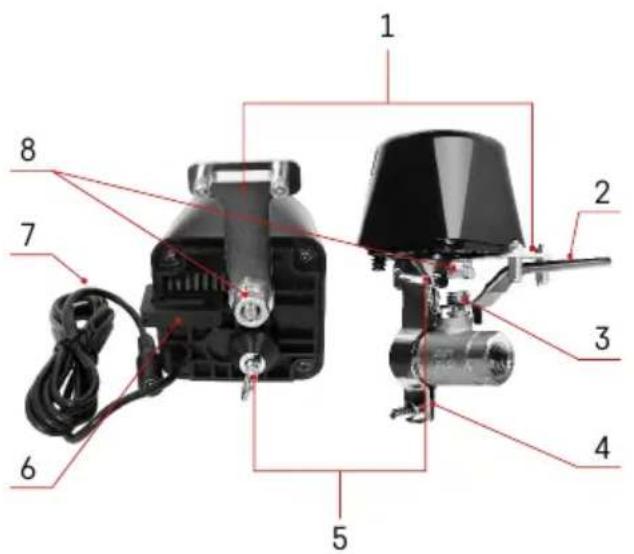
text_image
Labeled diagram of an electric motor with numbered parts for identificationlerīces apraksts
text_image
QR code with a red logo in the center containing Chinese characters.
text_image
Download on the App Store GET IT ON Google PlayVârsta regulatoru var vadît, izmantojot iOS vai Android mobilo lietotni.
text_image
1 2 Log In Sign Up
text_image
My home All Devices All Device
text_image
Tha: 25-May Device status Device status No. of this status.
text_image
Substrate Energy per Emitter Battery Energy Battery Battery and Battery Battery (Laser) Digital Power Multifunction of power Power (Laser) (Laser/LED) Smart Subset Power (Laser) (Laser/LED) Smart Subset Power (Laser) (Laser/LED) Smart Subset Power (Laser) (Laser/LED) Smart Subset Power (Laser) (Laser/LED) Smart Subset Power (Laser) (Laser/LED) Smart Subset Power (Laser) (Laser/LED) Smart Subset Power (Laser) (Laser 1) Smart Subset Power (Laser) (Laser 2) Smart Subset Power (Laser) (Laser 3) Smart Subset Power (Laser) (Laser 4) Smart Subset Power (Laser) (Laser 5) Smart Subset Power (Laser) (Laser 6) Smart Subset Power (Laser) (Laser 7) Smart Subset Power (Laser) (Laser 8) Smart Subset Power (Laser) (Laser 9) Smart Subset Power (Laser) (Laser 10) Smart Subset Power (Laser) (Laser 11) Smart Subset Power (Laser) (Laser 12) Smart Subset Power (Laser) (Laser 13) Smart Subset Power (Laser) (Laser 14) Smart Subset Power (Laser) (Laser 15) Smart Subset Power (Laser) (Laser 16) Smart Subset Power (Laser) (Laser 17) Smart Subset Power (Laser) (Laser 18) Smart Subset Power (Laser) (Laser 19) Smart Subset Power (Laser) (Laser 20) Smart Subset Power (Laser) (Laser 21) Smart Subset Power (Laser) (Laser 22) Smart Subset Power (Laser) (Laser 23) Smart Subset Power (Laser) (Laser 24) Smart Subset Power (Laser) (Laser 25) Smart Subset Power (Laser) (Laser 26) Smart Subset Power (Laser) (Laser 27) Smart Subset Power (Laser) (Laser 28) Smart Subset Power (Laser) (Laser 29) Smart Subset Power (Laser) (Laser 30) Smart Subset Power (Laser) (Laser 31) Smart Subset Power (Laser) (Laser 32) Smart Subset Power (Laser) (Laser 33) Smart Subset Power (Laser) (Laser 34) Smart Subset Power (Laser) (Laser 35) Smart Subset Power (Laser) (Laser 36) Smart Subset Power (Laser) (Laser 37) Smart Subset Power (Laser) (Laser 38) Smart Subset Power (Laser) (Laser 39) Smart Subset Power (Laser) (Laser 40) Smart Subset Power (Laser) (Laser 41) Smart Subset Power (Laser) (Laser 42) Smart Subset Power (Laser) (Laser 43) Smart Subset Power (Laser) (Laser 44) Smart Subset Power (Laser) (Laser 45) Smart Subset Power (Laser) (Laser 46) Smart Subset Power (Laser) (Laser 47) Smart Subset Power (Laser) (Laser 48) Smart Subset Power (Laser) (Laser 49) Smart Subset Power (Laser) (Laser 50) Smart Subset Power (Laser) (Laser 51) Smart Subset Power (Laser) (Laser 52) Smart Subset Power (Laser) (Laser 53) Smart Subset Power (Laser) (Laser 54) Smart Subset Power (Laser) (Laser 55) Smart Subset Power (Laser) (Laser 56) Smart Subset Power (Laser) (Laser 57) Smart Subset Power (Laser) (Laser 58) Smart Subset Power (Laser) (Laser 59) Smart Subset Power (Laser) (Laser 60) Smart Subset Power (Laser) (Laser 61) Smart Subset Power (Laser) (Laser 62) Smart Subset Power (Laser) (Laser 63) Smart Subset Power (Laser) (Laser 64) Smart Subset Power (Laser) (Laser 65) Smart Subset Power (Laser) (Laser 66) Smart Subset Power (Laser) (Laser 67) Smart Subset Power (Laser) (Laser 68) Smart Subset Power (Laser) (Laser 69) Smart Subset Power (Laser) (Laser 70) Smart Subset Power (Laser) (Laser 71) Smart Subset Power (Laser) (Laser 72) Smart Subset Power (Laser) (Laser 73) Smart Subset Power (Laser) (Laser 74) Smart Subset Power (Laser) (Laser 75) Smart Subset Power (Laser) (Laser 76) Smart Subset Power (Laser) (Laser 77) Smart Subset Power (Laser) (Laser 78) Smart Subset Power (Laser) (Laser 79) Smart Subset Power (Laser) (Laser 80)
text_image
5 6 Add Device I have you added your device SMART GATEWAY IN TEREZ Added your device Done
text_image
15:43 - 中盘 My Home All Devices SMART GATEWAY L... ADD Device Create Scene Size
text_image
11月2日 Add Device Smart Lightning Battery Battery and Battery Electrical Energy Battery Battery and Battery Battery Signal Lighting Battery Long Signal Battery High Signal Battery Double Signal Battery Add Device Battery or Battery (RGB) Battery or Battery (RGB) Battery or Battery (RGB) Battery or Battery (RGB) Battery or Battery (RGB) Battery or Battery (RGB) Battery or Battery (RGB) Battery or Battery (RGB) Battery or Battery (RGB) Battery or Battery (RGB) Battery or Battery (RGB) Battery or Battery (RGB) Battery or Battery (RGB) Battery or Battery (RGB) Battery or Battery (RGB) Battery is a single device with an additional device in the main device. Battery is a single device in the main device in the main device. Battery is a single device in the main device in the main device. Battery is a single device in the main device in the main device. Battery is a single device in the main device in the main device. Battery is a single device in the main device in the main device. Battery is a single device in the main device in the main device. Battery is a single device in the main device in the main device. Battery is a single device in the main device. All other devices are listed in this image.
text_image
Smart GATEWAY IP-1000Z Cancel
text_image
9 1 Reset the device Power on the device and make sure the phone is connected to the network. Next
text_image
EMOS 5 s
text_image
Reset the device To turn on the device, press and hold the red power button until the blue light begins to flash. Back Next
text_image
12 Reset the device Smart Valve Controller Power: DG 12V 1A Make sure, that the light is blinding. Confers the indicator is blinking Back Next
text_image
Add Device Valve controller F56435 CloseZigbee vârtejas savienošana pârī ar lietotni
text_image
Schedule 00:00:59 Reset
text_image
Schedule Please add a new Schedule Add Schedule
text_image
Add Schedule Save 12 40 13 50 14 81 Select due to our Smart Head S M T W T F S Valve controller OPEN
text_image
13:50 Sun Moon Day Take account 0%
text_image
13:56 Schedule Delete Delay Medium server Cancel Cancel Add Scheduletext_image
Schedule Please add a new schedule Add Circulate
text_image
Add Chocolate Save Start Time End Time 10 15 14 0 15 0 15 1 10 1 Used Apps to Edit Save Table Start Duration 0h: 3h End Duration 0h: 3h
text_image
Schedule 14:00 - 15:00 Sun Mirr Type Add Circulator Add Circulator Add CirculatorCirkulācija
text_image
Schedule Add Random
text_image
Add Random Start Time End Time 14 D 15 D Start Mode: Start Mode S M T W T P S
text_image
Schedule 14:00 - 15:00 Add RandomNejaušības režīms
text_image
Schedule Inching (See annotated this table, searching the device is turned on, I will automatically run off after a completed time so present) 05 00text_image
Valve controller Flores valve controller Screw Setting
text_image
Setting relay status CL106
text_image
Setting Delay status 20:00 OK CLOSE OPEN Remember last status Cancel Canceltext_image
Valve controller P5640S Device Information Tap-to-Run and Automation Third-party Control Alexa Google Assistant Done Offline Notification Offline Notification Others Share Device Create Group FAQ & Feedback Add to Home Screen Device Update No updates available Remove Devicenatural_image
Black industrial bell with attached cable and metal ring (no visible text or symbols)
Sisukord
natural_image
Two black industrial sensors with attached cables and metal fittings, shown side by side with dimensional annotations (70 mm x 105 mm and 78 mm).Tehnilised andmed
natural_image
Close-up of a black plastic electrical plug with a metallic connector and cable (no text or symbols visible)1/2" | 3/4"

natural_image
Two metallic T-shaped metal bracket components with threaded connectors, shown from different angles (no text or symbols visible)1" | 1 1/4"

natural_image
Three metallic automotive chain clamp components: screw, ring, and clip (no text or symbols visible)
text_image
Labeled diagram of an electric motor with numbered parts for identificationSeadme kirjeldus
text_image
QR code with a red logo in the center containing Chinese characters.
text_image
Download on the App Store GET IT ON Google Playtext_image
1 2 Log In Sign Up
text_image
My home All Devices All Device
text_image
Tha, 2018May Device manual Windows manual
text_image
Substrate Energy per Emitter Battery Energy Battery Battery and Battery Battery (Laser) Digital Power Multifunction of power Power (Laser) (Laser/LED) Smart Subset Power (Laser) (Laser/LED) Smart Subset Power (Laser) (Laser/LED) Smart Subset Power (Laser) (Laser/LED) Smart Subset Power (Laser) (Laser/LED) Smart Subset Power (Laser) (Laser/LED) Smart Subset Power (Laser) (Laser/LED) Smart Subset Power (Laser) (Laser 1) Smart Subset Power (Laser) (Laser 2) Smart Subset Power (Laser) (Laser 3) Smart Subset Power (Laser) (Laser 4) Smart Subset Power (Laser) (Laser 5) Smart Subset Power (Laser) (Laser 6) Smart Subset Power (Laser) (Laser 7) Smart Subset Power (Laser) (Laser 8) Smart Subset Power (Laser) (Laser 9) Smart Subset Power (Laser) (Laser 10) Smart Subset Power (Laser) (Laser 11) Smart Subset Power (Laser) (Laser 12) Smart Subset Power (Laser) (Laser 13) Smart Subset Power (Laser) (Laser 14) Smart Subset Power (Laser) (Laser 15) Smart Subset Power (Laser) (Laser 16) Smart Subset Power (Laser) (Laser 17) Smart Subset Power (Laser) (Laser 18) Smart Subset Power (Laser) (Laser 19) Smart Subset Power (Laser) (Laser 20) Smart Subset Power (Laser) (Laser 21) Smart Subset Power (Laser) (Laser 22) Smart Subset Power (Laser) (Laser 23) Smart Subset Power (Laser) (Laser 24) Smart Subset Power (Laser) (Laser 25) Smart Subset Power (Laser) (Laser 26) Smart Subset Power (Laser) (Laser 27) Smart Subset Power (Laser) (Laser 28) Smart Subset Power (Laser) (Laser 29) Smart Subset Power (Laser) (Laser 30) Smart Subset Power (Laser) (Laser 31) Smart Subset Power (Laser) (Laser 32) Smart Subset Power (Laser) (Laser 33) Smart Subset Power (Laser) (Laser 34) Smart Subset Power (Laser) (Laser 35) Smart Subset Power (Laser) (Laser 36) Smart Subset Power (Laser) (Laser 37) Smart Subset Power (Laser) (Laser 38) Smart Subset Power (Laser) (Laser 39) Smart Subset Power (Laser) (Laser 40) Smart Subset Power (Laser) (Laser 41) Smart Subset Power (Laser) (Laser 42) Smart Subset Power (Laser) (Laser 43) Smart Subset Power (Laser) (Laser 44) Smart Subset Power (Laser) (Laser 45) Smart Subset Power (Laser) (Laser 46) Smart Subset Power (Laser) (Laser 47) Smart Subset Power (Laser) (Laser 48) Smart Subset Power (Laser) (Laser 49) Smart Subset Power (Laser) (Laser 50) Smart Subset Power (Laser) (Laser 51) Smart Subset Power (Laser) (Laser 52) Smart Subset Power (Laser) (Laser 53) Smart Subset Power (Laser) (Laser 54) Smart Subset Power (Laser) (Laser 55) Smart Subset Power (Laser) (Laser 56) Smart Subset Power (Laser) (Laser 57) Smart Subset Power (Laser) (Laser 58) Smart Subset Power (Laser) (Laser 59) Smart Subset Power (Laser) (Laser 60) Smart Subset Power (Laser) (Laser 61) Smart Subset Power (Laser) (Laser 62) Smart Subset Power (Laser) (Laser 63) Smart Subset Power (Laser) (Laser 64) Smart Subset Power (Laser) (Laser 65) Smart Subset Power (Laser) (Laser 66) Smart Subset Power (Laser) (Laser 67) Smart Subset Power (Laser) (Laser 68) Smart Subset Power (Laser) (Laser 69) Smart Subset Power (Laser) (Laser 70) Smart Subset Power (Laser) (Laser 71) Smart Subset Power (Laser) (Laser 72) Smart Subset Power (Laser) (Laser 73) Smart Subset Power (Laser) (Laser 74) Smart Subset Power (Laser) (Laser 75) Smart Subset Power (Laser) (Laser 76) Smart Subset Power (Laser) (Laser 77) Smart Subset Power (Laser) (Laser 78) Smart Subset Power (Laser) (Laser 79) Smart Subset Power (Laser) (Laser 80)
text_image
Add Device I have you added your device SMART GATEWAY IN TEREZ Added your device Done
text_image
15:43 - 中盘 My Home All Devices SMART GATEWAY L... ADD Device Create Scene Size
text_image
11月2日 Add Device Smart Lightning Battery Battery and Battery Electrical Energy Battery Battery and Battery Battery Signal Lighting Battery Long Signal Battery High Signal Battery Double Signal Battery Add Device Battery or Battery (RGB) Battery or Battery (RGB) Battery or Battery (RGB) Battery or Battery (RGB) Battery or Battery (RGB) Battery or Battery (RGB) Battery or Battery (RGB) Battery or Battery (RGB) Battery or Battery (RGB) Battery or Battery (RGB) Battery or Battery (RGB) Battery or Battery (RGB) Battery or Battery (RGB) Battery or Battery (RGB) Battery or Battery (RGB) Battery is a single device with an additional device in the main device. Battery is a single device in the main device in the main device. Battery is a single device in the main device in the main device. Battery is a single device in the main device in the main device. Battery is a single device in the main device in the main device. Battery is a single device in the main device in the main device. Battery is a single device in the main device in the main device. Battery is a single device in the main device in the main device. Battery is a single device in the main device. All other devices are listed in this image.
text_image
Smart GATEWAY IP-1000Z Cancel
text_image
9 1 Reset the device Power on the device and make sure the phone is connected to the network. Next
text_image
EMOS 5 s
text_image
Reset the device To turn on the device, press and hold the red power button until the blue light begins to flash. Back Next
text_image
12 Reset the device Smart Valve Controller Power: DG 12V 1A Make sure, that the light is blinding. Confers the indicator is blinking Back Next
text_image
Add Device Valve controller F56435 Closetext_image
Schedule 00:00:59 Reset
text_image
Schedule Please add a new schedule Add Schedule
text_image
Add Schedule Save 12 40 13 50 14 81 Select due to our Smart Head S M T W T F S Valve controller OPEN
text_image
Schedule 13:50 Start Time Top Save schedule (SPS) Add Schedule
text_image
13:56 Schedule Delete Delete Discount on next Cancel Cancel Anti-ScheduleProgrammide seadistamine

Pöördloendus
text_image
Schedule Please add a new schedule Add Circulate
text_image
Add Chocolate Save Start Time End Time 10 1.5 14 0 15 0 15 1 1.0 Selected Apps to Edit Save Table Start Duration 0h: 3h End Duration 0h: 3h
text_image
Schedule 14:00 - 15:00 Sun Mirr Type Add Circulator Add Circulator Add CirculatorTsirkulatsioon
text_image
Schedule Add Random
text_image
Add Random Start Time End Time 14 D 15 D Start Mode: Start Mode S M T W T P S
text_image
Schedule 14:00 - 15:00 Add RandomMuutrežiim
text_image
Schedule Inching (See annotated this table, searching the device is turned on, I will automatically run off after a completed time so present) 05 00text_image
Valve controller Flores valve controller Screw Setting
text_image
Setting relay status CL106
text_image
Setting Delay status 20:09 Delay status CLOSE OPEN Remember last status Cancel Canceltext_image
Valve controller P5640S Device Information Tap-to-Run and Automation Third-party Control Alexa Google Assistant Done Offline Notification Offline Notification Others Share Device Create Group FAQ & Feedback Add to Home Screen Device Update No updates available Remove DeviceTäpsemad sätted
natural_image
Black industrial bell with attached cable and connector (no visible text or symbols)
Съдържание
natural_image
Two black industrial sensors with attached cables and metal fittings, shown side by side with dimensional annotations (70 mm x 105 mm and 78 mm).Технически характеристики
natural_image
Close-up of a black electronic device with a metallic connector and cable (no visible text or symbols)1/2" | 3/4"

natural_image
Two metallic T-shaped metal bracket components with threaded connectors, shown from different angles (no text or symbols visible)1" | 1 1/4"

natural_image
Three types of metal automotive clips: a screw, a hose with filter, and a clip (no text or symbols visible)
text_image
Labeled diagram of an electric motor with numbered parts for identification
text_image
EMOS 10 9
text_image
90° 22 mm 70 mm 65 mm 65 mm Power DC 12V 1Atext_image
QR code with a red logo in the center containing Chinese characters.
text_image
Download on the App Store GET IT ON Google Playtext_image
1 2 Log In Sign Up
text_image
My home All Devices All Device
text_image
12:18 Thu, 253May Device manual Media manual
text_image
Substrate Energy per Emitter Battery Energy Battery Battery and Battery Battery (Laser) Battery (Laser) Battery (Laser) Battery (Laser) Battery (Laser) Battery (Laser) Battery (Laser) Battery (Laser) Battery (Laser) Battery (Laser) Battery (Laser) Battery (Laser) Battery (Laser) Battery (Laser) Battery (Laser) Battery (Laser) Battery (Laser) Battery (Laser) Battery (Laser) Battery (Laser) Battery (Laser)
text_image
Add Device 1. Add Device added customally SMART CAFENAY 01:18862 Added customally Close
text_image
15:43 - 中望 - My Home All Devices SMART GATEWAY L... Add Device Create Scene Size
text_image
Add Device Balance Lighting & Lighting Lighting & Lighting Lighting & Lighting Balance Balance & Lighting Balance & Lighting Balance & Lighting Balance & Lighting Balance & Lighting Balance & Lighting Balance & Lighting Balance & Lighting Balance & Lighting Balance & Lighting Balance & Lighting Balance & Lighting Balance & Lighting Balance & Lighting Balance & Lighting Balance & Lighting Balance & Lighting Balance & Lighting Balance & Lighting Balance & Lighting Balance & Lighting Balance & Lighting Balance & Lighting Balance & Lighting Balance & Lighting Balance & Lighting Balance & Lighting Balance & Lighting Balance & Lighting Balance & Lighting Balance & Lighting Balance & Lighting Balance & Lighting Balance & Lighting Balance & Lighting Balance & Lighting Balance & Lighting Balance & Lighting Balance & Lighting Balance & Lighting Balance & Lighting Balance & Lighting Balance & Lighting Balance & Lighting Balance & Lighting Balance & LightING Balance & LightING Balance & LightING Balance & LightING Balance & LightING Balance & LightING Balance & LightING Balance & LightING Balance & LightING Balance & LightING Balance & LightING Balance & LightING Balance & LightING Balance & LightING Balance & LightING Balance & LightING Balance & LightING Balance & LightING Balance & LightING Balance & LightING Balance & Light INCE Balance & Light INCE Balance & Light INCE Balance & Light INCE Balance & Light INCE Balance & Light INCE Balance & Light INCE Balance & Light INCE Balance & Light INCE Balance & Light INCE Balance & Light INCE Balance & Light INCE Balance & Light INCE Balance & Light INCE Balance & Light INCE Balance & Light INCE Balance & Light INCE Balance & Low InCE Balance & Low InCE Balance & Low InCE Balance & Low InCE Balance & Low InCE Balance & Low InCE Balance & Low InCE Balance & Low InCE Balance & Low InCE Balance & Low InCE Balance & Low InCE Balance & Low InCE Balance & Low InCE Balance & Low InCE Balance & Low InCE Balance & Low InCE Balance & Low InCE Balance & Balance & Balance & Balance & Balance & Balance & Balance & Balance & Balance & Balance & Balance & Balance & Balance & Balance & Balance & Balance & Balance & Balance & Balance & Balance & Balance & Balance & Balance & Balance & Balance & Balance & Balance & Balance & Balance & Balance & Balance & Balance & Balance & Balance & Balance & Balance & Balance & Balance & Balance & Balance & Balance & Balance & Balance & Balance & Balance & Balance & Balance & Balance & Balance & Balance & Balance& Balance & Balance & Balance & Balance & Balance & Balance & Balance & Balance & Balance & Balance & Balance & Balance & Balance & Balance & Balance & Balance & Balance & Balance & Balance & Balance & Balance & Balance & Balance & Balance & Balance & Balance & Balance & Balance & Balance & Balance & Balance & Balance & Balance & Balance & Balance & Balance & Balance & Balance & Balance & Balance & Balance & Balance & Balance & Balance & Balance & Balance & Balance & Balance & Balance & Balance/ 120000000000000000000000000000000000000000000000000000000000000000000000000000000000000000000000000000
text_image
Smart GATEWAY IP-1000Z Cancel
text_image
9 1 Reset the device Power on the device and makes sure the phone is connected to the network. Next
text_image
EMOS 5 s
text_image
Reset the device To turn on the device, press and hold the red power button until the blue light expires to flash. Back Next
text_image
12 Reset the device Smart Valve Controller Power:DC12V 1A Make sure that the light is blinking. Back Next
text_image
11:24 电邮总 Add Device Device 1 added successfully Value editor PSA435 Add Software Datetext_image
Schedule 00:00:59 Reset
text_image
Schedule Please add a new schedule Add Schedule
text_image
Add Schedule Save 12 40 13 50 14 81 Select due to our Smart Head S M T W T F S Valve controller OPEN
text_image
Schedule 13:50 Start Time Top Save schedule (SPS) Add Schedule
text_image
13:56 Schedule Delete Delete Discount on next Cancel Cancel Anti-Scheduletext_image
Schedule Please add a new schedule Add Calendar
text_image
Add Circulate Save Start Time End Time 12 1.6 14 0 15 0 15 1 1.6 Selected Back to the Ground Mode Start Duration 0h 3m End Duration 0h 3m
text_image
Schedule 14:00 - 15:00 Sun Wed Tue Add Chocolate Add Chocolate Add ChocolateЦиркулиране
text_image
Schedule Add Random
text_image
Add Random Start Time End Time 14 0 15 0 15 1 16 1 Select Keys to Find Goals S M T W T P S
text_image
Schedule 14:00 - 15:00 Add Time Plus Add RandomРежим на случаен
принцип
text_image
Schedule Inching (See updated this table, which the device is turned on, I will automatically turn off after a completed time so present) 05 H 00 %text_image
valve conder after Flo493 valve controller Smart Setting
text_image
Setting relay status 73.406
text_image
Setting Close CLOSE OPEN Remember last status Close Closetext_image
Valve controller P5640S Device Information Tap-to-Run and Automation Third panel Control Alexa Google Assistant Device Office Available Offline Notification Others Share Device Create Group FAQ & Feedback Add to Home Screen Device Update No updates available Remove DeviceРазширени настройки
natural_image
Black industrial bell with attached cable and connector (no visible text or symbols)
Sommaire
Application mobile....6
natural_image
Two black industrial sensors with attached cables and a metallic connector, shown with dimensional annotations (70 mm x 105 mm and 78 mm) for size reference.
natural_image
Close-up of a black plastic electrical plug with a metallic connector, shown against a plain background (no text or symbols visible)natural_image
Two metallic T-shaped metal bracket components with circular holes (no text or symbols)1" | 1 1/4"


natural_image
Two types of metal automotive clips: a circular frame and a mechanical clip (no text or symbols visible)
text_image
Labeled diagram of an electric motor with numbered parts for identification
text_image
EMOS 10 9
text_image
90° 22 mm 70 mm 65 mm 65 mm Power DC 12V 1Atext_image
QR code with a red logo in the center containing Chinese characters.
text_image
Download on the App Store GET IT ON Google Playtext_image
1 2 Log In Sign Up
text_image
My home All Devices Add Device
text_image
12:18 Thu, 253May Device manual Media manual
text_image
Substrate Energy per Emitter Battery Energy Battery Battery and Battery Battery (Laser) Digital Power Multifunction of power Power (Laser) (Laser/LED) Smart Subset Power (Laser) (Laser/LED) Smart Subset Power (Laser) (Laser/LED) Smart Subset Power (Laser) (Laser/LED) Smart Subset Power (Laser) (Laser/LED) Smart Subset Power (Laser) (Laser/LED) Smart Subset Power (Laser) (Laser/LED) Smart Subset Power (Laser) (Laser 1) Smart Subset Power (Laser) (Laser 2) Smart Subset Power (Laser) (Laser 3) Smart Subset Power (Laser) (Laser 4) Smart Subset Power (Laser) (Laser 5) Smart Subset Power (Laser) (Laser 6) Smart Subset Power (Laser) (Laser 7) Smart Subset Power (Laser) (Laser 8) Smart Subset Power (Laser) (Laser 9) Smart Subset Power (Laser) (Laser 10) Smart Subset Power (Laser) (Laser 11) Smart Subset Power (Laser) (Laser 12) Smart Subset Power (Laser) (Laser 13) Smart Subset Power (Laser) (Laser 14) Smart Subset Power (Laser) (Laser 15) Smart Subset Power (Laser) (Laser 16) Smart Subset Power (Laser) (Laser 17) Smart Subset Power (Laser) (Laser 18) Smart Subset Power (Laser) (Laser 19) Smart Subset Power (Laser) (Laser 20) Smart Subset Power (Laser) (Laser 21) Smart Subset Power (Laser) (Laser 22) Smart Subset Power (Laser) (Laser 23) Smart Subset Power (Laser) (Laser 24) Smart Subset Power (Laser) (Laser 25) Smart Subset Power (Laser) (Laser 26) Smart Subset Power (Laser) (Laser 27) Smart Subset Power (Laser) (Laser 28) Smart Subset Power (Laser) (Laser 29) Smart Subset Power (Laser) (Laser 30) Smart Subset Power (Laser) (Laser 31) Smart Subset Power (Laser) (Laser 32) Smart Subset Power (Laser) (Laser 33) Smart Subset Power (Laser) (Laser 34) Smart Subset Power (Laser) (Laser 35) Smart Subset Power (Laser) (Laser 36) Smart Subset Power (Laser) (Laser 37) Smart Subset Power (Laser) (Laser 38) Smart Subset Power (Laser) (Laser 39) Smart Subset Power (Laser) (Laser 40) Smart Subset Power (Laser) (Laser 41) Smart Subset Power (Laser) (Laser 42) Smart Subset Power (Laser) (Laser 43) Smart Subset Power (Laser) (Laser 44) Smart Subset Power (Laser) (Laser 45) Smart Subset Power (Laser) (Laser 46) Smart Subset Power (Laser) (Laser 47) Smart Subset Power (Laser) (Laser 48) Smart Subset Power (Laser) (Laser 49) Smart Subset Power (Laser) (Laser 50) Smart Subset Power (Laser) (Laser 51) Smart Subset Power (Laser) (Laser 52) Smart Subset Power (Laser) (Laser 53) Smart Subset Power (Laser) (Laser 54) Smart Subset Power (Laser) (Laser 55) Smart Subset Power (Laser) (Laser 56) Smart Subset Power (Laser) (Laser 57) Smart Subset Power (Laser) (Laser 58) Smart Subset Power (Laser) (Laser 59) Smart Subset Power (Laser) (Laser 60) Smart Subset Power (Laser) (Laser 61) Smart Subset Power (Laser) (Laser 62) Smart Subset Power (Laser) (Laser 63) Smart Subset Power (Laser) (Laser 64) Smart Subset Power (Laser) (Laser 65) Smart Subset Power (Laser) (Laser 66) Smart Subset Power (Laser) (Laser 67) Smart Subset Power (Laser) (Laser 68) Smart Subset Power (Laser) (Laser 69) Smart Subset Power (Laser) (Laser 70) Smart Subset Power (Laser) (Laser 71) Smart Subset Power (Laser) (Laser 72) Smart Subset Power (Laser) (Laser 73) Smart Subset Power (Laser) (Laser 74) Smart Subset Power (Laser) (Laser 75) Smart Subset Power (Laser) (Laser 76) Smart Subset Power (Laser) (Laser 77) Smart Subset Power (Laser) (Laser 78) Smart Subset Power (Laser) (Laser 79) Smart Subset Power (Laser) (Laser 80)
text_image
Add Device 1. Add Device added customally SMART CAFENAY 01:18862 Added customally Close
text_image
15:43 - 中望 - My Home All Devices SMART GATEWAY L... Add Device Create Scene Size
text_image
Add Device Balance Lighting Cycling Enerplus and Battery Electrical Energy Electricity Capacitor and Battery Power Supply Battery Small Electric Battery Small Electric Battery Small Electric Battery Small Electric Battery Small Electric Battery Small Electric Battery Small Electric Battery Small Electric Battery Small Electric Battery Small Electric Battery Small Electric Battery Small Electric Battery Small Electric Battery Small Electric Battery Small Electric Battery Small Electric Battery Small Electric Battery Small Electric Battery Small Electric Battery Small Electric Battery Small electric vehicle Battery Battery Battery Battery Battery Battery Battery Battery Battery Battery Battery Battery Battery Battery Battery Battery Battery Battery Battery Battery Battery Battery Battery Battery Battery Battery Battery Battery Battery Battery Battery Battery Battery Battery Battery Battery Battery
text_image
Smart GATEWAY IP-1000Z Cancel
text_image
9 1 Reset the device Power on the device and make sure the phone is connected to the network. Next
text_image
EMOS 5 s
text_image
Reset the device To turn on the device, press and hold the red power button until the blue light begins to flash. Back Last
text_image
12 Reset the device Smart Valve Controller Power:DC,12V 1A Make sure, that the light is blinking. Confers the indicator is blinking Back Next
text_image
Add Device Valve controller PS643G Closetext_image
Schedule 00:00:59 Reset
text_image
Schedule Please add a new Schedule Add Schedule
text_image
Add Schedule Save 12 40 13 50 14 81 Select due to our Smart Head S M T W T F S Valve controller OPEN
text_image
Schedule 13:50 Sun Moon Day Value schedule: 0.9% Add Schedule
text_image
13:56 Save Phone Tree (Show confirmation, 2478) Delete Delete Medium server Cancel Confirm Add Scheduletext_image
Schedule Please add a new schedule Add Circulate
text_image
Add Chocolate Save Start Time End Time 10 1.5 14 0 15 0 15 1 1.5 Selected Apps to Edit Save Table Start Duration 0h: 3h End Duration 0h: 3h
text_image
Schedule 14:00 - 15:00 Sun Mirr Tue Add Circulator Off Sunday Add CirculatorCirculation
text_image
Schedule Add Random
text_image
Add Random Start Time End Time 14 D 15 D 16 T 18 Show Key to Add Key Mode S M T W T P S
text_image
Schedule 14:00 - 15:00 Add RandomMode aléatoire
text_image
Schedule Inching (See annotated this table, searching the device is turned on, I will automatically run off after a completed time so present) 05 00Arrêt différé
text_image
Valve controller Flores valve controller Screw Setting
text_image
Setting relay status CL106
text_image
Setting Delay status 20:09 Delay status CLOSE OPEN Remember last status Cancel Canceltext_image
Valve controller P5640S Device Information Tap-to-Run and Automation Third-party Control Alexa Google Assistant Done Offline Notification Offline Notification Others Share Device Create Group FAQ & Feedback Add to Home Screen Device Update No updates available Remove DeviceOptions avancées
natural_image
Black industrial bell with attached cable and metal ring (no visible text or symbols)
Indice
natural_image
Two black industrial sensors with attached cables and a key inserted, shown side by side with dimension labels (70 mm x 105 mm and 78 mm).Specifiche tecniche
Frequenza Wifi: 2,4 GHz, 25 mW e.i.r.p. max.
natural_image
Close-up of a black plastic electrical plug with a metallic connector and cable (no text or symbols visible)
1/2" | 3/4"
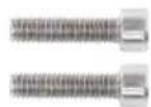
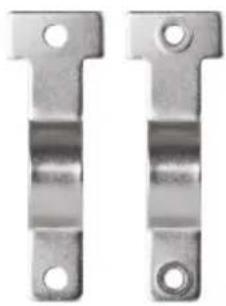
natural_image
Two metallic T-shaped metal bracket components with circular holes (no text or symbols)1" | 1 1/4"
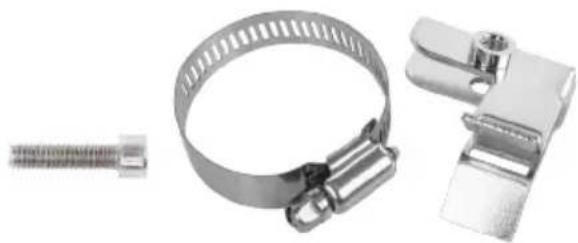
natural_image
Three metallic automotive clamp components: a coiled spring, a ring with ribbed wire, and a clip clamp (no text or symbols visible)
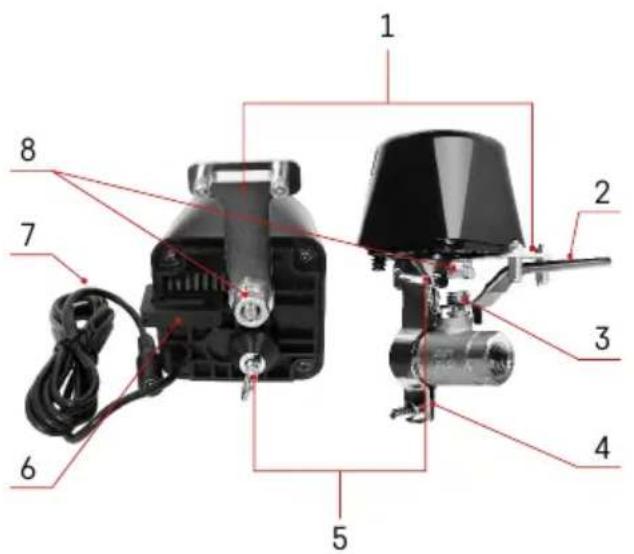
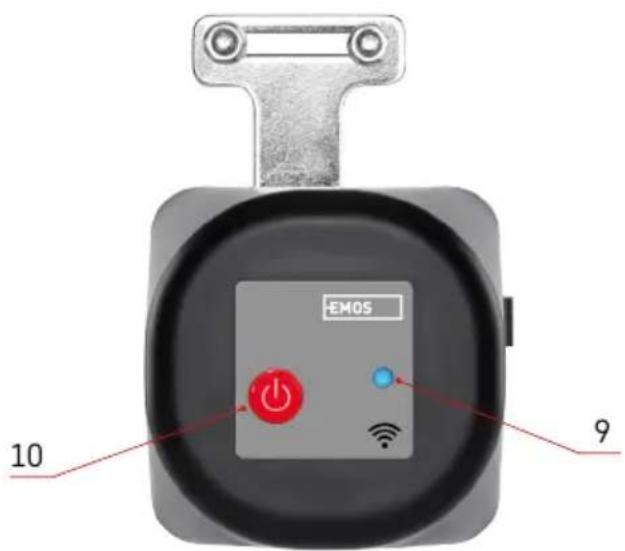
text_image
Labeled diagram of an electric motor with numbered parts for identification
text_image
EMOS 10 9
text_image
90° 22 mm 70 mm 65 mm 65 mm Power DC 12V 1Atext_image
QR code with a red logo in the center containing Chinese characters.
text_image
Download on the App Store GET IT ON Google Playtext_image
1 2 Log In Sign Up
text_image
My home All Devices Add Device
text_image
Tha, 253May Device manual Bluetooth Other devices
text_image
Substrate Energy per Emitter Battery Energy Battery Battery and Battery Battery (Laser) Battery (Laser) Battery (Laser) Battery (Laser) Battery (Laser) Battery (Laser) Battery (Laser) Battery (Laser) Battery (Laser) Battery (Laser) Battery (Laser) Battery (Laser) Battery (Laser) Battery (Laser) Battery (Laser) Battery (Laser) Battery (Laser) Battery (Laser) Battery (Laser) Battery (Laser) Battery (Laser)
text_image
Add Device 1. Add Device added customally SMART CAFENAY 01:18862 Added customally Close
text_image
15:43 - 中望 - My Home All Devices SMART GATEWAY L... Add Device Create Scene Size
text_image
Add Device Balance Lighting Cycling Enerplus and Battery Electrical Energy Electricity Capacitor and Battery Power Supply Battery Internal Home Appurposes Large Home Appurposes Machine Appliances Window Touch Options and Balance Balance (2017) Thermal Aggregated Electricity Air Quality Monitor Control Lighting Battery Small Digital Battery Small Digital Battery Small Digital Battery Small Digital Battery Small Digital Battery Small Digital Battery
text_image
Smart GATEWAY IP-1000Z Cancel
text_image
9 1 Reset the device Power on the device and make sure the phone is connected to the network. Next
text_image
EMOS 5 s
text_image
Reset the device To turn on the device, press and hold the red power button until the blue light begins to flash. Back Next
text_image
12 Reset the device Smart Valve Controller Power: DG 12V 1A Make sure, that the light is blinding. Confers the indicator is blinking Back Next
text_image
Add Device Valve controller F56435 Closetext_image
Schedule 00:00:59 Reset
text_image
Schedule Please add a new schedule Add Schedule
text_image
Add Schedule Save 12 40 13 50 14 81 Select due to our Smart Head S M T W T F S Valve controller OPEN
text_image
Schedule 13:50 Start Time Top Save schedule (SPS) Add Schedule
text_image
13:56 Schedule Delete Delete Discount on next Cancel Cancel Add Scheduletext_image
Schedule Please add a new schedule Add Circulate
text_image
Add Criculate Start Time End Time 14 0 15 0 Selected Next to Next Window Start Duration 0h: 3h End Duration 0h: 3h
text_image
Schedule 14:00 - 15:00 Sun Win Type Add Circulator Add CirculatorCircolazione
text_image
Schedule Add Random
text_image
Add Random Start Time End Time 14 D 15 D 15 T 16 Show Rays to Add Show Bands S M T W T P S
text_image
Schedule 14:00 - 15:00 Add RandomModalità casuale
text_image
Schedule Inching (See annotated this table, searching the device is turned on, I will automatically turn off after a selected time as present) 05 00text_image
Valve controller Flores valve controller Screw Setting
text_image
Setting relay status CL106
text_image
Setting Delay status 20:00 OK CLOSE OPEN Remember last status Cancel Canceltext_image
Valve controller P5640S Device Information Tap-to-Run and Automation Third-party Control Alexa Google Assistant Done Offline Notification Offline Notification Others Share Device Create Group FAQ & Feedback Add to Home Screen Device Update No updates available Remove Devicenatural_image
Black industrial bell with attached cable and connector (no visible text or symbols)
Inhoud
natural_image
Two black industrial sensors with attached cables and a key, shown side by side with dimension labels (70 mm x 105 mm and 78 mm).Technische specificatie
Wifi-frequentie: 2,4 GHz, 25 mW e.r.p. max.
Klepdruk: 1,6 MPa
Klepmaat: 1/2", 3/4", 1" en 1 1/4"
natural_image
Close-up of a black electronic device with a metallic connector and cable (no visible text or symbols)
1/2" | 3/4"


natural_image
Two metallic T-shaped metal bracket components with circular holes (no text or symbols)1" | 1 1/4"

natural_image
Three types of metal automotive clips: a screw, a hose with filter, and a clamp bracket (no text or symbols visible)
text_image
Labeled diagram of an electric motor with numbered parts for identification
text_image
EMOS 10 9
text_image
90° 22 mm 70 mm 65 mm 65 mm Power DC 12V 1Atext_image
QR code with a red logo in the center containing Chinese characters.
text_image
Download on the App Store GET IT ON Google Playtext_image
1 2 Log In Sign Up
text_image
My home All Devices All Device
text_image
Tha, 253May Device manual Bluetooth Media manual
text_image
Substrate Energy per Emitter Battery Energy Battery Battery and Battery Battery (Laser) Digital Power Multifunction of power Power (Laser) (Laser/LED) Smart Subset Power (Laser) (Laser/LED) Smart Subset Power (Laser) (Laser/LED) Smart Subset Power (Laser) (Laser/LED) Smart Subset Power (Laser) (Laser/LED) Smart Subset Power (Laser) (Laser/LED) Smart Subset Power (Laser) (Laser/LED) Smart Subset Power (Laser) (Laser 1) Smart Subset Power (Laser) (Laser 2) Smart Subset Power (Laser) (Laser 3) Smart Subset Power (Laser) (Laser 4) Smart Subset Power (Laser) (Laser 5) Smart Subset Power (Laser) (Laser 6) Smart Subset Power (Laser) (Laser 7) Smart Subset Power (Laser) (Laser 8) Smart Subset Power (Laser) (Laser 9) Smart Subset Power (Laser) (Laser 10) Smart Subset Power (Laser) (Laser 11) Smart Subset Power (Laser) (Laser 12) Smart Subset Power (Laser) (Laser 13) Smart Subset Power (Laser) (Laser 14) Smart Subset Power (Laser) (Laser 15) Smart Subset Power (Laser) (Laser 16) Smart Subset Power (Laser) (Laser 17) Smart Subset Power (Laser) (Laser 18) Smart Subset Power (Laser) (Laser 19) Smart Subset Power (Laser) (Laser 20) Smart Subset Power (Laser) (Laser 21) Smart Subset Power (Laser) (Laser 22) Smart Subset Power (Laser) (Laser 23) Smart Subset Power (Laser) (Laser 24) Smart Subset Power (Laser) (Laser 25) Smart Subset Power (Laser) (Laser 26) Smart Subset Power (Laser) (Laser 27) Smart Subset Power (Laser) (Laser 28) Smart Subset Power (Laser) (Laser 29) Smart Subset Power (Laser) (Laser 30) Smart Subset Power (Laser) (Laser 31) Smart Subset Power (Laser) (Laser 32) Smart Subset Power (Laser) (Laser 33) Smart Subset Power (Laser) (Laser 34) Smart Subset Power (Laser) (Laser 35) Smart Subset Power (Laser) (Laser 36) Smart Subset Power (Laser) (Laser 37) Smart Subset Power (Laser) (Laser 38) Smart Subset Power (Laser) (Laser 39) Smart Subset Power (Laser) (Laser 40) Smart Subset Power (Laser) (Laser 41) Smart Subset Power (Laser) (Laser 42) Smart Subset Power (Laser) (Laser 43) Smart Subset Power (Laser) (Laser 44) Smart Subset Power (Laser) (Laser 45) Smart Subset Power (Laser) (Laser 46) Smart Subset Power (Laser) (Laser 47) Smart Subset Power (Laser) (Laser 48) Smart Subset Power (Laser) (Laser 49) Smart Subset Power (Laser) (Laser 50) Smart Subset Power (Laser) (Laser 51) Smart Subset Power (Laser) (Laser 52) Smart Subset Power (Laser) (Laser 53) Smart Subset Power (Laser) (Laser 54) Smart Subset Power (Laser) (Laser 55) Smart Subset Power (Laser) (Laser 56) Smart Subset Power (Laser) (Laser 57) Smart Subset Power (Laser) (Laser 58) Smart Subset Power (Laser) (Laser 59) Smart Subset Power (Laser) (Laser 60) Smart Subset Power (Laser) (Laser 61) Smart Subset Power (Laser) (Laser 62) Smart Subset Power (Laser) (Laser 63) Smart Subset Power (Laser) (Laser 64) Smart Subset Power (Laser) (Laser 65) Smart Subset Power (Laser) (Laser 66) Smart Subset Power (Laser) (Laser 67) Smart Subset Power (Laser) (Laser 68) Smart Subset Power (Laser) (Laser 69) Smart Subset Power (Laser) (Laser 70) Smart Subset Power (Laser) (Laser 71) Smart Subset Power (Laser) (Laser 72) Smart Subset Power (Laser) (Laser 73) Smart Subset Power (Laser) (Laser 74) Smart Subset Power (Laser) (Laser 75) Smart Subset Power (Laser) (Laser 76) Smart Subset Power (Laser) (Laser 77) Smart Subset Power (Laser) (Laser 78) Smart Subset Power (Laser) (Laser 79) Smart Subset Power (Laser) (Laser 80)
text_image
Add Device 1. Add Device added customally SMART CAFENAY 01:18862 Added customally Close
text_image
15:43 - 中望 - My Home All Devices SMART GATEWAY L... Add Device Create Scene Size
text_image
Add Device Balance Lighting Cycling Enerplus and Battery Electrical Energy Electricity Capacitor and Battery Power Supply Battery Internal Home Appurposes Large Home Appurposes Machine Appliances Window Touch Options and Balance Balance (2017) Thermal Aggregated Electricity Air Quality Monitor Control Lighting Battery Small Digital Battery Small Digital Battery Small Digital Battery Small Digital Battery Small Digital Battery Small Digital Battery
text_image
Smart GATEWAY IP-100XZ Cancel
text_image
9 1 Reset the device Power on the device and make sure the phone is connected to the network. Next
text_image
EMOS 5 s
text_image
Reset the device To turn on the device, press and hold the red power button until the blue light begins to flash. Back Next
text_image
12 Reset the device Smart Valve Controller Power: DG 12V 1A Make sure, that the light is blinding. Confers the indicator is blinking Back Next
text_image
Add Device Valve controller F56435 Closetext_image
Schedule 00:00:59 Reset
text_image
Schedule Please add a new schedule Add Schedule
text_image
Add Schedule Save 12 40 13 50 14 81 Select due to our Smart Head S M T W T F S Valve controller OPEN
text_image
Schedule 13:50 Start Time Top Save schedule (SPS) Add Schedule
text_image
13:56 Delete Delete minutes on next Cancel Cancel Anti-ScheduleProgramma-instellingen

Aftellen
text_image
Schedule Please add a new schedule Add Circulate
text_image
Add Chocolate Save Start Time End Time 10 1.5 14 0 15 0 15 1 1.0 Selected Apps to Edit Save Table Start Duration 0h: 3h End Duration 0h: 3h
text_image
Schedule 14:00 - 15:00 Sun Time Tsy Add Circulator Add CirculatorCirculatie
text_image
Schedule Add Random
text_image
Add Random Start Time End Time 14 0 15 0 Select Key to Select Mode S M T W T P S
text_image
Schedule 14:00 - 15:00 Add RandomWillekeurige modus
text_image
Schedule Inching (See annotated this table, searching the device is turned on, I will automatically turn off after a selected time as present) 05 00text_image
Valve controller Flores valve controller Screw Setting
text_image
Setting relay status CL106
text_image
Setting Delay status 20:00 OK CLOSE OPEN Remember last status Cancel Canceltext_image
Valve controller P5640S Device Information Tap-to-Run and Automation Third-party Control Alexa Google Assistant Done Offline Notification Offline Notification Others Share Device Create Group FAQ & Feedback Add to Home Screen Device Update No updates available Remove Devicenatural_image
Black industrial bell with attached cable and connector (no visible text or symbols)
Contenido
natural_image
Two black industrial sensors with attached cables and a metallic connector, shown with dimensional annotations (70 mm x 105 mm and 78 mm) — no text or symbols on the devices themselves.
natural_image
Close-up of a black plastic electrical plug with a metallic connector, shown against a plain background (no text or symbols visible)natural_image
Two metallic T-shaped metal bracket components with circular holes (no text or symbols)1" | 1 1/4"

natural_image
Three metallic automotive components: a screw, a hose clamp, and a clip clamp (no text or symbols visible)
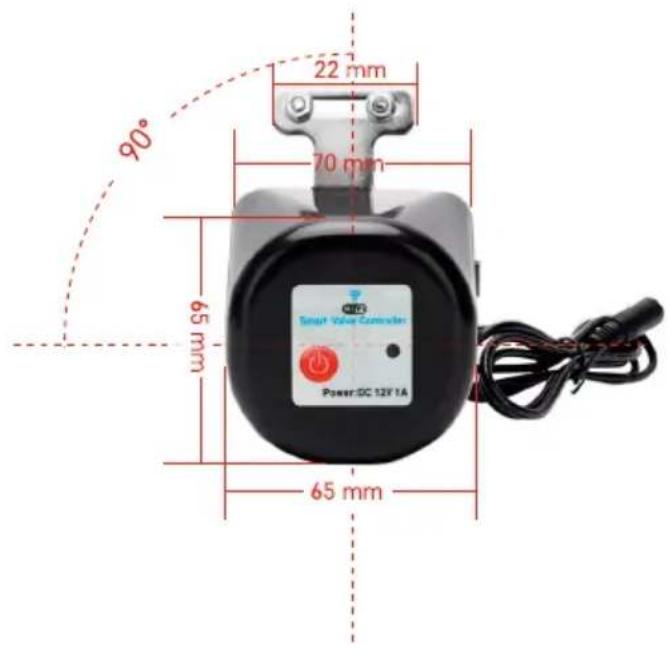
text_image
Labeled diagram of an electric motor with numbered parts for identification
text_image
EMOS 10 9
text_image
90° 22 mm 70 mm 65 mm 65 mm Power DC 12V 1Atext_image
QR code with a red logo in the center, likely linking to a website or digital content.
text_image
Download on the App Store GET IT ON Google Playtext_image
1 2 Log In Sign Up
text_image
My home All Devices All Device
text_image
Tha, 253May Device manual Bluetooth Media manual
text_image
Substrate Energy per Emitter Battery Energy Battery Battery and Battery Battery (Laser) Digital Power Multifunction of power Power (Laser) (Laser/LED) Smart Subset Power (Laser) (Laser/LED) Smart Subset Power (Laser) (Laser/LED) Smart Subset Power (Laser) (Laser/LED) Smart Subset Power (Laser) (Laser/LED) Smart Subset Power (Laser) (Laser/LED) Smart Subset Power (Laser) (Laser/LED) Smart Subset Power (Laser) (Laser 1) Smart Subset Power (Laser) (Laser 2) Smart Subset Power (Laser) (Laser 3) Smart Subset Power (Laser) (Laser 4) Smart Subset Power (Laser) (Laser 5) Smart Subset Power (Laser) (Laser 6) Smart Subset Power (Laser) (Laser 7) Smart Subset Power (Laser) (Laser 8) Smart Subset Power (Laser) (Laser 9) Smart Subset Power (Laser) (Laser 10) Smart Subset Power (Laser) (Laser 11) Smart Subset Power (Laser) (Laser 12) Smart Subset Power (Laser) (Laser 13) Smart Subset Power (Laser) (Laser 14) Smart Subset Power (Laser) (Laser 15) Smart Subset Power (Laser) (Laser 16) Smart Subset Power (Laser) (Laser 17) Smart Subset Power (Laser) (Laser 18) Smart Subset Power (Laser) (Laser 19) Smart Subset Power (Laser) (Laser 20) Smart Subset Power (Laser) (Laser 21) Smart Subset Power (Laser) (Laser 22) Smart Subset Power (Laser) (Laser 23) Smart Subset Power (Laser) (Laser 24) Smart Subset Power (Laser) (Laser 25) Smart Subset Power (Laser) (Laser 26) Smart Subset Power (Laser) (Laser 27) Smart Subset Power (Laser) (Laser 28) Smart Subset Power (Laser) (Laser 29) Smart Subset Power (Laser) (Laser 30) Smart Subset Power (Laser) (Laser 31) Smart Subset Power (Laser) (Laser 32) Smart Subset Power (Laser) (Laser 33) Smart Subset Power (Laser) (Laser 34) Smart Subset Power (Laser) (Laser 35) Smart Subset Power (Laser) (Laser 36) Smart Subset Power (Laser) (Laser 37) Smart Subset Power (Laser) (Laser 38) Smart Subset Power (Laser) (Laser 39) Smart Subset Power (Laser) (Laser 40) Smart Subset Power (Laser) (Laser 41) Smart Subset Power (Laser) (Laser 42) Smart Subset Power (Laser) (Laser 43) Smart Subset Power (Laser) (Laser 44) Smart Subset Power (Laser) (Laser 45) Smart Subset Power (Laser) (Laser 46) Smart Subset Power (Laser) (Laser 47) Smart Subset Power (Laser) (Laser 48) Smart Subset Power (Laser) (Laser 49) Smart Subset Power (Laser) (Laser 50) Smart Subset Power (Laser) (Laser 51) Smart Subset Power (Laser) (Laser 52) Smart Subset Power (Laser) (Laser 53) Smart Subset Power (Laser) (Laser 54) Smart Subset Power (Laser) (Laser 55) Smart Subset Power (Laser) (Laser 56) Smart Subset Power (Laser) (Laser 57) Smart Subset Power (Laser) (Laser 58) Smart Subset Power (Laser) (Laser 59) Smart Subset Power (Laser) (Laser 60) Smart Subset Power (Laser) (Laser 61) Smart Subset Power (Laser) (Laser 62) Smart Subset Power (Laser) (Laser 63) Smart Subset Power (Laser) (Laser 64) Smart Subset Power (Laser) (Laser 65) Smart Subset Power (Laser) (Laser 66) Smart Subset Power (Laser) (Laser 67) Smart Subset Power (Laser) (Laser 68) Smart Subset Power (Laser) (Laser 69) Smart Subset Power (Laser) (Laser 70) Smart Subset Power (Laser) (Laser 71) Smart Subset Power (Laser) (Laser 72) Smart Subset Power (Laser) (Laser 73) Smart Subset Power (Laser) (Laser 74) Smart Subset Power (Laser) (Laser 75) Smart Subset Power (Laser) (Laser 76) Smart Subset Power (Laser) (Laser 77) Smart Subset Power (Laser) (Laser 78) Smart Subset Power (Laser) (Laser 79) Smart Subset Power (Laser) (Laser 80)
text_image
Add Device 1. Add Device added customally SMART CAFENAY 01:18862 Added customally Close
text_image
15:43 - 中望 - My Home All Devices SMART GATEWAY L... Add Device Create Scene Size
text_image
Add Device Balance Lighting Cycling Enerplus and Battery Electrical Energy Electricity Capacitor and Battery Power Supply Battery Internal Home Appurposes Large Home Appurposes Machine Appliances Window Touch Options and Balance Balance (2015) Balance (2016) Balance (2017) Balance (2018) Balance (2019) Balance (2020)
text_image
Smart GATEWAY IP-100XZ Cancel
text_image
9 1 Reset the device Power on the device and make sure the phone is connected to the network. Next
text_image
EMOS 5 s
text_image
Reset the device To turn on the device, press and hold the red power button until the blue light begins to flash. Back Next
text_image
12 Reset the device Smart Valve Controller Power: DG 12V 1A Make sure, that the light is blinding. Confers the indicator is blinking Back Next
text_image
Add Device Valve controller F56435 Closetext_image
Schedule 00:00:59 Reset
text_image
Schedule Please add a new schedule Add Schedule
text_image
Add Schedule Save 12 40 13 50 14 81 Select due to our Smart Head S M T W T F S Valve controller OPEN
text_image
Schedule 13:50 Start Time Top Save schedule (SPS) Add Schedule
text_image
13:56 Schedule Delete Delete Discount on next Cancel Cancel Add Scheduletext_image
Schedule Please add a new schedule Add Circulate
text_image
Add Chocolate Save Start Time End Time 10 1.5 14 0 15 0 15 1 1.5 Selected Apps to Edit Save Table Start Duration 0h: 3h End Duration 0h: 3h
text_image
Schedule 14:00 - 15:00 Sun Time Tsy Add Circulator Add CirculatorCirculación
text_image
Schedule Add Random
text_image
ADJ Random Start Time End Time 16 D 15 D Show Key to Show Inside S M T W T P S
text_image
Schedule 14:00 - 15:00 Add RandomModo aleatorio
text_image
Schedule Inching (See annotated this table, searching the device is turned on, I will automatically turn off after a selected time as present) 05 00Posponer el apagado
text_image
Valve controller Flores valve controller Screw Setting
text_image
Setting relay status CL106
text_image
Setting Delay status 20:00 OK CLOSE OPEN Remember last status Cancel Canceltext_image
Valve controller P5640S Device Information Tap-to-Run and Automation Third-party Control Alexa Google Assistant Done Offline Notification Offline Notification Others Share Device Create Group FAQ & Feedback Add to Home Screen Device Update No updates available Remove Devicenatural_image
Black industrial bell with attached cable and connector (no visible text or symbols)
Conteúdo
natural_image
Two black industrial sensors with attached cables and a metallic connector, shown with dimensional annotations (70 mm x 105 mm and 78 mm) for size reference.natural_image
Close-up of a black plastic capacitor with a metallic connector and cable (no text or symbols visible)
1/2" | 3/4"

natural_image
Two metallic T-shaped metal hardware components with threaded connectors, shown from different angles (no text or symbols visible)1" | 1 1/4"

natural_image
Three types of metal automotive clips: a screw, a hose, and a clip (no text or symbols visible)
text_image
Labeled diagram of an electric motor with numbered parts for identification
text_image
EMOS 10 9
text_image
90° 22 mm 70 mm 65 mm 65 mm Power DC 12V 1Atext_image
QR code with a red logo in the center containing Chinese characters.
text_image
Download on the App Store GET IT ON Google Playtext_image
1 2 Log In Sign Up
text_image
My home All Devices All Device
text_image
Tha, 253May Device manual Bluetooth Radio manual
text_image
Substrate Energy per Emitter Battery Energy Battery Battery and Battery Battery (Laser) Digital Power Multifunction of power Power (Laser) (Laser/LED) Smart Subset Power (Laser) (Laser/LED) Smart Subset Power (Laser) (Laser/LED) Smart Subset Power (Laser) (Laser/LED) Smart Subset Power (Laser) (Laser/LED) Smart Subset Power (Laser) (Laser/LED) Smart Subset Power (Laser) (Laser/LED) Smart Subset Power (Laser) (Laser 1) Smart Subset Power (Laser) (Laser 2) Smart Subset Power (Laser) (Laser 3) Smart Subset Power (Laser) (Laser 4) Smart Subset Power (Laser) (Laser 5) Smart Subset Power (Laser) (Laser 6) Smart Subset Power (Laser) (Laser 7) Smart Subset Power (Laser) (Laser 8) Smart Subset Power (Laser) (Laser 9) Smart Subset Power (Laser) (Laser 10) Smart Subset Power (Laser) (Laser 11) Smart Subset Power (Laser) (Laser 12) Smart Subset Power (Laser) (Laser 13) Smart Subset Power (Laser) (Laser 14) Smart Subset Power (Laser) (Laser 15) Smart Subset Power (Laser) (Laser 16) Smart Subset Power (Laser) (Laser 17) Smart Subset Power (Laser) (Laser 18) Smart Subset Power (Laser) (Laser 19) Smart Subset Power (Laser) (Laser 20) Smart Subset Power (Laser) (Laser 21) Smart Subset Power (Laser) (Laser 22) Smart Subset Power (Laser) (Laser 23) Smart Subset Power (Laser) (Laser 24) Smart Subset Power (Laser) (Laser 25) Smart Subset Power (Laser) (Laser 26) Smart Subset Power (Laser) (Laser 27) Smart Subset Power (Laser) (Laser 28) Smart Subset Power (Laser) (Laser 29) Smart Subset Power (Laser) (Laser 30) Smart Subset Power (Laser) (Laser 31) Smart Subset Power (Laser) (Laser 32) Smart Subset Power (Laser) (Laser 33) Smart Subset Power (Laser) (Laser 34) Smart Subset Power (Laser) (Laser 35) Smart Subset Power (Laser) (Laser 36) Smart Subset Power (Laser) (Laser 37) Smart Subset Power (Laser) (Laser 38) Smart Subset Power (Laser) (Laser 39) Smart Subset Power (Laser) (Laser 40) Smart Subset Power (Laser) (Laser 41) Smart Subset Power (Laser) (Laser 42) Smart Subset Power (Laser) (Laser 43) Smart Subset Power (Laser) (Laser 44) Smart Subset Power (Laser) (Laser 45) Smart Subset Power (Laser) (Laser 46) Smart Subset Power (Laser) (Laser 47) Smart Subset Power (Laser) (Laser 48) Smart Subset Power (Laser) (Laser 49) Smart Subset Power (Laser) (Laser 50) Smart Subset Power (Laser) (Laser 51) Smart Subset Power (Laser) (Laser 52) Smart Subset Power (Laser) (Laser 53) Smart Subset Power (Laser) (Laser 54) Smart Subset Power (Laser) (Laser 55) Smart Subset Power (Laser) (Laser 56) Smart Subset Power (Laser) (Laser 57) Smart Subset Power (Laser) (Laser 58) Smart Subset Power (Laser) (Laser 59) Smart Subset Power (Laser) (Laser 60) Smart Subset Power (Laser) (Laser 61) Smart Subset Power (Laser) (Laser 62) Smart Subset Power (Laser) (Laser 63) Smart Subset Power (Laser) (Laser 64) Smart Subset Power (Laser) (Laser 65) Smart Subset Power (Laser) (Laser 66) Smart Subset Power (Laser) (Laser 67) Smart Subset Power (Laser) (Laser 68) Smart Subset Power (Laser) (Laser 69) Smart Subset Power (Laser) (Laser 70) Smart Subset Power (Laser) (Laser 71) Smart Subset Power (Laser) (Laser 72) Smart Subset Power (Laser) (Laser 73) Smart Subset Power (Laser) (Laser 74) Smart Subset Power (Laser) (Laser 75) Smart Subset Power (Laser) (Laser 76) Smart Subset Power (Laser) (Laser 77) Smart Subset Power (Laser) (Laser 78) Smart Subset Power (Laser) (Laser 79) Smart Subset Power (Laser) (Laser 80)
text_image
Add Device 1. Add Device added customally SMART CAFENAY 01:18862 Added customally Close
text_image
15:43 - 中盘 My Home All Devices SMART GATEWAY L... ADD Device Create Scene Size
text_image
11:43 立点 Add Device Balance Lighting & Lighting Lighting & Lighting Lighting & Lighting Lighting & Lighting Balance & Lighting Balance & Lighting Balance & Lighting Balance & Lighting Balance & Lighting Balance & Lighting Balance & Lighting Balance & Lighting Balance & Lighting Balance & Lighting Balance & Lighting Balance & Lighting Balance & Lighting Balance & Lighting Balance & Lighting Balance & Lighting Balance & Lighting Balance & Lighting Balance & Lighting Balance & Lighting Balance & Lighting Balance & Lighting Balance & Lighting Balance & Lighting Balance & Lighting BALTIMES & BALTIMES BALTIMES & BALTIMES BALTIMES & BALTIMES BALTIMES & BALTIMES BALTIMES & BALTIMES BALTIMES & BALTIMES BALTIMES & BALTIMES BALTIMES & BALTIMES BALTIMES & BALTIMES BALTIMES & BALTIMES BALTIMES & BALTIMES BALTIMES & BALTIMES BALTIMES & BALTIMES BALTIMETS & BALTIMETS BALTIMETS & BALTIMETS BALTIMETS & BALTIMETS BALTIMETS & BALTIMETS BALTIMETS & BALTIMETS BALTIMETS & BALTIMETS BALTIMETS & BALTIMETS BALTIMETS & BALTIMETS BALTIMETS & BALTIMETS BALTIMETS & BALTIMETS BALTIMETS & BALTIMETT BALTIMETS & BALTIMETT BALTIMETS & BALTIMETT BALTIMETS & BALTIMETT BALTIMETS & BALTIMETT BALTIMETS & BALTIMETT BALTIMETS & BALTIMETT BALTIMETS & BALTIMETT BALTIMETS & BALTIMETT BALTIMETS & BALTIMETT BALTIMETS & BALTIMETTT BALTIMETS & BALTIMETTT BALTIMETS & BALTIMETTT BALTIMETS & BALTIMETTT BALTIMETS & BALTIMETTT BALTIMETS & BALTIMETTT BALTIMETS & BALTIMETTT BALTIMETS & BALTIMETTT BALTIMETS & BALTIMETTT BALTIMETS & BALTIMETTT BALTIMETS & BALTIMETT BALTIMETS & BALTIMETT BALTIMETS & BALTIMETT BALTIMETS & BALTIMETT BALTIMETS & BALTIMETT BALTIMETS & BALTIMETT BALTIMETS & BALTIMETT BALTIMETS & BALTIMETT BALTIMETS & BALTIMETT BALTIMETS & BALTIMETTC BALTIMETS & BALTIMETTC BALTIMETS & BALTIMETTC BALTIMETS & BALTIMETTC BALTIMETS & BALTIMETTC BALTIMETS & BALTIMETTC BALTIMETS & BALTIMETTC BALTIMETS & BALTIMETTC BALTIMETS & BALTIMETTC BALTIMETS & BALTIMETTC BALTIMETS & BALTIMETC BALTIMETS & BALTIMETC BALTIMETS & BALTIMETC BALTIMETS & BALTIMETC BALTIMETS & BALTIMETC BALTIMETS & BALTIMETC BALTIMETS & BALTIMETC BALTIMETS & BALTIMETC BALTIMETS & BALTIMETC BALTIMETS & BALTIMETC BALTIMETS & BALTIMETTC BALTIMETS & BALTIMETTC BALTIMETS & BALTIMETTC BALTIMETS & BALTIMETTC BALTIMETS & BALTIMETTC BALTIMETS & BALTIMETTC BALTIMETS & BALTIMETTC BALTIMETS & BALTIMETTC BALTIMETS & BALTIMETTC BALTIMETS & BALTIMETCC BALTIMETS & BALTIMETCC BALTIMETS & BALTIMETCC BALTIMETS & BALTIMETCC BALTIMETS & BALTIMETCC BALTIMETS & BALTIMETCC BALTIMETS & BALTIMETCC BALTIMETS & BALTIMETCC BALTIMETS & BALSIMATC 0.29" BALIMETER CNT 0.29" BALIMETER CNT 0.29" BALIMETER CNT 0.29" BALIMETER CNT 0.29" BALIMETER CNT 0.29" BALIMETER CNT 0.29" BALIMETER CNT 0.29" BALIMETER CNT 0.29" BALIMETER CNT 0.29" BALIMETER CNT
text_image
Smart GATEWAY IP-100XZ Cancel
text_image
9 1 Reset the device Power on the device and make sure the phone is connected to the network. Next
text_image
EMOS 5 s
text_image
Reset the device To turn on the device, press and hold the red power button until the blue light begins to flash. Back Next
text_image
12 Reset the device Smart Valve Controller Power: DG 12V 1A Make sure, that the light is blinding. Confers the indicator is blinking Back Next
text_image
Add Device Valve controller F56435 Closetext_image
Schedule 00:00:59 Reset
text_image
Schedule Please add a new schedule Add Schedule
text_image
Add Schedule Save 13 50 14 51 Subscribe to use Smart Home S M T W T F S Valve controller OPEN
text_image
13:50 Options Time Value multiplier: 0%/$ Add Schedule
text_image
13:56 Schedule Delete Delete Window content Cancel Cancel Add Scheduletext_image
Schedule Add Customize
text_image
Add Circulate Start Time End Time 14 0 15 0 Start Data to End Data Start Duration 20.5m End Duration 30.5m
text_image
Schedule 14:00 - 15:00 Sun Mirror Day Add Circulator Off Sun Add Circulator Off SunCirculação
text_image
Schedule Add Random
text_image
Add Random Start Time End Time 14 0 15 0 Show Key to Find Email Mode S M T W T F S
text_image
Schedule 14:00 - 15:00 Add RandomModo aleatório
text_image
Schedule Inching (See automaticly turns, which the action is turned on, I will automatically run off after a scheduled time is present) 05 00text_image
Vine computer Flox30 Valve controller Save Settling
text_image
Setting relay status 73.000
text_image
Setting Close Open Remember last status Carfreetext_image
Valve controller P5640S Device Information Tap-to-Run and Automation Tread package Control Alexa Google Assistant Device Offline Notification Offline Notification Others Share Device Create Group FAQ & Feedback Add to Home Screen Device Update No updates available Remove Devicenatural_image
Black industrial bell with attached cable and connector (no visible text or symbols)
Περιεχόμενα
natural_image
Two black industrial sensors with attached cables and a connector, shown side by side with dimension labels (70 mm x 105 mm and 78 mm).natural_image
Close-up of a black plastic capacitor with a metallic connector and cable (no visible text or symbols)
1/2" | 3/4"

natural_image
Two metallic T-shaped metal hardware components with threaded connectors, shown from different angles (no text or symbols visible)1" | 1 1/4"

natural_image
Three metallic automotive clamp components: a screw, a ring with slots, and a clip (no text or symbols visible)
text_image
Labeled diagram of an electric motor with numbered parts for identification
text_image
EMOS 10 9
text_image
90° 22 mm 70 mm 65 mm 65 mm Power DC 12V 1AΠεριγραφή συσκευής
text_image
QR code with a red logo in the center containing Chinese characters.
text_image
Download on the App Store GET IT ON Google Playtext_image
1 2 Log In Sign Up
text_image
My license All Devices Add Device
text_image
12/18 Thu. 25Map Device control Mobile output No table or more
text_image
Add Device Submart Lighting Eccentric and Overweight Electricity Energy Vermilion Cleaner and Machinery Dental Home Applification Large Home Applification Screen Wear Extracond
text_image
5 6 Add Device Smart GATENAV IR:10802 Add user@setnav.com Close
text_image
14.03 x 427 My Home > All Devices SMART GATEWAY1... Add Device Create Scene Stain
text_image
1140 联合 Add Device Balance Balance with Paper Balance with Paper Balance with Suits Balance with Suits Balance with Paper Balance with Suits Balance with Paper Balance with Suits Balance with Paper Balance with Suits Balance with Paper Balance with Suits Balance with Paper Balance with Suits Balance with Paper Balance with Suits Balance with Paper Balance with Suits Balance with Paper Balance with Suits Balance with Paper Balance with Suits Balance with Paper Balance with Suits Balance with Paper Balance with Suits Balance with Paper
text_image
Add Device Smart GATEWAY IP-10032 Cancel
text_image
9 1 Reset the device Power on the device and make sure the phone is connected to the network. Host
text_image
EMOS 5 s
text_image
Reset the device To turn-on the device, press and hold the red power button until the blue light begins to flash. Back Next
text_image
12 Reset the device Smart Valve Controller Power:DC₀12V 1A Make sure, that the light is blinking. Confirm the indicator is blinking Back Next
text_image
Add Device 1 (dette) will choose successfully Valve controller PS6435 Dosetext_image
Schedule Please add a new schedule Add Schedule
text_image
Add Schedule Save 12 40 13 50 14 41 Subscribe to use Mail Route S M T W T F S Valve controller OPEN
text_image
13:50 Pay Line Fee Value multiplier: 0.00% Add Schedule
text_image
13:56 Delete Delete Window press Cancel Cancel Add Scheduletext_image
Schedule Add Customize
text_image
Add Calculate Save Start Time End Time 14 0 15 0 15 16 17 18 S M T W T F S Start Duration 20.5m3 End Duration 20.5m3
text_image
Schedule 14:00 - 15:00 Sun Mirror Day Add Circulator Off Sun Add Circulator Off SunΠεριοδικότητα
text_image
Schedule Add Random
text_image
Add Random Start Time End Time 14 D 15 D 0 1 2 3 Default Maps to Smart Window S M T W T F S
text_image
Schedule 14:00 - 15:00 Add RandomΟ Τυχαία λειτουργία
text_image
Schedule Inching (See automaticly turns, which the action is turned on, I will automatically run off after a scheduled time is present) 05 00text_image
Pipe controller (F501) pipe controller Small Setting
text_image
Setting relay status 0.000
text_image
Setting Close Close CLOSE OPEN Remember last status Cancel Closetext_image
Valve controller P5640S Device Information Tap-to-Run and Automation Third-party Control Alexa Google Assistant Device Offline Notification Offline Notification Others Share Device Create Group FAQ & Feedback Add to Home Screen Device Update No updates available Remove DeviceΣύνθετες ρυθμίσεις
natural_image
Black industrial bell with attached cable and connector (no visible text or symbols)
Innehåll
natural_image
Two black industrial sensors with attached cables and metal fittings, shown side by side with dimensional annotations (70 mm x 105 mm and 78 mm).
natural_image
Close-up of a black plastic electrical plug with a metallic connector and cable (no visible text or symbols)Tekniska specifikationer
WiFi-frekvens: 2,4 GHz, max. 25 mW ekvivalent isotropt utstrålad effekt
Ventiltryck: 1,6 MPa
Vridmoment: 30–60 kg/cm
natural_image
Two metallic T-shaped metal bracket components with circular holes (no text or symbols)1" | 1 1/4"

natural_image
Three types of metal automotive clips: a screw, a hose, and a clip (no text or symbols visible)
text_image
Labeled diagram of an electric motor with numbered parts for identificationtext_image
QR code with a red logo in the center, likely linking to a website or digital content.
text_image
Download on the App Store GET IT ON Google Playtext_image
1 2 Log In Sign Up
text_image
All Devices Add Device
text_image
Tha, 22-May Device control Bluetooth Radio control
text_image
Add Device Substrate Energy Energy Energy Multi-function of power (200V) (200V/12.5) Power Water Diameter 6200V Diameter Scale 101.12 Diameter Diameter Diameter Diameter Diameter Diameter Diameter Diameter Diameter Diameter Diameter Diameter Diameter Diameter Diameter Diameter Diameter Diameter Diameter Diameter Diameter Diameter Diameter Diameter Diameter Diameter Diameter Diameter Diameter Diameter Diameter Diameter Diameter Diameter
text_image
5 6 Add Device I show you about successfully SMART CATEWAY IP-18802 Aided successfully Close
text_image
16:43 - 电脑 My Home All Devices SMART GATEWAY L... Add Device Create Scene Share
text_image
Add device Docker Double Cover Double Cover Double Cover Double Cover Double Cover Double Cover Double Cover Double Cover Double Cover Double Cover Double Cover Double Cover Double Cover Double Cover Double Cover Double Cover Double Cover Double Cover Double Cover Double Cover Double Cover Double Cover Double Cover Double Cover Double Cover Double Cover Double Cover Double Cover Double Cover Double Cover Double Cover Double Cover Double Cover Double Cover
text_image
9 1 Reset the device Power on the device and make sure the phone is connected to the network. Next
text_image
EMOS 5 s
text_image
Reset the device To turn on the device, press and hold the red power button until the blue light begins to flash. Back Next
text_image
12 Reset the device Smart Valve Controller Power:DC 12V 1A Make sure, that the light is blinding. Confers the indicator is blinking Back Next
text_image
Add Device Valve controller P5643G Deletetext_image
Schedule 00:00:59 Reset
text_image
Schedule Please add a new schedule Add Schedule
text_image
Add Schedule Save 12 40 13 50 14 41 Subscribe to use Smart Home S M T W T F S Valve controller OPEN
text_image
13:50 Pay Line Top Value multiplier: 0.0006 Add Schedule
text_image
13:56 Delete Delete Window press Cancel Cancel Add ScheduleStälla in program

text_image
Schedule Add Customize
text_image
Add Calculate Save Start Time End Time 14 0 15 0 15 16 17 18 S M T W T F S Start Duration 20.5m3 End Duration 20.5m3
text_image
Schedule 14:00 - 15:00 Sun Mirror Day Add Circulator Off Sun Add Circulator Off SunCirculate (Cirkulera)
text_image
Schedule Add Random
text_image
Add Random Start Time End Time 14 0 15 0 Send Apps to Email Mode S M T W T F S
text_image
Schedule 14:00 - 15:00 Sun Blue Top Add Randomtext_image
Schedule Inching (See automaticly turns, which the action is turned on, I will automatically run off after a scheduled time is present) 05 H 00 S 1:30 2:30text_image
Pipe controller (F501) pipe controller Solder Setting
text_image
Setting relay status 0.000
text_image
Setting Delay steps 20:00 Close CLOSE OPEN Remember last status Close Closetext_image
Valve controller P5640S Device Information Tap-to-Run and Automation Third-party Control Alexa Google Assistant Device Office Maintenance Offline Notification Others Share Device Create Group FAQ & Feedback Add to Home Screen Device Update No updates available > Remove Devicenatural_image
Black industrial bell with attached cable and metal ring (no visible text or symbols)
Sisällys
natural_image
Two black industrial sensors with attached cables and a metallic connector, shown with dimensional annotations (70 mm x 105 mm and 78 mm) for size reference.Tekniset tiedot
WiFi-taajuus: 2.4 GHz, maks. 25 mW EIRP.
natural_image
Close-up of a black plastic electrical plug with a metallic connector and cable (no visible text or symbols)
1/2" | 3/4"


natural_image
Two metallic T-shaped metal bracket components with circular holes (no text or symbols)1" | 1 1/4"

natural_image
Three types of metal automotive clips: a screw, a hose clamp, and a clip (no text or symbols visible)
text_image
Labeled diagram of an electric motor with numbered parts for identificationLaitteen kuvaus
text_image
QR code with a red logo in the center containing Chinese characters.
text_image
Download on the App Store GET IT ON Google Playtext_image
1 2 Log In Sign Up
text_image
All Devices Add Device
text_image
Tha, 22-May Device control Bluetooth Radio control
text_image
Add Device Substrate Energy Energy Energy Multi-function of power (200V) (200V/12.5) Power Water Diameter 6200V Diameter Scale 101.12 Diameter Diameter Diameter Diameter Diameter Diameter Diameter Diameter Diameter Diameter Diameter Diameter Diameter Diameter Diameter Diameter Diameter Diameter Diameter Diameter Diameter Diameter Diameter Diameter Diameter Diameter Diameter Diameter Diameter Diameter Diameter Diameter Diameter Diameter
text_image
5 6 Add Device Smart Gate/NAV IP-1886Z Close
text_image
16:43 - 电脑 My Home All Devices SMART GATEWAY L... Add Device Create Scene Share
text_image
Add device Goldwind Lightweight Lightweight Lightweight Lightweight Lightweight Lightweight Lightweight Lightweight Lightweight Lightweight Lightweight Lightweight Lightweight Lightweight Lightweight Lightweight Lightweight Lightweight Lightweight Lightweight Lightweight Lightweight Lightweight Lightweight Lightweight Lightweight Lightweight Lightweight Lightweight Lightweight Lightweight Lightweight Lightweight Lightweight
text_image
9 1 Reset the device Power on the device and make sure the phone is connected to the network. Next
text_image
EMOS 5 s
text_image
Reset the device To turn on the device, press and hold the red power button until the blue light begins to flash. Back Next
text_image
12 Reset the device Smart Valve Controller Power:DC 12V 1A Make sure, that the light is blinding. Confers me in case is blinking Back Next
text_image
Add Device Valve controller P5643G Deletetext_image
Schedule 00:00:59 Reset
text_image
Schedule Please add a new schedule Add Schedule
text_image
Add Schedule Save 12 40 13 50 14 41 Subscribe to use Smart Home S M T W T F S Valve controller OPEN
text_image
13:50 Pay Line Top Value multiplier: 0.0006 Add Schedule
text_image
13:56 Delete Delete Window press Cancel Cancel Add ScheduleAsetukset ohjelmat

Lähtölaskenta
text_image
Schedule Add Customize
text_image
Add Circulate Start Time End Time 14 0 15 0 Start Data to End Data Start Duration 20.5m End Duration 30.5m
text_image
Schedule 14:00 - 15:00 Sun Mirror Day Add Circulator Off Sun Add Circulator Off SunKierto
text_image
Schedule Add Random
text_image
Add Random Start Time End Time 14 0 15 0 Show Key to Add Random Mode S M T W T F S
text_image
Schedule 14:00 - 15:00 Add Random
Satunnaistila
text_image
Schedule Inching (See instructions this function, such time the above is turned on, it will automatically turn off after a second time be present) 05 H 00 S 1:30 1:30text_image
Vine controller Float32 valve controller Setpoint OK Cancel
text_image
Setting relay status CLUB
text_image
Setting OK or stop Cancel Carfree CLOSE OPEN Remember last status Cancel Carfreetext_image
Valve controller P5640S Device Information Tap-to-Run and Automation Used pack Control Alexa Google Assistart Done Offline Notification Offline Notification Others Share Device Create Group FAQ & Feedback Add to Home Screen Device Update No updates available Remove Devicenatural_image
Black industrial bell with attached cable and connector (no visible text or symbols)
Indhold
natural_image
Two black industrial sensors with attached cables and a key, shown side by side with dimension labels (70 mm x 105 mm and 78 mm).Tekniske specifikationer
Wi-fi-frekvens: 2,4 GHz, maks. 25 mW e.i.r.p.
Ventiltryk: 1,6 MPa
natural_image
Close-up of a black plastic electrical plug with a metallic connector and cable (no visible text or symbols)1/2" | 3/4"

natural_image
Two metallic T-shaped metal components with threaded connectors, shown from different angles (no text or symbols visible)1" | 1 1/4"
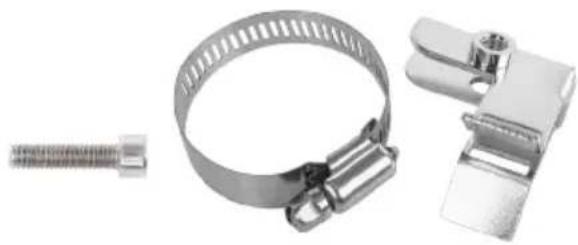
natural_image
Three metallic automotive components: a screw, a clamp, and a bracket (no text or symbols visible)
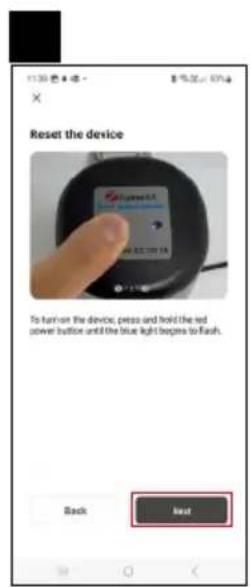
text_image
Labeled diagram of an electric motor with numbered parts for identificationtext_image
QR code with a red logo in the center containing Chinese characters.
text_image
Download on the App Store GET IT ON Google Playtext_image
1 2 Log In Sign Up
text_image
All Devices Add Device
text_image
Tha, 22-May Device control Bluetooth Radio control
text_image
Add Device Substrate Energy Energy Energy Multi-function of power (200V) (200V/12.5) Power Water Diameter 6200V Diameter Scale 101.12 Diameter Diameter Diameter Diameter Diameter Diameter Diameter Diameter Diameter Diameter Diameter Diameter Diameter Diameter Diameter Diameter Diameter Diameter Diameter Diameter Diameter Diameter Diameter Diameter Diameter Diameter Diameter Diameter Diameter Diameter Diameter Diameter Diameter Diameter
text_image
5 6 Add Device I show you about successfully SMART CATEWAY IP-18802 Aided successfully Close
text_image
16:43 - 电脑 My Home All Devices SMART GATEWAY L... Add Device Create Scene Share
text_image
Add device Docker Double Cover Double Cover Double Cover Double Cover Double Cover Double Cover Double Cover Double Cover Double Cover Double Cover Double Cover Double Cover Double Cover Double Cover Double Cover Double Cover Double Cover Double Cover Double Cover Double Cover Double Cover Double Cover Double Cover Double Cover Double Cover Double Cover Double Cover Double Cover Double Cover Double Cover Double Cover Double Cover Double Cover Double Cover
text_image
9 1 Reset the device Power on the device and make sure the phone is connected to the network. Next
text_image
EMOS 5 s
text_image
Reset the device To turn on the device, press and hold the red power button until the blue light begins to flash. Back Next
text_image
12 Reset the device Smart Valve Controller Power: DG 12V 1A Make sure, that the light is blinding. Confers the indicator is blinking Back Next
text_image
Add Device Valve controller P5643G DeleteParring af Zigbee-gatewayen med appen
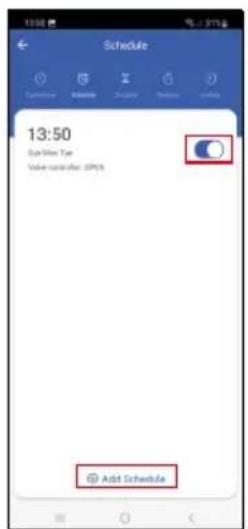
text_image
Schedule 00:00:59 Reset
text_image
Schedule Please add a new schedule Add Schedule
text_image
Add Schedule Save 12 40 13 50 14 41 Subscribe to use Smart Home S M T W T F S Valve controller OPEN
text_image
Schedule 13:50 Options Type Value multiplier: 0.0006 Add Schedule
text_image
13:56 Delete Delete Window press Cancel Cancel Add Scheduletext_image
Schedule Add Customize
text_image
Add Circulate Start Time End Time 14 0 15 0 Start Data to End Data Start Duration 20.5m End Duration 30.5m
text_image
Schedule 14:00 - 15:00 Sun Mirror Day Add Circulator Off Sun Add Circulator Off SunCirkuler
text_image
Schedule Add Random
text_image
Add Random Start Time End Time 14 0 15 0 Send Apps to Email Mode S M T W T F S
text_image
Schedule 14:00 - 15:00 Sun Blue Top Add RandomVilkårlig tilstand
text_image
Schedule Inching (See instructions this function, such time the above is turned on, it will automatically turn off after a second time be present) 05 H 00 S 1:30 1:30Forskydning (forsinket deaktivering)
text_image
Vine controller Float32 valve controller Set Small Setting
text_image
Setting relay status CLUB