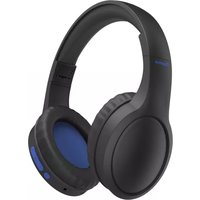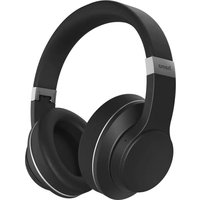
Passion Turn - Bluetooth Headset HAMA - Free user manual and instructions
Find the device manual for free Passion Turn HAMA in PDF.



| Brand | Hama |
| Model | Passion Turn |
| Product type | Bluetooth circum-aural headset with speaker function |
| Weight | 292 g |
| Bluetooth version | 5.3 |
| Bluetooth range | < 10 m |
| Supported Bluetooth profiles | A2DP, AVRCP, HFP |
| Battery type | Lithium polymer 3.7 V |
| Battery capacity | 640 mAh |
| Charging time | Approximately 3 hours |
| Music playback time (headset mode) | Approximately 18 hours |
| Talk time (headset mode) | Approximately 25 hours |
| Standby time | Approximately 90 days |
| Speaker mode playback time | Approximately 3.5 hours |
| Speaker mode talk time | Approximately 5 hours |
| Max music power (speaker mode) | 2 x 3 W |
| Equalizer | 3 modes: Normal (Equal Mode), Bass (Heavy Bass Mode), Voice (Vocal Mode) |
| Audio input | 3.5 mm jack |
| Charging port | USB-C |
| Built-in microSD player | Yes (microSD slot) |
| Multipoint | Yes, up to 2 devices |
| Voice assistant | Compatible with Siri and Google Assistant |
| Hands-free function | Yes, with call controls |
| Package contents | 1 headset, 1 USB-C cable, 1 3.5 mm AUX cable, 1 storage bag, manuals |
Frequently Asked Questions - Passion Turn HAMA
User questions about Passion Turn HAMA
0 question about this device. Answer the ones you know or ask your own.
Ask a new question about this device
Download the instructions for your Bluetooth Headset in PDF format for free! Find your manual Passion Turn - HAMA and take your electronic device back in hand. On this page are published all the documents necessary for the use of your device. Passion Turn by HAMA.
USER MANUAL Passion Turn HAMA
Operating Instructions
D
Bedienungsanleitung
F
Mode d'emploi
E
GB Operating instructions
Thank you for choosing a Hama product.
Take your time and read the following instructions and information completely. Please keep these 2 instructions in a safe place for future reference 3 you sell the device, please pass these operating 4 instructions on to the new owner. 5
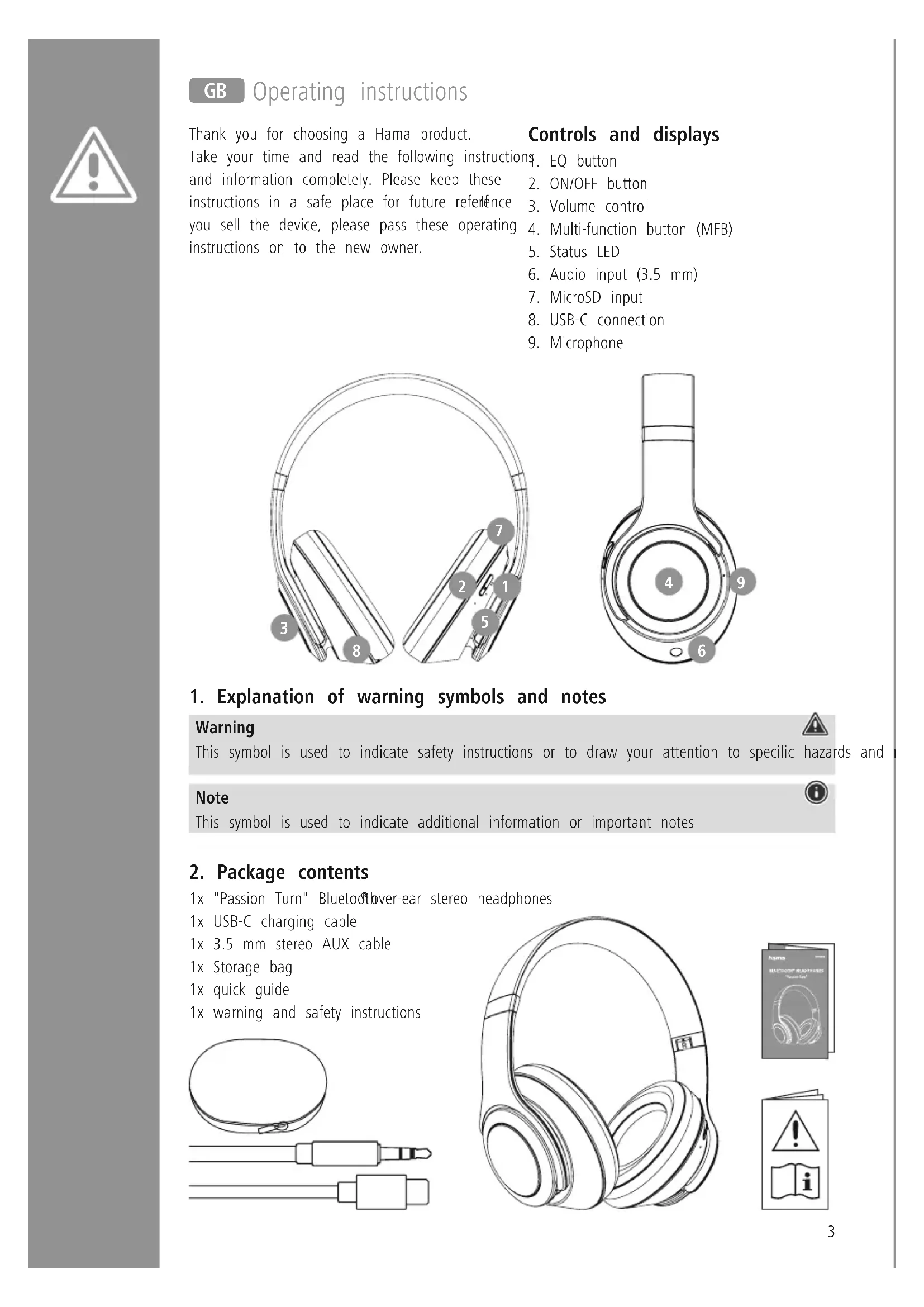
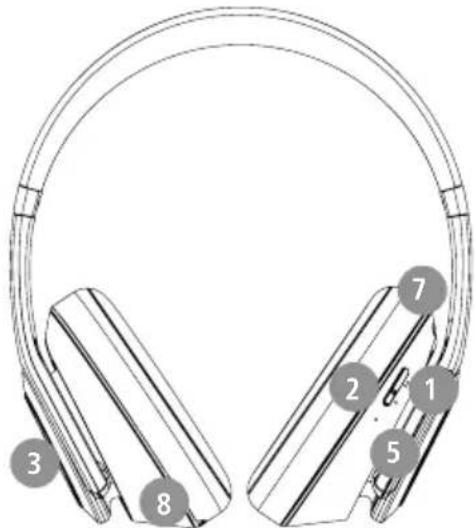
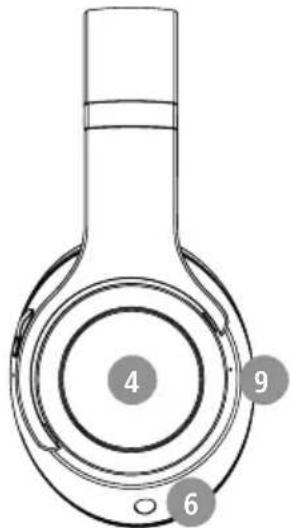
Controls and displays
EQ button
2. ON/OFF button
3. Volume control
4. Multi-function button (MFB)
5. Status LED
6. Audio input (3.5 mm)
7. MicroSD input
8. USB-C connection
9. Microphone
1. Explanation of warning symbols and notes
Warning

This symbol is used to indicate safety instructions or to draw your attention to specific hazards and
Note

This symbol is used to indicate additional information or important notes
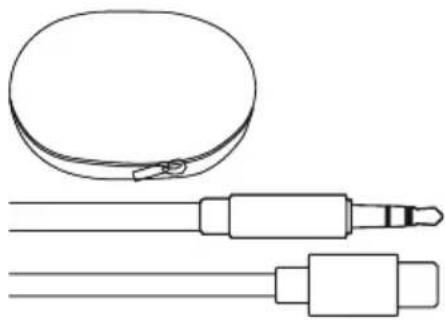
2. Package contents
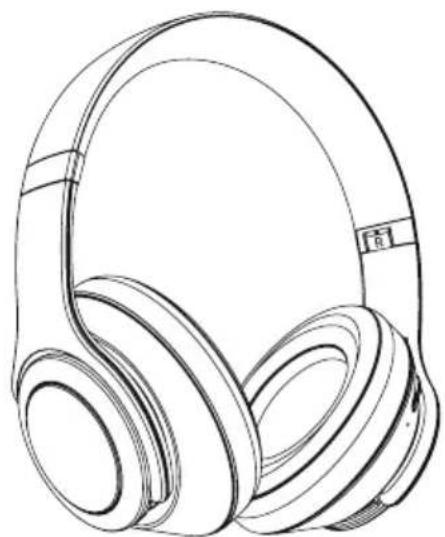
1x "Passion Turn" Bluetooth over-ear stereo headphones
1x USB-C charging cable
1x 3.5 mm stereo AUX cable
1x Storage bag
1x quick guide
1x warning and safety instructions
3. Safety notes
The product is intended for private, non-commercial use only.
- Use the product only for the intended purpose.
Children should be supervised to ensure that they do not play with the product
- Do not use the product in areas in which electronic products are not permitted.
- Do not attempt to service or repair the product yourself. Leave any and all service work to qualified experts
- Do not open the device or continue to operate if it becomes damaged.
- Do not bend or crush the cable.
- Do not drop the product and do not expose it any major shocks.
- Dispose of packaging material immediately in accordance with the locally applicable regulations.
- Do not modify the product in any way. Doing voids the warranty.
- Protect the product from dirt, moisture and overheating and use it in dry environments only.
- Do not use the product in the immediate vicinity of heaters, other heat sources or in direct sunlight.
Only use the article under moderate climatic conditions.
- As with all electrical products, this device should be kept out of the reach of children.
- Do not operate the product outside the power limits given in the specifications.
- Do not use the product in a damp environment and avoid splashing water
While driving a car or using sports equipment, do not allow yourself to be distracted by your product and keep an eye on the traffic situation and your surroundings
- The battery is permanently installed and cannot be removed; dispose of the product as a whole in accordance with the statutory regulations.
- Do not incinerate the battery or the product.
- Do not tamper with or damage/heat/disassemble the batteries/rechargeable batteries.
- Do not use the product during the charging process!
- Be considerate. High volumes can disturb or interfere with your surroundings.
Warning - rechargeable battery
- Only use suitable charging devices or USB ports to charge the product.
- Do not use defective chargers or USB ports and do not attempt to repair .them
- Do not overcharge the product or allow the battery to completely discharge.
Avoid storing, charging and using in extreme temperatures and at extremely low atmospheric pressures (such as at high altitudes).
- When stored over a long period of time, batteries should be charged regularly (at least every three months).
Warning - magnets


- This product generates magnetic fields. Individuals with cardiac pacemakers should
consult a doctor before using this product as it may affect the pacemaker's proper function - Do not store bank or similar cards with magnetic strips near the charging box or earphones. The data on the cards could be damaged or completely deleted.
Warning - high volume

High sound pressure!
- There is a risk of hearing damage.
- To prevent any loss of hearing, avoid listening at loud volumes for prolonged periods.
Always keep the volume at a reasonable level. Loud volumes can damage hearing - even over short periods.
Using this product limits your perception of ambient noise
For this reason, do not operate any vehicles or machines while using this product

4. Switch On/Off

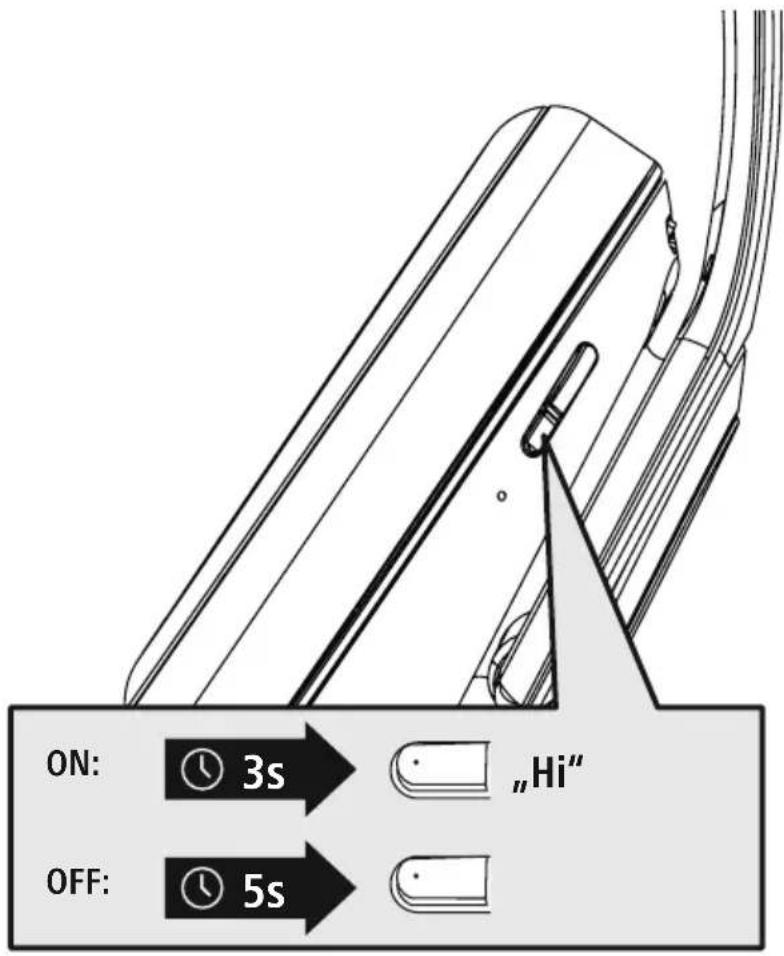
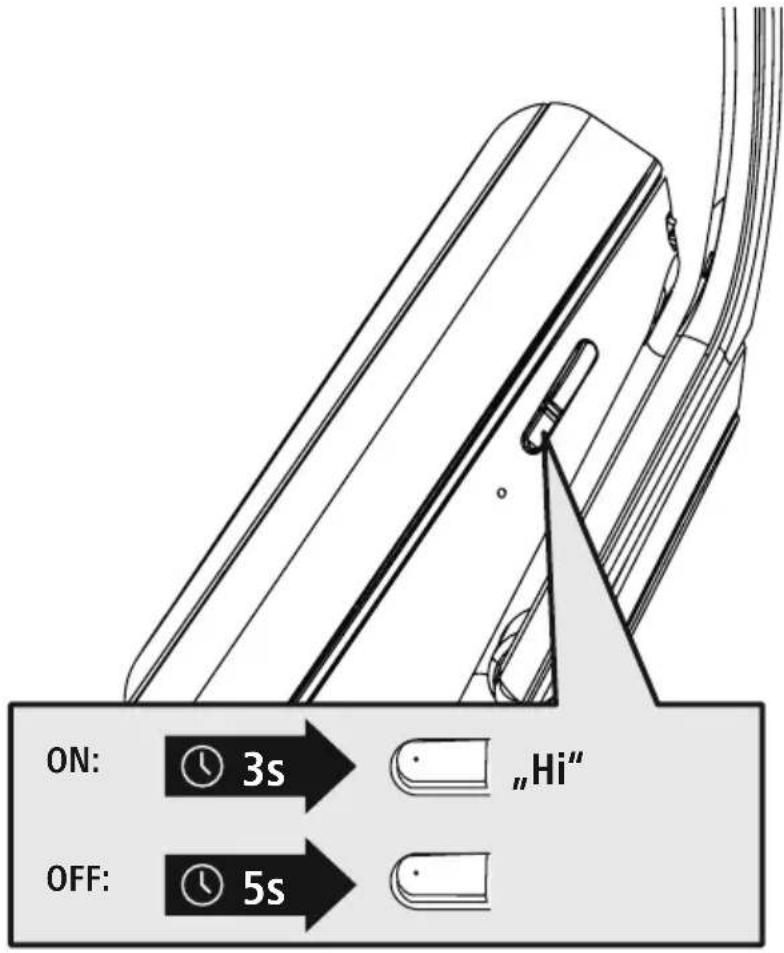
Press the MFB button (4) for approx. 3 seconds until the announcement "Hi" is heard and the LED (5) flashes white.

To switch off, press the MFB button (4) for around 5 seconds until a signal tone is heard the LED (5) flashes white and then goes out.
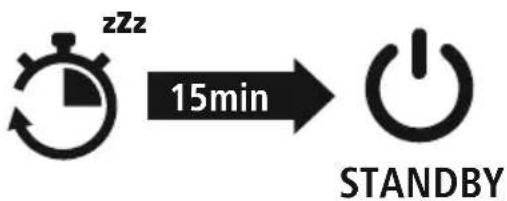
Note - Automatic switch-off of the headphones

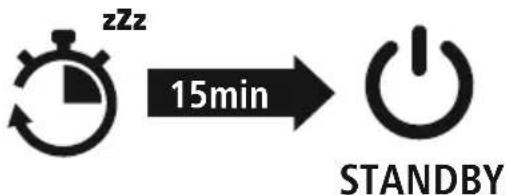
The headphones are equipped with an automatic switch-off mechanism. If there is no connection to your device within 15 minutes, they switch off automatically
5. Charging
Fully charge the headphones once before using them for the first time
Switch off the headphones and connect them
Ensure that the headphones are switched off before charging them.
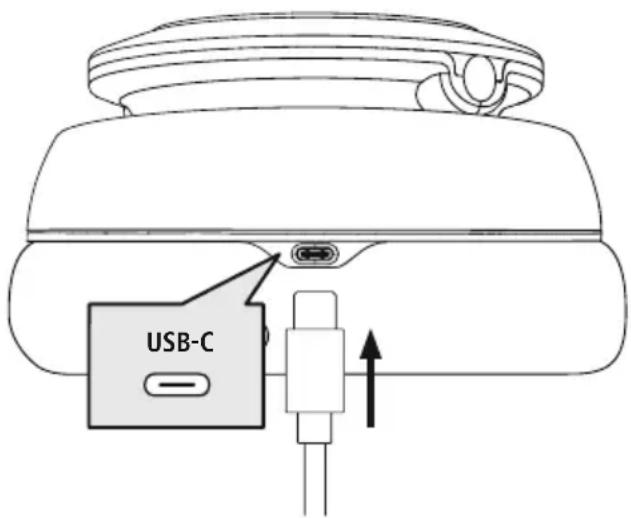
Connect the USB charging cable included to the charging socket (8). Connect the free plug on USB-C charging cable to a suitable USB chargerdo this, consult the operating instructions for the USB charger you are using.
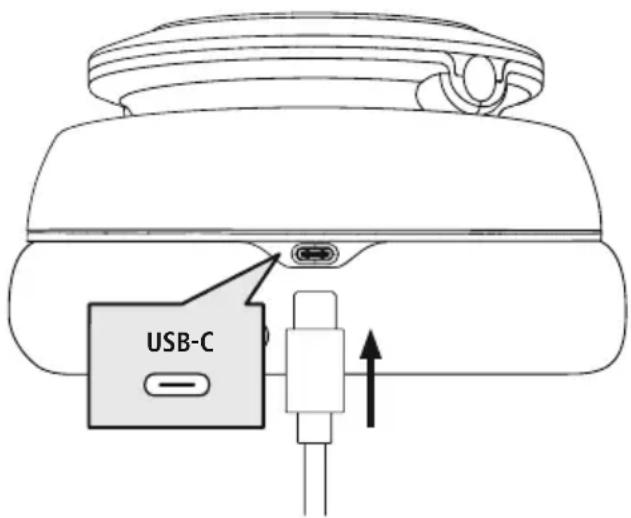
2 Charging process for the headphones
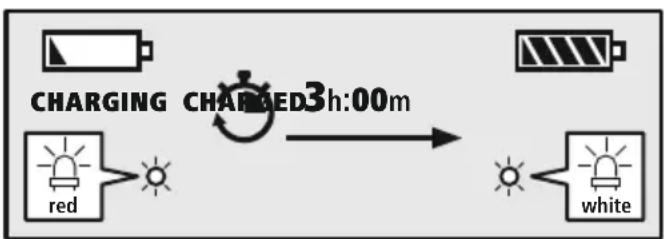
The LED (5) lights up solid red during the charging process.
Once the charging process is complete, the LED (5) lights up white.
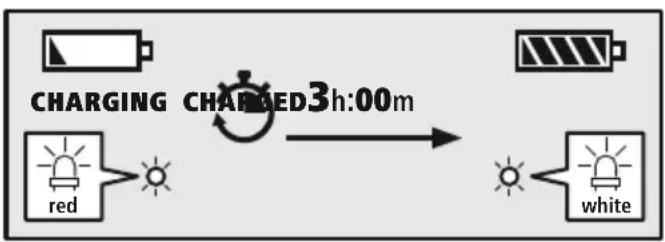
It can take up to 3 hours for the battery to be fully charged.
3 Battery capacity
When the headphones' battery level is low (< 5%) , the announcement "No power, please charge" is heard.
Note
During the charging process, the Bluetooption is automatically disconnected.

6. Bluetooth pairing
Note - pairing

- Ensure that the Bluetooth® enabled device is switched on and that the Bluetooth® function is activated.
- Please refer to the operating instructions of your device for more information.
The headphones and the device should not be more than 1 metre apart. The shorter the distance, the better.
Switch the headphones on using the MFB button (4).
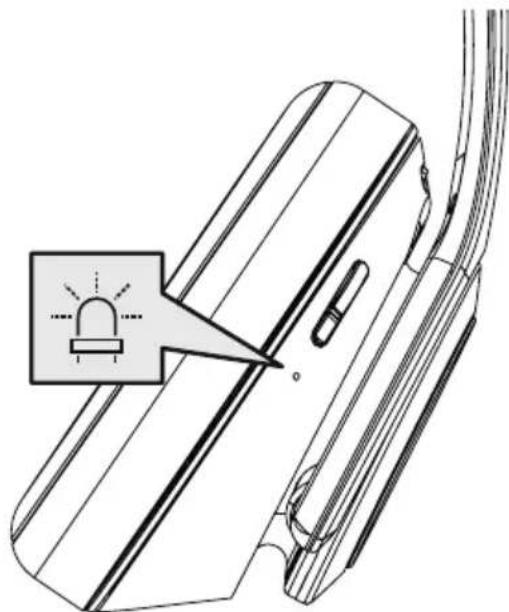
1 Check the status of the status LED (5) and the announcements
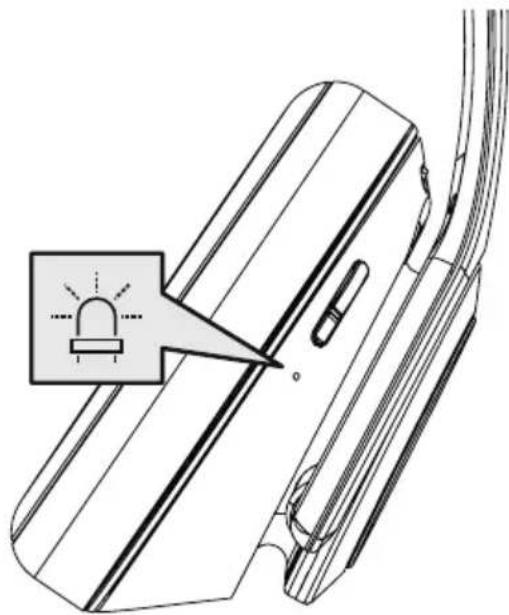
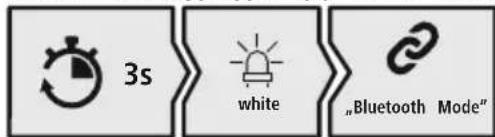
If the LED (5) is flashing constantly and the announcement is:
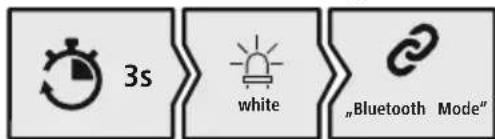
Headphones searching for a Bluetooth connection.
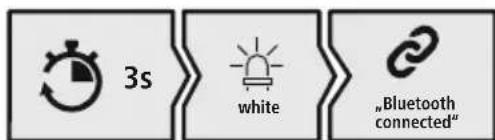
If the LED (5) is flashing and the announcement is:
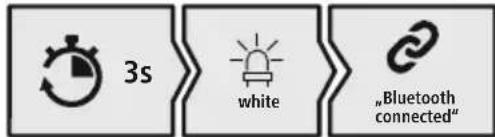
The headphones are already paired with a Bluetooth device.
2 Search using your device for the headphones (only required on the first connection)
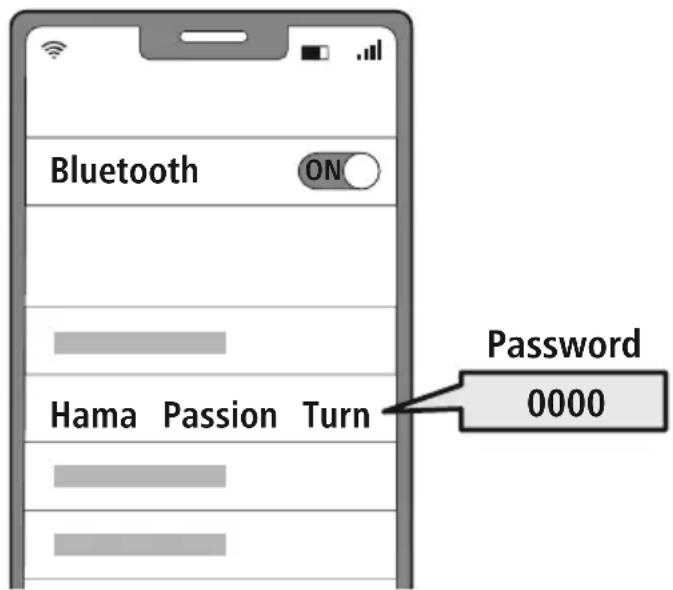
Open the Bluetooth settings on your device and wait until the list of found Bluetooth shows Hama Passion Turn
Select Hama Passion Turn and wait until the headphones are shown as connected in your device's Bluetooth® settings.
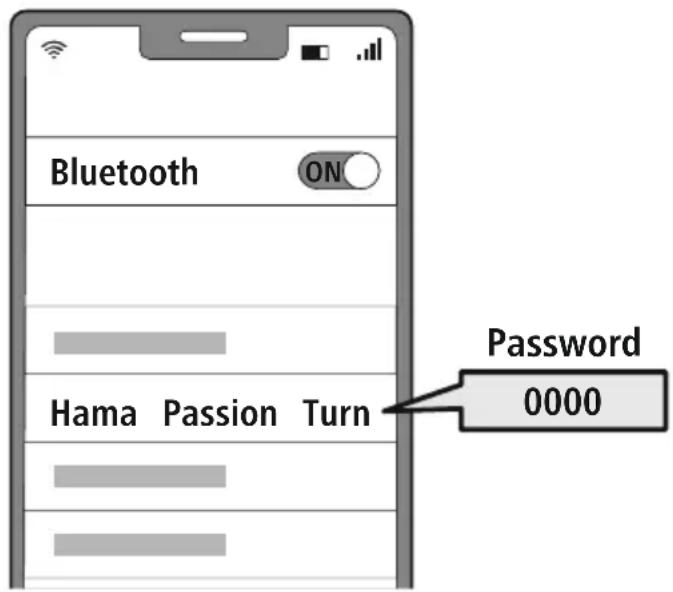
Note - Bluetoothpassword

Some devices require a password in order to connect to another Bldveoth
- If your device requests a password to connect to the headphones, enter 0000.
3 Multi-point technology
These headphones can connect to two Bluebeated devices simultaneously (multi-point).
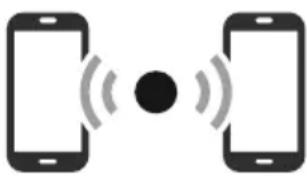
- First connect the first device to the headphones.
- Then deactivate the Bluetooth function on this device.
- Then connect the second device to the headphones.
- Activate the Bluetooth function on the first device again. The headphones then connect to this device too.
4 Disconnecting the Bluetoothconnection
Disconnect the headphones via your device's Bluetooths.
Alternative:
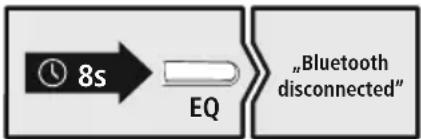
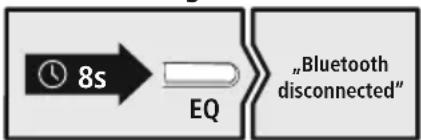
Press and hold the EQ button (1) for around 8 seconds to disconnect your Bluetooth connection and you will hear "Bluetooth disconnected".
7. Dual function
The headphones have a dual function and can be used as headphones or as a loudspeaker.
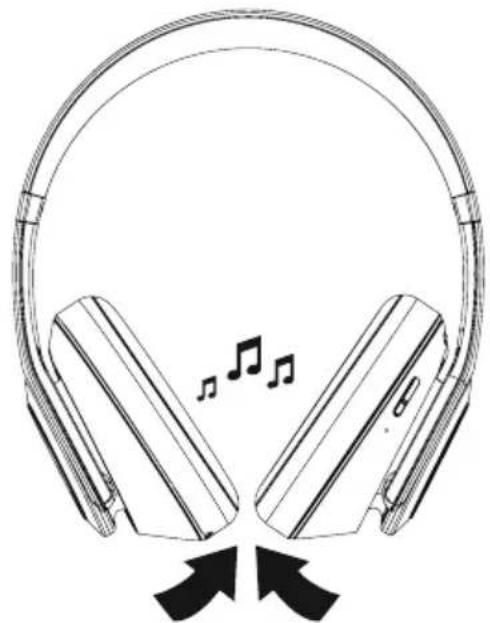
1 Headphones mode
When the ear pads are turned inwards, the product can be used as headphones.
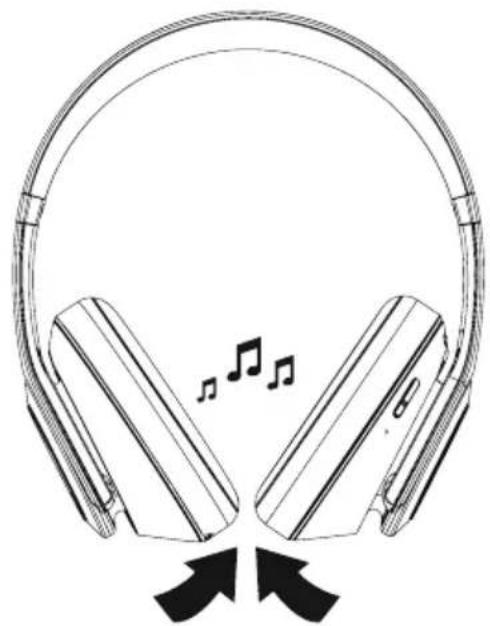
Headphone mode
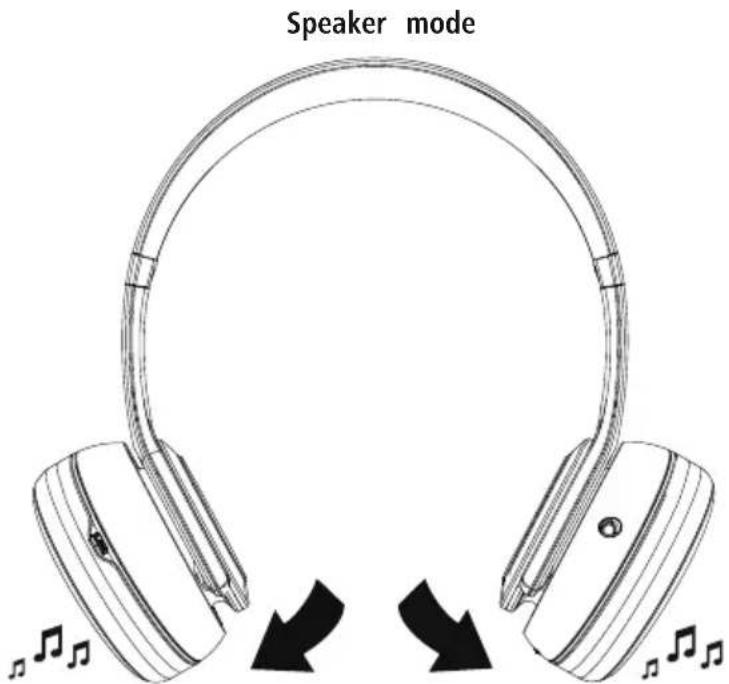
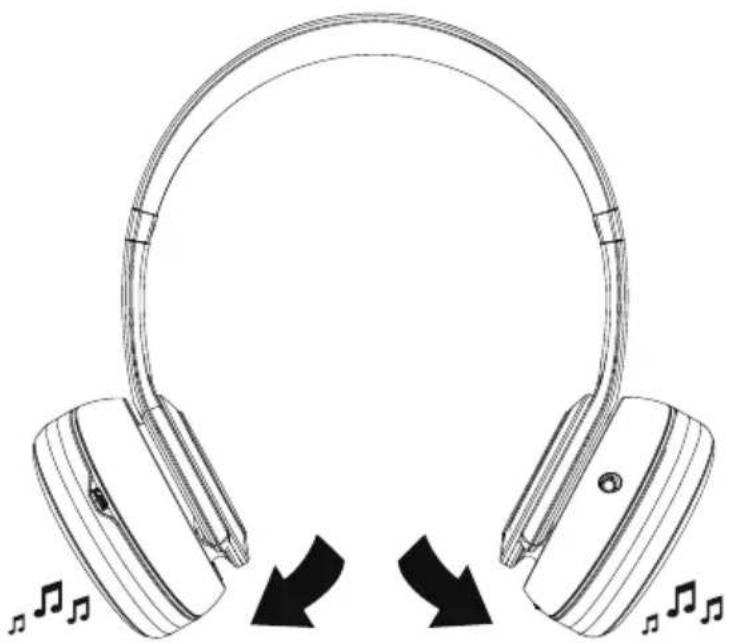
2 Loudspeaker mode
When the ear pads are turned outwards, the product can be used as a loudspeaker
8. Control elements
Note

- Please be aware that your terminal device must support some functions if they are to be used.
- Please refer to the operating instructions of your device for more information.
8.1 Voice assistant function
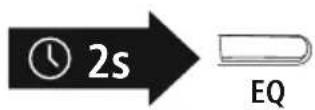
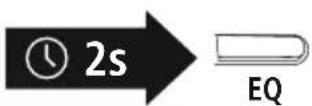
Press and hold the EQ button (1) for around 2 seconds to initiate communication with your Siri or Google Assistant. As soon as you hear a signal tone, your voice assistant is ready to assist you
Note - Siri

Siri is only available on suitable devices running iOS 5 (iPhone 4s or later) or higher.
Note - Google Assistant

- The Google Assistant is only available on suitable devices running Android 5.0 or higher with Google Play Services, >1.5 GB of free memory and a minimum screen resolution of 720P.
- The Google Assistant App must be available on your device and be set as the default voice assistant.
8.2 Hands-free function
It is possible to use the earphones like a hands-free facility for your mobile phone.
Make a call
Dial the number directly via your device to make a call.
Accept a call
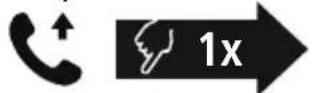

Press the MFB button (4) to accept an incoming call.
3 Reject a call


Press and hold the MFB button (4) for around 1 second or use your device to reject an incoming call.
4 End a call


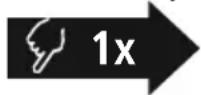
During the call, press the MFB button (4) once to end the call.
5 Last number redial
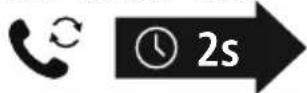

Press and hold the MFB button (4) for around 2 seconds to radial the last number called.
Note

The "Last number radial" function is only available for the device which was paired first in a multi-pairing situation.
8.3 Audio playback
Note

Please note that this function is only possible when a BFunction operation is active.
1 Start playback on your device.
2 Play / Pause


Press the MFB button (4) once to pause or start audio playback.
3 Next track


Press the MFB button (4) twice to skip to the next track.
4 Previous track


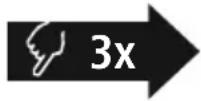
Press the MFB button (4) three times to skip to the previous track.
8.4 Volume control
1 Increase volume


Turn the volume control (3) clockwise to increase the volume. Once the maximum volume is reached, you will hear "beep"
2 Reduce volume


Turn the volume control (3) anti-clockwise to reduce the volume.
8.5 Equaliser
The headphones are equipped with three different sound settings which you can choose will EQbutton (1) once to switch between the sound effects. The headphones store the last sound setting selected and return to this setting next time they are switched on In loudspeaker mode, the equaliser is disabled.
1
Normal sound
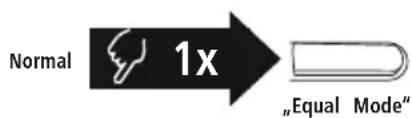
When "NORMAL" is selected, the headphones are set as balanced since the trebles, mid-range and bass are set normally. You will hear the announcement "Equal Mode".
2
Additional bass amplification
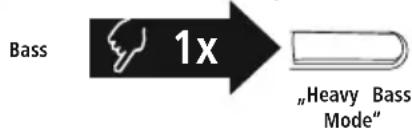
Selecting "BASS" amplifies the bass effect. You will hear the announcement "Heavy Bass Mode".
3
High-resolution sound
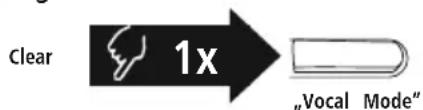
Selecting "CLEAR" ensures the vocals are emphasised and clearly heard. You will hear the announcement "Vocal Mode".
8.6 Audio playback via an audio cable
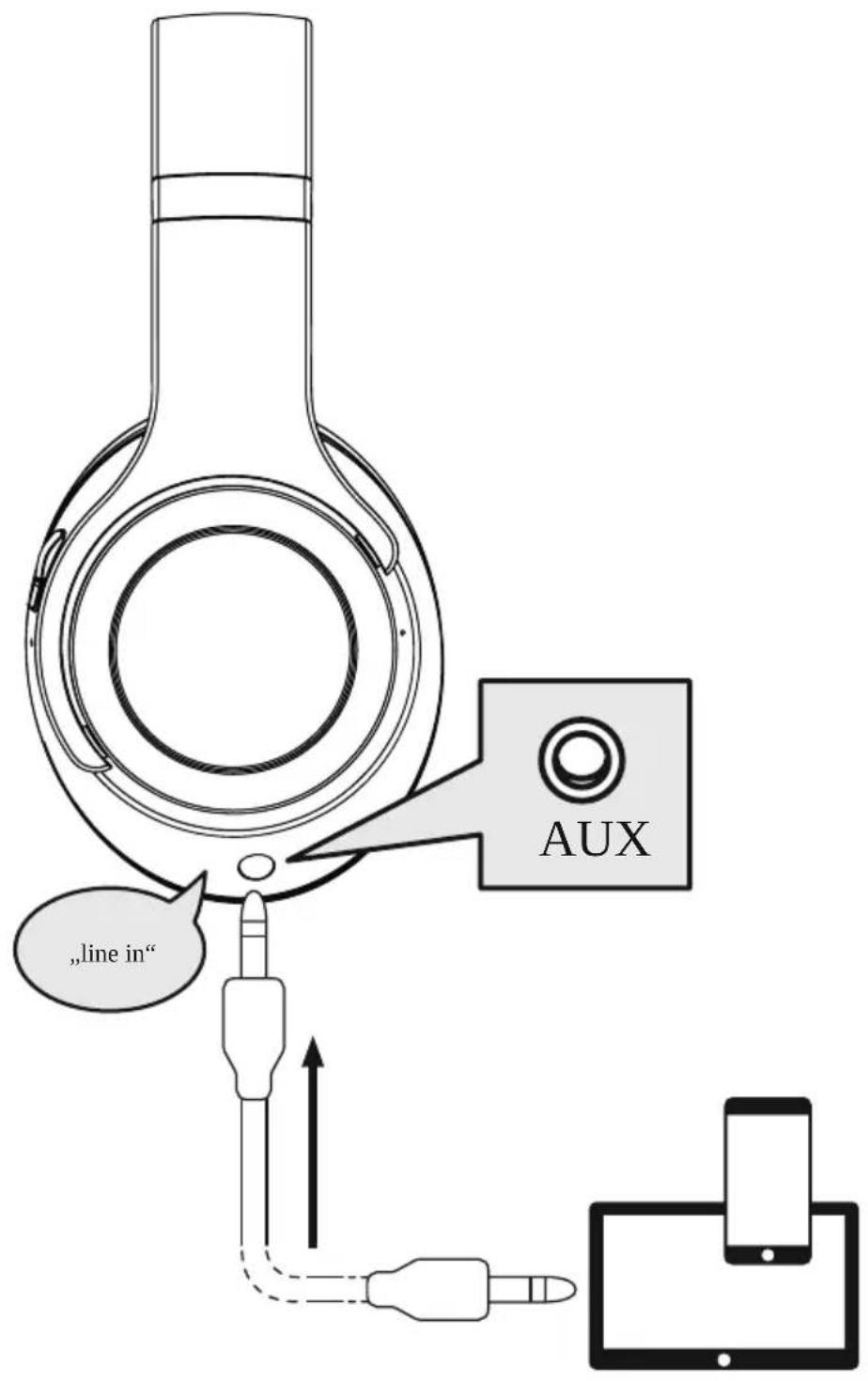
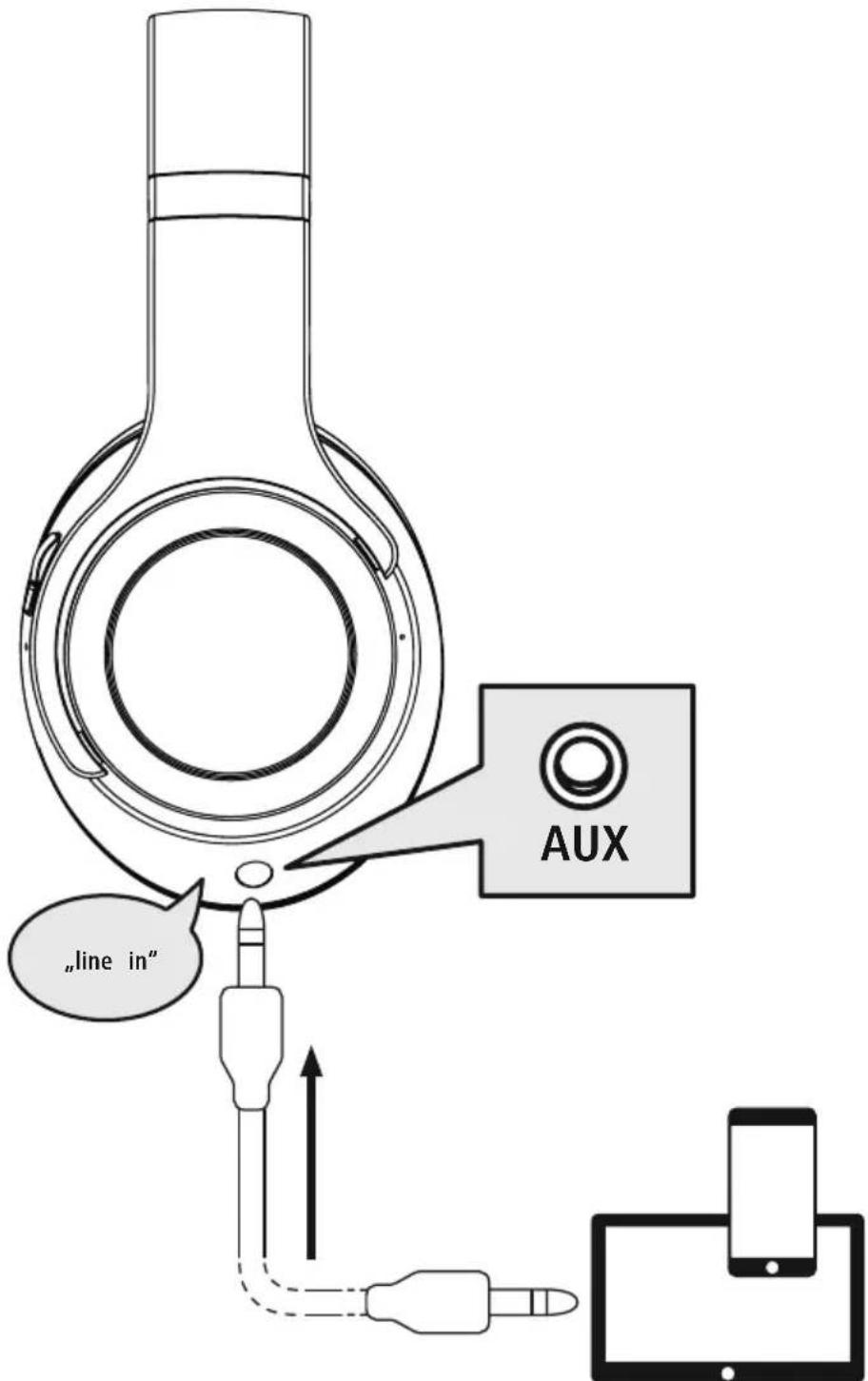
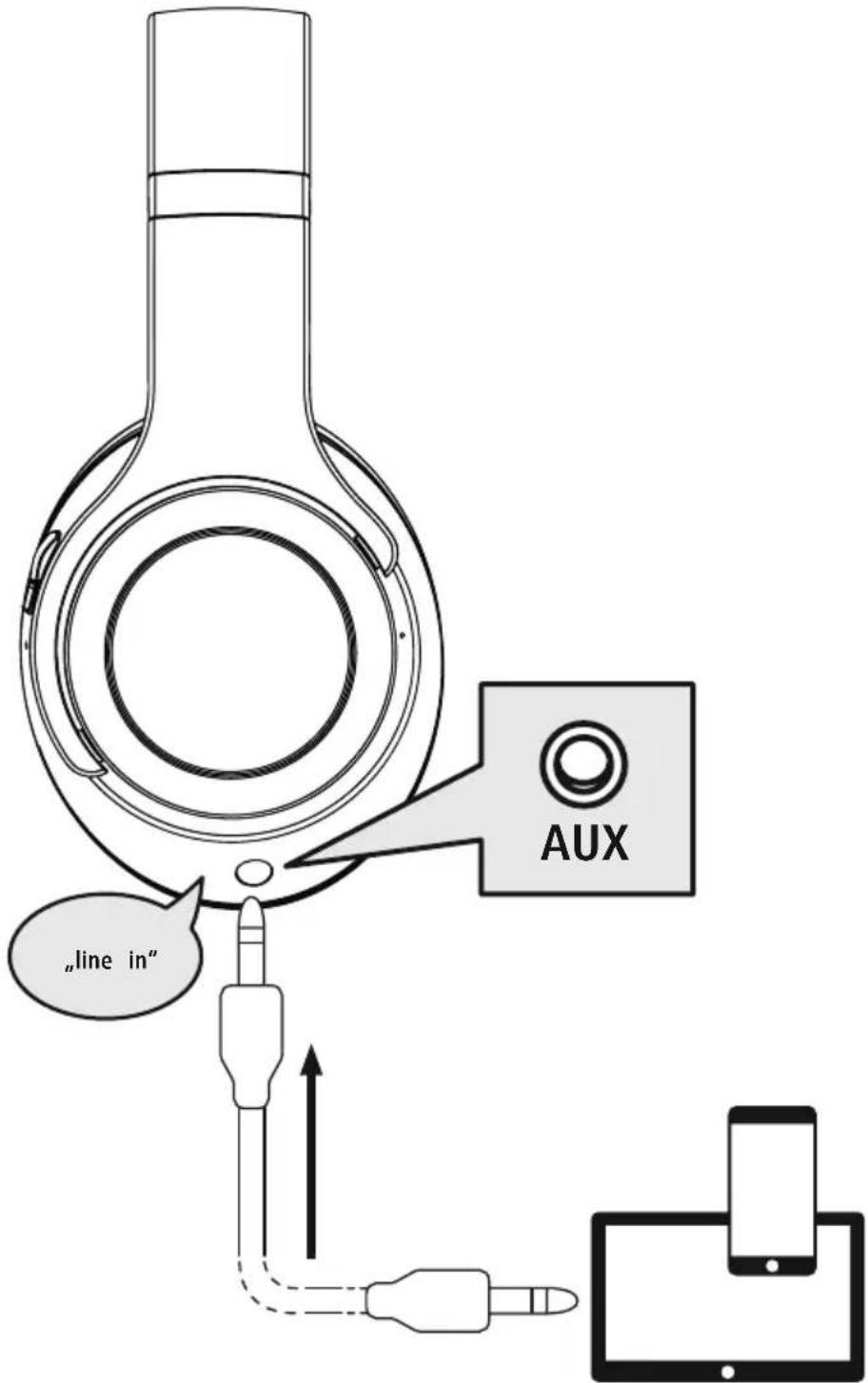
In addition to the connection via Bluetooth you can also connect these headphones using the included AUX cable To do this, plug one end into the device and the other end into the audio input (6). You will hear the announcement "line inWhen the audio cable is inserted, the Bluetooth connection is automatically disconnected The headphones now function like cabled headphones.

8.7 Audio playback via microSD card
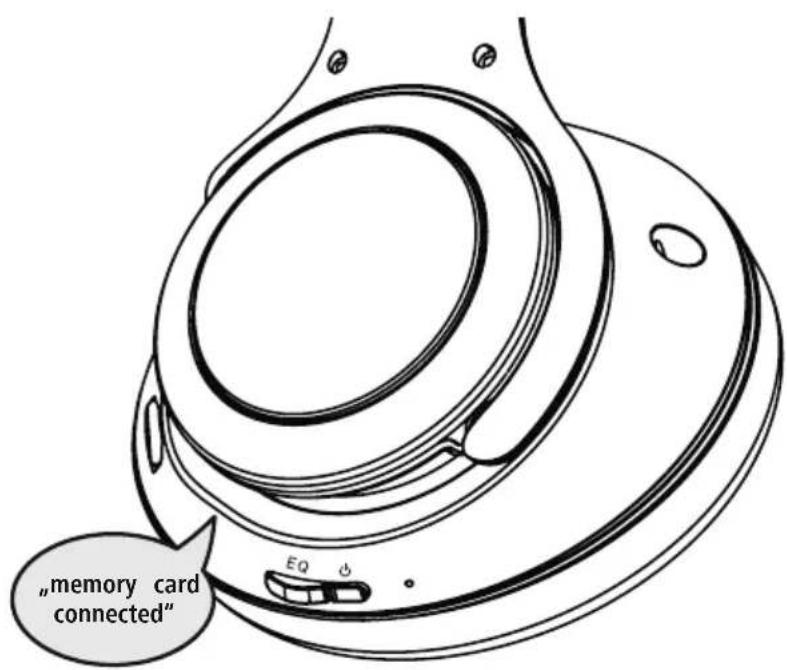
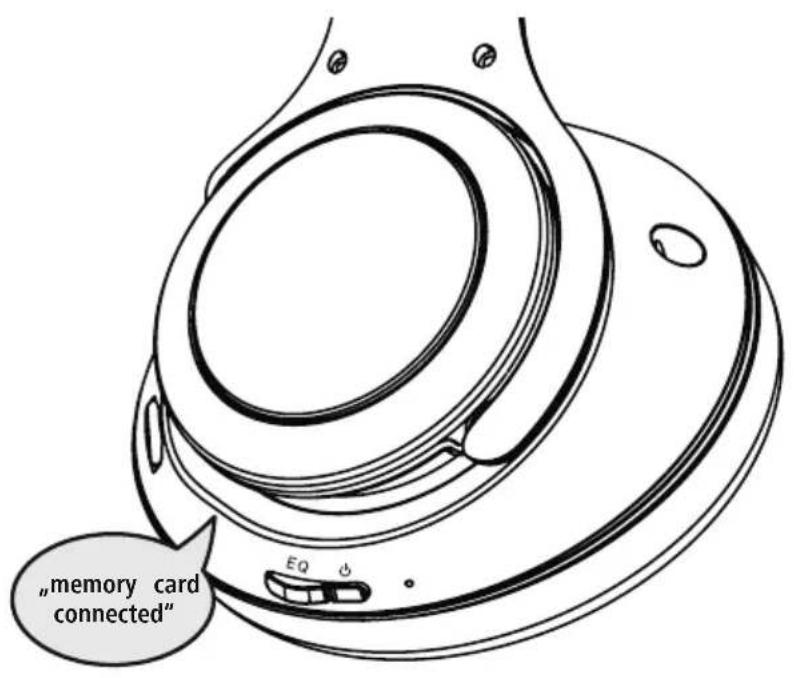
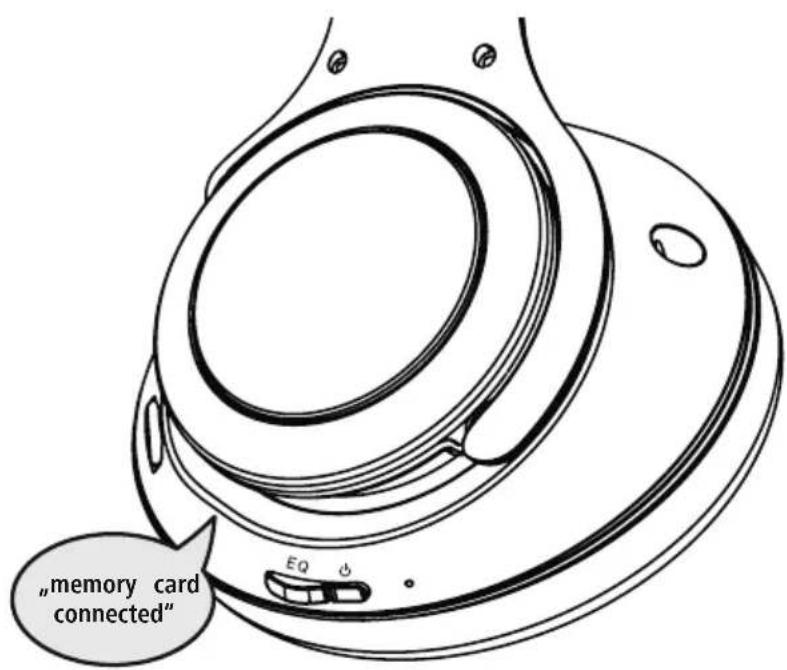
In addition to the connection via Bluefoot you can also use these headphones using a microSD card To do this, plug the microSD card into the SD input (7). You will hear the announcement "memory card connected". The existing Bluetooth connection remains intactThe audio is now played back via the microSD card.
8. Technical data
| Bluetooth® headphones | |
| Range < 10 | m |
| Bluetooth® technology Bluetooth® v5.3 | |
| Supported profile A2DP, AVRCP, HFP | |
| Frequency for Bluetooth transmissions | 2402 - 248MHz |
| Battery type 3.7V Li polymer | |
| Min. capacity 640 mAh | |
| Current consumption max | .5V-550mA |
| Total weight 292g | |
| Charging time ~ 3 | h |
| Music/talk time* ~ 18h / ~ 25h | |
| Standby* ~ 90 | d |
| Mobile Bluetooth loudspeaker | |
| Maximum music power 2 x 3 W | |
| Music/talk time* ~ 3 | .5h / ~ 5h |
- Once fully charged

9. Care and maintenance
Only clean this product using a lint-free, slightly damp cloth and do not use any harsh cleaners
10. Warranty disclaimer
Hama GmbH & Co KG assumes no liability and provides no warranty for damage resulting from improper installation/mounting, improper use of the product or from failure to observe the operating instructions and/or safety notes
11. Service and support
Please contact Hama Product Consulting if you have any questions about this product.
Hotline: +49 9091 502-0 (German/English)
Further support information can be found here: http://www.com
12. Declaration of conformity
CE Hama GmbH & Co KG hereby declares that the radio equipment type [00184092] is in compliance with Directive 2014/53/EU. The full text of the EU declaration of conformity is available at the following Internet address:
www.hama.com->00184092->Downloads.
Frequency band(s) 2402 - 2480MHz
Maximum radio-frequency power transmitted 2.5 mW E.I.R.P.
6. Bluetooth Verbinding (Pairing)
Hinweis - Pairing

Remarque - Assistant Google

white "Bluetooth Mode"
Alternative megoldaskent:
Avertizare - Accumulator
3 Multipoint technology
8.1 Funcão Voice Assistant
2 Bocnpoun3BedeHne/nay3a


R
Ondokpatno haxmTe KhoNky MFB (4), yTo6bl npnoctahOBntb nn 3anyCTnB npOnrpbIBaHne My3bIKn.
3 Cnedyuon Tpek


4 PpebIyusn TpeK


HaxmTe KhoNky MFB (4) DbaXdbI, YTo6bl nepeiTuK CneDyUoUeMy TpeKy.
HaxmTe KhoNky MFB (4) TpuKdbI, YTo6bl nepeuTN K npdeBldyUeMy TpeKy.
8.4 Perynipobka rpoMkoCTN
1 yBelenueHne rpomKocTu


Iobepnhtpeperynapot rpmkoctn (3) no yacobon ctpenke, 106bl ybeuuntb rpmkoctb. Pnp doctnxhen MAKcmaJIbHOJ rpmkoctn pa3daCTcra 3ByKOoB CNrHaJ "beep".
2ymehbweHne rpoMkoCTn


Iobepnte perynaprpoMkoCTn (3) npotnb yacobon CTpeKN, yTO6bl yMeHbUHTb rpoMKoCTb.
8.5 3Kbala3ep
HayuHnKoOaueHb TpeMa pa3nUhBMn HactpoKaMn 3Byka, KOtOpBie Bbl MoKeTe Bbl6paTb no CBOeMy ycmOTpeHIOOnkpatHO haxmTe KhoNky EQ (1), To6bl Bbl6paTb 3ByKOBoN e T
Hayushnki coxpaHOT noCleHne BbI6paHhble Bamn HAcTpoKn 3Byka N BocnpOn3BODaT IN npi NOBTOPHOM BKJIIOUeHm.
3Kbalaan3ep DeaekTNBupoBaH B pexnme KOJIOHKn.
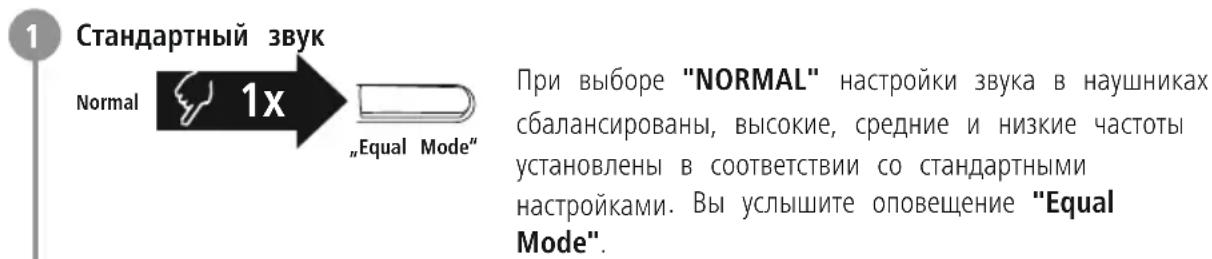


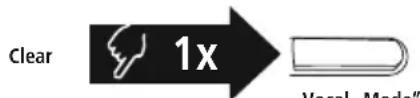
Pn BbIbope "CLEAR" npOxCxOJNT okycnpoBaHne Ha roIoCe, a camu roIoca JERko paCno3HaOTc. Bby CblbIwTe onOBeueHne "Vocal Mode"
8.6 Bocnpon3BedeHne My3bIKn yepe3 noKIOUeHne c nCNoJb3OBaHneM aydnoka6ela
Hapny c coeHHHeHem uepe3 Bluteo HauHHK moXHO TaKxe noDKIIOuATb C nOMOsbIO npnlaeroro Ka6eAUXdna 3TOro BCTaBBte OINH KOHeC Ka6eB Pa3bEm Ha OKoHeHOM yctpoiCTBe, a npyro — B ayINOXBOD BcYcblsnte onOBeueHne "line in". Ppi noDKIIOUeHm aynoka6eBn BluteothP-coeHHHeHne abTomatueckn ppepbBaetc. Nocne 3TOrO HayHHKn fynkunohpyot kak npoBOhble HayHHKN.
8.7 Bocnpon3BedeHne My3bIKn uepe3 Kapty microSD
Hapány c coeinyehem Yepe3 Bluetooth hauyuHK moxho TaKxe MCnoIb3oBaTb BmecTe C KapToi microSD.ДЯ 3toro BCTabBe KapTy microSD BO BXoD SD (7).Bbl ycbiiHTe onObeHne "memory ca connected".CyueCTByHOoee Bluetooth coeinyehne coxpaHaeTc My3bika BocnpOn3BOaNTc Tolbko yepe3 KapTy microSD.
8. Texhnueckne xapaKtepncnkn
10. NCKJIIOUeHHe OTBeTCTBeHHOCTn
Hama GmbH & Co. KG He HeceT OTBETCTBEHOCn 3a NOBpeXJHeN, BO3HKnUe B pe3yIbTaTe HeHaJIeXaIeYcTaHOBKn, MoHTaxa N HeHaJIeXaIeero IcNoJIb3OBAHn I3JeIIN HeCo6JIIODeHn Tpe6OBaHn pyKoBOdCTBa n O KcPnyatau n/nn yKa3AHn no TexHKe 6e3OnaCHOCTn.
11. CepBnchoe 06cnyKbAHne n noDnepKka
PnB03HKnHOBeHH BOpocOB no n3dennIO obaaTecb B cnyk6y noepKn Hama.
Topya JnHJ: +49 9091 502-0 (HeM./aHr.)
IOnoJIHnTeJbHyIO INΦOpMaunIO NO TexHnueckO NoIepKke. caiTe www.hama.com
12. CeptuФнкaT COOTBETCTBnA
HactoIIM KOMnAHnHa Hama GmbH & Co KG 3aABJAEt, yTO paAnoo6OpyObaHne Tnna [00184092] OTBeuaET Tpe6oBaHnM IInpeKTHBbI 2014/53/EC. C NOJIbIM TeKCTOM DeKnapaun O COOTBeTCTBm Tpe6oBaHnM EC MoXHO O3HaKOMITbcr 3decb:
www.hama.com->00184092->Downloads.
Диana3OH/Dиana3OHBIчacToT2402-2480M
MaKcMmaJIbHaI n3Jyuaemar MoUHocTb 2,5 MBT E.I.R.P.
B PbKOBOdCTBO 3a ekCnIooatauia
- ByToH EQ
- ByToH ON/OFF
- Perynataop Ha cnJata Ha 3Byka
MMyTnФyHKUHOHaJIeH 6yTOH (MFB)
TOBa pBKOBOIDCTBO 3a ekCnIIOaTauNHa CnIpyHO MRCTo, 3a Da MoKeTe Da npaBnTe CnpaBKn B H
- LED 3a cTaTyc
- Aynovxo3,5 mm
- microSD BxOД
- USB-C Bp3ka
- MmKpoΦOH
1.ObaCHeHne Ha npEduPepEnTeJIHN CnMBoJN yKa3aHHa
IpeynpejckdHe
I3noJ3Ba ce, 3a da o6o3Haayaba yka3aHne 3a 6e3OanachocT uin 3a da HacOu BHHMaHHeTO KbM KOHKpeTHn OAnchocTn n pUCKQBe
Yka3aHHe
N3noJ3Ba ce, 3a Da 06o3Haayaba DonbIHNTeHnHa HOpMaunn Baxn yKa3aHn.
2. CbIbPkaHHe Ha OIIaKOBAtA
1 x Bluetooth Over-Ear ctepeo cnuwaankn "Passion Turn"
1xUSB-C ka6eI 3a 3apeKdane
1x3,5mm ctepeo AUX ka6eI
1 X KaJIbΦ
1XKpaTKa INHCTpyKUIN
1xHnCTpyKcnn 3a npdeynpexkdenne n
ocnrypbahe Ha 6e3oNaChOcTTa
3. Yka3aHnna 3a 6e3onachocT
- Пюдьт e пебидан 3a Лучна, HectonaHcka
- РTOBA ynotpe6a.
- N3noJ3BaIe npOyKta cMo 3a npEbnHeHata ceJ.
-ДeцаТгбБаДаБьДAT NOД HAN3OP,ЗaДa rapaHTnpa,ЧЕ HЯМАДa CnИрайСпpoДуКТa
He n3noJ3BaIte npOdyKa B 30Hn, B KOnTo He pa3peWeH eNeKtpoHHypeHn.
He ce onntBaTe caMn da o6cnykBate nIpeMOHTnpaTe npOyKta Octabete BcKaKaBaTexHuecka NpDpbXka Ha KOMnTeHTHnTe CneuaJIInCTn.
He OTBapnTe npOdykTa n npn Nobpea He npoBnKaBaTe Da ro n3nON3BaTe.
He npeynbaIe n He npTuCKaIte Ka6ena. - He no3B0JBAaTe Ha npOdyKta da naJa n He n3JaaraTe Ha cnIHN Bn6paun.
- N3XbBpIeTe onakOBbUHn MaTePnAJI BeHara CbIaCHO DeIcTBaUHrE Ha MAcTo pa3nopeD6N 3a N3XbBpIeHa HcOTNaIbU.
He npabete npomehn B ypea. Taka ue 3ary6nte npabo Ha BCaKaBn rapaHcNoHHnpTeHcN. - Na3eTe npOdykTa OT 3aMbpcraBaHe, BnaRa nI nperePraBaHe n rO n3noJ3BaIte cAmOB cyxN NOMeueHn.
He n3noJ3BaIte npOdyKta B HenocpeDCTBeHa 6Jn30cT Do OTOnJIteJHn ypei, dpyrN n3TOUHNu Ha TOnNIHa Jn Ha DnpeKTHa CJIbHuEBA CBETJHa. - N3noJ3BaIte npOyKta cAmo npn yMepeHn KJIIMaTnUHn YCNOBn.
IIOO6HO Ha BCNUKn eNEKtpueeCKn IPOyKT, TO3N IPOyKT He 6uBa Da NOnaDa B pBcTe Ha deua!
He n3no13BaIte npOdykTa n3BbH HerOBuTe rpaHnCu Ha MOUHOCTa, NOCoEH B TexHnueCKNTE daHH
He n3noJI3BaIte npOdyKta BbB BnaJHa cpea n36raBaTe BOHN npBCn - Pn BpeMe Ha nbTyBaHTo C MNC nnn cnpTeH ypeI He pa3peWabAte Da 6bJeTe OTKNoHbAHn ot Baun npOdyKT n BHMaBaTe 3a noJoxeHHeTo npn DvXeHne n Baata OKoHa cepa.
- AkymlyaTopHaTa 6aTePn e HEnoBnxHo BrgpaIeHa n He MoXe Da Ce Maxa, N3XBpJIeTe npOdyKta KaTo cNopei 3aKOHOBnte pa3nope6n.
- He xBpIaIe 6aTepeIra Tnn npOdykTa B OrBn
He npomehnTe n/nn He dephiopmnpaTe/ HarpBaTe/pa3rno6BaTe akymylatOpHnTe 6atepn/6atepnnte.
He n3noJ3BaIte npOyKta no BpeMe Ha 3apeXdaHe!
Cb6pa3aBaiTe ce. TjMaTa CnJa Ha 3ByKa MoXe Da npuHn CmUeHn Nn Da HABpeNn Ha BaWata OkJHa cpeA.
PepdunpexdeHne -BaTepey

3a 3apexkahe n3noJ3BaIte cAmo noXOJaUc 3apAHH yCTpOHTBa nn USB n3BOuN.
- IopnHnHe n3noJ3BaIte DeΦeKTHn 3apAHy yCTpoiCTBa nn USB n3BODn He ce onNTbaITe da rN nonpaBATE
He no3B0JBAIte npOdykTa da ce 3apejda nOBeue ot Heo6xOIMOTO nn da ce pa3pejda HnblHo.
- 1368BaTe CbXpaHHe, 3apexdaHe I rOu3noJ3BaHe npE ekTpeMn TemnepaTyPi n 3KJIIOHTeHNO HNCO HAnraHe Ha Bb3Dyxa (kato HanpImep Ha RoIemn BnCOunHn).
- Pn no-npOdbJnxTeJIHo cbXpaHeHne I03apExdaIte nepNoDnUHO (noHe BeHNbX Ha Tpr Meceua).
PpeynpexdeneHne - MarHnTu


IpoNyKbT reHepnpa MarHHTN noJeta. Jnucata Cbc CbpdeuH CTmUyatopn Tp6Ba da ce KOHCyNTupat c nekap npedn ynotpe6a Ha npOdykTA, Tb kato cyHKunraHa cbpeHHa CTmUyatop MoKe Da 6bJe HapyuSha.
EC nIy npyn noo6n kn Kaptn C mArHHTn IeHTn He 6nBa da ce cBxpaHraBb B 6n30CT Do 3apndHO yctpoiCTBO nn Cnyuaknte DaHHte ot KpTa Morat da 6bDat NOBpeHn nnn n3tpTu.
PpeynpeXdHne - cnEn 3ByK

- TOnyMo aKyCTnH0 HaJraHa!
CbueCTByBa onaCHOCT OT yBpeXdaHe Ha cnlya.
3a da 6bnde npedotBpateHa 3ary6a Ha cnyxa, n36raBaIte cnyuhaHTo Ha cnJeH 3ByK 3a Dblr nepnoD OT BpeMe
IopdbpxaTe cnlaTa Ha 3Byka BnHaTn Ha pa3ymHO HnBO. TOnMaTa Cnna Ha 3Byka MoKe -DOpN n npn MaKa npOdbJnxTeHocT - Da IOBeDe Do yBpeXdaHn Ha Cnyxa - N3noJ3BaHeTo Ha npOdyKta OpraHuaBaBb3npneMaHeTo Ha OKoJInHTe WymObE.
3aToba no BpeMe Ha
H3noJ3BaHeTo He ynpabJIbAte IpeBO3HN CpeCTBa NnMaunHn

4. BkIIOUbaHe/ɪn3KJIIOUbaHe
HaTnchete 6yToH MFB (4) 3a okono 3 cekyn,doKato yyeTe cbo6eHneTo "Hi" n CBetOnnoBt (5) 3anoHe da MfA B 6JIo.

3a n3kIIOUBAHe HATnCHeTe 6yToHa MFB (4) 3a OKoNo 5 cekyn, OOKaTO npO3ByuN 3ByKOB CnHn I CBtOAnOdbT (5) 3anOHe da Mra B 6aNo, CneI KoETo n3rache.
5. 3apexkahe
Ppei npBpBaTa ynoTpe6a 3apeTe HnblHo CnyuAknite
1 N3KlnuBaHe n Cbbp3BaHe Ha cnyuAnknte
Ppei 3apejdahe Tpa6Ba da ce yBepnte, ye Cnywaalknte ca n3KIOUoyenH.
BkIIOUe npINIOXeHn USB Ka6en 3a 3apexJaHe KbM rHezIoTo 3a 3apexJaHe (8). CbpxTe Cbo6OJHn IueKepe Ha USB-C Ka6ena 3a 3apexJaHe KbM nOxOJaIoo USB 3apJHo yCTBaIcTBO ceJItca3BaIte HNCTpyKcIyTa 3a 06CnYKBaHe Ha n3PON3BaHOTo USB 3apJHo yCTpOICTBO.
2 3apexkdahe Ha cnywaJknte
CbeToIOIObT (5) CBeTI NOcTOHNO B UepBeHO No BpeMe Ha 3apExJaHeTo.
Cnei 3aBbPwBaHe Ha 3apeKdaHTo CBETOIOIOBT (5)CBETN B BjaNa.
IbHTo 3apExKaHe Ha akymyLaTopHaTa 6aTePm MoKe Da OTheme Do 3 Yaca.
3 KanaunTeHa akymyLatopHata 6aTePna
При НИСКО НИВО на akумлалогната bateря (<5%) на снышалкite ce чува сьобшени.To "No power, please charge".
yka3aHne
No Bpeme Ha 3apekkaHeto Blueto@bpb3KaTa ce n3KJIHOyBa aBtOMaTHUHO.
6. Bluetooth Bpb3ka (CDBOBAHe)
Yka3aHne 3a cDBoBaHe

- Ybepete ce, ue BaeweTo noDlbpxaaso BlueoepaHNo yctpoiCTBO e BKIOueHo n ue Bluefoeth aKTNBpuHa.
- 3a ta3n质量安全 CNa3BaIe Yka3aHnIra O T pBkoBOIDCTBOTo 3a ynoTpe6a Ha BaWeto KpaHo yctpOHTBO.
Cnyuankte n KpaHOTO yCTPOIcTBO Tp6Ba Da 6bDat Ha pa3ctoHne no1 MeTbp. KoIkOTO no-MaJIke ToBa pa3ctoHne, ToKOBa No-Do6pe.
BkHouTe CnyuAnKnTe C 6yToH MFB (4).
1 IpoBepTe cbCToHnETo Ha CBeTODnOda 3a CtaTyc (5) n rIacobnte cbo6uHnA
Korato cBeToaNoBt (5) Mura noCToHHO n ce cyBa cbo6ueHHe:
CnywankntbpcrtBleetooBpb3ka.
Korato cBeToaNoT (5) Mura n ce cyBa cbo6ueHne:
Cnyuankte Beue ca Cbbp3aHc KpaHoyctpOCTBO c Bluetooth
2 Tbpcete cnyuanknte c BaeweTo KpaHOn yctpoNCTBO (Heo6xOndmo e camo npn nbpBo yctaHOBAHe Ha Bpb3ka)
OTBopTe HacTpoKnTe 3a Bluetooth HaWeTo KpaHNo yCTpOuCTBO N 13UaKaIe, DOKaTO B cnncbKa Ha HamepeHnTe BluetoothyCTpoNCTBa He ce nokaKe Hama Passion Turn.
H36epTe Hama Passion Turn N 13UaKaIe, DOkato CnyuJaKLnTe Ce NOKaXaT KaTO CBbp3AHn B
HaCTpoKnTe 3a Bluetooth Ha WeTo KpaHNo yCTpOuCTBO
Yka3aHne - Bluetoothnapola

Hakon KpaHn yctpoNCTBa ce HxkdaT ot npoHa hAcTpoKaTa Ha Bpb3KaTa C pyro Bluetooth® yctpoNCTBO.
- 3a CBbP3BaHe CbC CnyuJaKIne BbBeJeTe napOnaTa 0000, KOrato 6bJeTe noJkaHeH/a 3a ToBa ot BaWeTo KpaHNo yCTpoIcTBo.
3 TexHoiJorua Multipoint
Te3n cnyuansanMOraT da ce Cbpxat eHOBpeMeHHo c DBe KpaHn yCtpoiCTBa C®Bluetooth (Multipoint).
CbbpKTe npBbTO KpaHOb yCTPOcTBO CbC cNywaKnTe.
CneT OBA De3aKTHBnPaIe BluteofoHpyHKUmaTa Ha TOBa KpaHNO yCTPOINCTBO
CbpxkTe BtpoTo KpaHOn yctpoNCTBO Cbc CnywAknTe.
- AKTINBIPaIe OTHOBo BlueteotfpyHKunraHa NpBPbTO KpaHOr yCTPOcTBO.Cera CnyuJaIKte ce CBbp3BaT n C TOBa KpaHOr yCTPOcTBO.
4 NpeKbcBaHe Ha BluetoothBpb3KaTa
Ipekbchete Bpb3kata Ha cnyuwaanknte ot Hactpoiknte 3a BluteathBaeweTo kpaHoyctpoicBO.
AntepHaTMBHO:
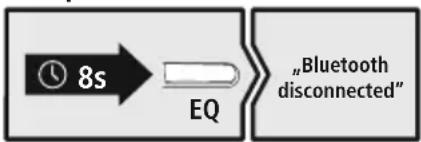
HaTnCHete n 3aIpbXte 6yToH EQ (1) 3a OkoNo 8 cekyni, 3a da npekpatnte Bpb3kata cn c Blueotda yyeTe "Bluetooth disconnected".
7.ДВОИнHaФункцЯ
Cnyuankte mMat DBOHa yHKun n Morat da ce n3noJ3BaT KaTO Cnyuankn nn KaTo BnCOKOrOBOpUTeHn.
PexmHa cnyuwaJKN
Ako HayuHnUte ca 3aBbPteHn HbTpe, npOyKbT MoXe da ce n3NoJ3Ba KaTo CnyuJIK.
Pekm Ha cnyuwaJkn
2 Pexkum Ha BucOKoROBOpuTeI
Ako HayuHnUte ca 3aBbPteHN HaBbN, npOdyKbT MoKe Da ce n3NoJ3Ba KaTO BnCOKOrOBOpTeJ.
Pexm Ha BucOKoROBOpuTeI
8. Elenentn 3a ynpabJeHne
Yka3aHne

- 06bphe T BnMaHne, Ye noDlbpxaHTo Ha HkON ot fynKunTe 3abucn OT BaJeTo KpaHNo yctpOnt
- 3a ta3n质量安全检查站 yka3aHnraTa O T pboKoOndBOTo 3a ynoTpe6a Ha BaWeTo KpaHNo ycTpoNCTBO.
8.1ФункцяЗаглacob acncteHT
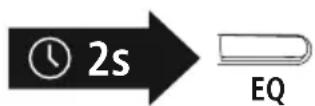
HaTnchete n 3aDpbXTe 6yToHa EQ (1) 3a OK. 2 cekyHda, 3a da
ctaptnpate KOMyHnKaunca BaaNra Siri nn Google AcnteHT. Korato
yuTe 3ByKOB cnHaJ, Baunr rIacob acnteHT e rotOB da Bn. nomara
Yka3aHne - Siri

Siri ce npedlara cmo Ha noDxOJaun KpaHn yCtpoNCTBa c IOS 5 (ot iPhone 4s) nnn no-BucoKa.
Yka3aHne - Google AcnteHT

- Google Assistant ce npedna rama ha noxodn kpaHn yctpoCTBa c Android 5.0 nnoBncoKa c yclya Google Play, > 1.5 GB cbo6oHa naMeT mHmHa pa3eJntHa cnoc6HoctHa ekpHa 720P.
- Пиюженьeto Google Assistant Трабва Да e Налчно на Baшето Крайно усточь по дупс
- Habстpoedo КATO CTандapestен Гласов acnstent
8.2Функця "CBO6oHn pue"
CbIeCTByBa Bb3MOxHocTtA Da n3nOJ3BaTe CnyuJaIKte KaTO yCTPOJcTBo "CBO6OJHn pbue" 3a Baunia MoBnien TenefoH.
06aXdaHe
HahepeHomepa HapaboOT BaWeto KpaHOny UcTpoNCTBO,3a Da Hapabnte 06xJaHe.
2 PnpemHa noBnKBaHe
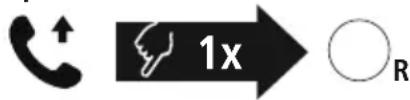
HaTnchete BeHbX 6yToH MFB (4), 3a da npneMeTe BXOJaIIO NOBnKBaHe.
3 OTKa3BaHe Ha NOBnKBaHe
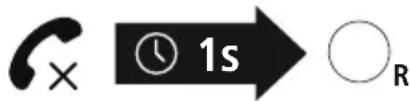
HaTnchete n 3aDpBxTe 6yToH MFB (4) 3a OkoNo 1 cekynda nn H3noJ3BaIe BaIeTo KpaHNo yCTpoNCTBO, 3a da OTkaxte npneMaHeTo Ha BxoJaO o6aXDaHe
4 PnKIOUBaHe Ha NOBkBaHe
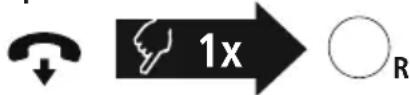
IbpeMeHa pa3roBopa HATnCHeTe BeHbX 6yToH MFB (4),3a Da npKluOHTe oaxdAneto.
5 NobTapAne Ha ha6upaHeTo
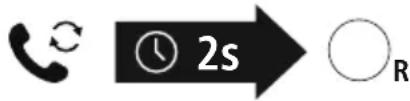
HaTnchete n 3aDpBxTe 6yToHa MFB (4) 3a OK. 2 cekyHn, 3a Da n3bepTe HAnOBO nocJeIHO n36paHn TeneΦoH HOMep.
Yka3aHne

Функцута "Повтаяп На Habира themselves" може да ce n3нлзва само 3a краино устю, koeto e bilo cbbp3aHO nbpBO npn Multipairing
8.3 Bb3npo3BexkdaHe Ha aydno
Yka3aHne

06bphete BHMmaHne, ye Ta3n cyHKun e Bb3MOxHa cAmo npn aKTNBHa Bfupotka.
1 CtrpTnpaTe Bb3npOn3BexJaHeTo Ha ayDnO Ha BaWeTo KpaHc yctpoCTBO.
2 Bb3npo3BexkdaHe/Na3a

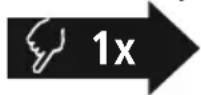

HaTnchete BeHbX 6yToH MFB (4), 3a Da CnpTe Nn 3a da CTapTnape Bb3npoN3BexKaHeTo Ha ayDnO.
3 CnEeBaio 3aIabne

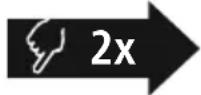

HaTnCHHe TbN 6yToH MFB (4), 3a da npemHeTe KbM CneBaOTo 3aIaBne.
4 PpeiHno 3aRJaBne

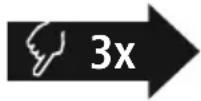

HaTnchHeTe TpN NbTN 6yToH MFB (4), 3a da npemHHeTe KbM CneDbauoTO 3aIabVe.
8.4 Perynupahe Ha cnlaTa Ha 3Byka
1 YBeJIuHaBaHe Ha cnJaTa Ha 3ByKa


3aBbptete peryntopa Ha cnata Ha 3Byka (3) no nocoka Ha yacobnKOBata cTpeIka,
3a Da yBENuHTe CnIata Ha 3ByKpN DoCTnraHe Ha MaKcIMaJIHaTc CnJa Ha 3ByKa Ie CyYeTe "beep".
2 HamajBaHe Ha cnJaTa Ha 3Byka


3aBbptete peryntopa Ha cnIata Ha 3Byka (3) B o6paTHa nocoka Ha yacOBHnKOBaTa CTpeIka, 3a Da HAMaJInte cnIATA Ha 3Byka
8.5 EKBaJauJ3ep
Cnyuankte ca cnaedeHn C Tp n pa3nun HactpoKn 3a 3Byka, Mekdy KOnTO MoXeTe da u36upate no XeJAHne. Hatnche Te BEdhck 6yToH EQ (1), 3a da u36epete epeKT 3a 3Byka. Cnyuankte cbxpanBaT nocJeHNO u36paHaTa HactpoKa 3a 3Byka I Ra Bb3npOu3BExdAT npn NOBtOpHO BKIOUVAHe EKBaIau3epbTe u3Kluoyen B pexima Ha BNCOKOROBpntel.
HopmaIeH 3ByK
Normal
Cn36opa Ha NORMAL cnyuJaKNte ca HacTpoEHN
6aIahcnpaHO, Tb KaTO BnCOKNte n CpeHnTe 3ByuN I
"Equal Mode"
6acbT ca c HopMaJIHn HAcTpOuKn. Lcye yyeTe cbOBeHneTo
Equal Mode.
DonbHnTeJHo ycnIbaHe Ha 6aca
Bass
Cn36opaHaBASSce yBeJIuHauBaIOnbJIHNTeJIHo eΦeKbT
Ha baca. Ue yyeTe cbo6ueneHneTo Heavy Bass Mode.
Heavy Bass
Mode"
3Byk C BnCoka pa3dJIteJHa cnOco6HocT
Clear
C n36opa Ha CLEAR rJnacobete ca okycupaHn mOraT
da ce pa3no3HaBAt rHo. lJe yyeTe cbo6eHneTo Vocal
"Vocal Mode"
Mode.
8.6 Bb3npo3Bexdahe Ha aydno npe3 aydnoka6eI
Ocbenype3 Bluetooth Te3n cnuankmoarat da ce cbbpxat n C nomoata Ha npniloxeHn AUX Ka6en. 3a Ta3n 9en BkIouhe eHNn KpaB KpaHOTO yCTPOINCTBO, a npyra - B ayNIOBXOda (6).
Ue yyeTe cb6ueHneTo line in. Pn BkIouBaHe Ha ayNOKabena BlKcKaTa ce npekbcBa
ABTOMATNUHO. Cera cnuankte cyHKcuOHnpat kato Ka6enHn cnuankn.

8.7 Bb3npo3Bexdahe Ha aydno npe3 microSD kapra
Ocben Ype3 Bpb3kata Ype3 Blueto@thmoxete Na 3nnonBate Te3n CnywauKn n c nomouTa Ha microSD Kapta. 3a zentra noctabete microSD Kaptata B SD BXoD (7). Lte yyeTe cbo6eHneTo memory card connected. CbueCTByBaUata Bpb3ka C Blueto@ 3ana3Ba Bb3npOn3BexJaHeTo Ha aydno ce N3BbpWba Ype3 microSD KapTata.
8. TexHnueckn daHHN
| Bluetooth® clушалки | |
| Оьхват < 10 | m |
| Bluetooth® texнологияBluetooth® v5.3 | |
| Повдьржани п ropфши A2DP, | AVRCP, HFP |
| Чеб耗费а за п reserves ч reservesBluetooth® | 2402 - 2480MHz |
| Тип батерия 3,7 | V Лигево-плимерна |
| Мин. калачтET 640 mAh | |
| Консу ману ток макс | .5V - 550mA |
| Тergл ообъ 292 | g |
| Вре'mе за зарожданe ~ 3h | |
| Вре'mе на музiku/teleфонтп разrostори* | ~ 18h/~ 25h |
| Сбстаянne на поков' ~ 90 | Дни |
| МobilенBluetooth Високоровп�试 | |
| М配电. музICALma мошост | 2 x 3 W |
| В配电. на музICALte leфонни разrostорн* | ~3.5h / ~5h |
- Cπeπ ΠπH0 3apexKaHe
9. Texnuecko obcnykBaHe n noDpBxka
NouchBaIte To3n npOyKT cAmO C Jeko HABJaxHeHa Kbpna 6e3 BlaCInHKn I He N3noJ3BaIte arpeCUB NouchBaIz npenapTu
10.ИЗкlioquBaHe Ha OTROBOPHOCT
Hama GmbH & Co KG He Noema OTROBOPHOCT NnI rapaHcN 3a NOBpeN, KOITo ca pe3yIiTAT OTHenpaBnJIHa IHCTaJIaCnI, MOHTax N yNoTpe6a Ha npOdyKTA NnI OT HeCnA3BaHe Ha pbKOBOIDTBOTO 3aeknloataa n/nnn Ha yKa3aHnraTa 3a 6e3OnaCHOCT.
11. CepBn3 n noDpBxKa
PnBbnpocn OTHOCHO npOyKta, MoJIa, oBpHete Ce KbM npOyKTOBtE KOHCytTaHTn Ha Hama.
Topeu: +49 9091 502-0 (Hemckn/aHrnckn)
IOnbHnTeJHa HΦopMaun 3a NOpBpbKkata MoKeTe da HamepuTe Tyk:hamawcom
12.ДeКларацnia 3a CbOTBETCTBne
C hactoTo Hama GmbH & Co KG DeKnappa, ye TnblT ha paNoo6OpyDbaHeTo [00184092] cbOTBeTCTBa Ha NipeKtNbA 2014/53/EC. NbHNrT TeKcT Ha EC DeKlapaunra 3a cbOTBeTCTBne e Ha pa3NoJoxEHe Na CneDNHn INHTepHET aDpec:
www.hama.com->00184092->Downloads.
YeCTOThaJeHTa/YeCToTHnJeHTN 2402-2480MHz
MaKcMmHa n3JIbYBaTeJHa MoUHocT 2.5mW E.I.R.P.