Spirit Focused 00184160 - Bluetooth Headset HAMA - Free user manual and instructions
Find the device manual for free Spirit Focused 00184160 HAMA in PDF.



| Brand | Hama |
| Model | Spirit Focused 00184160 |
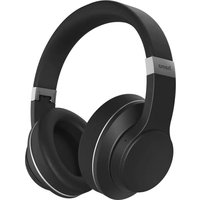
| Product type | Bluetooth over-ear headphones |
| Weight | 215 g |
| Dimensions (approx.) | 180 x 160 x 80 mm |
| Power supply | Li-Po battery 3.7 V, 380 mAh |
| Music battery life (ANC off) | Approximately 23 h |
| Music battery life (ANC on) | Approximately 15 h |
| Charging time | Approximately 1.5 h |
| Bluetooth connectivity | v5.0 + EDR, profiles A2DP/AVRCP/HFP |
| Bluetooth range | Up to 10 m |
| Active noise cancellation (ANC) | Yes, up to -20 dB |
| Headphone impedance | 32 Ω |
| Frequency response | 20 Hz - 18 kHz |
| Headphone sensitivity | 100 dB |
| Microphone | Built-in, sensitivity -42 dB |
| Inputs | USB-C (charging), 3.5 mm jack (audio) |
| Included accessories | USB-C cable, carrying pouch, manuals |
| Main functions | Voice assistant (Siri/Google), hands-free, multipoint, music controls |
| Care and cleaning | Clean with a soft, slightly damp cloth, without harsh detergents |
| Safety | Do not use at high volume for long periods, avoid moisture and shocks |
| Repairability | Do not open, entrust to a qualified technician |
| Warranty | See manufacturer's terms |
Frequently Asked Questions - Spirit Focused 00184160 HAMA
User questions about Spirit Focused 00184160 HAMA
0 question about this device. Answer the ones you know or ask your own.
Ask a new question about this device
Download the instructions for your Bluetooth Headset in PDF format for free! Find your manual Spirit Focused 00184160 - HAMA and take your electronic device back in hand. On this page are published all the documents necessary for the use of your device. Spirit Focused 00184160 by HAMA.
USER MANUAL Spirit Focused 00184160 HAMA
natural_image
Line drawing of a pair of white headphones on a plain background (no text or symbols)GB Operating Instructions D Bedienungsanleitung F Mode d'emploi E Instrucciones de uso
NL Gebruiksaanwijzing I Istruzioni per l'uso PL Instrukcja obsługi H Használati útmutató
RO Manual de utilizare CZ Návod k použití SK Návod na použitie P Manual de instruções
GB Operating instructions
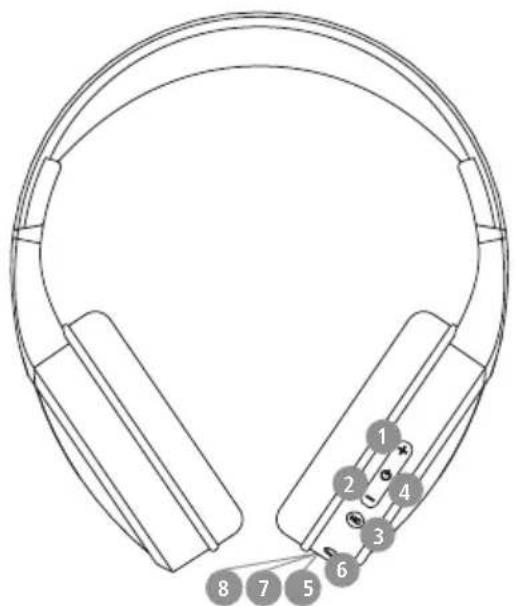
Controls and displays
Thank you for choosing a Hama product.
Take your time and read the following instructions, and information completely. Please keep these 2. instructions in a safe place for future reference 3. you sell the device, please pass these operating 4. instructions on to the new owner.
+ button
-
- button
- NC button
- Multi-function button (MFB)
- Status LED
- Audio input (3.5 mm)
- USB-C connection
- Microphone
text_image
Diagram of a headband with numbered labels pointing to specific positions on the ear.1. Explanation of warning symbols and notes
Warning

This symbol is used to indicate safety instructions or to draw your attention to specific hazards and
Note

This symbol is used to indicate additional information or important notes
2. Package contents
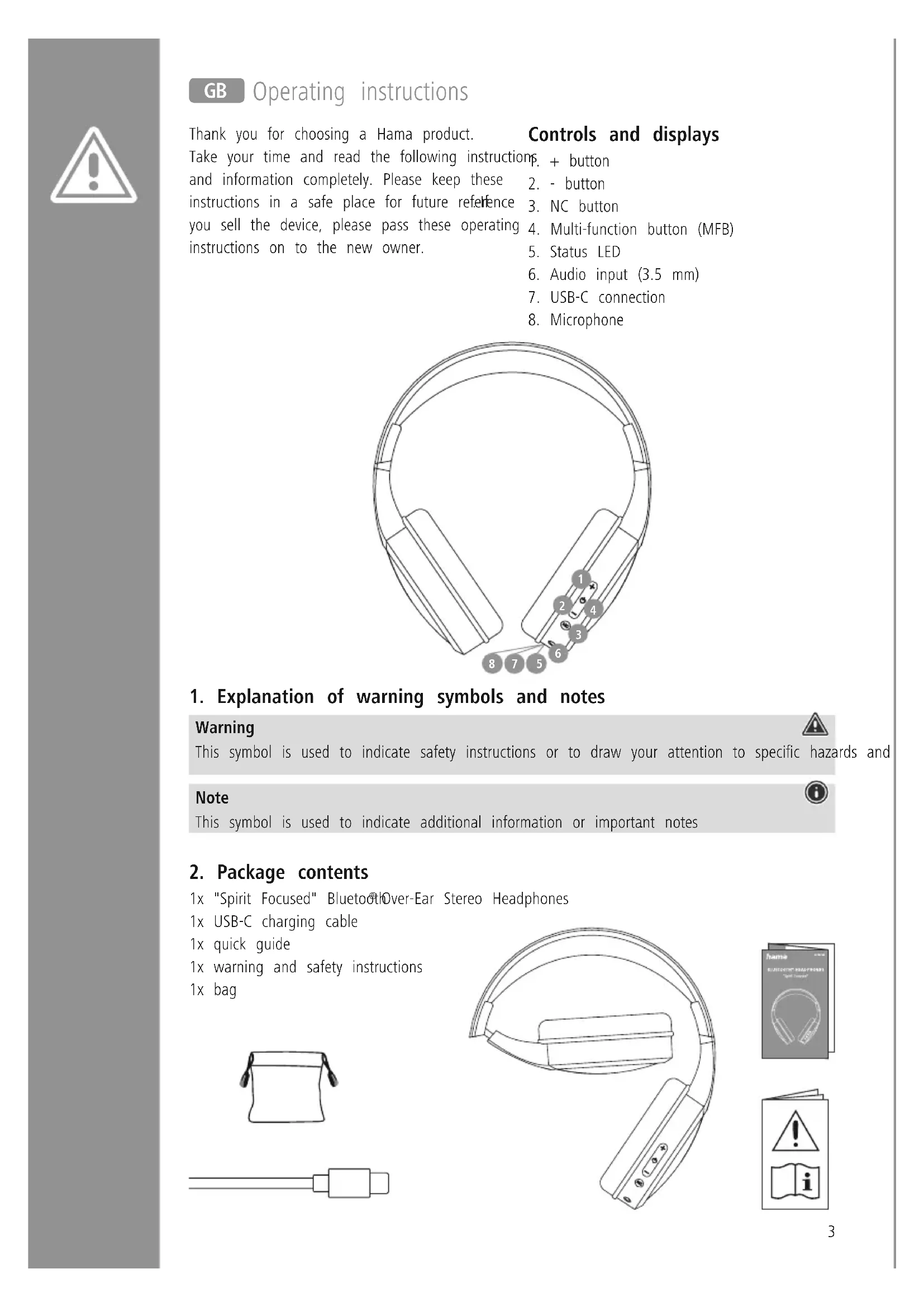
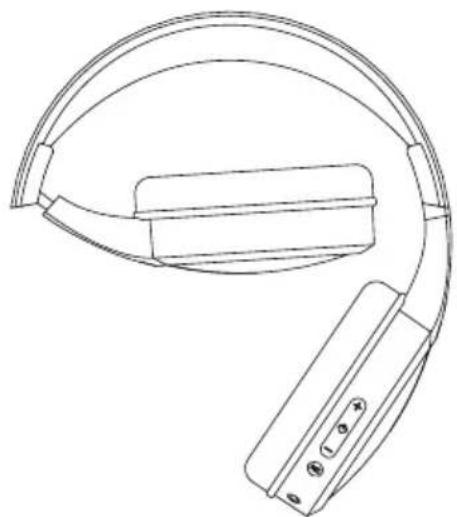
1x "Spirit Focused" Bluetooth Over-Ear Stereo Headphones
1x USB-C charging cable
1x quick guide
1x warning and safety instructions
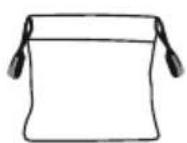
1x bag

natural_image
Line drawing of a modern headband with earbuds and control buttons (no text or symbols)

3. Safety instructions
- The product is intended for private, non-commercial use only
- Use the product only for the intended purpose.
• Children should be supervised to ensure that th do not play with the product
- Do not use the product in areas in which electronic products are not permitted
- Do not attempt to service or repair the product yourself. Leave any and all service work to qualified experts
- Do not open the device or continue to operate it becomes damaged
- Do not bend or crush the cable.
- Do not drop the product and do not expose any major shocks.
- Dispose of packaging material immediately in accordance with the locally applicable regulations.
- Do not modify the product in any way. Doing voids the warranty
- Protect the product from dirt, moisture and overheating and use it in dry environments only
- Do not use the product in the immediate vicinity of heaters, other heat sources or in direct sunlight
- Only use the article under moderate climatic conditions.
• As with all electrical products, this device should be kept out of the reach of children
- Do not operate the product outside the power limits given in the specifications
- Do not use the product in a damp environment, and avoid splashing water
- While driving a car or using sports equipment, do not allow yourself to be distracted by your produce and keep an eye on the traffic situation and you surroundings.
- The battery is permanently installed and cannot be removed; dispose of the product as a whole accordance with the statutory regulations
- Do not incinerate the battery or the product.
- Do not tamper with or damage/heat/disassemble the batteries/rechargeable batteries
- Do not use the product during the charging process!
Warning - rechargeable battery

- Only use suitable charging devices or USB ports to charge the product.
- Do not use defective chargers or USB ports and do not attempt to repair them.
- Do not overcharge the product or allow the battery to completely discharge.
- it Avoid storing, charging and using in extreme temperatures and at extremely low atmospheric pressures (such as at high it abitudes).
- When stored over a long period of time, batteries should be charged regularly (at least every three months).
Warning - magnets


- This product generates magnetic fields. Individuals with cardiac pacemakers should consult a doctor before using this product as it may affect the pacemaker's proper function.
Do not store bank or similar cards with magnetic strips near the charging box or earphones. The data on the cards could be damaged or completely deleted.
Warning - high volume

• High sound pressure!
• There is a risk of hearing damage.
• To prevent any loss of hearing, avoid listening at loud volumes for prolonged periods.
do Always keep the volume at a reasonable level. Cloud volumes can damage hearing - even ouver short periods.
• Using this product limits your perception of ambient noise. You should therefore not
inoperate
vehicles or
machines while using them
4. Switching on/off
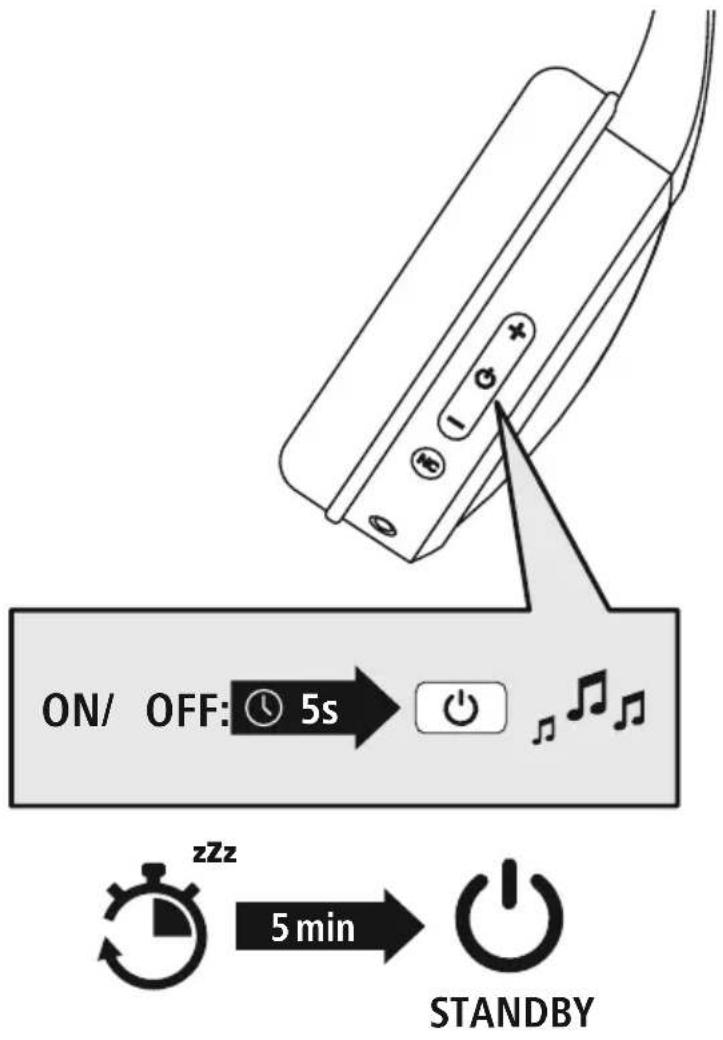
Press the MFB button (4) for around 5 seconds until a signal tone is heard and the LED flashes blue.
To switch off, press the MFB button (4) for around 5 seconds until a signal tone is hear the LED (5) flashes Red and then goes out.
text_image
ON/ OFF: 5s zzz 5 min STANDBYNote - Automatic switch-off of the headphones

The headphones are equipped with an automatic switch-off mechanism is no connection to your device within 5 minutes, they switch off automatically.

5. Charging
Fully charge the headphones once before using them for the .first time
1 Switch off the headphones and connect them
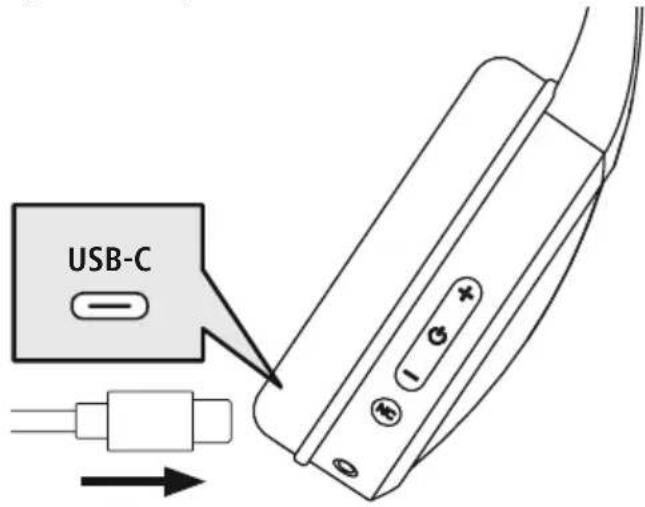
Ensure that the headphones are switched off before charging them.
Connect the USB charging cable included to the charging socket (7). Connect the free plug on USB-C charging cable to a suitable USB chargedo this, consult the operating instructions for the USB charger you are using.
text_image
USB-C2 Charging process for the headphones
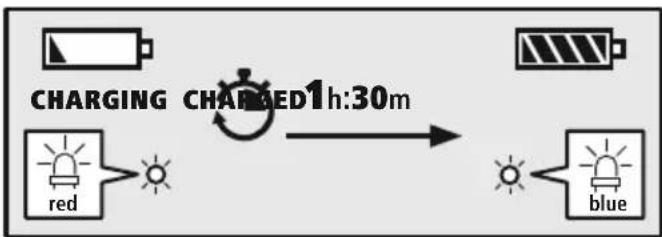
The LED (5) lights up solid red during the charging process.
Once fully charged, the LED (5) lights up solid blue.
flowchart
graph LR
    A["Charging"] --> B["Red Signal"]
    B --> C["Blue Signal"]
    D["Charging"] --> E["Blue Signal"]
    style A fill:#f9f,stroke:#333
    style B fill:#ccf,stroke:#333
    style C fill:#cfc,stroke:#333
    style D fill:#fcc,stroke:#333
    style E fill:#cff,stroke:#333
It can take up to 1.5 hours for the battery to be fully charged.
3 Battery capacity
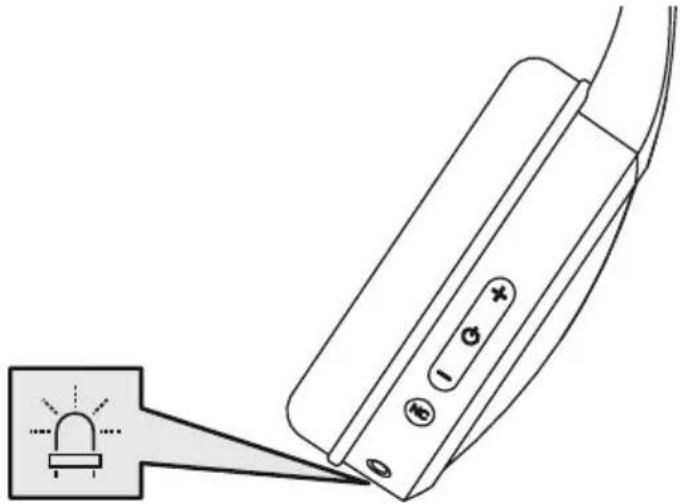
When the headphone battery capacity is low (<10%), the LED (5) flashes red and a signal tone heard.
6. Bluetooth® pairing
Note - pairing

- Ensure that the Bluetooth-enabled device is switched on and that the Bluetooth is activated.
- Please refer to the operating instructions of your device for more information.
The headphones and the device should not be more than 1 metre apart. The shorter the distance, t better.
Switch the headphones on using the MFB button (4).
1 Check the status of the status LED (5) and the announcements
natural_image
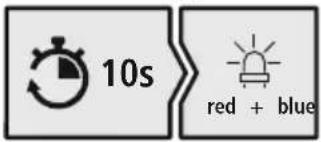
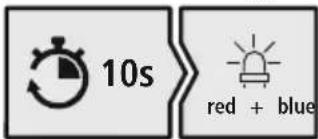
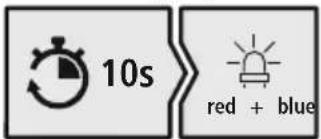
Diagram of a device emitting a light beam from a tip, showing no text or symbolsIf the LED (5) is flashing alternately:
text_image
10s red + blueHeadphones searching for a Bluetooth connection.
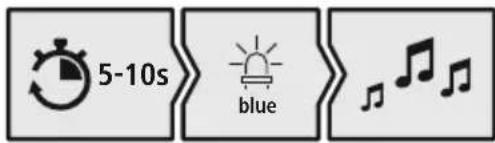
If the LED (5) is flashing:
text_image
5-10s blueThe headphones are already paired with a Bluetooth ^® device.
2 Search using your device for the headphones (only required on the first connection)
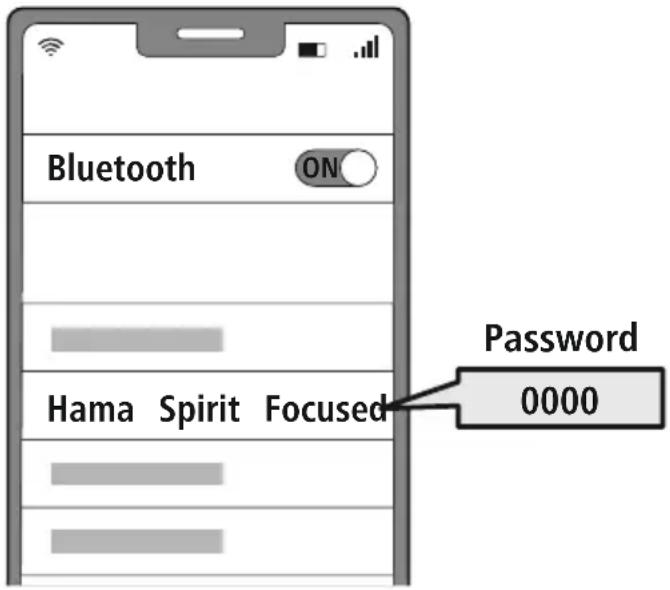
Open the Bluetoothsettings on your device and wait until the list of found Bluetooth shows Hama Spirit Focused
Select Hama Spirit Focused and wait until the headphones are shown as connected in your device's Bluetooth® settings.
text_image
Bluetooth ON Password 0000 Hama Spirit FocusedNote - Bluetooth@password

Some devices require a password in order to connect to another ^® deviceeth
- If your device requests a password to connect to the headphones, enter 0000.
3 Multi-point technology
natural_image
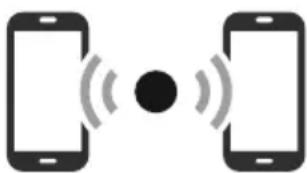
Two smartphones with sound waves between them, no text or symbols presentThese headphones can connect to two Bluetooth enabled devices simultaneously (multi-point).
- First connect the first device to the headphones.
- Then deactivate the Bluetooth® function on this device
- Then connect the second device to the headphones.
- Activate the Bluetooth® function on the first device again. The headphones then connect to this device too.
4 Disconnecting the Bluetooth connection
Disconnect the headphones via your device's Bluetooth settings.
7. Control elements
Note

- Please be aware that your terminal device must support some functions if they are to be used.
- Please refer to the operating instructions of your device for more information.
7.1 Voice assistant function
Siri/Google
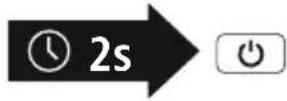
Press and hold the MFB button (4) for around 2 seconds to initiate communication with your Siri or Google Assistant. As soon as you hear a signal tone, your voice assistant is ready to assist you
Note - Siri

Siri is only available on suitable devices running iOS 5 (iPhone 4s or later) or higher.
Note - Google Assistant

- The Google Assistant is only available on suitable devices running Android 5.0 or higher with Google Play Services, >1.5 GB of free memory and a minimum screen resolution of 720P.
- The Google Assistant App must be available on your device and be set as the default voice assistant.
7.2 ANC function
The headphones are equipped with an Active Noise Cancelling (ANC) function to reduce unwanted ambient noise. If ANC is activated, noise can be reduced by up to -20 dB. ANC can also be active when the headphones are switched off
Active Noise Cancelling
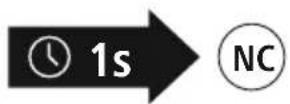
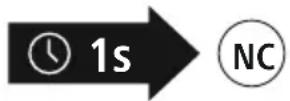
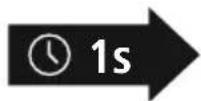
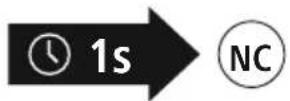
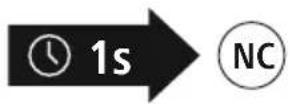
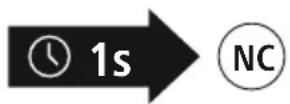
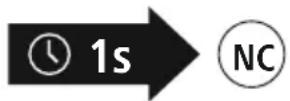
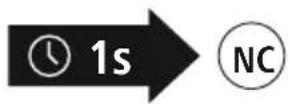
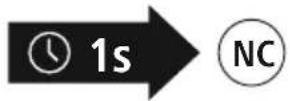
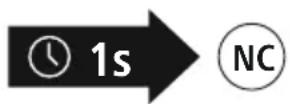
Press and hold the NC button (3) for approx. 1 second to switch on ANC and the LED light turns solid green. Press and hold the NC button (3) again for around 1 second to switch ANC off. The LED goes out.
7.3 Hands-free function
It is possible to use the earphones like a hands-free facility for your mobile phone.
1 Make a call
Dial the number directly via your device to make a call.
2 Accept a call
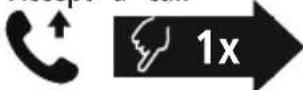
Press the MFB button (4) to accept an incoming call
3 Reject a call
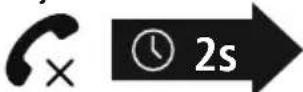
Press and hold the MFB key (4) for around 2 seconds or use your device to reject an incoming call
4 End a call
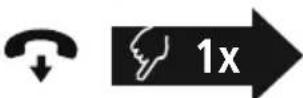
During the call, press the MFB button (4) once to end the call
5 Last number redial
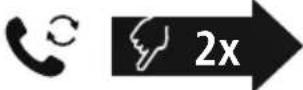
Press the MFB key (4) twice to redial the last number
Note

The "Last number redial" function is only available for the device which was paired first in a multi-pairing situation.


7.4 Audio playback
Note

Please note that this function is only possible when a Bluebond is active.
1 Start playback on your device.
2 Play / Pause

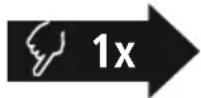
Press the MFB button (4) once to pause or start audio playback.
3 Next track

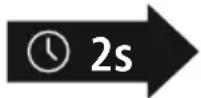
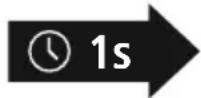
Press and hold the + key (1) for around 2 seconds to ski to the next track.
4 Previous track

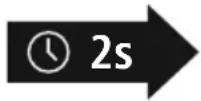
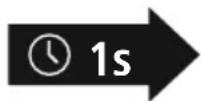
Press and hold the -key (2) for around 2 seconds to skip to the previous track.
7.5 Volume control
1 Increase volume

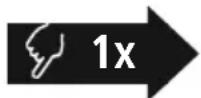
Press the + button (1) once to increase the volume. Once the maximum volume is reached, a signal tone is heard.
Reduce volume
2

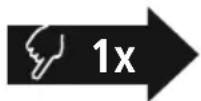
Press the key (2) once to reduce the volume. Once the minimum volume is reached, a signal tone is heard
7.6 Audio playback via an audio cable (not included in the package contents)
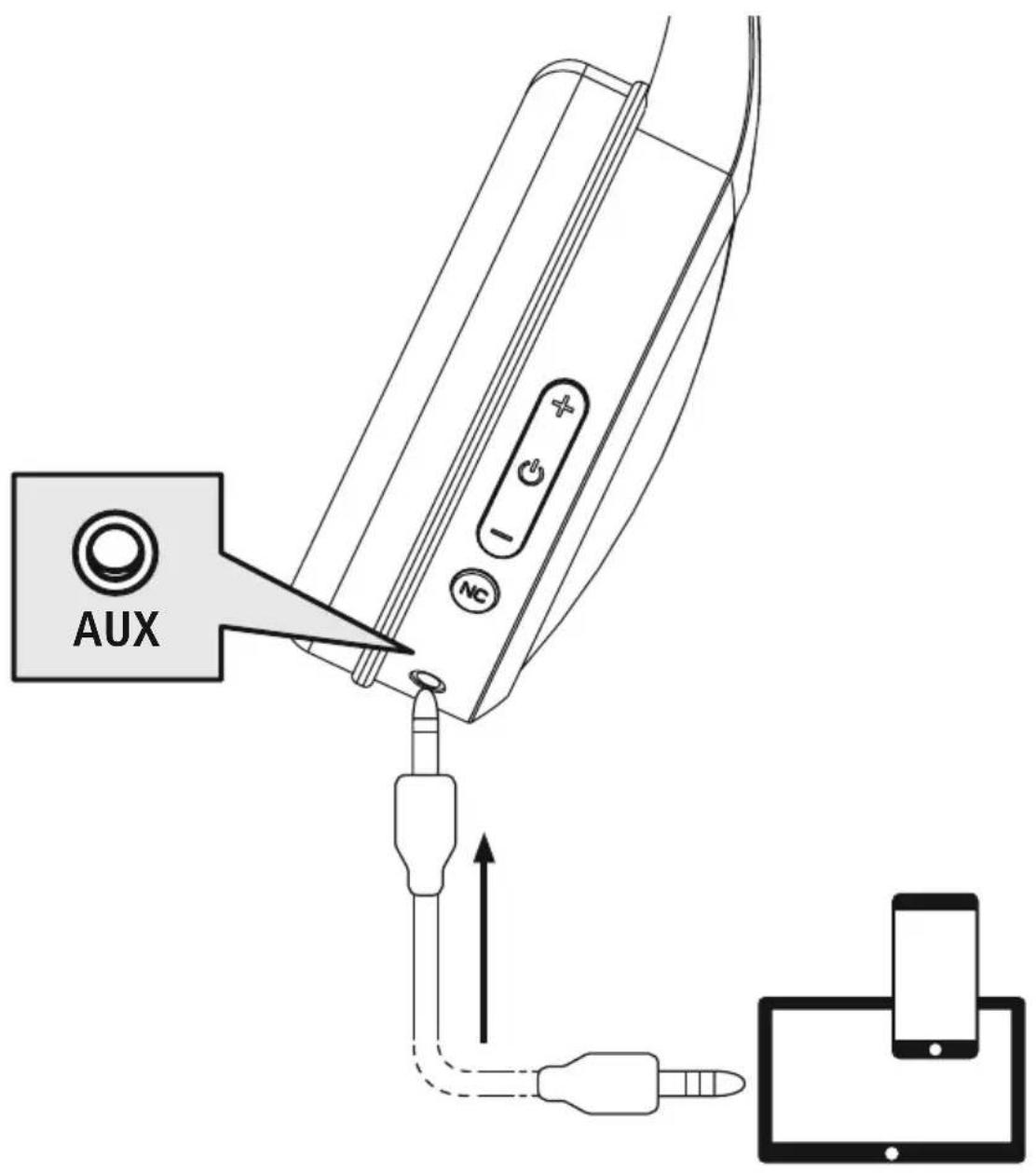
In addition to the connection via Bluetooth can also connect these headphones using an AUX cable. To do this, plug one end into the device and the other end into the audio input (6). When audio cable is inserted, the Bluetooth connection is automatically disconnected. The headphones now function like cabled headphones.
text_image
AUX
- Technical data
| Bluetooth®headphones | |
| Impedance headphones / microphone | 32Ω / < 2.2kΩ |
| Frequency headphones / microphone | 20 Hz - 18kHz / 100 Hz - 10kHz |
| Sensitivity Headphones / microphone | 100dB / -42dB |
| Range <10m | |
| Bluetooth®technology v5 | .0 + EDR |
| Profiles A2DP, AVRCP, HFP | |
| Transmission frequency 2 | .4 - 2.48GHz |
| Battery Li-Po 3.7V | |
| Min. capacity 380 mAh | |
| Current consumption max | .5V ~ 380 mA |
| Total weight 215g | |
| Standby * ~ 365 d | |
| Charging time ~1 | .5 h |
| ANC | -20 dB +/-2 dB |
| Music / talk time (ANC on) | ~15 h |
| Music / talk time (ANC off) | ~23 h |
* Once fully charged
9. Care and maintenance
Only clean this product using a lint-free, slightly damp cloth and do not use any harsh cleaners
10. Warranty disclaimer
Hama GmbH & Co KG assumes no liability and provides no warranty for damage resulting from imprint installation/mounting, improper use of the product or from failure to observe the operating instructions and/or safety notes
11. Service and support
Please contact Hama Product Consulting if you have any questions about this product.
Hotline: +49 9091 502-0 (German/English)
Further support information can be found here:.haw.com
12. Declaration of conformity
CE Hama GmbH & Co KG hereby declares that the radio equipment type [00184160] is in compliance with Directive 2014/53/EU. The full text of the EU declaration of conformity is available at the following Internet address:
www.hama.com->00184160 ->Downloads.
Frequency band(s) 2402MHz - 2480MHz
Maximum radio-frequency power transmitted 2.5 mW E.I.R.P.

text_image
Diagram of a headband with numbered labels pointing to specific points on the ear.natural_image
Line drawing of a modern headband with attached sensors and buttons (no text or symbols)

natural_image
Diagram of a device emitting a light beam from a tip, showing no text or symbolstext_image
10s red + bluetext_image
5-10s bluetext_image
Bluetooth ON Password 0000 Hama Spirit Focusednatural_image
Two smartphones with sound waves between them, no text or symbols presentActive Noise Cancelling
text_image
Diagram of a headband with numbered labels pointing to specific points on the ear.natural_image
Line drawing of a modern headband with a strap and control buttons (no text or symbols)

natural_image
Diagram of a device with a warning light symbol and three buttons, connected to a terminal block (no text or labels present)text_image
10s red + bluetext_image
5-10s bluetext_image
Bluetooth ON Password 0000 Hama Spirit FocusedRemarque – Mot de passe Bluetooth®

natural_image
Two smartphones with sound waves between them, no text or symbols presentRemarque - Assistant Google

Active Noise Cancelling

text_image
Diagram showing a play button, clock icon labeled '2s', and a plus sign, likely indicating a second play time.text_image
Diagram showing playback control icons: left arrow, clock with '2s' next to time block, right arrow with minus signtext_image
Diagram of a headband with numbered labels pointing to specific points on the ear.natural_image
Diagram of a device emitting a light beam from a tip, with no visible text or symbolstext_image
10s red + bluetext_image
5-10s bluetext_image
Bluetooth ON Password 0000 Hama Spirit Focusednatural_image
Two smartphones with sound waves between them, no text or symbols presentActive Noise Cancelling
text_image
Diagram of a headband with numbered labels pointing to specific sectionsnatural_image
Line drawing of a modern headband with earbuds and control buttons (no text or symbols)

natural_image
Diagram of a device emitting a light beam from a tip, showing no text or symbolsWanneer de led (5) afwisselend knippert:
text_image
10s red + bluetext_image
5-10s bluetext_image
Bluetooth ON Password 0000 Hama Spirit Focusednatural_image
Two smartphones with sound waves between them, no text or symbols presentActive Noise Cancelling
text_image
Diagram of a headband with numbered labels pointing to specific points on the ear.natural_image
Line drawing of a modern headband with earbuds and control buttons (no text or symbols)

natural_image
Diagram of a device emitting a light beam from a tip, showing control buttons and a warning symbol (no text or labels present)text_image
10s red + bluetext_image
5-10s bluetext_image
Bluetooth ON Password 0000 Hama Spirit FocusedNota - password Bluetooth®

natural_image
Two smartphones with sound waves between them, no text or symbols presentActive Noise Cancelling
text_image
Diagram of a headband with numbered labels pointing to specific points on the ear.natural_image
Line drawing of a headband device with labeled 'eczeństwa' (no other text or symbols)

natural_image
Diagram of a device emitting a light beam from a tip, with no visible text or symbolstext_image
10s red + bluetext_image
5-10s bluetext_image
Bluetooth ON Password 0000 Hama Spirit Focusednatural_image
Two smartphones with sound waves between them, no text or symbols presentActive Noise Cancelling

text_image
Diagram showing a play button, clock icon labeled '2s', and a plus sign, likely indicating a second play time or duration.text_image
Diagram showing playback control icons including left arrow, clock with '2s', and minus signtext_image
Diagram of a headband with numbered labels pointing to specific points on the ear.natural_image
Diagram of a device emitting a light beam from a tip, with no visible text or symbolstext_image
10s red + bluetext_image
5-10s bluetext_image
Bluetooth ON Password 0000 Hama Spirit Focusednatural_image
Two smartphones with sound waves between them, no text or symbols presentActive Noise Cancelling

text_image
Diagram of a headband with numbered labels pointing to specific points on the ear.natural_image
Line drawing of a modern headband with earbuds and control buttons (no text or symbols)

natural_image
Diagram of a device emitting a light beam from a tip, with no visible text or symbolstext_image
10s red + bluetext_image
5-10s blueCăștile sunt deja conectate la un terminal Bluetooth®.
text_image
Bluetooth ON Password 0000 Hama Spirit Focusednatural_image
Two smartphones with sound waves between them, no text or symbols presentActive Noise Cancelling
text_image
Diagram of a headband with numbered labels pointing to specific points on the ear.natural_image
Line drawing of a modern headband with earbuds and control buttons (no text or symbols)

flowchart
graph LR
    A["Charging Light"] --> B["Red & Blue Indicators"]
    B --> C["Charged 1h:30m Duration"]
    C --> D["Battery Output"]
natural_image
Diagram of a device emitting a light beam from a tip, with no visible text or symbolstext_image
10s red + bluetext_image
5-10s bluetext_image
Bluetooth ON Password 0000 Hama Spirit Focusednatural_image
Two smartphones with sound waves between them, no text or symbols presentActive Noise Cancelling
text_image
Diagram of a headband with numbered labels pointing to specific partsnatural_image
Line drawing of a modern headband with earbuds and control buttons (no text or symbols)

natural_image
Diagram of a device emitting a light beam from a tip, with no visible text or symbolstext_image
10s red + bluetext_image
5-10s bluetext_image
Bluetooth ON Password 0000 Hama Spirit Focusednatural_image
Two smartphones with sound waves between them, no text or symbols presentActive Noise Cancelling
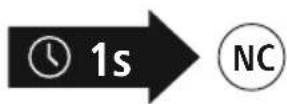
Stlačte a podržte tlačidlo NC (3) cca 1 sekundu na zapnutie AN a LED svieti trvalo nazeleno. Znovu stlačte a podržte tlačidlo NC (3) nanovo na asi 1 sekundu na vypnutie ANC, LED zhasne.
7.3 Funkcia hands-free
text_image
Diagram of a headband with numbered labels pointing to specific points on the ear.natural_image
Line drawing of a modern headband device with no visible text or symbols

natural_image
Diagram of a device emitting a light beam from a tip, showing no text or symbolsSe o LED (5) piscar de forma intermitente:
text_image
10s red + bluetext_image
5-10s bluetext_image
Bluetooth ON Password 0000 Hama Spirit Focusednatural_image
Two smartphones with sound waves between them, no text or symbols presentActive Noise Cancelling
text_image
Diagram of a headband with numbered labels pointing to specific points on the ear.natural_image
Line drawing of a modern headband with earbuds and control buttons (no text or symbols)

3. Säkerhetsinformation
flowchart
graph LR
    A["Charging Battery"] --> B["Blue Signal"]
    C["Red Signal"] --> D["Light Bulb"]
    E["Blue Signal"] --> F["Light Bulb"]
    G["Charging Charge 1h:30m"] --> H["Duration"]
natural_image
Diagram of a device emitting a light beam from a tip, with no visible text or symbolstext_image
10s red + bluetext_image
5-10s bluetext_image
Bluetooth ON Password 0000 Hama Spirit FocusedInformation – Bluetoothlösenord

natural_image
Two smartphones with sound waves between them, no text or symbols presentActive Noise Cancelling

text_image
Diagram of a headband with numbered labels pointing to specific points on the ear.natural_image
Line drawing of a modern earless device with no visible text or symbols

flowchart
graph LR
    A["Charging Battery"] --> B["Blue Signal"]
    C["Red Signal"] --> D["Blue Signal"]
    E["Charged 1h:30m"] --> F["Blue Signal"]
natural_image
Diagram of a device with a warning light symbol and control buttons, showing no text or labelstext_image
10s red + bluetext_image
5-10s bluetext_image
Bluetooth ON Password 0000 Hama Spirit Focusednatural_image
Two smartphones with sound waves between them, no text or symbols presentActive Noise Cancelling

text_image
Diagram of a headband with numbered labels pointing to specific regions or zones.natural_image
Line drawing of a headband device with no visible text or symbols
3. Указания за безопасност
flowchart
graph LR
    A["Charging Battery"] --> B["Blue Signal"]
    C["Red Signal"] --> D["Light Bulb"]
    E["Blue Signal"] --> F["Light Bulb"]
    G["Charging Charge 1h:30m"] --> H["Duration"]
natural_image
Diagram of a device emitting a light beam from a tip, showing no text or symbolstext_image
10s red + bluetext_image
5-10s bluetext_image
Bluetooth ON Password 0000 Hama Spirit FocusedУказание – Bluetooth парола

natural_image
Two smartphones with sound waves between them, no text or symbols presentActive Noise Cancelling

text_image
Diagram showing a play button, clock icon, and directional arrow with plus signtext_image
Diagram showing playback control icons: left arrow, clock with '2s' label, and right button with minus signtext_image
Diagram of a headband with numbered labels pointing to specific points on the ear.natural_image
Line drawing of a headband device with no visible text or symbols

natural_image
Diagram of a device emitting a light beam from a tip, showing no text or symbolstext_image
10s red + bluetext_image
5-10s bluetext_image
Bluetooth ON Password 0000 Hama Spirit Focusednatural_image
Two smartphones with sound waves between them, no text or symbols presentActive Noise Cancelling

www.hama.com->00184160 -> Downloads.
text_image
Diagram of a headband with numbered labels pointing to specific points on the ear.natural_image
Line drawing of a modern headband with earbuds and control buttons (no text or symbols)

natural_image
Diagram of a device emitting a light beam from a tip, with no visible text or symbolstext_image
10s red + bluetext_image
5-10s bluetext_image
Bluetooth ON Password 0000 Hama Spirit Focusednatural_image
Two smartphones with sound waves between them, no text or symbols presentBilgi – Google Assistant

Active Noise Cancelling
text_image
Diagram showing playback control icons: left arrow, clock with '2s' label, right arrow with minus signtext_image
Diagram of a headband with numbered labels pointing to specific points on the ear.natural_image
Line drawing of a modern headband with earbuds and control buttons (no text or symbols)

flowchart
graph LR
    A["Charging"] --> B["Red Signal"]
    B --> C["Blue Signal"]
    D["Charging Charge 1h:30m"] --> E["Charge 1h:30m"]
natural_image
Diagram of a device emitting a light beam from a tip, with no visible text or symbolstext_image
10s red + bluetext_image
5-10s bluetext_image
Bluetooth ON Password 0000 Hama Spirit FocusedHuomautus Bluetooth®-salasanasta