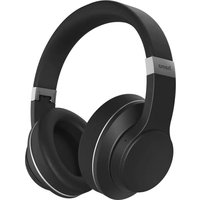
Passion Voyage 00184159 - Bluetooth Headset HAMA - Free user manual and instructions
Find the device manual for free Passion Voyage 00184159 HAMA in PDF.



| Brand | Hama |
| Model | Passion Voyage 00184159 |
| Product Type | Bluetooth circumaural headset |
| Weight | 310 g |
| Bluetooth Technology | Bluetooth 5.0 |
| Bluetooth Range | <10 m |
| Bluetooth Profiles | A2DP, AVRCP, HFP |
| Active Noise Cancellation (ANC) | Yes, up to -30 dB |
| Transparency Mode | Yes |
| Voice Assistant | Siri and Google Assistant |
| Hands-free Kit | Yes |
| Touch Controls | Yes (multifunction sensor) |
| Wired Audio Input | Yes (3.5 mm jack) |
| Battery Type | Lithium-polymer 3.7 V |
| Battery Capacity | 590 mAh |
| Charging Time | Approximately 3 hours |
| Wireless Charging | Yes (Qi compatible) |
| Playback Time (ANC On) | Approximately 18 hours |
| Playback Time (ANC Off) | Approximately 20 hours |
| Talk Time | Approximately 18 hours |
| Operating Frequency | 2402-2480 MHz |
| Max Transmission Power | 2.5 mW E.I.R.P. |
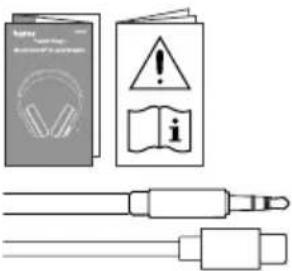
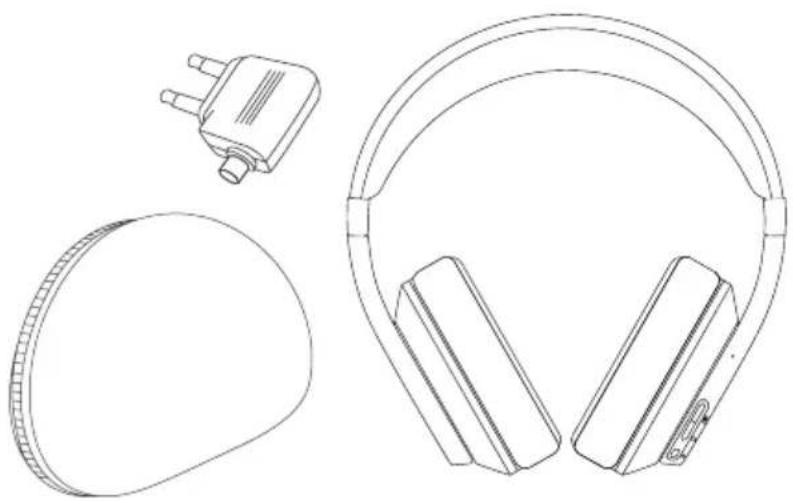
| Package Contents | Headset, USB-C cable, 3.5 mm AUX cable, storage pouch, manuals |
| Care Instructions | Slightly damp, lint-free cloth |
| Repairability | Integrated non-replaceable battery |
| Customer Service | +49 9091 502-0 (German/English) |
Frequently Asked Questions - Passion Voyage 00184159 HAMA
User questions about Passion Voyage 00184159 HAMA
0 question about this device. Answer the ones you know or ask your own.
Ask a new question about this device
Download the instructions for your Bluetooth Headset in PDF format for free! Find your manual Passion Voyage 00184159 - HAMA and take your electronic device back in hand. On this page are published all the documents necessary for the use of your device. Passion Voyage 00184159 by HAMA.
USER MANUAL Passion Voyage 00184159 HAMA
GB Operating Instructions D Bedienungsanleitung F Mode d'emploi E Instrucciones de uso
NL Gebruiksaanwijzing I Istruzioni per l'uso PL Instrukcja obsługi H Használati útmutató
RO Manual de utilizare CZ Návod k použití SK Návod na použitie P Manual de instruções
GB Operatinginstructions
ThankyouforchoosingaHamaproduct . Takeyourtimeandreadthefollowinginstructions andinformationcompletely.Pleasekeepthese instructionsinasafeplaceforfuturereference .If yousellthedevice,pleasepasstheseoperating instructionsontothenewowner.
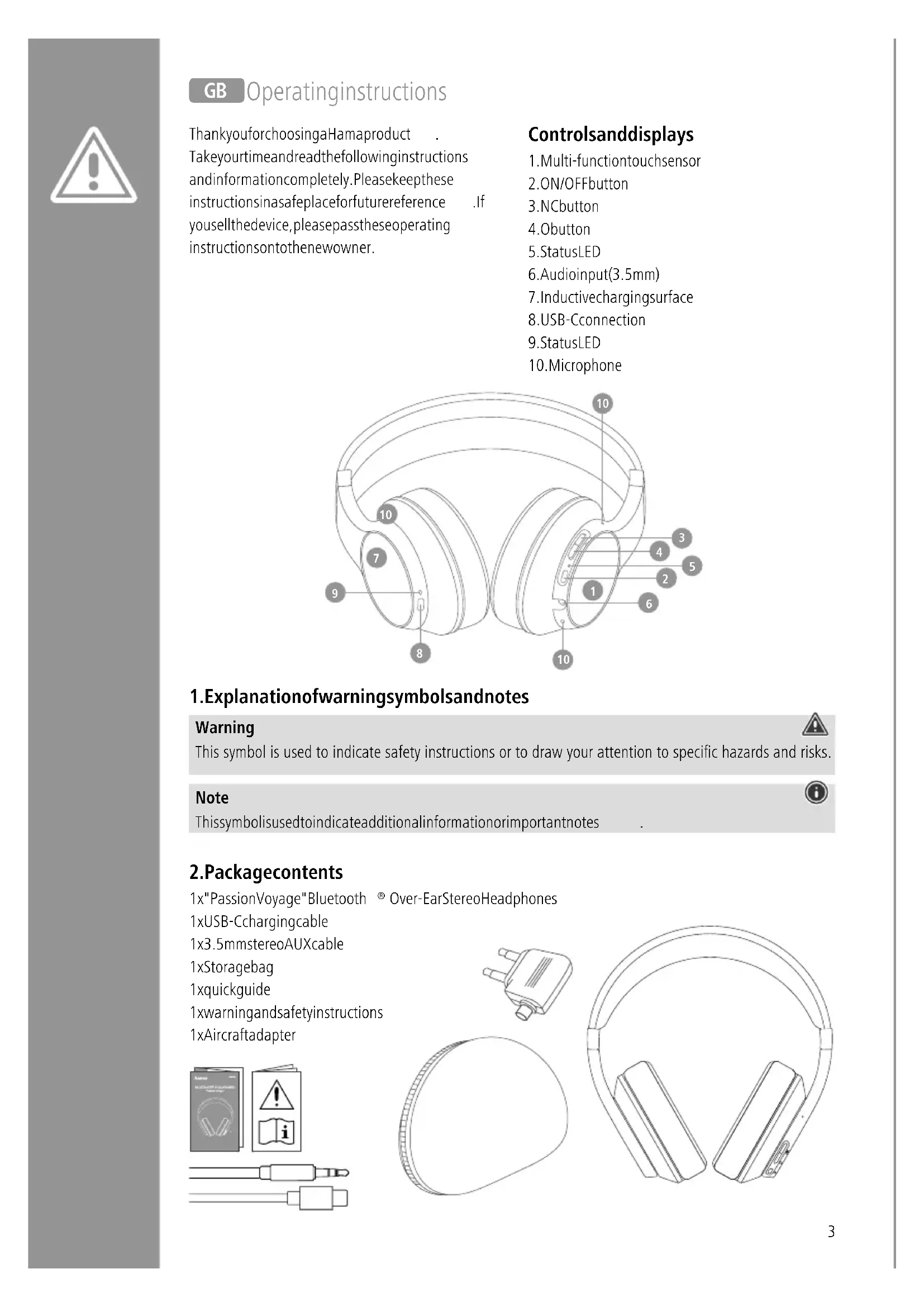
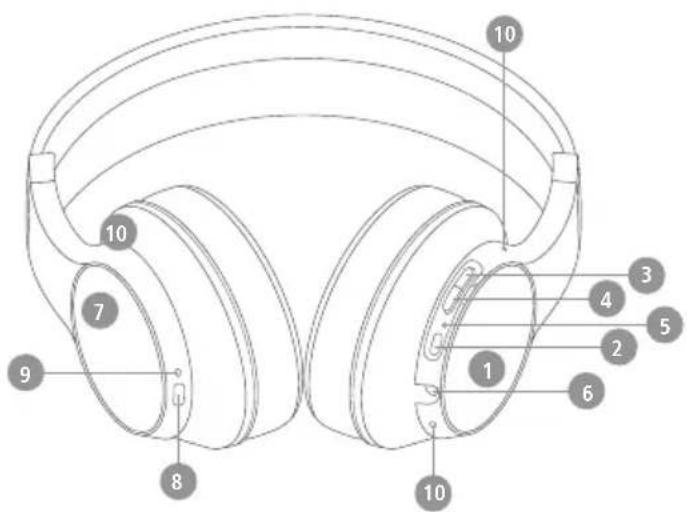
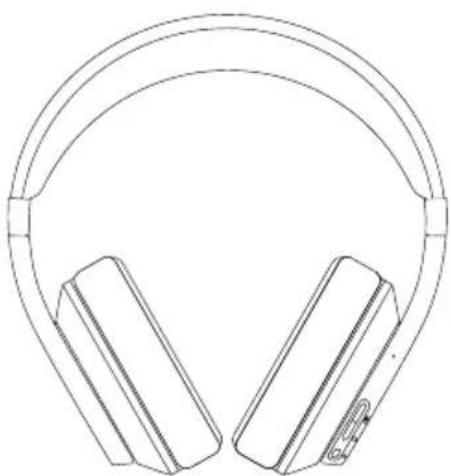
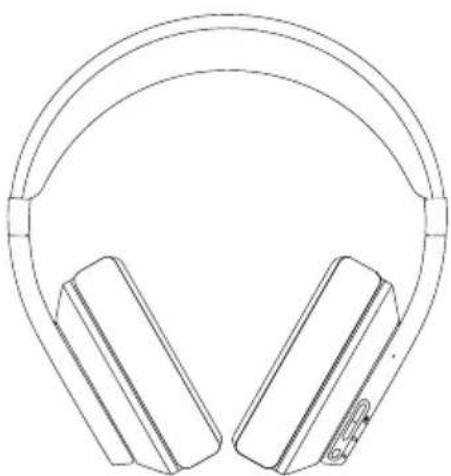
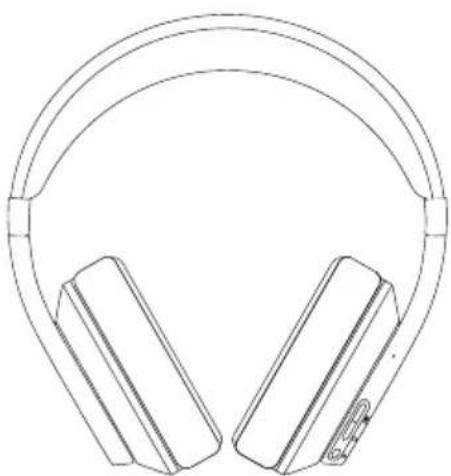
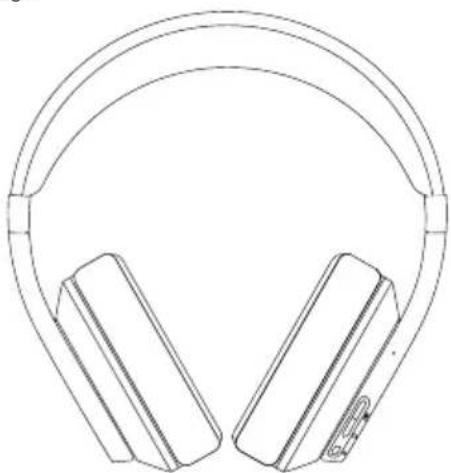
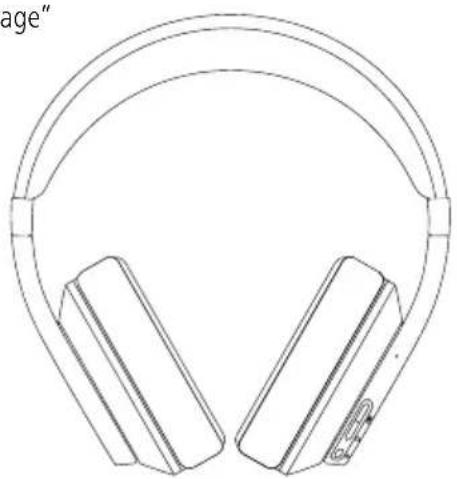
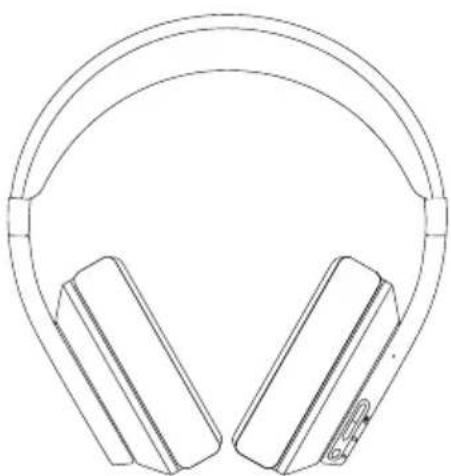
Controlsanddisplays
- Multi-functiontouchsensor
2.ON/OFFbutton
3.NCbutton
4.Obutton
5.StatusLED - Audioinput(3.5mm)
- Inductive charging surface
8.USB-Cconnection
9.StatusLED - Microphone
1. Explanationofwarningsymbolsandnotes
Warning

This symbol is used to indicate safety instructions or to draw your attention to specific hazards and risks.
Note

This symbol is used to indicate additional information or important notes
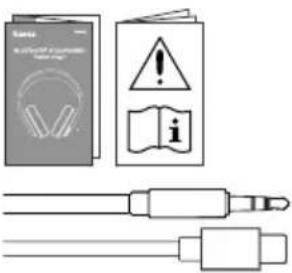
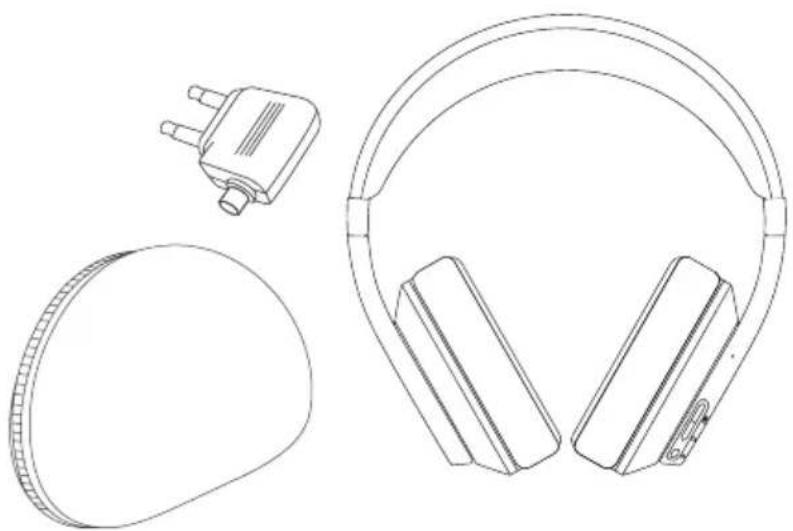
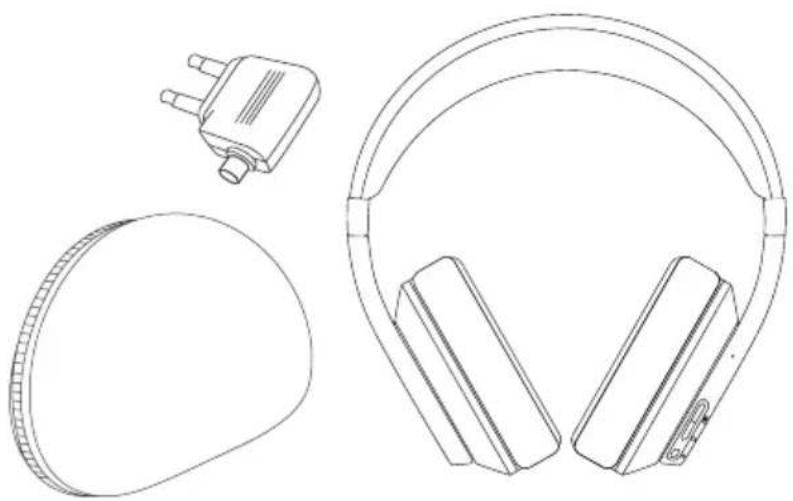
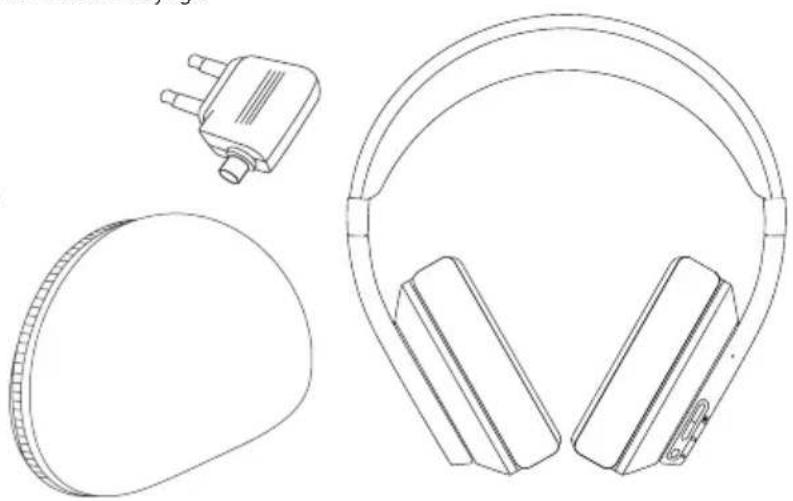
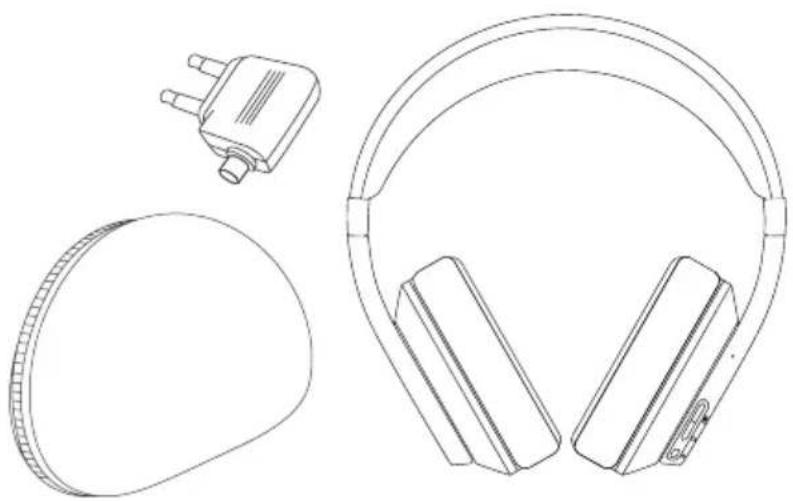
2.Packagecontents
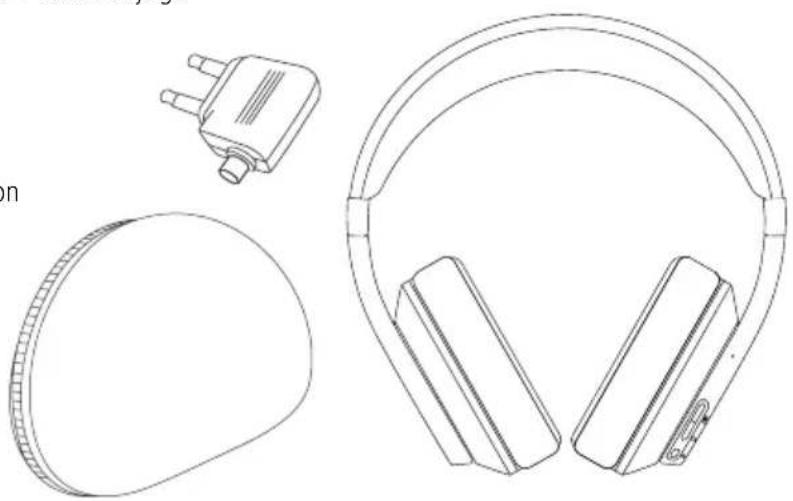
1x"PassionVoyage"Bluetooth ® Over-EarStereoHeadphones
1xUSB-Cchargingcable
1x3.5mmstereoAUXcable
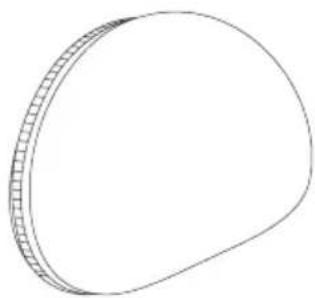
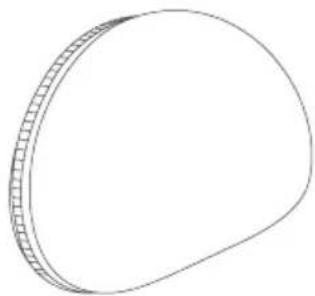
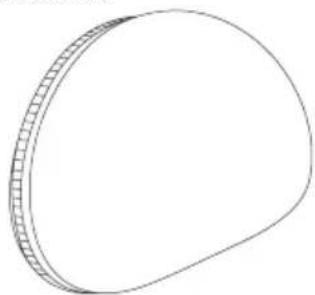
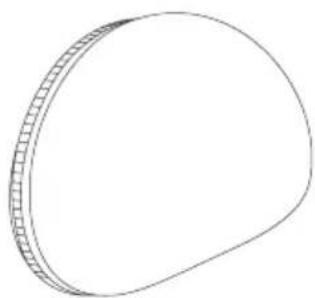
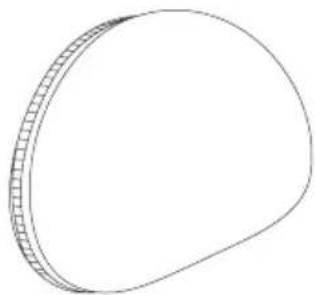
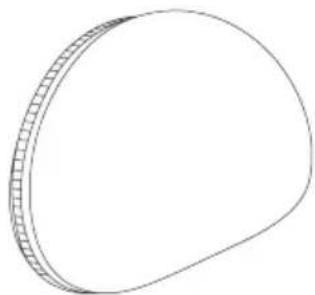
1xStoragebag
1xquickguide
1xwarningandsafetyinstructions
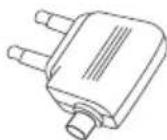
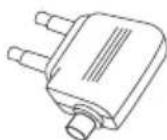
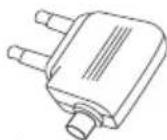
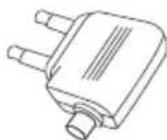
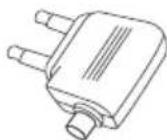
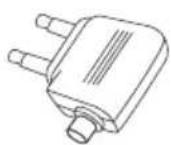
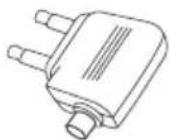
1xAircraftadapter


3. Safetyinstructions
• The product is intended for private, non-commercial use only.
- Usetheproductonlyfortheintendedpurpose.
- Childrenshouldbesupervisedtoensurethat theydonotplaywiththeproduct.
- Donotusetheproductinareasinwhich electronicproductsarenotpermitted
- Donotattempttoserviceorrepairtheproduct yourself.Leaveanyandallserviceworkto qualifiedexperts.
- Donotopenthedeviceorcontinuetooperateit ifitbecomesdamaged.
- Donotbendorcrushthecable.
- Donotdroptheproductanddonotexposeitto anymajorshocks.
- Disposeofpackagingmaterialimmediately inaccordancewiththelocallyapplicable regulations.
- Donotmodifytheproductinanyway.Doingso voidsthewarranty.
- Protect the product from dirt, moisture and overheating and use it indry environments only.
- Donotusetheproductintheimmediatevicinity ofheaters,otherheatsourcesorindirect sunlight.
- Onlyusethearticleundermoderateclimatic conditions.
- Aswithallelectricalproducts,thisdeviceshould bekeptoutofthereachofchildren.
- Donotoperatetheproductoutsidethepower limitsgiveninthespecifications .
- Donotusetheproductinadampenvironment andavoidsplashingwater
- Whiledrivingacarorusingsportsequipment, donotallowyourselftobedistractedbyyour productandkeepaneyoneonthetrafficsituation andyoursurroundings.
- Donotplaceanyliquid-filledvesselssuchas flowervasesonorintheimmediatevicinity of theproduct .Thevesselmaytoppleoverandthe liquidcanthenimpairtheelectricalsafety.
- The battery is permanently installed and cannot be removed; dispose of the product as a whole in accordance with the statutory regulations.
- Donotincineratethebatteryortheproduct.
- Donottamperwithordamage/heat/disassemble thebatteries/rechargeablebatteries.
- Donotusetheproductduringthecharging process!
Warning-chargingpad

- Ensure that there are anometal parts on the headphones. Metal heatsup significantly in the field of an induction charger and can damage your headphones and/or the charger
- Ensure that the headphones are not covered by textiles, metal or other objects in order to avoid damage caused by overheating.
Warning-magnets

- Thisproductgeneratesmagneticfields. Individualswithcardiacpacemakersshould consultadoctorbeforeusingthisproductasit mayaffectthepacemaker'sproperfunction
- Donotplaceanybankorsimilarcardswith magneticstripsormagneticallysensitive objectsontheproduct .Thedataonthecards couldbedamagedorcompletelydeleted.

Warning-highvolume

• Highsoundpressure!
• Thereisariskofhearingdamage
- Topreventanylossofhearing, avoidlistening atloudvolumesforprolongedperiods
• Always keep the volume at a reasonable level. Loud volumescandamagehearing—even over short periods.
- Using the product restricts your ability to perceive ambient sounds. You should therefore not operate any vehicles or machinery during use.
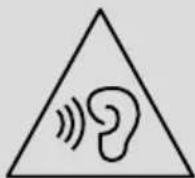
Warning-optimalcharging
Thisproductiscompatiblewithinductive chargingtechnology .Foroptimalcharging,we recommendusingawireless(qi-compatible) chargerthatsupportstheBaselinePower Profile(5W).Pleasealsoconsulttheoperating instructionsforthechargeryouareusing

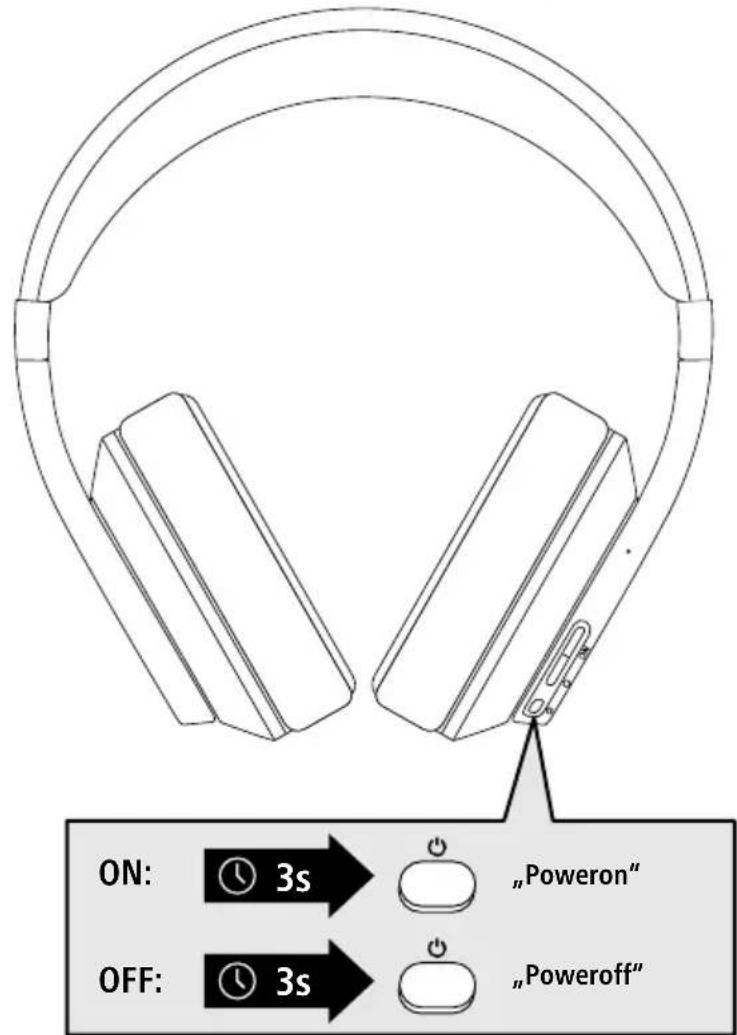
4.SwitchOn/Off
ON
PresstheON/OFFbutton(2)forapprox .3secondsuntiltheannouncement"Poweron"is heardandtheLED(5)flashesblue/green
OFF
Toswitchoff, presstheON/OFFbutton(2)forapprox.3secondsuntiltheannouncement "Power off" is heard and the LED (5) flashes red and then goes out.
![graph LR A[" stopwatch icon with 'zzz' clock"] -->|5 min| B[" Standby button with battery symbol"]](/content/2026/04/637795/images/ef3d7792120829aaca7ad996c25677e7e9aceb187fba6aa81f243c164db9ddcf.jpg)
Note—Automaticswitch-offoftheheadphones

The headphones are equipped with an automatic switch-off mechanism. If there is no connection to your device within 5 minutes, they switch off automatically. When the headphones are switched on and the ANC function (7.5) or transparency mode (7.6) is enabled, automatic switch-off only happens after around 10 hours.

5.Charging
Fullychargetheheadphonesoncebeforeusingthemforthefirsttime
1 Switchingofftheheadphones
Ensure that the headphones are switched off before charging them.
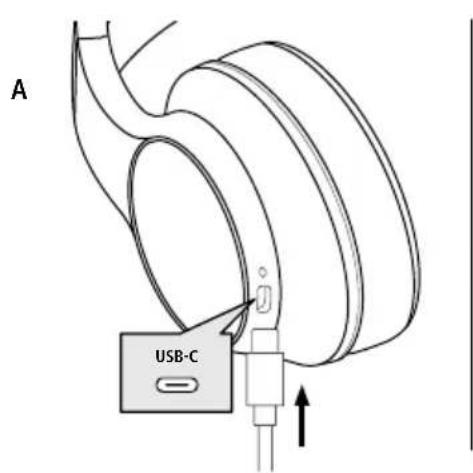
A:ChargingviaUSB-Cport(8)
ConnecttheUSBchargingcableincludedtothechargingsocket(8) .Connectthefree plug on the USB-C charging cable to a suitable USB charger. Refer to the operatinginstructionsfortheUSBchargerused.
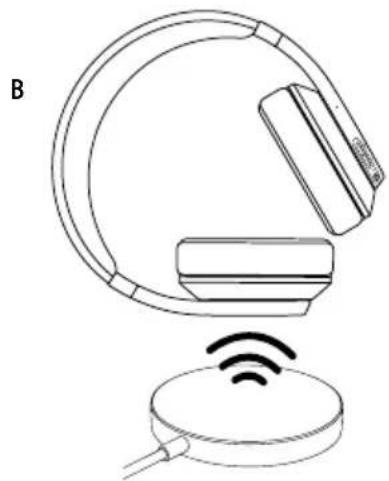
B: Inductivecharging
Theheadphonescanbechargedwirelessly .Todothis, placetheleftearpadwiththeoutside centred on a suitable wireless charger. Consult the operating instructions for the wireless charger youareusing.
2 Chargingprocessfortheheadphones
TheLED(9)lightsupsolidwhiteduringthechargingprocess. Oncethechargingprocessiscomplete, theLED(9)goesout.
![graph LR A["Charging Battery"] --> B["White Light"] B --> C["Off"] D["Battery"] --> E["Off"] style A fill:#f9f,stroke:#333 style B fill:#ccf,stroke:#333 style C fill:#cfc,stroke:#333 style D fill:#fcc,stroke:#333 style E fill:#cff,stroke:#333 note1["A2h:00m"] note2["B3h:00m"] A --> note1 D --> note2](/content/2026/04/637795/images/24176faf70d84d4ca9a0a02369cf94b48bff73a69ae93842b90a323bac837cd3.jpg)
Itcantakeupto3hoursforthebatterytobefullycharged.
3 Batterycapacity
When the headphones' battery level is low (< 10%), the announcement "Please charge" is heard.
Note
During the charging process, the Bluetooth connection is automatically disconnected.

6. Bluetooth ® pairing
Note-pairing

- Ensure that the Bluetooth -enabled device is switched on and that the Bluetooth function is activated.
- Please refer to the operating instructions of your device for more information.
The headphones and the device should not be more than 1 metre apart. The shorter the distance, the better.
1 CheckthestatusofthestatusLED(5)andtheannouncements
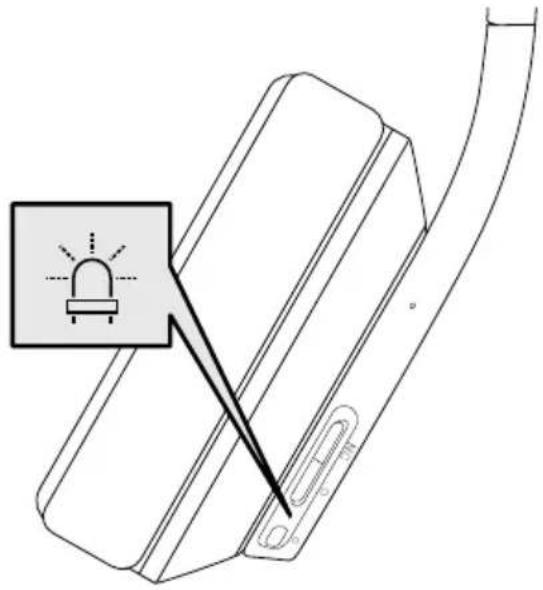
If the LED(5) is flashing alternately and the announcement is:
![graph LR A["ON"] --> B["5s"] B --> C["blue/green"] C --> D["Poweron -Pairing"]](/content/2026/04/637795/images/1e5cdbe7a9266f992accf0d9ec3b8c8c090c5b93b79fa7e01780ea43baf44836.jpg)
HeadphonessearchingforaBluetooth ® connection.
If the LED(5) lights up solid and the announcement is:
![graph LR A["ON"] --> B["5s"] B --> C["green"] C --> D["Source connected"]](/content/2026/04/637795/images/f31e170c9895ce1f36ad6e8392c5cd56598806c5e72caa04efc0acbda727a8a5.jpg)
Theheadphonesarealreadypairedwitha Bluetooth® device.
2 Searchusingyourdevicefortheheadphones(onlyrequiredonthefirstconnection)
OpentheBluetooth® settingsonyourdeviceandwaituntilthelistoffoundBluetooth® devices showsHamaPassionVoyage.
SelectHamaPassionVoyageandwaituntiltheheadphonesareshownasconnectedinyour device'sBluetooth®settings.
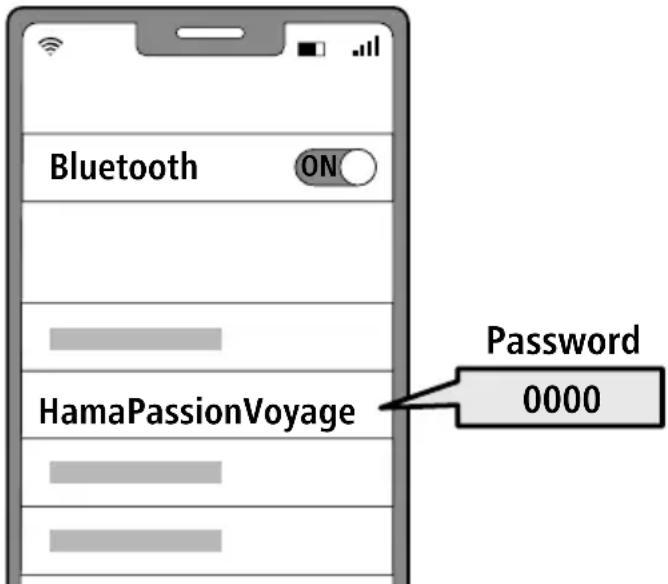
Note-Bluetooth ® password

SomedevicesrequireapasswordinordertoconnecttoanotherBluetooth ® device.
- If your device requests a password to connect to the headphones, enter 0000.
3 DisconnectingtheBluetooth ® connection
Disconnecttheheadphonesviayourdevice'sBluetooth ® settings.
Alternatively:
![graph LR A["5s"] --> B["0"] B --> C["+"] C --> D["Poweron-Pairing"]](/content/2026/04/637795/images/ccc020f0a173fb2670c476c71e1a18bf088e5019c89fbf68de4238eb0088a87d.jpg)
PressandholdtheON/OFFbutton(2)andO button(4)foraround5secondstodisconnect yourBluetooth® connectionandyouwillhear „Poweron-Pairing”.
7. Controlelements
Note

- Please be aware that your terminal device must support some functions if they are to be used.
- Please refer to the operating instructions of your device for more information.
7.1 Voiceassistantfunction

PresstheON/OFFbutton(2)to startcommunicationwithyourSiriorGoogleAssistant.
Note-Siri

SiriisonlyavailableonsuitabledevicesrunningiOS5(iPhone4sorlater)orhigher.
Note-GoogleAssistant

- The Google Assistant is only available on suitable devices running Android 5.0 or higher with GooglePlayServices, >1 .5GBoffreememoryandaminimumscreenresolutionof720P.
- The Google Assistant App must be available on your device and be set as the default voice assistant.
7.2 Hands-freefunction
Itispossibletousetheearphoneslikeahands-freefacilityforyourmobilephone.
1 Makeacall
Dialthenumberdirectlyviayourdevicetomakeacall.
2 Acceptacall



Pressthemulti-functiontouchsensor(1)twicetoaccept anincomingcall
3 Rejectacall



Pressandholdthe multi-functiontouchsensor(1)foraround2secondsor useyourdeviceto rejectanincomingcall .
4 Endacall


Pressthemulti-functiontouchsensor(1)twiceduringa calltoendthecall .
5 Lastnumberredial



PresstheON/OFFbutton(2)twicetoredialthelast number.
7.3 Audioplayback
Note
PleasenotethatthisfunctionisonlypossiblewhenaBluetooth ® connectionisactive.

1 Startplaybackonyourdevice.
2 Play/Pause

Pressthemulti-functiontouchsensor(1)twicetopauseor startaudioplayback.
3 Nexttrack

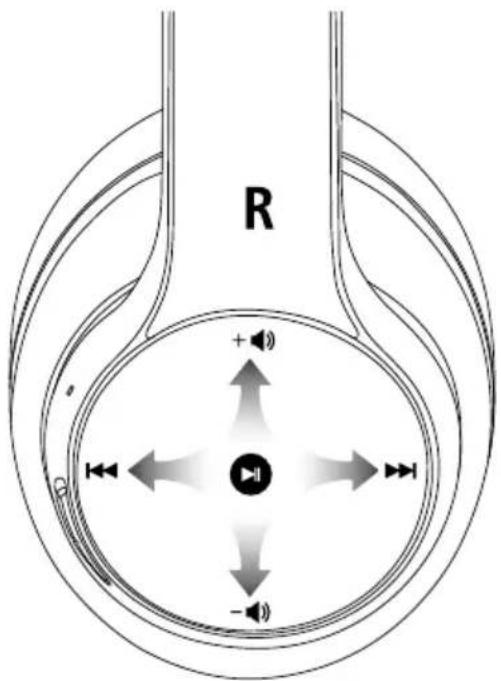
Swiperightonthemulti-functiontouchsensor(1)toskip tothenexttrack.
4 Previoustrack

Swipeleftonthemulti-functiontouchsensor(1)toskipto thepreviousstrack.
7.4Volumecontrol
1 Increasevolume

Swipeupwardsonthemulti-functiontouchsensor(1)to increasethevolume.
2 Reducevolume

Swipedownwardsonthemulti-functiontouchsensor(1) toreducethevolume.
7.5ANCfunction
TheheadphonesareequippedwithanActiveNoiseCancelling(ANC)functiontoreduceunwanted ambientnoise. If ANC is activated, noise can be reduced by up to -30 dB. ANC can also be enabled if the headphonesareswitchedonbutthereisnoBluetooth ® connection.
ANC ON
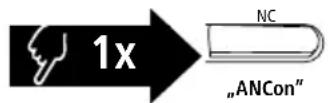
PresstheNCbutton(3)toengageANC.Youwillhear"ANC on"andtheLED(5)lightsupsolidgreen .
ANC OFF
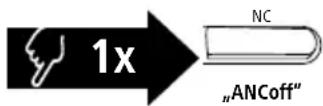
PresstheNCbutton(3)onceagaintoswitchchoffANC.You willhear"ANCoff"andtheLED(5)goesout.
7.6Transparencymode
The headphones are also equipped with a Transparency Mode function. This suppresses ambient noise and makes it easy to follow announcements on trains or planes, for example. Transparency mode can also be enabled if the headphones are switched on but there is no Bluetooth ® connection.
Transparency Mode
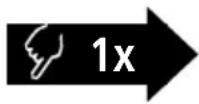
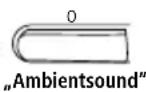
PresstheObutton(4)oncetoswitchthefunctionon andyouwillhear"Ambientsound". PresstheObutton(4)onceagaintoswitchtoyour previouslysetANCmode.

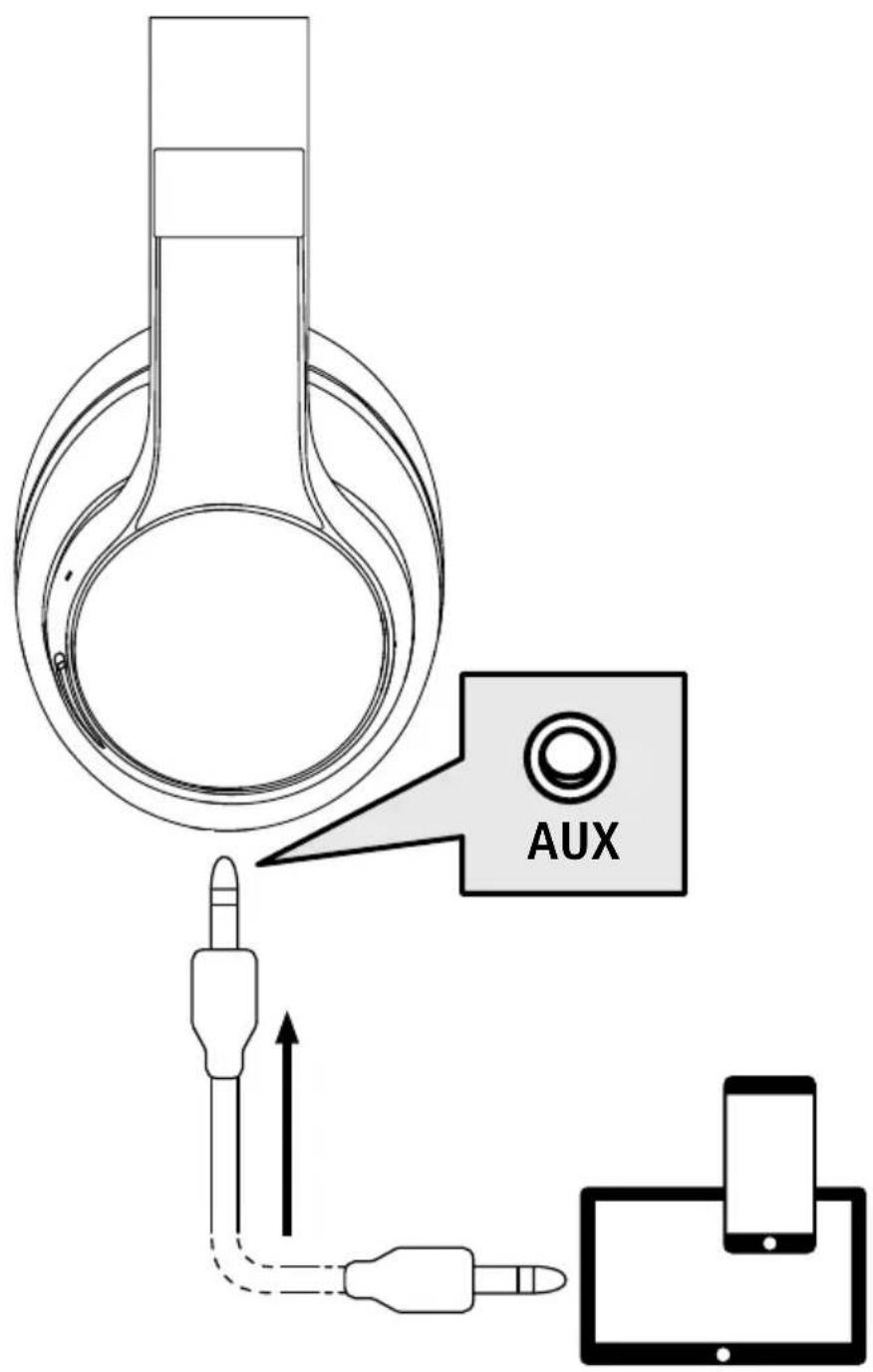
7.7 Audioplayback via a naudiocable
InadditiontotheconnectionviaBluetooth , youcanalsoconnecttheseheadphonesusingtheincludedAUXcable. To do this, plug one end into the device and the other end into the audio input (6). When the audiocableisinserted,theBluetooth connectionisautomaticallydisconnected.Theheadphonesnow functionlikecabledheadphones.

8.Technicaldata
| Bluetooth®headphones | |
| Range<10m | |
| Bluetooth®technologyBluetooth | ® v5.0 |
| SupportedprofileA2DP,AVRCP,HFP | |
| FrequencyforBluetooth®transmissions | 2402–2480MHz |
| Batterytype3 | .7VLipolymer |
| Min.capacity590mAh | |
| Currentconsumptionmax | .5V --- 500mA |
| Totalweight310g | |
| Chargingtime~3h | |
| ANC-30dB | |
| Musictime*~18h(ANCon)~20h(ANCoff) | |
| Calltime*~18h | |
| Operatingtime* | ~20h(ANCon)~18h(ambientsoundon) |
*Oncefullycharged

9. Care and maintenance
Onlycleanthisproductusingalint-free,slightlydampclothanddonotuseanyharshcleaners
10.Warrantydisclaimer
HamaGmbH&CoKGassumesnoliabilityandprovidesnowarrantyfordamageresultingfromimproper installation/mounting,improperuseoftheproductorfromfailuretoobservetheoperatinginstructions and/orsafetynotes.
11. Service and support
PleasecontactHamaProductConsultingifyuhaveanyquestionsaboutthisproduct.
Hotline:+499091502-0(German/English)
Furthersupportinformationcanbefoundhere:www .hama.com
12. Declaration of conformity
CE HamaGmbH&CoKGherebydeclaresthattheradioequipmenttype[00184159]isin compliance with Directive 2014/53/EU. The full text of the EU declaration of conformity is availableatthefollowingInternetaddress:
www.hama.com->00184159->Downloads.
Frequencyband(s)2402–2480MHz
Maximum radio-frequency power transmitted
2.5 mW E.I.R.P.

![graph LR A[" stopwatch"] -->|5 min| B["STANDBY Icon"]](/content/2026/04/637795/images/ab2d0024b8cd8c2139eec6d248b9f1f91c80c2d3f2b7092bece3f67019230cde.jpg)
1. Explicationdessymbolesd'avertissementetdesremarques
Avertissement

1 adaptateurdevoyage

Avertissement: volume excessif

B: chargeparinduction
2 Processusdechargeducasque
lecasqueestdéjàconnectéàunappareilfinal Bluetooth®.
![graph LR A[" stopwatch"] -->|5 min| B["STANDBY Icon"]](/content/2026/04/637795/images/2dbdcd84d70780d708a1f4887aecc7074a84d941ba62e8498102f68acc49823b.jpg)
Nota—Apagadoautomáticoodelosauriculares

2 Cargarlosauriculares
![graph LR A[" stopwatch"] -->|5 min| B["STANDBY Icon"]](/content/2026/04/637795/images/f93b8c9ba37b561348fd862815ba21c7356317ce6783d85d5c7ceaff1d5b8195.jpg)
2 Dekoptelefoonopladen
Deled(9)brandttijdenshetopladencontinuwit. Alshetopladenisvoltooid, gaatdeled(9)uit.
![graph LR A["Charging Battery"] --> B["White Light"] B --> C["Off"] D["Battery"] --> E["Off"] style A fill:#f9f,stroke:#333 style B fill:#ccf,stroke:#333 style C fill:#cfc,stroke:#333 style D fill:#fcc,stroke:#333 style E fill:#cff,stroke:#333 note1["A2h:00m\nB3h:00m"] --> A](/content/2026/04/637795/images/32ded53db7f70e0b16c0c153fffc081f765f2165a23c94b17825b5a3bfd20655.jpg)
DekoptelefoonisalmeteenBluetooth®apparaat verbonden.
![graph LR A[" stopwatch icon with 'zzz' clock"] -->|5 min| B[" Standby button with power symbol"]](/content/2026/04/637795/images/2ec92190d9df8c9bd9faac046131589320cb7242030c0a502cadd05e39b930af.jpg)
Nota-Spegnimentoautomaticodellecuffie

Concluderelechiamate


![graph LR A[" stopwatch icon with 'zzz' clock"] -->|5 min| B["Power button symbol"]](/content/2026/04/637795/images/9337ba09fa1fe4a98e0c68ed003e8c439234f9c5a8f60142791717d55e83a0ea.jpg)

1xcabluAUXstereode3,5mm
![graph LR A[" stopwatch"] -->|5 min| B["STANDBY Icon"]](/content/2026/04/637795/images/a02f83459d3b13177ee86d71a460dc5196b2b29e9b4dde6a923a0b6aea6cd160.jpg)
Căștilesuntdejaconectatelaunterminal Bluetooth®.
![graph LR A[" stopwatch icon"] -->|5 min| B[" Standby button icon"]](/content/2026/04/637795/images/065d9f07e77b5093e8be23847ce36a4059eced14e1f65b71d5a0146c157934ed.jpg)

![graph LR A[" stopwatch icon"] -->|5 min| B["Power button"]](/content/2026/04/637795/images/fa5ab341f7fd19dee0744ea25f67ab927ef2f6ec936e9a70263871ff6322110d.jpg)
2 Nabíjanieslúchadiel
LED(9)svietipočasnabíjaniatrvalenabielo. PoukončenínabíjaniaLEDdióda(9)zhasne.
![graph LR A["Charging Battery"] --> B["White Light"] B --> C["Off"] D["Battery"] --> E["Off"] F["A2h:00m"] --> G["B3h:00m"] style A fill:#f9f,stroke:#333 style D fill:#ccf,stroke:#333 style F fill:#cfc,stroke:#333](/content/2026/04/637795/images/fee23b5d41c9e52cb152b3df433599607f326f8efcd11d3d02576fbcfc178e5a.jpg)
![graph LR A[" stopwatch"] -->|5 min| B["STANDBY Icon"]](/content/2026/04/637795/images/4d2d067003fc13386b6db417ee3ce78126ac6f261ff48cce554f9e382abb297d.jpg)
2 Processodecarregamentodosauscultadores
OLED(9)acende-seduranteoprocessodecarregamento, permanentemente, embranco
![graph LR A["Charging Battery"] --> B["White Light"] B --> C["Switch"] D["Off"] --> E["Light"] F["A2h:00m"] --> G["B3h:00m"] G --> H["Off"]](/content/2026/04/637795/images/31de8b2a8ffc90e714d6560ae0cca575927bfb9c604589af3961fa274e0ac095.jpg)
1. Förklaringavvarningssymbolerochinformation
Varning


3.Säkerhetsinformation
HörlurarnaärredananslutnatillenBluetooth®-slutenhet.
HållinON/OFF-knappen(2)ochO-knappen


![graph LR A[" stopwatch"] -->|5 min| B["STANDBY Icon"]](/content/2026/04/637795/images/3f39bebfa0e2bc76a7920927fafb3b29a2179c6abe6380cb7527bc0851eb787d.jpg)
Taakouotikáéxouvouvdeθείσεσυσκευή Bluetooth®.
![graph LR A[" stopwatch"] -->|5 min| B["STANDBY Icon"]](/content/2026/04/637795/images/17110181ef85b5a687e273b003fa32aff2597e6eb154890bd9b63b3b03c9f855.jpg)
![graph LR A[" stopwatch icon with 'zzz' clock"] -->|5 min| B["Power button symbol"]](/content/2026/04/637795/images/a6da3804132271cb30938b73a839ae8c01d5dc6e671ec877d4e7a61761ca1763.jpg)


- GB OPERATINGINSTRUCTIONS
- CONTROLSANDDISPLAYS
- EXPLANATIONOFWARNINGSYMBOLSANDNOTES
- WARNING
- NOTE
- 2.PACKAGECONTENTS
- SAFETYINSTRUCTIONS
- WARNING-CHARGINGPAD
- WARNING-MAGNETS
- WARNING-HIGHVOLUME
- WARNING-OPTIMALCHARGING
- 4.SWITCHON/OFF
- NOTE—AUTOMATICSWITCH-OFFOFTHEHEADPHONES
- 5.CHARGING
- 1 SWITCHINGOFFTHEHEADPHONES
- A:CHARGINGVIAUSB-CPORT(8)
- B: INDUCTIVECHARGING
- 2 CHARGINGPROCESSFORTHEHEADPHONES
- 3 BATTERYCAPACITY
- BLUETOOTH ® PAIRING
- NOTE-PAIRING
- 1 CHECKTHESTATUSOFTHESTATUSLED(5)ANDTHEANNOUNCEMENTS
- IF THE LED(5) IS FLASHING ALTERNATELY AND THE ANNOUNCEMENT IS
- IF THE LED(5) LIGHTS UP SOLID AND THE ANNOUNCEMENT IS
- 2 SEARCHUSINGYOURDEVICEFORTHEHEADPHONES(ONLYREQUIREDONTHEFIRSTCONNECTION)
- NOTE-BLUETOOTH ® PASSWORD
- 3 DISCONNECTINGTHEBLUETOOTH ® CONNECTION
- ALTERNATIVELY
- CONTROLELEMENTS
- 7.1 VOICEASSISTANTFUNCTION
- NOTE-SIRI
- NOTE-GOOGLEASSISTANT
- 7.2 HANDS-FREEFUNCTION
- 1 MAKEACALL
- 2 ACCEPTACALL
- 3 REJECTACALL
- 4 ENDACALL
- 5 LASTNUMBERREDIAL
- 7.3 AUDIOPLAYBACK
- 1 STARTPLAYBACKONYOURDEVICE
- 2 PLAY/PAUSE
- 3 NEXTTRACK
- 4 PREVIOUSTRACK
- 7.4VOLUMECONTROL
- 1 INCREASEVOLUME
- 2 REDUCEVOLUME
- 7.5ANCFUNCTION
- 7.6TRANSPARENCYMODE
- 7.7 AUDIOPLAYBACK VIA A NAUDIOCABLE
- CARE AND MAINTENANCE
- 10.WARRANTYDISCLAIMER
- SERVICE AND SUPPORT
- DECLARATION OF CONFORMITY
- EXPLICATIONDESSYMBOLESD'AVERTISSEMENTETDESREMARQUES
- AVERTISSEMENT
- AVERTISSEMENT: VOLUME EXCESSIF
- B: CHARGEPARINDUCTION
- 2 PROCESSUSDECHARGEDUCASQUE
- NOTA—APAGADOAUTOMÁTICOODELOSAURICULARES
- 2 CARGARLOSAURICULARES
- 2 DEKOPTELEFOONOPLADEN
- NOTA-SPEGNIMENTOAUTOMATICODELLECUFFIE
- CONCLUDERELECHIAMATE
- 2 NABÍJANIESLÚCHADIEL
- 2 PROCESSODECARREGAMENTODOSAUSCULTADORES
- FÖRKLARINGAVVARNINGSSYMBOLEROCHINFORMATION
- VARNING
- 3.SÄKERHETSINFORMATION
Brand : HAMA
Model : Passion Voyage 00184159
Category : Bluetooth Headset