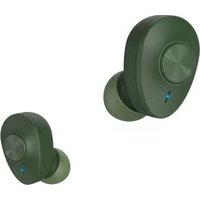
Freedom Buddy - Bluetooth Headset HAMA - Free user manual and instructions
Find the device manual for free Freedom Buddy HAMA in PDF.

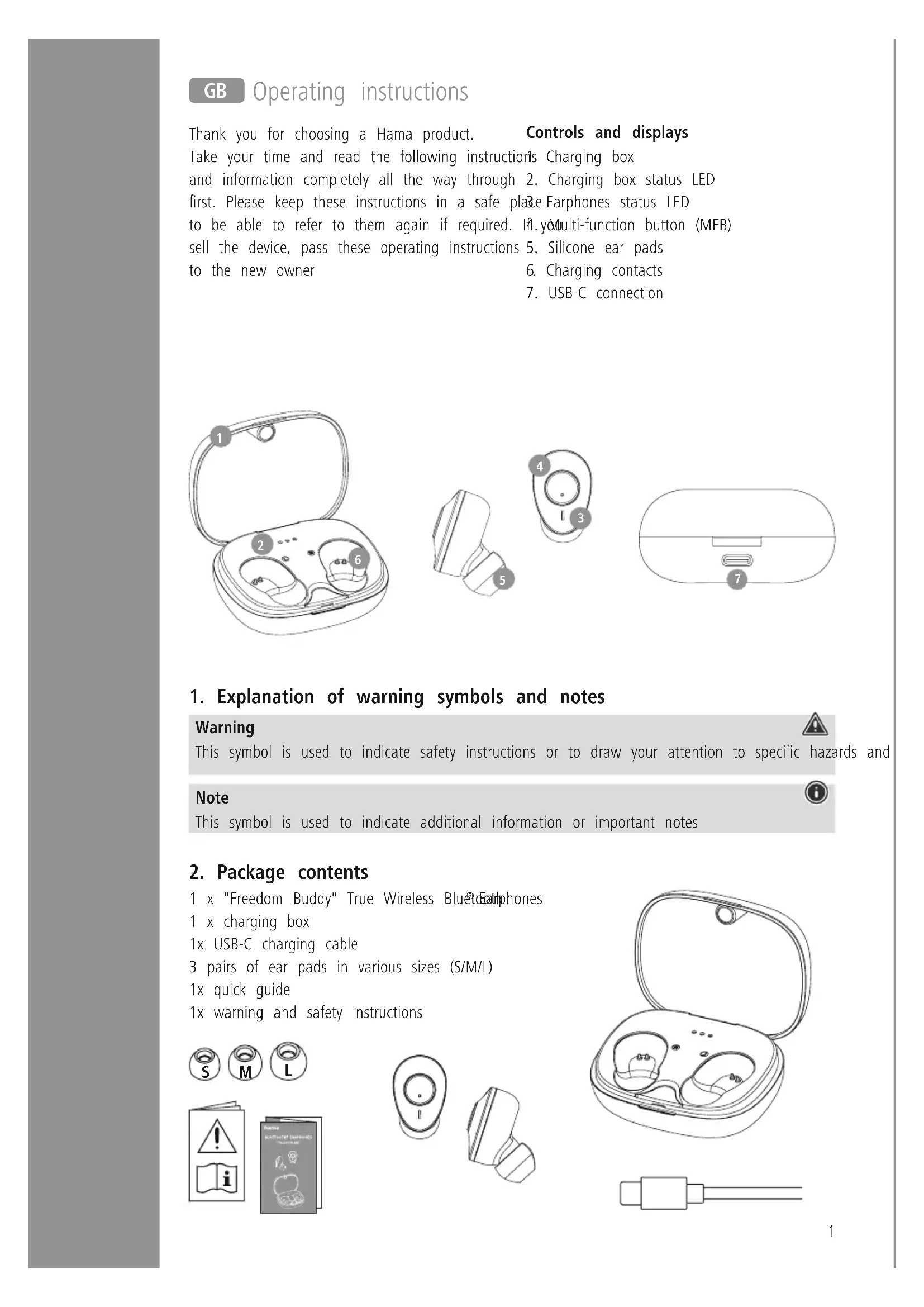


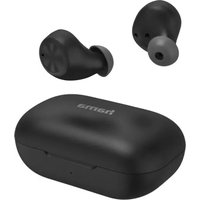
| Product Type | True Wireless Bluetooth Earphones |
| Brand | Hama |
| Model | Freedom Buddy |
| Bluetooth Technology | Bluetooth® v5.3 |
| Supported Bluetooth Profiles | A2DP V1.3, HFP V1.5, SPP V1.0, AVRCP V1.5 |
| Maximum Range | < 10 meters |
| Transmission Frequency | 2402 - 2480 MHz |
| Battery Type (earphones) | Lithium-polymer 3.7 V, 38 mAh |
| Battery Type (charging case) | Lithium-polymer 3.7 V, 290 mAh |
| Charging Time (earphones) | ~1.5 to 2 hours |
| Charging Time (case) | ~1.5 to 2 hours |
| Music Playback Time | ~4 hours (earphones) / ~16 hours with case |
| Talk Time | ~3 hours (earphones) / ~12 hours with case |
| Standby Time | ~200 hours |
| Unit Weight (earphone) | Approx. 4 g |
| Total Weight (case + earphones) | Approx. 38 g |
| Charging Connector | USB-C port |
| Main Features | Multi-function touch control, Siri/Google voice assistant, bass boost (Extra Bass), hands-free, play/pause, track skip |
| Package Contents | 1 pair of earphones, 1 charging case, 1 USB-C cable, 3 pairs of silicone ear tips (S/M/L), user manual |
| Care and Cleaning | Clean with a slightly damp, lint-free cloth. Avoid harsh detergents. |
| Safety | Beware of high volume, magnets (pacemakers), do not use while driving, do not dispose of in fire. |
| Spare Parts and Repairability | Silicone ear tips available; built-in battery not replaceable; repair by qualified technician. |
| General Information | For non-commercial domestic use, moderate temperature, do not expose to moisture. |
Frequently Asked Questions - Freedom Buddy HAMA
User questions about Freedom Buddy HAMA
0 question about this device. Answer the ones you know or ask your own.
Ask a new question about this device
Download the instructions for your Bluetooth Headset in PDF format for free! Find your manual Freedom Buddy - HAMA and take your electronic device back in hand. On this page are published all the documents necessary for the use of your device. Freedom Buddy by HAMA.
USER MANUAL Freedom Buddy HAMA
GB Operating instructions
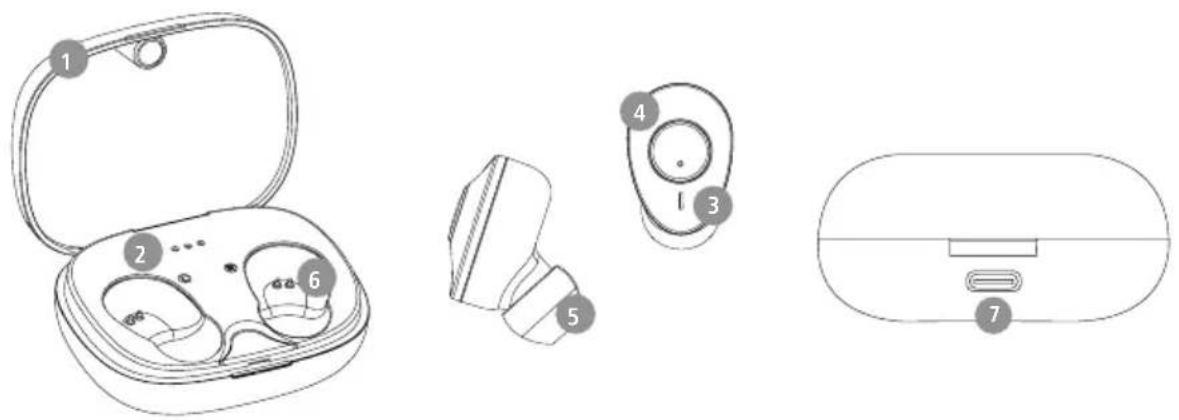
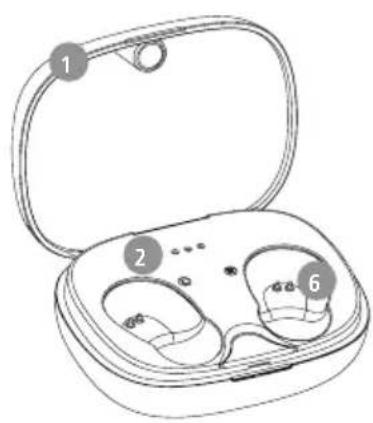
Thank you for choosing a Hama product. Controls and displays
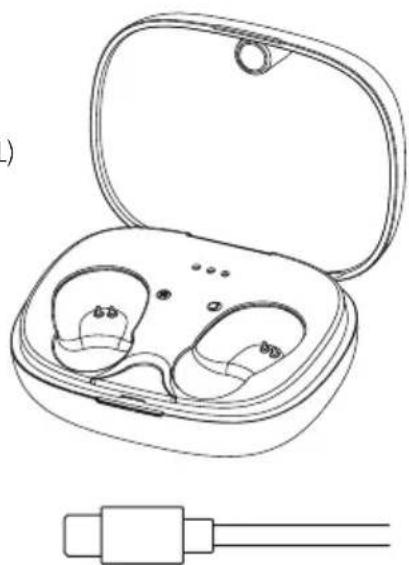
Take your time and read the following instructions Charging box
and information completely all the way through 2. Charging box status LED
first. Please keep these instructions in a safe place Earphones status LED
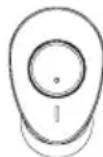
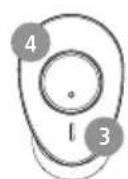
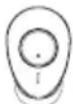
to be able to refer to them again if required. 4. yMulti-function button (M
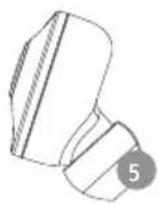
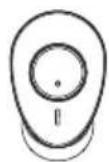
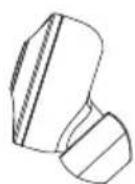
sell the device, pass these operating instructions 5. Silicone ear pads
to the new owner 6. Charging contacts
7. USB-C connection
1. Explanation of warning symbols and notes
Warning

This symbol is used to indicate safety instructions or to draw your attention to specific hazards and
Note

This symbol is used to indicate additional information or important notes
2. Package contents
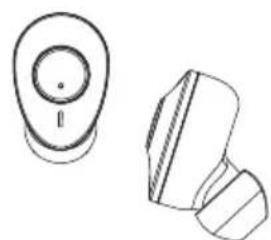
1 x "Freedom Buddy" True Wireless Bluetooth phones
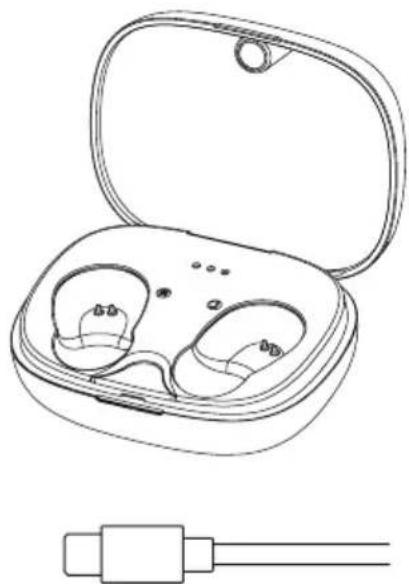
1 x charging box
1x USB-C charging cable
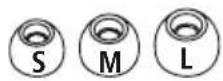
3 pairs of ear pads in various sizes (S/M/L)
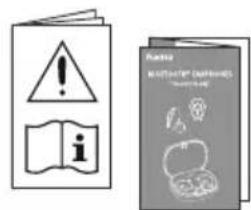
1x quick guide
1x warning and safety instructions
3. Safety notes
The product is intended for private, non-commercial use only
- Use the product only for the intended purpose.
Children should be supervised to ensure that they do not play with the product
- Do not use the product in areas in which electronic products are not permitted
- Do not attempt to service or repair the product yourself. Leave any and all service work to qualified experts
- Do not open the device or continue to operate it becomes damaged
- Do not bend or crush the cable.
- Do not drop the product and do not expose any major shocks.
- Dispose of packaging material immediately in accordance with the locally applicable regulations.
- Do not modify the product in any way. Doing voids the warranty
- Protect the product from dirt, moisture and overheating and use it in dry environments only
- Do not use the product in the immediate vicinity of heaters, other heat sources or in direct sunlight
Only use the article under moderate climatic conditions.
- As with all electrical products, this device should be kept out of the reach of children
- Do not operate the product outside the power limits given in the specifications
- Do not use the product in a damp environment and avoid splashing water
While driving a car or using sports equipment, do not allow yourself to be distracted by your product and keep an eye on the traffic situation and your surroundings.
The battery is permanently installed and cannot be removed; dispose of the product as a whole accordance with the statutory regulations
- Do not incinerate the battery or the product.
- Do not tamper with or damage/heat/disassemble the batteries/rechargeable batteries
- Do not use the product during the charging process!
Warning - rechargeable battery
- Only use suitable charging devices or USB ports to charge the product.
- Do not use defective chargers or USB ports ey and do not attempt to repair .them
-
Do not overcharge the product or allow the battery to completely discharge.
-
Avoid storing, charging and using in extreme temperatures and at extremely low atmospheric pressures (such as at high altitudes).
- When stored over a long period of time, batteries should be charged regularly (at least every three months).
Warning - magnets


This product generates magnetic fields. Individuals with cardiac pacemakers should consult a doctor before using this product as it may affect the pacemaker's proper function
- Do not store bank or similar cards with magnetic strips near the charging box or tearphones. The data on the cards could be damaged or completely deleted.
Warning - high volume

High sound pressure!
There is a risk of hearing damage.
- To prevent any loss of hearing, avoid listening at loud volumes for prolonged periods.
Always keep the volume at a reasonable level.
doLoud volumes can damage hearing - even over short periods.
* Using this product limits your perception
of ambient noiseYou should therefore not operate vehicles or while using them.

4. Switch On/Off

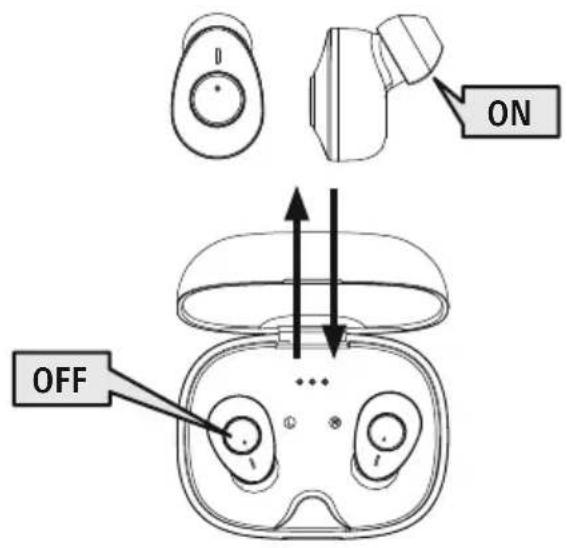
Remove the two earphones simultaneously from the charging box. Both earphones switch on automatically and start the pairing process. The announcement "Power on" is heard.

To switch them off, simply place the earphones back in charging box. Ensure that the earphones are inserted into the correct sides, using the L/R markings as a guide. Then close the charging box
Alternative:

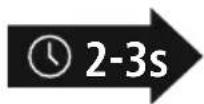
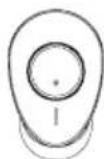
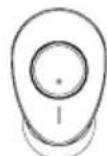
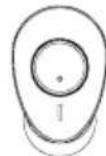
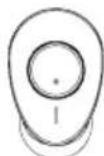
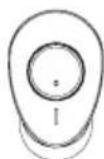
Press the MFB button (4) on the left and right earphones for approx. 2-3 seconds until you hear the announcement "Power on."


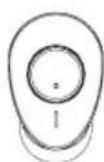
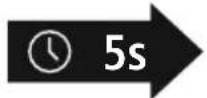
With the earphones switched on, hold the MFB button (4) on the left or right earphone down for approx. seconds until you hear the announcement "Power off".
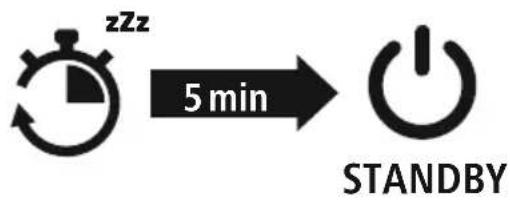
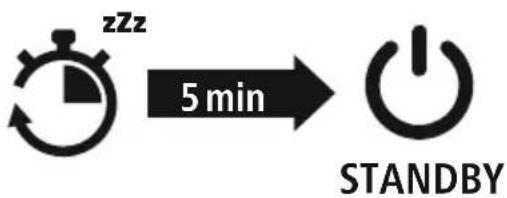
Note - Automatic switch-off of the earphones

The earphones are equipped with an automatic switch-off mechanism. If there is no connection to y device within 5 minutes, it switches itself off automatically.

5. Charging
Fully charge the earphones and the charging box once before using them for the first time
1 Insert the earphones and connect the charging box
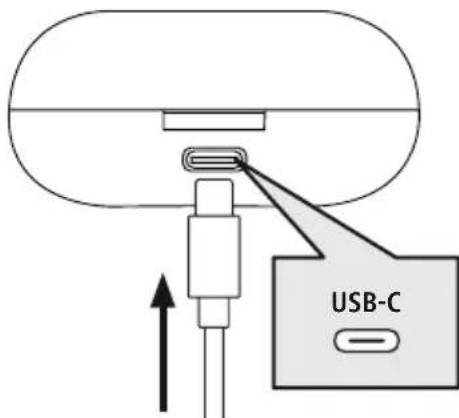
Place the earphones in the charging box. Ensure that the earphones are inserted into the correct sides, using the L/R markings as a guide
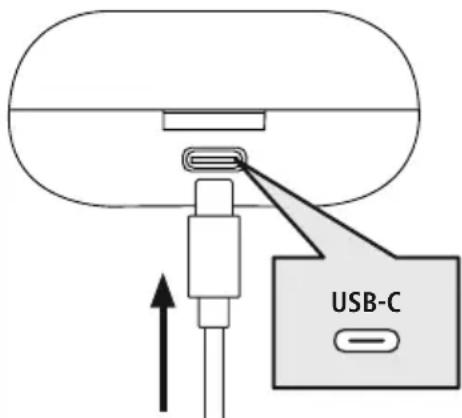
Connect the USB-C charging cable included to the charging socket (7) on the charging box.
Connect the free plug on the USB-C charging cable to a suitable USB charger. To do this, consult the operating instructions for the USB charger you are using.
2 Charging procedure for the charging box and earphones
The status LEDs on the charging box (2) light up white during the charging process. After the charging box is fully charged, the 3 LEDs on the charging box light up white. It can take up to 2 hours (earphones) or up to 2 hours (charging box) until the batteries are charged.
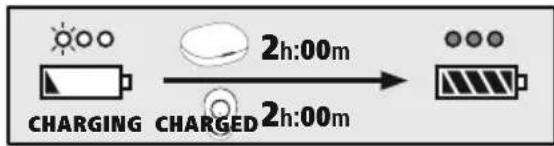
3 Battery capacity
Charging box
| 100% - 66% | 66% - 33% | 33% - 0% |
When battery levels are low (< 10%), the first of the three status LED (2). flashes white
Earphone
When battery levels are low (< 20%), the status LED (3) on the earphones flashes red every 5 seconds. The announcement "Battery Low" is made once a minute.
The actual battery life will vary depending on how you use the device, the settings and the air temperatures (rechargeable batteries have a limited life).
Note

If you have not used the product for a few months, it can take up to 15 - 30 minutes until status LED (2/3) lights up red during the charging process
6. Bluetooth pairing
Note - pairing

- Ensure that the Bluetooth-enabled device is switched on and that the Bleefunction is activated.
- Please refer to the operating instructions of your device for more information.
The earphones and the device should not be more than 1 metre apart. The shorter the distance, the better.
Ensure that the earphones are switched on.
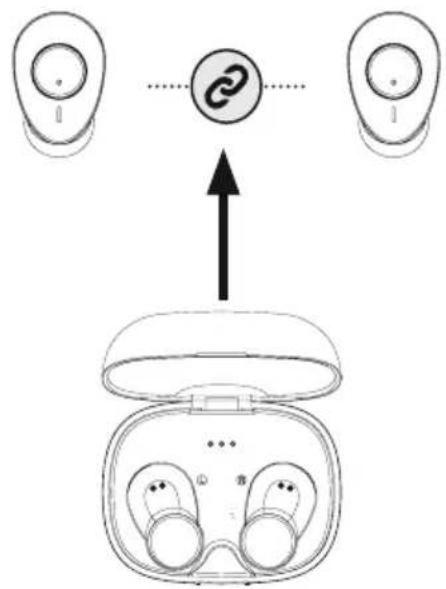
Check the status of the status LED (3) and the announcements
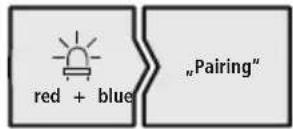
If the status LEDs (3) on the earphones flash alternately:
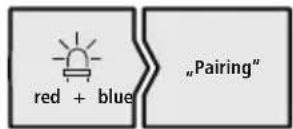
the earphones are searching for a Bluetooth connection.
If the status LEDs (3) are flashing every 5 seconds:
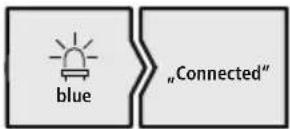
the earphones are already paired with a Bluffet device.
Search using your device for the earphones (only required on the first connection)
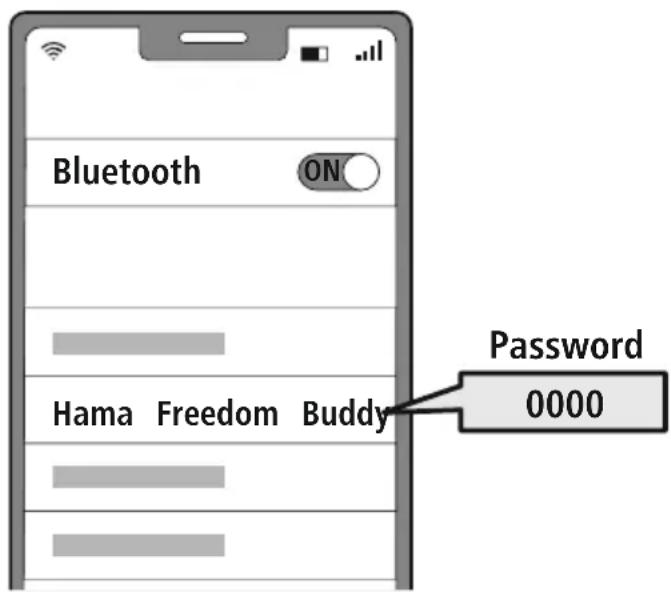
Open the Bluetooth settings on your device and wait until the list of found Bluetooth shows Hama Freedom BuddyThe announcement "Pairing" is heard.
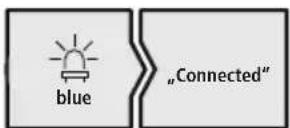
Select Hama Freedom Buddy and wait until the earphones are shown as connected in your device's Bluetooth settings. The announcement "Connected" is heard.
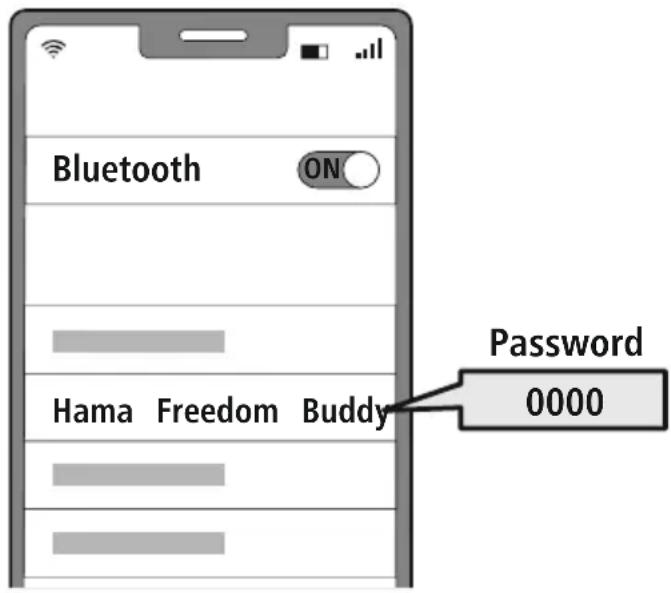
Note - Bluetoothpassword

Some devices require a password in order to connect to another device
- If your device requests a password to connect to the product, enter 0000.
3 Disconnecting the Bluetoothconnection
Disconnect the earphones via your device's Bluetooth settings. The announcement "Disconnected" is heard
7. Control elements
Note

- Please be aware that your terminal device must support some functions if they are to be used.
- Please refer to the operating instructions of your device for more information.
7.1 Voice assistant function
Siri/ Google
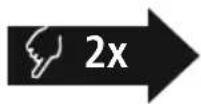
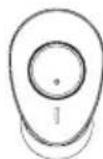
Press the MFB button (4) twice to initiate communication with your Siri or Google Assistant.
Note - Siri

Siri is only available on suitable devices running iOS 5 (iPhone 4s or later) or higher.
Note - Google Assistant

- The Google Assistant is only available on suitable devices running Android 5.0 or higher with Google Play Services, >1.5 GB of free memory and a minimum screen resolution of 720P.
- The Google Assistant App must be available on your device and be set as the default voice assistant.
7.2 Additional bass amplification
These headphones are equipped with an extra bass function to amplify the bass effect.
Extra Bass Boost
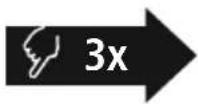
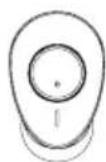
Tap the MFB button (4) on the left or right earphone three times to enable this function while music is playing. The announcement "Bass Mode" is heard.
To switch this function off again, press the MFB button (4) on the left or right earphone three times again. The announcement "Equal Mode" is heard.
7.3 Hands-free function
Make a call
Dial the number directly via your device to make a call
Accept a call

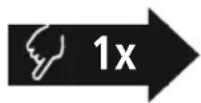
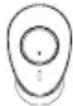
Briefly tap the MFB button (4) on the left or right earphone accept an incoming call
Reject a call

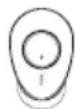
To reject an incoming call, tap and hold the MFB button (4) on the left or right earphone for around 1-2 seconds.
4 End a call

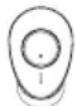
During the call, press the MFB button (4) on the left or right earphone once to end the call.
5 Last number redial
You can redial the last number you called via the voice assistant function (7.1).
7.4 Audio playback
Start playback on your device.
Play / Pause


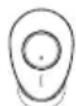
Tap the MFB button (4) on the left or right earphone once to start or stop audio playback.
Next track

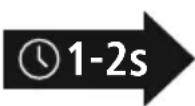
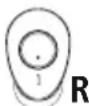
Tap and hold the MFB button (4) on the right earphone for around 1-2 seconds to skip to the next track.
4 Previous track

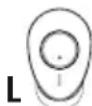

Tap and hold the MFB button (4) on the left earphone for around 1-2 seconds to skip to the previous track
7.5 Volume control
The volume is controlled by the voice assistant function (7.1).
Alternatively, you can also control the volume via your device.
8. Technical data
| Bluetooth® technology | Bluetooth® v5.3 |
| Supported profile A2DP V1.3, HFP V1.5, SPP V1.0, AVRCP V1.5 | |
| Frequency forBluetooth®-Transfers 2402 - 2480MHz | |
| Range < 10 m | |
| Battery | |
| Battery type 3.7V Li polymer | |
| Min. capacity of earphones / charging box | 38mAh / 290mAh |
| Current consumption max | .5V=300 mA |
| Charging time / earphones ~ | 1.5 - 2h |
| Charging time / charging box | ~ 1.5 - 2h |
| Standby * ~ 200h | |
| Music time (charging box) * ~ 4h (16h) | |
| Talk time (charging box) * ~ 3h (12h) | |
| Weight of earphones approx. 4 g per earphone | |
| Weight of charging tray incl. earphones | approx. 38 g |
- Once fully charged

9. Care and maintenance
Only clean this product using a lint-free, slightly damp cloth and do not use any harsh cleaners
10. Warranty disclaimer
Hama GmbH & Co KG assumes no liability and provides no warranty for damage resulting from imprint installation/mounting, improper use of the product or from failure to observe the operating instructions and/or safety notes
11. Service and support
Please contact Hama Product Consulting if you have any questions about this product.
Hotline: +49 9091 502-0 (German/English)
Further support information can be found here: http://www.com
12. Declaration of conformity
CE Hama GmbH & Co KG hereby declares that the radio equipment type [00184161, 00184160, 00184163, 00184164, 00184165, 00184166] is in compliance with Directive 2014/53/EU. The full text of the EU declaration of conformity is available at the following Internet addr
www.hama.com->00184161, 00184162, 00184163, 00184164, 00184165, 00184166-> Downloads.
Frequency band(s) 2402MHz - 2480MHz
Maximum radio-frequency power transmitted 2.5 mW E.I.R.P.
| 100% - 66% | 66% - 33% | 33% - 0% |
6. Bluetooth Verbinding (Pairing)
Hinweis - Pairing

Remarque - Assistant Google

| 100% - 66% 66% - 33% 33% - 0% |
| 100% - 66% | 66% - 33% | 33% - 0% |
| 100% - 66% 66% - 33% 33% - 0% |
| 100% - 66% | 66% - 33% | 33% - 0% |
Wskazowska - Google Assistant

Alternative megoldaskent:
| 100% - 66% | 66% - 33% | 33% - 0% |
Avertizare - Accumulator
7.1 Funcão Voice Assistant
Siri/ Google
Varning - magnetizer


| 100% - 66% | 66% - 33% | 33% - 0% |
AblepHaTnBbI BapnHT:

Haxmaite Ha JEBOM n npabom Haynkax MHOrOpyHKUHOHaJIbHyIO KhoNky (4) B TeueHne npimepno 2-3 cekyH, noka He pa3daCTcra 3ByKOBoi CnHan "Power on".

YdepxBaTe MHOrOyHKUHOHaJIbHyIO KhoNky (4)JeBoro HnnpaBOro HayuHnKa BO BKNIOeHHOM COCTOHN B TeueHne npImepHo 5 cekHy, noka He pa3dactcra 3BykoBoi CnHaJ "Power off"
YKa3aHHe - aBTOMaTnueCKoe BbIKIOueHne HayuHNKOB
HayuHnK OchaueHb CNTeMoA BtOMaTneCKo R BbIKIOueHna.EcnnB TeueHne 5 MmH coeHHne OKOHeHbIM yCTPOIcTBOM OTCyTCTByET, OHN ABtOMaTneCK N BbIKIOuaOTca.
5. 3apяДka
Ipeen npBbIM npImHeHnem OINH pa3 noJIHoCTbIO 3apJInTe HayuHNK, a TaKke 3apJnHi 6OKC
1 YknaKa HayuHnKOB n noKnIoueHne 3apdHorO 6okca
YLOXHTe HauuHKn B 3apdHbI 6OKc. Co6JIoDAte npn 3TOM npaBnIbHOCTb yKJaIDKn HauuHKNOB B COOTBeTCTBn C MapKIpOBkO L/R (JeBbI/npaBbI) POnKlnOHTe npilaraembl 3apdHbI Ka6eJb USB-C K 3apdHOMy rHe3dy (7) 3apdHoro 6OKca. POnKlIOHTe cBO6OHNbl 7Tekep 3apdHoro Ka6eJy USB-C K POnxOJaEmy 3apdHOMy yCTpoiCTBy c USB-Noptom. Co6JIoDAite pyKOBoDCTBO no EKcnLyataun NcNoJIb3yeMOrO 3apdHoro USB-yCTpoiCTBa.
2 PnpoeDpya 3apAdkn 3apAHHoro 6okca n HayuHKnOB
CBeToIIOHbIe HINIKaTOpbl COCTOHN 3apAnHO 60Kca (2) MURAO T 6JIbIM UBeTOM BO BpeM 3apAnKn. Iocne NOLHO 3apAnKn 3apAnHO 60Kca 3 OTHOCaUncEc K HeMy CBeToIOHa rOpA T 6JIbIM UBeTOM.
PonHaa 3apnKa MoKet 3aHmAtb 2 aCa (HayuHKn) nn 2 aCa (3apnBn6okc).
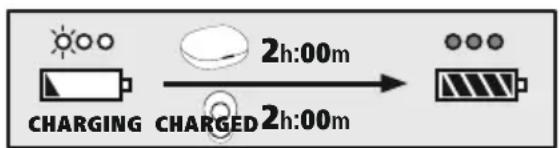
3 EMKocb aKKyMyJrTopa
3apAHyB 6OKC
| 100% - 66% | 66% - 33% | 33% - 0% |
Ecnn cBeToaOnHbIn HnKaTOp COCTOHHN (3) HayuHKOB NonepeMeHHO Mraet:
HayuHnKn NbTaHOcYCTaHOBtB CoeINHeHne Bluetoth
Ecnn cBeToaOnoHbIe HndkaTOpbl coCTOHHa (3) Muraot kKaJkbIe 5 ceKyHdbI:
HayuHnKu yCTaHOBUN CoeHNHeHne C OKOHeHbIM yCTpOINCTBOM Bluetooth®.
2 HauTe B OKOHeHOM yCTpoiCTBe HayuHnKn (Tpe6yeTc Tolbko npn nepBom coeHNHeHn)
OTKpoTe MeHIO HAcTpoe K BluteoHa BaWeM OKOHeuHom yCTpoiCTBe N NOdoXdnte, POKa B CnIcKe HauDeHHbIX BluteoOHTyCtpoiCTB He NoaBNTcHama Freedom BudEyBaetcR onOBeUeHne "Pairing".
Bb6epnte Hama Freedom Buddy n nooXnTe, noka HayuHnKn OTo6pa3rTa B KaueCTBe NOKIHOENHO yCTPOINCTBa B NaCTPOINKax BluteoKOHeHORO yCTPOINCTBa. Pa3daETcra ONOBSeHne "Connected".
Ppimechne -napoB Bluetooth

Дя HeKOTopbIX OKOHeuHbIX yCTpoIcTB npn yCTaHOBJIeHH coeINHeHH c pyrMM BTeothy CTpoIcTBOM Tpe6yETcnapoJb
- Ecnn BaWe OKOHeuHoe yCTpoiCTBO Tpe6yET erO BBOJa, BBeInTe JnA CoEINHeHnA C yCTpoiCTBOM napoiB 0000
3 Pa3beHHeHne coeHHeHn Bluetooth
Pa3beHnHte coeHNHeHne HayuHkoB B hAcTpoKax Bluetootheo OKOHeHoro yCTpOcTBa. Pa3daetc onOBeuHne "Disconnected".
7. Θлем entbl ynpabneHnA
Yka3aHne

- 06patnte BnImaHne, YTO noIePka HeKOTopbIX cyHKcN 3aBNCNT OT BaJeRo OKHeuHOrO yCTpOJCTBa.
CobioaTe COOTBETCTByoune yka3aHn pyKOBOCTBa no 3Kcnnyatau Bauero OKOHeHoro yctpoiCTBa.
7.1Функци Интелктуальною rolocoboro nOMOuHnka
Siri/ Google
10. NCKJIIOUeHHe OTBeTCTBeHHOCTn
Hama GmbH & Co. KG He HeceT OTBETCTBEHHOCn 3a NOBpeXJdEHn, BO3NkUne B pe3yIbTaTe HeHaJIeKaIeYcTaHOBKn, MOHTaJa N HeHaJIeKaIeero NcNoJIb3OBaHNr N3JeINr NIn HecO6JIIODeHNr Tpe6oBaHn pyKoBOdCTBa n O KcNpyatauIN r/nn Yka3AHn no TexHKe 6e3OnaChOCTn.
11. CepBnchoe 06cnyKbAHne n noDnepKka
PnB03HKnHOBeHHN BOpocOB no n3dJIIno o6paauTecb B cnyx6y noepKn Hama.
Topua JnHn: +49 9091 502-0 (HeM./aHn.)
IOnoJIHnTeJbHyO INΦOpMaunHO no TexHnuecko nOndepkke eHa caIte www.hama.com
12. CeptuФнкaT COOTBETCTBnA
CE HactoHama GmbH & Co KG 3aBnAeT, yTo paAnooBopyObaHne Tuna [00184161, 00184162, 00184163, 00184164, 00184165, 00184166] COOTBeTCTByET TpeBOHaHm DInpeKtNbbl 2014/53/EC. C NOnHbIM TeKCTOM DeKnapaun O COOTBeTCTBn TpeBOHaHm EC
MOXHO O3HaKOMNTbC8 3IeCb.
www.hama.com-> 00184161, 00184162, 00184163, 00184164, 00184165, 00184166 ->Downloads.
Dnana3OH/Dnana3OHBi 2402 MΓ - 2480 MΓ
MaKcImaJIbHaI n3Jyuaemra MoUHocTb 2,5 MBT E.I.R.P.
BG
PbKOBOdCTBO 3a ekCnIooatauia
Blaorodapm Bn, ye cte n36paann npoynk Ha Hama!
EnemEn 3a ynpabJeHne n HndkaTopn
- Kytna 3a 3apexdahe
- CBeToIIOI 3a cTaTyc "KyTnI 3a 3apeKJaHe"
- CBeToIIOIo 3a CTeTyc "CnyuAankn"
Otdene Te BpeMe n npBPO npooye u3aJIO CneDbaunTe INHCTpyKcnnu yka3aHaCneTobTa
- MyntnФункционаilen 6yToH (MFB)
- CunikoHOBa Meka Tana 3a yxo
- KoHTaKTHa 3a 3apeXdAhe
- USB-C Bpb3ka
3aapaTe TOBa pBkoBOCTBO 3a ekCnIooatauca nIpyH0 MRCTo, 3a da HAnpaBITE cnpabKa B npn HyKda Ako npOdaTe ypeDa, npedaiTe TOBa pBkoBOCTBO 3a ekCnIooatauHa HOBnA CO6CTBeHnK.

1. 06acheHHe Ha npedynpeDnteln CmboJn yka3aHna
PpeynpexkdeHne

I3no3Ba ce, 3a da o6o3haaba yka3aHne 3a 6e3oNaCHOCT nnn 3a da HAcOn BnImaHHeTO KbM KOHKpeTHn ONaCHOCTn n pncKOBe
Yka3aHne

N3non3Ba ce, 3a Na 0603Haayaba DonbHnTeHa HOpMaunn Baxn yKa3aHn.
2. CbIbpxaHne Ha onaKOBkata
1 x cnwyanka True Wireless Bluetbfoedom Buddy"
1xKytna3a3apejkahe
1xUSB-C ka6eI 3a 3apeXdane
3 qnfo mekn tann 3a yun c pa3nnuHn pa3mepn (S/M/L)
1XKpaTKaHHTpykLna
1 x npéynpexkdeHn yka3aHn 3a 6e3onachoct


3. Yka3aHnna 3a 6e3onachocT
- PpOdyKtBt e npEeBnDcH 3a NmHa, HeCToNaHcKa 6bIToBa yNtpe6a
-ИЗползВаиTe npOДуКТа CamO 3a npeДиДeHATA ueJ. - Deuata Tp6Ba Da 6bDat noi Hau3Op, 3a Da rapaHTnpa, Ye Hama Da cn nIgpaT C npOykTa
He n3no3BaIte npOdykTa B 30Hn, B KOnTO He pa3peWeH eJeKtpoHH ypei
He ce onntBaTe camn da o6cnykBaTe nIpeMOHTnpate npoNyka Octabete BcKaKaBaTexHnuecka noDpBxxKa Ha KOMnTeHTnTe CneuaJIncTn
He OTBapnTe npOyKta n npn Nobpea He npoBnKaBaTe Da rnoNIOJ3BaTe
He npueynbae n He npntnckaite kaeba.
He no3BoJBaIe Ha npOdyKta da naDa n He n3JaarTe Ha cnHn Bu6paun. - I3XBpIeTe ONaKOBbHnMaTePnJI BeHara CbJIaCHO DeIcTBaUHTe Ha MRCTO pa3nopeDn N3XBpJIHe Ha OTnaDbuN
He npabete npomeHn B ypea. Taka 3ary6ntepaboHa BCRAKBN rapaHcnoHH npetehnn - Na3eTe npodykta ot 3ambpcraBaHe, Bnara n nperepaBaHe n ro n3noJ3BaIte cMo B cyxn nomeuHn
He n3no13BaIte npOyKTA B HENOCpeICTBeHa 6n30CT DO OTOnJIteJIH ypei, DpyrN n3TOUHnHa TOnJIInHa IIN Ha dIpeKTHa CbHYeBa CBETInHa - 3nnon3BaIte npOdykTa cAmo npu yMepeHn KJIIMMaTnUHn ycIOBn
IpoobHo Ha BCnUKN eJektpnueckn npOdyKT,TO3npOdyKT He 6nBa Da nonada B pBuceHa deua
He n3noI3BaIte npOdykTa n3BBH HerOBITE rpaHnU Ha MOuHocTtA, NOCoueHn B TexHnuecknte DaHHN.
He n3non3BaTe npOdyKta BbB BnaJHa cpea Nn36yBaTe BOHN npbckn - Pn BpeMe Ha nbTyBaHeto C MNC nnCnpTeHypei He pa3peWaaBaiTe Da 6bJeTe OTKIOHraHHOT Baunr npOdyKT n BHMaBaYte 3a noJoxeHneT npn DnXKeHne n BaWata OkOnHa cpeHa
- Akymylatopnata 6atepy e HeNoBnxHo BrpaTeHa H He Moxe da Ce Maxa, N3XBpIe Te npOyKta Ka TcJIO cnope3aKOHOBtpe pa3npope6b
- He xBpIaIe 6atepaTAtnn npOyKTA BOrbH.
He npomehnTe n/nn He neeopmnpaTe/ HarpBaIte/pa3rno6raBae akymyataOpHnTe 6aTePN/6aTePnTe
He n3noJ3BaIte npOdykTa no BpeMe Ha 3apejdahe!
Ppeynpexdene - BaTepey
- 3a 3apejdahe n3noJ3BaIte caMo noJxOJaun 3apJHn yCTpoJCTBa nn USB n3BOJn.
- По пинцин He n3ползайт edeфektne 3apdHn yctpoiCTBa nIu USB n3bOdu n He ce ONTBaHTe da rN nonpaBATE
Ca He no3B0JBAIte npOdyKta da ce 3apeXda NOBEe ot Heo6xOIMOTO mIa ce pa3peXda HnblHo - N368BaTe CbXpaHeHne, 3apexJaHe n N3NoJ3BaHe npn ekCTpeMn Tempeatypn N3KJIouHTeJIHo HnCKO HaIraHe Ha Bb3dYxa (kaTo HApPmEp Ha rOJIemn BnCOuHN)
- Ppi no-npOdbJxKnteHNo cbXpaHeHne O03apexJaTne nepnoDnHNO (nohe BeHNbX Ha Tprn Meceua)
PpeynpekdeHne -
3aMaHHTn


IpoNyKbT reHepnpa MaHHTN NOIeTa.
JIuata CbC CbPdeHn CTmUaTOpn Tp6Ba Da ce KOhcytnpat C Jekap npedn ynoTppe6a Ha npOyKta, TbN KATO cyHKunraHa CbPdeHna CTmUaTOp Moxe da 6bNe HApyuSha
- EC nIи dpyr n OIO6Hn KapTu C MaHHTnH
- IeHTn He 6nBa Da ce CbXpaHraBt B 6IIN3OCTa Do 3apAHHOT yCtpoiCTBO nIu CnyUaIKNte
- DAnHnTe OT KApTa MoRat Da 6bDat
- NOBpeHn nIu n3TpNTn.
IpeynpexdHne - cIneH 3ByK

- TOnrMo aKyCTnH0 HaJIraHaHe!
CbueCTByBa onaCHOCT OT yBpeXdaHe Ha cnyxa.
3a da 6bnde npedotbpaTeHa 3ary6a Ha cnyxa, n36yraIte CnyuHaTo Ha cnIeH 3Byk 3a Dblr nepnOd OT BpeMe
PnDnBpXaIe Cnata Ha 3Byka BnHaN Ha pa3ymHO HnBO. TOnMaTc Cnla Ha 3Byka MoXe
| 100% - 66% 66% - 33% 33% - 0% |
4 PnKJIIOUyBaHe Ha NOBkBaHe
No Bpeme Ha pa3roBopa HATNCHeTe BeHbX 6yToHa MFB (4) Ha JIaBaTa IIN Ha DcHata CnyuAaKka, 3a Da npNKluOHTe o6axdaHeTO.
5 NOBtaprHe Ha Ha6npaHeTo
Moxete da n36epete IOBTOPO NOcJIeHNO HApaHn HOpE3 FyHKUraTa 3a rIacOB acNCTeHT (7.1).
7.4 Ayno Bb3npou3Bekdahe
Ctaptnpaite Bb3npon3BexkdaheTo Ha aydno Ha BaeweTo kpaHNo yctpoiCTBO.
Bb3npon3Bexkahe/lay3a

HaTnchTe BeHbK 6yToHa MFB (4) Ha JIbata nnHa Da Chata CnyuAka, 3a Da cTapTae nnCnpete Bb3Pon3BexKaDaHeTo Ha ayDIO.
3 CneBaao 3aRnaBne

HaTncheTe 3aDpBxTe 6yToHa MFB (4) Ha JraChata CnyuJaIka 3a Ok.1-2 cekyHdi, 3a da npceKoHTe KbM CneDbauOTo 3aflaBne
4 Ppeunho 3arnaBne

ДokocheTe n 3aДрьжTe 6yToHa MFB (4) Ha JЯВata cnlyшалka 3a OK1-2 cekyHn, 3a da ce BbPHeTe KbM npeDmshOTO 3arJabne.
7.5 PerynnpaHe Ha cnlaTa Ha 3Byka
UnpaBHeHneTo Ha cnJaTa Ha 3ByKa ce n3BbPbBa qpe3 fynKcIyra 3a rIacOB acteHT (7 AInTePhATNBHO MOxete da ynpaBnBaTe cnJaTa Ha 3ByKa n qpe3 KpaHOTo cn yCTpOHTBO.
- TexHnueckn daHHN
MaKcImaJIHa n3JIbYBaTeJIHa MoUHOCT 2,5mW E.I.R.P.
GR Eyxεipidio oδnyiωv
Zac Euyapotoue nov eiléate eva npoiov tnc 2toixia xepiopou kai evdeltaic
Hama!
- Στaθμός φόρτιος
Apxika, aphiwote liyo xpov ia va diaaose 2. Auxvia katataoNC LED yia otaofo optionc
| 100% - 66% | 66% - 33% | 33% - 0% |
Eav n σαθμn tnc μπatapiac εival xaμηλ (<10%), n πρωτη anó tiç tpεις λuxvieç katáσtaoç L (2) avaβooβñvεi λεukn.
Akouotiká
- GB Operating instructions
- Explanation of warning symbols and notes
- Warning
- Note
- Package contents
- Safety notes
- Warning - rechargeable battery
- Warning - magnets
- Warning - high volume
- Switch On/Off
- Alternative:
- Note - Automatic switch-off of the earphones
- Charging
- Insert the earphones and connect the charging box
- Charging procedure for the charging box and earphones
- Battery capacity
- Charging box
- Earphone
- Bluetooth pairing
- Note - pairing
- Search using your device for the earphones (only required on the first connection)
- Note - Bluetoothpassword
- Disconnecting the Bluetoothconnection
- Control elements
- Voice assistant function
- Siri/ Google
- Note - Siri
- Note - Google Assistant
- Additional bass amplification
- Extra Bass Boost
- Hands-free function
- Audio playback
- Volume control
- Technical data
- Care and maintenance
- Warranty disclaimer
- Service and support
- Declaration of conformity
- Bluetooth Verbinding (Pairing)
- Hinweis - Pairing
- Remarque - Assistant Google
- Wskazowska - Google Assistant
- Alternative megoldaskent:
- Avertizare - Accumulator
- Funcão Voice Assistant
- Varning - magnetizer
- AblepHaTnBbI BapnHT:
- YKa3aHHe - aBTOMaTnueCKoe BbIKIOueHne HayuHNKOB
- 3apяДka
- YknaKa HayuHnKOB n noKnIoueHne 3apdHorO 6okca
- PnpoeDpya 3apAdkn 3apAHHoro 6okca n HayuHKnOB
- EMKocb aKKyMyJrTopa
- HauTe B OKOHeHOM yCTpoiCTBe HayuHnKn (Tpe6yeTc Tolbko npn nepBom coeHNHeHn)
- Ppimechne -napoB Bluetooth
- Pa3beHHeHne coeHHeHn Bluetooth
- Θлем entbl ynpabneHnA
- Yka3aHne
- 7.1Функци Интелктуальною rolocoboro nOMOuHnka
- NCKJIIOUeHHe OTBeTCTBeHHOCTn
- CepBnchoe 06cnyKbAHne n noDnepKka
- CeptuФнкaT COOTBETCTBnA
- BG
- PbKOBOdCTBO 3a ekCnIooatauia
- EnemEn 3a ynpabJeHne n HndkaTopn
- 06acheHHe Ha npedynpeDnteln CmboJn yka3aHna
- PpeynpexkdeHne
- CbIbpxaHne Ha onaKOBkata
- Yka3aHnna 3a 6e3onachocT
- Ppeynpexdene - BaTepey
- PpeynpekdeHne -
- 3aMaHHTn
- IpeynpexdHne - cIneH 3ByK
- PnKJIIOUyBaHe Ha NOBkBaHe
- NOBtaprHe Ha Ha6npaHeTo
- Ayno Bb3npou3Bekdahe
- Ctaptnpaite Bb3npon3BexkdaheTo Ha aydno Ha BaeweTo kpaHNo yctpoiCTBO.
- Bb3npon3Bexkahe/lay3a
- CneBaao 3aRnaBne
- Ppeunho 3arnaBne
- PerynnpaHe Ha cnlaTa Ha 3Byka
- GR Eyxεipidio oδnyiωv
- Akouotiká
Brand : HAMA
Model : Freedom Buddy
Category : Bluetooth Headset