Passion Clear - Bluetooth Headset HAMA - Free user manual and instructions
Find the device manual for free Passion Clear HAMA in PDF.



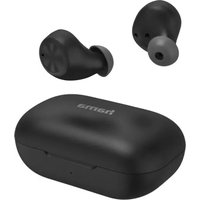
| Product type | Bluetooth True Wireless Headphones |
| Brand | Hama |
| Model | Passion Clear |
| Bluetooth technology | Bluetooth® v5.0 |
| Supported Bluetooth profiles | A2DP V1.3, AVRCP V1.6, HFP V1.7, HSP |
| Transmission frequency | 2,402 - 2,480 MHz |
| Range | < 10 m |
| Active noise cancellation (ANC) | Yes, up to -22 dB |
| Battery type | Lithium-polymer 3.7 V |
| Earbud battery capacity | 43 mAh each |
| Charging case battery capacity | 390 mAh |
| Earbud charging time | ~ 2.5 h |
| Case charging time | ~ 3 h |
| Music playback time (ANC on) | ~ 3 h (earbuds) / ~ 11 h (with case) |
| Music playback time (ANC off) | ~ 8 h (earbuds) / ~ 32 h (with case) |
| Talk time | ~ 3.5 h (earbuds) / ~ 14 h (with case) |
| Earbud weight | Approx. 5 g each |
| Case weight with earbuds | Approx. 50 g |
| Voice assistant | Siri / Google Assistant |
| Hands-free function | Yes |
| Care | Clean with a slightly damp lint-free cloth |
| Power supply | USB-C (cable included) |
| Package contents | 1 pair of earbuds, 1 charging case, 1 USB-C cable, 3 pairs of ear tips (S/M/L), manuals |
Frequently Asked Questions - Passion Clear HAMA
User questions about Passion Clear HAMA
0 question about this device. Answer the ones you know or ask your own.
Ask a new question about this device
Download the instructions for your Bluetooth Headset in PDF format for free! Find your manual Passion Clear - HAMA and take your electronic device back in hand. On this page are published all the documents necessary for the use of your device. Passion Clear by HAMA.
USER MANUAL Passion Clear HAMA
GB Operating Instructions
Thank you for choosing a Hama product.
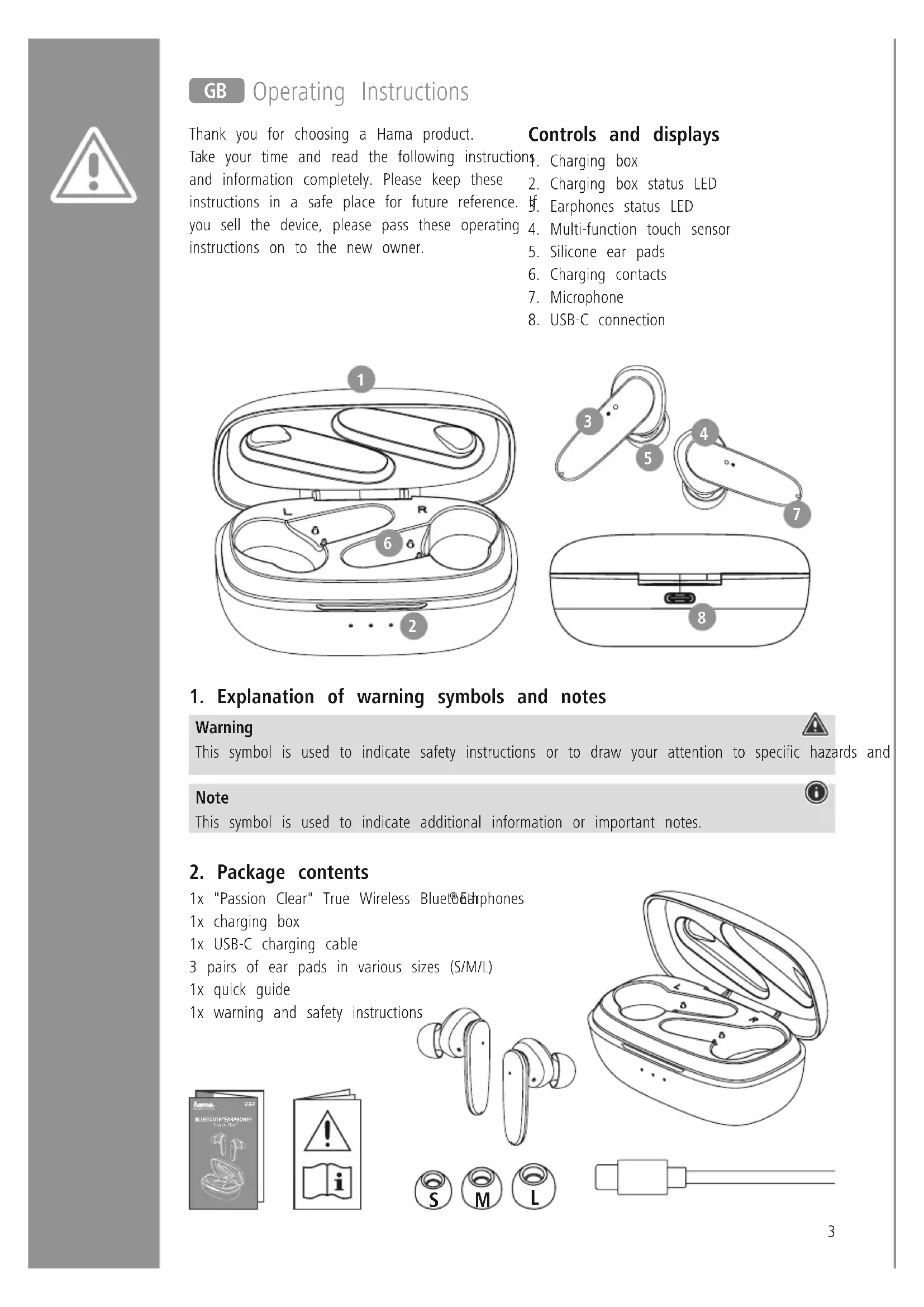
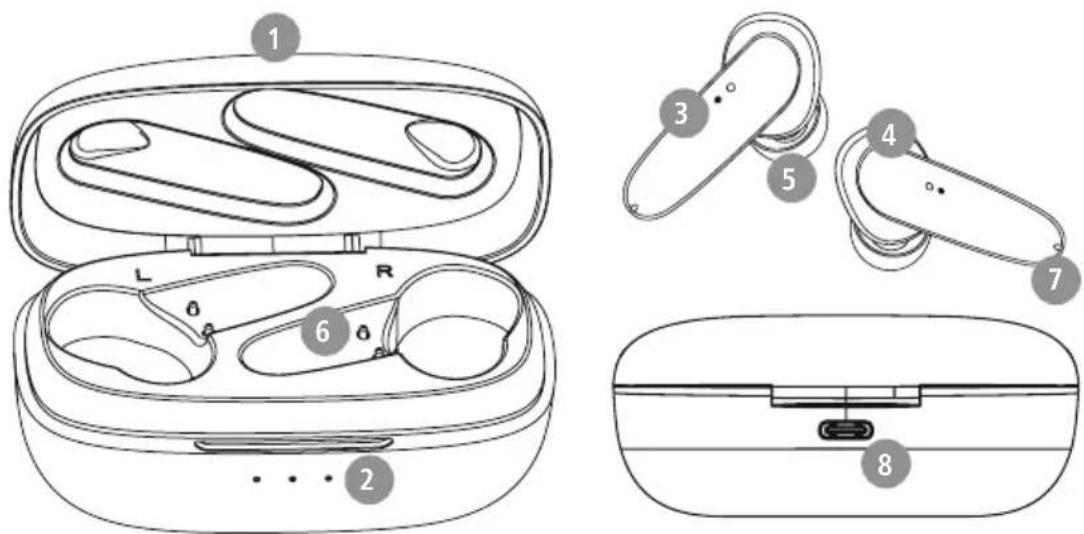
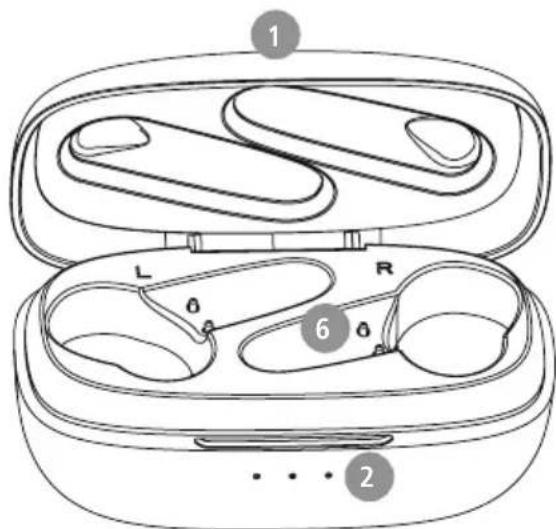
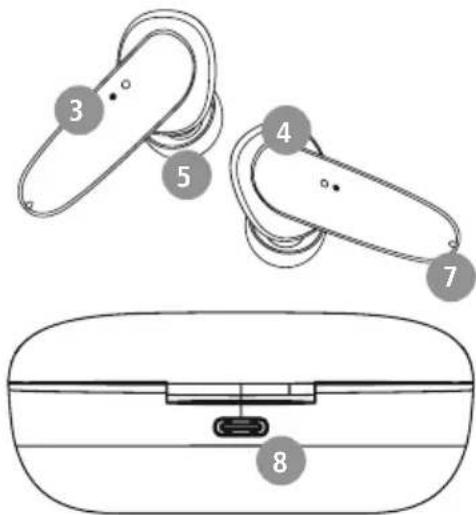
Controls and displays
Take your time and read the following instruction and information completely. Please keep these 2 instructions in a safe place for future reference. If you sell the device, please pass these operating 4 instructions on to the new owner. 5
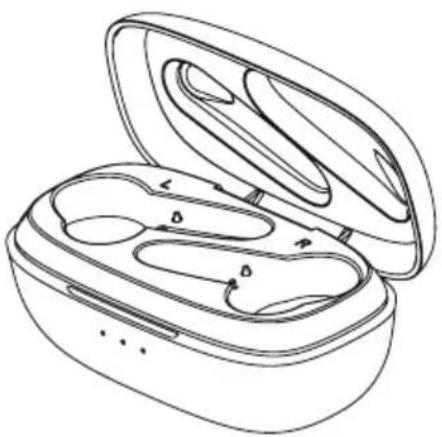
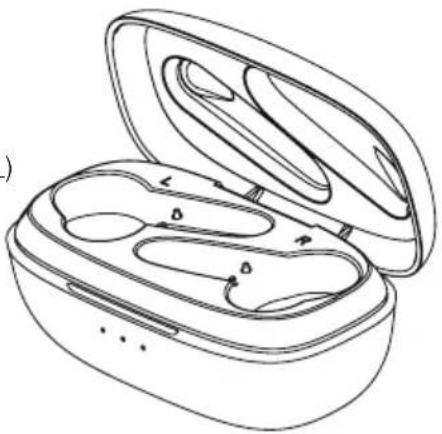
§. Charging box
2. Charging box status LED
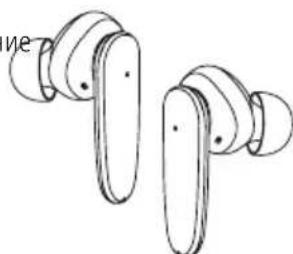
f. Earphones status LED
4. Multi-function touch sensor
5. Silicone ear pads
6. Charging contacts
7. Microphone
8. USB-C connection
1. Explanation of warning symbols and notes
Warning

This symbol is used to indicate safety instructions or to draw your attention to specific hazards and
Note

This symbol is used to indicate additional information or important notes.
2. Package contents
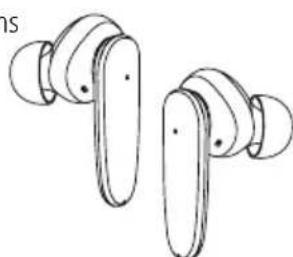
1x "Passion Clear" True Wireless Bluetooth phones
1x charging box
1x USB-C charging cable
3 pairs of ear pads in various sizes (S/M/L)
1x quick guide
1x warning and safety instructions



3. Safety instructions
The product is intended for private, non-commercial use only
- Use the product only for the intended purpose.
- Children should be supervised to ensure that they do not play with the product
- Do not use the product in areas in which electronic products are not permitted
- Do not attempt to service or repair the product yourself. Leave any and all service work to qualified experts
- Do not open the device or continue to operate it becomes damaged
- Do not bend or crush the cable.
- Do not drop the product and do not expose any major shocks.
- Dispose of packaging material immediately in accordance with the locally applicable regulations.
- Do not modify the product in any way. Doing voids the warranty
- Protect the product from dirt, moisture and overheating and use it in dry environments only
- Do not use the product in the immediate vicinity of heaters, other heat sources or in direct sunlight.
- Only use the article under moderate climatic conditions.
- As with all electrical products, this device should be kept out of the reach of children
- Do not operate the product outside the power limits specified in the technical data
- Do not use the product in a damp environment and avoid splashing water
While driving a car or using sports equipment, do not allow yourself to be distracted by your product and keep an eye on the traffic situation and your surroundings.
- The battery is permanently installed and cannot be removed; dispose of the product as a whole in accordance with the statutory regulations
- Do not incinerate the battery or the product.
- Do not tamper with or damage/heat/disassemble the batteries/rechargeable batteries
- Do not use the product during the charging process!
Warning - rechargeable battery
- Only use suitable charging devices or USB connections to charge the product.
- Do not use defective chargers or USB ports and do not attempt to repair them.
- Do not overcharge the product or allow the battery to completely discharge.
- Avoid storing, charging and using in extreme temperatures and at extremely low atmospheric pressures (such as at high altitudes).
it charge regularly (at least quarterly) during periods of prolonged storage.
Warning - magnets
- This product generates magnetic fields. Persons with a cardiac pacemaker should consult a doctor before using this product, as the pacemaker's proper function could be affected.
- Do not store bank or similar cards with magnetic strips near the charging box or earphones. The data on the cards could be damaged or completely deleted.
Warning - high volume
High sound pressure!
- There is a risk of hearing damage.
To prevent any loss of hearing, avoid listening at loud volumes for prolonged periods.
Always keep the volume at a sensible level. Loud volumes, even over short periods, can cause hearing loss.
Using this product limits your perception
doof ambient noise. You should
therefore not drive or operate machinery while using them.

4. Switching on/off

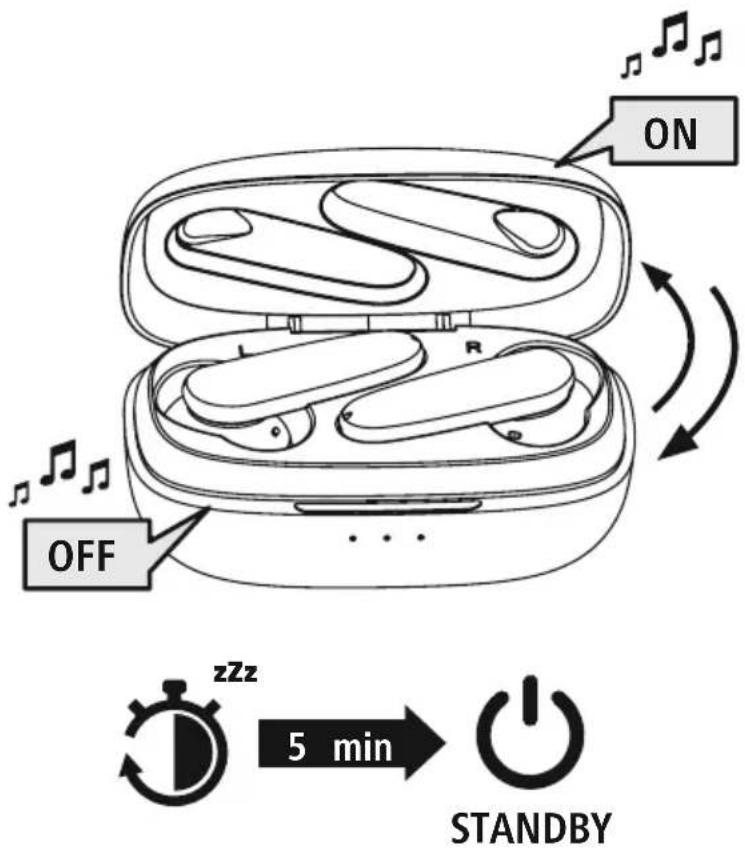
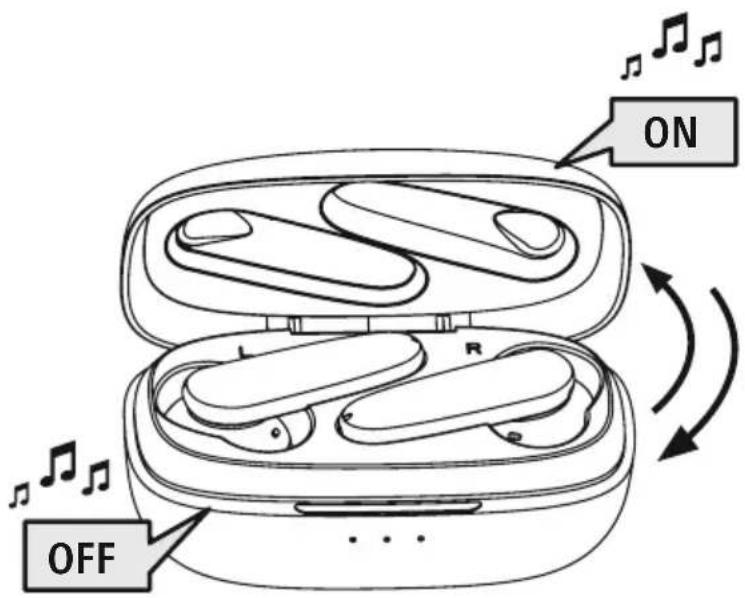
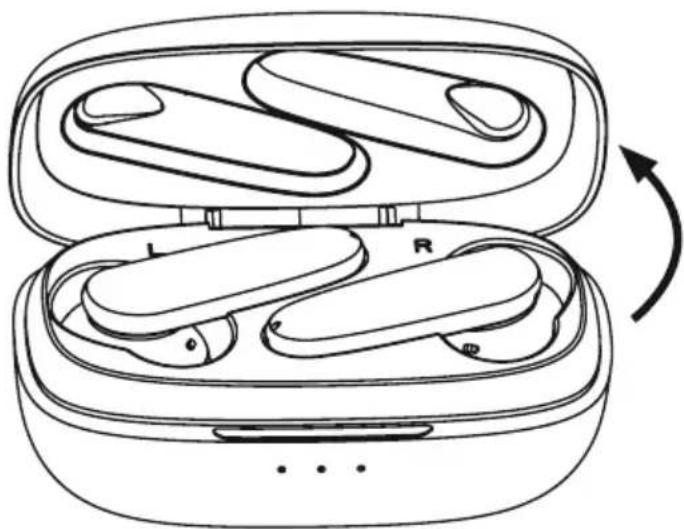
When you open the charging box, the earphones switch on automatically and start the pairing process.
Alternative:
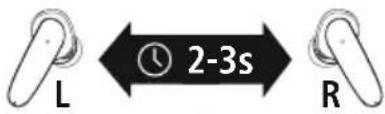
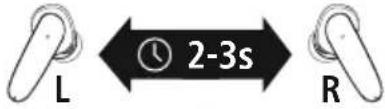
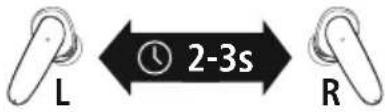
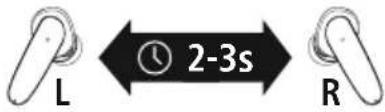
Press the multi-function touch sensor (4) on the left and right earphones for approx. 2-3 seconds until you hear a signal sound.

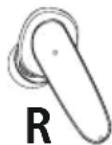
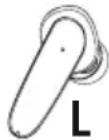
To switch them off, simply place the earphones back in charging box. Ensure that the earphones are inserted into the correct sides, using the L/R markings as a guide.
Alternative:
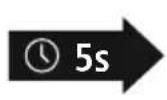
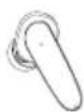
With the earphones switched on, hold the multi-function touch sensor (4) on the left or right earphone down for approx. 5 seconds until you hear a long signal sound.
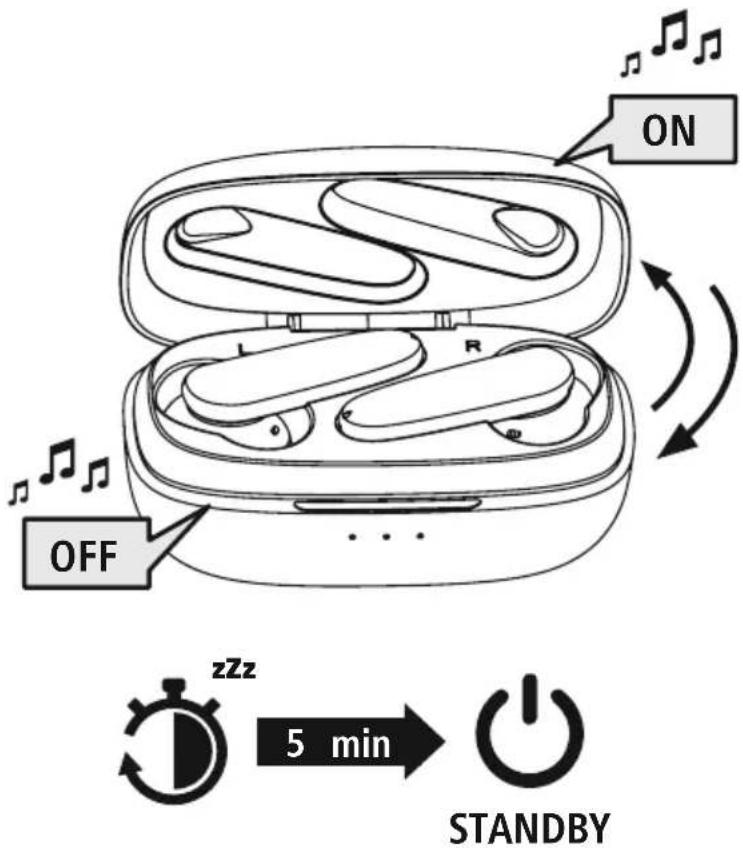
Note - Automatic switch-off of the earphones

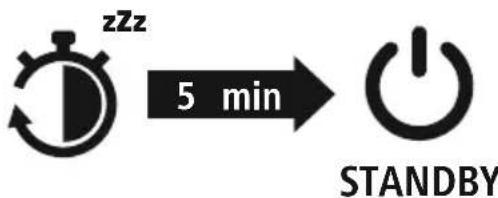
The earphones are equipped with an automatic switch-off mechanism. If there is no connection to y device within 5 minutes, they switch off automatically.
5. Charging
Fully charge the earphones and the charging box once before using them for the first time.
Insert the earphones and connect the charging box
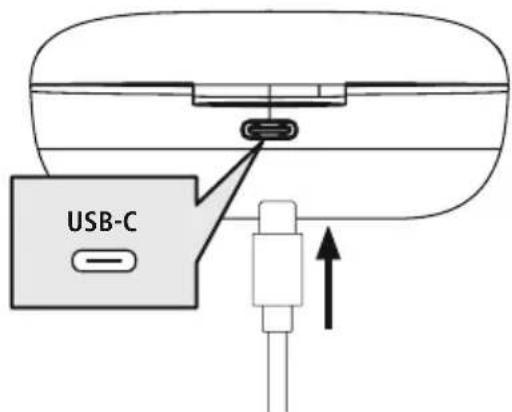
Place the earphones in the charging box. Ensure that the earphones are inserted into the correct sides, using the L/R markings as a guide.
Connect the USB-C charging cable included to the charging socket (8) on the charging box.
Connect the free plug on the USB-C charging cable to a suitable USB charger. To do this, consult the operating instructions for the USB charger you are using.
2 Charging procedure for the charging box and earphones
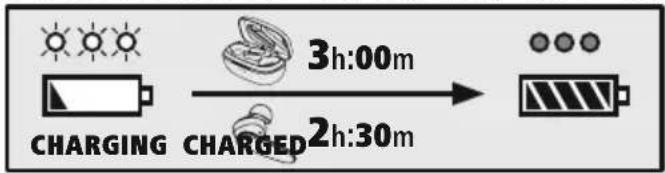
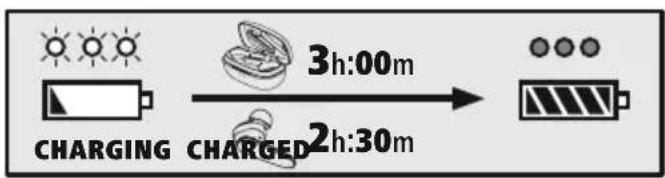
The status LEDs on the charging box (2) light up white during the charging process. After the charging box is fully charged, the 3 LEDs on the charging box light up solid white.
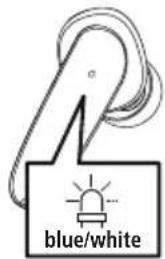
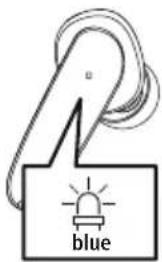
The status LEDs on the earphones (3) flash white during the charging process. Once the earphone are fully charged, the status LEDs (3) light up blue for around 30 seconds and then the status go out.
It can take up to 2.5 hours (earphones) or up to 3 hours (charging box) until the batteries are charged.

3 Battery capacity
Charging box
| 100% - 70% | 70% - 35% | 35% - 0% |
When battery levels are low (< 20%) , the first of the three status LED (2) flashes white.
Earphones
When battery levels are low (< 20%), you will hear a signal tone once per minute and the status LED (3) on the earphones flashes white.
The actual battery life varies depending on the use of the device, the settings and the environmental temperatures (batteries have a limited service life).
Note

If you have not used the device for a few months, it can take up to 15 - 30 minutes until status LED (2/3) lights up white during the charging process.

6. Bluetooth pairing
Note - Pairing

- Make sure that your Bluetooth device is switched on and that Bluetooth activated.
- For more information, please refer to the operating instructions of your device.
The earphones and the device should not be more than 1 metre apart. The shorter the distance, the better.
Ensure that the earphones are switched on.
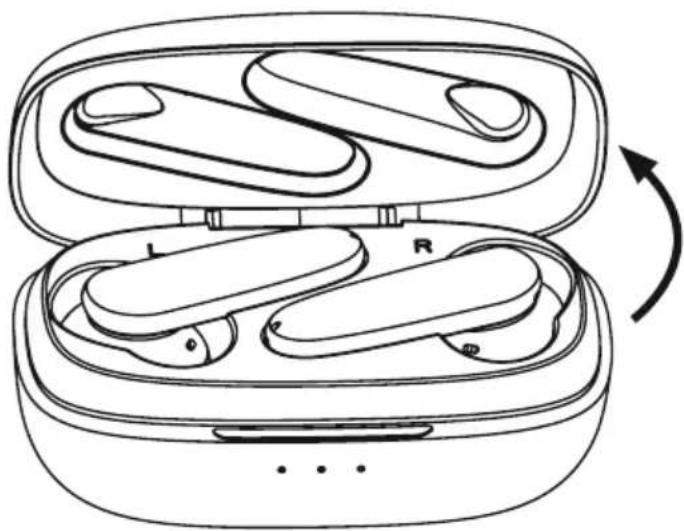
1 Check the status of the status LED (3)
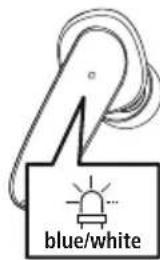
If the status LED (3) on one of the earphones is flashing alternately: the earphones are searching for a Bluetooth connection.
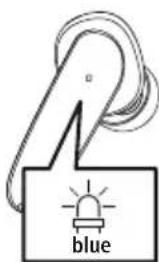
If the status LEDs (3) are flashing:
the earphones are already paired with a Bluetodvice.
Search using your device for the earphones (only required on the first connection)
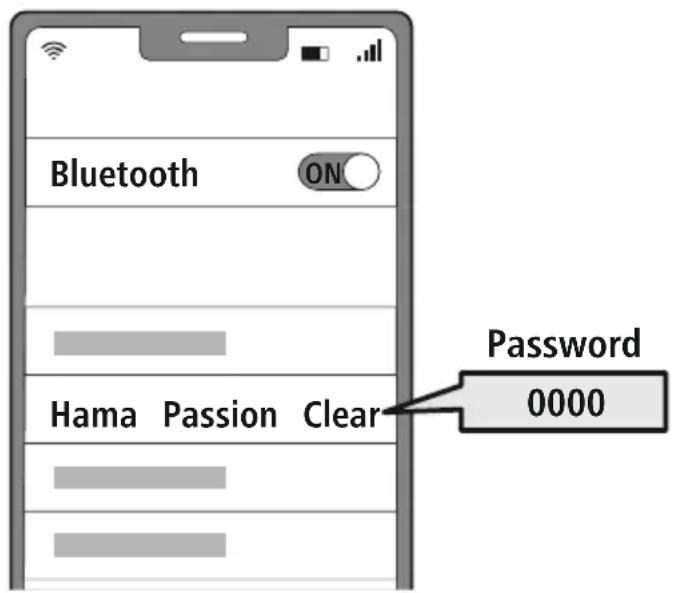
Open the Bluetooth settings on your device and wait until the list of found Bluetooth shows Hama Passion Clear.
Select Hama Passion Clear and wait until the earphones are shown as connected in your device's Bluetooth® settings. You will hear a brief signal sound.
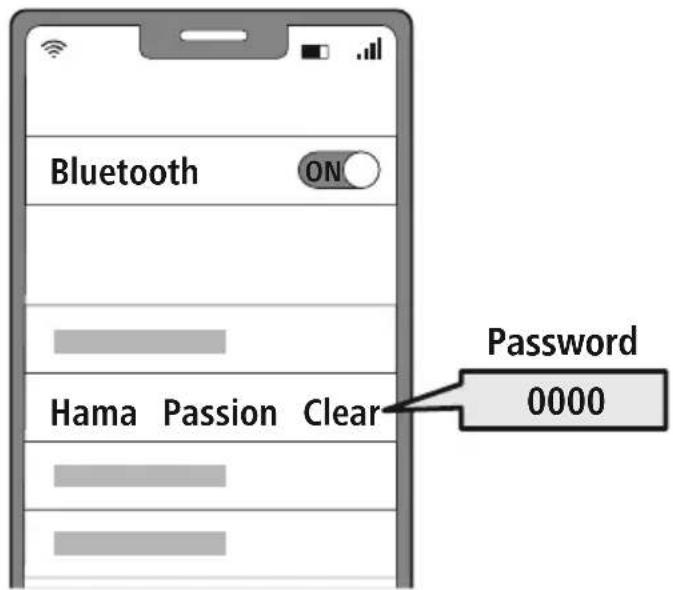
Note - Bluetoothpassword

Some devices require a password in order to connect to another Bldviceth
- If your device requests a password to connect to the headphones, enter 0000.
6.1 Reset function
RESET

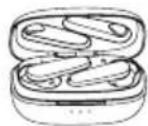
To reset the earphones to the factory settings, place the earphones in the charging box. Press and hold the multi-function touch sensor (4) on the right and left earphones simultaneously for around 8 seconds. You will hear a signal tone twice in succession.
7. Controls
Note

- Please be aware that your terminal device must support some functions if they are to be used.
- For more information, please refer to the operating instructions of your device.
7.1 Voice assistant function
Siri/ Google
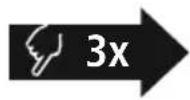
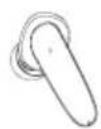
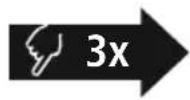
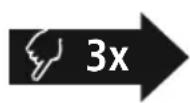
Tap the multi-function touch sensor (4) on the left or right.
earphone three times to initiate communication with Siri or
the Google Assistant. You will hear a brief signal sound.
Note - Siri

Siri is only available on suitable devices running iOS 5 (iPhone 4s or later) or higher.

Note - Google Assistant
- The Google Assistant is only available on suitable devices running Android 5.0 or higher with Google Play Services, >1.5 GB of free memory and a minimum screen resolution of 720P.
- The Google Assistant App must be available on your device and be set as the default voice assistant.
7.2 ANC function
The earphones are equipped with an Active Noise Cancelling function (ANC) to reduce unwanted amb noise. If ANC is activated, noise can be reduced by up to -22 dB.
ANC ON/OFF
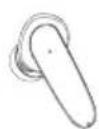
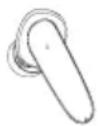
Press and hold the multi-function touch sensor (4) on the left or right earphone for around 2 seconds to switch ANC on or off. You will hear a brief signal sound in each case.

7.3 Hands-free function
It is possible to use the earphones like a hands-free facility for your device.
1 Make a call
Dial the number directly via your device to make a call.
Accept a call
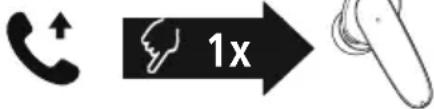
Tap the multi-function touch sensor (4) on the left or right.
earphone once to accept an incoming call.
3 Reject a call
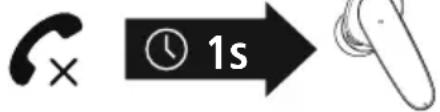
To reject an incoming call, tap and hold the multifunction touch sensor (4) on the left or right earphone for around 1 seconds. You will hear a brief signal sound.
4 End a call
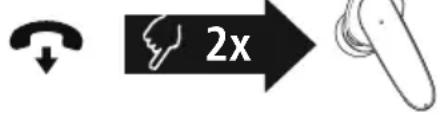
During the call, tap the multi-function touch sensor (4) on the left or right earphone twice to end the call. You will hear a brief signal sound.
5 Last number redial
You can redial the last number you called via the voice assistant function (7.1).
7.4 Audio playback
Start playback on your device.
Play / Pause

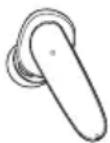
Tap the multi-function touch sensor (4) on the left or right earphone once to start or stop audio playback.
Next track

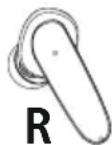
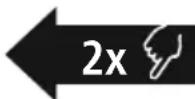
Tap the multi-function touch sensor (4) on the right earphone twice to skip to the next track.
4 Previous track

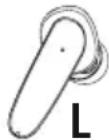
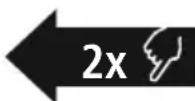
Tap the multi-function touch sensor (4) on the left earphone twice to skip to the previous track.
7.5 Volume control
The volume is controlled by the voice assistant function (7.1).
Alternatively, you can also control the volume via your device.
8. Technical data
| Bluetooth®earphones | |
| Bluetooth technology Bluetooth®v5.0 | |
| Profiles supported A2DP V1.3, | AVRCP V1.6, HFP V1.7, HSP |
| Frequency for Bluetooth transmissions | 2402 - 2480 MHz |
| Range < 10 m | |
| Rechargeable battery | |
| Battery type 3.7 V Li polymer | |
| Min. capacity Earphones / charging box | 43mAh / 390mAh |
| Charging box current consumption | max. 5 V-280mA |
| Earphones charging time ~ 2.5 h | |
| Charging box charging time | ~ 3 h |
| Standby * ~ 90 d | |
| ANC -22dB | |
| Music time (charging box) / ANC on* | ~ 4 h (~ 15 h) / ~ 3 h (~ 11 h) |
| Talk time (charging box)* ~ | 3.5h (~ 14h) |
| ANC on (charging box)* ~ 8 | h (~ 32 h) |
| Weight of earphones approx. | 5 g per earphone |
| Weight of charging tray incl. earphones | approx. 50 g |
- Once fully charged
9. Care and maintenance
Only clean this product with a slightly damp, lint-free cloth and do not use aggressive cleaning agen
10. Warranty disclaimer
Hama GmbH & Co KG assumes no liability and provides no warranty for damage resulting from improper installation/mounting, improper use of the product or from failure to observe the operating instructions and/or safety notes.
11. Service and Support
Please contact Hama Product Consulting if you have any questions about this product.
Hotline: +49 9091 502-0 (German/English)
Further support information can be found here: www.hama.com
12. Recycling information
Note on environmental protection:
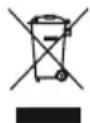
Following the implementation of European Directive 2012/19/EU and 2006/66/EU into the national legal systems, the following applies:
Electrical and electronic devices as well as batteries must not be disposed of with household waste. Consumers are obliged by law to return electrical and electronic devices as well as
batteries to the designated public collection points or to the point of sale at the end of their service. Detailed information on this topic is defined in the national laws of the respective country. This preses of the above symbol on the product, operating instructions or package indicates that the product is subject to these regulations. By recycling, reusing the materials or other forms of utilising old devices, batteries, you are making an important contribution to protecting our environment.
13. Declaration of Conformity
Hama GmbH & Co KG hereby declares that the radio equipment type [00184078, 00184079] is in compliance with Directive 2014/53/EU. The full text of the EU declaration of conformity available at the following Internet address:
www.hama.com->00184078, 00184079-> Downloads.
Frequency band(s) 2402MHz - 2480MHz
Maximum radio-frequency power transmitted 2.5mW
| 100% - 70% | 70% - 35% | 35% - 0% |
6. Bluetooth Verbinding (Pairing)
Hinweis - Pairing

| 100% - 70% | 70% - 35% | 35% - 0% |
Remarque - Google Assistant
| 100% - 70% 70% - 35% 35% - 0% |
Nota - Google Assistant
| 100% - 70% | 70% - 35% | 35% - 0% |
| 100% - 70% | 70% - 35% | 35% - 0% |
| 100-70% | 70-35% | 35-0% |
Alternative megoldaskent:
Alternative megoldaskent:
| 100% - 70% | 70% - 35% | 35% - 0% |
Avertizare - Accumulator

| 100% - 70% 70% - 35% 35% - 0% |
| 100% - 70% | 70% - 35% | 35% - 0% |
| 100% - 70% | 70% - 35% | 35% - 0% |
Ak je uroven nabitia baterie nizka (< 20 %), blika prva z troch stavovych LED diod (2) nabil
Sluchadla do usi
| 100% - 70% 70% - 35% 35% - 0% |
7.1 Funcão Voice Assistant
Siri/ Google
OtkpoTe 3apHbI 6OKc; HayuHnKu BkIoUaTcA ABToMaTuYeCKn I 3anyCTr npoueeC cOpJxEHH.
AblepHaTnBbI BapnaHT:
AInbTepeHaTnBhBn BapnaHT:
ydepxnbAte MHOFOyHKUOHaIbHbI CeHCOPHbI BbIKIOaTeIb (4) IeBOro nn npaBOr HauShnKa BO BKIOueHHOM COCTOHN B TeueHne npuMePno 5 cekyH, noka He pa3daCTc npoDOnXntbHbI 3ByKOBoCnHaI.
Yka3aHne - aBTOMaTnuecKoe BbIKIOUeHne HayuHNKOB

HayuHnK OchaueHbI CNCTeMOB aTOMaTHueCKO BbIKIOUeHHe. EcN B TeueHne 5 MmHyT CoeHNHeHc OKoHeHHbIM yCTPOINCTBOM OTCyTCTByET, OH aTOMaTHueCKN BbIKIOUaTcR.
5.Зардака
IpeepnepBbIM npimeHeHneOdIN pa3 noNHOCTbIO 3apJrTe HayuHKn, a TaKke 3apJrHbI 6OKC.
1 YknaKa HayuHnKOB n noqKnIoueHne 3apdHorO 6okca
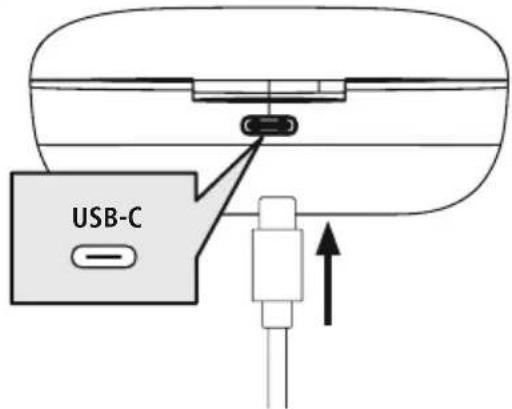
YLOXHTe HayuHnKn B 3apAaHbI 6OKc.
Co6IIOaIe npn 3TOM npabNlbHocTb yKnaKn HayuHNKOB B COOTBeTCTBmC MapkpOboKo L/R (JIeBbl/npabBl).
IopKnHouHte npnlaraembI 3apnHbI Ka6eIb USB-C K 3apnHOMy rHe3ny (8) 3apnHoro 60Kca.
IoiKIOUHTe CBO6OHNb ISTEKeP 3apAnHOro Ka6eNJa USB-C K IOxOJaIeMy 3apAnHomy yCTpoiCTBy c USB-nOpTOM Co6JIOnaIte pyKOBoIDCTBO no 3KcPiNyatauIN NcNoJIb3YeMoRo 3apAnHOro USB-yCTpoiCTBa
2 PpoueDypa 3apAKn 3apAnHoro 6okca n HayuHnKOB
CBeToIOIOHbIe HINIKaTOpbl COCTOHN3aPAnHO 6OKCa (2) MnraOT 6eNbIM CBeTOM BO BpeM 3apAnKn. Pocne noJIHOH 3apAnKu 3apAnHO 6OKCa 3 OTHOCauecK HeMy CBeToIOnda HnpepbIBHO ropAT 6eMbIM cBETOM.
CBeToIOIOHbIe HNDKATOpbI COCTOHHaHayHnKOB (3) BO BpeMa 3aprKn MraIOT 6eblm CBETOM. Pocne noJIHOJ 3aprKn HayHnKOB CBeTOIOHbIe HNDKATOpbI COCTOHHa 30 cekyHd 3aropAOTc CNHM CBeTOM n 3aTeM rachyt.
Iohna 3apnka MoKet 3aHMaTb 2,5 Yaca (HayuHnKn) nn 3 Yaca (3apnHb6okc).
3 EmKocTb aKKymyTota
3apn6okc
| 100% - 70% 70% - 35% 35% - 0% |
Yka3aHne - Google Assistant

CepBnC Google Assistant IOCTyIeH TOIbKO Ha COOTBeTCTByOuX OKOHeYhIx yCTpoiCTBax C Android 5.0 nnn 6oJIe e no3dne Bepcne c cepBncamn Google Play Services, >1,5Γ6 CBO6O,HOI pAMrN mMHNMaJIbHbIM pa3peWeHem kpaHa 720 nIKceJe.
- PpIIOXeHne Google Assistant DOJIxHO 6bITb DOCTyHNO Ha BaIeM OKOHeHOM yCTpoIcTBe HAcTpoEHO B KaueCTBe CTAHApTHOrO rONOCOBOrO NOMOuHNka.

7.2Функци ANC
HayuHnKoOchaueHbI cyHKueN aKTNBHO rnoaBHeNry uyma (Active Noise Cancellation = ANC) nra noabLeHn HxekalateJbHbIX Okpykaioux uymOB. EcIn yHKzN ANC aKTUBnpoBaHa, uymbl moXho yMeHbWntb do -22 db.
ANC ON/OFF
Дя Bкночени Ил NBKIOHcENI ΦyHKUAN ANC ydepxNBaTe MHOFOyHKUOHaJIbHbI CECOPHbI BkJIOuATEB (4) Ha JEBOM IIN npabOM HayuHKe HaxaTbIM B TeueHne OK. 2 cekyHd. Pa3daCTcK opotkn 3ByKOBoi CnHaJ.

7.3ФункцягомковCBЯЗN
BbI taKxTe MoXeTe IcNoJIb3OBA Tb HayuHnKu B KaueCTBe yCTpoNCTBa IJra rPOMKO TepeOHHO CBa3n IJRA CBOero OKoHeuHOrO yCTpoNCTBa.
CObepuTb Bbl3OB
Bb6epTe HOpem HenocpeDCTBeHHo Ha OKoHeuHOM yCToPOnCTBe, Yo6bl COBepWHTb Bbl3OB.
ПинЯТБ Вbl3OB
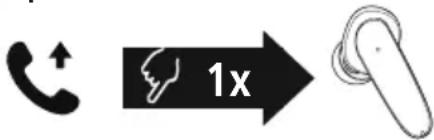
Haxmte oIN pa3 MHOROphiHKUHOHaJIbHbI CeHCOPHbI BblKIOuatoJIb (4) Ha IeBOM Nn npabOM HayUnKe, UTO6bl PpHrTb BXODAun Bl3OB.
OTKJIOHHTb Bbl3OB
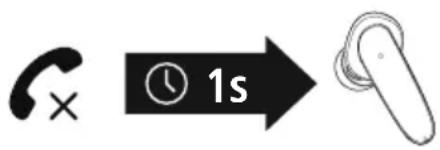
Дя OTKIOHeHЯ BXOJaIeRO BbI3OBA HaxMITE ydepxnBaTe MHOFOyHKUHOHaJIbHbI CeHCOPHbI BbIKNoYaTeJIb (4) Ha JEBOM IIN npaBOM HayuHKe HaxaTbIM npimepHo 1 cekyHny. Pa3dactc HEnpOdoJXnTeJIbHbI 3ByKOBoi CnHaJ.
3aBepwnTb Bbl3OB
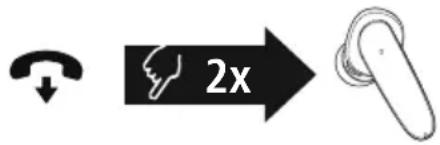
Bo Bpempa3roBopa Dbaxdbi HaxMnte MHOrOfoyHKUHOHaJIbHbI CeHCOPHbI BbIKJIOuAteJIb (4) HaJeBOM IIN IpaBOM HayuHKe, YTO6bl 3aBepWNTb BBIOB. Pa3daCTcHepoDoJXnTeJIbHbI 3ByKOBOm CnIHJI.
5
NoBToPbHn Ha6Op
IocneHn H6paHbHn Homep MoXHO BbIbpaTb NOBTOPO C NOMOuBo OyHKcHn HHTeJIeKtyaJIbHOro rOLOCOBOr OMOUHnKa (7.1).
7.4 Bocnpo3BeDeHne ayno3anncen
1 BkIouHTe BocnpOn3BeDeHHe Ha OKoHeuHom ycTpoIcTbe.
Bocnpoun3BepeHne/nay3a
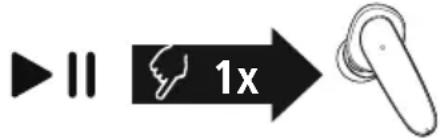
Haxmte Odn pa3 MHOOyHKUHOHaIbHbI CeHCOPHbIBBbIKIOaTeIb (4) Ha IeBOM IIN IpaBOM HayuHnKe,HTo6bl 3aNyCTNTb IIN OCTaHOBtB BOCpON3BeJeHneayNo3aNNcN.
3 Cnedyuosny Tpek
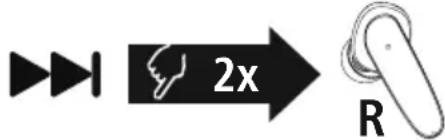
ДвaxдынхмiteMHOrOФуHKUHOHaJIbHbIceHCOPHbIBBblKlNoaTeIb(4)Ha npabOM HayuHnke,YTo6bl npeeTNI K CneDyUoUeMy Tpeky.
4 PpebIyusn Tpek
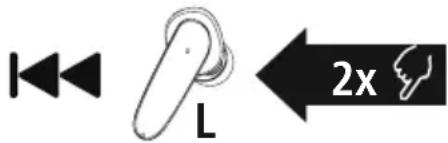
Двжды нахмITE MHOROФункциоHAьн CBHcOPHbI BblIOUaTeJIb (4)Ha JEBOM HayuHnke, YTObI nepeITN K npedbldyuemy Tpeky.
7.5 Perynipobka rpomkocn
YnpabJIeHne rpoMKoCTbIO OcyuIeCTBJIaETcC NOMOJIbIO yHKUIN HTeJIeKTyAJIbHO rONOCOBORI NOMOHNka (7.1).
POMKoCTb MoXHO TaKxpe peryIuPoBaTb Chee3 BaIe OKOHeuHoe yCTpOcTBO.
- TexHnueckne daHHbIe
BG Pa60THa INHCTpyKcIy
Blaorodapm Bn, ye cte n36paan npoynk Ha Hama!
OTeIe BpeMe n npoyete n3qJIo CJIeBaUHTe HnCTpyKuHn uKa3aHn. CneT OBa 3ana3eToBa pBKOBOCTBO 3a eKcNloatauaHa cnHypHO MAcTO, 3a Da MoXeTe da npaBtE cnpaBKN B H npn HykDa. Ako npoJaTe ypeA, npedaiTe TOBa pBKOBOCTBO 3a eKcNloatauaHa HOBnC6CTBEHnK.
Elenentn 3a ynpableneHne nHHdkaTopn
- Kyttna 3a 3apekdahe
- CBeToIaIOI 3a cTaTyc "KyTnIa 3a 3apeKJaHe"
- CBeToIOnIO 3a cTAtyc "CnyuJankn"
MMyItnnФункционан touch ceH3op
- CunikoHOBa Meka Tana 3a yxo
- KoHTaKT 3a 3apeXdaHe
- Minkpooh
- USB-C Bpb3ka
1. 06a3eHHe Ha npedynpeDnteHH cIMBOLn yka3aHna
PpeynpeKdHne

I3noJ3Ba ce, 3a da 06o3Haayaba yka3aHne 3a 6e3OnachOCT nn 3a da HAcOyn BHHMaHHeTO KbM KOHKpeTHn OnachOCTn n pNCKOBe.
Yka3aHne

N3noJI3Ba ce, 3a Da O6O3Haayaba DOnbIHNTeHnHa INΦOpMauny BaxHn yKa3aHnA.
2. CbДьрЖане Ha onaKOBkata
1x cnyaJka True Wireless BluetoothPassion Clear"
1x Kyttna 3a 3apeKdahe
1x USB-C ka6eJ 3a 3apejdahe
3 yuΦTa MeKn TaTn 3a yuN c pa3nUHn pa3Mepn (S/M/L)
1x KpaTka HHTpyKUIN
1x INHCTpykun 3a npedynpejXeHne n OcnrypBaHe Ha 6e3onacHOCTTa



3. Yka3aHnna 3a 6e3onachocT
- PpOdykTBe npEaBnDcH 3a JInuHa, HeCTOnaHcKa 6bntoBa ynoTpe6a
- M3non3BaIte npOyKta cMo 3a npEbnHeHaTa UeJ.
- Deuata Tp6Ba Da 6bDat noi Hnd3op, 3a da ce rapaHTnpa, Ye HMa Da Cn NppaT C npOyKta
He n3noJ3BaIte npOdykTa B 30Hn, B KOnTO He ca pa3peWeHH eJeKToPOnHH ypeiN
He ce onntbaite camn da obcnykBaTe nIpeMOHTnpate npOdykta OCTaBeTe BCKaKbATExHnuecka noDpBxxKa Ha KOMnTeHTHITe Cneuannctn.
He OTBapraTe npOdykTa n npn nobpeDa He npoDbIkaBaTe da ro n3non3Bate. - He npeynbaIte n He npntckaIte kaIena.
He no3B0JIaIbTe Ha npOyKta da naIa I He ro n3JaarTe Ha CnHn Bn6paun. - N3XBpIeTe onaKOBbHnMaTePnaJI BeHaRa CbIacHO DeIcTBaUInTe Ha MAcTo pa3nopeDOn 3a N3XBpIaHe Ha OTNaDbu.
He npabete npomeH Bypea.Taka 3ary6ntepabo Ha BCakBn rapaHIOHn npTeHnn - Panaete npOdykTa OT 3aMbpcBaHe, Bnara n nperepaBHe N ro n3non3BaTe cMo B cyxn NOMeueHn.
He n3non3BaIte npOdykTa B HenocepIcTBeHa 6JIn3OCT DO OTOnJIteJIHn ypeDN, DpyTN N3TOUHNi Ha TOnJIInHa JIN Ha DNpeKTHa CbHYeBa CBETInHa
-Изпοлзваитпрдуктсамо пи умepени Климатини ycnoья - PnOIObHO Ha BCNUKn eJekTpueckn npOyKT, T03n npOyKT He 6nBa Da nonaDa B pbcTe Ha Deua!
He n3non3baTe npOdykTa n3BbH HerOBHTe rpaHnCi Ha MoUHocTtA, NOCoueHn B TexHnueCKnte daHH.
He n3non3BaIte npOyKta BbB BlaJxHa cpea n 1368raBaine BOHNn Pbckn - ПО ВЕме на nbTyBaHETO C MNC ИЛСспopte hypeн He pa3peшаBaHTe ДбдTe OTКLOнЯВан ot BaшиnpoДуктИВHMaBaHTe 3a NOLOXeHNeTo npn DBNxKeHne n BaWata OKONHa cpeDa
AkyMylatopnata 6aTePne HEnoBnxHo BrpaJeHa H He MoKe Da Ce Maxa, N3XbPnTe PpOyKta KaTo CuIIO CnpEzakoHOBtpe pa3npoe6n. - He xBpIyTe 6aTepePnTa nI npOdyKTA B OfBH.
He npomeHnTe n/nn He decpopmnpaTe/ HarpraBnTe/pa3rno6baTne akymyIaTOpHnTe 6atepn/6atepnTe.
He n3noJ3BaIte npOyKta no BpeMe Ha 3apeXdaHe!
PpeynpexdneHne - BaTepey
- 3a 3apexdahe n3no13BaIte cAmo noxoadn 3apdHn yctpoNCTba nn USB n3bOAn.
- По пинци He n3noJ3BaIte DepeKTHn 3apdHn yctpoiCTBa nIu USB n3bOu n He ce onITBaIte dI rI nonpaBATE.
He no3B0JBAIte npOyKta da ce 3apeXda nOBue ot Heo6xOIMOTO nn da ce pa3peXda HnblHo. - N368raBae cBxpaHeHne, 3apeKdaHe n N3noJ3BaHe npn ekTpeMHn Tempeatypn N3KJIouHTeJIHO HNCO HaIraHa He Ha Bb3dYxa (KATO HApPIMep Ha roJeMn BInCOnHH).
- Пи no-пpoДьЖИТЕнHo CBxpaHHeNIEdo3apexJaIte nepIOdINuHNO (noHe BeHNbX HaTpNi Meceua).
PpeynpexkdeHne - MarHnTu
- PpOdykTbT reHepnpa MaHHTn noJeta. JIuata Cbc CbpdeHn CTmMyIaTopn Tp8Ba da ce KOHCyItnpat CJIeKap npedn yNtpe6a Ha npOdykTA, Tb KATO yHKUraHa CbpDeHnA CTmMyIaTop MoKe Da 6bNe HApUSeHa.
- EC Альперугл Рожим Карпс Магншни entи He 6иBa Да ce CBхраньВ B 6и3ocTdo 3apяното устю ВИN сlyшankite.ДаHHITE OT Kapтata Morat Дa 6ыдт NOBpeDEH ИИ N3TpNTI.
Ppeynpexdene - cneH 3ByK
- TOnMaO aKyctuH0 HAnraHa!
CbueCTByBa onaCHOCT OT yBpeXdaHe Ha cnlyxa.
3a da 6bnde npedotbpaTeHa 3ary6a Ha cnyxa, n36yraBaiTe CnyuHaTo Ha cnneH 3ByK 3a Dblr nepnoi OT Bpeme.
ПОДьржайтсилataHa3BykaBINHnHa pa3ymHO HNBO.ГOLMaTa CUNa Ha 3ByKa MoKe -Дори И пи МAnKa ПpoIbJxHTeHocT -Да IOBende Do yBpeXdHnHa CNYxa. - YnOtpe6aTa Ha npOdykTa orpaHnUaBa Bb3npHemaHeTo Bu Ha shymoBe ot OkJHaTa cpeJa. 3aTOba no Bpeme Ha n3noJ3BaHeTo
He ynpablaBaIte npeBo3Hn CpeDCTBa IIN MaunHn.
4. BkIIOUbaHe/ɪn3KJIIOUbaHe
ON
Otvopete kytnra 3a 3apekdahe, cnyaalknte ce BknoybaT aBtomaTuHO n ce cTapTnpouecbT Ha CdboBaHe.
AntepHaTmbHO:
3aIpbXTe HaTnCHa MyIITNFOyHKUOHaJIHHa touch ceH3Op (4)Ha IaBATA IN DaChata CnyuAka 3a OK.2-3 cekyHdN, DOKaTO yyeTe 3ByKOB CnIHan.
OFF
3a ɪnKJIʊchBaHe npocTo nOCTaBete Cnyuʌknte o6paTHo B KytTnTa 3a 3apexJaHe. IprTOBA BHNMaBaIte 3a nOCTaBaeHTo Ha Cnyuʌknte ot npaBnHaTc TpaHa CbflaCHOMapKnpoBkata L/R.
5s
AntepHaTnBHO:
BbB BKIOHcO 3aIpbXte HATnCHa 3a OK.5 cekyHmMyIINΦyHKUHOHaJIHn touch ceH3Op (4) Ha JIABaT a nn HaJaCHATA CnyaJka, DOKaTO He yyeTe Dblr 3ByKOB CnIHan.
Yka3aHne - ABTomatuHo n3KIOUbaHe Ha CnywaJknte

Cnyuankne pa3noIarat C yHKnra 3a aBtOMaTHUHO nKIOUBAHe. Ako B paMKnte Ha 5 MNHyTn He ce OcbueCTBN CBbp3BaHe C kpaHOTO yCTpOHTBO, Cnyuankne aBtOMaTHUHO ce nKIOUBAt.
5. 3apexkahe
Ipei npbpaTa ynoTpe6a 3apeTe HnblHo CnyuJaKnte, KaKTo n KyTuTa 3a 3apeKaDaHe.
1 NocTabaHe Ha cnyualknTe n Cbbp3BaHe Ha KytnTa 3a 3apeKdaHe
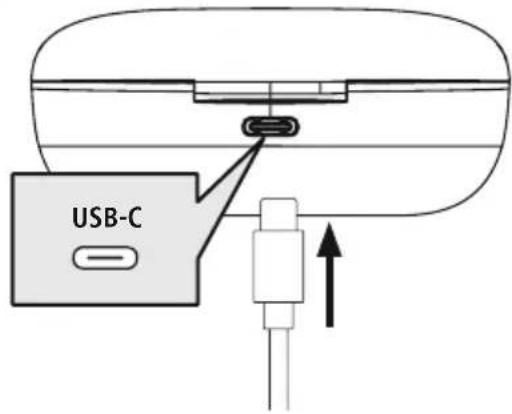
IocTaBeTe CnyuJaKnTe B KyTuTa 3a 3apeXdaHe
Pn ToBa BHmAbaTe 3a NoCTabReHo Ha
ClyuJaKnTe OT npAunHa TcpaHa CbflaCHO
MapKnpoBkata L/R
Bknoute npnloxehna USB-C ka6eJ 3a 3apekdahe KbM rHe3doTo 3a 3apejdahe (8)Ha KyTnra 3a 3apexdahe
CbpxeTe Cbo6oHnHa igeep Ha USB-C Ka6eHa 3a 3apeXdaHe KbM nOxOJaIO USB 3apAnHO yCTpoNCTBO. 3a 9eNTa cna3BaIte INcTpyKuHrTa 3a 06cnyXbaHe Ha n3noJ3BaHOTo USB 3apAnHO yCTPOINCTBO.
2 Ppoec Ha 3apeKdahe Kytna 3a 3apeKdahe n CnywaJkn
CBeToIIOJNTe 3a CTATc Ha KyTnTa 3a 3apeXdaHe (2) MIRAT B6aNo IIO BpeMe Ha npoueca Ha 3apeXdaHe. CneI PbIHO 3apeXdaHe Ha kyTnTa 3a 3apeXdaHe 3-Te CBetOIOJa Ha kyTnTa 3a 3apeXdaHe CBETBaT 3a NOCTOARHNO B 6aNo
CbeToIOIOTe 3a CTAlyTc H a CnyuAiknTe (3) Mrrat B 6aNo no BpeMe Ha npouca Ha 3apeKdahe.
CneI nIbIHO 3apeKdaHe Ha CnyuAaIKTe CBetoIOOnTe 3a CtaTyc (3)CBETR OK. 30 cekyHn B CnHbO n CneI TOBa n3racBAt
Mоже да отHEME до 2,5淘汰 (сушалки) и до 3淘汰 (ктугя за заразхда), дokato akymyatopнiteбатери ce заразнлно
3 Kaanitet Ha akymylatopHaTa 6aTePna
Kyttna 3a 3apexkahe
| 100% - 70% | 70% - 35% | 35% - 0% |
Пи НИСКО HИВО HA 3аряда HA akymу latopната 6aTeРЯ (<20%) ПьрВЯТ OT TrPte CBETODиODa 3a cTatyca (2) MURA B 6Яло
Cnywaankn
Пи НИСКО HИВО HA Зapяда HA akумлалогнота 6atepena (<20%)ЧУБATE BeHbX B MInHyTa CnHahJIeTOH
I CBeToIOIObT 3a CTAtyc (3) Ha cnyuHaJIkata Mmra B6JIo.
IeNCTBNTeHTo pa60THo BpeMe Ha akymyIaTOPHaTb 6atepy Bapupa B 3aBNCIMOcOT n3noJI3BaHeTO Ha ypeDa, HAcTpoiKITE N OKOIHNTE Tempeatypn (akymyIaTOPHtE 6atepy IMAT orpaHwEn noJe3eH KVBOT)
yka3aHne
AKe He CTe N3NoJIbALn yCTPOINCTBOTo B npoIbJIkeHne Ha HnKoJIko Meceua, MoKe Ja OTHeme 15-30 MNHyTu, DOKaTO CBETOnIOJbT 3a CTaTyc (2/3) CBETHe B 6JIIO npn 3apexJahe.


6. Bluetooth® Bpb3ka (CDBOBAHe)
Yka3aHne 3a cDBOBaHe

- YBepete ce, Ye BaSeTo noIbpxaIo Bluetooth® kpaHNo yCTpOietBO e BKnIOyeHO n Ye Bluteoth e AKTINbpan.
- 3a Ta3n cIe n C7BaIte yKa3aHnIaT o TpbKOBoDCBTO 3a yNtpe6a Ha BaIeTo KpaHo yCTpoIcTBO.
Cnyuankte n KpaHOTO yCTPOIcTBo Tp86Ba Da 6bDaT Ha pa3CTOAHne Iod 1 MeTbp. KonKOTO no-MaIKo e TOBa pa3CTOAHne, ToNKOBa No-Do6pe.
YBepete ce, ye Cnyuajknte ca BKIOUoyenH.
1 PpOBepTe cTatyca Ha CBeToDnOda 3a cTatyc (3)
Ako cBeToDnOdbT 3a cTatyc (3) Ha eHa cnUwAnKa Mrra nocJeIOBATEJIHO:
Cnywanknte Tbpctr BluetoothBpb3ka.
Ako cBeToOnoNte 3a cTatyC (3) MuraT:
Cnyuankte Buee ca Cbbp3aHn c KpaHNo yctpoCTBO c Bluteoth
2 Tbpcete cnyuanknte c BaeweTo KpaHOn yctpoNCTBO (Heo6xOndmo e camo npn nbpBo yctaHOBAHe Ha Bpb3ka)
OTBOPe HacTpoKnTe 3a BluetoTHa BaWeTo KpaHOb yCTpOuCTBO n N3UaKaIte, DOKaTO B cnncbKa Ha HamepeHnTe BluetoTHyctPoIcTBa He ce nokaxe Hama Passion Clear.
H36epTe Hama Passion Clear n 3uKaIe, KOaTO CnyJAKnTe He ce NOKaKAT KaTO CBbp3AHN B NaTPOIKnTe 3a Bluetootha BaWeTo KpaHNo yCTpoiCTBO. Ue Cyte KpaTBk 3ByKOB cInHaJI.
Yka3aHne - Bluetooth napola

HЯко Краину устюп CTBa ce hyждяг OT napona 3a Habстюкata Ha Bpb3kata C pyro Bluetooth® устюCTBO.
- 3a Cbbp3BaHe CbC CnyuJaKite BbBedeTe napoJaTa 0000, KOrato 6bJeTe noJaHeH/a 3a ToBa ot BaWeTo KpaHNo yCTpoiCTBO.
6.1Функцma3aHylnpaHe
RESET

8s
3aДa Hynipate Cnyuajknte Do φa6pnHnTe
HaCTpoiKn, NoCTaBeTe Cnyuajknte B
Kytjra 3a 3apeXdaHe. 3aIpbjxTe HaTncHat
MyltnyHKUohnna touch ceH3Op (4)
eNHObpemHo Ha JYBaTa N JAcHata Cnyuajka 3aOK. 8 ckyHn. CyBaTe DBA NbTN NocJeIOBaTeHNO
CnHajien ToH.
7. Elenentn 3a ynpabJeHne
Yka3aHne
- 06bpyhe TBHmAHne, Ye noDybpXaHeTo Ha HAKOn OT cyHKUnTe 3abncn ot BaSeTo KpaHoycTPOINCTBO.
- 3a ta3n c9e n cna3BaIte yka3aHnraTa o pkbOBOdCTB0To 3a ynoTpe6a Ha BaWTe KpaHo yctpoiCTBO.

7.1ФункцияЗaглacob acncteHT
Siri/ Google
HaTnchete BeHbX MyItnuYHKUHOHaJIHnA touch ceH3Op (4) Ha JIaBata CnywaJka IIN DaChATA CnywaJka, 3a da cTapTnpate KOMyHnKaUaNc BawJra Siri nn Google AcnCTeHT. Ue yyeTe KpaTbk 3ByKOB cnHan.
Yka3aHne - Siri
Siri ce npednara cmo Ha noDxOJaK painH yctpoiCTBa c iOS 5 (ot iPhone 4s) uJn no-BncoKa.

YkaaHne - Google AcnteHT
- Google AcncteHT ce npedna rca mo Ha noxoadu KpaHn yctpoCTBa C Android 5.0 nI INo-BncoKa c Ycnyr 3a Google Play, >1,5 GB cbo6oHa namet mHmMaHa pa3deneTHa cnoc6hOCT ha ekpana 720 P.
- Пилloxенeto Google AcnteHT Tp6Ba Da e HaniuHo Ha BaWeTo KpaHo yCTpoiCTBO n Da e NaCTpoEHO KaTO CTaHApTeH rJaCoB acNCTeHT.

7.2 ANC yHkun
Cnyuankte ca obopydbanc Active Noise Cancellation (ANC), 3a da ce hamaJr HxeknaHne shymoBe ot okolnata cpea. Ako ANC e akTbnpaHa, shymoBeTe mOrat da 6bDaT hamaJeHc n do -22dB.
ANC ON/OFF
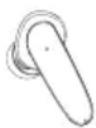
3aDpbXTe HaTnchat MyItnuФyHKUHOHaHnna touch ceH3Op (4) Na JIABaTa IINI DnCnHaTa CnyuAJaKa 3a OK.2 cekyni, 3a Da BKJIIOHTe IINI N3KJIIOHTe ANC. CbOTBeTHO ige yyeTe KpaTBk 3ByKO BcIHnI.

7.3Функця "CBO6OdHn pbue"
CbIeCTByBa Bb3MOxHOCTTa Da n3nOJ3BaTe CnyuAaKInTe KaTo yCTpoiCTBO "cB6oDn npBue" 3a BaJeTo KpaHNo yCTpOiCTBO.
06aXdahe
Hahepe Homepa Hapabo ot Baewe to kpaHno yctpoNCTBO, 3a da HapabnTe o6axdahe.
2 PnpemaHe Ha NOBnKBaHe
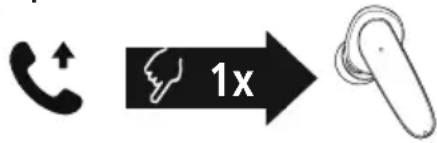
Дokochete eHOKpaTHO MyIINФункионнг touch ceH3Op (4) Na IaBata nII Na IaCHTa ClyuAJaKa, 3a Da npIeMeTe BXODJIso NOBnKBaHe.
3 OTKa3BaHe Ha NOBnKBaHe
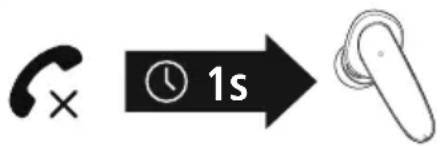
3a OTKa3BaHe Ha BXOJaIIO NOBnKBaHe DOKoCHe I 3aIpbXTe MyItnIphiYHKuONHaJIHnI touch ceH3Op (4) H a JIbAta IIN IJcHata CnyUaJIka 3a OK.1 cekyHda. Ue cyyeTe KpaTbK 3ByKOB CnHaN.
4 PpNKIOUBAHe Ha NOBNUBaHe
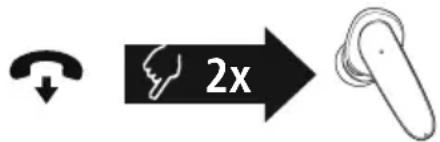
No Bpeme Ha pa3roBopa DoKocheTe Dba NbTN MyItnyHKuOHaHnra touch ceH3Op (4) Ha JIaBaTa IIN daChata CnyuJaKa, 3a Da npNKJIOUHTe NOBUKBaHeTo. Ue cyyeTe KpaTbK 3ByKOB cRHaJ.
5 NobTapAne Ha ha6npaHeTo
Moxete da n36epete noBtOPO NOcIeHNO HApHnH HOpE3 yHKuYrTa 3a rJaCoB acNCTeHT (7.1).
7.4 Bb3npo3Bexkahe ha aydno
1 CtaptnpaTte Bb3npoN3BexKaHeTo Ha ayDnO Ha BaWeTo KpaHNo ycTpoNCTBO.
2 Bb3npoIm3BexJaHe/Play3a


Дokochete edhokpaTHO MyIITnФyHKUHOHaHnHt touch ceH3Op (4) Ha JIABaTaNII DcHtA TcLyWaJka, 3a Da cTApTnpaTe NII Da CnpTe Bb3npoN3BexKdHeTo Ha ayDnO.
3 CnepBaio 3aIabne

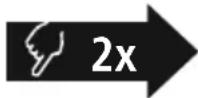
ДOKОСHETe ДВa ПБТМУЛТИФУHKUOHAJIHЯ touch ceH3Op (4)Ha JЯСнATA CNYшАлka,За Да пЕмИнеТe KbM cIeДВaSOTO 3aRJaBVE.
4 PpeDmHOn 3aRnabne

HaTnchete IBa nBtM MyItnyHKuOHaJIHnA touch ceH3Op (4) Ha JIbata CJUshaJaKa, 3a Da npemHeTe KbM npeDnshOTO 3aIabVe.
7.5. PerynnapaHe Ha cnlaTa Ha 3Byka
UnpabneHnTo Ha cnIata Ha 3Byka ce n3BbplBa ype3 fynKcIyra 3a rIacOB acnCTeHT (7.1). AInTePahNBO MoXeTe Da ynpablaBaTe cnIata Ha 3Byka upe3 KpaHOTo CN yCTPOICTBO.
8. TexHnueckn daHHN
MaKcImaJIHa n3JIbYBaTeJIHa MoUHocT 2.5mW

GR O8nyiec xpno
| 100% - 70% 70% - 35% 35% - 0% |
Eav n Σαθμη tnc μπatapiac εival xαμnλn (<20%), n πρωτη anó tic tpeic λuxvieç katασtaoç LED (2) avaβοσβήνει λευκή.
Akouotiká
1x True Wireless Bluetoothulaklik "Passion Clea"
1x sarj kutusu
1x USB-C sarj kablosu